Dimitri John Ledkov: Ubuntu Livepatch service now supports over 60 different kernels
 |
| Linux kernel getting a livepatch whilst running a marathon. Generated with AI. |
|
| Linux kernel getting a livepatch whilst running a marathon. Generated with AI. |
 After seven years of service as member and secretary on the GHC Steering Committee, I have resigned from that role. So this is a good time to look back and retrace the formation of the GHC proposal process and committee.
In my memory, I helped define and shape the proposal process, optimizing it for effectiveness and throughput, but memory can be misleading, and judging from the paper trail in my email archives, this was indeed mostly Ben Gamari s and Richard Eisenberg s achievement: Already in Summer of 2016, Ben Gamari set up the ghc-proposals Github repository with a sketch of a process and sent out a call for nominations on the GHC user s mailing list, which I replied to. The Simons picked the first set of members, and in the fall of 2016 we discussed the committee s by-laws and procedures. As so often, Richard was an influential shaping force here.
OverloadedRecordFields.
At that point, there was no secretary role yet, so how I did become one? It seems that in February 2017 I started to clean-up and refine the process documentation, fixing bugs in the process (like requiring authors to set Github labels when they don t even have permissions to do that). This in particular meant that someone from the committee had to manually handle submissions and so on, and by the aforementioned principle that at every step there ought to be exactly one person in change, the role of a secretary followed naturally. In the email in which I described that role I wrote:
Simon already shoved me towards picking up the secretary hat, to reduce load on Ben.So when I merged the updated process documentation, I already listed myself secretary . It wasn t just Simon s shoving that put my into the role, though. I dug out my original self-nomination email to Ben, and among other things I wrote:
I also hope that there is going to be clear responsibilities and a clear workflow among the committee. E.g. someone (possibly rotating), maybe called the secretary, who is in charge of having an initial look at proposals and then assigning it to a member who shepherds the proposal.So it is hardly a surprise that I became secretary, when it was dear to my heart to have a smooth continuous process here. I am rather content with the result: These three ingredients single secretary, per-proposal shepherds, silence-is-consent helped the committee to be effective throughout its existence, even as every once in a while individual members dropped out.
BlockArguments, do notation with ( foo) expressions and Unicode), I m still around, hosting the Haskell Interlude Podcast, writing on this blog and hanging out at ZuriHac etc.

hz.tools will be tagged
#hztools.
cos and sin of the multiplied phase (in the range of 0 to tau), assuming
the transmitter is emitting a carrier wave at a static amplitude and all
clocks are in perfect sync.
 let observed_phases: Vec<Complex> = antennas
.iter()
.map( antenna
let distance = (antenna - tx).magnitude();
let distance = distance - (distance as i64 as f64);
((distance / wavelength) * TAU)
 )
.map( phase  Complex(phase.cos(), phase.sin()))
.collect();
 let beamformed_phases: Vec<Complex> = ...;
let magnitude = beamformed_phases
.iter()
.zip(observed_phases.iter())
.map( (beamformed, observed)  observed * beamformed)
.reduce( acc, el  acc + el)
.unwrap()
.abs();
(x, y, z) point at
(azimuth, elevation, magnitude). The color attached two that point is
based on its distance from (0, 0, 0). I opted to use the
Life Aquatic
table for this one.
After this process is complete, I have a
point cloud of
((x, y, z), (r, g, b)) points. I wrote a small program using
kiss3d to render point cloud using tons of
small spheres, and write out the frames to a set of PNGs, which get compiled
into a GIF.
Now for the fun part, let s take a look at some radiation patterns!
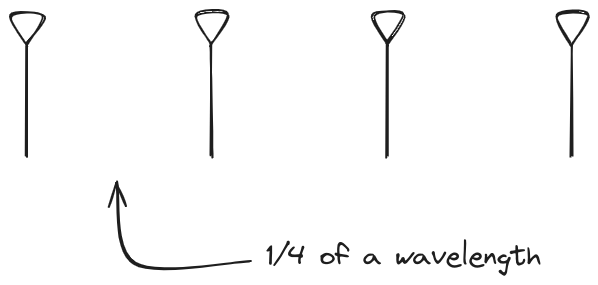
y and z axis, and separated by some
offset in the x axis. This configuration can sweep 180 degrees (not
the full 360), but can t be steared in elevation at all.
Let s take a look at what this looks like for a well constructed
1x4 phased array:
 And now let s take a look at the renders as we play with the configuration of
this array and make sure things look right. Our initial quarter-wavelength
spacing is very effective and has some outstanding performance characteristics.
Let s check to see that everything looks right as a first test.
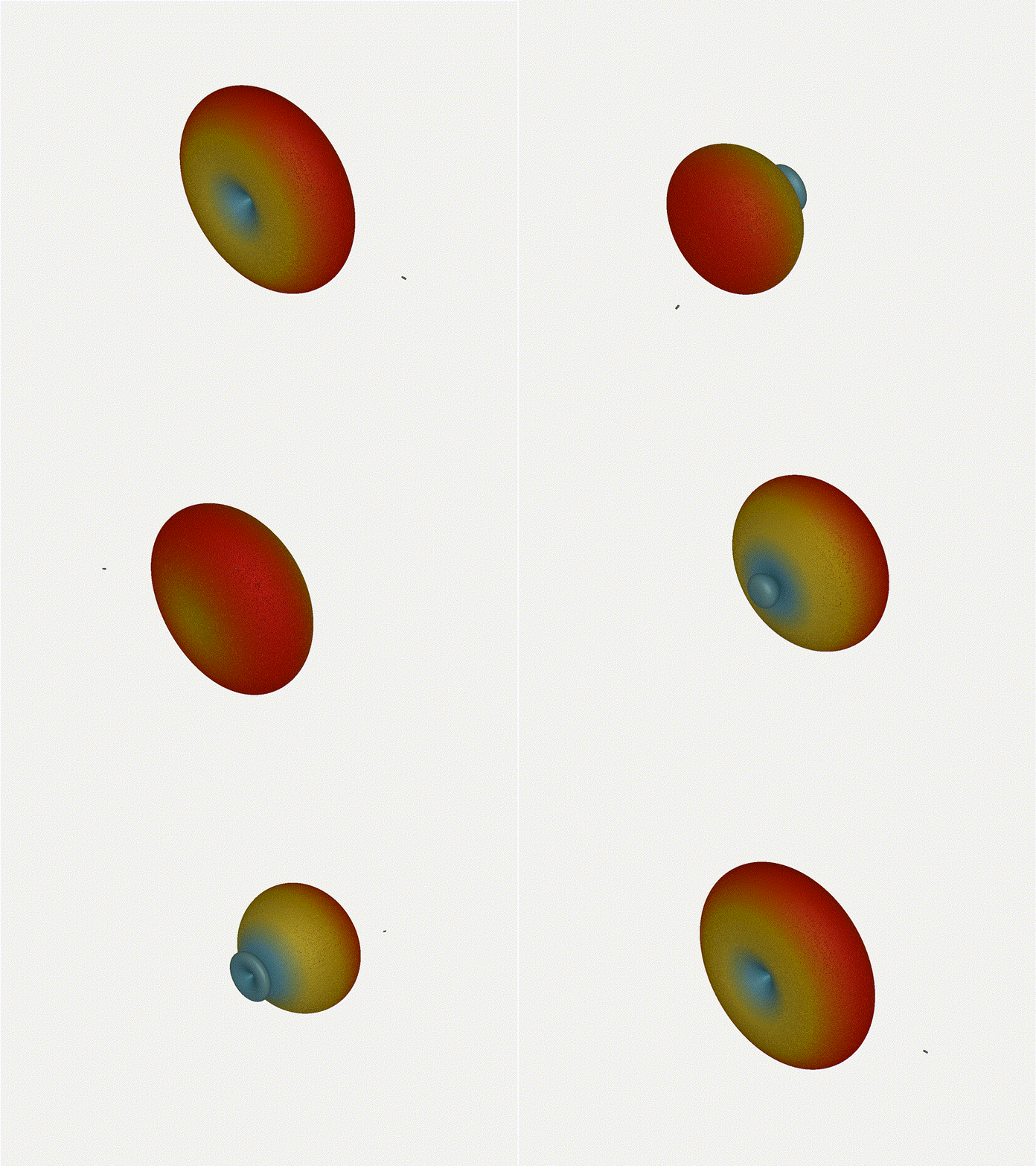 Nice. Looks perfect. When pointing forward at
(0, 0), we d expect to see a
torus, which we do. As we sweep between 0 and 360, astute observers will notice
the pattern is mirrored along the axis of the antennas, when the beam is facing
forward to 0 degrees, it ll also receive at 180 degrees just as strong. There s
a small sidelobe that forms when it s configured along the array, but
it also becomes the most directional, and the sidelobes remain fairly small.
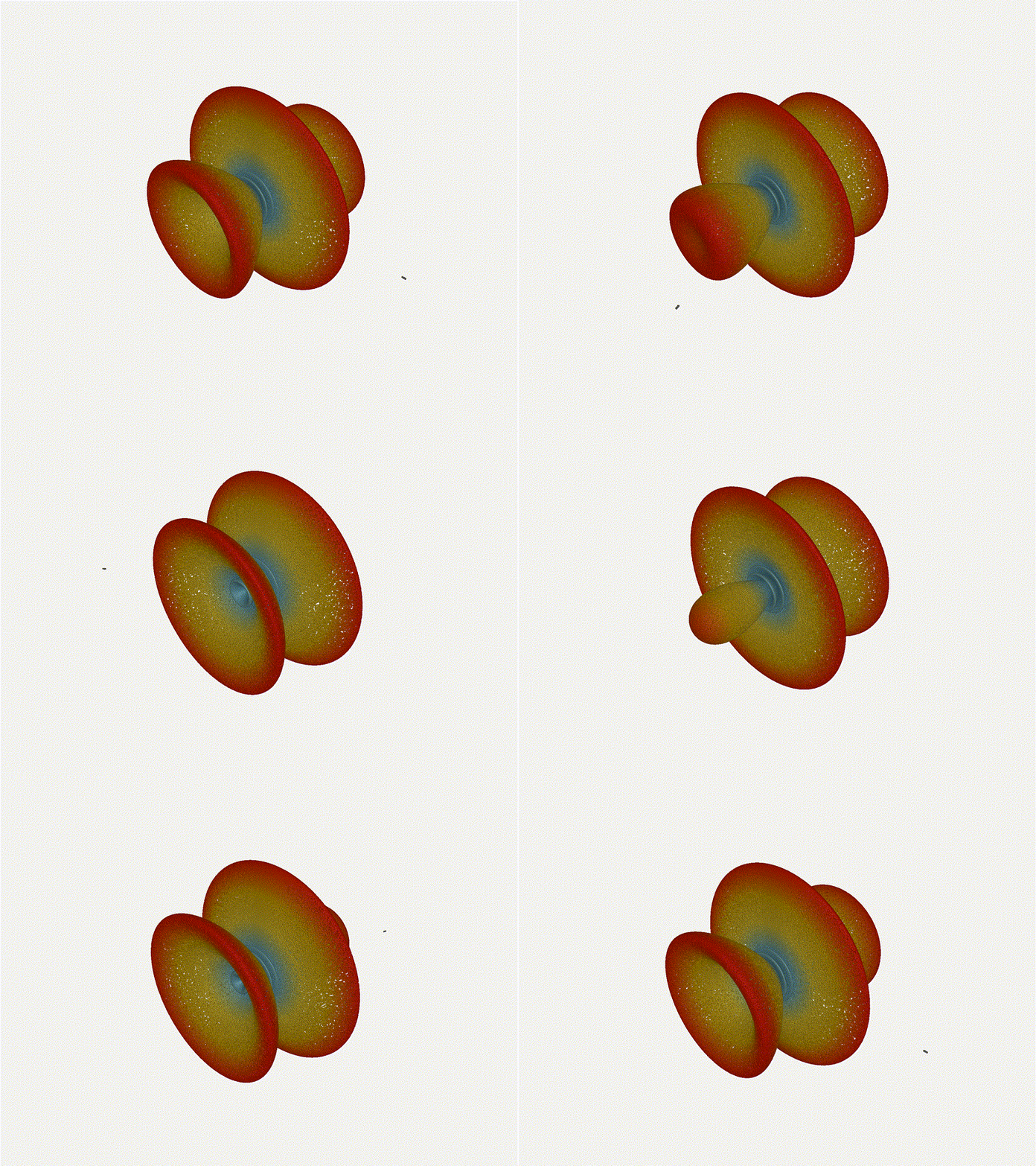 The main lobe is a lot more narrow (not a bad thing!), but some significant
sidelobes have formed (not ideal). This can cause a lot of confusion when doing
things that require a lot of directional resolution unless they re compensated
for.
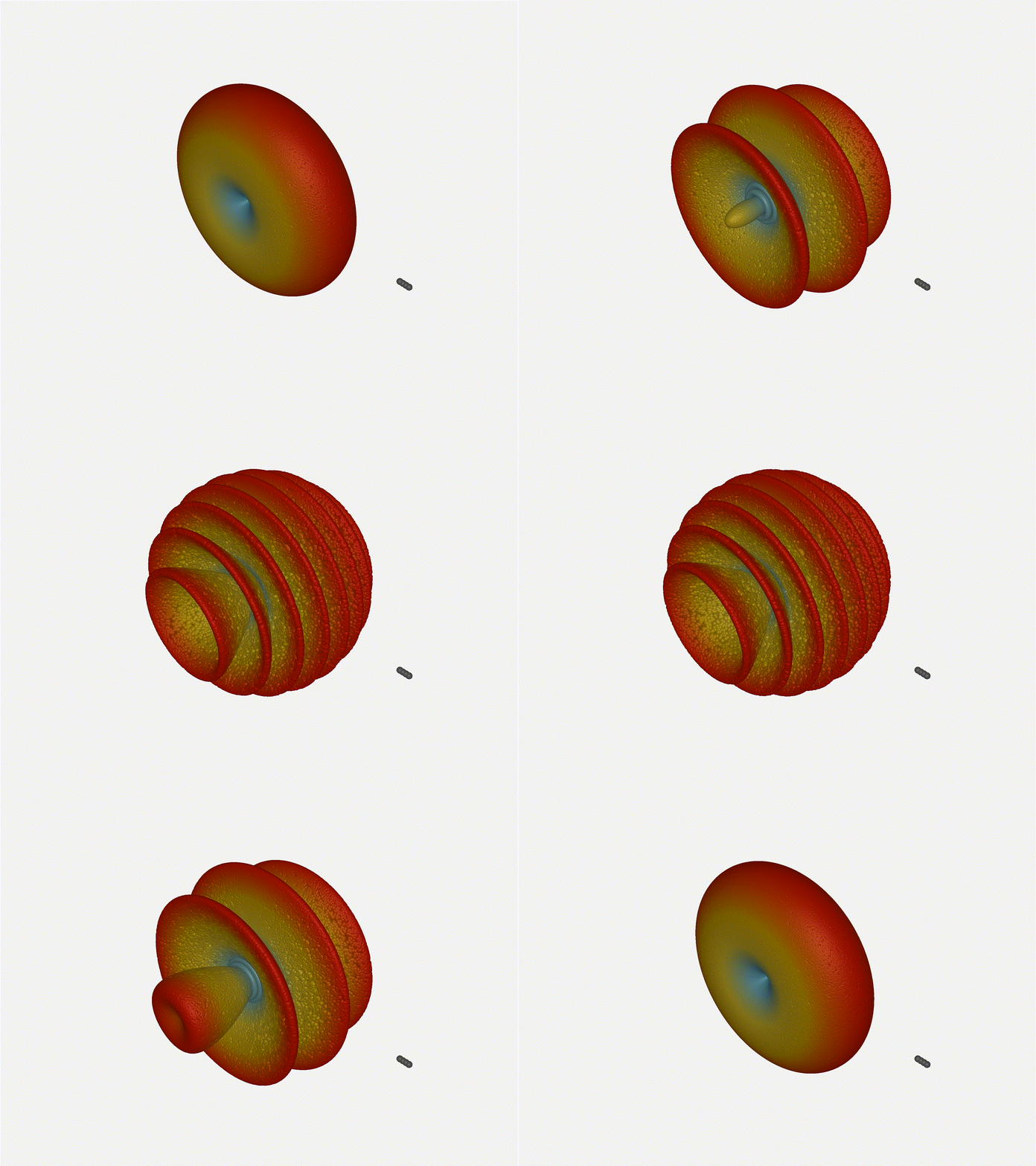 Very cool. As the spacing becomes longer in relation to the operating frequency,
we can see the sidelobes start to form out of the end of the antenna system.
z axis, and separated by a fixed offset
in either the x or y axis by their neighbor, forming a square when
viewed along the x/y axis.
Let s take a look at what this looks like for a well constructed
2x2 phased array:
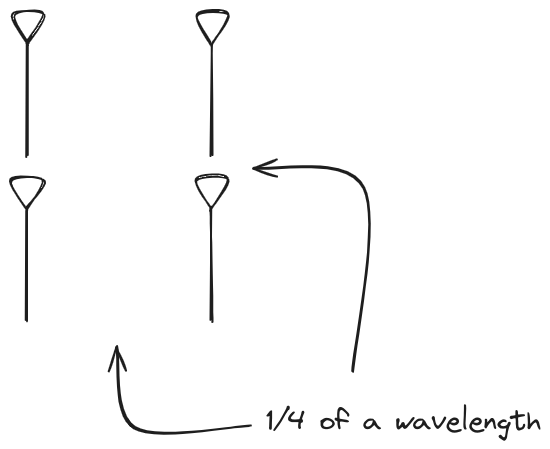 Let s do the same as above and take a look at the renders as we play with the
configuration of this array and see what things look like. This configuration
should suppress the sidelobes and give us good performance, and even give us
some amount of control in elevation while we re at it.
 Sweet. Heck yeah. The array is quite directional in the configured direction,
and can even sweep a little bit in elevation, a definite improvement
from the 1x4 above.
 Mesmerising. This is my favorate render. The sidelobes are very fun to
watch come in and out of existence. It looks absolutely other-worldly.
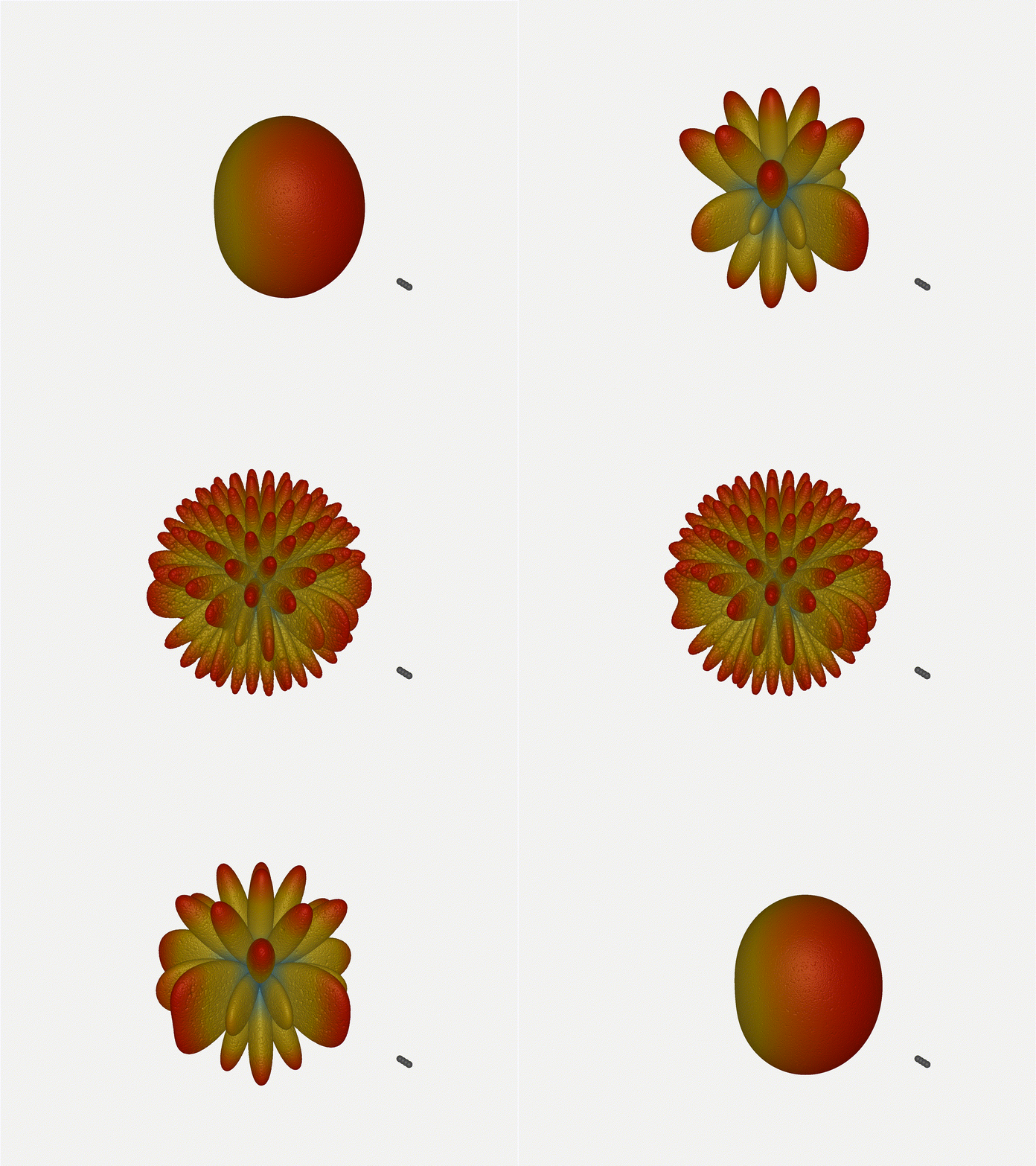 Very very cool. The sidelobes wind up turning the very blobby cardioid into
an electromagnetic dog toy. I think we ve proven to ourselves that using
a phased array much outside its designed frequency of operation seems like
a real bad idea.
 Happy 2024!
DAIS have continued their programme of posthumous Coil remasters and re-issues.
Constant Shallowness Leads To
Evil
was remastered by Josh Bonati in 2021 and re-released in 2022 in a dizzying
array of different packaging variants. The original releases in 2000 had barely
any artwork, and given that void I think Nathaniel Young has done a great job
of creating something compelling.
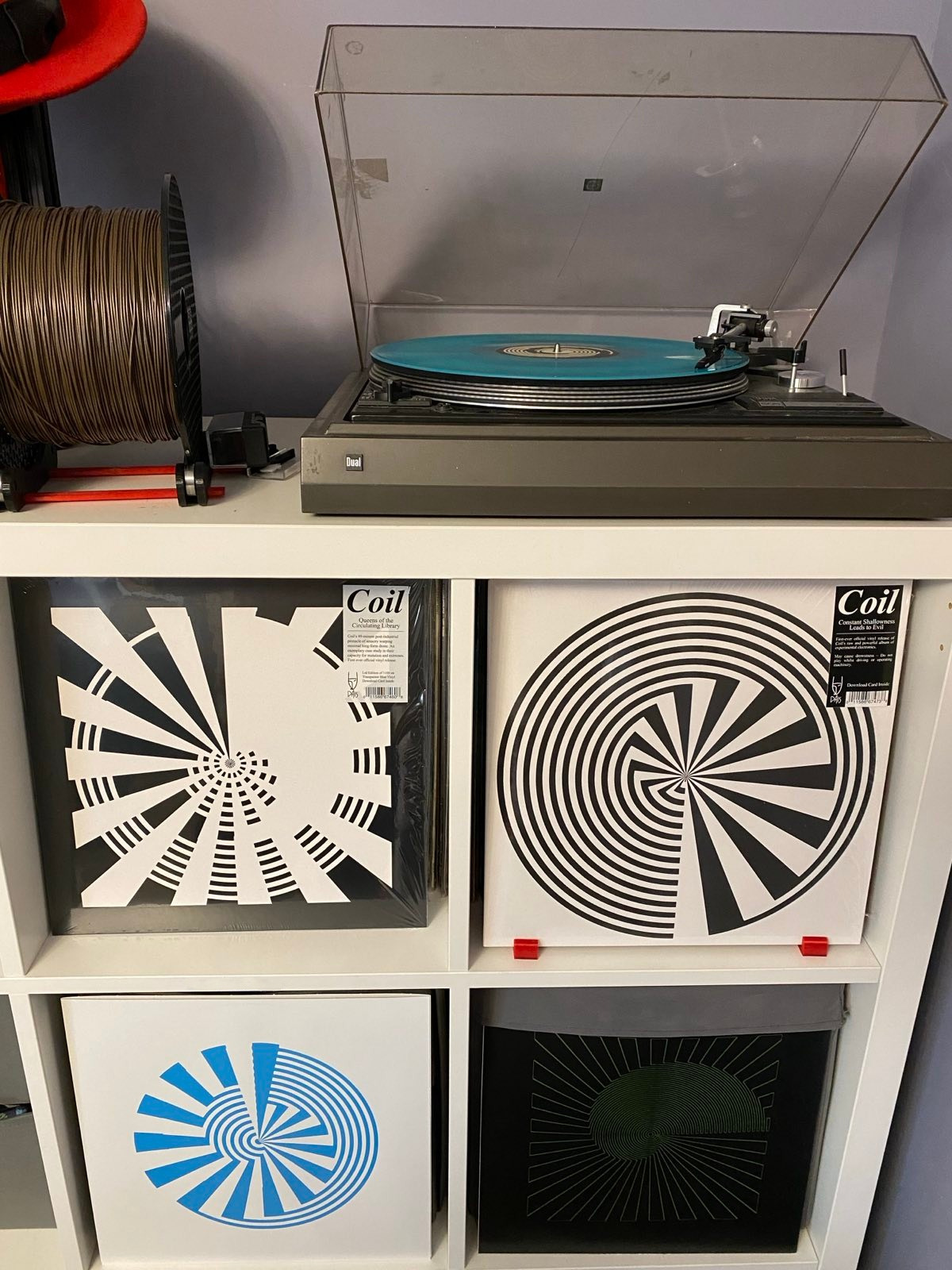
we only do this on religious holidaysConstant Shallowness Leads to Evil by Coil
 Contributing to Debian
is part of Freexian s mission. This article
covers the latest achievements of Freexian and their collaborators. All of this
is made possible by organizations subscribing to our
Long Term Support contracts and
consulting services.
udev rules, dh_installudev now installs rules to
/usr.
The story around diversions took another detour. We learned that
conflicts do not reliably prevent concurrent unpack
and the reiterated mitigation for molly-guard triggered this. After a bit of
back and forth and consultation with the developer mailing list, we concluded
that avoiding the problematic behavior when using apt or an apt-based
upgrader combined with a loss mitigation would be good enough. The involved
packages bfh-container, molly-guard, progress-linux-container and
systemd have since been uploaded to unstable and the matter seems finally
solved except that it
doesn t quite work with sysvinit yet. The
same approach is now being proposed for the diversions of
zutils for
gzip. We thank involved maintainers for
their timely cooperation.
Build-Depends of the linux source
package for instance. While this has been solved for binutils a while back,
the patches for gcc have been unfinished. With lots of constructive feedback
from gcc package maintainer Matthias Klose, Helmut worked on finalizing and
testing these patches. Patch stacks are now available for
gcc-13 and
gcc-14 and
Matthias already included parts of them in test builds for Ubuntu noble.
Finishing this work would enable us to resolve around 1000 cross build
dependency satisfiability issues in unstable.
gcc-for-host work.rebootstrap. In December, blt started
depending on libjpeg and this poses a
dependency loop. Ideally, Python would
stop depending on blt. Also linux-libc-dev having become
Multi-Arch: foreign poses non-trivial issues that are not fully resolved
yet.  Like each month, have a look at the work funded by Freexian s Debian LTS offering.
 I think while developing Wayland-as-an-ecosystem we are now entrenched into narrow concepts of how a desktop should work. While discussing Wayland protocol additions, a lot of concepts clash, people from different desktops with different design philosophies debate the merits of those over and over again never reaching any conclusion (just as you will never get an answer out of humans whether sushi or pizza is the clearly superior food, or whether CSD or SSD is better). Some people want to use Wayland as a vehicle to force applications to submit to their desktop s design philosophies, others prefer the smallest and leanest protocol possible, other developers want the most elegant behavior possible. To be clear, I think those are all very valid approaches.
But this also creates problems: By switching to Wayland compositors, we are already forcing a lot of porting work onto toolkit developers and application developers. This is annoying, but just work that has to be done. It becomes frustrating though if Wayland provides toolkits with absolutely no way to reach their goal in any reasonable way. For Nate s Photoshop analogy: Of course Linux does not break Photoshop, it is Adobe s responsibility to port it. But what if Linux was missing a crucial syscall that Photoshop needed for proper functionality and Adobe couldn t port it without that? In that case it becomes much less clear on who is to blame for Photoshop not being available.
A lot of Wayland protocol work is focused on the environment and design, while applications and work to port them often is considered less. I think this happens because the overlap between application developers and developers of the desktop environments is not necessarily large, and the overlap with people willing to engage with Wayland upstream is even smaller. The combination of Windows developers porting apps to Linux and having involvement with toolkits or Wayland is pretty much nonexistent. So they have less of a voice.
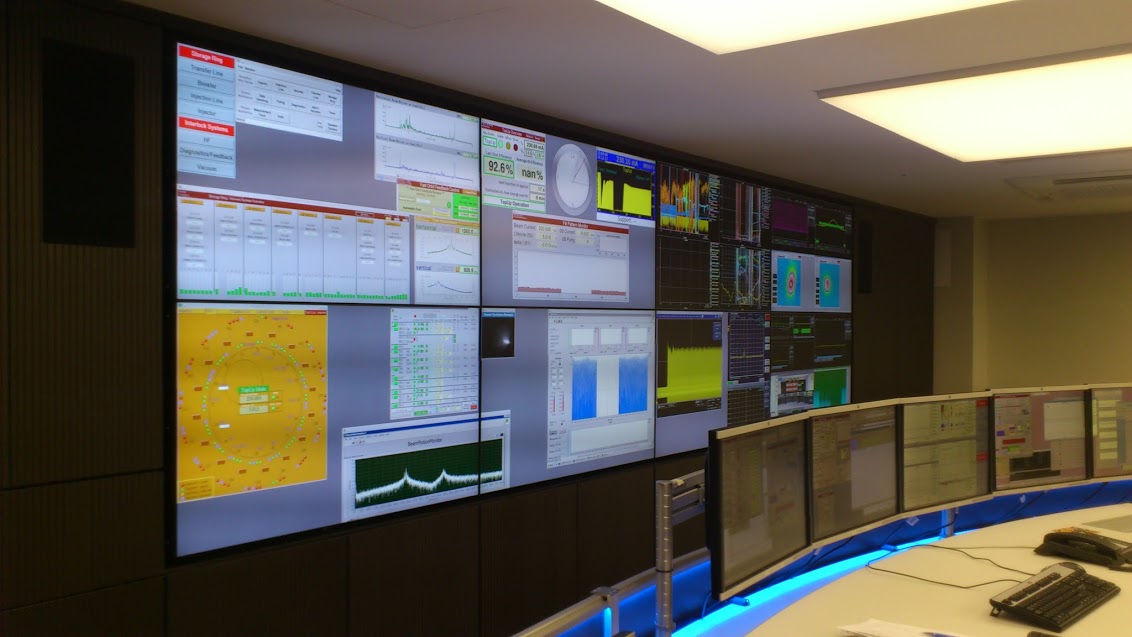 KDE/Linux usage at a control station for a particle accelerator at Adlershof Technology Park, Germany, for reference (by 25years of KDE)3
xdg namespace. I then tried another solution based on feedback, which turned out not to work for most apps, and now proposed xdg-placement (v2) in an attempt to maybe still get some protocol done that we can agree on, exploring more options before pushing the existing protocol for inclusion into the ext Wayland protocol namespace. Meanwhile though, we can not port any application that needs this feature, while at the same time we are switching desktops and distributions to Wayland by default.
 I will also bring my two protocol MRs to their conclusion for sure, because as application developers we need clarity on what the platform (either all desktops or even just a few) supports and will or will not support in future. And the only way to get something good done is by contribution and friendly discussion.

linux-image-armmp-lpae kernel per the ARMMP page)
There is another wrinkle: Debian doesn t support running 32-bit ARM kernels on 64-bit ARM CPUs, though it does support running a 32-bit userland on them. So we will wind up with a system with kernel packages from arm64 and everything else from armhf. This is a perfectly valid configuration as the arm64 like x86_64 is multiarch (that is, the CPU can natively execute both the 32-bit and 64-bit instructions).
(It is theoretically possible to crossgrade a system from 32-bit to 64-bit userland, but that felt like a rather heavy lift for dubious benefit on a Pi; nevertheless, if you want to make this process even more complicated, refer to the CrossGrading page.)
df -h /boot to see how big it is. I recommend 200MB at minimum. If your /boot is smaller than that, stop now (or use some other system to shrink your root filesystem and rearrange your partitions; I ve done this, but it s outside the scope of this article.)
You need to have stable power. Once you begin this process, your pi will mostly be left in a non-bootable state until you finish. (You did make a backup, right?)
pi that can use sudo to gain root without a password. I think this is an insecure practice, but assuming you haven t changed it, you will need to ensure it still works once you move to Debian. Raspberry Pi OS had a patch in their sudo package to enable it, and that will be removed when Debian s sudo package is installed. So, put this in /etc/sudoers.d/010_picompat:
pi ALL=(ALL) NOPASSWD: ALL
passwd command as root to do so.
hcitool dev > /root/bluetooth-from-raspbian.txt. I don t use Bluetooth, but this should let you develop a script to bring it up properly.
wget http://http.us.debian.org/debian/pool/main/d/debian-archive-keyring/debian-archive-keyring_2023.3+deb12u1_all.deb
sha256sum to verify the checksum of the downloaded file, comparing it to the package page on the Debian site.
Now, you ll install it with:
dpkg -i debian-archive-keyring_2023.3+deb12u1_all.deb
/etc/apt/sources.list and all the files in /etc/apt/sources.list.d. Most likely you will want to delete or comment out all lines in all files there. Replace them with something like:
deb http://deb.debian.org/debian/ bookworm main non-free-firmware contrib non-free
deb http://security.debian.org/debian-security bookworm-security main non-free-firmware contrib non-free
deb https://deb.debian.org/debian bookworm-backports main non-free-firmware contrib non-free
dpkg --add-architecture arm64
apt-get update
apt-get update.
/boot by Raspberry Pi OS, but Debian s scripts assume it will be at /boot/firmware. We need to fix this. First:
umount /boot
mkdir /boot/firmware
/boot to be to /boot/firmware. Now:
mount -v /boot/firmware
cd /boot/firmware
mv -vi * ..
/boot/firmware later.
apt-get install linux-image-arm64
apt-get install firmware-brcm80211=20230210-5
apt-get install raspi-firmware
install firmware-brcm80211 command and then proceed. There are a few packages that Raspbian marked as newer than the version in bookworm (whether or not they really are), and that s one of them.
/etc/default/raspi-firmware before proceeding. Edit that file.
First, uncomment (or add) a line like this:
KERNEL_ARCH="arm64"
/boot/cmdline.txt you can find your old Raspbian boot command line. It will say something like:
root=PARTUUID=...
PARTUUID. Back in /etc/default/raspi-firmware, set a line like this:
ROOTPART=PARTUUID=abcdef00
/dev/mmcblk0 to /dev/mmcblk1 when switching to Debian s kernel. raspi-firmware will encode the current device name in /boot/firmware/cmdline.txt by default, which will be wrong once you boot into Debian s kernel. The PARTUUID approach lets it work regardless of the device name.
dpkg --purge raspberrypi-kernel
apt-get -u upgrade
apt full-upgrade
apt-get --purge autoremove
apt list '~o'
apt purge '~o'
apt-get --purge remove bluez
apt-get install wpasupplicant parted dosfstools wireless-tools iw alsa-tools
apt-get --purge autoremove
apt-get install firmware-linux
firmware-atheros, firmware-libertas, and firmware-realtek.
Here s how to resolve it, with firmware-realtek as an example:
https://packages.debian.org/PACKAGENAME for instance, https://packages.debian.org/firmware-realtek. Note the version number in bookworm in this case, 20230210-5.
apt-get install firmware-realtek=20230210-5
apt-get install firmware-linux and make sure it runs cleanly.
apt-get install firmware-atheros firmware-libertas firmware-realtek firmware-linux
apt list '?narrow(?installed, ?not(?origin(Debian)))'
--mark-auto to your apt-get install command line to allow the package to be autoremoved later if the things depending on it go away.
If you aren t going to use Bluetooth, I recommend apt-get --purge remove bluez as well. Sometimes it can hang at boot if you don t fix it up as described above.
/etc/network/interfaces.d. First, eth0 should look like this:
allow-hotplug eth0
iface eth0 inet dhcp
iface eth0 inet6 auto
wlan0 should look like this:
allow-hotplug wlan0
iface wlan0 inet dhcp
    wpa-conf /etc/wpa_supplicant/wpa_supplicant.conf
ifconfig or ip addr. If you see a long-named interface such as enx<something> or wlp<something>, copy the eth0 file to the one named after the enx interface, or the wlan0 file to the one named after the wlp interface, and edit the internal references to eth0/wlan0 in this new file to name the long interface name.
If using wifi, verify that your SSIDs and passwords are in /etc/wpa_supplicant/wpa_supplicant.conf. It should have lines like:
network=
   ssid="NetworkName"
   psk="passwordHere"
isc-dhcp-client. Verify the system is in the correct state:
apt-get install isc-dhcp-client
apt-get --purge remove dhcpcd dhcpcd-base dhcpcd5 dhcpcd-dbus
apt-get install sysfsutils. Then put this in a file at /etc/sysfs.d/local-raspi-leds.conf:
class/leds/ACT/brightness = 1
class/leds/ACT/trigger = mmc1
/boot/firmware files are updated, run update-initramfs -u. Verify that root in /boot/firmware/cmdline.txt references the PARTUUID as appropriate. Verify that /boot/firmware/config.txt contains the lines arm_64bit=1 and upstream_kernel=1. If not, go back to the section on modifying /etc/default/raspi-firmware and fix it up.
reboot
/boot/firmware FAT partition. Otherwise, you ve at least got the kernel going and can troubleshoot like usual from there.
Couldn't get a file descriptor referring to the console.
 For the purposes of what I m trying to fix, there are two paths that matter.
bash
is an absolute mess.
zsh, in contrast, is much cleaner and allows for a clear distinction
between these two cases, with login shell configuration files as a superset of
configuration files used by non-login shells.
profile file:
.mkshrc -> config/profile
.profile -> config/profile
zsh for a while, and took this opportunity to do so.
So my new configuration files are .zprofile and .zshrc instead of .mkshrc
and .profile
(though I m going to retain those symlinks to allow my old configurations to
continue working).
mksh is a nice simple shell,
but using zsh here allows for more consistency
between my home and $WORK environments, and will allow a lot more powerful
extensions.
PROMPT variable, so I set that to the needed
values for zsh.
There s an excellent ZSH prompt generator at
https://zsh-prompt-generator.site
that I used to get these variables, though I m sure they re in the zsh
documentation somewhere as well.
I wanted a simple prompt with user (%n), host (%m), and path (%d).
I also wanted a % at the end to distinguish this from other shells.
PROMPT="%n@%m%d%% "
mksh prompts
This worked but surprisingly mksh also looks at PROMPT,
leaving my mksh prompt as the literal prompt string without expansion.
Fixing this requires setting up a proper shrc and linking it to
.mkshrc and .zshrc.
I chose to move my existing aliases script to this file,
as it also broke in non-login shells when moved to profile.
Within this new shrc file we can check what shell we re running via $0:
if [ "$0" = "/bin/zsh" ] [ "$0" = "zsh" ] [ "$0" = "-zsh" ]
zsh here in case I run it manually for whatever reason.
I also added -zsh to support tmux as that s what it presents as $0.
This also means you ll need to be careful to quote $0 or you ll get fun shell
errors.
There s probably a better way to do this, but I couldn t find something that
was compatible with POSIX shell, which is what most of this has to be written
in to be compatible with mksh and zsh2.
We can then setup different prompts for each:
if [ "$0" = "/bin/zsh" ]   [ "$0" = "zsh" ]   [ "$0" = "-zsh" ]
then
	PROMPT="%n@%m%d%% "
else
	# Borrowed from
	# http://www.unixmantra.com/2013/05/setting-custom-prompt-in-ksh.html
	PS1='$(id -un)@$(hostname -s)$PWD$ '
fi
setfont in my .profile for a while.
I m not sure where I picked this up, but it s not the right way.
I even tried to only run this in a console with -t but that only
checks that output is a terminal, not specifically a console.
if [ -t 1 ]
then
	setfont /usr/share/consolefonts/Lat15-Terminus20x10.psf.gz
fi
console-setup like so:
dpkg-reconfigure console-setup
bindkeys -v
bindkey "^[[1;5C" forward-word
bindkey "^[[1;5D" backward-word
zsh so we can do better than just the same
configuration as we had before.
There s an excellent substring history search plugin that we can just
source without a plugin manager3
source $HOME/config/zsh-history-substring-search.zsh
# Keys are weird, should be ^[[ but it's not
bindkey '^[[A' history-substring-search-up
bindkey '^[OA' history-substring-search-up
bindkey '^[[B' history-substring-search-down
bindkey '^[OB' history-substring-search-down
^[OA and ^[OB as up and down keys.
It seems ^[[A and ^[[B are the defaults, so I ve left them in,
but I m confused as to what differences would lead to this.
If you know, please let me know
and I ll add a footnote to this article explaining it.
Back to history search.
For this to work, we also need to setup history logging:
export SAVEHIST=1000000
export HISTFILE=$HOME/.zsh_history
export HISTFILESIZE=1000000
export HISTSIZE=1000000
tmux creates a login shell.
Adding:
echo PROFILE
profile and:
echo SHRC
shrc confirms this with:
PROFILE
SHRC
SHRC
profile sources shrc so that running twice is expected.
But after this exploration and diagram,
it s clear we don t need that for zsh.
Removing this will break remote bash shells (see above diagram),
but I can live without those on my development laptop.
Removing that line results in the expected output for a new terminal:
SHRC
PROFILE
SHRC
$WORK but for now I m going to simplify my personal configuration. If I end up using a lot of plugins I ll reconsider this.
 Read all parts of the series
Part 1
// Part 2
// Part 3
// Part 4
I ve been wanting to write this post for over a year, but lacked energy
and time. Before 2023 is coming to an end, I want to close this series
and share some more insights with you and hopefully provide you with a
smile here and there.
For this round of interviews, four more kids around the ages of 8 to 13
were interviewed, 3 of them have a US background these 3
interviews were done by a friend who recorded these interviews for me,
thank you!
As opposed to the previous interviews, these four kids have parents who
have a more technical professional background. And this seems to make a
difference: even though none of these kids actually knew much better how
the internet really works than the other kids that I interviewed,
specifically in terms of physical infrastructures, they were much more
confident in using the internet, they were able to more correctly name
things they see on the internet, and they had partly radical ideas about
what they would like to learn or what they would want to change about
the internet!
Looking at these results, I think it s safe to say that social
reproduction is at work and that we need to improve education for kids
who do not profit from this type of social and cultural wealth at home.
But let s dive into the details.
Well, I mean they re aliens, so I don t know if I wanna tell them much.(Parents laughing in the background.) Let s assume they re friendly aliens.
Well, I would say you can look anything up and play different games. And there are alien games. But mostly the enemies are aliens which you might be a little offended by. And you can get work done, if you needed to spy on humans. There s cameras, you can film yourself, yeah. And you can text people and call people who are far awayAnd what would be in a drawing that would explain the internet?
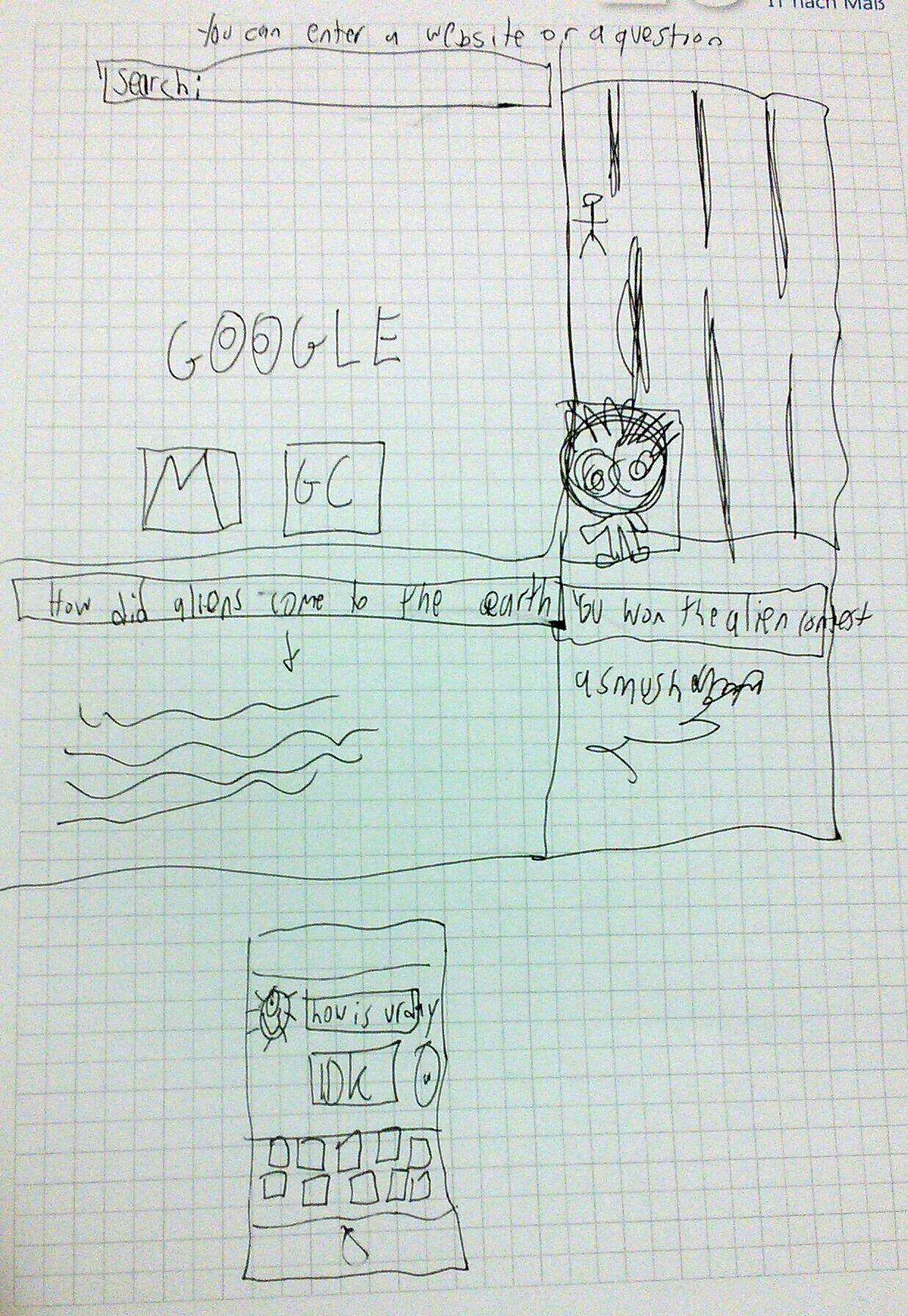 And here s what he explains about his drawing:
First, I would draw what I see when you open a new tab, Google.On the right side of the drawing we see something like Twitch.
I don t wanna offend the aliens, but you can film yourself playing a game, so here is the alien and he s playing a game.
And then you can ask questions like: How did aliens come to the Earth? And the answer will be here (below). And there ll be different websites that you can click on.
And you can also look up Who won the alien contest? And that would be Usmushgagu, and that guy won the alien contest.Do you think the information about alien intergalactic football is already on the internet?
Yeah! That s how fast the internet is.On the bottom of the drawing we see an iPhone and an instant messaging software.
There s also a device called an iPhone and with it you can text your friends. So here s the alien asking: How was ur day? and the friend might answer IDK [I don t know].Imagine that a wise and friendly dragon could teach you one thing about the internet that you ve always wanted to know. What would you ask the dragon to teach you about?
Is there a way you don t have to pay for any channels or subscriptions and you can get through any firewall?Imagine you could make the internet better for everyone. What would you do first?
Well you wouldn t have to pay for it [paywalls].Can you describe what happens between your device and a website when you visit a website?
Well, it takes 0.025 seconds. [ ] It s connecting.Wow, that s indeed fast! We were not able to obtain more details about what is that fast thing that s happening exactly
My dad knows everything.The kid has a laptop and a mobile phone, both with parental control they don t think that the controlling is fair. This kid uses the internet foremostly for listening to music and watching prank channels on Youtube but also to work with Purple Mash (a teaching platform for the computing curriculum used at their school), finding 3d printing models (that they ask their father to print with them because they did not manage to use the printer by themselves yet). Interestingly, and very differently from the non-tech-parent kids, this kid insists on using Firefox and Signal - the latter is not only used by their dad to tell them to come downstairs for dinner, but also to call their grandmother. This kid also shops online, with the help of the father who does the actual shopping for them using money that the kid earned by reading books. If you would need to explain to an alien who has landed on Earth what the internet is, what would you tell them?
The internet is something where you search, for example, you can look for music. You can also watch videos from around the world, and you can program stuff.Like most of the kids interviewed, this kid uses the internet mostly for media consumption, but with the difference that they also engage with technology by way of programming using Purple Mash.
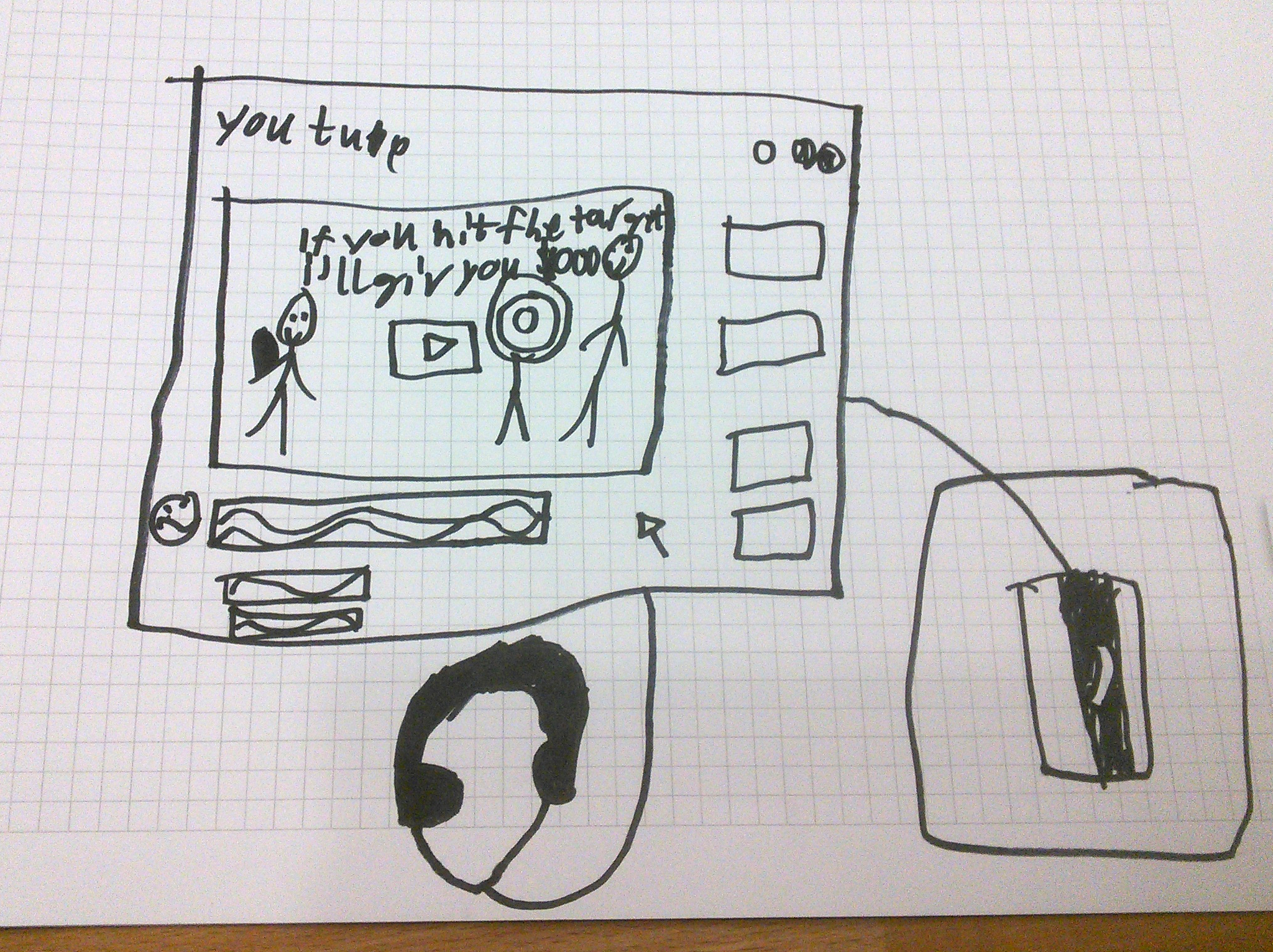 In their drawing we see a Youtube prank channel on a screen, an external
trackpad on the right (likely it s not a touch screen), and headphones.
Notice how there is no keyboard, or maybe it s folded away.
If you could ask a nice and friendly dragon anything you d like to
learn about the internet, what would it be?
How do I shutdown my dad s computer forever?And what is it that he would do to improve the internet for everyone? Contrary to the kid living in the US, they think that
It takes too much time to load stuff!I wonder if this kid experiences the internet as being slow because they use the mobile network or because their connection somehow gets throttled as a way to control media consumption, or if the German internet infrastructure is just so much worse in certain regions If you could improve the internet for everyone, what would you do first? I d make a new Firefox app that loads the internet much faster.
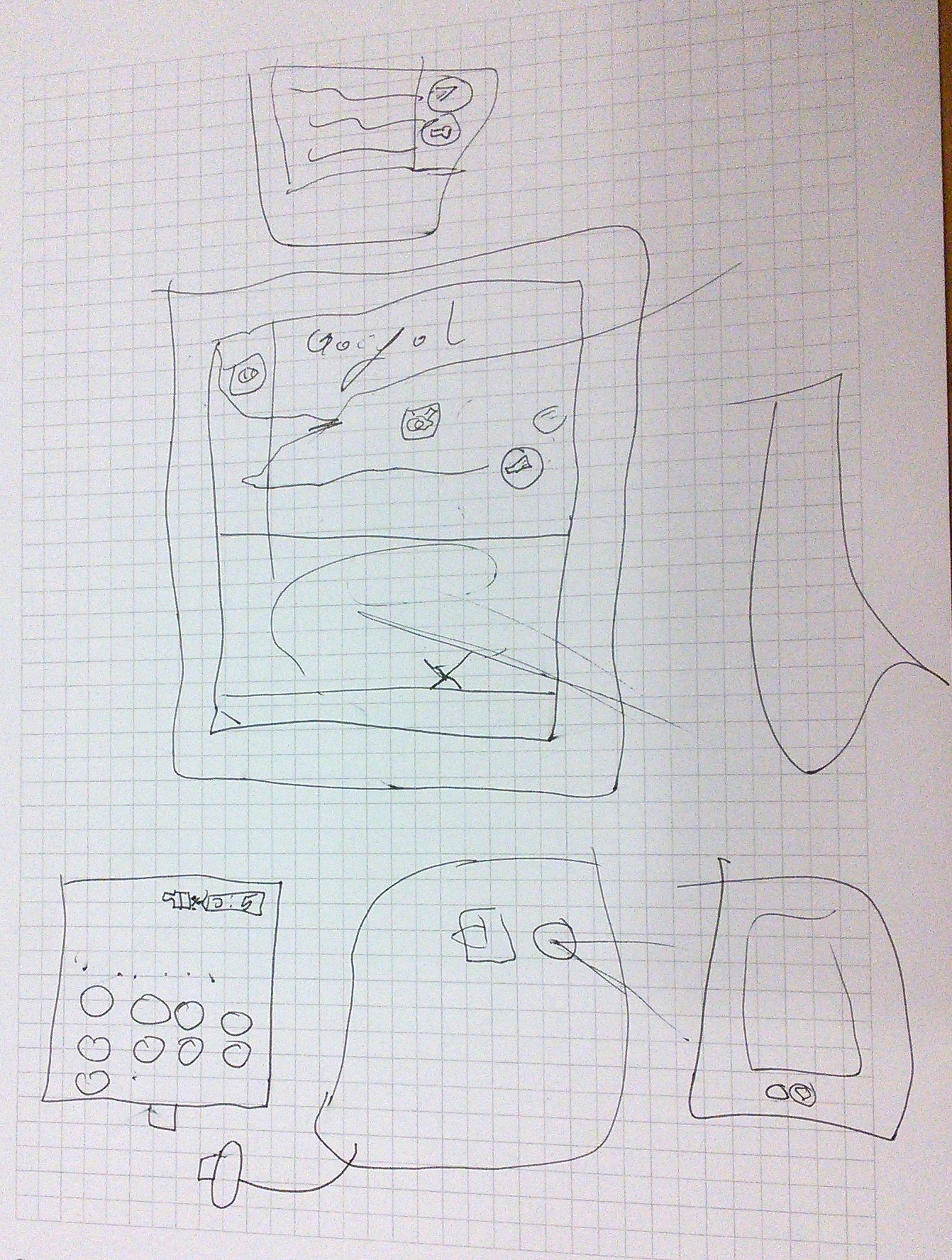 In her drawing, we see again Google - it s clearly everywhere - and also
the interfaces for calling and texting someone.
To explain what the internet is, besides the fact that one
can use it for calling and listening to music, she says:
[The internet] is something that you can [use to] see someone who is far away, so that you don t need to take time to get to them.Now, that s a great explanation, the internet providing the possibility for communication over a distance :) If she could ask a friendly dragon something she always wanted to know, she d ask how to make her phone come alive:
that it can talk to you, that it can see you, that it can smile and has eyes. It s like a new family member, you can talk to it.Sounds a bit like Siri, Alexa, or Furby, doesn t it? If you could improve the internet for everyone, what would you do first? She d have the phone be able to decide over her free time, her phone time. That would make the world better, not for the kids, but certainly for the parents.
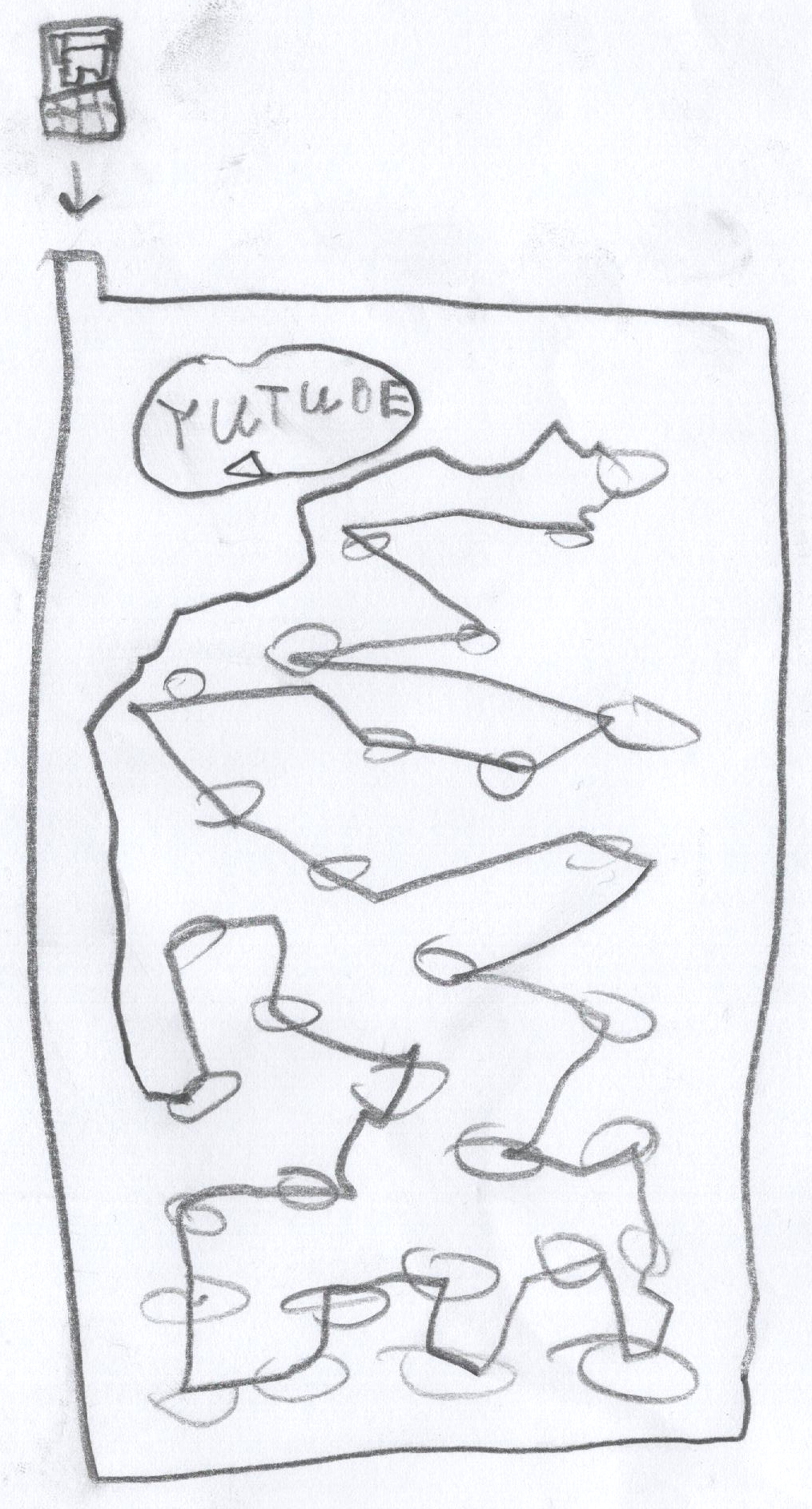
An invisible world. A virtual world. But there s also the darknet.He told me he always watches that German show on public TV for kids that explains stuff: Checker Tobi. (In 2014, Checker Tobi actually produced an episode about the internet, which I d criticize for having only male characters, except for one female character: a secretary Google, a nice and friendly woman guiding the way through the huge library that s the internet ) This kid was the only one interviewed who managed to actually explain something about the internet, or rather about the hypertextual structure of the web. When I asked him to draw the internet, he made a drawing of a pin board. He explained:
Many items are attached to the pin board, and on the top left corner there s a computer, for example with Youtube and one can navigate like that between all the items, and start again from the beginning when done.
 When I asked if he knew what actually happens between the device and a
website he visits, he put forth the hypothesis of the existence of some
kind of
Waves, internet waves - all this stuff somehow needs to be transmitted.What he d like to learn:
How to get into the darknet? How do you become a Whitehat? I ve heard these words on the internet, the internet makes me clever.And what would he change on the internet if he could?
I want that right wing extreme stuff is not accessible anymore, or at least, that it rains turds ( Kackw rste ) whenever people watch such stuff. Or that people are always told: This video is scum.I suspect that his father has been talking with him about these things, and maybe these are also subjects he heard about when listening to punk music (he told me he does), or browsing Youtube.
debci was initially announced on that month's Misc
Developer News, and later uploaded to Debian. It's been
continuously developed for the last 10 years, evolved from a single shell
script running tests in a loop into a distributed system with 47
geographically-distributed machines as of writing this piece, became part of
the official Debian release process gating migrations to testing, had 5 Summer
of Code and Outrechy interns working on it, and processed beyond 40 million
test runs.
In there years, Debian CI has received contributions from a lot of people, but
I would like to give special credits to the following:
| Series: | Sherlock Holmes #1 |
| Publisher: | AmazonClassics |
| Copyright: | 1887 |
| Printing: | February 2018 |
| ISBN: | 1-5039-5525-7 |
| Format: | Kindle |
| Pages: | 159 |
My surprise reached a climax, however, when I found incidentally that he was ignorant of the Copernican Theory and of the composition of the Solar System. That any civilized human being in this nineteenth century should not be aware that the earth travelled round the sun appeared to be to me such an extraordinary fact that I could hardly realize it. "You appear to be astonished," he said, smiling at my expression of surprise. "Now that I do know it I shall do my best to forget it." "To forget it!" "You see," he explained, "I consider that a man's brain originally is like a little empty attic, and you have to stock it with such furniture as you chose. A fool takes in all the lumber of every sort that he comes across, so that the knowledge which might be useful to him gets crowded out, or at best is jumbled up with a lot of other things so that he has a difficulty in laying his hands upon it. Now the skilful workman is very careful indeed as to what he takes into his brain-attic. He will have nothing but the tools which may help him in doing his work, but of these he has a large assortment, and all in the most perfect order. It is a mistake to think that that little room has elastic walls and can distend to any extent. Depend upon it there comes a time when for every addition of knowledge you forget something that you knew before. It is of the highest importance, therefore, not to have useless facts elbowing out the useful ones."This is directly contrary to my expectation that the best way to make leaps of deduction is to know something about a huge range of topics so that one can draw unexpected connections, particularly given the puzzle-box construction and odd details so beloved in classic mysteries. I'm now curious if Doyle stuck with this conception, and if there were any later mysteries that involved astronomy. Speaking of classic mysteries, A Study in Scarlet isn't quite one, although one can see the shape of the genre to come. Doyle does not "play fair" by the rules that have not yet been invented. Holmes at most points knows considerably more than the reader, including bits of evidence that are not described until Holmes describes them and research that Holmes does off-camera and only reveals when he wants to be dramatic. This is not the sort of story where the reader is encouraged to try to figure out the mystery before the detective. Rather, what Doyle seems to be aiming for, and what Watson attempts (unsuccessfully) as the reader surrogate, is slightly different: once Holmes makes one of his grand assertions, the reader is encouraged to guess what Holmes might have done to arrive at that conclusion. Doyle seems to want the reader to guess technique rather than outcome, while providing only vague clues in general descriptions of Holmes's behavior at a crime scene. The structure of this story is quite odd. The first part is roughly what you would expect: first-person narration from Watson, supposedly taken from his journals but not at all in the style of a journal and explicitly written for an audience. Part one concludes with Holmes capturing and dramatically announcing the name of the killer, who the reader has never heard of before. Part two then opens with... a western?
In the central portion of the great North American Continent there lies an arid and repulsive desert, which for many a long year served as a barrier against the advance of civilization. From the Sierra Nevada to Nebraska, and from the Yellowstone River in the north to the Colorado upon the south, is a region of desolation and silence. Nor is Nature always in one mood throughout the grim district. It comprises snow-capped and lofty mountains, and dark and gloomy valleys. There are swift-flowing rivers which dash through jagged ca ons; and there are enormous plains, which in winter are white with snow, and in summer are grey with the saline alkali dust. They all preserve, however, the common characteristics of barrenness, inhospitality, and misery.First, I have issues with the geography. That region contains some of the most beautiful areas on earth, and while a lot of that region is arid, describing it primarily as a repulsive desert is a bit much. Doyle's boundaries and distances are also confusing: the Yellowstone is a northeast-flowing river with its source in Wyoming, so the area between it and the Colorado does not extend to the Sierra Nevadas (or even to Utah), and it's not entirely clear to me that he realizes Nevada exists. This is probably what it's like for people who live anywhere else in the world when US authors write about their country. But second, there's no Holmes, no Watson, and not even the pretense of a transition from the detective novel that we were just reading. Doyle just launches into a random western with an omniscient narrator. It features a lean, grizzled man and an adorable child that he adopts and raises into a beautiful free spirit, who then falls in love with a wild gold-rush adventurer. This was written about 15 years before the first critically recognized western novel, so I can't blame Doyle for all the cliches here, but to a modern reader all of these characters are straight from central casting. Well, except for the villains, who are the Mormons. By that, I don't mean that the villains are Mormon. I mean Brigham Young is the on-page villain, plotting against the hero to force his adopted daughter into a Mormon harem (to use the word that Doyle uses repeatedly) and ruling Salt Lake City with an iron hand, border guards with passwords (?!), and secret police. This part of the book was wild. I was laughing out-loud at the sheer malevolent absurdity of the thirty-day countdown to marriage, which I doubt was the intended effect. We do eventually learn that this is the backstory of the murder, but we don't return to Watson and Holmes for multiple chapters. Which leads me to the other thing that surprised me: Doyle lays out this backstory, but then never has his characters comment directly on the morality of it, only the spectacle. Holmes cares only for the intellectual challenge (and for who gets credit), and Doyle sets things up so that the reader need not concern themselves with aftermath, punishment, or anything of that sort. I probably shouldn't have been surprised this does fit with the Holmes stereotype but I'm used to modern fiction where there is usually at least some effort to pass judgment on the events of the story. Doyle draws very clear villains, but is utterly silent on whether the murder is justified. Given its status in the history of literature, I'm not sorry to have read this book, but I didn't particularly enjoy it. It is very much of its time: everyone's moral character is linked directly to their physical appearance, and Doyle uses the occasional racial stereotype without a second thought. Prevailing writing styles have changed, so the prose feels long-winded and breathless. The rivalry between Holmes and the police detectives is tedious and annoying. I also find it hard to read novels from before the general absorption of techniques of emotional realism and interiority into all genres. The characters in A Study in Scarlet felt more like cartoon characters than fully-realized human beings. I have no strong opinion about the objective merits of this book in the context of its time other than to note that the sudden inserted western felt very weird. My understanding is that this is not considered one of the better Holmes stories, and Holmes gets some deeper characterization later on. Maybe I'll try another of Doyle's works someday, but for now my curiosity has been sated. Followed by The Sign of the Four. Rating: 4 out of 10
It was pointed out to me that I have not blogged about this, so better now than never:
Since 2021 I am together with four other hosts producing a regular podcast about Haskell, the Haskell Interlude. Roughly every two weeks two of us interview someone from the Haskell Community, and we chat for approximately an hour about how they came to Haskell, what they are doing with it, why they are doing it and what else is on their mind. Sometimes we talk to very famous people, like Simon Peyton Jones, and sometimes to people who maybe should be famous, but aren t quite yet.
For most episodes we also have a transcript, so you can read the interviews instead, if you prefer, and you should find the podcast on most podcast apps as well. I do not know how reliable these statistics are, but supposedly we regularly have around 1300 listeners. We don t get much feedback, however, so if you like the show, or dislike it, or have feedback, let us know (for example on the Haskell Disourse, which has a thread for each episode).
At the time of writing, we released 40 episodes. For the benefit of my (likely hypothetical) fans, or those who want to train an AI voice model for nefarious purposes, here is the list of episodes co-hosted by me:
Can t decide where to start? The one with Ryan Trinkle might be my favorite.
Thanks to the Haskell Foundation and its sponsors for supporting this podcast (hosting, editing, transscription).
 Intro: Hi, I m Melissa from Igalia and welcome to the Rainbow Treasure Map, a
talk about advanced color management on Linux with AMD/SteamDeck.
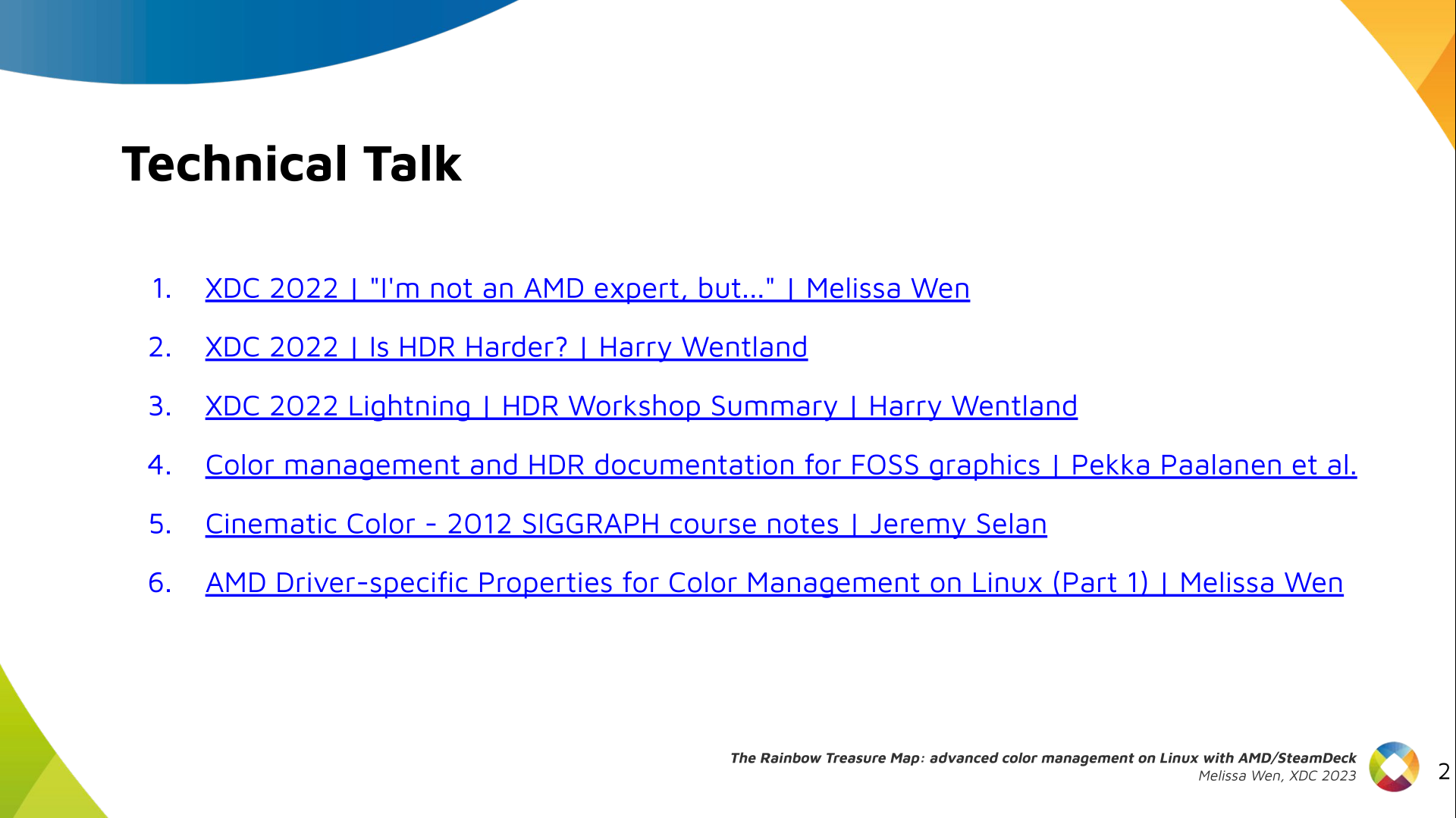 Useful links: First of all, if you are not used to the topic, you may find
these links useful.
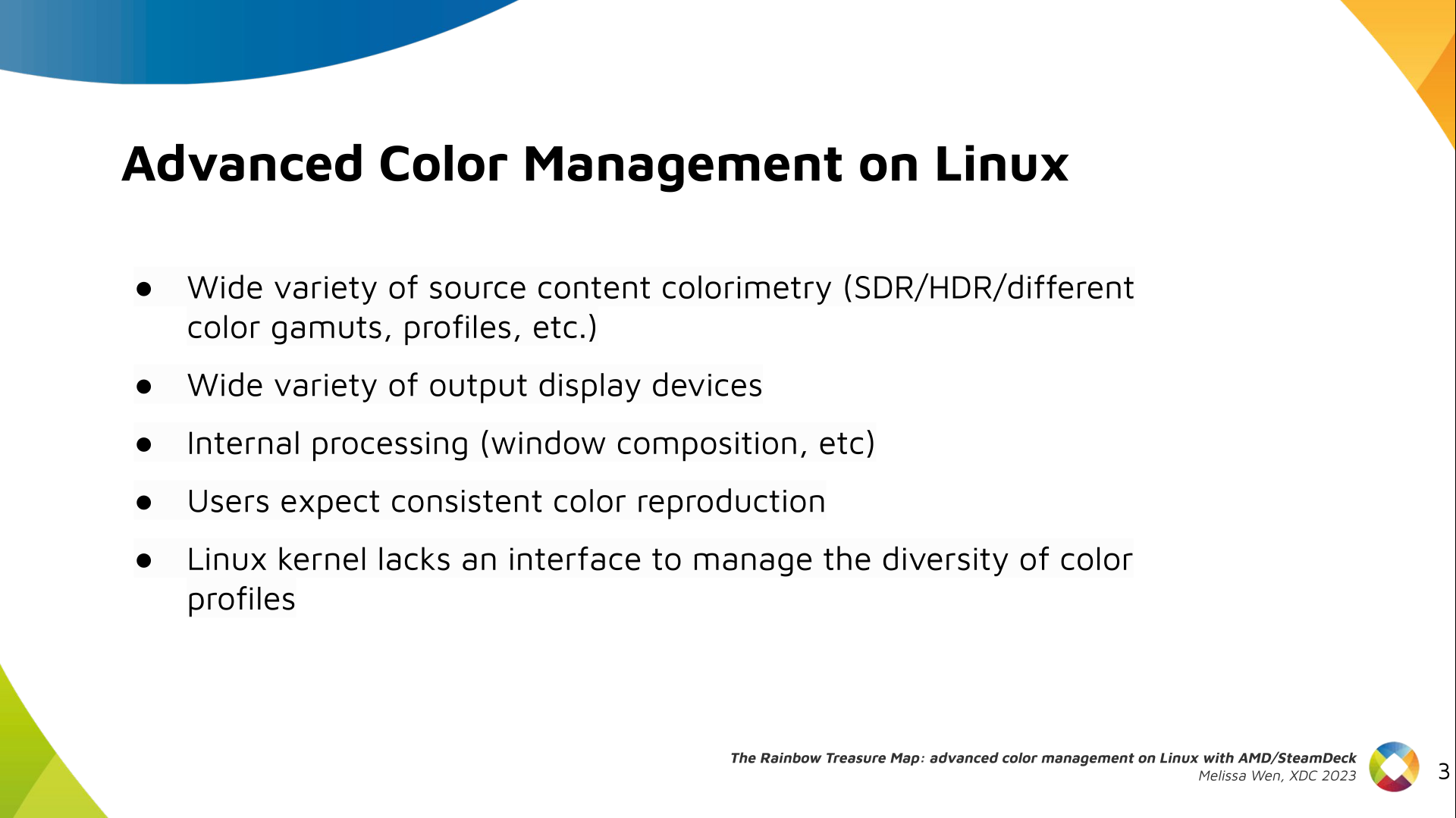 Context: When we talk about colors in the graphics chain, we should keep in
mind that we have a wide variety of source content colorimetry, a variety of
output display devices and also the internal processing. Users expect
consistent color reproduction across all these devices.
The userspace can use GPU-accelerated color management to get it. But this also
requires an interface with display kernel drivers that is currently missing
from the DRM/KMS framework.
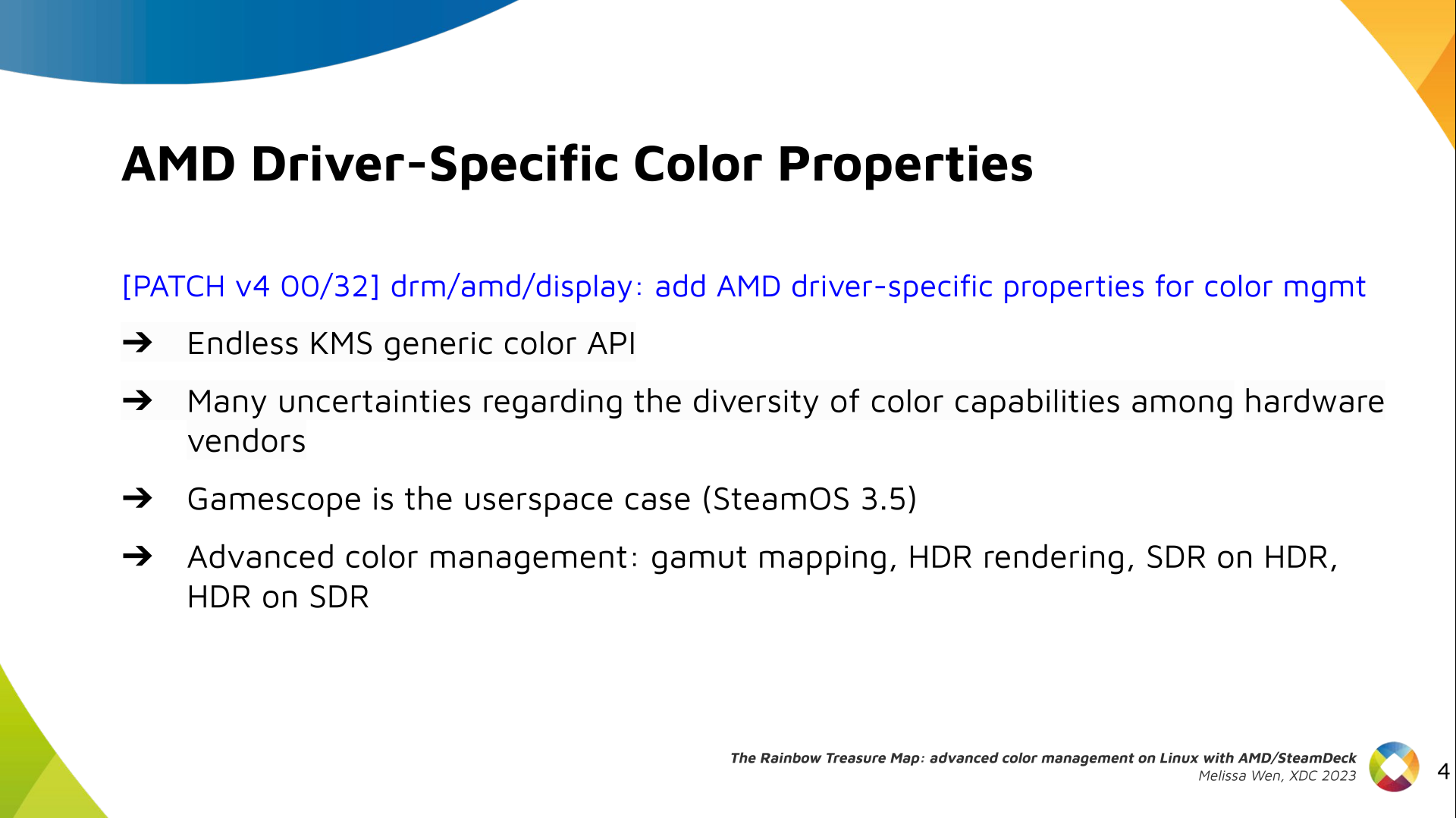 Since April, I ve been bothering the DRM community by sending patchsets from
the work of me and Joshua to add driver-specific color properties to the AMD
display driver. In parallel, discussions on defining a generic color management
interface are still ongoing in the community. Moreover, we are still not clear
about the diversity of color capabilities among hardware vendors.
To bridge this gap, we defined a color pipeline for Gamescope that fits the
latest versions of AMD hardware. It delivers advanced color management features
for gamut mapping, HDR rendering, SDR on HDR, and HDR on SDR.
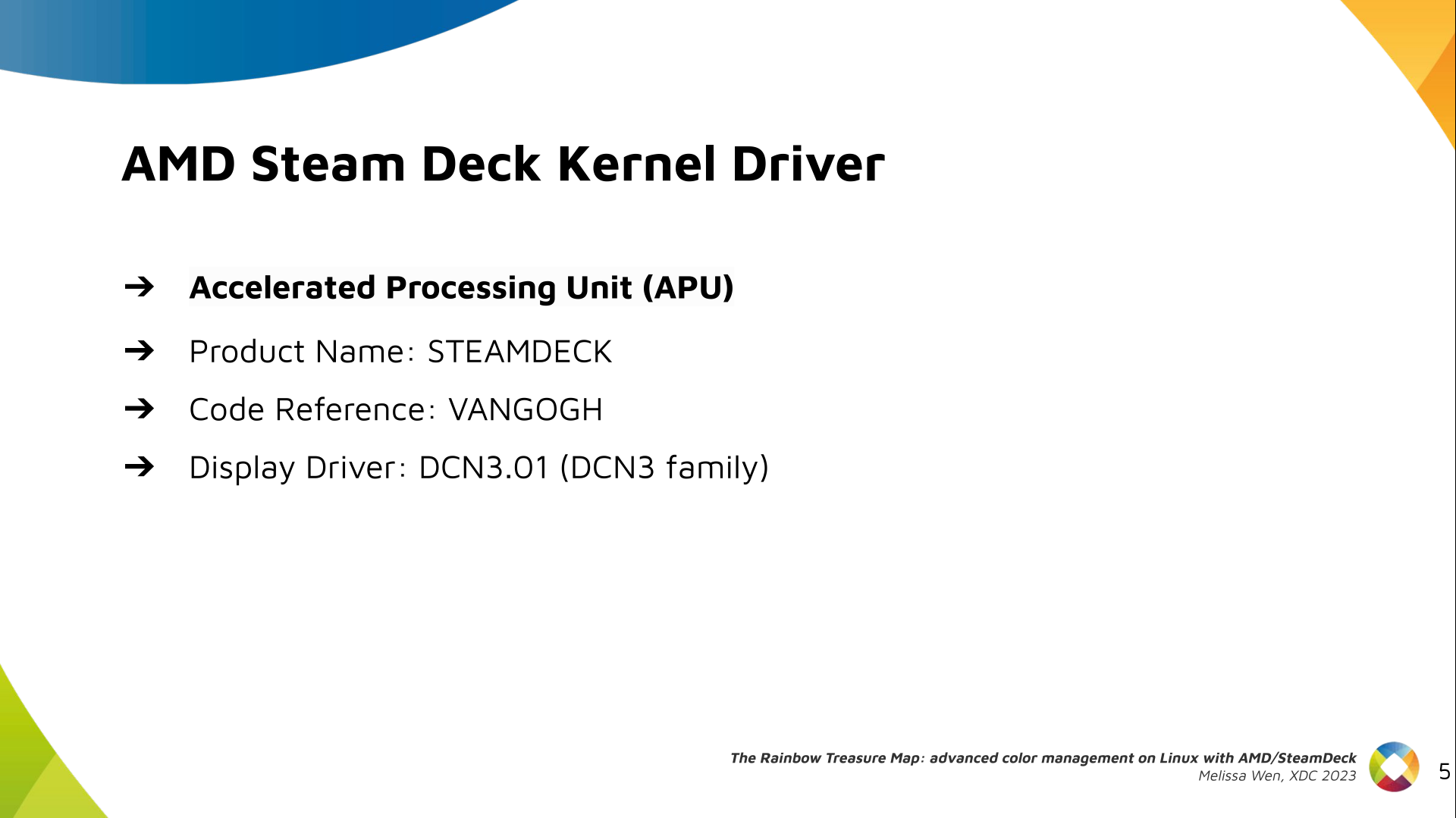 AMD/Steam Deck hardware: AMD frequently releases new GPU and APU generations.
Each generation comes with a DCN version with display hardware improvements.
Therefore, keep in mind that this work uses the AMD Steam Deck hardware and its
kernel driver. The Steam Deck is an APU with a DCN3.01 display driver, a DCN3
family.
It s important to have this information since newer AMD DCN drivers inherit
implementations from previous families but aldo each generation of AMD hardware
may introduce new color capabilities. Therefore I recommend you to familiarize
yourself with the hardware you are working on.
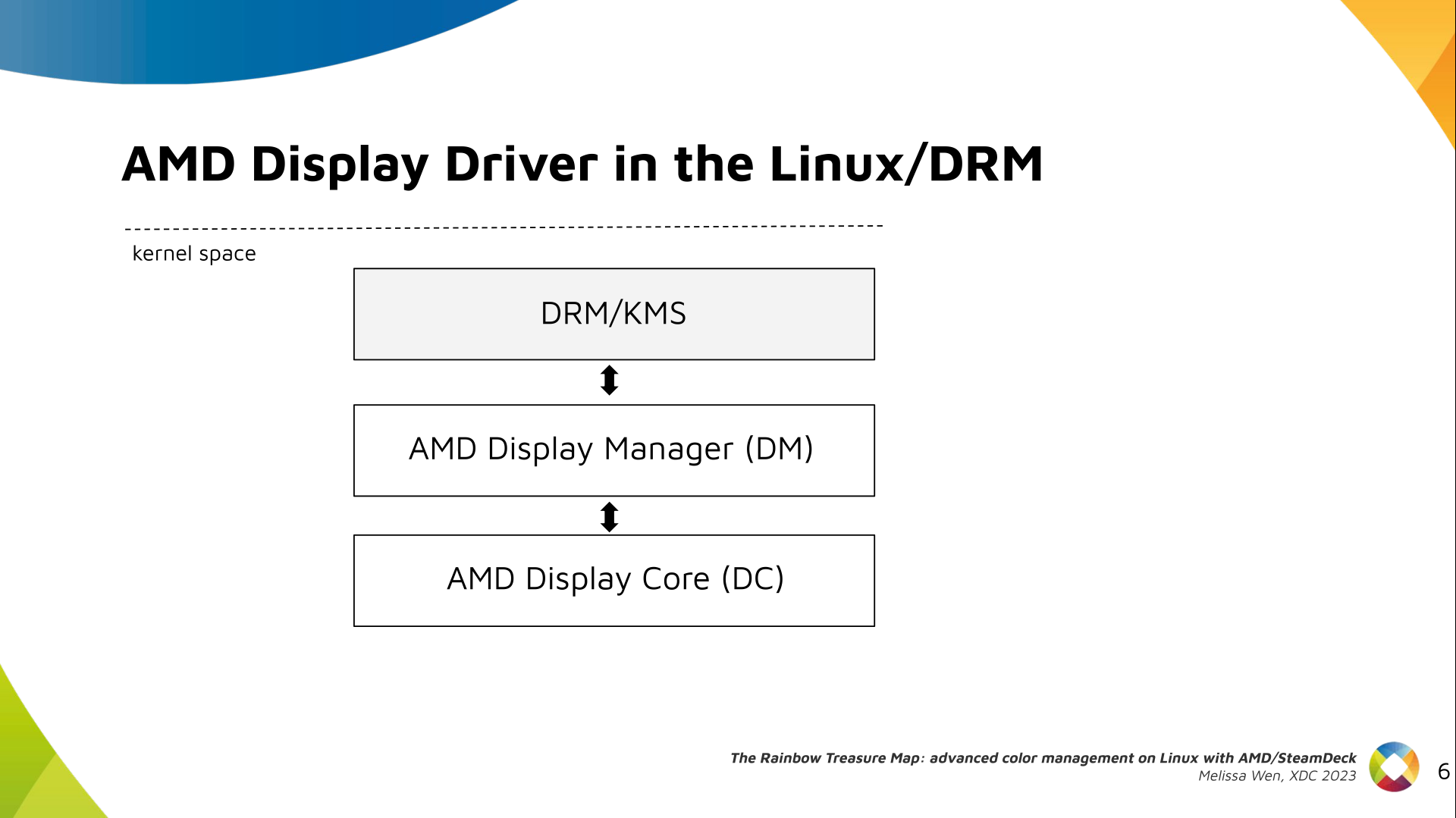 The AMD display driver in the kernel space: It consists of three layers, (1)
the DRM/KMS framework, (2) the AMD Display Manager, and (3) the AMD Display
Core. We extended the color interface exposed to userspace by leveraging
existing DRM resources and connecting them using driver-specific functions for
color property management.
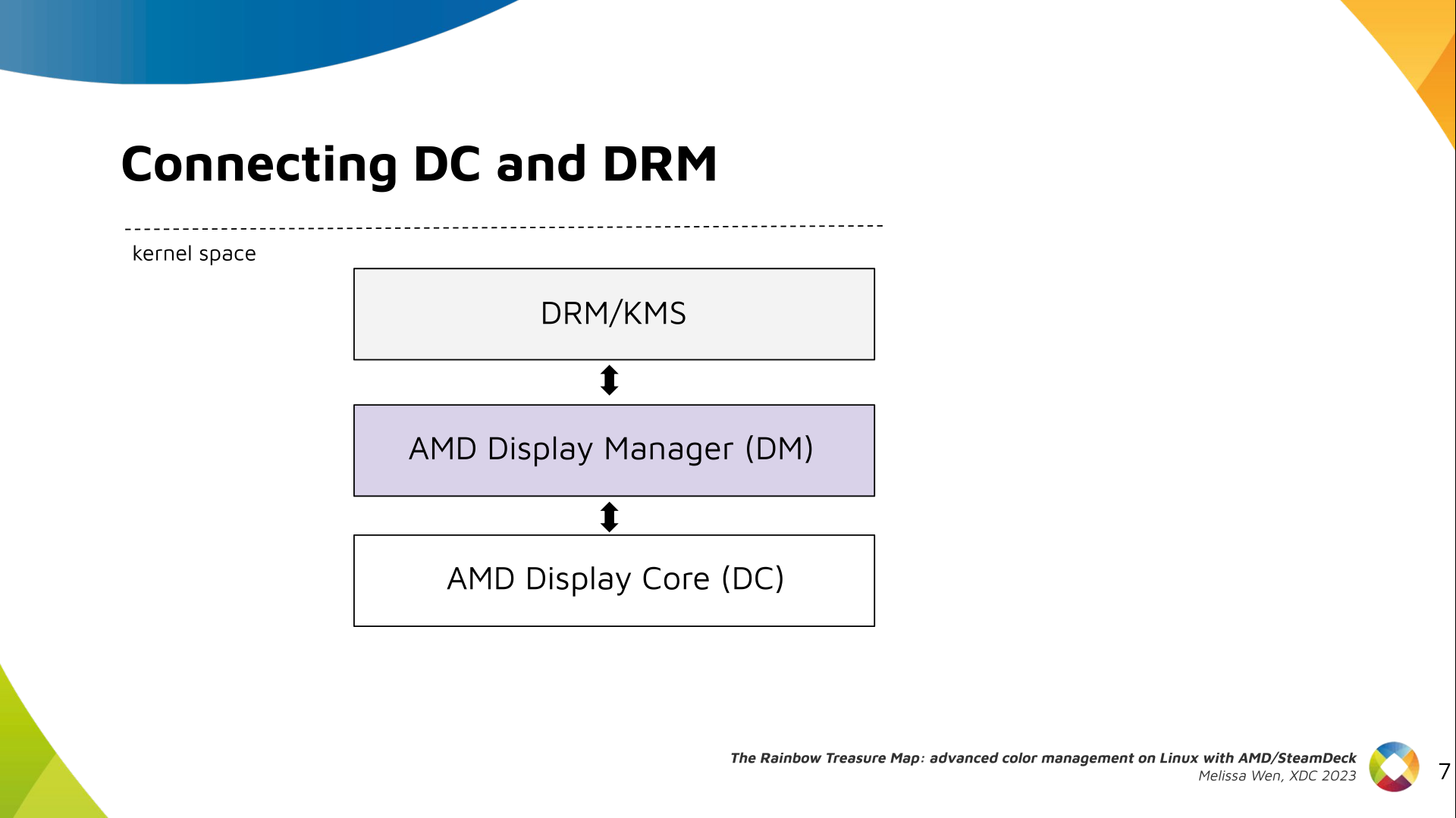 Bridging DC color capabilities and the DRM API required significant changes in
the color management of AMD Display Manager - the Linux-dependent part that
connects the AMD DC interface to the DRM/KMS framework.
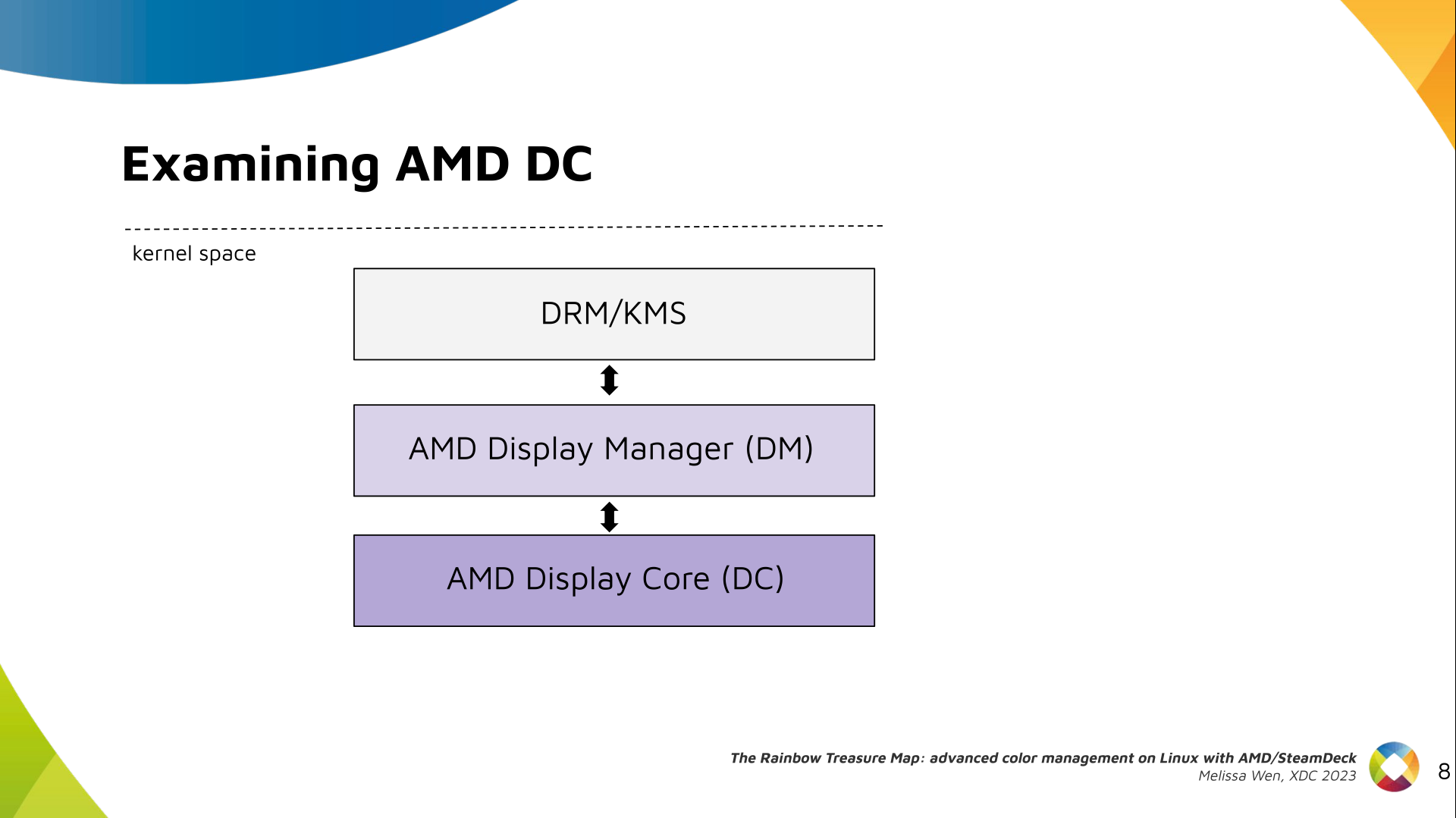 The AMD DC is the OS-agnostic layer. Its code is shared between platforms and
DCN versions. Examining this part helps us understand the AMD color pipeline
and hardware capabilities, since the machinery for hardware settings and
resource management are already there.
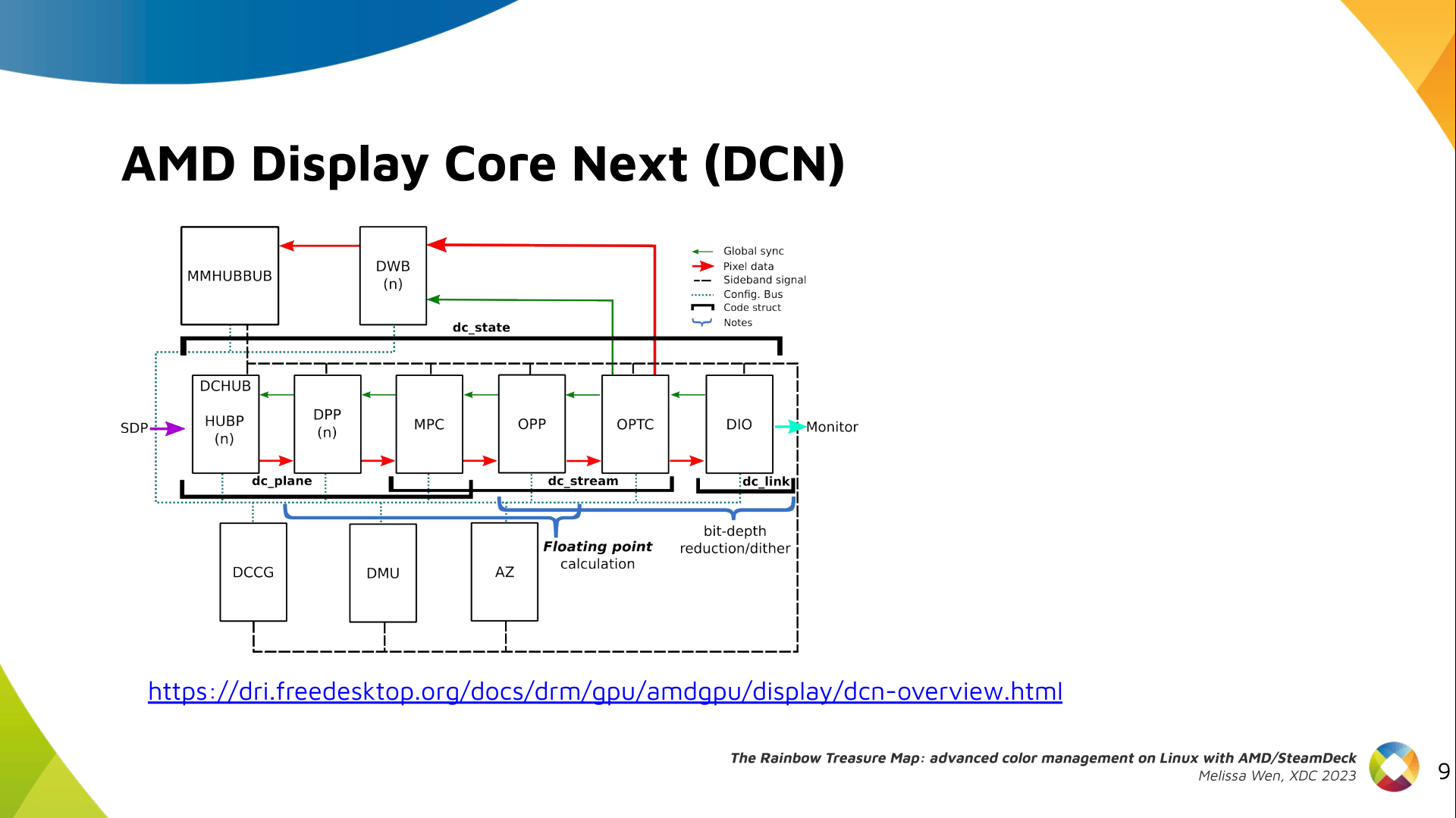 The newest architecture for AMD display hardware is the AMD Display Core Next.
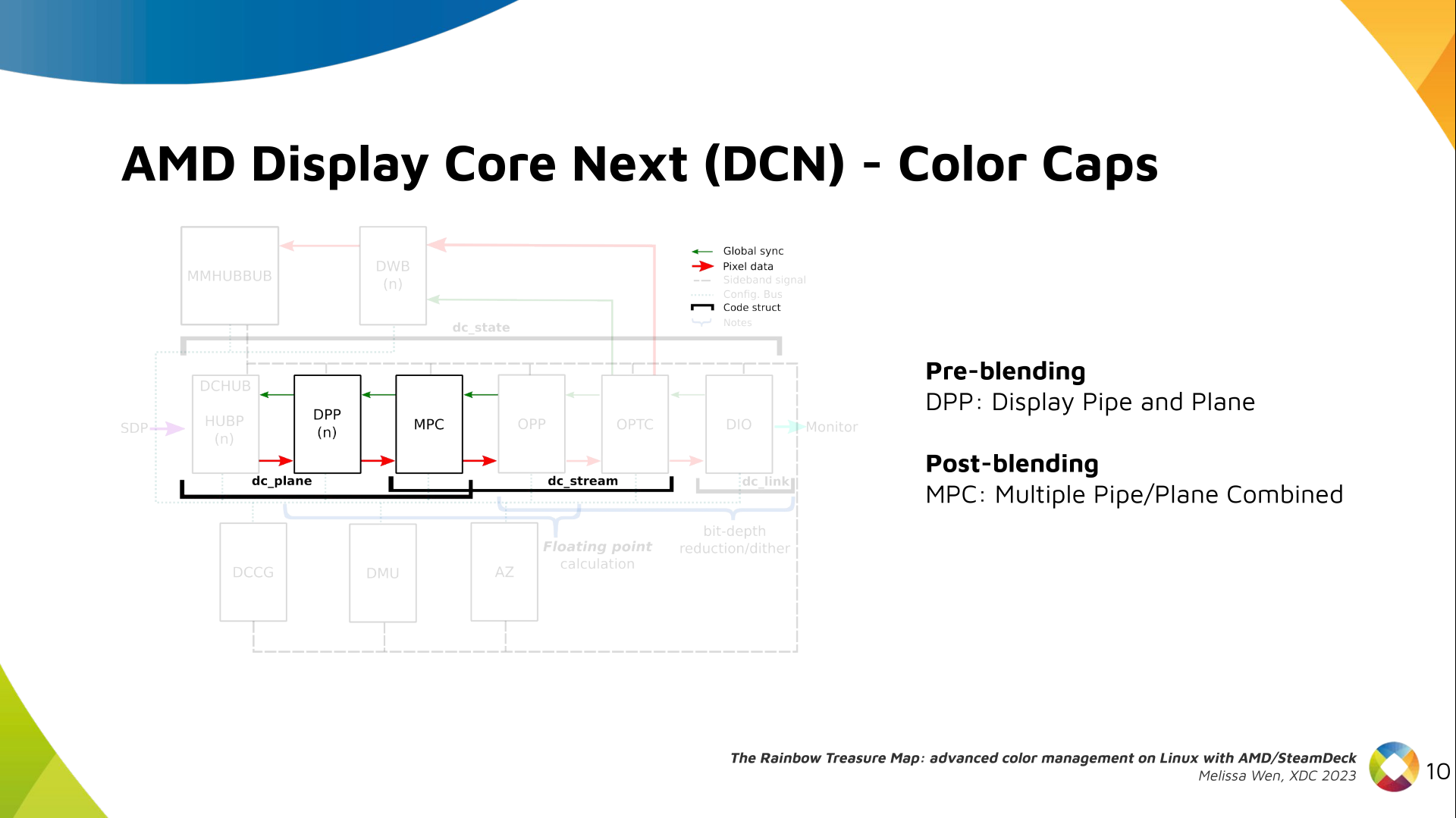 In this architecture, two blocks have the capability to manage colors:
 DRM plane color properties:
This is the DRM color management API before blending.
Nothing!
Except two basic DRM plane properties:
color_encoding and color_range for
the input colorspace conversion, that is not covered by this work.
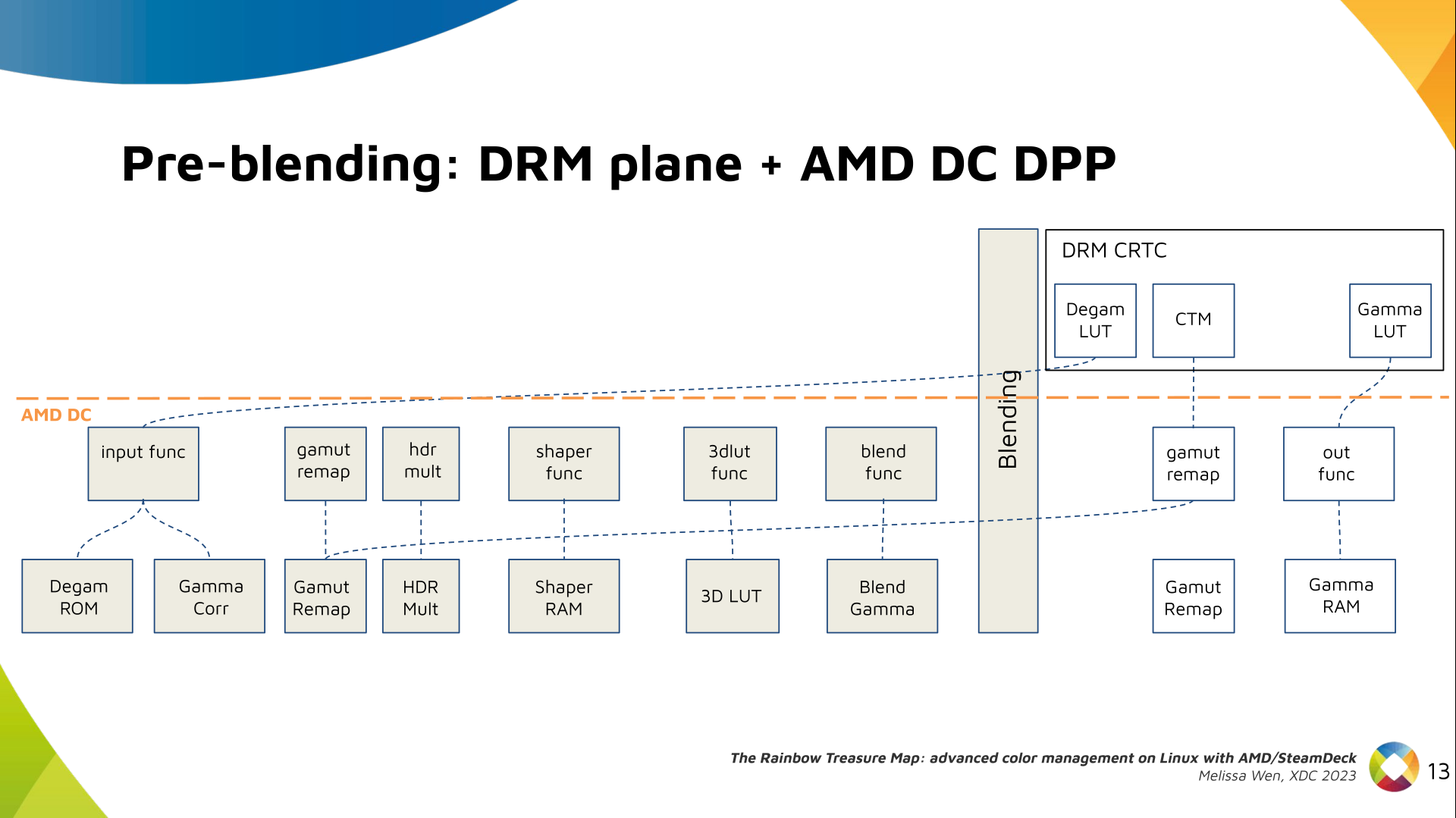 In case you re not familiar with AMD shared code, what we need to do is
basically draw a map and navigate there!
We have some DRM color properties after blending, but nothing before blending
yet. But much of the hardware programming was already implemented in the AMD DC
layer, thanks to the shared code.
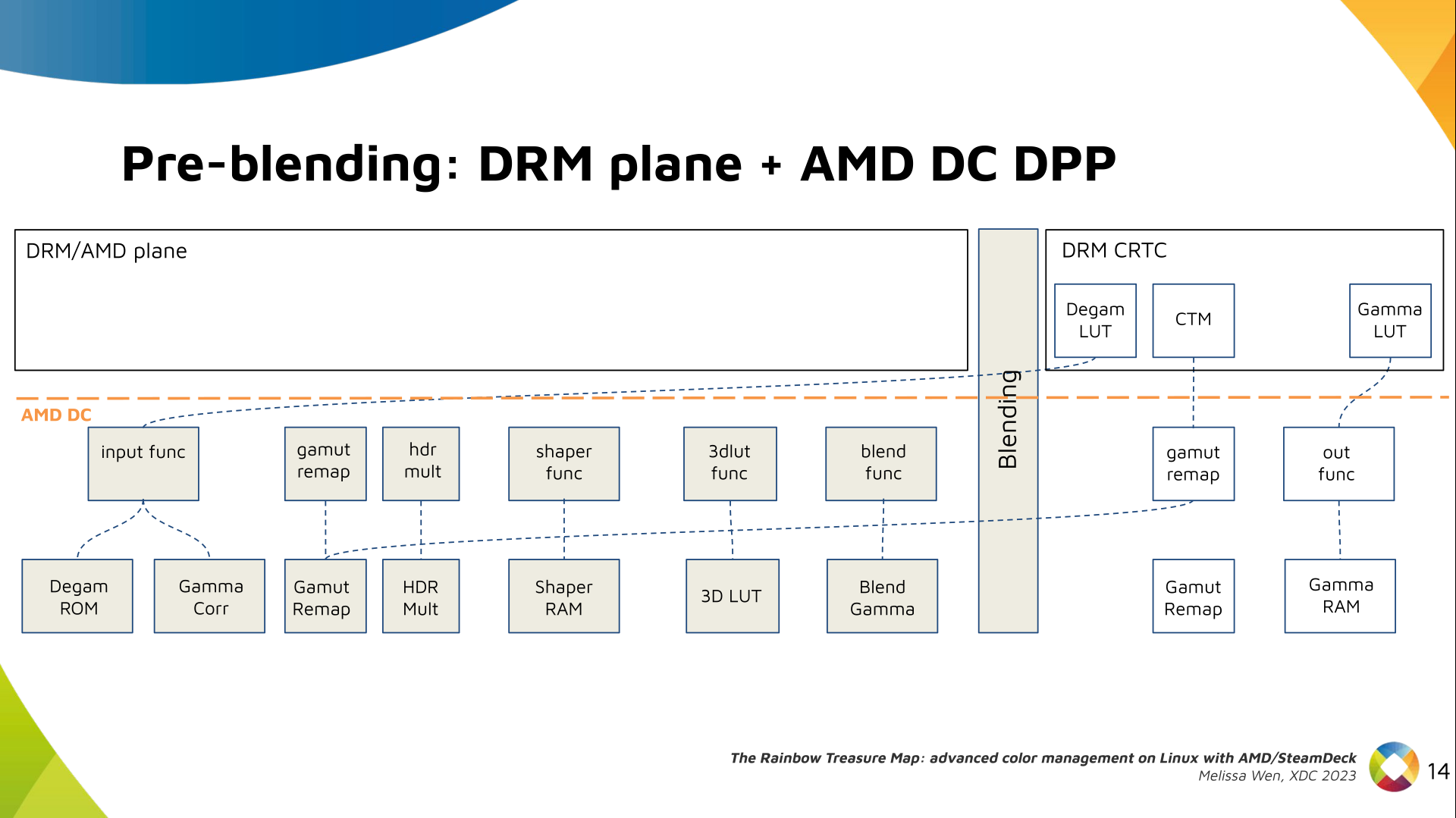 Still both the DRM interface and its connection to the shared code were
missing. That s when the search begins!
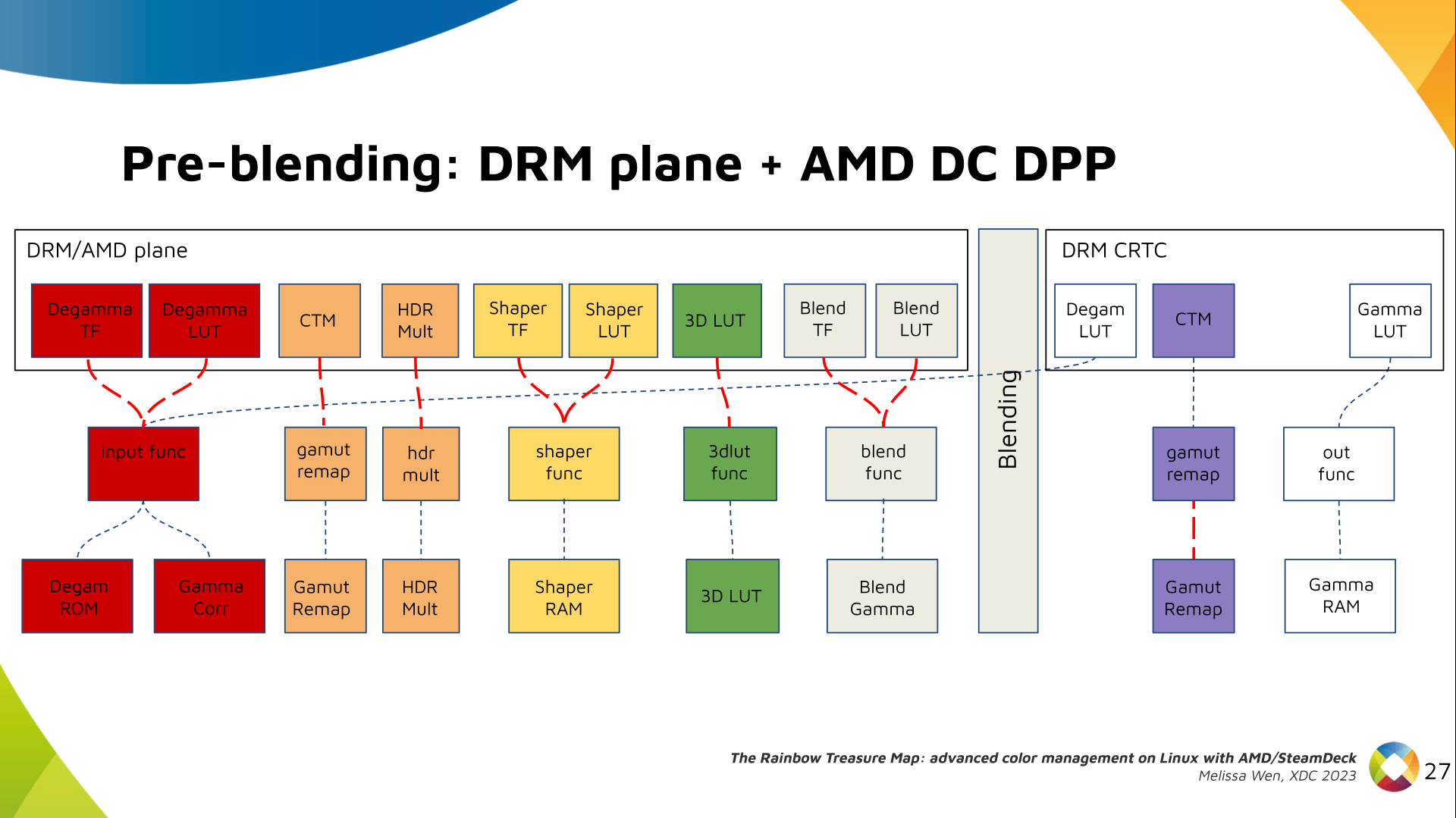
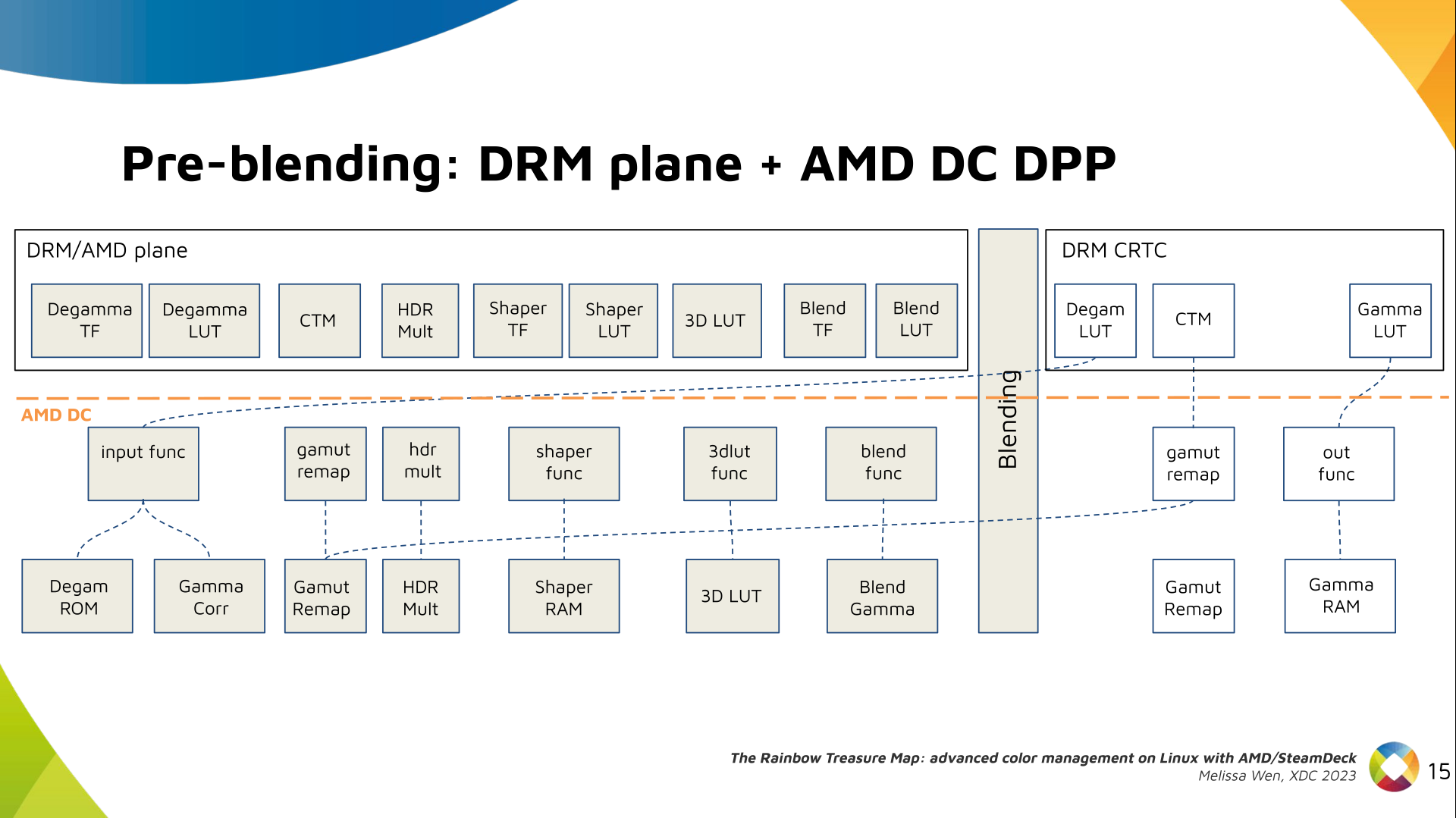 AMD driver-specific color pipeline:
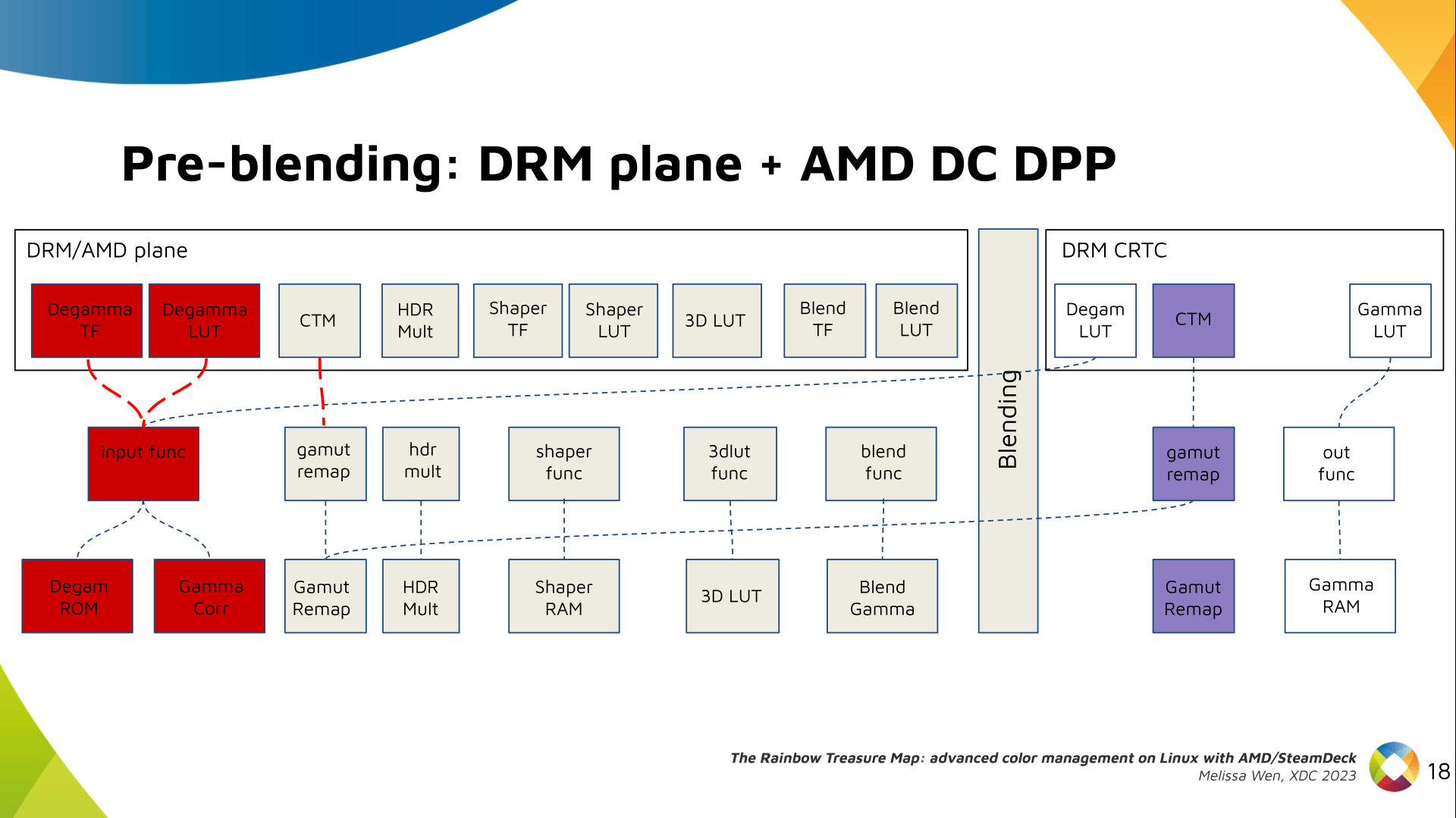
Looking at the color capabilities of the hardware, we arrive at this initial
set of properties. The path wasn t exactly like that. We had many iterations
and discoveries until reached to this pipeline.
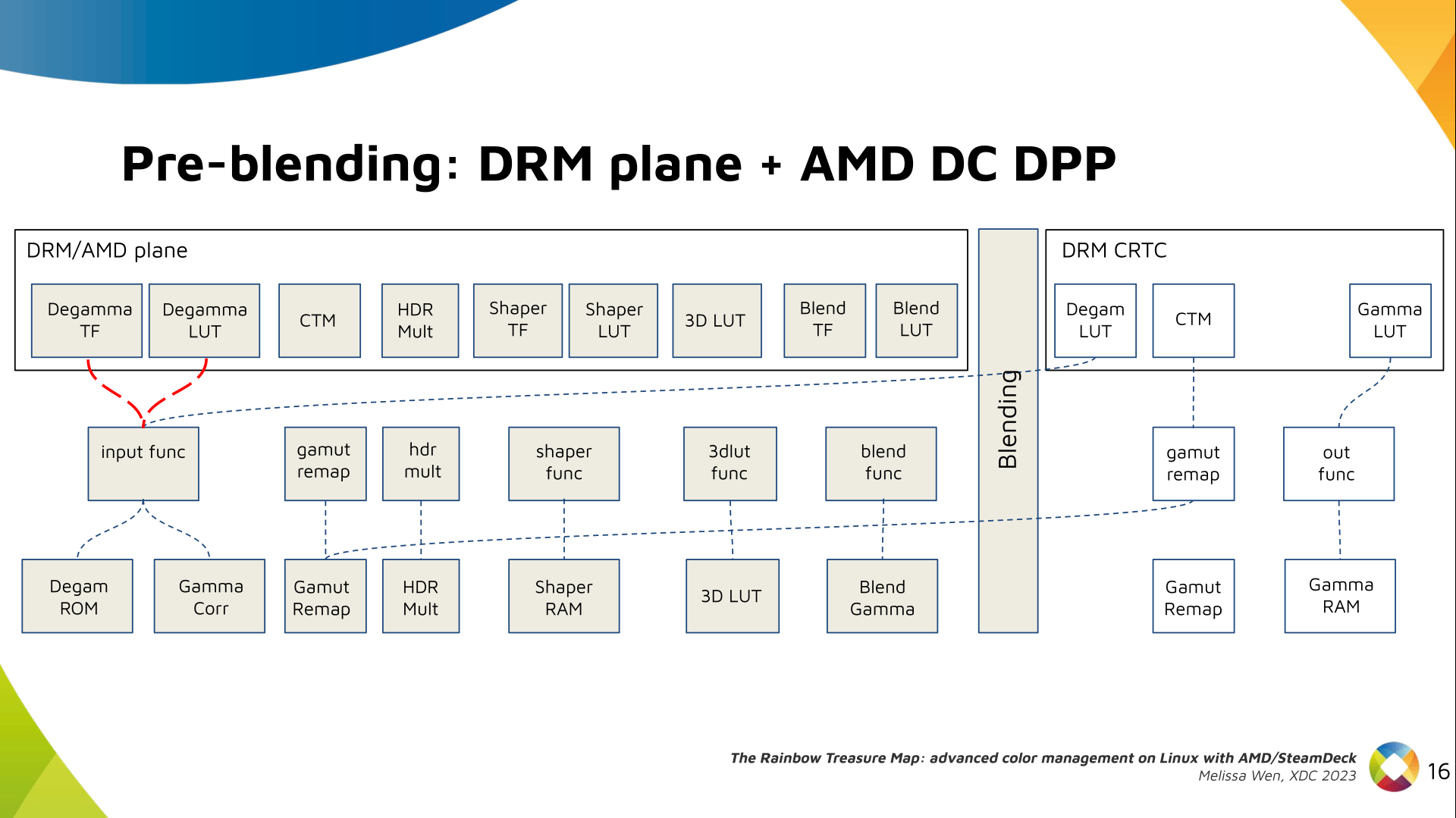 The Plane Degamma is our first driver-specific property before blending. It s
used to linearize the color space from encoded values to light linear values.
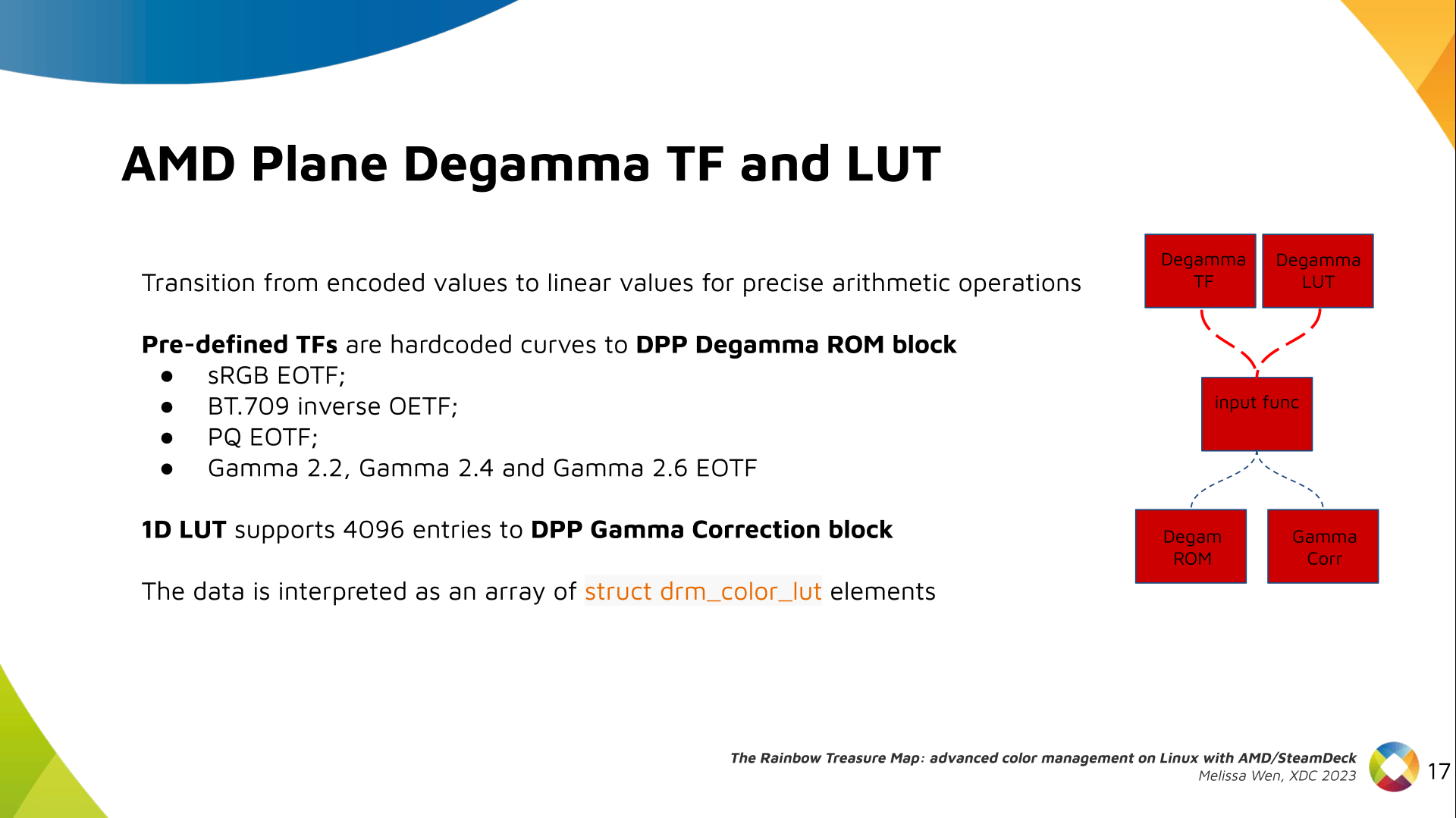 We can use a pre-defined transfer function or a user lookup table (in short,
LUT) to linearize the color space.
Pre-defined transfer functions for plane degamma are hardcoded curves that go
to a specific hardware block called DPP Degamma ROM. It supports the following
transfer functions: sRGB EOTF, BT.709 inverse OETF, PQ EOTF, and pure power
curves Gamma 2.2, Gamma 2.4 and Gamma 2.6.
We also have a one-dimensional LUT. This 1D LUT has four thousand ninety six
(4096) entries, the usual 1D LUT size in the DRM/KMS. It s an array of
drm_color_lut that goes to the DPP Gamma Correction block.
 We also have now a color transformation matrix (CTM) for color space
conversion.
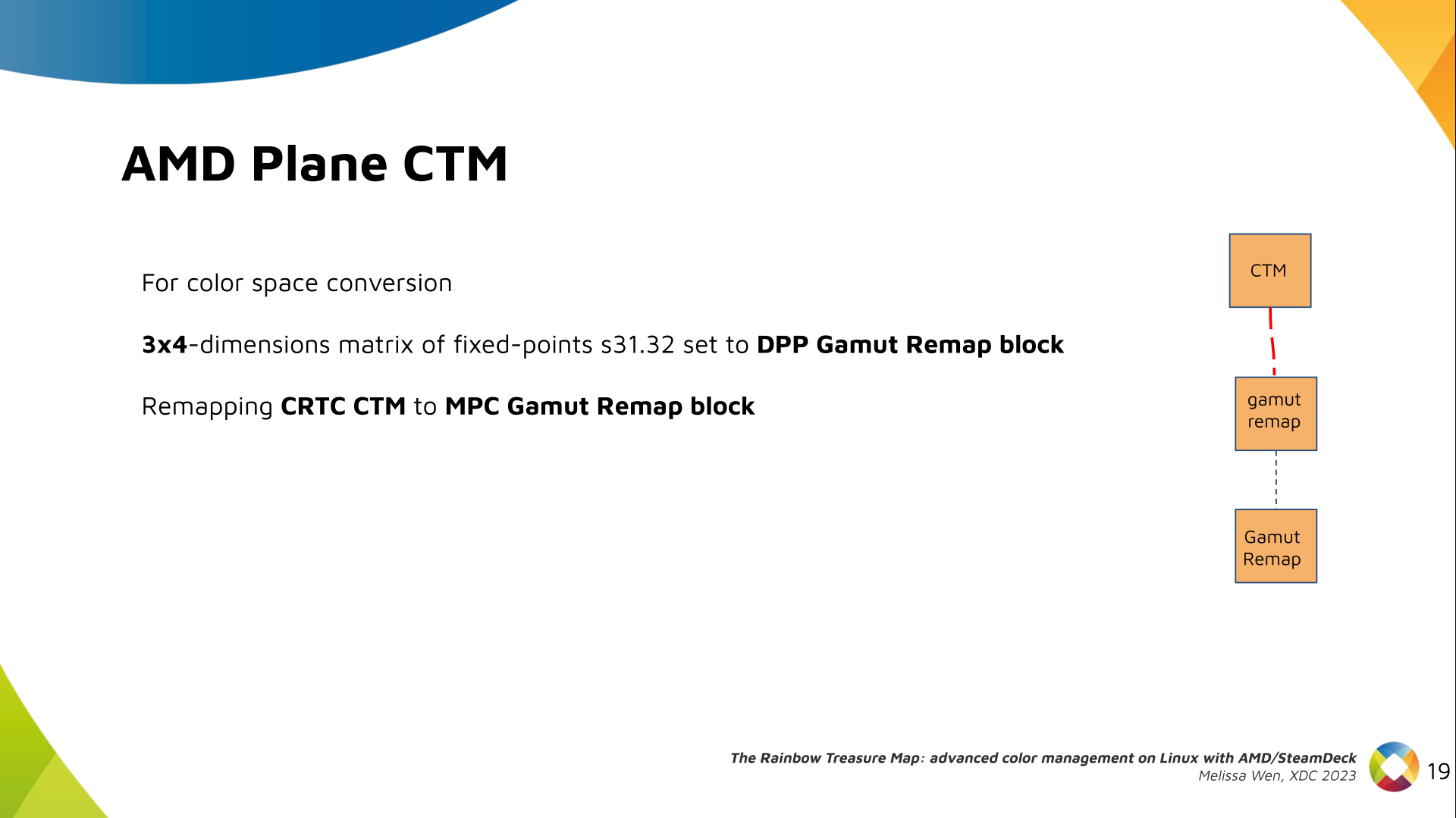 It s a 3x4 matrix of fixed points that goes to the DPP Gamut Remap Block.
Both pre- and post-blending matrices were previously gone to the same color
block. We worked on detaching them to clear both paths.
Now each CTM goes on its own way.
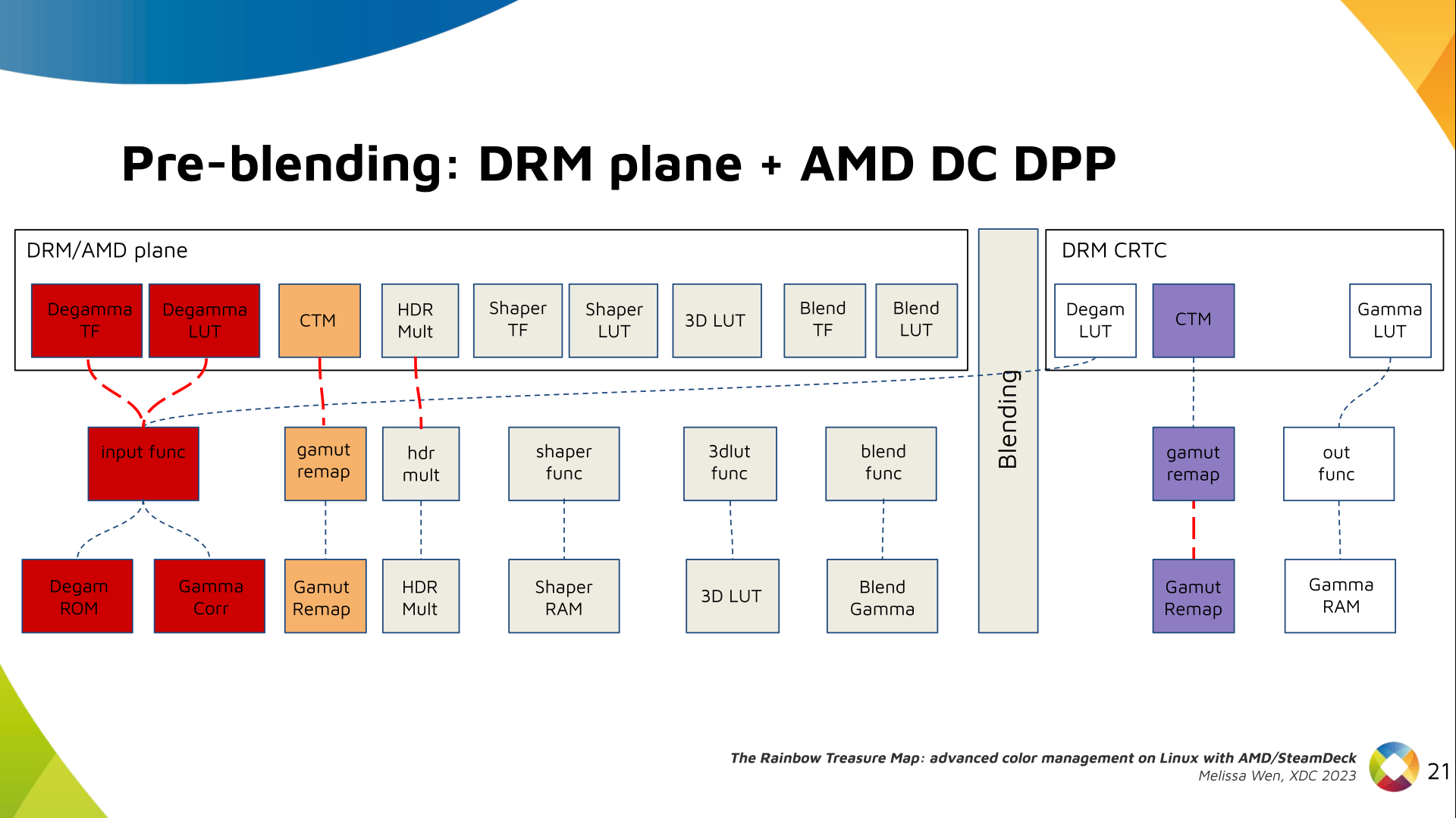 Next, the HDR Multiplier. HDR Multiplier is a factor applied to the color
values of an image to increase their overall brightness.
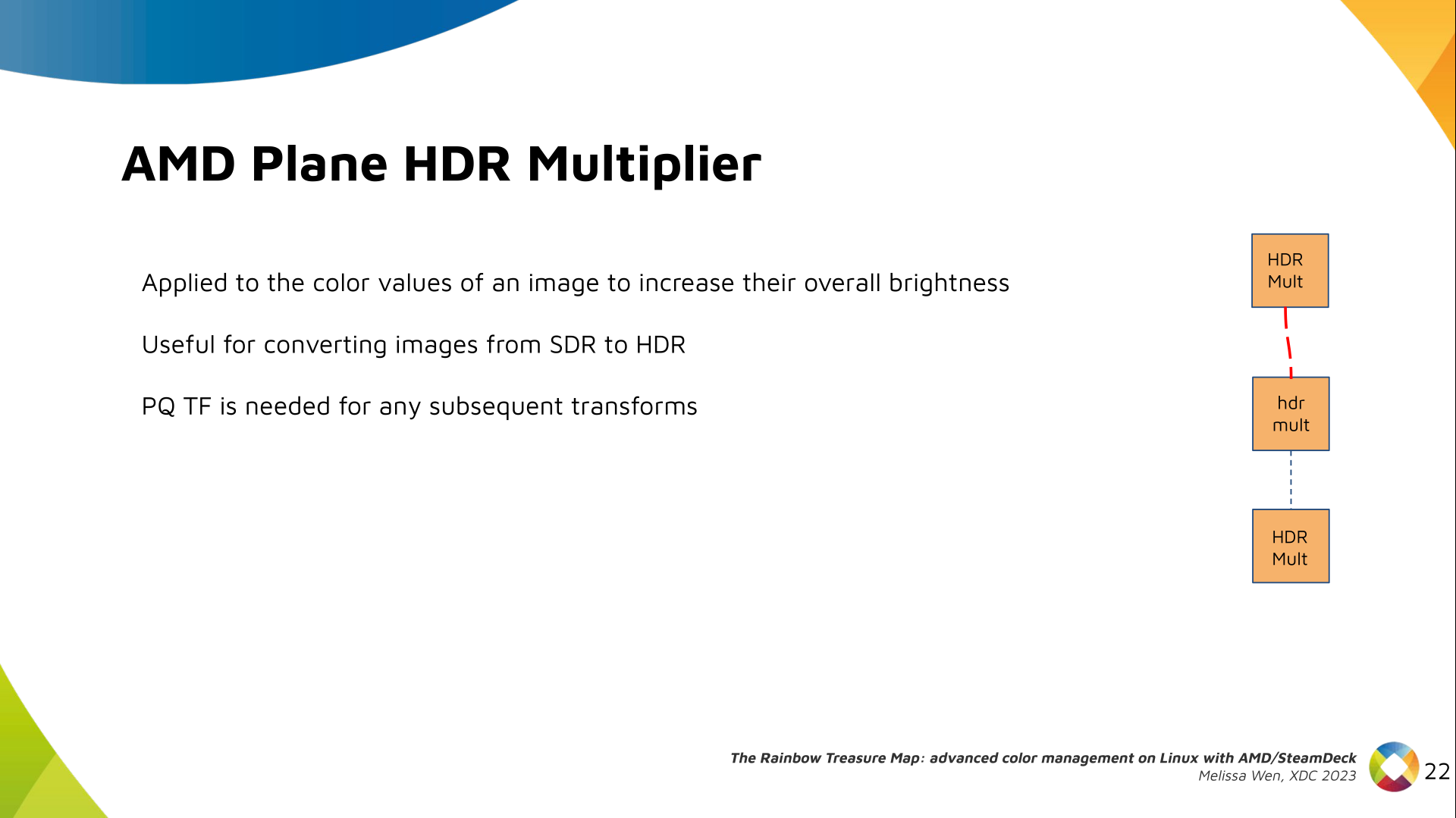 This is useful for converting images from a standard dynamic range (SDR) to a
high dynamic range (HDR). As it can range beyond [0.0, 1.0] subsequent
transforms need to use the PQ(HDR) transfer functions.
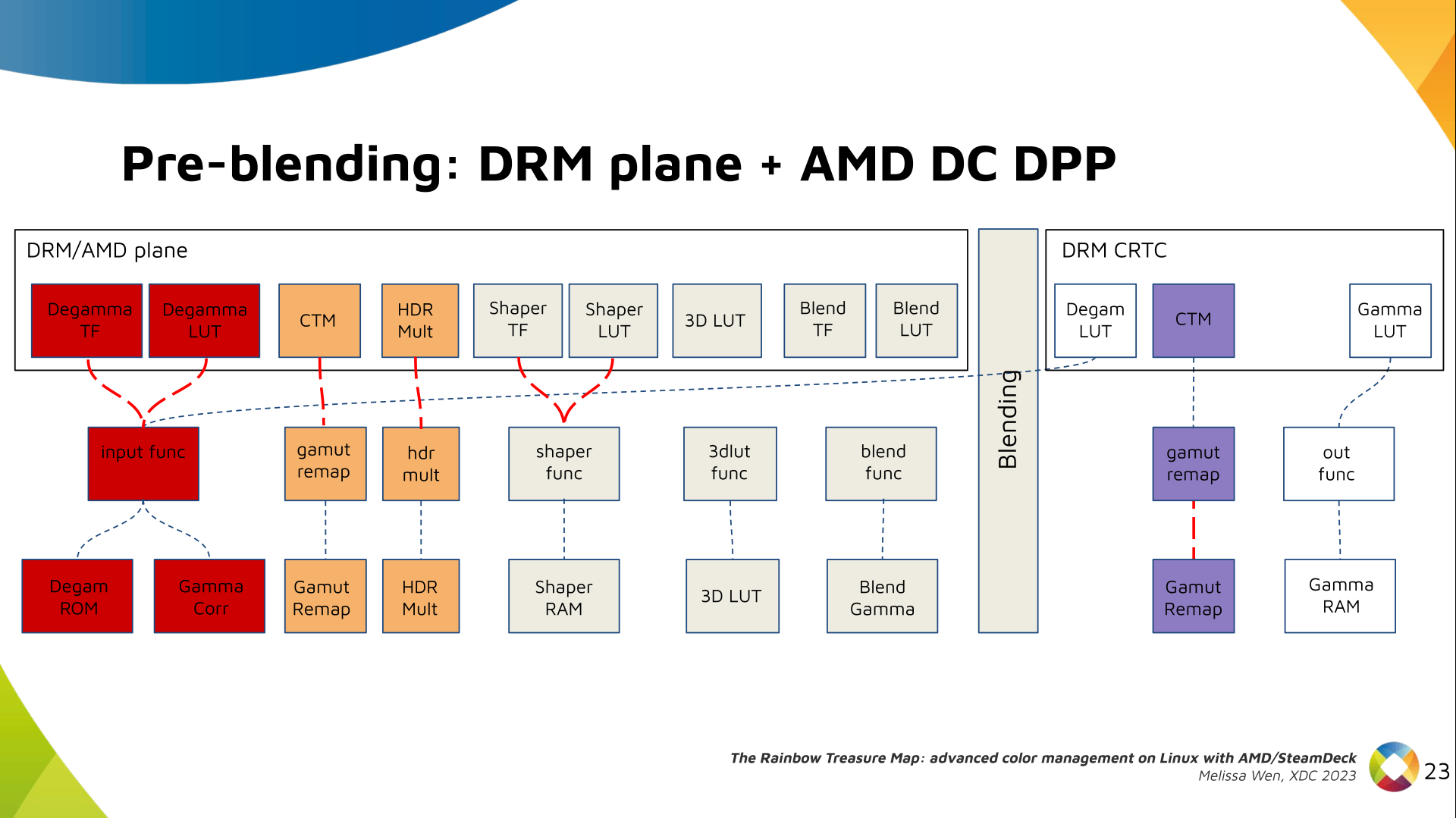 And we need a 3D LUT. But 3D LUT has a limited number of entries in each
dimension, so we want to use it in a colorspace that is optimized for human
vision. It means in a non-linear space. To deliver it, userspace may need one
1D LUT before 3D LUT to delinearize content and another one after to linearize
content again for blending.
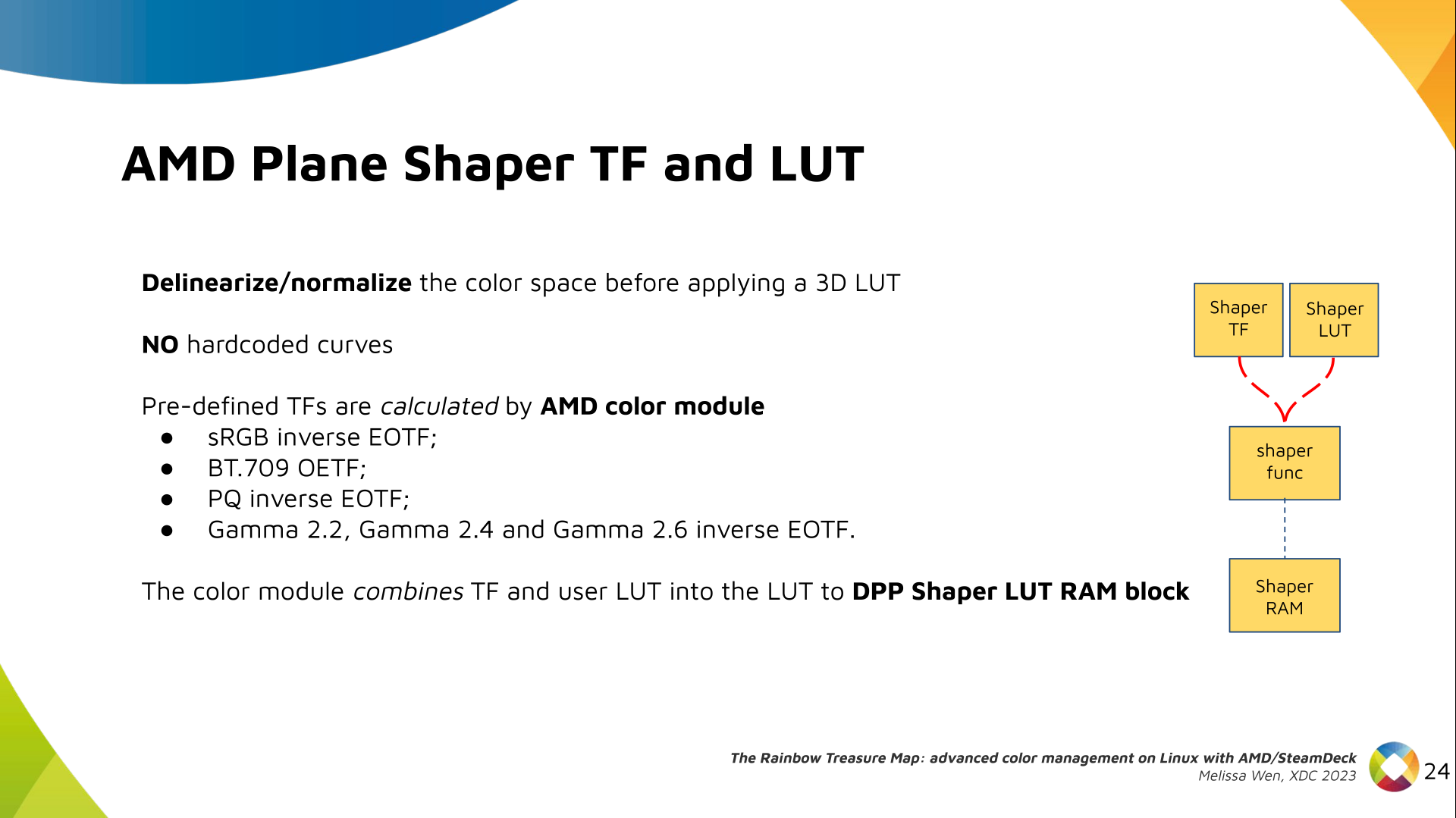 The pre-3D-LUT curve is called Shaper curve. Unlike Degamma TF, there are no
hardcoded curves for shaper TF, but we can use the AMD color module in the
driver to build the following shaper curves from pre-defined coefficients. The
color module combines the TF and the user LUT values into the LUT that goes to
the DPP Shaper RAM block.
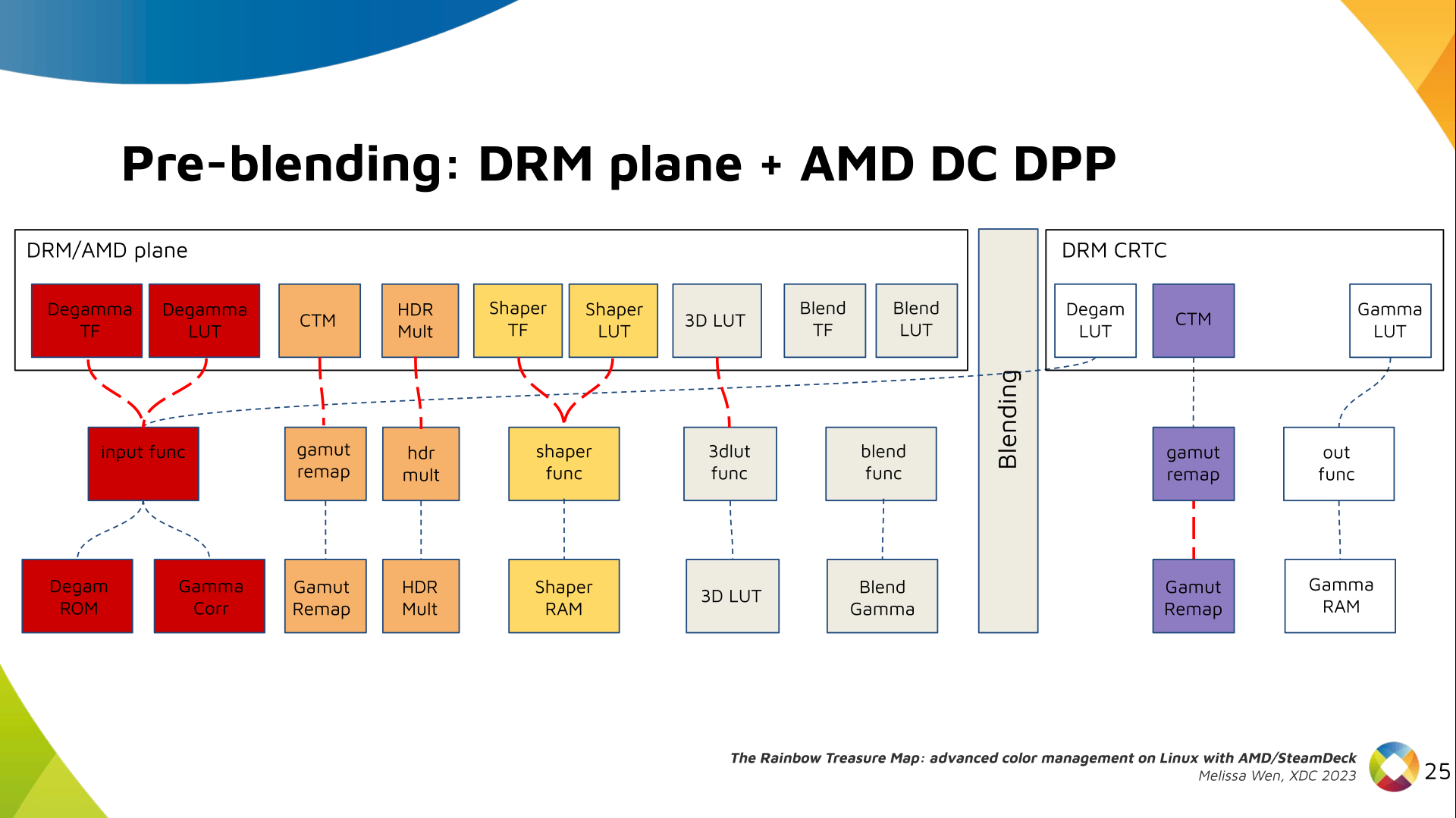 Finally, our rockstar, the 3D LUT. 3D LUT is perfect for complex color
transformations and adjustments between color channels.
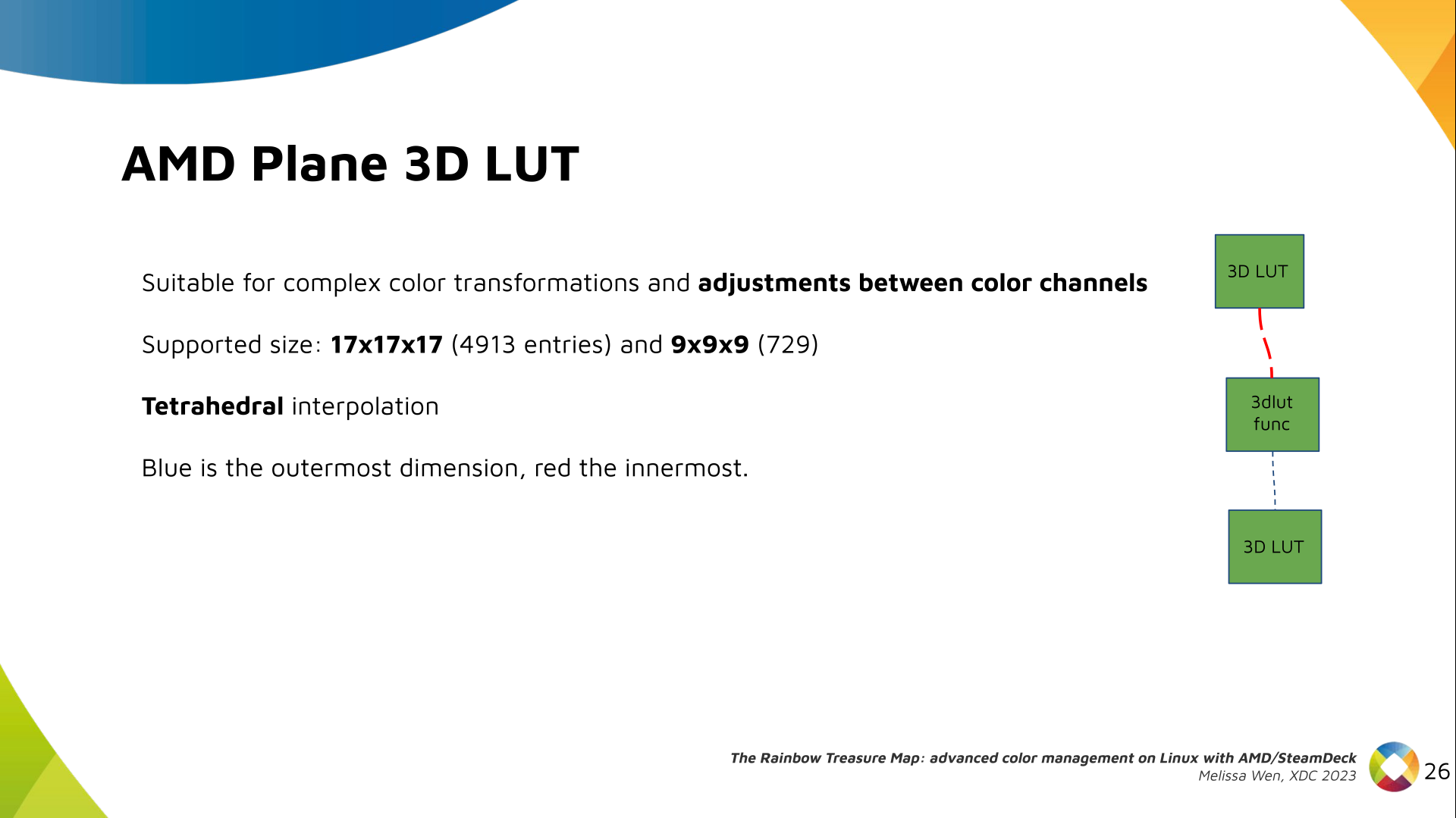 3D LUT is also more complex to manage and requires more computational
resources, as a consequence, its number of entries is usually limited. To
overcome this restriction, the array contains samples from the approximated
function and values between samples are estimated by tetrahedral interpolation.
AMD supports 17 and 9 as the size of a single-dimension. Blue is the outermost
dimension, red the innermost.
 As mentioned, we need a post-3D-LUT curve to linearize the color space before
blending. This is done by Blend TF and LUT.
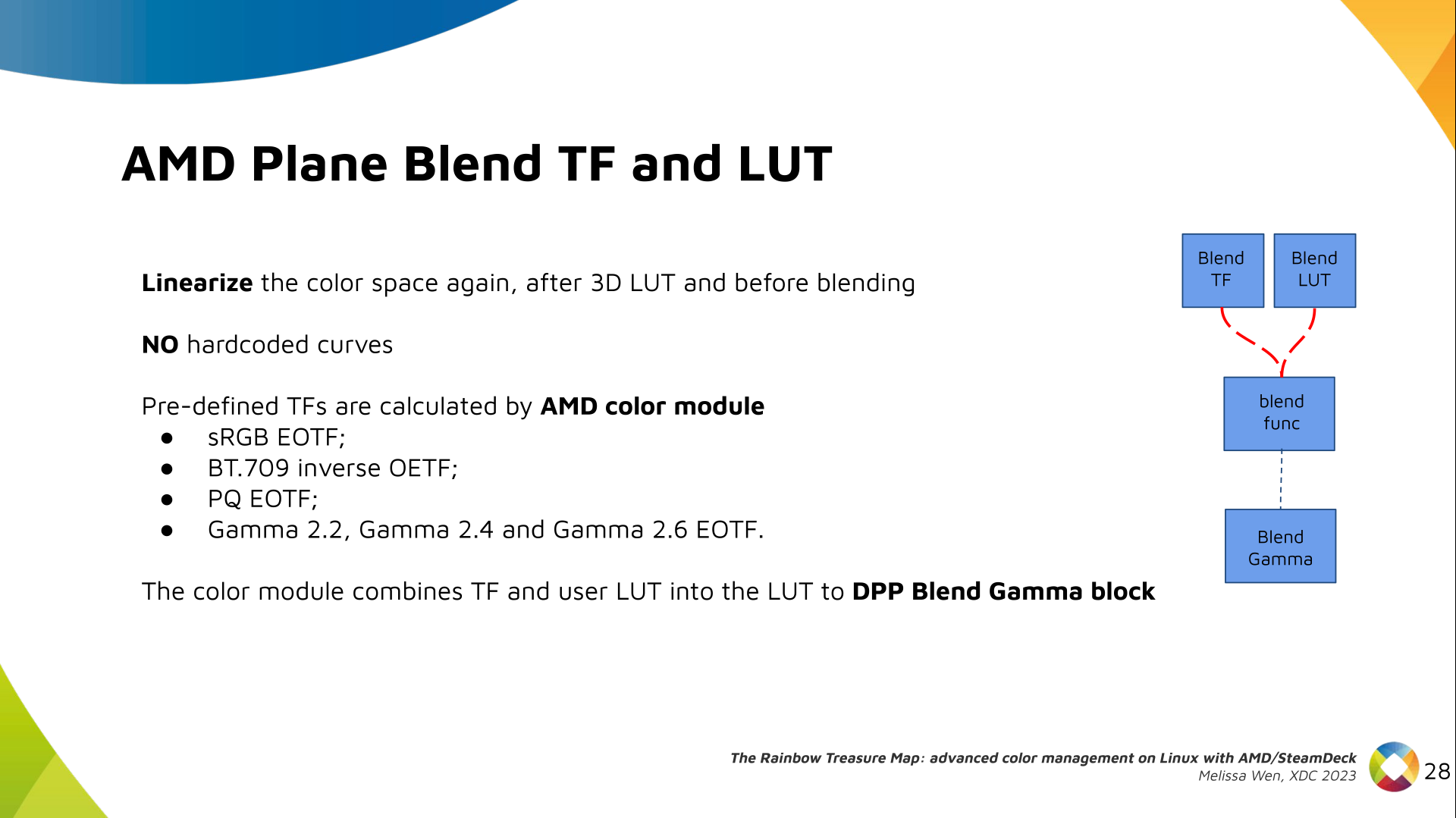 Similar to shaper TF, there are no hardcoded curves for Blend TF. The
pre-defined curves are the same as the Degamma block, but calculated by the
color module. The resulting LUT goes to the DPP Blend RAM block.
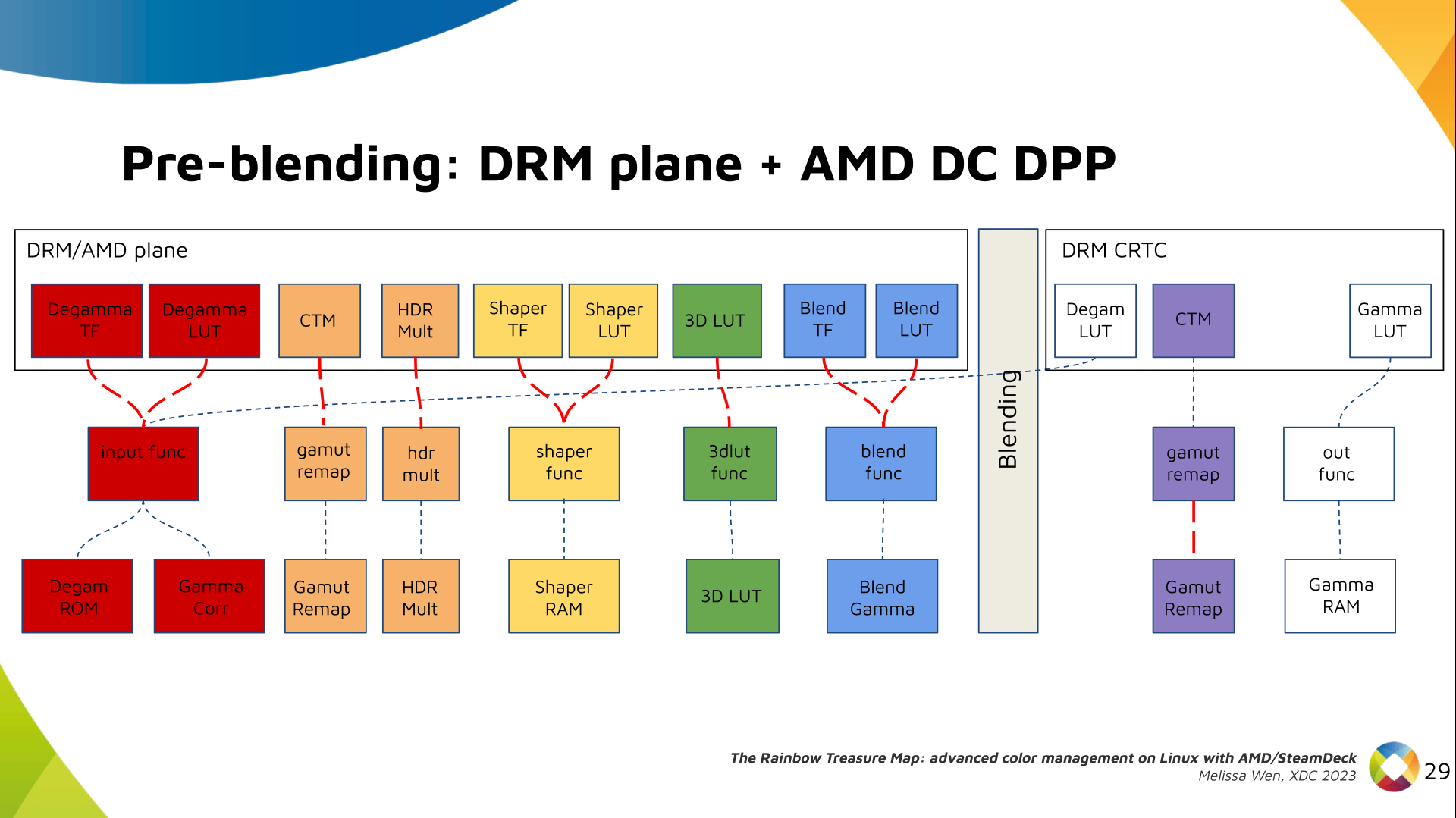 Now we have everything connected before blending. As a conflict between plane
and CRTC Degamma was inevitable, our approach doesn t accept that both are set
at the same time.
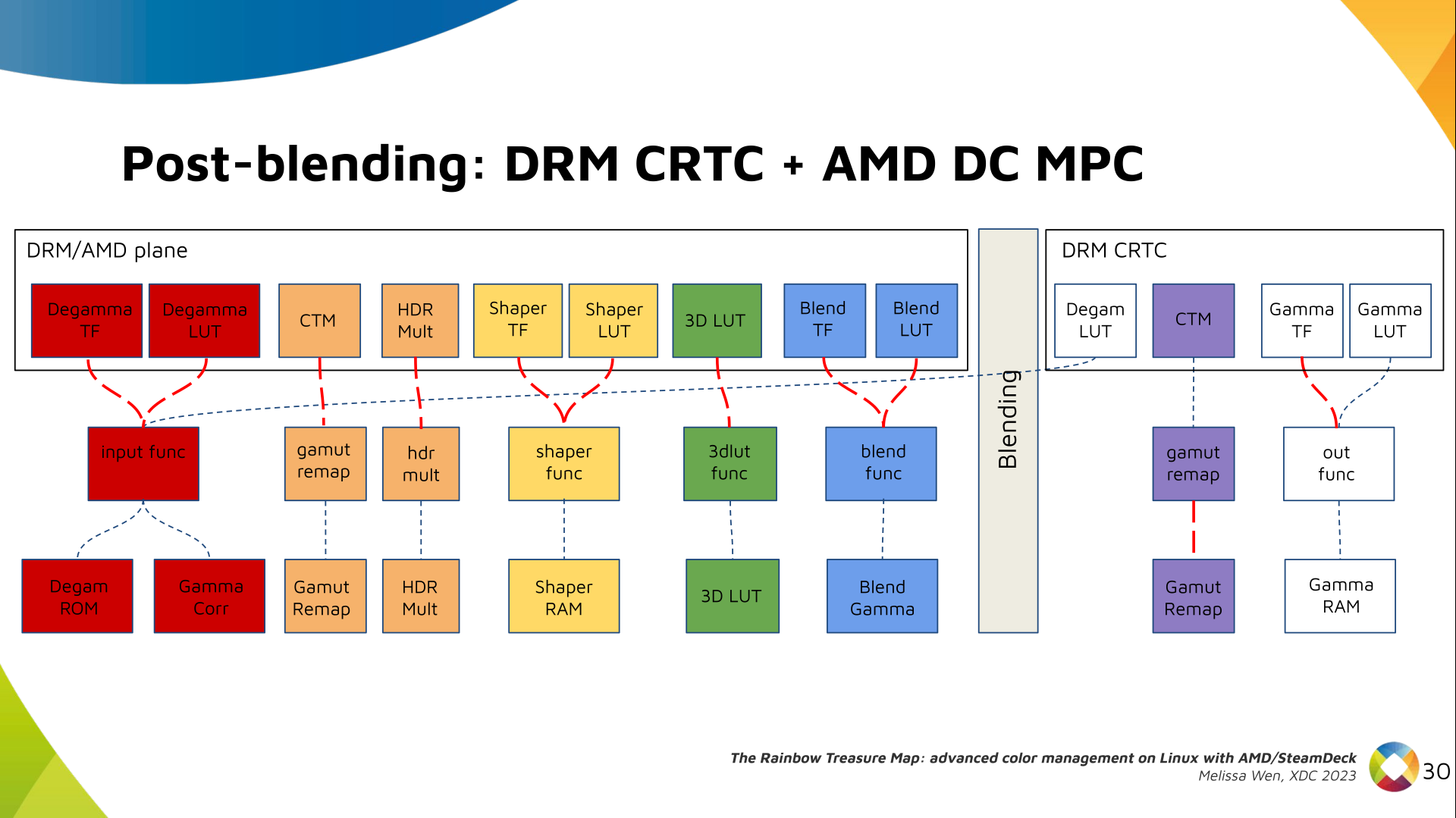 We also optimized the conversion of the framebuffer to wire encoding by adding
support to pre-defined CRTC Gamma TF.
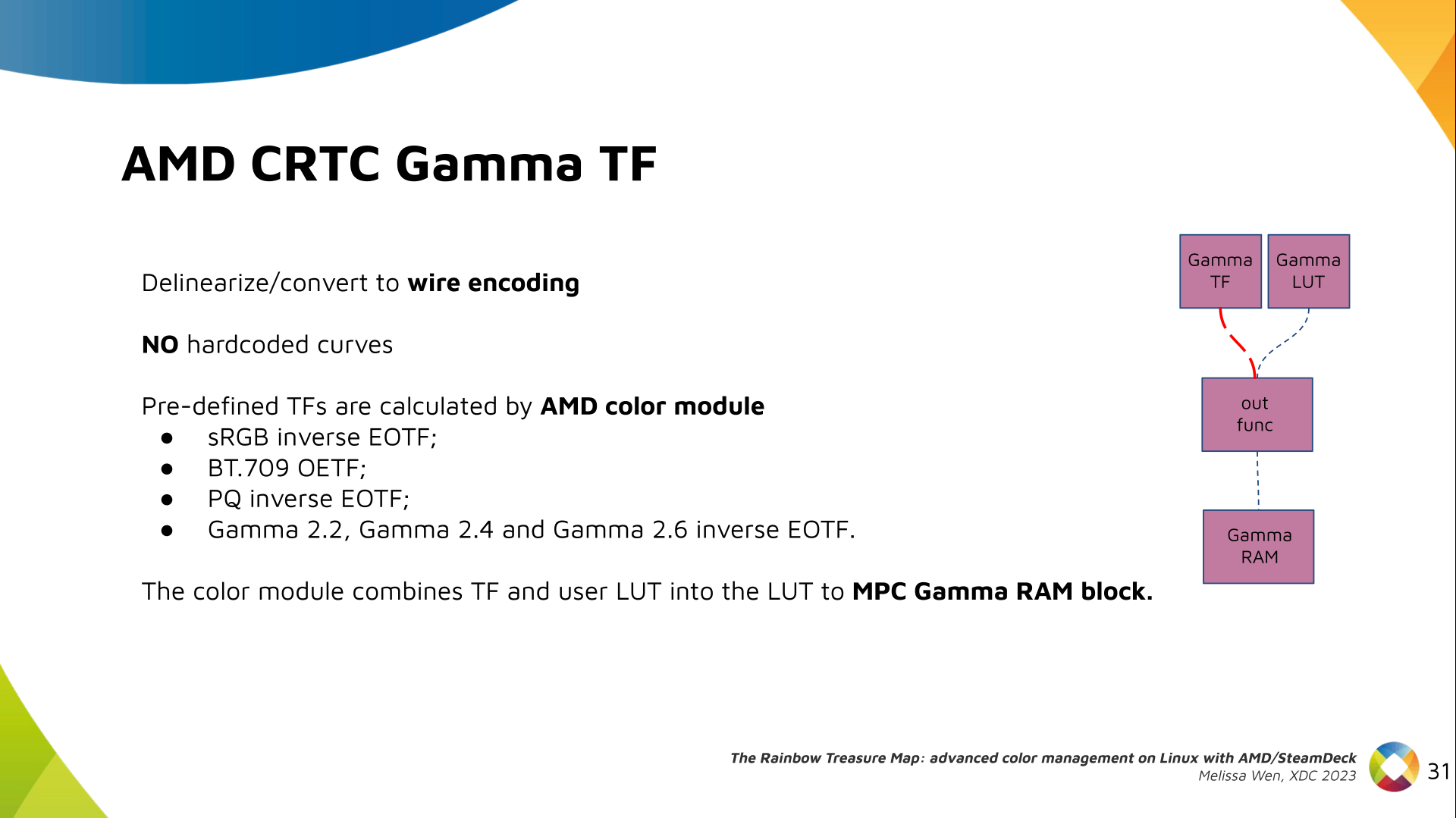 Again, there are no hardcoded curves and TF and LUT are combined by the AMD
color module. The same types of shaper curves are supported. The resulting LUT
goes to the MPC Gamma RAM block.
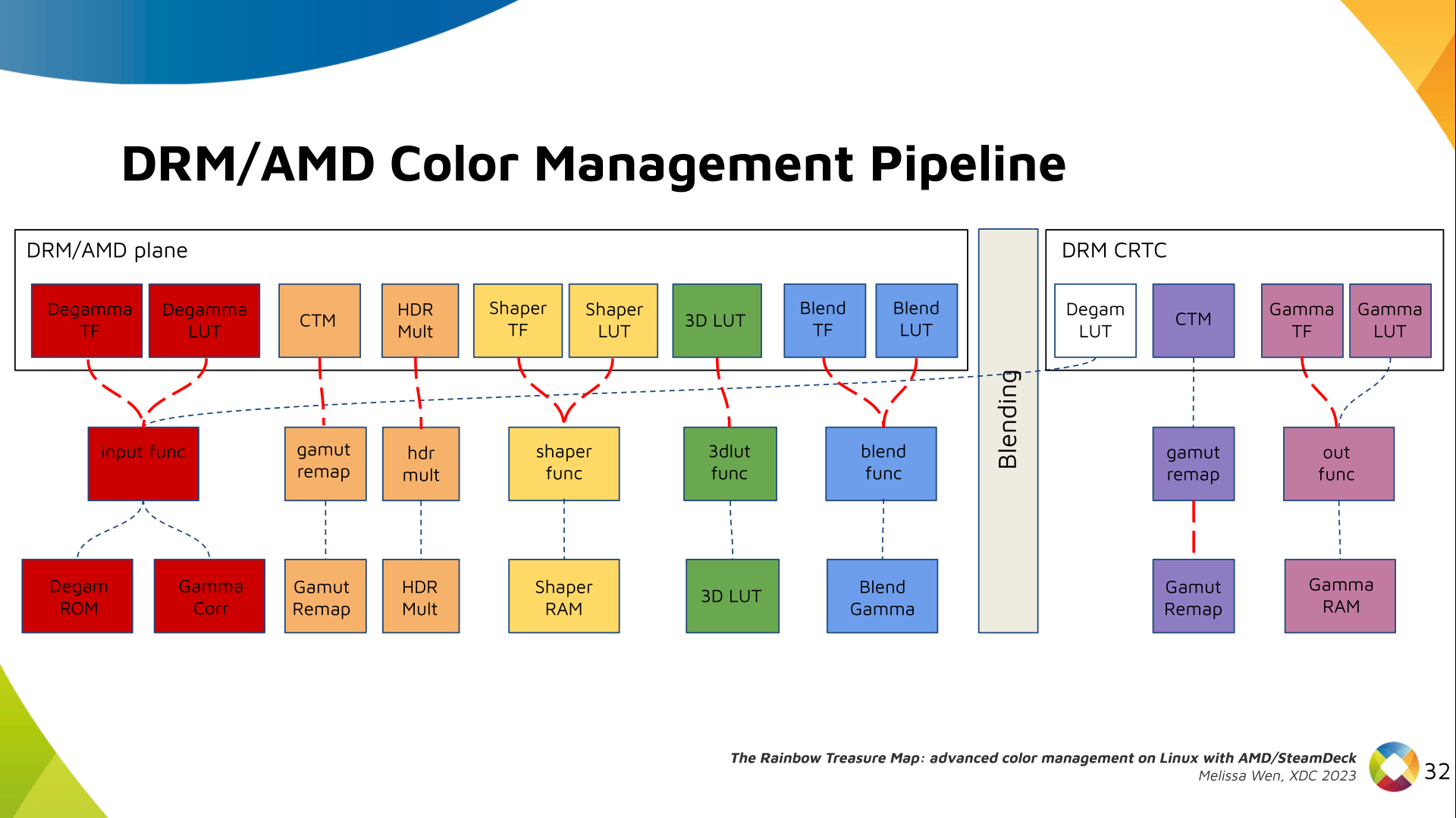 Finally, we arrived in the final version of DRM/AMD driver-specific color
management pipeline. With this knowledge, you re ready to better enjoy the
rainbow treasure of AMD display hardware and the world of graphics computing.
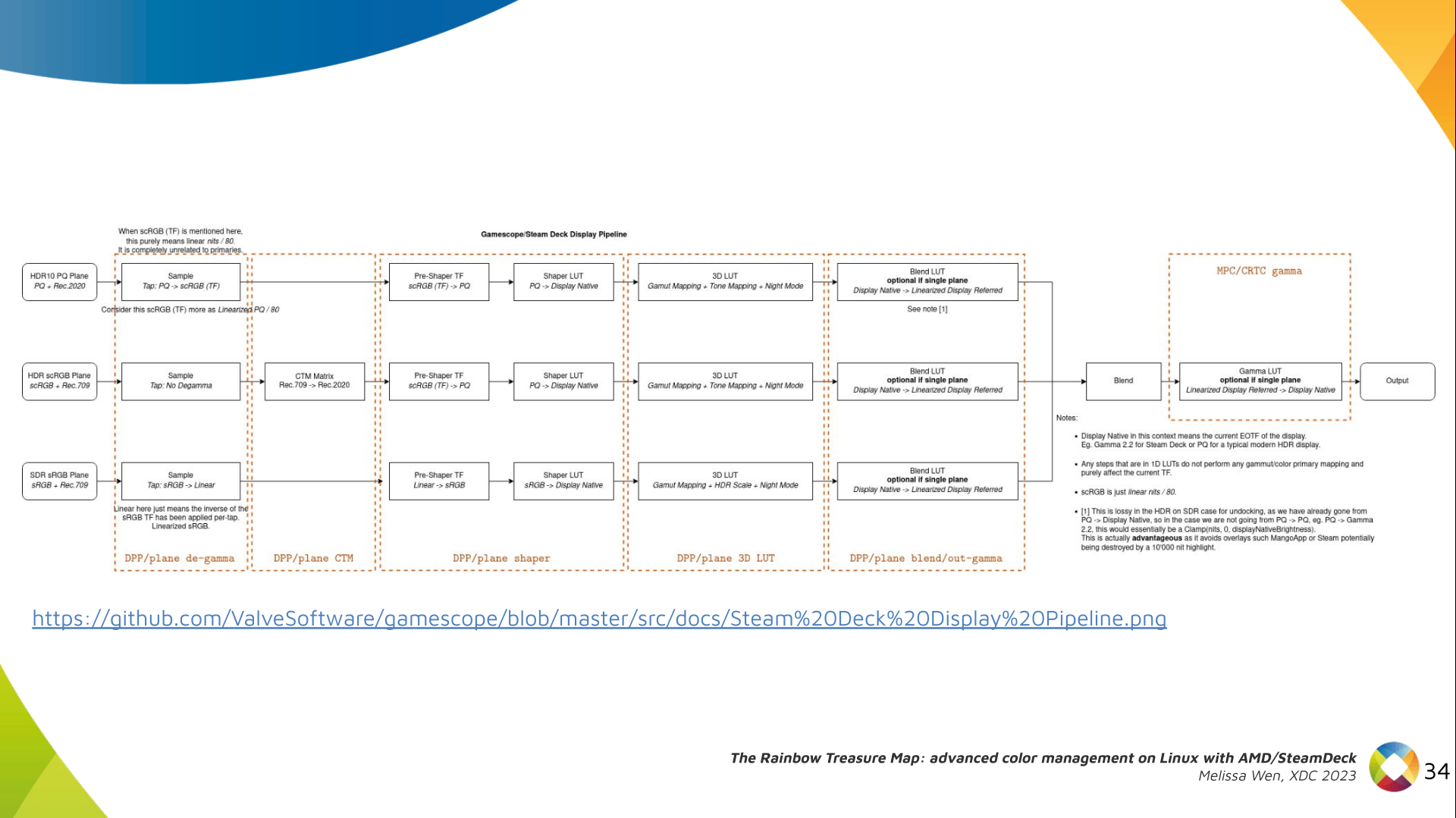 With this work, Gamescope/Steam Deck embraces the color capabilities of the AMD
GPU. We highlight here how we map the Gamescope color pipeline to each AMD
color block.
 Future works:
The search for the rainbow treasure is not over! The Linux DRM subsystem
contains many hidden treasures from different vendors. We want more complex
color transformations and adjustments available on Linux. We also want to
expose all GPU color capabilities from all hardware vendors to the Linux
userspace.
Thanks Joshua and Harry for this joint work and the Linux DRI community for all feedback and reviews.
The amazing part of this work comes in the next talk with Joshua and The Rainbow Frogs!
Any questions?
I was looking over the list of live music I'd seen this year and realised that
avante-garde composer William Basinski was actually last year and I had
forgotten to write about it!
In November 2022, Basinski headlined a night of performances which otherwise
featured folk from the venue's "Arists in Residence" programme, with some
affiliation to Newcastle's DIY music
scene.
Unfortunately we arrived too late to catch any of the other acts: partly
because of the venue's sometimes doggiest insistence that people can only
enter or leave the halls during intervals, and partly because the building
works surrounding it had made the southern entrance effectively closed, so
we had to walk to the north side of the building to get in1.
Basinski was performing work from Lamentations. Basinski himself presented
very unexpectedly to how I imagined him: he's got the Texas drawl, mediated
through a fair amount of time spent in New York; very camp, in a glittery
top; he kicked off the gig complaining about how tired he was, before a mini
rant about the state of the world, riffing on a title from the album: Please,
This Shit Has Got To Stop.
We were in Hall 1, the larger of the two, and it was sparsely attended; a
few people walked out mid performance. My gig-buddy Rob (a useful barometer
for me on how things have gone) remarked that it was one of the most unique
and unusual gigs he'd been to. I recognised snatches of the tracks from the
album, but I'm hard-placed to name or sequence them, and they flowed into
each other. I don't know how much of what we were hearing was "live" or
what, if anything, was being decided during the performance, but Basinski's
set-up included what looked like archaic tape equipment, with exposed loops
of tape running between spools that could be interfered with by other tools.
The encore was a unique, unreleased mix of Melancholia
(II),
which (making no apologies) Basinski hit play on before retiring backstage.
I didn't take any photos. From memory, I think the venue had specifically
stated filming or photos were not allowed for this performance. People at prior
shows in New York and London filmed some of their shows; which were
substantially similar: I've included embeds of them above.
Lots of Basinski's work is on Bandcamp; the three pieces I particularly
enjoy are Lamentations,
Lamentations by William Basinski
On Time Out of Time,
On Time Out of Time by William Basinski
and his best-known work,
The Disintegration Loops.
The Disintegration Loops by William Basinski

 The twentieth release of littler as a
CRAN package
landed a few minutes ago, following in the now seventeen year history
(!!) as a package started by Jeff in 2006, and joined
by me a few weeks later.
littler
is the first command-line interface for R as it predates
Rscript. It allows for piping as well for shebang
scripting via #!, uses command-line arguments more
consistently and still starts
faster. It also always loaded the methods package which
Rscript only began to do in recent years.
littler
lives on Linux and Unix, has its difficulties on macOS due to
yet-another-braindeadedness there (who ever thought case-insensitive
filesystems as a default were a good idea?) and simply does not exist on
Windows (yet the build system could be extended see RInside for
an existence proof, and volunteers are welcome!). See the FAQ
vignette on how to add it to your PATH. A few examples
are highlighted at the Github repo:, as well
as in the examples
vignette.
This release contains a fair number of small changes and improvements
to some of the example scripts is run daily.
The full change description follows.
My CRANberries service provides a comparison to the previous release. Full details for the littler release are provided as usual at the ChangeLog page, and also on the package docs website. The code is available via the GitHub repo, from tarballs and now of course also from its CRAN page and viaChanges in littler version 0.3.19 (2023-12-17)
- Changes in examples scripts
- The help or usage text display for
r2u.r,ttt.r,check.rhas been improved, expanded or corrected, respectivelyinstallDeps.rhas a new argument for dependency selection- An initial 'single test file' runner
tttf.rhas been addedr2u.rhas two new options for setting / varying the Debian build version of package that is built, and one for BioConductor builds, one for a 'dry run' build, and a new--compileoptioninstallRSPM.r,installPPM.r,installP3M.rhave been updates to reflect the name changesinstallRub.rnow understands 'package@universe' toott.rflips the default of the--effectsswitch
install.packages("littler"). Binary packages are
available directly in Debian as
well as (in a day or two) Ubuntu binaries at
CRAN thanks to the tireless Michael Rutter.
Comments and suggestions are welcome at the GitHub repo.
If you like this or other open-source work I do, you can sponsor me at
GitHub.
This post by Dirk Eddelbuettel originated on his Thinking inside the box blog. Please report excessive re-aggregation in third-party for-profit settings.
 Nextcloud is a popular self-hosted solution for file sync and share as well as cloud apps such as document editing, chat and talk, calendar, photo gallery etc. This guide will walk you through setting up Nextcloud AIO using Docker Compose. This blog post would not be possible without immense help from Sahil Dhiman a.k.a.
sahilisterThere are various ways in which the installation could be done, in our setup here are the pre-requisites. compose.yml file is present in nextcloud AIO&aposs git repo here . By taking a reference of that file, we have own compose.yml here. services:
nextcloud-aio-mastercontainer:
image: nextcloud/all-in-one:latest
init: true
restart: always
container_name: nextcloud-aio-mastercontainer # This line is not allowed to be changed as otherwise AIO will not work correctly
volumes:
- nextcloud_aio_mastercontainer:/mnt/docker-aio-config # This line is not allowed to be changed as otherwise the built-in backup solution will not work
- /var/run/docker.sock:/var/run/docker.sock:ro # May be changed on macOS, Windows or docker rootless. See the applicable documentation. If adjusting, don&apost forget to also set &aposWATCHTOWER_DOCKER_SOCKET_PATH&apos!
ports:
- 8080:8080
environment: # Is needed when using any of the options below
# - AIO_DISABLE_BACKUP_SECTION=false # Setting this to true allows to hide the backup section in the AIO interface. See https://github.com/nextcloud/all-in-one#how-to-disable-the-backup-section
- APACHE_PORT=32323 # Is needed when running behind a web server or reverse proxy (like Apache, Nginx, Cloudflare Tunnel and else). See https://github.com/nextcloud/all-in-one/blob/main/reverse-proxy.md
- APACHE_IP_BINDING=127.0.0.1 # Should be set when running behind a web server or reverse proxy (like Apache, Nginx, Cloudflare Tunnel and else) that is running on the same host. See https://github.com/nextcloud/all-in-one/blob/main/reverse-proxy.md
# - BORG_RETENTION_POLICY=--keep-within=7d --keep-weekly=4 --keep-monthly=6 # Allows to adjust borgs retention policy. See https://github.com/nextcloud/all-in-one#how-to-adjust-borgs-retention-policy
# - COLLABORA_SECCOMP_DISABLED=false # Setting this to true allows to disable Collabora&aposs Seccomp feature. See https://github.com/nextcloud/all-in-one#how-to-disable-collaboras-seccomp-feature
- NEXTCLOUD_DATADIR=/opt/docker/cloud.raju.dev/nextcloud # Allows to set the host directory for Nextcloud&aposs datadir. Warning: do not set or adjust this value after the initial Nextcloud installation is done! See https://github.com/nextcloud/all-in-one#how-to-change-the-default-location-of-nextclouds-datadir
# - NEXTCLOUD_MOUNT=/mnt/ # Allows the Nextcloud container to access the chosen directory on the host. See https://github.com/nextcloud/all-in-one#how-to-allow-the-nextcloud-container-to-access-directories-on-the-host
# - NEXTCLOUD_UPLOAD_LIMIT=10G # Can be adjusted if you need more. See https://github.com/nextcloud/all-in-one#how-to-adjust-the-upload-limit-for-nextcloud
# - NEXTCLOUD_MAX_TIME=3600 # Can be adjusted if you need more. See https://github.com/nextcloud/all-in-one#how-to-adjust-the-max-execution-time-for-nextcloud
# - NEXTCLOUD_MEMORY_LIMIT=512M # Can be adjusted if you need more. See https://github.com/nextcloud/all-in-one#how-to-adjust-the-php-memory-limit-for-nextcloud
# - NEXTCLOUD_TRUSTED_CACERTS_DIR=/path/to/my/cacerts # CA certificates in this directory will be trusted by the OS of the nexcloud container (Useful e.g. for LDAPS) See See https://github.com/nextcloud/all-in-one#how-to-trust-user-defined-certification-authorities-ca
# - NEXTCLOUD_STARTUP_APPS=deck twofactor_totp tasks calendar contacts notes # Allows to modify the Nextcloud apps that are installed on starting AIO the first time. See https://github.com/nextcloud/all-in-one#how-to-change-the-nextcloud-apps-that-are-installed-on-the-first-startup
# - NEXTCLOUD_ADDITIONAL_APKS=imagemagick # This allows to add additional packages to the Nextcloud container permanently. Default is imagemagick but can be overwritten by modifying this value. See https://github.com/nextcloud/all-in-one#how-to-add-os-packages-permanently-to-the-nextcloud-container
# - NEXTCLOUD_ADDITIONAL_PHP_EXTENSIONS=imagick # This allows to add additional php extensions to the Nextcloud container permanently. Default is imagick but can be overwritten by modifying this value. See https://github.com/nextcloud/all-in-one#how-to-add-php-extensions-permanently-to-the-nextcloud-container
# - NEXTCLOUD_ENABLE_DRI_DEVICE=true # This allows to enable the /dev/dri device in the Nextcloud container. Warning: this only works if the &apos/dev/dri&apos device is present on the host! If it should not exist on your host, don&apost set this to true as otherwise the Nextcloud container will fail to start! See https://github.com/nextcloud/all-in-one#how-to-enable-hardware-transcoding-for-nextcloud
# - NEXTCLOUD_KEEP_DISABLED_APPS=false # Setting this to true will keep Nextcloud apps that are disabled in the AIO interface and not uninstall them if they should be installed. See https://github.com/nextcloud/all-in-one#how-to-keep-disabled-apps
# - TALK_PORT=3478 # This allows to adjust the port that the talk container is using. See https://github.com/nextcloud/all-in-one#how-to-adjust-the-talk-port
# - WATCHTOWER_DOCKER_SOCKET_PATH=/var/run/docker.sock # Needs to be specified if the docker socket on the host is not located in the default &apos/var/run/docker.sock&apos. Otherwise mastercontainer updates will fail. For macos it needs to be &apos/var/run/docker.sock&apos
# networks: # Is needed when you want to create the nextcloud-aio network with ipv6-support using this file, see the network config at the bottom of the file
# - nextcloud-aio # Is needed when you want to create the nextcloud-aio network with ipv6-support using this file, see the network config at the bottom of the file
# - SKIP_DOMAIN_VALIDATION=true
# # Uncomment the following line when using SELinux
# security_opt: ["label:disable"]
volumes: # If you want to store the data on a different drive, see https://github.com/nextcloud/all-in-one#how-to-store-the-filesinstallation-on-a-separate-drive
nextcloud_aio_mastercontainer:
name: nextcloud_aio_mastercontainer # This line is not allowed to be changed as otherwise the built-in backup solution will not work
services:
  nextcloud-aio-mastercontainer:
    image: nextcloud/all-in-one:latest
    init: true
    restart: always
    container_name: nextcloud-aio-mastercontainer
    volumes:
      - nextcloud_aio_mastercontainer:/mnt/docker-aio-config
      - /var/run/docker.sock:/var/run/docker.sock:ro
    ports:
      - 8080:8080
    environment:
      - APACHE_PORT=32323
      - APACHE_IP_BINDING=127.0.0.1
      - NEXTCLOUD_DATADIR=/opt/docker/nextcloud
volumes:
  nextcloud_aio_mastercontainer:
    name: nextcloud_aio_mastercontainer
32323 above, but you can use any in the permissible port range. The 8080 port is used the setup the AIO management interface. Both 8080 and the APACHE_PORT do not need to be open on the host machine, as we will be using reverse proxy setup with nginx to direct requests. once you have your preferred compose.yml file, you can start the containers using $ docker-compose -f compose.yml up -d
Creating network "clouddev_default" with the default driver
Creating volume "nextcloud_aio_mastercontainer" with default driver
Creating nextcloud-aio-mastercontainer ... done
map $http_upgrade $connection_upgrade
    default upgrade;
    &apos&apos close;

server
    listen 80;
    #listen [::]:80;            # comment to disable IPv6
    if ($scheme = "http")
        return 301 https://$host$request_uri;

    listen 443 ssl http2;      # for nginx versions below v1.25.1
    #listen [::]:443 ssl http2; # for nginx versions below v1.25.1 - comment to disable IPv6
    # listen 443 ssl;      # for nginx v1.25.1+
    # listen [::]:443 ssl; # for nginx v1.25.1+ - keep comment to disable IPv6
    # http2 on;                                 # uncomment to enable HTTP/2        - supported on nginx v1.25.1+
    # http3 on;                                 # uncomment to enable HTTP/3 / QUIC - supported on nginx v1.25.0+
    # quic_retry on;                            # uncomment to enable HTTP/3 / QUIC - supported on nginx v1.25.0+
    # add_header Alt-Svc &aposh3=":443"; ma=86400' # uncomment to enable HTTP/3 / QUIC - supported on nginx v1.25.0+
    # listen 443 quic reuseport;       # uncomment to enable HTTP/3 / QUIC - supported on nginx v1.25.0+ - please remove "reuseport" if there is already another quic listener on port 443 with enabled reuseport
    # listen [::]:443 quic reuseport;  # uncomment to enable HTTP/3 / QUIC - supported on nginx v1.25.0+ - please remove "reuseport" if there is already another quic listener on port 443 with enabled reuseport - keep comment to disable IPv6
    server_name cloud.example.com;
    location /
        proxy_pass http://127.0.0.1:32323$request_uri;
        proxy_set_header X-Forwarded-For $proxy_add_x_forwarded_for;
        proxy_set_header X-Forwarded-Port $server_port;
        proxy_set_header X-Forwarded-Scheme $scheme;
        proxy_set_header X-Forwarded-Proto $scheme;
        proxy_set_header X-Real-IP $remote_addr;
        proxy_set_header Accept-Encoding "";
        proxy_set_header Host $host;

        client_body_buffer_size 512k;
        proxy_read_timeout 86400s;
        client_max_body_size 0;
        # Websocket
        proxy_http_version 1.1;
        proxy_set_header Upgrade $http_upgrade;
        proxy_set_header Connection $connection_upgrade;

    ssl_certificate /etc/letsencrypt/live/cloud.example.com/fullchain.pem; # managed by Certbot
    ssl_certificate_key /etc/letsencrypt/live/cloud.example.com/privkey.pem; # managed by Certbot
    ssl_session_timeout 1d;
    ssl_session_cache shared:MozSSL:10m; # about 40000 sessions
    ssl_session_tickets off;
    ssl_protocols TLSv1.2 TLSv1.3;
    ssl_ciphers ECDHE-ECDSA-AES128-GCM-SHA256:ECDHE-RSA-AES128-GCM-SHA256:ECDHE-ECDSA-AES256-GCM-SHA384:ECDHE-RSA-AES256-GCM-SHA384:ECDHE-ECDSA-CHACHA20-POLY1305:ECDHE-RSA-CHACHA20-POLY1305:DHE-RSA-AES128-GCM-SHA256:DHE-RSA-AES256-GCM-SHA384:DHE-RSA-CHACHA20-POLY1305;
    ssl_prefer_server_ciphers on;
    # Optional settings:
    # OCSP stapling
    # ssl_stapling on;
    # ssl_stapling_verify on;
    # ssl_trusted_certificate /etc/letsencrypt/live/<your-nc-domain>/chain.pem;
    # replace with the IP address of your resolver
    # resolver 127.0.0.1; # needed for oscp stapling: e.g. use 94.140.15.15 for adguard / 1.1.1.1 for cloudflared or 8.8.8.8 for google - you can use the same nameserver as listed in your /etc/resolv.conf file
$ sudo nginx -t
nginx: the configuration file /etc/nginx/nginx.conf syntax is ok
nginx: configuration file /etc/nginx/nginx.conf test is successful$ sudo nginx -s reloaddomain.tld:8080, however we do not want to open the 8080 port publicly to do this, so to complete the setup, here is a neat hack from sahilister ssh -L 8080:127.0.0.1:8080 username:<server-ip>127.0.0.1:8080 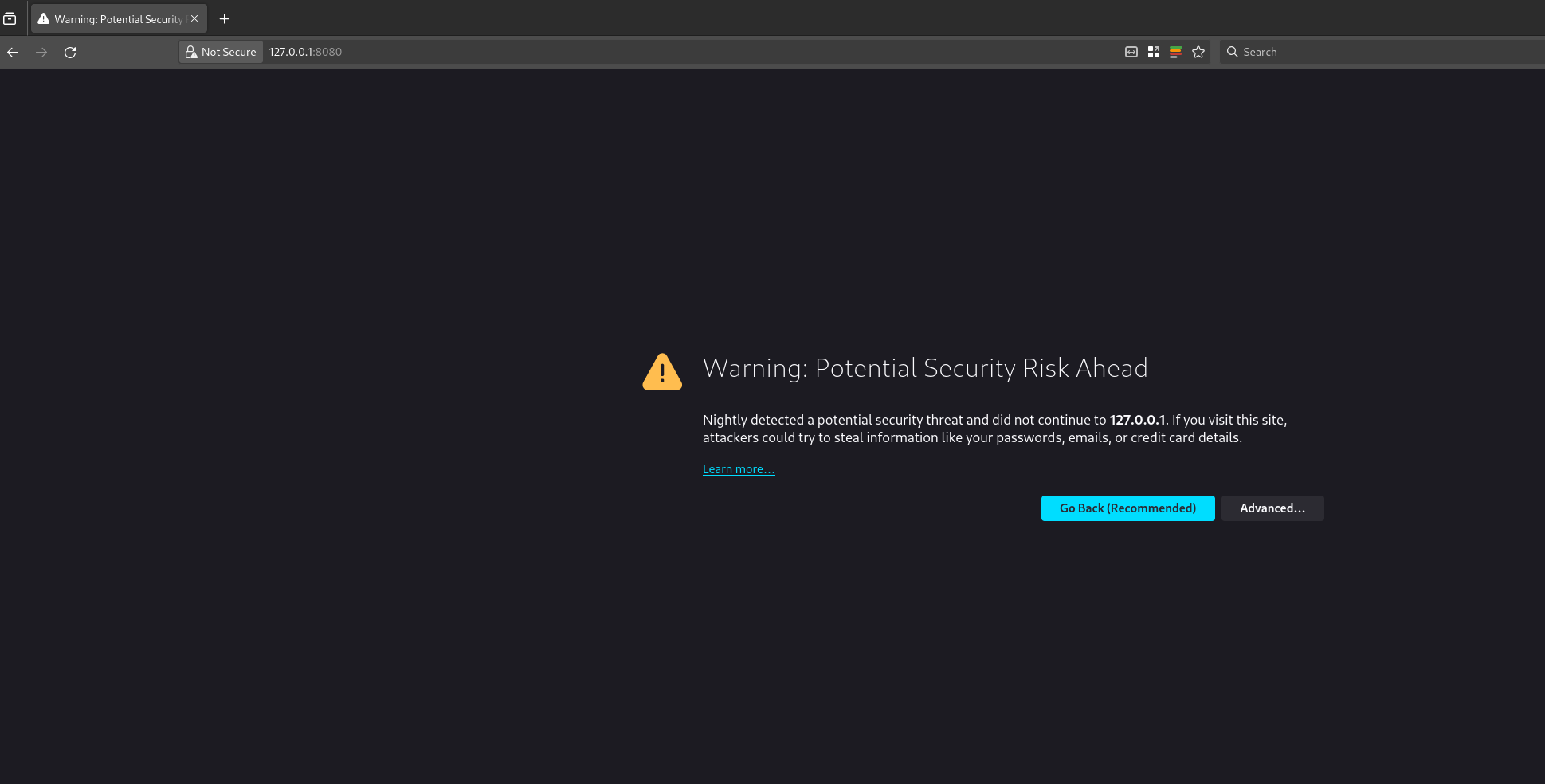
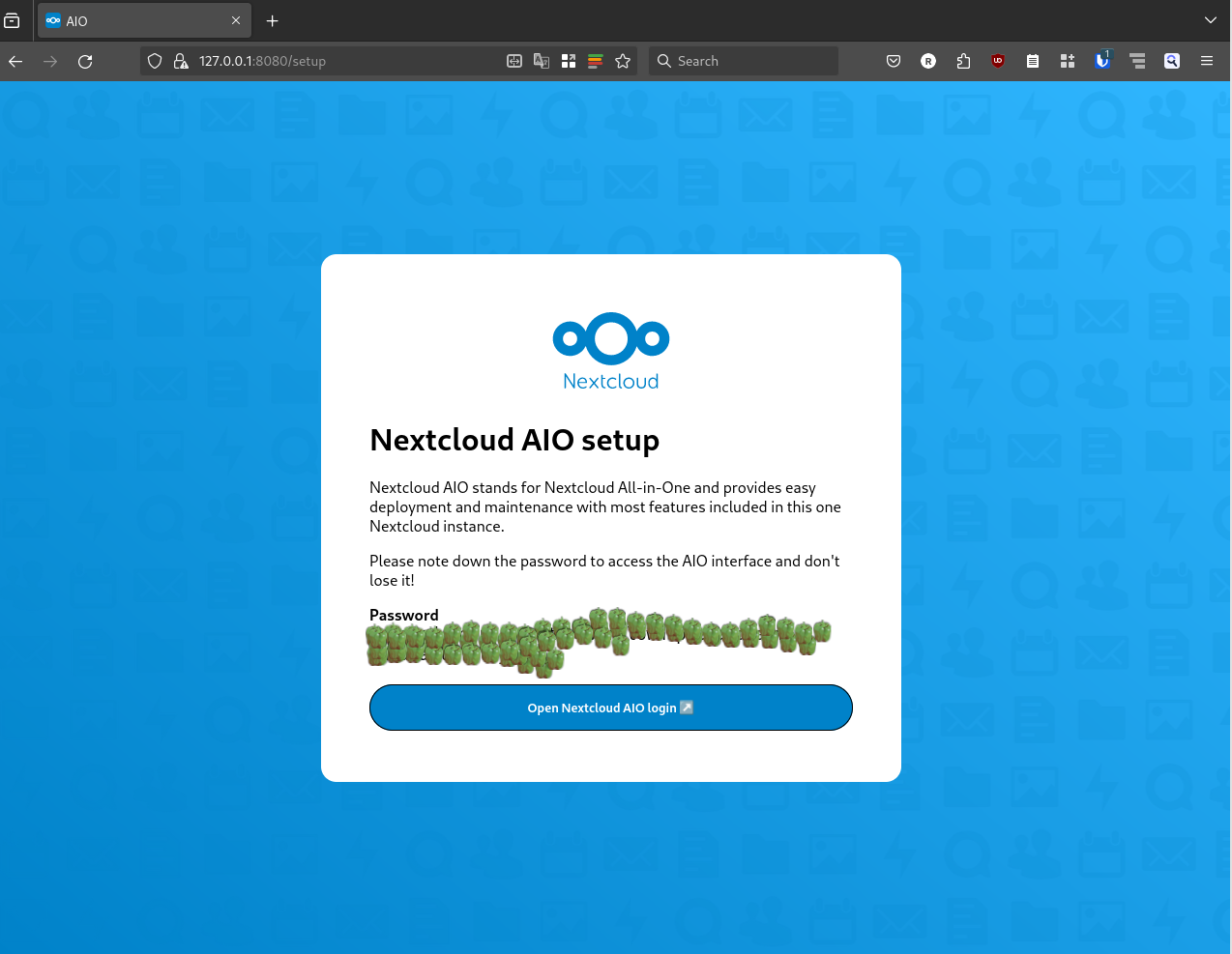 nextcloud AIO initial screen with capsicums as password
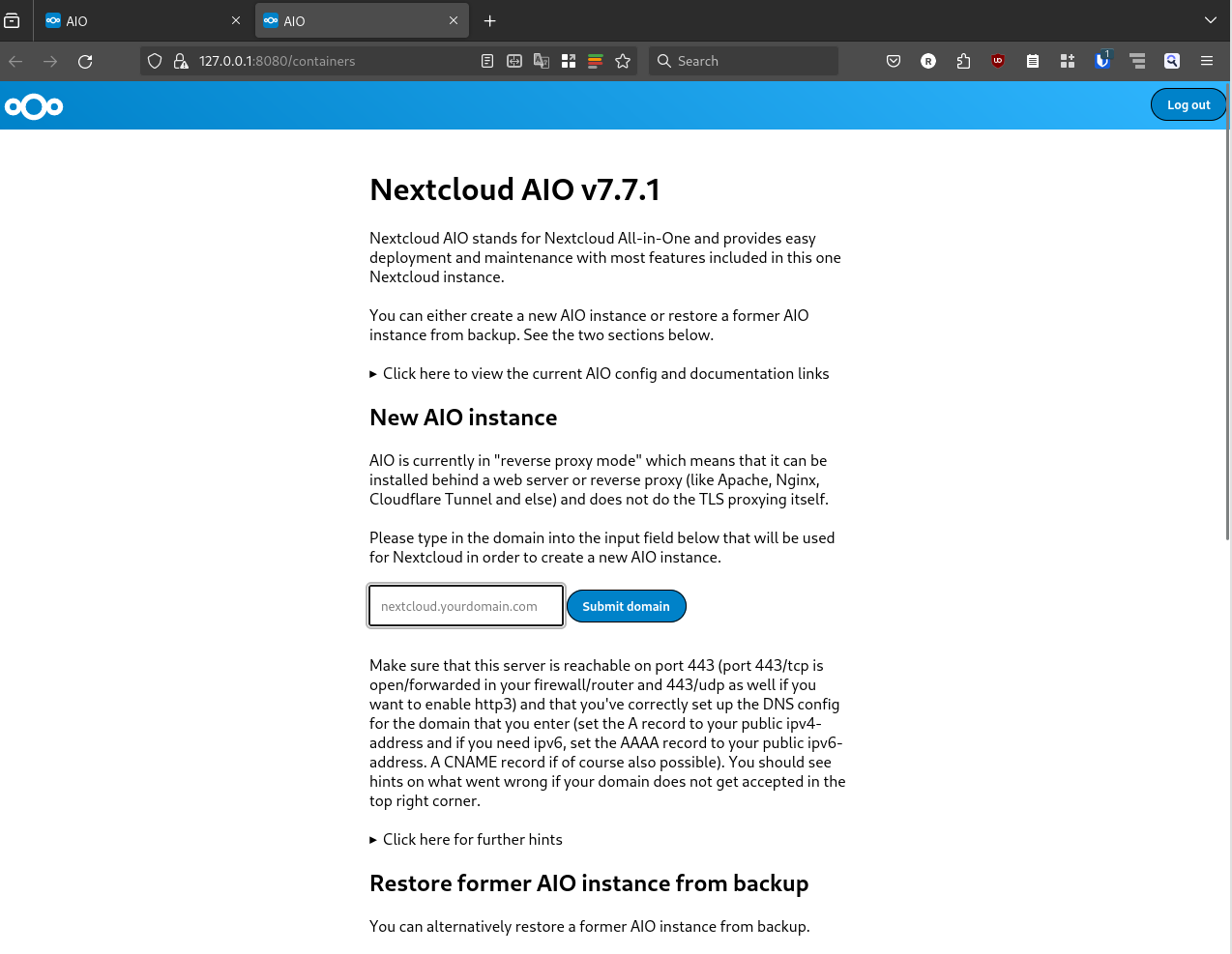
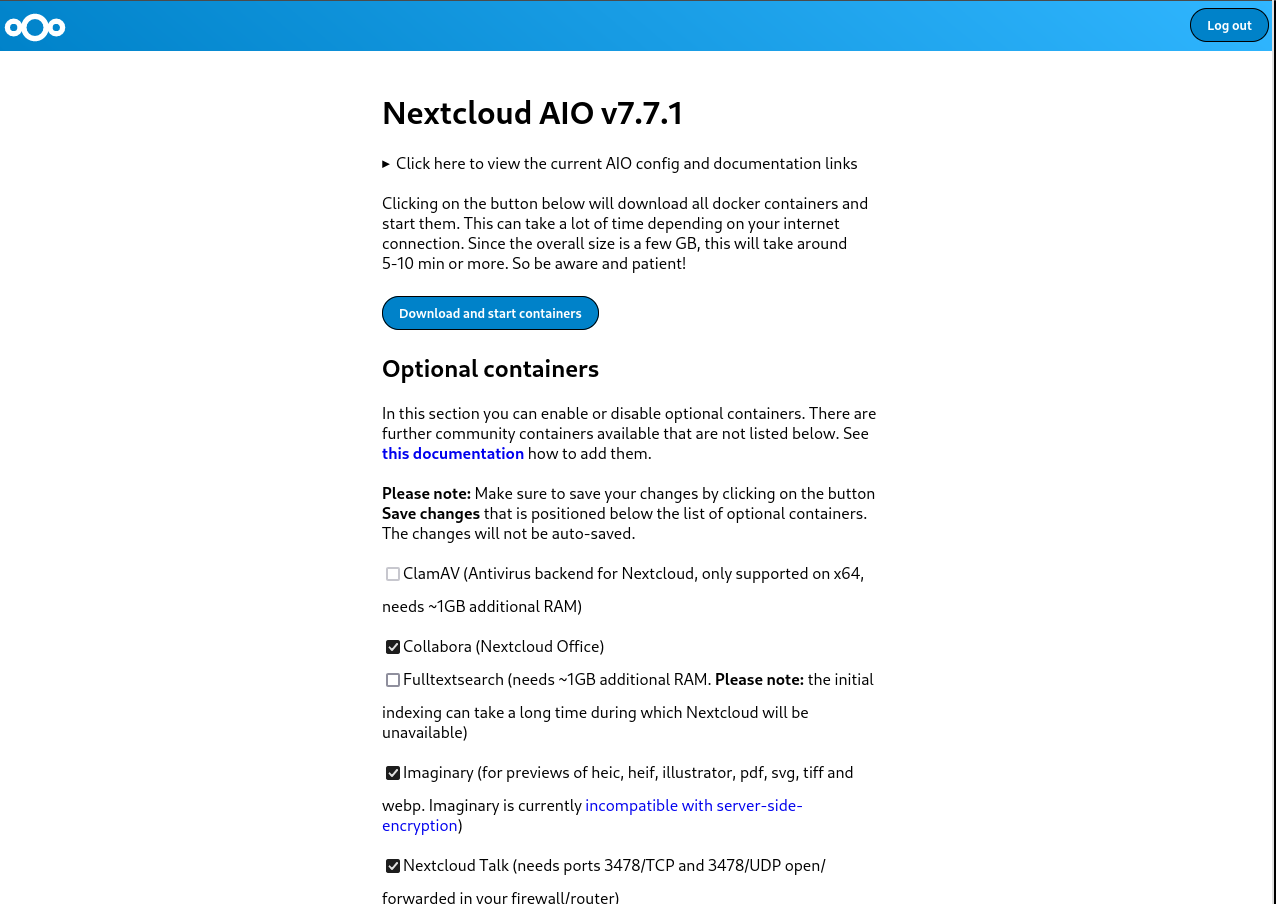
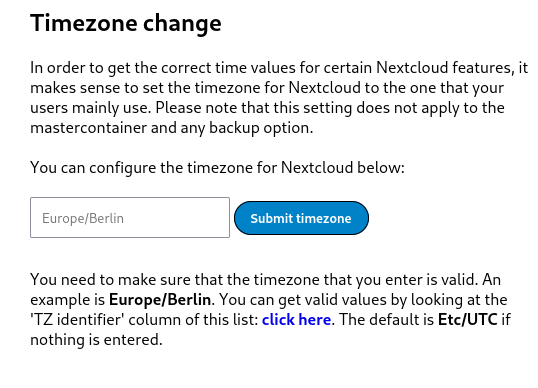
sahilister . Once you are done changing the timezone, and selecting any additional features you want, you can click on Download and start the containersIt will take some time for this process to finish, take a break and look at the farthest object in your room and take a sip of water. Once you are done, and the process has finished you will see a page similar to the following one. 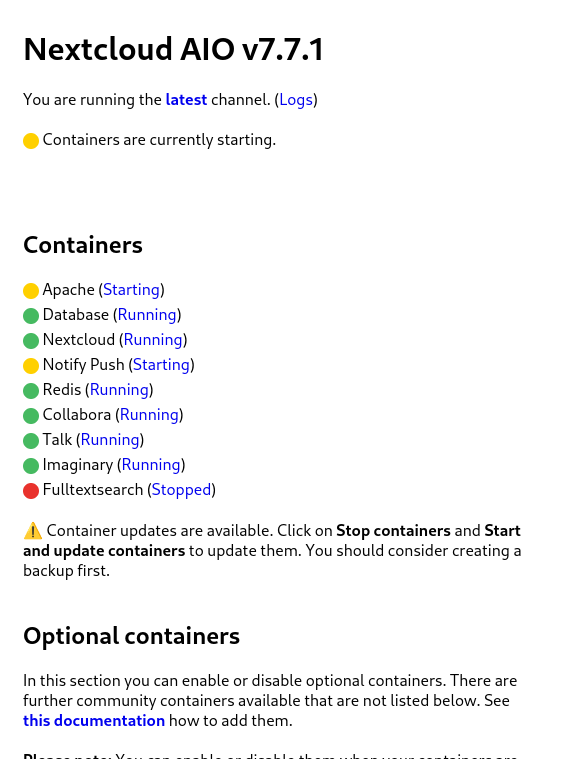
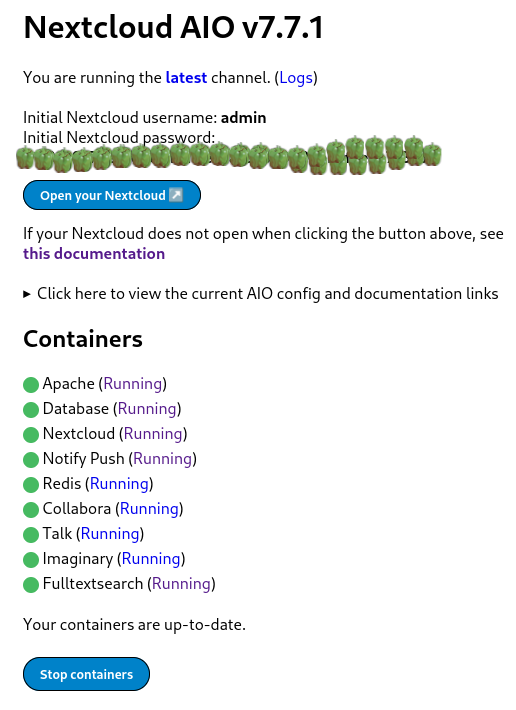
Open your Nextcloud button or go to your configured domain to access the login screen. 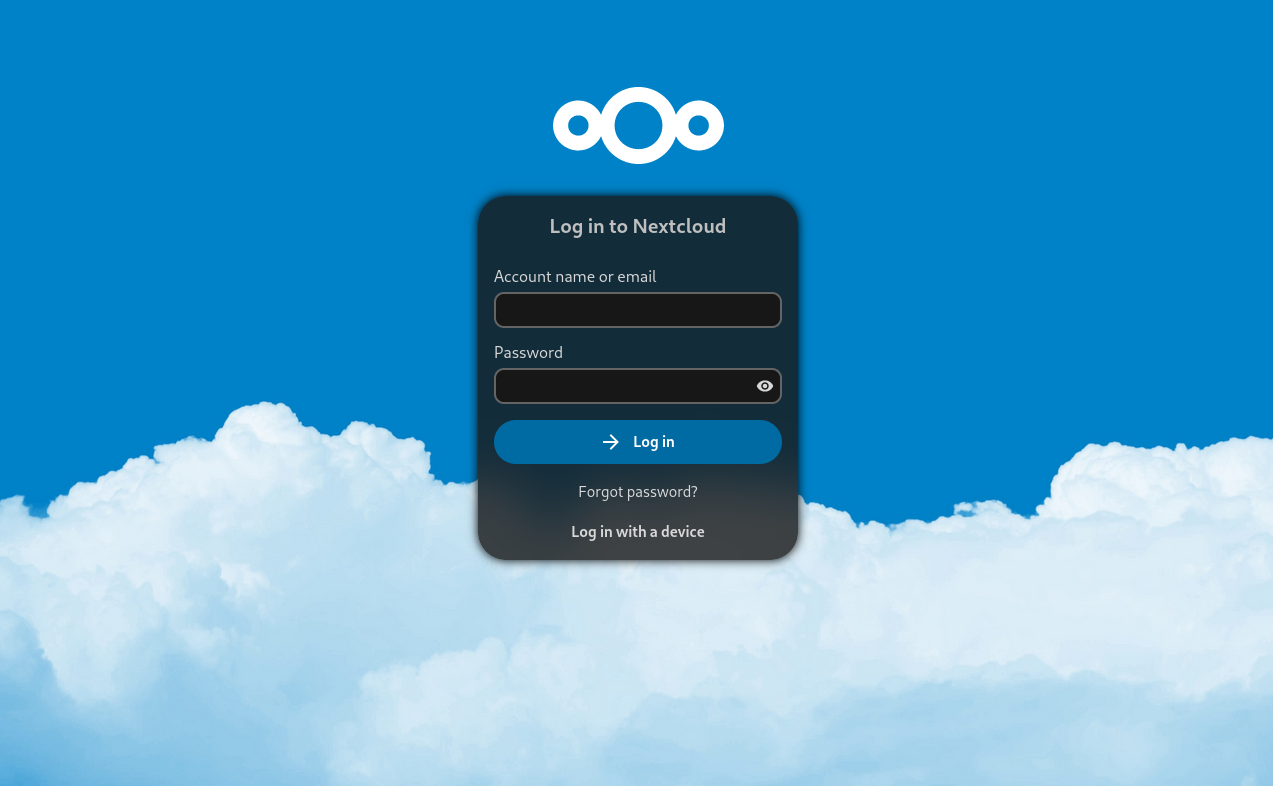
docker-compose -f compose.yml down -vdocker stop nextcloud-aio-apache nextcloud-aio-notify-push nextcloud-aio-nextcloud nextcloud-aio-imaginary nextcloud-aio-fulltextsearch nextcloud-aio-redis nextcloud-aio-database nextcloud-aio-talk nextcloud-aio-collaboradocker rm nextcloud-aio-apache nextcloud-aio-notify-push nextcloud-aio-nextcloud nextcloud-aio-imaginary nextcloud-aio-fulltextsearch nextcloud-aio-redis nextcloud-aio-database nextcloud-aio-talk nextcloud-aio-collaboradocker rmi $(docker images --filter "reference=nextcloud/*" -q)docker volume rm <volume-name>docker network rm nextcloud-aioMulti-Arch: same
file loss. It was found that the proposed
mitigation for ineffective diversions does
not work as expected. Trying to fix it up resulted in more problems, some of
which remain unsolved as of this writing.
Initial work on moving shared libraries in the essential set has been done.
Meanwhile, the wider Debian community worked on fixing all known
Multi-Arch: same file loss scenarios. This work is now being driven by
Christian Hofstaedler and during the Mini DebConf in Cambridge, Chris Boot,
tienne Mollier, Miguel Landaeta, Samuel Henrique, and Utkarsh Gupta sent
the other half of the necessary patches.
/dev/fd/N from fuse3 to fuse2.piuparts.Next.
