Search Results: "reg"

4 May 2025

Russ Allbery: Review: The Book That Held Her Heart

Review: The Book That Held Her Heart, by Mark Lawrence
Series: Library Trilogy #3
Publisher: ACE
Copyright: 2025
ISBN: 0-593-43799-3
Format: Kindle
Pages: 367
The Book That Held Her Heart is the third and final book of the Library fantasy trilogy and a direct sequel to The Book That Broke the World. Lawrence provides a much-needed summary of the previous volumes at the start of this book (thank you to every author who does this!), but I was still struggling a bit with the blizzard of character names. I recommend reading this series entry in relatively close proximity to the other two. At the end of the previous book, and following some rather horrific violence, the cast split into four groups. Three of those are pursuing different resolutions to the moral problem of the Library's existence. The fourth group opens the book still stuck with the series villains, who were responsible for the over-the-top morality that undermined my enjoyment of The Book That Broke the World. Lawrence follows all four groups in interwoven chapters, maintaining that complex structure through most of this book. I thought this was a questionable structural decision that made this book feel choppy, disconnected, and unnecessarily confusing. The larger problem, though, is that this is the payoff book, the book where we find out if Lawrence is equal to the tricky ethical questions he's raised and the world-building masterpiece that The Book That Wouldn't Burn kicked off. The answer, unfortunately, is "not really." This is not a total failure; there are some excellent set pieces and world-building twists, and the characters remain likable and enjoyable to read about (although the regrettable sidelining of Livira continues). But the grand finale is weirdly conservative and not particularly grand, and Lawrence's answer to the moral questions he raised is cliched and wholly unsatisfying. I was really hoping Lawrence was going somewhere more interesting than "Nazis bad." I am entirely sympathetic to this moral position, but so is every other likely reader of this series, and we all know how that story goes. What a waste of a compelling setup. Sadly, "Nazis bad" isn't even a metaphor for the black-and-white morality that Lawrence first introduced at the end of the previous book. It's a literal description of the main moral thrust of this book. Lawrence introduces yet another new character and timeline so that he can write about thinly-disguised Nazis persecuting even more thinly-disguised Jews, and this conflict is roughly half this book. It's also integral to the ending, which uses obvious, stock secular sainthood as a sort of trump card to resolve ideological conflicts at the heart of the series. This is one of the things I was worried about after I read the short stories that Lawrence published between the volumes of this series. All of them were thuddingly trite, which did not make me optimistic that Lawrence would find a sufficiently interesting answer to his moral trilemma to satisfy the high expectations created by the build-up. That is, I am sad to report, precisely the failure mode of this book. The resolution of the moral question of the series is arguably radical within the context of the prior world-building, but in a way that effectively reduces it to the boring, small-c conservative bromides of everyday reality. This is precisely the opposite of why I read fantasy, and I did not find Lawrence's arguments for it at all convincing. Neither, I think, did Lawrence, given that the critical debate takes place off camera so that he could avoid having to present the argument. This is, unfortunately, another series where the author's reach exceeded their grasp. The world-building of The Book That Wouldn't Burn is a masterpiece that created one of the most original and compelling settings that I have read in fantasy for a long time, but unfortunately Lawrence did not have an equally original plan for how to use the setting. This is a common problem and I'm not going to judge it too harshly; it's much harder to end a series than it is to start one. I thought the occasional flashes of brilliance was worth the journey, and they continue into this book with some elaborations on the Library's mythic structure that are going to stick in my mind. You can sense the story slipping away from the hoped-for conclusion as you read, though. The story shifts more and more away from the setting and the world-building and towards character stories, and while Lawrence's characters are fine, they're not that novel. I am happy to read about Clovis and Arpix, but I can read variations of that story in a lot of places. Livira never recovers her dynamism and drive from the first book, and there is much less beneath Yute's thoughtful calm than I was hoping to find. I think Lawrence knows that the story was not entirely working because the narrative voice becomes more strident as the morality becomes less interesting. I know of only one fantasy author who can make this type of overbearing and freighted narrative style work, and Lawrence is sadly not Guy Gavriel Kay. This is not a bad book. It is an enjoyable adventure story on its own terms, with some moments of real beauty and awe and a handful of memorable characters, somewhat undermined by a painfully obvious and unoriginal moral frame. It's only a disappointment in the context of what came before it, and it is far from the first series conclusion that doesn't quite live up to the earlier volumes. I'm glad that I read it, and the series as a whole, and I do appreciate that Lawrence brought the whole series to a firm and at least somewhat satisfying conclusion in the promised number of volumes. But I do wish the series as a whole had been as special as the first book. Rating: 6 out of 10

2 May 2025

Daniel Lange: The Stallman wars

So, 2021 isn't bad enough yet, but don't despair, people are working to fix that:

Welcome to the Stallman wars Team Cancel: https://rms-open-letter.github.io/ (repo) Team Support: https://rms-support-letter.github.io/ (repo) Current Final stats are:

Team Cancel:  3019 signers from 1415 individual commit authors
Team Support: 6853 signers from 5418 individual commit authors
Git shortlog (Top 10):
rms_cancel.git (Last update: 2021-08-16 00:11:15 (UTC))
  1230  Neil McGovern
   251  Joan Touzet
    99  Elana Hashman
    73  Molly de Blanc
    36  Shauna
    19  Juke
    18  Stefano Zacchiroli
    17  Alexey Mirages
    16  Devin Halladay
    14  Nader Jafari
rms_support.git (Last update: 2021-09-29 07:14:39 (UTC))
  1821  shenlebantongying
  1585  nukeop
  1560  Ivanq
  1057  Victor
   880  Job Bautista
   123  nekonee
   101  Victor Gridnevsky
    41  Patrick Spek
    25  Borys Kabakov
    17  KIM Taeyeob
(data as of 2021-10-01) Technical info:
Signers are counted from their "Signed / Individuals" sections. Commits are counted with git shortlog -s.
Team Cancel also has organizational signatures with Mozilla, Suse and X.Org being among the notable signatories. The 16 original signers of the Cancel petition are added in their count. Neil McGovern, Juke and shenlebantongying need .mailmap support as they have committed with different names. Further reading: 12.04.2021 Statements from the accused 18.04.2021 Debian General Resolution The Debian General Resolution (GR) vote of the developers has concluded to not issue a public statement at all, see https://www.debian.org/vote/2021/vote_002#outcome for the results.
It is better to keep quiet and seem ignorant than to speak up and remove all doubt.
See Quote Investigator for the many people that rephrased these words over the centuries. They still need to be recalled more often as too many people in the FLOSS community have forgotten about that wisdom... 01.10.2021 Final stats It seems enough dust has settled on this unfortunate episode of mob activity now. Hence I stopped the cronjob that updated the stats above regularly. Team Support has kept adding signature all the time while Team Cancel gave up very soon after the FSF decided to stand with Mr. Stallman. So this battle was decided within two months. The stamina of the accused and determined support from some dissenting web devs trumped the orchestrated outrage of well known community figures and their publicity power this time. But history teaches us that does not mean the war is over. There will a the next opportunity to call for arms. And people will call. Unfortunately. 01.11.2024 Team Cancel is opening a new round; Team Support responds with exposing the author of "The Stallman report" I hate to be right. Three years later than the above: An anonymous member of team Cancel has published https://stallman-report.org/ [local pdf mirror, 504kB] to "justify our unqualified condemnation of Richard Stallman". It contains a detailed collection of quotes that are used to allege supporting (sexual) misconduct. The demand is again that Mr. Stallman "step[s] down from all positions at the FSF and the GNU project". Addressing him: "the scope and extent of your misconduct disqualifies you from formal positions of power within our community indefinitely". Team Support has not issues a rebuttal (yet?) but has instead identified the anonymous author as Drew "sircmpwn" DeVault, a gifted software developer, but also a vocal and controversial figure in the Open Source / Free Software space. Ironically quite similar to Richard "rms" Stallman. Their piece is published at https://dmpwn.info/ [local pdf mirror, 929kB]. They also allege a proximity of Mr. DeVault to questionable "Lolita" anime preferences and societal positions to disqualify him.

Ben Hutchings: FOSS activity in April 2025

I also co-organised a Debian BSP (Bug-Squashing Party) last weekend, for which I will post a separate report later.

1 May 2025

Jonathan McDowell: Local Voice Assistant Step 2: Speech to Text and back

Having setup an ATOM Echo Voice Satellite and hooked it up to Home Assistant we now need to actually do something with the captured audio. Home Assistant largely deals with voice assistants using the Wyoming Protocol, which describes itself as essentially JSONL + PCM audio. It works nicely in terms of meaning everything can exist as separate modules that then just communicate over network sockets, and there are a whole bunch of Python implementations of the pieces necessary. The first bit I looked at was speech to text; how do I get what I say to the voice satellite into something that Home Assistant can try and parse? There is a nice self contained speech recognition tool called whisper.cpp, which is a low dependency implementation of inference using OpenAI s Whisper model. This is wrapped up for Wyoming as part of wyoming-whisper-cpp. Here we get into something that unfortunately seems common in this space; the repo contains a forked copy of whisper.cpp with enough differences that I couldn t trivially make it work with regular whisper.cpp. That means missing out on new development, and potential improvements (the fork appears to be at v1.5.4, upstream is up to v1.7.5 at the time of writing). However it was possible to get up and running easily enough. [I note there is a Wyoming Whisper API client that can use the whisper.cpp server, and that might be a cleaner way to go in the future, especially if whisper.cpp ends up in Debian.] I stated previously I wanted all of this to be as clean an installed on Debian stable as possible. Given most of this isn t packaged, that s meant I ve packaged things up as I go. I m not at the stage anything is suitable for upload to Debian proper, but equally I ve tried to make them a reasonable starting point. No pre-built binaries available, just Salsa git repos. https://salsa.debian.org/noodles/wyoming-whisper-cpp in this case. You need python3-wyoming from trixie if you re building for bookworm, but it doesn t need rebuilt. You need a Whisper model that s been converts to ggml format; they can be found on Hugging Face. I ve ended up using the base.en model. I found small.en gave more accurate results, but took a little longer, when doing random testing, but it doesn t seem to make much of a difference for voice control rather than plain transcribing. [One of the open questions about uploading this to Debian is around the use of a prebuilt AI model. I don t know what the right answer is here, and whether the voice infrastructure could ever be part of Debian proper, but the current discussion on the interpretation of the DFSG on AI models is very relevant.] I run this in the same container as my Home Assistant install, using a systemd unit file dropped in /etc/systemd/system/wyoming-whisper-cpp.service:
[Unit]
Description=Wyoming whisper.cpp server
After=network.target
[Service]
Type=simple
DynamicUser=yes
ExecStart=wyoming-whisper-cpp --uri tcp://localhost:10030 --model base.en
MemoryDenyWriteExecute=false
ProtectControlGroups=true
PrivateDevices=false
ProtectKernelTunables=true
ProtectSystem=true
RestrictRealtime=true
RestrictNamespaces=true
[Install]
WantedBy=multi-user.target
It needs the Wyoming Protocol integration enabled in Home Assistant; you can Add Entry and enter localhost + 10030 for host + port and it ll get added. Then in the Voice Assistant configuration there ll be a whisper.cpp option available. Text to speech turns out to be weirdly harder. The right answer is something like Wyoming Piper, but that turns out to be hard on bookworm. I ll come back to that in a future post. For now I took the easy option and used the built in Google Translate option in Home Assistant. That needed an extra stanza in configuration.yaml that wasn t entirely obvious:
media_source:
With this, and the ATOM voice satellite, I could now do basic voice control of my Home Assistant setup, with everything except the text-to-speech piece happening locally! Things such as Hey Jarvis, turn on the study light work out of the box. I haven t yet got into defining my own phrases, partly because I know some of the things I want ( What time is it? ) are already added in later Home Assistant versions than the one I m running. Overall I found this initially complicated to setup given my self-imposed constraints about actually understanding the building blocks and compiling them myself, but I ve been pretty impressed with the work that s gone into it all. Next step, running a voice satellite on a Debian box.

Guido G nther: Free Software Activities April 2025

Another short status update of what happened on my side last month. Notable might be the Cell Broadcast support for Qualcomm SoCs, the rest is smaller fixes and QoL improvements. phosh phoc phosh-mobile-settings pfs feedbackd feedbackd-device-themes gmobile Debian git-buildpackage wlroots ModemManager Libqmi gnome-clocks gnome-calls qmi-parse-kernel-dump xwayland-run osmo-cbc phosh-nightly Blog posts Bugs Reviews This is not code by me but reviews on other peoples code. The list is (as usual) slightly incomplete. Thanks for the contributions! Help Development If you want to support my work see donations. Comments? Join the Fediverse thread

30 April 2025

Russell Coker: Links April 2025

Asianometry has an interesting YouTube video about elecrolytic capacitors degrading and how they affect computers [1]. Keep your computers cool people! Biella Coleman (famous for studying the Anthropology of Debian) and Eric Reinhart wrote an interesting article about MAHA (Make America Healthy Again) and how it ended up doing exactly the opposite of what was intended [2]. SciShow has an informative video about lung cancer cases among non-smokers, the risk factors are genetics, Radon, and cooking [3]. Ian Jackson wrote an insightful blog post about whether Rust is woke [4]. Bruce Schneier write an interesting blog post about research into making AIs Trusted Third Parties [5]. This has the potential to solve some cryptology problems. CHERIoT is an interesting project for controlling all jump statements in RISC-V among other related security features [6]. We need this sort of thing for IoT devices that will run for years without change. Brian Krebs wrote an informative post about how Trump is attacking the 1st Amendment of the US Constitution [7]. The Register has an interesting summary of the kernel enclave and exclave functionality in recent Apple OSs [8]. Dr Gabor Mate wrote an interesting psychological analysis of Hillary Clinton and Donald Trump [9]. ChoiceJacking is an interesting variant of the JuiceJacking attack on mobile phones by hostile chargers [10]. They should require input for security sensitive events to come from the local hardware not USB or Bluetooth.

Simon Josefsson: Building Debian in a GitLab Pipeline

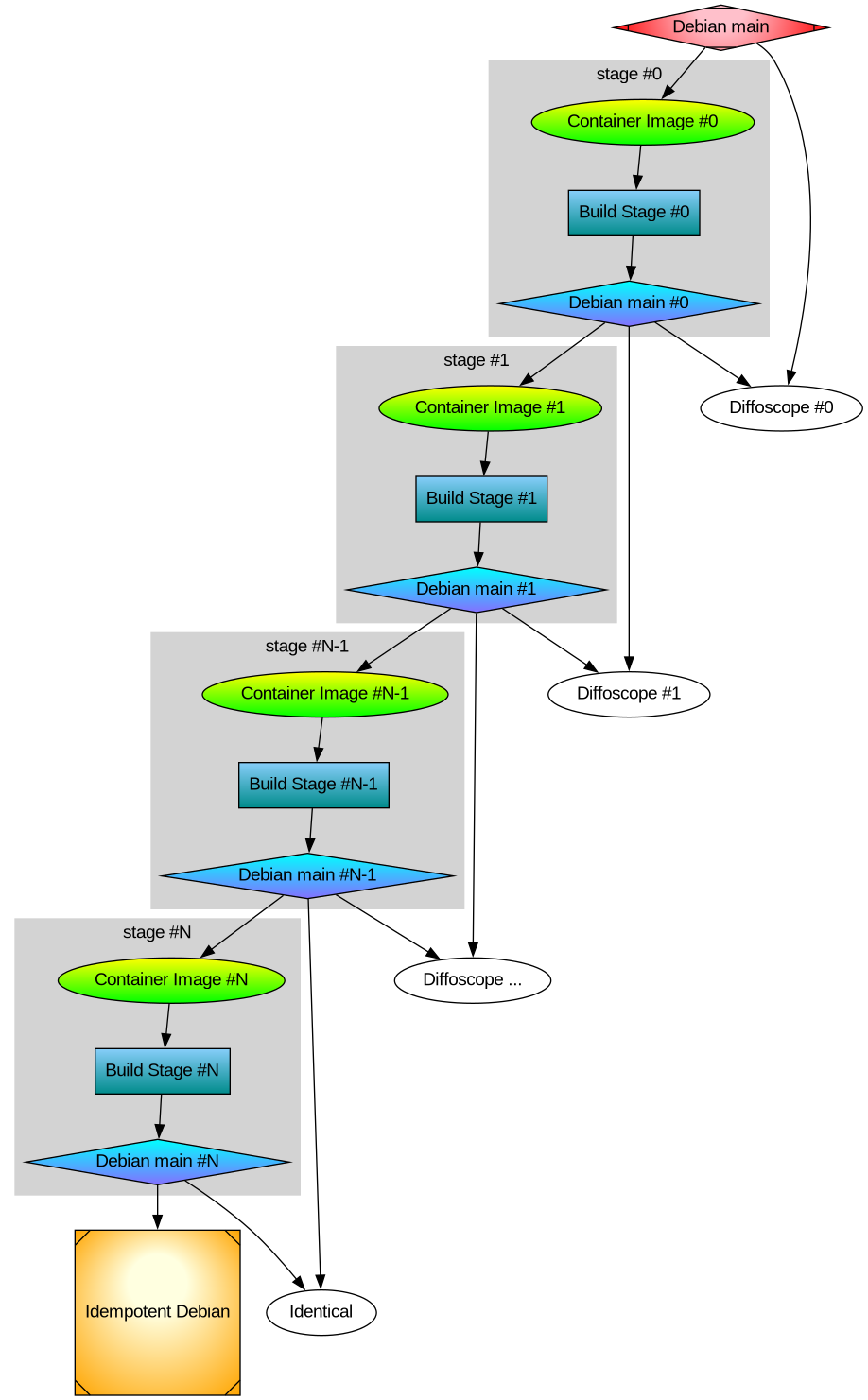
After thinking about multi-stage Debian rebuilds I wanted to implement the idea. Recall my illustration:
Earlier I rebuilt all packages that make up the difference between Ubuntu and Trisquel. It turned out to be a 42% bit-by-bit identical similarity. To check the generality of my approach, I rebuilt the difference between Debian and Devuan too. That was the debdistreproduce project. It only had to orchestrate building up to around 500 packages for each distribution and per architecture. Differential reproducible rebuilds doesn t give you the full picture: it ignore the shared package between the distribution, which make up over 90% of the packages. So I felt a desire to do full archive rebuilds. The motivation is that in order to trust Trisquel binary packages, I need to trust Ubuntu binary packages (because that make up 90% of the Trisquel packages), and many of those Ubuntu binaries are derived from Debian source packages. How to approach all of this? Last year I created the debdistrebuild project, and did top-50 popcon package rebuilds of Debian bullseye, bookworm, trixie, and Ubuntu noble and jammy, on a mix of amd64 and arm64. The amount of reproducibility was lower. Primarily the differences were caused by using different build inputs. Last year I spent (too much) time creating a mirror of snapshot.debian.org, to be able to have older packages available for use as build inputs. I have two copies hosted at different datacentres for reliability and archival safety. At the time, snapshot.d.o had serious rate-limiting making it pretty unusable for massive rebuild usage or even basic downloads. Watching the multi-month download complete last year had a meditating effect. The completion of my snapshot download co-incided with me realizing something about the nature of rebuilding packages. Let me below give a recap of the idempotent rebuilds idea, because it motivate my work to build all of Debian from a GitLab pipeline. One purpose for my effort is to be able to trust the binaries that I use on my laptop. I believe that without building binaries from source code, there is no practically feasible way to trust binaries. To trust any binary you receive, you can de-assemble the bits and audit the assembler instructions for the CPU you will execute it on. Doing that on a OS-wide level this is unpractical. A more practical approach is to audit the source code, and then confirm that the binary is 100% bit-by-bit identical to one that you can build yourself (from the same source) on your own trusted toolchain. This is similar to a reproducible build. My initial goal with debdistrebuild was to get to 100% bit-by-bit identical rebuilds, and then I would have trustworthy binaries. Or so I thought. This also appears to be the goal of reproduce.debian.net. They want to reproduce the official Debian binaries. That is a worthy and important goal. They achieve this by building packages using the build inputs that were used to build the binaries. The build inputs are earlier versions of Debian packages (not necessarily from any public Debian release), archived at snapshot.debian.org. I realized that these rebuilds would be not be sufficient for me: it doesn t solve the problem of how to trust the toolchain. Let s assume the reproduce.debian.net effort succeeds and is able to 100% bit-by-bit identically reproduce the official Debian binaries. Which appears to be within reach. To have trusted binaries we would only have to audit the source code for the latest version of the packages AND audit the tool chain used. There is no escaping from auditing all the source code that s what I think we all would prefer to focus on, to be able to improve upstream source code. The trouble is about auditing the tool chain. With the Reproduce.debian.net approach, that is a recursive problem back to really ancient Debian packages, some of them which may no longer build or work, or even be legally distributable. Auditing all those old packages is a LARGER effort than auditing all current packages! Doing auditing of old packages is of less use to making contributions: those releases are old, and chances are any improvements have already been implemented and released. Or that improvements are no longer applicable because the projects evolved since the earlier version. See where this is going now? I reached the conclusion that reproducing official binaries using the same build inputs is not what I m interested in. I want to be able to build the binaries that I use from source using a toolchain that I can also build from source. And preferably that all of this is using latest version of all packages, so that I can contribute and send patches for them, to improve matters. The toolchain that Reproduce.Debian.Net is using is not trustworthy unless all those ancient packages are audited or rebuilt bit-by-bit identically, and I don t see any practical way forward to achieve that goal. Nor have I seen anyone working on that problem. It is possible to do, though, but I think there are simpler ways to achieve the same goal. My approach to reach trusted binaries on my laptop appears to be a three-step effort: How to go about achieving this? Today s Debian build architecture is something that lack transparency and end-user control. The build environment and signing keys are managed by, or influenced by, unidentified people following undocumented (or at least not public) security procedures, under unknown legal jurisdictions. I always wondered why none of the Debian-derivates have adopted a modern GitDevOps-style approach as a method to improve binary build transparency, maybe I missed some project? If you want to contribute to some GitHub or GitLab project, you click the Fork button and get a CI/CD pipeline running which rebuild artifacts for the project. This makes it easy for people to contribute, and you get good QA control because the entire chain up until its artifact release are produced and tested. At least in theory. Many projects are behind on this, but it seems like this is a useful goal for all projects. This is also liberating: all users are able to reproduce artifacts. There is no longer any magic involved in preparing release artifacts. As we ve seen with many software supply-chain security incidents for the past years, where the magic is involved is a good place to introduce malicious code. To allow me to continue with my experiment, I thought the simplest way forward was to setup a GitDevOps-centric and user-controllable way to build the entire Debian archive. Let me introduce the debdistbuild project. Debdistbuild is a re-usable GitLab CI/CD pipeline, similar to the Salsa CI pipeline. It provide one build job definition and one deploy job definition. The pipeline can run on GitLab.org Shared Runners or you can set up your own runners, like my GitLab riscv64 runner setup. I have concerns about relying on GitLab (both as software and as a service), but my ideas are easy to transfer to some other GitDevSecOps setup such as Codeberg.org. Self-hosting GitLab, including self-hosted runners, is common today, and Debian rely increasingly on Salsa for this. All of the build infrastructure could be hosted on Salsa eventually. The build job is simple. From within an official Debian container image build packages using dpkg-buildpackage essentially by invoking the following commands.
sed -i 's/ deb$/ deb deb-src/' /etc/apt/sources.list.d/*.sources
apt-get -o Acquire::Check-Valid-Until=false update
apt-get dist-upgrade -q -y
apt-get install -q -y --no-install-recommends build-essential fakeroot
env DEBIAN_FRONTEND=noninteractive \
    apt-get build-dep -y --only-source $PACKAGE=$VERSION
useradd -m build
DDB_BUILDDIR=/build/reproducible-path
chgrp build $DDB_BUILDDIR
chmod g+w $DDB_BUILDDIR
su build -c "apt-get source --only-source $PACKAGE=$VERSION" > ../$PACKAGE_$VERSION.build
cd $DDB_BUILDDIR
su build -c "dpkg-buildpackage"
cd ..
mkdir out
mv -v $(find $DDB_BUILDDIR -maxdepth 1 -type f) out/
The deploy job is also simple. It commit artifacts to a Git project using Git-LFS to handle large objects, essentially something like this:
if ! grep -q '^pool/**' .gitattributes; then
    git lfs track 'pool/**'
    git add .gitattributes
    git commit -m"Track pool/* with Git-LFS." .gitattributes
fi
POOLDIR=$(if test "$(echo "$PACKAGE"   cut -c1-3)" = "lib"; then C=4; else C=1; fi; echo "$DDB_PACKAGE"   cut -c1-$C)
mkdir -pv pool/main/$POOLDIR/
rm -rfv pool/main/$POOLDIR/$PACKAGE
mv -v out pool/main/$POOLDIR/$PACKAGE
git add pool
git commit -m"Add $PACKAGE." -m "$CI_JOB_URL" -m "$VERSION" -a
if test "$ DDB_GIT_TOKEN:- " = ""; then
    echo "SKIP: Skipping git push due to missing DDB_GIT_TOKEN (see README)."
else
    git push -o ci.skip
fi
That s it! The actual implementation is a bit longer, but the major difference is for log and error handling. You may review the source code of the base Debdistbuild pipeline definition, the base Debdistbuild script and the rc.d/-style scripts implementing the build.d/ process and the deploy.d/ commands. There was one complication related to artifact size. GitLab.org job artifacts are limited to 1GB. Several packages in Debian produce artifacts larger than this. What to do? GitLab supports up to 5GB for files stored in its package registry, but this limit is too close for my comfort, having seen some multi-GB artifacts already. I made the build job optionally upload artifacts to a S3 bucket using SHA256 hashed file hierarchy. I m using Hetzner Object Storage but there are many S3 providers around, including self-hosting options. This hierarchy is compatible with the Git-LFS .git/lfs/object/ hierarchy, and it is easy to setup a separate Git-LFS object URL to allow Git-LFS object downloads from the S3 bucket. In this mode, only Git-LFS stubs are pushed to the git repository. It should have no trouble handling the large number of files, since I have earlier experience with Apt mirrors in Git-LFS. To speed up job execution, and to guarantee a stable build environment, instead of installing build-essential packages on every build job execution, I prepare some build container images. The project responsible for this is tentatively called stage-N-containers. Right now it create containers suitable for rolling builds of trixie on amd64, arm64, and riscv64, and a container intended for as use the stage-0 based on the 20250407 docker images of bookworm on amd64 and arm64 using the snapshot.d.o 20250407 archive. Or actually, I m using snapshot-cloudflare.d.o because of download speed and reliability. I would have prefered to use my own snapshot mirror with Hetzner bandwidth, alas the Debian snapshot team have concerns about me publishing the list of (SHA1 hash) filenames publicly and I haven t been bothered to set up non-public access. Debdistbuild has built around 2.500 packages for bookworm on amd64 and bookworm on arm64. To confirm the generality of my approach, it also build trixie on amd64, trixie on arm64 and trixie on riscv64. The riscv64 builds are all on my own hosted runners. For amd64 and arm64 my own runners are only used for large packages where the GitLab.com shared runners run into the 3 hour time limit. What s next in this venture? Some ideas include: What do you think?

Utkarsh Gupta: FOSS Activites in April 2025

Here s my 67th monthly but brief update about the activities I ve done in the F/L/OSS world.

Debian
This was my 76th month of actively contributing to Debian. I became a DM in late March 2019 and a DD on Christmas 19! \o/ There s a bunch of things I do, both, technical and non-technical. Here s what I did:
  • Updating Matomo to v5.3.1.
  • Lots of bursary stuff for DC25. We rolled out the results for the first batch.
  • Helping Andreas Tille with and around FTP team bits.
  • Mentoring for newcomers.
  • Moderation of -project mailing list.

Ubuntu
This was my 51st month of actively contributing to Ubuntu. I joined Canonical to work on Ubuntu full-time back in February 2021. Whilst I can t give a full, detailed list of things I did (there s so much and some of it might not be public yet!), here s a quick TL;DR of what I did:
  • Released 25.04 Plucky Puffin! \o/
  • Helped open the 25.10 Questing Quokka archive. Let the development begin!
  • Jon, VP of Engineering, asked me to lead the Canonical Release team - that was definitely not something I saw coming. :)
  • We re now doing Ubuntu monthly releases for the devel releases - I ll be the tech lead for the project.
  • Preparing for the May sprints - too many new things and new responsibilities. :)

Debian (E)LTS
Debian Long Term Support (LTS) is a project to extend the lifetime of all Debian stable releases to (at least) 5 years. Debian LTS is not handled by the Debian security team, but by a separate group of volunteers and companies interested in making it a success. And Debian Extended LTS (ELTS) is its sister project, extending support to the stretch and jessie release (+2 years after LTS support). This was my 67th month as a Debian LTS and 54th month as a Debian ELTS paid contributor.
Due to DC25 bursary work, Ubuntu 25.04 release, and other travel bits, I only worked for 2.00 hours for LTS and 4.50 hours for ELTS. I did the following things:
  • [ELTS] Had already backported patches for adminer for the following CVEs:
    • CVE-2023-45195: a SSRF attack.
    • CVE-2023-45196: a denial of service attack.
    • Salsa repository: https://salsa.debian.org/lts-team/packages/adminer.
    • As the same CVEs are affected LTS, we decided to release for LTS first and then for ELTS but since I had no hours for LTS, I decided to do a bit more of testing for ELTS to make sure things don t regress in buster.
    • Will prepare LTS (and also s-p-u, sigh) updates this month and get back to ELTS thereafter.
  • [LTS] Started to prepare the LTS update for adminer for the same CVEs as for ELTS:
    • CVE-2023-45195: a SSRF attack.
    • CVE-2023-45196: a denial of service attack.
    • Haven t fully backported the patch yet but this is what I intend to do for this month (now that I have hours :D).
  • [LTS] Partially attended the LTS meeting on Jitsi. Summary here.
    • Partially because I was fighting SSO auth issues with Jitsi. Looks like there were some upstream issues/activity and it was resulting in gateway crashes but all good now.
    • I was following the running notes and keeping up with things as much as I could. :)

Until next time.
:wq for today.

29 April 2025

Petter Reinholdtsen: OpenSnitch 1.6.8 is now in Trixie

After some days of effort, I am happy to report that the great interactive application firewall OpenSnitch got a new version in Trixie, now with the Linux kernel based ebpf sniffer included for better accuracy. This new version made it possible for me to finally track down the rule required to avoid a deadlock when using it on a machine with the user home directory on NFS. The problematic connection originated from the Linux kernel itself, causing the /proc based version in Debian 12 to fail to properly attribute the connection and cause the OpenSnitch daemon to block while waiting for the Python GUI, which was unable to continue because the home directory was blocked waiting for the OpenSnitch daemon. A classic deadlock reported upstream for a more permanent solution. I really love the control over all the programs and web pages calling home that OpenSnitch give me. Just today I discovered a strange connection to sb-ssl.google.com when I pulled up a PDF passed on to me via a Mattermost installation. It is some times hard to know which connections to block and which to go through, but after running it for a few months, the default rule set start to handle most regular network traffic and I only have to have a look at the more unusual connections. If you would like to know more about what your machines programs are doing, install OpenSnitch today. It is only a apt install opensnitch away. :) I hope to get the 1.6.9 version in experimental into Trixie before the archive enter hard freeze. This new version should have no relevant changes not already in the 1.6.8-11 edition, as it mostly contain Debian patches, but will give it a few days testing to see if there are any surprises. :) As usual, if you use Bitcoin and want to show your support of my activities, please send Bitcoin donations to my address 15oWEoG9dUPovwmUL9KWAnYRtNJEkP1u1b.

25 April 2025

Simon Josefsson: GitLab Runner with Rootless Privilege-less Capability-less Podman on riscv64

I host my own GitLab CI/CD runners, and find that having coverage on the riscv64 CPU architecture is useful for testing things. The HiFive Premier P550 seems to be a common hardware choice. The P550 is possible to purchase online. You also need a (mini-)ATX chassi, power supply (~500W is more than sufficient), PCI-to-M2 converter and a NVMe storage device. Total cost per machine was around $8k/ 8k for me. Assembly was simple: bolt everything, connect ATX power, connect cables for the front-panel, USB and and Audio. Be sure to toggle the physical power switch on the P550 before you close the box. Front-panel power button will start your machine. There is a P550 user manual available. Below I will guide you to install the GitLab Runner on the pre-installed Ubuntu 24.04 that ships with the P550, and configure it to use Podman in root-less mode and without the --privileged flag, without any additional capabilities like SYS_ADMIN. Presumably you want to migrate to some other OS instead; hey Trisquel 13 riscv64 I m waiting for you! I wouldn t recommend using this machine for anything sensitive, there is an awful lot of non-free and/or vendor-specific software installed, and the hardware itself is young. I am not aware of any riscv64 hardware that can run a libre OS, all of them appear to require non-free blobs and usually a non-mainline kernel.
apt-get install minicom
minicom -o -D /dev/ttyUSB3
#cmd: ifconfig
inet 192.168.0.2 netmask: 255.255.240.0
gatway 192.168.0.1
SOM_Mac0: 8c:00:00:00:00:00
SOM_Mac1: 8c:00:00:00:00:00
MCU_Mac: 8c:00:00:00:00:00
#cmd: setmac 0 CA:FE:42:17:23:00
The MAC setting will be valid after rebooting the carrier board!!!
MAC[0] addr set to CA:FE:42:17:23:00(ca:fe:42:17:23:0)
#cmd: setmac 1 CA:FE:42:17:23:01
The MAC setting will be valid after rebooting the carrier board!!!
MAC[1] addr set to CA:FE:42:17:23:01(ca:fe:42:17:23:1)
#cmd: setmac 2 CA:FE:42:17:23:02
The MAC setting will be valid after rebooting the carrier board!!!
MAC[2] addr set to CA:FE:42:17:23:02(ca:fe:42:17:23:2)
#cmd:
apt-get install openocd
wget https://raw.githubusercontent.com/sifiveinc/hifive-premier-p550-tools/refs/heads/master/mcu-firmware/stm32_openocd.cfg
echo 'acc115d283ff8533d6ae5226565478d0128923c8a479a768d806487378c5f6c3 stm32_openocd.cfg' sha256sum -c
openocd -f stm32_openocd.cfg &
telnet localhost 4444
...
echo 'ssh-ed25519 AAA...' > ~/.ssh/authorized_keys
sed -i 's;^#PasswordAuthentication.*;PasswordAuthentication no;' /etc/ssh/sshd_config
service ssh restart
parted /dev/nvme0n1 print
blkdiscard /dev/nvme0n1
parted /dev/nvme0n1 mklabel gpt
parted /dev/nvme0n1 mkpart jas-p550-nvm-02 ext2 1MiB 100% align-check optimal 1
parted /dev/nvme0n1 set 1 lvm on
partprobe /dev/nvme0n1
pvcreate /dev/nvme0n1p1
vgcreate vg0 /dev/nvme0n1p1
lvcreate -L 400G -n glr vg0
mkfs.ext4 -L glr /dev/mapper/vg0-glr
Now with a reasonable setup ready, let s install the GitLab Runner. The following is adapted from gitlab-runner s official installation instructions documentation. The normal installation flow doesn t work because they don t publish riscv64 apt repositories, so you will have to perform upgrades manually.
# wget https://s3.dualstack.us-east-1.amazonaws.com/gitlab-runner-downloads/latest/deb/gitlab-runner_riscv64.deb
# wget https://s3.dualstack.us-east-1.amazonaws.com/gitlab-runner-downloads/latest/deb/gitlab-runner-helper-images.deb
wget https://gitlab-runner-downloads.s3.amazonaws.com/v17.11.0/deb/gitlab-runner_riscv64.deb
wget https://gitlab-runner-downloads.s3.amazonaws.com/v17.11.0/deb/gitlab-runner-helper-images.deb
echo '68a4c2a4b5988a5a5bae019c8b82b6e340376c1b2190228df657164c534bc3c3 gitlab-runner-helper-images.deb' sha256sum -c
echo 'ee37dc76d3c5b52e4ba35cf8703813f54f536f75cfc208387f5aa1686add7a8c gitlab-runner_riscv64.deb' sha256sum -c
dpkg -i gitlab-runner-helper-images.deb gitlab-runner_riscv64.deb
Remember the NVMe device? Let s not forget to use it, to avoid wear and tear of the internal MMC root disk. Do this now before any files in /home/gitlab-runner appears, or you have to move them manually.
gitlab-runner stop
echo 'LABEL=glr /home/gitlab-runner ext4 defaults,noatime 0 1' >> /etc/fstab
systemctl daemon-reload
mount /home/gitlab-runner
Next install gitlab-runner and configure it. Replace token glrt-REPLACEME below with the registration token you get from your GitLab project s Settings -> CI/CD -> Runners -> New project runner. I used the tags riscv64 and a runner description of the hostname.
gitlab-runner register --non-interactive --url https://gitlab.com --token glrt-REPLACEME --name $(hostname) --executor docker --docker-image debian:stable
We install and configure gitlab-runner to use podman, and to use non-root user.
apt-get install podman
gitlab-runner stop
usermod --add-subuids 100000-165535 --add-subgids 100000-165535 gitlab-runner
You need to run some commands as the gitlab-runner user, but unfortunately some interaction between sudo/su and pam_systemd makes this harder than it should be. So you have to setup SSH for the user and login via SSH to run the commands. Does anyone know of a better way to do this?
# on the p550:
cp -a /root/.ssh/ /home/gitlab-runner/
chown -R gitlab-runner:gitlab-runner /home/gitlab-runner/.ssh/
# on your laptop:
ssh gitlab-runner@jas-p550-01
systemctl --user --now enable podman.socket
systemctl --user --now start podman.socket
loginctl enable-linger gitlab-runner gitlab-runner
systemctl status --user podman.socket
We modify /etc/gitlab-runner/config.toml as follows, replace 997 with the user id shown by systemctl status above. See feature flags documentation for more documentation.
...
[[runners]]
environment = ["FF_NETWORK_PER_BUILD=1", "FF_USE_FASTZIP=1"]
...
[runners.docker]
host = "unix:///run/user/997/podman/podman.sock"
Note that unlike the documentation I do not add the privileged = true parameter here. I will come back to this later. Restart the system to confirm that pushing a .gitlab-ci.yml with a job that uses the riscv64 tag like the following works properly.
dump-env-details-riscv64:
stage: build
image: riscv64/debian:testing
tags: [ riscv64 ]
script:
- set
Your gitlab-runner should now be receiving jobs and running them in rootless podman. You may view the log using journalctl as follows:
journalctl --follow _SYSTEMD_UNIT=gitlab-runner.service
To stop the graphical environment and disable some unnecessary services, you can use:
systemctl set-default multi-user.target
systemctl disable openvpn cups cups-browsed sssd colord
At this point, things were working fine and I was running many successful builds. Now starts the fun part with operational aspects! I had a problem when running buildah to build a new container from within a job, and noticed that aardvark-dns was crashing. You can use the Debian aardvark-dns binary instead.
wget http://ftp.de.debian.org/debian/pool/main/a/aardvark-dns/aardvark-dns_1.14.0-3_riscv64.deb
echo 'df33117b6069ac84d3e97dba2c59ba53775207dbaa1b123c3f87b3f312d2f87a aardvark-dns_1.14.0-3_riscv64.deb' sha256sum -c
mkdir t
cd t
dpkg -x ../aardvark-dns_1.14.0-3_riscv64.deb .
mv /usr/lib/podman/aardvark-dns /usr/lib/podman/aardvark-dns.ubuntu
mv usr/lib/podman/aardvark-dns /usr/lib/podman/aardvark-dns.debian
My setup uses podman in rootless mode without passing the privileged parameter or any add-cap parameters to add non-default capabilities. This is sufficient for most builds. However if you try to create container using buildah from within a job, you may see errors like this:
Writing manifest to image destination
Error: mounting new container: mounting build container "8bf1ec03d967eae87095906d8544f51309363ddf28c60462d16d73a0a7279ce1": creating overlay mount to /var/lib/containers/storage/overlay/23785e20a8bac468dbf028bf524274c91fbd70dae195a6cdb10241c345346e6f/merged, mount_data="lowerdir=/var/lib/containers/storage/overlay/l/I3TWYVYTRZ4KVYCT6FJKHR3WHW,upperdir=/var/lib/containers/storage/overlay/23785e20a8bac468dbf028bf524274c91fbd70dae195a6cdb10241c345346e6f/diff,workdir=/var/lib/containers/storage/overlay/23785e20a8bac468dbf028bf524274c91fbd70dae195a6cdb10241c345346e6f/work,volatile": using mount program /usr/bin/fuse-overlayfs: unknown argument ignored: lazytime
fuse: device not found, try 'modprobe fuse' first
fuse-overlayfs: cannot mount: No such file or directory
: exit status 1
According to GitLab runner security considerations, you should not enable the privileged = true parameter, and the alternative appears to run Podman as root with privileged=false. Indeed setting privileged=true as in the following example solves the problem, and I suppose running podman as root would too.
[[runners]]
[runners.docker]
privileged = true
Can we do better? After some experimentation, and reading open issues with suggested capabilities and configuration snippets, I ended up with the following configuration. It runs podman in rootless mode (as the gitlab-runner user) without --privileged, but add the CAP_SYS_ADMIN capability and exposes the /dev/fuse device. Still, this is running as non-root user on the machine, so I think it is an improvement compared to using --privileged and also compared to running podman as root.
[[runners]]
[runners.docker]
privileged = false
cap_add = ["SYS_ADMIN"]
devices = ["/dev/fuse"]
Still I worry about the security properties of such a setup, so I only enable these settings for a separately configured runner instance that I use when I need this docker-in-docker (oh, I meant buildah-in-podman) functionality. I found one article discussing Rootless Podman without the privileged flag that suggest isolation=chroot but I have yet to make this work. Suggestions for improvement are welcome. Happy Riscv64 Building! Update 2025-05-05: I was able to make it work without the SYS_ADMIN capability too, with a GitLab /etc/gitlab-runner/config.toml like the following:
[[runners]]
  [runners.docker]
    privileged = false
    devices = ["/dev/fuse"]
And passing --isolation chroot to Buildah like this:
buildah build --isolation chroot -t $CI_REGISTRY_IMAGE:name image/
I ve updated the blog title to add the word capability-less as well. I ve confirmed that the same recipe works on podman on a ppc64el platform too. Remaining loop-holes are escaping from the chroot into the non-root gitlab-runner user, and escalating that privilege to root. The /dev/fuse and sub-uid/gid may be privilege escalation vectors here, otherwise I believe you ve found a serious software security issue rather than a configuration mistake.

22 April 2025

Melissa Wen: 2025 FOSDEM: Don't let your motivation go, save time with kworkflow

2025 was my first year at FOSDEM, and I can say it was an incredible experience where I met many colleagues from Igalia who live around the world, and also many friends from the Linux display stack who are part of my daily work and contributions to DRM/KMS. In addition, I met new faces and recognized others with whom I had interacted on some online forums and we had good and long conversations. During FOSDEM 2025 I had the opportunity to present about kworkflow in the kernel devroom. Kworkflow is a set of tools that help kernel developers with their routine tasks and it is the tool I use for my development tasks. In short, every contribution I make to the Linux kernel is assisted by kworkflow. The goal of my presentation was to spread the word about kworkflow. I aimed to show how the suite consolidates good practices and recommendations of the kernel workflow in short commands. These commands are easily configurable and memorized for your current work setup, or for your multiple setups. For me, Kworkflow is a tool that accommodates the needs of different agents in the Linux kernel community. Active developers and maintainers are the main target audience for kworkflow, but it is also inviting for users and user-space developers who just want to report a problem and validate a solution without needing to know every detail of the kernel development workflow. Something I didn t emphasize during the presentation but would like to correct this flaw here is that the main author and developer of kworkflow is my colleague at Igalia, Rodrigo Siqueira. Being honest, my contributions are mostly on requesting and validating new features, fixing bugs, and sharing scripts to increase feature coverage. So, the video and slide deck of my FOSDEM presentation are available for download here. And, as usual, you will find in this blog post the script of this presentation and more detailed explanation of the demo presented there.

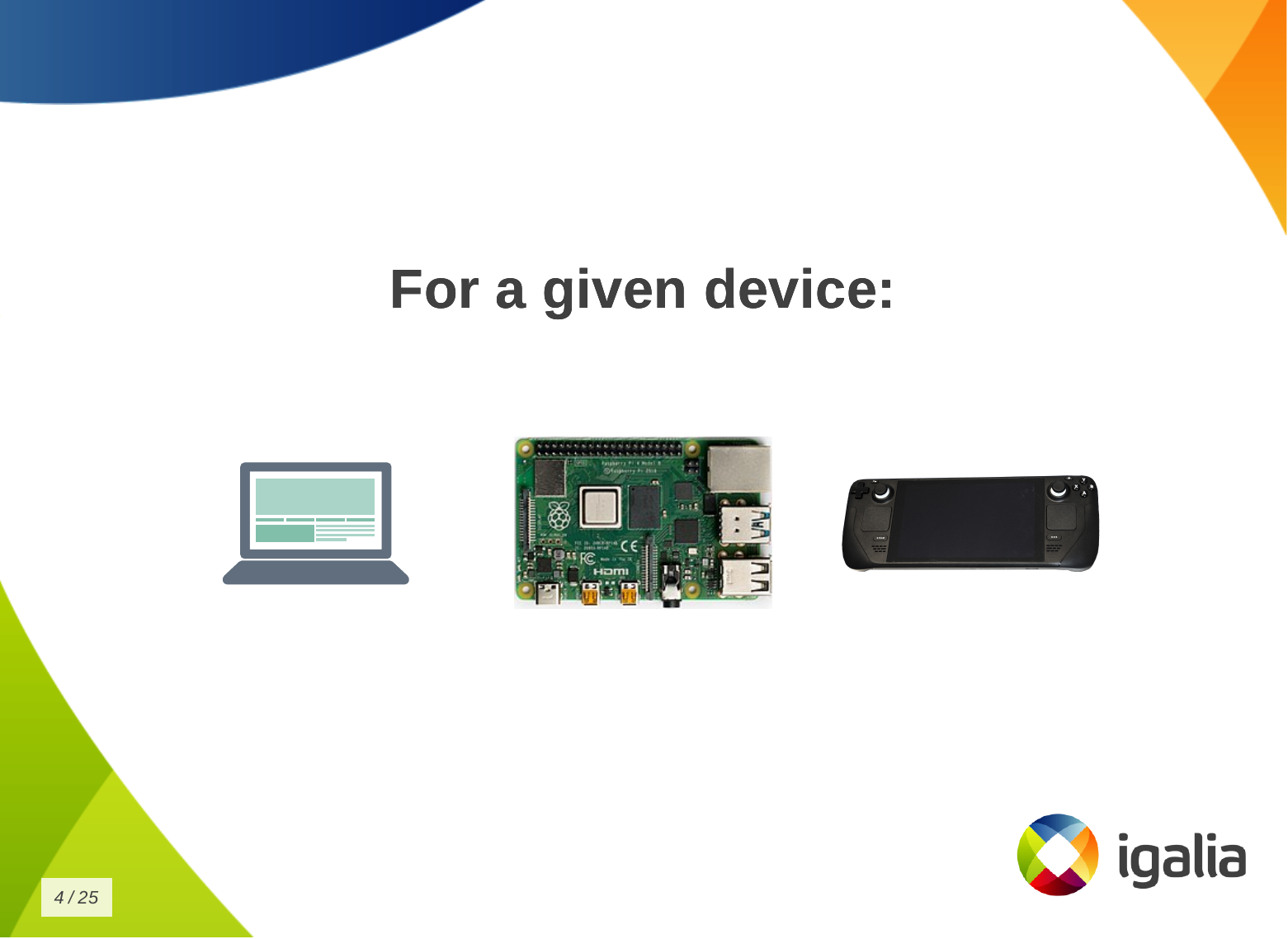
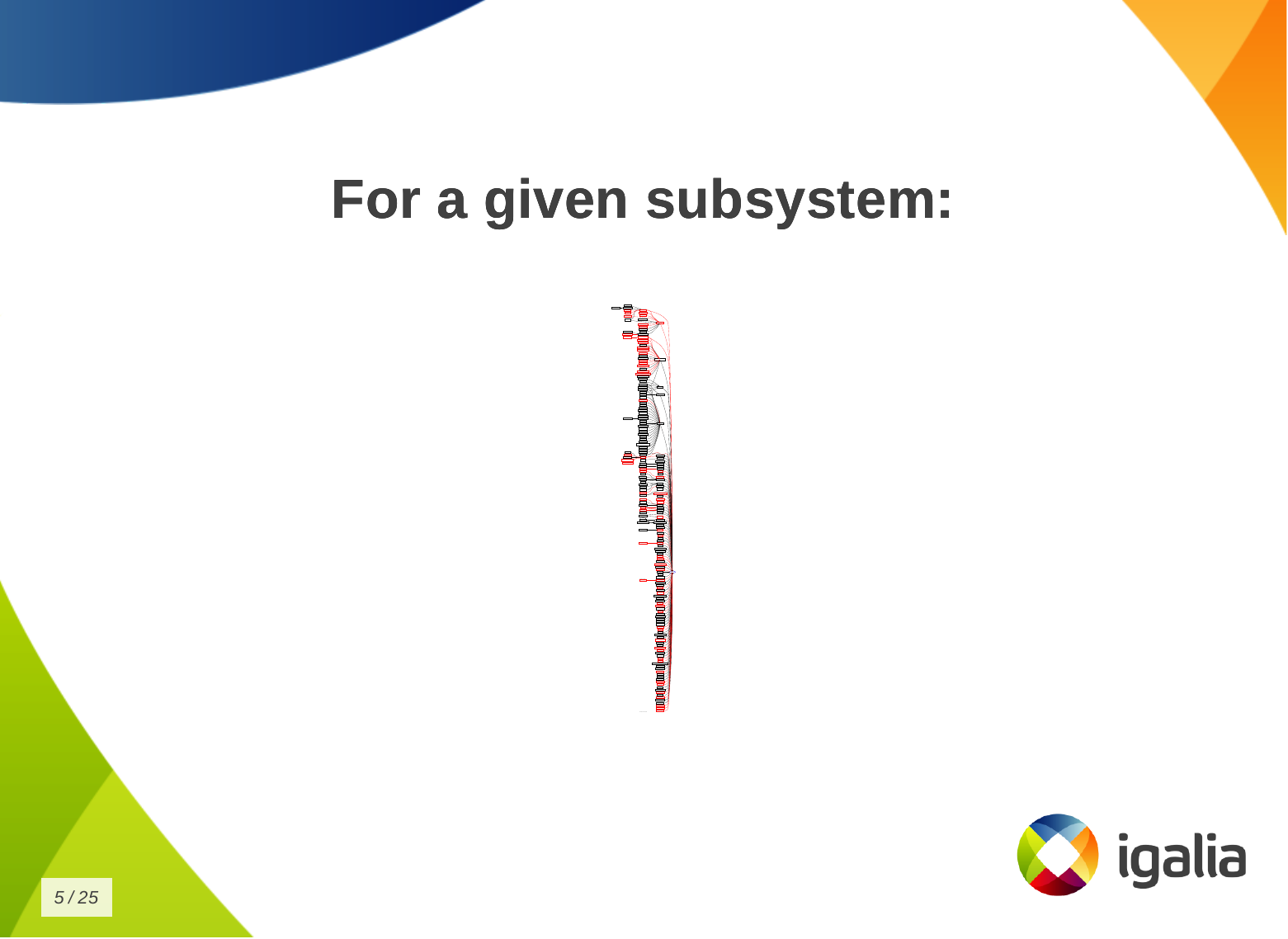
Kworkflow at FOSDEM 2025: Speaker Notes and Demo Hi, I m Melissa, a GPU kernel driver developer at Igalia and today I ll be giving a very inclusive talk to not let your motivation go by saving time with kworkflow. So, you re a kernel developer, or you want to be a kernel developer, or you don t want to be a kernel developer. But you re all united by a single need: you need to validate a custom kernel with just one change, and you need to verify that it fixes or improves something in the kernel. And that s a given change for a given distribution, or for a given device, or for a given subsystem Look to this diagram and try to figure out the number of subsystems and related work trees you can handle in the kernel. So, whether you are a kernel developer or not, at some point you may come across this type of situation: There is a userspace developer who wants to report a kernel issue and says:
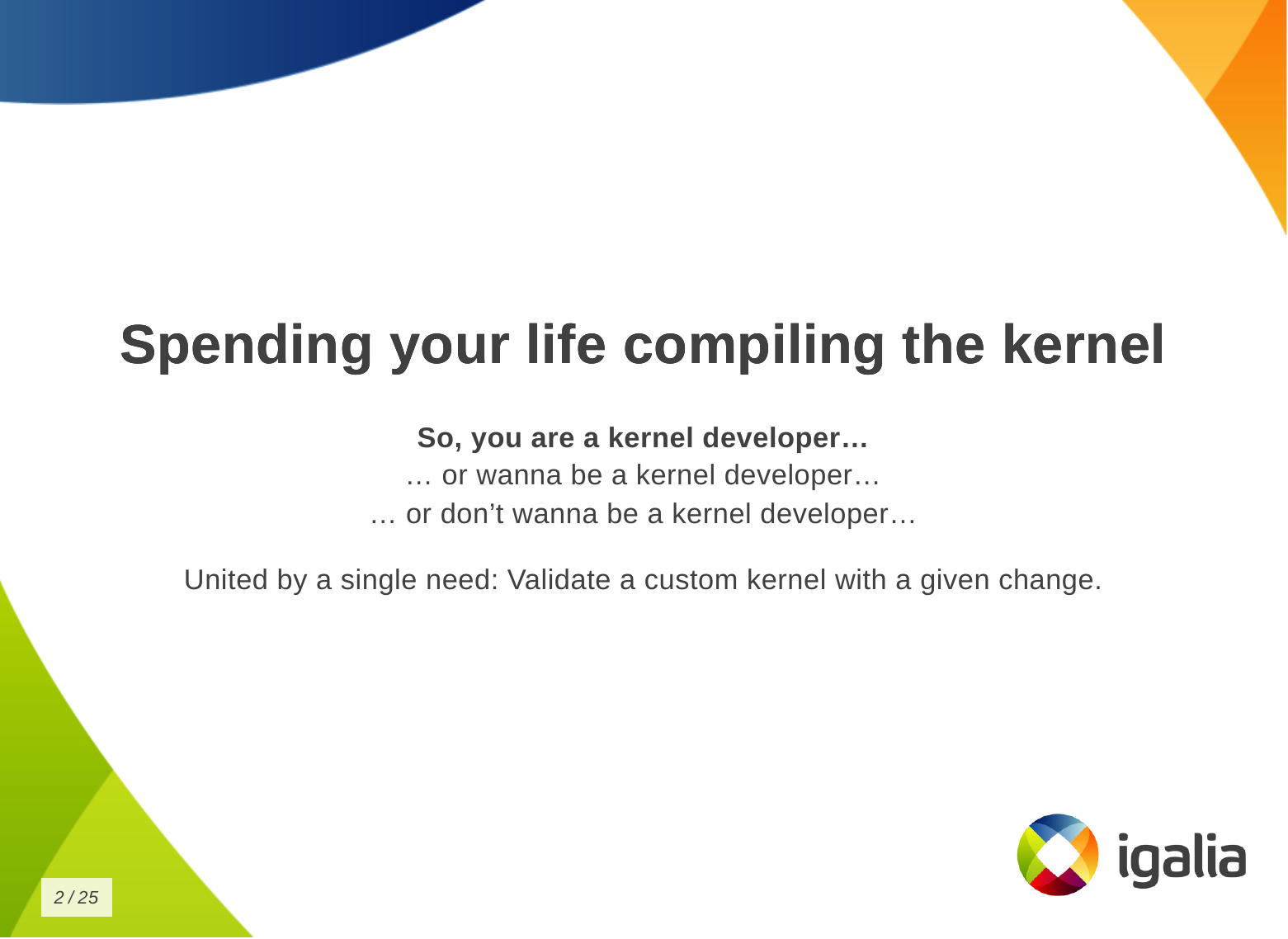

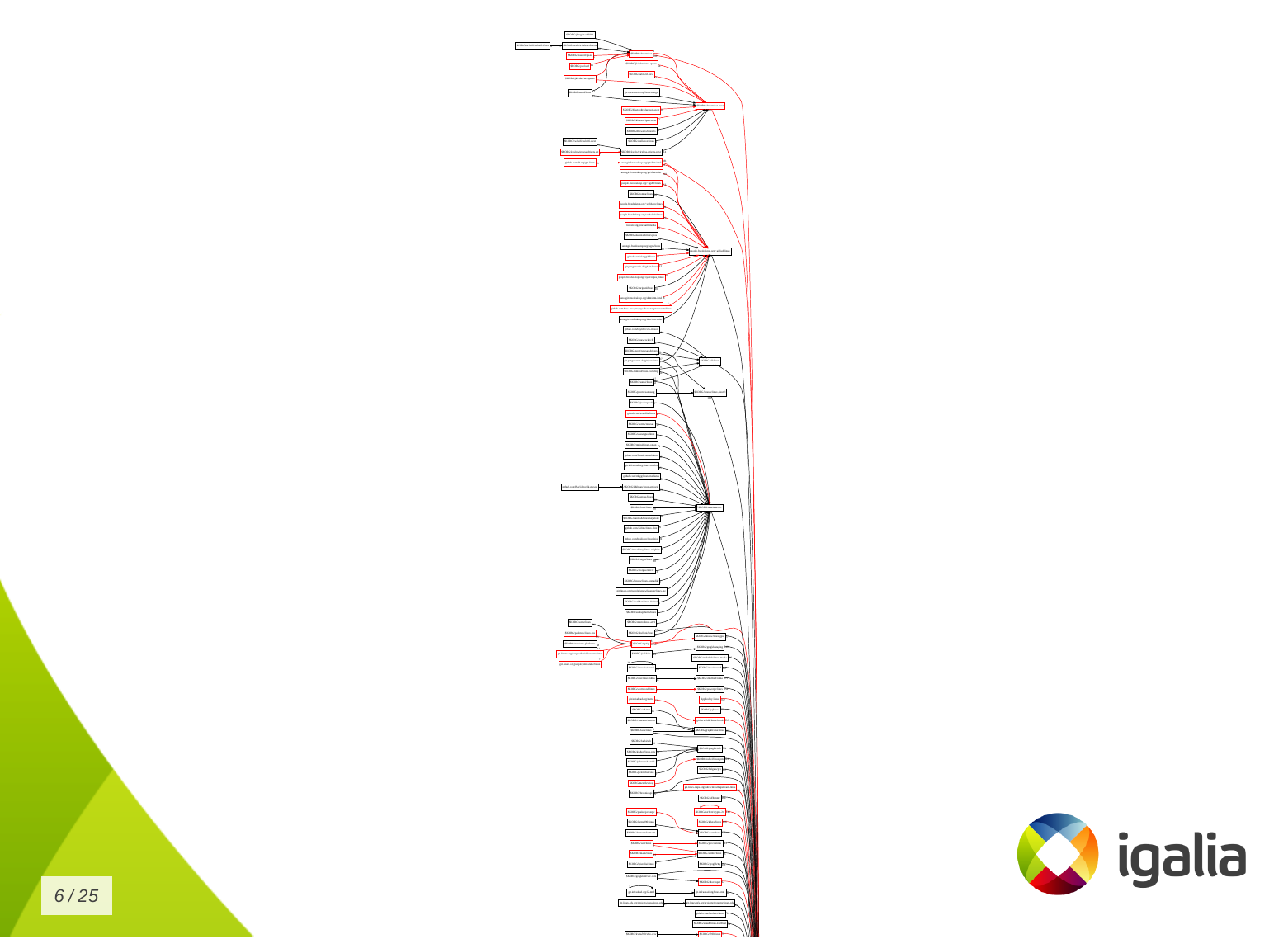
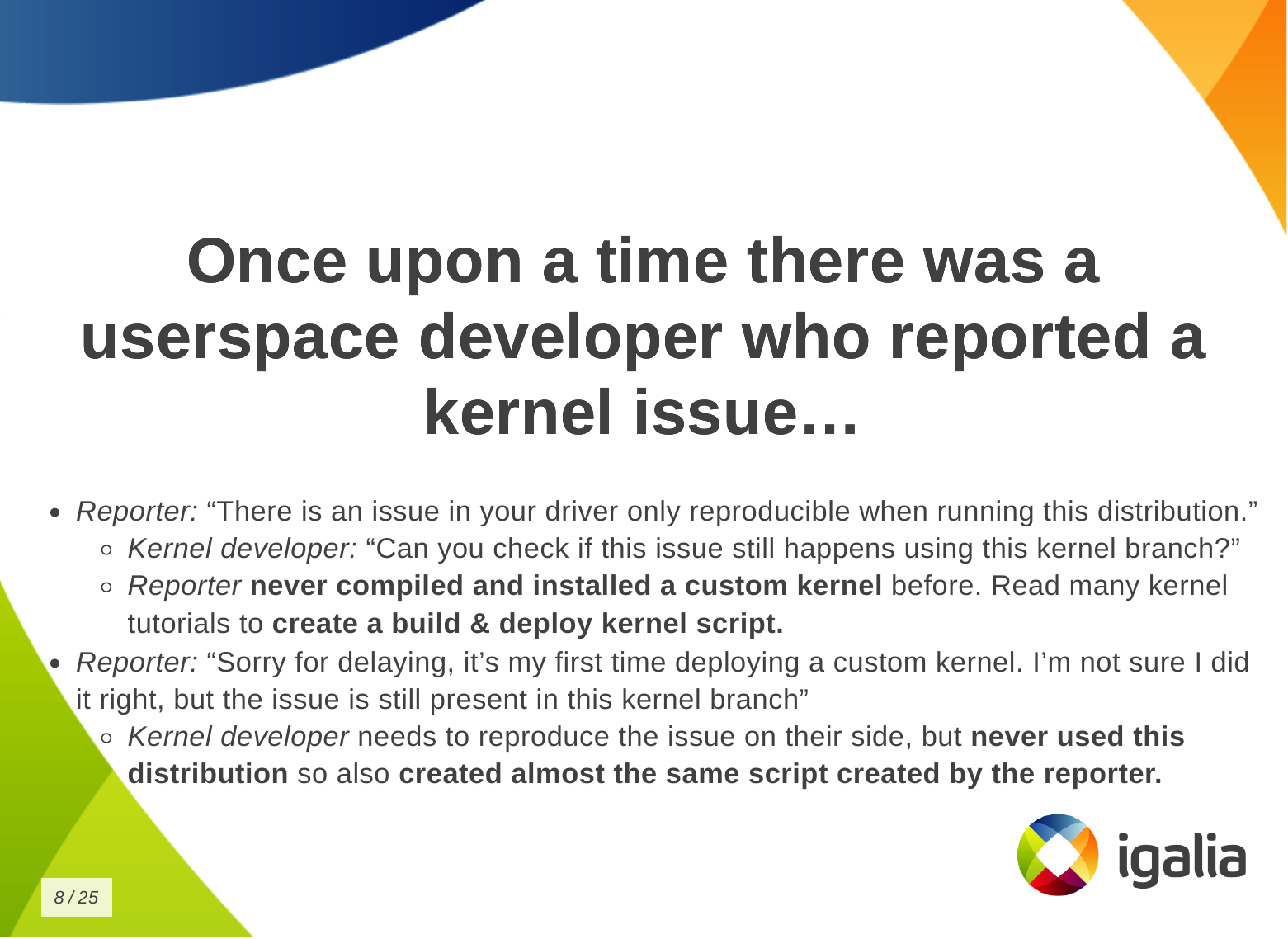
  • Oh, there is a problem in your driver that can only be reproduced by running this specific distribution. And the kernel developer asks:
  • Oh, have you checked if this issue is still present in the latest kernel version of this branch?
But the userspace developer has never compiled and installed a custom kernel before. So they have to read a lot of tutorials and kernel documentation to create a kernel compilation and deployment script. Finally, the reporter managed to compile and deploy a custom kernel and reports:
  • Sorry for the delay, this is the first time I have installed a custom kernel. I am not sure if I did it right, but the issue is still present in the kernel of the branch you pointed out.
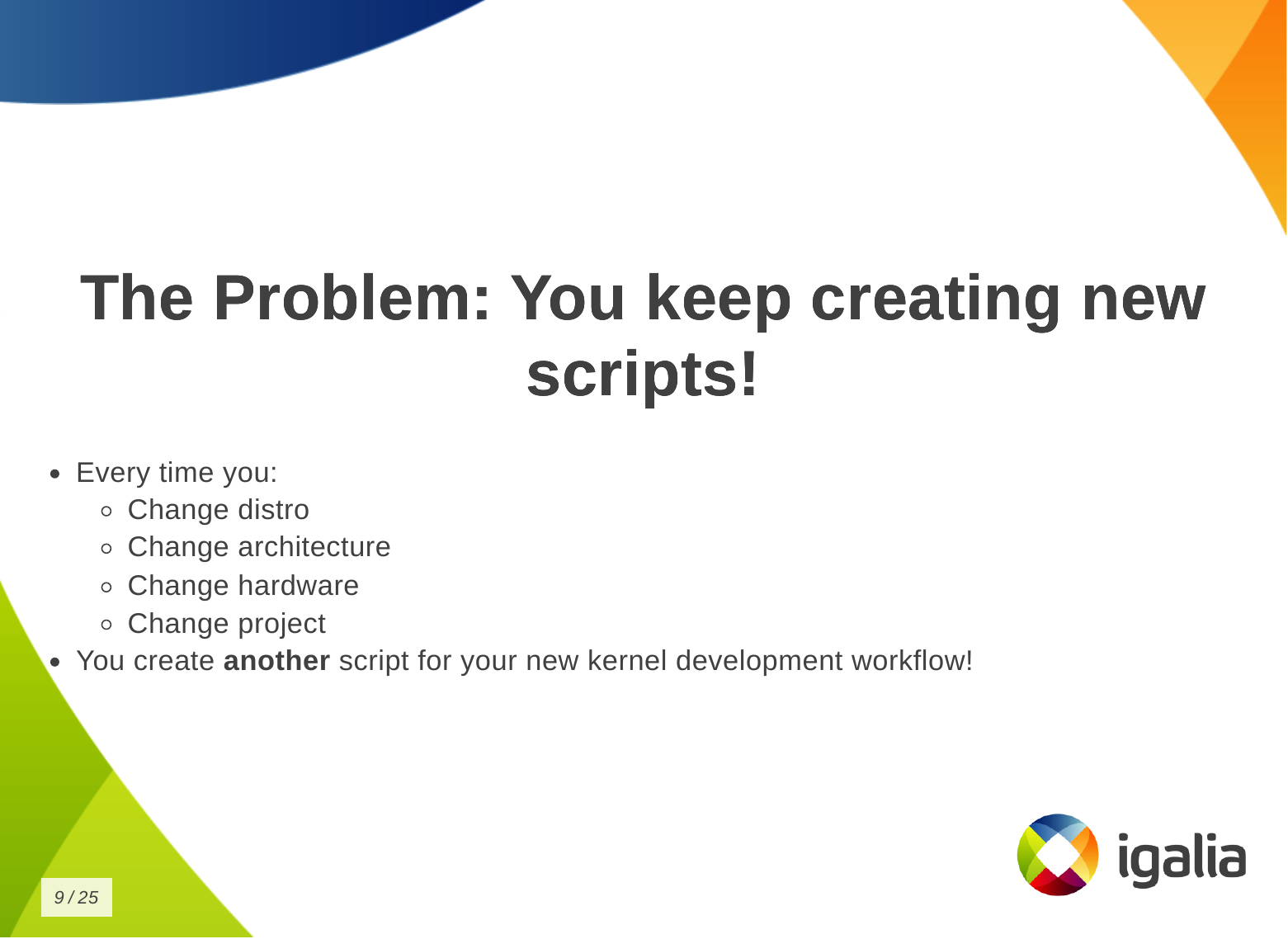
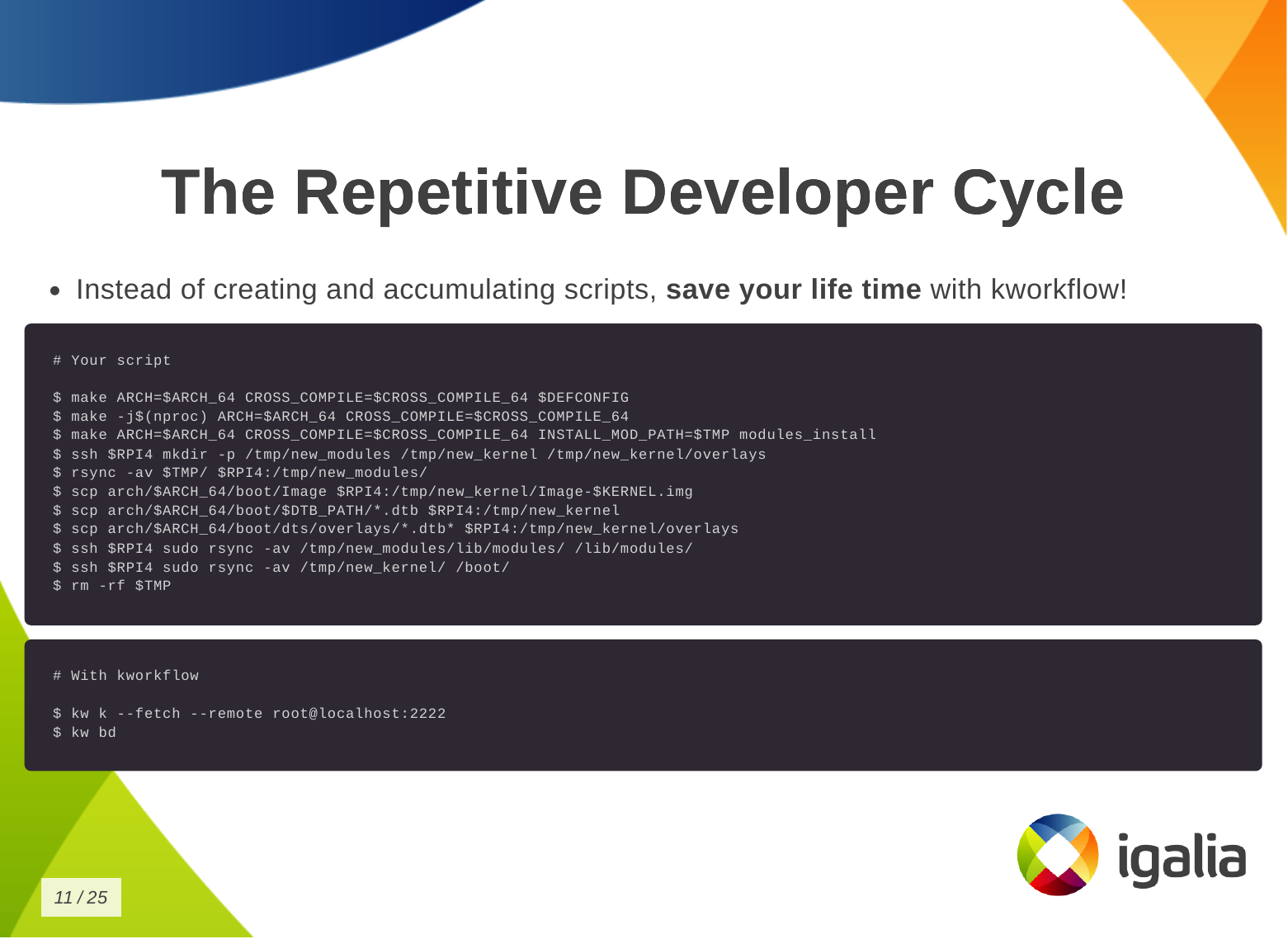
And then, the kernel developer needs to reproduce this issue on their side, but they have never worked with this distribution, so they just created a new script, but the same script created by the reporter. What s the problem of this situation? The problem is that you keep creating new scripts! Every time you change distribution, change architecture, change hardware, change project - even in the same company - the development setup may change when you switch to a different project, you create another script for your new kernel development workflow! You know, you have a lot of babies, you have a collection of my precious scripts , like Sm agol (Lord of the Rings) with the precious ring. Instead of creating and accumulating scripts, save yourself time with kworkflow. Here is a typical script that many of you may have. This is a Raspberry Pi 4 script and contains everything you need to memorize to compile and deploy a kernel on your Raspberry Pi 4. With kworkflow, you only need to memorize two commands, and those commands are not specific to Raspberry Pi. They are the same commands to different architecture, kernel configuration, target device.

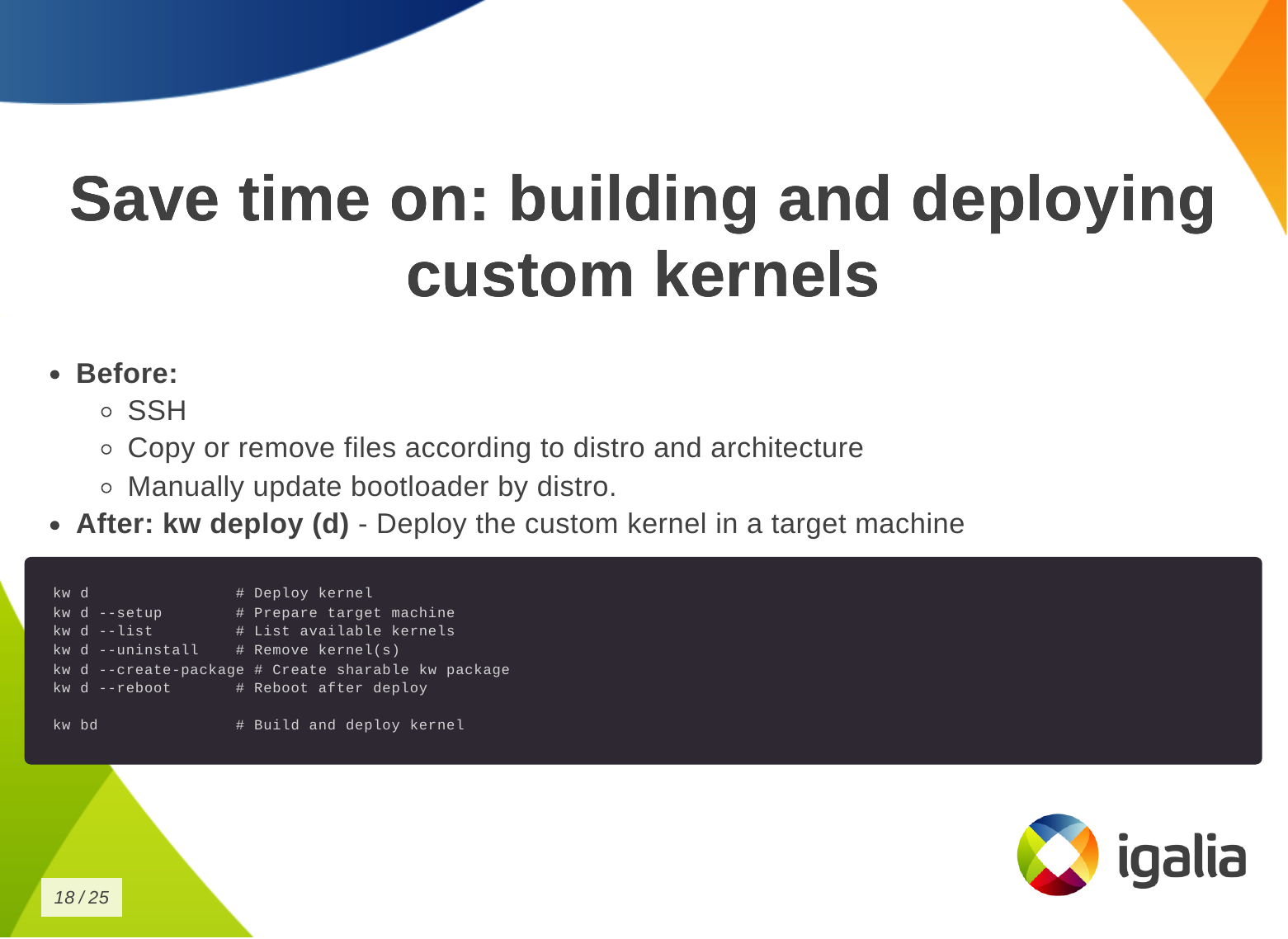
What is kworkflow? Kworkflow is a collection of tools and software combined to:
  • Optimize Linux kernel development workflow.
  • Reduce time spent on repetitive tasks, since we are spending our lives compiling kernels.
  • Standardize best practices.
  • Ensure reliable data exchange across kernel workflow. For example: two people describe the same setup, but they are not seeing the same thing, kworkflow can ensure both are actually with the same kernel, modules and options enabled.
I don t know if you will get this analogy, but kworkflow is for me a megazord of scripts. You are combining all of your scripts to create a very powerful tool.
What is the main feature of kworflow? There are many, but these are the most important for me:
  • Build & deploy custom kernels across devices & distros.
  • Handle cross-compilation seamlessly.
  • Manage multiple architecture, settings and target devices in the same work tree.
  • Organize kernel configuration files.
  • Facilitate remote debugging & code inspection.
  • Standardize Linux kernel patch submission guidelines. You don t need to double check documentantion neither Greg needs to tell you that you are not following Linux kernel guidelines.
  • Upcoming: Interface to bookmark, apply and reviewed-by patches from mailing lists (lore.kernel.org).
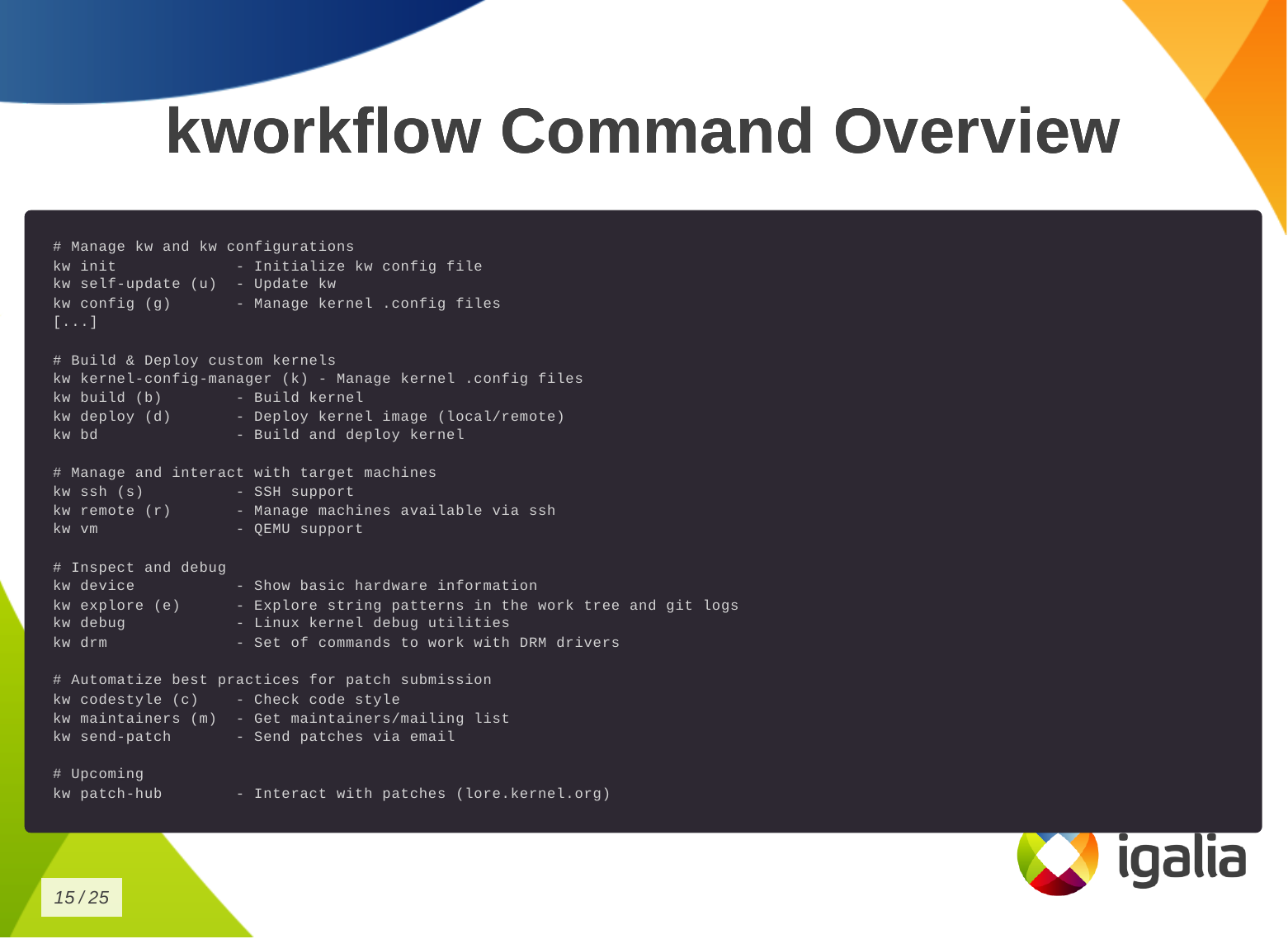
This is the list of commands you can run with kworkflow. The first subset is to configure your tool for various situations you may face in your daily tasks.
# Manage kw and kw configurations
kw init             - Initialize kw config file
kw self-update (u)  - Update kw
kw config (g)       - Manage kernel .config files
The second subset is to build and deploy custom kernels.
# Build & Deploy custom kernels
kw kernel-config-manager (k) - Manage kernel .config files
kw build (b)        - Build kernel
kw deploy (d)       - Deploy kernel image (local/remote)
kw bd               - Build and deploy kernel
We have some tools to manage and interact with target machines.
# Manage and interact with target machines
kw ssh (s)          - SSH support
kw remote (r)       - Manage machines available via ssh
kw vm               - QEMU support
To inspect and debug a kernel.
# Inspect and debug
kw device           - Show basic hardware information
kw explore (e)      - Explore string patterns in the work tree and git logs
kw debug            - Linux kernel debug utilities
kw drm              - Set of commands to work with DRM drivers
To automatize best practices for patch submission like codestyle, maintainers and the correct list of recipients and mailing lists of this change, to ensure we are sending the patch to who is interested in it.
# Automatize best practices for patch submission
kw codestyle (c)    - Check code style
kw maintainers (m)  - Get maintainers/mailing list
kw send-patch       - Send patches via email
And the last one, the upcoming patch hub.
# Upcoming
kw patch-hub        - Interact with patches (lore.kernel.org)

How can you save time with Kworkflow? So how can you save time building and deploying a custom kernel? First, you need a .config file.
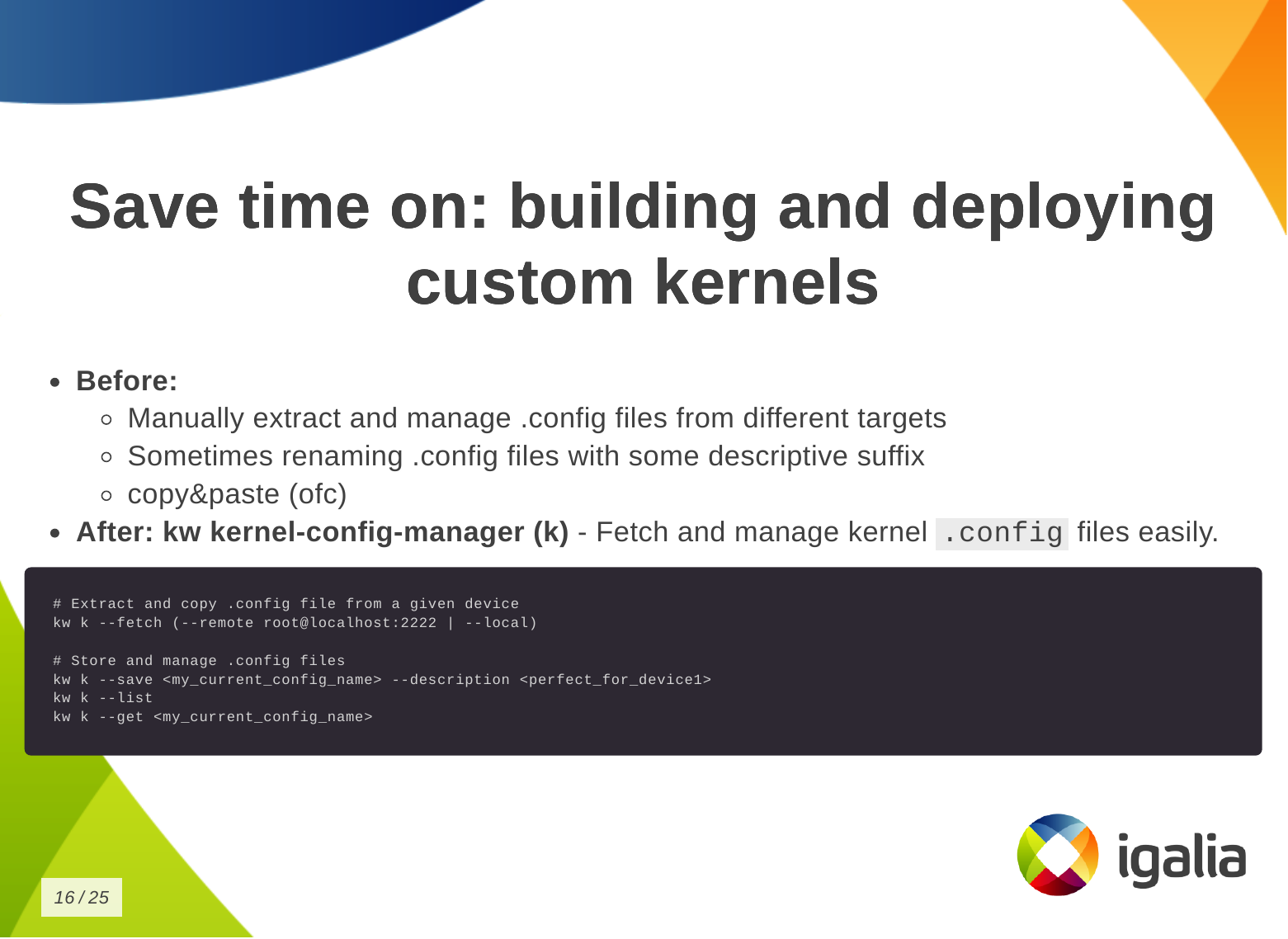
  • Without kworkflow: You may be manually extracting and managing .config files from different targets and saving them with different suffixes to link the kernel to the target device or distribution, or any descriptive suffix to help identify which is which. Or even copying and pasting from somewhere.
  • With kworkflow: you can use the kernel-config-manager command, or simply kw k, to store, describe and retrieve a specific .config file very easily, according to your current needs.
Then you want to build the kernel:
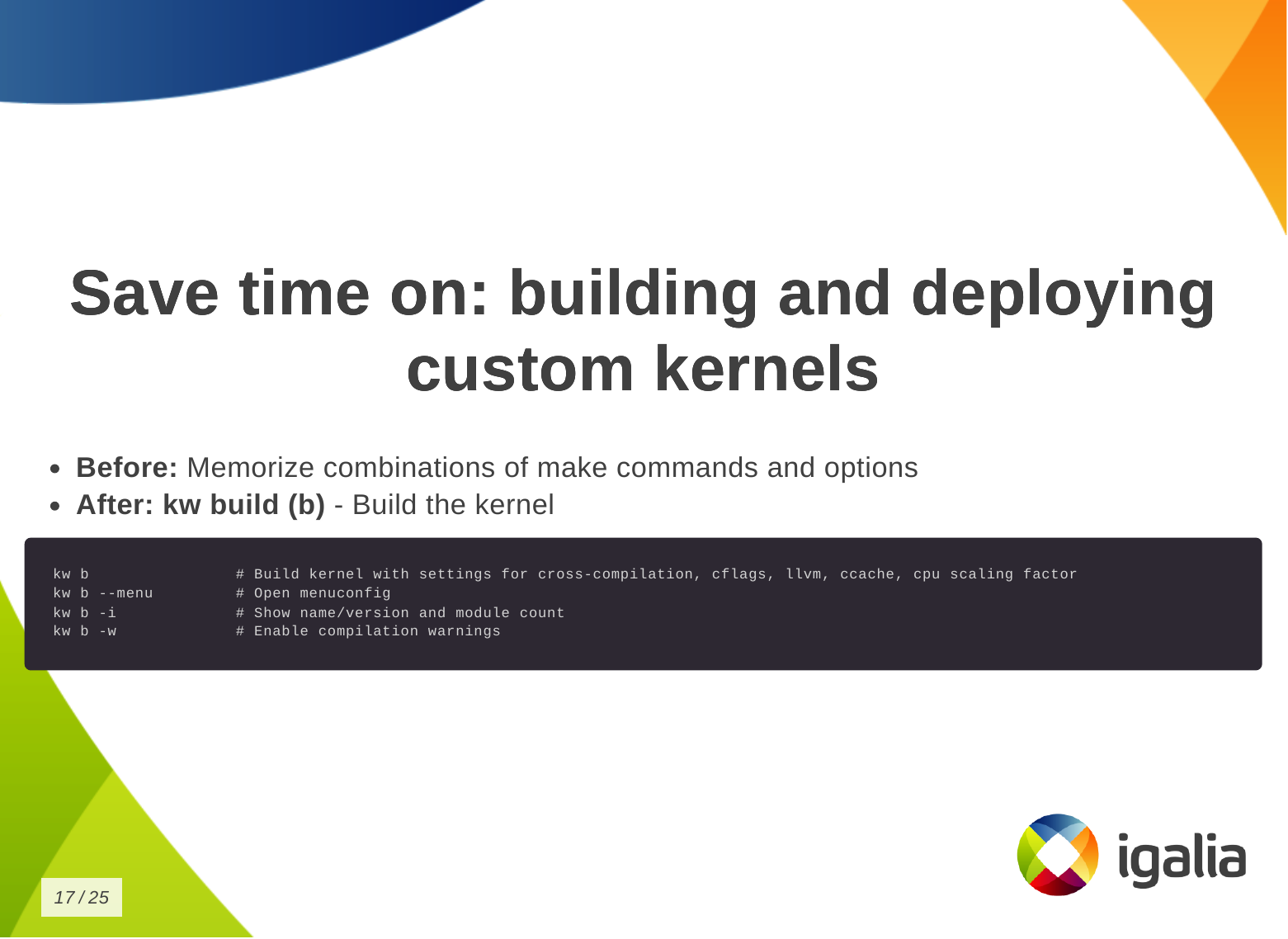
  • Without kworkflow: You are probably now memorizing a combination of commands and options.
  • With kworkflow: you just need kw b (kw build) to build the kernel with the correct settings for cross-compilation, compilation warnings, cflags, etc. It also shows some information about the kernel, like number of modules.
Finally, to deploy the kernel in a target machine.
  • Without kworkflow: You might be doing things like: SSH connecting to the remote machine, copying and removing files according to distributions and architecture, and manually updating the bootloader for the target distribution.
  • With kworkflow: you just need kw d which does a lot of things for you, like: deploying the kernel, preparing the target machine for the new installation, listing available kernels and uninstall them, creating a tarball, rebooting the machine after deploying the kernel, etc.
You can also save time on debugging kernels locally or remotely.
  • Without kworkflow: you do: ssh, manual setup and traces enablement, copy&paste logs.
  • With kworkflow: more straighforward access to debug utilities: events, trace, dmesg.
You can save time on managing multiple kernel images in the same work tree.
  • Without kworkflow: now you can be cloning multiple times the same repository so you don t lose compiled files when changing kernel configuration or compilation options and manually managing build and deployment scripts.
  • With kworkflow: you can use kw env to isolate multiple contexts in the same worktree as environments, so you can keep different configurations in the same worktree and switch between them easily without losing anything from the last time you worked in a specific context.
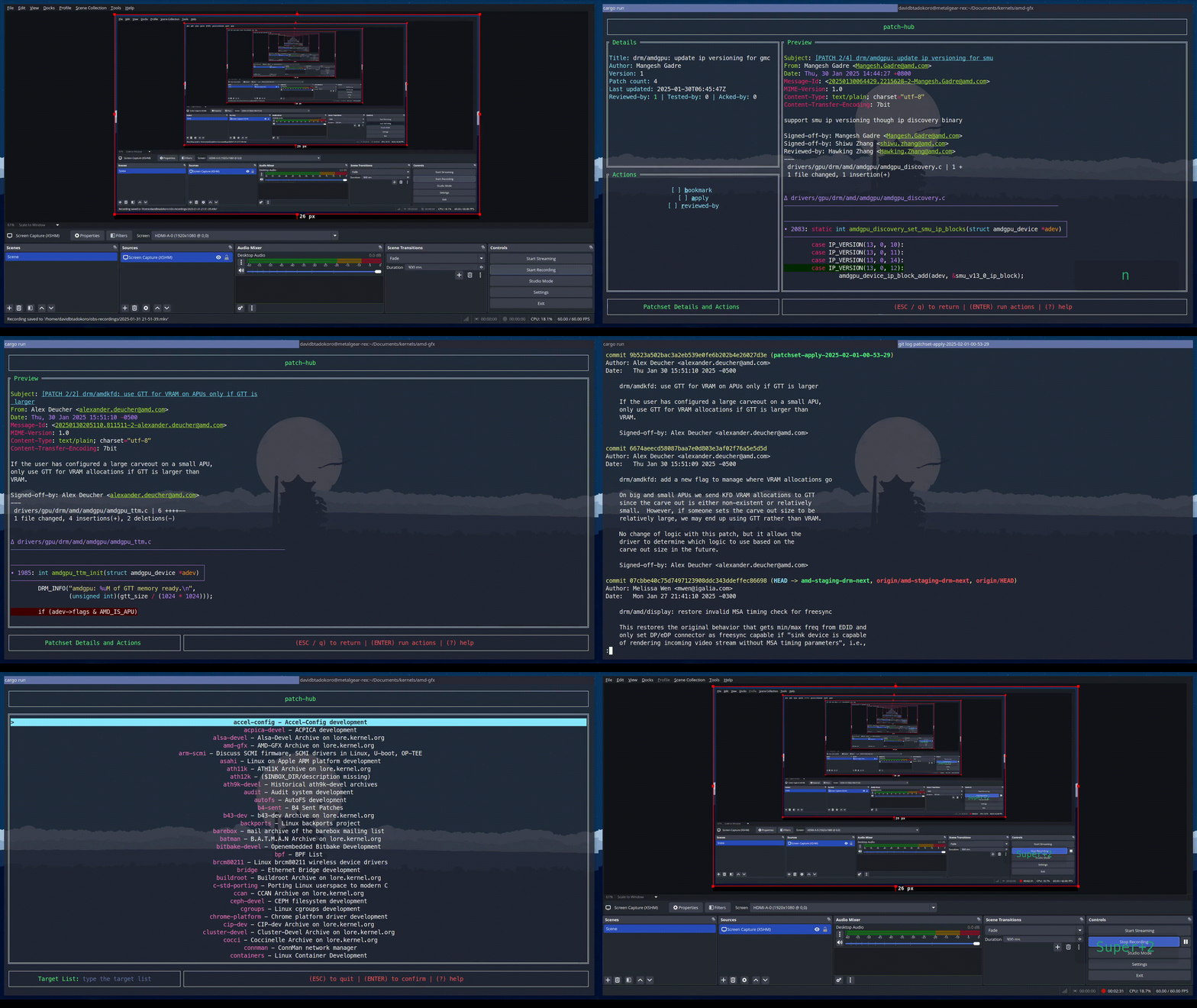
Finally, you can save time when submitting kernel patches. In kworkflow, you can find everything you need to wrap your changes in patch format and submit them to the right list of recipients, those who can review, comment on, and accept your changes. This is a demo that the lead developer of the kw patch-hub feature sent me. With this feature, you will be able to check out a series on a specific mailing list, bookmark those patches in the kernel for validation, and when you are satisfied with the proposed changes, you can automatically submit a reviewed-by for that whole series to the mailing list.

Demo Now a demo of how to use kw environment to deal with different devices, architectures and distributions in the same work tree without losing compiled files, build and deploy settings, .config file, remote access configuration and other settings specific for those three devices that I have.

Setup
  • Three devices:
    • laptop (debian x86 intel local)
    • SteamDeck (steamos x86 amd remote)
    • RaspberryPi 4 (raspbian arm64 broadcomm remote)
  • Goal: To validate a change on DRM/VKMS using a single kernel tree.
  • Kworkflow commands:
    • kw env
    • kw d
    • kw bd
    • kw device
    • kw debug
    • kw drm

Demo script In the same terminal and worktree.

First target device: Laptop (debian x86 intel local)
$ kw env --list # list environments available in this work tree
$ kw env --use LOCAL # select the environment of local machine (laptop) to use: loading pre-compiled files, kernel and kworkflow settings.
$ kw device # show device information
$ sudo modinfo vkms # show VKMS module information before applying kernel changes.
$ <open VKMS file and change module info>
$ kw bd # compile and install kernel with the given change
$ sudo modinfo vkms # show VKMS module information after kernel changes.
$ git checkout -- drivers
Second target device: RaspberryPi 4 (raspbian arm64 broadcomm remote)
$ kw env --use RPI_64 # move to the environment for a different target device.
$ kw device # show device information and kernel image name
$ kw drm --gui-off-after-reboot # set the system to not load graphical layer after reboot
$ kw b # build the kernel with the VKMS change
$ kw d --reboot # deploy the custom kernel in a Raspberry Pi 4 with Raspbian 64, and reboot
$ kw s # connect with the target machine via ssh and check the kernel image name
$ exit
Third target device: SteamDeck (steamos x86 amd remote)
$ kw env --use STEAMDECK # move to the environment for a different target device
$ kw device # show device information
$ kw debug --dmesg --follow --history --cmd="modprobe vkms" # run a command and show the related dmesg output
$ kw debug --dmesg --follow --history --cmd="modprobe -r vkms" # run a command and show the related dmesg output
$ <add a printk with a random msg to appear on dmesg log>
$ kw bd # deploy and install custom kernel to the target device
$ kw debug --dmesg --follow --history --cmd="modprobe vkms" # run a command and show the related dmesg output after build and deploy the kernel change

Q&A Most of the questions raised at the end of the presentation were actually suggestions and additions of new features to kworkflow. The first participant, that is also a kernel maintainer, asked about two features: (1) automatize getting patches from patchwork (or lore) and triggering the process of building, deploying and validating them using the existing workflow, (2) bisecting support. They are both very interesting features. The first one fits well the patch-hub subproject, that is under-development, and I ve actually made a similar request a couple of weeks before the talk. The second is an already existing request in kworkflow github project. Another request was to use kexec and avoid rebooting the kernel for testing. Reviewing my presentation I realized I wasn t very clear that kworkflow doesn t support kexec. As I replied, what it does is to install the modules and you can load/unload them for validations, but for built-in parts, you need to reboot the kernel. Another two questions: one about Android Debug Bridge (ADB) support instead of SSH and another about support to alternative ways of booting when the custom kernel ended up broken but you only have one kernel image there. Kworkflow doesn t manage it yet, but I agree this is a very useful feature for embedded devices. On Raspberry Pi 4, kworkflow mitigates this issue by preserving the distro kernel image and using config.txt file to set a custom kernel for booting. For ADB, there is no support too, and as I don t see currently users of KW working with Android, I don t think we will have this support any time soon, except if we find new volunteers and increase the pool of contributors. The last two questions were regarding the status of b4 integration, that is under development, and other debugging features that the tool doesn t support yet. Finally, when Andrea and I were changing turn on the stage, he suggested to add support for virtme-ng to kworkflow. So I opened an issue for tracking this feature request in the project github. With all these questions and requests, I could see the general need for a tool that integrates the variety of kernel developer workflows, as proposed by kworflow. Also, there are still many cases to be covered by kworkflow. Despite the high demand, this is a completely voluntary project and it is unlikely that we will be able to meet these needs given the limited resources. We will keep trying our best in the hope we can increase the pool of users and contributors too.

20 April 2025

Russ Allbery: Review: Up the Down Staircase

Review: Up the Down Staircase, by Bel Kaufman
Publisher: Vintage Books
Copyright: 1964, 1991, 2019
Printing: 2019
ISBN: 0-525-56566-3
Format: Kindle
Pages: 360
Up the Down Staircase is a novel (in an unconventional format, which I'll describe in a moment) about the experiences of a new teacher in a fictional New York City high school. It was a massive best-seller in the 1960s, including a 1967 movie, but seems to have dropped out of the public discussion. I read it from the library sometime in the late 1980s or early 1990s and have thought about it periodically ever since. It was Bel Kaufman's first novel. Sylvia Barrett is a new graduate with a master's degree in English, where she specialized in Chaucer. As Up the Down Staircase opens, it is her first day as an English teacher in Calvin Coolidge High School. As she says in a letter to a college friend:
What I really had in mind was to do a little teaching. "And gladly wolde he lerne, and gladly teche" like Chaucer's Clerke of Oxenford. I had come eager to share all I know and feel; to imbue the young with a love for their language and literature; to instruct and to inspire. What happened in real life (when I had asked why they were taking English, a boy said: "To help us in real life") was something else again, and even if I could describe it, you would think I am exaggerating.
She instead encounters chaos and bureaucracy, broken windows and mindless regulations, a librarian who is so protective of her books that she doesn't let any students touch them, a school guidance counselor who thinks she's Freud, and a principal whose sole interaction with the school is to occasionally float through on a cushion of cliches, dispensing utterly useless wisdom only to vanish again.
I want to take this opportunity to extend a warm welcome to all faculty and staff, and the sincere hope that you have returned from a healthful and fruitful summer vacation with renewed vim and vigor, ready to gird your loins and tackle the many important and vital tasks that lie ahead undaunted. Thank you for your help and cooperation in the past and future. Maxwell E. Clarke
Principal
In practice, the school is run by James J. McHare, Clarke's administrative assistant, who signs his messages JJ McH, Adm. Asst. and who Sylvia immediately starts calling Admiral Ass. McHare is a micro-managing control freak who spends the book desperately attempting to impose order over school procedures, the teachers, and the students, with very little success. The title of the book comes from one of his detention slips:
Please admit bearer to class Detained by me for going Up the Down staircase and subsequent insolence. JJ McH
The conceit of this book is that, except for the first and last chapters, it consists only of memos, letters, notes, circulars, and other paper detritus, often said to come from Sylvia's wastepaper basket. Sylvia serves as the first-person narrator through her long letters to her college friend, and through shorter but more frequent exchanges via intraschool memo with Beatrice Schachter, another English teacher at the same school, but much of the book lies outside her narration. The reader has to piece together what's happening from the discarded paper of a dysfunctional institution. Amid the bureaucratic and personal communications, there are frequent chapters with notes from the students, usually from the suggestion box that Sylvia establishes early in the book. These start as chaotic glimpses of often-misspelled wariness or open hostility, but over the course of Up the Down Staircase, some of the students become characters with fragmentary but still visible story arcs. This remains confusing throughout the novel there are too many students to keep them entirely straight, and several of them use pseudonyms for the suggestion box but it's the sort of confusion that feels like an intentional authorial choice. It mirrors the difficulty a teacher has in piecing together and remembering the stories of individual students in overstuffed classrooms, even if (like Sylvia and unlike several of her colleagues) the teacher is trying to pay attention. At the start, Up the Down Staircase reads as mostly-disconnected humor. There is a strong "kids say the darnedest things" vibe, which didn't entirely work for me, but the send-up of chaotic bureaucracy is both more sophisticated and more entertaining. It has the "laugh so that you don't cry" absurdity of a system with insufficient resources, entirely absent management, and colleagues who have let their quirks take over their personalities. Sylvia alternates between incredulity and stubbornness, and I think this book is at its best when it shows the small acts of practical defiance that one uses to carve out space and coherence from mismanaged bureaucracy. But this book is not just a collection of humorous anecdotes about teaching high school. Sylvia is sincere in her desire to teach, which crystallizes around, but is not limited to, a quixotic attempt to reach one delinquent that everyone else in the school has written off. She slowly finds her footing, she has a few breakthroughs in reaching her students, and the book slowly turns into an earnest portrayal of an attempt to make the system work despite its obvious unfitness for purpose. This part of the book is hard to review. Parts of it worked brilliantly; I could feel myself both adjusting my expectations alongside Sylvia to something less idealistic and also celebrating the rare breakthrough with her. Parts of it were weirdly uncomfortable in ways that I'm not sure I enjoyed. That includes Sylvia's climactic conversation with the boy she's been trying to reach, which was weirdly charged and ambiguous in a way that felt like the author's reach exceeding their grasp. One thing that didn't help my enjoyment is Sylvia's relationship with Paul Barringer, another of the English teachers and a frustrated novelist and poet. Everyone who works at the school has found their own way to cope with the stress and chaos, and many of the ways that seem humorous turn out to have a deeper logic and even heroism. Paul's, however, is to retreat into indifference and alcohol. He is a believable character who works with Kaufman's themes, but he's also entirely unlikable. I never understood why Sylvia tolerated that creepy asshole, let alone kept having lunch with him. It is clear from the plot of the book that Kaufman at least partially understands Paul's deficiencies, but that did not help me enjoy reading about him. This is a great example of a book that tried to do something unusual and risky and didn't entirely pull it off. I like books that take a risk, and sometimes Up the Down Staircase is very funny or suddenly insightful in a way that I'm not sure Kaufman could have reached with a more traditional novel. It takes a hard look at what it means to try to make a system work when it's clearly broken and you can't change it, and the way all of the characters arrive at different answers that are much deeper than their initial impressions was subtle and effective. It's the sort of book that sticks in your head, as shown by the fact I bought it on a whim to re-read some 35 years after I first read it. But it's not consistently great. Some parts of it drag, the characters are frustratingly hard to keep track of, and the emotional climax points are odd and unsatisfying, at least to me. I'm not sure whether to recommend it or not, but it's certainly unusual. I'm glad I read it again, but I probably won't re-read it for another 35 years, at least. If you are considering getting this book, be aware that it has a lot of drawings and several hand-written letters. The publisher of the edition I read did a reasonably good job formatting this for an ebook, but some of the pages, particularly the hand-written letters, were extremely hard to read on a Kindle. Consider paper, or at least reading on a tablet or computer screen, if you don't want to have to puzzle over low-resolution images. The 1991 trade paperback had a new introduction by the author, reproduced in the edition I read as an afterward (which is a better choice than an introduction). It is a long and fascinating essay from Kaufman about her experience with the reaction to this book, culminating in a passionate plea for supporting public schools and public school teachers. Kaufman's personal account adds a lot of depth to the story; I highly recommend it. Content note: Self-harm, plus several scenes that are closely adjacent to student-teacher relationships. Kaufman deals frankly with the problems of mostly-poor high school kids, including sexuality, so be warned that this is not the humorous romp that it might appear on first glance. A couple of the scenes made me uncomfortable; there isn't anything explicit, but the emotional overtones can be pretty disturbing. Rating: 7 out of 10

18 April 2025

Sven Hoexter: Trixie Upgrade and X11 Clipboard Manager Madness

Due to my own laziness and a few functionality issues my "for work laptop" is still using a 15+ year old setup with X11 and awesome. Since trixie is now starting its freeze, it's time to update that odd machine as well and look at the fallout. Good news: It's mostly my own resistance to change which required some kick in the back to move on. Clipboard Manager Madness For the past decade or so I used parcellite which served me well. Now that is no longer available in trixie and I started to look into one of the dead end streets of X11 related tooling, searching for an alternative. Parcellite Seems upstream is doing sporadic fixes, but holds GTK2 tight. The Debian package was patched to be GTK3 compatible, but has unfixed ftbfs issues with GCC 14. clipit Next I checked for a parcellite fork named clipit, and that's when it started to get funky. It's packaged in Debian, QA maintained, and recently received at least two uploads to keep it working. Installed it and found it's greeting me with a nag screen that I should migrate to diodon. The real clipit tool is still shipped as a binary named clipit.real, so if you know it you can still use it. To achieve the nag screen it depends on zenity and to ease the migration it depends on diodon. Two things I do not really need. Also the package description prominently mentions that you should not use the package. diodon The nag screen of clipit made me look at diodon. It claims it was written for the Ubuntu Unity desktop, something where I've no idea how alive and relevant it still is. While there is still something on launchpad, it seems to receive sporadic commits on github. Not sure if it's dead or just feature complete. Interim Solution: clipit Settled with clipit for now, but decided to fork the Debian package to remove the nag screen and the dependency on diodon and zenity (package build). My hope is to convert this last X11 setup to wayland within the lifetime of trixie. I also contacted the last uploader regarding a removal of the nag screen, who then brought in the last maintainer who added the nag screen. While I first thought clipit is somewhat maintained upstream, Andrej quickly pointed out that this is not really the case. Still that leaves us in trixie with a rather odd situation. We ship now for the second stable release a package that recommends to move to a different tool while still shipping the original tool. Plus it's getting patched by some of its users who refuse to migrate to the alternative envisioned by the former maintainer. VirtualBox and moving to libvirt I always liked the GUI of VirtualBox, and it really made desktop virtualization easy. But with Linux 6.12, which enables KVM by default, it seems to get even more painful to get it up and running. In the past I just took the latest release from unstable and rebuild that one on the current stable. Currently the last release in unstable is 7.0.20, while the Linux 6.12 fixes only started to appear in VirtualBox 7.1.4 and later. The good thing is with virt-manager and the whole libvirt ecosystem there is a good enough replacement available, and it works fine with related tooling like vagrant. There are instructions available on how to set it up. I can only add that it makes sense to export VAGRANT_DEFAULT_PROVIDER=libvirt in your .bashrc to make that provider change permanent.

17 April 2025

Simon Josefsson: Verified Reproducible Tarballs

Remember the XZ Utils backdoor? One factor that enabled the attack was poor auditing of the release tarballs for differences compared to the Git version controlled source code. This proved to be a useful place to distribute malicious data. The differences between release tarballs and upstream Git sources is typically vendored and generated files. Lots of them. Auditing all source tarballs in a distribution for similar issues is hard and boring work for humans. Wouldn t it be better if that human auditing time could be spent auditing the actual source code stored in upstream version control instead? That s where auditing time would help the most. Are there better ways to address the concern about differences between version control sources and tarball artifacts? Let s consider some approaches: While I like the properties of the first solution, and have made effort to support that approach, I don t think normal source tarballs are going away any time soon. I am concerned that it may not even be a desirable complete solution to this problem. We may need tarballs with pre-generated content in them for various reasons that aren t entirely clear to us today. So let s consider the second approach. It could help while waiting for more experience with the first approach, to see if there are any fundamental problems with it. How do you know that the XZ release tarballs was actually derived from its version control sources? The same for Gzip? Coreutils? Tar? Sed? Bash? GCC? We don t know this! I am not aware of any automated or collaborative effort to perform this independent confirmation. Nor am I aware of anyone attempting to do this on a regular basis. We would want to be able to do this in the year 2042 too. I think the best way to reach that is to do the verification continuously in a pipeline, fixing bugs as time passes. The current state of the art seems to be that people audit the differences manually and hope to find something. I suspect many package maintainers ignore the problem and take the release source tarballs and trust upstream about this. We can do better. I have launched a project to setup a GitLab pipeline that invokes per-release scripts to rebuild that release artifact from git sources. Currently it only contain recipes for projects that I released myself. Releases which where done in a controlled way with considerable care to make reproducing the tarballs possible. The project homepage is here: https://gitlab.com/debdistutils/verify-reproducible-releases The project is able to reproduce the release tarballs for Libtasn1 v4.20.0, InetUtils v2.6, Libidn2 v2.3.8, Libidn v1.43, and GNU SASL v2.2.2. You can see this in a recent successful pipeline. All of those releases were prepared using Guix, and I m hoping the Guix time-machine will make it possible to keep re-generating these tarballs for many years to come. I spent some time trying to reproduce the current XZ release tarball for version 5.8.1. That would have been a nice example, wouldn t it? First I had to somehow mimic upstream s build environment. The XZ release tarball contains GNU Libtool files that are identified with version 2.5.4.1-baa1-dirty. I initially assumed this was due to the maintainer having installed libtool from git locally (after making some modifications) and made the XZ release using it. Later I learned that it may actually be coming from ArchLinux which ship with this particular libtool version. It seems weird for a distribution to use libtool built from a non-release tag, and furthermore applying patches to it, but things are what they are. I made some effort to setup an ArchLinux build environment, however the now-current Gettext version in ArchLinux seems to be more recent than the one that were used to prepare the XZ release. I don t know enough ArchLinux to setup an environment corresponding to an earlier version of ArchLinux, which would be required to finish this. I gave up, maybe the XZ release wasn t prepared on ArchLinux after all. Actually XZ became a good example for this writeup anyway: while you would think this should be trivial, the fact is that it isn t! (There is another aspect here: fingerprinting the versions used to prepare release tarballs allows you to infer what kind of OS maintainers are using to make releases on, which is interesting on its own.) I made some small attempts to reproduce the tarball for GNU Shepherd version 1.0.4 too, but I still haven t managed to complete it. Do you want a supply-chain challenge for the Easter weekend? Pick some well-known software and try to re-create the official release tarballs from the corresponding Git checkout. Is anyone able to reproduce anything these days? Bonus points for wrapping it up as a merge request to my project. Happy Supply-Chain Security Hacking!

Scarlett Gately Moore: KDE Applications 25.04 Snaps and Kubuntu Plucky Puffin 25.04 Released!

Very busy releasetastic week! The versions being the same is a complete coincidence  https://kde.org/announcements/gear/25.04.0 Which can be downloaded here: https://snapcraft.io/publisher/kde !
In addition to all the regular testing I am testing our snaps in a non KDE environment, so far it is not looking good in Xubuntu. We have kernel/glibc crashes on startup for some and for file open for others. I am working on a hopeful fix. Next week I will have ( I hope ) my final surgery. If you can spare any change to help bring me over the finish line, I will be forever grateful

Arturo Borrero Gonz lez: My experience in the Debian LTS and ELTS projects

Debian Last year, I decided to start participating in the Debian LTS and ELTS projects. It was a great opportunity to engage in something new within the Debian community. I had been following these projects for many years, observing their evolution and how they gained traction both within the ecosystem and across the industry. I was curious to explore how contributors were working internally especially how they managed security patching and remediation for older software. I ve always felt this was a particularly challenging area, and I was fortunate to experience it firsthand. As of April 2025, the Debian LTS project was primarily focused on providing security maintenance for Debian 11 Bullseye. Meanwhile, the Debian ELTS project was targeting Debian 8 Jessie, Debian 9 Stretch, and Debian 10 Buster. During my time with the projects, I worked on a variety of packages and CVEs. Some of the most notable ones include: There are several technical highlights I d like to share things I learned or had to apply while participating: In March 2025, I decided to scale back my involvement in the projects due to some changes in my personal life. Still, this experience has been one of the highlights of my career, and I would definitely recommend it to others. I m very grateful for the warm welcome I received from the LTS/ELTS community, and I don t rule out the possibility of rejoining the LTS/ELTS efforts in the future. The Debian LTS/ELTS projects are currently coordinated by folks at Freexian. Many thanks to Freexian and sponsors for providing this opportunity!

15 April 2025

Russell Coker: What Desktop PCs Need

It seems to me that we haven t had much change in the overall design of desktop PCs since floppy drives were removed, and modern PCs still have bays the size of 5.25 floppy drives despite having nothing modern that can fit in such spaces other than DVD drives (which aren t really modern) and carriers for 4*2.5 drives both of which most people don t use. We had the PC System Design Guide [1] which was last updated in 2001 which should have been updated more recently to address some of these issues, the thing that most people will find familiar in that standard is the colours for audio ports. Microsoft developed the Legacy Free PC [2] concept which was a good one. There s a lot of things that could be added to the list of legacy stuff to avoid, TPM 1.2, 5.25 drive bays, inefficient PSUs, hardware that doesn t sleep when idle or which prevents the CPU from sleeping, VGA and DVI ports, ethernet slower than 2.5Gbit, and video that doesn t include HDMI 2.1 or DisplayPort 2.1 for 8K support. There are recently released high-end PCs on sale right now with 1gbit ethernet as standard and hardly any PCs support resolutions above 4K properly. Here are some of the things that I think should be in a modern PC System Design Guide. Power Supply The power supply is a core part of the computer and it s central location dictates the layout of the rest of the PC. GaN PSUs are more power efficient and therefore require less cooling. A 400W USB power supply is about 1/4 the size of a standard PC PSU and doesn t have a cooling fan. A new PC standard should include less space for the PSU except for systems with multiple CPUs or that are designed for multiple GPUs. A Dell T630 server has an option of a 1600W PSU that is 20*8.5*4cm = 680cc. The typical dimensions of an ATX PSU are 15*8.6*14cm = 1806cc. The SFX (small form factor variant of ATX) PSU is 12.5*6.3*10cm = 787cc. There is a reason for the ATX and SFX PSUs having a much worse ratio of power to size and that is the airflow. Server class systems are designed for good airflow and can efficiently cool the PSU with less space and they are also designed for uses where people are less concerned about fan noise. But the 680cc used for a 1600W Dell server PSU that predates GaN technology could be used for a modern GaN PSU that supplies the ~600W needed for a modern PC while being quiet. There are several different smaller size PSUs for name-brand PCs (where compatibility with other systems isn t needed) that have been around for ~20 years but there hasn t been a standard so all white-box PC systems have had really large PSUs. PCs need USB-C PD ports that can charge a laptop etc. There are phones that can draw 80W for fast charging and it s not unreasonable to expect a PC to be able to charge a phone at it s maximum speed. GPUs should have USB-C alternate mode output and support full USB functionality over the cable as well as PD that can power the monitor. Having a monitor with a separate PSU, a HDMI or DP cable to the PC, and a USB cable between PC and monitor is an annoyance. There should be one cable between PC and monitor and then keyboard, mouse, etc should connect to the monior. All devices that are connected to a PC should use USB-C for power connection. That includes monitors that are using HDMI or DisplayPort for video, desktop switches, home Wifi APs, printers, and speakers (even when using line-in for the audio signal). The European Commission Common Charger Directive is really good but it only covers portable devices, keyboards, and mice. Motherboard Features Latest verions of Wifi and Bluetooth on the motherboard (this is becoming a standard feature). On motherboard video that supports 8K resolution. An option of a PCIe GPU is a good thing to have but it would be nice if the motherboard had enough video capabilities to satisfy most users. There are several options for video that have a higher resolution than 4K and making things just work at 8K means that there will be less e-waste in future. ECC RAM should be a standard feature on all motherboards, having a single bit error cause a system crash is a MS-DOS thing, we need to move past that. There should be built in hardware for monitoring the system status that is better than BIOS beeps on boot. Lenovo laptops have a feature for having the BIOS play a tune on a serious error with an Android app to decode the meaning of the tune, we could have a standard for this. For desktop PCs there should be a standard for LCD status displays similar to the ones on servers, this would be cheap if everyone did it. Case Features The way the Framework Laptop can be expanded with modules is really good [3]. There should be something similar for PC cases. While you can buy USB devices for these things they are messy and risk getting knocked out of their sockets when moving cables around. While the Framework laptop expansion cards are much more expensive than other devices with similar functions that are aimed at a mass market if there was a standard for PCs then the devices to fit them would become cheap. The PC System Design Guide specifies colors for ports (which is good) but not the feel of them. While some ports like Ethernet ports allow someone to feel which way the connector should go it isn t possible to easily feel which way a HDMI or DisplayPort connector should go. It would be good if there was a standard that required plastic spikes on one side or some other way of feeling which way a connector should go. GPU Placement In modern systems it s fairly common to have a high heatsink on the CPU with a fan to blow air in at the front and out the back of the PC. The GPU (which often dissipates twice as much heat as the CPU) has fans blowing air in sideways and not out the back. This gives some sort of compromise between poor cooling and excessive noise. What we need is to have air blown directly through a GPU heatsink and out of the case. One option for a tower case that needs minimal changes is to have the PCIe slot nearest the bottom of the case used for the GPU and have a grille in the bottom to allow air to go out, the case could have feet to keep it a few cm above the floor or desk. Another possibility is to have a PCIe slot parallel to the rear surface of the case (right angles to the other PCIe slots). A common case with desktop PCs is to have the GPU use more than half the total power of the PC. The placement of the GPU shouldn t be an afterthought, it should be central to the design. Is a PCIe card even a good way of installing a GPU? Could we have a standard GPU socket on the motherboard next to the CPU socket and use the same type of heatsink and fan for GPU and CPU? External Cooling There are a range of aftermarket cooling devices for laptops that push cool air in the bottom or suck it out the side. We need to have similar options for desktop PCs. I think it would be ideal to have a standard attachments for airflow on the front and back of tower PCs. The larger a fan is the slower it can spin to give the same airflow and therefore the less noise it will produce. Instead of just relying on 10cm fans at the front and back of a PC to push air in and suck it out you could have a conical rubber duct connected to a 30cm diameter fan. That would allow quieter fans to do most of the work in pushing air through the PC and also allow the hot air to be directed somewhere suitable. When doing computer work in summer it s not great to have a PC sending 300+W of waste heat into the room you are in. If it could be directed out a window that would be good. Noise For restricting noise of PCs we have industrial relations legislation that seems to basically require that workers not be exposed to noise louder than a blender, so if a PC is quieter than that then it s OK. For name brand PCs there are specs about how much noise is produced but there are usually caveats like under typical load or with a typical feature set that excuse them from liability if the noise is louder than expected. It doesn t seem possible for someone to own a PC, determine that the noise from it is what is acceptable, and then buy another that is close to the same. We need regulations about this, and the EU seems the best jurisdiction for it as they cover the purchase of a lot of computer equipment that is also sold without change in other countries. The regulations need to also cover updates, for example I have a Dell T630 which is unreasonably loud and Dell support doesn t have much incentive to be particularly helpful about it. BIOS updates routinely tweak things like fan speeds without the developers having an incentive to keep it as quiet as it was when it was sold. What Else? Please comment about other things you think should be standard PC features.

Russell Coker: Storage Trends 2025

It s been almost 15 months since I blogged about Storage Trends 2024 [1]. There hasn t been much change in this time (in Australia at least I m not tracking prices in other countries). The change was so small I had to check how the Australian dollar has performed against other currencies to see if changes to currencies had countered changes to storage prices, but there has been little overall change when compared to the Chinese Yuan and the Australian dollar is only about 11% worse against the US dollar when compared to a year ago. Generally there s a trend of computer parts decreasing in price by significantly more than 11% per annum. Small Storage The cheapest storage device from MSY now is a Patriot P210 128G SATA SSD for $19, cheaper than the $24 last year and the same price as the year before. So over the last 2 years there has been no change to the cheapest storage device on sale. It would almost never make sense to buy that as a 256G SATA SSD (also Patriot P210) is $25 and has twice the lifetime (120TBW vs 60TBW). There are also 256G NVMe devices for $29 and $30 which would be better options if the system has a NVMe socket built in. The cheapest 500G devices are $42.50 for a 512G SATA SSD and $45 for a 500G NVMe. Last year the prices were $33 for SATA and $36 for NVMe in that size so there s been a significant increase in price there. The difference is enough that if someone was on a tight budget they might reasonably decide to use smaller storage than they might have used last year! 2TB hard drives are still $89 the same price as last year! Last year a 2TB SATA SSD was $118 and a 2TB NVMe was $145, now a 2TB SATA SSD is $157 and a 2TB NVMe is $127. So NVMe has become cheaper than SATA in that segment but overall prices are higher than last year. Again for business use 2TB seems a sensible minimum for most systems if you are paying MSY rates (or similar rates from Amazon etc). Medium Storage Last year 4TB HDDs were $135, now they are $148. Last year the cheapest 4TB SSD was $299, now the cheapest is a $309 NVMe. While the prices have all gone up the price difference between hard drives and SSD has decreased in that size range. So for a small server (a lot of home servers and small business servers) 4TB of RAID-1 storage is all that s needed and for that SSDs are the best option. The price difference between $296 for 4TB of RAID-1 HDDs and $618 for RAID-1 NVMe is small enough to be justified by the benefits of speed and being quiet for most small server uses. In 2023 a 8TB hard drive cost $179 and a 8TB SSD cost $739. Last year a 8TB hard drive cost $239 and a 8TB SATA SSD cost, $899. Now a 8TB HDD costs $229 and MSY doesn t sell 8TB SSDs but for comparison Amazon has a Samsung 8TB SATA SSD for $919. So for storing 8TB+ there are benefits of hard drives as SSDs are difficult to get in that size range and more expensive than they were before. It seems that 8TB SSDs aren t used by enough people to have a large market in the home and small office space, so those of us who want the larger storage sizes will have to get second hand enterprise gear. It will probably be another few years before 8TB enterprise SSDs start appearing on the second hand market. Serious Storage Last year I wrote about the affordability of U.2 devices. I regret not buying some then as there are fewer on sale now and prices are higher. For hard drives they still aren t a good choice for most users because most users don t have more than 4TB of data. For large quantities of data hard drives are still a good option, a 22TB disk costs $899. For companies this is a good option for many situations. For home users there is the additional problem that determining whether a drive is Shingled Magnetic Recording which has some serious performance issues for some use and it s very difficult to determine which drives use it. Conclusion For corporate purchases the options for serious storage are probably decent. But for small companies and home users things definitely don t seem to have improved as much as we expect from the computer industry, I had expected 8TB SSDs to go for $450 by now and SSDs less than 500G to not even be sold new any more. The prices on 8TB SSDs have gone up more in the last 2 yeas than the ASX 200 (index of 200 biggest companies in the Australian stock market). I would never recommend using SSDs as an investment, but in retrospect 8TB SSDs could have been a good one. $20 seems to be about the minimum cost that SSDs approach while hard drives have a higher minimum price of a bit under $100 because they are larger, heavier, and more fragile. It seems that the market is likely to move to most SSDs being close to $20, if they can make 2TB SSDs cheaply enough to sell for about that price then that would cover the majority of the market. I ve created a table of the prices, I should have done this before but I initially didn t plan an ongoing series of posts on this topic.
Jun 2020 Apr 2021 Apr 2023 Jan 2024 Apr 2025
128G SSD $49 $19 $24 $19
500G SSD $97 $73 $32 $33 $42.50
2TB HDD $95 $72 $75 $89 $89
2TB SSD $335 $245 $149
4TB HDD $115 $135 $148
4TB SSD $895 $349 $299 $309
8TB HDD $179 $239 $229
8TB SSD $949 $739 $899 $919
10TB HDD $549 $395

13 April 2025

Ben Hutchings: FOSS activity in March 2025

Ben Hutchings: FOSS activity in January 2025

Next.

Previous.