Search Results: "oku"

1 July 2010

Petter Reinholdtsen: Caching password, user and group on a roaming Debian laptop

For a laptop, centralized user directories and password checking is a bit troubling. Laptops are typically used also when not connected to the network, and it is vital for a user to be able to log in or unlock the screen saver also when a central server is unavailable. This is possible by caching passwords and directory information (user and group attributes) locally, and the packages to do so are available in Debian. Here follow two recipes to set this up in Debian/Squeeze. It is also possible to set up in Debian/Lenny, but require more manual setup there because pam-auth-update is missing in Lenny. LDAP/Kerberos + nscd + libpam-ccreds + libpam-mklocaluser/pam_mkhomedir This is the traditional method with a twist. The password caching is provided by libpam-ccreds (version 10-4 or later is needed on Squeeze), and the directory caching is done by nscd. The directory lookup and password checking is done using LDAP. If one want to use Kerberos for password checking the libpam-ldapd package can be replaced with libpam-krb5 or libpam-heimdal. If one is happy having a local home directory with the path listed in LDAP, one can use the pam_mkhomedir module from pam-modules to make this happen instead of using libpam-mklocaluser. A setup for pam-auth-update to enable pam_mkhomedir will have to be written until a fix for bug #568577 is in the archive. Because I believe it is a bad idea to have local home directories using misleading paths like /site/server/partition/, I prefer to create a local user with the home directory in /home/. This is done using the libpam-mklocaluser package. These packages need to be installed and configured
libnss-ldapd libpam-ldapd nscd libpam-ccreds libpam-mklocaluser
The ldapd packages will ask for LDAP connection information, and one have to fill in the values that fits ones own site. Make sure the PAM part uses encrypted connections, to make sure the password is not sent in clear text to the LDAP server. I've been unable to get TLS certificate checking for a self signed certificate working, which make LDAP authentication unsafe for Debian Edu (nslcd is not checking if it is talking to the correct LDAP server), and very much welcome feedback on how to get this working. Because nscd do not have a default configuration fit for offline caching until bug #485282 is fixed, this configuration should be used instead of the one currently in /etc/nscd.conf. The changes are in the fields reload-count and positive-time-to-live, and is based on the instructions I found in the LDAP for Mobile Laptops instructions by Flyn Computing.
	debug-level		0
	reload-count		unlimited
	paranoia		no
	enable-cache		passwd		yes
	positive-time-to-live	passwd		2592000
	negative-time-to-live	passwd		20
	suggested-size		passwd		211
	check-files		passwd		yes
	persistent		passwd		yes
	shared			passwd		yes
	max-db-size		passwd		33554432
	auto-propagate		passwd		yes
	enable-cache		group		yes
	positive-time-to-live	group		2592000
	negative-time-to-live	group		20
	suggested-size		group		211
	check-files		group		yes
	persistent		group		yes
	shared			group		yes
	max-db-size		group		33554432
	auto-propagate		group		yes
	enable-cache		hosts		no
	positive-time-to-live	hosts		2592000
	negative-time-to-live	hosts		20
	suggested-size		hosts		211
	check-files		hosts		yes
	persistent		hosts		yes
	shared			hosts		yes
	max-db-size		hosts		33554432
	enable-cache		services	yes
	positive-time-to-live	services	2592000
	negative-time-to-live	services	20
	suggested-size		services	211
	check-files		services	yes
	persistent		services	yes
	shared			services	yes
	max-db-size		services	33554432
While we wait for a mechanism to update /etc/nsswitch.conf automatically like the one provided in bug #496915, the file content need to be manually replaced to ensure LDAP is used as the directory service on the machine. /etc/nsswitch.conf should normally look like this:
passwd:         files ldap
group:          files ldap
shadow:         files ldap
hosts:          files mdns4_minimal [NOTFOUND=return] dns mdns4
networks:       files
protocols:      files
services:       files
ethers:         files
rpc:            files
netgroup:       files ldap
The important parts are that ldap is listed last for passwd, group, shadow and netgroup. With these changes in place, any user in LDAP will be able to log in locally on the machine using for example kdm, get a local home directory created and have the password as well as user and group attributes cached. LDAP/Kerberos + nss-updatedb + libpam-ccreds + libpam-mklocaluser/pam_mkhomedir Because nscd have had its share of problems, and seem to have problems doing proper caching, I've seen suggestions and recipes to use nss-updatedb to copy parts of the LDAP database locally when the LDAP database is available. I have not tested such setup, because I discovered sssd. LDAP/Kerberos + sssd + libpam-mklocaluser A more flexible and robust setup than the nscd combination mentioned earlier that has shown up recently, is the sssd package from Redhat. It is part of the FreeIPA project to provide a Active Directory like directory service for Linux machines. The sssd system combines the caching of passwords and user information into one package, and remove the need for nscd and libpam-ccreds. It support LDAP and Kerberos, but not NIS. Version 1.2 do not support netgroups, but it is said that it will support this in version 1.5 expected to show up later in 2010. Because the sssd package was missing in Debian, I ended up co-maintaining it with Werner, and version 1.2 is now in testing. These packages need to be installed and configured to get the roaming setup I want
libpam-sss libnss-sss libpam-mklocaluser
The complete setup of sssd is done by editing/creating /etc/sssd/sssd.conf.
[sssd]
config_file_version = 2
reconnection_retries = 3
sbus_timeout = 30
services = nss, pam
domains = INTERN
[nss]
filter_groups = root
filter_users = root
reconnection_retries = 3
[pam]
reconnection_retries = 3
[domain/INTERN]
enumerate = false
cache_credentials = true
id_provider = ldap
auth_provider = ldap
chpass_provider = ldap
ldap_uri = ldap://ldap
ldap_search_base = dc=skole,dc=skolelinux,dc=no
ldap_tls_reqcert = never
ldap_tls_cacert = /etc/ssl/certs/ca-certificates.crt
I got the same problem here with certificate checking. Had to set "ldap_tls_reqcert = never" to get it working. With the libnss-sss package in testing at the moment, the nsswitch.conf file is update automatically, so there is no need to modify it manually. If you want to help out with implementing this for Debian Edu, please contact us on debian-edu@lists.debian.org.

30 June 2010

Ingo Juergensmann: Getting hit by a spammer with Exim

Yesterday I was warned by Nagios that something is going on with my server. The number of processes has been gone beyond the limit. The reason for this were a bunch of Exim processes trying to deliver a lot of mails. Apparently a spammer made it happen to send spams via my server. How could this happen? I was seeing a lot of those log entries:
2010-06-28 16:29:25 1OTFKt-0004cZ-1R <= vsvc@euhu.com H=(qknlvj.com) [58.212.194.230] P=esmtpa A=cram_md5:inna S=1455 id=0ec5ff00b06c43369e2582fc4269839e@e12c17c51ec546bf9e7a23e6f9875941
2010-06-28 16:29:27 1OTFKw-0004cZ-KZ <= ebms@ylmdbm.com H=(qknlvj.com) [58.212.194.230] P=esmtpa A=cram_md5:inna S=1520 id=58913c34bde64e908310db7e1280eff5@2dc8ed5998b64e8485c472cae5ef98c3
2010-06-28 16:29:28 1OTFKy-0004cZ-1p <= wiyscy@hegyogz.com H=(qknlvj.com) [58.212.194.230] P=esmtpa A=cram_md5:inna S=1436 id=814a7bdcbe85447a9283d4a0a074830b@0ada3cde4a4c41c38c65bc912639afb6
Apparently the spammer has successfully found a way to bypass the authenticators in Exim. By default only authenticated users can send mails via my mailserver, of course. But this spammer found a way around that problem. A user "inna" is not known, so the spammer shouldn't be able to send mails at all. But he can. Something is broken apparently. The spammer sent an empty password ('') and the database didn't find an user by this name and returned an empty resultset (''). Both sides of the comparison matches and the mail is allowed in. Let's have a look at my Exim config:
cram_md5:
server_debug_print = "running smtp auth $1 $2"
driver = cram_md5
public_name = CRAM-MD5
server_secret = $ lookup pgsql select clear from passwd where passwd.usr='$1' limit 1 $value
server_set_id = $1
On #exim@freenode there was just another user with the very same problem with exactly the same spammer. Apparently the lookup is true for empty passwords or users. The solution is to add a "fail" in the lookup statement:
server_secret = $ lookup pgsql select clear from passwd where passwd.usr='$1' limit 1 $value fail
That's pretty all to do to prevent the spamming. But how could this happen at all? Back then when I was configuring my mailserver (around 2003 or so) I can remember that I tried a "fail" statement in the server_secret as it is described in the Exim documentation, but it didn't work as expected. So I ended up with no "fail". This worked fairly well over the years and I remember that I tested this lookup by trying to send with user/password combinations of all different sorts. So it went into "production". Apparently it doesn't work anymore today. The other guy on the #exim channel said that he found no database lookup example with "fail" at all. Even the example in one of his books was without "fail". So I believe that something changed either in Exim or in PostgreSQL to make submitting an empty password string a positive match for bypassing authentication nowadays. For the records: the spammer send approx. >10.000 mails. Another bunch of 8000 mails were rejected, but this is just slightly over the daily average.

26 June 2010

C.J. Adams-Collier: Filing to become a licensed CA

Hey there gentle readers, I am completing paperwork on behalf of Collier Technologies LLC which is required (as described in chapter 19.34 RCW [pdf]) to file with the state of Washington to become a licensed Certification Authority. CPS (signed) Look! I m also running a(n unrecognized) repository! Neat, huh? C.J.

14 June 2010

Sami Haahtinen: Bacula & OpenERP

I've been working on setting up OpenERP for my needs and today I decided it was time to work on backing up the beast. Since I've been running bacula at home to backup my environment, it was time to tweak it so that it made reasonable backups of OpenERP too. In the end I was able to build a really elegant solution for backing it all up. I decided to go for the bpipe plugin that allows one to pipe programs directly to the bacula file daemon. This allowed me to do a live dump of the database with pg_dump and store it directly to the backup set without writing it to the disk. Since the other examples in bacula wiki define methods that either use files or FIFO to do the backup, I documented my setup there too. The only thing that was left was to add the directories specific for OpenERP to the backup and I was all set.

John Goerzen: Camping with 2 Boys

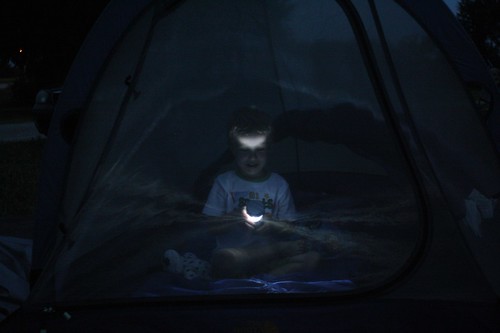
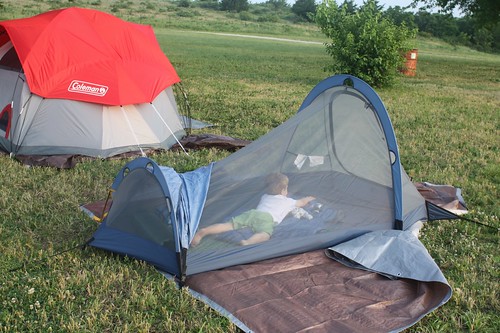
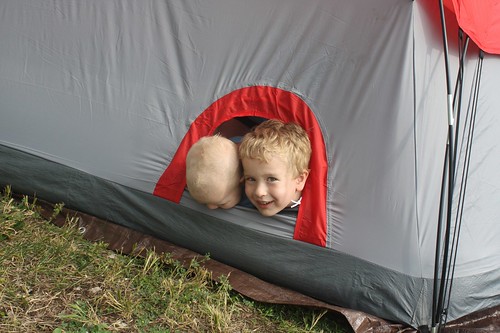
Friday I took the day off for us to go camping. Due to the birth of Oliver, our last time camping was in 2008. Back then, Terah had asked me what I wanted for father s day, and I suggested camping. Except when she was pregnant last year (and then Oliver was little), we have sort of had a standing plan to go camping twice a year: around father s day and my birthday. She says that s way more camping in a year than anyone needs. Anyhow, Jacob doesn t remember the last time we went camping; he was not quite 2 at the time. I explained that we would sleep in tents, and he d get one just his size. He laughed at that. Then I explained that he would get a bag to sleep in, and he thought that was hilarious. He kept talking about tents and even more so about sleeping bags until he actually got to be in one. It seems like each time we go camping, we wind up somewhere else. We ve camped at Kanoplis Lake and Marion Park and Lake in the past few years. But this time we went to Cedar Valley Reservoir near Garnett, KS. It was a nice place to be, with some wilderness camping areas far from any RV hookups (though right next to a gravel driveway where we could park). Almost as soon as we got out of the car, Jacob found a partially-burned stick left in a fire ring. So of course his hands were black pretty quick. He kept track of that stick the whole time we were there, and used it for everything he could think of. His favorite use, though, was at the lake to splash water: 2010-06-11 15.20.21.jpg The lake really was his favorite feature. He loved to throw rocks and sticks in it with me, to splash himself, and to stick his feet in. Oh, and to splash me. IMG_4057.JPG The pier was also a great thing for him he at first thought it was a boat, then really wanted to go. I made him hold my hand the whole time, and he liked walking on it. But he was frustrated that he couldn t reach the water. Somehow, Jacob acted as if he could sit in the hot sun for hours, just making small splashes with a stick. I, on the other hand, felt the 90-degree heat strongly, and eventually we found a shady spot to play in the lake. Oliver enjoyed crawling around on a blanket or on the grass. Though Terah put a stop to that after she noticed that he came across a pile of fish heads and was about to reach for one and put it in his mouth. We cooked over a campfire Friday night and Saturday morning. It took me a lot longer to start a fire than normal. Part of the problem was that there had been a lot of rain in the area, and it was humid, so there was little kindling to be found. Plenty of larger pieces of wood, so once the fire got going, it burned nicely. We cooked brats, brought along some homemade bread, had grilled foil-wrapped potatoes, and had stir-fry vegetables. Oliver got to eat with us too, of course: IMG_4022.JPG Terah is a big believer in smores, so after supper we made some smores Jacob predictably got sticky from the marshmallows and chocolate. Jacob started asking when I d set up the tent almost as soon as he found his stick. All afternoon he kept asking. Finally we got it set up, and of course he was so excited that he played inside it for an hour before he fell asleep. Terah had bought a $4 lantern at Walmart to give to him to use in his tent. I told him that there would be a surprise lantern in his tent for him to use. And he loved his lantern. It could turn on, off, and flash red. At one point he asked me, Dad, do you have a surprise lantern too? No, I will just use my flashlight. He looked a bit sad about that. For about 5 seconds. Then he turned on his lantern again. Here he is with it, still playing happily about 2 hours after his bedtime: IMG_4100.JPG And in the morning, of course he was still wanting that, but also wanted to play with his digital camera (a kid s version that also has a simple game or two on it). Without leaving the tent, of course. IMG_4105.JPG Oliver was getting hungry while we worked on breakfast, so I gave him some bread to munch on. IMG_4119.JPG We used our cast iron skillet to fry some bacon for breakfast. Then Terah made some pancakes in the skillet (with the bacon grease). Greasiest and best pancakes ever. After that, we had some fried and scrambled eggs. After that, we had more smores (I wasn t kidding about Terah being a big believer in them.) Jacob decided that he wanted to play in the other tent. He enjoyed playing with Terah, Oliver, and the air mattress (that Terah appreciated as much as I thought it took up too much space in the car). There s a little window on the back that can open to a screen or open completely. Jacob and Oliver enjoyed looking out of it while open. Or rather, Jacob enjoyed that, while Oliver enjoyed licking it. IMG_4161.JPG I had my Droid with me to keep an eye on the weather. The forecast for several days had called for a 20% chance of storms on Saturday. I checked Saturday morning at 7, and it still called for 20% chance of storms after 1PM. We decided we d pack up our tents after breakfast so we could stay as long as we liked or leave on short notice if we preferred. Clouds seemed to be building, though, so I checked the forecast again at maybe 9. Now it called for 60% chance of thunderstorms and heavy rain before 1PM. Guess I shouldn t have been surprised; it is Kansas after all. As I had the first tent about 90% put away, it started to rain. We rushed to get the rest of the stuff in the car, and by the time we did, it was raining heavily. We had planned to spend at least part of the afternoon there, but decided we d look for another place to stop on the way home. We stopped first at Garnett s North Lake, as the rain had let up for awhile. We spotted a fishing pier that Jacob wanted to walk on, but the bridge out to it was underwater, so we passed on that. While Terah fed Oliver in a shelter, Jacob and I played on some swings. Then we walked down to that lake. Jacob carefully came to an abrupt stop and looked both ways at each disused road between us and the lake, saying OK when it was clear to go. The rain picked up again, so we started heading towards home. It got quite heavy, with thunder and everything, which Jacob didn t care for at all. Both boys went to sleep, though. We stopped at Marion Reservoir on the way home. Jacob hadn t been able to play in the lake at Garnett (the place we stopped had a bank that was too steep) and so we played there. He waded into the water at the swimming area, and predictably enjoyed yes throwing rocks into the lake. When we got home, I set out the wet tent and tarps (it s not good to store that stuff wet) to dry there hadn t been rain at home yet. Camping s a lot of work, but it was a good family activity. I m looking forward to our next time, and hope we can choose a weekend a little less hot and damp.

19 May 2010

John Goerzen: Time to learn a new language

I have something of an informal goal of learning a new programming language every few years. It s not so much a goal as it is something of a discomfort. There are so many programming languages out there, with so many niches and approaches to problems, that I get uncomfortable with my lack of knowledge of some of them after awhile. This tends to happen every few years. The last major language I learned was Haskell, which I started working with in 2004. I still enjoy Haskell and don t see anything displacing it as my primary day-to-day workhorse. Yet there are some languages that I d like to learn. I have an interest in cross-platform languages; one of my few annoyances with Haskell is that it can t (at least with production quality) be compiled into something like Java bytecode or something else that isn t architecture-dependent. I have long had a soft spot for functional languages. I haven t had such a soft spot for static type checking, but Haskell s type inference changed that for me. Also I have an interest in writing Android apps, which means some sort of Java tie-in would be needed. Here are my current candidates: Of some particular interest to me is that Haskell has interpreters for Scheme, Lua, and JavaScript as well as code generators for some of these languages (though not generic Haskell-to-foo compilers). Languages not in the running because I already know them include: OCaml, POSIX shell, Python, Perl, Java, C, C++, Pascal, BASIC, Common Lisp, Prolog, SQL. Languages I have no interest in learning right now include Ruby (not different enough from what I already know plus bad experiences with it), any assembly, anything steeped in the Microsoft monoculture (C#, VB, etc.), or anything that is hard to work with outside of an Emacs or vim environment. (If your language requires or strongly encourages me to use your IDE or proprietary compiler, I m not interested that means you, flash.) Brief Reivews of Languages I Have Used To give you a bit of an idea of where I m coming from:

27 April 2010

Dirk Eddelbuettel: R Project and Google Summer of Code: Welcome to our students!

A few hours ago, I sent the following to both the R development list and the informal R / GSoC list:
Date: Mon, 26 Apr 2010 15:27:29 -0500
To: R Development List <r-devel>
CC: gsoc-r <gsoc-r>
Subject: R and the Google Summer of Code 2010 -- Please welcome our new students!
From: Dirk Eddelbuettel <edd>
Earlier today Google finalised student / mentor pairings and allocations for
the Google Summer of Code 2010 (GSoC 2010).  The R Project is happy to
announce that the following students have been accepted:
   Colin Rundel, "rgeos - an R wrapper for GEOS", mentored by Roger Bivand of
      the Norges Handelshoyskole, Norway
   Ian Fellows, "A GUI for Graphics using ggplot2 and Deducer", mentored by
      Hadley Wickham of Rice University, USA
   Chidambaram Annamalai, "rdx - Automatic Differentiation in R", mentored by
      John Nash of University of Ottawa, Canada
   Yasuhisa Yoshida, "NoSQL interface for R", mentored by Dirk Eddelbuettel,
      Chicago, USA
   Felix Schoenbrodt, "Social Relations Analyses in R", mentored by Stefan
      Schmukle, Universitaet Muenster, Germany
   Details about all proposals are on the R Wiki page for the GSoC 2010 at
   http://rwiki.sciviews.org/doku.php?id=developers:projects:gsoc2010
The R Project is honoured to have received its highest number of student
allocations yet, and looks forward to an exciting Summer of Code.  Please
join me in welcoming our new students.
At this time, I would also like to thank all the other students who have
applied for working with R in this Summer of Code. With a limited number of
available slots, not all proposals can be accepted -- but I hope that those
not lucky enough to have been granted a slot will continue to work with R and
towards making contributions within the R world. 
I would also like to express my thanks to all other mentors who provided for
a record number of proposals.  Without mentors and their project ideas we
would not have a Summer of Code -- so hopefully we will see you again next
year. 
Regards,  
Dirk (acting as R/GSoC 2010 admin)

10 April 2010

Russell Coker: Web Server Performance

We Have to Make Our Servers Faster Google have just announced that they have made site speed part of their ranking criteria for search results [1]. This means that we now need to put a lot of effort into making our servers run faster. I ve just been using the Page Speed Firefox Plugin [2] (which incidentally requires the Firebug Firefox Plugin [3]) to test my blog. Image Size One thing that Page Speed recommends is to specify the width and height of images in the img tag so the browser doesn t have to change the layout of the window every time it loads a picture. The following script generates the HTML that I m now using for my blog posts. I run BASE=http://www.coker.com.au/blogpics/2010 jpeg.sh foo.jpg bar.jpg and it generates HTML code that merely needs the data for the alt tag to be added. Note that this script relies on a scheme where there are files like foo-big.jpg that have maximum resolution and foo.jpg which has the small version. Anyone with some shell coding skills can change this of course, but I expect that some people will change the naming scheme that they use for new pictures. #!/bin/bash
set -e
while [ "$1" != "" ]; do
RES=$(identify $1 cut -f3 -d\ )
WIDTH=$(echo $RES cut -f1 -dx)px
HEIGHT=$(echo $RES cut -f2 -dx)px
BIG=$(echo $1 sed -e s/.jpg/-big.jpg/)
echo "<a href=\"$BASE/$BIG\"><img src=\"$BASE/$1\" width=\"$WIDTH\" height=\"$HEIGHT\" alt=\"\" /></a>"
shift
done Thanks to Brett Pemberton for the tip about using identify from imagemagick to discover the resolution. Apache and Cache Expiry Page Speed complained that my static URLs didn t specify a cache expiry time, this didn t affect things for my own system as my Squid server forcibly caches some things without being told to but would be a problem for some others. I first ran the command a2enmod expires ; a2enmod headers to configure my web server to use the expires and headers Apache modules. Then I created a file named /etc/apache2/conf.d/expires with the following contents: ExpiresActive On
ExpiresDefault "access plus 1 day"
ExpiresByType image/gif "access plus 1 month"
ExpiresByType image/jpeg "access plus 1 month"
ExpiresByType text/css "access plus 1 day"
# Set up caching on media files for 1 year (forever?)
<FilesMatch "\.(flv ico pdf avi mov ppt doc mp3 wmv wav)$">
ExpiresDefault "access plus 1 year"
Header append Cache-Control "public"
</FilesMatch>

# Set up caching on media files for 1 month
<FilesMatch "\.(gif jpg jpeg png swf)$">
ExpiresDefault "access plus 1 month"
Header append Cache-Control "public"
</FilesMatch> DNS Lookups Page Speed complains about DNS names that are used for only one URL. One example of this was the Octofinder service [4], it s a service to find blogs based on tags, but I don t seem to get any traffic from it so I just turned it off. In this case it was the only sensible thing to do to have a single URL from their web site, but I had been considering removing the Octofinder link for a while anyway. As an aside I will be interested to see if there are comments from anyone who has found Octofinder to be useful. I ve also disabled the widget that used to display my score from Technorati.com, it wasn t doing what it used to do, the facility of allowing someone to list my blog as a favorite didn t seem to provide any benefit, and it was taking extra DNS lookups and data transfers. I might put something from Technorati on my blog again in future as they used to be useful. Cookies If you have static content (such as images) on a server that uses cookies then the cookie data is sent with every request. This requires transferring more data and breaks caching. So I modified the style-sheet for my theme to reference icons on a different web server, this will supposedly save about 4K of data transfer for a page load while also giving better caching. The down-side of this is that I have my static content on a different virtual server so now updating my Wordpress theme will require updating two servers, this isn t a problem for the theme (which doesn t get updated often) but will be a problem if I do it with plugins. Conclusion The end result is that my blog now gets a rating of 95% for Page Speed when previously it got a rating of 82%. Now most of the top references that are flagged by Page Speed come from Google, although there is still work for me to do. Also it seems that Australia is now generally unsuitable for hosting web sites for viewing in other countries. I will advise all my clients who do International business to consider hosting in the US or the EU.

30 March 2010

John Goerzen: Trip part 7: The Journey Home

March 21 was a day of sitting. We ate breakfast in our hotel in Prague that morning, which was pretty similar to an American hotel breakfast, save that the rolls contained black olives and that the all-you-can-eat buffet didn t have people take a new plate on their second time through. Anyhow, we made it to the airport in Prague with plenty of time to spare. That trip that involved a tram, a subway, and a bus, and was on a Sunday morning when all of these services run less frequently. I wasn t sure what to expect, but we did it in right at an hour, just as the hotel desk had estimated. Anyhow, in Prague they were heavily steering people to the self check-in kiosks. So we tried it, and got about halfway through the procedure when it asked us to put our passport on the glass scanner. I did so, and it appeared to process, then complained that the document is not a passport. Eventually an airport employee came over, had the same result after trying it twice, so beckoned us over to the counter. Then on towards our gate. We briefly considered some sort of snack, since we wouldn t get to Munich until after lunch, but the terrible prices scared us off. An entire dinner with friends the evening before cost only 235 crowns ($12.53) for the two of us together, and one restaurant was advertising a panini and Coke for 1 person at 220 Kc ($11.72). Anyhow, we eventually found ice cream bars at a reasonable price. While sitting down at our gate, in the out-of-the-way small planes only part of the airport, we noticed only the second drinking fountain in Europe conveniently labeled with an icon indicating what it s for. The only person other than me that used it washed his hands in it, and did not sip the water. We eventually got on the packed bus to our plane, then flew to Munich. Over there, announcements at regular intervals suggested that passengers flying to the USA go to their gate immediately so they can pass the extra security screening. What joy. We headed in that direction, stopping only to change my remaining Czech crowns to dollars. And then we got to go through passport control followed by security for the second time of the day. This one took special interest in our camera and Terah s scissors. Mysteriously, there was a stream of people not going through security, and we never quite figured out why. We wanted something for lunch, and inside this special security zone there was only one real option: a bar of sorts. We got there, and watched a guy pay for two small beers and a pretzel. They shop conveniently let him pay for dollars, and the price came to $25. Worst exchange rate ever. We bought a pretzel and two croissants and I got rid of my last Euro note (EUR 5) and a EUR 1 coin. Eventually our flight got going. It was interesting comparing our international flight on Lufthansa to our flight to Hamburg on Continental. Lufthansa came through the cabin even in our cheapest economy seats section with hot wet wipes, handed out and later collected with tweezers, before each meal. The food was slightly better than Continental. The in-flight entertainment system had more things on it, though there were not power hookups at the seats. I still didn t really care for any of the entertainment options, though I did watch a Ricky Gervais movie which was OK. I caught a brief nap and read my Kindle. In Chicago, we got to go through American passport control. To get into the USA, even as a citizen, you get to fill out a whole form. That s a bit different than getting into Germany, where they check your passport and send you on your way without even bothering to inspect your bags. (There s a voluntary office you can go do if you have anything to declare.) I had noted on our form that we were bringing in food, and they asked me what kind. I told them it was chocolate still in the wrapper, and they said, OK, that s fine, and waved us on. So in the end it was really no more involved. All the customs people we saw in every country were friendly and helpful. In Chicago, you have to go through security again after customs, so that made our third security check of the day. At our gate, CNN was showing the House debate on health care, and the bill finally passed just prior to boarding for Indianapolis. That was a pleasant welcome home ! Our flight got to Indianapolis a bit after midnight (as scheduled, sigh), and then there was a bit of a drive. We spent the night in Indiana. Jacob and Oliver were staying there with their grandparents, but of course were already asleep. Jacob woke up in the middle of the night at one point, panicked because he couldn t find the butterfly he always sleeps with. Terah helped him find it, and apparently he just sat there staring at her for a minute. Both boys were happy to see us in the morning. Jacob was talking about the toys, and Oliver was just laughing. We ate breakfast, then tried to get on the road as soon as possible we had an 11-hour (before stops) drive ahead of us, and had to complete it all in one day. We had talked about what we would be doing, and Jacob was sad to leave grandma & grandpa and their farm. About an hour into the drive, Jacob said, Dad, where are we going? We re driving home. Kitty doesn t like that. We should go that way. (and he pointed out the back window.) Back to grandma & grandpa s house? Yeah! Jacob has this habit of referring to himself in the third person as a kitty, and probably more so when there s something sad or difficult. We stopped for lunch or running around breaks a few times, and wound up getting home at about 8:30. Oliver started laughing when he saw our porch, and we got inside, Jacob said, I want to run around all over the place! and he did. They were happy to be home. In Leipzig, Fritzi had chosen a book to give to Jacob. On Monday, I got it out, and explained it was from Fritzi in Germany. Jacob was very interested. I told him it was about a mole (Maulwurf), and he thought that was great too. I couldn t remember Brad s translation of the German story, so Jacob and I made up our own story as we went. This was a big hit, and he had me read the book three times all at once. Then he wanted to talk about who gave him the book again. In all, I m very glad we took the trip. It was fun seeing the sights, visiting with friends, and being a part of an environment that s different from our own. I hope we can do it again before too long.

19 March 2010

Dirk Eddelbuettel: R Project selected for the Google Summer of Code 2010

Earlier today, Google announced the list of accepted mentor organizations for the Google Summer of Code 2010 (GSoC 2010). And we are happy to report that the R Project is once again a participating organization (and now for the third straight year) joining a rather august group of open source projects from around the globe. An R Wiki page had been created and serves as the central point of reference for the R Project and the GSoC 2010. It contains a list of project ideas, currently counting eleven and spanning everything from research-oriented topics (such as spatial statistics or automatic differentiation) to R community-support (regarding CRAN statistics and the CRANtastic site) to extensions (NoSQL, RPy2 data interfaces, Rserve browser integration) and more. I also just created a mailing list gsoc-r@googlegroups.com where prospective students and mentors can exchange ideas and discuss. As for other details, the Google Summer of Code 2010 site has most of the answers, and we will try to keep R-related information on the aforementioned R Wiki page.

7 March 2010

Daniel Burrows: Installing OpenWRT on a Linksys WRT54GL v1.1

I finally got a few hours free this morning to check an item off my home system administration checklist: upgrading the wireless router's firmware to OpenWRT. There were a couple motivations for this, including the fact that my SoundBridge Radio couldn't maintain a connection to my firefly server using the built-in firmware, and I had read that OpenWRT would work better. Since this is posted on Planet Debian, I should mention why I didn't use DebianWRT. The basic answer is this text at the top of the DebianWRT homepage:
Currently the most common methods used to run Debian on these systems is to install OpenWRT or a similar firmware, add disk space either by USB storage or NFS, create a debian chroot by either running cdebootstrap from inside OpenWRT or debootstrap --foreign on a PC, and running Debian from this chroot. For example, instructions for the WLHDD.
I'm not sure whether this is because DebianWRT is experimental, or because its goal is to use routers as cheap general computers. Either way, it sounds way too complicated and/or fragile for what I'm interested in (i.e., a wireless router with better software). The goal here is to get something that does a better job than the built-in WRT firmware, but doesn't require too much tinkering to get working or to maintain. I have plenty of outlets for my tinkering urges already. Nothing here was exactly difficult, but it was hard to find all the information I needed to get things working. Hopefully documenting the steps I went through here will save someone else some time. Step 1: acquire the firmware This was trickier than you might think. If you click on the download link at the OpenWRT web site, you end up at the top of an FTP server populated with a vast quantity of stuff. Worse, when you find the actual firmware images, you'll quickly discover that there are piles and piles of them divided between sixteen directories, and no guidance as to which one to pick. And picking the wrong one will turn your beautiful router into a doorstop. Luckily, the OpenWRT documentation contains a section called "Getting Started". Unluckily, that section consists of the following text:
1.1 Getting started 1.1.1 Installation 1.1.2 Initial configuration 1.1.3 Failsafe mode
Whoops, someone forgot to execute on a TODO. :-) Undeterred, I consulted the usual fallback reference, Google. It pointed me at several references, some of which were hidden on other parts of the OpenWRT site. Armed with these, I was able to determine that:
  1. My WRT54GL v1.1 probably uses a Broadcom 5352 chipset.
  2. The correct firmware, according to multiple sources, is probably in the kamikaze top-level director, the latest version's subdirectory, and the bcrm-2.4 directory under the version (the link is to 8.09.2, which is current as of March 6, 2010). Apparently the bcrm47xx directory doesn't have wireless support; it helpfully contains a file called NO-BROADCOM-WIRELESS to warn you off, but unhelpfully doesn't include any additional information in that file (like what exactly is broken or that you can find a working firmware in a sibling directory) ... oh well.
  3. The firmware file that you want is openwrt-wrt54g-squashfs.bin, even though it doesn't match the model number of the router. This directory could use a README file explaining which hardware is supported by each of the dozen or so firmware files it contains.
Step 2: install the firmware After Step 1, this was a real relief. I just used the built-in Linksys firmware installer, pointed it at the .bin file, and it went. Step 3: configure the router The installation guide I followed was pretty much silent about what to do after I got the firmware on. Luckily, this is just a software problem, meaning it's much more familiar territory for me.
  1. First things first: I checked that I could still get a DHCP lease. It worked.
  2. Armed with that, I tried telneting to the router. I used the resulting root prompt to set a password on the root account.
  3. I logged out and tried telneting in. Apparently the router is configured to disallow root logins over telnet if you don't have a password. Good for them (although why allow telnet at all?); oops for me.
  4. Luckily, an ssh server was installed by default. I like using keys to log in, so I tracked down the documentation on configuring the server to use public-key authentication; it turns out there's a single global key file named /etc/dropbear/authorized_keys that's exactly like OpenSSH's per-user authorized_keys file. No idea what would happen if I had multiple users, but I won't.
  5. The next obstacle: I didn't have an Internet connection. For some reason, my cable modem didn't want to give the router a DHCP lease. On the off-chance that it was remembering too much, I rebooted it and ran ifup wan. That fixed the problem. I still don't know why.
  6. Not a step, but a useful note: in the process of figuring the above out, I found readlog. It's basically dmesg for syslog files; it shows the most recent lines written to syslog. This is useful because there isn't a real syslog file, due to the fact that there would be no room to store it on the 54GL.
  7. Finally, I had to get wireless working. The documentation is very helpful when it comes to describing the syntax of the wireless configuration. Unfortunately, I read the list of encryption options and missed the section right below where their meanings are explained (although, to be honest, I might not have understood the implications of the explanation without the research I did anyway).
    option encryption none, wep, psk, psk2, wpa, wpa2
    I wanted WPA2 encryption, so I entered wpa2. And nothing worked. After a good hour of trying different options on the client, swapping software components in and out on the router, experimenting with the encryption key syntax, and crawling Google, I finally found my answer. If you just want WPA2 encryption, you must not use wpa2 as the encryption type. Instead, use psk2. It turns out out that wpa2 actually means use WPA2 and also use an external RADIUS server for authentication. psk2 is the system you're familiar with from a typical consumer wireless router.
Step 4: enjoy And with that, it works. Unfortunately, contrary to what I wrote here originally, my Roku still doesn't work. On the other hand, having a real Linux installation is helpful for debugging it. Currently my suspicion is that the router isn't passing multicast packets between the wired and wireless interfaces (broadcast works fine, multicast doesn't). That said, it seems like if I restart Firefly just before I start playing music, I can play reasonably reliably -- as long as I don't stop, because if I do, the Roku forgets that the music server is there. Either way, I've spent about as much time fighting this as I can afford. :-/ One lingering worry I have is security; unlike Debian, which has both a security mailing list and tools to inform me when I need to install a security update, the OpenWRT firmware doesn't seem to have any mechanism for distributing security notices. True, there is an openwrt-security-announce list, but it appears to be entirely unused, as is openwrt-announce. Something to keep an eye on, then. Also (file under note to self), I need to remember to verify that the router isn't exposing services to the outside world. The default iptables configuration is hideously complex; with just a quick glance, it could be setting up a floral shop for all I can tell. I'll need to test this empirically and maybe analyze the rules in more depth.

26 February 2010

Dirk Eddelbuettel: R and Sudoku solvers: Plus ca change...

Christian Robert blogged about a particularly heavy-handed solution to last Sunday's Sudoku puzzle in Le Monde. That had my symapthy as I like evolutionary computing methods, and his chart is rather pretty. From there, this spread on to the REvolutions blogs where David Smith riffed on it, and showed the acual puzzle. That didn't stop things as Christian blogged once more about it, this time welcoming his post-doc Robin Ryder who posts a heavy analysis on all this that is a little much for me at this time of day. But what everybody seems to be forgetting is that R has had a Sudoku solver for years, thanks to the sudoku package by David Brahm and Greg Snow which was first posted four years ago. What comes around, goes around. With that, and about one minute of Emacs editing to get the Le Monde puzzle into the required ascii-art form, all we need to do is this:
R> library(sudoku)
R> s <- readSudoku("/tmp/sudoku.txt")
R> s
      [,1] [,2] [,3] [,4] [,5] [,6] [,7] [,8] [,9]
 [1,]    8    0    0    0    0    1    2    0    0
 [2,]    0    7    5    0    0    0    0    0    0
 [3,]    0    0    0    0    5    0    0    6    4
 [4,]    0    0    7    0    0    0    0    0    6
 [5,]    9    0    0    7    0    0    0    0    0
 [6,]    5    2    0    0    0    9    0    4    7
 [7,]    2    3    1    0    0    0    0    0    0
 [8,]    0    0    6    0    2    0    1    0    9
 [9,]    0    0    0    0    0    0    0    0    0
R> system.time(solveSudoku(s))
      [,1] [,2] [,3] [,4] [,5] [,6] [,7] [,8] [,9]
 [1,]    8    4    9    6    7    1    2    5    3
 [2,]    6    7    5    2    4    3    9    1    8
 [3,]    3    1    2    9    5    8    7    6    4
 [4,]    1    8    7    4    3    2    5    9    6
 [5,]    9    6    4    7    8    5    3    2    1
 [6,]    5    2    3    1    6    9    8    4    7
 [7,]    2    3    1    8    9    4    6    7    5
 [8,]    4    5    6    3    2    7    1    8    9
 [9,]    7    9    8    5    1    6    4    3    2
   user  system elapsed
  5.288   0.004   5.951
R>
That took all of five seconds while my computer was also compiling a particularly resource-hungry C++ package.... Just in case we needed another illustration that it is hard to navigate the riches and wonders that is CRAN...

8 February 2010

Stefano Zacchiroli: integrating Mutt with Org-mode

remember Mutt's mail in Org-mode and jump back to them As already anticipated, I've been implementing my own Getting Things Done work flow. This post documents one of its main bricks: the integration between Mutt and Org-mode. As a geek, my main incoming stream of TODO items and information in general is email. As emails hit my INBOX, I either deal with them immediately (reply, archive, delete) or I need to store them elsewhere, possibly adding extra information such as a deadline, a personal note, the associated next action, the context in which it is actionable, etc. This need of adding extra information is what defeats the usage of my mail client (Mutt) as a list manager (in the GTD sense), and that's where I plugged Org-mode in. My main goals are:
  1. create Org-mode notes from Mutt, referencing the current email, and possibly inlining some of its metadata (e.g. subject, sender)
  2. quickly retrieve referenced emails from Org-mode notes; ideally that should happen in my usual email environment (i.e. Mutt), so that I can process the retrieved mail as usual (e.g. to inform the sender that I did something about it)
In fact, both would be straightforward to achieve if I were using some Emacs-based mail client such as Gnus, but I resist the Emacs operating system syndrome, and therefore I insist in using my beloved Mutt. Let's see how the two parts of the interaction between Mutt and Org-mode work. (1) Mutt Org-mode (there ...) The interaction from Mutt to Org-mode happens via org-protocol. Using it external applications can feed content to Org-mode note templates, which are then interactively edited (via emacsclient), and finally filed away. The Mutt glue macro from my ~/.muttrc is as follow:
macro index \eR " ~/bin/remember-mail\n"

The remember-mail script is trivial: it parses the fed mail from STDIN (using a couple of legacy Perl modules) and then invokes org-protocol. The relevant configuration from my ~/.emacs is reported below; the comments explain the various parts:
;; standard org <-> remember stuff, RTFM
(org-remember-insinuate)
(setq org-default-notes-file "~/org/gtd.org")
(setq org-remember-templates  ;; mail-specific note template, identified by "m"
      '(("Mail" ?m "* %?\n\n  Source: %u, %c\n  %i" nil)))
;; ensure that emacsclient will show just the note to be edited when invoked
;; from Mutt, and that it will shut down emacsclient once finished;
;; fallback to legacy behavior when not invoked via org-protocol.
(add-hook 'org-remember-mode-hook 'delete-other-windows)
(setq my-org-protocol-flag nil)
(defadvice org-remember-finalize (after delete-frame-at-end activate)
  "Delete frame at remember finalization"
  (progn (if my-org-protocol-flag (delete-frame))
     (setq my-org-protocol-flag nil)))
(defadvice org-remember-kill (after delete-frame-at-end activate)
  "Delete frame at remember abort"
  (progn (if my-org-protocol-flag (delete-frame))
     (setq my-org-protocol-flag nil)))
(defadvice org-protocol-remember (before set-org-protocol-flag activate)
  (setq my-org-protocol-flag t))

The result is that when you hit ESC-R in Mutt, emacsclient will be fired up in place presenting a note template that already contains relevant mail information (date, subject, from) and lets you add extra information before going away. Additionally, the email message-id will be hidden in the note as a mutt: hyperlink with anchor text "mail". (2) Org-mode Mutt (... and back again) Going back means that clicking on a "mail" hyperlink within an Org-mode note should bring up a Mutt instance showing the original message, in its context (e.g. its own mailbox). Achieving that consists of 2 separate steps:
  1. looking up a specific message by Message-ID
  2. firing up Mutt on the looked up message
For the first part I use maildir-utils (AKA mu): a Xapian-based mail indexing tool, which nicely integrates with Mutt; check out my previous blog post on the subject for a sample setup. Using mu, Message-ID lookups are as simple as:
zack@usha:~$ mu find -f p m:E1NbJad-0007x9-B7@ries.debian.org
/home/zack/Maildir/Debian.project/cur/1264883664_0.9472.usha,U=6320,FMD5=2284e927bb93d8a2ec434f5614dc04ba:2,S

Note: I'm relying upon maildir-utils version 0.6 or greater, for all presented scripts. For the second part I use the mutt-open script which fires upon a Mutt instance on the maildir containing a specific message, and then "hits" the appropriate keys to open the message and shutdown the sidebar (if desired). It is a nicely reusable script, which I've being using elsewhere too. The needed glue on the emacs side is just a function to invoke mutt-open in a brand new terminal, and its declaration as the handler for mutt: URLs.
(defun open-mail-in-mutt (message)
  "Open a mail message in Mutt, using an external terminal.
Message can be specified either by a path pointing inside a
Maildir, or by Message-ID."
  (interactive "MPath or Message-ID: ")
  (shell-command
   (format "gnome-terminal -e \"%s %s\""
       (substitute-in-file-name "$HOME/bin/mutt-open") message)))
;; add support for "mutt:ID" links
(org-add-link-type "mutt" 'open-mail-in-mutt)

Voil ! Download Summary of scripts and configuration snippets discussed above:

3 February 2010

MJ Ray: Welcome to Koha-Community.org

At last night s #koha community hand-over meeting, it was felt that the LL/PTFS transfer could easily delay community control of the previous koha website for 3 months, so HLT should register a fan site for community members to put the latest Koha news and information on the web. So welcome to Koha-community.org which will mainly be about updates about new releases, support listings and the manuals until the previous website reflects the community again. Well done to all involved for getting it online so quickly!

27 January 2010

Bastian Venthur: Query Google Scholar using Python

In desperate need to organize my collection of scientific papers, I had a look at various tools which could help me organizing them. Probably one of the best out there is Mendeley. Mendeley seems to be a very good tool to keep your massive collection of pdfs under control. Unfortunately a very basic function, namely looking up a newly imported paper in Google Scholar to get attributes like: Authors, Year, etc. right, is bundled with a Mendeley account. I guess that s their way of forcing the user to participate to their community stuff, since without the Google Scholar lookup Mendeley is pretty useless unless you want to fill all the attributes manually. So I decided to write my own tool to make the lookup. Unfortunately Google does not really want to give away that precious data: they don t provide an API and even block certain User-Agents from accessing the page. Then, there is also the problem of scraping the results page to get the right data. The first problem can be trivially solved by setting a common User-Agent string, the second one can be elegantly circumvented by using the bibtex files provided in the search results. The bibtex entries are however only showed if you enabled them in the settings, which are stored in a cookie. After a few tries, I figured that the CF attribute (citation format?) controls which bibliography format should be offered in the results page and CF=4 corresponds to bibtex. Generating a fake cookie is easy, but you have to know what must be included. In this case it looks like a 16 digit hex as ID and the CF attribute is sufficient. The ID is probably supposed to be your id, but a randomly generated one also works like a charm. The resulting cookie looks like this: GSP=ID=762a112b5c765732:CF=4 All you have to do now is to query Google Scholar using the user string and the cookie:

...
# fake google id (looks like it is a 16 elements hex)
google_id = hashlib.md5(str(random.random())).hexdigest()[:16]
GOOGLE_SCHOLAR_URL =  http://scholar.google.com 
HEADERS =  User-Agent  :  Mozilla/5.0 ,
         Cookie  :  GSP=ID=%s:CF=4  % google_id  
def query(searchstr):
     "Return a list of bibtex items. " 
    searchstr =  /scholar?q= +urllib2.quote(searchstr)
    url = GOOGLE_SCHOLAR_URL + searchstr
    request = urllib2.Request(url, headers=HEADERS)
    response = urllib2.urlopen(request)
    html = response.read()
    # grab the bibtex links
     

And Google Scholar will offer you links to the bibtex files of the results. Getting those links is easy since they all start with "/scholar.bib". Just search for those and download the targets. The complete code is available on github. It can be used as a python library or a standalone application, you just call it like this: gscolar "some author or title" and it will print the first ten results in bibtex to stdout.

25 January 2010

Kees Cook: Google is wardriving

So, a while back, Google started providing location services. This seemed pretty cool, but I kind of ignored it until recently when I was playing with my Android s location API. With the GPS off, and no cell towers visible (my basement gets terrible cell service), my phone knew within about 500 feet of where it actually was. All I was connected to was my wifi. Bottom line: it seems that Google, among other methods, is likely wardriving while photographing for Street View. They are now able to pinpoint wifi access points if they happened to see it while driving through your city. I m really rather astonished that no one is freaking out about this; I m a bit unnerved. I implemented the location-of-your-wifi API quickly, so I could terrify myself further. You can do lookups via my location website too, if you want. UPDATE: yeah, it would seem to be crowd-sourced wifi and cell tower triangulation data. I should say Google is WarCrowding .

21 January 2010

Ian Wienand: Separate debug info

I've recently found out a bit more about separating debug info, and thought a consolidated reference might be handy. The Idea Most every distribution now provides separate debug packages which contain only the debug info, saving much space for the 99% of people who never want to start gdb. This is achieved with objcopy and --only-keep-debug/--add-gnu-debuglink and is well explained in the man page. What does this do? This adds a .gnu_debuglink section to the binary with the name of debug file to look for.
$ gcc -g -shared -o libtest.so libtest.c
$ objcopy --only-keep-debug libtest.so libtest.debug
$ objcopy --add-gnu-debuglink=libtest.debug libtest.so
$ objdump -s -j .gnu_debuglink libtest.so
libtest.so:     file format elf32-i386
Contents of section .gnu_debuglink:
 0000 6c696274 6573742e 64656275 67000000  libtest.debug...
 0010 52a7fd0a                             R... 
The first part is the name of the file, the second part is a check-sum of debug-info file for later reference. Build ID Did you know that binaries also get stamped with a unique id when they are built? The ld --build-id flag stamps in a hash near the end of the link.
$ readelf --wide --sections ./libtest.so    grep build
  [ 1] .note.gnu.build-id NOTE            000000d4 0000d4 000024 00   A  0   0  4
$ objdump -s -j .note.gnu.build-id libtest.so 
libtest.so:     file format elf32-i386
Contents of section .note.gnu.build-id:
 00d4 04000000 14000000 03000000 474e5500  ............GNU.
 00e4 a07ab0e4 7cd54f60 0f5cf66b 5799b05c  .z.. .O .\.kW..\
 00f4 2d43f456                             -C.V            
Incase you're wondering what the format of that is...
uint32 name_size; /* size of the name */
uint32 hash_size; /* size of the hash */
uint32 identifier; /* NT_GNU_BUILD_ID == 0x3 */
char   name[name_size]; /* the name "GNU" */
char   hash[hash_size]; /* the hash */
Although the actual file may change (due to prelink or similar) the hash will not be updated and remain constant. Finding the debug info files The last piece of the puzzle is how gdb attempts to find the debug-info files when it is run. The main variable influencing this is debug-file-directory.
(gdb) show debug-file-directory 
The directory where separate debug symbols are searched for is "/usr/lib/debug".
The first thing gdb does, which you can verify via an strace, is search for a file called [debug-file-directory]/.build-id/xx/yyyyyy.debug; where xx is the first two hexadecimal digits of the hash, and yyy the rest of it:
$ objdump -s -j .note.gnu.build-id /bin/ls
/bin/ls:     file format elf32-i386
Contents of section .note.gnu.build-id:
 8048168 04000000 14000000 03000000 474e5500  ............GNU.
 8048178 c6fd8024 2a11673c 7c6a5af6 2c65b1b5  ...$*.g< jZ.,e..
 8048188 d7e13fd4                             ..?.            
... [running gdb /bin/ls] ...
access("/usr/lib/debug/.build-id/c6/fd80242a11673c7c6a5af62c65b1b5d7e13fd4.debug", F_OK) = -1 ENOENT (No such file or directory)
Next it moves onto the debug-link info filename. First it looks for the filename in same directory as the object being debugged. After that it looks for the file in a sub-directory called .debug/ in the same directory. Finally, it prepends the debug-file-directory to the path of the object being inspected and looks for the debug info there. This is why the /usr/lib/debug directory looks like the root of a file-system; if you're looking for the debug-info of /usr/lib/libfoo.so it will be looked for in /usr/lib/debug/usr/lib/libfoo.so. Interestingly, the sysroot and solib-search-path don't appear to have anything to do with these lookups. So if you change the sysroot, you also need to change the debug-file-directory to match. However, most distributions make all this "just work", so hopefully you'll never have to worry about anyway!

18 January 2010

Russell Coker: Why Internet Access in Australia Sucks

In a comment on my post about (relatively) Cheap Net Access in Australia [1] sin from Romania said Somebody needs to whack the aussie ISP in the head with a cluebat. The prices that you pay are insane . In Eastern Europe you have optic fibers from Germany and other western European countries that carry vast amounts of data. As the demand for capacity increases it s not THAT difficult to lay more fibers. You also have competition between different companies that lay fiber. To get data to Australia you must lay cables under the sea, this is expensive and can t be done quickly. Therefore all international data transfers are expensive to cover the expense of laying the cables. I don t think that we have any real competition in the market for International connectivity from Australia either. Now the links between Europe and the US aren t cheap either, but I believe that there are economies of scale (as well as shorter distances) that make them significantly cheaper than the links to Australia. Also a good portion of the traffic that you generate as a customer of a European ISP will stay within Europe as there are heaps of good sites in Europe. The number of people living in Europe who speak English as their first language is more than twice that of Australia. The number of Europeans who communicate in English almost as fluently as the native speakers (such as about half the population of the Netherlands) is also quite significant. I expect that the amount of English-language material on the net that is published from the EU is more than three times greater than the quantity published from Australia. People who speak languages that have a more limited geographic spread (IE anything other than English, Spanish, French, and Portuguese) will have a higher portion of local traffic which is therefore cheaper for their ISP. So based on the relative population sizes we should expect to have Australians making a higher portion of their Internet bandwidth be expensive international data transfers than that of Europeans. Then of course there is the issue of server costs. Running servers in Australia is horribly expensive, while user access to the net is merely annoyingly expensive, the costs of hosting servers are significant and usually the offers have slower hardware and slower transfers (particularly to the important US and EU markets). My blog is hosted in Germany because the company that was offering me free hosting in Australia encouraged me to host it elsewhere due to the price. Also hosting in Germany gives me slightly lower ping times to the US and significantly lower ping times to Europe. As about half the readers of my blog are based in the US, a significant quantity of the readers are based in the EU, and Australia only contains a small portion of the readers the overall experience for readers of my blog is improved by having it hosted outside Australia. It would be better to have it hosted in the US (where most of my readers are located) but I was offered free hosting in the EU. It would be nice if there was a cheap and easy way of getting a mirror of my blog running in Australia with Geo-DNS so that people using Australian IP addresses would get a local server. Putting the static images on an Australian server would be trivial, setting up Geo-DNs would be painful and probably increase reliability issues later on but isn t insurmountable (I have root on both DNS servers). The Debian blog gives some basic information on how to setup GeoDNS [2]. Then I would need to set up a MySQL slave for Wordpress data and modify Wordpress to send it s writes to the master server which is probably impossible for me unless someone else has already written a Wordpress plugin for this, I m really not good at PHP programming. Another possibility would be one of the Wordpress cache plugins that maintain static files to avoid needless database lookups. Until/unless I do such things, every Australian reader of my web site (and those of my friends who do similar things to me regarding hosting) will slightly tilt the balance of Internet transfers in favor of expensive data from foreign servers instead of cheap content from local servers. Sometimes it just sucks to live on an island.

13 January 2010

Matt Brubeck: Finding SI unit domain names with Node.js

I'm working on some ideas for finance or news software that deliberately updates infrequently, so it doesn't reward me for checking or reloading it constantly. I came up with the name "microhertz" to describe the idea. (1 microhertz once every eleven and a half days.) As usual when I think of a project name, I did some DNS searches. Unfortunately "microhertz.com" is not available (but "microhertz.org" is). Then I went off on a tangent and got curious about which other SI units are available as domain names. This was the perfect opportunity to try node.js so I could use its asynchronous DNS library to run dozens of lookups in parallel. I grabbed a list of units and prefixes from NIST and wrote the following script:
var dns = require("dns"), sys = require('sys');
var prefixes = ["yotta", "zetta", "exa", "peta", "tera", "giga", "mega",
  "kilo", "hecto", "deka", "deci", "centi", "milli", "micro", "nano",
  "pico", "femto", "atto", "zepto", "yocto"];
var units = ["meter", "gram", "second", "ampere", "kelvin", "mole",
  "candela", "radian", "steradian", "hertz", "newton", "pascal", "joule",
  "watt", "colomb", "volt", "farad", "ohm", "siemens", "weber", "henry",
  "lumen", "lux", "becquerel", "gray", "sievert", "katal"];
for (var i=0; i<prefixes.length; i++)  
  for (var j=0; j<units.length; j++)  
    checkAvailable(prefixes[i] + units[j] + ".com", sys.puts);
   
 
function checkAvailable(name, callback)  
  var resolution = dns.resolve4(name);
  resolution.addErrback(function(e)  
    if (e.errno == dns.NXDOMAIN) callback(name);
   )
 
Out of 540 possible .com names, I found 376 that are available (and 10 more that produced temporary DNS errors, which I haven't investigated). Here are a few interesting ones, with some commentary: To get the complete list, just copy the script above to a file, and run it like this: node listnames.js Along the way I discovered that the API documentation for Node's dns module was out-of-date. This is fixed in my GitHub fork, and I've sent a pull request to the author Ryan Dahl.

1 January 2010

MJ Ray: Koha Blogs Page Back Online

The Koha Community Blogs was broken over Christmas. It s now back online and using the same collection of feeds as the microblogging services. A full list of Koha Social Networks is on the wiki.

Next.

Previous.