Petter Reinholdtsen: Unlocking HTC Desire HD on Linux using unruu and fastboot
Yesterday, I tried to unlock a HTC Desire HD phone, and it proved
to be a slight challenge. Here is the recipe if I ever need to do it
again. It all started by me wanting to try the recipe to set up
an
hardened Android installation from the Tor project blog on a
device I had access to. It is a old mobile phone with a broken
microphone The initial idea had been to just
install
CyanogenMod on it, but did not quite find time to start on it
until a few days ago.
The unlock process is supposed to be simple: (1) Boot into the boot
loader (press volume down and power at the same time), (2) select
'fastboot' before (3) connecting the device via USB to a Linux
machine, (4) request the device identifier token by running 'fastboot
oem get_identifier_token', (5) request the device unlocking key using
the HTC developer web
site and unlock the phone using the key file emailed to you.
Unfortunately, this only work fi you have hboot version 2.00.0029
or newer, and the device I was working on had 2.00.0027. This
apparently can be easily fixed by downloading a Windows program and
running it on your Windows machine, if you accept the terms Microsoft
require you to accept to use Windows - which I do not. So I had to
come up with a different approach. I got a lot of help from AndyCap
on #nuug, and would not have been able to get this working without
him.
First I needed to extract the hboot firmware from
the
windows binary for HTC Desire HD downloaded as 'the RUU' from HTC.
For this there is is a github
project named unruu using libunshield. The unshield tool did not
recognise the file format, but unruu worked and extracted rom.zip,
containing the new hboot firmware and a text file describing which
devices it would work for.
Next, I needed to get the new firmware into the device. For this I
followed some instructions
available
from HTC1Guru.com, and ran these commands as root on a Linux
machine with Debian testing:
adb reboot-bootloader
fastboot oem rebootRUU
fastboot flash zip rom.zip
fastboot flash zip rom.zip
fastboot reboot
The flash command apparently need to be done twice to take effect, as the first is just preparations and the second one do the flashing. The adb command is just to get to the boot loader menu, so turning the device on while holding volume down and the power button should work too. With the new hboot version in place I could start following the instructions on the HTC developer web site. I got the device token like this:
fastboot oem get_identifier_token 2>&1 sed 's/(bootloader) //'And once I got the unlock code via email, I could use it like this:
fastboot flash unlocktoken Unlock_code.binAnd with that final step in place, the phone was unlocked and I could start stuffing the software of my own choosing into the device. So far I only inserted a replacement recovery image to wipe the phone before I start. We will see what happen next. Perhaps I should install Debian on it. :)
 My monthly report covers what I have been doing for Debian. I write it for Debian s Long Term Support sponsors but also for the wider free software community in the hope that it might inspire people to get more involved with Debian or free software in general.
Debian Android
My monthly report covers what I have been doing for Debian. I write it for Debian s Long Term Support sponsors but also for the wider free software community in the hope that it might inspire people to get more involved with Debian or free software in general.
Debian Android

 There is this long-running workshop series Haskell in Leipzig, which is a meeting of all kinds of Haskell-interested folks (beginners, experts, developers, scientists), and for year s instance,
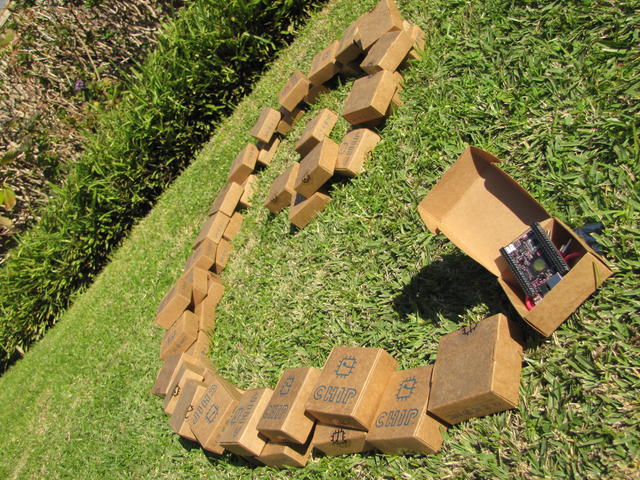
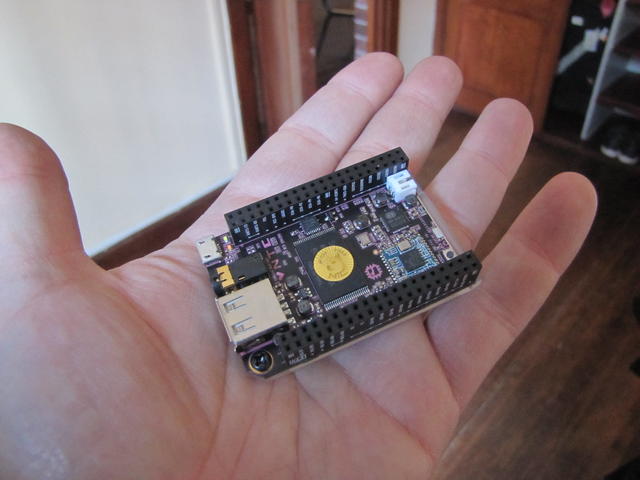
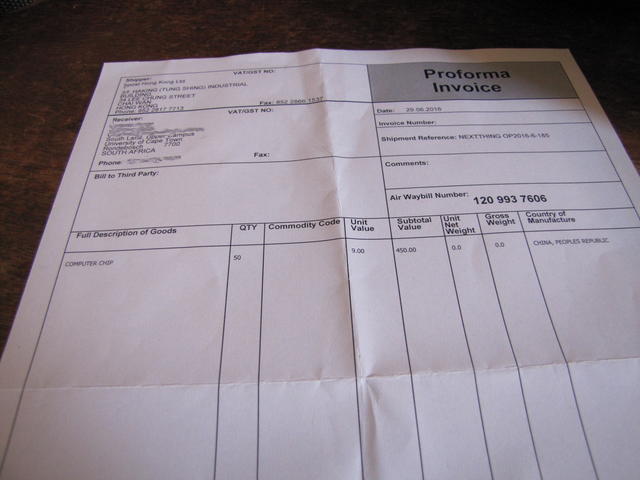
 I had my strong doubts as to whether the shipment would be allowed through customs, and was happily surprised by a smiling Graham today before noon. He handed me a smallish box that arrived to his office, containing...

 A quiet place in which to get away and code is all I was looking for when I
moved here. I found much more, but that's still the essence of the place.
On returning home from the beach, I've just learned that after
several years renting this house, I will soon have to leave, or buy it.
A quiet place in which to get away and code is all I was looking for when I
moved here. I found much more, but that's still the essence of the place.
On returning home from the beach, I've just learned that after
several years renting this house, I will soon have to leave, or buy it.
 The house is an

 For those who care about kdepim (kmail, kontact, korganizer, etc)



 .
Debian LTS
This was my twenty-fourth month that I did some work for the
.
Debian LTS
This was my twenty-fourth month that I did some work for the