Search Results: "nate"

31 December 2011

Russell Coker: My Blog Server was Cracked

On the 1st of August I noticed that the server which runs my blog among other things was having an occasional SEGV from a sshd process. Unfortunately I was busy and didn t pay much attention to this, which turned out to be a big mistake. On the 12th of September I started investigating this properly and noticed that when someone tried to connect to ssh with password authentication sshd would SEGV after it was denied access to a shared memory region or a semaphore which had a SE Linux type of unconfined_t. I added some SE Linux auditallow rules and discovered that the memory region in question was created by the ssh client. Shortly after that I came to the conclusion that this wasn t some strange feature of ssh (or one of the many shared objects it uses) but hostile activity. The ssh client appeared to be storing passwords that it used in a shared memory region and sshd was also collecting passwords in the same region and presumably offering them to a ssh client which uses some extension to the ssh protocol. The sshd process was crashing because it couldn t handle EPERM on access to shared memory or semaphores. Presumably if the system in question wasn t running SE Linux then the exploit would have remained undetected for a lot longer. At this stage we don t know how the attacker got in. Presumably one of the people with root access ran a ssh client on a compromised system and had their password sniffed. One such client system was mysteriously reinstalled at about that time, the sysadmin of the system in question claimed to have no backups which made it impossible to determine if that system had been compromised. I believe that the sysadmin of the client system knew that their system was compromised, kept that information secret, and allowed other systems to become and remain compromised. The attacker made no good effort to conceal their presence, they replaced ssh, sshd, and ssh-add and didn t bother changing the Debian checksums so the debsums program flagged the files as modified. Note that I have kept copies of the files in question and am willing to share them with anyone who wants to analyse them. Steinar H. Gunderson has named this trojan Ebury [1]. Recovery By the evening of the 13th of September I had the system mostly working again. Jabber still isn t working because ejabberd is difficult to get working at the best of times, I am now investigating whether there is a better Jabber server to use, but as I don t use Jabber often this hasn t been a priority for me. Some of the WordPress plugins I use and all of the WordPress themes that are installed were outside the Debian packaging system, as I couldn t be sure that they hadn t been altered (because the people who wrote WordPress plugins don t keep old versions online) I had to upgrade to the newer versions. Of course the newer versions weren t entirely compatible so I had to use a different theme and I couldn t get all plugins working. Link Within no longer works, not that it ever worked properly [2], I wanted to try Outbrain again but their web site won t let me login (and they haven t responded to my support request). Does anyone know of a good WordPress plugin to provide links to related content? Either related content on my blog or on the Internet in general will be OK. Some people have asked me about the change in appearance of my blog. It was simply impossible (for someone with my PHP skills) to get my blog looking the same way as it did before the server was cracked. I think that the new look is OK and don t mind if people think it looks likw a VW advert VW make great cars, I was very satisfied with the VW Passat I used to drive. Future Plans I had bought some Yubikeys (USB devices that generate one-time passwords) [3] to control access to that server, if I had configured the software to use them then this might not have happened. The use of one-time password devices can prevent passive password-sniffing attacks. It would still allow active attacks (such as using ControlPath/ControlMaster options on the ssh client to allow a hostile party to connect later (EG the -M, -S, and -o ControlPersist options for the ssh client). It s a pity that there doesn t seem to be a way to configure the ssh server to disable ControlMaster. Conclusion It would be good to have some changes to sshd to allow more restrictions on what a client can request, as ControlMaster functionality isn t needed by most users it should be possible to disable it. SE Linux doesn t protect against a compromised client system or any other way of stealing passwords. It did do a good job of stopping Ebury from doing all the things it wanted to do and thus making me aware of the problem. So I count this as a win for SE Linux. Yubikeys are the cheapest and easiest way of managine one-time passwords. I had already bought some for use on the system in question but hadn t got around to configuring them. I have to make that a priority.

28 December 2011

Wouter Verhelst: Rsync'ing over a newer subversion (fsfs) repository

So there are two servers; let's call them srv1 and srv2. Srv1 contains a bunch of subversion repositories, but these are to be migrated to srv2. Since the repositories are not (just) used for ascii-only files, they're fairly big (several tens of gigabytes, altogether), so copying them from one server to the other would take a while. In order to make sure this would happen quickly, we had already copied them over to the new server, so that on the final switch would be quick (an rsync that would copy over just the new done transactions). That final switch was today. Only I didn't know that instead of just testing, the customer had already started using one of the repositories (and they'd forgotten to remind me), so the subversion repository suddenly jumped backwards in time. In addition, the new server wasn't being backed up yet (at least not for the subversion bits), so restoring from backups wasn't an option. Oops. Luckily the solution is fairly simple. You see, fsfs stores each revision in a unique file; that means that as long as nobody has committed to the repository yet (which they couldn't, since system users aren't the same on both servers, so the webserver didn't have write permissions on the repository after the rsync), nothing is lost. One only needs to manually change the repository so that whatever subversion thinks is the latest commit, actually is the latest commit. That information is stored in a file called db/current inside the repository. What's in that file depends on the repository version, which is stored in a file called db/format in the repository. For versions 1 and 2, the format is a single line with three space-separated values, of which the first is the last revision number used in the repository. The other two are counters that are used to give transactions unique names; and they, too, need to be up-to-date. For version 3 and above, the file contains only the revision number; there, the other two are derived from that instead of having their own unique number. Figuring out the last used revision number in an fsfs repository is ridiculously easy:

ls -v db/revs tail -n1
So if you've got a repository of fsfs version 3 or above, just change the revision number in the db/current file (after taking backups and making sure nobody can access the repository while you're doing this, of course), and you're all set. Unfortunately, in my case, the repository was still in fsfs version 2, which meant I could not change just the revision number and not expect trouble. I suppose it should've been possible to figure out what the last transaction numbers are, somehow, so that I could fix the current file completely, but I reasoned that upgrading to a newer repository format might have other advantages too, so I just dumped the repository and reloaded it, and everything worked at that point.

22 December 2011

Jeff Licquia: Time Flies

18 years ago, I carried a baby out of a delivery room. MY baby. What a rush. Looking down on him in the baby warmer, amazement and fear dominated my thoughts, clamoring for my attention. I was a father. What would I do now? My life was REALLY not just my own anymore; I had this little one that was counting on me. Was I up to the challenge? And what about when he wasn t a little one anymore? What would he be like as an adult? Would he be a good person? What would he care about? When he turned 18, what would we do, and what would his plans be for the future? That day was something I thought about often in that nursery all those years ago. And now, that day has arrived. Jon is now a young adult. And looking at the ultimate result of the last 18 years of worry, I feel immeasurably proud. He has made his mistakes, and no doubt will make more mistakes in the future. But he has not let those mistakes dampen his confident optimism, or drag down his sense of what s right. More importantly, he has a heart for others that expresses itself with everyone he s around. Often, the topics of our disagreements center around his fierce protective instinct, and on more than one occasion, he s challenged me to improve myself. I have not been a perfect father. At times, I ve been far from perfect. But I am grateful that I ve been a part of raising a young man I can admire and, yes, even learn from. Happy 18th birthday, Jon. Have an excellent life. I ll cherish the rest of the time you re still at home, miss you when the time comes for you to leave, and always be there for you as long as I live. Your mom and I are your biggest fans; never forget that.

18 December 2011

Kai Wasserb ch: Miscellaneous stuff #1

This year is in its last throes and a few things, that don't really warrant their own blog post, have piled up here. To get them out of the door before 2012 starts, I'd like to go over them in the next few lines. First: there seem to be a group of rather cheap people who want to have the Humble Indie Bundle #4, but don't like to give at least 0.01 USD. Really guys, you seem to have enough money for a fast-enough computer and a (broadband) internet connection (otherwise downloading the circa 2.8 GB of games won't be a lot of fun), but you don't have the 0.01 USD to spare? If you don't like closed-source games (a sentiment I can truly understand, in fact, that was something I really pondered before buying) then just don't play them. But searching for a torrent for the HIB#4 while it is still being sold to just avoid paying the minimal fee, I can't understand. Now, some might wonder how I know this. The easy answer is, I blogged about buying the HIB#4 and mentioned, that I downloaded the games through a torrent (you can choose between direct downloads and torrents on your "login page") and a lot of people started hitting the blog entry with a referrer from a search engine, showing they'd searched for "humble indie bundle 4 torrent". Please make a decision: don't play the games or if you wish to, then pay something. The people behind those games make it easy and, in comparison to many other game studios, a fair offer. That should be worth something. For those of you who loved Josephine, there is a new awesome piece of art, Creative Commons licensed, by An-U (German homepage). The title (and the drawing) are derived from the equally awesome Katzenjammer song "On the Devil's Back" (in case you're still looking for a present, you might want to consider one of their CDs or a ticket to their next concert near you). Then, I wanted to thank all those people, who donated something over the course of 2011! Thanks a lot, especially for showing me, that you liked my services/work enough to even consider a donation! It means a lot to me, to know this. At year's end everybody is doing statistics and while I won't bore you with long in-depth analysis, I thought I throw out, what the top posts/things where (so far). Maybe you find yourself represented in there or maybe you find something new. In no particular order: I hope your 2011 was a good year and I wish you all the best for 2012! I'm pretty sure Debian will continue to grow, but there is also a lot of work ahead, maybe you can join the effort and make Debian that much more awesome!

16 December 2011

Jamie McClelland: Privilege Separation

What are the biggest security threats to my laptop? Almost all the software I install is vetted and signed by a member of the Debian team. I run reliable virus software on our mail server. My disk is encrypted and xscreensaver locks my screen after a few minutes of inactivity. What else? The two biggest threats I've recently considered are: web browsing and non-free software or software that doesn't come from Debian (I regularly have to use skype and zimbra, for example). To mitigate these risks, I've configured these programs to run as their own users, thus adding a layer of separation between the programs and my primary user account, which has access to my gpg/ssh keys and email. With a program like zimbra it's fairly easy. I created a zimbra user, added my primary account's public ssh key to /home/zimbra/.ssh/authorized_keys, and add the following stanza to ~/.ssh/config:
Host zimbra 
Hostname localhost 
User zimbra 
ForwardX11 yes
Now I can start zimbra with:
ssh zimbra ./zdesktop-launch
Skype was a little harder, since the skype client has to access the audio system. With pulseaudio, though, it's a snap. I copied /etc/pulse/default.pa to ~/.pulse/ and added the line:
load-module module-native-protocol-tcp auth-ip-acl=127.0.0.1
Then, I added /home/skype/.pulse/client.conf with the contents:
default-server = 127.0.0.1
[Note: Jamie Rollins and dkg have pointed out that this arrangement allows any user on my laptop to send arbitrary data to pulseaudio, running as my primay account. They suggested configuring pulseaudio to listen on a unix-domain socket, and then configuring pulseaudio to only permit access to users in a particular group.] iceweasel is the most complicated. In addition to the pulseaudio trick, I had to make two other allowances. First, there are a lot of processes that launch a web browser in a number of different ways (sometimes asking for a new session, other times adding a tab to an existing one, sometimes passing an URL as an argument, etc). The one that I got the most stuck on was mutt. Sometimes I want to see how an HTML message looks in iceweasel. Via mailcap, mutt creates a temp file with the html content and then launches a web browser to view the file. As can be reasonably expected, this temp file is owned by my primary user, and only read-able by the owner. That means my iceweasel user can't read it. Eventually, I decided the easiest way to deal with these various scenarios was to write a simple bash script to launch my web browser (see below). I registered it via update-alternatives, so most reasonable programs that want to launch a web browser will use it. The second issue is that I use the monkeysphere xul plugin to verify TLS certificates, which requires iceweasel to communicate with my monkeysphere validation agent. My agent runs as my primary user and by default only responds to queries from my primary user. Fortunately, monkeysphere is well-designed and can handle this situation. As you can see from my web launcher script, I pass MONKEYSPHEREVALIDATIONAGENTSOCKET=$MONKEYSPHEREVALIDATIONAGENTSOCKET when calling iceweasel. In addition, I added the following before I exec monkeysphere-validation-agent:
export MSVA_ALLOWED_USERS="iceweasel jamie"
With this simple infrastructure setup, it's possible to easily isolate future programs as well. Lastly... here's the script for launching iceweasel.
#!/bin/bash
stdin=
new_session=no
url=
for arg in "$@"; do
  if <span class="createlink"> &#34;&#36;arg&#34; &#61;&#126; &#94;-- </span>; then 
    if [ "$arg" = "--new-session" ]; then
      new_session=yes
    elif [ "$arg" = "--from-stdin" ]; then
      stdin=yes
    fi
  else
    url="$1"
  fi
done
if [ "$stdin" = "yes" ]; then
  temp=$(mktemp)
  while read line; do
    echo "$line" >> "$temp"
  done
  # it must be readable by the iceweasel user
  chmod 755 "$temp"
  url="file:///$temp"
fi
args=
if [ "$new_session" = "yes" ]; then
  args="--no-remote -ProfileManager"
fi
if [ -n "$url" ]; then
  args="$args '$url'"
fi
ssh iceweasel "MONKEYSPHERE_VALIDATION_AGENT_SOCKET=$MONKEYSPHERE_VALIDATION_AGENT_SOCKET iceweasel $args" &
[ -f "$temp" ] && sleep 5 && rm "$temp"
Comments by email... Hi, http://current.workingdirectory.net/posts/2011/privilege-separation/ has good intentions but afaik it does not improve security much. X applications can sniff your passwords and inject commands to your terminal emulators. I personally use xpra to get a similar solution without the hazards of X. I've been using it for two months now both at work and home. There are still bugs but svn version is getting better all the time. See for example my reply to https://grepular.com/ProtectingaLaptopfromSimpleandSophisticated_Attacks Timo

14 December 2011

Patrick Schoenfeld: Struggling with Advanced Format during a LVM to RAID migration

Recently I decided to invest in another harddisk for my atom system. That system, I built up almost two years ago, has become the central system in my home network, serving as a fileserver to host my personal data, some git repositories etc., streaming server and since I switched to a cable internet connection it also serves as a router/firewall.Originally, I bought that disk to backup some data, of the systems in the network, but I realized that all data on this system were hosted on a single 320GB 2,5" disk and it became clear to me, that, in absense of a proper backup strategy, I at least should provide some redundancy. So I decided, once the disk was in place, that the whole system should move to a RAID1 over the two disks. Basically this is not that hard as it may seem at a first glance, but I had some problems due to a new sector size in some recent harddisks, which is called Advanced Format. But lets begin from the start. The basic idea of such a migration is:
  1. Install mdadm with apt-get. Make sure to answer 'all' to the question which devices need to be activated in order to boot the system.

  2. Partition the new disk (almost) identical.Because the new drive is somewhat bigger that wouldn't make sense, but at least the two partitions which should be mirrored on the second disk, need to be identical.Usually this is achieved easily by using
    sfdisk -d /dev/sda sfdisk /dev/second/sdb
    In this case, it wasn't that easy. But I will come to that in a minute.

  3. Change the type of the partitions to 'FD' (Linux RAID autodetect) with fdisk

  4. Erase evidence of an eventual old RAID from the partitions, which is probably pointless on a brand-new disk, but we want to be sure:
    mdadm --zero-superblock /dev/sdb1mdadm --zero-superblock /dev/sdb2
  5. Create two DEGRADED raid1 arrays from the partitions:
    mdadm --create /dev/md0 --level=1 --raid-devices=2 /dev/sdb1 missingmdadm --create /dev/md1 --level=1 --raid-devices=2 /dev/sdb2 missing
  6. Create filesystem on the first raid device, which will become /boot.

  7. Mount that filesystem somewhere temporary and move the contents of /boot to it:
    mount /dev/md0 /mnt/somewhere
  8. Unmount /boot, edit fstab to mount /boot from /dev/md0 and re-mount /boot (from md0)

  9. Create mdadm configuration with mdadm and append it to /etc/mdadm/mdadm.conf:
    mdadm --examine --scan >> /etc/mdadm/mdadm.conf
  10. Update the initramfs and grub (no manual modification needed with grub2 on my system)and install grub into the MBR of the second disk.
    update-initramfs -uupdate-grubgrub-install /dev/sdb
  11. The first point to pray: Reboot the system to verify it can boot from the new /boot.

  12. Create a physical volume on /dev/md1:
    pvcreate /dev/md1
  13. Extend the volume group to contain that device:
    vgextend <volgroup_name> /dev/md1</volgroup_name>
  14. Move the whole volume group physically from the first disk to the degraded RAID:
    vgmove <volgroup_name> /dev/md1</volgroup_name>
    (Wait for it to complete... takes some time ;)

  15. Reduce first disk from the VG:
    vgreduce <volgroup_name> /dev/sda2</volgroup_name>
  16. Prepare it for addition to the RAID (see step 3 and 4) and add it:
    mdadm --add /dev/md0 /dev/sda1mdadm --add /dev/md1 /dev/sda2
  17. Hooray! Watch into /proc/mdstat. You should see that the RAID is recovering.

  18. When recovery is finished pray another time and hope that system is still booting with it running from the RAID entirely. If it does: Finished :-)
Now to the problem with the advanced format:There is some action taking place with the hardware vendors to move to a new sector size. Physically my new device has a size of 4096 bytes per sector. Somewhat different to the 512 bytes disks used to have the last decade. Logically it still has 512 bytes per sector. As far as I understand this is achieved by placing 8 logical sectors into one physical sector, so when partitioning a new disk the alignment of the disk has to be so that partitions start in a sector which is a multiple of 8. That, obviously, wasn't the case with the old partitioning on my first disk. So I had to manually create partitions by specifying start points manually and making sure they are dividable by 8.Otherwise fdisk would complain about the layout on the disk.This does not work with cfdisk, because it does not accept manual alignment parameters and unfortunately the partitions it creates do have a wrong alignment. So good old fdisk and some calculations how many sectors are needed and where to start, to the rescue. So the layout is now:

Device Boot Start End Blocks Id System
/dev/sdb1 2048 291154 144553+ fd Linux raid autodetect
/dev/sdb2 291160 625139334 312424087+ fd Linux raid autodetect

13 December 2011

Bastian Venthur: How to get a list of manually installed packages (and remove the other ones)

The Good Every other year or so I feel the need to clean up my Debian system and remove the installed packages I m not interested in anymore. I remember there was a nice aptitude pattern to search for packages which I have manually installed (i.e. which were not installed to satisfy a dependency). Ideally I would then go through the (presumably short) list of packages and remove the ones I don t need any more. Since I always forget the aptitude pattern to search for those packages, I google for something like list of manually installed packages and find a solution like: aptitude search ~i !~M . Although this solution is not wrong, it is not quite what I was looking for. Sure, it will find you all packages which are installed and not installed to satisfy a dependency, but it also contains packages of priorities: required, important and standard which you usually don t want to deinstall. So the actual solution should also exclude those packages.
aptitude search '~i !~M !~pstandard !~pimportant !~prequired'
The above line will do the trick and present you a list of packages which are: installed and not dragged in to satisfy a dependency and not of priority standard, important or required. If you where only interested in the solution of the quest of getting a list of all manually installed packages you can stop reading here. The Bad If you re running your system for longer than, say, a few weeks you will probably notice that the list is very long and contains much more packages than you actually installed manually. You will probably notice a lot of libs and other packages in this list and wonder why they aren t marked auto as they should since you didn t install them on purpose. Unfortunately I don t have an answer for that question. I m using aptitude exclusively to install packages and rely on the fact that aptitude does install the dependencies automatically and more importantly: also removes them if not needed any more. But it seems like something is broken in aptitude (or somewhere else) and packages simply lose their auto status instead of being removed and thus stay on your system forever if you don t manually clean your system. The Ugly To solve that issue I started aptitude and filtered the package tree with the above pattern (press l in aptitude and enter ~i !~M !~pstandard !~pimportant !~prequired). Now the package view shows only packages which are safe to remove since they are not of of priority standard or higher and manually installed by you. Now I navigate with the cursor to the list of installed packages an mark all of them as auto by pressing M. For each package in this list, aptitude will try to find an installed package which depends on that package and mark that package auto. The remaining packages which no other packages depend on, aptitude will mark for deletion. If you now press g one time, aptitude will show you which packages will be removed. I then go through that list and mark every single of the remaining packages I really want on my system with + as manually installed. After I m done I proceed by pressing g again which will remove all remaining packages. In my case nearly 600 packages (1GB) where removed. Bugreport! I assume there is a bug in aptitude or some related package which sometimes(!) removes a packages auto status instead of removing it. Unfortunately I did not find a way to reproduce that (except that it obviously does happen). If someone could find a way to reproduce that problem, one could fill a bugreport and help to get that bug fixed. Right now, a Debian system suffers (like many other operating systems) from a slow but steadily growing bloat of installed software. In my case 600 packages with 1GB accumulated over one or two years.

Vincent Bernat: Tuning Linux IPv4 route cache

The route cache is a Linux kernel component enabling route lookups to be faster by caching the results in some table and checking it before issuing a regular lookup in the route tables. When using Linux as a router, the inefficiency of the route cache can hinder the performances of your box. The documentation on this component is scarce and it is difficult to find up-to-date bits on how the route cache works and how to tune it. The book Understanding Linux Network Internals from O Reilly is an exception and contains valuable information on how the route cache works. Even if the book is targeted at 2.6.12, the part on the route cache is still quite accurate. Unfortunately, it fails to provide appropriate tips on how to monitor and tune the route cache. I hope to provide here a concise view of the route cache, as it is implemented in Linux 3.1. It is protocol-dependent1 and I will cover only the IPv4 version here.

Overview of the route cache subsystem To handle an incoming or outgoing IP datagram, the kernel needs to issue a lookup in the route tables. While it seems to be quite trivial, several questions need to be answered:
  • Does the source address and the destination address appear to be valid?
  • Is the source address a martian address2?
  • Is the destination address mine or should I forward the packet?
  • Which route table should I use?
  • Does the destination address match this route? And this one?
  • Can I currently contact the gateway that I should use?
Those checks can be a bit time consuming, even for small route tables. To avoid them for each packets, Linux maintains a route cache which is queried before doing a regular lookup and updated after each one. You can dump it with ip -s route show cache:
$ ip -s route show cache
198.51.100.7 from 203.0.113.2 via 192.0.2.1 dev eth1
  cache used 7 age 2sec ipid 0x1fce rtt 131ms rttvar 45ms cwnd 10
198.51.100.17 from 203.0.113.15 via 192.0.2.1 dev eth1
  cache used 3 age 0sec ipid 0xc3bd
local 192.0.2.18 from 203.0.113.15 dev lo src 192.0.2.18
  cache <local> used 154 age 1sec iif eth0
Here are two examples:
  • If Linux receives a packet from 198.51.100.17 to 203.0.113.15, it will find this flow in the route cache. Therefore, it already knows that it should forward the packet to 192.0.2.1. No checks needed.
  • If it receives a packet from 198.51.100.16 to 203.0.113.15, there is no appropriate entry in the route cache and therefore, the system will have to look at the route tables. It is likely to use the exact same entry than if the source was 198.51.100.17 but maybe there is some policy routing requesting the use of a special route table or 198.51.100.16 is a local address and the packet will therefore be classified as martian.
The schema below shows how this cache is implemented3. It uses a separate hash table (BSD systems keep the cache in the routing table). Each bucket is a chained list of route cache entries. Schema of the route cache hash table Once an entry has been added to the route cache, there are several ways to remove it. Most entries are removed by the garbage collector which will scan the route cache and remove invalid and older entries. It will be triggered when the route cache is full or at regular interval, once a certain threshold has been met.

Available knobs There are several values you can tune. Most of them are available in sysctl.
  • rhash_entries is the size of the hash table4. If you don t specify it on the kernel command line, it is computed dynamically based on the memory available on your system. You can view its value by looking at something like IP route cache hash table entries: 262144 (order: 9, 2097152 bytes) in the kernel logs.
  • net.ipv4.route.max_size is the maximum number of entries in the route cache. Except under exceptional circumstances, this value is never exceeded.
  • net.ipv4.route.gc_elasticity is the target average length of a chain in the route cache. The garbage collector will work harder if this value is exceeded. This means that if you multiply this value by the value of rhash_entries, you will get the target average number of entries in the route cache.
  • net.ipv4.route.gc_min_interval_ms is the minimum delay between two runs of the garbage collector, except when the cache is full. The default value should be fine.
  • net.ipv4.route.gc_thresh is a threshold triggering the garbage collector every net.ipv4.route.gc_min_interval_ms milliseconds.
  • net.ipv4.route.gc_timeout is the base value to determine if an entry is old enough to be removed or not. Whatever its value, the garbage collector will attempt to remove the same number of entries. However, this value could potentially influence its efficiency. See below for more details on this.
You may find documentation about those obsolete sysctl values:
  • net.ipv4.route.secret_interval has been removed in Linux 2.6.35; it was used to trigger an asynchronous flush at fixed interval to avoid to fill the cache.
  • net.ipv4.route.gc_interval has been removed in Linux 2.6.38. It is still present until Linux 3.2 but has no effect. It was used to trigger an asynchronous cleanup of the route cache (but in a different way of what the garbage collector does). The garbage collector is now considered efficient enough for the job.

Statistics & monitoring Linux maintains some statistics about the use of the route cache. You can find them in /proc/net/stat/rt_cache. The command lnstat can print them nicely for you:
$ lnstat -s1 -i1 -c-1 -f rt_cache
rt_cache rt_cache rt_cache rt_cache rt_cache rt_cache rt_cache rt_cache rt_cache rt_cache rt_cache rt_cache rt_cache rt_cache rt_cache rt_cache rt_cache 
 entries   in_hit in_slow_ in_slow_ in_no_ro   in_brd in_marti in_marti  out_hit out_slow out_slow gc_total gc_ignor gc_goal_ gc_dst_o in_hlist out_hlis 
                       tot       mc      ute            an_dst   an_src              _tot      _mc                ed     miss  verflow  _search t_search 
 3096848    42309      686        0        0        0        0        0        3        0        0      674      672        0        0    27644        8 
 3096984    41405      636        0        0        0        0        0        3        0        0      623      621        0        0    28189        8 
 3097160    42483      700        0        0        0        0        0        5        0        0      694      692        0        0    29506       12 
Except for the first column, lnstat outputs values in units per second. Let s review some of those values:
  • rt_cache_entries is the number of entries in the route cache. You should compare it with net.ipv4.route.max_size and ensure that the cache is never full to avoid triggering the garbage collector too often.
  • rt_cache_in_hit and rt_cache_out_hit are the number of regular lookups avoided because the result was found in the cache for incoming and outgoing packets, respectively. When the system is a router, most lookups only happen on the incoming side. You should compare this value with rt_cache_in_slow_tot and rt_cache_in_out_slow_tot which are the number of lookups in the route tables. On this system, the efficiency of the route cache is more than 98% which is quite good.
  • rt_cache_gc_total is how often the garbage collector was requested to be triggered while rt_cache_gc_ignored corresponds to how often it was finally not run because it has already been triggered shortly beforehand (less than net.ipv4.route.gc_min_interval_ms milliseconds). The difference between those two values should be very small to ensure that the garbage collector does not run more a handful of times per second.
  • rt_cache_gc_goal_miss is how often the garbage collector was not able to fulfill its goal. This value should rarely be different of 0.
  • rt_cache_gc_dst_overflow is how often the route cache is bigger than the allowed maximum size. This should never happen except when you try to shrink the cache.
  • rt_cache_in_hlist_search and rt_cache_out_hlist_search is how often a lookup in the cache had to look at the next entry in the chain for the computed bucket: each time Linux has to follow the next pointer in a cache entry, it increments one of those counters. It is a clue on the average length of chains in the route cache hash table. Compare those values with the number of cache lookups (hit and miss).
As an illustration, here is a plot of the various statistics exposed above for a router whose route cache receives about 1000 routes par second: Plot of various statistics for the route cache rhash_entries is 1,048,576, as is net.ipv4.route.gc_thresh. Therefore, the garbage collector was requested to be run when the number of entries goes above this level. Because the cache is not full, it is only really run twice per seconds (the value of net.ipv4.gc_interval_ms is 500). net.ipv4.gc_elasticity is set to 3. This explains why the garbage collector is aggressive when the number of entries reached 3,145,728. As you can see, the efficiency is near 100% all the time. The percentage of collisions is rt_cache_in_hlist_search ratio to the sum of rt_cache_in_hit and rt_cache_in_slow_tot.

Tuning Do you need to modify any of those values? You have two questions to ask yourself:
  1. How much efficiency do you want to get from the route cache?
  2. How much memory do you want to dedicate to the route cache?
As a rule of thumb, two millions entries eat about 500 MB of memory on a 64bit system. You should be able to compute the average memory usage and the maximum memory usage from the values of net.ipv4.route.max_size, rhash_entries and net.ipv4.route.gc_elasticity. For example, if the route cache hash table has 262,144 buckets, the maximum allowed number of entries in the cache is 4,194,304 and net.ipv4.route.gc_elasticity is set to 8, the memory usage will be 500 MB on average and 1 GB max. If this is too much, you will need to lower some values. Look at the previous section to compute the current efficiency of your route cache. It should be above 90%. If you are dissatisfied with that, you could increase the cache size. If you want to double the number of entries, double net.ipv4.route.max_size, net.ipv4.route.gc_thresh and rhash_entries but keep net.ipv4.route.gc_elasticity to 8. For the garbage collector to be efficient, the route cache should not be filled too fast. The garbage collector should be able to cope with this situation but this may impact performance because it needs to walk several times the route cache to find entries to expire. Watching gc_goal_miss may give you a hint about this: if this value starts to be different of 0, lower net.ipv4.gc_timeout.

In-depth look into the garbage collector Those different pieces of advice may have puzzled you. We need to understand how the garbage collector works to better cope with them. The garbage collector is triggered when a new entry needs to be added to the cache and the number of entries is superior to net.ipv4.route.gc_thresh. It is implemented in rt_garbage_collect() function. It will do nothing if it has been called less than net.ipv4.route.gc_interval_ms milliseconds and the cache is not full (more than net.ipv4.route.max_size entries).

Setting a goal The garbage collector will first assess the situation. It will look how the number of entries currently in the cache compares to the product of rhash_entries and net.ipv4.gc_elasticity:
  1. Above this limit, it will try to remove at least rhash_entries entries.
  2. Otherwise, it will try to remove no more than half the difference.
If you look at the previous plot, you can easily see the difference when the garbage collector is not aggressive (above 1,048,576 entries but below 3,145,728) and when it is (above 3,145,728 entries). If we assume the garbage collector is able to meet its goal, we can easily simulate its algorithm: Plot showing influence of various kernel parameters The first plot shows what would happen if about 2000 routes are added per second with rhash_entries equal to 262,144 and net.ipv4.route.gc_elasticity set to 8. When net.ipv4.route.gc_threshold is met, the garbage collector has almost no effect. However, when the number of entries reaches 2,097,152, the garbage collector sets its goal to 262,144. From this point, the number of entries oscillates around 2 millions entries. On the second plot, rhash_entries is now equal to 1,048,576 but net.ipv4.route.gc_elasticity has been set to 2. Therefore, the aggressive part of the garbage collectors kicks at the same threshold than for the previous plot. However, its goal is now four times larger and the oscillations have a larger amplitude. The fact that the aggressive part of the garbage collector kicks less often is nullified by the fact that it needs to remove more entries each time. Because of the slight impact on cache efficiency, it seems better to keep net.ipv4.route.gc_elasticity around 8, or 4 if we want to keep shorter chains (but there seems to be no improvement to do so). The other plots show what happens when there is a sudden surge in the number of routes added or when there is a pause.

Meeting the goal Now that we understand how rhash_entries, net.ipv4.route.gc_elasticity and net.ipv4.route.gc_threshold interact, let s look at net.ipv4.route.gc_timeout. Once the garbage collector has set its goal and if it is positive, it needs to choose which entries to remove from the cache. It walks the hash table from the position of its last run and remove entries until its goal is met. If the entry is not current anymore (for example, the network interface associated to it has changed its IP configuration), it is removed. Otherwise, the system looks at the age of the entry and its position in the chain. If the entry is the first in the chain, it is kept only if its age is below net.ipv4.route.gc_timeout. If it is second, it is kept only if its age is below half of net.ipv4.route.gc_timeout. If it is third, the threshold is a quarter of net.ipv4.route.gc_timeout, and so on. The garbage collector will favor short chains. If after a full run of the hash table, the garbage collector was not able to meet its goal, it will start again but will behave more aggressively, as if net.ipv4.route.gc_timeout is set to half of its value. It will do as many passes as necessary until its goal is met or until there is no way to remove any entry (or until it has spent too much time). Once the garbage collector has switched to this more aggressive behavior, it will keep being aggressive for a few cycles (a bit less for each cycle). With a very large value of net.ipv4.route.gc_timeout, the garbage collector will have a hard time to find entries to expire. It will need to do several passes until it is able to expire some entries. On the other hand, if you choose a very small value, the garbage collector may remove entries that were just added, even if there are older entries further in the hash table. For a more in-depth coverage of how the route cache works, look at chapter 33 of Understanding Linux Network Internals. Just be aware that multipath route caching has been removed (and was never really used) and asynchronous cleanup (rt_periodic_timer) does not exist anymore.

Conclusion When tuning the route cache, rhash_entries, net.ipv4.route.gc_elasticity, net.ipv4.route.max_size and net.ipv4.route.gc_threshold are related and should not be modified independently. net.ipv4.route.gc_thresh should be below the product of net.ipv4.route.gc_elasticity and rhash_entries while net.ipv4.route.max_size should be above this value. Linux exposes several interesting metrics related to the route cache. Monitoring them allows one to watch the efficiency of the route cache and may uncover some anomalies (garbage collector running too often, difficulty to remove routes from the cache, ). The route cache subsystem still evolves and some old behaviors have been dismissed. The best documentation is, unfortunately, still the code and other documentations tend to become obsolete. The IPv6 route cache is quite different of the one presented here. Don t blindly apply the same tuning for IPv6.

  1. Linux provides a protocol-independent destination cache subsystem (DST). This component is not a generic cache layer and only enables loose coupling with external subsystems.
  2. Martian addresses are addresses that cannot be used as a source address, either because they are reserved for special-use (like a multicast address) or because of the use of reverse path filtering which checks if a packet received on one interface would be answered on the same interface, as defined in RFC 3704. This feature is enabled by setting rp_filter in Linux.
  3. For more details, you may want to look at include/net/dst.h, include/net/route.h and net/ipv4/route.c.
  4. In fact, the size of the hash table is always a power of two. If specified, rhash_entries is rounded to the next power of two and, internally, is stored as rt_hash_mask + 1.

Blars Blarson: new-camera

New Camera A few days after Thanksgiving, I splurged on a new camera. Other than not remembering the date and time when the batteries are removed, the old one was still functioning as well as it ever had, but technology has advanced a bit it the more than a decade I have had it. (I purchased it sometime between 1997 and 1999.) The old camera is a Kodak DC290. 2.1 Megapixels, uses Compact Flash and 4 AA batteries (NiMh preferred, but alkaline work). The new one is a Kodak Easyshare M23, 14 Megapixels, uses SDHC and a small rechargeable lithium battery. The camera recharges the battery over a micro-usb cable. (Cable and AC adapter included.) Besides being smaller and lighter, the new camera is faster (the old one could only take 4 or 5 pictures per minute), can do video, and has some features for interfacing to the windows software they supply that are useless to Linux users as far as I can tell. The automatic lens cover is one feature I like, it would have been nice if it also had one for the LCD display. Unfortunately the camera does not show up as a hard drive when connected via the USB cable, so I have had to remove the SD card to transfer photos. Rather than posting the large files directly from the camera, I have been reducing the size and quality of the images you get when you click on the pictures. I did not feel that was needed with the old camera.

12 December 2011

NeuroDebian: Chroot workaround for fslview (HOWTO)

Chroot workaround for fslview (HOWTO)
Preamble Sometimes research software lags behind developments in libraries it relies upon, because necessary changes to the code might require considerable effort, and thus time. That leads to difficulties building those tools using up-to-date library versions due API incompatibility. That is what happened with fslview from the FSL suite. Today, at the end of 2011, it still relies on Qt3 and VTK GUI support for it.

Note Last version of Qt3, 3.3.8, was released in February 2007, with official support by Trolltech terminated later that year.

Qt4 was first released in 2005, and current stable series 4.7 released appeared in September 2010.

Because of its age and discontinued upstream support, Qt3 was orphaned in Debian, and tools relying on it were encouraged to migrate to use Qt4. As a result, although Qt3 itself is still present in Debian (and thus Ubuntu), VTK GUI support for Qt3 (package libvtk5.4-qt3) which fslview uses, was removed from Debian due to Qt3 deprecation. It should be made clear that it was not removed to annoy people, but rather because it became unfeasible to maintain its robust building and functioning. So nowadays fslview is present only in those previous releases of Debian and Ubuntu which carry the libvtk5.4-qt3 library. Those are Debian squeeze (stable), Ubuntu nutty and maverick. If you upgraded your system from one of those releases, chances are that you still have fslview (and required libraries) installed although not they are not available from the APT repository anymore. Therefore fresh systems installations will not have them at all.
Workaround While everyone is waiting for a new release of fslview compatible with Qt4 there are possible workarounds to keep research going on bleeding edge Debian-based operating systems. The first, obvious choice for a FOSS enthusiast, is to build fslview from source by first building VTK Qt3 bindings, possibly after building Qt3 itself. While it might be educationally valuable and exciting, we are afraid in the end it might be more frustrating than useful. Therefore we would like to suggest another, much more straightforward and hopefully painless approach lightweight virtualization, or chroot jailing, which exists in Unix-land since 1970s. With this exercise in 4 simple steps we will install a complete (minimalistic) installation of Debian stable into a separate directory without harming the original system installation. We will provide a convenience wrapper to run fslview as if it was installed on the main system. So your system will stay intact while you would enhance it with additional software in a stable Debian environment. Moreover if security or critical fixes to any components of that installation become available, this chroot environment, being a complete Debian installation, could be as easily upgraded as your main system, thus guaranteeing robust performance. Although we demonstrate this setup with fslview in mind, such approach is generally useful for various use cases. For example, we have used it in the opposite situation on stable Debian systems we needed to run some software available only from Debian unstable or testing, and backporting of all required dependencies was either cumbersome or just impossible without sacrificing stability of the system.
Prerequisites For this exercise you would need
  • 3 20 minutes depending on the bandwidth to the Debian mirror and efficiency in cut/paste operations
  • root access to the system while performing this setup, although end-users of fslview would not need root access after everything is set up
  • 2 additional tools debootstrap to install Debian in a directory and a convenience utility schroot to enable such an environment
Procedure
  • Install the tools:

    sudo apt-get install debootstrap schroot
  • Choose a location with enough space (600 MB should be enough) and install a complete Debian squeeze installation with fslview:

    sudo debootstrap --include=fslview squeeze /srv/chroots/squeeze http://ftp.us.debian.org/debian

    Note

    You might like to adjust the URL to a Debian mirror closer to you

  • Create schroot configuration file /etc/schroot/chroot.d/squeeze with the following content:

    [squeeze]
    description=Debian squeeze (6.x stable)
    type=directory
    directory=/srv/chroots/squeeze
    users=YOURLOGIN
    aliases=debian,default
    Replace YOURLOGIN with a comma separated list of users who should be allowed to access this chroot environment (see man schroot.conf for more options, e.g. how to specify whole groups with groups=..., etc.)
  • At this point you should already be able to invoke any command within the chroot environment, so just create a little shell script /usr/local/bin/fslview, make it executable and be all set:

    echo -e '#!/bin/sh\nschroot -p -c squeeze /usr/bin/fslview "$@"' > /usr/local/bin/fslview
    chmod a+x /usr/local/bin/fslview

    Note

    You might need to become root for the above.

Optional steps Although at this point you can run fslview from the chroot-ed environment, we would suggest a few additional steps. For some of them (marked with chroot-root) you would need to become root in a chroot environment via following steps:
  • enter chroot using schroot -c squeeze -p
  • become root (via su command, root password should be the same as on the main system)
So here are recommended optional additions:
  • chroot-root: Enable NeuroDebian repository. Choose squeeze release and mirror of preference (remove sudo from provided cmdline).

  • chroot-root: Enable security and functionality updates:

    sed -e 's,squeeze,squeeze-updates,g' /etc/apt/sources.list > /etc/apt/sources.list.d/updates.list
    echo 'deb http://security.debian.org/ stable/updates main' > /etc/apt/sources.list.d/security.list
    apt-get update
    apt-get upgrade
  • Make fsl atlases accessible within the chroot environment. There are two ways and you must choose only one of them, otherwise you might damage your main system installation.

    • chroot-root: Install atlases packages in the chroot-ed environment:

      apt-get install fsl-atlases
      Although this is the best/correct way it would require additional 200MB of space, possibly duplicating what you already have installed in the main system. Also it requires enabling of NeuroDebian repository in chroot environment.
    • Alternatively you can bind-mount those directories with atlases installed on the main system within chroot. For that edit (as root on the main system) /etc/schroot/default/fstab and add following entries:

      /usr/share/fsl/data/atlases /usr/share/fsl/data/atlases none rw,bind 0 0
      /usr/share/data             /usr/share/data             none rw,bind 0 0
      You need to be aware of the potential consequences of this second approach: Any package that installs files under /usr/share/data will modify files in the same directory outside the chroot as well. If you don t want to risk that don t use this method and simply install the necessary data packages inside the chroot environment too, as describe before.

      Note

      Similarly you can bind-mount any other directory you would like to make visible in chroot. Just be careful to not overlap with system directories in chroot which already carry something.

Also you might like to read man schroot on how to enable persistent sessions so that chroot initiation could be done ones during boot instead of per each fslview invocation If you have any comments (typos, improvements, etc) feel welcome to leave a comment below, or just email us@NeuroDebian .

Cyril Brulebois: Fixing synaptics on powerpc

(It s a new day, it s a new bug ) A regression appeared in the synaptics input driver, between the 1.4.1 and the 1.5.0 release, as reported in Debian #649002 by many users. Basically, no more touchpad on PowerPC (hi, iBook G4 users!). :-( What follows is how I tracked it down. The upstream bug report is fdo#43728. Anyone could have done so, there s no black magic involved. A little hint maybe: git bisect is really easy on X drivers, since one can build and test without the Debian packaging bits. 1st step: Getting started You need sources and build dependencies, nothing fancy. Since packages might be named a bit differently, there s a reference to the relevant upstream repositories in debian/watch for X packages.
# You need git here:
debcheckout xserver-xorg-input-synaptics synaptics.git
cd synaptics.git
# Let s get the upstream tags and branches:
cat debian/watch
git remote add upstream git://anongit.freedesktop.org/xorg/driver/xf86-input-synaptics
git fetch --all
# Let s install build dependencies:
sudo apt-get build-dep xserver-xorg-input-synaptics
2nd step: Reproducing It was said 1.5.0 was the first known buggy version, so let s make sure:
# Get the appropriate tag:
git checkout xf86-input-synaptics-1.5.0
# Prepare the build system:
autoreconf -vfi
# X finds its modules under /usr, not /usr/local:
./configure --prefix=/usr
# Build and install:
make && sudo make install
Now time to restart the display manager, and confirm that the pointer is not moving bug reproduced. Now let s check the 1.4.1 release isn t affected:
# Clean everything:
git clean -xdf
git checkout xf86-input-synaptics-1.4.1
autoreconf -vfi
./configure --prefix=/usr
make && sudo make install
And after a display manager restart, the pointer is moving again, good! For reference, the log has very different lines about appletouch, so it can be used to programmatically learn about the status (good or bad). 3rd step: Narrowing it down So, we have a known good version and a known bad version. Time for a binary search to find the guilty commit which introduced that regression!
git bisect start
git bisect good xf86-input-synaptics-1.4.1
git bisect bad  xf86-input-synaptics-1.5.0
You don t even need to know that 1.4.x and 1.5.x live in different branches, git figures that out for you:
Bisecting: a merge base must be tested
[de0dfb76444ad4160468d00515876c91a9fa20bf] synaptics 1.4.0
It s just a matter of running autoreconf && ./configure && make && sudo make install && sudo /etc/init.d/xdm restart every step of the way, so it s pretty easy. No wonder, 1.4.0 was working OK, so it can be recorded as such through git bisect good, and the binary search goes between that commit and 1.5.0. After a few iterations of git bisect good and git bisect bad, we get to the commit reported on the upstream bug. As an extra bonus, mentioning the upstream bug number/URL in the Debian bug means it can be marked as forwarded there and we ll receive automatic notifications when its status changes, thanks to bts-link. Now, if you want to provide a patch for this bug, you may want to try and revert this commit. 4th step: Providing a patch Let s go back to the affected release and try to revert the guilty commit:
git checkout xf86-input-synaptics-1.5.0
git revert 13543b156d78bc4d01a19844a5ee8f283269621b
Unfortunately, some later commits modified the affected areas so we re running into conflicts:
error: could not revert 13543b1... eventcomm: replace synaptics-custom TEST_BIT with server's BitIsOn.
hint: after resolving the conflicts, mark the corrected paths
hint: with 'git add <paths>' or 'git rm <paths>'
hint: and commit the result with 'git commit'
Let s try to understand what the offending commit did: it replaced a set of macros with a single one, taken from the server. Both the old TEST_BIT() and the new BitIsOn() take 2 arguments, but the order is reversed. Reverting it should only be a matter of introducing the TEST_BIT() macro again (along with the two other ones it needs), and using it. The problem is replacing all BitIsOn(foo,bar) with TEST_BIT(bar,foo): foo and bar might not be trivial, they could be complex C expressions, and a replacement in your favourite editor might not get all occurrences right. Thankfully, there s a nice tool to handle such things, called coccinelle. I won t go into details, just show how it can help here. Basically you just need to craft a tiny patch, called a semantic patch, which describes what I wrote in the previous paragraph. You only need to declare two expressions, say a and b, and declare that all BitIsOn(a,b) must be replaced with TEST_BIT(b,a). Here s the syntax:
@@
expression a,b;
@@
-BitIsOn(a,b)
+TEST_BIT(b,a)
Save it under testbit.cocci and apply it through spatch (from the coccinelle package), asking it to perform in-place replacement (we re in a git checkout copy, remember):
# Apply:
spatch -sp_file testbit.cocci -in_place .
# Profit:
git diff
Then you can run git commit -s, write a nice commit message, send it upstream, and enjoy the rest of the night. Coming soon to a mirror near you: fixing commit. As mentioned on the upstream bug report, I got the Debian reference wrong in the commit message, I really meant #649002.

7 December 2011

Kees Cook: juju bug fixing

My earlier post on juju described a number of weird glitches I ran into. I got invited by hazmat on IRC (freenode #juju) to try to reproduce the problems so we could isolate the trouble. Fix #1: use the version from the PPA. The juju setup documentation doesn t mention this, but it seems that adding juju-origin: ppa to your ~/.juju/environment.yaml is a good idea. I suggest it be made the default, and to link to the full list of legal syntax for the environment.yaml file. I was not able to reproduce the missing-machines-at-startup problem after doing this, but perhaps it s a hard race to lose. Fix #2: don t use terminate-machine . :P There seems to be a problem around doing the following series of commands: juju remove-unit FOO/N; juju terminate-machine X; juju add-unit FOO . This makes the provisioner go crazy, and leaves all further attempts to add units stick in pending forever. Big thank you to hazmat and SpamapS for helping debug this.

2011, Kees Cook. This work is licensed under a Creative Commons Attribution-ShareAlike 3.0 License.
Creative Commons License

6 December 2011

Dirk Eddelbuettel: RcppArmadillo 0.2.32

Conrad Sanderson made the official 2.4.0 release of Armadillo last evening. This was wrapped into RcppArmadillo release 0.2.32 which arrived on CRAN earlier today. The NEWS entries summarising the changes since the 2.2.* series, we already saw most of this with the two prerelease 0.2.30 and 0.2.31:
0.2.32  2011-12-04
    o   Upgraded to Armadillo test release 2.4.0 "Loco Lounge Lizard"
    o   Minimal changes relative to 0.2.31 based on 2.3.92, next section is
        relative to the previous stable release series 2.2.* of Armadillo
          * added shorter forms of transposes: .t() and .st()
          * added optional use of 64 bit indices, allowing matrices to have
            more than 4 billion elements 
          * added experimental support for C++11 initialiser lists
          * faster pinv()
          * faster inplace transpose
          * faster handling of expressions with diagonal views
          * fixes for handling expressions with aliasing and submatrices
          * fixes for linking on Ubuntu and Debian systems
          * fixes for inconsistencies in interactions between matrices and
            cubes 
          * refactored code to eliminate warnings when using the Clang C++
            compiler 
          * .print_trans() and .raw_print_trans() are deprecated
Courtesy of CRANberries, there is also a diffstat reports for 0.2.32 relative to 0.2.31 As always, more detailed information is on the RcppArmadillo page. Questions, comments etc should go to the rcpp-devel mailing list off the R-Forge page.

Kees Cook: EC2 instances in support of a BSP

On Sunday, I brought up EC2 instances to support the combined Debian Bug Squashing Party/Ubuntu Local Jam that took place at PuppetLabs in Portland, OR, USA. The intent was to provide each participant with their own sbuild environment on a 64bit machine, since we were going to be working on Multi-Arch support, and having both 64bit and 32bit chroots would be helpful. The host was an Ubuntu 11.10 (Oneiric) instance so it would be possible to do SRU verifications in the cloud too. I was curious about the juju provisioning system, since it has an interesting plugin system, called charms , that can be used to build out services. I decided to write an sbuild charm, which was pretty straight forward and quite powerful (using this charm it would be possible to trigger the creation of new schroots across all instances at any time, etc). The juju service itself works really well when it works correctly. When something goes wrong, unfortunately, it becomes nearly impossible to debug or fix. Repeatedly while working on charm development, the provisioning system would lose its mind, and I d have to destroy the entire environment and re-bootstrap to get things running again. I had hoped this wouldn t be the case while I was using it during production on Sunday, but the provisioner broke spectacularly on Sunday too. Due to the fragility of the juju agents, it wasn t possible to restart the provisioner it lost its mind, the other agent s couldn t talk to it any more, etc. I would expect the master services on a cloud instance manager to be extremely robust since having it die would mean totally losing control of all your instances. On Sunday morning, I started 8 instances. 6 came up perfectly and were excellent work-horses all day at the BSP. 2 never came up. The EC2 instances started, but the service provisioner never noticed them. Adding new units didn t work (instances would start, but no services would notice them), and when I tried to remove the seemingly broken machines, the instance provisioner completely went crazy and started dumping Python traces into the logs (which seems to be related to this bug, though some kind of race condition seems to have confused it much earlier than this total failure), and that was it. We used the instances we had, and I spent 3 hours trying to fix the provisioner, eventually giving up on it. I was very pleased with EC2 and Ubuntu Server itself on the instances. The schroots worked, sbuild worked (though I identified some additional things that the charm should likely do for setup). I think juju has a lot of potential, but I m surprised at how fragile it is. It didn t help that Amazon had rebooted the entire West Coast the day before and there were dead Ubuntu Archive Mirrors in the DNS rotation. For anyone else wanting to spin up builders in the cloud using juju, I have a run-down of what this looks like from the admin s perspective, and even include a little script to produce little slips of paper to hand out to attendees with an instance s hostname, ssh keys, and builder SSH password. Seemed to work pretty well overall; I just wish I could have spun up a few more. :) So, even with the fighting with juju and a few extra instances that came up and I had to shut down again without actually using them, the total cost to run the instances for the whole BSP was about US$40, and including the charm development time, about US$45. UPDATE: some more details on how to avoid the glitches I hit.

2011, Kees Cook. This work is licensed under a Creative Commons Attribution-ShareAlike 3.0 License.
Creative Commons License

5 December 2011

Axel Beckert: automounter vs procmail

At work we use .procmailrc files generated by CGIpaf to let non-technical users create forwards, out-of-office mails, etc. and any combination thereof. This also has the advantage that we can filter out double bounces and spam (which also prevents us from being listed in spammer blacklists). Unfortunately autofs (seems independent if autofs4 or autofs5 is used) seems to be unreliable if there are bursts of mount or umount requests, resulting either in File or directory not found error message while trying to access the home directory of a user, or Directory not empty error messages if the automounter tries to remove the mount point after unmounting. In that case a not mounted directory owned by root is left over. In the end both cases lead to procmail behaving as if that user does not have a .procmailrc which looks like sporadically lost mails to those who forward all mails. (The mails then can be found in the local default INBOX for that user.) Additionally there are similar issues when the NFS servers are not available. The most effective countermeasure we found so far was adding tests to the global /etc/procmailrc to check if the user s home directory exists and belongs to the correct user:
# -----------------
# Global procmailrc
# -----------------
# For debugging, turn off if everything works well
VERBOSE=1
LOGFILE=/var/log/procmail.log
# This only works with bourne shells, $SHELL defaults to the user's
# login shell. And by experience dash seems not work, so we use bash.
OLDSHELL=$SHELL
SHELL=/bin/bash
# temporary failure (see EX_TEMPFAIL in /usr/include/sysexits.h) if
# $LOGNAME is not set for some reason. (Just to be sure our paths
# later on are not senseless.
:0
* ? test -z "$LOGNAME"
 
    LOG="Expected variable LOGNAME not set. "
    EXITCODE=75
    :0
    /dev/null
 
# temporary failure (see EX_TEMPFAIL in /usr/include/sysexits.h) if
# $HOME is not readable. ~$LOGNAME does not seem to work, so this uses
# a hard wired /home/.
:0
* ? test ! -r /home/$LOGNAME
 
    LOG="Home of user $LOGNAME not readable: /home/$LOGNAME "
    EXITCODE=75
    :0
    /dev/null
 
# temporary failure (see EX_TEMPFAIL in /usr/include/sysexits.h) if
# $HOME has wrong owner. ~$LOGNAME does not seem to work, so this uses
# a hard wired /home/.
:0
* ? test ! -O /home/$LOGNAME
 
    LOG="Home of user $LOGNAME has wrong owner: /home/$LOGNAME "
    EXITCODE=75
    :0
    /dev/null
 
[ ]
If you want to store a copy of these mails for debugging purposes on every delivery attempt, replace /dev/null with some Maildir or mbox only accessible for root. One small but important part was to explicitly declare bash as shell for executing the tests, otherwise mails for users with tcsh or zsh as login shell filled up the mail queue and never get delivered (if the SHELL variable never gets fixed). Only drawback so far: This leads to more lagging e-mail on e-mail bursts also for those users who have no .procmailrc because procmail can t check if there s really no .procmailrc. Extensive procmail documentation can be found online at the Procmail Documentation Project as well as in the man pages procmail(1), procmailrc(5) and procmailex(5).

Russell Coker: CyanogenMod and the Galaxy S

Thanks to some advice from Philipp Kern I have now got my Galaxy S running CyanogenMod 7.1.0 which is based on Android 2.3.7 [1]. CyanogenMod has lots of configuration options that seem to be lacking in the stock releases and also supports some advanced features such as OpenVPN and a command-line. I can t properly compare CyanogenMod to the stock Android as I ve only used versions 2.1 and 2.2 of the stock Android. Presumably some of the things that I like about CyanogenMod are in the stock Android 2.3.7 release. The process of updating a phone is difficult and has some risk. Fortunately Samsung provided Download mode in the BIOS to allow recovery. If you mess up the process of updating a Galaxy S and you can get Download mode by holding down volume-down, home, and then power buttons then you can almost certainly recover (so don t panic). The CyanogenMod people don t provide any documentation on upgrading from Android 2.2 (which is what Optus is still shipping AFAIK). So you will probably have some difficulty when upgrading a Galaxy S that you get in Australia (it seems that Optus is the only company shipping them in volume). As an aside if you want to buy a Gel Case for a Galaxy S in Australia then visit an Optus store. It seems that Optus is the only phone store that hasn t run out their Galaxy S accessories in favor of the Galaxy S2. I have previously written about the Galaxy S and Three Networking [2]. Now that I have the Galaxy S as my primary phone on the Virgin network all my data corruption problems are solved, the problem is entirely related to Three. With CyanogenMod there is an option to be able to toggle the LED Flash as a torch from the drop-down menu, this makes the lack of such a LED on the Galaxy S even more of an annoyance. I have also discovered that the Galaxy S apparently doesn t have a status LED! This makes it the only phone that I ve ever owned that has no clear way of informing me when the battery is charged! It s also really useful to have a flashing LED to indicate low battery when running a full screen app, and to have a flashing LED to indicate that email has been received. Someone should design a phone with multiple LEDs to indicate different things. I d like to have one LED to indicate charging status and another to indicate whether there is unread email or SMS. Whatever the cost of including a LED during manufacture it would have to be almost nothing compared to the ~$500 sale price of a phone. Wikipedia says The Samsung Galaxy S features a PowerVR graphics processor, yielding 20 million triangles per second, making it the fastest graphics processing unit in any smartphone at the time of release. Also, upon release, the Galaxy S was both the first Android phone to be certified for DivX HD, and at 9.9 mm was the thinnest smartphone available . I don t care about any of that, I want a phone with decent battery life, a LED Flash , and a status LED. The main benefit I get from the Galaxy S over the Xperia X10 is the greater storage. The Xperia X10 has a total of 1G of storage and only 465M of that is available for application install. My Galaxy S has 16G of internal storage of which 1.8G is available for phone apps and 13G is available for pictures and other mass storage. Having 1.8G for phone apps and internal phone storage used by such apps (which includes the offline IMAP cache) is a massive benefit, enough to outweigh the lack of a staus LED and a Flash LED. What I Really Want I d rather have a Samsung Galaxy Note. The Note has a LED flash, a 5.3 screen with 1280*800 resolution which is much better for running as a SSH client and also good for web browsing. I m not inclined to spend money on a phone now, so I ll probably use the Galaxy S until Virgin offers me a new phone or someone just gives me a new phone (I can always hope). One of the many nice features in the Galaxy Note is a built in stylus. When using my current phones for web browsing I sometimes find it difficult to have a touch registered to the desired part of the screen, this is a real problem with the Opera web browser which requires a long press to open a URL in a new tab.

2 December 2011

Rapha&#235;l Hertzog: My Debian Activities in November 2011

This is my monthly summary of my Debian related activities. If you re among the people who made a donation to support my work (310.73 , thanks everybody!), then you can learn how I spent your money. Otherwise it s just an interesting status update on my various projects. Dpkg: Multi-Arch Saga I know lots of people are waiting the landing of multiarch in Debian unstable, and so am I. Things are progressing, though not as quickly as I hoped. Guillem merged about half of the branch between the 24th October and the 6th of November. After that most of the work happened on his personal repository in his pu/multiarch/master branch. I verify this repository from time to time because Guillem does not inform me when he has made progress. I noticed changes on his repository on the 10th, 19th, 23th, 28th of November and on the 1th of December. He announced a long time ago that he had some interface changes and up to now only wrote about the switch from the command-line option --foreign-architecture (to put in /etc/dpkg/dpkg.cfg) to the explicit command dpkg --add-architecture that only needs to be called once (see mail here). As of today (December 2th), the promised email for the other interface changes is still not here. On November 23th, I reviewed Guillem s work and tried to run the code in his branch. I spent the whole day chasing up regressions and submitted lots of fixes to Guillem. Thanks to the extensive test-suite I wrote when I developed my branch, it has been fairly easy to track them all down. All the issues I reported have been fixed in the latest version of Guillem s branch although the fixes are often slightly different from those that I submitted. Dpkg: Squeeze Backport At the start of the month, I uploaded what I expected to be a fairly uncontroversial backport of dpkg 1.16.1.1. It turns out I was wrong. After some discussion, I think we came to an agreement that it was acceptable to backport dpkg-dev and libdpkg-perl only. My goal was not to bring the latest dpkg to users but to make it easier for package maintainers to backport packages using new features provided by dpkg-dev >= 1.16 (such as hardening build flags, the makefile snippets provided in /usr/share/dpkg/, or the improved dpkg-buildflags interface). Thus I modified the source package uploaded to squeeze-backports to build only dpkg-dev and libdpkg-perl. It has been uploaded on November 23th and it s waiting in the NEW queue for a backports admin to process it. Misc Dpkg Work I merged a patch of Colin Watson to be able to verify build-dependencies for a foreign architecture (taking into account the Multi-Arch status of each package listed). I released dpkg 1.16.1.2 with two minor fixes that were sitting in the sid branch. I wanted to get rid of this so that the path is clear for a 1.16.2 upload with multiarch. The package just migrated to testing so we re fine. I spent another day doing dpkg bug triaging on Launchpad, we re now down to 77 bugs with many of them tagged as incomplete and likely to expire in 2 months. The Debian Administrator s Handbook eBookWe released a sample chapter so that it s easier to have an idea of the quality of the book. The chapter covers the APT tools quite extensively. I bet that even you could learn something about apt-get/aptitude The crowfunding campaign on Ulule ended on November 28th.

With 675 supporters, we raised 24385 EUR. Of those, 14935 EUR have been put in the liberation fund and the rest corresponds to the various pre-orders and rewards offered. This means that the translation will happen (we just started) but that the book is currently not going to be released under a free license. Don t despair As planned, the liberation campaign is carried on until the 25 K target is reached! Instead of being hosted on Ulule, this permanent campaign is on the project website at debian-handbook.info/liberation/. Note that any contribution of 10 EUR or more means that you get a copy of the ebook as soon as it s available (even if the liberation target is not reached). Package Tracking System At the start of the month, I filed two ideas of improvements for the PTS in the bug tracking system: #647258 is about showing outstanding bugs that relate to a release goal and #647901 is about warning maintainers that the package is affected by a current transition. If you re a coder and want to start contributing to Debian and its QA team, those bugs could be interesting targets for a start. :-) In both cases, I have been in contact with members of the release team because those ideas require some structured data from the release team as input. Thanks to Meddi Dohguy and Niels Thykier for their help. Later in the month, the topic of relocating the PTS once again came up. For historical reasons, the PTS was hosted on master.debian.org together with the BTS. Nowadays the BTS has its own host and it made no sense anymore to have the PTS separate from the rest of the QA services hosted on qa.debian.org (currently quantz.debian.org). So together with Martin Zobel Helas we took care to plan the migration and on November 19th we executed the plan. It worked like a charm and almost nobody noticed (only one undocumented dependency was missed, which broke the SOAP interface). Misc Packaging Work WordPress was broken in Ubuntu and it was also not properly synchronized with Debian due to an almost useless change on their side. Thus I requested a sync so that the working version from Debian gets imported in Ubuntu. I sponsored the docbook-xsl 1.76.1 upload that I needed for Publican. Then I updated Publican just to discover that the test-suite triggers a new bug in fop (filed as #649476). I disabled the test-suite temporarily and uploaded Publican 2.8 to unstable. BTW, I also filed 2 upstream bugs with patches for issues I discovered while trying to generate the sample chapter of my book (see here and here). I uploaded a version 0.7.1 of nautilus-dropbox and fixed #648215 at the same time. I made an NMU of bison to fix a long-standing release critical bug that hit me once more during an upgrade (see #645038). I uploaded to experimental a new version of gnome-shell-timer compatible with GNOME 3.2. I took the opportunity to install from experimental the few GNOME 3.2 packages which are not yet in unstable Thanks See you next month for a new summary of my activities.

7 comments Liked this article? Click here. My blog is Flattr-enabled.

30 November 2011

Benjamin Mako Hill: Bootstrapping

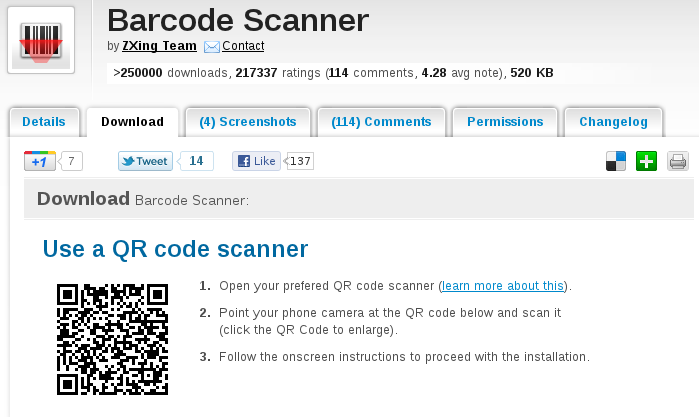
AndroidZoom, along with just about every other third-party interface to the Android Market out there, provides 2D barcodes which aim to make it easy to install Android applications that you find online on a phone. Maybe this would be a nice feature for F-Droid? Unfortunately, I found this feature when I was trying to help a friend install the (free software) ZXing Barcode Scanner because they wanted to read a 2D barcode.

28 November 2011

Vincent Bernat: SSL/TLS & Perfect Forward Secrecy

Once the private key of some HTTPS web site is compromised, an attacker is able to build a man-in-the-middle attack to intercept and decrypt any communication with the web site. The first step against such an attack is the revocation of the associated certificate through a CRL or a protocol like OCSP. Unfortunately, the attacker could also have recorded past communications protected by this private key and therefore decrypt them. Forward secrecy allows today information to be kept secret even if the private key is compromised in the future. Achieving this property is usually costly and therefore, most web servers do not enable it on purpose. Google recently announced support of forward secrecy on their HTTPS sites. Adam Langley wrote a post with more details on what was achieved to increase efficiency of such a mechanism: with a few fellow people, he wrote an efficient implementation of some elliptic curve cryptography for OpenSSL.

Without forward secrecy To understand the problem when forward secrecy is absent, let s look at the classic TLS handshake when using a cipher suite like AES128-SHA. During this handshake, the server will present its certificate and both the client and the server will agree on a master secret. TLS full handshake This secret is built from a 48byte premaster secret generated and encrypted by the client with the public key of the server. It is then sent in a Client Key Exchange message to the server during the third step of the TLS handshake. The master secret is derived from this premaster secret and random values sent in clear-text with Client Hello and Server Hello messages. This scheme is secure as long as only the server is able to decrypt the premaster secret (with its private key) sent by the client. Let s suppose that an attacker records all exchanges between the server and clients during a year. Two years later, the server is decommissioned and sent for recycling. The attacker is able to recover the hard drive with the private key. She can now decrypt any session she recorded: the encrypted premaster secret sent by a client is decrypted with the private key and the master secret is derived from it. The attacker can now recover passwords and other sensitive information that can still be valuable today. The main problem lies in the fact that the private key is used for two purposes: authentication of the server and encryption of a shared secret. Authentication only matters while the communication is established, but encryption is expected to last for years.

Diffie-Hellman with discrete logarithm One way to solve the problem is to keep using the private key for authentication but uses an independent mechanism to agree on a shared secret. Hopefully, there exists a well-known protocol for this: the Diffie-Hellman key exchange. It is a method of exchanging keys without any prior knowledge. Here is how it works in TLS:
  1. The server needs to generate once (for example, with openssl dhparam command):
  2. The server picks a random integer a and compute g^a \mod p . After sending its regular Certificate message, it will also send a Server Key Exchange message (not included in the handshake depicted above) containing, unencrypted but signed with its private key for authentication purpose:
    • random value from the Client Hello message,
    • random value from the Server Hello message,
    • p , g ,
    • g^a\mod p=A .
  3. The client checks that the signature is correct. It also picks a random integer b and sends g^b \mod p=B in a Client Key Exchange message. It will also compute A^b\mod p=g^ ab \mod p which is the premaster secret from which the master secret is derived.
  4. The server will receive B and compute B^a\mod p=g^ ab \mod p which is the same premaster secret known by the client.
Again, the private key is only used for authentication purpose. An eavesdropper will only know p , g , g^a\mod p and g^b\mod p . Computing g^ ab \mod p from those values is the discrete logarithm problem for which there is no known efficient solution. Because the Diffie-Hellman exchange described above always uses new random values a and b , it is called Ephemeral Diffie-Hellman (EDH or DHE). Cipher suites like DHE-RSA-AES128-SHA use this protocol to achieve perfect forward secrecy1. To achieve a good level of security, parameters of the same size as the key are usually used (the security provided by the discrete logarithm problem is about the same as the security provided by factorisation of two large prime numbers) and therefore, the exponentiation operations are pretty slow as we can see in the benchmark below: Graphical comparison of speed with and without DHE

Diffie-Hellman with elliptic curves Fortunately, there exists another way to achieve a Diffie-Hellman key exchange with the help of elliptic curve cryptography which is based on the algebraic structure of elliptic curves over finite fields. To get some background on this, be sure to check first Wikipedia article on elliptic curves. Elliptic curve cryptography allows one to achieve the same level of security than RSA with smaller keys. For example, a 224bit elliptic curve is believed to be as secure as a 2048bit RSA key.

Some theory Diffie-Hellman key exchange described above can easily be translated to elliptic curves. Instead of defining p and g , you get some elliptic curve, y^2=x^3+\alpha x+\beta , a prime p and a base point G . All those parameters are public. In fact, while they can be generated by the server, this is a difficult operation and they are usually chosen among a set of published ones. The use of elliptic curves is an extension of TLS described in RFC 4492. Unlike with the classic Diffie-Hellman key exchange, the client and the server need to agree on the various paremeters. Most of this agreement is done inside Client Hello and Server Hello messages. While it is possible to define some arbitrary parameters, web browsers will only support a handful of predefined curves, usually NIST P-256, P-384 and P-521. From here, the key exchange with elliptic curves is pretty similar to the classic Diffie-Hellman one:
  1. The server picks a random integer a and compute aG which will be sent, unencrypted but signed with its private key for authentication purpose, in a Server Key Exchange message.
  2. The client checks that the signature is correct. It also picks a random integer b and sends bG in a Client Key Exchange message. It will also compute b\cdot aG=abG which is the premaster secret from which the master secret is derived.
  3. The server will receive bG and compute a\cdot bG=abG which is the same premaster secret known by the client.
An eavesdropper will only see aG and bG and won t be able to compute efficiently abG . Using ECDHE-RSA-AES128-SHA cipher suite (with P-256 for example) is already a huge speed improvement over DHE-RSA-AES128-SHA thanks to the reduced size of the various parameters involved. Web browsers only support a handful of well-defined elliptic curves, chosen to ease an efficient implementation. Bodo M ller, Emilia K sper and Adam Langley have provided 64bit optimized versions of NIST P-224, P-256 and P-521 for OpenSSL. To get even more details on the matter, you can read the end of the introduction on elliptic curves from Adam Langley, then a short paper from Emilia K sper which presents a 64bit optimized implementation of the NIST elliptic curve NIST P-224.

In practice First, keep in mind that elliptic curve cryptography is not supported by all browsers. Recent versions of Firefox and Chrome should handle NIST P-256, P-384 and P-521 but for most versions Internet Explorer, you are currently out of luck. Therefore, you need to keep accepting other cipher suites. You need a recent version of OpenSSL. Support for ECDHE cipher suites has been added in OpenSSL 1.0.0. Check with openssl ciphers ECDH that your version supports them. If you want to use the 64bit optimized version, you need to run a snapshot of OpenSSL 1.0.1, configured with enable-ec_nistp_64_gcc_128 option. A recent GCC is also required in this case. Next, you need to choose the appropriate cipher suites. If forward secrecy is an option for you, you can opt for ECDHE-RSA-AES128-SHA:AES128-SHA:RC4-SHA cipher suites which should be compatible with most browsers. If you really need forward secrecy, you may opt for ECDHE-RSA-AES128-SHA:DHE-RSA-AES128-SHA:EDH-DSS-DES-CBC3-SHA instead. Then, you need to ensure the order of cipher suites is respected. On nginx, this is done with ssl_prefer_server_ciphers on. On Apache, this is SSLHonorCipherOrder on. UPDATED: You need to check ECDHE support for your web server. For nginx, the support has been added in 1.0.6 and 1.1.0. The curve selected defaults to NIST P-256. You can specify another one with ssl_ecdh_curve directive. For Apache, it has been added in 2.3.3 and does not exist in the current stable branch. Adding support for ECDHE is quite easy. You can check how I added it in stud. This issue also exists for DHE cipher suites, in which case you also might have to specify DH parameters to use (generated with openssl dhparam) using some special directive or by appending the parameters to the certificate. Check Immerda Techblog article for more background about this point. The implementation of TLS session tickets may be incompatible with forward secrecy, depending on how they are implemented. When they are protected by a random key generated at the start of the server, the same key could be used for months. Some implementations2 may derive the key from the private key. In this case, forward secrecy is broken. If forward secrecy is a requirement for you, you need to either disable tickets or ensure that key rotation happens often. Check with openssl s_client -tls1 -cipher ECDH -connect 127.0.0.1:443 that everything works as expected.

Some benchmarks With the help of the micro-benchmark tool that I developed for my previous article, we can compare the efficiency of cipher suites providing forward secrecy: Speed comparison with/without DHE/ECDHE I have used a snapshot of OpenSSL 1.0.1 (2011/11/25). The optimized version of ECDHE is the one you get by using enable-ec_nistp_64_gcc_128 option when configuring OpenSSL. Let s focus on the server part. Enabling DHE-RSA-AES128-SHA cipher suite hinders the performance of TLS handshakes by a factor of 3. Using ECDHE-RSA-AES128-SHA instead only adds an overhead of 27%. However, if we use the 64bit optimized version, the cost is only 15%. The overhead is only per full TLS handshake. If 3 out of 4 of your handshakes are resumed, you need to adjust the numbers. Your mileage may vary but the computational cost for enabling perfect forward secrecy with an ECDHE cipher suite seems a small sacrifice for better security.

  1. Perfect forward secrecy is an enhanced version of forward secrecy. It assumes each exchanged key are independent and therefore a compromised key cannot be used to compromise another one.
  2. For example, this is the case of the implementation I have proposed for stud to enable sharing of tickets between multiple hosts.

26 November 2011

Christian Perrier: [life] [running] How do you feel after running 70km?

Happy. This is how I feel after I ran the "Le Puy-Firminy" night race last Sunday. 70 kilometers (mixed roads and trails), 1500 meters positive slope, close to my birth town, St-Etienne (the track on Garmin Connect unfortunately has bugs for the profile, sorry for this....this is apparently a bug in Garmin Connect as pyTrainer shows the track very well. And running this by night, starting at midnight and arriving at....09:16 the next day. A full night running. Such "ultra" experience is completely different from marathon running. In marathons, you mostly try keeping a constant pace all along the race, running very close to your limits all along the race. Very long distances involve managing much more than keeping a constant pace. Being able to run (and walk) for many hours requires being very careful at the start of the race, controlling the pace and save energy for the last part of the race. Climbing is most of the time done by walking (except for the very first runners) and going down for kilometers is very hard for legs, even at slow paces. Night running is also making things a lot different. Particularly in a quite small race like this one, it means running alone most of the time. And, by alone, I really mean alone. You and your head lamp, that's all. I am very happy about the way I managed this race. I reached the 32km mark, where an important food/drink point was organised, in a little bit more than 3 hours 15 minutes, where I stopped about 7-8 minutes. That was followed by about 5 kilometers downhill, at 6%, on a paved road, which is really killing legs. The marathon distance was reached in about 5h05, more or less what I planned, but that race is known to be harder in its second half. And completing a marathon, *then* knowing that you still have 2/3 of a marathon to run is kinda challenging..:-) Another important moment of the race was the 55 kilometer mark. This, because this was the longest distance I ever ran in a single race (in March, for the Paris Ecotrail race). Of course, the longer you run, the harder are legs and what was expected happened to me: I had cramps in both legs, at the worst moment, around km 64, when the track brutally goes down for 150 meters in a small canyon, then goes up for about 200 meters. Indeed, I completed kilometer 66 in....22 minutes (I see my marathon runners friends laughing here). This is indeed where you know if you're strong and motivated enough : not abandoning, continue despite cramps, waiting for them to disappear...and finally complete the race. It was really worth it anyway : running by night is really magic. I still remember the though moments at 5am, in the moonlight, alone on a road...and so happy to be there..:-) That race was the last one for me this year. I followed my plans (the only regret being not beating my record at Berlin marathon). Next year plans include two marathons: probably Caen ("Les Routes de la Libert " along the D-Day beaches in Normandy) in June and another one during Fall. I'll also push my limits a bit further with the 80km race of Ecotrail, arriving at Eiffel Tower first floor after running through forests in the SW area of Paris....and probably again that 70km race in November. Once you've tried ultra races, you don't want to stop..:-) Until the end of the year....recovery...and training. After all, Ecotrail is only in 4 months..:-)

Next.

Previous.