Reproducible Builds: Reproducible Builds in August 2025
Welcome to the August 2025 report from the Reproducible Builds project!
 Welcome to the latest report from the Reproducible Builds project for August 2025. These monthly reports outline what we ve been up to over the past month, and highlight items of news from elsewhere in the increasingly-important area of software supply-chain security. If you are interested in contributing to the Reproducible Builds project, please see the Contribute page on our website.
In this report:
- Reproducible Builds Summit 2025
- Reproducible Builds and live-bootstrap at WHY2025
- DALEQ Explainable Equivalence for Java Bytecode
- Reproducibility regression identifies issue with AppArmor security policies
- Rust toolchain fixes
- Distribution work
- diffoscope
- Website updates
- Reproducibility testing framework
- Upstream patches
Reproducible Builds Summit 2025
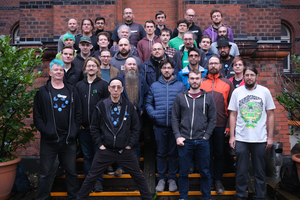 Please join us at the upcoming Reproducible Builds Summit, set to take place from October 28th 30th 2025 in Vienna, Austria!**
We are thrilled to host the eighth edition of this exciting event, following the success of previous summits in various iconic locations around the world, including Venice, Marrakesh, Paris, Berlin, Hamburg and Athens. Our summits are a unique gathering that brings together attendees from diverse projects, united by a shared vision of advancing the Reproducible Builds effort.
During this enriching event, participants will have the opportunity to engage in discussions, establish connections and exchange ideas to drive progress in this vital field. Our aim is to create an inclusive space that fosters collaboration, innovation and problem-solving.
If you re interesting in joining us this year, please make sure to read the event page which has more details about the event and location. Registration is open until 20th September 2025, and we are very much looking forward to seeing many readers of these reports there!
Reproducible Builds and live-bootstrap at WHY2025
 WHY2025 (What Hackers Yearn) is a nonprofit outdoors hacker camp that takes place in Geestmerambacht in the Netherlands (approximately 40km north of Amsterdam). The event is organised for and by volunteers from the worldwide hacker community, and knowledge sharing, technological advancement, experimentation, connecting with your hacker peers, forging friendships and hacking are at the core of this event .
At this year s event, Frans Faase gave a talk on live-bootstrap, an attempt to provide a reproducible, automatic, complete end-to-end bootstrap from a minimal number of binary seeds to a supported fully functioning operating system .
Frans talk is available to watch on video and his slides are available as well.
DALEQ Explainable Equivalence for Java Bytecode
 Jens Dietrich of the Victoria University of Wellington, New Zealand and Behnaz Hassanshahi of Oracle Labs, Australia published an article this month entitled DALEQ Explainable Equivalence for Java Bytecode which explores the options and difficulties when Java binaries are not identical despite being from the same sources, and what avenues are available for proving equivalence despite the lack of bitwise correlation:
[Java] binaries are often not bitwise identical; however, in most cases, the differences can be attributed to variations in the build environment, and the binaries can still be considered equivalent. Establishing such equivalence, however, is a labor-intensive and error-prone process.
Jens and Behnaz therefore propose a tool called DALEQ, which:
disassembles Java byte code into a relational database, and can normalise this database by applying Datalog rules. Those databases can then be used to infer equivalence between two classes. Notably, equivalence statements are accompanied with Datalog proofs recording the normalisation process. We demonstrate the impact of DALEQ in an industrial context through a large-scale evaluation involving 2,714 pairs of jars, comprising 265,690 class pairs. In this evaluation, DALEQ is compared to two existing bytecode transformation tools. Our findings reveal a significant reduction in the manual effort required to assess non-bitwise equivalent artifacts, which would otherwise demand intensive human inspection. Furthermore, the results show that DALEQ outperforms existing tools by identifying more artifacts rebuilt from the same code as equivalent, even when no behavioral differences are present.
Jens also posted this news to our mailing list.
Reproducibility regression identifies issue with AppArmor security policies
 Tails developer intrigeri has tracked and followed a reproducibility regression in the generation of AppArmor policy caches, and has identified an issue with the
4.1.0 version of AppArmor.
Although initially tracked on the Tails issue tracker, intrigeri filed an issue on the upstream bug tracker. AppArmor developer John Johansen replied, confirming that they can reproduce the issue and went to work on a draft patch. Through this, John revealed that it was caused by an actual underlying security bug in AppArmor that is to say, it resulted in permissions not (always) matching what the policy intends and, crucially, not merely a cache reproducibility issue.
Work on the fix is ongoing at time of writing.
Rust toolchain fixes
 Rust Clippy is a linting tool for the Rust programming language. It provides a collection of lints (rules) designed to identify common mistakes, stylistic issues, potential performance problems and unidiomatic code patterns in Rust projects. This month, however, Sosth ne Gu don filed a new issue in the GitHub requesting a new check that would lint against non deterministic operations in
proc-macros, such as iterating over a HashMap .
Distribution work
 In Debian this month:
-
Holger made extensive updates to Debian package reproducibility testing infrastructure this month, including:
- Upgrading all of the nodes to Debian trixie.
- Adding tests for the new Debian forky release.
- Dropping tests for Debian bookworm.
- Dropping support for the
armhf architecture. From July 2015, Vagrant Cascadian has been hosting a zoo of approximately 35 armhf systems which were used for building Debian packages for that architecture.
-
Holger Levsen also uploaded
strip-nondeterminism, our program that improves reproducibility by stripping out non-deterministic information such as timestamps or other elements introduced during packaging. This new version, 1.14.2-1, adds some metadata to aid the deputy tool. ( #1111947)
-
8 reviews of Debian packages were added, 5 were updated and 5 were removed this month adding to our knowledge about identified issues.
-
Marc Haber posted to our mailing list this month asking for assistance with the
duperemove package in Debian, which appears to be an issue where the order the object files are linked together is dependent on the underlying filesystem . Chris Lamb provided a detailed analysis, including a suggestion that this can be resolved by adding a locale-agnostic sort.
 Lastly, Bernhard M. Wiedemann posted another openSUSE monthly update for their work there.
diffoscope
 diffoscope is our in-depth and content-aware diff utility that can locate and diagnose reproducibility issues. This month, Chris Lamb made the following changes, including preparing and uploading versions,
303, 304 and 305 to Debian:
-
Improvements:
- Use
sed(1) backreferences when generating debian/tests/control to avoid duplicating ourselves. [ ]
- Move from a
mono-utils dependency to versioned mono-devel mono-utils dependency, taking care to maintain the [!riscv64] architecture restriction. [ ]
- Use
sed over awk to avoid mangling dependency lines containing = (equals) symbols such as version restrictions. [ ]
-
Bug fixes:
- Fix a test after the upload of
systemd-ukify version 258~rc3. [ ]
- Ensure that Java class files are named
.class on the filesystem before passing them to javap(1). [ ]
- Do not run
jsondiff on files over 100KiB as the algorithm runs in O(n^2) time. [ ]
- Don t check for PyPDF version 3 specifically; check for
>= 3. [ ]
-
Misc:
In addition, Martin Joerg fixed an issue with the HTML presenter to avoid crash when page limit is None [ ] and Zbigniew J drzejewski-Szmek fixed compatibility with RPM 6 [ ]. Lastly, John Sirois fixed a missing requests dependency in the trydiffoscope tool. [ ]
Website updates
 Once again, there were a number of improvements made to our website this month including:
-
Chris Lamb:
- Write and publish a news entry for the upcoming summit. [ ]
- Add some assets used at FOSSY, such as the badges and the paper handouts. [ ]
-
Holger Levsen:
- Restructure the new project history pages pages [ ] and add some recent news entries [ ].
- Mark the OpenWrt tests as disabled on the Who is Involved. [ ]
- Various changes to the upcoming Reproducible Builds Summit page. [ ]
-
Jochen Sprickerhof made various improvements to the Vienna summit page. [ ][ ]
-
Mattia Rizzolo also made various improvements to the Vienna summit page. [ ][ ][ ][ ][ ][ ][ ]
-
kpcyrd made a number of changes to the new project history pages [ ][ ]
Reproducibility testing framework
 The Reproducible Builds project operates a comprehensive testing framework running primarily at tests.reproducible-builds.org in order to check packages and other artifacts for reproducibility. In August, however, a number of changes were made by Holger Levsen, including:
-
reproduce.debian.net-related:
- Run 4 workers on the
o4 node again in order to speed up testing. [ ][ ][ ][ ]
- Also test
trixie-proposed-updates and trixie-updates etc. [ ][ ]
- Gather seperate statistics for each tested release. [ ]
- Support sources from all Debian suites. [ ]
- Run new code from the prototype database rework branch for the
amd64-pull184 pseudo-architecture. [ ][ ]
- Add a number of helpful links. [ ][ ][ ][ ][ ][ ][ ][ ][ ]
- Temporarily call
debrebuild without the --cache argument to experiment with a new version of devscripts. [ ][ ][ ]
- Update public TODO. [ ]
-
Installation tests:
-
Jenkins node maintenance:
- Increase penalties if the
osuosl5 or ionos7 nodes are down. [ ]
- Stop trying to fix network automatically. [ ]
- Correctly mark
ppc64el architecture nodes when down. [ ]
- Upgrade the remaining
arm64 nodes to Debian trixie in anticipation of the release. [ ][ ]
- Allow higher SSD temperatures on the
riscv64 architecture. [ ]
-
Debian-related:
- Drop the
armhf architecture; many thanks to Vagrant for physically hosting the nodes for ten years. [ ][ ]
- Add Debian forky, and archive bullseye. [ ][ ][ ][ ][ ][ ][ ]
- Document the filesystem space savings from dropping the
armhf architecture. [ ]
- Exclude
i386 and armhfr from JSON results. [ ]
- Update TODOs for when Debian trixie and forky have been released. [ ][ ]
-
tests.reproducible-builds.org-related:
- Add a link to reproduce.debian.net. [ ]
- Improve the dashboard graphs. [ ][ ][ ]
-
Misc:
- Detect errors with openQA erroring out. [ ]
- Drop the long-disabled
openwrt_rebuilder jobs. [ ]
- Use
qa-jenkins-dev@alioth-lists.debian.net as the contact for jenkins.debian.net. [ ]
-
Redirect
reproducible-builds.org/vienna25 to reproducible-builds.org/vienna2025. [ ]
- Disable all OpenWrt reproducible CI jobs, in coordination with the OpenWrt community. [ ][ ]
- Make reproduce.debian.net accessable via IPv6. [ ]
- Ignore that the
megacli RAID controller requires packages from Debian bookworm. [ ]
In addition,
-
James Addison migrated away from deprecated toplevel
deb822 Python module in favour of debian.deb822 in the bin/reproducible_scheduler.py script [ ] and removed a note on reproduce.debian.net note after the release of Debian trixie [ ].
-
Jochen Sprickerhof made a huge number of improvements to the reproduce.debian.net statistics calculation [ ][ ][ ][ ][ ][ ] as well as to the reproduce.debian.net service more generally [ ][ ][ ][ ][ ][ ][ ][ ].
-
Mattia Rizzolo performed a lot of work migrating scripts to SQLAlchemy version 2.0 [ ][ ][ ][ ][ ][ ] in addition to making some changes to the way openSUSE reproducibility tests are handled internally. [ ]
-
Lastly, Roland Clobus updated the Debian Live packages after the release of Debian trixie. [ ][ ]
Upstream patches
The Reproducible Builds project detects, dissects and attempts to fix as many currently-unreproducible packages as possible. We endeavour to send all of our patches upstream where appropriate. This month, we wrote a large number of such patches, including:
-
Bernhard M. Wiedemann:
-
Chris Lamb:
-
Jochen Sprickerhof:
-
Mark Johnston:
-
Robin Candau:
Finally, if you are interested in contributing to the Reproducible Builds project, please visit our Contribute page on our website. However, you can get in touch with us via:
-
IRC:
#reproducible-builds on irc.oftc.net.
-
Mastodon: @reproducible_builds@fosstodon.org
-
Mailing list:
rb-general@lists.reproducible-builds.org
WHY2025 (What Hackers Yearn) is a nonprofit outdoors hacker camp that takes place in Geestmerambacht in the Netherlands (approximately 40km north of Amsterdam). The event is organised for and by volunteers from the worldwide hacker community, and knowledge sharing, technological advancement, experimentation, connecting with your hacker peers, forging friendships and hacking are at the core of this event .
At this year s event, Frans Faase gave a talk on live-bootstrap, an attempt to provide a reproducible, automatic, complete end-to-end bootstrap from a minimal number of binary seeds to a supported fully functioning operating system .
Frans talk is available to watch on video and his slides are available as well.
DALEQ Explainable Equivalence for Java Bytecode
Jens Dietrich of the Victoria University of Wellington, New Zealand and Behnaz Hassanshahi of Oracle Labs, Australia published an article this month entitled DALEQ Explainable Equivalence for Java Bytecode which explores the options and difficulties when Java binaries are not identical despite being from the same sources, and what avenues are available for proving equivalence despite the lack of bitwise correlation:
[Java] binaries are often not bitwise identical; however, in most cases, the differences can be attributed to variations in the build environment, and the binaries can still be considered equivalent. Establishing such equivalence, however, is a labor-intensive and error-prone process.
Jens and Behnaz therefore propose a tool called DALEQ, which:
disassembles Java byte code into a relational database, and can normalise this database by applying Datalog rules. Those databases can then be used to infer equivalence between two classes. Notably, equivalence statements are accompanied with Datalog proofs recording the normalisation process. We demonstrate the impact of DALEQ in an industrial context through a large-scale evaluation involving 2,714 pairs of jars, comprising 265,690 class pairs. In this evaluation, DALEQ is compared to two existing bytecode transformation tools. Our findings reveal a significant reduction in the manual effort required to assess non-bitwise equivalent artifacts, which would otherwise demand intensive human inspection. Furthermore, the results show that DALEQ outperforms existing tools by identifying more artifacts rebuilt from the same code as equivalent, even when no behavioral differences are present.
Jens also posted this news to our mailing list.
Reproducibility regression identifies issue with AppArmor security policies
Tails developer intrigeri has tracked and followed a reproducibility regression in the generation of AppArmor policy caches, and has identified an issue with the 4.1.0 version of AppArmor.
Although initially tracked on the Tails issue tracker, intrigeri filed an issue on the upstream bug tracker. AppArmor developer John Johansen replied, confirming that they can reproduce the issue and went to work on a draft patch. Through this, John revealed that it was caused by an actual underlying security bug in AppArmor that is to say, it resulted in permissions not (always) matching what the policy intends and, crucially, not merely a cache reproducibility issue.
Work on the fix is ongoing at time of writing.
Rust toolchain fixes
Rust Clippy is a linting tool for the Rust programming language. It provides a collection of lints (rules) designed to identify common mistakes, stylistic issues, potential performance problems and unidiomatic code patterns in Rust projects. This month, however, Sosth ne Gu don filed a new issue in the GitHub requesting a new check that would lint against non deterministic operations in proc-macros, such as iterating over a HashMap .
Distribution work
In Debian this month:
-
Holger made extensive updates to Debian package reproducibility testing infrastructure this month, including:
- Upgrading all of the nodes to Debian trixie.
- Adding tests for the new Debian forky release.
- Dropping tests for Debian bookworm.
- Dropping support for the
armhf architecture. From July 2015, Vagrant Cascadian has been hosting a zoo of approximately 35 armhf systems which were used for building Debian packages for that architecture.
-
Holger Levsen also uploaded
strip-nondeterminism, our program that improves reproducibility by stripping out non-deterministic information such as timestamps or other elements introduced during packaging. This new version, 1.14.2-1, adds some metadata to aid the deputy tool. ( #1111947)
-
8 reviews of Debian packages were added, 5 were updated and 5 were removed this month adding to our knowledge about identified issues.
-
Marc Haber posted to our mailing list this month asking for assistance with the
duperemove package in Debian, which appears to be an issue where the order the object files are linked together is dependent on the underlying filesystem . Chris Lamb provided a detailed analysis, including a suggestion that this can be resolved by adding a locale-agnostic sort.
Lastly, Bernhard M. Wiedemann posted another openSUSE monthly update for their work there.
diffoscope
diffoscope is our in-depth and content-aware diff utility that can locate and diagnose reproducibility issues. This month, Chris Lamb made the following changes, including preparing and uploading versions, 303, 304 and 305 to Debian:
-
Improvements:
- Use
sed(1) backreferences when generating debian/tests/control to avoid duplicating ourselves. [ ]
- Move from a
mono-utils dependency to versioned mono-devel mono-utils dependency, taking care to maintain the [!riscv64] architecture restriction. [ ]
- Use
sed over awk to avoid mangling dependency lines containing = (equals) symbols such as version restrictions. [ ]
-
Bug fixes:
- Fix a test after the upload of
systemd-ukify version 258~rc3. [ ]
- Ensure that Java class files are named
.class on the filesystem before passing them to javap(1). [ ]
- Do not run
jsondiff on files over 100KiB as the algorithm runs in O(n^2) time. [ ]
- Don t check for PyPDF version 3 specifically; check for
>= 3. [ ]
-
Misc:
In addition, Martin Joerg fixed an issue with the HTML presenter to avoid crash when page limit is None [ ] and Zbigniew J drzejewski-Szmek fixed compatibility with RPM 6 [ ]. Lastly, John Sirois fixed a missing requests dependency in the trydiffoscope tool. [ ]
Website updates
Once again, there were a number of improvements made to our website this month including:
-
Chris Lamb:
- Write and publish a news entry for the upcoming summit. [ ]
- Add some assets used at FOSSY, such as the badges and the paper handouts. [ ]
-
Holger Levsen:
- Restructure the new project history pages pages [ ] and add some recent news entries [ ].
- Mark the OpenWrt tests as disabled on the Who is Involved. [ ]
- Various changes to the upcoming Reproducible Builds Summit page. [ ]
-
Jochen Sprickerhof made various improvements to the Vienna summit page. [ ][ ]
-
Mattia Rizzolo also made various improvements to the Vienna summit page. [ ][ ][ ][ ][ ][ ][ ]
-
kpcyrd made a number of changes to the new project history pages [ ][ ]
Reproducibility testing framework
The Reproducible Builds project operates a comprehensive testing framework running primarily at tests.reproducible-builds.org in order to check packages and other artifacts for reproducibility. In August, however, a number of changes were made by Holger Levsen, including:
-
reproduce.debian.net-related:
- Run 4 workers on the
o4 node again in order to speed up testing. [ ][ ][ ][ ]
- Also test
trixie-proposed-updates and trixie-updates etc. [ ][ ]
- Gather seperate statistics for each tested release. [ ]
- Support sources from all Debian suites. [ ]
- Run new code from the prototype database rework branch for the
amd64-pull184 pseudo-architecture. [ ][ ]
- Add a number of helpful links. [ ][ ][ ][ ][ ][ ][ ][ ][ ]
- Temporarily call
debrebuild without the --cache argument to experiment with a new version of devscripts. [ ][ ][ ]
- Update public TODO. [ ]
-
Installation tests:
-
Jenkins node maintenance:
- Increase penalties if the
osuosl5 or ionos7 nodes are down. [ ]
- Stop trying to fix network automatically. [ ]
- Correctly mark
ppc64el architecture nodes when down. [ ]
- Upgrade the remaining
arm64 nodes to Debian trixie in anticipation of the release. [ ][ ]
- Allow higher SSD temperatures on the
riscv64 architecture. [ ]
-
Debian-related:
- Drop the
armhf architecture; many thanks to Vagrant for physically hosting the nodes for ten years. [ ][ ]
- Add Debian forky, and archive bullseye. [ ][ ][ ][ ][ ][ ][ ]
- Document the filesystem space savings from dropping the
armhf architecture. [ ]
- Exclude
i386 and armhfr from JSON results. [ ]
- Update TODOs for when Debian trixie and forky have been released. [ ][ ]
-
tests.reproducible-builds.org-related:
- Add a link to reproduce.debian.net. [ ]
- Improve the dashboard graphs. [ ][ ][ ]
-
Misc:
- Detect errors with openQA erroring out. [ ]
- Drop the long-disabled
openwrt_rebuilder jobs. [ ]
- Use
qa-jenkins-dev@alioth-lists.debian.net as the contact for jenkins.debian.net. [ ]
-
Redirect
reproducible-builds.org/vienna25 to reproducible-builds.org/vienna2025. [ ]
- Disable all OpenWrt reproducible CI jobs, in coordination with the OpenWrt community. [ ][ ]
- Make reproduce.debian.net accessable via IPv6. [ ]
- Ignore that the
megacli RAID controller requires packages from Debian bookworm. [ ]
In addition,
-
James Addison migrated away from deprecated toplevel
deb822 Python module in favour of debian.deb822 in the bin/reproducible_scheduler.py script [ ] and removed a note on reproduce.debian.net note after the release of Debian trixie [ ].
-
Jochen Sprickerhof made a huge number of improvements to the reproduce.debian.net statistics calculation [ ][ ][ ][ ][ ][ ] as well as to the reproduce.debian.net service more generally [ ][ ][ ][ ][ ][ ][ ][ ].
-
Mattia Rizzolo performed a lot of work migrating scripts to SQLAlchemy version 2.0 [ ][ ][ ][ ][ ][ ] in addition to making some changes to the way openSUSE reproducibility tests are handled internally. [ ]
-
Lastly, Roland Clobus updated the Debian Live packages after the release of Debian trixie. [ ][ ]
Upstream patches
The Reproducible Builds project detects, dissects and attempts to fix as many currently-unreproducible packages as possible. We endeavour to send all of our patches upstream where appropriate. This month, we wrote a large number of such patches, including:
-
Bernhard M. Wiedemann:
-
Chris Lamb:
-
Jochen Sprickerhof:
-
Mark Johnston:
-
Robin Candau:
Finally, if you are interested in contributing to the Reproducible Builds project, please visit our Contribute page on our website. However, you can get in touch with us via:
-
IRC:
#reproducible-builds on irc.oftc.net.
-
Mastodon: @reproducible_builds@fosstodon.org
-
Mailing list:
rb-general@lists.reproducible-builds.org
In Debian this month:
-
Holger made extensive updates to Debian package reproducibility testing infrastructure this month, including:
- Upgrading all of the nodes to Debian trixie.
- Adding tests for the new Debian forky release.
- Dropping tests for Debian bookworm.
- Dropping support for the
armhfarchitecture. From July 2015, Vagrant Cascadian has been hosting a zoo of approximately 35armhfsystems which were used for building Debian packages for that architecture.
-
Holger Levsen also uploaded
strip-nondeterminism, our program that improves reproducibility by stripping out non-deterministic information such as timestamps or other elements introduced during packaging. This new version,1.14.2-1, adds some metadata to aid the deputy tool. ( #1111947) - 8 reviews of Debian packages were added, 5 were updated and 5 were removed this month adding to our knowledge about identified issues.
-
Marc Haber posted to our mailing list this month asking for assistance with the
duperemovepackage in Debian, which appears to be an issue where the order the object files are linked together is dependent on the underlying filesystem . Chris Lamb provided a detailed analysis, including a suggestion that this can be resolved by adding a locale-agnostic sort.
Lastly, Bernhard M. Wiedemann posted another openSUSE monthly update for their work there.
diffoscope
diffoscope is our in-depth and content-aware diff utility that can locate and diagnose reproducibility issues. This month, Chris Lamb made the following changes, including preparing and uploading versions, 303, 304 and 305 to Debian:
-
Improvements:
- Use
sed(1) backreferences when generating debian/tests/control to avoid duplicating ourselves. [ ]
- Move from a
mono-utils dependency to versioned mono-devel mono-utils dependency, taking care to maintain the [!riscv64] architecture restriction. [ ]
- Use
sed over awk to avoid mangling dependency lines containing = (equals) symbols such as version restrictions. [ ]
-
Bug fixes:
- Fix a test after the upload of
systemd-ukify version 258~rc3. [ ]
- Ensure that Java class files are named
.class on the filesystem before passing them to javap(1). [ ]
- Do not run
jsondiff on files over 100KiB as the algorithm runs in O(n^2) time. [ ]
- Don t check for PyPDF version 3 specifically; check for
>= 3. [ ]
-
Misc:
In addition, Martin Joerg fixed an issue with the HTML presenter to avoid crash when page limit is None [ ] and Zbigniew J drzejewski-Szmek fixed compatibility with RPM 6 [ ]. Lastly, John Sirois fixed a missing requests dependency in the trydiffoscope tool. [ ]
Website updates
Once again, there were a number of improvements made to our website this month including:
-
Chris Lamb:
- Write and publish a news entry for the upcoming summit. [ ]
- Add some assets used at FOSSY, such as the badges and the paper handouts. [ ]
-
Holger Levsen:
- Restructure the new project history pages pages [ ] and add some recent news entries [ ].
- Mark the OpenWrt tests as disabled on the Who is Involved. [ ]
- Various changes to the upcoming Reproducible Builds Summit page. [ ]
-
Jochen Sprickerhof made various improvements to the Vienna summit page. [ ][ ]
-
Mattia Rizzolo also made various improvements to the Vienna summit page. [ ][ ][ ][ ][ ][ ][ ]
-
kpcyrd made a number of changes to the new project history pages [ ][ ]
Reproducibility testing framework
The Reproducible Builds project operates a comprehensive testing framework running primarily at tests.reproducible-builds.org in order to check packages and other artifacts for reproducibility. In August, however, a number of changes were made by Holger Levsen, including:
-
reproduce.debian.net-related:
- Run 4 workers on the
o4 node again in order to speed up testing. [ ][ ][ ][ ]
- Also test
trixie-proposed-updates and trixie-updates etc. [ ][ ]
- Gather seperate statistics for each tested release. [ ]
- Support sources from all Debian suites. [ ]
- Run new code from the prototype database rework branch for the
amd64-pull184 pseudo-architecture. [ ][ ]
- Add a number of helpful links. [ ][ ][ ][ ][ ][ ][ ][ ][ ]
- Temporarily call
debrebuild without the --cache argument to experiment with a new version of devscripts. [ ][ ][ ]
- Update public TODO. [ ]
-
Installation tests:
-
Jenkins node maintenance:
- Increase penalties if the
osuosl5 or ionos7 nodes are down. [ ]
- Stop trying to fix network automatically. [ ]
- Correctly mark
ppc64el architecture nodes when down. [ ]
- Upgrade the remaining
arm64 nodes to Debian trixie in anticipation of the release. [ ][ ]
- Allow higher SSD temperatures on the
riscv64 architecture. [ ]
-
Debian-related:
- Drop the
armhf architecture; many thanks to Vagrant for physically hosting the nodes for ten years. [ ][ ]
- Add Debian forky, and archive bullseye. [ ][ ][ ][ ][ ][ ][ ]
- Document the filesystem space savings from dropping the
armhf architecture. [ ]
- Exclude
i386 and armhfr from JSON results. [ ]
- Update TODOs for when Debian trixie and forky have been released. [ ][ ]
-
tests.reproducible-builds.org-related:
- Add a link to reproduce.debian.net. [ ]
- Improve the dashboard graphs. [ ][ ][ ]
-
Misc:
- Detect errors with openQA erroring out. [ ]
- Drop the long-disabled
openwrt_rebuilder jobs. [ ]
- Use
qa-jenkins-dev@alioth-lists.debian.net as the contact for jenkins.debian.net. [ ]
-
Redirect
reproducible-builds.org/vienna25 to reproducible-builds.org/vienna2025. [ ]
- Disable all OpenWrt reproducible CI jobs, in coordination with the OpenWrt community. [ ][ ]
- Make reproduce.debian.net accessable via IPv6. [ ]
- Ignore that the
megacli RAID controller requires packages from Debian bookworm. [ ]
In addition,
-
James Addison migrated away from deprecated toplevel
deb822 Python module in favour of debian.deb822 in the bin/reproducible_scheduler.py script [ ] and removed a note on reproduce.debian.net note after the release of Debian trixie [ ].
-
Jochen Sprickerhof made a huge number of improvements to the reproduce.debian.net statistics calculation [ ][ ][ ][ ][ ][ ] as well as to the reproduce.debian.net service more generally [ ][ ][ ][ ][ ][ ][ ][ ].
-
Mattia Rizzolo performed a lot of work migrating scripts to SQLAlchemy version 2.0 [ ][ ][ ][ ][ ][ ] in addition to making some changes to the way openSUSE reproducibility tests are handled internally. [ ]
-
Lastly, Roland Clobus updated the Debian Live packages after the release of Debian trixie. [ ][ ]
Upstream patches
The Reproducible Builds project detects, dissects and attempts to fix as many currently-unreproducible packages as possible. We endeavour to send all of our patches upstream where appropriate. This month, we wrote a large number of such patches, including:
-
Bernhard M. Wiedemann:
-
Chris Lamb:
-
Jochen Sprickerhof:
-
Mark Johnston:
-
Robin Candau:
Finally, if you are interested in contributing to the Reproducible Builds project, please visit our Contribute page on our website. However, you can get in touch with us via:
-
IRC:
#reproducible-builds on irc.oftc.net.
-
Mastodon: @reproducible_builds@fosstodon.org
-
Mailing list:
rb-general@lists.reproducible-builds.org
- Use
sed(1)backreferences when generatingdebian/tests/controlto avoid duplicating ourselves. [ ] - Move from a
mono-utilsdependency to versionedmono-devel mono-utilsdependency, taking care to maintain the[!riscv64]architecture restriction. [ ] - Use
sedoverawkto avoid mangling dependency lines containing=(equals) symbols such as version restrictions. [ ]
- Fix a test after the upload of
systemd-ukifyversion258~rc3. [ ] - Ensure that Java class files are named
.classon the filesystem before passing them tojavap(1). [ ] - Do not run
jsondiffon files over 100KiB as the algorithm runs in O(n^2) time. [ ] - Don t check for PyPDF version 3 specifically; check for
>=3. [ ]
Once again, there were a number of improvements made to our website this month including:
-
Chris Lamb:
- Write and publish a news entry for the upcoming summit. [ ]
- Add some assets used at FOSSY, such as the badges and the paper handouts. [ ]
-
Holger Levsen:
- Restructure the new project history pages pages [ ] and add some recent news entries [ ].
- Mark the OpenWrt tests as disabled on the Who is Involved. [ ]
- Various changes to the upcoming Reproducible Builds Summit page. [ ]
- Jochen Sprickerhof made various improvements to the Vienna summit page. [ ][ ]
- Mattia Rizzolo also made various improvements to the Vienna summit page. [ ][ ][ ][ ][ ][ ][ ]
- kpcyrd made a number of changes to the new project history pages [ ][ ]
Reproducibility testing framework
The Reproducible Builds project operates a comprehensive testing framework running primarily at tests.reproducible-builds.org in order to check packages and other artifacts for reproducibility. In August, however, a number of changes were made by Holger Levsen, including:
-
reproduce.debian.net-related:
- Run 4 workers on the
o4 node again in order to speed up testing. [ ][ ][ ][ ]
- Also test
trixie-proposed-updates and trixie-updates etc. [ ][ ]
- Gather seperate statistics for each tested release. [ ]
- Support sources from all Debian suites. [ ]
- Run new code from the prototype database rework branch for the
amd64-pull184 pseudo-architecture. [ ][ ]
- Add a number of helpful links. [ ][ ][ ][ ][ ][ ][ ][ ][ ]
- Temporarily call
debrebuild without the --cache argument to experiment with a new version of devscripts. [ ][ ][ ]
- Update public TODO. [ ]
-
Installation tests:
-
Jenkins node maintenance:
- Increase penalties if the
osuosl5 or ionos7 nodes are down. [ ]
- Stop trying to fix network automatically. [ ]
- Correctly mark
ppc64el architecture nodes when down. [ ]
- Upgrade the remaining
arm64 nodes to Debian trixie in anticipation of the release. [ ][ ]
- Allow higher SSD temperatures on the
riscv64 architecture. [ ]
-
Debian-related:
- Drop the
armhf architecture; many thanks to Vagrant for physically hosting the nodes for ten years. [ ][ ]
- Add Debian forky, and archive bullseye. [ ][ ][ ][ ][ ][ ][ ]
- Document the filesystem space savings from dropping the
armhf architecture. [ ]
- Exclude
i386 and armhfr from JSON results. [ ]
- Update TODOs for when Debian trixie and forky have been released. [ ][ ]
-
tests.reproducible-builds.org-related:
- Add a link to reproduce.debian.net. [ ]
- Improve the dashboard graphs. [ ][ ][ ]
-
Misc:
- Detect errors with openQA erroring out. [ ]
- Drop the long-disabled
openwrt_rebuilder jobs. [ ]
- Use
qa-jenkins-dev@alioth-lists.debian.net as the contact for jenkins.debian.net. [ ]
-
Redirect
reproducible-builds.org/vienna25 to reproducible-builds.org/vienna2025. [ ]
- Disable all OpenWrt reproducible CI jobs, in coordination with the OpenWrt community. [ ][ ]
- Make reproduce.debian.net accessable via IPv6. [ ]
- Ignore that the
megacli RAID controller requires packages from Debian bookworm. [ ]
In addition,
-
James Addison migrated away from deprecated toplevel
deb822 Python module in favour of debian.deb822 in the bin/reproducible_scheduler.py script [ ] and removed a note on reproduce.debian.net note after the release of Debian trixie [ ].
-
Jochen Sprickerhof made a huge number of improvements to the reproduce.debian.net statistics calculation [ ][ ][ ][ ][ ][ ] as well as to the reproduce.debian.net service more generally [ ][ ][ ][ ][ ][ ][ ][ ].
-
Mattia Rizzolo performed a lot of work migrating scripts to SQLAlchemy version 2.0 [ ][ ][ ][ ][ ][ ] in addition to making some changes to the way openSUSE reproducibility tests are handled internally. [ ]
-
Lastly, Roland Clobus updated the Debian Live packages after the release of Debian trixie. [ ][ ]
Upstream patches
The Reproducible Builds project detects, dissects and attempts to fix as many currently-unreproducible packages as possible. We endeavour to send all of our patches upstream where appropriate. This month, we wrote a large number of such patches, including:
-
Bernhard M. Wiedemann:
-
Chris Lamb:
-
Jochen Sprickerhof:
-
Mark Johnston:
-
Robin Candau:
Finally, if you are interested in contributing to the Reproducible Builds project, please visit our Contribute page on our website. However, you can get in touch with us via:
-
IRC:
#reproducible-builds on irc.oftc.net.
-
Mastodon: @reproducible_builds@fosstodon.org
-
Mailing list:
rb-general@lists.reproducible-builds.org
- Run 4 workers on the
o4node again in order to speed up testing. [ ][ ][ ][ ] - Also test
trixie-proposed-updatesandtrixie-updatesetc. [ ][ ] - Gather seperate statistics for each tested release. [ ]
- Support sources from all Debian suites. [ ]
- Run new code from the prototype database rework branch for the
amd64-pull184pseudo-architecture. [ ][ ] - Add a number of helpful links. [ ][ ][ ][ ][ ][ ][ ][ ][ ]
- Temporarily call
debrebuildwithout the--cacheargument to experiment with a new version of devscripts. [ ][ ][ ] - Update public TODO. [ ]
- Increase penalties if the
osuosl5orionos7nodes are down. [ ] - Stop trying to fix network automatically. [ ]
- Correctly mark
ppc64elarchitecture nodes when down. [ ] - Upgrade the remaining
arm64nodes to Debian trixie in anticipation of the release. [ ][ ] - Allow higher SSD temperatures on the
riscv64architecture. [ ]
- Drop the
armhfarchitecture; many thanks to Vagrant for physically hosting the nodes for ten years. [ ][ ] - Add Debian forky, and archive bullseye. [ ][ ][ ][ ][ ][ ][ ]
- Document the filesystem space savings from dropping the
armhfarchitecture. [ ] - Exclude
i386andarmhfrfrom JSON results. [ ] - Update TODOs for when Debian trixie and forky have been released. [ ][ ]
- Add a link to reproduce.debian.net. [ ]
- Improve the dashboard graphs. [ ][ ][ ]
- Detect errors with openQA erroring out. [ ]
- Drop the long-disabled
openwrt_rebuilderjobs. [ ] - Use
qa-jenkins-dev@alioth-lists.debian.netas the contact forjenkins.debian.net. [ ] -
Redirect
reproducible-builds.org/vienna25toreproducible-builds.org/vienna2025. [ ] - Disable all OpenWrt reproducible CI jobs, in coordination with the OpenWrt community. [ ][ ]
- Make reproduce.debian.net accessable via IPv6. [ ]
- Ignore that the
megacliRAID controller requires packages from Debian bookworm. [ ]
deb822 Python module in favour of debian.deb822 in the bin/reproducible_scheduler.py script [ ] and removed a note on reproduce.debian.net note after the release of Debian trixie [ ].
- Bernhard M. Wiedemann:
- Chris Lamb:
- Jochen Sprickerhof:
- Mark Johnston:
- Robin Candau:
Finally, if you are interested in contributing to the Reproducible Builds project, please visit our Contribute page on our website. However, you can get in touch with us via:
-
IRC:
#reproducible-buildsonirc.oftc.net. - Mastodon: @reproducible_builds@fosstodon.org
-
Mailing list:
rb-general@lists.reproducible-builds.org

 For quite some time, I have been thinking about trying a bit of
patchwork, and English Paper Piecing looked like a technique suited to
my tastes, with the handsewing involved and the fact of having a paper
pattern of sort and everything.
The problem is, most of the scraps of fabric I get from my sewing aren t
really suitable for quilting, with a lot of them being either too black
and too thick or too white and too thin.
 On the other hand, my partner wears polo shirts at work, and while I
try to mend the holes that form, after a while the edges get worn, and
they just are no longer suitable for the office, even with some creative
mending, and they get downgraded to home wear. But then more office
shirts need to be bought, and the home ones accumulate, and there is
only so much room for polo shirts in the house, and the worst ones end
up in my creative reuse pile.
Some parts are worn out and they will end up as cabbage stuffing for
things, but some are still in decent enough conditions and could be used
as fabric.
But surely, for English Paper Piecing you d need woven fabric, not knit,
even if it s the dense piqu used in polo shirts, right? Especially if
it s your first attempt at the technique, right?
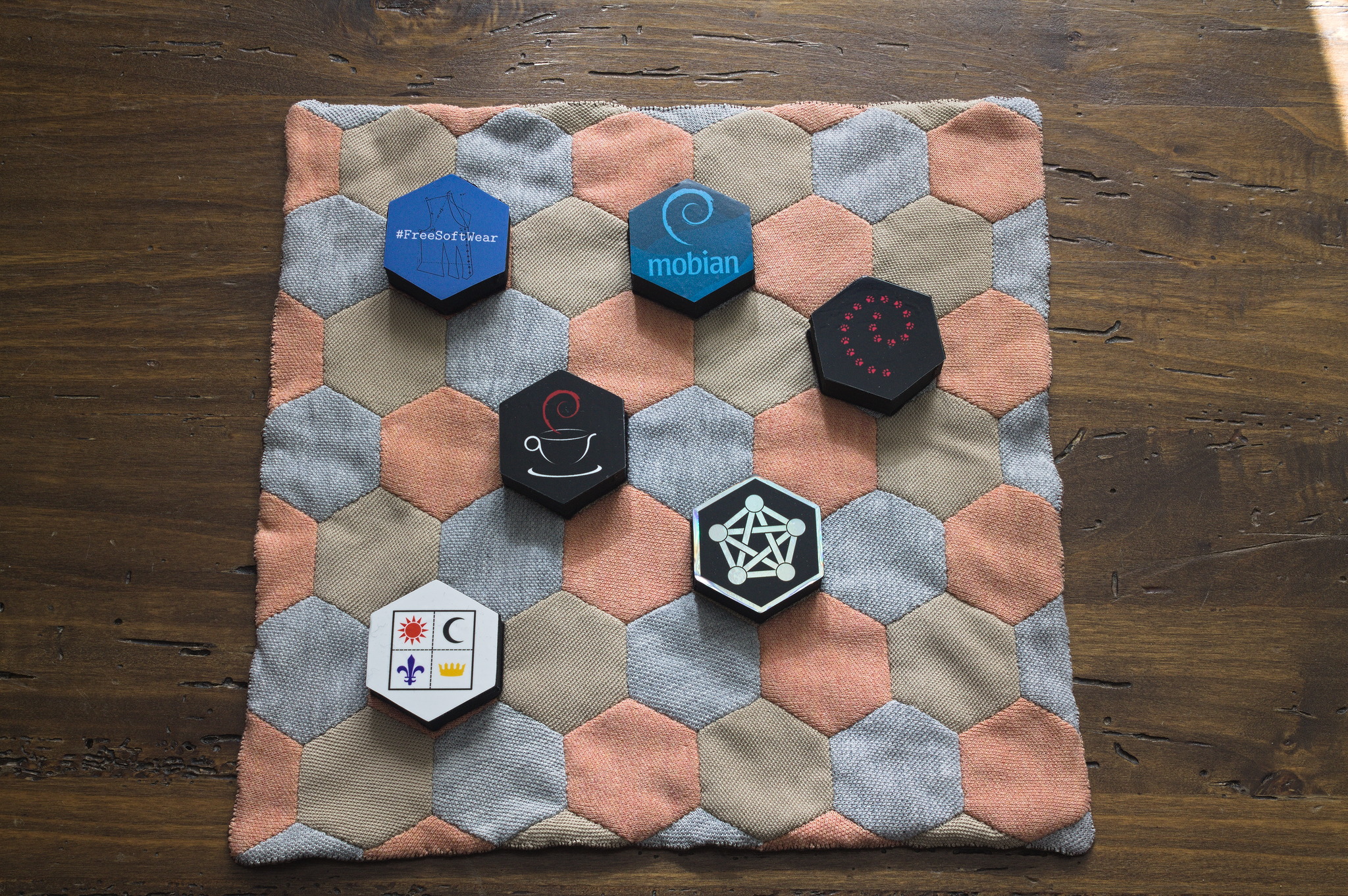 Well, probably it wouldn t work with complex shapes, but what about some
5-ish cm tall Standard Compliant bestagon? So I printed out some
hexagons on thick paper, printed some bigger hexagons with sewing
allowance as a cutting aid, found two shirts in the least me colours I
could find (and one in grey because it was the best match for the other
two) and decided to sacrifice them for the experiment.
And as long as the paper was still in the pieces, the work went nicely,
so I persevered while trying to postpone the Moment of Truth.
 After a while I measured things out and saw that I could squeeze a 6.5
7 hexagon pattern into something resembling a square that was a multiple
of the 2.5 cm square on the back of my Piecepack tiles, and decided to
go for another Standard for the back (because of course I wasn t going
to buy new fabric for lining the work).
I kept the paper in the pieces until both sides were ready, and used it
to sew them right sides together, leaving the usual opening in the
middle of one side.
Then I pressed, removed the paper, turned everything inside out, pressed
again and. It worked!
 The hexagons look like hexagons, the squares look like squares, the
whole thing feels soft and drapey, but structurally sound. And it s a
bit lumpy, but not enough to cause issues when using it as a soft
surface to put over a noisy wooden table to throw dice on.
I considered adding some lightweight batting in the middle, but there
was really no need for it, and wondered about how to quilt the piece in
a way that worked with the patterns on the two sides, but for something
this small it wasn t really required.
However, I decided to add a buttonhole stitch border on all edges, to
close the opening I had left and to reinforce especially the small
triangles on the hexagons side, as those had a smaller sewing allowance
and could use it.
 And of course, the 11 11 squares side wasn t completely an accident,
but part of A Plan.
For this project there isn t really a pattern, but I did publish
 For my birthday I was gifted copies of Eno's last two albums, Luminal and
Lateral, both of which are collaborations with Beatie Wolfe.

 September. Kids Summer Vacation is over and things are starting to come back to the usual rhythm.
 Another short status update of what happened on my side last month. Released

 I ve noticed that procrastination and inability to be consistently productive at work has become quite common in recent years. This is clearly visible in younger people who have grown up with an endless stream of entertainment literally at their fingertips, on their mobile phone. It is however a trap one can escape from with a little bit of help.



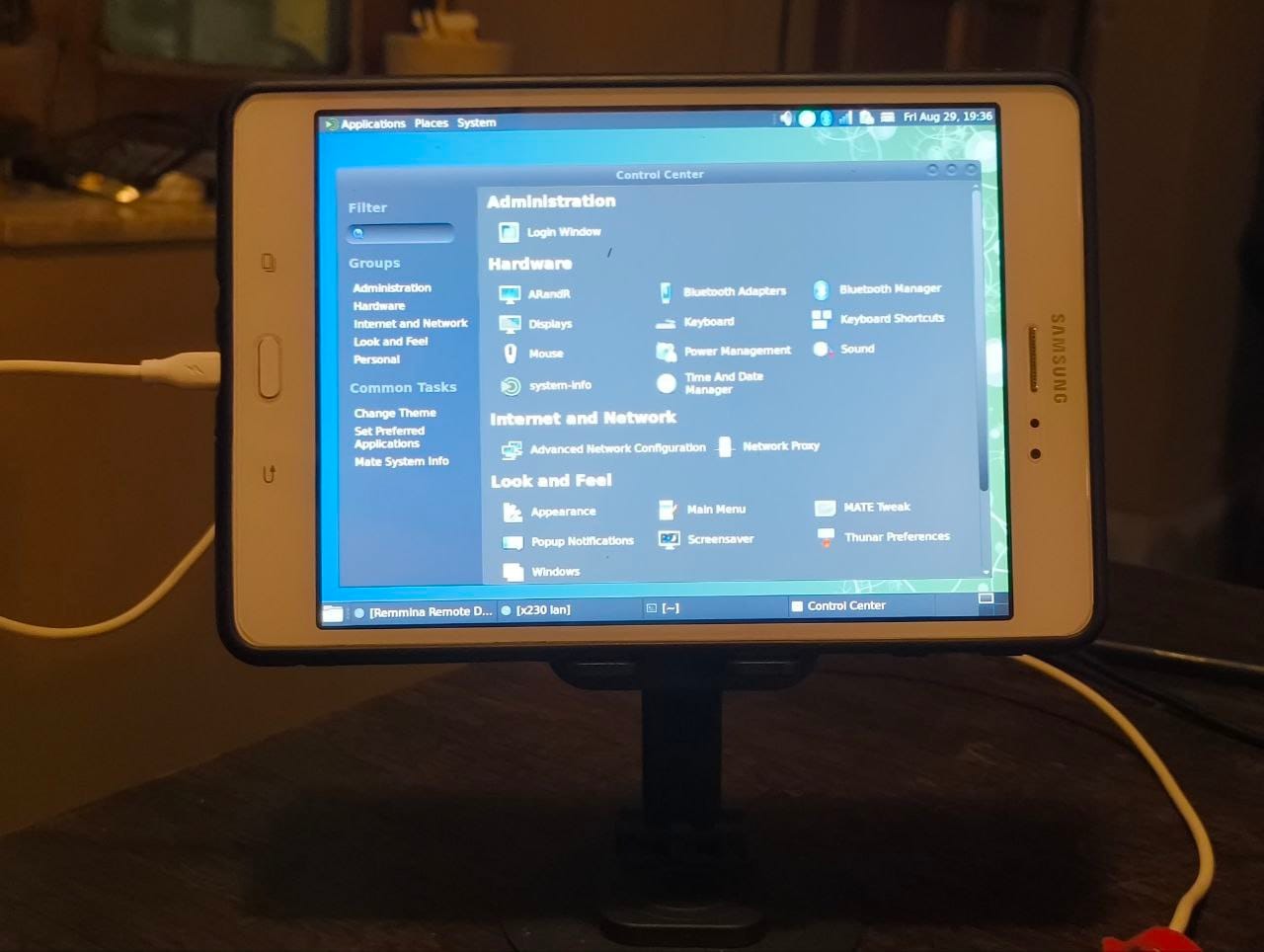 I have been using my Samsung Galaxy Tab A (2015) with PostmarketOS on and off since last year. It serves as a really good e-book reader with KOReader installed on it. Have tried phosh and plasma-mobile on it, works nicely but slows the device down heavily (2 GB RAM and old processor) so I use MATE Desktop environment on it.Lately I have started using this tablet along with my laptop as a second screen for work. And it has been working super nicely for that. The only issue being that I have to manually rotate the screen to landscape every time I reboot the device. It resets the screen orientation to portrait after a reboot. So I went through the pmOS wiki and a neat nice hack documented there worked very well for me. First we will test if the auto-rotate sensor works and if we can read values from it. So we install some basic necessary packages

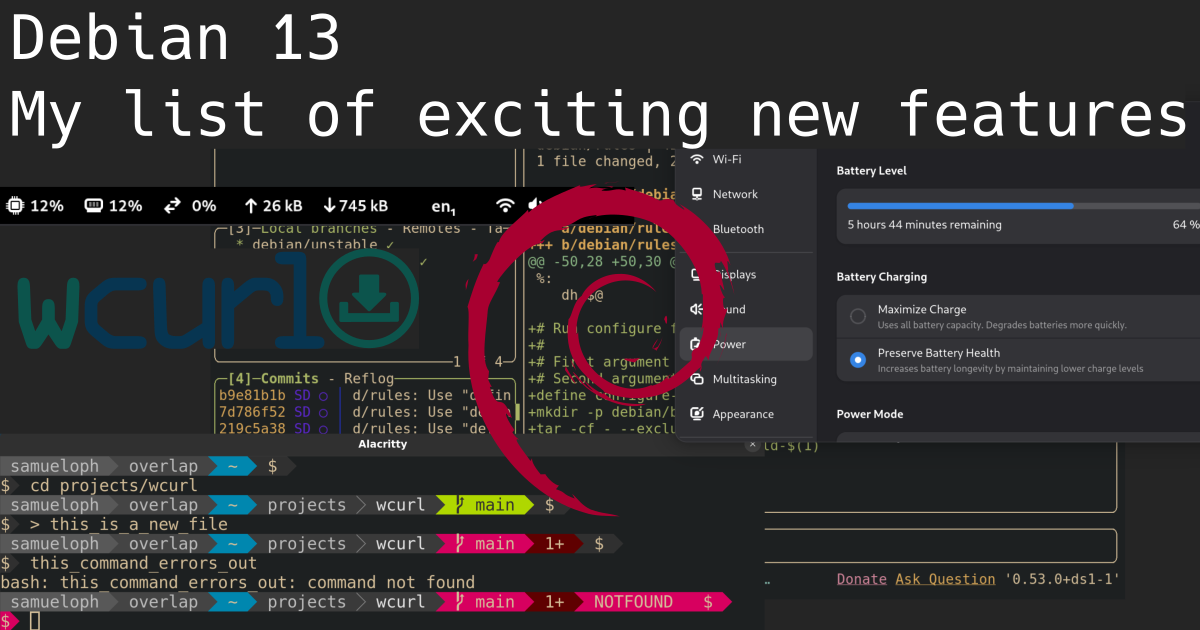
 Have you ever had to download a file from your terminal using curl and didn't
remember the parameters needed? I did.
Nowadays you can use
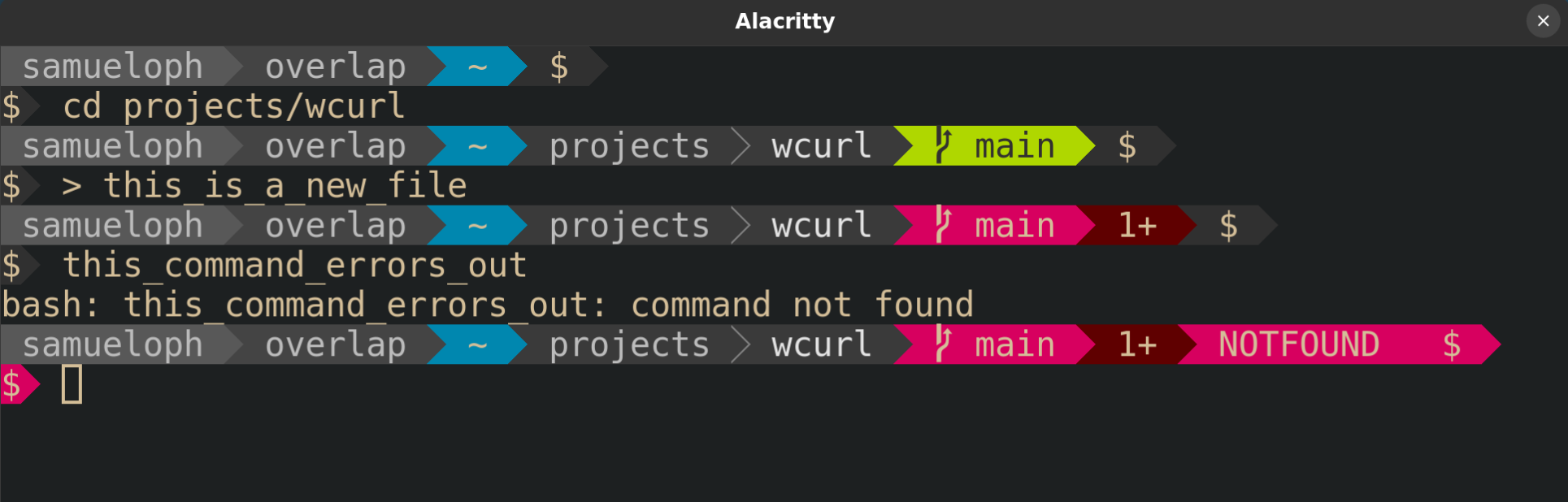 Try it out:
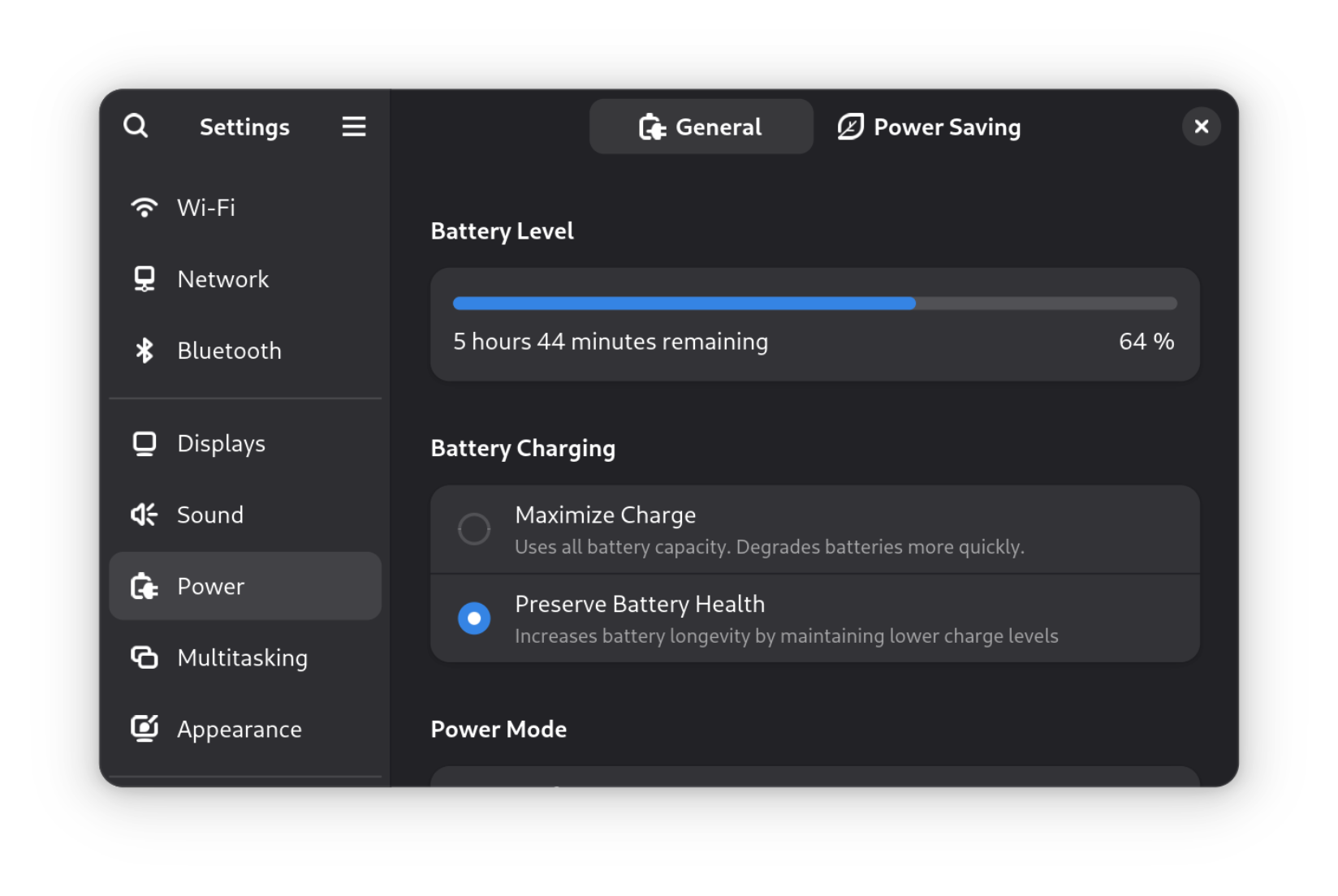
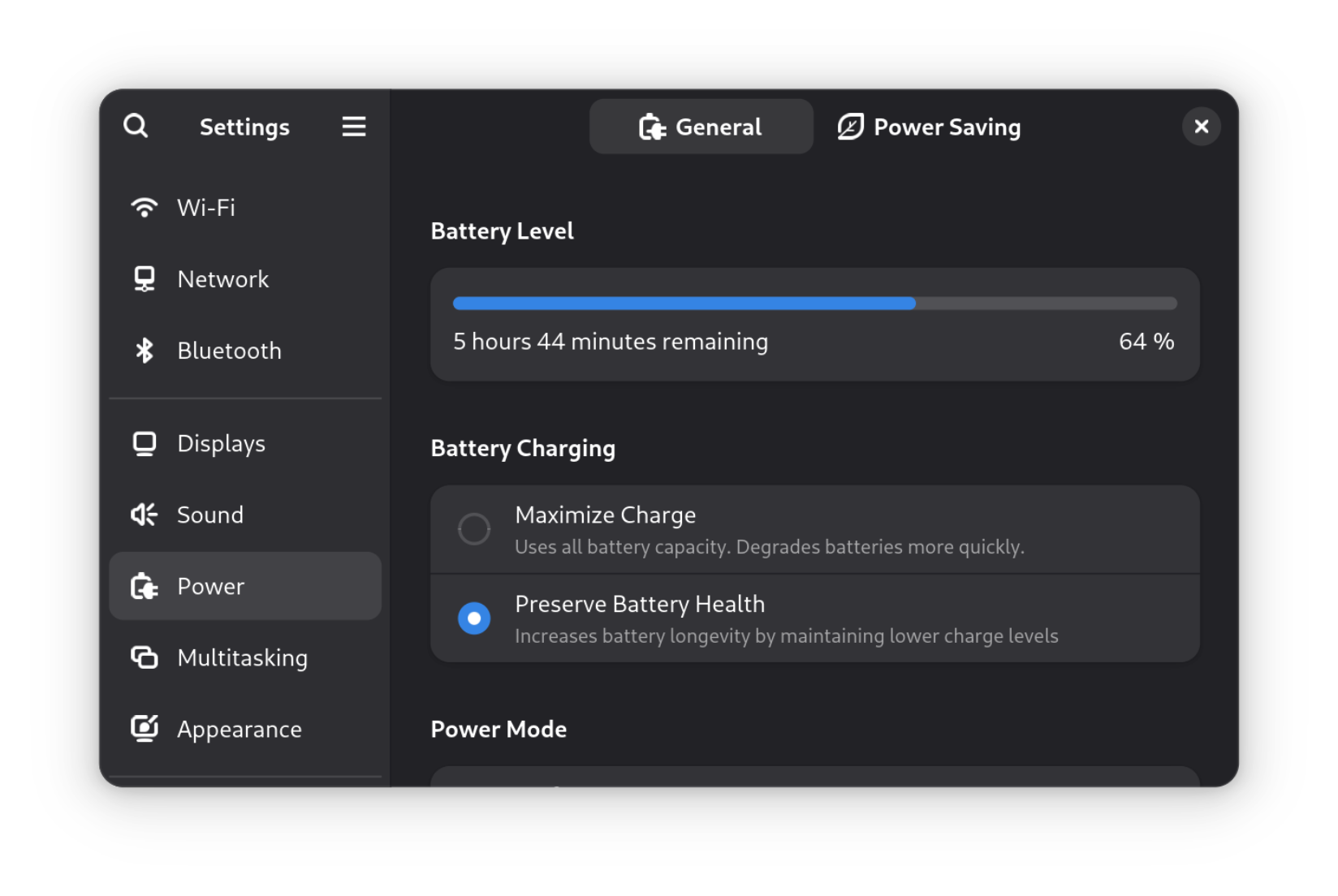
 I've found this quite useful for machines where I'm required to install
third-party monitoring software that tends to randomly consume more resources
than it should. If I feel like my machine is struggling, I can quickly glance
at its load to verify if it's getting overloaded by some process.
The extension is not as complete as
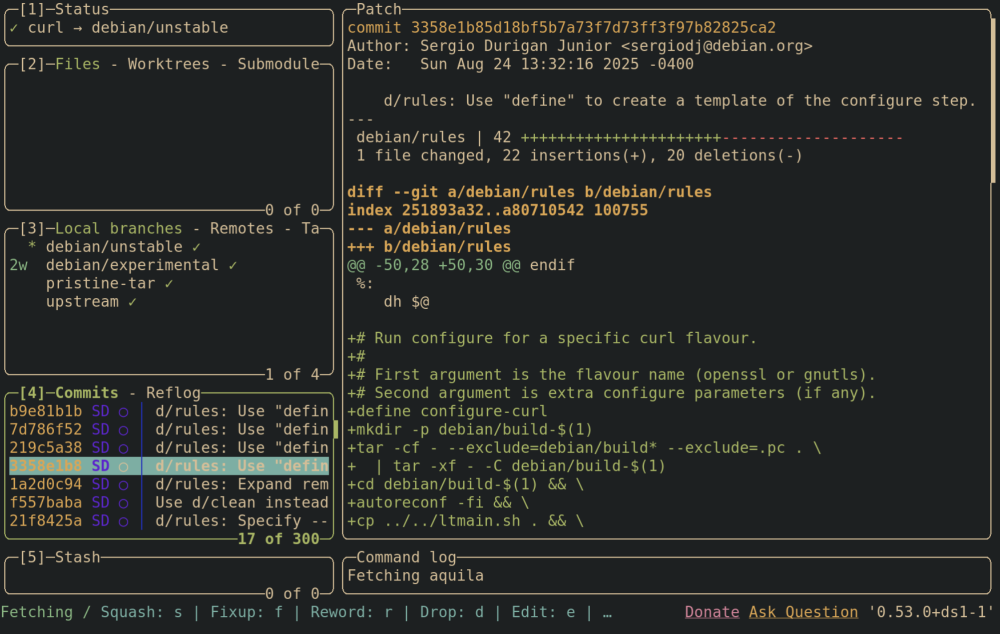
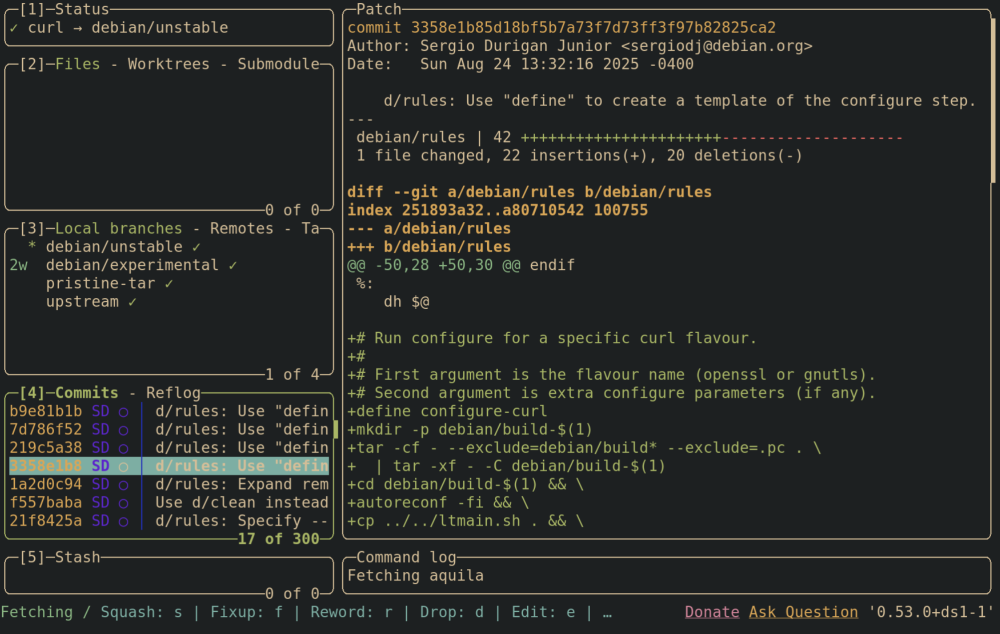
 On supported laptops, this setting is an easy way to set thresholds for when
charging should start and stop, just like you could do it with the
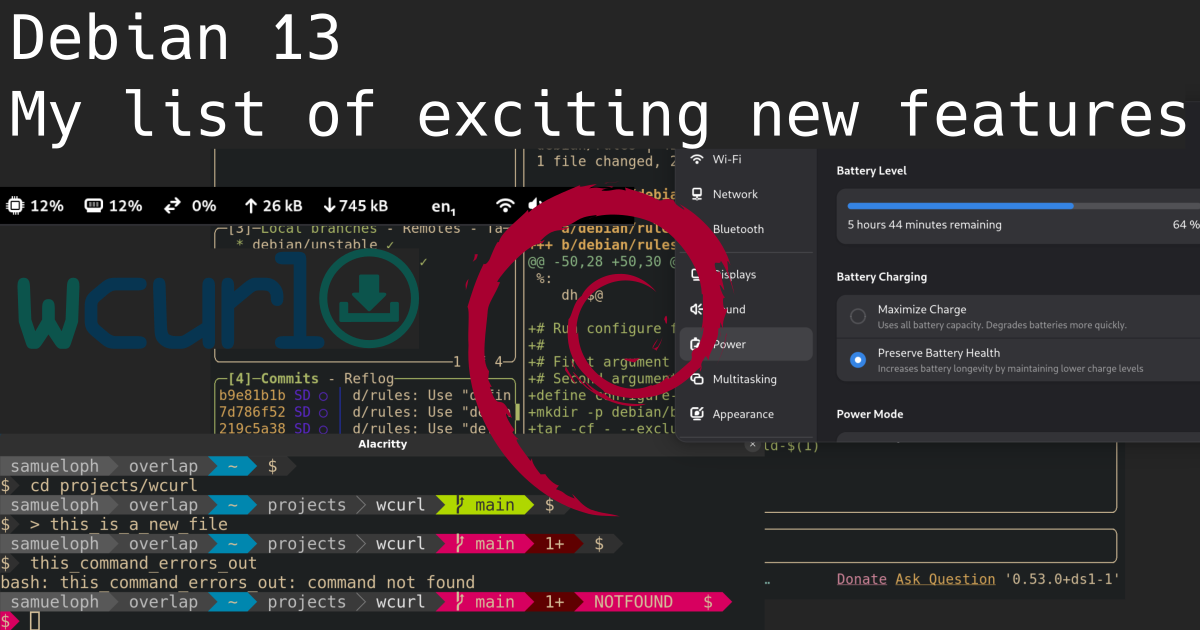
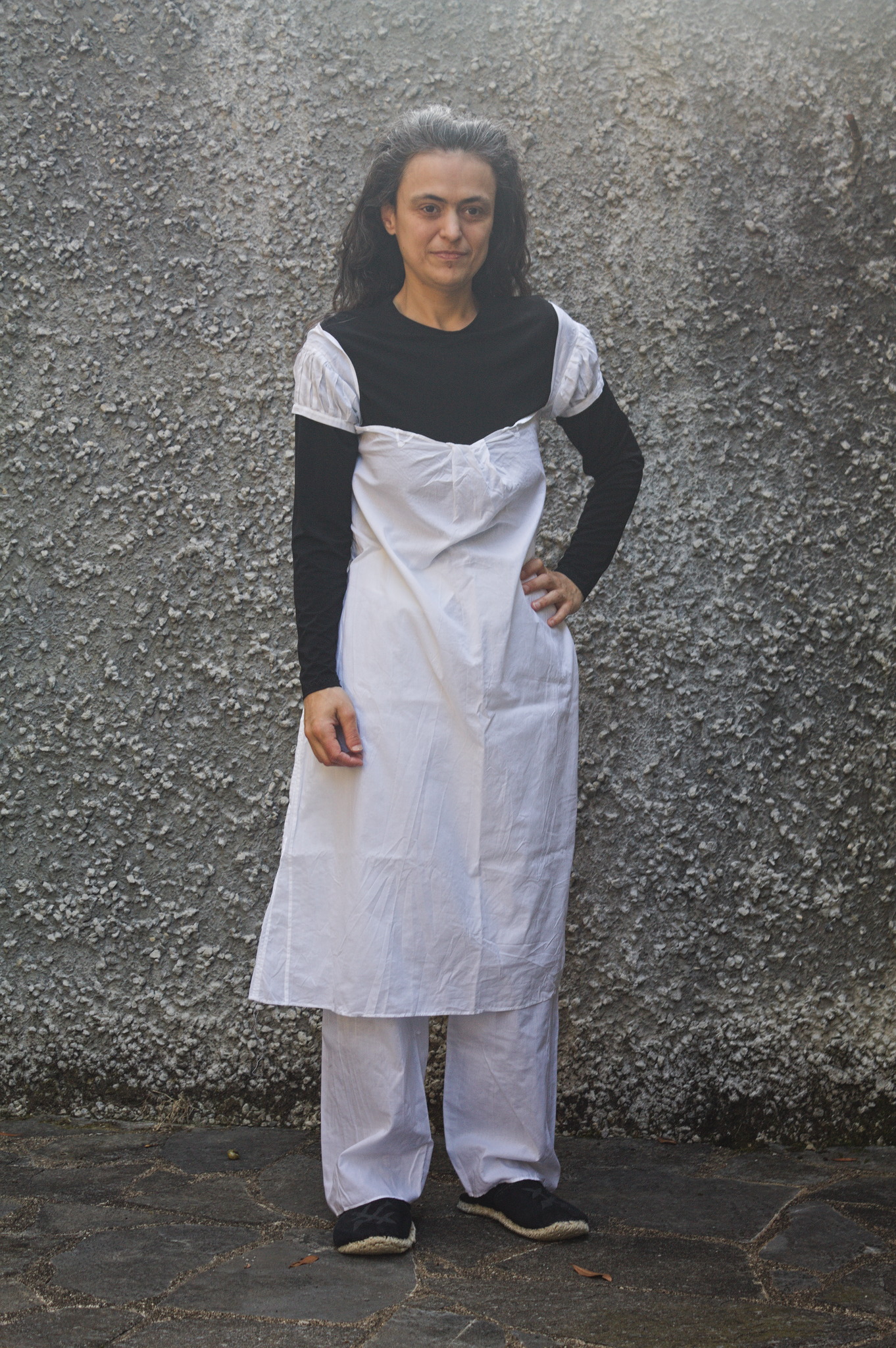
 You should check out the demos from the
 Have you ever had to download a file from your terminal using curl and didn't
remember the parameters needed? I did.
Nowadays you can use
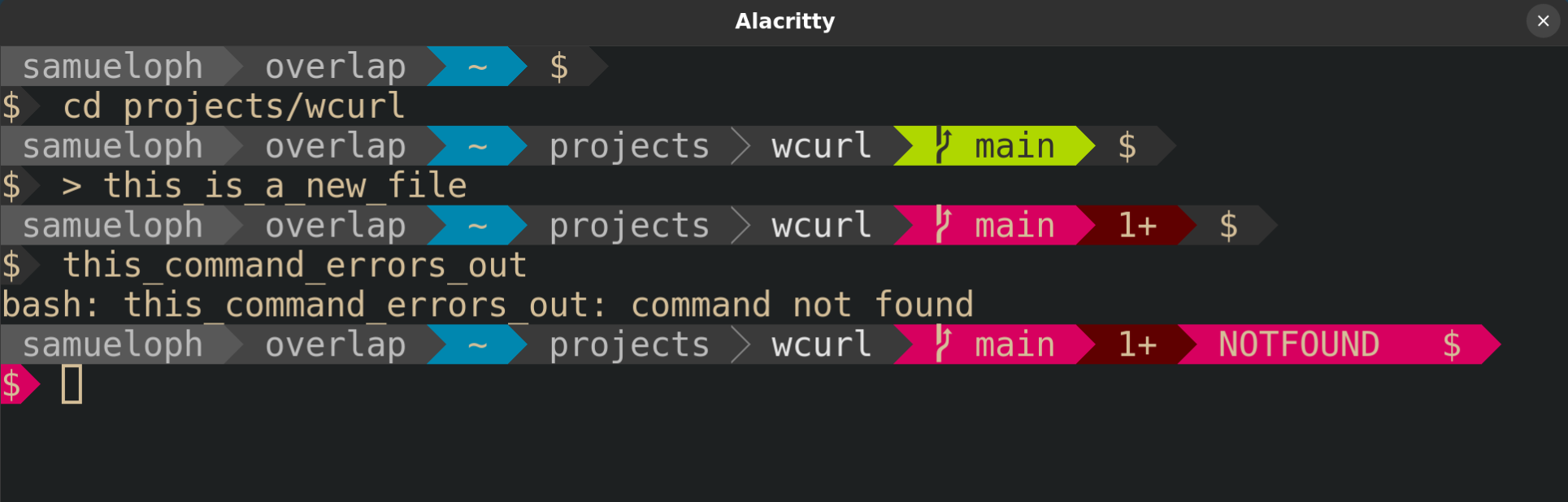 Try it out:
 I've found this quite useful for machines where I'm required to install
third-party monitoring software that tends to randomly consume more resources
than it should. If I feel like my machine is struggling, I can quickly glance
at its load to verify if it's getting overloaded by some process.
The extension is not as complete as
 On supported laptops, this setting is an easy way to set thresholds for when
charging should start and stop, just like you could do it with the
 You should check out the demos from the
 A bit more than a year ago, I had been thinking about making myself a
cartridge pleated skirt. For a number of reasons, one of which is the
historybounding potential, I ve been thinking pre-crinoline, so
somewhere around the 1840s, and that s a completely new era for me,
which means: new underwear.
Also, the 1840s are pre-sewing machine, and I was already in a position
where I had more chances to handsew than to machine sew, so I decided to
embrace the slowness and sew 100% by hand, not even using the machine
for straight seams.
 If I remember correctly, I started with the corded petticoat, looking
around the internet for instructions, and then designing my own based on
the practicality of using modern wide fabric from my stash (and
specifically some DITTE from costumers favourite source of dirty cheap
cotton IKEA).
Around the same time I had also acquired a sashiko kit, and I used the
Japanese technique for sewing running stitches pushing the needle with a
thimble that covers the base of the middle finger, and I can confirm
that for this kind of things it s great!
I ve since worn the petticoat a few times for casual / historyBounding /
folkwearBounding reasons, during the summer, and I can confirm it s
comfortable to use; I guess that during the winter it could be nice to
add a flannel layer below it.
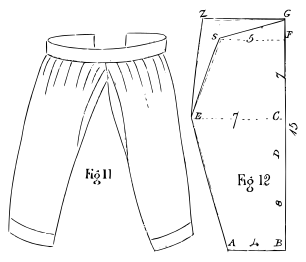 Then I proceeded with the base layers: I had been browsing through
 The book only provided measurements for one size (moderate), and my
fabric was a bit too narrow to make them that size (not that I have any
idea what hip circumference a person of moderate size was supposed to
have), so the result is just wide enough to be comfortably worn, but I
think that when I ll make another pair I ll try to make them a bit
wider. On the other hand they are a bit too long, but I think that I ll
fix it by adding a tuck or two. Not a big deal, anyway.
 The shift gave me a bit more issues: I used the recommended gusset size,
and ended up with a shift that was way too wide at the top, so I had to
take a box pleat in the center front and back, which changed the look
and wear of the garment. I have adjusted the instructions to make
gussets wider, and in the future I ll make another shift following
those.
Even with the pleat, the narrow shoulder straps are set quite far to the
sides, and they tend to droop, and I suspect that this is to be expected
from the way this garment is made. The fact that there are buttonholes
on the shoulder straps to attach to the corset straps and prevent the
issue is probably a hint that this behaviour was to be expected.
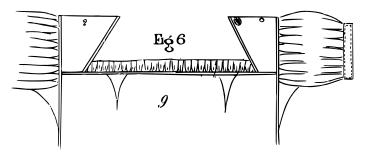 I ve also updated the instructions so that they shoulder straps are a
bit wider, to look more like the ones in the drawing from the book.
Making a corset suitable for the time period is something that I will
probably do, but not in the immediate future, but even just wearing the
shift under a later midbust corset with no shoulder strap helps.
I m also not sure what the point of the bosom gores is, as they don t
really give more room to the bust where it s needed, but to the high
bust where it s counterproductive. I also couldn t find images of
original examples made from this pattern to see if they were actually
used, so in my next make I may just skip them.
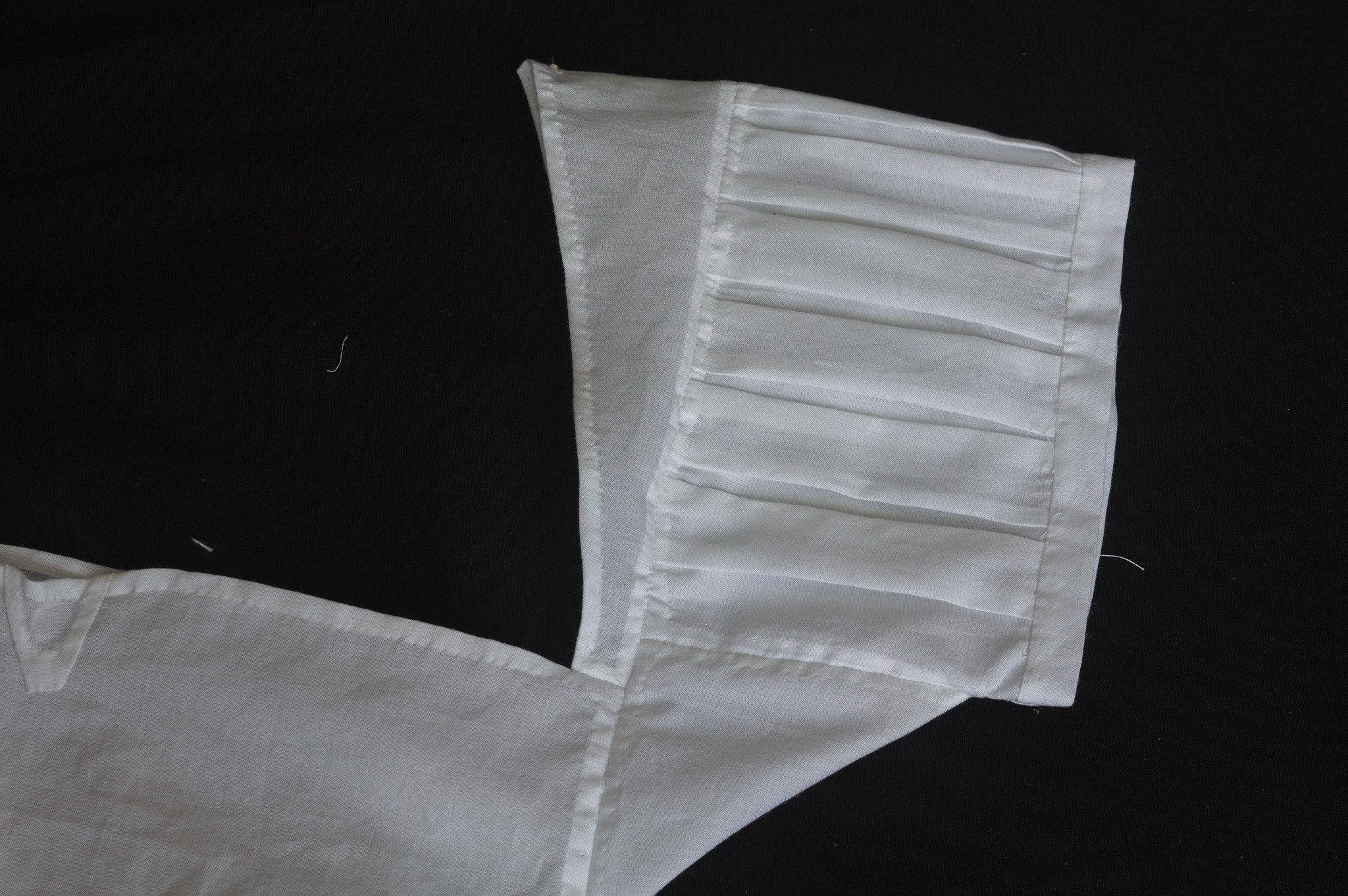 On the other hand, I m really happy with how cute the short sleeves
look, and if

 When I