I ve been using
VULTR for a little while now and have been generally very pleased (especially with the very recent facelift the management portal received). I don t want to waste too much time talking about it, but the killer feature for me (over some of their competitors like
DigitalOcean) is that I can provide a raw ISO and provision my VM directly using it as I would any local VM (which also means that once my VM is up and working, I get to use the OS s standard kernel, which is especially important for using Debian Unstable well).
Anyhow, already too much about that let s get to the cool stuff.
Getting right down to the beef, let s assume I ve got a VULTR instance already created, my OS is already installed and working, I ve enabled IPv6 within VULTR, ensured that my VM is able to
ping6 google.com (to verify at least basic routability),
and have Docker version 1.10.2 installed.
For the sake of demonstration, we ll assume that VULTR has assigned my IPv6 as follows: (available under the VM details via
Settings > IPv6)
- Default IP:
2001:db8::5400:00ff:fe20:2295
- Network:
2001:db8::
- CIDR: 64
(The astute reader may recognize
RFC3849 here. )
The relevant documentation which helped me get to the working state outlined below is in
the IPv6 with Docker section.
The first step I took was creating a systemd drop-in file so that I could modify the daemon startup parameters (to include
--ipv6 and
--fixed-cidr-v6):
# /etc/systemd/system/docker.service.d/ipv6.conf
[Service]
ExecStart=
ExecStart=/usr/bin/docker daemon -H fd:// --ipv6 --fixed-cidr-v6 2001:db8::/80
I chose to use just
/80 for Docker any other reasonable prefix (assuming it is routed to your host / host network) should also work; the documentation I linked above has an example using a
/125, for example.
With this half in place, I can
systemctl daemon-reload and
systemctl restart docker.service, and when I start a container it will be automatically assigned an IPv6 address from within that prefix. Excellent.
An important caveat to note is that this
will break discovery on our host due to Docker enabling forwarding for us, so (assuming your internet-facing interface is named
ens3 for the sake of illustration; it might just as easily be
eth0,
eth1,
enps3,
lan0,
wlan0, etc) I had to
sysctl net.ipv6.conf.ens3.accept_ra=2, and I added it to
/etc/sysctl.d/docker-ipv6.conf for good measure (so that I don t lose it after I reboot).
The second half of our IPv6 to containers problem is routing. The nitty-gritty details of this are discussed in
the Using NDP proxying section of the documentation, but the gist is that my containers have IPv6 addresses, but the outside world doesn t have a route that leads to them, and that we need to tell the kernel to respond to solicitations for our container s IPv6 addresses appropriately.
The kernel has a mechanism for doing so (via
ip -6 neigh ...), but it is limited to individual addresses and is thus not especially great for having a solution that works magically without further manual labor per-container.
This is where
ndppd (also
packaged for Debian as ndppd) came in.
# /etc/ndppd.conf
proxy ens3
	rule 2001:db8::/80
After getting this configuration in place and restarting
ndppd (
systemctl restart ndppd), magic happened. My containers could
ping6 google.com, and my other IPv6 hosts could
ping6 the IPv6 addresses of my individual containers!
You ve probably noted that this configuration isn t exactly secure, since it means that each of my individual containers has a
publicly routable IPv6 address, but for this specific use case, I m OK with that!
Update (2015-03-09): thanks to for correcting my systemd drop-in file usage!

 What happened in the

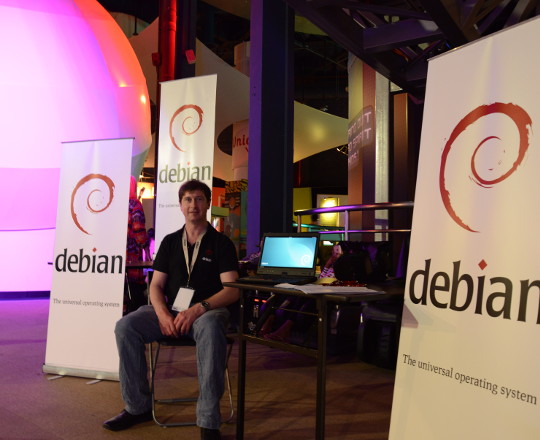 Thanks to Hong Phuc from the FOSSASIA team for helping us produce these new Debian banners
Google Summer of Code 2016
If you are keen to participate in GSoC 2016, please feel free to come and discuss it with me in person or attend any of my sessions at FOSSASIA this weekend. Please also see my blog about
 Real-time communications, WebRTC and mobile VoIP at FOSSASIA
There are a number of events involving real-time communications technology throughout FOSSASIA 2016, please come and join us at these:

 The final lists of accomplishments of the day was again very impressive
 And that is the end of this year s Debian Ruby team sprint. I hope we do it all over again next year.


 Most recently, former Greek finance minister

 My monthly report covers a large part of what I have been doing in the free software world. I write it for


