Do you want your apt-get update to only ever use files whose hash checksum have been recorded in the globally immutable tamper-resistance ledger rekor provided by the Sigstore project? Well I thought you d never ask, but now you can, thanks to my new projects apt-verify and apt-sigstore. I have not done proper stable releases yet, so this is work in progress. To try it out, adapt to the modern era of running random stuff from the Internet as root, and run the following commands. Use a container or virtual machine if you have trust issues.
If the stars are aligned (and the puppet projects of debdistget and debdistcanary have ran their GitLab CI/CD pipeline recently enough) you will see a successful output from apt-get update and your syslog will contain debug logs showing the entries from the rekor log for the release index files that you downloaded. See sample outputs in the README.
If you get tired of it, disabling is easy:
chmod -x /etc/apt/verify.d/apt-rekor
Our project currently supports Trisquel GNU/Linux 10 (nabia) & 11 (aramo), PureOS 10 (byzantium), Gnuinos chimaera, Ubuntu 20.04 (focal) & 22.04 (jammy), Debian 10 (buster) & 11 (bullseye), and Devuan GNU+Linux 4.0 (chimaera). Others can be supported to, please open an issue about it, although my focus is on FSDG-compliant distributions and their upstreams.
This is a continuation of my previous work on apt-canary. I have realized that it was better to separate out the generic part of apt-canary into my new project apt-verify that offers a plugin-based method, and then rewrote apt-canary to be one such plugin. Then apt-sigstore s apt-rekor was my second plugin for apt-verify.
Due to the design of things, and some current limitations, Ubuntu is the least stable since they push out new signed InRelease files frequently (mostly due to their use of Phased-Update-Percentage) and debdistget and debdistcanary CI/CD runs have a hard time keeping up. If you have insight on how to improve this, please comment me in the issue tracking the race condition.
There are limitations of what additional safety a rekor-based solution actually provides, but I expect that to improve as I get a cosign-based approach up and running. Currently apt-rekor mostly make targeted attacks less deniable. With a cosign-based approach, we could design things such that your machine only downloads updates when they have been publicly archived in an immutable fashion, or submitted for validation by a third-party such as my reproducible build setup for Trisquel GNU/Linux aramo.
What do you think? Happy Hacking!
I ve used hardware-backed OpenPGP keys since 2006 when I imported newly generated rsa1024 subkeys to a FSFE Fellowship card. This worked well for several years, and I recall buying more ZeitControl cards for multi-machine usage and backup purposes. As a side note, I recall being unsatisfied with the weak 1024-bit RSA subkeys at the time my primary key was a somewhat stronger 1280-bit RSA key created back in 2002 but OpenPGP cards at the time didn t support more than 1024 bit RSA, and were (and still often are) also limited to power-of-two RSA key sizes which I dislike.
I had my master key on disk with a strong password for a while, mostly to refresh expiration time of the subkeys and to sign other s OpenPGP keys. At some point I stopped carrying around encrypted copies of my master key. That was my main setup when I migrated to a new stronger RSA 3744 bit key with rsa2048 subkeys on a YubiKey NEO back in 2014. At that point, signing other s OpenPGP keys was a rare enough occurrence that I settled with bringing out my offline machine to perform this operation, transferring the public key to sign on USB sticks. In 2019 I re-evaluated my OpenPGP setup and ended up creating a offline Ed25519 key with subkeys on a FST-01G running Gnuk. My approach for signing other s OpenPGP keys were still to bring out my offline machine and sign things using the master secret using USB sticks for storage and transport. Which meant I almost never did that, because it took too much effort. So my 2019-era Ed25519 key still only has a handful of signatures on it, since I had essentially stopped signing other s keys which is the traditional way of getting signatures in return.
None of this caused any critical problem for me because I continued to use my old 2014-era RSA3744 key in parallel with my new 2019-era Ed25519 key, since too many systems didn t handle Ed25519. However, during 2022 this changed, and the only remaining environment that I still used my RSA3744 key for was in Debian and they require OpenPGP signatures on the new key to allow it to replace an older key. I was in denial about this sub-optimal solution during 2022 and endured its practical consequences, having to use the YubiKey NEO (which I had replaced with a permanently inserted YubiKey Nano at some point) for Debian-related purposes alone.
In December 2022 I bought a new laptop and setup a FST-01SZ with my Ed25519 key, and while I have taken a vacation from Debian, I continue to extend the expiration period on the old RSA3744-key in case I will ever have to use it again, so the overall OpenPGP setup was still sub-optimal. Having two valid OpenPGP keys at the same time causes people to use both for email encryption (leading me to have to use both devices), and the WKD Key Discovery protocol doesn t like two valid keys either. At FOSDEM 23 I ran into Andre Heinecke at GnuPG and I couldn t help complain about how complex and unsatisfying all OpenPGP-related matters were, and he mildly ignored my rant and asked why I didn t put the master key on another smartcard. The comment sunk in when I came home, and recently I connected all the dots and this post is a summary of what I did to move my offline OpenPGP master key to a Nitrokey Start.
First a word about device choice, I still prefer to use hardware devices that are as compatible with free software as possible, but the FST-01G or FST-01SZ are no longer easily available for purchase. I got a comment about Nitrokey start in my last post, and had two of them available to experiment with. There are things to dislike with the Nitrokey Start compared to the YubiKey (e.g., relative insecure chip architecture, the bulkier form factor and lack of FIDO/U2F/OATH support) but as far as I know there is no more widely available owner-controlled device that is manufactured for an intended purpose of implementing an OpenPGP card. Thus it hits the sweet spot for me.
Nitrokey Start
The first step is to run latest firmware on the Nitrokey Start for bug-fixes and important OpenSSH 9.0 compatibility and there are reproducible-built firmware published that you can install using pynitrokey. I run Trisquel 11 aramo on my laptop, which does not include the Python Pip package (likely because it promotes installing non-free software) so that was a slight complication. Building the firmware locally may have worked, and I would like to do that eventually to confirm the published firmware, however to save time I settled with installing the Ubuntu 22.04 packages on my machine:
$ sha256sum python3-pip*
ded6b3867a4a4cbaff0940cab366975d6aeecc76b9f2d2efa3deceb062668b1c  python3-pip_22.0.2+dfsg-1ubuntu0.2_all.deb
e1561575130c41dc3309023a345de337e84b4b04c21c74db57f599e267114325  python3-pip-whl_22.0.2+dfsg-1ubuntu0.2_all.deb
$ doas dpkg -i python3-pip*
...
$ doas apt install -f
...
$
Installing pynitrokey downloaded a bunch of dependencies, and it would be nice to audit the license and security vulnerabilities for each of them. (Verbose output below slightly redacted.)
jas@kaka:~$ pip3 install --user pynitrokey
Collecting pynitrokey
  Downloading pynitrokey-0.4.34-py3-none-any.whl (572 kB)
Collecting frozendict~=2.3.4
  Downloading frozendict-2.3.5-cp310-cp310-manylinux_2_17_x86_64.manylinux2014_x86_64.whl (113 kB)
Requirement already satisfied: click<9,>=8.0.0 in /usr/lib/python3/dist-packages (from pynitrokey) (8.0.3)
Collecting ecdsa
  Downloading ecdsa-0.18.0-py2.py3-none-any.whl (142 kB)
Collecting python-dateutil~=2.7.0
  Downloading python_dateutil-2.7.5-py2.py3-none-any.whl (225 kB)
Collecting fido2<2,>=1.1.0
  Downloading fido2-1.1.0-py3-none-any.whl (201 kB)
Collecting tlv8
  Downloading tlv8-0.10.0.tar.gz (16 kB)
  Preparing metadata (setup.py) ... done
Requirement already satisfied: certifi>=14.5.14 in /usr/lib/python3/dist-packages (from pynitrokey) (2020.6.20)
Requirement already satisfied: pyusb in /usr/lib/python3/dist-packages (from pynitrokey) (1.2.1.post1)
Collecting urllib3~=1.26.7
  Downloading urllib3-1.26.15-py2.py3-none-any.whl (140 kB)
Collecting spsdk<1.8.0,>=1.7.0
  Downloading spsdk-1.7.1-py3-none-any.whl (684 kB)
Collecting typing_extensions~=4.3.0
  Downloading typing_extensions-4.3.0-py3-none-any.whl (25 kB)
Requirement already satisfied: cryptography<37,>=3.4.4 in /usr/lib/python3/dist-packages (from pynitrokey) (3.4.8)
Collecting intelhex
  Downloading intelhex-2.3.0-py2.py3-none-any.whl (50 kB)
Collecting nkdfu
  Downloading nkdfu-0.2-py3-none-any.whl (16 kB)
Requirement already satisfied: requests in /usr/lib/python3/dist-packages (from pynitrokey) (2.25.1)
Collecting tqdm
  Downloading tqdm-4.65.0-py3-none-any.whl (77 kB)
Collecting nrfutil<7,>=6.1.4
  Downloading nrfutil-6.1.7.tar.gz (845 kB)
  Preparing metadata (setup.py) ... done
Requirement already satisfied: cffi in /usr/lib/python3/dist-packages (from pynitrokey) (1.15.0)
Collecting crcmod
  Downloading crcmod-1.7.tar.gz (89 kB)
  Preparing metadata (setup.py) ... done
Collecting libusb1==1.9.3
  Downloading libusb1-1.9.3-py3-none-any.whl (60 kB)
Collecting pc_ble_driver_py>=0.16.4
  Downloading pc_ble_driver_py-0.17.0-cp310-cp310-manylinux_2_17_x86_64.manylinux2014_x86_64.whl (2.9 MB)
Collecting piccata
  Downloading piccata-2.0.3-py3-none-any.whl (21 kB)
Collecting protobuf<4.0.0,>=3.17.3
  Downloading protobuf-3.20.3-cp310-cp310-manylinux_2_12_x86_64.manylinux2010_x86_64.whl (1.1 MB)
Collecting pyserial
  Downloading pyserial-3.5-py2.py3-none-any.whl (90 kB)
Collecting pyspinel>=1.0.0a3
  Downloading pyspinel-1.0.3.tar.gz (58 kB)
  Preparing metadata (setup.py) ... done
Requirement already satisfied: pyyaml in /usr/lib/python3/dist-packages (from nrfutil<7,>=6.1.4->pynitrokey) (5.4.1)
Requirement already satisfied: six>=1.5 in /usr/lib/python3/dist-packages (from python-dateutil~=2.7.0->pynitrokey) (1.16.0)
Collecting pylink-square<0.11.9,>=0.8.2
  Downloading pylink_square-0.11.1-py2.py3-none-any.whl (78 kB)
Collecting jinja2<3.1,>=2.11
  Downloading Jinja2-3.0.3-py3-none-any.whl (133 kB)
Collecting bincopy<17.11,>=17.10.2
  Downloading bincopy-17.10.3-py3-none-any.whl (17 kB)
Collecting fastjsonschema>=2.15.1
  Downloading fastjsonschema-2.16.3-py3-none-any.whl (23 kB)
Collecting astunparse<2,>=1.6
  Downloading astunparse-1.6.3-py2.py3-none-any.whl (12 kB)
Collecting oscrypto~=1.2
  Downloading oscrypto-1.3.0-py2.py3-none-any.whl (194 kB)
Collecting deepmerge==0.3.0
  Downloading deepmerge-0.3.0-py2.py3-none-any.whl (7.6 kB)
Collecting pyocd<=0.31.0,>=0.28.3
  Downloading pyocd-0.31.0-py3-none-any.whl (12.5 MB)
Collecting click-option-group<0.6,>=0.3.0
  Downloading click_option_group-0.5.5-py3-none-any.whl (12 kB)
Collecting pycryptodome<4,>=3.9.3
  Downloading pycryptodome-3.17-cp35-abi3-manylinux_2_17_x86_64.manylinux2014_x86_64.whl (2.1 MB)
Collecting pyocd-pemicro<1.2.0,>=1.1.1
  Downloading pyocd_pemicro-1.1.5-py3-none-any.whl (9.0 kB)
Requirement already satisfied: colorama<1,>=0.4.4 in /usr/lib/python3/dist-packages (from spsdk<1.8.0,>=1.7.0->pynitrokey) (0.4.4)
Collecting commentjson<1,>=0.9
  Downloading commentjson-0.9.0.tar.gz (8.7 kB)
  Preparing metadata (setup.py) ... done
Requirement already satisfied: asn1crypto<2,>=1.2 in /usr/lib/python3/dist-packages (from spsdk<1.8.0,>=1.7.0->pynitrokey) (1.4.0)
Collecting pypemicro<0.2.0,>=0.1.9
  Downloading pypemicro-0.1.11-py3-none-any.whl (5.7 MB)
Collecting libusbsio>=2.1.11
  Downloading libusbsio-2.1.11-py3-none-any.whl (247 kB)
Collecting sly==0.4
  Downloading sly-0.4.tar.gz (60 kB)
  Preparing metadata (setup.py) ... done
Collecting ruamel.yaml<0.18.0,>=0.17
  Downloading ruamel.yaml-0.17.21-py3-none-any.whl (109 kB)
Collecting cmsis-pack-manager<0.3.0
  Downloading cmsis_pack_manager-0.2.10-py2.py3-none-manylinux1_x86_64.whl (25.1 MB)
Collecting click-command-tree==1.1.0
  Downloading click_command_tree-1.1.0-py3-none-any.whl (3.6 kB)
Requirement already satisfied: bitstring<3.2,>=3.1 in /usr/lib/python3/dist-packages (from spsdk<1.8.0,>=1.7.0->pynitrokey) (3.1.7)
Collecting hexdump~=3.3
  Downloading hexdump-3.3.zip (12 kB)
  Preparing metadata (setup.py) ... done
Collecting fire
  Downloading fire-0.5.0.tar.gz (88 kB)
  Preparing metadata (setup.py) ... done
Requirement already satisfied: wheel<1.0,>=0.23.0 in /usr/lib/python3/dist-packages (from astunparse<2,>=1.6->spsdk<1.8.0,>=1.7.0->pynitrokey) (0.37.1)
Collecting humanfriendly
  Downloading humanfriendly-10.0-py2.py3-none-any.whl (86 kB)
Collecting argparse-addons>=0.4.0
  Downloading argparse_addons-0.12.0-py3-none-any.whl (3.3 kB)
Collecting pyelftools
  Downloading pyelftools-0.29-py2.py3-none-any.whl (174 kB)
Collecting milksnake>=0.1.2
  Downloading milksnake-0.1.5-py2.py3-none-any.whl (9.6 kB)
Requirement already satisfied: appdirs>=1.4 in /usr/lib/python3/dist-packages (from cmsis-pack-manager<0.3.0->spsdk<1.8.0,>=1.7.0->pynitrokey) (1.4.4)
Collecting lark-parser<0.8.0,>=0.7.1
  Downloading lark-parser-0.7.8.tar.gz (276 kB)
  Preparing metadata (setup.py) ... done
Requirement already satisfied: MarkupSafe>=2.0 in /usr/lib/python3/dist-packages (from jinja2<3.1,>=2.11->spsdk<1.8.0,>=1.7.0->pynitrokey) (2.0.1)
Collecting asn1crypto<2,>=1.2
  Downloading asn1crypto-1.5.1-py2.py3-none-any.whl (105 kB)
Collecting wrapt
  Downloading wrapt-1.15.0-cp310-cp310-manylinux_2_5_x86_64.manylinux1_x86_64.manylinux_2_17_x86_64.manylinux2014_x86_64.whl (78 kB)
Collecting future
  Downloading future-0.18.3.tar.gz (840 kB)
  Preparing metadata (setup.py) ... done
Collecting psutil>=5.2.2
  Downloading psutil-5.9.4-cp36-abi3-manylinux_2_12_x86_64.manylinux2010_x86_64.manylinux_2_17_x86_64.manylinux2014_x86_64.whl (280 kB)
Collecting capstone<5.0,>=4.0
  Downloading capstone-4.0.2-py2.py3-none-manylinux1_x86_64.whl (2.1 MB)
Collecting naturalsort<2.0,>=1.5
  Downloading naturalsort-1.5.1.tar.gz (7.4 kB)
  Preparing metadata (setup.py) ... done
Collecting prettytable<3.0,>=2.0
  Downloading prettytable-2.5.0-py3-none-any.whl (24 kB)
Collecting intervaltree<4.0,>=3.0.2
  Downloading intervaltree-3.1.0.tar.gz (32 kB)
  Preparing metadata (setup.py) ... done
Collecting ruamel.yaml.clib>=0.2.6
  Downloading ruamel.yaml.clib-0.2.7-cp310-cp310-manylinux_2_17_x86_64.manylinux2014_x86_64.manylinux_2_24_x86_64.whl (485 kB)
Collecting termcolor
  Downloading termcolor-2.2.0-py3-none-any.whl (6.6 kB)
Collecting sortedcontainers<3.0,>=2.0
  Downloading sortedcontainers-2.4.0-py2.py3-none-any.whl (29 kB)
Requirement already satisfied: wcwidth in /usr/lib/python3/dist-packages (from prettytable<3.0,>=2.0->pyocd<=0.31.0,>=0.28.3->spsdk<1.8.0,>=1.7.0->pynitrokey) (0.2.5)
Building wheels for collected packages: nrfutil, crcmod, sly, tlv8, commentjson, hexdump, pyspinel, fire, intervaltree, lark-parser, naturalsort, future
  Building wheel for nrfutil (setup.py) ... done
  Created wheel for nrfutil: filename=nrfutil-6.1.7-py3-none-any.whl size=898520 sha256=de6f8803f51d6c26d24dc7df6292064a468ff3f389d73370433fde5582b84a10
  Stored in directory: /home/jas/.cache/pip/wheels/39/2b/9b/98ab2dd716da746290e6728bdb557b14c1c9a54cb9ed86e13b
  Building wheel for crcmod (setup.py) ... done
  Created wheel for crcmod: filename=crcmod-1.7-cp310-cp310-linux_x86_64.whl size=31422 sha256=5149ac56fcbfa0606760eef5220fcedc66be560adf68cf38c604af3ad0e4a8b0
  Stored in directory: /home/jas/.cache/pip/wheels/85/4c/07/72215c529bd59d67e3dac29711d7aba1b692f543c808ba9e86
  Building wheel for sly (setup.py) ... done
  Created wheel for sly: filename=sly-0.4-py3-none-any.whl size=27352 sha256=f614e413918de45c73d1e9a8dca61ca07dc760d9740553400efc234c891f7fde
  Stored in directory: /home/jas/.cache/pip/wheels/a2/23/4a/6a84282a0d2c29f003012dc565b3126e427972e8b8157ea51f
  Building wheel for tlv8 (setup.py) ... done
  Created wheel for tlv8: filename=tlv8-0.10.0-py3-none-any.whl size=11266 sha256=3ec8b3c45977a3addbc66b7b99e1d81b146607c3a269502b9b5651900a0e2d08
  Stored in directory: /home/jas/.cache/pip/wheels/e9/35/86/66a473cc2abb0c7f21ed39c30a3b2219b16bd2cdb4b33cfc2c
  Building wheel for commentjson (setup.py) ... done
  Created wheel for commentjson: filename=commentjson-0.9.0-py3-none-any.whl size=12092 sha256=28b6413132d6d7798a18cf8c76885dc69f676ea763ffcb08775a3c2c43444f4a
  Stored in directory: /home/jas/.cache/pip/wheels/7d/90/23/6358a234ca5b4ec0866d447079b97fedf9883387d1d7d074e5
  Building wheel for hexdump (setup.py) ... done
  Created wheel for hexdump: filename=hexdump-3.3-py3-none-any.whl size=8913 sha256=79dfadd42edbc9acaeac1987464f2df4053784fff18b96408c1309b74fd09f50
  Stored in directory: /home/jas/.cache/pip/wheels/26/28/f7/f47d7ecd9ae44c4457e72c8bb617ef18ab332ee2b2a1047e87
  Building wheel for pyspinel (setup.py) ... done
  Created wheel for pyspinel: filename=pyspinel-1.0.3-py3-none-any.whl size=65033 sha256=01dc27f81f28b4830a0cf2336dc737ef309a1287fcf33f57a8a4c5bed3b5f0a6
  Stored in directory: /home/jas/.cache/pip/wheels/95/ec/4b/6e3e2ee18e7292d26a65659f75d07411a6e69158bb05507590
  Building wheel for fire (setup.py) ... done
  Created wheel for fire: filename=fire-0.5.0-py2.py3-none-any.whl size=116951 sha256=3d288585478c91a6914629eb739ea789828eb2d0267febc7c5390cb24ba153e8
  Stored in directory: /home/jas/.cache/pip/wheels/90/d4/f7/9404e5db0116bd4d43e5666eaa3e70ab53723e1e3ea40c9a95
  Building wheel for intervaltree (setup.py) ... done
  Created wheel for intervaltree: filename=intervaltree-3.1.0-py2.py3-none-any.whl size=26119 sha256=5ff1def22ba883af25c90d90ef7c6518496fcd47dd2cbc53a57ec04cd60dc21d
  Stored in directory: /home/jas/.cache/pip/wheels/fa/80/8c/43488a924a046b733b64de3fac99252674c892a4c3801c0a61
  Building wheel for lark-parser (setup.py) ... done
  Created wheel for lark-parser: filename=lark_parser-0.7.8-py2.py3-none-any.whl size=62527 sha256=3d2ec1d0f926fc2688d40777f7ef93c9986f874169132b1af590b6afc038f4be
  Stored in directory: /home/jas/.cache/pip/wheels/29/30/94/33e8b58318aa05cb1842b365843036e0280af5983abb966b83
  Building wheel for naturalsort (setup.py) ... done
  Created wheel for naturalsort: filename=naturalsort-1.5.1-py3-none-any.whl size=7526 sha256=bdecac4a49f2416924548cae6c124c85d5333e9e61c563232678ed182969d453
  Stored in directory: /home/jas/.cache/pip/wheels/a6/8e/c9/98cfa614fff2979b457fa2d9ad45ec85fa417e7e3e2e43be51
  Building wheel for future (setup.py) ... done
  Created wheel for future: filename=future-0.18.3-py3-none-any.whl size=492037 sha256=57a01e68feca2b5563f5f624141267f399082d2f05f55886f71b5d6e6cf2b02c
  Stored in directory: /home/jas/.cache/pip/wheels/5e/a9/47/f118e66afd12240e4662752cc22cefae5d97275623aa8ef57d
Successfully built nrfutil crcmod sly tlv8 commentjson hexdump pyspinel fire intervaltree lark-parser naturalsort future
Installing collected packages: tlv8, sortedcontainers, sly, pyserial, pyelftools, piccata, naturalsort, libusb1, lark-parser, intelhex, hexdump, fastjsonschema, crcmod, asn1crypto, wrapt, urllib3, typing_extensions, tqdm, termcolor, ruamel.yaml.clib, python-dateutil, pyspinel, pypemicro, pycryptodome, psutil, protobuf, prettytable, oscrypto, milksnake, libusbsio, jinja2, intervaltree, humanfriendly, future, frozendict, fido2, ecdsa, deepmerge, commentjson, click-option-group, click-command-tree, capstone, astunparse, argparse-addons, ruamel.yaml, pyocd-pemicro, pylink-square, pc_ble_driver_py, fire, cmsis-pack-manager, bincopy, pyocd, nrfutil, nkdfu, spsdk, pynitrokey
  WARNING: The script nitropy is installed in '/home/jas/.local/bin' which is not on PATH.
  Consider adding this directory to PATH or, if you prefer to suppress this warning, use --no-warn-script-location.
Successfully installed argparse-addons-0.12.0 asn1crypto-1.5.1 astunparse-1.6.3 bincopy-17.10.3 capstone-4.0.2 click-command-tree-1.1.0 click-option-group-0.5.5 cmsis-pack-manager-0.2.10 commentjson-0.9.0 crcmod-1.7 deepmerge-0.3.0 ecdsa-0.18.0 fastjsonschema-2.16.3 fido2-1.1.0 fire-0.5.0 frozendict-2.3.5 future-0.18.3 hexdump-3.3 humanfriendly-10.0 intelhex-2.3.0 intervaltree-3.1.0 jinja2-3.0.3 lark-parser-0.7.8 libusb1-1.9.3 libusbsio-2.1.11 milksnake-0.1.5 naturalsort-1.5.1 nkdfu-0.2 nrfutil-6.1.7 oscrypto-1.3.0 pc_ble_driver_py-0.17.0 piccata-2.0.3 prettytable-2.5.0 protobuf-3.20.3 psutil-5.9.4 pycryptodome-3.17 pyelftools-0.29 pylink-square-0.11.1 pynitrokey-0.4.34 pyocd-0.31.0 pyocd-pemicro-1.1.5 pypemicro-0.1.11 pyserial-3.5 pyspinel-1.0.3 python-dateutil-2.7.5 ruamel.yaml-0.17.21 ruamel.yaml.clib-0.2.7 sly-0.4 sortedcontainers-2.4.0 spsdk-1.7.1 termcolor-2.2.0 tlv8-0.10.0 tqdm-4.65.0 typing_extensions-4.3.0 urllib3-1.26.15 wrapt-1.15.0
jas@kaka:~$
Then upgrading the device worked remarkable well, although I wish that the tool would have printed URLs and checksums for the firmware files to allow easy confirmation.
jas@kaka:~$ PATH=$PATH:/home/jas/.local/bin
jas@kaka:~$ nitropy start list
Command line tool to interact with Nitrokey devices 0.4.34
:: 'Nitrokey Start' keys:
FSIJ-1.2.15-5D271572: Nitrokey Nitrokey Start (RTM.12.1-RC2-modified)
jas@kaka:~$ nitropy start update
Command line tool to interact with Nitrokey devices 0.4.34
Nitrokey Start firmware update tool
Platform: Linux-5.15.0-67-generic-x86_64-with-glibc2.35
System: Linux, is_linux: True
Python: 3.10.6
Saving run log to: /tmp/nitropy.log.gc5753a8
Admin PIN:
Firmware data to be used:
- FirmwareType.REGNUAL: 4408, hash: ...b'72a30389' valid (from ...built/RTM.13/regnual.bin)
- FirmwareType.GNUK: 129024, hash: ...b'25a4289b' valid (from ...prebuilt/RTM.13/gnuk.bin)
Currently connected device strings:
Device:
    Vendor: Nitrokey
   Product: Nitrokey Start
    Serial: FSIJ-1.2.15-5D271572
  Revision: RTM.12.1-RC2-modified
    Config: *:*:8e82
       Sys: 3.0
     Board: NITROKEY-START-G
initial device strings: [ 'name': '', 'Vendor': 'Nitrokey', 'Product': 'Nitrokey Start', 'Serial': 'FSIJ-1.2.15-5D271572', 'Revision': 'RTM.12.1-RC2-modified', 'Config': '*:*:8e82', 'Sys': '3.0', 'Board': 'NITROKEY-START-G' ]
Please note:
- Latest firmware available is:
  RTM.13 (published: 2022-12-08T10:59:11Z)
- provided firmware: None
- all data will be removed from the device!
- do not interrupt update process - the device may not run properly!
- the process should not take more than 1 minute
Do you want to continue? [yes/no]: yes
...
Starting bootloader upload procedure
Device: Nitrokey Start FSIJ-1.2.15-5D271572
Connected to the device
Running update!
Do NOT remove the device from the USB slot, until further notice
Downloading flash upgrade program...
Executing flash upgrade...
Waiting for device to appear:
  Wait 20 seconds.....
Downloading the program
Protecting device
Finish flashing
Resetting device
Update procedure finished. Device could be removed from USB slot.
Currently connected device strings (after upgrade):
Device:
    Vendor: Nitrokey
   Product: Nitrokey Start
    Serial: FSIJ-1.2.19-5D271572
  Revision: RTM.13
    Config: *:*:8e82
       Sys: 3.0
     Board: NITROKEY-START-G
device can now be safely removed from the USB slot
final device strings: [ 'name': '', 'Vendor': 'Nitrokey', 'Product': 'Nitrokey Start', 'Serial': 'FSIJ-1.2.19-5D271572', 'Revision': 'RTM.13', 'Config': '*:*:8e82', 'Sys': '3.0', 'Board': 'NITROKEY-START-G' ]
finishing session 2023-03-16 21:49:07.371291
Log saved to: /tmp/nitropy.log.gc5753a8
jas@kaka:~$
jas@kaka:~$ nitropy start list
Command line tool to interact with Nitrokey devices 0.4.34
:: 'Nitrokey Start' keys:
FSIJ-1.2.19-5D271572: Nitrokey Nitrokey Start (RTM.13)
jas@kaka:~$
Before importing the master key to this device, it should be configured. Note the commands in the beginning to make sure scdaemon/pcscd is not running because they may have cached state from earlier cards. Change PIN code as you like after this, my experience with Gnuk was that the Admin PIN had to be changed first, then you import the key, and then you change the PIN.
jas@kaka:~$ gpg-connect-agent "SCD KILLSCD" "SCD BYE" /bye
OK
ERR 67125247 Slut p  fil <GPG Agent>
jas@kaka:~$ ps auxww grep -e pcsc -e scd
jas        11651  0.0  0.0   3468  1672 pts/0    R+   21:54   0:00 grep --color=auto -e pcsc -e scd
jas@kaka:~$ gpg --card-edit
Reader ...........: 20A0:4211:FSIJ-1.2.19-5D271572:0
Application ID ...: D276000124010200FFFE5D2715720000
Application type .: OpenPGP
Version ..........: 2.0
Manufacturer .....: unmanaged S/N range
Serial number ....: 5D271572
Name of cardholder: [not set]
Language prefs ...: [not set]
Salutation .......:
URL of public key : [not set]
Login data .......: [not set]
Signature PIN ....: forced
Key attributes ...: rsa2048 rsa2048 rsa2048
Max. PIN lengths .: 127 127 127
PIN retry counter : 3 3 3
Signature counter : 0
KDF setting ......: off
Signature key ....: [none]
Encryption key....: [none]
Authentication key: [none]
General key info..: [none]
gpg/card> admin
Admin commands are allowed
gpg/card> kdf-setup
gpg/card> passwd
gpg: OpenPGP card no. D276000124010200FFFE5D2715720000 detected
1 - change PIN
2 - unblock PIN
3 - change Admin PIN
4 - set the Reset Code
Q - quit
Your selection? 3
PIN changed.
1 - change PIN
2 - unblock PIN
3 - change Admin PIN
4 - set the Reset Code
Q - quit
Your selection? q
gpg/card> name
Cardholder's surname: Josefsson
Cardholder's given name: Simon
gpg/card> lang
Language preferences: sv
gpg/card> sex
Salutation (M = Mr., F = Ms., or space): m
gpg/card> login
Login data (account name): jas
gpg/card> url
URL to retrieve public key: https://josefsson.org/key-20190320.txt
gpg/card> forcesig
gpg/card> key-attr
Changing card key attribute for: Signature key
Please select what kind of key you want:
   (1) RSA
   (2) ECC
Your selection? 2
Please select which elliptic curve you want:
   (1) Curve 25519
   (4) NIST P-384
Your selection? 1
The card will now be re-configured to generate a key of type: ed25519
Note: There is no guarantee that the card supports the requested size.
      If the key generation does not succeed, please check the
      documentation of your card to see what sizes are allowed.
Changing card key attribute for: Encryption key
Please select what kind of key you want:
   (1) RSA
   (2) ECC
Your selection? 2
Please select which elliptic curve you want:
   (1) Curve 25519
   (4) NIST P-384
Your selection? 1
The card will now be re-configured to generate a key of type: cv25519
Changing card key attribute for: Authentication key
Please select what kind of key you want:
   (1) RSA
   (2) ECC
Your selection? 2
Please select which elliptic curve you want:
   (1) Curve 25519
   (4) NIST P-384
Your selection? 1
The card will now be re-configured to generate a key of type: ed25519
gpg/card>
jas@kaka:~$ gpg --card-edit
Reader ...........: 20A0:4211:FSIJ-1.2.19-5D271572:0
Application ID ...: D276000124010200FFFE5D2715720000
Application type .: OpenPGP
Version ..........: 2.0
Manufacturer .....: unmanaged S/N range
Serial number ....: 5D271572
Name of cardholder: Simon Josefsson
Language prefs ...: sv
Salutation .......: Mr.
URL of public key : https://josefsson.org/key-20190320.txt
Login data .......: jas
Signature PIN ....: not forced
Key attributes ...: ed25519 cv25519 ed25519
Max. PIN lengths .: 127 127 127
PIN retry counter : 3 3 3
Signature counter : 0
KDF setting ......: on
Signature key ....: [none]
Encryption key....: [none]
Authentication key: [none]
General key info..: [none]
jas@kaka:~$
Once setup, bring out your offline machine and boot it and mount your USB stick with the offline key. The paths below will be different, and this is using a somewhat unorthodox approach of working with fresh GnuPG configuration paths that I chose for the USB stick.
jas@kaka:/media/jas/2c699cbd-b77e-4434-a0d6-0c4965864296$ cp -a gnupghome-backup-masterkey gnupghome-import-nitrokey-5D271572
jas@kaka:/media/jas/2c699cbd-b77e-4434-a0d6-0c4965864296$ gpg --homedir $PWD/gnupghome-import-nitrokey-5D271572 --edit-key B1D2BD1375BECB784CF4F8C4D73CF638C53C06BE
gpg (GnuPG) 2.2.27; Copyright (C) 2021 Free Software Foundation, Inc.
This is free software: you are free to change and redistribute it.
There is NO WARRANTY, to the extent permitted by law.
Secret key is available.
sec  ed25519/D73CF638C53C06BE
     created: 2019-03-20  expired: 2019-10-22  usage: SC
     trust: ultimate      validity: expired
[ expired] (1). Simon Josefsson <simon@josefsson.org>
gpg> keytocard
Really move the primary key? (y/N) y
Please select where to store the key:
   (1) Signature key
   (3) Authentication key
Your selection? 1
sec  ed25519/D73CF638C53C06BE
     created: 2019-03-20  expired: 2019-10-22  usage: SC
     trust: ultimate      validity: expired
[ expired] (1). Simon Josefsson <simon@josefsson.org>
gpg>
Save changes? (y/N) y
jas@kaka:/media/jas/2c699cbd-b77e-4434-a0d6-0c4965864296$
At this point it is useful to confirm that the Nitrokey has the master key available and that is possible to sign statements with it, back on your regular machine:
jas@kaka:~$ gpg --card-status
Reader ...........: 20A0:4211:FSIJ-1.2.19-5D271572:0
Application ID ...: D276000124010200FFFE5D2715720000
Application type .: OpenPGP
Version ..........: 2.0
Manufacturer .....: unmanaged S/N range
Serial number ....: 5D271572
Name of cardholder: Simon Josefsson
Language prefs ...: sv
Salutation .......: Mr.
URL of public key : https://josefsson.org/key-20190320.txt
Login data .......: jas
Signature PIN ....: not forced
Key attributes ...: ed25519 cv25519 ed25519
Max. PIN lengths .: 127 127 127
PIN retry counter : 3 3 3
Signature counter : 1
KDF setting ......: on
Signature key ....: B1D2 BD13 75BE CB78 4CF4  F8C4 D73C F638 C53C 06BE
      created ....: 2019-03-20 23:37:24
Encryption key....: [none]
Authentication key: [none]
General key info..: pub  ed25519/D73CF638C53C06BE 2019-03-20 Simon Josefsson <simon@josefsson.org>
sec>  ed25519/D73CF638C53C06BE  created: 2019-03-20  expires: 2023-09-19
                                card-no: FFFE 5D271572
ssb>  ed25519/80260EE8A9B92B2B  created: 2019-03-20  expires: 2023-09-19
                                card-no: FFFE 42315277
ssb>  ed25519/51722B08FE4745A2  created: 2019-03-20  expires: 2023-09-19
                                card-no: FFFE 42315277
ssb>  cv25519/02923D7EE76EBD60  created: 2019-03-20  expires: 2023-09-19
                                card-no: FFFE 42315277
jas@kaka:~$ echo foo gpg -a --sign gpg --verify
gpg: Signature made Thu Mar 16 22:11:02 2023 CET
gpg:                using EDDSA key B1D2BD1375BECB784CF4F8C4D73CF638C53C06BE
gpg: Good signature from "Simon Josefsson <simon@josefsson.org>" [ultimate]
jas@kaka:~$
Finally to retrieve and sign a key, for example Andre Heinecke s that I could confirm the OpenPGP key identifier from his business card.
jas@kaka:~$ gpg --locate-external-keys aheinecke@gnupg.com
gpg: key 1FDF723CF462B6B1: public key "Andre Heinecke <aheinecke@gnupg.com>" imported
gpg: Total number processed: 1
gpg:               imported: 1
gpg: marginals needed: 3  completes needed: 1  trust model: pgp
gpg: depth: 0  valid:   2  signed:   7  trust: 0-, 0q, 0n, 0m, 0f, 2u
gpg: depth: 1  valid:   7  signed:  64  trust: 7-, 0q, 0n, 0m, 0f, 0u
gpg: next trustdb check due at 2023-05-26
pub   rsa3072 2015-12-08 [SC] [expires: 2025-12-05]
      94A5C9A03C2FE5CA3B095D8E1FDF723CF462B6B1
uid           [ unknown] Andre Heinecke <aheinecke@gnupg.com>
sub   ed25519 2017-02-13 [S]
sub   ed25519 2017-02-13 [A]
sub   rsa3072 2015-12-08 [E] [expires: 2025-12-05]
sub   rsa3072 2015-12-08 [A] [expires: 2025-12-05]
jas@kaka:~$ gpg --edit-key "94A5C9A03C2FE5CA3B095D8E1FDF723CF462B6B1"
gpg (GnuPG) 2.2.27; Copyright (C) 2021 Free Software Foundation, Inc.
This is free software: you are free to change and redistribute it.
There is NO WARRANTY, to the extent permitted by law.
pub  rsa3072/1FDF723CF462B6B1
     created: 2015-12-08  expires: 2025-12-05  usage: SC
     trust: unknown       validity: unknown
sub  ed25519/2978E9D40CBABA5C
     created: 2017-02-13  expires: never       usage: S
sub  ed25519/DC74D901C8E2DD47
     created: 2017-02-13  expires: never       usage: A
The following key was revoked on 2017-02-23 by RSA key 1FDF723CF462B6B1 Andre Heinecke <aheinecke@gnupg.com>
sub  cv25519/1FFE3151683260AB
     created: 2017-02-13  revoked: 2017-02-23  usage: E
sub  rsa3072/8CC999BDAA45C71F
     created: 2015-12-08  expires: 2025-12-05  usage: E
sub  rsa3072/6304A4B539CE444A
     created: 2015-12-08  expires: 2025-12-05  usage: A
[ unknown] (1). Andre Heinecke <aheinecke@gnupg.com>
gpg> sign
pub  rsa3072/1FDF723CF462B6B1
     created: 2015-12-08  expires: 2025-12-05  usage: SC
     trust: unknown       validity: unknown
 Primary key fingerprint: 94A5 C9A0 3C2F E5CA 3B09  5D8E 1FDF 723C F462 B6B1
     Andre Heinecke <aheinecke@gnupg.com>
This key is due to expire on 2025-12-05.
Are you sure that you want to sign this key with your
key "Simon Josefsson <simon@josefsson.org>" (D73CF638C53C06BE)
Really sign? (y/N) y
gpg> quit
Save changes? (y/N) y
jas@kaka:~$
This is on my day-to-day machine, using the NitroKey Start with the offline key. No need to boot the old offline machine just to sign keys or extend expiry anymore! At FOSDEM 23 I managed to get at least one DD signature on my new key, and the Debian keyring maintainers accepted my Ed25519 key. Hopefully I can now finally let my 2014-era RSA3744 key expire in 2023-09-19 and not extend it any further. This should finish my transition to a simpler OpenPGP key setup, yay!
Been looking into some existant sshd implementations in go. Most of the
projects on github seem to use the standard x/crypto/ssh lib.
During testing, i just wanted to see which banner these kind of ssh servers
provide, using the simple command:
Posted on March 6, 2023
When I paint postcards I tend to start with a draft (usually on lightweight (250 g/m ) watercolour paper, then trace1 the drawing on blank postcards and paint it again.
I keep the drafts for a number of reasons; for the views / architectural ones I m using a landscape photo album that I bought many years ago, but lately I ve also sent a few cards with my historical outfits to people who like to be kept updated on that, and I wanted a different book for those, both for better organization and to be able to keep them in the portrait direction.
If you know me, you can easily guess that buying one wasn t considered as an option.
Since I m not going to be writing on the pages, I decided to use a relatively cheap 200 g / m linoprint paper with a nice feel, and I ve settled on a B6 size (before trimming) to hold A6 postcard drafts.
For the binding I ve decided to use a technique I ve learned from a craft book ages ago that doesn t use tapes, and added a full hard cover in dark grey linen-feel2 paper. For the end-papers I ve used some random sheets of light blue paper (probably around 100-something g / m ), and that s the thing where I could have done better, but they work.
Up to now there isn t anything I hadn t done before, what was new was the fact that this book was meant to hold things between the pages, and I needed to provide space for them.
After looking on the internet for solutions, I settled on adding spacers by making a signature composed of paper - spacer - paper - spacer, with the spacers being 2 cm wide, folded in half.
And then, between finishing binding the book and making the cover I utterly forgot to add the head bands. Argh. It s not the first time I make this error.
I m happy enough with the result. There are things that are easy to improve on in the next iteration (endpapers and head bands), and something in me is not 100% happy with the fact that the spacers aren t placed between every sheet, but there are places with no spacer and places with two of them, but I can t think of (and couldn t find) a way to make them otherwise with a sewn book, unless I sew each individual sheet, which sounds way too bulky (the album I m using for the landscapes was glued, but I didn t really want to go that way).
The size is smaller than the other one I was using and doesn t leave a lot of room around the paintings, but that isn t necessarily a bad thing, because it also means less wasted space.
I believe that one of my next project will be another similar book in a landscape format, for those postcard drafts that aren t landscapes nor clothing related.
And then maybe another? or two? or
Traceback (most recent call last):
TooManyProjectsError: project queue is full
yes, trace. I can t draw. I have too many hobbies to spend the required amount of time every day to practice it. I m going to fake it. 85% of the time I m tracing from a photo I took myself, so I m not even going to consider it cheating.
the description of which, on the online shop, made it look like fabric, even if the price was suspiciously low, so I bought a sheet to see what it was. It wasn t fabric. It feels and looks nice, but I m not sure how sturdy it s going to be.
Background
Silver-Platter makes it easier to
publish automated changes to repositories. However, in its default mode, the
only option for reviewing changes before publishing them is to run in dry-run mode.
This can be quite cumbersome if you have a lot of repositories.
A new batch mode now makes it possible to generate a large number of changes
against different repositories using a script, review and optionally alter the
diffs, and then all publish them (and potentially refresh them later if
conflicts appear).
Example running pyupgrade
I m using the pyupgrade example recipe that comes with silver-platter.
---name:pyupgradecommand:'pyupgrade--exit-zero-even-if-changed$(find-name"test_*.py")'mode:proposemerge-request:commit-message:Upgrade Python code to a modern version
And a list of candidate repositories to process in candidates.yaml.
There is also a file called batch.yaml that describes the pending changes:
1 2 3 4 5 6 7 8 910111213
name:pyupgradework:-url:https://github.com/dulwich/dulwichname:dulwichdescription:Upgrade to modern Python statementscommit-message:Run pyupgrademode:propose-url:https://github.com/jelmer/xandikosname:xandikosdescription:Upgrade to modern Python statementscommit-message:Run pyupgrademode:proposerecipe:../pyupgrade.yaml
At this point the changes can be reviewed, and batch.yaml edited as the user sees fit - they
can remove entries that don t appear to be correct, edit the metadata for the merge
requests, etc. It s also possible to make changes to the clones.
Once you re happy, publish the results:
$ svpbatchpublishpyupgrade
This will publish all the changes, using the mode and parameters specified in
batch.yaml.
batch.yaml is automatically stripped of any entries in work that have fully
landed, i.e. where the pull request has been merged or where the changes were
pushed to the origin.
To check up on the status of your changes, run svp batch status:
$ svpbatchstatuspyupgrade
To refresh any merge proposals that may have become out of date, simply run publish again:
It's been a year since I started exploring HLedger, and I'm still
going. The rollover to 2023 was an opportunity to revisit my approach.
Some time ago I stumbled across Dmitry Astapov's HLedger notes (fully-fledged
hledger, which I briefly
mentioned in eventual consistency) and decided to adopt some of its ideas.
new year, new journal
First up, Astapov encourages starting a new journal file for a new calendar
year. I do this for other, accounting-adjacent files as a matter of course,
and I did it for my GNUCash files prior to adopting HLedger. But the reason
for those is a general suspicion that a simple mistake with those softwares
could irrevocably corrupt my data. I'm much more confident with HLedger, so
rolling over at years end isn't necessary for that. But there are other
advantages. A quick obvious one is you can get rid of old accounts (such as
expense accounts tied to a particular project, now completed).
one journal per import
In the first year, I periodically imported account data via CSV exports
of transactions and HLedger's (excellent) CSV import system. I imported
all the transactions, once each, into a single, large journal file.
Astapov instead advocates for creating a separate journal
for each CSV that you wish to import, and keep around the CSV, leaving you
with a 1:1 mapping of CSV:journal. Then use HLedger's "include" mechanism to
pull them all into the main journal.
With the former approach, where the CSV data was imported precisely, once, it
was only exposed to your import rules once. The workflow ended up being:
import transactions; notice some that you could have matched with import rules
and auto-coded; write the rule for the next time. With Astapov's approach, you
can re-generate the journal from the CSV at any point in the future with an
updated set of import rules.
tracking dependencies
Now we get onto the job of driving the generation of all these derivative
journal files. Astapov has built a sophisticated system using Haskell's "Shake",
which I'm not yet familiar, but for my sins I'm quite adept at (GNU-flavoured)
UNIX Make, so I started building with that. An example rule
This captures the dependency between the journal and the underlying CSV
but also to the relevant rules file; if I modify that, and this target
is run in the future, all dependent journals should be re-generated.1
opening balances
It's all fine and well starting over in a new year, and I might be generous
to forgive debts, but I can't count on others to do the same. We need
to carry over some balance information from one year to the next. Astapov has
a more complex (or perhaps featureful) scheme for this involving a custom
Haskell program, but I bodged something with a pair of make targets:
I think this could be golfed into a year-generic rule with a little more work.
The nice thing about this approach is the opening balances for a given year
might change, if adjustments are made in prior years. They shouldn't, for
real accounts, but very well could for more "virtual" liabilities. (including:
deciding to write off debts.)
run lots of reports
Astapov advocates for running lots of reports, and automatically. There's a
really obvious advantage of that to me: there's no chance anyone except me
will actually interact with HLedger itself. For family finances, I need
reports to be able to discuss anything with my wife.
Extending my make rules to run reports is trivial. I've gone for HTML
reports for the most part, as they're the easiest on the eye. Unfortunately
the most useful report to discuss (at least at the moment) would be a list
of transactions in a given expense category, and the register/aregister
commands did not support HTML as an output format. I submitted my first
HLedger patch to add HTML output support to aregister:
https://github.com/simonmichael/hledger/pull/2000
addressing the virtual posting problem
I wrote in my original hledger blog post that I had to resort to
unbalanced virtual postings in order to record both a liability between
my personal cash and family, as well as categorise the spend. I still
haven't found a nice way around that.
But I suspect having broken out the journal into lots of other journals
paves the way to a better solution to the above.
The form of a solution I am thinking of is: some scheme whereby the two
destination accounts are combined together; perhaps, choose one as a primary
and encode the other information in sub-accounts under that. For example,
repeating the example from my hledger blog post:
(I note this is very similar to a solution proposed to me by someone
responding on twitter).
The next step is to recognise that sometimes when looking at the data I
care about one aspect, and at other times the other, but rarely both. So
for the case where I'm thinking about family finances, I could use
account aliases
to effectively flatten out the expense category portion and ignore it.
On the other hand, when I'm concerned about how I've spent my personal
cash and not about how much I owe the family account, I could use
aliases to do the opposite: rewrite-away the family:liabilities:jon
prefix and combine the transactions with the regular jon:expenses
account heirarchy.
(this is all speculative: I need to actually try this.)
catching errors after an import
When I import the transactions for a given real bank account, I check the
final balance against another source: usually a bank statement, to make
sure they agree. I wasn't using any of the myriad methods to make sure
that this remains true later on, and so there was the risk that I make an
edit to something and accidentally remove a transaction that contributed
to that number, and not notice (until the next import).
The CSV data my bank gives me for accounts (not for credit cards) also includes
a 'resulting balance' field. It was therefore trivial to extend the CSV import
rules to add balance
assertions to
the transactions that are generated. This catches the problem.
There are a couple of warts with balance assertions on every such
transaction: for example, dealing with the duplicate transaction for paying
a credit card: one from the bank statement, one from the credit card.
Removing one of the two is sufficient to correct the account balances but
sometimes they don't agree on the transaction date, or the transactions
within a given day are sorted slightly differently by HLedger than by the
bank. The simple solution is to just manually delete one or two assertions:
there remain plenty more for assurance.
going forward
I've only scratched the surface of the suggestions in Astapov's "full fledged
HLedger" notes. I'm up to step 2 of 14. I'm expecting to return to it once
the changes I've made have bedded in a little bit.
I suppose I could anonymize and share the framework (Makefile etc) that I am
using if anyone was interested. It would take some work, though, so I don't know
when I'd get around to it.
the rm latest bit is to clear up some state-tracking files that HLedger writes to avoid importing duplicate transactions. In this case, I know better than HLedger.
I ve always found the operation of apt software package repositories to be a mystery. There appears to be a lack of transparency into which people have access to important apt package repositories out there, how the automatic non-human update mechanism is implemented, and what changes are published. I m thinking of big distributions like Ubuntu and Debian, but also the free GNU/Linux distributions like Trisquel and PureOS that are derived from the more well-known distributions.
As far as I can tell, anyone who has the OpenPGP private key trusted by a apt-based GNU/Linux distribution can sign a modified Release/InRelease file and if my machine somehow downloads that version of the release file, my machine could be made to download and install packages that the distribution didn t intend me to install. Further, it seems that anyone who has access to the main HTTP server, or any of its mirrors, or is anywhere on the network between them and my machine (when plaintext HTTP is used), can either stall security updates on my machine (on a per-IP basis), or use it to send my machine (again, on a per-IP basis to avoid detection) a modified Release/InRelease file if they had been able to obtain the private signing key for the archive. These are mighty powers that warrant overview.
I ve always put off learning about the processes to protect the apt infrastructure, mentally filing it under so many people rely on this infrastructure that enough people are likely to have invested time reviewing and improving these processes . Simultaneous, I ve always followed the more free-software friendly Debian-derived distributions such as gNewSense and have run it on some machines. I ve never put them into serious production use, because the trust issues with their apt package repositories has been a big question mark for me. The enough people part of my rationale for deferring this is not convincing. Even the simple question of is someone updating the apt repository is not easy to understand on a running gNewSense system. At some point in time the gNewSense cron job to pull in security updates from Debian must have stopped working, and I wouldn t have had any good mechanism to notice that. Most likely it happened without any public announcement. I ve recently switched to Trisquel on production machines, and these questions has come back to haunt me.
The situation is unsatisfying and I looked into what could be done to improve it. I could try to understand who are the key people involved in each project, and may even learn what hardware component is used, or what software is involved to update and sign apt repositories. Is the server running non-free software? Proprietary BIOS or NIC firmware? Are the GnuPG private keys on disk? Smartcard? TPM? YubiKey? HSM? Where is the server co-located, and who has access to it? I tried to do a bit of this, and discovered things like Trisquel having a DSA1024 key in its default apt trust store (although for fairness, it seems that apt by default does not trust such signatures). However, I m not certain understanding this more would scale to securing my machines against attacks on this infrastructure. Even people with the best intentions, and the state of the art hardware and software, will have problems.
To increase my trust in Trisquel I set out to understand how it worked. To make it easier to sort out what the interesting parts of the Trisquel archive to audit further were, I created debdistdiff to produce human readable text output comparing one apt archive with another apt archive. There is a GitLab CI/CD cron job that runs this every day, producing output comparing Trisquel vs Ubuntu and PureOS vs Debian. Working with these output files has made me learn more about how the process works, and I even stumbled upon something that is likely a bug where Trisquel aramo was imported from Ubuntu jammy while it contained a couple of package (e.g., gcc-8, python3.9) that were removed for the final Ubuntu jammy release.
After working on auditing the Trisquel archive manually that way, I realized that whatever I could tell from comparing Trisquel with Ubuntu, it would only be something based on a current snapshot of the archives. Tomorrow it may look completely different. What felt necessary was to audit the differences of the Trisquel archive continously. I was quite happy to have developed debdistdiff for one purpose (comparing two different archives like Trisquel and Ubuntu) and discovered that the tool could be used for another purpose (comparing the Trisquel archive at two different points in time). At this time I realized that I needed a log of all different apt archive metadata to be able to produce an audit log of the differences in time for the archive. I create manually curated git-repositories with the Release/InRelease and the Packages files for each architecture/component of the well-known distributions Trisquel, Ubuntu, Debian and PureOS. Eventually I wrote scripts to automate this, which are now published in the debdistget project.
At this point, one of the early question about per-IP substitution of Release files were lingering in my mind. However with the tooling I now had available, coming up with a way to resolve this was simple! Merely have apt compute a SHA256 checksum of the just downloaded InRelease file, and see if my git repository had the same file. At this point I started reading the Apt source code, and now I had more doubts about the security of my systems than I ever had before. Oh boy how the name Apt has never before felt more Apt?! Oh well, we must leave some exercises for the students. Eventually I realized I wanted to touch as little of apt code basis as possible, and noticed the SigVerify::CopyAndVerify function called ExecGPGV which called apt-key verify which called GnuPG s gpgv. By setting Apt::Key::gpgvcommand I could get apt-key verify to call another tool than gpgv. See where I m going? I thought wrapping this up would now be trivial but for some reason the hash checksum I computed locally never matched what was on my server. I gave up and started working on other things instead.
Today I came back to this idea, and started to debug exactly how the local files looked that I got from apt and how they differed from what I had in my git repositories, that came straight from the apt archives. Eventually I traced this back to SplitClearSignedFile which takes an InRelease file and splits it into two files, probably mimicking the (old?) way of distributing both Release and Release.gpg. So the clearsigned InRelease file is split into one cleartext file (similar to the Release file) and one OpenPGP signature file (similar to the Release.gpg file). But why didn t the cleartext variant of the InRelease file hash to the same value as the hash of the Release file? Sadly they differ by the final newline.
Having solved this technicality, wrapping the pieces up was easy, and I came up with a project apt-canary that provides a script apt-canary-gpgv that verify the local apt release files against something I call a apt canary witness file stored at a URL somewhere.
I m now running apt-canary on my Trisquel aramo laptop, a Trisquel nabia server, and Talos II ppc64el Debian machine. This means I have solved the per-IP substitution worries (or at least made them less likely to occur, having to send the same malicious release files to both GitLab and my system), and allow me to have an audit log of all release files that I actually use for installing and downloading packages.
What do you think? There are clearly a lot of work and improvements to be made. This is a proof-of-concept implementation of an idea, but instead of refining it until perfection and delaying feedback, I wanted to publish this to get others to think about the problems and various ways to resolve them.
Btw, I m going to be at FOSDEM 23 this weekend, helping to manage the Security Devroom. Catch me if you want to chat about this or other things. Happy Hacking!
There's a bunch of ways you can store cryptographic keys. The most obvious is to just stick them on disk, but that has the downside that anyone with access to the system could just steal them and do whatever they wanted with them. At the far end of the scale you have Hardware Security Modules (HSMs), hardware devices that are specially designed to self destruct if you try to take them apart and extract the keys, and which will generate an audit trail of every key operation. In between you have things like smartcards, TPMs, Yubikeys, and other platform secure enclaves - devices that don't allow arbitrary access to keys, but which don't offer the same level of assurance as an actual HSM (and are, as a result, orders of magnitude cheaper).
The problem with all of these hardware approaches is that they have entirely different communication mechanisms. The industry realised this wasn't ideal, and in 1994 RSA released version 1 of the PKCS#11 specification. This defines a C interface with a single entry point - C_GetFunctionList. Applications call this and are given a structure containing function pointers, with each entry corresponding to a PKCS#11 function. The application can then simply call the appropriate function pointer to trigger the desired functionality, such as "Tell me how many keys you have" and "Sign this, please". This is both an example of C not just being a programming language and also of you having to shove a bunch of vendor-supplied code into your security critical tooling, but what could possibly go wrong.
(Linux distros work around this problem by using p11-kit, which is a daemon that speaks d-bus and loads PKCS#11 modules for you. You can either speak to it directly over d-bus, or for apps that only speak PKCS#11 you can load a module that just transports the PKCS#11 commands over d-bus. This moves the weird vendor C code out of process, and also means you can deal with these modules without having to speak the C ABI, so everyone wins)
One of my work tasks at the moment is helping secure SSH keys, ensuring that they're only issued to appropriate machines and can't be stolen afterwards. For Windows and Linux machines we can stick them in the TPM, but Macs don't have a TPM as such. Instead, there's the Secure Enclave - part of the T2 security chip on x86 Macs, and directly integrated into the M-series SoCs. It doesn't have anywhere near as many features as a TPM, let alone an HSM, but it can generate NIST curve elliptic curve keys and sign things with them and that's good enough. Things are made more complicated by Apple only allowing keys to be used by the app that generated them, so it's hard for applications to generate keys on behalf of each other. This can be mitigated by using CryptoTokenKit, an interface that allows apps to present tokens to the systemwide keychain. Although this is intended for allowing a generic interface for access to such tokens (kind of like PKCS#11), an app can generate its own keys in the Secure Enclave and then expose them to other apps via the keychain through CryptoTokenKit.
Of course, applications then need to know how to communicate with the keychain. Browsers mostly do so, and Apple's version of SSH can to an extent. Unfortunately, that extent is "Retrieve passwords to unlock on-disk keys", which doesn't help in our case. PKCS#11 comes to the rescue here! Apple ship a module called ssh-keychain.dylib, a PKCS#11 module that's intended to allow SSH to use keys that are present in the system keychain. Unfortunately it's not super well maintained - it got broken when Big Sur moved all the system libraries into a cache, but got fixed up a few releases later. Unfortunately every time I tested it with our CryptoTokenKit provider (and also when I retried with SecureEnclaveToken to make sure it wasn't just our code being broken), ssh would tell me "provider /usr/lib/ssh-keychain.dylib returned no slots" which is not especially helpful. Finally I realised that it was actually generating more debug output, but it was being sent to the system debug logs rather than the ssh debug output. Well, when I say "more debug output", I mean "Certificate []: algorithm is not supported, ignoring it", which still doesn't tell me all that much. So I stuck it in Ghidra and searched for that string, and the line above it was
with it immediately failing if the key isn't RSA. Which it isn't, since the Secure Enclave doesn't support RSA. Apple's PKCS#11 module appears incapable of making use of keys generated on Apple's hardware.
There's a couple of ways of dealing with this. The first, which is taken by projects like Secretive, is to implement the SSH agent protocol and have SSH delegate key management to that agent, which can then speak to the keychain. But if you want this to work in all cases you need to implement all the functionality in the existing ssh-agent, and that seems like a bunch of work. The second is to implement a PKCS#11 module, which sounds like less work but probably more mental anguish. I'll figure that out tomorrow.
The Great War and Modern Memory (1975) Wartime: Understanding and Behavior in the Second World War (1989)
Paul Fussell
Rather than describe the battles, weapons, geopolitics or big personalities of the two World Wars, Paul Fussell's The Great War and Modern Memory & Wartime are focused instead on how the two wars have been remembered by their everyday participants. Drawing on the memoirs and memories of soldiers and civilians along with a brief comparison with the actual events that shaped them, Fussell's two books are a compassionate, insightful and moving piece of analysis.
Fussell primarily sets himself against the admixture of nostalgia and trauma that obscures the origins and unimaginable experience of participating in these wars; two wars that were, in his view, a "perceptual and rhetorical scandal from which total recovery is unlikely." He takes particular aim at the dishonesty of hindsight:
For the past fifty years, the Allied war has been sanitised and romanticised almost beyond recognition by the sentimental, the loony patriotic, the ignorant and the bloodthirsty. I have tried to balance the scales. [And] in unbombed America especially, the meaning of the war [seems] inaccessible.
The author does not engage in any of the customary rose-tinted view of war, yet he remains understanding and compassionate towards those who try to locate a reason within what was quite often senseless barbarism. If anything, his despondency and pessimism about the Second World War (the war that Fussell himself fought in) shines through quite acutely, and this is especially the case in what he chooses to quote from others:
"It was common [ ] throughout the [Okinawa] campaign for replacements to get hit before we even knew their names. They came up confused, frightened, and hopeful, got wounded or killed, and went right back to the rear on the route by which they had come, shocked, bleeding, or stiff. They were forlorn figures coming up to the meat grinder and going right back out of it like homeless waifs, unknown and faceless to us, like unread books on a shelf."
It would take a rather heartless reader to fail to be sobered by this final simile, and an even colder one to view Fussell's citation of such an emotive anecdote to be manipulative. Still, stories and cruel ironies like this one infuse this often-angry book, but it is not without astute and shrewd analysis as well, especially on the many qualitative differences between the two conflicts that simply cannot be captured by facts and figures alone. For example:
A measure of the psychological distance of the Second [World] War from the First is the rarity, in 1914 1918, of drinking and drunkenness poems.
Indeed so. In fact, what makes Fussell's project so compelling and perhaps even unique is that he uses these non-quantitive measures to try and take stock of what happened. After all, this was a war conducted by humans, not the abstract school of statistics. And what is the value of a list of armaments destroyed by such-and-such a regiment when compared with truly consequential insights into both how the war affected, say, the psychology of postwar literature ("Prolonged trench warfare, whether enacted or remembered, fosters paranoid melodrama, which I take to be a primary mode in modern writing."), the specific words adopted by combatants ("It is a truism of military propaganda that monosyllabic enemies are easier to despise than others") as well as the very grammar of interaction:
The Field Service Post Card [in WW1] has the honour of being the first widespread exemplary of that kind of document which uniquely characterises the modern world: the "Form". [And] as the first widely known example of dehumanised, automated communication, the post card popularised a mode of rhetoric indispensable to the conduct of later wars fought by great faceless conscripted armies.
And this wouldn't be a book review without argument-ending observations that:
Indicative of the German wartime conception [of victory] would be Hitler and Speer's elaborate plans for the ultimate reconstruction of Berlin, which made no provision for a library.
Our myths about the two world wars possess an undisputed power, in part because they contain an essential truth the atrocities committed by Germany and its allies were not merely extreme or revolting, but their full dimensions (embodied in the Holocaust and the Holodomor) remain essentially inaccessible within our current ideological framework. Yet the two wars are better understood as an abyss in which we were all dragged into the depths of moral depravity, rather than a battle pitched by the forces of light against the forces of darkness. Fussell is one of the few observers that can truly accept and understand this truth and is still able to speak to us cogently on the topic from the vantage point of experience. The Second World War which looms so large in our contemporary understanding of the modern world (see below) may have been necessary and unavoidable, but Fussell convinces his reader that it was morally complicated "beyond the power of any literary or philosophic analysis to suggest," and that the only way to maintain a na ve belief in the myth that these wars were a Manichaean fight between good and evil is to overlook reality.
There are many texts on the two World Wars that can either stir the intellect or move the emotions, but Fussell's two books do both. A uniquely perceptive and intelligent commentary; outstanding.
Longitude (1995)
Dava Sobel
Since Man first decided to sail the oceans, knowing one's location has always been critical. Yet doing so reliably used to be a serious problem if you didn't know where you were, you are far more likely to die and/or lose your valuable cargo.
But whilst finding one's latitude (ie. your north south position) had effectively been solved by the beginning of the 17th century, finding one's (east west) longitude was far from trustworthy in comparison. This book first published in 1995 is therefore something of an anachronism. As in, we readily use the GPS facilities of our phones today without hesitation, so we find it difficult to imagine a reality in which knowing something fundamental like your own location is essentially unthinkable.
It became clear in the 18th century, though, that in order to accurately determine one's longitude, what you actually needed was an accurate clock. In Longitude, therefore, we read of the remarkable story of John Harrison and his quest to create a timepiece that would not only keep time during a long sea voyage but would survive the rough ocean conditions as well. Self-educated and a carpenter by trade, Harrison made a number of important breakthroughs in keeping accurate time at sea, and Longitude describes his novel breakthroughs in a way that is both engaging and without talking down to the reader.
Still, this book covers much more than that, including the development of accurate longitude going hand-in-hand with advancements in cartography as well as in scientific experiments to determine the speed of light: experiments that led to the formulation of quantum mechanics. It also outlines the work being done by Harrison's competitors. 'Competitors' is indeed the correct word here, as Parliament offered a huge prize to whoever could create such a device, and the ramifications of this tremendous financial incentive are an essential part of this story. For the most part, though, Longitude sticks to the story of Harrison and his evolving obsession with his creating the perfect timepiece.
Indeed, one reason that Longitude is so resonant with readers is that many of the tropes of the archetypical 'English inventor' are embedded within Harrison himself. That is to say, here is a self-made man pushing against the establishment of the time, with his groundbreaking ideas being underappreciated in his life, or dishonestly purloined by his intellectual inferiors. At the level of allegory, then, I am minded to interpret this portrait of Harrison as a symbolic distillation of postwar Britain a nation acutely embarrassed by the loss of the Empire that is now repositioning itself as a resourceful but plucky underdog; a country that, with a combination of the brains of boffins and a healthy dose of charisma and PR, can still keep up with the big boys. (It is this same search for postimperial meaning I find in the fiction of John le Carr , and, far more famously, in the James Bond franchise.)
All of this is left to the reader, of course, as what makes Longitute singularly compelling is its gentle manner and tone. Indeed, at times it was as if the doyenne of sci-fi Ursula K. LeGuin had a sideline in popular non-fiction. I realise it's a mark of critical distinction to downgrade the importance of popular science in favour of erudite academic texts, but Latitude is ample evidence that so-called 'pop' science need not be patronising or reductive at all.
Closed Chambers: The Rise, Fall, and Future of the Modern Supreme Court (1998)
Edward Lazarus
After the landmark decision by the U.S. Supreme Court in *Dobbs v. Jackson Women's Health Organization that ended the Constitutional right to abortion conferred by Roe v Wade, I prioritised a few books in the queue about the judicial branch of the United States.
One of these books was Closed Chambers, which attempts to assay, according to its subtitle, "The Rise, Fall and Future of the Modern Supreme Court". This book is not merely simply a learned guide to the history and functioning of the Court (although it is completely creditable in this respect); it's actually an 'insider' view of the workings of the institution as Lazurus was a clerk for Justice Harry Blackmun during the October term of 1988. Lazarus has therefore combined his experience as a clerk and his personal reflections (along with a substantial body of subsequent research) in order to communicate the collapse in comity between the Justices.
Part of this book is therefore a pure history of the Court, detailing its important nineteenth-century judgements (such as Dred Scott which ruled that the Constitution did not consider Blacks to be citizens; and Plessy v. Ferguson which failed to find protection in the Constitution against racial segregation laws), as well as many twentieth-century cases that touch on the rather technical principle of substantive due process. Other layers of Lazurus' book are explicitly opinionated, however, and they capture the author's assessment of the Court's actions in the past and present [1998] day.
Given the role in which he served at the Court, particular attention is given by Lazarus to the function of its clerks. These are revealed as being far more than the mere amanuenses they were hitherto believed to be. Indeed, the book is potentially unique in its the claim that the clerks have played a pivotal role in the deliberations, machinations and eventual rulings of the Court. By implication, then, the clerks have plaedy a crucial role in the internal controversies that surround many of the high-profile Supreme Court decisions decisions that, to the outsider at least, are presented as disinterested interpretations of Constitution of the United States. This is of especial importance given that, to Lazarus, "for all the attention we now pay to it, the Court remains shrouded in confusion and misunderstanding."
Throughout his book, Lazarus complicates the commonplace view that the Court is divided into two simple right vs. left political factions, and instead documents an ever-evolving series of loosely held but strongly felt series of cabals, quid pro quo exchanges, outright equivocation and pure personal prejudices. (The age and concomitant illnesses of the Justices also appears to have a not insignificant effect on the Court's rulings as well.) In other words, Closed Chambers is not a book that will be read in a typical civics class in America, and the only time the book resorts to the customary breathless rhetoric about the US federal government is in its opening chapter:
The Court itself, a Greek-style temple commanding the crest of Capitol Hill, loomed above them in the dim light of the storm. Set atop a broad marble plaza and thirty-six steps, the Court stands in splendid isolation appropriate to its place at the pinnacle of the national judiciary, one of the three independent and "coequal" branches of American government. Once dubbed the Ivory Tower by architecture critics, the Court has a Corinthian colonnade and massive twenty-foot-high bronze doors that guard the single most powerful judicial institution in the Western world.
Lights still shone in several offices to the right of the Court's entrance, and [ ]
Et cetera, et cetera. But, of course, this encomium to the inherent 'nobility' of the Supreme Court is quickly revealed to be a narrative foil, as Lazarus soon razes this dangerously na ve conception to the ground:
[The] institution is [now] broken into unyielding factions that have largely given up on a meaningful exchange of their respective views or, for that matter, a meaningful explication or defense of their own views. It is of Justices who in many important cases resort to transparently deceitful and hypocritical arguments and factual distortions as they discard judicial philosophy and consistent interpretation in favor of bottom-line results. This is a Court so badly splintered, yet so intent on lawmaking, that shifting 5-4 majorities, or even mere pluralities, rewrite whole swaths of constitutional law on the authority of a single, often idiosyncratic vote. It is also a Court where Justices yield great and excessive power to immature, ideologically driven clerks, who in turn use that power to manipulate their bosses and the institution they ostensibly serve.
Lazurus does not put forward a single, overarching thesis, but in the final chapters, he does suggest a potential future for the Court:
In the short run, the cure for what ails the Court lies solely with the Justices. It is their duty, under the shield of life tenure, to recognize the pathologies affecting their work and to restore the vitality of American constitutionalism. Ultimately, though, the long-term health of the Court depends on our own resolve on whom [we] select to join that institution.
Back in 1998, Lazurus might have had room for this qualified optimism. But from the vantage point of 2022, it appears that the "resolve" of the United States citizenry was not muscular enough to meet his challenge. After all, Lazurus was writing before Bush v. Gore in 2000, which arrogated to the judicial branch the ability to decide a presidential election; the disillusionment of Barack Obama's failure to nominate a replacement for Scalia; and many other missteps in the Court as well. All of which have now been compounded by the Trump administration's appointment of three Republican-friendly justices to the Court, including hypocritically appointing Justice Barrett a mere 38 days before the 2020 election. And, of course, the leaking and ruling in Dobbs v. Jackson, the true extent of which has not been yet. Not of a bit of this is Lazarus' fault, of course, but the Court's recent decisions (as well as the liberal hagiographies of 'RBG') most perforce affect one's reading of the concluding chapters.
The other slight defect of Closed Chambers is that, whilst it often implies the importance of the federal and state courts within the judiciary, it only briefly positions the Supreme Court's decisions in relation to what was happening in the House, Senate and White House at the time. This seems to be increasingly relevant as time goes on: after all, it seems fairly clear even to this Brit that relying on an activist Supreme Court to enact progressive laws must be interpreted as a failure of the legislative branch to overcome the perennial problems of the filibuster, culture wars and partisan bickering.
Nevertheless, Lazarus' book is in equal parts ambitious, opinionated, scholarly and dare I admit it? wonderfully gossipy. By juxtaposing history, memoir, and analysis, Closed Chambers combines an exacting evaluation of the Court's decisions with a lively portrait of the intellectual and emotional intensity that has grown within the Supreme Court's pseudo-monastic environment all while it struggles with the most impactful legal issues of the day. This book is an excellent and well-written achievement that will likely never be repeated, and a must-read for anyone interested in this ever-increasingly important branch of the US government.
Crashed: How a Decade of Financial Crises Changed the World (2018) Shutdown: How Covid Shook the World's Economy (2021)
Adam Tooze
The economic historian Adam Tooze has often been labelled as an unlikely celebrity, but in the fourteen years since the global financial crisis of 2008, a growing audience has been looking for answers about the various failures of the modern economy. Tooze, a professor of history at New York's Columbia University, has written much that is penetrative and thought-provoking on this topic, and as a result, he has generated something of a cult following amongst economists, historians and the online left.
I actually read two Tooze books this year. The first, Crashed (2018), catalogues the scale of government intervention required to prop up global finance after the 2008 financial crisis, and it characterises the different ways that countries around the world failed to live up to the situation, such as doing far too little, or taking action far too late. The connections between the high-risk subprime loans, credit default swaps and the resulting liquidity crisis in the US in late 2008 is fairly well known today in part thanks to films such as Adam McKay's 2015 The Big Short and much improved economic literacy in media reportage. But Crashed makes the implicit claim that, whilst the specific and structural origins of the 2008 crisis are worth scrutinising in exacting detail, it is the reaction of states in the months and years after the crash that has been overlooked as a result.
After all, this is a reaction that has not only shaped a new economic order, it has created one that does not fit any conventional idea about the way the world 'ought' to be run. Tooze connects the original American banking crisis to the (multiple) European debt crises with a larger crisis of liberalism. Indeed, Tooze somehow manages to cover all these topics and more, weaving in Trump, Brexit and Russia's 2014 annexation of Crimea, as well as the evolving role of China in the post-2008 economic order.
Where Crashed focused on the constellation of consequences that followed the events of 2008, Shutdown is a clear and comprehensive account of the way the world responded to the economic impact of Covid-19. The figures are often jaw-dropping: soon after the disease spread around the world, 95% of the world's economies contracted simultaneously, and at one point, the global economy shrunk by approximately 20%. Tooze's keen and sobering analysis of what happened is made all the more remarkable by the fact that it came out whilst the pandemic was still unfolding. In fact, this leads quickly to one of the book's few flaws: by being published so quickly, Shutdown prematurely over-praises China's 'zero Covid' policy, and these remarks will make a reader today squirm in their chair. Still, despite the regularity of these references (after all, mentioning China is very useful when one is directly comparing economic figures in early 2021, for examples), these are actually minor blemishes on the book's overall thesis.
That is to say, Crashed is not merely a retelling of what happened in such-and-such a country during the pandemic; it offers in effect a prediction about what might be coming next. Whilst the economic responses to Covid averted what could easily have been another Great Depression (and thus showed it had learned some lessons from 2008), it had only done so by truly discarding the economic rule book. The by-product of inverting this set of written and unwritten conventions that have governed the world for the past 50 years, this 'Washington consensus' if you well, has yet to be fully felt.
Of course, there are many parallels between these two books by Tooze. Both the liquidity crisis outlined in Crashed and the economic response to Covid in Shutdown exposed the fact that one of the central tenets of the modern economy ie. that financial markets can be trusted to regulate themselves was entirely untrue, and likely was false from the very beginning. And whilst Adam Tooze does not offer a singular piercing insight (conveying a sense of rigorous mastery instead), he may as well be asking whether we're simply going to lurch along from one crisis to the next, relying on the technocrats in power to fix problems when everything blows up again. The answer may very well be yes.
Looking for the Good War: American Amnesia and the Violent Pursuit of Happiness (2021)
Elizabeth D. Samet
Elizabeth D. Samet's Looking for the Good War answers the following question what would be the result if you asked a professor of English to disentangle the complex mythology we have about WW2 in the context of the recent US exit of Afghanistan? Samet's book acts as a twenty-first-century update of a kind to Paul Fussell's two books (reviewed above), as well as a deeper meditation on the idea that each new war is seen through the lens of the previous one. Indeed, like The Great War and Modern Memory (1975) and Wartime (1989), Samet's book is a perceptive work of demystification, but whilst Fussell seems to have been inspired by his own traumatic war experience, Samet is not only informed by her teaching West Point military cadets but by the physical and ontological wars that have occurred during her own life as well. A more scholarly and dispassionate text is the result of Samet's relative distance from armed combat, but it doesn't mean Looking for the Good War lacks energy or inspiration.
Samet shares John Adams' belief that no political project can entirely shed the innate corruptions of power and ambition and so it is crucial to analyse and re-analyse the role of WW2 in contemporary American life. She is surely correct that the Second World War has been universally elevated as a special, 'good' war. Even those with exceptionally giddy minds seem to treat WW2 as hallowed:
It is nevertheless telling that one of the few occasions to which Trump responded with any kind of restraint while he was in office was the 75th anniversary of D-Day in 2019.
What is the source of this restraint, and what has nurtured its growth in the eight decades since WW2 began? Samet posits several reasons for this, including the fact that almost all of the media about the Second World War is not only suffused with symbolism and nostalgia but, less obviously, it has been made by people who have no experience of the events that they depict. Take Stephen Ambrose, author of Steven Spielberg's Band of Brothers miniseries: "I was 10 years old when the war ended," Samet quotes of Ambrose. "I thought the returning veterans were giants who had saved the world from barbarism. I still think so. I remain a hero worshiper." If Looking for the Good War has a primary thesis, then, it is that childhood hero worship is no basis for a system of government, let alone a crusading foreign policy. There is a straight line (to quote this book's subtitle) from the "American Amnesia" that obscures the reality of war to the "Violent Pursuit of Happiness."
Samet's book doesn't merely just provide a modern appendix to Fussell's two works, however, as it adds further layers and dimensions he overlooked. For example, Samet provides some excellent insight on the role of Western, gangster and superhero movies, and she is especially good when looking at noir films as a kind of kaleidoscopic response to the Second World War:
Noir is a world ruled by bad decisions but also by bad timing. Chance, which plays such a pivotal role in war, bleeds into this world, too.
Samet rightfully weaves the role of women into the narrative as well. Women in film noir are often celebrated as 'independent' and sassy, correctly reflecting their newly-found independence gained during WW2. But these 'liberated' roles are not exactly a ringing endorsement of this independence: the 'femme fatale' and the 'tart', etc., reflect a kind of conditional freedom permitted to women by a post-War culture which is still wedded to an outmoded honour culture. In effect, far from being novel and subversive, these roles for women actually underwrote the ambient cultural disapproval of women's presence in the workforce. Samet later connects this highly-conditional independence with the liberation of Afghan women, which:
is inarguably one of the more palatable outcomes of our invasion, and the protection of women's rights has been invoked on the right and the left as an argument for staying the course in Afghanistan. How easily consequence is becoming justification. How flattering it will be one day to reimagine it as original objective.
Samet has ensured her book has a predominantly US angle as well, for she ends her book with a chapter on the pseudohistorical Lost Cause of the Civil War. The legacy of the Civil War is still visible in the physical phenomena of Confederate statues, but it also exists in deep-rooted racial injustice that has been shrouded in euphemism and other psychological devices for over 150 years. Samet believes that a key part of what drives the American mythology about the Second World War is the way in which it subconsciously cleanses the horrors of brother-on-brother murder that were seen in the Civil War.
This is a book that is not only of interest to historians of the Second World War; it is a work for anyone who wishes to understand almost any American historical event, social issue, politician or movie that has appeared since the end of WW2. That is for better or worse everyone on earth.
I use GnuPG to compute cryptographic signatures for my emails, git commits/tags, and software release artifacts (tarballs). Part of GnuPG is gpg-agent which talks to OpenSSH, which I login to remote servers and to clone git repositories. I dislike storing cryptographic keys on general-purpose machines, and have used hardware-backed OpenPGP keys since around 2006 when I got a FSFE Fellowship Card. GnuPG via gpg-agent handles this well, and the private key never leaves the hardware. The ZeitControl cards were (to my knowledge) proprietary hardware running some non-free operating system and OpenPGP implementation. By late 2012 the YubiKey NEO supported OpenPGP, and while the hardware and operating system on it was not free, at least it ran a free software OpenPGP implementation and eventually I setup my primary RSA key on it. This worked well for a couple of years, and when I in 2019 wished to migrate to a new key, the FST-01G device with open hardware running free software that supported Ed25519 had become available. I created a key and have been using the FST-01G on my main laptop since then. This little device has been working, the signature counter on it is around 14501 which means around 10 signatures/day since then!
Currently I am in the process of migrating towards a new laptop, and moving the FST-01G device between them is cumbersome, especially if I want to use both laptops in parallel. That s why I need to setup a new hardware device to hold my OpenPGP key, which can go with my new laptop. This is a good time to re-visit alternatives. I quickly decided that I did not want to create a new key, only to import my current one to keep everything working. My requirements on the device to chose hasn t changed since 2019, see my summary at the end of the earlier blog post. Unfortunately the FST-01G is out of stock and the newer FST-01SZ has also out of stock. While Tillitis looks promising (and I have one to play with), it does not support OpenPGP (yet). What to do? Fortunately, I found some FST-01SZ device in my drawer, and decided to use it pending a more satisfactory answer. Hopefully once I get around to generate a new OpenPGP key in a year or so, I will do a better survey of options that are available on the market then. What are your (freedom-respecting) OpenPGP hardware recommendations?
FST-01SZ circuit board
Similar to setting up the FST-01G, the FST-01SZ needs to be setup before use. I m doing the following from Trisquel 11 but any GNU/Linux system would work. When the device is inserted at first time, some kernel messages are shown (see /var/log/syslog or use the dmesg command):
usb 3-3: new full-speed USB device number 39 using xhci_hcd
usb 3-3: New USB device found, idVendor=234b, idProduct=0004, bcdDevice= 2.00
usb 3-3: New USB device strings: Mfr=1, Product=2, SerialNumber=3
usb 3-3: Product: Fraucheky
usb 3-3: Manufacturer: Free Software Initiative of Japan
usb 3-3: SerialNumber: FSIJ-0.0
usb-storage 3-3:1.0: USB Mass Storage device detected
scsi host1: usb-storage 3-3:1.0
scsi 1:0:0:0: Direct-Access     FSIJ     Fraucheky        1.0  PQ: 0 ANSI: 0
sd 1:0:0:0: Attached scsi generic sg2 type 0
sd 1:0:0:0: [sdc] 128 512-byte logical blocks: (65.5 kB/64.0 KiB)
sd 1:0:0:0: [sdc] Write Protect is off
sd 1:0:0:0: [sdc] Mode Sense: 03 00 00 00
sd 1:0:0:0: [sdc] No Caching mode page found
sd 1:0:0:0: [sdc] Assuming drive cache: write through
 sdc:
sd 1:0:0:0: [sdc] Attached SCSI removable disk
Interestingly, the NeuG software installed on the device I got appears to be version 1.0.9:
jas@kaka:~$ head /media/jas/Fraucheky/README
NeuG - a true random number generator implementation
						  Version 1.0.9
						     2018-11-20
					           Niibe Yutaka
			      Free Software Initiative of Japan
What's NeuG?
============
jas@kaka:~$
I could not find version 1.0.9 published anywhere, but the device came with a SD-card that contain a copy of the source, so I uploaded it until a more canonical place is located. Putting the device in the serial mode can be done using a sudo eject /dev/sdc command which results in the following syslog output.
usb 3-3: reset full-speed USB device number 39 using xhci_hcd
usb 3-3: device firmware changed
usb 3-3: USB disconnect, device number 39
sdc: detected capacity change from 128 to 0
usb 3-3: new full-speed USB device number 40 using xhci_hcd
usb 3-3: New USB device found, idVendor=234b, idProduct=0001, bcdDevice= 2.00
usb 3-3: New USB device strings: Mfr=1, Product=2, SerialNumber=3
usb 3-3: Product: NeuG True RNG
usb 3-3: Manufacturer: Free Software Initiative of Japan
usb 3-3: SerialNumber: FSIJ-1.0.9-42315277
cdc_acm 3-3:1.0: ttyACM0: USB ACM device
Now download Gnuk, verify its integrity and build it. You may need some additional packages installed, try apt-get install gcc-arm-none-eabi openocd python3-usb. As you can see, I m using the stable 1.2 branch of Gnuk, currently on version 1.2.20. The ./configure parameters deserve some explanation. The kdf_do=required sets up the device to require KDF usage. The --enable-factory-reset allows me to use the command factory-reset (with admin PIN) inside gpg --card-edit to completely wipe the card. Some may consider that too dangerous, but my view is that if someone has your admin PIN it is game over anyway. The --vidpid=234b:0000 is specifies the USB VID/PID to use, and --target=FST_01SZ is critical to set the platform (you ll may brick the device if you pick the wrong --target setting).
jas@kaka:~/src$ rm -rf gnuk neug
jas@kaka:~/src$ git clone https://gitlab.com/jas/neug.git
Cloning into 'neug'...
remote: Enumerating objects: 2034, done.
remote: Counting objects: 100% (2034/2034), done.
remote: Compressing objects: 100% (603/603), done.
remote: Total 2034 (delta 1405), reused 2013 (delta 1405), pack-reused 0
Receiving objects: 100% (2034/2034), 910.34 KiB   3.50 MiB/s, done.
Resolving deltas: 100% (1405/1405), done.
jas@kaka:~/src$ git clone https://salsa.debian.org/gnuk-team/gnuk/gnuk.git
Cloning into 'gnuk'...
remote: Enumerating objects: 13765, done.
remote: Counting objects: 100% (959/959), done.
remote: Compressing objects: 100% (337/337), done.
remote: Total 13765 (delta 629), reused 907 (delta 599), pack-reused 12806
Receiving objects: 100% (13765/13765), 12.59 MiB   3.05 MiB/s, done.
Resolving deltas: 100% (10077/10077), done.
jas@kaka:~/src$ cd neug
jas@kaka:~/src/neug$ git describe
release/1.0.9
jas@kaka:~/src/neug$ git tag -v  git describe
object 5d51022a97a5b7358d0ea62bbbc00628c6cec06a
type commit
tag release/1.0.9
tagger NIIBE Yutaka <gniibe@fsij.org> 1542701768 +0900
Version 1.0.9.
gpg: Signature made Tue Nov 20 09:16:08 2018 CET
gpg:                using EDDSA key 249CB3771750745D5CDD323CE267B052364F028D
gpg:                issuer "gniibe@fsij.org"
gpg: Good signature from "NIIBE Yutaka <gniibe@fsij.org>" [unknown]
gpg:                 aka "NIIBE Yutaka <gniibe@debian.org>" [unknown]
gpg: WARNING: This key is not certified with a trusted signature!
gpg:          There is no indication that the signature belongs to the owner.
Primary key fingerprint: 249C B377 1750 745D 5CDD  323C E267 B052 364F 028D
jas@kaka:~/src/neug$ cd ../gnuk/
jas@kaka:~/src/gnuk$ git checkout STABLE-BRANCH-1-2
Branch 'STABLE-BRANCH-1-2' set up to track remote branch 'STABLE-BRANCH-1-2' from 'origin'.
Switched to a new branch 'STABLE-BRANCH-1-2'
jas@kaka:~/src/gnuk$ git describe
release/1.2.20
jas@kaka:~/src/gnuk$ git tag -v  git describe
object 9d3c08bd2beb73ce942b016d4328f0a596096c02
type commit
tag release/1.2.20
tagger NIIBE Yutaka <gniibe@fsij.org> 1650594032 +0900
Gnuk: Version 1.2.20
gpg: Signature made Fri Apr 22 04:20:32 2022 CEST
gpg:                using EDDSA key 249CB3771750745D5CDD323CE267B052364F028D
gpg: Good signature from "NIIBE Yutaka <gniibe@fsij.org>" [unknown]
gpg:                 aka "NIIBE Yutaka <gniibe@debian.org>" [unknown]
gpg: WARNING: This key is not certified with a trusted signature!
gpg:          There is no indication that the signature belongs to the owner.
Primary key fingerprint: 249C B377 1750 745D 5CDD  323C E267 B052 364F 028D
jas@kaka:~/src/gnuk/src$ git submodule update --init
Submodule 'chopstx' (https://salsa.debian.org/gnuk-team/chopstx/chopstx.git) registered for path '../chopstx'
Cloning into '/home/jas/src/gnuk/chopstx'...
Submodule path '../chopstx': checked out 'e12a7e0bb3f004c7bca41cfdb24c8b66daf3db89'
jas@kaka:~/src/gnuk$ cd chopstx
jas@kaka:~/src/gnuk/chopstx$ git describe
release/1.21
jas@kaka:~/src/gnuk/chopstx$ git tag -v  git describe
object e12a7e0bb3f004c7bca41cfdb24c8b66daf3db89
type commit
tag release/1.21
tagger NIIBE Yutaka <gniibe@fsij.org> 1650593697 +0900
Chopstx: Version 1.21
gpg: Signature made Fri Apr 22 04:14:57 2022 CEST
gpg:                using EDDSA key 249CB3771750745D5CDD323CE267B052364F028D
gpg: Good signature from "NIIBE Yutaka <gniibe@fsij.org>" [unknown]
gpg:                 aka "NIIBE Yutaka <gniibe@debian.org>" [unknown]
gpg: WARNING: This key is not certified with a trusted signature!
gpg:          There is no indication that the signature belongs to the owner.
Primary key fingerprint: 249C B377 1750 745D 5CDD  323C E267 B052 364F 028D
jas@kaka:~/src/gnuk/chopstx$ cd ../src
jas@kaka:~/src/gnuk/src$ kdf_do=required ./configure --enable-factory-reset --vidpid=234b:0000 --target=FST_01SZ
Header file is: board-fst-01sz.h
Debug option disabled
Configured for bare system (no-DFU)
PIN pad option disabled
CERT.3 Data Object is NOT supported
Card insert/removal by HID device is NOT supported
Life cycle management is supported
Acknowledge button is supported
KDF DO is required before key import/generation
jas@kaka:~/src/gnuk/src$ make   less
jas@kaka:~/src/gnuk/src$ cd ../regnual/
jas@kaka:~/src/gnuk/regnual$ make   less
jas@kaka:~/src/gnuk/regnual$ cd ../../
jas@kaka:~/src$ sudo python3 neug/tool/neug_upgrade.py -f gnuk/regnual/regnual.bin gnuk/src/build/gnuk.bin
gnuk/regnual/regnual.bin: 4608
gnuk/src/build/gnuk.bin: 109568
CRC32: b93ca829
Device:
Configuration: 1
Interface: 1
20000e00:20005000
Downloading flash upgrade program...
start 20000e00
end   20002000
# 20002000: 32 : 4
Run flash upgrade program...
Wait 1 second...
Wait 1 second...
Device:
08001000:08020000
Downloading the program
start 08001000
end   0801ac00
jas@kaka:~/src$
The kernel log will contain the following, and the card is ready to use as an OpenPGP card. You may unplug it and re-insert it as you wish.
usb 3-3: reset full-speed USB device number 41 using xhci_hcd
usb 3-3: device firmware changed
usb 3-3: USB disconnect, device number 41
usb 3-3: new full-speed USB device number 42 using xhci_hcd
usb 3-3: New USB device found, idVendor=234b, idProduct=0000, bcdDevice= 2.00
usb 3-3: New USB device strings: Mfr=1, Product=2, SerialNumber=3
usb 3-3: Product: Gnuk Token
usb 3-3: Manufacturer: Free Software Initiative of Japan
usb 3-3: SerialNumber: FSIJ-1.2.20-42315277
Setting up the card is the next step, and there are many tutorials around for this, eventually I settled with the following sequence. Let s start with setting the admin PIN. First make sure that pcscd nor scdaemon is running, which is good hygien since those processes cache some information and with a stale connection this easily leads to confusion. Cache invalidation sigh.
jas@kaka:~$ gpg-connect-agent "SCD KILLSCD" "SCD BYE" /bye
jas@kaka:~$ ps auxww grep -e pcsc -e scd
jas        30221  0.0  0.0   3468  1692 pts/3    R+   11:49   0:00 grep --color=auto -e pcsc -e scd
jas@kaka:~$ gpg --card-edit
Reader ...........: 234B:0000:FSIJ-1.2.20-42315277:0
Application ID ...: D276000124010200FFFE423152770000
Application type .: OpenPGP
Version ..........: 2.0
Manufacturer .....: unmanaged S/N range
Serial number ....: 42315277
Name of cardholder: [not set]
Language prefs ...: [not set]
Salutation .......:
URL of public key : [not set]
Login data .......: [not set]
Signature PIN ....: forced
Key attributes ...: rsa2048 rsa2048 rsa2048
Max. PIN lengths .: 127 127 127
PIN retry counter : 3 3 3
Signature counter : 0
KDF setting ......: off
Signature key ....: [none]
Encryption key....: [none]
Authentication key: [none]
General key info..: [none]
gpg/card> admin
Admin commands are allowed
gpg/card> kdf-setup
gpg/card> passwd
gpg: OpenPGP card no. D276000124010200FFFE423152770000 detected
1 - change PIN
2 - unblock PIN
3 - change Admin PIN
4 - set the Reset Code
Q - quit
Your selection? 3
PIN changed.
1 - change PIN
2 - unblock PIN
3 - change Admin PIN
4 - set the Reset Code
Q - quit
Your selection?
Now it would be natural to setup the PIN and reset code. However the Gnuk software is configured to not allow this until the keys are imported. You would get the following somewhat cryptical error messages if you try. This took me a while to understand, since this is device-specific, and some other OpenPGP implementations allows you to configure a PIN and reset code before key import.
Your selection? 4
Error setting the Reset Code: Card error
1 - change PIN
2 - unblock PIN
3 - change Admin PIN
4 - set the Reset Code
Q - quit
Your selection? 1
Error changing the PIN: Conditions of use not satisfied
1 - change PIN
2 - unblock PIN
3 - change Admin PIN
4 - set the Reset Code
Q - quit
Your selection? q
Continue to configure the card and make it ready for key import. Some settings deserve comments. The lang field may be used to setup the language, but I have rarely seen it use, and I set it to sv (Swedish) mostly to be able to experiment if any software adhears to it. The URL is important to point to somewhere where your public key is stored, the fetch command of gpg --card-edit downloads it and sets up GnuPG with it when you are on a clean new laptop. The forcesig command changes the default so that a PIN code is not required for every digital signature operation, remember that I averaged 10 signatures per day for the past 2-3 years? Think of the wasted energy typing those PIN codes every time! Changing the cryptographic key type is required when I import 25519-based keys.
gpg/card> name
Cardholder's surname: Josefsson
Cardholder's given name: Simon
gpg/card> lang
Language preferences: sv
gpg/card> sex
Salutation (M = Mr., F = Ms., or space): m
gpg/card> login
Login data (account name): jas
gpg/card> url
URL to retrieve public key: https://josefsson.org/key-20190320.txt
gpg/card> forcesig
gpg/card> key-attr
Changing card key attribute for: Signature key
Please select what kind of key you want:
   (1) RSA
   (2) ECC
Your selection? 2
Please select which elliptic curve you want:
   (1) Curve 25519
   (4) NIST P-384
Your selection? 1
The card will now be re-configured to generate a key of type: ed25519
Note: There is no guarantee that the card supports the requested size.
      If the key generation does not succeed, please check the
      documentation of your card to see what sizes are allowed.
Changing card key attribute for: Encryption key
Please select what kind of key you want:
   (1) RSA
   (2) ECC
Your selection? 2
Please select which elliptic curve you want:
   (1) Curve 25519
   (4) NIST P-384
Your selection? 1
The card will now be re-configured to generate a key of type: cv25519
Changing card key attribute for: Authentication key
Please select what kind of key you want:
   (1) RSA
   (2) ECC
Your selection? 2
Please select which elliptic curve you want:
   (1) Curve 25519
   (4) NIST P-384
Your selection? 1
The card will now be re-configured to generate a key of type: ed25519
gpg/card>
Reader ...........: 234B:0000:FSIJ-1.2.20-42315277:0
Application ID ...: D276000124010200FFFE423152770000
Application type .: OpenPGP
Version ..........: 2.0
Manufacturer .....: unmanaged S/N range
Serial number ....: 42315277
Name of cardholder: Simon Josefsson
Language prefs ...: sv
Salutation .......: Mr.
URL of public key : https://josefsson.org/key-20190320.txt
Login data .......: jas
Signature PIN ....: not forced
Key attributes ...: ed25519 cv25519 ed25519
Max. PIN lengths .: 127 127 127
PIN retry counter : 3 3 3
Signature counter : 0
KDF setting ......: on
Signature key ....: [none]
Encryption key....: [none]
Authentication key: [none]
General key info..: [none]
gpg/card>
The device is now ready for key import! Bring out your offline laptop and boot it and use the keytocard command on the subkeys to import them. This assumes you saved a copy of the GnuPG home directory after generating the master and subkeys before, which I did in my own previous tutorial when I generated the keys. This may be a bit unusual, and there are simpler ways to do this (e.g., import a copy of the secret keys into a fresh GnuPG home directory).
$ cp -a gnupghome-backup-mastersubkeys gnupghome-import-fst01sz-42315277-2022-12-24
$ ps auxww grep -e pcsc -e scd
$ gpg --homedir $PWD/gnupghome-import-fst01sz-42315277-2022-12-24 --edit-key B1D2BD1375BECB784CF4F8C4D73CF638C53C06BE
...
Secret key is available.
gpg: checking the trustdb
gpg: marginals needed: 3  completes needed: 1  trust model: pgp
gpg: depth: 0  valid:   1  signed:   0  trust: 0-, 0q, 0n, 0m, 0f, 1u
sec  ed25519/D73CF638C53C06BE
     created: 2019-03-20  expired: 2019-10-22  usage: SC
     trust: ultimate      validity: expired
ssb  cv25519/02923D7EE76EBD60
     created: 2019-03-20  expired: 2019-10-22  usage: E
ssb  ed25519/80260EE8A9B92B2B
     created: 2019-03-20  expired: 2019-10-22  usage: A
ssb  ed25519/51722B08FE4745A2
     created: 2019-03-20  expired: 2019-10-22  usage: S
[ expired] (1). Simon Josefsson <simon@josefsson.org>
gpg> key 1
sec  ed25519/D73CF638C53C06BE
     created: 2019-03-20  expired: 2019-10-22  usage: SC
     trust: ultimate      validity: expired
ssb* cv25519/02923D7EE76EBD60
     created: 2019-03-20  expired: 2019-10-22  usage: E
ssb  ed25519/80260EE8A9B92B2B
     created: 2019-03-20  expired: 2019-10-22  usage: A
ssb  ed25519/51722B08FE4745A2
     created: 2019-03-20  expired: 2019-10-22  usage: S
[ expired] (1). Simon Josefsson <simon@josefsson.org>
gpg> keytocard
Please select where to store the key:
   (2) Encryption key
Your selection? 2
sec  ed25519/D73CF638C53C06BE
     created: 2019-03-20  expired: 2019-10-22  usage: SC
     trust: ultimate      validity: expired
ssb* cv25519/02923D7EE76EBD60
     created: 2019-03-20  expired: 2019-10-22  usage: E
ssb  ed25519/80260EE8A9B92B2B
     created: 2019-03-20  expired: 2019-10-22  usage: A
ssb  ed25519/51722B08FE4745A2
     created: 2019-03-20  expired: 2019-10-22  usage: S
[ expired] (1). Simon Josefsson <simon@josefsson.org>
gpg> key 1
sec  ed25519/D73CF638C53C06BE
     created: 2019-03-20  expired: 2019-10-22  usage: SC
     trust: ultimate      validity: expired
ssb  cv25519/02923D7EE76EBD60
     created: 2019-03-20  expired: 2019-10-22  usage: E
ssb  ed25519/80260EE8A9B92B2B
     created: 2019-03-20  expired: 2019-10-22  usage: A
ssb  ed25519/51722B08FE4745A2
     created: 2019-03-20  expired: 2019-10-22  usage: S
[ expired] (1). Simon Josefsson <simon@josefsson.org>
gpg> key 2

sec  ed25519/D73CF638C53C06BE
     created: 2019-03-20  expired: 2019-10-22  usage: SC
     trust: ultimate      validity: expired
ssb  cv25519/02923D7EE76EBD60
     created: 2019-03-20  expired: 2019-10-22  usage: E
ssb* ed25519/80260EE8A9B92B2B
     created: 2019-03-20  expired: 2019-10-22  usage: A
ssb  ed25519/51722B08FE4745A2
     created: 2019-03-20  expired: 2019-10-22  usage: S
[ expired] (1). Simon Josefsson <simon@josefsson.org>
gpg> keytocard
Please select where to store the key:
   (3) Authentication key
Your selection? 3
sec  ed25519/D73CF638C53C06BE
     created: 2019-03-20  expired: 2019-10-22  usage: SC
     trust: ultimate      validity: expired
ssb  cv25519/02923D7EE76EBD60
     created: 2019-03-20  expired: 2019-10-22  usage: E
ssb* ed25519/80260EE8A9B92B2B
     created: 2019-03-20  expired: 2019-10-22  usage: A
ssb  ed25519/51722B08FE4745A2
     created: 2019-03-20  expired: 2019-10-22  usage: S
[ expired] (1). Simon Josefsson <simon@josefsson.org>
gpg> key 2
sec  ed25519/D73CF638C53C06BE
     created: 2019-03-20  expired: 2019-10-22  usage: SC
     trust: ultimate      validity: expired
ssb  cv25519/02923D7EE76EBD60
     created: 2019-03-20  expired: 2019-10-22  usage: E
ssb  ed25519/80260EE8A9B92B2B
     created: 2019-03-20  expired: 2019-10-22  usage: A
ssb  ed25519/51722B08FE4745A2
     created: 2019-03-20  expired: 2019-10-22  usage: S
[ expired] (1). Simon Josefsson <simon@josefsson.org>
gpg> key 3
sec  ed25519/D73CF638C53C06BE
     created: 2019-03-20  expired: 2019-10-22  usage: SC
     trust: ultimate      validity: expired
ssb  cv25519/02923D7EE76EBD60
     created: 2019-03-20  expired: 2019-10-22  usage: E
ssb  ed25519/80260EE8A9B92B2B
     created: 2019-03-20  expired: 2019-10-22  usage: A
ssb* ed25519/51722B08FE4745A2
     created: 2019-03-20  expired: 2019-10-22  usage: S
[ expired] (1). Simon Josefsson <simon@josefsson.org>
gpg> keytocard
Please select where to store the key:
   (1) Signature key
   (3) Authentication key
Your selection? 1
sec  ed25519/D73CF638C53C06BE
     created: 2019-03-20  expired: 2019-10-22  usage: SC
     trust: ultimate      validity: expired
ssb  cv25519/02923D7EE76EBD60
     created: 2019-03-20  expired: 2019-10-22  usage: E
ssb  ed25519/80260EE8A9B92B2B
     created: 2019-03-20  expired: 2019-10-22  usage: A
ssb* ed25519/51722B08FE4745A2
     created: 2019-03-20  expired: 2019-10-22  usage: S
[ expired] (1). Simon Josefsson <simon@josefsson.org>
gpg> quit
Save changes? (y/N) y
$
Now insert it into your daily laptop and have GnuPG and learn about the new private keys and forget about any earlier locally available card bindings this usually manifests itself by GnuPG asking you to insert a OpenPGP card with another serial number. Earlier I did rm -rf ~/.gnupg/private-keys-v1.d/ but the scd serialno followed by learn --force is nicer. I also sets up trust setting for my own key.
jas@kaka:~$ gpg-connect-agent "scd serialno" "learn --force" /bye
...
jas@kaka:~$ echo "B1D2BD1375BECB784CF4F8C4D73CF638C53C06BE:6:"   gpg --import-ownertrust
jas@kaka:~$ gpg --card-status
Reader ...........: 234B:0000:FSIJ-1.2.20-42315277:0
Application ID ...: D276000124010200FFFE423152770000
Application type .: OpenPGP
Version ..........: 2.0
Manufacturer .....: unmanaged S/N range
Serial number ....: 42315277
Name of cardholder: Simon Josefsson
Language prefs ...: sv
Salutation .......: Mr.
URL of public key : https://josefsson.org/key-20190320.txt
Login data .......: jas
Signature PIN ....: not forced
Key attributes ...: ed25519 cv25519 ed25519
Max. PIN lengths .: 127 127 127
PIN retry counter : 5 5 5
Signature counter : 3
KDF setting ......: on
Signature key ....: A3CC 9C87 0B9D 310A BAD4  CF2F 5172 2B08 FE47 45A2
      created ....: 2019-03-20 23:40:49
Encryption key....: A9EC 8F4D 7F1E 50ED 3DEF  49A9 0292 3D7E E76E BD60
      created ....: 2019-03-20 23:40:26
Authentication key: CA7E 3716 4342 DF31 33DF  3497 8026 0EE8 A9B9 2B2B
      created ....: 2019-03-20 23:40:37
General key info..: sub  ed25519/51722B08FE4745A2 2019-03-20 Simon Josefsson <simon@josefsson.org>
sec#  ed25519/D73CF638C53C06BE  created: 2019-03-20  expires: 2023-09-19
ssb>  ed25519/80260EE8A9B92B2B  created: 2019-03-20  expires: 2023-09-19
                                card-no: FFFE 42315277
ssb>  ed25519/51722B08FE4745A2  created: 2019-03-20  expires: 2023-09-19
                                card-no: FFFE 42315277
ssb>  cv25519/02923D7EE76EBD60  created: 2019-03-20  expires: 2023-09-19
                                card-no: FFFE 42315277
jas@kaka:~$
Verify that you can digitally sign and authenticate using the key and you are done!
jas@kaka:~$ echo foo gpg -a --sign gpg --verify
gpg: Signature made Sat Dec 24 13:49:59 2022 CET
gpg:                using EDDSA key A3CC9C870B9D310ABAD4CF2F51722B08FE4745A2
gpg: Good signature from "Simon Josefsson <simon@josefsson.org>" [ultimate]
jas@kaka:~$ ssh-add -L
ssh-ed25519 AAAAC3NzaC1lZDI1NTE5AAAAILzCFcHHrKzVSPDDarZPYqn89H5TPaxwcORgRg+4DagE cardno:FFFE42315277
jas@kaka:~$
So time to relax and celebrate christmas? Hold on not so fast! Astute readers will have noticed that the output said PIN retry counter: 5 5 5 . That s not the default PIN retry counter for Gnuk! How did that happen? Indeed, good catch and great question, my dear reader. I wanted to include how you can modify the Gnuk source code, re-build it and re-flash the Gnuk as well. This method is different than flashing Gnuk onto a device that is running NeuG so the commands I used to flash the firmware in the start of this blog post no longer works in a device running Gnuk. Fortunately modern Gnuk supports updating firmware by specifying the Admin PIN code only, and provides a simple script to achieve this as well. The PIN retry counter setting is hard coded in the openpgp-do.c file, and we run a a perl command to modify the file, rebuild Gnuk and upgrade the FST-01SZ. This of course wipes all your settings, so you will have the opportunity to practice all the commands earlier in this post once again!
jas@kaka:~/src/gnuk/src$ perl -pi -e 's/PASSWORD_ERRORS_MAX 3/PASSWORD_ERRORS_MAX 5/' openpgp-do.c
jas@kaka:~/src/gnuk/src$ make   less
jas@kaka:~/src/gnuk/src$ cd ../tool/
jas@kaka:~/src/gnuk/tool$ ./upgrade_by_passwd.py
Admin password:
Device:
Configuration: 1
Interface: 0
../regnual/regnual.bin: 4608
../src/build/gnuk.bin: 110592
CRC32: b93ca829
Device:
Configuration: 1
Interface: 0
20002a00:20005000
Downloading flash upgrade program...
start 20002a00
end   20003c00
Run flash upgrade program...
Waiting for device to appear:
  Wait 1 second...
  Wait 1 second...
Device:
08001000:08020000
Downloading the program
start 08001000
end   0801b000
Protecting device
Finish flashing
Resetting device
Update procedure finished
jas@kaka:~/src/gnuk/tool$
Now finally, I wish you all a Merry Christmas and Happy Hacking!
I started migrating my graphical workstations to Wayland, specifically
migrating from i3 to Sway. This is mostly to address serious graphics
bugs in the latest Framwork
laptop, but also something I
felt was inevitable.
The current status is that I've been able to convert my i3
configuration to Sway, and adapt my systemd startup sequence to the
new environment. Screen sharing only works with Pipewire, so I also
did that migration, which basically requires an upgrade to Debian
bookworm to get a nice enough Pipewire release.
I'm testing Wayland on my laptop, but I'm not using it as a daily
driver because I first need to upgrade to Debian bookworm on my main
workstation.
Most irritants have been solved one way or the other. My main problem
with Wayland right now is that I spent a frigging week doing the
conversion: it's exciting and new, but it basically sucked the life
out of all my other projects and it's distracting, and I want it to
stop.
The rest of this page documents why I made the switch, how it
happened, and what's left to do. Hopefully it will keep you from
spending as much time as I did in fixing this.
TL;DR: Wayland is mostly ready. Main blockers you might find are
that you need to do manual configurations, DisplayLink (multiple
monitors on a single cable) doesn't work in Sway, HDR and color
management are still in development.
I had to install the following packages:
And did some of tweaks in my $HOME, mostly dealing with my esoteric
systemd startup sequence, which you won't have to deal with if you are
not a fan.
Why switch?
I originally held back from migrating to Wayland: it seemed like a
complicated endeavor hardly worth the cost. It also didn't seem
actually ready.
But after reading this blurb on LWN, I decided to at least
document the situation here. The actual quote that convinced me it
might be worth it was:
It s amazing. I have never experienced gaming on Linux that looked
this smooth in my life.
... I'm not a gamer, but I docare about
latency. The longer version is
worth a read as well.
The point here is not to bash one side or the other, or even do a
thorough comparison. I start with the premise that Xorg is likely
going away in the future and that I will need to adapt some day. In
fact, the last major Xorg release (21.1, October 2021) is rumored
to be the last ("just like the previous release...", that said,
minor releases are still coming out, e.g. 21.1.4). Indeed, it
seems even core Xorg people have moved on to developing Wayland, or at
least Xwayland, which was spun off it its own source tree.
X, or at least Xorg, in in maintenance mode and has been for
years. Granted, the X Window System is getting close to forty
years old at this point: it got us amazingly far for something that
was designed around the time the firstgraphical
interface. Since Mac and (especially?) Windows released theirs,
they have rebuilt their graphical backends numerous times, but UNIX
derivatives have stuck on Xorg this entire time, which is a testament
to the design and reliability of X. (Or our incapacity at developing
meaningful architectural change across the entire ecosystem, take your
pick I guess.)
What pushed me over the edge is that I had some pretty bad driver
crashes with Xorg while screen sharing under Firefox, in Debian
bookworm (around November 2022). The symptom would be that the UI
would completely crash, reverting to a text-only console, while
Firefox would keep running, audio and everything still
working. People could still see my screen, but I couldn't, of course,
let alone interact with it. All processes still running, including
Xorg.
(And no, sorry, I haven't reported that bug, maybe I should have, and
it's actually possible it comes up again in Wayland, of course. But at
first, screen sharing didn't work of course, so it's coming a much
further way. After making screen sharing work, though, the bug didn't
occur again, so I consider this a Xorg-specific problem until further
notice.)
There were also frustrating glitches in the UI, in general. I actually
had to setup a compositor alongside i3 to make things bearable at
all. Video playback in a window was laggy, sluggish, and out of sync.
Wayland fixed all of this.
Wayland equivalents
This section documents each tool I have picked as an alternative to
the current Xorg tool I am using for the task at hand. It also touches
on other alternatives and how the tool was configured.
Note that this list is based on the series of tools I use in
desktop.
TODO: update desktop with the following when done,
possibly moving old configs to a ?xorg archive.
Window manager: i3 sway
This seems like kind of a no-brainer. Sway is around, it's
feature-complete, and it's in Debian.
I'm a bit worried about the "Drew DeVault community", to be
honest. There's a certain aggressiveness in the community I don't like
so much; at least an open hostility towards more modern UNIX tools
like containers and systemd that make it hard to do my work while
interacting with that community.
I'm also concern about the lack of unit tests and user manual for
Sway. The i3 window manager has been designed by a fellow
(ex-)Debian developer I have a lot of respect for (Michael
Stapelberg), partly because of i3 itself, but also working with
him on other projects. Beyond the characters, i3 has a user
guide, a code of conduct, and lots more
documentation. It has a test suite.
Sway has... manual pages, with the homepage just telling users to use
man -k sway to find what they need. I don't think we need that kind
of elitism in our communities, to put this bluntly.
But let's put that aside: Sway is still a no-brainer. It's the easiest
thing to migrate to, because it's mostly compatible with i3. I had
to immediately fix those resources to get a minimal session going:
i3
Sway
note
set_from_resources
set
no support for X resources, naturally
new_window pixel 1
default_border pixel 1
actually supported in i3 as well
That's it. All of the other changes I had to do (and there were
actually a lot) were all Wayland-specific changes, not
Sway-specific changes. For example, use brightnessctl instead of
xbacklight to change the backlight levels.
See a copy of my full sway/config for details.
Other options include:
dwl: tiling, minimalist, dwm for Wayland, not in Debian
Status bar: py3status waybar
I have invested quite a bit of effort in setting up my status bar with
py3status. It supports Sway directly, and did not actually require
any change when migrating to Wayland.
Unfortunately, I had trouble making nm-applet work. Based on this
nm-applet.service, I found that you need to pass --indicator for
it to show up at all.
In theory, tray icon support was merged in 1.5, but in practice
there are still several limitations, like icons not
clickable. Also, on startup, nm-applet --indicator triggers this
error in the Sway logs:
nov 11 22:34:12 angela sway[298938]: 00:49:42.325 [INFO] [swaybar/tray/host.c:24] Registering Status Notifier Item ':1.47/org/ayatana/NotificationItem/nm_applet'
nov 11 22:34:12 angela sway[298938]: 00:49:42.327 [ERROR] [swaybar/tray/item.c:127] :1.47/org/ayatana/NotificationItem/nm_applet IconPixmap: No such property  IconPixmap
nov 11 22:34:12 angela sway[298938]: 00:49:42.327 [ERROR] [swaybar/tray/item.c:127] :1.47/org/ayatana/NotificationItem/nm_applet AttentionIconPixmap: No such property  AttentionIconPixmap
nov 11 22:34:12 angela sway[298938]: 00:49:42.327 [ERROR] [swaybar/tray/item.c:127] :1.47/org/ayatana/NotificationItem/nm_applet ItemIsMenu: No such property  ItemIsMenu
nov 11 22:36:10 angela sway[313419]: info: fcft.c:838: /usr/share/fonts/truetype/dejavu/DejaVuSans.ttf: size=24.00pt/32px, dpi=96.00
... but that seems innocuous. The tray icon displays but is not
clickable.
Note that there is currently (November 2022) a pull request to
hook up a "Tray D-Bus Menu" which, according to Reddit might fix
this, or at least be somewhat relevant.
If you don't see the icon, check the bar.tray_output property in the
Sway config, try: tray_output *.
The non-working tray was the biggest irritant in my migration. I have
used nmtui to connect to new Wifi hotspots or change connection
settings, but that doesn't support actions like "turn off WiFi".
I eventually fixed this by switching from py3status to
waybar, which was another yak horde shaving session, but
ultimately, it worked.
Web browser: Firefox
Firefox has had support for Wayland for a while now, with the team
enabling it by default in nightlies around January 2022. It's
actually not easy to figure out the state of the port, the meta bug
report is still open and it's huge: it currently (Sept 2022)
depends on 76 open bugs, it was opened twelve (2010) years ago, and
it's still getting daily updates (mostly linking to other tickets).
Firefox 106 presumably shipped with "Better screen sharing for
Windows and Linux Wayland users", but I couldn't quite figure out what
those were.
TL;DR: echo MOZ_ENABLE_WAYLAND=1 >> ~/.config/environment.d/firefox.conf && apt install xdg-desktop-portal-wlr
How to enable it
Firefox depends on this silly variable to start correctly under
Wayland (otherwise it starts inside Xwayland and looks fuzzy and fails
to screen share):
MOZ_ENABLE_WAYLAND=1 firefox
To make the change permanent, many recipes recommend adding this to an
environment startup script:
if [ "$XDG_SESSION_TYPE" == "wayland" ]; then
    export MOZ_ENABLE_WAYLAND=1
fi
At least that's the theory. In practice, Sway doesn't actually run any
startup shell script, so that can't possibly work. Furthermore,
XDG_SESSION_TYPE is not actually set when starting Sway from gdm3
which I find really confusing, and I'm not the onlyone. So
the above trick doesn't actually work, even if the environment
(XDG_SESSION_TYPE) is set correctly, because we don't have
conditionals in environment.d(5).
(Note that systemd.environment-generator(7)do support running
arbitrary commands to generate environment, but for some some do not
support user-specific configuration files... Even then it may be a
solution to have a conditional MOZ_ENABLE_WAYLAND environment, but
I'm not sure it would work because ordering between those two isn't
clear: maybe the XDG_SESSION_TYPE wouldn't be set just yet...)
At first, I made this ridiculous script to workaround those
issues. Really, it seems to me Firefox should just parse the
XDG_SESSION_TYPE variable here... but then I realized that Firefox
works fine in Xorg when the MOZ_ENABLE_WAYLAND is set.
So now I just set that variable in environment.d and It Just Works :
MOZ_ENABLE_WAYLAND=1
Screen sharing
Out of the box, screen sharing doesn't work until you install
xdg-desktop-portal-wlr or similar
(e.g. xdg-desktop-portal-gnome on GNOME). I had to reboot for the
change to take effect.
Without those tools, it shows the usual permission prompt with "Use
operating system settings" as the only choice, but when we accept...
nothing happens. After installing the portals, it actualyl works, and
works well!
This was tested in Debian bookworm/testing with Firefox ESR 102 and
Firefox 106.
Major caveat: we can only share a full screen, we can't currently
share just a window. The major upside to that is that, by default,
it streams onlyone output which is actually what I want most
of the time! See the screencast compatibility for more
information on what is supposed to work.
This is actually a huge improvement over the situation in Xorg,
where Firefox can only share a window or all monitors, which led
me to use Chromium a lot for video-conferencing. With this change, in
other words, I will not need Chromium for anything anymore, whoohoo!
If slurp, wofi, or bemenu are
installed, one of them will be used to pick the monitor to share,
which effectively acts as some minimal security measure. See
xdg-desktop-portal-wlr(1) for how to configure that.
Side note: Chrome fails to share a full screen
I was still using Google Chrome (or, more accurately, Debian's
Chromium package) for some videoconferencing. It's mainly because
Chromium was the only browser which will allow me to share only one of
my two monitors, which is extremely useful.
To start chrome with the Wayland backend, you need to use:
If it shows an ugly gray border, check the Use system title bar and
borders setting.
It can do some screensharing. Sharing a window and a tab seems to
work, but sharing a full screen doesn't: it's all black. Maybe not
ready for prime time.
And since Firefox can do what I need under Wayland now, I will not
need to fight with Chromium to work under Wayland:
apt purge chromium
Note that a similar fix was necessary for Signal Desktop, see this
commit. Basically you need to figure out a way to pass those same
flags to signal:
News: feed2exec, gnus
See Email, above, or Emacs in Editor, below.
Editor: Emacs okay-ish
Emacs is being actively ported to Wayland. According to this LWN
article, the first (partial, to Cairo) port was done in 2014 and a
working port (to GTK3) was completed in 2021, but wasn't merged until
late 2021. That is: after Emacs 28 was released (April
2022).
So we'll probably need to wait for Emacs 29 to have native Wayland
support in Emacs, which, in turn, is unlikely to arrive in time for
the Debian bookworm freeze. There are, however, unofficial
builds for both Emacs 28 and 29 provided by spwhitton which
may provide native Wayland support.
I tested the snapshot packages and they do not quite work well
enough. First off, they completely take over the builtin Emacs they
hijack the $PATH in /etc! and certain things are simply not
working in my setup. For example, this hook never gets ran on startup:
(add-hook 'after-init-hook 'server-start t)
Still, like many X11 applications, Emacs mostly works fine under
Xwayland. The clipboard works as expected, for example.
Scaling is a bit of an issue: fonts look fuzzy.
I have heard anecdotal evidence of hard lockups with Emacs running
under Xwayland as well, but haven't experienced any problem so far. I
did experience a Wayland crash with the snapshot version however.
TODO: look again at Wayland in Emacs 29.
Backups: borg
Mostly irrelevant, as I do not use a GUI.
Color theme: srcery, redshift gammastep
I am keeping Srcery as a color theme, in general.
Redshift is another story: it has no support for Wayland out of
the box, but it's apparently possible to apply a hack on the TTY
before starting Wayland, with:
redshift -m drm -PO 3000
This tip is from the arch wiki which also has other suggestions
for Wayland-based alternatives. Both KDE and GNOME have their own "red
shifters", and for wlroots-based compositors, they (currently,
Sept. 2022) list the following alternatives:
greetd and QtGreet (former in Debian, not latter, which
means we're stuck with the weird agreety which doesn't work at
all)
sddm: KDE's default, in Debian, probably heavier or as heavy as
gdm3
Terminal: xterm foot
One of the biggest question mark in this transition was what to do
about Xterm. After writing twoarticles about terminal
emulators as a professional journalist, decades of working on the
terminal, and probably using dozens of different terminal emulators,
I'm still not happy with any of them.
This is such a big topic that I actually have an entire blog post
specifically about this.
For starters, using xterm under Xwayland works well enough, although
the font scaling makes things look a bit too fuzzy.
I have also tried foot: it ... just works!
Fonts are much crisper than Xterm and Emacs. URLs are not clickable
but the URL selector (control-shift-u) is just plain
awesome (think "vimperator" for the terminal).
There's cool hack to jump between prompts.
Copy-paste works. True colors work. The word-wrapping is excellent: it
doesn't lose one byte. Emojis are nicely sized and colored. Font
resize works. There's even scroll back search
(control-shift-r).
Foot went from a question mark to being a reason to switch to Wayland,
just for this little goodie, which says a lot about the quality of
that software.
The selection clicks are a not quite what I would expect though. In
rxvt and others, you have the following patterns:
single click: reset selection, or drag to select
double: select word
triple: select quotes or line
quadruple: select line
I particularly find the "select quotes" bit useful. It seems like foot
just supports double and triple clicks, with word and line
selected. You can select a rectangle with control,. It
correctly extends the selection word-wise with right click if
double-click was first used.
One major problem with Foot is that it's a new terminal, with its own
termcap entry. Support for foot was added to ncurses in the
20210731 release, which was shipped after the current Debian
stable release (Debian bullseye, which ships 6.2+20201114-2). A
workaround for this problem is to install the foot-terminfo package
on the remote host, which is available in Debian stable.
This should eventually resolve itself, as Debian bookworm has a newer
version. Note that some corrections were also shipped in the
20211113 release, but that is also shipped in Debian bookworm.
That said, I am almost certain I will have to revert back to xterm
under Xwayland at some point in the future. Back when I was using
GNOME Terminal, it would mostly work for everything until I had to use
the serial console on a (HP ProCurve) network switch, which have a
fancy TUI that was basically unusable there. I fully expect such
problems with foot, or any other terminal than xterm, for that matter.
The foot wiki has good troubleshooting instructions as well.
Update: I did find one tiny thing to improve with foot, and it's the
default logging level which I found pretty verbose. After discussing
it with the maintainer on IRC, I submitted this patch to tweak
it, which I described like this on Mastodon:
today's reason why i will go to hell when i die (TRWIWGTHWID?): a
600-word, 63 lines commit log for a one line change:
https://codeberg.org/dnkl/foot/pulls/1215
The above list comes partly from https://arewewaylandyet.com/ and
awesome-wayland. It is likely incomplete.
I have read some good things about bemenu, fuzzel, and wofi.
A particularly tricky option is that my rofi password management
depends on xdotool for some operations. At first, I thought this was
just going to be (thankfully?) impossible, because we actually like
the idea that one app cannot send keystrokes to another. But it seems
there are actually alternatives to this, like wtype or
ydotool, the latter which requires root access. wl-ime-type
does that through the input-method-unstable-v2 protocol (sample
emoji picker, but is not packaged in Debian.
As it turns out, wtype just works as expected, and fixing this was
basically a two-line patch. Another alternative, not in Debian, is
wofi-pass.
The other problem is that I actually heavily modified rofi. I use
"modis" which are not actually implemented in wofi or tofi, so I'm
left with reinventing those wheels from scratch or using the rofi +
wayland fork... It's really too bad that fork isn't being
reintegrated...
For now, I'm actually still using rofi under Xwayland. The main
downside is that fonts are fuzzy, but it otherwise just works.
Note that wlogout could be a partial replacement (just for the
"power menu").
Image viewers: geeqie ?
I'm not very happy with geeqie in the first place, and I suspect the
Wayland switch will just make add impossible things on top of the
things I already find irritating (Geeqie doesn't support copy-pasting
images).
In practice, Geeqie doesn't seem to work so well under Wayland. The
fonts are fuzzy and the thumbnail preview just doesn't work anymore
(filed as Debian bug 1024092). It seems it also has problems
with scaling.
Alternatives:
See also this list and that list for other list of image
viewers, not necessarily ported to Wayland.
TODO: pick an alternative to geeqie, nomacs would be gorgeous if it
wouldn't be basically abandoned upstream (no release since 2020), has
an unpatchedCVE-2020-23884 since July 2020, does bad
vendoring, and is in bad shape in Debian (4 minor releases
behind).
So for now I'm still grumpily using Geeqie.
Media player: mpv, gmpc / sublime
This is basically unchanged. mpv seems to work fine under Wayland,
better than Xorg on my new laptop (as mentioned in the introduction),
and that before the version which improves Wayland support
significantly, by bringing native Pipewire support and DMA-BUF
support.
gmpc is more of a problem, mainly because it is abandoned. See
2022-08-22-gmpc-alternatives for the full discussion, one of
the alternatives there will likely support Wayland.
Finally, I might just switch to sublime-music instead... In any
case, not many changes here, thankfully.
Screensaver: xsecurelock swaylock
I was previously using xss-lock and xsecurelock as a screensaver, with
xscreensaver "hacks" as a backend for xsecurelock.
The basic screensaver in Sway seems to be built with swayidle and
swaylock. It's interesting because it's the same "split" design
as xss-lock and xsecurelock.
That, unfortunately, does not include the fancy "hacks" provided by
xscreensaver, and that is unlikely to be implemented upstream.
Other alternatives include gtklock and waylock (zig), which
do not solve that problem either.
It looks like swaylock-plugin, a swaylock fork, which at least
attempts to solve this problem, although not directly using the real
xscreensaver hacks. swaylock-effects is another attempt at this,
but it only adds more effects, it doesn't delegate the image display.
Other than that, maybe it's time to just let go of those funky
animations and just let swaylock do it's thing, which is display a
static image or just a black screen, which is fine by me.
In the end, I am just using swayidle with a configuration based on
the systemd integration wiki page but with additional tweaks from
this service, see the resulting swayidle.service file.
Interestingly, damjan also has a service for swaylock itself,
although it's not clear to me what its purpose is...
Screenshot: maim grim, pubpaste
I'm a heavy user of maim (and a package uploader in Debian). It
looks like the direct replacement to maim (and slop) is grim
(and slurp). There's also swappy which goes on top of grim
and allows preview/edit of the resulting image, nice touch (not in
Debian though).
See also awesome-wayland screenshots for other alternatives:
there are many, including X11 tools like Flameshot that also
support Wayland.
One key problem here was that I have my own screenshot / pastebin
software which will needed an update for Wayland as well. That,
thankfully, meant actually cleaning up a lot of horrible code that
involved calling xterm and xmessage for user interaction. Now,
pubpaste uses GTK for prompts and looks much better. (And before
anyone freaks out, I already had to use GTK for proper clipboard
support, so this isn't much of a stretch...)
Screen recorder: simplescreenrecorder wf-recorder
In Xorg, I have used both peek or simplescreenrecorder for
screen recordings. The former will work in Wayland, but has no
sound support. The latter has a fork with Wayland support but
it is limited and buggy ("doesn't support recording area selection and
has issues with multiple screens").
It looks like wf-recorder will just do everything correctly out
of the box, including audio support (with --audio, duh). It's also
packaged in Debian.
One has to wonder how this works while keeping the "between app
security" that Wayland promises, however... Would installing such a
program make my system less secure?
Many other options are available, see the awesome Wayland
screencasting list.
RSI: workrave nothing?
Workrave has no support for Wayland. activity watch is a
time tracker alternative, but is not a RSI watcher. KDE has
rsiwatcher, but that's a bit too much on the heavy side for my
taste.
SafeEyes looks like an alternative at first, but it has many
issues under Wayland (escape doesn't work, idle doesn't
work, it just doesn't work really). timekpr-nextcould be
an alternative as well, and has support for Wayland.
I am also considering just abandoning workrave, even if I stick with
Xorg, because it apparently introduces significant latency in the
input pipeline.
And besides, I've developed a pretty unhealthy alert fatigue with
Workrave. I have used the program for so long that my fingers know
exactly where to click to dismiss those warnings very effectively. It
makes my work just more irritating, and doesn't fix the fundamental
problem I have with computers.
Other apps
This is a constantly changing list, of course. There's a bit of a
"death by a thousand cuts" in migrating to Wayland because you realize
how many things you were using are tightly bound to X.
.Xresources - just say goodbye to that old resource system, it
was used, in my case, only for rofi, xterm, and ... Xboard!?
keyboard layout switcher: built-in to Sway since 2017 (PR
1505, 1.5rc2+), requires a small configuration change, see
this answer as well, looks something like this command:
That works refreshingly well, even better than in Xorg, I must say.
swaykbdd is an alternative that supports per-window layouts
(in Debian).
wallpaper: currently using feh, will need a replacement, TODO:
figure out something that does, like feh, a random shuffle.
swaybg just loads a single image, duh. oguri might be a
solution, but unmaintained, used here, not in
Debian. wallutils is another option, also not in
Debian. For now I just don't have a wallpaper, the background is a
solid gray, which is better than Xorg's default (which is whatever
crap was left around a buffer by the previous collection of
programs, basically)
notifications: currently using dunst in some places, which
works well in both Xorg and Wayland, not a blocker, salut a
possible alternative (not in Debian), damjan uses mako. TODO:
install dunst everywhere
 nov 11 22:34:12 angela sway[298938]: 00:49:42.325 [INFO] [swaybar/tray/host.c:24] Registering Status Notifier Item ':1.47/org/ayatana/NotificationItem/nm_applet'
 nov 11 22:34:12 angela sway[298938]: 00:49:42.327 [ERROR] [swaybar/tray/item.c:127] :1.47/org/ayatana/NotificationItem/nm_applet IconPixmap: No such property  IconPixmap
 nov 11 22:34:12 angela sway[298938]: 00:49:42.327 [ERROR] [swaybar/tray/item.c:127] :1.47/org/ayatana/NotificationItem/nm_applet AttentionIconPixmap: No such property  AttentionIconPixmap
 nov 11 22:34:12 angela sway[298938]: 00:49:42.327 [ERROR] [swaybar/tray/item.c:127] :1.47/org/ayatana/NotificationItem/nm_applet ItemIsMenu: No such property  ItemIsMenu
 nov 11 22:36:10 angela sway[313419]: info: fcft.c:838: /usr/share/fonts/truetype/dejavu/DejaVuSans.ttf: size=24.00pt/32px, dpi=96.00
... but it seems innocuous. The tray icon displays but, as stated
above, is not clickable. If you don't see the icon, check the
bar.tray_output property in the Sway config, try: tray_output *.
Note that there is currently (November 2022) a pull request to
hook up a "Tray D-Bus Menu" which, according to Reddit might
fix this, or at least be somewhat relevant.
This was the biggest irritant in my migration. I have used nmtui
to connect to new Wifi hotspots or change connection settings, but
that doesn't support actions like "turn off WiFi".
I eventually fixed this by switching from py3status to
waybar.
window switcher: in i3 I was using this bespoke i3-focus
script, which doesn't work under Sway, swayr an option, not in
Debian. So I put together this other bespoke hack from
multiple sources, which works.
PDF viewer: currently using atril (which supports Wayland), could
also just switch to zatura/mupdf permanently, see also calibre
for a discussion on document viewers
More X11 / Wayland equivalents
For all the tools above, it's not exactly clear what options exist in
Wayland, or when they do, which one should be used. But for some basic
tools, it seems the options are actually quite clear. If that's the
case, they should be listed here:
Note that arandr and autorandr are not directly part of
X. arewewaylandyet.com refers to a few alternatives. We suggest
wdisplays and kanshi above (see also this service
file) but wallutils can also do the autorandr stuff, apparently,
and nwg-displays can do the arandr part. Neither are packaged in
Debian yet.
So I have tried wdisplays and it Just Works, and well. The UI even
looks better and more usable than arandr, so another clean win from
Wayland here.
TODO: test kanshi as a autorandr replacement
Other issues
systemd integration
I've had trouble getting session startup to work. This is partly
because I had a kind of funky system to start my session in the first
place. I used to have my whole session started from .xsession like
this:
But obviously, the xsession.target is not started by the Sway
session. It seems to just start a default.target, which is really
not what we want because we want to associate the services directly
with the graphical-session.target, so that they don't start when
logging in over (say) SSH.
damjan on #debian-systemd showed me his sway-setup which
features systemd integration. It involves starting a different session
in a completely new .desktop file. That work was submitted
upstream but refused on the grounds that "I'd rather not give a
preference to any particular init system." Another PR was
abandoned because "restarting sway does not makes sense: that
kills everything".
The work was therefore moved to the wiki.
So. Not a great situation. The upstream wikisystemd
integration suggests starting the systemd target from within
Sway, which has all sorts of problems:
you don't get Sway logs anywhere
control groups are all messed up
I have done a lot of work trying to figure this out, but I remember
that starting systemd from Sway didn't actually work for me: my
previously configured systemd units didn't correctly start, and
especially not with the right $PATH and environment.
So I went down that rabbit hole and managed to correctly configure
Sway to be started from the systemd --user session.
I have partly followed the wiki but also picked ideas from damjan's
sway-setup and xdbob's sway-services. Another option is
uwsm (not in Debian).
This is the config I have in .config/systemd/user/:
You will also need at least part of my sway/config, which
sends the systemd notification (because, no, Sway doesn't support any
sort of readiness notification, that would be too easy). And you might
like to see my swayidle-config while you're there.
Finally, you need to hook this up somehow to the login manager. This
is typically done with a desktop file, so drop
sway-session.desktop in /usr/share/wayland-sessions and
sway-user-service somewhere in your $PATH (typically
/usr/bin/sway-user-service).
The session then looks something like this:
Environment propagation
At first, my terminals and rofi didn't have the right $PATH, which
broke a lot of my workflow. It's hard to tell exactly how Wayland
gets started or where to inject environment. This discussion
suggests a few alternatives and this Debian bug report discusses
this issue as well.
I eventually picked environment.d(5) since I already manage my user
session with systemd, and it fixes a bunch of other problems. I used
to have a .shenv that I had to manually source everywhere. The only
problem with that approach is that it doesn't support conditionals,
but that's something that's rarely needed.
Pipewire
This is a whole topic onto itself, but migrating to Wayland also
involves using Pipewire if you want screen sharing to work. You
can actually keep using Pulseaudio for audio, that said, but that
migration is actually something I've wanted to do anyways: Pipewire's
design seems much better than Pulseaudio, as it folds in JACK
features which allows for pretty neat tricks. (Which I should probably
show in a separate post, because this one is getting rather long.)
I first tried this migration in Debian bullseye, and it didn't work
very well. Ardour would fail to export tracks and I would get
into weird situations where streams would just drop mid-way.
A particularly funny incident is when I was in a meeting and I
couldn't hear my colleagues speak anymore (but they could) and I went
on blabbering on my own for a solid 5 minutes until I realized what
was going on. By then, people had tried numerous ways of letting me
know that something was off, including (apparently) coughing, saying
"hello?", chat messages, IRC, and so on, until they just gave up and
left.
I suspect that was also a Pipewire bug, but it could also have been
that I muted the tab by error, as I recently learned that clicking on
the little tiny speaker icon on a tab mutes that tab. Since the tab
itself can get pretty small when you have lots of them, it's actually
quite frequently that I mistakenly mute tabs.
Anyways. Point is: I already knew how to make the migration, and I had
already documented how to make the change in Puppet. It's
basically:
An optional (but key, IMHO) configuration you should also make is to
"switch on connect", which will make your Bluetooth or USB headset
automatically be the default route for audio, when connected. In
~/.config/pipewire/pipewire-pulse.conf.d/autoconnect.conf:
See the excellent as usual Arch wiki page about Pipewire for
that trick and more information about Pipewire. Note that you must
not put the file in ~/.config/pipewire/pipewire.conf (or
pipewire-pulse.conf, maybe) directly, as that will break your
setup. If you want to add to that file, first copy the template from
/usr/share/pipewire/pipewire-pulse.conf first.
So far I'm happy with Pipewire in bookworm, but I've heard mixed
reports from it. I have high hopes it will become the standard media
server for Linux in the coming months or years, which is great because
I've been (rather boldly, I admit) on the record saying I don't like
PulseAudio.
Rereading this now, I feel it might have been a little unfair, as
"over-engineered and tries to do too many things at once" applies
probably even more to Pipewire than PulseAudio (since it also handles
video dispatching).
That said, I think Pipewire took the right approach by implementing
existing interfaces like Pulseaudio and JACK. That way we're not
adding a third (or fourth?) way of doing audio in Linux; we're just
making the server better.
Keypress drops
Sometimes I lose keyboard presses. This correlates with the following
warning from Sway:
d c 06 10:36:31 curie sway[343384]: 23:32:14.034 [ERROR] [wlr] [libinput] event5 - SONiX USB Keyboard: client bug: event processing lagging behind by 37ms, your system is too slow
... and corresponds to an open bug report in Sway. It seems the
"system is too slow" should really be "your compositor is too slow"
which seems to be the case here on this older system
(curie). It doesn't happen often, but it does happen,
particularly when a bunch of busy processes start in parallel (in my
case: a linter running inside a container and notmuch new).
The proposed fix for this in Sway is to gain real time privileges
and add the CAP_SYS_NICE capability to the binary. We'll see how
that goes in Debian once 1.8 gets released and shipped.
Improvements over i3
Tiling improvements
There's a lot of improvements Sway could bring over using plain
i3. There are pretty neat auto-tilers that could replicate the
configurations I used to have in Xmonad or Awesome, see:
Display latency tweaks
TODO: You can tweak the display latency in wlroots compositors with the
max_render_time parameter, possibly getting lower latency than
X11 in the end.
Sound/brightness changes notifications
TODO: Avizo can display a pop-up to give feedback on volume and
brightness changes. Not in Debian. Other alternatives include
SwayOSD and sway-nc, also not in Debian.
Debugging tricks
The xeyes (in the x11-apps package) will run in Wayland, and can
actually be used to easily see if a given window is also in
Wayland. If the "eyes" follow the cursor, the app is actually running
in xwayland, so not natively in Wayland.
Another way to see what is using Wayland in Sway is with the command:
Conclusion
In general, this took me a long time, but it mostly works. The tray
icon situation is pretty frustrating, but there's a workaround and I
have high hopes it will eventually fix itself. I'm also actually
worried about the DisplayLink support because I eventually want to
be using this, but hopefully that's another thing that will hopefully
fix itself before I need it.
A word on the security model
I'm kind of worried about all the hacks that have been added to
Wayland just to make things work. Pretty much everywhere we need to,
we punched a hole in the security model:
windows can overlay on top of each other (so one app could, for
example, spoof a password dialog, through the layer-shell
protocol)
Wikipedia describes the security properties of Wayland as it
"isolates the input and output of every window, achieving
confidentiality, integrity and availability for both." I'm not sure
those are actually realized in the actual implementation, because of
all those holes punched in the design, at least in Sway. For example,
apparently the GNOME compositor doesn't have the virtual-keyboard
protocol, but they do have (another?!) text input protocol.
Wayland does offer a better basis to implement such a system,
however. It feels like the Linux applications security model lacks
critical decision points in the UI, like the user approving "yes, this
application can share my screen now". Applications themselves might
have some of those prompts, but it's not mandatory, and that is
worrisome.
If you ve done anything in the Kubernetes space in recent years, you ve most likely come across the words Service Mesh . It s backed by a set of mature technologies that provides cross-cutting networking, security, infrastructure capabilities to be used by workloads running in Kubernetes in a manner that is transparent to the actual workload. This abstraction enables application developers to not worry about building in otherwise sophisticated capabilities for networking, routing, circuit-breaking and security, and simply rely on the services offered by the service mesh.In this post, I ll be covering Linkerd, which is an alternative to Istio. It has gone through a significant re-write when it transitioned from the JVM to a Go-based Control Plane and a Rust-based Data Plane a few years back and is now a part of the CNCF and is backed by Buoyant. It has proven itself widely for use in production workloads and has a healthy community and release cadence.It achieves this with a side-car container that communicates with a Linkerd control plane that allows central management of policy, telemetry, mutual TLS, traffic routing, shaping, retries, load balancing, circuit-breaking and other cross-cutting concerns before the traffic hits the container. This has made the task of implementing the application services much simpler as it is managed by container orchestrator and service mesh. I covered Istio in a prior post a few years back, and much of the content is still applicable for this post, if you d like to have a look.Here are the broad architectural components of Linkerd:The components are separated into the control plane and the data plane.The control plane components live in its own namespace and consists of a controller that the Linkerd CLI interacts with via the Kubernetes API. The destination service is used for service discovery, TLS identity, policy on access control for inter-service communication and service profile information on routing, retries, timeouts. The identity service acts as the Certificate Authority which responds to Certificate Signing Requests (CSRs) from proxies for initialization and for service-to-service encrypted traffic. The proxy injector is an admission webhook that injects the Linkerd proxy side car and the init container automatically into a pod when the linkerd.io/inject: enabled is available on the namespace or workload.On the data plane side are two components. First, the init container, which is responsible for automatically forwarding incoming and outgoing traffic through the Linkerd proxy via iptables rules. Second, the Linkerd proxy, which is a lightweight micro-proxy written in Rust, is the data plane itself.I will be walking you through the setup of Linkerd (2.12.2 at the time of writing) on a Kubernetes cluster.Let s see what s running on the cluster currently. This assumes you have a cluster running and kubectl is installed and available on the PATH.
On most systems, this should be sufficient to setup the CLI. You may need to restart your terminal to load the updated paths. If you have a non-standard configuration and linkerd is not found after the installation, add the following to your PATH to be able to find the cli:
export PATH=$PATH:~/.linkerd2/bin/
At this point, checking the version would give you the following:
$ linkerd version
Client version: stable-2.12.2
Server version: unavailable
Setting up Linkerd Control PlaneBefore installing Linkerd on the cluster, run the following step to check the cluster for pre-requisites:
kubernetes-api
--------------
  can initialize the client
  can query the Kubernetes API
kubernetes-version
------------------
  is running the minimum Kubernetes API version
  is running the minimum kubectl version
pre-kubernetes-setup
--------------------
  control plane namespace does not already exist
  can create non-namespaced resources
  can create ServiceAccounts
  can create Services
  can create Deployments
  can create CronJobs
  can create ConfigMaps
  can create Secrets
  can read Secrets
  can read extension-apiserver-authentication configmap
  no clock skew detected
linkerd-version
---------------
  can determine the latest version
  cli is up-to-date
Status check results are
All the pre-requisites appear to be good right now, and so installation can proceed.The first step of the installation is to setup the Custom Resource Definitions (CRDs) that Linkerd requires. The linkerd cli only prints the resource YAMLs to standard output and does not create them directly in Kubernetes, so you would need to pipe the output to kubectl apply to create the resources in the cluster that you re working with.
$ linkerd install --crds   kubectl apply -f -
Rendering Linkerd CRDs...
Next, run  linkerd install   kubectl apply -f -  to install the control plane.
customresourcedefinition.apiextensions.k8s.io/authorizationpolicies.policy.linkerd.io created
customresourcedefinition.apiextensions.k8s.io/httproutes.policy.linkerd.io created
customresourcedefinition.apiextensions.k8s.io/meshtlsauthentications.policy.linkerd.io created
customresourcedefinition.apiextensions.k8s.io/networkauthentications.policy.linkerd.io created
customresourcedefinition.apiextensions.k8s.io/serverauthorizations.policy.linkerd.io created
customresourcedefinition.apiextensions.k8s.io/servers.policy.linkerd.io created
customresourcedefinition.apiextensions.k8s.io/serviceprofiles.linkerd.io created
Next, install the Linkerd control plane components in the same manner, this time without the crds switch:
$ linkerd install   kubectl apply -f -
namespace/linkerd created
clusterrole.rbac.authorization.k8s.io/linkerd-linkerd-identity created
clusterrolebinding.rbac.authorization.k8s.io/linkerd-linkerd-identity created
serviceaccount/linkerd-identity created
clusterrole.rbac.authorization.k8s.io/linkerd-linkerd-destination created
clusterrolebinding.rbac.authorization.k8s.io/linkerd-linkerd-destination created
serviceaccount/linkerd-destination created
secret/linkerd-sp-validator-k8s-tls created
validatingwebhookconfiguration.admissionregistration.k8s.io/linkerd-sp-validator-webhook-config created
secret/linkerd-policy-validator-k8s-tls created
validatingwebhookconfiguration.admissionregistration.k8s.io/linkerd-policy-validator-webhook-config created
clusterrole.rbac.authorization.k8s.io/linkerd-policy created
clusterrolebinding.rbac.authorization.k8s.io/linkerd-destination-policy created
role.rbac.authorization.k8s.io/linkerd-heartbeat created
rolebinding.rbac.authorization.k8s.io/linkerd-heartbeat created
clusterrole.rbac.authorization.k8s.io/linkerd-heartbeat created
clusterrolebinding.rbac.authorization.k8s.io/linkerd-heartbeat created
serviceaccount/linkerd-heartbeat created
clusterrole.rbac.authorization.k8s.io/linkerd-linkerd-proxy-injector created
clusterrolebinding.rbac.authorization.k8s.io/linkerd-linkerd-proxy-injector created
serviceaccount/linkerd-proxy-injector created
secret/linkerd-proxy-injector-k8s-tls created
mutatingwebhookconfiguration.admissionregistration.k8s.io/linkerd-proxy-injector-webhook-config created
configmap/linkerd-config created
secret/linkerd-identity-issuer created
configmap/linkerd-identity-trust-roots created
service/linkerd-identity created
service/linkerd-identity-headless created
deployment.apps/linkerd-identity created
service/linkerd-dst created
service/linkerd-dst-headless created
service/linkerd-sp-validator created
service/linkerd-policy created
service/linkerd-policy-validator created
deployment.apps/linkerd-destination created
cronjob.batch/linkerd-heartbeat created
deployment.apps/linkerd-proxy-injector created
service/linkerd-proxy-injector created
secret/linkerd-config-overrides created
Kubernetes will start spinning up the data plane components and you should see the following when you list the pods:
kubernetes-api
--------------
  can initialize the client
  can query the Kubernetes API
kubernetes-version
------------------
  is running the minimum Kubernetes API version
  is running the minimum kubectl version
linkerd-existence
-----------------
  'linkerd-config' config map exists
  heartbeat ServiceAccount exist
  control plane replica sets are ready
  no unschedulable pods
  control plane pods are ready
  cluster networks contains all pods
  cluster networks contains all services
linkerd-config
--------------
  control plane Namespace exists
  control plane ClusterRoles exist
  control plane ClusterRoleBindings exist
  control plane ServiceAccounts exist
  control plane CustomResourceDefinitions exist
  control plane MutatingWebhookConfigurations exist
  control plane ValidatingWebhookConfigurations exist
  proxy-init container runs as root user if docker container runtime is used
linkerd-identity
----------------
  certificate config is valid
  trust anchors are using supported crypto algorithm
  trust anchors are within their validity period
  trust anchors are valid for at least 60 days
  issuer cert is using supported crypto algorithm
  issuer cert is within its validity period
  issuer cert is valid for at least 60 days
  issuer cert is issued by the trust anchor
linkerd-webhooks-and-apisvc-tls
-------------------------------
  proxy-injector webhook has valid cert
  proxy-injector cert is valid for at least 60 days
  sp-validator webhook has valid cert
  sp-validator cert is valid for at least 60 days
  policy-validator webhook has valid cert
  policy-validator cert is valid for at least 60 days
linkerd-version
---------------
  can determine the latest version
  cli is up-to-date
control-plane-version
---------------------
  can retrieve the control plane version
  control plane is up-to-date
  control plane and cli versions match
linkerd-control-plane-proxy
---------------------------
  control plane proxies are healthy
  control plane proxies are up-to-date
  control plane proxies and cli versions match
Status check results are
Everything looks good.Setting up the Viz ExtensionAt this point, the required components for the service mesh are setup, but let s also install the viz extension, which provides a good visualization capabilities that will come in handy subsequently. Once again, linkerd uses the same pattern for installing the extension.
$ linkerd viz install   kubectl apply -f -
namespace/linkerd-viz created
clusterrole.rbac.authorization.k8s.io/linkerd-linkerd-viz-metrics-api created
clusterrolebinding.rbac.authorization.k8s.io/linkerd-linkerd-viz-metrics-api created
serviceaccount/metrics-api created
clusterrole.rbac.authorization.k8s.io/linkerd-linkerd-viz-prometheus created
clusterrolebinding.rbac.authorization.k8s.io/linkerd-linkerd-viz-prometheus created
serviceaccount/prometheus created
clusterrole.rbac.authorization.k8s.io/linkerd-linkerd-viz-tap created
clusterrole.rbac.authorization.k8s.io/linkerd-linkerd-viz-tap-admin created
clusterrolebinding.rbac.authorization.k8s.io/linkerd-linkerd-viz-tap created
clusterrolebinding.rbac.authorization.k8s.io/linkerd-linkerd-viz-tap-auth-delegator created
serviceaccount/tap created
rolebinding.rbac.authorization.k8s.io/linkerd-linkerd-viz-tap-auth-reader created
secret/tap-k8s-tls created
apiservice.apiregistration.k8s.io/v1alpha1.tap.linkerd.io created
role.rbac.authorization.k8s.io/web created
rolebinding.rbac.authorization.k8s.io/web created
clusterrole.rbac.authorization.k8s.io/linkerd-linkerd-viz-web-check created
clusterrolebinding.rbac.authorization.k8s.io/linkerd-linkerd-viz-web-check created
clusterrolebinding.rbac.authorization.k8s.io/linkerd-linkerd-viz-web-admin created
clusterrole.rbac.authorization.k8s.io/linkerd-linkerd-viz-web-api created
clusterrolebinding.rbac.authorization.k8s.io/linkerd-linkerd-viz-web-api created
serviceaccount/web created
server.policy.linkerd.io/admin created
authorizationpolicy.policy.linkerd.io/admin created
networkauthentication.policy.linkerd.io/kubelet created
server.policy.linkerd.io/proxy-admin created
authorizationpolicy.policy.linkerd.io/proxy-admin created
service/metrics-api created
deployment.apps/metrics-api created
server.policy.linkerd.io/metrics-api created
authorizationpolicy.policy.linkerd.io/metrics-api created
meshtlsauthentication.policy.linkerd.io/metrics-api-web created
configmap/prometheus-config created
service/prometheus created
deployment.apps/prometheus created
service/tap created
deployment.apps/tap created
server.policy.linkerd.io/tap-api created
authorizationpolicy.policy.linkerd.io/tap created
clusterrole.rbac.authorization.k8s.io/linkerd-tap-injector created
clusterrolebinding.rbac.authorization.k8s.io/linkerd-tap-injector created
serviceaccount/tap-injector created
secret/tap-injector-k8s-tls created
mutatingwebhookconfiguration.admissionregistration.k8s.io/linkerd-tap-injector-webhook-config created
service/tap-injector created
deployment.apps/tap-injector created
server.policy.linkerd.io/tap-injector-webhook created
authorizationpolicy.policy.linkerd.io/tap-injector created
networkauthentication.policy.linkerd.io/kube-api-server created
service/web created
deployment.apps/web created
serviceprofile.linkerd.io/metrics-api.linkerd-viz.svc.cluster.local created
serviceprofile.linkerd.io/prometheus.linkerd-viz.svc.cluster.local created
A few seconds later, you should see the following in your pod list:
The viz components live in the linkerd-viz namespace.You can now checkout the viz dashboard:
$ linkerd viz dashboard
Linkerd dashboard available at:
http://localhost:50750
Grafana dashboard available at:
http://localhost:50750/grafana
Opening Linkerd dashboard in the default browser
Opening in existing browser session.
The Meshed column indicates the workload that is currently integrated with the Linkerd control plane. As you can see, there are no application deployments right now that are running.Injecting the Linkerd Data Plane componentsThere are two ways to integrate Linkerd to the application containers:1 by manually injecting the Linkerd data plane components 2 by instructing Kubernetes to automatically inject the data plane componentsInject Linkerd data plane manuallyLet s try the first option. Below is a simple nginx-app that I will deploy into the cluster:
Back in the viz dashboard, I do see the workload deployed, but it isn t currently communicating with the Linkerd control plane, and so doesn t show any metrics, and the Meshed count is 0:Looking at the Pod s deployment YAML, I can see that it only includes the nginx container:
Let s directly inject the linkerd data plane into this running container. We do this by retrieving the YAML of the deployment, piping it to linkerd cli to inject the necessary components and then piping to kubectl apply the changed resources.
Back in the viz dashboard, the workload now is integrated into Linkerd control plane.Looking at the updated Pod definition, we see a number of changes that the linkerd has injected that allows it to integrate with the control plane. Let s have a look:
At this point, the necessary components are setup for you to explore Linkerd further. You can also try out the jaeger and multicluster extensions, similar to the process of installing and using the viz extension and try out their capabilities.Inject Linkerd data plane automaticallyIn this approach, we shall we how to instruct Kubernetes to automatically inject the Linkerd data plane to workloads at deployment time.We can achieve this by adding the linkerd.io/inject annotation to the deployment descriptor which causes the proxy injector admission hook to execute and inject linkerd data plane components automatically at the time of deployment.
This annotation can also be specified at the namespace level to affect all the workloads within the namespace. Note that any resources created before the annotation was added to the namespace will require a rollout restart to trigger the injection of the Linkerd components.Uninstalling LinkerdNow that we have walked through the installation and setup process of Linkerd, let s also cover how to remove it from the infrastructure and go back to the state prior to its installation.The first step would be to remove extensions, such as viz.
tl;dr; OpenSSL 3.0.1 leaks memory in ssl3_setup_write_buffer(), seems to be
fixed in 3.0.5 3.0.2. The issue manifests at least in stunnel
and keepalived on CentOS 9. In addition I learned the hard way that running a
not so recent VirtualBox version on Debian bullseye let to dh parameter generation
crashing in libcrypto in bn_sqr8x_internal().
A recent rabbit hole I went down. The actual bug in openssl was nailed down and
documented by
Quentin Armitage on GitHub in keepalived
My bugreport with all back and forth in the RedHat Bugzilla is
#2128412.
Act I - Hello stunnel, this is the OOMkiller Calling
We started to use stunnel on Google Cloud compute engine instances running CentOS 9.
The loadbalancer in front of those instances used a TCP health check to validate the
backend availability. A day or so later the stunnel instances got killed by the OOMkiller. Restarting stunnel and looking into /proc/<pid>/smaps showed a heap
segment growing quite quickly.
Act II - Reproducing the Issue
While I'm not the biggest fan of VirtualBox and Vagrant I've to admit it's quite
nice to just fire up a VM image, and give other people a chance to recreate that
setup as well. Since VirtualBox is no longer released with Debian/stable I just
recompiled what was available in unstable at the time of the bullseye release, and
used that. That enabled me now to just start a CentOS 9 VM, setup stunnel with a
minimal config, grab netcat and a for loop and watch the memory grow.
E.g. while true; do nc -z localhost 2600; sleep 1; done
To my surprise, in addition to the memory leak, I also observed some crashes but
did not yet care too much about those.
Act III - Wrong Suspect, a Workaround and Bugreporting
Of course the first idea was that something must be wrong in stunnel itself. But
I could not find any recent bugreports. My assumption is that there are
still a few people around using CentOS and stunnel, so someone else should probably
have seen it before. Just to be sure I recompiled the latest stunnel package from
Fedora. Didn't change anything. Next I recompiled it without almost all the patches
Fedora/RedHat carries. Nope, no progress.
Next idea: Maybe this is related to the fact that we do not initiate a TLS context
after connecting? So we changed the test case from nc to openssl s_client, and
the loadbalancer healthcheck from TCP to a TLS based one. Tada, a workaround, no
more memory leaking.
In addition I gave Fedora a try (they have Vagrant Virtualbox images in the "Cloud"
Spin, e.g.
here for Fedora 36)
and my local Debian installation a try. No leaks experienced on both.
Next I reported
#2128412.
Act IV - Crash in libcrypto and a VirtualBox Bug
When I moved with the test case from the Google Cloud compute instance to my
local VM I encountered some crashes. That morphed into a real problem when I
started to run stunnel with gdb and valgrind. All crashes happened in libcrypto
bn_sqr8x_internal() when generating new dh parameter (stunnel does that for
you if you do not use static dh parameter). I quickly worked around that by
generating static dh parameter for stunnel.
After some back and forth I suspected VirtualBox as the culprit. Recompiling
the current VirtualBox version (6.1.38-dfsg-3) from unstable on bullseye works
without any changes. Upgrading actually fixed that issue.
Epilog
I highly appreciate that RedHat, with all the bashing around the future of
CentOS, still works on community contributed bugreports. My kudos go to
Clemens Lang.
Now that the root cause is clear, I guess RedHat will push out a fix for the
openssl 3.0.1 based release they have in RHEL/CentOS 9. Until that is available
at least stunnel and keepalived are known to be affected. If you run stunnel
on something public it's not that pretty, because already a low rate of TCP
connections will result in a DoS condition.
A notorious ex-DD decided
to post garbage on his site in which he links my name to the suicide of
Frans Pop, and mentions that
my GPG key is currently disabled in the Debian keyring, along with some
manufactured screenshots of the Debian NM site that allegedly show I'm
no longer a DD. I'm not going to link to the post -- he deserves to be
ridiculed, not given attention.
Just to set the record straight, however:
Frans Pop was my friend. I never treated him with anything but respect.
I do not know why he chose to take his own life, but I grieved for him
for a long time. It saddens me that Mr. Notorious believes it a good
idea to drag Frans' name through the mud like this, but then, one can
hardly expect anything else from him by this point.
Although his post is mostly garbage, there is one bit of information
that is correct, and that is that my GPG key is currently no longer in
the Debian keyring. Nothing sinister is going on here, however; the
simple fact of the matter is that I misplaced my OpenPGP key
card,
which means there is a (very very slight) chance that a malicious actor
(like, perhaps, Mr. Notorious) would get access to my GPG key and abuse
that to upload packages to Debian. Obviously we can't have that --
certainly not from him -- so for that reason, I asked the Debian keyring
maintainers to please disable my key in the Debian keyring.
I've ordered new cards; as soon as they arrive I'll generate a new key
and perform the necessary steps to get my new key into the Debian
keyring again. Given that shipping key cards to South Africa takes a
while, this has taken longer than I would have initially hoped, but I'm
hoping at this point that by about halfway September this hurdle will
have been taken, meaning, I will be able to exercise my rights as a
Debian Developer again.
As for Mr. Notorious, one can only hope he will get the psychiatric help
he very obviously needs, sooner rather than later, because right now he
appears to be more like a goat yelling in the desert.
Ah well.
After I wrote hledger, I got some good feedback, both from a friend
in-person and also on Twitter.
My in-person friend asked, frankly, do I really try to manage money like
this: tracking every single expense? Which affirms my suspicion, that many
people don't, and that it perhaps isn't essential to do so.
Combined with the details below, 3/4 of the way through my experiment with
using hledger, I'm not convinced that it has been a good idea.
I'm quoting my Twitter feedback here in order to respond. The context is
handling when I have used the "wrong" card to pay for something: a card
affiliated with my family expenses for something personal, or vice versa. With
double-entry book-keeping, and one pair of transactions, the destination
account can either record the expense category:
When you accidentally use the family CV for personal expenses, credit the
account "family:liabilities:creditcard:jon" instead of
"family:liabilities:creditcard". That'll allow you to track w/ 2 postings.
This is an interesting idea: create a sub-account underneath the credit card,
and I would have a separate balance representing the money I owed. Before:
$ hledger bal -t
              -3  family:liabilities:creditcard
               3  jon:expenses:coffee
$ hledger bal -t
              -3  family:liabilities:creditcard
              -3    jon
               3  jon:expenses:coffee
Great. However, what process would clear the balance on that sub-account? In
practice, I don't make a separate, explicit payment to the credit card from
my personal accounts. It's paid off in full by direct debit from the family
shared account. In practice, such dues are accumulated and settled with one
off bank transfers, now and then.
Since the sub-account is still part of the credit card heirarchy, I can't
just use a set of virtual postings to consolidate that value with other
liabilities, or cover it. Any transaction in there which did not correspond
to a real transaction on the credit card would make the balance drift away
from the real-word credit statements. The only way I could see this working
would be if the direct debit that settles the credit card was artificially
split to clear the sub-account, and then the amount owed would be lost.
https://twitter.com/pranesh/status/1516819846431789058:
A "receivable" account would function like the "dues" accounts I described
in hledger (except "receivable" is an established account type in
double-entry book-keeping). Here I think Pranesh is proposing using these
two accounts in addition to the others on a posting. E.g.
This balances, and we end up with two other accounts, which are tracking the
exact same thing. I only owe 3, but if you didn't know that the accounts were
"views" onto the same thing, you could mistakenly think I owed 6.
I can't see the advantage of this over just using a virtual, unbalanced posting.
Dues, Liabilities
I'd invented accounts called "dues" to track moneys owed. The more correct
term for this in accounting parlance would be "accounts receivable", as in
one of the examples above. I could instead be tracking moneys due; this is
a classic liability. Liabilities have negative balances.
jon:liabilities:family -3
This means, I owe the family 3.
Liability accounts like that are identical to "dues" accounts. A positive
balance in a Liability is a counter-intuitive way of describing moneys owed
to me, rather than by me. And, reviewing a lot of the coding I did this year,
I've got myself hopelessly confused with the signs, and made lots of errors.
Crucially, double-entry has not protected me from making those mistakes:
of course, I'm circumventing it by using unbalanced virtual postings in many
cases (although I was not consistent in where I did this), but even if I used
a pair of accounts as in the last example above, I could still screw it up.
GMPC (GNOME Music Player Client) is a audio player based on MPD
(Music Player Daemon) that I've been using as my main audio player for
years now.
Unfortunately, it's marked as "unmaintained" in the official list of
MPD clients, along with basically every client available in
Debian. In fact, if you look closely, all but one of the 5
unmaintained clients are in Debian (ario, cantata, gmpc, and
sonata), which is kind of sad. And none of the active ones are
packaged.
GMPC status and features
GMPC, in particular, is basically dead. The upstream website domain
has been lost and there has been no release in ages. It's built with
GTK2 so it's bound to be destroyed in a fire at some point anyways.
Still: it's really an awesome client. It has:
cover support
lyrics and tabs lookups (although those typically fail now)
last.fm lookups
high performance: loading thousands of artists or tracks is almost
instant
repeat/single/consume/shuffle settings (single is particularly
nice)
(global) keyboard shortcuts
file, artist, genre, tag browser
playlist editor
plugins
multi-profile support
avahi support
shoutcast support
Regarding performance, the only thing that I could find to slow down
gmpc is to make it load all of my 40k+ artists in a playlist. That's
slow, but it's probably understandable.
It's basically impossible to find a client that satisfies all of
those.
But here are the clients that I found, alphabetically. I restrict
myself to Linux-based clients.
CoverGrid
CoverGrid looks real nice, but is sharply focused on browsing
covers. It's explicitly "not to be a replacement for your favorite MPD
client but an addition to get a better album-experience", so probably
not good enough for a daily driver. I asked for a FlatHub package
so it could be tested.
mpdevil
mpdevil is a nice little client. It supports:
repeat, shuffle, single, consume mode
playlist support (although it fails to load any of my playlist with
a UnicodeDecodeError)
nice genre / artist / album cover based browser
fails to load "all artists" (or takes too long to (pre-?)load
covers?)
keyboard shortcuts
no file browser
Overall pretty good, but performance issues with large collections,
and needs a cleanly tagged collection (which is not my case).
QUIMUP
QUIMUP looks like a simple client, C++, Qt, and mouse-based. No
Flatpak, not tested.
SkyMPC
SkyMPC is similar. Ruby, Qt, documentation in Japanese. No
Flatpak, not tested.
Xfmpc
Xfmpc is the XFCE client. Minimalist, doesn't seem to have all
the features I need. No Flatpak, not tested.
Ymuse
Ymuse is another promising client. It has trouble loading all my
artists or albums (and that's without album covers), but it eventually
does. It does have a Files browser which saves it... It's noticeably
slower than gmpc but does the job.
Cover support is spotty: it sometimes shows up in notifications but
not the player, which is odd. I'm missing a "this track information"
thing. It seems to support playlists okay.
I'm missing an album cover browser as well. Overall seems like the
most promising.
Written in Golang. It crashed on a library update. There is an
ITP in Debian.
Conclusion
For now, I guess that ymuse is the most promising client, even though
it's still lacking some features and performance is suffering compared
to gmpc. I'll keep updating this page as I find more information about
the projects. I do not intend to package anything yet, and will wait a
while to see if a clear winner emerges.
Welcome to the July 2022 report from the Reproducible Builds project!
In our reports we attempt to outline the most relevant things that have been going on in the past month. As a brief introduction, the reproducible builds effort is concerned with ensuring no flaws have been introduced during this compilation process by promising identical results are always generated from a given source, thus allowing multiple third-parties to come to a consensus on whether a build was compromised. As ever, if you are interested in contributing to the project, please visit our Contribute page on our website.
Reproducible Builds summit 2022
Despite several delays, we are pleased to announce that registration is open for our in-person summit this year:
November 1st November 3rd
The event will happen in Venice (Italy). We intend to pick a venue reachable via the train station and an international airport. However, the precise venue will depend on the number of attendees.
Please see the announcement email for information about how to register.
Our attention was recently caught by a nice slide deck on the methods and tools for reproducible research in the R programming language. Among those, the talk mentions Guix, stating that it is for professional, sensitive applications that require ultimate reproducibility , which is probably a bit overkill for Reproducible Research . While we were flattered to see Guix suggested as good tool for reproducibility, the very notion that there s a kind of reproducibility that is ultimate and, essentially, impractical, is something that left us wondering: What kind of reproducibility do scientists need, if not the ultimate kind? Is reproducibility practical at all, or is it more of a horizon?
The post goes on to outlines the concept of reproducibility, situating examples within the context of the GNU Guix operating system.
diffoscopediffoscope is our in-depth and content-aware diff utility. Not only can it locate and diagnose reproducibility issues, it can provide human-readable diffs from many kinds of binary formats. This month, Chris Lamb prepared and uploaded versions 218, 219 and 220 to Debian, as well as made the following changes:
Fix a regression introduced in version 207 where diffoscope would crash if one directory contained a directory that wasn t in the other. Thanks to Alderico Gallo for the testcase. []
Don t traceback if we encounter an invalid Unicode character in Haskell versioning headers. []
Santiago Torres-Arias announced a Call for Papers (CfP) for a new SCORED conference, an academic workshop around software supply chain security . As Santiago highlights, this new conference invites reviewers from industry, open source, governement and academia to review the papers [and] I think that this is super important to tackle the supply chain security task .
Upstream patches
The Reproducible Builds project attempts to fix as many currently-unreproducible packages as possible. This month, however, we submitted the following patches:
Reprotestreprotest is the Reproducible Builds project s end-user tool to build the same source code twice in widely and deliberate different environments, and checking whether the binaries produced by the builds have any differences. This month, the following changes were made:
Holger Levsen:
Uploaded version 0.7.21 to Debian unstable as well as mark 0.7.22 development in the repository [].
Make diffoscope dependency unversioned as the required version is met even in Debian buster. []
Revert an accidentally committed hunk. []
Mattia Rizzolo:
Apply a patch from Nick Rosbrook to not force the tests to run only against Python 3.9. []
Run the tests through pybuild in order to run them against all supported Python 3.x versions. []
Fix a deprecation warning in the setup.cfg file. []
Close a new Debian bug. []
Reproducible builds website
A number of changes were made to the Reproducible Builds website and documentation this month, including:
Add talk from FOSDEM 2015 presented by Holger and Lunar. []
Show date of presentations if we have them. [][]
Add my presentation from DebConf22 [] and from Debian Reunion Hamburg 2022 [].
Add dhole to the speakers of the DebConf15 talk. []
Add raboof s talk Reproducible Builds for Trustworthy Binaries from May Contain Hackers. []
Drop some Debian-related suggested ideas which are not really relevant anymore. []
Add a link to list of packages with patches ready to be NMUed. []
Mattia Rizzolo:
Add information about our upcoming event in Venice. [][][][]
Testing framework
The Reproducible Builds project runs a significant testing framework at tests.reproducible-builds.org, to check packages and other artifacts for reproducibility. This month, Holger Levsen made the following changes:
Debian-related changes:
Create graphs displaying existing .buildinfo files per each Debian suite/arch. [][]
Fix a typo in the Debian dashboard. [][]
Fix some issues in the pkg-r package set definition. [][][]
Improve the builtin-pho HTML output. [][][][]
Temporarily disable all live builds as our snapshot mirror is offline. []
Automated node health checks:
Detect dpkg failures. []
Detect files with bad UNIX permissions. []
Relax a regular expression in order to detect Debian Live image build failures. []
Misc changes:
Test that FreeBSD virtual machine has been updated to version 13.1. []
Add a reminder about powercycling the armhf-architecture mst0X node. []
Fix a number of typos. [][]
Update documentation. [][]
Fix Munin monitoring configuration for some nodes. []
Fix the static IP address for a node. []
In addition, Vagrant Cascadian updated host keys for the cbxi4pro0 and wbq0 nodes [] and, finally, node maintenance was also performed by Mattia Rizzolo [] and Holger Levsen [][][].
Contact
As ever, if you are interested in contributing to the Reproducible Builds project, please visit our Contribute page on our website. However, you can get in touch with us via:
The diffoscope maintainers are pleased to announce the release of diffoscope
version 220. This version includes the following changes:
* Support Haskell 9.x series files and update the test files to match. Thanks
  to Scott Talbert for the relevant info about the new format.
  (Closes: reproducible-builds/diffoscope#309)
* Fix a regression introduced in diffoscope version 207 where diffoscope
  would crash if one directory contained a directory that wasn't in the
  other. Thanks to Alderico Gallo for the report and the testcase.
  (Closes: reproducible-builds/diffoscope#310)
On Sunday 24 July 2022, the annual Debian Developers and
Contributors Conference came to a close.
Hosting 260 attendees
from 38 different countries over a combined 91 event talks, discussion
sessions, Birds of a Feather (BoF) gatherings, workshops, and
activities, DebConf22 was a large
success.
The conference was preceded by the annual DebCamp held 10 July to 16
July which focused on individual work and team sprints for in-person
collaboration towards developing Debian. In particular, this year there
have been sprints to advance development of Mobian/Debian on mobile,
reproducible builds and Python in Debian, and a BootCamp for newcomers,
to get introduced to Debian and have some hands-on experience with using
it and contributing to the community.
The actual Debian Developers Conference started on Sunday 17 July 2022.
Together with activities such as the traditional 'Bits from the DPL'
talk, the continuous key-signing party, lightning talks
and the announcement of next year's DebConf
(DebConf23 in Kochi, India),
there were several sessions related to programming language teams such as
Python, Perl and Ruby, as well as news updates on several projects and
internal Debian teams, discussion sessions (BoFs) from many technical
teams (Long Term Support, Android tools, Debian Derivatives, Debian
Installer and Images team, Debian Science...) and local communities
(Debian Brasil, Debian India, the Debian Local Teams),
along with many other events of interest regarding Debian and free software.
The schedule
was updated each day with planned and ad-hoc activities introduced by attendees
over the course of the entire conference. Several activities that couldn\'t be
organized in past years due to the COVID pandemic returned to the
conference\'s schedule: a job fair, open-mic and poetry night, the
traditional Cheese and Wine party, the group photos and the Day Trip.
For those who were not able to attend, most of the talks and sessions were
recorded for live streams with videos made,
available through the
Debian meetings archive website.
Almost all of the sessions facilitated remote participation via IRC messaging
apps or online collaborative text documents.
The DebConf22 website
will remain active for archival purposes and will continue to offer
links to the presentations and videos of talks and events.
Next year, DebConf23 will be held in Kochi, India,
from September 10 to September 16, 2023.
As tradition follows before the next DebConf the local organizers in India
will start the conference activites with DebCamp (September 03 to September 09, 2023),
with particular focus on individual and team work towards improving the distribution.
DebConf is committed to a safe and welcome environment for all
participants.
See the web page about the Code of Conduct in DebConf22 website
for more details on this.
Debian thanks the commitment of numerous sponsors
to support DebConf22, particularly our Platinum Sponsors:
Lenovo,
Infomaniak,
ITP Prizren
and Google.
About Debian
The Debian Project was founded in 1993 by Ian Murdock to be a truly free
community project. Since then the project has grown to be one of the
largest and most influential open source projects. Thousands of
volunteers from all over the world work together to create and maintain
Debian software. Available in 70 languages, and supporting a huge range
of computer types, Debian calls itself the universal operating system.
About DebConf
DebConf is the Debian Project's developer conference. In addition to a
full schedule of technical, social and policy talks, DebConf provides an
opportunity for developers, contributors and other interested people to
meet in person and work together more closely. It has taken place
annually since 2000 in locations as varied as Scotland, Argentina, and
Bosnia and Herzegovina. More information about DebConf is available from
https://debconf.org/.
About Lenovo
As a global technology leader manufacturing a wide portfolio of
connected products, including smartphones, tablets, PCs and workstations
as well as AR/VR devices, smart home/office and data center solutions,
Lenovo understands how critical open systems
and platforms are to a connected world.
About Infomaniak
Infomaniak is Switzerland\'s largest
web-hosting company, also offering backup and storage services,
solutions for event organizers, live-streaming and video on demand
services. It wholly owns its datacenters and all elements critical to
the functioning of the services and products provided by the company
(both software and hardware).
About ITP Prizren
Innovation and Training Park Prizren intends
to be a changing and boosting element in the area of ICT, agro-food and
creatives industries, through the creation and management of a
favourable environment and efficient services for SMEs, exploiting
different kinds of innovations that can contribute to Kosovo to improve
its level of development in industry and research, bringing benefits to
the economy and society of the country as a whole.
About Google
Google is one of the largest technology companies
in the world, providing a wide range of Internet-related services and
products such as online advertising technologies, search, cloud
computing, software, and hardware.
Google has been supporting Debian by sponsoring DebConf for more than
ten years, and is also a Debian partner sponsoring parts of
Salsa's continuous integration
infrastructure within Google Cloud Platform.
Contact Information
For further information, please visit the DebConf22 web page at
https://debconf22.debconf.org/ or send mail to press@debian.org.
This year I've decided to bite the bullet and properly try out
hledger for personal accounting. It seems I need to
commit to it properly if I'm to figure out whether it will work for me or not.
Up until now I'd been strictly separating my finances into two buckets: family
and personal. I'd been using GNUCash for a couple of years for my personal
finances, initially to evaluate it for use for the family,
but I had not managed to adopt it for that.
I set up a new git repository to track the ledger file, as well as a
notes.txt "diary" that documents my planning around its structure and how to
use it, and a import.txt which documents what account data I have imported
and confirmed that the resulting balances match those reported on monthly
statements.
For this evaluation, I decided to bite the bullet and track both family and
personal finances at the same time. I'm still keeping them conceptually very
separate. To reflect that I've organised my account names around that: all
accounts relating to family are prefixed family:, and likewise personal
jon:.1 Some example accounts:
family:assets:shared    - shared bank account
family:dues:jon         - I owe to family
family:expenses:cat     - budget category for the cat
income                  - where money enters this universe
jon:assets:current      - my personal account
jon:dues:peter          - money Peter owes me
jon:expenses:snacks     - budget category for coffees etc
jon:liabilities:amex    - a personal credit card
I decided to make the calendar year a strict cut-over point: my personal
opening balances in hledger are determined by what GNUCash reports. It's
possible those will change over this year, as adjustments are made to last
year's data: but it's easy enough to go in and update the opening balances
in hledger to reflect that.
Credit cards are a small exception. January's credit card bills are paid in
January but cover transactions from mid-December. I import those transactions
into hledger to balance the credit card payment. As a consequence, the "spend
per month" view of my data is a bit skewed: All the transactions in December
should be thought of as in January since that's when they were paid. I need to
explore options to fix this.
When I had family and personal managed separately, occasionally something
would be paid for on the wrong card and end up in the wrong data. The solution
I used last year was to keep an account dues:family to which I posted those
and periodically I'd settle it with a real-world bank transfer.
I've realised that this doesn't work so well when I manage both together:
I can't track both dues and expense categorisation with just one posting.
The solution I'm using for now is hledger's unbalanced virtual postings:
a third posting for the transaction to the budget category, which is not
balanced, e.g.:
This works, but it completely side-steps double-entry book keeping, which
is the whole point of using a double-entry system. There's also no check
and balance that the figure I put in the virtual posting ( 3) matches the
figure in the rest of the transaction. I'm therefore open to other ideas.
there are a couple of places in hledger where default
account names are used, such as the default place that expenses
are posted to during CSV imports: expenses:unknown, that
obviously don't fit my family/jon: prefix scheme. The solution
is to make sure I specify a default posting-to account in all my
CSV import rules.
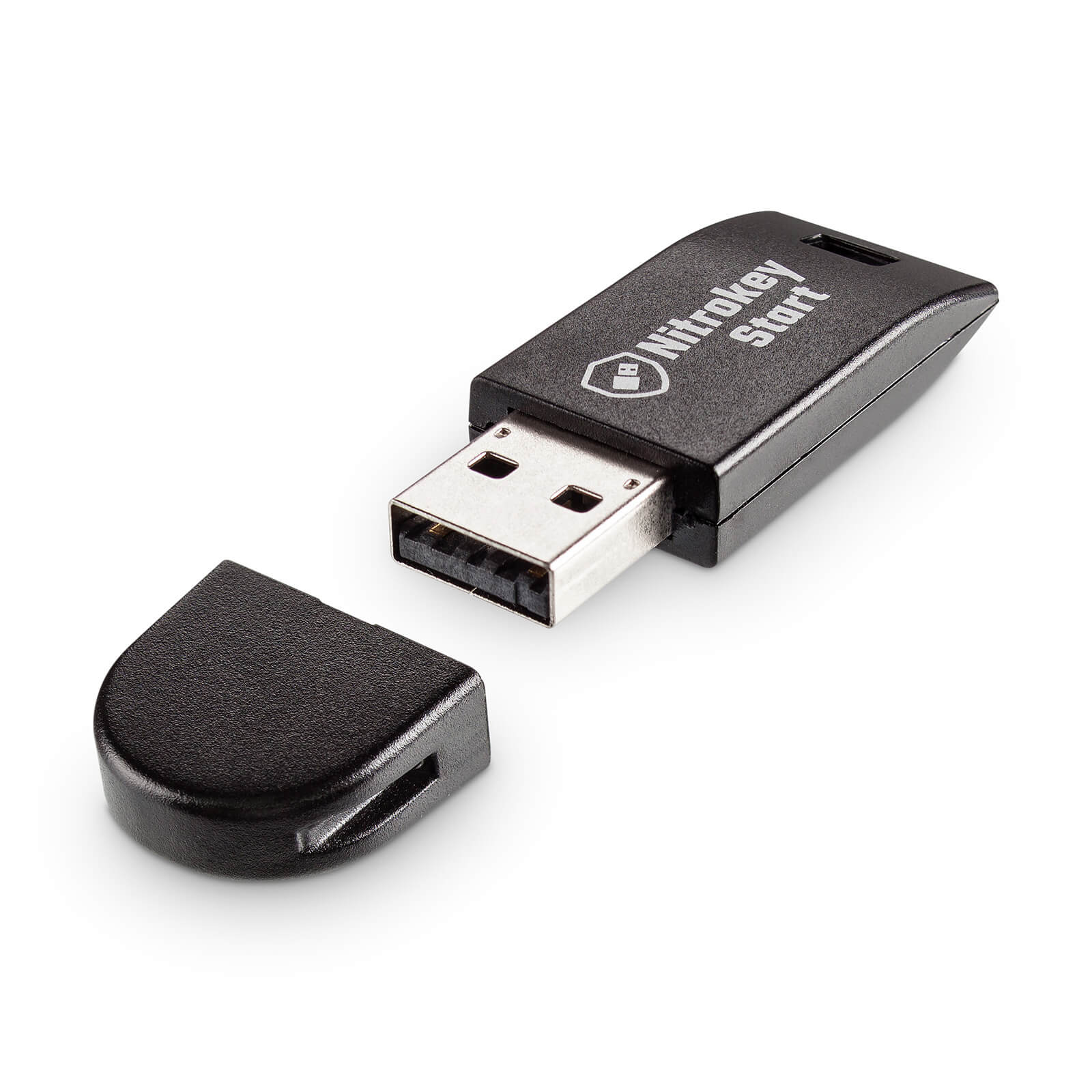 Nitrokey Start
 When I paint postcards I tend to start with a draft (usually on lightweight (250 g/m ) watercolour paper, then trace
 Since I m not going to be writing on the pages, I decided to use a relatively cheap 200 g / m linoprint paper with a nice feel, and I ve settled on a B6 size (before trimming) to hold A6 postcard drafts.
For the binding I ve decided to use a technique I ve learned from a craft book ages ago that doesn t use tapes, and added a full hard cover in dark grey linen-feel
 After looking on the internet for solutions, I settled on adding spacers by making a signature composed of paper - spacer - paper - spacer, with the spacers being 2 cm wide, folded in half.
And then, between finishing binding the book and making the cover I utterly forgot to add the head bands. Argh. It s not the first time I make this error.
 I m happy enough with the result. There are things that are easy to improve on in the next iteration (endpapers and head bands), and something in me is not 100% happy with the fact that the spacers aren t placed between every sheet, but there are places with no spacer and places with two of them, but I can t think of (and couldn t find) a way to make them otherwise with a sewn book, unless I sew each individual sheet, which sounds way too bulky (the album I m using for the landscapes was glued, but I didn t really want to go that way).
The size is smaller than the other one I was using and doesn t leave a lot of room around the paintings, but that isn t necessarily a bad thing, because it also means less wasted space.
I believe that one of my next project will be another similar book in a landscape format, for those postcard drafts that aren t landscapes nor clothing related.
And then maybe another? or two? or
 It's been a year since I started exploring
 There's a bunch of ways you can store cryptographic keys. The most obvious is to just stick them on disk, but that has the downside that anyone with access to the system could just steal them and do whatever they wanted with them. At the far end of the scale you have Hardware Security Modules (HSMs), hardware devices that are specially designed to self destruct if you try to take them apart and extract the keys, and which will generate an audit trail of every key operation. In between you have things like smartcards, TPMs, Yubikeys, and other platform secure enclaves - devices that don't allow arbitrary access to keys, but which don't offer the same level of assurance as an actual HSM (and are, as a result, orders of magnitude cheaper).
 In my three most recent posts, I went over the
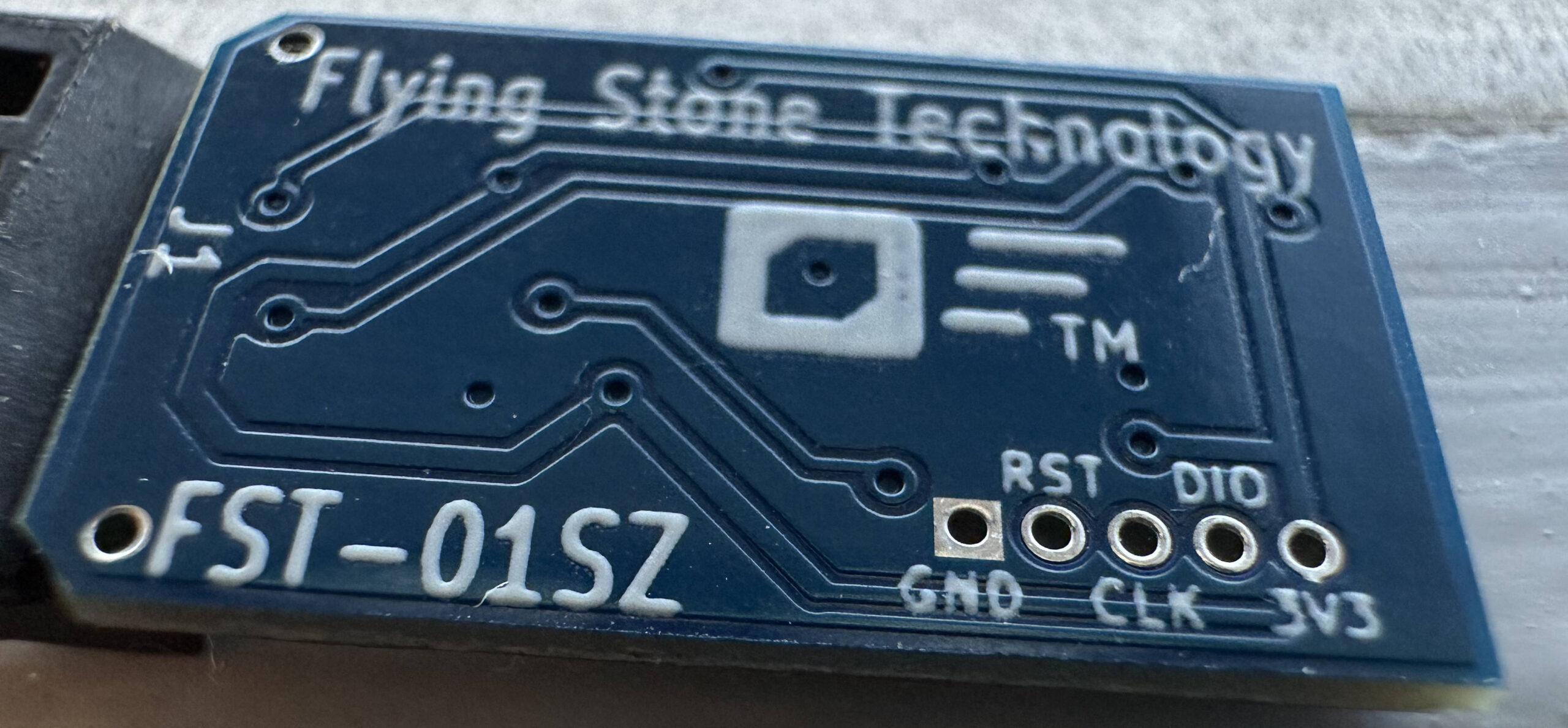
 Now that the root cause is clear, I guess RedHat will push out a fix for the
openssl 3.0.1 based release they have in RHEL/CentOS 9. Until that is available
at least stunnel and keepalived are known to be affected. If you run stunnel
on something public it's not that pretty, because already a low rate of TCP
connections will result in a DoS condition.
 A