Search Results: "noop"

17 July 2025

Otto Kek l inen: Debcraft Easiest way to modify and build Debian packages

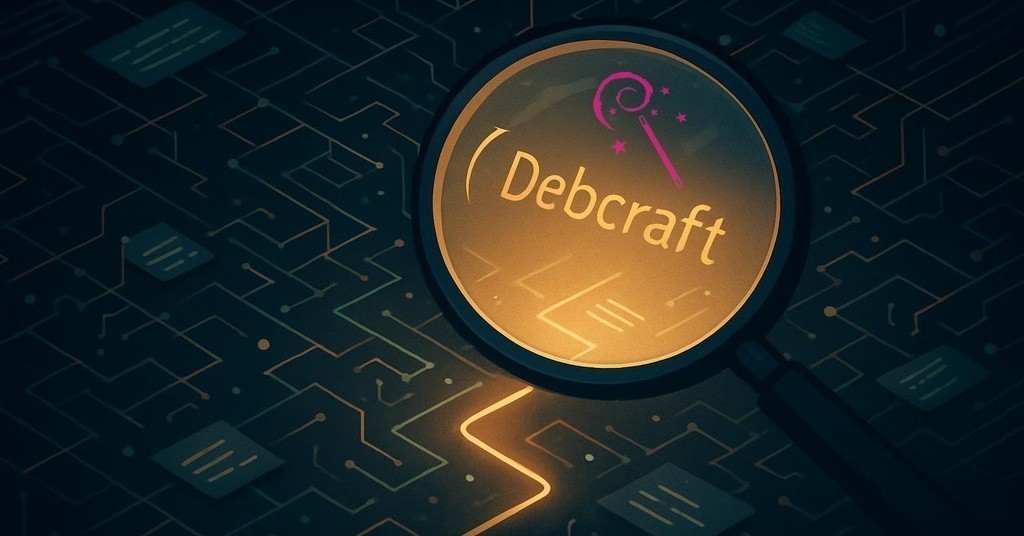
Featured image of post Debcraft   Easiest way to modify and build Debian packagesDebian packaging is notoriously hard. Far too many new contributors give up while trying, and many long-time contributors leave due to burnout from having to do too many thankless maintenance tasks. Some just skip testing their changes properly because it feels like too much toil. Debcraft is my attempt to solve this by automating all the boring stuff, and making it easier to learn the correct practices and helping new and old packagers better track changes in both source code and build artifacts.

The challenge of declarative packaging code Unlike how rpm or apk packages are done, the deb package sources by design avoid having one massive procedural packaging recipe. Instead, the packaging is defined in multiple declarative files in the debian/ subdirectory. For example, instead of a script running install -m 755 bin/btop /usr/bin/btop there is a file debian/btop.install containing the line usr/bin/btop. This makes the overall system more robust and reliable, and allows, for example, extensive static analysis to find problems without having to build the package. The notable exception is the debian/rules file, which contains procedural code that can modify any aspect of the package build. Almost all other files are declarative. Benefits include, among others, that the effect of a Debian-wide policy change can be relatively easily predicted by scanning what attributes and configurations all packages have declared. The drawback is that to understand the syntax and meaning of each file, one must understand which build tools read which files and traverse potentially multiple layers of abstraction. In my view, this is the root cause for most of the perceived complexity.

Common complaints about .deb packaging Related to the above, people learning Debian packaging frequently voice the following complaints:
  • Debian has too many tools to learn, often with overlapping or duplicate functionality.
  • Too much outdated and inconsistent documentation that makes learning the numerous tools needlessly hard.
  • Lack of documentation of the generally agreed best practices, mainly due to Debian s reluctance as a project to pick one tool and deprecate the alternatives.
  • Multiple layers of abstraction and lack of clarity on what any single change in the debian/ subdirectory leads to in the final package.
  • Requirement of Debian packages to be developed on a Debian system.

How Debcraft solves (some of) this Debcraft is intentionally opinionated for the sake of simplicity, and makes heavy use of git, git-buildpackage, and most importantly Linux containers, supporting both Docker and Podman. By using containers, Debcraft frees the user from the requirement of having to run Debian. This makes .deb packaging more accessible to developers running some other Linux distro or even Mac or Windows (with WSL). Of course we want developers to run Debian (or a derivative like Ubuntu) but we want them even more to build, test and ship their software as .deb. Even for Debian/Ubuntu users having everything done inside clean hermetic containers of the latest target distribution version will yield more robust, secure and reproducible builds and tests. All containers are built automatically on-the-fly using best practices for layer caching, making everything easy and fast. Debcraft has simple commands to make it easy to build, rebuild, test and update packages. The most fundamental command is debcraft build, which will not only build the package but also fetch the sources if not already present, and with flags such as --distribution or --source-only build for any requested Debian or Ubuntu release, or generate source packages only for Debian or PPA upload purposes. For ease of use, the output is colored and includes helpful explanations on what is being done, and suggests relevant Debian documentation for more information. Most importantly, the build artifacts, along with various logs, are stored in separate directories, making it easy to compare before and after to see what changed as a result of the code or dependency updates (utilizing diffoscope among others). While the above helps to debug successful builds, there is also the debcraft shell command to make debugging failed builds significantly easier by dropping into a shell where one can run various dh commands one-by-one. Once the build works, testing autopkgtests is as easy as running debcraft test. As with all other commands, Debcraft is smart enough to read information like the target distribution from the debian/changelog entry. When the package is ready to be released, there is the debcraft release command that will create the Debian source package in the correct format and facilitate uploading it either to your Personal Package Archive (PPA) or if you are a Debian Developer to the official Debian archive.

Automatically improve and update packages Additionally, the command debcraft improve will try to fix all issues that are possible to address automatically. It utilizes, among others, lintian-brush, codespell and debputy. This makes repetitive Debian maintenance tasks easier, such as updating the package to follow the latest Debian policies. To update the package to the latest upstream version there is also debcraft update. It will read the package configuration files such as debian/gbp.conf and debian/watch and attempts to import the latest upstream version, refresh patches, build and run autopkgtests. If everything passes, the new version is committed. This helps automate the process of updating to new upstream versions.

Try out Debcraft now! On a recent version of Debian and Ubuntu, Debcraft can be installed simply by running apt install debcraft. To use Debcraft on some other distribution or to get the latest features available in the development version install it using:
git clone https://salsa.debian.org/debian/debcraft.git
cd debcraft
make install-local
To see exact usage instructions run debcraft --help.

Contributions welcome Current Debcraft version 0.5 still has some rough edges and missing features, but I have personally been using it for over a year to maintain all my packages in Debian. If you come across some issue, feel free to file a report at https://salsa.debian.org/debian/debcraft/-/issues or submit an improvement at https://salsa.debian.org/debian/debcraft/-/merge_requests. The code is intentionally written entirely in shell script to keep the barrier to code contribution as low as possible.
By the way, if you aspire to become a Debian Developer, and want to follow my examples in using state-of-the-art tooling and collaborate using salsa.debian.org, feel free to reach out for mentorship. I am glad to see more people contribute to Debian!

30 June 2025

Otto Kek l inen: Corporate best practices for upstream open source contributions

Featured image of post Corporate best practices for upstream open source contributions
This post is based on presentation given at the Validos annual members meeting on June 25th, 2025.
When I started getting into Linux and open source over 25 years ago, the majority of the software development in this area was done by academics and hobbyists. The number of companies participating in open source has since exploded in parallel with the growth of mobile and cloud software, the majority of which is built on top of open source. For example, Android powers most mobile phones today and is based on Linux. Almost all software used to operate large cloud provider data centers, such as AWS or Google, is either open source or made in-house by the cloud provider. Pretty much all companies, regardless of the industry, have been using open source software at least to some extent for years. However, the degree to which they collaborate with the upstream origins of the software varies. I encourage all companies in a technical industry to start contributing upstream. There are many benefits to having a good relationship with your upstream open source software vendors, both for the short term and especially for the long term. Moreover, with the rollout of CRA in EU in 2025-2027, the law will require software companies to contribute security fixes upstream to the open source projects their products use. To ensure the process is well managed, business-aligned and legally compliant, there are a few do s and don t do s that are important to be aware of.

Maintain your SBOMs For every piece of software, regardless of whether the code was done in-house, from an open source project, or a combination of these, every company needs to produce a Software Bill of Materials (SBOM). The SBOMs provide a standardized and interoperable way to track what software and which versions are used where, what software licenses apply, who holds the copyright of which component, which security fixes have been applied and so forth. A catalog of SBOMs, or equivalent, forms the backbone of software supply-chain management in corporations.

Identify your strategic upstream vendors The SBOMs are likely to reveal that for any piece of non-trivial software, there are hundreds or thousands of upstream open source projects in use. Few organizations have resources to contribute to all of their upstreams. If your organization is just starting to organize upstream contribution activities, identify the key projects that have the largest impact on your business and prioritize forming a relationship with them first. Organizations with a mature contribution process will be collaborating with tens or hundreds of upstreams.

Appoint an internal coordinator and champions Having a written policy on how to contribute upstream will help ensure a consistent process and avoid common pitfalls. However, a written policy alone does not automatically translate into a well-running process. It is highly recommended to appoint at least one internal coordinator who is knowledgeable about how open source communities work, how software licensing and patents work, and is senior enough to have a good sense of what business priorities to optimize for. In small organizations it can be a single person, while larger organizations typically have a full Open Source Programs Office. This coordinator should oversee the contribution process, track all contributions made across the organization, and further optimize the process by working with stakeholders across the business, including legal experts, business owners and CTOs. The marketing and recruiting folks should also be involved, as upstream contributions will have a reputation-building aspect as well, which can be enhanced with systematic tracking and publishing of activities. Additionally, at least in the beginning, the organization should also appoint key staff members as open source champions. Implementing a new process always includes some obstacles and occasional setbacks, which may discourage employees from putting in the extra effort to reap the full long-term benefits for the company. Having named champions will empower them to make the first few contributions themselves, setting a good example and encouraging and mentoring others to contribute upstream as well.

Avoid excessive approvals To maintain a high quality bar, it is always good to have all outgoing submissions reviewed by at least one or two people. Two or three pairs of eyeballs are significantly more likely to catch issues that might slip by someone working alone. The review also slows down the process by a day or two, which gives the author time to sleep on it , which usually helps to ensure the final submission is well-thought-out by the author. Do not require more than one or two reviewers. The marginal utility goes quickly to zero beyond a few reviewers, and at around four or five people the effect becomes negative, as the weight of each approval decreases and the reviewers begin to take less personal responsibility. Having too many people in the loop also makes each feedback round slow and expensive, to the extent that the author will hesitate to make updates and ask for re-reviews due to the costs involved. If the organization experiences setbacks due to mistakes slipping through the review process, do not respond by adding more reviewers, as it will just grind the contribution process to a halt. If there are quality concerns, invest in training for engineers, CI systems and perhaps an internal certification program for those making public upstream code submissions. A typical software engineer is more likely to seriously try to become proficient at their job and put effort into a one-off certification exam and then make multiple high-quality contributions, than it is for a low-skilled engineer to improve and even want to continue doing more upstream contributions if they are burdened by heavy review processes every time they try to submit an upstream contribution.

Don t expect upstream to accept all code contributions Sure, identifying the root cause of and fixing a tricky bug or writing a new feature requires significant effort. While an open source project will certainly appreciate the effort invested, it doesn t mean it will always welcome all contributions with open arms. Occasionally, the project won t agree that the code is correct or the feature is useful, and some contributions are bound to be rejected. You can minimize the chance of experiencing rejections by having a solid internal review process that includes assessing how the upstream community is likely to understand the proposal. Sometimes how things are communicated is more important than how they are coded. Polishing inline comments and git commit messages help ensure high-quality communication, along with a commitment to respond quickly to review feedback and conducting regular follow-ups until a contribution is finalized and accepted.

Start small to grow expertise and reputation In addition to keeping the open source contribution policy lean and nimble, it is also good to start practical contributions with small issues. Don t aim to contribute massive features until you have a track record of being able to make multiple small contributions. Keep in mind that not all open source projects are equal. Each has its own culture, written and unwritten rules, development process, documented requirements (which may be outdated) and more. Starting with a tiny contribution, even just a typo fix, is a good way to validate how code submissions, reviews and approvals work in a particular project. Once you have staff who have successfully landed smaller contributions, you can start planning larger proposals. The exact same proposal might be unsuccessful when proposed by a new person, and successful when proposed by a person who already has a reputation for prior high-quality work.

Embrace all and any publicity you get Some companies have concerns about their employees working in the open. Indeed, every email and code patch an employee submits, and all related discussions become public. This may initially sound scary, but is actually a potential source of good publicity. Employees need to be trained on how to conduct themselves publicly, and the discussions about code should contain only information strictly related to the code, without any references to actual production environments or other sensitive information. In the long run most employees contributing have a positive impact and the company should reap the benefits of positive publicity. If there are quality issues or employee judgment issues, hiding the activity or forcing employees to contribute with pseudonyms is not a proper solution. Instead, the problems should be addressed at the root, and bad behavior addressed rather than tolerated. When people are working publicly, there tends to also be some degree of additional pride involved, which motivates people to try their best. Contributions need to be public for the sponsoring corporation to later be able to claim copyright or licenses. Considering that thousands of companies participate in open source every day, the prevalence of bad publicity is quite low, and the benefits far exceed the risks.

Scratch your own itch When choosing what to contribute, select things that benefit your own company. This is not purely about being selfish - often people working on resolving a problem they suffer from are the same people with the best expertise of what the problem is and what kind of solution is optimal. Also, the issues that are most pressing to your company are more likely to be universally useful to solve than any random bug or feature request in the upstream project s issue tracker.

Remember there are many ways to help upstream While submitting code is often considered the primary way to contribute, please keep in mind there are also other highly impactful ways to contribute. Submitting high-quality bug reports will help developers quickly identify and prioritize issues to fix. Providing good research, benchmarks, statistics or feedback helps guide development and the project make better design decisions. Documentation, translations, organizing events and providing marketing support can help increase adoption and strengthen long-term viability for the project. In some of the largest open source projects there are already far more pending contributions than the core maintainers can process. Therefore, developers who contribute code should also get into the habit of contributing reviews. As Linus law states, given enough eyeballs, all bugs are shallow. Reviewing other contributors submissions will help improve quality, and also alleviate the pressure on core maintainers who are the only ones providing feedback. Reviewing code submitted by others is also a great learning opportunity for the reviewer. The reviewer does not need to be better than the submitter - any feedback is useful; merely posting review feedback is not the same thing as making an approval decision. Many projects are also happy to accept monetary support and sponsorships. Some offer specific perks in return. By human nature, the largest sponsors always get their voice heard in important decisions, as no open source project wants to take actions that scare away major financial contributors.

Starting is the hardest part Long-term success in open source comes from a positive feedback loop of an ever-increasing number of users and collaborators. As seen in the examples of countless corporations contributing open source, the benefits are concrete, and the process usually runs well after the initial ramp-up and organizational learning phase has passed. In open source ecosystems, contributing upstream should be as natural as paying vendors in any business. If you are using open source and not contributing at all, you likely have latent business risks without realizing it. You don t want to wake up one morning to learn that your top talent left because they were forbidden from participating in open source for the company s benefit, or that you were fined due to CRA violations and mismanagement in sharing security fixes with the correct parties. The faster you start with the process, the less likely those risks will materialize.

26 May 2025

Otto Kek l inen: Creating Debian packages from upstream Git

Featured image of post Creating Debian packages from upstream GitIn this post, I demonstrate the optimal workflow for creating new Debian packages in 2025, preserving the upstream git history. The motivation for this is to lower the barrier for sharing improvements to and from upstream, and to improve software provenance and supply-chain security by making it easy to inspect every change at any level using standard git tooling. Key elements of this workflow include: To make the instructions so concrete that anyone can repeat all the steps themselves on a real package, I demonstrate the steps by packaging the command-line tool Entr. It is written in C, has very few dependencies, and its final Debian source package structure is simple, yet exemplifies all the important parts that go into a complete Debian package:
  1. Creating a new packaging repository and publishing it under your personal namespace on salsa.debian.org.
  2. Using dh_make to create the initial Debian packaging.
  3. Posting the first draft of the Debian packaging as a Merge Request (MR) and using Salsa CI to verify Debian packaging quality.
  4. Running local builds efficiently and iterating on the packaging process.

Create new Debian packaging repository from the existing upstream project git repository First, create a new empty directory, then clone the upstream Git repository inside it:
shell
mkdir debian-entr
cd debian-entr
git clone --origin upstreamvcs --branch master \
 --single-branch https://github.com/eradman/entr.git
Using a clean directory makes it easier to inspect the build artifacts of a Debian package, which will be output in the parent directory of the Debian source directory. The extra parameters given to git clone lay the foundation for the Debian packaging git repository structure where the upstream git remote name is upstreamvcs. Only the upstream main branch is tracked to avoid cluttering git history with upstream development branches that are irrelevant for packaging in Debian. Next, enter the git repository directory and list the git tags. Pick the latest upstream release tag as the commit to start the branch upstream/latest. This latest refers to the upstream release, not the upstream development branch. Immediately after, branch off the debian/latest branch, which will have the actual Debian packaging files in the debian/ subdirectory.
shell
cd entr
git tag # shows the latest upstream release tag was '5.6'
git checkout -b upstream/latest 5.6
git checkout -b debian/latest
%% init:   'gitGraph':   'mainBranchName': 'master'      %%
gitGraph:
checkout master
commit id: "Upstream 5.6 release" tag: "5.6"
branch upstream/latest
checkout upstream/latest
commit id: "New upstream version 5.6" tag: "upstream/5.6"
branch debian/latest
checkout debian/latest
commit id: "Initial Debian packaging"
commit id: "Additional change 1"
commit id: "Additional change 2"
commit id: "Additional change 3"
At this point, the repository is structured according to DEP-14 conventions, ensuring a clear separation between upstream and Debian packaging changes, but there are no Debian changes yet. Next, add the Salsa repository as a new remote which called origin, the same as the default remote name in git.
shell
git remote add origin git@salsa.debian.org:otto/entr-demo.git
git push --set-upstream origin debian/latest
This is an important preparation step to later be able to create a Merge Request on Salsa that targets the debian/latest branch, which does not yet have any debian/ directory.

Launch a Debian Sid (unstable) container to run builds in To ensure that all packaging tools are of the latest versions, run everything inside a fresh Sid container. This has two benefits: you are guaranteed to have the most up-to-date toolchain, and your host system stays clean without getting polluted by various extra packages. Additionally, this approach works even if your host system is not Debian/Ubuntu.
shell
cd ..
podman run --interactive --tty --rm --shm-size=1G --cap-add SYS_PTRACE \
 --env='DEB*' --volume=$PWD:/tmp/test --workdir=/tmp/test debian:sid bash
Note that the container should be started from the parent directory of the git repository, not inside it. The --volume parameter will loop-mount the current directory inside the container. Thus all files created and modified are on the host system, and will persist after the container shuts down. Once inside the container, install the basic dependencies:
shell
apt update -q && apt install -q --yes git-buildpackage dpkg-dev dh-make

Automate creating the debian/ files with dh-make To create the files needed for the actual Debian packaging, use dh_make:
shell
# dh_make --packagename entr_5.6 --single --createorig
Maintainer Name : Otto Kek l inen
Email-Address : otto@debian.org
Date : Sat, 15 Feb 2025 01:17:51 +0000
Package Name : entr
Version : 5.6
License : blank
Package Type : single
Are the details correct? [Y/n/q]

Done. Please edit the files in the debian/ subdirectory now.
Due to how dh_make works, the package name and version need to be written as a single underscore separated string. In this case, you should choose --single to specify that the package type is a single binary package. Other options would be --library for library packages (see libgda5 sources as an example) or --indep (see dns-root-data sources as an example). The --createorig will create a mock upstream release tarball (entr_5.6.orig.tar.xz) from the current release directory, which is necessary due to historical reasons and how dh_make worked before git repositories became common and Debian source packages were based off upstream release tarballs (e.g. *.tar.gz). At this stage, a debian/ directory has been created with template files, and you can start modifying the files and iterating towards actual working packaging.
shell
git add debian/
git commit -a -m "Initial Debian packaging"

Review the files The full list of files after the above steps with dh_make would be:
 -- entr
   -- LICENSE
   -- Makefile.bsd
   -- Makefile.linux
   -- Makefile.linux-compat
   -- Makefile.macos
   -- NEWS
   -- README.md
   -- configure
   -- data.h
   -- debian
     -- README.Debian
     -- README.source
     -- changelog
     -- control
     -- copyright
     -- gbp.conf
     -- entr-docs.docs
     -- entr.cron.d.ex
     -- entr.doc-base.ex
     -- manpage.1.ex
     -- manpage.md.ex
     -- manpage.sgml.ex
     -- manpage.xml.ex
     -- postinst.ex
     -- postrm.ex
     -- preinst.ex
     -- prerm.ex
     -- rules
     -- salsa-ci.yml.ex
     -- source
       -- format
     -- upstream
       -- metadata.ex
     -- watch.ex
   -- entr.1
   -- entr.c
   -- missing
     -- compat.h
     -- kqueue_inotify.c
     -- strlcpy.c
     -- sys
     -- event.h
   -- status.c
   -- status.h
   -- system_test.sh
 -- entr_5.6.orig.tar.xz
You can browse these files in the demo repository. The mandatory files in the debian/ directory are:
  • changelog,
  • control,
  • copyright,
  • and rules.
All the other files have been created for convenience so the packager has template files to work from. The files with the suffix .ex are example files that won t have any effect until their content is adjusted and the suffix removed. For detailed explanations of the purpose of each file in the debian/ subdirectory, see the following resources:
  • The Debian Policy Manual: Describes the structure of the operating system, the package archive and requirements for packages to be included in the Debian archive.
  • The Developer s Reference: A collection of best practices and process descriptions Debian packagers are expected to follow while interacting with one another.
  • Debhelper man pages: Detailed information of how the Debian package build system works, and how the contents of the various files in debian/ affect the end result.
As Entr, the package used in this example, is a real package that already exists in the Debian archive, you may want to browse the actual Debian packaging source at https://salsa.debian.org/debian/entr/-/tree/debian/latest/debian for reference. Most of these files have standardized formatting conventions to make collaboration easier. To automatically format the files following the most popular conventions, simply run wrap-and-sort -vast or debputy reformat --style=black.

Identify build dependencies The most common reason for builds to fail is missing dependencies. The easiest way to identify which Debian package ships the required dependency is using apt-file. If, for example, a build fails complaining that pcre2posix.h cannot be found or that libcre2-posix.so is missing, you can use these commands:
shell
$ apt install -q --yes apt-file && apt-file update
$ apt-file search pcre2posix.h
libpcre2-dev: /usr/include/pcre2posix.h
$ apt-file search libpcre2-posix.so
libpcre2-dev: /usr/lib/x86_64-linux-gnu/libpcre2-posix.so
libpcre2-posix3: /usr/lib/x86_64-linux-gnu/libpcre2-posix.so.3
libpcre2-posix3: /usr/lib/x86_64-linux-gnu/libpcre2-posix.so.3.0.6
The output above implies that the debian/control should be extended to define a Build-Depends: libpcre2-dev relationship. There is also dpkg-depcheck that uses strace to trace the files the build process tries to access, and lists what Debian packages those files belong to. Example usage:
shell
dpkg-depcheck -b debian/rules build

Build the Debian sources to generate the .deb package After the first pass of refining the contents of the files in debian/, test the build by running dpkg-buildpackage inside the container:
shell
dpkg-buildpackage -uc -us -b
The options -uc -us will skip signing the resulting Debian source package and other build artifacts. The -b option will skip creating a source package and only build the (binary) *.deb packages. The output is very verbose and gives a large amount of context about what is happening during the build to make debugging build failures easier. In the build log of entr you will see for example the line dh binary --buildsystem=makefile. This and other dh commands can also be run manually if there is a need to quickly repeat only a part of the build while debugging build failures. To see what files were generated or modified by the build simply run git status --ignored:
shell
$ git status --ignored
On branch debian/latest

Untracked files:
 (use "git add <file>..." to include in what will be committed)
 debian/debhelper-build-stamp
 debian/entr.debhelper.log
 debian/entr.substvars
 debian/files

Ignored files:
 (use "git add -f <file>..." to include in what will be committed)
 Makefile
 compat.c
 compat.o
 debian/.debhelper/
 debian/entr/
 entr
 entr.o
 status.o
Re-running dpkg-buildpackage will include running the command dh clean, which assuming it is configured correctly in the debian/rules file will reset the source directory to the original pristine state. The same can of course also be done with regular git commands git reset --hard; git clean -fdx. To avoid accidentally committing unnecessary build artifacts in git, a debian/.gitignore can be useful and it would typically include all four files listed as untracked above. After a successful build you would have the following files:
shell
 -- entr
   -- LICENSE
   -- Makefile -> Makefile.linux
   -- Makefile.bsd
   -- Makefile.linux
   -- Makefile.linux-compat
   -- Makefile.macos
   -- NEWS
   -- README.md
   -- compat.c
   -- compat.o
   -- configure
   -- data.h
   -- debian
     -- README.source.md
     -- changelog
     -- control
     -- copyright
     -- debhelper-build-stamp
     -- docs
     -- entr
       -- DEBIAN
         -- control
         -- md5sums
       -- usr
       -- bin
         -- entr
       -- share
       -- doc
         -- entr
         -- NEWS.gz
         -- README.md
         -- changelog.Debian.gz
         -- copyright
       -- man
       -- man1
       -- entr.1.gz
     -- entr.debhelper.log
     -- entr.substvars
     -- files
     -- gbp.conf
     -- patches
       -- PR149-expand-aliases-in-system-test-script.patch
       -- series
       -- system-test-skip-no-tty.patch
       -- system-test-with-system-binary.patch
     -- rules
     -- salsa-ci.yml
     -- source
       -- format
     -- tests
       -- control
     -- upstream
       -- metadata
       -- signing-key.asc
     -- watch
   -- entr
   -- entr.1
   -- entr.c
   -- entr.o
   -- missing
     -- compat.h
     -- kqueue_inotify.c
     -- strlcpy.c
     -- sys
     -- event.h
   -- status.c
   -- status.h
   -- status.o
   -- system_test.sh
 -- entr-dbgsym_5.6-1_amd64.deb
 -- entr_5.6-1.debian.tar.xz
 -- entr_5.6-1.dsc
 -- entr_5.6-1_amd64.buildinfo
 -- entr_5.6-1_amd64.changes
 -- entr_5.6-1_amd64.deb
 -- entr_5.6.orig.tar.xz
The contents of debian/entr are essentially what goes into the resulting entr_5.6-1_amd64.deb package. Familiarizing yourself with the majority of the files in the original upstream source as well as all the resulting build artifacts is time consuming, but it is a necessary investment to get high-quality Debian packages. There are also tools such as Debcraft that automate generating the build artifacts in separate output directories for each build, thus making it easy to compare the changes to correlate what change in the Debian packaging led to what change in the resulting build artifacts.

Re-run the initial import with git-buildpackage When upstreams publish releases as tarballs, they should also be imported for optimal software supply-chain security, in particular if upstream also publishes cryptographic signatures that can be used to verify the authenticity of the tarballs. To achieve this, the files debian/watch, debian/upstream/signing-key.asc, and debian/gbp.conf need to be present with the correct options. In the gbp.conf file, ensure you have the correct options based on:
  1. Does upstream release tarballs? If so, enforce pristine-tar = True.
  2. Does upstream sign the tarballs? If so, configure explicit signature checking with upstream-signatures = on.
  3. Does upstream have a git repository, and does it have release git tags? If so, configure the release git tag format, e.g. upstream-vcs-tag = %(version%~%.)s.
To validate that the above files are working correctly, run gbp import-orig with the current version explicitly defined:
shell
$ gbp import-orig --uscan --upstream-version 5.6
gbp:info: Launching uscan...
gpgv: Signature made 7. Aug 2024 07.43.27 PDT
gpgv: using RSA key 519151D83E83D40A232B4D615C418B8631BC7C26
gpgv: Good signature from "Eric Radman <ericshane@eradman.com>"
gbp:info: Using uscan downloaded tarball ../entr_5.6.orig.tar.gz
gbp:info: Importing '../entr_5.6.orig.tar.gz' to branch 'upstream/latest'...
gbp:info: Source package is entr
gbp:info: Upstream version is 5.6
gbp:info: Replacing upstream source on 'debian/latest'
gbp:info: Running Postimport hook
gbp:info: Successfully imported version 5.6 of ../entr_5.6.orig.tar.gz
As the original packaging was done based on the upstream release git tag, the above command will fetch the tarball release, create the pristine-tar branch, and store the tarball delta on it. This command will also attempt to create the tag upstream/5.6 on the upstream/latest branch.

Import new upstream versions in the future Forking the upstream git repository, creating the initial packaging, and creating the DEP-14 branch structure are all one-off work needed only when creating the initial packaging. Going forward, to import new upstream releases, one would simply run git fetch upstreamvcs; gbp import-orig --uscan, which fetches the upstream git tags, checks for new upstream tarballs, and automatically downloads, verifies, and imports the new version. See the galera-4-demo example in the Debian source packages in git explained post as a demo you can try running yourself and examine in detail. You can also try running gbp import-orig --uscan without specifying a version. It would fetch it, as it will notice there is now Entr version 5.7 available, and import it.

Build using git-buildpackage From this stage onwards you should build the package using gbp buildpackage, which will do a more comprehensive build.
shell
gbp buildpackage -uc -us
The git-buildpackage build also includes running Lintian to find potential Debian policy violations in the sources or in the resulting .deb binary packages. Many Debian Developers run lintian -EviIL +pedantic after every build to check that there are no new nags, and to validate that changes intended to previous Lintian nags were correct.

Open a Merge Request on Salsa for Debian packaging review Getting everything perfectly right takes a lot of effort, and may require reaching out to an experienced Debian Developers for review and guidance. Thus, you should aim to publish your initial packaging work on Salsa, Debian s GitLab instance, for review and feedback as early as possible. For somebody to be able to easily see what you have done, you should rename your debian/latest branch to another name, for example next/debian/latest, and open a Merge Request that targets the debian/latest branch on your Salsa fork, which still has only the unmodified upstream files. If you have followed the workflow in this post so far, you can simply run:
  1. git checkout -b next/debian/latest
  2. git push --set-upstream origin next/debian/latest
  3. Open in a browser the URL visible in the git remote response
  4. Write the Merge Request description in case the default text from your commit is not enough
  5. Mark the MR as Draft using the checkbox
  6. Publish the MR and request feedback
Once a Merge Request exists, discussion regarding what additional changes are needed can be conducted as MR comments. With an MR, you can easily iterate on the contents of next/debian/latest, rebase, force push, and request re-review as many times as you want. While at it, make sure the Settings > CI/CD page has under CI/CD configuration file the value debian/salsa-ci.yml so that the CI can run and give you immediate automated feedback. For an example of an initial packaging Merge Request, see https://salsa.debian.org/otto/entr-demo/-/merge_requests/1.

Open a Merge Request / Pull Request to fix upstream code Due to the high quality requirements in Debian, it is fairly common that while doing the initial Debian packaging of an open source project, issues are found that stem from the upstream source code. While it is possible to carry extra patches in Debian, it is not good practice to deviate too much from upstream code with custom Debian patches. Instead, the Debian packager should try to get the fixes applied directly upstream. Using git-buildpackage patch queues is the most convenient way to make modifications to the upstream source code so that they automatically convert into Debian patches (stored at debian/patches), and can also easily be submitted upstream as any regular git commit (and rebased and resubmitted many times over). First, decide if you want to work out of the upstream development branch and later cherry-pick to the Debian packaging branch, or work out of the Debian packaging branch and cherry-pick to an upstream branch. The example below starts from the upstream development branch and then cherry-picks the commit into the git-buildpackage patch queue:
shell
git checkout -b bugfix-branch master
nano entr.c
make
./entr # verify change works as expected
git commit -a -m "Commit title" -m "Commit body"
git push # submit upstream
gbp pq import --force --time-machine=10
git cherry-pick <commit id>
git commit --amend # extend commit message with DEP-3 metadata
gbp buildpackage -uc -us -b
./entr # verify change works as expected
gbp pq export --drop --commit
git commit --amend # Write commit message along lines "Add patch to .."
The example below starts by making the fix on a git-buildpackage patch queue branch, and then cherry-picking it onto the upstream development branch:
shell
gbp pq import --force --time-machine=10
nano entr.c
git commit -a -m "Commit title" -m "Commit body"
gbp buildpackage -uc -us -b
./entr # verify change works as expected
gbp pq export --drop --commit
git commit --amend # Write commit message along lines "Add patch to .."
git checkout -b bugfix-branch master
git cherry-pick <commit id>
git commit --amend # prepare commit message for upstream submission
git push # submit upstream
The key git-buildpackage commands to enter and exit the patch-queue mode are:
shell
gbp pq import --force --time-machine=10
gbp pq export --drop --commit
%% init:   'gitGraph':   'mainBranchName': 'debian/latest'      %%
gitGraph
checkout debian/latest
commit id: "Initial packaging"
branch patch-queue/debian/latest
checkout patch-queue/debian/latest
commit id: "Delete debian/patches/..."
commit id: "Patch 1 title"
commit id: "Patch 2 title"
commit id: "Patch 3 title"
These can be run at any time, regardless if any debian/patches existed prior, or if existing patches applied cleanly or not, or if there were old patch queue branches around. Note that the extra -b in gbp buildpackage -uc -us -b instructs to build only binary packages, avoiding any nags from dpkg-source that there are modifications in the upstream sources while building in the patches-applied mode.

Programming-language specific dh-make alternatives As each programming language has its specific way of building the source code, and many other conventions regarding the file layout and more, Debian has multiple custom tools to create new Debian source packages for specific programming languages. Notably, Python does not have its own tool, but there is an dh_make --python option for Python support directly in dh_make itself. The list is not complete and many more tools exist. For some languages, there are even competing options, such as for Go there is in addition to dh-make-golang also Gophian. When learning Debian packaging, there is no need to learn these tools upfront. Being aware that they exist is enough, and one can learn them only if and when one starts to package a project in a new programming language.

The difference between source git repository vs source packages vs binary packages As seen in earlier example, running gbp buildpackage on the Entr packaging repository above will result in several files:
entr_5.6-1_amd64.changes
entr_5.6-1_amd64.deb
entr_5.6-1.debian.tar.xz
entr_5.6-1.dsc
entr_5.6.orig.tar.gz
entr_5.6.orig.tar.gz.asc
The entr_5.6-1_amd64.deb is the binary package, which can be installed on a Debian/Ubuntu system. The rest of the files constitute the source package. To do a source-only build, run gbp buildpackage -S and note the files produced:
entr_5.6-1_source.changes
entr_5.6-1.debian.tar.xz
entr_5.6-1.dsc
entr_5.6.orig.tar.gz
entr_5.6.orig.tar.gz.asc
The source package files can be used to build the binary .deb for amd64, or any architecture that the package supports. It is important to grasp that the Debian source package is the preferred form to be able to build the binary packages on various Debian build systems, and the Debian source package is not the same thing as the Debian packaging git repository contents.
flowchart LR
git[Git repository<br>branch debian/latest] --> gbp buildpackage -S  src[Source Package<br>.dsc + .tar.xz]
src --> dpkg-buildpackage  bin[Binary Packages<br>.deb]
If the package is large and complex, the build could result in multiple binary packages. One set of package definition files in debian/ will however only ever result in a single source package.

Option to repackage source packages with Files-Excluded lists in the debian/copyright file Some upstream projects may include binary files in their release, or other undesirable content that needs to be omitted from the source package in Debian. The easiest way to filter them out is by adding to the debian/copyright file a Files-Excluded field listing the undesired files. The debian/copyright file is read by uscan, which will repackage the upstream sources on-the-fly when importing new upstream releases. For a real-life example, see the debian/copyright files in the Godot package that lists:
debian
Files-Excluded: platform/android/java/gradle/wrapper/gradle-wrapper.jar
The resulting repackaged upstream source tarball, as well as the upstream version component, will have an extra +ds to signify that it is not the true original upstream source but has been modified by Debian:
godot_4.3+ds.orig.tar.xz
godot_4.3+ds-1_amd64.deb

Creating one Debian source package from multiple upstream source packages also possible In some rare cases the upstream project may be split across multiple git repositories or the upstream release may consist of multiple components each in their own separate tarball. Usually these are very large projects that get some benefits from releasing components separately. If in Debian these are deemed to go into a single source package, it is technically possible using the component system in git-buildpackage and uscan. For an example see the gbp.conf and watch files in the node-cacache package. Using this type of structure should be a last resort, as it creates complexity and inter-dependencies that are bound to cause issues later on. It is usually better to work with upstream and champion universal best practices with clear releases and version schemes.

When not to start the Debian packaging repository as a fork of the upstream one Not all upstreams use Git for version control. It is by far the most popular, but there are still some that use e.g. Subversion or Mercurial. Who knows maybe in the future some new version control systems will start to compete with Git. There are also projects that use Git in massive monorepos and with complex submodule setups that invalidate the basic assumptions required to map an upstream Git repository into a Debian packaging repository. In those cases one can t use a debian/latest branch on a clone of the upstream git repository as the starting point for the Debian packaging, but one must revert the traditional way of starting from an upstream release tarball with gbp import-orig package-1.0.tar.gz.

Conclusion Created in August 1993, Debian is one of the oldest Linux distributions. In the 32 years since inception, the .deb packaging format and the tooling to work with it have evolved several generations. In the past 10 years, more and more Debian Developers have converged on certain core practices evidenced by https://trends.debian.net/, but there is still a lot of variance in workflows even for identical tasks. Hopefully, you find this post useful in giving practical guidance on how exactly to do the most common things when packaging software for Debian. Happy packaging!

25 May 2025

Otto Kek l inen: New Debian package creation from upstream git repository

Featured image of post New Debian package creation from upstream git repositoryIn this post, I demonstrate the optimal workflow for creating new Debian packages in 2025, preserving the upstream git history. The motivation for this is to lower the barrier for sharing improvements to and from upstream, and to improve software provenance and supply-chain security by making it easy to inspect every change at any level using standard git tooling. Key elements of this workflow include: To make the instructions so concrete that anyone can repeat all the steps themselves on a real package, I demonstrate the steps by packaging the command-line tool Entr. It is written in C, has very few dependencies, and its final Debian source package structure is simple, yet exemplifies all the important parts that go into a complete Debian package:

  1. Creating a new packaging repository and publishing it under your personal namespace on salsa.debian.org.
  2. Using dh_make to create the initial Debian packaging.
  3. Posting the first draft of the Debian packaging as a Merge Request (MR) and using Salsa CI to verify Debian packaging quality.
  4. Running local builds efficiently and iterating on the packaging process.

Create new Debian packaging repository from the existing upstream project git repository First, create a new empty directory, then clone the upstream Git repository inside it:
shell
mkdir debian-entr
cd debian-entr
git clone --origin upstreamvcs --branch master \
 --single-branch https://github.com/eradman/entr.git
Using a clean directory makes it easier to inspect the build artifacts of a Debian package, which will be output in the parent directory of the Debian source directory. The extra parameters given to git clone lay the foundation for the Debian packaging git repository structure where the upstream git remote name is upstreamvcs. Only the upstream main branch is tracked to avoid cluttering git history with upstream development branches that are irrelevant for packaging in Debian. Next, enter the git repository directory and list the git tags. Pick the latest upstream release tag as the commit to start the branch upstream/latest. This latest refers to the upstream release, not the upstream development branch. Immediately after, branch off the debian/latest branch, which will have the actual Debian packaging files in the debian/ subdirectory.
shell
cd entr
git tag # shows the latest upstream release tag was '5.6'
git checkout -b upstream/latest 5.6
git checkout -b debian/latest
%% init:   'gitGraph':   'mainBranchName': 'master'      %%
gitGraph:
checkout master
commit id: "Upstream 5.6 release" tag: "5.6"
branch upstream/latest
checkout upstream/latest
commit id: "New upstream version 5.6" tag: "upstream/5.6"
branch debian/latest
checkout debian/latest
commit id: "Initial Debian packaging"
commit id: "Additional change 1"
commit id: "Additional change 2"
commit id: "Additional change 3"
At this point, the repository is structured according to DEP-14 conventions, ensuring a clear separation between upstream and Debian packaging changes, but there are no Debian changes yet. Next, add the Salsa repository as a new remote which called origin, the same as the default remote name in git.
shell
git remote add origin git@salsa.debian.org:otto/entr-demo.git
git push --set-upstream origin debian/latest
This is an important preparation step to later be able to create a Merge Request on Salsa that targets the debian/latest branch, which does not yet have any debian/ directory.

Launch a Debian Sid (unstable) container to run builds in To ensure that all packaging tools are of the latest versions, run everything inside a fresh Sid container. This has two benefits: you are guaranteed to have the most up-to-date toolchain, and your host system stays clean without getting polluted by various extra packages. Additionally, this approach works even if your host system is not Debian/Ubuntu.
shell
cd ..
podman run --interactive --tty --rm --shm-size=1G --cap-add SYS_PTRACE \
 --env='DEB*' --volume=$PWD:/tmp/test --workdir=/tmp/test debian:sid bash
Note that the container should be started from the parent directory of the git repository, not inside it. The --volume parameter will loop-mount the current directory inside the container. Thus all files created and modified are on the host system, and will persist after the container shuts down. Once inside the container, install the basic dependencies:
shell
apt update -q && apt install -q --yes git-buildpackage dpkg-dev dh-make

Automate creating the debian/ files with dh-make To create the files needed for the actual Debian packaging, use dh_make:
shell
# dh_make --packagename entr_5.6 --single --createorig
Maintainer Name : Otto Kek l inen
Email-Address : otto@debian.org
Date : Sat, 15 Feb 2025 01:17:51 +0000
Package Name : entr
Version : 5.6
License : blank
Package Type : single
Are the details correct? [Y/n/q]

Done. Please edit the files in the debian/ subdirectory now.
Due to how dh_make works, the package name and version need to be written as a single underscore separated string. In this case, you should choose --single to specify that the package type is a single binary package. Other options would be --library for library packages (see libgda5 sources as an example) or --indep (see dns-root-data sources as an example). The --createorig will create a mock upstream release tarball (entr_5.6.orig.tar.xz) from the current release directory, which is necessary due to historical reasons and how dh_make worked before git repositories became common and Debian source packages were based off upstream release tarballs (e.g. *.tar.gz). At this stage, a debian/ directory has been created with template files, and you can start modifying the files and iterating towards actual working packaging.
shell
git add debian/
git commit -a -m "Initial Debian packaging"

Review the files The full list of files after the above steps with dh_make would be:
 -- entr
   -- LICENSE
   -- Makefile.bsd
   -- Makefile.linux
   -- Makefile.linux-compat
   -- Makefile.macos
   -- NEWS
   -- README.md
   -- configure
   -- data.h
   -- debian
     -- README.Debian
     -- README.source
     -- changelog
     -- control
     -- copyright
     -- gbp.conf
     -- entr-docs.docs
     -- entr.cron.d.ex
     -- entr.doc-base.ex
     -- manpage.1.ex
     -- manpage.md.ex
     -- manpage.sgml.ex
     -- manpage.xml.ex
     -- postinst.ex
     -- postrm.ex
     -- preinst.ex
     -- prerm.ex
     -- rules
     -- salsa-ci.yml.ex
     -- source
       -- format
     -- upstream
       -- metadata.ex
     -- watch.ex
   -- entr.1
   -- entr.c
   -- missing
     -- compat.h
     -- kqueue_inotify.c
     -- strlcpy.c
     -- sys
     -- event.h
   -- status.c
   -- status.h
   -- system_test.sh
 -- entr_5.6.orig.tar.xz
You can browse these files in the demo repository. The mandatory files in the debian/ directory are:
  • changelog,
  • control,
  • copyright,
  • and rules.
All the other files have been created for convenience so the packager has template files to work from. The files with the suffix .ex are example files that won t have any effect until their content is adjusted and the suffix removed. For detailed explanations of the purpose of each file in the debian/ subdirectory, see the following resources:
  • The Debian Policy Manual: Describes the structure of the operating system, the package archive and requirements for packages to be included in the Debian archive.
  • The Developer s Reference: A collection of best practices and process descriptions Debian packagers are expected to follow while interacting with one another.
  • Debhelper man pages: Detailed information of how the Debian package build system works, and how the contents of the various files in debian/ affect the end result.
As Entr, the package used in this example, is a real package that already exists in the Debian archive, you may want to browse the actual Debian packaging source at https://salsa.debian.org/debian/entr/-/tree/debian/latest/debian for reference. Most of these files have standardized formatting conventions to make collaboration easier. To automatically format the files following the most popular conventions, simply run wrap-and-sort -vast or debputy reformat --style=black.

Identify build dependencies The most common reason for builds to fail is missing dependencies. The easiest way to identify which Debian package ships the required dependency is using apt-file. If, for example, a build fails complaining that pcre2posix.h cannot be found or that libcre2-posix.so is missing, you can use these commands:
shell
$ apt install -q --yes apt-file && apt-file update
$ apt-file search pcre2posix.h
libpcre2-dev: /usr/include/pcre2posix.h
$ apt-file search libpcre2-posix.so
libpcre2-dev: /usr/lib/x86_64-linux-gnu/libpcre2-posix.so
libpcre2-posix3: /usr/lib/x86_64-linux-gnu/libpcre2-posix.so.3
libpcre2-posix3: /usr/lib/x86_64-linux-gnu/libpcre2-posix.so.3.0.6
The output above implies that the debian/control should be extended to define a Build-Depends: libpcre2-dev relationship. There is also dpkg-depcheck that uses strace to trace the files the build process tries to access, and lists what Debian packages those files belong to. Example usage:
shell
dpkg-depcheck -b debian/rules build

Build the Debian sources to generate the .deb package After the first pass of refining the contents of the files in debian/, test the build by running dpkg-buildpackage inside the container:
shell
dpkg-buildpackage -uc -us -b
The options -uc -us will skip signing the resulting Debian source package and other build artifacts. The -b option will skip creating a source package and only build the (binary) *.deb packages. The output is very verbose and gives a large amount of context about what is happening during the build to make debugging build failures easier. In the build log of entr you will see for example the line dh binary --buildsystem=makefile. This and other dh commands can also be run manually if there is a need to quickly repeat only a part of the build while debugging build failures. To see what files were generated or modified by the build simply run git status --ignored:
shell
$ git status --ignored
On branch debian/latest

Untracked files:
 (use "git add <file>..." to include in what will be committed)
 debian/debhelper-build-stamp
 debian/entr.debhelper.log
 debian/entr.substvars
 debian/files

Ignored files:
 (use "git add -f <file>..." to include in what will be committed)
 Makefile
 compat.c
 compat.o
 debian/.debhelper/
 debian/entr/
 entr
 entr.o
 status.o
Re-running dpkg-buildpackage will include running the command dh clean, which assuming it is configured correctly in the debian/rules file will reset the source directory to the original pristine state. The same can of course also be done with regular git commands git reset --hard; git clean -fdx. To avoid accidentally committing unnecessary build artifacts in git, a debian/.gitignore can be useful and it would typically include all four files listed as untracked above. After a successful build you would have the following files:
shell
 -- entr
   -- LICENSE
   -- Makefile -> Makefile.linux
   -- Makefile.bsd
   -- Makefile.linux
   -- Makefile.linux-compat
   -- Makefile.macos
   -- NEWS
   -- README.md
   -- compat.c
   -- compat.o
   -- configure
   -- data.h
   -- debian
     -- README.source.md
     -- changelog
     -- control
     -- copyright
     -- debhelper-build-stamp
     -- docs
     -- entr
       -- DEBIAN
         -- control
         -- md5sums
       -- usr
       -- bin
         -- entr
       -- share
       -- doc
         -- entr
         -- NEWS.gz
         -- README.md
         -- changelog.Debian.gz
         -- copyright
       -- man
       -- man1
       -- entr.1.gz
     -- entr.debhelper.log
     -- entr.substvars
     -- files
     -- gbp.conf
     -- patches
       -- PR149-expand-aliases-in-system-test-script.patch
       -- series
       -- system-test-skip-no-tty.patch
       -- system-test-with-system-binary.patch
     -- rules
     -- salsa-ci.yml
     -- source
       -- format
     -- tests
       -- control
     -- upstream
       -- metadata
       -- signing-key.asc
     -- watch
   -- entr
   -- entr.1
   -- entr.c
   -- entr.o
   -- missing
     -- compat.h
     -- kqueue_inotify.c
     -- strlcpy.c
     -- sys
     -- event.h
   -- status.c
   -- status.h
   -- status.o
   -- system_test.sh
 -- entr-dbgsym_5.6-1_amd64.deb
 -- entr_5.6-1.debian.tar.xz
 -- entr_5.6-1.dsc
 -- entr_5.6-1_amd64.buildinfo
 -- entr_5.6-1_amd64.changes
 -- entr_5.6-1_amd64.deb
 -- entr_5.6.orig.tar.xz
The contents of debian/entr are essentially what goes into the resulting entr_5.6-1_amd64.deb package. Familiarizing yourself with the majority of the files in the original upstream source as well as all the resulting build artifacts is time consuming, but it is a necessary investment to get high-quality Debian packages. There are also tools such as Debcraft that automate generating the build artifacts in separate output directories for each build, thus making it easy to compare the changes to correlate what change in the Debian packaging led to what change in the resulting build artifacts.

Re-run the initial import with git-buildpackage When upstreams publish releases as tarballs, they should also be imported for optimal software supply-chain security, in particular if upstream also publishes cryptographic signatures that can be used to verify the authenticity of the tarballs. To achieve this, the files debian/watch, debian/upstream/signing-key.asc, and debian/gbp.conf need to be present with the correct options. In the gbp.conf file, ensure you have the correct options based on:
  1. Does upstream release tarballs? If so, enforce pristine-tar = True.
  2. Does upstream sign the tarballs? If so, configure explicit signature checking with upstream-signatures = on.
  3. Does upstream have a git repository, and does it have release git tags? If so, configure the release git tag format, e.g. upstream-vcs-tag = %(version%~%.)s.
To validate that the above files are working correctly, run gbp import-orig with the current version explicitly defined:
shell
$ gbp import-orig --uscan --upstream-version 5.6
gbp:info: Launching uscan...
gpgv: Signature made 7. Aug 2024 07.43.27 PDT
gpgv: using RSA key 519151D83E83D40A232B4D615C418B8631BC7C26
gpgv: Good signature from "Eric Radman <ericshane@eradman.com>"
gbp:info: Using uscan downloaded tarball ../entr_5.6.orig.tar.gz
gbp:info: Importing '../entr_5.6.orig.tar.gz' to branch 'upstream/latest'...
gbp:info: Source package is entr
gbp:info: Upstream version is 5.6
gbp:info: Replacing upstream source on 'debian/latest'
gbp:info: Running Postimport hook
gbp:info: Successfully imported version 5.6 of ../entr_5.6.orig.tar.gz
As the original packaging was done based on the upstream release git tag, the above command will fetch the tarball release, create the pristine-tar branch, and store the tarball delta on it. This command will also attempt to create the tag upstream/5.6 on the upstream/latest branch.

Import new upstream versions in the future Forking the upstream git repository, creating the initial packaging, and creating the DEP-14 branch structure are all one-off work needed only when creating the initial packaging. Going forward, to import new upstream releases, one would simply run git fetch upstreamvcs; gbp import-orig --uscan, which fetches the upstream git tags, checks for new upstream tarballs, and automatically downloads, verifies, and imports the new version. See the galera-4-demo example in the Debian source packages in git explained post as a demo you can try running yourself and examine in detail. You can also try running gbp import-orig --uscan without specifying a version. It would fetch it, as it will notice there is now Entr version 5.7 available, and import it.

Build using git-buildpackage From this stage onwards you should build the package using gbp buildpackage, which will do a more comprehensive build.
shell
gbp buildpackage -uc -us
The git-buildpackage build also includes running Lintian to find potential Debian policy violations in the sources or in the resulting .deb binary packages. Many Debian Developers run lintian -EviIL +pedantic after every build to check that there are no new nags, and to validate that changes intended to previous Lintian nags were correct.

Open a Merge Request on Salsa for Debian packaging review Getting everything perfectly right takes a lot of effort, and may require reaching out to an experienced Debian Developers for review and guidance. Thus, you should aim to publish your initial packaging work on Salsa, Debian s GitLab instance, for review and feedback as early as possible. For somebody to be able to easily see what you have done, you should rename your debian/latest branch to another name, for example next/debian/latest, and open a Merge Request that targets the debian/latest branch on your Salsa fork, which still has only the unmodified upstream files. If you have followed the workflow in this post so far, you can simply run:
  1. git checkout -b next/debian/latest
  2. git push --set-upstream origin next/debian/latest
  3. Open in a browser the URL visible in the git remote response
  4. Write the Merge Request description in case the default text from your commit is not enough
  5. Mark the MR as Draft using the checkbox
  6. Publish the MR and request feedback
Once a Merge Request exists, discussion regarding what additional changes are needed can be conducted as MR comments. With an MR, you can easily iterate on the contents of next/debian/latest, rebase, force push, and request re-review as many times as you want. While at it, make sure the Settings > CI/CD page has under CI/CD configuration file the value debian/salsa-ci.yml so that the CI can run and give you immediate automated feedback. For an example of an initial packaging Merge Request, see https://salsa.debian.org/otto/entr-demo/-/merge_requests/1.

Open a Merge Request / Pull Request to fix upstream code Due to the high quality requirements in Debian, it is fairly common that while doing the initial Debian packaging of an open source project, issues are found that stem from the upstream source code. While it is possible to carry extra patches in Debian, it is not good practice to deviate too much from upstream code with custom Debian patches. Instead, the Debian packager should try to get the fixes applied directly upstream. Using git-buildpackage patch queues is the most convenient way to make modifications to the upstream source code so that they automatically convert into Debian patches (stored at debian/patches), and can also easily be submitted upstream as any regular git commit (and rebased and resubmitted many times over). First, decide if you want to work out of the upstream development branch and later cherry-pick to the Debian packaging branch, or work out of the Debian packaging branch and cherry-pick to an upstream branch. The example below starts from the upstream development branch and then cherry-picks the commit into the git-buildpackage patch queue:
shell
git checkout -b bugfix-branch master
nano entr.c
make
./entr # verify change works as expected
git commit -a -m "Commit title" -m "Commit body"
git push # submit upstream
gbp pq import --force --time-machine=10
git cherry-pick <commit id>
git commit --amend # extend commit message with DEP-3 metadata
gbp buildpackage -uc -us -b
./entr # verify change works as expected
gbp pq export --drop --commit
git commit --amend # Write commit message along lines "Add patch to .."
The example below starts by making the fix on a git-buildpackage patch queue branch, and then cherry-picking it onto the upstream development branch:
shell
gbp pq import --force --time-machine=10
nano entr.c
git commit -a -m "Commit title" -m "Commit body"
gbp buildpackage -uc -us -b
./entr # verify change works as expected
gbp pq export --drop --commit
git commit --amend # Write commit message along lines "Add patch to .."
git checkout -b bugfix-branch master
git cherry-pick <commit id>
git commit --amend # prepare commit message for upstream submission
git push # submit upstream
The key git-buildpackage commands to enter and exit the patch-queue mode are:
shell
gbp pq import --force --time-machine=10
gbp pq export --drop --commit
%% init:   'gitGraph':   'mainBranchName': 'debian/latest'      %%
gitGraph
checkout debian/latest
commit id: "Initial packaging"
branch patch-queue/debian/latest
checkout patch-queue/debian/latest
commit id: "Delete debian/patches/..."
commit id: "Patch 1 title"
commit id: "Patch 2 title"
commit id: "Patch 3 title"
These can be run at any time, regardless if any debian/patches existed prior, or if existing patches applied cleanly or not, or if there were old patch queue branches around. Note that the extra -b in gbp buildpackage -uc -us -b instructs to build only binary packages, avoiding any nags from dpkg-source that there are modifications in the upstream sources while building in the patches-applied mode.

Programming-language specific dh-make alternatives As each programming language has its specific way of building the source code, and many other conventions regarding the file layout and more, Debian has multiple custom tools to create new Debian source packages for specific programming languages. Notably, Python does not have its own tool, but there is an dh_make --python option for Python support directly in dh_make itself. The list is not complete and many more tools exist. For some languages, there are even competing options, such as for Go there is in addition to dh-make-golang also Gophian. When learning Debian packaging, there is no need to learn these tools upfront. Being aware that they exist is enough, and one can learn them only if and when one starts to package a project in a new programming language.

The difference between source git repository vs source packages vs binary packages As seen in earlier example, running gbp buildpackage on the Entr packaging repository above will result in several files:
entr_5.6-1_amd64.changes
entr_5.6-1_amd64.deb
entr_5.6-1.debian.tar.xz
entr_5.6-1.dsc
entr_5.6.orig.tar.gz
entr_5.6.orig.tar.gz.asc
The entr_5.6-1_amd64.deb is the binary package, which can be installed on a Debian/Ubuntu system. The rest of the files constitute the source package. To do a source-only build, run gbp buildpackage -S and note the files produced:
entr_5.6-1_source.changes
entr_5.6-1.debian.tar.xz
entr_5.6-1.dsc
entr_5.6.orig.tar.gz
entr_5.6.orig.tar.gz.asc
The source package files can be used to build the binary .deb for amd64, or any architecture that the package supports. It is important to grasp that the Debian source package is the preferred form to be able to build the binary packages on various Debian build systems, and the Debian source package is not the same thing as the Debian packaging git repository contents.
flowchart LR
git[Git repository<br>branch debian/latest] --> gbp buildpackage -S  src[Source Package<br>.dsc + .tar.xz]
src --> dpkg-buildpackage  bin[Binary Packages<br>.deb]
If the package is large and complex, the build could result in multiple binary packages. One set of package definition files in debian/ will however only ever result in a single source package.

Option to repackage source packages with Files-Excluded lists in the debian/copyright file Some upstream projects may include binary files in their release, or other undesirable content that needs to be omitted from the source package in Debian. The easiest way to filter them out is by adding to the debian/copyright file a Files-Excluded field listing the undesired files. The debian/copyright file is read by uscan, which will repackage the upstream sources on-the-fly when importing new upstream releases. For a real-life example, see the debian/copyright files in the Godot package that lists:
debian
Files-Excluded: platform/android/java/gradle/wrapper/gradle-wrapper.jar
The resulting repackaged upstream source tarball, as well as the upstream version component, will have an extra +ds to signify that it is not the true original upstream source but has been modified by Debian:
godot_4.3+ds.orig.tar.xz
godot_4.3+ds-1_amd64.deb

Creating one Debian source package from multiple upstream source packages also possible In some rare cases the upstream project may be split across multiple git repositories or the upstream release may consist of multiple components each in their own separate tarball. Usually these are very large projects that get some benefits from releasing components separately. If in Debian these are deemed to go into a single source package, it is technically possible using the component system in git-buildpackage and uscan. For an example see the gbp.conf and watch files in the node-cacache package. Using this type of structure should be a last resort, as it creates complexity and inter-dependencies that are bound to cause issues later on. It is usually better to work with upstream and champion universal best practices with clear releases and version schemes.

When not to start the Debian packaging repository as a fork of the upstream one Not all upstreams use Git for version control. It is by far the most popular, but there are still some that use e.g. Subversion or Mercurial. Who knows maybe in the future some new version control systems will start to compete with Git. There are also projects that use Git in massive monorepos and with complex submodule setups that invalidate the basic assumptions required to map an upstream Git repository into a Debian packaging repository. In those cases one can t use a debian/latest branch on a clone of the upstream git repository as the starting point for the Debian packaging, but one must revert the traditional way of starting from an upstream release tarball with gbp import-orig package-1.0.tar.gz.

Conclusion Created in August 1993, Debian is one of the oldest Linux distributions. In the 32 years since inception, the .deb packaging format and the tooling to work with it have evolved several generations. In the past 10 years, more and more Debian Developers have converged on certain core practices evidenced by https://trends.debian.net/, but there is still a lot of variance in workflows even for identical tasks. Hopefully, you find this post useful in giving practical guidance on how exactly to do the most common things when packaging software for Debian. Happy packaging!

22 May 2025

Scarlett Gately Moore: KDE Application Snaps 25.04.1 with Major Bug Fix!,Life ( Good news finally!)

Snaps!

I actually released last week  I haven t had time to blog, but today is my birthday and taking some time to myself!This release came with a major bugfix. As it turns out our applications were very crashy on non-KDE platforms including Ubuntu proper. Unfortunately, for years, and I didn t know. Developers were closing the bug reports as invalid because users couldn t provide a stacktrace. I have now convinced most developers to assign snap bugs to the Snap platform so I at least get a chance to try and fix them. So with that said, if you tried our snaps in the past and gave up in frustration, please do try them again! I also spent some time cleaning up our snaps to only have current releases in the store, as rumor has it snapcrafters will be responsible for any security issues. With 200+ snaps I maintain, that is a lot of responsibility. We ll see if I can pull it off.

Life!

My last surgery was a success! I am finally healing and out of a sling for the first time in almost a year. I have also lined up a good amount of web work for next month and hopefully beyond. I have decided to drop the piece work for donations and will only accept per project proposals for open source work. I will continue to maintain KDE snaps for as long as time allows. A big thank you to everyone that has donated over the last year to fund my survival during this broken arm fiasco. I truly appreciate it!
With that said, if you want to drop me a donation for my work, birthday or well-being until I get paid for the aforementioned web work please do so here:

13 May 2025

Sergio Talens-Oliag: Running dind with sysbox

When I configured forgejo-actions I used a docker-compose.yaml file to execute the runner and a dind container configured to run using privileged mode to be able to build images with it; as mentioned on my post about my setup, the use of the privileged mode is not a big issue for my use case, but reduces the overall security of the installation. On a work chat the other day someone mentioned that the GitLab documentation about using kaniko says it is no longer maintained (see the kaniko issue #3348) so we should look into alternatives for kubernetes clusters. I never liked kaniko too much, but it works without privileged mode and does not need a daemon, which is a good reason to use it, but if it is deprecated it makes sense to look into alternatives, and today I looked into some of them to use with my forgejo-actions setup. I was going to try buildah and podman but it seems that they need to adjust things on the systems running them:
  • When I tried to use buildah inside a docker container in Ubuntu I found the problems described on the buildah issue #1901 so I moved on.
  • Reading the podman documentation I saw that I need to export the fuse device to run it inside a container and, as I found other option, I also skipped it.
As my runner was already configured to use dind I decided to look into sysbox as a way of removing the privileged flag to make things more secure but have the same functionality.

Installing the sysbox packageAs I use Debian and Ubuntu systems I used the .deb packages distributed from the sysbox release page to install it (in my case I used the one from the 0.6.7 version). On the machine running forgejo (a Debian 12 server) I downloaded the package, stopped the running containers (it is needed to install the package and the only ones running where the ones started by the docker-compose.yaml file) and installed the sysbox-ce_0.6.7.linux_amd64.deb package using dpkg.

Updating the docker-compose.yaml fileTo run the dind container without setting the privileged mode we set sysbox-runc as the runtime on the dind container definition and set the privileged flag to false (it is the same as removing the key, as it defaults to false):
--- a/docker-compose.yml
+++ b/docker-compose.yml
@@ -2,7 +2,9 @@ services:
   dind:
     image: docker:dind
     container_name: 'dind'
-    privileged: 'true'
+    # use sysbox-runc instead of using privileged mode
+    runtime: 'sysbox-runc'
+    privileged: 'false'
     command: ['dockerd', '-H', 'unix:///dind/docker.sock', '-G', '$RUNNER_GID']
     restart: 'unless-stopped'
     volumes:

Testing the changesAfter applying the changes to the docker-compose.yaml file we start the containers and to test things we re-run previously executed jobs to see if things work as before. In my case I re-executed the build-image-from-tag workflow #18 from the oci project and everything worked as expected.

ConclusionFor my current use case (docker + dind) seems that sysbox is a good solution but I m not sure if I ll be installing it on kubernetes anytime soon unless I find a valid reason to do it (last time we talked about it my co workers said that they are evaluating buildah and podman for kubernetes and probably we will use them to replace kaniko in our gitlab-ci pipelines and for those tools the use of sysbox seems an overkill).

12 May 2025

Sergio Talens-Oliag: Playing with vCluster

After my previous posts related to Argo CD (one about argocd-autopilot and another with some usage examples) I started to look into Kluctl (I also plan to review Flux, but I m more interested on the kluctl approach right now). While reading an entry on the project blog about Cluster API somehow I ended up on the vCluster site and decided to give it a try, as it can be a valid way of providing developers with on demand clusters for debugging or run CI/CD tests before deploying things on common clusters or even to have multiple debugging virtual clusters on a local machine with only one of them running at any given time. On this post I will deploy a vcluster using the k3d_argocd kubernetes cluster (the one we created on the posts about argocd) as the host and will show how to:
  • use its ingress (in our case traefik) to access the API of the virtual one (removes the need of having to use the vcluster connect command to access it with kubectl),
  • publish the ingress objects deployed on the virtual cluster on the host ingress, and
  • use the sealed-secrets of the host cluster to manage the virtual cluster secrets.

Creating the virtual cluster

Installing the vcluster applicationTo create the virtual clusters we need the vcluster command, we can install it with arkade:
  arkade get vcluster

The vcluster.yaml fileTo create the cluster we are going to use the following vcluster.yaml file (you can find the documentation about all its options here):
controlPlane:
  proxy:
    # Extra hostnames to sign the vCluster proxy certificate for
    extraSANs:
    - my-vcluster-api.lo.mixinet.net
exportKubeConfig:
  context: my-vcluster_k3d-argocd
  server: https://my-vcluster-api.lo.mixinet.net:8443
  secret:
    name: my-vcluster-kubeconfig
sync:
  toHost:
    ingresses:
      enabled: true
    serviceAccounts:
      enabled: true
  fromHost:
    ingressClasses:
      enabled: true
    nodes:
      enabled: true
      clearImageStatus: true
    secrets:
      enabled: true
      mappings:
        byName:
          # sync all Secrets from the 'my-vcluster-default' namespace to the
          # virtual "default" namespace.
          "my-vcluster-default/*": "default/*"
          # We could add other namespace mappings if needed, i.e.:
          # "my-vcluster-kube-system/*": "kube-system/*"
On the controlPlane section we ve added the proxy.extraSANs entry to add an extra host name to make sure it is added to the cluster certificates if we use it from an ingress. The exportKubeConfig section creates a kubeconfig secret on the virtual cluster namespace using the provided host name; the secret can be used by GitOps tools or we can dump it to a file to connect from our machine. On the sync section we enable the synchronization of Ingress objects and ServiceAccounts from the virtual to the host cluster:
  • We copy the ingress definitions to use the ingress server that runs on the host to make them work from the outside world.
  • The service account synchronization is not really needed, but we enable it because if we test this configuration with EKS it would be useful if we use IAM roles for the service accounts.
On the opposite direction (from the host to the virtual cluster) we synchronize:
  • The IngressClass objects, to be able to use the host ingress server(s).
  • The Nodes (we are not using the info right now, but it could be interesting if we want to have the real information of the nodes running pods of the virtual cluster).
  • The Secrets from the my-vcluster-default host namespace to the default of the virtual cluster; that synchronization allows us to deploy SealedSecrets on the host that generate secrets that are copied automatically to the virtual one. Initially we only copy secrets for one namespace but if the virtual cluster needs others we can add namespaces on the host and their mappings to the virtual one on the vcluster.yaml file.

Creating the virtual clusterTo create the virtual cluster we run the following command:
vcluster create my-vcluster --namespace my-vcluster --upgrade --connect=false \
  --values vcluster.yaml
It creates the virtual cluster on the my-vcluster namespace using the vcluster.yaml file shown before without connecting to the cluster from our local machine (if we don t pass that option the command adds an entry on our kubeconfig and launches a proxy to connect to the virtual cluster that we don t plan to use).

Adding an ingress TCP route to connect to the vcluster apiAs explained before, we need to create an IngressTcpRoute object to be able to connect to the vcluster API, we use the following definition:
apiVersion: traefik.containo.us/v1alpha1
kind: IngressRouteTCP
metadata:
  name: my-vcluster-api
  namespace: my-vcluster
spec:
  entryPoints:
    - websecure
  routes:
    - match: HostSNI( my-vcluster-api.lo.mixinet.net )
      services:
        - name: my-vcluster
          port: 443
  tls:
    passthrough: true
Once we apply those changes the cluster API will be available on the https://my-cluster-api.lo.mixinet.net:8443 URL using its own self signed certificate (we have enabled TLS passthrough) that includes the hostname we use (we adjusted it on the vcluster.yaml file, as explained before).

Getting the kubeconfig for the vclusterOnce the vcluster is running we will have its kubeconfig available on the my-vcluster-kubeconfig secret on its namespace on the host cluster. To dump it to the ~/.kube/my-vcluster-config we can do the following:
  kubectl get -n my-vcluster secret/my-vcluster-kubeconfig \
    --template=" .data.config "   base64 -d > ~/.kube/my-vcluster-config
Once available we can define the vkubectl alias to adjust the KUBECONFIG variable to access it:
alias vkubectl="KUBECONFIG=~/.kube/my-vcluster-config kubectl"
Or we can merge the configuration with the one on the KUBECONFIG variable and use kubectx or a similar tool to change the context (for our vcluster the context will be my-vcluster_k3d-argocd). If the KUBECONFIG variable is defined and only has the PATH to a single file the merge can be done running the following:
KUBECONFIG="$KUBECONFIG:~/.kube/my-vcluster-config" kubectl config view \
  --flatten >"$KUBECONFIG.new"
mv "$KUBECONFIG.new" "$KUBECONFIG"
On the rest of this post we will use the vkubectl alias when connecting to the virtual cluster, i.e. to check that it works we can run the cluster-info subcommand:
  vkubectl cluster-info
Kubernetes control plane is running at https://my-vcluster-api.lo.mixinet.net:8443
CoreDNS is running at https://my-vcluster-api.lo.mixinet.net:8443/api/v1/namespaces/kube-system/services/kube-dns:dns/proxy
To further debug and diagnose cluster problems, use 'kubectl cluster-info dump'.

Installing the dummyhttpd applicationTo test the virtual cluster we are going to install the dummyhttpd application using the following kustomization.yaml file:
apiVersion: kustomize.config.k8s.io/v1beta1
kind: Kustomization
resources:
  - https://forgejo.mixinet.net/blogops/argocd-applications.git//dummyhttp/?ref=dummyhttp-v1.0.0
# Add the config map
configMapGenerator:
  - name: dummyhttp-configmap
    literals:
      - CM_VAR="Vcluster Test Value"
    behavior: create
    options:
      disableNameSuffixHash: true
patches:
  # Change the ingress host name
  - target:
      kind: Ingress
      name: dummyhttp
    patch:  -
      - op: replace
        path: /spec/rules/0/host
        value: vcluster-dummyhttp.lo.mixinet.net
  # Add reloader annotations -- it will only work if we install reloader on the
  # virtual cluster, as the one on the host cluster doesn't see the vcluster
  # deployment objects
  - target:
      kind: Deployment
      name: dummyhttp
    patch:  -
      - op: add
        path: /metadata/annotations
        value:
          reloader.stakater.com/auto: "true"
          reloader.stakater.com/rollout-strategy: "restart"
It is quite similar to the one we used on the Argo CD examples but uses a different DNS entry; to deploy it we run kustomize and vkubectl:
  kustomize build .   vkubectl apply -f -
configmap/dummyhttp-configmap created
service/dummyhttp created
deployment.apps/dummyhttp created
ingress.networking.k8s.io/dummyhttp created
We can check that everything worked using curl:
  curl -s https://vcluster-dummyhttp.lo.mixinet.net:8443/   jq -cM .
 "c": "Vcluster Test Value","s": "" 
The objects available on the vcluster now are:
  vkubectl get all,configmap,ingress
NAME                             READY   STATUS    RESTARTS   AGE
pod/dummyhttp-55569589bc-9zl7t   1/1     Running   0          24s
NAME                 TYPE        CLUSTER-IP     EXTERNAL-IP   PORT(S)   AGE
service/dummyhttp    ClusterIP   10.43.51.39    <none>        80/TCP    24s
service/kubernetes   ClusterIP   10.43.153.12   <none>        443/TCP   14m

NAME                        READY   UP-TO-DATE   AVAILABLE   AGE
deployment.apps/dummyhttp   1/1     1            1           24s
NAME                                   DESIRED   CURRENT   READY   AGE
replicaset.apps/dummyhttp-55569589bc   1         1         1       24s
NAME                            DATA   AGE
configmap/dummyhttp-configmap   1      24s
configmap/kube-root-ca.crt      1      14m
NAME                                CLASS   HOSTS                             ADDRESS                          PORTS AGE
ingress.networking.k8s.io/dummyhttp traefik vcluster-dummyhttp.lo.mixinet.net 172.20.0.2,172.20.0.3,172.20.0.4 80    24s
While we have the following ones on the my-vcluster namespace of the host cluster:
  kubectl get all,configmap,ingress -n my-vcluster
NAME                                                      READY   STATUS    RESTARTS   AGE
pod/coredns-bbb5b66cc-snwpn-x-kube-system-x-my-vcluster   1/1     Running   0          18m
pod/dummyhttp-55569589bc-9zl7t-x-default-x-my-vcluster    1/1     Running   0          45s
pod/my-vcluster-0                                         1/1     Running   0          19m
NAME                                           TYPE        CLUSTER-IP      EXTERNAL-IP   PORT(S)                  AGE
service/dummyhttp-x-default-x-my-vcluster      ClusterIP   10.43.51.39     <none>        80/TCP                   45s
service/kube-dns-x-kube-system-x-my-vcluster   ClusterIP   10.43.91.198    <none>        53/UDP,53/TCP,9153/TCP   18m
service/my-vcluster                            ClusterIP   10.43.153.12    <none>        443/TCP,10250/TCP        19m
service/my-vcluster-headless                   ClusterIP   None            <none>        443/TCP                  19m
service/my-vcluster-node-k3d-argocd-agent-1    ClusterIP   10.43.189.188   <none>        10250/TCP                18m

NAME                           READY   AGE
statefulset.apps/my-vcluster   1/1     19m
NAME                                                     DATA   AGE
configmap/coredns-x-kube-system-x-my-vcluster            2      18m
configmap/dummyhttp-configmap-x-default-x-my-vcluster    1      45s
configmap/kube-root-ca.crt                               1      19m
configmap/kube-root-ca.crt-x-default-x-my-vcluster       1      11m
configmap/kube-root-ca.crt-x-kube-system-x-my-vcluster   1      18m
configmap/vc-coredns-my-vcluster                         1      19m
NAME                                                        CLASS   HOSTS                             ADDRESS                          PORTS AGE
ingress.networking.k8s.io/dummyhttp-x-default-x-my-vcluster traefik vcluster-dummyhttp.lo.mixinet.net 172.20.0.2,172.20.0.3,172.20.0.4 80    45s
As shown, we have copies of the Service, Pod, Configmap and Ingress objects, but there is no copy of the Deployment or ReplicaSet.

Creating a sealed secret for dummyhttpdTo use the hosts sealed secrets controller with the virtual cluster we will create the my-vcluster-default namespace and add there the sealed secrets we want to have available as secrets on the default namespace of the virtual cluster:
  kubectl create namespace my-vcluster-default
  echo -n "Vcluster Boo"   kubectl create secret generic "dummyhttp-secret" \
    --namespace "my-vcluster-default" --dry-run=client \
    --from-file=SECRET_VAR=/dev/stdin -o yaml >dummyhttp-secret.yaml
  kubeseal -f dummyhttp-secret.yaml -w dummyhttp-sealed-secret.yaml
  kubectl apply -f dummyhttp-sealed-secret.yaml
  rm -f dummyhttp-secret.yaml dummyhttp-sealed-secret.yaml
After running the previous commands we have the following objects available on the host cluster:
  kubectl get sealedsecrets.bitnami.com,secrets -n my-vcluster-default
NAME                                        STATUS   SYNCED   AGE
sealedsecret.bitnami.com/dummyhttp-secret            True     34s
NAME                      TYPE     DATA   AGE
secret/dummyhttp-secret   Opaque   1      34s
And we can see that the secret is also available on the virtual cluster with the content we expected:
  vkubectl get secrets
NAME               TYPE     DATA   AGE
dummyhttp-secret   Opaque   1      34s
  vkubectl get secret/dummyhttp-secret --template=" .data.SECRET_VAR " \
    base64 -d
Vcluster Boo
But the output of the curl command has not changed because, although we have the reloader controller deployed on the host cluster, it does not see the Deployment object of the virtual one and the pods are not touched:
  curl -s https://vcluster-dummyhttp.lo.mixinet.net:8443/   jq -cM .
 "c": "Vcluster Test Value","s": "" 

Installing the reloader applicationTo make reloader work on the virtual cluster we just need to install it as we did on the host using the following kustomization.yaml file:
apiVersion: kustomize.config.k8s.io/v1beta1
kind: Kustomization
namespace: kube-system
resources:
- github.com/stakater/Reloader/deployments/kubernetes/?ref=v1.4.2
patches:
# Add flags to reload workloads when ConfigMaps or Secrets are created or deleted
- target:
    kind: Deployment
    name: reloader-reloader
  patch:  -
    - op: add
      path: /spec/template/spec/containers/0/args
      value:
        - '--reload-on-create=true'
        - '--reload-on-delete=true'
        - '--reload-strategy=annotations'
We deploy it with kustomize and vkubectl:
  kustomize build .   vkubectl apply -f -
serviceaccount/reloader-reloader created
clusterrole.rbac.authorization.k8s.io/reloader-reloader-role created
clusterrolebinding.rbac.authorization.k8s.io/reloader-reloader-role-binding created
deployment.apps/reloader-reloader created
As the controller was not available when the secret was created the pods linked to the Deployment are not updated, but we can force things removing the secret on the host system; after we do that the secret is re-created from the sealed version and copied to the virtual cluster where the reloader controller updates the pod and the curl command shows the new output:
  kubectl delete -n my-vcluster-default secrets dummyhttp-secret
secret "dummyhttp-secret" deleted
  sleep 2
  vkubectl get pods
NAME                         READY   STATUS        RESTARTS   AGE
dummyhttp-78bf5fb885-fmsvs   1/1     Terminating   0          6m33s
dummyhttp-c68684bbf-nx8f9    1/1     Running       0          6s
  curl -s https://vcluster-dummyhttp.lo.mixinet.net:8443/   jq -cM .
 "c":"Vcluster Test Value","s":"Vcluster Boo" 
If we change the secret on the host systems things get updated pretty quickly now:
  echo -n "New secret"   kubectl create secret generic "dummyhttp-secret" \
    --namespace "my-vcluster-default" --dry-run=client \
    --from-file=SECRET_VAR=/dev/stdin -o yaml >dummyhttp-secret.yaml
  kubeseal -f dummyhttp-secret.yaml -w dummyhttp-sealed-secret.yaml
  kubectl apply -f dummyhttp-sealed-secret.yaml
  rm -f dummyhttp-secret.yaml dummyhttp-sealed-secret.yaml
  curl -s https://vcluster-dummyhttp.lo.mixinet.net:8443/   jq -cM .
 "c":"Vcluster Test Value","s":"New secret" 

Pause and restore the vclusterThe status of pods and statefulsets while the virtual cluster is active can be seen using kubectl:
  kubectl get pods,statefulsets -n my-vcluster
NAME                                                                 READY   STATUS    RESTARTS   AGE
pod/coredns-bbb5b66cc-snwpn-x-kube-system-x-my-vcluster              1/1     Running   0          127m
pod/dummyhttp-587c7855d7-pt9b8-x-default-x-my-vcluster               1/1     Running   0          4m39s
pod/my-vcluster-0                                                    1/1     Running   0          128m
pod/reloader-reloader-7f56c54d75-544gd-x-kube-system-x-my-vcluster   1/1     Running   0          60m
NAME                           READY   AGE
statefulset.apps/my-vcluster   1/1     128m

Pausing the vclusterIf we don t need to use the virtual cluster we can pause it and after a small amount of time all Pods are gone because the statefulSet is scaled down to 0 (note that other resources like volumes are not removed, but all the objects that have to be scheduled and consume CPU cycles are not running, which can translate in a lot of savings when running on clusters from cloud platforms or, in a local cluster like the one we are using, frees resources like CPU and memory that now can be used for other things):
  vcluster pause my-vcluster
11:20:47 info Scale down statefulSet my-vcluster/my-vcluster...
11:20:48 done Successfully paused vcluster my-vcluster/my-vcluster
  kubectl get pods,statefulsets -n my-vcluster
NAME                           READY   AGE
statefulset.apps/my-vcluster   0/0     130m
Now the curl command fails:
  curl -s https://vcluster-dummyhttp.localhost.mixinet.net:8443
404 page not found
Although the ingress is still available (it returns a 404 because there is no pod behind the service):
  kubectl get ingress -n my-vcluster
NAME                                CLASS     HOSTS                               ADDRESS                            PORTS   AGE
dummyhttp-x-default-x-my-vcluster   traefik   vcluster-dummyhttp.lo.mixinet.net   172.20.0.2,172.20.0.3,172.20.0.4   80      120m
In fact, the same problem happens when we try to connect to the vcluster API; the error shown by kubectl is related to the TLS certificate because the 404 page uses the wildcard certificate instead of the self signed one:
  vkubectl get pods
Unable to connect to the server: tls: failed to verify certificate: x509: certificate signed by unknown authority
  curl -s https://my-vcluster-api.lo.mixinet.net:8443/api/v1/
404 page not found
  curl -v -s https://my-vcluster-api.lo.mixinet.net:8443/api/v1/ 2>&1   grep subject
*  subject: CN=lo.mixinet.net
*  subjectAltName: host "my-vcluster-api.lo.mixinet.net" matched cert's "*.lo.mixinet.net"

Resuming the vclusterWhen we want to use the virtual cluster again we just need to use the resume command:
  vcluster resume my-vcluster
12:03:14 done Successfully resumed vcluster my-vcluster in namespace my-vcluster
Once all the pods are running the virtual cluster goes back to its previous state, although all of them were started, of course.

Cleaning upThe virtual cluster can be removed using the delete command:
  vcluster delete my-vcluster
12:09:18 info Delete vcluster my-vcluster...
12:09:18 done Successfully deleted virtual cluster my-vcluster in namespace my-vcluster
12:09:18 done Successfully deleted virtual cluster namespace my-vcluster
12:09:18 info Waiting for virtual cluster to be deleted...
12:09:50 done Virtual Cluster is deleted
That removes everything we used on this post except the sealed secrets and secrets that we put on the my-vcluster-default namespace because it was created by us. If we delete the namespace all the secrets and sealed secrets on it are also removed:
  kubectl delete namespace my-vcluster-default
namespace "my-vcluster-default" deleted

ConclusionsI believe that the use of virtual clusters can be a good option for two of the proposed use cases that I ve encountered in real projects in the past:
  • need of short lived clusters for developers or teams,
  • execution of integration tests from CI pipelines that require a complete cluster (the tests can be run on virtual clusters that are created on demand or paused and resumed when needed).
For both cases things can be set up using the Apache licensed product, although maybe evaluating the vCluster Platform offering could be interesting. In any case when everything is not done inside kubernetes we will also have to check how to manage the external services (i.e. if we use databases or message buses as SaaS instead of deploying them inside our clusters we need to have a way of creating, deleting or pause and resume those services).

5 May 2025

Sergio Talens-Oliag: Argo CD Usage Examples

As a followup of my post about the use of argocd-autopilot I m going to deploy various applications to the cluster using Argo CD from the same repository we used on the previous post. For our examples we are going to test a solution to the problem we had when we updated a ConfigMap used by the argocd-server (the resource was updated but the application Pod was not because there was no change on the argocd-server deployment); our original fix was to kill the pod manually, but the manual operation is something we want to avoid. The proposed solution to this kind of issues on the helm documentation is to add annotations to the Deployments with values that are a hash of the ConfigMaps or Secrets used by them, this way if a file is updated the annotation is also updated and when the Deployment changes are applied a roll out of the pods is triggered. On this post we will install a couple of controllers and an application to show how we can handle Secrets with argocd and solve the issue with updates on ConfigMaps and Secrets, to do it we will execute the following tasks:
  1. Deploy the Reloader controller to our cluster. It is a tool that watches changes in ConfigMaps and Secrets and does rolling upgrades on the Pods that use them from Deployment, StatefulSet, DaemonSet or DeploymentConfig objects when they are updated (by default we have to add some annotations to the objects to make things work).
  2. Deploy a simple application that can use ConfigMaps and Secrets and test that the Reloader controller does its job when we add or update a ConfigMap.
  3. Install the Sealed Secrets controller to manage secrets inside our cluster, use it to add a secret to our sample application and see that the application is reloaded automatically.

Creating the test project for argocd-autopilotAs we did our installation using argocd-autopilot we will use its structure to manage the applications. The first thing to do is to create a project (we will name it test) as follows:
  argocd-autopilot project create test
INFO cloning git repository: https://forgejo.mixinet.net/blogops/argocd.git
Enumerating objects: 18, done.
Counting objects: 100% (18/18), done.
Compressing objects: 100% (16/16), done.
Total 18 (delta 1), reused 0 (delta 0), pack-reused 0
INFO using revision: "", installation path: "/"
INFO pushing new project manifest to repo
INFO project created: 'test'
Now that the test project is available we will use it on our argocd-autopilot invocations when creating applications.

Installing the reloader controllerTo add the reloader application to the test project as a kustomize application and deploy it on the tools namespace with argocd-autopilot we do the following:
  argocd-autopilot app create reloader \
    --app 'github.com/stakater/Reloader/deployments/kubernetes/?ref=v1.4.2' \
    --project test --type kustomize --dest-namespace tools
INFO cloning git repository: https://forgejo.mixinet.net/blogops/argocd.git
Enumerating objects: 19, done.
Counting objects: 100% (19/19), done.
Compressing objects: 100% (18/18), done.
Total 19 (delta 2), reused 0 (delta 0), pack-reused 0
INFO using revision: "", installation path: "/"
INFO created 'application namespace' file at '/bootstrap/cluster-resources/in-cluster/tools-ns.yaml'
INFO committing changes to gitops repo...
INFO installed application: reloader
That command creates four files on the argocd repository:
  1. One to create the tools namespace:
    bootstrap/cluster-resources/in-cluster/tools-ns.yaml
    apiVersion: v1
    kind: Namespace
    metadata:
      annotations:
        argocd.argoproj.io/sync-options: Prune=false
      creationTimestamp: null
      name: tools
    spec:  
    status:  
  2. Another to include the reloader base application from the upstream repository:
    apps/reloader/base/kustomization.yaml
    apiVersion: kustomize.config.k8s.io/v1beta1
    kind: Kustomization
    resources:
    - github.com/stakater/Reloader/deployments/kubernetes/?ref=v1.4.2
  3. The kustomization.yaml file for the test project (by default it includes the same configuration used on the base definition, but we could make other changes if needed):
    apps/reloader/overlays/test/kustomization.yaml
    apiVersion: kustomize.config.k8s.io/v1beta1
    kind: Kustomization
    namespace: tools
    resources:
    - ../../base
  4. The config.json file used to define the application on argocd for the test project (it points to the folder that includes the previous kustomization.yaml file):
    apps/reloader/overlays/test/config.json
     
      "appName": "reloader",
      "userGivenName": "reloader",
      "destNamespace": "tools",
      "destServer": "https://kubernetes.default.svc",
      "srcPath": "apps/reloader/overlays/test",
      "srcRepoURL": "https://forgejo.mixinet.net/blogops/argocd.git",
      "srcTargetRevision": "",
      "labels": null,
      "annotations": null
     
We can check that the application is working using the argocd command line application:
  argocd app get argocd/test-reloader -o tree
Name:               argocd/test-reloader
Project:            test
Server:             https://kubernetes.default.svc
Namespace:          tools
URL:                https://argocd.lo.mixinet.net:8443/applications/test-reloader
Source:
- Repo:             https://forgejo.mixinet.net/blogops/argocd.git
  Target:
  Path:             apps/reloader/overlays/test
SyncWindow:         Sync Allowed
Sync Policy:        Automated (Prune)
Sync Status:        Synced to  (2893b56)
Health Status:      Healthy
KIND/NAME                                          STATUS  HEALTH   MESSAGE
ClusterRole/reloader-reloader-role                 Synced
ClusterRoleBinding/reloader-reloader-role-binding  Synced
ServiceAccount/reloader-reloader                   Synced           serviceaccount/reloader-reloader created
Deployment/reloader-reloader                       Synced  Healthy  deployment.apps/reloader-reloader created
 ReplicaSet/reloader-reloader-5b6dcc7b6f                  Healthy
   Pod/reloader-reloader-5b6dcc7b6f-vwjcx                 Healthy

Adding flags to the reloader serverThe runtime configuration flags for the reloader server are described on the project README.md file, in our case we want to adjust three values:
  • We want to enable the option to reload a workload when a ConfigMap or Secret is created,
  • We want to enable the option to reload a workload when a ConfigMap or Secret is deleted,
  • We want to use the annotations strategy for reloads, as it is the recommended mode of operation when using argocd.
To pass them we edit the apps/reloader/overlays/test/kustomization.yaml file to patch the pod container template, the text added is the following:
patches:
# Add flags to reload workloads when ConfigMaps or Secrets are created or deleted
- target:
    kind: Deployment
    name: reloader-reloader
  patch:  -
    - op: add
      path: /spec/template/spec/containers/0/args
      value:
        - '--reload-on-create=true'
        - '--reload-on-delete=true'
        - '--reload-strategy=annotations'
After committing and pushing the updated file the system launches the application with the new options.

The dummyhttp applicationTo do a quick test we are going to deploy the dummyhttp web server using an image generated using the following Dockerfile:
# Image to run the dummyhttp application <https://github.com/svenstaro/dummyhttp>
# This arg could be passed by the container build command (used with mirrors)
ARG OCI_REGISTRY_PREFIX
# Latest tested version of alpine
FROM $ OCI_REGISTRY_PREFIX alpine:3.21.3
# Tool versions
ARG DUMMYHTTP_VERS=1.1.1
# Download binary
RUN ARCH="$(apk --print-arch)" && \
  VERS="$DUMMYHTTP_VERS" && \
  URL="https://github.com/svenstaro/dummyhttp/releases/download/v$VERS/dummyhttp-$VERS-$ARCH-unknown-linux-musl" && \
  wget "$URL" -O "/tmp/dummyhttp" && \
  install /tmp/dummyhttp /usr/local/bin && \
  rm -f /tmp/dummyhttp
# Set the entrypoint to /usr/local/bin/dummyhttp
ENTRYPOINT [ "/usr/local/bin/dummyhttp" ]
The kustomize base application is available on a monorepo that contains the following files:
  1. A Deployment definition that uses the previous image but uses /bin/sh -c as its entrypoint (command in the k8s Pod terminology) and passes as its argument a string that runs the eval command to be able to expand environment variables passed to the pod (the definition includes two optional variables, one taken from a ConfigMap and another one from a Secret):
    apiVersion: apps/v1
    kind: Deployment
    metadata:
      name: dummyhttp
      labels:
        app: dummyhttp
    spec:
      selector:
        matchLabels:
          app: dummyhttp
      template:
        metadata:
          labels:
            app: dummyhttp
        spec:
          containers:
          - name: dummyhttp
            image: forgejo.mixinet.net/oci/dummyhttp:1.0.0
            command: [ "/bin/sh", "-c" ]
            args:
            - 'eval dummyhttp -b \" \\\"c\\\": \\\"$CM_VAR\\\", \\\"s\\\": \\\"$SECRET_VAR\\\" \"'
            ports:
            - containerPort: 8080
            env:
            - name: CM_VAR
              valueFrom:
                configMapKeyRef:
                  name: dummyhttp-configmap
                  key: CM_VAR
                  optional: true
            - name: SECRET_VAR
              valueFrom:
                secretKeyRef:
                  name: dummyhttp-secret
                  key: SECRET_VAR
                  optional: true
  2. A Service that publishes the previous Deployment (the only relevant thing to mention is that the web server uses the port 8080 by default):
    apiVersion: v1
    kind: Service
    metadata:
      name: dummyhttp
    spec:
      selector:
        app: dummyhttp
      ports:
      - name: http
        port: 80
        targetPort: 8080
  3. An Ingress definition to allow access to the application from the outside:
    apiVersion: networking.k8s.io/v1
    kind: Ingress
    metadata:
      name: dummyhttp
      annotations:
        traefik.ingress.kubernetes.io/router.tls: "true"
    spec:
      rules:
        - host: dummyhttp.localhost.mixinet.net
          http:
            paths:
              - path: /
                pathType: Prefix
                backend:
                  service:
                    name: dummyhttp
                    port:
                      number: 80
  4. And the kustomization.yaml file that includes the previous files:
    apiVersion: kustomize.config.k8s.io/v1beta1
    kind: Kustomization
    resources:
    - deployment.yaml
    - service.yaml
    - ingress.yaml

Deploying the dummyhttp application from argocdWe could create the dummyhttp application using the argocd-autopilot command as we ve done on the reloader case, but we are going to do it manually to show how simple it is. First we ve created the apps/dummyhttp/base/kustomization.yaml file to include the application from the previous repository:
apiVersion: kustomize.config.k8s.io/v1beta1
kind: Kustomization
resources:
  - https://forgejo.mixinet.net/blogops/argocd-applications.git//dummyhttp/?ref=dummyhttp-v1.0.0
As a second step we create the apps/dummyhttp/overlays/test/kustomization.yaml file to include the previous file:
apiVersion: kustomize.config.k8s.io/v1beta1
kind: Kustomization
resources:
- ../../base
And finally we add the apps/dummyhttp/overlays/test/config.json file to configure the application as the ApplicationSet defined by argocd-autopilot expects:
 
  "appName": "dummyhttp",
  "userGivenName": "dummyhttp",
  "destNamespace": "default",
  "destServer": "https://kubernetes.default.svc",
  "srcPath": "apps/dummyhttp/overlays/test",
  "srcRepoURL": "https://forgejo.mixinet.net/blogops/argocd.git",
  "srcTargetRevision": "",
  "labels": null,
  "annotations": null
 
Once we have the three files we commit and push the changes and argocd deploys the application; we can check that things are working using curl:
  curl -s https://dummyhttp.lo.mixinet.net:8443/   jq -M .
 
  "c": "",
  "s": ""
 

Patching the applicationNow we will add patches to the apps/dummyhttp/overlays/test/kustomization.yaml file:
  • One to add annotations for reloader (one to enable it and another one to set the roll out strategy to restart to avoid touching the deployments, as that can generate issues with argocd).
  • Another to change the ingress hostname (not really needed, but something quite reasonable for a specific project).
The file diff is as follows:
--- a/apps/dummyhttp/overlays/test/kustomization.yaml
+++ b/apps/dummyhttp/overlays/test/kustomization.yaml
@@ -2,3 +2,22 @@ apiVersion: kustomize.config.k8s.io/v1beta1
 kind: Kustomization
 resources:
 - ../../base
+patches:
+# Add reloader annotations
+- target:
+    kind: Deployment
+    name: dummyhttp
+  patch:  -
+    - op: add
+      path: /metadata/annotations
+      value:
+        reloader.stakater.com/auto: "true"
+        reloader.stakater.com/rollout-strategy: "restart"
+# Change the ingress host name
+- target:
+    kind: Ingress
+    name: dummyhttp
+  patch:  -
+    - op: replace
+      path: /spec/rules/0/host
+      value: test-dummyhttp.lo.mixinet.net
After committing and pushing the changes we can use the argocd cli to check the status of the application:
  argocd app get argocd/test-dummyhttp -o tree
Name:               argocd/test-dummyhttp
Project:            test
Server:             https://kubernetes.default.svc
Namespace:          default
URL:                https://argocd.lo.mixinet.net:8443/applications/test-dummyhttp
Source:
- Repo:             https://forgejo.mixinet.net/blogops/argocd.git
  Target:
  Path:             apps/dummyhttp/overlays/test
SyncWindow:         Sync Allowed
Sync Policy:        Automated (Prune)
Sync Status:        Synced to  (fbc6031)
Health Status:      Healthy
KIND/NAME                           STATUS  HEALTH   MESSAGE
Deployment/dummyhttp                Synced  Healthy  deployment.apps/dummyhttp configured
 ReplicaSet/dummyhttp-55569589bc           Healthy
   Pod/dummyhttp-55569589bc-qhnfk          Healthy
Ingress/dummyhttp                   Synced  Healthy  ingress.networking.k8s.io/dummyhttp configured
Service/dummyhttp                   Synced  Healthy  service/dummyhttp unchanged
 Endpoints/dummyhttp
 EndpointSlice/dummyhttp-x57bl
As we can see, the Deployment and Ingress where updated, but the Service is unchanged. To validate that the ingress is using the new hostname we can use curl:
  curl -s https://dummyhttp.lo.mixinet.net:8443/
404 page not found
  curl -s https://test-dummyhttp.lo.mixinet.net:8443/
 "c": "", "s": "" 

Adding a ConfigMapNow that the system is adjusted to reload the application when the ConfigMap or Secret is created, deleted or updated we are ready to add one file and see how the system reacts. We modify the apps/dummyhttp/overlays/test/kustomization.yaml file to create the ConfigMap using the configMapGenerator as follows:
--- a/apps/dummyhttp/overlays/test/kustomization.yaml
+++ b/apps/dummyhttp/overlays/test/kustomization.yaml
@@ -2,6 +2,14 @@ apiVersion: kustomize.config.k8s.io/v1beta1
 kind: Kustomization
 resources:
 - ../../base
+# Add the config map
+configMapGenerator:
+- name: dummyhttp-configmap
+  literals:
+  - CM_VAR="Default Test Value"
+  behavior: create
+  options:
+    disableNameSuffixHash: true
 patches:
 # Add reloader annotations
 - target:
After committing and pushing the changes we can see that the ConfigMap is available, the pod has been deleted and started again and the curl output includes the new value:
  kubectl get configmaps,pods
NAME                             READY   STATUS        RESTARTS   AGE
configmap/dummyhttp-configmap   1      11s
configmap/kube-root-ca.crt      1      4d7h
NAME                            DATA   AGE
pod/dummyhttp-779c96c44b-pjq4d   1/1     Running       0          11s
pod/dummyhttp-fc964557f-jvpkx    1/1     Terminating   0          2m42s
  curl -s https://test-dummyhttp.lo.mixinet.net:8443   jq -M .
 
  "c": "Default Test Value",
  "s": ""
 

Using helm with argocd-autopilotRight now there is no direct support in argocd-autopilot to manage applications using helm (see the issue #38 on the project), but we want to use a chart in our next example. There are multiple ways to add the support, but the simplest one that allows us to keep using argocd-autopilot is to use kustomize applications that call helm as described here. The only thing needed before being able to use the approach is to add the kustomize.buildOptions flag to the argocd-cm on the bootstrap/argo-cd/kustomization.yaml file, its contents now are follows:
bootstrap/argo-cd/kustomization.yaml
apiVersion: kustomize.config.k8s.io/v1beta1
configMapGenerator:
- behavior: merge
  literals:
  # Enable helm usage from kustomize (see https://github.com/argoproj/argo-cd/issues/2789#issuecomment-960271294)
  - kustomize.buildOptions="--enable-helm"
  -  
    repository.credentials=- passwordSecret:
        key: git_token
        name: autopilot-secret
      url: https://forgejo.mixinet.net/
      usernameSecret:
        key: git_username
        name: autopilot-secret
  name: argocd-cm
  # Disable TLS for the Argo Server (see https://argo-cd.readthedocs.io/en/stable/operator-manual/ingress/#traefik-v30)
- behavior: merge
  literals:
  - "server.insecure=true"
  name: argocd-cmd-params-cm
kind: Kustomization
namespace: argocd
resources:
- github.com/argoproj-labs/argocd-autopilot/manifests/base?ref=v0.4.19
- ingress_route.yaml
On the following section we will explain how the application is defined to make things work.

Installing the sealed-secrets controllerTo manage secrets in our cluster we are going to use the sealed-secrets controller and to install it we are going to use its chart. As we mentioned on the previous section, the idea is to create a kustomize application and use that to deploy the chart, but we are going to create the files manually, as we are not going import the base kustomization files from a remote repository. As there is no clear way to override helm Chart values using overlays we are going to use a generator to create the helm configuration from an external resource and include it from our overlays (the idea has been taken from this repository, which was referenced from a comment on the kustomize issue #38 mentioned earlier).

The sealed-secrets applicationWe have created the following files and folders manually:
apps/sealed-secrets/
  helm
    chart.yaml
    kustomization.yaml
  overlays
      test
          config.json
          kustomization.yaml
          values.yaml
The helm folder contains the generator template that will be included from our overlays. The kustomization.yaml includes the chart.yaml as a resource:
apps/sealed-secrets/helm/kustomization.yaml
apiVersion: kustomize.config.k8s.io/v1beta1
kind: Kustomization
resources:
- chart.yaml
And the chart.yaml file defines the HelmChartInflationGenerator:
apps/sealed-secrets/helm/chart.yaml
apiVersion: builtin
kind: HelmChartInflationGenerator
metadata:
  name: sealed-secrets
releaseName: sealed-secrets
name: sealed-secrets
namespace: kube-system
repo: https://bitnami-labs.github.io/sealed-secrets
version: 2.17.2
includeCRDs: true
# Add common values to all argo-cd projects inline
valuesInline:
  fullnameOverride: sealed-secrets-controller
# Load a values.yaml file from the same directory that uses this generator
valuesFile: values.yaml
For this chart the template adjusts the namespace to kube-system and adds the fullnameOverride on the valuesInline key because we want to use those settings on all the projects (they are the values expected by the kubeseal command line application, so we adjust them to avoid the need to add additional parameters to it). We adjust global values as inline to be able to use a the valuesFile from our overlays; as we are using a generator the path is relative to the folder that contains the kustomization.yaml file that calls it, in our case we will need to have a values.yaml file on each overlay folder (if we don t want to overwrite any values for a project we can create an empty file, but it has to exist). Finally, our overlay folder contains three files, a kustomization.yaml file that includes the generator from the helm folder, the values.yaml file needed by the chart and the config.json file used by argocd-autopilot to install the application. The kustomization.yaml file contents are:
apps/sealed-secrets/overlays/test/kustomization.yaml
apiVersion: kustomize.config.k8s.io/v1beta1
kind: Kustomization
# Uncomment if you want to add additional resources using kustomize
#resources:
#- ../../base
generators:
- ../../helm
The values.yaml file enables the ingress for the application and adjusts its hostname:
apps/sealed-secrets/overlays/test/values.yaml
ingress:
  enabled: true
  hostname: test-sealed-secrets.lo.mixinet.net
And the config.json file is similar to the ones used with the other applications we have installed:
apps/sealed-secrets/overlays/test/config.json
 
  "appName": "sealed-secrets",
  "userGivenName": "sealed-secrets",
  "destNamespace": "kube-system",
  "destServer": "https://kubernetes.default.svc",
  "srcPath": "apps/sealed-secrets/overlays/test",
  "srcRepoURL": "https://forgejo.mixinet.net/blogops/argocd.git",
  "srcTargetRevision": "",
  "labels": null,
  "annotations": null
 
Once we commit and push the files the sealed-secrets application is installed in our cluster, we can check it using curl to get the public certificate used by it:
  curl -s https://test-sealed-secrets.lo.mixinet.net:8443/v1/cert.pem
-----BEGIN CERTIFICATE-----
[...]
-----END CERTIFICATE-----

The dummyhttp-secretTo create sealed secrets we need to install the kubeseal tool:
  arkade get kubeseal
Now we create a local version of the dummyhttp-secret that contains some value on the SECRET_VAR key (the easiest way for doing it is to use kubectl):
  echo -n "Boo"   kubectl create secret generic dummyhttp-secret \
    --dry-run=client --from-file=SECRET_VAR=/dev/stdin -o yaml \
    >/tmp/dummyhttp-secret.yaml
The secret definition in yaml format is:
apiVersion: v1
data:
  SECRET_VAR: Qm9v
kind: Secret
metadata:
  creationTimestamp: null
  name: dummyhttp-secret
To create a sealed version using the kubeseal tool we can do the following:
  kubeseal -f /tmp/dummyhttp-secret.yaml -w /tmp/dummyhttp-sealed-secret.yaml
That invocation needs to have access to the cluster to do its job and in our case it works because we modified the chart to use the kube-system namespace and set the controller name to sealed-secrets-controller as the tool expects. If we need to create the secrets without credentials we can connect to the ingress address we added to retrieve the public key:
  kubeseal -f /tmp/dummyhttp-secret.yaml -w /tmp/dummyhttp-sealed-secret.yaml \
    --cert https://test-sealed-secrets.lo.mixinet.net:8443/v1/cert.pem
Or, if we don t have access to the ingress address, we can save the certificate on a file and use it instead of the URL. The sealed version of the secret looks like this:
apiVersion: bitnami.com/v1alpha1
kind: SealedSecret
metadata:
  creationTimestamp: null
  name: dummyhttp-secret
  namespace: default
spec:
  encryptedData:
    SECRET_VAR: [...]
  template:
    metadata:
      creationTimestamp: null
      name: dummyhttp-secret
      namespace: default
This file can be deployed to the cluster to create the secret (in our case we will add it to the argocd application), but before doing that we are going to check the output of our dummyhttp service and get the list of Secrets and SealedSecrets in the default namespace:
  curl -s https://test-dummyhttp.lo.mixinet.net:8443   jq -M .
 
  "c": "Default Test Value",
  "s": ""
 
  kubectl get sealedsecrets,secrets
No resources found in default namespace.
Now we add the SealedSecret to the dummyapp copying the file and adding it to the kustomization.yaml file:
--- a/apps/dummyhttp/overlays/test/kustomization.yaml
+++ b/apps/dummyhttp/overlays/test/kustomization.yaml
@@ -2,6 +2,7 @@ apiVersion: kustomize.config.k8s.io/v1beta1
 kind: Kustomization
 resources:
 - ../../base
+- dummyhttp-sealed-secret.yaml
 # Create the config map value
 configMapGenerator:
 - name: dummyhttp-configmap
Once we commit and push the files Argo CD creates the SealedSecret and the controller generates the Secret:
  kubectl apply -f /tmp/dummyhttp-sealed-secret.yaml
sealedsecret.bitnami.com/dummyhttp-secret created
  kubectl get sealedsecrets,secrets
NAME                                        STATUS   SYNCED   AGE
sealedsecret.bitnami.com/dummyhttp-secret            True     3s
NAME                      TYPE     DATA   AGE
secret/dummyhttp-secret   Opaque   1      3s
If we check the command output we can see the new value of the secret:
  curl -s https://test-dummyhttp.lo.mixinet.net:8443   jq -M .
 
  "c": "Default Test Value",
  "s": "Boo"
 

Using sealed-secrets in production clustersIf you plan to use sealed-secrets look into its documentation to understand how it manages the private keys, how to backup things and keep in mind that, as the documentation explains, you can rotate your sealed version of the secrets, but that doesn t change the actual secrets. If you want to rotate your secrets you have to update them and commit the sealed version of the updates (as the controller also rotates the encryption keys your new sealed version will also be using a newer key, so you will be doing both things at the same time).

Final remarksOn this post we have seen how to deploy applications using the argocd-autopilot model, including the use of helm charts inside kustomize applications and how to install and use the sealed-secrets controller. It has been interesting and I ve learnt a lot about argocd in the process, but I believe that if I ever want to use it in production I will also review the native helm support in argocd using a separate repository to manage the applications, at least to be able to compare it to the model explained here.

28 April 2025

Scarlett Gately Moore: KDE Snaps and life. Spirits are up, but I need a little help please

I was just released from the hospital after a 3 day stay for my ( hopefully ) last surgery. There was concern with massive blood loss and low heart rate. I have stabilized and have come home. Unfortunately, they had to prescribe many medications this round and they are extremely expensive and used up all my funds. I need gas money to get to my post-op doctors appointments, and food would be cool. I would appreciate any help, even just a dollar! I am already back to work, and continued work on the crashy KDE snaps in a non KDE env. ( Also affects anyone using kde-neon extensions such as FreeCAD) I hope to have a fix in the next day or so. Fixed kate bug https://bugs.kde.org/show_bug.cgi?id=503285 Thanks for stopping by.

Sergio Talens-Oliag: ArgoCD Autopilot

For a long time I ve been wanting to try GitOps tools, but I haven t had the chance to try them for real on the projects I was working on. As now I have some spare time I ve decided I m going to play a little with Argo CD, Flux and Kluctl to test them and be able to use one of them in a real project in the future if it looks appropriate. On this post I will use Argo-CD Autopilot to install argocd on a k3d local cluster installed using OpenTofu to test the autopilot approach of managing argocd and test the tool (as it manages argocd using a git repository it can be used to test argocd as well).

Installing tools locally with arkadeRecently I ve been using the arkade tool to install kubernetes related applications on Linux servers and containers, I usually get the applications with it and install them on the /usr/local/bin folder. For this post I ve created a simple script that checks if the tools I ll be using are available and installs them on the $HOME/.arkade/bin folder if missing (I m assuming that docker is already available, as it is not installable with arkade):
#!/bin/sh
# TOOLS LIST
ARKADE_APPS="argocd argocd-autopilot k3d kubectl sops tofu"
# Add the arkade binary directory to the path if missing
case ":$ PATH :" in
  *:"$ HOME /.arkade/bin":*) ;;
  *) export PATH="$ PATH :$ HOME /.arkade/bin" ;;
esac
# Install or update arkade
if command -v arkade >/dev/null; then
  echo "Trying to update the arkade application"
  sudo arkade update
else
  echo "Installing the arkade application"
  curl -sLS https://get.arkade.dev   sudo sh
fi
echo ""
echo "Installing tools with arkade"
echo ""
for app in $ARKADE_APPS; do
  app_path="$(command -v $app)"   true
  if [ "$app_path" ]; then
    echo "The application '$app' already available on '$app_path'"
  else
    arkade get "$app"
  fi
done
cat <<EOF
Add the ~/.arkade/bin directory to your PATH if tools have been installed there
EOF
The rest of scripts will add the binary directory to the PATH if missing to make sure things work if something was installed there.

Creating a k3d cluster with opentofuAlthough using k3d directly will be a good choice for the creation of the cluster, I m using tofu to do it because that will probably be the tool used to do it if we were working with Cloud Platforms like AWS or Google. The main.tf file is as follows:
terraform  
  required_providers  
    k3d =  
      source  = "moio/k3d"
      version = "0.0.12"
     
    sops =  
      source = "carlpett/sops"
      version = "1.2.0"


data "sops_file" "secrets"  
    source_file = "secrets.yaml"
 
resource "k3d_cluster" "argocd_cluster"  
  name    = "argocd"
  servers = 1
  agents  = 2
  image   = "rancher/k3s:v1.31.5-k3s1"
  network = "argocd"
  token   = data.sops_file.secrets.data["token"]
  port  
    host_port      = 8443
    container_port = 443
    node_filters = [
      "loadbalancer",
    ]
   
  k3d  
    disable_load_balancer     = false
    disable_image_volume      = false
   
  kubeconfig  
    update_default_kubeconfig = true
    switch_current_context    = true
   
  runtime  
    gpu_request = "all"
   
 
The k3d configuration is quite simple, as I plan to use the default traefik ingress controller with TLS I publish the 443 port on the hosts 8443 port, I ll explain how I add a valid certificate on the next step. I ve prepared the following script to initialize and apply the changes:
#!/bin/sh
set -e
# VARIABLES
# Default token for the argocd cluster
K3D_CLUSTER_TOKEN="argocdToken"
# Relative PATH to install the k3d cluster using terr-iaform
K3D_TF_RELPATH="k3d-tf"
# Secrets yaml file
SECRETS_YAML="secrets.yaml"
# Relative PATH to the workdir from the script directory
WORK_DIR_RELPATH=".."
# Compute WORKDIR
SCRIPT="$(readlink -f "$0")"
SCRIPT_DIR="$(dirname "$SCRIPT")"
WORK_DIR="$(readlink -f "$SCRIPT_DIR/$WORK_DIR_RELPATH")"
# Update the PATH to add the arkade bin directory
# Add the arkade binary directory to the path if missing
case ":$ PATH :" in
  *:"$ HOME /.arkade/bin":*) ;;
  *) export PATH="$ PATH :$ HOME /.arkade/bin" ;;
esac
# Go to the k3d-tf dir
cd "$WORK_DIR/$K3D_TF_RELPATH"   exit 1
# Create secrets.yaml file and encode it with sops if missing
if [ ! -f "$SECRETS_YAML" ]; then
  echo "token: $K3D_CLUSTER_TOKEN" >"$SECRETS_YAML"
  sops encrypt -i "$SECRETS_YAML"
fi
# Initialize terraform
tofu init
# Apply the configuration
tofu apply

Adding a wildcard certificate to the k3d ingressAs an optional step, after creating the k3d cluster I m going to add a default wildcard certificate for the traefik ingress server to be able to use everything with HTTPS without certificate issues. As I manage my own DNS domain I ve created the lo.mixinet.net and *.lo.mixinet.net DNS entries on my public and private DNS servers (both return 127.0.0.1 and ::1) and I ve created a TLS certificate for both entries using Let s Encrypt with Certbot. The certificate is updated automatically on one of my servers and when I need it I copy the contents of the fullchain.pem and privkey.pem files from the /etc/letsencrypt/live/lo.mixinet.net server directory to the local files lo.mixinet.net.crt and lo.mixinet.net.key. After copying the files I run the following file to install or update the certificate and configure it as the default for traefik:
#!/bin/sh
# Script to update the
secret="lo-mixinet-net-ingress-cert"
cert="$ 1:-lo.mixinet.net.crt "
key="$ 2:-lo.mixinet.net.key "
if [ -f "$cert" ] && [ -f "$key" ]; then
  kubectl -n kube-system create secret tls $secret \
    --key=$key \
    --cert=$cert \
    --dry-run=client --save-config -o yaml    kubectl apply -f -
  kubectl apply -f - << EOF
apiVersion: traefik.containo.us/v1alpha1
kind: TLSStore
metadata:
  name: default
  namespace: kube-system
spec:
  defaultCertificate:
    secretName: $secret
EOF
else
  cat <<EOF
To add or update the traefik TLS certificate the following files are needed:
- cert: '$cert'
- key: '$key'
Note: you can pass the paths as arguments to this script.
EOF
fi
Once it is installed if I connect to https://foo.lo.mixinet.net:8443/ I get a 404 but the certificate is valid.

Installing argocd with argocd-autopilot

Creating a repository and a token for autopilotI ll be using a project on my forgejo instance to manage argocd, the repository I ve created is on the URL https://forgejo.mixinet.net/blogops/argocd and I ve created a private user named argocd that only has write access to that repository. Logging as the argocd user on forgejo I ve created a token with permission to read and write repositories that I ve saved on my pass password store on the mixinet.net/argocd@forgejo/repository-write entry.

Bootstrapping the installationTo bootstrap the installation I ve used the following script (it uses the previous GIT_REPO and GIT_TOKEN values):
#!/bin/sh
set -e
# VARIABLES
# Relative PATH to the workdir from the script directory
WORK_DIR_RELPATH=".."
# Compute WORKDIR
SCRIPT="$(readlink -f "$0")"
SCRIPT_DIR="$(dirname "$SCRIPT")"
WORK_DIR="$(readlink -f "$SCRIPT_DIR/$WORK_DIR_RELPATH")"
# Update the PATH to add the arkade bin directory
# Add the arkade binary directory to the path if missing
case ":$ PATH :" in
  *:"$ HOME /.arkade/bin":*) ;;
  *) export PATH="$ PATH :$ HOME /.arkade/bin" ;;
esac
# Go to the working directory
cd "$WORK_DIR"   exit 1
# Set GIT variables
if [ -z "$GIT_REPO" ]; then
  export GIT_REPO="https://forgejo.mixinet.net/blogops/argocd.git"
fi
if [ -z "$GIT_TOKEN" ]; then
  GIT_TOKEN="$(pass mixinet.net/argocd@forgejo/repository-write)"
  export GIT_TOKEN
fi
argocd-autopilot repo bootstrap --provider gitea
The output of the execution is as follows:
  bin/argocd-bootstrap.sh
INFO cloning repo: https://forgejo.mixinet.net/blogops/argocd.git
INFO empty repository, initializing a new one with specified remote
INFO using revision: "", installation path: ""
INFO using context: "k3d-argocd", namespace: "argocd"
INFO applying bootstrap manifests to cluster...
namespace/argocd created
customresourcedefinition.apiextensions.k8s.io/applications.argoproj.io created
customresourcedefinition.apiextensions.k8s.io/applicationsets.argoproj.io created
customresourcedefinition.apiextensions.k8s.io/appprojects.argoproj.io created
serviceaccount/argocd-application-controller created
serviceaccount/argocd-applicationset-controller created
serviceaccount/argocd-dex-server created
serviceaccount/argocd-notifications-controller created
serviceaccount/argocd-redis created
serviceaccount/argocd-repo-server created
serviceaccount/argocd-server created
role.rbac.authorization.k8s.io/argocd-application-controller created
role.rbac.authorization.k8s.io/argocd-applicationset-controller created
role.rbac.authorization.k8s.io/argocd-dex-server created
role.rbac.authorization.k8s.io/argocd-notifications-controller created
role.rbac.authorization.k8s.io/argocd-redis created
role.rbac.authorization.k8s.io/argocd-server created
clusterrole.rbac.authorization.k8s.io/argocd-application-controller created
clusterrole.rbac.authorization.k8s.io/argocd-applicationset-controller created
clusterrole.rbac.authorization.k8s.io/argocd-server created
rolebinding.rbac.authorization.k8s.io/argocd-application-controller created
rolebinding.rbac.authorization.k8s.io/argocd-applicationset-controller created
rolebinding.rbac.authorization.k8s.io/argocd-dex-server created
rolebinding.rbac.authorization.k8s.io/argocd-notifications-controller created
rolebinding.rbac.authorization.k8s.io/argocd-redis created
rolebinding.rbac.authorization.k8s.io/argocd-server created
clusterrolebinding.rbac.authorization.k8s.io/argocd-application-controller created
clusterrolebinding.rbac.authorization.k8s.io/argocd-applicationset-controller created
clusterrolebinding.rbac.authorization.k8s.io/argocd-server created
configmap/argocd-cm created
configmap/argocd-cmd-params-cm created
configmap/argocd-gpg-keys-cm created
configmap/argocd-notifications-cm created
configmap/argocd-rbac-cm created
configmap/argocd-ssh-known-hosts-cm created
configmap/argocd-tls-certs-cm created
secret/argocd-notifications-secret created
secret/argocd-secret created
service/argocd-applicationset-controller created
service/argocd-dex-server created
service/argocd-metrics created
service/argocd-notifications-controller-metrics created
service/argocd-redis created
service/argocd-repo-server created
service/argocd-server created
service/argocd-server-metrics created
deployment.apps/argocd-applicationset-controller created
deployment.apps/argocd-dex-server created
deployment.apps/argocd-notifications-controller created
deployment.apps/argocd-redis created
deployment.apps/argocd-repo-server created
deployment.apps/argocd-server created
statefulset.apps/argocd-application-controller created
networkpolicy.networking.k8s.io/argocd-application-controller-network-policy created
networkpolicy.networking.k8s.io/argocd-applicationset-controller-network-policy created
networkpolicy.networking.k8s.io/argocd-dex-server-network-policy created
networkpolicy.networking.k8s.io/argocd-notifications-controller-network-policy created
networkpolicy.networking.k8s.io/argocd-redis-network-policy created
networkpolicy.networking.k8s.io/argocd-repo-server-network-policy created
networkpolicy.networking.k8s.io/argocd-server-network-policy created
secret/autopilot-secret created
INFO pushing bootstrap manifests to repo
INFO applying argo-cd bootstrap application
INFO pushing bootstrap manifests to repo
INFO applying argo-cd bootstrap application
application.argoproj.io/autopilot-bootstrap created
INFO running argocd login to initialize argocd config
Context 'autopilot' updated
INFO argocd initialized. password: XXXXXXX-XXXXXXXX
INFO run:
    kubectl port-forward -n argocd svc/argocd-server 8080:80
Now we have the argocd installed and running, it can be checked using the port-forward and connecting to https://localhost:8080/ (the certificate will be wrong, we are going to fix that in the next step).

Updating the argocd installation in gitNow that we have the application deployed we can clone the argocd repository and edit the deployment to disable TLS for the argocd server (we are going to use TLS termination with traefik and that needs the server running as insecure, see the Argo CD documentation)
  ssh clone ssh://git@forgejo.mixinet.net/blogops/argocd.git
  cd argocd
  edit bootstrap/argo-cd/kustomization.yaml
  git commit -m 'Disable TLS for the argocd-server'
The changes made to the kustomization.yaml file are the following:
--- a/bootstrap/argo-cd/kustomization.yaml
+++ b/bootstrap/argo-cd/kustomization.yaml
@@ -11,6 +11,11 @@ configMapGenerator:
         key: git_username
         name: autopilot-secret
   name: argocd-cm
+  # Disable TLS for the Argo Server (see https://argo-cd.readthedocs.io/en/stable/operator-manual/ingress/#traefik-v30)
+- behavior: merge
+  literals:
+  - "server.insecure=true"
+  name: argocd-cmd-params-cm
 kind: Kustomization
 namespace: argocd
 resources:
Once the changes are pushed we sync the argo-cd application manually to make sure they are applied:
argo cd sync
As a test we can download the argocd-cmd-params-cm ConfigMap to make sure everything is OK:
apiVersion: v1
data:
  server.insecure: "true"
kind: ConfigMap
metadata:
  annotations:
    kubectl.kubernetes.io/last-applied-configuration:  
       "apiVersion":"v1","data": "server.insecure":"true" ,"kind":"ConfigMap","metadata": "annotations": ,"labels": "app.kubernetes.io/instance":"argo-cd","app.kubernetes.io/name":"argocd-cmd-params-cm","app.kubernetes.io/part-of":"argocd" ,"name":"argocd-cmd-params-cm","namespace":"argocd" 
  creationTimestamp: "2025-04-27T17:31:54Z"
  labels:
    app.kubernetes.io/instance: argo-cd
    app.kubernetes.io/name: argocd-cmd-params-cm
    app.kubernetes.io/part-of: argocd
  name: argocd-cmd-params-cm
  namespace: argocd
  resourceVersion: "16731"
  uid: a460638f-1d82-47f6-982c-3017699d5f14
As this simply changes the ConfigMap we have to restart the argocd-server to read it again, to do it we delete the server pods so they are re-created using the updated resource:
  kubectl delete pods -n argocd -l app.kubernetes.io/name=argocd-server
After doing this the port-forward command is killed automatically, if we run it again the connection to get to the argocd-server has to be done using HTTP instead of HTTPS. Instead of testing that we are going to add an ingress definition to be able to connect to the server using HTTPS and GRPC against the address argocd.lo.mixinet.net using the wildcard TLS certificate we installed earlier. To do it we to edit the bootstrap/argo-cd/kustomization.yaml file to add the ingress_route.yaml file to the deployment:
--- a/bootstrap/argo-cd/kustomization.yaml
+++ b/bootstrap/argo-cd/kustomization.yaml
@@ -20,3 +20,4 @@ kind: Kustomization
 namespace: argocd
 resources:
 - github.com/argoproj-labs/argocd-autopilot/manifests/base?ref=v0.4.19
+- ingress_route.yaml
The ingress_route.yaml file contents are the following:
apiVersion: traefik.io/v1alpha1
kind: IngressRoute
metadata:
  name: argocd-server
  namespace: argocd
spec:
  entryPoints:
    - websecure
  routes:
    - kind: Rule
      match: Host( argocd.lo.mixinet.net )
      priority: 10
      services:
        - name: argocd-server
          port: 80
    - kind: Rule
      match: Host( argocd.lo.mixinet.net ) && Header( Content-Type ,  application/grpc )
      priority: 11
      services:
        - name: argocd-server
          port: 80
          scheme: h2c
  tls:
    certResolver: default
After pushing the changes and waiting a little bit the change is applied and we can access the server using HTTPS and GRPC, the first way can be tested from a browser and the GRPC using the command line interface:
  argocd --grpc-web login argocd.lo.mixinet.net:8443
Username: admin
Password:
'admin:login' logged in successfully
Context 'argocd.lo.mixinet.net:8443' updated
  argocd app list -o name
argocd/argo-cd
argocd/autopilot-bootstrap
argocd/cluster-resources-in-cluster
argocd/root
So things are working fine and that is all on this post, folks!

17 April 2025

Scarlett Gately Moore: KDE Applications 25.04 Snaps and Kubuntu Plucky Puffin 25.04 Released!

Very busy releasetastic week! The versions being the same is a complete coincidence  https://kde.org/announcements/gear/25.04.0 Which can be downloaded here: https://snapcraft.io/publisher/kde !
In addition to all the regular testing I am testing our snaps in a non KDE environment, so far it is not looking good in Xubuntu. We have kernel/glibc crashes on startup for some and for file open for others. I am working on a hopeful fix. Next week I will have ( I hope ) my final surgery. If you can spare any change to help bring me over the finish line, I will be forever grateful

16 April 2025

Otto Kek l inen: Going Full-Time as an Open Source Developer

Featured image of post Going Full-Time as an Open Source DeveloperAfter careful consideration, I ve decided to embark on a new chapter in my professional journey. I ve left my position at AWS to dedicate at least the next six months to developing open source software and strengthening digital ecosystems. My focus will be on contributing to Linux distributions (primarily Debian) and other critical infrastructure components that our modern society depends on, but which may not receive adequate attention or resources.

The Evolution of Open Source Open source won. Over the 25+ years I ve been involved in the open source movement, I ve witnessed its remarkable evolution. Today, Linux powers billions of devices from tiny embedded systems and Android smartphones to massive cloud datacenters and even space stations. Examine any modern large-scale digital system, and you ll discover it s built upon thousands of open source projects. I feel the priority for the open source movement should no longer be increasing adoption, but rather solving how to best maintain the vast ecosystem of software. This requires building robust institutions and processes to secure proper resourcing and ensure the collaborative development process remains efficient and leads to ever-increasing quality of software.

What is Special About Debian? Debian, established in 1993 by Ian Murdock, stands as one of these institutions that has demonstrated exceptional resilience. There is no single authority, but instead a complex web of various stakeholders, each with their own goals and sources of funding. Every idea needs to be championed at length to a wide audience and implemented through a process of organic evolution. Thanks to this approach, Debian has been consistently delivering production-quality, universally useful software for over three decades. Having been a Debian Developer for more than ten years, I m well-positioned to contribute meaningfully to this community. If your organization relies on Debian or its derivatives such as Ubuntu, and you re interested in funding cyber infrastructure maintenance by sponsoring Debian work, please don t hesitate to reach out. This could include package maintenance and version currency, improving automated upgrade testing, general quality assurance and supply chain security enhancements.
Best way to reach me is by e-mail otto at debian.org. You can also book a 15-minute chat with me for a quick introduction.

Grow or Die My four-year tenure as a Software Development Manager at Amazon Web Services was very interesting. I m grateful for my time at AWS and proud of my team s accomplishments, particularly for creating an open source contribution process that got Amazon from zero to the largest external contributor to the MariaDB open source database. During this time, I got to experience and witness a plethora of interesting things. I will surely share some of my key learnings in future blog posts. Unfortunately, the rate of progress in this mammoth 1.5 million employee organization was slowing down, and I didn t feel I learned much new in the last years. This realization, combined with the opportunity cost of not spending enough time on new cutting-edge technology, motivated me to take this leap. Being a full-time open source developer may not be financially the most lucrative idea, but I think it is an excellent way to force myself to truly assess what is important on a global scale and what areas I want to contribute to. Working fully on open source presents a fascinating duality: you re not bound by any external resource or schedule limitations, and can the progress you make is directly proportional to how much energy you decide to invest. Yet, you also depend on collaboration with people you might never meet and who are not financially incentivized to collaborate. This will undoubtedly expose me to all kinds of challenges. But what would be better in fostering holistic personal growth? I know that deep down in my DNA, I am not made to stay cozy or to do easy things. I need momentum. OK, let s get going

7 April 2025

Scarlett Gately Moore: KDE Snap Updates, Kubuntu Updates, More life updates!

Icy morning Witch Wells AzIcy morning Witch Wells Az
Life: Last week we were enjoying springtime, this week winter has made a comeback! Good news on the broken arm front, the infection is gone, so they can finally deal with the broken issue again. I will have a less invasive surgery April 25th to pull the bones back together so they can properly knit back together! If you can spare any change please consider a donation to my continued healing and recovery, or just support my work  Kubuntu: While testing Beta I came across some crashy apps ( Namely PIM ) due to apparmor. I have uploaded fixed profiles for kmail, akregator, akonadiconsole, konqueror, tellico KDE Snaps: Added sctp support in Qt https://invent.kde.org/neon/snap-packaging/kde-qt6-core-sdk/-/commit/bbcb1dc39044b930ab718c8ffabfa20ccd2b0f75 This will allow me to finish a pyside6 snap and fix FreeCAD build. Changed build type to Release in the kf6-core24-sdk which will reduce the size of kf6-core24 significantly. Fixed a few startup errors in kf5-core24 and kf6-core24 snapcraft-desktop-integration. Soumyadeep fixed wayland icons in https://invent.kde.org/neon/snap-packaging/kf6-core-sdk/-/merge_requests/3 KDE Applications 25.03.90 RC released to candidate ( I know it says 24.12.3, version won t be updated until 25.04.0 release ) Kasts core24 fixed in candidate Kate now core24 with Breeze theme! candidate Neochat: Fixed missing QML and 25.04 dependencies in candidate Kdenlive now with Galxnimate animations! candidate Digikam 8.6.0 now with scanner support in stable Kstars 3.7.6 released to stable for realz, removed store rejected plugs. Thanks for stopping by!
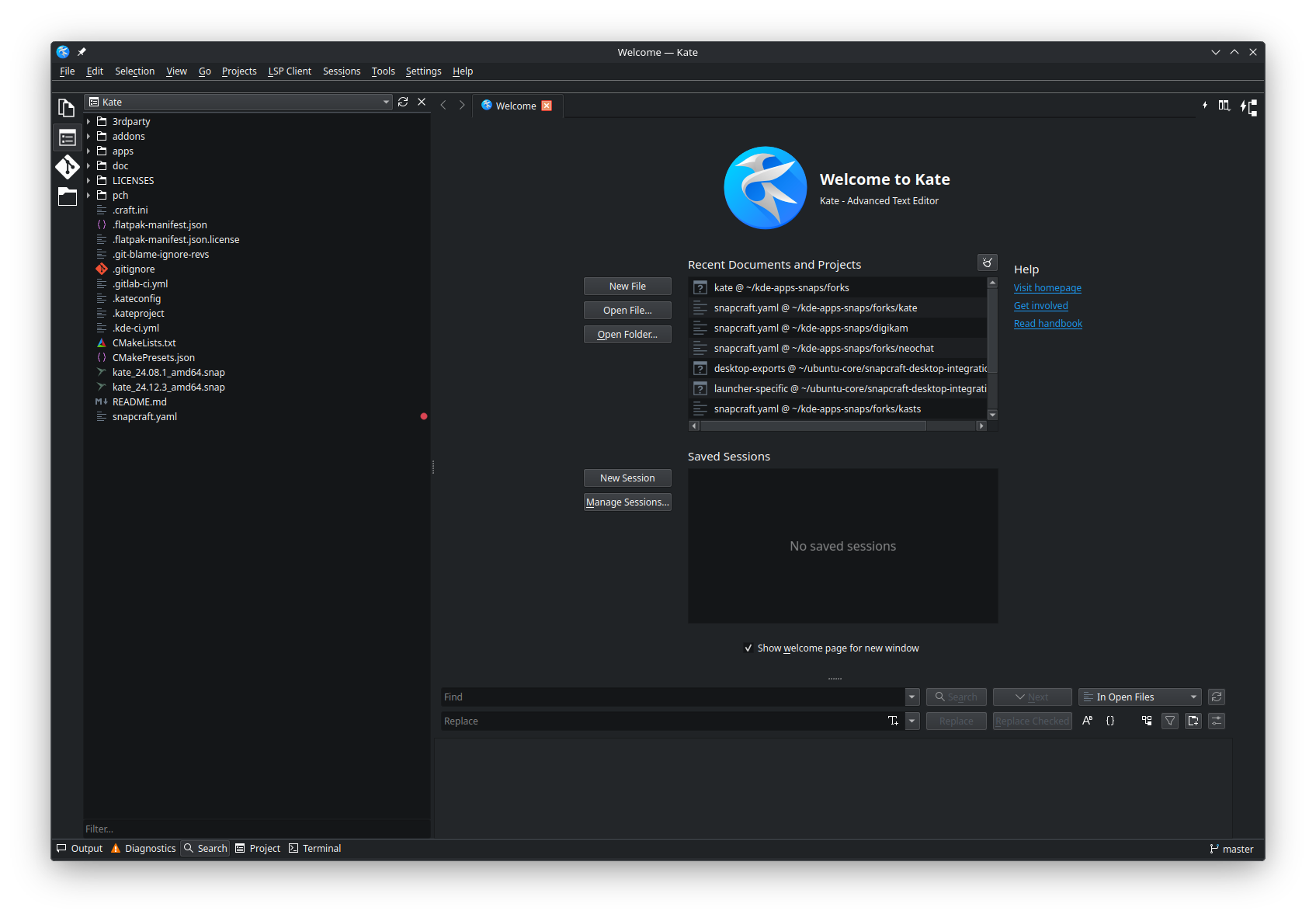
28 March 2025

John Goerzen: Why You Should (Still) Use Signal As Much As Possible

As I write this in March 2025, there is a lot of confusion about Signal messenger due to the recent news of people using Signal in government, and subsequent leaks. The short version is: there was no problem with Signal here. People were using it because they understood it to be secure, not the other way around. Both the government and the Electronic Frontier Foundation recommend people use Signal. This is an unusual alliance, and in the case of the government, was prompted because it understood other countries had a persistent attack against American telephone companies and SMS traffic. So let s dive in. I ll cover some basics of what security is, what happened in this situation, and why Signal is a good idea. This post isn t for programmers that work with cryptography every day. Rather, I hope it can make some of these concepts accessible to everyone else.

What makes communications secure? When most people are talking about secure communications, they mean some combination of these properties:
  1. Privacy - nobody except the intended recipient can decode a message.
  2. Authentication - guarantees that the person you are chatting with really is the intended recipient.
  3. Ephemerality - preventing a record of the communication from being stored. That is, making it more like a conversation around the table than a written email.
  4. Anonymity - keeping your set of contacts to yourself and even obfuscating the fact that communications are occurring.
If you think about it, most people care the most about the first two. In fact, authentication is a key part of privacy. There is an attack known as man in the middle in which somebody pretends to be the intended recipient. The interceptor reads the messages, and then passes them on to the real intended recipient. So we can t really have privacy without authentication. I ll have more to say about these later. For now, let s discuss attack scenarios.

What compromises security? There are a number of ways that security can be compromised. Let s think through some of them:

Communications infrastructure snooping Let s say you used no encryption at all, and connected to public WiFi in a coffee shop to send your message. Who all could potentially see it?
  • The owner of the coffee shop s WiFi
  • The coffee shop s Internet provider
  • The recipient s Internet provider
  • Any Internet providers along the network between the sender and the recipient
  • Any government or institution that can compel any of the above to hand over copies of the traffic
  • Any hackers that compromise any of the above systems
Back in the early days of the Internet, most traffic had no encryption. People were careful about putting their credit cards into webpages and emails because they knew it was easy to intercept them. We have been on a decades-long evolution towards more pervasive encryption, which is a good thing. Text messages (SMS) follow a similar path to the above scenario, and are unencrypted. We know that all of the above are ways people s texts can be compromised; for instance, governments can issue search warrants to obtain copies of texts, and China is believed to have a persistent hack into western telcos. SMS fails all four of our attributes of secure communication above (privacy, authentication, ephemerality, and anonymity). Also, think about what information is collected from SMS and by who. Texts you send could be retained in your phone, the recipient s phone, your phone company, their phone company, and so forth. They might also live in cloud backups of your devices. You only have control over your own phone s retention. So defenses against this involve things like:
  • Strong end-to-end encryption, so no intermediate party even the people that make the app can snoop on it.
  • Using strong authentication of your peers
  • Taking steps to prevent even app developers from being able to see your contact list or communication history
You may see some other apps saying they use strong encryption or use the Signal protocol. But while they may do that for some or all of your message content, they may still upload your contact list, history, location, etc. to a central location where it is still vulnerable to these kinds of attacks. When you think about anonymity, think about it like this: if you send a letter to a friend every week, every postal carrier that transports it even if they never open it or attempt to peak inside will be able to read the envelope and know that you communicate on a certain schedule with that friend. The same can be said of SMS, email, or most encrypted chat operators. Signal s design prevents it from retaining even this information, though nation-states or ISPs might still be able to notice patterns (every time you send something via Signal, your contact receives something from Signal a few milliseconds later). It is very difficult to provide perfect anonymity from well-funded adversaries, even if you can provide very good privacy.

Device compromise Let s say you use an app with strong end-to-end encryption. This takes away some of the easiest ways someone could get to your messages. But it doesn t take away all of them. What if somebody stole your phone? Perhaps the phone has a password, but if an attacker pulled out the storage unit, could they access your messages without a password? Or maybe they somehow trick or compel you into revealing your password. Now what? An even simpler attack doesn t require them to steal your device at all. All they need is a few minutes with it to steal your SIM card. Now they can receive any texts sent to your number - whether from your bank or your friend. Yikes, right? Signal stores your data in an encrypted form on your device. It can protect it in various ways. One of the most important protections is ephemerality - it can automatically delete your old texts. A text that is securely erased can never fall into the wrong hands if the device is compromised later. An actively-compromised phone, though, could still give up secrets. For instance, what if a malicious keyboard app sent every keypress to an adversary? Signal is only as secure as the phone it runs on but still, it protects against a wide variety of attacks.

Untrustworthy communication partner Perhaps you are sending sensitive information to a contact, but that person doesn t want to keep it in confidence. There is very little you can do about that technologically; with pretty much any tool out there, nothing stops them from taking a picture of your messages and handing the picture off.

Environmental compromise Perhaps your device is secure, but a hidden camera still captures what s on your screen. You can take some steps against things like this, of course.

Human error Sometimes humans make mistakes. For instance, the reason a reporter got copies of messages recently was because a participant in a group chat accidentally added him (presumably that participant meant to add someone else and just selected the wrong name). Phishing attacks can trick people into revealing passwords or other sensitive data. Humans are, quite often, the weakest link in the chain.

Protecting yourself So how can you protect yourself against these attacks? Let s consider:
  • Use a secure app like Signal that uses strong end-to-end encryption where even the provider can t access your messages
  • Keep your software and phone up-to-date
  • Be careful about phishing attacks and who you add to chat rooms
  • Be aware of your surroundings; don t send sensitive messages where people might be looking over your shoulder with their eyes or cameras
There are other methods besides Signal. For instance, you could install GnuPG (GPG) on a laptop that has no WiFi card or any other way to connect it to the Internet. You could always type your messages on that laptop, encrypt them, copy the encrypted text to a floppy disk (or USB device), take that USB drive to your Internet computer, and send the encrypted message by email or something. It would be exceptionally difficult to break the privacy of messages in that case (though anonymity would be mostly lost). Even if someone got the password to your secure laptop, it wouldn t do them any good unless they physically broke into your house or something. In some ways, it is probably safer than Signal. (For more on this, see my article How gapped is your air?) But, that approach is hard to use. Many people aren t familiar with GnuPG. You don t have the convenience of sending a quick text message from anywhere. Security that is hard to use most often simply isn t used. That is, you and your friends will probably just revert back to using insecure SMS instead of this GnuPG approach because SMS is so much easier. Signal strikes a unique balance of providing very good security while also being practical, easy, and useful. For most people, it is the most secure option available. Signal is also open source; you don t have to trust that it is as secure as it says, because you can inspect it for yourself. Also, while it s not federated, I previously addressed that.

Government use If you are a government, particularly one that is highly consequential to the world, you can imagine that you are a huge target. Other nations are likely spending billions of dollars to compromise your communications. Signal itself might be secure, but if some other government can add spyware to your phones, or conduct a successful phishing attack, you can still have your communications compromised. I have no direct knowledge, but I think it is generally understood that the US government maintains communications networks that are entirely separate from the Internet and can only be accessed from secure physical locations and secure rooms. These can be even more secure than the average person using Signal because they can protect against things like environmental compromise, human error, and so forth. The scandal in March of 2025 happened because government employees were using Signal rather than official government tools for sensitive information, had taken advantage of Signal s ephemerality (laws require records to be kept), and through apparent human error had directly shared this information with a reporter. Presumably a reporter would have lacked access to the restricted communications networks in the first place, so that wouldn t have been possible. This doesn t mean that Signal is bad. It just means that somebody that can spend billions of dollars on security can be more secure than you. Signal is still a great tool for people, and in many cases defeats even those that can spend lots of dollars trying to defeat it. And remember - to use those restricted networks, you have to go to specific rooms in specific buildings. They are still not as convenient as what you carry around in your pocket.

Conclusion Signal is practical security. Do you want phone companies reading your messages? How about Facebook or X? Have those companies demonstrated that they are completely trustworthy throughout their entire history? I say no. So, go install Signal. It s the best, most practical tool we have.
This post is also available on my website, where it may be periodically updated.

27 March 2025

Scarlett Gately Moore: KDE Snap updates, Kubuntu Beta testing, Life updates!

Help us Beta test Kubuntu Plucky Puffin!
Kubuntu work: Fixed an issue in apparmor preventing QT6 webengine applications from starting. Beta testing! KDE Snaps: Updated Qt6 to 6.8.2 Updated Kf6 6.11.0 Rolling out 25.04 RC applications! You can find them in the candidate channel! Life: I have decided to strike out on my own. I can t take any more rejections! Honestly, I don t blame them, I wouldn t want a one armed engineer either. However, I have persevered and accomplished quite a bit with my one arm! So I have decided to take a leap of faith and with your support for open source work and a resurrected side gig of web development I will survive. If you can help sponsor my work, anything at all, even a dollar! I would be eternally grateful. I have several methods to do so: If you want your cool application packaged in a variety of formats please contact me! If you want focused help with an annoying bug, please contact me! Contact me for any and all kinds of help, if I can t do it, I will say so. Do you need web work? Someone to maintain your website? I can do that too! Portfolio Thank you all for your support in this new adventure!

25 March 2025

Otto Kek l inen: Debian Salsa CI in Google Summer of Code 2025

Featured image of post Debian Salsa CI in Google Summer of Code 2025Are you a student aspiring to participate in the Google Summer of Code 2025? Would you like to improve the continuous integration pipeline used at salsa.debian.org, the Debian GitLab instance, to help improve the quality of tens of thousands of software packages in Debian? This summer 2025, I and Emmanuel Arias will be participating as mentors in the GSoC program. We are available to mentor students who propose and develop improvements to the Salsa CI pipeline, as we are members of the Debian team that maintains it. A post by Santiago Ruano Rinc n in the GitLab blog explains what Salsa CI is and its short history since inception in 2018. At the time of the article in fall 2023 there were 9000+ source packages in Debian using Salsa CI. Now in 2025 there are over 27,000 source packages in Debian using it, and since summer 2024 some Ubuntu developers have started using it for enhanced quality assurance of packaging changes before uploading new package revisions to Ubuntu. Personally, I have been using Salsa CI since its inception, and contributing as a team member since 2019. See my blog post about GitLab CI for MariaDB in Debian for a description of an advanced and extensive use case. Helping Salsa CI is a great way to make a global impact, as it will help avoid regressions and improve the quality of Debian packages. The benefits reach far beyond just Debian, as it will also help hundreds of Debian derivatives, such as Ubuntu, Linux Mint, Tails, Purism PureOS, Pop!_OS, Zorin OS, Raspberry Pi OS, a large portion of Docker containers, and even the Windows Subsystem for Linux.

Improving Salsa CI: more features, robustness, speed While Salsa CI with contributions from 71 people is already quite mature and capable, there are many ideas floating around about how it could be further extended. For example, Salsa CI issue #147 describes various static analyzers and linters that may be generally useful. Issue #411 proposes using libfaketime to run autopkgtest on arbitrary future dates to test for failures caused by date assumptions, such as the Y2038 issue. There are also ideas about making Salsa CI more robust and code easier to reuse by refactoring some of the yaml scripts into independent scripts in #230, which could make it easier to run Salsa CI locally as suggested in #169. There are also ideas about improving the Salsa CI s own CI to avoid regressions from pipeline changes in #318. The CI system is also better when it s faster, and some speed improvement ideas have been noted in #412. Improvements don t have to be limited to changes in the pipeline itself. A useful project would also be to update more Debian packages to use Salsa CI, and ensure they adopt it in an optimal way as noted in #416. It would also be nice to have a dashboard with statistics about all public Salsa CI pipeline runs as suggested in #413. These and more ideas can be found in the issue list by filtering for tags Newcomer, Nice-To-Have or Accepting MRs. A Google Summer of Code proposal does not have to be limited to these existing ideas. Participants are also welcome to propose completely novel ideas!

Good time to also learn Debian packaging Anyone working with Debian team should also take the opportunity to learn Debian packaging, and contribute to the packaging or maintenance of 1-2 packages in parallel to improving the Salsa CI. All Salsa CI team members are also Debian Developers who can mentor and sponsor uploads to Debian. Maintaining a few packages is a great way to eat your own cooking and experience Salsa CI from the user perspective, and likely to make you better at Salsa CI development.

Apply now! The contributor applications opened yesterday on March 24, so to participate act now! If you are an eligible student and want to attend, head over to summerofcode.withgoogle.com to learn more. There are over a thousand participating organizations, with Debian, GitLab and MariaDB being some examples. Within these organizations there may be multiple subteams and projects to choose from. The full list of participating Debian projects can be found in the Debian wiki. If you are interested in GSoC for Salsa CI specifically, feel free to
  1. Reach out to me and Emmanuel by email at otto@ and eamanu@ (debian.org).
  2. Sign up at salsa.debian.org for an account (note it takes a few days due to manual vetting and approval process)
  3. Read the project README, STRUCTURE and CONTRIBUTING to get a developer s overview
  4. Participate in issue discussions at https://salsa.debian.org/salsa-ci-team/pipeline/-/issues/
Note that you don t have to wait for GSoC to officially start to contribute. In fact, it may be useful to start immediately by submitting a Merge Request to do some small contribution, just to learn the process and to get more familiar with how everything works, and the team maintaining Salsa CI. Looking forward to seeing new contributors!

18 March 2025

Sergio Talens-Oliag: Using actions to build this site

As promised on my previous post, on this entry I ll explain how I ve set up forgejo actions on the source repository of this site to build it using a runner instead of doing it on the public server using a webhook to trigger the operation.

Setting up the systemThe first thing I ve done is to disable the forgejo webhook call that was used to publish the site, as I don t want to run it anymore. After that I added a new workflow to the repository that does the following things:
  • build the site using my hugo-adoc image.
  • push the result to a branch that contains the generated site (we do this because the server is already configured to work with the git repository and we can use force pushes to keep only the last version of the site, removing the need of extra code to manage package uploads and removals).
  • uses curl to send a notification to an instance of the webhook server installed on the remote server that triggers a script that updates the site using the git branch.

Setting up the webhook serviceOn the server machine we have installed and configured the webhook service to run a script that updates the site. To install the application and setup the configuration we have used the following script:
#!/bin/sh
set -e
# ---------
# VARIABLES
# ---------
ARCH="$(dpkg --print-architecture)"
WEBHOOK_VERSION="2.8.2"
DOWNLOAD_URL="https://github.com/adnanh/webhook/releases/download"
WEBHOOK_TGZ_URL="$DOWNLOAD_URL/$WEBHOOK_VERSION/webhook-linux-$ARCH.tar.gz"
WEBHOOK_SERVICE_NAME="webhook"
# Files
WEBHOOK_SERVICE_FILE="/etc/systemd/system/$WEBHOOK_SERVICE_NAME.service"
WEBHOOK_SOCKET_FILE="/etc/systemd/system/$WEBHOOK_SERVICE_NAME.socket"
WEBHOOK_TML_TEMPLATE="/srv/blogops/action/webhook.yml.envsubst"
WEBHOOK_YML="/etc/webhook.yml"
# Config file values
WEBHOOK_USER="$(id -u)"
WEBHOOK_GROUP="$(id -g)"
WEBHOOK_LISTEN_STREAM="172.31.31.1:4444"
# ----
# MAIN
# ----
# Install binary from releases (on Debian only version 2.8.0 is available, but
# I need the 2.8.2 version to support the systemd activation mode).
curl -fsSL -o "/tmp/webhook.tgz" "$WEBHOOK_TGZ_URL"
tar -C /tmp -xzf /tmp/webhook.tgz
sudo install -m 755 "/tmp/webhook-linux-$ARCH/webhook" /usr/local/bin/webhook
rm -rf "/tmp/webhook-linux-$ARCH" /tmp/webhook.tgz
# Service file
sudo sh -c "cat >'$WEBHOOK_SERVICE_FILE'" <<EOF
[Unit]
Description=Webhook server
[Service]
Type=exec
ExecStart=webhook -nopanic -hooks $WEBHOOK_YML
User=$WEBHOOK_USER
Group=$WEBHOOK_GROUP
EOF
# Socket config
sudo sh -c "cat >'$WEBHOOK_SOCKET_FILE'" <<EOF
[Unit]
Description=Webhook server socket
[Socket]
# Set FreeBind to listen on missing addresses (the VPN can be down sometimes)
FreeBind=true
# Set ListenStream to the IP and port you want to listen on
ListenStream=$WEBHOOK_LISTEN_STREAM
[Install]
WantedBy=multi-user.target
EOF
# Config file
BLOGOPS_TOKEN="$(uuid)" \
  envsubst <"$WEBHOOK_TML_TEMPLATE"   sudo sh -c "cat >$WEBHOOK_YML"
chmod 0640 "$WEBHOOK_YML"
chwon "$WEBHOOK_USER:$WEBHOOK_GROUP" "$WEBHOOK_YML"
# Restart and enable service
sudo systemctl daemon-reload
sudo systemctl stop "$WEBHOOK_SERVICE_NAME.socket"
sudo systemctl start "$WEBHOOK_SERVICE_NAME.socket"
sudo systemctl enable "$WEBHOOK_SERVICE_NAME.socket"
# ----
# vim: ts=2:sw=2:et:ai:sts=2
As seen on the code, we ve installed the application using a binary from the project repository instead of a package because we needed the latest version of the application to use systemd with socket activation. The configuration file template is the following one:
- id: "update-blogops"
  execute-command: "/srv/blogops/action/bin/update-blogops.sh"
  command-working-directory: "/srv/blogops"
  trigger-rule:
    match:
      type: "value"
      value: "$BLOGOPS_TOKEN"
      parameter:
        source: "header"
        name: "X-Blogops-Token"
The version on /etc/webhook.yml has the BLOGOPS_TOKEN adjusted to a random value that has to exported as a secret on the forgejo project (see later). Once the service is started each time the action is executed the webhook daemon will get a notification and will run the following update-blogops.sh script to publish the updated version of the site:
#!/bin/sh
set -e
# ---------
# VARIABLES
# ---------
# Values
REPO_URL="ssh://git@forgejo.mixinet.net/mixinet/blogops.git"
REPO_BRANCH="html"
REPO_DIR="public"
MAIL_PREFIX="[BLOGOPS-UPDATE-ACTION] "
# Address that gets all messages, leave it empty if not wanted
MAIL_TO_ADDR="blogops@mixinet.net"
# Directories
BASE_DIR="/srv/blogops"
PUBLIC_DIR="$BASE_DIR/$REPO_DIR"
NGINX_BASE_DIR="$BASE_DIR/nginx"
PUBLIC_HTML_DIR="$NGINX_BASE_DIR/public_html"
ACTION_BASE_DIR="$BASE_DIR/action"
ACTION_LOG_DIR="$ACTION_BASE_DIR/log"
# Files
OUTPUT_BASENAME="$(date +%Y%m%d-%H%M%S.%N)"
ACTION_LOGFILE_PATH="$ACTION_LOG_DIR/$OUTPUT_BASENAME.log"
# ---------
# Functions
# ---------
action_log()  
  echo "$(date -R) $*" >>"$ACTION_LOGFILE_PATH"
 
action_check_directories()  
  for _d in "$ACTION_BASE_DIR" "$ACTION_LOG_DIR"; do
    [ -d "$_d" ]   mkdir "$_d"
  done
 
action_clean_directories()  
  # Try to remove empty dirs
  for _d in "$ACTION_LOG_DIR" "$ACTION_BASE_DIR"; do
    if [ -d "$_d" ]; then
      rmdir "$_d" 2>/dev/null   true
    fi
  done
 
mail_success()  
  to_addr="$MAIL_TO_ADDR"
  if [ "$to_addr" ]; then
    subject="OK - updated blogops site"
    mail -s "$ MAIL_PREFIX $ subject " "$to_addr" <"$ACTION_LOGFILE_PATH"
  fi
 
mail_failure()  
  to_addr="$MAIL_TO_ADDR"
  if [ "$to_addr" ]; then
    subject="KO - failed to update blogops site"
    mail -s "$ MAIL_PREFIX $ subject " "$to_addr" <"$ACTION_LOGFILE_PATH"
  fi
  exit 1
 
# ----
# MAIN
# ----
ret="0"
# Check directories
action_check_directories
# Go to the base directory
cd "$BASE_DIR"
# Remove the old build dir if present
if [ -d "$PUBLIC_DIR" ]; then
  rm -rf "$PUBLIC_DIR"
fi
# Update the repository checkout
action_log "Updating the repository checkout"
git fetch --all >>"$ACTION_LOGFILE_PATH" 2>&1   ret="$?"
if [ "$ret" -ne "0" ]; then
  action_log "Failed to update the repository checkout"
  mail_failure
fi
# Get it from the repo branch & extract it
action_log "Downloading and extracting last site version using 'git archive'"
git archive --remote="$REPO_URL" "$REPO_BRANCH" "$REPO_DIR" \
    tar xf - >>"$ACTION_LOGFILE_PATH" 2>&1   ret="$?"
# Fail if public dir was missing
if [ "$ret" -ne "0" ]   [ ! -d "$PUBLIC_DIR" ]; then
  action_log "Failed to download or extract site"
  mail_failure
fi
# Remove old public_html copies
action_log 'Removing old site versions, if present'
find $NGINX_BASE_DIR -mindepth 1 -maxdepth 1 -name 'public_html-*' -type d \
  -exec rm -rf   \; >>"$ACTION_LOGFILE_PATH" 2>&1   ret="$?"
if [ "$ret" -ne "0" ]; then
  action_log "Removal of old site versions failed"
  mail_failure
fi
# Switch site directory
TS="$(date +%Y%m%d-%H%M%S)"
if [ -d "$PUBLIC_HTML_DIR" ]; then
  action_log "Moving '$PUBLIC_HTML_DIR' to '$PUBLIC_HTML_DIR-$TS'"
  mv "$PUBLIC_HTML_DIR" "$PUBLIC_HTML_DIR-$TS" >>"$ACTION_LOGFILE_PATH" 2>&1  
    ret="$?"
fi
if [ "$ret" -eq "0" ]; then
  action_log "Moving '$PUBLIC_DIR' to '$PUBLIC_HTML_DIR'"
  mv "$PUBLIC_DIR" "$PUBLIC_HTML_DIR" >>"$ACTION_LOGFILE_PATH" 2>&1  
    ret="$?"
fi
if [ "$ret" -ne "0" ]; then
  action_log "Site switch failed"
  mail_failure
else
  action_log "Site updated successfully"
  mail_success
fi
# ----
# vim: ts=2:sw=2:et:ai:sts=2

The hugo-adoc workflowThe workflow is defined in the .forgejo/workflows/hugo-adoc.yml file and looks like this:
name: hugo-adoc
# Run this job on push events to the main branch
on:
  push:
    branches:
      - 'main'
jobs:
  build-and-push:
    if: $  vars.BLOGOPS_WEBHOOK_URL != '' && secrets.BLOGOPS_TOKEN != ''  
    runs-on: docker
    container:
      image: forgejo.mixinet.net/oci/hugo-adoc:latest
    # Allow the job to write to the repository (not really needed on forgejo)
    permissions:
      contents: write
    steps:
      - name: Checkout the repo
        uses: actions/checkout@v4
        with:
          submodules: 'true'
      - name: Build the site
        shell: sh
        run:  
          rm -rf public
          hugo
      - name: Push compiled site to html branch
        shell: sh
        run:  
          # Set the git user
          git config --global user.email "blogops@mixinet.net"
          git config --global user.name "BlogOps"
          # Create a new orphan branch called html (it was not pulled by the
          # checkout step)
          git switch --orphan html
          # Add the public directory to the branch
          git add public
          # Commit the changes
          git commit --quiet -m "Updated site @ $(date -R)" public
          # Push the changes to the html branch
          git push origin html --force
          # Switch back to the main branch
          git switch main
      - name: Call the blogops update webhook endpoint
        shell: sh
        run:  
          HEADER="X-Blogops-Token: $  secrets.BLOGOPS_TOKEN  "
          curl --fail -k -H "$HEADER" $  vars.BLOGOPS_WEBHOOK_URL  
The only relevant thing is that we have to add the BLOGOPS_TOKEN variable to the project secrets (its value is the one included on the /etc/webhook.yml file created when installing the webhook service) and the BLOGOPS_WEBHOOK_URL project variable (its value is the URL of the webhook server, in my case http://172.31.31.1:4444/hooks/update-blogops); note that the job includes the -k flag on the curl command just in case I end up using TLS on the webhook server in the future, as discussed previously.

ConclusionNow that I have forgejo actions on my server I no longer need to build the site on the public server as I did initially, a good thing when the server is a small OVH VPS that only runs a couple of containers and a web server directly on the host. I m still using a notification system to make the server run a script to update the site because that way the forgejo server does not need access to the remote machine shell, only the webhook server which, IMHO, is a more secure setup.

17 March 2025

Sergio Talens-Oliag: Configuring forgejo actions

Last week I decided I wanted to try out forgejo actions to build this blog instead of using webhooks, so I looked the documentation and started playing with it until I had it working as I wanted. This post is to describe how I ve installed and configured a forgejo runner, how I ve added an oci organization to my instance to build, publish and mirror container images and added a couple of additional organizations (actions and docker for now) to mirror interesting actions. The changes made to build the site using actions will be documented on a separate post, as I ll be using this entry to test the new setup on the blog project.

Installing the runnerThe first thing I ve done is to install a runner on my server, I decided to use the OCI image installation method, as it seemed to be the easiest and fastest one. The commands I ve used to setup the runner are the following:
$ cd /srv
$ git clone https://forgejo.mixinet.net/blogops/forgejo-runner.git
$ cd forgejo-runner
$ sh ./bin/setup-runner.sh
The setup-runner.sh script does multiple things:
  • create a forgejo-runner user and group
  • create the necessary directories for the runner
  • create a .runner file with a predefined secret and the docker label
The setup-runner.sh code is available here. After running the script the runner has to be registered with the forgejo server, it can be done using the following command:
$ forgejo forgejo-cli actions register --name "$RUNNER_NAME" \
    --secret "$FORGEJO_SECRET"
The RUNNER_NAME variable is defined on the setup-runner.sh script and the FORGEJO_SECRET must match the value used on the .runner file.

Starting it with docker-composeTo launch the runner I m going to use a docker-compose.yml file that starts two containers, a docker in docker service to run the containers used by the workflow jobs and another one that runs the forgejo-runner itself. The initial version used a TCP port to communicate with the dockerd server from the runner, but when I tried to build images from a workflow I noticed that the containers launched by the runner were not going to be able to execute another dockerd inside the dind one and, even if they were, it was going to be expensive computationally. To avoid the issue I modified the dind service to use a unix socket on a shared volume that can be used by the runner service to communicate with the daemon and also re-shared with the job containers so the dockerd server can be used from them to build images.
Warning: The use of the same docker server that runs the jobs from them has security implications, but this instance is for a home server where I am the only user, so I am not worried about it and this way I can save some resources (in fact, I could use the host docker server directly instead of using a dind service, but just in case I want to run other containers on the host I prefer to keep the one used for the runner isolated from it). For those concerned about sharing the same server an alternative would be to launch a second dockerd only for the jobs (i.e. actions-dind) using the same approach (the volume with its socket will have to be shared with the runner service so it can be re-shared, but the runner does not need to use it).
The final docker-compose.yaml file is as follows:
services:
  dind:
    image: docker:dind
    container_name: 'dind'
    privileged: 'true'
    command: ['dockerd', '-H', 'unix:///dind/docker.sock', '-G', '$RUNNER_GID']
    restart: 'unless-stopped'
    volumes:
      - ./dind:/dind
  runner:
    image: 'data.forgejo.org/forgejo/runner:6.2.2'
    links:
      - dind
    depends_on:
      dind:
        condition: service_started
    container_name: 'runner'
    environment:
      DOCKER_HOST: 'unix:///dind/docker.sock'
    user: $RUNNER_UID:$RUNNER_GID
    volumes:
      - ./config.yaml:/config.yaml
      - ./data:/data
      - ./dind:/dind
    restart: 'unless-stopped'
    command: '/bin/sh -c "sleep 5; forgejo-runner daemon -c /config.yaml"'
There are multiple things to comment about this file:
  1. The dockerd server is started with the -H unix:///dind/docker.sock flag to use the unix socket to communicate with the daemon instead of using a TCP port (as said, it is faster and allows us to share the socket with the containers started by the runner).
  2. We are running the dockerd daemon with the RUNNER_GID group so the runner can communicate with it (the socket gets that group which is the same used by the runner).
  3. The runner container mounts three volumes: the data directory, the dind folder where docker creates the unix socket and a config.yaml file used by us to change the default runner configuration.
The config.yaml file was originally created using the forgejo-runner:
$ docker run --rm data.forgejo.org/forgejo/runner:6.2.2 \
    forgejo-runner generate-config > config.yaml
The changes to it are minimal, the runner capacity has been increased to 2 (that allows it to run two jobs at the same time) and the /dind/docker.sock value has been added to the valid_volumes key to allow the containers launched by the runner to mount it when needed; the diff against the default version is as follows:
@@ -13,7 +13,8 @@
   # Where to store the registration result.
   file: .runner
   # Execute how many tasks concurrently at the same time.
-  capacity: 1
+  # STO: Allow 2 concurrent tasks
+  capacity: 2
   # Extra environment variables to run jobs.
   envs:
     A_TEST_ENV_NAME_1: a_test_env_value_1
@@ -87,7 +88,9 @@
   # If you want to allow any volume, please use the following configuration:
   # valid_volumes:
   #   - '**'
-  valid_volumes: []
+  # STO: Allow to mount the /dind/docker.sock on the containers
+  valid_volumes:
+    - /dind/docker.sock
   # overrides the docker client host with the specified one.
   # If "-" or "", an available docker host will automatically be found.
   # If "automount", an available docker host will automatically be found and ...
To start the runner we export the RUNNER_UID and RUNNER_GID variables and call docker-compose up to start the containers on the background:
$ RUNNER_UID="$(id -u forgejo-runner)" RUNNER_GID="$(id -g forgejo-runner)" \
    docker compose up -d
If the server was configured right we are now able to start using actions with this runner.

Preparing the system to run things locallyTo avoid unnecessary network traffic we are going to create a multiple organizations in our forgejo instance to maintain our own actions and container images and mirror remote ones. The rationale behind the mirror use is that we reduce a lot the need to connect to remote servers to download the actions and images, which is good for performance and security reasons. In fact, we are going to build our own images for some things to install the tools we want without needing to do it over and over again on the workflow jobs.

Mirrored actionsThe actions we are mirroring are on the actions and docker organizations, we have created the following ones for now (the mirrors were created using the forgejo web interface and we have disabled manually all the forgejo modules except the code one for them):
To use our actions by default (i.e., without needing to add the server URL on the uses keyword) we have added the following section to the app.ini file of our forgejo server:
[actions]
ENABLED = true
DEFAULT_ACTIONS_URL = https://forgejo.mixinet.net

Setting up credentials to push imagesTo be able to push images to the oci organization I ve created a token with package:write permission for my own user because I m a member of the organization and I m authorized to publish packages on it (a different user could be created, but as I said this is for personal use, so there is no need to complicate things for now). To allow the use of those credentials on the actions I have added a secret (REGISTRY_PASS) and a variable (REGISTRY_USER) to the oci organization to allow the actions to use them. I ve also logged myself on my local docker client to be able to push images to the oci group by hand, as I it is needed for bootstrapping the system (as I m using local images on the worflows I need to push them to the server before running the ones that are used to build the images).

Local and mirrored imagesOur images will be stored on the packages section of a new organization called oci, inside it we have created two projects that use forgejo actions to keep things in shape:
  • images: contains the source files used to generate our own images and the actions to build, tag and push them to the oci organization group.
  • mirrors: contains a configuration file for the regsync tool to mirror containers and an action to run it.
On the next sections we are going to describe the actions and images we have created and mirrored from those projects.

The oci/images projectThe images project is a monorepo that contains the source files for the images we are going to build and a couple of actions. The image sources are on sub directories of the repository, to be considered an image the folder has to contain a Dockerfile that will be used to build the image. The repository has two workflows:
  • build-image-from-tag: Workflow to build, tag and push an image to the oci organization
  • multi-semantic-release: Workflow to create tags for the images using the multi-semantic-release tool.
As the workflows are already configured to use some of our images we pushed some of them from a checkout of the repository using the following commands:
registry="forgejo.mixinet.net/oci"
for img in alpine-mixinet node-mixinet multi-semantic-release; do
  docker build -t $registry/$img:1.0.0 $img
  docker tag $registry/$img:1.0.0 $registry/$img:latest
  docker push $registry/$img:1.0.0
  docker push $registry/$img:latest
done
On the next sub sections we will describe what the workflows do and will show their source code.

build-image-from-tag workflowThis workflow uses a docker client to build an image from a tag on the repository with the format image-name-v[0-9].[0-9].[0-9]+. As the runner is executed on a container (instead of using lxc) it seemed unreasonable to run another dind container from that one, that is why, after some tests, I decided to share the dind service server socket with the runner container and enabled the option to mount it also on the containers launched by the runner when needed (I only do it on the build-image-from-tag action for now). The action was configured to run using a trigger or when new tags with the right format were created, but when the tag is created by multi-semantic-release the trigger does not work for some reason, so now it only runs the job on triggers and checks if it is launched for a tag with the right format on the job itself. The source code of the action is as follows:
name: build-image-from-tag
on:
  workflow_dispatch:
jobs:
  build:
    # Don't build the image if the registry credentials are not set, the ref is not a tag or it doesn't contain '-v'
    if: $  vars.REGISTRY_USER != '' && secrets.REGISTRY_PASS != '' && startsWith(github.ref, 'refs/tags/') && contains(github.ref, '-v')  
    runs-on: docker
    container:
      image: forgejo.mixinet.net/oci/node-mixinet:latest
      # Mount the dind socket on the container at the default location
      options: -v /dind/docker.sock:/var/run/docker.sock
    steps:
      - name: Extract image name and tag from git and get registry name from env
        id: job_data
        run:  
          echo "::set-output name=img_name::$ GITHUB_REF_NAME%%-v* "
          echo "::set-output name=img_tag::$ GITHUB_REF_NAME##*-v "
          echo "::set-output name=registry::$(
            echo "$  github.server_url  "   sed -e 's%https://%%'
          )"
          echo "::set-output name=oci_registry_prefix::$(
            echo "$  github.server_url  /oci"   sed -e 's%https://%%'
          )"
      - name: Checkout the repo
        uses: actions/checkout@v4
      - name: Export build dir and Dockerfile
        id: build_data
        run:  
          img="$  steps.job_data.outputs.img_name  "
          build_dir="$(pwd)/$ img "
          dockerfile="$ build_dir /Dockerfile"
          if [ -f "$dockerfile" ]; then
            echo "::set-output name=build_dir::$build_dir"
            echo "::set-output name=dockerfile::$dockerfile"
          else
            echo "Couldn't find the Dockerfile for the '$img' image"
            exit 1
          fi
      - name: Login to the Container Registry
        uses: docker/login-action@v3
        with:
          registry: $  steps.job_data.outputs.registry  
          username: $  vars.REGISTRY_USER  
          password: $  secrets.REGISTRY_PASS  
      - name: Set up Docker Buildx
        uses: docker/setup-buildx-action@v3
      - name: Build and Push
        uses: docker/build-push-action@v6
        with:
          push: true
          tags:  
            $  steps.job_data.outputs.oci_registry_prefix  /$  steps.job_data.outputs.img_name  :$  steps.job_data.outputs.img_tag  
            $  steps.job_data.outputs.oci_registry_prefix  /$  steps.job_data.outputs.img_name  :latest
          context: $  steps.build_data.outputs.build_dir  
          file: $  steps.build_data.outputs.dockerfile  
          build-args:  
            OCI_REGISTRY_PREFIX=$  steps.job_data.outputs.oci_registry_prefix  /
Some notes about this code:
  1. The if condition of the build job is not perfect, but it is good enough to avoid wrong uses as long as nobody uses manual tags with the wrong format and expects things to work (it checks if the REGISTRY_USER and REGISTRY_PASS variables are set, if the ref is a tag and if it contains the -v string).
  2. To be able to access the dind socket we mount it on the container using the options key on the container section of the job (this only works if supported by the runner configuration as explained before).
  3. We use the job_data step to get information about the image from the tag and the registry URL from the environment variables, it is executed first because all the information is available without checking out the repository.
  4. We use the job_data step to get the build dir and Dockerfile paths from the repository (right now we are assuming fixed paths and checking if the Dockerfile exists, but in the future we could use a configuration file to get them, if needed).
  5. As we are using a docker daemon that is already running there is no need to use the docker/setup-docker-action to install it.
  6. On the build and push step we pass the OCI_REGISTRY_PREFIX build argument to the Dockerfile to be able to use it on the FROM instruction (we are using it in our images).

multi-semantic-release workflowThis workflow is used to run the multi-semantic-release tool on pushes to the main branch. It is configured to create the configuration files on the fly (it prepares things to tag the folders that contain a Dockerfile using a couple of template files available on the repository s .forgejo directory) and run the multi-semantic-release tool to create tags and push them to the repository if new versions are to be built. Initially we assumed that the tag creation pushed by multi-semantic-release would be enough to run the build-tagged-image-task action, but as it didn t work we removed the rule to run the action on tag creation and added code to trigger the action using an api call for the newly created tags (we get them from the output of the multi-semantic-release execution). The source code of the action is as follows:
name: multi-semantic-release
on:
  push:
    branches:
      - 'main'
jobs:
  multi-semantic-release:
    runs-on: docker
    container:
      image: forgejo.mixinet.net/oci/multi-semantic-release:latest
    steps:
      - name: Checkout the repo
        uses: actions/checkout@v4
      - name: Generate multi-semantic-release configuration
        shell: sh
        run:  
          # Get the list of images to work with (the folders that have a Dockerfile)
          images="$(for img in */Dockerfile; do dirname "$img"; done)"
          # Generate a values.yaml file for the main packages.json file
          package_json_values_yaml=".package.json-values.yaml"
          echo "images:" >"$package_json_values_yaml"
          for img in $images; do
            echo " - $img" >>"$package_json_values_yaml"
          done
          echo "::group::Generated values.yaml for the project"
          cat "$package_json_values_yaml"
          echo "::endgroup::"
          # Generate the package.json file validating that is a good json file with jq
          tmpl -f "$package_json_values_yaml" ".forgejo/package.json.tmpl"   jq . > "package.json"
          echo "::group::Generated package.json for the project"
          cat "package.json"
          echo "::endgroup::"
          # Remove the temporary values file
          rm -f "$package_json_values_yaml"
          # Generate the package.json file for each image
          for img in $images; do
            tmpl -v "img_name=$img" -v "img_path=$img" ".forgejo/ws-package.json.tmpl"   jq . > "$img/package.json"
            echo "::group::Generated package.json for the '$img' image"
            cat "$img/package.json"
            echo "::endgroup::"
          done
      - name: Run multi-semantic-release
        shell: sh
        run:  
          multi-semantic-release   tee .multi-semantic-release.log
      - name: Trigger builds
        shell: sh
        run:  
          # Get the list of tags published on the previous steps
          tags="$(
            sed -n -e 's/^\[.*\] \[\(.*\)\] .* Published release \([0-9]\+\.[0-9]\+\.[0-9]\+\) on .*$/\1-v\2/p' \
              .multi-semantic-release.log
          )"
          rm -f .multi-semantic-release.log
          if [ "$tags" ]; then
            # Prepare the url for building the images
            workflow="build-image-from-tag.yaml"
            dispatch_url="$  github.api_url  /repos/$  github.repository  /actions/workflows/$workflow/dispatches"
            echo "$tags"   while read -r tag; do
              echo "Triggering build for tag '$tag'"
              curl \
                -H "Content-Type:application/json" \
                -H "Authorization: token $  secrets.GITHUB_TOKEN  " \
                -d " \"ref\":\"$tag\" " "$dispatch_url"
            done
          fi
Notes about this code:
  1. The use of the tmpl tool to process the multi-semantic-release configuration templates comes from previous uses, but on this case we could use a different approach (i.e. envsubst could be used) but we left it because it keeps things simple and can be useful in the future if we want to do more complex things with the template files.
  2. We use tee to show and dump to a file the output of the multi-semantic-release execution.
  3. We get the list of pushed tags using sed against the output of the multi-semantic-release execution and for each one found we use curl to call the forgejo API to trigger the build job; as the call is against the same project we can use the GITHUB_TOKEN generated for the workflow to do it, without creating a user token that has to be shared as a secret.
The .forgejo/package.json.tmpl file is the following one:
 
  "name": "multi-semantic-release",
  "version": "0.0.0-semantically-released",
  "private": true,
  "multi-release":  
    "tagFormat": "$ name -v$ version "
   ,
  "workspaces":   .images   toJson  
 
As can be seen it only needs a list of paths to the images as argument (the file we generate contains the names and paths, but it could be simplified). And the .forgejo/ws-package.json.tmpl file is the following one:
 
  "name": "  .img_name  ",
  "license": "UNLICENSED",
  "release":  
    "plugins": [
      [
        "@semantic-release/commit-analyzer",
         
          "preset": "conventionalcommits",
          "releaseRules": [
              "breaking": true, "release": "major"  ,
              "revert": true, "release": "patch"  ,
              "type": "feat", "release": "minor"  ,
              "type": "fix", "release": "patch"  ,
              "type": "perf", "release": "patch"  
          ]
         
      ],
      [
        "semantic-release-replace-plugin",
         
          "replacements": [
             
              "files": [ "  .img_path  /msr.yaml" ],
              "from": "^version:.*$",
              "to": "version: $ nextRelease.version ",
              "allowEmptyPaths": true
             
          ]
         
      ],
      [
        "@semantic-release/git",
         
          "assets": [ "msr.yaml" ],
          "message": "ci(release):   .img_name  -v$ nextRelease.version \n\n$ nextRelease.notes "
         
      ]
    ],
    "branches": [ "main" ]


The oci/mirrors projectThe repository contains a template for the configuration file we are going to use with regsync (regsync.envsubst.yml) to mirror images from remote registries using a workflow that generates a configuration file from the template and runs the tool. The initial version of the regsync.envsubst.yml file is prepared to mirror alpine containers from version 3.21 to 3.29 (we explicitly remove version 3.20) and needs the forgejo.mixinet.net/oci/node-mixinet:latest image to run (as explained before it was pushed manually to the server):
version: 1
creds:
  - registry: "$REGISTRY"
    user: "$REGISTRY_USER"
    pass: "$REGISTRY_PASS"
sync:
  - source: alpine
    target: $REGISTRY/oci/alpine
    type: repository
    tags:
      allow:
        - "latest"
        - "3\\.2\\d+"
        - "3\\.2\\d+.\\d+"
      deny:
        - "3\\.20"
        - "3\\.20.\\d+"

mirror workflowThe mirror workflow creates a configuration file replacing the value of the REGISTRY environment variable (computed by removing the protocol from the server_url), the REGISTRY_USER organization value and the REGISTRY_PASS secret using the envsubst command and running the regsync tool to mirror the images using the configuration file. The action is configured to run daily, on push events when the regsync.envsubst.yml file is modified on the main branch and can also be triggered manually. The source code of the action is as follows:
.forgejo/workflows/mirror.yaml
name: mirror
on:
  schedule:
    - cron: '@daily'
  push:
    branches:
      - main
    paths:
      - 'regsync.envsubst.yml'
  workflow_dispatch:
jobs:
  mirror:
    if: $  vars.REGISTRY_USER != '' && secrets.REGISTRY_PASS != ''  
    runs-on: docker
    container:
      image: forgejo.mixinet.net/oci/node-mixinet:latest
    steps:
      - name: Checkout
        uses: actions/checkout@v4
      - name: Sync images
        run:  
          REGISTRY="$(echo "$  github.server_url  "   sed -e 's%https://%%')" \
          REGISTRY_USER="$  vars.REGISTRY_USER  " \
          REGISTRY_PASS="$  secrets.REGISTRY_PASS  " \
            envsubst <regsync.envsubst.yml >.regsync.yml
          regsync --config .regsync.yml once
          rm -f .regsync.yml

ConclusionWe have installed a forgejo-runner and configured it to run actions for our own server and things are working fine. This approach allows us to have a powerful CI/CD system on a modest home server, something very useful for maintaining personal projects and playing with things without needing SaaS platforms like github or gitlab.

5 March 2025

Otto Kek l inen: Will decentralized social media soon go mainstream?

Featured image of post Will decentralized social media soon go mainstream?In today s digital landscape, social media is more than just a communication tool it is the primary medium for global discourse. Heads of state, corporate leaders and cultural influencers now broadcast their statements directly to the world, shaping public opinion in real time. However, the dominance of a few centralized platforms X/Twitter, Facebook and YouTube raises critical concerns about control, censorship and the monopolization of information. Those who control these networks effectively wield significant power over public discourse. In response, a new wave of distributed social media platforms has emerged, each built on different decentralized protocols designed to provide greater autonomy, censorship resistance and user control. While Wikipedia maintains a comprehensive list of distributed social networking software and protocols, it does not cover recent blockchain-based systems, nor does it highlight which have the most potential for mainstream adoption. This post explores the leading decentralized social media platforms and the protocols they are based on: Mastodon (ActivityPub), Bluesky (AT Protocol), Warpcast (Farcaster), Hey (Lens) and Primal (Nostr).

Comparison of architecture and mainstream adoption potential
Protocol Identity System Example Storage model Cost for end users Potential
Mastodon Tied to server domain @ottok@mastodon.social Federated instances Free (some instances charge) High
Bluesky Portable (DID) ottoke.bsky.social Federated instances Free Moderate
Farcaster ENS (Ethereum) @ottok Blockchain + off-chain Small gas fees Moderate
Lens NFT-based (Polygon) @ottok Blockchain + off-chain Small gas fees Niche
Nostr Cryptographic Keys npub16lc6uhqpg6dnqajylkhwuh3j7ynhcnje508tt4v6703w9kjlv9vqzz4z7f Federated instances Free (some instances charge) Niche

1. Mastodon (ActivityPub) Screenshot of Mastodon Mastodon was created in 2016 by Eugen Rochko, a German software developer who sought to provide a decentralized and user-controlled alternative to Twitter. It was built on the ActivityPub protocol, now standardized by W3C Social Web Working Group, to allow users to join independent servers while still communicating across the broader Mastodon network. Mastodon operates on a federated model, where multiple independently run servers communicate via ActivityPub. Each server sets its own moderation policies, leading to a decentralized but fragmented experience. The servers can alternatively be called instances, relays or nodes, depending on what vocabulary a protocol has standardized on.
  • Identity: User identity is tied to the instance where they registered, represented as @username@instance.tld.
  • Storage: Data is stored on individual instances, which federate messages to other instances based on their configurations.
  • Cost: Free to use, but relies on instance operators willing to run the servers.
The protocol defines multiple activities such as:
  • Creating a post
  • Liking
  • Sharing
  • Following
  • Commenting

Example Message in ActivityPub (JSON-LD Format)
json
 
 "@context": "https://www.w3.org/ns/activitystreams",
 "type": "Create",
 "actor": "https://mastodon.social/users/ottok",
 "object":  
 "type": "Note",
 "content": "Hello from #Mastodon!",
 "published": "2025-03-03T12:00:00Z",
 "to": ["https://www.w3.org/ns/activitystreams#Public"]
  
 
Servers communicate across different platforms by publishing activities to their followers or forwarding activities between servers. Standard HTTPS is used between servers for communication, and the messages use JSON-LD for data representation. The WebFinger protocol is used for user discovery. There is however no neat way for home server discovery yet. This means that if you are browsing e.g. Fosstodon and want to follow a user and press Follow, a dialog will pop up asking you to enter your own home server (e.g. mastodon.social) to redirect you there for actually executing the Follow action on with your account. Mastodon is open source under the AGPL at github.com/mastodon/mastodon. Anyone can operate their own instance. It just requires to run your own server and some skills to maintain a Ruby on Rails app with a PostgreSQL database backend, and basic understanding of the protocol to configure federation with other ActivityPub instances.

Popularity: Already established, but will it grow more? Mastodon has seen steady growth, especially after Twitter s acquisition in 2022, with some estimates stating it peaked at 10 million users across thousands of instances. However, its fragmented user experience and the complexity of choosing instances have hindered mainstream adoption. Still, it remains the most established decentralized alternative to Twitter. Note that Donald Trump s Truth Social is based on the Mastodon software but does not federate with the ActivityPub network. The ActivityPub protocol is the most widely used of its kind. One of the other most popular services is the Lemmy link sharing service, similar to Reddit. The larger ecosystem of ActivityPub is called Fediverse, and estimates put the total active user count around 6 million.

2. Bluesky (AT Protocol) Screenshot of Bluesky Interestingly, Bluesky was conceived within Twitter in 2019 by Twitter founder Jack Dorsey. After being incubated as a Twitter-funded project, it spun off as an independent Public Benefit LLC in February 2022 and launched its public beta in February 2023. Bluesky runs on top of the Authenticated Transfer (AT) Protocol published at https://github.com/bluesky-social/atproto. The protocol enables portable identities and data ownership, meaning users can migrate between platforms while keeping their identity and content intact. In practice, however, there is only one popular server at the moment, which is Bluesky itself.
  • Identity: Usernames are domain-based (e.g., @user.bsky.social).
  • Storage: Content is theoretically federated among various servers.
  • Cost: Free to use, but relies on instance operators willing to run the servers.

Example Message in AT Protocol (JSON Format)
json
 
 "repo": "did:plc:ottoke.bsky.social",
 "collection": "app.bsky.feed.post",
 "record":  
 "$type": "app.bsky.feed.post",
 "text": "Hello from Bluesky!",
 "createdAt": "2025-03-03T12:00:00Z",
 "langs": ["en"]


Popularity: Hybrid approach may have business benefits? Bluesky reported over 3 million users by 2024, probably getting traction due to its Twitter-like interface and Jack Dorsey s involvement. Its hybrid approach decentralized identity with centralized components could make it a strong candidate for mainstream adoption, assuming it can scale effectively.

3. Warpcast (Farcaster Network) Farcaster was launched in 2021 by Dan Romero and Varun Srinivasan, both former crypto exchange Coinbase executives, to create a decentralized but user-friendly social network. Built on the Ethereum blockchain, it could potentially offer a very attack-resistant communication medium. However, in my own testing, Farcaster does not seem to fully leverage what Ethereum could offer. First of all, there is no diversity in programs implementing the protocol as at the moment there is only Warpcast. In Warpcast the signup requires an initial 5 USD fee that is not payable in ETH, and users need to create a new wallet address on the Ethereum layer 2 network Base instead of simply reusing their existing Ethereum wallet address or ENS name. Despite this, I can understand why Farcaster may have decided to start out like this. Having a single client program may be the best strategy initially. One of the decentralized chat protocol Matrix founders, Matthew Hodgson, shared in his FOSDEM 2025 talk that he slightly regrets focusing too much on developing the protocol instead of making sure the app to use it is attractive to end users. So it may be sensible to ensure Warpcast gets popular first, before attempting to make the Farcaster protocol widely used. As a protocol Farcaster s hybrid approach makes it more scalable than fully on-chain networks, giving it a higher chance of mainstream adoption if it integrates seamlessly with broader Web3 ecosystems.
  • Identity: ENS (Ethereum Name Service) domains are used as usernames.
  • Storage: Messages are stored in off-chain hubs, while identity is on-chain.
  • Cost: Users must pay gas fees for some operations but reading and posting messages is mostly free.

Example Message in Farcaster (JSON Format)
json
 
 "fid": 766579,
 "username": "ottok",
 "custodyAddress": "0x127853e48be3870172baa4215d63b6d815d18f21",
 "connectedWallet": "0x3ebe43aa3ae5b891ca1577d9c49563c0cee8da88",
 "text": "Hello from Farcaster!",
 "publishedAt": 1709424000,
 "replyTo": null,
 "embeds": []
 

Popularity: Decentralized social media + decentralized payments a winning combo? Ethereum founder Vitalik Buterin (warpcast.com/vbuterin) and many core developers are active on the platform. Warpcast, the main client for Farcaster, has seen increasing adoption, especially among Ethereum developers and Web3 enthusiasts. I too have an profile at warpcast.com/ottok. However, the numbers are still very low and far from reaching network effects to really take off. Blockchain-based social media networks, particularly those built on Ethereum, are compelling because they leverage existing user wallets and persistent identities while enabling native payment functionality. When combined with decentralized content funding through micropayments, these blockchain-backed social networks could offer unique advantages that centralized platforms may find difficult to replicate, being decentralized both as a technical network and in a funding mechanism.

4. Hey.xyz (Lens Network) The Lens Protocol was developed by decentralized finance (DeFi) team Aave and launched in May 2022 to provide a user-owned social media network. While initially built on Polygon, it has since launched its own Layer 2 network called the Lens Network in February 2024. Lens is currently the main competitor to Farcaster. Lens stores profile ownership and references on-chain, while content is stored on IPFS/Arweave, enabling composability with DeFi and NFTs.
  • Identity: Profile ownership is tied to NFTs on the Polygon blockchain.
  • Storage: Content is on-chain and integrates with IPFS/Arweave (like NFTs).
  • Cost: Users must pay gas fees for some operations but reading and posting messages is mostly free.

Example Message in Lens (JSON Format)
json
 
 "profileId": "@ottok",
 "contentURI": "ar://QmExampleHash",
 "collectModule": "0x23b9467334bEb345aAa6fd1545538F3d54436e96",
 "referenceModule": "0x0000000000000000000000000000000000000000",
 "timestamp": 1709558400
 

Popularity: Probably not as social media site, but maybe as protocol? The social media side of Lens is mainly the Hey.xyz website, which seems to have fewer users than Warpcast, and is even further away from reaching critical mass for network effects. The Lens protocol however has a lot of advanced features and it may gain adoption as the building block for many Web3 apps.

5. Primal.net (Nostr Network) Nostr (Notes and Other Stuff Transmitted by Relays) was conceptualized in 2020 by an anonymous developer known as fiatjaf. One of the primary design tenets was to be a censorship-resistant protocol and it is popular among Bitcoin enthusiasts, with Jack Dorsey being one of the public supporters. Unlike the Farcaster and Lens protocols, Nostr is not blockchain-based but just a network of relay servers for message distribution. If does however use public key cryptography for identities, similar to how wallets work in crypto.
  • Identity: Public-private key pairs define identity (with prefix npub...).
  • Storage: Content is federated among multiple servers, which in Nostr vocabulary are called relays.
  • Cost: No gas fees, but relies on relay operators willing to run the servers.

Example Message in Nostr (JSON Format)
json
 
 "id": "note1xyz...",
 "pubkey": "npub1...",
 "kind": 1,
 "content": "Hello from Nostr!",
 "created_at": 1709558400,
 "tags": [],
 "sig": "sig1..."
 

Popularity: If Jack Dorsey and Bitcoiners promote it enough? Primal.net as a web app is pretty solid, but it does not stand out much. While Jack Dorsey has shown support by donating $1.5 million to the protocol development in December 2021, its success likely depends on broader adoption by the Bitcoin community.

Will any of these replace X/Twitter? As usage patterns vary, the statistics are not fully comparable, but this overview of the situation in March 2025 gives a decent overview.
Platform Total Accounts Active Users Growth Trend
Mastodon ~10 million ~1 million Steady
Bluesky ~33 million ~1 million Steady
Nostr ~41 million ~20 thousand Steady
Farcaster ~850 thousand ~50 thousand Flat
Lens ~140 thousand ~20 thousand Flat
Mastodon and Bluesky have already reached millions of users, while Lens and Farcaster are growing within crypto communities. It is however clear that none of these are anywhere close to how popular X/Twitter is. In particular, Mastodon had a huge influx of users in the fall of 2022 when Twitter was acquired, but to challenge the incumbents the growth would need to significantly accelerate. We can all accelerate this development by embracing decentralized social media now alongside existing dominant platforms. Who knows, given the right circumstances maybe X.com leadership decides to change the operating model and start federating contents to break out from a walled garden model. The likelyhood of such development would increase if decentralized networks get popular, and the encumbents feel they need to participate to not lose out.

Past and future The idea of decentralized social media is not new. One early pioneer identi.ca launched in 2008, only two years after Twitter, using the OStatus protocol to promote decentralization. A few years later it evolved into pump.io with the ActivityPump protocol, and also forked into GNU Social that continued with OStatus. I remember when these happened, and that in 2010 also Diaspora launched with fairly large publicity. Surprisingly both of these still operate (I can still post both on identi.ca and diasp.org), but the activity fizzled out years ago. The protocol however survived partially and evolved into ActivityPub, which is now the backbone of the Fediverse. The evolution of decentralized social media over the next decade will likely parallel developments in democracy, freedom of speech and public discourse. While the early 2010s emphasized maximum independence and freedom, the late 2010s saw growing support for content moderation to combat misinformation. The AI era introduces new challenges, potentially requiring proof-of-humanity verification for content authenticity. Key factors that will determine success:
  • User experience and ease of onboarding
  • Network effects and critical mass of users
  • Integration with existing web3 infrastructure
  • Balance between decentralization and usability
  • Sustainable economic models for infrastructure
This is clearly an area of development worth monitoring closely, as the next few years may determine which protocol becomes the de facto standard for decentralized social communication.

28 February 2025

Petter Reinholdtsen: Brushing up on old packages in Xiph and Debian

Since my motivation boost in the beginning of the month caused me to wrap up a new release of liboggz, I have used the same boost to wrap up new editions of libfishsound, liboggplay and libkate too. These have been tagged in upstream git, but not yet published on the Xiph download location. I am waiting for someone with access to have time to move the tarballs there, I hope it will happen in a few days. The same is the case for a minor update of liboggz too. As I was looking at Xiph packages lacking updates, it occurred to me that there are packages in Debian that have not received a new upload in a long time. Looking for a way to identify them, I came across the ltnu script from the devscripts package. It can sort by last update, packages maintained by a single user/group, and is useful to figure out which packages a single maintainer should have a look at. But I wanted a archive wide summary. Based on the UDD SQL query used by ltnu, I ended up with the following command:
#!/bin/sh
env PGPASSWORD=udd-mirror psql --host=udd-mirror.debian.net --user=udd-mirror udd --command="
select source,
       max(version) as ver,
       max(date) as uploaded
from upload_history
where distribution='unstable' and
      source in (select source
                 from sources
                 where release='sid')
group by source
order by max(date) asc
limit 50;"
This will sort all source packages in Debian by upload date, and list the 50 oldest ones. The end result is a list of packages I suspect could use some attention:
           source                        ver                    uploaded        
-----------------------------+-------------------------+------------------------
 xserver-xorg-video-ivtvdev    1.1.2-1                   2011-02-09 22:26:27+00
 dynamite                      0.1.1-2                   2011-04-30 16:47:20+00
 xkbind                        2010.05.20-1              2011-05-02 22:48:05+00
 libspctag                     0.2-1                     2011-09-22 18:47:07+00
 gromit                        20041213-9                2011-11-13 21:02:56+00
 s3switch                      0.1-1                     2011-11-22 15:47:40+00
 cd5                           0.1-3                     2011-12-07 21:19:05+00
 xserver-xorg-video-glide      1.2.0-1                   2011-12-30 16:50:48+00
 blahtexml                     0.9-1.1                   2012-04-25 11:32:11+00
 aggregate                     1.6-7                     2012-05-01 00:47:11+00
 rtfilter                      1.1-4                     2012-05-11 12:50:00+00
 sic                           1.1-5                     2012-05-11 19:10:31+00
 kbdd                          0.6-4                     2012-05-12 07:33:32+00
 logtop                        0.4.3-1                   2012-06-05 23:04:20+00
 gbemol                        0.3.2-2                   2012-06-26 17:03:11+00
 pidgin-mra                    20100304-1                2012-06-29 23:07:41+00
 mumudvb                       1.7.1-1                   2012-06-30 09:12:14+00
 libdr-sundown-perl            0.02-1                    2012-08-18 10:00:07+00
 ztex-bmp                      20120314-2                2012-08-18 19:47:55+00
 display-dhammapada            1.0-0.1                   2012-12-19 12:02:32+00
 eot-utils                     1.1-1                     2013-02-19 17:02:28+00
 multiwatch                    1.0.0-rc1+really1.0.0-1   2013-02-19 17:02:35+00
 pidgin-latex                  1.5.0-1                   2013-04-04 15:03:43+00
 libkeepalive                  0.2-1                     2013-04-08 22:00:07+00
 dfu-programmer                0.6.1-1                   2013-04-23 13:32:32+00
 libb64                        1.2-3                     2013-05-05 21:04:51+00
 i810switch                    0.6.5-7.1                 2013-05-10 13:03:18+00
 premake4                      4.3+repack1-2             2013-05-31 12:48:51+00
 unagi                         0.3.4-1                   2013-06-05 11:19:32+00
 mod-vhost-ldap                2.4.0-1                   2013-07-12 07:19:00+00
 libapache2-mod-ldap-userdir   1.1.19-2.1                2013-07-12 21:22:48+00
 w9wm                          0.4.2-8                   2013-07-18 11:49:10+00
 vish                          0.0.20130812-1            2013-08-12 21:10:37+00
 xfishtank                     2.5-1                     2013-08-20 17:34:06+00
 wap-wml-tools                 0.0.4-7                   2013-08-21 16:19:10+00
 ttysnoop                      0.12d-6                   2013-08-24 17:33:09+00
 libkaz                        1.21-2                    2013-09-02 16:00:10+00
 rarpd                         0.981107-9                2013-09-02 19:48:24+00
 libimager-qrcode-perl         0.033-1.2                 2013-09-04 21:06:31+00
 dov4l                         0.9+repack-1              2013-09-22 19:33:25+00
 textdraw                      0.2+ds-0+nmu1             2013-10-07 21:25:03+00
 gzrt                          0.8-1                     2013-10-08 06:33:13+00
 away                          0.9.5+ds-0+nmu2           2013-10-25 01:18:18+00
 jshon                         20131010-1                2013-11-30 00:00:11+00
 libstar-parser-perl           0.59-4                    2013-12-23 21:50:43+00
 gcal                          3.6.3-3                   2013-12-29 18:33:29+00
 fonts-larabie                 1:20011216-5              2014-01-02 21:20:49+00
 ccd2iso                       0.3-4                     2014-01-28 06:33:35+00
 kerneltop                     0.91-1                    2014-02-04 12:03:30+00
 vera++                        1.2.1-2                   2014-02-04 21:21:37+00
(50 rows)
So there are 8 packages last uploaded to unstable in 2011, 12 packages in 2012 and 26 packages in 2013. I suspect their maintainers need help and we should all offer our assistance. I already contacted two of them and hope the rest of the Debian community will chip in to help too. We should ensure any Debian specific patches are passed upstream if they still exist, that the package is brought up to speed with the latest Debian policy, as well as ensure the source can built with the current compiler set in Debian. As usual, if you use Bitcoin and want to show your support of my activities, please send Bitcoin donations to my address 15oWEoG9dUPovwmUL9KWAnYRtNJEkP1u1b.

Next.

Previous.