Search Results: "noodles"

25 June 2023

Jonathan McDowell: Figuring out the right card for foreign currency transactions

While travel these days is much reduced I still end up in Dublin regularly enough (though less so now I m not working directly with folk there), and have the occasional US trip. Given that I live and work in the UK, and thus get paid in GBP ( ), this leads to the question of what to do about USD ($) and EUR ( ) transaction. USD turns out to be easy; I still have a US account from when I lived there and keeping it active has, so far, not proved to be a problem. EUR is tricker. In an ideal world I d find a fee-free account that would allow normal Eurozone transfers and provide me with a suitable debit + credit card for use while travelling. I ve found options with a fee, but I don t have enough Euro transactions to make it worthwhile. A friend pointed me at the HSBC Global Money debit card, which claims no fees for currency conversions from and competitive rates. As I already have an account with HSBC it was easy to sign up to try it out. And, having recently been on trip to CenterParcs, I had the perfect opportunity to compare it to my (and my wife s) existing cards to see how the rates played out. In particular I ve always meant to figure out if the cards that don t charge a loading rate end up with the same exchange rate as the cards that do have a separate per transaction charge. So, armed with the HSBC Global Money card, a Monzo debit card, a Nationwide debit card, and a co-operative debit card, we engage on a week of eating out in the interests of data! The results will probably shock no one who s properly looked into this themselves. All the cards were on the VISA network, they all ended up at around 1 1.15. According to Xe that was roughly the mid-market rate for the week I was away, so it seems like trusting VISA to do the currency conversion is a reasonable thing to do. The problem comes with the range of charges:
Card Exchange rate Charge %
Co-Op 1.15 2.65%
HSBC 1.15 0.00%
Monzo 1.15 0.00%
Nationwide 1.15 2.99%
This matches what Nationwide claims for its foreign transaction fees, though Co-Op claims 2.75% and the numbers looked more like 2.65% on the small transactions we incurred. So, the HSBC Global Money card is definitely a decent option. However Monzo is just a good, and has the advantage that it s a normal current account rather than something slightly different you have to funnel money into. Both are let down by the fact you need to use an app to check your balance etc - Monzo seems to only have extremely basic web access to any of their accounts and HSBC don t expose the Global Money account at all via web banking, only the phone app. Finally, what I really want is to be able to do this with a credit card, especially for things like online purchases or staying at hotels. My current credit card suffers from a per-transaction charge, but while looking up the Nationwide debit charge %age to confirm it matched what I saw I discovered that Nationwide credit cards do not charge a fee. So I think I ll be investigating that for my next trip.

24 May 2023

Jonathan McDowell: RIP Brenda McDowell

My mother died earlier this month. She d been diagnosed with cancer back in February 2022 and had been through major surgery and a couple of rounds of chemotherapy, so it wasn t a complete surprise even if it was faster at the end than expected. That doesn t make it easy, but I m glad to be able to say that her immediate family were all with her at home at the end. I was touched by the number of people who turned up, both to the wake and the subsequent funeral ceremony. Mum had done a lot throughout her life and was settled in Newry, and it was nice to see how many folk wanted to pay their respects. It was also lovely to hear from some old school friends who had fond memories of her. There are many things I could say about her, but I don t feel that here is the place to do so. My father and brother did excellent jobs at eulogies at the funeral. However, while I blog less about life things than I did in the past, I did not want it to go unmarked here. She was my Mum, I loved her, and I am sad she is gone.

27 April 2023

Jonathan McDowell: Repurposing my C.H.I.P.

Way back at DebConf16 Gunnar managed to arrange for a number of Next Thing Co. C.H.I.P. boards to be distributed to those who were interested. I was lucky enough to be amongst those who received one, but I have to confess after some initial experimentation it ended up sitting in its box unused. The reasons for that were varied; partly about not being quite sure what best to do with it, partly due to a number of limitations it had, partly because NTC sadly went insolvent and there was less momentum around the hardware. I ve always meant to go back to it, poking it every now and then but never completing a project. I m finally almost there, and I figure I should write some of it up. TL;DR: My C.H.I.P. is currently running a mainline Linux 6.3 kernel with only a few DTS patches, an upstream u-boot v2022.1 with a couple of minor patches and an unmodified Debian bullseye armhf userspace.

Storage The main issue with the C.H.I.P. is that it uses MLC NAND, in particular mine has an 8MB H27QCG8T2E5R. That ended up unsupported in Linux, with the UBIFS folk disallowing operation on MLC devices. There s been subsequent work to enable an SLC emulation mode which makes the device more reliable at the cost of losing capacity by pairing up writes/reads in cells (AFAICT). Some of this hit for the H27UCG8T2ETR in 5.16 kernels, but I definitely did some experimentation with 5.17 without having much success. I should maybe go back and try again, but I ended up going a different route. It turned out that BytePorter had documented how to add a microSD slot to the NTC C.H.I.P., using just a microSD to full SD card adapter. Every microSD card I buy seems to come with one of these, so I had plenty lying around to test with. I started with ensuring the kernel could see it ok (by modifying the device tree), but once that was all confirmed I went further and built a more modern u-boot that talked to the SD card, and defaulted to booting off it. That meant no more relying on the internal NAND at all! I do see some flakiness with the SD card, which is possibly down to the dodgy way it s hooked up (I should probably do a basic PCB layout with JLCPCB instead). That s mostly been mitigated by forcing it into 1-bit mode instead of 4-bit mode (I tried lowering the frequency too, but that didn t make a difference). The problem manifests as:
sunxi-mmc 1c11000.mmc: data error, sending stop command
and then all storage access freezing (existing logins still work, if the program you re trying to run is in cache). I can t find a conclusive software solution to this; I m pretty sure it s the hardware, but I don t understand why the recovery doesn t generally work.

Random power offs After I had storage working I d see random hangs or power offs. It wasn t quite clear what was going on. So I started trying to work out how to find out the CPU temperature, in case it was overheating. It turns out the temperature sensor on the R8 is part of the touchscreen driver, and I d taken my usual approach of turning off all the drivers I didn t think I d need. Enabling it (CONFIG_TOUCHSCREEN_SUN4I) gave temperature readings and seemed to help somewhat with stability, though not completely. Next I ended up looking at the AXP209 PMIC. There were various scripts still installed (I d started out with the NTC Debian install and slowly upgraded it to bullseye while stripping away the obvious pieces I didn t need) and a start-up script called enable-no-limit. This turned out to not be running (some sort of expectation of i2c-dev being loaded and another failing check), but looking at the script and the data sheet revealed the issue. The AXP209 can cope with 3 power sources; an external DC source, a Li-battery, and finally a USB port. I was powering my board via the USB port, using a charger rated for 2A. It turns out that the AXP209 defaults to limiting USB current to 900mA, and that with wifi active and the CPU busy the C.H.I.P. can rise above that. At which point the AXP shuts everything down. Armed with that info I was able to understand what the power scripts were doing and which bit I needed - i2cset -f -y 0 0x34 0x30 0x03 to set no limit and disable the auto-power off. Additionally I also discovered that the AXP209 had a built in temperature sensor as well, so I added support for that via iio-hwmon.

WiFi WiFi on the C.H.I.P. is provided by an RTL8723BS SDIO attached device. It s terrible (and not just here, I had an x86 based device with one where it also sucked). Thankfully there s a driver in staging in the kernel these days, but I ve still found it can fall out with my house setup, end up connecting to a further away AP which then results in lots of retries, dropped frames and CPU consumption. Nailing it to the AP on the other side of the wall from where it is helps. I haven t done any serious testing with the Bluetooth other than checking it s detected and can scan ok.

Patches I patched u-boot v2022.01 (which shows you how long ago I was trying this out) with the following to enable boot from external SD:
u-boot C.H.I.P. external SD patch
diff --git a/arch/arm/dts/sun5i-r8-chip.dts b/arch/arm/dts/sun5i-r8-chip.dts
index 879a4b0f3b..1cb3a754d6 100644
--- a/arch/arm/dts/sun5i-r8-chip.dts
+++ b/arch/arm/dts/sun5i-r8-chip.dts
@@ -84,6 +84,13 @@
 		reset-gpios = <&pio 2 19 GPIO_ACTIVE_LOW>; /* PC19 */
 	 ;
 
+	mmc2_pins_e: mmc2@0  
+		pins = "PE4", "PE5", "PE6", "PE7", "PE8", "PE9";
+		function = "mmc2";
+		drive-strength = <30>;
+		bias-pull-up;
+	 ;
+
 	onewire  
 		compatible = "w1-gpio";
 		gpios = <&pio 3 2 GPIO_ACTIVE_HIGH>; /* PD2 */
@@ -175,6 +182,16 @@
 	status = "okay";
  ;
 
+&mmc2  
+	pinctrl-names = "default";
+	pinctrl-0 = <&mmc2_pins_e>;
+	vmmc-supply = <&reg_vcc3v3>;
+	vqmmc-supply = <&reg_vcc3v3>;
+	bus-width = <4>;
+	broken-cd;
+	status = "okay";
+ ;
+
 &ohci0  
 	status = "okay";
  ;
diff --git a/arch/arm/include/asm/arch-sunxi/gpio.h b/arch/arm/include/asm/arch-sunxi/gpio.h
index f3ab1aea0e..c0dfd85a6c 100644
--- a/arch/arm/include/asm/arch-sunxi/gpio.h
+++ b/arch/arm/include/asm/arch-sunxi/gpio.h
@@ -167,6 +167,7 @@ enum sunxi_gpio_number  
 
 #define SUN8I_GPE_TWI2		3
 #define SUN50I_GPE_TWI2		3
+#define SUNXI_GPE_SDC2		4
 
 #define SUNXI_GPF_SDC0		2
 #define SUNXI_GPF_UART0		4
diff --git a/board/sunxi/board.c b/board/sunxi/board.c
index fdbcd40269..f538cb7e20 100644
--- a/board/sunxi/board.c
+++ b/board/sunxi/board.c
@@ -433,9 +433,9 @@ static void mmc_pinmux_setup(int sdc)
 			sunxi_gpio_set_drv(pin, 2);
 		 
 #elif defined(CONFIG_MACH_SUN5I)
-		/* SDC2: PC6-PC15 */
-		for (pin = SUNXI_GPC(6); pin <= SUNXI_GPC(15); pin++)  
-			sunxi_gpio_set_cfgpin(pin, SUNXI_GPC_SDC2);
+		/* SDC2: PE4-PE9 */
+		for (pin = SUNXI_GPE(4); pin <= SUNXI_GPE(9); pin++)  
+			sunxi_gpio_set_cfgpin(pin, SUNXI_GPE_SDC2);
 			sunxi_gpio_set_pull(pin, SUNXI_GPIO_PULL_UP);
 			sunxi_gpio_set_drv(pin, 2);
 		 

I ve sent some patches for the kernel device tree upstream - there s an outstanding issue with the Bluetooth wake GPIO causing the serial port not to probe(!) that I need to resolve before sending a v2, but what s there works for me. The only remaining piece is patch to enable the external SD for Linux; I don t think it s appropriate to send upstream but it s fairly basic. This limits the bus to 1 bit rather than the 4 bits it s capable of, as mentioned above.
Linux C.H.I.P. external SD DTS patch diff diff --git a/arch/arm/boot/dts/sun5i-r8-chip.dts b/arch/arm/boot/dts/sun5i-r8-chip.dts index fd37bd1f3920..2b5aa4952620 100644 --- a/arch/arm/boot/dts/sun5i-r8-chip.dts +++ b/arch/arm/boot/dts/sun5i-r8-chip.dts @@ -163,6 +163,17 @@ &mmc0 status = "okay"; ; +&mmc2 + pinctrl-names = "default"; + pinctrl-0 = <&mmc2_4bit_pe_pins>; + vmmc-supply = <&reg_vcc3v3>; + vqmmc-supply = <&reg_vcc3v3>; + bus-width = <1>; + non-removable; + disable-wp; + status = "okay"; + ; + &ohci0 status = "okay"; ;

As for what I m doing with it, I think that ll have to be a separate post.

30 March 2023

Jonathan McDowell: Buttering up my storage

(TL;DR: I ve been trying out btrfs in some places instead of ext4, I ve hit absolutely zero issues and there are a few features that make me plan to use it more.) Despite (or perhaps because of) working on storage products for a reasonable chunk of my career I have tended towards a conservative approach to my filesystems. By the time I came to Linux ext2 was well established, the move to ext3 was a logical one (the joys of added journalling for faster recovery after unclean shutdowns) and for a long time my default stack has been MD raid with LVM2 on top and then ext4 as the filesystem. I ve dabbled with other filesystems; I ran XFS for a while on my VDR machine, and also when I had a large tradspool with INN, but never really had a hard requirement for it. I ve ended up adminning a machine that had JFS in the past, largely for historical reasons, but don t really remember any issues (vague recollections of NFS problems but that might just have been NFS being NFS). However. ZFS has gathered itself a significant fan base and that makes me wonder about what it can offer and whether I want that. Firstly, let s be clear that I m never going to run a primary filesystem that isn t part of the mainline kernel. So ZFS itself is out, because I run Linux. So what do I want that I can t get with ext4? Firstly, I d like data checksumming. As storage gets larger there s a bigger chance of silent data corruption and while I have backups of the important stuff that doesn t help if you don t know you need to use them. Secondly, these days I have machines running containers, VMs, or with lots of source checkouts with a reasonable amount of overlap in their data. Disk space has got cheaper, but I d still like to be able to do some sort of deduplication of common blocks. So, I ve been trying out btrfs. When I installed my desktop I went with btrfs for / and /home (I kept /boot as ext4). The thought process was that this was a local machine (so easy access if it all went wrong) and I take regular backups (so if it all went wrong I could recover). That was a year and a half ago and it s been pretty dull; I mostly forget I m running btrfs instead of ext4. This is on a machine that tracks Debian testing, so currently on kernel 6.1 but originally installed with 5.10. So it seems modern btrfs is reasonably stable for a machine that isn t driven especially hard. Good start. The fact I forget what filesystem I m running points to the fact that I m not actually doing anything special here. I get the advantage of data checksumming, but not much else. 2 things spring to mind. Firstly, I don t do snapshots. Given I run testing it might be wiser if I did take a snapshot before every apt-get upgrade, and I have a friend who does just that, but even when I ve run unstable I ve never had a machine get itself into a state that I couldn t recover so I haven t spent time investigating. I note Ubuntu has apt-btrfs-snapshot but it doesn t seem to have any updates for years. The other thing I didn t do when I installed my desktop is take advantage of subvolumes. I m still trying to get my head around exactly what I want them for, but they provide a partial replacement for LVM when it comes to carving up disk space. Instead of the separate / and /home LVs I created I could have created a single LV that would have a single btrfs filesystem on it. / and /home would then be separate subvolumes, allowing me to snapshot each individually. Quotas can also be applied separately so there s still the potential to prevent one subvolume taking all available space. Encouraged by the lack of hassle with my desktop I decided to try moving my sbuild machine over to use btrfs for its build chroots. For Reasons this is a VM kindly hosted by a friend, rather than something local. To be honest these days I would probably go for local hosting, but it works and there s no strong reason to move. The point is it s remote, and so if migrating went wrong and I had to ask for assistance I d be bothering someone who s doing me a favour as it is. The build VM is, of course, running LVM, and there was luckily some free space available. I m reasonably sure the underlying storage involves spinning rust, so I did a laborious set of pvmove commands to make sure all the available space was at the start of the PV, and created a new btrfs volume there. I was advised that while btrfs-convert would do the job it was better to create a fresh filesystem where possible. This time I did create an initial root subvolume. Configuring up sbuild was then much simpler than I d expected. My setup originally started out as a set of tarballs for the chroots that would get untarred + used for the builds, which is pretty slow. Once overlayfs was mature enough I switched to that. I d had a conversation with Enrico about his nspawn/btrfs setup, but it turned out Russ Allbery had written an excellent set of instructions on sbuild with btrfs. I tweaked my existing setup based on his details, and I was in business. Each chroot is a separate subvolume - I don t actually end up having to mount them individually, but it means that only the chroot in use gets snapshotted. For example during a build the following can be observed:
# btrfs subvolume list /
ID 257 gen 111534 top level 5 path root
ID 271 gen 111525 top level 257 path srv/chroot/unstable-amd64-sbuild
ID 275 gen 27873 top level 257 path srv/chroot/bullseye-amd64-sbuild
ID 276 gen 27873 top level 257 path srv/chroot/buster-amd64-sbuild
ID 343 gen 111533 top level 257 path srv/chroot/snapshots/unstable-amd64-sbuild-328059a0-e74b-4d9f-be70-24b59ccba121
I was a little confused about whether I d got something wrong because the snapshot top level is listed as 257 rather than 271, but digging further with btrfs subvolume show on the 2 mounted directories correctly showed the snapshot had a parent equal to the chroot, not /. As a final step I ran jdupes via jdupes -1Br / to deduplicate things across the filesystem. It didn t end up providing a significant saving unfortunately - I guess there s a reasonable amount of change between Debian releases - but I think tried it on my desktop, which tends to have a large number of similar source trees checked out. There I managed to save about 5% on /home, which didn t seem too shabby. The sbuild setup has been in place for a couple of months now, and I ve run quite a few builds on it while preparing for the freeze. So I m fairly confident in the stability of the setup and my next move is to transition my local house server over to btrfs for its containers (which all run under systemd-nspawn). Those are generally running a Debian stable base so there should be a decent amount of commonality for deduping. I m not saying I m yet at the point where I ll default to btrfs on new installs, but I m definitely looking at it for situations where I think I can get benefits from deduplication, or being able to divide up disk space without hard partitioning space. (And, just to answer the worry I had when I started, I ve got nowhere near ENOSPC problems, but I believe they re handled much more gracefully these days. And my experience of ZFS when it got above 90% utilization was far from ideal too.)
Russell Coker: Links March 2023

Interesting paper about a plan for eugenics in dogs with an aim to get human equivalent IQ within 100 generations [1]. It gets a bit silly when the author predicts IQs of 8000+ as there will eventually be limits of what can fit in one head. But the basic concept is good. Interesting article about what happens inside a proton [2]. This makes some aspects of the Trisolar series and the Dragon s Egg series seem less implausible. Insightful article about how crypto-currencies really work [3]. Basically the vast majority of users trust some company that s outside the scope of most financial regulations to act as their bank. Surprisingly the author doesn t seem to identify such things as a Ponzi scheme. Bruce Schneier wrote an interesting blog post about AIs as hackers [4]. Cory Doctorow wrote an insightful article titled The Enshittification of TikTok which is about the enshittification of commercial Internet platforms in general [5]. We need more regulation of such things. Cat Valente wrote an insightful article titled Stop Talking to Each Other and Start Buying Things: Three Decades of Survival in the Desert of Social Media about the desire to profit from social media repeatedly destroying platforms [6]. This Onion video has a good point, I don t want to watch videos on news sites etc [7]. We need ad-blockers that can block video on all sites other than YouTube etc. Wired has an interesting article about the machines that still need floppy disks, including early versions of the 747 [8]. There are devices to convert the floppy drive interface to a USB storage device which are being used on some systems but which presumably aren t certified for a 747. The article says that 3.5 disks cost $1 each because they are rare that s still cheaper than when they were first released. Android Police has an interesting article about un-redacting information in PNG files [9]. It seems that some software on Pixel devices hasn t been truncating files when editing them, just writing the new data over top and some platforms (notably Discord) send the entire file wuthout parsing it (unlike Twitter for example which removes EXIF data to protect users). Then even though a PNG file is compressed from the later part of the data someone can deduce the earlier data. Teen Vogue has an insightful article about the harm that influencer parents do to their children [10]. Jonathan McDowell wrote a very informative blog post about his new RISC-V computer running Debian [11]. He says that it takes 10 hours to do a full Debian kernel build (compared to 14 minutes for my 18 core E5-2696) so it s about 2% the CPU speed of a high end 2015 server CPU which is pretty good for an embedded devivce. That is similar to some of the low end Thinkpads that were on sale in 2015. The Surviving Tomorrow site has an interesting article about a community where all property is community owned [12]. It s an extremist Christian group and the article is written by a slightly different Christian extremist, but the organisation is interesting. A technology positive atheist versions of this would be good. Bruce Schneier and Nathan E. Sanders co-wrote an insightful article about how AI could exploit the process of making laws [13]. We really need to crack down on political lobbying, any time a constitution is being amender prohibiting lobbying should be included. Anarcat wrote a very informative blog post about the Framework laptops that are designed to be upgraded by the user [14]. The motherboard can be replaced and there are cases designed so you can use the old laptop motherboard as an embedded PC. Before 2017 I would have been very interested in such a laptop. Now I ve moved to low power laptops and servers for serious compiles and a second-hand Thinkpad X1 Carbon costs less than a new Framework motherboard. But this will be a really good product for people with more demanding needs than mine. Pity they don t have a keyboard with the Thinkpad Trackpoint.

20 February 2023

Jonathan McDowell: Fixing mobile viewing

It was brought to my attention recently that the mobile viewing experience of this blog was not exactly what I d hope for. In my poor defence I proof read on my desktop and the only time I see my posts on mobile is via FreshRSS. Also my UX ability sucks. Anyway. I ve updated the theme to a more recent version of minima and tried to make sure I haven t broken it all in the process (I did break tagging, but then I fixed it again). I double checked the generated feed to confirm it was the same (other than some re-tagging I did), so hopefully I haven t flooded anyone s feed. Hopefully I can go back to ignoring the underlying blog engine for another 5+ years. If not I ll have to take a closer look at Enrico s staticsite.

17 February 2023

Jonathan McDowell: First impressions of the VisionFive 2

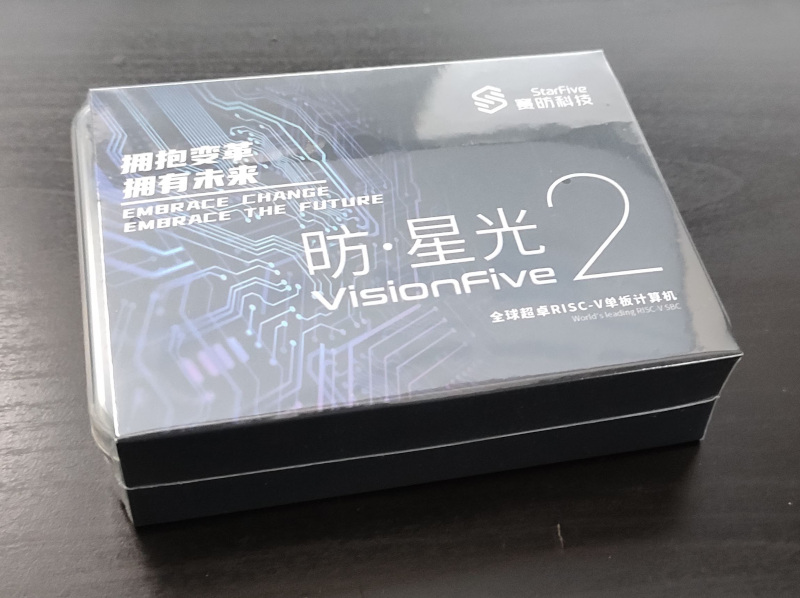
VisionFive 2 packaging Back in September last year I chose to back the StarFive VisionFive 2 on Kickstarter. I don t have a particular use in mind for it, but I felt it was one of the first RISC-V systems that were relatively capable (mentally I have it as somewhere between a Raspberry Pi 3 + a Pi 4). In particular it s a quad 1.5GHz 64-bit RISC-V core with 8G RAM, USB3, GigE ethernet and a single M.2 PCIe slot. More than ample as a personal machine for playing around with RISC-V and doing local builds. I ended up paying 67 for the Early Bird variant (dual GigE ethernet rather than 1 x 100Mb and 1 x GigE). A couple of weeks ago I got an email with a tracking number and last week it finally turned up. Being impatient the first thing I did was plug it into a monitor, connect up a keyboard, and power it on. Nothing except some flashing lights. Looking at the boot selector DIP switches suggested it was configured to boot from UART, so I flipped them to (what I thought was) the flash setting. It wasn t - turns out the ON marking on the switches represents logic 0 and it was correctly setup when I got it. I went to read the documentation which talked about writing an image to a MicroSD card, but also had details of the UART connection. Wanting to make sure the device was at least doing something before I actually tried an OS on it I hooked up a USB/serial dongle and powered the board up again. Success! U-Boot appeared and I could interact with it. I went to the VisionFive2 Debian page and proceeded to torrent the Image-69 image, writing it to a MicroSD card and inserting it in the slot on the bottom of the board. It booted fine. I can t even tell you what graphical environment it booted up because I don t remember; it worked fine though (at 1080p, I ve seen reports that 4K screens will make it croak). Poking around the image revealed that it s built off a snapshot.debian.org snapshot from 20220616T194833Z, which is a little dated at this point but I understand the rationale behind picking something that works and sticking with it. The kernel is of course a vendor special, based on 5.15.0. Further investigation revealed that the entire X/graphics stack is living in /usr/local, which isn t overly surprising; it s Imagination based. I was pleasantly surprised to discover there is work to upstream the Imagination support, but I m not planning to run the board with a monitor attached so it s not a high priority for me. Having discovered all that I decided to see how well a clean Debian unstable install from Debian Ports would go. I had a spare Intel Optane lying around (it s a stupid 22110 M.2 which is too long for any machine I own), so I put it in the slot on the bottom of the board. To my surprise it Just Worked and was detected ok:
# lspci
0000:00:00.0 PCI bridge: PLDA XpressRich-AXI Ref Design (rev 02)
0000:01:00.0 USB controller: VIA Technologies, Inc. VL805/806 xHCI USB 3.0 Controller (rev 01)
0001:00:00.0 PCI bridge: PLDA XpressRich-AXI Ref Design (rev 02)
0001:01:00.0 Non-Volatile memory controller: Intel Corporation NVMe Datacenter SSD [Optane]
I created a single partition with an ext4 filesystem (initially tried btrfs, but the StarFive kernel doesn t support it), and kicked off a debootstrap with:
# mkfs -t ext4 /dev/nvme0n1p1
# mount /dev/nvme0n1p1 /mnt
# debootstrap --keyring=/etc/apt/trusted.gpg.d/debian-ports-archive-2023.gpg \
	unstable /mnt https://deb.debian.org/debian-ports
The u-boot setup has a convoluted set of vendor scripts that eventually ends up reading a /boot/extlinux/extlinux.conf config from /dev/mmcblk1p2, so I added an additional entry there using the StarFive kernel but pointing to the NVMe device for /. Made sure to set a root password (not that I ve been bitten by that before, too many times), and rebooted. Success! Well. Sort of. I hit a bunch of problems with having a getty running on ttyS0 as well as one running on hvc0. The second turns out to be a console device from the RISC-V SBI. I did a systemctl mask serial-getty@hvc0.service which made things a bit happier, but I was still seeing odd behaviour and output. Turned out I needed to reboot the initramfs as well; the StarFive one was using Plymouth and doing some other stuff that seemed to be confusing matters. An update-initramfs -k 5.15.0-starfive -c built me a new one and everything was happy. Next problem; the StarFive kernel doesn t have IPv6 support. StarFive are good citizens and make their 5.15 kernel tree available, so I grabbed it, fed it the existing config, and tweaked some options (including adding IPV6 and SECCOMP, which chrony wanted). Slight hiccup when it turned out trying to do things like make sound modular caused it to fail to compile, and having to backport the fix that allowed the use of GCC 12 (as present in sid), but it got there. So I got cocky and tried to update it to the latest 5.15.94. A few manual merge fixups (which I may or may not have got right, but it compiles and boots for me), and success. Timings:
$ time make -j 4 bindeb-pkg
  [linux-image-5.15.94-00787-g1fbe8ac32aa8]
real	37m0.134s
user	117m27.392s
sys	6m49.804s
On the subject of kernels I am pleased to note that there are efforts to upstream the VisionFive 2 support, with what appears to be multiple members of StarFive engaging in multiple patch submission rounds. It s really great to see this and I look forward to being able to run an unmodified mainline kernel on my board. Niggles? I have a few. The provided u-boot doesn t have NVMe support enabled, so at present I need to keep a MicroSD card to boot off, even though root is on an SSD. I m also seeing some errors in dmesg from the SSD:
[155933.434038] nvme nvme0: I/O 436 QID 4 timeout, completion polled
[156173.351166] nvme nvme0: I/O 48 QID 3 timeout, completion polled
[156346.228993] nvme nvme0: I/O 108 QID 3 timeout, completion polled
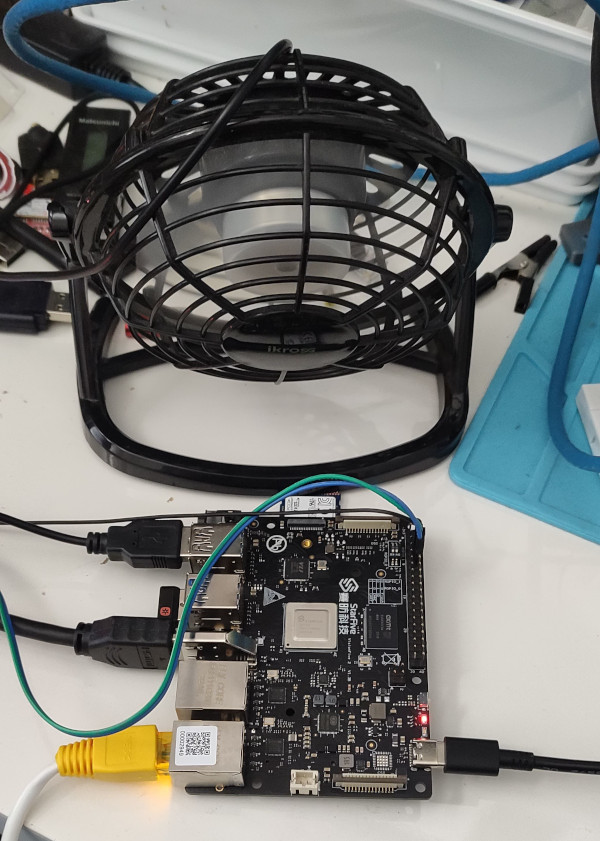
It doesn t seem to cause any actual issues, and it could be the SSD, the 5.15 kernel or an actual hardware thing - I ll keep an eye on it (I will probably end up with a different SSD that actually fits, so that ll provide another data point). More annoying is the temperature the CPU seems to run at. There s no heatsink or fan, just the metal heatspreader on top of the CPU, and in normal idle operation it sits at around 60 C. Compiling a kernel it hit 90 C before I stopped the job and sorted out some additional cooling in the form of a desk fan, which kept it as just over 30 C. Bare VisionFive 2 SBC board with a small desk fan pointed at it I haven t seen any actual stability problems, but I wouldn t want to run for any length of time like that. I ve ordered a heatsink and also realised that the board supports a Raspberry Pi style PoE Hat , so I ve got one of those that includes a fan ordered (I am a complete convert to PoE especially for small systems like this). With the desk fan setup I ve been able to run the board for extended periods under load (I did a full recompile of the Debian 6.1.12-1 kernel package and it took about 10 hours). The M.2 slot is unfortunately only a single PCIe v2 lane, and my testing topped out at about 180MB/s. IIRC that is about half what the slot should be capable of, and less than a 10th of what the SSD can do. Ethernet testing with iPerf3 sustained about 941Mb/s, so basically maxing out the port. The board as a whole isn t going to set any speed records, but it s perfectly usable, and pretty impressive for the price point. On the Debian side I ve not hit any surprises. There s work going on to move RISC-V to a proper release architecture, and I m hoping to be able to help out with that, but the version of unstable I installed from the ports infrastructure has looked just like any other Debian install. Which is what you want. And that pretty much sums up my overall experience of the VisionFive 2; it s not noticeably different than any other single board computer. That s a good thing, FWIW, and once the kernel support lands properly upstream (it ll be post 6.3 at least it seems) it ll be a boring mainline supported platform that just happens to be RISC-V.

9 February 2023

Jonathan McDowell: Building a read-only Debian root setup: Part 2

This is the second part of how I build a read-only root setup for my router. You might want to read part 1 first, which covers the initial boot and general overview of how I tie the pieces together. This post will describe how I build the squashfs image that forms the main filesystem. Most of the build is driven from a script, make-router, which I ll dissect below. It s highly tailored to my needs, and this is a fairly lengthy post, but hopefully the steps I describe prove useful to anyone trying to do something similar.
Breakdown of make-router
#!/bin/bash
# Either rb3011 (arm) or rb5009 (arm64)
#HOSTNAME="rb3011"
HOSTNAME="rb5009"
if [ "x$ HOSTNAME " == "xrb3011" ]; then
	ARCH=armhf
elif [ "x$ HOSTNAME " == "xrb5009" ]; then
	ARCH=arm64
else
	echo "Unknown host: $ HOSTNAME "
	exit 1
fi

It s a bash script, and I allow building for either my RB3011 or RB5009, which means a different architecture (32 vs 64 bit). I run this script on my Pi 4 which means I don t have to mess about with QemuUserEmulation.
BASE_DIR=$(dirname $0)
IMAGE_FILE=$(mktemp --tmpdir router.$ ARCH .XXXXXXXXXX.img)
MOUNT_POINT=$(mktemp -p /mnt -d router.$ ARCH .XXXXXXXXXX)
# Build and mount an ext4 image file to put the root file system in
dd if=/dev/zero bs=1 count=0 seek=1G of=$ IMAGE_FILE 
mkfs -t ext4 $ IMAGE_FILE 
mount -o loop $ IMAGE_FILE  $ MOUNT_POINT 

I build the image in a loopback ext4 file on tmpfs (my Pi4 is the 8G model), which makes things a bit faster.
# Add dpkg excludes
mkdir -p $ MOUNT_POINT /etc/dpkg/dpkg.cfg.d/
cat <<EOF > $ MOUNT_POINT /etc/dpkg/dpkg.cfg.d/path-excludes
# Exclude docs
path-exclude=/usr/share/doc/*
# Only locale we want is English
path-exclude=/usr/share/locale/*
path-include=/usr/share/locale/en*/*
path-include=/usr/share/locale/locale.alias
# No man pages
path-exclude=/usr/share/man/*
EOF

Create a dpkg excludes config to drop docs, man pages and most locales before we even start the bootstrap.
# Setup fstab + mtab
echo "# Empty fstab as root is pre-mounted" > $ MOUNT_POINT /etc/fstab
ln -s ../proc/self/mounts $ MOUNT_POINT /etc/mtab
# Setup hostname
echo $ HOSTNAME  > $ MOUNT_POINT /etc/hostname
# Add the root SSH keys
mkdir -p $ MOUNT_POINT /root/.ssh/
cat <<EOF > $ MOUNT_POINT /root/.ssh/authorized_keys
ssh-rsa AAAAB3NzaC1yc2EAAAABIwAAAQEAv8NkUeVdsVdegS+JT9qwFwiHEgcC9sBwnv6RjpH6I4d3im4LOaPOatzneMTZlH8Gird+H4nzluciBr63hxmcFjZVW7dl6mxlNX2t/wKvV0loxtEmHMoI7VMCnrWD0PyvwJ8qqNu9cANoYriZRhRCsBi27qPNvI741zEpXN8QQs7D3sfe4GSft9yQplfJkSldN+2qJHvd0AHKxRdD+XTxv1Ot26+ZoF3MJ9MqtK+FS+fD9/ESLxMlOpHD7ltvCRol3u7YoaUo2HJ+u31l0uwPZTqkPNS9fkmeCYEE0oXlwvUTLIbMnLbc7NKiLgniG8XaT0RYHtOnoc2l2UnTvH5qsQ== noodles@earth.li
ssh-rsa AAAAB3NzaC1yc2EAAAADAQABAAACAQDQb9+qFemcwKhey3+eTh5lxp+3sgZXW2HQQEZMt9hPvVXk+MiiNMx9WUzxPJnwXqlmmVdKsq+AvjA0i505Pp8fIj5DdUBpSqpLghmzpnGuob7SSwXYj+352hjD52UC4S0KMKbIaUpklADgsCbtzhYYc4WoO8F7kK63tS5qa1XSZwwRwPbYOWBcNocfr9oXCVWD9ismO8Y0l75G6EyW8UmwYAohDaV83pvJxQerYyYXBGZGY8FNjqVoOGMRBTUcLj/QTo0CDQvMtsEoWeCd0xKLZ3gjiH3UrknkaPra557/TWymQ8Oh15aPFTr5FvKgAlmZaaM0tP71SOGmx7GpCsP4jZD1Xj/7QMTAkLXb+Ou6yUOVM9J4qebdnmF2RGbf1bwo7xSIX6gAYaYgdnppuxqZX1wyAy+A2Hie4tUjMHKJ6OoFwBsV1sl+3FobrPn6IuulRCzsq2aLqLey+PHxuNAYdSKo7nIDB3qCCPwHlDK52WooSuuMidX4ujTUw7LDTia9FxAawudblxbrvfTbg3DsiDBAOAIdBV37HOAKu3VmvYSPyqT80DEy8KFmUpCEau59DID9VERkG6PWPVMiQnqgW2Agn1miOBZeIQV8PFjenAySxjzrNfb4VY/i/kK9nIhXn92CAu4nl6D+VUlw+IpQ8PZlWlvVxAtLonpjxr9OTw== noodles@yubikey
ssh-rsa AAAAB3NzaC1yc2EAAAADAQABAAABAQC0I8UHj4IpfqUcGE4cTvLB0d2xmATSUzqtxW6ZhGbZxvQDKJesVW6HunrJ4NFTQuQJYgOXY/o82qBpkEKqaJMEFHTCjcaj3M6DIaxpiRfQfs0nhtzDB6zPiZn9Suxb0s5Qr4sTWd6iI9da72z3hp9QHNAu4vpa4MSNE+al3UfUisUf4l8TaBYKwQcduCE0z2n2FTi3QzmlkOgH4MgyqBBEaqx1tq7Zcln0P0TYZXFtrxVyoqBBIoIEqYxmFIQP887W50wQka95dBGqjtV+d8IbrQ4pB55qTxMd91L+F8n8A6nhQe7DckjS0Xdla52b9RXNXoobhtvx9K2prisagsHT noodles@cup
ecdsa-sha2-nistp256 AAAAE2VjZHNhLXNoYTItbmlzdHAyNTYAAAAIbmlzdHAyNTYAAABBBK6iGog3WbNhrmrkglNjVO8/B6m7mN6q1tMm1sXjLxQa+F86ETTLiXNeFQVKCHYrk8f7hK0d2uxwgj6Ixy9k0Cw= noodles@sevai
EOF

Setup fstab, the hostname and SSH keys for root.
# Bootstrap our install
debootstrap \
	--arch=$ ARCH  \
	--include=collectd-core,conntrack,dnsmasq,ethtool,iperf3,kexec-tools,mosquitto,mtd-utils,mtr-tiny,ppp,tcpdump,rng-tools5,ssh,watchdog,wget \
	--exclude=dmidecode,isc-dhcp-client,isc-dhcp-common,makedev,nano \
	bullseye $ MOUNT_POINT  https://deb.debian.org/debian/

Actually do the debootstrap step, including a bunch of extra packages that we want.
# Install mqtt-arp
cp $ BASE_DIR /debs/mqtt-arp_1_$ ARCH .deb $ MOUNT_POINT /tmp
chroot $ MOUNT_POINT  dpkg -i /tmp/mqtt-arp_1_$ ARCH .deb
rm $ MOUNT_POINT /tmp/mqtt-arp_1_$ ARCH .deb
# Frob the mqtt-arp config so it starts after mosquitto
sed -i -e 's/After=.*/After=mosquitto.service/' $ MOUNT_POINT /lib/systemd/system/mqtt-arp.service

I haven t uploaded mqtt-arp to Debian, so I install a locally built package, and ensure it starts after mosquitto (the MQTT broker), given they re running on the same host.
# Frob watchdog so it starts earlier than multi-user
sed -i -e 's/After=.*/After=basic.target/' $ MOUNT_POINT /lib/systemd/system/watchdog.service
# Make sure the watchdog is poking the device file
sed -i -e 's/^#watchdog-device/watchdog-device/' $ MOUNT_POINT /etc/watchdog.conf

watchdog timeouts were particularly an issue on the RB3011, where the default timeout didn t give enough time to reach multiuser mode before it would reset the router. Not helpful, so alter the config to start it earlier (and make sure it s configured to actually kick the device file).
# Clean up docs + locales
rm -r $ MOUNT_POINT /usr/share/doc/*
rm -r $ MOUNT_POINT /usr/share/man/*
for dir in $ MOUNT_POINT /usr/share/locale/*/; do
	if [ "$ dir " != "$ MOUNT_POINT /usr/share/locale/en/" ]; then
		rm -r $ dir 
	fi
done

Clean up any docs etc that ended up installed.
# Set root password to root
echo "root:root"   chroot $ MOUNT_POINT  chpasswd

The only login method is ssh key to the root account though I suppose this allows for someone to execute a privilege escalation from a daemon user so I should probably randomise this. Does need to be known though so it s possible to login via the serial console for debugging.
# Add security to sources.list + update
echo "deb https://security.debian.org/debian-security bullseye-security main" >> $ MOUNT_POINT /etc/apt/sources.list
chroot $ MOUNT_POINT  apt update
chroot $ MOUNT_POINT  apt -y full-upgrade
chroot $ MOUNT_POINT  apt clean
# Cleanup the APT lists
rm $ MOUNT_POINT /var/lib/apt/lists/www.*
rm $ MOUNT_POINT /var/lib/apt/lists/security.*

Pull in any security updates, then clean out the APT lists rather than polluting the image with them.
# Disable the daily APT timer
rm $ MOUNT_POINT /etc/systemd/system/timers.target.wants/apt-daily.timer
# Disable daily dpkg backup
cat <<EOF > $ MOUNT_POINT /etc/cron.daily/dpkg
#!/bin/sh
# Don't do the daily dpkg backup
exit 0
EOF
# We don't want a persistent systemd journal
rmdir $ MOUNT_POINT /var/log/journal

None of these make sense on a router.
# Enable nftables
ln -s /lib/systemd/system/nftables.service \
	$ MOUNT_POINT /etc/systemd/system/sysinit.target.wants/nftables.service

Ensure we have firewalling enabled automatically.
# Add systemd-coredump + systemd-timesync user / group
echo "systemd-timesync:x:998:" >> $ MOUNT_POINT /etc/group
echo "systemd-coredump:x:999:" >> $ MOUNT_POINT /etc/group
echo "systemd-timesync:!*::" >> $ MOUNT_POINT /etc/gshadow
echo "systemd-coredump:!*::" >> $ MOUNT_POINT /etc/gshadow
echo "systemd-timesync:x:998:998:systemd Time Synchronization:/:/usr/sbin/nologin" >> $ MOUNT_POINT /etc/passwd
echo "systemd-coredump:x:999:999:systemd Core Dumper:/:/usr/sbin/nologin" >> $ MOUNT_POINT /etc/passwd
echo "systemd-timesync:!*:47358::::::" >> $ MOUNT_POINT /etc/shadow
echo "systemd-coredump:!*:47358::::::" >> $ MOUNT_POINT /etc/shadow
# Create /etc/.pwd.lock, otherwise it'll end up in the overlay
touch $ MOUNT_POINT /etc/.pwd.lock
chmod 600 $ MOUNT_POINT /etc/.pwd.lock

Create a number of users that will otherwise get created at boot, and a lock file that will otherwise get created anyway.
# Copy config files
cp --recursive --preserve=mode,timestamps $ BASE_DIR /etc/* $ MOUNT_POINT /etc/
cp --recursive --preserve=mode,timestamps $ BASE_DIR /etc-$ ARCH /* $ MOUNT_POINT /etc/
chroot $ MOUNT_POINT  chown mosquitto /etc/mosquitto/mosquitto.users
chroot $ MOUNT_POINT  chown mosquitto /etc/ssl/mqtt.home.key

There are config files that are easier to replace wholesale, some of which are specific to the hardware (e.g. related to network interfaces). See below for some more details.
# Build symlinks into flash for boot / modules
ln -s /mnt/flash/lib/modules $ MOUNT_POINT /lib/modules
rmdir $ MOUNT_POINT /boot
ln -s /mnt/flash/boot $ MOUNT_POINT /boot

The kernel + its modules live outside the squashfs image, on the USB flash drive that the image lives on. That makes for easier kernel upgrades.
# Put our git revision into os-release
echo -n "GIT_VERSION=" >> $ MOUNT_POINT /etc/os-release
(cd $ BASE_DIR  ; git describe --tags) >> $ MOUNT_POINT /etc/os-release

Always helpful to be able to check the image itself for what it was built from.
# Add some stuff to root's .bashrc
cat << EOF >> $ MOUNT_POINT /root/.bashrc
alias ls='ls -F --color=auto'
eval "\$(dircolors)"
case "\$TERM" in
xterm* rxvt*)
	PS1="\\[\\e]0;\\u@\\h: \\w\a\\]\$PS1"
	;;
*)
	;;
esac
EOF

Just some niceties for when I do end up logging in.
# Build the squashfs
mksquashfs $ MOUNT_POINT  /tmp/router.$ ARCH .squashfs \
	-comp xz

Actually build the squashfs image.
# Save the installed package list off
chroot $ MOUNT_POINT  dpkg --get-selections > /tmp/wip-installed-packages

Save off the installed package list. This was particularly useful when trying to replicate the existing router setup and making sure I had all the important packages installed. It doesn t really serve a purpose now.
In terms of the config files I copy into /etc, shared across both routers are the following:
Breakdown of shared config
  • apt config (disable recommends, periodic updates):
    • apt/apt.conf.d/10periodic, apt/apt.conf.d/local-recommends
  • Adding a default, empty, locale:
    • default/locale
  • DNS/DHCP:
    • dnsmasq.conf, dnsmasq.d/dhcp-ranges, dnsmasq.d/static-ips
    • hosts, resolv.conf
  • Enabling IP forwarding:
    • sysctl.conf
  • Logs related:
    • logrotate.conf, rsyslog.conf
  • MQTT related:
    • mosquitto/mosquitto.users, mosquitto/conf.d/ssl.conf, mosquitto/conf.d/users.conf, mosquitto/mosquitto.acl, mosquitto/mosquitto.conf
    • mqtt-arp.conf
    • ssl/lets-encrypt-r3.crt, ssl/mqtt.home.key, ssl/mqtt.home.crt
  • PPP configuration:
    • ppp/ip-up.d/0000usepeerdns, ppp/ipv6-up.d/defaultroute, ppp/pap-secrets, ppp/chap-secrets
    • network/interfaces.d/pppoe-wan
The router specific config is mostly related to networking:
Breakdown of router specific config
  • Firewalling:
    • nftables.conf
  • Interfaces:
    • dnsmasq.d/interfaces
    • network/interfaces.d/eth0, network/interfaces.d/p1, network/interfaces.d/p2, network/interfaces.d/p7, network/interfaces.d/p8
  • PPP config (network interface piece):
    • ppp/peers/aquiss
  • SSH keys:
    • ssh/ssh_host_ecdsa_key, ssh/ssh_host_ed25519_key, ssh/ssh_host_rsa_key, ssh/ssh_host_ecdsa_key.pub, ssh/ssh_host_ed25519_key.pub, ssh/ssh_host_rsa_key.pub
  • Monitoring:
    • collectd/collectd.conf, collectd/collectd.conf.d/network.conf

31 January 2023

Jonathan McDowell: Enabling retrogaming with Kodi on Debian

For some reason my son has started to be really into watching playthroughs of Mario and similar games on Youtube. I don t understand the appeal, but it s less distracting as background than Paw Patrol, so I m not complaining. He s not quite at the stage he s ready to play the games himself, but it s coming. So I figured it would be neat to sort out some retrogaming bits ready for when that happens. I already have a Kodi box underneath the TV; it doesn t get as much use these days as a lot of our viewing is through commercial streaming services, but it s got all of our DVDs ripped so is still useful. Recent version of Kodi have support for games as well, so I decided it would be perfect if I could tie in to that. However. The normal ways of doing this seems to be to download someone s pre-rolled setup, and I d much rather be able to get the bits I need from Debian, as that s what the machine is running (it does a few minor things other than Kodi). The best retrogaming environment out there seems to be RetroArch. It s available for Linux/OS X/Windows and RetroPie provides a nice easy standalone setup if you re not interested in the Kodi side. If you are then game.libretro provides a wrapper for libretro cores under Kodi. This seemed like the right track. Unfortunately RetroArch and related packages were in need of some love in Debian. So I ended up engaging in some yak shaving to try and get to where I wanted to be. First up was RetroArch itself, which was over 4 years out of date, at 1.7.3. It turned out that wanted an updated assets package which contains the necessary icons etc for the interface. RetroArch is only a frontend. To actually play games you need a suitable core. The first one I tried was genesisplusgx (I have fond memories of Sonic from the Master System era), which again was several years out of date. I pulled recent git (I wish folk would tag releases at least every now and then) and updated things. And successfully managed to play Sonic (badly, I am way out of practice). genesisplusgx is in non-free, due to a prohibition on commercial distribution. So it s not actually part of Debian. I switched my attention to libretro-bsnes-mercury, which would then allow SNES emulation and is part of main. Again, not to hard to update, some packaging cleanups, and I was playing Super Mario. Again, badly. That meant I knew I had working emulation with libretro cores. It was time to integrate with Kodi. That meant taking game.libretro, filing an ITP and doing a bunch of bits to get it ready to upload (including introducing a retroarch-dev binary package that contains the appropriate include files as part of retroarch). It sat in NEW for a while (including an initial reject because I d missed an attribution in the debian/copyright), and was accepted yesterday. There s a final piece of the puzzle, and that s the Kodi config that ties together the libretro core with game.libretro and presents the emulator to Kodi as a fully fledged add-on. The kodi-game folk have a neat tool, kodi-game-scripting which automates the heavy lifting of producing this config. I ve done some local modifications that make it bit more useful for producing config that can be embedded in the Debian libretro-* packages directly, which I should upload somewhere but it s all a bit rough n ready at present. It was enough to allow me to produce some kodi-game-libretro-bsnes-* packages as part of libretro-bsnes-mercury. With that complete, all the packages needed for playing SNES games under Kodi are now present in Debian. I need to upload libretro-bsnes-mercury to unstable (it went to experimental while waiting for kodi-game-libretro to be accepted), and kodi-game-libretro needs another source-only upload, but once that s done both should be in good shape to migrate to testing and be part of the upcoming bookworm release. What else is there to do? I d like to get Kodi config included in the other libretro packages that are already part of Debian. That s going to need the Controller Topology Project to be packaged so that the controller details are available (I was lucky in that the SNES controller is already part of the Kodi package). I need to work out if I can turn kodi-game-scripting into some sort of dh helper to help automate things. But I ve done some local testing with genesisplusgx and it works fine as expected. The other thing is that games are not yet first class citizens in Kodi; the normal browser interface you get for movies, music and TV shows is not available for games. Currently I ve been trying out the ROM Collection Browser though I find its automated scraping isn t as good as I d like. A friend has recommended the Advanced Emulator Launcher but I haven t taken a look at it. Either way I d like to ultimately get one of them packaged up as well, though not in time for bookworm. Anyway. My hope is that these updated and new packages prove useful to someone else. You can tell I m biased towards 90s era consoles, but if you ve enough CPU grunt there are a bunch of more recent cores available too. Big thanks to the Debian FTP Master team for letting these through NEW so close to release. And all the upstream devs - RetroArch is a great framework from my perspective as a user, and the Kodi Game folk have done massive amounts of work that made my life much easier when preparing things for Debian.

12 January 2023

Jonathan McDowell: Building a read-only Debian root setup: Part 1

I mentioned in the post about upgrading my home internet that part of the work I did was creating a read-only Debian root with a squashfs image. This post covers the details of how I boot with that image; a later post will cover how I build the squashfs image. First, David Reader kindly pointed me at his rodebian setup, which was helpful in making me think about the whole problem but ultimately not the direction I went. Primarily because on the old router (an RB3011) I am space constrained, with only 120M of usable flash, and so ideally I wanted as much as possible of the system in a well compressed filesystem. squashfs seemed like the best option for that, and ultimately I ended up with a 39M image. I ve then used overlayfs to mount a tmpfs, so I get what looks like a writeable system without having to do too many tweaks to the actual install. On the plus side I can then see exactly what is getting written where and decide whether I need to update something in the squashfs. I don t boot with an initrd - for initial testing I booted directly off a USB stick. I ve actually ended up continuing to do this in production, because I ve had no pressing reason to move it all to booting off internal flash (I ve ended up with a Sandisk SDCZ430-032G-G46 which is tiny). However nothing I m going to describe is dependent on that - this would work perfectly well for a initial UBIFS rootfs on internal NAND. So the basic overview is I boot off a minimal rootfs, mount a squashfs, create an appropriate tmpfs, mount an overlayfs that combines the two, then pivotroot into the overlayfs and exec its init so it becomes the rootfs. For the minimal rootfs I started with busybox, in particular I used the armhf busybox-static package from Debian. My RB5009 is an ARM64, but I wanted to be able to test on the RB3011 as well, which is ARMv7. Picking an armhf binary for the minimal rootfs lets me use the same image for both. Using the static build helps reduce the number of pieces involved in putting it all together. The busybox binary goes in /bin. I was able to cheat and chroot into the empty rootfs and call busybox --install -s to create symlinks for all the tools it provides, but I could have done this manually. There s only a handful that are actually needed, but it s amazing how much is crammed into a 1.2M binary. /sbin/init is a shell script:
Contents
#!/bin/ash
# Make sure we have a sane date
if [ -e /data/saved-date ]; then
        CURRENT_DATE=$(date -Iseconds)
        if [ "$ CURRENT_DATE:0:4 " -lt "2022" -o \
                        "$ CURRENT_DATE:0:4 " -gt "2030" ]; then
                echo Setting initial date
                date -s "$(cat /data/saved-date)"
        fi
fi
# Work out what platform we're on
ARCH=$(uname -m)
if [ "$ ARCH " == "aarch64" ]; then
        ARCH=arm64
else
        ARCH=armhf
fi
# Mount a tmpfs to store the changes
mount -t tmpfs root-rw /mnt/overlay/rw
# Make the directories we need in the tmpfs
mkdir /mnt/overlay/rw/upper
mkdir /mnt/overlay/rw/work
# Mount the squashfs and build an overlay root filesystem of it + the tmpfs
mount -t squashfs -o loop /data/router.$ ARCH .squashfs /mnt/overlay/lower
mount -t overlay \
        -o lowerdir=/mnt/overlay/lower,upperdir=/mnt/overlay/rw/upper,workdir=/mnt/overlay/rw/work \
        overlayfs-root /mnt/root
# Build the directories we need within the new root
mkdir /mnt/root/mnt/flash
mkdir /mnt/root/mnt/overlay
mkdir /mnt/root/mnt/overlay/lower
mkdir /mnt/root/mnt/overlay/rw
# Copy any stored state
if [ -e /data/state.$ ARCH .tar ]; then
        echo Restoring stored state
        cd /mnt/root
        tar xf /data/state.$ ARCH .tar
fi
cd /mnt/root
pivot_root . mnt/flash
echo Switching into root filesystem
exec chroot . sh -c "$(cat <<END
mount --move /mnt/flash/mnt/overlay/lower /mnt/overlay/lower
mount --move /mnt/flash/mnt/overlay/rw /mnt/overlay/rw
exec /sbin/init
END
)"
Most of what the script is doing is sorting out the squashfs + tmpfs backed overlayfs that becomes the full root filesystems, but there are a few other bits to note. First, we pick up a saved date from /data/saved-date - the router has no RTC and while it ll sort itself out with NTP once it gets networking up it s useful to make sure we don t end up comically far in the past or future. Second, the script looks at what architecture we re running and picks up an appropriate squashfs image from /data based on that. This let me use the same USB stick for testing on both the RB3011 and the RB5011. Finally we allow for a /data/state.$ ARCH .tar file to let us pick up changes to the rootfs at boot time - this prevents having to rebuild the squashfs image every time there s a persistent change. The other piece that doesn t show up in the script is that the kernel and its modules are all installed into this initial rootfs (and then symlinked from the squashfs). This lets me build a mostly modular kernel, as long as all the necessary drivers to mount the USB stick are built in. Once the system is fully booted the initial rootfs is available at /mnt/flash, by default mounted read-only (to avoid inadvertent writes), but able to be remounted to update the squashfs image, install a new kernel, or update the state tarball. /mnt/overlay/rw/upper/ is where updates to the overlayfs are written, which provides an easy way to see what files are changing, initially to determine what might need tweaked in the squashfs creation process and subsequently to be able to see what needs updated in the state tarball.

6 January 2023

Jonathan McDowell: Finally making use of bpftrace

I am old enough to remember when BPF meant the traditional Berkeley Packet Filter, and was confined to filtering network packets. It s grown into much, much, more as eBPF and getting familiar with it so that I can add it to the suite of tips and tricks I can call upon has been on my to-do list for a while. To this end I was lucky enough to attend a live walk through of bpftrace last year. bpftrace is a high level tool that allows the easy creation and execution of eBPF tracers under Linux. Recently I ve been working on updating the RetroArch packages in Debian and as I was doing so I realised there was a need to update the quite outdated retroarch-assets package, which contains various icons and images used for the user interface. I wanted to try and re-generate as many of the artefacts as I could, to ensure the proper source was available. However it wasn t always clear which files were actually needed and which were either source or legacy. So I wanted to trace file opens by retroarch and see when it was failing to find files. Traditionally this is something I d have used strace for, but it seemed like a great opportunity to try out bpftrace. It turns out bpftrace ships with an example, opensnoop.bt which provided details of hooking the open syscall entry + exit and providing details of all files opened on the system. I only wanted to track opens by the retroarch binary that failed, so I made a couple of modifications:
retro-failed-open-snoop.bt
#!/usr/bin/env bpftrace
/*
 * retro-failed-open-snoop - snoop failed opens by RetroArch
 *
 * Based on:
 * opensnoop	Trace open() syscalls.
 *		For Linux, uses bpftrace and eBPF.
 *
 * Copyright 2018 Netflix, Inc.
 * Licensed under the Apache License, Version 2.0 (the "License")
 *
 * 08-Sep-2018	Brendan Gregg	Created this.
 */
BEGIN
 
	printf("Tracing open syscalls... Hit Ctrl-C to end.\n");
	printf("%-6s %-16s %3s %s\n", "PID", "COMM", "ERR", "PATH");
 
tracepoint:syscalls:sys_enter_open,
tracepoint:syscalls:sys_enter_openat
 
	@filename[tid] = args->filename;
 
tracepoint:syscalls:sys_exit_open,
tracepoint:syscalls:sys_exit_openat
/@filename[tid]/
 
	$ret = args->ret;
	$errno = $ret > 0 ? 0 : - $ret;
	if (($ret <= 0) && (strncmp("retroarch", comm, 9) == 0) )  
		printf("%-6d %-16s %3d %s\n", pid, comm, $errno,
		    str(@filename[tid]));
	 
	delete(@filename[tid]);
 
END
 
	clear(@filename);
 
I had to install bpftrace (apt install bpftrace) and then I ran bpftrace -o retro.log retro-failed-open-snoop.bt as root and fired up retroarch as a normal user.
bpftrace failed open log for retroarch
Attaching 6 probes...
Tracing open syscalls... Hit Ctrl-C to end.
PID    COMM             ERR PATH
3394   retroarch          2 /usr/lib/x86_64-linux-gnu/pulseaudio/glibc-hwcaps/x86-64-v2/lib
3394   retroarch          2 /usr/lib/x86_64-linux-gnu/pulseaudio/tls/x86_64/x86_64/libpulse
3394   retroarch          2 /usr/lib/x86_64-linux-gnu/pulseaudio/tls/x86_64/libpulsecommon-
3394   retroarch          2 /usr/lib/x86_64-linux-gnu/pulseaudio/tls/libpulsecommon-16.1.so
3394   retroarch          2 /usr/lib/x86_64-linux-gnu/pulseaudio/x86_64/x86_64/libpulsecomm
3394   retroarch          2 /usr/lib/x86_64-linux-gnu/pulseaudio/x86_64/libpulsecommon-16.1
3394   retroarch          2 /etc/gcrypt/hwf.deny
3394   retroarch          2 /lib/x86_64-linux-gnu/glibc-hwcaps/x86-64-v2/libgamemode.so.0
3394   retroarch          2 /lib/x86_64-linux-gnu/tls/x86_64/x86_64/libgamemode.so.0
3394   retroarch          2 /lib/x86_64-linux-gnu/tls/x86_64/libgamemode.so.0
3394   retroarch          2 /lib/x86_64-linux-gnu/tls/libgamemode.so.0
3394   retroarch          2 /lib/x86_64-linux-gnu/x86_64/x86_64/libgamemode.so.0
3394   retroarch          2 /lib/x86_64-linux-gnu/x86_64/libgamemode.so.0
3394   retroarch          2 /lib/x86_64-linux-gnu/libgamemode.so.0
3394   retroarch          2 /usr/lib/x86_64-linux-gnu/glibc-hwcaps/x86-64-v2/libgamemode.so
3394   retroarch          2 /usr/lib/x86_64-linux-gnu/tls/x86_64/x86_64/libgamemode.so.0
3394   retroarch          2 /usr/lib/x86_64-linux-gnu/tls/x86_64/libgamemode.so.0
3394   retroarch          2 /usr/lib/x86_64-linux-gnu/tls/libgamemode.so.0
3394   retroarch          2 /usr/lib/x86_64-linux-gnu/x86_64/x86_64/libgamemode.so.0
3394   retroarch          2 /usr/lib/x86_64-linux-gnu/x86_64/libgamemode.so.0
3394   retroarch          2 /usr/lib/x86_64-linux-gnu/libgamemode.so.0
3394   retroarch          2 /lib/glibc-hwcaps/x86-64-v2/libgamemode.so.0
3394   retroarch          2 /lib/tls/x86_64/x86_64/libgamemode.so.0
3394   retroarch          2 /lib/tls/x86_64/libgamemode.so.0
3394   retroarch          2 /lib/tls/libgamemode.so.0
3394   retroarch          2 /lib/x86_64/x86_64/libgamemode.so.0
3394   retroarch          2 /lib/x86_64/libgamemode.so.0
3394   retroarch          2 /lib/libgamemode.so.0
3394   retroarch          2 /usr/lib/glibc-hwcaps/x86-64-v2/libgamemode.so.0
3394   retroarch          2 /usr/lib/tls/x86_64/x86_64/libgamemode.so.0
3394   retroarch          2 /usr/lib/tls/x86_64/libgamemode.so.0
3394   retroarch          2 /usr/lib/tls/libgamemode.so.0
3394   retroarch          2 /usr/lib/x86_64/x86_64/libgamemode.so.0
3394   retroarch          2 /usr/lib/x86_64/libgamemode.so.0
3394   retroarch          2 /usr/lib/libgamemode.so.0
3394   retroarch          2 /lib/x86_64-linux-gnu/libgamemode.so
3394   retroarch          2 /usr/lib/x86_64-linux-gnu/libgamemode.so
3394   retroarch          2 /lib/libgamemode.so
3394   retroarch          2 /usr/lib/libgamemode.so
3394   retroarch          2 /lib/x86_64-linux-gnu/libdecor-0.so
3394   retroarch          2 /usr/lib/x86_64-linux-gnu/libdecor-0.so
3394   retroarch          2 /lib/libdecor-0.so
3394   retroarch          2 /usr/lib/libdecor-0.so
3394   retroarch          2 /etc/drirc
3394   retroarch          2 /home/noodles/.drirc
3394   retroarch          2 /etc/drirc
3394   retroarch          2 /home/noodles/.drirc
3394   retroarch          2 /usr/lib/x86_64-linux-gnu/dri/tls/iris_dri.so
3394   retroarch          2 /lib/x86_64-linux-gnu/../lib/glibc-hwcaps/x86-64-v2/libedit.so.
3394   retroarch          2 /lib/x86_64-linux-gnu/../lib/tls/x86_64/x86_64/libedit.so.2
3394   retroarch          2 /lib/x86_64-linux-gnu/../lib/tls/x86_64/libedit.so.2
3394   retroarch          2 /lib/x86_64-linux-gnu/../lib/tls/libedit.so.2
3394   retroarch          2 /lib/x86_64-linux-gnu/../lib/x86_64/x86_64/libedit.so.2
3394   retroarch          2 /lib/x86_64-linux-gnu/../lib/x86_64/libedit.so.2
3394   retroarch          2 /lib/x86_64-linux-gnu/../lib/libedit.so.2
3394   retroarch          2 /etc/drirc
3394   retroarch          2 /home/noodles/.drirc
3394   retroarch          2 /etc/drirc
3394   retroarch          2 /home/noodles/.drirc
3394   retroarch          2 /etc/drirc
3394   retroarch          2 /home/noodles/.drirc
3394   retroarch          2 /home/noodles/.Xdefaults-udon
3394   retroarch          2 /home/noodles/.icons/default/cursors/00000000000000000000000000
3394   retroarch          2 /home/noodles/.icons/default/index.theme
3394   retroarch          2 /usr/share/icons/default/cursors/000000000000000000000000000000
3394   retroarch          2 /usr/share/pixmaps/default/cursors/0000000000000000000000000000
3394   retroarch          2 /home/noodles/.icons/Adwaita/cursors/00000000000000000000000000
3394   retroarch          2 /home/noodles/.icons/Adwaita/index.theme
3394   retroarch          2 /usr/share/icons/Adwaita/cursors/000000000000000000000000000000
3394   retroarch          2 /usr/share/pixmaps/Adwaita/cursors/0000000000000000000000000000
3394   retroarch          2 /home/noodles/.icons/hicolor/cursors/00000000000000000000000000
3394   retroarch          2 /home/noodles/.icons/hicolor/index.theme
3394   retroarch          2 /usr/share/icons/hicolor/cursors/000000000000000000000000000000
3394   retroarch          2 /usr/share/pixmaps/hicolor/cursors/0000000000000000000000000000
3394   retroarch          2 /usr/share/pixmaps/hicolor/index.theme
3394   retroarch          2 /home/noodles/.XCompose
3394   retroarch          2 /home/noodles/.icons/default/cursors/00000000000000000000000000
3394   retroarch          2 /home/noodles/.icons/default/index.theme
3394   retroarch          2 /usr/share/icons/default/cursors/000000000000000000000000000000
3394   retroarch          2 /usr/share/pixmaps/default/cursors/0000000000000000000000000000
3394   retroarch          2 /home/noodles/.icons/Adwaita/cursors/00000000000000000000000000
3394   retroarch          2 /home/noodles/.icons/Adwaita/index.theme
3394   retroarch          2 /usr/share/icons/Adwaita/cursors/000000000000000000000000000000
3394   retroarch          2 /usr/share/pixmaps/Adwaita/cursors/0000000000000000000000000000
3394   retroarch          2 /home/noodles/.icons/hicolor/cursors/00000000000000000000000000
3394   retroarch          2 /home/noodles/.icons/hicolor/index.theme
3394   retroarch          2 /usr/share/icons/hicolor/cursors/000000000000000000000000000000
3394   retroarch          2 /usr/share/pixmaps/hicolor/cursors/0000000000000000000000000000
3394   retroarch          2 /usr/share/pixmaps/hicolor/index.theme
3394   retroarch          2 /usr/share/libretro/assets/xmb/monochrome/png/disc.png
3394   retroarch          2 /usr/share/libretro/assets/xmb/monochrome/sounds
3394   retroarch          2 /usr/share/libretro/assets/sounds
3394   retroarch          2 /sys/class/power_supply/ACAD
3394   retroarch          2 /usr/share/libretro/assets/xmb/monochrome/png/disc.png
3394   retroarch          2 /usr/share/libretro/assets/ozone/sounds
3394   retroarch          2 /usr/share/libretro/assets/sounds
This was incredibly useful - the only theme image I was missing is disc.png from XMB Monochrome (which fails to have SVG source). I also discovered the runtime optional loading of GameMode. This is available in Debian so it was a simple matter to add libgamemode0 to the binary package Recommends. So, a very basic example of using bpftrace, but a remarkably useful intro to it from my point of view!

2 January 2023

Gunnar Wolf: Refueling the blog

So, it s this weird time of year where we make a balance and share with the world some ideas about the future. And yes, it s time to take care of this blog, as its activity has dropped once again. So maybe it d be nice to start this post by checking how much have I blogged over the years: (yes, this is an old blog) So yes, there is a clear downwards trend towards the last few years. And it does make sense, all in all: Not only have I managed to keep myself busier than before, but Blogging is a social endeavor. And as people have moved over to the different flavors of social networks, there is somewhat less fueling us to share our thoughts and experiences in this fashion. So this connects me to my first point: Staring at Noodles Emptiness, I got to a campaign to Bring Back Blogging. I stand by all of what they suggest: Blogs are a great invention, they allow the sharing of a great insight into a person s mind, ideas and worldview (and even more so if, like mine, it shows already a window of almost two decades of life! This year my blog will be old enough to vote!), they are completely decentralized, and can be easily grouped according to each readers preferences via the RSS format. Anyway I do want to write a post summing up 2022, as well as sharing some hopes and projects I have for 2023. But I don t want to make it too long to read. So That shall be the blog post for today! (post caption image by Walt Stoneburner on Flickr; CC BY 2.0)

1 January 2023

Jonathan McDowell: Free Software Activities for 2022

There is a move to Bring Back Blogging and having recently sorted out my own FreshRSS install I am completely in favour of such a thing. RSS feeds with complete posts, for preference, not just a teaser intro sentence/paragraph. It s also a reminder to me that I should blog more, and what better way to start 2023 than with my traditional recap of my Free Software activities in 2022. For previous years see 2019, 2020 + 2021

Conferences I attended DebConf22 in Prizen, Kosova this year, and finally hit the end of my luck in avoiding COVID. 0/10, would not recommend. Thankfully I didn t come down with symptoms until I got home (I felt fine and tested negative on arrival home, then started to feel terrible the next day and tested again), so I was able to enjoy the conference itself. I also made it to Linux Security Summit Europe 2022, which aligned with work related bits and was interesting. I suspect I would have been better going to LPC 2022 for the hallway track, though I did manage to get some overlap with folk being in town given that both were the same week.

Debian Most of my contributions to Free software continue to happen within Debian. We continue to operate a roughly 3 month rotation for Debian Keyring in terms of handling the regular updates, and I dealt with 2022.03.24, 2022.06.26, 2022.08.11, 2022.09.24, 2022.09.25 + 2022.12.24. There were a few out of cycle updates this year and I handled a couple of them. My other contributions are largely within the Debian Electronics Packaging Team. gcc-xtensa-lx106 saw a few updates, to GCC 11 + enabling D (10 + 11), then to GCC 12 (12). binutils-xtensa-lx106 got some minor packaging cleanups, which also served to force a rebuild with the current binutils source (5). libsigrokdecode got an upload to enable building with Python 3.10 (0.5.3-3). Related, I updated sdcc to a new upstream version (4.2.0+dfsg-1) - it s used for the sigrok-firmware-fx2lafw package and I do have a tendency to play with microcontrollers, so it s good to have a recent version available in the archive. I continue to pay attention to OpenOCD, with a minor set of updates to pull in some fixes from master (0.11.0-2). I was pleased to see the release process for 0.12.0 kick off and have been uploading RCs as they come out (0.12.0~rc1-1, 0.12.0~rc2-1 + 0.12.0~rc3-1). Upstream have been interested in the upcoming bookworm release cycle and I m hopeful we ll get 0.12.0 proper in before freeze. libjaylink also saw an upstream release (0.3.1-1). Package upload sponsorship isn t normally something I get involved with, because I find I have to spend a lot of time checking over things before I m comfortable doing the upload. However I did sponsor an initial upload for sugarjar and an update for mgba (0.10.0+dsfg-1, currently stuck in NEW). Credit to Michel for dealing swiftly with my review comments, and Ryan for producing a nicely reviewable set of changes. As part of the Data Protection Team I responded to various inbound queries to that team. There was also some discussion on debian-vote as part of the DPL election that I engaged with, as well as discussions at DebConf about how we can do things better. For Debian New Members I m mostly inactive as an application manager - we generally seem to have enough available recently. If that changes I ll look at stepping in to help, but I don t see that happening (it got close this year but several people had stood up before I got around to offering). I continue to be involved in Front Desk, having various conversations throughout the year with the rest of the team and occasionally approving some of the checks for new applicants. Towards the end of the year I got involved with the Debian Games Team, largely because I m keen to try and get my Kodi working with libretro based emulators - I d really like to be able to play old style games from the same interface as I can engage with locally stored movies, music and TV. It turns out there are a lot of moving pieces to make that happen, some missing from Debian and others in need of some TLC. I updated retroarch to current upstream (1.13.0+dfsg-1 + 1.13.0+dfsg-2) but while I was doing so upstream did another release. I plan on uploading 1.14.0 once 1.13.0 has migrated to testing. It turned out I also needed to update libretro-core-info (1.13.0-1) and retroarch-assets (1.7.6+git20221024+dfsg-1). In terms of actual emulators I pulled in new versions for genesisplusgx (1.7.4+git20221128-1) and libretro-bsnes-mercury (094+git20220807-1). On the Kodi side I haven t uploaded anything yet. I ve filed an ITP for rcheevos, which is a dependency for game.libretro and I have a fledgling package for game.libretro that I finally got working today. I m not sure if I can get it cleaned up enough in time to make the bookworm release, but I m hoping that at least the libretro piece is in a bit better shape now (though I m aware there are more emulator cores that could do with being updated).

Linux This year was a quiet year for personal Linux contributions. I submitted a minor fix for the qca8081 PHY with speeds lower than 2.5Gb/s that caused me issues on my RB5009.

Personal projects 2022 finally saw a minor releases of onak, 0.6.2, which resulted in a corresponding Debian upload (0.6.2-1). It has a couple of bug fixes but nothing major.. As I said last year it s not dead, just resting, but Sequoia PGP is probably where you should be looking for a modern OpenPGP implementation. I added some basic Debian packaging to mqtt-arp - I didn t bother uploading it as it s a fairly niche package, but I m using it locally.

12 December 2022

Jonathan McDowell: Setting up FreshRSS in a subdirectory

Ever since the demise of Google Reader I have been looking for a suitable replacement RSS reader. In the past I used to use Liferea but that was when I used a single desktop machine; these days I want to be able to read on my phone and multiple machines. I moved to Feedly and it s been mostly ok, but I m hitting the limit of feeds available in the free tier, and $72/year is a bit more than I can justify to myself. Especially when I have machines already available to me where I could self host something. The problem, of course, is what to host. It seems the best options are all written in PHP, so I had to get over my adverse knee-jerk reaction to that. I ended up on FreshRSS but if it hadn t worked out I d have tried TinyTinyRSS. Of course I m hosting on Debian, and the machine I chose to use was already running nginx and PostgreSQL. So I needed to install PHP:
$ sudo apt install php7.4-fpm php-curl php-gmp php-intl php-mbstring \
	php-pgsql php-xml php-zip
I put my FreshRSS install in /srv/freshrss so I grabbed the 1.20.2 release from GitHub (actually 1.20.1 at the time, but I ve upgraded to the latest since) and untared it in there. I gave www-data access to the data directory (sudo chown -R www-data /srv/freshrss/data) (yes, yes, I could have created a new user specifically for FreshRSS, but I ve chosen not to for now). There s no actual need to configure things up on the filesystem, you can do the initial setup from the web interface. Which is where the trouble came. I ve been an Apache user since 1998 and as a result it s what I know and what I go to. nginx is new to me. And I wanted my FreshRSS instance to live in a subdirectory of an existing TLS-enabled host, rather than have it s own hostname. Now, at least FreshRSS copes with this (unlike far too many other projects), you just have to configure your webserver correctly. Which took me more experimentation than I d like, but I ve ended up with the following snippet:
    # PHP files handling
    location ~ ^/freshrss/.+?\.php(/.*)?$  
        root /srv/freshrss/p;
        fastcgi_pass unix:/run/php/php-fpm.sock;
        fastcgi_split_path_info ^/freshrss(/.+\.php)(/.*)?$;
        set $path_info $fastcgi_path_info;
        fastcgi_param PATH_INFO $path_info;
        include fastcgi_params;
        fastcgi_param SCRIPT_FILENAME $document_root$fastcgi_script_name;
     
    location ~ ^/freshrss(/.*)?$  
        root /srv/freshrss/p;
        try_files $1 /freshrss$1/index.php$is_args$args;
     
Other than the addition of the freshrss prefix this ends up differing slightly from the FreshRSS webserver configuration example. I ended up having to make the path info on the fastcgi_split_path_info optional, and my try_files in the bare directory location directive needed $is_args$args added or I just ended up in a redirect loop because the session parameters didn t get passed through. I m sure there s a better way to do it, but I did a bunch of searching and this is how I ended up making it work. Before firing up the web configuration I created a suitable database:
$ sudo -Hu postgres psql
psql (13.8 (Debian 13.8-0+deb11u1))
Type "help" for help.
postgres=# create database freshrss;
CREATE DATABASE
postgres=# create user freshrss with encrypted password 'hunter2';
CREATE ROLE
postgres=# grant all privileges on database freshrss to freshrss;
GRANT
postgres=# \q
I ran through the local configuration, creating myself a user and adding some feeds, then created a cronjob to fetch updates hourly and keep a log:
# mkdir /var/log/freshrss
# chown :www-data /var/log/freshrss
# chmod 775 /var/log/freshrss
# cat > /etc/cron.d/freshrss-refresh <EOF
33 * * * * www-data /srv/freshrss/app/actualize_script.php > /var/log/freshrss/update-$(date --iso-8601=minutes).log 2>&1
EOF
Experiences so far? Reasonably happy. The interface seems snappy enough, and works well both on mobile and desktop. I m only running a single user instance at present, but am considering opening it up to some other folk and will see how that scales. And it clearly indicated a number of my feeds that were broken, so I ve cleaned some up that are still around and deleted the missing ones. Now I just need to figure out what else I should be subscribed to that I ve been putting off due to the Feedly limit!

29 November 2022

Jonathan McDowell: onak 0.6.2 released

Over the weekend I released a new version of onak, my OpenPGP compatible keyserver. At 2 years since the last release that means I ve at least managed to speed up a bit, but it s fair to say its development isn t a high priority for me at present. This release is largely driven by a collection of minor fixes that have built up, and the knowledge that a Debian freeze is coming in the new year. The fixes largely revolve around the signature verification that was introduced in 0.6.0, which makes it a bit safer to run a keyserver by only accepting key material that can be validated. All of the major items I wanted to work on post 0.6.0 remain outstanding. For the next release I d like to get some basic Stateless OpenPGP Command Line Interface support integrated. That would then allow onak to be tested with the OpenPGP interoperability test suite, which has recently added support for verification only OpenPGP implementations. I realise most people like to dismiss OpenPGP, and the tooling has been fairly dreadful for as long as I ve been using it, but I do think it fills a space that no competing system has bothered to try and replicate. And that s the web of trust, which helps provide some ability to verify keys without relying on (but also without preventing) a central authority to do so. Anyway. Available locally or via GitHub.
0.6.2 - 27th November 2022
  • Don t take creation time from unhashed subpackets
  • Fix ECDSA/SHA1 signature check
  • Fix handling of other signature requirement
  • Fix deletion of keys with PostgreSQL backend
  • Add support for verifying v3 signature packets

28 April 2022

Jonathan McDowell: Resizing consoles automatically

I have 2 very useful shell scripts related to resizing consoles. The first is imaginatively called resize and just configures the terminal to be the requested size, neatly resizing an xterm or gnome-terminal:
#!/bin/sh
# resize <rows> <columns>
/bin/echo -e '\033[8;'$1';'$2't'
The other is a bit more complicated and useful when connecting to a host via a serial console, or when driving a qemu VM with -display none -nographic and all output coming over a serial console on stdio. It figures out the size of the terminal it s running in and correctly sets the local settings to match so you can take full advantage of a larger terminal than the default 80x24:
#!/bin/bash
echo -ne '\e[s\e[5000;5000H'
IFS='[;' read -p $'\e[6n' -d R -a pos -rs
echo -ne '\e[u'
# cols / rows
echo "Size: $ pos[2]  x $ pos[1] "
stty cols "$ pos[2] " rows "$ pos[1] "
export TERM=xterm-256color
Generally I source this with . fix-term or the TERM export doesn t get applied. Both of these exist in various places around the net (and there s a resize binary shipped along with xterm) but I always forget the exact terms to find it again when I need it. So this post is mostly intended to serve as future reference next time I don t have them handy.

3 March 2022

Jonathan McDowell: Neat uses for a backlit keyboard

I bought myself a new keyboard last November, a Logitech G213. True keyboard fans will tell me it s not a real mechanical keyboard, but it was a lot cheaper and met my requirements of having some backlighting and a few media keys (really all I use are the volume control keys). Oh, and being a proper UK layout. While the G213 isn t fully independent RGB per key it does have a set of zones that can be controlled. Also this has been reverse engineered, so there are tools to do this under Linux. All I really wanted was some basic backlighting to make things a bit nicer in the evenings, but with the ability to control colour I felt I should put it to good use. As previously mentioned I have a personal desktop / work laptop setup combined with a UGREEN USB 3.0 Sharing Switch Box, so the keyboard is shared between both machines. So I configured up both machines to set the keyboard colour when the USB device is plugged in, and told them to use different colours. Instant visual indication of which machine I m currently typing on! Running the script on USB detection is easy, a file in /etc/udev/rules.d/. I called it 99-keyboard-colour.rules:
# Change the keyboard colour when we see it
ACTION=="add", SUBSYSTEM=="usb", ATTR idVendor =="046d", ATTR idProduct =="c336", \
        RUN+="/usr/local/sbin/g213-set"
g213-set is a simple bit of Python:
#!/usr/bin/python3
import sys
found = False
devnum = 0
while not found:
    try:
        with open("/sys/class/hidraw/hidraw" + str(devnum) + "/device/uevent") as f:
            for line in f:
                line = line.rstrip()
                if line == 'HID_NAME=Logitech Gaming Keyboard G213':
                    found = True
    except:
        break
    if not found:
        devnum += 1
if not found:
    print("Could not find keyboard device")
    sys.exit(1)
eventfile = "/dev/hidraw" + str(devnum)
#                                   z       r     g     b
command = [ 0x11, 0xff, 0x0c, 0x3a, 0, 1, 0xff, 0xff, 0x00, 2, 0, 0, 0, 0, 0, 0, 0, 0, 0, 0 ]
with open(eventfile, "wb") as f:
    f.write(bytes(command))
I did wonder about trying to make it turn red when I m in a root terminal, but that gets a bit more complicated (I m guessing I need to hook into GNOME Terminal some how?) and this simple hack gives me a significant win anyway.

23 February 2022

Jonathan McDowell: Upgrading my home internet; a story of yak shaving

RB5009 This has ended up longer than I expected. I ll write up posts about some of the individual steps with some more details at some point, but this is an overview of the yak shaving I engaged in. The TL;DR is:
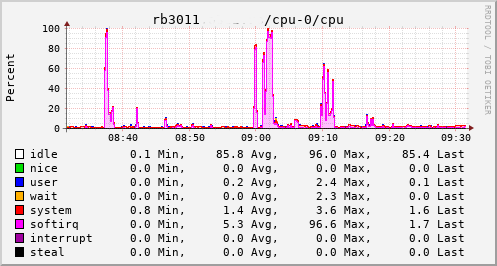
The desire for a faster connection When I migrated my home connection to FTTP I kept the same 80M/20M profile I d had on FTTC. I didn t have a pressing need for faster, and I saved money because I was no longer paying for the phone line portion. I wanted more, but at the time I think the only option was for a 160M/30M profile instead and I didn t need it and it wasn t enough better to convince me. Time passed and BT rolled out their GigE (really 900M) download option. And again, I didn t need it, but I wanted it. My provider, Aquiss, initially didn t offer this (I think they had up to 330M download options available by this point). So I stayed on 80M/20M. And the only time I really wanted it to be faster was when pushing off-site backups to rsync.net. Of course, we ve had the pandemic, and that s involved 2 adults working from home with plenty of video calls throughout the day. The 80M/20M connection has proved rock solid for this, so again, I didn t feel an upgrade was justified. We got a 4K capable TV last year and while the bandwidth usage for 4K streaming is noticeably higher, again the connection can handle it no problem. At some point last year I noticed Aquiss had added speed options all the way to 900M down. At the end of the year I accepted a new role, which is fully remote, so I had a bit of an acceptance about the fact that I wasn t going back into an office any time soon. The combination (and the desire for the increased upload speed) finally allowed me to justify the upgrade to myself.

Testing the current setup for bottlenecks The first thing to do was see whether my internal network could cope with an upgrade. I m mostly running Cat6 GigE so I wasn t worried about that side of things. However I m using an RB3011 as my core router, and while it has some coprocessors for routing acceleration they re not supported under mainline Linux (and unlikely to be any time soon). So I had to benchmark what it was capable of routing. I run a handful of VLANs within my home network, with stateful firewalling between them, so I felt that would be a good approximation of the maximum speed to the outside world I might be able to get if I had the external connection upgraded. I went for the easy approach and fired up iPerf3 on 2 hosts, both connected via ethernet but on separate networks, so routed through the RB3011. That resulted in slightly more than a 300Mb/s throughput. Ok. I confirmed that I could get 900Mb/s+ on 2 hosts both on the same network, just to be sure there wasn t some other issue I was missing. Nope, so unsurprisingly the router was the bottleneck. So. To upgrade my internet speed I need to upgrade my router. I could just buy something off the shelf, but I like being able to run Debian (or OpenWRT) on the router rather than some horrible vendor firmware. Lucky MikroTik launched the RB5009 towards the end of last year. RouterOS is probably more than capable, but what really interested me was the fact it s an ARM64 platform based on an Armada 7040, which is pretty well supported in mainline kernels already. There s a 10G connection from the internal switch to the CPU, as well as a 2.5Gb/s ethernet port and a 10G SFP+ cage. All good stuff. I ordered one just before the New Year. Thankfully the OpenWRT folk had done all of the hard work on getting a mainline kernel booting on the device; Sergey Sergeev and Robert Marko in particular fighting RouterBoot and producing a suitable device tree file to get everything up and running. I ended up soldering a serial console connection up to aid debugging, and lightly patching Rob s u-boot to fix the incorrect RAM size reported by RouterBoot. A few kernel tweaks were necessary to make the networking entirely happy and at that point it was time to think about actually doing a replacement.

Upgrading to Debian 11 (bullseye) My RB3011 is currently running Debian 10 (buster); an upgrade has been on my todo list, but with the impending replacement I decided I d hold off and create a new Debian 11 (bullseye) image for the RB5009. Additionally, I don t actually run off the internal NAND in the RB3011; I have a USB flash drive for the rootfs and just the kernel booting off internal NAND. Originally this was for ease of testing, then a combination of needing to figure out a good read-only root solution and a small enough image to fit in the 120M available. For the upgrade I decided to finally look at these pieces. I ve ended up with a script that will build me a squashfs image, and the initial rootfs takes care of mounting this and then a tmpfs as an overlay fs. That means I can easily see what pieces are being written to. The RB5009 has a total of 1G NAND so I m not as space constrained, but the squashfs ends up under 50M. I ve added some additional pieces to allow me to pre-populate the overlay fs with updates rather than always needing to rebuild the squashfs image. With that done I decided to try it out on the RB3011; I tweaked the build script to be able to build for armhf (the RB3011) or arm64 (the RB5009) and to deal with some slight differences in configuration between the two (e.g. interface naming). The idea here was to ensure I d got all the appropriate configuration sorted for the RB5009, in the known-good existing environment. Everything is still on a USB stick at this stage and the new device has an armhf busybox root meaning it can be used on either device, and the init script detects the architecture to select the appropriate squashfs to mount.

A problem with ESP8266 home automation devices Everything seemed to work fine - a few niggles with the watchdog, which is overly sensitive on the RB3011, but I got those sorted (and the build script updated) and the device came up and successfully did the PPPoE dance to bring up external connectivity. And then I noticed that my home automation devices were having problems connecting to the mosquitto MQTT server. It turned out it was only the ESP8266 based devices that were failing, and examining the serial debug output on one of my test devices revealed it was hitting an out of memory issue (displaying E:M 280) when establishing the TLS MQTT connection. I rolled back to the Debian 10 image and set about creating a test environment to look at the ESP8266 issues. My first action was to try and reduce my RAM footprint to try and ensure there was enough spare to establish the connection. I moved a few functions that were still sitting in IRAM into flash. I cleaned up a couple of buffers that are on the stack to be more correctly sized. I tried my new image, and I didn t get the memory issue. Instead I progressed a bit further and got a watchdog reset. Doh! It was obviously something related to the TLS connection, but I couldn t easily see what the difference was; the same x509 cert was in use, it looked like the initial handshake was the same (and trying with openssl s_client looked pretty similar too). I set about instrumenting the ancient Mbed TLS used in the Espressif SDK and discovered that whatever had changed between buster + bullseye meant the EPS8266 was now trying a TLS-DHE-RSA-WITH-AES-256-CBC-SHA256 handshake instead of a TLS-RSA-WITH-AES-256-CBC-SHA256 handshake and that was causing enough extra CPU usage that it couldn t complete in time and the watchdog kicked in. So I commented out MBEDTLS_KEY_EXCHANGE_DHE_RSA_ENABLED in the config_esp.h for mbedtls and rebuilt things. Hacky, but I ll go back to trying to improve this generally at some point.

A detour into interrupt load Now, my testing of the RB3011 image is generally done at weekends, when I have enough time to tear down and rebuild the connection rather than doing it in the evening and having limited time to get things working again in time for work in the morning. So at the point I had an image ready to go I pulled the trigger on the line upgrade. I went with the 500M/75M option rather than the full 900M - I suspect I d have difficulty actually getting that most of the time and 75M of upload bandwidth seems fairly substantial for now. It only took a couple of days from the order to the point the line was regraded (which involved no real downtime - just a reconnection in the night). Of course this happened just after the weekend I d discovered the ESP8266 issue. collectd CPU usage for RB3011 This provided an opportunity to see just what the RB3011 could actually manage. In the configuration I had it turned out to be not much more than the 80Mb/s speeds I had previously seen. The upload jumped from a solid 20Mb/s to 75Mb/s, so I knew the regrade had actually happened. Looking at CPU utilisation clearly showed the problem; softirqs were using almost 100% of a CPU core. Now, the way the hardware is setup on the RB3011 is that there are two separate 5 port switches, each connected back to the CPU via a separate GigE interface. For various reasons I had everything on a single switch, which meant that all traffic was boomeranging in and out of the same CPU interface. The IPQ8064 has dual cores, so I thought I d try moving the external connection to the other switch. That puts it on its own GigE CPU interface, which then allows binding the interrupts to a different CPU core. That helps; throughput to the outside world hits 140Mb/s+. Still a long way from the expected max, but proof we just need more grunt.
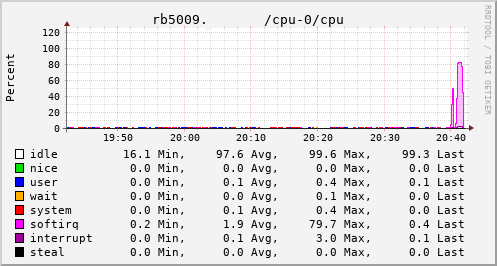
Success collectd CPU usage for RB5009 Which brings us to this past weekend, when, having worked out all the other bits, I tried the squashfs root image again on the RB3011. Success! The home automation bits connected to it, the link to the outside world came up, everything seemed happy. So I double checked my bootloader bits on the RB5009, brought it down to the comms room and plugged it in instead. And, modulo my failing to update the nftables config to allow it to do forwarding, it all came up ok. Some testing with iperf3 internally got a nice 912Mb/s sustained between subnets, and some less scientific testing with wget + speedtest-cli saw speeds of over 460Mb/s to the outside world. Time from ordering the router until it was in service? Just under 8 weeks

6 February 2022

Jonathan McDowell: Free Software Activities for 2021

About a month later than I probably should have posted it, here s a recap of my Free Software activities in 2021. For previous years see 2019 + 2020. Again, this year had fewer contributions than I d like thanks to continuing fatigue about the state of the world, and trying to work on separation between work and leisure while working from home. I ve made some effort to improve that balance but it s still a work in progress.

Conferences No surprise, I didn t attend any in-person conferences in 2021. I find virtual conferences don t do a lot for me (a combination of my not carving time out for them in the same way, because not being at the conference means other things will inevitably intrude, and the lack of the social side) but I did get to attend a few of the DebConf21 talks, which was nice. I m hoping to make it to DebConf22 this year in person.

Debian Most of my contributions to Free software continue to happen within Debian. As part of the Data Protection Team I responded to various inbound queries to that team. Some of this involved chasing up other project teams who had been slow to respond - folks, if you re running a service that stores personal data about people then you need to be responsive to requests about it. Some of this was dealing with what look like automated scraping tools which send no information about the person making the request, and in all the cases we ve seen so far there s been no indication of any data about that person on any systems we have access to. Further team time was wasted dealing with the Princeton-Radboud Study on Privacy Law Implementation (though Matthew did the majority of the work on this). The Debian Keyring was possibly my largest single point of contribution. We re in a roughly 3 month rotation of who handles the keyring updates, and I handled 2021.03.24, 2021.04.09, 2021.06.25, 2021.09.25 + 2021.12.24 For Debian New Members I m mostly inactive as an application manager - we generally seem to have enough available recently. If that changes I ll look at stepping in to help, but I don t see that happening. I continue to be involved in Front Desk, having various conversations throughout the year with the rest of the team, but there s no doubt Mattia and Pierre-Elliott are the real doers at present. I did take part in an NM Committee appeals process. In terms of package uploads I continued to work on gcc-xtensa-lx106, largely doing uploads to deal with updates to the GCC version or packaging (8 + 9). sigrok had a few minor updates, libsigkrok 0.5.2-3, pulseview 0.4.2-3 as well as a new upstream release of sigrok CLI 0.7.2-1. There was a last minute pre-release upload of libserialport 0.1.1-4 thanks to a kernel change in v5.10.37 which removed termiox support. Despite still not writing any VHDL these days I continue to keep an eye on ghdl, because I found it a useful tool in the past. Last year that was just a build fix for LLVM 11.1.0 - 1.0.0+dfsg+5. Andreas Bombe has largely taken over more proactive maintenance, which is nice to see. I uploaded OpenOCD 0.11.0~rc1-2, cleaning up some packaging / dependency issues. This was followed by 0.11.0~rc2-1 as a newer release candidate. Sadly 0.11.0 did not make it in time for bullseye, but rc2 was fairly close and I uploaded 0.11.0-1 once bullseye was released. Finally I did a drive-by upload for garmin-forerunner-tools 0.10repacked-12, cleaning up some packaging issues and uploading it to salsa. My Forerunner 305 has died (after 11 years of sterling service) and the Forerunner 45 I ve replaced it with uses a different set of tools, so I decided it didn t make sense to pick up longer term ownership of the package.

Linux My Linux contributions continued to revolve around pushing MikroTik RB3011 support upstream. There was a minor code change to Set FIFO sizes for ipq806x (which fixed up the allowed MTU for the internal switch + VLANs). The rest was DTS related - adding ADM DMA + NAND definitions now that the ADM driver was merged, adding tsens details, adding USB port info and adding the L2CC and RPM details for IPQ8064. Finally I was able to update the RB3011 DTS to enable NAND + USB. With all those in I m down to 4 local patches against a mainline kernel, all of which are hacks that aren t suitable for submission upstream. 2 are for patching in details of the root device and ethernet MAC addresses, one is dealing with the fact the IPQ8064 has some reserved memory that doesn t play well with AUTO_ZRELADDR (there keeps being efforts to add some support for this via devicetree, but unfortunately it gets shot down every time), and the final one is a hack to turn off the LCD backlight by treating it as an LED (actually supporting the LCD properly is on my TODO list).

Personal projects 2021 didn t see any releases of onak. It s not dead, just resting, but Sequoia PGP is probably where you should be looking for a modern OpenPGP implementation. I continued work on my Desk Viking project, which is an STM32F103 based debug tool inspired by the Bus Pirate. The main addtion was some CCLib support (forking it in the process to move to Python 3 and add some speed ups) to allow me to program my Zigbee dongles, but I also added some 1-Wire search logic and some support for Linux emulation mode with VCD output to allow for a faster development cycle. I really want to try and get OpenOCD JTAG mode supported at some point, and have vague plans for an STM32F4 based version that have suffered from a combination of a silicon shortage and a lack of time. That wraps up 2021. I d like to say I m hoping to make more Free Software contributions this year, but I don t have a concrete plan yet for how that might happen, so I ll have to wait and see.

4 January 2022

Jonathan McDowell: Upgrading from a CC2531 to a CC2538 Zigbee coordinator

Previously I setup a CC2531 as a Zigbee coordinator for my home automation. This has turned out to be a good move, with the 4 gang wireless switch being particularly useful. However the range of the CC2531 is fairly poor; it has a simple PCB antenna. It s also a very basic device. I set about trying to improve the range and scalability and settled upon a CC2538 + CC2592 device, which feature an MMCX antenna connector. This device also has the advantage that it s ARM based, which I m hopeful means I might be able to build some firmware myself using a standard GCC toolchain. For now I fetched the JetHome firmware from https://github.com/jethome-ru/zigbee-firmware/tree/master/ti/coordinator/cc2538_cc2592 (JH_2538_2592_ZNP_UART_20211222.hex) - while it s possible to do USB directly with the CC2538 my board doesn t have those bits so going the external USB UART route is easier. The device had some existing firmware on it, so I needed to erase this to force a drop into the boot loader. That means soldering up the JTAG pins and hooking it up to my Bus Pirate for OpenOCD goodness.
OpenOCD config
source [find interface/buspirate.cfg]
buspirate_port /dev/ttyUSB1
buspirate_mode normal
buspirate_vreg 1
buspirate_pullup 0
transport select jtag
source [find target/cc2538.cfg]
Steps to erase
$ telnet localhost 4444
Trying ::1...
Trying 127.0.0.1...
Connected to localhost.
Escape character is '^]'.
Open On-Chip Debugger
> mww 0x400D300C 0x7F800
> mww 0x400D3008 0x0205
> shutdown
shutdown command invoked
Connection closed by foreign host.
At that point I can switch to the UART connection (on PA0 + PA1) and flash using cc2538-bsl:
$ git clone https://github.com/JelmerT/cc2538-bsl.git
$ cc2538-bsl/cc2538-bsl.py -p /dev/ttyUSB1 -e -w -v ~/JH_2538_2592_ZNP_UART_20211222.hex
Opening port /dev/ttyUSB1, baud 500000
Reading data from /home/noodles/JH_2538_2592_ZNP_UART_20211222.hex
Firmware file: Intel Hex
Connecting to target...
CC2538 PG2.0: 512KB Flash, 32KB SRAM, CCFG at 0x0027FFD4
Primary IEEE Address: 00:12:4B:00:22:22:22:22
    Performing mass erase
Erasing 524288 bytes starting at address 0x00200000
    Erase done
Writing 524256 bytes starting at address 0x00200000
Write 232 bytes at 0x0027FEF88
    Write done
Verifying by comparing CRC32 calculations.
    Verified (match: 0x74f2b0a1)
I then wanted to migrate from the old device to the new without having to repair everything. So I shut down Home Assistant and backed up the CC2531 network information using zigpy-znp (which is already installed for Home Assistant):
python3 -m zigpy_znp.tools.network_backup /dev/zigbee > cc2531-network.json
I copied the backup to cc2538-network.json and modified the coordinator_ieee to be the new device s MAC address (rather than end up with 2 devices claiming the same MAC if/when I reuse the CC2531) and did:
python3 -m zigpy_znp.tools.network_restore --input cc2538-network.json /dev/ttyUSB1
The old CC2531 needed unplugged first, otherwise I got an RuntimeError: Network formation refused, RF environment is likely too noisy. Temporarily unscrew the antenna or shield the coordinator with metal until a network is formed. error. After that I updated my udev rules to map the CC2538 to /dev/zigbee and restarted Home Assistant. To my surprise it came up and detected the existing devices without any extra effort on my part. However that resulted in 2 coordinators being shown in the visualisation, with the old one turning up as unk_manufacturer. Fixing that involved editing /etc/homeassistant/.storage/core.device_registry and removing the entry which had the old MAC address, removing the device entry in /etc/homeassistant/.storage/zha.storage for the old MAC and then finally firing up sqlite to modify the Zigbee database:
$ sqlite3 /etc/homeassistant/zigbee.db
SQLite version 3.34.1 2021-01-20 14:10:07
Enter ".help" for usage hints.
sqlite> DELETE FROM devices_v6 WHERE ieee = '00:12:4b:00:11:11:11:11';
sqlite> DELETE FROM endpoints_v6 WHERE ieee = '00:12:4b:00:11:11:11:11';
sqlite> DELETE FROM in_clusters_v6 WHERE ieee = '00:12:4b:00:11:11:11:11';
sqlite> DELETE FROM neighbors_v6 WHERE ieee = '00:12:4b:00:11:11:11:11' OR device_ieee = '00:12:4b:00:11:11:11:11';
sqlite> DELETE FROM node_descriptors_v6 WHERE ieee = '00:12:4b:00:11:11:11:11';
sqlite> DELETE FROM out_clusters_v6 WHERE ieee = '00:12:4b:00:11:11:11:11';
sqlite> .quit
So far it all seems a bit happier than with the CC2531; I ve been able to pair a light bulb that was previously detected but would not integrate, which suggests the range is improved. (This post another in the set of things I should write down so I can just grep my own website when I forget what I did to do foo .)

Next.

Previous.