Search Results: "ed"

30 September 2026

Dirk Eddelbuettel: myman 0.1.0 on CRAN: New (fabulous !!) Package

Thrilled to share that our new package myman reached CRAN a few days ago. The package offers sixteen hundred ninety four My man posts by Kevin Kruse made on bsky during the summer of 2026. Each wave picked at one particular public persona. This package wrapse these up in the style of packages like fortunes or gaussfacts. A sample usage illustration shows how to extract by pattern:
> library(myman)
> myman("maitre")
My man looks like he's inquiring with the maitre'd about the house curly fries.
     -- about Howard Lutnick on 2026-08-28

My man looks like a maitre'd who deeply doubts you have a reservation.
     -- about Scott Bessent on 2026-08-31

My man looks like he's asked the maitre'd to remove a party of four he finds visually
unpleasant.
     -- about Scott Bessent on 2026-08-31

My man looks like the maitre'd at a very exclusive restaurant called The Berghof.
     -- about JD Vance on 2026-09-13

> 
One can also subset by target , or simple sample randomly (which is the default). As CRAN review for new package takes a little longer these days, the GitHub repo was updated once more with one (eighth !!) wave of posts since the submission was made. CRAN version 0.1.0 corresponds to the stock of messages from waves one to seven. We will update the CRAN version shortly but if you would like more posts right now consider installing from the repo. We include the full NEWS file since the package was started, this also includes an entry for the eights wave we will bring to CRAN soon.

Changes in version 0.1.0 (2026-09-27)
  • Initial CRAN version (minus the 0.0.8 changes which were made while CRAN reviewed the package)
  • Add an aspell dictionary to aid DESCRIPTION text

Changes in version 0.0.8 (2026-09-18)
  • Data set now comprises 1694 posts aiming at eight different 'men'
  • The number of 'sample()' object returned can not be set with 'posts'

Changes in version 0.0.7 (2026-09-14)
  • Data set now comprises 1494 posts aiming at seven different 'men'

Changes in version 0.0.6 (2026-09-07)
  • Data set now comprises 1394 posts aiming at six different 'men'

Changes in version 0.0.5 (2026-09-01)
  • Data set now comprises 1194 posts aiming at five different 'men'
  • The myman() function can now now subset by target permitting more focussed randlom sampling

Changes in version 0.0.4 (2026-08-28)
  • Data set now comprises 1040 posts aiming at four different 'men'

Changes in version 0.0.3 (2026-08-19)
  • Data set now comprises 916 posts aiming at three different 'men'
  • Csv file, processing and display extended to three columns also showing post creating date (in UTC) and 'man'

Changes in version 0.0.2 (2026-07-30)
  • Updated with full week of posts leading to a corpus of 698 posts
  • Added support for simple regular-expression lookup ability

Changes in version 0.0.1 (2026-07-19)
  • Initial release

This post by Dirk Eddelbuettel originated on his Thinking inside the box blog. If you like this or other open-source work I do, you can sponsor me at GitHub.

Ludovic Rousseau: macOS Golden Gate and smart cards status

I will compare this version of macOS with the previous one, Tahoe, which I presented in macOS Tahoe and smart cards status. /images/2026/09/macOS-GoldenGate.png
CCID
    $ grep -A 1 CFBundleShortVersionString /usr/libexec/SmartCardServices/drivers/ifd-ccid.bundle/Contents/Info.plist
            <key>CFBundleShortVersionString</key>
            <string>1.5.1</string>
There has been no change since the release of macOS Sonoma in 2023. The version of my CCID driver included in macOS is still 1.5.1.
Apple Open Source The Open Source components included in macOS can be found at <https://opensource.apple.com/releases/> The Open Source components for Golden Gate 27.0 are not yet available. The SmartcardCCID software is available at https://github.com/apple-oss-distributions/SmartcardCCID. The git history shows that the code has not been modified since September 2024.
New readers supported since release 1.5.1 Since the release 1.5.1 of my CCID driver in November 2022, many new readers have been added. The latest version is 1.8.4 (released in September 2026).
  • 1.8.4
    • THALES PKI Transaction Pad
  • 1.8.3
    • Broadcom Corp 58200 0x5884
    • Broadcom Corp 58200 0x5885
    • Broadcom Corp 58200 0x5886
    • Broadcom Corp 58200 0x5887
    • Circle CIR135 ICC
    • DigiFlow LLP. KAZTOKEN
    • HID Global Crescendo NFC Reader
    • HID Global OMNIKEY Plug
    • HID Global OMNIKEY SE Plug
    • Neowave LinkeoC-PRO
    • Swissbit iShield Key 2 Pro
  • 1.8.0
    • GLSolutions NM61 PC/SC
    • Identiv uTrust FIDO2 Security Key
    • Kensington VeriMark NFC+ USB-C Security Key
    • MARX CryptoTech LP Tokey 3 FIDO
    • mCore Contact-Reader
    • mCore Contactless-Reader
    • mCore DualSlot-Reader
    • Pol Henarejos Pico Fido
    • Pol Henarejos Pico HSM
    • Pol Henarejos Pico OpenPGP
    • Richmond Technologies CO. LLC AEGIS PRO4 Smart Card Reader
    • SCR Prime
  • 1.7.1
    • ACS APG8201-B2
    • BUDGET E-ID BUD001
    • CHERRY Smart Board 1150
    • CryptnoxCR CryptnoxCR
    • Diebold Nixdorf PN7362au CCID
    • FT BioPass FIDO2 Pro
    • Nitrokey Nitrokey Passkey
  • 1.7.0
    • GIGA-TMS NFC CCID Reader
    • Identiv Identiv SmartOS Reader
    • SEC1210URT, single slot variant of SEC1210 serial
    • TOKEN2 FIDO2 Security Key(0013),PIN+ Mini with OTP + PGP
    • TOKEN2 FIDO2 Security Key(0014),PIN+ Mini with FIDO + PGP
    • TOKEN2 FIDO2 Security Key(0015),PIN+ Mini with PGP
    • TOKEN2 FIDO2 Security Key(0016),PIN+ Mini with OTP + PGP + FIDO
    • TOKEN2 FIDO2 Security Key(0023),PIN+ Series with OTP + PGP
    • TOKEN2 FIDO2 Security Key(0024),PIN+ Series with FIDO + PGP
    • TOKEN2 FIDO2 Security Key(0025),PIN+ Series with PGP
    • TOKEN2 FIDO2 Security Key(0203),Bio3 Dual with OTP + PGP
    • TOKEN2 FIDO2 Security Key(0204),Bio3 Dual with FIDO + PGP
    • TOKEN2 FIDO2 Security Key(0205),Bio3 Dual with PGP
    • TOKEN2 FIDO2 Security Key(0206),Bio3 Dual with OTP + PGP + FIDO
    • TOKEN2 Molto2 (older version)
    • VIX TECHNOLOGY SECURE READER
  • 1.6.2
    • Arculus AuthentiKey
    • BHDC Reader-HHD02
    • CHERRY Smart Terminal 1150
    • HSIC CCID-Reader
    • Ledger Flex
    • SYC USB CCID Reader
    • Thales RF CR2000
    • TOKEN2 FIDO2 Security Key(0026)
  • 1.6.0
    • Aladdin R.D. JCR SecurBio
    • AvidCard CAC Smart Card Reader
    • FujitsuTechnologySolutions GmbH Dual Smartcard Reader D321
    • Ledger Stax
    • NXP Pegoda 3
    • authenton #1- CTAP2.1
  • 1.5.5
    • Alpha-Project ANGARA Token
    • Broadcom Corp 58200 (idProduct: 0x5864)
    • Broadcom Corp 58200 (idProduct: 0x5865)
    • Imprivata USB CCID
    • KAPELSE eS-KAP-Ad
    • Kapelse inSide
    • KAPELSE KAP-Care
    • KAPELSE KAP-eCV
    • KAPELSE KAP-GO
    • KAPELSE KAP-LINK2
    • Kapelse KAP-Move
    • Kapelse Ti-Kap
    • rf IDEAS USB CCID
    • SIMHUB pcsc reader
  • 1.5.3
    • ACS ACR1552 1S CL Reader
    • ACS ACR1552 CL Reader
    • ACS ACR1581
    • ACS ACR40T ICC Reader
    • ACS ACR40U ICC Reader
    • ACS WalletMate 1S CL Reader
    • Aktiv Rutoken SCR 3101 NFC Reader
    • CIRIGHT ONE PASS U2F
    • Dexon Tecnologias Digitais LTDA eSmartDX
    • Excelsecu Card reader
    • GHI NC001
    • Identiv uTrust Token Flex
    • SpringCard M519 with idProduct: 0x6212
    • SpringCard M519 with idProduct: 0x621A
    • WCMi SD5931
  • 1.5.2
    • KAPELSE KAP-LINK
    • LDU LANDI
    • Sensyl SSC-HV Reader
    • TOKEN2 MFA NFC Reader
    • TOKEN2 Molto2
    • Thales RF Reader
Due to SIP (System Integrity Protection, https://support.apple.com/guide/security/secb7ea06b49/web) it is difficult to update the configuration of the installed CCID driver (version 1.5.1). If you have one of the 96 readers listed above, and the Apple driver is not working for you, installing an updated version of my CCID driver is the only option.
Apple CCID driver
$ defaults read /Library/Preferences/com.apple.security.smartcard.plist
 
        Logging = 0;
 
The Apple CCID driver is used by default. If you want or need to use my CCID driver instead, simply follow follow the instructions at Apple's own CCID driver in Sonoma.
Known bugs The page listing the bugs I found in macOS Sonoma can be found under macOS Sonoma and smart cards: known bugs. Apple has not informed me that any of these bugs have been fixed in Golden Gate (or Tahoe). I therefore assume that the bugs are still present. I have just verified that the issue involving SCardControl() (macOS Sonoma bug: SCardControl() (part 2)) is still present. Its behaviour is slightly different now though, so I assume Apple has changed some of the code. If you have a pinpad reader and want to use the Secure PIN Entry feature, you should switch to using my CCID driver.
Conclusion As I mentioned in my article about macOS Tahoe, if you encounter any issues with your smart card on macOS Golden Gate, I recommend switching from the Apple driver to my CCID driver and checking again.

29 September 2026

Gunnar Wolf: The Origins of GPU Computing

This post is an unpublished review for The Origins of GPU Computing
This article appears in the Communications of the ACM magazine as part of a series devoting to showcasing relevant examples of technologies where federal funding of academic research have resulted in widely impacting, clearly identifiable technological advances that have visibly improved or, at least, changed life far beyond the technological arena. The road leading from the first parallel computing technologies built completely for research, through a phase that was preeminently directed at gaming, and back to leading current GPUs, that are basically massively parallel supercomputers used for LLM training and inference and other IA tasks, is far from trivial, and the authors make a good job outlining it in few pages. The article is written in a clearly divulgatory way, staying as clear of technical language as possible. The authors present three main enabling technologies for current GPU technologies: Parallel computing, parallel graphics systems, and stream processing. Coming from a technical formation myself, although clearly better grounded in the software side of Computer Engineering than on the electronics side, the most interesting nugget of information I take is that parallel computing was born due to the fact that transistor switching consumes very little energy, whereas communication along wires consumes much more so the more simultaneous operations can be carried out on-chip at once, the less power will be dissipated as heat (and the less time that will be lost due to data stores and loads). Graphics systems are a natural match for parallel systems, as rendering realistic images basically requires repeating the same blocks of instructions to a large array of items. Early GPU implementations were built on fixed-function graphics pipelines, but by the turn of the century, when nVidia spinned off the research labs at Stanford and started marketing their product, introducing along the way the Graphical Processing Unit term, product, they enabled it to implement the full OpenGL graphics pipeline on a single chip. Stream processing is the arrangement of in-chip electronics so that they can better exploit producer-consumer locality between stages, in order to achieve greater arithmetic intensity (this is, a greater computation-to-bandwidth ratio), decreasing the total number of access to memory accesses. The authors explain in broad terms the described technologies and how they fit together, and how the technology was transferred from the universities to the companies that became the most dynamic companies behind today s top trending technologies. I felt the article to be engaging and easy to read. As a technologist, I did miss more details dates when specific advances were made, how some of the advances joined into further inventions But I understand the aim of the Federal Funding of Academic Research series aim is more towards outsiders. And, as such, this work very well explains how trillion-dollar technologies are only the result of decades of funding research ideas.

28 September 2026

Otto Kek l inen: Using multiple git remotes for true distributed version control

Featured image of post Using multiple git remotes for true distributed version controlOne of the primary design principles for Linus Torvalds when creating Git is that it should be a distributed system, capable of working with multiple remotes. However, most people seem to use Git with just one remote, typically having GitHub or GitLab as the only origin. Version control systems before Git relied on a centralized model. For example in Subversion or CVS you could only sync with one single remote server, which was considered the primary host of the source code. Git however is not just a VCS, but a DVCS, for distributed version control system. If you currently use Git with just one single remote as if it was a centralized version control system, now is the time to change that and learn how to add multiple remotes, and configure more flexible git pull and git push rules. The first concept to grasp is that Git can have multiple remotes. For example, after running a basic clone command such as git clone https://github.com/ottok/debcraft.git you would end up with a single remote origin pointing to GitHub:
$ git remote --verbose
origin https://github.com/ottok/debcraft.git (fetch)
origin https://github.com/ottok/debcraft.git (push)
You can however configure multiple remotes with the command git remote:
$ git remote rename origin github
$ git remote add gitlab https://gitlab.com/ottok/debcraft.git
$ git remote --verbose
github https://github.com/ottok/debcraft.git (fetch)
github https://github.com/ottok/debcraft.git (push)
gitlab https://gitlab.com/ottok/debcraft.git (fetch)
gitlab https://gitlab.com/ottok/debcraft.git (push)
You can push and pull from these individually, or from all at once:
$ git pull --all
Fetching github
Fetching gitlab
Already up to date.
When you review the git history, note the labels gitlab/main and github/main which tell which commit the branch main points to on various remotes. In this case they are all in sync and point to the same 5d1815c:
$ git log --oneline
5d1815c (HEAD -> main, gitlab/main, github/main) Bump Debhelper version from 13 to 14
ca518a7 Temporarily disable automatic copyright year bumping due to frequent bugs
d6e201e Exclude .pm from codespell to decrease false positives (Closes: #1140488)
708ee35 Exclude debian/copyright from codespell due to frequent false positives
When pushing, you can choose what remote to push to. For example, if I am working on branch dev and I only want to push it to GitLab to trigger a CI run there, I can run git push gitlab dev. You can also configure a default remote by running once git push --set-upstream gitlab dev and thereafter simply run git push and it will automatically push the branch dev only to that remote. A related setting is remote.pushDefault, which tells git which remote to push to when a branch does not define one of its own, and it applies to every branch that lacks a [branch] section in .git/config. Setting it once is what lets a repository have a per-branch pull remote, like the debcraft example below, and still have a single, predictable git push target. To see which remote git will use for each of your branches, run git branch -vv, and to refresh the remote-tracking branches of all remotes at once, run git fetch --all --prune. If you want to have multiple remotes, but automatically push and pull to all of them at once, you configure one single remote to have multiple URLs with git remote set-url --add. Since git prints one line per push URL, git remote -v then shows the same remote several times, once for each URL it pushes to. As an illustration, in my actual local Debcraft development project I have all these configured:
$ git remote -v
github-pull-requests git@github.com:ottok/debcraft.git (fetch)
github-pull-requests git@github.com:ottok/debcraft.git (push)
gitlab-merge-requests git@gitlab.com:ottok/debcraft.git (fetch)
gitlab-merge-requests git@gitlab.com:ottok/debcraft.git (push)
origin git@salsa.debian.org:debian/debcraft.git (fetch)
origin git@salsa.debian.org:debian/debcraft.git (push)
origin git@gitlab.com:ottok/debcraft.git (push)
origin git@github.com:ottok/debcraft.git (push)
otto git@salsa.debian.org:otto/debcraft.git (fetch)
otto git@salsa.debian.org:otto/debcraft.git (push)
otto git@gitlab.com:ottok/debcraft.git (push)
otto git@github.com:ottok/debcraft.git (push)
otto git@git.sr.ht:~ottok/debcraft (push)
otto ssh://git@codeberg.org/ottok/Debcraft.git (push)
salsa-merge-requests git@salsa.debian.org:debian/debcraft.git (fetch)
salsa-merge-requests git@salsa.debian.org:debian/debcraft.git (push)
The settings can also be viewed directly in the config file:
$ cat .git/config
...
[remote "origin"]
url = git@salsa.debian.org:debian/debcraft.git
fetch = +refs/heads/*:refs/remotes/origin/*
pushurl = git@salsa.debian.org:debian/debcraft.git
pushurl = git@gitlab.com:ottok/debcraft.git
pushurl = git@github.com:ottok/debcraft.git
[remote "otto"]
url = git@salsa.debian.org:otto/debcraft.git
fetch = +refs/heads/*:refs/remotes/otto/*
pushurl = git@salsa.debian.org:otto/debcraft.git
pushurl = git@gitlab.com:ottok/debcraft.git
pushurl = git@github.com:ottok/debcraft.git
pushurl = git@git.sr.ht:~ottok/debcraft
pushurl = ssh://git@codeberg.org/ottok/Debcraft.git
...
[branch "main"]
remote = origin
merge = refs/heads/main
[branch "dev"]
remote = otto
merge = refs/heads/dev
...
On branch main: On branch dev: The command output will have the same message three times, once for each remote (assuming they were all already up-to-date):
$ git push
Everything up-to-date

Use cases for distributed version control The most obvious use case for any distributed system is improved availability. In this example, the salsa.debian.org is often overloaded/unavailable, so pushing to GitLab and GitHub as well allows collaborators to use them to fetch git commits if the primary code hosting site is unresponsive. Once it comes back online again, the next git push/pull will automatically bring it up to the same content as what backup hosts had. The second main benefit is that having the code live on multiple code forges allows collaborators to use their own favorite host. Debcraft itself is a great example of this, as collaborators who don t have a Salsa account can - and have - submitted Merge Requests on GitLab.com and Pull Requests on GitHub.com. A third use case is code hosting migrations. If you for example want to gradually phase out GitHub.com and replace it with something else, you could configure git to pull from the old location and push to both, ensuring that other collaborators can start using the new code hosting location without disruptions to those who have not yet updated their remotes or done a fresh git clone from the new location.

Automating setting up a project on multiple code forges While I don t push all projects I work on to all Salsa/GitLab/GitHub, I do set up multiple remotes for enough git projects that I have this script to automate configuring a git repository that is cloned from Salsa to also push to GitLab and GitHub. It accepts the repository whether it was cloned over SSH or HTTPS, and it adds the push URLs and then pushes the current branch, all branches, and tags for you:
#!/bin/bash
# Add GitLab and GitHub push URLs to an existing git remote, so that a plain
# "git push" writes the same commits to all three code forges.
#
# Usage: ./git-multipush-salsa.sh
#
# Environment:
# SALSA_REMOTE remote to turn into a mirror, default origin
# SALSA_USER your Salsa user, only used to detect that the source
# remote is somebody else's project
# GITLAB_USER your GitLab user, default ottok
# GITHUB_USER your GitHub user, default ottok
# PROTOCOL ssh (default) or https, for the push URLs
set -euo pipefail
SCRIPT=$(basename "$0")
SALSA_REMOTE=$ SALSA_REMOTE:-origin 
SALSA_USER=$ SALSA_USER:-otto 
GITLAB_USER=$ GITLAB_USER:-ottok 
GITHUB_USER=$ GITHUB_USER:-ottok 
PROTOCOL=$ PROTOCOL:-ssh 
die()   echo "$SCRIPT: $*" >&2; exit 1;  
# A failing command leaves the push URLs half configured behind, so say how
# to get back to where we started
fail()
 
echo "$SCRIPT: '$*' failed, the push URLs may already have been added" >&2
echo " git config --unset-all remote.$ SALSA_REMOTE .pushurl" >&2
echo " git remote set-url --add --push $ SALSA_REMOTE  $ SALSA_URL " >&2
exit 1
 
git rev-parse --git-dir > /dev/null 2>&1   die "not inside a git repository"
git remote   grep -qx "$SALSA_REMOTE"   die "no remote named '$SALSA_REMOTE'"
# Example: git@salsa.debian.org:otto/salsa-ci-pipeline.git
SALSA_URL=$(git remote get-url "$SALSA_REMOTE")
# The source remote may use any of the URL forms salsa.debian.org accepts,
# for example git@salsa.debian.org:otto/salsa-ci-pipeline.git or
# https://salsa.debian.org/otto/salsa-ci-pipeline.git
case "$SALSA_URL" in
git@salsa.debian.org:*) SALSA_PATH=$ SALSA_URL#git@salsa.debian.org:  ;;
ssh://git@salsa.debian.org/*) SALSA_PATH=$ SALSA_URL#ssh://git@salsa.debian.org/  ;;
https://salsa.debian.org/*) SALSA_PATH=$ SALSA_URL#https://salsa.debian.org/  ;;
http://salsa.debian.org/*) SALSA_PATH=$ SALSA_URL#http://salsa.debian.org/  ;;
*) die "unexpected source URL '$SALSA_URL', expected a salsa.debian.org URL" ;;
esac
SALSA_PATH=$ SALSA_PATH%/ 
SALSA_PATH=$ SALSA_PATH%.git 
SOURCE_USER=$ SALSA_PATH%%/* 
PROJECT=$ SALSA_PATH##*/ 
# Write the push URLs in one and the same protocol, no matter how the
# repository happens to have been cloned
if [ "$PROTOCOL" = "https" ]
then
SALSA_URL="https://salsa.debian.org/$ SALSA_PATH .git"
GITLAB_URL="https://gitlab.com/$ GITLAB_USER /$ PROJECT .git"
GITHUB_URL="https://github.com/$ GITHUB_USER /$ PROJECT .git"
else
SALSA_URL="git@salsa.debian.org:$ SALSA_PATH .git"
GITLAB_URL="git@gitlab.com:$ GITLAB_USER /$ PROJECT .git"
GITHUB_URL="git@github.com:$ GITHUB_USER /$ PROJECT .git"
fi
# Mirroring somebody else's project is fine, but it is usually not what you
# want: you most likely want to mirror your own fork instead
if [ "$SOURCE_USER" != "$SALSA_USER" ]
then
echo "Note: $SALSA_REMOTE points to $SOURCE_USER's project, not your own."
echo "To mirror your own fork, run this with SALSA_REMOTE set to its name."
echo
fi
# Bail out instead of adding the same push URLs twice
EXISTING=$(git remote get-url --push --all "$SALSA_REMOTE")
if [ "$(printf '%s\n' "$EXISTING"   wc -l)" -gt 1 ]
then
die "remote '$SALSA_REMOTE' already has multiple push URLs:
$EXISTING"
fi
echo "Mirroring $SALSA_URL to $GITLAB_URL and $GITHUB_URL"
git remote set-url --add --push "$SALSA_REMOTE" "$SALSA_URL"
git remote set-url --add --push "$SALSA_REMOTE" "$GITLAB_URL"
git remote set-url --add --push "$SALSA_REMOTE" "$GITHUB_URL"
# Push the branch you have checked out first, and never with --force: the
# first branch a GitLab or GitHub project receives becomes its default branch,
# the one you then protect
DEFAULT_BRANCH=$(git symbolic-ref --short HEAD)   die "not on a branch, check out a branch first"
git push -u "$SALSA_REMOTE" "$DEFAULT_BRANCH"
git push "$SALSA_REMOTE" --all
git push "$SALSA_REMOTE" --tags
# The push above creates the GitLab and GitHub projects, but GitLab projects
# are private by default, so make the new mirror public with glab if installed.
if command -v glab > /dev/null
then
echo "Make the GitLab project public and describe it as a mirror:"
glab api -X PUT "projects/$ GITLAB_USER %2F$ PROJECT " \
-f visibility=public \
-f description="Mirror of $ SALSA_URL " \
-f notification_email=disabled
else
echo "Install glab to do the same automatically, or visit"
echo "https://gitlab.com/$ GITLAB_USER /$ PROJECT /edit to make the project public"
fi
echo "To undo, drop all push URLs and add back only the original one:"
echo " git config --unset-all remote.$ SALSA_REMOTE .pushurl"
echo " git remote set-url --add --push $ SALSA_REMOTE  $ SALSA_URL "
If you prefer not to install glab, the last part simply reduces to visiting the GitLab project settings once and ticking the project public, and it is also worth setting a description like Mirror of https://salsa.debian.org/debian/debcraft and disabling notification email there, as nobody wants a mirror sending out a flood of emails every time you push. There are a few caveats worth knowing about before mirroring everything everywhere. Every push to a remote with multiple push URLs writes to all of them, so a project with continuous integration configured on three forges will run its CI three times and cost you roughly three times as much. If one of the push URLs fails, say because the host is momentarily unreachable, git prints the error and stops there, leaving the remotes listed after the failing one without the new commits. Simply re-run the push once the host is reachable again; the remotes that did get the commits will just respond with Everything up-to-date. And you should never force-push to only one of the remotes, as that leaves the mirrors permanently out of sync with your local repository.

Avoid pulling too much Related to multiple remotes, you should also be aware that git allows one to configure which branches to pull. By default a git clone will track all branches from the remote and pull everything, which in a typical open source project will bring in a lot of temporary development branches in vain. Thus it is better to run git clone with the --single-branch and --branch parameters to fetch only the branch that matters, which in most cases is the main branch. That can be accomplished with:
git clone --single-branch --branch main https://github.com/ottok/debcraft.git
If a repository was already cloned, it can be configured to track only one branch with:
git config remote.upstream.fetch "+refs/heads/main:refs/remotes/upstream/main"
git fetch upstream
git config --get-all remote.upstream.fetch
+refs/heads/main:refs/remotes/upstream/main
If you later need to track more branches, you can configure them with commands such as:
git config --add remote.upstream.fetch "+refs/heads/3.2.y:refs/remotes/upstream/3.2.y"
git fetch upstream
git checkout 3.2.y
For additional details about any of the tips in this post I recommend reading the git man pages.

Now go and spread your code around Distributing your code over multiple code forges costs you almost nothing in configuration, and in return you get availability, a choice of host for your collaborators, and freedom to migrate without a big bang. Add the push URLs to the remotes you already have, push once, and you are done. The rest of the git fundamentals are covered in my other posts. If your commits are not yet polished, start with what makes a good git commit message and git commit messages by example. If you work on Debian packaging, Git-based collaboration in Debian explains why the Salsa merge request workflow is built the way it is, and Salsa merge request best practices covers the review process itself.

Maytham Alsudany: Briefly looking at DNS and nameservers under the hood

I've always known that the browser uses the Domain Name Resolution (DNS) system to convert domain names like aezign.com.au into raw IP addresses, but have never actually understood how it works, outside of making sure my network config uses 1.1.1.1 or 8.8.8.8 instead of the crappy one the ISP provides. In this article, I set out to understand what nameservers do, and how they help anything that uses the internet find the right records.

DNS in a nutshellA well-used analogy is a phonebook; when you have someone's name and need to find their phone number, you look through the phonebook. Overall, DNS does the same thing: when you enter an address like example.com, your browser will contact a DNS server (the "phonebook") to determine its IP addresses. On Linux (or MacOS) systems, you can use dig on the command line to perform a DNS lookup and see what this looks like:
$ dig example.com
; <<>> DiG 9.20.29-1-Debian <<>> example.com
;; global options: +cmd
;; Got answer:
;; ->>HEADER<<- opcode: QUERY, status: NOERROR, id: 42782
;; flags: qr rd ra; QUERY: 1, ANSWER: 2, AUTHORITY: 0, ADDITIONAL: 1
;; OPT PSEUDOSECTION:
; EDNS: version: 0, flags:; udp: 1232
;; QUESTION SECTION:
;example.com.                   IN      A
;; ANSWER SECTION:
example.com.            221     IN      A       104.20.23.154
example.com.            221     IN      A       172.66.147.243
;; Query time: 20 msec
;; SERVER: 1.1.1.1#53(1.1.1.1) (UDP)
;; WHEN: Sun Sep 27 21:07:50 AWST 2026
;; MSG SIZE  rcvd: 72
Here, you can see the DNS server being used is 1.1.1.1 (Cloudflare's DNS server), and that it found the IPs 104.20.23.154 and 172.66.147.243 associated with the domain name example.com. Your browser will then contact these IP addresses directly to load the website you are trying to open.

Configuring DNS serversYou can configure DNS servers through your operating system's network settings, and for some applications such as Firefox, with the application itself. If you don't manually set a DNS server, your computer will use the ones provided by your modem. If those are not configured, the default defined by the modem manufacturer or your ISP will be used.The most well-used and reliable DNS servers you can use are Cloudflare's (1.1.1.1 and 1.0.0.1) and Google's (8.8.8.8 and 8.8.4.4). Having more than one DNS server means that if the first one in the list doesn't work or doesn't find the matching IPs for a domain name, it will move to the next one in the list, a backup DNS server.DNS servers must be configured as IP addresses. If your computer tried to use a DNS server at a domain name, then where would your computer find the IP address for that domain name? It wouldn't be able to, as this is the exact gap that DNS servers fulfill.

RecordsDNS is not used only to find IPs for a domain, but a whole host of other things. Collectively they are referred to as "records" (or "DNS records"). Each record is associated to a domain (e.g. example.com) or a subdomain (e.g. bar.example.com, foo.bar.example.com) Here are some of the most common and important types:
  • A - Map to an IPv4 address (e.g. 104.20.23.154).This is the fundamental function of DNS: to map from a domain name to a server's IP address. Multiple A records leads to load balancing, where browsers will randomly select one of the returned IP addresses such that traffic is evenly split between them.
  • AAAA - Map to an IPv6 address (e.g. 2606:4700:10::6814:179a).This serves the same purpose as A records but for IPv6. Multiple AAAA records results in the same load balancing behaviour. All modern websites should have both an A record for legacy compatibility, and an AAAA record to future-proof for the gradual shift towards IPv6 addresses.
  • CNAME - Alias to another domain name (e.g. example.com).DNS servers will recursively lookup records for the aliased domain name until they reach an IP address (in an A or AAAA record).
  • MX - Specify a Mail Exchange server (e.g. mail.example.com).This record tells email SMTP servers where to direct emails to. For instance, the MX record for aezign.com.au is mail.aezign.au; this directs SMTP servers like Gmail and Outlook to send emails to the mailserver running at mail.aezign.au. This also allows specifying a priority field, so that you can define multiple MX records (such as a main and a backup) and consumers will try to connect to the listed mailservers from lowest priority to highest.
  • TXT - Store arbitrary text dataThis is most commonly used for site verification (for instance, to link your website to Google Search Console) and for email security measures like DKIM, DMARC, and SPF.
  • NS - Specify the nameservers for a domain (e.g. zeus.ns.cloudflare.com).These authoritative nameservers are responsible for providing all the other record types when needed.
dig lets you query each of these. For instance, to list the MX records against aezign.com.au:
$ dig MX aezign.com.au
; <<>> DiG 9.20.29-1-Debian <<>> MX aezign.com.au
;; global options: +cmd
;; Got answer:
;; ->>HEADER<<- opcode: QUERY, status: NOERROR, id: 28213
;; flags: qr rd ra; QUERY: 1, ANSWER: 1, AUTHORITY: 0, ADDITIONAL: 1
;; OPT PSEUDOSECTION:
; EDNS: version: 0, flags:; udp: 1232
;; QUESTION SECTION:
;aezign.com.au.                 IN      MX
;; ANSWER SECTION:
aezign.com.au.          300     IN      MX      10 mail.aezign.au.
;; Query time: 104 msec
;; SERVER: 1.1.1.1#53(1.1.1.1) (UDP)
;; WHEN: Sun Sep 27 22:04:58 AWST 2026
;; MSG SIZE  rcvd: 70
Here you can see there is only one mailserver configured for aezign.com.au, which is mail.aezign.au, and it has a priority of 10.If you compare this against something like gmail.com:
$ dig MX gmail.com
; <<>> DiG 9.20.29-1-Debian <<>> MX gmail.com
;; global options: +cmd
;; Got answer:
;; ->>HEADER<<- opcode: QUERY, status: NOERROR, id: 16538
;; flags: qr rd ra; QUERY: 1, ANSWER: 5, AUTHORITY: 0, ADDITIONAL: 1
;; OPT PSEUDOSECTION:
; EDNS: version: 0, flags:; udp: 1232
;; QUESTION SECTION:
;gmail.com.                     IN      MX
;; ANSWER SECTION:
gmail.com.              2497    IN      MX      40 alt4.gmail-smtp-in.l.google.com.
gmail.com.              2497    IN      MX      20 alt2.gmail-smtp-in.l.google.com.
gmail.com.              2497    IN      MX      5 gmail-smtp-in.l.google.com.
gmail.com.              2497    IN      MX      10 alt1.gmail-smtp-in.l.google.com.
gmail.com.              2497    IN      MX      30 alt3.gmail-smtp-in.l.google.com.
;; Query time: 120 msec
;; SERVER: 1.1.1.1#53(1.1.1.1) (UDP)
;; WHEN: Sun Sep 27 22:06:04 AWST 2026
;; MSG SIZE  rcvd: 161
You can see that gmail.com has several mailservers configured as redundancies due to the Gmail's sheer scale. gmail-smtp-in.l.google.com has the highest priority of 5, so SMTP servers will attempt to contact that mailserver first, followed by alt1.gmail-smtp-in.l.google.com and so on.

NameserversNow there needs to be somewhere for DNS records against a domain name to be defined, right? This is where nameservers come in.Nameservers are DNS servers that answer queries about the domains they are authoritative for i.e. the domains they are in charge of. For example, the authoritative nameservers for example.com are hera.ns.cloudflare.com and elliott.ns.cloudflare.com, which means Cloudflare's nameservers are the source of truth when looking up DNS records for example.com. You can check this with dig:
$ dig NS example.com
; <<>> DiG 9.20.29-1-Debian <<>> NS example.com
;; global options: +cmd
;; Got answer:
;; ->>HEADER<<- opcode: QUERY, status: NOERROR, id: 37717
;; flags: qr rd ra; QUERY: 1, ANSWER: 2, AUTHORITY: 0, ADDITIONAL: 1
;; OPT PSEUDOSECTION:
; EDNS: version: 0, flags:; udp: 1232
;; QUESTION SECTION:
;example.com.                   IN      NS
;; ANSWER SECTION:
example.com.            81837   IN      NS      hera.ns.cloudflare.com.
example.com.            81837   IN      NS      elliott.ns.cloudflare.com.
;; Query time: 140 msec
;; SERVER: 1.1.1.1#53(1.1.1.1) (UDP)
;; WHEN: Sun Sep 27 23:27:19 AWST 2026
;; MSG SIZE  rcvd: 95
Nameservers are configured with your domain name's registrar. The nameserver you set dictates where your remaining DNS records will live. For example.com, this means you would configure all your records on Cloudflare's dashboard, since they are responsible for the domain's DNS records.

Recursive resolutionThe DNS servers that our computers use follow a recursive resolution process behind-the-scenes to find the authoritative nameservers for a domain, followed by the records you are querying.

Finding the root nameserversDue to the recursive nature of the resolution process, there needs to be a starting point: the root (.) nameservers. The resolver uses a fixed list of root nameservers called root hints issued by IANA (named.root), to locate and contact the root nameservers. Resolvers will have this provided to them initially, and can dynamically update it themselves by querying one of the root nameservers for the root NS records to obtain a fresh list. For instance, we can query 198.41.0.4 (a.root-servers.net) to obtain a new list of root nameservers:
$ dig @198.41.0.4 NS .
; <<>> DiG 9.20.29-1-Debian <<>> @198.41.0.4 NS .
; (1 server found)
;; global options: +cmd
;; Got answer:
;; ->>HEADER<<- opcode: QUERY, status: NOERROR, id: 43677
;; flags: qr aa rd; QUERY: 1, ANSWER: 13, AUTHORITY: 0, ADDITIONAL: 27
;; WARNING: recursion requested but not available
;; OPT PSEUDOSECTION:
; EDNS: version: 0, flags:; udp: 4096
;; QUESTION SECTION:
;.				IN	NS
;; ANSWER SECTION:
.			518400	IN	NS	l.root-servers.net.
.			518400	IN	NS	j.root-servers.net.
.			518400	IN	NS	f.root-servers.net.
.			518400	IN	NS	h.root-servers.net.
.			518400	IN	NS	d.root-servers.net.
.			518400	IN	NS	b.root-servers.net.
.			518400	IN	NS	k.root-servers.net.
.			518400	IN	NS	i.root-servers.net.
.			518400	IN	NS	m.root-servers.net.
.			518400	IN	NS	e.root-servers.net.
.			518400	IN	NS	g.root-servers.net.
.			518400	IN	NS	c.root-servers.net.
.			518400	IN	NS	a.root-servers.net.
;; ADDITIONAL SECTION:
l.root-servers.net.	518400	IN	A	199.7.83.42
l.root-servers.net.	518400	IN	AAAA	2001:500:9f::42
j.root-servers.net.	518400	IN	A	192.58.128.30
j.root-servers.net.	518400	IN	AAAA	2001:503:c27::2:30
f.root-servers.net.	518400	IN	A	192.5.5.241
f.root-servers.net.	518400	IN	AAAA	2001:500:2f::f
h.root-servers.net.	518400	IN	A	198.97.190.53
h.root-servers.net.	518400	IN	AAAA	2001:500:1::53
d.root-servers.net.	518400	IN	A	199.7.91.13
d.root-servers.net.	518400	IN	AAAA	2001:500:2d::d
b.root-servers.net.	518400	IN	A	170.247.170.2
b.root-servers.net.	518400	IN	AAAA	2801:1b8:10::b
k.root-servers.net.	518400	IN	A	193.0.14.129
k.root-servers.net.	518400	IN	AAAA	2001:7fd::1
i.root-servers.net.	518400	IN	A	192.36.148.17
i.root-servers.net.	518400	IN	AAAA	2001:7fe::53
m.root-servers.net.	518400	IN	A	202.12.27.33
m.root-servers.net.	518400	IN	AAAA	2001:dc3::35
e.root-servers.net.	518400	IN	A	192.203.230.10
e.root-servers.net.	518400	IN	AAAA	2001:500:a8::e
g.root-servers.net.	518400	IN	A	192.112.36.4
g.root-servers.net.	518400	IN	AAAA	2001:500:12::d0d
c.root-servers.net.	518400	IN	A	192.33.4.12
c.root-servers.net.	518400	IN	AAAA	2001:500:2::c
a.root-servers.net.	518400	IN	A	198.41.0.4
a.root-servers.net.	518400	IN	AAAA	2001:503:ba3e::2:30
;; Query time: 476 msec
;; SERVER: 198.41.0.4#53(198.41.0.4) (UDP)
;; WHEN: Mon Sep 28 00:01:08 AWST 2026
;; MSG SIZE  rcvd: 811

Querying the root nameserversFor example.com, the first step is to query the root (.) nameservers to find the nameservers for the .com top-level domain (TLD). Using a.root-servers.net again:
$ dig @198.41.0.4 NS com
; <<>> DiG 9.20.29-1-Debian <<>> @198.41.0.4 NS com
; (1 server found)
;; global options: +cmd
;; Got answer:
;; ->>HEADER<<- opcode: QUERY, status: NOERROR, id: 22528
;; flags: qr rd; QUERY: 1, ANSWER: 0, AUTHORITY: 13, ADDITIONAL: 27
;; WARNING: recursion requested but not available
;; OPT PSEUDOSECTION:
; EDNS: version: 0, flags:; udp: 4096
;; QUESTION SECTION:
;com.				IN	NS
;; AUTHORITY SECTION:
com.			172800	IN	NS	l.gtld-servers.net.
com.			172800	IN	NS	j.gtld-servers.net.
com.			172800	IN	NS	h.gtld-servers.net.
com.			172800	IN	NS	d.gtld-servers.net.
com.			172800	IN	NS	b.gtld-servers.net.
com.			172800	IN	NS	f.gtld-servers.net.
com.			172800	IN	NS	k.gtld-servers.net.
com.			172800	IN	NS	m.gtld-servers.net.
com.			172800	IN	NS	i.gtld-servers.net.
com.			172800	IN	NS	g.gtld-servers.net.
com.			172800	IN	NS	a.gtld-servers.net.
com.			172800	IN	NS	c.gtld-servers.net.
com.			172800	IN	NS	e.gtld-servers.net.
;; ADDITIONAL SECTION:
l.gtld-servers.net.	172800	IN	A	192.41.162.30
l.gtld-servers.net.	172800	IN	AAAA	2001:500:d937::30
j.gtld-servers.net.	172800	IN	A	192.48.79.30
j.gtld-servers.net.	172800	IN	AAAA	2001:502:7094::30
h.gtld-servers.net.	172800	IN	A	192.54.112.30
h.gtld-servers.net.	172800	IN	AAAA	2001:502:8cc::30
d.gtld-servers.net.	172800	IN	A	192.31.80.30
d.gtld-servers.net.	172800	IN	AAAA	2001:500:856e::30
b.gtld-servers.net.	172800	IN	A	192.33.14.30
b.gtld-servers.net.	172800	IN	AAAA	2001:503:231d::2:30
f.gtld-servers.net.	172800	IN	A	192.35.51.30
f.gtld-servers.net.	172800	IN	AAAA	2001:503:d414::30
k.gtld-servers.net.	172800	IN	A	192.52.178.30
k.gtld-servers.net.	172800	IN	AAAA	2001:503:d2d::30
m.gtld-servers.net.	172800	IN	A	192.55.83.30
m.gtld-servers.net.	172800	IN	AAAA	2001:501:b1f9::30
i.gtld-servers.net.	172800	IN	A	192.43.172.30
i.gtld-servers.net.	172800	IN	AAAA	2001:503:39c1::30
g.gtld-servers.net.	172800	IN	A	192.42.93.30
g.gtld-servers.net.	172800	IN	AAAA	2001:503:eea3::30
a.gtld-servers.net.	172800	IN	A	192.5.6.30
a.gtld-servers.net.	172800	IN	AAAA	2001:503:a83e::2:30
c.gtld-servers.net.	172800	IN	A	192.26.92.30
c.gtld-servers.net.	172800	IN	AAAA	2001:503:83eb::30
e.gtld-servers.net.	172800	IN	A	192.12.94.30
e.gtld-servers.net.	172800	IN	AAAA	2001:502:1ca1::30
;; Query time: 772 msec
;; SERVER: 198.41.0.4#53(198.41.0.4) (UDP)
;; WHEN: Mon Sep 28 00:09:25 AWST 2026
;; MSG SIZE  rcvd: 828

Querying the TLD nameserversNow the resolver has .com nameservers and their IPs. We can use one of these, such as 192.5.6.30 (a.gtld-servers.net) to find the nameservers for example.com:
$ dig @192.5.6.30 NS example.com
; <<>> DiG 9.20.29-1-Debian <<>> @192.5.6.30 NS example.com
; (1 server found)
;; global options: +cmd
;; Got answer:
;; ->>HEADER<<- opcode: QUERY, status: NOERROR, id: 37419
;; flags: qr rd; QUERY: 1, ANSWER: 0, AUTHORITY: 2, ADDITIONAL: 13
;; WARNING: recursion requested but not available
;; OPT PSEUDOSECTION:
; EDNS: version: 0, flags:; udp: 4096
;; QUESTION SECTION:
;example.com.                   IN      NS
;; AUTHORITY SECTION:
example.com.            172800  IN      NS      hera.ns.cloudflare.com.
example.com.            172800  IN      NS      elliott.ns.cloudflare.com.
;; ADDITIONAL SECTION:
hera.ns.cloudflare.com. 172800  IN      A       108.162.192.162
hera.ns.cloudflare.com. 172800  IN      A       172.64.32.162
hera.ns.cloudflare.com. 172800  IN      A       173.245.58.162
hera.ns.cloudflare.com. 172800  IN      AAAA    2606:4700:50::adf5:3aa2
hera.ns.cloudflare.com. 172800  IN      AAAA    2803:f800:50::6ca2:c0a2
hera.ns.cloudflare.com. 172800  IN      AAAA    2a06:98c1:50::ac40:20a2
elliott.ns.cloudflare.com. 172800 IN    A       108.162.195.228
elliott.ns.cloudflare.com. 172800 IN    A       162.159.44.228
elliott.ns.cloudflare.com. 172800 IN    A       172.64.35.228
elliott.ns.cloudflare.com. 172800 IN    AAAA    2606:4700:58::a29f:2ce4
elliott.ns.cloudflare.com. 172800 IN    AAAA    2803:f800:50::6ca2:c3e4
elliott.ns.cloudflare.com. 172800 IN    AAAA    2a06:98c1:50::ac40:23e4
;; Query time: 80 msec
;; SERVER: 192.5.6.30#53(192.5.6.30) (UDP)
;; WHEN: Mon Sep 28 00:12:19 AWST 2026
;; MSG SIZE  rcvd: 359

Finding the domain's nameserverThe response tells the resolver that the nameservers for example.com are hera.ns.cloudflare.com and elliott.ns.cloudflare.com. Now since these Cloudflare nameservers are also .com domains and Cloudflare is so commonly used, the .com nameserver provides optional sibling glue records as defined in RFC 9471 to prevent further roundtrips and optimize the process.If we ignore the sibling glue records provided, the resolver would have to ask the .com nameservers for the nameservers for cloudflare.com:
$ dig @192.5.6.30 NS cloudflare.com
; <<>> DiG 9.20.29-1-Debian <<>> @192.5.6.30 NS cloudflare.com
; (1 server found)
;; global options: +cmd
;; Got answer:
;; ->>HEADER<<- opcode: QUERY, status: NOERROR, id: 40307
;; flags: qr rd; QUERY: 1, ANSWER: 0, AUTHORITY: 5, ADDITIONAL: 21
;; WARNING: recursion requested but not available
;; OPT PSEUDOSECTION:
; EDNS: version: 0, flags:; udp: 4096
;; QUESTION SECTION:
;cloudflare.com.                        IN      NS
;; AUTHORITY SECTION:
cloudflare.com.         172800  IN      NS      ns3.cloudflare.com.
cloudflare.com.         172800  IN      NS      ns5.cloudflare.com.
cloudflare.com.         172800  IN      NS      ns4.cloudflare.com.
cloudflare.com.         172800  IN      NS      ns6.cloudflare.com.
cloudflare.com.         172800  IN      NS      ns7.cloudflare.com.
;; ADDITIONAL SECTION:
ns3.cloudflare.com.     172800  IN      A       162.159.0.33
ns3.cloudflare.com.     172800  IN      A       162.159.7.226
ns3.cloudflare.com.     172800  IN      AAAA    2400:cb00:2049:1::a29f:21
ns3.cloudflare.com.     172800  IN      AAAA    2400:cb00:2049:1::a29f:7e2
ns5.cloudflare.com.     172800  IN      A       162.159.2.9
ns5.cloudflare.com.     172800  IN      A       162.159.9.55
ns5.cloudflare.com.     172800  IN      AAAA    2400:cb00:2049:1::a29f:209
ns5.cloudflare.com.     172800  IN      AAAA    2400:cb00:2049:1::a29f:937
ns4.cloudflare.com.     172800  IN      A       162.159.1.33
ns4.cloudflare.com.     172800  IN      A       162.159.8.55
ns4.cloudflare.com.     172800  IN      AAAA    2400:cb00:2049:1::a29f:121
ns4.cloudflare.com.     172800  IN      AAAA    2400:cb00:2049:1::a29f:837
ns6.cloudflare.com.     172800  IN      A       162.159.3.11
ns6.cloudflare.com.     172800  IN      A       162.159.5.6
ns6.cloudflare.com.     172800  IN      AAAA    2400:cb00:2049:1::a29f:30b
ns6.cloudflare.com.     172800  IN      AAAA    2400:cb00:2049:1::a29f:506
ns7.cloudflare.com.     172800  IN      A       162.159.4.8
ns7.cloudflare.com.     172800  IN      A       162.159.6.6
ns7.cloudflare.com.     172800  IN      AAAA    2400:cb00:2049:1::a29f:408
ns7.cloudflare.com.     172800  IN      AAAA    2400:cb00:2049:1::a29f:606
;; Query time: 163 msec
;; SERVER: 192.5.6.30#53(192.5.6.30) (UDP)
;; WHEN: Mon Sep 28 00:26:53 AWST 2026
;; MSG SIZE  rcvd: 573
Here, the .com nameserver provides in-domain glue records for cloudflare.com's nameservers. Without these, there would be a circular dependency, since the nameserver named is a subdomain of the domain being queried for. This is because nameservers are always defined by name, which means that in order to actually contact the nameserver, your computer needs to obtain its IP address with another DNS lookup.Next, we'd use one of these nameservers, say ns3.cloudflare.com, to obtain the IP for hera.ns.cloudflare.com:
$ dig @162.159.0.33 hera.ns.cloudflare.com
; <<>> DiG 9.20.29-1-Debian <<>> @162.159.0.33 hera.ns.cloudflare.com
; (1 server found)
;; global options: +cmd
;; Got answer:
;; ->>HEADER<<- opcode: QUERY, status: NOERROR, id: 16801
;; flags: qr aa rd; QUERY: 1, ANSWER: 3, AUTHORITY: 0, ADDITIONAL: 1
;; WARNING: recursion requested but not available
;; OPT PSEUDOSECTION:
; EDNS: version: 0, flags:; udp: 1232
;; QUESTION SECTION:
;hera.ns.cloudflare.com.                IN      A
;; ANSWER SECTION:
hera.ns.cloudflare.com. 86353   IN      A       108.162.192.162
hera.ns.cloudflare.com. 86353   IN      A       173.245.58.162
hera.ns.cloudflare.com. 86353   IN      A       172.64.32.162
;; Query time: 123 msec
;; SERVER: 162.159.0.33#53(162.159.0.33) (UDP)
;; WHEN: Mon Sep 28 01:11:37 AWST 2026
;; MSG SIZE  rcvd: 99

Querying the domain's authoritative nameserverNow we've reached the authoritative nameserver for example.com! The last thing to do is to fetch the A record for example.com to obtain its server's IP address:
$ dig @108.162.192.162 example.com
; <<>> DiG 9.20.29-1-Debian <<>> @108.162.192.162 example.com
; (1 server found)
;; global options: +cmd
;; Got answer:
;; ->>HEADER<<- opcode: QUERY, status: NOERROR, id: 43082
;; flags: qr aa rd; QUERY: 1, ANSWER: 2, AUTHORITY: 0, ADDITIONAL: 1
;; WARNING: recursion requested but not available
;; OPT PSEUDOSECTION:
; EDNS: version: 0, flags:; udp: 1232
;; QUESTION SECTION:
;example.com.                   IN      A
;; ANSWER SECTION:
example.com.            300     IN      A       104.20.23.154
example.com.            300     IN      A       172.66.147.243
;; Query time: 123 msec
;; SERVER: 108.162.192.162#53(108.162.192.162) (UDP)
;; WHEN: Mon Sep 28 01:13:47 AWST 2026
;; MSG SIZE  rcvd: 72
At last, we've determined that the IP addresses of the servers behind example.com are 104.20.23.154 and 172.66.147.243. This matches our earlier lookup directly against your computer's configured DNS server.The DNS servers your computer uses encapsulate this recursive resolution process behind the scenes, so that your computer only needs to make one round trip, and the servers can use their much faster data center connections and caching to optimize the process and make the query as fast as possible.

Checking DNS recordsTo check a website's records, the first thing to do is to ensure the domain name is pointed at the correct nameserver. For instance, aezign.com.au is supposed to use Cloudflare, since that is where all the DNS records have been set up. We can verify this using dig, (or alternatively with online tools like dnschecker.org):
$ dig NS aezign.com.au
; <<>> DiG 9.20.29-1-Debian <<>> NS aezign.com.au
;; global options: +cmd
;; Got answer:
;; ->>HEADER<<- opcode: QUERY, status: NOERROR, id: 44172
;; flags: qr rd ra; QUERY: 1, ANSWER: 2, AUTHORITY: 0, ADDITIONAL: 1
;; OPT PSEUDOSECTION:
; EDNS: version: 0, flags:; udp: 1232
;; QUESTION SECTION:
;aezign.com.au.                 IN      NS
;; ANSWER SECTION:
aezign.com.au.          86400   IN      NS      rosalie.ns.cloudflare.com.
aezign.com.au.          86400   IN      NS      zeus.ns.cloudflare.com.
;; Query time: 92 msec
;; SERVER: 1.1.1.1#53(1.1.1.1) (UDP)
;; WHEN: Mon Sep 28 01:39:22 AWST 2026
;; MSG SIZE  rcvd: 100
If this is not set correctly, the DNS records you configure will not work, as resolvers will be fetching records from somewhere else. In most cases, you can update this in your domain registrar's settings. This is especially common for new domain names, which default to the registrar's nameservers; unless you plan to use their built-in DNS management, you'll need to point them to your chosen provider.Now we can check that the DNS records configured match those your DNS server returns. For aezign.com.au, these are the MX and TXT records configured on Cloudflare.
Extract of Cloudflare's DNS record listing showing the MX record and TXT records for aezign.com.au. The MX record and some TXT records configured for aezign.com.au on Cloudflare's dashboard.

We can check these using dig, and using the +short option to show only the content of the records.
$ dig MX aezign.com.au +short
10 mail.aezign.au.
$ dig TXT aezign.com.au +short
"google-site-verification=KFqTU5xH8fFf6OtszEL4oudfxple29Tm-TvxVtCWkAM"
"v=spf1 mx a:mail.aezign.au -all"
$ dig TXT _dmarc.aezign.com.au +short
"v=DMARC1;p=quarantine;sp=quarantine;adkim=r;aspf=r"
$ dig TXT aezign.com.au-2026._domainkey.aezign.com.au +short
"v=DKIM1; h=sha256; k=rsa; s=email; p=MIIBIjANBgkqhkiG9w0BAQEFAAOCAQ8AMIIBCgKCAQEAzL04yXZgB72YkoxS+tLK//aWx65TS4UA3F0qJ7el68SEuD4ehmg+61Ta9iS31H6U074dnjyoPDeaiGBa7ToTNCtiIts4/ghD/8nrENROE6hQAwRmTK18ODDHrRDW73hWe6Dg4cK5vmXi82/wWRZU9SDKbme28IE9uCVir3lCkKYLs1" "j16gR1Sjqr6a2+3o+EeVXnLJ4wXmJMm7KCIdn7zv0t9Z1eYcw672PdpYPAMpGb8uUsgaDBsNSpTcupPkz4SWj6TrOB80CPHjWseVY8EOJeRsNKQ/8LFoQEBl4Rxtb3HAmu4UIxSZ4QMVOLnXz67e85mA5XjcNIsVMzaWaowwIDAQAB"
As we can see, this matches, which means that the nameservers for aezign.com.au are correct and the DNS records are what we intend them to be.Note that if you've recently changed the nameserver or DNS records for your domain, it can take anywhere between 10 seconds and 24 hours for the changes to take effect and propagate across the different DNS servers globally. Tools like dnschecker.org can check your records on different DNS servers worldwide to see if they're reflecting your changes. The reason for this is caching: DNS servers like 1.1.1.1 will cache results so it doesn't have to do the full resolution process every time, and uses the Time-To-Live (TTL) you configure in your DNS records as a guideline for caching duration.

Reproducible Builds (diffoscope): diffoscope 332 released

The diffoscope maintainers are pleased to announce the release of diffoscope version 332. This version includes the following changes:
[ Chris Lamb ]
* Do not Build-Depend on GNU Guix. Thanks to Vagrant and Holger for the
  reports. (Closes: #1149132)
[ Guillaume Girol ]
* Update more tests to support new versions of Radare.
  (Closes: reproducible-builds/diffoscope#432)
You find out more by visiting the project homepage.

Maytham Alsudany: A Brief Explanation of DNS and Nameservers

The Domain Name System (DNS) is a fundamental piece of technology behind the modern internet. Thanks to its introduction in 1983, you're able to enter domain names like aezign.com.au instead of raw IP addresses in your browser's address bar and when sending emails. This article explains what it is, how it works, and how you can inspect your own website's DNS and ensure it is set up correctly.

DNS in a nutshellA well-used analogy is a phonebook; when you have someone's name and need to find their phone number, you look through the phonebook. Overall, DNS does the same thing: when you enter an address like example.com, your browser will contact a DNS server (the "phonebook") to determine its IP addresses. On Linux (or MacOS) systems, you can use dig on the command line to perform a DNS lookup and see what this looks like:
$ dig example.com
; <<>> DiG 9.20.29-1-Debian <<>> example.com
;; global options: +cmd
;; Got answer:
;; ->>HEADER<<- opcode: QUERY, status: NOERROR, id: 42782
;; flags: qr rd ra; QUERY: 1, ANSWER: 2, AUTHORITY: 0, ADDITIONAL: 1
;; OPT PSEUDOSECTION:
; EDNS: version: 0, flags:; udp: 1232
;; QUESTION SECTION:
;example.com.                   IN      A
;; ANSWER SECTION:
example.com.            221     IN      A       104.20.23.154
example.com.            221     IN      A       172.66.147.243
;; Query time: 20 msec
;; SERVER: 1.1.1.1#53(1.1.1.1) (UDP)
;; WHEN: Sun Sep 27 21:07:50 AWST 2026
;; MSG SIZE  rcvd: 72
Here, you can see the DNS server being used is 1.1.1.1 (Cloudflare's DNS server), and that it found the IPs 104.20.23.154 and 172.66.147.243 associated with the domain name example.com. Your browser will then contact these IP addresses directly to load the website you are trying to open.

Configuring DNS serversYou can configure DNS servers through your operating system's network settings, and for some applications such as Firefox, with the application itself. If you don't manually set a DNS server, your computer will use the ones provided by your modem. If those are not configured, the default defined by the modem manufacturer or your ISP will be used.The most well-used and reliable DNS servers you can use are Cloudflare's (1.1.1.1 and 1.0.0.1) and Google's (8.8.8.8 and 8.8.4.4). Having more than one DNS server means that if the first one in the list doesn't work or doesn't find the matching IPs for a domain name, it will move to the next one in the list, a backup DNS server.DNS servers must be configured as IP addresses. If your computer tried to use a DNS server at a domain name, then where would your computer find the IP address for that domain name? It wouldn't be able to, as this is the exact gap that DNS servers fulfill.

RecordsDNS is not used only to find IPs for a domain, but a whole host of other things. Collectively they are referred to as "records" (or "DNS records"). Each record is associated to a domain (e.g. example.com) or a subdomain (e.g. bar.example.com, foo.bar.example.com) Here are some of the most common and important types:
  • A - Map to an IPv4 address (e.g. 104.20.23.154).This is the fundamental function of DNS: to map from a domain name to a server's IP address. Multiple A records leads to load balancing, where browsers will randomly select one of the returned IP addresses such that traffic is evenly split between them.
  • AAAA - Map to an IPv6 address (e.g. 2606:4700:10::6814:179a).This serves the same purpose as A records but for IPv6. Multiple AAAA records results in the same load balancing behaviour. All modern websites should have both an A record for legacy compatibility, and an AAAA record to future-proof for the gradual shift towards IPv6 addresses.
  • CNAME - Alias to another domain name (e.g. example.com).DNS servers will recursively lookup records for the aliased domain name until they reach an IP address (in an A or AAAA record).
  • MX - Specify a Mail Exchange server (e.g. mail.example.com).This record tells email SMTP servers where to direct emails to. For instance, the MX record for aezign.com.au is mail.aezign.au; this directs SMTP servers like Gmail and Outlook to send emails to the mailserver running at mail.aezign.au. This also allows specifying a priority field, so that you can define multiple MX records (such as a main and a backup) and consumers will try to connect to the listed mailservers from lowest priority to highest.
  • TXT - Store arbitrary text dataThis is most commonly used for site verification (for instance, to link your website to Google Search Console) and for email security measures like DKIM, DMARC, and SPF.
  • NS - Specify the nameservers for a domain (e.g. zeus.ns.cloudflare.com).These authoritative nameservers are responsible for providing all the other record types when needed.
dig lets you query each of these. For instance, to list the MX records against aezign.com.au:
$ dig MX aezign.com.au
; <<>> DiG 9.20.29-1-Debian <<>> MX aezign.com.au
;; global options: +cmd
;; Got answer:
;; ->>HEADER<<- opcode: QUERY, status: NOERROR, id: 28213
;; flags: qr rd ra; QUERY: 1, ANSWER: 1, AUTHORITY: 0, ADDITIONAL: 1
;; OPT PSEUDOSECTION:
; EDNS: version: 0, flags:; udp: 1232
;; QUESTION SECTION:
;aezign.com.au.                 IN      MX
;; ANSWER SECTION:
aezign.com.au.          300     IN      MX      10 mail.aezign.au.
;; Query time: 104 msec
;; SERVER: 1.1.1.1#53(1.1.1.1) (UDP)
;; WHEN: Sun Sep 27 22:04:58 AWST 2026
;; MSG SIZE  rcvd: 70
Here you can see there is only one mailserver configured for aezign.com.au, which is mail.aezign.au, and it has a priority of 10.If you compare this against something like gmail.com:
$ dig MX gmail.com
; <<>> DiG 9.20.29-1-Debian <<>> MX gmail.com
;; global options: +cmd
;; Got answer:
;; ->>HEADER<<- opcode: QUERY, status: NOERROR, id: 16538
;; flags: qr rd ra; QUERY: 1, ANSWER: 5, AUTHORITY: 0, ADDITIONAL: 1
;; OPT PSEUDOSECTION:
; EDNS: version: 0, flags:; udp: 1232
;; QUESTION SECTION:
;gmail.com.                     IN      MX
;; ANSWER SECTION:
gmail.com.              2497    IN      MX      40 alt4.gmail-smtp-in.l.google.com.
gmail.com.              2497    IN      MX      20 alt2.gmail-smtp-in.l.google.com.
gmail.com.              2497    IN      MX      5 gmail-smtp-in.l.google.com.
gmail.com.              2497    IN      MX      10 alt1.gmail-smtp-in.l.google.com.
gmail.com.              2497    IN      MX      30 alt3.gmail-smtp-in.l.google.com.
;; Query time: 120 msec
;; SERVER: 1.1.1.1#53(1.1.1.1) (UDP)
;; WHEN: Sun Sep 27 22:06:04 AWST 2026
;; MSG SIZE  rcvd: 161
You can see that gmail.com has several mailservers configured as redundancies due to the Gmail's sheer scale. gmail-smtp-in.l.google.com has the highest priority of 5, so SMTP servers will attempt to contact that mailserver first, followed by alt1.gmail-smtp-in.l.google.com and so on.

NameserversNow there needs to be somewhere for DNS records against a domain name to be defined, right? This is where nameservers come in.Nameservers are DNS servers that answer queries about the domains they are authoritative for i.e. the domains they are in charge of. For example, the authoritative nameservers for example.com are hera.ns.cloudflare.com and elliott.ns.cloudflare.com, which means Cloudflare's nameservers are the source of truth when looking up DNS records for example.com. You can check this with dig:
$ dig NS example.com
; <<>> DiG 9.20.29-1-Debian <<>> NS example.com
;; global options: +cmd
;; Got answer:
;; ->>HEADER<<- opcode: QUERY, status: NOERROR, id: 37717
;; flags: qr rd ra; QUERY: 1, ANSWER: 2, AUTHORITY: 0, ADDITIONAL: 1
;; OPT PSEUDOSECTION:
; EDNS: version: 0, flags:; udp: 1232
;; QUESTION SECTION:
;example.com.                   IN      NS
;; ANSWER SECTION:
example.com.            81837   IN      NS      hera.ns.cloudflare.com.
example.com.            81837   IN      NS      elliott.ns.cloudflare.com.
;; Query time: 140 msec
;; SERVER: 1.1.1.1#53(1.1.1.1) (UDP)
;; WHEN: Sun Sep 27 23:27:19 AWST 2026
;; MSG SIZE  rcvd: 95
Nameservers are configured with your domain name's registrar. The nameserver you set dictates where your remaining DNS records will live. For example.com, this means you would configure all your records on Cloudflare's dashboard, since they are responsible for the domain's DNS records.

Recursive resolutionThe DNS servers that our computers use follow a recursive resolution process behind-the-scenes to find the authoritative nameservers for a domain, followed by the records you are querying.

Finding the root nameserversDue to the recursive nature of the resolution process, there needs to be a starting point: the root (.) nameservers. The resolver uses a fixed list of root nameservers called root hints issued by IANA (named.root), to locate and contact the root nameservers. Resolvers will have this provided to them initially, and can dynamically update it themselves by querying one of the root nameservers for the root NS records to obtain a fresh list. For instance, we can query 198.41.0.4 (a.root-servers.net) to obtain a new list of root nameservers:
$ dig @198.41.0.4 NS .
; <<>> DiG 9.20.29-1-Debian <<>> @198.41.0.4 NS .
; (1 server found)
;; global options: +cmd
;; Got answer:
;; ->>HEADER<<- opcode: QUERY, status: NOERROR, id: 43677
;; flags: qr aa rd; QUERY: 1, ANSWER: 13, AUTHORITY: 0, ADDITIONAL: 27
;; WARNING: recursion requested but not available
;; OPT PSEUDOSECTION:
; EDNS: version: 0, flags:; udp: 4096
;; QUESTION SECTION:
;.				IN	NS
;; ANSWER SECTION:
.			518400	IN	NS	l.root-servers.net.
.			518400	IN	NS	j.root-servers.net.
.			518400	IN	NS	f.root-servers.net.
.			518400	IN	NS	h.root-servers.net.
.			518400	IN	NS	d.root-servers.net.
.			518400	IN	NS	b.root-servers.net.
.			518400	IN	NS	k.root-servers.net.
.			518400	IN	NS	i.root-servers.net.
.			518400	IN	NS	m.root-servers.net.
.			518400	IN	NS	e.root-servers.net.
.			518400	IN	NS	g.root-servers.net.
.			518400	IN	NS	c.root-servers.net.
.			518400	IN	NS	a.root-servers.net.
;; ADDITIONAL SECTION:
l.root-servers.net.	518400	IN	A	199.7.83.42
l.root-servers.net.	518400	IN	AAAA	2001:500:9f::42
j.root-servers.net.	518400	IN	A	192.58.128.30
j.root-servers.net.	518400	IN	AAAA	2001:503:c27::2:30
f.root-servers.net.	518400	IN	A	192.5.5.241
f.root-servers.net.	518400	IN	AAAA	2001:500:2f::f
h.root-servers.net.	518400	IN	A	198.97.190.53
h.root-servers.net.	518400	IN	AAAA	2001:500:1::53
d.root-servers.net.	518400	IN	A	199.7.91.13
d.root-servers.net.	518400	IN	AAAA	2001:500:2d::d
b.root-servers.net.	518400	IN	A	170.247.170.2
b.root-servers.net.	518400	IN	AAAA	2801:1b8:10::b
k.root-servers.net.	518400	IN	A	193.0.14.129
k.root-servers.net.	518400	IN	AAAA	2001:7fd::1
i.root-servers.net.	518400	IN	A	192.36.148.17
i.root-servers.net.	518400	IN	AAAA	2001:7fe::53
m.root-servers.net.	518400	IN	A	202.12.27.33
m.root-servers.net.	518400	IN	AAAA	2001:dc3::35
e.root-servers.net.	518400	IN	A	192.203.230.10
e.root-servers.net.	518400	IN	AAAA	2001:500:a8::e
g.root-servers.net.	518400	IN	A	192.112.36.4
g.root-servers.net.	518400	IN	AAAA	2001:500:12::d0d
c.root-servers.net.	518400	IN	A	192.33.4.12
c.root-servers.net.	518400	IN	AAAA	2001:500:2::c
a.root-servers.net.	518400	IN	A	198.41.0.4
a.root-servers.net.	518400	IN	AAAA	2001:503:ba3e::2:30
;; Query time: 476 msec
;; SERVER: 198.41.0.4#53(198.41.0.4) (UDP)
;; WHEN: Mon Sep 28 00:01:08 AWST 2026
;; MSG SIZE  rcvd: 811

Querying the root nameserversFor example.com, the first step is to query the root (.) nameservers to find the nameservers for the .com top-level domain (TLD). Using a.root-servers.net again:
$ dig @198.41.0.4 NS com
; <<>> DiG 9.20.29-1-Debian <<>> @198.41.0.4 NS com
; (1 server found)
;; global options: +cmd
;; Got answer:
;; ->>HEADER<<- opcode: QUERY, status: NOERROR, id: 22528
;; flags: qr rd; QUERY: 1, ANSWER: 0, AUTHORITY: 13, ADDITIONAL: 27
;; WARNING: recursion requested but not available
;; OPT PSEUDOSECTION:
; EDNS: version: 0, flags:; udp: 4096
;; QUESTION SECTION:
;com.				IN	NS
;; AUTHORITY SECTION:
com.			172800	IN	NS	l.gtld-servers.net.
com.			172800	IN	NS	j.gtld-servers.net.
com.			172800	IN	NS	h.gtld-servers.net.
com.			172800	IN	NS	d.gtld-servers.net.
com.			172800	IN	NS	b.gtld-servers.net.
com.			172800	IN	NS	f.gtld-servers.net.
com.			172800	IN	NS	k.gtld-servers.net.
com.			172800	IN	NS	m.gtld-servers.net.
com.			172800	IN	NS	i.gtld-servers.net.
com.			172800	IN	NS	g.gtld-servers.net.
com.			172800	IN	NS	a.gtld-servers.net.
com.			172800	IN	NS	c.gtld-servers.net.
com.			172800	IN	NS	e.gtld-servers.net.
;; ADDITIONAL SECTION:
l.gtld-servers.net.	172800	IN	A	192.41.162.30
l.gtld-servers.net.	172800	IN	AAAA	2001:500:d937::30
j.gtld-servers.net.	172800	IN	A	192.48.79.30
j.gtld-servers.net.	172800	IN	AAAA	2001:502:7094::30
h.gtld-servers.net.	172800	IN	A	192.54.112.30
h.gtld-servers.net.	172800	IN	AAAA	2001:502:8cc::30
d.gtld-servers.net.	172800	IN	A	192.31.80.30
d.gtld-servers.net.	172800	IN	AAAA	2001:500:856e::30
b.gtld-servers.net.	172800	IN	A	192.33.14.30
b.gtld-servers.net.	172800	IN	AAAA	2001:503:231d::2:30
f.gtld-servers.net.	172800	IN	A	192.35.51.30
f.gtld-servers.net.	172800	IN	AAAA	2001:503:d414::30
k.gtld-servers.net.	172800	IN	A	192.52.178.30
k.gtld-servers.net.	172800	IN	AAAA	2001:503:d2d::30
m.gtld-servers.net.	172800	IN	A	192.55.83.30
m.gtld-servers.net.	172800	IN	AAAA	2001:501:b1f9::30
i.gtld-servers.net.	172800	IN	A	192.43.172.30
i.gtld-servers.net.	172800	IN	AAAA	2001:503:39c1::30
g.gtld-servers.net.	172800	IN	A	192.42.93.30
g.gtld-servers.net.	172800	IN	AAAA	2001:503:eea3::30
a.gtld-servers.net.	172800	IN	A	192.5.6.30
a.gtld-servers.net.	172800	IN	AAAA	2001:503:a83e::2:30
c.gtld-servers.net.	172800	IN	A	192.26.92.30
c.gtld-servers.net.	172800	IN	AAAA	2001:503:83eb::30
e.gtld-servers.net.	172800	IN	A	192.12.94.30
e.gtld-servers.net.	172800	IN	AAAA	2001:502:1ca1::30
;; Query time: 772 msec
;; SERVER: 198.41.0.4#53(198.41.0.4) (UDP)
;; WHEN: Mon Sep 28 00:09:25 AWST 2026
;; MSG SIZE  rcvd: 828

Querying the TLD nameserversNow the resolver has .com nameservers and their IPs. We can use one of these, such as 192.5.6.30 (a.gtld-servers.net) to find the nameservers for example.com:
$ dig @192.5.6.30 NS example.com
; <<>> DiG 9.20.29-1-Debian <<>> @192.5.6.30 NS example.com
; (1 server found)
;; global options: +cmd
;; Got answer:
;; ->>HEADER<<- opcode: QUERY, status: NOERROR, id: 37419
;; flags: qr rd; QUERY: 1, ANSWER: 0, AUTHORITY: 2, ADDITIONAL: 13
;; WARNING: recursion requested but not available
;; OPT PSEUDOSECTION:
; EDNS: version: 0, flags:; udp: 4096
;; QUESTION SECTION:
;example.com.                   IN      NS
;; AUTHORITY SECTION:
example.com.            172800  IN      NS      hera.ns.cloudflare.com.
example.com.            172800  IN      NS      elliott.ns.cloudflare.com.
;; ADDITIONAL SECTION:
hera.ns.cloudflare.com. 172800  IN      A       108.162.192.162
hera.ns.cloudflare.com. 172800  IN      A       172.64.32.162
hera.ns.cloudflare.com. 172800  IN      A       173.245.58.162
hera.ns.cloudflare.com. 172800  IN      AAAA    2606:4700:50::adf5:3aa2
hera.ns.cloudflare.com. 172800  IN      AAAA    2803:f800:50::6ca2:c0a2
hera.ns.cloudflare.com. 172800  IN      AAAA    2a06:98c1:50::ac40:20a2
elliott.ns.cloudflare.com. 172800 IN    A       108.162.195.228
elliott.ns.cloudflare.com. 172800 IN    A       162.159.44.228
elliott.ns.cloudflare.com. 172800 IN    A       172.64.35.228
elliott.ns.cloudflare.com. 172800 IN    AAAA    2606:4700:58::a29f:2ce4
elliott.ns.cloudflare.com. 172800 IN    AAAA    2803:f800:50::6ca2:c3e4
elliott.ns.cloudflare.com. 172800 IN    AAAA    2a06:98c1:50::ac40:23e4
;; Query time: 80 msec
;; SERVER: 192.5.6.30#53(192.5.6.30) (UDP)
;; WHEN: Mon Sep 28 00:12:19 AWST 2026
;; MSG SIZE  rcvd: 359

Finding the domain's nameserverThe response tells the resolver that the nameservers for example.com are hera.ns.cloudflare.com and elliott.ns.cloudflare.com. Now since these Cloudflare nameservers are also .com domains and Cloudflare is so commonly used, the .com nameserver provides optional sibling glue records as defined in RFC 9471 to prevent further roundtrips and optimize the process.If we ignore the sibling glue records provided, the resolver would have to ask the .com nameservers for the nameservers for cloudflare.com:
$ dig @192.5.6.30 NS cloudflare.com
; <<>> DiG 9.20.29-1-Debian <<>> @192.5.6.30 NS cloudflare.com
; (1 server found)
;; global options: +cmd
;; Got answer:
;; ->>HEADER<<- opcode: QUERY, status: NOERROR, id: 40307
;; flags: qr rd; QUERY: 1, ANSWER: 0, AUTHORITY: 5, ADDITIONAL: 21
;; WARNING: recursion requested but not available
;; OPT PSEUDOSECTION:
; EDNS: version: 0, flags:; udp: 4096
;; QUESTION SECTION:
;cloudflare.com.                        IN      NS
;; AUTHORITY SECTION:
cloudflare.com.         172800  IN      NS      ns3.cloudflare.com.
cloudflare.com.         172800  IN      NS      ns5.cloudflare.com.
cloudflare.com.         172800  IN      NS      ns4.cloudflare.com.
cloudflare.com.         172800  IN      NS      ns6.cloudflare.com.
cloudflare.com.         172800  IN      NS      ns7.cloudflare.com.
;; ADDITIONAL SECTION:
ns3.cloudflare.com.     172800  IN      A       162.159.0.33
ns3.cloudflare.com.     172800  IN      A       162.159.7.226
ns3.cloudflare.com.     172800  IN      AAAA    2400:cb00:2049:1::a29f:21
ns3.cloudflare.com.     172800  IN      AAAA    2400:cb00:2049:1::a29f:7e2
ns5.cloudflare.com.     172800  IN      A       162.159.2.9
ns5.cloudflare.com.     172800  IN      A       162.159.9.55
ns5.cloudflare.com.     172800  IN      AAAA    2400:cb00:2049:1::a29f:209
ns5.cloudflare.com.     172800  IN      AAAA    2400:cb00:2049:1::a29f:937
ns4.cloudflare.com.     172800  IN      A       162.159.1.33
ns4.cloudflare.com.     172800  IN      A       162.159.8.55
ns4.cloudflare.com.     172800  IN      AAAA    2400:cb00:2049:1::a29f:121
ns4.cloudflare.com.     172800  IN      AAAA    2400:cb00:2049:1::a29f:837
ns6.cloudflare.com.     172800  IN      A       162.159.3.11
ns6.cloudflare.com.     172800  IN      A       162.159.5.6
ns6.cloudflare.com.     172800  IN      AAAA    2400:cb00:2049:1::a29f:30b
ns6.cloudflare.com.     172800  IN      AAAA    2400:cb00:2049:1::a29f:506
ns7.cloudflare.com.     172800  IN      A       162.159.4.8
ns7.cloudflare.com.     172800  IN      A       162.159.6.6
ns7.cloudflare.com.     172800  IN      AAAA    2400:cb00:2049:1::a29f:408
ns7.cloudflare.com.     172800  IN      AAAA    2400:cb00:2049:1::a29f:606
;; Query time: 163 msec
;; SERVER: 192.5.6.30#53(192.5.6.30) (UDP)
;; WHEN: Mon Sep 28 00:26:53 AWST 2026
;; MSG SIZE  rcvd: 573
Here, the .com nameserver provides in-domain glue records for cloudflare.com's nameservers. Without these, there would be a circular dependency, since the nameserver named is a subdomain of the domain being queried for. This is because nameservers are always defined by name, which means that in order to actually contact the nameserver, your computer needs to obtain its IP address with another DNS lookup.Next, we'd use one of these nameservers, say ns3.cloudflare.com, to obtain the IP for hera.ns.cloudflare.com:
$ dig @162.159.0.33 hera.ns.cloudflare.com
; <<>> DiG 9.20.29-1-Debian <<>> @162.159.0.33 hera.ns.cloudflare.com
; (1 server found)
;; global options: +cmd
;; Got answer:
;; ->>HEADER<<- opcode: QUERY, status: NOERROR, id: 16801
;; flags: qr aa rd; QUERY: 1, ANSWER: 3, AUTHORITY: 0, ADDITIONAL: 1
;; WARNING: recursion requested but not available
;; OPT PSEUDOSECTION:
; EDNS: version: 0, flags:; udp: 1232
;; QUESTION SECTION:
;hera.ns.cloudflare.com.                IN      A
;; ANSWER SECTION:
hera.ns.cloudflare.com. 86353   IN      A       108.162.192.162
hera.ns.cloudflare.com. 86353   IN      A       173.245.58.162
hera.ns.cloudflare.com. 86353   IN      A       172.64.32.162
;; Query time: 123 msec
;; SERVER: 162.159.0.33#53(162.159.0.33) (UDP)
;; WHEN: Mon Sep 28 01:11:37 AWST 2026
;; MSG SIZE  rcvd: 99

Querying the domain's authoritative nameserverNow we've reached the authoritative nameserver for example.com! The last thing to do is to fetch the A record for example.com to obtain its server's IP address:
$ dig @108.162.192.162 example.com
; <<>> DiG 9.20.29-1-Debian <<>> @108.162.192.162 example.com
; (1 server found)
;; global options: +cmd
;; Got answer:
;; ->>HEADER<<- opcode: QUERY, status: NOERROR, id: 43082
;; flags: qr aa rd; QUERY: 1, ANSWER: 2, AUTHORITY: 0, ADDITIONAL: 1
;; WARNING: recursion requested but not available
;; OPT PSEUDOSECTION:
; EDNS: version: 0, flags:; udp: 1232
;; QUESTION SECTION:
;example.com.                   IN      A
;; ANSWER SECTION:
example.com.            300     IN      A       104.20.23.154
example.com.            300     IN      A       172.66.147.243
;; Query time: 123 msec
;; SERVER: 108.162.192.162#53(108.162.192.162) (UDP)
;; WHEN: Mon Sep 28 01:13:47 AWST 2026
;; MSG SIZE  rcvd: 72
At last, we've determined that the IP addresses of the servers behind example.com are 104.20.23.154 and 172.66.147.243. This matches our earlier lookup directly against your computer's configured DNS server.The DNS servers your computer uses employ this recursive resolution technique behind the scenes, so that your computer only needs to make one round trip, and the servers can use their much faster data center connections and caching to optimize the process and make the query as fast as possible.

Verify your DNS recordsTo check your website's records, the first thing you'll want to do is ensure your domain name is pointed at the correct nameserver. For instance, aezign.com.au is supposed to use Cloudflare, since that is where all the DNS records have been set up. We can verify this using dig, (or alternatively with online tools like dnschecker.org):
$ dig NS aezign.com.au
; <<>> DiG 9.20.29-1-Debian <<>> NS aezign.com.au
;; global options: +cmd
;; Got answer:
;; ->>HEADER<<- opcode: QUERY, status: NOERROR, id: 44172
;; flags: qr rd ra; QUERY: 1, ANSWER: 2, AUTHORITY: 0, ADDITIONAL: 1
;; OPT PSEUDOSECTION:
; EDNS: version: 0, flags:; udp: 1232
;; QUESTION SECTION:
;aezign.com.au.                 IN      NS
;; ANSWER SECTION:
aezign.com.au.          86400   IN      NS      rosalie.ns.cloudflare.com.
aezign.com.au.          86400   IN      NS      zeus.ns.cloudflare.com.
;; Query time: 92 msec
;; SERVER: 1.1.1.1#53(1.1.1.1) (UDP)
;; WHEN: Mon Sep 28 01:39:22 AWST 2026
;; MSG SIZE  rcvd: 100
If this is not set correctly, the DNS records you configure will not work, as resolvers will be fetching records from somewhere else. In most cases, you can update this in your domain registrar's settings. This is especially common for new domain names, which default to the registrar's nameservers; unless you plan to use their built-in DNS management, you'll need to point them to your chosen provider.Now we can check that the DNS records you've configured match those your DNS server returns. For aezign.com.au, these are the MX and TXT records configured on Cloudflare.
Extract of Cloudflare's DNS record listing showing the MX record and TXT records for aezign.com.au. The MX record and some TXT records configured for aezign.com.au on Cloudflare's dashboard.

We can check these using dig, and using the +short option to show only the content of the records.
$ dig MX aezign.com.au +short
10 mail.aezign.au.
$ dig TXT aezign.com.au +short
"google-site-verification=KFqTU5xH8fFf6OtszEL4oudfxple29Tm-TvxVtCWkAM"
"v=spf1 mx a:mail.aezign.au -all"
$ dig TXT _dmarc.aezign.com.au +short
"v=DMARC1;p=quarantine;sp=quarantine;adkim=r;aspf=r"
$ dig TXT aezign.com.au-2026._domainkey.aezign.com.au +short
"v=DKIM1; h=sha256; k=rsa; s=email; p=MIIBIjANBgkqhkiG9w0BAQEFAAOCAQ8AMIIBCgKCAQEAzL04yXZgB72YkoxS+tLK//aWx65TS4UA3F0qJ7el68SEuD4ehmg+61Ta9iS31H6U074dnjyoPDeaiGBa7ToTNCtiIts4/ghD/8nrENROE6hQAwRmTK18ODDHrRDW73hWe6Dg4cK5vmXi82/wWRZU9SDKbme28IE9uCVir3lCkKYLs1" "j16gR1Sjqr6a2+3o+EeVXnLJ4wXmJMm7KCIdn7zv0t9Z1eYcw672PdpYPAMpGb8uUsgaDBsNSpTcupPkz4SWj6TrOB80CPHjWseVY8EOJeRsNKQ/8LFoQEBl4Rxtb3HAmu4UIxSZ4QMVOLnXz67e85mA5XjcNIsVMzaWaowwIDAQAB"
As we can see, this matches, which means that the nameservers for aezign.com.au are correct and the DNS records are what we intend them to be.Note that if you've recently changed the nameserver or DNS records for your domain, it can take anywhere between 10 seconds and 24 hours for the changes to take effect and propagate across the different DNS servers worldwide. Tools like dnschecker.org can check your records on different DNS servers worldwide to see if they're reflecting your changes. The reason for this is caching: DNS servers like 1.1.1.1 will cache results so it doesn't have to do the full resolution process every time, and uses the Time-To-Live (TTL) you configure in your DNS records as a guideline for caching duration.

27 September 2026

Dima Kogan: Lunar terminator paradox

There's an optical illusion known by names like the "lunar terminator paradox". This has much discussion and descriptions online, but none made sense in my head, so I wrote this program to figure out what was going on. The paradox: I was camping in the mountains with a friend recently. We were looking up at the sky, just after the sun has set. The moon was clearly pointing up. After playing with this program, I have clarity: we're looking up at the moon from below. The most pathological case is a full moon. Let's say the moon is on the horizon: elevation=0. If we're looking at this low moon, and the moon is full, the sun is directly behind us. The moon is fully illuminated, and we see 100% of the moon disc lit up. Now, what happens if the moon is not at the horizon, but higher up at the sky? Effectively, the sun is infinitely far away, so the same part of the moon is lit up. But we're now looking at the moon from below, and we would see some of the dark side on the bottom edge. I.e. the moon appears bright at the top, but has a dark slice missing at the bottom: it points up! Even at sunset. This is the most clearly weird case. A half-moon has no paradoxical behavior, and the more full the moon, the more clearly we can observe the bright moon pointing up despite the sun being down. I produce two plots. At 3/4-full moon at sunset we look at the moon as it rises from the horizon all the way up to the zenith:
scan-moon-el.svg
If the moon is at the horizon (elevation = 0), we see the expected 3/4-lit disc. As the moon rises, we see more and more of its bottom, and thus more and more dark areas show up: It clearly points up at sunset! We can also move the sun around. Let's say the moon is 60deg up; let's move the sun from new-moon to a full-moon:
scan-sun-az.svg
In the darkest configuration, we can still see a lit crescent on the bottom: the illumination is all on the opposite side, but we can see a slice of the illuminated back side. As the sun swings around, we see more and more of the moon. At azimuth = 90deg, we have a half-lit moon. Past that, more and more of the moon is visible, always pointing up. This was also a super interesting study of the current state of AI tools. As I was writing this and debugging, I would talk to Claude and Gemini about how this worked and what I should be seeing. They were both completely unable to comprehend this, and would make infinite circular arguments. Clearly they read some incomplete explanations on the internet (as I have), and lack the reasoning capability necessary to distill it into something resembling "understanding". AGI is not here yet.

Dirk Eddelbuettel: #060: Using bubblewrap for R sandboxing

Welcome to post 60 in the R4 series. bubblewrap is a great tool and very suitable for using with an agent harness. It is a very compelling and lightweight alternative to using a full-blown docker container as it offers low-level unprivileged sandboxing on Linux hosts. In a nutshell, bubblewrap can turn everything off (see unshare-all below) and allow access only to selected services and directories (as shown below). This makes it a very useful tool be used on a main workstation as it can provide a lower-risk deployment quite easily while taking advantage of the already installed software stack. I continue to get a lot of value out of docker, especially as r2u makes installing R package dependencies so trivial. Its slogan easy, fast, reliable: pick all three clearly holds for r2u. But sometimes bubblewrap is compelling, for example to launch opencode (documented for example at the debian-inference site). When using R we need add more directories to the example to provide /etc/alternatives which is governing inter alia the LAPACK / BLAS resolution on Debian / Ubuntu systems; this is now on debian-inference site but wasn t when I first tried it a few days ago ;-) as well as /etc/R for config files and possibly ~/.R/Makevars for compiler settings. With that my current wrapper is
#!/bin/bash
#
# cf https://inference.debian.net/doc
#    and 'curl' command to set bearer code
bwrap \
  --ro-bind /usr /usr \
  --symlink usr/bin /bin \
  --symlink usr/lib /lib \
  --symlink usr/lib64 /lib64 \
  --ro-bind /etc/ssl /etc/ssl \
  --ro-bind /etc/resolv.conf /etc/resolv.conf \
  --ro-bind $HOME/.gitconfig $HOME/.gitconfig \
  --bind $HOME/.config/opencode $HOME/.config/opencode \
  --bind $HOME/.cache/opencode $HOME/.cache/opencode \
  --bind $HOME/.opencode $HOME/.opencode \
  --bind $HOME/.local/share/opencode $HOME/.local/share/opencode \
  --bind $HOME/.local/state/opencode $HOME/.local/state/opencode \
  --ro-bind $HOME/.R/Makevars $HOME/.R/Makevars \
  --ro-bind /etc/R/ /etc/R \
  --ro-bind /etc/alternatives/ /etc/alternatives \
  --proc /proc \
  --dev /dev \
  --tmpfs /tmp \
  --bind $(pwd) $(pwd) \
  --chdir $(pwd) \
  --unshare-all \
  --share-net \
  --die-with-parent \
  /usr/local/bin/opencode "$@"
Launched that way we can have agents use R to check packages sources, builds, and triage for bugs. this works equally well with local models served via ollama (and with that a quick shoutout to packages.lingfish.net for providing an apt service for ollama) as it does with the various cloud-based offerings. So harness away with R!

This post by Dirk Eddelbuettel originated on his Thinking inside the box blog. If you like this or other open-source work I do, you can now sponsor me at GitHub.

Aquila Macedo Costa: Testing library transitions before they reach unstable

A library transition can affect many packages in Debian. I added a way for Salsa CI to rebuild the ones that depend on the changing library, so maintainers can test the transition before it reaches unstable. The need for this became clear during a proposed Poppler transition. Poppler is a library for rendering PDFs. The reverse-dependency job I had added to Salsa CI queued 100 of 115 candidate rebuilds, even though only about 21 were relevant. The problem was documented in issue #571. Before this change, ratt used every binary package produced by Poppler to decide what to rebuild. That also picked up packages unrelated to the library transition. The tracker listed the old and new library package names, so I used them to focus the selection. Poppler transition tracker showing its Affected, Good, and Bad expressions The Poppler transition tracker identifies the old and new runtime library package names. I added -transition_affected to ratt to implement this selection. The option performs the scan against the selected archive indexes and injects locally built .deb files into each source rebuild. It expects a regex of dependency package names, not a complete Ben expression, so the tracker s Affected expression must be adapted first. I then integrated the mode into Salsa CI. Maintainers can enable transition-aware rebuilds by setting SALSA_CI_BUILD_REVERSE_DEPENDENCIES_TRANSITION_AFFECTED_REGEX. If the variable is unset, the pipeline keeps the existing selection. Salsa CI pipeline showing selected Poppler rebuild jobs A Poppler test showing the selected rebuild jobs. Three jobs reached the CI timeout, they were not confirmed package regressions. I also changed ratt to cover packages targeting experimental. By default, it resolves and rebuilds reverse dependencies from unstable while still injecting the locally built .deb files. This lets a maintainer test a transition staged in experimental against packages currently in unstable. Together, these changes help maintainers focus CI on packages relevant to a library transition and review rebuild results before the new library reaches unstable.
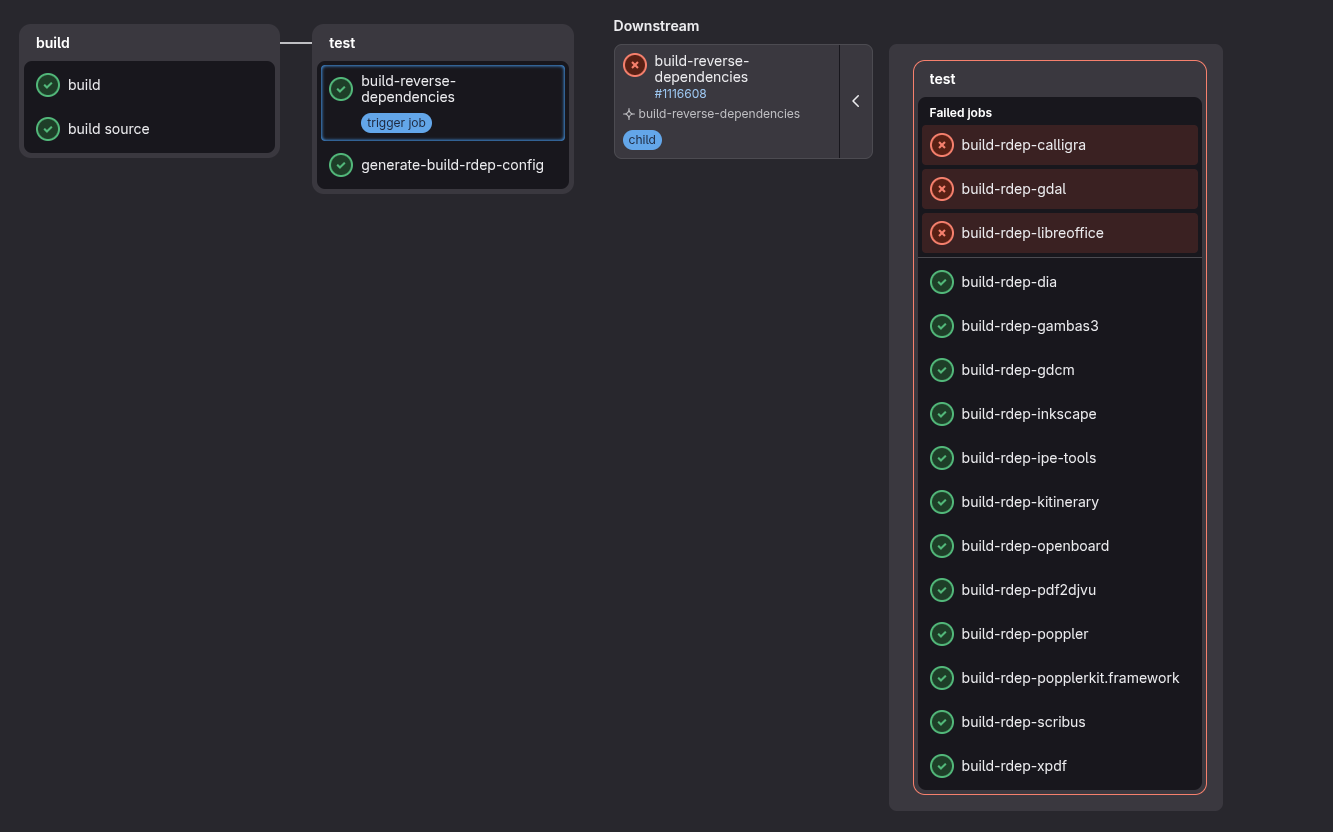
Russ Allbery: Review: Ode to the Half-Broken

Review: Ode to the Half-Broken, by Suzanne Palmer
Publisher: DAW
Copyright: May 2026
ISBN: 0-7564-2013-X
Format: Kindle
Pages: 441
Ode to the Half-Broken is a standalone post-apocalyptic (sort of) science fiction novel. As this novel opens, the unnamed first-person protagonist is waking up in a bathtub in an abandoned building. They are covered in electromagnets and missing one leg. Waking up involved a secure reboot from a protected core kernel, so it is immediately obvious that the protagonist is a robot. That also explains the electromagnets, which interfere with their ability to control their body. Or they would, if the protagonist didn't have long-dormant combat routines available to deploy EM shielding and free themselves from the bathtub. There are no immediate answers to why someone embedded a virus in the data attached to a scientific paper on ants, an act so precisely targeted that it had to be personal. Or what happened to their leg.
"There are a number of electromagnets in the next room," I say. I point. "Behind that wall with all the holes in it." "Those are big holes. And fresh, too," the dog says. "I wonder what made them." "Electromagnets experiencing sudden velocity." The dog gives another of its short barks, and I am more convinced now it is laughing, though I was not attempting to be funny.
Ode to the Half-Broken has a classic science fiction beginning: in medias res in a future science fiction version of Earth where nothing is immediately explained, leaving the reader to work out the date and the setting. Helping us out is the protagonist, who is neither chatty nor very sociable with other characters but keeps up an analytical monologue about the world as they narrate events. We are some decades into a grim future. The United States has largely collapsed. Large parts of New York City are dangerous to humans due to disease and radiation. Neither of those hazards bother the large number of sentient robots; their scarcity, and therefore economy, is instead based on power. Robots that control solar power stations act as low-level mob bosses, trading power for information or labor. Our protagonist doesn't want to care about any of this. They retreated from the world long ago for a solitary life in the former New York Botanical Gardens studying ants. But they need a new leg and the best robot repair person nearby is a human woman outside of the city, so they reluctantly head in that direction, accompanied somewhat surprisingly by a cyborg dog. The typical science fiction apocalypse is caused by something specific. Classically, that event is a nuclear war, but writers found various alternatives before, during, and after the Cold War era: alien invasions, meteor showers, plagues, sea level rise, and peak oil and general environmental collapse, among many others. Less common is a post-apocalyptic novel where the collapse comes from multiple overlapping crises and accumulating failures, from a general failure to meet what Adam Tooze and others call polycrisis. The first time I encountered that style of post-apocalyptic story was in Octavia Butler's Parable of the Sower. It was one of the choices that made (and still makes) that book feel so chillingly realistic. The world background in Ode to the Half-Broken is shaped by that sort of polycrisis collapse. There is no one reason why New York City is a dangerous, irradiated ruin and society has collapsed into isolated and sometimes warring factions. It is not runaway artificial intelligence, or at least not directly; sentient robots were a late-stage innovation of the collapsing US civilization and a tool and accelerator of its many wars, but they were not the cause and may be a critical ingredient in building some functional replacement. Instead, society fell apart because we failed to address any of the growing problems and then turned on each other in the resulting ruins. The reader gets an idiosyncratic view of that collapse in flashback chapters intermixed with the main narrative of the initially unnamed robot protagonist, flashbacks told from the perspective of the man who invented the key component for robot sentience. As you would expect, those two narratives are linked. The reader will not discover how they are linked until late in the story. This book could have been extremely depressing. It is not, which says a great deal about Palmer's skill in telling it. The clinical distance of the protagonist in the early chapters helps considerably: They have rejected involvement in this world and therefore can describe it in detached, factual terms, aided by the tendency of most robots in this story to be slightly more precise, logical, and verbose than the human characters. But as the protagonist's clinical distance fades, as it must to allow the story's emotional stakes to rise, Palmer fills this book with moments of beauty and hope. A former nuclear submarine that has become the mind of a subway car is a key early ally. A collective has turned the Hudson Bridge into a thriving if chaotic community. Self-regulating enclaves of humans and robots are working together to try to build a livable world. Robots oversee pollinator swarms that are attempting to restore plant life, for no reason other than that they like order and stability and see this as a way of restoring both. This is a grim, post-apocalyptic world that does not dwell on either the grimness or the apocalypse. It is instead full of small moments of hope, collaboration, and personal connection. This is a story with villains, danger, pain, and risk. Despite the similar keywords and cover aesthetics, it bears little resemblance to Becky Chambers's philosophical Monk and Robot series. It is not, in any definition of the term, cozy; it's a post-apocalyptic adventure story about a robot and a dog making their way through a ruined civilization and fighting people who are trying to build something even worse on the rubble. But it's also charming and oddly happy. There are strong found-family vibes in the way that a party coalesces around the protagonist and eventually gives them a name, there is the quiet happiness of seeing a grumpy misanthrope slowly come out of their protective shell, and the rail mechs are an absolute delight. Like a lot of stories of happy small-group anarchism, I didn't entirely believe the politics and have some qualms about the realism of the ending, although perhaps I should strive to be as optimistic as Palmer writes. The somewhat dry and fussily precise first-person narration will also not be to everyone's taste; it worked for me by the end of the book, but it took a bit of reading to get used to it. But those quibbles aside, this was quietly lovely. It's a satisfying science fiction adventure story in a world with disturbing parallels to the one we're living in, but which uses those parallels to focus on small-scale collective efforts to build something better. And all the small details of the world-building are delightful: the different tiers of robots and their odd behaviors, the machine sense of purpose, even the mix of suspicion and generosity. The plot has large-scale implications, but it was the human-level details that charmed me. I still want another Fergus novel, but this was a highly successful foray outside of that series. Palmer has won two Hugos for her novellas, so I can't really say she's overlooked, but her novels aren't getting anywhere near the attention they deserve. Highly recommended. There is plenty of world-building room here for a sequel, but Ode to the Half-Broken reaches a satisfying standalone conclusion. So far as I know, no sequel is currently planned. Rating: 8 out of 10

25 September 2026

Reproducible Builds (diffoscope): diffoscope 331 released

The diffoscope maintainers are pleased to announce the release of diffoscope version 331. This version includes the following changes:
[ Chris Lamb ]
* Support radare2 >= 5.9.0. (Closes: reproducible-builds/diffoscope#432)
* Update debian/tests/control.
* Update copyright years.
[ Christopher Baines ]
* Add support for .nar files via Guix.
You find out more by visiting the project homepage.

24 September 2026

Dirk Eddelbuettel: RcppFastAD 0.0.5 on CRAN: Maintenance

A new release 0.0.5 of the RcppFastAD package is now on CRAN, has been built for r2u, and updated at r-universe. This comes (to the day) two years after the preceding 0.0.4 release. RcppFastAD wraps the FastAD header-only C++ library by James which provides a C++ implementation of both forward and reverse mode of automatic differentiation. It offers an easy-to-use header library that is both lightweight and performant. With a little of bit of Rcpp glue, it is also easy to use from R in simple C++ applications. This release updates the continuous integration setup as one does, adds a local configuration helper to quieten compilation (described also in this blog post). It also adds a defensive setting for g++: Under recent g++ versions and optimisation at least the -O3 level, segfaults are seen as something is not quite right with (temporary) views of Eigen objects in code generated by this versions. Others are fine, as is clang++. We have not gotten to the bottom of it, but setting -g0 seems to ensure that builds generally work. The NEWS file for this release follows.

Changes in version 0.0.5 (2026-09-24)
  • Several routine updates to continuous integration have been made
  • Local builds (where a .git/ directory is seen) now append silencing compiler option that CRAN would object to
  • Given recent issues with g++ under optimization, debugging is turned off by default.

Courtesy of my CRANberries, there is also a diffstat report for the most recent release. More information is available at the repository or the package page.

This post by Dirk Eddelbuettel originated on his Thinking inside the box blog. If you like this or other open-source work I do, you can now sponsor me at GitHub.

Russell Coker: Links September 2026

Bjorn Stahl of the Arcan project wrote an insightful blog post The Day of a new Command-Line Interface: Shell [1]. He does a really good job of identifying problems and strategies for dealing with them, the UI of the results isn t suitable to what I do though. Using sqlite as an executable format (replacement for ELF) is one of the wildest ideas I ve seen in a while, it might actually have some good use cases too [2]. Andrew Dana Hudson wrote an interesting LongNow article about SciFi s focus on space travel when it seems unlikely [3]. TheDriven has an informative article about the Hands Off Our Fuel astroturf campaign that uses farmers as the face of an attempt to give tax exemptions to mining companies [4]. The Conversation has an interesting article about the new Chinese regulations restricting access to AI systems to prevent emotional dependence and prevent minors from having virtual partners or relatives [5]. Elana Hashman wrote an informative blog post about Python virtualenvs, has useful information for people who aren t Python experts and just need to get stuff done [6]. We need more systems in the NTP pool, I would consider doing this if I had a server with an IP address that won t change and no risk of bandwidth throttling [7]. Cory Doctorow has some interesting thoughts on the CEO fetish for AI even though it is almost never doing any good [8]. Steve Rose wrote an insightful article for The Guardian about the tech fascists of Silicon Valley [9]. Jacqui Lambie calls Pauline Hanson an angry little woman and a bloody coward , One Nation hate the rule of law [10]. The Conversation has an interesting article about Regime Change, the book about Trump by Maggie Haberman and Jonathan Swan [11]. Elvira Barry wrote an insightful article about the many failures of the Russian legal system, it s interesting to note that ALL those failures match things that the Trump regime is doing [12]. Pyotr Kurzin Geopolitics YouTube channel has an interesting interview about continental vs maritime powers in the context of what the US and Russia are doing [13]. Maxinomica has an interesting video about how China obtained a monopoly on rare earth metals and what happens next [14]. Anarcat wrote an insightful blog post The people vs the AI overlords about the problems that AI software development is bringing [15]. John Goerzen wrote an interesting blog post discussing the issues related to LLM use in FOSS projects [16]. Cybernews has an article about an exploit for Samsung, Xiaomi, Oppo, and OnePlus phones due to bad OEM kernel drivers and bad OEM API proxies, no company should release devices with proprietry drivers [17]. Scott Santens wrote an insightful article about how retraining fails laid-off workers and why UBI is needed when workers get replaced by LLMs [18]. libroot has some information on the Snowden archive and why so little of it has been used by journalists, we need more answers about this [19]. Drew Devault s list of Weird little guys of FOSS is interesting history about some people who are best avoided [20].

23 September 2026

Mike Gabriel: Looking for Golang + Fullstack Developer with interest in Civic Tech

Who? Fre(i)e Software GmbH is looking for a senior Golang + fullstack developer who can handwrite code and act as meticulous code review partner for another senior developer in the company. What? Most of your work would result in Open Source contributions to the Voxit project [1], an online civic tech tool for digital participation. How and Where? The work can either be delivered on project agreement base via freelancing or via employment (option only available to developers resident in Germany, Austria or Poland). What next? If you are interested, please get in touch and provide your hourly rate to us and your average hours of availability per week. [1] https://gitlab.com/voxit/

21 September 2026

Reproducible Builds (diffoscope): diffoscope 330 released

The diffoscope maintainers are pleased to announce the release of diffoscope version 330. This version includes the following changes:
[ Chris Lamb ]
* Don't Build-Depend on apksigcopier as it has been removed from testing.
  (Closes: #1146852)
You find out more by visiting the project homepage.

20 September 2026

Vincent Bernat: Bot-free self-hosted analytics with GoatCounter on NixOS

In 2016, I removed Google Analytics from this blog to avoid being complicit in feeding the biggest machine for harvesting personal data. Instead, I relied on GoAccess to analyze my server logs.1 For the past couple of years, the statistics have made no sense, despite my attempts to filter bots: AI scrapers inflate the number of visitors to around 2,000 per day. Eventually, I settled on GoatCounter, an open-source, privacy-friendly web analytics platform. I replaced the JavaScript client to filter bots more aggressively and added a CSS fallback. To improve reliability, I implemented a local proxy running on each of the five web servers serving this blog. The rest of this post details how these pieces fit together and how I deploy them on NixOS.

Why GoatCounter? GoatCounter does not collect personal data: instead of storing the reader s IP address or relying on cookies, it creates a session identifier valid for 8 hours from the user agent and the IP address. Its feature set is modest but sufficient for a blog. If you want to look at the interface, GoatCounter s author runs a public instance for his site. A hosted version lets you try it before running your own instance. With a single binary and an SQLite database, GoatCounter is one of the lightest self-hosted solutions. Privacy-friendly alternatives, in increasing order of complexity, include Umami, Plausible, and Rybbit.
GoatCounter dashboard showing some statistics from my blog, including an article on the spanning tree protocol with 1,224 views for the past week, the referrers, and the breakdown of browsers (52% Chrome, 32% Firefox, with 16% for Firefox 155 and 6% for Firefox 156)

Custom JavaScript client GoatCounter includes a small JavaScript client 2,189 bytes minified and gzipped. It ships some features I don t use: a visitor counter, tracking clicks, configurable settings, etc. I replace it with this function to register a hit:
const count = (  event, title   =  ) =>  
  const params = new URLSearchParams( 
    p: event   location.pathname,
    t: title   document.title,
    r: document.referrer,
    q: location.search,
    s: document.documentElement.clientWidth,
    e: !!event,
    rnd: Math.random().toString(36).slice(2, 7),
   );
  fetch( /count?$ params  ,   keepalive: true  ).catch(() =>  );
 ;
To filter bots,2 I go the extra mile by requiring a user interaction an idea I stole from Bear Blog.
let sendHit = () => (sendHit = () =>  , count());
["touchmove", "mousemove", "keydown", "pointerdown"].forEach((eventName) =>
  document.addEventListener(eventName, sendHit,  
    once: true,
    passive: true,
   ),
);
If a reader has disabled JavaScript in their browser, I record the hit using a CSS image. The :hover pseudo-class loads it only after an interaction, another trick stolen from Bear Blog. About 2% of my visitors fit into this bucket.3
<!DOCTYPE html>
<html lang="en" class="nojs">
  <head>
    <script>
      // The JavaScript code for this blog requires ES6
      if ("noModule" in HTMLScriptElement.prototype)
        document.documentElement.classList.remove("nojs");
    </script>
  </head>
  <body>
  <!-- ... -->
    <style>
      .nojs body:hover  
        border-width: 0;
        border-image: url('/count?p=/en/blog/2026-kpi-goodhart&t=Building...&r=NoJS&e=false');
       
    </style>
  </body>
</html>
Where GoAccess reported around 2,000 visitors a day, GoatCounter counts fewer than 200 humans.4 I assume AI scrapers use a low-effort approach: if the content is available without barriers, as on this blog, they don t spawn a complex mechanized browser that could trigger a page view. Even crawlers running JavaScript, like Googlebot with its headless Chromium, do not interact with the page and never trigger the events I listen to. The interaction-based proof of humanity I use is likely to keep working.5

Local proxy Five servers across the world in Europe and in North America serve the content of this website, but GoatCounter runs on only one of them. To avoid losing track of visitors when GoatCounter is down, I run a local proxy listening on the same /count endpoint. On each server, it stores the hits in memory with a buffer large enough to survive several days of downtime. It sends them in batches to the upstream backend using the /api/v0/count authenticated endpoint.
Servers on a map. web02 is in Paris, web03 in Helsinki, web04 in Nuremberg, web05 in Ashburn, web06 in Chicago.
I proposed the code for the proxy in pull request #909. GoatCounter s maintainer declined to maintain so much code for such a niche use case. As a fellow open-source developer, I often hold the same position for my own projects: a one-time contributor effort may translate into a long-term maintainer commitment. I expose the endpoint for the proxy on the domain of this website to evade ad blockers. This sounds like I don t respect the reader s choice, but as GoatCounter is privacy-friendly, I find it acceptable.
location = /count  
  access_log off;
  proxy_pass http://127.0.0.3:8087/count;
  proxy_pass_request_headers off;
  proxy_set_header Accept-Language $http_accept_language;
  proxy_set_header User-Agent $http_user_agent;
  proxy_set_header X-Real-Ip $remote_addr;
 

Deploying on NixOS My web servers run NixOS, a declarative Linux distribution with built-in configuration management. I manage this small fleet with Colmena, a stateless deployment tool for NixOS. My configuration is available on GitHub.

Deploying applications in containers For better isolation, each application runs inside an ephemeral lightweight container, powered by systemd-nspawn. Each container runs a stripped-down NixOS instance. A module wraps NixOS s containers options to avoid repeating the same options for each application.6 The containers share their network namespace with the host: the additional isolation is not worth the increased complexity. For a smaller footprint, I also disable a few non-essential services.
  config, lib, ...  :
let
  cfg = config.luffy.containers;
in
 
  # User-configurable settings for our custom module
  options.luffy.containers = lib.mkOption  
    default =    ;
    description = "Ephemeral containers sharing the host network.";
    type = lib.types.attrsOf (lib.types.submodule  
      options =  
        config = lib.mkOption  
          type = lib.types.deferredModule;
          default =    ;
          description = "NixOS configuration of the container.";
         ;
       ;
     );
   ;
  # Translate our options to NixOS containers
  config =  
    containers = lib.mapAttrs
      (name: container:  
        ephemeral = true;
        autoStart = true;
        privateNetwork = false;
        extraFlags = [ "--resolv-conf=replace-host" ];
        config =  
          imports = [ container.config ];
          networking.firewall.enable = false;
          system.stateVersion = config.system.stateVersion;
          systemd.services =  
            console-getty.enable = false;
            systemd-logind.enable = false;
            systemd-oomd.enable = false;
           ;
         ;
       )
      cfg;
   ;
 
To configure a GoatCounter instance running in a container and listening on 127.0.0.4:8088, we import the module7 and declare the container in the config.luffy.containers attribute set:
  pkgs, config, ...  :  
  imports = [ ./modules/container.nix ];
  config.luffy.containers.goatcounter =  
    config =  
      services.goatcounter =  
        enable = true;
        address = "127.0.0.4";
        port = 8088;
        proxy = true;
       ;
     ;
   ;
 
As the containers are ephemeral, we need to keep persistent data in directories on the host. We add a mounts option and ask NixOS s containers to expose the configured directories through the bindMounts option.
  config, lib, ...  :
let
  cfg = config.luffy.containers;
in
 
  options.luffy.containers = lib.mkOption  
    type = lib.types.attrsOf (lib.types.submodule  
      options =  
        mounts = lib.mkOption  
          type = lib.types.listOf lib.types.str;
          default = [ ];
          description = "Host directories mounted read-write at the same place.";
         ;
       ;
     );
   ;
  config =  
    containers = lib.mapAttrs
      (name: container:  
        bindMounts =
          lib.genAttrs container.mounts (path:   hostPath = path; isReadOnly = false;  );
       )
      cfg;
   ;
 
For example, to persist GoatCounter s database in the /var/db/goatcounter directory on the host, we add the directory to the mounts option and alter the service definition to tell GoatCounter where the database is.
  config, ...  :
let
  databaseDirectory = "/var/db/goatcounter";
in  
  config.luffy.containers.goatcounter =  
    mounts = [ databaseDirectory ];
    config =  
      services.goatcounter =  
        extraArgs = [ "-db=sqlite+$ databaseDirectory /db.sqlite" ];
       ;
     ;
   ;
 
A container may also need some secrets. Colmena can upload secrets without storing them in the Nix store. We add a keys option to our containers. It takes an attribute set mapping secret names to the commands to populate them. Then, the module declares the required secrets to Colmena in the deployment.keys option, makes the container depend on the presence of the secrets, and exposes them to the container.
  config, lib, ...  :
let
  cfg = config.luffy.containers;
in
 
  options.luffy.containers = lib.mkOption  
    type = lib.types.attrsOf (lib.types.submodule  
      options =  
        keys = lib.mkOption  
          type = lib.types.attrsOf (lib.types.listOf lib.types.str);
          default =    ;
          description = "Secrets, as a command to run locally. They are mounted in /etc.";
         ;
       ;
     );
   ;
  config =  
    # Colmena uploads each secret in  /var/keys  and make them available
    # to the group "keys".
    deployment.keys = lib.concatMapAttrs
      (_: container: lib.mapAttrs
        (_: keyCommand:  
          inherit keyCommand;
          group = "keys";
          permissions = "0640";
          destDir = "/var/keys";
         )
        container.keys)
      cfg;
    # The container can only start if the required secrets are available.
    systemd.services = lib.mapAttrs'
      (name: container:
        let
          units = map (key: "$ key -key.service") (lib.attrNames container.keys);
        in
        lib.nameValuePair "container@$ name "  
          requires = units;
          after = units;
         )
      cfg;
    # Mount each secret inside the container.
    containers = lib.mapAttrs
      (name: container:  
        bindMounts = lib.mapAttrs'
          (key: _: lib.nameValuePair "/etc/$ key "  
            hostPath = "/var/keys/$ key ";
            isReadOnly = true;
           )
          container.keys;
       )
      cfg;
   ;
 
For example, GoatCounter needs credentials to download the GeoIP database. I provide a local command to fetch the secret from my password manager and expose it inside the container through the /etc/goatcounter.env environment file.
  pkgs, config, ...  : 
let
  keyCommand = variable: [
    "$ pkgs.runtimeShell "
    "-c"
    "pass show personal/nixops/secrets   grep '^$ variable ='"
  ];
in  
  config.luffy.containers.goatcounter =  
    keys."goatcounter.env" = keyCommand "GOATCOUNTER_GEODB";
    config =  
      systemd.services.goatcounter.serviceConfig =  
        EnvironmentFile = "/etc/goatcounter.env";
        SupplementaryGroups = [ "keys" ];
       ;
     ;
   ;
 

GoatCounter server Nixpkgs already packages GoatCounter. By overriding the src and vendorHash attributes, I reuse its definition for my custom version with the proxy:
  goatcounter, fetchFromGitHub  :
goatcounter.overrideAttrs (_:  
  src = fetchFromGitHub  
    owner = "vincentbernat";
    repo = "goatcounter";
    rev = "feature/proxy";
    hash = "sha256-dJRlQlFu3tjcEgabT1LEbyFrasJlhmYu4L/T7EkoNcY=";
   ;
  vendorHash = "sha256-c9Q5OrbZR+q6pD3SgPPWe8JUzcZco1AVUKGaV61k5DE=";
 )
I wrote a NixOS module to encapsulate GoatCounter: the container definition, the service definition, and the secrets. The module accepts the following options: package, serve.enable, serve.listenAddress, serve.port, and serve.databaseFile. I already detailed the container configuration in the previous section. In the end, I chose not to reuse the GoatCounter module from NixOS: it s small, so it s better to insulate my module from unexpected future changes.
  config, pkgs, lib, ...  :
let
  cfg = config.luffy.goatcounter;
  databaseDirectory = builtins.dirOf cfg.serve.databaseFile;
  chown = "$ pkgs.coreutils /bin/chown -R";
in  
  config.luffy.containers.goatcounter =  
    config.systemd.services.goatcounter =  
      description = "GoatCounter Web Analytics";
      wantedBy = [ "multi-user.target" ];
      serviceConfig =  
        EnvironmentFile = "/etc/goatcounter.env";
        SupplementaryGroups = [ "keys" ];
        DynamicUser = true;
        Restart = "always";
        ExecStart = lib.escapeShellArgs [
          (lib.getExe cfg.package)
          "serve"
          "-listen=$ cfg.serve.listenAddress :$ toString cfg.serve.port "
          "-tls=none"
          "-db=sqlite+$ cfg.serve.databaseFile "
          "-automigrate"
        ];
        # Transfer database ownership to dynamically assigned user "goatcounter".
        ExecStartPre = "+$ chown  goatcounter:goatcounter $ databaseDirectory ";
        ReadWritePaths = databaseDirectory;
       ;
     ;
   ;
 
The following snippet configures GoatCounter to listen on 127.0.0.4:8088:
 
  luffy.goatcounter =  
    serve =  
      enable = true;
      listenAddress = "127.0.0.4";
      port = 8088;
     ;
   ;
 
The last step is to configure nginx to expose GoatCounter on the Internet. I disable the /count endpoint as the local proxy handles it.
  config, ...  :
let
  cfg = config.luffy.goatcounter.serve;
in
 
  services.nginx.virtualHosts."goatcounter.luffy.cx" =  
    forceSSL = true;
    locations =  
      "/" =  
        proxyPass = "http://$ cfg.listenAddress :$ toString cfg.port ";
       ;
      "= /count".extraConfig = ''
        return 404;
      '';
     ;
   ;
 

GoatCounter proxy The same NixOS module configures the local proxy, with the following options: proxy.enable, proxy.listenAddress, proxy.port, and proxy.site the site receiving the batches of page views. The local proxy has no persistent data, but it needs the API key to authenticate to the main GoatCounter instance: its container uses the keys option but not the mounts option.
  config, pkgs, lib, ...  :
let
  cfg = config.luffy.goatcounter;
  keyCommand = _: [ " " ];
in
 
  config.luffy.containers.goatcounter-proxy =  
    keys."goatcounter-proxy.env" = keyCommand "GOATCOUNTER_API_KEY";
    config.systemd.services.goatcounter =  
      description = "GoatCounter Proxy.";
      wantedBy = [ "multi-user.target" ];
      serviceConfig =  
        EnvironmentFile = "/etc/goatcounter-proxy.env";
        SupplementaryGroups = [ "keys" ];
        DynamicUser = true;
        Restart = "always";
        ExecStart = lib.escapeShellArgs [
          (lib.getExe cfg.package)
          "proxy"
          "-site=$ cfg.proxy.site "
          "-listen=$ cfg.proxy.listenAddress :$ toString cfg.proxy.port "
          "-ratelimit=10/1"  # 10 requests per second per IP
        ];
       ;
     ;
   ;
 
For each server, I enable the local proxy with the following snippet. The nginx configuration shown earlier exposes the /count endpoint under the same domain as my blog.
 
  luffy.goatcounter =  
    proxy =  
      enable = true;
      site = "goatcounter.luffy.cx";
      listenAddress = "127.0.0.3";
      port = 8087;
     ;
   ;
 

Backup of the SQLite database with Litestream Litestream is a streaming replication tool for SQLite databases. It compresses the changes committed to the write-ahead log (WAL) next to the database and sends them to a remote destination. I encapsulate its configuration in a NixOS module, which takes an attribute set databases mapping a name to the path of the database to back up. Litestream also runs in a container. I mount the databases to replicate, as well as the secrets to push the backups to a Hetzner storage box using SFTP:
  config, pkgs, lib, ...  :
let
  cfg = config.luffy.litestream;
  databaseDirs = lib.unique (map builtins.dirOf (builtins.attrValues cfg.databases));
in
 
  config = lib.mkIf (cfg.databases !=    )  
    luffy.containers.litestream =  
      mounts = databaseDirs;
      keys."litestream.env" = [
        "$ pkgs.runtimeShell "
        "-c"
        "pass show personal/nixops/secrets   grep '^SQLITE_BACKUP_'"
      ];
     ;
   ;
 
Inside the container, I configure Litestream through NixOS s services.litestream options:
  • full snapshots every day, kept for 15 days,
  • three levels of compaction for transaction files: 5 minutes, 30 minutes, and 3 hours,
  • auto-recovery,8
  • replica stored in a directory matching the host name, and
  • credentials read from /etc/litestream.env and exposed through variable expansion.
  config, pkgs, lib, ...  :
let
  cfg = config.luffy.litestream;
in
 
  config.luffy.containers.litestream =  
    config =  
      # The databases belong to dynamically allocated users, whose UID is
      # not known here, so Litestream runs as root.
      systemd.services.litestream.serviceConfig =  
        User = lib.mkForce "root";
        Group = lib.mkForce "root";
       ;
      # Use NixOS service.
      services.litestream =  
        enable = true;
        environmentFile = "/etc/litestream.env";
        settings =  
          auto-recover = true;
          snapshot =  
            interval = "24h";
            retention = "360h";
           ;
          levels = [
              interval = "5m";  
              interval = "30m";  
              interval = "3h";  
          ];
          dbs = lib.mapAttrsToList
            (name: path:  
              inherit path;
              replica =  
                type = "sftp";
                host = "\$ SQLITE_BACKUP_HOST ";
                user = "\$ SQLITE_BACKUP_USER ";
                password = "\$ SQLITE_BACKUP_PASSWORD ";
                host-key = "\$ SQLITE_BACKUP_HOSTKEY ";
                path = "$ config.networking.hostName /$ name ";
               ;
             )
            cfg.databases;
         ;
       ;
     ;
   ;
 
To back up GoatCounter s database, I declare a goatcounter attribute in luffy.litestream.databases, set to the database path:
  config, ...  :
let
  cfg = config.luffy.goatcounter.serve;
in
 
  luffy.litestream.databases.goatcounter = cfg.databaseFile;
 
On the SFTP server, we can inspect Litestream s work, with the compacted transactions and the full snapshots:
  ls web02/goatcounter/ltx
web02/goatcounter/ltx/0
web02/goatcounter/ltx/1
web02/goatcounter/ltx/2
web02/goatcounter/ltx/3
web02/goatcounter/ltx/9
  ls -lh web02/goatcounter/ltx/1
29.1K Sep  5 01:25 0000000000003f2a-0000000000003f2b.ltx
72.4K Sep  5 02:03 0000000000003f2c-0000000000003f2d.ltx
63.3K Sep  5 02:24 0000000000003f2e-0000000000003f2f.ltx
[ ]
  ls -lh web02/goatcounter/ltx/9
 8.5M Sep  5 02:00 0000000000000001-0000000000003f2b.ltx
 8.5M Sep  6 02:03 0000000000000001-0000000000004008.ltx
 8.6M Sep  7 02:03 0000000000000001-00000000000043a8.ltx
[ ]
We can restore the database from the backup with a few shell commands. First, we stop the containers. Then, we move the damaged database away, invoke litestream restore from the right environment, and restart the containers.9
# systemctl stop container@goatcounter container@litestream
# mv /var/db/goatcounter/db.sqlite ,.old 
# ( . /etc/nixos-containers/litestream.conf ; 
>   set -a ; . /var/keys/litestream.env ; set +a ;
>   $SYSTEM_PATH/sw/bin/litestream \
>     restore -config $SYSTEM_PATH/etc/litestream.yml /var/db/goatcounter/db.sqlite)
# ls -lh /var/db/goatcounter/db.sqlite
-rw-r--r-- 1 root root 20M Sep 20 07:33 /var/db/goatcounter/db.sqlite
# systemctl start container@goatcounter container@litestream

Ten years after removing Google Analytics, JavaScript-based analytics is back on this blog, but without storing cookies or IP addresses, and without involving a third party. I still write for myself first, notably because it lets me dig into a topic and refer back to it years later. But knowing a bit more about my fellow human readers is a nice bonus, even the ones disabling JavaScript.

  1. Nginx scrambles IP addresses before storing them, thanks to the ipscrub nginx module.
  2. GoatCounter already filters some bots based on the user agent or the IP address. But AI scrapers lie about their user agent and hide behind residential proxies.
  3. Without JavaScript, I cannot send the real referrer. I insert NoJS instead.
  4. I am missing the humans reading the RSS feed. I am not comfortable adding a tracking pixel, and bots are likely to fetch it, compromising the statistics. I ll live without counting these readers.
  5. In February 2025, I tested another CSS-only approach without the interaction trick: each page loaded an empty image as a background. Over a month, it recorded up to ten times fewer page views than the nginx logs, even after removing user agents identifying as bots. Compared to this experiment, GoatCounter counts about three times fewer views, 18 months later. As the time ranges differ, this is not an apples-to-apples comparison, but it gives a hint about how efficient bot filtering is.
  6. A NixOS module is a function receiving the configuration of the whole system as config and returning three attributes:
    • imports adds other modules to import,
    • options declares user-configurable settings, each with a type and a default value, and
    • config sets values for options declared by any module, like containers from NixOS.
    If a module does not need to declare options, you can return the config attribute set directly. When a module does not require any argument, you can define it as an attribute set instead.
  7. Most of the time, you don t need an explicit import. NixOS automatically imports the modules shipped with Nixpkgs. For my own modules, some machinery also imports them automatically.
  8. Litestream warns against using the auto-recover option as it can cause data loss. But I don t properly monitor my servers and I prefer uninterrupted backups to a slight chance of losing the last few records.
  9. In my case, the process is slow: around 20 minutes for a 20 MiB database. You can test by restoring to a copy with the -o option, but you still need to stop the Litestream container.

Andrew Cater: Debian 11 is at end of life from Long Term Support

Lots of posts in the debian-user mailing list complaining about updates with Debian 11.11 suddenly failing.

See Debian 11 Long Term Support reaches end-of-lifeAugust 31st, 2026 The Debian Long Term Support (LTS) Team hereby announces that Debian 11 bullseye support has reached its end-of-life today, 31 August 2026, five years after its initial release on 14 August 2021. Starting in September, Debian will not provide further security updates for Debian 11. A subset of bullseye packages will be supported by external parties. Detailed information can be found at Extended LTS. The Debian LTS Team is currently providing security support for Debian 12 bookworm, the current oldstable release. Thanks to the combined efforts of different teams including the Security Team, the Release Team, and the LTS Team, the Debian 12 life cycle encompasses five years. Debian 12 will receive Long Term Support until 30 June 2028. The supported architectures in Debian 12 LTS are amd64, i386, arm64, armhf and ppc64el. For further information about using bookworm LTS and upgrading from bullseye LTS, please refer to LTS/Using. Debian and its LTS Team would like to thank all contributing users, developers, sponsors and other Debian teams who are making it possible to extend the life of previous stable releases, and who have made Bullseye LTS a success. If you rely on Debian LTS, please consider joining the team, providing patches, testing or funding the efforts.

Ludovic Rousseau: New version of libccid: 1.8.4

I have just released version 1.8.4 of libccid the Free Software CCID class smart card reader driver.
Changes: 1.8.4 - 20 September 2026, Ludovic Rousseau
  • Add support of
    • THALES PKI Transaction Pad
  • fix some minor issues found by an AI tool
  • Some other minor improvements

Freexian Collaborators: Monthly report about Debian Long Term Support, August 2026 (by Thorsten Alteholz)

The Debian LTS Team, funded by Freexian s Debian LTS offering, is pleased to report its activities for August.

Activity summary During the month of August, 19 contributors have been paid to work on Debian LTS (links to individual contributor reports are located below). The team released 58 DLAs fixing 1885 CVEs. Debian 11 ( bullseye ), which has reached the end of its Long Term Support on 31 August 2026, will now get security support from Freexian under the Extended LTS offer. The team published several notable updates:
  • chromium (DLA 4710-1), uploaded by Emilio, to fix 375 security flaws in bookworm, including issues that could lead to arbitrary code execution. Further DLA 4728-1, uploaded by Emilio as well, fixed additional 41 security issues in bookworm and DLA 4739-1 fixed 5 issues. Last but not least, DLA 4749-1 fixed another 15 issues and DLA 4758-1 fixed another 7 issues.
  • ruby2.7 (DLA 4716-1), uploaded by Abhijith, to fix four security flaws in bookworm, including issues that could lead to arbitrary code execution.
  • several DLAs (DLA 4717-1, DLA 4720-1, DLA 4723-1, DLA 4724-1, DLA 4745-1) have been uploaded by Ben and Emilio to fix myriad security flaws in different versions of the linux kernel (5.10.262-1, 6.1.180-1, 6.12.100-1~deb12u1, 6.12.101-1~deb12u1) in bullseye and bookworm.
  • 7zip (DLA 4718-1) and p7zip (DLA 4719-1), uploaded by Sylvain, to fix multiple security flaws in bookworm and bullseye, including issues that could yield to remote code execution.
  • ca-certificates (DLA 4726-1), uploaded by Bastien to add some new trusted certificates to bookworm and bullseye, but also remove some untrusted ones.
  • thunderbird (DLA 4727-1 and DLA 4754-1), uploaded by Emilio to fix 35 and 31 issues in bookworm and bullseye.
  • nss (DLA 4729-1), uploaded by Jochen to fix a vulnerability in bookworm and bullseye that could yield to arbitrary code execution.
  • libgd2 (DLA 4731-1), uploaded by Guilhem to fix a vulnerability in bookworm and bullseye that could yield to arbitrary code execution if a malformed GIF file is processed.
  • xorg-server (DLA 4737-1 and DLA 4738-1), uploaded by Arnaud to fix several vulnerabilities in bookworm and bullseye.
  • postgresql-15 (DLA 4740-1), uploaded by Carlos Henrique Lima Melara to fix 26 vulnerabilities in bookworm.
  • unzip (DLA 4741-1), uploaded by Andrej to fix a vulnerability in bookworm and bullseye that could yield to arbitrary code execution.
  • firefox-esr (DLA 4750-1), uploaded by Emilio to fix 31 vulnerabilities in bookworm and bullseye that could potentially result in arbitrary code execution, privilege escalation or information disclosure.
  • nvidia-graphics-drivers (DLA 4752-1 and DLA 4753-1), uploaded by Tobias to fix lots of vulnerabilities in bookworm and bullseye.
  • roundcube (DLA 4760-1), uploaded by Guilhem to fix ten vulnerabilities in bookworm and bullseye that could potentially result in remote code execution or information disclosure.
Contributions from outside the LTS Team: We are greatly thankful for the contributions from people outside the LTS Team:
  • Salvatore Bonaccorso released a libyaml-syck-perl security update (DLA 4730-1), to fix a denial of service and potentially arbitrary code execution.
  • Thomas Goirand released a neutron security update (DLA 4735-1).
  • Thomas Goirand released an ironic security update (DLA 4743-1).
  • Thomas Goirand released a designate security update (DLA 4751-1), to fix a denial of service or DNS hijacking.
The LTS Team has also contributed with updates to the latest Debian releases:
  • xrdp (DSA 6469-1), prepared by Abhijith to address privilege escalation and arbitrary code execution related flaws.
Other contributions: Besides the work on security updates, different documentation and tooling changes were needed. This work was mainly done by Sylvain.

Individual Debian LTS contributor reports

Thanks to our sponsors Sponsors that joined recently are in bold.

Next.

Previous.