This month I started working on ways to make hosting access easier for Debian Developers. I also did some work and planning for the MiniDebConf Online Gaming Edition that we ll likely announce within the next 1-2 days. Just a bunch of content that needs to be fixed and a registration bug then I think we ll be ready to send out the call for proposals.
In the meantime, here s my package uploads and sponsoring for September:
2020-09-07: Upload package calamares (3.2.30-1) to Debian unstable.
2020-09-07: Upload package gnome-shell-extension-dash-to-panel (39-1) to Debian unstable.
2020-09-08: Upload package gnome-shell-extension-draw-on-your-screen (6.2-1) to Debian unstable.
2020-09-08: Sponsor package sqlobject (3.8.0+dfsg-2) for Debian unstable (Python team request).
2020-09-08: Sponsor package bidict (0.21.0-1) for Debian unstable (Python team request).
2020-09-11: Upload package catimg (2.7.0-1) to Debian unstable.
2020-09-16: Sponsor package gamemode (1.6-1) for Debian unstable (Games team request).
2020-09-21: Sponsor package qosmic (1.6.0-3) for Debian unstable (Debian Mentors / e-mail request).
2020-09-22: Upload package gnome-shell-extension-draw-on-your-screen (6.4-1) to Debian unstable.
2020-09-22: Upload package bundlewrap (4.2.0-1) to Debian unstable.
2020-09-25: Upload package gnome-shell-extension-draw-on-your-screen (7-1) to Debian unstable.
2020-09-27: Sponsor package libapache2-mod-python (3.5.0-1) for Debian unstable (Python team request).
2020-09-27: Sponsor package subliminal (2.1.0-1) for Debian unstable (Python team request).
Old laptop
I ve been meaning to get a new laptop for a while now. My ThinkPad X250 is now 5 years old and even though it s still adequate in many ways, I tend to run out of memory especially when running a few virtual machines. It only has one memory slot, which I maxed out at 16GB shortly after I got it. Memory has been a problem in considering a new machine. Most new laptops have soldered RAM and local configurations tend to ship with 8GB RAM. Getting a new machine with only a slightly better CPU and even just the same amount of RAM as what I have in the X250 seems a bit wasteful. I was eyeing the Lenovo X13 because it s a super portable that can take up to 32GB of RAM, and it ships with an AMD Ryzen 4000 series chip which has great performance. With Lenovo s discount for Debian Developers it became even more attractive. Unfortunately that s in North America only (at least for now) so that didn t work out this time.
Enter Tongfang
I ve been reading a bunch of positive reviews about the Tuxedo Pulse 14 and KDE Slimbook 14. Both look like great AMD laptops, supports up to 64GB of RAM and clearly runs Linux well. I also noticed that they look quite similar, and after some quick searches it turns out that these are made by Tongfang and that its model number is PF4NU1F.
I also learned that a local retailer (Wootware) sells them as the Wootbook. I ve seen one of these before although it was an Intel-based one, but it looked like a nice machine and I was already curious about it back then. After struggling for a while to find a local laptop with a Ryzen CPU and that s nice and compact and that breaks the 16GB memory barrier, finding this one that jumped all the way to 64GB sealed the deal for me.
This is the specs for the configuration I got:
This configuration cost R18 796 ( 947 / $1122). That s significantly cheaper than anything else I can get that even starts to approach these specs. So this is a cheap laptop, but you wouldn t think so by using it.
I used the Debian netinstall image to install, and installation was just another uneventful and boring Debian installation (yay!). Unfortunately it needs the firmware-iwlwifi and firmare-amd-graphics packages for the binary blobs that drives the wifi card and GPU. At least it works flawlessly and you don t need an additional non-free display driver (as is the case with NVidia GPUs). I haven t tested the graphics extensively yet, but desktop graphics performance is very snappy. This GPU also does fancy stuff like VP8/VP9 encoding/decoding, so I m curious to see how well it does next time I have to encode some videos. The wifi upgrade was nice for copying files over. My old laptop maxed out at 300Mbps, this one connects to my home network between 800-1000Mbps. At this speed I don t bother connecting via cable at home.
I read on Twitter that Tuxedo Computers thinks that it s possible to bring Coreboot to this device. That would be yet another plus for this machine.
I ll try to answer some of my own questions about this device that I had before, that other people in the Debian community might also have if they re interested in this device. Since many of us are familiar with the ThinkPad X200 series of laptops, I ll compare it a bit to my X250, and also a little to the X13 that I was considering before. Initially, I was a bit hesitant about the 14 form factor, since I really like the portability of the 12.5 ThinkPad. But because the screen bezel is a lot smaller, the Wootbook (that just rolls off the tongue a lot better than the PF4NU1F ) is just slightly wider than the X250. It weighs in at 1.1KG instead of the 1.38KG of the X250. It s also thinner, so even though it has a larger display, it actually feels a lot more portable. Here s a picture of my X250 on top of the Wootbook, you can see a few mm of Wootbook sticking out to the right.
Card Reader
One thing that I overlooked when ordering this laptop was that it doesn t have an SD card reader. I see that some variations have them, like on this Slimbook review. It s not a deal-breaker for me, I have a USB card reader that s very light and that I ll just keep in my backpack. But if you re ordering one of these machines and have some choice, it might be something to look out for if it s something you care about.
Keyboard/Touchpad
On to the keyboard. This keyboard isn t quite as nice to type on as on the ThinkPad, but, it s not bad at all. I type on many different laptop keyboards and I would rank this keyboard very comfortably in the above average range. I ve been typing on it a lot over the last 3 days (including this blog post) and it started feeling natural very quickly and I m not distracted by it as much as I thought I would be transitioning from the ThinkPad or my mechanical desktop keyboard. In terms of layout, it s nice having an actual Insert button again. This is things normal users don t care about, but since I use mc (where insert selects files) this is a welcome return :). I also like that it doesn t have a Print Screen button at the bottom of my keyboard between alt and ctrl like the ThinkPad has. Unfortunately, it doesn t have dedicated pgup/pgdn buttons. I use those a lot in apps to switch between tabs. At leas the Fn button and the ctrl buttons are next to each other, so pressing those together with up and down to switch tabs isn t that horrible, but if I don t get used to it in another day or two I might do some remapping. The touchpad has en extra sensor-button on the top left corner that s used on Windows to temporarily disable the touchpad. I captured it s keyscan codes and it presses left control + keyscan code 93. The airplane mode, volume and brightness buttons work fine.
I do miss the ThinkPad trackpoint. It s great especially in confined spaces, your hands don t have to move far from the keyboard for quick pointer operations and it s nice for doing something quick and accurate. I painted a bit in Krita last night, and agree with other reviewers that the touchpad could do with just a bit more resolution. I was initially disturbed when I noticed that my physical touchpad buttons were gone, but you get right-click by tapping with two fingers, and middle click with tapping 3 fingers. Not quite as efficient as having the real buttons, but it actually works ok. For the most part, this keyboard and touchpad is completely adequate. Only time will tell whether the keyboard still works fine in a few years from now, but I really have no serious complaints about it.
Display
The X250 had a brightness of 172 nits. That s not very bright, I think the X250 has about the dimmest display in the ThinkPad X200 range. This hasn t been a problem for me until recently, my eyes are very photo-sensitive so most of the time I use it at reduced brightness anyway, but since I ve been working from home a lot recently, it s nice to sometimes sit outside and work, especially now that it s spring time and we have some nice days. At full brightness, I can t see much on my X250 outside. The Wootbook is significantly brighter even (even at less than 50% brightness), although I couldn t find the exact specification for its brightness online.
Ports
The Wootbook has 3x USB type A ports and 1x USB type C port. That s already quite luxurious for a compact laptop. As I mentioned in the specs above, it also has a full-sized ethernet socket. On the new X13 (the new ThinkPad machine I was considering), you only get 2x USB type A ports and if you want ethernet, you have to buy an additional adapter that s quite expensive especially considering that it s just a cable adapter (I don t think it contains any electronics).
It has one hdmi port. Initially I was a bit concerned at lack of displayport (which my X250 has), but with an adapter it s possible to convert the USB-C port to displayport and it seems like it s possible to connect up to 3 external displays without using something weird like display over usual USB3.
Overall remarks
When maxing out the CPU, the fan is louder than on a ThinkPad, I definitely noticed it while compiling the zfs-dkms module. On the plus side, that happened incredibly fast. Comparing the Wootbook to my X250, the biggest downfall it has is really it s pointing device. It doesn t have a trackpad and the touchpad is ok and completely usable, but not great. I use my laptop on a desk most of the time so using an external mouse will mostly solve that.
If money were no object, I would definitely choose a maxed out ThinkPad for its superior keyboard/mouse, but the X13 configured with 32GB of RAM and 128GB of SSD retails for just about double of what I paid for this machine. It doesn t seem like you can really buy the perfect laptop no matter how much money you want to spend, there s some compromise no matter what you end up choosing, but this machine packs quite a punch, especially for its price, and so far I m very happy with my purchase and the incredible performance it provides.
I m also very glad that Wootware went with the gray/black colours, I prefer that by far to the white and silver variants. It s also the first laptop I ve had since 2006 that didn t come with Windows on it.
The Wootbook is also comfortable/sturdy enough to carry with one hand while open. The ThinkPads are great like this and with many other brands this just feels unsafe. I don t feel as confident carrying it by it s display because it s very thin (I know, I shouldn t be doing that with the ThinkPads either, but I ve been doing that for years without a problem :) ).
There s also a post on Reddit that tracks where you can buy these machines from various vendors all over the world.
Debconf2020 took place when I was on personal vacations time. But anyway I m lucky enough that my
company, the Wikimedia Foundation, paid the conference registration fee for me and allowed me to
take the time (after my vacations) to watch recordings from the conference.
This is my first time attending (or watching) a full-online conference, and I was curious to see
first hand how it would develop. I was greatly surprised to see it worked pretty nicely, so kudos
to the organization, video team, volunteers, etc!
What follows is my summary of the conference, from the different sessions and talks I watched
(again, none of them live but recordings).
The first thing I saw was the Welcome to Debconf 2020 opening session. It is obvious
the video was made with lots of love, I found it entertaining and useful.
I love it :-)
Then I watched the BoF Can Free Software improve social equality. It was introduced
and moderated by Hong Phuc Dang. Several participants, about 10 people, shared their visions
on the interaction between open source projects and communities. I m pretty much aware of the
interesting social advancement that FLOSS can enable in communities, but sometimes is not so easy,
it may also present challenges and barriers. The BoF was joined by many people from the Asia
Pacific region, and for me, it has been very interesting to take a step back from the usual western
vision of this topic. Anyway, about the session itself, I have the feeling the participants may
have spent too much time on presentations, sharing their local stories (which are interesting,
don t get me wrong), perhaps leaving little room for actual proposal discussions or the like.
Next I watched the Bits from the DPL talk. In the session, Jonathan Carter goes over
several topics affecting the project, both internally and externally. It was interesting to know
more about the status of the project from a high level perspective, as an organization, including
subjects such as money, common project problems, future issues we are anticipating, the social
aspect of the project, etc.
The Lightning Talks session grabbed my attention. It is usually very funny to watch and
not as dense as other talks. I m glad I watched this as it includes some interesting talks, ranging
from HAM radios (I love them!), to personal projects to help in certain tasks, and even some
general reflections about life.
Just when I m writing this very sentence, the video for the
Come and meet your Debian Publicity team! talk has been uploaded. This team does an
incredible work in keeping project information flowing, and social networks up-to-date and alive.
Mind that the work of this team is mostly non-engineering, but still, is a vital part of the
project. The folks in session explain what the team does, and they also discuss how new people can
contribute, the different challenges related to language barriers, etc.
I have to admit I also started watching a couple other sessions that turned out to don t be
interesting to me (and therefore I didn t finish the video). Also, I tried to watch a couple more
sessions that didn t publish their video recording just yet, for example the
When We Virtualize the Whole Internet talk by Sam Hartman. Will check again in a couple of
days.
It is a real pleasure the video recordings from the conference are made available online.
One can join the conference anytime (like I m doing!) and watch the sessions at any pace at any
time. The video archive is big, I won t be able to go over all of it. I won t lie, I still have
some pending videos to watch from last year Debconf2019 :-)
This week,last week, Last month, I attended DebConf 20 Online. It was the first DebConf to be held entirely online, but it s the 7th DebConf I ve attended from home.
My first one was DebConf7. Initially I mostly started watching the videos because I wanted to learn more about packaging. I had just figured out how to create binary packages by hand, and have read through the new maintainers guide, but a lot of it was still a mystery. By the end of DebConf7 my grasp of source packages was still a bit thin, but other than that, I ended up learning a lot more about Debian during DebConf7 than I had hoped for, and over the years, the quality of online participation for each DebConf has varied a lot.
I think having a completely online DebConf, where everyone was remote, helped raise awareness about how important it is to make the remote experience work well, and I hope that it will make people who run sessions at physical events in the future consider those who are following remotely a bit more.
During some BoF sessions, it was clear that some teams haven t talked to each other face to face in a while, and I heard at least 3 teams who said This was nice, we should do more regular video calls! . Our usual communication methods of e-mail lists and IRC serve us quite well, for the most part, but sometimes having an actual conversation with the whole team present at the same time can do wonders for dealing with many kind of issues that is just always hard to deal with in text based mediums.
There were three main languages used in this DebConf. We ve had more than one language at a DebConf before, but as far as I know it s the first time that we had multiple talks over 3 languages (English, Malayalam and Spanish).
It was also impressive how the DebConf team managed to send out DebConf t-shirts all around the world and in time before the conference! To my knowledge only 2 people didn t get theirs in time due to customs.
I already posted about the new loop that we worked on for this DebConf. It was an unintended effect that we ended up having lots of shout-outs which ended up giving this online DebConf a much more warmer, personal feel to it than if we didn t have it. I m definitely planning to keep on improving on that for the future, for online and in-person events. There were also some other new stuff from the video team during this DebConf, we ll try to co-ordinate a blog post about that once the dust settled.
Thanks to everyone for making this DebConf special, even though it was virtual!
Dealing with the void during MiniDebConf Online #1
Between 28 and 31 May this year, we set out to create our first ever online MiniDebConf for Debian. Many people have been meaning to do something similar for a long time, but it just didn t work out yet. With many of us being in lock down due to COVID-19, and with the strong possibility looming that DebConf20 might have had to become an online event, we rushed towards organising the first ever Online MiniDebConf and put together some form of usable video stack for it.
I could go into all kinds of details on the above, but this post is about a bug that lead to a pretty nifty feature for DebConf20. The tool that we use to capture Jitsi calls is called Jibri (Jitsi Broadcasting Infrustructure). It had a bug (well, bug for us, but it s an upstream feature) where Jibri would hang up after 30s of complete silence, because it would assume that the call has ended and that the worker can be freed up again. This would result in the stream being ended at the end of every talk, so before the next talk, someone would have to remember to press play again in their media player or on the video player on the stream page. Hrmph.
Easy solution on the morning that the conference starts? I was testing a Debian Live image the night before in a KVM and thought that I might as well just start a Jitsi call from there and keep a steady stream of silence so that Jibri doesn t hang up.
It worked! But the black screen and silence on stream was a bit eery. Because this event was so experimental in nature, and because we were on such an incredibly tight timeline, we opted not to seek sponsors for this event, so there was no sponsors loop that we d usually stream during a DebConf event. Then I thought Ah! I could just show the schedule! .
The stream looked bright and colourful (and was even useful!) and Jitsi/Jibri didn t die. I thought my work was done. As usual, little did I know how untrue that was.
The silence was slightly disturbing after the talks, and people asked for some music. Playing music on my VM and capturing the desktop audio in to Jitsi was just a few pulseaudio settings away, so I spent two minutes finding some freely licensed tracks that sounded ok enough to just start playing on the stream. I came across mini-albums by Captive Portal and Cinema Noir, During the course of the MiniDebConf Online I even started enjoying those. Someone also pointed out that it would be really nice to have a UTC clock on the stream. I couldn t find a nice clock in a hurry so I just added a tmux clock in the meantime while we deal with the real-time torrent of issues that usually happens when organising events like this.
Speaking of issues, during our very first talk of the last day, our speaker had a power cut during the talk and abruptly dropped off. Oops! So, since I had a screenshare open from the VM to the stream, I thought I d just pop in a quick message in a text editor to let people know that we re aware of it and trying to figure out what s going on.
In the end, MiniDebConf Online worked out all right. Besides the power cut for our one speaker, and another who had a laptop that was way too under-powered to deal with video, everything worked out very well. Even the issues we had weren t show-stoppers and we managed to work around them.
DebConf20 Moves Online
For DebConf, we usually show a sponsors loop in between sessions. It s great that we give our sponsors visibility here, but in reality people see the sponsors loop and think Talk over! and then they look away. It s also completely silent and doesn t provide any additional useful information. I was wondering how I could take our lessons from MDCO#1 and integrate our new tricks with the sponsors loop. That is, add the schedule, time, some space to type announcements on the screen and also add some loopable music to it.
I used OBS before in making my videos, and like the flexibility it provides when working with scenes and sources. A scene is what you would think of as a screen or a document with its own collection of sources or elements. For example, a scene might contain sources such as a logo, clock, video, image, etc. A scene can also contain another scene. This is useful if you want to contain a banner or play some background music that is shared between scenes.
The above screenshots illustrate some basics of scenes and sources. First with just the DC20 banner, and then that used embedded in another scene.
For MDCO#1, I copied and pasted the schedule into a LibreOffice Impress slide that was displayed on the stream. Having to do this for all 7 days of DebConf, plus dealing with scheduling changes would be daunting. So, I started to look in to generating some schedule slides programmatically. Stefano then pointed me to the Happening Now page on the DebConf website, where the current schedule block is displayed. So all I would need to do in OBS was to display a web page. Nice!
Unfortunately the OBS in Debian doesn t have the ability to display web pages out of the box (we need to figure out CEF in Debian), but fortunately someone provides a pre-compiled version of the plugin called Linux Browser that works just fine. This allowed me to easily add the schedule page in its own scene.
Being able to display a web page solved another problem. I wasn t fond of having to type / manage the announcements in OBS. It would either be a bit prone to user error, and if you want to edit the text while the loop is running, you d have to disrupt the loop, go to the foreground scene, and edit the text before resuming the loop. That s a bit icky. Then I thought that we could probably just get that from a web page instead. We could host some nice html snippet in a repository in salsa, and then anyone could easily commit an MR to update the announcement.
But then I went a step further, use an etherpad! Then anyone in the orga team can quickly update the announcement and it would be instantly changed on the stream. Nice! So that small section of announcement text on the screen is actually a whole web browser with an added OBS filter to crop away all the pieces we don t want. Overkill? Sure, but it gave us a decent enough solution that worked in time for the start of DebConf. Also, being able to type directly on to the loop screen works out great especially in an emergency. Oh, and uhm the clock is also a website rendered in its own web browser :-P
So, I had the ability to make scenes, add elements and add all the minimal elements I wanted in there. Great! But now I had to figure out how to switch scenes automatically. It s probably worth mentioning that I only found some time to really dig into this right before DebConf started, so with all of this I was scrambling to find things that would work without too many bugs while also still being practical.
Now I needed the ability to switch between the scenes automatically / programmatically. I had never done this in OBS before. I know it has some API because there are Android apps that you can use to control OBS with from your phone. I discovered that it had an automatic scene switcher, but it s very basic. It can only switch based on active window, which can be useful in some cases, but since we won t have any windows open other than OBS, this tool was basically pointless.
After some quick searches, I found a plugin called Advanced Scene Switcher. This plugin can do a lot more, but has some weird UI choices, and is really meant for gamers and other types of professional streamers to help them automate their work flow and doesn t seem at all meant to be used for a continuous loop, but, it worked, and I could make it do something that will work for us during the DebConf.
I had a chicken and egg problem because I had to figure out a programming flow, but didn t really have any content to work with, or an idea of all the content that we would eventually have. I ve been toying with the idea in my mind and had some idea that we could add fun facts, postcards (an image with some text), time now in different timezones, Debian news (maybe procured by the press team), cards that contain the longer announcements that was sent to debconf-announce, perhaps a shout out or two and some photos from previous DebConfs like the group photos. I knew that I wouldn t be able to build anything substantial by the time DebConf starts, but adding content to OBS in between talks is relatively easy, so we could keep on building on it during DebConf.
Nattie provided the first shout out, and I made 2 video loops with the DC18/19 pictures and also two Did you know cards. So the flow I ended up with was: Sponsors -> Happening Now -> Random video (which would be any of those clips) -> Back to sponsors. This ended up working pretty well for quite a while. With the first batch of videos the sponsor loop would come up on average about every 2 minutes, but as much shorter clips like shout outs started to come in faster and faster, it made sense to play a few 2-3 shout-outs before going back to sponsors.
So here is a very brief guide on how I set up the sequencing in Advanced Scene Switcher.
If no condition was met, a video would play from the Random tab.
Then in the Random tab, I added the scenes that were part of the random mix. Annoyingly, you have to specify how long it should play for. If you don t, the no condition thingy is triggered and another video is selected. The time is also the length of the video minus one second, because
You can t just say that a random video should return back to a certain scene, you have to specify that in the sequence tab for each video. Why after 1 second? Because, at least in my early tests, and I didn t circle back to this, it seems like 0s can randomly either mean instantly, or never. Yes, this ended up being a bit confusing and tedious, and considering the late hours I worked on this, I m surprised that I didn t manage to screw it up completely at any point.
I also suspected that threads would eventually happen. That is, when people create video replies to other videos. We had 3 threads in total. There was a backups thread, beverage thread and an impersonation thread. The arrow in the screenshot above points to the backups thread. I know it doesn t look that complicated, but it was initially somewhat confusing to set up and make sense out of it.
For the next event, the Advanced Scene Switcher might just get some more taming, or even be replaced entirely. There are ways to drive OBS by API, and even the Advanced Scene Switcher tool can be driven externally to some degree, but I think we definitely want to replace it by the next full DebConf. We had the problem that when a talk ended, we would return to the loop in the middle of a clip, which felt very unnatural and sometimes even confusing. So Stefano helped me with a helper script that could read the socket from Vocto, which I used to write either Loop or Standby to a file, and then the scene switcher would watch that file and keep the sponsors loop ready for start while the talks play. Why not just switch to sponsors when the talk ends? Well, the little bit of delay in switching would mean that you would see a tiny bit of loop every time before switching to sponsors. This is also why we didn t have any loop for the ad-hoc track (that would have probably needed another OBS instance, we ll look more into solutions for this for the future).
Then for all the clips. There were over 50 of them. All of them edited by hand in kdenlive. I removed any hard clicks, tried to improve audibility, remove some sections at the beginning and the end that seemed extra and added some music that would reduce in volume when someone speaks. In the beginning, I had lots of fun with choosing music for the clips. Towards the end, I had to rush them through and just chose the same tune whether it made sense or not. For comparison of what a difference the music can make, compare the original and adapted version for Valhalla s clip above, or this original and adapted video from urbec. This part was a lot more fun than dealing with the video sequencer, but I also want to automate it a bit. When I can fully drive OBS from Python I ll likely instead want to show those cards and control music volume from Python (what could possibly go wrong ).
The loopy name happened when I requested an @debconf.org alias for this. I was initially just thinking about loop@debconf.org but since I wanted to make it clear that the purpose of this loop is also to have some fun, I opted for loopy instead:
I was really surprised by how people took to loopy. I hoped it would be good and that it would have somewhat positive feedback, but the positive feedback was just immense. The idea was that people typically saw it in between talks. But a few people told me they kept it playing after the last talk of the day to watch it in the background. Some asked for the music because they want to keep listening to it while working (and even for jogging!?). Some people also asked for recordings of the loop because they want to keep it for after DebConf. The shoutouts idea proved to be very popular. Overall, I m very glad that people enjoyed it and I think it s safe to say that loopy will be back for the next event.
Also throughout this experiment Loopy Loop turned into yet another DebConf mascot. We gain one about every DebConf, some by accident and some on purpose. This one was not quite on purpose. I meant to make an image for it for salsa, and started with an infinite loop symbol. That s a loop, but by just adding two more solid circles to it, it looks like googly eyes, now it s a proper loopy loop!
I like the progress we ve made on this, but there s still a long way to go, and the ideas keep heaping up. The next event is quite soon (MDCO#2 at the end of November, and it seems that 3 other MiniDebConf events may also be planned), but over the next few events there will likely be significantly better graphics/artwork, better sequencing, better flow and more layout options. I hope to gain some additional members in the team to deal with incoming requests during DebConf. It was quite hectic this time! The new OBS also has a scripting host that supports Python, so I should be able to do some nice things even within OBS without having to drive it externally (like, display a clock without starting a web browser).
The Loopy Loop Music
The two mini albums that mostly played during the first few days were just a copy and paste from the MDCO#1 music, which was:
I have much more things to say about DebConf20, but I ll keep that for another post, and hopefully we can get all the other video stuff in a post from the video team, because I think there s been some real good work done for this DebConf. Also thanks to Infomaniak who was not only a platinum sponsor for this DebConf, but they also provided us with plenty of computing power to run all the video stuff on. Thanks again!
DebConf20 is happening from 23 August to 29 August. The full is schedule available on the DebConf20 website.
I m preparing (or helping to prepare) 3 sessions for this DebConf. I wish I had the time for more, but with my current time constraints, even preparing for these sessions took some careful planning!
Bits from the DPL
Time: Aug 24 (Mon): 16:00 UTC.
The traditional DebConf talk from the DPL, where we take a look at the state of the Debian project and where we re heading. This talk is pre-recorded, but there will be a few minutes after the talk for questions.
https://debconf20.debconf.org/talks/9-bits-from-the-dpl/
Leadership in Debian BOF/Panel
Time: Aug 27 (Thu): 18:00 UTC.
In this session, we will host a panel of people who hold (or who have held) leadership positions within Debian.
We ll go through a few questions for the panel and then continue with open questions and discussion.
https://debconf20.debconf.org/talks/46-leadership-in-debian-bofpanel/
Local Teams
Time: Aug 29 (Sat): 19:00 UTC.
We already have a number of large and very successful Debian Local Groups (Debian France, Debian Brazil and Debian Taiwan, just to name a few), but what can we do to help support upcoming local groups or help spark interest in more parts of the world?
In this BoF, we ll discuss the possibility of setting up a local group support team or a new delegation that will keep track of local teams, manage budgets and get new local teams bootstrapped.
https://debconf20.debconf.org/talks/50-local-teams/
Recently, I discovered bashtop, yet another fancy top-like utility that s mostly written in bash (it uses some python3-psutil and shells out to other common system utilities). I like its use of high-colour graphics and despite being written in bash, it s not as resource heavy as I would have expected and also quite snappy (even on a raspberry pi). While writing this post, I also discovered that the author of bashtop ported it to Python and that the python version is called bpytop (hmm, doesn t quite have the same ring to it), which is even faster and less resource intensive than the bash version (although I haven t tried that yet, I guess I will soon ).
I set out to package it, but someone beat me to it, but since I m also on the backports team these days, I went ahead and backported it for buster. So if you have backports enabled, you can now install it using apt install bashtop -t buster-backports .
Dylan A ssi, who packaged bashtop in Debian, has already filed an ITP for bpytop, so we ll soon have yet another top-like tool in our collection :-)
What is GameMode, what does it do?
About two years ago, I ran into some bugs running a game on Debian, so installed Windows 10 on a spare computer and ran it on there. I learned that when you launch a game in Windows 10, it automatically disables notifications, screensaver, reduces power saving measures and gives the game maximum priority. I thought Oh, that s actually quite nice, but we probably won t see that kind of integration on Linux any time soon . The very next week, I read the initial announcement of GameMode, a tool from Feral Interactive that does a bunch of tricks to maximise performance for games running on Linux.
When GameMode is invoked it:
Sets the kernel performance governor from powersave to performance
Provides I/O priority to the game process
Optionally sets nice value to the game process
Inhibits the screensaver
Tweak the kernel scheduler to enable soft real-time capabilities (handled by the MuQSS kernel scheduler, if available in your kernel)
Sets GPU performance mode (NVIDIA and AMD)
Attempts GPU overclocking (on supported NVIDIA cards)
Runs custom pre/post run scripts. You might want to run a script to disable your ethereum mining or suspend VMs when you start a game and resume it all once you quit.
How GameMode is invoked
Some newer games (proprietary games like Rise of the Tomb Raider , Total War Saga: Thrones of Britannia , Total War: WARHAMMER II , DiRT 4 and Total War: Three Kingdoms ) will automatically invoke GameMode if it s installed. For games that don t, you can manually evoke it using the gamemoderun command.
Lutris is a tool that makes it easy to install and run games on Linux, and it also integrates with GameMode. (Lutris is currently being packaged for Debian, hopefully it will make it in on time for Bullseye).
Screenshot of Lutris, a tool that makes it easy to install your non-Linux games, which also integrates with GameMode.
GameMode in Debian
The latest GameMode is packaged in Debian (Stephan Lachnit and I maintain it in the Debian Games Team) and it s also available for Debian 10 (Buster) via buster-backports. All you need to do to get up and running with GameMode is to install the gamemode package.
GameMode in Debian supports 64 bit and 32 bit mode, so running it with older games (and many proprietary games) still work. Some distributions (like Arch Linux), have dropped 32 bit support, so 32 bit games on such systems lose any kind of integration with GameMode even if you can get those games running via other wrappers on such systems.
We also include a binary called gamemode-simulate-game (installed under /usr/games/). This is a minimalistic program that will invoke gamemode automatically for 10 seconds and then exit without an error if it was successful. Its source code might be useful if you d like to add GameMode support to your game, or patch a game in Debian to automatically invoke it.
In Debian we install Gamemode s example config file to /etc/gamemode.ini where a user can customise their system-wide preferences, or alternatively they can place a copy of that in ~/.gamemode.ini with their personal preferences. In this config file, you can also choose to explicitly allow or deny games.
GameMode might also be useful for many pieces of software that aren t games. I haven t done any benchmarks on such software yet, but it might be great for users who use CAD programs or use a combination of their CPU/GPU to crunch a large amount of data.
I ve also packaged an extension for GNOME called gamemode-extension. The Debian package is called gnome-shell-extension-gamemode . You ll need to enable it using gnome-tweaks after installation, it will then display a green controller in your notification area whenever GameMode is active. It s only in testing/bullseye since it relies on a newer gnome-shell than what s available in buster.
Running gamemode-simulate-game, with the shell extension showing that it s activated in the top left corner.
Here are my uploads for the month of July, which is just a part of my free software activities, I ll try to catch up on the rest in upcoming posts. I haven t indulged in online conferences much over the last few months, but this month I attended the virtual editions of Guadec 2020 and HOPE 2020. HOPE isn t something I knew about before and I enjoyed it a lot, you can find their videos on archive.org.
Debian Uploads
2020-07-05: Sponsor backport gamemode-1.5.1-5 for Debian buster-backports.
2020-07-06: Sponsor package piper (0.5.1-1) for Debian unstable (mentors.debian.net request).
2020-07-14: Upload package speedtest-cli (2.0.2-1+deb10u1) to Debian buster (Closes: #940165, #965116).
2020-07-15: Upload package calamares (3.2.27-1) to Debian unstable.
2020-07-15: Merge MR#1 for gnome-shell-extension-dash-to-panel.
2020-07-15: Upload package gnome-shell-extension-dash-to-panel (38-1) to Debian unstable.
2020-07-15: Upload package gnome-shell-extension-disconnect-wifi (25-1) to Debian unstable.
2020-07-15: Upload package gnome-shell-extension-draw-on-your-screen (6.1-1) to Debian unstable.
2020-07-15: Upload package xabacus (8.2.8-1) to Debian unstable.
2020-07-15: Upload package s-tui (1.0.2-1) to Debian unstable.
2020-07-15: Upload package calamares-settings-debian (10.0.2-1+deb10u2) to Debian buster (Closes: #934503, #934504).
2020-07-15: Upload package calamares-settings-debian (10.0.2-1+deb10u3) to Debian buster (Closes: #959541, #965117).
2020-07-15: Upload package calamares-settings-debian (11.0.2-1) to Debian unstable.
2020-07-19: Upload package bluefish (2.2.11+svn-r8872-1) to Debian unstable (Closes: #593413, #593427, #692284, #730543, #857330, #892502, #951143).
2020-07-19: Upload package bundlewrap (4.0.0-1) to Debian unstable.
2020-07-20: Upload package bluefish (2.2.11+svn-r8872-1) to Debian unstable (Closes: #965332).
2020-07-22: Upload package calamares (3.2.27-1~bpo10+1) to Debian buster-backports.
2020-07-24: Upload package bluefish (2.2.11_svn-r8872-3) to Debian unstable (Closes: #965944).
Hmm, this is the latest I ve posted my monthly updates yet (nearly by a month!). June was both crazy on the incoming side, and at the same time I just wasn t that productive (at least since then I caught up a lot). In theory, lockdown means that I spend less time in traffic, in shops or with friends and have more time to do stuff, in practice I go to bed later and later and waste more time watching tv shows and playing mobile games. A cycle that I have at least broken free from since June.
Debian Package Uploads
2020-06-04: Upload package btfs (2.21-1) to Debian unstable.
2020-06-04: Upload package gnome-shell-extension-disconnect-wifi (24-1) to Debian unstable.
2020-06-18: Sponsor package gamemode (1.5.1-5) for Debian unstable (Games team request).
2020-06-21: Upload package calamares (3.2.26-1) to Debian unstable.
2020-06-21: Upload package s-tui (1.0.1-1) to Debian unstable.
2020-06-29: Sponsor package libinih (48-1~bpo10+1) for Debian buster-backports.
2020-06-30: Upload packge calamares (3.2.26-1~bpo10+1) to Debian buster-backports.
2020-06-30: Upload package toot (0.27.0-1) to Debian unstable.
2020-06-30: Upload package calamares (3.2.26.1-1) to Debian unstable.
I would say that this was a crazy month, but with everything ever escalating, does that even mean anything anymore?
I lost track of tracking my activities in the second half of the month, and I m still not very good at logging the soft stuff , that is, things like non-technical work but that also takes up a lot of time, but will continue to work on it.
Towards the end of the month I spent a huge amount of time on MiniDebConf Online, I m glad it all worked out, and will write a seperate blog entry on that. Thank you again to everyone for making it a success!
I m also moving DPL activities to the DPL blog, so even though it s been a busy month in the free software world my activity log here will look somewhat deceptively short this month
MiniDebConf Online
2020-05-06: Help prepare initial CfP mail.
2020-05-06: Process some feedback regarding accessibility on Jitsi.
Debian Packaging
2020-05-02: Upload package gnome-shell-extension-workspaces-to-dock (53-1) to Debian unstable.
2020-05-02: Upload package tetzle (2.1.6-1) to Debian unstable.
2020-05-06: Upload package bundlewrap (3.9.0-1) to Debian unstable.
2020-05-06: Accept MR#1 for connectagram.
2020-05-06: Upload package connectagram (1.2.11-1) to Debian unstable.
2020-05-07: Upload package gnome-shell-extension-multi-monitors (20-1) to Debian unstable (Closes: #956169).
2020-05-07: Upload package tanglet (1.5.6-1) to Debian unstable.
2020-05-16: Upload package calamares (3.2.24-1) to Debian unstable.
2020-05-16: Accept MR#1 for tuxpaint-config.
2020-05-16: Accept MR#7 for debian-live.
2020-05-18: Upload package bundlewrap (3.10.0) to Debian unstable.
Debian Mentoring
2020-05-02: Sponsor package gamemode (1.5.1-3) (Games team request).
2020-05-16: Sponsor package gamemode (1.5.1-4) (Games team request).
I know most Debian people know about this already But in case you
don t follow the usual Debian communications channels, this might
interest you!
Given most of the world is still under COVID-19 restrictions, and that
we want to work on Debian, given there is no certainty as to what the
future holds in store for us Our DPL fearless as they always are
had the bold initiative to make this weekend into the first-ever
miniDebConf
Online
(MDCO)!
So, we are already halfway through DebCamp (which means, you can come
and hang out with us in the debian.social DebCamp Jitsi
lounge, where some
impromptu presentations might happen (or not).
Starting tomorrow morning (11AM UTC),
we will have a quite interesting set of talks. I am reproducing the
schedule here:
Saturday 2020.05.30
Time (UTC)
Speaker
Talk
11:00 - 11:10
MDCO team members
Hello + Welcome
11:30 - 11:50
Wouter Verhelst
Extrepo
12:00 - 12:45
JP Mengual
Debian France, trust european organization
13:00 - 13:20
Arnaud Ferraris
Bringing Debian to mobile phones, one package at a time
13:30 - 15:00
Lunch Break
A chance for the teams to catch some air
15:00 - 15:45
JP Mengual
The community team, United Nations Organizations of Debian?
16:00 - 16:45
Christoph Biedl
Clevis and tang - overcoming the disk unlocking problem
17:00 - 17:45
Antonio Terceiro
I m a programmer, how can I help Debian
Sunday 2020.05.31
Time (UTC)
Speaker
Talk
11:00 - 11:45
Andreas Tille
The effect of Covid-19 on the Debian Med project
12:00 - 12:45
Paul Gevers
BoF: running autopkgtest for your package
13:00 - 13:20
Ben Hutchings
debplate: Build many binary packages with templates
13:30 - 15:00
Lunch break
A chance for the teams to catch some air
15:00 - 15:45
Holger Levsen
Reproducing bullseye in practice
16:00 - 16:45
Jonathan Carter
Striving towards excellence
17:00 - 17:45
Delib*
Organizing Peer-to-Peer Debian Facilitation Training
18:00 - 18:15
MDCO team members
Closing
subject to confirmation
Timezone
Remember this is an online event, meant for all of the world! Yes, the
chosen times seem quite Europe-centric (but they are mostly a function
of the times the talk submitters requested).
Talks are 11:00 18:00UTC, which means, 06:00 13:00 Mexico (GMT-5),
20:00 03:00 Japan (GMT+9), 04:00 11:00 Western
Canada/USA/Mexico (GMT-7) and the rest of the world, somewhere in
between.
(No, this was clearly not optimized for our dear usual beer
team. Sorry! I
guess we need you to be fully awake at beertime!)
[update] Connecting!
Of course, I didn t make it clear at first how to connect to the
Online miniDebConf, silly me!
The video streams are available at: https://video.debconf.org/
Suggested: tune in to the #minidebconf-online IRC channel in OFTC.
That should be it. Hope to see you there!
(Stay home, stay safe )
I know most Debian people know about this already But in case you
don t follow the usual Debian communications channels, this might
interest you!
Given most of the world is still under COVID-19 restrictions, and that
we want to work on Debian, given there is no certainty as to what the
future holds in store for us Our DPL fearless as they always are
had the bold initiative to make this weekend into the first-ever
miniDebConf
Online
(MDCO)!
So, we are already halfway through DebCamp (which means, you can come
and hang out with us in the debian.social DebCamp Jitsi
lounge, where some
impromptu presentations might happen (or not).
Starting tomorrow morning (11AM UTC),
we will have a quite interesting set of talks. I am reproducing the
schedule here:
Saturday 2020.05.30
Time (UTC)
Speaker
Talk
11:00 - 11:10
MDCO team members
Hello + Welcome
11:30 - 11:50
Wouter Verhelst
Extrepo
12:00 - 12:45
JP Mengual
Debian France, trust european organization
13:00 - 13:20
Arnaud Ferraris
Bringing Debian to mobile phones, one package at a time
13:30 - 15:00
Lunch Break
A chance for the teams to catch some air
15:00 - 15:45
JP Mengual
The community team, United Nations Organizations of Debian?
16:00 - 16:45
Christoph Biedl
Clevis and tang - overcoming the disk unlocking problem
17:00 - 17:45
Antonio Terceiro
I m a programmer, how can I help Debian
Sunday 2020.05.31
Time (UTC)
Speaker
Talk
11:00 - 11:45
Andreas Tille
The effect of Covid-19 on the Debian Med project
12:00 - 12:45
Paul Gevers
BoF: running autopkgtest for your package
13:00 - 13:20
Ben Hutchings
debplate: Build many binary packages with templates
13:30 - 15:00
Lunch break
A chance for the teams to catch some air
15:00 - 15:45
Holger Levsen
Reproducing bullseye in practice
16:00 - 16:45
Jonathan Carter
Striving towards excellence
17:00 - 17:45
Delib*
Organizing Peer-to-Peer Debian Facilitation Training
18:00 - 18:15
MDCO team members
Closing
subject to confirmation
Timezone
Remember this is an online event, meant for all of the world! Yes, the
chosen times seem quite Europe-centric (but they are mostly a function
of the times the talk submitters requested).
Talks are 11:00 18:00UTC, which means, 06:00 13:00 Mexico (GMT-5),
20:00 03:00 Japan (GMT+9), 04:00 11:00 Western
Canada/USA/Mexico (GMT-7) and the rest of the world, somewhere in
between.
(No, this was clearly not optimized for our dear usual beer
team. Sorry! I
guess we need you to be fully awake at beertime!)
[update] Connecting!
Of course, I didn t make it clear at first how to connect to the
Online miniDebConf, silly me!
The video streams are available at: https://video.debconf.org/
Suggested: tune in to the #minidebconf-online IRC channel in OFTC.
That should be it. Hope to see you there!
(Stay home, stay safe )
Debian project leader
This month contained the first week and a half or so of my term as Debian Project Leader. So far my focus has been getting up to speed and keeping the gears turning with day to day DPL tasks. The updates listed here will also be available on the DPL blog, where I aim to make more frequent updates.
During May, Debian Brazil will host Debian talks throughout the month which they will stream to their YouTube channel. You can find the schedule in this git repository, most of the talks will be in Portuguese, but on the 4th of May at 21:00 UTC, I ll be covering some Debian project topics for an hour or so and take some questions if there s time left.
2020-04-19: Handover session with Sam, our outgoing DPL. We covered a lot of questions I had and main areas that the DPL works in. Thanks to Sam for having taken the time to do this.
2020-04-21: First day of term! Thank you to everybody who showed support and have offered to help!
2020-04-21: Request feedback from the trademark team on an ongoing trademark dispute.
2020-04-21: Join the GNOME Advisory Board as a representative from Debian.
2020-04-21: Reply on an ongoing community conflict issue.
2020-04-21: Update Debian project summary for SPI annual report.
2020-04-21: Received a great e-mail introduction from Debian France and followed up on that.
2020-04-21: Posted Bits from the new DPL to debian-devel-announce.
2020-04-22: Became Debian s OSI Affilliate representative.
2020-04-22: Reply to a bunch of media inquiries for interviews, will do them later when initial priorities are on track.
2020-04-23: Resign as Debian FTP team trainee and mailing list moderator. In both these areas there are enough people taking care of it and I intend to maximise available time for DPL and technical areas in the project.
2020-04-25: Review outgoing mail for trademark team.
2020-04-25: Answer some questions in preparation for DAM/Front Desk delegation updates.
2020-04-26: Initiated wiki documentation for delegation updates process.
2020-04-27: Update delegation for the Debian Front Desk team.
2020-04-29: Schedule video call with Debian treasurer team.
2020-04-29: OSI affiliate call. Learned about some Open Source projects including OpenDev, OpenSourceMatters, FOSS Responders and Democracy Labs.
Debian Social
Work on the Debian Social project is progressing, we plan to start a separate blog syndicated to Planet Debian that contains progress and status updates. I ve been terrible at tracking the work we ve been doing on this, so for now, here are some micro updates:
We currently have more than 30 beta testers using and testing the Debian Social services.
PeerTube seems to be working quite well for the kind of needs Debian has for a video platform, our instance currently hosts 1379 videos (most of it being from DebConf and other Debian meetings) with a video archive source size of 449.9GB (videos are also re-encoded to other resolutions which uses additional space) and with 2 093 170 total views. We currently follow 9 other instances and have 2 users who have added non-DebConf content.
We set up a Jitsi instance for testing. After a bunch of initial hick-ups it seems to be very stable now. By default videos are 720p, but we capped it down to 480p so that it works better for people who have weaker connections. Please avoid using FireFox with this service for now, since it doesn t support some features that reduce bandwidth which leads to a drastically worse experience for other participants in the call. This should get better with some experimental new features in FireFox that should land in version 76 and that can be enabled in configuration flags. In the meantime, please use Chromium or another webkit(ish) based browser. We changed also changed from using Google s STUN servers (which brokers P2P connections when there are just two participants in a call) to using upstream s STUN servers which should result in some better privacy.
It s now possible for Debian projects to authenticate against Salsa, as nm.debian.org now does, although not all the sites we host yet supports that. We ve filed some bugs with upstream too with promising results so far. In the meantime, Debian is also looking at other solutions for identity management, like Keycloak and LemonLDAP NG. It will probably be a significant amount of time before this problem is completely solved, so at some point we re going to have to decide whether we want to keep authentication using Debian services as a must-have for our services in order to leave their beta state (otherwise they seem to be working fine).
MiniDebConf Online
In the DebConf video team, we ve been wondering whether we have all the tools required to successfully host a DebConf (or even a mini DebConf) entirely online. There s really just one way to know for sure, so we re going to host MiniDebConf Online from 28 May to 31 May. The first two days will be an online MiniDebCamp, where we can try to hold online spints, meetings and general chit-chat. The last two days will be for talks and lightnight talks, with BoFs likely to take place throughout the 4 days (this will probably be decided once we have a content team). Announcements should go out within the next week, in the meantime, save the dates.
Debian package uploads
2020-04-07: Upload package flask-autoindex (0.6.6-1) to Debian unstable.
2020-04-07: Upload package gamemode (1.5.1-1) to Debian unstable.
2020-04-08: Accept MR#2 for live-tasks (add usbutils to live-task-standard).
2020-04-08: Upload package live-tasks (11.0.2) to Debian unstable (Closes: #955526, #944578, #942837, #942834).
2020-04-08: Close live-config bug #655198 (Only affects squeeze which is no longer supported).
2020-04-08: Upload package live-config (11.0.1) to Debian unstable.
2020-04-08: Upload package calamares (3.2.22-1) to Debian unstable.
2020-04-15: Upload package xabacus (8.2.6-1) to Debian unstable.
2020-04-16: Merge MR#1 for gnome-shell-extension-dashtodock (new upstream release).
2020-04-16: Upload package gnome-shell-extension-dashtodock (67+git20200225-1) to Debian unstable.
2020-04-16: Merge MR#1 for gnome-shell-extension-hard-disk-led (fix some lintian issues).
2020-04-16: Merge MR#1 for gnome-shell-extension-system-monitor (fix some lintian issues).
2020-04-17: Upload package calamares (3.2.23-1) to Debian unstable.
2020-04-17: Upload package catimg (2.6.0-1) to Debian unstable (Closes: #956150).
2020-04-17: Upload package fabulous (0.3.0+dfsg1-7) to Debian unstable (Closes: #952242).
2020-04-17: Upload package gnome-shell-extension-system-monitor (38+git20200414-32cc79e-1) to Debian unstable (Closes: #956656, #956171).
2020-04-17: Upload package gnome-shell-extension-arc-menu (45-1) to Debian unstable (Closes: #956168).
2020-04-18: Upload package toot (0.26.0-1) to Debian unstable.
2020-04-23: Update packaging for gnome-shell-extension-tilix-shortcut, upstream section needs some additional work before release is possible.
2020-04-23: Upload package xabacus (8.2.7-1) to Debian unstable.
2020-04-27: Upload package gnome-shell-extension-dash-to-panel (37-1) to Debian unstable (Closes: #956162, #954978).
2020-04-27: Upload package gnome-shell-extension-dash-to-panel (37-2) to Debian unstable.
2020-04-27: Upload package gnome-shell-extension-dashtodock (68-1) to Debian unstable.
2020-04-30: Merge MR#8 for gamemode (add symbol files) (Closes: #952425).
2020-04-30: Merge MR#9 for gamemode (reduce number of -dev packages generated).
2020-04-30: Merge MR#10 for gamemode (deal better with upgrades on a buggy version).
2020-04-30: Manually merge changes from MR#11 for gamemode (packaging fixes).
2020-04-30: Upload package gamemode (1.5.1-2) to Debian unstable.
The Debian Project Leader elections just finished and the winner is Jonathan Carter!
His term as project leader starts next Tuesday April 21st and expires on April 20th 2021.
Of a total of 1011 developers, 339 developers voted using the Condorcet method.
More information about the result is available in the Debian Project Leader Elections 2020 page.
Many thanks to Jonathan Carter,
Sruthi Chandran and
Brian Gupta for running.
And special thanks to Sam Hartman for his service as DPL during these last twelve months!
Debian Social
This month we finally announced the Debian Social project. A project that hosts a few websites with the goal to improve communication and collaboration within the Debian project, improve visibility on the work that people do and make it easier for general users to interact with the community and feel part of the project.
Some History
This has been a long time in the making. From my side I ve been looking at better ways to share/play our huge DebConf video archives for the last 3 years or so. Initially I was considering either some sort of script or small server side app that combined the archives and the metadata into a player, or using something like MediaDrop (which I was using on my highvoltage.tv website for a while). I ran into a lot of MediaDrop s limitations early on. It was fine for a very small site but I don t think it would ever be the right solution for a Debian-wide video hosting platform, and it didn t seem all that actively maintained either. Wouter went ahead and implemented a web player option for the video archives. His solution is good because it doesn t rely on any server side software, so it s easy to mirror and someone who lives on an island could download it and view it offline in that player. It still didn t solve all our problems though. Popular videos (by either views or likes) weren t easily discoverable, and the site itself isn t that easy to discover.
Then PeerTube came along. PeerTube provides a similar type of interface such as MediaDrop or YouTube that gives you likes, viewcount and comments. But what really set it apart from previous things that we looked at was that it s a federated service. Not only does it federate with other PeerTube instances, but the protocols it uses means that it can connect to all kinds of other services that makes up an interconnected platform called the Fediverse. This was especially great since independent video sites tend to become these lonely islands on the web that become isolated and forgotten. With PeerTube, video sites can subscribe to similar sites on the Fediverse, which makes videos and other video sites significantly more discoverable and attracts more eyeballs.
At DebConf19 I wanted to ramp up the efforts to make a Debian PeerTube instance a reality. I spoke to many people about this and discovered that some Debianites are already making all kinds of Debian videos in many different languages. Some were even distributing them locally on DVD and have never uploaded them. I thought that the Debian PeerTube instance could not only be a good platform for DebConf videos, but it could be a good home for many free software content creators, especially if they create Debian specific content. I spoke to Rhonda about it, who s generally interested in the Fediverse and wanted to host a instances of Pleroma (microblogging service) and PixelFed (free image hosting service that resembles the Instagram site), but needed a place to host them. We decided to combine efforts, and since a very large amount of fediverse services end with .social in their domain names, we ended up calling this project Debian Social. We re also hosting some non-fediverse services like a WordPress multisite and a Jitsi instance for video chatting.
Current Status
Currently, we have a few services in a beta/testing state. I think we have most of the kinks sorted out to get them to a phase where they re ready for wider use. Authentication is a bit of a pain point right now. We don t really have a single sign-on service in Debian, that guest users can use, or that all these services integrate with. So for now, if you re a Debian Developer who wants an account on one of these services, you can request a new account by creating a ticket on salsa.debian.org and selecting the New account template. Not all services support having dashes (or even any punctuation in the username whatsoever), so to keep it consistent we re currently appending just guest to salsa usernames for guest users, and team at the end of any Debian team accounts or official accounts using these services
Stefano finished uploading all the Debconf videos to the PeerTube instance. Even though it s largely automated, it ended up being quite a big job fixing up some old videos, their metadata and adding support for PeerTube to the DebConf video scripts. This also includes some videos from sprints and MiniDebConfs that had video coverage, currently totaling 1359 videos.
Future plans
This is still a very early phase for the project. Here are just some ideas that might develop over time on the Debian Social sites:
Team accounts. Some Debian teams already have accounts on a myriad of other platforms. For example, the Debian Med team has a blog on blogspot and the Debian Publicity team has an account on framapiaf.org. I d really like to make our Debian Social platforms (like our WordPress multisite instance and Pleroma) a place where Debian teams can trust to host their updates on. It would also be nice to have more teams use these that don t have a particularly big online presence right now, like Debian women or a DPL team account.
Developer demos. I enjoy the videos that the GNOME project makes that demos the new features in every release, as they ve done for the 3.36 release. I think it would be great if people in Debian could make some small videos to demo the things that they ve been working on. It doesn t have to be as flashy or elaborate as the GNOME video I ve linked to, but sometimes just a minute long demo can be really useful to convey a new idea or feature or to show progress that has been made.
User participation. YouTube is full of videos that reviewDebianordemohowtocustomiseit. It would be great if we could get users to post such videos to PeerTube. For Pixelfed, I d like to try out projects like users posting pictures of their computers with freshly installed Debian systems with a hashtag like #WeInstallDebian, then at the end of the year we could build a nice big mosaic that contains these images. Might make a cool poster for events too.
DebConf and other Debian events. We used to use a Gallery instance to host DebConf photos, but it s always been a bit cumbersome managing photos there and Gallery hasn t updated it s UI much over the years causing it to fall a bit out of favour with attendees at these events. As a result, photos end up getting lost in WhatsApp/Telegram/Signal groups, Twitter, Facebook, etc. I hope that we could get enough users signed up on the Pixelfed instance that it could become the de facto standard for posting Debian event photos to. Having a known central place to post these make them easier to find as well.
If you d like to join this initiative and help out, please join #debian-social on oftc. We re also looking for people who can help moderate posts on these sites.
Debian packaging
I had the sense that there were fewer upstream releases this month. I suspect that everyone was busy figuring out how to cope during Covid-19 lockdowns taking place all over the world.
2020-03-02: Upload package calamares (3.2.10-1) to Debian unstable.
2020-03-10: Upload package gnome-shell-extension-dash-to-panel (29-1) to Debian unstable.
2020-03-10: Upload package gnome-shell-extension-draw-on-your-screen (5.1-1) to Debian unstable.
2020-03-28: Upload package gnome-shell-extension-dash-to-panel (31-1) to Debian unstable.
2020-03-28: Upload package gnome-shell-extension-draw-on-your-screen (6-1) to Debian unstable.
2020-03-28: Update package python3-flask-autoindexing packaging, not releasing due to licensing change that needs further clarification. (GitHub issue #55).
2020-03-28: Upload package gamemode (1.5.1-1) to Debian unstable.
2020-03-28: Upload package calamares (3.2.21-1) to Debian unstable.
Debian mentoring
2020-03-03: Sponsor package python-jaraco.functools (3.0.0-1) (Python team request).
2020-03-03: Review python-ftputil (3.4-1) (Needs some more work) (Python team request).
2020-03-04: Sponsor package pythonmagick (0.9.19-6) for Debian unstable (Python team request).
2020-03-23: Sponsor package bitwise (0.41-1) for Debian unstable (Email request).
2020-03-23: Sponsor package gpxpy (1.4.0-1) for Debian unstable (Python team request).
2020-03-28: Sponsor package gpxpy (1.4.0-2) for Debian unstable (Python team request).
2020-03-28: Sponsor package celery (4.4.2-1) for Debian unstable (Python team request).
2020-03-28: Sponsor package buildbot (2.7.0-1) for Debian unstable (Python team request).
I just took my dog for a nice long walk. It s the last walk we ll be taking for the next 3 weeks, he already starts moping around if we just skip one day of walking, so I m going to have to get creative keeping him entertained. My entire country is going on lockdown starting at midnight. People won t be allowed to leave their homes unless it s for medical emergencies, to buy food or if their work has been deemed essential.
Due to the Covid-19 epidemic nearing half a million confirmed infections, this has become quite common in the world right now, with about a quarter of the world s population currently under lockdown and confined to their homes.
Some people may have noticed I ve been a bit absent recently, I ve been going through some really rough personal stuff. I m dealing with it and I ll be ok, but please practice some patience with me in the immediate future if you re waiting on anything.
I have a lot of things going on in Debian right now. It helps keeping me busy through all the turmoil and gives me something positive to focus on. I m running for Debian Project Leader (DPL), I haven t been able to put in quite the energy into my campaign that I would have liked, but I think it s going ok under the circumstances. I think because of everything happening in the world it s been more difficult for other Debianites to participate in debian-vote discussions as well. Recently we also announced Debian Social, a project that s still in its early phases, but we ve been trying to get it going for about 2 years, so it s nice to finally see it shaping up. There s also plans to put Debian Social and some additional tooling to the test, with the idea to host a MiniDebConf entirely online. No dates have been confirmed yet, we still have a lot of crucial bits to figure out, but you can subscribe to debian-devel-announce and Debian micronews for updates as soon as more information is available.
To everyone out there, stay safe, keep your physical distance for now and don t lose hope, things will get better again.
Belgians
This month started off in Belgium for FOSDEM on 1-2 February. I attended FOSDEM in Brussels and wrote a separate blog entry for that.
The month ended with Belgians at Tammy and Wouter s wedding. On Thursday we had Wouter s bachelors and then over the weekend I stayed over at their wedding venue. I thought that other Debianites might be interested so I m sharing some photos here with permission from Wouter. It was the only wedding I ve been at where nearly everyone had questions about Debian!
I first met Wouter on the bus during the daytrip on DebConf12 in Nicaragua, back then I ve eagerly followed the Debianites on Planet Debian for a while so it was like meeting someone famous. Little did I know that 8 years later, I d be at his wedding back in my part of the world.
If you went to DebConf16 in South Africa, you might remember Tammy, who have done a lot of work for DC16 including most of the artwork, bunch of website work, design on the badges, bags, etc and also did a lot of organisation for the day trips. Tammy and Wouter met while Tammy was reviewing the artwork in the video loops for the DebConf videos, and then things developed from there.
Wouter s Bachelors
Wouter was blindfolded and kidnapped and taken to the city center where we prepared to go on a bike tour of Cape Town, stopping for beer at a few places along the way. Wouter was given a list of tasks that he had to complete, or the wedding wouldn t be allowed to continue
Wouter s tasksWouter s props, needed to complete his tasksBike tour leg at Cape Town Stadium.Seeking out 29 year olds.Wouter finishing his lemon and actually seemingly enjoying it.
Reciting South African national anthem notes and lyrics.
The national anthem, as performed by Wouter (I was actually impressed by how good his pitch was).
The Wedding
Friday afternoon we arrived at the lodge for the weekend. I had some work to finish but at least this was nicer than where I was going to work if it wasn t for the wedding.
Accommodation at the lodge
When the wedding co-ordinators started setting up, I noticed that there were all these swirls that almost looked like Debian logos. I asked Wouter if that was on purpose or just a happy accident. He said Hmm! I haven t even noticed that yet! , didn t get a chance to ask Tammy yet, so it could still be her touch.
Debian swirls everywhereI took a canoe ride on the river and look what I found, a paddatrapper!
Kyle and I weren t the only ones out on the river that day. When the wedding ceremony started, Tammy made a dramatic entrance coming in on a boat, standing at the front with the breeze blowing her dress like a valkyrie.
A bit of digital zoomage of previous image.Time to say the vows.Just married. Thanks to Sue Fuller-Good for the photo.Except for one character being out of place, this was a perfect fairy tale wedding, but I pointed Wouter to https://jonathancarter.org/how-to-spell-jonathan/ for future reference so it s all good.
Congratulations again to both Tammy and Wouter. It was a great experience meeting both their families and friends and all the love that was swirling around all weekend.
Debian Package Uploads
2020-02-07: Upload package calamares (3.2.18-1) to Debian unstable.
2020-02-07: Upload package python-flask-restful (0.3.8-1) to Debian unstable.
2020-02-10: Upload package kpmcore (4.1.0-1) to Debian unstable.
2020-02-16: Upload package fracplanet (0.5.1-5.1) to Debian unstable (Closes: #946028).
2020-02-20: Upload package kpmcore (4.1.0-2) to Debian unstable.
2020-02-20: Upload package bluefish (2.2.11) to Debian unstable.
2020-02-20: Upload package gdisk (1.0.5-1) to Debian unstable.
2020-02-20: Accept MR#6 for gamemode.
2020-02-23: Upload package tanglet (1.5.5-1) to Debian unstable.
2020-02-23: Upload package gamemode (1.5-1) to Debian unstable.
2020-02-24: Upload package calamares (3.2.19-1) to Debian unstable.
2020-02-24: Upload package partitionmanager (4.1.0-1) to Debian unstable.
2020-02-24: Accept MR#7 for gamemode.
2020-02-24: Merge MR#1 for calcoo.
2020-02-24: Upload package calcoo (1.3.18-8) to Debian unstable.
2020-02-24: Merge MR#1 for flask-api.
2020-02-25: Upload package calamares (3.2.19.1-1) to Debian unstable.
2020-02-25: Upload package gnome-shell-extension-impatience (0.4.5-4) to Debian unstable.
2020-02-25: Upload package gnome-shell-extension-harddisk-led (19-2) to Debian unstable.
2020-02-25: Upload package gnome-shell-extension-no-annoyance (0+20170928-f21d09a-2) to Debian unstable.
2020-02-25: Upload package gnome-shell-extension-system-monitor (38-2) to Debian unstable.
2020-02-25: Upload package tuxpaint (0.9.24~git20190922-f7d30d-1~exp3) to Debian experimental.
Debian Mentoring
2020-02-10: Sponsor package python-marshmallow-polyfield (5.8-1) for Debian unstable (Python team request).
2020-02-10: Sponsor package geoalchemy2 (0.6.3-2) for Debian unstable (Python team request).
2020-02-13: Sponsor package python-tempura (2.2.1-1) for Debian unstable (Python team request).
2020-02-13: Sponsor package python-babel (2.8.0+dfsg.1-1) for Debian unstable (Python team request).
2020-02-13: Sponsor package python-pynvim (0.4.1-1) for Debian unstable (Python team request).
2020-02-13: Review package ledmon (0.94-1) (Needs some more work) (mentors.debian.net request).
2020-02-14: Sponsor package citeproc-py (0.3.0-6) for Debian unstable (Python team request).
2020-02-24: Review package python-suntime (1.2.5-1) (Needs some more work) (Python team request).
2020-02-24: Sponsor package python-babel (2.8.0+dfsg.1-2) for Debian unstable (Python team request).
2020-02-24: Sponsor package 2048 (0.0.0-1~exp1) for Debian experimental (mentors.debian.net request).
2020-02-24: Review package notcurses (1.1.8-1) (Needs some more work) (mentors.debian.net request).
2020-02-25: Sponsor package cloudpickle (1.3.0-1) for Debian unstable (Python team request).
Debian Misc
2020-02-12: Apply Planet Debian request and close MR#21.
2020-02-23: Accept MR#6 for ToeTally (DebConf Video team upstream).
2020-02-23: Accept MR#7 for ToeTally (DebConf Video team upstream).
About powerline
Powerline does some font substitutions that allow additional theming for terminal applications such as tmux, vim, zsh, bash and more. The powerline font has been packaged in Debian for a while now, and I ve packaged two powerline themes for vim and zsh. They re currently only in testing, but once my current todo list on packages look better, I ll upload them to stretch-backports.
For vim, vim-airline
vim-airline is different from previous vim powerline plugins in that it doesn t depend om perl or python, it s purely implemented in vim config files.
Demo
Here s a gif from the upstream site, they also demo various themes on there that you can get in Debian by installing the vim-airlines-themes package.
How to enable
Install the vim-airline package, and add the following to your .vimrc file:
" Vim Airline theme
let g:airline_theme='powerlineish'
let g:airline_powerline_fonts = 1
let laststatus=2
The vim-airline-themes package contains additional themes that can be defined in the snippet above.
For zsh, powerlevel9k
Demo
Here s a gif from upstream that walks through some of its features. You can configure it to display all kinds of system metrics and also information about VCS status in your current directory.
Powerlevel9k has lots of options and features. If you re interested in it, you should probably take a look at their readme file on GitHub for all the details.
How to enable
Install the zsh-theme-powerlevel9k package and add the following to your to your .zshrc file.
 This month I started working on ways to make hosting access easier for Debian Developers. I also did some work and planning for the MiniDebConf Online Gaming Edition that we ll likely announce within the next 1-2 days. Just a bunch of content that needs to be fixed and a registration bug then I think we ll be ready to send out the call for proposals.
In the meantime, here s my package uploads and sponsoring for September:
2020-09-07: Upload package calamares (3.2.30-1) to Debian unstable.
2020-09-07: Upload package gnome-shell-extension-dash-to-panel (39-1) to Debian unstable.
2020-09-08: Upload package gnome-shell-extension-draw-on-your-screen (6.2-1) to Debian unstable.
2020-09-08: Sponsor package sqlobject (3.8.0+dfsg-2) for Debian unstable (Python team request).
2020-09-08: Sponsor package bidict (0.21.0-1) for Debian unstable (Python team request).
2020-09-11: Upload package catimg (2.7.0-1) to Debian unstable.
2020-09-16: Sponsor package gamemode (1.6-1) for Debian unstable (Games team request).
2020-09-21: Sponsor package qosmic (1.6.0-3) for Debian unstable (Debian Mentors / e-mail request).
2020-09-22: Upload package gnome-shell-extension-draw-on-your-screen (6.4-1) to Debian unstable.
2020-09-22: Upload package bundlewrap (4.2.0-1) to Debian unstable.
2020-09-25: Upload package gnome-shell-extension-draw-on-your-screen (7-1) to Debian unstable.
2020-09-27: Sponsor package libapache2-mod-python (3.5.0-1) for Debian unstable (Python team request).
2020-09-27: Sponsor package subliminal (2.1.0-1) for Debian unstable (Python team request).
This month I started working on ways to make hosting access easier for Debian Developers. I also did some work and planning for the MiniDebConf Online Gaming Edition that we ll likely announce within the next 1-2 days. Just a bunch of content that needs to be fixed and a registration bug then I think we ll be ready to send out the call for proposals.
In the meantime, here s my package uploads and sponsoring for September:
2020-09-07: Upload package calamares (3.2.30-1) to Debian unstable.
2020-09-07: Upload package gnome-shell-extension-dash-to-panel (39-1) to Debian unstable.
2020-09-08: Upload package gnome-shell-extension-draw-on-your-screen (6.2-1) to Debian unstable.
2020-09-08: Sponsor package sqlobject (3.8.0+dfsg-2) for Debian unstable (Python team request).
2020-09-08: Sponsor package bidict (0.21.0-1) for Debian unstable (Python team request).
2020-09-11: Upload package catimg (2.7.0-1) to Debian unstable.
2020-09-16: Sponsor package gamemode (1.6-1) for Debian unstable (Games team request).
2020-09-21: Sponsor package qosmic (1.6.0-3) for Debian unstable (Debian Mentors / e-mail request).
2020-09-22: Upload package gnome-shell-extension-draw-on-your-screen (6.4-1) to Debian unstable.
2020-09-22: Upload package bundlewrap (4.2.0-1) to Debian unstable.
2020-09-25: Upload package gnome-shell-extension-draw-on-your-screen (7-1) to Debian unstable.
2020-09-27: Sponsor package libapache2-mod-python (3.5.0-1) for Debian unstable (Python team request).
2020-09-27: Sponsor package subliminal (2.1.0-1) for Debian unstable (Python team request).
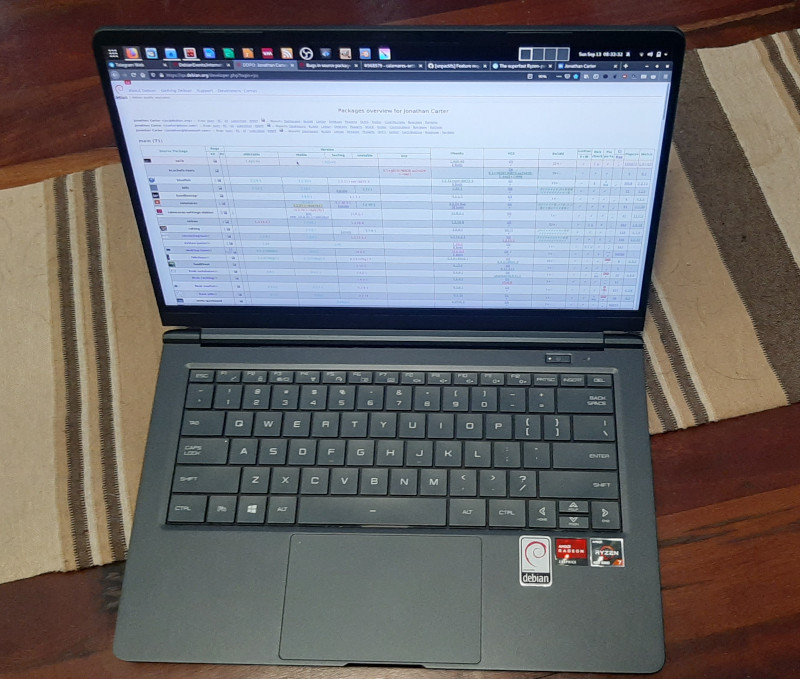
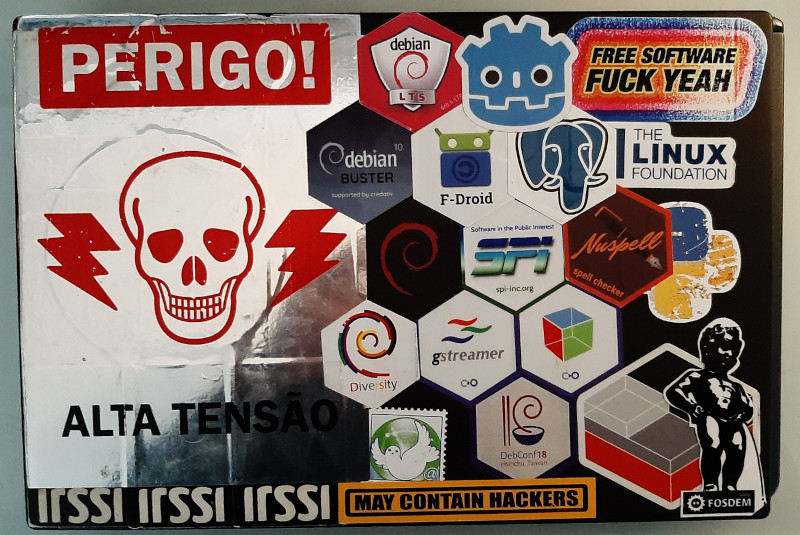
 Debconf2020 took place when I was on personal vacations time. But anyway I m lucky enough that my
company, the Wikimedia Foundation, paid the conference registration fee for me and allowed me to
take the time (after my vacations) to watch recordings from the conference.
This is my first time attending (or watching) a full-online conference, and I was curious to see
first hand how it would develop. I was greatly surprised to see it worked pretty nicely, so kudos
to the organization, video team, volunteers, etc!
What follows is my summary of the conference, from the different sessions and talks I watched
(again, none of them live but recordings).
The first thing I saw was the
Debconf2020 took place when I was on personal vacations time. But anyway I m lucky enough that my
company, the Wikimedia Foundation, paid the conference registration fee for me and allowed me to
take the time (after my vacations) to watch recordings from the conference.
This is my first time attending (or watching) a full-online conference, and I was curious to see
first hand how it would develop. I was greatly surprised to see it worked pretty nicely, so kudos
to the organization, video team, volunteers, etc!
What follows is my summary of the conference, from the different sessions and talks I watched
(again, none of them live but recordings).
The first thing I saw was the 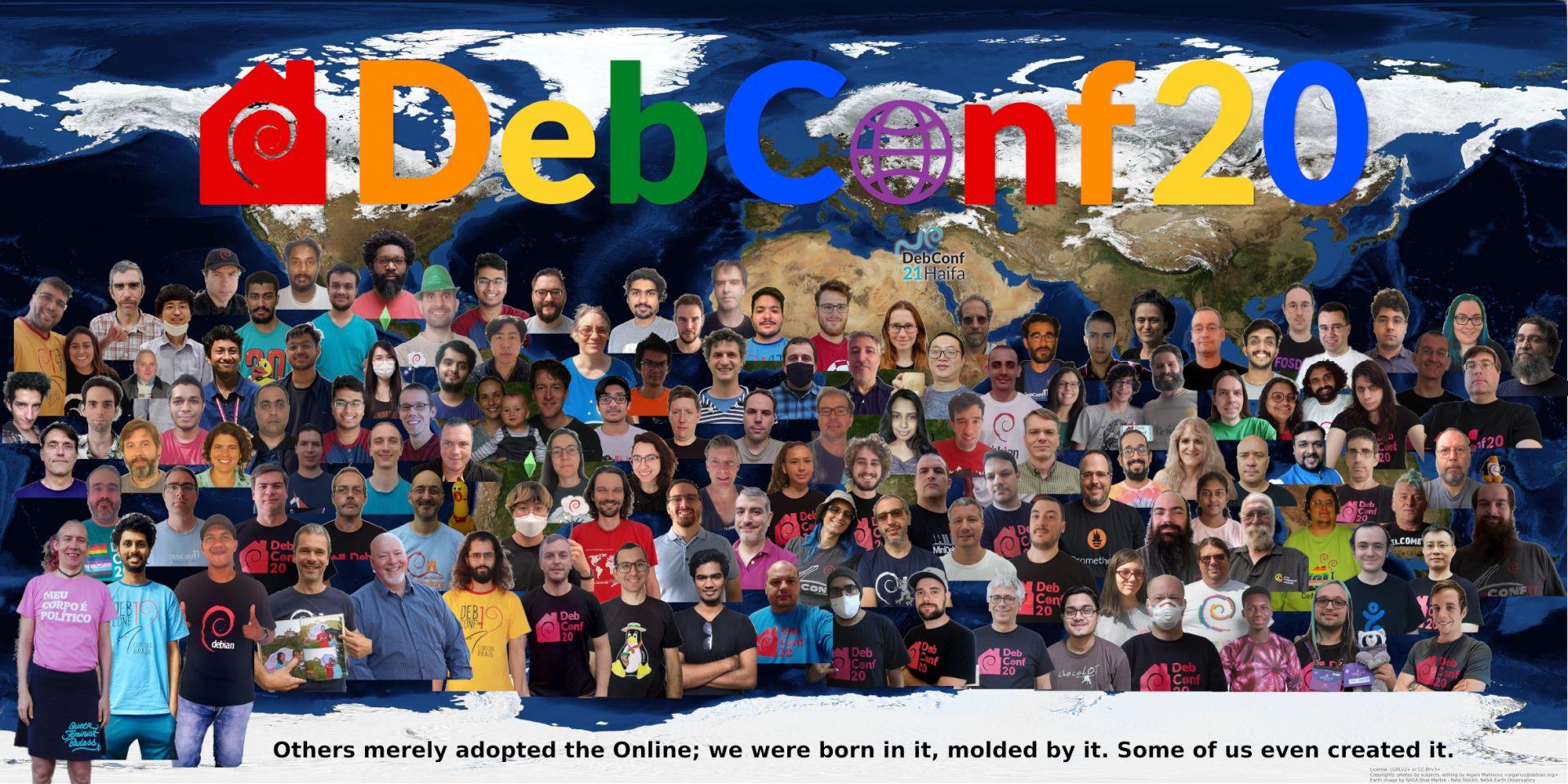
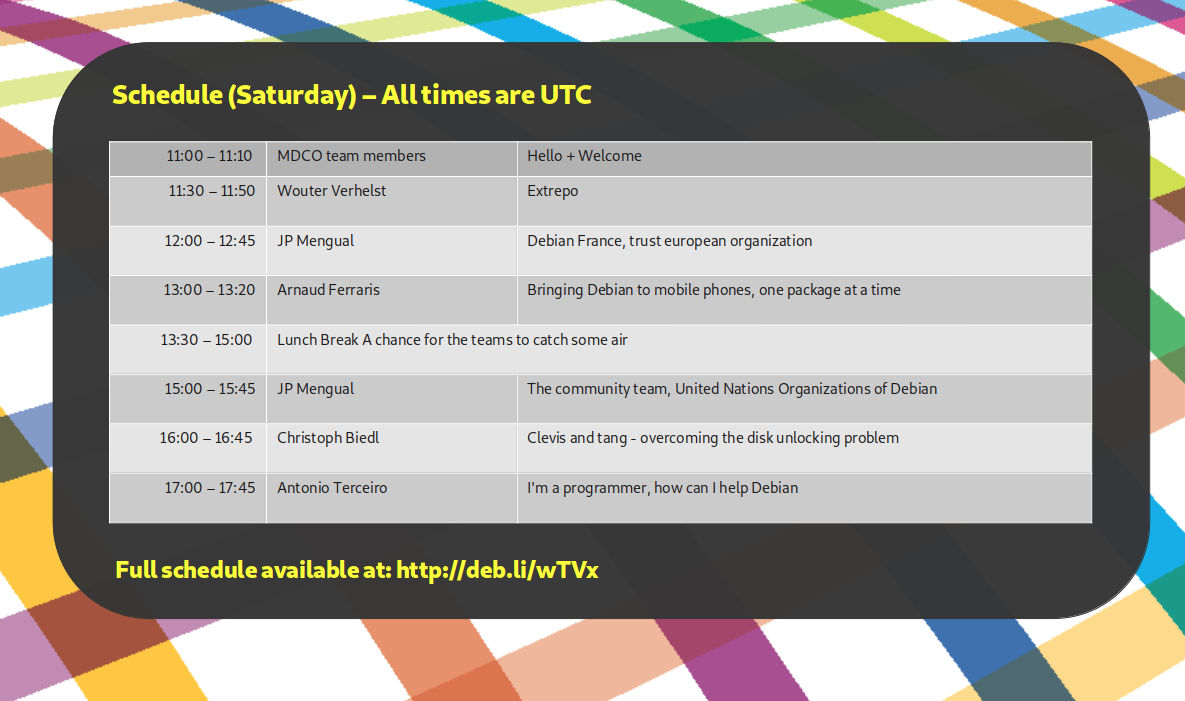
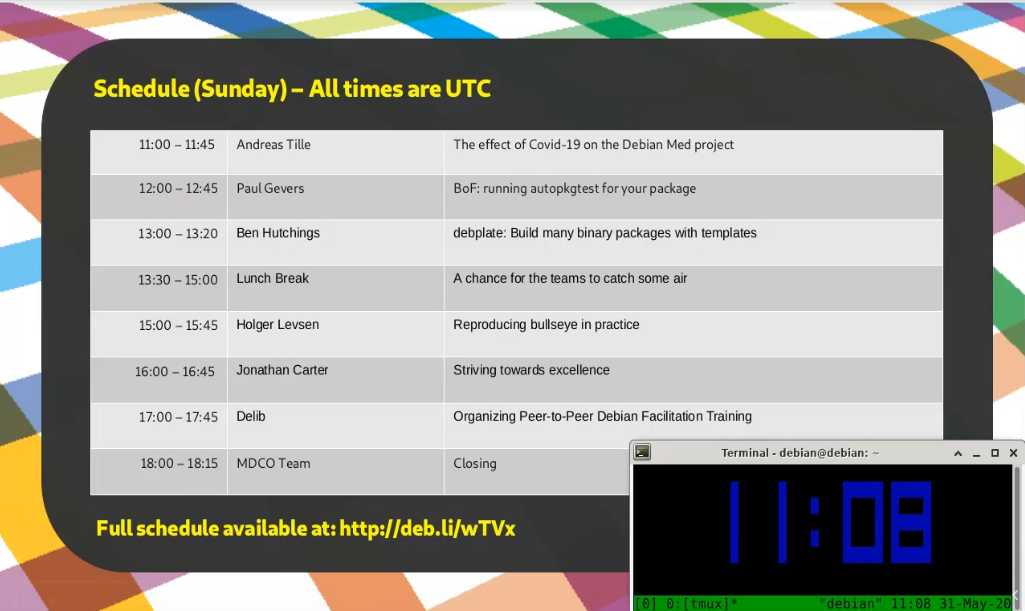
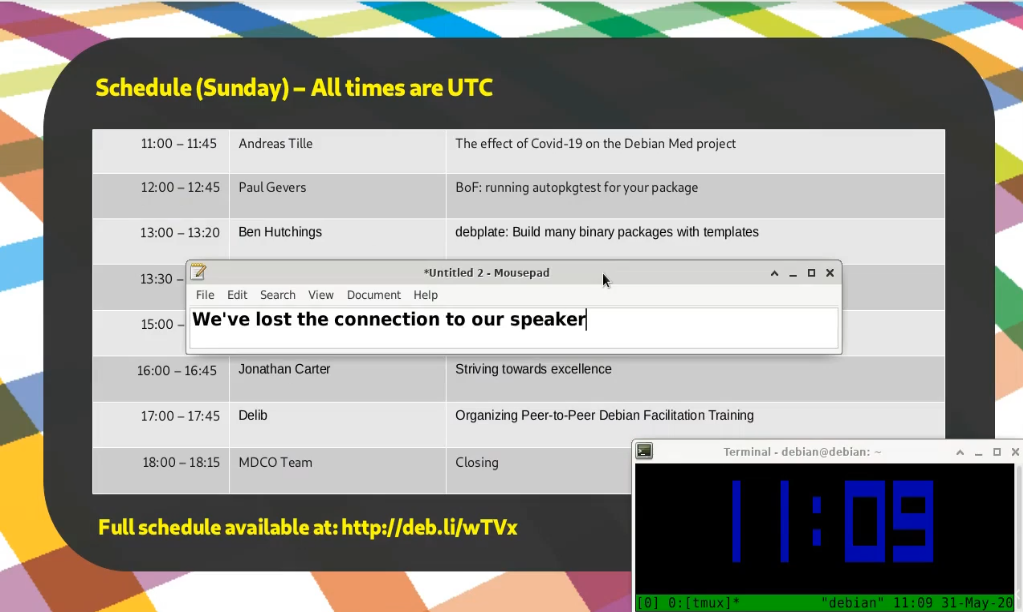
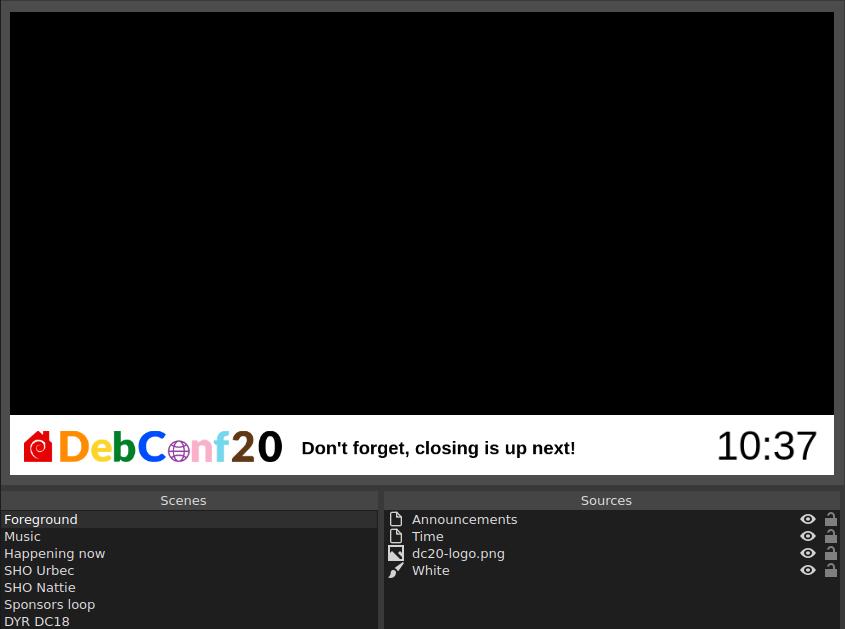
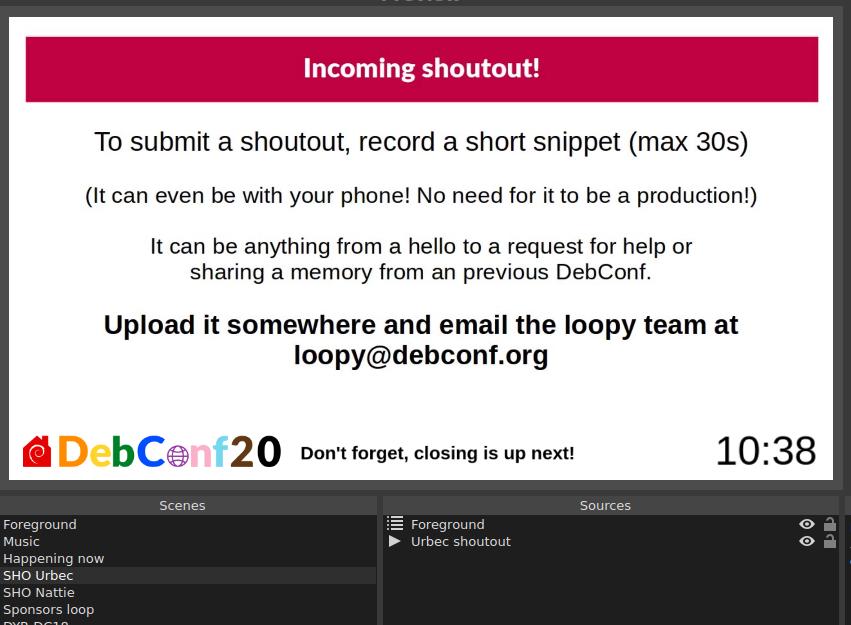
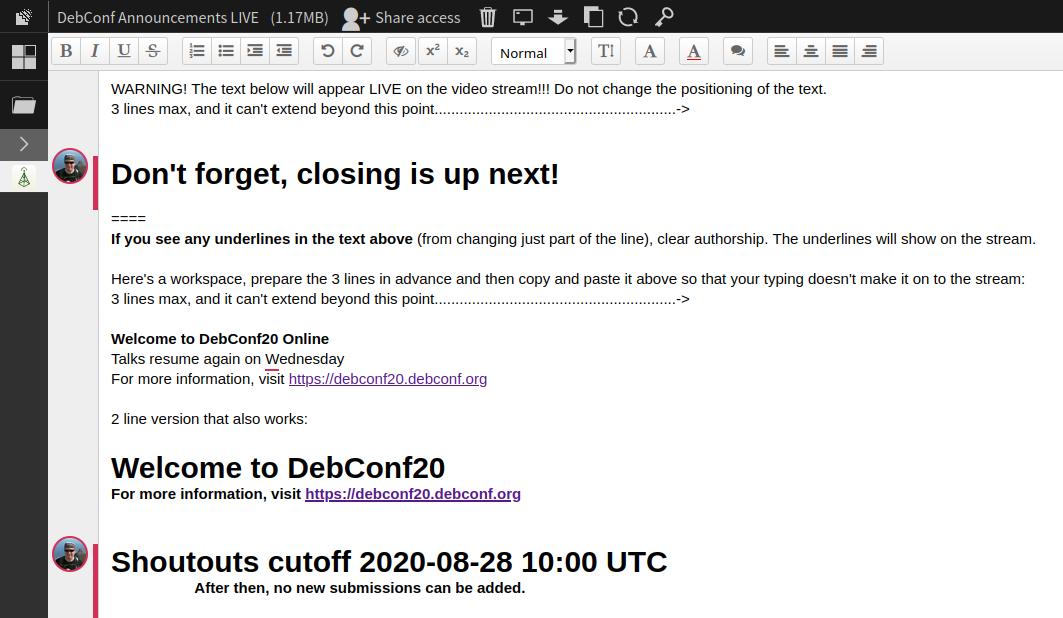
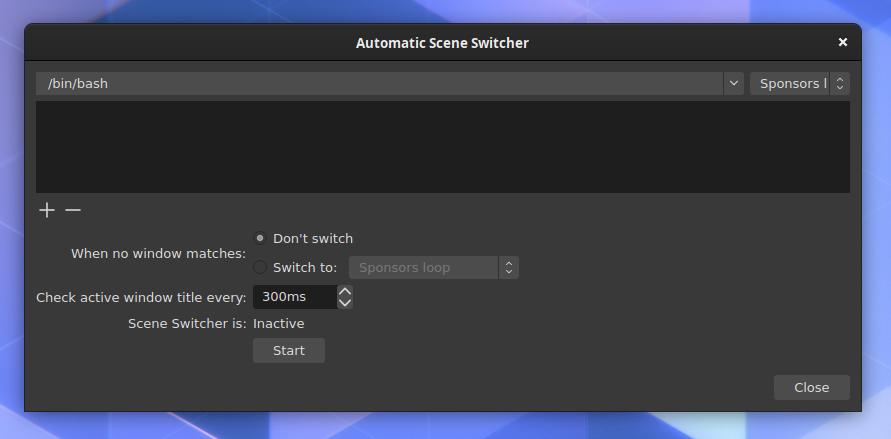
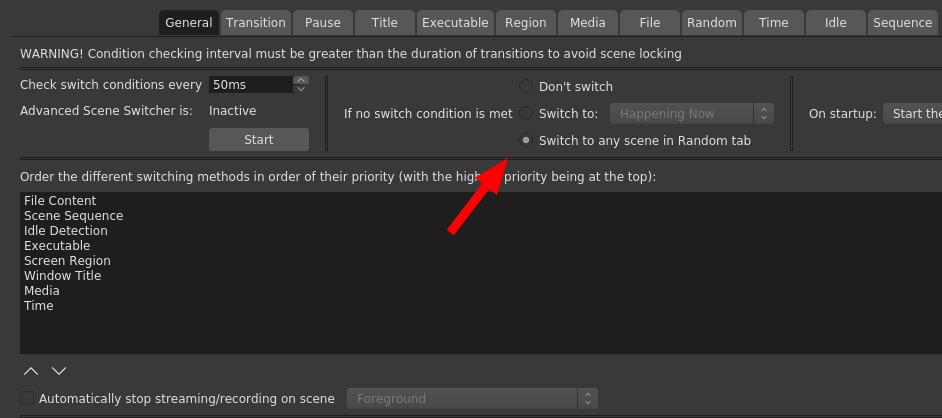
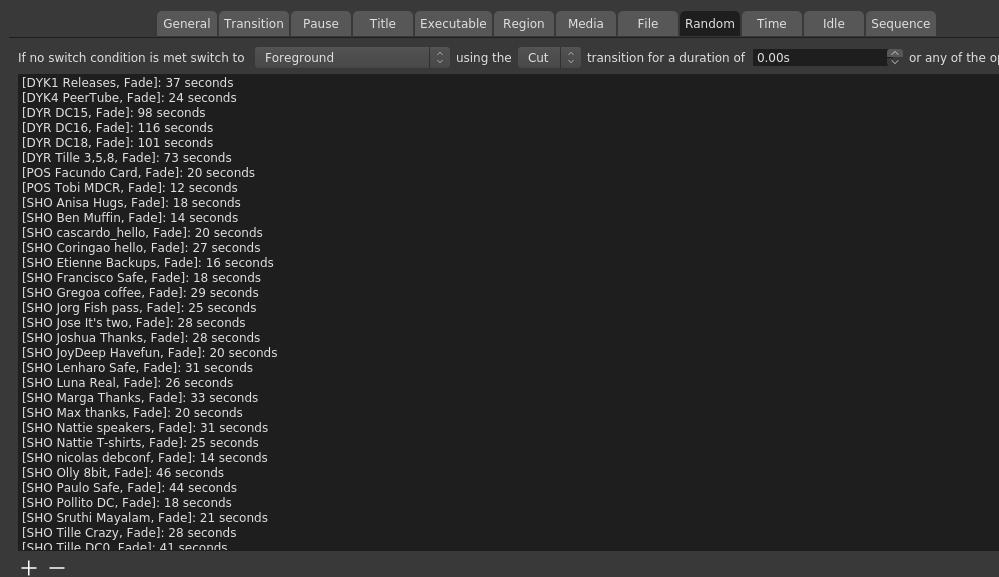
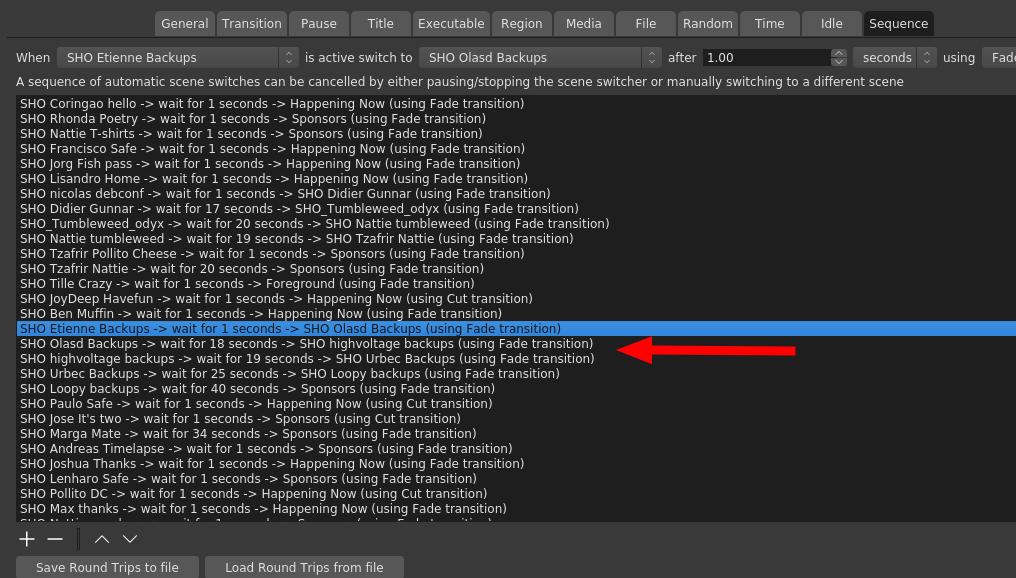
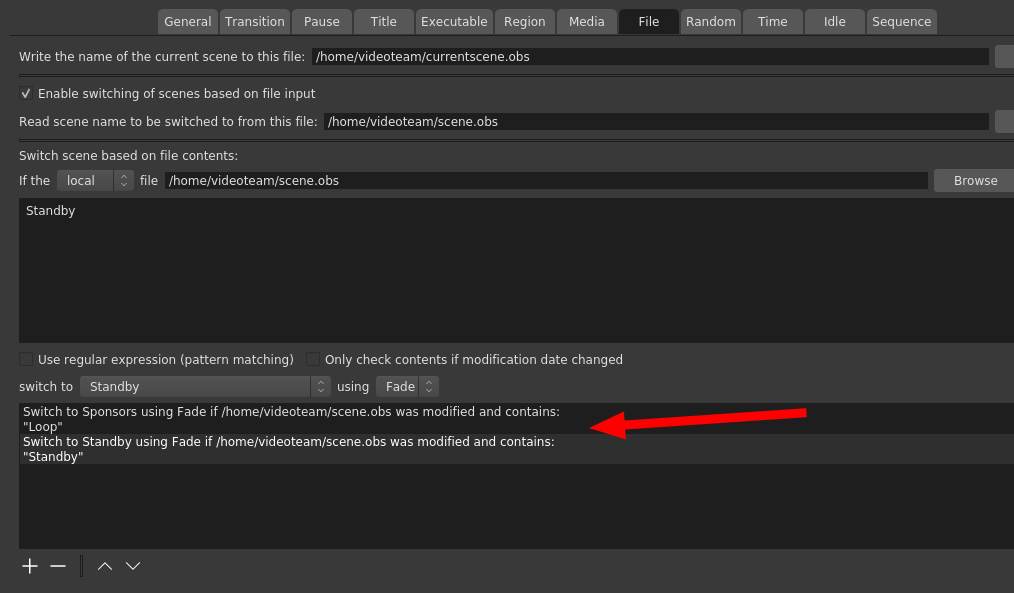
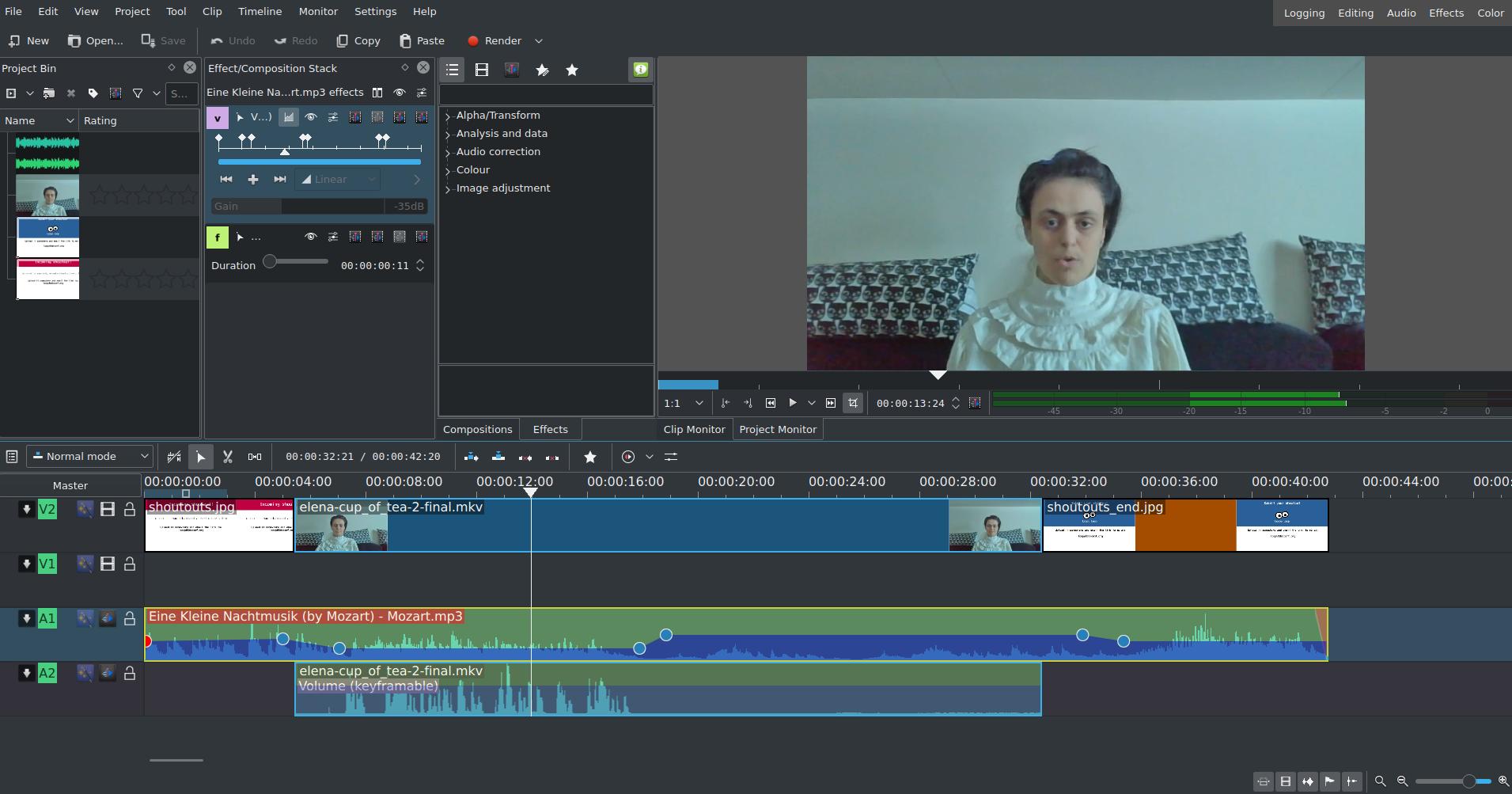
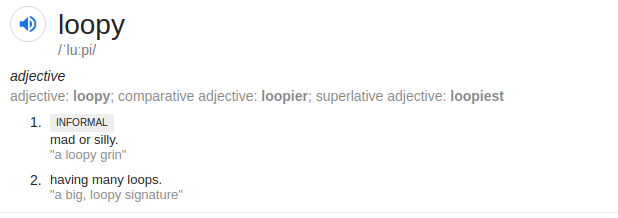


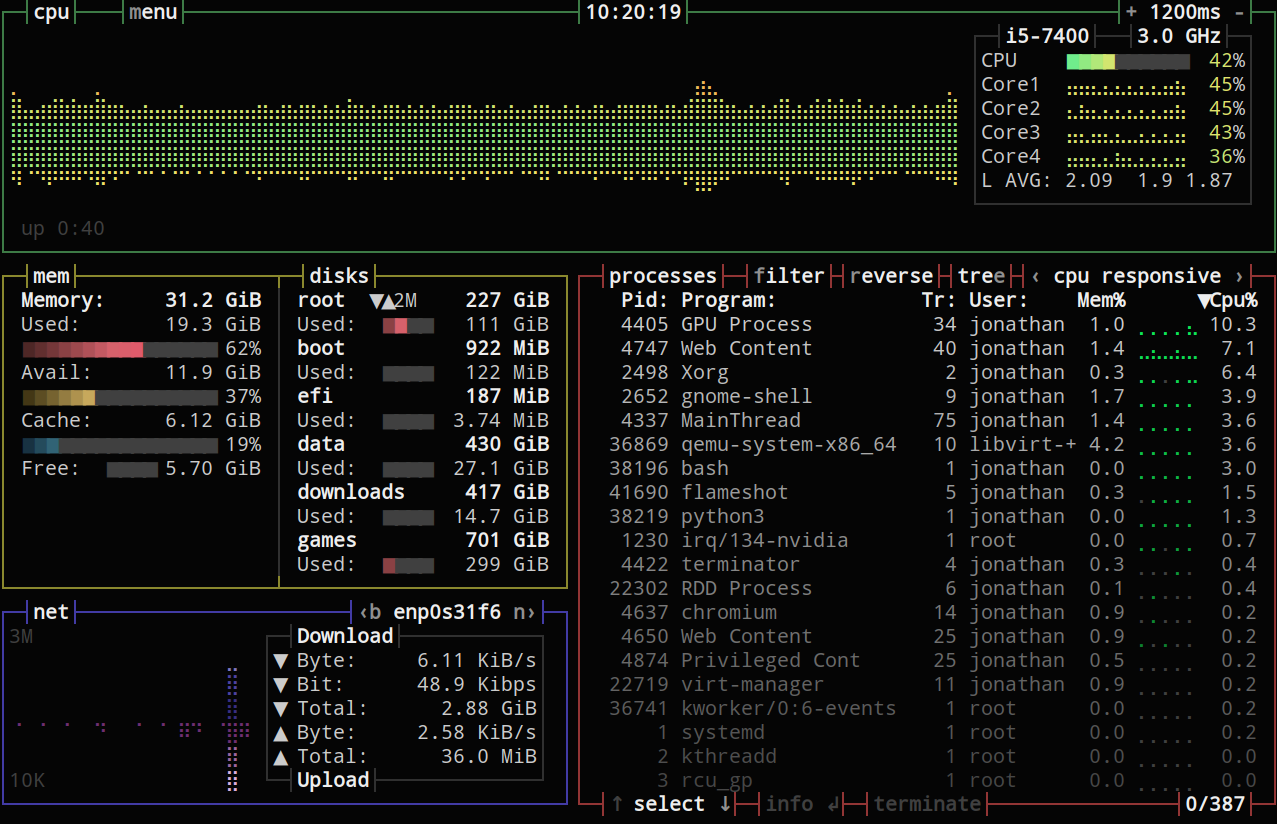
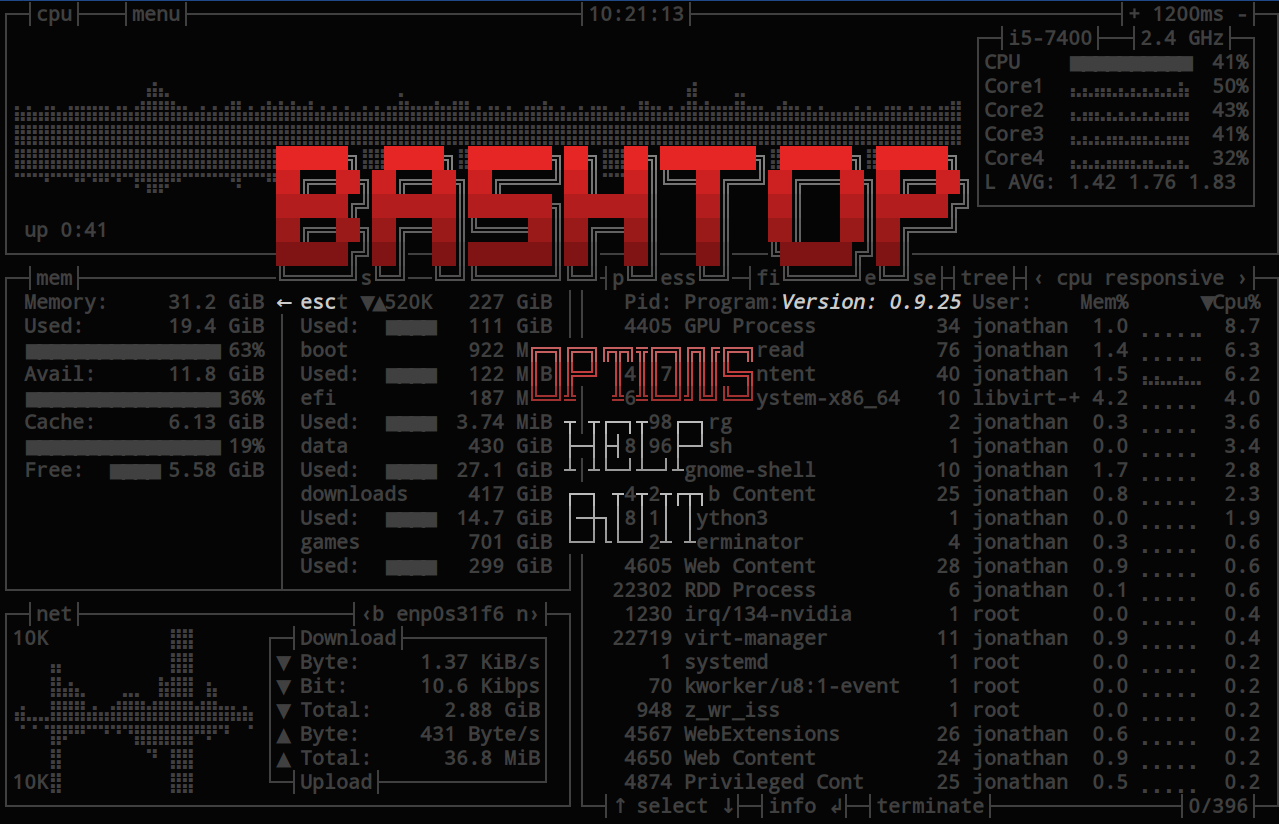
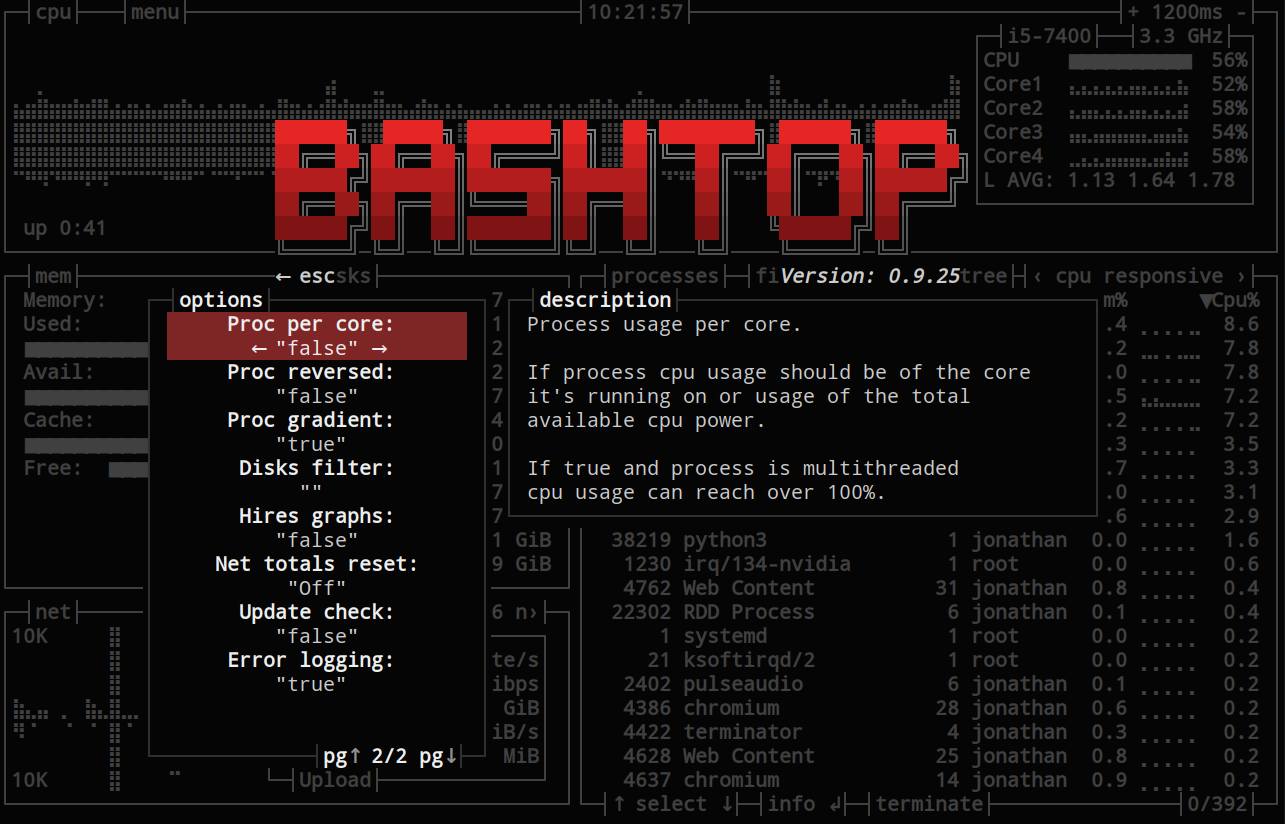
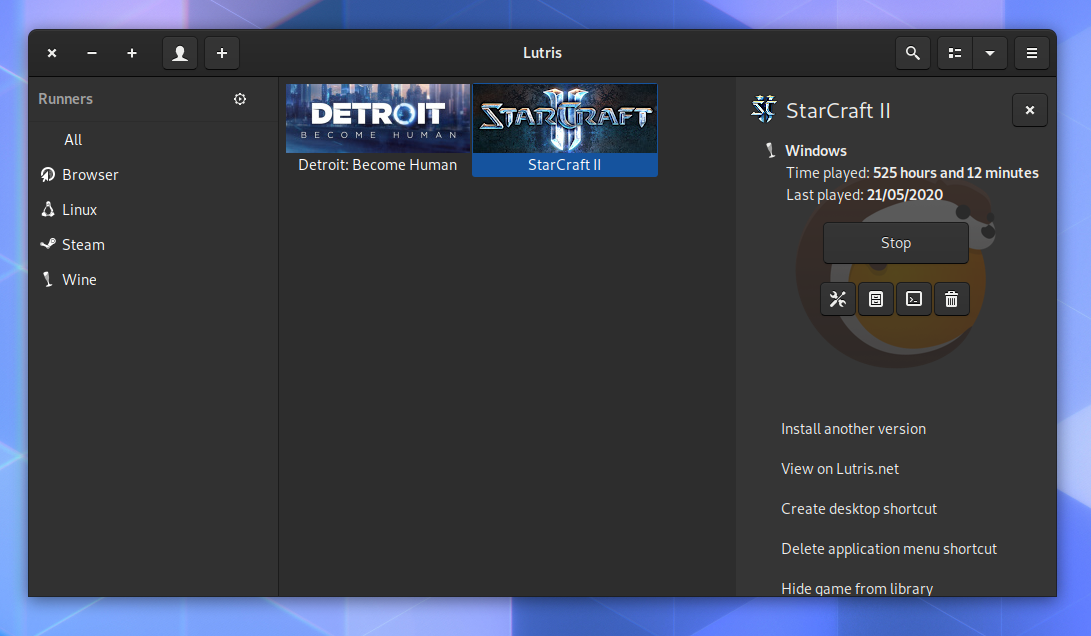 Screenshot of Lutris, a tool that makes it easy to install your non-Linux games, which also integrates with GameMode.
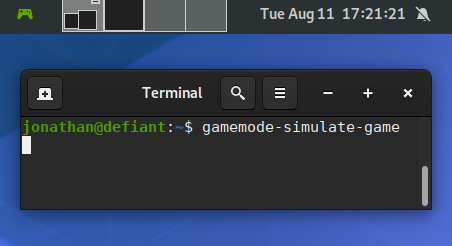 Running gamemode-simulate-game, with the shell extension showing that it s activated in the top left corner.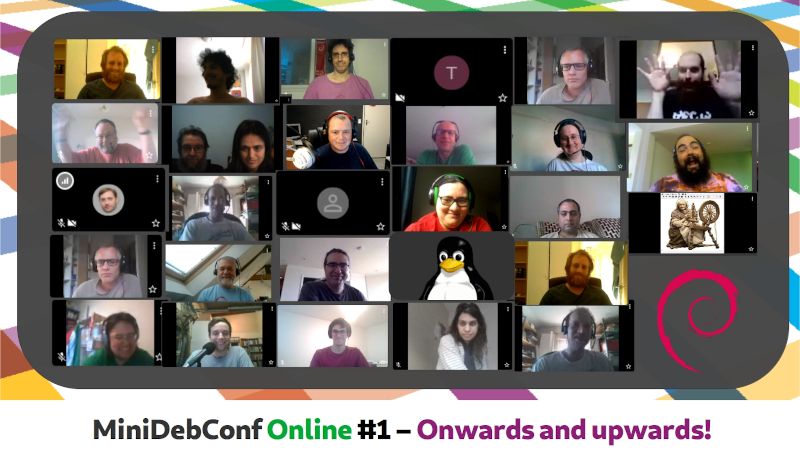
 I know most Debian people know about this already But in case you
don t follow the usual Debian communications channels, this might
interest you!
Given most of the world is still under COVID-19 restrictions, and that
we want to work on Debian, given there is no certainty as to what the
future holds in store for us Our DPL fearless as they always are
had the bold initiative to make this weekend into the first-ever
I know most Debian people know about this already But in case you
don t follow the usual Debian communications channels, this might
interest you!
Given most of the world is still under COVID-19 restrictions, and that
we want to work on Debian, given there is no certainty as to what the
future holds in store for us Our DPL fearless as they always are
had the bold initiative to make this weekend into the first-ever
 So, we are already halfway through DebCamp (which means, you can come
and hang out with us in the
So, we are already halfway through DebCamp (which means, you can come
and hang out with us in the  The Debian Project Leader elections just finished and the winner is Jonathan Carter!
His term as project leader starts next Tuesday April 21st and expires on April 20th 2021.
Of a total of 1011 developers, 339 developers voted using the
The Debian Project Leader elections just finished and the winner is Jonathan Carter!
His term as project leader starts next Tuesday April 21st and expires on April 20th 2021.
Of a total of 1011 developers, 339 developers voted using the 
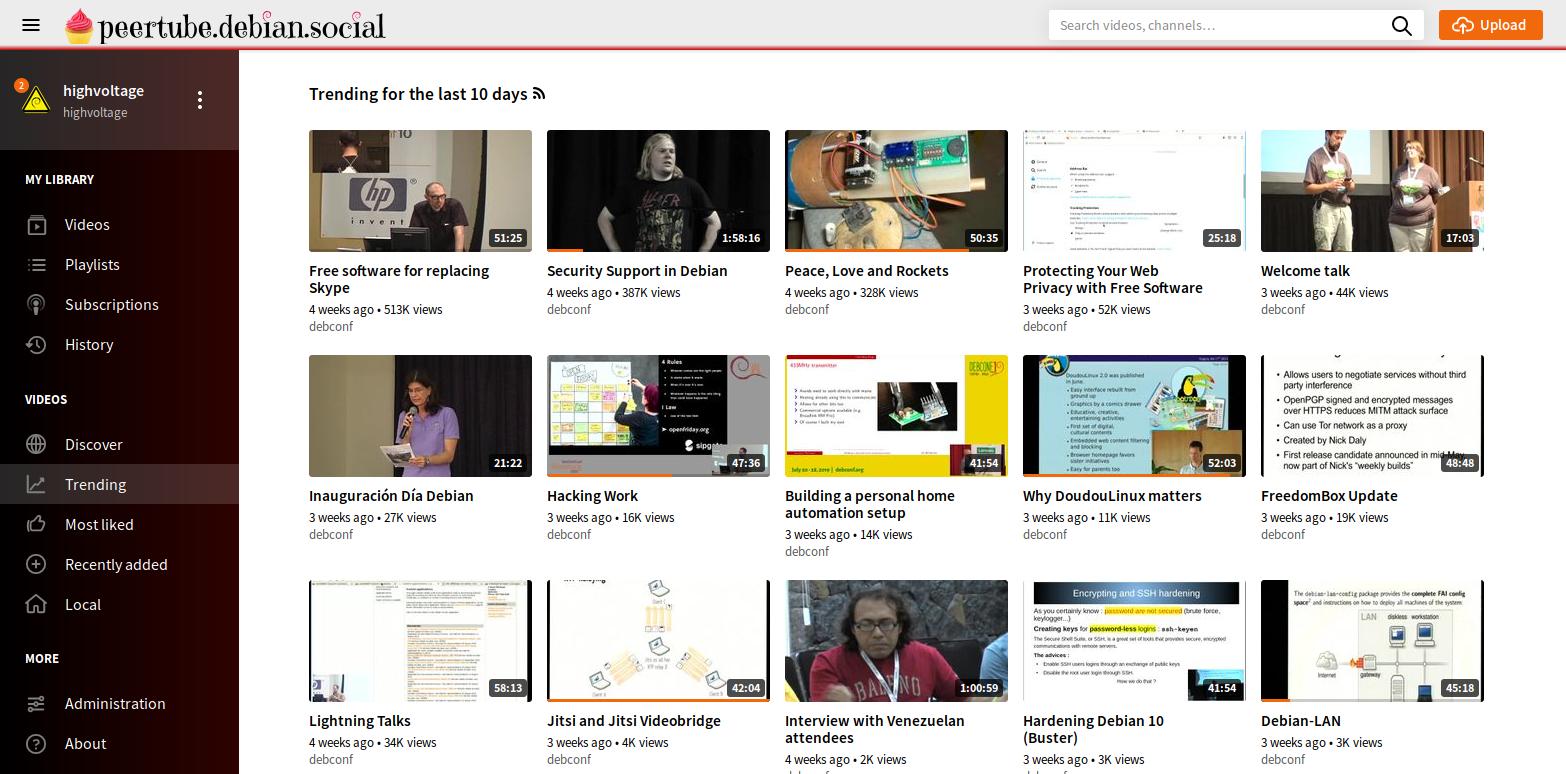
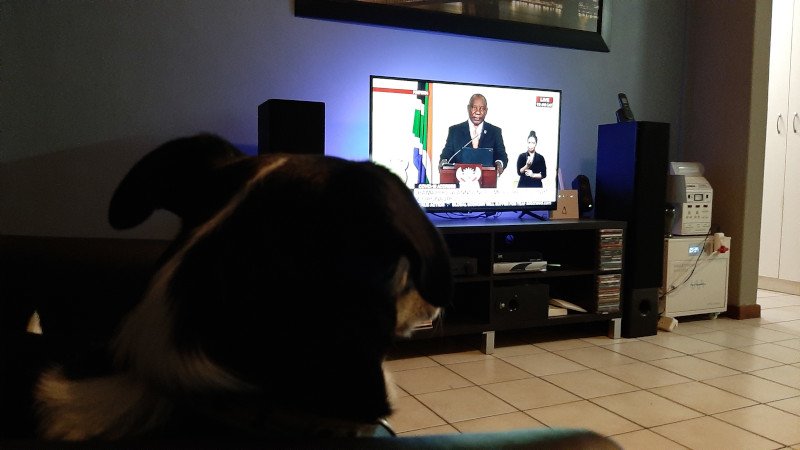
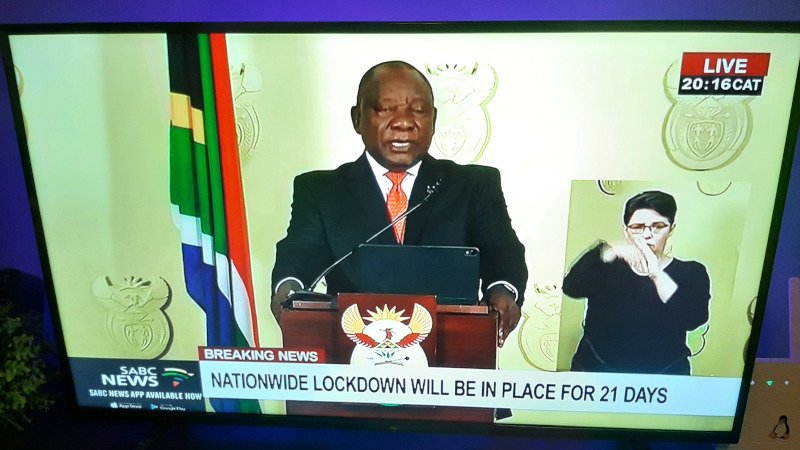
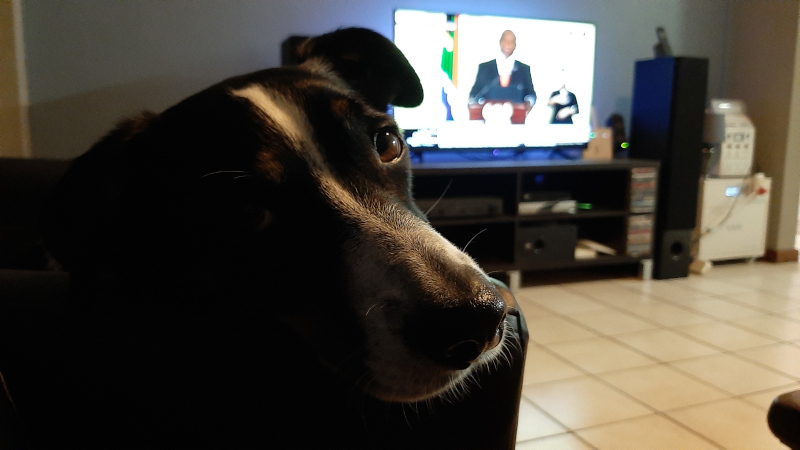
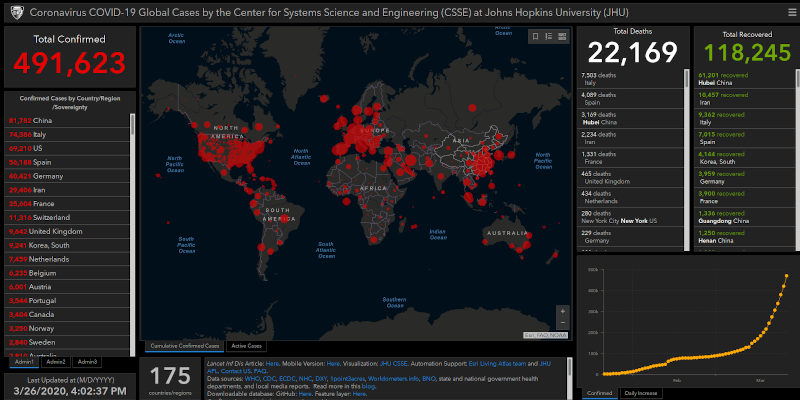
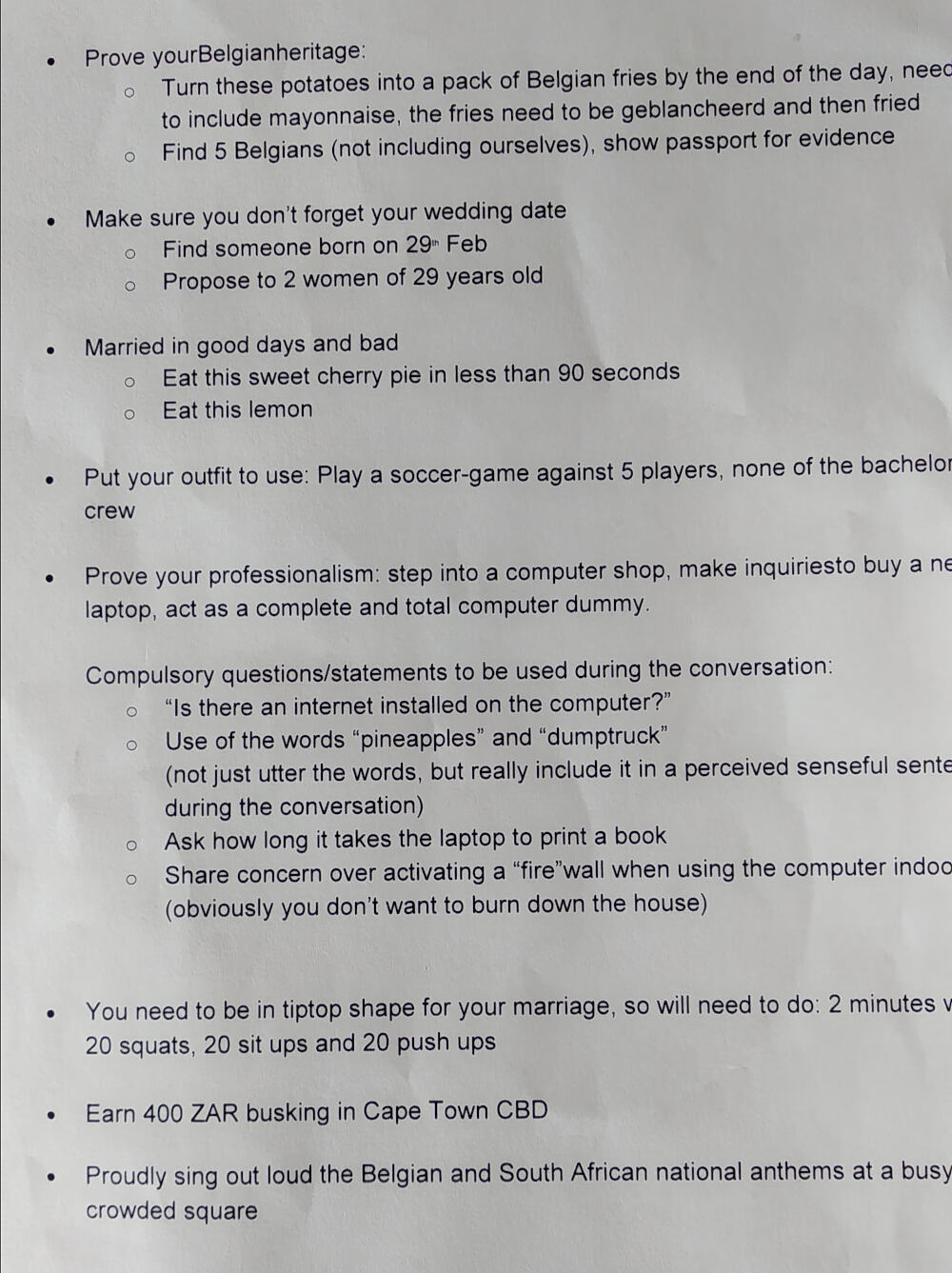 Wouter s tasks
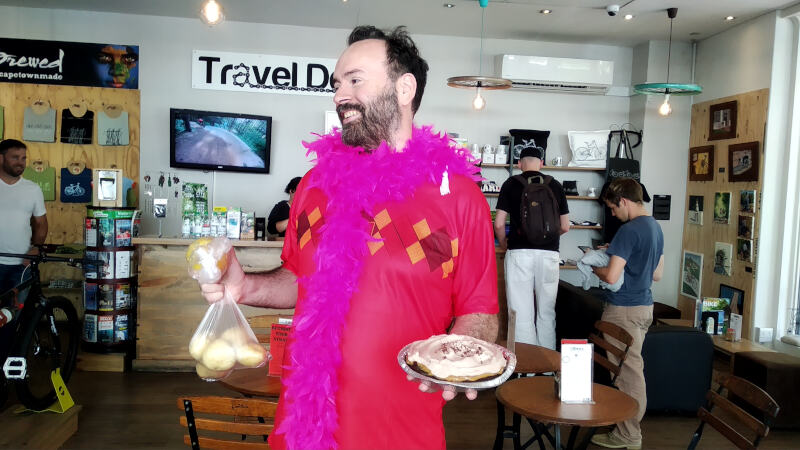 Wouter s props, needed to complete his tasks
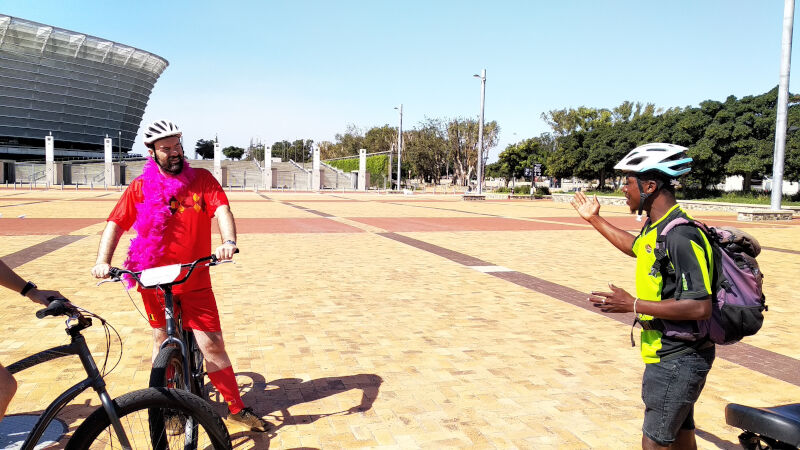 Bike tour leg at Cape Town Stadium.
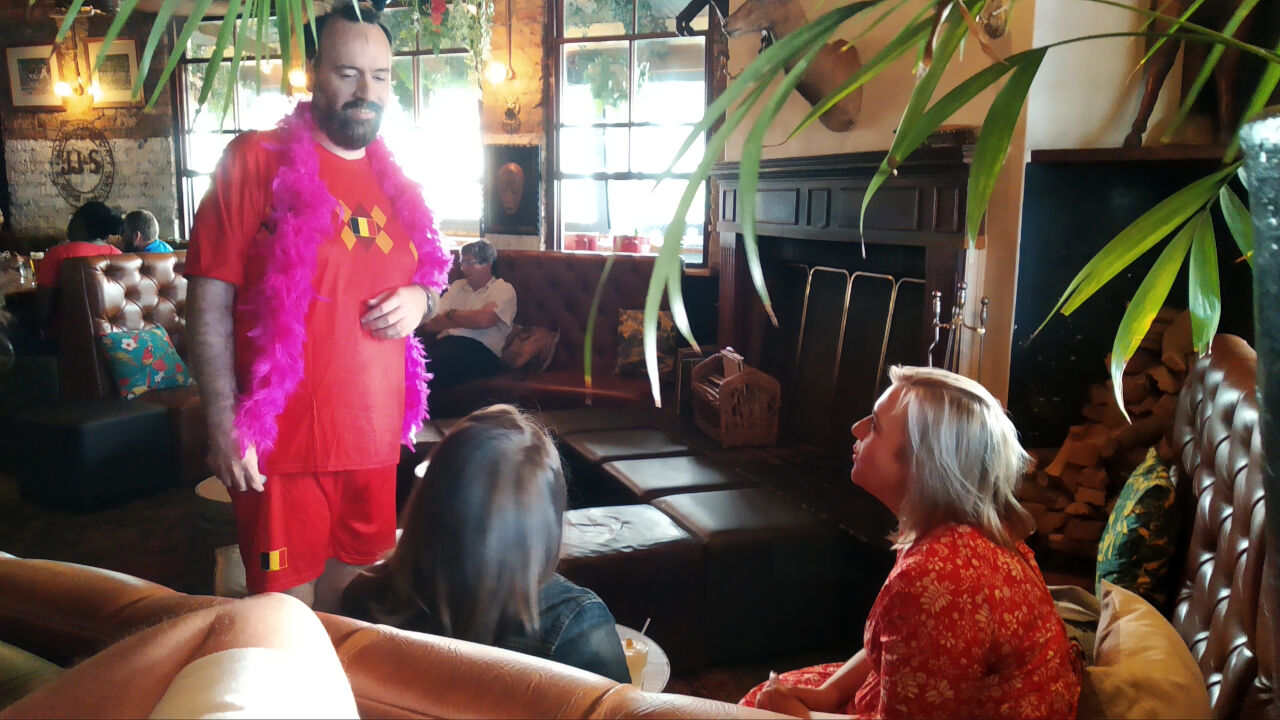 Seeking out 29 year olds.
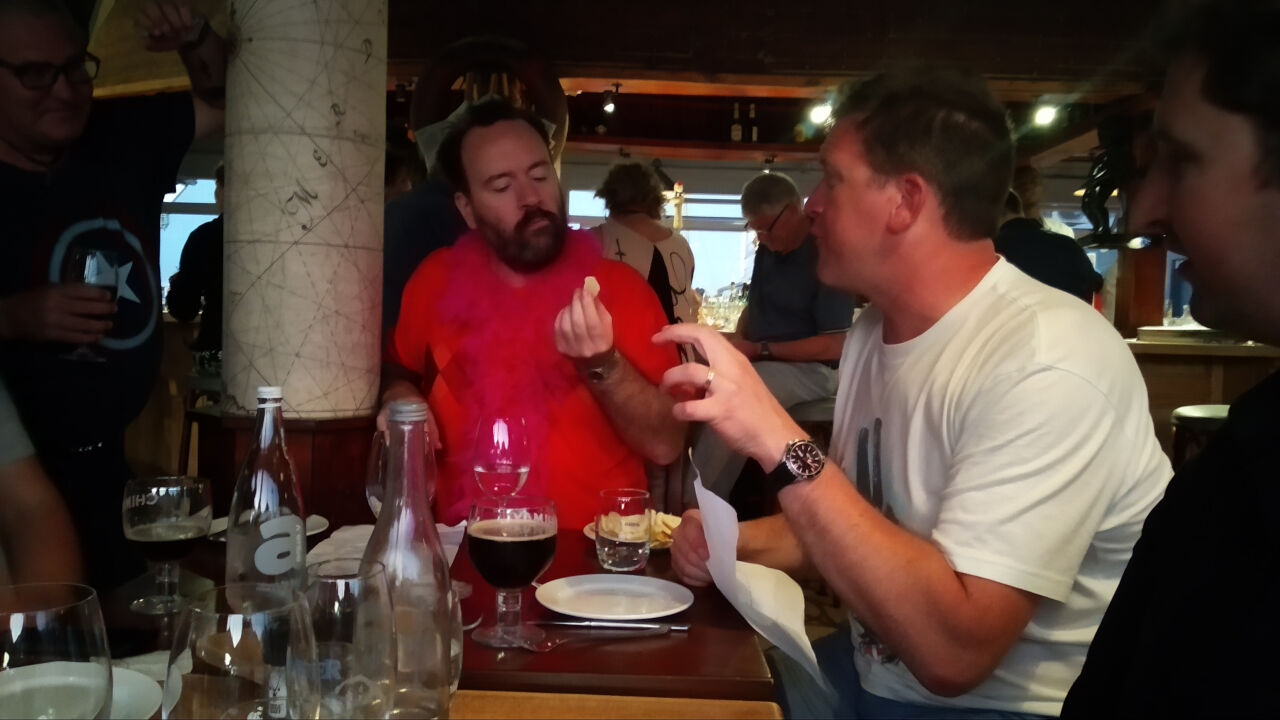 Wouter finishing his lemon and actually seemingly enjoying it.
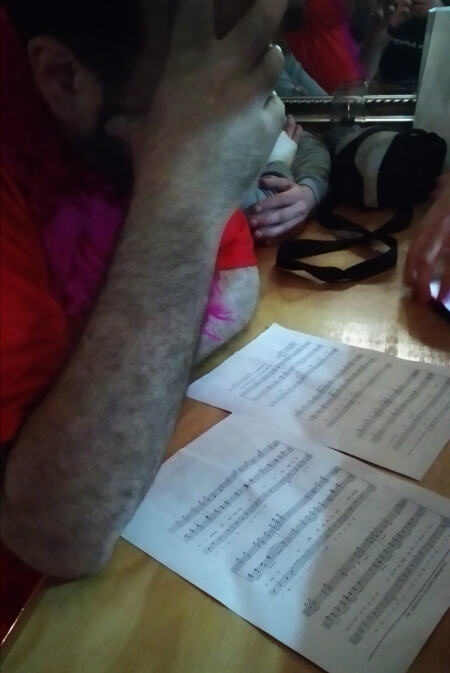 Reciting South African national anthem notes and lyrics.
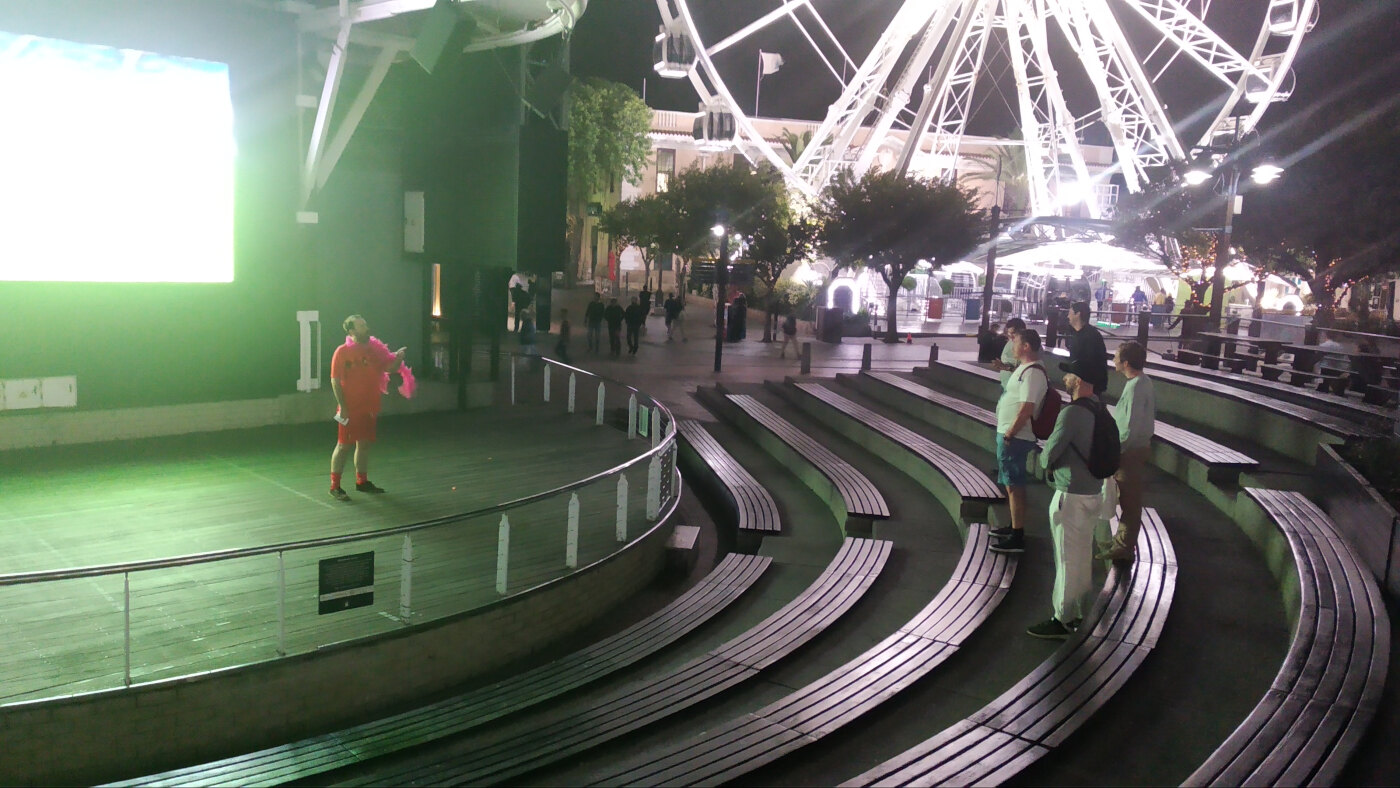 The national anthem, as performed by Wouter (I was actually impressed by how good his pitch was).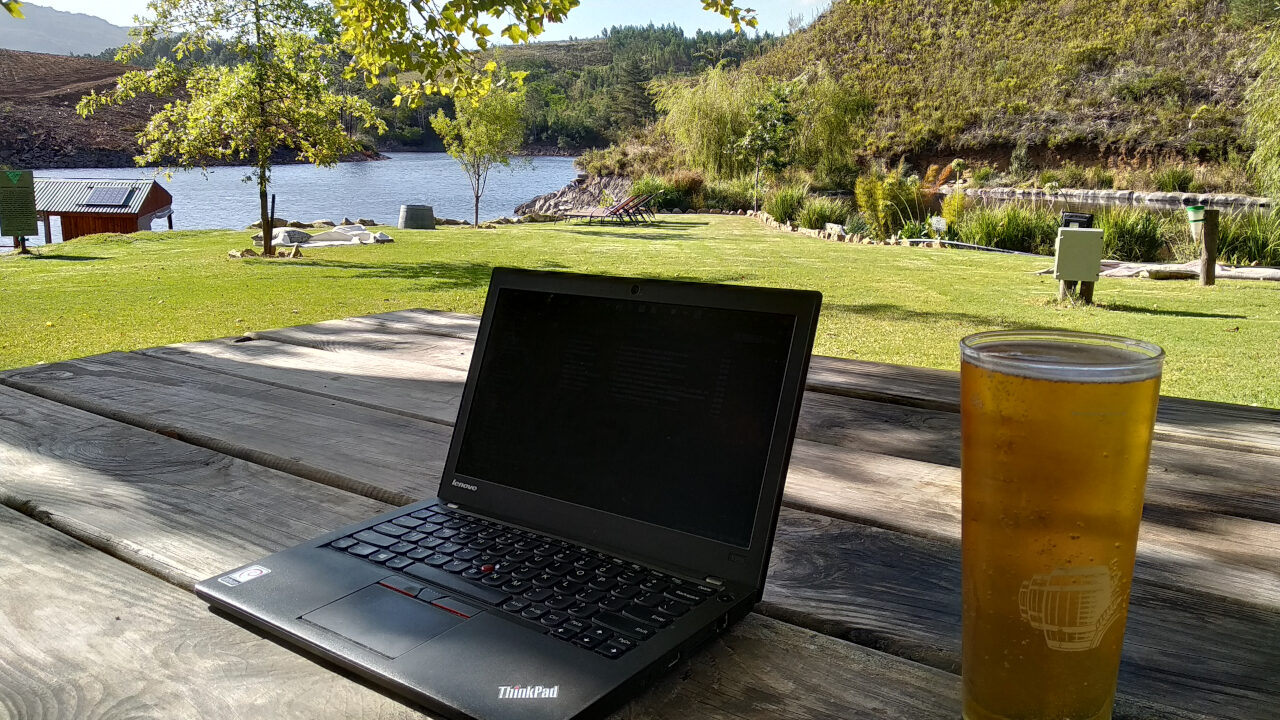
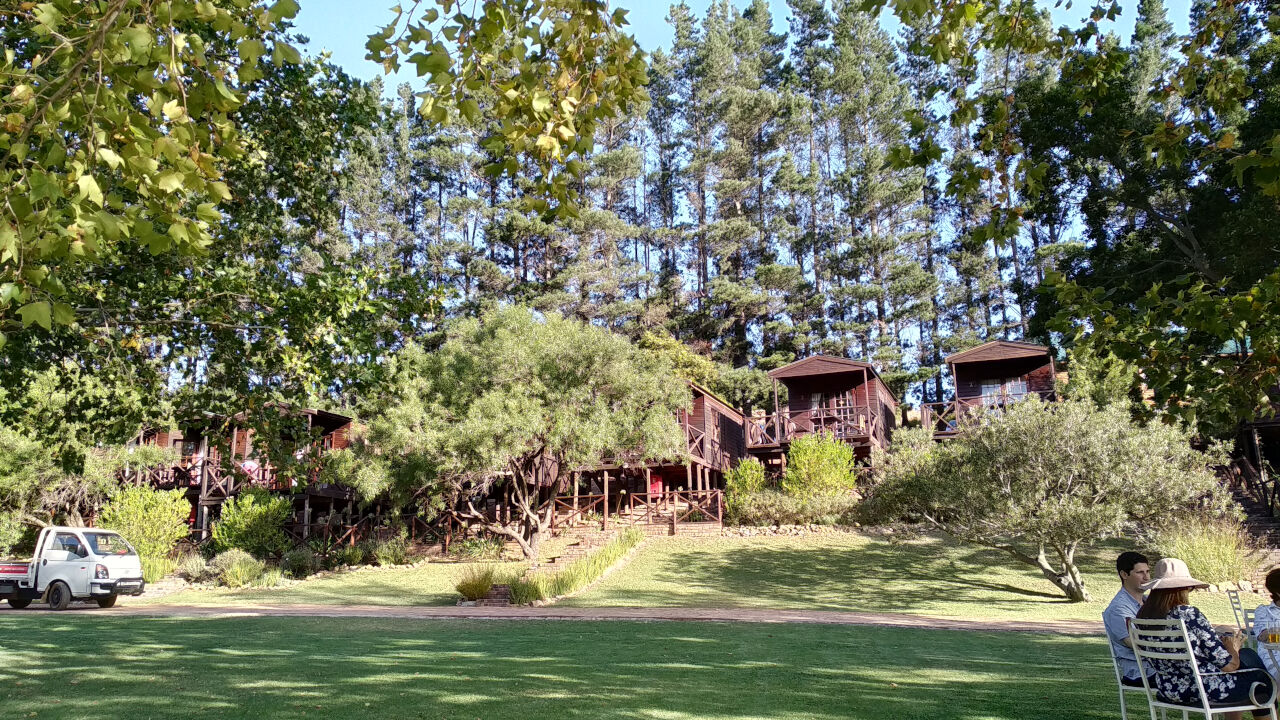 Accommodation at the lodge
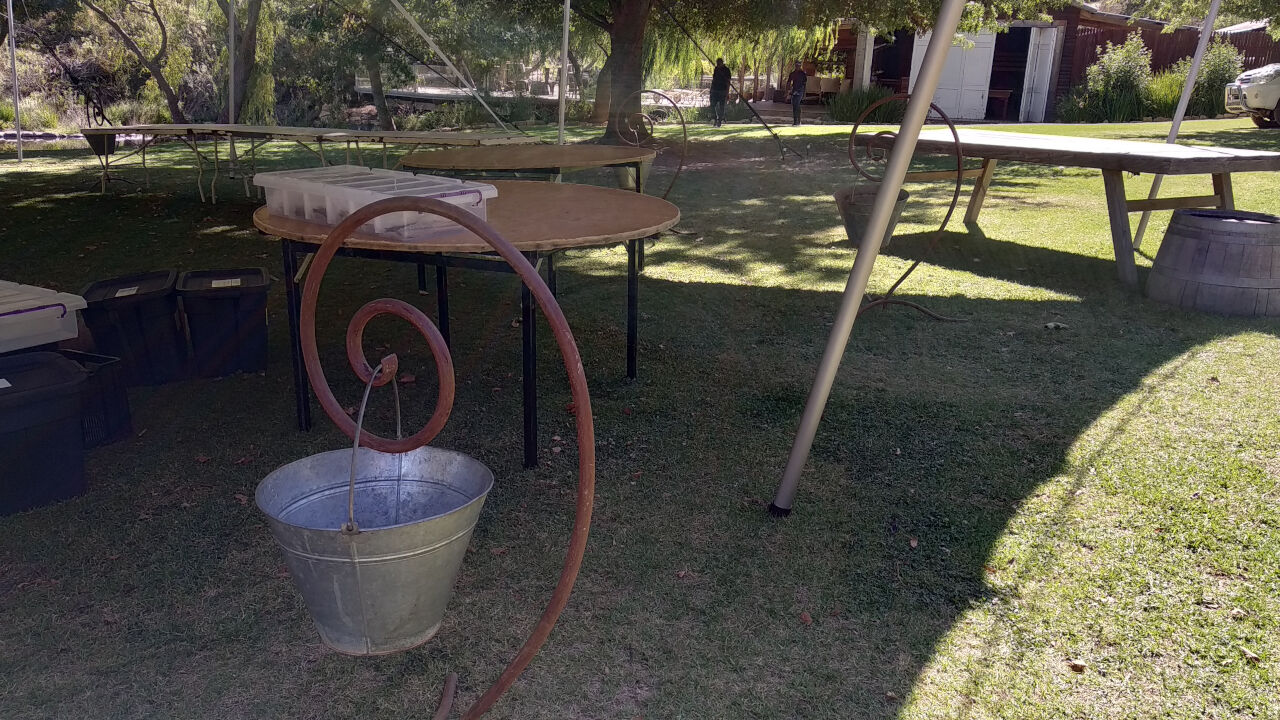 Debian swirls everywhere
 I took a canoe ride on the river and look what I found, a paddatrapper!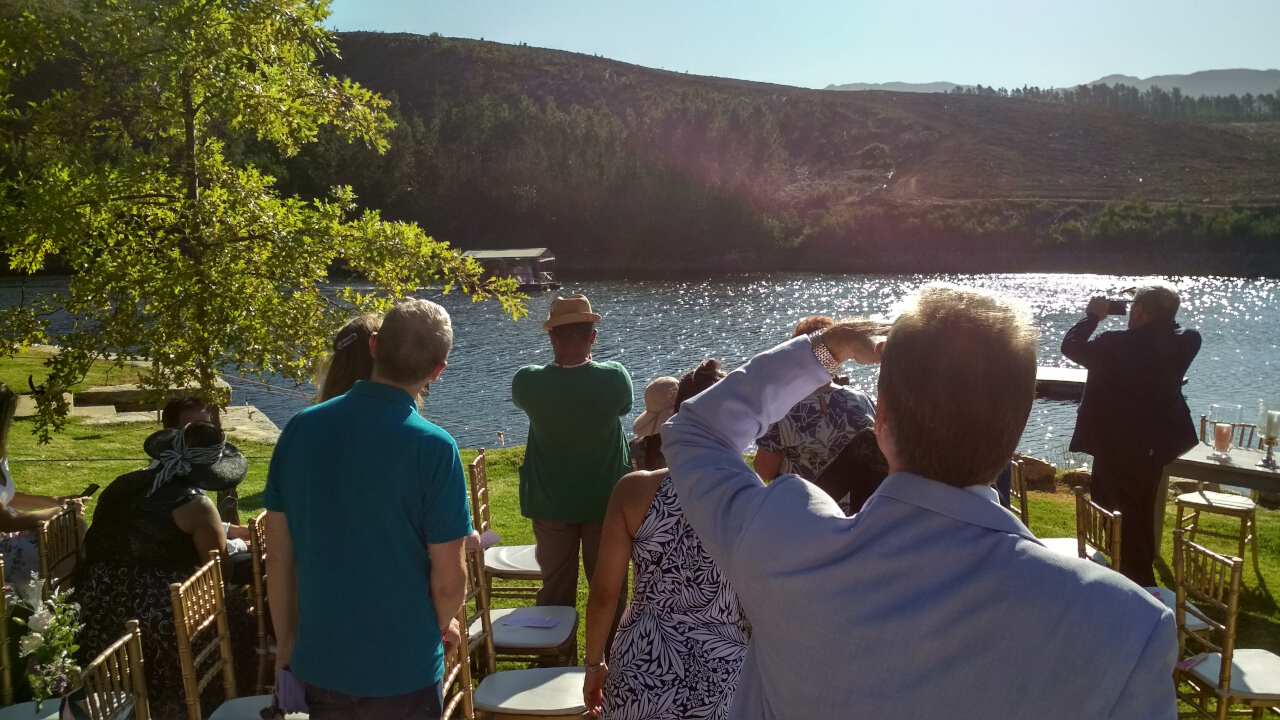


 A bit of digital zoomage of previous image.
 Time to say the vows.
 Just married. Thanks to Sue Fuller-Good for the photo.
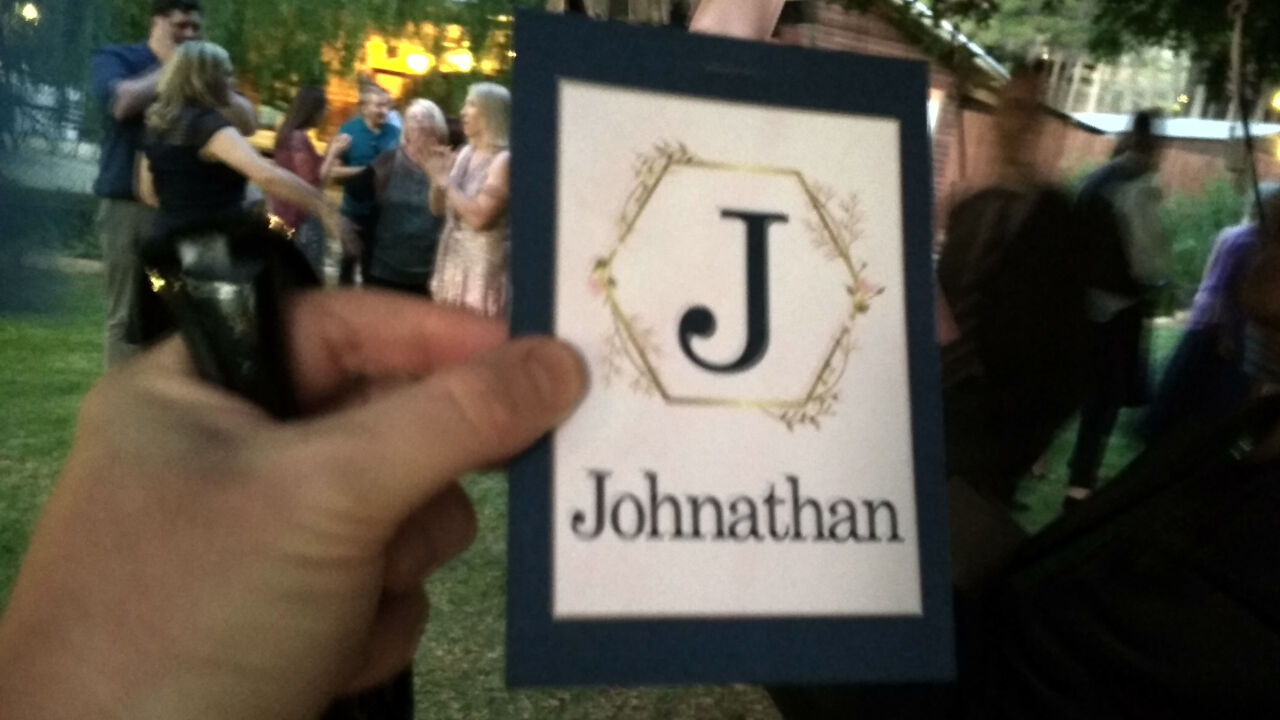 Except for one character being out of place, this was a perfect fairy tale wedding, but I pointed Wouter to
  How to enable
Install the vim-airline package, and add the following to your .vimrc file:
How to enable
Install the vim-airline package, and add the following to your .vimrc file:
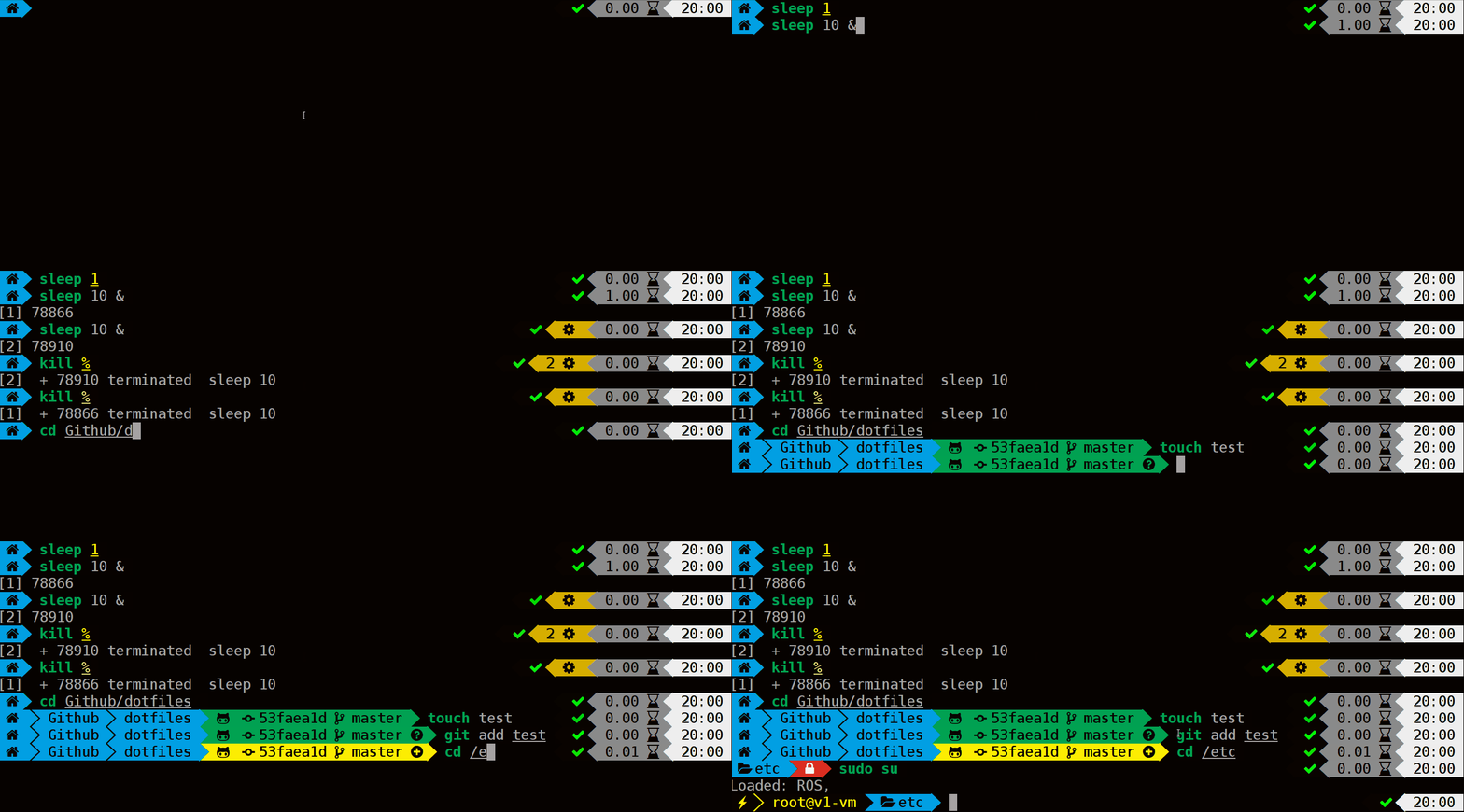 Powerlevel9k has lots of options and features. If you re interested in it, you should probably take a look at their