Search Results: "xam"

29 July 2011

Lior Kaplan: LibreOffice Conference 2011

The first LibreOffice conference is approaching (12th-15th of October), and I m very excited about it. I recently sent a talk proposal for RTL issues in LibreOffice. I guess that most of the developer aren t aware from personal experience to the RTL issues. And I hope that with this talk I could make them think some more about RTL when they code LibreOffice. If the talk will be accepted, most of my example are going to be from Hebrew. I ll be very happy to get help from Arabic speakers so I could show some more issues and examples. If there are other languages that want to join let me know.
Filed under: LibreOffice, Openoffice.org

28 July 2011

Dirk Eddelbuettel: Rcpp 0.9.6

A new maintenance release version 0.9.6 of Rcpp went onto CRAN and into Debian earlier today. This release contains a fix which helps the RppEigen package (mentioned previously on this blog), as well as an addition which permits user-defined finalizers for external pointer objects (following a suggestion on the mailing list). Two new examples where added: a Gibbs sampler illustration (blogged about as well) and a Rcpp-based Fibonacci implementation following a question on StackOverflow. And while that last example is clearly degenerate, the 700+ fold net speedup (as shown in my answer) is still pretty neat. The complete NEWS entry is below; more details are in the ChangeLog file in the package and on the Rcpp Changelog page.
0.9.6   2011-07-26
    o   Added helper traits to facilitate implementation of the RcppEigen
        package: The is_eigen_base traits identifies if a class derives from
        EigenBase using SFINAE; and new dispatch layer was added to wrap() to
        help RcppEigen
    o   XPtr now accepts a second template parameter, which is a function
        taking a pointer to the target class. This allows the developper to
        supply his/her own finalizer. The template parameter has a default
        value which retains the original behaviour (calling delete on the
        pointer)
    o   New example RcppGibbs, extending Sanjog Misra's Rcpp illustration of
        Darren Wilkinson's comparison of MCMC Gibbs Sampler implementations;
        also added short timing on Normal and Gaussian RNG draws between Rcpp
        and GSL as R's rgamma() is seen to significantly slower
    o   New example on recursively computing a Fibonacci number using Rcpp and
        comparing this to R and byte-compiled R for a significant speed gain
Thanks to CRANberries, you can also look at a diff to the previous release 0.9.5. As always, even fuller details are on the Rcpp Changelog page and the Rcpp page which also leads to the downloads, the browseable doxygen docs and zip files of doxygen output for the standard formats. A local directory has source and documentation too. Questions, comments etc should go to the rcpp-devel mailing list off the R-Forge page

26 July 2011

Ingo Juergensmann: Upgrading m68k from etch-m68 to unstable

After being dropped out of Debian, the m68k was stalled from some time now. There was no real upgrade path and so my machines still are running etch-m68k. Thanks to Thorsten Glaser the port is slowly keeping up with NPTL now ported to kernel and glibc for m68k. He took care to port and compile a lots of packages that are needed for upgrading from etch-m68k. Big thanks for that to Thorsten! Anyway, I'm in the progress of upgrading my m68k machines and buildds with the help and tips from Thorsten and this is the way I'm doing this:
  1. Change your /etc/apt/sources.list to include this:

    deb http://ftp.debian-ports.org/debian/ unstable main contrib
    deb http://archive.debian.org/debian etch-m68k main contrib non-free
  2. Get libuuid-perl from snapshot.debian.org:

    wget http://snapshot.debian.org/archive/debian/20070128T000000Z/pool/main/libu/libuuid-perl/libuuid-perl_0.02-1_m68k.deb
    dpkg -i libuuid-perl_0.02-1_m68k.deb

  3. Get kernel & linux-base from unstable
    You need to install a recent kernel like linux-image-2.6.39-2-amiga in my case. Either download it by hand or use apt:

    apt-get -d install linux-image-2.6.39-2-amiga linux-base
    cd /var/cache/apt/archive
    dpkg --force-depends -i linux-image-2.6.39-2-amiga_2.6.39-3_m68k.deb linux-base_3.3_all.deb

  4. If needed, remove linux-bases postinst, when you get this kind of error:

    syntax error at /var/lib/dpkg/info/linux-base.postinst line 1275, near "# UUIDs under /dev"
    Can't use global $_ in "my" at /var/lib/dpkg/info/linux-base.postinst line 1289, near " $_"
    rm /var/lib/dpkg/info/linux-base.postinst
    dpkg --configure --pending --force-depends

  5. If everything installed fine you should be ready to boot into your new kernel.
    On Amigas you mostly likely need to edit your boot script and copy your kernel and System.map to your AmigaOS partition. This is how my boot looks like:

    amiboot-5.6 -k vmlinux-2.6.39 "debug=mem root=/dev/sda4 video=pal-lace devtmpfs.mount=1"


    You can omit the debug=mem. This is just for the case that the kernel crashes. You can then collect the dmesg output under AmigaOS with the dmesg tool. The other parameter devtmpfs.mount=1 is needed because we don't want udev. Using video=pal-lace is necessary because the 2.6.39 kernel crashes on initializing my PicassoII graphics card and I've unplugged the card for the time being necessary to solve the problem.
  6. Kernel 2.6.39 runs fine, but you can't ssh into machine.
    Because we don't want udevd, there's now a problem when trying to login by SSH:

    pty allocation request failed on channel 0
    stdin is not a tty


    You can fix this either by installing udev, which most websites recommend when you're looking for this error, because on Xen this is the recommended solution, but as we are on m68k and not under Xen, it's better to run with a static /dev. So you need to create /dev/pts and add the following to your /etc/fstab:

    mkdir /dev/pts

    devpts /dev/pts devpts rw,noexec,nosuid,gid=5,mode=620 0 0
  7. After kernel boots into 2.6.39 you can dist-upgrade to unstable.
    When you successfully booted into your new kernel, you should be save to proceed with upgrading to unstable. For that you should first let the missing or broken depends from linux-image and linux-base being installed:

    apt-get -f install


    This should lead to install some dependencies that were missing, because using dpkg --force-depends from above. After that I upgraded dpkg, apt and apt-utils:

    apt-get install dpkg apt apt-utils


    When this succeeded, you should be save to fully dist-upgrade to unstable:

    apt-get -u dist-upgrade

    When you get errors during apt-get dist-upgrade, you might run dpkg --configure --pending or apt-get -f install, before proceeding with apt-get -u dist-upgrade. Another problem can occur with apt. When you see this error:

    E: Could not perform immediate configuration on 'perl-modules'. Please see man 5 apt.conf under APT::Immediate-Configure for details. (2)

    you should add "-o APT::Immediate-Configure=false" to your apt-get command, for example:

    apt-get -o APT::Immediate-Configure=false -f install
As stated above, my PicassoII in my A3000 doesn't seem to work under 2.6.39, whereas the PicassoIV in my A4000T does not crash the kernel. Please don't hesitate to add additions, corrections or other kind of feedback by commenting below! P.S.:
Wouter and Thorsten are currently at Debconf in Banja Luka, working on the m68k port. Wouter just finished a first version of a new debian-installer image. He asks for testing it on real hardware. Please volunteer if you can! It's available at: http://people.debian.org/~wouter/di-m68k/

Ingo Juergensmann: Upgrading m68k from etch-m68k to unstable

After being dropped out of Debian, the m68k was stalled from some time now. There was no real upgrade path and so my machines still are running etch-m68k. Thanks to Thorsten Glaser the port is slowly keeping up with NPTL now ported to kernel and glibc for m68k. He took care to port and compile a lots of packages that are needed for upgrading from etch-m68k. Big thanks for that to Thorsten! Anyway, I'm in the progress of upgrading my m68k machines and buildds with the help and tips from Thorsten and this is the way I'm doing this:
  1. Change your /etc/apt/sources.list to include this:

    deb http://ftp.debian-ports.org/debian/ unstable main contrib
    deb http://archive.debian.org/debian etch-m68k main contrib non-free
  2. Get libuuid-perl from snapshot.debian.org:

    wget http://snapshot.debian.org/archive/debian/20070128T000000Z/pool/main/libu/libuuid-perl/libuuid-perl_0.02-1_m68k.deb
    dpkg -i libuuid-perl_0.02-1_m68k.deb

  3. Get kernel & linux-base from unstable
    You need to install a recent kernel like linux-image-2.6.39-2-amiga in my case. Either download it by hand or use apt:

    apt-get -d install linux-image-2.6.39-2-amiga linux-base
    cd /var/cache/apt/archive
    dpkg --force-depends -i linux-image-2.6.39-2-amiga_2.6.39-3_m68k.deb linux-base_3.3_all.deb

  4. If needed, remove linux-bases postinst, when you get this kind of error:

    syntax error at /var/lib/dpkg/info/linux-base.postinst line 1275, near "# UUIDs under /dev"
    Can't use global $_ in "my" at /var/lib/dpkg/info/linux-base.postinst line 1289, near " $_"
    rm /var/lib/dpkg/info/linux-base.postinst
    dpkg --configure --pending --force-depends

  5. If everything installed fine you should be ready to boot into your new kernel.
    On Amigas you mostly likely need to edit your boot script and copy your kernel and System.map to your AmigaOS partition. This is how my boot looks like:

    amiboot-5.6 -k vmlinux-2.6.39 "debug=mem root=/dev/sda4 video=pal-lace devtmpfs.mount=1"


    You can omit the debug=mem. This is just for the case that the kernel crashes. You can then collect the dmesg output under AmigaOS with the dmesg tool. The other parameter devtmpfs.mount=1 is needed because we don't want udev. Using video=pal-lace is necessary because the 2.6.39 kernel crashes on initializing my PicassoII graphics card and I've unplugged the card for the time being necessary to solve the problem.
  6. Kernel 2.6.39 runs fine, but you can't ssh into machine.
    Because we don't want udevd, there's now a problem when trying to login by SSH:

    pty allocation request failed on channel 0
    stdin is not a tty


    You can fix this either by installing udev, which most websites recommend when you're looking for this error, because on Xen this is the recommended solution, but as we are on m68k and not under Xen, it's better to run with a static /dev. So you need to create /dev/pts and add the following to your /etc/fstab:

    mkdir /dev/pts

    devpts /dev/pts devpts rw,noexec,nosuid,gid=5,mode=620 0 0
  7. After kernel boots into 2.6.39 you can dist-upgrade to unstable.
    When you successfully booted into your new kernel, you should be save to proceed with upgrading to unstable. For that you should first let the missing or broken depends from linux-image and linux-base being installed:

    apt-get -f install


    This should lead to install some dependencies that were missing, because using dpkg --force-depends from above. After that I upgraded dpkg, apt and apt-utils:

    apt-get install dpkg apt apt-utils


    When this succeeded, you should be save to fully dist-upgrade to unstable:

    apt-get -u dist-upgrade

    When you get errors during apt-get dist-upgrade, you might run dpkg --configure --pending or apt-get -f install, before proceeding with apt-get -u dist-upgrade. Another problem can occur with apt. When you see this error:

    E: Could not perform immediate configuration on 'perl-modules'. Please see man 5 apt.conf under APT::Immediate-Configure for details. (2)

    you should add "-o APT::Immediate-Configure=false" to your apt-get command, for example:

    apt-get -o APT::Immediate-Configure=false -f install

    Another pitfall might be exim4-daemon-heavy, which currently segfaults. Replace it by exim4-daemon-light in that case, which works.
As stated above, my PicassoII in my A3000 doesn't seem to work under 2.6.39, whereas the PicassoIV in my A4000T does not crash the kernel. Please don't hesitate to add additions, corrections or other kind of feedback by commenting below! P.S.:
Wouter and Thorsten are currently at Debconf in Banja Luka, working on the m68k port. Wouter just finished a first version of a new debian-installer image. He asks for testing it on real hardware. Please volunteer if you can! It's available at: http://people.debian.org/~wouter/di-m68k/

Tiago Bortoletto Vaz: Some pictures of DC11 Cheese and Wine party

In DebConf9 i worked on some photo editing and ended with a sort of over-saturated album which is still available online. For the C&W party in DebConf11 i tried to delivery a black and white set of pictures by just doing some adjustments using ufraw. Pictures were taken with a Nikon D50 camera + Nikkor 50mm 1/1.4 in raw mode. Here are some examples of the result:
debconf11debconf11debconf11
You can enjoy these and other DebConf11 shots by following the links in DC11 wikipage.

Matthew Garrett: Further adventures in EFI booting

Many people still install Linux from CDs. But a growing number install from USB. In an ideal world you'd be able to download one image that would let you do either, but it turns out that that's quite difficult. Shockingly enough, it's another situation where the system firmware exists to make your life difficult.

Booting a hard drive is pretty easy. The BIOS reads the first 512 bytes off the drive, copies them to RAM and executes them. That code is then responsible for either starting your bootloader or identifying the currently active partition and jumping to its boot sector, but before too long you're in a happy place where you're executing whatever you want to. Life is good. So you'd think that CDs would work in a similar way. The ISO 9660 format even leaves a whole 32KB at the start of a filesystem, which is enough space for a pretty awesome bootloader. But no. This is not how CDs work. That would be far too easy.

Let's imagine we're back in the 90s. People want to be able to boot off CD without needing a boot floppy to do so. And you're a PC vendor with a BIOS that's been lovingly[1] forced into a tiny piece of flash and which has to execute out of an almost as tiny piece of RAM if you want your users to be able to play any games. Letting boot code read arbitrary content off the CD would mean adding a new set of interrupt hooks, and that's going to be even more complicated because CDs have a sector size of 2K while hard drives are 512 bytes[2] and who's going to pay to implement this and for the extra flash and RAM and look surely there has to be another way?

So, of course, another way was found. The El Torito specification defines a way for shoving a reference to some linear blocks into the ISO 9660 header. The BIOS reads those blocks into memory and then redirects either the floppy or hard drive access interrupts (depending on the El Torito type) to that region. The boot code can then proceed as if it had been read off a floppy without all the trouble of actually putting a floppy in the machine, and the extra code required in the system BIOS is minimal.

USB sticks, however, are treated as hard drives. The BIOS won't look for El Torito images on them. Instead, it'll try to execute a boot sector. That isn't there on a CD image. Sigh.

A few years ago a piece of software called isohybrid popped up and solved this problem nicely. isohybrid is a companion to isolinux, which itself is a bootloader that fits into an El Torito image and can then load your kernel and installer from CD. isohybrid takes an ISO image, adds an x86 boot sector and partition table and does some more fiddling to turn a valid ISO image into one that can be copied directly onto a USB stick and booted. The world suddenly becomes a better place.

But that's BIOS. EFI makes this easier, right? Right?

No. EFI does not make this easier.

Despite EFI being a modern firmware for the modern world[3], EFI implementations are not required to be able to understand ISO 9660. In fact, I've never seen one that does. FAT is all the spec requires, and FAT is typically all you get. Nor will EFI just execute some arbitrary boot code from the start of the CD. So, how does EFI boot off CD?

El Torito. Obviously.

It's not quite as bad as it sounds, merely almost as bad as it sounds. While the typical way of using El Torito for a long time was to use floppy or hard drive emulation, it also supports a "No emulation" mode. It also supports setting a type flag for your media, which means you can distinguish between images intended for BIOS booting and EFI booting. But the fact remains that your CD has to include an embedded FAT partition that then contains a bootloader that's able to read ISO 9660 because your firmware is too inept to handle that itself[4].

How about USB sticks? Thankfully, booting these on EFI doesn't require any boot sectors at all. Instead you just have to have a partition table, a FAT partition and a bootloader in a well known location in that FAT partition. The required partition is, in fact, identical to the one you need in an El Torito image. And so this is where we start introducing some extra hacks.

Like I said earlier, isohybrid fakes up an MBR and adds some boot code that points at the actual bootloader. It needs to do a little more on EFI. The first problem is that the isohybrid MBR partition has to cover the entire ISO 9660 filesystem on the USB stick so that the operating system can access it later, but the El Torito FAT image is inside that partition. A lot of MBR-based code becomes very unhappy if you try to set up a partition that's a subset of another partition. So we can't really use MBR. On to GPT.

GPT, or the GUID Partition Table, is the EFI era's replacement for MBR partitions. It has two main advantages over MBR - firstly it can cover partitions larger than 2TB without having to increase sector size, and secondly it doesn't have the primary/logical partition horror that still makes MBR more difficult than it has any right to be. The format is pretty simple - you have a header block 1 logical block into the media (so 512 bytes on a typical USB stick), and then a pointer to a list of partitions. There's then a secondary table one block from the end of the disk, which points at another list of partitions. Both blocks have multiple CRCs that guarantee that neither the header nor the partition list have been corrupted. It turns out to be a relatively straightforward modification of isohybrid to get it to look for a secondary EFI image and construct a GPT entry pointing at it. This works surprisingly well, and media prepared this way will boot EFI machines if burned to a CD or written to a USB stick.

There's a few quirks. Macs will show two boot icons for these CDs[6], one marked "EFI Boot" and one helpfully marked "Windows"[7], with the latter booting the BIOS El Torito image. That's a little irritating, but not insurmountable. The other issue is that older Macs won't look for boot loaders in the legacy locations. This is where things start getting horrible.

Back in the old days, Apple boot media used to have a special "blessed" folder. Attempting to boot would involve the firmware looking for such a folder and then using that to start itself up. Any folder in the filesystem could be blessed. Modern hardware doesn't use boot folders, but does use boot files. For an HFS+ filesystem, the inode of the bootloader is written to a specific offset in the filesystem superblock and the firmware simply finds that inode and executes it. And this appears to be all that older Macs support.

So, having written a small tool to bless an HFS+ partition, I tried the obvious first step of burning a CD with three El Torito images (one BIOS, one FAT, one HFS+). It failed. While Refit could see the bootloader in the HFS+ image, the firmware appeared to have no interest at all in booting off it. Yet Apple install media would boot. What was the difference?

The difference, obviously, was that these earlier Macs don't appear to support El Torito booting. The Apple install media contained an Apple partition map.

The Apple partition map (APM) is Apple's legacy partition table format. Apple mostly dropped it when they went to x86, where it's retained for two purposes. The first is for drives that need to be shared between Intel Macs and PPC ones. The second seems to be for their install DVDs. Some further playing revealed that burning a CD with an APM entry pointing at the HFS+ filesystem on the CD gave me a boot icon. Problem solved?

Not really. Remember how I earlier mentioned that ISO 9660 leaves 32KB at the start of the image, and that an isohybrid image then writes an MBR and boot sector in the first 512 bytes of that, and the GPT header starts 512 bytes into a drive? That means that it's easy to produce an ISO that has both a boot sector, MBR partition table and GPT. None of them overlap. APM, on the other hand, has a header that's located at byte 0 of the media, overlapping with the boot sector. And it has a partition listing that's located at sector 1, overlapping with the GPT. Is all lost?

No. Merely sanity.

The first thing to remember is that the boot sector is just raw assembler. It's a byte stream that's executed by the CPU. And there's a lot of things you can tell a CPU to do that result in nothing happening. Peter Jones pointed out that the only bits of the AFP header you actually need are the letters "ER", followed by the sector size as a two byte big endian integer. These disassemble to harmless instructions, so we can simply move the boot code down a little and stick these at the beginning. A PC that executes it will read straight through the bizarre (but harmless) Apple bytes and then execute the real boot code.

The second thing that's important here is that we were just given the opportunity to specify the sector size. The GPT is only relevant when the image is written to a USB stick, so assumes a sector size of 512 bytes. So when the GPT starts one sector into the drive, it's actually starting 512 bytes into the drive. APM also starts one sector into the drive, but we can simply put a different sector size into the header and suddenly we're able to choose where that's going to be. 2K seems like a good choice, and so the firmware will now look for the header at byte 2048.

That's still in them middle of the GPT partition listing, though. Except we can avoid that as well. GPT lets you specify where the partition listing starts and doesn't require it to be immediately after the header. So we can offset the partition listing to, say, byte 8192 and leave a hole for the Apple partition map.

And, shockingly, this works. Setting up a CD this way gives a boot icon on old Macs. On new Macs, it gives three - one for legacy boot, one for EFI boot via FAT and one for EFI boot via HFS. Less than ideal, but eh. The one remaining problem is that this doesn't work for USB sticks (the firmware sees the GPT and ignores the APM), so we also need to add a GPT entry for the HFS+ partition. Job done.

So, it is possible to produce install media that will work if burned to CD or written to a USB stick. It's even possible to produce a version that will work on Macs, as long as you're willing to put up with three partition tables and an x86 boot sector that doubles as an APM header. And patches to isohybrid to do all of this will be turning up as soon as I tidy the code to the point where it works without having to hack in offsets by hand.

[1] Insert some other adverb here if you feel like it
[2] Why yes, 15 years later BIOSes still tend to assume 512 bytes. Which is why your 4K sector disk is much harder to work with than you'd like it to be.
[3] Ever noticed how the modern world involves a great deal of suffering, misery and death? EFI fits into that world perfectly.
[4] Obviously if you want your media to be bootable via both BIOS and EFI you need to produce a CD with two El Torito images. BIOS systems should ignore the image that says it's for EFI, and EFI systems should ignore the BIOS one. Some especially creative BIOS authors[5] have decided that users shouldn't have their choices limited in such a way, and so pop up a screen that says:
1.
2.
Select CD-ROM boot type:

and wait for the user to press a key. The lack of labels after the numbers is not a typographical error on my part.
[5] Older (pre-2009, and some 2009 models) Apple hardware has this bug if a dual-El Torito CD is booted via the BIOS compatibility layer. This is especially unfortunate because said machines often fail to provide a working keyboard emulation at this stage, resulting in you being stuck forever at an impressively unhelpful screen. This isn't a Linux bug, since it's happening before we've run any of our code at all. It's not even limited to Linux. 64-bit install media for Vista SP1, Windows 7 and Server 2008 all have similar El Torito layout and all trigger the same bug on Apple hardware. Apple's aware of this, and has resolved the issue by declaring that these machines don't support 64 bit Windows.
[6] Even further investigation reveals that Apple will show you as many icons as there are El Torito images, which is a rare example of Apple giving the user the freedom to brutally butcher their extremities if they so desire
[7] "Windows" is Apple code for "Booting via BIOS compatibility". The Apple boot menu will call any filesystem with a BIOS boot sector Windows.

25 July 2011

Andrea Veri: Backup your Gmail in a few easy steps!

I ve actually spent a few hours searching around for a good backup solution for my mailbox until I decided to stick with getmail. What you ll be able to achieve after reading this HowTo and deploying the following setup is:
  1. A full backup of your e-mail DATA in the Mbox format. (yes, Gmail s labels / folders as well)
  2. Prevent getmail to mark all mails as read after delivering them. (this was a pretty bad issue since getmail was marking all my mails as read even if I did not access my e-mail at all)
  3. Keep your backups up-to-date with the latest content from your mailbox. (by default getmail grabs all the DATA from your mailbox and fills up the Mbox / Maildir content keeping deleted mails. So let s say I deleted a mail two days ago, well it ll still appear on today s backups. This behaviour is definitely unwanted)
I ll now move to explain a few details about my new configuration but before moving to tweak getmail s main config file, please do the following change on _retrieverbases.py* :
return self._getmsgpartbyid(msgid, (RFC822) ) to return self._getmsgpartbyid(msgid, (BODY.PEEK[]) )
When done grab the following getmailrc and adapt it to your needs**:
[retriever]
type = SimpleIMAPSSLRetriever ## or SimplePOP3SSLRetriever.
server = imap.gmail.com ## or pop.gmail.com for POP3.
username = example@gmail.com
password = password ## so-called Gmail s labels should be listed one by one here for getmail to retrieve mail from them successfully. mailboxes = ( INBOX , [Gmail]/Sent mail ,
ubuntu , gnome/example , linux/example ) [destination]
type = Mboxrd
path = ~/.getmail/backup.mbox [options]
delivered_to = false ## No delivered_to header added automatically.
received = false ## No received header added automatically.
verbose = 2 ## getmail will print messages about each of its actions.
When done we should go ahead setting up getmail s directories and config file:
mkdir $HOME/.getmail cp $HOME/getmailrc $HOME/.getmail/ ## Adapt $HOME/getmailrc to whatever dir you put that file into.
But pretty much all the remaining work will be done by a small shell script I wrote:
#!/bin/sh WORKDIR=$HOME/.getmail
date= date +%d-%m-%Y_%H:%M if [ ! -f $WORKDIR/backup.mbox ]
then
touch $WORKDIR/backup.mbox
fi getmail > $WORKDIR/getmail.log
OUT=$?
if [ $OUT -eq 0 ]
then
mkdir -p $WORKDIR/backups/ && mv $WORKDIR/backup.mbox $WORKDIR/backups/backup_$date.mbox ;
else [ $OUT -eq 1 ]
exit 1
fi ## Cleanup older than 3 days backups
find $WORKDIR/backups/* -mtime +3 -exec rm ;
cd $WORKDIR && rm -rf oldmail-* ;
This script will:
  1. Run getmail using the getmailrc config file you previously worked on.
  2. If the above command will be successful, it ll create a backups dir into $HOME/.getmail and move the latest Mbox file there appending a date and time to its name. (by doing this we are sure next getmail run will happen on an empty backup.mbox file, thus it will just contain the latest content from your mailbox)
  3. It ll re-create a backup.mbox file on $HOME/.getmail to avoid the next getmail run to fail.
  4. In the end, it ll clean up older than 3 days backups to avoid a too crowded backups folder. (it removes the oldmail file as well since it is useless in our case)
In the end set up a cronjob that will run the above script and generate the backups for you every one hour:
0 * * * * $HOME/.getmail/getmail_run.sh > /dev/null
Feel free to let me know if you ve encountered any issue while following the above HowTo. Enjoy! * /usr/share/getmail4/getmailcore/_retrieverbases.py on line 901. ** More documentation about the getmailrc file and syntax can be found on getmail s documentation page.

Thorsten Glaser: DebConf

Sitting in , , (Banja Luka, Republika Srpska, Bosna i Hercegovina) let s just say the country is pretty nice. People are okay, the beer is not called Nektar by accident, and the Mark (subunit Fennig, funnily enough) is worth 1 DM. Price niveau is below Germany (even when we had the DM) in some things, below or at modern European in others. In short, very affordable. They don t accept paper money though, it s really hard to get coins in most places, and they only want those. The food is okay, and my hotel is very luxurious. It s also got LAN. The weather is not so nice at the moment though: raining a lot, and expecting 30 C too-hot sun in two days. And there are still no Geocaches in the area. Anyway, DebConf is going on, I m acclimating and trying to get people, faces, nicknames and realnames connected. And accents. (And pronunciation of names for example, Ian differs totally from what I d use.) We even have working wire network (LAN) most of the time ;-) We re indeed still working on resurrecting m68k, but that s no news. More on that later, I d say.

24 July 2011

Russell Coker: SE Linux File Context Precedence

In my previous post I expressed a desire to use regular expressions for files that may appear in multiple places in the tree due to bind mounts for /run and /var/run etc [1]. However there is a problem with this idea. The SE Linux file labeling program restorecon reads the file /etc/selinux/$SELINUXTYPE/contexts/files/file_contexts which contains a set of regular expressions to assign labels to files. That file is ordered and the last entry which matches is the one that counts. When the file_contexts file is created the order is based on how many characters at the start of the file specification aren t regular expression meta-characters. For example the entry /.* is at the top of the file (and therefore has the lowest precedence), which makes it the catch-all entry for files that have no other match. So an entry for /var/run/REGEX will have a higher precedence than one for /var/REGEX , this means however that when I replaced the /var/run part with a regular expression then it had a lower precedence and it didn t work properly. I should have remembered this as I did a lot of work on setfiles (which became restorecon) in the early days. I have now developed a new way of solving this and this time I m testing it before blogging about it. I have written the following PERL program to fix the file contexts, this adds multiple lines and uses a distro_debian conditional on them so that they don t slip into upstream use and so that if I lose track of where each patch came from I ll know that I can delete them in future because it only matters to Debian. #!/usr/bin/perl
use warnings;
use strict; open(LIST, "find . -name \"*.fc\" xargs egrep \"^/(var.*run) (var/lock) (dev/shm)\" cut -f1 -d: uniq ") or die "Can't get file list\n";
while(<LIST>)

my $filename = $_;
chomp $filename;
open(my $infile, "<", $filename) or die "Can't open file $filename";
open(my $outfile, ">", $filename . ".new") or die "Can't open file ". $filename . ".new";
while(<$infile>)

print $outfile $_;
my $newline;
if($_ =~ /^\/var\/run/)

print $outfile "ifdef( distro_debian', \n";
$newline = $_;
$newline =~ s/^\/var//;
print $outfile $newline;
print $outfile "')\n";

if($_ =~ /^\/var\/lock/)

print $outfile "ifdef( distro_debian', \n";
$newline = $_;
$newline =~ s/^\/var/\/var\/run/;
print $outfile $newline;
$newline =~ s/^\/var//;
print $outfile $newline;
print $outfile "')\n";

if($_ =~ /^\/dev\/shm/)

print $outfile "ifdef( distro_debian', \n";
$newline = $_;
$newline =~ s/^\/dev/\/run/;
print $outfile $newline;
print $outfile "/var" . $newline;
print $outfile "')\n";


close($infile);
close($outfile);
rename $filename . ".new", $filename or die "Can't rename " . $filename . ".new to " . $filename;
The next policy thing that I have to work on is systemd. From a quick test it seems that systemd policy changes will be more invasive than is suitable for Squeeze. This means that someone who wants to upgrade from Squeeze to Wheezy+systemd will have to upgrade to Wheeze policy before installing systemd. I think that I will make 0.2.20100524-10 the last version in Unstable based on the 2010 release, I will now start work on packaging the latest upstream policy for Unstable. PS I m not much of a PERL programmer, so if anyone has suggestions for how to improve the above PERL code then please let me know. Please note however that I m not interested in making my code look like line-noise.

22 July 2011

Cosimo Alfarano: D-Bus eavesdroppers and unicast signals

There was an interesting issue in D-Bus, related to unicast vs broadcast signals, which led [edit: typo] to a small change in specs and which might be of some interest for D-Bus developers.

Unicast signals are not widely known and probably even less used, but they are possible.
They are useful, for instance, when you need to trigger an action from a single client, among your listeners.

Until some days ago, when a unicast signal was emitted, it was actually received by everyone listening to the signal's interface (unless a strict rule was added, unusual), waking up a number of processes which actually weren't interested in the signal.
Collateral effect, waking up cost apart: those processes might actually consider the signal as they were the actual recipient and take some action upon it. Bad.

Typical rule having this problem is "sender="org.foo,interface=org.bar".
Imagine several clients using this rule to listen to org.foo, but org.foo wanting to send a signal to :1.23 only.
Specifying destination=:1.23 for the signal object didn't really work since no dest=val was specified in the rule, allowing any destination actually matching it and all the listeners to be woken up anyway.

The problem with this situation was fixing the bad behaviour without filter out eavesdroppers, which actually wanted to receive the message even if not for them.

The solution is a sort of "eavesdrop opt-in", as Thiago proposed to add a keyword to DBusMatchRule, "eavesdrop=true false" which defaults to false and with which the listener declares that it really wants to eavesdrop, enabling it to receive messages (including signals) not meant for it (AKA eavesdropping).
Otherwise any message (again, including signals) with a specified destination won't match a filter with no or different destination. Also a rule with a specific destination won't match broadcast messages.


In other words, by default a match rule filter will match only broadcast messages or the ones specifically for you, unless you declare your very nature of eavesdropper by adding "eavesdrop=true" to your filter rule.

This is a behavioural change and consequently means a small amend to the D-Bus spec for 1.5.x.

It also means that if you maintain some code which acts as an eavesdropper, you should fix the code adding "eavesdrop=true" to your filter.
Note that it's only for 1.5.x branch; adding the "eavesdrop" keyword to a filter sent to a 1.4.x bus will fail as the keyword is not recognized.
An example on how to deal with this change keeping compatibility toward 1.4.x (stable branch) and 1.5.x (devel branch) at the same time is shown by this bustle fix. It checks for the feature presence and prepends the keyword if supported.

Clint Adams: More template flexibility

As of deets 0.1, you can now also populate Cosmo template variables through Lua code. For example: /tmp/silly.lua:
require("utils-grep")
local intel = grep_program_output("VGA.*Intel","lspci")
file.file( "/tmp/garbage" ,  
    ensure = "present",
    owner = "root",
    group = "root",
    mode = "755",
    source = file.cosmotemplate("/tmp/silly.cosmo", intel)
 )
/tmp/silly.cosmo:
# On $systeminfo hostname, we might have used the following information
# to populate this config file.
#
# We did not.
$map $v 1 [[# $it]]
Then run sudo luau --rectify /tmp/silly.lua and your /tmp/garbage should be equally useless whether or not you have an Intel video card.

21 July 2011

Kai Wasserb ch: pbuilder: building a source package

From time to time I get e-mails about my wine-unstable packages being uninstallable. Most often it turns out, that the problem stems from using e.g. oldstable (Lenny) instead of at least stable (Squeeze). The same problem arises, if you wish to install the wine-unstable packages on a platform for which I don't offer binaries. In either case you need to build the package from source, which isn't as difficult, as many think. This entry in my ongoing tips mini-series of posts is thus going to detail how you setup pbuilder and afterwards use it to build a package. Please note, that I'm just focusing on pbuilder here and ignore things like cowbuilder. Preparations The following steps are needed just once, in general. Some would be needed again, if you want to create a second base.tgz, e.g. for a different distribution.
  1. Install pbuilder with your favourite package manager, e.g. aptitude: aptitude install pbuilder
  2. Become root
  3. Configure pbuilder. Have a look at /etc/pbuilderrc, /usr/share/doc/pbuilder/examples/pbuilderrc and the manual page for pbuilderrc for reference. If you want to change some settings made in /etc/pbuilderrc, create a /root/.pbuilderrc and override any settings you don't like.
  4. Create the base.tgz (the chroot environment for your builds). In the easiest case all your settings are made in the configuration files and you just need to run pbuilder --create, which creates the base.tgz in /var/cache/pbuilder, unless you changed the configuration.
    You should also note, that you can override certain settings, like the distribution or the path to (and name of) the base.tgz file created. See the manual page for pbuilder for all options and when they can be used.
Build a package The following steps are needed for every build:
  1. Download the source package, you want to build. No matter how you fetch them (dget, apt-get source, ), you should end up with three files, one of them ending in .dsc.
  2. Become root.
  3. Update your base.tgz file: pbuilder --update. Again, see the manual page for further options. (You can skip this step, if you just created the base.tgz or you just updated it for another build.)
  4. Build the source package: run pbuilder --build /path/to/source-package.dsc (obviously you need to replace the last argument with a real path)
  5. If you haven't changed the configuration of pbuilder in that regard, then your binaries end up in /var/cache/pbuilder/result. Install the binaries, you want, from there (with dpkg -i).
Now you should be able to build your own packages from source! And to answer one question, that some of you might have now ("Why use pbuilder at all and not just build the package with dpkg-buildpackage directly?"): because pbuilder allows you to reliably build in a clean environment. That can safe you a lot of trouble, especially if you modified the source package. And it helps to keep the number of installed packages on your system down.

Joachim Breitner: Copying HTML from gnome-terminal

One of the first things that I worked on here at DebConf11 is supporting the HTML target in gnome-terminal. This means that if you copy a part of the screen and paste it into some application that handles HTML (such as evolution or my blog s edit field), attributes such as color and boldness are preserved. Here are some examples: A man page
MAN(1)                           Manual pager utils                           MAN(1)
NAME
       man - an interface to the on-line reference manuals
SYNOPSIS
       man [-C file] [-d] [-D] [--warnings[=warnings]] [-R encoding] [-L locale] [-m
       system[,...]] [-M path] [-S list] [-e extension] [-i -I] [--regex --wildcard]
       [--names-only]  [-a]  [-u]  [--no-subpages]  [-P  pager] [-r prompt] [-7] [-E
       encoding]   [--no-hyphenation]   [--no-justification]   [-p   string]    [-t]
       [-T[device]] [-H[browser]] [-X[dpi]] [-Z] [[section] page ...] ...
       man -k [apropos options] regexp ...
       man -K [-w -W] [-S list] [-i -I] [--regex] [section] term ...
       man -f [whatis options] page ...
       man  -l [-C file] [-d] [-D] [--warnings[=warnings]] [-R encoding] [-L locale]
       [-P pager] [-r prompt] [-7]  [-E  encoding]  [-p  string]  [-t]  [-T[device]]
       [-H[browser]] [-X[dpi]] [-Z] file ...
       man -w -W [-C file] [-d] [-D] page ...
       man -c [-C file] [-d] [-D] page ...
       man [-hV]
DESCRIPTION
       man is the system's manual pager. Each page argument given to man is normally
       the name of a program, utility or function.  The manual page associated  with
       each  of these arguments is then found and displayed. A section, if provided,
 Manual page man(1) line 1 (press h for help or q to quit)
A coloured diff from git
commit 55c514ae6a714abcfa818c33f00a2c051412c3d9
Author: Joachim Breitner <mail@joachim-breitner.de>
Date:   Thu Jul 21 12:08:56 2011 +0200
    Refactor vte_terminal_determine_colors_internal
    
    to work on VteCellAttr instead of VteCell, and use it in
    vte_terminal_cellattr_to_html.
diff --git a/src/vte.c b/src/vte.c
index 8bcc95d..7d4a6f1 100644
--- a/src/vte.c
+++ b/src/vte.c
@@ -6532,19 +6532,18 @@ swap (guint *a, guint *b)
 
 static void
 vte_terminal_determine_colors_internal(VteTerminal *terminal,
-                                      const VteCell *cell,
+                                      const VteCellAttr *attr,
                                       gboolean selected,
                                       gboolean cursor,
                                       guint *pfore, guint *pback)
  
        guint fore, back;
Midnight commander
  Links     Datei     Befehl     Optionen     Rechts
 <  ~/build/gnome-terminal/vte  .[^]> <  ~/build/gnome-terminal/vte  .[^]> 
 'n        Name            Gr e  Modifikations 'n         Name            Gr e  Modifikations 
 /..                      BERVZ. 20. Jul 18:23 /..                       BERVZ. 20. Jul 18:23 
 /.git                       4096 22. Jul 12:42 /.git                        4096 22. Jul 12:42 
 /autom4te.cache             4096 22. Jul 11:20 /autom4te.cache              4096 22. Jul 11:20 
 /doc                        4096 22. Jul 11:20 /doc                         4096 22. Jul 11:20 
 /glade                      4096 22. Jul 11:20 /glade                       4096 22. Jul 11:20 
 /gnome-pty-helper           4096 22. Jul 09:47 /gnome-pty-helper            4096 22. Jul 09:47 
 /perf                       4096 22. Jul 11:20 /perf                        4096 22. Jul 11:20 
 /po                         4096 22. Jul 11:20 /po                          4096 22. Jul 11:20 
 /src                       12288 22. Jul 12:41 /src                        12288 22. Jul 12:41 
 /termcaps                   4096 22. Jul 11:20 /termcaps                    4096 22. Jul 11:20 
  .gitignore                  935 22. Jul 11:20  .gitignore                   935 22. Jul 11:20 
  AUTHORS                      41 20. Jul 18:25  AUTHORS                       41 20. Jul 18:25 
  COPYING                   35068 22. Jul 11:11  COPYING                    35068 22. Jul 11:11 
  ChangeLog.pre-git        433051 20. Jul 18:25  ChangeLog.pre-git         433051 20. Jul 18:25 
  HACKING                     905 20. Jul 18:25  HACKING                      905 20. Jul 18:25 
  MAINTAINERS                 118 20. Jul 18:25  MAINTAINERS                  118 20. Jul 18:25 
  Makefile                  30512 22. Jul 11:20  Makefile                   30512 22. Jul 11:20 
  Makefile.am                1247 22. Jul 11:11  Makefile.am                 1247 22. Jul 11:11 
  Makefile.in               28812 22. Jul 11:20  Makefile.in                28812 22. Jul 11:20 
  NEWS                      43910 20. Jul 18:25  NEWS                       43910 20. Jul 18:25 
  README                      496 20. Jul 18:25  README                       496 20. Jul 18:25 
  aclocal.m4               377874 22. Jul 11:20  aclocal.m4                377874 22. Jul 11:20 
 *autogen.sh                  610 20. Jul 18:25 *autogen.sh                   610 20. Jul 18:25 
 
 BERVZ.                                        BERVZ.                                         
  10G/104G (9%)   10G/104G (9%)  
Hint: To look at the output of a command in the viewer, use M-!
~/build/gnome-terminal/vte $
 1Hilfe   2Men     3Ansicht  4Bear~ten 5Kopieren 6Ver~ben 7Mkdir    8L schen  9Men s   10Beenden
These changes are discussed in GNOME Bugzilla bug #365121 and can be downloaded in my git repository. Unfortunately, I later found out that I was not basing my work on the current development version, which has changed considerably, so we will see how and when my changes will actually make it into GNOME. Also note that my blog s HTML editor actually modifies the HTML code, so looking at the source of this page does not give you the code that I generate. Update: I ported my changes onto the vte-next branch, so they could be merged now. Please follow the bug report if you want to know more.

Flattr this post

Rapha&#235;l Hertzog: People behind Debian: Martin Michlmayr, former Debian Project Leader

Martin Michlmayr is a Debian developer since 2000 and I share quite a few things with him, starting with his age and involvement in the quality assurance team. He managed to be elected Debian Project Leader in 2003 and 2004. He s no longer as active as he used to be but his input is always very valuable and he continues to do very interesting things in particular concerning the support of NAS devices. Read on for the details. Raphael: Who are you? Martin: I m Martin Michlmayr. I m 32, originally from Austria, and currently living in the UK. I ve contributed to various free software projects over the years but Debian is without doubt the one I m most passionate about. I joined Debian in 2000 when I was a student. I worked on Debian more or less full time for a few years while I was pretending to study. Later I started a PhD to do research about quality and management aspects of volunteer free software projects. I investigated the release process in several free software projects, in particular looking at time-based releases. After finishing my PhD in 2007, I joined Hewlett-Packard. I m part of HP s Open Source Program Office and work on various free software and open source activities, both internally and within the community. Raphael: How did you start contributing to Debian? Martin: I first used Debian in the days of 0.93R6, some time around the end of 1995. The 0.93R6 release was still based on a.out but I needed an ELF-based system for some application, so I moved to Slackware. I then quickly moved to Red Hat Linux where I stayed for several years. I rediscovered Debian in 2000 and quickly decided to join the project. I cannot recall how I rediscovered Debian but when I did, it was clear to me that Debian was the ideal project for me: I could identify with its philosophy, I liked the volunteer nature of the project, and I found the size and diversity of Debian interesting since a large project offers a lot of different challenges and opportunities. I remember how many new things there were to learn and back then the documentation and other resources for new contributors were nowhere as good as they are today. My application manager, Julian Gilbey, was a great help he was incredibly friendly and passionate about Debian. I also remember meeting up with Peter Palfrader (weasel) for key signing when we were both in the New Maintainer queue. I was incredibly lucky with my New Maintainer process and soon became an official Debian Developer. Because there was a shortage of application managers, my first major contribution in Debian was to become an application manager myself and help other people join the project. Debian is a large project with a long history and a rich culture, so new contributors should expect that it will take some time to become familiar with everything. Fortunately, there are many resources, such as documentation and the debian-mentors list, for new contributors. Another great way to become familiar with the way things are done in Debian is to subscribe to various Debian mailing lists and ideally to read some mailing list archives. It s also a great idea to attend the Debian Conference or other conferences since meeting people in real life is a great way to integrate. I remember attending Debian Conference 1 in Bordeaux where I gave my first public talk. Finally, new contributors should find an area where they can make a unique contribution. Most people in Debian maintain packages but there are so many other ways to contribute. For example, most of my contributions were not technical but were about coordination and other organizational activities. Raphael: What s your biggest achievement within Debian? Martin: I m particularly proud of a number of achievements: Raphael: Speaking about NAS devices: what exactly are you doing on this topic and how can people help? Martin: There are plenty of instructions on the Internet to install Linux distributions on NAS or various embedded devices by connecting a serial console and then typing in hundreds of commands. What I found is that such instructions significantly limit the user base because they are way too complicated for most users. There are just too many steps that can go wrong. So instead, in Debian, we provide a solution that just works: usually, you download a firmware image for your NAS device from Debian and when you upgrade you get the Debian installer. You connect to the installer via SSH and perform a normal installation. The installer knows about the device and will prepare everything for you automatically for example, it knows if the device has requirements for the partition layout and it will install the kernel where the device expects to find it; unfortunately, NAS devices are not like PCs, so the requirements are different for almost every device and therefore you need special code to support a new device. Finally, there are detailed installation guides and we provide help on our mailing lists. There are a number of technical areas for improvement. The installation could be made even easier, and it would be nice to support new platforms and devices. A bigger problem is that while we ve implemented a great solution for NAS devices, we haven t really extended this work to support other classes of devices. For example, tablets and mobile phones are getting incredibly popular and we don t have a compelling solution for such devices, mostly because of the lack of an appropriate GUI. Raphael: What are your plans for Debian Wheezy? Martin: I ve recently been asked by Stefano Zacchiroli, our current Debian Project Leader, to coordinate the care-taking of Debian finances. Debian, as a volunteer project, relies on donations and in-kind gifts (e.g. hardware) to maintain its infrastructure and to support various development efforts, such as funding sprints and other developer gatherings. Debian s money and other assets are held by affiliate organizations around the world. My responsibility will be to keep track of money and other assets (e.g. hardware and trademarks), work with the DPL to establish procedures related to the use of Debian s assets, and make sure that the procedures are followed. Finally, we want to publish public statements so our donors know how we use their donations to further improve Debian. I just started working on this and this will be my main activity in Debian in the coming months. Raphael: Speaking of money, I plan to run a fundraising to get the Debian book I wrote with Roland Mas translated (cf. http://debian-handbook.info). Is this something Debian should support? Martin: First of all, I should make it clear that I don t decide how Debian spends its money. This is up to the DPL to decide together with the project at a whole. I ll just make sure that procedures are followed and expenses tracked and reported properly. Having said that, in my opinion, it s unlikely that Debian as a project will fund this effort. It would be inconsistent with the position of the project not to fund work directly (only some related expenses, such as travel costs to allow Debian teams to organize face-to-face meetings). Whether Debian should support the fundraising effort by helping to promote it is another question and that s probably not as clear cut. It looks like a worthwhile effort, but on the other hand it would be unfair for authors of other Debian books for Debian to put its weight behind one and there are many other efforts that are worth promoting if you promote one, where do you stop? So while it sounds worthwhile, it s probably better for Debian to stay out of it. But somehow related to this, I sometimes worry about the fact that there are so few paid opportunities around Debian. If you contribute to the Linux kernel for a while, you have an excellent chance to get hired by someone and to work on the kernel full time. The kernel may be an extreme example but there are a lot of projects that have more paid opportunities than Debian, e.g. Mono, GNOME, OpenOffice/LibreOffice and KDE. Obviously, there are some Debian Developers who can spend some time on Debian as part of their job. I know that some Canonical employees contribute to Debian, that support companies like credativ improve Debian as part of their work, and that system administrators fix bugs or package new software as they deploy Debian. But I think this is a minority of contributors and even they don t work full time on Debian. Instead what I see is that a lot of people leave university, get a job and then no longer have time for Debian or people start a family and no longer have time. I can take myself as an example since I don t have nearly as much time as I did in the past when I was a student. I guess there are different ways to deal with this problem one would be to create more paid opportunities around Debian outside the project, another one might be to make it easier for new volunteers to join the project. I don t have the answers to these questions but it s something I wonder about, and I also wonder whether pure volunteer projects can still keep up with projects with a lot of full time contributors. Raphael: What motivates you to continue to contribute year after year? Martin: Debian is a great project with a great mission, goals and people. I contribute to make Debian a better solution and to promote the free software philosophy. Finally, the community around Debian provides a lot of motivation. It s amazing how much I ve learned about other cultures because of my involvement in Debian and how many friends I ve made over the years all around the world. Raphael: Do you have wishes for Debian Wheezy? Martin: Not really. I m pretty happy with the way things are going at the moment. We have made a lot of organizational changes in the last few years from which the project has greatly benefited. I m particularly pleased about the plans to adopt a time-based freeze. Raphael: Is there someone in Debian that you admire for their contributions? Martin: There are many people I admire greatly. I d like to mention Joey Hess because he s a great example to follow. He doesn t get involved in politics, is easy to work with and does great technical work. In fact, he has made not one but several contributions that have completely changed Debian (debconf, debhelper, and debian-installer). Furthermore, Debian has a lot of contributors who have done great work over the years but who are not very vocal about it. People like Colin Watson or Peter Palfrader. Debian has many unique contributors and the list of people I admire is much longer than the few people I just mentioned.

Thank you to Martin for the time spent answering my questions. I hope you enjoyed reading his answers as I did. He raised some interesting questions. Subscribe to my newsletter to get my monthly summary of the Debian/Ubuntu news and to not miss further interviews. You can also follow along on Identi.ca, Twitter and Facebook.

No comment Liked this article? Click here. My blog is Flattr-enabled.

20 July 2011

Aigars Mahinovs: Debconf11 the arrival and Debcamp

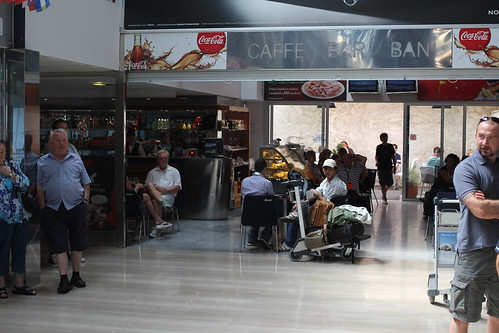
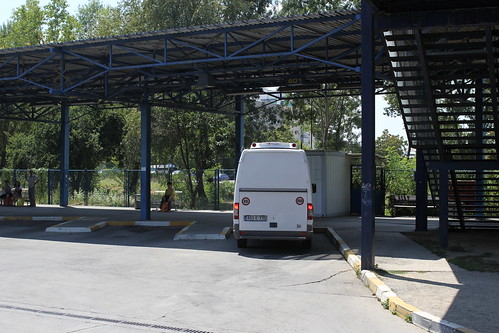
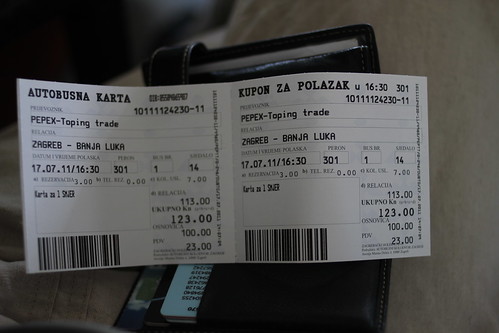
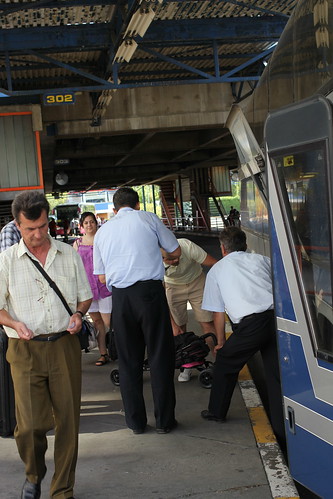
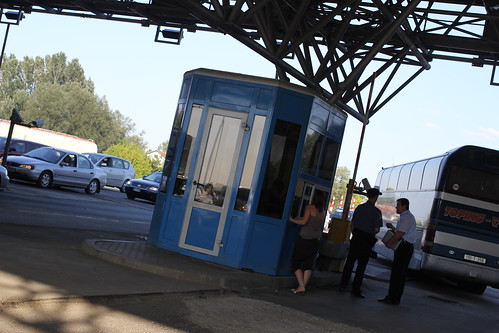
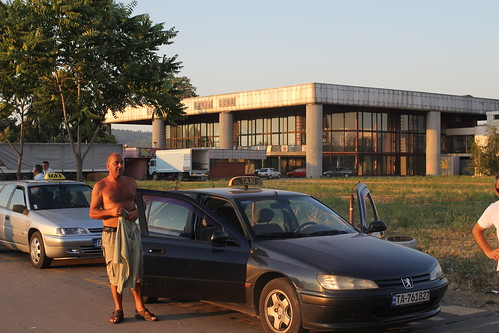
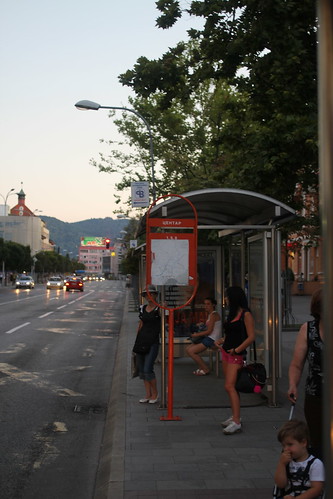
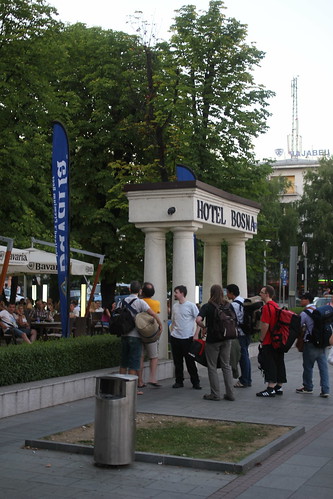
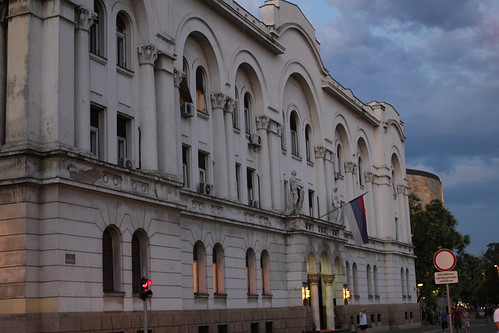
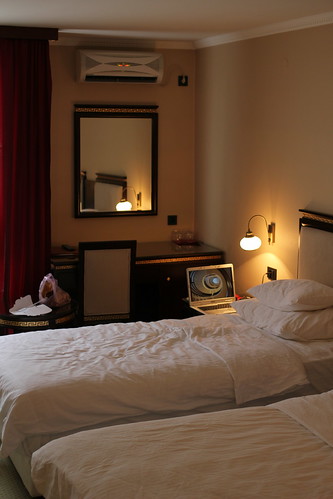
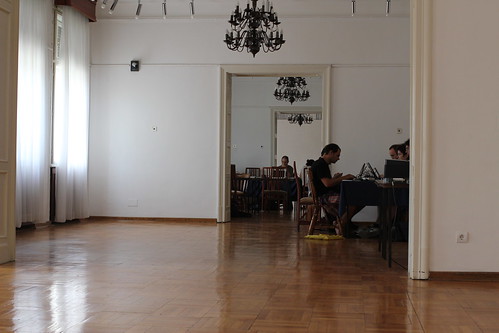
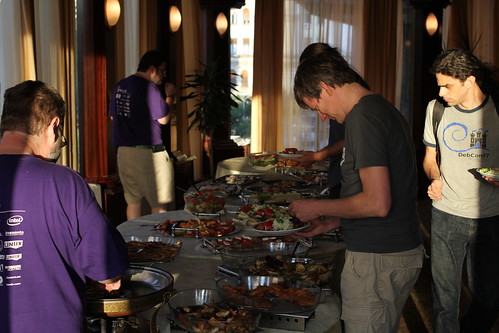
Short version arrival was quite easy, the arrival wiki page is now up-to-date and my photos are uploaded every day to this Flickr set. I had a small problem departing from CDG to Zagreb after scanning my suit twice and complaining that it had too many electronic devices, they had me remove my Nexus S, Nokia N950 and Kindle 3 from the suit pockets and then scanned that all lot again. After that another security guy asked me to open my suitcase and started squishing my Ligo cheese and declaring in a grave voice that it was too soft to be legal . As I kept calm and explained the DebConf cheese party to him, he looked around, put the cheese back in the bag and said ok, ok, off you go . So I still have that softness for the party. I heard an even better anecdote from our next years hosts when they were travelling trough Germany, a border official asked a typical so, what are you here for? question. They answered that they were in transit for an IT conference and gave him the invitation letter. He read the letter, nodded and then said: DebConf, huh? So, who was the author of the Linux kernel? and when after the initial shock they gave the right answer, they were immediately waved trough. Now that s what I call good border security. :) Meeting point - cafe at the Zagreb airport I met up with the guys in the Zagreb airport caf , which was immediately after exiting the secure zone. We waited for dkg to arrive and get his baggage. The passport check too a couple of minutes, but the baggage claim looked to be taking almost a half an hour. The airport bus After that was sorted out, we took out some local money in one of the 5 ATMs around and went to the bus. We were waived to just put our bags into the bus luggage space and get on, the driver went around to sell us tickets just before we drove off. It was one of the most comfortable and well air-conditioned buses I have been on in a long time. We were in the Zagreb bus station in less than half an hour. Non-official bus that tried to lure us Then a funny part started an old man came up to dkg and immediately asked Are you going to Banja Luka? , and when he said yes, the man started dragging us along to the bus station saying that there is a bus to there that will leave in a couple minutes, but we were in luck, so we should follow him right to the bus. Driven by curiosity, we went on. The man dragged us to the far side of the bus terminal bus stops where there was a minibus with Bosnian number plates, but no official designation as a passenger transit bus and no other passengers. They asked a reasonable 120 kuna for the trip, but they looked very shady to me, so we refused. I think that if we agreed and we were lucky enough that they actually did get us to Banja Luka, the price would have risen along the way, for example using the highway tolls as an excuse. Bus ticket to Banja Luka After getting cursed at by the old man and being demanded to buy him a beer for his efforts, we went upstairs to the real bus station where we were told that there were two buses to Banja Luka: one at 15:00 and another at 16:30, but that those two buses arrive in Banja Luka almost at the same time, so we got us tickets for the latter bus and went to a local bar to get some food and drinks. I somehow managed to get sausages in deepfried bread that for some reason cost almost triple of a hamburger and fries that others got, but it sure helped to pass the time and after all those 9 was not a bad price for a good meal. Bus to Banja Luka at Zagreb bus station We were a bit surprised by the bus drivers asking us to pay 1 (or 8 kuna) for bags to be put into bus bag storage, especially as we for several minutes could not quite understand what they want of us as neither of them spoke either English, Russian or German. Border crossing I don t remember when was the last time I crossed a real (i.e. non-Shengen) border in a bus, so getting out of the bus and walking one-by-one to the border official was a new experience. On the other border of two bus drivers collected the passports an then brought them back later, so that was less painful. And by then we were in Bosnia! And of the things that greeted us was a billboard for the casino in Banja Luka Hotel Bosna. :) By the time we got to Banja Luka, dkg had already made friends with an official from Croatian ministry of regional development that sat behind us on the bus and knew English very well (after living in Canada for some time). The bus station in Banja Luka looked almost abandoned like the bus stopped in the field with only a few taxi drivers and a bunch of buildings some distance away showing that this was indeed part of civilization. Banja Luka taxis The taxi drivers would take you to the venue for 8-10 KM 5 or 50-100 kuna (if their meter is broken and you look to be really ignorant of the exchange rates). If you walk on a bit, there is a bus station with an ATM taking Visa cards and a bit further on a bus stop that will take you to the centre of the city for 1.5 KM. The train station looked fully abandoned when we went there, only a news kiosk was working there. The bus driver reacted well to the name Hotel Bosna and wave toward it when we passed by it. Central bus stop - get off here Meeting first Debian peoples at the hotel It is hard to miss, especially the blinking Casino sign or the white pillars with black letters Hotel Bosna on top. You just get off at the bus station Central and walk back a couple hundred meters. Then see all you Debian friends drinking in the cool bar and walk around the corner to the main entrance of the hotel to check in. Church at sunset Main event location Hotel room The rooms are looking really great this is the best DebConf location that I have been to (I was not in Argentina). Soft beds with linens changed daily, nice air conditioning, towels (changed daily, if used), good shower, It is lacking in the speed and power of its free WiFi and in some place there is a clear impression that the hotel was built as a top of the line hotel a couple decades ago, but somehow has fallen into a disrepair since. Or it is simply used much more than expected. IMG_4973 So far I would say that the DebCamp is running full steam two hacklabs have desks, chairs, power and network connection, one of them even has sufficient air conditioning. The network works great for me so far, at least in the venue. The hotel wireless is barely usable to read a blog post, preferably without photos. Dinner buffet The food is being served well and on time. So far for lunch and dinner you walk up to the reception and get a food ticket based on your room number and go to the M level for the food (the M level is between the ground floor, labelled as PR , and first floor) where for breakfast and dinner there is a buffet, but for lunch you sit at a table and they bring you food. Vegetarians should clearly say vegetarian while pointing at themselves to get the special vegetarian option. So far food has been very good, except that that they often run out of popular items, such as fries, in the buffet. You can also ask for beer and other extra drinks with your food, but know that they cost extra up to 2.5KM for a beer, for example.

Aigars Mahinovs: Paris preDebConf11

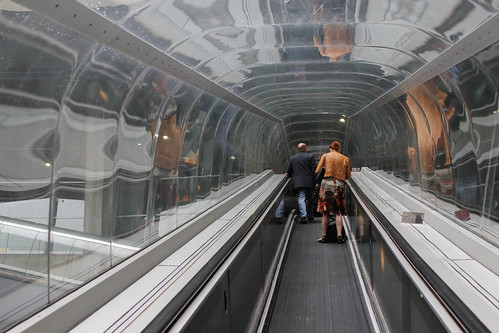
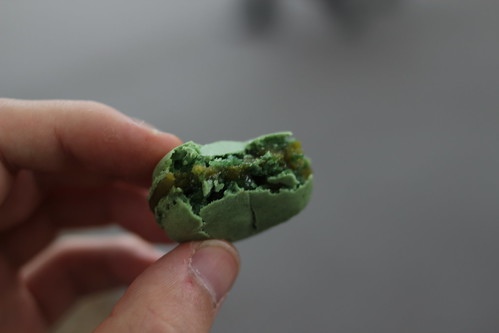
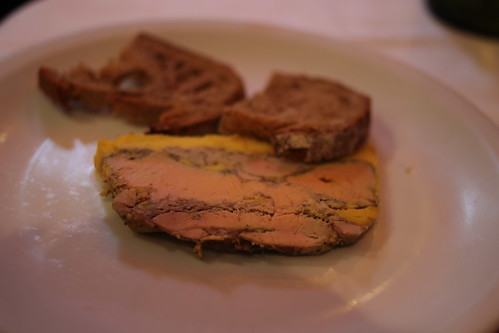
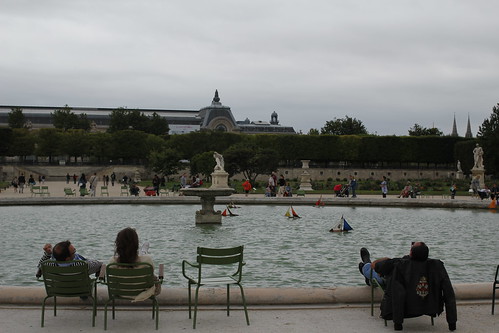
Before arriving to DebConf11, I arranged my flights so that I had a day and a night in Paris as I have not been there before. So after checking out of my work apartment in Tampere, going to work there with all the things from that apartment, then flying back to Riga, going to a midnight screening of the last Potter movie and finally getting back home around 2am, I quickly checked that I have everything needed for the conference and went off to sleep only to wake up at 8am again, pack everything (into a single carry-on bag, after a year of experience travelling by air weekly and watching Up in the Air twice) and be off to the plain to Paris. The CDG airport is quite huge, even compared to something like JFK it feels bigger and more concrete. And yet so dark and lacking interesting features that the only photo I got from it was this IMG_4710 I then used the B line train to get to my hotel(9.1 ), drop my stuff there and another metro ticket (1.7 ) to go to Arc de Triomphe (M tro Charles de Gaulle-Etoile), went up there and walked the length of the Champs-Elys es right up to the Louvre. Then I walked to the river, crossed it to a small island to see the Notre Dame and then went back following the other bank of the river Seine seing both some more normal non-touristy streets of central Paris and also some other magnificent buildings, like Les Invalides and ending up at the Eifel tower. It was a rather easy walk that was only spoiled by some rain in the end so I did not get to take some night photos of the Eiffel tower as I wanted. But the experience still was breathtaking. The scale of the buildings was impressive. The pervasive gold-gilded decorations do expand on the splendour and the same time the full access to all the previously-royal places brings them down to people. The city looks well built and the planning mostly makes sense, especially if you are on foot. Car drivers might have a different opinion about it considering the maze of roads and traffic circles and underpasses I saw in central Paris. It is often said that Riga is a mini-Paris. Mostly, that is said in Riga. But walking the back streets of Paris I can see where that comes from the architecture, the street design, the small cafes and some cobblestone roads and some historical buildings with a few modern building thrown into the mix, and a tower too. Visually Riga does look like Paris a lot, but for the feeling, I still think that Riga feels more like Berlin with its mix of eastern and western Europe. I had one incident when some girl in front of Louvre started to ask me to sign something, gesturing to show that she was mute, it looked like a donation racket, but I did not get to find it out in detail as a swift security guard appeared and started running for the girl, who immediately took off running along with several friends. I guess the guards know them very well. On a more positive note, in one of many confetterie shops I noticed the macaron sweets that my friend advertised loudly some time ago, so I decided to buy and try some. They cost 7 for a box of 6. The taste was very, very sweet. Basically it tastes like froffed up and then frozen sugar made into cookie form with a cream layer between two cookies. IMG_4806 So basically it is like an Oreo cookie, but much, much, much more tender, airy and sweet. The two of the 6 cookies were partly crushed while I tenderly carried them for 5 minutes in their box while searching for a place to sit down and eat them. IMG_4815 After that I also had a proper dinner in a restaurant that was not too near the touristy paths, but still it was a bit lacking. The starter was quite nice I mean it is hard to screw up cutting off a piece of foie gras (basically a piece of liver paste with a layer of extra geese fat), but the main dish was disappointing I ordered a medium rare steak. First of all it came with a side of fries, that in itself was an insult to Paris, baked potatoes would have fit much better with this dish. And despite the main part of the steak being very nicely done to medium rare, the cut was done badly and the edges of the steak had sinew that was too chewy to eat or even cut normally. Other interesting things I liked about Paris:
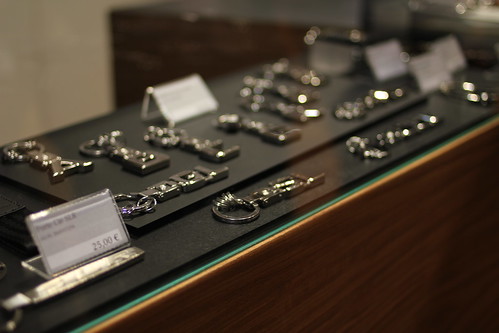
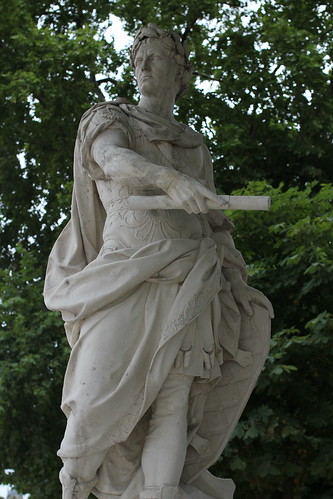
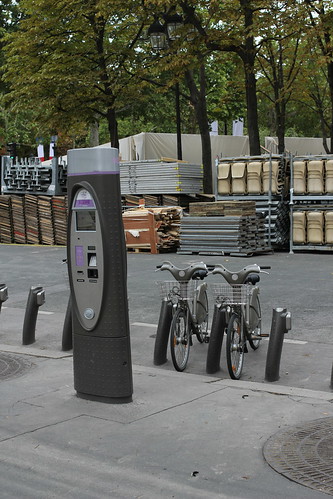
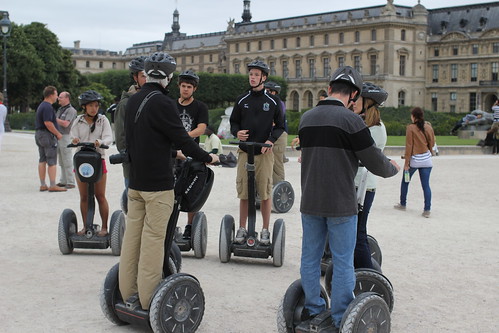
* high street shops of fashion labels and car manufacturers, that showed off the concept cars and also sold small branded accessories, such as Mercedes Benz key chains IMG_4723 * Statues some made of stone, some of iron, some covered in gold, everywhere and made with great quality IMG_4768 * Bicycle rentals, I mostly saw the locals using them IMG_4754 * Segway tourists IMG_4773 * And countless classic postcard shots of very recognizable architecture IMG_4738 The Eiffel tower was immensely impressive. It towers over everything around, especially because there simply is nothing high enough around it. It would not have been so impressive in the middle of New York, for example. The age and openness of the construction makes you really feel the massiveness of this marvel of functional architecture. But in the end Paris also looks like a great city to just kick back and relax in IMG_4770 P.S. I am amazed that when I put a link to a Flickr image (such as http://www.flickr.com/photos/aigarius/5950187165/in/set-72157627230456160 in a separate paragraph in my WordPress article text, something along the way translates them into proper linked images with a reasonable size. Progress is amazing.

19 July 2011

Matthew Palmer: Static Comments in Jekyll

When I recently switched my blog over to Jekyll as my blog/site generation platform, one of the driving forces was implementing comments. I ve been a comment-free blogger for years, but I ve just decided to change my opinions on things and see what happens. (Turns out: you get some cool comments. And a lot of spam.) However, the standard advice when it comes to handling comments with Jekyll is use Disqus (or, very occasionally, some other Insert-Javascript-Here cloud commenting service). Not being one to stand for the conventional wisdom, and given that I m allergic to the cloud , I decided to go a different way an all-static comment handling system for Jekyll. First off, you need a way to render comments inside Jekyll. This was disturbingly easy with Jekyll s plugin system. With around 30 lines of Ruby, it was done. It simply reads a pile of YAML files from a _comments directory, and adds them to the individual blog post objects in the templating system, which can then be iterated over when rendering a post. Obviously, you need to also adjust your blog post templates to suit. This is fairly straightforward; just render each of page.comments in a list. Adding a comment submission form is also necessary, and similarly trivial. The only moving part in this whole system is the bit of code that handles comment form submissions. The simplest way to handle it, which is what I ve gone with, is a few lines of PHP that writes the contents of the form out as YAML and e-mails it to me. Although I m not a fan of PHP for web applications, this is sort of job is where PHP excels it s ubiquitous, trivial to deploy, and easy to understand (in small doses). Using a CGI or anything larger (like, say, a sinatra app) would be massive overkill. Since I m still a control freak at heart, I m hand-moderating all comments by the simple expedient of having all blog comments e-mailed to me1, and I have to import them into the blog and re-upload. Mutt makes this trivial; I ve got a script that I trigger by pressing C (for comment) that pipes the message to formail to strip the RFC2822 header, then drops the rest into my blog s _comments directory. A quick rake upload and they re published. If you re not as obsessive as me about hand-moderating your comments, it wouldn t be hard to write a slightly different PHP script that commits the comment directly to a git repo2 and re-renders the site. All you d have to do when you wanted to make a new post is merge those new comment commits from the live git repo and go to work. This would then be a completely static site (with all the performance benefits that implies) with immediate-gratification comments. So, if you re suspicious of the cloud, or just want to be the cool kid whose blog comments load even when people have turned cookies off, check out my Jekyll static comments plugin.
  1. A side-bonus of running all my blog comments through my e-mail is that all of the comment spam gets handled through my existing spam filter, so there s no new complexities. The stuff that bogofilter is really sure is spam just goes straight to /dev/null, while the slightly-less-sure stuff goes into an IMAP folder I ignore except when I m extra-super-bored. Interestingly, bogofilter was already pre-trained and ready to go on my blog spam it caught most of the spam straight away, with no additional training from me, and after being trained on two examples, it s now going great guns auto-flushing the one persistent spammer who hammers one particular old post a couple of times a day with link farms.
  2. I d strongly recommend having some sort of anti-spam setup before you blindly render the comments onto your site, lest your comments list looks like complete balls within a matter of days.

18 July 2011

Rapha&#235;l Hertzog: Deciphering one of dpkg s weirdest errors: unable to open /path/to/foo.dpkg-new

We already studied one weird error of dpkg, let s do another one:
Unpacking replacement libexo-common ...
dpkg: error processing /var/cache/apt/archives/libexo-common_0.6.1-1_all.deb (--unpack):
 unable to open '/usr/share/doc/exo/html/C/images/exo-preferred-applications-internet.png.dpkg-new': No such file or directory
Rather difficult to understand on the first look right? Let s see in detail what s usually happening when you get this error. The first hint comes from the file extension .dpkg-new . This extension is used by dpkg to unpack the updated files near the old files. When everything has been unpacked, they are renamed over the old files. The failure happens precisely when dpkg tries to rename the file (in fact when it tries to fsync() it before the rename) but why does it fail? Usually because there are unexpected symlinks (or bind mounts) involved that resulted in two different files being installed in the same directory. For example consider package that provides /dir1/a-file and /dir2/a-file. Now imagine that on the target system, /dir1 is a real directory but /dir2 is a symbolic link that points to /dir1. When dpkg processes /dir1/a-file.dpkg-new everything is fine, but when it tries to process /dir2/a-file.dpkg-new it will fail because that file is the same than /dir1/a-file.dpkg-new which has already been renamed. Diagnosing further the problem requires to understand why there s a symlink instead of a real directory. It might be two packages that were badly coordinated, or a problem in the package itself because it lacks some code that drops the symlink in the preinst (so that dpkg installs the real directory instead of keeping the symlink). There might be variations in the way two files end up sharing the same directory, but this simple example should have clarified the nature of the underlying problem.
Subscribe to this blog by RSS, by email or on Facebook.

No comment Liked this article? Click here. My blog is Flattr-enabled.

17 July 2011

Cyril Brulebois: Thoughts on multiple webcams

Keeping an eye on something with a webcam is really easy: just a matter of setting up for example (c)vlc to multicast from /dev/videoX to the network, and done. Example:
# Streaming:
cvlc v4l2:///dev/video0 --no-audio --sout "#transcode vcodec=mp2v,vb=3072 :std access=udp,mux=ts,dst=224.0.0.1 "
# Playing, possibly on a remote machine:
vlc udp://@224.0.0.1:1234
Notes: Possible problems: Where to go from here:

15 July 2011

Jon Dowland: puppet packages

Puppet lets you install packages on your system, like this:
package   'foo': ensure => installed  
You can also ask it to make sure that the package is kept up-to-date:
package   'foo': ensure => latest  
What does "latest" mean? How does this interact with a mixed repository sources.list on Debian? It turns out that both ensure => installed and ensure => latest honour pinning. For example: if you have a stable system; sid in your sources.list and pinning set up; either of the above will install stable's version of foo. I think ensure => latest is less useful than it might initially appear. If you install a package foo and use ensure => latest, but foo depends on packages bar and baz, it will only ensure that foo is up-to-date, not bar or baz. Similarly any other packages that you have not installed with puppet will not be kept up-to-date unless you name them explicitly. If you want to automatically take all updates from your distributor, you need to use another mechanism to do so.

Next.

Previous.