
Search Results: "xam"

3 September 2011

Benjamin Mako Hill: In Defense of Negativity

I often hear criticism of "negative campaigning" in the free software movement. For example, in reply to a blog post I once wrote about an FSF campaign, several people argued against, "negative campaigning of any sort, in any realm." Drawing an analogy to political smear campaigns, some members of the free software community have taken the position that negative campaigning in general is not useful and that negativity has no place in our advocacy. First, it is important to be clear on what we mean by a negative campaigns. I believe that there is a fundamental difference between speaking out against policies or actions and smear campaigns that employ untrue claims, ad hominem attacks, and that attempt to avoid a real conversation about issues. I will categorically condemn the latter form of smear campaigning in campaigns for software freedom or for anything else. That said, negativity directed at negativity has had a positive effect in many social movements. I have supported and participated in "negative" campaigns against proprietary software, software patents, DRM, centralized network services, and the firms behind these practices. I've done so because I believe that if one is taking an ethical position, it is justified, and often necessary, to not only speak about the benefits of freedom but against acts of dispossession and disenfranchisement. In some of the most effective social movements, unambiguously negative messages have been central. Should a campaign for abolishing child labor talk only about how valuable adult workers are to their employers or how happy kids are when they don't work? Should a campaign trying to abolish land mines talk only about the benefits of bomb-free fields and intact lower limbs? Should a free speech organization only speak out about the social welfare brought by a free press and never against acts of censorship? These may seem like outlandish comparisons but you can find people writing, only a couple centuries ago, about how slavery should be abolished by arguing in favor of the benefits of paid labor. Even if the economic arguments in favor of paid work are strong, these arguments seems irrelevant and offensive today. Whether slavery is more or less efficient is a moot point. Society has rejected it because it is wrong. We have made important strides toward eliminating injustices like child labor and slavery because activists waged decidedly negative campaigns against them and convinced others to join in opposition. In doing so, activists declared the status quo unconscionable and created an ethical responsibility to find alternatives and to redefine what was "realistic." While I will not suggest that the movement for software freedom is comparable in ethical weight to these other causes, I know that the free software mission is similar in kind. Of course, if one does not think that user control over technology is an ethical issue but is instead merely a matter of choice, one will probably oppose negative campaigns. It is also possible that a particular negative campaign is tactically unwise in that it is unlikely to reach a large audience, unlikely to change people's minds, or be difficult to carry out successfully. But such campaigns are a bad idea because they are ineffective, not because they are negative. Additionally, a movement that is purely negative and offers no reasonable alternative to the stated ill may also be unlikely to succeed. This is why, for example, I believe it is good that the FSF uses the large majority of its resources in the "positive" role of supporting free software. For those that do treat technological empowerment as an ethical ideal, it is both justified and essential to condemn the systematic disempowerment of others through non-free software just as we celebrate the benefits of software freedom. "Negative" campaigns against proprietary software, software patents, and DRM in music have already led our community to important -- if incomplete -- victories. The desire to right wrongs has been a critical part of our movement's success and of many others'. We would be wise not to give it up.

2 September 2011

Tanguy Ortolo: rxvt-unicode: generate key symbols

rxvt-unicode is a terminal emulator with some interesting features. Here is one of them I find most amazing and elegant: it can generate the symbol characters corresponding to keyboard keys. It works by pressing and releasing + ( is the symbol for the Control key, and is Shift, of course), then the key which symbol you want to get. For instance, to get the Caps lock symbol, you type + , , which gives you the following symbol: . Here are some other nice examples: (Return) (AltGr aka Level3 Shift) (BackSpace) (Insert) (Delete) (Home) (End) (Prior) (Next). Beware that this will not cancel the effect of Caps, Num lock keys: you will get their symbols but also enter the corresponding mode.

Joey Hess: size of the git sha1 collision attack surface

The kernel.org compromise has people talking about the security of git's use of sha1. Talking about this is a good thing, I think, but there's a lot of smug "we're cryptographically secure" in the air that does not seem warranted coming from non-cryptographers like me. Two years ago I had a discussion on my blog about git and sha1, that reached similar conclusions to what I'm seeing here: It seems that current known sha1 attacks require somehow getting an ugly colliding binary file accepted into the repository in the first place. Hard to manage for peer reviewed source code. We all hate firmware in the kernel, so perhaps this is another reason it's bad. ;-) Etc. Well, not so fast. Git's exposure to sha1 collisions is broader than just files. Git also stores data for commits, and directory trees. Git's tree objects are interesting because they're a bag of bytes that is rarely if ever manually examined. If there was a way to exploit git such that it ignored some trailing garbage at the end of a tree object, then here's an attack injection vector that would be unlikely to be caught by peer review. If you can change the content of a tree without changing its sha1, you can simply make it link to an older version of a file that had an exploitable problem. Or you can assemble a combination of files that results in an new exploitable problem. (For example, suppose a buffer size was hardcoded in two files in the kernel, and then the size was changed in both -- make a tree that contains one change and not the other.) Now, git's tree-walk code, until 2008, mishandled malformed data by accessing memory outside the tree buffer. Was this an exploitable bug in git? I don't know. It is interesting that the fix, in 64cc1c0909949fa2866ad71ad2d1ab7ccaa673d9 relied on the parser stopping at a NULL -- great if you want to put some garbage after the tree's filename. With that said, the particular exploit I describe above probably won't work -- I tried! Here's all the code that stands between us and this exploit:
        if (size < 24   buf[size - 21])
                die("corrupt tree file");
        path = get_mode(buf, &mode);
        if (!path   !*path)
                die("corrupt tree file");
Any good C programmer would recognise that this magic-constant-laden code needs to be careful about the size of the buffer. It's not as clear though, that it needs to be careful about consuming the entire contents of the buffer. And C programmers involved with git have gotten this code wrong before. tldr: If git is a castle, it was built just after cannons were invented, and we've had our fingers in our ears for several years as their power improved. Now the outer wall of sha1 is looking increasingly like one of straw, and we're down to a rather thin inner wall of C code.

1 September 2011

Matthew Garrett: The Android/GPL situation

There was another upsurge in discussion of Android GPL issues last month, triggered by couple of posts by Edward Naughton, followed by another by Florian Mueller. The central thrust is that section 4 of GPLv2 terminates your license on violation, and you need the copyright holders to grant you a new one. If they don't then you don't get to distribute any more copies of the code, even if you've now come into compliance. TLDR; most Android vendors are no longer permitted to distribute Linux.

I'll get to that shortly. There's a few other issues that could do with some clarification. The first is Naughton's insinuation that Google are violating the GPL due to Honeycomb being closed or their "license washing" of some headers. There's no evidence whatsoever that Google have failed to fulfil their GPL obligations in terms of providing source to anyone who received GPL-covered binaries from them. If anyone has some, please do get in touch. Some vendors do appear to be unwilling to hand over code for GPLed bits of Honeycomb. That's an issue with the vendors, not Google.

His second point is more interesting, but the summary is "Google took some GPLed header files and relicensed them under Apache 2.0, and they've taken some other people's GPLv2 code and put it under Apache 2.0 as well". As far as the headers go, there's probably not much to see here. The intent was to produce a set of headers for the C library by taking the kernel headers and removing the kernel-only components. The majority of what's left is just structure definitions and function prototypes, and is almost certainly not copyrightable. And remember that these are the headers that are distributed with the kernel and intended for consumption by userspace. If any of the remaining macros or inline functions are genuinely covered by the GPLv2, any userspace application including them would end up a derived work. This is clearly not the intention of the authors of the code. The risk to Google here is indistinguishable from zero.

How about the repurposing of other code? Naughton's most explicit description is:

For example, Android uses bootcharting logic, which uses the 'bootchartd' script provided by www.bootchart.org, but a C re-implementation that is directly compiled into our init program. The license that appears at www.bootchart.org is the GPLv2, not the Apache 2.0 license that Google claims for its implementation.

, but there's no indication that Google's reimplementation is a derived work of the GPLv2 original.

In summary: No sign that Google's violating the GPL.

Florian's post appears to be pretty much factually correct, other than this bit discussing the SFLC/Best Buy case:

I personally believe that intellectual property rights should usually be enforced against infringing publishers/manufacturers rather than mere resellers, but that's a separate issue.

The case in question was filed against Best Buy because Best Buy were manufacturing infringing devices. It was a set of own-brand Blu Ray players that incorporated Busybox. Best Buy were not a mere reseller.

Anyway. Back to the original point. Nobody appears to disagree that section 4 of the GPLv2 means that violating the license results in total termination of the license. The disagreement is over what happens next. Armijn Hemel, who has done various work on helping companies get back into compliance, believes that simply downloading a new copy of the code will result in a new license being granted, and that he's received legal advice that supports that. Bradley Kuhn disagrees. And the FSF seem to be on his side.

The relevant language in v2 is:

You may not copy, modify, sublicense, or distribute the Program except as expressly provided under this License. Any attempt otherwise to copy, modify, sublicense or distribute the Program is void, and will automatically terminate your rights under this License.

The relevant language in v3 is:

You may not propagate or modify a covered work except as expressly provided under this License. Any attempt otherwise to propagate or modify it is void, and will automatically terminate your rights under this License

which is awfully similar. However, v3 follows that up with:

However, if you cease all violation of this License, then your license from a particular copyright holder is reinstated (a) provisionally, unless and until the copyright holder explicitly and finally terminates your license, and (b) permanently, if the copyright holder fails to notify you of the violation by some reasonable means prior to 60 days after the cessation.

In other words, with v3 you get your license back providing you're in compliance. This doesn't mesh too well with the assumption that you can get a new license by downloading a new copy of the software. It seems pretty clear that the intent of GPLv2 was that the license termination was final and required explicit reinstatement.

So whose interpretation is correct? At this point we really don't know - the only people who've tried to use this aspect of the GPL are the SFLC, and as part of their settlements they've always reinstated permission to distribute Busybox. There's no clear legal precedent. Which makes things a little awkward.

It's not possible to absolutely say that many Android distributors no longer have the right to distribute Linux. But nor is it possible to absolutely say that they haven't lost that right. Any sufficiently motivated kernel copyright holder probably could engage in a pretty effective shakedown racket against Android vendors. Whether they will do remains to be seen, but honestly if I were an Android vendor I'd be worried. There's plenty of people out there who hold copyright over significant parts of the kernel. Would you really bet on all of them being individuals of extreme virtue?

comment count unavailable comments

Niels Thykier: DEP-5, JW, dev docs and other goodies

Are you using DEP-5 in copyright file? Are you doing it right? Thanks to the work of Jakub Wilk, Lintian 2.5.3 will spot some of the regular mistakes (including syntax errors) and check if you are using the newest revision. This is far from the only thing Jakub Wilk has added to Lintian in this development cycle. Most of his contributions in 2.5.3 are listed next to a little [JW] in the changelog and I hope to see a lot more of those. :) Together with Jeremiah Foster, we have created a small POD document that hopefully will help aspiring developers. The file currently explains how the source code is divided, some core concepts and how to run specific tests in the test suite. The plan is to make it available on lintian.d.o along with a link to the git source code (#639974). Last time, I mentioned we have gotten rid of collection/fields by a simple improvement to our Lintian::Collect API. Turns out the same improvement could also be used on collection/source-control-file. This means we no longer create a file per field in the d/control of the source package. To avoid (any more) confusion, Lintian will now inform you if the package carries an override for a non-overridable tag (except if you use --quiet). On a related note, Lintian will now error out if it sees an unknown field in a vendor profile. Previously it would just silently ignore the field. There is one more change I would like to highlight and this one is probably best served with an example:
$ lintian --show-overrides ../lintian_2.5.2.dsc
N: We build-depend on cdbs for the test suite
O: lintian source: unused-build-dependency-on-cdbs
N: We build-depend on quilt for the test suite
O: lintian source: quilt-build-dep-but-no-series-file
N: We don't have a patch system for lintian itself
O: lintian source: patch-system-but-no-source-readme
Lintian will now attempt to extract and print the comment related to the override from the overrides file. The comment will be printed above each tag the override applies to (so you may see some repeated comments). The full documentation for how Lintian finds the comments (or why it does not find the comment) is available in the Lintian User Manual. The exact format of the comments being outputted may change in the near future. Particularly, we may add a marker to assist the tools generating lintian.d.o to find the comments. Hopefully we will be able to close #512901 soon. Beyond the changes above, I am very happy to see the bug count drop below 180 unfixed bugs[1]. We have not been this low there since the 2.5.0~rc1 upload (in February) and I hope we can keep it this time. :) Finally if you ever wanted to run your own little lintian.d.o , then you may find the Lintian harness proposal interesting. The basic idea the is to clean up the current tools and make a proper frontend out of them. Should you be interested, feel free to come with suggestions or requests. [1] Lintain bug page I use the number next to Outstanding under Status near the bottom. So pending bugs are considered fixed in my numbering.

30 August 2011

Timo Jyrinki: MeeGo (CE) and the FreeSmartphone.Org Distributions

Debian MeeGo mixup. MeeGo screenshot CC-BY wiki.meego.com, Debian screenshot by me
FreeSmartphone.Org (FSO), Openmoko, Debian's FSO group, SHR, QtMoko et cetera are a few of the community based intertwined projects to bring free software to smartphones. They have a relatively long and colorful history of doing this, and have nowadays been approaching multiple target devices despite limited resources and for example the losing of Openmoko Inc. in 2009. I've been using Debian on my Neo FreeRunner phone for over two years now, and over three years of FreeRunner use altogether. FSO2, the next generation freesmartphone.org stack, is finally coming into Debian now, extending the basic phone support besides Openmoko phones to eg. Palm Pre, Nexus One, Nokia N900 and a few HTC phones. It needs a lot of tweaking and eg. a proper kernel, but still.

Four years after beginning of sales of the first Openmoko device (Neo1973), we're still in the pioneering phase of free distributions for mobile phones. There is no "Ubuntu for phones" so to speak, not for even a selected models. Meanwhile, like so often in the wide world, competing free software approaches have arrived. Android is the obvious one, and has seen a port to Neo Freerunner among else. Android is not as open a project as one could like, and replaces everything we've known with its own code, but nevertheless it requires to be noted and is completely usable in its free software form. But since there are limitations to its approach, and since it's more of an own separate world from the rest of Linux distributions, it is not as interesting to me as the others in the long run, at least in its current shape.

A more similar competitor to FSO and distributions using FSO is MeeGo and its middleware, and to be more precise so far specifically Nokia's efforts on it. Obviously there is the strong competitor for the best general population smartphone of the year, the Qt based Nokia N9, but its default software is more of a proprietary thing even though it has a neatly rock solid free software foundation with separate free/non-free repositories and all that. Nice and great for the (GNU/)Linux in general, but the Harmattan software is not exactly on topic for this blog post. It's however in my opinion the best marketing to vendors around the world GNU/Linux + Qt can get as Android Linux has been taking most of the limelight. But meanwhile, with significantly smaller focus and resources, Nokia has also been sponsoring to try to create a truly community based mobile phone software stack at the MeeGo upstream, nowadays called "MeeGo Community Edition" or MeeGo CE for short. It co-operates with the MeeGo Handset target of MeeGo (and Intel) that hasn't got actual target consumer hardware at the moment, although that might change soon (?), but has been doing some nice applications recently. CE has the target hardware and additional device specific and non-specific software cooking. It used to target Nokia N900 only, but nowadays the project has added N950 (the for-developers-only phone) and N9 to the targets, and it is starting to seem there should be no showstoppers to bring MeeGo CE (or other distributions later on) to them, despite some earlier doubts. A few needed bits to void the warranty we all want to do are still missing, though, but coming. After that it's just developing free software. Usual caveats about specifics of a few kernel drivers apply, as the devices were not designed with the sole purpose of free software drivers in mind. Hopefully mobile 3D gets into a better shape in the coming years, but that's another story.

MeeGo (CE) smartphone middleware, of course, shares nothing with FSO *). While FSO is a "handle everything" in itself with its wide variety of daemons, MeeGo consists of more separate software like Intel's and Nokia's oFono for modem support. FSO demo UIs and SHR UIs have traditionally focused on using Enlightenment 17 for its suitability to low power machines, while in MeeGo everything is written in Qt. As Qt/QML is becoming faster and faster, and it's very powerful to write, there might be quite a bit of useful software emerging from there also for other distributions besides MeeGo itself. Actually, there is already a Debian MeeGo stack maintainer group available, although it hasn't yet focused on the UIs as far as I can see (if I'll have free time I'll join the effort and see for myself in more detail). There is also the QtMoko distribution, based on the original, canceled Trolltech/Nokia Qt Extended (Qtopia) project, but ported to newer Qt:s and put on top of Debian.

*) Although, correct me if I'm wrong and I might be, the Nokia N900 isi modem driver in FSO was ported/learned from oFono.

MeeGo CE is not only a project to bring a proper MeeGo distribution to a few smartphones, but also to shake out bugs in the MeeGo project's contributions and community processes. It is acting as a completely open MeeGo product contributor, and investigating how things should be optimally done so that everything gets integrated into the MeeGo properly, and that proper MeeGo software releases can be done for the target devices. Therefore it's also an important project for the vitality of the whole MeeGo.

MeeGo CE has so far had a whole team in Nokia working on it, but for obvious strategy related reasons community cannot rely on it lasting forever. The real hurdle is for the wider free smartphones community to be ready for really embracing a project that is already a community project but to outsiders might seem like a company project. I believe it's never easy to grow a volunteer community if the starting setup is a paid company team, but it mainly requires a) the interested people and b) the few smart ones to take control and communication responsibility so that it's not anymore seen as a company project. MeeGo CE never was a traditional company project, everything being done in the open and together with volunteers, but I just know how people perceive these things by default. People tend to assume stuff as someone else's responsibility

Whatever happens, I hope there are enough people interested in free software for mobile phones to carry on all these different approaches to the software needed. I hope MeeGo / MeeGo CE will have a great future, and I hope that both the middleware like FSO and MeeGo's components, and the UIs like FSO, SHR, QtMoko and MeeGo Handheld UIs continue to develop. I also hope other distributions like Debian will gather a strong suite of packaged software for smartphones. I know I have had some hard time to find suitable apps for my phone at times.

For those interested about how I use Debian as my mobile phone OS, see http://wiki.openmoko.org/wiki/User:TimoJyrinki

29 August 2011

Axel Beckert: SSH Multiplexer: parallel-ssh

There are many SSH multiplexers in Debian and most of them have one or two features which make them unique and especially useful for that one use case. I use some of them regularily (I even maintain the Debian package of one of them, namely pconsole :-) and I ll present then and when one of them here. For non-interactive purposes I really like parallel-ssh aka pssh. It takes a file of hostnames and a bunch of common ssh parameters as parameters, executes the given command in parallel in up to 32 threads (by default, adjustable with -p) and waits by default for 60 seconds (adjustable with -t). For example to restart hobbit-client on all hosts in kiva.txt, the following command is suitable:

$ parallel-ssh -h kiva.txt -l root /etc/init.d/hobbit-client restart
[1] 19:56:03 [FAILURE] kiva6 Exited with error code 127
[2] 19:56:04 [SUCCESS] kiva
[3] 19:56:04 [SUCCESS] kiva4
[4] 19:56:04 [SUCCESS] kiva2
[5] 19:56:04 [SUCCESS] kiva5
[6] 19:56:04 [SUCCESS] kiva3
[7] 19:57:03 [FAILURE] kiva1 Timed out, Killed by signal 9
(Coloured Screenshots done with ANSI HTML Adapter from the package aha.) You easily see on which hosts the command failed and partially also why: On kiva6 hobbit-client is not installed and therefore the init.d script is not present. kiva1 is currently offline so the ssh connection timed out. If you want to see the output of the commands, you have a two choices. Which one to choose depends on the expected amount of output: If you don t expect a lot of output, the -i (or --inline) option for inline aggregated output is probably the right choice:
$ parallel-ssh -h kiva.txt -l root -t 10 -i uptime
[1] 20:30:20 [SUCCESS] kiva
 20:30:20 up 7 days,  5:51,  0 users,  load average: 0.12, 0.08, 0.06
[2] 20:30:20 [SUCCESS] kiva2
 20:30:20 up 7 days,  5:50,  0 users,  load average: 0.19, 0.08, 0.02
[3] 20:30:20 [SUCCESS] kiva3
 20:30:20 up 7 days,  5:49,  0 users,  load average: 0.10, 0.06, 0.06
[4] 20:30:20 [SUCCESS] kiva4
 20:30:20 up 7 days,  5:49,  0 users,  load average: 0.25, 0.17, 0.14
[5] 20:30:20 [SUCCESS] kiva6
 20:30:20 up 7 days,  5:49, 10 users,  load average: 0.16, 0.08, 0.02
[6] 20:30:21 [SUCCESS] kiva5
 20:30:21 up 7 days,  5:49,  0 users,  load average: 3.11, 3.36, 3.06
[7] 20:30:29 [FAILURE] kiva1 Timed out, Killed by signal 9
If you expect a lot of output you can give directories with the -o (or --outdir) and -e (or --errdir) option:
$ parallel-ssh -h kiva.txt -l root -t 20 -o kiva-output lsb_release -a
[1] 20:36:51 [SUCCESS] kiva
[2] 20:36:51 [SUCCESS] kiva2
[3] 20:36:51 [SUCCESS] kiva3
[4] 20:36:51 [SUCCESS] kiva4
[5] 20:36:53 [SUCCESS] kiva6
[6] 20:36:54 [SUCCESS] kiva5
[7] 20:37:10 [FAILURE] kiva1 Timed out, Killed by signal 9
$ ls -l kiva-output
total 24
-rw-r--r-- 1 abe abe  98 Aug 28 20:36 kiva
-rw-r--r-- 1 abe abe   0 Aug 28 20:36 kiva1
-rw-r--r-- 1 abe abe  98 Aug 28 20:36 kiva2
-rw-r--r-- 1 abe abe  98 Aug 28 20:36 kiva3
-rw-r--r-- 1 abe abe  98 Aug 28 20:36 kiva4
-rw-r--r-- 1 abe abe 102 Aug 28 20:36 kiva5
-rw-r--r-- 1 abe abe 100 Aug 28 20:36 kiva6
$ cat kiva-output/kiva5
Distributor ID:	Debian
Description:	Debian GNU/Linux 6.0.2 (squeeze)
Release:	6.0.2
Codename:	squeeze
The only annoying thing IMHO is that the host list needs to be in a file. With zsh, bash and the original ksh (but neither tcsh, pdksh nor mksh), you can circumvent this restriction with one of the following command lines:
$ parallel-ssh -h <(printf "host1\nhost2\nhost3\n ") -l root uptime
[ ]
$ parallel-ssh -h <(echo host1 host2 host3     xargs -n1) -l root uptime
[ ]
In addition to parallel-ssh the pssh package also contains some more ssh based tools: I though think that parallel-ssh is by far the most useful tool from the pssh package. (Probably no wonder as it s the most generic one. :-)

Erich Schubert: ELKI 0.4 beta release

Two weeks ago, I've published the first beta of the upcoming ELKI 0.4 release. The accompanying publication at SSTD 2011 won the "Best Demonstration Paper Award"!
ELKI is a Java framework for developing data mining algorithms and index structures. It has indexes such as the R*-Tree and M-Tree, and a huge collection of algorithms and distance functions. These are all writen rather generic, so you can build all the combinations of indexes, algorithms and distances. There are evaluation and visualization modules.
Note that I'm using "data mining" in the broad, original sense that focuses on knowledge discovery by unsupervised methods such as clustering and outlier detection. Today, many people just think of machine learning and "artificial intelligence" - or even worse: large scale data collecting - when they hear data mining. But there is much more to it than just learning!
Java comes at a certain price. The latest version got already around 50% faster than the previous release just by reducing Java boxing and unboxing that puts quite some pressure on the memory management. So you could implement these things in C to become a lot faster; but this is not production software. I need code that I can put students on to work with it and extend it, this is much more important than getting the maximum speed. You can probably still use this for prototyping. See what works, then implement just that which you really need in a low level language for maximum performance.
You can do some of that in Java. You could work on a large chunk of doubles, and access them via the Unsafe class. But is that then still Java, or aren't you actually doing just plain C? In our framework, we want to be able to support non-numerical vectors and non-double distances, too. Even when they are only applicable to certain specialized use cases. Plus, generic and Java-style code is usually much more readable, and the performance cost is not critical for research use.
Release 0.4 has plenty of under the hood changes. It allows multiple indexes to exist in parallel, it support multi-relational data. There are also a dozen new algorithms, mostly from the geo/spatial outlier field, which were used for the demonstration. But for example, it also includes methods for rescaling the output of outlier detection methods to a more sensible numerical scale for visualization and comparison.
You can install ELKI on a Debian testing and unstable system by the usual "aptitude install elki" command. It will install a menu entry for the UI and also includes the command-line launcher "elki-cli" for batch operation. The "-h" flag can produce an extensive online help, or you can just copy the parameters from the GUI. By reusing Java packages such as Batik and FOP already in Debian, this also is a smaller download. I guess the package will at some point also transition to Ubuntu - since it is Java you can just download and install it anyway I guess.

28 August 2011

Axel Beckert: Useful but Unknown Unix Tools: watch

Yet another useful tool of which at least I heard quite late in my Unix career is watch . For a long time I wrote one-liners like this to monitor the output of a command:
while :; do echo -n " date  "; host bla nameserver; sleep 2; done
But it s way shorter and less error-prone to use watch from Debian s procps package and just write
watch host bla nameserver
The only relevant difference is that I don t have some kind of history when the output of the command changed, e.g. to calculate the rate with which a file grows. You can even track the output of more than one command:
watch 'ps aux   grep resize2fs; df -hl'
Also a nice way to use watch is to run it inside GNU Screen (or tmux or splitvt) and split up the terminal horizontally, i.e. show the output of watch in one window and the process you re tracking with the commands run by watch in the other window and see both running at the same time. Update, Sunday, 28th of August 2011, 17:13h I never found a useful case for watch s -d option which highlights changes to the previous run (by inverting the changed bytes), but until now three people pointed out the -d option in response to this blog-posting and weasel also had some nice examples, so here are they: Keep an eye on the current network routes (once per second) of a host and quickly notice when they change:
watch -n1 -d ip r
Watch the current directory for size or time stamp changes of its files:
watch -d ls -l
The option -d only highlights changes from the previous run to the next run. If you want to see all bytes which ever changed since the first run, use --differences=cumulative. Thanks to Klaus Mowgli Ethgen, Ulrich mru Dangel, Uli youam Martens and Peter weasel Palfrader for comments and suggestions.

27 August 2011

Axel Beckert: Useful but Unknown Unix Tools: Calculating with IPs, The Sequel

This is a direct followup on my previous blog posting about calculating IPs and netmasks with the tools netmask and prips. Kurt Roeckx (via e-mail) and Niall Donegan (via a comment to that blog posting) both told me about the package sipcalc, and Kurt also mentioned the package ipcalc. Thanks for that! And since I found both useful, too, let s put them in their own blog posting: Both tools, ipcalc and sipcalc offer a get all information at once mode which are not present in the previously presented tool netmask. ipcalc ipcalc by default outputs all information and even in ANSI colors:
$ ipcalc 192.168.96.0/21
Address:   192.168.96.0         11000000.10101000.01100 000.00000000
Netmask:   255.255.248.0 = 21   11111111.11111111.11111 000.00000000
Wildcard:  0.0.7.255            00000000.00000000.00000 111.11111111
=>
Network:   192.168.96.0/21      11000000.10101000.01100 000.00000000
HostMin:   192.168.96.1         11000000.10101000.01100 000.00000001
HostMax:   192.168.103.254      11000000.10101000.01100 111.11111110
Broadcast: 192.168.103.255      11000000.10101000.01100 111.11111111
Hosts/Net: 2046                  Class C, Private Internet
(Coloured Screenshots done with ANSI HTML Adapter from the package aha.) You can suppress the bitwise option or directly output HTML via commandline options. For example ipcalc -b -h 192.168.96.0/21 outputs the following content:
Address: 192.168.96.0
Netmask: 255.255.248.0 = 21
Wildcard: 0.0.7.255
=>
Network: 192.168.96.0/21
HostMin: 192.168.96.1
HostMax: 192.168.103.254
Broadcast: 192.168.103.255
Hosts/Net: 2046 Class C, Private Internet
Yes, that s an HTML table and no preformatted text, just with a monospaced font. (I just removed the hardcoded text color from it, otherwise it would not look nice on dark backgrounds like in Planet Commandline s default color scheme.) Like netmask, ipcalc can also deaggregate IP ranges into largest possible networks:
$ ipcalc 192.168.87.0 - 192.168.110.255
deaggregate 192.168.87.0 - 192.168.110.255
192.168.87.0/24
192.168.88.0/21
192.168.96.0/21
192.168.104.0/22
192.168.108.0/23
192.168.110.0/24
(ipcalc -r 192.168.87.0 192.168.110.255 is just another way to write this, and it results in the same output.) To find networks with at least 20, 63 and 30 IP addresses within a /24 network, use for example:
Address:   192.0.2.0            
Netmask:   255.255.255.0 = 24   
Wildcard:  0.0.0.255            
=>
Network:   192.0.2.0/24         
HostMin:   192.0.2.1            
HostMax:   192.0.2.254          
Broadcast: 192.0.2.255          
Hosts/Net: 254                   Class C
1. Requested size: 20 hosts
Netmask:   255.255.255.224 = 27 
Network:   192.0.2.128/27       
HostMin:   192.0.2.129          
HostMax:   192.0.2.158          
Broadcast: 192.0.2.159          
Hosts/Net: 30                    Class C
2. Requested size: 63 hosts
Netmask:   255.255.255.128 = 25 
Network:   192.0.2.0/25         
HostMin:   192.0.2.1            
HostMax:   192.0.2.126          
Broadcast: 192.0.2.127          
Hosts/Net: 126                   Class C
3. Requested size: 30 hosts
Netmask:   255.255.255.224 = 27 
Network:   192.0.2.160/27       
HostMin:   192.0.2.161          
HostMax:   192.0.2.190          
Broadcast: 192.0.2.191          
Hosts/Net: 30                    Class C
Needed size:  192 addresses.
Used network: 192.0.2.0/24
Unused:
192.0.2.192/26
sipcalc sipcalc is similar to ipcalc. One big difference seems to be the IPv6 support:
$ sipcalc 2001:DB8::/32
-[ipv6 : 2001:DB8::/32] - 0
[IPV6 INFO]
Expanded Address        - 2001:0db8:0000:0000:0000:0000:0000:0000
Compressed address      - 2001:db8::
Subnet prefix (masked)  - 2001:db8:0:0:0:0:0:0/32
Address ID (masked)     - 0:0:0:0:0:0:0:0/32
Prefix address          - ffff:ffff:0:0:0:0:0:0
Prefix length           - 32
Address type            - Aggregatable Global Unicast Addresses
Network range           - 2001:0db8:0000:0000:0000:0000:0000:0000 -
                          2001:0db8:ffff:ffff:ffff:ffff:ffff:ffff
(Thanks to Niall for the pointer to RFC3849. :-) It can also split up networks into smaller chunks, but only same-size chunks, like e.g. split a /32 IPv6 network into /34 networks:
sipcalc -S34 2001:DB8::/32
-[ipv6 : 2001:DB8::/32] - 0
[Split network]
Network                 - 2001:0db8:0000:0000:0000:0000:0000:0000 -
                          2001:0db8:3fff:ffff:ffff:ffff:ffff:ffff
Network                 - 2001:0db8:4000:0000:0000:0000:0000:0000 -
                          2001:0db8:7fff:ffff:ffff:ffff:ffff:ffff
Network                 - 2001:0db8:8000:0000:0000:0000:0000:0000 -
                          2001:0db8:bfff:ffff:ffff:ffff:ffff:ffff
Network                 - 2001:0db8:c000:0000:0000:0000:0000:0000 -
                          2001:0db8:ffff:ffff:ffff:ffff:ffff:ffff
-
Similar thing with IPv4:
sipcalc -s27 192.0.2.0/24
-[ipv4 : 192.0.2.0/24] - 0
[Split network]
Network                 - 192.0.2.0       - 192.0.2.31
Network                 - 192.0.2.32      - 192.0.2.63
Network                 - 192.0.2.64      - 192.0.2.95
Network                 - 192.0.2.96      - 192.0.2.127
Network                 - 192.0.2.128     - 192.0.2.159
Network                 - 192.0.2.160     - 192.0.2.191
Network                 - 192.0.2.192     - 192.0.2.223
Network                 - 192.0.2.224     - 192.0.2.255
sipcalc also has a show me all information mode with the -a option:
$ sipcalc -a 192.168.96.0/21
-[ipv4 : 192.168.96.0/21] - 0
[Classfull]
Host address            - 192.168.96.0
Host address (decimal)  - 3232260096
Host address (hex)      - C0A86000
Network address         - 192.168.96.0
Network class           - C
Network mask            - 255.255.255.0
Network mask (hex)      - FFFFFF00
Broadcast address       - 192.168.96.255
[CIDR]
Host address            - 192.168.96.0
Host address (decimal)  - 3232260096
Host address (hex)      - C0A86000
Network address         - 192.168.96.0
Network mask            - 255.255.248.0
Network mask (bits)     - 21
Network mask (hex)      - FFFFF800
Broadcast address       - 192.168.103.255
Cisco wildcard          - 0.0.7.255
Addresses in network    - 2048
Network range           - 192.168.96.0 - 192.168.103.255
Usable range            - 192.168.96.1 - 192.168.103.254
[Classfull bitmaps]
Network address         - 11000000.10101000.01100000.00000000
Network mask            - 11111111.11111111.11111111.00000000
[CIDR bitmaps]
Host address            - 11000000.10101000.01100000.00000000
Network address         - 11000000.10101000.01100000.00000000
Network mask            - 11111111.11111111.11111000.00000000
Broadcast address       - 11000000.10101000.01100111.11111111
Cisco wildcard          - 00000000.00000000.00000111.11111111
Network range           - 11000000.10101000.01100000.00000000 -
                          11000000.10101000.01100111.11111111
Usable range            - 11000000.10101000.01100000.00000001 -
                          11000000.10101000.01100111.11111110
[Networks]
Network                 - 192.168.96.0    - 192.168.103.255 (current)
Thanks again to Kurt and Niall for their contributions!

Now listening to the schreimaschine and fausttanz submissions for the interactive competition at the B nzli/DemoDays in Olten (Switzerland)

Axel Beckert: Useful but Unknown Unix Tools: Calculating with IPs

There are two small CLI tools I need often when I m handling larger networks or more than a few IP addresses at once: netmask netmask is very handy for calculating with netmasks (anyone expected something else? ;-) in all variants:
$ netmask 192.168.96.0/255.255.248.0
    192.168.96.0/21
$ netmask -s 192.168.96.0/21
    192.168.96.0/255.255.248.0  
$ netmask --range 192.168.96.0/21
    192.168.96.0-192.168.103.255  (2048)
$ netmask 192.168.96.0:192.168.103.255
    192.168.96.0/21
$ netmask 192.168.87.0:192.168.110.255
    192.168.87.0/24
    192.168.88.0/21
    192.168.96.0/21
   192.168.104.0/22
   192.168.108.0/23
   192.168.110.0/24
$ netmask --cisco 192.168.96.0/21
    192.168.96.0 0.0.7.255
(The IP ranges in RFC5737 where too small for the examples I had in mind. :-) There s though one thing netmask can t do out of the box and that s where the second tool comes into play: prips When I read the package name prips, I always think of something like print postscript or so, but it s actually an abbreviation for print IPs . And that s all it does:
$ prips 192.0.2.0/29
192.0.2.0
192.0.2.1
192.0.2.2
192.0.2.3
192.0.2.4
192.0.2.5
192.0.2.6
192.0.2.7
$ prips 198.51.100.1 198.51.100.6
198.51.100.1
198.51.100.2
198.51.100.3
198.51.100.4
198.51.100.5
198.51.100.6
$ prips -i 2 203.0.113.0/28
203.0.113.0
203.0.113.2
203.0.113.4
203.0.113.6
203.0.113.8
203.0.113.10
203.0.113.12
203.0.113.14
$ prips -f hex 192.0.2.8/29
c0000208
c0000209
c000020a
c000020b
c000020c
c000020d
c000020e
c000020f
prips has proven to be very useful in combination with shell loops like these:
$ prips 192.0.2.0/29   xargs -n 1 host
[ ]
$ for ip in  prips 198.51.100.1 198.51.100.6 ; do host $ip; done
[ ]
And since prips doesn t support the 192.0.2.0/255.255.255.248 netmask syntax, you can even easily combine those two tools:
$ prips  netmask 192.0.2.0/255.255.255.248 
[ ]
(Hah! Now I was able to use RFC5737 IP ranges! ;-)

26 August 2011

Sylvestre Ledru: sun-java6 packages removed soon from Debian/Ubuntu (and all other linux distros)

For the story, due to license reasons, the version of Java packaged in Linux distributions is not the same as the one released on the official website.
Each time a new version of Java is was released, Sun/Oracle people are were publishing a other distro specific release available on a dedicated website. Since I have been maintaining sun-java6 packages for a year and half, I am following the rhythm releases (security is one of the reasons).
A few days ago, I pinged on Twitter Dalibor Topic, who is, AFAIK, the person in charge of this at Oracle, he replied with a blog post Retiring the DLJ. The main information from this blog post is:
[...] further Oracle JDK 6 (or Oracle JDK 7) releases on Linux and Solaris will not be provided under the DLJ [...]
Basically, that means that Linux distributions will not be able to package new releases of the proprietary JVM/JDK (including the latest update -27). The only release available in the Linux distro will be the OpenJDK. While I am glad to see Oracle pushing the free JDK, I am a bit concern by this sudden decision. There are still bugs (for example, with fonts, applets or other others issues) present in the OpenJDK which does not happen in the sun-java6 packages.
And also, as Andrew John Hughes said on Twitter, the Oracle proprietary JVM just lost one of the two freedoms it had (free to redistribute the software)... Moreover, many people are still using the proprietary JVM. For example, Debian popularity contest or Ubuntu Popularity Contest reports 836864 installations of sun-java6-jre against 749731 of openjdk-6-jre. The bottom line is, if you are aware of bugs present only in OpenJDK, please report them (on the Debian bug tracker, launchpad or as a comment of this blog post). We will report them upstream to make sure OpenJDK is as good as sun-java6. Edit: comments closed due to the spams... Drop me an email on sylvestre@debian.org. I will push them.

24 August 2011

Russell Coker: Digital Cameras

In May I gave a talk for LUV about the basics of creating video on Linux. As part of the research for that I investigated which cameras were good for such use. I determined that 720p was a good enough resolution, as nothing that does 1080p was affordable and 1080i is lower quality. One thing to note is that 854*480 and 850*480 are both common resolutions for mobile phones and either of those resolutions can be scaled up to full screen on a 1920*1080 monitor without looking too blocky. So it seems that anything that s at least 850*480 will be adequate by today s standards. Of course as Dell is selling a 27 inch monitor that can do 2560*1440 resolution for a mere $899 in the near future 720p will be the minimum that s usable. Cheap Digital Video Cameras The cameras I suggested at the time of my talk (based on what was on offer in Melbourne stores) were the Panasonic Lumix DMC-S3 which has 4*optical zoom for $148 from Dick Smith [1] and the Olympus MJU 5010 which has 5*optical zoom camera for $168 (which is now $128) from Dick Smith [2]. Both of them are compact cameras that do 720p video. They are fairly cheap cameras but at the time I couldn t find anything on offer that had significantly better specs for video without being unreasonably expensive (more than $600). Update: In the comments Chris Samuel pointed out that Kogan has a FullHD digital video camera for $289 [13]. That s a very tempting offer. More Expensive Digital Video Cameras Teds Cameras has a good range of Digital Video Cameras (including wearable cameras, and cameras that are designed to be attached to a helmet, surfboard, or car) [3]. These are specifically designed as video cameras rather than having the video function be an afterthought. Ted sells the Sony Handycam HDR-CX110 which does 1080p video, 3MP photos, and 25* optical zoom for $450 [4]. They also sell the pistol-style Panasonic HX-WA10 which is waterproof to 3M, does 1080p video, 11MP pictures, and 5* optical zoom for $500 [5]. For my use I can t justify the extra expense of the digital video cameras (as opposed to digital cameras that can take video), I don t think that they offer enough. So a cheap $128 Olympus MJU 5010 is what I will probably get if I buy a device for making video. I can afford to replace a $128 camera in a year or two but a device that costs $500 or more needs to last a bit longer. I expect that in a year or two I will be able to buy something that does 1080p for $200. Features to look for in Great Digital Cameras The other option when buying a camera is to buy something that is designed to be a great camera. It seems that RAW file capture [6] is a requirement for good photography. RAW files don t just contain uncompressed data (which is what I previously thought) but they have raw sensor data which may not even be in a cartesian grid. There is some processing of the data that can be best done with raw sensor data (which may be in a hexagonal array) and which can t be done properly once it s been converted to a cartesian array of pixels. Image Magick can convert RAW files to JPEG or TIFF. I haven t yet investigated the options on Linux for processing a RAW file in any way other than just generating a JPEG. A client has several TB of RAW files and has found Image Magick to be suitable for converting them so it should do. The next issue is the F number [7]. A brief summary of the F number is that it determines the inverse-square of the amount of light that gets to the CCD which determines the possible shutter speed. For example a camera set to F1 would have a 4* faster shutter speed than a camera set to F2. The F rating of a camera (or lens for interchangeable lens cameras) is a range on many good cameras (or lenses for detachable lens cameras), if you want to take long exposure shots then you increase the F number proportionally. A casual scan of some web sites indicates that anything less than F3 is good, approaching F1 is excellent, and less than F1 is rare. But you don t want to only use low F numbers, having a higher F number gives a larger Depth of Field, that means that the distance between the nearest and furthest objects that appear to be in focus is greater. So increasing the F number and using a flash can result in more things being in focus than using a low F number without a flash. Another important issue is the focal length, cheap cameras are advertised as having a certain optical zoom which apparently isn t quite how things work. The magnification apparently varies depending on the distance to the object. Expensive cameras/lenses are specified with the range of focal lengths which can be used to calculate the possible magnification. According to DPReview.com Optical zoom = maximum focal length / minimum focal length, so a 28mm-280mm lens would be 10* optical zoom [8]. Finally it seems to be that the specified focal length of cameras is usually in 35mm equivalent. So a lens described as 280mm won t be 28cm long, it will be some fraction of that based on the size of the CCD as a proportion of the 35mm film standard (which is 36*24mm for the image/CCD size). Update: In the comments Aigars Mahinovs said: Don t bother too much with the zoom. The view of a normal person is equivalent to 50mm lens (in 35mm film equivalent). Anything under 24mm is for landscapes and buildings it is for sights where you would actually have to move your head to take in the view. Zooms are rarely useful. Something in 85-100mm range is perfectly fine to capture a bird or a person some distance away or some interesting piece of landscape, but anything more and you are in the range of silly stuff for capturing portraits of football players from the stands or for paparazzi photos. And the more zoom is in the lens the crappier the lens optics will be (or more expensive, or both) that is why the best optics are prime lenses with no zoom at all and just one specific optical length each. For example almost all my Debconf photos of the last two years are taken with one lens Canon 35mm f/2.0 (a 50mm equivalent on my camera) and only the group shots are taken with a lens that is equivalent to 85mm. So I guess if I was going to get an interchangeable lens camera then I could get fixed focus lenses for things that are close and far away and one with a small zoom range for random other stuff. Of course that would get me way outside my budget unless I got some good deals on the second hand market. Also having a camera that can fit into a pocket is a real benefit, and the ability to rapidly get a camera out and take a picture is important! A final item is the so-called ISO Number which specifies how fast the film is. A higher number means that a photograph can be taken with less light but that the quality will generally be lower. It seems that you have a trade-off between a low F number (and therefore low Depth of Field), good lighting (maybe a flash), a long exposure time (blurry if the subject or camera isn t still) and a grainy picture from a high ISO number. Comparing Almost-Affordable Great Digital Cameras I visited Michaels camera store in Melbourne [9] and asked for advice about affordable cameras that support RAW capture (every DSLR does but I don t want to pay for a DSLR). The first option they suggested was the Samsung EX1 that does 10MP, F1.8-F2.4 with a 24-72mm equivalent focal range (3* optical zoom), and 640*480 video [10] for $399. The next was a Nikon P7000 that does 10MP, F2.8-5.6 with 7* optical zoom (28-200mm equivalent), and 720p video [11] for $599. The final option they had was the Canon G12 that does 10MP, F2.8-4.5 with 5* optical zoom (28-140mm equivalent), and 720p video [12] for $599. 3* optical zoom isn t really enough, and $599 is a bit too much for me, so it seems that RAW format might not be an option at this time. Conclusion I can t get what I want for great photography at this time, there seems to be nothing that meets my minimum desired feature set and costs less than $550. A client who s a professional photographer is going to lend me an old DSLR that he has hanging around for some photography I want to do on the weekend. I am also considering buying a Olympus MJU 5010 for making videos and general photography, it s better than anything else I own at this time and $128 is no big deal. Please let me know if I made any errors (as opposed to gross simplifications) in the above summary of the technical issues, also let me know if there are other things to consider. I will eventually buy a camera that can capture RAW images.

23 August 2011

Dirk Eddelbuettel: Accelerating path-dependent loops: A quick Rcpp case study

User BobH asked on StackOverflow about accelerating path-dependent loops. He provided a simple example in which a vector gets filled conditional on the value of the preceding element. Simple to code, but hard to vectorise. By the time I saw that question yesterday evening, Josh Ulrich had already posted a nice answer suggesting to switch from ifelse to if to escape the overhead of a vectorised expression on simple scalars. I meekly added a comment suggesting that Rcpp would likely do well on this and that someone should volunteer such an answer. Well, it is still August and Mr. Someone is on holiday, so this morning I followed up with such an answer. And as it turns out to work quite well indeed, we will repost it here. Let's start with the general setup, and the two functions supplied by Josh. We also byte-compile these using the compiler package which is the culmination of several years of work by R core member Luke Tierney. This package was added to R during the last major release, and we assessed it in this earlier blog post as well as several Rcpp-related follow-ups. We also load the packages for on-the-fly 'inline' compilation and easy benchmarking:
library(inline)
library(rbenchmark)
library(compiler)
fun1 <- function(z)  
  for(i in 2:NROW(z))  
    z[i] <- ifelse(z[i-1]==1, 1, 0)
   
  z
 
fun1c <- cmpfun(fun1)
fun2 <- function(z)  
  for(i in 2:NROW(z))  
    z[i] <- if(z[i-1]==1) 1 else 0
   
  z
 
fun2c <- cmpfun(fun2)
We see that basic worker just assign to the i-th element based on the preceding element. Function two uses the aforementioned if statement, and both are also byte-compiled. Writing the same code in C++ using both Rcpp (for the R/C++ integration) and inline for the on-the-fly compilation, linking and loading of C++ code into R is pretty straightforward too:
funRcpp <- cxxfunction(signature(zs="numeric"), plugin="Rcpp", body="
  Rcpp::NumericVector z = Rcpp::NumericVector(zs);
  int n = z.size();
  for (int i=1; i<n; i++)  
    z[i] = (z[i-1]==1.0 ? 1.0 : 0.0);
   
  return(z);
")
This single R function call takes the code embedded in the argument to the body variable, builds a complete function in temporary file, and then compiles, links and loads it. We can now call funRcpp() just like the other four functions and do so via the benchmark() function of the rbenchmark package.
R> z <- rep(c(1,1,0,0,0,0), 100)
R> identical(fun1(z),fun2(z),fun1c(z),fun2c(z),funRcpp(z))
[1] TRUE
R> 
R> res <- benchmark(fun1(z), fun2(z),
+                  fun1c(z), fun2c(z),
+                  funRcpp(z),
+                  columns=c("test", "replications", "elapsed", "relative", "user.self", "sys.self"),
+                  order="relative",
+                  replications=1000)
R> print(res)
        test replications elapsed relative user.self sys.self
5 funRcpp(z)         1000   0.005      1.0      0.01        0
4   fun2c(z)         1000   0.482     96.4      0.48        0
2    fun2(z)         1000   1.989    397.8      1.98        0
3   fun1c(z)         1000  11.365   2273.0     11.37        0
1    fun1(z)         1000  13.210   2642.0     13.21        0
We can focus on the columns labelled elapsed and relative. The C++ version is faster by a factor of almost one-hundred compared to the byte-compiled version of funtion2, and almost four-hundred times faster than the plain-R variant of function2. And function1 is even worse, coming at well over twenty-two-hundred times the run-time of the C++ version. Byte-compilation also helps little here. For comparison, we also ran the original example of a very short vector, called more frequently:
R> z <- c(1,1,0,0,0,0)
R> res2 <- benchmark(fun1(z), fun2(z),
+                  fun1c(z), fun2c(z),
+                  funRcpp(z),
+                  columns=c("test", "replications", "elapsed", "relative", "user.self", "sys.self"),
+                  order="relative",
+                  replications=10000)
R> print(res2)
        test replications elapsed relative user.self sys.self
5 funRcpp(z)        10000   0.047  1.00000      0.04        0
4   fun2c(z)        10000   0.134  2.85106      0.13        0
2    fun2(z)        10000   0.328  6.97872      0.32        0
3   fun1c(z)        10000   1.080 22.97872      1.08        0
1    fun1(z)        10000   1.243 26.44681      1.24        0
The qualitative ranking is unchanged: the Rcpp version dominates. Function2 using if instead of the vectorised ifelse is second-best with the byte-compiled version being about twice as fast that the plain R variant, but still almost three times slower than the C++ version. And the relative differences are less pronounced: relatively speaking, the function call overhead matters less here and the actual looping matters more: C++ gets a bigger advantage on the actual loop operations in the longer vectors. That it is an important result as it suggests that on more real-life sized data, the compiled version may reap a larger benefit. All in all a nice demonstration of Rcpp, and a gain of almost one-hundred to the best byte-compiled version is nothing to sneeze at---especially when it is so easy to write and load a five-line C++ function thanks to Rcpp. Before closing, a quick reminder that I will giving two classes on Rcpp in a few weeks. These will be in New York on September 24, and San Franciso on October 8, see this blog post as well as this page at Revolution Analytics (who are a co-organiser of the classes) for details and registration information.

Nathan Handler: Google Summer of Code Report #5

This is my fifth and final report about dextools for the 2011 Google Summer of Code program. During the summer, I worked with Matt Zimmerman and Stefano Zacchiroli to create a replacement web dashboard for the Debian Derivatives Exchange (DEX). The dashboard displays a list of projects and their respective tasks and then allows users to easily update the status of these tasks. The dashboard also contains two graphs for tracking the progress of projects and providing instant recognition of all contributions to a project. At the start of the summer, I knew that I wanted to to work on improving the DEX infrastructure. I had worked with the team on the ancient-merges project, and while a lot of good work was accomplished, the process for tracking our progress was a bit clunky and difficult to interact with. Anyone who read my initial proposal for the Summer of Code would probably agree that it was quite vague. I really did not have a solid plan for what I wanted to accomplish. This began to change after my initial phone call with my mentor, Matt Zimmerman. We decided that the first thing I would work on would be a basic dashboard. Our plan was to have all of the data stored on the Debian BTS. This would allow Debian Maintainers to benefit from DEX without needing to learn about DEX s tools and workflows. The dashboard would support multiple derivatives and multiple projects for each derivative. Each project would be made up of a list of tasks, where each task is linked to a BTS bug. I prepared a mockup and some initial code based on that plan. The dashboard was able to successfully display a list of BTS bugs and their information. It generated the lists by assuming that bugs would be usertagged with a user of debian-derivatives@lists.debian.org and a tag in the format of dex
. At this point, we started trying to make sure that the dashboard would work for things like the ancient-patches, python2.7, and the upcoming large-merges projects. It did not take long to determine that it would not work for all of these things. The ancient-patches project started with a simple list of patch names. While most of these patches eventually ended up as bugs on the BTS, they did not start this way. The dashboard would need to support specifying a list of task names. This meant that it would also need to store data itself and that not all data could be located on the BTS. This is when we first started to define what a task is. The dashboard tracks tasks. It does not directly track bugs or patches. A task is nothing more than a title and status with an optional assignee, note, and bug. This made it simple to convert a list of patch names or a list of bug numbers to a list of tasks. During the early early stages of the project, the dashboard moved around a lot. We hoped to have it end up on dex.alioth.debian.org, but we were not sure whether Alioth would meet all of our needs. This was right around the time of the Alioth migration. Thanks to some tips, I figured out that I could use a simple cronjob on wagner to pull the git repository for vasks. This would allow the running instance of the dashboard to always be up-to-date. The Alioth admins have also been quite supportive. They have installed several additional packages for me that were necessary to keep the dashboard running. From the start, Matt felt it was important to have some public documentation about the project. This would allow us to point people to something other than my blog posts. I decided to put this information on the wiki. At one point, I also had a copy of the wiki page stored in the git repository. This file was updated via a cronjob, and I then committed and pushed it when I had code changes. I ultimately decided that the best approach would be to maintain the page on the wiki. A basic README file is included in the git repository that simply links to the wiki page. On wagner, I have a cronjob running to pull a copy of the wiki page so that it can be accessed via the web. Since Matt was traveling/moving this Summer, he arranged for Stefano Zacchiroli to fill in for him as my mentor temporarily. It was at this point in the summer that I began working on the first graph script. The goal was to have a script to parse the list of tasks and generate a graph showing the number of open tasks versus time. This would allow us to easily track our progress, estimate when a project will be complete, and detect periods of slowing down. We decided that while we liked the Ubuntu burndown charts, they were a bit more complex than we needed, so we did not reuse their code. A dashboard that can t be modified is not that useful. An early goal of this project was to allow users to update the dashboard via the web. This proved to be a bit more difficult than I initially thought. First, all of the html files that make up the dashboard are generated by a script. This means that if you modify one of the html files directly, all changes will be lost the next time the script runs. When you make a change on a web form and hit submit, you usually expect to see the changes the next time you visit the page. In order to accomplish this, I made the form processing script directly modify the html files. However, at this point, we did not have a way to locally store extended information about tasks, causing the python script to delete all changes made via the web form. This issue was rectified fairly quickly. There is now a changes file that stores all information submitted via the web form. The python script reads this file and applies the changes when it is generating the html files. A second problem concerned the text inputs that were being used in most of the cells on the table. By default, some fields would have text cut-off if the string was too long. Text inputs have a size attribute that is meant to specify the number of visible characters. I attempted to set this attribute in a script to the length of the input s value. Strangely, the inputs ended up with a lot of extra whitespace following the text. This resulted in the table being stretched horizontally. After many hours of research and testing, I was unable to find a solution to this problem. We ultimately decided to simply remove the size attribute and accept that text will be cut-off. My code got some early testing from Allison Randal and other people working on the dex-ubuntu-python2.7 project. They were a huge help in providing feedback and finding bugs in the code. While the dashboard was unable to meet all of their needs (due to being in the early stages of development), I hope that it at least helped to make it easier to track the project s status. Whenever a script is accepting input from a user, it is important to validate it. Although the dashboard uses a select box to limit the choices for the status , it is still trivial to submit an arbitrary status for a task. That is why I added some validation to the form processing script. It will ignore any unknown values, ensuring that all tasks have a valid status. The other fields are a bit more tricky. They were designed to be arbitrary text fields. As a result, almost anything can be entered. There is no way to tell if something is a title or a person. We thought of a few ways we could change this, but most of them involved locking down the dashboard and restricting changes. The old dashboard treated the fields as arbitrary text, so we decided to not include any validation in the new one. One popular feature request was the ability to link directly to a project. Early versions of the dashboard had one main dex.html page that used javascript to pull in the various projects. To get around this, I first trying using the query string to allow users to specify a distribution and project. While this worked, it resulted in long and ugly URLs. It took a while for me to be able to implement a cleaner solution. However, I eventually split each project into its own static HTML file. This meant that people could simply copy the URL from the address bar to link to a particular project. The main reason for doing this was that we felt the typical person would be interested in working on a specific project; most people won t be interested in navigating between the different projects. This change also allowed links that utilized the #graph anchor to function properly. Before, due to the way the page went about loading the project, trying to specify a specific project and #graph in the URL did not work properly. There is a plugin for jquery that allows tables to be sorted by particular columns. For tables that just contain text, this works fine without any issues. However, once I started using select boxes and text inputs, things got a bit messed up. After some research, I finally figured out how to use addParser to instruct the tablesorter plugin in how to sort each column in the table. In some of the earlier versions, I used some zebra stripes to make the table easy to read. Thanks to a suggestion from Paul Wise (pabs), I got rid of this striping and modified the code to color the rows based on the task s status. Complete tasks are green, in progress tasks are yellow, and incomplete tasks are red. This makes it very easy to find tasks that still need work as well as measure the overall status of a project. Sometimes, a large task list can feel very intimidating. That is why I added the ability to hide completed tasks with the check of a box. Matt wanted to take this one step farther; he wanted the ability to also hide tasks with a closed bug. This is why you will find 2 checkboxes at the top of the dashboard that allow you to custimize which tasks are visible. Eventually, I might add support for specifying this in the URL to allow groups to link to a particular view of the dashboard. In order to make it as easy as possible for new contributors to get involved with DEX projects, I wanted to have a way to document what a project is about and how to handle tasks. I decided to use the wiki for this. All of the per-project documentation lives at http://wiki.debian.org/DEX//
. You can even take advantage of wiki markup to format the documentation. The script will parse the HTML files generated by the wiki, do some minor cleanup, and then display the documentation at the top of the page. My original plan was to use the ?action=raw output, but the lack of formatting proved too restrictive. My second plan was to try and use something like BeautifulSoup or a regex to filter non-whitelisted tags out of the wiki-generated html. This failed and proved to be unnecessary. The wiki does a pretty decent job of preventing malicious markup from ending up on the dashboard. There is a second graph that is displayed on the dashboard. This graph shows the number of tasks each person has completed. The graph is sorted so that the tallest bars on the left, and the goal is to provide some immediate recognition of work done by contributors. Since we essentially allow anyone to go ahead and modify the dashboard, we knew it was important to have a method in place for dealing with abuse. Any malicious edits made on the wiki can easily be reverted. This idea of reverting to an earlier revision is what inspired me to use a second local git repository to store the projects/ directory. This directory stores all of the changes made via the web interface. Whenever the form is submitted or the script runs to update the list of tasks, any changes made to the projects/ directory are committed. This means that if a malicious user decides to delete everything on the dashboard, we can quickly and easily revert the changes. The revision history might also be interesting to analyze at a future date. When multiple people are collaborating on a project, an issue tracker can be quite useful. For some reason, we did not set one up until quite late into the project. Despite that, we are still using it to track known bugs and feature requests. The issue tracker will become even more useful once the dashboard starts to be utilized by more people. I spent a fair bit of time working on having the dashboard immediately respond to changes. For example, if you change the status of a task, the row color will instantly update. The form will also be submitted in the background, eliminating the need to hit submit to save the change. I also use ajax in some new dialogs that allow the user to create new projects and/or tasks via the web. While these forms are submitted in the background via ajax, I am unable to have the changes show up on the dashboard immediately. The generation of the task list is a bit slow, so having the script run more often is not really a good idea. The next step for the dashboard is to really open it up for testing. We hope to start up a new DEX project shortly. This will allow us to see which features work and which need fixing. It will also help us find some of the bugs that are probably hiding in the code. Finally, if you are interested in helping out with DEX or dextools, my code is available in a git repository (http://anonscm.debian.org/gitweb/?p=dex/gsoc2011.git) on alioth. There is also the issue tracker (https://alioth.debian.org/tracker/index.php?group_id=100600&atid=413120) where you can report bugs and request new features. Finally, you can join the debian-derivatives mailing list, join #debian-derivatives on OFTC, or contact me directly via email or on IRC (nhandler). I have really enjoyed working on dextools this summer. I would like to thank Matt Zimmerman, Stefano Zacchiroli, and everyone else who helped with the project. I look forward to working with all of you more in the future.

21 August 2011

Matthew Palmer: Unintended Consequences: Why Evidence Matters

If you were trying to get rid of hiring discrimination (on grounds irrelevant to the ability to do the job), you d think a good way to do it would be to reduce the ability of the hiring manager to discriminate, by restricting their access to irrelevant (but possibly prejudicial) information. It s certainly what I might come up with as an early idea in a brainstorming session. I m not alone: France had this same idea, and gave it a go, by passing a law requiring companies to anonymise resumes before they got to any decision makers. So far, so average. But rather than just coming up with an idea and inflicting it on everyone by a blanket law, they did what should be done with all new ideas: they trialled it (with 50 large corporations, according to the report) before making it universal, to make sure that the theory matched reality. Then, after giving it a good shake, they examined the evidence, and found that the idea had some unintended consequences:
Applicants with foreign names, or who lived in under privileged areas were found to be less likely to be called in for an interview without the listing of their name and address. Researchers reasoned that this was because employers and recruiters made allowances for subpar presentation or limited French speaking if their performance could be explained by deprivation or foreign birth.
The icing on the cake is that now the evidence is in, they re now planning on making it optional (I m not sure how that s different from killing it entirely, but I guess it s worth the same in the end). So we ve got the quinella of decision-making awesome: Far too often, we get far too attached to our ideas, and don t let them go when reality doesn t fit our preconceptions. Kudos to the people involved in this idea for not letting their egos get in the way of good government. Let it be an object lesson for us all.

19 August 2011

Cyril Brulebois: Squeeze backports for Xorg

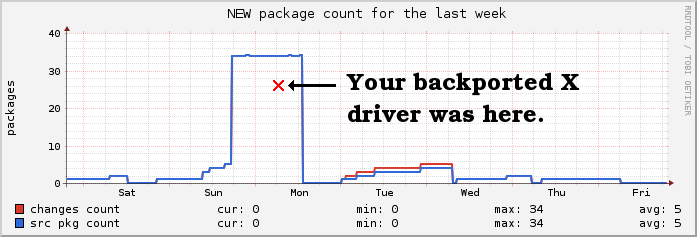
It took some time but it finally happened! NEW queue for backports Rule of thumb: if you're happy with Squeeze s X, stick to it. If you need a newer driver, for example for Intel Sandy Bridge, then give squeeze-backports a shot, and cross fingers! As usual, x.debian.net contains the relevant documentation. Hopefully, the short squeeze-backports instructions will be sufficient. If you encounter some issues, feel free to contact debian-x@.

Alexander Reichle-Schmehl: How to read ftp-masters package numbers table

In my previous blog about Debian's growing archive size I pointed as reference to an hard to read table on the ftp-master server, and missed that the table is not self explanatory and on the first glance hard to read. The table currently looks like the following:
                  e      s     p-u     t      u    t-p-u   l-r    s-u     o    o-p-u   s-r   
---------------------------------------------------------------------------------------------
     all         1096  12034     70  14442  15784     20      1     12   8910    230      0  
    alpha           -      -      -      -      -      -      -      -  13183    297      -  
    amd64        1164  16997    242  18581  19605     39      -     21  13964    342      -  
     arm            -      -      -      -      -      -      -      -  13251    291      -  
    armel         988  16401    239  17879  18680     39      -     21  13411    327      -  
     hppa           -      -      -      -      -      -      -      -  13227    264      -  
  hurd-i386       445      -      -      -  12622      -      -      -      -      -      -  
     i386        1178  17188    242  18727  19751     39      -     21  14377    350      -  
     ia64         951  16036    239  17303  18045     39      -     21  13554    329      -  
kfreebsd-amd64    807  14499    231  15905  16480     39      -     21      -      -      -  
kfreebsd-i386     826  14491    231  15881  16498     39      -     21      -      -      -  
     mips         974  16269    241  17730  18504     39      -     21  13638    323      -  
    mipsel        984  16291    239  17807  18558     39      -     21  13600    319      -  
   powerpc       1078  16677    239  18156  19036     39      -     21  13872    332      -  
     s390        1030  16252    239  17678  18469     39      -     21  13331    327      -  
    source        522  14974     51  16376  17405      1     19      6  12519     75    151  
    sparc         992  16423    239  17895  18673     39      -     21  13542    329      -  
The lines represent different hardware architectures Debian supports, like amd64 (for 64-Bit PCs), i386 (for 32-Bit PCs), etc. Two lines are kind of special, the one marked source and the one marked all. Let's start with the source line: That counts the number of source packages. Those are rarely seen by end users. Source packages contain the actual source needed to build a package, as well as Debian specific changes and a blue print on how to create an actual installable binary package from the source. As you can see Debian supports quite some architectures, which leads to a small problem on the mirrors: Quite a lot shipped in Debian is actually architecture independent. For example documentation, most sound and graphic files, or level data for a game. To avoid storing the very same date multiple times, Debian makes haeavy use of so called arch: all packages. You might have noticed them already while installing them:
Hole:5 ftp://ftp.rrzn.uni-hannover.de/debian/debian/ squeeze/main extremetuxracer-data all 0.4-4 [28,1 MB]
Hole:6 ftp://ftp.rrzn.uni-hannover.de/debian/debian/ squeeze/main extremetuxracer amd64 0.4-4 [273 kB]
In this example I installed a quite small game on the amd64 architecture, which depends on a quite big architecture independent package (notice the all between package name and version) containing it's data.So, to get the actual number of packages a user can install on a specific architecture, one has to add the number in the all line to the number in the specific architecture line. But what column to pick? The columns represent so called suites. The s is for stable, currently Debian 6.0 aka Squeeze and o for oldstable, aka Debian 5.0 Lenny. The t is for testing, aka Wheezy or the upcoming Debian 7.0. The u is for unstable aka sid. The e is for experimental, used for stuff probably not yet ready to be part of a stable release and therefore not uploaded to unstable. The rest is not that interesting (as you see it's mostly empty anyway), like s-u for stable updates, several p-u suites for proposed-updates (that is stuff that might end up in the next point release, and should be tested). And then we have s-r and l-r which I forgot what they are about... Sorry. But back to topic: As I explained briefly a source package is mostly used internally, but may create several binary packages, which a user can install. So the most interesting number for users is the number of binary packages on an arch. So we usually publish this number. So for example, using squeeze on i386 you can install: 17'188 (architecture dependent packages, column s row i386) + 12'034 (architecture independent packages columns s row all) = 29'222 packages. And for completeness: They are build from 14'974 source packages (row source column s). So if look that up for unstable on amd64 you should get to the result 35'389 binary packages build from 17'405 source packages. Slightly less than I reported yesterday, because we removed some old stuff e.g. obsolete libraries in the meantime. Update: J rg just explained me, that the s-r and l-r are there to ensure Debian complies with the GPL. They hold the sources of everything shipped in the original lenny and squeeze releases. Update 2: J rg explained it to me again: s-r and l-r contains sources used without being referenced by a package, and so might get lost otherwise. One example is the kernel used by the debian installation system. You have to boot a kernel somehow, so it can't be packaged. But we still need to save the sources, so it is referenced in these suites and won't get lost.

Vincent Bernat: jchroot: chroot with more isolation

Linux 2.6.24, released more than three years ago, introduced two very interesting features: PID and network namespaces. They allow to create a process that does not share the same PID namespace or the same network namespace than other processes. Those namespaces are then inherited by the children (unless they are assigned new namespaces).

PID & mount namespaces A PID namespace is a view of the processes running on the system. Each PID namespace will have its own numbering of the processes contained in its namespace (including the namespace of the children). Other processes are hidden and therefore, it is not possible to issue any operation requiring a PID on them, like kill(2). Moreover, the process that was created first in a namespace will get PID 1. If it gets killed, the namespace is destroyed and all other processes contained in this namespace are killed as well. systemd, a system and service manager for Linux, targeted as a replacement for the old SysV init, uses could use this feature to launch daemons in their own PID namespace and keep track of them without relying on their cooperation. When it needs to kill a daemon, it just kills the process with PID 1 (which has another PID in the global namespace) and the kernel will do the hard work of killing all processes that were started in this namespace. You can get more details about this namespace in the manual page of clone(2) (search for CLONE_NEWPID). UPDATED: In fact, systemd does not use PID namespaces but cgroups to group processes together. There is no PID numbering here but spawned processes are all enclosed into one cgroup and therefore can be killed easily. For example, here is the result of pstree -p inside a PID namespace:
root@guybrush:/# pstree -p
bash(1) pstree(8)
         sleep(7)
The PID of sleep is 7. In the global namespace, it is 31762 instead. But it is the same processus!
root@guybrush:/# ps -eo pid,command   grep sleep
31762 sleep 1000
Linux have also supported mount namespaces since a long time. Each process can have its own mount points that will be visible only by processes in the same namespace or in children namespaces. When the namespace is destroyed (when no process left), the kernel will do the cleanup itself.

chroot A common way to test experimental software or do packaging work is to build a chroot: debootstrap is used to build a new complete system inside a directory and chroot allows to enter into this new system. Tools like schroot can become handy if you need to do that often. Unfortunately, you only get an isolated filesystem. When you start launching daemons and mounting partitions, you need to keep track of all your actions to undo them. Quitting the chroot will not kill any daemon nor unmount any partition. Extending an existing tool, like schroot to use PID and mount namespaces seems the best way to prevent such problems. I have filed bug #637870 for this purpose. However, this is not as simple as it seems since schroot allows to run a process into an existing session. When the session is a chroot, this is quite easy: just chroot into the same root filesystem and launch the process here. With other kind of namespaces, you need to use a new system call, setns(), to change the current namespace of the running process. However, some bits are still missing. First, the GNU C Library does not implement the appropriate wrapper. Second, Linux (as of 3.0) does not contain the support to change the PID namespace of a running process yet. Other tools exist, like lxc (aka Linux Containers). However, it is more targeted at providing a complete container. I have reported that lxc-execute is not able to spawn a standalone shell but got no luck. UPDATED: systemd ships with systemd-nspawn which was exactly what I needed. However, it requires systemd. Otherwise, it seems less basic than the alternative that I describe below (some sensible mount points are setup, the console is correctly configured, signals are correctly transmitted, ). If you use systemd, look at it!

jchroot Building a chroot clone using namespaces is quite easy. The only difficulty is the use of clone(2). Here is a sketch:
int main()  
  pid_t pid;
  int ret;
  long stack_size = sysconf(_SC_PAGESIZE);
  void *stack = alloca(stack_size) + stack_size;
  /* New process with its own PID/IPC/NS namespace */
  pid = clone(step2,
              stack,
              SIGCHLD   CLONE_NEWPID   CLONE_NEWIPC  
              CLONE_NEWNS   CLONE_FILES,
              NULL);
  /* Wait for the child to terminate */
  while (waitpid(pid, &ret, 0) < 0 && errno == EINTR)
    continue;
  return WIFEXITED(ret)?WEXITSTATUS(ret):EXIT_FAILURE;
 
static int step2(void *a)  
  /* Mount /proc as an example */
  mount("proc", "/proc", "proc", 0, "");
  /* Chroot */
  chroot("/srv/debian");
  chdir("/");
  /* Drop privileges */
  setgid(1000);
  setgroups(0, NULL);
  setuid(1000);
  /* Exec shell */
  execl("/bin/bash", "/bin/bash", NULL);
 
Add command flags, error handling and fstab parsing for the definition of mount points and you get jchroot. Here is an example of use:
$ cat fstab
proc     /proc  proc    defaults                  0  0
sys      /sys   sysfs   defaults                  0  0
/home    /home  none    bind,rw                   0  0
/dev/pts /dev/pts none  bind,rw                   0  0
/var/run /var/run tmpfs rw,nosuid,noexec,mode=755 0  0
/etc/resolv.conf /etc/resolv.conf none bind,ro    0  0
$ sudo jchroot -f fstab -n test /srv/debian/squeeze /bin/bash
# hostname
test
# ps auxww
USER       PID %CPU %MEM    VSZ   RSS TTY      STAT START   TIME COMMAND
root         1  0.0  0.0  19480  1888 pts/1    S    15:18   0:00 /bin/bash
root         3  0.0  0.0  16536  1184 pts/1    R+   15:18   0:00 ps auxww
# /etc/init.d/postgresql start
Starting PostgreSQL 9.0 database server: main.
# exit
$ ps auxwwc   grep postgres
$
I hope that jchroot won t live for too long and that its features will be integrated into regular chroot tools. I was thinking at proposing a patch for chroot(8). Anyone knows if this would have a chance to be accepted?

18 August 2011

Thorsten Glaser: How not to create DEB files

Once upon a time, there was Deb and Ian. That was about exactly 18 years ago. We don t talk about the 0.939000 format any more, but they eventually settled on:

	$ ar rc pkg_1.0_all.deb debian-binary control.tar.gz data.tar.gz
	$ hexdump -C pkg_1.0_all.deb   head
	00000000  21 3c 61 72 63 68 3e 0a  64 65 62 69 61 6e 2d 62   !<arch>.debian-b 
	00000010  69 6e 61 72 79 20 20 20  31 33 31 33 36 38 33 35   inary   13136835 
	00000020  32 39 20 20 31 30 30 36  20 20 32 30 30 20 20 20   29  1006  200    
	00000030  31 30 30 36 34 34 20 20  34 20 20 20 20 20 20 20   100644  4        
	00000040  20 20 60 0a 32 2e 30 0a  63 6f 6e 74 72 6f 6c 2e      .2.0.control. 
	00000050  74 61 72 2e 67 7a 20 20  31 33 31 33 36 38 33 35   tar.gz  13136835 
	00000060  32 39 20 20 31 30 30 36  20 20 32 30 30 20 20 20   29  1006  200    
	00000070  31 30 30 36 34 34 20 20  31 33 39 31 20 20 20 20   100644  1391     
	00000080  20 20 60 0a 1f 8b 08 00  00 00 00 00 00 03 ed 59      ............Y 
	00000090  eb 6f db 36 10 f7 d7 f0  af b8 3a 5e 9b 74 b1 f5   .o.6......:^.t.. 
 

By then, systems were a.out(5), and everything was good. (Of course, if you look at the mtimes, you ll notice I faked this. But it s really equivalent to the real thing.

But oh horror! GNU binutils, not always everyone s friend, switched from using BSD style Unix Archiver libraries in ar(1) to SYSV style libraries on elf(5) systems:

	$ ar rc on-elf debian-binary control.tar.gz data.tar.gz
	$ hexdump -C on-elf   head
	00000000  21 3c 61 72 63 68 3e 0a  64 65 62 69 61 6e 2d 62   !<arch>.debian-b 
	00000010  69 6e 61 72 79 2f 20 20  31 33 31 33 36 38 33 35   inary/  13136835 
	00000020  32 39 20 20 31 30 30 36  20 20 32 30 30 20 20 20   29  1006  200    
	00000030  31 30 30 36 34 34 20 20  34 20 20 20 20 20 20 20   100644  4        
	00000040  20 20 60 0a 32 2e 30 0a  63 6f 6e 74 72 6f 6c 2e      .2.0.control. 
	00000050  74 61 72 2e 67 7a 2f 20  31 33 31 33 36 38 33 35   tar.gz/ 13136835 
	00000060  32 39 20 20 31 30 30 36  20 20 32 30 30 20 20 20   29  1006  200    
	00000070  31 30 30 36 34 34 20 20  31 33 39 31 20 20 20 20   100644  1391     
	00000080  20 20 60 0a 1f 8b 08 00  00 00 00 00 00 03 ed 59      ............Y 
	00000090  eb 6f db 36 10 f7 d7 f0  af b8 3a 5e 9b 74 b1 f5   .o.6......:^.t.. 
 

Can you spot the difference?

Of course, ELF is what you want , so there is little choice. Unix Archiver libraries are system dependent, and no format has ever been normed, but DEB files use it as format so what is one to do?

	$ GNUTARGET=a.out-i386-linux ar rc with-aout \
	> debian-binary control.tar.gz data.tar.gz
	$ md5sum pkg_1.0_all.deb with-aout on-elf
	248f78d42f8ca8f2a3560f9800b2bf01  pkg_1.0_all.deb
	248f78d42f8ca8f2a3560f9800b2bf01  with-aout
	09eca70c9b11b6b55bbadcab5c3201fb  on-elf
 

OK, and what do I do on my Debian/m68k system?

ar(1) uses bfd, and GNU binutils can not only forcibly set the target emulation but also show them:

debian_m68k$ ar -h 2>&1 grep '^ar: supported targets'
ar: supported targets: elf32-m68k a.out-m68k-linux elf32-little elf32-big plugin srec symbolsrec verilog tekhex binary ihex trad-core
debian_i386$ ar -h 2>&1 grep '^ar: supported targets'
ar: supported targets: elf32-i386 a.out-i386-linux pei-i386 elf32-little elf32-big elf64-x86-64 elf32-x86-64 pei-x86-64 elf64-l1om elf64-k1om elf64-little elf64-big plugin srec symbolsrec verilog tekhex binary ihex trad-core
debian_i386$ ar -h 2>&1 grep '^ar: supported targets' # binutils-multiarch
ar: supported targets: elf32-i386 a.out-i386-linux pei-i386 elf32-little elf32-big elf64-alpha ecoff-littlealpha elf64-little elf64-big elf32-littlearm elf32-bigarm elf32-hppa-linux elf32-hppa elf64-x86-64 elf32-x86-64 elf64-l1om elf64-k1om elf64-ia64-little elf64-ia64-big pei-ia64 elf32-m68k a.out-m68k-linux coff-m68k versados ieee a.out-zero-big elf32-tradbigmips elf32-tradlittlemips ecoff-bigmips ecoff-littlemips elf32-ntradbigmips elf64-tradbigmips elf32-ntradlittlemips elf64-tradlittlemips elf32-powerpc aixcoff-rs6000 elf32-powerpcle ppcboot elf64-powerpc elf64-powerpcle aixcoff64-rs6000 aix5coff64-rs6000 elf32-s390 elf64-s390 elf32-shbig-linux elf32-sh-linux elf32-sh64-linux elf32-sh64big-linux elf64-sh64-linux elf64-sh64big-linux elf32-sparc a.out-sparc-linux elf64-sparc a.out-sunos-big pei-x86-64 elf32-m32r-linux elf32-m32rle-linux elf32-spu plugin srec symbolsrec verilog tekhex binary ihex trad-core
mirbsd_i386$ ar -h 2>&1 grep '^ar: supported targets'
ar: supported targets: elf32-i386 coff-a29k-big a.out.adobe aix5coff64-rs6000 a.out-zero-big a.out-mips-little epoc-pe-arm-big epoc-pe-arm-little epoc-pei-arm-big epoc-pei-arm-little coff-arm-big coff-arm-little a.out-arm-netbsd pe-arm-big pe-arm-little pei-arm-big pei-arm-little b.out.big b.out.little efi-app-ia32 efi-app-ia64 elf32-avr elf32-big elf32-bigarc elf32-bigarm elf32-bigarm-symbian elf32-bigarm-vxworks elf32-bigmips elf32-cr16c elf32-cris elf32-crx elf32-d10v elf32-d30v elf32-dlx elf32-fr30 elf32-frv elf32-frvfdpic elf32-h8300 elf32-hppa-linux elf32-hppa-netbsd elf32-hppa elf32-i370 elf32-i386-freebsd elf32-i386-vxworks elf32-i860-little elf32-i860 elf32-i960 elf32-ia64-hpux-big elf32-ip2k elf32-iq2000 elf32-little elf32-littlearc elf32-littlearm elf32-littlearm-symbian elf32-littlearm-vxworks elf32-littlemips elf32-m32r elf32-m32rle elf32-m32r-linux elf32-m32rle-linux elf32-m68hc11 elf32-m68hc12 elf32-m68k elf32-m88k elf32-mcore-big elf32-mcore-little elf32-mn10200 elf32-mn10300 elf32-msp430 elf32-nbigmips elf32-nlittlemips elf32-ntradbigmips elf32-ntradlittlemips elf32-openrisc elf32-or32 elf32-pj elf32-pjl elf32-powerpc elf32-powerpc-vxworks elf32-powerpcle elf32-s390 elf32-sh elf32-shbig-linux elf32-shl elf32-shl-symbian elf32-sh-linux elf32-shl-nbsd elf32-sh-nbsd elf32-sh64 elf32-sh64l elf32-sh64l-nbsd elf32-sh64-nbsd elf32-sh64-linux elf32-sh64big-linux elf32-sparc elf32-tradbigmips elf32-tradlittlemips elf32-us-cris elf32-v850 elf32-vax elf32-xstormy16 elf32-xtensa-be elf32-xtensa-le elf64-alpha-freebsd elf64-alpha elf64-big elf64-bigmips elf64-hppa-linux elf64-hppa elf64-ia64-big elf64-ia64-hpux-big elf64-ia64-little elf64-little elf64-littlemips elf64-mmix elf64-powerpc elf64-powerpcle elf64-s390 elf64-sh64 elf64-sh64l elf64-sh64l-nbsd elf64-sh64-nbsd elf64-sh64-linux elf64-sh64big-linux elf64-sparc elf64-tradbigmips elf64-tradlittlemips elf64-x86-64 mmo pe-powerpc pei-powerpc pe-powerpcle pei-powerpcle a.out-cris demo64 ecoff-bigmips ecoff-biglittlemips ecoff-littlemips ecoff-littlealpha coff-go32 coff-go32-exe coff-h8300 coff-h8500 a.out-hp300hpux a.out-i386 a.out-i386-bsd coff-i386 a.out-i386-freebsd a.out-i386-lynx coff-i386-lynx msdos a.out-i386-netbsd i386os9k pe-i386 pei-i386 coff-i860 coff-Intel-big coff-Intel-little ieee coff-m68k coff-m68k-un a.out-m68k-lynx coff-m68k-lynx a.out-m68k-netbsd coff-m68k-sysv coff-m88kbcs a.out-m88k-mach3 a.out-m88k-openbsd mach-o-be mach-o-le mach-o-fat coff-maxq pe-mcore-big pe-mcore-little pei-mcore-big pei-mcore-little pe-mips pei-mips a.out-newsos3 nlm32-alpha nlm32-i386 nlm32-powerpc nlm32-sparc coff-or32-big a.out-pc532-mach a.out-ns32k-netbsd a.out-pdp11 pef pef-xlib ppcboot aixcoff64-rs6000 aixcoff-rs6000 coff-sh-small coff-sh coff-shl-small coff-shl pe-shl pei-shl coff-sparc a.out-sparc-little a.out-sparc-linux a.out-sparc-lynx coff-sparc-lynx a.out-sparc-netbsd a.out-sunos-big sym a.out-tic30 coff-tic30 coff0-beh-c54x coff0-c54x coff1-beh-c54x coff1-c54x coff2-beh-c54x coff2-c54x coff-tic80 a.out-vax-bsd a.out-vax-netbsd a.out-vax1k-netbsd versados vms-alpha vms-vax coff-w65 coff-we32k coff-z8k elf32-am33lin elf32-ms1 srec symbolsrec tekhex binary ihex netbsd-core

Wow. While binutils share no single supported working target, they can be built multiarch, or (on MirBSD) with --enable-targets=all --enable-64-bit-bfd. Doesn t help if you want to stay portable: GNUTARGET=srec is common on all Debian (sid) binutils versions (single or multiarch), but errors out on older binutils. The a.out-* targets are not common. Sure, you could hack around things, but this is tedious. If you follow things or know me a little, you might already have guessed that I wouldn t let that stand.

pax(1) to the rescue. On MirBSD, we use paxtar, which has cpio(1) and tar(1) front-ends and supports multiple formats (4 cpio and 2 tar variants) and has already been extended a lot and is lovingly called paxmirabilis (mirabilos peace in Latin) it has options to anonymise archives: set uid and gid to zero, set mtime to zero, (for ustar) only write the numeric uid and gid to the archive, (for cpio formats) serialise inodes and device information, write content of hardlinked files only once (breaks partial extraction but saves a lot of space, e.g. 2 MiB off the Grml initrd.gz). And, recently, the ability to append a trailing slash to pathnames of ustar members which are directories (GNU tar does it and I thought some Debian utilities check for it). So why not (the -M dist and fakeroot set the uid/gid to 0)

	$ find debian-binary control.tar.gz data.tar.gz   \
	> mircpio -oHar -Mdist >with-mircpio
	$ mirpax -w -M dist -f with-mirpax -x ar \
	> debian-binary control.tar.gz data.tar.gz
	$ mirtar -M dist -A -cf with-mirtar \
	> debian-binary control.tar.gz data.tar.gz
	$ GNUTARGET=a.out-i386-linux fakeroot ar rc with-aout-ar \
	> debian-binary control.tar.gz data.tar.gz
	$ md5sum with-*
	a466e2fd57cdee141fe585a43245548f  with-aout-ar
	a466e2fd57cdee141fe585a43245548f  with-mircpio
	a466e2fd57cdee141fe585a43245548f  with-mirpax
	a466e2fd57cdee141fe585a43245548f  with-mirtar
 

Voil . I got it, and even appending is possible. It supports the BSD format with special focus on DEB files, and deals with long filenames, but not symbol or filename tables (used by ranlib(1) or strange formats, respectively, but since we don t create *.a files to use with some native linker/binder/loader, we don t need that anyway).

On extraction (oh, and listing!) it deals with SYSV style filenames as well.

	$ mirtar tvf on-elf
	-rw-r--r--  1 tg       tg          4 Aug 18 16:05 debian-binary
	-rw-r--r--  1 tg       tg       1391 Aug 18 16:05 control.tar.gz
	-rw-r--r--  1 tg       tg      18135 Aug 18 16:05 data.tar.gz
	$ mirtar tvf with-aout
	-rw-r--r--  1 tg       tg          4 Aug 18 16:05 debian-binary
	-rw-r--r--  1 tg       tg       1391 Aug 18 16:05 control.tar.gz
	-rw-r--r--  1 tg       tg      18135 Aug 18 16:05 data.tar.gz
 

One of the real benefits is that you can use the front-ends interchangably for example, mirtar tzf foo.cpio.gz would work (which GNU tar can t do), and mircpio s ustar implementation, unlike GNU cpio s, is not horribly broken. Of course, there are some drawbacks: it s not GNU tar or GNU cpio, so there are absolutely zero --long-options. Some of their features are missing (but tar s -O is implemented now), so it s no replacement (but very well usable alongside it). The format called pax, committee-designed to replace ustar, isn t yet supported ironically, but that s on the TODO.

So, what do you think?

	tg@frozenfish:~/Debs/dists/sid/wtf/Pkgs/mircpio $ ll *.deb
	-rw-r--r-- 2 tg freewrt 78140 Aug 17 11:04 mircpio_20110817-0wtf2_amd64.deb
	-rw-r--r-- 3 tg freewrt 72262 Aug 17 11:00 mircpio_20110817-0wtf2_i386.deb
	-rw-r--r-- 1 tg freewrt 67446 Aug 17 18:21 mircpio_20110817-0wtf2_m68k.deb
 

Should I upload this to Debian proper? As for the licence: 3-clause UCB (and 2-clause BSD, which is a subset of it), so no problem. I m asking because the other package which I had been using for a long time and not uploaded, jupp, got uploaded recently (during DebConf) on user input (people wondered why it did not yet exist in Debian proper). I guess the old saying if it s not in Debian, it doesn t exist holds true in many parts of the OSS world. It s up to date wrt. standards btw, and lintian-clean save for two pedantic-class warnings (no upstream changelog file, no homepage link) which aren t fulfillable (could link this wlog entry as homepage). If you know Alioth you re familiar with the software formerly known as SourceForge, formerly known as GForge, currently known as FusionForge. My employer both uses it and contributes to it, we run an adapted (mostly themed, prototyping new functions that often end up in FusionForge itself, and backporting functions from FF to our production codebase ) version.

I ve backported the extratabs plugin to appease project managers and other non-technical people while we move our codebase to FF 5.1, and I did so on an installed version of the plugin rather than the source because the latter was tightly integrated with rather heavy packaging style changes.

	[ ]
	dh_builddeb
	# create fusionforge-plugin-extratabs binary package
	toplev=$$(pwd); cd plugins/fusionforge-plugin-extratabs; \
	p=$$(print -r -- $$(sed -n '/^Package: /s///p' C/control   head -1)); \
	v=$$(print -r -- $$(sed -n '/^Version: /s///p' C/control   head -1)); \
	a=$$(print -r -- $$(sed -n '/^Architecture: /s///p' C/control   head -1)); \
	d=$$ p _$$ v _$$ a .deb; \
	rm -f $$toplev/../$$d control.tar.gz data.tar.gz; \
	(cd control; find .   fgrep -v /.svn   sort   \
	    mircpio -oC512 -Hustar -M0x0B -Mgslash)   gzip -n9 >control.tar.gz; \
	(cd data; find .   fgrep -v /.svn   sort   \
	    mircpio -oC512 -Hustar -M0x0B -Mgslash)   gzip -n9 >data.tar.gz; \
	mirtar -M dist -Acf $$toplev/../$$d debian-binary cont*gz dat*gz; \
	rm -f control.tar.gz data.tar.gz; \
	cd $$toplev; dpkg-distaddfile $$d non-free/devel optional
 

The hardest part of extending debian/rules with that was to get the autobuild and dpkg-distaddfile call right. This works, even though I d call it a temporary kludge. (No need to tell me I should have used && I know. And I only shell out to mksh(1) because the inner part was already there from before, when I still used ar(1). This was slightly edited for the wlog.) In the meanwhile, apt-extracttemplates can deal with SYSV style filenames in DEB files on Debian sid, but not on Kubuntu hardy, which some people are using as Desktop OS still

Next.

Previous.

