Search Results: "az"

11 September 2008

Kai Hendry: Linux computing on your arm

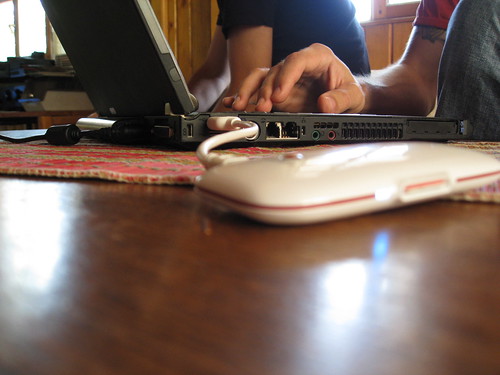
Using 3G I played with a friend’s Atom based EEEPC yesterday. The EEEPC is an amazing achievement considering it’s comparable to the Thinkpad X61, yet it’s a fifth of the price in the UK. I like the idea of carrying an EEEPC as I’m a bit nervous about losing my $$$ Thinkpad when I am out and about. If it just runs a kiosk like browser, with a HSPDA 3G modem, it would be very handy. I wouldn’t sob as much if it got stolen. In other news: I upgraded my beloved slug to lenny which I use as a NAS at home, only to get bitten by a serious NFS permission issue in Debian. Urgh. Update: Thinkpad lovers rejoice. Lenovo has released the EEEPC rival SL300, which seems like half the price of the X61.

9 September 2008

Michal Čihař: White Russian and Aiccu problems

Today, I wanted to finish something what looked like easy task from beginning. To bing IPv6 connectivity to my home using tunnel from Sixxs. As I have an OpenWRT, I expected it should not be harder than setting up same thing on my Debian notebook. There exists several howtos on the net, we can take the one on Sixxs wiki as a good starting point. Just follow the instructions and you should get it working right? Unfortunately not. Aiccu connects, IPv6 addresses are assigned, subnet is correctly distributed over network using radvd, but IPv6 connectivity does not work. Going deeper into this issue, I found out that some packets go out, but nothing comes back. When comparing results with Aiccu set up on my Debian notebook, I noticed that packets from OpenWRT router are few bytes larger, but I didn't though it could be a reason. Unfortunately it was -- OpenWRT contains wrongly compiled Aiccu, which does not strip ethernet headers from outgoing packets and gateway then throws them out. This is a well known bug, but unfortunately nobody fixed it for White Russian. Anyway I'm not going to reinstall whole system to Kamikaze just to make the thing work, so I compiled the Aiccu package on my own and now the tunnel works fine. If you are interested, you can get the package here.

Pablo Lorenzzoni: Under-the-hood Candidates

I am still laughing of IdolHands comparison between Obama and McCain. Watching how people can make tech-fun out of absolutely anything is amazing Maybe I can put a similar comparison of Porto Alegre mayor election in the pt-BR section

Jan Wagner: life

8 September 2008

Martin Michlmayr: Visiting Marvell in Yoqne'am

Marvell in Yoqne'am Since I'm spending the summer in Israel, I used the opportunity yesterday to visit the Marvell site in Yoqne'am where the majority of the NAS software engineering team is located. They first gave me a tour through the hardware labs which I found incredibly interesting. It's amazing what equipment those folks use to perform QA tests of new chips, how they can reverse engineer chips and even make some modifications to test their theories about hardware bugs. I found it really amazing and at the same time felt glad that changing things in software is so easy. Later they showed me the software lab where they had an exhibition of various devices based on the Orion chip, including NAS devices, but also printers, wifi APs and game machines. They also told me some details of their product roadmap but unfortunately I cannot share that information. The only thing I can say is that we'll see a lot of new devices to which it would be cool to port Debian.

Holger Levsen: We had joy we had fun we had changelogs in the sun

In an hour the online part of this combined embedded+fai meeting in Badajoz in Extremadura, Spain, will sadly be over, but the sadness will hopefully be compensated by good food (yes, the food at the last dinner was great) and more fun! To me it were three intensive days (plus some two half days of intense travelling) which were really productive. This post is a summary of what I did here, to document how useful these meetings are. I'm only one person out of 18, who did some Debian work here, much more stuff was done, most of it I probably didnt even notice, as 14 people where working on embedded stuff, which I mostly ignored... ;-) That said, I think it was still very nice to have this meeting together, a.) because I'm quite interested in embedded stuff and b.) because the embedded crowd is a fun one to hang around with!

Right now I'm quite tired so that I dont fully remember what I have done on the first day :) It included uploading the DebConf7 mpeg videos which will now be used by Miguel Gea to create DVDs from those, so that he gets familar with the toolchain, so that he then can do the DebConf8 DVDs once those videos are (fully) ready. That will still take some time though, but hopefully not too long.

Unlike DebConf8 I also brought my fancy new fonera2 with me, in the hope to give it to someone to work on emdebian support for it. This is quite a longer road, as currently uclibc is not part of Debian, but thats only one step in this puzzle. Much to my joy Per Andersson took the opportunity to play with it and now took it home with him to document how to run Debian on it. I'm looking forward to see progress on this in the future ;-) Update: uclibc support is only needed for running Debian from the 4mb flash it has. But since it also has an usbport one can attach some storage there and run a full Debian system, just like on the nslug, which also has 32mb of RAM.

Unfortunatly I basically forgot about the FSG-3 I also took with me (which was for good reasons, one the second and third day I mostly did FAI work), but then I remembered 90min before the end, which was really too late. Narf. But Riku had a short look at it and told me one thing I didn't knew before: (at least) arm(el) kernels need to have the cpu id set in the kernel and the debian kernels don't have that, as they are build for more than one cpu type, so one has to prepend an arm assembler code instruction before running the kernel... I'm curious to do this soon :-)

But I have more hardware news to tell: C sar G mez Mart n (thanks for organizing this meeting, too!!!1) gave me back my OLPC laptop which I borrowed to him quite some time ago, so he could use it for a talk he gave at a university in Extremadura, so now I finally could give Andres Salomon new debian image for the XO a try. It was really nice to finally see a nice Debian gnome desktop on the device :-)

Today the FAI group, that was Sebastian, Michael, Thomas and me, also took a break to visit the Alcazaba de Badajoz (built around 1100, so roughly 900 years ago) which is an amazing building (thats why I linked to the spanish wikipedia entry as it has nicer pictures), from where you can see most of the city. I've been to Badajoz at least three times now and I'm really glad I finally did that, it's only 5min away from the office where the meeting was held and I highly recommend it to anyone going here.

Oh, and last and definitly not least I did a lot of work on FAI too. Besides discussing stuff which will hit planet after I posted this (hah! Michael already posted it, though without proper credit, so I will do a repost) I mostly reviewed changes and patches and discussed bugs, I didn't develop many patches myself (well, except one for the changelog..) but I've read every change at least twice, once as a commit msg and once in a full review. Plus many patches I read more often... all in all I think FAI is now in an great shape for lenny (which was the only thing we worked on during the weekend, we discussed some future plans, but work was only done for lenny), except that we want to another upload (with only documentation changes) after the upcoming one (which has quite some documentation changes already, but also some RC+important and some trivial bugfixes).

As you might have guessed, I started this entry on saturday and am finishing it now. According to the topic of the #extremadura2008 channel, which we created to coordinate between the groups, we also fixed 7 RC bugs (or 8? one should really document the bug numbers and not the number of bugs..) affecting lenny and 3 more which are only relevant to sid. Which is not as many as I would have liked to be fixed, but then, it wasn't a ("traditional") bug squashing party either. Which makes me wonder, are there any planned in the coming weeks?

So all in all I think this meeting was really very productive. Plus, I also enjoyed a special half an hour of real holidays: on saturday we had to leave lunch without having a chance to have a coffee afterwards, so I stumbled into a random cafe on the way to the venue. Turned out it was a very nice one, where due to its nice interiour I managed to reflect on life, 42 and all the rest almost immediatly. A totally unexpected but needed break. I wont say more here, because the thoughts and memories are really mostly relevant for me, but I'm really happy I found that space. DebConf8 and this meeting both were really fun, but I really didnt have a minute to reflect things. 30 minutes to do that is definitly not enough, but it was a good start. Now I just need to find another opportunity to continue with it. I hope this will happen before the next Extremadura meeting ;-)

7 September 2008

John Goerzen: Can You Feel The History?

A few years ago, Terah and I got to visit the beautifully-restored Kansas City Union Station. What a sight. A train station designed to hold 200,000 people, and saw over 200 trains pass through in its heyday. So many people had stories of traveling through Union Station, of arranging to meet someone under the station's iconic giant clock. Maybe they were meeting a husband or wife back from a long trip or fighting in a war, or maybe they were meeting a relative they hadn't seen for years. Walking through Union Station one quiet evening, you can almost hear all the activity still there. Taking the train there, walking in through Amtrak's small boarding area, then stepping out into the dazzling expanse of the station is quite the experience too. It wasn't just a static relic; it was a true piece of history that we can feel.

Decades ago, one of the busiest airports in the country was in Wichita, Kansas. At its peak, the Wichita Municipal Airport saw a flight land or take off every 90 seconds. Its beautiful art deco terminal saw off many an excited traveler. From the Wichita Municipal Airport, you could see buildings owned by Boeing, could drive a minute or two and see Cessna, and other major aircraft manufacturers were also in Wichita. The airport saw many cutting-edge flights, perhaps thanks in part to this. Movie stars were known to fly through Wichita frequently. And Wichita was part of one of the first cross-country air travel routes, New York to Los Angeles, which then took "only" 48 hours. Due to lack of radios and lighted runways, people would fly during the day and ride onboard a train at night to minimize travel time.

Due to an incredible fluke of history, the Wichita Municipal Airport terminal building and control tower still stand. I've never been in an airport that still feels like the 1940s. Other great airports of the era have continued to expand, grow, and generally be replaced as demands for jet service rendered them obsolete and unusable for air service.

You can walk into the building and stand on the main floor lobby (see photos) where people once waited to catch their flight. You can walk down the single departure gate to the tarmac. Obviously we were witnessing a different era -- one in which planes carried only a few passengers each, not the hundreds that they carry today. Three to five planes would line up, and you would simply walk to yours and walk on up and into it. The control tower, a new addition in 1941, still has the high-powered red and green lights that were used to signal airplanes in the days before radio contact was common. The outside of the building has been beautifully restored, but the interior needs a lot of help (and funding) yet. You can still see some areas where the original decorative paintings and tile work survive, but all too many areas have been stripped to the concrete. Outdoors, you can find everything from one of the few surviving B-29s, to some of the earliest small airplanes, to a FedEx jet transport and other quite large planes.

Up in the control tower, they have a radio tuned to air traffic control frequencies. You can hear aircraft being routed to various Wichita airports. On the counter sit several photo albums. As you look down on the ground where historic airplanes sit, you see photos of airplanes lined up, ready to receive passengers. In this building, too, you can really feel the history.

Volunteers were all over. They were all eager to share about the building, the planes, everything they knew. One of the people working on the restoration of the B-29 saw us approaching, and excitedly asked, "Would you like a tour?" Of course!

Though you don't really see 1940s airports anymore, this situation was unique. In 1951, the United States Air Force announced plans to seize the airport and use it to establish an air force base in Wichita. They intended to do so within three weeks. Due to much legal wrangling, including a landmark court case in which the Air Force was forced to honor a contract it had signed with the City of Wichita, the Air Force couldn't quite kick everyone out until 1954, when a new airport in Wichita was completed.

Between 1954 and 1984, the building was an office used by the Air Force. It was abandoned between 1984 and 1991, when the City of Wichita purchased it for use as a museum.

Despite years of neglect, it still stands as a grand old airport. Standing in the airport today, you can see the sign for the Boeing Co. off in the distance, the runways in the other direction, and excited people scurrying about. In a way, it's the same scene that you would have seen 60 years ago -- though nobody was wearing a suit.

Kyle McMartin: CONFIG_PRINTK_TIME, what is time?

GMsoft reported a few weeks ago, that kernels on his A500 were hanging on startup with CONFIG_PRINTK_TIME enabled. Knowing that all this does is prefix the kernel messages with a timestamp, I was interested to find out how this could possibly be causing a hard hang. Obviously, the first thing to do, is to try and reproduce the problem. But I was completely unable to reproduce it on my RP3440… How very strange. Ok, well, let’s poke at the A500 and see if it will happen there. It does! Spooky…[1] Well, now I was really interested. Let’s see what CONFIG_PRINTK_TIME actually does… In kernel/printk.c::vprintk, around the if (printk_time) section, we see that after printing the priority level tag, such as KERN_INFO, etc., we attempt to print a timestamp obtained with cpu_clock. The returned value from cpu_clock is in nanoseconds, so before it’s printed, it is munged into two smaller integers, the whole-seconds portion, and the decimal portion. Ok, this gives us a great place to start looking for ways PA-RISC could be tripping up on these codepaths. The first was a fairly fruitless search of the cpu_clock call chain, which turned up nothing suspicious, aside from a maze of CONFIG_ options. Turned out, on non-x86, this code reduced into some fairly trivial stuff, none of which could really have been causing a hang. However, we now had a basis for a fairly good hunch. If it wasn’t the cpu_clock going awry, the do_div routine, or sprintf must have been causing it. A quick boot-test to comment out the do_div routine and replace it will a fixed value resulted in a working system. Hooray. Then it hit me like a freight train, when I saw what was being printed. This was the banner line… the very first thing printed in init/main.c, right after jumping into the kernel in virtual mode at start_kernel.
Linux version 2.6.27-rc5-00283-g70bb089 (kyle@shortfin) (gcc version 4.3.1 (GCC) ) #2 SMP Sat Sep 6 19:45:05 PDT 2008
FP[0] enabled: Rev 1 Model 20
The 64-bit Kernel has started…
console [ttyB0] enabled
Initialized PDC Console for debugging.
Seeing the “FP[0] enabled” line immediately caused me to smack my head at the obviousness of the problem. We were attempting to do a division, which, because of how the kernel and libgcc are compiled, is attempting to use the fpu. However, this is faulting on the very first printk in the kernel, well before any of the architecture-specific initialization is done. A quick hack removing any printks before we initialized the fpu fixed the problem as well. But, dirty hacks are not appropriate for mainline. I thought long and hard about a nice way to fix this, but, really, open coding firmware calls in assembly didn’t strike my fancy. There is, however, another easy way to solve it. I ended up replacing the jump to start_kernel in head.S with my own function to turn on the fpu, and called start_kernel from there. Kind of ugly, but at least the fix is entirely contained to arch/parisc, instead of leaking all over the tree. The patch is available, but I’ve been too busy to push it this last release-cycle (and, didn’t really want to tempt fate at pushing a not-quite-actually-serious-fix outside of -rc1 time.) This has been another post brought to you by the maintainer of an inconsequential architecture. We do hope you enjoy it. 1. This ended up being due to either 1) the fpu being enabled by firmware on the PA8800, or 2) the fact that I was doing warm resets instead of cold starts.

6 September 2008

Wouter Verhelst: Bughunting is fun

Two reasons:
  1. 'foo FTBFS on m68k' is not RC. 'foo FTBFS on m68k because it segfaults during the build since it does bar and baz, which just happens to result in a segfault on m68k at startup but might randomly result in a segfault on every architecture, really' in most cases is.
  2. It, well, is just fun to debug someone else's code. On m68k, it's easy to do that, too, if you know a bit of assembly language.
Today's (and last week's) bug: #497262. Xemacs21 segfaults at startup on m68k (and FTBFSes because of that), which is RC for m68k. Reason: confusion between a pointer and its value. In other words: the sanity check might succeed, or it might not, depending on your luck. In fact, the first time the code flows through this buggy path, it does not bomb. Once we do get through this bit, it's also very likely that regular error handling will catch it—the only reason why xemacs segfaults here is because we're still in initialization, and the error object in the lisp stuff hasn't been initialized yet, so we get a nice null pointer dereference... That alone isn't enough to make it RC everywhere, but it's good enough to make it important and fixable for the maintainer. Like I said, fun. Sorry for those of you who want to release Lenny ASAP, but I think I'll be making your life a bit harder :-> Next week's bug: a similar issue in emacs, or the build failure of ghc6 on m68k, depending on time and complexity.

5 September 2008

Christian Perrier: D-I string freeze status

After more than one week of string freeze for Debian Installer, here's the status (I post it daily on debian-boot and debian-i18n mailing lists). 15 days are left before the end of the string freeze 34 Languages meet the release criteria: Arabic, Belarusian, Bulgarian, Czech, German, Dzongkha, Basque, Finnish, French, Galician, Gujarati, Hindi, Croatian, Italian, Japanese, Korean, Lithuanian, Malayalam, Marathi, Norwegian Bokm l, Dutch, Polish, Portuguese, Punjabi, Brazilian Portuguese, Romanian, Russian, Slovak, Swedish, Tamil, Thai, Turkish, Traditional Chinese 27 currently activated Languages *fail* and risk to be disabled et the end of the freeze: Amharic, Bengali, Bosnian, Catalan, Danish, Greek, Esperanto, Spanish, Estonian, Hebrew, Hungarian, Indonesian, Georgian, Khmer, Kurdish, Latvian, Macedonian, Nepali, Norwegian Nynorsk, Northern Sami, Slovenian, Albanian, Tagalog, Ukrainian, Wolof, Simplified Chinese 14 more languages are under work but will probably not make it: Afrikaans, Welsh, Persian, Irish, Armenian, Icelandic, Kazakh, Kannada, Malagasy, Malay, Serbian, Telugu, Urdu, Xhosa In short, this summarizes to "hurry if you don't want your language disappear from D-I"...:-)

Gunnar Wolf: Awesome!

For about eight years, I was a very happy WindowMaker user. It was very lightweight, aesthetically pleasing, and I had interiorized its behaviour and keybindings so much, I didn't feel I'd ever switch away. I periodically tried (forced myself even!) to use any of the other, more en vogue environments... Experimented using Gnome for a week, KDE for a week, XFCE for a week (so I would have enough time to learn their ways)... And always came back to my good, well-known wmaker.
In 2006, when we held DebConf6 in Mexico, I saw how other people worked with ion3. I fell immediately in love with it. Not because it is prettier, snappier or has nicer widgets than other window managers - but because it is enormously more usable. Quoting Tuomo Valkonen, the ion3 author,
Ion is not perfect and certainly not for everyone, but neither is any user interface. Usability is subjective.
Using a keyboard-oriented, tiling window manager represented -for the first time in 20 years (I had my first contact with a Macintosh in 1986)- a radical user interface change. For my way of working, I just don't need a desktop, I don't need having a background space or overlapping windows. What I need is a way to functionally organize the windows I have open at any given time, quickly switch between them (and not depending on the mouse, please!), maximizing screen space and all that. ion3 was godsent.
Now, in 2007 there was (yet another) huge flamefest. Valkonen basically does not want distributors distributing any version of ion3 that's not the latest, and introducing changes not approved by him - He basically demands ion to be non-free. So, it was moved to the non-free section of Debian where only Womble decided to keep giving it support. And, of course, by September 2007 Julien Danjou announced he had written another window manager: Awesome.
My main motivation for switching away from ion3 is that... I don't want to use non-free software. But I was very comfortable with ion3. It was only after I saw many other people using Awesome at DebConf8 I decided to bite the bullet and switch. It looked at least as comfortable as ion3.
But... Well, I cannot come up with better phrasing than what Joey said when he switched to Awesome, almost exactly a month ago. When changing between the mainstream window managers, the differences are mostly cosmetic. But with these really different window managers... I cannot but reproduce Joey's words:
I wish I had a good analogy to explain to my nontechnical readers what changing to a new window manager is about.
One way to think about it is that it's like driving a car down the road, and suddenly swapping the steering wheel and brakes out for a tiller and gear shifter. And having to downshift for braking until you learn that the brakes moved to the turn indicator lever. By trial and error.
But that's really only part of it. Another way to look at it is adopting a new philosophy. Or, in some cases a cult. (In some cases, with crazy cult leaders.) Whether they use Windows or a Mac, or Linux, most computer users are members of a big established religion, with some implicit assumptions, like "thy windows shall be overlapping, like papers on the desktop, and thou shalt move them with thy mouse".
So, changing to a new window manager is a process of being dumped into a different environment, where nothing works like you've come to expect, and trying to construct a mental model that you can use to make sense of it. But it's also a process of modifying that environment to behave the way you like.
And when done whole-heartedly, this doesn't just mean trying to make it like the environment you were used to before. It means trying to absorb the underlying philosopy of the window manager, and think up new ways of doing things, inspired by that philosopy, and modify the environment to allow doing those things.
So ideally, "I switched to a new window manager" doesn't mean "my screen has some different widgets on it now". It means "I'm looking at the screen with new eyes."
So, what's so different?
Besides learning some new keybindings (expected, of course), Awesome has several suggested layouts to help you organize your workflow, usually (although not always) consisting of a main area and a side area, tiled side by side (or one above the other, or several stranger ways). This sounds rigid, but it is incredibly comfortable - and I've only been an Awesome user for three days!
But what sets Awesome apart from basically anything else is the concept of tags. Whey you see an Awesome session, you recognize something similar to the very well known workspaces concept we have had in any Unix-like environment for many years, right? Well, but they are not workspaces. They are tags. What is the difference?
When I work with workspace, each of my windows can be in a different workspace. So in one, I'll have my mail-related stuff. In another one, I might be browsing. In another one, I have my development things, and I might be following some logfiles in yet another one.
Awesome allows you to use tags for categorization in much a more flexible way.
For example: I am mostly a web-oriented developer. I usually need four things when developing a system: A browser, Emacs, the log for my development server, and a console where I can peek and poke at my objects and interactions. Of course, cramming them all into the same screen makes no sense - It would be better to follow the good ol' desktop metaphore, and just switch the focus and raise the window, right?
In Awesome, I can have them all set to the maximum screen size - _and_ use the most common combinations as well. Each of the windows can be tagged to more than one workspace (and yes, this is immensely more flexible than the always visible hint on traditional WMs).
To begin with, I'll give each major process a tag to itself, to work full-screen. Emacs is on tag 1, my browser on tag 2. The log and the console share a terminal (i.e. via screen or terminator).
This console by itself is not too useful, so I'll set it to tag 4, and we will go back to it later.
So if I'm building a view or following online documentation, I will add tag 3 to both Emacs and the browser.
I'm also setting tag 4 to the browser - That allows me to use it next to my terminal, following the results of my website-clicking.
And, of course, tag 5 will be set to Emacs and to the console, so I can quickly check any quick API-related question that does not need the documentation or look at a newly written method.
By the way, have you noticed CapsLock is the most stupid key invented, ever? Ok, I gave a good use to it: It's called Mod4. Imagine it is just an extra Ctrl, Alt or Meta key.
So, Mod4-1 gives me Emacs. Mod4-2 gives me the browser. Mod4-3 gives Emacs+browser, Mod4-4 gives browser+console, and Mod4-5 gives Emacs+console. And, of course, the handy Mod4-0 gives me all of my open windows tiled side by side.
Even this is a pattern of being a newbie, I know - I could keep 4 and 5 free, and just tag several simultaneous tags to be active. How? Switch to tag 1 exclusively (Mod4-1), and activate tag2 as well (Ctrl-Mod4-2). There, I have Emacs and browser side by side. Want to get the console instead of the browser? Simple. Ctrl-Mod4-2 (toggle off tag 2), Ctrl-Mod4-3 (toggle on tag 3).
Anyway - As you can see, I am excited at finding a very new and nice tool to help me work better. Today I was playing a bit with the Awesome widgets, but that's something to be talked about later.
In Debian, we are at a crossing point: Awesome is just reaching ion3's popularity. And I'm adding my two main machines' votes to Awesome.
This is Awesome. Quoting (yes, one last quote) the official Awesome site, This gonna be LEGEN... wait for it... DARY!.

4 September 2008

Christian Perrier: What about translations other than German and French?

I recently announced that German and French reached 100% completion in unstable for po-debconf translations (by the way, both are now 100% in lenny as well). However, l10n efforts also happen for many languages in that area, so it's time to highlight them as well: Other translation efforts are more hectic. I'd like to point the slow decrease of the work on Catalan, probably due to low manpower and other areas of interest for the old timers. I'll try to soon make such report for other areas of translation effort in Debian.

John Goerzen: Hurricane Bicycling

Wednesday I rode my bike to work.

So, logically, Wednesday saw me riding my bike home from work.

That was not the most pleasant task.

I rode directly into some really strong winds -- I figure about 40MPH -- for 2.5 miles, and for the other 8, they were crosswinds. I checked the weather about 30-60 minutes after I got home, after it had calmed down a bit, and they were saying gusts to 35. So I figure 40 or more when it was really going is about right. I was using the lowest possible gear on my 24-speed bike for a good part of that, for the first time ever.

The weather also indicated this was due to remnants from Gustav.

So now I can -- almost -- say I rode my bike through a hurricane.

I had to chuckle a bit today when I read a different bike blog -- someone who has been doing this a lot longer than me -- say he chickened out and took the bus because of 15MPH winds.

Out here in Kansas farm country, there isn't a bus. If I ride the bike to work in the morning, that's the only way I'm getting back home.

Kinda character-building, I guess.

Or crazy, depending on your view. I'm getting some strange looks lately as I've been mentioning that it's about time for me to prepare for bicycling in the winter.

Oh, and did I mention that 15MPH is a breeze out here?

Martin Michlmayr: The European Open Source Observatory and Repository (OSOR)

I attended the Open Nordic Conference in Norway in June, a conference that brought together people from Norway, Sweden, Finland and Denmark. Attending the conference allowed me to find out what's going on with FOSS in Northern Europe. What I found interesting is that there was a lot of talk about using FOSS in the public sector. A number of countries are working on repositories to exchange software, in particular for public administration. One example is the Software Exchange (softwareborsen.dk), a project by the Danish National Software Knowledge Centre to promote the use of FOSS in Danish public administration. The Norwegian software exchange (delingsbazaren.no) plays a similar role in Norway. It seems as if every country is working on their own software repository to share FOSS. As such, it's great to see that the European Commission is taking a step towards bringing everyone together by introducing the Open Source Observatory and Repository (OSOR) for European public administrations. The goal of OSOR is to provide a platform for the exchange of information, experiences and FOSS code for the use in public administrations. OSOR will officially launch at the Open Source World Conference in Malaga in October. I've always thought that there is not enough cooperation and communication between European countries, so I have high hopes for OSOR. (Originally published on FOSSBazaar)

Martin F. Krafft: New Zealand terrorism

Penny keeps me updated on New Zealand terrorism and it s depressing to hear about it: 18 people detained and tried as terrorists for peace activism, protesting against environmental issues, and fighting for M ori rights. I d like to help spread the word and hope that avaaz.org picks up this issue soon! If you would, please pass this on. NP: Stars: Set Yourself on Fire

3 September 2008

MJ Ray: Canada: Land of the Non-Free?

I’ve been seeing a bit about Canada recently, what with plastic-bottled water (more on that next month), the airline I used for my last trip (Zoom) going bust and stranding passengers and being a fan of Co-op Radio’s documentaries, so I was particularly interested to see this news:
“FACIL, a non-profit association, which promotes the collective appropriation of Free Software, contests the Quebec government purchasing methods for software [...]” (first seen at Lawsuit, etc - Diary of a CrazyFrench)
In England, discrimination against free software has been less obvious, with the whole national, county and district government system being officially open to free software (or rather, open source that meets gov.uk’s own definition of the term), but very biased towards large service providers. Like most countries, England doesn’t seem to have large pure-free-software service providers yet, so this usually means that the best we can do is get some mix of free and non-free software. This only gets beyond token gestures towards free software when lots of the project development and leadership is internal, as in nearby Bristol City Council, or the Department for Innovation, Universities and Skills. I’m surprised that Quebec has been overt enough to make a lawsuit possible and I’m very encouraged that FACIL is the group to do this. I’ll suggest to SPI and a few other groups that they should join to show support, but I don’t know whether the “political interventions” policy of FACIL will cause problems for non-profits.

2 September 2008

Michal Čihař: Number of records in phone database

I was today just too lazy to do much actual work, but I spend time on playing with something new - this time it was Google Chart API or better Python Google Chart module. I wanted to have some visualisation of growth of data in Gammu phone database for a long time and this module seemed to be good way to achieve good charts. After a bit of playing I got following chart: Chart showing history of phone database. What we can see from it? Number of garbage grows very fast. Mostly it is caused by Wammu, which asks user for feedback after some time of active usage and this sometimes leads to duplicate records (but it also brings information which phones are really being used). The bad thing which is visible here is that mostly half of reports is about unsupported phones! I think we should do something about this as the reality is not really that bad and from my POV, most of failure reports are caused by wrong configuration being used. I know it is sometimes tricky to find working one especially when you use Nokia phone with cable, where exists simply too much possibilities. It's time to tweak up autodetection so that it can handle most of such cases (and recent HAL features to export capabilities of modem devices might also help in this area).

Holger Levsen: patch-tracking made easy

Well done, kudos! (I noticed via 497410.)

For those who are to lazy to follow the first link: it's a system to view all patches applied to the upstream sources for packages in stable, testing and unstable.

1 September 2008

Gunnar Wolf: Think little

Back from Argentina, back from DebConf. As always, the ~3 weeks I spent there were really great, in as many fronts as I can imagine or describe. But I won't go into that now - For the purposes of this posting, the single thing that I got out of DebConf was looking with envy at all the people that had something that used to be called a sub-notebook some time ago, and now morphed into the more modern(?) name netbook.
Several people were seen with their tiny Asus Eee machines, of various models. And I definitively decided I want one - I was quite close to buying one in Argentina, as they are readily for sale there (surprisingly, in Mexico Asus sells motherboards, but no netbooks)... But I've always prefered waiting or paying a little premium for having an on-country seller and warranty.

Back home, Pooka told me that several stores in Mexico do sell the Acer Aspire One. After a little research, I decided to go for it. Office Depot sells the AAO for MX$4500 (around US$450). The only model they carry comes with Windows XP installed (instead of Linpus Linux), which is a shame I thoroughly repeated to the vendor - But it does come with 1GB RAM and 120GB HDD, much better for my needs than the other model, with 512MB RAM and 8GB SSD. This is, after all, a full (although very small) machine. It has an Intel Atom 270 CPU - I haven't yet measured how it fares, but it feels quite responsive so far for typical desktop tasks.
But what made me really happy about it is the Debian support. The only tricky part was to get the installer going, as it does not have a CD drive to boot from (and I didn't want to completely overwrite my only available USB stick's data). Don't try installing Debian Etch, as its kernel will not support the built-in Realtek RTL8101E network card (maybe etch-and-a-half's kernel does?). My greatest ally in this was, of course, the wiki.debian.org article on the Acer One - I rebooted with Lenny's debian-installer, and everything was smooth from that point on. Propietary firmware is required for the wireless AR5007 card and webcam, but -exactly as documented in the wiki- they are covered respectively by madwifi and linux-uvc.
I did a very regular install, with basically the default desktop and notebook setup. I continue to be amazed... Everything just works! It is not even fun, there are no funny drivers to recompile, no bang-your-head-against-the-wall... Even suspend-to-RAM. It just works.
The only glitch I found so far is that, after suspend-to-RAM, the madwifi module must be removed and reloaded to have wireless network. This is a well-known glitch that can be easily worked around. But besides that, it is... as easy as it gets. And, at such a price, and under 1Kg weight... This computer will get used to go out with me quite often! Battery life is just 2 hours, but for most situations, it's more than enough.

Joey Hess: human nature

Have you noticed that 90% of the 30-day fscks on laptop boot happen when it's on battery power? Even if it's only on battery power 50% of the time. One of these days I need to fix it so that ctrl-c makes it cleanly abort, rather than mount the disk read-only and fail to boot. Also, Amazon prime is super dangerous. I tried their free trial and bought a large amount more books and stuff online than I usually would. Their usual free shipping requires bundling things up over time, and delays the instant gratification by shipping slowly. That tends to discourage impulse buys very nicely. Which is a weird decision for a company to make.

Next.

Previous.