
The
Ceilometer project supports various
database backend that can be used as storage. Among them are
MongoDB,
SQLite
MySQL,
PostgreSQL,
HBase, DB2 All Ceilometer's code is unit
tested, but when dealing with external storage services, one cannot be sure
that the code is really working. You could be inserting data with an
incorrect SQL statement, or in the wrong table. Only having the real
database storage running and being used can tell you that.
Over the months, we developed integration testing on top of our unit testing
to validate that our storage drivers are able to deal with real world
databases. That is not really different from generic
integration testing.
Integration testing is about plugging all the pieces of your software all
together and running. In what I call "database integration testing", the
pieces will be both your software and the database system that you are going
to rely on.
The only difference here is that one of the module is not coming from the
application itself but is an external project.
The type of database that you use (RDBMS, NoSQL ) does not matter. Taking a
step back, what I will describe here could also apply to a lot of other
different software modules, even something that would not be a database
sytem at all.
Writing tests for integration
Presumably, your Python application has unit tests. In order to test against
a database back-end, you need to write a few specific classes of tests that
will use the database subsystem for real. For example:
import unittest
import os
import sqlalchemy

class TestDB(unittest.TestCase):
    def setUp(self):
       url = os.getenv("DB_TEST_URL")
       if not url:
           self.skipTest("No database URL set")
       self.engine = sqlalchemy.create_engine(url)
This code will try to fetch the database URL to use from an environment
variable, and then will rely on
SQLAlchemy to
create a database connection.
import unittest
import os
import sqlalchemy

import myapp

class TestDB(unittest.TestCase):
    def setUp(self):
       url = os.getenv("DB_TEST_URL")
       if not url:
           self.skipTest("No database URL set")
       self.engine = sqlalchemy.create_engine(url)

    def test_foobar(self):
        self.assertTrue(myapp.store_integer(self.engine, 42))
You can then add as many tests as you want using the connection stored in
self.engine. If no test database URL is, the tests will be skipped;
however that decision is up to you. You may want to have these tests always
run and fail if they can't be run.
In the
setUp() method, you may also need to do more work, like create a
database and delete a database.
import unittest
import os
import sqlalchemy

class TestDB(unittest.TestCase):
    def setUp(self):
       url = os.getenv("DB_TEST_URL")
       if not url:
           self.skipTest("No database URL set")
       self.engine = sqlalchemy.create_engine(url)
       self.connection = self.engine.connect()
       self.connection.execute("CREATE DATABASE testdb")

    def tearDown(self):
        self.connection.execute("DROP DATABASE testdb")
This will make sure that the database you need is clean and ready to be used
to testing.
Launching modules, a.k.a. databases
The main problem we encountered when building integration testing with
databases, is to find a way to start them. Most users are used to start them
system-wide with some sort of init script, but when running sandboxed tests,
that is not really a good option. Browsing the documentation of each storage
allowed us to find a way to start them in foreground and control them
"interactively" via a shell script.
The following is a script that you can use to run Python tests using
nose and is heavily inspired by the one we
wrote for Ceilometer.
#!/bin/bash
set -e

clean_exit()
    local error_code="$?"
    kill -9 $(jobs -p) >/dev/null 2>&1   true
    rm -rf "PGSQL_DATA"
    return $error_code


check_for_cmd ()
    if ! which "$1" >/dev/null 2>&1
    then
        echo "Could not find $1 command" 1>&2
        exit 1
    fi


wait_for_line ()
    while read line
    do
        echo "$line"   grep -q "$1" && break
    done < "$2"
    # Read the fifo for ever otherwise process would block
    cat "$2" >/dev/null &


check_for_cmd mongod

trap "clean_exit" EXIT

# Start PostgreSQL process for tests
PGSQL_DATA= mktemp -d /tmp/PGSQL-XXXXX
PGSQL_PATH= pg_config --bindir
 PGSQL_PATH /initdb $ PGSQL_DATA
mkfifo $ PGSQL_DATA /out
$ PGSQL_PATH /postgres -F -k $ PGSQL_DATA  -D $ PGSQL_DATA  &> $ PGSQL_DATA /out &
# Wait for PostgreSQL to start listening to connections
wait_for_line "database system is ready to accept connections" $ PGSQL_DATA /out
export DB_TEST_URL="postgresql:///?host=$ PGSQL_DATA &dbname=template1"

# Run the tests
nosetests
If you use
tox to automatize your test run,
you can use this scripts (I call it
run-test.sh) in your
tox.ini file.
[testenv]
commands =  toxinidir /run-tests.sh  posargs
Most databases are able to be run in some sort of standalone mode where you
can connect to them using a either a Unix domain socket, or a fixed port.
Here are the snippet used in Ceilometer to run with MongoDB and MySQL:
# Start MongoDB process for tests
MONGO_DATA=$(mktemp -d /tmp/MONGODB-XXXXX)
MONGO_PORT=29000
mkfifo $ MONGO_DATA /out
mongod --maxConns 32 --nojournal --noprealloc --smallfiles --quiet --noauth --port $ MONGO_PORT  --dbpath "$ MONGO_DATA " --bind_ip localhost &>$ MONGO_DATA /out &
# Wait for Mongo to start listening to connections
wait_for_line "waiting for connections on port $ MONGO_PORT " $ MONGO_DATA /out
export DB_TEST_URL="mongodb://localhost:$ MONGO_PORT /testdb"
# Start MySQL process for tests
MYSQL_DATA=$(mktemp -d /tmp/MYSQL-XXXXX)
mkfifo $ MYSQL_DATA /out
mysqld --datadir=$ MYSQL_DATA  --pid-file=$ MYSQL_DATA /mysql.pid --socket=$ MYSQL_DATA /mysql.socket --skip-networking --skip-grant-tables &> $ MYSQL_DATA /out &
# Wait for MySQL to start listening to connections
wait_for_line "mysqld: ready for connections." $ MYSQL_DATA /out
export DB_TEST_URL="mysql://root@localhost/testdb?unix_socket=$ MYSQL_DATA /mysql.socket&charset=utf8"
The mechanism is always the same. We create a
fifo with
mkfifo, and then
run the database daemon with the output redirected to that fifo. We then
read from it until we find a line stating the the database is ready to be
used. At that point, we can continue and start running the tests. You have
to read continuously from the fifo, otherwise the process writing to it will
block. We redirect the output to
/dev/null, but you could also redirect it
to a different log file, or not at all.
One step further: using parallelism and scenarios
The described approach is quite simple, as it only support one database
type. When using an abstraction layer, such as SQLAlchemy, it would be a
good idea to run all these tests against different RDBMS, such as MySQL and
PostgreSQL for example.
The snippet above allows to run both RDBMS in parallel, but the classic
approach of unit tests does not allow that. Using one scenario for each
database backend would be a great idea. To that end, you can use the
testscenarios library.
import unittest
import os
import sqlalchemy
import testscenarios

load_tests = testscenarios.load_tests_apply_scenarios

class TestDB(unittest.TestCase):
    scenarios = [
        ('mysql', dict(database_connection=os.getenv("MYSQL_TEST_URL")),
        ('postgresql', dict(database_connection=os.getenv("PGSQL_TEST_URL")),
    ]

    def setUp(self):
       if not self.database_connection:
           self.skipTest("No database URL set")
       self.engine = sqlalchemy.create_engine(self.database_connection)
       self.connection = self.engine.connect()
       self.connection.execute("CREATE DATABASE testdb")

    def tearDown(self):
        self.connection.execute("DROP DATABASE testdb")
$ python -m subunit.run test_scenario   subunit2pyunit
test_scenario.TestDB.test_foobar(mysql)
test_scenario.TestDB.test_foobar(mysql) ... ok
test_scenario.TestDB.test_foobar(postgresql)
test_scenario.TestDB.test_foobar(postgresql) ... ok

---------------------------------------------------------
Ran 2 tests in 0.061s

OK
To speed up tests run, you could also run the test in parallel. It can be
intesting as you'll be able to spread the workload among a lot of different
CPUs.
However, note that it can require a different database for each test or a
locking mechanism to be in place. It's likely that your tests won't be able
to work altogether at the same time on only one database.
(Both usage of scenarios and parallelism in testing will be covered in
The Hacker's Guide to Python,
in case you wonder.)
 Packt Publishing sent me


 A new major release 4.000 of



 So, it s 2014 and I still haven t migrated away from WordPress to using something fancy written in Python. But who cares? Life is great and I ve made good progress in lots of other areas :)
I m getting fitter by the day, last year I joined a running club and I now play squash too, which is working so much better than just going to the gym. Also finally making progress with learning how to play guitar, another ancient goal of mine that had slow progress for a while. It helps that I now live on my own and can make noise whenever I want to. I m also going for lessons every Wednesday and have some plans to convert my spare room in to a music room. I ve also gotten into beer brewing. I attended Beerschool via
So, it s 2014 and I still haven t migrated away from WordPress to using something fancy written in Python. But who cares? Life is great and I ve made good progress in lots of other areas :)
I m getting fitter by the day, last year I joined a running club and I now play squash too, which is working so much better than just going to the gym. Also finally making progress with learning how to play guitar, another ancient goal of mine that had slow progress for a while. It helps that I now live on my own and can make noise whenever I want to. I m also going for lessons every Wednesday and have some plans to convert my spare room in to a music room. I ve also gotten into beer brewing. I attended Beerschool via 
 Pixmap ID Lifetimes under Present Redirection (Part Deux)
I
Pixmap ID Lifetimes under Present Redirection (Part Deux)
I  In order to get closer to my goal of reducing my dependence on centralized
services, I decided to setup my own XMPP / Jabber server on a
In order to get closer to my goal of reducing my dependence on centralized
services, I decided to setup my own XMPP / Jabber server on a
 Well, it's 2014. The annus horribilus of 2013 is behind me. I'm
entering 2014 in a much better place (on multiple levels) than I did for 2013.
I'm positively excited to see what 2014 brings me.
I was very fortunate to have someone I looked up to reach out to help me when
my marriage fell apart. One of the things he said to me was "A year from now,
you won't recognise yourself". He was right. I am such a different person today
than I was a year ago. I'm happier, fitter, more self-confident. I'm focusing
on different things in my life.
One thing that has been a casualty, has been my geeky pursuits. There were a
few times last year where I questioned if I was still a geek. I am. I've just
deprioritised it. Instead, I've been putting my own self-care and my daughter
above all else, meaning that my running has probably been the one thing I'd
call a "hobby" at the moment.
I've got some stuff in the pipeline that I'm not quite ready to write about
yet, but I'm expecting a rearrangement of my time that will hopefully allow for
some more geeky endeavours in 2014. I'm also hoping I can regain some momentum
on blogging.
Here's what I'd say my goals are, going into 2014:
Well, it's 2014. The annus horribilus of 2013 is behind me. I'm
entering 2014 in a much better place (on multiple levels) than I did for 2013.
I'm positively excited to see what 2014 brings me.
I was very fortunate to have someone I looked up to reach out to help me when
my marriage fell apart. One of the things he said to me was "A year from now,
you won't recognise yourself". He was right. I am such a different person today
than I was a year ago. I'm happier, fitter, more self-confident. I'm focusing
on different things in my life.
One thing that has been a casualty, has been my geeky pursuits. There were a
few times last year where I questioned if I was still a geek. I am. I've just
deprioritised it. Instead, I've been putting my own self-care and my daughter
above all else, meaning that my running has probably been the one thing I'd
call a "hobby" at the moment.
I've got some stuff in the pipeline that I'm not quite ready to write about
yet, but I'm expecting a rearrangement of my time that will hopefully allow for
some more geeky endeavours in 2014. I'm also hoping I can regain some momentum
on blogging.
Here's what I'd say my goals are, going into 2014:
 January
 Entered monthly 10km races in Regent's Park, reducing my time from 55:07 in January 4th to 43:28 on December 1st.
February
Entered monthly 10km races in Regent's Park, reducing my time from 55:07 in January 4th to 43:28 on December 1st.
February
 Entered the
  Had my lute returned after it was damaged.
April
Had my lute returned after it was damaged.
April
 Had a time-trial bike built and raced my
 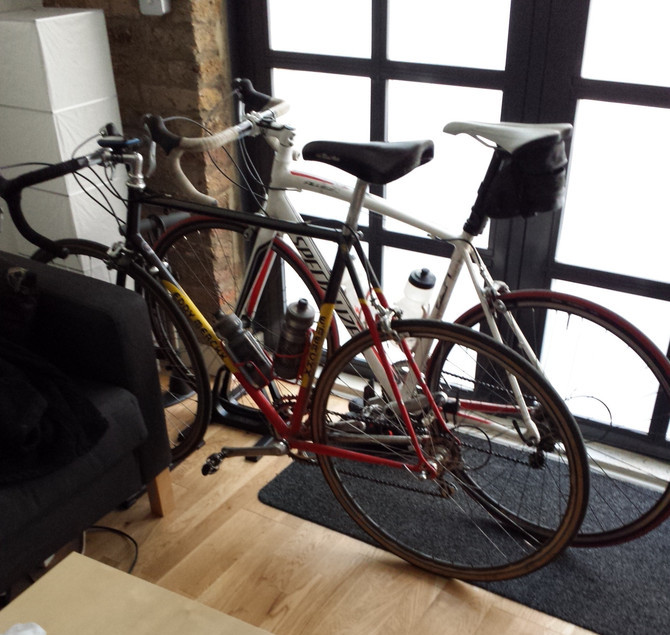 More biking, including a long ride with my brother. Also performed on the viola da gamba in Bach's St John Passion with
 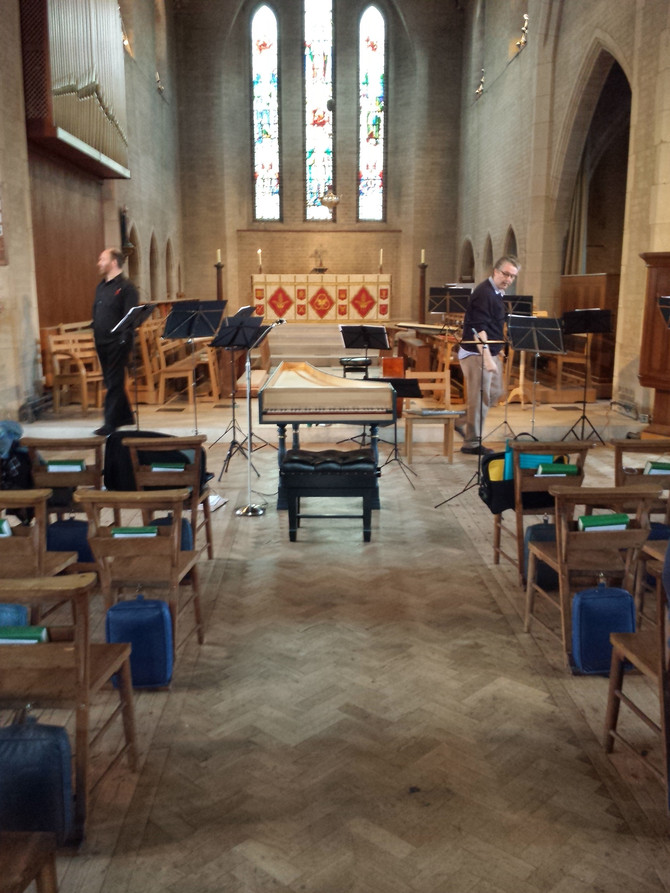 Two big concerts: Monn's Cello concerto in G minor with the
  Amongst more triathlon preperation, I performed in a
  Raced my
 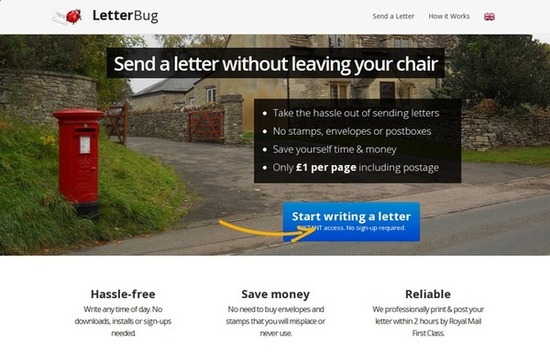 Whilst procrastinating about writing some letters, I
  Started cooking a little more adventurously.
November
Started cooking a little more adventurously.
November
 Performed Geminiani's arrangement of Corelli's La Folia in the Fitzwilliam Museum with Le Petit Orchestre.
December
Performed Geminiani's arrangement of Corelli's La Folia in the Fitzwilliam Museum with Le Petit Orchestre.
December
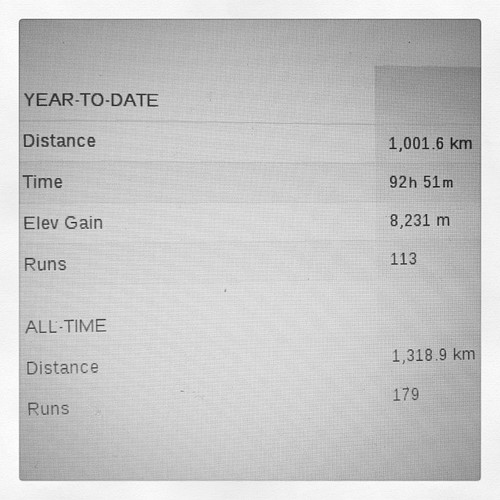 Ramped up my running volume so I could go over 1000km for the year. (