Search Results: "nate"

1 May 2012

Raphaël Hertzog: My Debian Activities in April 2012

This is my monthly summary of my Debian related activities. If you re among the people who made a donation to support my work (186.38 , thanks everybody!), then you can learn how I spent your money. Otherwise it s just an interesting status update on my various projects. Dpkg News For the first time since several years, there has been a dpkg release (1.16.3) where the changelog doesn t contain any entry of my own. The 3-4 commits I did were not really worthy of a changelog entry. I must admit that it was easy to put dpkg aside given Guillem s message and given how busy I have been with my other projects. Keeping a low-profile for a while certainly doesn t hurt. But I don t intend to stop contributing to dpkg. Quite on the contrary in fact, it s something that I (usually) enjoy doing. Packaging News I packaged a new upstream release of SQL-Ledger (3.0.0) and later in the month I sponsored the upload of LedgerSMB, a fork of SQL-Ledger which unlike the former is maintained like a typical free software project. I also uploaded version 0.56 of Zim and updated WordPress to version 3.3.2 with its slew of security fixes. The Debian Administrator s Handbook Like several months now, most of my time has been directed towards the Debian Administrator s Handbook. The big news is that the liberation fund has been completed this means that the book will be published under DFSG-free licenses from the start (GPL-2+ / CC-BY-SA 3.0). We hope to publish the book next week (i.e. between May 7th and May 11th). The PDF output for the printed book is almost ready. There s some work left for the HTML/EPUB output and we have to prepare for the release of the sources as well Hopefully everything will work out like planned. Stay tuned! Thanks See you next month for a new summary of my activities.

No comment Liked this article? Click here. My blog is Flattr-enabled.

30 April 2012

Petter Reinholdtsen: Cutting it short - and picking the right tool for the job

I normally cut my hair short, and my tool of choice has been a common hair/beard cutter, bought in a electrical shop here in Norway. But the last ones have not really been up to the task. My last cutter, some model from Braun, could only cut a few of my hairs at the time, and cutting my head took forever. And the one before that did not work very well either. We have looked for something better for a while, but it was not until I ended up visiting a hairdresser that we discovered that there are indeed better tools available. But these are not marketed and sold to "regular consumers". The hair saloons can get them through their suppliers, but their suppliers only sell companies. The models they sell, are very different from the ones available from Elkj p and Lefdal. The main difference is their efficiency. It would cut my hair in 5 minutes, instead of the 30-40 minutes required by my impotent Braun. The hairdresser I visited had a Panasonic ER160, which unfortunately is no longer available from the producer. But I found it had a successor, the Panasonic ER1611. The next step was to find somewhere to buy it. This was not straight forward. The list of suppliers I got from the hairdresser did not want to sell anything to me. But searching for the model on the web we found a supplier in Norway willing to sell it to us for around NOK 4000,-. This was a bit much. We kept searching and finally found a Danish supplier selling it for around NOK 1800,-. We ordered one, and it arrived a few days ago. The instructions said it had to charge for 8 hours when we started to use it, so we left it charging over night. Normally it will only need one hour to charge. The following evening we successfully tested it, and I can warmly recommend it to anyone looking for a real hair cutter. The ones we have used until now have been hair cutter toys.

26 April 2012

Paul Wise: What happens when a Debian derivative shuts down?

Over the past months we have seen the end of two Debian derivatives. In January the news came that Junta de Extremadura (Spain) were abandoning the development of LinEx and switching to Debian itself. Early in March the Debian derivatives census scripts noted that the Vanillux apt repository was down. Fabrice Quenneville then confirmed that he had to put a hold on the Vanillux project due to the cost of bandwidth and servers. In addition the future of StormOS is in doubt after Illumian was created. StormOS is a port of Debian to the OpenSolaris kernel and Illumian is similar but uses only apt/dpkg and repackages everything else. The LinEx page in the Debian derivatives census did not reveal much information about the project that would have been useful to Debian, in particular it does not list any apt repositories. As a result it is quite hard to say what has potentially been lost. Two mails from people close to or involved in the project indicate that much of the LinEx distribution was already merged into Debian. It is probably safe to say that everything of value has been merged into Debian, including at least one of the developers involved in LinEx. Vanillux was a small distribution with few developers according to the Google caches of their website. If we look at the patches created by the derivatives census scripts, we can see that the 5 source packages that were possibly derived from Debian source packages were simply imported from Christian Marillat's repository of non-free, patented, legally restricted and multimedia-related packages. The patches indicate that 3 source packages were forked from Debian and that 2 source packages were done from scratch. The forked packages seem to be mainly about enabling support for proprietary and patented codecs in several programs. This is a surprisingly small number of altered/differing packages, so what else could Vanillux folks have been working on? It appears that there were 12 new source packages that were not derived from Debian source packages. These appear to be mainly multimedia-related packages, one font imported from an Ubuntu PPA, some syslinux themes and a metapackage. The multimedia packages are all from Christian Marillat's repository. The Debian multimedia team is working hard on bringing multimedia related software to Debian and welcomes help with that. The font (Cantarell) is now in Debian under a different source package name. The metapackage appears to be very similar to from the ubuntu-meta source package from Ubuntu that uses germinate. So at first glance, the contribution of Vanillux to the world of Linux distributions appears to be in the area of artwork and package selection. The artwork produced is basically Vanillux branding and is thus not usable by Debian, although we would like more artists involved in Debian. The meta-package is not easily useful to Debian since we use a different mechanism for our task packages and our task packages have already been updated for the GNOME 3 transition. Still, the amount of difference between to source packages is relatively small. So, what else? Perusing the diff between the list of source packages exposed by the Packages and Sources files, I noted that a number of binary packages in the Packages files reference source packages not listed in the Sources files. When I saw picasa in that list, it occurred to me that Vanillux might have directly imported some binary packages without their corresponding source packages. Perusing their apt metadata confirms that they have imported some binary packages of non-free software directly from vendors. These include Google Desktop, Opera, Picasa and VirtualBox 3.2. The rest of the packages in the diff appear to be caused by some sort of issue with the import process from Debian and other apt repos. Most of the above could be achieved by adding some external commerical repositories to a normal Debian system or by merging some of those repositories (such as the Opera one) into Debian. The interesting thing about the Debian derivatives census is that it allows us to perform analyses like these and figure out what patches and packages we might like to integrate into Debian. In this way we can salvage some of the value of our derivatives if they abandon ship. If you have any ideas or code for improving the census or are running a Debian derivative, please join us at the Debian derivatives frontdesk.

25 April 2012

Vincent Bernat: XBMC Eden on Debian Wheezy

I bought some HTPC a few years ago to run XBMC, a neat media center solution. At the time, to avoid any problems, I installed it on top of a minimal Ubuntu Lucid installation with the official packages from the team XBMC. Recently, XBMC Eden has been released and XBMC has landed into Debian unstable. It was a good occasion to make the switch. Unofficial XBMC logo for Eden TL;DR: Installing XBMC on Debian Wheezy is quite easy: it almost works out of the box. The big difficulty is the configuration of the remote control: either it works as you expect or you will have to scratch your head over the pile of layers needed to work with a remote control. The configuration of my HTPC is as follows:

Installation

Installing Debian Wheezy Installing Debian Wheezy2 is pretty easy. Nowadays, getting a bootable USB key from a netinst image of Debian Installer for Wheezy is simplified:
$ sudo dd if=debian-testing-i386-netinst.iso \
>         of=/dev/disk/by-id/usb...
The installation was smooth with the exception of GRUB which was unable to install itself on the disk. This is a known bug when dealing with LVM and it comes with a simple workaround. I hope it will be corrected in time for Wheezy release. While this has little to do with the installation of XBMC, I wanted to test systemd which may become the default init in Debian (at least in Debian GNU/Linux). From README.Debian:
systemd can be installed alongside sysvinit and will not change the behaviour of the system out of the box. This is intentional. To test systemd, add init=/bin/systemd to the kernel command line and then rebooting, or install the systemd-sysv package.
The final system boots in about 15 seconds.

Configuring X Because video decoding in nouveau driver is still a work in progress, the use of the proprietary NVIDIA drivers is mandatory to be able to watch high resolution videos. Therefore, /etc/apt/sources.list should be completed with contrib and non-free repository. Then, you can install the appropriate packages: xserver-xorg-video-nvidia, nvidia-vdpau-driver and xserver-xorg. Here is my /etc/X11/xorg.conf.d/nvidia.conf:
Section "Device"
    Identifier     "NVidia ION"
    Driver         "nvidia"
    VendorName     "NVIDIA Corporation"
    Option         "HWCursor" "False"
    Option         "NoFlip" "False"
    Option         "FlatPanelProperties" "Scaling = Native"
    Option         "DynamicTwinView" "False"
    Option         "ConnectedMonitor" "DFP-1"
    Option         "CustomEDID" "DFP-1:/etc/X11/edid.bin"
    Option         "NoLogo" "True"
EndSection
Section "Extensions"
    Option "Composite" "false"
EndSection
The CustomEDID option allows the driver to get an appropriate EDID even when the AV receiver is off. You can get yours, free of charge, with get-edid from read-edid package.

Installing XBMC Thanks to the work of Andr s Mej a, XBMC is now available in Debian Wheezy. To install it, just type aptitude install xbmc. I have dropped the following xbmc.service in /etc/systemd/system directory:
[Unit]
Description = XBMC media center
After = syslog.target
[Service]
User = xbmc
Group = xbmc
Type = simple
ExecStart = /usr/bin/xinit /usr/bin/xbmc-standalone -- :0
Restart = on-failure
[Install]
WantedBy = multi-user.target
Enable this service on boot with systemctl enable xbmc.service. You need to allow xbmc user to run X. The simplest way is to run dpkg-reconfigure -plow x11-common and to allow anybody to run X. sudo may be an alternative.

Configuration

Sound While I wanted to use PulseAudio, I want the AV receiver to be able to upmix stereo streams itself. With PulseAudio, it would always receive a 6-channel signal. Therefore, I directly use ALSA. First, unmute the appropriate outputs:
$ amixer scontrols   grep IEC958
Simple mixer control 'IEC958',0
Simple mixer control 'IEC958 Default PCM',0
Simple mixer control 'IEC958',1
$ amixer sset 'IEC958',0 unmute
$ amixer sset 'IEC958 Default PCM',0 unmute
$ amixer sset 'IEC958',1 unmute
$ sudo systemctl stop alsa-utils.service
The order of channels is incorrect. With the following /etc/asound.conf, we declare a new output, hdmi2, with a different mapping:
pcm.hdmi2  
  type asym
  playback.pcm  
    type plug
    slave.pcm "remap-surround51"
   
 
pcm.!remap-surround51  
  type route
  slave.pcm "hdmi"
  ttable  
    0.0= 1
    1.1= 1
    2.4= 1
    3.5= 1
    4.2= 1
    5.3= 1
   
 
In XBMC, this output should be used instead of the default one. hdmi should still be used for passthrough. To check if each speaker is mapped correctly, one can use speaker-test -D hdmi2 -c 6.

LCD display The LCD display integrated into the SoundGraph iMON is supported by the imon kernel module and the lcdproc package. I have only modified a few lines of /etc/LCDd.conf to make it work:
[server]
Driver=imonlcd
ServerScreen=off
[imonlcd]
Protocol=1
OnExit=2
Contrast=400

Remote control This is the most difficult part. I have a Logitech Harmony remote which is a great universal remote. Its support in Linux is acceptable: you can configure through Logitech website and use congruity to push the new configuration.

Remote controls and Linux Before Linux 2.6.36, most remote controls would need LIRC to work:
  • The driver receives the signal from the IR receiver and make it available through /dev/lirc.
  • lircd, with the help of a configuration file describing the protocol used by the remote control, will read the signal and turn it into the appropriate LIRC code.
  • XBMC connects to lircd and receives incoming LIRC codes. It will translate them to an XBMC command. This translation is specified in Lircmap.xml.
  • XBMC maps each command to an action (like Play, Fullscreen, ) using a keymap. This keymap can handle commands received by a remote control, but also by a keyboard, a mouse or a joystick.
Since Linux 2.6.36, remote controls will be mapped as a generic input device (just like a keyboard):
  • The driver receives the signal from the IR receiver.
  • The signal will be handled by a decoder. The configuration of this decoder is done in userland by ir-keytable. The decoder will turn the signal into the appropriate event (usually, some keypress).
  • X will listen to those events and turn them into X key events.
  • XBMC will receive them and use the appropriate keymap to turn them into actions.
And to add more complexity to the mix, in this last case, you can still use LIRC: lircd will listen to events generated by the kernel and turn them into LIRC codes. This can be very confusing. Moreover, the SoundGraph iMON IR receiver accepts two IR protocols: the iMON protocol and the RC-6 one. The Linux driver accepts both of them but uses the first one by default. The RC-6 protocol is the protocol used by many MCE remote controls. I hope you are still with me here.

The easy way To get a reasonable configuration out of the box, here is how to configure each layer:
Logitech Harmony remote
Configure it as a Microsoft branded Media Center PC: Windows Media Center SE.
iMON IR receiver
It must use RC-6 protocol. See below for more details.
LIRC
In /etc/lirc/hardware.conf, put DEVICE=/dev/input/by-id/usb-15c2_0038-event-if00 and DRIVER=devinput. In /etc/lirc/lircd.conf, just put include "/usr/share/lirc/remotes/devinput/lircd.conf.devinput".
XBMC
With the previous bits done, it should just work out of the box.
To switch to RC-6 protocol, install the ir-keytable package and use the following commands:
$ sudo modprobe rc-imon-mce
$ sudo ir-keytable -s rc0 -p rc-6 -c -w /lib/udev/rc_keymaps/imon_mce
Read imon_mce table
Old keytable cleared
Wrote 77 keycode(s) to driver
Protocols changed to RC-6
To make the change permanent, add the rc-imon-mce module to /etc/modules and create /etc/udev/rules.d/90-imon.rules with the following content:
# Override the keytable for iMON
ACTION=="add change", SUBSYSTEM=="rc", DRV_NAME="imon", \
   RUN+="/usr/bin/ir-keytable -s $name -p rc-6 -c -w /lib/udev/rc_keymaps/imon_mce"

The hard way Now, you may want to bind custom actions to some (physical or virtual) buttons. Basically, you are left with two solutions:
  1. Start from the basic configuration with LIRC and add more buttons at each levels (there are five of them!).
  2. Remove LIRC and start with the Logitech Harmony acting as a Microsoft MCE keyboard.
The first option can be quite difficult. You need to find an unused code for the Logitech Harmony. You can try to make it learn a new code if you have some RC-6 remote control. Then, you need to ensure that this code will be present in the keytable used by ir-keytable. If not, you need to add it. That s not easy since you need a to enable some debug stuff in the kernel to find the appropriate scancode. After that, the code needs to be translated in lircd.conf. You will then have to translate it again in Lircmap.xml. At least, you need to add it to a keymap in XBMC. The other way is not ideal but seems less cumbersome. The first step is to configure the Logitech Harmony as a Microsoft MCE keyboard: it has a lot of available keys. Because of the lack of multimedia keys, let s match the keyboard configuration of XBMC:
Button Command Button Command
Channel Down PageDown Stop X
Channel Up PageUp Skip back Comma
Prev Backspace Skip forward .
Up DirectionUp Play P
Down DirectionDown Rewind R
Left DirectionLeft Fast forward F
Right DirectionRight Star Delete
OK Enter Pound W
Menu C Red F1
Exit Esc Green F2
Guide Tab Yellow F3
Info I Blue F4
Unfortunately, the keytables provided with ir-keytable are not complete enough. I have built a more complete table3. With this table and the bindings described above, most functions will work out of the box without LIRC. Additional keys can be configured in a dedicated keymap4. Here is an excerpt of mine:
<keymap>
 <global>
  <keyboard>
    <end>XBMC.ShutDown()</end>
    <f1>XBMC.ActivateWindow(MusicLibrary)</f1>
    <f2>XBMC.ActivateWindow(Videos,TvShowTitles)</f2>
    <f3>XBMC.ActivateWindow(Videos,MovieTitles)</f3>
    <f4>XBMC.ActivateWindow(Weather)</f4>
  </keyboard>
 </global>
 <FullscreenVideo>
  <keyboard>
   <opensquarebracket>SubtitleDelayMinus</opensquarebracket>
   <closesquarebracket>SubtitleDelayPlus</closesquarebracket>
   <f6>xbmc.runscript(script.xbmc.subtitles)</f6>
  </keyboard>
 </FullscreenVideo>
</keymap>

FTP Instead of using SSH, I prefer to drop new files with anonymous FTP. vsftpd fits this purpose. Here is my configuration file:
listen=YES
xferlog_enable=YES
use_localtime=YES
setproctitle_enable=YES
secure_chroot_dir=/var/run/vsftpd/empty
nopriv_user=ftp
ftpd_banner=XBMC
hide_ids=YES
ftp_username=xbmc
anon_umask=022
anon_root=/home/xbmc/media
anonymous_enable=YES
write_enable=YES
anon_upload_enable=YES
anon_world_readable_only=YES
It is currently not compatible with systemd (see bug #670308). I have removed the symlink in /etc/rc2.d and I have used the following unit file:
[Unit]
Description=Vsftpd ftp daemon
After=syslog.target network.target
[Service]
Type=simple
ExecStart=/usr/sbin/vsftpd /etc/vsftpd.conf
ExecReload=/bin/kill -HUP $MAINPID
ExecStartPre=-/bin/mkdir -p /var/run/vsftpd/empty
[Install]
WantedBy=multi-user.target

Miscellaneous
  1. In /etc/default/grub, reduce TIMEOUT to 0 to shorten the boot time.
  2. Enabling dirty regions can help speed up XBMC.
  3. aptitude install upower pm-utils to be able to shutdown/suspend from XBMC. Since XBMC was configured to be started outside any session, you need to explicitely give the appropriate rights by creating the following /var/lib/polkit-1/localauthority/50-local.d/xbmc.pkla:
    [Actions for xbmc user]
    Identity=unix-user:xbmc
    Action=org.freedesktop.upower.*;org.freedesktop.consolekit.system.*
    ResultAny=yes
    ResultInactive=yes
    ResultActive=yes
    

  1. The readibility of the LCD screen is very bad. You should look at the VFD version. The IR receiver reception is poor. The provided remote control is a joke.
  2. Debian Wheezy is not yet released. If you are unfamiliar with Debian, it may be cumbersome to maintain it until the freeze happens in a few months.
  3. Some keys are missing from the provided table. For example, there is no exclamation mark. While there is a scan code for such a key in RC-6 protocol, there is no appropriate key code to translate to: on a QWERTY keyboard, the exclamation mark is on the same key as the number 1. It is possible to map it to some other key code, but the mapping would have been difficult to use.
  4. For example, in ~/.xbmc/userdata/keymaps/harmony.xml.

24 April 2012

Jonathan McDowell: The future is here again

Back in 2004 when Simon and I went full time with Black Cat one of the first things I did was sort out an ADSL offering, including native IPv6. We were one of the first UK ISPs to offer this (possibly the first; I know A&A had been doing tunneled IPv6 for a lot longer, but I'm not sure exactly when they enabled IPv6 on the PPP session. Also Bogons were fairly quick to enable it as well). By the middle of 2004 I was fully IPv6 enabled; my colo box had a native connection, my entire home network (a /64 for the wired, a /64 for the wireless) was configured, BCN had multiple native IPv6 connections to other ISPs (such as peering over LoNAP). By and large it just worked; I remember at one point looking at a traffic graph link from someone in Australia and them indicating surprise that I'd come in over v6. I hadn't noticed anything different than normal, which is exactly how it should be. When we sold BCN in 2007 unfortunately one of the casualties was the v6 support. The ISP that took over the ADSL wasn't setup to be able to continue the v6 support, nor were RapidSwitch, who took over most of the hosting (I note with sadness that RapidSwitch still don't seem to be offering v6, though they keep saying it's a work in progress). So I stopped having any v6 for some time, refusing to slum it with a tunnel. This changed at the start of last year, when I sought out new hosting for the. I ended up selecting Bytemark, partly because I knew of their commitment to v6. I'd chosen Sonic as my US access ISP, again partly because they offered an IPv6 tunnel service (while not as nice as native v6 over the DSL I felt that a tunnel provided by the DSL ISP was acceptable for access). However a combination of not having a machine that was always on at home, and a dynamic IP on my connection, meant that I never got round to configuring anything permanent up. Recently I got around to buying a little low powered box to be always-on and this week I finally looked at configuring it up as the tunnel endpoint, planning to do some sort of screen scraping of the web interface to automatically update the tunnel broker information for the rare occurrences when my IP changes. The first nice surprise was that Sonic are now doing static IPs for free (previously you could only have a block of 8 for $20/month extra). That makes things a lot easier. So tonight I configured up the little server as the tunnel endpoint, installing radvd and some basic v6 firewalling. As expected my laptop sees the RAs, automatically configures everything up and my ssh sessions start to go over IPv6 instead. Looks like my phone also does the same. I'm not entirely sure what the NAT on the ADSL router is doing and if inbound connections will fail if there's nothing outbound holding the translation entry active, but I'm sure I can work around that if it turns out to be a problem. I care more about access than hosting anything on the end of my DSL anyway. This means I'm finally almost back to where I was nearly 8 years ago, just in time for World IPv6 Launch day.

22 April 2012

Steve Kemp: Work on my bathroom continues

Work on my bathroom continues. I had expected it to be complete on Friday but it lookse like the new completion date will be Tuesday or Wednesday. It will be very nice to have a working shower, and a toilet I don't need to "flush" with a bucket. The only interesting thing I've been doing is planning on a kernel to support long-term for some poor unfortunate souls who cannot use Debian-based kernels. I know building, supporting, and maintaining a kernel will be a pain. But at the moment it looks like a valid thing to be suggesting. Otherwise life goes on. I've been hit by the DIY bug, largely as the result of seeing all the bathroom work going on, and figuring I was going to live with dust/mess anyway - so I've erected some more book-shelves, and ordered a pair of ceiling fans. The only other thing to report is that I've started deleting emails. (shock!) I look after a few machines for myself, friends and so on. Each one will send me automated emails at times. I've got them going back years - but no longer:
#
#  Prune old mailboxes.
#
for maildir in .Automated.backups .machines.spotlight .machines.skx; do
   nrecent --keep=150 $HOME/Maildir/$ maildir /cur
done
Another new use for my nrecent tool. (Note: Only delete files from ./cur, to avoid deleting messages I've not read. Maildir is your friend!) ObQuote: "I'm sorry I'm sweating on you... " - Knocked Up.

19 April 2012

James Morrison: Issues with Appengine

I like App Engine, my wedding website runs on App Engine as well as a couple recent commercial projects. However, there are some annoyances that make a lot of the useful things I learned at Google not applicable.

  1. Chunked responses
    App Engine doesn't have a way of doing chunked responses.
    1.5. Processing after sending the responseMy annoyance here is that I can't send an early response and wait for some resource. Say I want to do 5 url fetches that I cache for a short period of time. If I want to reply in 250ms, I want to use any of the results I've gotten and reply to the user. Then once the rest of the fetches come in, I want to put them in the cache, so they will come back quickly the next time.
  2. Counters
    App Engine has crappy support for counters. You can shard your counters into the datastore: https://developers.google.com/appengine/articles/sharding_counters#counter_python or you can use taskqueues: http://blog.appenginefan.com/2009/10/non-sharded-counters-part-2-using-task.html . Now, how do you graph these counters over time, well, that is left as an exercise for the reader. Google has special datastores for stores and retrieving counters.
  3. Backends
    Backends in appengine are versioned separately from frontends. This sounds like a good idea, but to run the devserver with backends, the backends need to be in the same source tree. Thus backends share the same url space. Backends also share the same app.yaml, so again the url space is shared. Thus, if you make a change that you want to coordinate between the frontend and the backend, you need to change the application version in app.yaml, then rename all the backends in backends.yaml. If backends are supposed to be in the same source tree as frontends, then they should be prefixed with the application version. If backends should be versioned separately from frontends, then they shouldn't share url handlers from app.yaml.
    3.5 Uploading backends is slow
    Each backend is uploaded through appcfg.py separately. So if you are crazy and have one backend per backend level, then you need to upload 4 copies of the source code each time the backends get updated.
  4. Logging
    I want structured logs. Instead what you have to do is use the python logging module to write out human readable logs, then parse them out into the structure you want.
    http://code.google.com/p/google-app-engine-samples/source/browse/trunk/logparser/logparser.py

As a preemptive counter, 1.5 could be dealt with using backends and a background thread, except backends don't scale to the number of queries, so my use case above isn't fixed.

18 April 2012

Wouter Verhelst: Screen scraping sucks

At a customer, I've migrated a number of manually-maintained servers to having them be maintained through puppet not so long ago. Since then, some more machines have been added, and getting them up and running properly was a breeze: do a base install, install puppet, sign the certificate, restart puppet, and then wait and twiddle thumbs while puppet did its magic. Easy as pie. Now, a few months later, we needed to install a number of windows machines for a lab (not my choice), and the person involved asked me to figure out some diskspace so we could start creating images for those. Not a chance. Instead, I suggested looking for a configuration management system, similar to puppet. Since we're using Samba 3 to run the Windows network here, dropping everything in Active Directory was not an option. But a short while later, he came back with the note that puppet, in its 2.7 version, actually does support Windows as a platform for the managed machines. Interesting. The unfortunate bit was that puppet supports creating files and installing software when it is distributed as an MSI file, but not when it's distributed as a .exe file. This is not unexpected; MSI files can be installed noninteractively; but when something is distributed as a .exe file, it means it needs to be installed interactively; and puppet does not have the ability to interact with GUI software. The workaround: use something that does have that ability (in my case, autoit), and use an exec block in puppet to make it call those scripts. In effect, that's a bit like screenscraping. Add a creates stanza to the block, so that the installer isn't started again if the software at hand has already been installed. This 'autoit' thing also comes with a recording utility, allowing one to create an initial script by just doing the installation, and having the tool just record stuff. With that, the machines are installed 99% automated. I say 99%, because there are still some issues: I'll have to think about this some more, I guess. First, it's clear that while puppet does have some Windows functionality, it's not entirely ready yet. And somehow, using autoit to add to Puppet functionality feels like an ugly hack. We'll see what the future brings.

Richard Hartmann: Potpourri I

Google rant Seems venting can be a worthwhile once in a while; the content of this post made its way into Google. No promises of any kind were made, but it's good to know that this is getting some exposure within Google :) That was quick. moreutils et al Steve Kemp is right; moreutils is very useful in some situations. And yes, it's a pity that we all have our own scripts without a central repository to host them all. The problem is one of diminishing returns and information overload; if any given collection becomes too large, it becomes tedious to look through it. You may have the Most Awesome Ever solution to any given problem, but unless whoever needs it can find it quickly, it's useless to them. Thorsten Glaser suggested this collection, but it suffers from the same basic problem: Not enough content? You won't find what you need. Too much content? You won't find what you need. Finding the right balance is highly non-trivial. Linux storage Russell Coker shared yet another chapter of his continuing quest for modern, reliable, software-based storage on Linux. The short version is "ZFS is not that good on Linux while btrfs is not ready for prime time, yet." That's, unfortunately, not much of a surprise. fsck.btrfs is still too new and the lack of RAID 5/6 is an absolute show-stopper as far as I am concerned. COW solves the writing speed issues so, hopefully, that old argument can finally be laid to rest. And on top of the "wastng" of more disks for RAID 10, the minimum number of failed disks that can lead to data loss on RAID 10 is two whereas it's three for RAID 6. No-brainer, imo. Anyone who does not agree with Dell's pricing structure should seriously consider looking at SuperMicro, by the way. Cheap(ish), reliable, high disk densities. Password hashes Saku Ytti talks about password hashing and the relative merits of different algorithms. While I agree that bcrypt incorporates a good approach inasmuch it's designed to be slow to compute and can be made slower as needed, I think he focuses on one aspect while disregarding all others. Still, the premise that deterring brute force attacks on known hashes is the only concern is wrong. Avoiding collisions, reasonable certainty that there are no computational shortcuts, irreversibility, pseudo-random output, full use of the output's possible values, and thorough analysis by experts in the field are important concerns, as well. Brute forcing known hashes is hardly the only attack. When brute forcing a service, i.e. against an unknown hash, no matter if the system is remote or local, the computational cost of hashing is mostly irrelevant. Rainbow tables help mitigate computational cost when trying to extract clear text in case the hash is known. And if there are a lot of collisions or an easy way to find them, knowing the clear text password is not needed. Simply use whatever generates the correct output and you're done. Again, I am not saying that bcrypt is a bad idea; it's just that there are more concerns than computational cost alone. Travel If you know your way around Novosibirsk, please contact me. We have almost no idea what to do while there other than visiting the railroad museum; part of the reason why we are stopping there is to have a break after ~50 hours on the train and because Novosibirsk is just an awesome name. Our focus while there will be on seeing interesting industrial or research sites. Given that there are large industrial complexes and formerly secret cold war secret research cities situated around Novosibirsk it would be a pity not to see any of them. We may end up hiring a taxi via the hotel and having that drive us around a bit. Somewhat boring and potentially costly, but a feasible backup. Blogging frequency I have to admit being am a bit worried about spamming the various aggregators which are fed from this blog. Writing this catchall post is an attempt to mitigate this. While I am getting a surprising amount of positive feedback, I would be interested to hear anything negative, if applicable, as well. You know how to reach me.

16 April 2012

Tanguy Ortolo: Everything is a file rocks

Licence plate with  UNIX  written, subtitle  live free or die
Unix rocks, or at least one of its design feature does: everything is a file. Here is one funny use of that feature. I consider that programs that manipulate text should basically take it on their standard input, and write it to their standard output, while specifying the name of an input or output file should be an optional refinement. Well, at least one program was designed the other way: when used to import a foreign key, ssh-keygen -i has no option to read it on its standard input. No problem, this can be worked around:
# ssh-keygen -if /dev/stdin
[paste the foreign key here]
Unfortunately, that does not work with every action of ssh-keygen since not all of them were written to be able to handle streams, which cannot be rewound.

15 April 2012

Iustin Pop: Running: GP der Stadt D bendorf 2012 and some stats

Another weekend, another running opportunity! This was a nice, simple, fast race. The announcer was claiming (if I understood correctly) it is the fastest race around Z rich: completely flat, on an airfield (which unfortunately meant all paved road). The weather was perfect (for running), a bit cold but no problems with overheating. So I managed my fastest time ever: according to the my Garmin (which for the first time recorded a slightly longer distance than the official one), I managed to run 10.18km in 50:39, which makes it 4:58/km! For the first time, below the 5:00 mark, yay! I'll ignore the official marking which claimed 10km in 50:57, since that ruins my nice result, hah! Back to earth however let's see some stats about this race. Just to put it in context: My current running speed is lower than the winner in the 70+ age category by a significant amount. Based on the graph shape, I would probably win at the 85+ category . Or to put it in a slightly different context, a cultural one. Back in my home country (Romania), a 70-year old person (especially male!) that is still able to move around well and to manage by himself is (most of the time) an exception. Of course there are many old men who are doing well, but in general old people are (usually) considered deprecated by this age. In comparison, in Switzerland, they are still active and are doing sport. And some of them, as you can see, doing it quite well. The difference between these two cultures in this regard (sport) is huge. Doing sports (except playing football) is considered something unusual, and in my home town there's a somewhat linear relation between people's age and their weight (both are monotonically increasing). When I first came to Switzerland, I was shocked to see so many people over 50 that are fit and active. Now, every time I go back to Romania, I'm shocked to see people so many people overweight and looking more than their actual age. I can't help but wonder what is the cause of this disregard for health or aversion to sports. Just the fact that "it's expected" for older people to be unhealthy? Is it somehow related to the difference in income/standard of life (I can't see a trivial connection)? Is it to lack of education about how to live a healthy life? Or maybe it's not a country difference, but rather the fact that I grew up in a quite small town; people in Bucharest are indeed looking more after their health than in my home town, and are therefore fitter. Who knows Anyway, rant over, and I'm still happy that I managed to beat my own record, thanks to a flat race and favourable weather!

Steve Kemp: moreutils makes a lot of sense to me

I've installed moreutils on several hosts now, and each time I find a new use for one of those tools I'm very happy. Unfortunately I suspect that too many of us continue to hoard our little shell script archives, continuing to re-invent wheels with slightly different colours, shapes, and sizes. I suspect I've just re-invented the wheel again, writing nrecent, because there seems to be no "simple" way of doing the job of keeping the most N recent files in a directory. I guess the standard approach would be to use "ls", or "find", to find all files in a directory, reverse-sorted by mtime, then use "tail +n2 to skip the ones you want to keep, removing the rest. Anyway nrecent - keep the most recent N files in a directory:
nrecent --keep 20 /tmp
Written as naively/hurridly as possible as it solved, and continues to solve, a real need. ObQuote: "You're like the drummer from REO Speedwagon. Nobody knows who you are. " - Employee of the month

14 April 2012

Dominique Dumont: My setup for vdr automatic wake up and shutdown

Hello Like all kids, my kids really enjoy watching cartoons. Unfortunately, most of them are broadcast during the morning, sometimes very early in the morning. Since I don t want my kids to wake up (or wake me up ) too early in the morning to watch cartoon, I record the most interesting programs with vdr (I also edit out commercials before my kids watch them) To limit my carbon (or equivalent radio-active waste) footprint, I do not want to leave the computer on 24/24, so the machine has to power up by itself before a recording time. So I ve setup vdr to automatically setup the wake up time of the computer and shutdown the machine once the recording is finished. Note that this machine is also my main home machine, so it must not shutdown while I m working on it (typing this blog, for instance). This should have been easy and fairly documented. Well, it was not that easy. A lot of doc mentions nvram-wakeup which is more or less obsolete. Other docs were in German. So, here s a summary of the setup so other can benefit from my experience. First, this was done on a Debian/sid machine, this post should be usable on other distros, provided some adaptations. These adaptations are left as an exercise to the reader (which is marketing lingo for I don t have a clue ) First add this line in /etc/default/vdr:
 ENABLE_SHUTDOWN=1
When vdr has nothing to do, it will run some shutdown scripts, including /usr/share/vdr/shutdown-hooks/S90.custom, which is a link to /etc/vdr/shutdown-hooks/S90.custom. The output of this script will be eval ed by vdr, so vdr knows what to do next (e.g. abort shutdown, display a message to user, retry later ). Here are the possible output of a vdr shutdown script (list taken from vdr-wiki): This script will mess with /sys/class/rtc/rtc0/wakealarm so it must be run as root. But vdr will launch this script and does not run as root. Instead of setting a suid bit, let s setup sudo to enable this script to gain root privilege from vdr. Add this line in /etc/sudoers (with visudo):
vdr ALL= NOPASSWD: /etc/vdr/shutdown-hooks/S90.custom *
And here s a commented Perl script that handle the shutdown test:
#!/usr/bin/perl
use IO::File ;
use 5.10.0 ;
use English;
use Path::Class; 
use Sys::Syslog qw(:standard :macros);  # standard functions & macros
openlog('vdr-shutdown', "", "user");
Here s the call to sudo to gain root privilege (if not already run as root):
if ($EUID)  
    system('sudo','/etc/vdr/shutdown-hooks/S90.custom', @ARGV) ;
    syslog(info => "vdr-shutdown: sudo myself returned $@") ;
 
Get the next timer info from the command arguments provided by vdr:
my ($next_timer,$interval) = @ARGV ;
Setup the next alarm in the mother board:
if ( $next_timer)  
  my $dev_fh = IO::File->new("> /sys/class/rtc/rtc0/wakealarm");
  die "cannot open $dev_fh: $!" unless $dev_fh ;
  my $newtime = $next_timer - 300  ;  # Start 5 minutes earlier
  $dev_fh->print( "$newtime\n" ) ;
  $dev_fh->close ;
  syslog(info => "vdr-shutdown: set wakeup to $newtime") ;
 
Now, let s check if someone is logged on the system. Weirdly enough, forking a command from this Perl script does not work when it s run by vdr. Calling the who command always return empty. The trick to find if anyone is logged is to check the content of /dev/pts directory. No files in there means that nobody is logged:
my @pts  = dir('/dev/pts')->children;
syslog(info => "vdr-shutdown:  found pts @pts") ;
if (@pts > 1)  
    syslog(info => "vdr-shutdown: retry later: someone is logged") ;
    say 'ABORT_MESSAGE="someone is logged, shutting down deferred"';
    say 'TRY_AGAIN=30'
 
else  
    syslog(info => "vdr-shutdown: nobody is logged, halting") ;
 
Now some cleanup then exit:
closelog() ;
exit 0;
This script has been working for one month, and not a single programs was missed. My kids are happy. I m not so happy because I now have a lot of commercials to edit out ;-) All the best
Tagged: debian, Perl, vdr

Wouter Verhelst: LOAD: tutorial on Debian Packaging

Two weeks ago, I was at LOAD, where I did a tutorial on Debian Packaging. Unfortunately, I wasn't doing very well physically, and as a result my preparation wasn't what I had hoped for. It ended up being not so much a tutorial as a walking the audience through packaging a piece of software in casu NBD with debhelper in dh mode. Not very difficult, but since there's nothing for people to fall back on afterwards, it may help if they have a writedown of what I said during the session; and I promised to put it on my blog. So, here goes. However, note that the canonical written tutorial on Debian Packaging is here. With apologies to readers of Planet Debian, most of whom for which all this is probably old hat. Unlike RPM packaging, in Debian, the data that tells the debian packaging system how to package a piece of software is functionally split among a number of files. All these files go in a toplevel directory in the source package, (unsurprisingly) called 'debian'. There are four files that are required for every Debian package: the control, changelog, copyright, and rules files. Without these files, dpkg-dev will fail to produce a package any package. The first, the control file, contains metadata on packages: the name of the package, its description, the dependencies, etc. Basically, almost all the information you see when you run 'apt-cache show <package>' (with one exception) is in the control file. If you have a source package that builds multiple binary packages, then you should have multiple 'Package' stanzas in the control file. In my opinion, creating a control file is easiest done by copying a control file from another (similar?) package, and modifying it to suit the software you're dealing with. The one exception, the one bit of metadata that is not found in the control file is the version number: this data is contained in the changelog file. This file looks like a free-form file for the most part, but it really is a machine-parsable format; as such, it's best to edit it with specialized tools, such as the debian-changelog-mode in the emacs editor, or the debchange script, also available as dch, from the devscripts package. In the changelog, you should document any changes you make to the package, making sure the version number (top line), distribution (unstable, experimental, stable, ...; top line), urgency (top line; used mainly when testing needs to be updated urgently for things like security updates), author (bottom line) and date and time (also bottom line) are correct. The copyright file, unsurprisingly, should contain the copyrights statements of the original software, and the license (or a reference to a copy of the same license text under /usr/share/common-licenses). This file is still free-format in most packages today, although a machine-readable format for this file has recently been defined. Of the four required files, this is probably the most boring one, but hey, we can't like everything we do. The last file, the rules file, is where all the action happens. This file is defined as a Makefile, of which the targets are called for various parts of the build system. The rules file has a number of required targets (such as build, clean, and others), but if you're using debhelper in dh mode, you don't need to worry about those; instead, you can use the following simple rules file:
#!/usr/bin/make -f
%:
	dh $@
With the first line, the shebang, we make clear that this is a makefile, and that it should be called by make. The next is a generic target (the % is a wildcard for make), with just one command: 'call dh with the name of the target being called'. Since dh implements all required rules targets, that immediately gets you a working package. Go ahead, try! Run 'dpkg-buildpackage -rfakeroot', and see what happens. Did that work? Maybe, maybe not. First, you'll have seen loads of warnings about something involving a "compatibility level". This is from debhelper; this compatibility level, or 'API level' if you wish, allows debhelper to move forward and make incompatible changes without breaking all the existing packages out there; whenever the compat level is bumped, some new functionality will only be made available if you also raise the compat level in your source package (and then you'll know you may have some changes to do in your package). Since the original debhelper, over a decade ago, did not have a compat level, the absense of a compat level signals compat level 1, which is far outdated now, and about to be unsupported. Hence the warning. The fix is simple: create a file debian/compat containing a single number: the compatibility level you're working with. It's best to use the most recent level which debhelper supports when you create your package, which as of this writing is level 9. Ignoring the compatibility level, if you're building a software package which uses a well-established build system, and you only build one binary package out of that, chances are pretty high that everything worked as expected. If not, you'll have more work. Building multiple packages requires that you tell debhelper somehow which file goes in which package. You can do this with a file debian/package.install, where package is the name of the binary package you're building. The install file is read by dh_install, one of many tools in the debhelper suite. You see, in the old days (before debhelper 7), debhelper was just a suite of tools, which required that you wrote a debian/rules file containing all the individual tools to be called in the correct order. This mode is still supported; in fact, even if you do use dh, you do, since all that tool really does is call the right tools in the right order; the real work is done by the invidual tools. They all have their own man page; to understand how dh_install chooses which file to put in which package, go read man dh_install. Go ahead, do it now; I'll wait. Back? Good. You've now learned that dh_install can install files either from the source directory (useful for packages containing only scripts or so), or from a directory debian/tmp. If you use an autotools-based software package, this is what dh will do for you. When you called dpkg-builpackage above, you may also have noticed that the output contained many lines starting with dh_, one of which said dh_install. As you may have guessed, dh echoes every debhelper command just before it will execute them. This allows you to look at the output, and see what's happening. For more detail, set the environment variable DH_VERBOSE to a non-zero value. I'm sure you'll have seen one or two debhelper tools that could make your package better. Go ahead, go and read their man pages to see what they do, and how they do it. Most of these will require you to create a file debian/package.toolname to specify details. In some cases, you may need to specify command-line arguments to the tool to get it to do what you want. In yet other cases, the tool won't support what you need it to do, and you'll have to do something manual. What to do now? The dh command line doesn't support adding extra commands easily. Does this mean you'd have to revert to old-style long, non-dh debian/rules files? Luckily, no. You can create an override target. If dh detects that you have such a target for a particular tool, it will call that target instead of the tool. This target's rules can then call the tool in question (or not), and add any command line arguments, or extra commands, as needed. An override target is a normal Makefile target with a name of the form override_dh_something, where dh_something is the name of the tool you wish to override. At this point, I'd reached almost the end of my two allotted hours, and a member of the audience asked how to make dpkg deal with configuration files. The answer is, you don't need to do anything! Not if you use debhelper, anyway; all you need to do is install the file in /etc. Since debian policy specifies that all files in /etc need to be configuration files and that no conffiles may be placed anywhere but in /etc, debhelper will automatically mark any file installed in /etc as a conffile, which will cause dpkg to ask the user what to do with changes to such files. Note that in Debian parlance, a conffile is not the same thing as a configuration file: a conffile is a configuration file that is part of the binary package (i.e., if you call 'dpkg --contents' on the .deb file, you'll see it in the output), whereas a configuration file is a file (any file, including files generated during or after installation of the .deb file on a system). Occasionally, this is also why some differences to configuration files are managed through debconf, while others aren't: the ones managed through debconf are non-conffile configuration files managed through ucf, whereas the others are conffiles. So in the simplest of cases, if you want to install a configuration file and you want to make sure it's protected against accidental overwrites by package upgrades, all you need to do is make sure it's installed to /etc; debhelper will do the rest. And that concludes this introduction. Please note it's only an introduction, not a full-blown tutorial; while this will allow you to get started, you may have to learn a bit more if you wish to eventually upload a package to Debian.

13 April 2012

David Welton: Mr. Blank, we're outside the building, and we want eBooks!

Steve Blank is known for his teachings on the Silicon Valley type of entrepreneurship, with his ideas forming the basis for the "lean startup movement" amongst other things. He writes frequently on entrepreneurship, and with a great deal of credibility, having been involved in various startups in a number of roles. He has, without a doubt, walked the walk in terms of startups, and now seems to be spending his time helping other people learn how to walk the same path. That's a noble thing to be doing when, with the money he's made, he could probably be off doing pretty much whatever he wants. If you've heard of Steve Blank, you've probably also heard his famous phrase: "get out of the building", an admonition to startup founders to get out and talk with their customers to validate their ideas, rather than huddling in their offices building something that may or may not have a market. With that in mind, when I saw he had a new book out, The Startup Owner's Manual, I thought "great, that's one I'll get without hesitating!". Unfortunately, though, an eBook wont' be out until "2nd half of 2012"! Ouch. To me, his ignoring eBooks is indicative of a need to get a bit further outside the building, though. "I want an eBook" was probably the biggest request on his blog post announcing the new book, along side messages of thanks for writing the book. After reading, on Blank's blog about the availability of the book from BookDepository Ltd, who offer free worldwide shipping, I went ahead and ordered it even if I would have prefered the eBook. Since they're in the UK, and I'm in Italy, I figure it can't take that long, right? Wrong. I ordered on March 15th, and as of April 13th, it still isn't here. Compare and contrast with the other books I'm currently reading which I was able to order and start looking at in just a few minutes on my Kindle. Granted, Steve Blank surely isn't doing this for the money, and from that point of view has little real need to listen to his customers - it's not wrong to say he's doing the world a favor by writing the book in the first place. If he thinks a paper version is far superior, that's his perogative. However, I think he's doing a lot of his readers a disservice by not making the eBook available sooner. I know I would have liked to start reading what he had to say last month, rather than waiting for a paper book to make its way (by mule train?) down here to Italy. The crux of the matter is that while he may well be right in thinking a paper book is "better", for some people, an eBook is the only option, and for them, an "inferior" eBook is a heck of a lot better than no book at all. Also, on a more constructive note, with eBooks, you can get pretty creative. For instance, if you have a tabular worksheet, you can simply hyperlink to it in, say, Google Docs, so that those with more advanced devices like iPads can open up the link and start working with a real, live spreadsheet immediately, rather than a chart in a printed book. Granted, that means 'giving away' the worksheet, but presumably it's not that valuable on its own, and makes for great advertising if it gets a lot of attention. Finally, since I actually run a business that does eBook conversions , on the blog post announcing the book, I offered to donate our services, so he'd get his book done for free, so you can't accuse me of just complaining! Mr. Blank, get out of that building and make an eBook available, please!

Peter Eisentraut: Enabling core files for PostgreSQL on Debian

The other day, I was a bit puzzled over a seemingly simple task: Enable core files to be generated from a PostgreSQL instance running on Debian. That instance has unfortunately been segfaulting on occasion, but never left a core file.

Now in principle it is clear that
ulimit -c unlimited
is the incantation to get this done. But where do you put this? You could hack it into the init script, but that seemed a bit ugly, and I wanted a sustainable solution.

A useful thing in the meantime is to check the current settings. That information is available in /proc/$PID/limits with the PID of the postmaster process (or any child process, really), and it looked like this to begin with:
Limit                     Soft Limit           Hard Limit           Units     
Max cpu time unlimited unlimited ms
Max file size unlimited unlimited bytes
Max data size unlimited unlimited bytes
Max stack size 8388608 unlimited bytes
Max core file size 0 unlimited bytes
...
Use sudo grep core /proc/$(sudo cat /var/run/postgresql/8.4-main.pid)/limits if you want it automated.

So it's good to know that we only need to set the soft limit.

One way to configure this properly would appear to be in /etc/security/limits.conf. There you can add a line like
*               soft    core            unlimited
to enable core dumps globally. I'm not actually sure whether that would work if the service is started during the boot without PAM. In any case, I didn't want to enable core files globally; who knows what that would lead to.

One could replace the * by a user name, such as postgres, and then enable pam_limits.so in /etc/pam.d/su. But the postgresql init script in Debian is nested about four levels deep, so it wasn't clear whether it called su at all.

Now as it turns out, the init script ends up changing the user using this Perl code:
$) = $groups;
$( = $gid;
$> = $< = $uid;
(see change_ugid in /usr/share/postgresql-common/PgCommon.pm), so the whole PAM line of thought wasn't going to work anyway. (Other packages such as pgbouncer and slony1 do got through su, so that would be a solution for those.)

The way to solve this is the pg_ctl -c option, which sets the soft limit for core files to unlimited. And the way to pass this option through the init script maze is the file /etc/postgresql/8.4/main/pg_ctl.conf, which should contain a line like this:
pg_ctl_options = '-c'
Then restart postgresql, and check /proc/$PID/limits again:
Limit                     Soft Limit           Hard Limit           Units     
Max cpu time unlimited unlimited ms
Max file size unlimited unlimited bytes
Max data size unlimited unlimited bytes
Max stack size 8388608 unlimited bytes
Max core file size unlimited unlimited bytes
OK.

Another thing that's recommendable in this context is to change the core file names to have a unique element, so that if multiple backends crash before you can take a look, they don't overwrite each other's core files. The core(7) man page explains the configuration options; I went with this sysctl setting:
kernel.core_pattern = core.%e.%p
which includes process name and PID. The PID file still ends up in the data directory of the PostgreSQL instance, which could also be changed, but I didn't find it necessary.

Stick the above line in /etc/sysctl.d/local.conf and reload with
service procps force-reload
I actually use a setting like that on all machines now; it's just nicer.

OK, and now I'll wait for the next core file. Or not.

10 April 2012

Anand Kumria: The state of Django money.

Updated (2012-04-11): Now contains the final and correct pip install command. TL;DR: pip install django-money will give you a working set of Django fields that handle Money and Currency. Read below for how that happened. I began this Easter weekend trying to finish up one of my pet-projects and get it ready to publish. The goal of the website is to compare providers, of the same thing, from around the world. Representing prices is simple. A float will do if you are in a hurry. Except. When you need to perform calculations and you run into rounding errors. At that point you will likely discover the Decimal module. Which also works perfectly fine. And if you only ever deal in a single market that is fine. But across markets? That requires Money. Money is normally defined as a value and currency. Once you have both of those, you can then do cross-market comparison and upgrade you program to handle multi-currency easily. I hoped that I was not the only person who had realised this, so I started to look around. And I struck gold! I found Python Money. It even included appropriate Django fields as well. Unfortunately it had had no updates since 2008. . Worse it didn't work so well. I continued my search. I kept on looking and found Django Money. Even better. This separated out the Django support and the Python support. It turned out Jakewin's py-moneyed was actually a fork of Limist's py-moneyed. So I set about retrieving every fork and comparing them. <aside>Aside: There should be a git hubclone command which will add every fork of a project as an upstream so you can easily compare what has occurred and what has happened amongst them.</aside> It turns out that Jakewin's version was good, just out-of-date. It mentioned waiting until a pull request has been merged in to limist's version. Which had been done a while ago. And Jakewin's Django-money (djmoney) was nicely done too, unittests and all. It had just bitrotted compared to newer versions of Django (and South). I discovered there were a set of forks of django-money at github too. I analysed them all, and basically only jakewins's and reinbach's mattered. I created fixes for jakewins and reinbach's version. I also opened up on an issue asking limist's to tag and upload a new version of py-moneyed. I also got a response from limist and now you can do pip install py-moneyed and get a useful, working, version. And reinbach also responded and now you can do pip install django-money and get a working, usable, representation of Money within Django. It turned out to be a productive, if yak-shaving, weekend after all.

7 April 2012

Wouter Verhelst: New toy

A while back, I was thinking. Playing the flute or whistling on a bottle is the exact same technique; but, in my opinion, the sound that comes from a bottle has some interesting overtones, making for a nice sound. Since the material of which an instrument is made is in large part responsible for the overtones that it produces (apart from the technique used by the musician), I wondered if nobody had ever come up with the idea of making a flute in glass. Turns out that, of course, this has already happened. In fact, the modern concert flute wouldn't have been possible without one Claude Laurent, a Parisian instrument maker who received a patent for "a new [method of] making flutes from crystal"; part of his patent described a method of attaching the valves to the instrument. It was this method which was used by Theobald Boehm when he invented the fingering system that defines the modern concert flute. The price of an intact Laurent flute today is, of course, beyond my budget; and it doesn't look like there are any glass flutes being made that use the Boehm system. But that doesn't mean there aren't any glass flutes being made anymore; indeed, a short look around the Internet quickly turned up Hall Crystal Flutes, a family-owned business from Rochester in the US state of Washington. As the price was not too insane (49 USD for the instrument, plus almost the same amount for shipping it to Belgium), I ordered one of their piccolos in C. Last wednesday, a woman from the post office rang my doorbell, with a pakage containing the new instrument. Unfortunately, however, it had a customs tax of slightly more than what was in my wallet at the time, which meant I could only fetch it from the post office the next day. At least I could pay in plastic there. After having had it for a few days, I can make a few observations: I've been playing a few diddlies on it for the past few days, and it's been fun so far. We'll see where this leads us.

1 April 2012

Rapha&#235;l Hertzog: My Debian Activities in March 2012

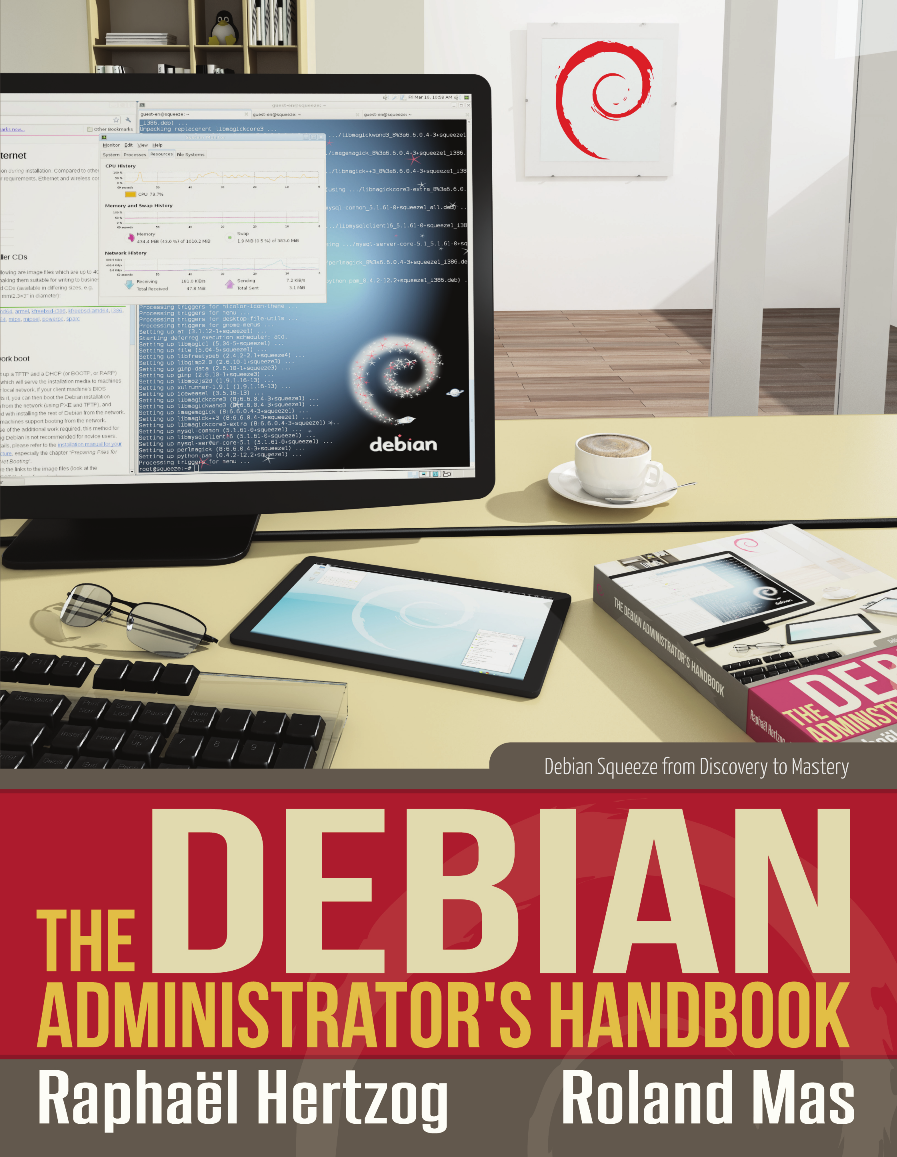
This is my monthly summary of my Debian related activities. If you re among the people who made a donation to support my work (227.83 , thanks everybody!), then you can learn how I spent your money. Otherwise it s just an interesting status update on my various projects. Dpkg Thanks to Guillem, dpkg with multiarch support is now available in Debian sid. The road has been bumpy, and it has again been delayed multiple times even after Guillem announced it on debian-devel-announce. Finally, the upload happened on March 19th. I did not appreciate his announce because it was not coordinated at all, and had I been involved from the start, we could have drafted it in a way that sounded less scary for people. In the end, I provided a script so that people can verify whether they were affected by one of the potential problems that Guillem pointed out. While real, most of them are rather unlikely for typical multiarch usage. Bernhard R. Link submitted a patch to add a new status command to dpkg-buildflags. This command would print all the information required to understand which flags are activated and why. It would typically be called during the build process by debian/rules to keep a trace of the build flags configuration. The goal is to help debugging and also to make it possible to extract that information automatically from build logs. I reviewed his patch and we made several iterations, it s mostly ready to be merged but there s one detail where Bernhard and I disagree and I solicited Guillem s opinion to try to take a decision. Unfortunately neither Guillem nor anyone else chimed in. On request of Alexander Wirt, I uploaded a new backport of dpkg where I dropped the DEB_HOST_MULTIARCH variable from dpkg-architecture to ensure multi-arch is never accidentally enabled in other backports. One last thing that I did not mention publicly at all yet, is that I contacted Lennart Poettering to suggest an improvement to the /etc/os-release file that he s trying to standardize across distributions. It occurred to me that this file could also replace our /etc/dpkg/origins/default file (and not only /etc/debian_version) provided that it could store ancestry information. After some discussions, he documented new official fields for that file (ID_LIKE, HOME_URL, SUPPORT_URL, BUG_REPORT_URL). Next step for me is to improve dpkg-vendor to support this file (as a fallback or as default, I don t know yet). Packaging I packaged quilt 0.60 (we re now down to 9 Debian-specific patches, from a whopping 26 in version 0.48!) and zim 0.55. In prevision of the next upstream version of Publican, I asked the Perl team to package a few Perl modules that Publican now requires. Less than two weeks after, all of them were in Debian Unstable. Congrats and many thanks to the Perl team (and Salvatore Bonaccorso in particular, which I happen to know because we were on the same plane during last Debconf!). On a side note, being the maintainer of nautilus-dropbox became progressively less fun over the last months, in particular because the upstream authors tried to override some of the (IMO correct) packaging decisions that I made and got in touch with Ubuntu community managers to try to have their way. Last but not least, I keep getting duplicates of a bug that is not in my package but in the official package and that Dropbox did not respond to my query. Book update The translation is finished and we re now reviewing the whole book. It takes a bit more time than expected because we re trying to harmonize the style and because it s difficult to coordinate the work of several volunteer reviewers. The book cover is now almost finalized (click on it to view it in higher definitions): We also made some progress on the interior design for the paperback. Unfortunately, I have nothing to show you yet. But it will be very nice and made with just a LaTeX stylesheet tailored for use with dblatex. The liberation fundraising slowed down with only 41 new supporters this month but it made a nice bump anyway thanks to a generous donation of 1000 EUR by Offensive security, the company behind Backtrack Linux. They will soon communicate on this, hopefully it will boost the operation. It would be really nice if we managed to raise the remaining 3000 EUR in the few weeks left until the official release of the book! The work on my book dominated the month and explains my relative inactivity on other fronts. I worked much more than usual, and my wife keeps telling me that I look tired and that I should go in bed earlier but I see the end of the tunnel: if everything goes well, the book should be released in a few weeks and I will be able to switch back to a saner lifestyle. Thanks See you next month for a new summary of my activities.


One comment Liked this article? Click here. My blog is Flattr-enabled.

Jamie McClelland: Property is Theft

I've recently been making my way through the Proudhon Reader, a collection of writings by Pierre-Joseph Proudhon recently published by AK Press. Proudhon, known as the father of Anarchism is most famous for his declaration: "Property is theft." The simple declaration is based on pages of explanation which, simplistically, can be boiled down to the idea that workers should all equally share in the fruits of their labor. While Proudhon's influence on Marx is hotly debated, this idea is fundamental to Marx's idea around the alienation of labor. If we are working to produce a product that is then owned by the proprietor, rather than the worker, we are alienated from our labor. Many May First/People Link members, such as Palante Tech, Openflows, Union Web Services, and Agaric Design are all committed to fighting this alienation by organizing as worker-run cooperatives. Nobody is the boss, all workers share in all profits. However, Proudhon got me thinking about free software shops that aren't worker-run cooperatives. If you are employed by a for-profit corporation as a worker and your only job is to write code that is released under a free software license, are you alienated from your labor in the Marxist sense? The fruits of your labor might be owned by your company, but they are freely licensed to the world (which, of course, includes you). There is still surplus value accrued to your company (if you do good work for your company, you will be contributing to their reputation from which they will profit). However, if you are primarily writing code, the vast majority of your labor is producing a product that you are fundamentally not alienated from. Proudhon, while sprinkling the word revolution throughout his writings, was notably not particularly revolutionary in his calls for action. He was reformist. Rather than calling for a direct confrontation with capitalism, he called for worker-run collectives to be formed throughout the world to make capitalism irrelevant. While many people point to corporate use of free software as an argument for why free software and capitalism are perfectly compatible, the truth may be more complicated. Fundamentally, and in a non-confrontational way, free software seems to undermine one of the basic tenants of capitalist: worker alienation. Now we just need to work on all the other ways corporate work places are alienating...

Next.

Previous.