Search Results: "ema"

23 August 2013

Enrico Zini: Random notes from that other lightning talk session

Random notes from that other lightning talk session YKINMKBYKIOK: "Your Kink Is Not My Kink But Your Kink Is Ok" As far as I'm concerned, this puts the vim vs emacs quarrel to rest, for good.

22 August 2013

Matthew Garrett: If you ever use text VTs, don't run XMir right now

It'd be easy to assume that in a Mir-based world, the Mir server receives input events and hands them over to Mir clients. In fact, as I described here, XMir uses standard Xorg input drivers and so receives all input events directly. This led to issues like the duplicate mouse pointer seen in earlier versions of XMir - as well as the pointer being drawn by XMir, Mir was drawing its own pointer.

But there's also some more subtle issues. Mir recently gained a fairly simple implementation of VT switching, simply listening for input events where a function key is hit while the ctrl and alt modifiers are set[1]. It then performs the appropriate ioctl on /dev/console and the kernel switches the VT. The problem here is that Mir doesn't tell XMir that this has happened, and so XMir still has all of its input devices open and still pays attention to any input events.

This is pretty easy to demonstrate. Open a terminal or text editor under Xmir and make sure it has focus. Hit ctrl+alt+f1 and log in. Hit ctlr+alt+f7 again. Your username and password will be sitting in the window.

This is Launchpad bug 1192843, filed on the 20th of June. A month and a half later, Mir was added to the main Ubuntu repositories. Towards the bottom, there's a note saying "XMir always listening to keyboard, passwords may appear in other X sessions". This is pretty misleading, since "other X sessions" implies that it's only going to happen if you run multiple X sessions. Regardless, it's a known bug that can potentially leak user passwords.

So it's kind of odd that that's the only mention of it, hidden in a disused toilet behind a "Doesn't work on VESA" sign. If you follow the link to installation instructions you get this page which doesn't mention the problem at all. Now, to be fair, it doesn't mention any of the other problems with Mir either, but the other problems merely result in things not working rather than your password ending up in IRC.

This being developmental software isn't an excuse. There's been plenty of Canonical-led publicity about Mir and people are inevitably going to test it out. The lack of clear and explicit warnings is utterly inexcusable, and these packages shouldn't have landed in the archive until the issue was fixed. This is brutally irresponsible behaviour on the part of Canonical.

So, if you ever switch to a text VT, either make sure you're not running XMir at the moment or make sure that you never leave any kind of network client focused when you switch away from X. And you might want to check IRC and IM logs to make sure you haven't made a mistake already.

[1] One lesser-known feature of X is that the VT switching events are actually configured in the keymap. ctrl+alt+f1 defaults to switching to VT1, but you can remap any key combination to any VT switch event. Except, of course, this is broken in XMir because Mir catches the keystroke and handles it anyway.

comment count unavailable comments

Martín Ferrari: Setting up my server: re-installing on an encripted LVM

Very long post ahead (sorry for the wall of text), part of a series of posts on some sysadmin topics, see post 1 and post 2. I want to show you how I set up my tiny dedicated server to have encrypted partitions, and to reinstall it from scratch. All of this without ever accessing the actual server console.

Introduction As much as my provider may have gold standards on how to do things (they don't, there are some very bad practises in the default installation, like putting their SSH key into root's authorized_keys file), I wouldn't trust an installation done by a third party. Also, I wanted to have all my data securely encrypted. I know this is not perfect, and there are possible attacks. But I think it is a good barrier to have to deter entities without big budgets from getting my data. I have done this twice on my servers, and today I was reviewing each step as he was doing the same thing (with some slight differences) on his brand new server, so I think this is all mostly correct. Please, tell me if you find a bug in this guide. This was done on my 12 /month Kimsufi dedicated server, sold by OVH (see my previous post on why I chose it), and some things are specific to them. But you can do the same thing with any dedicated server that has a rescue netboot image. The process is to boot into the rescue image (this is of course a weak link, as the image could have a keylogger, but we have to stop the paranoia at some point), manually partition the disk, set-up encryption, and LVM; and then install a Debian system with debootstrap. To be able to unlock the encrypted disks, you will have to ssh into the server after a reboot and enter the passphrase (this is done inside the initrd phase). Once unlocked, the normal boot process continues. If anything fails, you end up with an unreachable system: it might or might have not booted, the disk might or might not be unlocked, etc. You can always go back into the rescue netboot image, but that does not allow you to see the boot process. Some providers will give you real remote console access, OVH charges you silly money for that. They used to offer a "virtual KVM", which was a bit of a kludge, but it worked: another netboot image that started a QEMU connected to a VNC server, so by connecting to the VNC server, you would be able to interact with the emulated boot process, but with a fake BIOS and a virtual network. For some unspecified reason they've stopped offering this, but there is a workaround available. The bottom line is, if you have some kind of rescue netboot image, you can just download and run QEMU on it and do the same trick.

The gritty details Start by netbooting into your rescue image. For OVH, you'd go to the control panel, in the Services/Netboot section and select "rescue pro". Then reboot your server. OVH will mail you a temporary password when it finishes rebooting. Connect to it, without saving the temporary SSH key:
$ ssh -oUserKnownHostsFile=/dev/null -oStrictHostKeyChecking=no root@$ IP 
For the rest of the text, I am assuming you have one hard drive called /dev/sda. We start by partitioning it:
# fdisk /dev/sda
Start a new partition table with o, and then create two primary partitions: a small one for /boot at the beginning (100 to 300 MB would do), and a second one with the remaining space. Set both as type 83 (Linux), and don't forget to activate the first one, as this servers refuse to boot from the hard drive without that. Create the file system for /boot, and the encrypted device:
# mkfs.ext4 /dev/sda1
# cryptsetup -s 512 -c aes-xts-plain64 luksFormat /dev/sda2
The encryption parameters are the same as the ones used by the Debian Installer by default, so don't change them unless you really know what you are doing. You will need to type a passphrase for the encrypted device, be sure not to forget it! This passphrase can later be changed (or secondary passphrases added) with the cryptsetup tool. Look up the crypt device's UUID, and save it for later:
# cryptsetup luksDump /dev/sda2   grep UUID:
UUID:           xxxxxxxx-xxxx-xxxx-xxxx-xxxxxxxxxxxx
Open the encrypted device (type the passphrase again), and set up the LVM volume group:
# cryptsetup luksOpen /dev/sda2 sda2_crypt
# pvcreate /dev/mapper/sda2_crypt
# vgcreate vg0 /dev/mapper/sda2_crypt
Create the logical volumes, this is of course a matter of personal taste and there are many possible variations. This is my current layout, note that I put most of the "big data" in /srv.
# lvcreate -L 500m -n root vg0
# lvcreate -L 1.5g -n usr vg0
# lvcreate -L 3g -n var vg0
# lvcreate -L 1g -n home vg0
# lvcreate -L 10g -n srv vg0
# lvcreate -L 500m -n swap vg0
# lvcreate -L 100m -n tmp vg0
Some possible variations:
  • You can decide to use a ramdisk for /tmp, so instead of creating a logical volume, you would add RAMTMP=yes to /etc/default/tmpfs.
  • You can merge / and /usr in one same partition, as neither of them change much.
  • You can avoid having swap if you prefer.
  • You can put /home in /srv, and bind mount it later.
Now, create the file systems, swap space, and mount them in /target. Note that I like to use human-readable labels.
# for i in home root srv tmp usr var; do 
  mkfs.ext4 -L $i /dev/mapper/vg-$i; done
# mkswap -L swap /dev/mapper/vg0-swap
# mkdir /target
# mount /dev/mapper/vg0-root /target
# mkdir /target/ boot,home,srv,tmp,usr,var 
# mount /dev/sda1 /target/boot
# for i in home srv tmp usr var; do
  mount /dev/mapper/vg-$i /target/$i; done
# swapon /dev/mapper/vg-swap
Don't forget to set the right permissions for /tmp.
# chmod 1777 /target/tmp
If you want to do the /home on /srv, you'll need to do this (and then copy to /etc/fstab):
# mkdir /target/srv/home
# mount -o bind /target/srv/home /target/home
The disk is ready now. We will use debootstrap to install the base system. The OVH image carries it, otherwise consult the relevant section in the Install manual for details. It is important that at this point you check that you have a good GPG keyring for debootstrap to verify the installation source, by comparing it to a good one (for example, the one in your machine):
# gpg /usr/share/keyrings/debian-archive-keyring.gpg
pub  4096R/B98321F9 2010-08-07 Squeeze Stable Release Key <debian-release@lists.debian.org>
pub  4096R/473041FA 2010-08-27 Debian Archive Automatic Signing Key (6.0/squeeze) <ftpmaster@debian.org>
pub  4096R/65FFB764 2012-05-08 Wheezy Stable Release Key <debian-release@lists.debian.org>
pub  4096R/46925553 2012-04-27 Debian Archive Automatic Signing Key (7.0/wheezy) <ftpmaster@debian.org>
Now, for the actual installation. You can use any Debian mirror, OVH has their own in the local network. In OVH's case it is critical to specify the architecture, as the rescue image is i386. I didn't notice that and had to painfully switch architectures in place (which was absolutely not possible a couple of years ago).
# debootstrap --arch amd64 wheezy /target http://debian.mirrors.ovh.net/debian
After a few minutes downloading and installing stuff, you almost have a Debian system ready to go. Since this is not D-I, we still need to tighten a few screws manually. Let's mount some needed file systems, and enter the brand new system with chroot:
# mount -o bind /dev /target/dev
# mount -t proc proc /target/proc
# mount -t sysfs sys /target/sys
# XTERM=xterm-color LANG=C.UTF-8 chroot /target /bin/bash
The most critical parts now are to correctly save the parameters for the encrypted device, and the partitions and logical volumes. You'll need the UUID saved before:
# echo 'sda2_crypt UUID=xxxxxxxx-xxxx-xxxx-xxxx-xxxxxxxxxxxx none luks' \
  > /etc/crypttab
Create the file systems table in /etc/fstab. Here I use labels to identify the devices:
# file system   mount point type    options             dump    pass
LABEL=root      /           ext4    errors=remount-ro   0       1
LABEL=tmp       /tmp        ext4    rw,nosuid,nodev     0       2
LABEL=var       /var        ext4    rw                  0       2
LABEL=usr       /usr        ext4    rw,nodev            0       2
LABEL=home      /home       ext4    rw,nosuid,nodev     0       2
# Alternative home in /srv:
#/srv/home      /home       auto    bind                0       0
LABEL=srv       /srv        ext4    rw,nosuid,nodev     0       2
LABEL=boot      /boot       ext4    rw,nosuid,nodev     0       2
LABEL=swap      none        swap    sw                  0       0
You can also just use the device mapper's names (/dev/mapper/<volume_group>-<logical_volume>), be sure not to use the /dev/<volume_group>/<logical_volume> naming, as there are some initrd-tools that choked on them.
# file system           mount point type    options             dump    pass
/dev/mapper/vg0-root    /           ext4    errors=remount-ro   0       1
/dev/mapper/vg0-tmp     /tmp        ext4    rw,nosuid,nodev     0       2
/dev/mapper/vg0-var     /var        ext4    rw                  0       2
/dev/mapper/vg0-usr     /usr        ext4    rw,nodev            0       2
/dev/mapper/vg0-home    /home       ext4    rw,nosuid,nodev     0       2
# Alternative home in /srv:
#/srv/home              /home       auto    bind                0   0
/dev/mapper/vg0-srv     /srv        ext4    rw,nosuid,nodev     0   2
/dev/sda1               /boot       ext4    rw,nosuid,nodev     0   2
/dev/mapper/vg0-swap    none        swap    sw                  0   0
Some tools depend on /etc/mtab, which now is just a symbolic link:
# ln -sf /proc/mounts /etc/mtab
Now configure the network. You most surely can use DHCP, but you might prefer static configuration, that's personal choice. For DHCP, it is very straightforward:
# cat >> /etc/network/interfaces
auto eth0
iface eth0 inet dhcp
For static configuration, first find the current valid addresses and routes as obtained by DHCP:
# ip address
# ip route
And then store them:
# cat >> /etc/network/interfaces
auto eth0
iface eth0 inet static
    address AAA.BBB.CCC.DDD/24
    gateway AAA.BBB.CCC.254
    pre-up /sbin/ip addr flush dev eth0   true
Note that pre-up command I added; that is to remove the configuration that is to be done by the kernel during boot (more on that later), otherwise ifupdown will complain about existing addresses. If your provider does IPv6, add it too. For OVH, the IPv6 set-up is a bit weird, so you need to add the routes in post-up. Your default gateway is going to be your /64 prefix, with the last byte replaced by ff, and then followed by :ff:ff:ff:ff. As you can see, that gateway is not in your network segment, so you need to add an explicit route to it. They have some information, but it is completely unreadable. If your IPv6 address is 2001:41D0:1234:5678::1/64, you will add:
iface eth0 inet6 static
    address 2001:41D0:1234:5678::1/64
    post-up /sbin/ip -6 route add 2001:41D0:1234:56ff:ff:ff:ff:ff dev eth0
    post-up /sbin/ip -6 route add default via 2001:41D0:1234:56ff:ff:ff:ff:ff
You probably don't want the auto-configured IPv6 addresses, so disable them via sysctl:
# cat >> /etc/sysctl.conf
# Disable IPv6 autoconf 
net.ipv6.conf.all.autoconf = 0
net.ipv6.conf.default.autoconf = 0
net.ipv6.conf.eth0.autoconf = 0
net.ipv6.conf.all.accept_ra = 0
net.ipv6.conf.default.accept_ra = 0
net.ipv6.conf.eth0.accept_ra = 0
To have a working DNS resolver, we can use the local server (OVH in this case):
# cat > /etc/resolv.conf 
search $DOMAIN
nameserver 213.186.33.99
The most important part of a new install: choose a host name (and make the system use it).
# echo $HOSTNAME > /etc/hostname
# hostname $HOSTNAME
# echo "127.0.1.1 $HOSTNAME.$DOMAIN $HOSTNAME" >> /etc/hosts
If we want to speficy the BIOS clock to use UTC:
# echo -e '0.0 0 0.0\n0\nUTC' > /etc/adjtime
Set up your time zone:
# dpkg-reconfigure tzdata
Configure APT with your preferred mirrors. I also prevent APT from installing recommends by default.
# echo deb http://ftp2.fr.debian.org/debian wheezy main contrib non-free \
  >> /etc/apt/sources.list
# echo deb http://ftp2.fr.debian.net/debian wheezy-updates main contrib non-free \
  >> /etc/apt/sources.list
# echo deb http://security.debian.org/ wheezy/updates main contrib non-free \
  >> /etc/apt/sources.list
# echo 'APT::Install-Recommends "False";' > /etc/apt/apt.conf.d/02recommends
# apt-get update
Before installing any package, let's make sure that the initial ram disk (initrd) that is going to be created will allow us to connect. There will be no chance of using the root password during boot. Your public key is usually found in $HOME/.ssh/id_rsa.pub.
# mkdir -p /etc/initramfs-tools/root/.ssh/
# echo $(YOUR_PUB_RSA_KEY) > /etc/initramfs-tools/root/.ssh/authorized_keys
If you change this, or the host key stored at /etc/dropbear/dropbear_*_host_key, the /etc/crypttab, or any other critical piece of information for the booting process, you need to run update-initramfs -u. Now we can install the missing pieces:
# apt-get install makedev cryptsetup lvm2 ssh dropbear busybox ssh \
  initramfs-tools locales linux-image-amd64 grub-pc kbd console-setup
During the installation you will have to choose where to install grub, I recommend directly on /dev/sda. Also, the magic initrd will be created. We want to double check that it has all the important pieces for a successful boot:
# zcat /boot/initrd.img-3.2.0-4-amd64   cpio -t conf/conf.d/cryptroot \
  etc/lvm/lvm.conf etc/dropbear/\* root/.ssh/authorized_keys sbin/dropbear
etc/lvm/lvm.conf
etc/dropbear/dropbear_dss_host_key
etc/dropbear/dropbear_rsa_host_key
sbin/dropbear
root/.ssh/authorized_keys
conf/conf.d/cryptroot
All these files need to be there. Most critically, we need to check that the cryptroot file has the right information to access the root file system:
# zcat /boot/initrd.img-*   cpio -i --to-stdout conf/conf.d/cryptroot
target=sda2_crypt,source=UUID=xxxxxxxx-xxxx-xxxx-xxxx-xxxxxxxxxx,key=none,rootdev,lvm=vg0-root
If all that was correct, now we need to tell the kernel to configure the network as soon as possible so we can connect to the initrd and unlock the disks. This is done by passing a command-line option though grub. This should match what was done in /etc/network/interfaces: either DHCP or static configuration. For DHCP, this line should be changed in /etc/default/grub:
GRUB_CMDLINE_LINUX="ip=:::::eth0:dhcp"
For static configuration:
GRUB_CMDLINE_LINUX="ip=MY_IP_ADDR::MY_DEFAULT_GW:MY_NETMASK::eth0:none"
It is also a good idea to disable the quiet boot and graphical boot splash, in case we need to use QEMU to fix some booting issue:
GRUB_CMDLINE_LINUX_DEFAULT=""
GRUB_TERMINAL=console
And make the changes effective:
# update-grub2
Having fsck fix problems automatically can be a life-saver too:
# echo FSCKFIX=yes >> /etc/default/rcS
Get some very useful packages:
# apt-get install vim less ntpdate sudo
Create an user for yourself, possibly make it an administrator:
# adduser tincho
# adduser tincho sudo
# adduser tincho adm
This is mostly done, exit the chroot, and unmount everything.
# exit  # the chroot.
# umount /target/ dev,proc,sys,boot,home,srv,tmp,usr,var 
# umount /target
# swapoff -a
# lvchange -an /dev/mapper/vg0-*
# cryptsetup luksClose sda2_crypt
Disable the netboot option from your administration panel, reboot, and hope it all goes well. If you followed every step carefully, a few minutes later you should be able to ping your server. Use this snippet to enter the password remotely:
$ stty -echo; ssh -o UserKnownHostsFile=$HOME/.ssh/known_hosts.initramfs \
  -o BatchMode=yes root@"$HOST" 'cat > /lib/cryptsetup/passfifo'; \
  stty echo
It is very important that you close the pipe (with control-D twice) without typing enter. For my servers, I have a script that reads the passphrase from a GPG-encrypted file and pipes it directly into the remote server. That way, I only type the GPG passphrase locally:
$ cat unlock.sh 
#!/bin/sh
BASE="$(dirname "$0")"
HOST="$1"
gpg --decrypt "$BASE"/key-"$HOST".gpg   \
    ssh -o UserKnownHostsFile="$BASE"/known_hosts.initramfs -o BatchMode=yes \
        root@"$HOST" 'cat > /lib/cryptsetup/passfifo'
It might be a good idea to create a long, impossible to guess passphrase that you can use in the GPG-encrypted file, and that you can also print and store in somewhere safe. See the luksAddKey function in the cryptsetup(8) man page. Once again, if everything went right, a few seconds later the openSSH server will replace the tiny dropbear and you will be able to access your server normally (and with the real SSH host key). Hope you find this article helpful! I would love to hear your feedback.

21 August 2013

Joey Hess: experimental multiuser git-annex repository

On the last day of DebConf 13, RichiH and Ganneff and I set up a git-annex repository that all Debian developers have automatic commit access to, and everyone can clone and browse. See the announcement email. This is an interesting repository for me for several reasons. Selfishly, I have always wanted an easy way to download lots of DebConf photos for offline viewing, and never seem to get around to downloading everything from gallery.debconf.org when I have bandwidth. I've also wanted an example repository that shows how git-annex can be used by a large group for collaboration. Finally, the way this repository is set up with an incoming queue is fairly unique. With 430 files in the repository, totaling over 3.5 gigabytes (which doesn't include all the talk videos that are #included into it), and at least 18 people having cloned the repository so far, the debconf-share repository is well on its way to being a sort of large git-annex repository. Just running git annex whereis is interesting; many of the files already have 8 copies. Some talk videos are more popular than others and you can see when they're downloaded too. But enough snooping.. ;) So far people have uploaded mostly photos and talk slides. Other places exist to store those things in the DebConf infrastructure, but it's nice to have them all available in one tree. I particularly like today's addition of chrysn's files which include the raw photos and hugin files used to produce panoramas, and then pull those together into a postcard which has all its sources available. In my corner of the debconf-share repository, I'm collecting together files regarding the possibly-historic dpkg-source-git-re-re-redesign process that would have otherwise been scattered around various places and probably not all published. This includes an hour long recording of the main design session (recorded with permissions) made by my laptop's mic, which, surprisingly, turned out to be pretty listenable. I will probably have more to say about this process later, once Ian announces dgit. So, we're still seeing how usage develops. I hope that having this available during the next DebConf, and other Debian meetings, rather than only at the end, will further facilitate file sharing and storage. Especially if a fast clone is available right on the DebConf LAN. ;)

The technical details of how the repository is put together are: I've found at least 4 bugs in git-annex as a result of this repository, which is a rather unusual use case. And fixed 2 of them so far..

20 August 2013

Russell Coker: The End of Kogan Mobile

Kogan Mobile has just announced that Telstra succeeded in it s attempt to break it s contract with ISPone and thus end the Kogan Mobile business [1]. Over the last few years there has been a trend for all Australian telcos to increase mobile phone costs. There are some pre-paid companies that offer reasonable deals for people who don t make many calls, but for people who make any significant amount of calls or use any significant amount of data transfer the prices have mostly been going up. The big exceptions to the trend of increased prices were Kogan Mobile and Aldi who offered unlimited contracts at affordable rates. Kogan s deal was initially $299 per annum (it was later increased a bit) for unlimited calls and SMS and 6G of data transfer per month (but not more than 1G in one day and not more than 3 days of more than 400M in a month). 6G per month is much more than most people could use in a month and 400M is enough data transfer that most people won t be at risk of doing that 3 times in a month. While Kogan did impose some limits on calls and SMS they weren t going to affect most people. So when I switched to Kogan I removed the apps that tracked bandwidth use and talked for as long as I wanted without bothering about cost. I don t think I used much more data transfer or spoke for much longer, but it was good not to bother about such things. Now it seems that Aldi Mobile [2] is the best remaining option for affordable mobile access in Australia for anyone who wants more than the basic use. Aldi s option is $35 for 30 days of unlimited phone calls and SMS within Australia with 5G of data transfer, $420 for 360 days of unlimited calls and 5G of data per almost-month isn t as good as $299 per 365/366 days and 6G of data per month. Only having 5G of data per almost-month isn t a problem for me, but the significant increase in price is. A big problem with Aldi is the limitations on acceptable use which aren t as clear as for Kogan, Aldi gives downloading gigabytes of data in a short period as an example of unacceptable use, this isn t nearly as good as Kogan s daily limits of 3*400M or 1*1G in a month which can be tracked by software to avoid accidental breaches. But I ll use Aldi in spite of this risk. All the other telcos charge too much for plans which involve 2G of data per month. The 1.5G quota I had before Kogan was a real problem for me, I need a quota of at least 2G with no serious penalties for accidentally exceeding it or a quota that s at least 3G. Australia needs proper competition in the mobile phone market or significant government action. Forcing the current telcos to stop colluding would be one good option for the government but another option would be to create a government owned telco with a mandate to serve the public much like Telstra was before John Howard sold it off.

Erich Schubert: Google turning evil

I used to be a fan of the Google company. I used to think of this as a future career opportunity, as I've received a number of invitations to apply for a job with them.
But I am no longer a fan.
Recently, the company has in my opinion turned to the "evil" side; they probably became worse than Microsoft ever was and the "do no evil" principle is long gone.
So what has changed? In my perception, Google:
  • Is much more focused on making money now, than making technology happen.
  • Instead of making cool technology, it tries more and more to be a "hipster" thing and following the classic old 80-20 rule: get 80% of the users with 20% of the effort. Think of the GMail changes that received so much hate and the various services it shuts down (Code search, Reader, Googlecode downloads) and how much Google is becoming a walled garden.
  • Google leverages its search market dominance as well as Android to push their products that don't perform as good as desired. Plus for example. There is a lot of things I like about plus. In particular when you use it as a "blog" type of conversation tool instead of a site for sharing your private data, then it's much better than Facebook because of the search function and communities. (And I definitely wouldn't cry if a Facebook successor emerges). But what I hate is how Google tries hard to leverage their Android and YouTube power to force people to Plus. And now they are spreading even further, into TV (ChromeCast) and ISP (Google Fiber) markets.
  • Hangups, oops, Hangouts is another such example. I've been using XMPP for a long time. At some point, Google started operating an XMPP server, and it would actually "federate" with other servers, and it worked quite nicely. But at some point they decided they need to have more "hipster" features, like ponies. Or more likely, they decided that they want all these users to use Plus. So now they are moving it away from an open standard towards a walled garden. But since 90% of my use is XMPP outside of Google, I will instead just move away from them. Worse.
  • Reader. They probably shut this down to support Currents and on the long run move people over to Plus, too. Fortunately here, there now exist a number of good alternatives such as Feedly. But again: Google failed my needs.
  • Maps. Again an example where they moved from "works good" to "hipster crap". The first thing the new maps always greets me with is a gray screen. The new 3D view looks like an earthquake happened, without offering any actual benefit over the classic (and fast) satellite imagery. Worse. In fact my favorite map service right now is an OpenStreetmap offline map.
  • Google Glass is pure hipsterdom crap. I have yet to see an actual use case for it. People use it to show off, and that's about it. If you are serious about photos, you use a DSLR camera with a large objective and sensor. But face it: it's just distraction. If you want productive, it's actually best to turn of all chat and email and focus. Best productivity tip ever: Turn off email notifications. And turn of chat, always-on and Glass, too.
  • Privacy. When privacy-aware US providers actually recommend against anyone trusting their private data to a company with physical ties to the United States, then maybe it's time to look out for services in countries that value freedom higher than spying. I cannot trust Google on keeping my data private.
We are living in worrisome times. The U.S.A., once proud defenders of freedom, have become the most systematic spies in the world, even on their own people. The surveillance in the Eastern Bloc is no match for this machinery built the last decade. Say hello to Nineteen Eighty-Four. Surveillance, in a mixture of multi-state and commercial surveillance has indeed become omnipresent. Wireless sensors in trash cans track your device MACs. Your email is automatically scanned both by the NSA and Google. Your social friendships are tracked by Facebook and your iPhone.
I'm not being paranoid. These things are real, and it can only be explained with a "brainwashing" with both the constantly raised fear of terror (note that you are much more likely to be killed in a traffic accident or by a random gun crazy in the U.S.A. than by terrorists) and the constant advertisement for useless technology such as Google Glass. Why have so many people stopped fighting for their freedom?
So what now? I will look into options to move away stuff from Google (that is mostly, my email -- although I'd really like to see a successor to email finally emerge). Maybe I can find a number of good services located e.g. in Switzerland or Norway (who still seem to hold freedom in high respect - neither the UK nor Germany are an alternative these days). And I hope that some politicians will have the courage to openly discuss whether it may be necessary to break up Google into "Boogles" (Baby-Googles), just as Reagan did with AT&T. But unfortunately, todays politicians are really bad at such decisions, in particular when it might lower their short-run popularity. They are only good at making excuses.

17 August 2013

Daniel Pocock: DebConf13: breakthroughs in OTP and WebRTC

Saturday, 17 August was a day that saw groundbreaking new work revealed at DebConf13 and may have been a watershed moment in the emergence of WebRTC for the free software community.
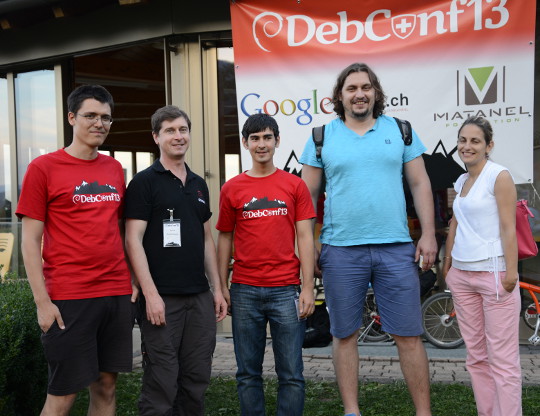
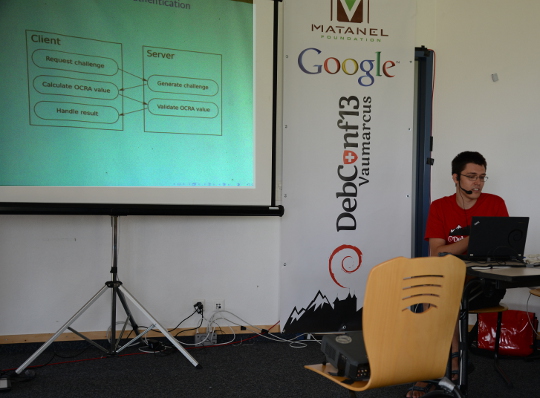
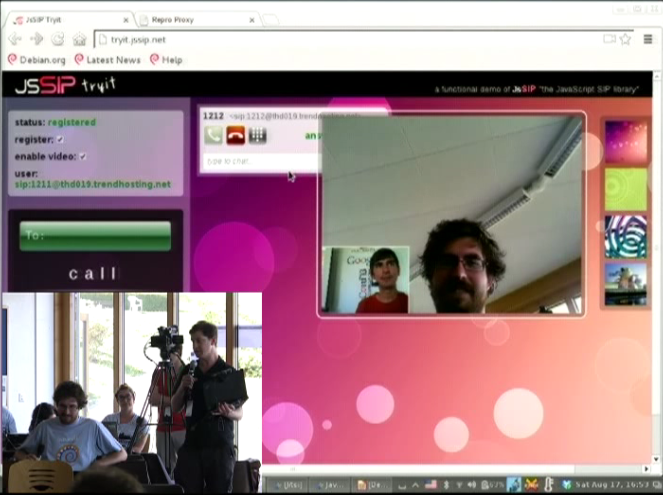
Fabian Gr nbichler, Daniel Pocock, Catalin Constantin Usurelu, Emil Ivov, Yana Stamcheva Advancing the use of One Time Passwords with free software Google Summer of Code (GSoC) student Fabian Gr nbichler has spent the summer enhancing oath-toolkit and dynalogin to support a more diverse range of One Time Password schemes. dynalogin's original 1.0 release supports vanilla HOTP and TOTP authentication schemes. Fabian's work has extended the framework to support the more generic and powerful OCRA approach. To find out about all the benefits this brings, I would strongly encourage you to review his slides and video presentation, with a demo where it is explained thoroughly. While there are existing hardware tokens that support HOTP and TOTP using this open algorithm (Gooze has been kind enough to donate some which were on display), the mutual challenge-response schemes are yet to be widely supported in hardware and this means that Fabian's work is now at the cutting edge of development in this area. WebRTC: premium voice/video chat in modern browsers, no plugin required Another member of Debian's GSoC program, Catalin Constantin Usurelu helped organise and run one of the must-see sessions of DebConf13 (video available). In a demonstration that had all the hallmarks of a magic show, Catalin and I took random members of the audience and invited them to wave a magic wand over their web browsers and effortlessly turn them into Skype-busting softphones. As the grand finale, we took Wookey's blog and showed him how to add a WebRTC "call-me" page in less than 20 seconds, less time than it takes to hand over all your private data to the registration process of those rather uncomfortable alternatives. Anybody else seeking to duplicate this effort is encourage to review options like Drucall for Drupal or just directly use JsSIP Jitsi and the Jitsi Video-bridge The grand-finale of the DebConf13 real-time communications track was our guest speaker, Emil Ivov, founder of the Jitsi softphone project. Jitsi itself has recently been accepted into Debian and is easier than ever before to install and use. Emil's talk (video and slides available) went into some detail about the cutting edge development activities of his team, particularly the new Jitsi Video bridge Subsequent to the talk, we had some out-of-bands discussion about ways to potentially integrate Jitsi Video bridge with the open source dvswitch system used to produce streams and recordings from free software events such as DebConf and FOSDEM. It is hoped that this will provide an additional option for remote participation at free software events of all sizes. Upcoming events Emil and I have been invited to participate in the WebRTC Conference Paris 2013 in December. This will be an excellent opportunity to have further discussion about progress with WebRTC and do more to raise the compelling case for premium quality free software to meet the demanding needs of modern business communications. There are a series of talks for both technical and business-oriented audiences.
David Moreno: 11 years in Freenode now

Somehow last year I missed the fact that I've been around Freenode for 10 years. It is more than 11 years now at this point. Oh my! I understand this is nothing compared to the very old wolves in free software, but bear with me on this one :)

19:25  info
19:25 -NickServ(NickServ@services.)- Information on Damog (account Damog):
19:25 -NickServ(NickServ@services.)- Registered : Jun 26 23:45:11 2002 (11 years, 7 weeks, 5 days, 17:39:50 ago)
19:25 -NickServ(NickServ@services.)- Last addr  : ~dm@debian/developer/damog
19:25 -NickServ(NickServ@services.)- vHost      : debian/developer/damog
19:25 -NickServ(NickServ@services.)- Last seen  : now
19:25 -NickServ(NickServ@services.)- Logins from: damog
19:25 -NickServ(NickServ@services.)- Nicks      : Damog
19:25 -NickServ(NickServ@services.)- Email      : damog@damog.net
19:25 -NickServ(NickServ@services.)- *** End of Info ***

Steve Kemp: Soon it will be time for something different

This weekend I'm mostly alternating between reading, writing, and trying to avoid death by the plague.[*] I've switched Lumail to using a UTF-8 aware string library, which means we can now handle the obvious case:
--
-- Prove keybindings work.
--
keymap['global'][' '] = 'msg("UTF-8 rocks!")'
Similarly we can stuff input into the buffer:
--
-- Pretend the user typed ":msg ...\n"
--
stuff( ":msg('  is pie')\n" );
This transition was annoying to handle, but wasn't too difficult. There is only one more major update required, according to the development roadmap, which is to double check that UTF-8 output is correct. Otherwise I think I'm almost done. In the sense that I don't see anything obvious missing, barring things that won't ever happen such as mutt-style "tag" support. I've updated the online examples to include some nice code: I can't claim to have many users, so far the development has been carried out by myself and approximately four other people. But that matters not. I genuinely believe this is a good client and it really suits the way that I handle (large volumes of) email: Allowing you to open multiple folders at once means you get a great view into your currently-unread mail, regardless of where procmail has placed it. The overriding feeling having "completed" the client is that Lua rocks. I'm torn between wanting to sleep some more, and wondering what other system/package/tool can be extended by Lua. As epiphanies go my on_idle() update takes some beating.
* - I do not have the black death, but I'm not well.

16 August 2013

Justus Winter: All the important bits are there - please test and review :)

Finally, more bootlog-pr0n:
start ext2fs: Hurd server bootstrap: ext2fs[device:hd0s1] exec init proc auth
INIT: version 2.88 booting
Using makefile-style concurrent boot in runlevel S.
Activating swap...done.
Checking root file system...fsck from util-linux 2.20.1
hd2 : tray open or drive not ready
end_request: I/O error, dev 02:00, sector 0
/dev/hd0s1: clean, 44680/181056 files, 292234/723200 blocks
done.
Activating lvm and md swap...(default pager): Already paging to partition hd0s5!
done.
Checking file systems...fsck from util-linux 2.20.1
hd2 : tray open or drive not ready
end_request: I/O error, dev 02:00, sector 0
done.
Cleaning up temporary files... /tmp.
Mounting local filesystems...done.
Activating swapfile swap...(default pager): Already paging to partition hd0s5!
done.
df: Warning: cannot read table of mounted file systems: No such file or directory
Cleaning up temporary files....
Configuring network interfaces...inetutils-ifconfig: invalid arguments
ifup: failed to open pid file /run/network/ifup-/dev/eth0.pid: No such file or directory
Internet Systems Consortium DHCP Client 4.2.2
Copyright 2004-2011 Internet Systems Consortium.
All rights reserved.
For info, please visit https://www.isc.org/software/dhcp/
can't create /var/lib/dhcp/dhclient./dev/eth0.leases: No such file or directory
Listening on Socket//dev/eth0
Sending on   Socket//dev/eth0
DHCPDISCOVER on /dev/eth0 to 255.255.255.255 port 67 interval 8
DHCPREQUEST on /dev/eth0 to 255.255.255.255 port 67
DHCPOFFER from 10.0.2.2
DHCPACK from 10.0.2.2
can't create /var/lib/dhcp/dhclient./dev/eth0.leases: No such file or directory
bound to 10.0.2.15 -- renewal in 34744 seconds.
done.
Cleaning up temporary files....
Setting up X socket directories... /tmp/.X11-unix /tmp/.ICE-unix.
INIT: Entering runlevel: 2
Using makefile-style concurrent boot in runlevel 2.
Starting enhanced syslogd: rsyslogd.
Starting deferred execution scheduler: atd.
Starting periodic command scheduler: cron.
Starting system message bus: dbusFailed to set socket option"/var/run/dbus/system_bus_socket": Protocol not available.
Starting OpenBSD Secure Shell server: sshd.
unexpected ACK from keyboard
GNU 0.3 (debian) (console)
login: root
root@debian:~# shutdown -h now
Broadcast message from root@debian (console) (Fri Aug 16 20:02:47 2013):
The system is going down for system halt NOW!
INIT: Switching to runlevel: 0root@debian:~#
INIT: Sending processes the TERM signal
INIT: Sending processes the KILL signal
Using makefile-style concurrent boot in runlevel 0.
Stopping deferred execution scheduler: atd.
task c10f72a8 deallocating an invalid port 2098928, most probably a bug.
Asking all remaining processes to terminate...done.
All processes ended within 1 seconds...done.
Stopping enhanced syslogd: rsyslogd.
Deconfiguring network interfaces...ifdown: failed to open pid file /run/network/ifdown-/dev/eth0.pid: No such file or directory
Internet Systems Consortium DHCP Client 4.2.2
Copyright 2004-2011 Internet Systems Consortium.
All rights reserved.
For info, please visit https://www.isc.org/software/dhcp/
can't create /var/lib/dhcp/dhclient./dev/eth0.leases: No such file or directory
Listening on Socket//dev/eth0
Sending on   Socket//dev/eth0
/bin/sh: 1: ifconfig: not found
done.
Deactivating swap...swapoff: /dev/hd0s5: 177152k swap space
done.
Unmounting weak filesystems...umount: /etc/mtab: Warning: duplicate entry for device /dev/hd0s1 (/dev/cons)
umount: could not find entry for: /dev/cons
done.
Unmounting local filesystems...done.
mount: cannot remount /: Device or resource busy
Will now halt.
init: notifying pfinet of shutdown...init: notifying tmpfs swap of shutdown...init: notifying tmpfs swap of shutdown...init: notifying tmpfs swap of shutdown...init: notifying ext2fs device:hd0s1 of shutdown...init: halting Mach (flags 0x8)...
In tight loop: hit ctl-alt-del to reboot
(You might note that df complains about not being able to read the mtab file. That is because it has been built with _PATH_MOUNTED being /var/run/mtab. This will correct itself when the coreutils package is being rebuilt against a patched libc.) I spent my last two weeks with polishing my patch series, that meant a lot of package rebuilds and that means a lot of waiting (even more so on the Hurd, short version: fakeroot-hurd could be fast but is not yet working properly, fakeroot-tcp is slow) and thus some frustration ;) Also I had to pay special attention so that the upgraded packages could be installed without accidentally breaking anything in the process. Making sysvinit pid 1 is surprisingly tricky in this regard since it breaks the ABI and requires a libc fix that also worked with the current Hurd servers. Here are the patches: So I had some spare time on my hand while waiting for numerous package rebuilds and I took this as an opportunity to read papers about Mach and to familiarize myself with mig, the Mach Interface Generator. While I have used it in the past, I had not yet looked at its implementation. And I had to patch the exec server, and there was both code implementing a questionable feature (on-demand unzipping of binaries) and code that was not even compiled (courtesy of the preprocessor) and had probably bit-rot by now. So I figured I could spend my time doing some cleanups: I have rebuild all the necessary packages and uploaded them into an apt repository:
deb http://teythoon.cryptobitch.de/gsoc/heap/debian unstable main
Please use unstable for now. Also make sure that you have a recovery plan for your Debian/Hurd installation if anything goes wrong. For your convenience there's a seed tarball containing packages with the appropriate sources.list.d snippets and the repository key: https://teythoon.cryptobitch.de/gsoc/heap/debian/seed.tar If you want to switch to the new runsystem.sysv, do:
# update-alternatives --config runsystem
Whenever you switch runsystems, please use reboot-hurd to reboot the system. This is the most robust way. Known issues: Next week I will address the network related issues. By now they are the source of most of the error messages in the bootlog.

15 August 2013

Russell Coker: Google web sites and Chromium CPU Use

Chromium is the free software build of the Google Chrome web browser. It s essentially the same as the Google code but will often be an older version, particularly when you get Chromium from Debian/Stable (or any other Linux distribution that doesn t track the latest versions all the time) and compare it to getting Chrome straight from Google. My wife is using Chromium on an AMD Opteron 1212 for all the usual web browsing tasks. Recently I ve noticed that it takes a lot of CPU time whenever she leaves a Google web site open, that can be Google+, Gmail, or Youtube. Web standards are complex and it s difficult to do everything the way that one might desire. Making a web browser that doesn t take 100% CPU time when the user is away from their desk may be a difficult technical challenge. Designing a web site that doesn t trigger such unwanted behavior in common web browsers might also be a challenge. But when one company produces both a web browser and some web sites that get a lot of traffic it s rather disappointing that they don t get this right. It could be that Google have fixed this in a more recent version of the Chrome source tree, and it could be that they fixed the browser code before rolling out a new version of Google+ etc which causes problems with the old version (which might explain why I ve never seen this problem). But even if that is the case it s still disappointing that they aren t supporting older versions. There is a real need for computers that don t need to be updated all the time, running a 3 month old Linux distribution such as Debian/Wheezy shouldn t be a problem. There s also a possibility that part of the cause of the problem is that an Opteron 1212 is a relatively slow CPU by today s standards and it s the slowest system I m currently supporting for serious desktop use. I don t even think it was one of the fastest CPUs available when it was released 4 years ago. But I think we should be able to expect systems to remain usable for more than 4 years. The Opteron 1212 system is a Dell PowerEdge tower server that is used as a workstation and a file server, so while I get desktop systems with faster CPUs for free I want to keep using the old PowerEdge server to avoid data corruption. As an aside I ve been storing important data on BTRFS for a year now and the only data loss I ve suffered has been due to a faulty DIMM. The filesystem checksums built in to modern filesystems such as BTRFS and ZFS mean that RAM corruption covers a greater portion of the risk to data integrity and the greater complexity of the data structures in such filesystems gives the possibility of corruption that can t be fixed without mkfs (as happened to me twice on the system with a bad DIMM). The consequences of such wasted CPU use are reduced CPU time for other programs which might be doing something useful, extra electricity use, and more noise from CPU cooling fans (which is particularly annoying for me in this case). Any suggesstions for reducing the CPU use of web browsers, particularly when idle?

Michal &#268;iha&#345;: DebConf day trip

Yesterday, we've spent nice day on a day trip of DebConf. I took the long hike, which ended up at Creux du Van, what is wonderful rocky place. The way up was through nice nature and we've met quite a lot of cows on the way: They we've finally arrived to Creux du Van: Of course we could not miss an opportunity to take a group photo: After wandering around the rocks, we took a lunch and headed to Neuch tel, where some music festival was going on: The whole day was nicely finished on a boat with a dinner. PS: More DebConf photos are available in my gallery.

Filed under: Debian English Photography phpMyAdmin 0 comments Flattr this!

13 August 2013

Mart&iacute;n Ferrari: DebConf 13

On Sunday I arrived to DebConf 13. It has been so much fun that I didn't have the time to post anything about it! As usual, I really enjoy meeting old friends and putting faces to nick names. Last night the Cheese and Wine party was once again great. Not everything has been partying, though. I've been discussing with Enrico ideas for recognising Debian Contributors, as he presented on his talk on Sunday. We still have to discuss further, and obviously, sit down and write a lot of code :-) Yesterday we also met with Luk, and discussed what to do with the ancient net-tools package. We had had the idea of writing compatibility wrappers using iproute2, but that turned out to be too complicated and brittle. After looking a the current state of net-tools, and its reverse dependencies, we decided that the best way to go is to deprecate it by asking rdepends to migrate to iproute2 (for most of them it should be trivial), and then downgrade net-tools to optional. It won't be removed from the archive, as people will still want it, but it will not be required by any core functionality any more. In the next few days, we will be sending an email to debian-devel, and filling about 80 bugs to get rid of the dependency on net-tools, many with patches.

12 August 2013

Richard Hartmann: DebConf13 I

DebConf! The venue here at Le Camp is pretty much perfect. Short walking distances, organic layout of the buildings, and a stunning view of the lake. I would be hard pressed to think of other venues which could be as nice... After arriving Fri/Sat night at 0330, Saturday was spent setting up the Access points: Me prior to pull-ups on the roof beams Access Point in pillow cases This little green valve caused a power outage in the server room, messing with servers, and resetting several switches to old configs. Xtaran had a lot of fun as a result of this. The valve of evil. And water. The ikiwiki BoF on sunday was rather interesting. I will try to publish some notes from this BoF and the other Git-related ones towards the end of the week. The Gitify ALL the things BoF managed to fill the room from "full-ish" over "good thing we don't need the beamer and can use the space in front of the whitescreen" over "out of chairs" over "the chairs from other rooms won't fit any more" to the final state of "people stand around near the walls and in the doors". At a total of 54 people, turnout has been... unexpectedly high.. The BoF started at 1130 and usually, slots are 45 minutes long. We extended our BoF into lunch time (I chose the slot just prior to lunch for precisely that reason) and finally finished at around 1245, i.e. 30 minutes late. After a quick show of hands on if there's interest in another BoF, I applied for and got the next slot, tomorrow at 11:30, once again in BoF room 1 and just before lunch. It's called Gitify EVEN MORE of the things and will expand on use cases and best practices. At a guess, we will focus on managing configurations and photos in default and complex situations. Sadly, neither of those BoF are taped. Afterwards, I had a chance to sit down with Lucas Nussbaum to talk over some points regarding the Debian Trademark Team. Finally, during Why Debian should (or should not) make systemd the default (it probably should not, but that's a different story), my kernel panicked. 3.9 and 3.10 have been less than ideal on my new X1 Carbon, but this was the first panic. I was not even done cussing and Ben Hutchings suddenly appeared on my side, telling me that yes, this particular module (mei) has been causing issues recently. Kernel panic As a closing note, I am really enjoying my first DebConf. Great venue, great people, great content, winebeer and cheese party tonight, and I found out that we have a fire place and fire wood...

Tanguy Ortolo: grep --only-matching

Magnifying glass over a sheet of text grep is designed to print lines matching a given pattern, but I often need to print only the matching part, discarding the remaining. I used to do that with sed, but it involves several actions: match, replace the line by only the matching pattern and print. Fortunately, GNU grep has an option to do just that:
-o, --only-matching
Print only the matched (non-empty) parts of a matching line, with each such part on a separate output line.
Unfortunately it is not a standard option, so it may be missing on non-GNU systems.

11 August 2013

Michal &#268;iha&#345;: Good morning DebConf

Yesterday evening I've arrived at DebConf 13. I was quite tired after traveling so I just had few beers and went to bed. The travel went quite well besides somebody else broke wine and my suitcase was all wet from it. Fortunately almost nothing got inside so I have some clean clothes for next week :-). As I went to bed quite early, I woke up early as well so I went to short walk to see what is nearby: Sunrise at Lake Neuch tel Castle Vaumarcus Castle Vaumarcus

Filed under: English Debian Photography 0 comments Flattr this!

10 August 2013

Kurt Roeckx: Anti-piracy and privacy

In the Dutch language area (Netherlands and Flanders) most e-book publishers changed from using DRM to using a watermark since February. It's now something like 62% with watermark, 24% with DRM and 14% without either. I was hoping that more with move to the watermark, but it doesn't seem to change much. The watermark in the e-books are used to find the original buyer in case of piracy. The information in the e-book does not itself identify the buyer, it just some random ID. That ID can then be used to trace back to buyer. We work with a 3rd party to deliver the e-books to our consumers. They get a random string from us that we can use to trace back the order, and from there we can trace back who bought it. The 3rd party than generates their own random string and puts that in the e-book. They only only keep those 2 random strings, and so have no way to trace this back to the buyer, we are the only one that known who bought it. And I think this is how it should work. I think this is also what the privacy laws require us to do. But now we got a new contract that states that we must directly give information about the buyer if some anti-piracy agency (BREIN) finds an e-book file online. We must keep the information about the buyer for minimum of 2 years and maximum of 5 years. And if we don't sign the contract we won't be allowed to sell e-books with watermark anymore. So this means that they want to bypass the normal judicial system, and probably contact those buyers they accuse of piracy directly. I questioned that this was legal. They say that it is legal according to the Dutch privacy law, but I have a hard time interpreting any of the options in article 8 as that we can give that information without the explicit consent of the person. I guess you can interpret option f in several ways, and that their lawyers do it differently than me. This will probably remain unclear until some court decides on it.

9 August 2013

Craig Small: pidof moving to procps

pidof is a program that finds the PID of a named program. In some ways it is like a cut-down pgrep found in the procps package. pidof currently sits in sysvinit-tools. There are plans to move all utilities that use the proc filesystem under one package which will make the maintenance of them simpler, which in effect means moving pidof from sysvinit-tools to procps. The short-term bump should make it better in the long term. Now as I wear two hats (Debian maintainer and procps upstream) there are two very important things I/we need to know. Debian developers can chime in on the debian-devel email list, or email myself. If its an upstream issue then either email me, or even better, the procps email list

Craig Small: pidof moving to procps

pidof is a program that finds the PID of a named program. In some ways it is like a cut-down pgrep found in the procps package. pidof currently sits in sysvinit-tools. There are plans to move all utilities that use the proc filesystem under one package which will make the maintenance of them simpler, which in effect means moving pidof from sysvinit-tools to procps. The short-term bump should make it better in the long term. Now as I wear two hats (Debian maintainer and procps upstream) there are two very important things I/we need to know. Debian developers can chime in on the debian-devel email list, or email myself. If its an upstream issue then either email me, or even better, the procps email list

Michal &#268;iha&#345;: Roadmap for Weblate 1.7

Weblate 1.6 is already two weeks out without any regressions, so now it's time to think about features for 1.7. I definitely want to improve support for monolingual translation formats as they currently suffer by various metadata issues (eg. checks not working correctly). This requires quite big change in underlying database, but I think it's quite manageable. When talking about checks, I want to make them configurable per project as global configuration is quite limiting for shared sites like hosted Weblate. I will definitely need to touch registration and authentication, either by supporting latest django-registration API or to move some other solution with support for federated login. Which of these approaches will be used depends on my time, what is always the most limiting factor. This might sound as too few features, but I'd like to make releases more often, so that should fit into this plan. However if you want to push for some feature, you still have two days to fund something on Catincan!

Filed under: English Weblate 0 comments Flattr this!

Next.

Previous.