
Over the last few days I've been at the GNOME Developer Experience hackfest
in Brussels, looking into
xdg-app
and how best to use it in Debian and Debian derivatives.
xdg-app is basically a way to run "non-core" software on Linux distributions,
analogous to apps on Android and iOS. It doesn't replace distributions
like Debian or packaging systems, but it adds a layer above them. It's
mostly aimed towards third-party apps obtained from somewhere that isn't
your distribution vendor, aiming to address a few long-standing problems in
that space:
- There's no single ABI that can be called "a standard Linux system" in
the same way there would be for Windows or OS X or Android or whatever,
apart from LSB which is rather limited. Testing that a third-party app
"works on Linux", or even "works on stable Linux releases from 2015",
involves a combinatorial explosion of different distributions, desktop
environments and local configurations. Steam uses
the Steam Runtime,
a chroot environment closely resembling Ubuntu 12.04 LTS; other vendors
tend to test on a vaguely recent Ubuntu LTS and leave it at that.
- There's no widely-supported mechanism for installing third-party
applications as an ordinary user. gog.com
used to distribute Ubuntu- and Debian-compatible
.deb files,
but installing a .deb involves running arbitrary vendor-supplied
scripts as root, which should worry anyone who wants any sort of
privilege-separation. (They have now switched to executable self-extracting
installers, which involve running arbitrary vendor-supplied scripts
as an ordinary user... better, but not perfect.)
- Relatedly, the third-party application itself runs with the user's
full privileges: a malicious or security-buggy third-party application
can do more or less anything, unless you
either switch to a different uid to run third-party apps, or
use a carefully-written, app-specific AppArmor profile or equivalent.
To address the first point, each application uses a specified "runtime",
which is available as /usr inside its sandbox. This can be used to run
application bundles with multiple, potentially incompatible sets of
dependencies within the same desktop environment. A runtime can be
updated within its branch - for instance, if an application uses the
"GNOME 3.18" runtime (consisting of a basic Linux system, the GNOME 3.18
libraries, other related libraries like Mesa, and their recursive dependencies
like libjpeg), it can expect to see minor-version updates from GNOME 3.18.x
(including any security updates that might be necessary for the bundled
libraries), but not a jump to GNOME 3.20.
To address the second issue, the plan is for application bundles
to be available as a single file, containing metadata (such as
the runtime to use), the app itself, and any dependencies that
are not available in the runtime (which the app vendor is responsible for
updating if necessary). However, the primary way to distribute
and upgrade runtimes and applications is to package them as
OSTree repositories, which
provide a git-like content-addressed filesystem, with efficient updates
using binary deltas. The resulting files are hard-linked into place.
To address the last point, application bundles run partially isolated
from the wider system, using containerization techniques such as namespaces
to prevent direct access to system resources. Resources from outside the
sandbox can be accessed via "portal" services, which are responsible for
access control; for example, the Documents portal (the only one, so far)
displays an "Open" dialog outside the sandbox, then allows the application to
access only the selected file.
xdg-app for Debian
One thing I've been doing at this hackfest is improving the existing
Debian/Ubuntu packaging
for xdg-app (and its dependencies ostree and libgsystem), aiming to get it
into a state where I can upload it to Debian experimental. Because xdg-app
aims to be a general freedesktop project, I'm currently intending to make
it part of the "Utopia" packaging team alongside projects like D-Bus
and polkit, but I'm open to suggestions if people want to co-maintain
it elsewhere.
In the process of updating xdg-app, I sent various patches to Alex,
mostly fixing build and test issues, which are in the new 0.4.8 release.
I'd appreciate co-maintainers and further testing for this stuff,
particularly ostree: ostree is primarily a whole-OS deployment technology,
which isn't a use-case that I've tested, and in particular ostree-grub2
probably doesn't work yet.
Source code:
Binaries (no trust path, so only use these if you have a test VM):
deb https://people.debian.org/~smcv/xdg-app xdg-app main
The "Hello, World" of xdg-apps
Another thing I set out to do here was to make a runtime and an app
out of Debian packages. Most of the test applications in and around GNOME
use the "freedesktop" or "GNOME" runtimes, which consist of a Yocto base
system and lots of RPMs, are rebuilt from first principles on-demand,
and are extensive and capable enough that they make it somewhat non-obvious
what's in an app or a runtime.
So, here's a step-by-step route through xdg-app, first using typical
GNOME instructions, but then using the simplest GUI
app I could find - xvt, a small xterm clone. I'm using a Debian testing
(stretch) x86_64 virtual machine for all this. xdg-app currently requires
systemd-logind to put users and apps in cgroups, either with systemd as
pid 1 (systemd-sysv) or systemd-shim and cgmanager; I used the default
systemd-sysv. In principle it could work with plain cgmanager, but nobody
has contributed that support yet.
Demonstrating an existing xdg-app
Debian's kernel is currently patched to be able to allow unprivileged users to
create user namespaces, but make it runtime-configurable, because there have
been various security issues in that feature, making it a security risk for a
typical machine (and particularly a server). Hopefully unprivileged user
namespaces will soon be secure enough that we can enable them by default,
but for now, we have to do one of three things to let xdg-app use them:
- enable unprivileged user namespaces via sysctl:
sudo sysctl kernel.unprivileged_userns_clone=1
- make xdg-app root-privileged (it will keep
CAP_SYS_ADMIN and drop the rest):
sudo dpkg-statoverride --update --add root root 04755 /usr/bin/xdg-app-helper
- make xdg-app slightly less privileged:
sudo setcap cap_sys_admin+ep /usr/bin/xdg-app-helper
First, we'll need a runtime. The standard xdg-app tutorial would tell you to
download the "GNOME Platform" version 3.18. To do that, you'd add a
remote,
which is a bit like a git remote, and a bit like an apt repository:
$ wget http://sdk.gnome.org/keys/gnome-sdk.gpg
$ xdg-app remote-add --user --gpg-import=gnome-sdk.gpg gnome \
    http://sdk.gnome.org/repo/
(I'm ignoring considerations like trust paths and security here, for
brevity; in real life, you'd want to obtain the signing key via https
and/or have a trust path to it, just like you would for a secure-apt signing
key.)
You can list what's available in a remote:
$ xdg-app remote-ls --user gnome
...
org.freedesktop.Platform
...
org.freedesktop.Platform.Locale.cy
...
org.freedesktop.Sdk
...
org.gnome.Platform
...
The Platform runtimes are what we want here: they are collections of
runtime libraries with which you can run an application. The Sdk runtimes
add development tools, header files, etc. to be able to compile apps that
will be compatible with the Platform.
For now, all we want is the GNOME 3.18 platform:
$ xdg-app install --user gnome org.gnome.Platform 3.18
Next, we can install an app that uses it, from Alex Larsson's nightly
builds of a subset of GNOME. The server they're on doesn't have a great deal
of bandwidth, so be nice :-)
$ wget http://209.132.179.2/keys/nightly.gpg
$ xdg-app remote-add --user --gpg-import=nightly.gpg nightly \
    http://209.132.179.2/repo/
$ xdg-app install --user nightly org.mypaint.MypaintDevel
We now have one app, and the runtime it needs:
$ xdg-app list
org.mypaint.MypaintDevel
$ xdg-app run org.mypaint.MypaintDevel
[you see a GUI window]
Digression: what's in a runtime?
Behind the scenes, xdg-app runtimes and apps are both OSTree trees.
This means the
ostree tool, from the package of the same name, can be
used to inspect them.
$ sudo apt install ostree
$ ostree refs --repo ~/.local/share/xdg-app/repo
gnome:runtime/org.gnome.Platform/x86_64/3.18
nightly:app/org.mypaint.MypaintDevel/x86_64/master
A "ref" has roughly the same meaning as in git: something like a branch or
a tag.
ostree can list the directory tree that it represents:
$ ostree ls --repo ~/.local/share/xdg-app/repo \
    runtime/org.gnome.Platform/x86_64/3.18
d00755 0 0      0 /
-00644 0 0    493 /metadata
d00755 0 0      0 /files
$ ostree ls --repo ~/.local/share/xdg-app/repo \
    runtime/org.gnome.Platform/x86_64/3.18 /files
d00755 0 0      0 /files
l00777 0 0      0 /files/local -> ../var/usrlocal
l00777 0 0      0 /files/sbin -> bin
d00755 0 0      0 /files/bin
d00755 0 0      0 /files/cache
d00755 0 0      0 /files/etc
d00755 0 0      0 /files/games
d00755 0 0      0 /files/include
d00755 0 0      0 /files/lib
d00755 0 0      0 /files/lib64
d00755 0 0      0 /files/libexec
d00755 0 0      0 /files/share
d00755 0 0      0 /files/src
You can see that
/files in a runtime is basically a copy of
/usr.
This is not coincidental: the runtime's
/files gets mounted at
/usr
inside the xdg-app container. There is also some metadata, which is in
the ini-like syntax seen in
.desktop files:
$ ostree cat --repo ~/.local/share/xdg-app/repo \
    runtime/org.gnome.Platform/x86_64/3.18 /metadata
[Runtime]
name=org.gnome.Platform/x86_64/3.16
runtime=org.gnome.Platform/x86_64/3.16
sdk=org.gnome.Sdk/x86_64/3.16
[Extension org.freedesktop.Platform.GL]
version=1.2
directory=lib/GL
[Extension org.freedesktop.Platform.Timezones]
version=1.2
directory=share/zoneinfo
[Extension org.gnome.Platform.Locale]
directory=share/runtime/locale
subdirectories=true
[Environment]
GI_TYPELIB_PATH=/app/lib/girepository-1.0
GST_PLUGIN_PATH=/app/lib/gstreamer-1.0
LD_LIBRARY_PATH=/app/lib:/usr/lib/GL
Looking at an app, the situation is fairly similar:
$ ostree ls --repo ~/.local/share/xdg-app/repo \
    app/org.mypaint.MypaintDevel/x86_64/master
d00755 0 0      0 /
-00644 0 0    258 /metadata
d00755 0 0      0 /export
d00755 0 0      0 /files
This time,
/files maps to what will become
/app for the application, which
was compiled with
--prefix=/app:
$ ostree ls --repo ~/.local/share/xdg-app/repo \
    app/org.mypaint.MypaintDevel/x86_64/master /files
d00755 0 0      0 /files
-00644 0 0   4599 /files/manifest.json
d00755 0 0      0 /files/bin
d00755 0 0      0 /files/lib
d00755 0 0      0 /files/share
There is also a
/export directory, which is made visible to the host system
so that the contained app can appear as a "first-class citizen" in menus:
$ ostree ls --repo ~/.local/share/xdg-app/repo \
    app/org.mypaint.MypaintDevel/x86_64/master /export
d00755 0 0      0 /export
d00755 0 0      0 /export/share
user@debian:~$ ostree ls --repo ~/.local/share/xdg-app/repo \
    app/org.mypaint.MypaintDevel/x86_64/master /export/share
d00755 0 0      0 /export/share
d00755 0 0      0 /export/share/app-info
d00755 0 0      0 /export/share/applications
d00755 0 0      0 /export/share/icons
user@debian:~$ ostree ls --repo ~/.local/share/xdg-app/repo \
    app/org.mypaint.MypaintDevel/x86_64/master /export/share/applications
d00755 0 0      0 /export/share/applications
-00644 0 0    715 /export/share/applications/org.mypaint.MypaintDevel.desktop
$ ostree cat --repo ~/.local/share/xdg-app/repo \
    app/org.mypaint.MypaintDevel/x86_64/master \
    /export/share/applications/org.mypaint.MypaintDevel.desktop
[Desktop Entry]
Version=1.0
Name=(Nightly) MyPaint
TryExec=mypaint
Exec=mypaint %f
Comment=Painting program for digital artists
...
Comment[zh_HK]=
GenericName=Raster Graphics Editor
GenericName[fr]= diteur d'Image Matricielle
MimeType=image/openraster;image/png;image/jpeg;
Type=Application
Icon=org.mypaint.MypaintDevel
StartupNotify=true
Categories=Graphics;GTK;2DGraphics;RasterGraphics;
Terminal=false
Again, there's some metadata:
$ ostree cat --repo ~/.local/share/xdg-app/repo \
    app/org.mypaint.MypaintDevel/x86_64/master /metadata
[Application]
name=org.mypaint.MypaintDevel
runtime=org.gnome.Platform/x86_64/3.18
sdk=org.gnome.Sdk/x86_64/3.18
command=mypaint
[Context]
shared=ipc;
sockets=x11;pulseaudio;
filesystems=host;
[Extension org.mypaint.MypaintDevel.Debug]
directory=lib/debug
Building a runtime, probably the wrong way
The way in which the reference/demo runtimes and containers are generated is...
involved. As far as I can tell, there's a base OS built using Yocto, and the
actual GNOME bits come from RPMs. However, we don't need to go that far
to get a working runtime.
In preparing this runtime I'm probably completely ignoring some best-practices
and tools - but it works, so it's good enough.
First we'll need a repository:
$ sudo install -d -o$(id -nu) /srv/xdg-apps
$ ostree init --repo /srv/xdg-apps
I'm just keeping this local for this demonstration, but you could rsync it
to a web server's exported directory or something - a lot like a git
repository, it's just a collection of files. We want everything in
/usr
because that's what xdg-app expects, hence
usrmerge:
$ sudo mount -t tmpfs -o mode=0755 tmpfs /mnt
$ sudo debootstrap --arch=amd64 --include=libx11-6,usrmerge \
    --variant=minbase stretch /mnt http://192.168.122.1:3142/debian
$ sudo mkdir /mnt/runtime
$ sudo mv /mnt/usr /mnt/runtime/files
This obviously has a lot of stuff in it that we don't need - most obviously
init, apt and dpkg - but it's Good Enough .
We will also need some metadata. This is sufficient:
$ sudo sh -c 'cat > /mnt/runtime/metadata'
[Runtime]
name=org.debian.Debootstrap/x86_64/8.20160130
runtime=org.debian.Debootstrap/x86_64/8.20160130
That's a runtime. We can commit it to ostree, and generate xdg-app metadata:
$ ostree commit --repo /srv/xdg-apps \
    --branch runtime/org.debian.Debootstrap/x86_64/8.20160130 \
    /mnt/runtime
$ fakeroot ostree commit --repo /srv/xdg-apps \
    --branch runtime/org.debian.Debootstrap/x86_64/8.20160130
$ fakeroot xdg-app build-update-repo /srv/xdg-apps
(I'm not sure why ostree and xdg-app report "Operation not permitted" when
we aren't root or fakeroot - feedback welcome.)
build-update-repo would presumably also be the right place to GPG-sign your
repository, if you were doing that.
We can add that as another xdg-app remote:
$ xdg-app remote-add --user --no-gpg-verify local file:///srv/xdg-apps
$ xdg-app remote-ls --user local
org.debian.Debootstrap
Building an app, probably the wrong way
The right way to build an app is to build a "SDK" runtime - similar to that
platform runtime, but with development files and tools - and recompile the app
and any missing libraries with
./configure --prefix=/app && make && make install. I'm not going to do that,
because simplicity is nice, and I'm reasonably sure xvt doesn't actually
hard-code
/usr into the binary:
$ install -d xvt-app/files/bin
$ sudo apt-get --download-only install xvt
$ dpkg-deb --fsys-tarfile /var/cache/apt/archives/xvt_2.1-20.1_amd64.deb \
      tar -xvf - ./usr/bin/xvt
./usr/
./usr/bin/
./usr/bin/xvt
...
$ mv usr xvt-app/files
Again, we'll need metadata, and it's much simpler than the more
production-quality GNOME nightly builds:
$ cat > xvt-app/metadata
[Application]
name=org.debian.packages.xvt
runtime=org.debian.Debootstrap/x86_64/8.20160130
command=xvt
[Context]
sockets=x11;
$ fakeroot ostree commit --repo /srv/xdg-apps \
    --branch app/org.debian.packages.xvt/x86_64/2.1-20.1 xvt-app
$ fakeroot xdg-app build-update-repo /srv/xdg-apps
Updating appstream branch
No appstream data for runtime/org.debian.Debootstrap/x86_64/8.20160130
No appstream data for app/org.debian.packages.xvt/x86_64/2.1-20.1
Updating summary
$ xdg-app remote-ls --user local
org.debian.Debootstrap
org.debian.packages.xvt
The obligatory screenshot
OK, good, now we can install it:
$ xdg-app install --user local org.debian.Debootstrap 8.20160130
$ xdg-app install --user local org.debian.packages.xvt 2.1-20.1
$ xdg-app run --branch=2.1-20.1 org.debian.packages.xvt
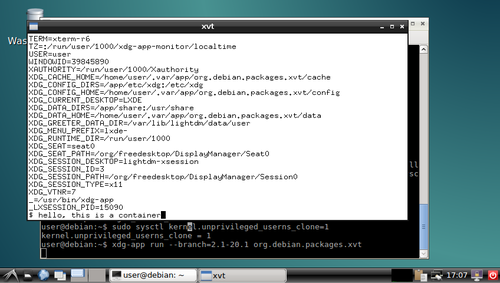
and you can play around with the shell in the
xvt and see what you
can and can't do in the container.
I'm sure there were better ways to do most of this, but I think there's value
in having such a simplistic demo to go alongside the various GNOMEish apps.
Acknowledgements:
Thanks to all those!
 I had no access to the internet for most of my childhood. Nobody in my area knew anything about programming. I learned a great deal from a number of CDs that included free software source code and archives of project mailing lists. When I got to university, I learned even more by being able to develop a Debian-based OS for use in our computer facilities. That gave me the experience and knowledge that I needed to become involved in Debian development, which in turn gave me the background required to be able to help Ubuntu become the first free software operating system to work out of the box on modern laptops. From there, I've been able to build my career around developing free software.
 About one month has passed and here is the usual updated of TeX Live packages for Debian. While I am not really calling for testers at the moment, building of preliminary packages for TeX Live 2016 has begone. The binaries are already uploaded to experimental, and arch=all packages for experimental will follow soon.
 As with the last time, here is the list of new and updated pacakges with (auto-generated) links to the package pages on CTAN.
New packages
As with the last time, here is the list of new and updated pacakges with (auto-generated) links to the package pages on CTAN.
New packages

 Most recently, former Greek finance minister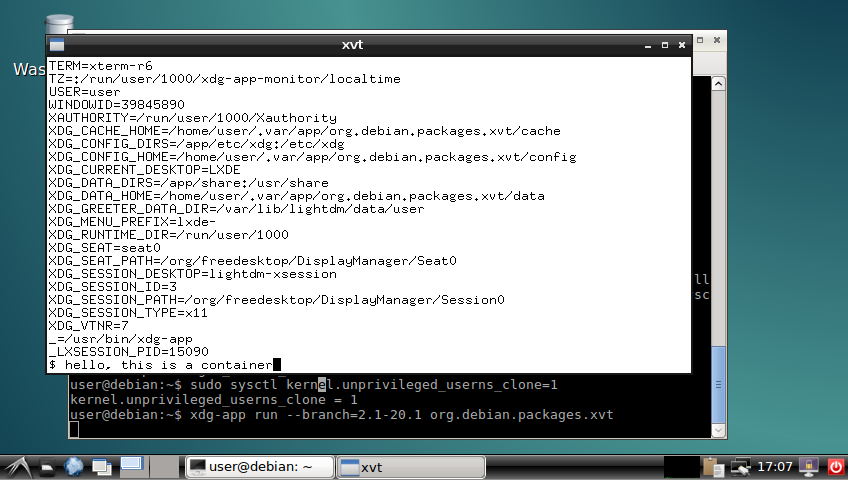
 The comparison of Germany and Japan with respect to their recent history as laid out in Buruma s book throws a spotlight on various aspects of the psychology of German and Japanese population, while at the same time not falling into the easy trap of explaining everything with difference in the guilt culture. A book of great depth and broad insights everyone having even the slightest interest in these topics should read.
 What happened in the
  Improvements are
  In my old flat I had a couple of simple radio-controlled switches,
which allowed me to toggle power to a pair of standing lamps - one at
each side of the bed. This was very lazy, but also really handy and
I've always been curious about automation..
When it comes to automation there seems to be three main flavours:
In my old flat I had a couple of simple radio-controlled switches,
which allowed me to toggle power to a pair of standing lamps - one at
each side of the bed. This was very lazy, but also really handy and
I've always been curious about automation..
When it comes to automation there seems to be three main flavours:

 During the last few days, I found several references to a beautiful just-published paper, which I hope everybody reads:
  Sometime earlier last year, I started to help
 FOSDEM is one of the largest gatherings of Free Software contributors in the world and happens each February in Brussels (Belgium, Europe). One of the tracks will be the Desktops DevRoom (formerly known as CrossDesktop DevRoom ), which will host Desktop-related talks.
We are now inviting proposals for talks about Free/Libre/Open-source Software on the topics of Desktop development, Desktop applications and interoperability amongst Desktop Environments. This is a unique opportunity to show novel ideas and developments to a wide technical audience.
Topics accepted include, but are not limited to:
FOSDEM is one of the largest gatherings of Free Software contributors in the world and happens each February in Brussels (Belgium, Europe). One of the tracks will be the Desktops DevRoom (formerly known as CrossDesktop DevRoom ), which will host Desktop-related talks.
We are now inviting proposals for talks about Free/Libre/Open-source Software on the topics of Desktop development, Desktop applications and interoperability amongst Desktop Environments. This is a unique opportunity to show novel ideas and developments to a wide technical audience.
Topics accepted include, but are not limited to: