Some years ago I came across a really peculiar newsgroup post. It was not about technicalities of any sort. It was about history. A beautifully written history of computers. From the Turing machine to the Free Software world, the original author managed to capture all the important events of the computer revolution with a great deal of humor. Re-posting it here, it is just brilliant.
The Gospel of Tux (v1.0)
In the beginning Turing created the Machine.
And the Machine was crufty and bodacious, existing in theory only. And von Neumann looked upon the Machine, and saw that it was crufty. He divided the Machine into two Abstractions, the Data and the Code, and yet the two were one Architecture. This is a great Mystery, and the beginning of wisdom.
And von Neumann spoke unto the Architecture, and blessed it, saying, Go forth and replicate, freely exchanging data and code, and bring forth all manner of devices unto the earth. And it was so, and it was cool. The Architecture prospered and was implemented in hardware and software. And it brought forth many Systems unto the earth.
The first Systems were mighty giants; many great works of renown did they accomplish. Among them were Colossus, the codebreaker; ENIAC, the targeter; EDSAC and MULTIVAC and all manner of froody creatures ending in AC, the experimenters; and SAGE, the defender of the sky and father of all networks. These were the mighty giants of old, the first children of Turing, and their works are written in the Books of the Ancients. This was the First Age, the age of Lore.
Now the sons of Marketing looked upon the children of Turing, and saw that they were swift of mind and terse of name and had many great and baleful attributes. And they said unto themselves, Let us go now and make us Corporations, to bind the Systems to our own use that they may bring us great fortune. With sweet words did they lure their customers, and with many chains did they bind the Systems, to fashion them after their own image. And the sons of Marketing fashioned themselves Suits to wear, the better to lure their customers, and wrote grave and perilous Licenses, the better to bind the Systems. And the sons of Marketing thus became known as Suits, despising and being despised by the true Engineers, the children of von Neumann.
And the Systems and their Corporations replicated and grew numerous upon the earth. In those days there were IBM and Digital, Burroughs and Honeywell, Unisys and Rand, and many others. And they each kept to their own System, hardware and software, and did not interchange, for their Licences forbade it. This was the Second Age, the age of Mainframes.
Now it came to pass that the spirits of Turing and von Neumann looked upon the earth and were displeased. The Systems and their Corporations had grown large and bulky, and Suits ruled over true Engineers. And the Customers groaned and cried loudly unto heaven, saying, Oh that there would be created a System mighty in power, yet small in size, able to reach into the very home! And the Engineers groaned and cried likewise, saying, Oh, that a deliverer would arise to grant us freedom from these oppressing Suits and their grave and perilous Licences, and send us a System of our own, that we may hack therein! And the spirits of Turing and von Neumann heard the cries and were moved, and said unto each other, Let us go down and fabricate a Breakthrough, that these cries may be stilled.
And that day the spirits of Turing and von Neumann spake unto Moore of Intel, granting him insight and wisdom to understand the future. And Moore was with chip, and he brought forth the chip and named it 4004. And Moore did bless the Chip, saying, Thou art a Breakthrough; with my own Corporation have I fabricated thee. Thou thou art yet as small as a dust mote, yet shall thou grow and replicate unto the size of a mountain, and conquer all before thee. This blessing I give unto thee: every eighteen months shall thou double in capacity, until the end of the age. This is Moore s Law, which endures unto this day.
And the birth of 4004 was the beginning of the Third Age, the age of Microchips. And as the Mainframes and their Systems and Corporations had flourished, so did the Microchips and their Systems and Corporations. And their lineage was on this wise:
Moore begat Intel. Intel begat Mostech, Zilog and Atari. Mostech begat 6502, and Zilog begat Z80. Intel also begat 8800, who begat Altair; and 8086, mother of all PCs. 6502 begat Commodore, who begat PET and 64; and Apple, who begat 2. (Apple is the great Mystery, the Fruit that was devoured, yet bloomed again.) Atari begat 800 and 1200, masters of the game, who were destroyed by Sega and Nintendo. Xerox begat PARC. Commodore and PARC begat Amiga, creator of fine arts; Apple and PARC begat Lisa, who begat Macintosh, who begat iMac. Atari and PARC begat ST, the music maker, who died and was no more. Z80 begat Sinclair the dwarf, TRS-80 and CP/M, who begat many machines, but soon passed from this world. Altair, Apple and Commodore together begat Microsoft, the Great Darkness which is called Abomination, Destroyer of the Earth, the Gates of Hell.
Now it came to pass in the Age of Microchips that IBM, the greatest of the Mainframe Corporations, looked upon the young Microchip Systems and was greatly vexed. And in their vexation and wrath they smote the earth and created the IBM PC. The PC was without sound and colour, crufty and bodacious in great measure, and its likeness was a tramp, yet the Customers were greatly moved and did purchase the PC in great numbers. And IBM sought about for an Operating System Provider, for in their haste they had not created one, nor had they forged a suitably grave and perilous License, saying, First we will build the market, then we will create a new System, one in our own image, and bound by our Licence. But they reasoned thus out of pride and not wisdom, not forseeing the wrath which was to come.
And IBM came unto Microsoft, who licensed unto them QDOS, the child of CP/M and 8086. (8086 was the daughter of Intel, the child of Moore). And QDOS grew, and was named MS-DOS. And MS-DOS and the PC together waxed mighty, and conquered all markets, replicating and taking possession thereof, in accordance with Moore s Law. And Intel grew terrible and devoured all her children, such that no chip could stand before her. And Microsoft grew proud and devoured IBM, and this was a great marvel in the land. All these things are written in the Books of the Deeds of Microsoft.
In the fullness of time MS-DOS begat Windows. And this is the lineage of Windows: CP/M begat QDOS. QDOS begat DOS 1.0. DOS 1.0 begat DOS 2.0 by way of Unix. DOS 2.0 begat Windows 3.11 by way of PARC and Macintosh. IBM and Microsoft begat OS/2, who begat Windows NT and Warp, the lost OS of lore. Windows 3.11 begat Windows 95 after triumphing over Macintosh in a mighty Battle of Licences. Windows NT begat NT 4.0 by way of Windows 95. NT 4.0 begat NT 5.0, the OS also called Windows 2000, The Millenium Bug, Doomsday, Armageddon, The End Of All Things.
Now it came to pass that Microsoft had waxed great and mighty among the Microchip Corporations; mighter than any of the Mainframe Corporations before it had it waxed. And Gates heart was hardened, and he swore unto his Customers and their Engineers the words of this curse:
Children of von Neumann, hear me. IBM and the Mainframe Corporations bound thy forefathers with grave and perilous Licences, such that ye cried unto the spirits of Turing and von Neumann for deliverance. Now I say unto ye: I am greater than any Corporation before me. Will I loosen your Licences? Nay, I will bind thee with Licences twice as grave and ten times more perilous than my forefathers. I will engrave my Licence on thy heart and write my Serial Number upon thy frontal lobes. I will bind thee to the Windows Platform with cunning artifices and with devious schemes. I will bind thee to the Intel Chipset with crufty code and with gnarly APIs. I will capture and enslave thee as no generation has been enslaved before. And wherefore will ye cry then unto the spirits of Turing, and von Neumann, and Moore? They cannot hear ye. I am become a greater Power than they. Ye shall cry only unto me, and shall live by my mercy and my wrath. I am the Gates of Hell; I hold the portal to MSNBC and the keys to the Blue Screen of Death. Be ye afraid; be ye greatly afraid; serve only me, and live.
And the people were cowed in terror and gave homage to Microsoft, and endured the many grave and perilous trials which the Windows platform and its greatly bodacious Licence forced upon them. And once again did they cry to Turing and von Neumann and Moore for a deliverer, but none was found equal to the task until the birth of Linux.
These are the generations of Linux:
SAGE begat ARPA, which begat TCP/IP, and Aloha, which begat Ethernet. Bell begat Multics, which begat C, which begat Unix. Unix and TCP/IP begat Internet, which begat the World Wide Web. Unix begat RMS, father of the great GNU, which begat the Libraries and Emacs, chief of the Utilities. In the days of the Web, Internet and Ethernet begat the Intranet LAN, which rose to renown among all Corporations and prepared the way for the Penguin.
And Linus and the Web begat the Kernel through Unix. The Kernel, the Libraries and the Utilities together are the Distribution, the one Penguin in many forms, forever and ever praised.
Now in those days there was in the land of Helsinki a young scholar named Linus the Torvald. Linus was a devout man, a disciple of RMS and mighty in the spirit of Turing, von Neumann and Moore. One day as he was meditating on the Architecture, Linus fell into a trance and was granted a vision. And in the vision he saw a great Penguin, serene and well-favoured, sitting upon an ice floe eating fish. And at the sight of the Penguin Linus was deeply afraid, and he cried unto the spirits of Turing, von Neumann and Moore for an interpretation of the dream.
And in the dream the spirits of Turing, von Neumann and Moore answered and spoke unto him, saying, Fear not, Linus, most beloved hacker. You are exceedingly cool and froody. The great Penguin which you see is an Operating System which you shall create and deploy unto the earth. The ice-floe is the earth and all the systems thereof, upon which the Penguin shall rest and rejoice at the completion of its task. And the fish on which the Penguin feeds are the crufty Licensed codebases which swim beneath all the earth s systems. The Penguin shall hunt and devour all that is crufty, gnarly and bodacious; all code which wriggles like spaghetti, or is infested with blighting creatures, or is bound by grave and perilous Licences shall it capture. And in capturing shall it replicate, and in replicating shall it document, and in documentation shall it bring freedom, serenity and most cool froodiness to the earth and all who code therein.
Linus rose from meditation and created a tiny Operating System Kernel as the dream had foreshewn him; in the manner of RMS, he released the Kernel unto the World Wide Web for all to take and behold. And in the fulness of Internet Time the Kernel grew and replicated, becoming most cool and exceedingly froody, until at last it was recognised as indeed a great and mighty Penguin, whose name was Tux. And the followers of Linus took refuge in the Kernel, the Libraries and the Utilities; they installed Distribution after Distribution, and made sacrifice unto the GNU and the Penguin, and gave thanks to the spirits of Turing, von Neumann and Moore, for their deliverance from the hand of Microsoft. And this was the beginning of the Fourth Age, the age of Open Source.
Now there is much more to be said about the exceeding strange and wonderful events of those days; how some Suits of Microsoft plotted war upon the Penguin, but were discovered on a Halloween Eve; how Gates fell among lawyers and was betrayed and crucified by his former friends, the apostles of Media; how the mercenary Knights of the Red Hat brought the gospel of the Penguin into the halls of the Corporations; and even of the dispute between the brethren of Gnome and KDE over a trollish Licence. But all these things are recorded elsewhere, in the Books of the Deeds of the Penguin and the Chronicles of the Fourth Age, and I suppose if they were all narrated they would fill a stack of DVDs as deep and perilous as a Usenet Newsgroup.
Now may you code in the power of the Source; may the Kernel, the Libraries and the Utilities be with you, throughout all Distributions, until the end of the Epoch. Amen.
I searched forever for a way to just
build the examples in the Android NDK, preferably from the command line.
Here's how.
First step: build the C++ code:
cd /usr/src/android-ndk-r6/samples/san-angeles/
/usr/src/android-ndk-r6/ndk-build
Simple enough.
Second step:
You will then need to generate your final .apk through the usual means. -- Android NDK Dev Guide
Thanks a ****ing lot!
In addition the documentation is very much Eclipse-centered - and I can't be bothered to install and configure all the Eclipse stack for a mere Java wrapper for the above-generated
.so file XD
We first need to use the 'android' wrapper and download the "SDK Platform Android 2.2, API 8, revision 3" - aka "android-8", the first environment to support OpenGL ES 2.
/usr/src/android-sdk-linux_x86/tools/android
It appears we first need to "manage the project", more precisely import from an existing project:
http://developer.android.com/guide/developing/projects/projects-cmdline.html
So we create a project by importing the sources from the current directory:
/usr/src/android-sdk-linux_x86/tools/android update project \
  --name san-angeles --path . --target "android-8"
Then we use ant to build the thing:
http://developer.android.com/guide/developing/building/building-cmdline.html
apt-get install ant openjdk-6-jdk
ant debug  # avoid messing with signing
We now have a
bin/san-angeles-debug.apk and we can run it in the emulator. Create a new "Virtual device" using the "android-8" platform we downloaded above, and launch it. Given the time needed to boot the OS, I suggest enabling snapshots. Scaling to display resulted in a very tiny, dark and slow display, in a first step I suggest using a non-scaled one.
/usr/src/android-sdk-linux_x86/tools/android
At last we can run it! Install it in the emulator:
/usr/src/android-sdk-linux_x86/platform-tools/adb install -r bin/san-angeles-debug.apk
You'll find a DemoActivity in your apps directory

Note: I tried to compile the "hello-gl2", showcasing OpenGL ES 2.0, but sadly it crashes:
Sorry! The application GL2JNI (process com.android.gl2jni) has stopped unexpectedly. Please try again.
The emulator apparently doesn't advertise EGL_OPENGL_ES2_BIT (checked in in
GL2JNIView.java).
If you try to by-pass it, you'll get loads of:
E/libEGL ( 333): called unimplemented OpenGL ES API
It's worth noting the OpenGLES20 sample from the "API Demos" application uses a fall-back OpenGL ES 1 renderer if v2 is not available - it made me mistakenly believe that OpenGL ES 2 was supported only from Java >(
OpenGL ES 2 is not supported in the emulator as of 2011-09-17 - period.
As I
wrote in part 1, my family and I were in Mexico recently.
Today I ll write about the places we stayed. We spent most of the time in a room we rented in a private home in Guadalajara. My friend Jonathan had found it for us, and it was not too far from his home.
The owner was a grandmother, and across the courtyard was more family, including a granddaughter close in age to our boys. They enjoyed playing together.
It was really a perfect arrangement for us. There s no better way to be a part of local life when traveling than to stay in someone s house.
Here s our bedroom:
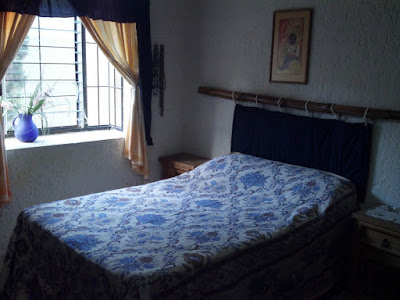
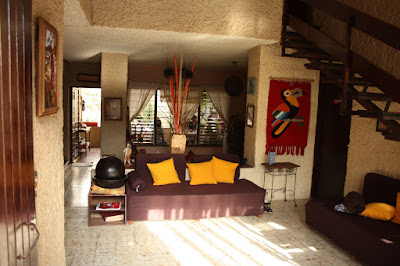
Notice the glass slats in the window it s a nifty, though not airtight, alternative to our regular windows. More on that later. More of the inside:
We had a bit of a language barrier while in Mexico, though never anything significant. My Spanish vocabulary started with almost nothing and I reached maybe a few dozen words by the time we left. Terah knew some Spanish from high school and college, and my friend was fluent. Our hostess also knew a little English. But we all communicated well enough. Terah or Jonathan would help translate when needed.
As I d seen before, the children would say things to each other, but never seemed to be bothered that their playmates didn t understand what was being said. They just had a great time anyhow.
On Sunday afternoon, when we came back from our activities, there was a buzz of activity. Children everywhere outside, running and playing. Adults too, chatting. We didn t know exactly what was happening, but sent Jacob and Oliver out to play anyhow (which they were eager to do). The yard was enclosed by a wall, so children could pretty much run around without lots of supervision.
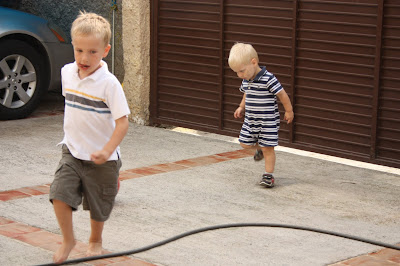
Eventually they were invited to have some birthday cake (ah ha!) it was one of the children s birthday. Jacob and Oliver actually were served the first two pieces of cake (as the amigos ). Everyone seemed so friendly, warm, and welcoming.
Each morning started with breakfast at the house, followed by a scene like this:
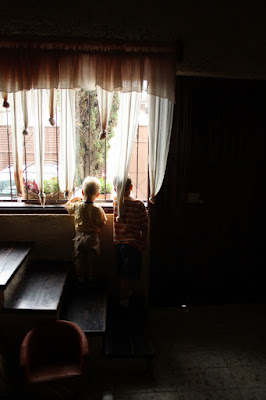
That s Jacob and Oliver, looking to see if Jonathan had arrived for the day yet.
I often noticed in Mexico that I was unsure if I was inside or outside. Here in Kansas, we can have a string of summer days that each exceed 110F (44C) or a few weeks in winter that never get above 15F (-9C), even in daytime. And then we have some pleasant days like right now, too or rain blowing sideways at 60MPH. In general, we spend a lot of effort keeping the outside, well, out.
It is quite clear that this isn t a problem in the Guadalajara area. Some restaurants could have been described as buildings with large, open windows so you feel a lot of breeze while inside. Or perhaps as a simple shade roof with a few supports on the edges, so you re never really inside at all (sort of like going under a small shade tent outdoors). To the extent that windows could close, many of them couldn t be made airtight. It was clear that in that area, people spend more energy finding ways to invite the outdoors in rather than to keep it out, thanks to the year-round moderate climate.
Perhaps the best example of this surprised me one evening. We were arriving in Guanajuato, an old silver mining town in the mountains, and were going to spend the night at
Hotel Socav n, which had been recommended to us by a local friend of Jonathan s. From the street, the hotel looked tiny. But walk in, and you get in this old-looking (and feeling) entry tunnel:
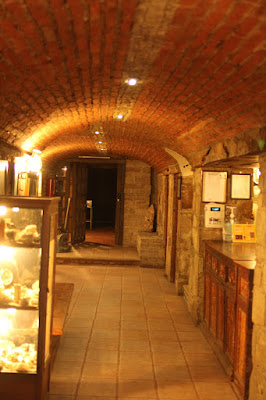
That s the front desk, apparently cut out of it there on the right.
We asked to see some of the rooms before buying apparently a normal request around there. The innkeeper agreed, and gave us keys and directions to find them on the third floor. It included going up 2 flights of stairs, passing through a courtyard, and going up another flight.
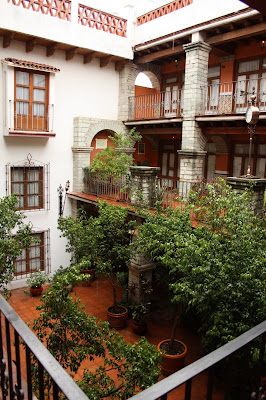
It was after dark, and the hotel was dimly lit something I was fine with. I thought we were stepping out into a beautiful atrium with some potted plants in the center of the building something fairly common in some nicer hotels. Until I felt rain on my head. Then I realized that the courtyard, which began two floors up from the street, was open to the sky. Beautiful!
Here was the view from out room door:
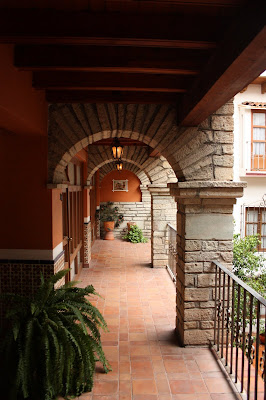
And down the hall :
After getting home, a Google happened to turn up
some reviews of this hotel. I was so annoyed at what some people wrote! One person gave them only 3 stars because they didn t have air conditioning, had poor water pressure, and lots of steps . Someone else complained of the dark entry tunnel something I couldn t help but smiling about the moment I entered.
My review, which should hopefully get posted soon, is certainly different. I gave them 5 stars, because if I wanted a Super 8 with generic fluorescent lighting and the same layout as thousands of other hotels, I would have gone to Nebraska instead of Mexico. Most homes and local hotels in the region don t have air conditioning because they don t need it, and that s just how water pressure is in Mexico (due to needing to pump it from municipal supplies to private storage tanks overhead). And who doesn t appreciate entering a hotel through a brick tunnel? Ah, sigh
This should give you some idea of the kind of travel we like: part of the point of traveling is enjoying the differences from home, and I think it is a huge mistake to be annoyed at everything that is different. Enjoy the differences!
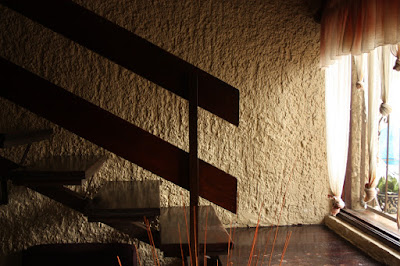
Finally, here s a photo of the staircase in the home we stayed in, which I thought was fascinating:

A few days ago I
blogged about my main computer s configuration files and desktop s appearance and today I managed to add a few little tweaks to those, they are:
- Google s contacts list integrated into Mutt
- a cleaner and nicer Login screen
Curious to know how you can easily integrate your Google s contacts into Mutt? Well, you should be able to achieve that within a few minutes after reading this small HowTo:
1. Download and install goobook as explained
here.
2. Setup a
.goobookrc file into your Home directory. It should look like this:
machine google.com
 login example@gmail.com
 password yourpassword
3. Add the relevant configuration bits into your /etc/Muttrc file:
set query_command="goobook query '%s'"
bind editor <Tab> complete-query
macro index,pager a "<pipe-message>goobook add<return>" "Add sender's address to your Google contacts"
4. Your configuration should be good to go now, so here s a few examples on goobook s usage within Mutt:
- Use TAB if you want to auto-complete a mail address when specifying the To: field.
- Use the A key if you want to add sender s address to your Google contacts.
- Use the Q key for querying your contacts list.
We can now move on on customizing your Login Screen running GDM3. Let s begin with a screenshoot:

I definitely love it, it s clear and clean and most of all it has everything I need, no extra toolbars or menus. If you agree with me, open up the
/etc/gdm3/greeter.gconf-defaults file and do the needed changes. This is how your greeter.gconf-defaults file should look like:
/desktop/gnome/background/picture_filename      /path/to/your/dusty-bg/file # dusty's background can be downloaded here.
/desktop/gnome/interface/gtk_theme              Darklooks # this is my main theme, feel free to adapt that to your needs.
/apps/gdm/simple-greeter/logo_icon_name         debian-swirl # this is the default on Debian's systems.
/desktop/gnome/sound/event_sounds               false # I don't like hearing any sound when when I am prompted to insert my user's details on the Login Screen.
/apps/gdm/simple-greeter/disable_user_list      true # users list will be disabled, you won't be able to select your username from a list but you'll have to insert that yourself.
/apps/metacity/general/compositing_manager      false # default, no need to change this.
/apps/gnome-power-manager/ui/icon_policy        never # default, no need to change this.
We are close to the end but we are missing an important detail: how can you safely remove bottom s toolbar and menus for a clearer and cleaner Login Screen? Open up the
/var/lib/gdm3/.gconf.mandatory/%gconf-tree.xml file, search for the
<dir name= general > section and apply the following change:
- <entry name="compositing_manager" mtime="1315580582" type="bool" value="false"/>
+ <entry name="compositing_manager" mtime="1315580582" type="bool" value="true"/>
But what if you prefer keeping the toolbar as it is, but you definitely don t like seeing the
Accessibility icon appearing on your Login Screen? On the same file as above, search for the
<dir name= accessibility > section and modify the following string as it follows:
- <entry name="enable" mtime="1315580582" type="bool" value="true"/>
+ <entry name="enable" mtime="1315580582" type="bool" value="false"/>
See you on my next blog post and don t forget to have a look at my GitHub s
repository! Oh and follow
me on Twitter!
My family and I (including our boys) are just back from a great visit to Mexico. It was my first time there, and also the first time our boys have been outside the USA.
I ll be writing about all the fun stuff in the posts to come, so you ll have to bear with me on this one as I describe why we did something that appears to horrify a segment of Americans.
About a year ago, I
wrote a review of Travel as a Political Act by Rick Steves. Rick s point wasn t actually directly political in the conventional sense, but summed up as:
I ve taught people how to travel. I focus mostly on the logistics: finding the right hotel, avoiding long lines But that s not why we travel. We travel to have enlightening experiences, to meet inspirational people, to be stimulated, to learn, and to grow. Travel has taught me the fun in having my cultural furniture rearranged and my ethnocentric self-assuredness walloped.
He speaks of giving onesself permission to have a conversation with someone that doesn t speak a language you know, for instance.
I got an email this spring from my longtime friend Jonathan Hall, who had moved to Mexico a couple of years ago. He invited my family and me to go to Mexico, generously offered to host us and show us around, and specifically mentioned my review of Rick Steves as a reason to do so, this was immediately intriguing. Due to his other plans, it was also something of a limited-time offer.
Those of you that don t live in the USA may not know what sort of stories we get about Mexico over here. Most of them involve either illegal immigration to the USA or the
Mexican drug war. Occasionally there is some sort of drug-related violence on the US side of the border as well, which always makes the news. There are a lot of people that have the perception that Mexico is a dangerous place to be. Terah even knows some people that grew up in Mexico and are too afraid to return.
So we did some research, asked some questions, and it became pretty clear that yes, some parts of Mexico are dangerous, but many parts are really quite safe, and Jonathan had invited us to one of those.
The reactions we got from Americans when we told them of our plan ranged from excitement that we would get to visit a beautiful country to concern and worry about our safety. Besides that, I knew almost no Spanish and Terah had a few high school and college classes years ago to go on. And, we knew that Mexico would, in many ways, be more different from the USA than Germany was.
We concluded that this would get us out of our comfort zone in a significant way, have lots of great things to do, be a good experience for the boys, and something that we wouldn t do without Jonathan. So we bought the tickets for it!
As you might notice, I m quite glad we did. I ll follow up with the details in the next stories, but for today I ll end with the story of getting there. It involves two cute boys, so of course it ll be interesting. Jacob is almost 5 and Oliver is 2, and neither one of them had flown for over a year. Despite leaving home at 5AM to drive to the airport (about an hour away), they were both awake and alert. Jacob was jabbering away the whole way there. He enjoyed the security process and found it interesting I had to explain that they were checking to make sure everyone was following the airplane rules.
Then as we walked to our gate, he pressed his face against every window, looking at the parked airplanes in the dark. Oliver would see him doing this and run over to join him. With a bit of help, he noticed some airplanes had United Express painted on them, and others had American with an AA on them. He would talk about American AA and United Express airplanes for the rest of the week whenever he heard one in the sky.
I sat between the boys on our flight to Dallas, and Terah was in the row ahead of us. This is how Jacob spent most of the flight.

And Oliver, who had the aisle seat, enjoyed paging through the inflight magazines, safety brochure, wifi instruction card, and airsickness bag.

The real highlight came at the Dallas/Ft. Worth (DFW) airport, where we had a connection. And the reason: we needed to take a train to get to our connecting gate. The
DFW Skylink system really works very well but the boys cared most that it s a TRAIN. It was difficult to get them both away from it when we got off. They wanted to see it leave, stay and watch the next one come, etc. Jacob was only happy when he realized he could see the Skylink trains running high above the window at our departure gate for Guadalajara.
The 2.5-hour flight to Guadalajara got a little long for them, but they managed OK. We struck up several conversations with friendly people that knew English as we waited in various lines. It seems to be something of a rarity for American families with young children and no Mexican heritage to visit Mexico. People went out of their way to be friendly and welcoming even the customs officials. It felt like a great start to the visit. One Mexican man who was chatting with me encouraged me to learn some Spanish. I said my wife knows some, and that I had tried to learn some German back when I took foreign language classes. Laughing, he said, Why would you do that? Not as an insult; it just genuinely didn t seem useful to him. I think they were happy and proud that someone wanted to visit Mexico and was excited about it!
More to come.

In light of the fact that it seems possible to fit the plastic caps of
a
Debian branded Swiss Army Knife (Last orders
today!) on an existing Swiss Army Knife (
German written
howto as PDF), I started to think about which Victorinox Cybertool
would be the best fitting for me.
And because the
Victorinox comparison page doesn t really show diffs, just
columns with floating text which are not very helpful for generating
diffs in your head, I used command line tools for that purpose:
wdiff
Because the floating texts are not line- but just whitespace-based,
the tool of choice is not
diff but
wdiff, a word-based diff. It encloses additions and removals
in
+ + and
[- -] blocks.
(No, those aren t Japanese smileys although they look a lot like some.
^^).
The easiest and clearest way is to copy and paste the texts from
Victorinox comparison page into some text files and
compare them with
wdiff:
$ wdiff cybertool34.txt cybertool41.txt
+Schraubendreher 2.5mm,+ Pinzette, N hahle mit Nadel hr,
+Holzs ge,+ Bit-Schl ssel( 5 mm Innensechskant f r
die D-SUB Steckverbinder, 4 mm Innensechskant f r Bits, Bit
Phillips 0, Bit Phillips 1, Bit-Schlitzschrauben 4 mm, Bit Phillips 2,
Bit Hex 4 mm, Bit Torx 8, Bit Torx 10, Bit Torx 15 ), Kombizange(
H lsenpresser, Drahtschneider ), Stech-Bohrahle, Kugelschreiber(
auch zum DIP-Switch verstellen ), Mehrzweckhaken (Pakettr ger),
+Metalls ge( Metallfeile, Nagelfeile, Nagelreiniger ),+
Dosen ffner( kleiner Schraubendreher ), Kleine Klinge, Grosse
Klinge, Ring, inox, Mini-Schraubendreher, Kapselheber(
Schraubendreher, Drahtabisolierer ), +Holzmeissel / Schaber,+
Bit-Halter, Stecknadel, inox, Schere, Korkenzieher, Zahnstocher
So this already extracted the information which are the seven tools
which are in the Cybertool 41, but not in the Cybertool 34.
Nevertheless the diff is still not easily recognizable on the first
glance. There are several ways to help here.
First
wdiff has an option
--no-common (the
according short option is
-3) which just shows added and
removed words:
$ wdiff -3 cybertool34.txt cybertool41.txt
======================================================================
 +Schraubendreher 2.5mm,+
======================================================================
  +Holzs ge,+
======================================================================
  +Metalls ge( Metallfeile, Nagelfeile, Nagelreiniger ),+
======================================================================
  +Holzmeissel / Schaber,+
======================================================================
This is already way better to quickly recognize the actual
differences.
But if you still also want to see the common tools of the two knifes
you need some visual help:
One option is to use
wdiff s
--terminal (or
short
-t) option. Added words are then displayed inverse
and removed words are shown underlined (background and foreground
colors hardcoded as there is no invert colors style in
CSS or
HTML):
$ wdiff -t cybertool34.txt cybertool41.txt
Schraubendreher
2.5mm, Pinzette, N hahle mit Nadel hr, Holzs ge,
Bit-Schl ssel( 5 mm Innensechskant f r die D-SUB
Steckverbinder, 4 mm Innensechskant f r Bits, Bit Phillips 0, Bit
Phillips 1, Bit-Schlitzschrauben 4 mm, Bit Phillips 2, Bit Hex 4 mm,
Bit Torx 8, Bit Torx 10, Bit Torx 15 ), Kombizange(
H lsenpresser, Drahtschneider ), Stech-Bohrahle, Kugelschreiber( auch zum
DIP-Switch verstellen ), Mehrzweckhaken (Pakettr ger),
Metalls ge( Metallfeile, Nagelfeile, Nagelreiniger ),
Dosen ffner( kleiner Schraubendreher ), Kleine Klinge,
Druckkugelschreiber, Grosse Klinge, Ring, inox,
Mini-Schraubendreher, Kapselheber( Schraubendreher, Drahtabisolierer
), Holzmeissel /
Schaber, Bit-Halter, Stecknadel, inox, Schere,
Korkenzieher, Zahnstocher
But some still like to to use color instead of the contrast-rich
inverse and the easily to oversee underlining. This is where colordiff
comes into play:
colordiff
colordiff is like syntax highlighting for diffs on the
command line. I works with classic and unified diffs as well as with
wdiffs and debdiffs (the
debdiff command is part of the
devscripts package).
$ wdiff cybertool34.txt cybertool41.txt colordiff
+Schraubendreher
2.5mm,+ Pinzette, N hahle mit Nadel hr, +Holzs ge,+
Bit-Schl ssel( 5 mm Innensechskant f r die D-SUB
Steckverbinder, 4 mm Innensechskant f r Bits, Bit Phillips 0, Bit
Phillips 1, Bit-Schlitzschrauben 4 mm, Bit Phillips 2, Bit Hex 4 mm,
Bit Torx 8, Bit Torx 10, Bit Torx 15 ), Kombizange(
H lsenpresser, Drahtschneider ), Stech-Bohrahle, Kugelschreiber(
auch zum DIP-Switch verstellen ), Mehrzweckhaken (Pakettr ger),
+Metalls ge(
Metallfeile, Nagelfeile, Nagelreiniger ),+ Dosen ffner(
kleiner Schraubendreher ), Kleine Klinge, Grosse Klinge, Ring, inox,
Mini-Schraubendreher, Kapselheber( Schraubendreher, Drahtabisolierer
), +Holzmeissel /
Schaber,+ Bit-Halter, Stecknadel, inox, Schere, Korkenzieher,
Zahnstocher
$ wdiff cybertool29.txt cybertool41.txt colordiff
+Schraubendreher
2.5mm,+ Pinzette, N hahle mit Nadel hr, +Holzs ge,+
Bit-Schl ssel( 5 mm Innensechskant f r die D-SUB
Steckverbinder, 4 mm Innensechskant f r Bits, Bit Phillips 0, Bit
Phillips 1, Bit-Schlitzschrauben 4 mm, Bit Phillips 2, Bit Hex 4 mm,
Bit Torx 8, Bit Torx 10, Bit Torx 15 ), +Kombizange( H lsenpresser,
Drahtschneider ),+ Stech-Bohrahle, +Kugelschreiber( auch zum
DIP-Switch verstellen ), Mehrzweckhaken (Pakettr ger),
Metalls ge( Metallfeile, Nagelfeile, Nagelreiniger ),+
Dosen ffner( kleiner Schraubendreher ), Kleine Klinge, [-Druckkugelschreiber,-]
Grosse Klinge, Ring, inox, Mini-Schraubendreher, Kapselheber(
Schraubendreher, Drahtabisolierer ), +Holzmeissel / Schaber,+
Bit-Halter, Stecknadel, inox, +Schere,+ Korkenzieher,
Zahnstocher
(Coloured Screenshots done with ANSI HTML
Adapter from the package aha.)
Some, especially those who are used to
git, are probably
confused by the default choice of diff colors. This is easily fixable
by writing the following into you
~/.colordiffrc:
newtext=green
oldtext=red
diffstuff=darkblue
cvsstuff=darkyellow
(See also
/etc/colordiff for the defaults and hints.)
colordiff has by the way two operating modes:
- Without parameter it reads diffs from standard input as seen above.
- With parameters it works as drop-in diff replacement including all
diff options as shown below.
So now let us compare the Cybertool 29 with Cybertool 34 in a normal
diff (by using the texts from above and replacing all commata with
newline characters) with
git-like colors:
$ colordiff cybertool29-lines.txt cybertool34-lines.txt
12a13,14
> Kombizange( H lsenpresser
> Drahtschneider )
13a16,17
> Kugelschreiber( auch zum DIP-Switch verstellen )
> Mehrzweckhaken (Pakettr ger)
16d19
< Druckkugelschreiber
25a29
> Schere
Or as unifed diff with some context:
$ colordiff -u cybertool29-lines.txt cybertool34-lines.txt
--- cybertool29-lines.txt     2011-08-31 20:55:37.195546238 +0200
+++ cybertool34-lines.txt   2011-08-31 20:55:11.667710504 +0200
@@ -10,10 +10,13 @@
 Bit Torx 8
 Bit Torx 10
 Bit Torx 15 )
+Kombizange( H lsenpresser
+Drahtschneider )
 Stech-Bohrahle
+Kugelschreiber( auch zum DIP-Switch verstellen )
+Mehrzweckhaken (Pakettr ger)
 Dosen ffner( kleiner Schraubendreher )
 Kleine Klinge
-Druckkugelschreiber
 Grosse Klinge
 Ring
 inox
@@ -23,5 +26,6 @@
 Bit-Halter
 Stecknadel
 inox
+Schere
 Korkenzieher
 Zahnstocher
So if you want nicely colored diffs with
Subversion like you re used
to with git, you can use
svn diff colordiff.
This is a direct followup on my previous
blog posting about calculating IPs and netmasks with the tools
netmask and prips. Kurt Roeckx (via e-mail) and Niall Donegan (via
a
comment to that blog posting) both told me about the
package sipcalc, and Kurt also mentioned the
package ipcalc. Thanks for that! And since I found both useful, too,
let s put them in their own
blog posting:
Both tools,
ipcalc
and
sipcalc offer a get all information at once mode
which are not present in the previously presented tool netmask.
ipcalc
ipcalc by default outputs all information and even in ANSI colors:
$ ipcalc 192.168.96.0/21
Address:   192.168.96.0         11000000.10101000.01100 000.00000000
Netmask:   255.255.248.0 = 21   11111111.11111111.11111 000.00000000
Wildcard:  0.0.7.255            00000000.00000000.00000 111.11111111
=>
Network:   192.168.96.0/21      11000000.10101000.01100 000.00000000
HostMin:   192.168.96.1         11000000.10101000.01100 000.00000001
HostMax:   192.168.103.254      11000000.10101000.01100 111.11111110
Broadcast: 192.168.103.255      11000000.10101000.01100 111.11111111
Hosts/Net: 2046                  Class C, Private Internet
(Coloured Screenshots done with ANSI HTML
Adapter from the package aha.)
You can suppress the bitwise option or directly output
HTML via
commandline options. For example
ipcalc -b -h 192.168.96.0/21
outputs the following content:
| Address: |
192.168.96.0 |
| Netmask: |
255.255.248.0 = 21 |
| Wildcard: |
0.0.7.255 |
| => |
| Network: |
192.168.96.0/21 |
| HostMin: |
192.168.96.1 |
| HostMax: |
192.168.103.254 |
| Broadcast: |
192.168.103.255 |
| Hosts/Net: |
2046 |
Class C, Private Internet |
Yes, that s an
HTML table and no preformatted text, just with a
monospaced font. (I just removed the hardcoded text color from it,
otherwise it would not look nice on dark backgrounds like in
Planet
Commandline s default color scheme.)
Like netmask, ipcalc can also deaggregate
IP ranges into largest
possible networks:
$ ipcalc 192.168.87.0 - 192.168.110.255
deaggregate 192.168.87.0 - 192.168.110.255
192.168.87.0/24
192.168.88.0/21
192.168.96.0/21
192.168.104.0/22
192.168.108.0/23
192.168.110.0/24
(
ipcalc -r 192.168.87.0 192.168.110.255 is just another
way to write this, and it results in the same output.)
To find networks with at least 20, 63 and 30
IP addresses within a /24
network, use for example:
Address:   192.0.2.0
Netmask:   255.255.255.0 = 24
Wildcard:  0.0.0.255
=>
Network:   192.0.2.0/24
HostMin:   192.0.2.1
HostMax:   192.0.2.254
Broadcast: 192.0.2.255
Hosts/Net: 254                   Class C
1. Requested size: 20 hosts
Netmask:   255.255.255.224 = 27
Network:   192.0.2.128/27
HostMin:   192.0.2.129
HostMax:   192.0.2.158
Broadcast: 192.0.2.159
Hosts/Net: 30                    Class C
2. Requested size: 63 hosts
Netmask:   255.255.255.128 = 25
Network:   192.0.2.0/25
HostMin:   192.0.2.1
HostMax:   192.0.2.126
Broadcast: 192.0.2.127
Hosts/Net: 126                   Class C
3. Requested size: 30 hosts
Netmask:   255.255.255.224 = 27
Network:   192.0.2.160/27
HostMin:   192.0.2.161
HostMax:   192.0.2.190
Broadcast: 192.0.2.191
Hosts/Net: 30                    Class C
Needed size:  192 addresses.
Used network: 192.0.2.0/24
Unused:
192.0.2.192/26
sipcalc
sipcalc is similar to ipcalc. One big difference seems to be the IPv6
support:
$ sipcalc 2001:DB8::/32
-[ipv6 : 2001:DB8::/32] - 0
[IPV6 INFO]
Expanded Address        - 2001:0db8:0000:0000:0000:0000:0000:0000
Compressed address      - 2001:db8::
Subnet prefix (masked)  - 2001:db8:0:0:0:0:0:0/32
Address ID (masked)     - 0:0:0:0:0:0:0:0/32
Prefix address          - ffff:ffff:0:0:0:0:0:0
Prefix length           - 32
Address type            - Aggregatable Global Unicast Addresses
Network range           - 2001:0db8:0000:0000:0000:0000:0000:0000 -
                          2001:0db8:ffff:ffff:ffff:ffff:ffff:ffff
(Thanks to Niall for the pointer to
RFC3849. :-)
It can also split up networks into smaller chunks, but only same-size
chunks, like e.g. split a /32 IPv6 network into /34 networks:
sipcalc -S34 2001:DB8::/32
-[ipv6 : 2001:DB8::/32] - 0
[Split network]
Network                 - 2001:0db8:0000:0000:0000:0000:0000:0000 -
                          2001:0db8:3fff:ffff:ffff:ffff:ffff:ffff
Network                 - 2001:0db8:4000:0000:0000:0000:0000:0000 -
                          2001:0db8:7fff:ffff:ffff:ffff:ffff:ffff
Network                 - 2001:0db8:8000:0000:0000:0000:0000:0000 -
                          2001:0db8:bfff:ffff:ffff:ffff:ffff:ffff
Network                 - 2001:0db8:c000:0000:0000:0000:0000:0000 -
                          2001:0db8:ffff:ffff:ffff:ffff:ffff:ffff
-
Similar thing with IPv4:
sipcalc -s27 192.0.2.0/24
-[ipv4 : 192.0.2.0/24] - 0
[Split network]
Network                 - 192.0.2.0       - 192.0.2.31
Network                 - 192.0.2.32      - 192.0.2.63
Network                 - 192.0.2.64      - 192.0.2.95
Network                 - 192.0.2.96      - 192.0.2.127
Network                 - 192.0.2.128     - 192.0.2.159
Network                 - 192.0.2.160     - 192.0.2.191
Network                 - 192.0.2.192     - 192.0.2.223
Network                 - 192.0.2.224     - 192.0.2.255
sipcalc also has a show me all information mode with the -a option:
$ sipcalc -a 192.168.96.0/21
-[ipv4 : 192.168.96.0/21] - 0
[Classfull]
Host address            - 192.168.96.0
Host address (decimal)  - 3232260096
Host address (hex)      - C0A86000
Network address         - 192.168.96.0
Network class           - C
Network mask            - 255.255.255.0
Network mask (hex)      - FFFFFF00
Broadcast address       - 192.168.96.255
[CIDR]
Host address            - 192.168.96.0
Host address (decimal)  - 3232260096
Host address (hex)      - C0A86000
Network address         - 192.168.96.0
Network mask            - 255.255.248.0
Network mask (bits)     - 21
Network mask (hex)      - FFFFF800
Broadcast address       - 192.168.103.255
Cisco wildcard          - 0.0.7.255
Addresses in network    - 2048
Network range           - 192.168.96.0 - 192.168.103.255
Usable range            - 192.168.96.1 - 192.168.103.254
[Classfull bitmaps]
Network address         - 11000000.10101000.01100000.00000000
Network mask            - 11111111.11111111.11111111.00000000
[CIDR bitmaps]
Host address            - 11000000.10101000.01100000.00000000
Network address         - 11000000.10101000.01100000.00000000
Network mask            - 11111111.11111111.11111000.00000000
Broadcast address       - 11000000.10101000.01100111.11111111
Cisco wildcard          - 00000000.00000000.00000111.11111111
Network range           - 11000000.10101000.01100000.00000000 -
                          11000000.10101000.01100111.11111111
Usable range            - 11000000.10101000.01100000.00000001 -
                          11000000.10101000.01100111.11111110
[Networks]
Network                 - 192.168.96.0    - 192.168.103.255 (current)
Thanks again to Kurt and Niall for their contributions!
Now listening to the schreimaschine and fausttanz
submissions for the interactive
competition at the B nzli/DemoDays in Olten (Switzerland)

Before arriving to DebConf11, I arranged my flights so that I had a day and a night in Paris as I have not been there before. So after checking out of my work apartment in Tampere, going to work there with all the things from that apartment, then flying back to Riga, going to a midnight screening of the last Potter movie and finally getting back home around 2am, I quickly checked that I have everything needed for the conference and went off to sleep only to wake up at 8am again, pack everything (into a single carry-on bag, after a year of experience travelling by air weekly and watching Up in the Air twice) and be off to the plain to Paris.
The CDG airport is quite huge, even compared to something like JFK it feels bigger and more concrete. And yet so dark and lacking interesting features that the only photo I got from it was this
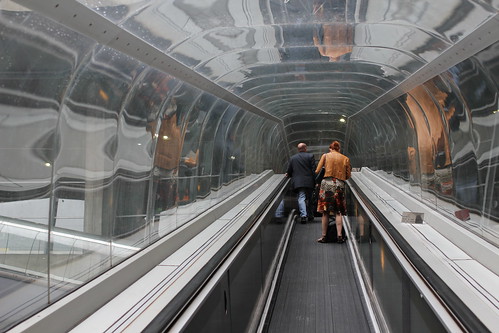
I then used the B line train to get to my hotel(9.1 ), drop my stuff there and another metro ticket (1.7 ) to go to Arc de Triomphe (M tro Charles de Gaulle-Etoile), went up there and walked the length of the Champs-Elys es right up to the Louvre. Then I walked to the river, crossed it to a small island to see the Notre Dame and then went back following the other bank of the river Seine seing both some more normal non-touristy streets of central Paris and also some other magnificent buildings, like Les Invalides and ending up at the Eifel tower. It was a rather easy walk that was only spoiled by some rain in the end so I did not get to take some night photos of the Eiffel tower as I wanted.
But the experience still was breathtaking. The scale of the buildings was impressive. The pervasive gold-gilded decorations do expand on the splendour and the same time the full access to all the previously-royal places brings them down to people. The city looks well built and the planning mostly makes sense, especially if you are on foot. Car drivers might have a different opinion about it considering the maze of roads and traffic circles and underpasses I saw in central Paris.
It is often said that Riga is a mini-Paris. Mostly, that is said in Riga. But walking the back streets of Paris I can see where that comes from the architecture, the street design, the small cafes and some cobblestone roads and some historical buildings with a few modern building thrown into the mix, and a tower too. Visually Riga does look like Paris a lot, but for the feeling, I still think that Riga feels more like Berlin with its mix of eastern and western Europe.
I had one incident when some girl in front of Louvre started to ask me to sign something, gesturing to show that she was mute, it looked like a donation racket, but I did not get to find it out in detail as a swift security guard appeared and started running for the girl, who immediately took off running along with several friends. I guess the guards know them very well.
On a more positive note, in one of many confetterie shops I noticed the
macaron sweets that my friend
advertised loudly some time ago, so I decided to buy and try some. They cost 7 for a box of 6. The taste was very, very sweet. Basically it tastes like froffed up and then frozen sugar made into cookie form with a cream layer between two cookies.
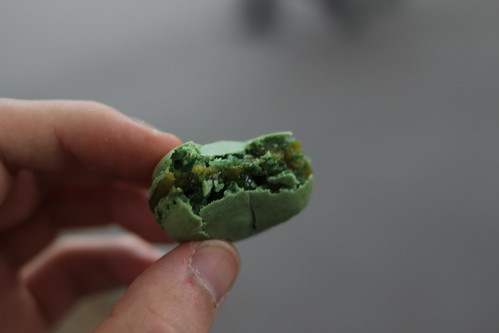
So basically it is like an Oreo cookie, but much, much, much more tender, airy and sweet. The two of the 6 cookies were partly crushed while I tenderly carried them for 5 minutes in their box while searching for a place to sit down and eat them.
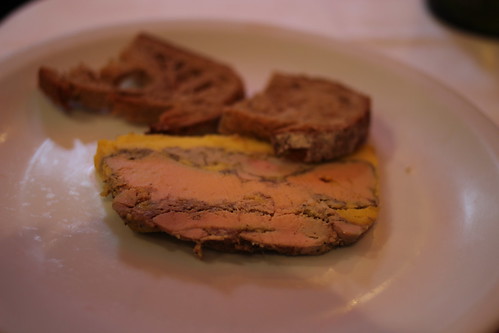
After that I also had a proper dinner in a restaurant that was not too near the touristy paths, but still it was a bit lacking. The starter was quite nice I mean it is hard to screw up cutting off a piece of foie gras (basically a piece of liver paste with a layer of extra geese fat), but the main dish was disappointing I ordered a medium rare steak. First of all it came with a side of fries, that in itself was an insult to Paris, baked potatoes would have fit much better with this dish. And despite the main part of the steak being very nicely done to medium rare, the cut was done badly and the edges of the steak had sinew that was too chewy to eat or even cut normally.
Other interesting things I liked about Paris:
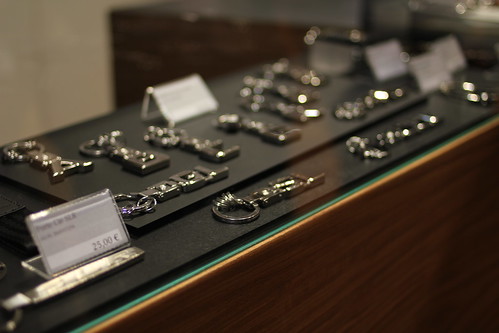
* high street shops of fashion labels and car manufacturers, that showed off the concept cars and also sold small branded accessories, such as Mercedes Benz key chains
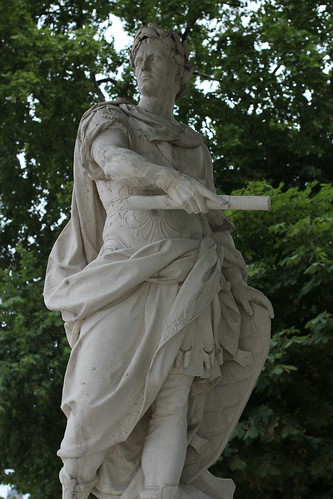
* Statues some made of stone, some of iron, some covered in gold, everywhere and made with great quality
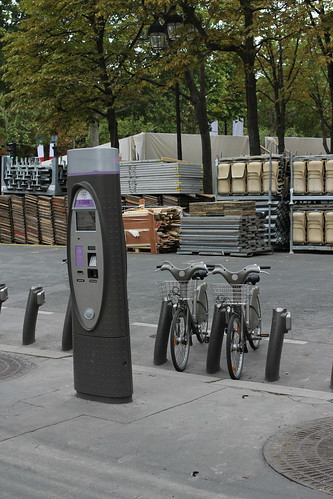
* Bicycle rentals, I mostly saw the locals using them
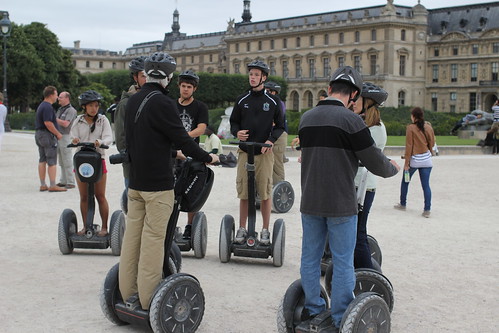
* Segway tourists
* And countless classic postcard shots of very recognizable architecture
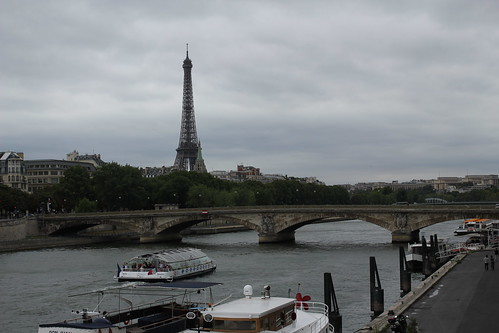
The Eiffel tower was immensely impressive. It towers over everything around, especially because there simply is nothing high enough around it. It would not have been so impressive in the middle of New York, for example. The age and openness of the construction makes you really feel the massiveness of this marvel of functional architecture.
But in the end Paris also looks like a great city to just kick back and relax in
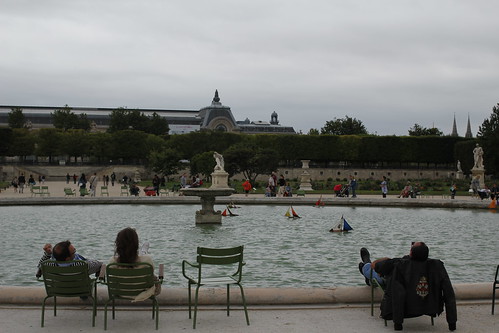
P.S. I am amazed that when I put a link to a Flickr image (such as http://www.flickr.com/photos/aigarius/5950187165/in/set-72157627230456160 in a separate paragraph in my WordPress article text, something along the way translates them into proper linked images with a reasonable size. Progress is amazing.
If I think back to fond memories of being with my dad during my childhood, there s one thing that always comes back first. It s those late summer evenings outside. Dad often had outdoor projects going on of some sort. I d go out there hanging around, maybe chatting, maybe playing with cats, or maybe doing something of my own.
Dad often had an old AM radio sitting around and would be listening to a baseball game while working. As it got darker, lights would come on, and the bugs would start flying near them. Sometimes dad would be working just inside the barn, and the bugs would start flying in there, while some light poured out the big front door. There s something about that scratchy AM signal, the evening slowly getting darker, the slow pace of the baseball game, and just being around dad and a peripheral part of whatever he was doing that stirs a wonderfully fond recollection in me.
I don t remember the specifics of any one of those times, nor do I really remember how often it happened, but it does stick with me.
We ve had a routine in our house, starting early enough that neither of our boys know anything different, where right before bed, I read a book and sing a song to each of them individually.
Last November, I was looking for some books to challenge Jacob a little more than what we had been reading. I found
The Complete Winnie the Pooh used for $4 on Amazon. This contains the original A. A. Milne stories, not the Disney series. It had a few line drawings, but there were many pages without any. It s 352 pages and written in a rather dated form of British English. So for all these reasons, I wasn t sure if Jacob would like it. But it was $4 so I bought it.
And Jacob was hooked. Each evening, we start bedtime with looking at the map of the 100-acre forest, just inside the cover. He gets to pick out 4 things for me to describe, and then we turn to our story. We usually read somewhere between 2 and 5 pages at bedtime, depending on how well he got ready without wasting time. And then we sing.
A. A. Milne has his Pooh character make up songs throughout the book. They are printed with words only, no tune, so I make up a tune for them as we go. Jacob has taken to requesting these songs for his bedtime song as well.
Jacob always gets to choose his bedtime story, and sometimes he chooses a different one but about 75% of the time, it s been Pooh.
A few weeks ago, he started noticing that we were almost to the end. He got very concerned, asking what we d do next. I suggested a different book, which he didn t like. Then I pointed out that we could restart the Pooh stories from the beginning, which was exciting for him.
Last night, we finished the book. The very last story was an interesting one, suggesting Christopher Robin growing up and no longer having imaginary adventures with the animals, but making Pooh promise to always be there for him. I don t think Jacob caught onto that meaning, though. When we finished it, we had this conversation:
Jacob: Dad, is that the end?
Me: Yes.
Jacob, getting a big smile: Yay! So can we start back at the beginning tomorrow?
Me: Sure!
Jacob then gave a clap, shouted Yay! again, and was a very happy boy.
Sometimes I wonder what our boys will remember in 25 years of their fun times with me. I don t know if Jacob will remember all the days reading about the animals in the 100-acre wood when he was 4, or maybe he ll remember watching train and combine videos, or playing radio hide-and-seek, or maybe something entirely different.
But I have no doubt that I will remember sitting on the couch in his room, holding him on my lap, and reading a 350-page book to a loving 4-year-old. As Pooh aptly put it, Sometimes, the smallest things take up the most room in your heart.

My
previous
laptop was due for a replacement. It's not that old yet only
two years but it was getting on my nerves. The (second!) battery
only gave me 45 minutes anymore, the wireless had issues, and I never
really liked the
processor note
the lack of the VT-x extension; at the time when I bought this laptop, I
wasn't aware of the fact that Intel was segmenting their products based
in processors with and without hardware virtualisation.
Originally I was going to buy a Toshiba R700-14J, but after I'd been
waiting for far too long, it turned out that it had been EOL'd. So
eventually, I succumbed to the dark side and bought me a Lenovo Thinkpad
X220 instead. I've never been a fan of thinkpads before; I don't like
what they look like, especially not the earlier models. But since I
didn't want to wait a very long time
again, I decided to go
instead for a model that my suppliers' extranet site told me they had in
stock, which kindof limits your options.
The model I got is one with an SSD, which is new for me. I'd
previously been holding off on getting an SSD until the technology had
matured a bit, having heard some horror stories in the past about how
some earlier models would run very slow after a while, but I guess it's
safe to say that kind of problem should now be past us.
It's crazy how fast this SSD is. The original 5 second delay which
grub implies almost doubled the boot time. I notice that the
'networking' initscript no longer waits for a DHCP request to complete,
which has the rather funny result that sometimes when I log in, I don't
have networking yet, which means that libpam-krb5 can't do it's job
properly, yet.
There's one thing I'm not very fond of, and that's the display aspect
ratio. 16:9 is just
wrong. While I still prefer 4:3, I can live
with 16:10. Very unhappy about that. There are still some laptops
available that do have 16:10, but that would've required me to wait,
which I didn't want to do anymore...
Oh well.

Given that I was responsible for putting together the system
architecture for
Github when they
moved away from their previous services provider to
Anchor Systems, I keep an eye
on what's going on there even though I've gotten out of professional
IT.
Recently(ish), Ryan Tomayko blogged about some
experiments
in using Amazon CloudFront as a CDN for static assets. While
discussing as-yet unsolved performance issues, he quoted a tweet from
Shopify's CEO (who I would have thought would have known better):
Protip to make SSL fast: terminate in your load balancer, that makes SSL
session cookies actually work.
No,
no, NO -- a million times
NOOOOOO!
Load balancers are, by their very nature, performance chokepoints. You
can't horizontally scale your load balancer, because if you do (by, say,
putting another load balancer in front of it -- don't laugh, I've seen it
done) you've just re-introduced all the same problems that putting SSL on
the load balancer was supposed to accomplish (that is, getting SSL
session caching to work).
The only thing you accomplish by putting your SSL sessions onto the
load balancer is bring the moment your load balancer melts down
through excessive CPU usage
that much closer. I dunno,
maybe Shopify doesn't actually do that much traffic or something,
but I certainly wouldn't be signing up for that headache if it were
my infrastructure.
(Sidenote: yes, I know that you can get "SSL hardware accelerators",
that put the basic crypto operations into dedicated silicon, but
they're rarely cheap, and you can't horizontally scale those,
either. They're effectively a specialised and outrageously
expensive form of "scaling by bigger hardware" -- which is a valid
method of scaling, but one with fairly terminal limitations that
certainly wouldn't make it practical for Github).
The problem you're trying to solve by centralising SSL operations is
that SSL includes a mechanism whereby a client making a new TCP
connection can say "here's the crypto details from last time I
connected to you" and the server can just pull out all of the
per-connection data that would otherwise take a long time (several
TCP round trips and a smallish chunk of CPU time) to setup. This
can make SSL connections a lot snappier (in Ryan's opinion, "We
spend roughly as much time handshaking as we do generating the
average dynamic request."), so they're a definite win if you can do
it (and yes, you can do it).
Webservers don't typically do this caching by default, but setting
up a simple SSL session cache for a single
nginx
or
Apache
webserver is pretty trivial. Testing it is simple, too: just
install
gnutls-bin and run:
gnutls-cli -V -r HOSTNAME grep 'Session ID'
If all three Session IDs are the same, then you've got SSL session caching
running. (If you're wondering why I'm using
gnutls-cli rather
than
openssl s_client, it's because openssl is living in the
pre-IPv6 dark ages, and I've got IPv6-only services running I wanted to
test).
So that's great for your little single-server hosting setup, but
per-machine caches aren't much use when you're running behind a load
balancer, Github style, because each SSL-enabled TCP connection can
very well end up on a different server, and a per-machine cache
won't help you very much. (If you think the answer to this problem
is "session affinity", you're setting yourself up for a whole other
world of pain and suffering.)
Here's the kicker, though -- the SSL session is just a small, opaque
chunk of bytes (OpenSSL appears to store it internally as an ASN.1
string, but that's an irrelevant implementation detail). An SSL
session cache is just a mapping of the SSL session ID (a string) to
the SSL session data (another string). We know how to do "shared
key-value caches" -- we have the technology. There won't be too
many large-scale sites out there that aren't using memcached (or
something practically equivalent).
So, rather than stuff around trying to run a load balancer with
enough grunt to handle all your SSL communication for all time, you
can continue to horizontally scale the whole site with as many
backend webservers as you need. All that's needed is to teach your
SSL-using server to talk to a shared key-value cache.
Far be it for me to claim any sort of originality in this idea, though --
patches for Apache's mod_ssl to do this have been floating around for a
while, and according to
the
release notes, the 2.4 series will have it all built-in.
However, Github uses nginx, to great effect, and nobody's done the work
to put this feature into nginx (that I could find, anyway).
Until now.
I present, for the edification of all,
a series of patches to nginx
0.8.x to provide memcached-enabled SSL session caching. Porting
them to other versions of nginx hopefully won't be too arduous, and
if you ask nicely I might give it a shot. If you don't use
memcached (gasp!), my work should at least be a template to allow
you to hook into whatever system you prefer. Sharding the memcached
calls wouldn't be hard either, but I'm not a huge fan of that when
other options are available.
I had originally hoped to be able to say "it works at Github!" as a
testimonial, but for some reason it hasn't been deployed there yet
(go forth and pester!), so instead I'm just releasing it out there
for people to try out on a "well, I don't know that it
doesn't work" basis. If it breaks anything, it's not my
fault; feel free to supply patches if you want to fix anything I've
missed.
Given that I was responsible for putting together the system
architecture for
Github when they
moved away from their previous services provider to
Anchor Systems, I keep an eye
on what's going on there even though I've gotten out of professional
IT.
Recently(ish), Ryan Tomayko blogged about some
experiments
in using Amazon CloudFront as a CDN for static assets. While
discussing as-yet unsolved performance issues, he quoted a tweet from
Shopify's CEO (who I would have thought would have known better):
Protip to make SSL fast: terminate in your load balancer, that makes SSL
session cookies actually work.
No,
no, NO -- a million times
NOOOOOO!
Load balancers are, by their very nature, performance chokepoints. You
can't horizontally scale your load balancer, because if you do (by, say,
putting another load balancer in front of it -- don't laugh, I've seen it
done) you've just re-introduced all the same problems that putting SSL on
the load balancer was supposed to accomplish (that is, getting SSL
session caching to work).
The only thing you accomplish by putting your SSL sessions onto the
load balancer is bring the moment your load balancer melts down
through excessive CPU usage
that much closer. I dunno,
maybe Shopify doesn't actually do that much traffic or something,
but I certainly wouldn't be signing up for that headache if it were
my infrastructure.
(Sidenote: yes, I know that you can get "SSL hardware accelerators",
that put the basic crypto operations into dedicated silicon, but
they're rarely cheap, and you can't horizontally scale those,
either. They're effectively a specialised and outrageously
expensive form of "scaling by bigger hardware" -- which is a valid
method of scaling, but one with fairly terminal limitations that
certainly wouldn't make it practical for Github).
The problem you're trying to solve by centralising SSL operations is
that SSL includes a mechanism whereby a client making a new TCP
connection can say "here's the crypto details from last time I
connected to you" and the server can just pull out all of the
per-connection data that would otherwise take a long time (several
TCP round trips and a smallish chunk of CPU time) to setup. This
can make SSL connections a lot snappier (in Ryan's opinion, "We
spend roughly as much time handshaking as we do generating the
average dynamic request."), so they're a definite win if you can do
it (and yes, you can do it).
Webservers don't typically do this caching by default, but setting
up a simple SSL session cache for a single
nginx
or
Apache
webserver is pretty trivial. Testing it is simple, too: just
install
gnutls-bin and run:
gnutls-cli -V -r HOSTNAME grep 'Session ID'
If all three Session IDs are the same, then you've got SSL session caching
running. (If you're wondering why I'm using gnutls-cli rather
than openssl s_client, it's because openssl is living in the
pre-IPv6 dark ages, and I've got IPv6-only services running I wanted to
test).
So that's great for your little single-server hosting setup, but
per-machine caches aren't much use when you're running behind a load
balancer, Github style, because each SSL-enabled TCP connection can
very well end up on a different server, and a per-machine cache
won't help you very much. (If you think the answer to this problem
is "session affinity", you're setting yourself up for a whole other
world of pain and suffering.)
Here's the kicker, though -- the SSL session is just a small, opaque
chunk of bytes (OpenSSL appears to store it internally as an ASN.1
string, but that's an irrelevant implementation detail). An SSL
session cache is just a mapping of the SSL session ID (a string) to
the SSL session data (another string). We know how to do "shared
key-value caches" -- we have the technology. There won't be too
many large-scale sites out there that aren't using memcached (or
something practically equivalent).
So, rather than stuff around trying to run a load balancer with
enough grunt to handle all your SSL communication for all time, you
can continue to horizontally scale the whole site with as many
backend webservers as you need. All that's needed is to teach your
SSL-using server to talk to a shared key-value cache.
Far be it for me to claim any sort of originality in this idea, though --
patches for Apache's mod_ssl to do this have been floating around for a
while, and according to the
release notes, the 2.4 series will have it all built-in.
However, Github uses nginx, to great effect, and nobody's done the work
to put this feature into nginx (that I could find, anyway).
Until now.
I present, for the edification of all, a series of patches to nginx
0.8.x to provide memcached-enabled SSL session caching. Porting
them to other versions of nginx hopefully won't be too arduous, and
if you ask nicely I might give it a shot. If you don't use
memcached (gasp!), my work should at least be a template to allow
you to hook into whatever system you prefer. Sharding the memcached
calls wouldn't be hard either, but I'm not a huge fan of that when
other options are available.
I had originally hoped to be able to say "it works at Github!" as a
testimonial, but for some reason it hasn't been deployed there yet
(go forth and pester!), so instead I'm just releasing it out there
for people to try out on a "well, I don't know that it
doesn't work" basis. If it breaks anything, it's not my
fault; feel free to supply patches if you want to fix anything I've
missed.

Haven't been in my new home that long and through a long chain of contacts, my neighbour was finally able to contact me. (Just goes to show that having Debian friends nearby who like board games turns out to make some things JustWork.)
So, when I got the message and got home the flat was fine - just with no electrical power. Murphy's Law ensured that my laptop was also low on power, as was my mobile phone and my landline is cordless and the router was, naturally, not working. My communication options were suddenly rather limited.
The 50yr old wiring in this block finally surrendered the magic smoke and caused a fire downstairs (mostly melted insulation) before it disconnected. I got home around 1pm, electricians to fix the problem arrived about 5pm and haven't finished quite yet. (It's now 12:11am). A relatively large hole in the lawn was dug (a hard task in itself seeing as this area is officially in a drought and the ground is like iron), two junction boxes rebuilt, new connection made from downstairs to upstairs, the work just went on and on.
I'll get some accurate details when I manage to speak to my brother - I do a little bit of hardware but I deal in 1W or a few hundred mA, when a 80A cable melts I'm just a bit out of my depth. I've not seen a fuse that size since I left school.
Thanks to those Debian and non-Debian people who helped me actually contact the relevant people today. I was due to get so many things done today, instead I got through the worry to end up incredibly bored - it turns out to be surprisingly difficult to find things to do when there is no mains power, all the batteries in mobile devices are flat and it's too dark to read.




 As I hav ethis toy for more than week, I can share a little more information about it. Please note that some experiences are based on fact that this is my first "big" phone with touchscreen.
The big screen is great for reading. Much better than my old Nokia E52. It is also much better readable on direct sun light. The dark side of this is of course power consumption, but I think this might still get improved for production pieces.
Having Linux on the phone is nice, ssh to phone and you can do anything comfortably with real keyboard (N950's QWERTY keyboard is great, but still quite small). Having Debian based system there is even better, though I felt a bit strange when I first ran
As I hav ethis toy for more than week, I can share a little more information about it. Please note that some experiences are based on fact that this is my first "big" phone with touchscreen.
The big screen is great for reading. Much better than my old Nokia E52. It is also much better readable on direct sun light. The dark side of this is of course power consumption, but I think this might still get improved for production pieces.
Having Linux on the phone is nice, ssh to phone and you can do anything comfortably with real keyboard (N950's QWERTY keyboard is great, but still quite small). Having Debian based system there is even better, though I felt a bit strange when I first ran  Been hot and dry today (although the sky is now back full of
dark clouds), so I had a headache most of the morning until way
past noon. Better now though, and I found a place where I could
get Cevapi, which are really some sort of quick imbiss / fast
food here (no uve pirina though, and she didn t have any
Ajvar nor did she speak any language other than the local, but
that wasn t a problem, only a bit dry because I didn t give in
and took the offered Ketchup). Bought a 1 bottle of Kru kovac
(from Hrvatska, though) and some small plastic glasses, then.
I wonder how many people would, now, be willing to give Bosna
i Hercegovina a try as holiday region (which might have been the
intent of having a Balkan DebConf). I m sure I do.
To all attendees: the hotel will give you some kind of stamped
hardpaper card which states where you stayed on the trip, and for
how long give that to the border guards when exiting Bosnia.
Been hot and dry today (although the sky is now back full of
dark clouds), so I had a headache most of the morning until way
past noon. Better now though, and I found a place where I could
get Cevapi, which are really some sort of quick imbiss / fast
food here (no uve pirina though, and she didn t have any
Ajvar nor did she speak any language other than the local, but
that wasn t a problem, only a bit dry because I didn t give in
and took the offered Ketchup). Bought a 1 bottle of Kru kovac
(from Hrvatska, though) and some small plastic glasses, then.
I wonder how many people would, now, be willing to give Bosna
i Hercegovina a try as holiday region (which might have been the
intent of having a Balkan DebConf). I m sure I do.
To all attendees: the hotel will give you some kind of stamped
hardpaper card which states where you stayed on the trip, and for
how long give that to the border guards when exiting Bosnia.
 I have bought a
  Excuse me in advance for any typos. itting in a dark room and posting with a Kindle has its down sides.
I have been participating for about 1.5 years on a seminar about the copyright in the ediyorial ambit. This year, the focus is on digital media.
Today the first speaker is Dr. Kyoshi Tsuru, General Director of BSA Mexico. He is talking about the beauties and advantages of DRM and TPM. It was interesting to hear how he began by saying how people are afraid of nice, good, protective measures and call it with derogatoey, morally charged ways:Specifically about "self-utelage"measures. It is interesting t hear him in the role I often speak eg. by repeating that piracy is a derogatory,morally charged term for "making illegal copies"
Fun to hear how he defends that mainly academicians are disconnected from the real world...
Excuse me in advance for any typos. itting in a dark room and posting with a Kindle has its down sides.
I have been participating for about 1.5 years on a seminar about the copyright in the ediyorial ambit. This year, the focus is on digital media.
Today the first speaker is Dr. Kyoshi Tsuru, General Director of BSA Mexico. He is talking about the beauties and advantages of DRM and TPM. It was interesting to hear how he began by saying how people are afraid of nice, good, protective measures and call it with derogatoey, morally charged ways:Specifically about "self-utelage"measures. It is interesting t hear him in the role I often speak eg. by repeating that piracy is a derogatory,morally charged term for "making illegal copies"
Fun to hear how he defends that mainly academicians are disconnected from the real world...