Search Results: "tar"

15 February 2017

Antoine Beaupr : A look at password managers

As we noted in an earlier article, passwords are a liability and we'd prefer to get rid of them, but the current reality is that we do use a plethora of passwords in our daily lives. This problem is especially acute for technology professionals, particularly system administrators, who have to manage a lot of different machines. But it also affects regular users who still use a large number of passwords, from their online bank to their favorite social-networking site. Despite the remarkable memory capacity of the human brain, humans are actually terrible at recalling even short sets of arbitrary characters with the precision needed for passwords. Therefore humans reuse passwords, make them trivial or guessable, write them down on little paper notes and stick them on their screens, or just reset them by email every time. Our memory is undeniably failing us and we need help, which is where password managers come in. Password managers allow users to store an arbitrary number of passwords and just remember a single password to unlock them all. But there is a large variety of password managers out there, so which one should we be using? At my previous job, an inventory was done of about 40 different free-software password managers in different stages of development and of varying quality. So, obviously, this article will not be exhaustive, but instead focus on a smaller set of some well-known options that may be interesting to readers.

KeePass: the popular alternative The most commonly used password-manager design pattern is to store passwords in a file that is encrypted and password-protected. The most popular free-software password manager of this kind is probably KeePass. An important feature of KeePass is the ability to auto-type passwords in forms, most notably in web browsers. This feature makes KeePass really easy to use, especially considering it also supports global key bindings to access passwords. KeePass databases are designed for simultaneous access by multiple users, for example, using a shared network drive. KeePass has a graphical interface written in C#, so it uses the Mono framework on Linux. A separate project, called KeePassX is a clean-room implementation written in C++ using the Qt framework. Both support the AES and Twofish encryption algorithms, although KeePass recently added support for the ChaCha20 cipher. AES key derivation is used to generate the actual encryption key for the database, but the latest release of KeePass also added using Argon2, which was the winner of the July 2015 password-hashing competition. Both programs are more or less equivalent, although the original KeePass seem to have more features in general. The KeePassX project has recently been forked into another project now called KeePassXC that implements a set of new features that are present in KeePass but missing from KeePassX like:
  • auto-type on Linux, Mac OS, and Windows
  • database merging which allows multi-user support
  • using the web site's favicon in the interface
So far, the maintainers of KeePassXC seem to be open to re-merging the project "if the original maintainer of KeePassX in the future will be more active and will accept our merge and changes". I can confirm that, at the time of writing, the original KeePassX project now has 79 pending pull requests and only one pull request was merged since the last release, which was 2.0.3 in September 2016. While KeePass and derivatives allow multiple users to access the same database through the merging process, they do not support multi-party access to a single database. This may be a limiting factor for larger organizations, where you may need, for example, a different password set for different technical support team levels. The solution in this case is to use separate databases for each team, with each team using a different shared secret.

Pass: the standard password manager? I am currently using password-store, or pass, as a password manager. It aims to be "the standard Unix password manager". Pass is a GnuPG-based password manager that features a surprising number of features given its small size:
  • copy-paste support
  • Git integration
  • multi-user/group support
  • pluggable extensions (in the upcoming 1.7 release)
The command-line interface is simple to use and intuitive. The following, will, for example, create a pass repository, a 20 character password for your LWN account and copy it to the clipboard:
    $ pass init
    $ pass generate -c lwn 20
The main issue with pass is that it doesn't encrypt the name of those entries: if someone were to compromise my machine, they could easily see which sites I have access to simply by listing the passwords stored in ~/.password-store. This is a deliberate design decision by the upstream project, as stated by a mailing list participant, Allan Odgaard:
Using a single file per item has the advantage of shell completion, using version control, browse, move and rename the items in a file browser, edit them in a regular editor (that does GPG, or manually run GPG first), etc.
Odgaard goes on to point out that there are alternatives that do encrypt the entire database (including the site names) if users really need that feature. Furthermore, there is a tomb plugin for pass that encrypts the password store in a LUKS container (called a "tomb"), although it requires explicitly opening and closing the container, which makes it only marginally better than using full disk encryption system-wide. One could also argue that password file names do not hold secret information, only the site name and username, perhaps, and that doesn't require secrecy. I do believe those should be kept secret, however, as they could be used to discover (or prove) which sites you have access to and then used to perform other attacks. One could draw a parallel with the SSH known_hosts file, which used to be plain text but is now hashed so that hosts are more difficult to discover. Also, sharing a database for multi-user support will require some sort of file-sharing mechanism. Given the integrated Git support, this will likely involve setting up a private Git repository for your team, something which may not be accessible to the average Linux user. Nothing keeps you, however, from sharing the ~/.password-store directory through another file sharing mechanism like (say) Syncthing or Dropbox. You can use multiple distinct databases easily using the PASSWORD_STORE_DIR environment variable. For example, you could have a shell alias to use a different repository for your work passwords with:
    alias work-pass="PASSWORD_STORE_DIR=~/work-passwords pass"
Group support comes from a clever use of the GnuPG multiple-recipient encryption support. You simply have to specify multiple OpenPGP identities when initializing the repository, which also works in subdirectories:
    $ pass init -p Ateam me@example.com joelle@example.com
    mkdir: created directory '/home/me/.password-store/Ateam'
    Password store initialized for me@example.com, joelle@example.com
    [master 0e3dbe7] Set GPG id to me@example.com, joelle@example.com.
     1 file changed, 2 insertions(+)
     create mode 100644 Ateam/.gpg-id
The above will configure pass to encrypt the passwords in the Ateam directory for me@example.com and joelle@example.com. Pass depends on GnuPG to do the right thing when encrypting files and how those identities are treated is entirely delegated to GnuPG's default configuration. This could lead to problems if arbitrary keys can be injected into your key ring, which could confuse GnuPG. I would therefore recommend using full key fingerprints instead of user identifiers. Regarding the actual encryption algorithms used, in my tests, GnuPG 1.4.18 and 2.1.18 seemed to default to 256-bit AES for encryption, but that has not always been the case. The chosen encryption algorithm actually depends on the recipient's key preferences, which may vary wildly: older keys and versions may use anything from 128-bit AES to CAST5 or Triple DES. To figure out which algorithm GnuPG chose, you may want to try this pipeline:
    $ echo test   gpg -e -r you@example.com   gpg -d -v
    [...]
    gpg: encrypted with 2048-bit RSA key, ID XXXXXXX, created XXXXX
      "You Person You <you@example.com>"
    gpg: AES256 encrypted data
    gpg: original file name=''
    test
As you can see, pass is primarily a command-line application, which may make it less accessible to regular users. The community has produced different graphical interfaces that are either using pass directly or operate on the storage with their own GnuPG integration. I personally use pass in combination with Rofi to get quick access to my passwords, but less savvy users may want to try the QtPass interface, which should be more user-friendly. QtPass doesn't actually depend on pass and can use GnuPG directly to interact with the pass database; it is available for Linux, BSD, OS X, and Windows.

Browser password managers Most users are probably already using a password manager through their web browser's "remember password" functionality. For example, Chromium will ask if you want it to remember passwords and encrypt them with your operating system's facilities. For Windows, this encrypts the passwords with your login password and, for GNOME, it will store the passwords in the gnome-keyring storage. If you synchronize your Chromium settings with your Google account, Chromium will store those passwords on Google's servers, encrypted with a key that is stored in the Google Account itself. So your passwords are then only as safe as your Google account. Note that this was covered here in 2010, although back then Chromium didn't synchronize with the Google cloud or encrypt with the system-level key rings. That facility was only added in 2013. In Firefox, there's an optional, profile-specific master password that unlocks all passwords. In this case, the issue is that browsers are generally always open, so the vault is always unlocked. And this is for users that actually do pick a master password; users are often completely unaware that they should set one. The unlocking mechanism is a typical convenience-security trade-off: either users need to constantly input their master passwords to login or they don't, and the passwords are available in the clear. In this case, Chromium's approach of actually asking users to unlock their vault seems preferable, even though the developers actually refused to implement the feature for years. Overall, I would recommend against using a browser-based password manager. Even if it is not used for critical sites, you will end up with hundreds of such passwords that are vulnerable while the browser is running (in the case of Firefox) or at the whim of Google (in the case of Chromium). Furthermore, the "auto-fill" feature that is often coupled with browser-based password managers is often vulnerable to serious attacks, which is mentioned below. Finally, because browser-based managers generally lack a proper password generator, users may fail to use properly generated passwords, so they can then be easily broken. A password generator has been requested for Firefox, according to this feature request opened in 2007, and there is a password generator in Chrome, but it is disabled by default and hidden in the mysterious chrome://flags URL.

Other notable password managers Another alternative password manager, briefly mentioned in the previous article, is the minimalistic Assword password manager that, despite its questionable name, is also interesting. Its main advantage over pass is that it uses a single encrypted JSON file for storage, and therefore doesn't leak the name of the entries by default. In addition to copy/paste, Assword also supports automatically entering passphrases in fields using the xdo library. Like pass, it uses GnuPG to encrypt passphrases. According to Assword maintainer Daniel Kahn Gillmor in email, the main issue with Assword is "interaction between generated passwords and insane password policies". He gave the example of the Time-Warner Cable registration form that requires, among other things, "letters and numbers, between 8 and 16 characters and not repeat the same characters 3 times in a row". Another well-known password manager is the commercial LastPass service which released a free-software command-line client called lastpass-cli about three years ago. Unfortunately, the server software of the lastpass.com service is still proprietary. And given that LastPass has had at least two serious security breaches since that release, one could legitimately question whether this is a viable solution for storing important secrets. In general, web-based password managers expose a whole new attack surface that is not present in regular password managers. A 2014 study by University of California researchers showed that, out of five password managers studied, every one of them was vulnerable to at least one of the vulnerabilities studied. LastPass was, in particular, vulnerable to a cross-site request forgery (CSRF) attack that allowed an attacker to bypass account authentication and access the encrypted database.

Problems with password managers When you share a password database within a team, how do you remove access to a member of the team? While you can, for example, re-encrypt a pass database with new keys (thereby removing or adding certain accesses) or change the password on a KeePass database, a hostile party could have made a backup of the database before the revocation. Indeed, in the case of pass, older entries are still in the Git history. So access revocation is a problematic issue found with all shared password managers, as it may actually mean going through every password and changing them online. This fundamental problem with shared secrets can be better addressed with a tool like Vault or SFLvault. Those tools aim to provide teams with easy ways to store dynamic tokens like API keys or service passwords and share them not only with other humans, but also make them accessible to machines. The general idea of those projects is to store secrets in a central server and send them directly to relevant services without human intervention. This way, passwords are not actually shared anymore, which is similar in spirit to the approach taken by centralized authentication systems like Kerberos. If you are looking at password management for teams, those projects may be worth a look. Furthermore, some password managers that support auto-typing were found to be vulnerable to HTML injection attacks: if some third-party ad or content is able to successfully hijack the parent DOM content, it masquerades as a form that could fool auto-typing software as demonstrated by this paper that was submitted at USENIX 2014. Fortunately, KeePass was not vulnerable according to the security researchers, but LastPass was, again, vulnerable.

Future of password managers? All of the solutions discussed here assume you have a trusted computer you regularly have access to, which is a usage pattern that seems to be disappearing with a majority of the population. You could consider your phone to be that trusted device, yet a phone can be lost or stolen more easily than a traditional workstation or even a laptop. And while KeePass has Android and iOS ports, those do not resolve the question of how to share the password storage among those devices or how to back them up. Password managers are fundamentally file-based, and the "file" concept seems to be quickly disappearing, faster than we technologists sometimes like to admit. Looking at some relatives' use of computers, I notice it is less about "files" than images, videos, recipes, and various abstract objects that are stored in the "cloud". They do not use local storage so much anymore. In that environment, password managers lose their primary advantage, which is a local, somewhat offline file storage that is not directly accessible to attackers. Therefore certain password managers are specifically designed for the cloud, like LastPass or web browser profile synchronization features, without necessarily addressing the inherent issues with cloud storage and opening up huge privacy and security issues that we absolutely need to address. This is where the "password hasher" design comes in. Also known as "stateless" or "deterministic" password managers, password hashers are emerging as a convenient solution that could possibly replace traditional password managers as users switch from generic computing platforms to cloud-based infrastructure. We will cover password hashers and the major security challenges they pose in a future article.
Note: this article first appeared in the Linux Weekly News.

Antoine Beaupr : A look at password managers

As we noted in an earlier article, passwords are a liability and we'd prefer to get rid of them, but the current reality is that we do use a plethora of passwords in our daily lives. This problem is especially acute for technology professionals, particularly system administrators, who have to manage a lot of different machines. But it also affects regular users who still use a large number of passwords, from their online bank to their favorite social-networking site. Despite the remarkable memory capacity of the human brain, humans are actually terrible at recalling even short sets of arbitrary characters with the precision needed for passwords. Therefore humans reuse passwords, make them trivial or guessable, write them down on little paper notes and stick them on their screens, or just reset them by email every time. Our memory is undeniably failing us and we need help, which is where password managers come in. Password managers allow users to store an arbitrary number of passwords and just remember a single password to unlock them all. But there is a large variety of password managers out there, so which one should we be using? At my previous job, an inventory was done of about 40 different free-software password managers in different stages of development and of varying quality. So, obviously, this article will not be exhaustive, but instead focus on a smaller set of some well-known options that may be interesting to readers.

KeePass: the popular alternative The most commonly used password-manager design pattern is to store passwords in a file that is encrypted and password-protected. The most popular free-software password manager of this kind is probably KeePass. An important feature of KeePass is the ability to auto-type passwords in forms, most notably in web browsers. This feature makes KeePass really easy to use, especially considering it also supports global key bindings to access passwords. KeePass databases are designed for simultaneous access by multiple users, for example, using a shared network drive. KeePass has a graphical interface written in C#, so it uses the Mono framework on Linux. A separate project, called KeePassX is a clean-room implementation written in C++ using the Qt framework. Both support the AES and Twofish encryption algorithms, although KeePass recently added support for the ChaCha20 cipher. AES key derivation is used to generate the actual encryption key for the database, but the latest release of KeePass also added using Argon2, which was the winner of the July 2015 password-hashing competition. Both programs are more or less equivalent, although the original KeePass seem to have more features in general. The KeePassX project has recently been forked into another project now called KeePassXC that implements a set of new features that are present in KeePass but missing from KeePassX like:
  • auto-type on Linux, Mac OS, and Windows
  • database merging which allows multi-user support
  • using the web site's favicon in the interface
So far, the maintainers of KeePassXC seem to be open to re-merging the project "if the original maintainer of KeePassX in the future will be more active and will accept our merge and changes". I can confirm that, at the time of writing, the original KeePassX project now has 79 pending pull requests and only one pull request was merged since the last release, which was 2.0.3 in September 2016. While KeePass and derivatives allow multiple users to access the same database through the merging process, they do not support multi-party access to a single database. This may be a limiting factor for larger organizations, where you may need, for example, a different password set for different technical support team levels. The solution in this case is to use separate databases for each team, with each team using a different shared secret.

Pass: the standard password manager? I am currently using password-store, or pass, as a password manager. It aims to be "the standard Unix password manager". Pass is a GnuPG-based password manager that features a surprising number of features given its small size:
  • copy-paste support
  • Git integration
  • multi-user/group support
  • pluggable extensions (in the upcoming 1.7 release)
The command-line interface is simple to use and intuitive. The following, will, for example, create a pass repository, a 20 character password for your LWN account and copy it to the clipboard:
    $ pass init
    $ pass generate -c lwn 20
The main issue with pass is that it doesn't encrypt the name of those entries: if someone were to compromise my machine, they could easily see which sites I have access to simply by listing the passwords stored in ~/.password-store. This is a deliberate design decision by the upstream project, as stated by a mailing list participant, Allan Odgaard:
Using a single file per item has the advantage of shell completion, using version control, browse, move and rename the items in a file browser, edit them in a regular editor (that does GPG, or manually run GPG first), etc.
Odgaard goes on to point out that there are alternatives that do encrypt the entire database (including the site names) if users really need that feature. Furthermore, there is a tomb plugin for pass that encrypts the password store in a LUKS container (called a "tomb"), although it requires explicitly opening and closing the container, which makes it only marginally better than using full disk encryption system-wide. One could also argue that password file names do not hold secret information, only the site name and username, perhaps, and that doesn't require secrecy. I do believe those should be kept secret, however, as they could be used to discover (or prove) which sites you have access to and then used to perform other attacks. One could draw a parallel with the SSH known_hosts file, which used to be plain text but is now hashed so that hosts are more difficult to discover. Also, sharing a database for multi-user support will require some sort of file-sharing mechanism. Given the integrated Git support, this will likely involve setting up a private Git repository for your team, something which may not be accessible to the average Linux user. Nothing keeps you, however, from sharing the ~/.password-store directory through another file sharing mechanism like (say) Syncthing or Dropbox). You can use multiple distinct databases easily using the PASSWORD_STORE_DIR environment variable. For example, you could have a shell alias to use a different repository for your work passwords with:
    alias work-pass="PASSWORD_STORE_DIR=~/work-passwords pass"
Group support comes from a clever use of the GnuPG multiple-recipient encryption support. You simply have to specify multiple OpenPGP identities when initializing the repository, which also works in subdirectories:
    $ pass init -p Ateam me@example.com joelle@example.com
    mkdir: created directory '/home/me/.password-store/Ateam'
    Password store initialized for me@example.com, joelle@example.com
    [master 0e3dbe7] Set GPG id to me@example.com, joelle@example.com.
     1 file changed, 2 insertions(+)
     create mode 100644 Ateam/.gpg-id
The above will configure pass to encrypt the passwords in the Ateam directory for me@example.com and joelle@example.com. Pass depends on GnuPG to do the right thing when encrypting files and how those identities are treated is entirely delegated to GnuPG's default configuration. This could lead to problems if arbitrary keys can be injected into your key ring, which could confuse GnuPG. I would therefore recommend using full key fingerprints instead of user identifiers. Regarding the actual encryption algorithms used, in my tests, GnuPG 1.4.18 and 2.1.18 seemed to default to 256-bit AES for encryption, but that has not always been the case. The chosen encryption algorithm actually depends on the recipient's key preferences, which may vary wildly: older keys and versions may use anything from 128-bit AES to CAST5 or Triple DES. To figure out which algorithm GnuPG chose, you may want to try this pipeline:
    $ echo test   gpg -e -r you@example.com   gpg -d -v
    [...]
    gpg: encrypted with 2048-bit RSA key, ID XXXXXXX, created XXXXX
      "You Person You <you@example.com>"
    gpg: AES256 encrypted data
    gpg: original file name=''
    test
As you can see, pass is primarily a command-line application, which may make it less accessible to regular users. The community has produced different graphical interfaces that are either using pass directly or operate on the storage with their own GnuPG integration. I personally use pass in combination with Rofi to get quick access to my passwords, but less savvy users may want to try the QtPass interface, which should be more user-friendly. QtPass doesn't actually depend on pass and can use GnuPG directly to interact with the pass database; it is available for Linux, BSD, OS X, and Windows.

Browser password managers Most users are probably already using a password manager through their web browser's "remember password" functionality. For example, Chromium will ask if you want it to remember passwords and encrypt them with your operating system's facilities. For Windows, this encrypts the passwords with your login password and, for GNOME, it will store the passwords in the gnome-keyring storage. If you synchronize your Chromium settings with your Google account, Chromium will store those passwords on Google's servers, encrypted with a key that is stored in the Google Account itself. So your passwords are then only as safe as your Google account. Note that this was covered here in 2010, although back then Chromium didn't synchronize with the Google cloud or encrypt with the system-level key rings. That facility was only added in 2013. In Firefox, there's an optional, profile-specific master password that unlocks all passwords. In this case, the issue is that browsers are generally always open, so the vault is always unlocked. And this is for users that actually do pick a master password; users are often completely unaware that they should set one. The unlocking mechanism is a typical convenience-security trade-off: either users need to constantly input their master passwords to login or they don't, and the passwords are available in the clear. In this case, Chromium's approach of actually asking users to unlock their vault seems preferable, even though the developers actually refused to implement the feature for years. Overall, I would recommend against using a browser-based password manager. Even if it is not used for critical sites, you will end up with hundreds of such passwords that are vulnerable while the browser is running (in the case of Firefox) or at the whim of Google (in the case of Chromium). Furthermore, the "auto-fill" feature that is often coupled with browser-based password managers is often vulnerable to serious attacks, which is mentioned below. Finally, because browser-based managers generally lack a proper password generator, users may fail to use properly generated passwords, so they can then be easily broken. A password generator has been requested for Firefox, according to this feature request opened in 2007, and there is a password generator in Chrome, but it is disabled by default and hidden in the mysterious chrome://flags URL.

Other notable password managers Another alternative password manager, briefly mentioned in the previous article, is the minimalistic Assword password manager that, despite its questionable name, is also interesting. Its main advantage over pass is that it uses a single encrypted JSON file for storage, and therefore doesn't leak the name of the entries by default. In addition to copy/paste, Assword also supports automatically entering passphrases in fields using the xdo library. Like pass, it uses GnuPG to encrypt passphrases. According to Assword maintainer Daniel Kahn Gillmor in email, the main issue with Assword is "interaction between generated passwords and insane password policies". He gave the example of the Time-Warner Cable registration form that requires, among other things, "letters and numbers, between 8 and 16 characters and not repeat the same characters 3 times in a row". Another well-known password manager is the commercial LastPass service which released a free-software command-line client called lastpass-cli about three years ago. Unfortunately, the server software of the lastpass.com service is still proprietary. And given that LastPass has had at least two serious security breaches since that release, one could legitimately question whether this is a viable solution for storing important secrets. In general, web-based password managers expose a whole new attack surface that is not present in regular password managers. A 2014 study by University of California researchers showed that, out of five password managers studied, every one of them was vulnerable to at least one of the vulnerabilities studied. LastPass was, in particular, vulnerable to a cross-site request forgery (CSRF) attack that allowed an attacker to bypass account authentication and access the encrypted database.

Problems with password managers When you share a password database within a team, how do you remove access to a member of the team? While you can, for example, re-encrypt a pass database with new keys (thereby removing or adding certain accesses) or change the password on a KeePass database, a hostile party could have made a backup of the database before the revocation. Indeed, in the case of pass, older entries are still in the Git history. So access revocation is a problematic issue found with all shared password managers, as it may actually mean going through every password and changing them online. This fundamental problem with shared secrets can be better addressed with a tool like Vault or SFLvault. Those tools aim to provide teams with easy ways to store dynamic tokens like API keys or service passwords and share them not only with other humans, but also make them accessible to machines. The general idea of those projects is to store secrets in a central server and send them directly to relevant services without human intervention. This way, passwords are not actually shared anymore, which is similar in spirit to the approach taken by centralized authentication systems like Kerberos). If you are looking at password management for teams, those projects may be worth a look. Furthermore, some password managers that support auto-typing were found to be vulnerable to HTML injection attacks: if some third-party ad or content is able to successfully hijack the parent DOM content, it masquerades as a form that could fool auto-typing software as demonstrated by this paper that was submitted at USENIX 2014. Fortunately, KeePass was not vulnerable according to the security researchers, but LastPass was, again, vulnerable.

Future of password managers? All of the solutions discussed here assume you have a trusted computer you regularly have access to, which is a usage pattern that seems to be disappearing with a majority of the population. You could consider your phone to be that trusted device, yet a phone can be lost or stolen more easily than a traditional workstation or even a laptop. And while KeePass has Android and iOS ports, those do not resolve the question of how to share the password storage among those devices or how to back them up. Password managers are fundamentally file-based, and the "file" concept seems to be quickly disappearing, faster than we technologists sometimes like to admit. Looking at some relatives' use of computers, I notice it is less about "files" than images, videos, recipes, and various abstract objects that are stored in the "cloud". They do not use local storage so much anymore. In that environment, password managers lose their primary advantage, which is a local, somewhat offline file storage that is not directly accessible to attackers. Therefore certain password managers are specifically designed for the cloud, like LastPass or web browser profile synchronization features, without necessarily addressing the inherent issues with cloud storage and opening up huge privacy and security issues that we absolutely need to address. This is where the "password hasher" design comes in. Also known as "stateless" or "deterministic" password managers, password hashers are emerging as a convenient solution that could possibly replace traditional password managers as users switch from generic computing platforms to cloud-based infrastructure. We will cover password hashers and the major security challenges they pose in a future article.
Note: this article first appeared in the Linux Weekly News.

Daniel Stender: APT programming snippets for Debian system maintenance

The Python API for the Debian package manager APT is useful for writing practical system maintenance scripts, which are going beyond shell scripting capabilities. There are Python2 and Python3 libraries for that available as packages, as well as a documentation in the package python-apt-doc. If that s also installed, the documentation then could be found in /usr/share/doc/python-apt-doc/html/index.html, and there are also a couple of example scripts shipped into /usr/share/doc/python-apt-doc/examples. The libraries mainly consists of Python bindings for the libapt-inst and libapt-pkg C++ core libraries of the APT package manager, which makes it processing very fast. Debugging symbols are also available as packages (python ,3 -apt-dbg). The module apt_inst provides features like reading from binary packages, while apt_pkg resembles the functions of the package manager. There is also the apt abstraction layer which provides more convenient access to the library, like apt.cache.Cache() could be used to behave like apt-get:
from apt.cache import Cache
mycache = Cache()
mycache.update()                   # apt-get update
mycache.open()                     # re-open
mycache.upgrade(dist_upgrade=True) # apt-get dist-upgrade
mycache.commit()                   # apply

boil out selections As widely known, there is a feature of dpkg which helps to move a package inventory from one installation to another by just using a text file with a list of installed packages. A selections list containing all installed package could be easily generated with $ dpkg --get-selections > selections.txt. The resulting file then looks something similar like this:
$ cat selections.txt
0ad                                 install
0ad-data                            install
0ad-data-common                     install
a2ps                                install
abi-compliance-checker              install
abi-dumper                          install
abigail-tools                       install
accountsservice                     install
acl                                 install
acpi                                install
The counterpart for this operation (--set-selections) could be used to reinstall (add) the complete package inventory on another installation resp. computer (that needs superuser rights), like that s explained in the manpage dpkg(1). No problem so far. The problem is, if that list contains a package which couldn t be found in any of the package inventories which are set up in /etc/apt/sources.list(.d/) on the target system, dpkg stops the whole process:
# dpkg --set-selections < selections.txt
dpkg: warning: package not in database at line 524: google-chrome-beta
dpkg: warning: found unknown packages; this might mean the available database
is outdated, and needs to be updated through a frontend method
Thus, manually downloaded and installed wild packages from unofficial package sources are problematic for this approach, because the package installer simply doesn t know where to get them. Luckily, dpkg puts out the relevant package names, but instead of having them removed manually with an editor this little Python script for python3-apt automatically deletes any of these packages from a selections file:
#!/usr/bin/env python3
import sys
import apt_pkg
apt_pkg.init()
cache = apt_pkg.Cache()
infile = open(sys.argv[1])
outfile_name = sys.argv[1] + '.boiled'
outfile = open(outfile_name, "w")
for line in infile:
    package = line.split()[0]
    if package in cache:
        outfile.write(line)
infile.close()
outfile.close()
sys.exit(0)
The script takes one argument which is the name of the selections file which has been generated by dpkg. The low level module apt_pkg first has to been initialized with apt_pkg.init(). Then apt_pkg.Cache() can be used to instantiate a cache object (here: cache). That object is iterable, thus it s easy to not perform something if a package from that list couldn t be found in the database, like not copying the corresponding line into the outfile (.boiled), while the others are copied. The result then looks something like this:
$ diff selections.txt selections.txt.boiled 
3780d3779
< python-timemachine   install
4438d4436
< wlan-supercracker    install
That script might be useful also for moving from one distribution resp. derivative to another (like from Ubuntu to Debian). For productive use, open() should be of course secured against FileNotFound and IOError-s to prevent program crashs on such events.

purge rc-s Like also widely known, deinstalled packages leave stuff like configuration files, maintainer scripts and logs on the computer, to save that if the package gets reinstalled at some point in the future. That happens if dpkg has been used with -r/--remove instead of -P/--purge, which also removes these files which are left otherwise. These packages are then marked as rc in the package archive, like:
$ dpkg -l   grep ^rc
rc  firebird2.5-common          2.5.6.27020.ds4-3   amd64   common files for firebird 2.5 servers and clients
rc  firebird2.5-server-common   2.5.6.27020.ds4-3   amd64   common files for firebird 2.5 servers
rc  firebird3.0-common          3.0.1.32609.ds4-8   all     common files for firebird 3.0 server, client and utilities
rc  imagemagick-common          8:6.9.6.2+dfsg-2    all     image manipulation programs -- infrastructure dummy package
It could be purged over them afterwards to completely remove them from the system. There are several shell coding snippets to be found on the net for completing this job automatically, like this one here:
dpkg -l   grep "^rc"   sed  e "s/^rc //"  e "s/ .*$//"   \
xargs dpkg  purge
The first thing which is needed to handle this by a Python script is the information that in apt_pkg, the package state rc per default is represented by the code 5:
>>> testpackage = cache['firebird2.5-common']
>>> testpackage.current_state
5
For changing things in the database apt_pkg.DepCache() could be docked onto an cache object to manipulate the installation state of a package within, like marking it to be removed resp. purged:
>>> mydepcache = apt_pkg.DepCache(mycache)
>>> mydepcache.mark_delete(testpackage, True) # True = purge
>>> mydepcache.marked_delete(testpackage)
True
That s basically all which is needed for an old package purging maintenance script in Python 3, another iterator as package filter and there you go:
#!/usr/bin/env python3
import sys
import apt_pkg
from apt.progress.text import AcquireProgress
from apt.progress.base import InstallProgress
acquire = AcquireProgress()
install = InstallProgress()
apt_pkg.init()
cache = apt_pkg.Cache()
depcache = apt_pkg.DepCache(cache)
for paket in cache.packages:
    if paket.current_state == 5:
        depcache.mark_delete(paket, True)
depcache.commit(acquire, install)
The method DepCache.commit() applies the changes to the package archive at the end, and it needs apt_progress to perform. Of course this script needs superuser rights to run. It then returns something like this:
$ sudo ./rc-purge 
Reading package lists... Done
Building dependency tree
Reading state information... Done
Fetched 0 B in 0s (0 B/s)
custom fork found
got pid: 17984
got pid: 0
got fd: 4
(Reading database ... 701434 files and directories currently installed.)
Purging configuration files for libmimic0:amd64 (1.0.4-2.3) ...
Purging configuration files for libadns1 (1.5.0~rc1-1) ...
Purging configuration files for libreoffice-sdbc-firebird (1:5.2.2~rc2-2) ...
Purging configuration files for vlc-nox (2.2.4-7) ...
Purging configuration files for librlog5v5 (1.4-4) ...
Purging configuration files for firebird3.0-common (3.0.1.32609.ds4-8) ...
Purging configuration files for imagemagick-common (8:6.9.6.2+dfsg-2) ...
Purging configuration files for firebird2.5-server-common (2.5.6.27020.ds4-3)
It s not yet production ready (like there s an infinite loop if dpkg returns error code 1 like from can t remove non empty folder ). But generally, ATTENTION: be very careful with typos and other mistakes if you want to use that code snippet, a false script performing changes on the package database might destroy the integrity of your system, and you don t want that to happen.

detect wild packages Like said above, installed Debian packages might be called wild if they have been downloaded from somewhere on the net and installed manually, like that is done from time to time on many systems. If you want to remove that whole class of packages again for any reason, the question would be how to detect them. A characteristic element is that there is no source connected to such a package, and that could be detected by Python scripting using again the bindings for the APT libraries. The package object doesn t have an associated method to query its source, because the origin is always connected to a specific package version, like some specific version might have come from security updates for example. The current version of a package can be queried with DepCache.get_candidate_ver() which returns a complex apt_pkg.Version object:
>>> import apt_pkg
>>> apt_pkg.init()
>>> mycache = apt_pkg.Cache()
Reading package lists... Done
Building dependency tree
Reading state information... Done
>>> mydepcache = apt_pkg.DepCache(mycache)
>>> testpackage = mydepcache.get_candidate_ver(mycache['nano'])
>>> testpackage
<apt_pkg.Version object: Pkg:'nano' Ver:'2.7.4-1' Section:'editors'  Arch:'amd64' Size:484790 ISize:2092032 Hash:33578 ID:31706 Priority:2>
For version objects there is the method file_list available, which returns a list containing PackageFile() objects:
>>> testpackage.file_list
[(<apt_pkg.PackageFile object: filename:'/var/lib/apt/lists/httpredir.debian.org_debian_dists_testing_main_binary-amd64_Packages'  a=testing,c=main,v=,o=Debian,l=Debian arch='amd64' site='httpredir.debian.org' IndexType='Debian Package Index' Size=38943764 ID:0>, 669901L)]
These file objects contain the index files which are associated with a specific package source (a downloaded package index), which could be read out easily (using a for-loop because there could be multiple file objects):
>>> for files in testpackage.file_list:
...     print(files[0].filename)
/var/lib/apt/lists/httpredir.debian.org_debian_dists_testing_main_binary-amd64_Packages
That explains itself: the nano binary package on this amd64 computer comes from httpredir.debian.org/debian testing main. If a package is wild that means it was installed manually, so there is no associated index file to be found, but only /var/lib/dpkg/status (libcudnn5 is not in the official package archives but distributed by Nvidia as a .deb package):
>>> testpackage2 = mydepcache.get_candidate_ver(mycache['libcudnn5'])
>>> for files in testpackage2.file_list:
...     print(files[0].filename)
/var/lib/dpkg/status
The simple trick now is to find all packages which have only /var/lib/dpkg/status as associated system file (that doesn t refer to what packages contain), an not an index file representing a package source. There s a little pitfall: that s truth also for virtual packages. But virtual packages commonly don t have an associated version (python-apt docs: to check whether a package is virtual; that is, it has no versions and is provided at least once ), and that can be queried by Package.has_versions. A filter to find out any packages that aren t virtual packages, are solely associated to one system file, and that file is /var/lib/dpkg/status, then goes like this:
for package in cache.packages:
    if package.has_versions:
        version = mydepcache.get_candidate_ver(package)
        if len(version.file_list) == 1:
            if 'dpkg/status' in version.file_list[0][0].filename:
                print(package.name)
On my Debian testing system this puts out a quite interesting list. It lists all the wild packages like libcudnn5, but also packages which are recently not in testing because they have been temporarily removed by AUTORM due to release critical bugs. Then there s all the obsolete stuff which have been installed from the package archives once and then being forgotten like old kernel header packages ( obsolete packages in dselect). So this snippet brings up other stuff, too. Thus, this might be more experimental stuff so far, though.

14 February 2017

Julian Andres Klode: jak-linux.org moved / backing up

In the past two days, I moved my main web site jak-linux.org (and jak-software.de) from a very old contract at STRATO over to something else: The domains are registered with INWX and the hosting is handled by uberspace.de. Encryption is provided by Let s Encrypt. I requested the domain transfer from STRATO on Monday at 16:23, received the auth codes at 20:10 and the .de domain was transferred completely on 20:36 (about 20 minutes if you count my overhead). The .org domain I had to ACK, which I did at 20:46 and at 03:00 I received the notification that the transfer was successful (I think there was some registrar ACKing involved there). So the whole transfer took about 10 1/2 hours, or 7 hours since I retrieved the auth code. I think that s quite a good time  And, for those of you who don t know: uberspace is a shared hoster that basically just gives you an SSH shell account, directories for you to drop files in for the http server, and various tools to add subdomains, certificates, virtual users to the mailserver. You can also run your own custom build software and open ports in their firewall. That s quite cool. I m considering migrating the blog away from wordpress at some point in the future having a more integrated experience is a bit nicer than having my web presence split over two sites. I m unsure if I shouldn t add something like cloudflare there I don t want to overload the servers (but I only serve static pages, so how much load is this really going to get?). in other news: off-site backups I also recently started doing offsite backups via borg to a server operated by the wonderful rsync.net. For those of you who do not know rsync.net: You basically get SSH to a server where you can upload your backups via common tools like rsync, scp, or you can go crazy and use git-annex, borg, attic; or you could even just plain zfs send your stuff there. The normal price is $0.08 per GB per month, but there is a special borg price of $0.03 (that price does not include snapshotting or support, really). You can also get a discounted normal account for $0.04 if you find the correct code on Hacker News, or other discounts for open source developers, students, etc. you just have to send them an email. Finally, I must say that uberspace and rsync.net feel similar in spirit. Both heavily emphasise the command line, and don t really have any fancy click stuff. I like that.
Filed under: General

Steve McIntyre: Start the fans please!

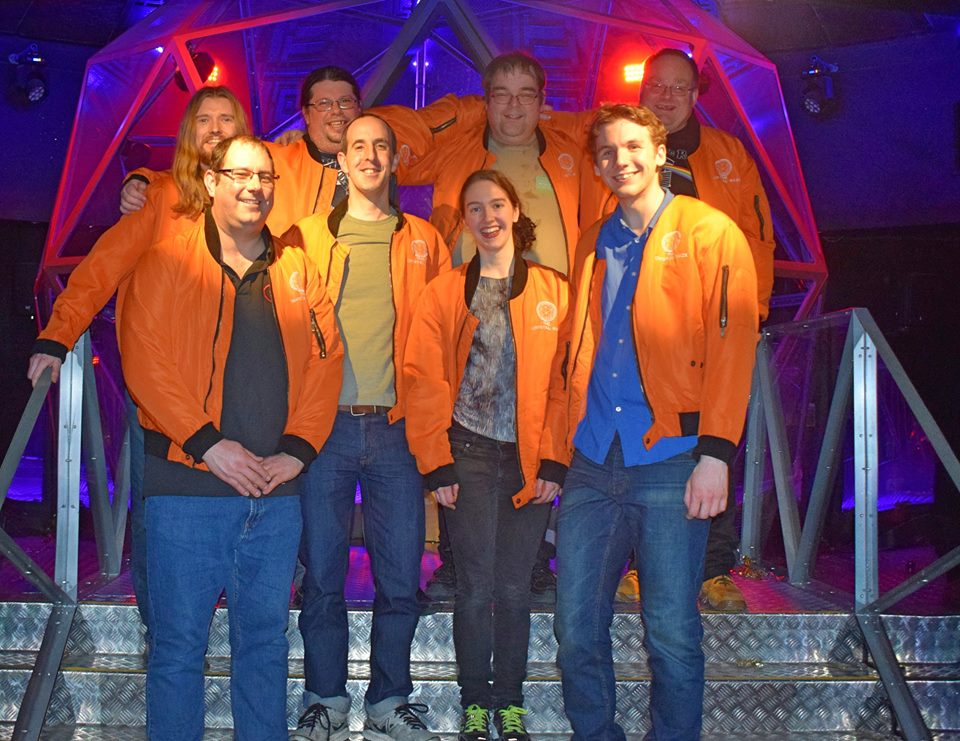
This probably won't mean much to people outside the UK, I'm guessing. Sorry! :-) The Crystal Maze was an awesome fun game show on TV in the UK in the 1990s. Teams would travel through differently-themed zones, taking on challenges to earn crystals for later rewards in the Crystal Dome. I really enojyed it, as did just about everybody my age that I know of... A group have started up a new Crystal Maze attraction in London and Manchester, giving some of us a chance of indulging our nostalgia directly in a replica of the show's setup! Neil NcGovern booked a load of tickets and arranged for a large group of people to go along this weekend. It was amazing! (Sorry!) I ended up captaining one of the 4 teams, and our team ("Failure is always an option!") scored highest in the final game - catching bits of gold foil flying around in the Dome. It was really, really fun and I'd heartily recommend it to other folks who like action games and puzzle solving. I just missed the biting scorn of the original show presenter, Richard O'Brien, but our "Maze Master" Boudica was great fun and got us all pumped up and working together.
Steve McIntyre: Start the fans please!

This probably won't mean much to people outside the UK, I'm guessing. Sorry! :-) The Crystal Maze was an awesome fun game show on TV in the UK in the 1990s. Teams would travel through differently-themed zones, taking on challenges to earn crystals for later rewards in the Crystal Dome. I really enojyed it, as did just about everybody my age that I know of... A group have started up a new Crystal Maze attraction in London and Manchester, giving some of us a chance of indulging our nostalgia directly in a replica of the show's setup! Neil NcGovern booked a load of tickets and arranged for a large group of people to go along this weekend. It was amazing! (Sorry!) I ended up captaining one of the 4 teams, and our team ("Failure is always an option!") scored highest in the final game - catching bits of gold foil flying around in the Dome. It was really, really fun and I'd heartily recommend it to other folks who like action games and puzzle solving. I just missed the biting scorn of the original show presenter, Richard O'Brien, but our "Maze Master" Boudica was great fun and got us all pumped up and working together.

Arturo Borrero Gonz lez: About process limits

Graphs The other day I had to deal with an outage in one of our LDAP servers, which is running the old Debian Wheezy (yeah, I know, we should update it). We are running openldap, the slapd daemon. And after searching the log files, the cause of the outage was obvious:
[...]
slapd[7408]: warning: cannot open /etc/hosts.allow: Too many open files
slapd[7408]: warning: cannot open /etc/hosts.deny: Too many open files
slapd[7408]: warning: cannot open /etc/hosts.allow: Too many open files
slapd[7408]: warning: cannot open /etc/hosts.deny: Too many open files
slapd[7408]: warning: cannot open /etc/hosts.allow: Too many open files
slapd[7408]: warning: cannot open /etc/hosts.deny: Too many open files
[...]
[Please read About process limits, round 2 for updated info on this issue] I couldn t believe that openldap is using tcp_wrappers (or libwrap), an ancient software piece that hasn t been updated for years, replaced in many other ways by more powerful tools (like nftables). I was blinded by this and ran to open a Debian bug agains openldap: #854436 (openldap: please don t use tcp-wrappers with slapd). The reply from Steve Langasek was clear:
If people are hitting open file limits trying to open two extra files,
disabling features in the codebase is not the correct solution.
Obvoursly, the problem was somewhere else. I started investigating about system limits, which seems to have 2 main components: According to my searchings, my slapd daemon was being hit by the latter. I reviewed the default system-wide limits and they seemed Ok. So, let s change the other limits. Most of the documentantion around the internet points you to a /etc/security/limits.conf file, which is then read by pam_limits. You can check current limits using the ulimit bash builtin. In the case of my slapd:
arturo@debian:~% sudo su openldap -s /bin/bash
openldap@debian:~% ulimit -a
core file size          (blocks, -c) 0
data seg size           (kbytes, -d) unlimited
scheduling priority             (-e) 0
file size               (blocks, -f) unlimited
pending signals                 (-i) 7915
max locked memory       (kbytes, -l) 64
max memory size         (kbytes, -m) unlimited
open files                      (-n) 1024
pipe size            (512 bytes, -p) 8
POSIX message queues     (bytes, -q) 819200
real-time priority              (-r) 0
stack size              (kbytes, -s) 8192
cpu time               (seconds, -t) unlimited
max user processes              (-u) 2000
virtual memory          (kbytes, -v) unlimited
file locks                      (-x) unlimited
This seems to suggest that the openldap user is constrained to 1024 openfiles (and some more if we check the hard limit). The 1024 limit seems low for a rather busy service. According to most of the internet docs, I m supposed to put this in /etc/security/limits.conf:
[...]
#<domain>      <type>  <item>         <value>
openldap	soft	nofile		1000000
openldap	hard	nofile		1000000
[...]
I should check as well that pam_limits is loaded, in /etc/pam.d/other:
[...]
session		required	pam_limits.so
[...]
After reloading the openldap session, you can check that, indeed, limits are changed as reported by ulimit. But at some point, the slapd daemon starts to drop connections again. Thing start to turn weird here. The changes we made until now don t work, probably because when the slapd daemon is spawned at bootup (by root, sysvinit in this case) no pam mechanisms are triggered. So, I was forced to learn a new thing: process limits. You can check the limits for a given process this way:
arturo@debian:~% cat /proc/$(pgrep slapd)/limits
Limit                     Soft Limit           Hard Limit           Units
Max cpu time              unlimited            unlimited            seconds
Max file size             unlimited            unlimited            bytes
Max data size             unlimited            unlimited            bytes
Max stack size            8388608              unlimited            bytes
Max core file size        0                    unlimited            bytes
Max resident set          unlimited            unlimited            bytes
Max processes             16000                16000                processes
Max open files            1024                 4096                 files
Max locked memory         65536                65536                bytes
Max address space         unlimited            unlimited            bytes
Max file locks            unlimited            unlimited            locks
Max pending signals       16000                16000                signals
Max msgqueue size         819200               819200               bytes
Max nice priority         0                    0
Max realtime priority     0                    0
Max realtime timeout      unlimited            unlimited            us
Good, seems we have some more limits attached to our slapd daemon process. If we search the internet to know how to change process limits, most of the docs points to a tool known as prlimit. According to the manpage, this is a tool to get and set process resource limits, which is just what I was looking for. According to the docs, the prlimit system call is supported since Linux 2.6.36, and I m running 3.2, so no problem here. Things looks promising. But yes, more problems. The prlimit tool is not included in the Debian Wheezy release. A simple call to a single system call was not going to stop me now, so I searched more the web until I found this useful manpage: getrlimit(2). There is a sample C code included in the manpage, in which we only need to replace RLIMIT_CPU with RLIMIT_NOFILE:
#define _GNU_SOURCE
#define _FILE_OFFSET_BITS 64
#include <stdio.h>
#include <time.h>
#include <stdlib.h>
#include <unistd.h>
#include <sys/resource.h>
#define errExit(msg) do   perror(msg); exit(EXIT_FAILURE); \
                          while (0)
int
main(int argc, char *argv[])
 
    struct rlimit old, new;
    struct rlimit *newp;
    pid_t pid;
    if (!(argc == 2   argc == 4))  
        fprintf(stderr, "Usage: %s <pid> [<new-soft-limit> "
                "<new-hard-limit>]\n", argv[0]);
        exit(EXIT_FAILURE);
     
    pid = atoi(argv[1]);        /* PID of target process */
    newp = NULL;
    if (argc == 4)  
        new.rlim_cur = atoi(argv[2]);
        new.rlim_max = atoi(argv[3]);
        newp = &new;
     
    /* Set CPU time limit of target process; retrieve and display
       previous limit */
    if (prlimit(pid, RLIMIT_NOFILE, newp, &old) == -1)
        errExit("prlimit-1");
    printf("Previous limits: soft=%lld; hard=%lld\n",
            (long long) old.rlim_cur, (long long) old.rlim_max);
    /* Retrieve and display new CPU time limit */
    if (prlimit(pid, RLIMIT_NOFILE, NULL, &old) == -1)
        errExit("prlimit-2");
    printf("New limits: soft=%lld; hard=%lld\n",
            (long long) old.rlim_cur, (long long) old.rlim_max);
    exit(EXIT_FAILURE);
 
And them compile it like this:
arturo@debian:~% gcc limits.c -o limits
We can then call this new binary like this:
arturo@debian:~% sudo limits $(pgrep slapd) 1000000 1000000
Finally, the limit seems OK:
arturo@debian:~% cat /proc/$(pgrep slapd)/limits
Limit                     Soft Limit           Hard Limit           Units
Max cpu time              unlimited            unlimited            seconds
Max file size             unlimited            unlimited            bytes
Max data size             unlimited            unlimited            bytes
Max stack size            8388608              unlimited            bytes
Max core file size        0                    unlimited            bytes
Max resident set          unlimited            unlimited            bytes
Max processes             16000                16000                processes
Max open files            1000000              1000000              files
Max locked memory         65536                65536                bytes
Max address space         unlimited            unlimited            bytes
Max file locks            unlimited            unlimited            locks
Max pending signals       16000                16000                signals
Max msgqueue size         819200               819200               bytes
Max nice priority         0                    0
Max realtime priority     0                    0
Max realtime timeout      unlimited            unlimited            us
Don t forget to apply this change every time the slapd daemon starts. Nobody found this issue before? really?

Reproducible builds folks: Reproducible Builds: week 94 in Stretch cycle

Here's what happened in the Reproducible Builds effort between Sunday February 5 and Saturday February 11 2017: Upcoming events Patches sent upstream Packages reviewed and fixed, and bugs filed Chris Lamb: Daniel Shahaf: "Z. Ren": Reviews of unreproducible packages 83 package reviews have been added, 8 have been updated and 32 have been removed in this week, adding to our knowledge about identified issues. 5 issue types have been added: 1 issue type has been updated: Weekly QA work During our reproducibility testing, the following FTBFS bugs have been detected and reported by: diffoscope development diffoscope versions 71, 72, 73, 74 & 75 were uploaded to unstable by Chris Lamb: strip-nondeterminism development strip-nondeterminism 0.030-1 was uploaded to unstable by Chris Lamb: buildinfo.debian.net development reproducible-website development Misc. This week's edition was written by Chris Lamb & reviewed by a bunch of Reproducible Builds folks on IRC & the mailing lists.

Elizabeth Ferdman: 10 Week Progress Update for PGP Clean Room

This Valentine s Day I m giving everyone the gift of GIFs! Because who wants to stare at a bunch of code? Or read words?! I ll make this short and snappy since I m sure you re looking forward to a romantic night with your terminal. A script called create-raid already exists in the main repository so I decided to add an activity for that in the main menu.

Here s what the default activity for creating the master and subkeys will look like:

This activity should make key generation faster and more convenient for the user. The dialog allows the user to enter additional UIDs at the same time as she initially creates the keys (there s another activity for adding UIDs later). The dialog won t ask for a comment in the UID, just name and email. The input boxes come with some defaults that were outlined in the wiki for this project, such as rsa4096 for the master and 1y for the expiry. However the user can still enter her own values for fields like algo and expiry. The user won t customize usage here, though. There should be separate activities for creating a custom primary and custom subkeys. Here, the user creates a master key [SC], an encryption key [E], and optionally an additional signing [SC], encryption [E], and authentication key [A]. The last three weeks of the internship will consist of implementing more of the frontend dialogs for the activities in the main menu, validating user input, and testing. Thanks for reading <3

13 February 2017

Vincent Sanders: The minority yields to the majority!

Deng Xiaoping (who succeeded Mao) expounded this view and obviously did not depend on a minority to succeed. In open source software projects we often find ourselves implementing features of interest to a minority of users to keep our software relevant to a larger audience.

As previously mentioned I contribute to the NetSurf project and the browser natively supports numerous toolkits for numerous platforms. This produces many challenges in development to obtain the benefits of a more diverse user base. As part of the recent NetSurf developer weekend we took the opportunity to review all the frontends to make a decision on their future sustainability.

Each of the nine frontend toolkits were reviewed in turn and the results of that discussion published. This task was greatly eased because we we able to hold the discussion face to face, over time I have come to the conclusion some tasks in open source projects greatly benefit from this form of interaction.

Netsurf running on windows showing this blog post
Coding and day to day discussions around it can be easily accommodated va IRC and email. Decisions affecting a large area of code are much easier with the subtleties of direct interpersonal communication. An example of this is our decision to abandon the cocoa frontend (toolkit used on Mac OS X) against that to keep the windows frontend.

The cocoa frontend was implemented by Sven Weidauer in 2011, unfortunately Sven did not continue contributing to this frontend afterwards and it has become the responsibility of the core team to maintain. Because NetSuf has a comprehensive CI system that compiles the master branch on every commit any changes that negatively affected the cocoa frontend were immediately obvious.

Thus issues with the compilation were fixed promptly but because these fixes were only ever compile tested and at some point the Mac OS X build environments changed resulting in an application that crashes when used. Despite repeatedly asking for assistance to fix the cocoa frontend over the last eighteen months no one had come forward.

And when the topic was discussed amongst the developers it quickly became apparent that no one had any objections to removing the cocoa support. In contrast the windows frontend, which despite having many similar issues to cocoa, we decided to keep. These were almost immediate consensus on the decision, despite each individual prior to the discussion not advocating any position.

This was a single example but it highlights the benefits of a disparate development team having a physical meeting from time to time. However this was not the main point I wanted to discuss, this incident highlights that supporting a feature only useful to a minority of users can have a disproportionate cost.

The cost of a feature for an open source project is usually a collection of several factors:
Developer time
Arguably the greatest resource of a project is the time its developers can devote to it. Unless it is a very large, well supported project like the Kernel or libreoffice almost all developer time is voluntary.
Developer focus
Any given developer is likely to work on an area of code that interests them in preference to one that does not. This means if a developer must do work which does not interest them they may loose focus and not work on the project at all.
Developer skillset
A given developer may not have the skillset necessary to work on a feature, this is especially acute when considering minority platforms which often have very, very few skilled developers available.
Developer access
It should be obvious that software that only requires commodity hardware and software to develop is much cheaper than that which requires special hardware and software. To use our earlier example the cocoa frontend required an apple computer running MAC OS X to compile and test, this resource was very limited and the project only had access to two such systems via remote desktop. These systems also had to serve as CI builders and required physical system administration as they could not be virtualized.
Support
Once a project releases useful software it generally gains users outside of the developers. Supporting users consumes developer time and generally causes them to focus on things other than code that interests them.

While most developers have enough pride in what they produce to fix bugs, users must always remember that the main freedom they get from OSS is they recived the code and can change it themselves, there is no requirement for a developer to do anything for them.
Resources
A project requires a website, code repository, wiki, CI systems etc. which must all be paid for. Netsurf for example is fortunate to have Pepperfish look after our website hosting at favorable rates, Mythic beasts provide exceptionally good rates for the CI system virtual machine along with hardware donations (our apple macs were donated by them) and Collabora for providing physical hosting for our virtual machine server.

Despite these incredibly good deals the project still spends around 200gbp (250usd) a year on overheads, these services obviously benefit the whole project including minority platforms but are generally donated by users of the more popular platforms.
The benefits of a feature are similarly varied:
Developer learning
A developer may implement a feature to allow them to learn a new technology or skill
Project diversity
A feature may mean the project gets built in a new environment which reveals issues or opportunities in unconnected code. For example the Debian OS is built on a variety of hardware platforms and sometimes reveals issues in software by compiling it on big endian systems. These issues are often underlying bugs that are causing errors which are simply not observed on a little endian platform.
More users
Gaining users of the software is often a benefit and although most OSS developers are contributing for personal reasons having their work appreciated by others is often a factor. This might be seen as the other side of the support cost.

In the end the maintainers of a project often have to consider all of these factors and more to arrive at a decision about a feature, especially those only useful to a minority of users. Such decisions are rarely taken lightly as they often remove another developers work and the question is often what would I think about my contributions being discarded?

As a postscript, if anyone is willing to pay the costs to maintain the NetSurf cocoa frontend I have not removed the code just yet.

Rapha&#235;l Hertzog: Freexian s report about Debian Long Term Support, January 2017

A Debian LTS logoLike each month, here comes a report about the work of paid contributors to Debian LTS. Individual reports In January, about 159 work hours have been dispatched among 13 paid contributors. Their reports are available: Evolution of the situation The number of sponsored hours increased slightly thanks to Exonet joining us. The security tracker currently lists 37 packages with a known CVE and the dla-needed.txt file 36. The situation is roughly similar to last month even though the number of open issues increased slightly. Thanks to our sponsors New sponsors are in bold.

No comment Liked this article? Click here. My blog is Flattr-enabled.

12 February 2017

Shirish Agarwal: Density and accessibility

Around 2 decades back and a bit more I was introduced to computers. The top-line was 386DX which was mainly used as fat servers and some lucky institutions had the 386SX where IF we were lucky we could be able to play some games on it. I was pretty bad at Prince of Persia or most of the games of the era as most of the games depended on lightning reflexes which I didn t possess. Then 1997 happened and I was introduced to GNU/Linux but my love of/for games still continued even though I was bad at most of them. The only saving grace was turn-based RPG s (role-playing games) which didn t have permadeath, so you could plan your next move. Sometimes a wrong decision would lead to getting a place from where it was impossible to move further. As the decision was taken far far break which lead to the tangent, the only recourse was to replay the game which eventually lead to giving most of those kind of games. Then in/around 2000 Maxis came out with Sims. This was the time where I bought my first Pentium. I had never played a game which had you building stuff, designing stuff, no violence and the whole idea used to be about balancing priorities of trying to get new stuff, go to work, maintain relationships and still make sure you are eating, sleeping, have a good time. While I might have spent probably something close to 500 odd hours in the game or even more so, I spent the least amount of time in building the house. It used to be 4 4 when starting (you don t have much of in-game money and other stuff you wanted to buy as well) to 8 8 or at the very grand 12 12. It was only the first time I spent time trying to figure out where the bathroom should be, where the kitchen should, where the bedroom should be and after that I could do that blind-folded. The idea behind my house-design used to be simplicity, efficient (for my character). I used to see other people s grand creations of their houses and couldn t understand why they made such big houses. Now few days back, I saw few episodes of a game called Stranded Deep . The story, plot is simple. You, the player are going in a chartered plane and suddenly lightning strikes ( game trope as today s aircrafts are much better able to deal with lightning strikes) and our hero or heroine washes up on a beach with raft with the barest of possessions. Now the whole game is based upon him/her trying to survive, once you get the hang of the basic mechanics and you know what is to be done, you can do it. The only thing the game doesn t have is farming but as the game has unlimited procedural world, you just paddle or with boat motor go island hopping and take all that what you need. What was interesting to me was seeing a gamer putting so much time and passion in making a house. When I was looking at that video, I realized that maybe because I live in a dense environment, even the designs we make either of houses or anything else is more to try to get more and more people rather than making sure that people are happy which leads to my next sharing. Couple of days back, I read Virali Modi s account of how she was molested three times when trying to use Indian Railways. She made a petition on change.org While I do condemn the molestation as it s an affront against individual rights, freedom, liberty, free movement, dignity. Few of the root causes as pointed out by her, for instance the inability or non-preference to give differently-abled people the right to board first as well as awaiting to see that everybody s boarded properly before starting the train are the most minimum steps that Indian Railways could take without spending even a paise. The same could be told/shared about sensitizing people, although I have an idea of why does Indian Railway not employ women porters or women attendants for precisely this job. I accompanied a blind gentleman friend few times on Indian Railways and let me tell you, it was one of the most unpleasant experiences. The bogies which is given to them is similar or even less than what you see in unreserved compartments. The toilets were/are smelly, the gap between the station and the train was/is considerable for everybody from blind people, differently-abled people, elderly people as well. This is one of the causes of accidents which happen almost every day on Indian Railways. I also learnt that especially for blind people they are looking for a sort of low-frequency whistle/noise which tells them the disabled coupe/bogie/coach will come at a specific spot in the Station. In a platform which could have anything between 1500-2000 people navigating it wouldn t be easy. I don t know about other places but Indian Railway Stations need to learn a lot to make it a space for differently abled to navigate by themselves. Pune Station operates (originating or passing through) around 200 odd trains, with exceptions of all the specials and weekly trains that ply through, adding those would probably another 5-10 trains to the mix. Each train carries anywhere between 750-1000 odd people so roughly anywhere between 15-20 million pass through Pune Railway Station daily. Even if we take conservative estimates of around 5% of the public commuting from Pune, it would mean around 750,000 people travelling daily. Pune Railway Station has 6 stations and if I spread them equally it would come to around 100,000 people on one platform in 24 hours. Divide that equally by 24 hours and it comes to 4,160 people per hour. Now you take those figures and you see the Pune platforms are under severe pressure. I have normalized many figures. For instance, just like airports, even in railways, there are specific timings where more trains come and go. From morning 0500 hrs to late night 2300 hrs. there would be lot many trains, whereas the graveyard shifts would have windows where maintenance of tracks and personnel takes place. I dunno if people can comprehend 4000 odd people on the platform. Add to that you usually arrive at least an hour or two before a train departs even if you are a healthy person as Indian Railways has a habit of changing platforms of trains at the last minute. So if you a differently abled person with some luggage for a long-distance train, the problems just multiply. See drag accidents because of gap between railway bogies and platforms. The width of the entrance to the bogie is probably between 30-40 inches but the design is such that 5-10 inches are taken on each side. I remembered the last year, our current Prime Minister, Mr. Narendra Modi had launched Accessible Campaign with great fanfare and we didn t hear anything much after that. Unfortunately, the site itself has latency and accessibility issues, besides not giving any real advice even if a person wants to know what building norms should one follow if one wants to make an area accessible. This was easily seen by last year s audit in Delhi as well as other places. A couple of web-searches later, I landed up at a Canadian site to have some idea about the width of the wheelchair itself as well as additional room to manoeuvre. Unfortunately, the best or the most modern coaches/bogies that Indian Railways has to offer are the LHB Bogies/Coaches. Now while the Coaches/Bogies by themselves are a big improvement from the ICF Coaches which we still have and use, if you read the advice and directions shared on the Canadian site, the coaches are far from satisfactory for people who are wheel-chair bound. According to Government s own census records, 0.6% of the population have movement issues. Getting all the differently-abled people together, it comes between 2, 2.5% of the population which is quite a bit. If 2-3 people out of every 100 people are differently-abled then we need to figure out something for them.While I don t have any ideas as to how we could improve the surroundings, it is clear that we need the change. While I was thinking,dreaming,understanding some of the nuances inadvertently, my attention/memories shifted to my toilet experiences at both Mumbai and the Doha Airport. As had shared then, had been pleasantly surprised to see that both in Mumbai Airport as well as the Doha Airport, the toilets were pretty wide, a part of me was happy and a part of me was seeing the added space as wastefulness. With the understanding of needs of differently-abled people it started to make whole lot of sense. I don t remember if I had shared then or not. Although am left wondering where they go for loo in the aircraft. The regular toilets are a tight fit for obese people, I am guessing aircrafts have toilets for differently-abled people as well. Looking back at last year s conference, we had 2-3 differently-abled people. I am just guessing that it wouldn t have been a pleasant experience for them. For instance, where we were staying, at UCT it had stairs, no lifts so by default they probably were on ground-floor. Then where we were staying and where most of the talks were about a few hundred metres away and the shortest distance were by stairs, the round-about way was by road but had vehicles around so probably not safe that way as well. I am guessing they had to be dependant on other people to figure out things. There were so many places where there were stairs and no ramps and even if there were ramps they were probably a bit more than the 1:12 which is the advice given. I have heard that this year s venue is also a bit challenging in terms of accessibility for differently-abled people. I am clueless as to did differently-able find debconf16 in terms of accessibility or not ? A related query to that one, if a Debconf s final report mentions issues with accessibility, do the venues make any changes so that at some future date, differently-abled people would have a better time. I know of Indian institutions reluctance to change, to do expenditure, dunno how western countries do it. Any ideas, comments are welcome.
Filed under: Miscellenous Tagged: #386, #accessibility, #air-travel, #Computers, #differently-abled, #Railways, gaming

Dirk Eddelbuettel: Letting Travis keep a secret

More and more packages, be it for R or another language, are now interfacing different application programming interfaces (API) which are exposed to the web. And many of these may require an API key, or token, or account and password. Which traditionally poses a problem in automated tests such as those running on the popular Travis CI service which integrates so well with GitHub. A case in point is the RPushbullet package where Seth Wenchel and I have been making a few recent changes and additions. And yesterday morning, I finally looked more closely into providing Travis CI with the required API key so that we could in fact run continuous integration with unit tests following each commit. And it turns that it is both easy and quick to do, and yet another great showcase for ad-hoc Docker use. The rest of this post will give a quick minimal run-down, this time using the gtrendsR package by Philippe Massicotte and myself. Start by glancing at the 'encrypting files' HOWTO from Travis itself. We assume you have Docker installed, and a suitable base package. We will need Ruby, so any base Linux image will do. In what follows, I use Ubuntu 14.04 but many other Debian, Ubunti, Fedora, ... flavours could be used provided you know how to pick the relevant packages. What is shown here should work on any recent Debian or Ubuntu flavour 'as is'. We start by firing off the Docker engine in the repo directory for which we want to create an encrypted file. The -v $(pwd):/mnt switch mounts the current directory as /mnt in the Docker instance:
edd@max:~/git/gtrendsr(master)$ docker run --rm -ti -v $(pwd):/mnt ubuntu:trusty
root@38b478356439:/# apt-get update    ## this takes a minute or two
Ign http://archive.ubuntu.com trusty InRelease
Get:1 http://archive.ubuntu.com trusty-updates InRelease [65.9 kB]
Get:2 http://archive.ubuntu.com trusty-security InRelease [65.9 kB]
# ... a dozen+ lines omitted ...
Get:21 http://archive.ubuntu.com trusty/restricted amd64 Packages [16.0 kB]    
Get:22 http://archive.ubuntu.com trusty/universe amd64 Packages [7589 kB]      
Fetched 22.4 MB in 6min 40s (55.8 kB/s)                                        
Reading package lists... Done
root@38b478356439:/# 
We then install what is needed to actually install the travis (Ruby) gem, as well as git which is used by it:
root@38b478356439:/# apt-get install -y ruby ruby-dev gem build-essential git
Reading package lists... Done
Building dependency tree       
Reading state information... Done
The following extra packages will be installed:
# ... lot of output ommitted ...
Processing triggers for ureadahead (0.100.0-16) ...
Processing triggers for sgml-base (1.26+nmu4ubuntu1) ...
root@38b478356439:/# 
This too may take a few minutes, depending on the networking bandwidth and other factors, and should in general succeed without the need for any intervention. Once it has concluded, we can use the now-complete infrastructure to install the travis command-line client:
root@38b478356439:/# gem install travis
Fetching: multipart-post-2.0.0.gem (100%)
Fetching: faraday-0.11.0.gem (100%)
Fetching: faraday_middleware-0.11.0.1.gem (100%)
Fetching: highline-1.7.8.gem (100%)
Fetching: backports-3.6.8.gem (100%)
Fetching: multi_json-1.12.1.gem (100%
# ... many lines omitted ...
Installing RDoc documentation for websocket-1.2.4...
Installing RDoc documentation for json-2.0.3...
Installing RDoc documentation for pusher-client-0.6.2...
Installing RDoc documentation for travis-1.8.6...
root@38b478356439:/#                        
This in turn will take a moment. Once done, we can use the travis client to login into GitHub. In my base this requires a password and a two-factor authentication code. Also note that we switch directories first to be in the actual repo we had mounted when launching docker.
root@38b478356439:/# cd /mnt/    ## change to repo directory
root@38b478356439:/mnt# travis --login
Shell completion not installed. Would you like to install it now?  y  y
We need your GitHub login to identify you.
This information will not be sent to Travis CI, only to api.github.com.
The password will not be displayed.
Try running with --github-token or --auto if you don't want to enter your password anyway.
Username: eddelbuettel
Password for eddelbuettel: ****************
Two-factor authentication code for eddelbuettel: xxxxxx
Successfully logged in as eddelbuettel!
root@38b478356439:/mnt# 
Now the actual work of encrypting. For this particular package, we need a file .Rprofile containing a short option() segment setting a user-id and password:
root@38b478356439:/mnt# travis encrypt-file .Rprofile
Detected repository as PMassicotte/gtrendsR, is this correct?  yes  
encrypting .Rprofile for PMassicotte/gtrendsR
storing result as .Rprofile.enc
storing secure env variables for decryption
Please add the following to your build script (before_install stage in your .travis.yml, for instance):
    openssl aes-256-cbc -K $encrypted_988d19a907a0_key -iv $encrypted_988d19a907a0_iv -in .Rprofile.enc -out .Rprofile -d
Pro Tip: You can add it automatically by running with --add.
Make sure to add .Rprofile.enc to the git repository.
Make sure not to add .Rprofile to the git repository.
Commit all changes to your .travis.yml.
root@38b478356439:/mnt#
That's it. Now we just need to follow-through as indicated, committing the .Rprofile.enc file, making sure to not commit its input file .Rprofile, and adding the proper openssl invocation with the keys known only to Travis to the file .travis.yml.

Elena 'valhalla' Grandi: Mobile-ish devices as freedom respecting working environments

Mobile-ish devices as freedom respecting working environments

On planet FSFE, there is starting to be a conversation on using tablets / Android as the main working platform.

It started with the article by Henri Bergius http://bergie.iki.fi/blog/working-on-android-2017/ which nicely covers all practical points, but is quite light on the issues of freedom.

This was rectified by the article by David Boddie http://www.boddie.org.uk/david/www-repo/Personal/Updates/2017/2017-02-11.html which makes an apt comparison of Android to the platform it is replacing in many areas of work and life: Microsoft Windows and criticises its lack of effective freedom, even when the OS was supposed to be under a free license.

I fully agree that lightweight/low powered hardware can be an excellent work environment, especially when on the go, and even for many kinds of software developement, but I'd very much rather have that hardware run an environment that I can trust like Debian (or another traditional GNU/Linux distribution) rather than the phone based ones where, among other problems, there is no clear distinction between what is local and trustable and what is remote and under somebody else's control.

In theory, it would be perfectly possible to run Debian on most tablet and tablet-like hardware, and have such an environment; in practice this is hard for a number of reasons including the lack of mainline kernel support for most hardware and the way actually booting a different OS on it usually ranges from the quite hard to the downright impossible.

Luckily, there is some niche hardware that uses tablet/phone SoCs but is sold with a GNU/Linux distribution and can be used as a freedom respecting work environment on-the-go: my current setup includes an OpenPandora https://en.wikipedia.org/wiki/Pandora_(console) (running Angstrom + a Debian chroot) and an Efika MX Smartbook https://en.wikipedia.org/wiki/Efika, but they are both showing their age badly: they have little RAM (especially the Pandora), and they aren't fully supported by a mainline kernel, which means that you're stuck on an old kernel and dependent on the producer for updates (which for the Efika ended quite early; at least the Pandora is still somewhat supported, at least for bugfixes).

Right now I'm looking forward to two devices as a replacement: the DragonBox Pyra https://en.wikipedia.org/wiki/DragonBox_Pyra (still under preorders) and the THERES-I laptop kit https://www.olimex.com/Products/DIY%20Laptop/ (hopefully available for sale "in a few months", and with no current mainline support for the SoC, but there is hope to see it from the sunxi community http://linux-sunxi.org/Main_Page).

As for software, the laptop/clamshell designs means that using a regular Desktop Environment (or, in my case, Window Manager) works just fine; I do hope that the availability of Pyra (with its touchscreen and 4G/"phone" chip) will help to give a bit of life back to the efforts to improve mobile software on Debian https://wiki.debian.org/Mobile

Hopefully, more such devices will continue to be available, and also hopefully the trend for more openness of the hardware itself will continue; sadly I don't see this getting outside of a niche market in the next few years, but I think that this niche will remain strong enough to be sustainable.

P.S. from nitpicker-me: David Boddie mentions the ability to easily download sources for any component with apt-get source: the big difference IMHO is given by apt-get build-dep, which also install every dependency needed to actually build the code you have just downloaded.

P.S.2: I also agree with Davide Boddie that supporting Conservancy https://sfconservancy.org/supporter/ is very important, and there are still a few hours left to have the contribution count twice.

Iustin Pop: Fine art printing at home

Fine art printing at home It is very interesting how people change over time. Way back in the analog film era, I was using a very cheap camera, and getting the film developed and pictures printed at random places in town. As the movement towards digital began, I started dreaming of a full digital workflow take picture, download from camera, enjoy on your monitor. No more pesky physical stuff. And when I finally got a digital camera, I was oh-so-happy to finally get rid of films and prints. But time passes, and a few years back though, at the end of 2013, I had the misfortune to learn on various photography forums that, within certain limits, one can do high quality printing at home quality high enough for serious prints. I always imagined that "serious" prints can only happen on big, professional stuff, but to my surprise, what I was reading was that many professional photographers can do their prints themselves (for certain paper sizes). I tried before printing photos on my laser printer that I wrote about, but that is a hilarious exercise, nothing more. Thinking process was pretty simple: So I decided to get a photo printer. Because hey, one more printer was the thing I was missing the most. Ink The think with inkjet photo printers is that the bigger they are, the more cheaper the ink is, and the more optimised they are for large volume printing. The more optimisation for large volume, the worse the printers do if you don't print often enough, in the sense of dried ink. This means clogged heads, and each of the serious printer manufacturers (Canon, Epson, HP) deal in different ways with it; some by having extra, spare lines in the print head that replace the clogged ones, others have replaceable printer heads, others rely on wasting ink by trying to flush the ink lines, etc. Also within each manufacturer's lines, different printers behave differently. So one must take this into account how often will you print? Of course I thought very often, but the truth is, this is just another hobby, so time is lacking, and I have weeks going by without turning the printer on. And so, I did have some problems with dried ink, but minor I'd say; I only had once to run a "power cleaning", when due to real world I didn't have time to turn the printer on for months; I managed to choose a good printer in this regard. I never though computed how much ink I wasted with cleaning the heads Paper Another issue with printing is the fact that the result is a physical object, outside of the digital realm. And the transition from digital to physical is tricky. First, the printer itself and the ink are one relatively straightforward choice: decide (by whatever criteria you want) on the printer, and most printers at this level have one set of inks only. But the problem is: which paper? And as I learned, since how the paper looks is a subjective thing, this is an endless topic As you can see, this is really a bottomless pit. I made the mistake of buying lots of sample packs, thinking that settling on a specific paper will be an objective process, but no. Three years later, I have a few favourite papers, but I'm sure I could have almost randomly chosen them (read 3 reviews, choose) and not gotten objectively different results. ICC profiles and processing Another thing is that simply having the printer and the paper doesn't mean everything is fixed. Since printers are analog devices, there needs to be a printer and paper specific colour profile, so that you get (on paper) what you see on the screen (which also needs to be calibrated). So when choosing the printer you should be careful to choose one which is common enough that it has profiles, ideally profiles done by the paper manufacturer themselves. Or, you can go the more basic route, and calibrate the printer/paper combination yourself! I skipped that part though. However you get a profile, if you tell your photo processing application what is your display profile and your printer+paper profile, ideally you what you see is what you get, this time for real. Except that sometimes the gamut of colours in the picture can't be represented entirely in either the display nor the printer profile, so the display is an approximation, but a different one than your printer will do on paper. So you learn about relative and perceptual colorimetric conversions, and you read many blog posts about which one to use for what type of pictures (portraits have different needs than landscapes), and you wonder why did you chose this hobby? Of course, you can somewhat avoid the previous two issues by going more old-school to black and white printing. This should be simple, right? Black and white, nothing more. Hah, you wish. Do you do the B&W conversion in your photo processing application, or in your printer? Some printers are renowned by their good B&W conversions, some not. If you print B&W, then the choice of papers also change, because some papers are just awesome at B&W, but only so-so for colours. So says the internet, at least. But even if you solve all of the above, don't give up just yet, because there is still a little problem. Even if you send the right colours to the printer, the way a certain picture looks on paper is different than on screen. This circles somewhat back to paper choice (glossy type ink having deeper blacks than matte, for example) and colour-vs-b&w, but is a general issue: displays have better contrasts than paper (this doesn't mean the pictures are better looking on screen though). So you use the soft-proofing function, but it looks completely weird, and you learn that you need to learn how specific papers will differ from screen, and that sometimes you don't need any adjustment, sometimes you need a +15, which might mean another run of the same print. You print, then what? So you print. Nice, high quality print. All colours perfect! And then what? First, you wait. Because ink, as opposed to laser toner, is not "done" once the paper is out of the printer. It has to dry, which is a process taking about 24 hours in its initial phase, and which you help along by doing some stuff. The ink settles during this time in the paper, and only after that you know what the final look of the print will be. Depending on what you plan to do with the print, you might want to lay a layer of protective stuff on top of it; a kind of protective film that will keep it in better shape over time, but which has the downside that a) it must definitely be applied after the ink has dried and the the paper has for sure finished outgassing and b) it's a semi-hard layer, so you can roll the paper anymore (if you were planning to do that for transport). Or you say damn it, this is anyway a poor picture So with the print all good and really in its final state, you go on and research what solutions are there for hanging prints at home. And look at frames, and think about behind-glass framing or no glass-framing, and and and and you realise that if you just printed your photos at a lab, they'd come directly framed! I still have the really minimalist hanging solution that I bought a year ago unpacked Getting there, sometime! Costs/economic sense If you think all this effort is done in order to save money on prints, the answer is "Ha ha ha" While professional prints at a lab are expensive, how much do you think all the above (printer, inks, paper, framing, TIME) costs? A lot. It's definitely not worth unless your day job is photography. No, for me it was more the desire to own the photographic process from start to end: learn enough to be able to choose everything (camera which implies sensor which implies a lot of things, lens, post-processing, printer/ink, paper), and see (and have) the end result of your work in your hands. Is it worth all the trouble? Fast forward three years later, I still have the printer, although many times I was thinking of getting rid of it. It takes space, it costs some money (although you don't realise this as you print, since you already sunk the money in consumables), it takes time. Being able to print small photos for family (e.g. 10 15) is neat, but a small printer can do this as well, or you can order prints online, or print them from a memory card at many places. Being able to print A4-size (for which framing for e.g. desk-use is a pain) is also neat, but here there are still simpler solutions than your own big printer. The difference is when you print large. You look at the picture on your big screen, you think/imagine how it will look printer, and then you fire an A2 print. The printer starts, makes noises for about 10 minutes, and then you have the picture in your hands. The ink is still fresh (you know it takes 24 hours to settle), and has that nice ink smell that you don't get anymore in day to day life. With a good paper and a good printer, the way the picture looks is so special, that all the effort seems trivial now. I don't know how looking at pictures on an 8K 30+ inch monitor will be; but there's an indescribable difference between back-lighted LCD and paper for the same picture. Even at the same relative size, the paper is real, while the picture is virtual. You look at the people in the picture on your display, whereas the people in the print look at you. Maybe this is just size. A2 is bigger than my monitor wait, no. A2 has a diagonal of ~29 inches (vs. the display at 30"). Maybe it's resolution? An A2 print out of D810 is small enough to still have good resolution (it's about 320dpi after the small cropping needed for correcting the aspect ratio, which matches the printer's native 360dpi resolution). Coupled with a good printer, it's more than high enough resolution that even with a loupe, there's enough detail in the picture to not see its "digital" history (i.e. no rasterization, no gradients, etc.) Note that 360dpi for photo inkjet printers is much different from 600-1200dpi for laser printers (which are raster-based, not ink droplet based, so it's really not comparable). In any case, the print, even at this (relatively large) size, feels like a reflection of reality. On the monitor, it still feels like a digital picture. I could take a picture of the print to show you, but that would defeat the point, wouldn't it And this is what prompted this blog post. I had a pretty intense week at work, so when the weekend came, I was thinking what to do to disconnect and relax. I had a certain picture (people, group photo) that I wanted to print for a while, and it was OK on the screen, but not special. I said, somewhat not very enthusiastic, let's print it. And as the printer was slowly churning along, and the paper was coming out, I remembered why I don't get rid of the printer. Because every time I think about doing that, I say to myself "let's do one more print", which quickly turns into "wow, not, I'm keeping it". Because, even as our life migrates into the digital/virtual realm or maybe more so we're still living in the real world, and our eyes like to look at real objects. And hey, on top of that, it was and still is a pretty intense learning experience!

11 February 2017

Reproducible builds folks: Reproducible Builds: week 93 in Stretch cycle

Here's what happened in the Reproducible Builds effort between Sunday January 29 and Saturday February 4 2017: Media coverage Dennis Gilmore and Holger Levsen presented "Reproducible Builds and Fedora" (Video, Slides) at Devconf.cz on February 27th 2017. On February 1st, stretch/armhf reached 90% reproducible packages in our test framework, so that now all four tested architectures are 90% reproducible in stretch. Yay! For armhf this means 22472 reproducible source packages (in main); for amd64, arm64 and i386 these figures are 23363, 23062 and 22607 respectively. Chris Lamb appeared on the Changelog podcast to talk about reproducible builds: Holger Levsen pitched Reproducible Builds and our need for a logo in the "Open Source Design" room at FOSDEM 2017 (Video, 09:36 - 12:00). Upcoming Events Reproducible work in other projects We learned that the "slightly more secure" Heads firmware (a Coreboot payload) is now reproducibly built regardless of host system or build directory. A picture says more than a thousand words: reproducible heads build on two machines Docker started preliminary work on making image builds reproducible. Toolchain development and fixes Ximin Luo continued to write code and test cases for the BUILD_PATH_PREFIX_MAP environment variable. He also did extensive research on cross-platform and cross-language issues with enviroment variables, filesystem paths, and character encodings, and started preparing a draft specification document to describe all of this. Chris Lamb asked CPython to implement an environment variable PYTHONREVERSEDICTKEYORDER to add an an option to reverse iteration order of items in a dict. However this was rejected because they are planning to formally fix this order in the next language version. Bernhard Wiedemann and Florian Festi added support for our SOURCE_DATE_EPOCH environment variable, to the RPM Package Manager. James McCoy uploaded devscripts 2.17.1 with a change from Guillem Jover for dscverify(1), adding support for .buildinfo files. (Closes: #852801) Piotr O arowski uploaded dh-python 2.20170125 with a change from Chris Lamb for a patch to fix #835805. Chris Lamb added documentation to diffoscope, strip-nondeterminism, disorderfs, reprotest and trydiffoscope about uploading signed tarballs when releasing. He also added a link to these on our website's tools page. Packages reviewed and bugs filed Bugs filed: Reviews of unreproducible packages 83 package reviews have been added, 86 have been updated and 276 have been removed in this week, adding to our knowledge about identified issues. 2 issue types have been updated: Weekly QA work During our reproducibility testing, the following FTBFS bugs have been detected and reported by: diffoscope development Work on the next version (71) continued in git this week: reproducible-website development Daniel Shahaf added more notes on our "How to chair a meeting" document. tests.reproducible-builds.org Holger unblacklisted pspp and tiledarray. If you think further packages should also be unblacklisted (possibly only on some architectures), please tell us. Misc. This week's edition was written by Ximin Luo, Holger Levsen and Chris Lamb & reviewed by a bunch of Reproducible Builds folks on IRC & the mailing lists.

Noah Meyerhans: Using FAI to customize and build your own cloud images

At this past November's Debian cloud sprint, we classified our image users into three broad buckets in order to help guide our discussions and ensure that we were covering the common use cases. Our users fit generally into one of the following groups:
  1. People who directly launch our image and treat it like a classic VPS. These users most likely will be logging into their instances via ssh and configuring it interactively, though they may also install and use a configuration management system at some point.
  2. People who directly launch our images but configure them automatically via launch-time configuration passed to the cloud-init process on the agent. This automatic configuration may optionally serve to bootstrap the instance into a more complete configuration management system. The user may or may not ever actually log in to the system at all.
  3. People who will not use our images directly at all, but will instead construct their own image based on ours. They may do this by launching an instance of our image, customizing it, and snapshotting it, or they may build a custom image from scratch by reusing and modifying the tools and configuration that we use to generate our images.
This post is intended to help people in the final category get started with building their own cloud images based on our tools and configuration. As I mentioned in my previous post on the subject, we are using the FAI project with configuration from the fai-cloud-images. It's probably a good idea to get familiar with FAI and our configs before proceeding, but it's not necessary. You'll need to use FAI version 5.3.4 or greater. 5.3.4 is currently available in stretch and jessie-backports. Images can be generated locally on your non-cloud host, or on an existing cloud instance. You'll likely find it more convenient to use a cloud instance so you can avoid the overhead of having to copy disk images between hosts. For the most part, I'll assume throughout this document that you're generating your image on a cloud instance, but I'll highlight the steps where it actually matters. I'll also be describing the steps to target AWS, though the general workflow should be similar if you're targeting a different platform. To get started, install the fai-server package on your instance and clone the fai-cloud-images git repository. (I'll assume the repository is cloned to /srv/fai/config.) In order to generate your own disk image that generally matches what we've been distributing, you'll use a command like:
sudo fai-diskimage --hostname stretch-image --size 8G \
--class DEBIAN,STRETCH,AMD64,GRUB_PC,DEVEL,CLOUD,EC2 \
/tmp/stretch-image.raw
This command will create an 8 GB raw disk image at /tmp/stretch-image.raw, create some partitions and filesystems within it, and install and configure a bunch of packages into it. Exactly what packages it installs and how it configures them will be determined by the FAI config tree and the classes provided on the command line. The package_config subdirectory of the FAI configuration contains several files, the names of which are FAI classes. Activating a given class by referencing it on the fai-diskimage command line instructs FAI to process the contents of the matching package_config file if such a file exists. The files use a simple grammar that provides you with the ability to request certain packages to be installed or removed. Let's say for example that you'd like to build a custom image that looks mostly identical to Debian's images, but that also contains the Apache HTTP server. You might do that by introducing a new file to package_config/HTTPD file, as follows:
PACKAGES install
apache2
Then, when running fai-diskimage, you'll add HTTPD to the list of classes:
sudo fai-diskimage --hostname stretch-image --size 8G \
--class DEBIAN,STRETCH,AMD64,GRUB_PC,DEVEL,CLOUD,EC2,HTTPD \
/tmp/stretch-image.raw
Aside from custom package installation, you're likely to also want custom configuration. FAI allows the use of pretty much any scripting language to perform modifications to your image. A common task that these scripts may want to perform is the installation of custom configuration files. FAI provides the fcopy tool to help with this. Fcopy is aware of FAI's class list and is able to select an appropriate file from the FAI config's files subdirectory based on classes. The scripts/EC2/10-apt script provides a basic example of using fcopy to select and install an apt sources.list file. The files/etc/apt/sources.list/ subdirectory contains both an EC2 and a GCE file. Since we've enabled the EC2 class on our command line, fcopy will find and install that file. You'll notice that the sources.list subdirectory also contains a preinst file, which fcopy can use to perform additional actions prior to actually installing the specified file. postinst scripts are also supported. Beyond package and file installation, FAI also provides mechanisms to support debconf preseeding, as well as hooks that are executed at various stages of the image generation process. I recommend following the examples in the fai-cloud-images repo, as well as the FAI guide for more details. I do have one caveat regarding the documentation, however: FAI was originally written to help provision bare-metal systems, and much of its documentation is written with that use case in mind. The cloud image generation process is able to ignore a lot of the complexity of these environments (for example, you don't need to worry about pxeboot and tftp!) However, this means that although you get to ignore probably half of the FAI Guide, it's not immediately obvious which half it is that you get to ignore. Once you've generated your raw image, you can inspect it by telling Linux about the partitions contained within, and then mount and examine the filesystems. For example:
admin@ip-10-0-0-64:~$ sudo partx --show /tmp/stretch-image.raw
NR START      END  SECTORS SIZE NAME UUID
 1  2048 16777215 16775168   8G      ed093314-01
admin@ip-10-0-0-64:~$ sudo partx -a /tmp/stretch-image.raw 
partx: /dev/loop0: error adding partition 1
admin@ip-10-0-0-64:~$ lsblk 
NAME      MAJ:MIN RM    SIZE RO TYPE MOUNTPOINT
xvda      202:0    0      8G  0 disk 
 xvda1   202:1    0 1007.5K  0 part 
 xvda2   202:2    0      8G  0 part /
loop0       7:0    0      8G  0 loop 
 loop0p1 259:0    0      8G  0 loop 
admin@ip-10-0-0-64:~$ sudo mount /dev/loop0p1 /mnt/
admin@ip-10-0-0-64:~$ ls /mnt/
bin/   dev/  home/        initrd.img.old@  lib64/       media/  opt/   root/  sbin/  sys/  usr/  vmlinuz@
boot/  etc/  initrd.img@  lib/             lost+found/  mnt/    proc/  run/   srv/   tmp/  var/  vmlinuz.old@
In order to actually use your image with your cloud provider, you'll need to register it with them. Strictly speaking, these are the only steps that are provider specific and need to be run on your provider's cloud infrastructure. AWS documents this process in the User Guide for Linux Instances. The basic workflow is:
  1. Attach a secondary EBS volume to your EC2 instance. It must be large enough to hold the raw disk image you created.
  2. Use dd to write your image to the secondary volume, e.g. sudo dd if=/tmp/stretch-image.raw of=/dev/xvdb
  3. Use the volume-to-ami.sh script in the fail-cloud-image repo to snapshot the volume and register the resulting snapshot with AWS as a new AMI. Example: ./volume-to-ami.sh vol-04351c30c46d7dd6e
The volume-to-ami.sh script must be run with access to AWS credentials that grant access to several EC2 API calls: describe-snapshots, create-snapshot, and register-image. It recognizes a --help command-line flag and several options that modify characteristics of the AMI that it registers. When volume-to-ami.sh completes, it will print the AMI ID of your new image. You can now work with this image using standard AWS workflows. As always, we welcome feedback and contributions via the debian-cloud mailing list or #debian-cloud on IRC.

10 February 2017

Rhonda D'Vine: Anouk

I need music to be more productive. Sitting in an open workspace it helps to shut off outside noice too. And often enough I just turn cmus into shuffle mode and let it play what comes along. Yesterday I just stumbled upon a singer again that I fell in love with her voice a long time ago. This is about Anouk. The song was on a compilation series that I followed because it so easily brought great groups to my attention in a genre that I simply love. It was called "Crossing All Over!" and featured several groups that I digged further into and still love to listen to. Anyway, don't want to delay the songs for you any longer, so here they are: Like always, enjoy!

/music permanent link Comments: 0 Flattr this

9 February 2017

Sven Hoexter: Limit host access based on LDAP groupOfUniqueNames with sssd

For CentOS 4 to CentOS 6 we used pam_ldap to restrict host access to machines, based on groupOfUniqueNames listed in an openldap. With RHEL/CentOS 6 RedHat already deprecated pam_ldap and highly recommended to use sssd instead, and with RHEL/CentOS 7 they finally removed pam_ldap from the distribution. Since pam_ldap supported groupOfUniqueNames to restrict logins a bigger collection of groupOfUniqueNames were created to restrict access to all kind of groups/projects and so on. But sssd is in general only able to filter based on an "ldap_access_filter" or use the host attribute via "ldap_user_authorized_host". That does not allow the use of "groupOfUniqueNames". So to allow a smoth migration I had to configure sssd in some way to still support groupOfUniqueNames. The configuration I ended up with looks like this:
[domain/hostacl]
autofs_provider = none 
ldap_schema = rfc2307bis
# to work properly we've to keep the search_base at the highest level
ldap_search_base = ou=foo,ou=people,o=myorg
ldap_default_bind_dn = cn=ro,ou=ldapaccounts,ou=foo,ou=people,o=myorg
ldap_default_authtok = foobar
id_provider = ldap
auth_provider = ldap
chpass_provider = none
ldap_uri = ldaps://ldapserver:636
ldap_id_use_start_tls = false
cache_credentials = false
ldap_tls_cacertdir = /etc/pki/tls/certs
ldap_tls_cacert = /etc/pki/tls/certs/ca-bundle.crt
ldap_tls_reqcert = allow
ldap_group_object_class = groupOfUniqueNames
ldap_group_member = uniqueMember
access_provider = simple
simple_allow_groups = fraappmgmtt
[sssd]
domains = hostacl
services = nss, pam
config_file_version = 2
Important side note: With current sssd versions you're more or less forced to use ldaps with a validating CA chain, though hostnames are not required to match the CN/SAN so far. Relevant are: In practise what we do is match the member of the groupOfUniqueNames to the sssd internal group representation. The best explanation about the several possible object classes in LDAP for group representation I've found so far is unfortunately in a german blog post. Another explanation is in the LDAP wiki. In short: within a groupOfUniqueNames you'll find a full DN, while in a posixGroup you usually find login names. Different kind of object class requires a different handling. Next step would be to move auth and nss functionality to sssd as well.

Vincent Bernat: Integration of a Go service with systemd

Unlike other programming languages, Go s runtime doesn t provide a way to reliably daemonize a service. A system daemon has to supply this functionality. Most distributions ship systemd which would fit the bill. A correct integration with systemd is quite straightforward. There are two interesting aspects: readiness & liveness. As an example, we will daemonize this service whose goal is to answer requests with nifty 404 errors:
package main
import (
    "log"
    "net"
    "net/http"
)
func main()  
    l, err := net.Listen("tcp", ":8081")
    if err != nil  
        log.Panicf("cannot listen: %s", err)
     
    http.Serve(l, nil)
 
You can build it with go build 404.go. Here is the service file, 404.service1:
[Unit]
Description=404 micro-service
[Service]
Type=notify
ExecStart=/usr/bin/404
WatchdogSec=30s
Restart=on-failure
[Install]
WantedBy=multi-user.target

Readiness The classic way for an Unix daemon to signal its readiness is to daemonize. Technically, this is done by calling fork(2) twice (which also serves other intents). This is a very common task and the BSD systems, as well as some other C libraries, supply a daemon(3) function for this purpose. Services are expected to daemonize only when they are ready (after reading configuration files and setting up a listening socket, for example). Then, a system can reliably initialize its services with a simple linear script:
syslogd
unbound
ntpd -s
Each daemon can rely on the previous one being ready to do its work. The sequence of actions is the following:
  1. syslogd reads its configuration, activates /dev/log, daemonizes.
  2. unbound reads its configuration, listens on 127.0.0.1:53, daemonizes.
  3. ntpd reads its configuration, connects to NTP peers, waits for clock to be synchronized2, daemonizes.
With systemd, we would use Type=fork in the service file. However, Go s runtime does not support that. Instead, we use Type=notify. In this case, systemd expects the daemon to signal its readiness with a message to an Unix socket. go-systemd package handles the details for us:
package main
import (
    "log"
    "net"
    "net/http"
    "github.com/coreos/go-systemd/daemon"
)
func main()  
    l, err := net.Listen("tcp", ":8081")
    if err != nil  
        log.Panicf("cannot listen: %s", err)
     
    daemon.SdNotify(false, "READY=1") //  
    http.Serve(l, nil)                //  
 
It s important to place the notification after net.Listen() (in ): if the notification was sent earlier, a client would get connection refused when trying to use the service. When a daemon listens to a socket, connections are queued by the kernel until the daemon is able to accept them (in ). If the service is not run through systemd, the added line is a no-op.

Liveness Another interesting feature of systemd is to watch the service and restart it if it happens to crash (thanks to the Restart=on-failure directive). It s also possible to use a watchdog: the service sends watchdog keep-alives at regular interval. If it fails to do so, systemd will restart it. We could insert the following code just before http.Serve() call:
go func()  
    interval, err := daemon.SdWatchdogEnabled(false)
    if err != nil   interval == 0  
        return
     
    for  
        daemon.SdNotify(false, "WATCHDOG=1")
        time.Sleep(interval / 3)
     
 ()
However, this doesn t add much value: the goroutine is unrelated to the core business of the service. If for some reason, the HTTP part gets stuck, the goroutine will happily continue to send keep-alives to systemd. In our example, we can just do a HTTP query before sending the keep-alive. The internal loop can be replaced with this code:
for  
    _, err := http.Get("http://127.0.0.1:8081") //  
    if err == nil  
        daemon.SdNotify(false, "WATCHDOG=1")
     
    time.Sleep(interval / 3)
 
In , we connect to the service to check if it s still working. If we get some kind of answer, we send a watchdog keep-alive. If the service is unavailable or if http.Get() gets stuck, systemd will trigger a restart. There is no universal recipe. However, checks can be split into two groups:
  • Before sending a keep-alive, you execute an active check on the components of your service. The keep-alive is sent only if all checks are successful. The checks can be internal (like in the above example) or external (for example, check with a query to the database).
  • Each component reports its status, telling if it s alive or not. Before sending a keep-alive, you check the reported status of all components (passive check). If some components are late or reported fatal errors, don t send the keep-alive.
If possible, recovery from errors (for example, with a backoff retry) and self-healing (for example, by reestablishing a network connection) is always better, but the watchdog is a good tool to handle the worst cases and avoid too complex recovery logic. For example, if a component doesn t know how to recover from an exceptional condition3, instead of using panic(), it could signal its situation before dying. Another dedicated component could try to resolve the situation by restarting the faulty component. If it fails to reach an healthy state in time, the watchdog timer will trigger and the whole service will be restarted.

  1. Depending on the distribution, this should be installed in /lib/systemd/system or /usr/lib/systemd/system. Check with the output of the command pkg-config systemd --variable=systemdsystemunitdir.
  2. This highly depends on the NTP daemon used. OpenNTPD doesn t wait unless you use the -s option. ISC NTP doesn t either unless you use the --wait-sync option.
  3. An example of an exceptional condition is to reach the limit on the number of file descriptors. Self-healing from this situation is difficult and it s easy to get stuck in a loop.

Next.

Previous.
