Search Results: "ed"

21 April 2022

Andy Simpkins: Firmware and Debian

There has been a flurry of activity on the Debian mailing lists ever since Steve McIntyre raised the issue of including non-free firmware as part of official Debian installation images. Firstly I should point out that I am in complete agreement with Steve s proposal to include non-free firmware as part of an installation image. Likewise I think that we should have a separate archive section for firmware. Because without doing so it will soon become almost impossible to install onto any new hardware. However, as always the issue is more nuanced than a first glance would suggest. Lets start by defining what is firmware? Firmware is any software that runs outside the orchestration of the operating system. Typically firmware will be executed on a processor(s) separate from the processor(s) running the OS, but this does not need to be the case. As Debian we are content that our systems can operate using fully free and open source software and firmware. We can install our OS without needing any non-free firmware. This is an illusion! Each and every PC platform contains non-free firmware It may be possible to run free firmware on some Graphics controllers, Wi-Fi chip-sets, or Ethernet cards and we can (and perhaps should) choose to spend our money on systems where this is the case. When installing a new system we might still be forced to hold our nose and install with non-free firmware on the peripheral before we are able to upgrade it to FLOSS firmware later if this is exists or is even possible to do so. However after the installation we are running a full FLOSS system in terms of software and firmware. We all (almost without exception) are running propitiatory firmware whether we like it or not. Even after carefully selecting graphics and network hardware with FLOSS firmware options we still haven t escaped from non-free-firmware. Other peripherals contain firmware too each keyboard, disk (SSDs and Spinning rust). Even your USB memory stick that you use to contain the Debian installation image contains a microcontroller and hence also contains firmware that runs on it.
  1. Much of this firmware can not even be updated.
  2. Some can be updated, but is stored in FLASH ROM and the hardware vendor has defeated all programming methods (possibly circumnavigated with a hardware mod).
  3. Some of it can be updated but requires external device programmers (and often the programming connections are a series of test points dotted around the board and not on a header in order to make programming as difficult as possible).
  4. Sometimes the firmware can be updated from within the host operating system (i.e. Debian)
  5. Sometimes, as Steve pointed out in his post, the hardware vendor has enough firmware on a peripheral to perform basic functions perhaps enough to install the OS, but requires additional firmware to enable specific feature (i.e. higher screen resolutions, hardware accelerated functions etc.)
  6. Finally some vendors don t even bother with any non-volatile storage beyond a basic boot loader and firmware must be loaded before the device can be used in any mode.
What about the motherboard? If we are lucky we might be able to run a FLOSS implementation of the UEFI subsystem (edk2/tianocore for example), indeed the non AMD64/i386 platforms based around ARM, MIPS architectures are often the most free when it comes to firmware. What about the microcode on the processor? Personally I wasn t aware that that this was updatable firmware until the Spectre and Meltdown classes of vulnerabilities arose a few years back. So back to Debian images including non-free firmware. This is specifically to address the last two use cases mentioned above, i.e. where firmware needs to be loaded to achieve a minimum functioning of a device. Although it could also include motherboard support, and microcode as well. As far as I can tell the proposal exists for several reasons: #1 Because some freely distributable firmware is required for more and more devices, in order to install Debian, or because whilst Debian can be installed a desktop environment can not be started or fully function #2 Because frankly it is less work to produce, test and maintain fewer installation images As someone who performs tests on our images, this clearly gets my vote :-) and perhaps most important of all.. #3 Because our least experienced users, and new users will download an official image and give up if things don t just work TM Steve s proposal option 5 would address theses issues and I fully support it. I would love to see separate repositories for firmware and firmware-none free. Additionally to accompany firmware non-free I would like to have information on what the firmware actually does. Can I run my hardware without it, what function(s) are limited without the firmware, better yet is there a FLOSS equivalent that I can load instead? Is this something that we can present in Debian installer? I would love not to require non-free firmware, but if I can t, I would love if DI would enable a user to make an informed choice as to what, if any, firmware is installed. Should we be requesting (requiring?) this information for any non-free firmware image that we carry in the archive? Finally lets consider firmware in the wider general case, not just the case where we need to load firmware from within Debian each and every boot. Personally I am annoyed whenever a hardware manufacturer has gone out of their way to prevent firmware updates. Lets face it software contains bugs, and we can assume that the software making up a firmware image will as well. Critical (security) vulnerabilities found in firmware, especially if this runs on the same processor(s) as the OS can impact on the wider system, not just the device itself. This will mean that, without updatable firmware, the hardware itself should be withdrawn from use whilst it would otherwise still function. By preventing firmware updates vendors are forcing early obsolescence in the hardware they sell, perhaps good for their bottom line, but certainly no good for users or the environment. Here I can practice what I preach. As an Electronic Engineer / Systems architect I have been beating the drum for In System Updatable firmware for ALL programmable devices in a system, be it a simple peripheral or a deeply embedded system. I can honestly say that over the last 20 years (yes I have been banging this particular drum for that long) I have had 100% success in arguing this case commercially. Having device programmers in R&D departments is one thing, but that is additional cost for production, and field service. Needing custom programming headers or even a bed of nails fixture to connect your target device to a programmer is more trouble than it is worth. Finally, the ability to update firmware in the field means that you can launch your product on schedule, make a sale and ship to a customer even if the first thing that you need to do is download an update. Offering that to any project manager will make you very popular indeed. So what if this firmware is non-free? As long as the firmware resides in non-volatile media without needing the OS to interact with it, we as a project don t need to carry it in our archives. And we as principled individuals can vote with our feet and wallets by choosing to purchase devices that have free firmware. But where that isn t an option, I ll take updatable but non-free firmware over non-free firmware that can not be updated any day of the week. Sure, the manufacture can choose to no longer support the firmware, and it is shocking how soon this happens often in the consumer market, the manufacture has withdrawn support for a product before it even reaches the end user (In which case we should boycott that manufacture in future until they either change their ways of go bust). But again if firmware can be updated in system that would at least allow the possibility of open firmware to arise. Indeed the only commercial case I have seen to argue against updatable firmware has been either for DRM, in which case good lets get rid of both, or for RF licence compliance, and even then it is tenuous because in this case the manufacture wants ISP for its own use right up until a device is shipped out the door, typically achived by blowing one time programmable fuse links .

Bits from Debian: Debian Project Leader election 2022, Jonathan Carter re-elected

The voting period and tally of votes for the Debian Project Leader election has just concluded, and the winner is Jonathan Carter, who has been elected for third time. Congratulations! The new term for the project leader starts on 2022-04-21. 354 of 1,023 Developers voted using the Condorcet method. More information about the results of the voting are available on the Debian Project Leader Elections 2022 page. Many thanks to Felix Lechner, Jonathan Carter and Hideki Yamane for their campaigns, and to our Developers for voting.

20 April 2022

Ritesh Raj Sarraf: Btrfs Subvol Fix

There surely is need for better tooling on the BTRFS File System side. While migrating my setup from one machine to another, this is one issue I came to be aware of, only today, when my backup tool (btrbk) complained about it. Following the pointers, I see the below snippet in btrfs-subvolume manual page.
       A snapshot that was created by send/receive will be read-only, with different last change generation, read-only and with set received_uuid which identifies the subvolume on the
       filesystem that produced the stream. The usecase relies on matching data on both sides. Changing the subvolume to read-write after it has been received requires to reset the
       received_uuid. As this is a notable change and could potentially break the incremental send use case, performing it by btrfs property set requires force if that is really desired by
       user.

           Note
           The safety checks have been implemented in 5.14.2, any subvolumes previously received (with a valid received_uuid) and read-write status may exist and could still lead to
           problems with send/receive. You can use btrfs subvolume show to identify them. Flipping the flags to read-only and back to read-write will reset the received_uuid manually. There
           may exist a convenience tool in the future.
Fixing the Received UUID: flag meant running the below:
rrs@priyasi:.../spool$ sudo btrfs sub show /
WARNING: the subvolume is read-write and has received_uuid set,
         don't use it for incremental send. Please see section
         'SUBVOLUME FLAGS' in manual page btrfs-subvolume for
         further information.
ROOTVOL
        Name:                   ROOTVOL
        UUID:                   122b0de1-e6f2-6845-aba0-6bf766c16526
        Parent UUID:            -
        Received UUID:          34772967-c709-5146-bf20-898f7dbc2c1f
        Creation time:          2021-12-02 19:59:29 +0530
        Subvolume ID:           256
        Generation:             138473
        Gen at creation:        7
        Parent ID:              5
        Top level ID:           5
        Flags:                  -
        Send transid:           35245
        Send time:              2021-12-02 19:59:29 +0530
        Receive transid:        34
        Receive time:           2021-12-02 20:13:11 +0530
        Snapshot(s):
                                ROOTVOL/.snapshots/1/snapshot
                                ROOTVOL/.snapshots/2/snapshot
22:40                      


rrs@priyasi:.../spool$ sudo btrfs property set / ro true
WARNING: read-write subvolume with received_uuid, this is bad
22:40                      


rrs@priyasi:.../spool$ sudo btrfs property set -f / ro false
22:40                      


rrs@priyasi:.../spool$ sudo btrfs sub show /
ROOTVOL
        Name:                   ROOTVOL
        UUID:                   122b0de1-e6f2-6845-aba0-6bf766c16526
        Parent UUID:            -
        Received UUID:          -
        Creation time:          2021-12-02 19:59:29 +0530
        Subvolume ID:           256
        Generation:             138473
        Gen at creation:        7
        Parent ID:              5
        Top level ID:           5
        Flags:                  -
        Send transid:           0
        Send time:              2021-12-02 19:59:29 +0530
        Receive transid:        138480
        Receive time:           2022-04-20 22:40:43 +0530
        Snapshot(s):
                                ROOTVOL/.snapshots/1/snapshot
                                ROOTVOL/.snapshots/2/snapshot
22:40                      
Hoping there won t be surprises in the coming months.

Russell Coker: Android Without Play

A while ago I was given a few reasonably high-end Android phones to give away. I gave two very nice phones to someone who looks after refugees so a couple of refugee families could make video calls to relatives. The third phone is a Huawei Nova 7i [1] which doesn t have the Google Play Store. The Nova 7i is a ridiculously powerful computer (8G of RAM in a phone!!!) but without the Google Play Store it s not much use to the average phone user. It has the HuaWei App Gallery which isn t as bad as most of the proprietary app stores of small players in the Android world, it has SnapChat, TikTok, Telegram, Alibaba, WeChat, and Grays auction (an app I didn t even know existed) along with many others. It also links to ApkPure (apparently a 3rd party app installer that obtains APK files for major commercial apps) for Facebook among others. The ApkPure thing might be Huawei outsourcing the violation of Facebook terms of service. For the moment I ve decided to only use free software on this phone and use my old phone for non-free stuff (Facebook, LinkedIn, etc). The eventual aim is that I can only carry a phone with free software for normal use and carry a second phone if I m active on LinkedIn or something. My recollection is that when I first got the phone (almost 2 years ago) it didn t have such a range of apps. The first thing to install was f-droid [2] as the app repository. F-droid has a repository of thousands of free software Android apps as well as some apps that are slightly less free which are tagged appropriately. You can install the F-Droid app from the web site. As an aside I had to go to settings and enable force old index format to get the list of packages, I don t know why as other phones had worked without it. Here are the F-Droid apps I installed: Future Plans The current main things I m missing are a calendar, a contact list, and a shared note taking system (like Google Keep). For calendaring and a contact list the CalDAV and CardDAV protocols seem best. The most common implementation on the server side appears to be DAViCal [5]. The Nextcloud system supports CalDAV, CardDAV, web editing of notes and documents (including LibreOffice if you install that plugin) [6]. But it is huge and demands write access to all it s own code (bad for security), and it s not packaged for Debian. Also in my tests it gave me an error 401 when I tried to authenticate to it from the Android Nextcloud client. I ve seen a positive review about Radicale, a simple CalDAV and CardDAV server that doesn t need a database [7]. I prefer the Unix philosophy of keeping things simple with file storage unless there s a real need for anything else. I don t think that anything I ever do with calendaring will require the PostgreSQL database that DAViCal uses. I ll give Radicale a go for CalDAV and CardDAV, but I still need something for shared notes (shopping lists etc). Suggestions welcome. Current Status Lack of a contacts list is a major loss of functionality in a phone. I could store contacts in the phone memory or on the SIM, but I would still have to get all my old contacts in there and also getting something half working reduces motivation for getting it working properly. Lack of a calendar is also a problem, again I could work around that by exporting all my Google calendars as iCal URLs but I d rather get it working correctly. The lack of shared notes may be a harder problem to solve given the failure of Nextcloud. For that I would consider just having the keep.google.com web site always open in Mozilla at least in the short term. At the moment I require two phones, my new Android phone without Google and the old one for my contacts list etc. Hopefully in a week or so I ll have my new phone doing contacts, calendaring, and notes. Then my old phone will just be for proprietary apps which I don t need most of the time and I can leave it at home when I don t need that sort of thing.

Petter Reinholdtsen: geteltorito make CD firmware upgrades a breeze

Recently I wanted to upgrade the firmware of my thinkpad, and located the firmware download page from Lenovo (which annoyingly do not allow access via Tor, forcing me to hand them more personal information that I would like). The download from Lenovo is a bootable ISO image, which is a bit of a problem when all I got available is a USB memory stick. I tried booting the ISO as a USB stick, but this did not work. But genisoimage came to the rescue. The geteltorito program in the genisoimage binary package is able to convert the bootable ISO image to a bootable USB stick using a simple command line recipe, which I then can write to the most recently inserted USB stick:
geteltorito -o usbstick.img lenovo-firmware.iso
sudo dd bs=10M if=usbstick.img of=$(ls -tr /dev/sd? tail -1)
This USB stick booted the firmware upgrader just fine, and in a few minutes my machine had the latest and greatest BIOS firmware in place.

Petter Reinholdtsen: genisoimage make CD firmware upgrades a breeze

Recently I wanted to upgrade the firmware of my thinkpad, and located the firmware download page from Lenovo (which annoyingly do not allow access via Tor, forcing me to hand them more personal information that I would like). The download from Lenovo is a bootable ISO image, which is a bit of a problem when all I got available is a USB memory stick. I tried booting the ISO as a USB stick, but this did not work. But genisoimage came to the rescue. The geteltorito program in the genisoimage package is able to convert the bootable ISO image to a bootable USB stick using a simple command line recipe, which I then can write to the most recently inserted USB stick:
geteltorito -o usbstick.img lenovo-firmware.iso
sudo dd bs=10M if=usbstick.img of=$(ls -tr /dev/sd? tail -1)
This USB stick booted the firmware upgrader just fine, and in a few minutes my machine had the latest and greatest BIOS firmware in place.

19 April 2022

Bits from Debian: ITP Prizren Platinum Sponsor of DebConf22

itplogo We are very pleased to announce that ITP - Innovation and Training Park Prizren has committed to supporting DebConf22 as a Platinum sponsor. Also, ITP Prizren will host the Conference for all 15 days! The ITP Prizren intends to be a changing and boosting element in the area of ICT, agro-food and creatives industries, through the creation and management of a favourable environment and efficient services for SMEs, exploiting different kinds of innovations that can contribute to Kosovo to improve its level of development in industry and research, bringing benefits to the economy and society of the country as a whole. ITP Prizren is a focal point in the Balkan region for innovation, business and skills development, and a source of innovative and successful ideas. With this commitment as Platinum Sponsor, ITP Prizren is contributing to make possible our annual conference, and directly supporting the progress of Debian and Free Software, helping to strengthen the community that continues to collaborate on Debian projects throughout the rest of the year. Thank you very much ITP Prizren, for your support of DebConf22! Become a sponsor too! DebConf22 will take place from July 17th to 24th, 2022 at the Innovation and Training Park (ITP) in Prizren, Kosovo, and will be preceded by DebCamp, from July 10th to 16th. And DebConf22 is still accepting sponsors! Interested companies and organizations may contact the DebConf team through sponsors@debconf.org, and visit the DebConf22 website at https://debconf22.debconf.org/sponsors/become-a-sponsor. DebConf22 banner open registration

Steve McIntyre: Firmware - what are we going to do about it?

TL;DR: firmware support in Debian sucks, and we need to change this. See the "My preference, and rationale" Section below. In my opinion, the way we deal with (non-free) firmware in Debian is a mess, and this is hurting many of our users daily. For a long time we've been pretending that supporting and including (non-free) firmware on Debian systems is not necessary. We don't want to have to provide (non-free) firmware to our users, and in an ideal world we wouldn't need to. However, it's very clearly no longer a sensible path when trying to support lots of common current hardware. Background - why has (non-free) firmware become an issue? Firmware is the low-level software that's designed to make hardware devices work. Firmware is tightly coupled to the hardware, exposing its features, providing higher-level functionality and interfaces for other software to use. For a variety of reasons, it's typically not Free Software. For Debian's purposes, we typically separate firmware from software by considering where the code executes (does it run on a separate processor? Is it visible to the host OS?) but it can be difficult to define a single reliable dividing line here. Consider the Intel/AMD CPU microcode packages, or the U-Boot firmware packages as examples. In times past, all necessary firmware would normally be included directly in devices / expansion cards by their vendors. Over time, however, it has become more and more attractive (and therefore more common) for device manufacturers to not include complete firmware on all devices. Instead, some devices just embed a very simple set of firmware that allows for upload of a more complete firmware "blob" into memory. Device drivers are then expected to provide that blob during device initialisation. There are a couple of key drivers for this change: Due to these reasons, more and more devices in a typical computer now need firmware to be uploaded at runtime for them to function correctly. This has grown: At the beginning of this timeline, a typical Debian user would be able to use almost all of their computer's hardware without needing any firmware blobs. It might have been inconvenient to not be able to use the WiFi, but most laptops had wired ethernet anyway. The WiFi could always be enabled and configured after installation. Today, a user with a new laptop from most vendors will struggle to use it at all with our firmware-free Debian installation media. Modern laptops normally don't come with wired ethernet now. There won't be any usable graphics on the laptop's screen. A visually-impaired user won't get any audio prompts. These experiences are not acceptable, by any measure. There are new computers still available for purchase today which don't need firmware to be uploaded, but they are growing less and less common. Current state of firmware in Debian For clarity: obviously not all devices need extra firmware uploading like this. There are many devices that depend on firmware for operation, but we never have to think about them in normal circumstances. The code is not likely to be Free Software, but it's not something that we in Debian must spend our time on as we're not distributing that code ourselves. Our problems come when our user needs extra firmware to make their computer work, and they need/expect us to provide it. We have a small set of Free firmware binaries included in Debian main, and these are included on our installation and live media. This is great - we all love Free Software and this works. However, there are many more firmware binaries that are not Free. If we are legally able to redistribute those binaries, we package them up and include them in the non-free section of the archive. As Free Software developers, we don't like providing or supporting non-free software for our users, but we acknowledge that it's sometimes a necessary thing for them. This tension is acknowledged in the Debian Free Software Guidelines. This tension extends to our installation and live media. As non-free is officially not considered part of Debian, our official media cannot include anything from non-free. This has been a deliberate policy for many years. Instead, we have for some time been building a limited parallel set of "unofficial non-free" images which include non-free firmware. These non-free images are produced by the same software that we use for the official images, and by the same team. There are a number of issues here that make developers and users unhappy:
  1. Building, testing and publishing two sets of images takes more effort.
  2. We don't really want to be providing non-free images at all, from a philosophy point of view. So we mainly promote and advertise the preferred official free images. That can be a cause of confusion for users. We do link to the non-free images in various places, but they're not so easy to find.
  3. Using non-free installation media will cause more installations to use non-free software by default. That's not a great story for us, and we may end up with more of our users using non-free software and believing that it's all part of Debian.
  4. A number of users and developers complain that we're wasting their time by publishing official images that are just not useful for a lot (a majority?) of users.
We should do better than this. Options The status quo is a mess, and I believe we can and should do things differently. I see several possible options that the images team can choose from here. However, several of these options could undermine the principles of Debian. We don't want to make fundamental changes like that without the clear backing of the wider project. That's why I'm writing this...
  1. Keep the existing setup. It's horrible, but maybe it's the best we can do? (I hope not!)
  2. We could just stop providing the non-free unofficial images altogether. That's not really a promising route to follow - we'd be making it even harder for users to install our software. While ideologically pure, it's not going to advance the cause of Free Software.
  3. We could stop pretending that the non-free images are unofficial, and maybe move them alongside the normal free images so they're published together. This would make them easier to find for people that need them, but is likely to cause users to question why we still make any images without firmware if they're otherwise identical.
  4. The images team technically could simply include non-free into the official images, and add firmware packages to the input lists for those images. However, that would still leave us with problem 3 from above (non-free generally enabled on most installations).
  5. We could split out the non-free firmware packages into a new non-free-firmware component in the archive, and allow a specific exception only to allow inclusion of those packages on our official media. We would then generate only one set of official media, including those non-free firmware packages. (We've already seen various suggestions in recent years to split up the non-free component of the archive like this, for example into non-free-firmware, non-free-doc, non-free-drivers, etc. Disagreement (bike-shedding?) about the split caused us to not make any progress on this. I believe this project should be picked up and completed. We don't have to make a perfect solution here immediately, just something that works well enough for our needs today. We can always tweak and improve the setup incrementally if that's needed.)
These are the most likely possible options, in my opinion. If you have a better suggestion, please let us know! I'd like to take this set of options to a GR, and do it soon. I want to get a clear decision from the wider Debian project as to how to organise firmware and installation images. If we do end up changing how we do things, I want a clear mandate from the project to do that. My preference, and rationale Mainly, I want to see how the project as a whole feels here - this is a big issue that we're overdue solving. What would I choose to do? My personal preference would be to go with option 5: split the non-free firmware into a special new component and include that on official media. Does that make me a sellout? I don't think so. I've been passionately supporting and developing Free Software for more than half my life. My philosophy here has not changed. However, this is a complex and nuanced situation. I firmly believe that sharing software freedom with our users comes with a responsibility to also make our software useful. If users can't easily install and use Debian, that helps nobody. By splitting things out here, we would enable users to install and use Debian on their hardware, without promoting/pushing higher-level non-free software in general. I think that's a reasonable compromise. This is simply a change to recognise that hardware requirements have moved on over the years. Further work If we do go with the changes in option 5, there are other things we could do here for better control of and information about non-free firmware:
  1. Along with adding non-free firmware onto media, when the installer (or live image) runs, we should make it clear exactly which firmware packages have been used/installed to support detected hardware. We could link to docs about each, and maybe also to projects working on Free re-implementations.
  2. Add an option at boot to explicitly disable the use of the non-free firmware packages, so that users can choose to avoid them.
Acknowledgements Thanks to people who reviewed earlier versions of this document and/or made suggestions for improvement, in particular:

17 April 2022

Russ Allbery: First 2022 haul post

I haven't posted one of these in a while. Here's the (mostly new) stuff that's come out that caught my interest in the past few months. Some of these I've already read and reviewed. Tom Burgis Kleptopia (non-fiction)
Angela Chen Ace (non-fiction)
P. Dj l Clark A Dead Djinn in Cairo (sff)
P. Dj l Clark The Haunting of Tram Car 015 (sff)
P. Dj l Clark A Master of Djinn (sff)
Brittney C. Cooper Eloquent Rage (non-fiction)
Madeleine Dore I Didn't Do the Thing Today (non-fiction)
Saad Z. Hossain The Gurkha and the Lord of Tuesday (sff)
George F. Kennan Memoirs, 1925-1950 (non-fiction)
Kiese Laymon How to Slowly Kill Yourself and Others in America (non-fiction)
Adam Minter Secondhand (non-fiction)
Amanda Oliver Overdue (non-fiction)
Laurie Penny Sexual Revolution (non-fiction)
Scott A. Snook Friendly Fire (non-fiction)
Adrian Tchaikovsky Elder Race (sff)
Adrian Tchaikovsky Shards of Earth (sff)
Tor.com (ed.) Some of the Best of Tor.com: 2021 (sff anthology)
Charlie Warzel & Anne Helen Petersen Out of Office (non-fiction)
Robert Wears Still Not Safe (non-fiction)
Max Weber The Vocation Lectures (non-fiction) Lots and lots of non-fiction in this mix. Maybe a tiny bit better than normal at not buying tons of books that I don't have time to read, although my reading (and particularly my reviewing) rate has been a bit slow lately.

Matthew Garrett: The Freedom Phone is not great at privacy

The Freedom Phone advertises itself as a "Free speech and privacy first focused phone". As documented on the features page, it runs ClearOS, an Android-based OS produced by Clear United (or maybe one of the bewildering array of associated companies, we'll come back to that later). It's advertised as including Signal, but what's shipped is not the version available from the Signal website or any official app store - instead it's this fork called "ClearSignal".

The first thing to note about ClearSignal is that the privacy policy link from that page 404s, which is not a great start. The second thing is that it has a version number of 5.8.14, which is strange because upstream went from 5.8.10 to 5.9.0. The third is that, despite Signal being GPL 3, there's no source code available. So, I grabbed jadx and started looking for differences between ClearSignal and the upstream 5.8.10 release. The results were, uh, surprising.

First up is that they seem to have integrated ACRA, a crash reporting framework. This feels a little odd - in the absence of a privacy policy, it's unclear what information this gathers or how it'll be stored. Having a piece of privacy software automatically uploading information about what you were doing in the event of a crash with no notification other than a toast that appears saying "Crash Report" feels a little dubious.

Next is that Signal (for fairly obvious reasons) warns you if your version is out of date and eventually refuses to work unless you upgrade. ClearSignal has dealt with this problem by, uh, simply removing that code. The MacOS version of the desktop app they provide for download seems to be derived from a release from last September, which for an Electron-based app feels like a pretty terrible idea. Weirdly, for Windows they link to an official binary release from February 2021, and for Linux they tell you how to use the upstream repo properly. I have no idea what's going on here.

They've also added support for network backups of your Signal data. This involves the backups being pushed to an S3 bucket using credentials that are statically available in the app. It's ok, though, each upload has some sort of nominally unique identifier associated with it, so it's not trivial to just download other people's backups. But, uh, where does this identifier come from? It turns out that Clear Center, another of the Clear family of companies, employs a bunch of people to work on a ClearID[1], some sort of decentralised something or other that seems to be based on KERI. There's an overview slide deck here which didn't really answer any of my questions and as far as I can tell this is entirely lacking any sort of peer review, but hey it's only the one thing that stops anyone on the internet being able to grab your Signal backups so how important can it be.

The final thing, though? They've extended Signal's invitation support to encourage users to get others to sign up for Clear United. There's an exposed API endpoint called "get_user_email_by_mobile_number" which does exactly what you'd expect - if you give it a registered phone number, it gives you back the associated email address. This requires no authentication. But it gets better! The API to generate a referral link to send to others sends the name and phone number of everyone in your phone's contact list. There does not appear to be any indication that this is going to happen.

So, from a privacy perspective, going to go with things being some distance from ideal. But what's going on with all these Clear companies anyway? They all seem to be related to Michael Proper, who founded the Clear Foundation in 2009. They are, perhaps unsurprisingly, heavily invested in blockchain stuff, while Clear United also appears to be some sort of multi-level marketing scheme which has a membership agreement that includes the somewhat astonishing claim that:

Specifically, the initial focus of the Association will provide members with supplements and technologies for:

9a. Frequency Evaluation, Scans, Reports;

9b. Remote Frequency Health Tuning through Quantum Entanglement;

9c. General and Customized Frequency Optimizations;


- there's more discussion of this and other weirdness here. Clear Center, meanwhile, has a Chief Physics Officer? I have a lot of questions.

Anyway. We have a company that seems to be combining blockchain and MLM, has some opinions about Quantum Entanglement, bases the security of its platform on a set of novel cryptographic primitives that seem to have had no external review, has implemented an API that just hands out personal information without any authentication and an app that appears more than happy to upload all your contact details without telling you first, has failed to update this app to keep up with upstream security updates, and is violating the upstream license. If this is their idea of "privacy first", I really hate to think what their code looks like when privacy comes further down the list.

[1] Pointed out to me here

comment count unavailable comments

16 April 2022

Petter Reinholdtsen: Playing and encoding AV1 in Debian Bullseye

Inspired by the recent news of AV1 hardware encoding support from Intel, I decided to look into the state of AV1 on Linux today. AV1 is a free and open standard as defined by Digistan without any royalty payment requirement, unlike its much used competitor encoding H.264. While looking, I came across an 5 year old question on askubuntu.com which in turn inspired me to check out how things are in Debian Stable regarding AV1. The test file listed in the question (askubuntu_test_aom.mp4) did not exist any more, so I tracked down a different set of test files on av1.webmfiles.org to test them with the various video tools I had installed on my machine. I was happy to discover that AV1 decoding and playback worked with almost every tool I tested:
mediainfo ok
dragonplayer ok
ffmpeg / ffplay ok
gnome-mplayer fail
mplayer ok
mpv ok
parole ok
vlc ok
firefox ok
chromium ok
AV1 encoding is available in Debian Stable from the aom-tools version 1.0.0.errata1-3 package, using the aomenc tool. The encoding using the package in Debian Stable is quite slow, with the frame rate for my 10 second test video at around 0.25 fps. My 10 second video test took 16 minutes and 11 seconds on my test machine. I tested by first running ffmpeg and then aomenc using the recipe provided by the askubuntu recipe above. I had to remove the '--row-mt=1' option, as it was not supported in my 1.0.0 version. The encoding only used a single thread, according to top.
ffmpeg -i some-old-video.ogv -t 10 -pix_fmt yuv420p video.y4m
aomenc --fps=24/1 -u 0 --codec=av1 --target-bitrate=1000 \
  --lag-in-frames=25 --auto-alt-ref=1 -t 24 --cpu-used=8 \
  --tile-columns=2 --tile-rows=2 -o output.webm video.y4m
As version 1.0.0 currently have several unsolved security issues in Debian Stable, and to see if the recent backport provided in Debian is any quicker, I ran apt -t bullseye-backports install aom-tools to fetch the backported version and re-encoded the video using the latest version. This time the '--row-mt=1' option worked, and the encoding was done in 46 seconds with a frame rate of around 5.22 fps. This time it seem to be using all my four cores to encode. Encoding speed is still too low for streaming and real time, which would require frame rates above 25 fps, but might be good enough for offline encoding. I am very happy to see AV1 playback working so well with the default tools in Debian Stable. I hope the encoding situation improve too, allowing even a slow old computer like my 10 year old laptop to be used for encoding. As usual, if you use Bitcoin and want to show your support of my activities, please send Bitcoin donations to my address 15oWEoG9dUPovwmUL9KWAnYRtNJEkP1u1b.

15 April 2022

Reproducible Builds (diffoscope): diffoscope 210 released

The diffoscope maintainers are pleased to announce the release of diffoscope version 210. This version includes the following changes:
[ Mattia Rizzolo ]
* Make sure that PATH is properly mangled for all diffoscope actions, not
  just when running comparators.
You find out more by visiting the project homepage.

14 April 2022

Reproducible Builds: Supporter spotlight: Amateur Radio Digital Communications (ARDC)

The Reproducible Builds project relies on several projects, supporters and sponsors for financial support, but they are also valued as ambassadors who spread the word about the project and the work that we do. This is the third instalment in a series featuring the projects, companies and individuals who support the Reproducible Builds project. If you are a supporter of the Reproducible Builds project (of whatever size) and would like to be featured here, please let get in touch with us at contact@reproducible-builds.org. We started this series by featuring the Civil Infrastructure Platform project and followed this up with a post about the Ford Foundation. Today, however, we ll be talking with Dan Romanchik, Communications Manager at Amateur Radio Digital Communications (ARDC).
Chris Lamb: Hey Dan, it s nice to meet you! So, for someone who has not heard of Amateur Radio Digital Communications (ARDC) before, could you tell us what your foundation is about? Dan: Sure! ARDC s mission is to support, promote, and enhance experimentation, education, development, open access, and innovation in amateur radio, digital communication, and information and communication science and technology. We fulfill that mission in two ways:
  1. We administer an allocation of IP addresses that we call 44Net. These IP addresses (in the 44.0.0.0/8 IP range) can only be used for amateur radio applications and experimentation.
  2. We make grants to organizations whose work aligns with our mission. This includes amateur radio clubs as well as other amateur radio-related organizations and activities. Additionally, we support scholarship programs for people who either have an amateur radio license or are pursuing careers in technology, STEM education and open-source software development projects that fit our mission, such as Reproducible Builds.
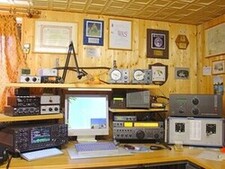
Chris: How might you relate the importance of amateur radio and similar technologies to someone who is non-technical? Dan: Amateur radio is important in a number of ways. First of all, amateur radio is a public service. In fact, the legal name for amateur radio is the Amateur Radio Service, and one of the primary reasons that amateur radio exists is to provide emergency and public service communications. All over the world, amateur radio operators are prepared to step up and provide emergency communications when disaster strikes or to provide communications for events such as marathons or bicycle tours. Second, amateur radio is important because it helps advance the state of the art. By experimenting with different circuits and communications techniques, amateurs have made significant contributions to communications science and technology. Third, amateur radio plays a big part in technical education. It enables students to experiment with wireless technologies and electronics in ways that aren t possible without a license. Amateur radio has historically been a gateway for young people interested in pursuing a career in engineering or science, such as network or electrical engineering. Fourth and this point is a little less obvious than the first three amateur radio is a way to enhance international goodwill and community. Radio knows no boundaries, of course, and amateurs are therefore ambassadors for their country, reaching out to all around the world. Beyond amateur radio, ARDC also supports and promotes research and innovation in the broader field of digital communication and information and communication science and technology. Information and communication technology plays a big part in our lives, be it for business, education, or personal communications. For example, think of the impact that cell phones have had on our culture. The challenge is that much of this work is proprietary and owned by large corporations. By focusing on open source work in this area, we help open the door to innovation outside of the corporate landscape, which is important to overall technological resiliency.
Chris: Could you briefly outline the history of ARDC? Dan: Nearly forty years ago, a group of visionary hams saw the future possibilities of what was to become the internet and requested an address allocation from the Internet Assigned Numbers Authority (IANA). That allocation included more than sixteen million IPv4 addresses, 44.0.0.0 through 44.255.255.255. These addresses have been used exclusively for amateur radio applications and experimentation with digital communications techniques ever since. In 2011, the informal group of hams administering these addresses incorporated as a nonprofit corporation, Amateur Radio Digital Communications (ARDC). ARDC is recognized by IANA, ARIN and the other Internet Registries as the sole owner of these addresses, which are also known as AMPRNet or 44Net. Over the years, ARDC has assigned addresses to thousands of hams on a long-term loan (essentially acting as a zero-cost lease), allowing them to experiment with digital communications technology. Using these IP addresses, hams have carried out some very interesting and worthwhile research projects and developed practical applications, including TCP/IP connectivity via radio links, digital voice, telemetry and repeater linking. Even so, the amateur radio community never used much more than half the available addresses, and today, less than one third of the address space is assigned and in use. This is one of the reasons that ARDC, in 2019, decided to sell one quarter of the address space (or approximately 4 million IP addresses) and establish an endowment with the proceeds. This endowment now funds ARDC s a suite of grants, including scholarships, research projects, and of course amateur radio projects. Initially, ARDC was restricted to awarding grants to organizations in the United States, but is now able to provide funds to organizations around the world.

Chris: How does the Reproducible Builds effort help ARDC achieve its goals? Dan: Our aspirational goals include: We think that the Reproducible Builds efforts in helping to ensure the safety and security of open source software closely align with those goals.
Chris: Are there any specific success stories that ARDC is particularly proud of? Dan: We are really proud of our grant to the Hoopa Valley Tribe in California. With a population of nearly 2,100, their reservation is the largest in California. Like everywhere else, the COVID-19 pandemic hit the reservation hard, and the lack of broadband internet access meant that 130 children on the reservation were unable to attend school remotely. The ARDC grant allowed the tribe to address the immediate broadband needs in the Hoopa Valley, as well as encourage the use of amateur radio and other two-way communications on the reservation. The first nation was able to deploy a network that provides broadband access to approximately 90% of the residents in the valley. And, in addition to bringing remote education to those 130 children, the Hoopa now use the network for remote medical monitoring and consultation, adult education, and other applications. Other successes include our grants to:

Chris: ARDC supports a number of other existing projects and initiatives, not all of them in the open source world. How much do you feel being a part of the broader free culture movement helps you achieve your aims? Dan: In general, we find it challenging that most digital communications technology is proprietary and closed-source. It s part of our mission to fund open source alternatives. Without them, we are solely reliant, as a society, on corporate interests for our digital communication needs. It makes us vulnerable and it puts us at risk of increased surveillance. Thus, ARDC supports open source software wherever possible, and our grantees must make a commitment to share their work under an open source license or otherwise make it as freely available as possible.
Chris: Thanks so much for taking the time to talk to us today. Now, if someone wanted to know more about ARDC or to get involved, where might they go to look? To learn more about ARDC in general, please visit our website at https://www.ampr.org. To learn more about 44Net, go to https://wiki.ampr.org/wiki/Main_Page. And, finally, to learn more about our grants program, go to https://www.ampr.org/apply/

For more about the Reproducible Builds project, please see our website at reproducible-builds.org. If you are interested in ensuring the ongoing security of the software that underpins our civilisation and wish to sponsor the Reproducible Builds project, please reach out to the project by emailing contact@reproducible-builds.org.

Jonathan Dowland: hledger

This year I've decided to bite the bullet and properly try out hledger for personal accounting. It seems I need to commit to it properly if I'm to figure out whether it will work for me or not. Up until now I'd been strictly separating my finances into two buckets: family and personal. I'd been using GNUCash for a couple of years for my personal finances, initially to evaluate it for use for the family, but I had not managed to adopt it for that. I set up a new git repository to track the ledger file, as well as a notes.txt "diary" that documents my planning around its structure and how to use it, and a import.txt which documents what account data I have imported and confirmed that the resulting balances match those reported on monthly statements. For this evaluation, I decided to bite the bullet and track both family and personal finances at the same time. I'm still keeping them conceptually very separate. To reflect that I've organised my account names around that: all accounts relating to family are prefixed family:, and likewise personal jon:.1 Some example accounts:
family:assets:shared    - shared bank account
family:dues:jon         - I owe to family
family:expenses:cat     - budget category for the cat
income                  - where money enters this universe
jon:assets:current      - my personal account
jon:dues:peter          - money Peter owes me
jon:expenses:snacks     - budget category for coffees etc
jon:liabilities:amex    - a personal credit card
I decided to make the calendar year a strict cut-over point: my personal opening balances in hledger are determined by what GNUCash reports. It's possible those will change over this year, as adjustments are made to last year's data: but it's easy enough to go in and update the opening balances in hledger to reflect that. Credit cards are a small exception. January's credit card bills are paid in January but cover transactions from mid-December. I import those transactions into hledger to balance the credit card payment. As a consequence, the "spend per month" view of my data is a bit skewed: All the transactions in December should be thought of as in January since that's when they were paid. I need to explore options to fix this. When I had family and personal managed separately, occasionally something would be paid for on the wrong card and end up in the wrong data. The solution I used last year was to keep an account dues:family to which I posted those and periodically I'd settle it with a real-world bank transfer. I've realised that this doesn't work so well when I manage both together: I can't track both dues and expense categorisation with just one posting. The solution I'm using for now is hledger's unbalanced virtual postings: a third posting for the transaction to the budget category, which is not balanced, e.g.:
2022-01-02 ZTL*RELISH
    family:liabilities:creditcard        -3.00
    family:dues:jon                       3.00
    (jon:expenses:snacks)                 3.00
This works, but it completely side-steps double-entry book keeping, which is the whole point of using a double-entry system. There's also no check and balance that the figure I put in the virtual posting ( 3) matches the figure in the rest of the transaction. I'm therefore open to other ideas.

  1. there are a couple of places in hledger where default account names are used, such as the default place that expenses are posted to during CSV imports: expenses:unknown, that obviously don't fit my family/jon: prefix scheme. The solution is to make sure I specify a default posting-to account in all my CSV import rules.

Dirk Eddelbuettel: drat 0.2.3 on CRAN: Arm M1 Support

drat user A new minor release of drat arrived on CRAN today. drat stands for drat R Archive Template, and helps with easy-to-create and easy-to-use repositories for R packages. Since its inception in early 2015 it has found widespread adoption among R users because repositories with marked releases is the better way to distribute code. See below for a few custom reference examples. Because for once it really is as your mother told you: Friends don t let friends install random git commit snapshots. Properly rolled-up releases it is. Just how CRAN shows us: a model that has demonstrated for two-plus decades how to do this. And you can too: drat is easy to use, documented by six vignettes and just works. Detailed information about drat is at its documentation site. This release adds support for the macOS Arm M1 architecture, initially supplied in a PR last fall and now finalized with additional tests. The NEWS file summarises the release as follows:

Changes in drat version 0.2.3 (2022-04-13)
  • Arm M1 repos are now supported (#126 and #131 fixing #125)
  • A vignette typo has been fixed (#130)

Courtesy of my CRANberries, there is a comparison to the previous release. More detailed information is on the drat page as well as at the documentation site. If you like this or other open-source work I do, you can now sponsor me at GitHub.

This post by Dirk Eddelbuettel originated on his Thinking inside the box blog. Please report excessive re-aggregation in third-party for-profit settings.

13 April 2022

Antoine Beaupr : Tuning my wifi radios

After listening to an episode of the 2.5 admins podcast, I realized there was some sort of low-hanging fruit I could pick to better tune my WiFi at home. You see, I'm kind of a fraud in WiFi: I only started a WiFi mesh in Montreal (now defunct), I don't really know how any of that stuff works. So I was surprised to hear one of the podcast host say "it's all about airtime" and "you want to reduce the power on your access points" (APs). It seemed like sound advice: better bandwidth means less time on air, means less collisions, less latency, and less power also means less collisions. Worth a try, right?

Frequency So the first thing I looked at was WifiAnalyzer to see if I had any optimisation I could do there. Normally, I try to avoid having nearby APs on the same frequency to avoid collisions, but who knows, maybe I had messed that up. And turns out I did! Both APs were on "auto" for 5GHz, which typically means "do nothing or worse". 5GHz is really interesting, because, in theory, there are LOTS of channels to pick from, it goes up to 196!! And both my APs were on 36, what gives? So the first thing I did was to set it to channel 100, as there was that long gap in WifiAnalyzer where no other AP was. But that just broke 5GHz on the AP. The OpenWRT GUI (luci) would just say "wireless not associated" and the ESSID wouldn't show up in a scan anymore. At first, I thought this was a problem with OpenWRT or my hardware, but I could reproduce the problem with both my APs: a TP-Link Archer A7 v5 and a Turris Omnia (see also my review). As it turns out, that's because that range of the WiFi band interferes with trivial things like satellites and radar, which make the actually very useful radar maps look like useless christmas trees. So those channels require DFS to operate. DFS works by first listening on the frequency for a certain amount of time (1-2 minute, but could be as high as 10) to see if there's something else transmitting at all. So typically, that means they just don't operate at all in those bands, especially if you're near any major city which generally means you are near a weather radar that will transmit on that band. In the system logs, if you have such a problem, you might see this:
Apr  9 22:17:39 octavia hostapd: wlan0: DFS-CAC-START freq=5500 chan=100 sec_chan=1, width=0, seg0=102, seg1=0, cac_time=60s
Apr  9 22:17:39 octavia hostapd: DFS start_dfs_cac() failed, -1
... and/or this:
Sat Apr  9 18:05:03 2022 daemon.notice hostapd: Channel 100 (primary) not allowed for AP mode, flags: 0x10095b NO-IR RADAR
Sat Apr  9 18:05:03 2022 daemon.warn hostapd: wlan0: IEEE 802.11 Configured channel (100) not found from the channel list of current mode (2) IEEE 802.11a
Sat Apr  9 18:05:03 2022 daemon.warn hostapd: wlan0: IEEE 802.11 Hardware does not support configured channel
Here, it clearly says RADAR (in all caps too, which means it's really important). NO-IR is also important, I'm not sure what it means but it could be that you're not allowed to transmit in that band because of other local regulations. There might be a way to workaround those by changing the "region" in the Luci GUI, but I didn't mess with that, because I figured that other devices will have that already configured. So using a forbidden channel might make it more difficult for clients to connect (although it's possible this is enforced only on the AP side). In any case, 5GHz is promising, but in reality, you only get from channel 36 (5.170GHz) to 48 (5.250GHz), inclusively. Fast counters will notice that is exactly 80MHz, which means that if an AP is configured for that hungry, all-powerful 80MHz, it will effectively take up all 5GHz channels at once. This, in other words, is as bad as 2.4GHz, where you also have only two 40MHz channels. (Really, what did you expect: this is an unregulated frequency controlled by commercial interests...) So the first thing I did was to switch to 40MHz. This gives me two distinct channels in 5GHz at no noticeable bandwidth cost. (In fact, I couldn't find hard data on what the bandwidth ends up being on those frequencies, but I could still get 400Mbps which is fine for my use case.)

Power The next thing I did was to fiddle with power. By default, both radios were configured to transmit as much power as they needed to reach clients, which means that if a client gets farther away, it would boost its transmit power which, in turns, would mean the client would still connect to instead of failing and properly roaming to the other AP. The higher power also means more interference with neighbors and other APs, although that matters less if they are on different channels. On 5GHz, power was about 20dBm (100 mW) -- and more on the Turris! -- when I first looked, so I tried to lower it drastically to 5dBm (3mW) just for kicks. That didn't work so well, so I bumped it back up to 14 dBm (25 mW) and that seems to work well: clients hit about -80dBm when they get far enough from the AP, which gets close to the noise floor (and where the neighbor APs are), which is exactly what I want. On 2.4GHz, I lowered it down even further, to 10 dBm (10mW) since it's better at going through wells, I figured it would need less power. And anyways, I rather people use the 5GHz APs, so maybe that will act as an encouragement to switch. I was still able to connect correctly to the APs at that power as well.

Other tweaks I disabled the "Allow legacy 802.11b rates" setting in the 5GHz configuration. According to this discussion:
Checking the "Allow b rates" affects what the AP will transmit. In particular it will send most overhead packets including beacons, probe responses, and authentication / authorization as the slow, noisy, 1 Mb DSSS signal. That is bad for you and your neighbors. Do not check that box. The default really should be unchecked.
This, in particular, "will make the AP unusable to distant clients, which again is a good thing for public wifi in general". So I just unchecked that box and I feel happier now. I didn't make tests to see the effect separately however, so this is mostly just a guess.

12 April 2022

Sven Hoexter: Emulating Raspi2 like hardware with RaspiOS in 2022

Update of my notes from 2020.
# Download a binary device tree file and matching kernel a good soul uploaded to github
wget https://github.com/vfdev-5/qemu-rpi2-vexpress/raw/master/kernel-qemu-4.4.1-vexpress
wget https://github.com/vfdev-5/qemu-rpi2-vexpress/raw/master/vexpress-v2p-ca15-tc1.dtb
# Download the official Rasbian image without X
wget https://downloads.raspberrypi.org/raspios_lite_armhf/images/raspios_lite_armhf-2022-04-07/2022-04-04-raspios-bullseye-armhf-lite.img.xz
unxz 2022-04-04-raspios-bullseye-armhf-lite.img.xz
# Convert it from the raw image to a qcow2 image and add some space
qemu-img convert -f raw -O qcow2 2022-04-04-raspios-bullseye-armhf-lite.img rasbian.qcow2
qemu-img resize rasbian.qcow2 4G
# make sure we get a user account setup
echo "me:$(echo 'test123' openssl passwd -6 -stdin)" > userconf
sudo guestmount -a rasbian.qcow2 -m /dev/sda1 /mnt
sudo mv userconf /mnt
sudo guestunmount /mnt
# start qemu
qemu-system-arm -m 2048M -M vexpress-a15 -cpu cortex-a15 \
 -kernel kernel-qemu-4.4.1-vexpress -no-reboot \
 -smp 2 -serial stdio \
 -dtb vexpress-v2p-ca15-tc1.dtb -sd rasbian.qcow2 \
 -append "root=/dev/mmcblk0p2 rw rootfstype=ext4 console=ttyAMA0,15200 loglevel=8" \
 -nic user,hostfwd=tcp::5555-:22
# login at the serial console as user me with password test123
sudo -i
# enable ssh
systemctl enable ssh
systemctl start ssh
# resize partition and filesystem
parted /dev/mmcblk0 resizepart 2 100%
resize2fs /dev/mmcblk0p2
Now I can login via ssh and start to play:
ssh me@localhost -p 5555

11 April 2022

Paul Tagliamonte: k3xec.com/patty: Go bindings to patty

AX.25 is a tough protocol to use on UNIX systems. A lot of the support in Linux, specifically, is pretty hard to use, and tends to be built into the reptilian brain of the kernel. xan built a userland AX.25 stack called patty, for which I have now built some Go bindings on top of. Code needed to create AX.25 Sockets via Go can be found at github.com/k3xec/go-patty, and imported by Go source as k3xec.com/patty.

Overview Clint patty programs (including consumers of this Go library) work by communicating with a userland daemon (pattyd) via a UNIX named socket. That daemon will communicate with a particular radio using a KISS TNC serial device. The Go bindings implement as many standard Go library interfaces as is practical, allowing for the plug and play use of patty (and AX.25) in places where you would expect a network socket (such as TCP) to work, such as Go s http library.

Example
package main
import (
"fmt"
"log"
"net"
"os"
"time"
"k3xec.com/patty"
)
func main()  
callsign := "N0CALL-10"
client, err := patty.Open("patty.sock")
if err != nil  
panic(err)
 
l, err := client.Listen("ax25", callsign)
if err != nil  
panic(err)
 
for  
log.Printf("Listening for requests to %s", l.Addr())
conn, err := l.Accept()
if err != nil  
log.Printf("Error accepting: %s", err)
continue
 
go handle(conn)
 
 
func handle(c net.Conn) error  
defer c.Close()
log.Printf("New connection from %s (local: %s)", c.RemoteAddr(), c.LocalAddr())
fmt.Fprintf(c,  

Hello! This is Paul's experimental %s node. Feel free
to poke around. Let me know if you spot anything funny.

Five pings are to follow!

 , c.LocalAddr())
for i := 0; i < 5; i++  
time.Sleep(time.Second * 5)
fmt.Fprintf(c, "Ping!\n")
 
return nil
 

Jonathan Dowland: With Teeth

Sometimes people ask me which is the best entry point for Nine Inch Nails, and I have trouble answering. I've eventually decided that it's 2005's With Teeth.
Picture of 'With Teeth' playing on my turntable
I've pulled this from my pile of records to sell. Most Nine Inch Nails stuff seems to increase in value over time, and it's got to the stage that some of the ones in my collection are now valuable enough that I'm nervous to play them, which makes them a little pointless. A couple of years ago, a handful of the albums were re-issued (including With Teeth, here, and The Fragile, which hadn't been repressed since 1999). I had a vague plan to sell off my original pressings to someone who would appreciate them more and use the takings to buy the re-issues, but I didn't move fast enough, and now the re-issues are (for the most part) also sought-after.

10 April 2022

Dirk Eddelbuettel: RcppRedis 0.2.1: Maintenance

A month after the major release 0.2.0 bringing pub/sub and other goodies to our RcppRedis package, a new version 0.2.1 arrived on CRAN yesterday. RcppRedis is one of several packages connecting R to the fabulous Redis in-memory datastructure store (and much more). RcppRedis does not pretend to be feature complete, but it may do some things faster than the other interfaces, and also offers an optional coupling with MessagePack binary (de)serialization via RcppMsgPack. The package has carried production loads for several years now. This release updated the rredis suggestion by adding an Additional_repositories entry as Bryan decided to retire the rredis package. You can still install it via install.packages("rredis") by setting the addtional repo, for example repos=c("https://ghrr.github.io/drat", getOption("repos")) as documented in package and at our ghrr drat repo. The detailed changes list follows.

Changes in version 0.2.1 (2022-04-09)
  • The rredis package can be installed via the repo listed in Additional_repositories; the pubsub.R test file makes rredis optional and conditional; all demos now note that the optional rredis package is installable via the drat listed in Additional_repositories.
  • The fallback-compilation of hiredis has been forced to override compilation flags because CRAN knows better than upstream.
  • The GLOBEX pub/sub example has small updates.

Courtesy of CRANberries, there is also a diffstat report for this release. More information is on the RcppRedis page. If you like this or other open-source work I do, you can now sponsor me at GitHub.

This post by Dirk Eddelbuettel originated on his Thinking inside the box blog. Please report excessive re-aggregation in third-party for-profit settings.

Next.

Previous.