Search Results: "will"

23 February 2017

Joerg Jaspert: Automated wifi login

If you have the fortune to need to follow some silly Login button for some wifi, regularly, the following little script may help you avoid this idiotic (and useless) task. This example uses the WIFIonICE, the free wifi on german ICE trains, simply as I have it twice a day, and got annoyed by the pointless Login button. A friend pointed me at just wget-ting the login page, so I made Network-Manager do this for me. Should work for anything similar that doesn t need some elaborate webform filled out.
#!/bin/bash
# (Some) docs at
# https://wiki.ubuntuusers.de/NetworkManager/Dispatcher/
IFACE=$ 1:-"none" 
ACTION=$ 2:-"up" 
case $ ACTION  in
    up)
        CONID=$ CONNECTION_ID:-$(iwconfig $IFACE   grep ESSID   cut -d":" -f2   sed 's/^[^"]*"\ "[^"]*$//g') 
        if [[ $ CONID  == WIFIonICE ]]; then
            /usr/bin/timeout -k 20 15 /usr/bin/wget -q -O - http://www.wifionice.de/?login > /dev/null
        fi
        ;;
    *)
        # We are not interested in this
        :
        ;;
esac
This script needs to be put into /etc/NetworkManager/dispatcher.d and made executable, owned by the root user. It will run on every connection change, thats why the ACTION is checked. The case may be a bit much here, but it could be easily extended to do a lot more. Yay, no more silly Open this webpage and press login crap.

Gunnar Wolf: Spam: Tactics, strategy, and angry bears

I know spam is spam is spam, and I know trying to figure out any logic underneath it is a lost cause. However... I am curious. Many spam subjects are seemingly random, designed to convey whatever "information" they contain and fool spam filters. I understand that. Many spam subjects are time-related. As an example, in the last months there has been a surge of spam mentioning Donald Trump. I am thankful: Very easy to filter out, even before it reaches spamassassin. Of course, spam will find thousands of ways to talk about sex; cialis/viagra sellers, escort services, and a long list of WTF. However... Tactical flashlights. Bright enough to blind a bear. WTF I mean... Truly. Really. WTF What does that mean? Why is that even a topic? Who is interested in anything like that? How often does the average person go camping in the woods? Why do we need to worry about stupid bears attacking us? Why would a bear attack me? The list of WTF questions could go on forever. What am I missing? What does "tactical flashlight" mean that I just fail to grasp? Has this appeared in your spam?

22 February 2017

Antoine Beaupr : The case against password hashers

In previous articles, we have looked at how to generate passwords and did a review of various password managers. There is, however, a third way of managing passwords other than remembering them or encrypting them in a "vault", which is what I call "password hashing". A password hasher generates site-specific passwords from a single master password using a cryptographic hash function. It thus allows a user to have a unique and secure password for every site they use while requiring no storage; they need only to remember a single password. You may know these as "deterministic or stateless password managers" but I find the "password manager" phrase to be confusing because a hasher doesn't actually store any passwords. I do not think password hashers represent a good security tradeoff so I generally do not recommend their use, unless you really do not have access to reliable storage that you can access readily. In this article, I use the word "password" for a random string used to unlock things, but "token" to represent a generated random string that the user doesn't need to remember. The input to a password hasher is a password with some site-specific context and the output from a password hasher is a token.

What is a password hasher? A password hasher uses the master password and a label (generally the host name) to generate the site-specific password. To change the generated password, the user can modify the label, for example by appending a number. Some password hashers also have different settings to generate tokens of different lengths or compositions (symbols or not, etc.) to accommodate different site-specific password policies. The whole concept of password hashers relies on the concept of one-way cryptographic hash functions or key derivation functions that take an arbitrary input string (say a password) and generate a unique token, from which it is impossible to guess the original input string. Password hashers are generally written as JavaScript bookmarklets or browser plugins and have been around for over a decade. The biggest advantage of password hashers is that you only need to remember a single password. You do not need to carry around a password manager vault: there's no "state" (other than site-specific settings, which can be easily guessed). A password hasher named Master Password makes a compelling case against traditional password managers in its documentation:
It's as though the implicit assumptions are that everybody backs all of their stuff up to at least two different devices and backups in the cloud in at least two separate countries. Well, people don't always have perfect backups. In fact, they usually don't have any.
It goes on to argue that, when you lose your password: "You lose everything. You lose your own identity." The stateless nature of password hashers also means you do not need to use cloud services to synchronize your passwords, as there is (generally, more on that later) no state to carry around. This means, for example, that the list of accounts that you have access to is only stored in your head, and not in some online database that could be hacked without your knowledge. The downside of this is, of course, that attackers do not actually need to have access to your password hasher to start cracking it: they can try to guess your master key without ever stealing anything from you other than a single token you used to log into some random web site. Password hashers also necessarily generate unique passwords for every site you use them on. While you can also do this with password managers, it is not an enforced decision. With hashers, you get distinct and strong passwords for every site with no effort.

The problem with password hashers If hashers are so great, why would you use a password manager? Programs like LessPass and Master Password seem to have strong crypto that is well implemented, so why isn't everyone using those tools? Password hashing, as a general concept, actually has serious problems: since the hashing outputs are constantly compromised (they are sent in password forms to various possibly hostile sites), it's theoretically possible to derive the master password and then break all the generated tokens in one shot. The use of stronger key derivation functions (like PBKDF2, scrypt, or HMAC) or seeds (like a profile-specific secret) makes those attacks much harder, especially if the seed is long enough to make brute-force attacks infeasible. (Unfortunately, in the case of Password Hasher Plus, the seed is derived from Math.random() calls, which are not considered cryptographically secure.) Basically, as stated by Julian Morrison in this discussion:
A password is now ciphertext, not a block of line noise. Every time you transmit it, you are giving away potential clues of use to an attacker. [...] You only have one password for all the sites, really, underneath, and it's your secret key. If it's broken, it's now a skeleton-key [...]
Newer implementations like LessPass and Master Password fix this by using reasonable key derivation algorithms (PBKDF2 and scrypt, respectively) that are more resistant to offline cracking attacks, but who knows how long those will hold? To give a concrete example, if you would like to use the new winner of the password hashing competition (Argon2) in your password manager, you can patch the program (or wait for an update) and re-encrypt your database. With a password hasher, it's not so easy: changing the algorithm means logging in to every site you visited and changing the password. As someone who used a password hasher for a few years, I can tell you this is really impractical: you quickly end up with hundreds of passwords. The LessPass developers tried to facilitate this, but they ended up mostly giving up. Which brings us to the question of state. A lot of those tools claim to work "without a server" or as being "stateless" and while those claims are partly true, hashers are way more usable (and more secure, with profile secrets) when they do keep some sort of state. For example, Password Hasher Plus records, in your browser profile, which site you visited and which settings were used on each site, which makes it easier to comply with weird password policies. But then that state needs to be backed up and synchronized across multiple devices, which led LessPass to offer a service (which you can also self-host) to keep those settings online. At this point, a key benefit of the password hasher approach (not keeping state) just disappears and you might as well use a password manager. Another issue with password hashers is choosing the right one from the start, because changing software generally means changing the algorithm, and therefore changing passwords everywhere. If there was a well-established program that was be recognized as a solid cryptographic solution by the community, I would feel more confident. But what I have seen is that there are a lot of different implementations each with its own warts and flaws; because changing is so painful, I can't actually use any of those alternatives. All of the password hashers I have reviewed have severe security versus usability tradeoffs. For example, LessPass has what seems to be a sound cryptographic implementation, but using it requires you to click on the icon, fill in the fields, click generate, and then copy the password into the field, which means at least four or five actions per password. The venerable Password Hasher is much easier to use, but it makes you type the master password directly in the site's password form, so hostile sites can simply use JavaScript to sniff the master password while it is typed. While there are workarounds implemented in Password Hasher Plus (the profile-specific secret), both tools are more or less abandoned now. The Password Hasher homepage, linked from the extension page, is now a 404. Password Hasher Plus hasn't seen a release in over a year and there is no space for collaborating on the software the homepage is simply the author's Google+ page with no information on the project. I couldn't actually find the source online and had to download the Chrome extension by hand to review the source code. Software abandonment is a serious issue for every project out there, but I would argue that it is especially severe for password hashers. Furthermore, I have had difficulty using password hashers in unified login environments like Wikipedia's or StackExchange's single-sign-on systems. Because they allow you to log in with the same password on multiple sites, you need to choose (and remember) what label you used when signing in. Did I sign in on stackoverflow.com? Or was it stackexchange.com? Also, as mentioned in the previous article about password managers, web-based password managers have serious security flaws. Since more than a few password hashers are implemented using bookmarklets, they bring all of those serious vulnerabilities with them, which can range from account name to master password disclosures. Finally, some of the password hashers use dubious crypto primitives that were valid and interesting a decade ago, but are really showing their age now. Stanford's pwdhash uses MD5, which is considered "cryptographically broken and unsuitable for further use". We have seen partial key recovery attacks against MD5 already and while those do not allow an attacker to recover the full master password yet (especially not with HMAC-MD5), I would not recommend anyone use MD5 in anything at this point, especially if changing that algorithm later is hard. Some hashers (like Password Hasher and Password Plus) use a a single round of SHA-1 to derive a token from a password; WPA2 (standardized in 2004) uses 4096 iterations of HMAC-SHA1. A recent US National Institute of Standards and Technology (NIST) report also recommends "at least 10,000 iterations of the hash function".

Conclusion Forced to suggest a password hasher, I would probably point to LessPass or Master Password, depending on the platform of the person asking. But, for now, I have determined that the security drawbacks of password hashers are not acceptable and I do not recommend them. It makes my password management recommendation shorter anyway: "remember a few carefully generated passwords and shove everything else in a password manager". [Many thanks to Daniel Kahn Gillmor for the thorough reviews provided for the password articles.]
Note: this article first appeared in the Linux Weekly News. Also, details of my research into password hashers are available in the password hashers history article.

Lisandro Dami n Nicanor P rez Meyer: Developing an nrf51822 based embedded device with Qt Creator and Debian

I'm currently developing an nRF51822-based embedded device. Being one the Qt/Qt Creator maintainers in Debian I would of course try to use it for the development. Turns out it works pretty good... with some caveats.

There are already two quite interesting blog posts about using Qt Creator on MAC and on Windows, so I will not repeat the basics, as they are there. Both use qbs, but I managed to use CMake.

Instead I'll add some tips on the stuff that I needed to solve in order to make this happen on current Debian Sid.


Cheers!

Enrico Zini: staticsite news: github mode and post series

GitHub mode Tobias Gruetzmacher implemented GitHub mode for staticsite. Although GitHub now has a similar site rendering mode, it doesn't give you a live preview: if you run ssite serve on a GitHub project you will get a live preview of README.md and the project documentation. Post series I have added support for post series, that allow you to easily interlink posts with previous/next links. You can see it in action on links and on An Italian song a day, an ongoing series that is currently each day posting a link to an Italian song.

21 February 2017

Shirish Agarwal: The Indian elections hungama

a person showing s(he) showing s(he) Before I start, I would like to point out #855549 . This is a normal/wishlist bug I have filed against apt, the command-line package manager. I sincerely believe having a history command to know what packages were installed, which were upgraded, which were purged should be easily accessible, easily understood and if the output looks pretty, so much the better. Of particular interest to me is having a list of new packages I have installed in last couple of years after jessie became the stable release. It probably would make for some interesting reading. I dunno how much efforts would be to code something like that, but if it works, it would be the greatest. Apt would have finally arrived. Not that it s a bad tool, it s just that it would then make for a heck of a useful tool. Coming back to the topic on hand, Now for the last couple of weeks we don t have water or rather pressure of water. Water crisis has been hitting Pune every year since 2014 with no end in sight. This has been reported in newspapers addendum but it seems it has been felling on deaf ears. The end result of it is that I have to bring buckets of water from around 50 odd metres. It s not a big thing, it s not like some women in some villages in Rajasthan who have to walk in between 200 metres to 5 odd kilometres to get potable water or Darfur, Western Sudan where women are often kidnapped and sold as sexual slaves when they get to fetch water. The situation in Darfur has been shown quite vividly in Darfur is Dying . It is possible that I may have mentioned about Darfur before. While unfortunately the game is in flash as a web resource, the most disturbing part is that the game is extremely depressing, there is a no-win scenario. So knowing and seeing both those scenarios, I can t complain about 50 metres. BUT .but when you extrapolate the same data over some more or less 3.3-3.4 million citizens, 3.1 million during 2011 census with a conservative 2.3-2.4 percent population growth rate according to scroll.in. Fortunately or unfortunately, Pune Municipal Corporation elections were held today. Fortunately or unfortunately, this time all the political parties bought majorly unknown faces in these elections. For e.g. I belong to ward 14 which is spread over quite a bit of area and has around 10k of registered voters. Now the unfortunate part of having new faces in elections, you don t know anything about them. Apart from the affidavits filed, the only thing I come to know is whether there are criminal cases filed against them and what they have shown as their wealth. While I am and should be thankful to ADR which actually is the force behind having the collated data made public. There is a lot of untold story about political push-back by all the major national and regional political parties even when this bit of news were to be made public. It took major part of a decade for such information to come into public domain. But for my purpose of getting clean air and water supply 24 7 to each household seems a very distant dream. I tried to connect with the corporators about a week before the contest and almost all of the lower party functionaries hid behind their political parties manifestos stating they would do the best without any viable plan. For those not knowing, India has been blessed with 6 odd national parties and about 36 odd regional parties and every election some 20-25 new parties try their luck every time. The problem is we, the public, don t trust them or their manifestos. First of all the political parties themselves engage in mud-slinging as to who s copying whom with the manifesto.Even if a political party wins the elections, there is no *real* pressure for them to follow their own manifesto. This has been going for many a year. OF course, we the citizens are to also blame as most citizens for one reason or other chose to remain aloof of the process. I scanned/leafed through all the manifestos and all of them have the vague-wording we will make Pune tanker-free without any implementation details. While I was unable to meet the soon-to-be-Corporators, I did manage to meet a few of the assistants but all the meetings were entirely fruitless. Diagram of Rain Water Harvesting I asked why can t the city follow the Chennai model. Chennai, not so long ago was at the same place where Pune is, especially in relation to water. What happened next, in 2001 has been beautifully chronicled in Hindustan Times . What has not been shared in that story is that the idea was actually fielded by one of Chennai Mayor s assistants, an IAS Officer, I have forgotten her name, Thankfully, her advise/idea was taken to heart by the political establishment and they drove RWH. Saying why we can t do something similar in Pune, I heard all kinds of excuses. The worst and most used being Marathas can never unite which I think is pure bullshit. For people unfamiliar to the term, Marathas was a warrior clan in Shivaji s army. Shivaji, the king of Marathas were/are an expert tactician and master of guerilla warfare. It is due to the valor of Marathas, that we still have the Maratha Light Infantry a proud member of the Indian army. Why I said bullshit was the composition of people living in Maharashtra has changed over the decades. While at one time both the Brahmins and the Marathas had considerable political and population numbers, that has changed drastically. Maharashtra and more pointedly, Mumbai, Pune and Nagpur have become immigrant centres. Why just a decade back, Shiv Sena, an ultra right-wing political party used to play the Maratha card at each and every election and heckle people coming from Uttar Pradesh and Bihar, this has been documented as the 2008 immigrants attacks and 9 years later we see Shiv Sena trying to field its candidates in Uttar Pradesh. So, obviously they cannot use the same tactics which they could at one point of time. One more reason I call it bullshit, is it s a very lame excuse. When the Prime Minister of the country calls for demonetization which affects 1.25 billion people, people die, people stand in queues and is largely peaceful, I do not see people resisting if they bring a good scheme. I almost forgot, as an added sweetener, the Chennai municipality said that if you do RWH and show photos and certificates of the job, you won t have to pay as much property tax as otherwise you would, that also boosted people s participation. And that is not the only solution, one more solution has been outlined in Aaj Bhi Khade hain talaab written by just-deceased Gandhian environmental activist Anupam Mishra. His Book can be downloaded for free at India Water Portal . Unfortunately, the said book doesn t have a good English translation till date. Interestingly, all of his content is licensed under public domain (CC-0) so people can continue to enjoy and learn from his life-work. Another lesson or understanding could be taken from Israel, the father of the modern micro-drip irrigation for crops. One of the things on my bucket lists is to visit Israel and if possible learn how they went from a water-deficient country to a water-surplus one. India labor Which brings me to my second conundrum, most of the people believe that it s the Government s job to provide jobs to its people. India has been experiencing jobless growth for around a decade now, since the 2008 meltdown. While India was lucky to escape that, most of its trading partners weren t hence it slowed down International trade which slowed down creation of new enterprises etc. Laws such as the Bankruptcy law and the upcoming Goods and Services Tax . As everybody else, am a bit excited and a bit apprehensive about how the actual implementation will take place. null Even International businesses has been found wanting. The latest example has been Uber and Ola. There have been protests against the two cab/taxi aggregators operating in India. For the millions of jobless students coming out of schools and Universities, there aren t simply enough jobs for them, nor are most (okay 50%) of them qualified for the jobs, these 50 percent are also untrainable, so what to do ? In reality, this is what keeps me awake at night. India is sitting on this ticking bomb-shell. It is really, a miracle that the youths have not rebelled yet. While all the conditions, proposals and counter-proposals have been shared before, I wanted/needed to highlight it. While the issue seems to be local, I would assert that they are all glocal in nature. The questions we are facing, I m sure both developing and to some extent even developed countries have probably been affected by it. I look forward to know what I can learn from them. Update 23/02/17 I had wanted to share about Debian s Voting system a bit, but that got derailed. Hence in order not to do, I ll just point towards 2015 platforms where 3 people vied for DPL post. I *think* I shared about DPL voting process earlier but if not, would do in detail in some future blog post.
Filed under: Miscellenous Tagged: #Anupam Mishra, #Bankruptcy law, #Chennai model, #clean air, #clean water, #elections, #GST, #immigrant, #immigrants, #Maratha, #Maratha Light Infantry, #migration, #national parties, #Political party manifesto, #regional parties, #ride-sharing, #water availability, Rain Water Harvesting

Reproducible builds folks: Reproducible Builds: week 95 in Stretch cycle

Here's what happened in the Reproducible Builds effort between Sunday February 12 and Saturday February 18 2017: Upcoming Events The Reproducible Build Zoo will be presented by Vagrant Cascadian at the Embedded Linux Conference in Portland, Oregon, February 22nd. Introduction to Reproducible Builds will be presented by Vagrant Cascadian at Scale15x in Pasadena, California, March 5th. Toolchain development and fixes Ximin Luo posted a preliminary spec for BUILD_PATH_PREFIX_MAP, bringing together work and research from previous weeks. Ximin refactored and consolidated much of our existing documentation on both SOURCE_DATE_EPOCH and BUILD_PATH_PREFIX_MAP into one unified page, Standard Environment Variables, with extended discussion on related solutions and how these all fit into people's ideas of what reproducible builds should look like in the long term. The specific pages for each variable still remain, at Timestamps Proposal and Build Path Proposal, only without content that was previously duplicated on both pages. Ximin filed #855282 against devscripts for debsign(1) to support buildinfo files, and wrote an initial series of patches for it with some further additions from Guillem Jover. Packages reviewed and fixed, and bugs filed Chris Lamb: Reviews of unreproducible packages 35 package reviews have been added, 1 have been updated and 17 have been removed in this week, adding to our knowledge about identified issues. 1 issue type has been added: Weekly QA work During our reproducibility testing, the following FTBFS bugs have been detected and reported by: diffoscope development diffoscope 77 was uploaded to unstable by Mattia Rizzolo. It included contributions from: strip-nondeterminism development strip-nondeterminism 0.031-1 was uploaded to unstable by Chris Lamb. It included contributions from: strip-nondeterminism 0.031-1~bpo8+1 was uploaded to jessie-backports by Mattia. tests.reproducible-builds.org Misc. This week's edition was written by Ximin Luo & reviewed by a bunch of Reproducible Builds folks on IRC & the mailing lists.

Arturo Borrero Gonz lez: About process limits, round 2

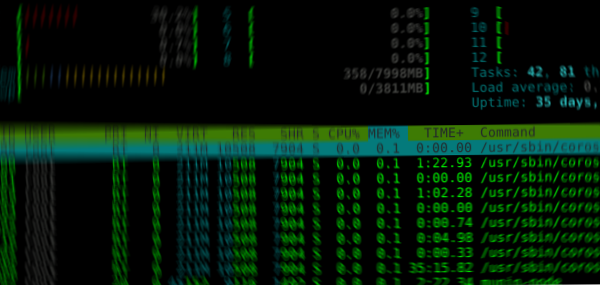
htop I was wrong. After the other blog post About process limits, some people contacted me with additional data and information. I myself continued to investigate on the issue, so I have new facts. I read again the source code of the slapd daemon and the picture seems clearer now. A new message appeared in the log files:

[...]
Feb 20 06:26:03 slapd[18506]: daemon: 1025 beyond descriptor table size 1024
[...]
This message is clearly produced by the daemon itself, and searching for the string leads to this source code, in servers/slapd/daemon.c:
[...]
sfd = SLAP_SOCKNEW( s );
/* make sure descriptor number isn't too great */
if ( sfd >= dtblsize )  
	Debug( LDAP_DEBUG_ANY,
		"daemon: %ld beyond descriptor table size %ld\n",
		(long) sfd, (long) dtblsize, 0 );
	tcp_close(s);
	ldap_pvt_thread_yield();
	return 0;
 
[...]
In that same file, dtblsize is set to:
[...]
#ifdef HAVE_SYSCONF
        dtblsize = sysconf( _SC_OPEN_MAX );
#elif defined(HAVE_GETDTABLESIZE)
        dtblsize = getdtablesize();
#else /* ! HAVE_SYSCONF && ! HAVE_GETDTABLESIZE */
        dtblsize = FD_SETSIZE;
#endif /* ! HAVE_SYSCONF && ! HAVE_GETDTABLESIZE */
[...]
If you keep pulling the string, the first two options use system limits to know the value, getrlimit(), and the last one uses a fixed value of 4096 (set at build time). It turns out that this routine slapd_daemon_init() is called once, at daemon startup (see main() function at servers/slapd/main.c). So the daemon is limiting itself to the limit imposed by the system at daemon startup time. That means that our previous limits settings at runtime was not being read by the slapd daemon. Let s back to the previous approach of establishing the process limits by setting them on the user. The common method is to call ulimit in the init.d script (or systemd service file). One of my concerns of this approach was that slapd runs as a different user, usually openldap. Again, reading the source code:
[...]
if( check == CHECK_NONE && slapd_daemon_init( urls ) != 0 )  
	rc = 1;
        SERVICE_EXIT( ERROR_SERVICE_SPECIFIC_ERROR, 16 );
        goto stop;
 
#if defined(HAVE_CHROOT)
	if ( sandbox )  
		if ( chdir( sandbox ) )  
			perror("chdir");
			rc = 1;
			goto stop;
		 
		if ( chroot( sandbox ) )  
			perror("chroot");
			rc = 1;
			goto stop;
		 
	 
#endif
#if defined(HAVE_SETUID) && defined(HAVE_SETGID)
	if ( username != NULL   groupname != NULL )  
		slap_init_user( username, groupname );
	 
#endif
[...]
So, the slapd daemon first reads the limits and then change user to openldap, (the slap_init_user() function). We can then asume that if we set the limits to the root user, calling ulimit in the init.d script, the slapd daemon will actually inherint them. This is what is originally suggested in debian bug #660917. Let s use this solution for now. Many thanks to John Hughes john@atlantech.com for the clarifications via email.

20 February 2017

Petter Reinholdtsen: Detect OOXML files with undefined behaviour?

I just noticed the new Norwegian proposal for archiving rules in the goverment list ECMA-376 / ISO/IEC 29500 (aka OOXML) as valid formats to put in long term storage. Luckily such files will only be accepted based on pre-approval from the National Archive. Allowing OOXML files to be used for long term storage might seem like a good idea as long as we forget that there are plenty of ways for a "valid" OOXML document to have content with no defined interpretation in the standard, which lead to a question and an idea. Is there any tool to detect if a OOXML document depend on such undefined behaviour? It would be useful for the National Archive (and anyone else interested in verifying that a document is well defined) to have such tool available when considering to approve the use of OOXML. I'm aware of the officeotron OOXML validator, but do not know how complete it is nor if it will report use of undefined behaviour. Are there other similar tools available? Please send me an email if you know of any such tool.

Holger Levsen: How to use .ics files like it's 1997

$ sudo apt install khal
 
Unpacking khal (0.8.4-3) ...
 
$ (echo 1;echo 0;echo y;echo 0; echo y; echo n; echo y; echo y)    khal configure
 
Do you want to write the config to /home/user/.config/khal/khal.conf? (Choosing  No  will abort) [y/N]: Successfully wrote configuration to /home/user/.config/khal/khal.conf
$ wget https://anonscm.debian.org/cgit/debconf-data/dc17.git/plain/misc/until-dc17.ics
 
HTTP request sent, awaiting response... 200 OK
Length: 6120 (6.0K) [text/plain]
Saving to:  until-dc17.ics 
 
$ khal import --batch -a private until-dc17.ics
$ khal agenda --days 14
Today:
16:30-17:30: DebConf Weekly Meeting  
27-02-2017
16:30-17:30: DebConf Weekly Meeting  
khal is available in stretch and newer and is probably best run from cron piping into '/usr/bin/mail' :-) Thanks to Gunnar Wolf for figuring it all out.

Jonathan Dowland: Blinkenlights, part 2

Part two of a series. part 1, part 3. To start with configuring my NAS to use the new blinkenlights, I thought I'd start with a really easy job: I plug in my iPod, a script runs to back it up, then the iPod gets unmounted. It's one of the simpler jobs to start with because the iPod is a simple block device and there's no encryption in play. For now, I'm also going to assume the LED Is going to be used exclusively for this job. In the future I will want many independent jobs to perhaps use the LED to signal things and figuring out how that will work is going to be much harder. I'll skip over the journey and go straight to the working solution. I have a systemd job that is used to invoke a sync from the iPod as follows:
[Service]
Type=oneshot
ExecStart=/bin/mount /media/ipod
ExecStart=/usr/local/bin/blinkstick --index 1 --limit 10 --set-color 33c280
ExecStart=/usr/bin/rsync ...
ExecStop=/bin/umount /media/ipod
ExecStop=/usr/local/bin/blinkstick --index 1 --limit 10 --set-color green
[Install]
WantedBy=dev-disk-by\x2duuid-A2EA\x2d96ED.device
[Unit]
OnFailure=blinkstick-fail.service
/media/ipod is a classic mount configured in /etc/fstab. I've done this rather than use the newer systemd .mount units which sadly don't give you enough hooks for running things after unmount or in the failure case. This feels quite unnatural, much more "systemdy" would be to Requires= the mount unit, but I couldn't figure out an easy way to set the LED to green after the unmount. I'm sure it's possible, but convoluted. The first blinkstick command sets the LED to a colour to indicate "in progress". I explored some of the blinkstick tool's options for a fading or throbbing colour but they didn't work very well. I'll take another look in the future. After the LED is set, the backup job itself runs. The last blinkstick command, which is only run if the previous umount has succeeded, sets the LED to indicate "safe to unplug". The WantedBy here instructs systemd that when the iPod device-unit is activated, it should activate my backup service. I can refer to the iPod device-unit using this name based on the partition's UUID; this is not the canonical device name that you see if you run systemctl but it's much shorter and crucially its stable, the canonical name depends on exactly where you plugged it in and what other devices might have been connected at the same time. If something fails, a second unit blinkstick-fail.service gets activated. This is very short:
[Service]
ExecStart=/usr/local/bin/blinkstick --index 1 --limit 50 --set-color red
This simply sets the LED to be red. Again it's a bit awkward that in 2 cases I'm setting the LED with a simple Exec but in the third I have to activate a separate systemd service: this seems to be the nature of the beast. At least when I come to look at concurrent jobs all interacting with the LED, the failure case should be simple: red trumps any other activity, user must go and check what's up.

Russ Allbery: Haul via parents

My parents were cleaning out a bunch of books they didn't want, so I grabbed some of the ones that looked interesting. A rather wide variety of random stuff. Also, a few more snap purchases on the Kindle even though I've not been actually finishing books recently. (I do have two finished and waiting for me to write reviews, at least.) Who knows when, if ever, I'll read these. Mark Ames Going Postal (nonfiction)
Catherine Asaro The Misted Cliffs (sff)
Ambrose Bierce The Complete Short Stores of Ambrose Bierce (collection)
E. William Brown Perilous Waif (sff)
Joseph Campbell A Hero with a Thousand Faces (nonfiction)
Jacqueline Carey Miranda and Caliban (sff)
Noam Chomsky 9-11 (nonfiction)
Noam Chomsky The Common Good (nonfiction)
Robert X. Cringely Accidental Empires (nonfiction)
Neil Gaiman American Gods (sff)
Neil Gaiman Norse Mythology (sff)
Stephen Gillet World Building (nonfiction)
Donald Harstad Eleven Days (mystery)
Donald Harstad Known Dead (mystery)
Donald Harstad The Big Thaw (mystery)
James Hilton Lost Horizon (mainstream)
Spencer Johnson The Precious Present (nonfiction)
Michael Lerner The Politics of Meaning (nonfiction)
C.S. Lewis The Joyful Christian (nonfiction)
Grigori Medredev The Truth about Chernobyl (nonfiction)
Tom Nadeu Seven Lean Years (nonfiction)
Barak Obama The Audacity of Hope (nonfiction)
Ed Regis Great Mambo Chicken and the Transhuman Condition (nonfiction)
Fred Saberhagen Berserker: Blue Death (sff)
Al Sarrantonio (ed.) Redshift (sff anthology)
John Scalzi Fuzzy Nation (sff)
John Scalzi The End of All Things (sff)
Kristine Smith Rules of Conflict (sff)
Henry David Thoreau Civil Disobedience and Other Essays (nonfiction)
Alan W. Watts The Book (nonfiction)
Peter Whybrow A Mood Apart (nonfiction) I've already read (and reviewed) American Gods, but didn't own a copy of it, and that seemed like a good book to have a copy of. The Carey and Brown were snap purchases, and I picked up a couple more Scalzi books in a recent sale.

18 February 2017

Steve Kemp: Apologies for the blog-churn.

I've been tweaking my blog a little over the past few days, getting ready for a new release of the chronicle blog compiler (github). During the course of that I rewrote all the posts to have 100% lower-case file-paths. Redirection-pages have been auto-generated for each page which was previously mixed-case, but unfortunately that will have meant that the RSS feed updated unnecessarily: That triggered a lot of spamming, as the URLs would have shown up as being new/unread/distinct.

17 February 2017

Ingo Juergensmann: Migrating from Owncloud 7 on Debian to Nextcloud 11

These days I got a mail by my hosting provider stating that my Owncloud instance is unsecure, because the online scan from scan.nextcloud.com mailed them. However the scan seemed quite bogus: it reported some issues that were listed as already solved in Debians changelog file. But unfortunately the last entry in changelog was on January 5th, 2016. So, there has been more than a whole year without security updates for Owncloud in Debian stable. In an discussion with the Nextcloud team I complained a little bit that the scan/check is not appropriate. The Nextcloud team replied very helpful with additional information, such as two bug reports in Debian to clarify that the Owncloud package will most likely be removed in the next release: #816376 and #822681. So, as there is no nextcloud package in Debian unstable as of now, there was no other way to manually upgrade & migrate to Nextcloud. This went fairly well:
ownCloud 7 -> ownCloud 8.0 -> ownCloud 8.1 -> ownCloud 8.2 -> ownCloud 9.0 -> ownCloud 9.1 -> Nextcloud 10 -> Nextcloud 11
There were some smaller caveats:
  1. When migrating from OC 9.0 to OC 9.1 you need to migrate your addressbooks and calendars as described in the OC 9.0 Release Notes
  2. When migrating from OC 9.1 to Nextcloud 10, the OC 9.1 is higher than expected by the Mextcloud upgrade script, so it warns about that you can't downgrade your installation. The fix was simply to change the OC version in the config.php
  3. The Documents App of OC 7 is no longer available in Nextcloud 11 and is replaced by Collabora App, which is way more complex to setup
The installation and setup of the Docker image for collabora/code was the main issue, because I wanted to be able to edit documents in my cloud. For some reason Nextcloud couldn't connect to my docker installation. After some web searches I found "Can't connect to Collabora Online" which led me to the next entry in the Nextcloud support forum. But in the end it was this posting that finally made it work for me. So, in short I needed to add...
DOCKER_OPTS="--storage-driver=devicemapper"
to /etc/default/docker. So, in the end everything worked out well and my cloud instance is secure again. :-) UPDATE 2016-02-18 10:52:
Sadly with that working Collabora Online container from Docker I now face this issue of zombie processes for loolforkit inside of that container.
Kategorie:

Michal Čihař: What's coming in Weblate 2.12

Weblate should be released by end of February, so it's now pretty much clear what will be there. So let's look at some of the upcoming features. There were many improvements in search related features. They got performance improvements (this is especially noticeable on site wide search). Additionally you can search for strings within translation project. On related topic, search and replace is now available for component or project wide operations, what can help you in case of massive renaming in your translations. We have worked on improving machine translations as well, this time we've added support for Yandex. In case you know some machine translation service which we do not yet support, please submit that to our issue tracker. Biggest improvement so far comes for visual context feature - it allows you to upload screenshots which are later shown to translators to give them better idea where and in which context the translation is used. So far you had to manually upload screenshot for every source string, what was far from being easy to use. With Weblate 2.12 (and this is already available on Hosted Weblate right now) the screenshots management got way better. There is now separate interface to manage screenshots (see screenshots for Weblate as an example), you can assign every screenshot to multiple source strings, however you can also let Weblate automatically recognize texts on the screenshots using OCR and suggest strings to assign. This can save you quite a lot of effort, especially with screenshots with lot of strings. This feature is still in early phase, so the suggestions are not always 100% matching, but we're working to improve it further. There will be some more features as well, you can look at our 2.12 milestone at GitHub to follow the process.

Filed under: Debian English SUSE Weblate 0 comments

Joey Hess: Presenting at LibrePlanet 2017

I've gotten in the habit of going to the FSF's LibrePlanet conference in Boston. It's a very special conference, much wider ranging than a typical technology conference, solidly grounded in software freedom, and full of extraordinary people. (And the only conference I've ever taken my Mom to!) After attending for four years, I finally thought it was time to perhaps speak at it.
Four keynote speakers will anchor the event. Kade Crockford, director of the Technology for Liberty program of the American Civil Liberties Union of Massachusetts, will kick things off on Saturday morning by sharing how technologists can enlist in the growing fight for civil liberties. On Saturday night, Free Software Foundation president Richard Stallman will present the Free Software Awards and discuss pressing threats and important opportunities for software freedom. Day two will begin with Cory Doctorow, science fiction author and special consultant to the Electronic Frontier Foundation, revealing how to eradicate all Digital Restrictions Management (DRM) in a decade. The conference will draw to a close with Sumana Harihareswara, leader, speaker, and advocate for free software and communities, giving a talk entitled "Lessons, Myths, and Lenses: What I Wish I'd Known in 1998." That's not all. We'll hear about the GNU philosophy from Marianne Corvellec of the French free software organization April, Joey Hess will touch on encryption with a talk about backing up your GPG keys, and Denver Gingerich will update us on a crucial free software need: the mobile phone. Others will look at ways to grow the free software movement: through cross-pollination with other activist movements, removal of barriers to free software use and contribution, and new ideas for free software as paid work.
-- Here's a sneak peek at LibrePlanet 2017: Register today! I'll be giving some varient of the keysafe talk from Linux.Conf.Au. By the way, videos of my keysafe and propellor talks at Linux.Conf.Au are now available, see the talks page.

16 February 2017

Craig Sanders: New D&D Cantrip

Name: Alternative Fact
Level: 0
School: EN
Time: 1 action
Range: global, contagious
Components: V, S, M (one racial, cultural or religious minority to blame)
Duration: Permanent (irrevocable)
Classes: Cleric, (Grand) Wizard, Con-man Politician The caster can tell any lie, no matter how absurd or outrageous (in fact, the more outrageous the better), and anyone hearing it (or hearing about it later) with an INT of 10 or less will believe it instantly, with no saving throw. They will defend their new belief to the death theirs or yours. This belief can not be disbelieved, nor can it be defeated by any form of education, logic, evidence, or reason. It is completely incurable. Dispel Magic does not work against it, and Remove Curse is also ineffectual. New D&D Cantrip is a post from: Errata

15 February 2017

Antoine Beaupr : A look at password managers

As we noted in an earlier article, passwords are a liability and we'd prefer to get rid of them, but the current reality is that we do use a plethora of passwords in our daily lives. This problem is especially acute for technology professionals, particularly system administrators, who have to manage a lot of different machines. But it also affects regular users who still use a large number of passwords, from their online bank to their favorite social-networking site. Despite the remarkable memory capacity of the human brain, humans are actually terrible at recalling even short sets of arbitrary characters with the precision needed for passwords. Therefore humans reuse passwords, make them trivial or guessable, write them down on little paper notes and stick them on their screens, or just reset them by email every time. Our memory is undeniably failing us and we need help, which is where password managers come in. Password managers allow users to store an arbitrary number of passwords and just remember a single password to unlock them all. But there is a large variety of password managers out there, so which one should we be using? At my previous job, an inventory was done of about 40 different free-software password managers in different stages of development and of varying quality. So, obviously, this article will not be exhaustive, but instead focus on a smaller set of some well-known options that may be interesting to readers.

KeePass: the popular alternative The most commonly used password-manager design pattern is to store passwords in a file that is encrypted and password-protected. The most popular free-software password manager of this kind is probably KeePass. An important feature of KeePass is the ability to auto-type passwords in forms, most notably in web browsers. This feature makes KeePass really easy to use, especially considering it also supports global key bindings to access passwords. KeePass databases are designed for simultaneous access by multiple users, for example, using a shared network drive. KeePass has a graphical interface written in C#, so it uses the Mono framework on Linux. A separate project, called KeePassX is a clean-room implementation written in C++ using the Qt framework. Both support the AES and Twofish encryption algorithms, although KeePass recently added support for the ChaCha20 cipher. AES key derivation is used to generate the actual encryption key for the database, but the latest release of KeePass also added using Argon2, which was the winner of the July 2015 password-hashing competition. Both programs are more or less equivalent, although the original KeePass seem to have more features in general. The KeePassX project has recently been forked into another project now called KeePassXC that implements a set of new features that are present in KeePass but missing from KeePassX like:
  • auto-type on Linux, Mac OS, and Windows
  • database merging which allows multi-user support
  • using the web site's favicon in the interface
So far, the maintainers of KeePassXC seem to be open to re-merging the project "if the original maintainer of KeePassX in the future will be more active and will accept our merge and changes". I can confirm that, at the time of writing, the original KeePassX project now has 79 pending pull requests and only one pull request was merged since the last release, which was 2.0.3 in September 2016. While KeePass and derivatives allow multiple users to access the same database through the merging process, they do not support multi-party access to a single database. This may be a limiting factor for larger organizations, where you may need, for example, a different password set for different technical support team levels. The solution in this case is to use separate databases for each team, with each team using a different shared secret.

Pass: the standard password manager? I am currently using password-store, or pass, as a password manager. It aims to be "the standard Unix password manager". Pass is a GnuPG-based password manager that features a surprising number of features given its small size:
  • copy-paste support
  • Git integration
  • multi-user/group support
  • pluggable extensions (in the upcoming 1.7 release)
The command-line interface is simple to use and intuitive. The following, will, for example, create a pass repository, a 20 character password for your LWN account and copy it to the clipboard:
    $ pass init
    $ pass generate -c lwn 20
The main issue with pass is that it doesn't encrypt the name of those entries: if someone were to compromise my machine, they could easily see which sites I have access to simply by listing the passwords stored in ~/.password-store. This is a deliberate design decision by the upstream project, as stated by a mailing list participant, Allan Odgaard:
Using a single file per item has the advantage of shell completion, using version control, browse, move and rename the items in a file browser, edit them in a regular editor (that does GPG, or manually run GPG first), etc.
Odgaard goes on to point out that there are alternatives that do encrypt the entire database (including the site names) if users really need that feature. Furthermore, there is a tomb plugin for pass that encrypts the password store in a LUKS container (called a "tomb"), although it requires explicitly opening and closing the container, which makes it only marginally better than using full disk encryption system-wide. One could also argue that password file names do not hold secret information, only the site name and username, perhaps, and that doesn't require secrecy. I do believe those should be kept secret, however, as they could be used to discover (or prove) which sites you have access to and then used to perform other attacks. One could draw a parallel with the SSH known_hosts file, which used to be plain text but is now hashed so that hosts are more difficult to discover. Also, sharing a database for multi-user support will require some sort of file-sharing mechanism. Given the integrated Git support, this will likely involve setting up a private Git repository for your team, something which may not be accessible to the average Linux user. Nothing keeps you, however, from sharing the ~/.password-store directory through another file sharing mechanism like (say) Syncthing or Dropbox. You can use multiple distinct databases easily using the PASSWORD_STORE_DIR environment variable. For example, you could have a shell alias to use a different repository for your work passwords with:
    alias work-pass="PASSWORD_STORE_DIR=~/work-passwords pass"
Group support comes from a clever use of the GnuPG multiple-recipient encryption support. You simply have to specify multiple OpenPGP identities when initializing the repository, which also works in subdirectories:
    $ pass init -p Ateam me@example.com joelle@example.com
    mkdir: created directory '/home/me/.password-store/Ateam'
    Password store initialized for me@example.com, joelle@example.com
    [master 0e3dbe7] Set GPG id to me@example.com, joelle@example.com.
     1 file changed, 2 insertions(+)
     create mode 100644 Ateam/.gpg-id
The above will configure pass to encrypt the passwords in the Ateam directory for me@example.com and joelle@example.com. Pass depends on GnuPG to do the right thing when encrypting files and how those identities are treated is entirely delegated to GnuPG's default configuration. This could lead to problems if arbitrary keys can be injected into your key ring, which could confuse GnuPG. I would therefore recommend using full key fingerprints instead of user identifiers. Regarding the actual encryption algorithms used, in my tests, GnuPG 1.4.18 and 2.1.18 seemed to default to 256-bit AES for encryption, but that has not always been the case. The chosen encryption algorithm actually depends on the recipient's key preferences, which may vary wildly: older keys and versions may use anything from 128-bit AES to CAST5 or Triple DES. To figure out which algorithm GnuPG chose, you may want to try this pipeline:
    $ echo test   gpg -e -r you@example.com   gpg -d -v
    [...]
    gpg: encrypted with 2048-bit RSA key, ID XXXXXXX, created XXXXX
      "You Person You <you@example.com>"
    gpg: AES256 encrypted data
    gpg: original file name=''
    test
As you can see, pass is primarily a command-line application, which may make it less accessible to regular users. The community has produced different graphical interfaces that are either using pass directly or operate on the storage with their own GnuPG integration. I personally use pass in combination with Rofi to get quick access to my passwords, but less savvy users may want to try the QtPass interface, which should be more user-friendly. QtPass doesn't actually depend on pass and can use GnuPG directly to interact with the pass database; it is available for Linux, BSD, OS X, and Windows.

Browser password managers Most users are probably already using a password manager through their web browser's "remember password" functionality. For example, Chromium will ask if you want it to remember passwords and encrypt them with your operating system's facilities. For Windows, this encrypts the passwords with your login password and, for GNOME, it will store the passwords in the gnome-keyring storage. If you synchronize your Chromium settings with your Google account, Chromium will store those passwords on Google's servers, encrypted with a key that is stored in the Google Account itself. So your passwords are then only as safe as your Google account. Note that this was covered here in 2010, although back then Chromium didn't synchronize with the Google cloud or encrypt with the system-level key rings. That facility was only added in 2013. In Firefox, there's an optional, profile-specific master password that unlocks all passwords. In this case, the issue is that browsers are generally always open, so the vault is always unlocked. And this is for users that actually do pick a master password; users are often completely unaware that they should set one. The unlocking mechanism is a typical convenience-security trade-off: either users need to constantly input their master passwords to login or they don't, and the passwords are available in the clear. In this case, Chromium's approach of actually asking users to unlock their vault seems preferable, even though the developers actually refused to implement the feature for years. Overall, I would recommend against using a browser-based password manager. Even if it is not used for critical sites, you will end up with hundreds of such passwords that are vulnerable while the browser is running (in the case of Firefox) or at the whim of Google (in the case of Chromium). Furthermore, the "auto-fill" feature that is often coupled with browser-based password managers is often vulnerable to serious attacks, which is mentioned below. Finally, because browser-based managers generally lack a proper password generator, users may fail to use properly generated passwords, so they can then be easily broken. A password generator has been requested for Firefox, according to this feature request opened in 2007, and there is a password generator in Chrome, but it is disabled by default and hidden in the mysterious chrome://flags URL.

Other notable password managers Another alternative password manager, briefly mentioned in the previous article, is the minimalistic Assword password manager that, despite its questionable name, is also interesting. Its main advantage over pass is that it uses a single encrypted JSON file for storage, and therefore doesn't leak the name of the entries by default. In addition to copy/paste, Assword also supports automatically entering passphrases in fields using the xdo library. Like pass, it uses GnuPG to encrypt passphrases. According to Assword maintainer Daniel Kahn Gillmor in email, the main issue with Assword is "interaction between generated passwords and insane password policies". He gave the example of the Time-Warner Cable registration form that requires, among other things, "letters and numbers, between 8 and 16 characters and not repeat the same characters 3 times in a row". Another well-known password manager is the commercial LastPass service which released a free-software command-line client called lastpass-cli about three years ago. Unfortunately, the server software of the lastpass.com service is still proprietary. And given that LastPass has had at least two serious security breaches since that release, one could legitimately question whether this is a viable solution for storing important secrets. In general, web-based password managers expose a whole new attack surface that is not present in regular password managers. A 2014 study by University of California researchers showed that, out of five password managers studied, every one of them was vulnerable to at least one of the vulnerabilities studied. LastPass was, in particular, vulnerable to a cross-site request forgery (CSRF) attack that allowed an attacker to bypass account authentication and access the encrypted database.

Problems with password managers When you share a password database within a team, how do you remove access to a member of the team? While you can, for example, re-encrypt a pass database with new keys (thereby removing or adding certain accesses) or change the password on a KeePass database, a hostile party could have made a backup of the database before the revocation. Indeed, in the case of pass, older entries are still in the Git history. So access revocation is a problematic issue found with all shared password managers, as it may actually mean going through every password and changing them online. This fundamental problem with shared secrets can be better addressed with a tool like Vault or SFLvault. Those tools aim to provide teams with easy ways to store dynamic tokens like API keys or service passwords and share them not only with other humans, but also make them accessible to machines. The general idea of those projects is to store secrets in a central server and send them directly to relevant services without human intervention. This way, passwords are not actually shared anymore, which is similar in spirit to the approach taken by centralized authentication systems like Kerberos. If you are looking at password management for teams, those projects may be worth a look. Furthermore, some password managers that support auto-typing were found to be vulnerable to HTML injection attacks: if some third-party ad or content is able to successfully hijack the parent DOM content, it masquerades as a form that could fool auto-typing software as demonstrated by this paper that was submitted at USENIX 2014. Fortunately, KeePass was not vulnerable according to the security researchers, but LastPass was, again, vulnerable.

Future of password managers? All of the solutions discussed here assume you have a trusted computer you regularly have access to, which is a usage pattern that seems to be disappearing with a majority of the population. You could consider your phone to be that trusted device, yet a phone can be lost or stolen more easily than a traditional workstation or even a laptop. And while KeePass has Android and iOS ports, those do not resolve the question of how to share the password storage among those devices or how to back them up. Password managers are fundamentally file-based, and the "file" concept seems to be quickly disappearing, faster than we technologists sometimes like to admit. Looking at some relatives' use of computers, I notice it is less about "files" than images, videos, recipes, and various abstract objects that are stored in the "cloud". They do not use local storage so much anymore. In that environment, password managers lose their primary advantage, which is a local, somewhat offline file storage that is not directly accessible to attackers. Therefore certain password managers are specifically designed for the cloud, like LastPass or web browser profile synchronization features, without necessarily addressing the inherent issues with cloud storage and opening up huge privacy and security issues that we absolutely need to address. This is where the "password hasher" design comes in. Also known as "stateless" or "deterministic" password managers, password hashers are emerging as a convenient solution that could possibly replace traditional password managers as users switch from generic computing platforms to cloud-based infrastructure. We will cover password hashers and the major security challenges they pose in a future article.
Note: this article first appeared in the Linux Weekly News.

Antoine Beaupr : A look at password managers

As we noted in an earlier article, passwords are a liability and we'd prefer to get rid of them, but the current reality is that we do use a plethora of passwords in our daily lives. This problem is especially acute for technology professionals, particularly system administrators, who have to manage a lot of different machines. But it also affects regular users who still use a large number of passwords, from their online bank to their favorite social-networking site. Despite the remarkable memory capacity of the human brain, humans are actually terrible at recalling even short sets of arbitrary characters with the precision needed for passwords. Therefore humans reuse passwords, make them trivial or guessable, write them down on little paper notes and stick them on their screens, or just reset them by email every time. Our memory is undeniably failing us and we need help, which is where password managers come in. Password managers allow users to store an arbitrary number of passwords and just remember a single password to unlock them all. But there is a large variety of password managers out there, so which one should we be using? At my previous job, an inventory was done of about 40 different free-software password managers in different stages of development and of varying quality. So, obviously, this article will not be exhaustive, but instead focus on a smaller set of some well-known options that may be interesting to readers.

KeePass: the popular alternative The most commonly used password-manager design pattern is to store passwords in a file that is encrypted and password-protected. The most popular free-software password manager of this kind is probably KeePass. An important feature of KeePass is the ability to auto-type passwords in forms, most notably in web browsers. This feature makes KeePass really easy to use, especially considering it also supports global key bindings to access passwords. KeePass databases are designed for simultaneous access by multiple users, for example, using a shared network drive. KeePass has a graphical interface written in C#, so it uses the Mono framework on Linux. A separate project, called KeePassX is a clean-room implementation written in C++ using the Qt framework. Both support the AES and Twofish encryption algorithms, although KeePass recently added support for the ChaCha20 cipher. AES key derivation is used to generate the actual encryption key for the database, but the latest release of KeePass also added using Argon2, which was the winner of the July 2015 password-hashing competition. Both programs are more or less equivalent, although the original KeePass seem to have more features in general. The KeePassX project has recently been forked into another project now called KeePassXC that implements a set of new features that are present in KeePass but missing from KeePassX like:
  • auto-type on Linux, Mac OS, and Windows
  • database merging which allows multi-user support
  • using the web site's favicon in the interface
So far, the maintainers of KeePassXC seem to be open to re-merging the project "if the original maintainer of KeePassX in the future will be more active and will accept our merge and changes". I can confirm that, at the time of writing, the original KeePassX project now has 79 pending pull requests and only one pull request was merged since the last release, which was 2.0.3 in September 2016. While KeePass and derivatives allow multiple users to access the same database through the merging process, they do not support multi-party access to a single database. This may be a limiting factor for larger organizations, where you may need, for example, a different password set for different technical support team levels. The solution in this case is to use separate databases for each team, with each team using a different shared secret.

Pass: the standard password manager? I am currently using password-store, or pass, as a password manager. It aims to be "the standard Unix password manager". Pass is a GnuPG-based password manager that features a surprising number of features given its small size:
  • copy-paste support
  • Git integration
  • multi-user/group support
  • pluggable extensions (in the upcoming 1.7 release)
The command-line interface is simple to use and intuitive. The following, will, for example, create a pass repository, a 20 character password for your LWN account and copy it to the clipboard:
    $ pass init
    $ pass generate -c lwn 20
The main issue with pass is that it doesn't encrypt the name of those entries: if someone were to compromise my machine, they could easily see which sites I have access to simply by listing the passwords stored in ~/.password-store. This is a deliberate design decision by the upstream project, as stated by a mailing list participant, Allan Odgaard:
Using a single file per item has the advantage of shell completion, using version control, browse, move and rename the items in a file browser, edit them in a regular editor (that does GPG, or manually run GPG first), etc.
Odgaard goes on to point out that there are alternatives that do encrypt the entire database (including the site names) if users really need that feature. Furthermore, there is a tomb plugin for pass that encrypts the password store in a LUKS container (called a "tomb"), although it requires explicitly opening and closing the container, which makes it only marginally better than using full disk encryption system-wide. One could also argue that password file names do not hold secret information, only the site name and username, perhaps, and that doesn't require secrecy. I do believe those should be kept secret, however, as they could be used to discover (or prove) which sites you have access to and then used to perform other attacks. One could draw a parallel with the SSH known_hosts file, which used to be plain text but is now hashed so that hosts are more difficult to discover. Also, sharing a database for multi-user support will require some sort of file-sharing mechanism. Given the integrated Git support, this will likely involve setting up a private Git repository for your team, something which may not be accessible to the average Linux user. Nothing keeps you, however, from sharing the ~/.password-store directory through another file sharing mechanism like (say) Syncthing or Dropbox). You can use multiple distinct databases easily using the PASSWORD_STORE_DIR environment variable. For example, you could have a shell alias to use a different repository for your work passwords with:
    alias work-pass="PASSWORD_STORE_DIR=~/work-passwords pass"
Group support comes from a clever use of the GnuPG multiple-recipient encryption support. You simply have to specify multiple OpenPGP identities when initializing the repository, which also works in subdirectories:
    $ pass init -p Ateam me@example.com joelle@example.com
    mkdir: created directory '/home/me/.password-store/Ateam'
    Password store initialized for me@example.com, joelle@example.com
    [master 0e3dbe7] Set GPG id to me@example.com, joelle@example.com.
     1 file changed, 2 insertions(+)
     create mode 100644 Ateam/.gpg-id
The above will configure pass to encrypt the passwords in the Ateam directory for me@example.com and joelle@example.com. Pass depends on GnuPG to do the right thing when encrypting files and how those identities are treated is entirely delegated to GnuPG's default configuration. This could lead to problems if arbitrary keys can be injected into your key ring, which could confuse GnuPG. I would therefore recommend using full key fingerprints instead of user identifiers. Regarding the actual encryption algorithms used, in my tests, GnuPG 1.4.18 and 2.1.18 seemed to default to 256-bit AES for encryption, but that has not always been the case. The chosen encryption algorithm actually depends on the recipient's key preferences, which may vary wildly: older keys and versions may use anything from 128-bit AES to CAST5 or Triple DES. To figure out which algorithm GnuPG chose, you may want to try this pipeline:
    $ echo test   gpg -e -r you@example.com   gpg -d -v
    [...]
    gpg: encrypted with 2048-bit RSA key, ID XXXXXXX, created XXXXX
      "You Person You <you@example.com>"
    gpg: AES256 encrypted data
    gpg: original file name=''
    test
As you can see, pass is primarily a command-line application, which may make it less accessible to regular users. The community has produced different graphical interfaces that are either using pass directly or operate on the storage with their own GnuPG integration. I personally use pass in combination with Rofi to get quick access to my passwords, but less savvy users may want to try the QtPass interface, which should be more user-friendly. QtPass doesn't actually depend on pass and can use GnuPG directly to interact with the pass database; it is available for Linux, BSD, OS X, and Windows.

Browser password managers Most users are probably already using a password manager through their web browser's "remember password" functionality. For example, Chromium will ask if you want it to remember passwords and encrypt them with your operating system's facilities. For Windows, this encrypts the passwords with your login password and, for GNOME, it will store the passwords in the gnome-keyring storage. If you synchronize your Chromium settings with your Google account, Chromium will store those passwords on Google's servers, encrypted with a key that is stored in the Google Account itself. So your passwords are then only as safe as your Google account. Note that this was covered here in 2010, although back then Chromium didn't synchronize with the Google cloud or encrypt with the system-level key rings. That facility was only added in 2013. In Firefox, there's an optional, profile-specific master password that unlocks all passwords. In this case, the issue is that browsers are generally always open, so the vault is always unlocked. And this is for users that actually do pick a master password; users are often completely unaware that they should set one. The unlocking mechanism is a typical convenience-security trade-off: either users need to constantly input their master passwords to login or they don't, and the passwords are available in the clear. In this case, Chromium's approach of actually asking users to unlock their vault seems preferable, even though the developers actually refused to implement the feature for years. Overall, I would recommend against using a browser-based password manager. Even if it is not used for critical sites, you will end up with hundreds of such passwords that are vulnerable while the browser is running (in the case of Firefox) or at the whim of Google (in the case of Chromium). Furthermore, the "auto-fill" feature that is often coupled with browser-based password managers is often vulnerable to serious attacks, which is mentioned below. Finally, because browser-based managers generally lack a proper password generator, users may fail to use properly generated passwords, so they can then be easily broken. A password generator has been requested for Firefox, according to this feature request opened in 2007, and there is a password generator in Chrome, but it is disabled by default and hidden in the mysterious chrome://flags URL.

Other notable password managers Another alternative password manager, briefly mentioned in the previous article, is the minimalistic Assword password manager that, despite its questionable name, is also interesting. Its main advantage over pass is that it uses a single encrypted JSON file for storage, and therefore doesn't leak the name of the entries by default. In addition to copy/paste, Assword also supports automatically entering passphrases in fields using the xdo library. Like pass, it uses GnuPG to encrypt passphrases. According to Assword maintainer Daniel Kahn Gillmor in email, the main issue with Assword is "interaction between generated passwords and insane password policies". He gave the example of the Time-Warner Cable registration form that requires, among other things, "letters and numbers, between 8 and 16 characters and not repeat the same characters 3 times in a row". Another well-known password manager is the commercial LastPass service which released a free-software command-line client called lastpass-cli about three years ago. Unfortunately, the server software of the lastpass.com service is still proprietary. And given that LastPass has had at least two serious security breaches since that release, one could legitimately question whether this is a viable solution for storing important secrets. In general, web-based password managers expose a whole new attack surface that is not present in regular password managers. A 2014 study by University of California researchers showed that, out of five password managers studied, every one of them was vulnerable to at least one of the vulnerabilities studied. LastPass was, in particular, vulnerable to a cross-site request forgery (CSRF) attack that allowed an attacker to bypass account authentication and access the encrypted database.

Problems with password managers When you share a password database within a team, how do you remove access to a member of the team? While you can, for example, re-encrypt a pass database with new keys (thereby removing or adding certain accesses) or change the password on a KeePass database, a hostile party could have made a backup of the database before the revocation. Indeed, in the case of pass, older entries are still in the Git history. So access revocation is a problematic issue found with all shared password managers, as it may actually mean going through every password and changing them online. This fundamental problem with shared secrets can be better addressed with a tool like Vault or SFLvault. Those tools aim to provide teams with easy ways to store dynamic tokens like API keys or service passwords and share them not only with other humans, but also make them accessible to machines. The general idea of those projects is to store secrets in a central server and send them directly to relevant services without human intervention. This way, passwords are not actually shared anymore, which is similar in spirit to the approach taken by centralized authentication systems like Kerberos). If you are looking at password management for teams, those projects may be worth a look. Furthermore, some password managers that support auto-typing were found to be vulnerable to HTML injection attacks: if some third-party ad or content is able to successfully hijack the parent DOM content, it masquerades as a form that could fool auto-typing software as demonstrated by this paper that was submitted at USENIX 2014. Fortunately, KeePass was not vulnerable according to the security researchers, but LastPass was, again, vulnerable.

Future of password managers? All of the solutions discussed here assume you have a trusted computer you regularly have access to, which is a usage pattern that seems to be disappearing with a majority of the population. You could consider your phone to be that trusted device, yet a phone can be lost or stolen more easily than a traditional workstation or even a laptop. And while KeePass has Android and iOS ports, those do not resolve the question of how to share the password storage among those devices or how to back them up. Password managers are fundamentally file-based, and the "file" concept seems to be quickly disappearing, faster than we technologists sometimes like to admit. Looking at some relatives' use of computers, I notice it is less about "files" than images, videos, recipes, and various abstract objects that are stored in the "cloud". They do not use local storage so much anymore. In that environment, password managers lose their primary advantage, which is a local, somewhat offline file storage that is not directly accessible to attackers. Therefore certain password managers are specifically designed for the cloud, like LastPass or web browser profile synchronization features, without necessarily addressing the inherent issues with cloud storage and opening up huge privacy and security issues that we absolutely need to address. This is where the "password hasher" design comes in. Also known as "stateless" or "deterministic" password managers, password hashers are emerging as a convenient solution that could possibly replace traditional password managers as users switch from generic computing platforms to cloud-based infrastructure. We will cover password hashers and the major security challenges they pose in a future article.
Note: this article first appeared in the Linux Weekly News.

Jamie McClelland: Re-thinking Web App Security

An organizer friend interested in activating a rapid response network to counter Trump-era ICE raids on immigrants asked me about any existing simple and easy tools that could send out emergency SMS/text message alerts. I thought about it and ended up writing my first pouchdb web application to accomplish the task. For the curious, you can see it in action and browse the source code. To use it to send SMS, you have to register for a Twilio account - you can get a free account that has very restricted SMS sending capability or pay for full functionality. The project is unlike anything I have done before. I chose pouchdb because it stores all of your contacts in your browser not on a server somewhere in the so-called cloud. (You can also choose to sync to a server, a feature I have not yet implemented.) The implications of storing your data locally are quite profound. Classic Web App Let's first consider the more common web application: You visit a web site (the same web site that your colleagues visit, or in the case of a massive application like gmail.com, the same web site that everyone in the world visits). Then, you login with your own unique username and password, which grants you access to the portion the database that you are suppose to have access to. For most use-cases, this model is fairly ideal: However, there are some downsides: pouchdb no sync Assuming you are accessing your database on a device with an encrypted disk and you manage your own backups, pouchdb without synchoronizing provides the most privacy and autonomy. You have complete control of your data and you are not dependent on any server operator. However, the trade-offs are harsh: It seems this model is fairly useless except in very tight corner cases. pouchdb that synchronizes to a server With this model, you avoid the trade-offs of the no sync model (hooray!). However, you also lose all of the privacy benefits, and it's even worse: your data can be compromised either via a server breach or via a compromise of any of the devices you are using. If any of these devices lack encrypted disks, then it's borderline reckless. On the other hand, you gain a huge benefit in terms of reliability. If the server goes down, loses your data, fails to backup or is taken offline by a legal order, you can still function perfectly well and can optionally choose to sync to a different host. Conclusions Ultimately, we need to better evaluate the trade-offs between privacy and availability for each given use of a database and try to make the best decision. And... keep working on new models. For example, it seems an ideal middle ground would be to sync in a peer-to-peer fashion with our colleagues (see PeerPouch) or sync to a server under your control in your office.

Next.

Previous.