Search Results: "cas"

12 October 2014

John Goerzen: First impressions of systemd, and they re not good

Well, I finally bit the bullet. My laptop, which runs jessie, got dist-upgraded for the first time in a few months. My brightness keys stopped working, and it no longer would suspend to RAM when the lid was closed, and upon chasing things down from XFCE to policykit, eventually it appears that suddenly major parts of the desktop breaks without systemd in jessie. Sigh. So apt-get install systemd-sysv (and watch sysvinit-core get uninstalled) and reboot. Only, my system doesn t come back up. In fact, over several hours of trying to make it boot with systemd, it failed in numerous spectacular and hilarious (or, would be hilarious if my laptop would boot) ways. I had text obliterating the cryptsetup password prompt almost every time. Sometimes there were two processes trying to read a cryptsetup password at once. Sometimes a process was trying to read that while another one was trying to read an emergency shell password. Many times it tried to write to /var and /tmp before they were mounted, meaning they *wouldn t* mount because there was stuff there. I noticed it not doing much with ZFS, complaining of a dependency loop between zfs-mount and $local-fs. I fixed that, but it still wouldn t boot. In fact, it simply hung after writing something about wall passwords. I ve dug into systemd, finding a unit generator for fstab (whatever the hack that is, it s not at all made clear by systemd-fstab-generator(8)). In some cases, there s info in journalctl, but if I can t even get to an emergency mode prompt, the practice of hiding all stdout and stderr output is not all that pleasant. I remember thinking what s all the flaming about? systemd wasn t my first choice (I always thought if it ain t broke, don t fix it about sysvinit), but basically ignored the thousands of messages, thinking whatever happens, jessie will still boot. Now I m not so sure. Even if the thing boots out of the box, it seems like the boot process with systemd is colossally fragile. For now, at least zfs rollback can undo upgrades to 800 packages in about 2 seconds. But I can t stay at some early jessie checkpoint forever. Have we made a vast mistake that can t be undone? (If things like even *brightness keys* now require systemd )

11 October 2014

Dirk Eddelbuettel: RPushbullet 0.1.0 with a lot more awesome

A new release 0.1.0 of the RPushbullet package (interfacing the neat Pushbullet service) landed on CRAN today. It brings a number of goodies relative to the first release 0.0.2 of a few months ago: There is a whole boat load of more wickedness in the Pushbullet API so if anybody feels compelled to add it, fire off pull requests at GitHub. More details about the package are at the RPushbullet webpage and the RPushbullet GitHub repo. Courtesy of CRANberries, there is also a diffstat report for this release.

This post by Dirk Eddelbuettel originated on his Thinking inside the box blog. Please report excessive re-aggregation in third-party for-profit settings.

10 October 2014

Matthias Klumpp: Listaller + Glick: Some new ideas

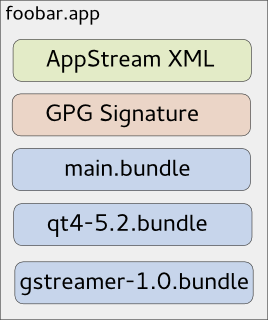
As you might know, due to invasive changes in PackageKit, I am currently rewriting the 3rd-party application installer Listaller. Since I am not the only one looking at the 3rd-party app-installation issue (there is a larger effort going on at GNOME, based on Lennarts ideas), it makes sense to redesign some concepts of Listaller. Currently, dependencies and applications are installed into directories in /opt, and Listaller contains some logic to make applications find dependencies, and to talk to the package manager to install missing things. This has some drawbacks, like the need to install an application before using it, the need for applications to be relocatable, and application-installations being non-atomic. Glick2 There is/was another 3rd-party app installer approach on the GNOME side, by Alexander Larsson, called Glick2. Glick uses application bundles (do you remember Klik from back in the days?) mounted via FUSE. This allows some neat features, like atomic installations and software upgrades, no need for relocatable apps and no need to install the application. However, it also has disadvantages. Quoting the introduction document for Glick2: Bundling isn t perfect, there are some well known disadvantages. Increased disk footprint is one, although current storage space size makes this not such a big issues. Another problem is with security (or bugfix) updates in bundled libraries. With bundled libraries its much harder to upgrade a single library, as you need to find and upgrade each app that uses it. Better tooling and upgrader support can lessen the impact of this, but not completely eliminate it. This is what Listaller does better, since it was designed to do a large effort to avoid duplication of code. Also, currently Glick doesn t have support for updates and software-repositories, which Listaller had. Combining Listaller and Glick ideas So, why not combine the ideas of Listaller and Glick? In order to have Glick share resources, the system needs to know which shared resources are available. This is not possible if there is one huge Glick bundle containing all of the application s dependencies. So I modularized Glick bundles to contain just one software component, which is e.g. GTK+ or Qt, GStreamer or could even be a larger framework (e.g. GNOME 3.14 Platform ). These components are identified using AppStream XML metadata, which allows them to be installed from the distributor s software repositories as well, if that is wanted. If you now want to deploy your application, you first create a Glick bundle for it. Then, in a second step, you bundle your application bundle with it s dependencies in one larger tarball, which can also be GPG signed and can contain additional metadata. The resulting metabundle will look like this: glick-libundle This doesn t look like we share resources yet, right? The dependencies are still bundled with the application requiring them. The trick lies in the installation step: While the application above can be executed right away without installing it, there will also be an option to install it. For the user, this will mean that the application shows up in GNOME-Shell s overview or KDEs Plasma launcher, gets properly registered with mimetypes and is if installed for all users available system-wide. Technically, this will mean that the application s main bundle is extracted and moved to a special location on the file system, so are the dependency-bundles. If bundles already exist, they will not be installed again, and the new application will simply use the existing software. Since the bundles contain information about their dependencies, the system is able to determine which software is needed and which can simply be deleted from the installation directories. If the application is started now, the bundles are combined and mounted, so the application can see the libraries it depends on. Additionally, this concept allows secure updates of applications and shared resources. The bundle metadata contains an URL which points to a bundle repository. If new versions are released, the system s auto-updater can automatically pick these up and install them this means e.g. the Qt bundle will receive security updates, even if the developer who shipped it with his/her app didn t think of updating it. Conclusion So far, no productive code exists for this I just have a proof-of-concept here. But I pretty much like the idea, and I am thinking about going further in that direction, since it allows deploying applications on the Linux desktop as well as deploying software on servers in a way which plays nice with the native package manager, and which does not duplicate much code (less risk of having not-updated libraries with security flaws around). However, there might be issues I haven t thought about yet. Also, it makes sense to look at GNOME to see how the whole 3rd-party app deployment issue develops. In case I go further with Listaller-NEXT, it is highly likely that it will make use of the ideas sketched above (comments and feedback are more than welcome!).

9 October 2014

Chris Lamb: London Paris London 2014

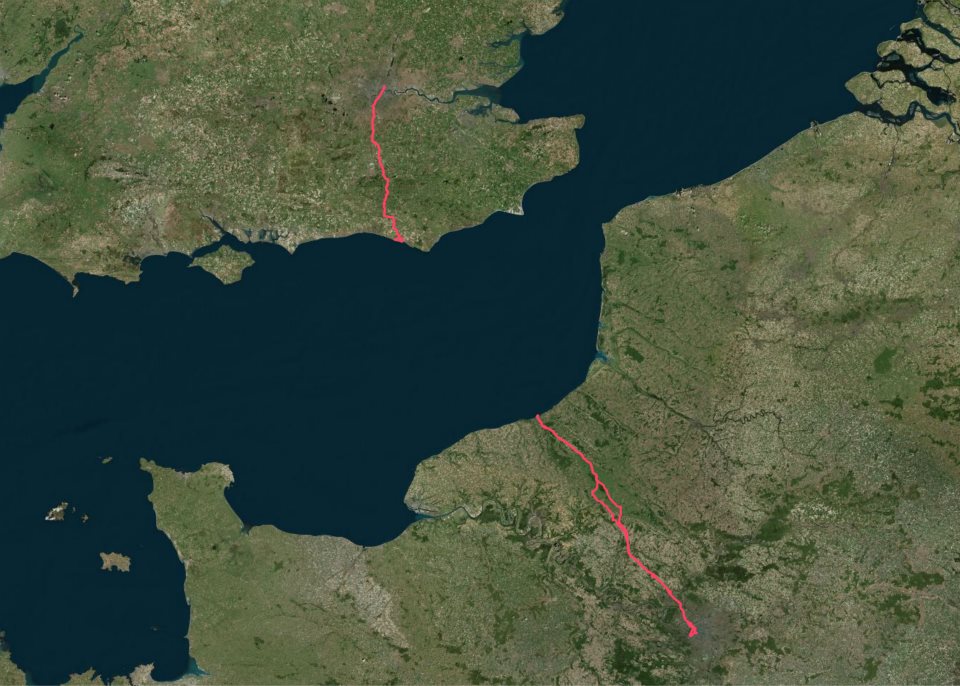
I've wanted to ride to Paris for a few months now but was put off by the hassle of taking a bicycle on the Eurostar, as well having a somewhat philosophical and aesthetic objection to taking a bike on a train in the first place. After all, if one already is possession of a mode of transport... My itinerary was straightforward:
Friday 12h00
London Newhaven
Friday 23h00
Newhaven Dieppe (ferry)
Saturday 04h00
Dieppe Paris
Saturday 23h00
(Sleep)
Sunday 07h00
Paris Dieppe
Sunday 18h00
Dieppe Newhaven (ferry)
Sunday 21h00
Newhaven Peacehaven
Sunday 23h00
(Sleep)
Monday 07h00
Peacehaven London
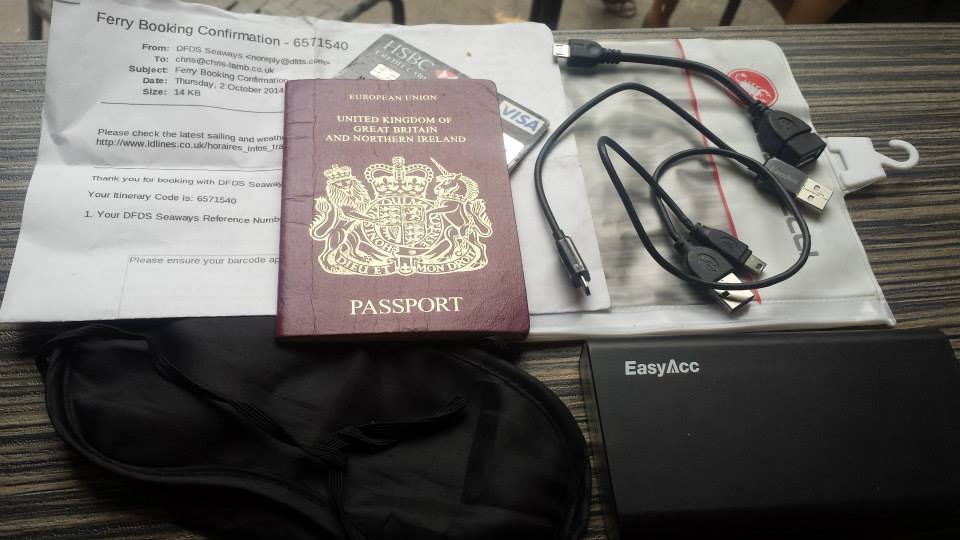
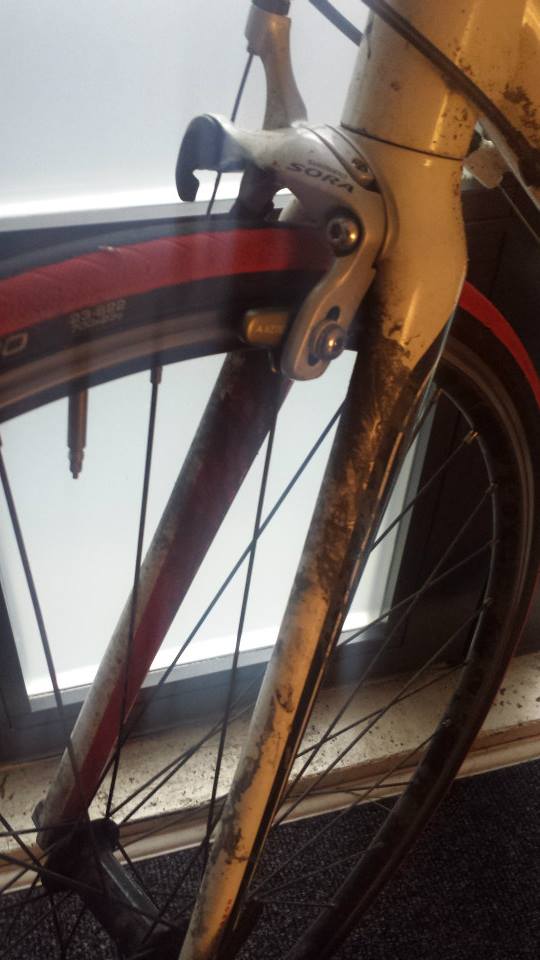
Packing list https://chris-lamb.co.uk/wp-content/2014/london-paris-london/01.jpg
  • Ferry ticket (unnecessary in the end)
  • Passport
  • Credit card
  • USB A male mini A male (charges phone, battery pack & front light)
  • USB A male mini B male (for charging or connecting to Edge 800)
  • USB mini A male OTG A female (for Edge 800 uploads via phone)
  • Waterproof pocket
  • Sleeping mask for ferry (probably unnecessary)
  • Battery pack

Not pictured:
  • Castelli Gabba Windstopper short-sleeve jersey
  • Castelli Velocissimo bib shorts
  • Castelli Nanoflex arm warmers
  • Castelli Squadra rain jacket
  • Garmin Edge 800
  • Phone
  • Front light: Lezyne Macro Drive
  • Rear lights: Knog Gekko (on bike), Knog Frog (on helmet)
  • Inner tubes (X2), Lezyne multitool, tire levers, hand pump

Day 1: London Newhaven
https://chris-lamb.co.uk/wp-content/2014/london-paris-london/02.jpg

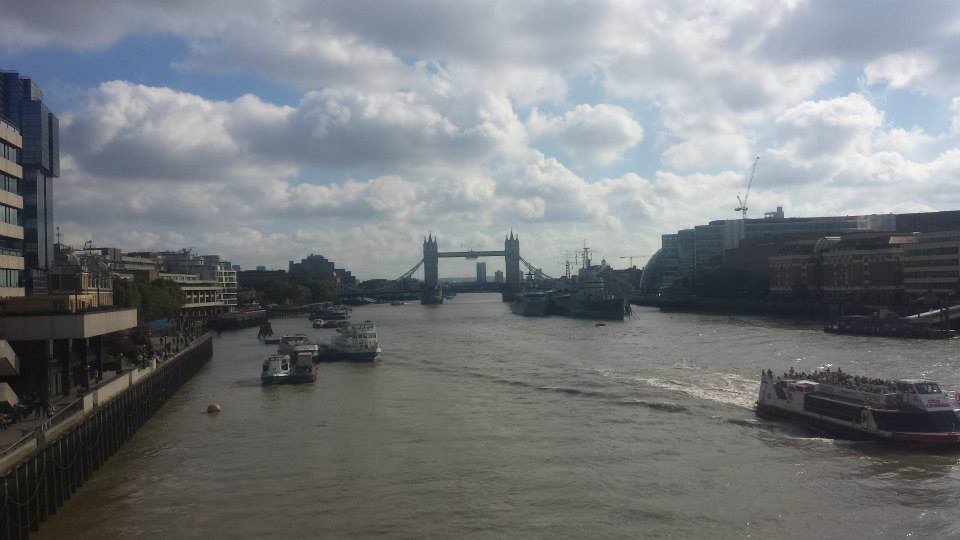
Tower Bridge.

Many attempt to go from Tower Bridge Eiffel Tower (or Marble Arch Arc de Triomphe) in less than 24 hours. This would have been quite easy if I had left a couple of hours later.
https://chris-lamb.co.uk/wp-content/2014/london-paris-london/03.jpg

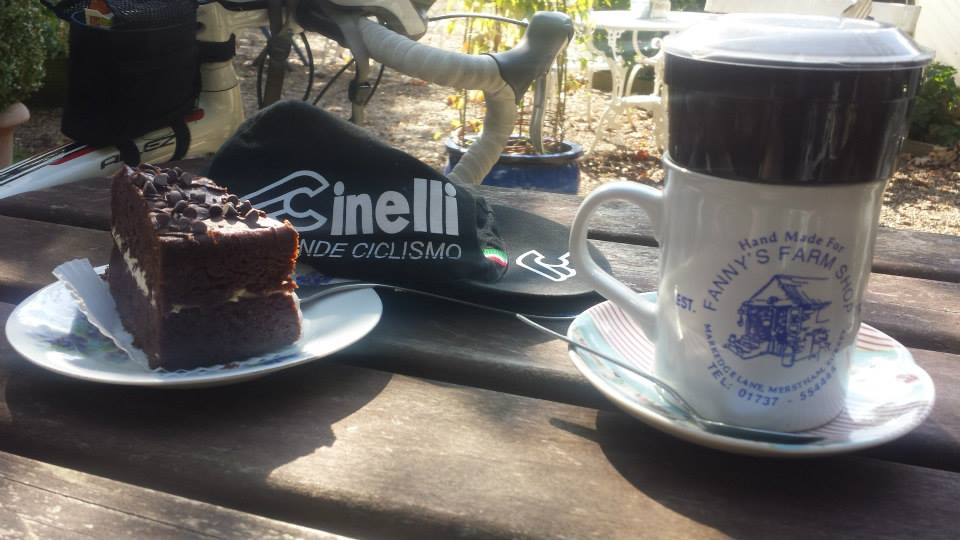
Fanny's Farm Shop, Merstham, Surrey.

https://chris-lamb.co.uk/wp-content/2014/london-paris-london/04.jpg

Plumpton, East Sussex.

https://chris-lamb.co.uk/wp-content/2014/london-paris-london/05.jpg

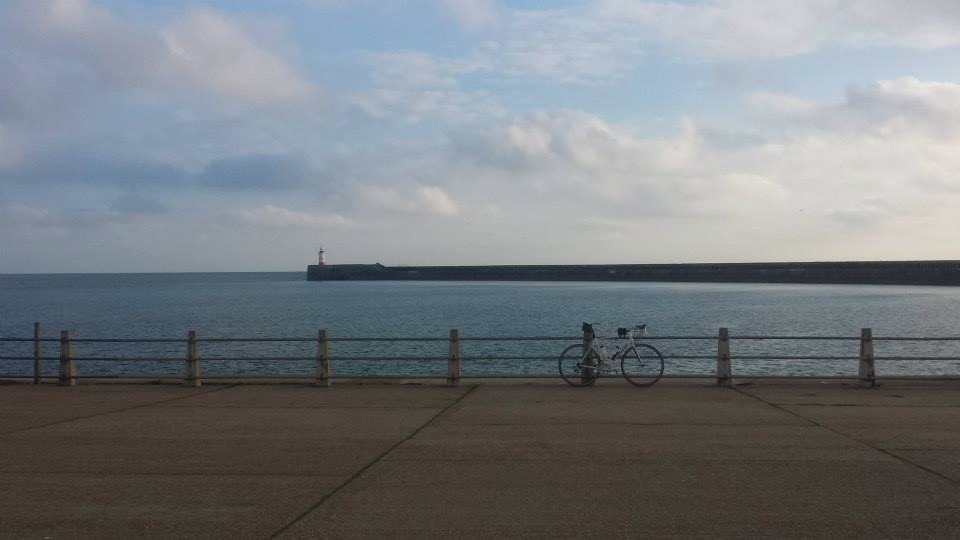
West Pier, Newhaven.

https://chris-lamb.co.uk/wp-content/2014/london-paris-london/07.jpg

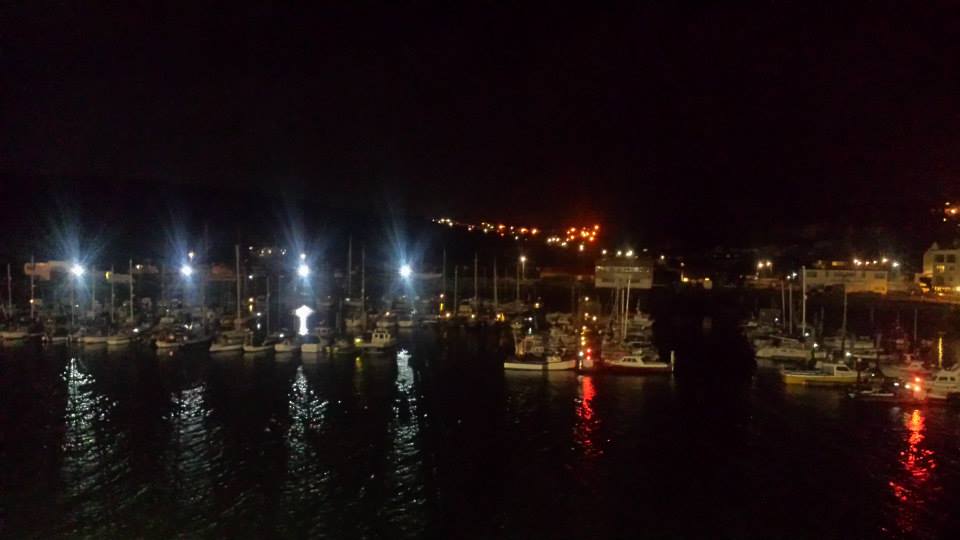
Leaving Newhaven on the 23h00 ferry.


Day 2: Dieppe Paris
https://chris-lamb.co.uk/wp-content/2014/london-paris-london/09.jpg

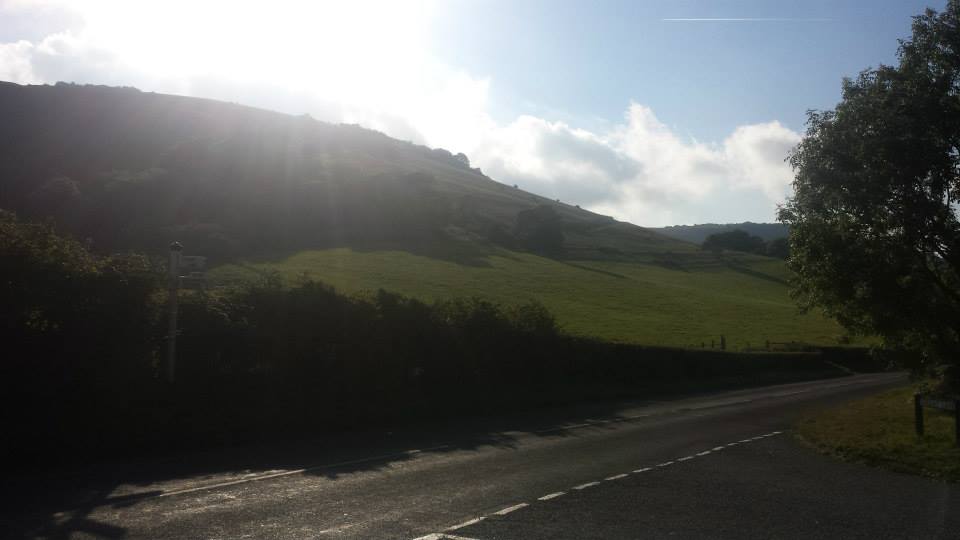
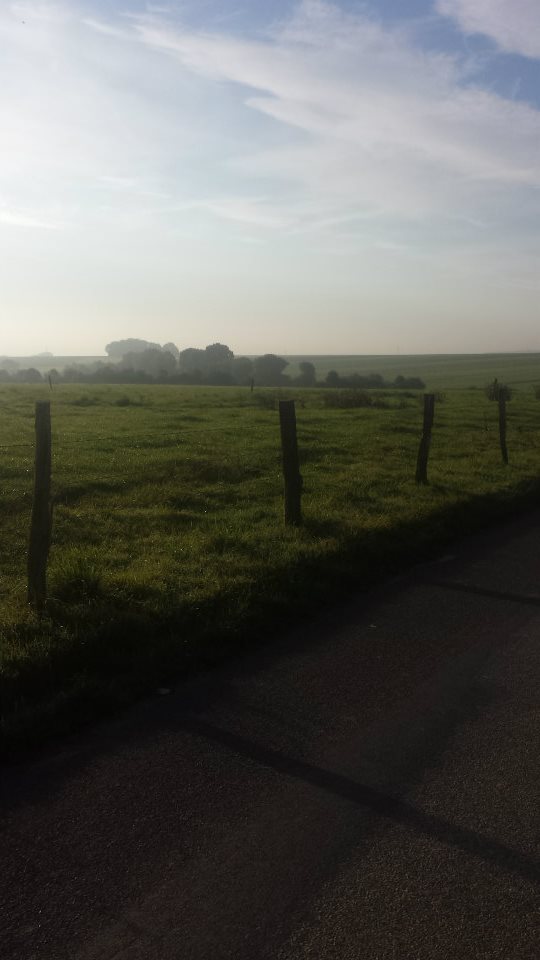
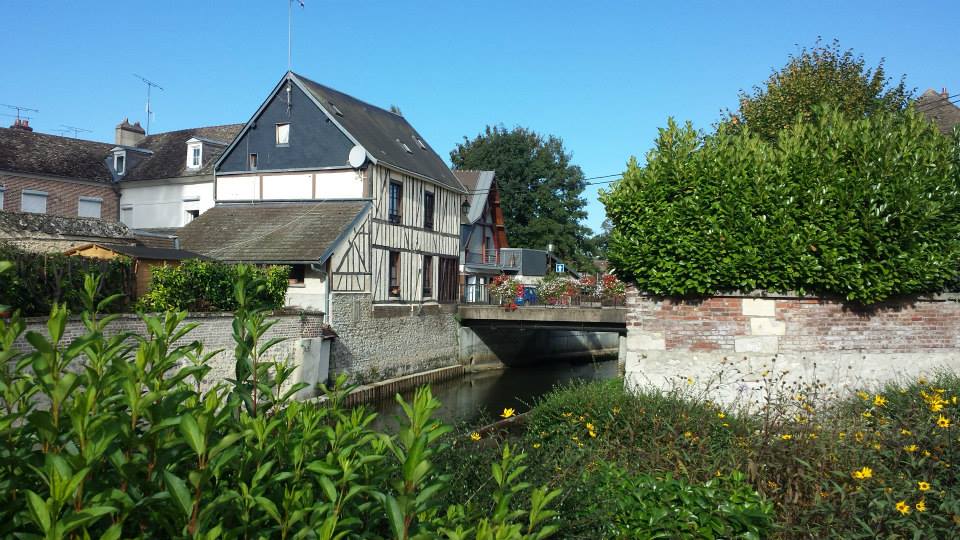
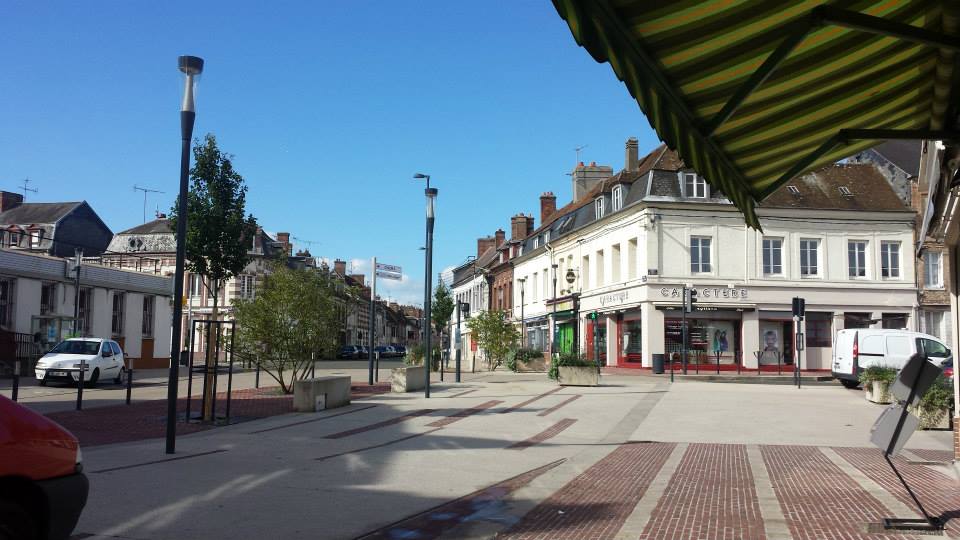
Beauvoir-en-Lyons, Haute-Normandie.

https://chris-lamb.co.uk/wp-content/2014/london-paris-london/10.jpg

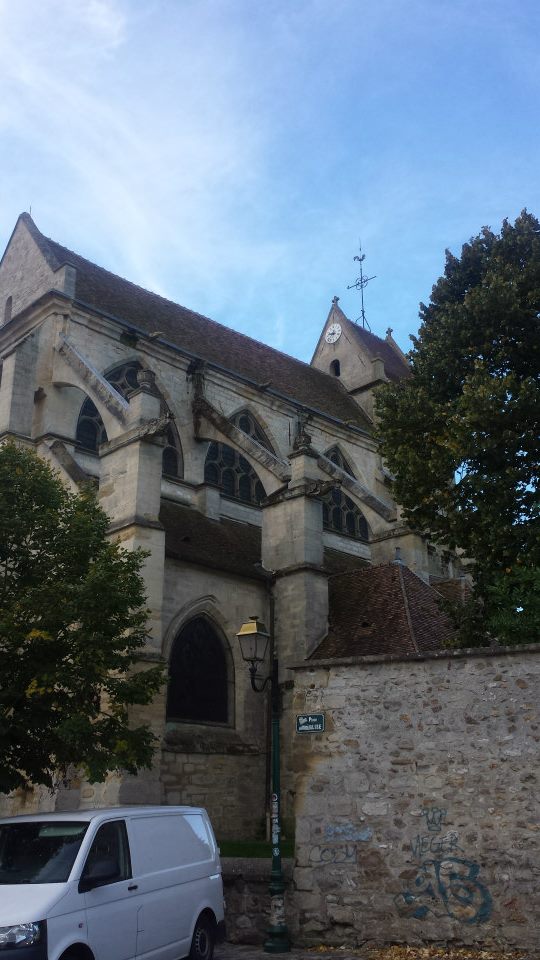
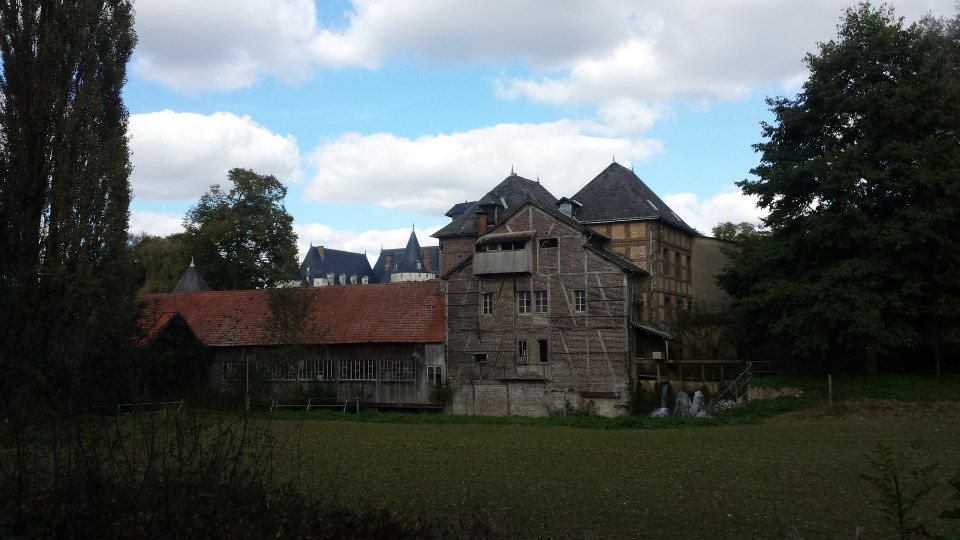
S rifontaine, Picardie.

https://chris-lamb.co.uk/wp-content/2014/london-paris-london/12.jpg

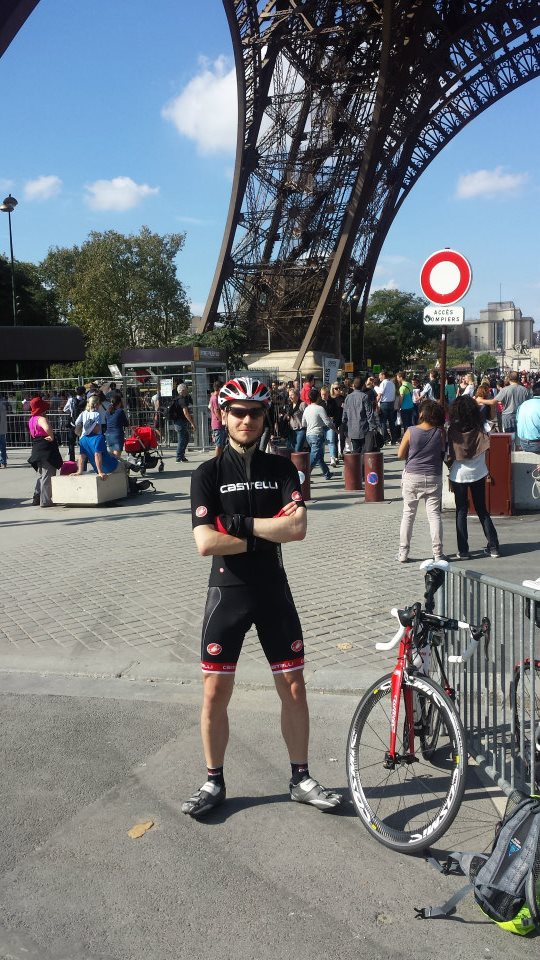
La tour Eiffel, Paris.

https://chris-lamb.co.uk/wp-content/2014/london-paris-london/13.jpg

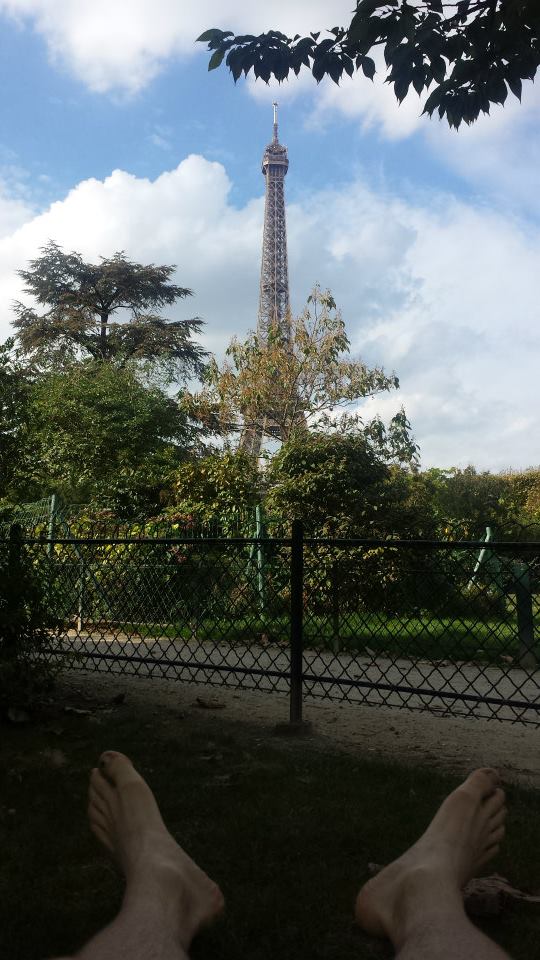
Champ de Mars, Paris.

https://chris-lamb.co.uk/wp-content/2014/london-paris-london/15.jpg

Pont de Grenelle, Paris.


Day 3: Paris Dieppe
https://chris-lamb.co.uk/wp-content/2014/london-paris-london/18.jpg

Cormeilles-en-Vexin, le-de-France.

https://chris-lamb.co.uk/wp-content/2014/london-paris-london/20.jpg

Gisors, Haute-Normandie.

https://chris-lamb.co.uk/wp-content/2014/london-paris-london/21.jpg

Paris-Brest, Gisors, Haute-Normandie.

Wikipedia: This pastry was created in 1910 to commemorate the Paris Brest bicycle race begun in 1891. Its circular shape is representative of a wheel. It became popular with riders on the Paris Brest cycle race, partly because of its energizing high caloric value, and is now found in p tisseries all over France.
https://chris-lamb.co.uk/wp-content/2014/london-paris-london/22.jpg

Gournay-en-Bray, Haute-Normandie.

https://chris-lamb.co.uk/wp-content/2014/london-paris-london/23.jpg

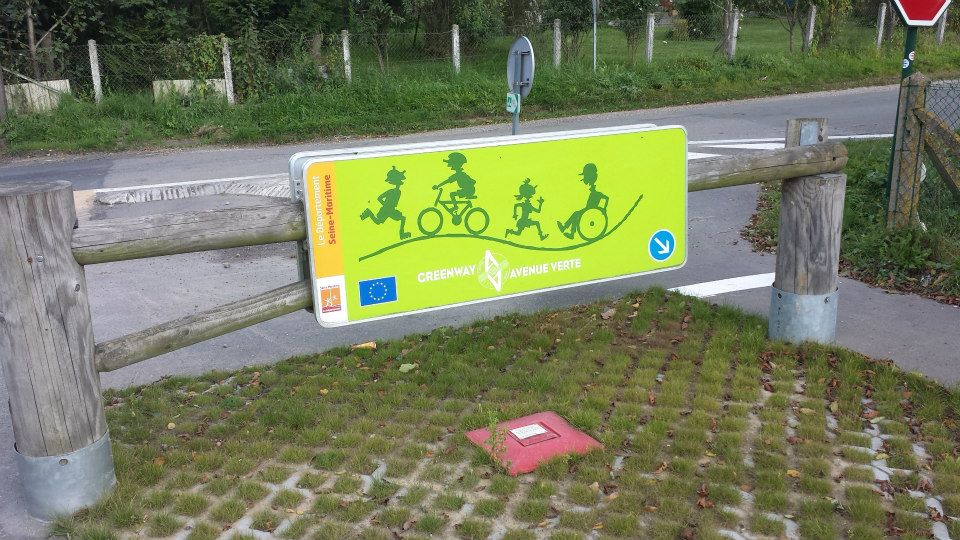
D but de l'Avenue Verte, Forges-les-Eaux, Haute-Normandie.

https://chris-lamb.co.uk/wp-content/2014/london-paris-london/24.jpg

Mesni res-en-Bray, Haute-Normandie.

https://chris-lamb.co.uk/wp-content/2014/london-paris-london/26.jpg

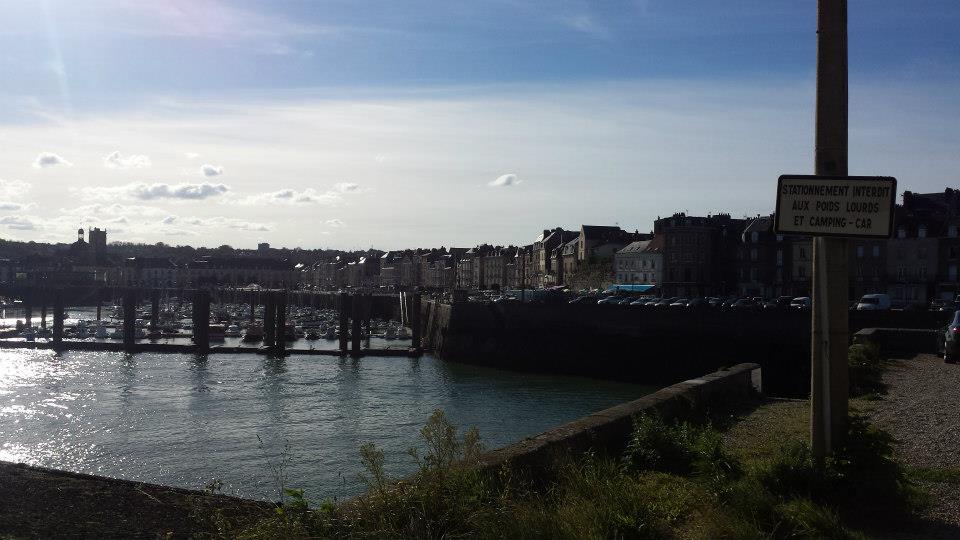
Dieppe, Haute-Normandie.

https://chris-lamb.co.uk/wp-content/2014/london-paris-london/28.jpg

La Mancha .


Day 4: Peacehaven London
https://chris-lamb.co.uk/wp-content/2014/london-paris-london/29.jpg

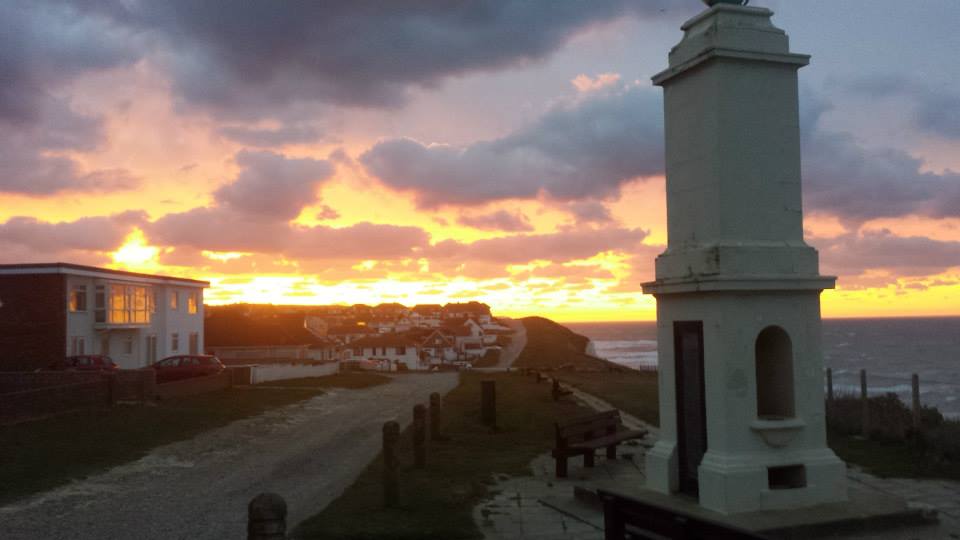
Peacehaven, East Sussex.

https://chris-lamb.co.uk/wp-content/2014/london-paris-london/31.jpg

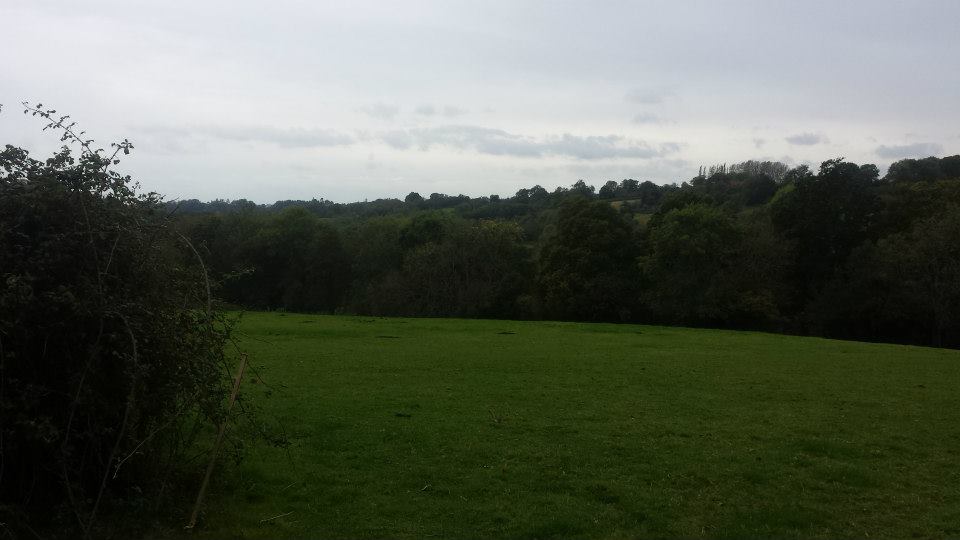
Highbrook, West Sussex.

https://chris-lamb.co.uk/wp-content/2014/london-paris-london/33.jpg

London weather.


Summary https://chris-lamb.co.uk/wp-content/2014/london-paris-london/34.jpg
Distance
588.17 km
Pedal turns
~105,795
My only non-obvious tips would be to buy a disposable blanket in the Newhaven Co-Op to help you sleep on the ferry. In addition, as the food on the ferry is good enough you only need to get to the terminal one hour before departure, avoiding time on your feet in unpicturesque Newhaven. In terms of equipment, I would bring another light for the 4AM start on L'Avenue Verte if only as a backup and I would have checked I could arrive at my Parisian Airbnb earlier in the day - I had to hang around for five hours in the heat before I could have a shower, properly relax, etc. I had been warned not to rely on being able to obtain enough water en route on Sunday but whilst most shops were indeed shut I saw a bustling tabac or boulangerie at least once every 20km so one would never be truly stuck. Route-wise, the surburbs of London and Paris are both equally dismal and unmotivating and there is about 50km of rather uninspiring and exposed riding on the D915. However, L'Avenue Verte is fantastic even in the pitch-black and the entire trip was worth it simply for the silent and beautiful Normandy sunrise. I will be back.

8 October 2014

Ian Donnelly: A Comparison of Elektra Merge and Git Merge

Hi everybody, We have gotten some inquires about how Elektra s merge functionality compares to the merge functionality built into git: git merge-file. I am glad to say that Elektra outperforms git s merge functionality in the same ways it outperforms diff3 when applied to configuration files. Obviously, git s merge functionality does a much better job with source-code as that is not the goal of elektra. In that previous example, I showed that because diff3 is lined based, where Elektra is not (unless you mount a file using the line plugin). The example I used before, and I will go over again, is using smb.conf and in-line comments. Many of our storage plug-ins understand the difference between comments and actual configuration data. So if a configuration file has an inline comment like so:
max log size = 10000 ; Controls the size of the log file (in KiB)
we can compare the actual Keys, value pairs between versions max log size = 10000 and deal with the comments separately. As a result, if we have a base:
max log size = 1000 ; Size in KiB

Ours:
max log size = 10000 ; Size in KiB

Theirs:
max log size = 1000 ; Controls the size of the log file (in KiB)

The result using elektra-merge would be:
max log size = 10000 ; Controls the size of the log file (in KiB)
Just like diff3, git merge-file can only compare these lines as lines, and thus there is a conflict. When running git merge-file smb.conf.ours smb.conf.base smb.conf.theirs we get the following output showing a conflict:
<<<<<<< smb.conf.ours
max log size = 2000 ; Size in KiB
=======
max log size = 1000 ; Controls the size of the log file (in KiB)
>>>>>>> smb.conf.theirs
This really shows the strength of Elektra s plugin system and why it makes merge an obvious use-case of Elektra. I hope this example makes it clear why using Elektra s merge functionality is advantageous over git s merge functionality. Once again I would like to stress the importance of quality storage plug-ins for Elektra. The more quality plugins we have the more powerful Elektra can be. If you are interested in plugins and would like to help us by adding functionality to Elektra by creating a new plug-in be sure to read my basic tutorial on how to do so. Sincerely,
Ian Donnelly

EvolvisForge blog: PSA: #shellshock still unfixed except in Debian unstable

I just installed, for work, Hanno B ck s bashcheck utility on our monitoring system, and watched all systems go blue. All but two. One is not executing remote scripts from the monitoring for security reasons, the other is my desktop which runs Debian sid (unstable). (Update, 2014-10-20: jessie, precise, trusty are also green now.) This means that all those distributions still have unfixed #shellshock bugs. I don t know if/when all distributions will have patched their packages but thought you d want to know the hysteria isn t over yet however, I hope you were not stupid enough to follow the advice of this site which suggests you to download some random file over the net and execute it with superuser permissions, unchecked. (I think the Ruby people were the first to spread this extremely insecure, stupid and reprehensible technique.) Updates: Thanks to tarent for letting me do this work during $dayjob time!

7 October 2014

Joachim Breitner: New website layout

After 10 years I finally got around to re-decorating my website. One reason was ICFP, where just too many people told me that I don t look like on my old website any more (which is very true). Another reason was that I was visting my brother, who is very good at web design (check out his portfolio), who could help me a bit. I wanted something practical and maybe a bit staid, so I drew inspiration from typical Latex typography, and also from Edward Z. Yang s blog: A serif font (Utopia) for the main body, justified and hyphenated text. Large section headers in a knobbly bold sans-serif font (Latin Modern Sans, which reasonably resembles Computer Modern). To intensify that impression, I put the main text on a white box that lies like a paper on the background. As a special gimmic the per-page navigation (or, in the case of the blog, the list of categories) is marked up like a figure in a paper. Of course this would be very dire without a suitable background. I really like the procedural art by Jared Tarbell, espcially substrate and interAggregate. Both have been turned into screensavers shipped with xscreensaver, so I hacked the substrate code to generate a seamless tile and took a screenshot of the result. I could not make up my mind yet how dense it has to be to look good, so I for every page I randomly pick one of six variants randomly for now. I simplified the navigation a bit. The old News section has been removed recently already. The Links section is gone I guess link lists on homepages are so 90s. The section Contact and About me are merged and awaiting some cleanup. The link to the satire news Heisse News is demoted to a mention on the Contents section. This hopefully helps to make the site navigatable on mobile devices (the old homepage was unusable). CSS media queries adjust the layout slightly on narrow screens, and separately for print devices. Being the nostaltic I am, I still keep the old design, as well as the two designs before that, around and commented their history.

Andrea Veri: The GNOME Infrastructure is now powered by FreeIPA!

As preannounced here the GNOME Infrastructure switched to a new Account Management System which is reachable at https://account.gnome.org. All the details will follow. Introduction It s been a while since someone actually touched the underlaying authentication infrastructure that powers the GNOME machines. The very first setup was originally configured by Jonathan Blandford (jrb) who configured an OpenLDAP istance with several customized schemas. (pServer fields in the old CVS days, pubAuthorizedKeys and GNOME modules related fields in recent times) While OpenLDAP-server was living on the GNOME machine called clipboard (aka ldap.gnome.org) the clients were configured to synchronize users, groups, passwords through the nslcd daemon. After several years Jeff Schroeder joined the Sysadmin Team and during one cold evening (date is Tue, February 1st 2011) spent some time configuring SSSD to replace the nslcd daemon which was missing one of the most important SSSD features: caching. What surely convinced Jeff to adopt SSSD (a very new but promising sofware at that time as the first release happened right before 2010 s Christmas) and as the commit log also states ( New sssd module for ldap information caching ) was SSSD s caching feature. It was enough for a certain user to log in once and the /var/lib/sss/db directory was populated with its login information preventing the LDAP daemon in charge of picking up login details (from the LDAP server) to query the LDAP server itself every single time a request was made against it. This feature has definitely helped in many occasions especially when the LDAP server was down for a particular reason and sysadmins needed to access a specific machine or service: without SSSD this wasn t ever going to work and sysadmins were probably going to be locked out from the machines they were used to manage. (except if you still had /etc/passwd , /etc/group and /etc/shadow entries as fallback) Things were working just fine except for a few downsides that appeared later on:
  1. the web interface (view) on our LDAP user database was managed by Mango, an outdated tool which many wanted to rewrite in Django that slowly became a huge dinosaur nobody ever wanted to look into again
  2. the Foundation membership information were managed through a MySQL database, so two databases, two sets of users unrelated to each other
  3. users were not able to modify their own account information on their own but even a single e-mail change required them to mail the GNOME Accounts Team which was then going to authenticate their request and finally update the account.
Today s infrastructure changes are here to finally say the issues outlined at (1, 2, 3) are now fixed. What has changed? The GNOME Infrastructure is now powered by Red Hat s FreeIPA which bundles several FOSS softwares into one big bundle all surrounded by an easy and intuitive web UI that will help users update their account information on their own without the need of the Accounts Team or any other administrative entity. Users will also find two custom fields on their Overview page, these being Foundation Member since and Last Renewed on date . As you may have understood already we finally managed to migrate the Foundation membership database into LDAP itself to store the information we want once and for all. As a side note it might be possible that some users that were Foundation members in the past won t find any detail stored on the Foundation fields outlined above. That is actually expected as we were able to migrate all the current and old Foundation members that had an LDAP account registered at the time of the migration. If that s your case and you still would like the information to be stored on the new setup please get in contact with the Membership Committee at stating so. Where can I get my first login credentials? Let s make a little distinction between users that previously had access to Mango (usually maintainers) and users that didn t. If you were used to access Mango before you should be able to login on the new Account Management System by entering your GNOME username and the password you were used to use for loggin in into Mango. (after loggin in the very first time you will be prompted to update your password, please choose a strong password as this account will be unique across all the GNOME Infrastructure) If you never had access to Mango, you lost your password or the first time you read the word Mango on this post you thought why is he talking about a fruit now? you should be able to reset it by using the following command:
ssh -l yourgnomeuserid account.gnome.org
The command will start an SSH connection between you and account.gnome.org, once authenticated (with the SSH key you previously had registered on our Infrastructure) you will trigger a command that will directly send your brand new password on the e-mail registered for your account. From my tests seems GMail sees the e-mail as a phishing attempt probably because the body contains the word password twice. That said if the e-mail won t appear on your INBOX, please double-check your Spam folder. Now that Mango is gone how can I request a new account? With Mango we used to have a form that automatically e-mailed the maintainer of the selected GNOME module which was then going to approve / reject the request. From there and in the case of a positive vote from the maintainer the Accounts Team was going to create the account itself. With the recent introduction of a commit robot directly on l10n.gnome.org the number of account requests reduced its numbers. In addition to that users will now be able to perform pretty much all the needed maintenance on their accounts themselves. That said and while we will probably work on building a form in the future we feel that requesting accounts can definitely be achieved directly by mailing the Accounts Team itself which will mail the maintainer of the respective module and create the account. As just said the number of account creations has become very low and the queue is currently clear. The documentation has been updated to reflect these changes at: https://wiki.gnome.org/AccountsTeam
https://wiki.gnome.org/AccountsTeam/NewAccounts The migration of all the user data and ACLs has been massive and I ve been spending a lot of time reviewing the existing HBAC rules trying to spot possible errors or misconfigurations. If you happen to not being able to access a certain service as you were used to in the past, please get in contact with the Sysadmin Team. All the possible ways to contact us are available at https://wiki.gnome.org/Sysadmin/Contact. What is missing still? Now that the Foundation membership information has been moved to LDAP I ll be looking at porting some of the existing membership scripts to it. What I managed to port already are welcome e-mails for new or existing members. (renewals) Next step will be generating a membership page from LDAP (to populate http://www.gnome.org/foundation/membership) and all the your-membership-is-going-to-lapse e-mails that were being sent till today. Other news /home/users mount on master.gnome.org You will notice that loggin in into master.gnome.org will result in your home directory being empty, don t worry, you did not lose any of your files but master.gnome.org is now currently hosting your home directories itself. As you may have been aware of adding files to the public_html directory on master resulted in them appearing on your people.gnome.org/~userid space. That was unfortunately expected as both master and webapps2 (the machine serving people.gnome.org s webspaces) were mounting the same GlusterFS share. We wanted to prevent that behaviour to happen as we wanted to know who has access to what resource and where. From today master s home directories will be there just as a temporary spot for your tarballs, just scp and use ftpadmin against them, that should be all you need from master. If you are interested in receiving or keeping using your people.gnome.org s webspace please mail stating so. Other news a shiny and new error 500 page has been deployed Thanks to Magdalen Berns (magpie) a new error 500 web page has been deployed on all the Apache istances we host. The page contains an iframe of status.gnome.org and will appear every single time the web server behind the service you are trying to reach will be unreachable for maintenance or other purposes. While I hope you won t see the page that often you can still enjoy it at https://static.gnome.org/error-500/500.html. Make sure to whitelist status.gnome.org on your browser as it currently loads it without https. (as the service is currently hosted on OpenShift which provides us with a *.rhcloud.com wildcard certificate, which differs from the CN the browser would expect it to be)

Andrea Veri: The GNOME Infrastructure is now powered by FreeIPA!

As preannounced here the GNOME Infrastructure switched to a new Account Management System which is reachable at https://account.gnome.org. All the details will follow. Introduction It s been a while since someone actually touched the underlying authentication infrastructure that powers the GNOME machines. The very first setup was originally configured by Jonathan Blandford (jrb) who configured an OpenLDAP istance with several customized schemas. (pServer fields in the old CVS days, pubAuthorizedKeys and GNOME modules related fields in recent times) While OpenLDAP-server was living on the GNOME machine called clipboard (aka ldap.gnome.org) the clients were configured to synchronize users, groups, passwords through the nslcd daemon. After several years Jeff Schroeder joined the Sysadmin Team and during one cold evening (date is Tue, February 1st 2011) spent some time configuring SSSD to replace the nslcd daemon which was missing one of the most important SSSD features: caching. What surely convinced Jeff to adopt SSSD (a very new but promising sofware at that time as the first release happened right before 2010 s Christmas) and as the commit log also states ( New sssd module for ldap information caching ) was SSSD s caching feature. It was enough for a certain user to log in once and the /var/lib/sss/db directory was populated with its login information preventing the LDAP daemon in charge of picking up login details (from the LDAP server) to query the LDAP server itself every single time a request was made against it. This feature has definitely helped in many occasions especially when the LDAP server was down for a particular reason and sysadmins needed to access a specific machine or service: without SSSD this wasn t ever going to work and sysadmins were probably going to be locked out from the machines they were used to manage. (except if you still had /etc/passwd , /etc/group and /etc/shadow entries as fallback) Things were working just fine except for a few downsides that appeared later on:
  1. the web interface (view) on our LDAP user database was managed by Mango, an outdated tool which many wanted to rewrite in Django that slowly became a huge dinosaur nobody ever wanted to look into again
  2. the Foundation membership information were managed through a MySQL database, so two databases, two sets of users unrelated to each other
  3. users were not able to modify their own account information on their own but even a single e-mail change required them to mail the GNOME Accounts Team which was then going to authenticate their request and finally update the account.
Today s infrastructure changes are here to finally say the issues outlined at (1, 2, 3) are now fixed. What has changed? The GNOME Infrastructure is now powered by Red Hat s FreeIPA which bundles several FOSS softwares into one big bundle all surrounded by an easy and intuitive web UI that will help users update their account information on their own without the need of the Accounts Team or any other administrative entity. Users will also find two custom fields on their Overview page, these being Foundation Member since and Last Renewed on date . As you may have understood already we finally managed to migrate the Foundation membership database into LDAP itself to store the information we want once and for all. As a side note it might be possible that some users that were Foundation members in the past won t find any detail stored on the Foundation fields outlined above. That is actually expected as we were able to migrate all the current and old Foundation members that had an LDAP account registered at the time of the migration. If that s your case and you still would like the information to be stored on the new setup please get in contact with the Membership Committee at stating so. Where can I get my first login credentials? Let s make a little distinction between users that previously had access to Mango (usually maintainers) and users that didn t. If you were used to access Mango before you should be able to login on the new Account Management System by entering your GNOME username and the password you were used to use for loggin in into Mango. (after loggin in the very first time you will be prompted to update your password, please choose a strong password as this account will be unique across all the GNOME Infrastructure) If you never had access to Mango, you lost your password or the first time you read the word Mango on this post you thought why is he talking about a fruit now? you should be able to reset it by using the following command:
ssh -l yourgnomeuserid account.gnome.org
The command will start an SSH connection between you and account.gnome.org, once authenticated (with the SSH key you previously had registered on our Infrastructure) you will trigger a command that will directly send your brand new password on the e-mail registered for your account. From my tests seems GMail sees the e-mail as a phishing attempt probably because the body contains the word password twice. That said if the e-mail won t appear on your INBOX, please double-check your Spam folder. Now that Mango is gone how can I request a new account? With Mango we used to have a form that automatically e-mailed the maintainer of the selected GNOME module which was then going to approve / reject the request. From there and in the case of a positive vote from the maintainer the Accounts Team was going to create the account itself. With the recent introduction of a commit robot directly on l10n.gnome.org the number of account requests reduced its numbers. In addition to that users will now be able to perform pretty much all the needed maintenance on their accounts themselves. That said and while we will probably work on building a form in the future we feel that requesting accounts can definitely be achieved directly by mailing the Accounts Team itself which will mail the maintainer of the respective module and create the account. As just said the number of account creations has become very low and the queue is currently clear. The documentation has been updated to reflect these changes at: https://wiki.gnome.org/AccountsTeam
https://wiki.gnome.org/AccountsTeam/NewAccounts I was used to have access to a specific service but I don t anymore, what should I do? The migration of all the user data and ACLs has been massive and I ve been spending a lot of time reviewing the existing HBAC rules trying to spot possible errors or misconfigurations. If you happen to not being able to access a certain service as you were used to in the past, please get in contact with the Sysadmin Team. All the possible ways to contact us are available at https://wiki.gnome.org/Sysadmin/Contact. What is missing still? Now that the Foundation membership information has been moved to LDAP I ll be looking at porting some of the existing membership scripts to it. What I managed to port already are welcome e-mails for new or existing members. (renewals) Next step will be generating a membership page from LDAP (to populate http://www.gnome.org/foundation/membership) and all the your-membership-is-going-to-lapse e-mails that were being sent till today. Other news /home/users mount on master.gnome.org You will notice that loggin in into master.gnome.org will result in your home directory being empty, don t worry, you did not lose any of your files but master.gnome.org is now currently hosting your home directories itself. As you may have been aware of adding files to the public_html directory on master resulted in them appearing on your people.gnome.org/~userid space. That was unfortunately expected as both master and webapps2 (the machine serving people.gnome.org s webspaces) were mounting the same GlusterFS share. We wanted to prevent that behaviour to happen as we wanted to know who has access to what resource and where. From today master s home directories will be there just as a temporary spot for your tarballs, just scp and use ftpadmin against them, that should be all you need from master. If you are interested in receiving or keeping using your people.gnome.org s webspace please mail <accounts AT gnome DOT org> stating so. Other news a shiny and new error 500 page has been deployed Thanks to Magdalen Berns (magpie) a new error 500 web page has been deployed on all the Apache istances we host. The page contains an iframe of status.gnome.org and will appear every single time the web server behind the service you are trying to reach will be unreachable for maintenance or other purposes. While I hope you won t see the page that often you can still enjoy it at https://static.gnome.org/error-500/500.html. Make sure to whitelist status.gnome.org on your browser as it currently loads it without https. (as the service is currently hosted on OpenShift which provides us with a *.rhcloud.com wildcard certificate, which differs from the CN the browser would expect it to be) Updates UPDATE on status.gnome.org s SSL certificate: the certificate has been provisioned and it should result in the 500 s page to be displayed correctly with no warnings from your browser. UPDATE from Adam Young on Kerberos ports being closed on many DC s firewalls:
The next version of upstream MIT Kerberos will have support for fetching a ticket via ports 443 and marshalling the request over HTTPS. We ll need to run a proxy on the server side, but we should be able to make it work: Read up here
http://adam.younglogic.com/2014/06/kerberos-firewalls

6 October 2014

Julian Andres Klode: A weekend with the Acer Chromebook 13 FHD (AKA nyan-big)

I spent the weekend using almost exclusively my Chromebook 13, on a single charge Saturday and Sunday. Keyboard I think I like the keyboard better now than I used to when I first tried it. It gets nowhere near the ThinkPad X230 one, though; appart from the coating, which my (backlit) X230 unfortunately does not have. Screen While the screen appeared very grainy to me on first sight, having only used IPS screens in the past year, I got used to it over the weekend. I now do not notice much graininess anymore. The contrast still seems extremely poor, the colors are not vivid, and the vertical viewing angles are still a disaster, though. Battery life I think the battery life is awesome. I have 30% remaining now while I am writing this blog post and Chrome OS tells me I still have 3 hours and 19 minutes remaining. It could probably still be improved though, I notice that Chrome OS uses 7-14% CPU in idle normally (and up to 20% in exceptional cases). The maximum power usage I measured using the battery s internal sensor was about 9.2W, that was with 5 Big Buck Bunny 1080p videos played in parallel. Average power consumption is around 3-5W (up to 6.5 with single video playing), depending on brightness, and use. Performance While I do notice a performance difference to my much more high-end Ivy Bridge Core i5 laptop, it turns out to be usable enough to not make me want to throw it at a wall. Things take a bit longer than I am used to, but it is still acceptable. Input: Software Part The user interface is great. There are a lot of gestures available for navigating between windows, tabs, and in the history. For example, horizontally swiping with two finger moves in history, three fingers moves between tabs; and swiping down (or up for Australian scrolling) gives an overview of all windows (like expose on Mac, GNOME s activities, or the multi-tasking thing Maemo used to have). What I miss is a keyboard shortcut like Meta + Left/Right on GNOME which moves the active window to the left/right side of the screen. That would be very useful for mult-tasking situations. Issues I noticed some performance issues. For example, I can easily get the Chromebook to use 85% of a CPU by scrolling on a page with the touchpad or 70% for scrolling by keeping a key pressed (crbug.com/420452). While watching Big Buck Bunny on YouTube, I noticed some (micro) stuttering in the beginning of the film, as well as each time I move in or out of the video area when not in full-screen mode (crbug.com/420582). It also increases CPU usage to about 70%. Running a proper Linux? Today, I tried to play around a bit with Debian wheezy and Ubuntu trusty systems, in a chroot for now. I was trying to find out if I can get an accelerated X server with the standard ChromeOS kernel. The short answer is: No. I tried two things:
  1. Debian wheezy with the binaries from ChromeOS (they have the same xserver version)
  2. Ubuntu trusty with the Nvidia drivers
Unfortunately, they did not work. Option 1 failed because ChromeOS uses glibc 2.15 whereas wheezy uses 1.13. Option 2 failed because the sysfs interface is different between the ChromeOS and Linux4Tegra kernels. I guess I ll have to wait. I also tried booting a custom kernel from USB, but given that the u-boot always sets console= and there is no non-verified u-boot available yet, I could not see any output on the screen :( Maybe I should build a u-boot myself?
Filed under: Chromebook

Julian Andres Klode: A weekend with the Acer Chromebook 13 FHD (AKA nyan-big)

I spent the weekend using almost exclusively my Chromebook 13, on a single charge Saturday and Sunday. Keyboard I think I like the keyboard better now than I used to when I first tried it. It gets nowhere near the ThinkPad X230 one, though; appart from the coating, which my (backlit) X230 unfortunately does not have. Screen While the screen appeared very grainy to me on first sight, having only used IPS screens in the past year, I got used to it over the weekend. I now do not notice much graininess anymore. The contrast still seems extremely poor, the colors are not vivid, and the vertical viewing angles are still a disaster, though. Battery life I think the battery life is awesome. I have 30% remaining now while I am writing this blog post and Chrome OS tells me I still have 3 hours and 19 minutes remaining. It could probably still be improved though, I notice that Chrome OS uses 7-14% CPU in idle normally (and up to 20% in exceptional cases). The maximum power usage I measured using the battery s internal sensor was about 9.2W, that was with 5 Big Buck Bunny 1080p videos played in parallel. Average power consumption is around 3-5W (up to 6.5 with single video playing), depending on brightness, and use. Performance While I do notice a performance difference to my much more high-end Ivy Bridge Core i5 laptop, it turns out to be usable enough to not make me want to throw it at a wall. Things take a bit longer than I am used to, but it is still acceptable. Input: Software Part The user interface is great. There are a lot of gestures available for navigating between windows, tabs, and in the history. For example, horizontally swiping with two finger moves in history, three fingers moves between tabs; and swiping down (or up for Australian scrolling) gives an overview of all windows (like expose on Mac, GNOME s activities, or the multi-tasking thing Maemo used to have). What I miss is a keyboard shortcut like Meta + Left/Right on GNOME which moves the active window to the left/right side of the screen. That would be very useful for mult-tasking situations. Issues I noticed some performance issues. For example, I can easily get the Chromebook to use 85% of a CPU by scrolling on a page with the touchpad or 70% for scrolling by keeping a key pressed (crbug.com/420452). While watching Big Buck Bunny on YouTube, I noticed some (micro) stuttering in the beginning of the film, as well as each time I move in or out of the video area when not in full-screen mode (crbug.com/420582). It also increases CPU usage to about 70%. Running a proper Linux? Today, I tried to play around a bit with Debian wheezy and Ubuntu trusty systems, in a chroot for now. I was trying to find out if I can get an accelerated X server with the standard ChromeOS kernel. The short answer is: No. I tried two things:
  1. Debian wheezy with the binaries from ChromeOS (they have the same xserver version)
  2. Ubuntu trusty with the Nvidia drivers
Unfortunately, they did not work. Option 1 failed because ChromeOS uses glibc 2.15 whereas wheezy uses 1.13. Option 2 failed because the sysfs interface is different between the ChromeOS and Linux4Tegra kernels. I guess I ll have to wait. I also tried booting a custom kernel from USB, but given that the u-boot always sets console= and there is no non-verified u-boot available yet, I could not see any output on the screen :( Maybe I should build a u-boot myself?
Filed under: Chromebook

4 October 2014

Jo Shields: The unstoppable march of mobile technology

It s been more than 2 years since my last post about my smartphone. In the time after that post I upgraded my much loved Windows Phone 7 device to Windows Phone 8 (which I got rid of within months, for sucking), briefly used Firefox OS, then eventually used a Nexus 4 for at least a year. After years of terrible service provision and pricing, I decided I would not stay with my network Orange a moment longer and in getting a new contract, I would get a new phone too. So on Friday, I signed up to a new 15 per month contract with Three, including 200 minutes, unlimited data, and 25GB of data roaming in the USA and other countries (a saving of 200,000 per month versus Orange). Giffgaff is similarly competitive for data, but not roaming. No other network in the UK is competitive. For the phone, I had a shortlist of three: Apple iPhone 6, Sony Xperia Z3 Compact, and Samsung Galaxy Alpha. These are all small phones by 2014 standards, with a screen about the same size as the Nexus 4. I didn t consider any Windows Phone devices because they still haven t shipped a functional music player app on Windows Phone 8. Other more fringe OSes weren t considered, as I insist on trying out a real device in person before purchase, and no other comparable devices are testable on the high street. iPhone 6 This was the weakest offering, for me. 120 more than the Samsung, and almost 200 more than the Sony, a much lower hardware specification, physically larger, less attractive, and worst of all mandatory use of iTunes for Windows for music syncing.
iPhone6_PF_SpGry_iPhone6_PB_SpGry_iPhone6_PSL_SpGry_Homescreen-PRINT

Apple iPhone 6, press shot from apple.com, all rights reserved

The only real selling point for me would be for access to iPhone apps. And, I guess, decreased chance of mockery by co-workers. Galaxy Alpha Now on to the real choices. I ve long felt that Samsung s phones are ugly plasticy tat the Galaxy S5 is popular, well-marketed, but looks and feels cheap compared to HTC s unibody aluminium One. They ve also committed the cardinal sin of gimping the specifications of their mini (normal-sized) phones, compared to the normal (gargantuan) versions. The newly released S5 Mini is about the same spec as early 2012 s S3, the S4 Mini was mostly an S2 internally, and so on. However, whilst HTC have continued along these lines, Samsung have finally released a proper phone under 5 , in the Alpha.
Samsung Galaxy Alpha press shot from samsungmobile.com, all rights reserved

Samsung Galaxy Alpha press shot from samsungmobile.com, all rights reserved

The Alpha combines a 4.7 AMOLED screen, a plastic back, metal edges, 8-core big.LITTLE processor, and 2GB RAM. It is a PRETTY device the screen really dazzles (as is the nature of OLED). It feels like a mix of design cues from an iPhone and Samsung s own, keeping the angular feel of iPhone 4->5S rather than the curved edges on the iPhone 6. The Galaxy Alpha was one of the two devices I seriously considered. Xperia Z3 Compact The other Android device I considered was the Compact version of Sony s new Xperia Z3. Unlike other Android vendors, Sony decided that mini shouldn t mean low end when they released the Z1 compact earlier this year. The Z3 follows suit, where the same CPU and storage are found on both the big and little versions.
Sony Xperia Z3 Compact press shot from Sony Xperia Picasa album. CC BY-NC-SA 3.0

Sony Xperia Z3 Compact press shot from Sony Xperia Picasa album. CC BY-NC-SA 3.0

The Z3C has a similar construction to the Nexus 4, with glass front and back, and plastic rim. The specification is similar to the Galaxy Alpha (with a quadcore 2.5GHz Qualcomm processor about 15% faster than the big.LITTLE Exynos in the Galaxy Alpha). It differs in a few places LCD rather than AMOLED (bad); a non-removable (bad) 2600 mAh battery (good) compared to the removable 1860 mAh in the Samsung; waterproofing (good); A less hateful Android shell (Xperia on Android vs Samsung Touchwiz). For those considering a Nexus-4-replacement class device (yes, rjek, that means you), both the Samsung and the Sony are worth a look. They both have good points and bad points. In the end, both need to be tested to form a proper opinion. But for me, the chunky battery and tasteful green were enough to swing it for the Sony. So let s see where I stand in a few months time. Every phone I ve owned, I ve ended up hating it for one reason or another. My usual measure for whether a phone is good or not is how long it takes me to hit the I can t use this limit. The Nokia N900 took me about 30 minutes, the Lumia 800 lasted months. How will the Z3 Compact do? Time will tell.

2 October 2014

Andrew Pollock: [opinion] On Islamaphobia

It's taken me a while to get sufficiently riled up about Australia's current Islamaphobia outbreak, but it's been brewing in me for a couple of weeks. For the record, I'm an Atheist, but I'll defend your right to practise your religion, just don't go pushing it on me, thank you very much. I'm also not a huge fan of Islam, because it does seem to lend itself to more violent extremism than other religions, and ISIS/ISIL/IS (whatever you want to call them) aren't doing Islam any favours at the moment. I'm against extremism of any stripes though. The Westboro Baptists are Christian extremists. They just don't go around killing people. I'm also not a big fan of the burqa, but again, I'll defend a Muslim woman's right to choose to wear one. They key point here is choice. I got my carpets cleaned yesterday by an ethnic couple. I like accents, and I was trying to pick theirs. I thought they may have been Turkish. It turned out they were Kurdish. Whenever I hear "Kurd" I habitually stick "Bosnian" in front of it after the Bosnian War that happened in my childhood. Turns out I wasn't listening properly, and that was actually "Serb". Now I feel dumb, but I digress. I got chatting with the lady while her husband did the work. I got a refresher on where most Kurds are/were (Northern Iraq) and we talked about Sunni versus Shia Islam, and how they differed. I learned a bit yesterday, and I'll have to have a proper read of the Wikipedia article I just linked to, because I suspect I'll learn a lot more. We briefly talked about burqas, and she said that because they were Sunni, they were given the choice, and they chose not to wear it. That's the sort of Islam that I support. I suspect a lot of the women running around in burqas don't get a lot of say in it, but I don't think banning it outright is the right solution to that. Those women need to feel empowered enough to be able to cast off their burqas if that's what they want to do. I completely agree that a woman in a burqa entering a secure place (for example Parliament House) needs to be identifiable (assuming that identification is verified for all entrants to Parliament House). If it's not, and they're worried about security, that's what the metal detectors are for. I've been to Dubai. I've seen how they handle women in burqas at passport control. This is an easily solvable problem. You don't have to treat burqa-clad women as second class citizens and stick them in a glass box. Or exclude them entirely.

Matthew Garrett: Actions have consequences (or: why I'm not fixing Intel's bugs any more)

A lot of the kernel work I've ended up doing has involved dealing with bugs on Intel-based systems - figuring out interactions between their hardware and firmware, reverse engineering features that they refuse to document, improving their power management support, handling platform integration stuff for their GPUs and so on. Some of this I've been paid for, but a bunch has been unpaid work in my spare time[1].

Recently, as part of the anti-women #GamerGate campaign[2], a set of awful humans convinced Intel to terminate an advertising campaign because the site hosting the campaign had dared to suggest that the sexism present throughout the gaming industry might be a problem. Despite being awful humans, it is absolutely their right to request that a company choose to spend its money in a different way. And despite it being a dreadful decision, Intel is obviously entitled to spend their money as they wish. But I'm also free to spend my unpaid spare time as I wish, and I no longer wish to spend it doing unpaid work to enable an abhorrently-behaving company to sell more hardware. I won't be working on any Intel-specific bugs. I won't be reverse engineering any Intel-based features[3]. If the backlight on your laptop with an Intel GPU doesn't work, the number of fucks I'll be giving will fail to register on even the most sensitive measuring device.

On the plus side, this is probably going to significantly reduce my gin consumption.

[1] In the spirit of full disclosure: in some cases this has resulted in me being sent laptops in order to figure stuff out, and I was not always asked to return those laptops. My current laptop was purchased by me.

[2] I appreciate that there are some people involved in this campaign who earnestly believe that they are working to improve the state of professional ethics in games media. That is a worthy goal! But you're allying yourself to a cause that disproportionately attacks women while ignoring almost every other conflict of interest in the industry. If this is what you care about, find a new way to do it - and perhaps deal with the rather more obvious cases involving giant corporations, rather than obsessing over indie developers.

For avoidance of doubt, any comments arguing this point will be replaced with the phrase "Fart fart fart".

[3] Except for the purposes of finding entertaining security bugs

comment count unavailable comments

1 October 2014

Keith Packard: chromium-dri3

Chromium (the browser) and DRI3 I got a note on IRC a week ago that Chromium was crashing with DRI3. The Google team working on Chromium eventually sent me a link to the bug report. That's secret Google stuff, so you won't be able to follow the link, even though it's a bug in a free software application when running on free software drivers. There's a bug report in the freedesktop bugzilla which looks the same to me. In both cases, the recommended fix was to switch from DRI3 back to DRI2. That's not exactly a great plan, given that DRI3 offers better security between GPU-using applications, which seems like a pretty nice thing to have when you're running random GL applications from the web. Chromium Sandboxing I'm not entirely sure how it works, but Chromium creates a process separate from the main browser engine to talk to the GPU. That process has very limited access to the operating system via some fancy library adventures. Presumably, the hope is that security bugs in the GL driver would be harder to leverage into a remote system exploit. Debugging in this environment is a bit tricky as you can't simply run chromium under gdb and expect to be able to set breakpoints in the GL driver. Instead, you have to run chromium with a magic flag which causes the GPU process to pause before loading the driver so you can connect to it with gdb and debug from there, along with a flag that lets you see crashes within the gpu process and the usual flag that causes chromium to ignore the GPU black list which seems to always include the Intel driver for one reason or another:
$ chromium --gpu-startup-dialog --disable-gpu-watchdog --ignore-gpu-blacklist
Once Chromium starts up, it will print out a message telling you to attach gdb to the GPU process and send that process a SIGUSR1 to continue it. Now you can happily debug and get a stack trace when the crash occurs. Locating the Bug The bug manifested with a segfault at the first access to a DRI3-allocated buffer within the application. We've seen this problem in the past; whenever buffer allocation fails for some reason, the driver ignores the problem and attempts to de-reference through the (NULL) buffer pointer, causing a segfault. In this case, Chromium called glClear, which tried (and failed) to allocate a back buffer causing the i965 driver to subsequently segfault. We should probably go fix the i965 driver to not segfault when buffer allocation fails, but that wouldn't provide a lot of additional information. What I have done is add some error messages in the DRI3 buffer allocation path which at least tell you why the buffer allocation failed. That patch has been merged to Mesa master, and should also get merged to the Mesa stable branch for the next stable release. Once I had added the error messages, it was pretty easy to see what happened:
$ chromium --ignore-gpu-blacklist
[10618:10643:0930/200525:ERROR:nss_util.cc(856)] After loading Root Certs, loaded==false: NSS error code: -8018
libGL: pci id for fd 12: 8086:0a16, driver i965
libGL: OpenDriver: trying /local-miki/src/mesa/mesa/lib/i965_dri.so
libGL: Can't open configuration file /home/keithp/.drirc: Operation not permitted.
libGL error: DRI3 Fence object allocation failure Operation not permitted
The first two errors were just the sandbox preventing Mesa from using my GL configuration file. I'm not sure how that's a security problem, but it shouldn't harm the driver much. The last error is where the problem lies. In Mesa, the DRI3 implementation uses a chunk of shared memory to hold a fence object that lets Mesa know when buffers are idle without using the X connection. That shared memory segment is allocated by creating a temporary file using the O_TMPFILE flag:
fd = open("/dev/shm", O_TMPFILE O_RDWR O_CLOEXEC O_EXCL, 0666);
This call cannot fail as /dev/shm is used by glibc for shared memory objects, and must therefore be world writable on any glibc system. However, with the Chromium sandbox enabled, it returns EPERM. Running Without a Sandbox Now that the bug appears to be in the sandboxing code, we can re-test with the GPU sandbox disabled:
$ chromium --ignore-gpu-blacklist --disable-gpu-sandbox
And, indeed, without the sandbox getting in the way of allocating a shared memory segment, Chromium appears happy to use the Intel driver with DRI3. Final Thoughts I looked briefly at the Chromium sandbox code. It looks like it needs to know intimate details of the OpenGL implementation for every possible driver it runs on; it seems to contain a fixed list of all possible files and modes that the driver will pass to open(2). That seems incredibly fragile to me, especially when used in a general Linux desktop environment. Minor changes in how the GL driver operates can easily cause the browser to stop working.

Vincent Sanders: It is a bad plan that admits of no modification

I find it somewhat interesting that thousands of years later that our society still uses Publilius Syrus sententiae though I imagine the tendency to leave well enough alone means such phrases stay in usage.

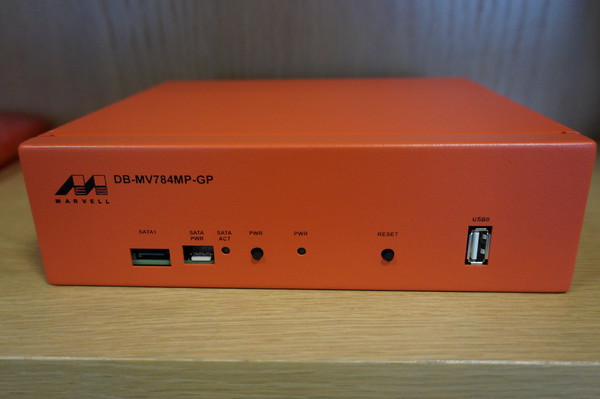
Marvell ARM system - Photo from Steve McIntyre
One weekend Steve McIntyre asked me if I could find a source of some of some 40mm fans for some systems with some pretty strict requirements. They needed to be long life and shift a lot of air to combat a persistent overheating issue.

I sat with him and went through the Farnell utterly hateful parametric web interface and eventually came up with a couple of options which were very expensive. Only then did I stop and ask what the actual problem was.

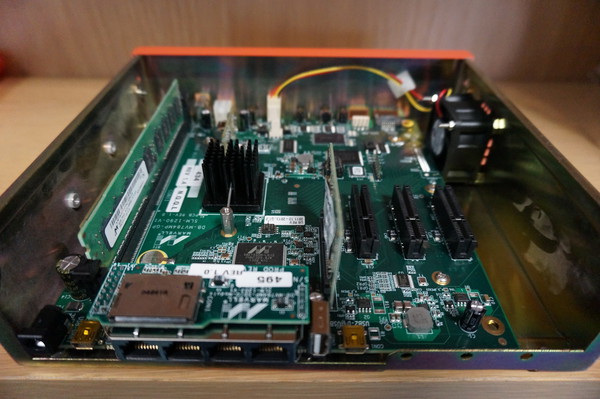
Marvell ARM system Original internal cooling arrangement - Photo from Steve McIntyre
Steve showed me one of the Debian ARM buildd boxes which are Marvell development machines. These systems are powerful quad core machines housed in compact steel enclosures.

There is a single 40mm fan trying to provide cooling for the entire enclosure. When the units are placed horizontally and used intermittently this proves adequate. Unfortunately when the system are arranged vertically in a rack and run at full load continuously they often overheat and have to be restarted. In addition the small high speed fans need replacing frequently as their bearings wore out quickly.

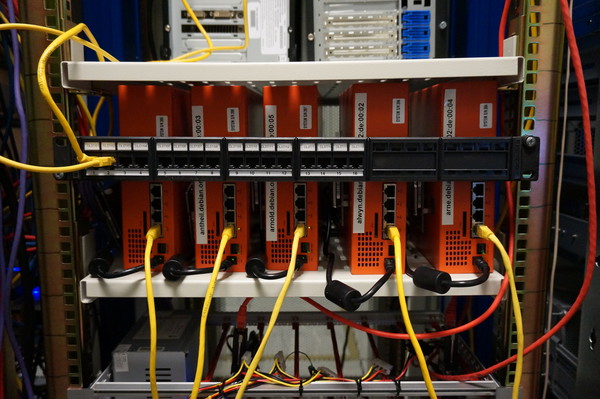
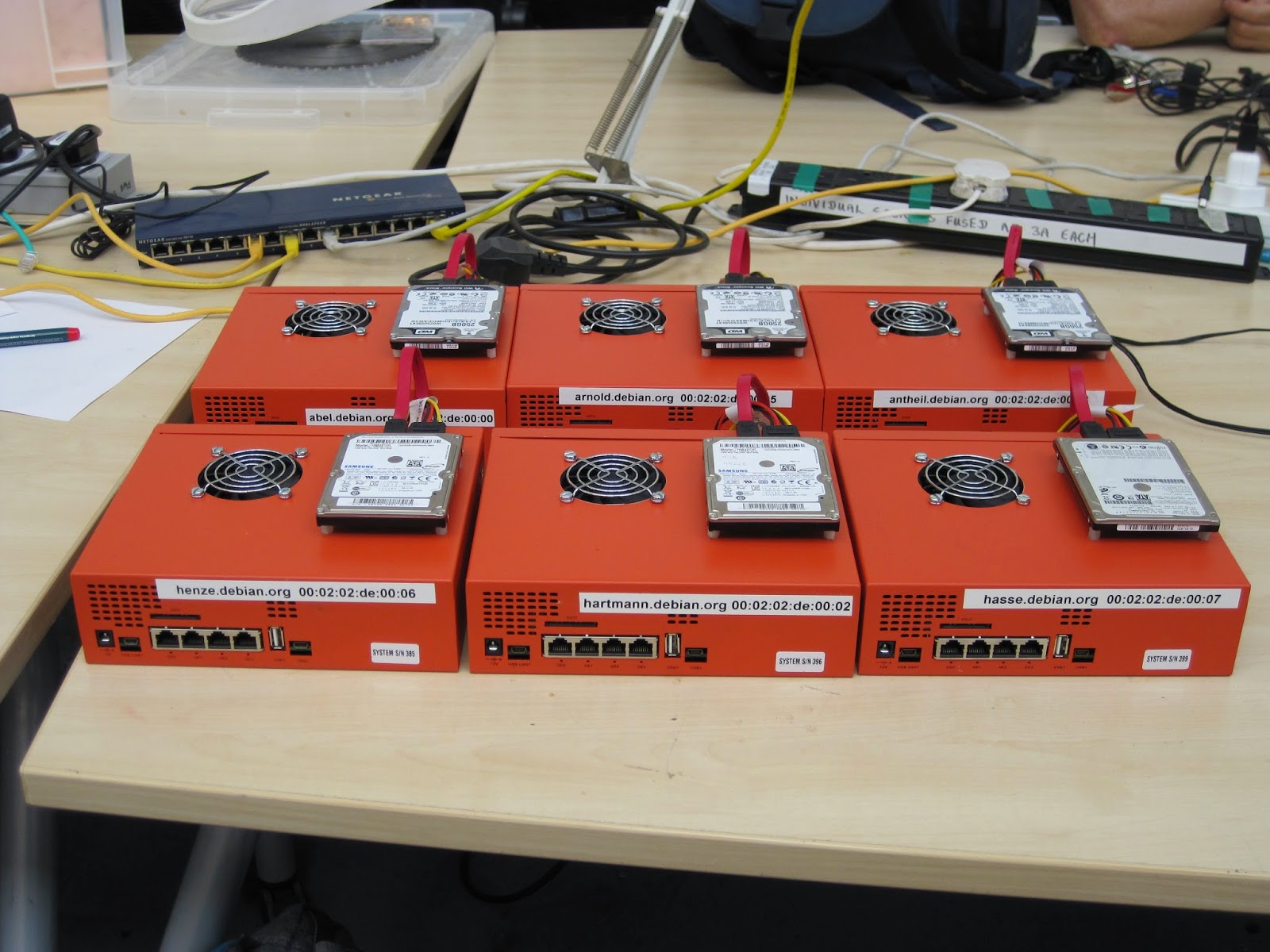
Debian ARM buildd systems - Photo from Steve McIntyreThis was obviously causing some issues for the ARM Debian ports which Steve wanted to rectify. After talking the problem through for a while we came to the conclusion we could use much larger 60mm fans to blow air directly through the top of the case onto the cpu heatsink.

Larger fans can be run much more slowly to move a similar volume of air to the smaller 40mm fans which gives a much longer service life.

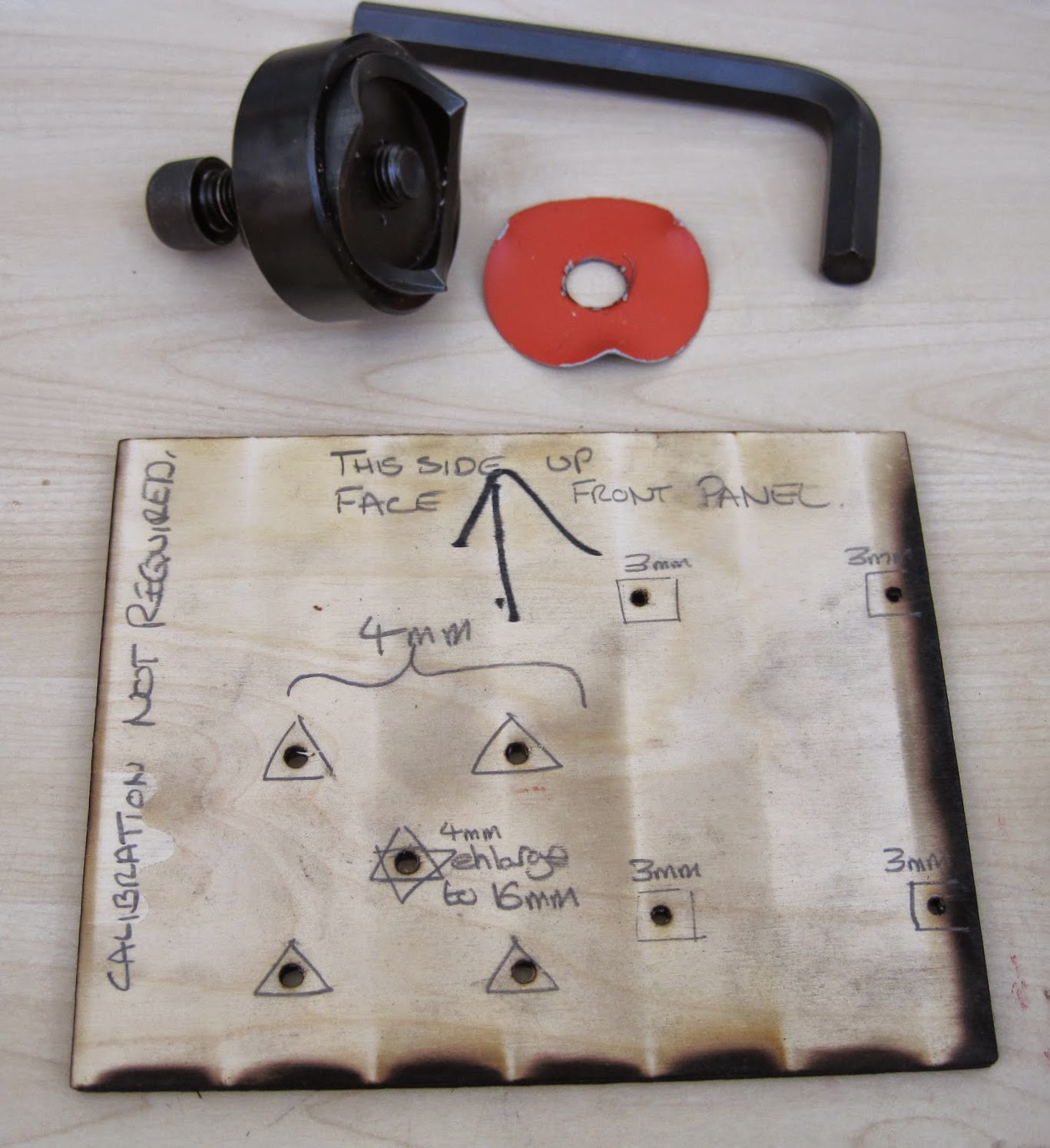
Hole punch and Drilling template
Steve proceeded to order enough parts to allow us to modify all the Debian systems, this worked out cheaper than a single "special" 40mm high volume fan.

I acquired a rather large steel hole punch, I chose this tool because it produces a much superior finish to a hole cutter and this project demanded a high level of finish (not to mention I loved having a valid excuse to own and use a huge allen key!)

If we had simply been modifying a single case I would have measured and marked up by hand. With the prospect of altering at least eight I laser cut a template from plywood which Andy Simpkins took great glee in excessively annotating.

We also used the opportunity to add bolt holes to securely attach the 2.5 inch SATA drives instead of using sticky pads.

Steve and I modified a single system to begin with both to check our alignment and the efficacy of the change. We were pleasantly surprised to discover that hoiby could now repeatedly do kernel compiles with all four cores flat out which was not possible before. The measured CPU temperature, which had previously been around 90 C, did not rise above 40 C

Steve and Andy on the assembly line
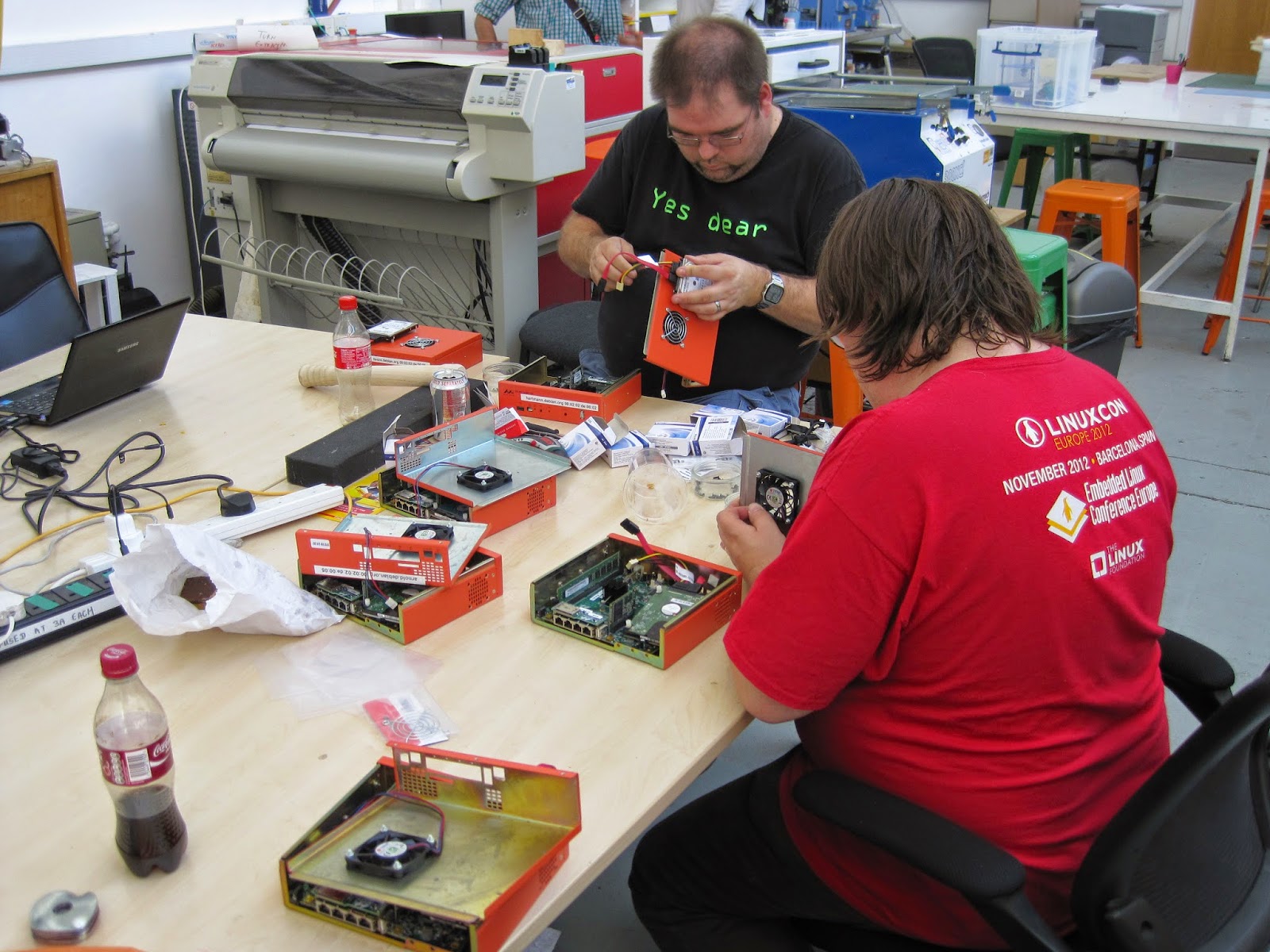
Steve, Andy and I then arranged a day where we took all the remaining units out of the rack at ARM, modified and returned them. We used the facilities at the Cambridge Makespace where I am a member to do the modifications.

I broke two 3mm drill bits and dulled a 4mm bit drilling all the holes, Roger Smith was good enough to loan us the use of his "Christmas tree bit" to ream the fan hole out to 16mm so we could thread the hole punch and cut the 60mm fan aperture out.

six modified systems ready to be re-racked.
We managed to get quite an assembly line going and, in my opinion, the results look pretty professional.

It has been several months since we did this work and these systems continue to run without issue. To complete the story we can see some graphs courtesy of the DSA munin instance.

CPU load on arnold.debian.org
You can clearly see the huge drop in temperature at the end of Week 25 despite the continuously high CPU load. Also there is only a single gap in the data after the changes (these indicate crashes where data was not recorded) where before there were frequent and extensive times where the systems were simply unusable.

CPU Temperature of arnold.debian.org
One reason I continue to enjoy Debian so much is the wide variety of ways in which I can contribute not only by maintaining my packages. Sometimes this kind of work does not receive the credit it deserves and hopefully highlights a small part of the frantic paddling that goes on under the serene surface of the Debian project to keep things "just working".

30 September 2014

Rapha&#235;l Hertzog: My Debian LTS report for September

Thanks to the sponsorship of multiple companies, I have been paid to work 11 hours on Debian LTS this month. CVE triagingI started by doing lots of triage in the security tracker (if you want to help, instructions are here) because I noticed that the dla-needed.txt list (which contains the list of packages that must be taken care of via an LTS security update) was missing quite a few packages that had open vulnerabilities in oldstable. In the end, I pushed 23 commits to the security tracker. I won t list the details each time but for once, it s interesting to let you know the kind of things that this work entailed: And when I say I reviewed it s a simplification for this kind of process: CVE triaging is often almost half the work in the general process: once you know that you are affected and that you have a patch, the process to release an update is relatively straightforward (sometimes there s still work to do to backport the patch). Once I was over that first pass of triaging, I had already spent more than the 11 hours paid but I still took care of preparing the security update for python-django. Thorsten Alteholz had started the work but got stuck in the process of backporting the patches. Since I m co-maintainer of the package, I took over and finished the work to release it as DLA-65-1.

No comment Liked this article? Click here. My blog is Flattr-enabled.

Mario Lang: A simple C++11 concurrent workqueue

For a little toy project of mine (a wikipedia XML dump word counter) I wrote a little C++11 helper class to distribute work to all available CPU cores. It took me many years to overcome my fear of threading: In the past, whenever I toyed with threaded code, I ended up having a lot of deadlocks, and generally being confused. It appears that I finally have understood enough of this crazyness to be able to come up with the small helper class below.
The problem We want to spread work amongst all available CPU cores. There are no dependencies between items in our work queue. So every thread can just pick up and process an item as soon as it is ready.
The solution This simple implementation makes use of C++11 threading primitives, lambda functions and move semantics. The idea is simple: You provide a function at construction time which defines how to process one item of work. To pass work to the queue, simply call the function operator of the object, repeatedly. When the destructor is called (once the object reachs the end of its scope), all remaining items are processed and all background threads are joined. The number of threads defaults to the value of std::thread::hardware_concurrency(). This appears to work at least since GCC 4.9. Earlier tests have shown that std::thread::hardware_concurrency() always returned 1. I don't know when exactly GCC (or libstdc++, actually) started to support this, but at least since GCC 4.9, it is usable. Prerequisite on Linux is a mounted /proc. The number of maximum items per thread in the queue defaults to 1. If the queue is full, calls to the function operator will block. So the most basic usage example is probably something like:
int main()  
  typedef std::string item_type;
  distributor<item_type> process([](item_type &item)  
    // do work
   );
  while (/* input */) process(std::move(/* item */));
  return 0;
 
That is about as simple as it can get, IMHO. The code can be found in the GitHub project mentioned above. However, since the class template is relatively short, here it is.
#include <condition_variable>
#include <mutex>
#include <queue>
#include <stdexcept>
#include <thread>
#include <vector>
template <typename Type, typename Queue = std::queue<Type>>
class distributor: Queue, std::mutex, std::condition_variable  
  typename Queue::size_type capacity;
  bool done = false;
  std::vector<std::thread> threads;
public:
  template<typename Function>
  distributor( Function function
             , unsigned int concurrency = std::thread::hardware_concurrency()
             , typename Queue::size_type max_items_per_thread = 1
             )
  : capacity concurrency * max_items_per_thread 
   
    if (not concurrency)
      throw std::invalid_argument("Concurrency must be non-zero");
    if (not max_items_per_thread)
      throw std::invalid_argument("Max items per thread must be non-zero");
    for (unsigned int count  0 ; count < concurrency; count += 1)
      threads.emplace_back(static_cast<void (distributor::*)(Function)>
                           (&distributor::consume), this, function);
   
  distributor(distributor &&) = default;
  distributor &operator=(distributor &&) = delete;
  ~distributor()
   
     
      std::lock_guard<std::mutex> guard(*this);
      done = true;
      notify_all();
     
    for (auto &&thread: threads) thread.join();
   
  void operator()(Type &&value)
   
    std::unique_lock<std::mutex> lock(*this);
    while (Queue::size() == capacity) wait(lock);
    Queue::push(std::forward<Type>(value));
    notify_one();
   
private:
  template <typename Function>
  void consume(Function process)
   
    std::unique_lock<std::mutex> lock(*this);
    while (true)  
      if (not Queue::empty())  
        Type item   std::move(Queue::front())  ;
        Queue::pop();
        notify_one();
        lock.unlock();
        process(item);
        lock.lock();
        else if (done)  
        break;
        else  
        wait(lock);


 ;
If you have any comments regarding the implementation, please drop me a mail.

Dirk Eddelbuettel: Rcpp 0.11.3

A new release 0.11.3 of Rcpp is now on the CRAN network for GNU R, and an updated Debian package has been uploaded too. Rcpp has become the most popular way of enhancing GNU R with C++ code. As of today, 273 packages on CRAN depend on Rcpp for making analyses go faster and further. This release brings a fairly large number of continued enhancements, fixes and polishing to Rcpp. These were provided by a total of seven different contributors---which is a new record as well. See below for a detailed list of changes extracted from the NEWS file, but some highlights included in this release are One sore point, however, is that we missed that packages using Rcpp Modules appear to require a rebuild. We are sorry for the inconvenience; this has highlighted a shortcoming in our fairly robust and extensive tests. While we test our packages against all known CRAN dependents, such tests check for the ability to compile and run freshly and not whether previously built packages still run. We intend to augment our testing in this direction to avoid a repeat occurrence of such a misfeature.
Changes in Rcpp version 0.11.3 (2014-09-27)
  • Changes in Rcpp API:
    • The deprecation of RCPP_FUNCTION_* which was announced with release 0.10.5 last year is proceeding as planned, and the file macros/preprocessor_generated.h has been removed.
    • Timer no longer records time between steps, but times from the origin. It also gains a get_timers(int) methods that creates a vector of Timer that have the same origin. This is modelled on the Rcpp11 implementation and is more useful for situations where we use timers in several threads. Timer also gains a constructor taking a nanotime_t to use as its origin, and a origin method. This can be useful for situations where the number of threads is not known in advance but we still want to track what goes on in each thread.
    • A cast to bool was removed in the vector proxy code as inconsistent behaviour between clang and g++ compilations was noticed.
    • A missing update(SEXP) method was added thanks to pull request by Omar Andres Zapata Mesa.
    • A proxy for DimNames was added.
    • A no_init option was added for Matrices and Vectors.
    • The InternalFunction class was updated to work with std::function (provided a suitable C++11 compiler is available) via a pull request by Christian Authmann.
    • A new_env() function was added to Environment.h
    • The return value of range eraser for Vectors was fixed in a pull request by Yixuan Qiu.
  • Changes in Rcpp Sugar:
    • In ifelse(), the returned NA type was corrected for operator[].
  • Changes in Rcpp Attributes:
    • Include LinkingTo in DESCRIPTION fields scanned to confirm that C++ dependencies are referenced by package.
    • Add dryRun parameter to sourceCpp.
    • Corrected issue with relative path and R chunk use for sourceCpp.
  • Changes in Rcpp Documentation:
    • The Rcpp-FAQ vignette was updated with respect to OS X issues.
    • A new entry in the Rcpp-FAQ clarifies the use of licenses.
    • Vignettes build results no longer copied to /tmp to please CRAN.
    • The Description in DESCRIPTION has been shortened.
  • Changes in Rcpp support functions:
    • The Rcpp.package.skeleton() function will now use pkgKitten package, if available, to create a package which passes R CMD check without warnings. A new Suggests: has been added for pkgKitten.
    • The modules=TRUE case for Rcpp.package.skeleton() has been improved and now runs without complaints from R CMD check as well.
  • Changes in Rcpp unit test functions:
    • Functions from the RUnit package are now prefixed with RUnit::
    • The testRcppModule and testRcppClass sample packages now pass R CMD check --as-cran cleanly with NOTES or WARNINGS
Thanks to CRANberries, you can also look at a diff to the previous release As always, even fuller details are on the Rcpp Changelog page and the Rcpp page which also leads to the downloads page, the browseable doxygen docs and zip files of doxygen output for the standard formats. A local directory has source and documentation too. Questions, comments etc should go to the rcpp-devel mailing list off the R-Forge page.

This post by Dirk Eddelbuettel originated on his Thinking inside the box blog. Please report excessive re-aggregation in third-party for-profit settings.

28 September 2014

Ean Schuessler: RoboJuggy at JavaOne

A few months ago I was showing my friend Bruno Souza the work I had been doing with my childhood friend and robotics genius, David Hanson. I had been watching what David was going through in his process of creating life-like robots with the limited industrial software available for motor control. I had suggested to David that binding motors to Blender control structures was a genuinely viable possibility. David talked with his forward looking CEO, Jong Lee, and they were gracious enough to invite me to Hong Kong to make this exciting idea a reality. Working closely the HRI team (Vytas, Gabrielos, Fabien and Davide) with David s friend and collaborators at OpenCog (Ben Goertzel, Mandeep, David, Jamie, Alex and Samuel) a month long creative hack-fest yielded pretty amazing results. Bruno is an avid puppeteer, a global organizer of java user groups and creator of Juggy the Java Finch, mascot of Java users and user groups everywhere. We started talking about how cool it would be to have a robot version of Juggy. When I was in China I had spent a little time playing with Mark Tilden s RSMedia and various versions of David s hobby servo based emotive heads. Bruno and I did a little research into the ROS Java bindings for the Robot Operating System and decided that if we could make that part of the picture we had a great and fun idea for a JavaOne talk. Hunting and gathering I tracked down a fairly priced RSMedia in Alaska, Bruno put a pair of rubber Juggy puppet heads in the mail and we were on our way.
We had decided that we wanted RoboJuggy to be able to run about untethered and the new RaspberryPi B+ seemed like the perfect low power brain to make that happen. I like the Debian based Raspbian distributions but had lately started using the netinst Pi images. These get your Pi up and running in about 15 minutes with a nicely minimalistic install instead of a pile of dependencies you probably don t need. I d recommend anyone interested I m duplicating our work to stay their journey there: Raspbian UA Net Installer Robots seem like an embedded application but ROS only ships packages for Ubuntu. I was pleasantly surprised that there are very good instructions for building ROS from source on the Pi. I ended up following these instructions: Setting up ROS Hydro on the Raspberry Pi Building from source means that all your install ends up being isolated (in ROS speak) and your file locations and build instructions end up being subtly current. As explained in the linked article, this process is also very time consuming. One thing I would recommend once you get past this step is to use the UNIX dd command to back up your entire SD card to a desktop. This way if you make a mess of things in later steps you can restore your install to a pristine Raspbian+ROS install. If your SD drive was on /dev/sdb you might use something like this to do the job:
sudo dd bs=4M if=/dev/sdb   gzip > /home/your_username/image date +%d%m%y .gz
Getting Java in the mix Once you have your Pi all set up with minimal Raspbian and ROS you are going to want a Java VM. The Pi runs the ARM CPU so you need the corresponding version of Java. I tried getting things going initially with OpenJDK and I had some issues with that. I will work on resolving that in the future because I would like to have a 100% Free Software kit for this but since this was for JavaOne I also wanted JDK8, which isn t available in Debian yet. So, I downloaded the Oracle JDK8 package for ARM. Java 8 JDK for ARM At this point you are ready to start installing the ROS Java packages. I m pretty sure the way I did this initially is wrong but I was trying to reconcile the two install procedures for ROS Java and ROS Hydro for Raspberry Pi. I started by following these directions for ROS Java but with a few exceptions (you have to click the install from source link in the page to see the right stuff: Installing ROS Java on Hydro Now these instructions are good but this is a Pi running Debian and not an Ubuntu install. You won t run the apt-get package commands because those tools were already installed in your earlier steps. Also, this creates its own workspace and we really want these packages all in one workspace. You can apparently chain workspaces in ROS but I didn t understand this well enough to get it working so what I did was this:
> mkdir -p ~/rosjava 
> wstool init -j4 ~/rosjava/src https://raw.github.com/rosjava/rosjava/hydro/rosjava.rosinstall
> source ~/ros_catkin_ws/install_isolated/setup.bash > cd ~/rosjava # Make sure we've got all rosdeps and msg packages.
> rosdep update 
> rosdep install --from-paths src -i -y
and then copied the sources installed into ~/rosjava/src into my main ~/ros_catkin_ws/src. Once those were copied over I was able to run a standard build.
> catkin_make_isolated --install
Like the main ROS install this process will take a little while. The Java gradle builds take an especially long time. One thing I would recommend to speed up your workflow is to have an x86 Debian install (native desktop, QEMU instance, docker, whatever) and do these same build from source installs there. This will let you try your steps out on a much faster system before you try them out in the Pi. That can be a big time saver. Putting together the pieces Around this time my RSMedia had finally showed up from Alaska. At first I thought I had a broken unit because it would power up, complain about not passing system tests and then shut back down. It turns out that if you just put the D batteries in and miss the four AAs that it will kind of pretend to be working so watch for that mistake. Here is a picture of the RSMedia when it first came out of the box: wpid-20140911_142904.jpg Other parts were starting to roll in as well. The rubber puppet heads had made their way through Brazilian customs and my Pololu Mini Maestro 24 had also shown up as well as the my servo motors and pan and tilt camera rig. I had previously bought a set of 10 motors for goofing around so I bought the pan and tilt rig by itself for about $5(!) but you can buy a complete set for around $25 from a number of EBay stores. Complete pan and tilt rig with motors for $25 A bit more about the Pololu. This astonishing little motor controller costs about $25 and gives you control of 24 motors with an easy to use and high level serial API. It is probably also possible to control these servos directly from the Pi and eliminate this board but that will be genuinely difficult because of the real-time timing issues. For $25 this thing is a real gem and you won t regret buying it. Now it was time to start dissecting the RSMedia and getting control of its brain. Unfortunately a lot of great information about the RSMedia has floated away since it was in its heyday 5 years ago but there is still some solid information out there that we need to round up and preserve. A great resource is the SourceForge based website here at http://rsmediadevkit.sourceforge.net. That site has links to a number of useful sites. You will definitely want to check out their wiki. To disassemble the RSMedia I followed their instructions. I will say, it would be smart to take more pictures as you are going because they don t take as many as they should. I took pictures of each board and its associated connections as dismantled the unit and that helped me get things back together later. Another important note is that if all you want to do is solder onto the control board and not replace the head then its feasible to solder the board in place without completely disassembling the unit. Here are some photos of the dis-assembly: wpid-20140921_114742.jpg wpid-20140921_113054.jpg wpid-20140921_112619.jpg Now I also had to start adjusting the puppet head, building an armature for the motors to control it and hooking it into the robot. I need to take some more photos of the actual armature. I like to use cardboard for this kind of stuff because it is so fast to work with and relatively strong. One trick I have also learned about cardboard is that if you get something going with it and you need it to be a little more production strength you can paint it down with fiberglass resin from your local auto store. Once it dries it becomes incredibly tough because it soaks through the fibers of the cardboard and hardens around them. You will want to do this in a well ventilated area but its a great way to build super tough prototypes. Another prototyping trick I can suggest is using a combination of Velcro and zipties to hook things together. The result is surprisingly strong and still easy to take apart if things aren t working out. Velcro self-adhesive pads stick to rubber like magic and that is actually how I hooked the jaw servo onto the mask. You can see me torturing its first initial connection here: Since the puppet head had come all the way from Brazil I decided to cook some chicken hearts in the churrascaria style while I worked on them in the garage. This may sound gross but I m telling you, you need to try it! I soaked mine in soy sauce, Sriracha and chinese cooking wine. Delicious but I digress. wpid-20140920_191551.jpg As I was eating my chicken hearts I was also connecting the pan and tilt armature onto the puppet s jaw and eye assembly. It took me most of the evening to get all this going but by about one in the morning things were starting to look good! I only had a few days left to hack things together before JavaOne and things were starting to get tight. I had so much to do and had also started to run into some nasty surprises with the ROS Java control software. It turns out that ROS Java is less than friendly with ROS message structures that are not built in . I had tried to follow the provided instructions but was not (and still have not) been able to get that working. Using unofficial messages with ROS Java I still needed to get control of the RSMedia. Doing that required the delicate operation of soldering to its control board. On the board there are a set of pins that provide a serial interface to the ARM based embedded Linux computer that controls the robot. To do that I followed these excellent instructions: Connecting to the RSMedia Linux Console Port After some sweaty time bent over a magnifying glass I had success: wpid-20140921_143327.jpg I had previously purchased the USB-TTL232 accessory described in the article from Dallas awesome Tanner Electronics store in Dallas. If you are a geek I would recommend that you go there and say hi to its proprietor (and walking encyclopedia of electronics knowledge) Jim Tanner. It was very gratifying when I started a copy of minicom, set it to 115200, N, 8, 1, plugged in the serial widget to the RSMedia and booted it up. I was greeted with a clearly recognizable Linux startup and console prompt. At first I thought I had done something wrong because I couldn t get it to respond to commands but I quickly realized I had flow control turned on. Once turned off I was able to navigate around the file system, execute commands and have some fun. A little research and I found this useful resource which let me get all kinds of body movements going: A collection of useful commands for the RSMedia At this point, I had a usable set of controls for the body as well as the neck armature. I had a controller running the industry s latest and greatest robotics framework that could run on the RSMedia without being tethered to power and I had most of a connection to Java going. Now I just had to get all those pieces working together. The only problem is that time was running out and I only had a couple of days until my talk and still had to pack and square things away at work. The last day was spent doing things that I wouldn t be able to do on the road. My brother Erik (and fantastic artist) came over to help paint up the juggy head and fix the eyeball armature. He used a mix of oil paint, rubber cement which stuck to the mask beautifully. I bought battery packs for the USB Pi power and the 6v motor control and integrated them into a box that could sit below the neck armature. I fixed up a cloth neck sleeve that could cover everything. Luckily during all this my beautiful and ever so supportive girlfriend Becca had helped me get packed or I probably wouldn t have made it out the door. Welcome to San Francisco THIS ARTICLE IS STILL BEING WRITTEN

Next.

Previous.