Simon Josefsson: OpenSSH and Git on a Post-Quantum SPHINCS+
Are you aware that Git commits and tags may be signed using OpenSSH? Git signatures may be used to improve integrity and authentication of our software supply-chain. Popular signature algorithms include Ed25519, ECDSA and RSA. Did you consider that these algorithms may not be safe if someone builds a post-quantum computer?
As you may recall, I have earlier blogged about the efficient post-quantum key agreement mechanism called Streamlined NTRU Prime and its use in SSH and I have attempted to promote the conservatively designed Classic McEliece in a similar way, although it remains to be adopted.
What post-quantum signature algorithms are available? There is an effort by NIST to standardize post-quantum algorithms, and they have a category for signature algorithms. According to wikipedia, after round three the selected algorithms are CRYSTALS-Dilithium, FALCON and SPHINCS+. Of these, SPHINCS+ appears to be a conservative choice suitable for long-term digital signatures. Can we get this to work?
Recall that Git uses the
ssh-keygen tool from OpenSSH to perform signing and verification. To refresh your memory, let s study the commands that Git uses under the hood for Ed25519. First generate a Ed25519 private key:
jas@kaka:~$ ssh-keygen -t ed25519 -f my_ed25519_key -P ""
Generating public/private ed25519 key pair.
Your identification has been saved in my_ed25519_key
Your public key has been saved in my_ed25519_key.pub
The key fingerprint is:
SHA256:fDa5+jmC2+/aiLhWeWA3IV8Wj6yMNTSuRzqUZlIGlXQ jas@kaka
The key's randomart image is:
+--[ED25519 256]--+
     .+=.E ..
      oo=.ooo
     . =o=+o .
      =oO+o .
      .=+S.=
       oo.o o
      . o  .
     ...o.+..
    .o.o.=**.
+----[SHA256]-----+
jas@kaka:~$ cat my_ed25519_key
-----BEGIN OPENSSH PRIVATE KEY-----
b3BlbnNzaC1rZXktdjEAAAAABG5vbmUAAAAEbm9uZQAAAAAAAAABAAAAMwAAAAtzc2gtZW
QyNTUxOQAAACAWP/aZ8hzN0WNRMSpjzbgW1tJXNd2v6/dnbKaQt7iIBQAAAJCeDotOng6L
TgAAAAtzc2gtZWQyNTUxOQAAACAWP/aZ8hzN0WNRMSpjzbgW1tJXNd2v6/dnbKaQt7iIBQ
AAAEBFRvzgcD3YItl9AMmVK4xDKj8NTg4h2Sluj0/x7aSPlhY/9pnyHM3RY1ExKmPNuBbW
0lc13a/r92dsppC3uIgFAAAACGphc0BrYWthAQIDBAU=
-----END OPENSSH PRIVATE KEY-----
jas@kaka:~$ cat my_ed25519_key.pub
ssh-ed25519 AAAAC3NzaC1lZDI1NTE5AAAAIBY/9pnyHM3RY1ExKmPNuBbW0lc13a/r92dsppC3uIgF jas@kaka
jas@kaka:~$ jas@kaka:~$ echo "Hello world!" > msg
jas@kaka:~$ ssh-keygen -Y sign -f my_ed25519_key -n my-namespace msg
Signing file msg
Write signature to msg.sig
jas@kaka:~$ cat msg.sig
-----BEGIN SSH SIGNATURE-----
U1NIU0lHAAAAAQAAADMAAAALc3NoLWVkMjU1MTkAAAAgFj/2mfIczdFjUTEqY824FtbSVz
Xdr+v3Z2ymkLe4iAUAAAAMbXktbmFtZXNwYWNlAAAAAAAAAAZzaGE1MTIAAABTAAAAC3Nz
aC1lZDI1NTE5AAAAQLmWsq05tqOOZIJqjxy5ZP/YRFoaX30lfIllmfyoeM5lpVnxJ3ZxU8
SF0KodDr8Rtukg2N3Xo80NGvZOzbG/9Aw=
-----END SSH SIGNATURE-----
jas@kaka:~$jas@kaka:~$ echo 'my.name@example.org ssh-ed25519 AAAAC3NzaC1lZDI1NTE5AAAAIBY/9pnyHM3RY1ExKmPNuBbW0lc13a/r92dsppC3uIgF' > allowed-signers
jas@kaka:~$ jas@kaka:~$ cat msg ssh-keygen -Y verify -f allowed-signers -I my.name@example.org -n my-namespace -s msg.sig
Good "my-namespace" signature for my.name@example.org with ED25519 key SHA256:fDa5+jmC2+/aiLhWeWA3IV8Wj6yMNTSuRzqUZlIGlXQ
jas@kaka:~$
jas@kaka:~$ podman run -it --rm debian:stable# apt-get update
# apt-get install git build-essential autoconf libz-dev libssl-dev# cd
# git clone https://github.com/jas4711/openssh-portable.git -b sphincsp
# cd openssh-portable
# autoreconf -fvi
# ./configure
# make# mkdir -pv ~/.ssh
# echo 'simon@josefsson.org ssh-sphincsplus@openssh.com AAAAG3NzaC1zcGhpbmNzcGx1c0BvcGVuc3NoLmNvbQAAAECI6eacTxjB36xcPtP0ZyxJNIGCN350GluLD5h0KjKDsZLNmNaPSFH2ynWyKZKOF5eRPIMMKSCIV75y+KP9d6w3' > ~/.ssh/allowed_signers
# git config gpg.ssh.allowedSignersFile ~/.ssh/allowed_signersssh-keygen binary:
# PATH=$PWD:$PATH
# git log -1 --show-signature
commit ce0b590071e2dc845373734655192241a4ace94b (HEAD -> sphincsp, origin/sphincsp)
Good "git" signature for simon@josefsson.org with SPHINCSPLUS key SHA256:rkAa0fX0lQf/7V7QmuJHSI44L/PAPPsdWpis4nML7EQ
Author: Simon Josefsson <simon@josefsson.org>
Date:   Tue Dec 3 18:44:25 2024 +0100
    Add SPHINCS+.
# git verify-commit ce0b590071e2dc845373734655192241a4ace94b
Good "git" signature for simon@josefsson.org with SPHINCSPLUS key SHA256:rkAa0fX0lQf/7V7QmuJHSI44L/PAPPsdWpis4nML7EQ
# # ssh-keygen -t sphincsplus -f my_sphincsplus_key -P ""
Generating public/private sphincsplus key pair.
Your identification has been saved in my_sphincsplus_key
Your public key has been saved in my_sphincsplus_key.pub
The key fingerprint is:
SHA256:4rNfXdmLo/ySQiWYzsBhZIvgLu9sQQz7upG8clKziBg root@ad600ff56253
The key's randomart image is:
+[SPHINCSPLUS 256-+
. .o
o . oo.
= .o.. o
o o o o . . o
.+ = S o o .
Eo= . + . . .. .
=*.+ o . . oo .
B+= o o.o. .
o*o ... .oo.
+----[SHA256]-----+
# cat my_sphincsplus_key.pub
ssh-sphincsplus@openssh.com AAAAG3NzaC1zcGhpbmNzcGx1c0BvcGVuc3NoLmNvbQAAAEAltAX1VhZ8pdW9FgC+NdM6QfLxVXVaf1v2yW4v+tk2Oj5lxmVgZftfT37GOMOlK9iBm9SQHZZVYZddkEJ9F1D7 root@ad600ff56253
# cat my_sphincsplus_key
-----BEGIN OPENSSH PRIVATE KEY-----
b3BlbnNzaC1rZXktdjEAAAAABG5vbmUAAAAEbm9uZQAAAAAAAAABAAAAYwAAABtzc2gtc3
BoaW5jc3BsdXNAb3BlbnNzaC5jb20AAABAJbQF9VYWfKXVvRYAvjXTOkHy8VV1Wn9b9slu
L/rZNjo+ZcZlYGX7X09+xjjDpSvYgZvUkB2WVWGXXZBCfRdQ+wAAAQidiIwanYiMGgAAAB
tzc2gtc3BoaW5jc3BsdXNAb3BlbnNzaC5jb20AAABAJbQF9VYWfKXVvRYAvjXTOkHy8VV1
Wn9b9sluL/rZNjo+ZcZlYGX7X09+xjjDpSvYgZvUkB2WVWGXXZBCfRdQ+wAAAIAbwBxEhA
NYzITN6VeCMqUyvw/59JM+WOLXBlRbu3R8qS7ljc4qFVWUtmhy8B3t9e4jrhdO6w0n5I4l
mnLnBi2hJbQF9VYWfKXVvRYAvjXTOkHy8VV1Wn9b9sluL/rZNjo+ZcZlYGX7X09+xjjDpS
vYgZvUkB2WVWGXXZBCfRdQ+wAAABFyb290QGFkNjAwZmY1NjI1MwECAwQ=
-----END OPENSSH PRIVATE KEY-----
# # git cat-file -p ce0b590071e2dc845373734655192241a4ace94b head -10
tree ede42093e7d5acd37fde02065a4a19ac1f418703
parent 826483d51a9fee60703298bbf839d9ce37943474
author Simon Josefsson <simon@josefsson.org> 1733247865 +0100
committer Simon Josefsson <simon@josefsson.org> 1734907869 +0100
gpgsig -----BEGIN SSH SIGNATURE-----
U1NIU0lHAAAAAQAAAGMAAAAbc3NoLXNwaGluY3NwbHVzQG9wZW5zc2guY29tAAAAQIjp5p
xPGMHfrFw+0/RnLEk0gYI3fnQaW4sPmHQqMoOxks2Y1o9IUfbKdbIpko4Xl5E8gwwpIIhX
vnL4o/13rDcAAAADZ2l0AAAAAAAAAAZzaGE1MTIAAHSDAAAAG3NzaC1zcGhpbmNzcGx1c0
BvcGVuc3NoLmNvbQAAdGDHlobgfgkKKQBo3UHmnEnNXczCMNdzJmeYJau67QM6xZcAU+d+
2mvhbksm5D34m75DWEngzBb3usJTqWJeeDdplHHRe3BKVCQ05LHqRYzcSdN6eoeZqoOBvR
# git cat-file -p ce0b590071e2dc845373734655192241a4ace94b tail -5
ChvXUk4jfiNp85RDZ1kljVecfdB2/6CHFRtxrKHJRDiIavYjucgHF1bjz0fqaOSGa90UYL
RZjZ0OhdHOQjNP5QErlIOcZeqcnwi0+RtCJ1D1wH2psuXIQEyr1mCA==
-----END SSH SIGNATURE-----
Add SPHINCS+.
# git cat-file -p ce0b590071e2dc845373734655192241a4ace94b wc -l
579
# # time git verify-commit ce0b590071e2dc845373734655192241a4ace94b
Good "git" signature for simon@josefsson.org with SPHINCSPLUS key SHA256:rkAa0fX0lQf/7V7QmuJHSI44L/PAPPsdWpis4nML7EQ
real 0m0.010s
user 0m0.005s
sys 0m0.005s
# # echo "Hello world!" > msg
# time ssh-keygen -Y sign -f my_sphincsplus_key -n my-namespace msg
Signing file msg
Write signature to msg.sig
real 0m2.226s
user 0m2.226s
sys 0m0.000s
# echo 'my.name@example.org ssh-sphincsplus@openssh.com AAAAG3NzaC1zcGhpbmNzcGx1c0BvcGVuc3NoLmNvbQAAAEAltAX1VhZ8pdW9FgC+NdM6QfLxVXVaf1v2yW4v+tk2Oj5lxmVgZftfT37GOMOlK9iBm9SQHZZVYZddkEJ9F1D7' > allowed-signers
# cat msg ssh-keygen -Y verify -f allowed-signers -I my.name@example.org -n my-namespace -s msg.sig
Good "my-namespace" signature for my.name@example.org with SPHINCSPLUS key SHA256:4rNfXdmLo/ySQiWYzsBhZIvgLu9sQQz7upG8clKziBg
#  Today I made a new release of my
 Like each month, have a look at the work funded by
  Sometimes you want to restrict access to something to a specific set of devices - for instance, you might want your corporate VPN to only be reachable from devices owned by your company. You can't really trust a device that self attests to its identity, for instance by reporting its MAC address or serial number, for a couple of reasons:
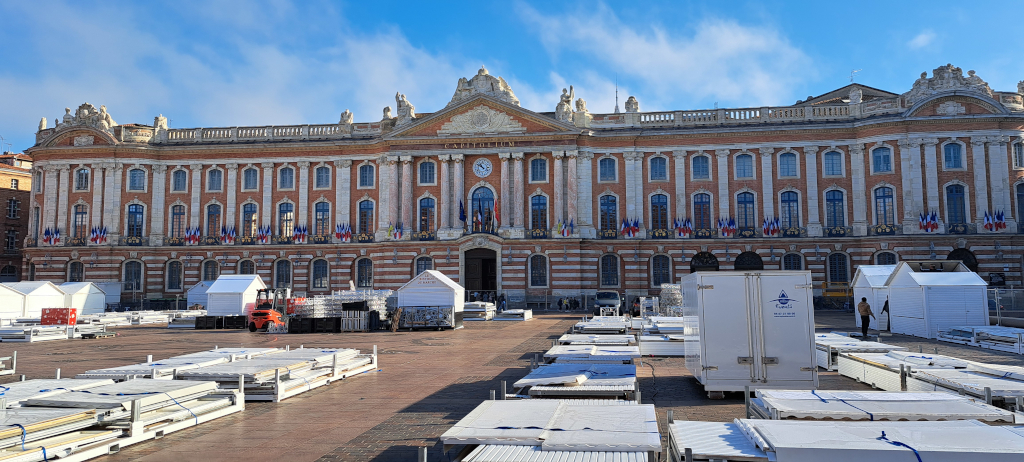
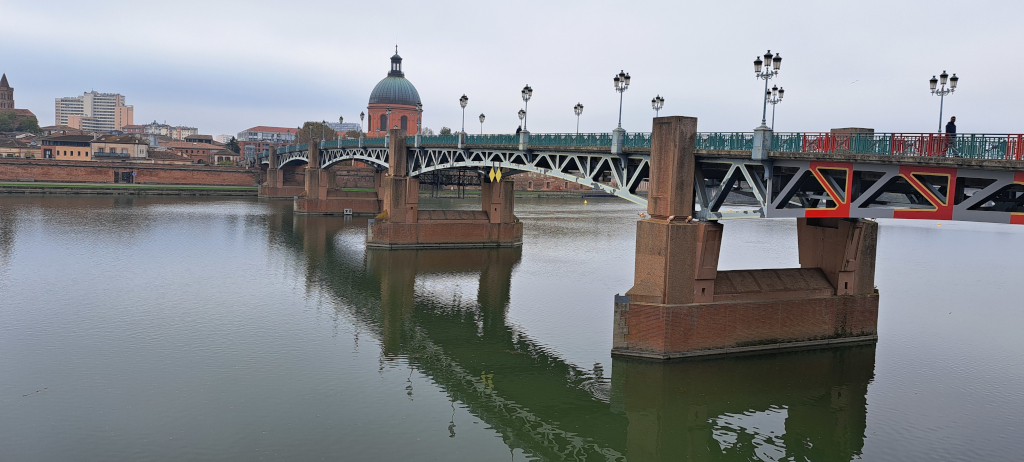
 In the evening, we went as a group to dinner at a restaurant in front of the Capitolium, the city s main tourist attraction.
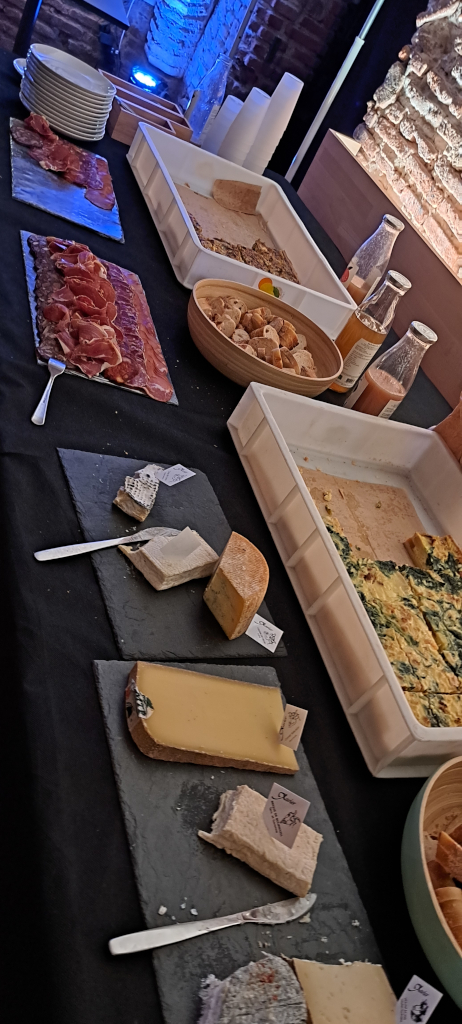
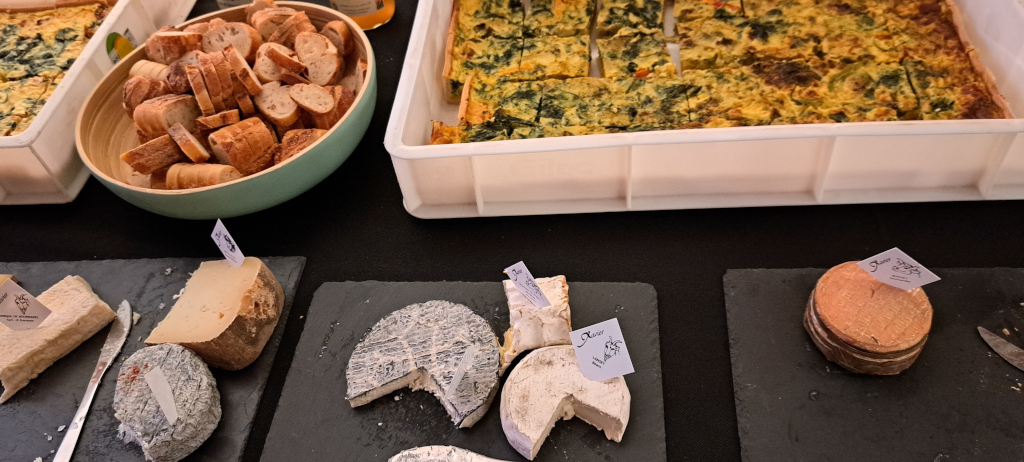
On the second day, in the morning, I walked around the city a bit more, then went to the coworking space and had another incredible cheese table for lunch.
In the evening, we went as a group to dinner at a restaurant in front of the Capitolium, the city s main tourist attraction.
On the second day, in the morning, I walked around the city a bit more, then went to the coworking space and had another incredible cheese table for lunch.
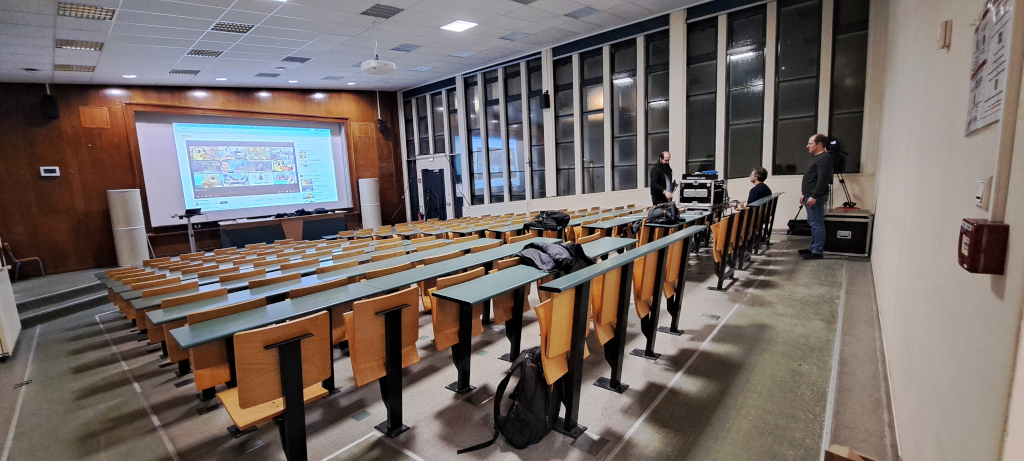
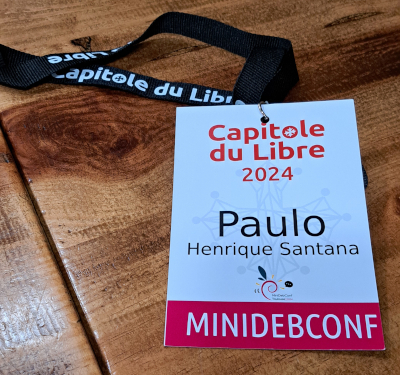


 This is bits from DPL for November.
MiniDebConf Toulouse
I had the pleasure of attending the MiniDebConf in Toulouse, which
featured a range of
This is bits from DPL for November.
MiniDebConf Toulouse
I had the pleasure of attending the MiniDebConf in Toulouse, which
featured a range of  Another short status update of what happened on my side last
month. The larger blocks are the
Another short status update of what happened on my side last
month. The larger blocks are the  In order to prepare for the Akademy I started some days before to give my Librem 5 ( an Open Hardware Phone) another try and ended up with a non starting Plasma 6.
Actually this issue was known already, but hasn't been addressed.
In the end I reached the Akademy with my Librem 5 having phosh installed (which is Gnome based), in order to have something working.
I met Bushan and Bart who took care and the issue was fixed two days later I could finally install Plasma 6 on it.
The last time I tested my Librem 5 with Plasma 5 it felt sluggish and not well working.
But this time I was impressed how well the system reacts.
Sure there are some things here and there, but in the bigger picture it is quite useable.
One annoying issue is that the camera is only working with one app and the other issue is the battery capacity, you have to charge it once a day.
Because of missing a QR reader that can use the camera, getting data to the phone was quite challenging.
Unfortunately the conference Wifi separated the devices and I couldn't use KDE Connect to transfer data.
In the end the only way to import data was taking five photos from the QR Code to import my D-Ticket to Itinerary.
With a device with Plasma Mobile, it directly was used for a experiment: How well does Dolphin works on a Plasma Mobile device.
Together with Felix Ernst we tried it out and were quite impressed, that Dolphin does work very well on Plasma Mobile, after some simple modifications on the UI.
That resulted in a patch to add a mobile UI for Dolphin
In order to prepare for the Akademy I started some days before to give my Librem 5 ( an Open Hardware Phone) another try and ended up with a non starting Plasma 6.
Actually this issue was known already, but hasn't been addressed.
In the end I reached the Akademy with my Librem 5 having phosh installed (which is Gnome based), in order to have something working.
I met Bushan and Bart who took care and the issue was fixed two days later I could finally install Plasma 6 on it.
The last time I tested my Librem 5 with Plasma 5 it felt sluggish and not well working.
But this time I was impressed how well the system reacts.
Sure there are some things here and there, but in the bigger picture it is quite useable.
One annoying issue is that the camera is only working with one app and the other issue is the battery capacity, you have to charge it once a day.
Because of missing a QR reader that can use the camera, getting data to the phone was quite challenging.
Unfortunately the conference Wifi separated the devices and I couldn't use KDE Connect to transfer data.
In the end the only way to import data was taking five photos from the QR Code to import my D-Ticket to Itinerary.
With a device with Plasma Mobile, it directly was used for a experiment: How well does Dolphin works on a Plasma Mobile device.
Together with Felix Ernst we tried it out and were quite impressed, that Dolphin does work very well on Plasma Mobile, after some simple modifications on the UI.
That resulted in a patch to add a mobile UI for Dolphin 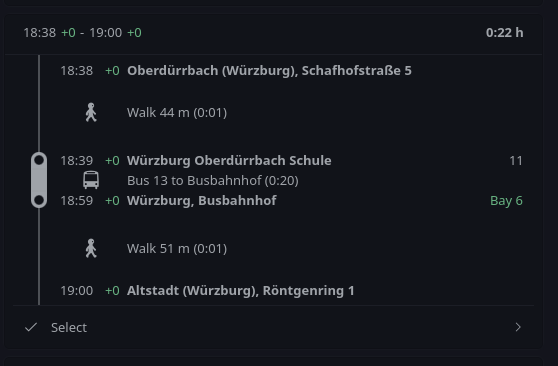
 In order to not have a hard cut from Akademy to normal life, I had a lunch with Carlos, to discuss KDE Neon and how we can improve the interaction with Debian.
In the future this should have less friction and make both communities work together more smoothly.
Additionally as I used to develop on KDEPIM with the help of Docker images based on Neon I ask for a meta kf6 dev meta package.
That should help to get rid of most hand written lists of dev packages in the Docker file in order to make it more simple for new contributors to start hacking on KDEPIM.
The rest of the day I finally found time to do the normal tourist stuff: Going to the Wine bridge and having a walk to the castle of W rzburg.
Unfortunately you hear a lot of car noises up there, but I could finally relaxe in a Japanese designed garden.
Finally at Saturday I started my trip back.
The trains towards Eberswalde are broken and I needed to find alternative routing.
I got a little bit nervous, as it was the first time I travelled with my Librem 5 and Itinerary only and needed to reach the next train in less than two mins.
With the indoor maps provided, I could prepare my run through the train station so I reached successfully my next train.
By the way, also if you only only use KDE software, I would recommend everyone to join Akademy ;)
In order to not have a hard cut from Akademy to normal life, I had a lunch with Carlos, to discuss KDE Neon and how we can improve the interaction with Debian.
In the future this should have less friction and make both communities work together more smoothly.
Additionally as I used to develop on KDEPIM with the help of Docker images based on Neon I ask for a meta kf6 dev meta package.
That should help to get rid of most hand written lists of dev packages in the Docker file in order to make it more simple for new contributors to start hacking on KDEPIM.
The rest of the day I finally found time to do the normal tourist stuff: Going to the Wine bridge and having a walk to the castle of W rzburg.
Unfortunately you hear a lot of car noises up there, but I could finally relaxe in a Japanese designed garden.
Finally at Saturday I started my trip back.
The trains towards Eberswalde are broken and I needed to find alternative routing.
I got a little bit nervous, as it was the first time I travelled with my Librem 5 and Itinerary only and needed to reach the next train in less than two mins.
With the indoor maps provided, I could prepare my run through the train station so I reached successfully my next train.
By the way, also if you only only use KDE software, I would recommend everyone to join Akademy ;)
 For the past decade-plus, every piece of software I write has had one of two release processes.
Software that gets deployed directly onto servers (websites, mostly, but also the infrastructure that runs
For the past decade-plus, every piece of software I write has had one of two release processes.
Software that gets deployed directly onto servers (websites, mostly, but also the infrastructure that runs