Search Results: "oku"

9 April 2012

M nica Ram rez Arceda: From non-DD to DD

Two weeks ago I became a Debian Developer. I must say this made me very very happy! In fact, I still can't believe it But what makes me really happy is to continue collaborating in this great community. When you change your status from non-DD to DD, you must do some changes in your configurations. I've written a recipe about this called Non-DD to DD steps, maybe it can be useful for future incoming DDs. If someone detects an error, please tell me, I'll be glad of fixing it. Besides this, I don't want to finish this post without thanking publicly everybody that has given me a helping hand. First of all I want to thank ana, my tireless mentor and main sponsor, and mentors list as well as mentors IRC channel, for being always there. Also, I want to thank hauke, who uploaded my first little contribution and encouraged me a lot, francesca, with who I had the pleasure to work a little bit on past IRC trainig sessions, all people who have encouraged me (including greoga, rmayorga, asheesh, jordi, anibal and Debian Women Team), hyperair for helping me on packaging, lucas for clarifying my doubts about QA massive bugs filing, all members of OpenStreetMap Team for their help, lfaraone, my AM, and finally but not less important I thank all people I met in Debconf11 that make me find out that Debian is greater than I thought (agi, frequena, gunnar, vicho, tincho, sanvila, enrico and more!). I'm sure I'm forgetting someone yes, you! But I'm sure you'll forgive me, you know, memory is not my best quality ;-) Thanks!!!

6 April 2012

Petter Reinholdtsen: Why the KDE menu is slow when /usr/ is NFS mounted - and a workaround

Recently I have spent time with Skolelinux Drift AS on speeding up a Debian Edu / Skolelinux Lenny installation using LTSP diskless workstations, and in the process I discovered something very surprising. The reason the KDE menu was responding slow when using it for the first time, was mostly due to the way KDE find application icons. I discovered that showing the Multimedia menu would cause more than 20 000 IP packages to be passed between the LTSP client and the NFS server. Most of these were NFS LOOKUP calls, resulting in a NFS3ERR_NOENT response. Because the ping times between the client and the server were in the range 2-20 ms, the menus would be very slow. Looking at the strace of kicker in Lenny (or plasma-desktop i Squeeze - same problem there), I see that the source of these NFS calls are access(2) system calls for non-existing files. KDE can do hundreds of access(2) calls to find one icon file. In my example, just finding the mplayer icon required around 230 access(2) calls. The KDE code seem to search for icons using a list of icon directories, and the list of possible directories is large. In (almost) each directory, it look for files ending in .png, .svgz, .svg and .xpm. The result is a very slow KDE menu when /usr/ is NFS mounted. Showing a single sub menu may result in thousands of NFS requests. I am not the first one to discover this. I found a KDE bug report from 2009 about this problem, and it is still unsolved. My solution to speed up the KDE menu was to create a package kde-icon-cache that upon installation will look at all .desktop files used to generate the KDE menu, find their icons, search the icon paths for the file that KDE will end up finding at run time, and copying the icon file to /var/lib/kde-icon-cache/. Finally, I add symlinks to these icon files in one of the first directories where KDE will look for them. This cut down the number of file accesses required to find one icon from several hundred to less than 5, and make the KDE menu almost instantaneous. I'm not quite sure where to make the package publicly available, so for now it is only available on request. The bug report mention that this do not only affect the KDE menu and icon handling, but also the login process. Not quite sure how to speed up that part without replacing NFS with for example NBD, and that is not really an option at the moment. If you got feedback on this issue, please let us know on debian-edu (at) lists.debian.org.

5 April 2012

M nica Ram rez Arceda: Dunetna reloaded

Welcome to new dunetna website!!! After some years of low maintenance of this site, it's time to update it. It has more or less the same content as it had, but some new features have been added. For example, this blog. The main change is that dunetna website was a home-made application and now it's based in dokuwiki software. You can read more about this site at about page.

M nica Ram rez Arceda: blog:dunetna_reloaded

Dunetna reloaded
Welcome to new dunetna website!!! After some years of low maintenance of this site, it's time to update it. It has more or less the same content as it had, but some new features have been added. For example, this blog. The main change is that dunetna website was a home-made application and now it's based in dokuwiki software. You can read more about this site at about page.

M nica Ram rez Arceda: blog:dunetna_reloaded

Welcome to new dunetna website!!! After some years of low maintenance of this site, it's time to update it. It has more or less the same content as it had, but some new features have been added. For example, this blog. The main change is that dunetna website was a home-made application and now it's based in dokuwiki software.

25 March 2012

Y Giridhar Appaji Nag: Moving to 4096 bit RSA GPG key AA544AA1

This is an annoucement that I am moving to my 4096 bit RSA GPG key AA544AA1, henceforth please try and use this.

I created and have (sparingly) been using this key ever since SHA1 was found to be weak, and larger RSA keys and stronger signatures began to be the norm. There weren't many signatures on the key and the WOT was not strong but it looks good now. The older key in the Debian keyring (1D389887) has also been replaced with the new key and I will revoke it when the number of signatures on the new key crosses those on the old key (that might be in an year or two, I suppose).

Fingerprint information:

Current key:

pub 1024D/1D389887 2006-04-08
Key fingerprint = 5B6B F223 B769 63E9 E2CB 0A3F E1EB BEA5 1D38 9887
uid Y Giridhar Appaji Nag <giridhar@appaji.net>
sub 2048g/73EAF0B5 2006-04-08
sub 2048R/DBBECADC 2009-04-04


New 4096R key:

pub 4096R/AA544AA1 2009-05-22
Key fingerprint = BF81 3A99 E07C D0F8 653D 9666 A8D2 CD13 AA54 4AA1
uid Y Giridhar Appaji Nag <giridhar@appaji.net>
sub 4096R/843A5776 2009-08-08

20 March 2012

Russell Coker: An Introduction to Android

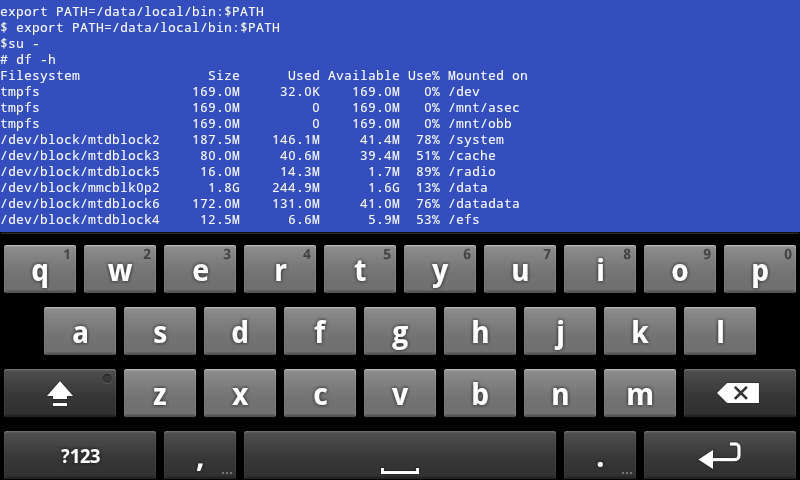
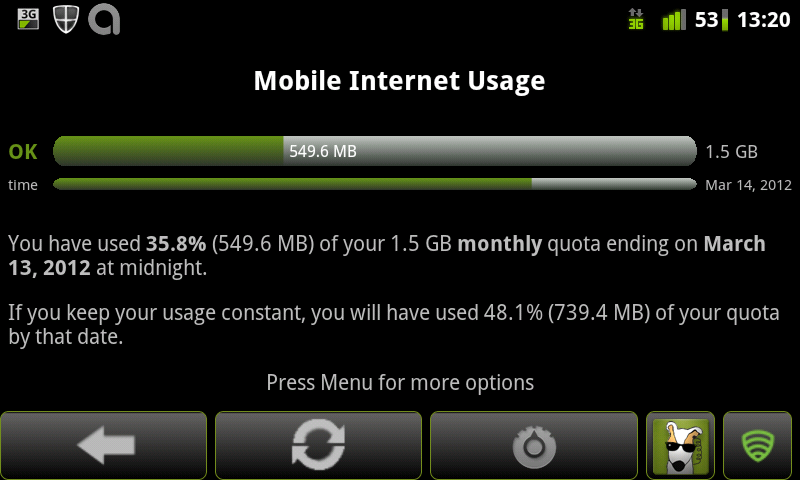
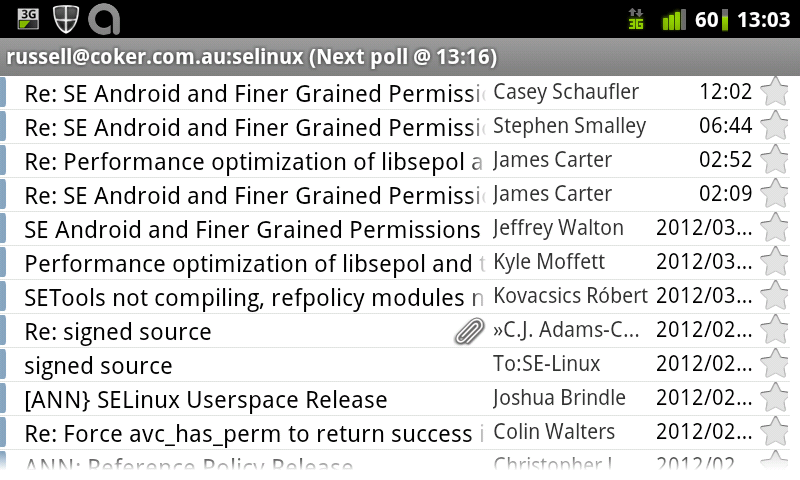
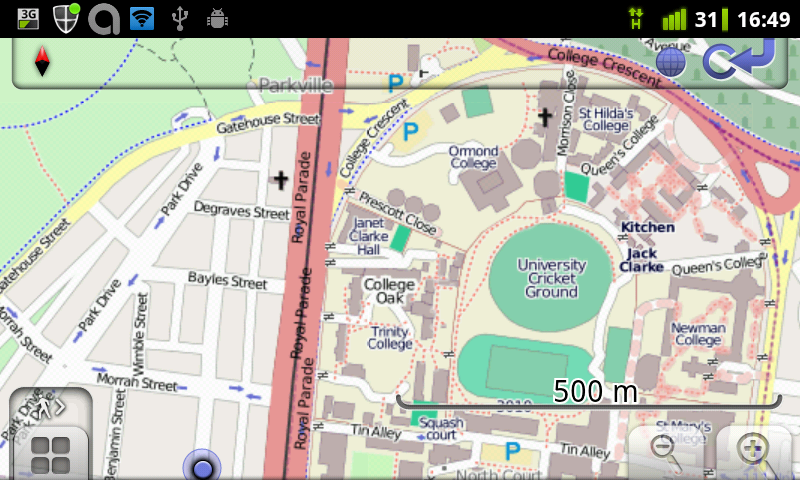
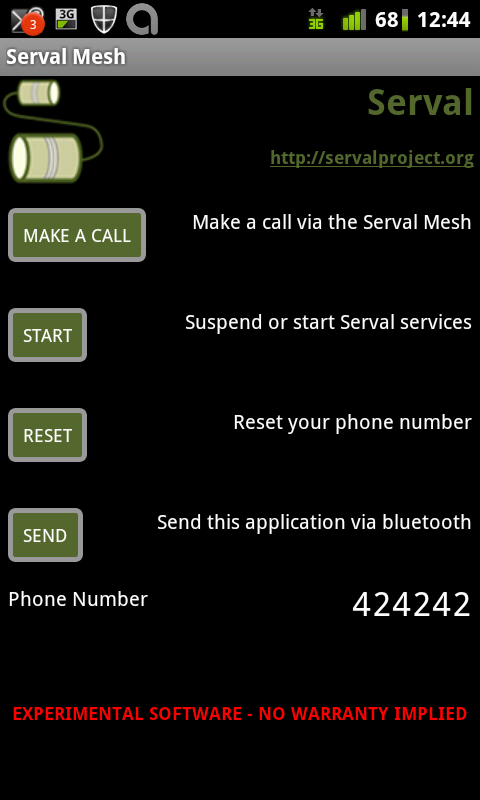
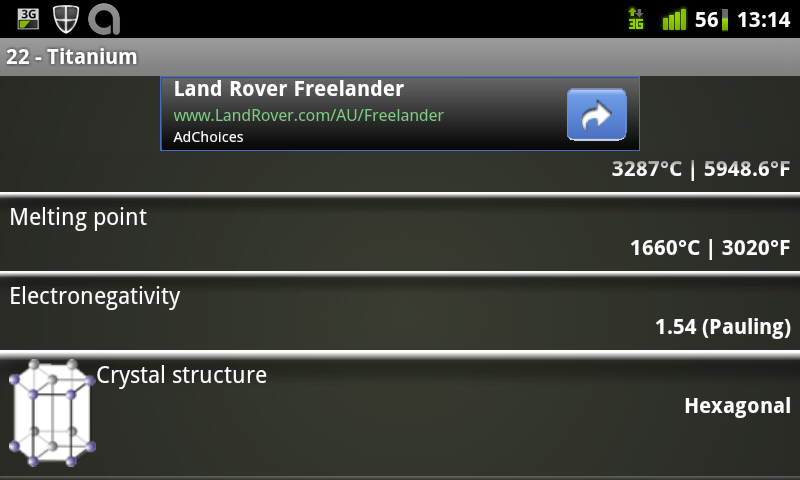
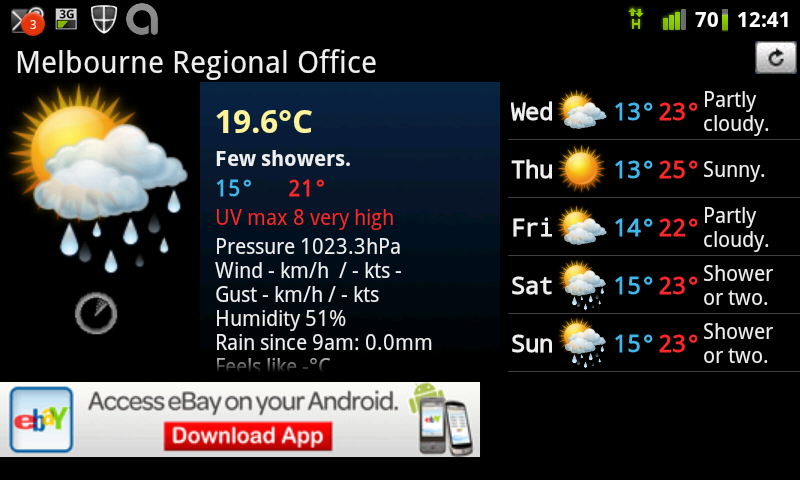
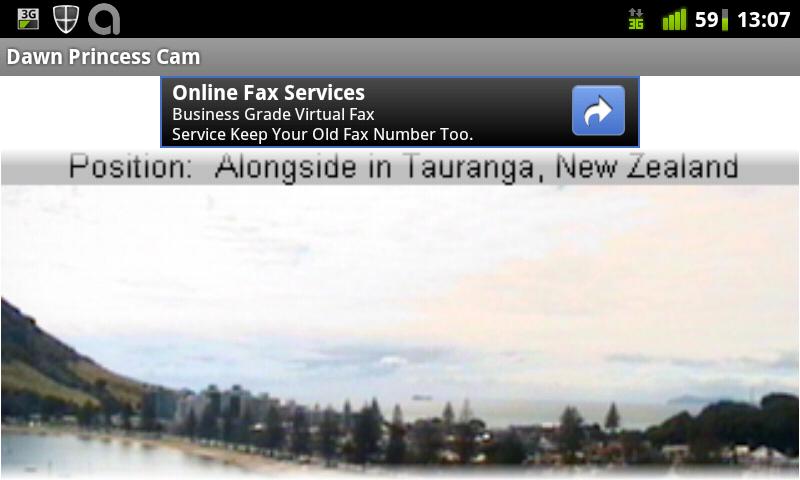
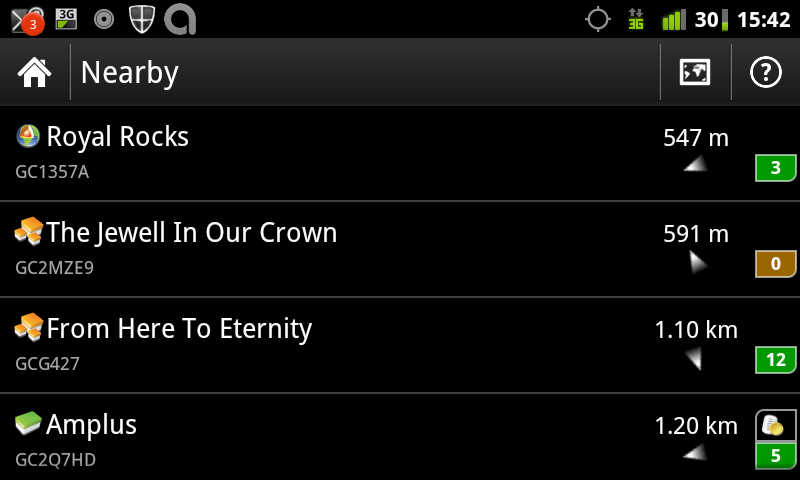
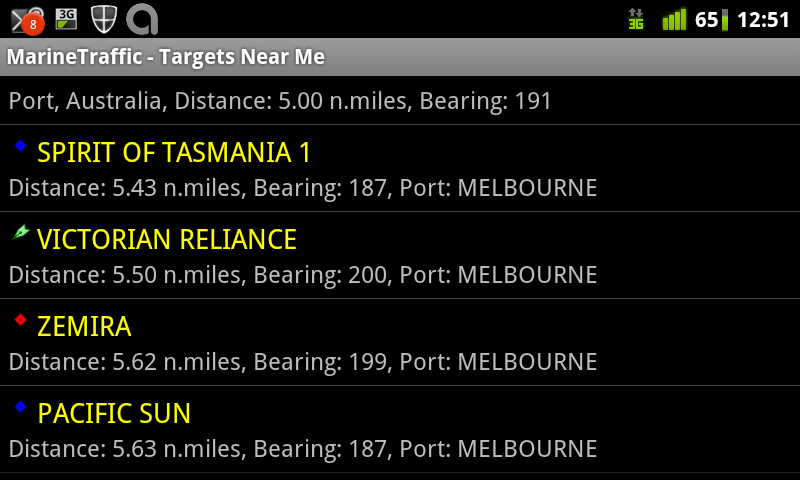
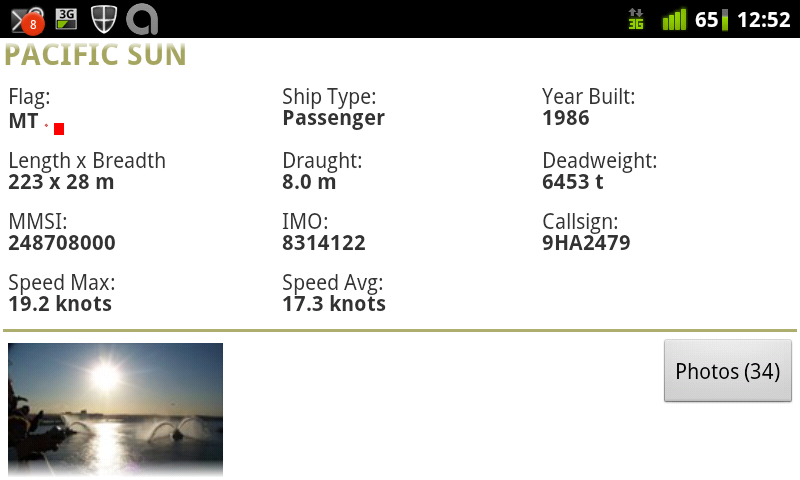
I gave a brief introductory talk about Android at this month s LUV meeting. Here are the slides with a brief description. All the screen-shots were made on a Samsung Galaxy S running Cyanogenmod version 7.1 [1] (Android version 2.3.7). With that build of Cyanogenmod you can press the power button for about 1.5 seconds to get a menu which gives an option to take a screen shot. The aim of the talk was to give an overview of what Android can do. I also gave some random commentary about Android such as explaining why it doesn t make a good phone. Most of the pictures in this post have links to the Android applications in question. Essential and Important Apps picture of root shell access running df I started by explaining why having root access to your system is really important, including the issue of backing up an Android phone [2]. Cyanogenmod includes a terminal program which allows you to run su - . Running a shell as root isn t generally that useful, what you really want is to be able to run programs such as Titanium Backup which can only work properly if given root access. When you run an OS that allows root access you can run su - at a terminal prompt and you can also have an application use a GUI to request root access. I recommend rooting and modding an Android phone immediately after buying it. However that takes some time which is somewhat equivalent to money and is a significant hidden cost to purchasing an Android phone. picture of 3g watchdog bandwidth monitor The business models of telephone companies seem to involve hidding users for unexpected fees and extra fees for excess bandwidth can be really expensive. 3G Watchdog is one app that can monitor bandwidth and disable data transfers if too much is used. Onavo is an alternative that allows tracking data use on a per-application basis, but it only runs on Android 2.3.x while 3G Watchdog works on Android 2.1. Official EBay app searching for Samsung Android phones EBay has an official app which is handy for searching for items. So far I ve only used it to get price estimates and have used a PC for buying. K9 viewing my SE Linux mailing list email K9 seems to be the best MUA for Android. The MUA that ships with Android 2.1 isn t nearly as good and K9 is good enough that I didn t even bother testing the MUA from Cyanogenmod. The above picture shows a list of mail in my SE Linux folder. graph by opticron grapher The Opticron Grapher is a good graphing calculator. I won t claim it s the best because I didn t seriously test such programs, but for the basic tests I ve done it has worked well. Google map of LUV location The Google Maps client comes with every Android system, the above shows the location of the LUV meeting. Open Street Map location of the LUV meeting Osmand is an Android client for the Open Street Map project. Here is the web site for the Open Street Map project [3]. One significant advantage of OSM over the Google Maps is that OSM is free, the data is all contributed by users like Wikipedia. Another significant advantage is that you can download as much data as you need to your phone, for example the entire dataset for Australia is about 200M. Storing 200M of data on your phone is no big deal when you consider the availability of phones with more than 16G of storage and the ability to use a map when offline is a real benefit. So far I ve used Osmand while waiting for a train at an underground station and I plan to use it to track my progress the next time I m on a cruise. serval mesh networking and VOIP Serval is a mesh networking application for Android that supports VOIP phone calls and distributing messages and files. It s designed to be used in disaster areas, but there are lots of other potential uses of the technology. The Serval Project blog has an article about the presentation they gave at LCA 2012 [4]. periodic table
details about Titanium Periodic Droid is my favorite Periodic Table viewing program. tomfusion Au Weather forecast app The Tomfusion AU Weather forecast app seemed to be better than the one from the BoM last time I checked. It s probably the best weather app for Australia. screen-shot of LUV web site
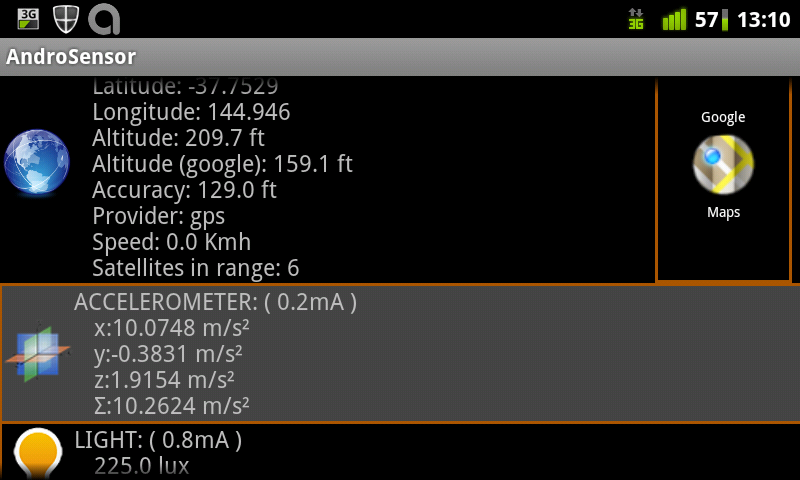
LUV web site zoomed in The Opera Mini browser is often faster than other browsers because it uses a compressing proxy run by Opera. It s not so good for privacy though LUV page on Wikipedia I have been using Wapedia for browsing Wikipedia. Since giving the talk I discovered the Official Wikipedia browser from the Wikimedia foundation [5] which is a better fit for my needs and I ve uninstalled Wapedia. As an aside modern phones have 16G of storage or more and could easily have a copy of the entire English text of Wikipedia on internal storage. It would be good if someone like Jason King (who is known for work on stand-alone DVD images for Wikipedia) was to write an Android program to do this. Handy Apps Androsensor showing GPS, accelleration, and light intensity
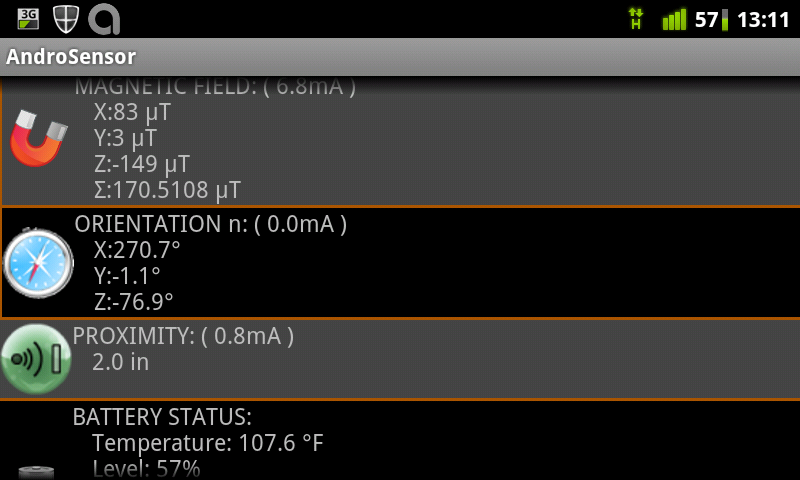
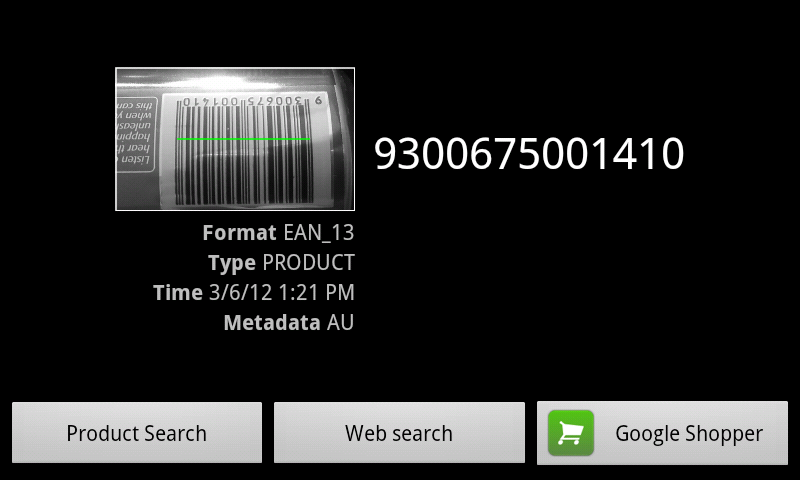
Androsensor showing magnetic field, orientation, and battery Androsensor is a program to display output from most (all?) of the sensors on your phone. The results aren t as accurate as one would hope, for example Earth s gravity is 9.81m/s^2 not the 10.26m/s^2 my phone registered. But they are a useful indication. picture of Coke can, scanning the barcode
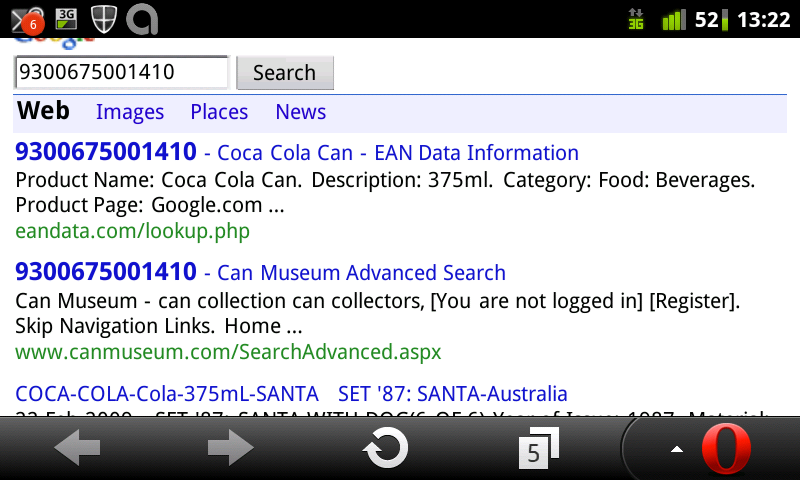
Google search on Coke can barcode
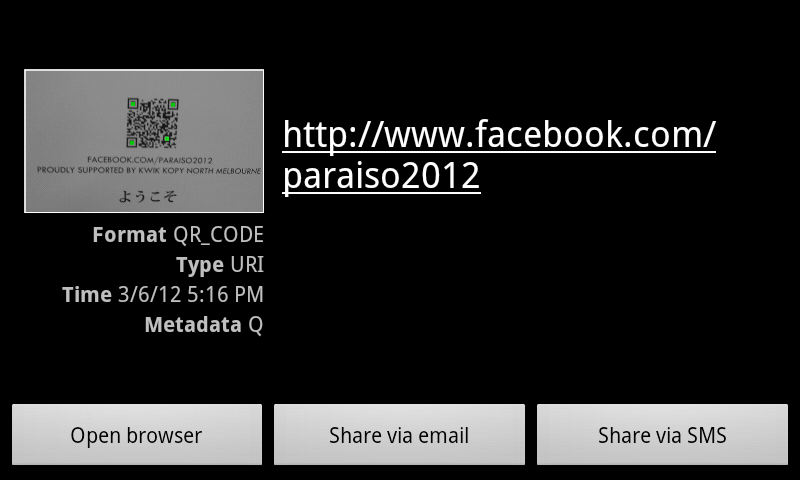
QR Code lookup of Facebook page The Zxing Barcode scanner is one of many programs that will scan barcodes with the camera in an Android phone. It can launch a Google search on a product code or open a URL from a
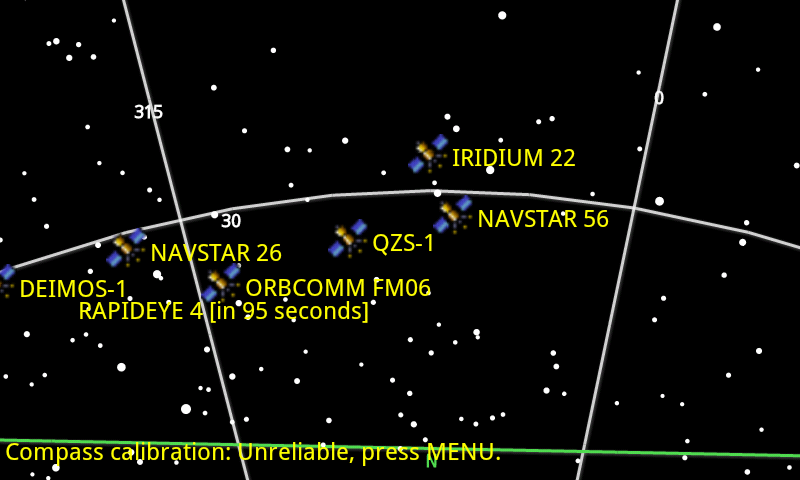
QR Code. The above pictures show it scanning a Coke can (the can and other background was displayed on the full screen before the screen capture program activated), doing a Google search on the can barcode, and looking up a QR code that was on an advertisment outside the LUV venue. picture from the bridge of the Dawn Princess in Tauranga NZ Cruise Cams allows you to download pictures from cruise ships. Some cruise ships have several cameras on different parts of the ship uploading pictures regularly so that people around the world can see what s happening. list of geo-caches near the park where I prepared most of my notes The c:geo opensource program allows you to get information on Geocaches and see a compass or map showing the location. This program has been getting an increasing number of features to do everything you might want to do related to Geocaching. The above picture shows some caches that are close to where I made the screen-shot, in a park a couple of Km from the meeting location. picture of Google Sky Map in the direction of Andromeda The Google Sky map uses augmented reality techniques to display stars in the direction that your phone is pointing along with their names and the names of the constellations. Marine Traffic showing ships near me
Marine Traffic showing the Pacific Sun highlighted on a Google Map
Marine Traffic showing details of the Pacific Sun
Photos of the Pacific sun taken by fans and shown by Marine Traffic The Marine Traffic program shows the locations of ships as well as lots of information about them. The above pictures show me discovering that the Pacific Sun was nearby, viewing it s location on Google Maps, seeing the details, and then viewing fan pictures. The developer s web site allows viewing all the same data without an Android phone [6]. Anyone can join the project by buying an Automatic Identification System (AIS) receiver and configuring a PC to take data from AIS and send it to the MarineTraffic.com servers. As an aside they seem to be missing coverage in western Victoria, so it would be good if someone near Apollo Bay or Warrnambool could install an AIS receiver and help out. Satellite map from Satellite AR Satellite AR uses augmented reality to show the location of satellites and other things in spare. Unfortunately the screen capture process turned off the camera as I had a sign advertising fast food positioned in an amusing location in the background. Shipmate overview of Dawn Princess
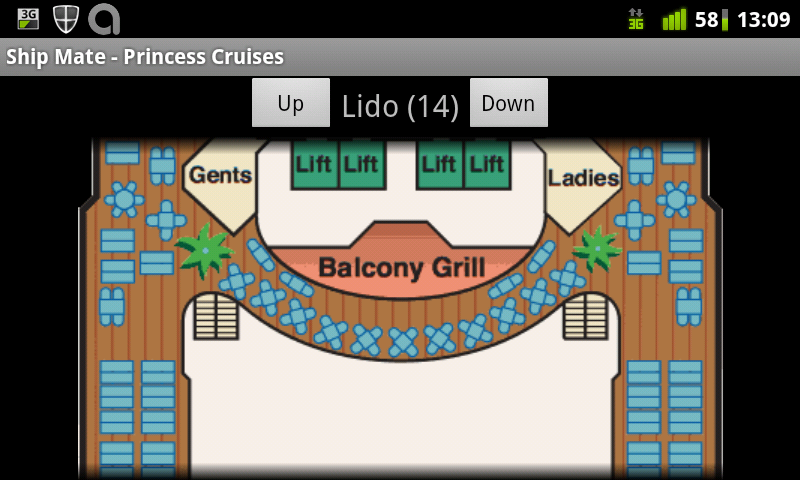
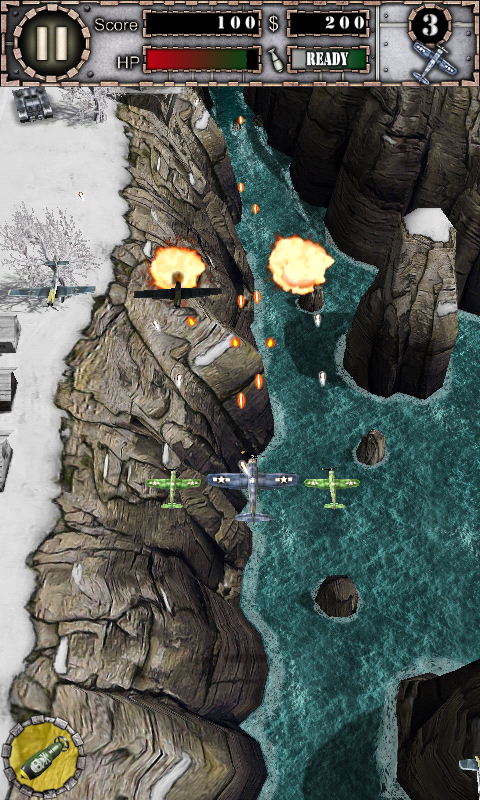
Shipmate map of Dawn Princess Shipmate publishes a set of programs giving information on cruise ships, they have one program for each cruise line. Above is the program for the Princess cruise line, the above pictures give information on the Dawn Princess. Unfortunately the program wasn t usable without net access when I tried to use it on a cruise ship. Games Air Attack HD game, clone of 1942 Air Attack HD is an entertaining game that demonstrates the capability of Android phones to run action games. Like many Android games it has a free version and paid versions if you want more. picture of Angry Birds Angry Birds is one of the most well known games for touch-screen devices. It has also spawned a huge line of merchandise. Labyrinth Lite
Labyrinth Lite from a different angle Labyrinth Lite is one of the many Android games based on the old mechanical game where you tilt a toy to roll a ball-bearing through a maze. It s free and is better than most of the free games in that genre. Minecraft Pocket Edtion Minecraft Pocket Edition allows you to play Minecraft on your phone. The demo version doesn t allow saving the game, you have to buy the game for about $5 if you want to do that. It also lacked the full features of the game last time I checked, it didn t have monsters. Paradise Island overview
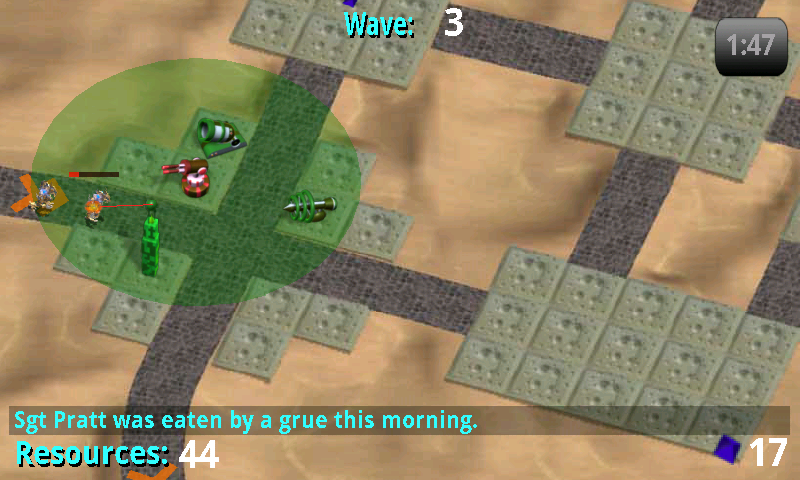
Paradise Island details of Bungalow Paradise Island is one of many business simulation games for Android. It s more playable than most and has very detailed graphics, but the down-side is that it s a memory hog and will crash if you don t have enough RAM. It s one of the games that are free to download but encourage you to pay money to level up, for some players it s probably a very expensive game. Tower Raiders 2, Pratt was eaten by a Grue Tower Raiders 2 is one of the better tower defense games for Android. Related posts:
  1. Choosing an Android Phone My phone contract ends in a few months, so I m...
  2. Galaxy S vs Xperia X10 and Android Network Access Galaxy S Review I ve just been given an indefinite loan...
  3. Standardising Android Don Marti wrote an amusing post about the lack of...

28 February 2012

Paul Wise: Debian/Ubuntu games screenshot party results

The Debian/Ubuntu games team recently organised a half-day screenshots party for creating screenshots for all the games that are available in Debian/Ubuntu. Unfortunately, only 5 people participated in the screenshots party, I had hoped that we would get more folks turn up. Only one of those was not already involved in the games team and that one person found out via our spam on the #debian-mentors IRC channel. This means that most of our promotion of the event was ineffective. Hopefully for future games parties we can improve this, please let us know if you have any ideas about that. We also had 7 other people on the channel during the party lurking, discussing and or working on other things, in particular Ben Armstrong was working on a games live CD. Over the 7 hours of the party, we uploaded 100 screenshots for 40 different packages. Of the packages, 2 are available only in Debian (auralquiz, cutechess), one is available only in Ubuntu (plasma-widget-tictactoe) and the rest are available in both. I think we got quite a bit done for such a small group. Some of us could not resist filing some bugs on packages that had issues preventing or delaying us from taking screenshots. I also suggested to one maintainer that his package (acm4) be removed from Debian, since it is obsoleted by acm and unusable. If you want to play some games, check out goplay, which is a tool for browsing available games using debtags that displays screenshots from the games-thumbnails package, which has just been updated with the screenshots created during the party. goplay needs some more development, if you would like to help out with that, you would be most welcome. If you are interested to see our screenshots, they are all on the screenshots.debian.net website and the packages are auralquiz, cardstories, londonlaw, cube2font, ardentryst, cutechess, pianobooster, emacs-chess, xye, flare, tmw, garden-of-coloured-lights, flight-of-the-amazon-queen, geekcode, glpeces, fofix, unknown-horizons, klickety, polygen, tictactoe, xscreensaver-screensaver-dizzy, goban-original-games, xjokes, mudlet, xabacus, xtux-client, connectagram, crystalspace, pescetti, purity-ng, qstat, slashem, sudoku, minetest, xscavenger, plasma-widget-tictactoe, xbomb, xfrisk, xpilot-ng and xsok.

7 February 2012

Martin Pitt: fatrace: report system wide file access events

Part of our efforts to reduce power consumption is to identify processes which keep waking up the disk even when the computer is idle. This already resulted in a few bug reports (and some fixes, too), but we only really just began with this. Unfortunately there is no really good tool to trace file access events system-wide. powertop claims to, but its output is both very incomplete, and also wrong (e. g. it claims that read accesses are writes). strace gives you everything you do and don t want to know about what s going on, but is per-process, and attaching strace to all running and new processes is cumbersome. blktrace is system-wide, but operates at a way too low level for this task: its output has nothing to do any more with files or even inodes, just raw block numbers which are impossible to convert back to an inode and file path. So I created a little tool called fatrace ( file access trace , not fat race :-) ) which uses fanotify, a couple of /proc lookups and some glue to provide this. By default it monitors the whole system, i. e. all mounts (except the virtual ones like /proc, tmpfs, etc.), but you can also tell it to just consider the mount of the current directory. You can write the log into a file (stdout by default), and run it for a specified number of seconds. Optional time stamps and PID filters are also provided.
$ sudo fatrace
rsyslogd(967): W /var/log/auth.log
notify-osd(2264): O /usr/share/pixmaps/weechat.xpm
compiz(2001): R device 8:2 inode 658203
[...]
It shows the process name and pid, the event type (Rread, Write, Open, or Close), and the path. Sometimes its not possible to determine a path (usually because it s a temporary file which already got deleted, and I suspect mmaps as well), in that case it shows the device and inode number; such programs then need closer inspection with strace. If you run this in gnome-terminal, there is an annoying feedback loop, as gnome-terminal causes a disk access with each output line, which then causes another output line, ad infinitum. To fix this, you can either redirect output to a file (-o /tmp/trace) or ignore the PID of gnome-terminal (-p pidof gnome-terminal ). So to investigate which programs are keeping your disk spinning, run something like
  $ sudo fatrace -o /tmp/trace -s 60
and then do nothing until it finishes. My next task will be to write an integration program which calls fatrace and powertop, and creates a nice little report out of that raw data, sorted by number of accesses and process name, and all that. But it might already help some folks as it is right now. The code lives in bzr branch lp:fatrace (web view), you can just run make and sudo ./fatrace. I also uploaded a package to Ubuntu Precise, but it still needs to go through the NEW queue. I also made a 0.1 release, so you can just grab the release tarball if you prefer. Have a look at the manpage and --help, it should be pretty self-explanatory.

28 January 2012

Antonio Terceiro: A visual cheat sheet for ANSI color codes

Now and then I want to output some ANSI color escape codes from software I write, and I always end up doing some trial-and-error to figure out the exact codes I want. Sometimes it s overkill to add a dependency on an existing library that already deals with it, or the language I am using does not have one. There are a lot of listings of the ANSI color codes out there, but I couldn t find one that matches the actual codes with the resulting effect in a visual way. Even the Wikipedia article has a colored table with the actual colors, but I have to lookup manually which code combination produces which color. So I spent a few minutes to write a shell script that prints all useful combinations, formatted with themselves. This way I can quickly figure out which exact code I want to achieve the desired effect. The code for now is very simple:

#!/bin/sh -e
for attr in $(seq 0 1); do
  for fg in $(seq 30 37); do
    for bg in $(seq 40 47); do
      printf "\033[$attr;$ bg ;$ fg m$attr;$fg;$bg\033[m " 
    done
    echo
  done
done

Is there a package in Debian that already does that? Would people find it useful to have this packaged? update: it turns out you can find some similar stuff on google images. It was a quick and fun hack, though. update 2: Replacing echo -n with printf makes the script work independently if /bin/sh is bash or dash. Thanks to cocci for pointing that out.

14 January 2012

Francois Marier: Debugging OpenWRT routers by shipping logs to a remote syslog server

Trying to debug problems with consumer-grade routers is notoriously difficult due to a lack of decent debugging information. It's quite hard to know what's going on without at least a few good error messages.

Here is how I made my OpenWRT-based Gargoyle router send its log messages to a network server running rsyslog.

Server ConfigurationGiven that the router (192.168.1.1) will be sending its log messages on UDP port 514, I started by opening that port in my firewall:
iptables -A INPUT -s 192.168.1.1 -p udp --dport 514 -j ACCEPT
Then I enabled the UDP module for rsyslog and redirected messages to a separate log file (so that it doesn't fill up /var/log/syslog) by putting the following (a modified version of these instructions) in /etc/rsyslog.d/10-gargoyle-router.conf:
$ModLoad imudp
$UDPServerRun 514
:fromhost-ip, isequal, "192.168.1.1" /var/log/gargoyle-router.log
& ~
The name of the file is important because this configuration snipet needs to be loaded before the directive which writes to /var/log/syslog for the discard statement (the "& ~" line) to work correctly.

Router ConfigurationFinally, I followed the instructions on the Gargoyle wiki to get the router to forward its log messages to my server (192.168.1.2).

After logging into the router via ssh, I ran the following commands:
uci set system.@system[0].log_ip=192.168.1.2
uci set system.@system[0].conloglevel=7
uci commit
before rebooting the router.


Now whenever I have to troubleshoot network problems, I can keep a terminal open on my server and get some visibility on what the router is doing:
tail -f /var/log/gargoyle-router.log

1 January 2012

Tanguy Ortolo: Debian Developper

Debian red swirl For this new year I got a quite specific present : a Debian Developer account. Of course this is not an end by itself but rather a beginning, or perhaps a continuation of my modest effort to contribute to the greater good of our users and free software. As an introduction, I would like to quickly explain how I came to this point, and I also have some people to thank.

Debianist journey
1997-2003
First family computer, a PC running Microsoft Windows 98. I became a power-user, and I progressively replaced all the pieces of that computer, except it operating system (though I reinstalled it several times).
2003
First contact with GNU/Linux: at my preparatory school, we use XEmacs and Kile under Mandrake Linux 9.2 to do some works in Caml Light and LaTeX. I start enjoying free software at home, with Mozilla Firefox, Thunderbird and Libre^WOpenOffice.org.
2005, preparatory school
I try Knoppix at home and eventually install Mandriva Linux 10.2 for my own use. Since then I have never used Microsoft Windows for personal work any more.
2005, engineer school
I integrate Centrale Paris and I join the team of VIA Centrale R seaux, which I believe is a known den of debianists. So I start using Debian on my personal laptop.
2006
Debian power-user. I start reporting bugs.
2007
First small contributions: some of my bug reports now include patches. I also start maintaining a French training document about Debian: formation Debian GNU/Linux.
2008
First packaging work with the help of adn, a modification and split of frozen-bubble to have a server-only package (contribution finally refused, actually).
2010
First package: I adopt dokuwiki with the help of adn. I become a Debian Maintainer, with the intent of applying as a Debian Member later.
2012
I am now a Debian Developer, responsible for a handful of packages and able to do NMUs and to sponsor new contributors.
As you may guess, I have always been a tinkerer, about computers but also about bikes (the ones that work with manpower, not the ones that make noise and smoke ;-)). And I also always wanted to publish my works somehow, because I hate to think that someone could have to do again some reusable work I had to do before instead of taking advantage of it. Well, it happened that free software was a way to achieve both goals: to hack and to make my work available for anyone. Thanks I would like to thank all those who helped me to discover and contribute to free software, especially: adn, who helped me with my first steps to directly contribute to Debian, dererk and all the Debian Developers that patiently reread and sponsored my packages, and my Application Manager gwolf, who gave quite a lot of time asking me questions, reading my replies, and replying to some questions that arose during the process. Outside of the Debian Project I have to thank Alexis de Lattre, who wrote the original Formation Linux that I am now maintaining under the name of Formation Debian GNU/Linux , a document which helped me to discover GNU/Linux and Debian specifically. More generally, I would like to thank all the Free Software community that made that possible: Debian Developers, hackers and users from everywhere. We have built and we are still building quite an impressive pile of very useful work, and we can be proud of it. Notes
  1. Here in the northern hemisphere our school years begin in the middle of the civil year, which makes it tricky to tell them apart
  2. This is almost a synonym for tinkering, in the context of free software, is it not?

14 December 2011

Emanuele Rocca: First steps with Sinatra on Heroku

Lately I have been playing a little bit with different Platform as a Service providers. So far, the most developer-friendly one seems to be Heroku. In particular, Heroku provides an incredibly straightforward way to get started. After creating an account on their website, you just have to install the appropriate gem: sudo gem install heroku The command heroku help will then show you all the possible invocations of the command line client, just to give you an idea of what you can do with it (everything). Alright, that s not particularly interesting without an application to play with, is it? So let s create a new Sinatra application. In order to do that, we need a new directory containing a file like the following one:
# webapp.rb
require 'rubygems'
require 'sinatra'
# Add other gems you might need here
get '/' do
  "Your Sinatra app is working!"
end
Also add a Gemfile with all the required dependencies, in our trivial example sinatra is actually the only gem you need:
source :rubygems
gem "sinatra"
Lastly, you need a config.ru file where you can require our newly created Ruby program and specify that it is a Sinatra application. In this example, the Ruby file is called webapp.rb.
require './webapp'
run Sinatra::Application
A very useful program when developing a Sinatra application is shotgun. gem install shotgun and you will be able to run your new shiny app by executing the command shotgun. While developing on your machine, shotgun will take care of reloading the application for every request, so that you don t have to restart the server after every modification to the source code. Run bundle install to easily install all the required dependencies in your development environment, and shotgun to start the app locally. Pointing your browser to http://127.0.0.1:9393/ you can check if everything works as expected. If nothing went wrong, you can create a git repository to track changes to the source code:
git init
git add . 
git commit -m "Initial commit"
Perfect! Now, how do you create and deploy your application on Heroku?
heroku create
git push heroku master
Heroku will automatically find out that you deployed a Sinatra application, it will install all the required dependencies and start serving requests. A few interesting commands you might want to run to see what s going on are heroku info, heroku ps and heroku logs. The client also provides a command, heroku open, that opens your browser at the right production URL. So, you now have a working application under revision control. Dependencies are handled by specifying them into the Gemfile, and the required gems can be installed locally using bundle. Shotgun is our friend when it comes to use the application for development purposes. A git push heroku master is all we need to deploy a new version of the code. Of course there is way much more about Sinatra and Heroku than what I ve covered in this mini-intro. Please refer to the Sinatra Book and the Heroku Dev Center for more information!

13 December 2011

Vincent Bernat: Tuning Linux IPv4 route cache

The route cache is a Linux kernel component enabling route lookups to be faster by caching the results in some table and checking it before issuing a regular lookup in the route tables. When using Linux as a router, the inefficiency of the route cache can hinder the performances of your box. The documentation on this component is scarce and it is difficult to find up-to-date bits on how the route cache works and how to tune it. The book Understanding Linux Network Internals from O Reilly is an exception and contains valuable information on how the route cache works. Even if the book is targeted at 2.6.12, the part on the route cache is still quite accurate. Unfortunately, it fails to provide appropriate tips on how to monitor and tune the route cache. I hope to provide here a concise view of the route cache, as it is implemented in Linux 3.1. It is protocol-dependent1 and I will cover only the IPv4 version here.

Overview of the route cache subsystem To handle an incoming or outgoing IP datagram, the kernel needs to issue a lookup in the route tables. While it seems to be quite trivial, several questions need to be answered:
  • Does the source address and the destination address appear to be valid?
  • Is the source address a martian address2?
  • Is the destination address mine or should I forward the packet?
  • Which route table should I use?
  • Does the destination address match this route? And this one?
  • Can I currently contact the gateway that I should use?
Those checks can be a bit time consuming, even for small route tables. To avoid them for each packets, Linux maintains a route cache which is queried before doing a regular lookup and updated after each one. You can dump it with ip -s route show cache:
$ ip -s route show cache
198.51.100.7 from 203.0.113.2 via 192.0.2.1 dev eth1
  cache used 7 age 2sec ipid 0x1fce rtt 131ms rttvar 45ms cwnd 10
198.51.100.17 from 203.0.113.15 via 192.0.2.1 dev eth1
  cache used 3 age 0sec ipid 0xc3bd
local 192.0.2.18 from 203.0.113.15 dev lo src 192.0.2.18
  cache <local> used 154 age 1sec iif eth0
Here are two examples:
  • If Linux receives a packet from 198.51.100.17 to 203.0.113.15, it will find this flow in the route cache. Therefore, it already knows that it should forward the packet to 192.0.2.1. No checks needed.
  • If it receives a packet from 198.51.100.16 to 203.0.113.15, there is no appropriate entry in the route cache and therefore, the system will have to look at the route tables. It is likely to use the exact same entry than if the source was 198.51.100.17 but maybe there is some policy routing requesting the use of a special route table or 198.51.100.16 is a local address and the packet will therefore be classified as martian.
The schema below shows how this cache is implemented3. It uses a separate hash table (BSD systems keep the cache in the routing table). Each bucket is a chained list of route cache entries. Schema of the route cache hash table Once an entry has been added to the route cache, there are several ways to remove it. Most entries are removed by the garbage collector which will scan the route cache and remove invalid and older entries. It will be triggered when the route cache is full or at regular interval, once a certain threshold has been met.

Available knobs There are several values you can tune. Most of them are available in sysctl.
  • rhash_entries is the size of the hash table4. If you don t specify it on the kernel command line, it is computed dynamically based on the memory available on your system. You can view its value by looking at something like IP route cache hash table entries: 262144 (order: 9, 2097152 bytes) in the kernel logs.
  • net.ipv4.route.max_size is the maximum number of entries in the route cache. Except under exceptional circumstances, this value is never exceeded.
  • net.ipv4.route.gc_elasticity is the target average length of a chain in the route cache. The garbage collector will work harder if this value is exceeded. This means that if you multiply this value by the value of rhash_entries, you will get the target average number of entries in the route cache.
  • net.ipv4.route.gc_min_interval_ms is the minimum delay between two runs of the garbage collector, except when the cache is full. The default value should be fine.
  • net.ipv4.route.gc_thresh is a threshold triggering the garbage collector every net.ipv4.route.gc_min_interval_ms milliseconds.
  • net.ipv4.route.gc_timeout is the base value to determine if an entry is old enough to be removed or not. Whatever its value, the garbage collector will attempt to remove the same number of entries. However, this value could potentially influence its efficiency. See below for more details on this.
You may find documentation about those obsolete sysctl values:
  • net.ipv4.route.secret_interval has been removed in Linux 2.6.35; it was used to trigger an asynchronous flush at fixed interval to avoid to fill the cache.
  • net.ipv4.route.gc_interval has been removed in Linux 2.6.38. It is still present until Linux 3.2 but has no effect. It was used to trigger an asynchronous cleanup of the route cache (but in a different way of what the garbage collector does). The garbage collector is now considered efficient enough for the job.

Statistics & monitoring Linux maintains some statistics about the use of the route cache. You can find them in /proc/net/stat/rt_cache. The command lnstat can print them nicely for you:
$ lnstat -s1 -i1 -c-1 -f rt_cache
rt_cache rt_cache rt_cache rt_cache rt_cache rt_cache rt_cache rt_cache rt_cache rt_cache rt_cache rt_cache rt_cache rt_cache rt_cache rt_cache rt_cache 
 entries   in_hit in_slow_ in_slow_ in_no_ro   in_brd in_marti in_marti  out_hit out_slow out_slow gc_total gc_ignor gc_goal_ gc_dst_o in_hlist out_hlis 
                       tot       mc      ute            an_dst   an_src              _tot      _mc                ed     miss  verflow  _search t_search 
 3096848    42309      686        0        0        0        0        0        3        0        0      674      672        0        0    27644        8 
 3096984    41405      636        0        0        0        0        0        3        0        0      623      621        0        0    28189        8 
 3097160    42483      700        0        0        0        0        0        5        0        0      694      692        0        0    29506       12 
Except for the first column, lnstat outputs values in units per second. Let s review some of those values:
  • rt_cache_entries is the number of entries in the route cache. You should compare it with net.ipv4.route.max_size and ensure that the cache is never full to avoid triggering the garbage collector too often.
  • rt_cache_in_hit and rt_cache_out_hit are the number of regular lookups avoided because the result was found in the cache for incoming and outgoing packets, respectively. When the system is a router, most lookups only happen on the incoming side. You should compare this value with rt_cache_in_slow_tot and rt_cache_in_out_slow_tot which are the number of lookups in the route tables. On this system, the efficiency of the route cache is more than 98% which is quite good.
  • rt_cache_gc_total is how often the garbage collector was requested to be triggered while rt_cache_gc_ignored corresponds to how often it was finally not run because it has already been triggered shortly beforehand (less than net.ipv4.route.gc_min_interval_ms milliseconds). The difference between those two values should be very small to ensure that the garbage collector does not run more a handful of times per second.
  • rt_cache_gc_goal_miss is how often the garbage collector was not able to fulfill its goal. This value should rarely be different of 0.
  • rt_cache_gc_dst_overflow is how often the route cache is bigger than the allowed maximum size. This should never happen except when you try to shrink the cache.
  • rt_cache_in_hlist_search and rt_cache_out_hlist_search is how often a lookup in the cache had to look at the next entry in the chain for the computed bucket: each time Linux has to follow the next pointer in a cache entry, it increments one of those counters. It is a clue on the average length of chains in the route cache hash table. Compare those values with the number of cache lookups (hit and miss).
As an illustration, here is a plot of the various statistics exposed above for a router whose route cache receives about 1000 routes par second: Plot of various statistics for the route cache rhash_entries is 1,048,576, as is net.ipv4.route.gc_thresh. Therefore, the garbage collector was requested to be run when the number of entries goes above this level. Because the cache is not full, it is only really run twice per seconds (the value of net.ipv4.gc_interval_ms is 500). net.ipv4.gc_elasticity is set to 3. This explains why the garbage collector is aggressive when the number of entries reached 3,145,728. As you can see, the efficiency is near 100% all the time. The percentage of collisions is rt_cache_in_hlist_search ratio to the sum of rt_cache_in_hit and rt_cache_in_slow_tot.

Tuning Do you need to modify any of those values? You have two questions to ask yourself:
  1. How much efficiency do you want to get from the route cache?
  2. How much memory do you want to dedicate to the route cache?
As a rule of thumb, two millions entries eat about 500 MB of memory on a 64bit system. You should be able to compute the average memory usage and the maximum memory usage from the values of net.ipv4.route.max_size, rhash_entries and net.ipv4.route.gc_elasticity. For example, if the route cache hash table has 262,144 buckets, the maximum allowed number of entries in the cache is 4,194,304 and net.ipv4.route.gc_elasticity is set to 8, the memory usage will be 500 MB on average and 1 GB max. If this is too much, you will need to lower some values. Look at the previous section to compute the current efficiency of your route cache. It should be above 90%. If you are dissatisfied with that, you could increase the cache size. If you want to double the number of entries, double net.ipv4.route.max_size, net.ipv4.route.gc_thresh and rhash_entries but keep net.ipv4.route.gc_elasticity to 8. For the garbage collector to be efficient, the route cache should not be filled too fast. The garbage collector should be able to cope with this situation but this may impact performance because it needs to walk several times the route cache to find entries to expire. Watching gc_goal_miss may give you a hint about this: if this value starts to be different of 0, lower net.ipv4.gc_timeout.

In-depth look into the garbage collector Those different pieces of advice may have puzzled you. We need to understand how the garbage collector works to better cope with them. The garbage collector is triggered when a new entry needs to be added to the cache and the number of entries is superior to net.ipv4.route.gc_thresh. It is implemented in rt_garbage_collect() function. It will do nothing if it has been called less than net.ipv4.route.gc_interval_ms milliseconds and the cache is not full (more than net.ipv4.route.max_size entries).

Setting a goal The garbage collector will first assess the situation. It will look how the number of entries currently in the cache compares to the product of rhash_entries and net.ipv4.gc_elasticity:
  1. Above this limit, it will try to remove at least rhash_entries entries.
  2. Otherwise, it will try to remove no more than half the difference.
If you look at the previous plot, you can easily see the difference when the garbage collector is not aggressive (above 1,048,576 entries but below 3,145,728) and when it is (above 3,145,728 entries). If we assume the garbage collector is able to meet its goal, we can easily simulate its algorithm: Plot showing influence of various kernel parameters The first plot shows what would happen if about 2000 routes are added per second with rhash_entries equal to 262,144 and net.ipv4.route.gc_elasticity set to 8. When net.ipv4.route.gc_threshold is met, the garbage collector has almost no effect. However, when the number of entries reaches 2,097,152, the garbage collector sets its goal to 262,144. From this point, the number of entries oscillates around 2 millions entries. On the second plot, rhash_entries is now equal to 1,048,576 but net.ipv4.route.gc_elasticity has been set to 2. Therefore, the aggressive part of the garbage collectors kicks at the same threshold than for the previous plot. However, its goal is now four times larger and the oscillations have a larger amplitude. The fact that the aggressive part of the garbage collector kicks less often is nullified by the fact that it needs to remove more entries each time. Because of the slight impact on cache efficiency, it seems better to keep net.ipv4.route.gc_elasticity around 8, or 4 if we want to keep shorter chains (but there seems to be no improvement to do so). The other plots show what happens when there is a sudden surge in the number of routes added or when there is a pause.

Meeting the goal Now that we understand how rhash_entries, net.ipv4.route.gc_elasticity and net.ipv4.route.gc_threshold interact, let s look at net.ipv4.route.gc_timeout. Once the garbage collector has set its goal and if it is positive, it needs to choose which entries to remove from the cache. It walks the hash table from the position of its last run and remove entries until its goal is met. If the entry is not current anymore (for example, the network interface associated to it has changed its IP configuration), it is removed. Otherwise, the system looks at the age of the entry and its position in the chain. If the entry is the first in the chain, it is kept only if its age is below net.ipv4.route.gc_timeout. If it is second, it is kept only if its age is below half of net.ipv4.route.gc_timeout. If it is third, the threshold is a quarter of net.ipv4.route.gc_timeout, and so on. The garbage collector will favor short chains. If after a full run of the hash table, the garbage collector was not able to meet its goal, it will start again but will behave more aggressively, as if net.ipv4.route.gc_timeout is set to half of its value. It will do as many passes as necessary until its goal is met or until there is no way to remove any entry (or until it has spent too much time). Once the garbage collector has switched to this more aggressive behavior, it will keep being aggressive for a few cycles (a bit less for each cycle). With a very large value of net.ipv4.route.gc_timeout, the garbage collector will have a hard time to find entries to expire. It will need to do several passes until it is able to expire some entries. On the other hand, if you choose a very small value, the garbage collector may remove entries that were just added, even if there are older entries further in the hash table. For a more in-depth coverage of how the route cache works, look at chapter 33 of Understanding Linux Network Internals. Just be aware that multipath route caching has been removed (and was never really used) and asynchronous cleanup (rt_periodic_timer) does not exist anymore.

Conclusion When tuning the route cache, rhash_entries, net.ipv4.route.gc_elasticity, net.ipv4.route.max_size and net.ipv4.route.gc_threshold are related and should not be modified independently. net.ipv4.route.gc_thresh should be below the product of net.ipv4.route.gc_elasticity and rhash_entries while net.ipv4.route.max_size should be above this value. Linux exposes several interesting metrics related to the route cache. Monitoring them allows one to watch the efficiency of the route cache and may uncover some anomalies (garbage collector running too often, difficulty to remove routes from the cache, ). The route cache subsystem still evolves and some old behaviors have been dismissed. The best documentation is, unfortunately, still the code and other documentations tend to become obsolete. The IPv6 route cache is quite different of the one presented here. Don t blindly apply the same tuning for IPv6.

  1. Linux provides a protocol-independent destination cache subsystem (DST). This component is not a generic cache layer and only enables loose coupling with external subsystems.
  2. Martian addresses are addresses that cannot be used as a source address, either because they are reserved for special-use (like a multicast address) or because of the use of reverse path filtering which checks if a packet received on one interface would be answered on the same interface, as defined in RFC 3704. This feature is enabled by setting rp_filter in Linux.
  3. For more details, you may want to look at include/net/dst.h, include/net/route.h and net/ipv4/route.c.
  4. In fact, the size of the hash table is always a power of two. If specified, rhash_entries is rounded to the next power of two and, internally, is stored as rt_hash_mask + 1.

9 December 2011

Russell Coker: Some OWS Stuff

There is an interesting interview with Richard Wilkinson on ted.com about the damage to society that is caused by excessive inequality [1]. The conclusion is interesting, it seems that one part of the solution is to send the message that excessive greed is anti-social. The demonstrations against the greedy 1% seem likely to do some good in this regard. He also has a TED talk about this in which he shows that even the rich don t benefit from great inequality [2]. If nothing else the links between great inequality and high rates of mental illness and murder should convince people that they don t want to live in such a society. Buying Cameras Some of the radio news reports have claimed that some of the people in OWS camps in Australia are somehow unworthy because they have smart-phones and digital cameras. They seem to believe that people have to demonstrate great poverty to have standing to complain. The problem here is that owning a mobile phone is essential to getting employment in many industries, so the vast majority of people who are old enough to work but not near retirement age just have to own a mobile phone. Once you have decided to use a phone if you are going to use it a lot (which you probably will if living in a tent in a public place) then being on a contract usually makes economic sense. As the cheapest contracts include a free Android phone that means almost everyone who is old enough to be allowed out alone at night and young enough to be willing to sleep rough for a cause will have such a phone. A related complaint is about people owning good cameras. One reason for this is the fact that the huge number of cameras deters the police from using excessive force that s a good justification for spending money on a good camera. But then a good camera doesn t cost much nowadays, the specs on $100 cameras are quite impressive and a camera that costs $400 new will have features that are useful for professional photographers and cameras are even cheaper on ebay. In Australia social security payments for a single person who is out of work are as much as $486.80 per fortnight [3]. Therefore someone who is living on social security could buy a great camera if they saved up two weeks of social security payments or buy a similar camera on ebay for one week s worth of payments. When at a protest the widespread use of cameras is essential for protection against police brutality. It s worth saving up for a camera. But really they are missing the point, OWS is about representing ~99% of the population. Even people on the average income are suffering because of the greed of the rich. Is Australia such a Great Place? There have been claims that Australia is such a great place that OWS protests are not needed, supposedly we have a very egalitarian society. The ABS data shows that the level of inequality as expressed by numbers isn t that great when restricted to just income if you restrict the analysis to the top 20% [4]. The mean gross household income per week is $340 for the lowest quintile and $2,380 for the highest quintile giving a ratio of 1:7.0. But when you look at total household net worth it s $27,400 vs $1,720,700 a ratio of 1:62.8! The ratio for the richest 1% would surely be a lot greater but a quick search of abs.gov.au didn t turn up any statistics on them. Also Richard Wilkinson s analysis puts Australia quite close to the US. If the people who are in the top 1% earned their money, paid taxes, and didn t pervert the political process then there wouldn t be any OWS protests. The corruption in the political process and rent seeking by corporations isn t as bad here as it is in the US, but it s bad enough that we need some serious changes. Emily Manuel wrote an interesting article for Tiger Beatdown about the need for an Occupy movement in Australia [5]. Her description of the political problems in Australia is quite clear. But I wasn t convinced by her analysis which suggested that Australia is different from the US in any significant way. Really Comparing Income To properly compare income it doesn t make sense to compare a ratio of money earned, or disposable income which is often misleading due to disagreements about what is considered disposable. It s really about which of the things that you want to do can be achieved on your income. One possible way of comparing it is based on Maslow s hierarchy of human needs. The poorest 20% of households in Australia have a gross income of $340 per week. The ABS shows that the average of private rental prices in the 8 capital cities (where most of the population lives) is $218 per week [6]. Obviously the poorest households can t afford an average rent unless you have lots of people packed in one house. No matter how you look at the numbers it s going to be difficult for low income people to pay for rent and food. That puts them on the bottom level of Maslow s higherarchy. It seems to me that the benefits of increased income diminish and it becomes more of a contest to be richer than other people. Owning an old car is a significant benefit over having no car. Owning a new car has some real benefits over an old car. Luxury cars usually have safety features before they are introduced to cheaper cars, but apart from that the benefit of owning a luxury car is small. Owning multiple Rolls-Royces doesn t seem to provide any real benefit, someone who would want to do that would probably be better served by hiring a good psychologist. Update: In a comment Brendan Scott cited The Theory of the Leisure Class by Thorstein Veblen. That s a great point, and I ll have to read that book! I still maintain that owning two Rolls Royces is a symptom of psychological problems, people who can sort out such problems won t feel the need to try and prove that they have more money than others. Charles Stross has an interesting article about wealth disparity etc [7]. Being a sci-fi author he also explores what life might be like after Drexler boxes satisfy most of our current materiel needs. The Age has an informative article by Suzy Freeman-Greene contrasting the OWS protests in Melbourne which were broken up by police to the Catholic anti-abortion protests that have been going on for more than 20 years [8]. It seems that corporations aren t the only large organisations that are pwning democracy!

1 September 2011

Sune Vuorela: First Plasma Active experience

John Layt recently blogged about his adventure with having children use Plasma Active with quite some success. The task I was this evening out at a board meeting in my local scout group, and for such a event you of course need the following I ve heard from various people that an iPad is great for such meetings, and produces much less paper waste, so of course, I wanted to try with my brand new Plasma Active tablet. Before meeting So before meeting: Charge tablet & fetch needed documents.
Possible issues: Everything was on a my imap server. Minutes was a plain text file, Agenda was a docx file, treasures report was a xls spreadsheet, and the various other papers were pdf files. For fetching, I ve heard a lot about Kontact Touch and everything using Akonadi. Besides me not being fully able to properly enter my password in the first 10 tries, and a sometimes flaky internet connection, everything here was a breeze. To the three first documents, the answer was Calligra Mobile . Rendered even the docx file better than libreoffice did. And Calligra Mobile was nice and touch friendly and worked pretty well for this. There is also something called Calligra Active , which is supposed to be way cooler, but still misses at least one essential feature to be used for a touchscreen only. It can only open documents passed to it on command line. And I m not yet very comfortable with a onscreen keyboard. For the last, there was Okular. The desktop edition of Okular. I was impressed by *how* usable Okular were for a touch screen device. A quick and dirty edition of a mobile Okular could probably be done with remove all toolbars and menubars and such and if no file is passed on command line, then open a file selector window and open selected file , which shouldn t take a person knowing the Okular code much time. But that s still just the Quick and dirty edition During And during the meeting, everything worked flawlessly, except the internet on site, so I was happy I had prepared in advance. As a extra bonus, Plasma Active offered the nice KDE Games, as John Layt also mentioned, for the parts of the meeting where it was a bit boring. So. At least for me and in this case, Plasma Active did its job, at least to a A. And it is still described as Alpha software. Issues There is, though, a few important usability issues: For QWidget based applications, oxygen s nice desktop feature of being able to move the application by dragging it from almost everywhere is just completely useless on a touch screen device when you are only using full screen applications. Luckily, oxygen-settings can disable this. Update: People tells me that this has already been fixed. The Network Manager Plasma Widget, in case of no network , is very hard to activate in order to select a network. A bit larger touch area here would be very nice. Currently, it feels like it is only slightly larger than a dot: . Future Oh boy, I m looking forward for Plasma Active getting to Beta or RC status. Or Final! And btw, I m looking for a job.

28 July 2011

Tim Retout: DebConf 11

It feels good to be at DebConf again, this time in Banja Luka. This is my fifth consecutive DebConf. Getting here was fairly painful; a flight from Split was delayed, so I had to get a later bus than planned from Zagreb. Still, I met a bunch of DebConf attendees getting the same bus, so at least there was conversation. Packaging-wise, I have been working on adding KiokuDB (and associated backends) into Debian. I wrote a patch for libossp-uuid-perl yesterday to fix a bug with its Data::UUID compatibility; this probably means I'll drop the Data::UUID ITP. Having looked at the code, I don't see how it can be easily fixed for multi-user systems. The Perl team's forthcoming move to git has come as a pleasant surprise; I've been trying out the new workflow. Earlier in the week I went running with bubulle et. al. - I must have missed the bit in the email where the very steep hill was mentioned. And the rain. So I had to slow down and turn around, and probably didn't quite do 15km in the end. :) Beer is half the price of Coca-Cola here. Awesome. So generally, I've been decompressing, and introspecting. The cafes are good for philosophical discussions; preferably when it's not raining. More later.

17 July 2011

Lars Wirzenius: rm is too slow

Some weeks ago I noticed that one of my backup servers was not removing the old backup generations it was making. It had over 18 months worth of daily backups, done with rsync and "cp -al". This is not the world's greatest backup system, but that's entirely irrelevant for this rant. The cron job that would do that did not exist: I had forgotten to enable it. So I ran it by hand. Then fixed it, when I noticed it was buggy, and didn't remove any old generations prior to 2010. After that I removed years-old backups of machines that haven't existed for years. Disk usage:
       Size  Used Avail Use% 
before 5.4T  2.6T  2.6T  51% 
after  5.4T  892G  4.3T  18% 
Inodes:
          Inodes    IUsed     IFree IUse%
before 732577792 77645915 654931877   11%
after  732577792 16871789 715706003    3%
That's about 61 million files removed, over the course of three weeks, of which the machine was down due to crashes for about one week. It should not take two weeks to copy a couple of terabytes (it's less than two megabytes per second). It should definitely not take two weeks to delete it. Almost all the time it was up, it was removing files. There were a couple of times when it finished one run and was idle until I woke up and started the next run. Say a day in total. Why is "sudo rm -rf" on a large directory tree, or set of large directory trees, so slow? I suspect part of the problem is that the system call API is beautiful, but simplistic: you need to call unlink or rmdir on every file separately, and that means doing an inode lookup separately for each file. Having a system call to delete everything in a directory would have a chance of removing things more efficiently, I suspect. However, since I've not done any profiling, nor even analyzed the relevant source code in the kernel, I might be entirely wrong. I wonder if anyone else needs to remove large directory trees frequently? I do that a lot, because of my backup software development hobby. But I may be in a unique position, and nobody else would benefit from fast removal. (I'll note that my backup server is using ext3, and that ext4 is much faster at removing files, particularly large files, but it's still not fast enough.)

14 July 2011

Jamie McClelland: GnuCash with python bindings

Hats off to the GnuCash developers and the Parit Worker Collective for the python bindings to GnuCash. If there is any doubt that free software makes life easier it's being able to write your own accounting import scripts while reading the original source code. I had to re-compile Debian's version of GnuCash because it doesn't have the python bindings enabled by default. As root:
apt-get build-dep gnucash
apt-get install python-dev
As a non privileged user:
apt-get source gnucash
cd gnucash-N.N.N # varies depending on your version)
Then, edit debian/rules and add --enable-python-bindings to the dhautoconfigure command. I replaced the line:
--enable-locale-specific-tax
With the lines:
--enable-locale-specific-tax \
--enable-python-bindings
Then, update the change log with:
dch
Built the new package:
dpkg-buildpackage -rfakeroot -uc -b
I then wrote a python module. It logs into the server running our members database, runs a script to export tab delimited lists, and then imports them into our gnucash xml file. It's far from perfect (I'm fairly new to python). Also - I have sheepishly inserted code that searches for certain values by accessing the gnucash file directly (via python's xml handling modules). I couldn't figure out how to do the search I needed with they available python methods, although it may very well be there and I just couldn't figure it out. If anyone is interested in using it for a template:
#!/usr/bin/python
import sys 
import os
import time
import csv
import warnings
from xml.dom.minidom import parse
from gnucash import Session,  GncNumeric
from gnucash.gnucash_business import Customer, Invoice, Entry, BillTerm
from decimal import Decimal
import datetime
import tempfile
import subprocess
def main(argv = None):
  if argv is None:
    argv = sys.argv
  path = os.environ['MFPL_GNUCASH_PATH']
  if not os.path.exists(path):
    print """Path (%s) does not exist. Please set 
    MFPL_GNUCASH_PATH environment variable\n""" % path
    return 1 
  if os.path.exists(path + '.LCK'):
    print """Lock file exists. Is GNUCash running?\n"""
    return 1 
  command = argv[1]
  import_file = None
  if 2 in argv:
    if argv[2] == '--from-file':
      if argv[3]:
        if os.path.exists(argv[3]):
          file_path = argv[3]
          import_file = open(file_path,'r')
        else:
          print "Can't find file to import: %s" % argv[3]
          return 1
      else:
        print "Please pass path to file if using --from-file"
        return 1
    else:
      print "I didn't understand the argument: %s" %s
  # download import file if not provided
  if import_file == None:
    import_file = get_data(command)
  # The file might be gzipped, so
  # open and save it 
  s = get_gnucash_session(path) 
  s.save()
  s.end()
  # Wait a second, so we can create a backup
  # without a name collision
  time.sleep(1)
  # Open for real now...
  s = get_gnucash_session(path) 
  xml_dom = parse(path) 
  if command == "members":
    ret = import_members_from_file(s, xml_dom, import_file)
  if command == "invoices":
    ret = import_invoices_from_file(s, xml_dom, import_file)
  s.save()
  s.end()
  return ret
def get_data(command):
  import_file = tempfile.NamedTemporaryFile()   
  if command == 'members':
    remote_cmd = 'acc-member-list'
  else:
    remote_cmd = 'acc-invoice-list'
  args = [ '/usr/bin/ssh', 'mayfirst@hay.mayfirst.org', '/home/mayfirst/bin/' + remote_cmd ]
  subprocess.call(args,stdout = import_file)
  return import_file
def import_invoices_from_file(s, xml_dom, csvfile):
  dialect = 'excel-tab'
  csvfile.seek(0)
  reader = csv.reader(csvfile, dialect)
  nodes = xml_dom.getElementsByTagName('gnc:GncCustomer')
  already_entered = 0
  entered = 0
  for row in reader:
    member_id = row[0]
    invoice_id = row[1]
    invoice_date = row[2]
    invoice_amount = row[3]
    invoice_desc = row[4]
    if not member_id.isdigit():
      # header line or not coded to a member?
      continue
    member_id = int(member_id)
    invoice_id = int(invoice_id)
    if invoice_exists(xml_dom, invoice_id):
      # print "Already entered %s (%s)" % (invoice_date,invoice_id)
      already_entered += 1
    else:
      if not member_exists(xml_dom, "No Name McGoo - fix me" , member_id):
        print "Skipping member id %s, invoice id %s - member doesn't exist" % (member_id, invoice_id)
      else:
        invoice_enter(s, member_id, invoice_id, invoice_date, invoice_amount, invoice_desc )
        entered += 1
  print "Invoices entered from last two months: %s (%s already existed)" % (entered, already_entered)
  return True
def get_guid_from_member_id(nodes,member_id):
  member_id = pad_number(member_id)
  for node in nodes:
    for child in node.childNodes:
      if child.nodeName == 'cust:guid':
        guid = child.childNodes[0].data
      if child.nodeName == 'cust:id':
        if member_id == child.childNodes[0].data:
          return guid   
def import_members_from_file(s, dom, csvfile):
  dialect = 'excel-tab'
  csvfile.seek(0)
  reader = csv.reader(csvfile, dialect)
  already_entered = 0
  entered = 0
  for row in reader:
    member = row[0]
    member_id = row[1]
    if not member_id.isdigit():
      # header line?
      continue
    member_id = int(member_id)
    if member_exists(dom, member, member_id):
      #print "Already entered %s (%s)" % (member, member_id)
      already_entered += 1
    else:
      member_enter(s, member, member_id )
      entered += 1
  print "Members entered from last two months: %s (%s already existed)" % (entered, already_entered)
  return True
def get_gnucash_session(path):
  with warnings.catch_warnings():
    warnings.simplefilter("ignore")
    return Session(path, is_new = False)
def member_enter(s, member, member_id):
  print "Entering %s with id %s" % (member, member_id)
  book = s.book
  root = book.get_root_account()
  commod_table = book.get_table()
  USD = commod_table.lookup('CURRENCY', 'USD')
  member_id = pad_number(member_id)
  new_customer = Customer(book, member_id, USD, member)
def invoice_enter(s, member_id, invoice_id, invoice_date, invoice_amount, invoice_desc):
  book = s.book
  root = book.get_root_account()
  commod_table = book.get_table()
  USD = commod_table.lookup('CURRENCY', 'USD')
  invoice_id = pad_number(invoice_id)
  member_id = pad_number(member_id)
  invoice_date_object = datetime.datetime.strptime(invoice_date, "%Y-%m-%d %H:%M:%S") 
  member = book.CustomerLookupByID(member_id)
  assert( member != None )
  assert( isinstance(member, Customer) )
  assets = root.lookup_by_name("Assets")
  recievables = assets.lookup_by_name("Recievables")
  income = root.lookup_by_name("Membership Dues")
  invoice = Invoice(book, invoice_id, USD, member, invoice_date_object )
  invoice_value = gnc_numeric_from_decimal(Decimal(invoice_amount))
  invoice_entry = Entry(book, invoice)
  invoice_entry.SetDescription(invoice_desc)
  invoice_entry.SetQuantity( GncNumeric(1) )
  invoice_entry.SetInvAccount(income)
  invoice_entry.SetInvPrice(invoice_value)
  invoice_entry.SetDate(invoice_date_object)
  invoice_entry.SetDateEntered(invoice_date_object)
  print "Entering invoice %s %s %s" % (invoice_id, invoice_date, invoice_amount)
  invoice.PostToAccount(recievables, invoice_date_object, invoice_date_object, "", True)
def pad_number(num):
  return "%(number)06d" %   'number': num  
def member_exists(dom, member, member_id):
  member_id = pad_number(member_id)
  for node in dom.getElementsByTagName('gnc:GncCustomer'):
    for child in node.childNodes:
      if child.nodeName == 'cust:name':
        for grandchild in child.childNodes:
          if member == grandchild.data:
            return True
      if child.nodeName == 'cust:id':
        for grandchild in child.childNodes:
          if member_id == grandchild.data:
            return True
  return False
def invoice_exists(dom, invoice_id):
  invoice_id = pad_number(invoice_id)
  for node in dom.getElementsByTagName('gnc:GncInvoice'):
    for child in node.childNodes:
      if child.nodeName == 'invoice:id':
        for grandchild in child.childNodes:
          if invoice_id == grandchild.data:
            return True
  return False
def gnc_numeric_from_decimal(decimal_value):
    sign, digits, exponent = decimal_value.as_tuple()
    # convert decimal digits to a fractional numerator
    # equivlent to
    # numerator = int(''.join(digits))
    # but without the wated conversion to string and back,
    # this is probably the same algorithm int() uses
    numerator = 0
    TEN = int(Decimal(0).radix()) # this is always 10
    numerator_place_value = 1
    # add each digit to the final value multiplied by the place value
    # from least significant to most sigificant
    for i in xrange(len(digits)-1,-1,-1):
        numerator += digits[i] * numerator_place_value
        numerator_place_value *= TEN
    if decimal_value.is_signed():
        numerator = -numerator
    # if the exponent is negative, we use it to set the denominator
    if exponent < 0 :
        denominator = TEN ** (-exponent)
    # if the exponent isn't negative, we bump up the numerator
    # and set the denominator to 1
    else:
        numerator *= TEN ** exponent
        denominator = 1
    return GncNumeric(numerator, denominator)
if __name__ == "__main__":
  sys.exit(main())

2 July 2011

Guillaume Mazoyer: Status report Jigsaw num. 3 for GSoC 2011

code.pngAt beginning of the last two weeks, I was working on the final package of JTReg. I was working on generating man pages and I finally found a solution. I decided to use help2man to generate the man pages but I had to patch the two scripts jtreg.sh and jtdiff.sh . Basically, these two scripts launch main classes of the jtreg.jar JAR file. The problem with them is that they don t know where they can find the JAR file on Debian. So I patched the two scripts shell so they can locate JAR files in /usr/share/java .
To be able to generate man pages with help2man, I needed to be able to use the scripts. But with jtdiff.sh and jtreg.sh using jtreg.jar which is not in /usr/share/java during the build, I had to find a way to make the scripts work. I decided to patch the scripts (again) and make them depend of some environment variables. So in each script, there are 4 used variables: So during the packaging only JTREG_HOME needed to be changed to be able to use the script. Once the scripts patch done, I finally wrote the rules file of the package. Once again, I used javahelper so the rules file contains the following code:

#!/usr/bin/make -f
JAVA_HOME = /usr/lib/jvm/default-java

override_dh_auto_build:
ant -f make/build.xml
dh_auto_build
JTREG_HOME=./dist/jtreg/lib/ help2man \
--name="Regression Test Harness" \
--help-option="-help" \
./dist/jtreg/linux/bin/jtdiff > jtdiff.1
JTREG_HOME=./dist/jtreg/lib/ help2man \
--name="Regression Test Harness" \
--help-option="-help" \
./dist/jtreg/linux/bin/jtreg > jtreg.1

override_dh_auto_clean:
rm -r dist :
rm -r build :
rm jtdiff.1 :
rm jtreg.1 :
dh_auto_clean

%:
dh $@ --with javahelper


As you can see it is not really complicated. The most interesting part is the one when the man pages are generated. The JTREG_HOME variable is set to ./dist/jtreg/lib/ because it is the path where jtreg.jar is once it is built. I also used the help-option option of help2man because the help option of jtreg and jtdiff is -help and not help .
The jtreg package is now on the Debian Java team SVN so anyone can get it using:

svn checkout svn+ssh://$ SVN_USER @svn.debian.org/svn/pkg-java/trunk/jtreg

Thanks to Sylestre Ledru, jtreg is now available in Sid and the ITP is now closed.

The second part of my work consisted in testing Jigsaw and fixed tests if necessary. All the packaging work is now useful since the tests need JTReg to be run. The problem with the current build system of Jigsaw is that it is enough generic to be used on any system. So I had to patch several makefiles. To find them:

cd jigsaw-tests
find . -name 'Makefile' grep '/test/Makefile'

Then, the path to find jtreg has to be modified to match /usr/bin/jtreg . After that it is possible to run the tests with the following command:

make test

Passing all the tests is something which takes a lot of time. After that, I identified 42 (that s a cool number right?) failing tests. Some of them came from the lack of X11 server and other from unreachable network hosts. Some hackers of IcedTea gave me some ideas to fix several tests. They told me to look here and here because I just had the same problems that they had before.
With this, I was able to fix the tests related to unreachable hosts and to the lack of X server. I used Xvfb to fix the X server depending tests.
After running the tests again, only 13 tests were still failing. That is a good result. Tom Marble and me decided to apply the patch of Alan Bateman and re-run the tests to see if it will break something:

cd jigsaw-tests
mkdir patches && cd patches
wget http://cr.openjdk.java.net/~alanb/jigsaw-mp-prototype1/webrev/jdk.patch
cd jdk
patch -p1 < ../patches/jdk.patch
make clean
make sanity
make all
make modules
xvfb-run -e xvfb-errors -a -s -ac make test -k


15 tests failed against 13 before. The 2 new failing tests are: I didn t go further but I ll try to understand why we have 15 failing tests in few days. All the modifications that I have made on the source code of Jigsaw can be found in a patch format here:

This 2 weeks were also dedicated to the understanding of Jigsaw and its modules. Reading the jigsaw-dev mailing list, I have found some interesting conversation about jigsaw and how to write modules. So I decided to write a module to see how it works. I followed the instruction of the quick start guide but when compiling the module didn t work. So I tried to understand why and then to fix it. I eventually compiled and installed my module and here is how I did it:

mkdir -p src/com.greetings/com/greetings/
mkdir -p src/org.astro/org/astro/
mkdir modules
vim src/com.greetings/module-info.java
vim src/com.greetings/com/greetings/Hello.java
vim src/org.astro/module-info.java
vim src/org.astro/org/astro/World.java
./jigsaw/build/linux-amd64/bin/javac -d modules \
-modulepath ./jigsaw/build/linux-amd64/modules/modules \
-sourcepath src find src -name '*.java'
./jigsaw/build/linux-amd64/bin/jmod create -L mlib
./jigsaw/build/linux-amd64/bin/jmod install \
modules org.astro com.greetings -L mlib
./jigsaw/build/linux-amd64/bin/java -L mlib -m com.greetings


And here it is, we have a nice hello world module. The documentation says to put the module-info.java of org.astro in src/org.astro/org/astro/ but it didn t work for me so I tried to put it in src/org.astro/ and it worked. Also the quick start guide says that we have to use the -modulepath option to specify where the modules are. I first tried to use ./jigsaw/build/linux-amd64/modules/ but javac told me he could not find java.lang so I noticed that there is a subdirectory called modules in ./jigsaw/build/linux-amd64/modules/ so I used it as module path and it worked.

Writing a module and seeing how Jigsaw modules are made started to make me think about the packaging of Jigsaw. Dependencies being available, knowing how to build and test Jigsaw and seeing how modules are made, I think that I will soon try to start the packaging of Jigsaw and getting started with the packaging will be my goal for the next two weeks.

Next.

Previous.