Search Results: "tar"

14 May 2017

Steve Kemp: Some minor updates ..

The past few weeks have been randomly busy, nothing huge has happened, but several minor diversions. Coding
I made a new release of my console-based mail-client, with integrated Lua scripting, this is available for download over at https://lumail.org/ I've also given a talk (!!) on using a literate/markdown configuration for GNU Emacs. In brief I created two files:
~/.emacs/init.md
This contains both my configuration of GNU Emacs as well as documentation for the same. Neat.
~/.emacs/init.el
This parse the previous file, specifically looking for "code blocks" which are then extracted and evaluated.
This system is easy to maintain, and I'm quite happy with it :)
Fuzzing
Somebody nice took the time to report a couple of bugs against my simple bytecode-intepretting virtual-machine project - all found via fuzzing. I've done some fun fuzzing of my own in the past, so this was nice to see. I've now resolved those bugs, and updated the README.md file to include instructions on fuzzing it. (Which I started doing myself, after receiving the first of the reports )
Finally I have more personal news too: I had a pair of CT-scans carried out recently, and apparently here in sunny Finland (that's me being ironic, it was snowing in the first week of May) when you undergo a CT-scan you can pay to obtain your data on CD-ROM. I'm 100% definitely going to get a copy of my brain-scan data. I'll be able to view a 3d-rendered model of my own brain on my desktop. (Once upon a time I worked for a company that produced software, sold to doctors/surgeons, for creating 3d-rendered volumes from individual slices. I confirmed with the radiologist that handled my tests that they do indeed use the standard DICOM format. Small world.)

13 May 2017

Vincent Fourmond: Run QSoas complely non-interactively

QSoas can run scripts, and, since version 2.0, it can be run completely without user interaction from the command-line (though an interface may be briefly displayed). This possibility relies on the following command-line options:If you create a script.cmds file containing the following commands:
generate-buffer -10 10 sin(x)
save sin.dat
and run the following command from your favorite command-line interpreter:
~ QSoas --stdout --run '@ script.cmds' --exit-after-running
This will create a sin.dat file containing a sinusoid. However, if you run it twice, a Overwrite file 'sin.dat' ? dialog box will pop up. You can prevent that by adding the /overwrite=true option to save. As a general rule, you should avoid all commands that may ask questions in the scripts; a /overwrite=true option is also available for save-buffers for instance.I use this possibility massively because I don't like to store processed files, I prefer to store the original data files and run a script to generate the processed data when I want to plot or to further process them. It can also be used to generate fitted data from saved parameters files. I use this to run automatic tests on Linux, Windows and Mac for every single build, in order to quickly spot platform-specific regressions.To help you make use of this possibility, here is a shell function (Linux/Mac users only, add to your $HOME/.bashrc file or equivalent, and restart a terminal) to run directly on QSoas command files:
qs-run ()  
        QSoas --stdout --run "@ $1" --exit-after-running
 
To run the script.cmds script above, just run
~ qs-run script.cmds

About QSoasQSoas is a powerful open source data analysis program that focuses on flexibility and powerful fitting capacities. It is described in Fourmond, Anal. Chem., 2016, 88 (10), pp 5050 5052. Current version is 2.1

12 May 2017

Daniel Pocock: Kamailio World and FSFE team visit, Tirana arrival

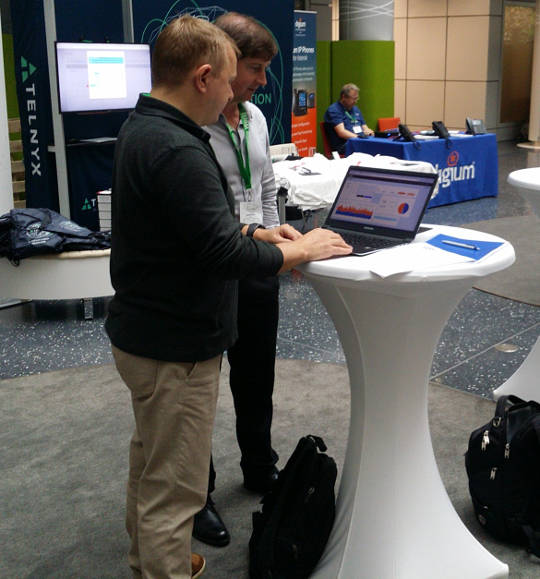
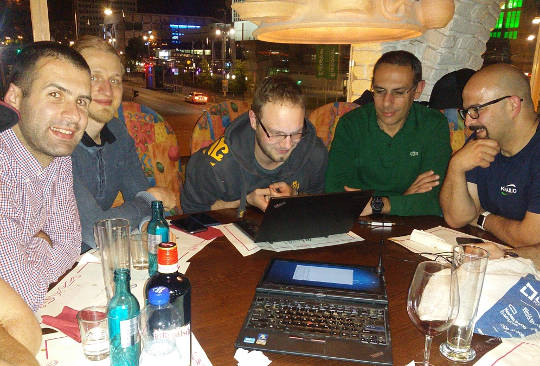
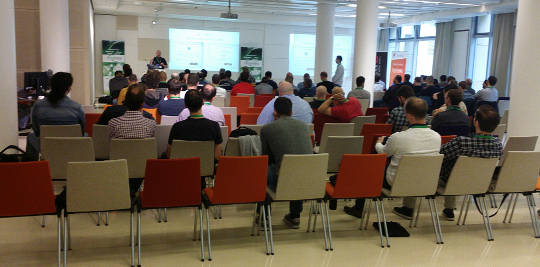
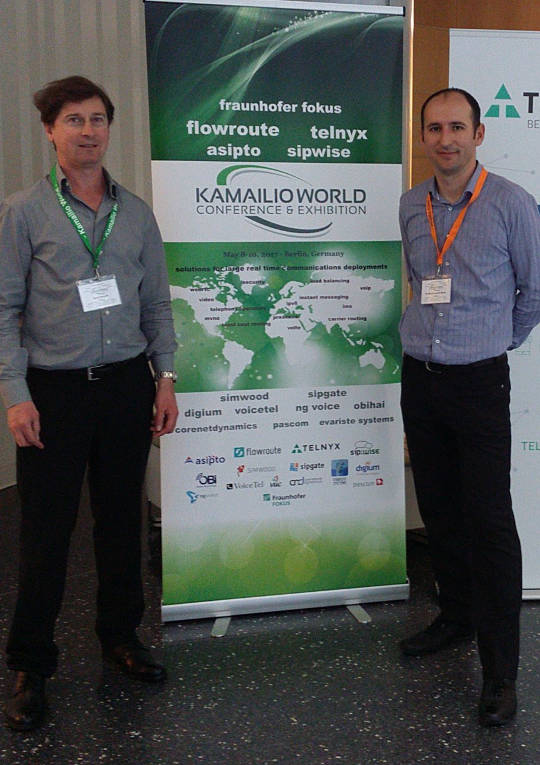
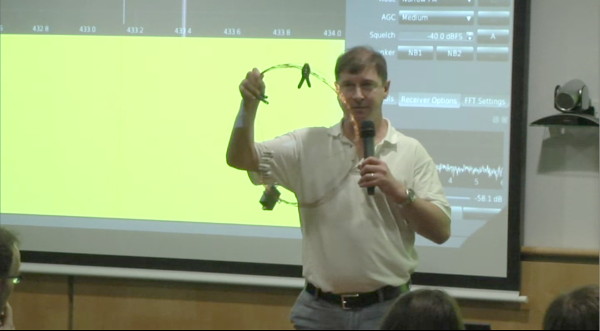
This week I've been thrilled to be in Berlin for Kamailio World 2017, one of the highlights of the SIP, VoIP and telephony enthusiast's calendar. It is an event that reaches far beyond Kamailio and is well attended by leaders of many of the well known free software projects in this space. HOMER 6 is coming Alexandr Dubovikov gave me a sneak peek of the new version of the HOMER SIP capture framework for gathering, storing and analyzing messages in a SIP network. exploring HOMER 6 with Alexandr Dubovikov at Kamailio World 2017 Visiting the FSFE team in Berlin Having recently joined the FSFE's General Assembly as the fellowship representative, I've been keen to get to know more about the organization. My visit to the FSFE office involved a wide-ranging discussion with Erik Albers about the fellowship program and FSFE in general. discussing the Fellowship program with Erik Albers Steak and SDR night After a hard day of SIP hacking and a long afternoon at Kamailio World's open bar, a developer needs a decent meal and something previously unseen to hack on. A group of us settled at Escados, Alexanderplatz where my SDR kit emerged from my bag and other Debian users found out how easy it is to apt install the packages, attach the dongle and explore the radio spectrum. playing with SDR after dinner Next stop OSCAL'17, Tirana Having left Berlin, I'm now in Tirana, Albania where I'll give an SDR workshop and Free-RTC talk at OSCAL'17. The weather forecast is between 26 - 28 degrees celsius, the food is great and the weekend's schedule is full of interesting talks and workshops. The organizing team have already made me feel very welcome here, meeting me at the airport and leaving a very generous basket of gifts in my hotel room. OSCAL has emerged as a significant annual event in the free software world and if it's too late for you to come this year, don't miss it in 2018. OSCAL'17 banner

Norbert Preining: Gaisi Takeuti, 1926-2017

Two days ago one of the most influential logician of the 20th century has passed away, Gaisi Takeuti ( ). I had the pleasure to meet this excellent man, teacher, writer, thinker several times while he was the president of the Kurt G del Society. I don t want to recall his achievements in mathematical logic, in particular proof theory, because I am not worth to write about such a genius. I want to recall a few personal stories from my own experience. I came into contact with Prof. Takeuti via is famous book Proof Theory, which my then Professor, now colleague and friend Matthias Baaz used for teaching us students proof theory. Together with Shoenfield s Mathematical Logic these two books became the foundation of my whole logic education. Now again in print, back then the Proof Theory was a rare precious. Few prints did remain in the library, and over the years one by one disappeared, until the last copy we had access to was my copy where I had scribbled pages and pages of notes and proofs. Matthias later on used these copies for his lectures, I should have written on the back-side! I remember well my first meeting with Prof. Takeuti: I was on the Conference on Internationalization in 2003 in Tsukuba, long before I moved to Japan. Back then I was just finishing my PhD and without much experience. When I arrived in the hotel, without fail there was a message of Prof. Takeuti inviting me for dinner the following day. We had dinner in a specialty restaurant of his area, together with is lovely wife. I was soo nervous about Japanese manners and stuttered Japanese phrases just to be stopped by Prof. Takeuti pouring himself a glass of sake and telling me: Relax, and forget the rules and fill your own glass when you want to. I am well aware that this liberal attitude didn t extend to Japanese colleagues, where he, descendant from a Samurai family, was at times very, extremely strict. The dinner was decided upon already, not easy since I was still strict vegetarian back than (now I would have enjoyed the dinner much more!), but for the last course we could decide. I remember with a smile how Prof. Takeuti suggested in Japanese various sweets, just to be interrupted by his wife with No Gaisi, no! . I asked what is going on and she explained that he wants to order a Japanese sweet for me I agreed, and that was probably the worst dish I had in Japan. Slippy noodles swimming in a cold broth, to be picked with chopsticks and put into a semi-sweet soja-sauce. I finished it, but it wasn t good. I should have thought twice when Prof. Takeuti s wife ordered a normal fruit salad. Scientifically he was simply a genius and famous for not reading a lot but reinventing everything. One of my research areas, G del logics, was reinvented by him as Intuitionistic Fuzzy Logic (for an overview see my talk at the Collegium Logicum 2016: G del Logics a short survey). But I want to recall one of my favorite articles of him: A Conservative Extension of Peano Arithmetic . This was published as part 2 of Volume 17 of Publications of the Mathematical Society of Japan, retypeset pdf is available here, JSTOR page. Therein he develops classical (real and complex) analysis over Peano s arithmetic. He shows that any arithmetical theorem proved in analytic number theory is a theorem in Peano s arithmetic. The proof uses Gentzen s cut elimination theorem, the center piece of modern proof theory. With Georg Kreisel having passed away in 2015, and now Gaisi Takeuti, we loose two of the greatest, if not the greatest minds in logic.

11 May 2017

Arturo Borrero Gonz lez: Debunk some Debian myths

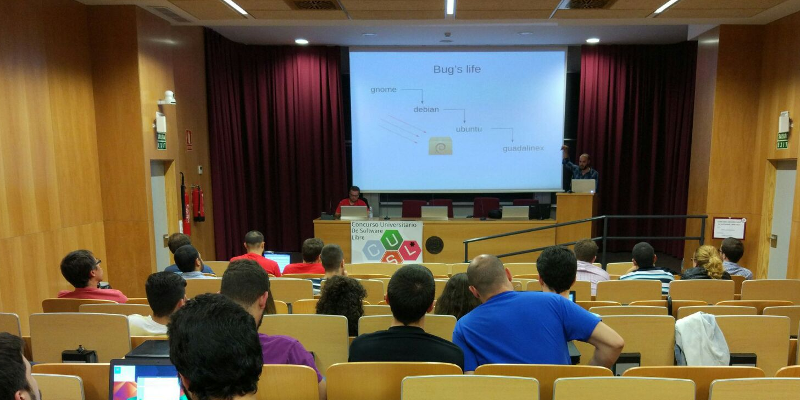
Debian CUSL 11 Debian has many years of history, about 25 years already. With such a long travel over the continous field of developing our Universal Operating System, some myths, false accusations and bad reputation has arisen. Today I had the opportunity to discuss this topic, I was invited to give a Debian talk in the 11 Concurso Universitario de Software Libre , a Spanish contest for students to develop and dig a bit into free-libre open source software (and hardware). In this talk, I walked through some of the most common Debian myths, and I would like to summarize here some of them, with a short explanation of why I think they should be debunked. Picture of the talk myth #1: Debian is old software Please, use testing or stable-backports. If you use Debian stable your system will in fact be stable and that means: updates contain no new software but only fixes. myth #2: Debian is slow We compile and build most of our packages with industry-standard compilers and options. I don t see a significant difference on how fast linux kernel or mysql run in a CentOS or in Debian. myth #3: Debian is difficult I already discussed about this issue back in Jan 2017, Debian is a puzzle: difficult. myth #4: Debian has no graphical environment This is, simply put, false. We have gnome, kde, xfce and more. The basic Debian installer asks you what do you want at install time. myth #5: since Debian isn t commercial, the quality is poor Did you know that most of our package developers are experts in their packages and in their upstream code? Not all, but most of them. Besides, many package developers get paid to do their Debian job. Also, there are external companies which do indeed offer support for Debian (see freexian for example). myth #6: I don t trust Debian Why? Did we do something to gain this status? If so, please let us know. You don t trust how we build or configure our packages? You don t trust how we work? Anyway, I m sorry, you have to trust someone if you want to use any kind of computer. Supervising every single bit of your computer isn t practical for you. Please trust us, we do our best. myth #7: nobody uses Debian I don t agree. Many people use Debian. They even run Debian in the International Space Station. Do you count derivatives, such as Ubuntu? I believe this myth is just pointless, but some people out there really think nobody uses Debian. myth #8: Debian uses systemd Well, this is true. But you can run sysvinit if you want. I prefer and recommend systemd though :-) myth #9: Debian is only for servers No. See myths #1, #2 and #4. You may download my slides in PDF and in ODP format (only in Spanish, sorry for English readers).

Norbert Preining: BachoTeX 2017

A week of typesetting, typography, bookbinding, bibliophily, not to forget long chats with good friends and loads of beer. That is BachoTeX, the best series of conferences I have ever been. This year BachoTeX was held for the 25th time, and was merged with the TUG Meeting for a firework of excellent presentations and long hours of brain storming, hacking, music making, dancing, and simply enjoying life!
Symphony of Green
And while it was a bit less relaxing for me than in the last years, mostly due to the presence of my little daughter who requested presence quite often, it is still the place to be during the Golden Week! Of course I also gave a talk at BachoTeX about our latest changes in the upcoming TeX Live 2017 release: fmtutil and updmap past & future changes (or: cleaning up the mess). Big thanks to my company Accelia Inc. for allowing me to attend the conference. We arrived after a long trip, first via train and plane to Vienna, then two days break (including research with a colleague), followed by a night train ride to Warsaw and another train ride to Torun and a taxi ride to Bachotek. All in all far too long to be done with a 14 month old girl. Finally arrived we went directly to our hut and found it freezing. Fortunately we could organize a heater so that the rest of the week we didn t have to live in 5-10 degrees
Our log house in Bachotek
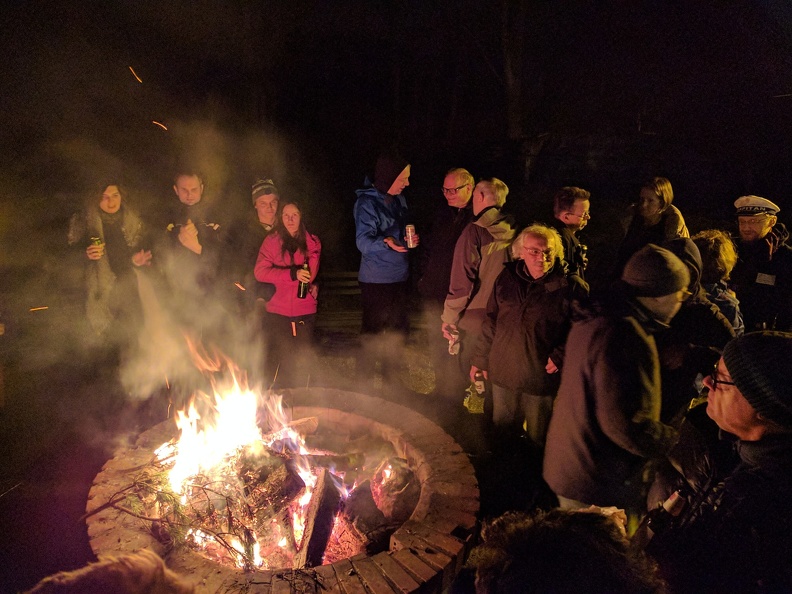
The second day brought already the traditional bonfire. After a small (for Polish standard) dinner we ignored the rain and met at the fireplace for BBQ, beer, and lots of live music.
Bonfire on the second evening
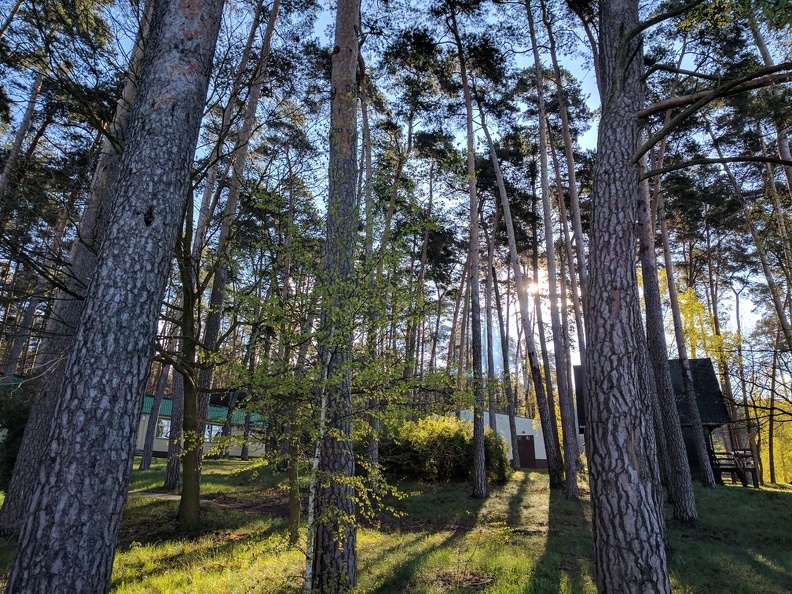
The rain stopped during the bonfire, probably due to my horrible singing, and the following days we were blessed with sunshine and warmer temperatures. The forest sparked in all kinds of greens.
Sunny days in Bachotek
For our daughter the trip was a great experience lots of wild play grounds, many other kids, and a lake she really wanted to go swimming in. Normally I go swimming there, but this year I had a bad cold so I refrained from it, and with me also our daughter, to her great disappointment.
Ready to go swimming
Another day has passed, and the sunset lights up the beautiful lake Bachotek. I cannot imagine a better place for concentrated work paired with great relaxation!
Sunset along the lake
During the days the temperatures were really nice, but the mornings were cold, and our morning walk to the breakfast place was quite chilly.
Enjoying a fresh morning on the lake
Ample coffee breaks and lunch breaks left us enough time to discuss new developments. But the single most important thing that brought people to talk a lot was the horrible internet connection, a big plus in BachoTeX (but as far as rumors go it might have been the last time with that advantage!).
Beautiful and peaceful lake Bachotek
The last evening we had a banquet honoring 25 years of BachoTeX, one of the oldest TeX conference. Live music and dancing, lots of good food and drinks, and outside the perfect evening atmosphere.
Sunset around the lake
Too fast the time has passed and we had to return to Vienna, retracing the long trip. How far it may be, taking the burden to come from Japan is worth every drop of sweat, the time at BachoTeX is probably one of the most productive, and at the same time most relaxing for me. Big thanks to all our Polish friends for organizing the event.
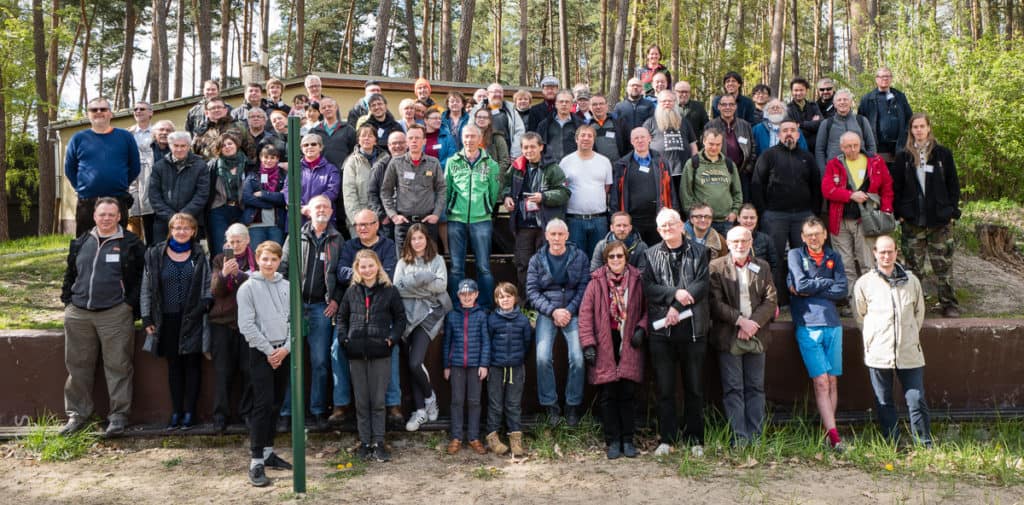
BachoTeX conference photo

(photo by Frans Goddijn)


Daniel Lange: Thunderbird startup hang (hint: Add-Ons)

If you see Thunderbird hanging during startup for a minute and then continuing to load fine, you are probably running into an issue similar to what I saw when Debian migrated Icedove back to the "official" Mozilla Thunderbird branding and changed ~/.icedove to ~/.thunderbird in the process (one symlinked to the other). Looking at the console log (=start Thunderbird from a terminal so you see its messages), I got:
console.log: foxclocks.bootstrap._loadIntoWindow(): got xul-overlay-merged - waiting for overlay-loaded
[.. one minute delay ..]
console.log: foxclocks.bootstrap._windowListener(): got window load chrome://global/content/commonDialog.xul
Stracing confirms it hangs because Thunderbird loops waiting for a FUTEX until that apparently gets kicked by a XUL core timeout.
(Thanks for defensive programming folks!) So in my case uninstalling the Add-On Foxclocks easily solved the problem. I assume other Thunderbird Add-Ons may cause the same issue, hence the more generic description above.

9 May 2017

Martin Pitt: Cockpit is now just an apt install away

Cockpit has now been in Debian unstable and Ubuntu 17.04 and devel, which means it s now a simple
$ sudo apt install cockpit
away for you to try and use. This metapackage pulls in the most common plugins, which are currently NetworkManager and udisks/storaged. If you want/need, you can also install cockpit-docker (if you grab docker.io from jessie-backports or use Ubuntu) or cockpit-machines to administer VMs through libvirt. Cockpit upstream also has a rather comprehensive Kubernetes/Openstack plugin, but this isn t currently packaged for Debian/Ubuntu as kubernetes itself is not yet in Debian testing or Ubuntu. After that, point your browser to https://localhost:9090 (or the host name/IP where you installed it) and off you go.

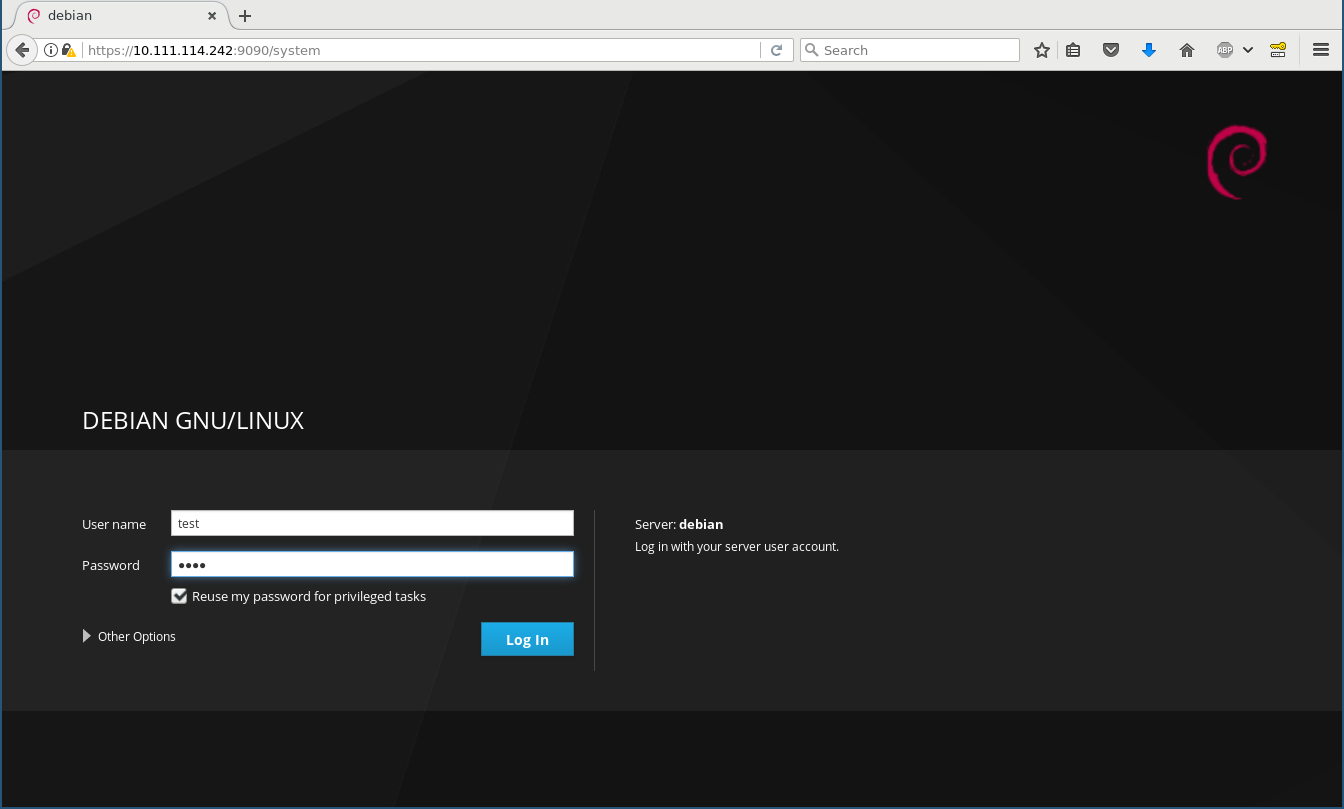
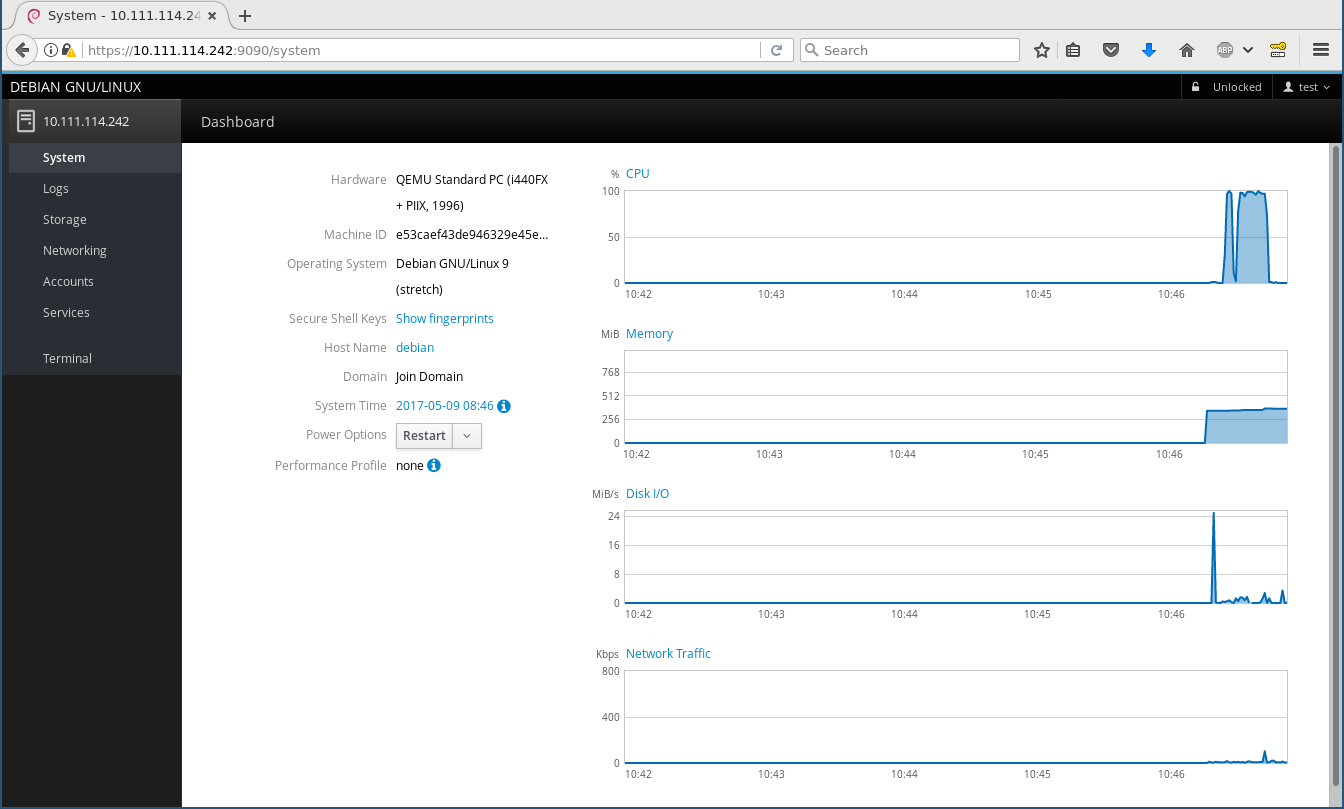
What is Cockpit? Think of it as an equivalent of a desktop (like GNOME or KDE) for configuring, maintaining, and interacting with servers. It is a web service that lets you log into your local or a remote (through ssh) machine using normal credentials (PAM user/password or SSH keys) and then starts a normal login session just as gdm, ssh, or the classic VT logins would. Login screen System page The left side bar is the equivalent of a task switcher , and the applications (i. e. modules for administering various aspects of your server) are run in parallel. The main idea of Cockpit is that it should not behave special in any way - it does not have any specific configuration files or state keeping and uses the same Operating System APIs and privileges like you would on the command line (such as lvmconfig, the org.freedesktop.UDisks2 D-Bus interface, reading/writing the native config files, and using sudo when necessary). You can simultaneously change stuff in Cockpit and in a shell, and Cockpit will instantly react to changes in the OS, e. g. if you create a new LVM PV or a network device gets added. This makes it fundamentally different to projects like webmin or ebox, which basically own your computer once you use them the first time. It is an interface for your operating system, which even reflects in the branding: as you see above, this is Debian (or Ubuntu, or Fedora, or wherever you run it on), not Cockpit .

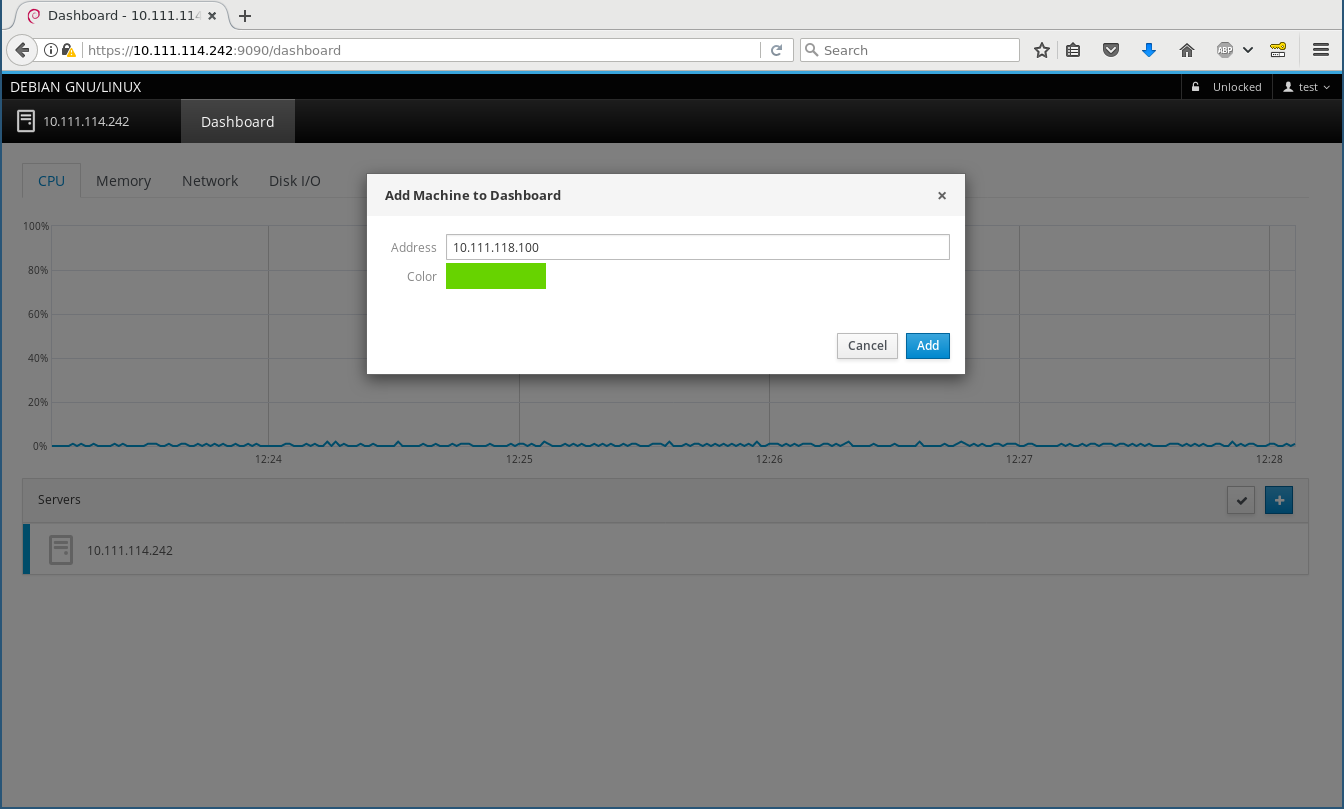
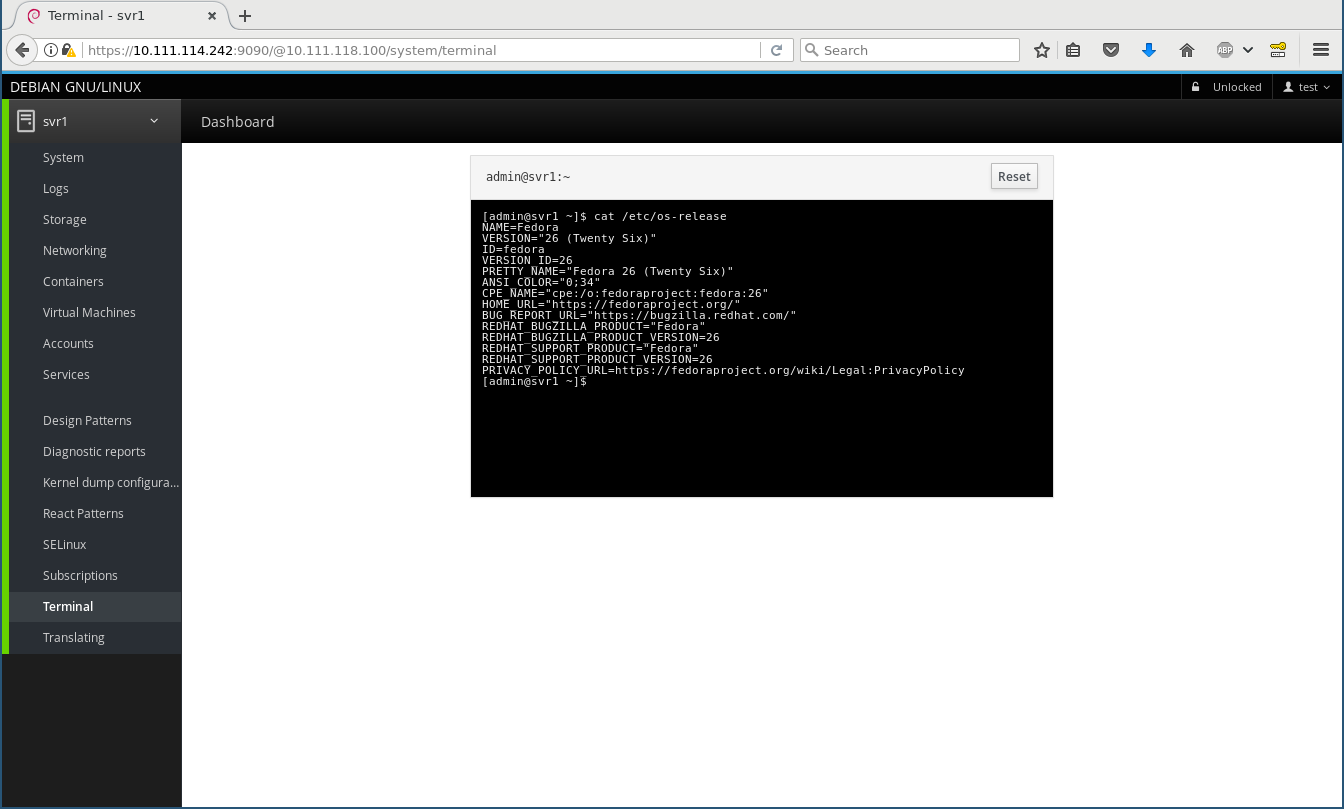
Remote machines In your home or small office you often have more than one machine to maintain. You can install cockpit-bridge and cockpit-system on those for the most basic functionality, configure SSH on them, and then add them on the Dashboard (I add a Fedora 26 machine here) and from then on can switch between them on the top left, and everything works and feels exactly the same, including using the terminal widget: Add remote Remote terminal The Fedora 26 machine has some more Cockpit modules installed, including a lot of playground ones, thus you see a lot more menu entries there.

Under the hood Beneath the fancy Patternfly/React/JavaScript user interface is the Cockpit API and protocol, which particularly fascinates me as a developer as that is what makes Cockpit so generic, reactive, and extensible. This API connects the worlds of the web, which speaks IPs and host names, ports, and JSON, to the local host only world of operating systems which speak D-Bus, command line programs, configuration files, and even use fancy techniques like passing file descriptors through Unix sockets. In an ideal world, all Operating System APIs would be remotable by themselves, but they aren t. This is where the cockpit bridge comes into play. It is a JSON (i. e. ASCII text) stream protocol that can control arbitrarily many channels to the target machine for reading, writing, and getting notifications. There are channel types for running programs, making D-Bus calls, reading/writing files, getting notified about file changes, and so on. Of course every channel can also act on a remote machine. One can play with this protocol directly. E. g. this opens a (local) D-Bus channel named d1 and gets a property from systemd s hostnamed:
$ cockpit-bridge --interact=---
  "command": "open", "channel": "d1", "payload": "dbus-json3", "name": "org.freedesktop.hostname1"  
---
d1
  "call": [ "/org/freedesktop/hostname1", "org.freedesktop.DBus.Properties", "Get",
          [ "org.freedesktop.hostname1", "StaticHostname" ] ],
  "id": "hostname-prop"  
---
and it will reply with something like
d1
 "reply":[[ "t":"s","v":"donald" ]],"id":"hostname-prop" 
---
( donald is my laptop s name). By adding additional parameters like host and passing credentials these can also be run remotely through logging in via ssh and running cockpit-bridge on the remote host. Stef Walter explains this in detail in a blog post about Web Access to System APIs. Of course Cockpit plugins (both internal and third-party) don t directly speak this, but use a nice JavaScript API. As a simple example how to create your own Cockpit plugin that uses this API you can look at my schroot plugin proof of concept which I hacked together at DevConf.cz in about an hour during the Cockpit workshop. Note that I never before wrote any JavaScript and I didn t put any effort into design whatsoever, but it does work .

Next steps Cockpit aims at servers and getting third-party plugins for talking to your favourite part of the system, which means we really want it to be available in Debian testing and stable, and Ubuntu LTS. Our CI runs integration tests on all of these, so each and every change that goes in is certified to work on Debian 8 (jessie) and Ubuntu 16.04 LTS, for example. But I d like to replace the external PPA/repository on the Install instructions with just it s readily available in -backports ! Unfortunately there s some procedural blockers there, the Ubuntu backport request suffers from understaffing, and the Debian stable backport is blocked on getting it in to testing first, which in turn is blocked by the freeze. I will soon ask for a freeze exception into testing, after all it s just about zero risk - it s a new leaf package in testing. Have fun playing around with it, and please report bugs! Feel free to discuss and ask questions on the Google+ post.

8 May 2017

Daniel Pocock: Visiting Kamailio World (Sold Out) and OSCAL'17

This week I'm visiting Kamailio World (8-10 May, Berlin) and OSCAL'17 (13-14 May, Tirana). Kamailio World Kamailio World features a range of talks about developing and using SIP and telephony applications and offers many opportunities for SIP developers, WebRTC developers, network operators and users to interact. Wednesday, at midday, there is a Dangerous Demos session where cutting edge innovations will make their first (and potentially last) appearance. Daniel Pocock and Daniel-Constantin Mierla at Kamailio World, Berlin, 2017 OSCAL'17, Tirana OSCAL'17 is an event that has grown dramatically in recent years and is expecting hundreds of free software users and developers, including many international guests, to converge on Tirana, Albania this weekend. On Saturday I'll be giving a workshop about the Debian Hams project and Software Defined Radio. On Sunday I'll give a talk about Free Real-time Communications (RTC) and the alternatives to systems like Skype, Whatsapp, Viber and Facebook.

Lars Wirzenius: Ick2 design discussion

Recently, Daniel visited us in Helsinki. In addition to enjoying local food and scenerey, we spent some time together in front of a whiteboard to sketch out designs for Ick2. Ick is my continuous integration system, and it's all Daniel's fault for suggesting the name. Ahem. I am currently using the first generation of Ick and it is a rigid, cumbersome, and fragile thing. It works well enough that I don't miss Jenkins, but I would like something better. That's the second generation of Ick, or Ick2, and that's what we discussed with Daniel. Where pretty much everything in Ick1 is hardcoded, everything in Ick2 will be user-configurable. It's my last, best chance to go completely overboard in the second system syndrome manner. Where Ick1 was written in a feverish two-week hacking session, rushed because my Jenkins install at the time had broken one time too many, we're taking our time with Ick2. Slow and careful is the tune this time around. Our "minimum viable product" or MVP for Ick2 is defined like this:
Ick2 builds static websites from source in a git repository, using ikiwiki, and published to a web server using rsync. A change to the git repository triggers a new build. It can handle many separate websites, and if given enough worker machines, can build many of them concurrently.
This is a real task, and something we already do with Ick1 at work. It's a reasonable first step for the new program. Some decisions we made: The initial pipelines will be basically like this, but expressed in some way by the user:
  1. Clone the source repoistory.
  2. Run ikiwiki --build to build the website.
  3. Run rsync to publish the website on a server.
Assumptions: Actions the Ick2 controller API needs to support: A sketch API: Sequence: The next step will probably be to sketch a yarn test suite of the API and implement a rudimentary one.

Russ Allbery: Review: Chimes at Midnight

Review: Chimes at Midnight, by Seanan McGuire
Series: October Daye #7
Publisher: DAW
Copyright: 2013
ISBN: 1-101-63566-5
Format: Kindle
Pages: 346
Chimes at Midnight is the seventh book of the October Daye series and builds heavily on the previous books. Toby has gathered quite the group of allies by this point, and events here would casually spoil some of the previous books in the series (particularly One Salt Sea, which you absolutely do not want spoiled). I strongly recommend starting at the beginning, even if the series is getting stronger as it goes along. This time, rather than being asked for help, the book opens with Toby on a mission. Goblin fruit is becoming increasingly common on the streets of San Francisco, and while she's doing all she can to find and stop the dealers, she's finding dead changelings. Goblin fruit is a pleasant narcotic to purebloods, but to changelings it's instantly and fatally addictive. The growth of the drug trade means disaster for the local changelings, particularly since previous events in the series have broken a prominent local changeling gang. That was for the best, but they were keeping goblin fruit out, and now it's flooding into the power vacuum. In the sort of idealistic but hopelessly politically naive move that Toby is prone to, she takes her evidence to the highest local authority in faerie: the Queen of the Mists. The queen loathes Toby and the feeling is mutual, but Toby's opinion is that this shouldn't matter: these are her subjects and goblin fruit is widely recognized as a menace. Even if she cares nothing for their lives, a faerie drug being widely sold on the street runs the substantial risk that someone will give it to humans, potentially leading to the discovery of faerie. Sadly, but predictably, Toby has underestimated the Queen's malevolence. She leaves the court burdened not only with the knowledge that the Queen herself is helping with the distribution of goblin fruit, but also an impending banishment thanks to her reaction. She has three days to get out of the Queen's territory, permanently. Three days that the Luidaeg suggests she spend talking to people who knew King Gilad, the former and well-respected king of the local territory who died in the 1906 earthquake, apparently leaving the kingdom to the current Queen. Or perhaps not. As usual, crossing Toby is a very bad idea, and getting Toby involved in politics means that one should start betting heavily against the status quo. Also, as usual, things initially go far too well, and then Toby ends up in serious trouble. (I realize the usefulness of raising the stakes of the story, but I do prefer the books of this series that don't involve Toby spending much of the book ill.) However, there is a vast improvement over previous books in the story: one key relationship (which I'll still avoid spoiling) is finally out of the precarious will-they, won't-they stage and firmly on the page, and it's a relationship that I absolutely love. Watching Toby stomp people who deserve to be stomped makes me happy, but watching Toby let herself be happy and show it makes me even happier. McGuire also gives us some more long-pending revelations. I probably should have guessed the one about one of Toby's long-time friends and companions much earlier, although at least I did so a few pages before Toby found out. I have some strong suspicions about Toby's own background that were reinforced by this book, and will be curious to see if I'm right. And I'm starting to have guesses about the overall arc of the series, although not firm ones. One of my favorite things in long-running series is the slow revelation of more and more world background, and McGuire does it in just the way I like: lots of underlying complexity, reveals timed for emotional impact but without dragging on things that the characters should obviously be able to figure out, and a whole bunch of layered secrets that continue to provide more mystery even after one layer is removed. The plot here is typical of the plot of the last couple of novels in the series, which is fine by me since my favorite part of this series is the political intrigue (and Toby realizing that she has far more influence than she thinks). It helps that I thought Arden was great, given how central she is to this story. I liked her realistic reactions to her situation, and I liked her arguments with Toby. I'm dubious how correct Toby actually was, but we've learned by now that arguments from duty are always going to hold sway with her. And I loved Mags and the Library, and hope we'll be seeing more of them in future novels. The one quibble I'll close with, since the book closed with it, is that I found the ending rather abrupt. There were several things I wanted to see in the aftermath, and the book ended before they could happen. Hopefully that means they'll be the start of the next book (although a bit of poking around makes me think they may be in a novella). If you've liked the series so far, particularly the couple of books before this one, this is more of what you liked. Recommended. Followed by The Winter Long. Rating: 8 out of 10

7 May 2017

Vasudev Kamath: Tips for fuzzing network programs with AFL

Fuzzing is method of producing random malformed inputs for a software and observe the software behavior. If a software crashes then there is a bug and it can have security implications. Fuzzing has gained a lot of interest now a days, especially with automated tools like American Fuzzy Lop (AFL) which can easily help you to fuzz the program and record inputs which causes crash in the software. American Fuzzy Lop is a file based fuzzer which feeds input to program via standard input. Using it with network program like server's or clients is not possible in the original state. There is a version of AFL with patches to allow it fuzz network programs, but this patch is not merged upstream and I do not know if it ever makes into upstream or not. Also the above repository contains version 1.9 which is older compared to currently released versions. There is another method for fuzzing network program using AFL with help of LD_PRELOAD tricks. preeny is a project which provides library which when used with LD_PRELOAD can desocket the network program and make it read from stdin. There is this best tutorial from LoLWare which talks about fuzzing Nginx with preeny and AFL. There is a best AFL workflow by Foxglove Security which gives start to finish details about how to use AFL and its companion tool to do fuzzing. So I'm not going to talk about any steps of fuzzing in this post instead I'm going to list down my observations on changes that needs to be done to get clean fuzzing with AFL and preeny.
  1. desock.so provided by preeny works only with read and write (or rather other system call does not work with stdin) system calls and hence you need to make sure you replace any reference to send, sendto, recv and recvfrom with read and write system calls respectively. Without this change program will not read input provided by AFL on standard input.
  2. If your network program is using forking or threading model make sure to remove all those and make it plain simple program which receives request and sends out response. Basically you are testing the ability of program to handle malformed input so we need very minimum logic to make program do what it is supposed to do when AFL runs it.
  3. If you are using infinite loop like all normal programs replace the infinite loop with below mentioned AFL macro and use afl-clang-fast to compile it. This speeds up the testing as AFL will run the job n times before discarding the current fork and doing a fresh fork. After all fork is costly affair.
while(__AFL_LOOP(1000))   // Change 1000 with iteration count
             // your logic here
 
With above modification I could fuzz a server program talking binary protocol and another one talking textual protocol. In both case I used Wireshark capture to get the packet extract raw content and feed it as input to AFL. I was successful in finding crashes which are exploitable in case of textual protocol program than in binary protocol case. In case of binary protocol AFL could not easily find new paths which probably is because of bad inputs I provided. I will continue to do more experiment with binary protocol case and provide my findings as new updates here. If you have anything more to add do share with me :-). Happy fuzzing!.

6 May 2017

Jelmer Vernooij: Xandikos, a new Git-backed CalDAV/CardDAV server

For the last couple of years, I have self-hosted my calendar and address book data. Originally I just kept local calendars and address books in Evolution, but later I moved to a self-hosted CalDAV/CardDAV server and a plethora of clients.
CalDAV/CardDAV CalDAV and CardDAV are standards for accessing, managing, and sharing calendaring and addressbook information based on the iCalendar format that are built atop the WebDAV standard, and WebDAV itself is a set of extensions to HTTP. CalDAV and CardDAV essentially store iCalendar (.ics) and vCard (.vcf) files using WebDAV, but they provide some extra guarantees (e.g. files must be well-formed) and some additional methods for querying the data. For example, it is possible to retrieve all events between two dates with a single HTTP query, rather than the client having to check all the calendar files in a directory. CalDAV and CardDAV are (unnecessarily) complex, in large part because they are built on top of WebDAV. Being able to use regular HTTP and WebDAV clients is quite neat, but results in extra complexity. In addition, because the standards are so large, clients and servers end up only implementing parts of it. However, CalDAV and CardDAV have one big redeeming quality: they are the dominant standards for synchronising calendar events and addressbooks, and are supported by a wide variety of free and non-free applications. They're the status quo, until something better comes along. (and hey, at least there is a standard to begin with)
Calypso I have tried a number of servers over the years. In the end, I settled for calypso. Calypso started out as friendly fork of Radicale, with some additional improvements. I like Calypso because it is:
  • quite simple, understandable, and small (sloccount reports 1700 LOC)
  • it stores plain .vcf and .ics files
  • stores history in git
  • easy to set up, e.g. no database dependencies
  • written in Python
Its use of regular files and keeping history in Git is useful, because this means that whenever it breaks it is much easier to see what is happening. If something were to go wrong (i.e. a client decides to remove all server-side entries) it's easy to recover by rolling back history using git. However, there are some downsides to Calypso as well. It doesn't have good test coverage, making it harder to change (especially in a way that doesn't break some clients), though there are some recent efforts to make e.g. external spec compliance tests like caldavtester work with it. Calypso's CalDAV/CardDAV/WebDAV implementation is a bit ad-hoc. The only WebDAV REPORTs it implements are calendar-multiget and addressbook-multiget. Support for properties has been added as new clients request them. The logic for replying to DAV requests is mixed with the actual data store implementation. Because of this, it can be hard to get going with some clients and sometimes tricky to debug.
Xandikos After attempting to fix a number of issues in Calypso, I kept running into issues with the way its code is structured. This is only fixable by rewriting sigifnicant chunks of it, so I opted to instead write a new server. The goals of Xandikos are along the same lines as those of Calypso, to be a simple CalDAV/CardDAV server for personal use:
  • easy to set up; at the moment, just running xandikos -d $HOME/dav --defaults is enough to start a new server
  • use of plain .ics/.ivf files for storage
  • history stored in Git
But additionally:
  • clear separation between protocol implementation and storage
  • be well tested
  • standards complete
  • standards compliant
Current status The CalDAV/CardDAV implementation of Xandikos is mostly complete, but there still a number of outstanding issues. In particular:
  • lack of authentication support; setting up authentication support in uwsgi or a reverse proxy is one way of working around this
  • there is no useful UI for users accessing the DAV resources via a web browser
  • test coverage
Xandikos has been tested with the following clients:
Trying it To run Xandikos, follow the instructions on the homepage:
./bin/xandikos --defaults -d $HOME/dav
A server should now be listening on localhost:8080 that you can access with your favorite client.

5 May 2017

Hideki Yamane: New in Debian stable Stretch: GitHub's Icon font, fonts-octicons


As a member of Debian pkg-fonts-devel team, I added some new packages to Debian. Today I'll introduce "fonts-octicons" in Debian9 "Stretch".

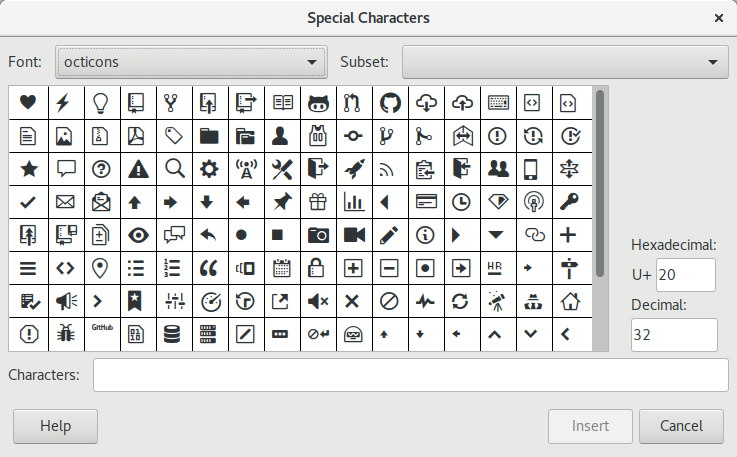
Octicons is GitHub's Icon font. If you want to use it with LibreOffice Impress:
  1. Install fonts-octicons package
  2. Start LibreOffice Impress
  3. Select "Insert" from menu
  4. Select "Special Characters"
  5. Select "octicons" from Fonts
  6. Select and insert it


Enjoy!


Daniel Silverstone: Yarn architecture discussion

Recently Rob and I visited Soile and Lars. We had a lovely time wandering around Helsinki with them, and I also spent a good chunk of time with Lars working on some design and planning for the Yarn test specification and tooling. You see, I wrote a Rust implementation of Yarn called rsyarn "for fun" and in doing so I noted a bunch of missing bits in the understanding Lars and I shared about how Yarn should work. Lars and I filled, and re-filled, a whiteboard with discussion about what the 'Yarn specification' should be, about various language extensions and changes, and also about what functionality a normative implementation of Yarn should have. This article is meant to be a write-up of all of that discussion, but before I start on that, I should probably summarise what Yarn is.
Yarn is a mechanism for specifying tests in a form which is more like documentation than code. Yarn follows the concept of BDD story based design/testing and has a very Cucumberish scenario language in which to write tests. Yarn takes, as input, Markdown documents which contain code blocks with Yarn tests in them; and it then runs those tests and reports on the scenario failures/successes. As an example of a poorly written but still fairly effective Yarn suite, you could look at Gitano's tests or perhaps at Obnam's tests (rendered as HTML). Yarn is not trying to replace unit testing, nor other forms of testing, but rather seeks to be one of a suite of test tools used to help validate software and to verify integrations. Lars writes Yarns which test his server setups for example. As an example, lets look at what a simple test might be for the behaviour of the /bin/true tool:
SCENARIO true should exit with code zero
WHEN /bin/true is run with no arguments
THEN the exit code is 0
 AND stdout is empty
 AND stderr is empty
Anyone ought to be able to understand exactly what that test is doing, even though there's no obvious code to run. Yarn statements are meant to be easily grokked by both developers and managers. This should be so that managers can understand the tests which verify that requirements are being met, without needing to grok python, shell, C, or whatever else is needed to implement the test where the Yarns meet the metal. Obviously, there needs to be a way to join the dots, and Yarn calls those things IMPLEMENTS, for example:
IMPLEMENTS WHEN (\S+) is run with no arguments
set +e
"$ MATCH_1 " > "$ DATADIR /stdout" 2> "$ DATADIR /stderr"
echo $? > "$ DATADIR /exitcode"
As you can see from the example, Yarn IMPLEMENTS can use regular expressions to capture parts of their invocation, allowing the test implementer to handle many different scenario statements with one implementation block. For the rest of the implementation, whatever you assume about things will probably be okay for now.
Given all of the above, we (Lars and I) decided that it would make a lot of sense if there was a set of Yarn scenarios which could validate a Yarn implementation. Such a document could also form the basis of a Yarn specification and also a manual for writing reasonable Yarn scenarios. As such, we wrote up a three-column approach to what we'd need in that test suite. Firstly we considered what the core features of the Yarn language are: We considered unusual (or corner) cases and which of them needed defining in the short to medium term: All of this comes down to how to interpret input to a Yarn implementation. In addition there were a number of things we felt any "normative" Yarn implementation would have to handle or provide in order to be considered useful. It's worth noting that we don't specify anything about an implementation being a command line tool though... There's bound to be more, but right now with the above, we believe we have two roughly conformant Yarn implementations. Lars' Python based implementation which lives in cmdtest (and which I shall refer to as pyyarn for now) and my Rust based one (rsyarn).
One thing which rsyarn supports, but pyyarn does not, is running multiple scenarios in parallel. However when I wrote that support into rsyarn I noticed that there were plenty of issues with running stuff in parallel. (A problem I'm sure any of you who know about threads will appreciate). One particular issue was that scenarios often need to share resources which are not easily sandboxed into the $ DATADIR provided by Yarn. For example databases or access to limited online services. Lars and I had a good chat about that, and decided that a reasonable language extension could be:
USING database foo
with its counterpart
RESOURCE database (\S+)
LABEL database-$1
GIVEN a database called $1
FINALLY database $1 is torn down
The USING statement should be reasonably clear in its pairing to a RESOURCE statement. The LABEL statement I'll get to in a moment (though it's only relevant in a RESOURCE block, and the rest of the statements are essentially substituted into the calling scenario at the point of the USING. This is nowhere near ready to consider adding to the specification though. Both Lars and I are uncomfortable with the $1 syntax though we can't think of anything nicer right now; and the USING/RESOURCE/LABEL vocabulary isn't set in stone either. The idea of the LABEL is that we'd also require that a normative Yarn implementation be capable of specifying resource limits by name. E.g. if a RESOURCE used a LABEL foo then the caller of a Yarn scenario suite could specify that there were 5 foos available. The Yarn implementation would then schedule a maximum of 5 scenarios which are using that label to happen simultaneously. At bare minimum it'd gate new users, but at best it would intelligently schedule them. In addition, since this introduces the concept of parallelism into Yarn proper, we also wanted to add a maximum parallelism setting to the Yarn implementation requirements; and to specify that any resource label which was not explicitly set had a usage limit of 1.
Once we'd discussed the parallelism, we decided that once we had a nice syntax for expanding these sets of statements anyway, we may as well have a syntax for specifying scenario language expansions which could be used to provide something akin to macros for Yarn scenarios. What we came up with as a starter-for-ten was:
CALLING write foo
paired with
EXPANDING write (\S+)
GIVEN bar
WHEN $1 is written to
THEN success was had by all
Again, the CALLING/EXPANDING keywords are not fixed yet, nor is the $1 type syntax, though whatever is used here should match the other places where we might want it.
Finally we discussed multi-line inputs in Yarn. We currently have a syntax akin to:
GIVEN foo
... bar
... baz
which is directly equivalent to:
GIVEN foo bar baz
and this is achieved by collapsing the multiple lines and using the whitespace normalisation functionality of Yarn to replace all whitespace sequences with single space characters. However this means that, for example, injecting chunks of YAML into a Yarn scenario is a pain, as would be including any amount of another whitespace-sensitive input language. After a lot of to-ing and fro-ing, we decided that the right thing to do would be to redefine the ... Yarn statement to be whitespace preserving and to then pass that whitespace through to be matched by the IMPLEMENTS or whatever. In order for that to work, the regexp matching would have to be defined to treat the input as a single line, allowing . to match \n etc. Of course, this would mean that the old functionality wouldn't be possible, so we considered allowing a \ at the end of a line to provide the current kind of behaviour, rewriting the above example as:
GIVEN foo \
bar \
baz
It's not as nice, but since we couldn't find any real uses of ... in any of our Yarn suites where having the whitespace preserved would be an issue, we decided it was worth the pain.
None of the above is, as of yet, set in stone. This blog posting is about me recording the information so that it can be referred to; and also to hopefully spark a little bit of discussion about Yarn. We'd welcome emails to our usual addresses, being poked on Twitter, or on IRC in the common spots we can be found. If you're honestly unsure of how to get hold of us, just comment on this blog post and I'll find your message eventually. Hopefully soon we can start writing that Yarn suite which can be used to validate the behaviour of pyyarn and rsyarn and from there we can implement our new proposals for extending Yarn to be even more useful.

Arturo Borrero Gonz lez: New in Debian stable Stretch: nftables

Debian Openvpn Debian Stretch stable includes the nftables framework, ready to use. Created by the Netfilter project itself, nftables is the firewalling tool that replaces the old iptables, giving the users a powerful tool. Back in October 2016, I wrote a small post about the status of ntables in Debian Stretch. Since then, several things have improved even further, so this clearly deserves a new small post :-) Yes, nftables replaces iptables. You are highly encouraged to migrate from iptables to nftables. The version of nftables in Debian stable Stretch is v0.7, and the kernel couterpart is v4.9. This is clearly a very recent release of both components. In the case of nftables, is the last released version by the time of this writting. Also, after the Debian stable release, both kernel and nftables will likely get backports of future releases. Yes, you will be able to easily run a newer release of the framework after the stable release. In case you are migrating from iptables, you should know that there are some tools in place to help you in this task. Please read the official netfilter docs: Moving from iptables to nftables. By the way, the nftables docs are extensive, check the whole wiki. In case you don t know about nftables yet, here is a quick reference: To run nftables in Debian Stretch you need several components:
  1. nft: the command line interface
  2. libnftnl: the nftables-netlink library
  3. linux kernel: a least 4.9 is recommended
A simple aptitude run will put your system ready to go, out of the box, with nftables:
root@debian:~# aptitude install nftables
Once installed, you can start using the nft command:
root@debian:~# nft list ruleset
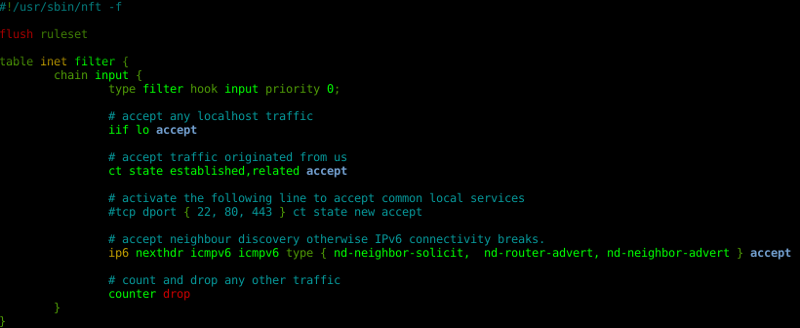
A good starting point is to copy a simple workstation firewall configuration:
root@debian:~# cp /usr/share/doc/nftables/examples/syntax/workstation /etc/nftables.conf
And load it:
root@debian:~# nft -f /etc/nftables.conf
Your nftables ruleset is now firewalling your network:
root@debian:~# nft list ruleset
table inet filter  
        chain input  
                type filter hook input priority 0;
                iif lo accept
                ct state established,related accept
                ip6 nexthdr icmpv6 icmpv6 type   nd-neighbor-solicit,  nd-router-advert, nd-neighbor-advert   accept
                counter drop
         
 
Several examples can be found at /usr/share/doc/nftables/examples/. A simple systemd service is included to load your ruleset at boot time, which is disabled by default. nft Did you know that the nano editor includes nft syntax highlighting? Starting with Debian stable Stretch and nftables, packet filtering and network policing will never be the same.

4 May 2017

Guido G nther: Debian Fun in April 2017

Debian LTS April marked the 24th month I contributed to Debian LTS under the Freexian umbrella. I had 8 hours allocated plus 4 hours left from March which I used by: Other Debian stuff git-buildpackage Released versions 0.8.14 and 0.8.15. Notable changes besides bug fixes: The versions are also available on pypi.

3 May 2017

Vincent Bernat: VXLAN: BGP EVPN with Cumulus Quagga

VXLAN is an overlay network to encapsulate Ethernet traffic over an existing (highly available and scalable, possibly the Internet) IP network while accomodating a very large number of tenants. It is defined in RFC 7348. For an uncut introduction on its use with Linux, have a look at my VXLAN & Linux post. VXLAN deployment In the above example, we have hypervisors hosting a virtual machines from different tenants. Each virtual machine is given access to a tenant-specific virtual Ethernet segment. Users are expecting classic Ethernet segments: no MAC restrictions1, total control over the IP addressing scheme they use and availability of multicast. In a large VXLAN deployment, two aspects need attention:
  1. discovery of other endpoints (VTEPs) sharing the same VXLAN segments, and
  2. avoidance of BUM frames (broadcast, unknown unicast and multicast) as they have to be forwarded to all VTEPs.
A typical solution for the first point is using multicast. For the second point, this is source-address learning.

Introduction to BGP EVPN BGP EVPN (RFC 7432 and draft-ietf-bess-evpn-overlay for its application to VXLAN) is a standard control protocol to efficiently solves those two aspects without relying on multicast nor source-address learning. BGP EVPN relies on BGP (RFC 4271) and its MP-BGP extensions (RFC 4760). BGP is the routing protocol powering the Internet. It is highly scalable and interoperable. It is also extensible and one of its extension is MP-BGP. This extension can carry reachability information (NLRI) for multiple protocols (IPv4, IPv6, L3VPN and in our case EVPN). EVPN is a special family to advertise MAC addresses and the remote equipments they are attached to. There are basically two kinds of reachability information a VTEP sends through BGP EVPN:
  1. the VNIs they have interest in (type 3 routes), and
  2. for each VNI, the local MAC addresses (type 2 routes).
The protocol also covers other aspects of virtual Ethernet segments (L3 reachability information from ARP/ND caches, MAC mobility and multi-homing2) but we won t describe them here. To deploy BGP EVPN, a typical solution is to use several route reflectors (both for redundancy and scalability), like in the picture below. Each VTEP opens a BGP session to at least two route reflectors, sends its information (MACs and VNIs) and receives others . This reduces the number of BGP sessions to configure. VXLAN deployment with route reflectors Compared to other solutions to deploy VXLAN, BGP EVPN has three main advantages:
  • interoperability with other vendors (notably Juniper and Cisco),
  • proven scalability (a typical BGP routers handle several millions of routes), and
  • possibility to enforce fine-grained policies.
On Linux, Cumulus Quagga is a fairly complete implementation of BGP EVPN (type 3 routes for VTEP discovery, type 2 routes with MAC or IP addresses, MAC mobility when a host changes from one VTEP to another one) which requires very little configuration. This is a fork of Quagga and currently used in Cumulus Linux, a network operating system based on Debian powering switches from various brands. At some point, BGP EVPN support will be contributed back to FRR, a community-maintained fork of Quagga3. It should be noted the BGP EVPN implementation of Cumulus Quagga currently only supports IPv4.

Route reflector setup Before configuring each VTEP, we need to configure two or more route reflectors. There are many solutions. I will present three of them:
  • using Cumulus Quagga,
  • using GoBGP, an implementation of BGP in Go,
  • using Juniper JunOS.
For reliability purpose, it s possible (and easy) to use one implementation for some route reflectors and another implementation for the other ones. The proposed configurations are quite minimal. However, it is possible to centralize policies on the route reflectors (e.g. routes tagged with some community can only be readvertised to some group of VTEPs).

Using Quagga The configuration is pretty simple. We suppose the configured route reflector has 203.0.113.254 configured as a loopback IP.
router bgp 65000
  bgp router-id 203.0.113.254
  bgp cluster-id 203.0.113.254
  bgp log-neighbor-changes
  no bgp default ipv4-unicast
  neighbor fabric peer-group
  neighbor fabric remote-as 65000
  neighbor fabric capability extended-nexthop
  neighbor fabric update-source 203.0.113.254
  bgp listen range 203.0.113.0/24 peer-group fabric
  !
  address-family evpn
   neighbor fabric activate
   neighbor fabric route-reflector-client
  exit-address-family
  !
  exit
!
A peer group fabric is defined and we leverage the dynamic neighbor feature of Cumulus Quagga: we don t have to explicitely define each neighbor. Any client from 203.0.113.0/24 and presenting itself as part of AS 65000 can connect. All sent EVPN routes will be accepted and reflected to the other clients. You don t need to run Zebra, the route engine talking with the kernel. Instead, start bgpd with the --no_kernel flag.

Using GoBGP GoBGP is a clean implementation of BGP in Go4. It exposes an RPC API for configuration (but accepts a configuration file and comes with a command-line client). It doesn t support dynamic neighbors, so you ll have to use the API, the command-line client or some templating language to automate their declaration. A configuration with only one neighbor is like this:
global:
  config:
    as: 65000
    router-id: 203.0.113.254
    local-address-list:
      - 203.0.113.254
neighbors:
  - config:
      neighbor-address: 203.0.113.1
      peer-as: 65000
    afi-safis:
      - config:
          afi-safi-name: l2vpn-evpn
    route-reflector:
      config:
        route-reflector-client: true
        route-reflector-cluster-id: 203.0.113.254
More neighbors can be added from the command line:
$ gobgp neighbor add 203.0.113.2 as 65000 \
>         route-reflector-client 203.0.113.254 \
>         --address-family evpn
GoBGP won t try to interact with the kernel which is fine as a route reflector.

Using Juniper JunOS A variety of Juniper products can be a BGP route reflector, notably: The main factor is the CPU and the memory. The QFX5100 is low on memory and won t support large deployments without some additional policing. Here is a configuration similar to the Quagga one:
interfaces  
    lo0  
        unit 0  
            family inet  
                address 203.0.113.254/32;


protocols  
    bgp  
        group fabric  
            family evpn  
                signaling  
                    /* Do not try to install EVPN routes */
                    no-install;
                 
             
            type internal;
            cluster 203.0.113.254;
            local-address 203.0.113.254;
            allow 203.0.113.0/24;


routing-options  
    router-id 203.0.113.254;
    autonomous-system 65000;
 

VTEP setup The next step is to configure each VTEP/hypervisor. Each VXLAN is locally configured using a bridge for local virtual interfaces, like illustrated in the below schema. The bridge is taking care of the local MAC addresses (notably, using source-address learning) and the VXLAN interface takes care of the remote MAC addresses (received with BGP EVPN). Bridged VXLAN device VXLANs can be provisioned with the following script. Source-address learning is disabled as we will rely solely on BGP EVPN to synchronize FDBs between the hypervisors.
for vni in 100 200; do
    # Create VXLAN interface
    ip link add vxlan$ vni  type vxlan
        id $ vni  \
        dstport 4789 \
        local 203.0.113.2 \
        nolearning
    # Create companion bridge
    brctl addbr br$ vni 
    brctl addif br$ vni  vxlan$ vni 
    brctl stp br$ vni  off
    ip link set up dev br$ vni 
    ip link set up dev vxlan$ vni 
done
# Attach each VM to the appropriate segment
brctl addif br100 vnet10
brctl addif br100 vnet11
brctl addif br200 vnet12
The configuration of Cumulus Quagga is similar to the one used for a route reflector, except we use the advertise-all-vni directive to publish all local VNIs.
router bgp 65000
  bgp router-id 203.0.113.2
  no bgp default ipv4-unicast
  neighbor fabric peer-group
  neighbor fabric remote-as 65000
  neighbor fabric capability extended-nexthop
  neighbor fabric update-source dummy0
  ! BGP sessions with route reflectors
  neighbor 203.0.113.253 peer-group fabric
  neighbor 203.0.113.254 peer-group fabric
  !
  address-family evpn
   neighbor fabric activate
   advertise-all-vni
  exit-address-family
  !
  exit
!
If everything works as expected, the instances sharing the same VNI should be able to ping each other. If IPv6 is enabled on the VMs, the ping command shows if everything is in order:
$ ping -c10 -w1 -t1 ff02::1%eth0
PING ff02::1%eth0(ff02::1%eth0) 56 data bytes
64 bytes from fe80::5254:33ff:fe00:8%eth0: icmp_seq=1 ttl=64 time=0.016 ms
64 bytes from fe80::5254:33ff:fe00:b%eth0: icmp_seq=1 ttl=64 time=4.98 ms (DUP!)
64 bytes from fe80::5254:33ff:fe00:9%eth0: icmp_seq=1 ttl=64 time=4.99 ms (DUP!)
64 bytes from fe80::5254:33ff:fe00:a%eth0: icmp_seq=1 ttl=64 time=4.99 ms (DUP!)
--- ff02::1%eth0 ping statistics ---
1 packets transmitted, 1 received, +3 duplicates, 0% packet loss, time 0ms
rtt min/avg/max/mdev = 0.016/3.745/4.991/2.152 ms

Verification Step by step, let s check how everything comes together.

Getting VXLAN information from the kernel On each VTEP, Quagga should be able to retrieve the information about configured VXLANs. This can be checked with vtysh:
# show interface vxlan100
Interface vxlan100 is up, line protocol is up
  Link ups:       1    last: 2017/04/29 20:01:33.43
  Link downs:     0    last: (never)
  PTM status: disabled
  vrf: Default-IP-Routing-Table
  index 11 metric 0 mtu 1500
  flags: <UP,BROADCAST,RUNNING,MULTICAST>
  Type: Ethernet
  HWaddr: 62:42:7a:86:44:01
  inet6 fe80::6042:7aff:fe86:4401/64
  Interface Type Vxlan
  VxLAN Id 100
  Access VLAN Id 1
  Master (bridge) ifindex 9 ifp 0x56536e3f3470
The important points are:
  • the VNI is 100, and
  • the bridge device was correctly detected.
Quagga should also be able to retrieve information about the local MAC addresses :
# show evpn mac vni 100
Number of MACs (local and remote) known for this VNI: 2
MAC               Type   Intf/Remote VTEP      VLAN
50:54:33:00:00:0a local  eth1.100
50:54:33:00:00:0b local  eth2.100

BGP sessions Each VTEP has to establish a BGP session to the route reflectors. On the VTEP, this can be checked by running vtysh:
# show bgp neighbors 203.0.113.254
BGP neighbor is 203.0.113.254, remote AS 65000, local AS 65000, internal link
 Member of peer-group fabric for session parameters
  BGP version 4, remote router ID 203.0.113.254
  BGP state = Established, up for 00:00:45
  Neighbor capabilities:
    4 Byte AS: advertised and received
    AddPath:
      L2VPN EVPN: RX advertised L2VPN EVPN
    Route refresh: advertised and received(new)
    Address family L2VPN EVPN: advertised and received
    Hostname Capability: advertised
    Graceful Restart Capabilty: advertised
[...]
 For address family: L2VPN EVPN
  fabric peer-group member
  Update group 1, subgroup 1
  Packet Queue length 0
  Community attribute sent to this neighbor(both)
  8 accepted prefixes

  Connections established 1; dropped 0
  Last reset never
Local host: 203.0.113.2, Local port: 37603
Foreign host: 203.0.113.254, Foreign port: 179
The output includes the following information:
  • the BGP state is Established,
  • the address family L2VPN EVPN is correctly advertised, and
  • 8 routes are received from this route reflector.
The state of the BGP sessions can also be checked from the route reflectors. With GoBGP, use the following command:
# gobgp neighbor 203.0.113.2
BGP neighbor is 203.0.113.2, remote AS 65000, route-reflector-client
  BGP version 4, remote router ID 203.0.113.2
  BGP state = established, up for 00:04:30
  BGP OutQ = 0, Flops = 0
  Hold time is 9, keepalive interval is 3 seconds
  Configured hold time is 90, keepalive interval is 30 seconds
  Neighbor capabilities:
    multiprotocol:
        l2vpn-evpn:     advertised and received
    route-refresh:      advertised and received
    graceful-restart:   received
    4-octet-as: advertised and received
    add-path:   received
    UnknownCapability(73):      received
    cisco-route-refresh:        received
[...]
  Route statistics:
    Advertised:             8
    Received:               5
    Accepted:               5
With JunOS, use the below command:
> show bgp neighbor 203.0.113.2
Peer: 203.0.113.2+38089 AS 65000 Local: 203.0.113.254+179 AS 65000
  Group: fabric                Routing-Instance: master
  Forwarding routing-instance: master
  Type: Internal    State: Established
  Last State: OpenConfirm   Last Event: RecvKeepAlive
  Last Error: None
  Options: <Preference LocalAddress Cluster AddressFamily Rib-group Refresh>
  Address families configured: evpn
  Local Address: 203.0.113.254 Holdtime: 90 Preference: 170
  NLRI evpn: NoInstallForwarding
  Number of flaps: 0
  Peer ID: 203.0.113.2     Local ID: 203.0.113.254     Active Holdtime: 9
  Keepalive Interval: 3          Group index: 0    Peer index: 2
  I/O Session Thread: bgpio-0 State: Enabled
  BFD: disabled, down
  NLRI for restart configured on peer: evpn
  NLRI advertised by peer: evpn
  NLRI for this session: evpn
  Peer supports Refresh capability (2)
  Stale routes from peer are kept for: 300
  Peer does not support Restarter functionality
  NLRI that restart is negotiated for: evpn
  NLRI of received end-of-rib markers: evpn
  NLRI of all end-of-rib markers sent: evpn
  Peer does not support LLGR Restarter or Receiver functionality
  Peer supports 4 byte AS extension (peer-as 65000)
  NLRI's for which peer can receive multiple paths: evpn
  Table bgp.evpn.0 Bit: 20000
    RIB State: BGP restart is complete
    RIB State: VPN restart is complete
    Send state: in sync
    Active prefixes:              5
    Received prefixes:            5
    Accepted prefixes:            5
    Suppressed due to damping:    0
    Advertised prefixes:          8
  Last traffic (seconds): Received 276  Sent 170  Checked 276
  Input messages:  Total 61     Updates 3       Refreshes 0     Octets 1470
  Output messages: Total 62     Updates 4       Refreshes 0     Octets 1775
  Output Queue[1]: 0            (bgp.evpn.0, evpn)
If a BGP session cannot be established, the logs of each BGP daemon should mention the cause.

Sent routes From each VTEP, Quagga needs to send:
  • one type 3 route for each local VNI, and
  • one type 2 route for each local MAC address.
The best place to check the received routes is on one of the route reflectors. If you are using JunOS, the following command will display the received routes from the provided VTEP:
> show route table bgp.evpn.0 receive-protocol bgp 203.0.113.2
bgp.evpn.0: 10 destinations, 10 routes (10 active, 0 holddown, 0 hidden)
  Prefix                  Nexthop              MED     Lclpref    AS path
  2:203.0.113.2:100::0::50:54:33:00:00:0a/304 MAC/IP
*                         203.0.113.2                  100        I
  2:203.0.113.2:100::0::50:54:33:00:00:0b/304 MAC/IP
*                         203.0.113.2                  100        I
  3:203.0.113.2:100::0::203.0.113.2/304 IM
*                         203.0.113.2                  100        I
  3:203.0.113.2:200::0::203.0.113.2/304 IM
*                         203.0.113.2                  100        I
There is one type 3 route for VNI 100 and another one for VNI 200. There are also two type 2 routes for two MAC addresses on VNI 100. To get more information, you can add the keyword extensive. Here is a type 3 route advertising 203.0.113.2 as a VTEP for VNI 1008:
> show route table bgp.evpn.0 receive-protocol bgp 203.0.113.2 extensive
bgp.evpn.0: 11 destinations, 11 routes (11 active, 0 holddown, 0 hidden)
* 3:203.0.113.2:100::0::203.0.113.2/304 IM (1 entry, 1 announced)
     Accepted
     Route Distinguisher: 203.0.113.2:100
     Nexthop: 203.0.113.2
     Localpref: 100
     AS path: I
     Communities: target:65000:268435556 encapsulation:vxlan(0x8)
[...]
Here is a type 2 route announcing the location of the 50:54:33:00:00:0a MAC address for VNI 100:
> show route table bgp.evpn.0 receive-protocol bgp 203.0.113.2 extensive
bgp.evpn.0: 11 destinations, 11 routes (11 active, 0 holddown, 0 hidden)
* 2:203.0.113.2:100::0::50:54:33:00:00:0a/304 MAC/IP (1 entry, 1 announced)
     Accepted
     Route Distinguisher: 203.0.113.2:100
     Route Label: 100
     ESI: 00:00:00:00:00:00:00:00:00:00
     Nexthop: 203.0.113.2
     Localpref: 100
     AS path: I
     Communities: target:65000:268435556 encapsulation:vxlan(0x8)
[...]
With Quagga, you can get a similar output with vtysh:
# show bgp evpn route
BGP table version is 0, local router ID is 203.0.113.1
Status codes: s suppressed, d damped, h history, * valid, > best, i - internal
Origin codes: i - IGP, e - EGP, ? - incomplete
EVPN type-2 prefix: [2]:[ESI]:[EthTag]:[MAClen]:[MAC]
EVPN type-3 prefix: [3]:[EthTag]:[IPlen]:[OrigIP]
   Network          Next Hop            Metric LocPrf Weight Path
Route Distinguisher: 203.0.113.2:100
*>i[2]:[0]:[0]:[48]:[50:54:33:00:00:0a]
                    203.0.113.2                   100      0 i
*>i[2]:[0]:[0]:[48]:[50:54:33:00:00:0b]
                    203.0.113.2                   100      0 i
*>i[3]:[0]:[32]:[203.0.113.2]
                    203.0.113.2                   100      0 i
Route Distinguisher: 203.0.113.2:200
*>i[3]:[0]:[32]:[203.0.113.2]
                    203.0.113.2                   100      0 i
[...]
With GoBGP, use the following command:
# gobgp global rib -a evpn   grep rd:203.0.113.2:200
    Network  Next Hop             AS_PATH              Age        Attrs
*>  [type:macadv][rd:203.0.113.2:100][esi:single-homed][etag:0][mac:50:54:33:00:00:0a][ip:<nil>][labels:[100]]203.0.113.2                               00:00:17   [ Origin: i   LocalPref: 100   Extcomms: [VXLAN], [65000:268435556] ]
*>  [type:macadv][rd:203.0.113.2:100][esi:single-homed][etag:0][mac:50:54:33:00:00:0b][ip:<nil>][labels:[100]]203.0.113.2                               00:00:17   [ Origin: i   LocalPref: 100   Extcomms: [VXLAN], [65000:268435556] ]
*>  [type:macadv][rd:203.0.113.2:200][esi:single-homed][etag:0][mac:50:54:33:00:00:0a][ip:<nil>][labels:[200]]203.0.113.2                               00:00:17   [ Origin: i   LocalPref: 100   Extcomms: [VXLAN], [65000:268435656] ]
*>  [type:multicast][rd:203.0.113.2:100][etag:0][ip:203.0.113.2]203.0.113.2                               00:00:17   [ Origin: i   LocalPref: 100   Extcomms: [VXLAN], [65000:268435556] ]
*>  [type:multicast][rd:203.0.113.2:200][etag:0][ip:203.0.113.2]203.0.113.2                               00:00:17   [ Origin: i   LocalPref: 100   Extcomms: [VXLAN], [65000:268435656] ]

Received routes Each VTEP should have received the type 2 and type 3 routes from its fellow VTEPs, through the route reflectors. You can check with the show bgp evpn route command of vtysh. Does Quagga correctly understand the received routes? The type 3 routes are translated to an assocation between the remote VTEPs and the VNIs:
# show evpn vni
Number of VNIs: 2
VNI        VxLAN IF              VTEP IP         # MACs   # ARPs   Remote VTEPs
100        vxlan100              203.0.113.2     4        0        203.0.113.3
                                                                   203.0.113.1
200        vxlan200              203.0.113.2     3        0        203.0.113.3
                                                                   203.0.113.1
The type 2 routes are translated to an association between the remote MACs and the remote VTEPs:
# show evpn mac vni 100
Number of MACs (local and remote) known for this VNI: 4
MAC               Type   Intf/Remote VTEP      VLAN
50:54:33:00:00:09 remote 203.0.113.1
50:54:33:00:00:0a local  eth1.100
50:54:33:00:00:0b local  eth2.100
50:54:33:00:00:0c remote 203.0.113.3

FDB configuration The last step is to ensure Quagga has correctly provided the received information to the kernel. This can be checked with the bridge command:
# bridge fdb show dev vxlan100   grep dst
00:00:00:00:00:00 dst 203.0.113.1 self permanent
00:00:00:00:00:00 dst 203.0.113.3 self permanent
50:54:33:00:00:0c dst 203.0.113.3 self
50:54:33:00:00:09 dst 203.0.113.1 self
All good! The two first lines are the translation of the type 3 routes (any BUM frame will be sent to both 203.0.113.1 and 203.0.113.3) and the two last ones are the translation of the type 2 routes.

Interoperability One of the strength of BGP EVPN is the interoperability with other network vendors. To demonstrate it works as expected, we will configure a Juniper vMX to act as a VTEP. First, we need to configure the physical bridge9. This is similar to the use of ip link and brctl with Linux. We only configure one physical interface with two old-school VLANs paired with matching VNIs.
interfaces  
    ge-0/0/1  
        unit 0  
            family bridge  
                interface-mode trunk;
                vlan-id-list [ 100 200 ];


routing-instances  
    switch  
        instance-type virtual-switch;
        interface ge-0/0/1.0;
        bridge-domains  
            vlan100  
                domain-type bridge;
                vlan-id 100;
                vxlan  
                    vni 100;
                    ingress-node-replication;
                 
             
            vlan200  
                domain-type bridge;
                vlan-id 200;
                vxlan  
                    vni 200;
                    ingress-node-replication;


Then, we configure BGP EVPN to advertise all known VNIs. The configuration is quite similar to the one we did with Quagga:
protocols  
    bgp  
        group fabric  
            type internal;
            multihop;
            family evpn signaling;
            local-address 203.0.113.3;
            neighbor 203.0.113.253;
            neighbor 203.0.113.254;


routing-instances  
    switch  
        vtep-source-interface lo0.0;
        route-distinguisher 203.0.113.3:1; #  
        vrf-import EVPN-VRF-VXLAN;
        vrf-target  
            target:65000:1;
            auto;
         
        protocols  
            evpn  
                encapsulation vxlan;
                extended-vni-list all;
                multicast-mode ingress-replication;


routing-options  
    router-id 203.0.113.3;
    autonomous-system 65000;
 
policy-options  
    policy-statement EVPN-VRF-VXLAN  
        then accept;
     
 
We also need a small compatibility patch for Cumulus Quagga10. The routes sent by this configuration are very similar to the routes sent by Quagga. The main differences are:
  • on JunOS, the route distinguisher is configured statically (in ), and
  • on JunOS, the VNI is also encoded as an Ethernet tag ID.
Here is a type 3 route, as sent by JunOS:
> show route table bgp.evpn.0 receive-protocol bgp 203.0.113.3 extensive
bgp.evpn.0: 13 destinations, 13 routes (13 active, 0 holddown, 0 hidden)
* 3:203.0.113.3:1::100::203.0.113.3/304 IM (1 entry, 1 announced)
     Accepted
     Route Distinguisher: 203.0.113.3:1
     Nexthop: 203.0.113.3
     Localpref: 100
     AS path: I
     Communities: target:65000:268435556 encapsulation:vxlan(0x8)
     PMSI: Flags 0x0: Label 6: Type INGRESS-REPLICATION 203.0.113.3
[...]
Here is a type 2 route:
> show route table bgp.evpn.0 receive-protocol bgp 203.0.113.3 extensive
bgp.evpn.0: 13 destinations, 13 routes (13 active, 0 holddown, 0 hidden)
* 2:203.0.113.3:1::200::50:54:33:00:00:0f/304 MAC/IP (1 entry, 1 announced)
     Accepted
     Route Distinguisher: 203.0.113.3:1
     Route Label: 200
     ESI: 00:00:00:00:00:00:00:00:00:00
     Nexthop: 203.0.113.3
     Localpref: 100
     AS path: I
     Communities: target:65000:268435656 encapsulation:vxlan(0x8)
[...]
We can check that the vMX is able to make sense of the routes it receives from its peers running Quagga:
> show evpn database l2-domain-id 100
Instance: switch
VLAN  DomainId  MAC address        Active source                  Timestamp        IP address
     100        50:54:33:00:00:0c  203.0.113.1                    Apr 30 12:46:20
     100        50:54:33:00:00:0d  203.0.113.2                    Apr 30 12:32:42
     100        50:54:33:00:00:0e  203.0.113.2                    Apr 30 12:46:20
     100        50:54:33:00:00:0f  ge-0/0/1.0                     Apr 30 12:45:55
On the other end, if we look at one of the Quagga-based VTEP, we can check the received routes are correctly understood:
# show evpn vni 100
VNI: 100
 VxLAN interface: vxlan100 ifIndex: 9 VTEP IP: 203.0.113.1
 Remote VTEPs for this VNI:
  203.0.113.3
  203.0.113.2
 Number of MACs (local and remote) known for this VNI: 4
 Number of ARPs (IPv4 and IPv6, local and remote) known for this VNI: 0
# show evpn mac vni 100
Number of MACs (local and remote) known for this VNI: 4
MAC               Type   Intf/Remote VTEP      VLAN
50:54:33:00:00:0c local  eth1.100
50:54:33:00:00:0d remote 203.0.113.2
50:54:33:00:00:0e remote 203.0.113.2
50:54:33:00:00:0f remote 203.0.113.3
Get in touch if you have some success with other vendors!

  1. For example, they may use bridges to connect containers together.
  2. Such a feature can replace proprietary implementations of MC-LAG allowing several VTEPs to act as a endpoint for a single link aggregation group. This is not needed on our scenario where hypervisors act as VTEPs.
  3. The development of Quagga is slow and closed . New features are often stalled. FRR is placed under the umbrella of the Linux Foundation, has a GitHub-centered development model and an election process. It already has several interesting enhancements (notably, BGP add-path, BGP unnumbered, MPLS and LDP).
  4. I am unenthusiastic about projects whose the sole purpose is to rewrite something in Go. However, while being quite young, GoBGP is quite valuable on its own (good architecture, good performance).
  5. The 48-port version is around $10,000 with the BGP license.
  6. An empty chassis with a dual routing engine (RE-S-1800X4-16G) is around $30,000.
  7. I don t know how pricey the vRR is. For evaluation purposes, it can be downloaded for free if you are a customer.
  8. The value 100 used in the route distinguishier (203.0.113.2:100) is not the one used to encode the VNI. The VNI is encoded in the route target (65000:268435556), in the 24 least signifiant bits (268435556 & 0xffffff equals 100). As long as VNIs are unique, we don t have to understand those details.
  9. For some reason, the use of a virtual switch is mandatory. This is specific to this platform: a QFX doesn t require this.
  10. The encoding of the VNI into the route target is being standardized in draft-ietf-bess-evpn-overlay. Juniper already implements this draft.

Vincent Bernat: VXLAN & Linux

VXLAN is an overlay network to carry Ethernet traffic over an existing (highly available and scalable) IP network while accommodating a very large number of tenants. It is defined in RFC 7348. Starting from Linux 3.12, the VXLAN implementation is quite complete as both multicast and unicast are supported as well as IPv6 and IPv4. Let s explore the various methods to configure it. VXLAN setup To illustrate our examples, we use the following setup: A VXLAN tunnel extends the individual Ethernet segments accross the three bridges, providing a unique (virtual) Ethernet segment. From one host (e.g. H1), we can reach directly all the other hosts in the virtual segment:
$ ping -c10 -w1 -t1 ff02::1%eth0
PING ff02::1%eth0(ff02::1%eth0) 56 data bytes
64 bytes from fe80::5254:33ff:fe00:8%eth0: icmp_seq=1 ttl=64 time=0.016 ms
64 bytes from fe80::5254:33ff:fe00:b%eth0: icmp_seq=1 ttl=64 time=4.98 ms (DUP!)
64 bytes from fe80::5254:33ff:fe00:9%eth0: icmp_seq=1 ttl=64 time=4.99 ms (DUP!)
64 bytes from fe80::5254:33ff:fe00:a%eth0: icmp_seq=1 ttl=64 time=4.99 ms (DUP!)
--- ff02::1%eth0 ping statistics ---
1 packets transmitted, 1 received, +3 duplicates, 0% packet loss, time 0ms
rtt min/avg/max/mdev = 0.016/3.745/4.991/2.152 ms

Basic usage The reference deployment for VXLAN is to use an IP multicast group to join the other VTEPs:
# ip -6 link add vxlan100 type vxlan \
>   id 100 \
>   dstport 4789 \
>   local 2001:db8:1::1 \
>   group ff05::100 \
>   dev eth0 \
>   ttl 5
# brctl addbr br100
# brctl addif br100 vxlan100
# brctl addif br100 vnet22
# brctl addif br100 vnet25
# brctl stp br100 off
# ip link set up dev br100
# ip link set up dev vxlan100
The above commands create a new interface acting as a VXLAN tunnel endpoint, named vxlan100 and put it in a bridge with some regular interfaces1. Each VXLAN segment is associated to a 24-bit segment ID, the VXLAN Network Identifier (VNI). In our example, the default VNI is specified with id 100. When VXLAN was first implemented in Linux 3.7, the UDP port to use was not defined. Several vendors were using 8472 and Linux took the same value. To avoid breaking existing deployments, this is still the default value. Therefore, if you want to use the IANA-assigned port, you need to explicitely set it with dstport 4789. As we want to use multicast, we have to specify a multicast group to join (group ff05::100), as well as a physical device (dev eth0). With multicast, the default TTL is 1. If your multicast network leverages some routing, you ll have to increase the value a bit, like here with ttl 5. The vxlan100 device acts as a bridge device with remote VTEPs as virtual ports:
  • it sends broadcast, unknown unicast and multicast (BUM) frames to all VTEPs using the multicast group, and
  • it discovers the association from Ethernet MAC addresses to VTEP IP addresses using source-address learning.
The following figure summarizes the configuration, with the FDB of the Linux bridge (learning local MAC addresses) and the FDB of the VXLAN device (learning distant MAC addresses): Bridged VXLAN device The FDB of the VXLAN device can be observed with the bridge command. If the destination MAC is present, the frame is sent to the associated VTEP (unicast). The all-zero address is only used when a lookup for the destination MAC fails.
# bridge fdb show dev vxlan100   grep dst
00:00:00:00:00:00 dst ff05::100 via eth0 self permanent
50:54:33:00:00:0b dst 2001:db8:3::1 self
50:54:33:00:00:08 dst 2001:db8:1::1 self
If you are interested to get more details on how to setup a multicast network and build VXLAN segments on top of it, see my Network virtualization with VXLAN article.

Without multicast Using VXLAN over a multicast IP network has several benefits:
  • automatic discovery of other VTEPs sharing the same multicast group,
  • good bandwidth usage (packets are replicated as late as possible),
  • decentralized and controller-less design2.
However, multicast is not available everywhere and managing it at scale can be difficult. In Linux 3.8, the DOVE extensions have been added to the VXLAN implementation, removing the dependency on multicast.

Unicast with static flooding We can replace multicast by head-end replication of BUM frames to a statically configured lists of remote VTEPs3:
# ip -6 link add vxlan100 type vxlan \
>   id 100 \
>   dstport 4789 \
>   local 2001:db8:1::1
# bridge fdb append 00:00:00:00:00:00 dev vxlan100 dst 2001:db8:2::1
# bridge fdb append 00:00:00:00:00:00 dev vxlan100 dst 2001:db8:3::1
The VXLAN is defined without a remote multicast group. Instead, all the remote VTEPs are associated with the all-zero address: a BUM frame will be duplicated to all those destinations. The VXLAN device will still learn remote addresses automatically using source-address learning. It is a very simple solution. With a bit of automation, you can keep the default FDB entries up-to-date easily. However, the host will have to duplicate each BUM frame (head-end replication) as many times as there are remote VTEPs. This is quite reasonable if you have a dozen of them. This may become out-of-hand if you have thousands of them. Cumulus vxfld daemon is an example of use of this strategy (in the head-end replication mode).

Unicast with static L2 entries When the associations of MAC addresses and VTEPs are known, it is possible to pre-populate the FDB and disable learning:
# ip -6 link add vxlan100 type vxlan \
>   id 100 \
>   dstport 4789 \
>   local 2001:db8:1::1 \
>   nolearning
# bridge fdb append 00:00:00:00:00:00 dev vxlan100 dst 2001:db8:2::1
# bridge fdb append 00:00:00:00:00:00 dev vxlan100 dst 2001:db8:3::1
# bridge fdb append 50:54:33:00:00:09 dev vxlan100 dst 2001:db8:2::1
# bridge fdb append 50:54:33:00:00:0a dev vxlan100 dst 2001:db8:2::1
# bridge fdb append 50:54:33:00:00:0b dev vxlan100 dst 2001:db8:3::1
Thanks to the nolearning flag, source-address learning is disabled. Therefore, if a MAC is missing, the frame will always be sent using the all-zero entries. The all-zero entries are still needed for broadcast and multicast traffic (e.g. ARP and IPv6 neighbor discovery). This kind of setup works well to provide virtual L2 networks to virtual machines (no L3 information available). You need some glue to update the FDB entries. BGP EVPN with Cumulus Quagga is an example of use of this strategy (see VXLAN: BGP EVPN with Cumulus Quagga for additional information).

Unicast with static L3 entries In the previous example, we had to keep the all-zero entries for ARP and IPv6 neighbor discovery to work correctly. However, Linux can answer to neighbor requests on behalf of the remote nodes4. When this feature is enabled, the default entries are not needed anymore (but you could keep them):
# ip -6 link add vxlan100 type vxlan \
>   id 100 \
>   dstport 4789 \
>   local 2001:db8:1::1 \
>   nolearning \
>   proxy
# ip -6 neigh add 2001:db8:ff::11 lladdr 50:54:33:00:00:09 dev vxlan100
# ip -6 neigh add 2001:db8:ff::12 lladdr 50:54:33:00:00:0a dev vxlan100
# ip -6 neigh add 2001:db8:ff::13 lladdr 50:54:33:00:00:0b dev vxlan100
# bridge fdb append 50:54:33:00:00:09 dev vxlan100 dst 2001:db8:2::1
# bridge fdb append 50:54:33:00:00:0a dev vxlan100 dst 2001:db8:2::1
# bridge fdb append 50:54:33:00:00:0b dev vxlan100 dst 2001:db8:3::1
This setup totally eliminates head-end replication. However, protocols relying on multicast won t work either. With some automation, this is a setup that should work well with containers: if there is a registry keeping a list of all IP and MAC addresses in use, a program could listen to it and adjust the FDB and the neighbor tables. The VXLAN backend of Docker s libnetwork is an example of use of this strategy (but it also uses the next method).

Unicast with dynamic L3 entries Linux can also notify a program an (L2 or L3) entry is missing. The program queries some central registry and dynamically adds the requested entry. However, for L2 entries, notifications are issued only if:
  • the destination MAC address is not known,
  • there is no all-zero entry in the FDB, and
  • the destination MAC address is not a multicast or broadcast one.
Those limitations prevent us to do a unicast with dynamic L2 entries scenario. First, let s create the VXLAN device with the l2miss and l3miss options5:
ip -6 link add vxlan100 type vxlan \
   id 100 \
   dstport 4789 \
   local 2001:db8:1::1 \
   nolearning \
   l2miss \
   l3miss \
   proxy
Notifications are sent to programs listening to an AF_NETLINK socket using the NETLINK_ROUTE protocol. This socket needs to be bound to the RTNLGRP_NEIGH group. The following is doing exactly that and decodes the received notifications:
# ip monitor neigh dev vxlan100
miss 2001:db8:ff::12 STALE
miss lladdr 50:54:33:00:00:0a STALE
The first notification is about a missing neighbor entry for the requested IP address. We can add it with the following command:
ip -6 neigh replace 2001:db8:ff::12 \
    lladdr 50:54:33:00:00:0a \
    dev vxlan100 \
    nud reachable
The entry is not permanent so that we don t need to delete it when it expires. If the address becomes stale, we will get another notification to refresh it. Once the host receives our proxy answer for the neighbor discovery request, it can send a frame with the MAC we gave as destination. The second notification is about the missing FDB entry for this MAC address. We add the appropriate entry with the following command6:
bridge fdb replace 50:54:33:00:00:0a \
    dst 2001:db8:2::1 \
    dev vxlan100 dynamic
The entry is not permanent either as it would prevent the MAC to migrate to the local VTEP (a dynamic entry cannot override a permanent entry). This setup works well with containers and a global registry. However, there is small latency penalty for the first connections. Moreover, multicast and broadcast won t be available in the underlay network. The VXLAN backend for flannel, a network fabric for Kubernetes, is an example of this strategy.

Decision There is no one-size-fits-all solution. You should consider the multicast solution if:
  • you are in an environment where multicast is available,
  • you are ready to operate (and scale) a multicast network,
  • you need multicast and broadcast inside the virtual segments,
  • you don t have L2/L3 addresses available beforehand.
The scalability of such a solution is pretty good if you take care of not putting all VXLAN interfaces into the same multicast group (e.g. use the last byte of the VNI as the last byte of the multicast group). When multicast is not available, another generic solution is BGP EVPN: BGP is used as a controller to ensure distribution of the list of VTEPs and their respective FDBs. As mentioned earlier, an implementation of this solution is Cumulus Quagga. I explore this option in a separate post: VXLAN: BGP EVPN with Cumulus Quagga. If you operate in a container-like environment where L2/L3 addresses are known beforehand, a solution using static and/or dynamic L2 and L3 entries based on a central registry and no source-address learning would also fit the bill. This provides a more security-tight solution (bound resources, MiTM attacks dampened down, inability to amplify bandwidth usage through excessive broadcast). Various environment-specific solutions are available7 or you can build your own.

Other considerations Independently of the chosen strategy, here are a few important points to keep in mind when implementing a VXLAN overlay.

Isolation While you may expect VXLAN interfaces to only carry L2 traffic, Linux doesn t disable IP processing. If the destination MAC is a local one, Linux will route or deliver the encapsulated IP packet. Check my post about the proper isolation of a Linux bridge.

Encryption VXLAN enforces isolation between tenants, but the traffic is totally unencrypted. The most direct solution to provide encryption is to use IPsec. Some container-based solutions may come with IPsec support out-of-the box (notably Docker s libnetwork, but flannel has plan for it too). This is quite important for a deployment over a public cloud.

Overhead The format of a VXLAN-encapsulated frame is the following: VXLAN encapsulation VXLAN adds a fixed overhead of 50 bytes. If you also use IPsec, the overhead depends on many factors. In transport mode, with AES and SHA256, the overhead is 56 bytes. With NAT traversal, this is 64 bytes (additional UDP header). In tunnel mode, this is 72 bytes. See Cisco IPsec Overhead Calculator Tool. Some users will expect to be able to use an Ethernet MTU of 1500 for the overlay network. Therefore, the underlay MTU should be increased. If it is not possible, ensure the inner MTU (inside the containers or the virtual machines) is correctly decreased8.

IPv6 While all the examples above are using IPv6, the ecosystem is not quite ready yet. The multicast L2-only strategy works fine with IPv6 but every other scenario currently needs some patches (1, 2, 3). On top of that, IPv6 may not have been implemented in VXLAN-related tools:

Multicast Linux VXLAN implementation doesn t support IGMP snooping. Multicast traffic will be broadcasted to all VTEPs unless multicast MAC addresses are inserted into the FDB.

  1. This is one possible implementation. The bridge is only needed if you require some form of source-address learning for local interfaces. Another strategy is to use MACVLAN interfaces.
  2. The underlay multicast network may still need some central components, like rendez-vous points for PIM-SM protocol. Fortunately, it s possible to make them highly available and scalable (e.g. with Anycast-RP, RFC 4610).
  3. For this example and the following ones, a patch is needed for the ip command (to be included in 4.11) to use IPv6 for transport. In the meantime, here is a quick workaround:
    # ip -6 link add vxlan100 type vxlan \
    >   id 100 \
    >   dstport 4789 \
    >   local 2001:db8:1::1 \
    >   remote 2001:db8:2::1
    # bridge fdb append 00:00:00:00:00:00 \
    >   dev vxlan100 dst 2001:db8:3::1
    
  4. You may have to apply an IPv6-related patch to the kernel (to be included in 4.12).
  5. You have to apply an IPv6-related patch to the kernel (to be included in 4.12) to get appropriate notifications for missing IPv6 addresses.
  6. Directly adding the entry after the first notification would have been smarter to avoid unnecessary retransmissions.
  7. flannel and Docker s libnetwork were already mentioned as they both feature a VXLAN backend. There are also some interesting experiments like BaGPipe BGP for Kubernetes which leverages BGP EVPN and is therefore interoperable with other vendors.
  8. There is no such thing as MTU discovery on an Ethernet segment.

Reproducible builds folks: Reproducible Builds: week 105 in Stretch cycle

Here's what happened in the Reproducible Builds effort between Sunday April 23 and Saturday April 29 2017: Past and upcoming events On April 26th Chris Lamb gave a talk at foss-north 2017 in Gothenburg, Sweden on Reproducible Builds. Between May 5th-7th the Reproducible Builds Hackathon 2017 will take place in Hamburg, Germany. Then on May 26th Bernhard M. Wiedemann will give a talk titled reproducible builds in openSUSE (2017) at the openSUSE Conference 2017 in N rnberg, Germany. Media coverage Already on April 19th Sylvain Beucler wrote a yet another follow-up post Practical basics of reproducible builds 3, after part 1 and part 2 of his series. Toolchain development and fixes Michael Woerister of the Rust project has implemented file maps that affect all path-related compiler information, including "error messages, metadata, debuginfo, and the file!() macro alike". Ximin Luo with support from some other Rust developers and contributors helped steer the final result into something that was compatible with reproducible builds. Many thanks to all involved, especially for the patience of discussing this over several months. Ximin wrote a first-attempt patch to fix R build-path issues. It made 460/477 R packages reproducible, but also caused 3 of these to FTBFS. See randomness_in_r_rdb_rds_databases for details. Bugs filed and patches sent upstream Chris Lamb: Bernhard M. Wiedemann filed a number of patches upstream: Reviews of unreproducible packages 102 package reviews have been added, 64 have been updated and 24 have been removed in this week, adding to our knowledge about identified issues. 3 issue types have been updated: Weekly QA work During our reproducibility testing, FTBFS bugs have been detected and reported by: diffoscope development diffoscope 82 was uploaded to experimental by Chris Lamb. It included contributions from: Changes from previous weeks that were also released with 82: Misc. This week's edition was written by Ximin Luo, Chris Lamb and Holger Levsen & reviewed by a bunch of Reproducible Builds folks on IRC & the mailing lists.

Next.

Previous.