Search Results: "nic"

15 November 2015

Simon McVittie: Discworld Noir in a Windows 98 virtual machine on Linux

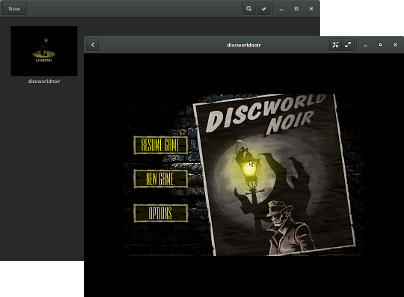
Discworld Noir was a superb adventure game, but is also notoriously unreliable, even in Windows on real hardware; using Wine is just not going to work. After many attempts at bringing it back into working order, I've settled on an approach that seems to work: now that qemu and libvirt have made virtualization and emulation easy, I can run it in a version of Windows that was current at the time of its release. Unfortunately, Windows 98 doesn't virtualize particularly well either, so this still became a relatively extensive yak-shaving exercise. discworldnoir-boxes.jpg These instructions assume that /srv/virt is a suitable place to put disk images, but you can use anywhere you want. The emulated PC After some trial and error, it seems to work if I configure qemu to emulate the following: A modern laptop CPU is an order of magnitude faster than what Discworld Noir needs, so full emulation isn't a problem, despite being inefficient. There is deliberately no networking, because Discworld Noir doesn't need it, and a 17 year old operating system with no privilege separation is very much not safe to use on the modern Internet! Software needed Windows 98 installation It seems to be easiest to do this bit by running qemu-system-i386 manually:
qemu-img create -f qcow2 /srv/virt/discworldnoir.qcow2 30G
qemu-system-i386 -hda /srv/virt/discworldnoir.qcow2 \
    -drive media=cdrom,format=raw,file=/srv/virt/windows98.iso \
    -no-kvm -vga cirrus -m 256 -cpu pentium3 -localtime
Don't start the installation immediately. Instead, boot the installation CD to a DOS prompt with CD-ROM support. From here, run
fdisk
and create a single partition filling the emulated hard disk. When finished, hard-reboot the virtual machine (press Ctrl+C on the qemu-system-i386 process and run it again). The DOS FORMAT.COM utility is on the Windows CD-ROM but not in the root directory or the default %PATH%, so you'll have to run:
d:\win98\format c:
to create the FAT filesystem. You might have to reboot again at this point. The reason for doing this the hard way is that the Windows 98 installer doesn't detect qemu as supporting ACPI. You want ACPI support, so that Windows will issue IDLE instructions from its idle loop, instead of occupying a CPU core with a busy-loop. To get that, boot to a DOS prompt again, and use:
setup /p j /iv
/p j forces ACPI support (Thanks to "Richard S" on the Virtualbox forums for this tip.) /iv is unimportant, but it disables the annoying "billboards" during installation, which advertised once-exciting features like support for dial-up modems and JPEG wallpaper. I used a "Typical" installation; there didn't seem to be much point in tweaking the installed package set when everything is so small by modern standards. Windows 98 has built-in support for the Cirrus VGA card that we're emulating, so after a few reboots, it should be able to run in a semi-modern resolution and colour depth. Discworld Noir apparently prefers a 640 480 16-bit video mode, so right-click on the desktop background, choose Properties and set that up. Audio drivers This is the part that took me the longest to get working. Of the sound cards that qemu can emulate, Windows 98 only supports the SoundBlaster 16 out of the box. Unfortunately, the Soundblaster 16 emulation in qemu is incomplete, and in particular version 2.1 (as shipped in Debian 8) has a tendency to make Windows lock up during boot. I've seen advice in various places to emulate an Eqsonic ES1370 (SoundBlaster AWE 64), but that didn't work for me: one of the drivers I tried caused Windows to lock up at a black screen during boot, and the other didn't detect the emulated hardware. The next-oldest sound card that qemu can emulate is a Realtek AC97, which was often found integrated into motherboards in the late 1990s. This one seems to work, with the "A400" driver bundle linked above. For Windows 98 first edition, you need a driver bundle that includes the old "VXD" drivers, not just the "WDM" drivers supported by Second Edition and newer. The easiest way to get that into qemu seems to be to turn it into a CD image:
genisoimage -o /srv/virt/discworldnoir-drivers.iso WDM_A400.exe
qemu-system-i386 -hda /srv/virt/discworldnoir.qcow2 \
    -drive media=cdrom,format=raw,file=/srv/virt/windows98.iso \
    -drive media=cdrom,format=raw,file=/srv/virt/discworldnoir-drivers.iso \
    -no-kvm -vga cirrus -m 256 -cpu pentium3 -localtime -soundhw ac97
Run the installer from E:, then reboot with the Windows 98 CD inserted, and Windows should install the driver. Installing Discworld Noir Boot up the virtual machine with CD 1 in the emulated drive:
qemu-system-i386 -hda /srv/virt/discworldnoir.qcow2 \
    -drive media=cdrom,format=raw,file=/srv/virt/DWN_ENG_1.iso \
    -no-kvm -vga cirrus -m 256 -cpu pentium3 -localtime -soundhw ac97
You might be thinking "... why not insert all three CDs into D:, E: and F:?" but the installer expects subsequent disks to appear in the same drive where CD 1 was initially, so that won't work. Instead, when prompted for a new CD, switch to the qemu monitor with Ctrl+Alt+2 (note that this is 2, not F2). At the (qemu) prompt, use info block to see a list of emulated drives, then issue a command like
change ide0-cd1 /srv/virt/DWN_ENG_2.iso
to swap the CD. Then switch back to Windows' console with Ctrl+Alt+1 and continue installation. I used a Full installation of Discworld Noir. Transferring the virtual machine to GNOME Boxes Having finished the "control freak" phase of installation, I wanted a slightly more user-friendly way to run this game, so I transferred the virtual machine to be used by libvirtd, which is the backend for both GNOME Boxes and virt-manager:
virsh create discworldnoir.xml
Here is the configuration I used. It's a mixture of automatic configuration from virt-manager, and hand-edited configuration to make it match the qemu-system-i386 command-line. Running the game If all goes well, you should now see a discworldnoir virtual machine in GNOME Boxes, in which you can boot Windows 98 and play the game. Have fun!

14 November 2015

Daniel Pocock: Migrating data from Windows phones

Many of the people who have bought Windows phones seek relief sooner or later. Sometimes this comes about due to peer pressure or the feeling of isolation, in other cases it is the frustration of the user interface or the realization that they can't run cool apps like Lumicall. Frequently, the user has been given the phone as a complimentary upgrade when extending a contract without perceiving the time, effort and potential cost involved in getting their data out of the phone, especially if they never owned a smartphone before. When a Windows phone user does decide to cut their losses, they are usually looking to a friend or colleague with technical expertise to help them out. Personally, I'm not sure that anybody I would regard as an IT expert has ever had a Windows phone though, meaning that many experts are probably also going to be scratching their heads when somebody asks them for help. Therefore, I've put together this brief guide to help deal with these phones more expediently when they are encountered. The Windows phones have really bad support for things like CalDAV and WebDAV so don't get your hopes up about using such methods to backup the data to any arbitrary server. Searching online you can find some hacks that involve creating a Google or iCloud account in the phone and then modifying the advanced settings to send the data to an arbitrary server. These techniques vary a lot between specific versions of the Windows Phone OS and so the techniques I've described below are probably easier. Identify the Windows Live / Hotmail account The user may not remember or realize that a Microsoft account was created when they first obtained the phone. It may have been created for them by the phone, a friend or the salesperson in the phone shop. Look in the settings (Accounts) to find the account ID / email address. If the user hasn't been using this account, they may not recognize it and probably won't know the password for it. It is essential to try and obtain (or reset) the password before going any further, so start with the password recovery process. Microsoft may insist on sending a password reset email to some other email address that the user has previously provided or linked to their phone. Extracting data from the phone In many cases, the easiest way to extract the data is to download it from Microsoft live.com rather than extracting it from the phone. Even if the user doesn't realize it, the data is probably all replicated in live.com and so there is no further loss of privacy by logging in there to extract it. Set up an IMAP mail client An IMAP client will be used to download the user's emails (from the live.com account they may never have used) and SMS. Install Mozilla Thunderbird (IceDove on Debian), GNOME Evolution or a similar program on the user's PC. Configure the IMAP mail client to connect to the live.com account. Some clients, like Thunderbird, will automatically set up all the server details when you enter the live.com account ID. For manual account setup, the details here may help. Email backup If the user was not using the live.com account ID for email correspondence, there may not be a lot of mail in it. There may be some billing receipts or other things that are worth keeping though. Create a new folder (or set of folders) in the user's preferred email account and drag and drop the messages from the live.com Inbox to the new folder(s). SMS backup SMS backup can also be done through live.com. It is slightly more complicated than email backup, but similar.
  • In the live.com Outlook email index page, look for the settings button and click Manage Categories.
  • Enable the Contacts and Photos categories with a tick in each of them.
  • Go back to the main Inbox page and look for the categories section on the bottom left-hand side of the screen, under the folder list. Click the Contacts category.
  • The page may now appear blank. That is normal.
  • On the top right-hand corner of the page, click the Arrange menu and choose Conversation.
  • All the SMS messages should now appear on the screen.
  • Under the mail folders list on the left-hand side of the page, click to create a new folder with a name like SMS.
  • Select all the SMS messages and look for the option to move them to a folder. Send them to the SMS folder you created.
  • Now use the IMAP mail client to locate the SMS folder and copy everything from there to a new folder in the user's preferred mail server or local disk.
Contacts backup On the top left-hand corner of the live.com email page, there is a chooser to select other live.com applications. Select People. You should now see a list of all the user's contacts. Look for the option to export them to Outlook and other programs. This will export them as a CSV file. You can now import the CSV file into another application. GNOME Evolution has an import wizard with an option for Outlook file format. To load the contacts into a WebDAV address book, such as DAViCal, configure the address book in Evolution and then select it as the destination when running the CSV import wizard. WARNING: beware of using the Mozilla Thunderbird address book with contact data from mobile devices and other sources. It can't handle more than two email addresses per contact and this can lead to silent data loss if contacts are not fully saved. Calendar backup Now go to the live.com application chooser again and select the calendar application. Microsoft provides instructions to extract the calendar, summarised here:
  • Look for the Share button at the top somewhere and click it.
  • On the left-hand side of the page, click Get a link
  • On the right-hand side, choose Show event details to ensure you get a full calendar and then click Create underneath it.
  • Look for the link with a webcals prefix. If you are downloading with a tool like wget, change the scheme prefix to https. Fetch the file from this link and save it with an ics extension.
  • Inspect the ics calendar file to make sure it looks like real iCalendar data.
You can now import the ics file into another application. GNOME Evolution has an import wizard with an option for iCalendar file format. To load the calendar entries into a CalDAV server, such as DAViCal, configure the calendar server in Evolution and then select it as the destination when running the import wizard. Backup the user's photos, videos and other data files Hopefully you will be able to do this step without going through live.com. Try enabling the MTP or PTP mode in the phone and attach it to the computer using the USB cable. Hopefully the computer will recognize it in at least one of those modes. Use the computer's file manager or another tool to simply backup the entire directory structure. Reset the phone to factory defaults Once the user has their hands on a real phone, it is likely they will never want to look at that Windows phone again. It is time to erase the Windows phone, there is no going back. Go to the Settings and About and tap the factory reset option. It is important to do this before obliterating the live.com account, otherwise there are scenarios where you could be locked out of the phone and unable to erase it. Erasing may take some time. The phone will reboot and then display an animation of some gears spinning around for a few minutes and then reboot again. Wait for it to completely erase. Permanently close the Microsoft live.com account Keeping track of multiple accounts and other services is tedious and frustrating for most people, especially with services that try to force the user to receive email in different places. You can help eliminate user fatigue by helping them permanently close the live.com account so they never have to worry about it again. Follow the instructions on the Microsoft site. At some point it will suggest certain actions you should take before closing the account, most can be ignored. One thing you should do is remove the link between the live.com account ID and the phone. It is a good idea to do this as otherwise you may have problems erasing the device, if you haven't already done so. Before completely closing the account, also verify that the factory reset of the phone completed successfully. Dispose of the Windows phone safely If you can identify any faults with the phone, the user may be able to return it under the terms of the warranty. Some phone companies may allow the user to exchange it for something more desirable when it fails under warranty. It may be tempting to sell the phone to a complete stranger on eBay or install a custom ROM on it. In practice, neither option may be worth the time and effort involved. You may be tempted to put it beyond use so nobody else will suffer with it, but please try to do so in a way that is respectful of the environment. Putting the data into a new phone Prepare the new phone with a suitable ROM such as Replicant or Cyanogenmod. Install the F-Droid app on the new phone. From F-droid, install the DAVdroid app. DAVdroid will allow you to quickly sync the new phone against any arbitrary CalDAV and WebDAV server to populate it with the user's calendar and contact / address book data. Now is a good time to install other interesting apps like Lumicall, Conversations and K-9 Mail.

13 November 2015

Francois Marier: How Tracking Protection works in Firefox

Firefox 42, which was released last week, introduced a new feature in its Private Browsing mode: tracking protection. If you are interested in how this list is put together and then used in Firefox, this post is for you.

Safe Browsing lists There are many possible ways to download URL lists to the browser and check against that list before loading anything. One of those is already implemented as part of our malware and phishing protection. It uses the Safe Browsing v2.2 protocol. In a nutshell, the way that this works is that each URL on the block list is hashed (using SHA-256) and then that list of hashes is downloaded by Firefox and stored into a data structure on disk:
  • ~/.cache/mozilla/firefox/XXXX/safebrowsing/mozstd-track* on Linux
  • ~/Library/Caches/Firefox/Profiles/XXXX/safebrowsing/mozstd-track* on Mac
  • C:\Users\XXXX\AppData\Local\mozilla\firefox\profiles\XXXX\safebrowsing\mozstd-track* on Windows
This sbdbdump script can be used to extract the hashes contained in these files and will output something like this:
$ ~/sbdbdump/dump.py -v .
- Reading sbstore: mozstd-track-digest256
[mozstd-track-digest256] magic 1231AF3B Version 3 NumAddChunk: 1 NumSubChunk: 0 NumAddPrefix: 0 NumSubPrefix: 0 NumAddComplete: 1696 NumSubComplete: 0
[mozstd-track-digest256] AddChunks: 1445465225
[mozstd-track-digest256] SubChunks:
...
[mozstd-track-digest256] addComplete[chunk:1445465225] e48768b0ce59561e5bc141a52061dd45524e75b66cad7d59dd92e4307625bdc5
...
[mozstd-track-digest256] MD5: 81a8becb0903de19351427b24921a772
The name of the blocklist being dumped here (mozstd-track-digest256) is set in the urlclassifier.trackingTable preference which you can find in about:config. The most important part of the output shown above is the addComplete line which contains a hash that we will see again in a later section.

List lookups Once it's time to load a resource, Firefox hashes the URL, as well as a few variations of it, and then looks for it in the local lists. If there's no match, then the load proceeds. If there's a match, then we do an additional check against a pairwise allowlist. The pairwise allowlist (hardcoded in the urlclassifier.trackingWhitelistTable pref) is designed to encode what we call "entity relationships". The list groups related domains together for the purpose of checking whether a load is first or third party (e.g. twitter.com and twimg.com both belong to the same entity). Entries on this list (named mozstd-trackwhite-digest256) look like this:
twitter.com/?resource=twimg.com
which translates to "if you're on the twitter.com site, then don't block resources from twimg.com. If there's a match on the second list, we don't block the load. It's only when we get a match on the first list and not the second one that we go ahead and cancel the network load. If you visit our test page, you will see tracking protection in action with a shield icon in the URL bar. Opening the developer tool console will expose the URL of the resource that was blocked:
The resource at "https://trackertest.org/tracker.js" was blocked because tracking protection is enabled.

Creating the lists The blocklist is created by Disconnect according to their definition of tracking. The Disconnect list is on their Github page, but the copy we use in Firefox is the copy we have in our own repository. Similarly the Disconnect entity list is from here but our copy is in our repository. Should you wish to be notified of any changes to the lists, you can simply subscribe to this Atom feed. To convert this JSON-formatted list into the binary format needed by the Safe Browsing code, we run a custom list generation script whenever the list changes on GitHub. If you run that script locally using the same configuration as our server stack, you can see the conversion from the original list to the binary hashes. Here's a sample entry from the mozstd-track-digest256.log file:
[m] twimg.com >> twimg.com/
[canonicalized] twimg.com/
[hash] e48768b0ce59561e5bc141a52061dd45524e75b66cad7d59dd92e4307625bdc5
and one from mozstd-trackwhite-digest256.log:
[entity] Twitter >> (canonicalized) twitter.com/?resource=twimg.com, hash a8e9e3456f46dbe49551c7da3860f64393d8f9d96f42b5ae86927722467577df
This in combination with the sbdbdump script mentioned earlier, will allow you to audit the contents of the local lists.

Serving the lists The way that the binary lists are served to Firefox is through a custom server component written by Mozilla: shavar. Every hour, Firefox requests updates from shavar.services.mozilla.com. If new data is available, then the whole list is downloaded again. Otherwise, all it receives in return is an empty 204 response. Should you want to play with it and run your own server, follow the installation instructions and then go into about:config to change these preferences to point to your own instance:
browser.trackingprotection.gethashURL
browser.trackingprotection.updateURL
Note that on Firefox 43 and later, these prefs have been renamed to:
browser.safebrowsing.provider.mozilla.gethashURL
browser.safebrowsing.provider.mozilla.updateURL

Learn more If you want to learn more about how tracking protection works in Firefox, you can find all of the technical details on the Mozilla wiki or you can ask questions on our mailing list. Thanks to Tanvi Vyas for reviewing a draft of this post.

John Goerzen: Memories of a printer

I have a friend who hates printers. I ll call him Mark , because that, incidentally, is his name. His hatred for printers is partly my fault, but that is, ahem, a story for another time that involves him returning from a battle with a printer with a combination of weld dust, toner, and a deep scowl on his face. I also tend to hate printers. Driver issues, crinkled paper, toner spilling all over the place . everybody hates printers. But there is exactly one printer that I have never hated. It s almost 20 years old, and has some stories to tell. Nearly 20 years ago, I was about to move out of my parents house, and I needed a printer. I bought a LaserJet 6MP. This printer ought to have been made by Nokia. It s still running fine, 18 years later. It turned out to be one of the best investments in computing equipment I ve ever made. Its operating costs, by now, are cheaper than just about any printer you can buy today less than one cent per page. It has been supported by every major operating system for years. PostScript was important, because back then running Ghostscript to convert to PCL was both slow and a little error-prone. PostScript meant I didn t need a finicky lpr/lprng driver on my Linux workstation to print. It just printed. (Hat tip to anyone else that remembers the trial and error of constructing an /etc/printcap that would print both ASCII and PostScript files correctly!) Out of this printer have come plane and train tickets, taking me across the country to visit family and across the world to visit friends. It s printed resumes and recipes, music and university papers. I even printed wedding invitations and envelopes on them two years ago, painstakingly typeset in LaTeX and TeXmacs. I remember standing at the printer in the basement one evening, feeding envelope after envelope into the manual feed slot. (OK, so it did choke on a couple of envelopes, but overall it all worked great.) The problem, though, is that it needs a parallel port. I haven t had a PC with one of those in a long while. A few years ago, in a moment of foresight, I bought a little converter box that has an Ethernet port and a parallel port, with the idea that it would be pay for itself by letting me not maintain some old PC just to print. Well, it did, but now the converter box is dying! And they don t make them anymore. So I finally threw in the towel and bought a new LaserJet. It cost a third of what the 6MP did, has a copier, scanner, prints in color, does duplexing, has wifi and, yes, still supports PostScript strangely enough, a deciding factor in going with HP over Brother once again. (The other was image quality) We shall see if I am still using it when I m 50.

Daniel Pocock: How much video RAM for a 4k monitor?

I previously wrote about my experience moving to a 4K monitor. I've been relatively happy with it except for one thing: I found that 1GB video RAM simply isn't sufficient for a stable system. This wasn't immediately obvious as it appeared to work in the beginning, but over time I've observed that it was not sufficient. I'm not using it for gaming or 3D rendering. My typical desktop involves several virtual workspaces with terminal windows, web browsers, a mail client, IRC and Eclipse. Sometimes I use vlc for playing media files. Using the nvidia-settings tool, I observed that the Used Dedicated memory statistic would frequently reach the maximum, 1024MB. On a few occasions, X crashed with errors indicating it was out of memory. After observing these problems, I put another card with 4GB video RAM into the system and I've observed it using between 1024 MB and 1300 MB at any one time. This leaves me feeling that people with only basic expectations for their desktop should aim for at least 2GB video RAM for 4k. That said, I've continued to enjoy many benefits of computing with a 4K monitor. In addition to those mentioned in my previous blog, here are some things that were easier for me with 4K:
  • Using gitk to look through many commits on the master branch of reSIProcate and cherry-pick some things to the resiprocate-1.9 branch. gitk only used half the screen and I was able to use the right hand side of the screen to look at the code in an editor in more detail.
  • Simultaneously monitoring logs from two Android devices running Lumicall and a repro SIP proxy server in three terminal windows arranged side by side, up to 125 lines of text in each.
  • Using WebRTC sites in the Mozilla browser while having a browser console window, source code and SIP proxy logs all open at the same time, none of them overlapping.
You can do much of this with a pair of monitors, but there is something quite nice about doing it all on a single 4K screen.

Daniel Pocock: Building teams around SIP and XMPP in Debian and Fedora

I've recently started a discussion on the Fedora devel mailing list about building a team to collaborate on RTC services (SIP, XMPP, TURN and WebRTC) for the Fedora community. We already started a similar team within Debian. This isn't only for developers or package maintainers and virtually anybody with a keen interest in free software can help. Testing different softphones and putting screenshots on the wiki can help a lot (the Debian wiki already provides some examples). The FedRTC.org site is not intended to be an advertisement for my web design skills and anybody with expertise in design would be very welcome to contribute. Teamwork in this endeavor can provide many benefits:
  • Sharing knowledge about RTC, for use within our communities and also for other communities using the free and open technology
  • Engaging with collaborators who are not involved in packaging teams, for example, the Debian RTC team has also had interest from upstream developers who are not on other Debian or Fedora mailing lists
  • Minimizing the effort required by the system administrators (the DSA team in Debian or Infrastructure team in Fedora) by triaging user problems and planning and testing any proposed changes.
  • Freeing up developer time to work on new features, such as the exciting work I'm doing on telepathy-resiprocate.
There are also many opportunities for project work that go beyond traditional packaging responsibilities. Wouldn't it be interesting to find ways to integrate the publish/subscribe capabilities of SIP and XMPP with the Fedmsg infrastructure? Bringing XMPP to FedoraProject.org We recently launched XMPP for debian.org and it would not be hard to replicate for FedoraProject.org users. Sure, some people are happy running their own XMPP servers. There are just as many people who prefer to focus on development and have something like XMPP provided for them. With the strong emphasis on building a roster/buddy-list, XMPP can also help to facilitate long-term engagement in the community and users may identify more closely with the project. I haven't offered XMPP on the FedRTC.org trial service because it would be inconvenient for people to migrate buddy lists to the FedoraProject.org domain when the service is officially adopted. Collaboration across communities There are various other places where we can share knowledge between teams in different communities and people are invited to participate. The Free-RTC mailing list is a great place to discuss free RTC strategies and initiatives. The XMPP operators mailing list provides a forum to discuss operational issues in the XMPP space, such as keeping out the spammers. Would you like to participate? Please consider joining some of the mailing lists I've mentioned, replying to the thread on the Fedora devel mailing list, volunteering for the Debian RTC team or emailing me personally.

Raphaël Hertzog: Freexian s report about Debian Long Term Support, October 2015

A Debian LTS logoLike each month, here comes a report about the work of paid contributors to Debian LTS. Individual reports In September, 85.50 work hours have been dispatched among 8 paid contributors. Their reports are available: Evolution of the situation November crossed a new record with 114.5 hours funded. This is mainly thanks to our first Platinum sponsor: TOSHIBA (through Toshiba Software Development Vietnam). They don t know yet if they can sponsor us in the long term (they hope so), but it s still a nice news as we jumped from 50% to 65% of the objective of the equivalent of a full-time position with a single new sponsor. Currently no change is expected for next month as we don t have any other new sponsor in the process of joining us. We still need more support to be able to support all the packages we could not afford to support during the squeeze cycle. We are currently discussing which package we can or cannot support on the LTS list, see the thread Unsupported packages for Wheezy LTS for the current situation. In terms of security updates waiting to be handled, the situation is close to last month: the dla-needed.txt file lists 21 packages awaiting an update (6 more than last month), the list of open vulnerabilities in Squeeze shows about 23 affected packages in total (exactly like last month). Thanks to our sponsors The new sponsors are in bold.

No comment Liked this article? Click here. My blog is Flattr-enabled.

11 November 2015

Bits from Debian: New Debian Developers and Maintainers (September and October 2015)

The following contributors got their Debian Developer accounts in the last two months: The following contributors were added as Debian Maintainers in the last two months: Congratulations!

Kees Cook: evolution of seccomp

I m excited to see other people thinking about userspace-to-kernel attack surface reduction ideas. Theo de Raadt recently published slides describing Pledge. This uses the same ideas that seccomp implements, but with less granularity. While seccomp works at the individual syscall level and in addition to killing processes, it allows for signaling, tracing, and errno spoofing. As de Raadt mentions, Pledge could be implemented with seccomp very easily: libseccomp would just categorize syscalls. I don t really understand the presentation s mention of Optional Security , though. Pledge, like seccomp, is an opt-in feature. Nothing in the kernel refuses to run unpledged programs. I assume his point was that when it gets ubiquitously built into programs (like stack protector), it s effectively not optional (which is alluded to later as comprehensive applicability ~= mandatory mitigation ). Regardless, this sensible (though optional) design gets me back to his slide on seccomp, which seems to have a number of misunderstandings: OpenBSD has some interesting advantages in the syscall filtering department, especially around sockets. Right now, it s hard for Linux syscall filtering to understand why a given socket is being used. Something like SOCK_DNS seems like it could be quite handy. Another nice feature of Pledge is the path whitelist feature. As it s still under development, I hope they expand this to include more things than just paths. Argument inspection is a weak point for seccomp, but under Linux, most of the arguments are ultimately exposed to the LSM layer. Last year I experimented with creating a seccomp LSM for path matching where programs could declare whitelists, similar to standard LSMs. So, yes, Linux could match this API on seccomp . It d just take some extensions to libseccomp to implement pledge(), as I described at the top. With OpenBSD doing a bunch of analysis work on common programs, it d be excellent to see this usable on Linux too. So far on Linux, only a few programs (e.g. Chrome, vsftpd) have bothered to do this using seccomp, and it could be argued that this is ultimately due to how fine grained it is.

2015, Kees Cook. This work is licensed under a Creative Commons Attribution-ShareAlike 3.0 License.
Creative Commons License

10 November 2015

Jaldhar Vyas: Happy Diwali and Sal Mubarak 2072

Wishing you all a happy Diwali and Gujarati New Year (V.S. 2072 called Plavanga.)Instead of being something sane like a flat disk supported by four elephants standing on a tortoise, the Earth is an oblate spheroid in heliocentric orbit. The Moon too offends by maintaining an unreasonably non-epicyclic orbit. Combined this means that the Americas (plus Iceland if there any Hindus there) observe Diwali today whereas in India and the rest of the world it is tomorrow. Technically in these longitudes the Ashvayuja amavasya tithi pervades both Tuesday and Wednesday but as Lakshmi Puja takes place at the pradosha kala it means it should be celebrated today though no doubt most of the non-astronomically minded people will just follow India any way. The New Year is on Thursday all over the world.Regardless of when you celebrate, may your year be full of happiness, good fortune and prosperity.

Norbert Preining: Music check: Google versus Apple Is that all? You can do better, Google!

Ok, I have been an iPhone user since I moved to Japan and got my first smart-phone ever. First a 3s, then a 4s, then a 5s that I dropped into the toilet, so I switched the SIM back into the 4s to have a working phone. Furthermore, I am a heavy music listener and used iTunes Radio for 3 months. Since I am planning to change phones to an Android phone (being fed up with Apple s super-closed environment), I tried out Google Music Plus for about 3 months, too. Here is my verict Google Music is a big pain, far from iTunes in comfort and user friendliness. music-check-google-vs-apple My move to Android is not very much in danger. General description of the service In principle, iTunes Radio and Google Music Subscription do the same things: There are slight differences, that often create confusion, especially with Apple s services: If you are only signed in, you can listen to music stations and can skip some music (limited), but you cannot listen to arbitrary songs from the whole Apple Music library. Then there is another service from Apple, called iTunes Match, that only allows you to upload your music library to the cloud, but other than that again only listening to normal radio stations. Google Music is much simpler, there are only two options: By default it is free to have your music (up to 25000 songs) in the cloud, but if you want to listen to radio stations or any other music in the Google music store, you need a subscription. Prizes and features overview:
Apple Google
No subscription iTunes Match iTunes Radio No subscription With subscription
Prize 0 25$/year 10$/month 0 10$/month
(early access 8$)
Cloud space 0 100000 25000
Extra service Radio stations Radio stations Radio/all music Nothing Radio/all music
Music on the go the application Let us first consider the applications provided to listen to music on your smart phone: Apple Music can of course only be used on Apple devices, and uses the built-in Music application. Start up time is about a few seconds after a cold boot (all on my 4s), and music streaming starts with hardly any delay. Responsiveness is good, and the user interface is clear and easy. Google s application is available on iOS and Android. I have tested the latest version on iOS, but it is a pain in the butt: Managing your library Here iTunes is the way to go, bit of a pain when using Linux, but there are other reasons I have a Windows installation in parallel, so I don t mind to boot now and then into Windows. iTunes gives you very powerful tools to change all kind of data. Google gives you a few options: Use your iTunes library in this case all your playlists and ratings (but see later) are also uploaded. I am not sure what happens if I retag a song in iTunes, or change anything else in there. I guess the song will not be re-uploaded, but who knows for sure. Furthermore, you can edit your library via the web interface, but this is rather poor. Searching your library Over times your library grows and there are hundreds if not thousands of artists. So you want to search them. The natural way would be to scroll to the first letter of the artist you are searching, and then look it up. Well, that works perfectly in both Apple s and Google s application unless you are having artists written in some strange script like Japanese or Korean. iTunes allows you to set a field called something like Artist name for sorting , which allows me to put for example or into the artist field, and into the sort field Tomokawa Kazuki and Kim Doo Soo . This way I find the artists in the correct place. Google on the other hand uses simple Unicode order sorting how could you do that? This is simply plain wrong, and everyone should know that by now. Japanese people will never be able to find anything in their list. And in contrast to Goole Contacts Google Music does not support phonetic name fields (similar to the order sort artist) for artists. What I had to do now is to rename all the artists to include first the phonetic name, followed by the proper name, like in Tomokawa Kazuki ( ) . Something I strongly detest! Radio stations I might have a slightly peculiar music taste, but the radio stations mixed by Google are simply a pain. The reason is easy to explain: I live in Japan, and so what Google does is mixing about 80% of J-Pop into the radio, all those happy yodeling girlies I really dislike (see my Anti J-Pop campaign for alternatives yes, they do exist also in Japan!). iTunes radio is here more relaxed it seems. I appreciate Google s trial to cater to local (dis)taste, but besides voting down each and every song I hear I don t see any other option. And honestly, I cannot go through all this voting down without dying from pain inflicted by J-Pop. Other than this, the two radio stations are probably more or less the same but as I said, due to the local colorit it is hard to compare. Rating Ohhh, what a dire point. So there you have you well curated iTunes library with 5-star ratings. I used the ratings in a way that those songs I like get 1 star, those I even like more get 2 stars, and my absolute favorites got 5 stars. I didn t do any negative ratings. iTunes/iOS Music app allows you to easily adjust rating, and they are synced between devices. All as you would expect. Now for Google they did have a 5-star rating system at some time, but:
Thank you for your feedback. We ve decided to remove the 5-star Rating lab. This decision wasn t made lightly, but Thumbs Up/Down is integral for the future vision for Play Music and will be a central design point for our future releases. Please note that we ll continue to store your ratings that you ve set via the star lab or via iTunes, and we ll translate them to thumbs up/down (1-2 stars = thumbs down, 4-5 stars = thumbs up).
Here we go with the move to a new design they threw away the 5-star system, without any reason but integral for future vision rubbish sales speak. Besides being a very very poor rating system to have only an up and down (good-bad-don t care), the translation from my rating system to the thumbs up-down is just plain wrong. <rant>
Why on earth is the current movement to reduce functionality and rob users of control? Gnome 3 is the prime example of how we stupiditize users by taken any freedom from them in the name of simple design. Google now does the same. I am so sick of getting patronized this way, so Gnome3 was completely banished from my computer and replaced by Cinnamon, which uses the same (good) underlying technique, but takes users seriously!
</rant> Overall verdict As much as I would like to see Google Music a valid alternative to iTunes, by now it makes the impression of a quickly hacked together rotten piece of code that tries to get a share of the market without providing equivalent service. Google is using its market presence and convenience to convert people, not features and quality. I can only hope that this changes in the future. That still leaves me with the question move to Android or remain with iOS

9 November 2015

Jonathan McDowell: The Joy of Recruiters

Last week Simon retweeted a link to Don t Feed the Beast the Great Tech Recruiter Infestation. Which reminded me I d been meaning to comment on my own experiences from earlier in the year. I don t entertain the same level of bile as displayed in the post, but I do have a significant level of disappointment in the recruitment industry. I had conversations with 3 different agencies, all of whom were geographically relevant. One contacted me, the other 2 (one I d dealt with before, one that was recommended to me) I contacted myself. All managed to fail to communicate with any level of acceptability. The agency hat contacted me eventually went quiet, after having asked if they could put my CV forward for a role and pushing very hard about when I could interview. The contact in the agency I d dealt with before replied to say I was being passed to someone else who would get in contact. Who of course didn t. And the final agency, who had been recommended, passed me between 3 different people, said they were confident they could find me something, and then went dark except for signing me up to their generic jobs list which failed to have anything of relevance on it. As it happens my availability and skill set were not conducive to results at that point in time, so my beef isn t with the inability to find a role. Instead it s with the poor levels of communication presented by an industry which seems, to me, to have communication as part of the core value it should be offering. If anyone had said at the start Look, it s going to be tricky, we ll see what we can do or Look, that s not what we really deal in, we can t help , that would have been fine. I m fine with explanations. I get really miffed when I m just left hanging. I d love to be able to say I ll never deal with a recruiter again, but the fact of the matter is they do serve a purpose. There s only so far a company can get with word of mouth recruitment; eventually that network of personal connections from existing employees who are considering moving dries up. Advertising might get you some more people, but it can also result in people who are hugely inappropriate for the role. From the company point of view recruiters nominally fulfil 2 roles. Firstly they connect the prospective employer with a potentially wider base of candidates. Secondly they should be able to do some sort of, at least basic, filtering of whether a candidate is appropriate for a role. From the candidate point of view the recruiter hopefully has a better knowledge of what roles are out there. However the incentives to please each side are hugely unbalanced. The candidate isn t paying the recruiter. If you re not paying for it, you re the product may be bandied around too often, but I believe this is one of the instances where it s very applicable. A recruiter is paid by their ability to deliver viable candidates to prospective employers. The delivery of these candidates is the service. Whether or not the candidate is happy with the job is irrelevant beyond them staying long enough that the placement fee can be claimed. The lengthy commercial relationship is ideally between the company and the recruitment agency, not the candidate and the agency. A recruiter wants to be able to say Look at the fine candidate I provided last time, you should always come to me first in future . There s a certain element of wanting the candidate to come back if/when they are looking for a new role, but it s not a primary concern. It is notable that the recommendations I d received were from people who had been on the hiring side of things. The recruiter has a vested interest in keeping the employer happy, in the hope of a sustained relationship. There is little motivation for keeping the candidate happy, as long as you don t manage to scare them off. And, in fact, if you scare some off, who cares? A recruiter doesn t get paid for providing the best possible candidate. Or indeed a candidate who will fully engage with the role. All they re required to provide is a hire-able candidate who takes the role. I m not sure what the resolution is to this. Word of mouth only scales so far for both employer and candidate. Many of the big job websites seem to be full of recruiters rather than real employers. And I m sure there are some decent recruiters out there doing a good job, keeping both sides happy and earning their significant cut. I m sad to say I can t foresee any big change any time soon. [Note I m not currently looking for employment.] [No recruitment agencies were harmed in the writing of this post. I have deliberately tried to avoid outing anyone in particular.]

Mike Gabriel: Making appindicators available for non-Ubuntu platforms

As many (Debianic) people possibly know, the appindicator support (libindicator, libappindicator, etc.) in Debian is very weak and outdated. Various native indicators (e.g. indicator-* packages , where * is "datetime", "sound", "session", etc.) are missing or unmaintained in Debian and neither is the indicator-application service available (a service that allows other applications e.g., like the nm-applet tool to dock to the indicator area of the desktop's panel bar). Furthermore, no recent appindicator related uploads have been seen in Debian (last seen uploads are from 2013). I recently e-mailed with Andrew Starr-Bochicchio, one of the Ayatana Packaging team members, about the current Debian status of indicator packages specifically and Ayatana packages [1] in general. The below information summarizes (I hope) what I got from the mail exchange: read more

Daniel Pocock: debian.org RTC: announcing XMPP, SIP presence and more

Announced 7 November 2015 on the debian-devel-announce mailing list. The Debian Project now has an XMPP service available to all Debian Developers. Your Debian.org email identity can be used as your XMPP address. The SIP service has also been upgraded and now supports presence. SIP and XMPP presence, rosters and messaging are not currently integrated. The Lumicall app has been improved to enable rapid setup for Debian.org SIP users. This announcement concludes the maintenance window on the RTC services. All services are now running on jessie (using packages from jessie-backports). XMPP and SIP enable a whole new world of real-time multimedia communications possibilities: video/webcam, VoIP, chat messaging, desktop sharing and distributed, federated communication are the most common use cases. Details about how to get started and get support are explained in the User Guide in the Debian wiki. As it is a wiki, you are completely welcome to help it evolve. Several of the people involved in the RTC team were also at the Cambridge mini-DebConf (7-8 November). The password for all these real time communication services can be set via the LDAP control panel. Please note that this password needs to be different to any of your other existing debian.org passwords. Please use a strong password and please keep it secure. Some of the infrastructure, like the TURN server, is shared by clients of both SIP and XMPP. Please configure your XMPP and SIP clients to use the TURN server for audio or video streaming to work most reliably through NAT. A key feature of both our XMPP and SIP services is that they support federated inter-connectivity with other domains. Please try it. The FedRTC service for Fedora developers is one example of another SIP service that supports federation. For details of how it works and how we establish trust between domains, please see the RTC Quick Start Guide. Please reach out to other communities you are involved with and help them consider enabling SIP and XMPP federation of their own communities/domains: as Metcalfe's law suggests, each extra person or community who embraces open standards like SIP and XMPP has far more than just an incremental impact on the value of these standards and makes them more pervasive. If you are keen to support and collaborate on the wider use of Free RTC technology, please consider joining the Free RTC mailing list sponsored by FSF Europe. There will also be a dedicated debian-rtc list for discussion of these technologies within Debian and derivatives. This service has been made possible by the efforts of the DSA team in the original SIP+WebRTC project and the more recent jessie upgrades and XMPP project. Real-time communications systems have specific expectations for network latency, connectivity, authentication schemes and various other things. Therefore, it is a great endorsement of the caliber of the team and the quality of the systems they have in place that they have been able to host this largely within their existing framework for Debian services. Feedback from the DSA team has also been helpful in improving the upstream software and packaging to make them convenient for system administrators everywhere. Special thanks to Peter Palfrader and Luca Filipozzi from the DSA team, Matthew Wild from the Prosody XMPP server project, Scott Godin from the reSIProcate project, Juliana Louback for her contributions to JSCommunicator during GSoC 2014, Iain Learmonth for helping get the RTC team up and running, Enrico Tassi, Sergei Golovan and Victor Seva for the Prosody and prosody-modules packaging and also the Debian backports team, especially Alexander Wirt, helping us ensure that rapidly evolving packages like those used in RTC are available on a stable Debian system.

8 November 2015

Andrew Cater: Debian MiniConf Cambridge - ARM, November 8 0930

Auditorium fairly full - waiting for Bits from the DPL talk to kick off proceedings.

Thanks to ARM staff for getting me in, sat down, with coffee and ready to blog. Front desk friendly as ever ... and here we go.

Daniel Pocock: Problems observed during Cambridge mini-DebConf RTC demo

A few problems were observed during the demo of RTC services at the Cambridge mini-DebConf yesterday. As it turns out, many of them are already documented and solutions are available for some of them. Multiple concurrent SIP registrations I had made some test calls on Friday using rtc.debian.org and I still had the site open in another tab in another browser window. When people tried to call me during the demo, both tabs were actually ringing but only one was visible. When a SIP client registers, the SIP registration server sends it a list of all other concurrent registrations in the response message. We simply need to extend JSCommunicator to inspect the response message and give some visual feedback about other concurrent registrations. Issue #69. SIP also provides a mechanism to clear concurrent registrations and that could be made available with a button or configuration option too (Issue #9). Callee hears ringing before connectivity checks completed The second issue during the WebRTC demo was that the callee (myself) was alerted about the call before the ICE checks had been performed. The optimal procedure to provide a slick user experience is to run the connectivity checks before alerting the callee. If the connectivity checks fail, the callee should never be alerted with a ringing sound and would never know somebody had tried to call. The caller would be told that the call was unable to be attempted and encouraged to consider trying again on another wifi network. RFC 5245 recommends that connectivity checks should be done first but it is not mandatory. One reason this is problematic with WebRTC is the need to display the pop-up asking the user for permission to share their microphone and webcam: the popup must appear before connectivity checks can commence. This has been discussed in the JsSIP issue tracker. Non-WebRTC softphones, such as Lumicall, do the connectivity checks before alerting the callee. Dealing with UDP blocking It appears the corporate wifi network in the venue was blocking the UDP packets so the connectivity checks could never complete, not even using a TURN server to relay the packets. People trying to use the service on home wifi networks, in small offices and mobile tethering should not have this problem as these services generally permit UDP by default. Some corporate networks, student accommodation and wifi networks in some larger hotels have blocked UDP and in these cases, additional effort must be made to get through the firewall. The TURN server we are running for rtc.debian.org also supports a TLS transport but it simply isn't configured yet. At the time we originally launched the WebRTC service in 2013, the browsers didn't support TURN over TLS at all but now they do. This is probably the biggest problem encountered during the demo but it does not require any code change to resolve this, just configuration, so a solution is well within reach. During the demo, we worked around the issue by turning off the wifi on my laptop and using tethering with a 4G mobile network. All the calls made successfully during the demo used the tethering solution. Add a connectivity check timeout The ICE connectivity checks appeared to keep running for a long time. Usually, if UDP is not blocked, the ICE checks would complete in less than two seconds. Therefore, the JavaScript needs to set a timeout between two and five seconds when it starts the checks and give the user a helpful warning about their network problems if the timeout is exceeded. Issue #73 in JSCommunicator. While these lengthy connectivity checks appear disappointing, it is worth remembering that this is an improvement over the first generation of softphones: none of them made these checks at all, they would simply tell the user the call had been answered but audio and video would only be working in one direction or not at all. Microphone issues One of the users calling into the demo, Juliana, was visible on the screen but we couldn't hear her. This was a local audio hardware issue with her laptop or headset. It would be useful if the JavaScript could provide visual feedback when it detects a voice (issue #74) and even better, integrating with the sound settings so that the user can see if the microphone is muted or the gain is very low (issue #75). Thanks to participants in the demo I'd like to thank all the participants in the demo, including Juliana Louback who called us from New York, Laura Arjona who called us from Madrid, Daniel Silverstone who called from about three meters away in the front row and Iain Learmonth who helped co-ordinate the test calls over IRC. Thanks are also due to Steve McIntyre, the local Debian community, ARM and the other sponsors for making another mini-DebConf in the UK this year.

7 November 2015

Mart n Ferrari: Tales from the SRE trenches: Coda

This is the fifth -and last- part in a series of articles about SRE, based on the talk I gave in the Romanian Association for Better Software. Previous articles can be found here: part 1, part 2, part 3, and part 4.

Other lessons learned Apart from these guidelines for SRE I have described in previous posts, there were a few other practices I learned at google that I believe could benefit most operations teams out there (and developers too!).

Automate everything It's worth repeating, it is not sustainable to do things manually. When your manual work grows linearly with your usage, either your service is not growing enough, or you will need to hire more people than there are available in the market.

Involve Ops in systems design Nobody knows better than Ops the challenges of a real production environment, getting early feedback from your operations team can save you a lot of trouble down the road. They might give you insights about scalability, capacity planning, redundancy, and the very real limitations of hardware.

Give Ops time and space to innovate If there is so much emphasis on limiting the amount of operational load put on SRE, that freed time is not only used for creating monitoring dashboards or writing documentation. As I said in the beginning, SRE is an engineering team. And when engineers are not running around putting fires off all day long, they get creative. Many interesting innovations come from SREs even when there is no requirement for them.

Write design documents Design documents are not only useful for writing software. Fleshing out the details of any system on paper is a very useful way to find problems early in the process, communicate with your team exactly what are you building, and convince them why it is a great idea.

Review your code, version your changes This is something that is ubiquitous at Google, and not exclusive to SRE: everything is committed into source control: big systems, small scripts, configuration files. It might not seem worth it at the beginning, but having complete history of all your production environment is invaluable. And with source control, another rule comes into play: no change is committed without first being reviewed by a peer. It can be frustrating having to find a reviewer and wait for the approval for every small change, and some times reviews will be suboptimal, but once you get used to it, the benefits greatly out-weights any annoyances.

Before touching, measure Monitoring is not only for sending alerts, it is an essential tool of SRE. It allows you to gauge your availability, evaluate trends, forecast growth, perform forensic analysis. Also very importantly, it should give you the data needed to take decisions based on reality and not on guesses. Before optimising, find really where the bottleneck is; do not decide which database instance to use until you saw the utilisation of the past few months, etc. And speaking of that... We really need to have a chat about your current monitoring system. But that's for another day.
I hope I did not bore you too much with these walls of text! Some people told me directly they were enjoying these posts, so soon I will be writing more about related topics. In particular I would like to write about modern monitoring and Prometheus. I would love to hear your comments, questions, and criticisms. Comment

Andrew Cater: Debian miniconf, Cambridge - ARM, 1430 7 November

A couple of good quick lightning talks from Dmitri Ledkovs, Daniel Silverstone and Phil Hands

A good talk on mass-deployment of Debian for Durham University's workstations. Cue a small huddle of people talking similar topics and exchanging useful information

Lars Wirzenius is now talking about how to speed up Obnam, his backup program.

Auditorium in silence - some of us heads down, hunched over laptops, but laptop keyboards are silent these days.

6 November 2015

Matthew Garrett: Why improving kernel security is important

The Washington Post published an article today which describes the ongoing tension between the security community and Linux kernel developers. This has been roundly denounced as FUD, with Rob Graham going so far as to claim that nobody ever attacks the kernel.

Unfortunately he's entirely and demonstrably wrong, it's not FUD and the state of security in the kernel is currently far short of where it should be.

An example. Recent versions of Android use SELinux to confine applications. Even if you have full control over an application running on Android, the SELinux rules make it very difficult to do anything especially user-hostile. Hacking Team, the GPL-violating Italian company who sells surveillance software to human rights abusers, found that this impeded their ability to drop their spyware onto targets' devices. So they took advantage of the fact that many Android devices shipped a kernel with a flawed copy_from_user() implementation that allowed them to copy arbitrary userspace data over arbitrary kernel code, thus allowing them to disable SELinux.

If we could trust userspace applications, we wouldn't need SELinux. But we assume that userspace code may be buggy, misconfigured or actively hostile, and we use technologies such as SELinux or AppArmor to restrict its behaviour. There's simply too much userspace code for us to guarantee that it's all correct, so we do our best to prevent it from doing harm anyway.

This is significantly less true in the kernel. The model up until now has largely been "Fix security bugs as we find them", an approach that fails on two levels:

1) Once we find them and fix them, there's still a window between the fixed version being available and it actually being deployed
2) The forces of good may not be the first ones to find them

This reactive approach is fine for a world where it's possible to push out software updates without having to perform extensive testing first, a world where the only people hunting for interesting kernel vulnerabilities are nice people. This isn't that world, and this approach isn't fine.

Just as features like SELinux allow us to reduce the harm that can occur if a new userspace vulnerability is found, we can add features to the kernel that make it more difficult (or impossible) for attackers to turn a kernel bug into an exploitable vulnerability. The number of people using Linux systems is increasing every day, and many of these users depend on the security of these systems in critical ways. It's vital that we do what we can to avoid their trust being misplaced.

Many useful mitigation features already exist in the Grsecurity patchset, but a combination of technical disagreements around certain features, personality conflicts and an apparent lack of enthusiasm on the side of upstream kernel developers has resulted in almost none of it landing in the kernels that most people use. Kees Cook has proposed a new project to start making a more concerted effort to migrate components of Grsecurity to upstream. If you rely on the kernel being a secure component, either because you ship a product based on it or because you use it yourself, you should probably be doing what you can to support this.

Microsoft received entirely justifiable criticism for the terrible state of security on their platform. They responded by introducing cutting-edge security features across the OS, including the kernel. Accusing anyone who says we need to do the same of spreading FUD is risking free software being sidelined in favour of proprietary software providing more real-world security. That doesn't seem like a good outcome.

comment count unavailable comments

5 November 2015

Gunnar Wolf: WTF @omarfayad Should *all* computer activity be illegal now? #LeyFayad

Last week, Senator Omar Fayad presented one of the prime examples of a poorly redacted law that, if enacted, will make basically any way of computer use illegal. And yes, even if he states this is merely a draft, it has so many factual and conceptual errors that there is no way to trust sanity can be regained at any point. Oh, and before I continue with this rant: If the topic interests you, I suggest you to read the 10 key points about Ley Fayad, the worst Internet initiative in history, published by r3d.mx. [update] An English equivalent of the work at r3d, at revolution-news.com: #LeyFayad: The Worst Bill in Internet History The full text (in Spanish, of course) for the law initiative is available at the Senate webpage; the law will be called Ley Federal para Prevenir y Sancionar los Delitos Inform ticos (Federal law to prevent and punish informatic felonies<) A bad name to start with, as there are many laws already in that contested area. I started reading with the preamble (Exposici n de motivos), which already shows bad signs of imprecise redaction and is plagued with factual errors (i.e. asserting that the real danger stems from the Web migrating to the Web 2.0, from which stems that this migration and not any previous one. Or by stating that (quoting+translating a full paragraph):
Activities such as electronic commerce, digital periodism, publicity and the opinions, messages or elements written in social networks can lead to patrimonial, reputation, honor or professional activity losses for people.
He continues by stating that only 16% of the countries have some kind of cybersecurity strategy (and, of course, Mexico doesn't). That... Well, is very hard to believe, as Mexico has two separate policial groups devoted to cybersecurity, and laws regulating from electronic signatures, commerce, identity, privacy, use and abuse, and a long list. Of course, as most law proposals go, it quickly decays into a dry, boring document... And I must admit I didn't fully read it, but picked here and there. I won't copy in full the note I mentioned at the beginning at r3d.mx, but will continue with some strange points, such as:
Article 16
Every person that, without the corresponding authorization or exceeding the authorization confered, accesses, intercepts, interfers or uses an information system, will be punished by one to eight years of prision and fined by 800 to 1000 days of minimum wage
So, yes, borrowing your computer without getting explicit permission, or playing around with the options in kiosks, or tons of whatever we curious people do with systems we encounter are basis for jail. (And yes, fines in this country are expressed in "days of minimum wage", which goes at ~MX$70 per day, which is ~US$4). But it gets funkier quickly:
Article 17
Whoever fraudulently destroys, disables, damages or in any way alters the working of an informatic system or any of its components, will be punished by fice to fifteen years of jail and fined by up to a thousand minimum wage days The same punishment will be given to whoever, without authorization, destroys, damages, modifies, divulges, transfers or disables information contained in any Informatic System or any of its components. The punishment will be ten to twenty years in prision and a fine of up to a thousand days of minimum wage if the effects here mentioned are done by the creation, introduction or fraudulent transmission, by any means, of an informatic weapon or malicious code
This law is meant to protect against cyberfelonies, if such a thing exists. However, here we are putting at risk people even for accidental equipment destructions. I dropped your portable hard disk with my elbow off the table? Accuse me of acting fraudulently, and I'm up for a serious jail time. And yes, laws are meant to be interpreted... And I don't want to be at the receiving end of this one! In this last article, Fayad mentions informatic weapons, which are defined in the preamble as any informatic program, informatic system, or in general, any device or material created or designed with the purpose of committing an informatic crime. So the very next article makes me, as it should make all of my fellow students and researchers, very uneasy:
Article 18
Whoever uses informatic weapons or malicious code will be imprisioned by two to six years, and fined with 200 to 500 days of minimum wage.
Article 19
Whoever builds, distributes, commerces with informatic weapons or malicious codes will be punished by three to seven years of prision and 200 to 500 days of minimum wage.
If we need to analyze malware for our classes (or for paid work, or as a hobby), we clearly fall in article 18. If we write something that can be classified as malware (without even releasing it, as an academic excercise only!), we are covered by article 19. If I give my students code that's known to be malicious (which could be as inofensive as linking to a well-known Web comic), I'm also covered by article 19. I'll jump all the way to article 31 (reproduced only partially):
Article 31
Whoever, by any means, creates, captures, records, copies, alters, duplicates, clones or deletes the information contained in a credit or debit card (...) will be punished by 8 to 14 years of prision and 300 to 500 days of minimum wage. (...)
This clearly disincentivates any way of e-commerce. When I try to buy anything online, I have to capture+copy my (rightfully owned) credit card data. The services provider has to copy, process and then delete said information. Any e-transaction is punished by jail! Well... But thinking about this again, maybe I shouldn't be so worried about the malware distribution issue at my classes. There are clearer and more contundent articles. Say...
Article 35
Whoever convenes, organizes, is part of, or executes a cibernetic attack, will be punished by 20 to 30 years of prision and fined with 100 to 1000 days of minimum wage
Of course we have convened, organized, been part of and executed cibernetic attacks at the computer security lab at ESIME. Why would there be such a lab otherwise? Then, there are clear indications that the Senator didn't understand the topic his team was working on:
Article 37
Who manipulates the digital seals used by command of the public authority will be punished with 240 days of community work
Now... What is a digital seal? It's not a phisical one that does not allow opening the doors to a business found at fault, but something that just proves a document is legitimate and pristine. How can I manipulate them? Of course, if the seals are MD5-based, I can easily forge them (and SHA1-based, it seems they will be broken enough soon to be considered no longer trustable)... But that's about it! And there is more, lots more. I'm swamped with work, and have to get back to it. But chapters the following chapters have a lot of potential for finding holes. PS - And yes, the only use I do of Twitter is via the headlines in my blog ;-) [update] Ley Fayad is dead, yay! \o/ The senator withdrew the proposal.

Next.

Previous.


