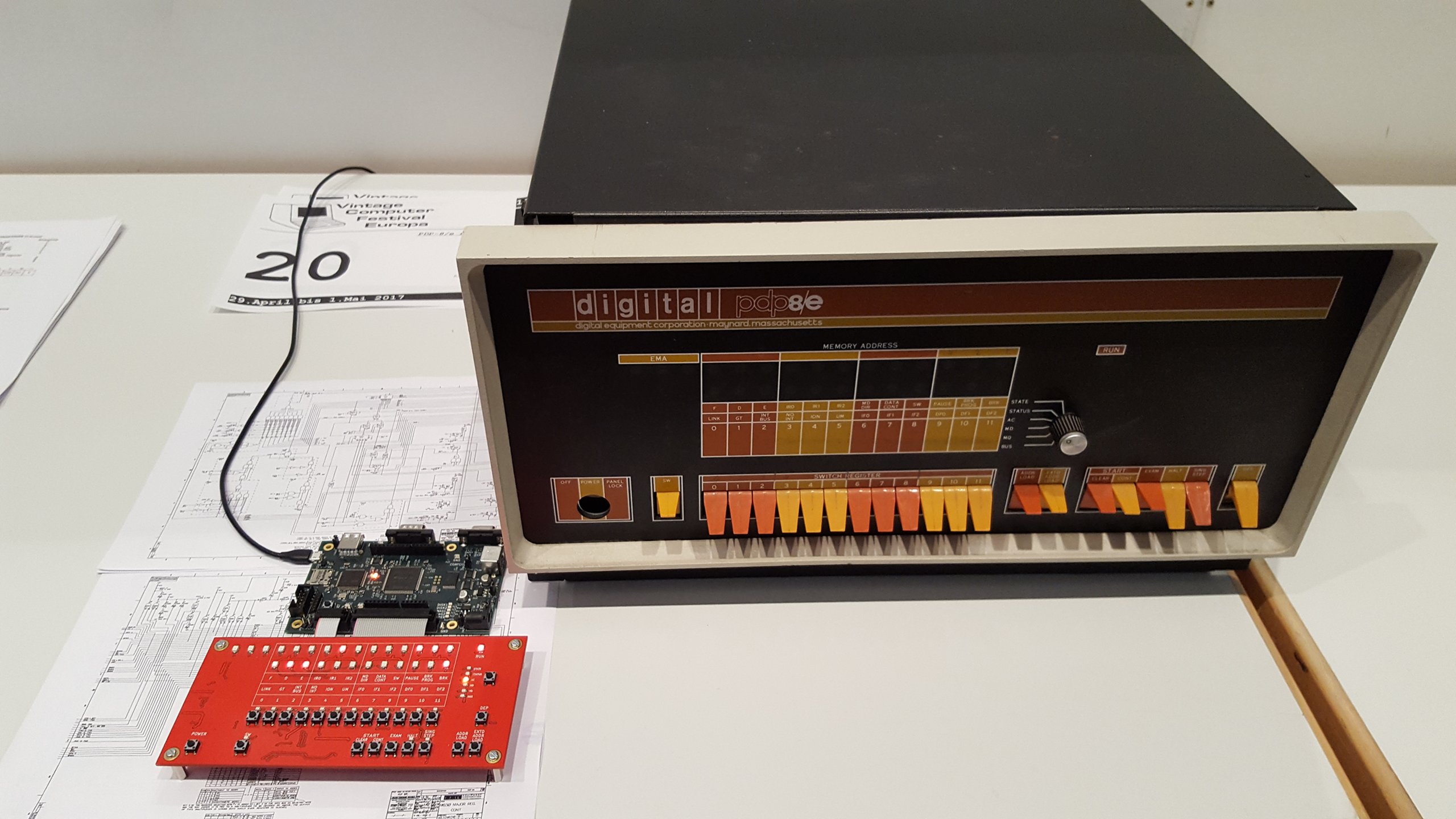
Andreas Bombe: PDP-8/e Replicated Overview
This is an overview of the hardware and internals of the
PDP-8/e replica I m building.
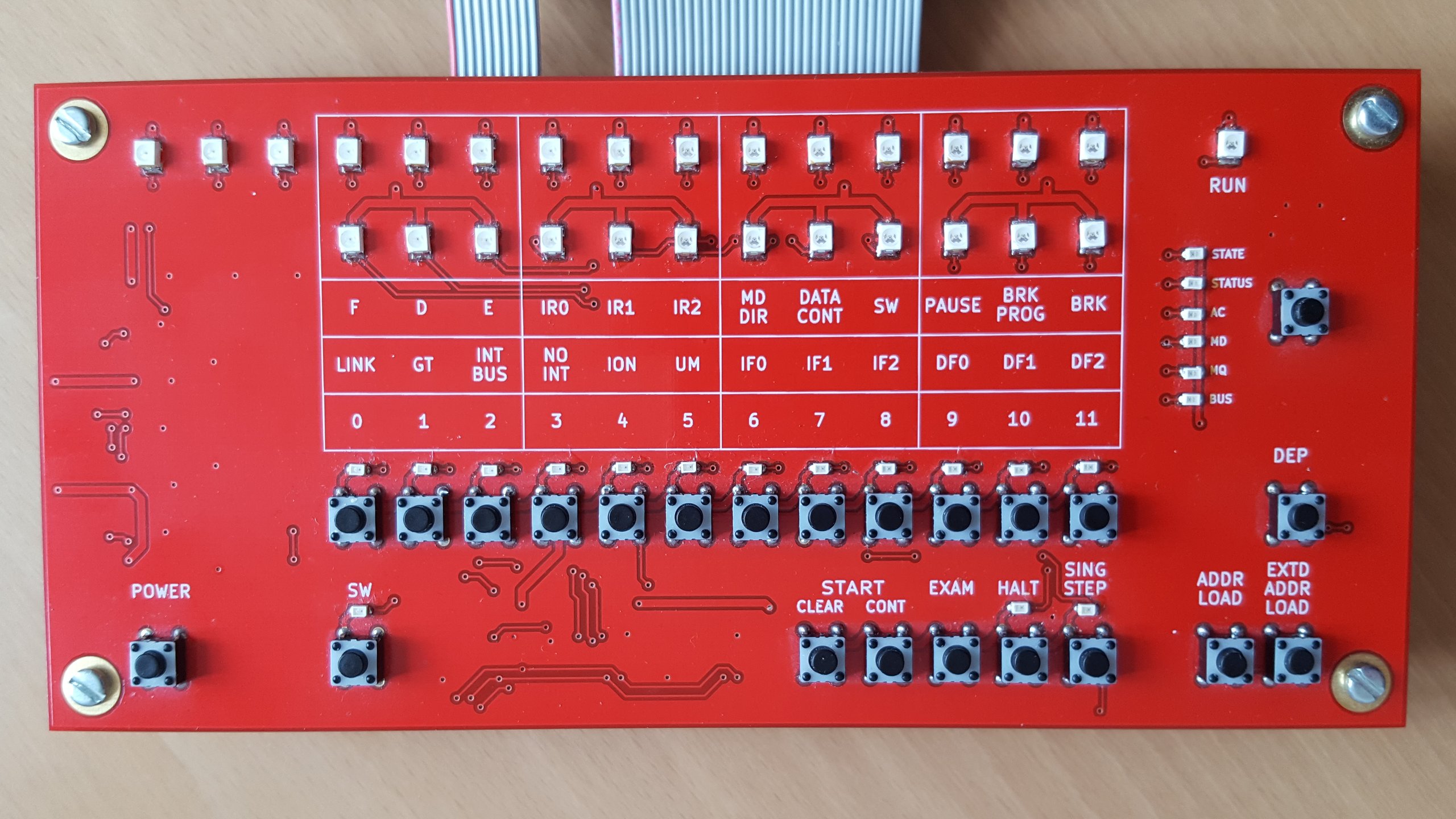
The front panel board
If you know the original or remember the
picture from the first post it is
clear that this is a functional replica not aiming to be as pretty as those of
the other projects I mentioned. I have reordered the switches into two rows to
make the board more compact (which also means cheaper) without sacrificing
usability.
There s the two rows of display lights plus one run light the 8/e provides.
The upper row is the address made up of 12 bits of memory address and 3 bits
of extended memory address or field. Below are the 12 bits indicator which
can show one data set out of six as selected by the user.
All the switches of the original are implemented as more compact
buttons1. While momentary switches are easily substituted by buttons,
all buttons implementing two position switches toggle on/off with each press and
they have a LED above that shows the current state. The six position rotary
switch is implemented as a button cycling through all indicator displays
together with six LEDs which show the active selection.
Markings show the meaning of the indicator and switches as on the original,
grouped in threes as the predominant numbering system for the PDPs was octal.
The upper line shows the meaning for the state indicator, the middle for the
status indicator and bit numbers for the rest. Note that on the PDP-8 and
opposite to modern conventions, the most significant bit was numbered 0.
I designed it as a pure front panel board without any PDP-8 simulation parts.
The buttons and associated lights are controllable via SPI lines with a 3.3 V
supply. The address and indicator lights have a separate common anode
configuration with all cathodes individually available on a pin header without
any resistors in the path, leaving voltage and current regulation up to the
simulation board. This board is actually a few years old from a similar project
where I emulated the PDP-8 in software on a microcontroller and the flexible
design allowed me to reuse it unchanged.
The front panel board
If you know the original or remember the
picture from the first post it is
clear that this is a functional replica not aiming to be as pretty as those of
the other projects I mentioned. I have reordered the switches into two rows to
make the board more compact (which also means cheaper) without sacrificing
usability.
There s the two rows of display lights plus one run light the 8/e provides.
The upper row is the address made up of 12 bits of memory address and 3 bits
of extended memory address or field. Below are the 12 bits indicator which
can show one data set out of six as selected by the user.
All the switches of the original are implemented as more compact
buttons1. While momentary switches are easily substituted by buttons,
all buttons implementing two position switches toggle on/off with each press and
they have a LED above that shows the current state. The six position rotary
switch is implemented as a button cycling through all indicator displays
together with six LEDs which show the active selection.
Markings show the meaning of the indicator and switches as on the original,
grouped in threes as the predominant numbering system for the PDPs was octal.
The upper line shows the meaning for the state indicator, the middle for the
status indicator and bit numbers for the rest. Note that on the PDP-8 and
opposite to modern conventions, the most significant bit was numbered 0.
I designed it as a pure front panel board without any PDP-8 simulation parts.
The buttons and associated lights are controllable via SPI lines with a 3.3 V
supply. The address and indicator lights have a separate common anode
configuration with all cathodes individually available on a pin header without
any resistors in the path, leaving voltage and current regulation up to the
simulation board. This board is actually a few years old from a similar project
where I emulated the PDP-8 in software on a microcontroller and the flexible
design allowed me to reuse it unchanged.
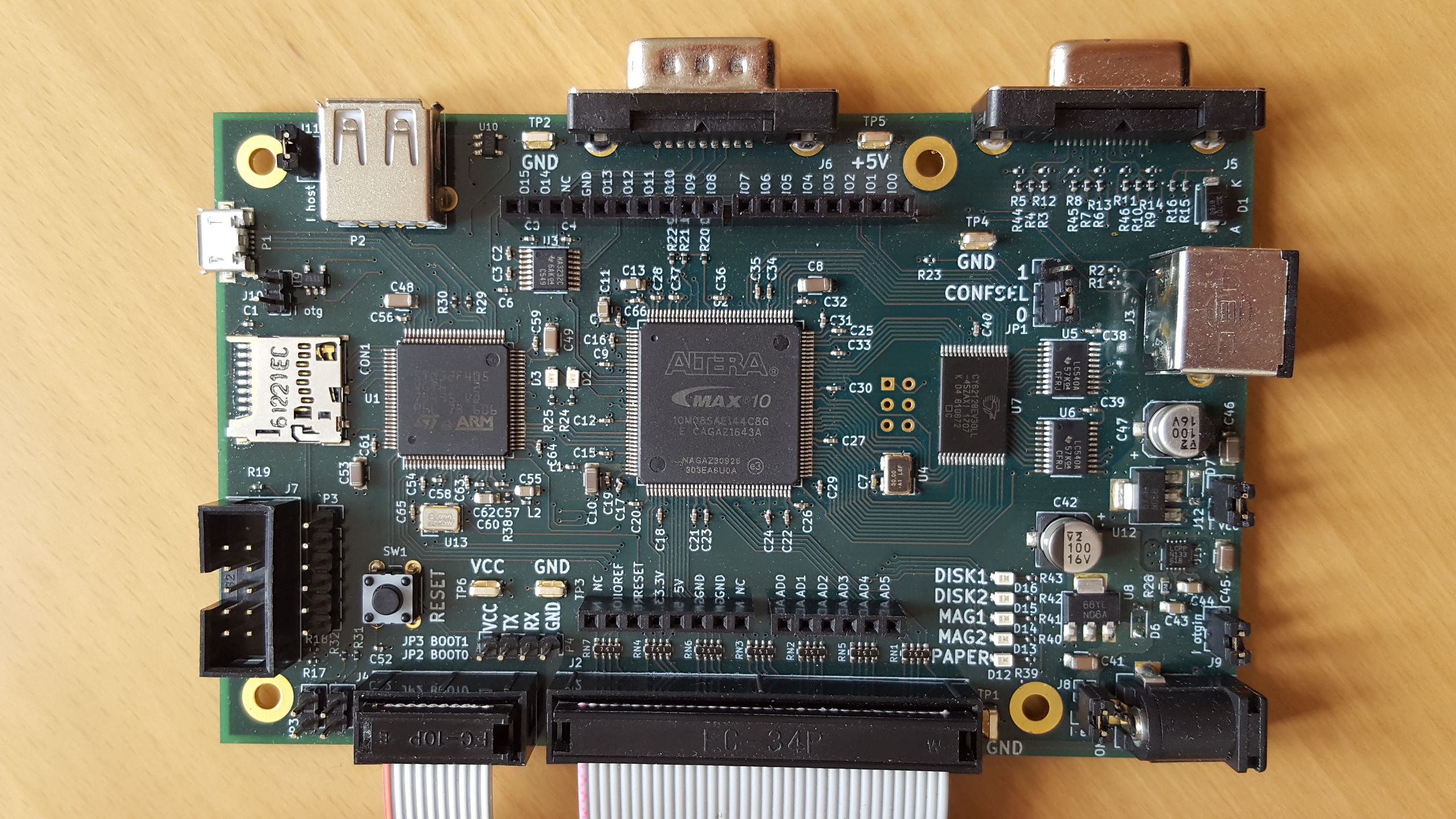
The main board
This is where the magic happens. You can see three big ICs on the board: On the
left is the
STM32F405
microcontroller (with ARM Cortex-M4 core), the bigger one in the middle is the
Altera2
MAX 10
FPGA and finally to the right is the SRAM that is large enough to hold all the
main memory of the 32 KW maximum expansion of the PDP-8/e. The two smaller chips
to the right of that are just buffers that drive the front panel address LEDs,
the small chip at the top left is a RS-232 level shifter.
The idea behind this is that the PDP-8 and peripherals that are simple to
directly implement, such as GPIO or a serial port, are fully on the FPGA. Other
peripherals such as paper and magnetic tape and disks, which are after all not
connected to real PDP-8 drives but disk images on a microSD, are implemented on
the microcontroller interfacing with stub devices in the FPGA. Compared to
implementing everything everything in the FPGA, the STM32F4 has the advantage
of useful built in peripherals such as two host/device capable USB ports. 5 V
tolerant I/O pins are very useful and simply not available in any FPGA.
I have to admit that this board was a bit of a rush job in order to have
something at all to show at the
Vintage Computer Festival Europe 18.0. Given that it was my
first time designing a board with a large microcontroller and the first time
with an FPGA, it wasn t exactly my fastest progressing project either and I got
basic functionality (front panel allows toggling in small programs and running
them) working just in time. For various reasons the project hasn t progressed
much since, so the following is still just plans, but plans for which the
hardware was designed.
Since the aim is to have a cycle accurate PDP-8/e implementation, digital I/O
was always planned. Rather than defining my own header I have included Arduino
R3 compatible headers (for 3.3 V compatible boards only) that have become a
popular even outside the Arduino world for this purpose. The digital Arduino
pins are connected directly to the FPGA and will be directly controllable by
PDP-8 software. The downside of choosing the Arduino headers is that the
original PDP-8 digital I/O interface is not a perfect match since it naturally
has 12 lines whereas the Arduino has 15. The analog inputs are not connected to
the FPGA, the documentation of the MAX10 s ADC in the EQFP package are not very
encouraging. They are connected to the STM32 instead3.
Another interface connected directly to the FPGA and that would be directly
under PDP-8 control is a standard 9 pin RS-232 interface. RX, TX, CTS and
RTS are connected and level-shifted between 3.3 V and RS-232 levels by a
MAX3232.
Besides the PDP-8, I also plan to implement a full video terminal on the board.
The idea is that with a power supply, keyboard and monitor this board would
form a complete system without the need of connecting another computer to act
as a terminal. To that end, there is a VGA port attached to the FPGA with
simple resistor network DACs for 9 bits color (RGB with 3 bits each). This is
another spot where I left myself room to expand, for e.g. a VT220 you really
only need one color in two brightness levels. Keyboards will be connected
either via the PS/2 connector on the right or the USB-A host port at the top
left.
Last of the interface ports is the USB micro-AB port on the left, which for now
I am using only for power supply. I mainly plan to use it to provide
alternative or additional serial ports to the PDP-8 or to export the video
terminal serial port for testing purposes. Other possible uses are access to
the image files on the microSD and firmware updates.
This has gotten rather long again, so I m stopping here and leave some
implementation notes for another post.
- Or rather Intel now. At least Altera s web site, documentation and software have already been thoroughly rebranded, but the chips I got were produced prior to that.
[return]
- That s not to say that the analog conversions on the STM32 are necessarily better than those of the MAX10 when you can t follow their guidelines, I have no comparisons. Certainly following the guidelines would have been prohibitive given how many pins usage they restrict.
[return]
- Or rather Intel now. At least Altera s web site, documentation and software have already been thoroughly rebranded, but the chips I got were produced prior to that. [return]
- That s not to say that the analog conversions on the STM32 are necessarily better than those of the MAX10 when you can t follow their guidelines, I have no comparisons. Certainly following the guidelines would have been prohibitive given how many pins usage they restrict. [return]

 Like
Like  Welcome to gambaru.de. Here is my monthly report that covers what I have been doing for Debian. If you re interested in Java, Games and LTS topics, this might be interesting for you.
Debian Games
Welcome to gambaru.de. Here is my monthly report that covers what I have been doing for Debian. If you re interested in Java, Games and LTS topics, this might be interesting for you.
Debian Games
 Previously:
 As
As  Dear all, This would be a biggish one so please have a chai/coffee or something stronger as it would take a while.
I would start with attempt at some alcohol humor. While some people know that I have had a
Dear all, This would be a biggish one so please have a chai/coffee or something stronger as it would take a while.
I would start with attempt at some alcohol humor. While some people know that I have had a 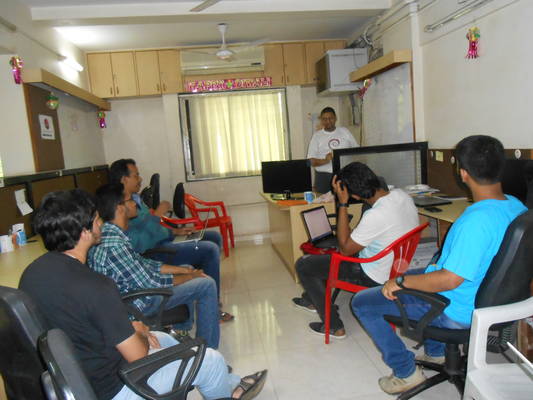 It included couple of co-organizers with most people being newbies so while I had thought of showing how to contribute via reporting bugs or putting up patches, had to set that aside and explain how things work in free software and open-source world. We didn t get into the debate of free vs open-source or free/open-source/open-core as that would have been counter-productive and probably confusing for newbies.
We did however share the debian tree structure
It included couple of co-organizers with most people being newbies so while I had thought of showing how to contribute via reporting bugs or putting up patches, had to set that aside and explain how things work in free software and open-source world. We didn t get into the debate of free vs open-source or free/open-source/open-core as that would have been counter-productive and probably confusing for newbies.
We did however share the debian tree structure
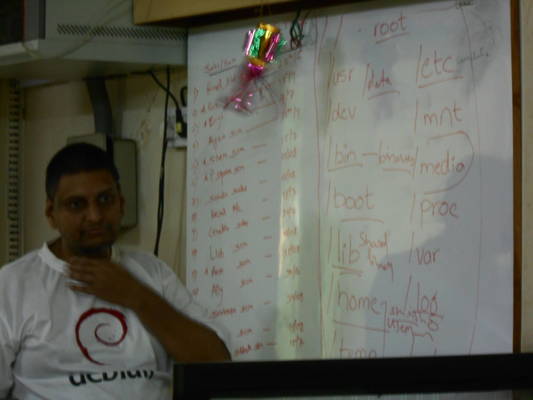 I was stumped by /var and /proc . I hadn t taken my lappy as it is expensive (a lenovo thinkpad I love very dearly) and I was unsure if I would be able to take care of it (weight wise). Dhanesh had told me that he had Debian on his lappy + zsh both of which are my favourites.
While back at home I realized /var has been relegated to having apache/server logs and stuff like that, I do recall (vaguely) a thread on debian-devel about removing /var although that discussion went nowhere.
One of the bugs that we hit early on is that nobody had enough space on their hdd to have Debian comfortably. It took a while to get an external hdd and push some of the content from somebody s lappy to the external drive to have space for the installation.
I did share the /. /home, optional swap while Dhanesh helped by sharing about having a separate /boot partition as well which I had forgotten. I can t even begin to remember the number of times having a separate /boot partition has helped me in all of my systems.
That done, we did try to install/show Debian 9 without network but were hit with
I was stumped by /var and /proc . I hadn t taken my lappy as it is expensive (a lenovo thinkpad I love very dearly) and I was unsure if I would be able to take care of it (weight wise). Dhanesh had told me that he had Debian on his lappy + zsh both of which are my favourites.
While back at home I realized /var has been relegated to having apache/server logs and stuff like that, I do recall (vaguely) a thread on debian-devel about removing /var although that discussion went nowhere.
One of the bugs that we hit early on is that nobody had enough space on their hdd to have Debian comfortably. It took a while to get an external hdd and push some of the content from somebody s lappy to the external drive to have space for the installation.
I did share the /. /home, optional swap while Dhanesh helped by sharing about having a separate /boot partition as well which I had forgotten. I can t even begin to remember the number of times having a separate /boot partition has helped me in all of my systems.
That done, we did try to install/show Debian 9 without network but were hit with  Dhanesh is on the left while I m on the right.
We did have a cute 3-4 year old boy as our guest as well bud didn t get good pictures of him.
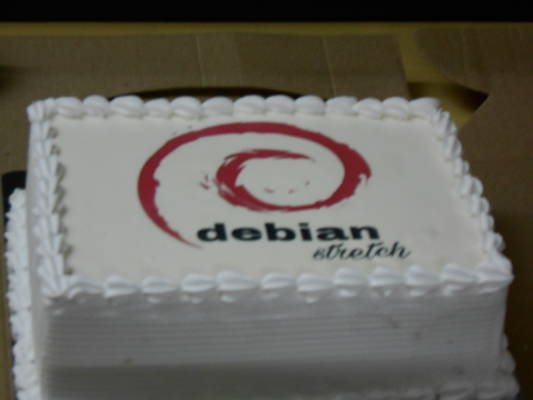
Lastly, the Debian cake itself
Dhanesh is on the left while I m on the right.
We did have a cute 3-4 year old boy as our guest as well bud didn t get good pictures of him.
Lastly, the Debian cake itself
 We also talked about the kernel and subsystem maintainers and how Linus is the overlord.
Look forward to comments. I am hoping Dhanesh might recollect some points that I might have missed/forgotten.
Update 07/07/17 All programming languages stats. can be seen
We also talked about the kernel and subsystem maintainers and how Linus is the overlord.
Look forward to comments. I am hoping Dhanesh might recollect some points that I might have missed/forgotten.
Update 07/07/17 All programming languages stats. can be seen 


 My monthly report covers a large part of what I have been doing in the free software world. I write it for
  To be able to get in sync with Kali, I introduced an hashcat-meta source package (in contrib) providing hashcat-nvidia to make it easy to install hashcat for owners of NVidia hardware.
Misc stuff
Distro Tracker. I merged a small CSS fix from Aur lien Couderc (
To be able to get in sync with Kali, I introduced an hashcat-meta source package (in contrib) providing hashcat-nvidia to make it easy to install hashcat for owners of NVidia hardware.
Misc stuff
Distro Tracker. I merged a small CSS fix from Aur lien Couderc (
 DRM leasing part three (vblank)
The last couple of weeks have been consumed by getting frame sequence
numbers and events handled within the leasing environment (and Vulkan)
correctly.
Vulkan EXT_display_control extension
This little extension provides the bits necessary for applications to
track the display of frames to the user.
DRM leasing part three (vblank)
The last couple of weeks have been consumed by getting frame sequence
numbers and events handled within the leasing environment (and Vulkan)
correctly.
Vulkan EXT_display_control extension
This little extension provides the bits necessary for applications to
track the display of frames to the user.