Search Results: "mez"

16 September 2006

Benjamin Seidenberg: The Debian Community

One thing that has always appealed to me about Debian is the strength of the community behind it. A somewhat recent incident has reminded me of how strong this community really is. When several members of the Debian community became concerned about a situation in the life of another member, they immediately tried to contact that member, and that member’s friends and family to insure that person would be ok. Phone calls were made halfway across the world in the middle of the night (in various timezones) to insure the well-being of a member of our community. It is a strong reminder that even though the Debian community may have vigorous arguements about technical and social issues, we still take care of our own.

1 September 2006

Jesus Climent: Officially 100000 years old

Under EEST timezone (GMT+3) I am officially 100000 years old. And Lars is +101, so Lars, have a nice birthday. For a long time i have avoided celebrating it, but this year i have one more reason to follow the trend. So here it goes the long overdue personal post about my life. She is gone. Or so I feel. Today it will be the first time in 6 years and almost 9 months that she is not preparing a surprise for me. I always told her i did not want anything, but she always managed to prepare something: 26 roses and a cheese party (Jesus loves cheeses), a night at an Irish pub with most of my friends, a visit to Tampere’s amussement park, a dinner at a nice Italian restaurant or a concert with Kemopetrol and Giant Robot. So today, 1st of September 2006, my birthday, she, my best friend and my girlfriend during the last almost-seven years, is moving her stuff out. The apartment will be full of emptiness and empty of her. Dato is crying of happiness. I cry of sadness. One goes up, another goes down.

23 August 2006

Clint Adams: Solid ground, lost and found

I am shocked and appalled that the Debian Inquirer has squelched its sixteen-page, four-color article about Debian's bar/bat mitzvah this month. My sources tell me that the article discussed in great detail the knishes, the blintzes, the challah, the rugelach, the Manischewitz loganberry surprise, the hummus, those homosexual Italian things, the Jews, the goyim, Belkinsauce the cat rubbing his hindquarters in the egg salad, the light-switch antics, the discussion of Diane Lane's bizarre transformation, the boasting of mad phat Journey skillZ, the disgusting spectacle created by Asshands, the revelation of gay wikipedia vandalists, the Jewish penis competition, festival reading the Torah, some kind of shell tricks competition, some underage girl brought for tea purposes, fun facts about Mr. De Cock, and phoned-in porn play-by-play. Among other things, the article left out the most sinister and disturbing aspect of this celebration: the Star Trek conspiracy. Maybe it was just too subtle, or maybe they just don't want you to know. I can point to these examples: Barbie sneaked the Picard Song into the Quod Libet queue. There was rantful discourse about Star Trek: Episode 1. Barbie's recently acquired trinket was not actually a token of gay alliance, but an artifact from Star Trek season 3, episode 27, The Valley of the Rainbow Mezuzot . However, what really tops the list is the floating image of Lt. Worf with white stuff on his upper lip in the wee hours of the morning. That's just. Unnatural. As unnatural. As sugar-free Vermont maple syrup . As unusual as Mary J. Blige & U2.

6 August 2006

Daniel Jacobowitz: Look Ma, I can blog too!

I've been meaning to set up a blog to keep track of random things that I run into and feel like sharing. One of those happened today, so I finally figured out how to install blosxom. I haven't gotten around to making a pretty CSS for it yet (not sure if I ever will, but I can pretend...) so for now it's somewhat utilitarian and default-looking. Blosxom is pretty bare-bones without plugins, and while Blosxom itself seems well documented the plugins are much less so. I spent about ten hours mucking around with the minimal set of plugins I needed to get something acceptable (timezone, autoblock, feedback, entriescache, interpolate_conditional, permalink, cooluri2, lastmodified, and a bunch of modified templates to use feedback and permalink). I tried and then discarded followsymlinks and metadate (for not playing well with other plugins I was using) and entries_index (lastmodified wanted something which set %others, so I used entriescache instead). I needed to hack lastmodified to work with entriescache, since it cleverly gets the timestamps from the cache, which are now publication dates. So here's a slightly modified lastmodified plugin which stats files directly. I spent a while getting RSS to behave, too. I used lastmodified to set lastBuildDate, modified the story template to use permalinks which were acceptable to feedback (it wants .rss on the end or it decides they aren't story pages), and eventually figured out that I needed to set <guid> to prevent liferea from thinking each modified post was new by comparing descriptions. All in all it was far more work than I meant to do last night when I decided this was a good idea. Hopefully I haven't messed it up too badly. We'll see whether I upset Planet. Leave me a note if it makes your feed reader unhappy, or something. I was actually going to use ikiwiki, but chickened out at the last moment; blosxom had fewer dependencies and I didn't want to mess around with getting ikiwiki to install on sarge. And it still seems to be evolving - so while it's wicked cool, I think I'll let it have a little more time to settle first. I spent most of this morning messing around with OpenWRT. I bought a LinkSys WRT54G quite a while ago (to replace a flaky D-Link DI-614+), and put OpenWRT on it. It took a little work to get it to do what I wanted, including fixing a quoting bug in the WPA startup script and tracking down an updated dnsmasq, but eventually I got it set up. Mostly the stock things: NAT, firewalling, wireless with WPA2, DHCP, internal DNS. Except that it can do one thing that none of the stock firmwares could: provide static DHCP addresses to specific boards, including custom options. This was absolutely essential for me to retire my old DHCP server, since I keep an embedded board lab in my office. I need the DHCP server to be able to tell boards where to get kernels and root filesystems. Anyway, it works well. Except that I've been having too many dropped connections lately and I have no way to track down whether it's the laptop (Dell Latitude D400, ipw2200 - mostly in Windows lately, I haven't retested it in Ubuntu in a bit) or the AP. I updated the Windows drivers and now it periodically tries to rekey, fails, reports "duplicated RSN" whatever that means, and periodically reports authentication failures. About the same as before except that now it has better diagnostic tools to tell me in undocumented messages what went wrong, instead of just telling me that something went wrong. So I next went looking for an updated driver for the other end. Which was a mistake. Note to others: if most of your packages are on a cromfs, running "ipkg update" is going to tear through your available MTD space really fast. And ipkg is not graceful at updates the way dpkg is; it failed to upgrade base-files due to file conflicts, leaving the updated dnsmasq unable to start. These are the same sorts of conflicts that you see in apt-get upgrade periodically: files moving from one package to another without sufficient package relationships (or in ipkg's case, maybe sufficient package manager support) to do it seamlessly. Then when I retried the update it succeeded, but it wiped out my firewall config and password file without asking. I don't really blame OpenWRT for this. "ipkg update" just isn't a good idea with their tools. But I miss apt. And I really miss 2.6 kernels; the binary-only Broadcom drivers that power the WRT54G only work on 2.4.30. And it's tight on flash/RAM anyway. So I went looking at options. Obviously, I can't get something that does exactly what I want for the kind of mass-market price the WRT54G sells at. But a suggestion from a coworker sent me looking at Mini-ITX systems, like the nice-looking Mini-Box M200. And at smaller things, like the WRAP WiFi and Soekris boards. I haven't done a hardware project of any sort since last summer, so I'm thinking about building myself an access point with benefits. I haven't decided what the benefits will be yet - if I get something like one of the Soekris boards, probably just bigger compact flash and back to dnsmasq for internal DHCP. But if I get a Mini-ITX system, I can throw a hard drive in it, arrange over-the-network backups, and use it as an incoming mail hub. This would let me decomission one of the always-on computers in my office. A mighty attractive proposition, although a bit less so now that the heat wave has broken.

31 July 2006

Aigars Mahinovs: Spot focus

For a long time I have considered F-Spot to be a nice concept application, but not really fit to be the center of Linux digital photography experience due to general bloat and (most importantly) due to the lack of many important features that would compensate the interface lock in that this application demands. In this post I will try to list all the deficiencies and lacking features of F-Spot that I have found while using it to manage my photo flow.
First let’s talk about the bloat. I will compare F-Spot to GThumb. There are few points of comparison: first start up, viewing a bunch of photos and importing a bunch of photos. When starting up GThumb uses 17 Mb RSS memory (10 of them shared with all other Gnome programs) while F-Spot uses 33 Mb RSS memory (17 of them shared with other Mono programs, of which I do not have any). When viewing a folder with couple hundred photos GThumb uses 25 Mb RSS memory while F-Spot grows to 55 Mb RSS. On import GThumb calls gphoto that adds 3-5 Mb RSS to the memory usage, while F-Spot seems to implement some/most of the photo protocol internally and can easily grow in memory up to the size of the photos being imported (which is kind of problematic while importing a gigabyte of photos), but usually the memory usage on import hangs around 250-300 Mb and hovers around that level for some time after the import is complete. For me personally it does not make much a difference (I have 2 Gb RAM now), but conservative memory usage is still critical for a good Linux application because people expect Linux to be faster and high memory usage can slow down anything. In my opinion no photo management operation should take more then 50 Mb of private RSS memory (even importing several gigs of RAW files from the camera).
Now let me try to describe the optimal work process of a (semi)professional photographer, so that we can see what is missing in F-Spot to accommodate such work-flow and what is done right.
  1. The photographer takes one (or several) cameras, lenses, flashes, memory cars, spare batteries and tripods and goes to an event/photoshoot/modelling session/walk in the park/wedding/…
  2. He takes 3-5 Gb of pictures from lots of different angles with different cameras, different lenses on different memory cards with different settings. Most of them will be the highest quality available on the camera, usually those will be RAW images.
  3. Upon getting back to his computer, the photographer wants to drop all the data to a staging place dedicated to this event. He wants to do it fast and simple without sorting trough the photos at the moment, but at the same time he might want to split the staging areas (multiple models within one session) or join them (one model from different cameras). Sometimes he might not even have time for that and would just want to dump the data now and run to another event.
  4. After several shooting events the photographer finally has reserved the time to sift trough some of the photos from the staging area (modelling jobs first, then the friends wedding and the walk in the park as last)
  5. First the photographer decides to check if the times on the photographs are correct and discovers that at some shooting sessions one of the cameras was set to another timezone. He select all shots from that camera across several (but not all) staging areas and adjusts the time.
  6. Now he rechecks the logical groups of photos (which photos should be in which staging area) by dragging the photos around, splitting and joining the staging areas
  7. When the overall structure is clear, the photographer selects one (most important) staging area and starts working with images in that staging area not caring about any other images
  8. First he browses in full screen trough all the photos rating them in quality scores form 1 to 9 by pressing corresponding number keys. Rating a picture automatically advances to the next picture, which happens very fast because the software precaches several photos ahead for speed and displays without any flicker. Speeds in the order of 2 photos per second are expected on good enough hardware. One key operations for “view 100% zoom”, “rotate”, “view exif” and “quick note” are available. RAW images are automatically translated for preview with default settings.
  9. With couple clicks bad photos (with score of 4 or under) are selected and erased
  10. Now the photographer starts working with individual photos
  11. First step is the RAW->Jpeg conversion. An appropriate tool is brought up with default setting already applied and a preview of the photo showing up (like in dcraw). The photographer adjusts the conversion parameters (including and option to make a HDR-like effect by compressing the dynamic range of high bitness pictures). The converted Jpeg is saved as a version of the original photo and becomes the default for operations that do not understand RAW.
  12. A separate plugin is used to reduce digital photo noise from the pictures (new version)
  13. Photographer makes adjustments to the image inside F-Spot. Each modification makes a new version.
  14. Still not satisfied, the photographer starts Gimp from inside F-Spot and make further edits. Each time Gimp saves the file, F-Spot makes another version.
  15. The photographer erases some versions of the picture and also joins multiple near-duplicate shots into one picture as versions of that picture. One version is always marked as the top version and the photographer can easily change it.
  16. The good photos are tagged and imported to the main collection
  17. A subset of the photos is exported to: Flickr, personal Gallery installation, plain html photo album, a zip file with small (1024x…) versions of the photos, … Only the top versions of photos are exported. If unconverted RAWs are top versions, then they are converted to Jpeg with default settings. In most cases photos are also downsized before export according to the preferences. Highest quality downsizing is used (anti-aliasing) and also additionally small unsharp mask is run on each photo
  18. The photographer does advanced searches and advanced tag selections to select and display or export subsets of his main collection
  19. The photographer has three instances of F-Spot: his laptop, his main work PC and a backup hard drive that can be attached to either of them. He needs to keep his F-Spot photographs synchronised between the three locations for backups and for distributed work. Also after some point the main photo archive becomes too big to store it (with all versions) on the laptop or even on the main PC, so the photographer selects a set of older photos and selects an option to archive them. The next time a connection is established with the backup drive, all versions of archived photos are copied to the backup harddrive and the laptop and the main PC only keep 90% quality Jpeg format picture of the top version of each photo downsized to exactly fit the display resolution of the device. If even that takes too much space then “Archive Only” option is selected which insures that the backup harddrive has the copy of the photo and then erases it from primary data stores completely.
  20. When the backup harddrive is connected it is also very simple to make DVD/HDDVD/Blueray backup copies of subsets of photos from the archive with all the metadata and versions in such a way that other software (and even dedicated media devices) could easily browse the top versions of photos directly from the backup media. Of course, restoring from such backups also must be tested.
So, to summarise, the changes needed for F-Spot are: As you can see, many of those issues are already reported to F-Spot bugzilla, but have recieved little attention. So what shall we do about it?

20 July 2006

Uwe Hermann: OS Install Experiences - Part 5: Mandriva


Note: This article is part of my OS Install Experiences series.
Long time no install, so here goes. Install
  1. First, I downloaded a Mandriva One CD image, burned it on a CD, and booted from that.
  2. The (graphical) installer allows you to choose language and country, but there's no German(y). WTF? Maybe I just overlooked it, but I did look twice! When choosing the keyboard layout there is a German layout...
  3. After choosing the timezone, a KDE 3.4 live system is started. If you want to install Mandriva, you click the "Install from live system" icon on the desktop. The installation is done in a wizard after that.
  4. The partitioning tool is quite nice and has an "expert mode" you can enable to see more info and get more control. It performs all actions immediately, though, (AFAICS) which can lead to trouble.
  5. You can choose between LILO or GRUB, and even edit the list of GRUB entries manually (which is nice; many other distributions don't allow that).
  6. After a while there were no more windows or messages, so I thought the install was done and rebooted. Obviously I was wrong. GRUB wasn't installed (the old one was still there), so I had to manually boot into the Mandriva installation. From there, the installation continued...
  7. After net config (even asked me for a zeroconf hostname), root password, user creation and all the usual stuff, you're dropped in a KDE session and the install is done.
Security Continue reading here...

1 July 2006

Jeff Licquia: Clocks Change, World Does Not End

Today, Indiana joined the rest of the country and “sprang forward” to Daylight Saving Time. The technology world may be experiencing a few glitches. Anything that’s aware of both location and time may have the wrong time as of today, including many computers. The easiest fix is to change the timezone to New York time, or to Eastern time instead of “East-Indiana” or some such variant. Surprisingly, Sprint phones don’t seem to be aware of the time change. The update seems to be both late and iffy; my phone still reports the wrong time, while my mother-in-law’s phone has already fixed itself. Debian 3.1 appears to still have the old timezone information, while testing (”etch”) seems to be correct. I wonder if this isn’t something we should update in stable.

25 June 2006

Mike Hommey: Wordpress and daylight saving

Wordpress has a wonderful feature: instead of providing a timezone where you live, you tell it how much hours your local time differs from GMT. Which just fails when dealing with daylight saving. And I just noticed that my setting was still 1 hour, instead of 2. I remembered to change time on my wallclocks, mobile phone, but I forgot my blog… But changing that will change it only for future posts and comments. So, for people who forgot like me, here are two SQL queries to fix the database:

update wp_posts set post_date = convert_tz(post_date_gmt, 'GMT', 'Europe/Paris'), post_modified = convert_tz(post_modified_gmt, 'GMT', 'Europe/Paris');
update wp_comments set comment_date = convert_tz(comment_date_gmt, 'GMT', 'Europe/Paris');

Don’t forget to replace Europe/Paris with whatever your timezone is ;) . Note that this will require you to run, if you’ve never done it before, something like
mysql_tzinfo_to_sql /usr/share/zoneinfo mysql -p -u root mysql

23 June 2006

Adeodato Sim : Fancy tailor scripts to convert from svn to bzr

I’ve recently had to use Tailor to migrate a couple Subversion repositories to Bazaar-NG. I tend to be quite (too?) perfectionist with this kind of stuff, so I just wanted to make the config files I used available, in case they can help somebody who also wants the stuff I did: full names in the bzr log, and correct timezones for the commits. So there’s the one for amarok packaging, a simple one that just sets my name, and an e-mail address depending on the date of the commit; the timezone is okay, since by default the local timezone is used (IOW, mine, but see notes below). And the one for pkg-xiph, which does a bit more of stuff, like taking the module to work on from an envvar, and assigning a timezone to each commiter, in addition to a name and address. I’m happy with the end result of the conversion, but it’s come to a price: at first, the bzr timestamps for the amarok repo would be off by one or two hours. So I looked at the source and, after a fair while of wrestling with Python’s datetime module, I found that tailor/bzr.py is in fact buggy, and miscalculates the timestamp from the date Tailor feeds it from svn; either of these two patches, simple and better, fixes the issue. As for setting the timezone, this other patch is needed. (I sent all these uptream: link, and ‘yay pipermail’ link.) NP: Hooverphonic, The Magnificent Tree

Clint Adams: In this parable, which member of the d-i team is which?

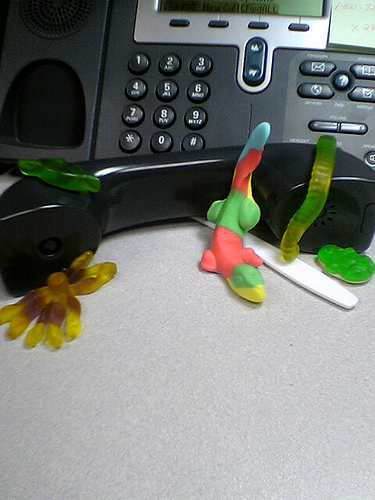
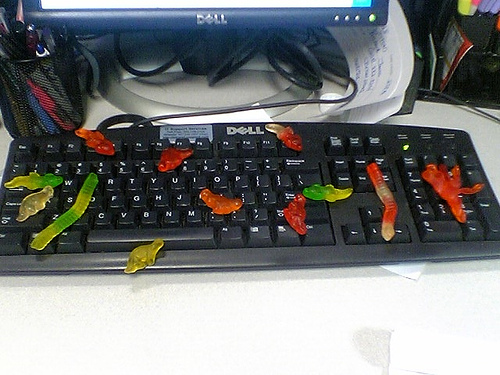
In the Year of the Mezcal, a prophecy was fulfilled. Don Gusano de Az car sired a critter the likes of which the world had never seen. This mahdi could not dispense honey, milk, orange juice, or ghee from his fingers. In point of fact, he had no fingers. What he had was the burning desire to liberate his brethren from the iron yoke of the She-Beast. He set up a vast terrorist network, the likes of which the world had seen many times over, for it was basically just a phone tree, a couple of code phrases, and a bunch of dullards. Then, having forged his legacy, he perished, suffering a series of strokes brought on by being forced to watch an episode of Full House . His minions bided their time until the coming of the Summer Solstice, and though they did not know how to say it in Portuguese, they eagerly sprang into action. [dialing phone] With daring and finesse, they commandeered an IP phone. [talking on phone] After 45 minutes of trying to add value, they failed to bring it to the table, since one major oversight was that they lacked any capacity to generate speech. H las ! cried the one that wasn't translucent at all, and he did so silently. [typing on keyboard] Cleverly devising a backup strategem, they rushed to a computer to send some emails. Unfortunately, Outlook crashed on them six times, and then they were, like, totally diverted by a fascinating exchange between two guys named BJ and William. By the time they managed. To send their first email. Which they typed like this. Because the little guy on the period key. Had a tick. It was too late. [STD transmission] Oh, you poor, foolish things! If only you had used free software, she wouldn't be giving you oral herpes right now.

6 June 2006

Uwe Hermann: OS Install Experiences - Part 4: Ubuntu


Note: This article is part of my OS Install Experiences series.
Next OS — the recently released Debian-derived distribution Ubuntu 6.06 (Dapper Drake). Install
  1. First, I downloaded a Ubuntu 6.06 CD image, burned it on a CD, and booted from that.
  2. The first installer screen allows you to choose between a normal install, "safe graphics mode", "check CD for defects", "memory test", and "boot from first hard disk". If you hit enter and wait a few minutes, you're dropped right into a fully working GNOME session (think Live-CD). No user-iteraction is required at all...
  3. If you like you can use the system for normal tasks already (web browsing, whatever). If you want to install Ubuntu, you click the "Install" icon on the desktop...
  4. After choosing the language, timezone (by clicking on your country on a nice graphical world map!), and keyboard layout, the installation begins.
  5. You must enter your user password (no root password, in Ubuntu you have to use sudo for everything which requires root permissions), user account name, and (ugh!) you must enter a full name (same annoying behaviour as with PC-BSD).
  6. The partitioning tool is graphical and quite easy to use. It takes ages to scan the disk(s) and partitions though (yes, I have quite a lot of them, but still)...
  7. That's mostly it, the installation of the packages starts now, and after it's finished, a window pops up asking you whether you want to reboot or continue using the Live CD for a little longer.
  8. What's noticeable is that I was not asked where or how I want to install a bootloader, Ubuntu simply scans the disks, tries to detect the OSes and writes itself into the MBR. Which sucks quite a bit, especially for more complicated setups like I'm using here. For example, it didn't detect the PC-BSD installation, so I can no longer boot that for now (need to fix GRUB manually).
  9. That's it, after a reboot you're dropped into GNOME and the installation is done. Pretty impressive how easy such Linux installations have gotten recently...
Security Continue reading here...

2 June 2006

Gerfried Fuchs: Back in the worng timezone

After two weeks and a bit it finally happened: I hit austria again. But, first things first. I guess everyone noticed by now that at the start the network wasn't our best strengths. I helped as much as possible, collected network cable back from one path to lay it out at a different one just to find that the about 200 m were a bit too short (or rather, me was lying the cable with too much safety). Though, it was too long anyway to be relyable, to it was cut in the middle and a small access point was put in. Later it had to be replaced because we were running a bit short of specific power supplies. But it wasn't too bad, waiting for some more rj45 plugs and other things even allowed Ganneff to spend some time in the pool and relax a bit. And given that there seem to have been a few (vegetarian) people less than registered for sponsored meals allowed stockholm and Vagrant to get extra dishes to get fed. People during the debcamp mostly enjoyed themself, mao was played, fights for the gay vegetarian sign, tetrinetx on homer when only local network was available, and I managed to translate the new wesnoth tutorial into german. It wasn't clear by then that the new release will be delayed due to other problems until after the debconf, but in my opinion the tutorial is one of the most important parts of any games because it explains the basics, so I wanted to be sure that there won't be another release without a fully translated one. About enjoying oneself: I tried out the skirts I brought with me and considered them absolutely comfortable. You'll find me more with one, especially when it gets warmer. It helped me to be more "myself". Also I enjoyed the weird looks and repeated questions about my shoes — although it was often that I was walking barefooted; but that got a bit of a pain, especially after noon when you were able to boil eggs on the stones. And given that I forgot myself when I switched from blue/red shoes to red/blue ones you don't have to send in your guesses when it was done because I can't tell who would be the winner anyway. ;) The end of the week came, the Debian Day was here. Closer to its happening more and more people arrived and it was becoming more crowded in the hacklab. The network became more and more stable, the video streaming setup got finalized, and everything looked alright. Some of the mexico city people stayed for the night and enjoyed the friendly atmosphere (and a beer or two ;)). The debconf started for real, the talks started, people were busy all around, zack added me to the alioth pkg-vim project to continue helping with the hijacked debian specific syntax files. Haven't done much yet beside a checkout, still pondering where I can bug around most ;) I was looking forward to bubulle's BoF about the i18n infrastructure. It was really inspiring, and I collected some ideas for what the tool-to-be-created should support. The second BoF later the week just showed that others were mostly thinking along the same lines, so I hadn't much to add. Still I am looking forward to join the effort to make it happen — I was playing with the idea about such a tool for ages now, and I guess this is what it will make it happen, finally. Christian is so much more able to get people interested and together for making it happen than me... :/ There were some more talks I could mention, like Enrico's talk about Advanced tools for wasting time (yes, I have submitted my gnu.cow file in the meantime), or Erin's and aj's Debian's Debugging Debacle: the Debrief (in which I finally got around to fix a RC bug incidentally), and the talk by bubulle and jfs about State of the art for Debian i18n/l10n of course, which features some of the conclusions of the two part BoF. Some of the evening featured interesting things too, like a cheese BoF, the everywhere featured formal dinner with its mariachis, the waterfall and the blackout; special effects you wouldn't be able to plan as well as they happened — though Martin Ferrarri had a small accident with it when water rushed down onto his plate and spilled the sauce over his white shirt and the table. And then there was the hard liquour BoF where I quit after the eggnogg. The week passed, I got my hair dyed and rid of my beard right in time for the group photo. Thank you nattie, a thousands time, it went better than I expected! Really like it. I didn't attend the fun photo in the pool the next day, was a bit late after the talk, didn't had my bathing slip with me, was worried about my newly dyed hairs and was nervous... because a person I was looking forward to meet again was late. But gladly only late, so I got rid of my nervousness and enjoyed the last official talk (formerly mentioned i18n talk) of the week, and explained to some attendee that even in languages like French, German and English (yes, no mistake) there are still areas we have to struggle with all of this, like when keeping things up to date and the likes. It was the last evening in Oaxtepec for me because I refused to leave by bus at 4 in the morning, rather wanted to spend the night in Mexico City to at least be able to have seen a tiny bit of it and eat something my tummy enjoys completely. :) I guess I don't need to point at sandino's gallery about that evening anymore, thanks to Gunnar. And yes, I'm mentally disturbed, but that shouldn't be anything new to people who know me for a while, or is it? ;) This night was too long (less than 4 hours of sleep is even for debconf not much), so I rather went to bed early after a small walk (just 2 blocks or such) in the city and a nice dinner with friends who are missing the nice time too and was wearing too big sort-of shoes. Went to the airport in the morning by taxi whose driver gladly was able to speak english. Met zack and Martin Ferrari again there, and some other people with whom I was taking the same plane with. They were hacking along on the airport, found the open wifi, using power supplies from different spots. Bubulle already wrote about the two loud guys, gladly I wasn't too close to them, and plugged myself into the music and movie channels from the plane. The showed Last Holiday (which I really liked, although in the ending I started to cry — mostly because I started to realize what I was leaving...) and two spanish movies of which I don't remember the titles. People started to hack away in the temporarily set up hacklab and we started to wonder how much power they might have, though they cheated: They used two battery packs... In Madrid some more people parted and we were down to 5 people. I bought totally overpriced playingcards so we could play Mao, had a short nice session and spread the word. We did hack the baby room power supply and hacked along a bit more, and then Peter and me were off heading to vienna, finally. All in all I really enjoyed it. Although there were its down times, sunburned, my butt hurting a bit because in the end I did jump from the 10m platform into the pool, it still was a really nice event and even though I guess many people tried to enjoy themselfes quite some things were acomplished. If not really codewise, then at least social-wise, which will benefit quite well in the future, I'm sure. Hope to see you all next year, wherever that might be.
25 May 2006

David Pashley: Pathological Date Parser in Java

I've recently had cause to parse some date values in Java. As a result I've produced a class which can manage to parse an awful lot of date formats. I thought I'd better document it in case someone found it useful. Certainly there doesn't appear to be anything elsewhere which shows you how to parse lots of formats. I have found the order of date_formats to be very brittle, so I don't recommend you change it without an awful lot of test cases. Anyway, without further to do, I present to you, the Pathological Date Parser for Java
// Copyright 2006 David Pashley <david@davidpashley.com>
// Licensed under the GPL version 2
import java.text.SimpleDateFormat;
import java.util.Calendar;
import java.util.TimeZone;
public class Date  
    private Calendar date;
    static String[] date_formats =  
            "yyyy-MM-dd'T'kk:mm:ss'Z'",        // ISO
            "yyyy-MM-dd'T'kk:mm:ssz",          // ISO
            "yyyy-MM-dd'T'kk:mm:ss",           // ISO
            "EEE, d MMM yy kk:mm:ss z",        // RFC822
            "EEE, d MMM yyyy kk:mm:ss z",      // RFC2882
            "EEE MMM  d kk:mm:ss zzz yyyy",    // ASC
            "EEE, dd MMMM yyyy kk:mm:ss",   //Disney Mon, 26 January 2004 16:31:00 ET
            "-yy-MM",
            "-yyMM",
            "yy-MM-dd",
            "yyyy-MM-dd",
            "yyyy-MM",
            "yyyy-D",
            "-yyMM",
            "yyyyMMdd",
            "yyMMdd",
            "yyyy", 
            "yyD"
    
     ;
    public Date(String d)  
        SimpleDateFormat formatter = new SimpleDateFormat();
        d = d.replaceAll("([-+]\\d\\d:\\d\\d)", "GMT$1"); // Correct W3C times
        d = d.replaceAll(" ([ACEMP])T$", " $1ST"); // Correct Disney timezones
        for (int i = 0; i < date_formats.length; i++)  
           try  
              formatter.applyPattern(date_formats[i]);
              formatter.parse(d);
              date = formatter.getCalendar();
              break;
             catch(Exception e)  
              // Oh well. We tried


The only date formats I can't get it to parse are <4-digit year>-<day of year> and <2digit year><day of year> (e.g. 2003-335 and 03335 for 2003-12-01). If you can add support for those and other date formats I'll gladly take patches.

Uwe Hermann: OS Install Experiences - Part 2: SUSE Linux


Note: This article is part of my OS Install Experiences series.
Next up: a SUSE 10.1 install. It's been a few years since I touched a SUSE distribution (it was something like SUSE Linux 5.3 or so), a lot has happened since then... Here's a rough sketch of the installation and a few superficial remarks and facts related to security. Install
  1. First, I downloaded a SUSE 10.1 CD image, burned it on a CD, and booted from that.
  2. The installer that showed up is graphical, and you can choose between a normal installation, booting a rescue system, or running a memory test (uses memtest86, I presume).
  3. While the installer runs it merely shows a rotating logo, but you can switch to other consoles (ALT+F1, ALT+F3, ALT+F4) for watching log messages passing by.
  4. You can choose the language used in the installer, later also your timezone and keyboard layout. You can also check the installation medium, which verifies the checksum of the CD, I guess.
  5. Next, you'll be asked to accept a license agreement (yeeaah, whatever).
  6. Your hardware will be automatically detected (worked quite well for me), and after that you can choose between a new install or a system upgrade.
  7. As for the desktop, you can use GNOME, KDE, text-mode (no desktop), or a "minimal graphical system" (it turns out that means fvwm, at least that's what I think).
  8. The graphical partitioning tool feels a bit awkward at first, I needed several tries until I figured out how to make it use the layout I wanted it to. The default file system suggested by the tool is ReiserFS.
  9. There's an explicit option which lets you choose the default run-level for the system (run-level 5 is pre-configured).
  10. The bootloader, GRUB, recognized the other partitions (Debian stable + unstable), added an entry for SUSE Linux, and created a working setup. Nice, although more control over the process (e.g. naming of the boot options) would be nice.
  11. Reboot.
  12. I'm asked to insert CDs 2 and 3, which I don't have (or want), as I only burned CD 1. Clicking "abort" a few times does the trick, and I can continue by choosing a hostname and domain name for the box (hydra + local.domain).
  13. Now I must enter the root password. Very nice: I have the choice between DES, MD5, or Blowfish (SUSE default) for the hashing/encryption of user passwords.
  14. Afterwards, the network is configured (automatically, via DHCP). You can enable a firewall at this point, and enable/disable access to the ssh port explicitly. It's also possible to enable "VNC remote administration" (default: off), or configure a proxy.
  15. Authentication methods for users, available from the installer: local (/etc/passwd), LDAP, NIS, Windows Domain.
  16. When adding a new user, there are some options. Per default, the user is in the groups "users" (no per-user groups, it seems), "dialout" and "video", but that can be configured. Password expiration is disabled. The default shell is bash.
  17. And now... another registration message (in the release notes, actually). May I quote (from my head): The registration procedure transfers zmd's unique device identifier to Novell's registration web service. The information sent may also include OS, version, architecture, and the output of uname and hwinfo, according to that text. More on that later, maybe...
  18. Of course, SUSE Linux comes with SUSE's/Novell's AppArmor enabled by default, but I haven't looked into it, yet.
  19. Now some problems appeared. More hardware discovery took place, it seems, then the screen turned black (with only a non-blinking cursor in the upper left), no reaction to any input -> I performed a hard reboot.
  20. After booting, I'm dropped into fvwm (although I chose GNOME in the installer), the reason probably being the forced reboot. After looking around a bit in the menus and stuff, I wanted to start sax2 (to find out what it does), but the screen turned black again -> another hard reboot. Could it be that I don't have enough RAM for this (256 MB)?
  21. Anyways, at this point I lost interest in playing with the system any further, and gathered the below information for comparison reasons...
Security That's it. Comments, suggestions, flames?

19 May 2006

Uwe Hermann: OS Install Experiences - Part 1: Debian stable + unstable [Update]

Debian Open Use Logo
Note: This article is part of my OS Install Experiences series.
OK, so let's start with something simple: Debian. Simple in the sense that there probably won't be too many surprises for me as a Debian developer (or for most readers of Planet Debian). For other people this might be interesting, though, and some facts are probably interesting to one or the other experienced Debian user/developer, too... Hardware A few words on the hardware I'll be installing all these OSes on. It's a cheapo (200 Euros) x86 PC (Intel Celeron, 2 GHz), 80 GB IDE hard drive, 256 MB RAM, ATI Radeon 9200 SE graphics adapter, Realtek PCI ethernet controller, CDROM, USB, and all the other standard stuff. Nothing fancy, really. Install
  1. First, I downloaded a Debian sarge 3.1r2 CD image, burned it on a CD, and booted from that.
  2. An installer menu showed up, where you can press F3 for boot options. I chose "expert26", which will ask me more questions and give me a 2.6 Linux kernel instead of 2.4.
  3. The installer (newt-based, i.e. not graphical) will now start to boot a base Linux system.
  4. Now, you can choose your language (used in the installer), country, region, and keyboard layout.
  5. You'll be asked which additional kernel modules you want to load (default: all), and whether you want PCMCIA support. Also, you can choose which extra installer components should be loaded (LVM, PPP, serial, IrDA, ...).
  6. Your hardware can be automatically detected (my Realtek card was successfully detected, the "8139too" kernel module was then loaded).
  7. The network was successfully auto-configured via DHCP within seconds.
  8. Now you can choose a hostname and domain name for the box. I used "hydra" as hostname (guess why), and "local.domain" as domain name.
Partitioning Now the funny part starts: partitioning the disk. As I will be installing >= 10 OSes, this needs a bit of consideration. I have chosen to create a 10 GB (primary) partition for a Redmond OS I'll be installing later (for games, testing, proprietary software I'm forced to use, and similar things). This will be the first partition and I marked it bootable, as Windows might choke otherwise. For the rest, I reserved 5 GB for each OS — that should do. So the next two (primary) partitions are 5 GB each. I'll leave these empty for now, as I might encounter obscure OSes which must be installed on primary partitions. Let's hope it won't be more than two ;-) As you can only have four primary partitions, I then had to create a logical partition, which will "contain" any further partitions. The next three (secondary) partitions are 1 GB each, intended to be used as swap. One of those I marked as swap in order to use it for Debian. Other Linux installations will be able to reuse this one. The other two are reserved in case I encounter OSes which have another form of swap and cannot use Linux swap partitions... The rest is easy: create twelve 5 GB partitions => lots of space for more OSes. Here's the resulting fdisk output:
Disk /dev/hda: 81.9 GB, 81964302336 bytes
255 heads, 63 sectors/track, 9964 cylinders
Units = cylinders of 16065 * 512 = 8225280 bytes
      Device Boot      Start         End      Blocks   Id  System
   /dev/hda1   *           1        1216     9767488+  83  Linux
   /dev/hda2            1217        1824     4883760   83  Linux
   /dev/hda3            1825        2432     4883760   83  Linux
   /dev/hda4            2433        9964    60500790    5  Extended
   /dev/hda5            2433        2554      979933+  82  Linux swap / Solaris
   /dev/hda6            2555        2676      979933+  83  Linux
   /dev/hda7            2677        2798      979933+  83  Linux
   /dev/hda8            2799        3406     4883728+  83  Linux
   /dev/hda9            3407        4014     4883728+  83  Linux
   /dev/hda10           4015        4622     4883728+  83  Linux
   /dev/hda11           4623        5230     4883728+  83  Linux
   /dev/hda12           5231        5838     4883728+  83  Linux
   /dev/hda13           5839        6446     4883728+  83  Linux
   /dev/hda14           6447        7054     4883728+  83  Linux
   /dev/hda15           7055        7662     4883728+  83  Linux
   /dev/hda16           7663        8270     4883728+  83  Linux
   /dev/hda17           8271        8878     4883728+  83  Linux
   /dev/hda18           8879        9486     4883728+  83  Linux
   /dev/hda19           9487        9964     3839503+  83  Linux
Install, continued
  1. The Debian partitioning tool allowed me to do all of the above via a friendly menu. As it does not modify the partition table until you say "done", I could revert many changes, and play around with different layout ideas until I was satisfied.
  2. Next thing you can choose is the Kernel flavor (386, 686, smp).
  3. You may now configure and install GRUB, the bootloader. I installed it at "(hd0)", the master boot record of the hard disk.
  4. Soon the CD ejects, and you have to reboot.
  5. After a restart (which also shows whether GRUB works fine), you can now choose your timezone, and decide whether you want shadow passwords (say yes!).
  6. Now enter the root password, and decide whether you want to create an additional user account (say yes, and enter a different password here).
  7. You can now configure apt, e.g. tell it which sources you'd like to use (CDROM, FTP, HTTP, ...). You'll be asked whether you want to install software from Debian's "non-free" archive. After choosing a mirror (and proxy settings, if you like), you can (should!) also say yes to the question whether you want security updates...
  8. Finally, you may now choose "tasks" (desktop, web server, file server, ...) your machine should be able to perform; this will influence which packages will be installed. You may choose "manual package selection", of course, if you want more control. I used "desktop".
  9. That's about it. You'll see a few more application-specific questions (configuration of MTA, ssh, fonts, X11, gdm, and others), and after that you'll be left with a GNOME login window.
Security I collected some (partly) security-relevant information after that. Ok, so that's it for Debian stable. Unstable is 99% the same, except that you do a "vi /etc/apt/sources.list; apt-get update; apt-get dist-upgrade". I'll do that later maybe, compare the findings, and report notable differences here, but it shouldn't be too many (I guess). Not today, though, I need some sleep now. Comments, suggestions, flames? Update 2006-05-19: Updated "why is Debian-exim capitalized?" info as per comments, thanks!

16 May 2006

Christian Perrier: Debconf 6 - day 2

Back to a normal schedule now and, thus, woke up at 06:00..:). Quiet hacking near the pool, with a few mosquitos so that I don't feel alone. We had a nice breakfast at the Tower (too lazy to go in the village and have some more barbecue food). Watching Lior discover that he actually ordered a giant piece of meat was kinda funny (less funny for Lior, though). After hacking in the hacklab, I'll have to gather people for the 1st i18n infrastructure session. I hope I'll find everybody...we'll see. I quickly attended Mark Shuttleworth Ubuntu report. I'm quiet balanced about it as it is still giving good promises....but the real achievements aren't coming. Rosetta which is a promising framework, even though it still has IMHO many design flaws or missing features, will not be free. So that seems to definitely rule it out from our i18n infrastructure project. Talking about it, I escaped from Mark's talk and ran into the hacklab to handle what was supposed to be an informal session about i18n infrastructure, which I did set up very quickly (and badly, with many schedule changes). It finally turned out to be an interesting brainstorming with about 30 people attending and many interesting exchanges about what we would like to see in future i18n infrastructure. Thanks to all people who participated, it was a real pleasure to animate that one. After lunch, I've been quietly attending Manoj's workshop about SELinux. It flies way over my head but it is always interesting to hear about these security things. I also took the opportunity to a very good discussion to setup plans for the i18n meeting in Extremadura with Dario Rapisardi and Cesar Gomez Martin.

13 May 2006

Wouter Verhelst: Joining Debconf by remote

For those of you who don't read my blog through Planet Debian: at this very moment, people are gathering in Oaxtepec, Mexico, for DebConf6, the yearly Debian conference. While I joined it last year (when it was in Helsinki, Finland), for various reasons I was under the impression that I wouldn't be able to join this year (eventually it turned out that I would have been able to, but when I found that out it was too late to go ahead and organize things). This year they'll be doing something new for the first time: live Internet streaming of the talks that will be held. While it doesn't even remotely compare to actually being there—the talks are only part of the Debconf experience; far more important, at least IMHO, is the ability to meet people whom you otherwise only know as their IRC nick or email From: header— the ability to follow the talks as they are happening is something very nice indeed, and I'm sure going to try to attend some of them. However, there's one thing. Since Oaxtepec is in the -0500 timezone while I live in +0200, that means some of the talks will be very, very late at night. Since they'll undoubtedly all end up at the Meetings archive afterwards (and probably in much better quality at that), I don't really see any added value in following it live—unless I can actually join in while having a look at the live stream. So, I guess this is a question: is the network in Oaxtepec good enough to allow for IRC sessions in the rooms where the talks will be held? And if so, is there going to be a way for me to ask questions or provide feedback or anything through IRC? Because that would make it worthwile to stay up at night for me...

10 May 2006

Jesus Climent: Permission to complain

On friday the 5th I started my trip to MX. I am assisting to Debconf 6 from the very first day, so that I can help the local team (at least with translations and such). I arrived to the airport early, so that I didnt have to suffer last minute stress if I see that the line is way too long and I have too little time to catch the plane. It all started fine (well, I forgot my keys at home when taking the dog for a walk, but I managed to reach my girlfriend and she came back to open the door for me). I must be the worst traveler in the world, since I seem to be causing only problems. Or maybe is that I question too many things that are the status quo and seem reasonable for other people. From the begining. It was check-in time, and the lady ask me about my hand luggage. I mentioned that since my friends were going to be waiting for me at the airport for almost 2 hours, I had prepared all my stuff so that I was not carrying anything dangerous in my two backpacks. Heck, I even left behind the regular tools that I carry with me, including the nail scissors,... The lady said it was not possible. "Sir, you can only carry 8 kilos of hand luggage". I looked around and saw people with lighter bags, but bulkier than mine. "Sorry, but, what is the reason? My luggage is smaller that the regular luggage, and I just need to get out asap". "Security reasons, sir". "Could you describe those reasons?". "... ... (surprise face) Security, sir. I would like to travel with my 20 kilos os luggage with me, sir". Yeah, sure. I am happy about that. I dont recall going away for such an extended period with such an small amount of things. When did all this madness start? Well, she did not manage to give me any reason why I could not take my things with me, but she got her sweet revenge. She put me on the back of the plane, with a guy who had at least 50k more on than I, although we both paid the same price for the ticket. I wonder where the security reasons are then, for those 50k... (Mental note: add to the travel checklist not to EVER forget deodorant and to take a shower before leaving home. Two showers. I had enough torture with the guy beside me...) The nice part of the flight was that for the first time i traveled on a Jet. Boy, is nice. Landed in Germany. The plane went to park on the backyard of the airport. We had a long 10min trip back to the terminal. The check-in for the plane to MX was a full hour set in advance, so that the HUGE amount of people that fits on one of those 747 had the time to show (for the 10th time) the passport. But looking aroung one wonders again where those security reasons not to let me carry my 8 kilos of luggage are: people around me had bought nearly their year salary on duty free stuff that wights more than 15k. Oh, boy, now I am confused. Is it so that someone has decided to add a rule in the name of security at some point after 11/9 and they forgot why? What difference does it make to get the luggage with 8 kilos from outside the terminal than from inside? As a side note, one can see that mexicans still keep much of the Spanish attitude. The speaker goes on, a man speaks in German and explains that people with children will board before anyone else. Nobody has understood anything, but they are already piling before the boarding gate. Once the man speaks in English, only the ones who dont understand English still await impatientily at the gate, mostly disturbing the check-in procedure for the flight, which will probably be delayed because of that. The second part of the trip was a bit more relaxed... I will skip the story about the looks-like-it-is-not-her-day flight attendant who could not understand a shit, and will only mention that when she served me a light coke and I handed her the empty can for dispossal, she gave me another full can with a face of "take-this-and-shut-up,dont-you-see-i-am-not-having-a-good-day?". I did not know Mexico was in the south hemisphere. At least that was the reason given for the satellite-linked internet only working the first three hours, although we were flying through Greenland, Canada, USA and Mexico's gulf for the 12h of flight, and Mexico IS on the (using the lonstanding critizised convention of not putting the map upside-down and say that is the right possition) north side. After landing it was a bit of rush, until I had to wait for my luggage, which of course came after waiting for almost 40min (Revenge of the Check-in Lady, take three... hi, if you read me). The people who create those inmigration forms MUST have short names. They have a big horizontal box with small vertical lines on the boxes to put your data trying to force you to put every character of your name in one small designated area. So there you go: "J E S U S _ D A N I E L _ C L I M E" That's right. Not even my first surname fits. Forget the second. This are the times that a friend of mine comes to mind: Enrique Garcia-Villarubia Gomez-Limon (Hi, if you read me). After all this I went out to find Amaya and h01ger waiting for me. We met Ganneff, Stockholm, Sam and Jeroen, and Damog, along with Agi, were coming right after picking up the van. We put Ganneff and Stockholm on a taxi and sent them to Oaxtepec, and left the airport for some dinner. Mexico is BIG, BIG, BIG. After driving for more than half an hour we got to a bridge from where you could see the city lights. And still, they were covering the horizon. HUGE. That realization is something I have not digested yet. Some local beers and tacos made the end of the night and we headed to Hector's place, where we were going to spend the night. From a not so negative point of view, the whole experience has been positive, and enlightening, to say it mildly. The food is mostly spicy. It could burn hell. Amaya is trying to get use to it by eating an insane amount of hot stuff but I refuse to do so. For the scared (hi, helix) I have not managed to get anything from the tap water. So nobody is dead, yet, although rumor has it that some are in comas. The net is here, although the roundtrip values are not very exciting. Mao has visited already the place, and said it is here to stay. Summary for the ones to come: this is HOT. I mean, really HOT. Forget your long jeans and bring shorts, even if you dont like to show your legs, sun screen cream, t-shirts, deodorant, swimming suit, and keep a bottle of water all the time with you. Food is served at a more sensible time than in Finland: 02:00h and 20:00h. See you in MX.

9 May 2006

Martin F. Krafft: Choosing a new cellphone

For the past two years, I have been a moderately satisfied user of the Nokia 6230 cellphone, which does all a cellphone should do ("it even has a camera!"). However, it suffers from some shortcomings, namely:
  • While it's surely possible to connect a laptop to the Internet via bluetooth to the phone, then GSM, UMTS, or GPRS to the provider, it's not possible to do it the other way, phone via bluetooth to laptop, then Ethernet. This is annoying for two reasons: one, I have to pay expensive GPRS charges even if I am downloading something to the phone in the office, and two, I cannot use my SyncML server, because the perimeter firewall blocks access to its port from the outside. See these threads: A B C.
  • When connected to the headset, the phone cannot establish other bluetooth connections. So while it's possible for me to dial numbers from the laptop or my Palm (quite convenient), I cannot do that for calls using the headset. I'd really like to be able to stow my cellphone in the bag, and do communications with the Palm (which can also read and send SMS via the phone) and the headset only. Right now, I might have to search for the number on the Palm, dial it by hand, then stash the phone away to complete the call via headset.
  • I store all my contacts on the phone memory, not on the SIM card, for two reasons: the SIM card memory can only store one number per name, and I really don't want separate records for "John Home", "John Office", and "John Cell", and two, I often switch SIM cards when travelling to other countries. But switching the SIM card will always configure the phone to use phone and SIM memory for the addressbook, so I always have to change that back.
  • Even though the phone comes with timezone support, I have to press at least 10 keys to change the timezone.
  • The phone has five caller groups, to which you can assign separate ringing tones. I often wanted to be able to set ring tones per person instead.
Now, my provider is offering me a new phone if I choose to renew the contract (which I will). Thus, I am faced with a new choice, and so ventured out to the stores to get myself informed. I have somewhat of a preference for Nokia phones simply because I already have a set of chargers for them. My requirements for a phone are:
  • It has to be small, light, and sturdy.
  • It has to have bluetooth, ideally without the aforementioned shortcomings.
  • It has to have a long battery life, standby time of at least a week.
  • It should interface (via bluetooth) with the Palm Tungsten T5 as well as Linux (Gammu, or something else).
  • It has to have quick and intuitive navigation (this pretty much rules out Sony Ericsson, where it can be a second between keypress and display update, or so I've seen).
  • It has to have voice-activated dialing, but instead of pressing a key, speaking the name, then having the phone dial, I would like to press a key, speak the name, confirm the call within a set amount of time, and only then have the phone call. Alternatively, I'd accept if I had to keep a button pressed while speaking the name. Also, the phone should acknowledge failure to determine a name rather than choosing the closest one; it happened too many times that the key would be accidentally pressed while the phone was in my pocket, followed by the phone's "smart" decision to call some random person in my address book after listening to the background noise or the rustling of my pocket.
My most-wanted feature has always been a button you can press, which would make the phone ring 10 seconds later -- a great way to get out of an annoying conversation. Unfortunately, no manufacturer even bothered to reply to my feature request sent maybe 4 years ago, so it's unlikely I'll find a phone with this capability anytime soon. Another nice feature to have would be an in-phone answering machine, like the Sony CMD-Z5 used to have. Of course, the provider lobby is not going to let that happen, as they'd lose revenue not being able to charge people normal connection charges for calls to their own mailbox. What I don't need (but would not care about anyway) are:
  • Camera, video camera
  • MP3 player, other multimedia support
  • MMS support
  • Games, Java, other applications
Given all of the above, it seems that I only have one phone to choose: The Nokia 6230i, where the i stands for "improved", I guess. But before you get your hops up high (as I did mine), check out the list of improvements and join me in a big sigh. While every manufacturer, including Nokia, has released several new phones over the last two years, they have all been down their multimedia lines. In fact, it seems that the only improvements Nokia and the other manufacturers performed on their business lines was to make the phones larger, add keyboards, and turn them more into PDAs. How sad. Then again, a lot of new models are announced. I may well have to put off the decision until the 6233 is out, the 6021 available here, or I've had a chance to check out the 6822. Also, the E60 and E70 look like worth a look, especially because they integrate Voice-over-IP. And I feel I should have another look at Motorola, Samsung, and Siemens phones. However, so far I have not heard too many good things about any of these, and haven't seen models that are small and light. I really don't need to slide or fold the phone to use it. PS: if you are a phone manufacturer and read this, maybe you could again consider normal user needs when designing your next line of phones, rather than trying to forcefully push more multimedia upon our entertainment society, which nobody really needs but everyone ends up using.

Next.

Previous.