Search Results: "dpk"

9 February 2016

Orestis Ioannou: Using debsources API to determine the license of foo.bar

Following up on the hack of Matthieu - A one-liner to catch'em all! - and the recent features of Debsources I got the idea to modify a bit the one liner in order to retrieve the license of foo.bar. The script will calculate the SHA256 hash of the file and then query the Debsources API in order to retrieve the license of that particular file. Save the following in a file as license-of and add it in your $PATH
#!/bin/bash
function license-of  
    readlink -f $1   xargs dpkg-query --search   awk -F ": " ' print $1 '   xargs apt-cache showsrc   grep-dctrl -s 'Package' -n ''   awk -v sha="$(sha256sum $1   awk '  print $1  ')" -F " " ' print "https://sources.debian.net/copyright/api/sha256/?checksum="sha"&packagename="$1"" '   xargs curl -sS
 
CMD="$1"
license-of $ CMD 
Then you can try something like:
    license-of /usr/lib/python2.7/dist-packages/pip/exceptions.py
Notes:

8 February 2016

Lunar: Reproducible builds: week 41 in Stretch cycle

What happened in the reproducible builds effort this week:

Toolchain fixes After remarks from Guillem Jover, Lunar updated his patch adding generation of .buildinfo files in dpkg.

Packages fixed The following packages have become reproducible due to changes in their build dependencies: dracut, ent, gdcm, guilt, lazarus, magit, matita, resource-agents, rurple-ng, shadow, shorewall-doc, udiskie. The following packages became reproducible after getting fixed:
  • disque/1.0~rc1-5 by Chris Lamb, noticed by Reiner Herrmann.
  • dlm/4.0.4-2 by Ferenc W gner.
  • drbd-utils/8.9.6-1 by Apollon Oikonomopoulos.
  • java-common/0.54 by by Emmanuel Bourg.
  • libjibx1.2-java/1.2.6-1 by Emmanuel Bourg.
  • libzstd/0.4.7-1 by Kevin Murray.
  • python-releases/1.0.0-1 by Jan Dittberner.
  • redis/2:3.0.7-2 by Chris Lamb, noticed by Reiner Herrmann.
  • tetex-brev/4.22.github.20140417-3 by Petter Reinholdtsen.
Some uploads fixed some reproducibility issues, but not all of them:
  • anarchism/14.0-4 by Holger Levsen.
  • hhvm/3.11.1+dfsg-1 by Faidon Liambotis.
  • netty/1:4.0.34-1 by Emmanuel Bourg.
Patches submitted which have not made their way to the archive yet:
  • #813309 on lapack by Reiner Herrmann: removes the test log and sorts the files packed into the static library locale-independently.
  • #813345 on elastix by akira: suggest to use the $datetime placeholder in Doxygen footer.
  • #813892 on dietlibc by Reiner Herrmann: remove gzip headers, sort md5sums file, and sort object files linked in static libraries.
  • #813912 on git by Reiner Herrmann: remove timestamps from documentation generated with asciidoc, remove gzip headers, and sort md5sums and tclIndex files.

reproducible.debian.net For the first time, we've reached more than 20,000 packages with reproducible builds for sid on amd64 with our current test framework. Vagrant Cascadian has set up another test system for armhf. Enabling four more builder jobs to be added to Jenkins. (h01ger)

Package reviews 233 reviews have been removed, 111 added and 86 updated in the previous week. 36 new FTBFS bugs were reported by Chris Lamb and Alastair McKinstry. New issue: timestamps_in_manpages_generated_by_yat2m. The description for the blacklisted_on_jenkins issue has been improved. Some packages are also now tagged with blacklisted_on_jenkins_armhf_only.

Misc. Steven Chamberlain gave an update on the status of FreeBSD and variants after the BSD devroom at FOSDEM 16. He also discussed how jails can be used for easier and faster reproducibility tests. The video for h01ger's talk in the main track of FOSDEM 16 about the reproducible ecosystem is now available.

1 February 2016

Michal Čihař: Canon MF8540Cdn on Debian Linux

I've recently bought this beast and of course want to run it on Linux. Vendor does provide Linux drivers which even come with source, so that looked quite okay in the beginning. However it turned out not to be that easy. First attempt was to install the 64-bit drivers and all I got from the printer is almost blank page with:
**** Unable to open the initial device, quitting.
Okay, that's not much helpful. Meanwhile I did install i386 system where it worked just fine. I started to smell some problems and looked at the source. It turned out to be almost complete, there was just single i386 binary, which is obviously needed by the driver. Once realizing this, it was quite easy to make it work on 64 bit system as well:
dpkg --add-architecture i386
apt install libxml2:i386 libstdc++6:i386
Not that I'd be happy to run binary blob on my system, but at least printing now works. Scanning from the device is easy - all you need to configure access to email and Samba and it works pretty without problems.

Filed under: Debian English 0 comments

Michal Čihař: Canon MF8640Cdn on Debian Linux

I've recently bought this beast and of course want to run it on Linux. Vendor does provide Linux drivers which even come with source, so that looked quite okay in the beginning. However it turned out not to be that easy. First attempt was to install the 64-bit drivers and all I got from the printer is almost blank page with:
**** Unable to open the initial device, quitting.
Okay, that's not much helpful. Meanwhile I did install i386 system where it worked just fine. I started to smell some problems and looked at the source. It turned out to be almost complete, there was just single i386 binary, which is obviously needed by the driver. Once realizing this, it was quite easy to make it work on 64 bit system as well:
dpkg --add-architecture i386
apt install libxml2:i386 libstdc++6:i386
Not that I'd be happy to run binary blob on my system, but at least printing now works. Scanning from the device is easy - all you need to configure access to email and Samba and it works pretty without problems.

Filed under: Debian English 0 comments

30 January 2016

Simon McVittie: GNOME Developer Experience hackfest: xdg-app + Debian

Over the last few days I've been at the GNOME Developer Experience hackfest in Brussels, looking into xdg-app and how best to use it in Debian and Debian derivatives. xdg-app is basically a way to run "non-core" software on Linux distributions, analogous to apps on Android and iOS. It doesn't replace distributions like Debian or packaging systems, but it adds a layer above them. It's mostly aimed towards third-party apps obtained from somewhere that isn't your distribution vendor, aiming to address a few long-standing problems in that space: To address the first point, each application uses a specified "runtime", which is available as /usr inside its sandbox. This can be used to run application bundles with multiple, potentially incompatible sets of dependencies within the same desktop environment. A runtime can be updated within its branch - for instance, if an application uses the "GNOME 3.18" runtime (consisting of a basic Linux system, the GNOME 3.18 libraries, other related libraries like Mesa, and their recursive dependencies like libjpeg), it can expect to see minor-version updates from GNOME 3.18.x (including any security updates that might be necessary for the bundled libraries), but not a jump to GNOME 3.20. To address the second issue, the plan is for application bundles to be available as a single file, containing metadata (such as the runtime to use), the app itself, and any dependencies that are not available in the runtime (which the app vendor is responsible for updating if necessary). However, the primary way to distribute and upgrade runtimes and applications is to package them as OSTree repositories, which provide a git-like content-addressed filesystem, with efficient updates using binary deltas. The resulting files are hard-linked into place. To address the last point, application bundles run partially isolated from the wider system, using containerization techniques such as namespaces to prevent direct access to system resources. Resources from outside the sandbox can be accessed via "portal" services, which are responsible for access control; for example, the Documents portal (the only one, so far) displays an "Open" dialog outside the sandbox, then allows the application to access only the selected file. xdg-app for Debian One thing I've been doing at this hackfest is improving the existing Debian/Ubuntu packaging for xdg-app (and its dependencies ostree and libgsystem), aiming to get it into a state where I can upload it to Debian experimental. Because xdg-app aims to be a general freedesktop project, I'm currently intending to make it part of the "Utopia" packaging team alongside projects like D-Bus and polkit, but I'm open to suggestions if people want to co-maintain it elsewhere. In the process of updating xdg-app, I sent various patches to Alex, mostly fixing build and test issues, which are in the new 0.4.8 release. I'd appreciate co-maintainers and further testing for this stuff, particularly ostree: ostree is primarily a whole-OS deployment technology, which isn't a use-case that I've tested, and in particular ostree-grub2 probably doesn't work yet. Source code: Binaries (no trust path, so only use these if you have a test VM): The "Hello, World" of xdg-apps Another thing I set out to do here was to make a runtime and an app out of Debian packages. Most of the test applications in and around GNOME use the "freedesktop" or "GNOME" runtimes, which consist of a Yocto base system and lots of RPMs, are rebuilt from first principles on-demand, and are extensive and capable enough that they make it somewhat non-obvious what's in an app or a runtime. So, here's a step-by-step route through xdg-app, first using typical GNOME instructions, but then using the simplest GUI app I could find - xvt, a small xterm clone. I'm using a Debian testing (stretch) x86_64 virtual machine for all this. xdg-app currently requires systemd-logind to put users and apps in cgroups, either with systemd as pid 1 (systemd-sysv) or systemd-shim and cgmanager; I used the default systemd-sysv. In principle it could work with plain cgmanager, but nobody has contributed that support yet. Demonstrating an existing xdg-app Debian's kernel is currently patched to be able to allow unprivileged users to create user namespaces, but make it runtime-configurable, because there have been various security issues in that feature, making it a security risk for a typical machine (and particularly a server). Hopefully unprivileged user namespaces will soon be secure enough that we can enable them by default, but for now, we have to do one of three things to let xdg-app use them: First, we'll need a runtime. The standard xdg-app tutorial would tell you to download the "GNOME Platform" version 3.18. To do that, you'd add a remote, which is a bit like a git remote, and a bit like an apt repository:
$ wget http://sdk.gnome.org/keys/gnome-sdk.gpg
$ xdg-app remote-add --user --gpg-import=gnome-sdk.gpg gnome \
    http://sdk.gnome.org/repo/
(I'm ignoring considerations like trust paths and security here, for brevity; in real life, you'd want to obtain the signing key via https and/or have a trust path to it, just like you would for a secure-apt signing key.) You can list what's available in a remote:
$ xdg-app remote-ls --user gnome
...
org.freedesktop.Platform
...
org.freedesktop.Platform.Locale.cy
...
org.freedesktop.Sdk
...
org.gnome.Platform
...
The Platform runtimes are what we want here: they are collections of runtime libraries with which you can run an application. The Sdk runtimes add development tools, header files, etc. to be able to compile apps that will be compatible with the Platform. For now, all we want is the GNOME 3.18 platform:
$ xdg-app install --user gnome org.gnome.Platform 3.18
Next, we can install an app that uses it, from Alex Larsson's nightly builds of a subset of GNOME. The server they're on doesn't have a great deal of bandwidth, so be nice :-)
$ wget http://209.132.179.2/keys/nightly.gpg
$ xdg-app remote-add --user --gpg-import=nightly.gpg nightly \
    http://209.132.179.2/repo/
$ xdg-app install --user nightly org.mypaint.MypaintDevel
We now have one app, and the runtime it needs:
$ xdg-app list
org.mypaint.MypaintDevel
$ xdg-app run org.mypaint.MypaintDevel
[you see a GUI window]
Digression: what's in a runtime? Behind the scenes, xdg-app runtimes and apps are both OSTree trees. This means the ostree tool, from the package of the same name, can be used to inspect them.
$ sudo apt install ostree
$ ostree refs --repo ~/.local/share/xdg-app/repo
gnome:runtime/org.gnome.Platform/x86_64/3.18
nightly:app/org.mypaint.MypaintDevel/x86_64/master
A "ref" has roughly the same meaning as in git: something like a branch or a tag. ostree can list the directory tree that it represents:
$ ostree ls --repo ~/.local/share/xdg-app/repo \
    runtime/org.gnome.Platform/x86_64/3.18
d00755 0 0      0 /
-00644 0 0    493 /metadata
d00755 0 0      0 /files
$ ostree ls --repo ~/.local/share/xdg-app/repo \
    runtime/org.gnome.Platform/x86_64/3.18 /files
d00755 0 0      0 /files
l00777 0 0      0 /files/local -> ../var/usrlocal
l00777 0 0      0 /files/sbin -> bin
d00755 0 0      0 /files/bin
d00755 0 0      0 /files/cache
d00755 0 0      0 /files/etc
d00755 0 0      0 /files/games
d00755 0 0      0 /files/include
d00755 0 0      0 /files/lib
d00755 0 0      0 /files/lib64
d00755 0 0      0 /files/libexec
d00755 0 0      0 /files/share
d00755 0 0      0 /files/src
You can see that /files in a runtime is basically a copy of /usr. This is not coincidental: the runtime's /files gets mounted at /usr inside the xdg-app container. There is also some metadata, which is in the ini-like syntax seen in .desktop files:
$ ostree cat --repo ~/.local/share/xdg-app/repo \
    runtime/org.gnome.Platform/x86_64/3.18 /metadata
[Runtime]
name=org.gnome.Platform/x86_64/3.16
runtime=org.gnome.Platform/x86_64/3.16
sdk=org.gnome.Sdk/x86_64/3.16
[Extension org.freedesktop.Platform.GL]
version=1.2
directory=lib/GL
[Extension org.freedesktop.Platform.Timezones]
version=1.2
directory=share/zoneinfo
[Extension org.gnome.Platform.Locale]
directory=share/runtime/locale
subdirectories=true
[Environment]
GI_TYPELIB_PATH=/app/lib/girepository-1.0
GST_PLUGIN_PATH=/app/lib/gstreamer-1.0
LD_LIBRARY_PATH=/app/lib:/usr/lib/GL
Looking at an app, the situation is fairly similar:
$ ostree ls --repo ~/.local/share/xdg-app/repo \
    app/org.mypaint.MypaintDevel/x86_64/master
d00755 0 0      0 /
-00644 0 0    258 /metadata
d00755 0 0      0 /export
d00755 0 0      0 /files
This time, /files maps to what will become /app for the application, which was compiled with --prefix=/app:
$ ostree ls --repo ~/.local/share/xdg-app/repo \
    app/org.mypaint.MypaintDevel/x86_64/master /files
d00755 0 0      0 /files
-00644 0 0   4599 /files/manifest.json
d00755 0 0      0 /files/bin
d00755 0 0      0 /files/lib
d00755 0 0      0 /files/share
There is also a /export directory, which is made visible to the host system so that the contained app can appear as a "first-class citizen" in menus:
$ ostree ls --repo ~/.local/share/xdg-app/repo \
    app/org.mypaint.MypaintDevel/x86_64/master /export
d00755 0 0      0 /export
d00755 0 0      0 /export/share
user@debian:~$ ostree ls --repo ~/.local/share/xdg-app/repo \
    app/org.mypaint.MypaintDevel/x86_64/master /export/share
d00755 0 0      0 /export/share
d00755 0 0      0 /export/share/app-info
d00755 0 0      0 /export/share/applications
d00755 0 0      0 /export/share/icons
user@debian:~$ ostree ls --repo ~/.local/share/xdg-app/repo \
    app/org.mypaint.MypaintDevel/x86_64/master /export/share/applications
d00755 0 0      0 /export/share/applications
-00644 0 0    715 /export/share/applications/org.mypaint.MypaintDevel.desktop
$ ostree cat --repo ~/.local/share/xdg-app/repo \
    app/org.mypaint.MypaintDevel/x86_64/master \
    /export/share/applications/org.mypaint.MypaintDevel.desktop
[Desktop Entry]
Version=1.0
Name=(Nightly) MyPaint
TryExec=mypaint
Exec=mypaint %f
Comment=Painting program for digital artists
...
Comment[zh_HK]= 
GenericName=Raster Graphics Editor
GenericName[fr]= diteur d'Image Matricielle
MimeType=image/openraster;image/png;image/jpeg;
Type=Application
Icon=org.mypaint.MypaintDevel
StartupNotify=true
Categories=Graphics;GTK;2DGraphics;RasterGraphics;
Terminal=false
Again, there's some metadata:
$ ostree cat --repo ~/.local/share/xdg-app/repo \
    app/org.mypaint.MypaintDevel/x86_64/master /metadata
[Application]
name=org.mypaint.MypaintDevel
runtime=org.gnome.Platform/x86_64/3.18
sdk=org.gnome.Sdk/x86_64/3.18
command=mypaint
[Context]
shared=ipc;
sockets=x11;pulseaudio;
filesystems=host;
[Extension org.mypaint.MypaintDevel.Debug]
directory=lib/debug
Building a runtime, probably the wrong way The way in which the reference/demo runtimes and containers are generated is... involved. As far as I can tell, there's a base OS built using Yocto, and the actual GNOME bits come from RPMs. However, we don't need to go that far to get a working runtime. In preparing this runtime I'm probably completely ignoring some best-practices and tools - but it works, so it's good enough. First we'll need a repository:
$ sudo install -d -o$(id -nu) /srv/xdg-apps
$ ostree init --repo /srv/xdg-apps
I'm just keeping this local for this demonstration, but you could rsync it to a web server's exported directory or something - a lot like a git repository, it's just a collection of files. We want everything in /usr because that's what xdg-app expects, hence usrmerge:
$ sudo mount -t tmpfs -o mode=0755 tmpfs /mnt
$ sudo debootstrap --arch=amd64 --include=libx11-6,usrmerge \
    --variant=minbase stretch /mnt http://192.168.122.1:3142/debian
$ sudo mkdir /mnt/runtime
$ sudo mv /mnt/usr /mnt/runtime/files
This obviously has a lot of stuff in it that we don't need - most obviously init, apt and dpkg - but it's Good Enough . We will also need some metadata. This is sufficient:
$ sudo sh -c 'cat > /mnt/runtime/metadata'
[Runtime]
name=org.debian.Debootstrap/x86_64/8.20160130
runtime=org.debian.Debootstrap/x86_64/8.20160130
That's a runtime. We can commit it to ostree, and generate xdg-app metadata:
$ ostree commit --repo /srv/xdg-apps \
    --branch runtime/org.debian.Debootstrap/x86_64/8.20160130 \
    /mnt/runtime
$ fakeroot ostree commit --repo /srv/xdg-apps \
    --branch runtime/org.debian.Debootstrap/x86_64/8.20160130
$ fakeroot xdg-app build-update-repo /srv/xdg-apps
(I'm not sure why ostree and xdg-app report "Operation not permitted" when we aren't root or fakeroot - feedback welcome.) build-update-repo would presumably also be the right place to GPG-sign your repository, if you were doing that. We can add that as another xdg-app remote:
$ xdg-app remote-add --user --no-gpg-verify local file:///srv/xdg-apps
$ xdg-app remote-ls --user local
org.debian.Debootstrap
Building an app, probably the wrong way The right way to build an app is to build a "SDK" runtime - similar to that platform runtime, but with development files and tools - and recompile the app and any missing libraries with ./configure --prefix=/app && make && make install. I'm not going to do that, because simplicity is nice, and I'm reasonably sure xvt doesn't actually hard-code /usr into the binary:
$ install -d xvt-app/files/bin
$ sudo apt-get --download-only install xvt
$ dpkg-deb --fsys-tarfile /var/cache/apt/archives/xvt_2.1-20.1_amd64.deb \
      tar -xvf - ./usr/bin/xvt
./usr/
./usr/bin/
./usr/bin/xvt
...
$ mv usr xvt-app/files
Again, we'll need metadata, and it's much simpler than the more production-quality GNOME nightly builds:
$ cat > xvt-app/metadata
[Application]
name=org.debian.packages.xvt
runtime=org.debian.Debootstrap/x86_64/8.20160130
command=xvt
[Context]
sockets=x11;
$ fakeroot ostree commit --repo /srv/xdg-apps \
    --branch app/org.debian.packages.xvt/x86_64/2.1-20.1 xvt-app
$ fakeroot xdg-app build-update-repo /srv/xdg-apps
Updating appstream branch
No appstream data for runtime/org.debian.Debootstrap/x86_64/8.20160130
No appstream data for app/org.debian.packages.xvt/x86_64/2.1-20.1
Updating summary
$ xdg-app remote-ls --user local
org.debian.Debootstrap
org.debian.packages.xvt
The obligatory screenshot OK, good, now we can install it:
$ xdg-app install --user local org.debian.Debootstrap 8.20160130
$ xdg-app install --user local org.debian.packages.xvt 2.1-20.1
$ xdg-app run --branch=2.1-20.1 org.debian.packages.xvt
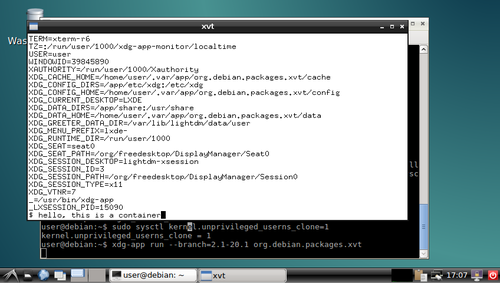
xvt in a container and you can play around with the shell in the xvt and see what you can and can't do in the container. I'm sure there were better ways to do most of this, but I think there's value in having such a simplistic demo to go alongside the various GNOMEish apps.
Acknowledgements: Thanks to all those!

B lint R czey: Progress report on hardened1-linux-amd64, a potential Debian port with PIE, ASAN, UBSAN and more

It was more that one and a half years ago when I proposed creating a new security &QA focused port for Debian and now I m happy to share the first bits of it. Last year I started the bootstrapping during the holidays and I now have the prototype in the form of cross built packages which can be installed next to amd64 packages using multiarch. The aim of creating the port is still the same, letting people mix fast (amd64) and reasonably hardened (hardened1-linux-amd64) packages on the same system. You can already try the cross-built packages in an amd64 unstable chroot, but be warned that the packages are not stable yet. In the following session I tested curl which seems to be working OK, and groff, which seems to be too buggy even for debugging:
debootstrap --arch=amd64 unstable test-hardened1
# mount /proc for ASAN
mount --bind /proc test-hardened1/proc
chroot test-hardened1/
apt-get install debian-keyring
# this is my key, I'll create one dedicated release key later
gpg --keyring /usr/share/keyrings/debian-keyring.gpg -a --export 0x21E764DF   apt-key add -
echo "deb http://hardened1-debian.s3.amazonaws.com/debian-cross-built hardened1-unstable main" >> \
/etc/apt/sources.list
apt-get update
# update apt and dpkg to versions handling the new port
apt-get upgrade
apt-get update
dpkg --add-architecture hardened1-linux-amd64
apt-get update
apt-get install curl:hardened1-linux-amd64
curl -s https://www.debian.org   tail -n2
</body>
</html>
apt-get install -t hardened1-unstable groff:hardened1-linux-amd64
groff
ASAN:SIGSEGV
=================================================================
==20642==ERROR: AddressSanitizer: SEGV on unknown address 0x000000000000 (pc 0x7f79cd84698a bp 0x619000006980 sp 0x7ffe89b3a930 T0)
ASAN:SIGSEGV
==20642==AddressSanitizer: while reporting a bug found another one. Ignoring.
The next steps are finalizing the changes to apt, dpkg, GCC, glibc and other packages, rebuilding all packages in hardened1-linux-amd64 sbuild chroots and building the rest of the archive.
Some of the patches are not submitted yet but they are available in a temporary fork of rebootstrap
I hope I ll be back soon with the recompiled and finalized packages, but until then feel free to try the cross-compiled ones! Patches fixing crashes are always welcome! :-) update 1: Some packages like dpkg-dev are not installable, I m working on them.

update 2: There is one similar project I know of which aims creating an address sanitized Gentoo variant and Hanno B ck will give a presentation about that at FOSDEM.

27 January 2016

Lunar: ASLR now!

Address space layout randomization helps to protect against buffer overflow attacks as it becomes harder for an attacker to turn a programming error into an exploitable security hole. The first implementation for Linux is 15 years old. Support in mainline kernel and toolchains have been available for a good while now. But to work, ASLR also needs executables to be built as position independent. And as Hanno B ck from the fuzzing project gently reminded me at 32C3, almost no executables in Debian are built as such, while it is now the default in Windows, Mac OS X, OpenBSD, and Fedora to name just a few other systems. PIE has the reputation of having a performance hit. While true, especially for register constrained architectures like i386, it makes a difference only for the executable itself, not any shared library it uses as they are already built as position independent. Also, several optimizations have been made since the early days. GCC 5 will reuse the PIC hard register (which is also good for libraries). On amd64, GCC 5 and binutils 2.26 will do copy relocations. More improvements for i386 are being worked on. I sincerly believe that users are way more likely to notice a compromised system than a slightly slower one.

Tracking progress Since version 2.5.40, lintian will now issue a warning1 when it detects that a binary has not been compiled as a position independent executable. Kudos to Niels Thykier. Now that we can track our progress, I'm calling every Debian Developers: let's try to get as many ASLR-compatible executables in Stretch!

How to enable PIE Thanks to all contributors over the past years who have improved our toolchain, we now have a fairly easy way to enable hardening flags with dpkg-buildflags. For packages using dh, it now boils down with adding on top of debian/rules:
export DEB_BUILD_MAINT_OPTIONS = hardening=+all
You can even test if a package supports all hardening flags without any changes running DEB_BUILD_OPTIONS=hardening=+all dpkg-buildpackage. Running lintian or hardening-check can then tell you if the protections have been successfully enabled.

Hardening by default? But do we really need to change so many packages individually? The difference between the current default features and all hardening features are pie and bindnow. Could we turn them by default and do binNMUs instead of requiring actions from maintainers? I guess the question boils down to: how many packages would require a (one-liner) change to turn off the pie or bindnow features if they were on by default? To get the beginning of an answer, I took the top 502 (according to popcon installations) source packages shipping non-position independent executables. I've try to rebuild them enabling all hardening flags through DEB_BUILD_OPTIONS. Out of 49 packages3:
  • 32 (65%) built fine and produced PIE binaries: acpi, bc, bind9, bsd-mailx, bsdmainutils, bzip2, cpio, cron, debianutils, diffutils, dpkg, file, fontconfig, gettext, glib2.0, glibc, gnupg, gzip, hostname, ifupdown, iputils, logrotate, m4, mutt, nano, net-tools, netcat, netkit-ftp, netkit-telnet, os-prober, pam, util-linux.
  • 4 (8%) built fine but did not compiled hardened binaries: discover, mawk, mlocate, patch.
  • 13 (27%) failed to build, with some of these expected failures, e.g. for *-static or GRUB: bash, busybox, coreutils, e2fsprogs, grub2, insserv, iptables, kbd, ncurses, newt, openssl, pciutils, perl.
The results are really encouraging. Especially taking in account that some of these packages are part of the tricky and weird set. To know for sure, we would need a mass-rebuild of the archive with DEB_BUILD_OPTIONS=hardening=+all in the environment. Any takers?

  1. Verification of the whole archive by the latest version of lintian is still in progress by the time I'm writing these lines. According to Niels it should take 3-4 more days to look at all available packages.
  2. As always, UDD does wonders:
    SELECT packages.source, MAX(popcon.insts) AS insts
      FROM lintian, popcon, packages
     WHERE lintian.tag = 'hardening-no-pie'
       AND lintian.package_arch = 'amd64'
       AND popcon.package = lintian.package
       AND packages.package = popcon.package
       AND packages.distribution = 'debian'
       AND packages.release = 'sid'
     GROUP BY packages.source
     ORDER BY MAX(popcon.insts) DESC
     LIMIT 50;
     
  3. acpid currently fail to build from source in sid.

Lunar: ALSR now!

Address space layout randomization helps to protect against buffer overflow attacks as it becomes harder for an attacker to turn a programming error into an exploitable security hole. The first implementation for Linux is 15 years old. Support in mainline kernel and toolchains have been available for a good while now. But to work, ASLR also needs executables to be built as position independent. And as Hanno B ck from the fuzzing project gently reminded me at 32C3, almost no executables in Debian are built as such, while it is now the default in Windows, Mac OS X, OpenBSD, and Fedora to name just a few other systems. PIE has the reputation of having a performance hit. While true, especially for register constrained architectures like i386, it makes a difference only for the executable itself, not any shared library it uses as they are already built as position independent. Also, several optimizations have been made since the early days. GCC 5 will reuse the PIC hard register (which is also good for libraries). On amd64, GCC 5 and binutils 2.26 will do copy relocations. More improvements for i386 are being worked on. I sincerly believe that users are way more likely to notice a compromised system than a slightly slower one.

Tracking progress Since version 2.5.40, lintian will now issue a warning1 when it detects that a binary has not been compiled as a position independent executable. Kudos to Niels Thykier. Now that we can track our progress, I'm calling every Debian Developers: let's try to get as many ALSR-compatible executables in Stretch!

How to enable PIE Thanks to all contributors over the past years who have improved our toolchain, we now have a fairly easy way to enable hardening flags with dpkg-buildflags. For packages using dh, it now boils down with adding on top of debian/rules:
export DEB_BUILD_MAINT_OPTIONS = hardening=+all
You can even test if a package supports all hardening flags without any changes running DEB_BUILD_OPTIONS=hardening=+all dpkg-buildpackage. Running lintian or hardening-check can then tell you if the protections have been successfully enabled.

Hardening by default? But do we really need to change so many packages individually? The difference between the current default features and all hardening features are pie and bindnow. Could we turn them by default and do binNMUs instead of requiring actions from maintainers? I guess the question boils down to: how many packages would require a (one-liner) change to turn off the pie or bindnow features if they were on by default? To get the beginning of an answer, I took the top 502 (according to popcon installations) source packages shipping non-position independent executables. I've try to rebuild them enabling all hardening flags through DEB_BUILD_OPTIONS. Out of 49 packages3:
  • 32 (65%) built fine and produced PIE binaries: acpi, bc, bind9, bsd-mailx, bsdmainutils, bzip2, cpio, cron, debianutils, diffutils, dpkg, file, fontconfig, gettext, glib2.0, glibc, gnupg, gzip, hostname, ifupdown, iputils, logrotate, m4, mutt, nano, net-tools, netcat, netkit-ftp, netkit-telnet, os-prober, pam, util-linux.
  • 4 (8%) built fine but did not compiled hardened binaries: discover, mawk, mlocate, patch.
  • 13 (27%) failed to build, with some of these expected failures, e.g. for *-static or GRUB: bash, busybox, coreutils, e2fsprogs, grub2, insserv, iptables, kbd, ncurses, newt, openssl, pciutils, perl.
The results are really encouraging. Especially taking in account that some of these packages are part of the tricky and weird set. To know for sure, we would need a mass-rebuild of the archive with DEB_BUILD_OPTIONS=hardening=+all in the environment. Any takers?

  1. Verification of the whole archive by the latest version of lintian is still in progress by the time I'm writing these lines. According to Niels it should take 3-4 more days to look at all available packages.
  2. As always, UDD does wonders:
    SELECT packages.source, MAX(popcon.insts) AS insts
      FROM lintian, popcon, packages
     WHERE lintian.tag = 'hardening-no-pie'
       AND lintian.package_arch = 'amd64'
       AND popcon.package = lintian.package
       AND packages.package = popcon.package
       AND packages.distribution = 'debian'
       AND packages.release = 'sid'
     GROUP BY packages.source
     ORDER BY MAX(popcon.insts) DESC
     LIMIT 50;
     
  3. acpid currently fail to build from source in sid.

21 January 2016

Holger Levsen: 20160121-farewell-reproducible.debian.net

Bye bye reproducible.debian.net After an amazing 15 months I've just "pulled the plug" on reproducible.debian.net - well, not really (at all), instead now we have https://tests.reproducible-builds.org! :-) It's still a bit rough and not really yet where I want it to be (more on that soon), but hopefully it will be there, rather soon! And hopefully our patches for dpkg will soon be merged too. At least some, right now I'm slightly puzzled there are seven now, I thought we had 3 or 4 my point here is: while Debian as a whole will freeze late 2016, the core toolchain for Stretch should be ready much sooner. So pretty please

17 January 2016

Lunar: Reproducible builds: week 38 in Stretch cycle

What happened in the reproducible builds effort between January 10th and January 16th:

Toolchain fixes Benjamin Drung uploaded mozilla-devscripts/0.43 which sorts the file list in preferences files. Original patch by Reiner Herrmann. Lunar submitted an updated patch series to make timestamps in packages created by dpkg deterministic. To ensure that the mtimes in data.tar are reproducible, with the patches, dpkg-deb uses the --clamp-mtime option added in tar/1.28-1 when available. An updated package has been uploaded to the experimental repository. This removed the need for a modified debhelper as all required changes for reproducibility have been merged or are now covered by dpkg.

Packages fixed The following packages have become reproducible due to changes in their build dependencies: angband-doc, bible-kjv, cgoban, gnugo, pachi, wmpuzzle, wmweather, wmwork, xfaces, xnecview, xscavenger, xtrlock, virt-top. The following packages became reproducible after getting fixed: Some uploads fixed some reproducibility issues, but not all of them: Untested changes:

reproducible.debian.net Once again, Vagrant Cascadian is providing another armhf build system, allowing to run 6 more armhf builder jobs, right there. (h01ger) Stop requiring a modified debhelper and adapt to the latest dpkg experimental version by providing a predetermined identifier for the .buildinfo filename. (Mattia Rizzolo, h01ger) New X.509 certificates were set up for jenkins.debian.net and reproducible.debian.net using Let's Encrypt!. Thanks to GlobalSign for providing certificates for the last year free of charge. (h01ger)

Package reviews 131 reviews have been removed, 85 added and 32 updated in the previous week. FTBFS issues filled: 29. Thanks to Chris Lamb, Mattia Rizzolo, and Niko Tyni. New issue identified: timestamps_in_manpages_added_by_golang_cobra.

Misc. Most of the minutes from the meetings held in Athens in December 2015 are now available to the public.

14 January 2016

Lunar: Reproducible builds: week 37 in Stretch cycle

What happened in the reproducible builds effort between January 3rd and January 9th 2016:

Toolchain fixes David Bremner uploaded dh-elpa/0.0.18 which adds a --fix-autoload-date option (on by default) to take autoload dates from changelog. Lunar updated and sent the patch adding the generation of .buildinfo to dpkg.

Packages fixed The following packages have become reproducible due to changes in their build dependencies: aggressive-indent-mode, circe, company-mode, db4o, dh-elpa, editorconfig-emacs, expand-region-el, f-el, geiser, hyena, js2-mode, markdown-mode, mono-fuse, mysql-connector-net, openbve, regina-normal, sml-mode, vala-mode-el. The following packages became reproducible after getting fixed: Some uploads fixed some reproducibility issues, but not all of them: Patches submitted which have not made their way to the archive yet:
  • #809780 on flask-restful by Chris Lamb: implement support for SOURCE_DATE_EPOCH in the build system.
  • #810259 on avfs by Chris Lamb: implement support for SOURCE_DATE_EPOCH in the build system.
  • #810509 on apt by Mattia Rizzolo: ensure a stable file order is given to the linker.

reproducible.debian.net Add 2 more armhf build nodes provided by Vagrant Cascadian. This added 7 more armhf builder jobs. We now run around 900 tests of armhf packages each day. (h01ger) The footer of each page now indicates by which Jenkins jobs build it. (h01ger)

diffoscope development diffoscope 45 has been released on January 4th. It features huge memory improvements when comparing large files, several fixes of squashfs related issues that prevented comparing two Tails images, and improve the file list of tar and cpio archive to be more precise and consistent over time. It also fixes a typo that prevented the Mach-O to work (Rainer M ller), improves comparisons of ELF files when specified on the command line, and solves a few more encoding issues.

Package reviews 134 reviews have been removed, 30 added and 37 updated in the previous week. 20 new fail to build from source issues were reported by Chris Lamb and Chris West. prebuilder will now skip installing diffoscope to save time if the build results are identical. (Reiner Herrmann)

3 January 2016

Lunar: Reproducible builds: week 35 in Stretch cycle

What happened in the reproducible builds effort between December 20th to December 26th: Toolchain fixes Mattia Rizzolo rebased our experimental versions of debhelper (twice!) and dpkg on top of the latest releases. Reiner Herrmann submited a patch for mozilla-devscripts to sort the file list in generated preferences.js files. To be able to lift the restriction that packages must be built in the same path, translation support for the __FILE__ C pre-processor macro would also be required. Joerg Sonnenberger submitted a patch back in 2010 that would still be useful today. Chris Lamb started work on providing a deterministic mode for debootstrap. Packages fixed The following packages have become reproducible due to changes in their build dependencies: bouncycastle, cairo-dock-plug-ins, darktable, gshare, libgpod, pafy, ruby-redis-namespace, ruby-rouge, sparkleshare. The following packages became reproducible after getting fixed: Some uploads fixed some reproducibility issues, but not all of them: Patches submitted which have not made their way to the archive yet: reproducible.debian.net Statistics for package sets are now visible for the armhf architecture. (h01ger) The second build now has a longer timeout (18 hours) than the first build (12 hours). This should prevent wasting resources when a machine is loaded. (h01ger) Builds of Arch Linux packages are now done using a tmpfs. (h01ger) 200 GiB have been added to jenkins.debian.net (thanks to ProfitBricks!) to make room for new jobs. The current count is at 962 and growing! diffoscope development Aside from some minor bugs that have been fixed, a one-line change made huge memory (and time) savings as the output of transformation tool is now streamed line by line instead of loaded entirely in memory at once. disorderfs development Andrew Ayer released disorderfs version 0.4.2-1 on December 22th. It fixes a memory corruption error when processing command line arguments that could cause command line options to be ignored. Documentation update Many small improvements for the documentation on reproducible-builds.org sent by Georg Koppen were merged. Package reviews 666 (!) reviews have been removed, 189 added and 162 updated in the previous week. 151 new fail to build from source reports have been made by Chris West, Chris Lamb, Mattia Rizzolo, and Niko Tyni. New issues identified: unsorted_filelist_in_xul_ext_preferences, nondeterminstic_output_generated_by_moarvm. Misc. Steven Chamberlain drew our attention to one analysis of the Juniper ScreenOS Authentication Backdoor: Whilst this may have been added in source code, it was well-disguised in the disassembly and just 7 instructions long. I thought this was a good example of the current state-of-the-art, and why we'd like our binaries and eventually, installer and VM images reproducible IMHO. Joanna Rutkowska has mentioned possible ways for Qubes to become reproducible on their development mailing-list.

1 January 2016

Niels Thykier: Debian, please plan for Stretch

In the 4th quarter of 2016, we will freeze Debian Stretch. If you are hoping to do any larger changes for Stretch, please consider starting on them now. This also includes features that need to be in APT/dpkg (etc.) in Stretch, so we can start using them for Buster. Even something as trivial as the automatic dbgsym packages took over 8 months to complete (from the prototype was announced in April). I call it trivial because: NB: There were certainly other parties involved. But these were the most important ones. Mind you, the dbgsym saga is not complete yet. We are still lacking support for migrating dbgsym packages to testing (and, by extension, the next stable release as well). Meanwhile, you can pull the dbgsym packages from snapshot.debian.org. In summary: If you want a larger change to land in Debian Stretch, please start already now. :)
Filed under: Debian, Release-Team

18 December 2015

Martin Pitt: What s new in autopkgtest: LXD, MaaS, apt pinning, and more

The last two major autopkgtest releases (3.18 from November, and 3.19 fresh from yesterday) bring some new features that are worth spreading. New LXD virtualization backend 3.19 debuts the new adt-virt-lxd virtualization backend. In case you missed it, LXD is an API/CLI layer on top of LXC which introduces proper image management, seamlessly use images and containers on remote locations, intelligently caching them locally, automatically configure performant storage backends like zfs or btrfs, and just generally feels really clean and much simpler to use than the classic LXC. Setting it up is not complicated at all. Install the lxd package (possibly from the backports PPA if you are on 14.04 LTS), and add your user to the lxd group. Then you can add the standard LXD image server with

  lxc remote add lco https://images.linuxcontainers.org:8443
and use the image to run e. g. the libpng test from the archive:
  adt-run libpng --- lxd lco:ubuntu/trusty/i386
  adt-run libpng --- lxd lco:debian/sid/amd64
The adt-virt-lxd.1 manpage explains this in more detail, also how to use this to run tests in a container on a remote host (how cool is that!), and how to build local images with the usual autopkgtest customizations/optimizations using adt-build-lxd. I have btrfs running on my laptop, and LXD/autopkgtest automatically use that, so the performance really rocks. Kudos to St phane, Serge, Tycho, and the other LXD authors! The motivation for writing this was to make it possible to move our armhf testing into the cloud (which for $REASONS requires remote containers), but I now have a feeling that soon this will completely replace the existing adt-virt-lxc virt backend, as its much nicer to use. It is covered by the same regression tests as the LXC runner, and from the perspective of package tests that you run in it it should behave very similar to LXC. The one problem I m aware of is that autopkgtest-reboot-prepare is broken, but hardly anything is using that yet. This is a bit complicated to fix, but I expect it will be in the next few weeks. MaaS setup script While most tests are not particularly sensitive about which kind of hardware/platform they run on, low-level software like the Linux kernel, GL libraries, X.org drivers, or Mir very much are. There is a plan for extending our automatic tests to real hardware for these packages, and being able to run autopkgtests on real iron is one important piece of that puzzle. MaaS (Metal as a Service) provides just that it manages a set of machines and provides an API for installing, talking to, and releasing them. The new maas autopkgtest ssh setup script (for the adt-virt-ssh backend) brings together autopkgtest and real hardware. Once you have a MaaS setup, get your API key from the web UI, then you can run a test like this:
  adt-run libpng --- ssh -s maas -- \
     --acquire "arch=amd64 tags=touchscreen" -r wily \
     http://my.maas.server/MAAS 123DEADBEEF:APIkey
The required arguments are the MaaS URL and the API key. Without any further options you will get any available machine installed with the default release. But usually you want to select a particular one by architecture and/or tags, and install a particular distro release, which you can do with the -r/--release and --acquire options. Note that this is not wired into Ubuntu s production CI environment, but it will be. Selectively using packages from -proposed Up until a few weeks ago, autopkgtest runs in the CI environment were always seeing/using the entirety of -proposed. This often led to lockups where an application foo and one of its dependencies libbar got a new version in -proposed at the same time, and on test regressions it was not clear at all whose fault it was. This often led to perfectly good packages being stuck in -proposed for a long time, and a lot of manual investigation about root causes. . These days we are using a more fine-grained approach: A test run is now specific for a trigger , that is, the new package in -proposed (e. g. a new version of libbar) that caused the test (e. g. for foo ) to run. autopkgtest sets up apt pinning so that only the binary packages for the trigger come from -proposed, the rest from -release. This provides much better isolation between the mush of often hundreds of packages that get synced or uploaded every day. This new behaviour is controlled by an extension of the --apt-pocket option. So you can say
  adt-run --apt-pocket=proposed=src:foo,libbar1,libbar-data ...
and then only the binaries from the foo source, libbar1, and libbar-data will come from -proposed, everything else from -release. Caveat:Unfortunately apt s pinning is rather limited. As soon as any of the explicitly listed packages depends on a package or version that is only available in -proposed, apt falls over and refuses the installation instead of taking the required dependencies from -proposed as well. In that case, adt-run falls back to the previous behaviour of using no pinning at all. (This unfortunately got worse with apt 1.1, bug report to be done). But it s still helpful in many cases that don t involve library transitions or other package sets that need to land in lockstep. Unified testbed setup script There is a number of changes that need to be made to testbeds so that tests can run with maximum performance (like running dpkg through eatmydata, disabling apt translations, or automatically using the host s apt-cacher-ng), reliable apt sources, and in a minimal environment (to detect missing dependencies and avoid interference from unrelated services these days the standard cloud images have a lot of unnecessary fat). There is also a choice whether to apply these only once (every day) to an autopkgtest specific base image, or on the fly to the current ephemeral testbed for every test run (via --setup-commands). Over time this led to quite a lot of code duplication between adt-setup-vm, adt-build-lxc, the new adt-build-lxd, cloud-vm-setup, and create-nova-image-new-release. I now cleaned this up, and there is now just a single setup-commands/setup-testbed script which works for all kinds of testbeds (LXC, LXD, QEMU images, cloud instances) and both for preparing an image with adt-buildvm-ubuntu-cloud, adt-build-lx[cd] or nova, and with preparing just the current ephemeral testbed via --setup-commands. While this is mostly an internal refactorization, it does impact users who previously used the adt-setup-vm script for e. g. building Debian images with vmdebootstrap. This script is now gone, and the generic setup-testbed entirely replaces it. Misc Aside from the above, every new version has a handful of bug fixes and minor improvements, see the git log for details. As always, if you are interested in helping out or contributing a new feature, don t hesitate to contact me or file a bug report.

13 December 2015

Robert Edmonds: Works with Debian: Intel SSD 750, AMD FirePro W4100, Dell P2715Q

I recently installed new hardware in my primary computer running Debian unstable. The disk used for the / and /home filesystem was replaced with an Intel SSD 750 series NVM Express card. The graphics card was replaced by an AMD FirePro W4100 card, and two Dell P2715Q monitors were installed. Intel SSD 750 series NVM Express card This is an 800 GB SSD on a PCI-Express x4 card (model number SSDPEDMW800G4X1) using the relatively new NVM Express interface, which appears as a /dev/nvme* device. The stretch alpha 4 Debian installer was able to detect and install onto this device, but grub-installer 1.127 on the installer media was unable to install the boot loader. This was due to a bug recently fixed in 1.128:
grub-installer (1.128) unstable; urgency=high
  * Fix buggy /dev/nvme matching in the case statement to determine
    disc_offered_devfs (Closes: #799119). Thanks, Mario Limonciello!
 -- Cyril Brulebois <kibi@debian.org>  Thu, 03 Dec 2015 00:26:42 +0100
I was able to download and install the updated .udeb by hand in the installer environment and complete the installation. This card was installed on a Supermicro X10SAE motherboard, and the UEFI BIOS was able to boot Debian directly from the NVMe card, although I updated to the latest available BIOS firmware prior to the installation. It appears in lspci like this:
02:00.0 Non-Volatile memory controller: Intel Corporation PCIe Data Center SSD (rev 01)
(prog-if 02 [NVM Express])
    Subsystem: Intel Corporation SSD 750 Series [Add-in Card]
    Flags: bus master, fast devsel, latency 0
    Memory at f7d10000 (64-bit, non-prefetchable) [size=16K]
    Expansion ROM at f7d00000 [disabled] [size=64K]
    Capabilities: [40] Power Management version 3
    Capabilities: [50] MSI-X: Enable+ Count=32 Masked-
    Capabilities: [60] Express Endpoint, MSI 00
    Capabilities: [100] Advanced Error Reporting
    Capabilities: [150] Virtual Channel
    Capabilities: [180] Power Budgeting <?>
    Capabilities: [190] Alternative Routing-ID Interpretation (ARI)
    Capabilities: [270] Device Serial Number 55-cd-2e-41-4c-90-a8-97
    Capabilities: [2a0] #19
    Kernel driver in use: nvme
The card itself appears very large in marketing photos, but this is a visual trick: the photographs are taken with the low-profile PCI bracket installed, rather than the standard height PCI bracket which it ships installed with. smartmontools fails to read SMART data from the drive, although it is still able to retrieve basic device information, including the temperature:
root@chase 0 :~# smartctl -d scsi -a /dev/nvme0n1
smartctl 6.4 2015-06-04 r4109 [x86_64-linux-4.3.0-trunk-amd64] (local build)
Copyright (C) 2002-15, Bruce Allen, Christian Franke, www.smartmontools.org
=== START OF INFORMATION SECTION ===
Vendor:               NVMe
Product:              INTEL SSDPEDMW80
Revision:             0135
Compliance:           SPC-4
User Capacity:        800,166,076,416 bytes [800 GB]
Logical block size:   512 bytes
Rotation Rate:        Solid State Device
Logical Unit id:      8086INTEL SSDPEDMW800G4                     1000CVCQ531500K2800EGN  
Serial number:        CVCQ531500K2800EGN
Device type:          disk
Local Time is:        Sun Dec 13 01:48:37 2015 EST
SMART support is:     Unavailable - device lacks SMART capability.
=== START OF READ SMART DATA SECTION ===
Current Drive Temperature:     31 C
Drive Trip Temperature:        85 C
Error Counter logging not supported
[GLTSD (Global Logging Target Save Disable) set. Enable Save with '-S on']
Device does not support Self Test logging
root@chase 4 :~# 
Simple tests with cat /dev/nvme0n1 >/dev/null and iotop show that the card can read data at about 1 GB/sec, about twice as fast as the SATA-based SSD that it replaced. apt/dpkg now run about as fast on the NVMe SSD as they do on a tmpfs. Hopefully this device doesn't at some point require updated firmware, like some infamous SSDs have. AMD FirePro W4100 graphics card This is a graphics card capable of driving multiple DisplayPort displays at "4K" resolution and at a 60 Hz refresh rate. It has four Mini DisplayPort connectors, although I only use two of them. It was difficult to find a sensible graphics card. Most discrete graphics cards appear to be marketed towards video gamers who apparently must seek out bulky cards that occupy multiple PCI slots and have excessive cooling devices. (To take a random example, the ASUS STRIX R9 390X has three fans and brags about its "Mega Heatpipes".) AMD markets a separate line of "FirePro" graphics cards intended for professionals rather than gamers, although they appear to be based on the same GPUs as their "Radeon" video cards. The AMD FirePro W4100 is a normal half-height PCI-E card that fits into a single PCI slot and has a relatively small cooler with a single fan. It doesn't even require an auxilliary power connection and is about the same dimensions as older video cards that I've successfully used with Debian. It was difficult to determine whether the W4100 card was actually supported by an open source driver before buying it. The word "FirePro" appears nowhere on the webpage for the X.org Radeon driver, but I was able to find a "CAPE VERDE" listed as an engineering name which appears to match the "Cape Verde" code name for the FirePro W4100 given on Wikipedia's List of AMD graphics processing units. This explains the "verde" string that appears in the firmware filenames requested by the kernel (available only in the non-free/firmware-amd-graphics package):
[drm] initializing kernel modesetting (VERDE 0x1002:0x682C 0x1002:0x2B1E).
[drm] Loading verde Microcode
radeon 0000:01:00.0: firmware: direct-loading firmware radeon/verde_pfp.bin
radeon 0000:01:00.0: firmware: direct-loading firmware radeon/verde_me.bin
radeon 0000:01:00.0: firmware: direct-loading firmware radeon/verde_ce.bin
radeon 0000:01:00.0: firmware: direct-loading firmware radeon/verde_rlc.bin
radeon 0000:01:00.0: firmware: direct-loading firmware radeon/verde_mc.bin
radeon 0000:01:00.0: firmware: direct-loading firmware radeon/verde_smc.bin
The card appears in lspci like this:
01:00.0 VGA compatible controller: Advanced Micro Devices, Inc. [AMD/ATI] Cape Verde GL [FirePro W4100]
(prog-if 00 [VGA controller])
    Subsystem: Advanced Micro Devices, Inc. [AMD/ATI] Device 2b1e
    Flags: bus master, fast devsel, latency 0, IRQ 55
    Memory at e0000000 (64-bit, prefetchable) [size=256M]
    Memory at f7e00000 (64-bit, non-prefetchable) [size=256K]
    I/O ports at e000 [size=256]
    Expansion ROM at f7e40000 [disabled] [size=128K]
    Capabilities: [48] Vendor Specific Information: Len=08 <?>
    Capabilities: [50] Power Management version 3
    Capabilities: [58] Express Legacy Endpoint, MSI 00
    Capabilities: [a0] MSI: Enable+ Count=1/1 Maskable- 64bit+
    Capabilities: [100] Vendor Specific Information: ID=0001 Rev=1 Len=010 <?>
    Capabilities: [150] Advanced Error Reporting
    Capabilities: [200] #15
    Capabilities: [270] #19
    Kernel driver in use: radeon
The W4100 appears to work just fine, except for a few bizarre error messages that are printed to the kernel log when the displays are woken from power saving mode:
[Sun Dec 13 00:24:41 2015] [drm:si_dpm_set_power_state [radeon]] *ERROR* si_enable_smc_cac failed
[Sun Dec 13 00:24:41 2015] [drm:si_dpm_set_power_state [radeon]] *ERROR* si_enable_smc_cac failed
[Sun Dec 13 00:24:41 2015] [drm:radeon_dp_link_train [radeon]] *ERROR* displayport link status failed
[Sun Dec 13 00:24:41 2015] [drm:radeon_dp_link_train [radeon]] *ERROR* clock recovery failed
[Sun Dec 13 00:24:41 2015] [drm:radeon_dp_link_train [radeon]] *ERROR* displayport link status failed
[Sun Dec 13 00:24:41 2015] [drm:radeon_dp_link_train [radeon]] *ERROR* clock recovery failed
There don't appear to be any ill effects from these error messages, though. I have the following package versions installed:
 / Name                          Version             Description
+++-=============================-===================-================================================
ii  firmware-amd-graphics         20151207-1          Binary firmware for AMD/ATI graphics chips
ii  linux-image-4.3.0-trunk-amd64 4.3-1~exp2          Linux 4.3 for 64-bit PCs
ii  xserver-xorg-video-radeon     1:7.6.1-1           X.Org X server -- AMD/ATI Radeon display driver
The Supermicro X10SAE motherboard has two PCI-E 3.0 slots, but they're listed as functioning in either "16/NA" or "8/8" mode, which apparently means that putting anything in the second slot (like the Intel 750 SSD, which uses an x4 link) causes the video card to run at a smaller x8 link width. This can be verified by looking at the widths reported in the "LnkCap" and "LnkSta" lines in the lspci -vv output:
root@chase 0 :~# lspci -vv -s 01:00.0   egrep '(LnkCap LnkSta):'
        LnkCap: Port #0, Speed 8GT/s, Width x16, ASPM L0s L1, Exit Latency L0s <64ns, L1 <1us
        LnkSta: Speed 8GT/s, Width x8, TrErr- Train- SlotClk+ DLActive- BWMgmt- ABWMgmt-
root@chase 0 :~# 
I did not notice any visible artifacts or performance degradation because of the smaller link width. The sensors utility from the lm-sensors package is capable of reporting the temperature of the GPU:
root@chase 0 :~# sensors radeon-pci-0100
radeon-pci-0100
Adapter: PCI adapter
temp1:        +55.0 C  (crit = +120.0 C, hyst = +90.0 C)
root@chase 0 :~# 
Dell P2715Q monitors Two new 27" Dell monitors with a native resolution of 3840x2160 were attached to the new graphics card. They replaced two ten year old Dell 2001FP monitors with a native resolution of 1600x1200 that had experienced burn-in, providing 4.32 times as many pixels. (TV and monitor manufacturers now shamelessly refer to the 3840x2160 resolution as "4K" resolution even though neither dimension reaches 4000 pixels.) There was very little to setup beyond plugging the DisplayPort inputs on these monitors into the DisplayPort outputs on the graphics card. Most of the setup involved reconfiguring software to work with the very high resolution. X.org, for tl;dr CLOSED NOTABUG reasons doesn't set the DPI correctly. These monitors have ~163 DPI resolution, so I added -dpi 168 to /etc/X11/xdm/Xservers. (168 is an even 1.75x multiple of 96.) Software like Google Chrome and xfce4-terminal rendered fonts and graphical elements at the right size, but other software like notion, pidgin, and virt-manager did not fully understand the high DPI. E.g., pidgin renders fonts at the correct size, but icons are too small. The default X cursor was also too small. To fix this, I installed the dmz-cursor-theme package, ran update-alternatives --config x-cursor-theme and selected /usr/share/icons/DMZ-Black/cursor.theme as the cursor theme. Overall, these displays are much brighter and more readable than the ones they replaced.

30 November 2015

Lunar: Reproducible builds: week 31 in Stretch cycle

What happened in the reproducible builds effort this week: Toolchain fixes Reiner Herrmann submitted a patch against debhelper to make dh_installinit source files in a stable order. Chris Lamb found how to make cython output deterministic by ordering the keys used to traverse a dict. Reiner Herrmann proposed a patch for pyside-tools to remove the timestamps embedded by rcc in the generated Python code. Mattia Rizzolo rebased our custom version of debhelper on version 9.20151126. As no objections have been made so far, Mattia Rizzolo has filled #805872 asking -Wdate-time to be turned on by default in dpkg-buildflag. Guillem has since sent a final warning before proceeding as such in the next dpkg upload. Russ Allbery added support for SOURCE_DATE_EPOCH in podlators 4.00 which Niko Tyni intend to backport to Perl 5.22. Packages fixed The following packages have become reproducible due to changes in their build dependencies: fontforge, golang-github-tinylib-msgp, libpango-perl, libparanamer-java, libxaw, sqljet, stringtemplate4, uzbl, zope-mysqlda. The following packages became reproducible after getting fixed: Some uploads fixed some reproducibility issues, but not all of them: Patches submitted which have not made their way to the archive yet: Lunar reported two issues making xz-utils unreproducible (#806328, #806331). reproducible.debian.net A seventh armhf build node has been added (resulting of two more armhf build jobs). Thanks to Vagrant Cascadian for putting this Raspberry Pi 2B to help. (h01ger) jenkins.debian.net has been made more robust against network and proxy failures. (h01ger) A new 100 GB partition has been set up on reproducible.debian.net to prevent disk space issues. Thanks to ProfitBricks for its continuous support to our continuous test system. (h01ger) New graphs showing usertagged bugs have been added on the dashboard to measure the progress without FTBFS issues. Please note that comparing the two graphs might be misleading as more than 1300 FTBFS bugs have been inventoried. (h01ger) Package reviews 78 reviews have been removed, 116 added and 49 updated this week. 25 new FTBFS have been filed by Chris West, Chris Lamb and Santiago Vila. New issues identified this week: timestamps_in_documentation_generated_with_libwibble, copyright_year_in_documentation_generated_by_sphinx, timestamps_in_documentation_generated_by_glib_genpod, random_order_of_tmpfiles_in_postinst, random_order_in_cython_output, timestamps_in_python_code_generated_by_pyside. Reiner Herrmann and Lunar improved the prebuilder script: the script can now be called through a symlink, run parallel builds, calls diffoscope by its new name and ensure to install its recommends, and save the text output aside the HTML one. Reiner also added a script to lookup the last update of notes for a given package. Misc. Santiago Villa has been recently working on making sure that Arch:all packages were properly buildable by running dpkg-buildpackage -A. This uncovered a question that is probably not currently addressed by the policy: on which architectures should architecture-independent be buildable?

15 November 2015

Lunar: Reproducible builds: week 29 in Stretch cycle

What happened in the reproducible builds effort this week: Toolchain fixes Emmanuel Bourg uploaded eigenbase-resgen/1.3.0.13768-2 which uses of the scm-safe comment style by default to make them deterministic. Mattia Rizzolo started a new thread on debian-devel to ask a wider audience for issues about the -Wdate-time compile time flag. When enabled, GCC and clang print warnings when __DATE__, __TIME__, or __TIMESTAMP__ are used. Having the flag set by default would prompt maintainers to remove these source of unreproducibility from the sources. Packages fixed The following packages have become reproducible due to changes in their build dependencies: bmake, cyrus-imapd-2.4, drobo-utils, eigenbase-farrago, fhist, fstrcmp, git-dpm, intercal, libexplain, libtemplates-parser, mcl, openimageio, pcal, powstatd, ruby-aggregate, ruby-archive-tar-minitar, ruby-bert, ruby-dbd-odbc, ruby-dbd-pg, ruby-extendmatrix, ruby-rack-mobile-detect, ruby-remcached, ruby-stomp, ruby-test-declarative, ruby-wirble, vtprint. The following packages became reproducible after getting fixed: Some uploads fixed some reproducibility issues, but not all of them: Patches submitted which have not made their way to the archive yet: reproducible.debian.net The fifth and sixth armhf build nodes have been set up, resulting in five more builder jobs for armhf. More than 10,000 packages have now been identified as reproducible with the reproducible toolchain on armhf. (Vagrant Cascadian, h01ger) Helmut Grohne and Mattia Rizzolo now have root access on all 12 build nodes used by reproducible.debian.net and jenkins.debian.net. (h01ger) reproducible-builds.org is now linked from all package pages and the reproducible.debian.net dashboard. (h01ger) profitbricks-build5-amd64 and profitbricks-build6-amd64, responsible for running amd64 tests now run 398.26 days in the future. This means that one of the two builds that are being compared will be run on a different minute, hour, day, month, and year. This is not yet the case for armhf. FreeBSD tests are also done with 398.26 days difference. (h01ger) The design of the Arch Linux test page has been greatly improved. (Levente Polyak) diffoscope development Three releases of diffoscope happened this week numbered 39 to 41. It includes support for EPUB files (Reiner Herrmann) and Free Pascal unit files, usually having .ppu as extension (Paul Gevers). The rest of the changes were mostly targetting at making it easier to run diffoscope on other systems. The tlsh, rpm, and debian modules are now all optional. The test suite will properly skip tests that need optional tools or modules when they are not available. As a result, diffosope is now available on PyPI and thanks to the work of Levente Polyak in Arch Linux. Getting these versions in Debian was a bit cumbersome. Version 39 was uploaded with an expired key (according to the keyring on ftp.debian.org which will hopefully be updated soon) which is currently handled by keeping the files in the queue without REJECTing them. This prevented any other Debian Developpers to upload the same version. Version 40 was uploaded as a source-only upload but failed to build from source which had the undesirable side effect of removing the previous version from unstable. The package faild to build from source because it was built passing -I to debbuild. This excluded the ELF object files and static archives used by the test suite from the archive, preventing the test suite to work correctly. Hopefully, in a nearby future it will be possible to implement a sanity check to prevent such mistakes in the future. It has also been identified that ppudump outputs time in the system timezone without considering the TZ environment variable. Zachary Vance and Paul Gevers raised the issue on the appropriate channels. strip-nondeterminism development Chris Lamb released strip-nondeterminism version 0.014-1 which disables stripping Mono binaries as it is too aggressive and the source of the problem is being worked on by Mono upstream. Package reviews 133 reviews have been removed, 115 added and 103 updated this week. Chris West and Chris Lamb reported 57 new FTBFS bugs. Misc. The video of h01ger and Chris Lamb's talk at MiniDebConf Cambridge is now available. h01ger gave a talk at CCC Hamburg on November 13th, which was well received and sparked some interest among Gentoo folks. Slides and video should be available shortly. Frederick Kautz has started to revive Dhiru Kholia's work on testing Fedora packages. Your editor wish to once again thank #debian-reproducible regulars for reviewing these reports weeks after weeks.

9 November 2015

Vasudev Kamath: Taming systemd-nspawn for running containers

I've been trying to run containers using systemd-nspawn for quite some time. I was always bumping to one or other dead end. This is not systemd-nspawn's fault, rather my impatience stopping me from reading manual pages properly lack of good tutorial like article available online. Compared to this LXC has a quite a lot of good tutorials and howto's available online. This article is my effort to create a notes putting all required information in one place.
Creating a Debian Base Install First step is to have a minimal Debian system some where on your hard disk. This can be easily done using debootsrap. I wrote a custom script to avoid reading manual every time I want to run debootstrap. Parts of this script (mostly packages and the root password generation) is stolen from lxc-debian template provided by lxc package.
#!/bin/sh
set -e
set -x
usage ()  
    echo "$ 0##/*  [options] <suite> <target> [<mirror>]"
    echo "Bootstrap rootfs for Debian"
    echo
    cat <<EOF
    --arch         set the architecture to install
    --root-passwd  set the root password for bootstrapped rootfs
    EOF
 
# copied from the lxc-debian template
packages=ifupdown,\
locales,\
libui-dialog-perl,\
dialog,\
isc-dhcp-client,\
netbase,\
net-tools,\
iproute,\
openssh-server,\
dbus
if [ $(id -u) -ne 0 ]; then
    echo "You must be root to execute this command"
    exit 2
fi
if [ $# -lt 2 ]; then
   usage $0
fi
while true; do
    case "$1" in
        --root-passwd --root-passwd=?*)
            if [ "$1" = "--root-passwd" -a -n "$2" ]; then
                ROOT_PASSWD="$2"
                shift 2
            elif [ "$1" != "$ 1#--root-passwd= " ]; then
                ROOT_PASSWD="$ 1#--root-passwd= "
                shift 1
            else
                # copied from lxc-debian template
                ROOT_PASSWD="$(dd if=/dev/urandom bs=6 count=1 2>/dev/null base64)"
                ECHO_PASSWD="yes"
            fi
            ;;
        --arch --arch=?*)
            if [ "$1" = "--arch" -a -n "$2" ]; then
                ARCHITECTURE="$2"
                shift 2
            elif [ "$1" != "$ 1#--arch= " ]; then
                ARCHITECTURE="$ 1#--arch= "
                shift 1
            else
                ARCHITECTURE="$(dpkg-architecture -q DEB_HOST_ARCH)"
            fi
            ;;
        *)
            break
            ;;
    esac
done
release="$1"
target="$2"
if [ -z "$1" ]   [ -z "$2" ]; then
    echo "You must specify suite and target"
    exit 1
fi
if [ -n "$3" ]; then
    MIRROR="$3"
fi
MIRROR=$ MIRROR:-http://httpredir.debian.org/debian 
echo "Downloading Debian $release ..."
debootstrap --verbose --variant=minbase --arch=$ARCHITECTURE \
             --include=$packages \
             "$release" "$target" "$MIRROR"
if [ -n "$ROOT_PASSWD" ]; then
    echo "root:$ROOT_PASSWD"   chroot "$target" chpasswd
    echo "Root password is '$ROOT_PASSWRD', please change!"
fi
It just gets my needs done, if you don't like it feel free to modify or use debootstrap directly. !NB Please install dbus package in the minimal base install, otherwise you will not be able to control the container using machinectl
Manually Running Container and then persisting it Next we need to run the container manually. This is done by using following command.
systemd-nspawn -bD   /path/to/container --network-veth \
     --network-bridge=natbr0 --machine=Machinename
--machine option is not mandatory, if not specified systemd-nspawn will take the directory name as machine name, and if you have characters like - in the directory name it translates to hexcode x2d and controlling container with name becomes difficult. --network-veth specifies the systemd-nspawn to enable virtual ethernet based networking and --network-bridge tells the bridge interface on host system to be used by systemd-nspawn. These options together constitutes private networking for container. If not specified container can use host systems interface there by removing network isolation of container. Once you run this command container comes up. You can now run machinectl to control the container. Container can be persisted using following command
machinectl enable container-name
This will create a symbolic link of /lib/systemd/system/systemd-nspawn@service to /etc/systemd/system/machine.target.wants/. This allows you to start or stop container using machinectl or systemctl command. Only catch here is your base install should be in /var/lib/machines/. What I do in my case is create a symbolic link from my base container to /var/lib/machines/container-name. !NB Note that symbolic link name under /var/lib/machines should be same as the container name you gave using --machine switch or the directory name if you didn't specify --machine
Persisting Container Networking We did persist the container in above step, but this doesn't persist the networking options we provided in command line. systemd-nspawn@.service provides following command to invoke container.
ExecStart=/usr/bin/systemd-nspawn --quiet --keep-unit --boot --link-journal=try-guest --network-veth --settings=override --machine=%I
To persist the bridge networking configuration we did in command line, we need the help of systemd-networkd. So first we need to enable the systemd-networkd.service on both container and the host system.
systemctl enable systemd-networkd.service
Now inside the container, interfaces will be named as hostN. Depending on how many interfaces we have N increments. In our example case we had single interface, hence it will named as host0. By default network interfaces will be down inside container, hence systemd-networkd is needed to put it up. We put the following in /etc/systemd/network/host0.network file inside the container.
[Match]
Name=host0
[Network]
Description=Container wired interface host0
DHCP=yes
And in the host system we just configure the bridge interface using systemd-nspawn. I put following in natbr0.netdev in /etc/systemd/network/
[NetDev]
Description=Bridge natbr0
Name=natbr0
Kind=bridge
In my case I already had configured the bridge using /etc/network/interfaces file for lxc. I think its not really needed to use systemd-networkd in this case. Since systemd-networkd doesn't do anything if network / virtual device is already present I safely put above configuration and enabled systemd-networkd. Just for the notes here is my natbr0 configuration in interfaces file.
auto natbr0
iface natbr0 inet static
   address 172.16.10.1
   netmask 255.255.255.0
   pre-up brctl addbr natbr0
   post-down brctl delbr natbr0
   post-down sysctl net.ipv4.ip_forward=0
   post-down sysctl net.ipv6.conf.all.forwarding=0
   post-up sysctl net.ipv4.ip_forward=1
   post-up sysctl net.ipv6.conf.all.forwarding=1
   post-up iptables -A POSTROUTING -t mangle -p udp --dport bootpc -s 172.16.0.0/16 -j CHECKSUM --checksum-fill
   pre-down iptables -D POSTROUTING -t mangle -p udp --dport bootpc -s 172.16.0.0/16 -j CHECKSUM --checksum-fill
Once this is done just reload the systemd-networkd and make sure you have dnsmasq or any other DHCP server running in your system. Now the last part is to tell systemd-nspawn to use the bridge networking interface we have defined. This is done using container-name.nspawn file. Put this file under /etc/systemd/nspawn folder.
[Exec]
Boot=on
[Files]
Bind=/home/vasudev/Documents/Python/upstream/apt-offline/
[Network]
VirtualEthernet=yes
Bridge=natbr0
Here you can specify networking, and files mounting section of the container. For full list please refer the systemd.nspawn manual page. Now all this is done you can happily do
machinectl start container-name
#or
systemctl start systemd-nspawn@container-name
Resource Control Now all things said and done, one last part remains. Yes what is the point if we can't control how much resource does the container use. Atleast it is more important for me, because I use old and bit low powered laptop. Systemd provides way to control the resource using Control interface. To see all the the interfaces exposed by systemd please refer systemd.resource-control manual page. The way to control the resource is using systemctl. Once container starts running we can run following command.
systemctl set-property container-name CPUShares=200 CPUQuota=30% MemoryLimit=500M
The manual page does say that these things can be put under [Slice] section of unit files. Now I don't have clear idea if this can be put under .nspawn files or not. For the sake of persisting the container I manually wrote the service file for container by copying systemd-nspawn@.service and adding [Slice] section. But if I don't know how to find out if this had any effect or not. If some one knows about this please share your suggestions to me and I will update this section with your provided information.
Conclussion All in all I like systemd-nspawn a lot. I use it to run container for development of apt-offline. I previously used lxc where all can be controlled using a single config file. But I feel systemd-nspawn is more tightly integrated with system than lxc. There is definitely more in systemd-nspawn than I've currently figured out. Only thing is its not as popular as other alternatives and definitely lacks good howto documentation.For now only way out is dig the manual pages, scratch your head, pull your hair out and figure out new possibilities in systemd-nspawn. ;-)

5 November 2015

Sven Hoexter: dh, dpkg-buildflags, LDFLAGS and the ugly way to stop overlinking

I just got asked by someone I help out with sponsoring uploads from time to time how to get rid of overlinking. Since wheezy or maybe even earlier dpkg-shlipdeps will complain with a warning like this:
dpkg-shlibdeps: warning: package could avoid a useless dependency if debian/
foobar/usr/bin/foobar was not linked against libatk-1.0.so.0 (it uses none of the
library's symbols)
That usually requires some build system fixes, or pkg-config fixes or something else. This one should provide a starting point if you'd like to read a bit more. But in case you're lucky, and you use debhelper, and the buildsystem is sane enough to read the LDCONFIG environment variable
export DEB_LDFLAGS_MAINT_PREPEND := -Wl,-z,defs -Wl,--as-needed
in your debian/rules can be enough. I admit that's still a bit of a hack that requires some luck to work out and can break in strange and nasty ways. But if it work's I'm fine with it. man 1 dpkg-buildflags hold the details to the mechanics in use here regarding the environment variables.

4 November 2015

Yves-Alexis Perez: Uploading source-only packages built with pbuilder

Thanks to Mehdi Dogguy, here's a nice hook to generate a source change file at build time (with pbuilder), so one can upload source-only packages to the archive and have buildds rebuild for all the architectures. Put it in .pbuilder/hooks/B10_source-build so it gets called once the builds succeeds
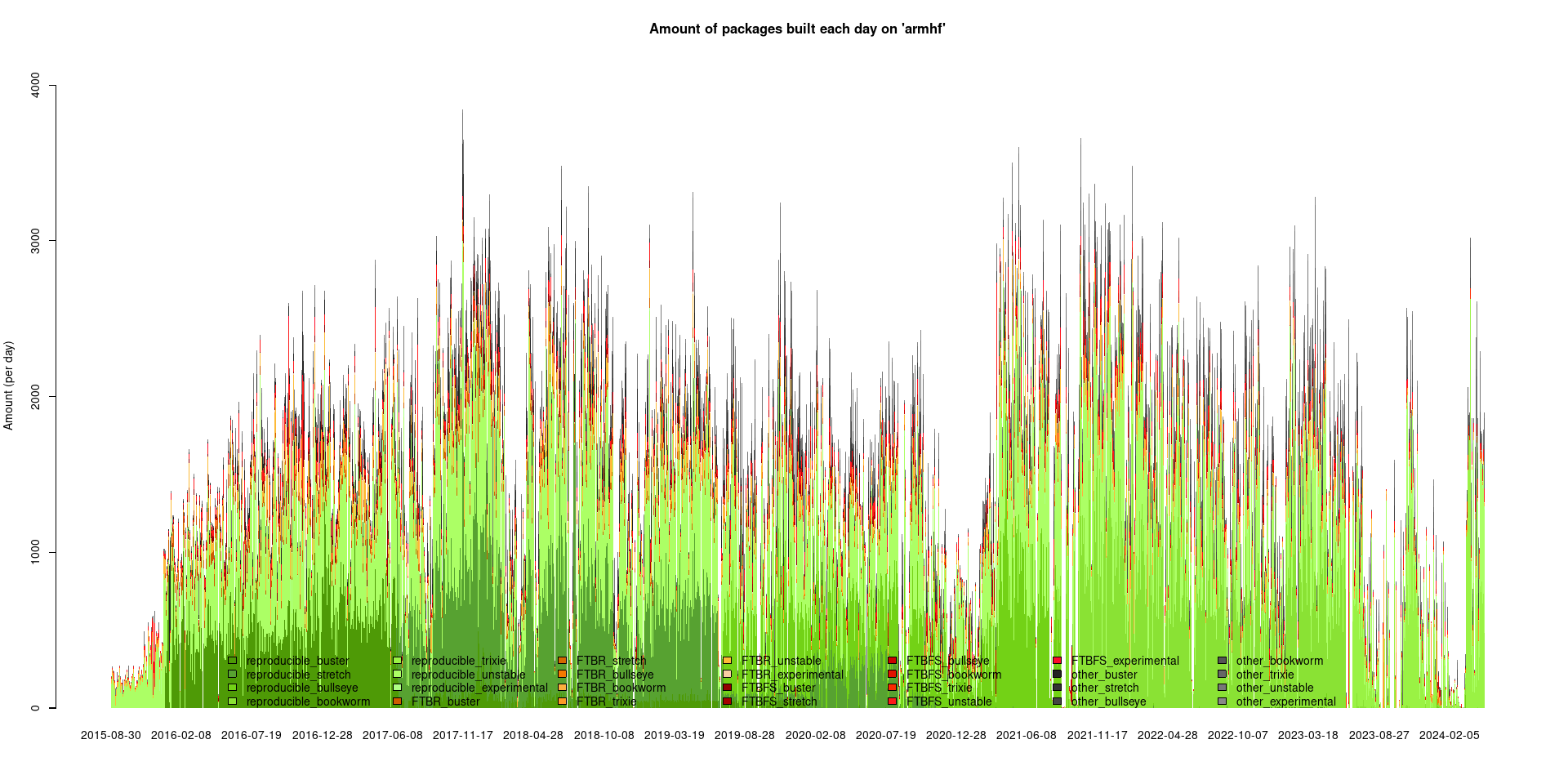
#! /bin/sh
generate_change_file()
 
  local version=$(dpkg-parsechangelog -Sversion)
  local package=$(dpkg-parsechangelog -Ssource)
  echo "Generating source changes file"
  dpkg-genchanges -S > ../$ package _$ version _source.changes
 
cd /tmp/buildd/*/debian/..
generate_change_file
Next time you build a package, you should find, alongside the <package>_<version>_<arch>.changes file, a <package>_<version>_source.changes which you can use with usual tools (lintian, debsign, dput ) to upload it to the Debian archive. Note that if you do that, you have to make sure that your debian/rules support building separately the arch-dependent and arch-independant packages. To check that, you can call pdebuild like this:
pdebuild --debbuildopts -A # binary-only build, limited to arch-independant packages
pdebuild --debbuildopts -B # binary-only build, limited to arch-dependant packages

Next.

Previous.