Search Results: "dom"

6 July 2010

Gregor Herrmann: I'm going to DebConf10

Im going to DebConf10

finally I bought my airplane tickets. at cheaptickets.com & for the first time in my life in USD :)


Leave Sunday, July 25, 2010

British Airways 951 Economy Airbus Industrie A320 (320) 2hr 5min 575 miles
Depart: 12:55pm Munich, Germany Munich Franz Josef Strauss (MUC)
Arrive: 2:00pm London, United Kingdom London Heathrow (LHR)

British Airways 189 Economy Boeing 777 (777) 7hr 45min 3458 miles
Depart: 3:35pm London, United Kingdom London Heathrow (LHR)
Arrive: 6:20pm Newark, NJ Newark Liberty Int'l (EWR)


Return Saturday, August 14, 2010

British Airways 186 Economy Boeing 767 Passenger (767) 7hr 15min 3458 miles
Depart: 10:55pm Newark, NJ Newark Liberty Int'l (EWR)
Arrive: 11:10am London, United Kingdom London Heathrow (LHR)

British Airways 952 Economy Airbus Industrie A319 (319) 1hr 55min 575 miles
Depart: 12:45pm London, United Kingdom London Heathrow (LHR)
Arrive: 3:40pm Munich, Germany Munich Franz Josef Strauss (MUC)

Matt Zimmerman: We ve packaged all of the free software what now?

Today, virtually all of the free software available can be found in packaged form in distributions like Debian and Ubuntu. Users of these distributions have access to a library of thousands of applications, ranging from trivial to highly sophisticated software systems. Developers can find a vast array of programming languages, tools and libraries for constructing new applications. This is possible because we have a mature system for turning free software components into standardized modules (packages). Some software is more difficult to package and maintain, and I m occasionally surprised to find something very useful which isn t packaged yet, but in general, the software I want is packaged and ready before I realize I need it. Even the long tail of niche software is generally packaged very effectively. Thanks to coherent standards, sophisticated management tools, and the principles of software freedom, these packages can be mixed and matched to create complete software stacks for a wide range of devices, from netbooks to supercomputing clusters. These stacks are tightly integrated, and can be tested, released, maintained and upgraded as a unit. The Debian system is unparalleled for this purpose, which is why Ubuntu is based on it. The vision, for a free software operating system which is highly modular and customizable, has been achieved. Rough edges This is a momentous achievement, and the Debian packaging system fulfills its intended purpose very well. However, there are a number of areas where it introduces friction, because the package model doesn t quite fit some new problems. Most of these are becoming more common over time as technology evolves and changes shape. Why are we stuck?
I suppose it is tempting, if the only tool you have is a hammer, to treat everything as if it were a nail.
Abraham Maslow
The packaging ecosystem is very strong. Not only do we have powerful tools for working with packages, we also benefit from packages being a well-understood concept, and having established processes for developing, exchanging and talking about them. Once something is packaged, we know what it is and how to work with it, and it fits into everything else. So, it is tempting to package everything in sight, as we already know how to make sense of packages. However, this may not always be the right tool for the job. Various attempts have been made to extend the packaging concept to make it more general, for example: Other package managers aim to solve a specific problem, such as providing lightweight package management for embedded systems, or lazy dependency installation, or fixing the filesystem hierarchy. There is a long list of package managers of various levels which solve different problems. Most of these systems suffer from an important fundamental tradeoff: they are designed to manage the entire system, from the kernel through applications, and so they must be used wholesale in order to reap their full benefit. In other words, in their world, everything is a package, and anything which is not a package is out of scope. Therefore, each of these systems requires a separate collection of packages, and each time we invent a new one, its adherents set about packaging everything in the new format. It takes a very long time to do this, and most of them lose momentum before a mature ecosystem can form around them. This lock-in effect makes it difficult for new packaging technologies to succeed. Divide and Conquer No single package management framework is flexible enough to accommodate all of the needs we have today. Even more importantly, a generic solution won t account for the needs we will have tomorrow. I propose that in order to move forward, we must make it possible to solve packaging problems separately, rather than attempting to solve them all within a single system. But I like things how they are! We don t have a choice. The world is changing around us, and distributions need to evolve with it. If we don t adapt, we will eventually give way to systems which do solve these problems. Take, for example, modern web browsers like Firefox and Chromium. Arguably the most vital application for users, the browser is coming under increasing pressure to keep up with the breakneck pace of innovation on the web. The next wave of real-time collaboration and multimedia applications relies on the rapid development of new capabilities in web browsers. Browser makers are responding by accelerating deployment in the field: both aggressively push new releases to their users. A report from Google found that Chrome upgrades 97% of their users within 21 days of a new release, and Firefox 85% (both impressive numbers). Mozilla recently changed their maintenance policies, discontinuing maintenance of stable releases and forcing Ubuntu to ship new upstream releases to users. These applications are just the leading edge of the curve, and the pressure will only increase. Equally powerful trends are pressing server applications, embedded systems, and data to adapt as well. The ideas I ve presented here are only one possible way forward, and I m sure there are more and better ideas brewing in distribution communities. I m sure that I m not the only one thinking about these problems. Whatever it looks like in the end, I have no doubt that change is ahead.

5 July 2010

Thorsten Glaser: LSM/RMLL; mksh R40, R41 plans

The current version of mksh had use of arc4random(3) removed, including set -o arc4random , to speed it up (on some architectures, a lot) this will break some existing scripts (such as /etc/rc *cough* on MirBSD ). Hence I decided to publish the next version of mksh(1) as R40 based upon current development, and defer plans for associative arrays (and multidimensional arrays) for mksh R41. There s also already the change to Build.sh arguments, so this suits me quite fine. (Read: if running MirBSD, don t upgrade mksh at the moment.) There will be a new MirBSD snapshot once this is fixed, maybe a few more changes to the shell for better POSuX compliance, and the recently mentioned patent on LFNs (long filename) in FAT will be taken into account with a patch to msdosfs. I ll travel to LSM/RMLL 2010, the Libre Software Meeting (Rencontres Mondiales du Logiciel Libre) tomorrow until the weekend, to hack some on FusionForge (this is worktime for me), visit XTaran, Uriel, and maybe a couple of other usual people . Thundersday, between 10:00 UTC and 12:00 UTC, eurynome will be shut down by gecko2@ due to power supply maintenance on the host system data centre. We have a new mirror in the Americas, thanks a lot to Mike 'Fuzzy' Partin! Benny will mention it on the webpages once it s working.

4 July 2010

Bernd Zeimetz: gimp-plugin-registry 3.5-1

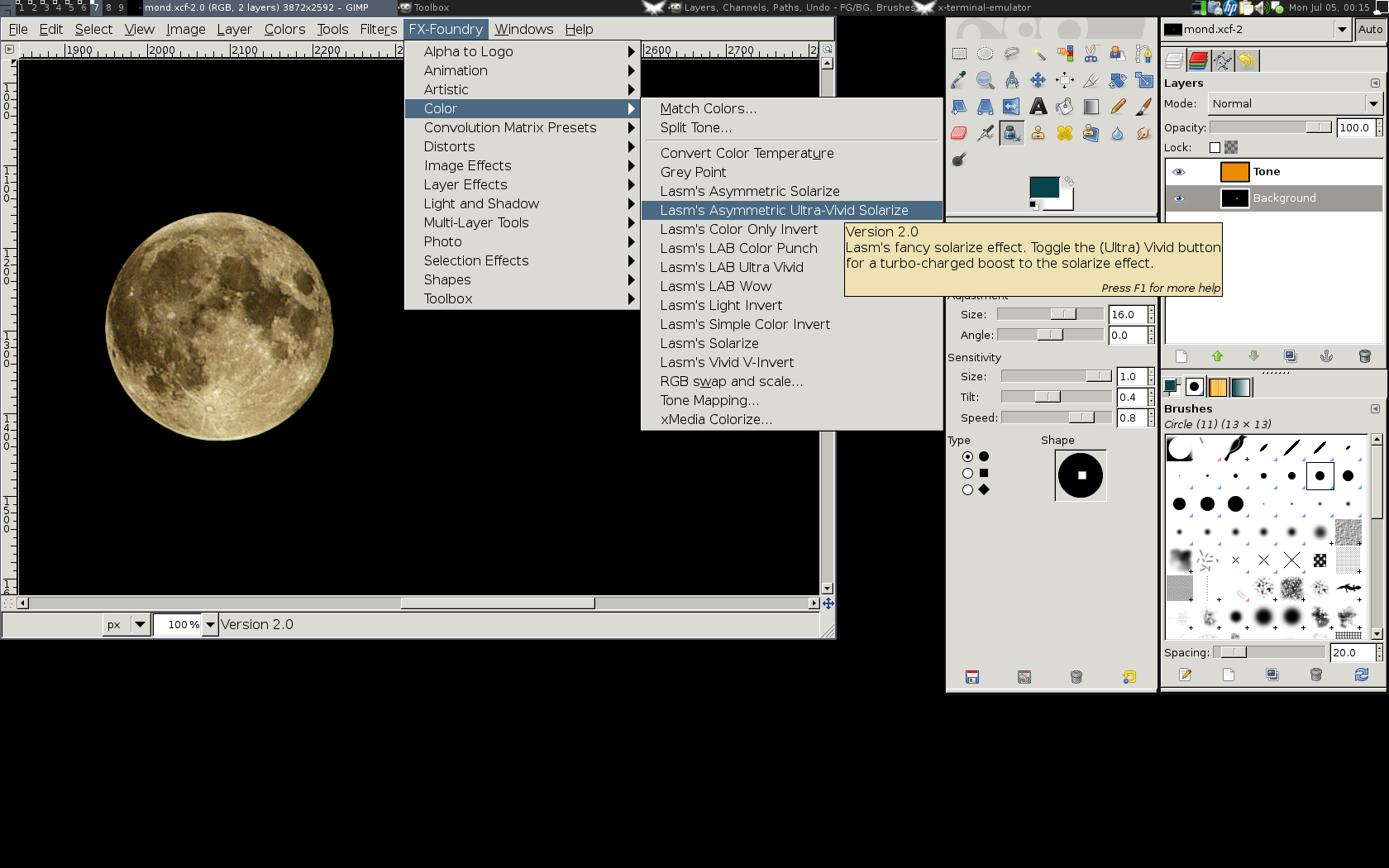
During the last three months and since my last blog-post about gimp-plugin-registry a lot happened: Mainly a large number of new plugins was added, but also various enhancements and bugfixes went into the package, together with updates for various already included plugins. The GIMP screenshot with open FX-Foundry menu For those who don't know gimp-plugin-registry yet, it is a collection of scripts and plugins for The GIMP. The name is based on the webpage GIMP Plugin Registry, where most (new) plugins and scripts are listed. So far the package ships with 170 scripts/plugins. Most of the scripts are written in TinyScheme, but there are also several plugins in C or Python. Probably most noticeable is the inclusion of the GIMP FX Foundry, which is an awesome collection of 124 scripts. Below follows a list of all scripts and plugins as shown in the long description of the Debian package. New plugins are marked with a bold fontface. If there is any interest from other distributions to include the package, I'd be happy to help out to make an integration as easy as possible. The few interesting parts could be ripped out of debian/rules and shipped as a normal Makefile, so they could be used easily. More complicated is the generation of the package description and copyright information, but I guess instead of writing debian/coyright and debian/control, it should be possible to integrate the information into a rpm spec file template or similar files. So in case you're interested to port the package to Fedora, OpenSuSE or some other distribution, don't hesitate to contact me! The sources are available via git, see git.recluse.de for details. For wishes, suggestions and bug reports either use the Debian BTS or Launchpad. While I prefer bugs via the BTS, it might be easier for non-Debian users to file bugs in the Ubuntu Launchpad.
3 July 2010

Kees Cook: gdb turns off ASLR

Starting with GDB version 7, first appearing in Ubuntu with Karmic (Ubuntu 9.10), ASLR is turned off (via the ADDR_NO_RANDOMIZE personality flag) for the debugged process. If you want a more realistic view of how a process will appear in memory, you must set disable-randomization off in gdb:

$ gdb /usr/bin/something
...
(gdb) show disable-randomization
Disabling randomization of debuggee's virtual address space is on.
(gdb) start
...
(gdb) ^Z
$ cat /proc/$(pidof /usr/bin/something)/personality
00040000
$ grep 0040000 /usr/include/linux/personality.h
    ADDR_NO_RANDOMIZE =     0x0040000,  /* disable randomization of VA space */
$ fg
(gdb) set disable-randomization off
(gdb) show disable-randomization
Disabling randomization of debuggee's virtual address space is off.
(gdb) start
...
(gdb) ^Z
$ cat /proc/$(pidof /usr/bin/something)/personality
00000000

1 July 2010

Leo 'costela' Antunes: Quantum Bogosort

Sometimes Wikipedia shows it even has a somewhat humorous side. My finding it funny may be a product of late night learning sessions and semi-random clicking-sprees, but still, worthy of a chuckle for those with the right (wrong?) inclinations.
Quantum computing could be used to effectively implement a bogosort algorithm with a time complexity of O(n). It uses true quantum randomness to randomly permute the list. By the many-worlds interpretation of quantum physics, the quantum randomization spawns 2^N (where N is the number of random bits) universes and one of these will be such that this single shuffle had produced the list in sorted order. The list is then tested for sortedness (requiring n-1 comparisons); should it be out of order, the computer destroys the universe implementation of this step being left as an exercise for the reader. The only observers will then be in the surviving universes and will see that the randomization worked the first time and that the list is in sorted order. Note, however, that while this algorithm is O(n) in time, permuting the list requires O(n log n) bits of quantum randomness. It also assumes that destroying the universe is O(1) in operation.
Found here.

Sylvain Le Gall: 5 years old CD-RW...

This blog post is a kind of followup of a previous blog post about reading 10 years old CD-R. Today, I get a new shiny ASRock ION 330 to play with, in itself this PC has nothing particular. As usual, I begin by using System Rescue CD to check bad blocks on the hard drive, before working with it (badblocks -v -s -w -c 4096 /dev/sda). Once done, I will check the memory (memtest). This is my standard procedure when receiving a new PC. But I don't have my System Rescue CD at hand. No problem, I download it and and write it on an old CD-RW, bought 5 years ago but still sealed into his blister. For your information, this is a Memorex CD-RW 700MB 16-24x. I blank it (wodim blank=all). I write it at speed 16x, because I don't know how to lower the speed. After writing the CD, I re-read it to check everything is fine (readom dev=/dev/cdrw1 f=test.iso). Ooops:

$ readom dev=/dev/cdrw1 f=test.iso
[...] 
Errno: 5 (Input/output error), read_g1 scsi sendcmd: no error
CDB:  28 00 00 01 3C 00 00 00 40 00
status: 0x2 (CHECK CONDITION)
Sense Bytes: 70 00 03 00 00 00 00 0A 00 00 00 00 11 05 00 00
Sense Key: 0x3 Medium Error, Segment 0
Sense Code: 0x11 Qual 0x05 (l-ec uncorrectable error) Fru 0x0
Sense flags: Blk 0 (not valid) 
cmd finished after 6.614s timeout 40s
readom: Input/output error. Cannot read source disk
readom: Retrying from sector 80896.
.............
readom: Error on sector 80908 corrected after 9 tries. Total of 0 errors.
..............---
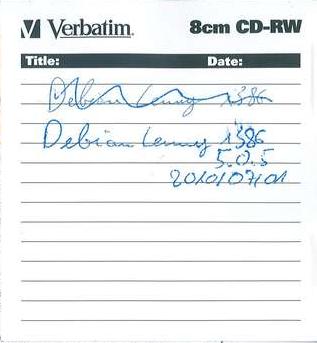
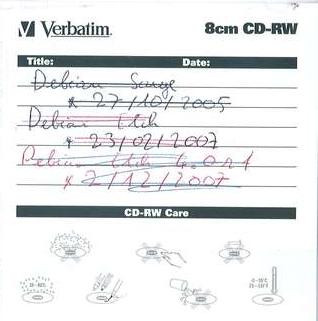
OK, I re-blank it (wodim blank=fast) and rewrite it. The CD seems to be readable this time. But when I try to boot with it my new ASRock, it fails. Enough is enough, I get an heavy used Verbatim 8cm CD-RW. Just to show you how old he is: the first ISO written on it was "Debian Sarge". And the magic happens: it works on the first try!!!! You will probably think that I work for Verbatim. This is not true but I must admit that first-price CD-RW/CD-R seems to be very low quality and don't hold data in time. This is probably related to the chemical compounds of the CD. The failing Memorex CD-RW will end up in a trash and I will continue to use my 5 years old Verbatim CD-RW. Dear reader, in order to find a way not to dump this failing CD-RW, do you know a way to make it to work? What you should now about the failing CD-RW:

Petter Reinholdtsen: Caching password, user and group on a roaming Debian laptop

For a laptop, centralized user directories and password checking is a bit troubling. Laptops are typically used also when not connected to the network, and it is vital for a user to be able to log in or unlock the screen saver also when a central server is unavailable. This is possible by caching passwords and directory information (user and group attributes) locally, and the packages to do so are available in Debian. Here follow two recipes to set this up in Debian/Squeeze. It is also possible to set up in Debian/Lenny, but require more manual setup there because pam-auth-update is missing in Lenny. LDAP/Kerberos + nscd + libpam-ccreds + libpam-mklocaluser/pam_mkhomedir This is the traditional method with a twist. The password caching is provided by libpam-ccreds (version 10-4 or later is needed on Squeeze), and the directory caching is done by nscd. The directory lookup and password checking is done using LDAP. If one want to use Kerberos for password checking the libpam-ldapd package can be replaced with libpam-krb5 or libpam-heimdal. If one is happy having a local home directory with the path listed in LDAP, one can use the pam_mkhomedir module from pam-modules to make this happen instead of using libpam-mklocaluser. A setup for pam-auth-update to enable pam_mkhomedir will have to be written until a fix for bug #568577 is in the archive. Because I believe it is a bad idea to have local home directories using misleading paths like /site/server/partition/, I prefer to create a local user with the home directory in /home/. This is done using the libpam-mklocaluser package. These packages need to be installed and configured
libnss-ldapd libpam-ldapd nscd libpam-ccreds libpam-mklocaluser
The ldapd packages will ask for LDAP connection information, and one have to fill in the values that fits ones own site. Make sure the PAM part uses encrypted connections, to make sure the password is not sent in clear text to the LDAP server. I've been unable to get TLS certificate checking for a self signed certificate working, which make LDAP authentication unsafe for Debian Edu (nslcd is not checking if it is talking to the correct LDAP server), and very much welcome feedback on how to get this working. Because nscd do not have a default configuration fit for offline caching until bug #485282 is fixed, this configuration should be used instead of the one currently in /etc/nscd.conf. The changes are in the fields reload-count and positive-time-to-live, and is based on the instructions I found in the LDAP for Mobile Laptops instructions by Flyn Computing.
	debug-level		0
	reload-count		unlimited
	paranoia		no
	enable-cache		passwd		yes
	positive-time-to-live	passwd		2592000
	negative-time-to-live	passwd		20
	suggested-size		passwd		211
	check-files		passwd		yes
	persistent		passwd		yes
	shared			passwd		yes
	max-db-size		passwd		33554432
	auto-propagate		passwd		yes
	enable-cache		group		yes
	positive-time-to-live	group		2592000
	negative-time-to-live	group		20
	suggested-size		group		211
	check-files		group		yes
	persistent		group		yes
	shared			group		yes
	max-db-size		group		33554432
	auto-propagate		group		yes
	enable-cache		hosts		no
	positive-time-to-live	hosts		2592000
	negative-time-to-live	hosts		20
	suggested-size		hosts		211
	check-files		hosts		yes
	persistent		hosts		yes
	shared			hosts		yes
	max-db-size		hosts		33554432
	enable-cache		services	yes
	positive-time-to-live	services	2592000
	negative-time-to-live	services	20
	suggested-size		services	211
	check-files		services	yes
	persistent		services	yes
	shared			services	yes
	max-db-size		services	33554432
While we wait for a mechanism to update /etc/nsswitch.conf automatically like the one provided in bug #496915, the file content need to be manually replaced to ensure LDAP is used as the directory service on the machine. /etc/nsswitch.conf should normally look like this:
passwd:         files ldap
group:          files ldap
shadow:         files ldap
hosts:          files mdns4_minimal [NOTFOUND=return] dns mdns4
networks:       files
protocols:      files
services:       files
ethers:         files
rpc:            files
netgroup:       files ldap
The important parts are that ldap is listed last for passwd, group, shadow and netgroup. With these changes in place, any user in LDAP will be able to log in locally on the machine using for example kdm, get a local home directory created and have the password as well as user and group attributes cached. LDAP/Kerberos + nss-updatedb + libpam-ccreds + libpam-mklocaluser/pam_mkhomedir Because nscd have had its share of problems, and seem to have problems doing proper caching, I've seen suggestions and recipes to use nss-updatedb to copy parts of the LDAP database locally when the LDAP database is available. I have not tested such setup, because I discovered sssd. LDAP/Kerberos + sssd + libpam-mklocaluser A more flexible and robust setup than the nscd combination mentioned earlier that has shown up recently, is the sssd package from Redhat. It is part of the FreeIPA project to provide a Active Directory like directory service for Linux machines. The sssd system combines the caching of passwords and user information into one package, and remove the need for nscd and libpam-ccreds. It support LDAP and Kerberos, but not NIS. Version 1.2 do not support netgroups, but it is said that it will support this in version 1.5 expected to show up later in 2010. Because the sssd package was missing in Debian, I ended up co-maintaining it with Werner, and version 1.2 is now in testing. These packages need to be installed and configured to get the roaming setup I want
libpam-sss libnss-sss libpam-mklocaluser
The complete setup of sssd is done by editing/creating /etc/sssd/sssd.conf.
[sssd]
config_file_version = 2
reconnection_retries = 3
sbus_timeout = 30
services = nss, pam
domains = INTERN
[nss]
filter_groups = root
filter_users = root
reconnection_retries = 3
[pam]
reconnection_retries = 3
[domain/INTERN]
enumerate = false
cache_credentials = true
id_provider = ldap
auth_provider = ldap
chpass_provider = ldap
ldap_uri = ldap://ldap
ldap_search_base = dc=skole,dc=skolelinux,dc=no
ldap_tls_reqcert = never
ldap_tls_cacert = /etc/ssl/certs/ca-certificates.crt
I got the same problem here with certificate checking. Had to set "ldap_tls_reqcert = never" to get it working. With the libnss-sss package in testing at the moment, the nsswitch.conf file is update automatically, so there is no need to modify it manually. If you want to help out with implementing this for Debian Edu, please contact us on debian-edu@lists.debian.org.

29 June 2010

Marco d'Itri: DNSBLs and IPv6

From time to time I see people arguing that the wide deployment of IPv6 will force DNSBLs to significantly change their operations and semantics. Usually they have little or no actual experience with IPv6 and the main argument used to justify this view appears to be more or less "OMG so many bits!1!!!". I have no reason to believe that this will really happen. People are already sending mail over IPv6 and I expect that the same reputation mechanisms used for IPv4 will be deployed as soon as they will be needed, with small policy changes to cope with the fact that end users typically get a whole network instead of a single IP address. So I expect that DNSBLs will continue to operate as usual like they currently do for IPv4 addresses, optionally by promoting "single IP" listings to "whole /64" listings when appropriate.

Let's briefly categorize the common types of DNSBL listings: If anything, with IPv6 much less guessing is needed to know how large each customer assignment is, so some things will actually be easier for operators. (I have been using IPv6 for at least ten years and I have received email over IPv6 networks for at least five.)

Russell Coker: Play Machine Online Again with Xen 4.0

My SE Linux Play Machine [1] has been offline for almost a month (it went offline late May 30 and has just gone online again). It s the sort of downtime that can happen when you use Debian/Unstable. For a while I ve been using a HP E-PC (a SFF desktop system with 256M of RAM and a P3-800 CPU) to run my SE Linux Play Machine. I run it under Xen to make it easier for me to watch what happens. I ve had some problems with increased memory use in the Xen Dom0 in Squeeze [2]. The latest installment of the memory problems is when I discovered that I can t run two copies of tcpdump (for tracing separate interfaces) at once on a Xen Dom0 that has ~110M of RAM this seems unreasonable, I m sure that back when a big server had 128M of RAM I could have done such things! So now I m using a Thinkpad T20 with 512M of RAM for my new SE Linux Play Machine, it uses less power than most systems (probably even less than the HP E-PC) and is very quiet. I was forced to install on a new system when I broke my GRUB configuration. GRUB-2 in Debian currently has no support for generating a configuration that will boot a Xen Dom0. You can manually edit the GRUB configuration to get this working, but if you get it wrong then you can make GRUB not even display a prompt and force a reinstall (as I did). As an aside it would be really handy if someone would create a CD or USB bootable image that does nothing but install GRUB. Such an image would ideally allow replacing the configuration of an existing GRUB, overwriting an existing GRUB installation (all files in /boot/grub get replaced), or formatting a spare partition (default swap space) and installing GRUB there. My current solution to the GRUB problems is to use the old version of GRUB in the grub-legacy package. The old version of GRUB has always done everything I want so I don t seem to be missing anything by not using the new version. I m happy to refrain from using Ext4 for /boot and have no desire to have /boot on an LVM volume. Most of the month of down-time for my Play Machine was caused by bugs in the SE Linux policy I m developing for Squeeze, while they weren t difficult bugs I haven t had much time to work on them consistently. I m still running the Play Machine on Lenny, but the Dom0 is running Unstable.

28 June 2010

Steve Kemp: Because I don't trust myself with you.

Debian Packages
Every now and again I look over server logs and see people downloading random .deb packages from my mirrors, or from my servers, via wget or Firefox (rather than with apt-get/aptitude). Personally I don't often download random binaries even from people I believe I can trust. Instead I'll download source and rebuild. But it bugs me that somebody might download a work-in-progress, decide it isn't complete or otherwise good enough, and miss out on an update of awesome-sauce a day or two later. I suspect there is no real solution to this "problem", and that including /etc/apt/sources.list.d/ entries inside a binary package to "force" an upgrade behind the scenes is a little too evil to tolerate. And yet .. something something dark-side .. something something seductive something?
Blog Update
This is my last film-subject entry. In the future I will have more accurate subjects, albeit more dull ones. I still amuse myself with quotations, and before that the song lyrics, but I guess that now is a good time to call it a day with that.
ObFilm: Cruel Intentions

Russell Coker: Can you run SE Linux on a Xen Guest?

I was asked Can you run SELinux on a XEN guest without any problem? . In a generic sense the answer is of course YES, Xen allows you to run Linux kernels with all the usual range of features and SE Linux isn t a particularly difficult feature to enable. I do most of my SE Linux development and testing on virtual machines and until recently I didn t have any hardware suitable for running KVM, so in the last few years I ve done more SE Linux testing on Xen than on non-virtual machines. My SE Linux Play Machine [1] (which will be online again tomorrow) is one SE Linux system running under Xen. But the question was asked in the context of my blog post comparing the prices of virtual hosting providers [2], which changes things. Both Linode and Slicehost (the two virtual hosting providers that my clients use) provide kernels without SE Linux support, the command grep selinux /proc/filesystems (which is the easiest way to test for SE Linux support) gives no output. I am not aware of any other virtual hosting company that provides SE Linux support. If anyone knows of a virtual hosting company that runs Xen or KVM virtual machines with SE Linux support then please let me know, I ll write a blog post comparing such companies if there are some. For the people who work at ISPs: If your company supports SE Linux virtual machines then I would be happy to review your service, just give me a free DomU for a couple of weeks so I can test it out. If your company is considering offering such virtual machines then I would be happy to have a confidential discussion about the issues that you will face, while I am available for paid consulting work in this area I am more than happy to spend an hour or two helping a company that s going to help support my favorite free software project without expecting to be paid. But I have to note that if a dozen hosting companies happen to want advice I won t be able to provide two hours of free advice to each of them. I think that there is an unsatisfied market demand for SE Linux virtual machines. I don t expect all virtual hosting companies to support it in the near future, but this will make it more profitable for those that do. If for the sake of discussion we assume that 5% of sysadmins who are making purchasing decisions regarding virtual servers really want to have SE Linux support and if 5% of virtual hosting companies were to offer such support, then those hosting companies would almost double their market share as a result of supporting SE Linux. It s the usual economic factors relating to small companies that profit from providing good support for the needs of a minority of customers.

25 June 2010

Raphaël Hertzog: Reorganization of my blog, please update your feeds

Up to now I had a single blog hosted on ouaza.com, I used to blog in French and in English on many topics, even though free software and Debian was the main topic. Sometimes I avoided blogging on something because it would not really match the expectations of my readers (and of the various planets syndicating my blog). And I have always been annoyed by the fact that English readers were second-class on my blog because everything was configured in French. So I decided to fix this once for all, I have created two new blogs in addition to ouaza.com. The latter is now my private blog (in French) with everything that is not free software related. And free software will be the topic of my 2 new blogs : I have setup some HTTP redirections on various feed URLs but if you were subscribed to my main feed, you re now redirected to the new English feed and you might want to subscribe to the French one to continue reading my articles in French. In any case, you might want to update the feed URL that you used. I also profited from this reorganization to switch to WordPress 3.0 and the 3 blogs are hosted on the same installation thanks to the new multisite feature and to the domain mapping plugin. The main regression in those changes is that I m back to the (new) default theme of WordPress with the standard header image. I would like to personalize them but I have no graphics skills but if you do and would like to work on this for me, please get in touch. I ll make sure you get your pony in return. :-) More changes concerning those blogs are in the pipe but that will be the topic of other posts. Thanks for following ! Flattr this Share/Bookmark No comment

24 June 2010

Uwe Hermann: Using the Oasis UMO19 MCU003 400x USB microscope on Linux via luvcview

Oasis UMO19 MCU003 digital USB microscope I've been buying quite a lot of (usually cheapo) gadgets recently, which I'll probably introduce / review in various blog posts sooner or later. Let me start with a fun little gadget, a digital USB-based microscope. I found out about it via this thread over at lostscrews.com. You can get this (or a very similar device) e.g. on eBay for roughly 50 Euros. Mine seems to be from a company called Oasis (though they're probably just the reseller, not sure). The device doesn't seem to have a nice name, but I can see UMO19 MCU003 on the microscope, so I guess that's the name or model number. It can focus on magnifications of 20x or 400x. The image resolution is said to be a max. of 1600x1200, but in practice most of my images are 640x480, maybe I have to change some settings and/or the resolution depends on the magnification factor and lighting conditions. The device acts as a simple UVC webcam when attached to USB, so you can view the images easily via any compatible webcam software, e.g. luvcview and also save screenshots of the magnified areas (see images). UMO19 chip
UMO19 fabric
UMO19 LED First three from left to right: SMD LED (400x), clothes/jacket (400x), random PCB (20x). The other two below: A via on a PCB (400x), and the "pixels" of a TFT screen (400x). It worked out of the box on Linux for me, the uvcvideo kernel driver was loaded automatically.
 $ lsusb
 Bus 001 Device 013: ID 0ac8:3610 Z-Star Microelectronics Corp.
I set up a wiki page for more details (including full lsusb -vvv) and sample images at: http://randomprojects.org/wiki/Oasis_UMO19_MCU003_USB_microscope I will also post some more images there over the next few days. UMO19 TFT
UMO19 via
This is a really fun device for having a look at stuff you'd normally not see (or not well enough), and also useful for e.g. checking PCB solder joints, checking all kinds of electronics for errors or missing/misaligned parts, finding the chip name / model number of very tiny chips etc. etc. I can also imagine it's quite nice for biological use-cases, e.g. for studying insects, tissue, plants, and so on. Anyway, definately a nice toy for relatively low price, I can highly recommend a device like this. Check eBay (search for e.g. "usb mikroskop 400") and various online shops for similar devices, there seem to be a large number of them with different names and from different vendors. Just make sure it has at least 400x magnification, there are also some with only 80x or 200x which is not as useful as 400x, of course.

Matthew Palmer: On lDAP objectClasses

Does anyone else think that a naming scheme that produces an identifier called dNSDomain is utterly broken, and should be taken out and shot immediately?

Wouter Verhelst: On LDAP objectClasses

Petter suggests to make the dhcpHost LDAP objectClass an auxiliary one, to make it possible to combine it with the dNSDomain objectClass in one and the same object. Unfortunately, you can't do that. Well not if you want Debian-edu to remain compatible with everything else under the sun. You see, one of the features of LDAP is that each and every objectClass is well-defined, and that you cannot change it. As such, once a tool knows about an objectClass, it can make assumptions about objects in that class, for any such object, in any LDAP-server anywhere. Change an objectClass, and some tools will break. The proper fix is, first, to verify that you are using the proper objectClasses. To me, an objectClass called dhcpHost and one called dNSDomain don't sound like they were meant to be used together; I would suspect that there is another DNS-related objectClass that is meant for hosts rather than domains. If that isn't the case, then one can create a new objectclass say, auxiliaryDhcpHost or some such that is the same as dhcpHost in all but name, OID, and the fact that you make it an auxiliary rather than a structural objectClass. Because luckily, what's true for an objectClass is also true for an attributeType: if it is assigned to an LDAP object, tools may assume that their meaning is what they think it is...

23 June 2010

Petter Reinholdtsen: Idea for a change to LDAP schemas allowing DNS and DHCP info to be combined into one object

A while back, I complained about the fact that it is not possible with the provided schemas for storing DNS and DHCP information in LDAP to combine the two sets of information into one LDAP object representing a computer. In the mean time, I discovered that a simple fix would be to make the dhcpHost object class auxiliary, to allow it to be combined with the dNSDomain object class, and thus forming one object for one computer when storing both DHCP and DNS information in LDAP. If I understand this correctly, it is not safe to do this change without also changing the assigned number for the object class, and I do not know enough about LDAP schema design to do that properly for Debian Edu. Anyway, for future reference, this is how I believe we could change the DHCP schema to solve at least part of the problem with the LDAP schemas available today from IETF.
--- dhcp.schema    (revision 65192)
+++ dhcp.schema    (working copy)
@@ -376,7 +376,7 @@
 objectclass ( 2.16.840.1.113719.1.203.6.6
        NAME 'dhcpHost'
        DESC 'This represents information about a particular client'
-       SUP top
+       SUP top AUXILIARY
        MUST cn
        MAY  (dhcpLeaseDN $ dhcpHWAddress $ dhcpOptionsDN $ dhcpStatements $ dhcpComments $ dhcpOption)
        X-NDS_CONTAINMENT ('dhcpService' 'dhcpSubnet' 'dhcpGroup') )
I very much welcome clues on how to do this properly for Debian Edu/Squeeze. We provide the DHCP schema in our debian-edu-config package, and should thus be free to rewrite it as we see fit. If you want to help out with implementing this for Debian Edu, please contact us on debian-edu@lists.debian.org.

Steve Kemp: I am the edge!

Over the past few years I've amassed a collection of a few thousand images taken with a succession of digital cameras. I'm pretty good at organising images, in a directory hierarchy which makes sense to me, in a few simple and broad categories:
skx@birthday:~$ tree -L 1 ~/Images/
/home/skx/Images/
 -- Misc
 -- Parties
 -- People
 -- Pets & Animals
 -- Travel
Beneath ~/Images/People, for example, I have subdirectories for specific individuals (or a "Debian/" folder for Debian-people who've been snapped but don't warrant their own folder.) ~/Images/Travel has things like Travel/Local/2010, Travel/Vienna/2008, etc. In summary I have images of people, places, and things stored beneath what should be a reasonably discoverable directory hierarchy, however this just doesn't work. I still struggle to find images - for example images of myself might be located in ~/Images/People/Self/*, but in practise I'm often included in ~/Images/Travel/* as well. A few times I've looked at using f-spot, digikam, and similar tools to perform image-organisation (but not editing, or timelines, or anything else. Just organisation). I've found I didn't like being locked into their formats, didn't want them to copy my images to a second location, and other gripes. In the end I've forced myself to come up with a Steve-Specific-Solution. Not for the first time, but I think I have just cause... I'm now using the User-Comment field in the image's EXIF data to store tags. (When it comes to EXIF data I keep camera-generated fields, but sometimes update/set "Copyright", "Comment", and "Title" fields. So UserComment is one I've never used until now, and thus I run no risk of trashing existing meta-data.) I've put together a simple perl script, called itag, which will: This is enough for me to be able to see all images of "Edinburgh", via:
~$ qiv --fullscreen --slide --delay 5 $(itag --search=edinburgh)
Similarly I could find myself:
~$ itag --search=steve --search=people
I'm not sure it is useful to others, mostly on the basis that people probably fall into their own routine when it comes to filing, and I suspect that people with vast collections of images will just get annoyed by the obscenely slow indexing process I've got. (Hint: run "exiftool" on every /.jpe?g$/i file..) Still its a simple enough idea and I think it should scale in the future - I can even see myself writing a wee GUI to do tag exploration and similar. Just not today. ObFilm:Aeon Flux ObRandom: Apologies for people waiting on email - it's been that kind of week.

Andrew McMillan: Using dnsmasq to add SRV records for CardDAV and CalDAV

I've been working on implementing CardDAV support into DAViCal at the moment, and the first problem I encountered when I went to try and use it from iCal, was that the configuration on iCal didn't seem to want to let me enter a URL to my addressbook. After I hauled out Wireshark and watched what was happening on the server it was clear that it was doing an SRV request to try and find the CardDAV server for the domain I had entered in. Unfortunately the DNS management front-end that I normally use doesn't support SRV records, so I was all ready to switch my whole DNS infrastructure around (one of those 'round tuit' tasks that's been on my todo list for somewhat more than a year) until I wondered if the magic that is dnsmasq would be able to help me out. It turns out that it can, and so after a little searching I'd managed to track down the magic syntax to do this:
srv-host=_caldav._tcp.home.mcmillan.net.nz.,davical.home.mcmillan.net.nz.,8008
srv-host=_carddav._tcp.home.mcmillan.net.nz.,davical.home.mcmillan.net.nz.,8008
Of course this is a special-case server for testing at home, and I run it on the funny port because it makes for less pollution when I sniff the traffic coming in. In the real world you'd want to add SRV records for caldavs and carddavs, to get SSL for these services, something like:
srv-host=_caldavs._tcp.home.mcmillan.net.nz.,davical.home.mcmillan.net.nz.,443
srv-host=_carddavs._tcp.home.mcmillan.net.nz.,davical.home.mcmillan.net.nz.,443
Once I'd done that, and put in a few more hours of debugging, DAViCal was working with iCal's CardDAV, at least for viewing / editing / deleting contacts - there's still some work to do yet on searching. I've now also got it working with Evolution's 'WebDAV contacts' plugin as well, after a tip from Milan Crha on the Evolution IRC channel. Heather gets home soon with the Apple phone I gave her when I upgraded to Android, so I'll hopefully be able to test against their new OS release and then get a new DAViCal release out next week. Maybe. Hopefully :-)

22 June 2010

Craig Small: Book: Do Androids Dream of Electric Sheep?

Actually they're more interested in freedom, to be no longer slaves to humans. I don't think it's any spoiler to mention that an electric sheep does appear in the book.

This is a classic science fiction story of a dark not-so-distant future. In fact given that it's over 40 years old it could be set in some alternate now. Some disaster has occurred and many have either left earth or died. Some andriods, or andys have escaped and bounty hunters are after them.

You may not know the book by its correct title, but you may of heard the movie that is based upon it, called Blade Runner. Like most movies based on books, it takes some of the concepts and ideas of the book but in my opinion is a pale imitation.

I'm glad I read this book. It hasn't aged that much and it's very though provoking. Sci-Fi often uses some alternate reality to put a mirror up to what happens in the real world and this book is no exception.

And a token link to Debian, if you want you own electric sheep you can install the screensaver electricsheep package which draw pretty fractals on your screen.

<script defer="defer" src="http://static.zemanta.com/readside/loader.js" type="text/javascript"></script>

Next.

Previous.