Search Results: "spa"

2 November 2015

Carl Chenet: My Free activities in October 2015

Personal projects: Debian : That s all folks! See you next month!

Daniel Pocock: FOSDEM 2016 Real-Time Communications dev-room and lounge

FOSDEM is one of the world's premier meetings of free software developers, with over five thousand people attending each year. FOSDEM 2016 takes place 30-31 January 2016 in Brussels, Belgium. This call-for-participation contains information about:
  • Real-Time communications dev-room and lounge,
  • speaking opportunities,
  • volunteering in the dev-room and lounge,
  • related events around FOSDEM, including the XMPP summit,
  • social events (including the Saturday night dinner),
  • the Planet aggregation sites for RTC blogs
Call for participation - Real Time Communications (RTC) The Real-Time dev-room and Real-Time lounge is about all things involving real-time communication, including: XMPP, SIP, WebRTC, telephony, mobile VoIP, codecs, privacy and encryption. The dev-room is a successor to the previous XMPP and telephony dev-rooms. We are looking for speakers for the dev-room and volunteers and participants for the tables in the Real-Time lounge. The dev-room is only on Saturday, 30 January 2016 in room K.3.401. The lounge will be present for both days in building K. To discuss the dev-room and lounge, please join the FSFE-sponsored Free RTC mailing list. Speaking opportunities Note: if you used Pentabarf before, please use the same account/username Main track: the deadline for main track presentations was midnight on 30 October. Leading developers in the Real-Time Communications field are encouraged to consider submitting a presentation to the main track. Real-Time Communications dev-room: deadline 27 November. Please also use the Pentabarf system to submit a talk proposal for the dev-room. On the "General" tab, please look for the "Track" option and choose "Real-Time devroom". Other dev-rooms: some speakers may find their topic is in the scope of more than one dev-room. It is permitted to apply to more than one dev-room but please be kind enough to tell us if you do this. See the full list of dev-rooms. Lightning talks: deadline 27 November. The lightning talks are an excellent opportunity to introduce a wider audience to your project. Given that dev-rooms are becoming increasingly busy, all speakers are encouraged to consider applying for a lightning talk as well as a slot in the dev-room. Pentabarf system to submit a lightning talk proposal. On the "General" tab, please look for the "Track" option and choose "Lightning Talks". First-time speaking? FOSDEM dev-rooms are a welcoming environment for people who have never given a talk before. Please feel free to contact the dev-room administrators personally if you would like to ask any questions about it. Submission guidelines The Pentabarf system will ask for many of the essential details. Please remember to re-use your account from previous years if you have one. In the "Submission notes", please tell us about:
  • the purpose of your talk
  • any other talk applications (dev-rooms, lightning talks, main track)
  • availability constraints and special needs
You can use HTML in your bio, abstract and description. If you maintain a blog, please consider providing us with the URL of a feed with posts tagged for your RTC-related work. We will be looking for relevance to the conference and dev-room themes, presentations aimed at developers of free and open source software about RTC-related topics. Please feel free to suggest a duration between 20 minutes and 55 minutes but note that the final decision on talk durations will be made by the dev-room administrators. As the two previous dev-rooms have been combined into one, we may decide to give shorter slots than in previous years so that more speakers can participate. Please note FOSDEM aims to record and live-stream all talks. The CC-BY license is used. For any questions, please join the FSFE-sponsored Free RTC mailing list. Volunteers needed To make the dev-room and lounge run successfully, we are looking for volunteers:
  • FOSDEM provides video recording equipment and live streaming, volunteers are needed to assist in this
  • organizing one or more restaurant bookings (dependending upon number of participants) for the evening of Saturday, 30 January
  • participation in the Real-Time lounge
  • helping attract sponsorship funds for the dev-room to pay for the Saturday night dinner and any other expenses
  • circulating this Call for Participation to other mailing lists
FOSDEM is made possible by volunteers and if you have time to contribute, please feel free to get involved. Related events - XMPP and RTC summits The XMPP Standards Foundation (XSF) has traditionally held a summit in the days before FOSDEM. There is discussion about a similar summit taking place on 28 and 29 January 2016. Please see the XSF Summit 19 wiki and join the mailing list to discuss. We are also considering a more general RTC or telephony summit, potentially on 29 January. Please join the Free-RTC mailing list and send an email if you would be interested in participating, sponsoring or hosting such an event. Social events and dinners The traditional FOSDEM beer night occurs on Friday, 29 January On Saturday night, there are usually dinners associated with each of the dev-rooms. Most restaurants in Brussels are not so large so these dinners have space constraints. Please subscribe to the Free-RTC mailing list for further details about the Saturday night dinner options and how you can register for a seat. Spread the word and discuss If you know of any mailing lists where this CfP would be relevant, please forward this email. If this dev-room excites you, please blog or microblog about it, especially if you are submitting a talk. If you regularly blog about RTC topics, please send details about your blog to the planet site administrators:
http://planet.jabber.org ralphm@ik.nu
http://planet.sip5060.net daniel@pocock.pro
http://planet.opentelecoms.org daniel@pocock.pro
Please also link to the Planet sites from your own blog or web site. Contact For discussion and queries, please subscribe to the Free-RTC mailing list. The dev-room administration team:

31 October 2015

Chris Lamb: Free software activities in October 2015

Here is my monthly update covering a large part of what I have been doing in the free software world (previously):
Debian My work in the Reproducible Builds project was also covered in more depth in Lunar's weekly reports (#23, #24, #25, #26).
LTS

This month I have been paid to work 11 hours on Debian Long Term Support (LTS). In that time I did the following:
  • DLA 326-1 for zendframework fixing an SQL injection vulnerability.
  • DLA 332-1 for optipng correcting a use-after-free issue.
  • DLA 333-1 for cakephp preventing a remote Denial of Service attack.
  • DLA 337-1 for busybox fixing a vulnerability when unzipping a specially crafted zip file/
  • DLA 338-1 for xscreensaver preventing a crash when hot-swapping monitors.

Uploads
  • redis New upstream release as well as changing the default UNIX socket location and correctly supporting "cluster" mode config file hardening and redis-sentinel's runtime directory handling under systemd. An update for jessie was also uploaded.
  • python-redis Attempting to get the autopkgtest tests to finally pass.
  • debian-timeline Making the build reproducible.
  • gunicorn New upstream release.


Joey Hess: a tiling region manager for the console

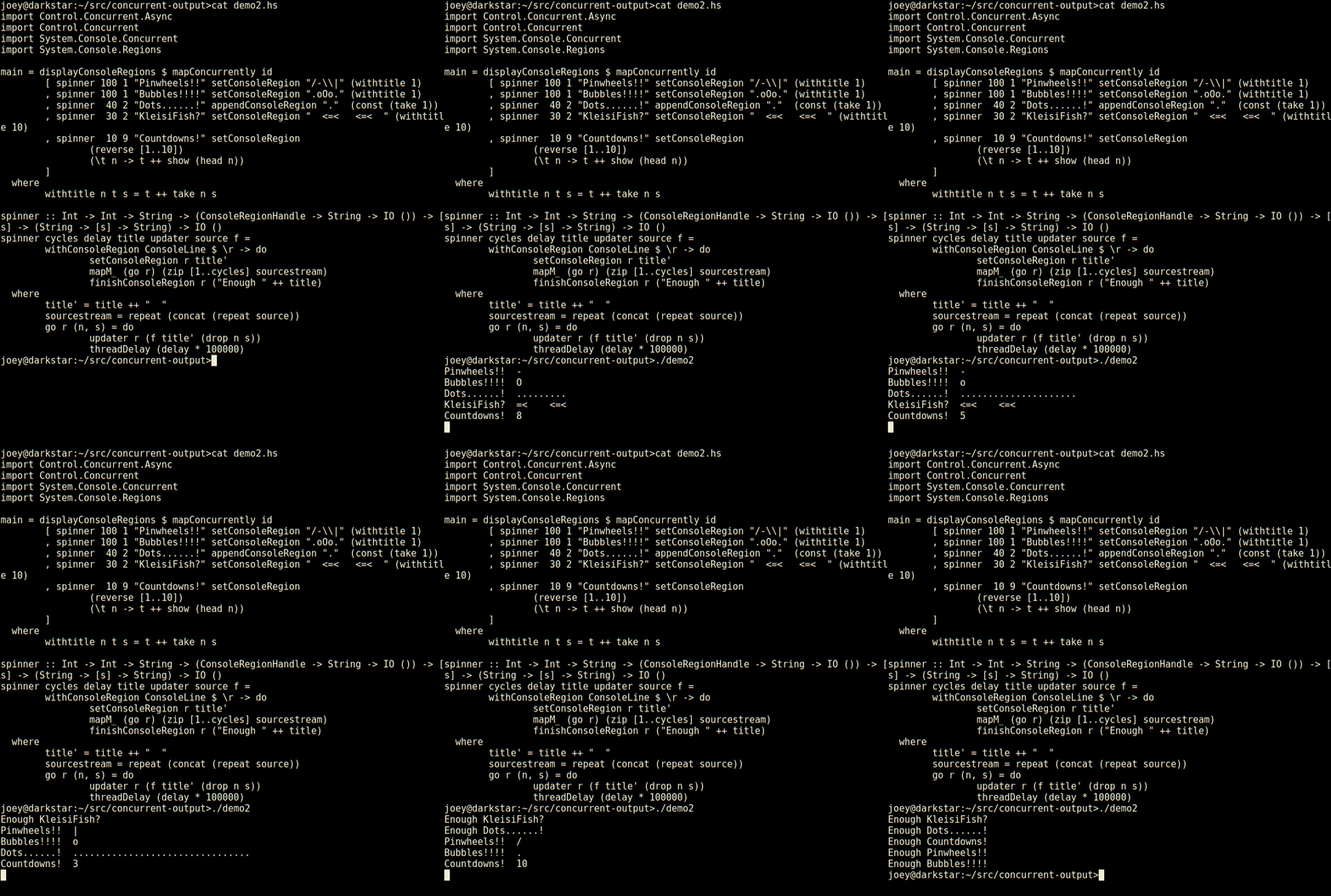
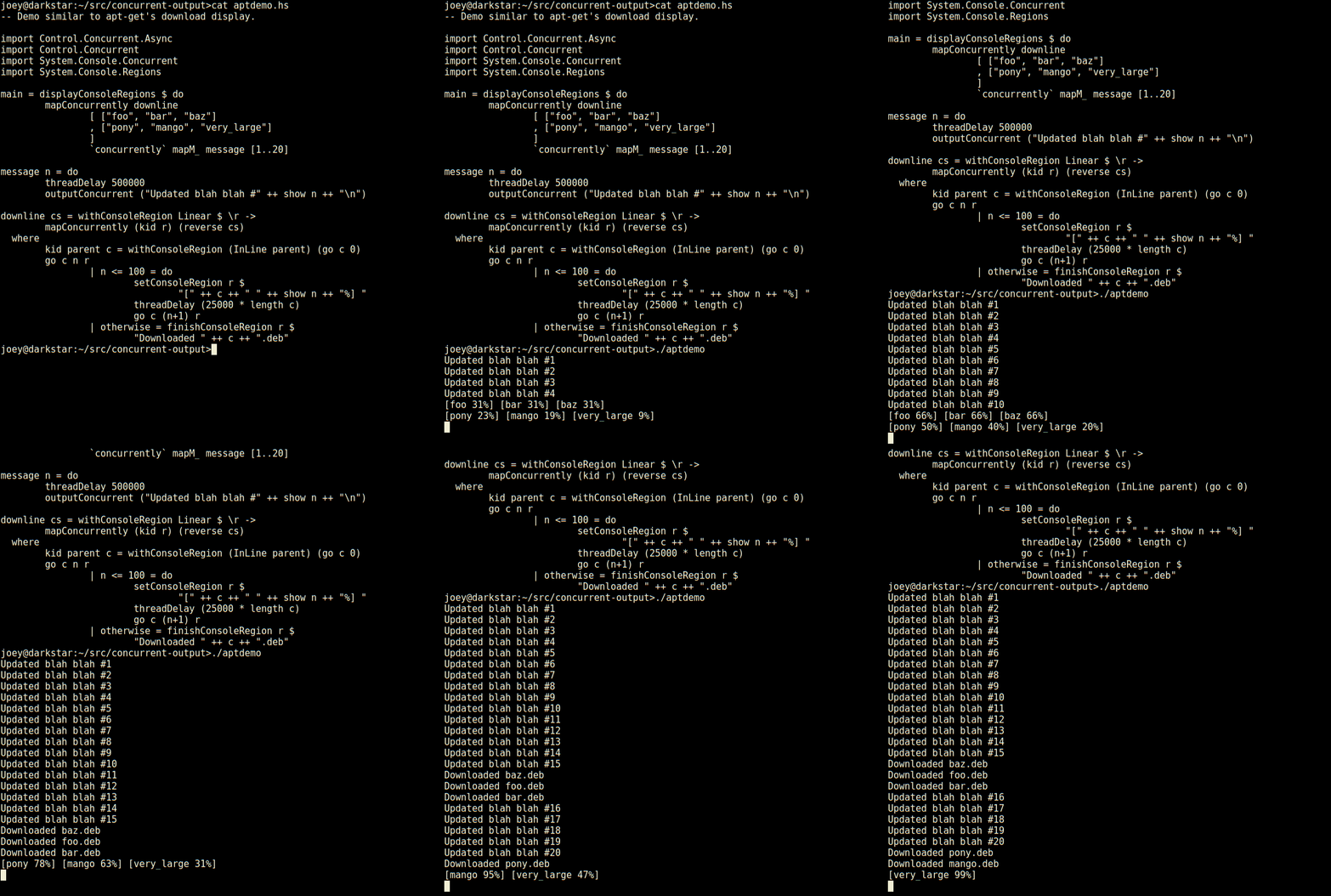
Building on top of concurrent-output, and some related work Joachim Breitner did earlier, I now have a kind of equivilant to a tiling window manager, except it's managing regions of the console for different parts of a single program. Here's a really silly demo, in an animated gif: demo2.gif Not bad for 23 lines of code, is that? Seems much less tedious to do things this way than using ncurses. Even with its panels, ncurses requires you to think about layout of various things on the screen, and many low-level details. This, by contrast, is compositional, just add another region and a thread to update it, and away it goes. So, here's an apt-like download progress display, in 30 lines of code. aptdemo.gif Not only does it have regions which are individual lines of the screen, but those can have sub-regions within them as seen here (and so on). And, log-type messages automatically scroll up above the regions. External programs run by createProcessConcurrent will automatically get their output/errors displayed there, too. What I'm working on now is support for multiline regions, which automatically grow/shrink to fit what's placed in them. The hard part, which I'm putting the finishing touches on, is to accurately work out how large a region is before displaying it, in order to lay it out. Requires parsing ANSI codes amoung other things. STM rules There's so much concurrency, with complicated interrelated data being updated by different threads, that I couldn't have possibly built this without Software Transactional Memory. Rather than a nightmare of locks behind locks behind locks, the result is so well behaved that I'm confident that anyone who needs more control over the region layout, or wants to do funky things can dive into to the STM interface and update the data structures, and nothing will ever deadlock or be inconsistent, and as soon as an update completes, it'll display on-screen. An example of how powerful and beuatiful STM is, here's how the main display thread determines when it needs to refresh the display:
data DisplayChange
        = BufferChange [(StdHandle, OutputBuffer)]
          RegionChange RegionSnapshot
          TerminalResize (Maybe Width)
          EndSignal ()
    ...
                change <- atomically $
                        (RegionChange <$> regionWaiter origsnapshot)
                                 orElse 
                        (RegionChange <$> regionListWaiter origsnapshot)
                                 orElse 
                        (BufferChange <$> outputBufferWaiterSTM waitCompleteLines)
                                 orElse 
                        (TerminalResize <$> waitwidthchange)
                                 orElse 
                        (EndSignal <$> waitTSem endsignal)
                case change of
                        RegionChange snapshot -> do
                ...
                        BufferChange buffers -> do
                ...
                        TerminalResize width -> do
                ...
So, it composes all these STM actions that can wait on various kinds of changes, to get one big action, that waits for all of the above, and builds up a nice sum type to represent what's changed. Another example is that the whole support for sub-regions only involved adding 30 lines of code, all of it using STM, and it worked 100% the first time.
Available in concurrent-output 1.1.0.

30 October 2015

Ritesh Raj Sarraf: Fixing broken videos

Post iPhone launch, in this new age, it is common to carry a device capable of capturing high definition images and videos. Most people today carry a high end device capable of capturing video/audio, in the form of a Mobile Phone. This has made us raise our expectation that we should capture most moments, if not all. But as is with everything, sometimes things ditch you right at the moment when you did not want it to. In new age phones, scenarios usually are: you capturing a video and the actual data not written to the disk (battery drain, cpu overheat, software bug: Whatever). Such was my case from the year 2012, where one of the videos was corrupt. Corrupt as in, A/V not in sync. Now everytime I solve a real world problem using Free Software tools, I feel the need to express my gratitude. It also serves as a note for me (and maybe others too), for future, if I run into similar problems. ;-) So as it turns out (in layman terms), a video clip is nothing but 2 streams: Video and Audio. Now most video run at 30 frames per second. And the audio stream synchronizes with the video frames. Sorry, I did not read up beyond that, as I was able to fix my problem. cheekywink So, my thought was that the video stream is not corrupt. It just is rendering at a slower frame rate. So, there were 2 problems. 1: Video rendering slower than the usual 30 fps rate. 2: As a result of 1, audio not being in sync with video. Thanks to gpac tools, even a novice, I was able to quickly separate the streams. And then re-encode the video stream into 30 fps. And then merge the audio + video stream together. And the result: Just awesome. In below steps, Strip the video which results in a raw H264 data file. Similar for audio. And then just re-encode the streams, specifying the framerate.
MP4Box -add 20121002_164608.mp4#video -raw 1 -new test1
test1_track1.h264
MP4Box -add 20121002_164608.mp4#audio -raw 2 -new test1_audio
test1_audio_track2.aac
MP4Box -add test1_track1.h264:fps=30 -add test1_audio_track2.aac -new test1_audio_30fps.mp4

Categories:

Keywords:

Like:

Dirk Eddelbuettel: littler 0.3.0 -- on CRAN !!

max-heap image A new major release of littler is now available. And for the first time in the nine years since 2006 when Jeff started the effort (which I joined not long after) we are now a CRAN package. This required a rewrite of the build system, foregoing the calls to aclocal, autoheader, automake and leaving just a simpler autoconf layer creating a configure script and a simple src/Makevars.in. Not only does R provide such a robust and well-understood build system (which I got to understand reasonably well given all my R packages, but being on CRAN and leveraging its mechanism for installation and upgrades is clearly worth the change. There may be a moment or two of transition. While we can create a binary in an R package, we cannot (generally) copy to /usr/bin or /usr/local/bin as part of the build process (for lack of write-rights to those directories). So if you do not have r in the $PATH and load the package, it makes a suggestion (which needs a linebreak which I added here):
R> library(littler)
The littler package provides 'r' as a binary.
You could link to the 'r' binary installed in
'/usr/local/lib/R/site-library/littler/bin/r' from
'/usr/local/bin' in order to use 'r' for scripting.
R> 
Similarly, you could copy (or softlink) r to ~/bin if that is in your $PATH. The Debian (and Ubuntu) packages will continue to provide /usr/bin/r as before. Note thah these packages will now be called r-cran-littler to match all other CRAN packages. The NEWS file entry is below.
Changes in littler version 0.3.0 (2015-10-29)
  • Changes in build system
    • First CRAN Release as R package following nine years of source releases
    • Script configure, src/Makevars.in and remainder of build system rewritten to take advantage of the R package build infrastructure
    • Reproducible builds are better supported as the (changing) compilation timestamps etc are only inserted for 'verbose builds' directly off the git repo, but not for Debian (or CRAN) builds off the release tarballs
  • Changes in littler functionality
    • Also source $R_HOME/etc/Rprofile.site and ~/.Rprofile if present
  • Changes in littler documentation
    • Added new vignette with examples
Full details for the littler release are provided as usual at the ChangeLog page. The code is available via the GitHub repo, from tarballs off my littler page and the local directory here -- and now of course all from its CRAN page and via install.packages("littler"). A fresh package has gone to the incoming queue at Debian where it will a few days as the binary packages was renamed from littler to r-cran-littler matching all other CRAN packages. Michael Rutter will probably have new Ubuntu binaries at CRAN once the source package gets into Debian proper. Comments and suggestions are welcome at the GitHub repo.

This post by Dirk Eddelbuettel originated on his Thinking inside the box blog. Please report excessive re-aggregation in third-party for-profit settings.

Laura Arjona: Look at that nice looking FreedomBox!

This is a guest post by Alberto Fuentes, Debian contributor. Thanks!! I m rebuilding one my home server and decided to take a look at the FreedomBox project as the base for it. The 0.6 version was recently released and I wasn t aware of how advanced the project is already! They have a virtualbox image ready for some quick test. It took me longer to download it than to start using it. Here s is a pic of what it looks like to entice you to try it :) Selection_175
All this is already on debian right now and you can turn any debian sid installation into a FreedomBox just by installing a package. The setup generates everything private on the first run, so even the virtualbox image can be used as the final thing They use Plinth (Django) to integrate the applications into the web interface. More info on how to help integrate more Debian packages here. A live demo is going to be streamed this Friday 30 Oct 2015 and a hackaton is scheduled for this saturday 31 Oct 2015. Cheers!
Filed under: My experiences and opinion Tagged: Debian, English, Freedom, FreedomBox, selfhosting

29 October 2015

Joey Hess: concurrent output library

concurrent-output is a Haskell library I've developed this week, to make it easier to write console programs that do a lot of different things concurrently, and want to serialize concurrent outputs sanely. It's increasingly easy to write concurrent programs, but all their status reporting has to feed back through the good old console, which is still obstinately serial. Haskell illustrates problem this well with this "Linus's first kernel" equivilant interleaving the output of 2 threads:
> import System.IO
> import Control.Concurrent.Async
> putStrLn (repeat 'A')  concurrently  putStrLn (repeat 'B')
BABABABABABABABABABABABABABABABABABABABABABABABABABABABABABABABABABABABABABABA
...
That's fun, but also horrible if you wanted to display some messages to the user:
> putStrLn "washed the car"  concurrently  putStrLn "walked the dog"
walwkaesdh etdh et hdeo gc
ar
To add to the problem, we often want to run separate programs concurrently, which have output of their own to display. And, just to keep things interesting, sometimes a unix program will behave differently when stdout is not connected to a terminal (eg, ls cat). To tame simple concurrent programs like these so they generate readable output involves a lot of plumbing. Something like, run the actions concurrently, taking care to capture the output of any commands, and then feed the output that the user should see though some sort of serializing channel to the display. Dealing with that when you just wanted a simple concurrent program risks ending up with a not-so-simple program. So, I wanted an library with basically 2 functions:
outputConcurrent :: String -> IO ()
    
createProcessConcurrent :: CreateProcess -> IO whatever
The idea is, you make your program use outputConcurrent to display all its output, and each String you pass to that will be displayed serially, without getting mixed up with any other concurrent output. And, you make your program use createProcessConcurrent everywhere it starts a process that might output to stdout or stderr, and it'll likewise make sure its output is displayed serially. Oh, and createProcessConcurrent should avoid redirecting stdout and stderr away from the console, when no other concurrent output is happening. So, if programs are mostly run sequentially, they behave as they normally would at the console; any behavior changes should only occur when there is concurrency. (It might also be nice for it to allocate ttys and run programs there to avoid any behavior changes at all, although I have not tried to do that.) And that should be pretty much the whole API, although it's ok if it needs some function called by main to set it up:
import Control.Concurrent.Async
import System.Console.Concurrent
import System.Process
main = withConcurrentOutput $
    outputConcurrent "washed the car\n"
         concurrently 
    createProcessConcurrent (proc "ls" [])
         concurrently 
    outputConcurrent "walked the dog\n"
$ ./demo
washed the car
walked the dog
Maildir/  bin/  doc/  html/  lib/  mail/  mnt/  src/  tmp/
I think that's a pretty good API to deal with this concurrent output problem. Anyone know of any other attempts at this I could learn from? I implemented this over the past 3 days and 320 lines of code. It got rather hairy: It seems to work pretty great though. I got Propellor using it, and Propellor can now run actions concurrently!

28 October 2015

John Goerzen: The Train to Galesburg

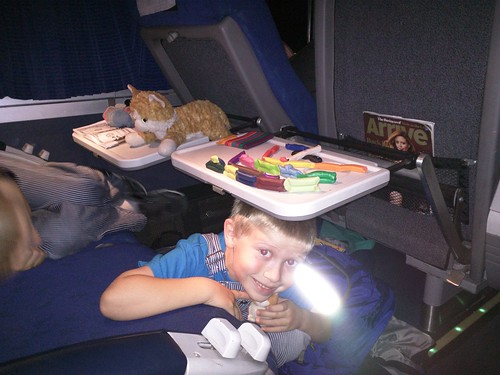
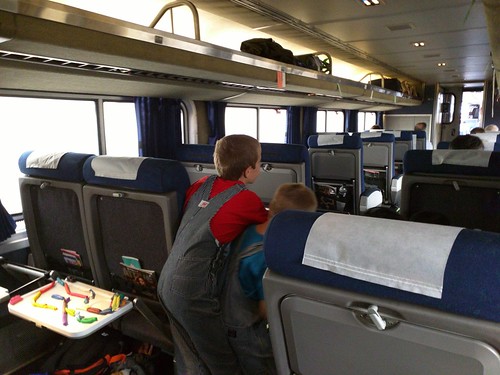
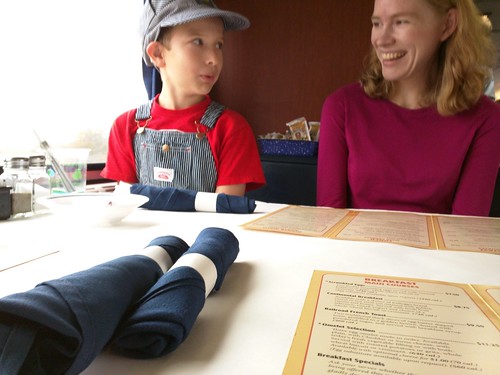
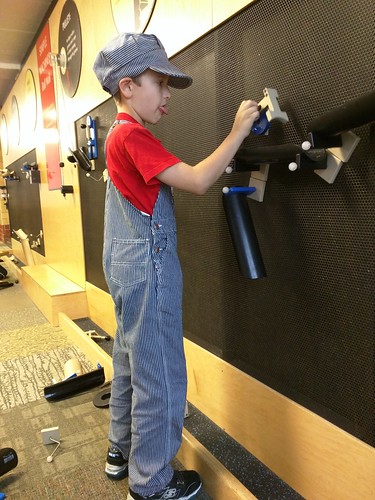
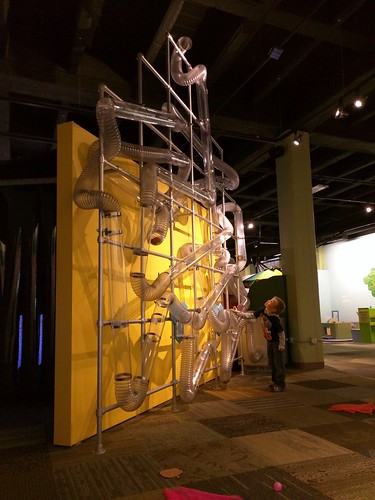
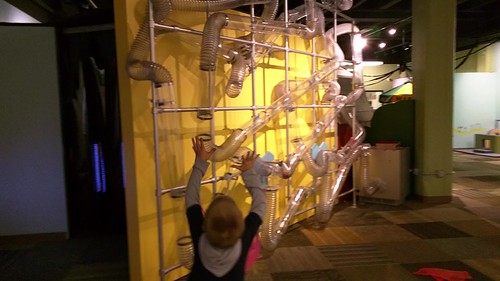
Sometimes, children are so excited you just can t resist. Jacob and Oliver have been begging for a train trip for awhile now, so Laura and I took advantage of a day off school to take them to the little town of Galesburg, IL for a couple days. Galesburg is a special memory for me; nearly 5 years ago, it was the first time Jacob and I took an Amtrak trip somewhere, just the two of us. And, separately, Laura s first-ever train trip had been to Galesburg to visit friends. There was excitement in the air. I was asked to supply a bedtime story about trains I did. On the way to the train station in the middle of the night there was excited jabbering about trains. Even when I woke them up, they lept out of bed and raced downstairs, saying, Dad, why aren t you ready yet? As the train was passing through here at around 4:45AM, and we left home with some time to spare, we did our usual train trip thing of stopping at the one place open at such a time: Druber s Donuts. IMG_20151023_040731 Much as Laura and I might have enjoyed some sleep once we got on the train, Jacob and Oliver weren t having it. Way too much excitement was in the air. Jacob had his face pressed against the window much of the time, while Oliver was busy making snake trains from colored clay complete with eyes. IMG_20151023_062304 The boys were dressed up in their train hats and engineer overalls, and Jacob kept musing about what would happen if somebody got confused and thought that he was the real engineer. When an Amtrak employee played along with that later, he was quite thrilled! We were late enough into Galesburg that we ate lunch in the dining car. A second meal there what fun! Here they are anxiously awaiting the announcement that the noon reservations could make their way to the dining car. Oh, and jockeying for position to see who would be first and get to do the all-important job of pushing the button to open the doors between train cars. IMG_20151023_120143 Even waiting for your food can be fun. IMG_20151023_120728 Upon arriving, we certainly couldn t leave the train station until our train did, even though it was raining. IMG_20151023_145755 Right next to the train station is the Discovery Depot Children s Museum. It was a perfect way to spend a few hours. Jacob really enjoyed the building wall, where you can assemble systems that use gravity (really a kinetic/potential energy experiment wall) to funnel rubber balls all over the place. He sticks out his tongue when he s really thinking. Fun to watch. IMG_20151023_153113 Meanwhile, Oliver had a great time with the air-powered tube system, complete with several valves that can launch things through a complicated maze of transparent tubes. IMG_20151024_150309 VID_20151024_150159 They both enjoyed pretending I was injured and giving me rides in the ambulance. I was diagnosed with all sorts of maladies a broken leg, broken nose. One time Jacob held up the pretend stethoscope to me, and I said ribbit. He said, Dad, you ve got a bad case of frog! You will be in the hospital 190 days! Later I would make up things like I think my gezotnix is all froibled and I was ordered to never leave the ambulance again. He told the story of this several times. After the museum closed, we ate supper. Keep in mind the boys had been up since the middle of the night without sleeping and were still doing quite well! They did start to look a bit drowsy I thought Oliver was about to fall asleep, but then their food came. And at the hotel, they were perfectly happy to invent games involving jumping off the bed. Saturday, we rode over to Peck Park. We had heard about this park from members of our church in Kansas, but oddly even the taxi drivers hadn t ever heard of it. It s well known as a good place to watch trains, as it has two active lines that cross each other at a rail bridge. And sure enough, in only a little while, we took in several trains. IMG_20151024_110035 VID_20151024_110229 The rest of that morning, we explored Galesburg. We visited an antique mall and museum, saw the square downtown, and checked out a few of the shops my favorite was the Stray Cat, featuring sort of a storefront version of Etsy with people selling art from recycled objects. But that wasn t really the boys thing, so we drifted out of there on our way to lunch at Baked, where we had some delicious deep-dish pizza. After that, we still had some time to kill before getting back on the train. We discussed our options. And what do you know we ended up back at the children s museum. We stopped at a bakery to get the fixins for a light supper on the train, and ate a nice meal in the dining car once we got on. Then, this time, they actually slept. Before long, it was 3AM again and time to get back off the train. Oliver was zonked out sleepy. Somehow I managed to get his coat and backpack on him despite him being totally limp, and carried him downstairs to get off the train. Pretty soon we walked to our car and drove home. We tucked them in, and then finally tucked ourselves in. Sometimes being really tired is well worth it.

27 October 2015

Chris Lamb: ImportError: cannot import name add_to_builtins under Django 1.9

Whilst upgrading various projects to Django 1.9, I found myself repeatedly searching for the following code snippet so I offer it below as a more permanent note for myself and to aid others. If you used django.template.base.add_to_builtins to avoid tedious and unsightly % load module % blocks in your template files, under Django 1.9 you will get the following traceback:

Traceback (most recent call last):
  File "django/core/management/__init__.py", line 324, in execute
    django.setup()
  File "django/__init__.py", line 18, in setup
    apps.populate(settings.INSTALLED_APPS)
  File "django/apps/registry.py", line 108, in populate
    app_config.import_models(all_models)
  File "django/apps/config.py", line 202, in import_models
    self.models_module = import_module(models_module_name)
  File "/usr/lib/python2.7/importlib/__init__.py", line 37, in import_module
    __import__(name)
  File "myproject/myproject/utils/models.py", line 1, in <module>
    from django.template.base import add_to_builtins
ImportError: cannot import name add_to_builtins
The solution is to move to defining settings.TEMPLATES instead of calling add_to_builtins. This replaces a number of your existing settings, including TEMPLATE_CONTEXT_PROCESSORS, TEMPLATE_DIRS, TEMPLATE_LOADERS, etc. For example:
TEMPLATES = [ 
    'BACKEND': 'django.template.backends.django.DjangoTemplates',
    'DIRS': [
        os.path.join(BASE_DIR, 'templates'),
    ],
    'APP_DIRS': True,
    'OPTIONS':  
        'context_processors': [
            'django.template.context_processors.debug',
            'django.template.context_processors.request',
            'django.contrib.auth.context_processors.auth',
            'django.contrib.messages.context_processors.messages',
            'myproject.utils.context_processors.settings_context',
        ],
        'builtins': [
            'django.contrib.staticfiles.templatetags.staticfiles',
        ],
     ,
 ]
Simply add the modules you previously loaded with add_to_builtins to the builtins key under OPTIONS. (You can read more in the release notes for Django 1.9, as well as read about settings.TEMPLATES generally.)

26 October 2015

Carl Chenet: db2twitter: get data in database, build and send tweets

db2twitter automatically extracts fields from your database, use them to feed a template of tweet and send the tweet. db2twitter is developed by and run for LinuxJobs.fr, the job board of th french-speaking Free Software and Opensource community. banner-linuxjobs-small Imagine you want to send tweets like this sentence : MyTux hires a #Django developer https://www.mytux.fr/jobs/36 Let s say you have a MySQL database with a database mytuxjobs , a table jobs and fields title and url db2twitter will need the following informations:
dbhost=localhost
database=mytuxjobs
dbuser=mytuxjobs
dbpass=V3rYs3cr3t!
dbtables=jobs,
jobs_rows=title,id
Lets define a template for our tweet:
tweet=MyTux hires a   https://www.mytux.fr/jobs/ "
db2twitter will get data from the database, builds a tweet filling the wildcard of the tweet template with the data from the database, and send the tweet. By default the last row in the given table is used. Cool isn t it? db2twitter is coded in Python 3.4, uses SQlAlchemy (see supported database types) and Tweepy. The official documentation is available on readthedocs.

Steve Kemp: It begins - a new mail client, with lua scripting

Once upon a time I wrote a mail-client, which worked in the console directly via Maildir manipulation. My mail client was written in C++, and used Lua for scripting unlike clients such as mutt, alpine, and similar alternatives which don't have complete scripting support. I've pondered several times whether to restart this project, but I think it is the right thing to do. The original lumail client has a rich API, but it is very ad-hoc and random. Functions were added where they seemed like a good idea, but with no real planning, and although there are grouped functions that operate similarly there isn't a lot of consistency. The implementation is clean in places, elegant in others, and horrid in yet more parts. This time round everything is an object, accessible to Lua, with Lua, and for Lua. This time round all the drawing-magic is will be written in Lua. So to display a list of Maildirs I create a bunch of objects, one for each Maildir, and then the Lua function Maildir.to_string is called. That function looks like this:
--
-- This method returns the text which is displayed when a maildir is
-- to be show in maildir-mode.
--
function Maildir.to_string(self)
   local total  = self:total_messages()
   local unread = self:unread_messages()
   local path   = self:path()
   local output = string.format( "[%05d / %05d] - %s", unread, total, path );
   if ( unread > 0 ) then
      output = "$[RED]" .. output
   end
   if ( string.find( output, "Automated." ) ) then
      output = strip_colour( output )
      output = "$[YELLOW]" .. output
   end
   return output
end
The end result is something that looks like this:
[00001 / 00010 ] - Amazon.de
[00000 / 00023 ] - Automated.root
The formatting can thus be adjusted clearly, easily, and without hacking the core of the client. Providing I implement the apporpriate methods to the Maildir object. It's still work in progress. You can view maildirs, view indexes, and view messages. You cannot reply, forward, or scroll properly. That said the hard part is done now, and I'm reasonably happy with it. The sample configuration file is a bit verbose, but a good demonstration regardless. See the code, if you wish, online here:

25 October 2015

Johannes Schauer: unshare without superuser privileges

TLDR: With the help of Helmut Grohne I finally figured out most of the bits necessary to unshare everything without becoming root (though one might say that this is still cheated because the suid root tools newuidmap and newgidmap are used). I wrote a Perl script which documents how this is done in practice. This script is nearly equivalent to using the existing commands lxc-usernsexec [opts] -- unshare [opts] -- COMMAND except that these two together cannot be used to mount a new proc. Apart from this problem, this Perl script might also be useful by itself because it is architecture independent and easily inspectable for the curious mind without resorting to sources.debian.net (it is heavily documented at nearly 2 lines of comments per line of code on average). It can be retrieved here at https://gitlab.mister-muffin.de/josch/user-unshare/blob/master/user-unshare Long story: Nearly two years after my last last rant about everything needing superuser privileges in Linux, I'm still interested in techniques that let me do more things without becoming root. Helmut Grohne had told me for a while about unshare(), or user namespaces as the right way to have things like chroot without root. There are also reports of LXC containers working without root privileges but they are hard to come by. A couple of days ago I had some time again, so Helmut helped me to get through the major blockers that were so far stopping me from using unshare in a meaningful way without executing everything with sudo. My main motivation at that point was to let dpkg-buildpackage when executed by sbuild be run with an unshared network namespace and thus without network access (except for the loopback interface) because like pbuilder I wanted sbuild to enforce the rule not to access any remote resources during the build. After several evenings of investigating and doctoring at the Perl script I mentioned initially, I came to the conclusion that the only place that can unshare the network namespace without disrupting anything is schroot itself. This is because unsharing inside the chroot will fail because dpkg-buildpackage is run with non-root privileges and thus the user namespace has to be unshared. But this then will destroy all ownership information. But even if that wasn't the case, the chroot itself is unlikely to have (and also should not) tools like ip or newuidmap and newgidmap installed. Unsharing the schroot call itself also will not work. Again we first need to unshare the user namespace and then schroot will complain about wrong ownership of its configuration file /etc/schroot/schroot.conf. Luckily, when contacting Roger Leigh about this wishlist feature in bug#802849 I was told that this was already implemented in its git master \o/. So this particular problem seems to be taken care of and once the next schroot release happens, sbuild will make use of it and have unshare --net capabilities just like pbuilder already had since last year. With the sbuild case taken care of, the rest of this post will introduce the Perl script I wrote. The name user-unshare is really arbitrary. I just needed some identifier for the git repository and a filename. The most important discovery I made was, that Debian disables unprivileged user namespaces by default with the patch add-sysctl-to-disallow-unprivileged-CLONE_NEWUSER-by-default.patch to the Linux kernel. To enable it, one has to first either do
echo 1   sudo tee /proc/sys/kernel/unprivileged_userns_clone > /dev/null
or
sudo sysctl -w kernel.unprivileged_userns_clone=1
The tool tries to be like unshare(1) but with the power of lxc-usernsexec(1) to map more than one id into the new user namespace by using the programs newgidmap and newuidmap. Or in other words: This tool tries to be like lxc-usernsexec(1) but with the power of unshare(1) to unshare more than just the user and mount namespaces. It is nearly equal to calling:
lxc-usernsexec [opts] -- unshare [opts] -- COMMAND
Its main reason of existence are: I hoped that systemd-nspawn could do what I wanted but it seems that its requirement for being run as root will not change any time soon Another tool in Debian that offers to do chroot without superuser privileges is linux-user-chroot but that one cheats by being suid root. Had I found lxc-usernsexec earlier I would've probably not written this. But after I found it I happily used it to get an even better understanding of the matter and further improve the comments in my code. I started writing my own tool in Perl because that's the language sbuild was written in and as mentioned initially, I intended to use this script with sbuild. Now that the sbuild problem is taken care of, this is not so important anymore but I like if I can read the code of simple programs I run directly from /usr/bin without having to retrieve the source code first or use sources.debian.net. The only thing I wasn't able to figure out is how to properly mount proc into my new mount namespace. I found a workaround that works by first mounting a new proc to /proc and then bind-mounting /proc to whatever new location for proc is requested. I didn't figure out how to do this without mounting to /proc first partly also because this doesn't work at all when using lxc-usernsexec and unshare together. In this respect, this perl script is a bit more powerful than those two tools together. I suppose that the reason is that unshare wasn't written with having being called without superuser privileges in mind. If you have an idea what could be wrong, the code has a big FIXME about this issue. Finally, here a demonstration of what my script can do. Because of the /proc bug, lxc-usernsexec and unshare together are not able to do this but it might also be that I'm just not using these tools in the right way. The following will give you an interactive shell in an environment created from one of my sbuild chroot tarballs:
$ mkdir -p /tmp/buildroot/proc
$ ./user-unshare --mount-proc=/tmp/buildroot/proc --ipc --pid --net \
    --uts --mount --fork -- sh -c 'ip link set lo up && ip addr && \
    hostname hoothoot-chroot && \
    tar -C /tmp/buildroot -xf /srv/chroot/unstable-amd64.tar.gz; \
    /usr/sbin/chroot /tmp/buildroot /sbin/runuser -s /bin/bash - josch && \
    umount /tmp/buildroot/proc && rm -rf /tmp/buildroot'
(unstable-amd64-sbuild)josch@hoothoot-chroot:/$ whoami
josch
(unstable-amd64-sbuild)josch@hoothoot-chroot:/$ hostname
hoothoot-chroot
(unstable-amd64-sbuild)josch@hoothoot-chroot:/$ ls -lha /proc   head
total 0
dr-xr-xr-x 218 nobody nogroup    0 Oct 25 19:06 .
drwxr-xr-x  22 root   root     440 Oct  1 08:42 ..
dr-xr-xr-x   9 root   root       0 Oct 25 19:06 1
dr-xr-xr-x   9 josch  josch      0 Oct 25 19:06 15
dr-xr-xr-x   9 josch  josch      0 Oct 25 19:06 16
dr-xr-xr-x   9 root   root       0 Oct 25 19:06 7
dr-xr-xr-x   9 josch  josch      0 Oct 25 19:06 8
dr-xr-xr-x   4 nobody nogroup    0 Oct 25 19:06 acpi
dr-xr-xr-x   6 nobody nogroup    0 Oct 25 19:06 asound
Of course instead of running this long command we can also instead write a small shell script and execute that instead. The following does the same things as the long command above but adds some comments for further explanation:
#!/bin/sh

set -exu

# I'm using /tmp because I have it mounted as a tmpfs
rootdir="/tmp/buildroot"

# bring the loopback interface up
ip link set lo up

# show that the loopback interface is really up
ip addr

# make use of the UTS namespace being unshared
hostname hoothoot-chroot

# extract the chroot tarball. This must be done inside the user namespace for
# the file permissions to be correct.
#
# tar will fail to call mknod and to change the permissions of /proc but we are
# ignoring that
tar -C "$rootdir" -xf /srv/chroot/unstable-amd64.tar.gz true

# run chroot and inside, immediately drop permissions to the user "josch" and
# start an interactive shell
/usr/sbin/chroot "$rootdir" /sbin/runuser -s /bin/bash - josch

# unmount /proc and remove the temporary directory
umount "$rootdir/proc"
rm -rf "$rootdir"
and then:
$ mkdir -p /tmp/buildroot/proc
$ ./user-unshare --mount-proc=/tmp/buildroot/proc --ipc --pid --net --uts --mount --fork -- ./chroot.sh
As mentioned in the beginning, the tool is nearly equivalent to calling lxc-usernsexec [opts] -- unshare [opts] -- COMMAND but because of the problem with mounting proc (mentioned earlier), lxc-usernsexec and unshare cannot be used with above example. If one tries anyways one will only get:
$ lxc-usernsexec -m b:0:1000:1 -m b:1:558752:1 -- unshare --mount-proc=/tmp/buildroot/proc --ipc --pid --net --uts --mount --fork -- ./chroot.sh
unshare: mount /tmp/buildroot/proc failed: Invalid argument
I'd be interested in finding out why that is and how to fix it.

24 October 2015

Dirk Eddelbuettel: rfoaas 0.1.8

A new release rfoaas is now on CRAN following up on the recent upstream release 0.1.8 of FOAAS. The rfoaas package provides an interface for R to the most excellent FOAAS service--which provides a modern, scalable and RESTful web service for the frequent need to tell someone to f$#@ off. Release 0.1.8 brings over a handfull new access points relative to the previous release 0.1.6: bday(), family_(), shutup(), zayn(), dalton(), dosomething(), retard(), and thumbs(). One of these may make a fine addition for beloved post-test comments in testthat:
R> library(rfoaas)
R> dosomething("Fix", "function", "testthat")
[1] "Fix the fucking function! - testthat"
R>
We did not make a release following version 0.1.7 of FOAAS: my testing revealed somewhat less consistent results for the language / i18n filter added in 0.1.6. So I filed issue ticket #95, but as it still lingers unanswered, I consider this feature to be unsupported for now; the tests for the language filter were disabled for now as well. As usual, CRANberries provides a diff to the previous CRAN release. Questions, comments etc should go to the GitHub issue tracker.

This post by Dirk Eddelbuettel originated on his Thinking inside the box blog. Please report excessive re-aggregation in third-party for-profit settings.

23 October 2015

Clint Adams: Beware of typhoons or tsunamis

The 12 member nations of the Trans-Pacific Partnership pact have agreed to prohibit demands that companies reveal software source code*, a step that appears aimed at curbing efforts by China to gain access to this sensitive information, The Yomiuri Shimbun has learned. Source code is the confidential information for software and is a blueprint embedded in many commonly used products, such as vehicles, mobile phones and home appliances. Source code is usually tightly guarded because it conatins commands that make using the software easier. China requires foreign companies operating there to hand over source code, a move that has sparked sharp criticism from many countries. Observers believe the decision by TPP participants to ban demands to reveal this code is intended to restrain China's move. The TPP's electronic commerce chapter in principle prohibits the 12 member nations from demanding access to source code for mass-produced software. According to the Economy, Trade and Industry Ministry, the Japan-Mongolia economic partnership agreement signed in February contains a stipulation banning demands for such information, but there are very few other examples around the world. Japan, the United States and other nations that are home to many information technology companies want to make the stipulation effectively a global standard, and they are considering whether to incorporate such a condition in economic partnership agreements that will be inked in the future. Source code is an important corporate secret for development firms. *Source code A software program written in a language a computer understands. As well as containing expert details about the unique functions of the product, the software is essential for fixing glitches and making improvements. Hackers have attempted to access source code because gaining this information would make it easier to create viruses that could exploit any software defects. In the software business, it is rarely made public, as it is considered a corporate secret.

Enrico Zini: italian-fattura-elettronica-with-openssl

Italian Fattura Elettronica with OpenSSL I have had some success signing an Italian fattura elettronica with OpenSSL. I am amazed to realise that the software they gave me to do the job is of such bad quality that I felt like spending a few hours trying to do the same thing with OpenSSL instead.

Joey Hess: propelling disk images

Following up on Then and Now ... In quiet moments at ICFP last August, I finished teaching Propellor to generate disk images. With an emphasis on doing a whole lot with very little new code and extreme amount of code reuse. For example, let's make a disk image with nethack on it. First, we need to define a chroot. Disk image creation reuses propellor's chroot support, described back in propelling containers. Any propellor properties can be assigned to the chroot, so it's easy to describe the system we want.
 nethackChroot :: FilePath -> Chroot
    nethackChroot d = Chroot.debootstrapped (System (Debian Stable) "amd64") mempty d
        & Apt.installed ["linux-image-amd64"]
        & Apt.installed ["nethack-console"]
        & accountFor gamer
        & gamer  hasInsecurePassword  "hello"
        & gamer  hasLoginShell  "/usr/games/nethack"
      where gamer = User "gamer"
Now to make an image from that chroot, we just have to tell propellor where to put the image file, some partitioning information, and to make it boot using grub.
 nethackImage :: RevertableProperty
    nethackImage = imageBuilt "/srv/images/nethack.img" nethackChroot
        MSDOS (grubBooted PC)
        [ partition EXT2  mountedAt  "/boot"
             setFlag  BootFlag
        , partition EXT4  mountedAt  "/"
             addFreeSpace  MegaBytes 100
        , swapPartition (MegaBytes 256)
        ]
The disk image partitions default to being sized to fit exactly the files from the chroot that go into each partition, so, the disk image is as small as possible by default. There's a little DSL to configure the partitions. To give control over the partition size, it has some functions, like addFreeSpace and setSize. Other functions like setFlag and extended can further adjust the partitions. I think that worked out rather well; the partition specification is compact and avoids unecessary hardcoded sizes, while providing plenty of control. By the end of ICFP, I had Propellor building complete disk images, but no boot loader installed on them.
Fast forward to today. After stuggling with some strange grub behavior, I found a working method to install grub onto a disk image. The whole disk image feature weighs in at: 203 lines to interface with parted
88 lines to format and mount partitions
90 lines for the partition table specification DSL and partition sizing
196 lines to generate disk images
75 lines to install grub on a disk image
652 lines of code total Which is about half the size of vmdebootstrap 1/4th the size of partman-base (probably 1/100th the size of total partman), and 1/13th the size of live-build. All of which do similar things, in ways that seem to me to be much less flexible than Propellor.
One thing I'm considering doing is extending this so Propellor can use qemu-user-static to create disk images for eg, arm. Add some u-boot setup, and this could create bootable images for arm boards. A library of configs for various arm boards could then be included in Propellor. This would be a lot easier than running the Debian Installer on an arm board. Oh! I only just now realized that if you have a propellor host configured, like this example for my dialup gateway, leech --
 leech = host "leech.kitenet.net"
        & os (System (Debian (Stable "jessie")) "armel")
        & Apt.installed ["linux-image-kirkwood", "ppp", "screen", "iftop"]
        & privContent "/etc/ppp/peers/provider"
        & privContent "/etc/ppp/pap-secrets"
        & Ppp.onBoot
        & hasPassword (User "root")
        & Ssh.installed
-- The host's properties can be extracted from it, using eg hostProperties leech and reused to create a disk image with the same properties as the host! So, when my dialup gateway gets struck by lightning again, I could use this to build a disk image for its replacement:
 import qualified Propellor.Property.Hardware.SheevaPlug as SheevaPlug
    laptop = host "darkstar.kitenet.net"
        & SheevaPlug.diskImage "/srv/images/leech.img" (MegaBytes 2000)
            (& propertyList "has all of leech's properties"
                (hostProperties leech))
This also means you can start with a manually built system, write down the properties it has, and iteratively run Propellor against it until you think you have a full specification of it, and then use that to generate a new, clean disk image. Nice way to transition from sysadmin days of yore to a clean declaratively specified system.

22 October 2015

Norbert Preining: CafeOBJ 1.5.4 released

Yesterday we have released CafeOBJ 1.5.4 with a long list of changes, and many more internal changes. Documentation pages have been updated with the latest reference manual (PDF, Html) as well as some new docs on CITP (in Japanese for now) and tutorials. cafeobj-logo To quote from our README:
CafeOBJ is a new generation algebraic specification and programming language. As a direct successor of OBJ, it inherits all its features (flexible mix-fix syntax, powerful typing system with sub-types, and sophisticated module composition system featuring various kinds of imports, parameterised modules, views for instantiating the parameters, module expressions, etc.) but it also implements new paradigms such as rewriting logic and hidden algebra, as well as their combination.
Changes Changes since the last release are as follows Availability Binary packages for Windows, MacOS, and Linux have been built, and can be found at the CafeOBJ download page. The source code can also be found on the download page, or directly from here: cafeobj-1.5.4.tar.gz. The CafeOBJ Debian package has been updated and is already included in Debian/sid. Macports file has also been updated, please see the above download/install page for details how to add our sources to your macport. Bug reports If you find a bug, have suggestions, or complains, please open an issue at the issue tracker for CafeOBJ. For other inquiries, please use info@cafeobj.org

Daniel Pocock: New planet sites for SIP

I've started syndicating some SIP-related blogs at planet.sip5060.net (English) and planet.sip5060.net/es (Spanish). If anybody would like to have their blog added or suggest other blogs that deserve recognition, please email me. If a blog is not entirely dedicated to SIP, it is better to use a tag or category with a dedicated RSS feed URL for SIP articles. Articles related to Asterisk, FreeSWITCH, SIP proxies and softphones are all welcome. Please also remember to create links to the planet sites from your own blogs and web sites, it helps solutions based on free software to become more prominent online. Streamlining planet-site management I'm also looking for feedback about how to streamline management of the planet sites, maybe providing a self-service portal or letting people add themselves with Github pull requests. Has anybody else seen solutions for this?

21 October 2015

Russell Coker: LUV Server Upgrade to Jessie

On Sunday night I started the process of upgrading the LUV server to Debian/Jessie from Debian/Wheezy. My initial plan was to just upgrade Apache first but dependencies required upgrading systemd too. One problem I ve encountered in the past is that the Wheezy version of systemd will often hang on an upgrade to a newer version. Generally the solution to this is to run systemctl daemon-reexec from another terminal. The problem in this case was that not all the libraries needed for systemd had been installed, so systemd could re-exec itself but immediately aborted. The kernel really doesn t like it when process 1 aborts repeatedly and apparently immediately hanging is the result. At the time I didn t know this, all I knew was that my session died and the server stopped responding to pings immediately after I requested a reexec. The LUV server is hosted at VPAC for free. As their staff have actual work to do they couldn t spend a lot of time working on the LUV server. They told me that the screen was flickering and suspected a VGA cable. I got to the VPAC server room with the spare LUV server (LUV had been given 3 almost identical Sun servers from Barwon Water) at 16:30. By 17:30 I had fixed the core problem (boot with init=/bin/bash , mount the root filesystem rw, finish the upgrade of systemd and it s dependencies, and then reboot normally). That got it into a stage where the Xen server for Wikimedia Au was working but most LUV functionality wasn t working. By 23:00 on Monday I had the full list server functionality working for users, this is the main feature that users want when it s not near a meeting time. I can t remember whether it was Monday night or Tuesday morning when I got the Drupal site going (the main LUV web site). Last night at midnight I got the last of the Mailman administrative interface going, I admit I could have got it going a bit earlier by putting SE Linux in permissive mode, but I don t think that the members would have benefited from that (I ll upload a SE Linux policy package that gets Mailman working on Jessie soon). Now it s Wednesday and I m still fixing some cron jobs. Along the way I noticed some problems with excessive disk space use that I m fixing now and I ve also removed some Wikimedia related configuration files that were obsolete and would have prevented anyone from using a wikimedia.org.au address to subscribe to the LUV mailing lists. Now I believe that everything is working correctly and generally working better than before. Lessons Learned While Sunday night wasn t a bad time to start the upgrade it wasn t the best. If I had started the upgrade on Monday morning there would have been less down-time. Another possibility might be to do the upgrade while near the VPAC office during business hours, I could have started the upgrade while at a nearby cafe and then visited the server room immediately if something went wrong. Doing an upgrade on a day when there s no meeting within a week was a good choice. It wasn t really a conscious choice as I m usually doing other LUV work near the meeting day which precludes doing other LUV work that doesn t need to be done soon. But in future it would be best to consciously plan upgrades for a date when users aren t going to need the service much. While the Wheezy systemd bug is unlikely to ever be fixed there are work-arounds that shouldn t result in a broken server. At the moment it seems that the best option would be to kill -9 the systemctl processes that hang until the packages that systemd depends on are installed. The problem is that the upgrade hangs while the new systemctl tries to tell the old systemd to restart daemons. If we can get past that to the stage where the shared objects are installed then it should be ok. The Apache upgrade from 2.2.x to 2.4.x changed the operation of some access control directives and it took me some time to work out how to fix that. Doing a Google search on the differences between those would have led me to the Apache document about upgrading from 2.2 to 2.4 [1]. That wouldn t have prevented some down-time of the web sites but would have allowed me to prepare for it and to more quickly fix the problems when they became apparent. Also the rather confusing configuration of the LUV server (supporting many web sites that are no longer used) didn t help things. I think that removing cruft from an installation before an upgrade would be better than waiting until after things break. Next time I do an upgrade of such a server I ll write notes about it while I go. That will give a better blog post about it if it becomes newsworthy enough to be blogged about and also more opportunities to learn better ways of doing it. Sorry for the inconvenience.

Next.

Previous.