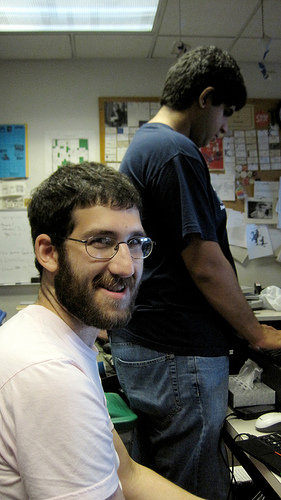
Even though Enrico is not smiling on this picture, he s one of the friendliest Debian person that I know. I always enjoy his presentations because he can t refrain from inserting jokes or other funny tricks. Subscribe to my newsletter to get my monthly summary of the Debian/Ubuntu news and to not miss further interviews. You can also follow along on Identi.ca, Twitter and Facebook.
5 comments Liked this article? Click here. My blog is Flattr-enabled.
I have been a long-time user of
So next time I requested a file to# find /var/cache/approx -size 0 xargs rm
Both Bash and Zsh use several startup scripts: profile, bashrc, zlogin, zshrc, etc.
The existence of several startup scripts exists to allow you to apply
specific actions for interactive or login shells. For instance, you may want to
set up a fancy colour prompt or to enable a powerful completion system for
interactive shells only, as it would be pointless to apply it to non-interactive
shells (that is, for shell scripts). Or you may want to display a joke and the
weather forecast at login, but not each time you spawn a shell by other
means.Common
Both Bash and Zsh first execute a system-wide file, then the corresponding
user-specific one. For instance, /etc/profile then
~/.profile. For simplicity I shall only mention the
files' base names.
Bash
At startup, depending on the case:
--login), it executes profile;| login | |||
|---|---|---|---|
| yes | no | ||
| interactive | yes | profile | bashrc |
| no | profile | - | |
| login | |||
|---|---|---|---|
| yes | no | ||
| interactive | yes | zshenv zprofile zshrc zlogin | zshenv zshrc |
| no | zshenv zprofile zlogin | zshenv | |
over 3 months without a posting about my RC bug squashing activities. that
also means I hardly looked at any bugs in packages I'm not (co-)maintaining.
anyway, here's the list of fixed RC bugs:


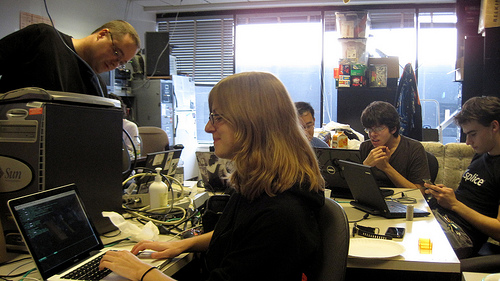
(Photo credit: Obey Arthur Liu; originally on Picasa, license.)
Three weekends ago, I participated in a Debian bug squashing party. It was more fun than I had guessed!
The event worked: we squashed bugs. Geoffrey Thomas (geofft) organized it as an event for MIT's student computing group, SIPB. In this post, I'll review the good parts and the bad. I'll conclude with beaming photos of my two mentees and talk about the bugs they fixed.
So, the good:
Jessica McKellar is a software engineer at
Noah Swartz is a recent graduate of Case Western Reserve University where he studied Mathematics and played Magic. He is an intern at the MIT Media Lab where he contributes to DoppelLab in Joe Paradiso's Responsive Environments group. This was definitely his first direct contribution to Debian. It was also one of the most intense command-line experiences he has had so far. Noah wasn't originally planning to come, but we were having lunch together before the hackathon, and I convinced him to join us.
Noah fixed #625177, a fails-to-build-from-source (FTBFS) bug in nslint. The problem was that "-Wl" was instead written in all lowercase in the debian/rules file, as "-wl". Noah fixed that, making sure the package properly built in pbuilder, and then spent some quality time with lintian figuring out the right way to write a debian/changelog.
That's a wrap! We'll hopefully have one again in a few months, and before that, I hope to write up a guide so that we run things even more smoothly next time.
![]() | ![]() | ![]() |
Forgot to mention this here: We released flashrom 0.9.4 a few days ago, the latest release of the open-source, GPL'd ROM chip flashing software for Linux, *BSD, DOS, and partially also Windows (work in progress, though).
Here's a quick summary of the release announcement. Some of the noteworthy news items include:
$ svn co svn://flashrom.org/flashrom/trunk flashrom $ cd flashrom $ makeI already updated the Debian package to 0.9.4 (it has also already migrated to Debian testing and Ubuntu), other people have updated Fedora, Gentoo, NetBSD etc. etc. There's already a huge amount of patches queued for the next release, including support for even more programmers, PowerPC support (tested on Mac Mini and others), and of course the usual "more boards, more chips" items...
about:tabs url to see the damage on your session. Please note that the number of groups is currently wrong until you open the tab grouping interface.
This is what the extension has to say about my session 2 days ago, right after a startup:
http://buildd.debian.org/iceweasel. It gives me the build status of the latest iceweasel package I uploaded to Debian unstable. That url is particularly known in my browsing history, and is the first hit when I type buildd in the urlbar (actually, even typing b brings it first). Unfortunately, that url redirects to https://buildd.debian.org/status/package.php?p=iceweasel through an HTTP redirection. I say unfortunately because when I type buildd in the urlbar, I get 6 suggestions for urls in the form http://buildd.debian.org/package (I also watch other packages build status), and the suggestion to switch to the existing tab for what the first hit would get me to is 7th. Guess what? The suggestion list only shows 6 items ; you have to scroll to see the 7th.
The result is that I effectively have fifteen tabs open on that url.
I also keep a lot of bugzilla.mozilla.org bugs open in different tabs. The extension tells me there are 255 of them for 166 unique bugs. Largely, the duplicate bug tabs are due to having these bugs open in some tab, but accessing the same bugs from somewhere else, usually a dependent bug or TBPL. I also have 5 tabs opened on my request queue. I usually get there by going to the bugzilla home page and clicking on the My Requests link. And I have several tabs opened on the same bug lists. For the same reason.
When I started using tab groups, I splitted in very distinct groups. Basically, one for Mozilla, one for Debian, one for stuff I want to follow (usually blog posts I want to follow comments from), and one for the rest. While I was keeping up with grouping at the beginning, I don t anymore, and the result is that each group is now a real mess.
Firefox has hundreds of millions users. It s impossible to create a user experience that works for everyone. One thing is sure, it doesn t work for me. My usage is probably very wrong at different levels, but I don t feel my browser is encouraging me to use it better, except by making my number of opened tabs explode to an unmanageable level (I already have 30 tabs more than when I started writing this post 2 days ago).
There are a few other things I would like to know about my usage that my extension hasn t told me yet, either because it doesn t tell, or because I haven t looked:
This is a direct followup on my previous blog posting about calculating IPs and netmasks with the tools
netmask and prips. Kurt Roeckx (via e-mail) and Niall Donegan (via
a comment to that blog posting) both told me about the package sipcalc, and Kurt also mentioned the package ipcalc. Thanks for that! And since I found both useful, too,
let s put them in their own blog posting:
Both tools, ipcalc
and sipcalc offer a get all information at once mode
which are not present in the previously presented tool netmask.
ipcalc
ipcalc by default outputs all information and even in ANSI colors:
$ ipcalc 192.168.96.0/21 Address: 192.168.96.0 11000000.10101000.01100 000.00000000 Netmask: 255.255.248.0 = 21 11111111.11111111.11111 000.00000000 Wildcard: 0.0.7.255 00000000.00000000.00000 111.11111111 => Network: 192.168.96.0/21 11000000.10101000.01100 000.00000000 HostMin: 192.168.96.1 11000000.10101000.01100 000.00000001 HostMax: 192.168.103.254 11000000.10101000.01100 111.11111110 Broadcast: 192.168.103.255 11000000.10101000.01100 111.11111111 Hosts/Net: 2046 Class C, Private Internet(Coloured Screenshots done with ANSI HTML Adapter from the package aha.) You can suppress the bitwise option or directly output HTML via commandline options. For example
ipcalc -b -h 192.168.96.0/21
outputs the following content:
Yes, that s an HTML table and no preformatted text, just with a monospaced font. (I just removed the hardcoded text color from it, otherwise it would not look nice on dark backgrounds like in Planet Commandline s default color scheme.) Like netmask, ipcalc can also deaggregate IP ranges into largest possible networks:
Address: 192.168.96.0 Netmask: 255.255.248.0 = 21 Wildcard: 0.0.7.255 => Network: 192.168.96.0/21 HostMin: 192.168.96.1 HostMax: 192.168.103.254 Broadcast: 192.168.103.255 Hosts/Net: 2046 Class C, Private Internet
$ ipcalc 192.168.87.0 - 192.168.110.255 deaggregate 192.168.87.0 - 192.168.110.255 192.168.87.0/24 192.168.88.0/21 192.168.96.0/21 192.168.104.0/22 192.168.108.0/23 192.168.110.0/24(
ipcalc -r 192.168.87.0 192.168.110.255 is just another
way to write this, and it results in the same output.)
To find networks with at least 20, 63 and 30 IP addresses within a /24
network, use for example:
Address: 192.0.2.0 Netmask: 255.255.255.0 = 24 Wildcard: 0.0.0.255 => Network: 192.0.2.0/24 HostMin: 192.0.2.1 HostMax: 192.0.2.254 Broadcast: 192.0.2.255 Hosts/Net: 254 Class C 1. Requested size: 20 hosts Netmask: 255.255.255.224 = 27 Network: 192.0.2.128/27 HostMin: 192.0.2.129 HostMax: 192.0.2.158 Broadcast: 192.0.2.159 Hosts/Net: 30 Class C 2. Requested size: 63 hosts Netmask: 255.255.255.128 = 25 Network: 192.0.2.0/25 HostMin: 192.0.2.1 HostMax: 192.0.2.126 Broadcast: 192.0.2.127 Hosts/Net: 126 Class C 3. Requested size: 30 hosts Netmask: 255.255.255.224 = 27 Network: 192.0.2.160/27 HostMin: 192.0.2.161 HostMax: 192.0.2.190 Broadcast: 192.0.2.191 Hosts/Net: 30 Class C Needed size: 192 addresses. Used network: 192.0.2.0/24 Unused: 192.0.2.192/26sipcalc sipcalc is similar to ipcalc. One big difference seems to be the IPv6 support:
$ sipcalc 2001:DB8::/32
-[ipv6 : 2001:DB8::/32] - 0
[IPV6 INFO]
Expanded Address - 2001:0db8:0000:0000:0000:0000:0000:0000
Compressed address - 2001:db8::
Subnet prefix (masked) - 2001:db8:0:0:0:0:0:0/32
Address ID (masked) - 0:0:0:0:0:0:0:0/32
Prefix address - ffff:ffff:0:0:0:0:0:0
Prefix length - 32
Address type - Aggregatable Global Unicast Addresses
Network range - 2001:0db8:0000:0000:0000:0000:0000:0000 -
2001:0db8:ffff:ffff:ffff:ffff:ffff:ffff
(Thanks to Niall for the pointer to RFC3849. :-)
It can also split up networks into smaller chunks, but only same-size
chunks, like e.g. split a /32 IPv6 network into /34 networks:
sipcalc -S34 2001:DB8::/32
-[ipv6 : 2001:DB8::/32] - 0
[Split network]
Network - 2001:0db8:0000:0000:0000:0000:0000:0000 -
2001:0db8:3fff:ffff:ffff:ffff:ffff:ffff
Network - 2001:0db8:4000:0000:0000:0000:0000:0000 -
2001:0db8:7fff:ffff:ffff:ffff:ffff:ffff
Network - 2001:0db8:8000:0000:0000:0000:0000:0000 -
2001:0db8:bfff:ffff:ffff:ffff:ffff:ffff
Network - 2001:0db8:c000:0000:0000:0000:0000:0000 -
2001:0db8:ffff:ffff:ffff:ffff:ffff:ffff
-
Similar thing with IPv4:
sipcalc -s27 192.0.2.0/24 -[ipv4 : 192.0.2.0/24] - 0 [Split network] Network - 192.0.2.0 - 192.0.2.31 Network - 192.0.2.32 - 192.0.2.63 Network - 192.0.2.64 - 192.0.2.95 Network - 192.0.2.96 - 192.0.2.127 Network - 192.0.2.128 - 192.0.2.159 Network - 192.0.2.160 - 192.0.2.191 Network - 192.0.2.192 - 192.0.2.223 Network - 192.0.2.224 - 192.0.2.255sipcalc also has a show me all information mode with the -a option:
$ sipcalc -a 192.168.96.0/21
-[ipv4 : 192.168.96.0/21] - 0
[Classfull]
Host address - 192.168.96.0
Host address (decimal) - 3232260096
Host address (hex) - C0A86000
Network address - 192.168.96.0
Network class - C
Network mask - 255.255.255.0
Network mask (hex) - FFFFFF00
Broadcast address - 192.168.96.255
[CIDR]
Host address - 192.168.96.0
Host address (decimal) - 3232260096
Host address (hex) - C0A86000
Network address - 192.168.96.0
Network mask - 255.255.248.0
Network mask (bits) - 21
Network mask (hex) - FFFFF800
Broadcast address - 192.168.103.255
Cisco wildcard - 0.0.7.255
Addresses in network - 2048
Network range - 192.168.96.0 - 192.168.103.255
Usable range - 192.168.96.1 - 192.168.103.254
[Classfull bitmaps]
Network address - 11000000.10101000.01100000.00000000
Network mask - 11111111.11111111.11111111.00000000
[CIDR bitmaps]
Host address - 11000000.10101000.01100000.00000000
Network address - 11000000.10101000.01100000.00000000
Network mask - 11111111.11111111.11111000.00000000
Broadcast address - 11000000.10101000.01100111.11111111
Cisco wildcard - 00000000.00000000.00000111.11111111
Network range - 11000000.10101000.01100000.00000000 -
11000000.10101000.01100111.11111111
Usable range - 11000000.10101000.01100000.00000001 -
11000000.10101000.01100111.11111110
[Networks]
Network - 192.168.96.0 - 192.168.103.255 (current)
Thanks again to Kurt and Niall for their contributions!
Now listening to the schreimaschine and fausttanz submissions for the interactive competition at the B nzli/DemoDays in Olten (Switzerland)
Here is the short version: to get better performance on your SSL
terminator, use stud on 64bit system with patch from
meric Brun for SSL session reuse with some AES cipher
suite (128 or 256, does not really matter), without DHE, on as many
cores as needed, a key size of 1024 bits unless more is needed.
In January this year (2010), Gmail switched to using HTTPS for everything by default. Previously it had been introduced as an option, but now all of our users use HTTPS to secure their email between their browsers and Google, all the time. In order to do this we had to deploy no additional machines and no special hardware. On our production frontend machines, SSL/TLS accounts for less than 1% of the CPU load, less than 10KB of memory per connection and less than 2% of network overhead. Many people believe that SSL takes a lot of CPU time and we hope the above numbers (public for the first time) will help to dispel that. If you stop reading now you only need to remember one thing: SSL/TLS is not computationally expensive any more.This is a very informative post containing tips on how to enhance SSL performance by reducing latency. However, unlike Gmail, you may still be worried by SSL raw performances. Maybe each of your frontends is able to serve 2000 requests per second and CPU overhead for SSL is therefore significative. Maybe you want to terminate SSL in your load balancer (even if you know this is not the best way to scale).
| Site | Cipher | Session reuse? |
|---|---|---|
| www.google.com | RC4-SHA | |
| www.facebook.com | RC4-MD5 | |
| twitter.com | AES256-SHA | |
| windowsupdate.microsoft.com | RC4-MD5 | |
| www.paypal.com | AES256-SHA | |
| www.cmcicpaiement.fr | DHE-RSA-AES256-SHA |
HZ is set to 250) and
two Intel 82576 NIC. Linux conntrack subsystem has been
disabled and file limits have been raised over 100,000.
A Spirent Avalanche 2900 appliance is used to run the benchmarks.
We are interested in raw SSL performances in term of handshakes per
second. Because we want to observe the effects of session reuse, the
scenario runs by most tests lets clients doing four successive
requests and reusing the SSL session for three of them. There is no
HTTP keepalive. There is no compression. The size of the HTTP answer
from the server is 1024 bytes. Those choices are done because our
primary target is the number of SSL handshakes per second.
It should also be noted that HAProxy alone is able to handle 22,000
TPS on one core. During the tests, it was never the bottleneck.
The most important plot is the top one. The blue line is the attempted
number of transactions per second (TPS) while the green one is the
successful number of TPS. When the two lines start to diverge, this
means we reach some kind of maximum: the number of unsuccessful TPS
also starts to raise (the red line).
There are several noticeable points: the maximum TPS (788 TPS), the
maximum TPS with an average response time less than 100 ms (766 TPS),
less than 500 ms (776 TPS) and the maximum TPS with less than 0.01% of
packet loss (783 TPS).
Let s have a look at nginx (version 1.0.5):
It is able to get the same performance as stud (763 TPS). However,
over 512 TPS, you get more than 100 ms of response time. Over 556 TPS,
you even get more than 500 ms! I get this behaviour in every bench
with nginx (with or without proxy_buffering, with or without
tcp_nopush, with or without tcp_nodelay) and I am unable to
explain it. Maybe there is
something wrong in the configuration. After hitting this
limit, nginx starts to process connections by bursts. Therefore, the
number of successful TPS is plotted using a dotted line while the
moving average over 20 seconds is plotted with a solid line.
On the next plot, you can see the compared performance of the three
implementations. On this kind of plot, the number of TPS that we keep
is the maximum number of TPS where loss is less than 0.1% and average
response time is less than 100 ms. stud achieves a performance of
766 TPS while nginx and stunnel are just above 500 TPS.
| 1 core | 2 cores | 4 cores | 6 cores | |
|---|---|---|---|---|
| CPU 1, Core 1 | network | network | network | network + haproxy |
| CPU 1, Core 2 | haproxy | haproxy | haproxy | SSL |
| CPU 1, Core 3 | SSL | SSL | SSL | SSL |
| CPU 1, Core 4 | - | SSL | SSL | SSL |
| CPU 2, Core 5 | - | - | network | SSL |
| CPU 2, Core 6 | - | - | SSL | SSL |
| CPU 2, Core 7 | - | - | SSL | SSL |
| CPU 2, Core 8 | system | system | system | system + haproxy |
smp_affinity for network card interrupts.
We keep one core for the system. It is quite important to be able to
connect and monitor the system correctly even when it is loaded. With
so many cores, we can afford to reserve one core for this usage.
Beware! There is a trap when pining processes or IRQ to a core. You
need to check /proc/cpuinfo to discover the mapping between kernel
processors and physical cores. Sometimes, second kernel processor can
be the first core of the second physical processor (instead of the
second core of the first physical processor).
As you can see in the plot above, only stud is able to scale
properly. stunnel is not able to take advantage of the cores and its
performances are worse than with a single core. I think this may be
due to its threaded model and the fact that the userland for this
32bit system is a bit old. nginx is able to achieve the same TPS
than stud but is disqualified because of the increased latency. We
won t use stunnel in the remaining tests.
This plot also explains why stud performances fall after the
maximum: because of the failed transactions, the session cache is not
as efficient. This phenomenon does not exist when session reuse is not enabled.
| Context | nginx 1.0.5 | stunnel 4.41 | stud 0.1 (patched) |
|---|---|---|---|
| 1 core, 32bit | 512 TPS | 503 TPS | 766 TPS |
| 2 cores, 32bit | 599 TPS | - | - |
| 32bit | 804 TPS | 501 TPS | 4251 TPS |
| - | 1799 TPS | - | 9000 TPS |
| AES256 | - | - | 8880 TPS |
| RC4-MD5 | - | - | 7370 TPS |
| 2048bit | - | - | 1643 TPS |
| no session reuse | - | - | 5844 TPS |
| 80 requests per SSL session | - | - | 10797 TPS |
# ulimit -n 100000 # stud -n 2 -f 172.31.200.15,443 -b 127.0.0.1,80 -c ALL \ > -B 1000 -C 20000 --write-proxy \ > =(cat server1024.crt server1024.key dhe1024)
Tim pointed out that it's worth travelling simply for the new timezone in your debian/changelog entries.
We can use AptFs to work out who has collected the most so far:
import os import glob import itertools import collections from dateutil.parser import parse from debian.changelog import Changelog data = collections.defaultdict(set) for package in glob.glob('/apt/*'): if os.path.islink(package): continue # Consider source packages only try: changelog = Changelog(open('%s/debian/changelog' % package)) except: continue # Ignore invalid changelogs for entry in changelog: try: data[entry.author].add(parse(entry.date).strftime('%z')) except ValueError: pass # Ignore invalid dates fn = lambda x: len(x[1]) top = sorted(data.items(), key=fn, reverse=True) for k, g in itertools.groupby(top, key=fn): print "\n%d timezone(s):" % k for author, timezones in sorted(g): print " * %s (%s)" % ( author.encode('utf8', 'ignore'), ', '.join(sorted(timezones, reverse=True)), )
14 timezone(s): * Bdale Garbee <bdale@gag.com> (-0800, -0700, -0600, -0500, -0400, -0300, +1300, +1100, +1030, +0900, +0300, +0200, +0100, +0000) 12 timezone(s): * Joey Hess <joeyh@debian.org> (-1000, -0900, -0800, -0700, -0500, -0400, -0300, -0200, +0300, +0200, +0100, +0000) 11 timezone(s): * Paul Wise <pabs@debian.org> (-0400, -0300, +1300, +1100, +1000, +0930, +0900, +0800, +0200, +0100, +0000) 9 timezone(s): * Barak A. Pearlmutter <bap@debian.org> (-0700, -0600, -0500, -0400, +0500, +0300, +0200, +0100, +0000) * Martin Michlmayr <tbm@cyrius.com> (-1000, -0700, -0300, +1100, +1000, +0300, +0200, +0100, +0000) * Martin Pitt <mpitt@debian.org> (-0800, -0700, -0600, -0500, -0400, +0300, +0200, +0100, +0000) * Sam Hocevar (Debian packages) <sam+deb@zoy.org> (-0700, -0500, -0400, -0300, +0930, +0300, +0200, +0100, +0000)Full output. However, something tells me we aren't going to see widespread gamification of Debian development.
Everyone loves stats, ok well at least I do. I was doing some research with regards to package maintenance within the Debian distribution and since the results might be interesting for someone else there we are.
On 19th of August 2011 there have been:
Linux 2.6.24, released more than three years ago, introduced two very
interesting features: PID and network namespaces. They
allow to create a process that does not share the same PID namespace
or the same network namespace than other processes. Those namespaces
are then inherited by the children (unless they are assigned new namespaces).
kill(2). Moreover,
the process that was created first in a namespace will get PID 1. If
it gets killed, the namespace is destroyed and all other processes
contained in this namespace are killed as well. systemd, a
system and service manager for Linux, targeted as a replacement for
the old SysV init, clone(2)
(search for CLONE_NEWPID).
UPDATED: In fact, systemd does not use PID namespaces but
cgroups to group processes together. There is no PID numbering here
but spawned processes are all enclosed into one cgroup and therefore
can be killed easily.
For example, here is the result of pstree -p inside a PID namespace:
root@guybrush:/# pstree -p bash(1) pstree(8) sleep(7)
sleep is 7. In the global namespace, it is 31762
instead. But it is the same processus!
root@guybrush:/# ps -eo pid,command grep sleep 31762 sleep 1000
debootstrap is used to build a new complete system
inside a directory and chroot allows to enter into this new
system. Tools like schroot can become handy if you need to do that often.
Unfortunately, you only get an isolated filesystem. When you start
launching daemons and mounting partitions, you need to keep track of
all your actions to undo them. Quitting the chroot will not kill any
daemon nor unmount any partition.
Extending an existing tool, like schroot to use PID and mount
namespaces seems the best way to prevent such problems. I have filed
bug #637870 for this purpose. However, this is not as
simple as it seems since schroot allows to run a process into an
existing session. When the session is a chroot, this is quite easy:
just chroot into the same root filesystem and launch the process
here. With other kind of namespaces, you need to use a new system
call, setns(), to change the current namespace of the running
process. However, some bits are still missing. First, the GNU C
Library does not implement the appropriate wrapper. Second, Linux (as
of 3.0) does not contain the support to change the PID namespace of a
running process yet.
Other tools exist, like lxc (aka Linux Containers). However, it
is more targeted at providing a complete container. I have reported
that lxc-execute is not able to spawn a standalone shell
but got no luck.
UPDATED: systemd ships with systemd-nspawn which was exactly
what I needed. However, it requires systemd. Otherwise, it seems
less basic than the alternative that I describe below (some sensible
mount points are setup, the console is correctly configured, signals
are correctly transmitted, ). If you use systemd, look at it!
chroot clone using namespaces is quite easy. The only
difficulty is the use of clone(2). Here is a sketch:
int main() pid_t pid; int ret; long stack_size = sysconf(_SC_PAGESIZE); void *stack = alloca(stack_size) + stack_size; /* New process with its own PID/IPC/NS namespace */ pid = clone(step2, stack, SIGCHLD CLONE_NEWPID CLONE_NEWIPC CLONE_NEWNS CLONE_FILES, NULL); /* Wait for the child to terminate */ while (waitpid(pid, &ret, 0) < 0 && errno == EINTR) continue; return WIFEXITED(ret)?WEXITSTATUS(ret):EXIT_FAILURE; static int step2(void *a) /* Mount /proc as an example */ mount("proc", "/proc", "proc", 0, ""); /* Chroot */ chroot("/srv/debian"); chdir("/"); /* Drop privileges */ setgid(1000); setgroups(0, NULL); setuid(1000); /* Exec shell */ execl("/bin/bash", "/bin/bash", NULL);
$ cat fstab proc /proc proc defaults 0 0 sys /sys sysfs defaults 0 0 /home /home none bind,rw 0 0 /dev/pts /dev/pts none bind,rw 0 0 /var/run /var/run tmpfs rw,nosuid,noexec,mode=755 0 0 /etc/resolv.conf /etc/resolv.conf none bind,ro 0 0 $ sudo jchroot -f fstab -n test /srv/debian/squeeze /bin/bash # hostname test # ps auxww USER PID %CPU %MEM VSZ RSS TTY STAT START TIME COMMAND root 1 0.0 0.0 19480 1888 pts/1 S 15:18 0:00 /bin/bash root 3 0.0 0.0 16536 1184 pts/1 R+ 15:18 0:00 ps auxww # /etc/init.d/postgresql start Starting PostgreSQL 9.0 database server: main. # exit $ ps auxwwc grep postgres $
chroot(8). Anyone knows if this would have a
chance to be accepted?
Once upon a time, there was Deb and Ian. That was about exactly 18 years ago. We don t talk about the 0.939000 format any more, but they eventually settled on:
$ ar rc pkg_1.0_all.deb debian-binary control.tar.gz data.tar.gz $ hexdump -C pkg_1.0_all.deb head 00000000 21 3c 61 72 63 68 3e 0a 64 65 62 69 61 6e 2d 62 !<arch>.debian-b 00000010 69 6e 61 72 79 20 20 20 31 33 31 33 36 38 33 35 inary 13136835 00000020 32 39 20 20 31 30 30 36 20 20 32 30 30 20 20 20 29 1006 200 00000030 31 30 30 36 34 34 20 20 34 20 20 20 20 20 20 20 100644 4 00000040 20 20 60 0a 32 2e 30 0a 63 6f 6e 74 72 6f 6c 2e .2.0.control. 00000050 74 61 72 2e 67 7a 20 20 31 33 31 33 36 38 33 35 tar.gz 13136835 00000060 32 39 20 20 31 30 30 36 20 20 32 30 30 20 20 20 29 1006 200 00000070 31 30 30 36 34 34 20 20 31 33 39 31 20 20 20 20 100644 1391 00000080 20 20 60 0a 1f 8b 08 00 00 00 00 00 00 03 ed 59 ............Y 00000090 eb 6f db 36 10 f7 d7 f0 af b8 3a 5e 9b 74 b1 f5 .o.6......:^.t..
By then, systems were a.out(5), and everything was good. (Of course, if you look at the mtimes, you ll notice I faked this. But it s really equivalent to the real thing.
But oh horror! GNU binutils, not always everyone s friend, switched from using BSD style Unix Archiver libraries in ar(1) to SYSV style libraries on elf(5) systems:
$ ar rc on-elf debian-binary control.tar.gz data.tar.gz $ hexdump -C on-elf head 00000000 21 3c 61 72 63 68 3e 0a 64 65 62 69 61 6e 2d 62 !<arch>.debian-b 00000010 69 6e 61 72 79 2f 20 20 31 33 31 33 36 38 33 35 inary/ 13136835 00000020 32 39 20 20 31 30 30 36 20 20 32 30 30 20 20 20 29 1006 200 00000030 31 30 30 36 34 34 20 20 34 20 20 20 20 20 20 20 100644 4 00000040 20 20 60 0a 32 2e 30 0a 63 6f 6e 74 72 6f 6c 2e .2.0.control. 00000050 74 61 72 2e 67 7a 2f 20 31 33 31 33 36 38 33 35 tar.gz/ 13136835 00000060 32 39 20 20 31 30 30 36 20 20 32 30 30 20 20 20 29 1006 200 00000070 31 30 30 36 34 34 20 20 31 33 39 31 20 20 20 20 100644 1391 00000080 20 20 60 0a 1f 8b 08 00 00 00 00 00 00 03 ed 59 ............Y 00000090 eb 6f db 36 10 f7 d7 f0 af b8 3a 5e 9b 74 b1 f5 .o.6......:^.t..
Can you spot the difference?
Of course, ELF is what you want , so there is little choice. Unix Archiver libraries are system dependent, and no format has ever been normed, but DEB files use it as format so what is one to do?
$ GNUTARGET=a.out-i386-linux ar rc with-aout \ > debian-binary control.tar.gz data.tar.gz $ md5sum pkg_1.0_all.deb with-aout on-elf 248f78d42f8ca8f2a3560f9800b2bf01 pkg_1.0_all.deb 248f78d42f8ca8f2a3560f9800b2bf01 with-aout 09eca70c9b11b6b55bbadcab5c3201fb on-elf
OK, and what do I do on my Debian/m68k system?
ar(1) uses bfd, and GNU binutils can not only forcibly set the target emulation but also show them:
debian_m68k$ ar -h 2>&1 grep '^ar: supported targets'
ar: supported targets: elf32-m68k a.out-m68k-linux elf32-little elf32-big plugin srec symbolsrec verilog tekhex binary ihex trad-core
debian_i386$ ar -h 2>&1 grep '^ar: supported targets'
ar: supported targets: elf32-i386 a.out-i386-linux pei-i386 elf32-little elf32-big elf64-x86-64 elf32-x86-64 pei-x86-64 elf64-l1om elf64-k1om elf64-little elf64-big plugin srec symbolsrec verilog tekhex binary ihex trad-core
debian_i386$ ar -h 2>&1 grep '^ar: supported targets' # binutils-multiarch
ar: supported targets: elf32-i386 a.out-i386-linux pei-i386 elf32-little elf32-big elf64-alpha ecoff-littlealpha elf64-little elf64-big elf32-littlearm elf32-bigarm elf32-hppa-linux elf32-hppa elf64-x86-64 elf32-x86-64 elf64-l1om elf64-k1om elf64-ia64-little elf64-ia64-big pei-ia64 elf32-m68k a.out-m68k-linux coff-m68k versados ieee a.out-zero-big elf32-tradbigmips elf32-tradlittlemips ecoff-bigmips ecoff-littlemips elf32-ntradbigmips elf64-tradbigmips elf32-ntradlittlemips elf64-tradlittlemips elf32-powerpc aixcoff-rs6000 elf32-powerpcle ppcboot elf64-powerpc elf64-powerpcle aixcoff64-rs6000 aix5coff64-rs6000 elf32-s390 elf64-s390 elf32-shbig-linux elf32-sh-linux elf32-sh64-linux elf32-sh64big-linux elf64-sh64-linux elf64-sh64big-linux elf32-sparc a.out-sparc-linux elf64-sparc a.out-sunos-big pei-x86-64 elf32-m32r-linux elf32-m32rle-linux elf32-spu plugin srec symbolsrec verilog tekhex binary ihex trad-core
mirbsd_i386$ ar -h 2>&1 grep '^ar: supported targets'
ar: supported targets: elf32-i386 coff-a29k-big a.out.adobe aix5coff64-rs6000 a.out-zero-big a.out-mips-little epoc-pe-arm-big epoc-pe-arm-little epoc-pei-arm-big epoc-pei-arm-little coff-arm-big coff-arm-little a.out-arm-netbsd pe-arm-big pe-arm-little pei-arm-big pei-arm-little b.out.big b.out.little efi-app-ia32 efi-app-ia64 elf32-avr elf32-big elf32-bigarc elf32-bigarm elf32-bigarm-symbian elf32-bigarm-vxworks elf32-bigmips elf32-cr16c elf32-cris elf32-crx elf32-d10v elf32-d30v elf32-dlx elf32-fr30 elf32-frv elf32-frvfdpic elf32-h8300 elf32-hppa-linux elf32-hppa-netbsd elf32-hppa elf32-i370 elf32-i386-freebsd elf32-i386-vxworks elf32-i860-little elf32-i860 elf32-i960 elf32-ia64-hpux-big elf32-ip2k elf32-iq2000 elf32-little elf32-littlearc elf32-littlearm elf32-littlearm-symbian elf32-littlearm-vxworks elf32-littlemips elf32-m32r elf32-m32rle elf32-m32r-linux elf32-m32rle-linux elf32-m68hc11 elf32-m68hc12 elf32-m68k elf32-m88k elf32-mcore-big elf32-mcore-little elf32-mn10200 elf32-mn10300 elf32-msp430 elf32-nbigmips elf32-nlittlemips elf32-ntradbigmips elf32-ntradlittlemips elf32-openrisc elf32-or32 elf32-pj elf32-pjl elf32-powerpc elf32-powerpc-vxworks elf32-powerpcle elf32-s390 elf32-sh elf32-shbig-linux elf32-shl elf32-shl-symbian elf32-sh-linux elf32-shl-nbsd elf32-sh-nbsd elf32-sh64 elf32-sh64l elf32-sh64l-nbsd elf32-sh64-nbsd elf32-sh64-linux elf32-sh64big-linux elf32-sparc elf32-tradbigmips elf32-tradlittlemips elf32-us-cris elf32-v850 elf32-vax elf32-xstormy16 elf32-xtensa-be elf32-xtensa-le elf64-alpha-freebsd elf64-alpha elf64-big elf64-bigmips elf64-hppa-linux elf64-hppa elf64-ia64-big elf64-ia64-hpux-big elf64-ia64-little elf64-little elf64-littlemips elf64-mmix elf64-powerpc elf64-powerpcle elf64-s390 elf64-sh64 elf64-sh64l elf64-sh64l-nbsd elf64-sh64-nbsd elf64-sh64-linux elf64-sh64big-linux elf64-sparc elf64-tradbigmips elf64-tradlittlemips elf64-x86-64 mmo pe-powerpc pei-powerpc pe-powerpcle pei-powerpcle a.out-cris demo64 ecoff-bigmips ecoff-biglittlemips ecoff-littlemips ecoff-littlealpha coff-go32 coff-go32-exe coff-h8300 coff-h8500 a.out-hp300hpux a.out-i386 a.out-i386-bsd coff-i386 a.out-i386-freebsd a.out-i386-lynx coff-i386-lynx msdos a.out-i386-netbsd i386os9k pe-i386 pei-i386 coff-i860 coff-Intel-big coff-Intel-little ieee coff-m68k coff-m68k-un a.out-m68k-lynx coff-m68k-lynx a.out-m68k-netbsd coff-m68k-sysv coff-m88kbcs a.out-m88k-mach3 a.out-m88k-openbsd mach-o-be mach-o-le mach-o-fat coff-maxq pe-mcore-big pe-mcore-little pei-mcore-big pei-mcore-little pe-mips pei-mips a.out-newsos3 nlm32-alpha nlm32-i386 nlm32-powerpc nlm32-sparc coff-or32-big a.out-pc532-mach a.out-ns32k-netbsd a.out-pdp11 pef pef-xlib ppcboot aixcoff64-rs6000 aixcoff-rs6000 coff-sh-small coff-sh coff-shl-small coff-shl pe-shl pei-shl coff-sparc a.out-sparc-little a.out-sparc-linux a.out-sparc-lynx coff-sparc-lynx a.out-sparc-netbsd a.out-sunos-big sym a.out-tic30 coff-tic30 coff0-beh-c54x coff0-c54x coff1-beh-c54x coff1-c54x coff2-beh-c54x coff2-c54x coff-tic80 a.out-vax-bsd a.out-vax-netbsd a.out-vax1k-netbsd versados vms-alpha vms-vax coff-w65 coff-we32k coff-z8k elf32-am33lin elf32-ms1 srec symbolsrec tekhex binary ihex netbsd-core
Wow. While binutils share no single supported working target, they can be built multiarch, or (on MirBSD) with --enable-targets=all --enable-64-bit-bfd. Doesn t help if you want to stay portable: GNUTARGET=srec is common on all Debian (sid) binutils versions (single or multiarch), but errors out on older binutils. The a.out-* targets are not common. Sure, you could hack around things, but this is tedious. If you follow things or know me a little, you might already have guessed that I wouldn t let that stand.
pax(1) to the rescue. On MirBSD, we use paxtar, which has cpio(1) and tar(1) front-ends and supports multiple formats (4 cpio and 2 tar variants) and has already been extended a lot and is lovingly called paxmirabilis (mirabilos peace in Latin) it has options to anonymise archives: set uid and gid to zero, set mtime to zero, (for ustar) only write the numeric uid and gid to the archive, (for cpio formats) serialise inodes and device information, write content of hardlinked files only once (breaks partial extraction but saves a lot of space, e.g. 2 MiB off the Grml initrd.gz). And, recently, the ability to append a trailing slash to pathnames of ustar members which are directories (GNU tar does it and I thought some Debian utilities check for it). So why not (the -M dist and fakeroot set the uid/gid to 0)
$ find debian-binary control.tar.gz data.tar.gz \ > mircpio -oHar -Mdist >with-mircpio $ mirpax -w -M dist -f with-mirpax -x ar \ > debian-binary control.tar.gz data.tar.gz $ mirtar -M dist -A -cf with-mirtar \ > debian-binary control.tar.gz data.tar.gz $ GNUTARGET=a.out-i386-linux fakeroot ar rc with-aout-ar \ > debian-binary control.tar.gz data.tar.gz $ md5sum with-* a466e2fd57cdee141fe585a43245548f with-aout-ar a466e2fd57cdee141fe585a43245548f with-mircpio a466e2fd57cdee141fe585a43245548f with-mirpax a466e2fd57cdee141fe585a43245548f with-mirtar
Voil . I got it, and even appending is possible. It supports the BSD format with special focus on DEB files, and deals with long filenames, but not symbol or filename tables (used by ranlib(1) or strange formats, respectively, but since we don t create *.a files to use with some native linker/binder/loader, we don t need that anyway).
On extraction (oh, and listing!) it deals with SYSV style filenames as well.
$ mirtar tvf on-elf -rw-r--r-- 1 tg tg 4 Aug 18 16:05 debian-binary -rw-r--r-- 1 tg tg 1391 Aug 18 16:05 control.tar.gz -rw-r--r-- 1 tg tg 18135 Aug 18 16:05 data.tar.gz $ mirtar tvf with-aout -rw-r--r-- 1 tg tg 4 Aug 18 16:05 debian-binary -rw-r--r-- 1 tg tg 1391 Aug 18 16:05 control.tar.gz -rw-r--r-- 1 tg tg 18135 Aug 18 16:05 data.tar.gz
One of the real benefits is that you can use the front-ends interchangably for example, mirtar tzf foo.cpio.gz would work (which GNU tar can t do), and mircpio s ustar implementation, unlike GNU cpio s, is not horribly broken. Of course, there are some drawbacks: it s not GNU tar or GNU cpio, so there are absolutely zero --long-options. Some of their features are missing (but tar s -O is implemented now), so it s no replacement (but very well usable alongside it). The format called pax, committee-designed to replace ustar, isn t yet supported ironically, but that s on the TODO.
So, what do you think?
tg@frozenfish:~/Debs/dists/sid/wtf/Pkgs/mircpio $ ll *.deb -rw-r--r-- 2 tg freewrt 78140 Aug 17 11:04 mircpio_20110817-0wtf2_amd64.deb -rw-r--r-- 3 tg freewrt 72262 Aug 17 11:00 mircpio_20110817-0wtf2_i386.deb -rw-r--r-- 1 tg freewrt 67446 Aug 17 18:21 mircpio_20110817-0wtf2_m68k.deb
Should I upload this to Debian proper? As for the licence: 3-clause UCB (and 2-clause BSD, which is a subset of it), so no problem. I m asking because the other package which I had been using for a long time and not uploaded, jupp, got uploaded recently (during DebConf) on user input (people wondered why it did not yet exist in Debian proper). I guess the old saying if it s not in Debian, it doesn t exist holds true in many parts of the OSS world. It s up to date wrt. standards btw, and lintian-clean save for two pedantic-class warnings (no upstream changelog file, no homepage link) which aren t fulfillable (could link this wlog entry as homepage). If you know Alioth you re familiar with the software formerly known as SourceForge, formerly known as GForge, currently known as FusionForge. My employer both uses it and contributes to it, we run an adapted (mostly themed, prototyping new functions that often end up in FusionForge itself, and backporting functions from FF to our production codebase ) version.
I ve backported the extratabs plugin to appease project managers and other non-technical people while we move our codebase to FF 5.1, and I did so on an installed version of the plugin rather than the source because the latter was tightly integrated with rather heavy packaging style changes.
[ ] dh_builddeb # create fusionforge-plugin-extratabs binary package toplev=$$(pwd); cd plugins/fusionforge-plugin-extratabs; \ p=$$(print -r -- $$(sed -n '/^Package: /s///p' C/control head -1)); \ v=$$(print -r -- $$(sed -n '/^Version: /s///p' C/control head -1)); \ a=$$(print -r -- $$(sed -n '/^Architecture: /s///p' C/control head -1)); \ d=$$ p _$$ v _$$ a .deb; \ rm -f $$toplev/../$$d control.tar.gz data.tar.gz; \ (cd control; find . fgrep -v /.svn sort \ mircpio -oC512 -Hustar -M0x0B -Mgslash) gzip -n9 >control.tar.gz; \ (cd data; find . fgrep -v /.svn sort \ mircpio -oC512 -Hustar -M0x0B -Mgslash) gzip -n9 >data.tar.gz; \ mirtar -M dist -Acf $$toplev/../$$d debian-binary cont*gz dat*gz; \ rm -f control.tar.gz data.tar.gz; \ cd $$toplev; dpkg-distaddfile $$d non-free/devel optional
The hardest part of extending debian/rules with that was to get the autobuild and dpkg-distaddfile call right. This works, even though I d call it a temporary kludge. (No need to tell me I should have used && I know. And I only shell out to mksh(1) because the inner part was already there from before, when I still used ar(1). This was slightly edited for the wlog.) In the meanwhile, apt-extracttemplates can deal with SYSV style filenames in DEB files on Debian sid, but not on Kubuntu hardy, which some people are using as Desktop OS still
Next.