Search Results: "ina"

23 April 2020

Evgeni Golov: Controlling roller shutters using a Shelly 2.5, ESPHome and Home Assistant

Our house has roller shutters on all windows and most of them have an electric motor to open and close them. The motors are Schellenberg shaft motors (not sure this is the right English term), that you can configure end positions for and then by applying current to the right pair of pins they move the shutters up and down until the current is removed or one of the endstops is reached. As the motors were installed over a long period of time, the attached control units varied in functionality: different ways to program open/close times, with and without battery for the clock/settings etc, but they all had something in common: no central management and pretty ugly. We decided to replace those control units with regular 2 gang light switches that match the other switches in the house. And as we didn't want to lose the automatic open/close timer, we had to add some smarts to it. Shelly 2.5 and ESPHome Say hello to Shelly 2.5! The Shelly 2.5 is an ESP8266 with two relays attached to it in a super tiny package you can hide in the wall behind a regular switch. Pretty nifty. It originally comes with a Mongoose OS based firmware and an own app, but ain't nobody needs that, especially nobody who wants to implement some crude logic. That said, the original firmware isn't bad. It has a no-cloud mode, a REST API and does support MQTT for integration into Home Assistant and others. My ESP firmware of choice is ESPHome, which you can flash easily onto a Shelly (no matter 1, 2 or 2.5) using a USB TTL adapter that provides 3.3V. Home Assistant has native ESPHome support with auto-discovery, which is much nicer than manually attaching things to MQTT topics. To get ESPHome compiled for the Shelly 2.5, we'll need a basic configuration like this:
esphome:
  name: shelly25
  platform: ESP8266
  board: modwifi
  arduino_version: 2.4.2
We're using board: modwifi as the Shelly 2.5 (and all other Shellys) has 2MB flash and the usually recommended esp01_1m would only use 1MB of that - otherwise the configurations are identical (see the PlatformIO entries for modwifi and esp01_1m). And arduino_version: 2.4.2 is what the Internet suggests is the most stable SDK version, and who will argue with the Internet?! Now an ESP8266 without network connection is boring, so we add a WiFi configuration:
wifi:
  ssid: !secret wifi_ssid
  password: !secret wifi_password
  power_save_mode: none
The !secret commands load the named variables from secrets.yaml. While testing, I found the network connection of the Shelly very unreliable, especially when placed inside the wall and thus having rather bad bad reception (-75dBm according to ESPHome). However, setting power_save_mode: none explicitly seems to have fixed this, even if NONE is supposed to be the default on ESP8266. At this point the Shelly has a working firmware and WiFi, but does not expose any of its features: no switches, no relays, no power meters. To fix that we first need to find out the GPIO pins all these are connected to. Thankfully we can basically copy paste the definition from the Tasmota (another open-source firmware for ESPs) template:
pin_led1: GPIO0
pin_button1: GPIO2
pin_relay1: GPIO4
pin_switch2n: GPIO5
pin_sda: GPIO12
pin_switch1n: GPIO13
pin_scl: GPIO14
pin_relay2: GPIO15
pin_ade7953: GPIO16
pin_temp: A0
If we place that into the substitutions section of the ESPHome config, we can use the names everywhere and don't have to remember the pin numbers. The configuration for the ADE7953 power sensor and the NTC temperature sensor are taken verbatim from the ESPHome documentation, so there is no need to repeat them here. The configuration for the switches and relays are also rather straight forward:
binary_sensor:
  - platform: gpio
    pin: $ pin_switch1n 
    name: "Switch #1"
    internal: true
    id: switch1
  - platform: gpio
    pin: $ pin_switch2n 
    name: "Switch #2"
    internal: true
    id: switch2
switch:
  - platform: gpio
    pin: $ pin_relay1 
    name: "Relay #1"
    internal: true
    id: relay1
    interlock: &interlock_group [relay1, relay2]
  - platform: gpio
    pin: $ pin_relay2 
    name: "Relay #2"
    internal: true
    id: relay2
    interlock: *interlock_group
All marked as internal: true, as we don't need them visible in Home Assistant. ESPHome and Schellenberg roller shutters Now that we have a working Shelly 2.5 with ESPHome, how do we control Schellenberg (and other) roller shutters with it? Well, first of all we need to connect the Up and Down wires of the shutter motor to the two relays of the Shelly. And if they would not be marked as internal: true, they would show up in Home Assistant and we would be able to flip them on and off, moving the shutters. But this would also mean that we need to flip them off each time after use, as while the motor knows when to stop and will do so, applying current to both wires at the same time produces rather interesting results. So instead of fiddling around with the relays directly, we define a time-based cover in our configuration:
cover:
  - platform: time_based
    name: "$ location  Rolladen"
    id: rolladen
    open_action:
      - switch.turn_on: relay2
    open_duration: $ open_duration 
    close_action:
      - switch.turn_on: relay1
    close_duration: $ close_duration 
    stop_action:
      - switch.turn_off: relay1
      - switch.turn_off: relay2
We use a time-based cover because that's the easiest thing that will also turn the relays off for us after the shutters have been opened/closed, as the motor does not "report" any state back. We could use the integrated power meter of the Shelly to turn off when the load falls under a threshold, but I was too lazy and this works just fine as it is. Next, let's add the physical switches to it. We could just add on_press automations to the binary GPIO sensors we configured for the two switch inputs the Shelly has. But if you have kids at home, you'll know that they like to press ALL THE THINGS and what could be better than a small kill-switch against small fingers?
switch:
  [ previous definitions go here ]
  - platform: template
    id: block_control
    name: "$ location  Block Control"
    optimistic: true
  - platform: template
    name: "Move UP"
    internal: true
    lambda:  -
      if (id(switch1).state && !id(block_control).state)  
        return true;
        else  
        return false;
       
    on_turn_on:
      then:
        cover.open: rolladen
    on_turn_off:
      then:
        cover.stop: rolladen
  - platform: template
    name: "Move DOWN"
    internal: true
    lambda:  -
      if (id(switch2).state && !id(block_control).state)  
        return true;
        else  
        return false;
       
    on_turn_on:
      then:
        cover.close: rolladen
    on_turn_off:
      then:
        cover.stop: rolladen
This adds three more template switches. The first one, "Block Control", is exposed to Home Assistant, has no lambda definition and is set to optimistic: true, which makes is basically a dumb switch that can be flipped at will and the only thing it does is storing the binary on/off state. The two others are almost identical. The name differs, obviously, and so does the on_turn_on automation (one triggers the cover to open, the other to close). And the really interesting part is the lambda that monitors one of the physical switches and if that is turned on, plus "Block Control" is off, reports the switch as turned on, thus triggering the automation. With this we can now block the physical switches via Home Assistant, while still being able to control the shutters via the same. All this (and a bit more) can be found in my esphome-configs repository on GitHub, enjoy!

22 April 2020

Jonathan Dowland: SUPERHOT

Continuing a series of blog posts about casual Nintendo Switch games, next in the series is SUPERHOT. Normally 19.99, I picked it up for 13.99 in a sale. That's a little bit more than I would usually pay for a casual game. SUPERHOT first came on my radar because someone I know from a baby group worked on their VR port in some capacity.
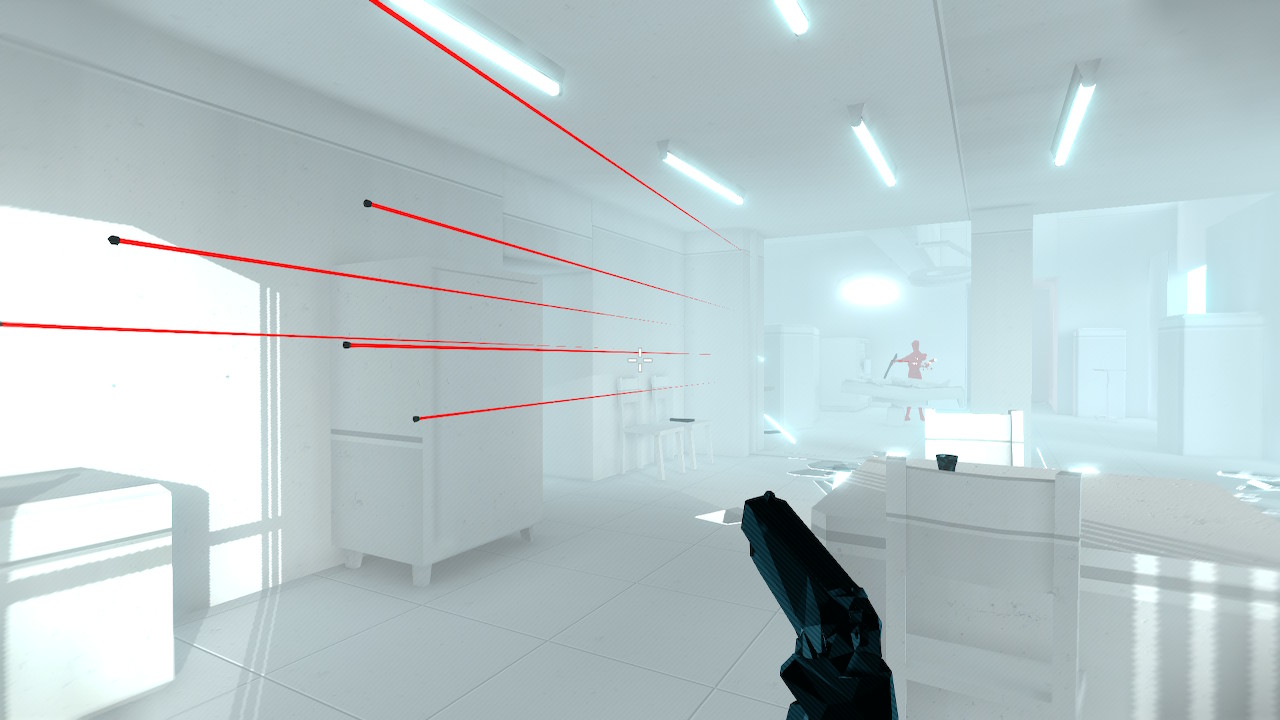
Slow-motion buckshot Slow-motion buckshot
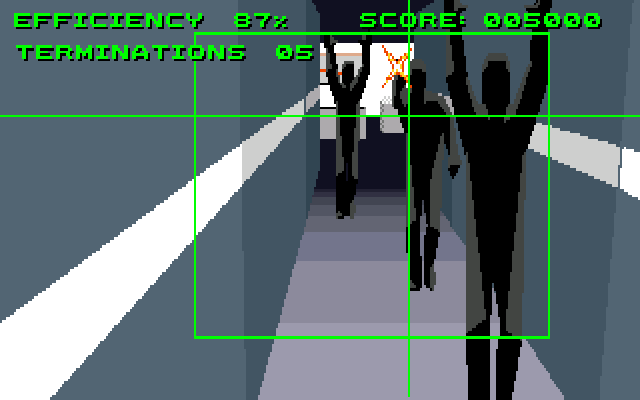
A first-person shooter, SUPERHOT's USP is that time only progresses when you move well, nearly. Time is slowed to a complete crawl when you are not moving. The game's visual style is very distinctive: Almost everything is a washed out grey or white colour and porcelean-like texture, except weapons and objects you can interact with, which are a matt black, and enemies, which are a bright red. It reminds me a lot of the 1992 Amiga game Robocop 3.
Robocop 3 Robocop 3
The play-style is very reminiscent of the "Bullet Time" sequences in The Matrix seemingly impossibly overwhelming odds deftly manoeuvred through thanks to superhuman reaction times. The game has a relatively short campaign of little vignettes, linked together by a cyberpunk narrative. The game is sometimes criticised for the short campaign, but for me that's ideal. And the vignettes being short and quite standalone suits my play requirements very well.
Amiga easter-egg Amiga easter-egg
The narrative interspersed between the play scenarios is a little bit over-long, and you can spend an unreasonable amount of time bashing buttons to get through it. Despite that it's a moderately interesting story. Once you've beaten the campaign, you can go back and play any of the scenarios again, or try the newly unlocked endless mode. I haven't tried that yet. The original prototype for the game is a free-to-play in-browser demo, available here. On Windows PC, there's a sequel-of-sorts in the works called MIND CONTROL DELETE with a lot of new features to add replay value.

21 April 2020

Matthew Garrett: Linux kernel lockdown, integrity, and confidentiality

The Linux kernel lockdown patches were merged into the 5.4 kernel last year, which means they're now part of multiple distributions. For me this was a 7-year journey, which means it's easy to forget that others aren't as invested in the code as I am. Here's what these patches are intended to achieve, why they're implemented in the current form and what people should take into account when deploying the feature.

Root is a user - a privileged user, but nevertheless a user. Root is not identical to the kernel. Processes running as root still can't dereference addresses that belong to the kernel, are still subject to the whims of the scheduler and so on. But historically that boundary has been very porous. Various interfaces make it straightforward for root to modify kernel code (such as loading modules or using /dev/mem), while others make it less straightforward (being able to load new ACPI tables that can cause the ACPI interpreter to overwrite the kernel, for instance). In the past that wasn't seen as a significant issue, since there were no widely deployed mechanisms for verifying the integrity of the kernel in the first place. But once UEFI secure boot became widely deployed, this was a problem. If you verify your boot chain but allow root to modify that kernel, the benefits of the verified boot chain are significantly reduced. Even if root can't modify the on-disk kernel, root can just hot-patch the kernel and then make this persistent by dropping a binary that repeats the process on system boot.

Lockdown is intended as a mechanism to avoid that, by providing an optional policy that closes off interfaces that allow root to modify the kernel. This was the sole purpose of the original implementation, which maps to the "integrity" mode that's present in the current implementation. Kernels that boot in lockdown integrity mode prevent even root from using these interfaces, increasing assurances that the running kernel corresponds to the booted kernel. But lockdown's functionality has been extended since then. There are some use cases where preventing root from being able to modify the kernel isn't enough - the kernel may hold secret information that even root shouldn't be permitted to see (such as the EVM signing key that can be used to prevent offline file modification), and the integrity mode doesn't prevent that. This is where lockdown's confidentiality mode comes in. Confidentiality mode is a superset of integrity mode, with additional restrictions on root's ability to use features that would allow the inspection of any kernel memory that could contain secrets.

Unfortunately right now we don't have strong mechanisms for marking which bits of kernel memory contain secrets, so in order to achieve that we end up blocking access to all kernel memory. Unsurprisingly, this compromises people's ability to inspect the kernel for entirely legitimate reasons, such as using the various mechanisms that allow tracing and probing of the kernel.

How can we solve this? There's a few ways:
  1. Introduce a mechanism to tag memory containing secrets, and only restrict accesses to this. I've tried to do something similar for userland and it turns out to be hard, but this is probably the best long-term solution.
  2. Add support for privileged applications with an appropriate signature that implement policy on the userland side. This is actually possible already, though not straightforward. Lockdown is implemented in the LSM layer, which means the policy can be imposed using any other existing LSM. As an example, we could use SELinux to impose the confidentiality restrictions on most processes but permit processes with a specific SELinux context to use them, and then use EVM to ensure that any process running in that context has a legitimate signature. This is quite a few hoops for a general purpose distribution to jump through.
  3. Don't use confidentiality mode in general purpose distributions. The attacks it protects against are mostly against special-purpose use cases, and they can enable it themselves.

My recommendation is for (3), and I'd encourage general purpose distributions that enable lockdown to do so only in integrity mode rather than confidentiality mode. The cost of confidentiality mode is just too high compared to the benefits it provides. People who need confidentiality mode probably already know that they do, and should be in a position to enable it themselves and handle the consequences.

comment count unavailable comments

Debian Project Leader: Bits from the new DPL

My fellow Debianites, It's been one month, one week and one day since I decided to run for this DPL term. The Debian community has been through a variety of interesting times during the last decade, and instead of focusing on grand, sweeping changes for Debian, core to my DPL campaign was to establish a sense of normality and stability so that we can work on community building, continue to focus on technical excellence and serve our users the best we can. Thing don't always work out as we plan, and for many of us, Debian recently had to take a back seat to personal priorities. Back when I posted my intention to run, there were 125 260 confirmed cases of COVID-19 globally. Today, that number is 20 times higher, with the actual infected number likely to be significantly higher. A large number of us are under lock-down, where we not only fear the disease and its effect on local hospitals and how it will affect our loved ones, but also our very livelihoods and the future of our local businesses and industry. I don't mean to be gloomy with the statement above, I am after all, an optimist - but unfortunately it does get even worse. Governments and corporations around the world have started to take advantage of COVID-19 in negative ways and are making large sweeping changes that undermine the privacy and rights of individuals everywhere. For many reasons, including those above, I believe that the Debian project is more important and relevant now than it's ever been before. The world needs a free, general purpose operating system, unburdened by the needs of profit, which puts the needs of its users first, providing a safe and secure platform for the computing needs of the masses. While we can't control or fix all the problems in the world, we can control our response to it, and be part of the solutions that bring the change we want to see. During my term as DPL, I will be available to help with problems in our community to the maximum extent that my time permits. If we help ourselves, we will be in a better position to help others. If you (or your team) get stuck and are in need of help, then please do not hessitate to e-mail me. A few thank-yous As incoming DPL, I'd like to thank Sam Hartman on behalf of the project for the work that he's done over the last year as DPL. It's a tremendous time commitment that requires constant attention to detail. On Sunday, Sam and I had a handover meeting where we discussed various DPL responsibilities including finances, delegations (including specifics of some delegations), legal matters, outreach and other questions I had. I'd also like to thank Sam for taking the time to do this. Thank you to Sruthi Chadran and Brian Gupta who took the time to also run for DPL this year. Both candidates brought important issues to the forefront and I hope to work with both of them on those in the near future. DPL Blog Today, I've started a new blog for the Debian Project Leader to help facilitate more frequent communication, and to reach a wider audience via Planet Debian. This will contain supplemental information to what I send to the debian-devel-announce mailing list. Want to help? In my platform, I listed some key areas that I'd like to work on. My work won't be limited to those, but it should give you some idea of the type of DPL that I'll be. If you'd like to get involved, feel free to join the #debian-dpl channel on the oftc IRC network, and please introduce yourself along with any areas of interest that you'd like to contribute to.

Gunnar Wolf: Fresh, daily built Debian images for your Raspberries (finally!)

So, after I took over or at least, said to take over maintainership of the Raspberry Pi build images originally produced by Michael Stapelberg in mid-2018, I pushed very few updates. Yes, there was some good and visible work, migrated the image-spec repository from GitHub to Salsa, ironed out several outstanding issues, and most important for me managed to get an image built and running for all Raspberry models below the Raspberry Pi 4 Today, I am happy to announce a very good step in the right direction, so I am now

Announcing raspi.debian.net! I have registered and set up an (unofficial!) site, raspi.debian.net, that should serve as a go-grab-it destination for regularly autobuilt images for the Raspberry Pi family. Of course, today you will get an early view of the site. I plan to fix the lack of https due to a mistake on my part WRT the processes at my hosting provider, do some testing in the hardware I have handy (and bless + gpg-sign some images as tested), migrate and update the information in the Debian Wiki, etc. Oh! And I hope to get good news on the Raspberry 4 front, as I know work is actively underway to achieve it.

20 April 2020

Norbert Preining: Gaming: What Remains of Edith Finch

I never thought I could finish a game which is completely linear, has hardly any interaction necessary, hardly any riddles, no fighting. What Remains of Edith Finch taught be differently. And it is amazing.

A friend recently pointed me at a blog about casual games, and surprisingly I found two games I have played on the list: Firewatch and The Witness. One of the other games on the list was What Remains of Edith Finch. This games was lurking in my Steam library for quite some time, and I realized I actually started playing it long ago, but only for a few minutes, before having given up, back then. What a failure I realized! The games plays completely in the now deserted house of the family Finch. The youngest member of the family returns with a key to the house and uncovers the stories of her family. This is about all that is happening in the game. And it is so well done that I couldn t stop playing (wouldn t it be for my daughter interrupting me), and leaves you with the feeling to replay as soon as possible. The graphics are very well done, beautiful scenery, lots of love to details. The story progresses by walking (completely linearly) through the house, and text fragments appearing around you, telling part of the story, small hints, little secrets, everything that makes up a tangible set of family memories.


Exploring the house filled with locked rooms sealed as shrines for the deceased members of the family, Edith uncovers one by one the final moments of her family members, a family seemingly cursed. In these stories the player dives into the world and playing the role of the family members, re-living events of the past.
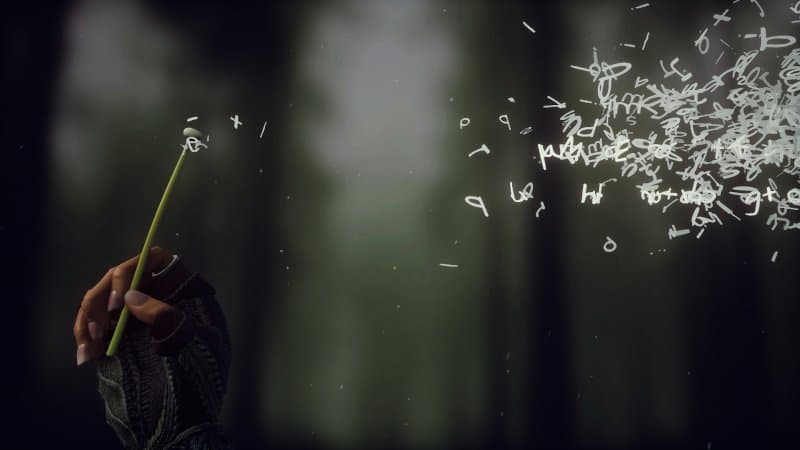
As I wrote in the beginning don t expect fights, don t expect riddles, but be prepared for an emotional roller coaster, for a deep dive into a well written family history with lots of weird twists. An absolute great game with a playing time of around 2h.

19 April 2020

Enrico Zini: Little wonders

Gibbsdavidl/CatterPlots
devel
Did you ever wish you could make scatter plots with cat shaped points? Now you can! - Gibbsdavidl/CatterPlots
What is the best tool to use for drawing vector pictures? For me and probably for many others, the answer is pretty obvious: Illustrator, or, maybe, Inkscape.
A coloring book to help folks understand how SELinux works. - mairin/selinux-coloring-book
The EURion constellation (also known as Omron rings[1] or doughnuts[2]) is a pattern of symbols incorporated into a number of banknote designs worldwide since about 1996. It is added to help imaging software detect the presence of a banknote in a digital image. Such software can then block the user from reproducing banknotes to prevent counterfeiting using colour photocopiers. According to research from 2004, the EURion constellation is used for colour photocopiers but probably not used in computer software.[3] It has been reported that Adobe Photoshop will not allow editing of an image of a banknote, but in some versions this is believed to be due to a different, unknown digital watermark rather than the EURion constellation.[4][3]
This huge collection of non-scary optical illusions and fascinating visual phenomena emphasizes interactive exploration, beauty, and scientific explanation.
Generated photos are created from scratch by AI systems. All images can be used for any purpose without worrying about copyrights, distribution rights, infringement claims, or royalties.
Dokumentarfilm ber die Rangierer im Bahnhof Dresden-Friedrichstadt in der DDR aus dem Jahr 1984.
Il termine sardo femina accabadora, femina agabbad ra o, pi comunemente, agabbadora o accabadora (s'agabbad ra, lett. "colei che finisce", deriva dal sardo s'acabbu, "la fine" o dallo spagnolo acabar, "terminare") denota la figura storicamente incerta di una donna che si incaricava di portare la morte a persone di qualunque et , nel caso in cui queste fossero in condizioni di malattia tali da portare i familiari o la stessa vittima a richiederla. In realt non ci sono prove di tale pratica, che avrebbe riguardato alcune regioni sarde come Marghine, Planargia e Gallura[1]. La pratica non doveva essere retribuita dai parenti del malato poich il pagare per dare la morte era contrario ai dettami religiosi e della superstizione.
Alright the people have spoken and they want more cat genetics. So, I present to you all "Cat Coat Genetics 101: A Tweetorial", feat. pics of many real life cats (for science, of course...this baby is Caterpillar).

Dirk Eddelbuettel: prrd 0.0.3: More improvements

Back in early 2018, the prrd package was introduced as release 0.0.1, uploaded to CRAN, and updated once as release 0.0.2. I have used it extensively for every CRAN release of Rcpp, RcppArmadillo, RcppEigen, BH, and possibly others. The idea of prrd is simple, and described in some more detail on its webpage and its GitHub repo. Reverse dependency checks are an important part of package development and is easily done in a (serial) loop. But these checks are also generally embarassingly parallel as there is no or little interdependency between them (besides maybe shared build depedencies). See the following (dated) screenshot (running six parallel workers, arranged in split byobu session). Since the two early releases, I made a few changes to e.g. the analysis of package checks and their summaries (but never pushed these) as well as a few usability enhancements. This release regroups these. The release is summarised in the NEWS entry:

Changes in prrd version 0.0.3 (2020-04-19)
  • Extended functionality summarise() with optional use of package foghorn (Dirk)
  • New scripts enqueueDepends, dequeueDepends and summmariseJobs (Dirk)
  • Added tweaks and enhancements throughout (Dirk)
  • The default queue location can now be set via options (Dirk)
  • Meta-data on package, version and date is now stored, and shown on dequeue startup (Dirk)
  • The README.md was clarified and improved (Dirk, Avraham Adler in #8, Robert Nuske in #10)

CRANberries provides the usual summary of changes to the previous version. See the aforementioned webpage and its repo for details. For more questions or comments use the issue tracker off the GitHub repo. If you like this or other open-source work I do, you can now sponsor me at GitHub. For the first year, GitHub will match your contributions.

This post by Dirk Eddelbuettel originated on his Thinking inside the box blog. Please report excessive re-aggregation in third-party for-profit settings.

Sven Hoexter: Emulating Raspi2 like hardware with Rasbian in 2020

To follow some older (as in two years) ARM assembler howto, I searched for a quick and dirty way to run a current Rasbian with qemu 4.2 on Debian/unstable. The end result are the following notes to get that up and running:
# Download a binary device tree file and matching kernel a good soul uploaded to github
wget https://github.com/vfdev-5/qemu-rpi2-vexpress/raw/master/kernel-qemu-4.4.1-vexpress
wget https://github.com/vfdev-5/qemu-rpi2-vexpress/raw/master/vexpress-v2p-ca15-tc1.dtb
# Download the official Rasbian image without X
wget -O raspbian_lite_latest.zip https://downloads.raspberrypi.org/raspbian_lite_latest
unzip raspbian_lite_latest.zip
# Convert it from the raw image to a qcow2 image and add some space
qemu-img convert -f raw -O qcow2 2020-02-13-raspbian-buster-lite.img rasbian.qcow2
qemu-img resize rasbian.qcow2 +2G
# start qemu
qemu-system-arm -m 2048M -M vexpress-a15 -cpu cortex-a15 \
 -kernel kernel-qemu-4.4.1-vexpress -no-reboot \
 -smp 2 -serial stdio \
 -dtb vexpress-v2p-ca15-tc1.dtb -sd rasbian.qcow2 \
 -append "root=/dev/mmcblk0p2 rw rootfstype=ext4 console=ttyAMA0,15200 loglevel=8" \
 -nic user,hostfwd=tcp::5555-:22
# login at the serial console as user pi with password raspberry
sudo -i
# enable ssh
systemctl enable ssh
# resize partition and filesystem
parted /dev/mmcblk0 resizepart 2 100%
resize2fs /dev/mmcblk0p2
Now I can login via ssh and start to play:
ssh pi@localhost -p 5555
So for me that is sufficient, I have network connectivity to install an editor, transfer files and can otherwise work with tmux to have some session multiplexing. Additional Notes

Russ Allbery: Review: Beyond the Galaxy

Review: Beyond the Galaxy, by Ethan Siegel
Publisher: World Scientific
Copyright: 2016
ISBN: 981-4667-16-1
Format: Kindle
Pages: 370
In the preface of this book, Ethan Siegel recounts his experience as a new college professor in 2009, thrilled to learn that he would be teaching the college's introductory astronomy class. The only disappointment was that he could not find a textbook that described astronomy the way that he wanted to teach it. Siegel did not want to simply describe the current astronomical understanding. He wanted to start at the beginning and tell a story. What questions did we start with? How did we answer them? What new questions did those answers provoke? I enjoyed Sabine Hossenfelder's Lost in Math, but I'm even happier that she included in it a recommendation of Beyond the Galaxy as a good introduction to modern astronomy. I am completely in agreement with Siegel: Astronomy is interesting however it is described, but the best presentation for the interested lay person who does not intend to become a professional astronomy is chronological. (I feel the same way about physics and mathematics.) The narrative structure of scientific discovery draws me in every time. It's so satisfying to see our knowledge growing, breakthrough by breakthrough, only to meet the next puzzling inconsistency. It also is a natural fit for bringing someone up to speed on a field, since the history of the field starts with simpler questions and problems, and the complications of later discoveries build on the gaps left by earlier theories. Siegel tells that story well. Beyond the Galaxy starts with observations of seasonal changes in the path of the Sun through the sky and phases of the moon, quickly moves on to Eratosthenes's calculation of the circumference of the Earth, and continues at pace through early astronomy. The first chapter brings the reader up to the start of the 20th century, after which Siegel slows down and spends the remaining 10 chapters on the last 100 years: special and general relativity, the expansion of the universe, the Big Bang, dark matter, dark energy, the inflationary period, and more. For me, this was perfect. The story of early astronomy and the fight over the heliocentric model of the universe is worth telling, but it's been told many times before and features prominently in history books outside of science classes. The weight of material in this book matched my interest: What new developments have there been after general relativity and the Big Bang theory? What inconsistencies are dark matter and dark energy explaining? What is the inflationary period and how did it modify the Big Bang theory? (My half-formed impression of this part of astronomy from news articles turned out to be almost entirely wrong.) And how do we know all of this? The question of how we know as much as we do about the early origins of the universe turned out to be far more interesting than I had realized. It's one of those pieces of science where, when given only the conclusions, it's hard to imagine how our theories could be as complete as they are. Siegel is a bit repetitive in how he talks about theory development and occasionally skims over the details to avoid getting too deep into techniques and math, but he does a great job explaining the predictions of a theory, the design of experiments to prove or disprove those predictions, and the implications for the boundaries of what we know. This is the first time someone has explained the theorized origin of matter-antimatter asymmetry in sufficient detail that I was able to understand and internalize it. Dark matter and dark energy are the current topics of astronomy that get the most press, and the coverage of both is very good here. I was particularly fascinated by the link between dark matter and the superstructures of the universe that we've discovered. Astronomy does scale in a way that no other science can manage, and the scale of structure we've discovered and been able to map has gone up considerably since the last time I refreshed my astronomical knowledge. If you're looking for a math-light, comprehensive introduction to modern astronomy, I can wholeheartedly recommend this book. That goes double if you, like me, prefer a chronological view of scientific discovery so that you can understand what questions people were trying to answer and how our understanding changed over time. One note on format: Astronomy being what it is, this book is very heavy on pictures. It is not at all suitable for a dedicated ebook reader. The Kindle tries, but the combination of a small screen and black and white e-ink fail miserably. I switched to reading on a tablet, and that was a far better experience. The Kindle app still struggles to put the figures next to the text that discusses them, but that's a typesetting problem that I often have with physical books as well. If you don't have a tablet and you aren't willing to read on a computer screen, you probably want a physical copy of this one (which, sadly, means academic textbook pricing). Rating: 8 out of 10

18 April 2020

Jonathan Dowland: How many function arguments?

In Haskell (and many other functional languages) it's quite common for the implementation of a function to reference one less argument than the type signature declares:
g :: foo -> bar
g = length . reverse
Known as point-free style by proponents (and pointless style by opponents), the function definition is a list of other functions which are composed together to produce a composite requiring a single argument: the missing one. Sometimes I come across the opposite: a function with a type signature and a definition beginning in a way similar to this
f :: foo -> bar
f a b =  
That is, the type signature declares that the function accepts a single argument of type foo, but the definition is in terms of two arguments. Huh? What's going on is that bar is really a type synonym for another function. In other words
type bar = baz -> qux
So we can consider f to actually be
f :: foo -> baz -> qux
With this definition of bar, in the definition of f above, the second parameter b maps to the type baz. When I've encountered this, I strongly suspect what has happened is the function was originally written with the longer type signature, and later on the type synonym was declared and function signatures updated to use it. I'm not aware of anyone advocating for this style.

Jonathan McDowell: Building a very minimal initramfs

I m working on trying to get a Qualcomm IPQ8064 device working properly. I d got as far as an extremely hacked up chain of networking booting and the serial console working, so the next stage was to try and get a basic userland in place to try and make poking things a bit easier. While I have a cross-compiling environment all setup (that s how I m building my kernels) I didn t really want to get into something complicated just to be able to poke around sysfs etc. I figured I could use a static BusyBox in an initramfs. I was right, but there were a couple of hiccups along the way so I m writing it up so I remember next time. First, I cheated and downloaded a prebuilt static binary from https://busybox.net/downloads/binaries/ (very convenient, thanks) - the IPQ8064 is a dual core ARMv7 so I used busybox-armv7l. There were various sites with init scripts to go along with this; I ended up with a variation of Star Brilliant s gist:
Minimal init script
#!/bin/busybox sh
busybox mkdir -p /dev /etc /proc /root /sbin /sys /usr/bin /usr/sbin
busybox mount -t proc proc /proc
busybox mount -t sysfs sys /sys
busybox mount -t devtmpfs dev /dev
echo Starting up...
echo ttyMSM0::respawn:/sbin/getty -L ttyMSM0 115200 vt100 >> /etc/inittab
echo Login with root and no password. > /etc/issue
echo >> /etc/issue
echo root::0:0:root:/root:/bin/sh > /etc/passwd
busybox mdev -s
busybox --install
hostname localhost
ip link set lo up
echo 5 > /proc/sys/kernel/printk
exec /linuxrc
busybox and the init script aren t sufficient. If you have any problems then you re going to want a console device. Otherwise you ll do what I did, forget to change one of the tty references in the script to the right device, and spend too long trying to figure out why you re not getting any output as soon as you start running userspace. It turns out that CONFIG_DEVTMPFS_MOUNT isn t sufficient for the initramfs (the Kconfig help even tells you that). So I need to create a /dev/console device file inside the initramfs too. And I don t build as root (and you shouldn t either) which makes creating a device node hard. It s ok though, because the Linux kernel doesn t need you to be root to build it, and it has a default initramfs with a console device in it. This is helpfully generated using usr/gen_init_cpio, which takes a file defining what you want to put in the cpio file that becomes your initramfs. I used the following:
Minimal initramfs creation file
# Simple busybox based initramfs
dir /dev 0755 0 0
nod /dev/console 0600 0 0 c 5 1
dir /root 0700 0 0
dir /bin 0755 0 0
dir /sbin 0755 0 0
file /init basic-init 0755 0 0
file /bin/busybox busybox-armv7l 0755 0 0
All that then needs to be done is linux/usr/gen_init_cpio initramfs.list > initramfs.cpio and the resulting initramfs.cpio is suitable for inclusion in your kernel. The precompiled binaries have a lot of stuff enabled, which makes for a pretty useful debugging environment with fairly minimal work.

16 April 2020

Raphaël Hertzog: Freexian s report about Debian Long Term Support, March 2020

A Debian LTS logo Like each month, here comes a report about the work of paid contributors to Debian LTS. Individual reports In March, 252 work hours have been dispatched among 14 paid contributors. Their reports are available: Evolution of the situation March was a strange month for many people all over the globe. Here we ll just express our hopes that you are and will be well! LTS gained a new contributor in March, Anton Gladky, however he then decided to become active later this year. Similarly Hugo Lefeuvre notified us that he ll be inactive in April. In case you missed it (or missed to act), please read this post about keeping Debian 8 Jessie alive for longer than 5 years. If you expect to have Debian 8 servers/devices running after June 30th 2020, and would like to have security updates for them, please get in touch with Freexian. Hurry up: the end of Jessie LTS is coming in less than three months! The security tracker currently lists 25 packages with a known CVE and the dla-needed.txt file has 23 packages needing an update. Thanks to our sponsors New sponsors are in bold.

No comment Liked this article? Click here. My blog is Flattr-enabled.

15 April 2020

Antoine Beaupr : OpenDKIM configuration to send debian.org email

Debian.org added support for DKIM in 2020. To configure this on my side, I had to do the following, on top of my email configuration.
  1. add this line to /etc/opendkim/signing.table:
    *@debian.org marcos-debian.anarcat.user
    
  2. add this line to /etc/opendkim/key.table:
    marcos-debian.anarcat.user debian.org:marcos-debian.anarcat.user:/etc/opendkim/keys/marcos-debian.anarcat.user.private
    
    Yes, that's quite a mouthful! That magic selector is long in that way because it needs a special syntax (specifically the .anarcat.user suffix) for Debian to be happy. The -debian string is to tell me where the key is published. The marcos prefix is to remind me where the private is used.
  3. generate the key with:
    opendkim-genkey --directory=/etc/opendkim/keys/ --selector=marcos-debian.anarcat.user --domain=debian.org --verbose
    
    This creates the DNS record in /etc/opendkim/keys/marcos-debian.anarcat.user.txt (alongside the private key in .key).
  4. restart OpenDKIM:
    service opendkim restart
    
    The DNS record will look something like this:
    marcos-debian.anarcat.user._domainkey   IN  TXT ( "v=DKIM1; h=sha256; k=rsa; "
    "p=MIIBIjANBgkqhkiG9w0BAQEFAAOCAQ8AMIIBCgKCAQEAtKzBK2f8vg5yV307WAOatOhypQt3ANQ95iDaewkVehmx42lZ6b4PzA1k5DkIarxjkk+7m6oSpx5H3egrUSLMirUiMGsIb5XVGBPFmKZhDVmC7F5G1SV7SRqqKZYrXTufRRSne1eEtA31xpMP0B32f6v6lkoIZwS07yQ7DDbwA9MHfyb6MkgAvDwNJ45H4cOcdlCt0AnTSVndcl"
    "pci5/2o/oKD05J9hxFTtlEblrhDXWRQR7pmthN8qg4WaNI4WszbB3Or4eBCxhUdvAt2NF9c9eYLQGf0jfRsbOcjSfeus0e2fpsKW7JMvFzX8+O5pWfSpRpdPatOt80yy0eqpm1uQIDAQAB" )  ; ----- DKIM key marcos-debian.anarcat.user for debian.org
    
  5. The "p=MIIB..." string needs to be joined together, without the quotes and the p=, and sent in a signed email to changes@db.debian.org:
    -----BEGIN PGP SIGNED MESSAGE-----
    dkimPubKey: marcos.anarcat.user MIIB[...]
    -----BEGIN PGP SIGNATURE-----
    [...]
    
  6. Wait a few minutes for DNS to propagate. You can check if they have with:
    host -t TXT marcos-debian.anarcat.user._domainkey.debian.org nsp.dnsnode.net
    
    (nsp.dnsnode.net being one of the NS records of the debian.org zone.)
If all goes well, the tests should pass when sending from your server as anarcat@debian.org.

Testing Test messages can be sent to dkimvalidator, mail-tester.com or check-auth@verifier.port25.com. Those tools will run Spamassassin on the received emails and report the results. What you are looking for is:
  • -0.1 DKIM_VALID: Message has at least one valid DKIM or DK signature
  • -0.1 DKIM_VALID_AU: Message has a valid DKIM or DK signature from author's domain
  • -0.1 DKIM_VALID_EF: Message has a valid DKIM or DK signature from envelope-from domain
If one of those is missing, then you are doing something wrong and your "spamminess" score will be worse. The latter is especially tricky as it validates the "Envelope From", which is the MAIL FROM: header as sent by the originating MTA, which you see as from=<> in the postfix lost. The following will happen anyways, as soon as you have a signature, that's normal:
  • 0.1 DKIM_SIGNED: Message has a DKIM or DK signature, not necessarily valid
And this might happen if you have a ADSP record but do not correctly sign the message with a domain field that matches the record:
  • 1.1 DKIM_ADSP_ALL No valid author signature, domain signs all mail
That's bad and will affect your spam core badly. I fixed that issue by using a wildcard key in the key table:
--- a/opendkim/key.table
+++ b/opendkim/key.table
@@ -1 +1 @@
-marcos anarc.at:marcos:/etc/opendkim/keys/marcos.private
+marcos %:marcos:/etc/opendkim/keys/marcos.private

References This is a copy of a subset of my more complete email configuration.

14 April 2020

Emmanuel Kasper: Recommended keyboard settings for Productivity and Usability, for European Programmers

TLDR: setxkbmap -layout us -variant altgr-intl and become a happier programmer.
The case for QWERTY for European ProgrammersIf you re working on Unix / Linux, or C based programming languages, it can make sense to switch to the qwerty(us) keyboard layout. Why ?
Unix, C, Perl, Java, and most of programming languages have been conceived on QWERTY keyboards.
So when the designers choose special characters to use for the language synthax, they simply choose what was easy to access on their own keyboard. This has been historically documented for the vi editor.

To give an example, using an Unix shell you have to type the dot . and slash / symbols quite often to navigate the filesystem. The two keys producing these symbols, are nicely aligned on a QWERTY layout and do not require a key combination to be entered. So you can quickly enter something like ../.. using a single hand.
Now using a QWERTZ layout, like in Germany / Austria, you have the . symbol easily accessible, but you need to combine two keys ( Shift + 7 ) to get a / .
And if you are a poor soul using an AZERTY layout, to get the . and / symbol you need each time a key combo.
The need of key combos is bad not only for speed (multiple keys to lookup) but also for usability, as you have to stretch your fingers to reach the key if using a single hand, provoking repetitive strain injury. You might be smiling but this is commonly known amongst Emacs Users, due to the prominent use of commands using Ctrl and Alt combos, and led to the creation of an Emacs Ergonomic wiki.

This goes as well for many symbol commonly used in programming languages, think for instance about the semicolon ; for terminating a statement, the [ , and ] symbols for defining an array, and the backslash \ for escaping.
All these keys are accessible via a single keypress on qwerty and require key combos on qwertz and azerty. No wonder Linux, Minix and BSD were invented on non-azerty layouts: in France we were still busy typing the path to the source code, when in other parts of the world people already had the file open in their editor.
You don t need to throw away your existing keyboards when learning the qwerty (us) layout: for a couple of euros, you can find on ebay alternate keys stickers to put on your laptop.
Accessing keys with diacritics with the AltGr International variantNow if you want to switch to a qwerty keyboard layout, and you re French or German, you might wonder how to access the characters with diacritics, the and of French and and of German.
Fortunately there is a very clever keyboard variant for the us layout who uses the AltGr key, to make all these keys accessible, just hiding them behind the AltGr key.
Need ? that s just AltGr + e away. Needs ? That s just AltGr + , Needs ? AltGr +p
See the coolness of that ? You can type all international diacritics in an easy way, and there are even keyboard stickers for that too.

Now how to access to this layout of wonder ?
You can configure the layout and variant in Xorg, in debian/ubuntu that would be entering in /etc/default/keyboard
XKBLAYOUT="us"
XKBVARIANT="altgr-intl"
After restarting the X server, you can check that the settings have been applied with
setxkbmap -print -verbose 10
If using Gnome, you can also set the keyboard layout and variant by changing the schema org.gnome.desktop-inputsources, which will override the desktop-agnostic settings of /etc/default/keyboard.
For this you can either call
dconf write /org/gnome/desktop/input-sources/sources "[('xkb', 'us+altgr-intl')]"
or navigate with the gui tool dconf-settings to org.gnome.desktop-inputsources and set the value there.

If you want to further improve your keyboard layout, you can also have a look at swapping Ctrl and Alt, as described here (French language article) Happy hacking !

Dirk Eddelbuettel: RcppArmadillo 0.9.860.2.0

armadillo image Armadillo is a powerful and expressive C++ template library for linear algebra aiming towards a good balance between speed and ease of use with a syntax deliberately close to a Matlab. RcppArmadillo integrates this library with the R environment and language and is widely used by (currently) 706 other packages on CRAN. A new upstream release 9.860.2 of Armadillo was just released. The theme of convergence continues; the previous release increased the minor from 800 to 850, now we are at 860. We first wrapped this up as version 0.9.859.1.0, but it turned out to have been held back by a buglet between R 4.0.0 and Rcpp which the recent patch release fixed (along with other woes on old R or non-CRAN-alike macOS). It then turns out that the new (upstream) version 9.860.1 had a minor bug which I missed as I reverse-depends checked the prior version. Doh. My thanks, as always, to CRAN for spotting this. The fix was added upstream and we have 9.860.2 as RcppArmadillo 0.9.860.2.0. Changes in the new release are noted below.

Changes in RcppArmadillo version 0.9.860.2.0 (2020-04-13)
  • Upgraded to Armadillo release 9.860.2 (Roasted Mocha Fix)
    • Added powmat()
    • Faster access to columns in sparse submatrix views
    • Faster handling of relational expressions by accu()
    • Faster handling of sympd matrices by expmat(), logmat(), sqrtmat()
    • Workaround for save/load issues with HDF5 v1.12
  • Vignettes are now pre-made and include (#285)
  • Two test files are now skipped on 32-bit Windows

Courtesy of CRANberries, there is a diffstat report relative to previous release. More detailed information is on the RcppArmadillo page. Questions, comments etc should go to the rcpp-devel mailing list off the R-Forge page. If you like this or other open-source work I do, you can now sponsor me at GitHub. For the first year, GitHub will match your contributions.

This post by Dirk Eddelbuettel originated on his Thinking inside the box blog. Please report excessive re-aggregation in third-party for-profit settings.

Dirk Eddelbuettel: gettz 0.0.4

A minor routine update 0.0.4 of gettz arrived on CRAN overnight. gettz provides a possible fallback in situations where Sys.timezone() fails to determine the system timezone. That happened when e.g. the file /etc/localtime somehow is not a link into the corresponding file with zoneinfo data in, say, /usr/share/zoneinfo. Since the package was written (in the fall of 2016), R added a similar extended heuristic approach itself. This release adds registration of the compiled routine via R_registerRoutines() and R_useDynamicSymbols(), adds .registration=TRUE to useDynLib() in NAMESPACE, and uses an unquoted symbol in .Call(). Two new badges were added to the README.md as well. And as in the previous release in 2016: No new code, or new features. Courtesy of CRANberries, there is a comparison to the previous release. More information is on the gettz page. For questions or comments use the issue tracker off the GitHub repo. If you like this or other open-source work I do, you can now sponsor me at GitHub. For the first year, GitHub will match your contributions.

This post by Dirk Eddelbuettel originated on his Thinking inside the box blog. Please report excessive re-aggregation in third-party for-profit settings.

Steve Kemp: A collection of simple golang tools

In a previous job I wrote some simple utilities which were helpful for continuous-integration pipelines. Most of these were very very simple, for example: Each of these simple tools were run of the mill shell-scripts, or simple binaries. I've been putting together a simple deployable tool which lets you run them easily, so here it is: The idea is that you install the tool, then run the commands by specify the appropriate sub-command:
sysbox validate-yaml [path/to/find/files/beneath]
Of course if you symlink validate-yaml to sysbox you don't need to prefix with the name - so this is just like busybox in this regard. Might be interesting to some.

13 April 2020

Giovanni Mascellani: DKIM for Debian Developers

What is DKIM? DKIM (DomainKeys Identified Mail), as Wikipedia puts it, "is an email authentication method designed to detect forged sender addresses in emails (email spoofing), a technique often used in phishing and email spam". More prosaically, one of the reasons email spam is so abundant is that, given a certain email message, there is no simple way to know for certain who sent it and how reputable they are. So even if people having addresses @debian.org are very nice and well-behaving, any random spammer can easily send emails from whatever@debian.org, and even if you trust people from @debian.org you cannot easily configure your antispam filter to just accept all emails from @debian.org, because spammers would get in too. Since nearly ten years DKIM is there to help you. If you send an email from @debian.org with DKIM, it will have a header like this:
DKIM-Signature: v=1; a=rsa-sha256; c=simple/simple; d=debian.org;
    s=vps.gio.user; t=1586779391;
    bh=B6tckJy2cynGjNRdm3lhFDrp0tD7fF8hS4x0FCfLADo=;
    h=From:Subject:To:Date:From;
    b=H4EDlATxVm7XNqPy2x7IqCchBUz1SxFtUSstB23BAsdyTKJIohM0O4RRWhrQX+pqE
     prPVhzcfNALMwlfExNE69940Q6pMCuYsoxNQjU7Jl/UX1q6PGqdVSO+mKv/aEI+N49
     vvYNgPJNLaAFnYqbWCPI8mNskLHLe2VFYjSjE4GJFOxl9o2Gpe9f5035FYPJ/hnqBF
     XPnZq7Osd9UtBrBq8agEooTCZHbNFSyiXdS0qp1ts7HAo/rfrBfbQSk39fOOQ5GbjV
     6FehkN4GAXFNoFnjfmjrVDJC6hvA8m0tJHbmZrNQS0ljG/SyffW4OTlzFzu4jOmDNi
     UHLnEgT07eucw==
The field d=debian.org is the domain this email claims to be from and the fields bh= and b= are a cryptographic public key signature certifying this fact. How do I check that the email is actually from @debian.org? I use the selector s=vps.gio.user to fetch the public key via DNS, and then use the public key to verify the signature.
$ host -t TXT vps.gio.user._domainkey.debian.org
vps.gio.user._domainkey.debian.org descriptive text "v=DKIM1; k=rsa; s=email; h=sha256; p=" "MIIBIjANBgkqhkiG9w0BAQEFAAOCAQ8AMIIBCgKCAQEAsM/W/kxtKWT58Eak0cfm/ntvurfbkkvugrG2jfvSMnHHkFyfJ34Xvn/HhQPLwX1QsjhuLV+tW+BQtxY7jxSABCee6nHQRBrpDej1t86ubw3CSrxcg1mzJI5BbL8un0cwYoBtUvhCYAZKarv1W2otCGs43L0s" "GtEqqtmYN/hIVVm4FcqeYS1cYrZxDsjPzCEocpYBhqHh1MTeUEddVmPHKZswzvllaWF0mgIXrfDNAE0LiX39aFKWtgvflrYFKiL4hCDnBcP2Mr71TVblfDY0wEdAEbGEJqHR1SxvWyn0UU1ZL4vTcylB/KJuV2gMhznOjbnQ6cjAhr2JYpweTYzz3wIDAQAB"
There it is! Debian declares in its DNS record that that key is authorized to sign outbound email from @debian.org. The spammer hopefully does not have access to Debian's DKIM keys, and they cannot sign emails. Many large and small email services have already deployed DKIM since years, while most @debian.org emails still do not use it. Why not? Because people send @debian.org emails from many different servers. Basically, every DD used their @debian.org address sends email from their own mail server, and those mail servers (fortunately) do not have access to Debian's DNS record to install their DKIM keys. Well, that was true until yesterday! :-) A few weeks ago I poked DSA asking to allow any Debian Developer to install their DKIM keys, so that DDs could use DKIM to sign their emails and hopefully reduce the amount of spam sent from @debian.org. They have done it (thank you DSA very much, especially adsb), and now it is possible to use it! How do I configure it? I will not write here a full DKIM tutorial, there are many around. You have to use opendkim-genkey to generate a key and then configure your mail server to use opendkim to digitally sign outbound email. There are a few Debian-specific things you have to care about, though. First the have to choose a selector, which is a string used to distinguish many DKIM keys belonging to the same domain. Debian allows you to installa a key whose selector is <something>.<uid>.user, where <uid> is your Debian uid (this is done both for namespacing reasons and for exposing who might be abusing the system). So check carefully that your selector has this form. Then you cannot edit directly Debian's DNS record. But you can use the email-LDAP gateway on db.debian.org to install your key in a way similar to how entries in debian.net are handled (see the updated documentation). Specifically, suppose that opendkim-genkey generated the following thing for selector vps.gio.user and domain debian.org:
vps.gio.user._domainkey IN  TXT ( "v=DKIM1; h=sha256; k=rsa; "
      "p=MIIBIjANBgkqhkiG9w0BAQEFAAOCAQ8AMIIBCgKCAQEAsM/W/kxtKWT58Eak0cfm/ntvurfbkkvugrG2jfvSMnHHkFyfJ34Xvn/HhQPLwX1QsjhuLV+tW+BQtxY7jxSABCee6nHQRBrpDej1t86ubw3CSrxcg1mzJI5BbL8un0cwYoBtUvhCYAZKarv1W2otCGs43L0sGtEqqtmYN/hIVVm4FcqeYS1cYrZxDsjPzCEocpYBhqHh1MTeUE"
      "ddVmPHKZswzvllaWF0mgIXrfDNAE0LiX39aFKWtgvflrYFKiL4hCDnBcP2Mr71TVblfDY0wEdAEbGEJqHR1SxvWyn0UU1ZL4vTcylB/KJuV2gMhznOjbnQ6cjAhr2JYpweTYzz3wIDAQAB" )  ; ----- DKIM key vps.gio.user for debian.org
Then you have to carefully copy the content of the p= field (without being fooled by it being split between different strings) and construct a request of the form:
dkimPubKey: vps.gio.user MIIBIjANBgkqhkiG9w0BAQEFAAOCAQ8AMIIBCgKCAQEAsM/W/kxtKWT58Eak0cfm/ntvurfbkkvugrG2jfvSMnHHkFyfJ34Xvn/HhQPLwX1QsjhuLV+tW+BQtxY7jxSABCee6nHQRBrpDej1t86ubw3CSrxcg1mzJI5BbL8un0cwYoBtUvhCYAZKarv1W2otCGs43L0sGtEqqtmYN/hIVVm4FcqeYS1cYrZxDsjPzCEocpYBhqHh1MTeUEddVmPHKZswzvllaWF0mgIXrfDNAE0LiX39aFKWtgvflrYFKiL4hCDnBcP2Mr71TVblfDY0wEdAEbGEJqHR1SxvWyn0UU1ZL4vTcylB/KJuV2gMhznOjbnQ6cjAhr2JYpweTYzz3wIDAQAB
and then send it GPG-signed to changes@db.debian.org:
echo 'dkimPubKey: vps.gio.user blahblahblah'   gpg --clearsign   mail changes@db.debian.org
Then use host -t TXT vps.gio.user._domainkey.debian.org to chech the key gets published (it will probably take some minutes/hours, I don't know). Once it is published, you can enable DKIM in you mail server and your email will be signed. Congratulations, you will not look like a spammer any more! You can send an email to check-auth@verifier.port25.com to check that your setup is correct. They will reply with a report, including the success of DKIM test. Notice that currently Debian's setup only allows you to use RSA DKIM keys and doesn't allow you to set other DKIM fields (but you probably won't need to set them). EDIT DSA made an official announcement about DKIM support, which you might want to check out as well, together with its links. EDIT 2 Now ed25519 keys are supported, the syntax for specifying keys on LDAP is a little bit more flexible and you can also insert CNAME records. See the official documentation for the updated details. So we have solved our problems with spam? Ha, no! DKIM is only a small step. Useful, also because it enable other steps to be taken in the future, but small. In particular, DKIM enables you to say: "This particular email actually comes from @debian.org", but doesn't tell anybody what to do with emails that are not signed. A third-party mail server might wonder whether @debian.org emails are actually supposed to be signed or not. There is another standard for dealing with that, which is called DMARD, and I believe that Debian should eventually use it, but not now: the problem is that currently virtually no email from @debian.org is signed with DKIM, so if DMARC was enabled other mail servers would start to nuke all @debian.org emails, except those which are already signed, a minority. If people and services sending emails from @debian.org will start configuring DKIM on their servers, which is now possible, it will eventually come a time when DMARC can be enabled, and spammers will find themselves unable to send forged @debian.org emails. We are not there yet, but todays we are a little step closer than yesterday. Also, notice that having DKIM on @debian.org only counters spam pretending to be from @debian.org, but there is much more. The policy on what to accept is mostly independent on that on what you send. However, knowing that @debian.org emails have DKIM and DMARC would mean that we can set our spam filters to be more aggressive in general, but whitelist official Debian Developers and services. And the same can be done for other domains using DKIM and DMARC. Finally, notice that some incompatibilities between DKIM and mailing lists are known, and do not have a definitive answer yet. Basically, most mailing list engines modify either the body of the headers in forwarded emails, which means that DKIM does not validate any more. There are many proposed solutions, possibly none completely satisfying, but since spam is not very satisfying as well, something will have to be worked out. I wrote a lot already, though, so I wont't discuss this here.

Next.

Previous.