Search Results: "ema"

19 October 2014

Neil Williams: OpenTAC an automation lab in a box

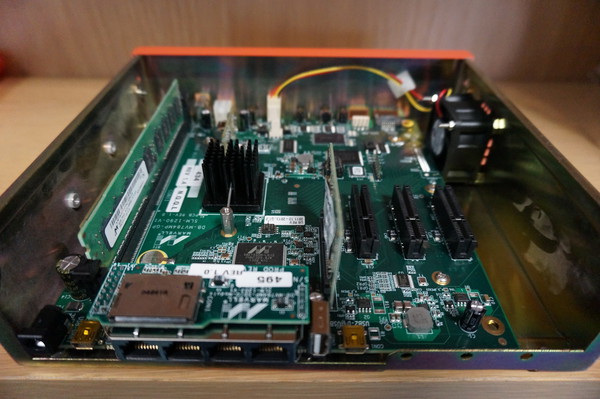
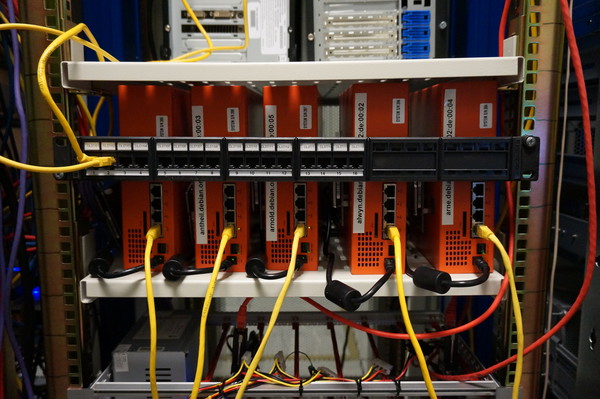
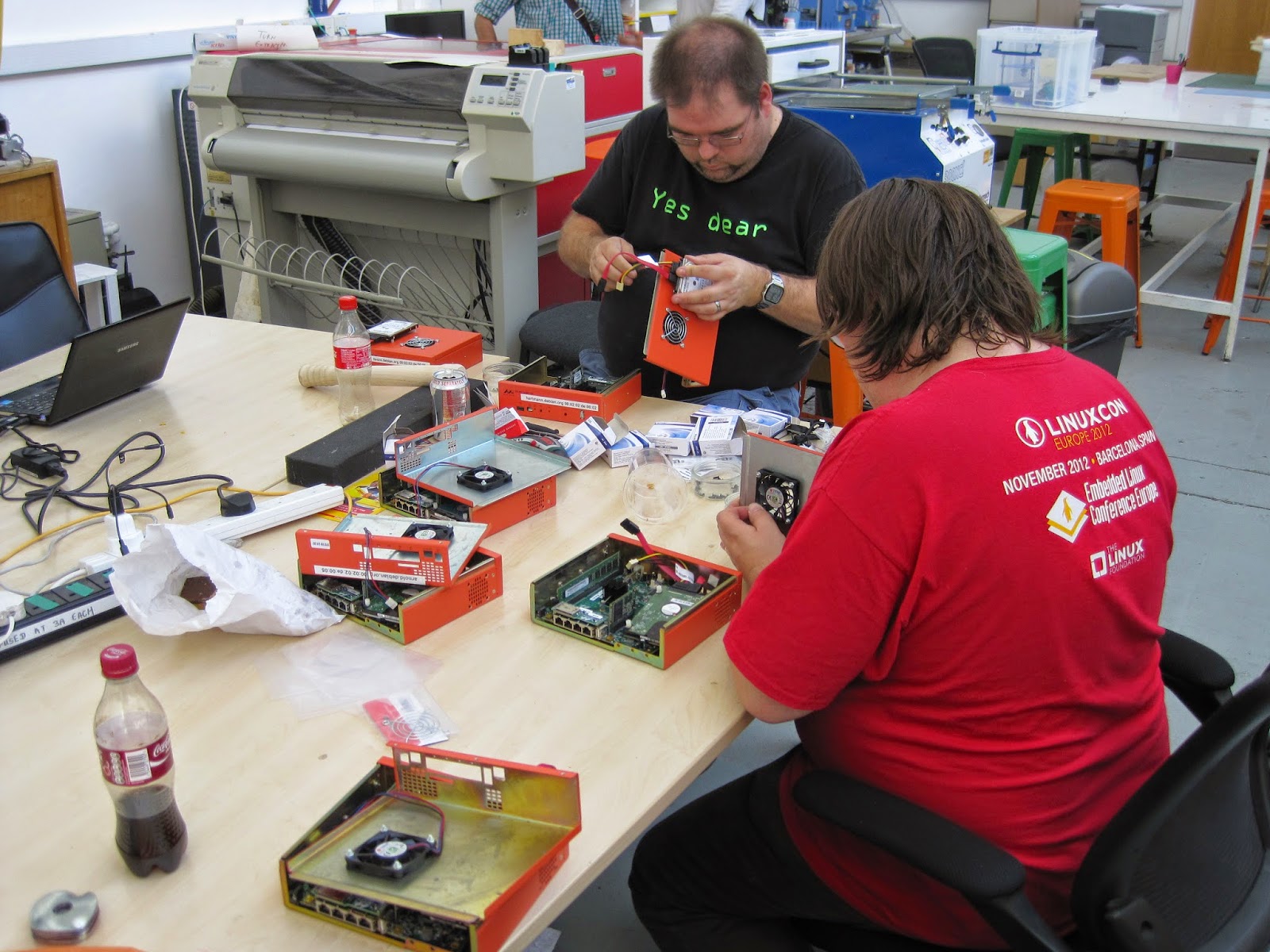
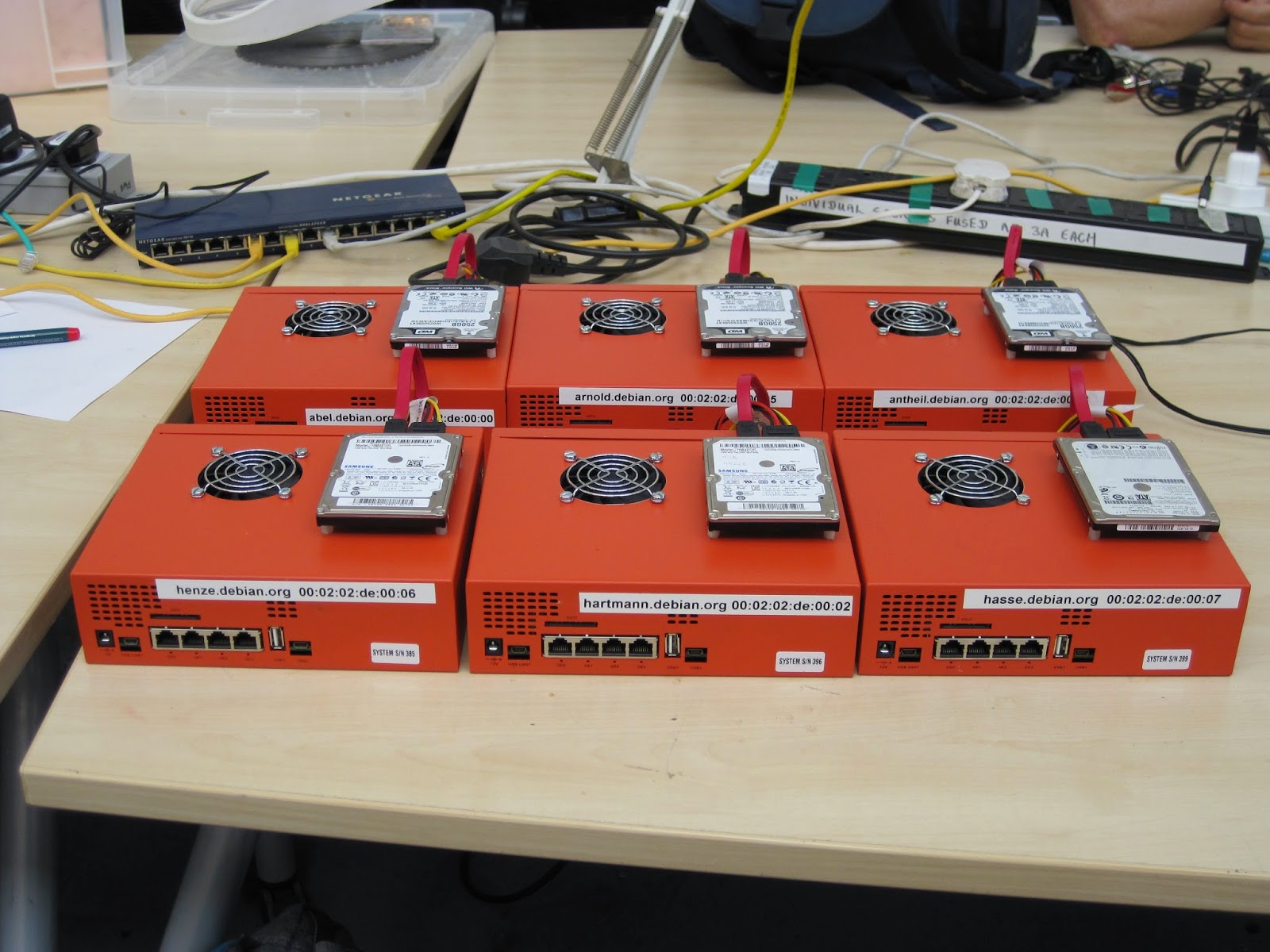
I ve previously covered running LAVA on ARM devices, now that the packages are in Debian. I ve also covered setting up the home lab, including the difficulty in obtaining the PDU and relying on another machine to provide USB serial converters with inherent problems of needing power to keep the same devices assigned to the same ser2net ports. There have been ideas about how to improve the situation. Conferences are a prime example setting up a demo involving LAVA means bringing a range of equipment, separate power bricks, separate network switches (with power bricks), a device of some kind to connect up the USB serial converters (and power brick) and then the LAVA server (with SATA drive and power brick) that is without the actual devices and their cables and power. Each of those power cables tend to be a metre long, with networking and serial, it quickly becomes a cable spaghetti. Ideas around this also have application inside larger deployments, so the hardware would need to daisy-chain to provide services to a rack full of test devices. The objective is a single case providing network, power and serial connectivity to a number of test devices over a single power input and network uplink. Naturally, with a strong free software and open development bias, the unit will be Open Hardware running Debian, albeit with a custom Beaglebone Linux kernel. It s a Test Automation Controller, so we re using the name OpenTAC. Progress Open hardware ARM device running Debian to automate tests on 4 to 8 devices, initially aimed at LAVA support for Linaro engineers. Power distribution, serial console, network and optional GPIO extensions. The design involves: The initial schematics are now complete and undergoing design review. A lot of work remains

Thorsten Alteholz: Key transition, move to stronger key

Finally I was able to do the enormous paperwork (no, it is not that much) to switch my old 1024D key to a new 4096R one. I was a bit afraid that there might be something bad happening, but my fear was without any reason. After the RT bug was closed, I could upload and sent signed emails to mailing lists. So thanks alot to everyone involved.
old key, 0xD362B62A54B99890
pub   1024D/54B99890 2008-07-23
      Key fingerprint = 36E2 EDDE C21F EC8F 77B8  7436 D362 B62A 54B9 9890
uid                  Thorsten Alteholz (...)
sub   4096g/622D94A8 2008-07-23
new key, 0xA459EC6715B0705F
pub   4096R/0xA459EC6715B0705F 2014-02-03
  Schl.-Fingerabdruck = C74F 6AC9 E933 B306 7F52  F33F A459 EC67 15B0 705F
uid                 [ uneing.] Thorsten Alteholz (...)
sub   4096R/0xAE861AE7F39DF730 2014-02-03
  Schl.-Fingerabdruck = B8E7 6074 5FF4 C707 1C77  870C AE86 1AE7 F39D F730
sub   4096R/0x96FCAC0D387B5847 2014-02-03
  Schl.-Fingerabdruck = 6201 FBFF DBBD E078 22EA  BB96 96FC AC0D 387B 5847

Benjamin Mako Hill: Another Round of Community Data Science Workshops in Seattle

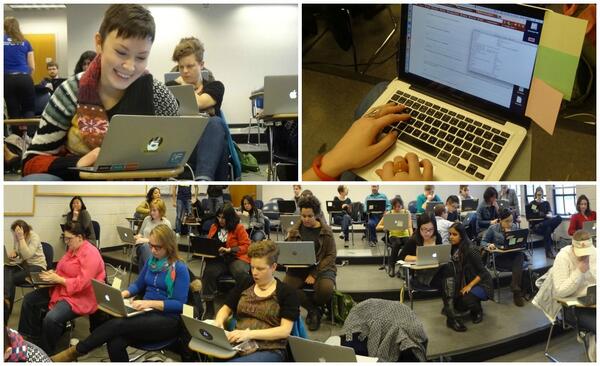
Pictures from the CDSW sessions in Spring 2014Pictures from the CDSW sessions in Spring 2014
I am helping coordinate three and a half day-long workshops in November for anyone interested in learning how to use programming and data science tools to ask and answer questions about online communities like Wikipedia, free and open source software, Twitter, civic media, etc. This will be a new and improved version of the workshops run successfully earlier this year. The workshops are for people with no previous programming experience and will be free of charge and open to anyone. Our goal is that, after the three workshops, participants will be able to use data to produce numbers, hypothesis tests, tables, and graphical visualizations to answer questions like: If you are interested in participating, fill out our registration form here before October 30th. We were heavily oversubscribed last time so registering may help. If you already know how to program in Python, it would be really awesome if you would volunteer as a mentor! Being a mentor will involve working with participants and talking them through the challenges they encounter in programming. No special preparation is required. If you re interested, send me an email.

18 October 2014

Steve Kemp: On the names we use in email

Yesterday I received a small rush of SPAM mails, all of which were 419 scams, and all of them sent by "Mrs Elizabeth PETERSEN". It struck me that I can't think of ever receiving a legitimate mail from a "Mrs XXX [YYY]", but I was too busy to check. Today I've done so. Of the 38,553 emails I've received during the month of October 2014 I've got a hell of a lot of mails with a From address including a "Mrs" prefix:
"Mrs.Clanzo Amaki" <marilobouabre14@yahoo.co.jp>
"Mrs Sarah Mamadou"<investment@payment.com>
"Mrs Abia Abrahim" <missfatimajinnah@yahoo.co.jp>
"Mrs. Josie Wilson" <linn3_2008@yahoo.co.jp>
"Mrs. Theresa Luis"<tomaslima@jorgelima.com>
There are thousands more. Not a single one of them was legitimate. I have one false-positive when repeating the search for a Mr-prefix. I have one friend who has set his sender-address to "Mr Bob Smith", which always reads weirdly to me, but every single other email with a Mr-prefix was SPAM. I'm not going to use this in any way, since I'm happy with my mail-filtering setup, but it was interesting observation. Names are funny. My wife changed her surname post-marriage, but that was done largely on the basis that introducing herself as "Doctor Kemp" was simpler than "Doctor Foreign-Name", she'd certainly never introduce herself ever as Mrs Kemp. Trivia: In Finnish the word for "Man" and "Husband" is the same (mies), but the word for "Woman" (nainen) is different than the word for "Wife" (vaimo).

17 October 2014

Petter Reinholdtsen: Debian Jessie, PXE and automatic firmware installation

When PXE installing laptops with Debian, I often run into the problem that the WiFi card require some firmware to work properly. And it has been a pain to fix this using preseeding in Debian. Normally something more is needed. But thanks to my isenkram package and its recent tasksel extension, it has now become easy to do this using simple preseeding. The isenkram-cli package provide tasksel tasks which will install firmware for the hardware found in the machine (actually, requested by the kernel modules for the hardware). (It can also install user space programs supporting the hardware detected, but that is not the focus of this story.) To get this working in the default installation, two preeseding values are needed. First, the isenkram-cli package must be installed into the target chroot (aka the hard drive) before tasksel is executed in the pkgsel step of the debian-installer system. This is done by preseeding the base-installer/includes debconf value to include the isenkram-cli package. The package name is next passed to debootstrap for installation. With the isenkram-cli package in place, tasksel will automatically use the isenkram tasks to detect hardware specific packages for the machine being installed and install them, because isenkram-cli contain tasksel tasks. Second, one need to enable the non-free APT repository, because most firmware unfortunately is non-free. This is done by preseeding the apt-mirror-setup step. This is unfortunate, but for a lot of hardware it is the only option in Debian. The end result is two lines needed in your preseeding file to get firmware installed automatically by the installer:
base-installer base-installer/includes string isenkram-cli
apt-mirror-setup apt-setup/non-free boolean true
The current version of isenkram-cli in testing/jessie will install both firmware and user space packages when using this method. It also do not work well, so use version 0.15 or later. Installing both firmware and user space packages might give you a bit more than you want, so I decided to split the tasksel task in two, one for firmware and one for user space programs. The firmware task is enabled by default, while the one for user space programs is not. This split is implemented in the package currently in unstable. If you decide to give this a go, please let me know (via email) how this recipe work for you. :) So, I bet you are wondering, how can this work. First and foremost, it work because tasksel is modular, and driven by whatever files it find in /usr/lib/tasksel/ and /usr/share/tasksel/. So the isenkram-cli package place two files for tasksel to find. First there is the task description file (/usr/share/tasksel/descs/isenkram.desc):
Task: isenkram-packages
Section: hardware
Description: Hardware specific packages (autodetected by isenkram)
 Based on the detected hardware various hardware specific packages are
 proposed.
Test-new-install: show show
Relevance: 8
Packages: for-current-hardware
Task: isenkram-firmware
Section: hardware
Description: Hardware specific firmware packages (autodetected by isenkram)
 Based on the detected hardware various hardware specific firmware
 packages are proposed.
Test-new-install: mark show
Relevance: 8
Packages: for-current-hardware-firmware
The key parts are Test-new-install which indicate how the task should be handled and the Packages line referencing to a script in /usr/lib/tasksel/packages/. The scripts use other scripts to get a list of packages to install. The for-current-hardware-firmware script look like this to list relevant firmware for the machine:
#!/bin/sh
#
PATH=/usr/sbin:$PATH
export PATH
isenkram-autoinstall-firmware -l
With those two pieces in place, the firmware is installed by tasksel during the normal d-i run. :) If you want to test what tasksel will install when isenkram-cli is installed, run DEBIAN_PRIORITY=critical tasksel --test --new-install to get the list of packages that tasksel would install. Debian Edu will be pilots in testing this feature, as isenkram is used there now to install firmware, replacing the earlier scripts.

12 October 2014

Iustin Pop: Day trip on the Olympic Peninsula

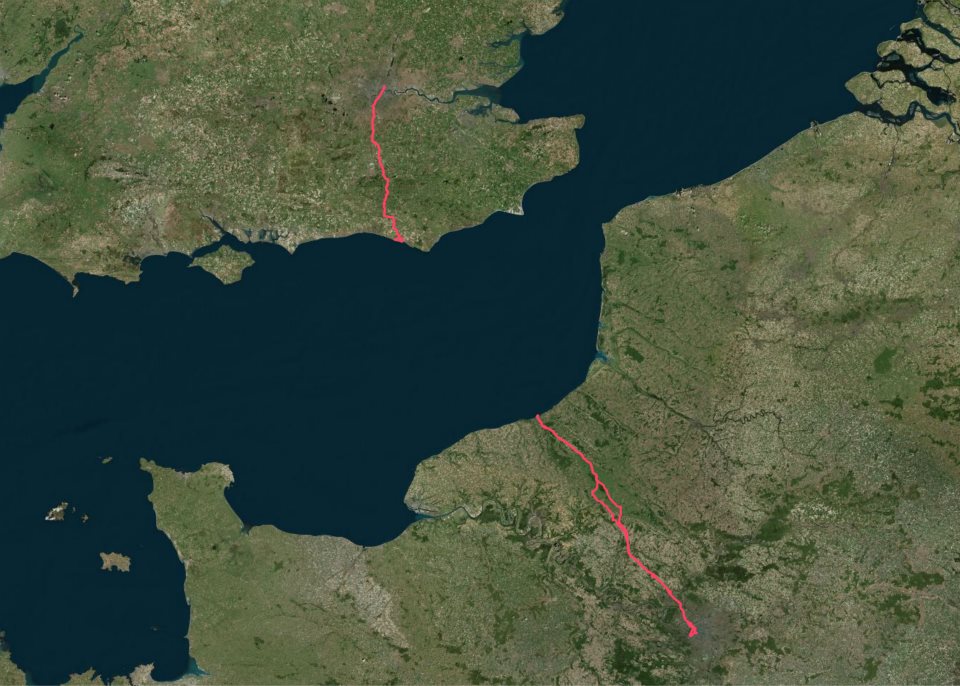
Day trip on the Olympic Peninsula TL;DR: drove many kilometres on very nice roads, took lots of pictures, saw sunshine and fog and clouds, an angry ocean and a calm one, a quiet lake and lots and lots of trees: a very well spent day. Pictures at http://photos.k1024.org/Daytrips/Olympic-Peninsula-2014/. Sometimes I travel to the US on business, and as such I've been a few times in the Seattle area. Until this summer, when I had my last trip there, I was content to spend any extra days (weekend or such) just visiting Seattle itself, or shopping (I can spend hours in the REI store!), or working on my laptop in the hotel. This summer though, I thought - I should do something a bit different. Not too much, but still - no sense in wasting both days of the weekend. So I thought maybe driving to Mount Rainier, or something like that. On the Wednesday of my first week in Kirkland, as I was preparing my drive to the mountain, I made the mistake of scrolling the map westwards, and I saw for the first time the Olympic Peninsula; furthermore, I was zoomed in enough that I saw there was a small road right up to the north-west corner. Intrigued, I zoomed further and learned about Cape Flattery ( the northwestern-most point of the contiguous United States! ), so after spending a bit time reading about it, I was determined to go there. Easier said than done - from Kirkland, it's a 4h 40m drive (according to Google Maps), so it would be a full day on the road. I was thinking of maybe spending the night somewhere on the peninsula then, in order to actually explore the area a bit, but from Wednesday to Saturday it was a too short notice - all hotels that seemed OK-ish were fully booked. I spent some time trying to find something, even not directly on my way, but I failed to find any room. What I did manage to do though, is to learn a bit about the area, and to realise that there's a nice loop around the whole peninsula - the 104 from Kirkland up to where it meets the 101N on the eastern side, then take the 101 all the way to Port Angeles, Lake Crescent, near Lake Pleasant, then south toward Forks, crossing the Hoh river, down to Ruby Beach, down along the coast, crossing the Queets River, east toward Lake Quinault, south toward Aberdeen, then east towards Olympia and back out of the wilderness, into the highway network and back to Kirkland. This looked like an awesome road trip, but it is as long as it sounds - around 8 hours (continuous) drive, though skipping Cape Flattery. Well, I said to myself, something to keep in mind for a future trip to this area, with a night in between. I was still planning to go just to Cape Flattery and back, without realising at that point that this trip was actually longer (as you drive on smaller, lower-speed roads). Preparing my route, I read about the queues at the Edmonds-Kingston ferry, so I was planning to wake up early on the weekend, go to Cape Flattery, and go right back (maybe stop by Lake Crescent). Saturday comes, I - of course - sleep longer than my trip schedule said, and start the day in a somewhat cloudy weather, driving north from my hotel on Simonds Road, which was quite nicer than the usual East-West or North-South roads in this area. The weather was becoming nicer, however as I was nearing the ferry terminal and the traffic was getting denser, I started suspecting that I'll spend a quite a bit of time waiting to board the ferry. And unfortunately so it was (photo altered to hide some personal information): Waiting for the ferry. The weather at least was nice, so I tried to enjoy it and simply observe the crowd - people were looking forward to a weekend relaxing, so nobody seemed annoyed by the wait. After almost half an hour, time to get on the ferry - my first time on a ferry in US, yay! But it was quite the same as in Europe, just that the ship was much larger. Once I secured the car, I went up deck, and was very surprised to be treated with some excellent views: Harbour view Looking towards the sun   and away from it The crossing was not very short, but it seemed so, because of the view, the sun, the water and the wind. Soon we were nearing the other shore; also, see how well panorama software deals with waves :P! Near the other shore And I was finally on the "real" part of the trip. The road was quite interesting. Taking the 104 North, crossing the "Hood Canal Floating Bridge" (my, what a boring name), then finally joining the 101 North. The environment was quite varied, from bare plains and hills, to wooded areas, to quite dense forests, then into inhabited areas - quite a long stretch of human presence, from the Sequim Bay to Port Angeles. Port Angeles surprised me: it had nice views of the ocean, and an interesting port (a few big ships), but it was much smaller than I expected. The 101 crosses it, and in less than 10 minutes or so it was already over. I expected something nicer, based on the name, but Anyway, onwards! Soon I was at a crossroads and had to decide: I could either follow the 101, crossing the Elwha River and then to Lake Crescent, then go north on the 113/112, or go right off 101 onto 112, and follow it until close to my goal. I took the 112, because on the map it looked "nicer", and closer to the shore. Well, the road itself was nice, but quite narrow and twisty here and there, and there was some annoying traffic, so I didn't enjoy this segment very much. At least it had the very interesting property (to me) that whenever I got closer to the ocean, the sun suddenly disappeared, and I was finding myself in the fog: Foggy road So my plan to drive nicely along the coast failed. At one point, there was even heavy smoke (not fog!), and I wondered for a moment how safe was to drive out there in the wilderness (there were other cars though, so I was not alone). Only quite a bit later, close to Neah Bay, did I finally see the ocean: I saw a small parking spot, stopped, and crossing a small line of trees I found myself in a small cove? bay? In any case, I had the impression I stepped out of the daily life in the city and out into the far far wilderness: Dead trees on the beach Trees growing on a rock Small panorama of the cove There was a couple, sitting on chairs, just enjoying the view. I felt very much intruding, behaving like I did as a tourist: running in, taking pictures, etc., so I tried at least to be quiet . I then quickly moved on, since I still had some road ahead of me. Soon I entered Neah Bay, and was surprised to see once more blue, and even more blue. I'm a sucker for blue, whether sky blue or sea blue , so I took a few more pictures (watch out for the evil fog in the second one): View towards Neah Bay port Sea view from Neah Bay Well, the town had some event, and there were lots of people, so I just drove on, now on the last stretch towards the cape. The road here was also very interesting, yet another environment - I was driving on Cape Flattery Road, which cuts across the tip of the peninsula (quite narrow here) along the Waatch River and through its flooding plains (at least this is how it looked to me). Then it finally starts going up through the dense forest, until it reaches the parking lot, and from there, one goes on foot towards the cape. It's a very easy and nice walk (not a hike), and the sun was shining very nicely through the trees: Sunny forest Sun shinning down Wooden path But as I reached the peak of the walk, and started descending towards the coast, I was surprised, yet again, by fog: Ugly fog again! I realised that probably this means the cape is fully in fog, so I won't have any chance to enjoy the view. Boy, was I wrong! There are three viewpoints on the cape, and at each one I was just "wow" and "aah" at the view. Even thought it was not a sunny summer view, and there was no blue in sight, the combination between the fog (which was hiding the horizon and even the closer islands), the angry ocean which was throwing wave after wave at the shore, making a loud noise, and the fact that even this seemingly inhospitable area was just teeming with life, was both unexpected and awesome. I took here waay to many pictures, here are just a couple inlined: First view at the cape Birds 'enjoying' the weather Foggy shore I spent around half an hour here, just enjoying the rawness of nature. It was so amazing to see life encroaching on each bit of land, even though it was not what I would consider a nice place. Ah, how we see everything through our own eyes! The walk back was through fog again, and at one point it switched over back to sunny. Driving back on the same road was quite different, knowing what lies at its end. On this side, the road had some parking spots, so I managed to stop and take a picture - even though this area was much less wild, it still has that outdoors flavour, at least for me: Waatch River Back in Neah Bay, I stopped to eat. I had a place in mind from TripAdvisor, and indeed - I was able to get a custom order pizza at "Linda's Woodfired Kitchen". Quite good, and I ate without hurry, looking at the people walking outside, as they were coming back from the fair or event that was taking place. While eating, a somewhat disturbing thought was going through my mind. It was still early, around two to half past two, so if I went straight back to Kirkland I would be early at the hotel. But it was also early enough that I could - in theory at least - still do the "big round-trip". I was still rummaging the thought as I left On the drive back I passed once more near Sekiu, Washington, which is a very small place but the map tells me it even has an airport! Fun, and the view was quite nice (a bit of blue before the sea is swallowed by the fog): Sekiu view After passing Sekiu and Clallam Bay, the 112 curves inland and goes on a bit until you are at the crossroads: to the left the 112 continues, back the same way I came; to the right, it's the 113, going south until it meets the 101. I looked left - remembering the not-so-nice road back, I looked south - where a very appealing, early afternoon sun was beckoning - so I said, let's take the long way home! It's just a short stretch on the 113, and then you're on the 101. The 101 is a very nice road, wide enough, and it goes through very very nice areas. Here, west to south-west of the Olympic Mountains, it's a very different atmosphere from the 112/101 that I drove on in the morning; much warmer colours, a bit different tree types (I think), and more flat. I soon passed through Forks, which is one of the places I looked at when searching for hotels. I did so without any knowledge of the town itself (its wikipedia page is quite drab), so imagine my surprise when a month later I learned from a colleague that this is actually a very important place for vampire-book fans. Oh my, and I didn't even stop! This town also had some event, so I just drove on, enjoying the (mostly empty) road. My next planned waypoint was Ruby Beach, and I was looking forward to relaxing a bit under the warm sun - the drive was excellent, weather perfect, so I was watching the distance countdown on my Garmin. At two miles out, the "Near waypoint Ruby Beach" message appeared, and two seconds later the sun went out. What the I was hoping this is something temporary, but as I slowly drove the remaining mile I couldn't believe my eyes that I was, yet again, finding myself in the fog I park the car, thinking that asking for a refund would at least allow me to feel better - but it was I who planned the trip! So I resigned myself, thinking that possibly this beach is another special location that is always in the fog. However, getting near the beach it was clear that it was not so - some people were still in their bathing suits, just getting dressed, so it seems I was just unlucky with regards to timing. However, I the beach itself was nice, even in the fog (I later saw online sunny pictures, and it is quite beautiful), the the lush trees reach almost to the shore, and the way the rocks are sitting on the beach: A lonely dinghy Driftwood  and human construction People on the beach Since the weather was not that nice, I took a few more pictures, then headed back and started driving again. I was soo happy that the weather didn't clear at the 2 mile mark (it was not just Ruby Beach!), but alas - it cleared as soon as the 101 turns left and leaves the shore, as it crosses the Queets river. Driving towards my next planned stop was again a nice drive in the afternoon sun, so I think it simply was not a sunny day on the Pacific shore. Maybe seas and oceans have something to do with fog and clouds ! In Switzerland, I'm very happy when I see fog, since it's a somewhat rare event (and seeing mountains disappearing in the fog is nice, since it gives the impression of a wider space). After this day, I was a bit fed up with fog for a while Along the 101 one reaches Lake Quinault, which seemed pretty nice on the map, and driving a bit along the lake - a local symbol, the "World's largest spruce tree". I don't know what a spruce tree is, but I like trees, so I was planning to go there, weather allowing. And the weather did cooperate, except that the tree was not so imposing as I thought! In any case, I was glad to stretch my legs a bit: Path to largest spruce tree Largest spruce tree, far view Largest spruce tree, closer view Very short path back to the road However, the most interesting thing here in Quinault was not this tree, but rather - the quiet little town and the view on the lake, in the late afternoon sun: Quinault Quinault Lake view The entire town was very very quiet, and the sun shining down on the lake gave an even stronger sense of tranquillity. No wind, not many noises that tell of human presence, just a few, and an overall sense of peace. It was quite the opposite of the Cape Flattery and a very nice way to end the trip. Well, almost end - I still had a bit of driving ahead. Starting from Quinault, driving back and entering the 101, driving down to Aberdeen: Afternoon ride then turning east towards Olympia, and back onto the highways. As to Aberdeen and Olympia, I just drove through, so I couldn't make any impression of them. The old harbour and the rusted things in Aberdeen were a bit interesting, but the day was late so I didn't stop. And since the day shouldn't end without any surprises, during the last profile change between walking and driving in Quinault, my GPS decided to reset its active maps list and I ended up with all maps activated. This usually is not a problem, at least if you follow a pre-calculated route, but I did trigger recalculation as I restarted my driving, so the Montana was trying to decide on which map to route me - between the Garmin North America map and the Open StreeMap one, the result was that it never understood which road I was on. It always said "Drive to I5", even though I was on I5. Anyway, thanks to road signs, and no thanks to "just this evening ramp closures", I was able to arrive safely at my hotel. Overall, a very successful, if long trip: around 725 kilometres, 10h:30m moving, 13h:30m total: Track picture There were many individual good parts, but the overall think about this road trip was that I was able to experience lots of different environments of the peninsula on the same day, and that overall it's a very very nice area. The downside was that I was in a rush, without being able to actually stop and enjoy the locations I visited. And there's still so much to see! A two nights trip sound just about right, with some long hikes in the rain forest, and afternoons spent on a lake somewhere. Another not so optimal part was that I only had my "travel" camera (a Nikon 1 series camera, with a small sensor), which was a bit overwhelmed here and there by the situation. It was fortunate that the light was more or less good, but looking back at the pictures, how I wish that I had my "serious" DSLR So, that means I have two reasons to go back! Not too soon though, since Mount Rainier is also a good location to visit . If the pictures didn't bore you yet, the entire gallery is on my smugmug site. In any case, thanks for reading!

Giuseppe Iuculano: apt-get purge chromium

As you may know, I was the Debian chromium maintainer for many years. Some week ago, I decided to stop working in the chromium package because it is not possible anymore to contribute and work in the team. In fact, Michael Gilbert started to work in a manner that prevent people to help maintain the package. In the last period the git repository rarely was updated, and my requests were systematically ignored. Having an updated git repository is mandatory in a big package like Chromium, and if you don t push your changes, other people will lost their time Now, after deciding to stop maintaining Chromium, I also decided to purge it and switch to the Google Chrome binary. Why? Chromium is a pain. Huge commits not documented in changelog that caused stupid bugs because no one can double check them. In this moment we have an unusable [1] [2] [3] version of Chromium in testing because maintainer demoted grave bugs with the recommendation to rm -rf ./config/chromium and nobody can understand the sense of latest commits. flattr this!

11 October 2014

Dirk Eddelbuettel: RPushbullet 0.1.0 with a lot more awesome

A new release 0.1.0 of the RPushbullet package (interfacing the neat Pushbullet service) landed on CRAN today. It brings a number of goodies relative to the first release 0.0.2 of a few months ago: There is a whole boat load of more wickedness in the Pushbullet API so if anybody feels compelled to add it, fire off pull requests at GitHub. More details about the package are at the RPushbullet webpage and the RPushbullet GitHub repo. Courtesy of CRANberries, there is also a diffstat report for this release.

This post by Dirk Eddelbuettel originated on his Thinking inside the box blog. Please report excessive re-aggregation in third-party for-profit settings.

10 October 2014

Martin Pitt: Running autopkgtests in the cloud

It s great to see more and more packages in Debian and Ubuntu getting an autopkgtest. We now have some 660, and soon we ll get another ~ 4000 from Perl and Ruby packages. Both Debian s and Ubuntu s autopkgtest runner machines are currently static manually maintained machines which ache under their load. They just don t scale, and at least Ubuntu s runners need quite a lot of handholding. This needs to stop. To quote Tim The Tool Man Taylor: We need more power!. This is a perfect scenario to be put into a cloud with ephemeral VMs to run tests in. They scale, there is no privacy problem, and maintenance of the hosts then becomes Somebody Else s Problem. I recently brushed up autopkgtest s ssh runner and the Nova setup script. Previous versions didn t support revert yet, tests that leaked processes caused eternal hangs due to the way ssh works, and image building wasn t yet supported well. autopkgtest 3.5.5 now gets along with all that and has a dozen other fixes. So let me introduce the Binford 6100 variable horsepower DEP-8 engine python-coated cloud test runner! While you can run adt-run from your home machine, it s probably better to do it from an autopkgtest controller cloud instance as well. Testing frequently requires copying files and built package trees between testbeds and controller, which can be quite slow from home and causes timeouts. The requirements on the controller node are quite low you either need the autopkgtest 3.5.5 package installed (possibly a backport to Debian Wheezy or Ubuntu 12.04 LTS), or run it from git ($checkout_dir/run-from-checkout), and other than that you only need python-novaclient and the usual $OS_* OpenStack environment variables. This controller can also stay running all the time and easily drive dozens of tests in parallel as all the real testing action is happening in the ephemeral testbed VMs. The most important preparation step to do for testing in the cloud is quite similar to testing in local VMs with adt-virt-qemu: You need to have suitable VM images. They should be generated every day so that the tests don t have to spend 15 minutes on dist-upgrading and rebooting, and they should be minimized. They should also be as similar as possible to local VM images that you get with vmdebootstrap or adt-buildvm-ubuntu-cloud, so that test failures can easily be reproduced by developers on their local machines. To address this, I refactored the entire knowledge how to turn a pristine default vmdebootstrap or cloud image into an autopkgtest environment into a single /usr/share/autopkgtest/adt-setup-vm script. adt-buildvm-ubuntu-cloud now uses this, you shold use it with vmdebootstrap --customize (see adt-virt-qemu(1) for details), and it s also easy to run for building custom cloud images: Essentially, you pick a suitable pristine image, nova boot an instance from it, run adt-setup-vm through ssh, then turn this into a new adt specific "daily" image with nova image-create. I wrote a little script create-nova-adt-image.sh to demonstrate and automate this, the only parameter that it gets is the name of the pristine image to base on. This was tested on Canonical's Bootstack cloud, so it might need some adjustments on other clouds. Thus something like this should be run daily (pick the base images from nova image-list):
  $ ./create-nova-adt-image.sh ubuntu-utopic-14.10-beta2-amd64-server-20140923-disk1.img
  $ ./create-nova-adt-image.sh ubuntu-utopic-14.10-beta2-i386-server-20140923-disk1.img
This will generate adt-utopic-i386 and adt-utopic-amd64. Now I picked 34 packages that have the "most demanding" tests, in terms of package size (libreoffice), kernel requirements (udisks2, network manager), reboot requirement (systemd), lots of brittle tests (glib2.0, mysql-5.5), or needing Xvfb (shotwell):
  $ cat pkglist
  apport
  apt
  aptdaemon
  apache2
  autopilot-gtk
  autopkgtest
  binutils
  chromium-browser
  cups
  dbus
  gem2deb
  glib-networking
  glib2.0
  gvfs
  kcalc
  keystone
  libnih
  libreoffice
  lintian
  lxc
  mysql-5.5
  network-manager
  nut
  ofono-phonesim
  php5
  postgresql-9.4
  python3.4
  sbuild
  shotwell
  systemd-shim
  ubiquity
  ubuntu-drivers-common
  udisks2
  upstart
Now I created a shell wrapper around adt-run to work with the parallel tool and to keep the invocation in a single place:
$ cat adt-run-nova
#!/bin/sh -e
adt-run "$1" -U -o "/tmp/adt-$1" --- ssh -s nova -- \
    --flavor m1.small --image adt-utopic-i386 \
    --net-id 415a0839-eb05-4e7a-907c-413c657f4bf5
Please see /usr/share/autopkgtest/ssh-setup/nova for details of the arguments. --image is the image name we built above, --flavor should use a suitable memory/disk size from nova flavor-list and --net-id is an "always need this constant to select a non-default network" option that is specific to Canonical Bootstack. Finally, let' run the packages from above with using ten VMs in parallel:
  parallel -j 10 ./adt-run-nova -- $(< pkglist)
After a few iterations of bug fixing there are now only two failures left which are due to flaky tests, the infrastructure now seems to hold up fairly well. Meanwhile, Vincent Ladeuil is working full steam to integrate this new stuff into the next-gen Ubuntu CI engine, so that we can soon deploy and run all this fully automatically in production. Happy testing!

9 October 2014

Chris Lamb: London Paris London 2014

I've wanted to ride to Paris for a few months now but was put off by the hassle of taking a bicycle on the Eurostar, as well having a somewhat philosophical and aesthetic objection to taking a bike on a train in the first place. After all, if one already is possession of a mode of transport... My itinerary was straightforward:
Friday 12h00
London Newhaven
Friday 23h00
Newhaven Dieppe (ferry)
Saturday 04h00
Dieppe Paris
Saturday 23h00
(Sleep)
Sunday 07h00
Paris Dieppe
Sunday 18h00
Dieppe Newhaven (ferry)
Sunday 21h00
Newhaven Peacehaven
Sunday 23h00
(Sleep)
Monday 07h00
Peacehaven London
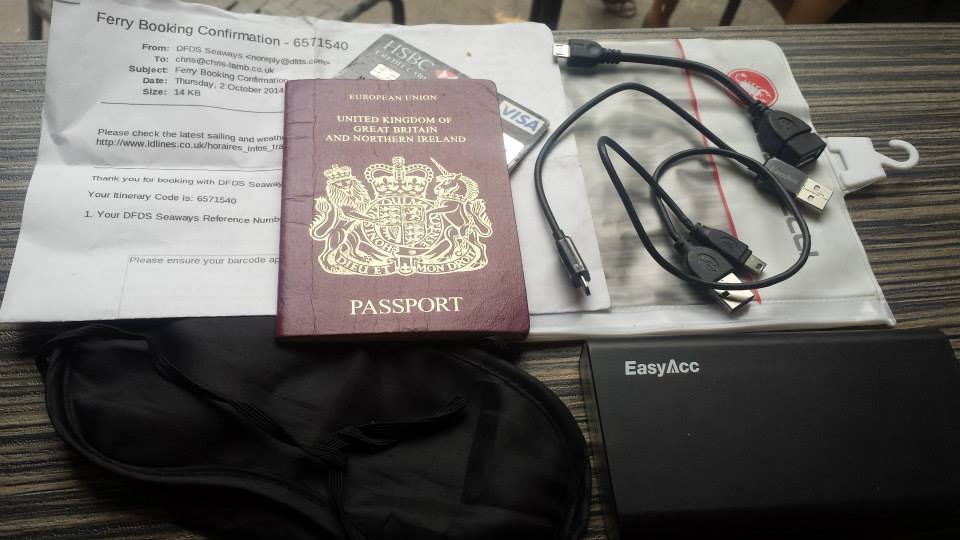
Packing list https://chris-lamb.co.uk/wp-content/2014/london-paris-london/01.jpg
  • Ferry ticket (unnecessary in the end)
  • Passport
  • Credit card
  • USB A male mini A male (charges phone, battery pack & front light)
  • USB A male mini B male (for charging or connecting to Edge 800)
  • USB mini A male OTG A female (for Edge 800 uploads via phone)
  • Waterproof pocket
  • Sleeping mask for ferry (probably unnecessary)
  • Battery pack

Not pictured:
  • Castelli Gabba Windstopper short-sleeve jersey
  • Castelli Velocissimo bib shorts
  • Castelli Nanoflex arm warmers
  • Castelli Squadra rain jacket
  • Garmin Edge 800
  • Phone
  • Front light: Lezyne Macro Drive
  • Rear lights: Knog Gekko (on bike), Knog Frog (on helmet)
  • Inner tubes (X2), Lezyne multitool, tire levers, hand pump

Day 1: London Newhaven
https://chris-lamb.co.uk/wp-content/2014/london-paris-london/02.jpg

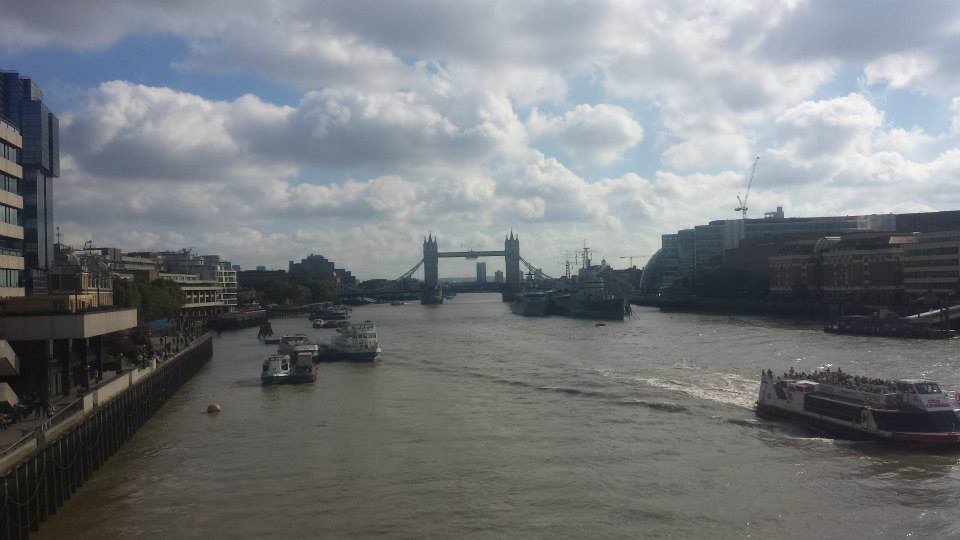
Tower Bridge.

Many attempt to go from Tower Bridge Eiffel Tower (or Marble Arch Arc de Triomphe) in less than 24 hours. This would have been quite easy if I had left a couple of hours later.
https://chris-lamb.co.uk/wp-content/2014/london-paris-london/03.jpg

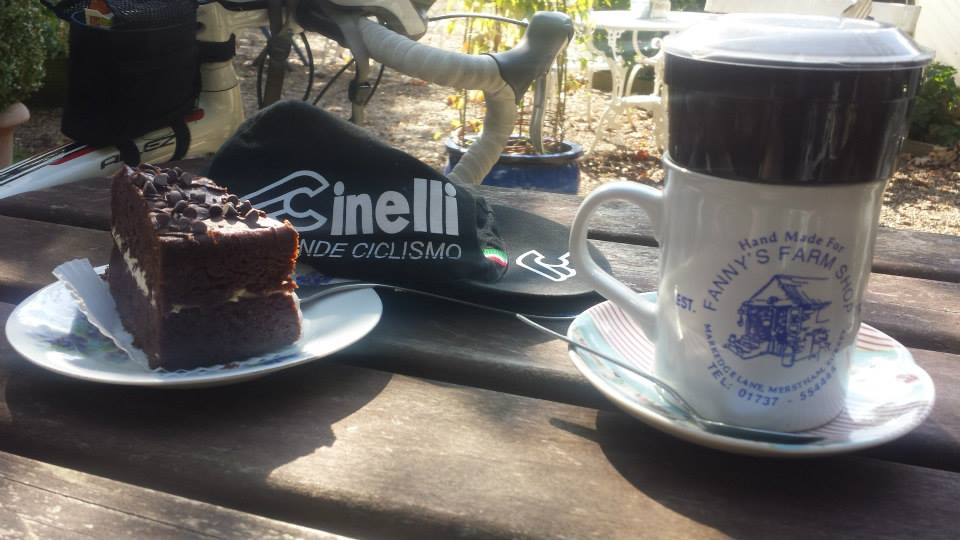
Fanny's Farm Shop, Merstham, Surrey.

https://chris-lamb.co.uk/wp-content/2014/london-paris-london/04.jpg

Plumpton, East Sussex.

https://chris-lamb.co.uk/wp-content/2014/london-paris-london/05.jpg

West Pier, Newhaven.

https://chris-lamb.co.uk/wp-content/2014/london-paris-london/07.jpg

Leaving Newhaven on the 23h00 ferry.


Day 2: Dieppe Paris
https://chris-lamb.co.uk/wp-content/2014/london-paris-london/09.jpg

Beauvoir-en-Lyons, Haute-Normandie.

https://chris-lamb.co.uk/wp-content/2014/london-paris-london/10.jpg

S rifontaine, Picardie.

https://chris-lamb.co.uk/wp-content/2014/london-paris-london/12.jpg

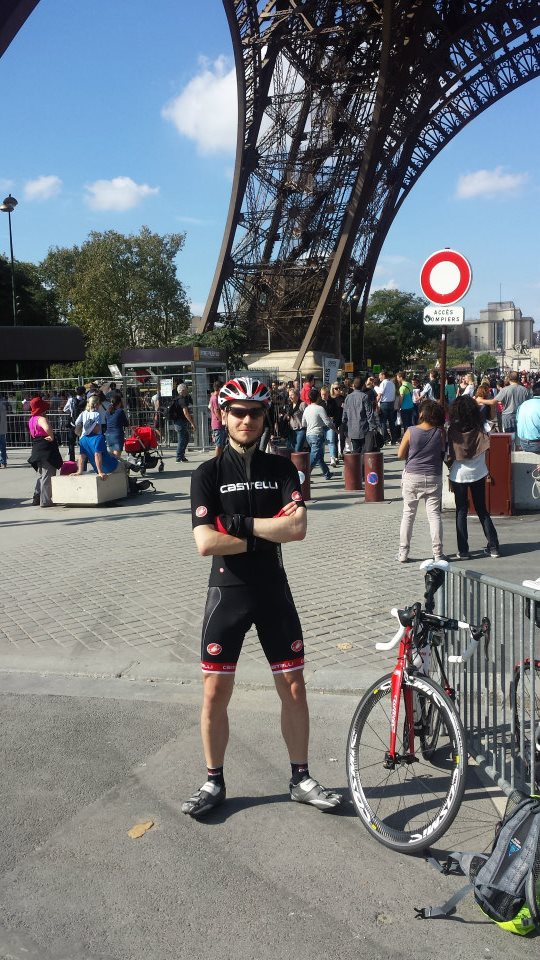
La tour Eiffel, Paris.

https://chris-lamb.co.uk/wp-content/2014/london-paris-london/13.jpg

Champ de Mars, Paris.

https://chris-lamb.co.uk/wp-content/2014/london-paris-london/15.jpg

Pont de Grenelle, Paris.


Day 3: Paris Dieppe
https://chris-lamb.co.uk/wp-content/2014/london-paris-london/18.jpg

Cormeilles-en-Vexin, le-de-France.

https://chris-lamb.co.uk/wp-content/2014/london-paris-london/20.jpg

Gisors, Haute-Normandie.

https://chris-lamb.co.uk/wp-content/2014/london-paris-london/21.jpg

Paris-Brest, Gisors, Haute-Normandie.

Wikipedia: This pastry was created in 1910 to commemorate the Paris Brest bicycle race begun in 1891. Its circular shape is representative of a wheel. It became popular with riders on the Paris Brest cycle race, partly because of its energizing high caloric value, and is now found in p tisseries all over France.
https://chris-lamb.co.uk/wp-content/2014/london-paris-london/22.jpg

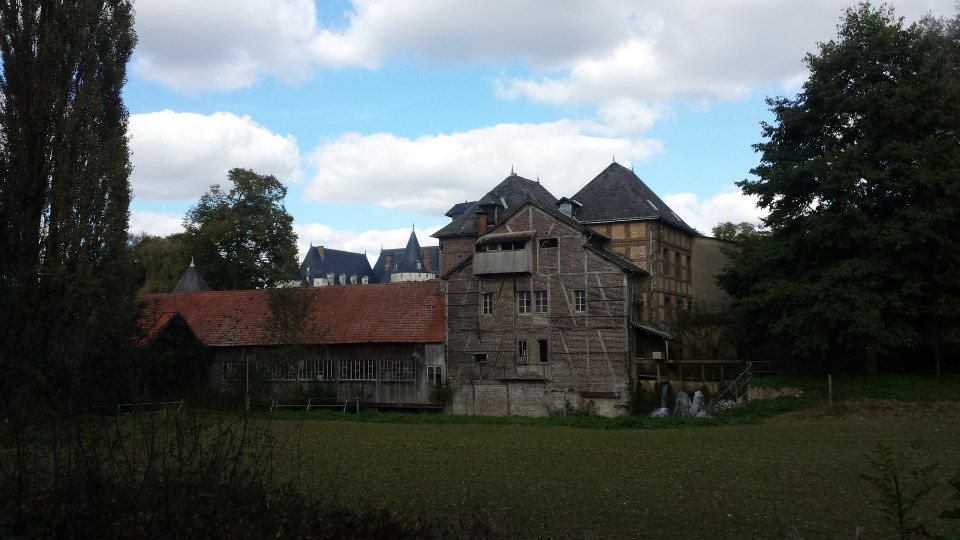
Gournay-en-Bray, Haute-Normandie.

https://chris-lamb.co.uk/wp-content/2014/london-paris-london/23.jpg

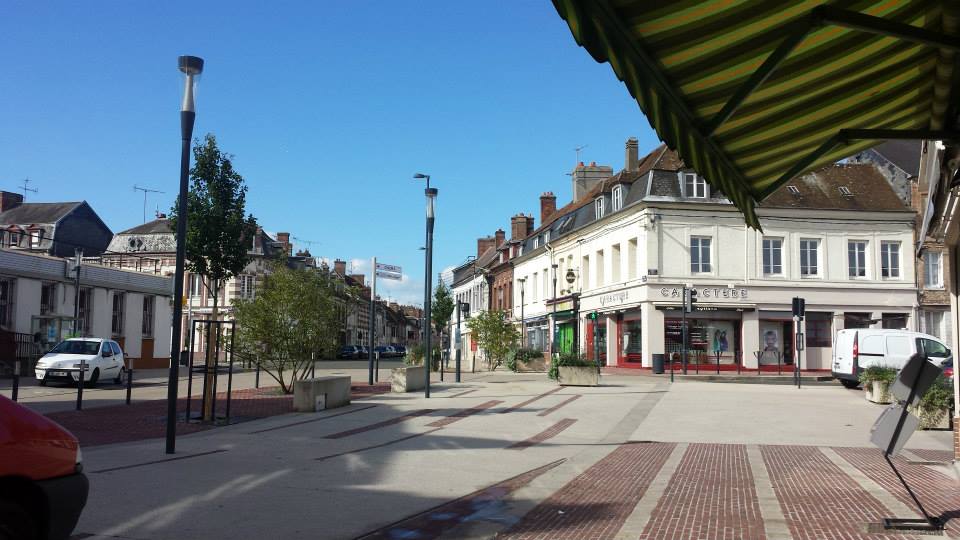
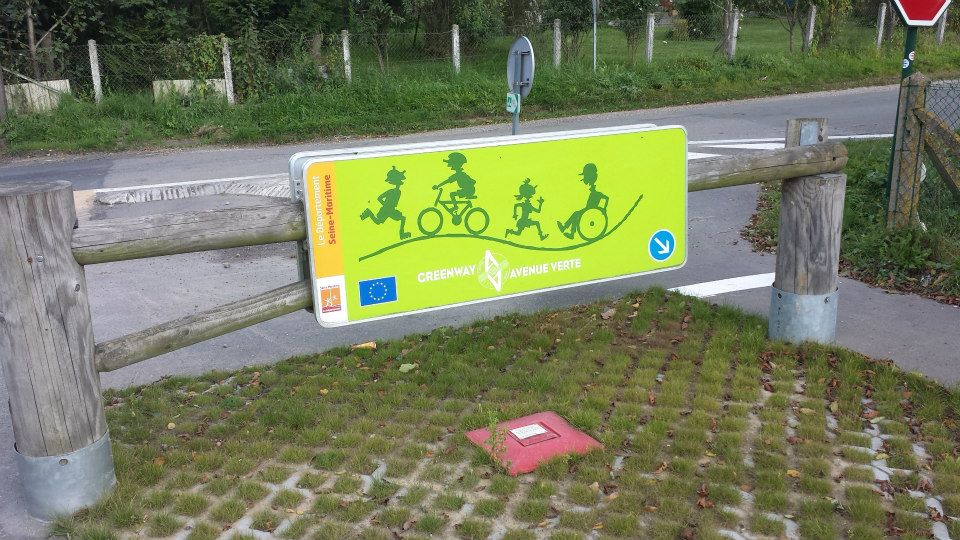
D but de l'Avenue Verte, Forges-les-Eaux, Haute-Normandie.

https://chris-lamb.co.uk/wp-content/2014/london-paris-london/24.jpg

Mesni res-en-Bray, Haute-Normandie.

https://chris-lamb.co.uk/wp-content/2014/london-paris-london/26.jpg

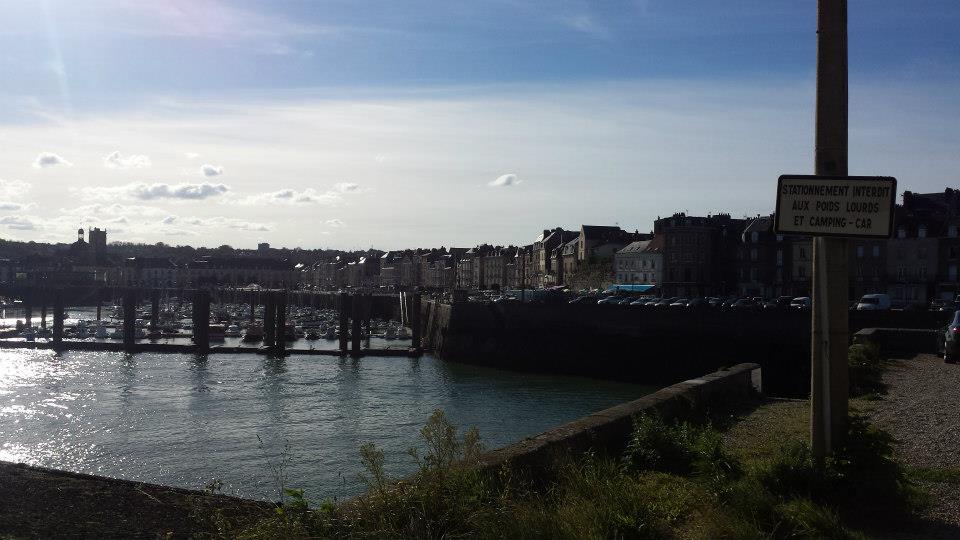
Dieppe, Haute-Normandie.

https://chris-lamb.co.uk/wp-content/2014/london-paris-london/28.jpg

La Mancha .


Day 4: Peacehaven London
https://chris-lamb.co.uk/wp-content/2014/london-paris-london/29.jpg

Peacehaven, East Sussex.

https://chris-lamb.co.uk/wp-content/2014/london-paris-london/31.jpg

Highbrook, West Sussex.

https://chris-lamb.co.uk/wp-content/2014/london-paris-london/33.jpg

London weather.


Summary https://chris-lamb.co.uk/wp-content/2014/london-paris-london/34.jpg
Distance
588.17 km
Pedal turns
~105,795
My only non-obvious tips would be to buy a disposable blanket in the Newhaven Co-Op to help you sleep on the ferry. In addition, as the food on the ferry is good enough you only need to get to the terminal one hour before departure, avoiding time on your feet in unpicturesque Newhaven. In terms of equipment, I would bring another light for the 4AM start on L'Avenue Verte if only as a backup and I would have checked I could arrive at my Parisian Airbnb earlier in the day - I had to hang around for five hours in the heat before I could have a shower, properly relax, etc. I had been warned not to rely on being able to obtain enough water en route on Sunday but whilst most shops were indeed shut I saw a bustling tabac or boulangerie at least once every 20km so one would never be truly stuck. Route-wise, the surburbs of London and Paris are both equally dismal and unmotivating and there is about 50km of rather uninspiring and exposed riding on the D915. However, L'Avenue Verte is fantastic even in the pitch-black and the entire trip was worth it simply for the silent and beautiful Normandy sunrise. I will be back.

8 October 2014

EvolvisForge blog: PSA: #shellshock still unfixed except in Debian unstable

I just installed, for work, Hanno B ck s bashcheck utility on our monitoring system, and watched all systems go blue. All but two. One is not executing remote scripts from the monitoring for security reasons, the other is my desktop which runs Debian sid (unstable). (Update, 2014-10-20: jessie, precise, trusty are also green now.) This means that all those distributions still have unfixed #shellshock bugs. I don t know if/when all distributions will have patched their packages but thought you d want to know the hysteria isn t over yet however, I hope you were not stupid enough to follow the advice of this site which suggests you to download some random file over the net and execute it with superuser permissions, unchecked. (I think the Ruby people were the first to spread this extremely insecure, stupid and reprehensible technique.) Updates: Thanks to tarent for letting me do this work during $dayjob time!

7 October 2014

Andrea Veri: The GNOME Infrastructure is now powered by FreeIPA!

As preannounced here the GNOME Infrastructure switched to a new Account Management System which is reachable at https://account.gnome.org. All the details will follow. Introduction It s been a while since someone actually touched the underlaying authentication infrastructure that powers the GNOME machines. The very first setup was originally configured by Jonathan Blandford (jrb) who configured an OpenLDAP istance with several customized schemas. (pServer fields in the old CVS days, pubAuthorizedKeys and GNOME modules related fields in recent times) While OpenLDAP-server was living on the GNOME machine called clipboard (aka ldap.gnome.org) the clients were configured to synchronize users, groups, passwords through the nslcd daemon. After several years Jeff Schroeder joined the Sysadmin Team and during one cold evening (date is Tue, February 1st 2011) spent some time configuring SSSD to replace the nslcd daemon which was missing one of the most important SSSD features: caching. What surely convinced Jeff to adopt SSSD (a very new but promising sofware at that time as the first release happened right before 2010 s Christmas) and as the commit log also states ( New sssd module for ldap information caching ) was SSSD s caching feature. It was enough for a certain user to log in once and the /var/lib/sss/db directory was populated with its login information preventing the LDAP daemon in charge of picking up login details (from the LDAP server) to query the LDAP server itself every single time a request was made against it. This feature has definitely helped in many occasions especially when the LDAP server was down for a particular reason and sysadmins needed to access a specific machine or service: without SSSD this wasn t ever going to work and sysadmins were probably going to be locked out from the machines they were used to manage. (except if you still had /etc/passwd , /etc/group and /etc/shadow entries as fallback) Things were working just fine except for a few downsides that appeared later on:
  1. the web interface (view) on our LDAP user database was managed by Mango, an outdated tool which many wanted to rewrite in Django that slowly became a huge dinosaur nobody ever wanted to look into again
  2. the Foundation membership information were managed through a MySQL database, so two databases, two sets of users unrelated to each other
  3. users were not able to modify their own account information on their own but even a single e-mail change required them to mail the GNOME Accounts Team which was then going to authenticate their request and finally update the account.
Today s infrastructure changes are here to finally say the issues outlined at (1, 2, 3) are now fixed. What has changed? The GNOME Infrastructure is now powered by Red Hat s FreeIPA which bundles several FOSS softwares into one big bundle all surrounded by an easy and intuitive web UI that will help users update their account information on their own without the need of the Accounts Team or any other administrative entity. Users will also find two custom fields on their Overview page, these being Foundation Member since and Last Renewed on date . As you may have understood already we finally managed to migrate the Foundation membership database into LDAP itself to store the information we want once and for all. As a side note it might be possible that some users that were Foundation members in the past won t find any detail stored on the Foundation fields outlined above. That is actually expected as we were able to migrate all the current and old Foundation members that had an LDAP account registered at the time of the migration. If that s your case and you still would like the information to be stored on the new setup please get in contact with the Membership Committee at stating so. Where can I get my first login credentials? Let s make a little distinction between users that previously had access to Mango (usually maintainers) and users that didn t. If you were used to access Mango before you should be able to login on the new Account Management System by entering your GNOME username and the password you were used to use for loggin in into Mango. (after loggin in the very first time you will be prompted to update your password, please choose a strong password as this account will be unique across all the GNOME Infrastructure) If you never had access to Mango, you lost your password or the first time you read the word Mango on this post you thought why is he talking about a fruit now? you should be able to reset it by using the following command:
ssh -l yourgnomeuserid account.gnome.org
The command will start an SSH connection between you and account.gnome.org, once authenticated (with the SSH key you previously had registered on our Infrastructure) you will trigger a command that will directly send your brand new password on the e-mail registered for your account. From my tests seems GMail sees the e-mail as a phishing attempt probably because the body contains the word password twice. That said if the e-mail won t appear on your INBOX, please double-check your Spam folder. Now that Mango is gone how can I request a new account? With Mango we used to have a form that automatically e-mailed the maintainer of the selected GNOME module which was then going to approve / reject the request. From there and in the case of a positive vote from the maintainer the Accounts Team was going to create the account itself. With the recent introduction of a commit robot directly on l10n.gnome.org the number of account requests reduced its numbers. In addition to that users will now be able to perform pretty much all the needed maintenance on their accounts themselves. That said and while we will probably work on building a form in the future we feel that requesting accounts can definitely be achieved directly by mailing the Accounts Team itself which will mail the maintainer of the respective module and create the account. As just said the number of account creations has become very low and the queue is currently clear. The documentation has been updated to reflect these changes at: https://wiki.gnome.org/AccountsTeam
https://wiki.gnome.org/AccountsTeam/NewAccounts The migration of all the user data and ACLs has been massive and I ve been spending a lot of time reviewing the existing HBAC rules trying to spot possible errors or misconfigurations. If you happen to not being able to access a certain service as you were used to in the past, please get in contact with the Sysadmin Team. All the possible ways to contact us are available at https://wiki.gnome.org/Sysadmin/Contact. What is missing still? Now that the Foundation membership information has been moved to LDAP I ll be looking at porting some of the existing membership scripts to it. What I managed to port already are welcome e-mails for new or existing members. (renewals) Next step will be generating a membership page from LDAP (to populate http://www.gnome.org/foundation/membership) and all the your-membership-is-going-to-lapse e-mails that were being sent till today. Other news /home/users mount on master.gnome.org You will notice that loggin in into master.gnome.org will result in your home directory being empty, don t worry, you did not lose any of your files but master.gnome.org is now currently hosting your home directories itself. As you may have been aware of adding files to the public_html directory on master resulted in them appearing on your people.gnome.org/~userid space. That was unfortunately expected as both master and webapps2 (the machine serving people.gnome.org s webspaces) were mounting the same GlusterFS share. We wanted to prevent that behaviour to happen as we wanted to know who has access to what resource and where. From today master s home directories will be there just as a temporary spot for your tarballs, just scp and use ftpadmin against them, that should be all you need from master. If you are interested in receiving or keeping using your people.gnome.org s webspace please mail stating so. Other news a shiny and new error 500 page has been deployed Thanks to Magdalen Berns (magpie) a new error 500 web page has been deployed on all the Apache istances we host. The page contains an iframe of status.gnome.org and will appear every single time the web server behind the service you are trying to reach will be unreachable for maintenance or other purposes. While I hope you won t see the page that often you can still enjoy it at https://static.gnome.org/error-500/500.html. Make sure to whitelist status.gnome.org on your browser as it currently loads it without https. (as the service is currently hosted on OpenShift which provides us with a *.rhcloud.com wildcard certificate, which differs from the CN the browser would expect it to be)

Andrea Veri: The GNOME Infrastructure is now powered by FreeIPA!

As preannounced here the GNOME Infrastructure switched to a new Account Management System which is reachable at https://account.gnome.org. All the details will follow. Introduction It s been a while since someone actually touched the underlying authentication infrastructure that powers the GNOME machines. The very first setup was originally configured by Jonathan Blandford (jrb) who configured an OpenLDAP istance with several customized schemas. (pServer fields in the old CVS days, pubAuthorizedKeys and GNOME modules related fields in recent times) While OpenLDAP-server was living on the GNOME machine called clipboard (aka ldap.gnome.org) the clients were configured to synchronize users, groups, passwords through the nslcd daemon. After several years Jeff Schroeder joined the Sysadmin Team and during one cold evening (date is Tue, February 1st 2011) spent some time configuring SSSD to replace the nslcd daemon which was missing one of the most important SSSD features: caching. What surely convinced Jeff to adopt SSSD (a very new but promising sofware at that time as the first release happened right before 2010 s Christmas) and as the commit log also states ( New sssd module for ldap information caching ) was SSSD s caching feature. It was enough for a certain user to log in once and the /var/lib/sss/db directory was populated with its login information preventing the LDAP daemon in charge of picking up login details (from the LDAP server) to query the LDAP server itself every single time a request was made against it. This feature has definitely helped in many occasions especially when the LDAP server was down for a particular reason and sysadmins needed to access a specific machine or service: without SSSD this wasn t ever going to work and sysadmins were probably going to be locked out from the machines they were used to manage. (except if you still had /etc/passwd , /etc/group and /etc/shadow entries as fallback) Things were working just fine except for a few downsides that appeared later on:
  1. the web interface (view) on our LDAP user database was managed by Mango, an outdated tool which many wanted to rewrite in Django that slowly became a huge dinosaur nobody ever wanted to look into again
  2. the Foundation membership information were managed through a MySQL database, so two databases, two sets of users unrelated to each other
  3. users were not able to modify their own account information on their own but even a single e-mail change required them to mail the GNOME Accounts Team which was then going to authenticate their request and finally update the account.
Today s infrastructure changes are here to finally say the issues outlined at (1, 2, 3) are now fixed. What has changed? The GNOME Infrastructure is now powered by Red Hat s FreeIPA which bundles several FOSS softwares into one big bundle all surrounded by an easy and intuitive web UI that will help users update their account information on their own without the need of the Accounts Team or any other administrative entity. Users will also find two custom fields on their Overview page, these being Foundation Member since and Last Renewed on date . As you may have understood already we finally managed to migrate the Foundation membership database into LDAP itself to store the information we want once and for all. As a side note it might be possible that some users that were Foundation members in the past won t find any detail stored on the Foundation fields outlined above. That is actually expected as we were able to migrate all the current and old Foundation members that had an LDAP account registered at the time of the migration. If that s your case and you still would like the information to be stored on the new setup please get in contact with the Membership Committee at stating so. Where can I get my first login credentials? Let s make a little distinction between users that previously had access to Mango (usually maintainers) and users that didn t. If you were used to access Mango before you should be able to login on the new Account Management System by entering your GNOME username and the password you were used to use for loggin in into Mango. (after loggin in the very first time you will be prompted to update your password, please choose a strong password as this account will be unique across all the GNOME Infrastructure) If you never had access to Mango, you lost your password or the first time you read the word Mango on this post you thought why is he talking about a fruit now? you should be able to reset it by using the following command:
ssh -l yourgnomeuserid account.gnome.org
The command will start an SSH connection between you and account.gnome.org, once authenticated (with the SSH key you previously had registered on our Infrastructure) you will trigger a command that will directly send your brand new password on the e-mail registered for your account. From my tests seems GMail sees the e-mail as a phishing attempt probably because the body contains the word password twice. That said if the e-mail won t appear on your INBOX, please double-check your Spam folder. Now that Mango is gone how can I request a new account? With Mango we used to have a form that automatically e-mailed the maintainer of the selected GNOME module which was then going to approve / reject the request. From there and in the case of a positive vote from the maintainer the Accounts Team was going to create the account itself. With the recent introduction of a commit robot directly on l10n.gnome.org the number of account requests reduced its numbers. In addition to that users will now be able to perform pretty much all the needed maintenance on their accounts themselves. That said and while we will probably work on building a form in the future we feel that requesting accounts can definitely be achieved directly by mailing the Accounts Team itself which will mail the maintainer of the respective module and create the account. As just said the number of account creations has become very low and the queue is currently clear. The documentation has been updated to reflect these changes at: https://wiki.gnome.org/AccountsTeam
https://wiki.gnome.org/AccountsTeam/NewAccounts I was used to have access to a specific service but I don t anymore, what should I do? The migration of all the user data and ACLs has been massive and I ve been spending a lot of time reviewing the existing HBAC rules trying to spot possible errors or misconfigurations. If you happen to not being able to access a certain service as you were used to in the past, please get in contact with the Sysadmin Team. All the possible ways to contact us are available at https://wiki.gnome.org/Sysadmin/Contact. What is missing still? Now that the Foundation membership information has been moved to LDAP I ll be looking at porting some of the existing membership scripts to it. What I managed to port already are welcome e-mails for new or existing members. (renewals) Next step will be generating a membership page from LDAP (to populate http://www.gnome.org/foundation/membership) and all the your-membership-is-going-to-lapse e-mails that were being sent till today. Other news /home/users mount on master.gnome.org You will notice that loggin in into master.gnome.org will result in your home directory being empty, don t worry, you did not lose any of your files but master.gnome.org is now currently hosting your home directories itself. As you may have been aware of adding files to the public_html directory on master resulted in them appearing on your people.gnome.org/~userid space. That was unfortunately expected as both master and webapps2 (the machine serving people.gnome.org s webspaces) were mounting the same GlusterFS share. We wanted to prevent that behaviour to happen as we wanted to know who has access to what resource and where. From today master s home directories will be there just as a temporary spot for your tarballs, just scp and use ftpadmin against them, that should be all you need from master. If you are interested in receiving or keeping using your people.gnome.org s webspace please mail <accounts AT gnome DOT org> stating so. Other news a shiny and new error 500 page has been deployed Thanks to Magdalen Berns (magpie) a new error 500 web page has been deployed on all the Apache istances we host. The page contains an iframe of status.gnome.org and will appear every single time the web server behind the service you are trying to reach will be unreachable for maintenance or other purposes. While I hope you won t see the page that often you can still enjoy it at https://static.gnome.org/error-500/500.html. Make sure to whitelist status.gnome.org on your browser as it currently loads it without https. (as the service is currently hosted on OpenShift which provides us with a *.rhcloud.com wildcard certificate, which differs from the CN the browser would expect it to be) Updates UPDATE on status.gnome.org s SSL certificate: the certificate has been provisioned and it should result in the 500 s page to be displayed correctly with no warnings from your browser. UPDATE from Adam Young on Kerberos ports being closed on many DC s firewalls:
The next version of upstream MIT Kerberos will have support for fetching a ticket via ports 443 and marshalling the request over HTTPS. We ll need to run a proxy on the server side, but we should be able to make it work: Read up here
http://adam.younglogic.com/2014/06/kerberos-firewalls

6 October 2014

Julian Andres Klode: A weekend with the Acer Chromebook 13 FHD (AKA nyan-big)

I spent the weekend using almost exclusively my Chromebook 13, on a single charge Saturday and Sunday. Keyboard I think I like the keyboard better now than I used to when I first tried it. It gets nowhere near the ThinkPad X230 one, though; appart from the coating, which my (backlit) X230 unfortunately does not have. Screen While the screen appeared very grainy to me on first sight, having only used IPS screens in the past year, I got used to it over the weekend. I now do not notice much graininess anymore. The contrast still seems extremely poor, the colors are not vivid, and the vertical viewing angles are still a disaster, though. Battery life I think the battery life is awesome. I have 30% remaining now while I am writing this blog post and Chrome OS tells me I still have 3 hours and 19 minutes remaining. It could probably still be improved though, I notice that Chrome OS uses 7-14% CPU in idle normally (and up to 20% in exceptional cases). The maximum power usage I measured using the battery s internal sensor was about 9.2W, that was with 5 Big Buck Bunny 1080p videos played in parallel. Average power consumption is around 3-5W (up to 6.5 with single video playing), depending on brightness, and use. Performance While I do notice a performance difference to my much more high-end Ivy Bridge Core i5 laptop, it turns out to be usable enough to not make me want to throw it at a wall. Things take a bit longer than I am used to, but it is still acceptable. Input: Software Part The user interface is great. There are a lot of gestures available for navigating between windows, tabs, and in the history. For example, horizontally swiping with two finger moves in history, three fingers moves between tabs; and swiping down (or up for Australian scrolling) gives an overview of all windows (like expose on Mac, GNOME s activities, or the multi-tasking thing Maemo used to have). What I miss is a keyboard shortcut like Meta + Left/Right on GNOME which moves the active window to the left/right side of the screen. That would be very useful for mult-tasking situations. Issues I noticed some performance issues. For example, I can easily get the Chromebook to use 85% of a CPU by scrolling on a page with the touchpad or 70% for scrolling by keeping a key pressed (crbug.com/420452). While watching Big Buck Bunny on YouTube, I noticed some (micro) stuttering in the beginning of the film, as well as each time I move in or out of the video area when not in full-screen mode (crbug.com/420582). It also increases CPU usage to about 70%. Running a proper Linux? Today, I tried to play around a bit with Debian wheezy and Ubuntu trusty systems, in a chroot for now. I was trying to find out if I can get an accelerated X server with the standard ChromeOS kernel. The short answer is: No. I tried two things:
  1. Debian wheezy with the binaries from ChromeOS (they have the same xserver version)
  2. Ubuntu trusty with the Nvidia drivers
Unfortunately, they did not work. Option 1 failed because ChromeOS uses glibc 2.15 whereas wheezy uses 1.13. Option 2 failed because the sysfs interface is different between the ChromeOS and Linux4Tegra kernels. I guess I ll have to wait. I also tried booting a custom kernel from USB, but given that the u-boot always sets console= and there is no non-verified u-boot available yet, I could not see any output on the screen :( Maybe I should build a u-boot myself?
Filed under: Chromebook

Julian Andres Klode: A weekend with the Acer Chromebook 13 FHD (AKA nyan-big)

I spent the weekend using almost exclusively my Chromebook 13, on a single charge Saturday and Sunday. Keyboard I think I like the keyboard better now than I used to when I first tried it. It gets nowhere near the ThinkPad X230 one, though; appart from the coating, which my (backlit) X230 unfortunately does not have. Screen While the screen appeared very grainy to me on first sight, having only used IPS screens in the past year, I got used to it over the weekend. I now do not notice much graininess anymore. The contrast still seems extremely poor, the colors are not vivid, and the vertical viewing angles are still a disaster, though. Battery life I think the battery life is awesome. I have 30% remaining now while I am writing this blog post and Chrome OS tells me I still have 3 hours and 19 minutes remaining. It could probably still be improved though, I notice that Chrome OS uses 7-14% CPU in idle normally (and up to 20% in exceptional cases). The maximum power usage I measured using the battery s internal sensor was about 9.2W, that was with 5 Big Buck Bunny 1080p videos played in parallel. Average power consumption is around 3-5W (up to 6.5 with single video playing), depending on brightness, and use. Performance While I do notice a performance difference to my much more high-end Ivy Bridge Core i5 laptop, it turns out to be usable enough to not make me want to throw it at a wall. Things take a bit longer than I am used to, but it is still acceptable. Input: Software Part The user interface is great. There are a lot of gestures available for navigating between windows, tabs, and in the history. For example, horizontally swiping with two finger moves in history, three fingers moves between tabs; and swiping down (or up for Australian scrolling) gives an overview of all windows (like expose on Mac, GNOME s activities, or the multi-tasking thing Maemo used to have). What I miss is a keyboard shortcut like Meta + Left/Right on GNOME which moves the active window to the left/right side of the screen. That would be very useful for mult-tasking situations. Issues I noticed some performance issues. For example, I can easily get the Chromebook to use 85% of a CPU by scrolling on a page with the touchpad or 70% for scrolling by keeping a key pressed (crbug.com/420452). While watching Big Buck Bunny on YouTube, I noticed some (micro) stuttering in the beginning of the film, as well as each time I move in or out of the video area when not in full-screen mode (crbug.com/420582). It also increases CPU usage to about 70%. Running a proper Linux? Today, I tried to play around a bit with Debian wheezy and Ubuntu trusty systems, in a chroot for now. I was trying to find out if I can get an accelerated X server with the standard ChromeOS kernel. The short answer is: No. I tried two things:
  1. Debian wheezy with the binaries from ChromeOS (they have the same xserver version)
  2. Ubuntu trusty with the Nvidia drivers
Unfortunately, they did not work. Option 1 failed because ChromeOS uses glibc 2.15 whereas wheezy uses 1.13. Option 2 failed because the sysfs interface is different between the ChromeOS and Linux4Tegra kernels. I guess I ll have to wait. I also tried booting a custom kernel from USB, but given that the u-boot always sets console= and there is no non-verified u-boot available yet, I could not see any output on the screen :( Maybe I should build a u-boot myself?
Filed under: Chromebook

5 October 2014

Thomas Goirand: OpenStack packaging activity: September 2014

I decided I d post this monthly. It may be a bit boring, sorry, but I think it s a nice thing to have this public. The log starts on the 6th, because on the 4th I was back from Debconf (after a day in San Francisco, plus 20 hours of traveling and 15 hours of time gap). It is to be noted that every time something is uploaded in Debian for Icehouse (in Sid), or for Juno (in Experimental), there s also a corresponding backport produced for Wheezy. Saturday 6th & Sunday 7th:
packaged libjs-twitter-bootstrap-wizard (in new queue)
Uploaded python-pint after reviewing the debian/copyright
Worked on updating python-eventlet in Experimental, and adding Python3 support. It seems Python3 support isn t ready yet, so I will probably remove that feature from the package update.
Tried to apply the Django 1.7 patches for python-django-bootstrap-form. They didn t work, but Raphael came back on Monday morning with new versions
of the patches, which should be good this time.
Helped the DSA (Debian System Administrators) with the Debian OpenStack cloud. It s looking good and working now (note: I helped them during Debconf 14).
Started a page about adding more tasksel tasks: https://wiki.debian.org/tasksel/MoreTasks. It s looking like Joey Hess is adding new tasks by default in Tasksel, with OpenStack compute node and OpenStack proxy node . It will be nice to have them in the default Debian installer! :)
Packaged and uploaded python-dib-utils, now in NEW queue. Monday 8th:
Uploaded fixed python-django-bootstrap-form with patch for Django 1.7.
Packaged and uploaded python-pysaml2.
Finilized and uploaded python-jingo which is needed for python-django-compressor unit tests
Finalized and uploaded python-coffin which is needed for python-django-compressor unit tests
Worked on running the unit tests for python-django-compressor, as I needed to know if it could work with Django 1.7. It was hard to find the correct way to run the unit tests, but finally, they all passed. I will add the unit tests once coffin and jingo will be accepted in Sid.
Applied patches in the Debian BTS for python-django-openstack-auth and Django 1.7. Uploaded the fixed package.
Fixed python-django-pyscss compat with Django 1.7, uploaded the result.
Updated keystone to Juno b3.
Built Wheezy backports of some JS libs needed for Horizon in Juno, which I already uploaded to Sid last summer:
o libjs-twitter-bootstrap-datepicker
o libjs-jquery.quicksearch
o libjs-spin.js
Upstreamed the Django 1.7 patch for python-django-openstack-auth: https://review.openstack.org/119972 Tuesday 9:
Updated and uploaded Swift 2.1.0. Added swift-object-expirer package to it, together with init script. Wednesday 10:
Basically, cleaned the Debian BTS of almost all issues today :P
Added it.po update to nova (Closes: #758305).
Backported libvirt 1.2.7 to Wheezy, to be able to close this bug: https://bugs.debian.org/757548 (eg: changed dependency from libvirt-bin to libvirt-daemon-system)
Uploaded the fixed nova package using libvirt-daemon-system
Upgraded python-trollius to 1.0.1
Fixed tuskar-ui to work with Django 1.7. Disabled pep8 tests during build. Added build-conflicts: python-unittest2.
Fixed python-django-compressor for Django 1.7, and now running unit tests with it, after python-coffin and python-jingo got approved in Sid by FTP masters.
Fixed python-xstatic wrong upstream URLs.
Added it.po debconf translation to Designate.
Added de.po debconf translation to Tuskar.
Fixed copyright holders in python-xstatic-rickshaw
Added python-passlib as dependency for python-cinder. Remaining 3 issues in the BTS: ceilometer FTBFS, Horizon unit test with Django 1.7, Designate fail to install. All of the 3 are harder to fix, and I may try to do so later this week. Thursday 11:
Fixed python-xstatic-angular and python-xstatic-angular-mock to deal with the new libjs-angularjs version (closes 2 Debian RC bugs: uninstallable).
Fixed ceilometer FTBFS (Closes rc bug) Friday 12:
Fixed wrong copyright file for libjs-twitter-bootstrap-wizard after the FTP masters told me, and reuploaded to Sid.
Reuploaded wrong upload of ceilometer (wrong hash for orig.tar.xz)
Packaged and uploaded python-xstatic-bootstrap-scss
Packaged and uploaded python-xstatic-font-awesome
Packaged and uploaded ntpstat Monday 15:
packaged and uploaded python-xstatic-jquery.bootstrap.wizard
Fixed python-xstatic-angular-cookies to use new libjs-angularjs version (fixed version dependencies)
Fixed Ceilometer FTBFS (Closes: #759967)
Backported all python-xtatic packages to Wheezy, including all dependencies. This includes backporting of a bunch of packages from nodejs which were needed as build-dependencies (around 70 packages ). Filed about 5 or 6 release critical bugs as some nodejs packages were not buildable as-is.
Fixed some too restrictive python-xstatic-angular* dependencies on the libjs-angularjs (the libjs-angularjs increased version). Tuesday 16:
Uploaded updates to Experimental:
o python-eventlet 0.15.2 (this one took a long time as it needed maintenance)
o oslo-config
o python-oslo.i18n
Uploaded to Sid:
o python-diskimage-builder 0.1.30-1
o python-django-pyscss 1.0.2-1
Fixed horizon libapache-mode-wsgi to be a dependency of openstack-dashboard-apache and not just openstack-dashboard (in both Icehouse & Juno).
Removed the last failing Django 1.7 unit test from Horizon. It doesn t seem relevant anyway.
Backported python-netaddr 0.7.12 to Wheezy (needed by oslo-config).
Started working on oslo.rootwrap, though it failed to build in Wheezy with a unit test failure. Wednesday 17:
To experimental:
o Uploaded oslo.rootwrap 1.3.0.0~a1. It needed a build-depends on iproute2 because of a new test.
o Uploaded python-oslo.utils 0.3.0
o Uploaded python-oslo.vmware 0.6.0, fixed sphinx-build conf.py and filed a bug about it: https://bugs.launchpad.net/oslo.vmware/+bug/1370370 plus emailed the commiter of the issue (which appeared 2 weeks ago).
o Uploaded python-pycadf 0.6.0
o Uploaded python-pyghmi 0.6.17
o Uploaded python-oslotest 1.1.0.0~a2, including patch for Wheezy, which I also submited upstream: https://review.openstack.org/122171/
o Uploaded glanceclient 0.14.0, added a patch to not use the embedded version of urllib3 in requests: https://review.openstack.org/122184
To Sid:
o Uploaded python-zake_0.1.6-1 Thesday 18:
Backported zeromq3-4.0.4+dfs, pyzmq-14.3.1, pyasn1-0.1.7, python-pyasn1-modules-0.0.5
Uploaded keystoneclient 0.10.1, fixed the saml2 unit tests which were broken using testtools >= 0.9.39. Filed bug, and warned code author: https://bugs.launchpad.net/python-keystoneclient/+bug/1371085
Uploade swiftclient 2.3.0 to experimental.
Uploaded ironicclient 0.2.1 to experimental.
Uploaded saharaclient, filed bug with saharaclient expecting an up and running keystone server: https://bugs.launchpad.net/python-saharaclient/+bug/1371177 Friday 19:
Uploaded keystone Juno b3, filed but about unit tests downloading with git, while no network access should be performed during package build (forbidden by
Debian policy)
Uploaded python-oslo.db 1.0.0 which I forgot in the dependency list, and which was needed for Neutron.
Uploaded nova 2014.2~b3-1 (added a new nova-serialproxy service daemon to the nova-consoleproxy) Saturday 20:
Uploaded Neutron Juno b3.
Uploaded python-retrying 1.2.3 (was missing from depends upload)
Uploaded Glance Juno b3.
Uploaded Cinder Juno b3.
Fixed python-xstatic-angular-mock which had a .pth packaged, as well as the data folder (uploaded debian release -3).
Fixed missing depends and build-conflicts in python-xstatic-jquery. Sunday 21:
Dropped python-pil & python-django-discover-runner from runtime Depends: of python-django-pyscss, as it s only needed for tests. It also created a conflicts, because python-django-discover-runner depends on python-unittest2 and horizon build-conflicts with it.
Forward-ported the Django 1.7 patches for Horizon. Opened new patch: https://review.openstack.org/122992 (since the old fix has gone away after a refactor of the unit test).
Uploaded Horizon Juno b3.
Applied https://review.openstack.org/#/c/122768/ to the keystone package, so that it doesn t do git clone of the keystoneclient during build.
Uploaded oslo.messaging 1.4.0.0 (which really is 1.4.0) to experimental
Uploaded oslo.messaging 1.4.0.0+really+1.3.1-1 to fix the issue in Sid/Jessie after the wrong upload (due to Zul wrong tagging of Keystone in the 2014.1.2 point release). Monday 22:
Uploaded ironic 2014.2~b3-1 to experimental
Uploaded heat 2014.2~b3-1 (with some fixes for sphinx doc build)
Uploaded ceilometer 2014.2~b3-1 to experimental
Uploaded openstack-doc-tools 0.19-1 to experimental
Uploaded openstack-trove 2014.2~b3-1 to experimental Tuesday 23:
Uploaded python-neutronclient with fixed version number for cliff and six. This missing requirement for cliff version produced an error in Trove, which I don t want to happen again.
Added fix for unit tests in Trove: https://review.openstack.org/#/c/123450/1,publish
Uploaded oslo.messaging 1.4.1 in Experimental, fixing the version conflicts with the one in Sid/Jessie. Thanks to Doug Hellman for doing the tagging. I will need to upload new versions of the following packages with the >= 1.4.1 depends:
> ceilometer
> ironic
> keystone
> neutron
> nova
> oslo-config
> oslo.rootwrap
> oslo.i18n
> python-pycadf
See http://lists.openstack.org/pipermail/openstack-dev/2014-September/046795.html for more explanation about the mess I m repairing
Uploaded designate Juno b3. Wednesday 24:
Uploaded oslosphinx 2.2.0.0
Uploaded update to django-openstack-auth (new last minute requirement for Horizon).
Uploaded final oslo-config package version 1.4.0.0 (really is 1.4.0)
Packaged and uploaded Sahara. This needs some tests by someone else as I don t even know how it works. Thuesday 25:
Uploaded python-keystonemiddleware 1.0.0-3, fixing CVE-2014-7144] TLS cert verification option not honoured in paste configs. https://bugs.debian.org/762748
Packaged and uploaded python-yaql, sent pull request for fixing print statements into Python3 compatible print function calls: https://github.com/ativelkov/yaql/pull/15
Packaged and uploaded python-muranoclient.
Started the packaging of Murano (not finished yet).
Uploaded python-keystoneclient 0.10.1-2 with the CVE-2014-7144 fix to Sid, with urgency=high. Uploaded 0.11.1-1 to Experimental.
Uploaded python-keystonemiddleware fix for CVE-2014-7144.
Uploaded openstack-trove 2014.2~b3-3 with last unit test fix from https://review.openstack.org/#/c/123450/ Friday 26:
Uploaded a fix for murano-agent, which makes it run as root.
Finished the packaging of Murano
Started packaging murano-dashboard, sent this patch to fix the wrong usage of the /usr/bin/coverage command: https://review.openstack.org/124444
Fixed wrong BASE_DIR in python-xstatic-angular and python-xstatic-angular-mock Saturday 27:
uploaded python-xstatic-boostrap-scss which I forgot to upload :(
uploaded python-pyscss 1.2.1 Sunday 28:
After a long investigation, I found out that the issue when installing the openstack-dasboard package was due to a wrong patch I did for Python 3.2 in Wheezy in python-pyscss. Corrected the patch from version 1.2.1-1, and uploaded version 1.2.1-2, the dashboard now installs correctly. \o/
Did a new version of an Horizon patch at https://review.openstack.org/122992/ to address Django 1.7 compat. Monday 29:
Uploaded new version of python-pyscss fixing the last issue with Python 3 (there was a release critical bug on it).
Uploaded fixup for python-django-openstack-auth fail to build in the Sid version, which was broken since the last upload of keystoneclient (which makes some of its API now as private).
Uploaded python-glance-store 0.1.8, including Ubuntu patch to fix unit tests.
Reviewed the packaging of python-strict-rfc3339 (see https://bugs.debian.org761152).
Uploaded Sheepdog with fix in the init script to start after corosync (Closes: #759216).
Uploaded pt_BR.po Brazilian Portuguese debconf templates translation for nova Icehouse in Sid (only commited it in Git for Juno).
Same for Glance. Tuesday 30:
Added Python3 support in python-django-appconf, uploaded to Sid
Upgraded to python-django-pyscss 1.0.3, and fixed broken unit tests with this new release under Django 1.7. Created pull request: https://github.com/fusionbox/django-pyscss/pull/22
Fixed designate requirements.txt in Sid (Icehouse) to allow SQLA 0.9.x. Uploaded resulting package to Sid.
Uploaded new Debian fix for python-tooz: kills memcached only if the package scripts started it (plus cleans .testrepository on clean).
Uploaded initial release of murano
Uploaded python-retrying with patch from Ubuntu to remove embedded copy of six.py code.
Uploaded python-oslo.i18n 1.0.0 to experimental (same as before, just bump of version #)
Uploaded python-oslo.utils 1.0.0 to experimental (same as before, just bump of version #)
Uploaded Keystone Juno RC1
Uploaded Glance Juno RC1

2 October 2014

Rapha&#235;l Hertzog: My Free Software Activities in September 2014

This is my monthly summary of my free software related activities. If you re among the people who made a donation to support my work (26.6 , thanks everybody!), then you can learn how I spent your money. Otherwise it s just an interesting status update on my various projects. Django 1.7 Since Django 1.7 got released early September, I updated the package in experimental and continued to push for its inclusion in unstable. I sent a few more patches to multiple reverse build dependencies who had asked for help (python-django-bootstrap-form, horizon, lava-server) and then sent the package to unstable. At that time, I bumped the severity of all bug filed against packages that were no longer building with Django 1.7. Later in the month, I made sure that the package migrated to testing, it only required a temporary removal of mumble-django (see #763087). Quite a few packages got updated since then (remaining bugs here). Debian Long Term Support I have worked towards keeping Debian Squeeze secure, see the dedicated article: My Debian LTS report for September 2014. Distro Tracker The pace of development on tracker.debian.org slowed down a bit this month, with only 30 new commits in the repository, closing 6 bugs. Some of the changes are noteworthy though: the news now contain true links on bugs, CVE and plain URLs (example here). I have also fixed a serious issue with the way users were identified when they used their Alioth account credentials to login via sso.debian.org. On the development side, we re now able to generate the test suite code coverage which is quite helpful to identify parts of the code that are clearly missing some tests (see bin/gen-coverage.sh in the repository). Misc packaging Publican. I have been behind packaging new upstream versions of Publican and with the freeze approaching, I decided to take care of it. Unfortunately, it wasn t as easy as I had hoped and found numerous issues that I have filed upstream (invalid public identifier, PDF build fails with noNumberLines function available, build of the manual requires the network). Most of those have been fixed upstream in the mean time but the last issue seems to be a problem in the way we manage our Docbook XML catalogs in Debian. I have thus filed #763598 (docbook-xml: xmllint fails to identify local copy of docbook entities file) which is still waiting an answer from the maintainer. Package sponsorship. I have sponsored new uploads of dolibarr (RC bug fix), tcpdf (RC bug fix), tryton-server (security update) and django-ratelimit. GNOME 3.14. With the arrival of GNOME 3.14 in unstable, I took care of updating gnome-shell-timer and also filed some tickets for extensions that I use: https://github.com/projecthamster/shell-extension/issues/79 and https://github.com/olebowle/gnome-shell-timer/issues/25 git-buildpackage. I filed multiple bugs on git-buildpackage for little issues that have been irking me since I started using this tool: #761160 (gbp pq export/switch should be smarter), #761161 (gbp pq import+export should preserve patch filenames), #761641 (gbp import-orig should be less fragile and more idempotent). Thanks See you next month for a new summary of my activities.

No comment Liked this article? Click here. My blog is Flattr-enabled.

Joachim Breitner: 11 ways to write your last Haskell program

At my university, we recently held an exam that covered a bit of Haskell, and a simple warm-up question at the beginning asked the students to implement last :: [a] -> a. We did not demand a specific behaviour for last []. This is a survey of various solutions, only covering those that are actually correct. I elided some variation in syntax (e.g. guards vs. if-then-else). Most wrote the naive and straightforward code:
last [x] = x
last (x:xs) = last xs
Then quite a few seemed to be uncomfortable with pattern-matching and used conditional expressions. There was some variety in finding out whether a list is empty:
last (x:xs)
    null xs == True = x
    otherwise       = last xs
last (x:xs)
    length (x:xs) == 1 = x
    otherwise          = last xs
last (x:xs)
    length xs == 0 = x
    otherwise      = last xs
last xs
    lenght xs > 1 = last (tail xs)
    otherwise     = head xs
last xs
    lenght xs == 1 = head xs
    otherwise      = last (tail xs)
last (x:xs)
    xs == []  = x
    otherwise = last xs
The last one is not really correct, as it has the stricter type Eq a => [a] -> a. Also we did not expect our students to avoid the quadratic runtime caused by using length in every step. The next class of answers used length to pick out the right elemet, either using (!!) directly, or simulating it with head and drop:
last xs = xs !! (length xs - 1)
last xs = head (drop (length xs - 1) xs)
There were two submissions that spelled out an explicit left folding recursion:
last (x:xs) = lastHelper x xs
  where
    lastHelper z [] = z
    lastHelper z (y:ys) = lastHelper y ys
And finally there are a few code-golfers that just plugged together some other functions:
last x = head (reverse x)
Quite a lot of ways to write last!

1 October 2014

Thorsten Alteholz: My Debian Activities in September 2014

FTP assistant Starting an article with self laudation might be bad style, but this month I was busy as a bee and could accept 312 packages, 75 packages more than last month. 34 times I contacted the maintainer to ask a question and 51 times I had to reject a package. These numbers remain constant. The number of packages in NEW dropped to about 180. If you want your package included in Jessie, please double-check it and upload an improved version. Squeeze LTS This was my third month that I did some work for the Squeeze LTS initiative, started by Raphael Hertzog at Freexian. All in all I got assigned a workload of 11h for September and I spent these hours to upload new versions of I further tried to upload a new version of python-django. Unfortunately I could not figure out why some of the internal tests of the package failed. So I fowarded the package to Raphael, who could resolve all issues. The Squeeze version of PHP5 contains 140 patches. According to quilt 47 of them are identified to be already in 5.3.29 and 48 patches need to be revised. Some of them are really big, rather old and not really supported in the new 5.3.n version.
As nobody will talk about Squeeze LTS in a few months, I better better avoid the hassle of preparing a point release and concentrate only on security patches further on. Other packages This month I uploaded a new version of net-dns-fingerprint, which closes an RC bug. Unfortunately the package does not work with all DNS servers anymore. Patches or hints what happened are very welcome :-) . Support If you would like to support my Debian work you could either be part of the Freexian initiative (see above) or consider to send some bitcoins to 1JHnNpbgzxkoNexeXsTUGS6qUp5P88vHej. Contact me at donation@alteholz.eu if you prefer another way to donate. Every kind of support is most appreciated.
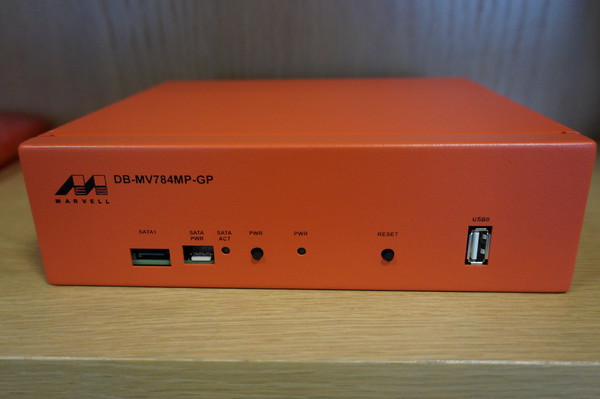
Vincent Sanders: It is a bad plan that admits of no modification

I find it somewhat interesting that thousands of years later that our society still uses Publilius Syrus sententiae though I imagine the tendency to leave well enough alone means such phrases stay in usage.

Marvell ARM system - Photo from Steve McIntyre
One weekend Steve McIntyre asked me if I could find a source of some of some 40mm fans for some systems with some pretty strict requirements. They needed to be long life and shift a lot of air to combat a persistent overheating issue.

I sat with him and went through the Farnell utterly hateful parametric web interface and eventually came up with a couple of options which were very expensive. Only then did I stop and ask what the actual problem was.

Marvell ARM system Original internal cooling arrangement - Photo from Steve McIntyre
Steve showed me one of the Debian ARM buildd boxes which are Marvell development machines. These systems are powerful quad core machines housed in compact steel enclosures.

There is a single 40mm fan trying to provide cooling for the entire enclosure. When the units are placed horizontally and used intermittently this proves adequate. Unfortunately when the system are arranged vertically in a rack and run at full load continuously they often overheat and have to be restarted. In addition the small high speed fans need replacing frequently as their bearings wore out quickly.

Debian ARM buildd systems - Photo from Steve McIntyreThis was obviously causing some issues for the ARM Debian ports which Steve wanted to rectify. After talking the problem through for a while we came to the conclusion we could use much larger 60mm fans to blow air directly through the top of the case onto the cpu heatsink.

Larger fans can be run much more slowly to move a similar volume of air to the smaller 40mm fans which gives a much longer service life.

Hole punch and Drilling template
Steve proceeded to order enough parts to allow us to modify all the Debian systems, this worked out cheaper than a single "special" 40mm high volume fan.

I acquired a rather large steel hole punch, I chose this tool because it produces a much superior finish to a hole cutter and this project demanded a high level of finish (not to mention I loved having a valid excuse to own and use a huge allen key!)

If we had simply been modifying a single case I would have measured and marked up by hand. With the prospect of altering at least eight I laser cut a template from plywood which Andy Simpkins took great glee in excessively annotating.

We also used the opportunity to add bolt holes to securely attach the 2.5 inch SATA drives instead of using sticky pads.

Steve and I modified a single system to begin with both to check our alignment and the efficacy of the change. We were pleasantly surprised to discover that hoiby could now repeatedly do kernel compiles with all four cores flat out which was not possible before. The measured CPU temperature, which had previously been around 90 C, did not rise above 40 C

Steve and Andy on the assembly line
Steve, Andy and I then arranged a day where we took all the remaining units out of the rack at ARM, modified and returned them. We used the facilities at the Cambridge Makespace where I am a member to do the modifications.

I broke two 3mm drill bits and dulled a 4mm bit drilling all the holes, Roger Smith was good enough to loan us the use of his "Christmas tree bit" to ream the fan hole out to 16mm so we could thread the hole punch and cut the 60mm fan aperture out.

six modified systems ready to be re-racked.
We managed to get quite an assembly line going and, in my opinion, the results look pretty professional.

It has been several months since we did this work and these systems continue to run without issue. To complete the story we can see some graphs courtesy of the DSA munin instance.

CPU load on arnold.debian.org
You can clearly see the huge drop in temperature at the end of Week 25 despite the continuously high CPU load. Also there is only a single gap in the data after the changes (these indicate crashes where data was not recorded) where before there were frequent and extensive times where the systems were simply unusable.

CPU Temperature of arnold.debian.org
One reason I continue to enjoy Debian so much is the wide variety of ways in which I can contribute not only by maintaining my packages. Sometimes this kind of work does not receive the credit it deserves and hopefully highlights a small part of the frantic paddling that goes on under the serene surface of the Debian project to keep things "just working".

Next.

Previous.