Search Results: "tar"

10 October 2017

Iain R. Learmonth: Automatic Updates

We have instructions for setting up new Tor relays on Debian. The only time the word upgrade is mentioned here is:
Be sure to set your ContactInfo line so we can contact you if you need to upgrade or something goes wrong.
This isn t great. We should have some decent instructions for keeping your relay up to date too. I ve been compiling a set of documentation for enabling automatic updates on various Linux distributions, here s a taste of what I have so far:

Debian Make sure that unattended-upgrades is installed and then enable the installation of updates (as root):
apt install unattended-upgrades
dpkg-reconfigure -plow unattended-upgrades

Fedora 22 or later Beginning with Fedora 22, you can enable automatic updates via:
dnf install dnf-automatic
In /etc/dnf/automatic.conf set:
apply_updates = yes
Now enable and start automatic updates via:
systemctl enable dnf-automatic.timer
systemctl start dnf-automatic.timer
(Thanks to Enrico Zini I know all about these timer units in systemd now.)

RHEL or CentOS For CentOS, RHEL, and older versions of Fedora, the yum-cron package is the preferred approach:
yum install yum-cron
In /etc/yum/yum-cron.conf set:
apply_updates = yes
Enable and start automatic updates via:
systemctl start yum-cron.service

I d like to collect together instructions also for other distributions (and *BSD and Mac OS). Atlas knows which platform a relay is running on, so there could be a link in the future to some platform specific instructions on how to keep your relay up to date.

Jamie McClelland: Docker in Debian

It's not easy getting Docker to work in Debian. It's not in stable at all:
0 jamie@turkey:~$ rmadison docker.io
docker.io    1.6.2~dfsg1-1~bpo8+1   jessie-backports   source, amd64, armel, armhf, i386
docker.io    1.11.2~ds1-5           unstable           source, arm64
docker.io    1.11.2~ds1-5           unstable-debug     source
docker.io    1.11.2~ds1-6           unstable           source, armel, armhf, i386, ppc64el
docker.io    1.11.2~ds1-6           unstable-debug     source
docker.io    1.13.1~ds1-2           unstable           source, amd64
docker.io    1.13.1~ds1-2           unstable-debug     source
0 jamie@turkey:~$ 
And a problem with runc makes it really hard to get it working on Debian unstable. These are the steps I took to get it running today (2017-10-10). Remove runc (allow it to remove containerd and docker.io):
sudo apt-get remove runc
Install docker-runc (now in testing)
sudo apt-get install docker-runc
Fix containerd package to depend on docker-runc instead of runc:
mkdir containerd
cd containerd
apt-get download containerd 
ar x containerd_0.2.3+git20170126.85.aa8187d~ds1-2_amd64.deb
tar -xzf control.tar.gz
sed -i s/runc/docker-runc/g control
tar -c md5sums control   gzip -c > control.tar.gz
ar rcs new-containerd.deb debian-binary control.tar.gz data.tar.xz
sudo dpkg -i new-containerd.deb
Fix docker.io package to depend on docker-runc instead of runc.
mkdir docker
cd docker
apt-get download docker.io
ar x docker.io_1.13.1~ds1-2_amd64.deb
tar -xzf control.tar.gz
sed -i s/runc/docker-runc/g control
tar -c  post,pre inst,rm  md5sums control   gzip -c > control.tar.gz
ar rcs new-docker.io.deb debian-binary control.tar.gz data.tar.xz
sudo dpkg -i new-docker.io.deb
Symlink docker-runc => runc
sudo ln -s /usr/sbin/docker-runc /usr/sbin/runc
Keep apt-get from upgrading until this bug is fixed:
printf "# Remove when docker.io and containerd depend on docker-runc
# instead of normal runc
# https://bugs.debian.org/cgi-bin/bugreport.cgi?bug=877329
Package: runc 
Pin: release * 
Pin-Priority: -1 
Package: containderd 
Pin: release * 
Pin-Priority: -1 
Package: docker.io
Pin: release * 
Pin-Priority: -1"   sudo tee /etc/apt/preferences.d/docker.pref
Thanks to coderwall for tips on manipulating deb files.

Lars Wirzenius: Debian and the GDPR

GDPR is a new EU regulation for privacy. The name is short for "General Data Protection Regulation" and it covers all organisations that handle personal data of EU citizens and EU residents. It will become enforceable May 25, 2018 (Towel Day). This will affect Debian. I think it's time for Debian to start working on compliance, mainly because the GDPR requires sensible things. I'm not an expert on GDPR legislation, but here's my understanding of what we in Debian should do: There's more, but let's start with those. I think Debian has at least the following systems that will need to be reviewed with regards to the GDPR: There may be more; these are just off the top of my head. I expect that mostly Debian will be OK, but we can't just assume that.

Reproducible builds folks: Reproducible Builds: Weekly report #128

Here's what happened in the Reproducible Builds effort between Sunday October 1 and Saturday October 7 2017: Media coverage Documentation updates Packages reviewed and fixed, and bugs filed Reviews of unreproducible packages 32 package reviews have been added, 46 have been updated and 62 have been removed in this week, adding to our knowledge about identified issues. Weekly QA work During our reproducibility testing, FTBFS bugs have been detected and reported by: diffoscope development strip-nondeterminism development Rob Browning noticed that strip-nondeterminism was causing serious performance regressions in the Clojure programming language within Debian. After some discussion, Chris Lamb also posted a query to debian-devel in case there were any other programming languages that might be suffering from the same problem. reprotest development Versions 0.7.1 and 0.7.2 were uploaded to unstable by Ximin Luo: It included contributions already covered by posts of the previous weeks, as well as new ones from: tests.reproducible-builds.org Misc. This week's edition was written by Bernhard M. Wiedemann, Chris Lamb, Holger Levsen, Mattia Rizzolo & reviewed by a bunch of Reproducible Builds folks on IRC & the mailing lists.

9 October 2017

Markus Koschany: My Free Software Activities in September 2017

Welcome to gambaru.de. Here is my monthly report that covers what I have been doing for Debian. If you re interested in Java, Games and LTS topics, this might be interesting for you. Debian Games Debian Java Debian LTS This was my nineteenth month as a paid contributor and I have been paid to work 15,75 hours on Debian LTS, a project started by Rapha l Hertzog. In that time I did the following: Misc QA upload Thanks for reading and see you next time.

Antonio Terceiro: pristine-tar updates

Introduction pristine-tar is a tool that is present in the workflow of a lot of Debian people. I adopted it last year after it has been orphaned by its creator Joey Hess. A little after that Tomasz Buchert joined me and we are now a functional two-person team. pristine-tar goals are to import the content of a pristine upstream tarball into a VCS repository, and being able to later reconstruct that exact same tarball, bit by bit, based on the contents in the VCS, so we don t have to store a full copy of that tarball. This is done by storing a binary delta files which can be used to reconstruct the original tarball from a tarball produced with the contents of the VCS. Ultimately, we want to make sure that the tarball that is uploaded to Debian is exactly the same as the one that has been downloaded from upstream, without having to keep a full copy of it around if all of its contents is already extracted in the VCS anyway. The current state of the art, and perspectives for the future pristine-tar solves a wicked problem, because our ability to reconstruct the original tarball is affected by changes in the behavior of tar and of all of the compression tools (gzip, bzip2, xz) and by what exact options were used when creating the original tarballs. Because of this, pristine-tar currently has a few embedded copies of old versions of compressors to be able to reconstruct tarballs produced by them, and also rely on a ever-evolving patch to tar that is been carried in Debian for a while. So basically keeping pristine-tar working is a game of Whac-A-Mole. Joey provided a good summary of the situation when he orphaned pristine-tar. Going forward, we may need to rely on other ways of ensuring integrity of upstream source code. That could take the form of signed git tags, signed uncompressed tarballs (so that the compression doesn t matter), or maybe even a different system for storing actual tarballs. Debian bug #871806 contains an interesting discussion on this topic. Recent improvements Even if keeping pristine-tar useful in the long term will be hard, too much of Debian work currently relies on it, so we can t just abandon it. Instead, we keep figuring out ways to improve. And I have good news: pristine-tar has recently received updates that improve the situation quite a bit. In order to be able to understand how better we are getting at it, I created a "visualization of the regression test suite results. With the help of data from there, let s look at the improvements made since pristine-tar 1.38, which was the version included in stretch. pristine-tar 1.39: xdelta3 by default. This was the first release made after the stretch release, and made xdelta3 the default delta generator for newly-imported tarballs. Existing tarballs with deltas produced by xdelta are still supported, this only affects new imports. The support for having multiple delta generator was written by Tomasz, and was already there since 1.35, but we decided to only flip the switch after using xdelta3 was supported in a stable release. pristine-tar 1.40: improved compression heuristics pristine-tar uses a few heuristics to produce the smaller delta possible, and this includes trying different compression options. In the release Tomasz included a contribution by Lennart Sorensen to also try the --gnu, which gretly improved the support for rsyncable gzip compressed files. We can see an example of the type of improvement we got in the regression test suite data for delta sizes for faad2_2.6.1.orig.tar.gz: In 1.40, the delta produced from the test tarball faad2_2.6.1.orig.tar.gz went down from 800KB, almost the same size of tarball itself, to 6.8KB pristine-tar 1.41: support for signatures This release saw the addition of support for storage and retrieval of upstream signatures, contributed by Chris Lamb. pristine-tar 1.42: optionally recompressing tarballs I had this idea and wanted to try it out: most of our problems reproducing tarballs come from tarballs produced with old compressors, or from changes in compressor behavior, or from uncommon compression options being used. What if we could just recompress the tarballs before importing then? Yes, this kind of breaks the pristine bit of the whole business, but on the other hand, 1) the contents of the tarball are not affected, and 2) even if the initial tarball is not bit by bit the same that upstream release, at least future uploads of that same upstream version with Debian revisions can be regenerated just fine. In some cases, as the case for the test tarball util-linux_2.30.1.orig.tar.xz, recompressing is what makes it possible to reproduce the tarball (and thus import it with pristine-tar) possible at all: util-linux_2.30.1.orig.tar.xz can only be imported after being recompressed In other cases, if the current heuristics can t produce a reasonably small delta, recompressing makes a huge difference. It s the case for mumble_1.1.8.orig.tar.gz: with recompression, the delta produced from mumble_1.1.8.orig.tar.gz goes from 1.2MB, or 99% of the size to the original tarball, to 14.6KB, 1% of the size of original tarball Recompressing is not enabled by default, and can be enabled by passing the --recompress option. If you are using pristine-tar via a wrapper tool like gbp-buildpackage, you can use the $PRISTINE_TAR environment variable to set options that will affect any pristine-tar invocations. Also, even if you enable recompression, pristine-tar will only try it if the delta generations fails completely, of if the delta produced from the original tarball is too large. You can control what too large means by using the --recompress-threshold-bytes and --recompress-threshold-percent options. See the pristine-tar(1) manual page for details.

Michal Čihař: stardicter 1.1

Stardicter 1.1, the set of scripts to convert some freely available dictionaries to StarDict format, has been released today. The biggest change is that it will also keep source data together with generated dictionaries. This is good for licensing reasons and will also allow to actually build these as packages within Debian. Full list of changes: As usual, you can install from pip, download source or download generated dictionaries from my website. The package should be soon available in Debian as well.

Filed under: Debian English StarDict

Gunnar Wolf: Achievement unlocked - Made with Creative Commons translated to Spanish! (Thanks, @xattack!)

I am very, very, very happy to report this And I cannot believe we have achieved this so fast: Back in June, I announced I'd start working on the translation of the Made with Creative Commons book into Spanish. Over the following few weeks, I worked out the most viable infrastructure, gathered input and commitments for help from a couple of friends, submitted my project for inclusion in the Hosted Weblate translations site (and got it approved!) Then, we quietly and slowly started working. Then, as it usually happens in late August, early September... The rush of the semester caught me in full, and I left this translation project for later For the next semester, perhaps... Today, I received a mail that surprised me. That stunned me. 99% of translated strings! Of course, it does not look as neat as "100%" would, but there are several strings not to be translated. So, yay for collaborative work! Oh, and FWIW Thanks to everybody who helped. And really, really, really, hats off to Luis Enrique Amaya, a friend whom I see way less than I should. A LIDSOL graduate, and a nice guy all around. Why to him specially? Well... This has several wrinkles to iron out, but, by number of translated lines: ...Need I say more? Luis, I hope you enjoyed reading the book :-] There is still a lot of work to do, and I'm asking the rest of the team some days so I can get my act together. From the mail I just sent, I need to:
  1. Review the Pandoc conversion process, to get the strings formatted again into a book; I had got this working somewhere in the process, but last I checked it broke. I expect this not to be too much of a hurdle, and it will help all other translations.
  2. Start the editorial process at my Institute. Once the book builds, I'll have to start again the stylistic correction process so the Institute agrees to print it out under its seal. This time, we have the hurdle that our correctors will probably hate us due to part of the work being done before we had actually agreed on some important Spanish language issues... which are different between Mexico, Argentina and Costa Rica (where translators are from). Anyway This sets the mood for a great start of the week. Yay!
AttachmentSize
Screenshot from 2017-10-08 20-55-30.png103.1 KB

8 October 2017

Daniel Pocock: A step change in managing your calendar, without social media

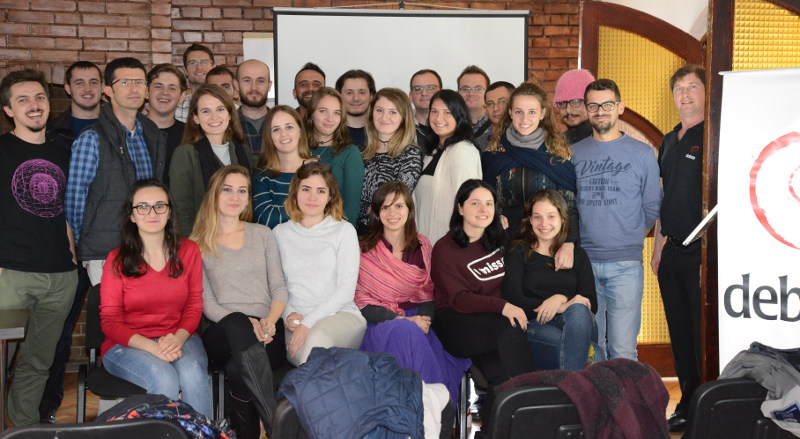
Have you been to an event recently involving free software or a related topic? How did you find it? Are you organizing an event and don't want to fall into the trap of using Facebook or Meetup or other services that compete for a share of your community's attention? Are you keen to find events in foreign destinations related to your interest areas to coincide with other travel intentions? Have you been concerned when your GSoC or Outreachy interns lost a week of their project going through the bureaucracy to get a visa for your community's event? Would you like to make it easier for them to find the best events in the countries that welcome and respect visitors? In many recent discussions about free software activism, people have struggled to break out of the illusion that social media is the way to cultivate new contacts. Wouldn't it be great to make more meaningful contacts by attending more a more diverse range of events rather than losing time on social media? Making it happen There are already a number of tools (for example, Drupal plugins and Wordpress plugins) for promoting your events on the web and in iCalendar format. There are also a number of sites like Agenda du Libre and GriCal who aggregate events from multiple communities where people can browse them. How can we take these concepts further and make a convenient, compelling and global solution? Can we harvest event data from a wide range of sources and compile it into a large database using something like PostgreSQL or a NoSQL solution or even a distributed solution like OpenDHT? Can we use big data techniques to mine these datasources and help match people to events without compromising on privacy? Why not build an automated iCalendar "to-do" list of deadlines for events you want to be reminded about, so you never miss the deadlines for travel sponsorship or submitting a talk proposal? I've started documenting an architecture for this on the Debian wiki and proposed it as an Outreachy project. It will also be offered as part of GSoC in 2018. Ways to get involved If you would like to help this project, please consider introducing yourself on the debian-outreach mailing list and helping to mentor or refer interns for the project. You can also help contribute ideas for the specification through the mailing list or wiki. Mini DebConf Prishtina 2017 This weekend I've been at the MiniDebConf in Prishtina, Kosovo. It has been hosted by the amazing Prishtina hackerspace community. Watch out for future events in Prishtina, the pizzas are huge, but that didn't stop them disappearing before we finished the photos:

Iain R. Learmonth: Tor Relays on Twitter

A while ago I played with a Twitter bot that would track radio amateurs using a packet radio position reporting system, tweet their location and a picture from Flickr that was taken near to their location and a link to their packet radio activity on aprs.fi. It s really not that hard to put these things together and they can be a lot of fun. The tweets looked like this: This isn t about building a system that serves any critical purpose, it s about fun. As the radio stations were chosen essentially at random, there could be some cool things showing up that you wouldn t otherwise have seen. Maybe you d spot a callsign of a station you ve spoken to before on HF or perhaps you d see stations in areas near you or in cool places. On Friday evening I took a go at hacking together a bot for Tor relays. The idea being to have regular snippets of information from the Tor network and perhaps you ll spot something insightful or interesting. Not every tweet is going to be amazing, but it wasn t running for very long before I spotted a relay very close to its 10th birthday: The relays are chosen at random, and tweet templates are chosen at random too. So far, tweets about individual relays can be about age or current bandwidth contribution to the Tor network. There are also tweets about how many relays run in a particular autonomous system (again, chosen at random) and tweets about the total number of relays currently running. The total relays tweets come with a map: The maps are produced using xplanet. The Earth will rotate to show the current side in daylight at the time the tweet is posted. Unfortunately, the bot currently cannot tweet as the account has been suspended. You should still be able to though and tweets will begin appearing again once I ve resolved the suspension. I plan to rewrite the mess of cron-activated Python scripts into a coherent Python (maybe Java) application and publish the sources soon. There are also a number of new templates for tweets I d like to explore, including number of relays and bandwidth contributed per family and statistics on operating system diversity. Update (2017-10-08): The @TorAtlas account should now be unsuspended.

6 October 2017

Raphaël Hertzog: My Free Software Activities in September 2017

My monthly report covers a large part of what I have been doing in the free software world. I write it for my donors (thanks to them!) but also for the wider Debian community because it can give ideas to newcomers and it s one of the best ways to find volunteers to work with me on projects that matter to me. Debian LTS This month I was allocated 12h but I only spent 10.5h. During this time, I continued my work on exiv2. I finished reproducing all the issues and then went on doing code reviews to confirm that vulnerabilities were not present when the issue was not reproducible. I found two CVE where the vulnerability was present in the wheezy version and I posted patches in the upstream bug tracker: #57 and #55. Then another batch of 10 CVE appeared and I started the process over I m currently trying to reproduce the issues. While doing all this work on exiv2, I also uncovered a failure to build on the package in experimental (reported here). Misc Debian/Kali work Debian Live. I merged 3 live-build patches prepared by Matthijs Kooijman and added an armel fix to cope with the the rename of the orion5x image into the marvell one. I also uploaded a new live-config to fix a bug with the keyboard configuration. Finally, I also released a new live-installer udeb to cope with a recent live-build change that broke the locale selection during the installation process. Debian Installer. I prepared a few patches on pkgsel to merge a few features that had been added to Ubuntu, most notably the possibility to enable unattended-upgrades by default. More bug reports. I investigated much further my problem with non-booting qemu images when they are built by vmdebootstrap in a chroot managed by schroot (cf #872999) and while we have much more data, it s not yet clear why it doesn t work. But we have a working work-around While investigating issues seen in Kali, I opened a bunch of reports on the Debian side: Packaging. I sponsored two uploads (dirb and python-elasticsearch). Debian Handbook. My work on updating the book mostly stalled. The only thing I did was to review the patch about wireless configuration in #863496. I must really get back to work on the book! Thanks See you next month for a new summary of my activities.

No comment Liked this article? Click here. My blog is Flattr-enabled.

5 October 2017

Ross Gammon: My FOSS activities for August & September 2017

I am writing this from my hotel room in Bologna, Italy before going out for a pizza. After a successful Factory Acceptance Test today, I might also allow myself to celebrate with a beer. But anyway, here is what I have been up to in the FLOSS world for the last month and a bit. Debian
  • Uploaded gramps (4.2.6) to stretch-backports & jessie-backports-sloppy.
  • Started working on the latest release of node-tmp. It needs further work due to new documentation being included etc.
  • Started working on packaging the latest goocanvas-2.0 package. Everything is ready except for producing some autopkgtests.
  • Moved node-coffeeify experimental to unstable.
  • Updated the Multimedia Blends Tasks with all the latest ITPs etc.
  • Reviewed doris for Antonio Valentino, and sponsored it for him.
  • Reviewed pyresample for Antonio Valentino, and sponsored it for him.
  • Reviewed a new parlatype package for Gabor Karsay, and sponsored it for him.
Ubuntu
  • Successfully did my first merge using git-ubuntu for the Qjackctl package. Thanks to Nish for patiently answering my questions, reviewing my work, and sponsoring the upload.
  • Refreshed the gramps backport request to 4.2.6. Still no willing sponsor.
  • Tested Len s rewrite of ubuntustudio-controls, adding a CPU governor option in particular. There are a couple of minor things to tidy up, but we have probably missed the chance to get it finalised for Artful.
  • Tested the First Beta release of Ubuntu Studio 17.10 Artful and wrote the release notes. Also drafted my first release announcement on the Ubunti Studio website which Eylul reviewed and published.
  • Refreshed the ubuntustudio-meta package and requested sponsorship. This was done by Steve Langasek. Thanks Steve.
  • Tested the Final Beta release of Ubuntu Studio 17.10 Artful and wrote the release notes.
  • Started working on a new Carla package, starting from where V ctor Cuadrado Juan left it (ITP in Debian).

Wouter Verhelst: Patching Firefox

At work, I help maintain a smartcard middleware that is provided to Belgian citizens who want to use their electronic ID card to, e.g., log on to government websites. This middleware is a piece of software that hooks into various browsers and adds a way to access the smartcard in question, through whatever APIs the operating system and the browser in question provide for that purpose. The details of how that is done differ between each browser (and in the case of Google Chrome, for the same browser between different operating systems); but for Firefox (and Google Chrome on free operating systems), this is done by way of a PKCS#11 module. For Firefox 57, mozilla decided to overhaul much of their browser. The changes are large and massive, and in some ways revolutionary. It's no surprise, therefore, that some of the changes break compatibility with older things. One of the areas in which breaking changes were made is in the area of extensions to the browser. Previously, Firefox had various APIs available for extensions; right now, all APIs apart from the WebExtensions API are considered "legacy" and support for them will be removed from Firefox 57 going forward. Since installing a PKCS#11 module manually is a bit complicated, and since the legacy APIs provided a way to do so automatically provided the user would first install an add-on (or provided the installer of the PKCS#11 module sideloads it), most parties who provide a PKCS#11 module for use with Firefox will provide an add-on to automatically install it. Since the alternative involves entering the right values in a dialog box that's hidden away somewhere deep in the preferences screen, the add-on option is much more user friendly. I'm sure you can imagine my dismay when I found out that there was no WebExtensions API to provide the same functionality. So, after asking around a bit, I filed bug 1357391 to get a discussion started. While it took some convincing initially to get people to understand the reasons for wanting such an API, eventually the bug was assigned the "P5" priority -- essentially, a "we understand the need and won't block it, but we don't have the time to implement it. Patches welcome, though" statement. Since having an add-on was something that work really wanted, and since I had the time, I got the go-ahead from management to look into implementing the required code myself. I made it obvious rather quickly that my background in Firefox was fairly limited, though, and so was assigned a mentor to help me through the process. Having been a Debian Developer for the past fifteen years, I do understand how to develop free software. Yet, the experience was different enough that still learned some new things about free software development, which was somewhat unexpected. Unfortunately, the process took much longer than I had hoped, which meant that the patch was not ready by the time Firefox 57 was branched off mozilla's "central" repository. The result of that is that while my patch has been merged into what will eventually become Firefox 58, it looks strongly as though it won't make it into Firefox 57. That's going to cause some severe headaches, which I'm not looking forward to; and while I can certainly understand the reasons for not wanting to grant the exception for the merge into 57, I can't help but feeling like this is a missed opportunity. Anyway, writing code for the massive Open Source project that mozilla is has been a load of fun, and in the process I've learned a lot -- not only about Open Source development in general, but also about this weird little thing that Javascript is. That might actually be useful for this other project that I've got running here. In closing, I'd like to thank Tomislav 'zombie' Jovanovic for mentoring me during the whole process, without whom it would have been doubtful if I would even have been ready by now. Apologies for any procedural mistakes I've made, and good luck in your future endeavours! :-)

4 October 2017

Daniel Silverstone: F/LOSS (in)activity, September 2017

In the interests of keeping myself "honest" regarding F/LOSS activity, here's a report, sadly it's not very good.
Unfortunately, September was a poor month for me in terms of motivation and energy for F/LOSS work. I did some amount of Gitano work, merging a patch from Richard Ipsum for help text of the config command. I also submitted another patch to the STM32F103xx Rust repository, though it wasn't a particularly big thing. Otherwise I've been relatively quiet on the Rust/USB stuff and have otherwise kept away from projects. Sometimes one needs to take a step away from things in order to recuperate and care for oneself rather than the various demands on ones time. This is something I had been feeling I needed for a while, and with a lack of motivation toward the start of the month I gave myself permission to take a short break. Next weekend is the next Gitano developer day and I hope to pick up my activity again then, so I should have more to report for October.

Norbert Preining: Einstein and Freud s letters on Why War? 85th anniversary

85 years ago, on 30 July 1932, Albert Einstein send a letter to Sigmund Freud discussing the question: Why War? Freud answered to this letter in early September 1932. To commemorate the 85 year anniversary, the German typographer Harald Geisler has started a project on Kickstarter to recreate the letters send back then. Over the last weeks the two letters have arrived at my place in Japan:
But not only were the letters reproduces, but typeset in the original digitized handwriting and sent from the original locations. Harald Geisler crafted fonts based on the hand-writing of Einstein and Freud, an layout out the pages of the letters according to the originals. Since the letters were originally written in German, an English translation also typeset in the hand-writing font was added.
In addition to the a bit archaic hand writing of Freud which even many German natives will not be able to read, the German text of his letter has been included in normal print style. Not only that, Harald Geisler even managed to convince the Sigmund Freud Museum to let rest the letters for one night in the very office where the original letter was written, so all the letters send out actually came from Freud s office.
This project was one of the first Kickstarter projects I supported, and I really liked the idea, and would like to thanks Harald Geisler for realizing it. These kind of activities, combining of typography, history, action, dedication, keep our culture and history alive. Thanks.
Harald Geisler also invites us all to continue the dialog on Why War?, which is getting more and more relevant again, with war-mongering becoming respected practice.

3 October 2017

Dimitri John Ledkov: An interesting bug - network-manager, glibc, dpkg-shlibdeps, systemd, and finally binutils

Not so long ago I went to effectively recompile NetworkManager and fix up minor bug in it. It built fine across all architectures, was considered to be installable etc. And I was expecting it to just migrate across. At the time, glibc was at 2.26 in artful-proposed and NetworkManager was built against it. However release pocket was at glibc 2.24. In Ubuntu we have a ProposedMigration process in place which ensures that newly built packages do not regress in the number of architectures built for; installable on; and do not regress themselves or any reverse dependencies at runtime.

Thus before my build of NetworkManager was considered for migration, it was tested in the release pocket against packages in the release pocket. Specifically, since package metadata only requires glibc 2.17 NetworkManager was tested against glibc currently in the release pocket, which should just work fine....
autopkgtest [21:47:38]: test nm: [-----------------------
test_auto_ip4 (__main__.ColdplugEthernet)
ethernet: auto-connection, IPv4 ... FAIL ----- NetworkManager.log -----
NetworkManager: /lib/x86_64-linux-gnu/libc.so.6: version GLIBC_2.25' not found (required by NetworkManager)
At first I only saw failing tests, which I thought is transient failure. Thus they were retried a few times. Then I looked at the autopkgtest log and saw above error messages. Perplexed, I have started a lxd container with ubuntu artful, enabled proposed and installed just network-manager from artful-proposed and indeed a simple NetworkManager --help failed with above error from linker.

I am too young to know what dependency-hell means, since ever since I used Linux (Ubuntu 7.04) all glibc symbols were versioned, and dpkg-shlibdeps would generate correct minimum dependencies for a package. Alas in this case readelf confirmed that indeed /usr/sbin/NetworkManager requires 2.25 and dpkg depends is >= 2.17.

Further reading readelf output I checked that all of the glibc symbols used are 2.17 or lower, and only the "Version needs section '.gnu.version_r'" referenced GLIBC_2.25 symbol. Inspecting dpkg-shlibdeps code I noticed that it does not parse that section and only searches through the dynamic symbols used to establish the minimum required version.

Things started to smell fishy. On one hand, I trust dpkg-shlibdeps to generate the right dependencies. On the other hand I also trust linker to not tell lies either. Hence I opened a Debian BTS bug report about this issue.

At this point, I really wanted to figure out where the reference to 2.25 comes from. Clearly it was not from any private symbols as then the reference would be on 2.26. Checking glibc abi lists I found there were only a handful of symbols marked as 2.25
$ grep 2.25 ./sysdeps/unix/sysv/linux/x86_64/64/libc.abilist
GLIBC_2.25 GLIBC_2.25 A
GLIBC_2.25 __explicit_bzero_chk F
GLIBC_2.25 explicit_bzero F
GLIBC_2.25 getentropy F
GLIBC_2.25 getrandom F
GLIBC_2.25 strfromd F
GLIBC_2.25 strfromf F
GLIBC_2.25 strfroml F
Blindly grepping for these in network-manager source tree I found following:
$ grep explicit_bzero -r configure.ac src/
configure.ac: explicit_bzero],
src/systemd/src/basic/string-util.h:void explicit_bzero(void *p, size_t l);
src/systemd/src/basic/string-util.c:void explicit_bzero(void *p, size_t l)
src/systemd/src/basic/string-util.c: explicit_bzero(x, strlen(x));
First of all it seems like network-manager includes a partial embedded copy of systemd. Secondly that code is compiled into a temporary library and has autconf detection logic to use explicit_bzero. It also has an embedded implementation of explicit_bzero when it is not available in libc, however it does not have FORTIFY_SOURCES implementation of said function (__explicit_bzero_chk) as was later pointed out to me. And whilst this function is compiled into an intermediary noinst library, no functions that use explicit_bzero are used in the end by NetworkManger binary. To proof this, I've dropped all code that uses explicit_bzero, rebuild the package against glibc 2.26, and voila it only had Version reference on glibc 2.17 as expected from the end-result usage of shared symbols.

At this point toolchain bug was a suspect. It seems like whilst explicit_bzero shared symbol got optimised out, the version reference on 2.25 persisted to the linked binaries. At this point in the archive a snapshot version of binutils was in use. And in fact forcefully downgrading bintuils resulted in correct compilation / versions table referencing only glibc 2.17.

Mathias then took over a tarball of object files and filed upstream bug report against bintuils: "[2.29 Regression] ld.bfd keeps a version reference in .gnu.version_r for symbols which are optimized out". The discussion in that bug report is a bit beyond me as to me binutils is black magic. All I understood there was "we moved sweep and pass to another place due to some bugs", doing that introduced this bug, thus do multiple sweep and passes to make sure we fix old bugs and don't regress this either. Or something like that. Comments / Better description of the bintuils fix are welcomed.

Binutils got fixed by upstream developers, cherry-picked into debian, and ubuntu, network-manager got rebuild and everything is wonderful now. However, it does look like unused / deadend code paths tripped up optimisations in the toolchain which managed to slip by distribution package dependency generation and needless require a higher up version of glibc. I guess the lesson here is do not embed/compile unused code. Also I'm not sure why network-manager uses networkd internals like this, and maybe systemd should expose more APIs or serialise more state into /run, as most other things query things over dbus, private socket, or by establishing watches on /run/systemd/netif. I'll look into that another day.

Thanks a lot to Guillem Jover, Matthias Klose, Alan Modra, H.J. Lu, and others for getting involved. I would not be able to raise, debug, or fix this issue all by myself.

2 October 2017

Antoine Beaupr : My free software activities, September 2017

Debian Long Term Support (LTS) This is my monthly Debian LTS report. I mostly worked on the git, git-annex and ruby packages this month but didn't have time to completely use my allocated hours because I started too late in the month.

Ruby I was hoping someone would pick up the Ruby work I submitted in August, but it seems no one wanted to touch that mess, understandably. Since then, new issues came up, and not only did I have to work on the rubygems and ruby1.9 package, but now the ruby1.8 package also had to get security updates. Yes: it's bad enough that the rubygems code is duplicated in one other package, but wheezy had the misfortune of having two Ruby versions supported. The Ruby 1.9 also failed to build from source because of test suite issues, which I haven't found a clean and easy fix for, so I ended up making test suite failures non-fatal in 1.9, which they were already in 1.8. I did keep a close eye on changes in the test suite output to make sure tests introduced in the security fixes would pass and that I wouldn't introduce new regressions as well. So I published the following advisories:
  • ruby 1.8: DLA-1113-1, fixing CVE-2017-0898 and CVE-2017-10784. 1.8 doesn't seem affected by CVE-2017-14033 as the provided test does not fail (but it does fail in 1.9.1). test suite was, before patch:
    2199 tests, 1672513 assertions, 18 failures, 51 errors
    
    and after patch:
    2200 tests, 1672514 assertions, 18 failures, 51 errors
    
  • rubygems: uploaded the package prepared in August as is in DLA-1112-1, fixing CVE-2017-0899, CVE-2017-0900, CVE-2017-0901. here the test suite passed normally.
  • ruby 1.9: here I used the used 2.2.8 release tarball to generate a patch that would cover all issues and published DLA-1114-1 that fixes the CVEs of the two packages above. the test suite was, before patches:
    10179 tests, 2232711 assertions, 26 failures, 23 errors, 51 skips
    
    and after patches:
    1.9 after patches (B): 10184 tests, 2232771 assertions, 26 failures, 23 errors, 53 skips
    

Git I also quickly issued an advisory (DLA-1120-1) for CVE-2017-14867, an odd issue affecting git in wheezy. The backport was tricky because it wouldn't apply cleanly and the git package had a custom patching system which made it tricky to work on.

Git-annex I did a quick stint on git-annex as well: I was able to reproduce the issue and confirm an approach to fixing the issue in wheezy, although I didn't have time to complete the work before the end of the month.

Other free software work

New project: feed2exec I should probably make a separate blog post about this, but ironically, I don't want to spend too much time writing those reports, so this will be quick. I wrote a new program, called feed2exec. It's basically a combination of feed2imap, rss2email and feed2tweet: it allows you to fetch RSS feeds and send them in a mailbox, but what's special about it, compared to the other programs above, is that it is more generic: you can basically make it do whatever you want on new feed items. I have, for example, replaced my feed2tweet instance with it, using this simple configuration:
[anarcat]
url = https://anarc.at/blog/index.rss
output = feed2exec.plugins.exec
args = tweet "%(title)0.70s %(link)0.70s"
The sample configuration file also has examples to talk with Mastodon, Pump.io and, why not, a torrent server to download torrent files available over RSS feeds. A trivial configuration can also make it work as a crude podcast client. My main motivation to work on this was that it was difficult to extend feed2imap to do what I needed (which was to talk to transmission to download torrent files) and rss2email didn't support my workflow (which is delivering to feed-specific mail folders). Because both projects also seemed abandoned, it seemed like a good idea at the time to start a new one, although the rss2email community has now restarted the project and may produce interesting results. As an experiment, I tracked my time working on this project. It turns out it took about 45 hours to write that software. Considering feed2exec is about 1400 SLOC, that's 30 lines of code per hour. I don't know if that's slow or fast, but it's an interesting metric for future projects. It sure seems slow to me, but we need to keep in mind those 30 lines of code don't include documentation and repeated head banging on the keyboard. For example, I found two issues with the upstream feedparser package which I use to parse feeds which also seems unmaintained, unfortunately. Feed2exec is beta software at this point, but it's working well enough for me and the design is much simpler than the other programs of the kind. The main issue people can expect from it at this point is formatting issues or parse errors on exotic feeds, and noisy error messages on network errors, all of which should be fairly easy to fix in the test suite. I hope it will be useful for the community and, as usual, I welcome contributions, help and suggestions on how to improve the software.

More Python templates As part of the work on feed2exec, I did cleanup a few things in the ecdysis project, mostly to hook tests up in the CI, improve on the advancedConfig logger and cleanup more stuff. While I was there, it turns out that I built a pretty decent basic CI configuration for Python on GitLab. Whereas the previous templates only had a non-working Django example, you should now be able to chose a Python template when you configure CI on GitLab 10 and above, which should hook you up with normal Python setup procedures like setup.py install and setup.py test.

Selfspy I mentioned working on a monitoring tool in my last post, because it was a feature from Workrave missing in SafeEyes. It turns out there is already such a tool called selfspy. I did an extensive review of the software to make sure it wouldn't leak out confidential information out before using it, and it looks, well... kind of okay. It crashed on me at least once so far, which is too bad because then it loses track of the precious activity. I have used it at least once to figure out what the heck I worked on during the day, so it's pretty useful. I particularly used it to backtrack my work on feed2exec as I didn't originally track my time on the project. Unfortunately, selfspy seems unmaintained. I have proposed a maintenance team and hopefully the project maintainer will respond and at least share access so we don't end up in a situation like linkchecker. I also sent a bunch of pull requests to fix some issues like being secure by default and fixing the build. Apart from the crash, the main issue I have found with the software is that it doesn't detect idle time which means certain apps are disproportionatly represented in statistics. There are also some weaknesses in the crypto that should be adressed for people that encrypt their database. Next step is to package selfspy in Debian which should hopefully be simple enough...

Restic documentation security As part of a documentation patch on the Restic backup software, I have improved on my previous Perl script to snoop on process commandline arguments. A common flaw in shell scripts and cron jobs is to pass secret material in the environment (usually safe) but often through commandline arguments (definitely not safe). The challenge, in this peculiar case, was the env binary, but the last time I encountered such an issue was with the Drush commandline tool, which was passing database credentials in clear to the mysql binary. Using my Perl sniffer, I could get to 60 checks per second (or 60Hz). After reimplementing it in Python, this number went up to 160Hz, which still wasn't enough to catch the elusive env command, which is much faster at hiding arguments than MySQL, in large part because it simply does an execve() once the environment is setup. Eventually, I just went crazy and rewrote the whole thing in C which was able to get 700-900Hz and did catch the env command about 10-20% of the time. I could probably have rewritten this by simply walking /proc myself (since this is what all those libraries do in the end) to get better result, but then my point was made. I was able to prove to the restic author the security issues that warranted the warning. It's too bad I need to repeat this again and again, but then my tools are getting better at proving that issue... I suspect it's not the last time I have to deal with this issue and I am happy to think that I can come up with an even more efficient proof of concept tool the next time around.

Ansible 101 After working on documentation last month, I ended up writing my first Ansible playbook this month, converting my tasksel list to a working Ansible configuration. This was a useful exercise: it allow me to find a bunch of packages which have been removed from Debian and provides much better usability than tasksel. For example, it provides a --diff argument that shows which packages are missing from a given setup. I am still unsure about Ansible. Manifests do seem really verbose and I still can't get used to the YAML DSL. I could probably have done the same thing with Puppet and just run puppet apply on the resulting config. But I must admit my bias towards Python is showing here: I can't help but think Puppet is going to be way less accessible with its rewrite in Clojure and C (!)... But then again, I really like Puppet's approach of having generic types like package or service rather than Ansible's clunky apt/yum/dnf/package/win_package types...

Pat and Ham radio After responding (too late) to a request for volunteers to help in Puerto Rico, I realized that my amateur radio skills were somewhat lacking in the "packet" (data transmission in ham jargon) domain, as I wasn't used to operate a Winlink node. Such a node can receive and transmit actual emails over the airwaves, for free, without direct access to the internet, which is very useful in disaster relief efforts. Through summary research, I stumbled upon the new and very promising Pat project which provides one of the first user-friendly Linux-compatible Winlink programs. I provided improvements on the documentation and some questions regarding compatibility issues which are still pending. But my pet issue is the establishment of pat as a normal internet citizen by using standard protocols for receiving and sending email. Not sure how that can be implemented, but we'll see. I am also hoping to upload an official Debian package and hopefully write more about this soon. Stay tuned!

Random stuff I ended up fixing my Kodi issue by starting it as a standalone systemd service, instead of gdm3, which is now completely disabled on the media box. I simply used the following /etc/systemd/service/kodi.service file:
[Unit]
Description=Kodi Media Center
After=systemd-user-sessions.service network.target sound.target
[Service]
User=xbmc
Group=video
Type=simple
TTYPath=/dev/tty7
StandardInput=tty
ExecStart=/usr/bin/xinit /usr/bin/dbus-launch --exit-with-session /usr/bin/kodi-standalone -- :1 -nolisten tcp vt7
Restart=on-abort
RestartSec=5
[Install]
WantedBy=multi-user.target
The downside of this is that it needs Xorg to run as root, whereas modern Xorg can now run rootless. Not sure how to fix this or where... But if I put needs_root_rights=no in Xwrapper.config, I get the following error in .local/share/xorg/Xorg.1.log:
[  2502.533] (EE) modeset(0): drmSetMaster failed: Permission denied
After fooling around with iPython, I ended up trying the xonsh shell, which is supposed to provide a bash-compatible Python shell environment. Unfortunately, I found it pretty unusable as a shell: it works fine to do Python stuff, but then all my environment and legacy bash configuration files were basically ignored so I couldn't get working quickly. This is too bad because the project looked very promising... Finally, one of my TLS hosts using a Let's Encrypt certificate wasn't renewing properly, and I figured out why. It turns out the ProxyPass command was passing everything to the backend, including the /.well-known requests, which obviously broke ACME verification. The solution was simple enough, disable the proxy for that directory:
ProxyPass /.well-known/ !

Antoine Beaupr : My free software activities, September 2017

Debian Long Term Support (LTS) This is my monthly Debian LTS report. I mostly worked on the git, git-annex and ruby packages this month but didn't have time to completely use my allocated hours because I started too late in the month.

Ruby I was hoping someone would pick up the Ruby work I submitted in August, but it seems no one wanted to touch that mess, understandably. Since then, new issues came up, and not only did I have to work on the rubygems and ruby1.9 package, but now the ruby1.8 package also had to get security updates. Yes: it's bad enough that the rubygems code is duplicated in one other package, but wheezy had the misfortune of having two Ruby versions supported. The Ruby 1.9 also failed to build from source because of test suite issues, which I haven't found a clean and easy fix for, so I ended up making test suite failures non-fatal in 1.9, which they were already in 1.8. I did keep a close eye on changes in the test suite output to make sure tests introduced in the security fixes would pass and that I wouldn't introduce new regressions as well. So I published the following advisories:
  • ruby 1.8: DLA-1113-1, fixing CVE-2017-0898 and CVE-2017-10784. 1.8 doesn't seem affected by CVE-2017-14033 as the provided test does not fail (but it does fail in 1.9.1). test suite was, before patch:
    2199 tests, 1672513 assertions, 18 failures, 51 errors
    
    and after patch:
    2200 tests, 1672514 assertions, 18 failures, 51 errors
    
  • rubygems: uploaded the package prepared in August as is in DLA-1112-1, fixing CVE-2017-0899, CVE-2017-0900, CVE-2017-0901. here the test suite passed normally.
  • ruby 1.9: here I used the used 2.2.8 release tarball to generate a patch that would cover all issues and published DLA-1114-1 that fixes the CVEs of the two packages above. the test suite was, before patches:
    10179 tests, 2232711 assertions, 26 failures, 23 errors, 51 skips
    
    and after patches:
    1.9 after patches (B): 10184 tests, 2232771 assertions, 26 failures, 23 errors, 53 skips
    

Git I also quickly issued an advisory (DLA-1120-1) for CVE-2017-14867, an odd issue affecting git in wheezy. The backport was tricky because it wouldn't apply cleanly and the git package had a custom patching system which made it tricky to work on.

Git-annex I did a quick stint on git-annex as well: I was able to reproduce the issue and confirm an approach to fixing the issue in wheezy, although I didn't have time to complete the work before the end of the month.

Other free software work

New project: feed2exec I should probably make a separate blog post about this, but ironically, I don't want to spend too much time writing those reports, so this will be quick. I wrote a new program, called feed2exec. It's basically a combination of feed2imap, rss2email and feed2tweet: it allows you to fetch RSS feeds and send them in a mailbox, but what's special about it, compared to the other programs above, is that it is more generic: you can basically make it do whatever you want on new feed items. I have, for example, replaced my feed2tweet instance with it, using this simple configuration:
[anarcat]
url = https://anarc.at/blog/index.rss
output = feed2exec.plugins.exec
args = tweet "%(title)0.70s %(link)0.70s"
The sample configuration file also has examples to talk with Mastodon, Pump.io and, why not, a torrent server to download torrent files available over RSS feeds. A trivial configuration can also make it work as a crude podcast client. My main motivation to work on this was that it was difficult to extend feed2imap to do what I needed (which was to talk to transmission to download torrent files) and rss2email didn't support my workflow (which is delivering to feed-specific mail folders). Because both projects also seemed abandoned, it seemed like a good idea at the time to start a new one, although the rss2email community has now restarted the project and may produce interesting results. As an experiment, I tracked my time working on this project. It turns out it took about 45 hours to write that software. Considering feed2exec is about 1400 SLOC, that's 30 lines of code per hour. I don't know if that's slow or fast, but it's an interesting metric for future projects. It sure seems slow to me, but we need to keep in mind those 30 lines of code don't include documentation and repeated head banging on the keyboard. For example, I found two issues with the upstream feedparser package which I use to parse feeds which also seems unmaintained, unfortunately. Feed2exec is beta software at this point, but it's working well enough for me and the design is much simpler than the other programs of the kind. The main issue people can expect from it at this point is formatting issues or parse errors on exotic feeds, and noisy error messages on network errors, all of which should be fairly easy to fix in the test suite. I hope it will be useful for the community and, as usual, I welcome contributions, help and suggestions on how to improve the software.

More Python templates As part of the work on feed2exec, I did cleanup a few things in the ecdysis project, mostly to hook tests up in the CI, improve on the advancedConfig logger and cleanup more stuff. While I was there, it turns out that I built a pretty decent basic CI configuration for Python on GitLab. Whereas the previous templates only had a non-working Django example, you should now be able to chose a Python template when you configure CI on GitLab 10 and above, which should hook you up with normal Python setup procedures like setup.py install and setup.py test.

Selfspy I mentioned working on a monitoring tool in my last post, because it was a feature from Workrave missing in SafeEyes. It turns out there is already such a tool called selfspy. I did an extensive review of the software to make sure it wouldn't leak out confidential information out before using it, and it looks, well... kind of okay. It crashed on me at least once so far, which is too bad because then it loses track of the precious activity. I have used it at least once to figure out what the heck I worked on during the day, so it's pretty useful. I particularly used it to backtrack my work on feed2exec as I didn't originally track my time on the project. Unfortunately, selfspy seems unmaintained. I have proposed a maintenance team and hopefully the project maintainer will respond and at least share access so we don't end up in a situation like linkchecker. I also sent a bunch of pull requests to fix some issues like being secure by default and fixing the build. Apart from the crash, the main issue I have found with the software is that it doesn't detect idle time which means certain apps are disproportionatly represented in statistics. There are also some weaknesses in the crypto that should be adressed for people that encrypt their database. Next step is to package selfspy in Debian which should hopefully be simple enough...

Restic documentation security As part of a documentation patch on the Restic backup software, I have improved on my previous Perl script to snoop on process commandline arguments. A common flaw in shell scripts and cron jobs is to pass secret material in the environment (usually safe) but often through commandline arguments (definitely not safe). The challenge, in this peculiar case, was the env binary, but the last time I encountered such an issue was with the Drush commandline tool, which was passing database credentials in clear to the mysql binary. Using my Perl sniffer, I could get to 60 checks per second (or 60Hz). After reimplementing it in Python, this number went up to 160Hz, which still wasn't enough to catch the elusive env command, which is much faster at hiding arguments than MySQL, in large part because it simply does an execve() once the environment is setup. Eventually, I just went crazy and rewrote the whole thing in C which was able to get 700-900Hz and did catch the env command about 10-20% of the time. I could probably have rewritten this by simply walking /proc myself (since this is what all those libraries do in the end) to get better result, but then my point was made. I was able to prove to the restic author the security issues that warranted the warning. It's too bad I need to repeat this again and again, but then my tools are getting better at proving that issue... I suspect it's not the last time I have to deal with this issue and I am happy to think that I can come up with an even more efficient proof of concept tool the next time around.

Ansible 101 After working on documentation last month, I ended up writing my first Ansible playbook this month, converting my tasksel list to a working Ansible configuration. This was a useful exercise: it allow me to find a bunch of packages which have been removed from Debian and provides much better usability than tasksel. For example, it provides a --diff argument that shows which packages are missing from a given setup. I am still unsure about Ansible. Manifests do seem really verbose and I still can't get used to the YAML DSL. I could probably have done the same thing with Puppet and just run puppet apply on the resulting config. But I must admit my bias towards Python is showing here: I can't help but think Puppet is going to be way less accessible with its rewrite in Clojure and C (!)... But then again, I really like Puppet's approach of having generic types like package or service rather than Ansible's clunky apt/yum/dnf/package/win_package types...

Pat and Ham radio After responding (too late) to a request for volunteers to help in Puerto Rico, I realized that my amateur radio skills were somewhat lacking in the "packet" (data transmission in ham jargon) domain, as I wasn't used to operate a Winlink node. Such a node can receive and transmit actual emails over the airwaves, for free, without direct access to the internet, which is very useful in disaster relief efforts. Through summary research, I stumbled upon the new and very promising Pat project which provides one of the first user-friendly Linux-compatible Winlink programs. I provided improvements on the documentation and some questions regarding compatibility issues which are still pending. But my pet issue is the establishment of pat as a normal internet citizen by using standard protocols for receiving and sending email. Not sure how that can be implemented, but we'll see. I am also hoping to upload an official Debian package and hopefully write more about this soon. Stay tuned!

Random stuff I ended up fixing my Kodi issue by starting it as a standalone systemd service, instead of gdm3, which is now completely disabled on the media box. I simply used the following /etc/systemd/service/kodi.service file:
[Unit]
Description=Kodi Media Center
After=systemd-user-sessions.service network.target sound.target
[Service]
User=xbmc
Group=video
Type=simple
TTYPath=/dev/tty7
StandardInput=tty
ExecStart=/usr/bin/xinit /usr/bin/dbus-launch --exit-with-session /usr/bin/kodi-standalone -- :1 -nolisten tcp vt7
Restart=on-abort
RestartSec=5
[Install]
WantedBy=multi-user.target
The downside of this is that it needs Xorg to run as root, whereas modern Xorg can now run rootless. Not sure how to fix this or where... But if I put needs_root_rights=no in Xwrapper.config, I get the following error in .local/share/xorg/Xorg.1.log:
[  2502.533] (EE) modeset(0): drmSetMaster failed: Permission denied
After fooling around with iPython, I ended up trying the xonsh shell, which is supposed to provide a bash-compatible Python shell environment. Unfortunately, I found it pretty unusable as a shell: it works fine to do Python stuff, but then all my environment and legacy bash configuration files were basically ignored so I couldn't get working quickly. This is too bad because the project looked very promising... Finally, one of my TLS hosts using a Let's Encrypt certificate wasn't renewing properly, and I figured out why. It turns out the ProxyPass command was passing everything to the backend, including the /.well-known requests, which obviously broke ACME verification. The solution was simple enough, disable the proxy for that directory:
ProxyPass /.well-known/ !

Antoine Beaupr : Strategies for offline PGP key storage

While the adoption of OpenPGP by the general population is marginal at best, it is a critical component for the security community and particularly for Linux distributions. For example, every package uploaded into Debian is verified by the central repository using the maintainer's OpenPGP keys and the repository itself is, in turn, signed using a separate key. If upstream packages also use such signatures, this creates a complete trust path from the original upstream developer to users. Beyond that, pull requests for the Linux kernel are verified using signatures as well. Therefore, the stakes are high: a compromise of the release key, or even of a single maintainer's key, could enable devastating attacks against many machines. That has led the Debian community to develop a good grasp of best practices for cryptographic signatures (which are typically handled using GNU Privacy Guard, also known as GnuPG or GPG). For example, weak (less than 2048 bits) and vulnerable PGPv3 keys were removed from the keyring in 2015, and there is a strong culture of cross-signing keys between Debian members at in-person meetings. Yet even Debian developers (DDs) do not seem to have established practices on how to actually store critical private key material, as we can see in this discussion on the debian-project mailing list. That email boiled down to a simple request: can I have a "key dongles for dummies" tutorial? Key dongles, or keycards as we'll call them here, are small devices that allow users to store keys on an offline device and provide one possible solution for protecting private key material. In this article, I hope to use my experience in this domain to clarify the issue of how to store those precious private keys that, if compromised, could enable arbitrary code execution on millions of machines all over the world.

Why store keys offline? Before we go into details about storing keys offline, it may be useful to do a small reminder of how the OpenPGP standard works. OpenPGP keys are made of a main public/private key pair, the certification key, used to sign user identifiers and subkeys. My public key, shown below, has the usual main certification/signature key (marked SC) but also an encryption subkey (marked E), a separate signature key (S), and two authentication keys (marked A) which I use as RSA keys to log into servers using SSH, thanks to the Monkeysphere project.
    pub   rsa4096/792152527B75921E 2009-05-29 [SC] [expires: 2018-04-19]
      8DC901CE64146C048AD50FBB792152527B75921E
    uid                 [ultimate] Antoine Beaupr  <anarcat@anarc.at>
    uid                 [ultimate] Antoine Beaupr  <anarcat@koumbit.org>
    uid                 [ultimate] Antoine Beaupr  <anarcat@orangeseeds.org>
    uid                 [ultimate] Antoine Beaupr  <anarcat@debian.org>
    sub   rsa2048/B7F648FED2DF2587 2012-07-18 [A]
    sub   rsa2048/604E4B3EEE02855A 2012-07-20 [A]
    sub   rsa4096/A51D5B109C5A5581 2009-05-29 [E]
    sub   rsa2048/3EA1DDDDB261D97B 2017-08-23 [S]
All the subkeys (sub) and identities (uid) are bound by the main certification key using cryptographic self-signatures. So while an attacker stealing a private subkey can spoof signatures in my name or authenticate to other servers, that key can always be revoked by the main certification key. But if the certification key gets stolen, all bets are off: the attacker can create or revoke identities or subkeys as they wish. In a catastrophic scenario, an attacker could even steal the key and remove your copies, taking complete control of the key, without any possibility of recovery. Incidentally, this is why it is so important to generate a revocation certificate and store it offline. So by moving the certification key offline, we reduce the attack surface on the OpenPGP trust chain: day-to-day keys (e.g. email encryption or signature) can stay online but if they get stolen, the certification key can revoke those keys without having to revoke the main certification key as well. Note that a stolen encryption key is a different problem: even if we revoke the encryption subkey, this will only affect future encrypted messages. Previous messages will be readable by the attacker with the stolen subkey even if that subkey gets revoked, so the benefits of revoking encryption certificates are more limited.

Common strategies for offline key storage Considering the security tradeoffs, some propose storing those critical keys offline to reduce those threats. But where exactly? In an attempt to answer that question, Jonathan McDowell, a member of the Debian keyring maintenance team, said that there are three options: use an external LUKS-encrypted volume, an air-gapped system, or a keycard. Full-disk encryption like LUKS adds an extra layer of security by hiding the content of the key from an attacker. Even though private keyrings are usually protected by a passphrase, they are easily identifiable as a keyring. But when a volume is fully encrypted, it's not immediately obvious to an attacker there is private key material on the device. According to Sean Whitton, another advantage of LUKS over plain GnuPG keyring encryption is that you can pass the --iter-time argument when creating a LUKS partition to increase key-derivation delay, which makes brute-forcing much harder. Indeed, GnuPG 2.x doesn't have a run-time option to configure the key-derivation algorithm, although a patch was introduced recently to make the delay configurable at compile time in gpg-agent, which is now responsible for all secret key operations. The downside of external volumes is complexity: GnuPG makes it difficult to extract secrets out of its keyring, which makes the first setup tricky and error-prone. This is easier in the 2.x series thanks to the new storage system and the associated keygrip files, but it still requires arcane knowledge of GPG internals. It is also inconvenient to use secret keys stored outside your main keyring when you actually do need to use them, as GPG doesn't know where to find those keys anymore. Another option is to set up a separate air-gapped system to perform certification operations. An example is the PGP clean room project, which is a live system based on Debian and designed by DD Daniel Pocock to operate an OpenPGP and X.509 certificate authority using commodity hardware. The basic principle is to store the secrets on a different machine that is never connected to the network and, therefore, not exposed to attacks, at least in theory. I have personally discarded that approach because I feel air-gapped systems provide a false sense of security: data eventually does need to come in and out of the system, somehow, even if only to propagate signatures out of the system, which exposes the system to attacks. System updates are similarly problematic: to keep the system secure, timely security updates need to be deployed to the air-gapped system. A common use pattern is to share data through USB keys, which introduce a vulnerability where attacks like BadUSB can infect the air-gapped system. From there, there is a multitude of exotic ways of exfiltrating the data using LEDs, infrared cameras, or the good old TEMPEST attack. I therefore concluded the complexity tradeoffs of an air-gapped system are not worth it. Furthermore, the workflow for air-gapped systems is complex: even though PGP clean room went a long way, it's still lacking even simple scripts that allow signing or transferring keys, which is a problem shared by the external LUKS storage approach.

Keycard advantages The approach I have chosen is to use a cryptographic keycard: an external device, usually connected through the USB port, that stores the private key material and performs critical cryptographic operations on the behalf of the host. For example, the FST-01 keycard can perform RSA and ECC public-key decryption without ever exposing the private key material to the host. In effect, a keycard is a miniature computer that performs restricted computations for another host. Keycards usually support multiple "slots" to store subkeys. The OpenPGP standard specifies there are three subkeys available by default: for signature, authentication, and encryption. Finally, keycards can have an actual physical keypad to enter passwords so a potential keylogger cannot capture them, although the keycards I have access to do not feature such a keypad. We could easily draw a parallel between keycards and an air-gapped system; in effect, a keycard is a miniaturized air-gapped computer and suffers from similar problems. An attacker can intercept data on the host system and attack the device in the same way, if not more easily, because a keycard is actually "online" (i.e. clearly not air-gapped) when connected. The advantage over a fully-fledged air-gapped computer, however, is that the keycard implements only a restricted set of operations. So it is easier to create an open hardware and software design that is audited and verified, which is much harder to accomplish for a general-purpose computer. Like air-gapped systems, keycards address the scenario where an attacker wants to get the private key material. While an attacker could fool the keycard into signing or decrypting some data, this is possible only while the key is physically connected, and the keycard software will prompt the user for a password before doing the operation, though the keycard can cache the password for some time. In effect, it thwarts offline attacks: to brute-force the key's password, the attacker needs to be on the target system and try to guess the keycard's password, which will lock itself after a limited number of tries. It also provides for a clean and standard interface to store keys offline: a single GnuPG command moves private key material to a keycard (the keytocard command in the --edit-key interface), whereas moving private key material to a LUKS-encrypted device or air-gapped computer is more complex. Keycards are also useful if you operate on multiple computers. A common problem when using GnuPG on multiple machines is how to safely copy and synchronize private key material among different devices, which introduces new security problems. Indeed, a "good rule of thumb in a forensics lab", according to Robert J. Hansen on the GnuPG mailing list, is to "store the minimum personal data possible on your systems". Keycards provide the best of both worlds here: you can use your private key on multiple computers without actually storing it in multiple places. In fact, Mike Gerwitz went as far as saying:
For users that need their GPG key on multiple boxes, I consider a smartcard to be essential. Otherwise, the user is just furthering her risk of compromise.

Keycard tradeoffs As Gerwitz hinted, there are multiple downsides to using a keycard, however. Another DD, Wouter Verhelst clearly expressed the tradeoffs:
Smartcards are useful. They ensure that the private half of your key is never on any hard disk or other general storage device, and therefore that it cannot possibly be stolen (because there's only one possible copy of it). Smartcards are a pain in the ass. They ensure that the private half of your key is never on any hard disk or other general storage device but instead sits in your wallet, so whenever you need to access it, you need to grab your wallet to be able to do so, which takes more effort than just firing up GnuPG. If your laptop doesn't have a builtin cardreader, you also need to fish the reader from your backpack or wherever, etc.
"Smartcards" here refer to older OpenPGP cards that relied on the IEC 7816 smartcard connectors and therefore needed a specially-built smartcard reader. Newer keycards simply use a standard USB connector. In any case, it's true that having an external device introduces new issues: attackers can steal your keycard, you can simply lose it, or wash it with your dirty laundry. A laptop or a computer can also be lost, of course, but it is much easier to lose a small USB keycard than a full laptop and I have yet to hear of someone shoving a full laptop into a washing machine. When you lose your keycard, unless a separate revocation certificate is available somewhere, you lose complete control of the key, which is catastrophic. But, even if you revoke the lost key, you need to create a new one, which involves rebuilding the web of trust for the key a rather expensive operation as it usually requires meeting other OpenPGP users in person to exchange fingerprints. You should therefore think about how to back up the certification key, which is a problem that already exists for online keys; of course, everyone has a revocation certificates and backups of their OpenPGP keys... right? In the keycard scenario, backups may be multiple keycards distributed geographically. Note that, contrary to an air-gapped system, a key generated on a keycard cannot be backed up, by design. For subkeys, this is not a problem as they do not need to be backed up (except encryption keys). But, for a certification key, this means users need to generate the key on the host and transfer it to the keycard, which means the host is expected to have enough entropy to generate cryptographic-strength random numbers, for example. Also consider the possibility of combining different approaches: you could, for example, use a keycard for day-to-day operation, but keep a backup of the certification key on a LUKS-encrypted offline volume. Keycards introduce a new element into the trust chain: you need to trust the keycard manufacturer to not have any hostile code in the key's firmware or hardware. In addition, you need to trust that the implementation is correct. Keycards are harder to update: the firmware may be deliberately inaccessible to the host for security reasons or may require special software to manipulate. Keycards may be slower than the CPU in performing certain operations because they are small embedded microcontrollers with limited computing power. Finally, keycards may encourage users to trust multiple machines with their secrets, which works against the "minimum personal data" principle. A completely different approach called the trusted physical console (TPC) does the opposite: instead of trying to get private key material onto all of those machines, just have them on a single machine that is used for everything. Unlike a keycard, the TPC is an actual computer, say a laptop, which has the advantage of needing no special procedure to manage keys. The downside is, of course, that you actually need to carry that laptop everywhere you go, which may be problematic, especially in some corporate environments that restrict bringing your own devices.

Quick keycard "howto" Getting keys onto a keycard is easy enough:
  1. Start with a temporary key to test the procedure:
        export GNUPGHOME=$(mktemp -d)
        gpg --generate-key
    
  2. Edit the key using its user ID (UID):
        gpg --edit-key UID
    
  3. Use the key command to select the first subkey, then copy it to the keycard (you can also use the addcardkey command to just generate a new subkey directly on the keycard):
        gpg> key 1
        gpg> keytocard
    
  4. If you want to move the subkey, use the save command, which will remove the local copy of the private key, so the keycard will be the only copy of the secret key. Otherwise use the quit command to save the key on the keycard, but keep the secret key in your normal keyring; answer "n" to "save changes?" and "y" to "quit without saving?" . This way the keycard is a backup of your secret key.
  5. Once you are satisfied with the results, repeat steps 1 through 4 with your normal keyring (unset $GNUPGHOME)
When a key is moved to a keycard, --list-secret-keys will show it as sec> (or ssb> for subkeys) instead of the usual sec keyword. If the key is completely missing (for example, if you moved it to a LUKS container), the # sign is used instead. If you need to use a key from a keycard backup, you simply do gpg --card-edit with the key plugged in, then type the fetch command at the prompt to fetch the public key that corresponds to the private key on the keycard (which stays on the keycard). This is the same procedure as the one to use the secret key on another computer.

Conclusion There are already informal OpenPGP best-practices guides out there and some recommend storing keys offline, but they rarely explain what exactly that means. Storing your primary secret key offline is important in dealing with possible compromises and we examined the main ways of doing so: either with an air-gapped system, LUKS-encrypted keyring, or by using keycards. Each approach has its own tradeoffs, but I recommend getting familiar with keycards if you use multiple computers and want a standardized interface with minimal configuration trouble. And of course, those approaches can be combined. This tutorial, for example, uses a keycard on an air-gapped computer, which neatly resolves the question of how to transmit signatures between the air-gapped system and the world. It is definitely not for the faint of heart, however. Once one has decided to use a keycard, the next order of business is to choose a specific device. That choice will be addressed in a followup article, where I will look at performance, physical design, and other considerations.
This article first appeared in the Linux Weekly News.

Antoine Beaupr : Strategies for offline PGP key storage

While the adoption of OpenPGP by the general population is marginal at best, it is a critical component for the security community and particularly for Linux distributions. For example, every package uploaded into Debian is verified by the central repository using the maintainer's OpenPGP keys and the repository itself is, in turn, signed using a separate key. If upstream packages also use such signatures, this creates a complete trust path from the original upstream developer to users. Beyond that, pull requests for the Linux kernel are verified using signatures as well. Therefore, the stakes are high: a compromise of the release key, or even of a single maintainer's key, could enable devastating attacks against many machines. That has led the Debian community to develop a good grasp of best practices for cryptographic signatures (which are typically handled using GNU Privacy Guard, also known as GnuPG or GPG). For example, weak (less than 2048 bits) and vulnerable PGPv3 keys were removed from the keyring in 2015, and there is a strong culture of cross-signing keys between Debian members at in-person meetings. Yet even Debian developers (DDs) do not seem to have established practices on how to actually store critical private key material, as we can see in this discussion on the debian-project mailing list. That email boiled down to a simple request: can I have a "key dongles for dummies" tutorial? Key dongles, or keycards as we'll call them here, are small devices that allow users to store keys on an offline device and provide one possible solution for protecting private key material. In this article, I hope to use my experience in this domain to clarify the issue of how to store those precious private keys that, if compromised, could enable arbitrary code execution on millions of machines all over the world.

Why store keys offline? Before we go into details about storing keys offline, it may be useful to do a small reminder of how the OpenPGP standard works. OpenPGP keys are made of a main public/private key pair, the certification key, used to sign user identifiers and subkeys. My public key, shown below, has the usual main certification/signature key (marked SC) but also an encryption subkey (marked E), a separate signature key (S), and two authentication keys (marked A) which I use as RSA keys to log into servers using SSH, thanks to the Monkeysphere project.
    pub   rsa4096/792152527B75921E 2009-05-29 [SC] [expires: 2018-04-19]
      8DC901CE64146C048AD50FBB792152527B75921E
    uid                 [ultimate] Antoine Beaupr  <anarcat@anarc.at>
    uid                 [ultimate] Antoine Beaupr  <anarcat@koumbit.org>
    uid                 [ultimate] Antoine Beaupr  <anarcat@orangeseeds.org>
    uid                 [ultimate] Antoine Beaupr  <anarcat@debian.org>
    sub   rsa2048/B7F648FED2DF2587 2012-07-18 [A]
    sub   rsa2048/604E4B3EEE02855A 2012-07-20 [A]
    sub   rsa4096/A51D5B109C5A5581 2009-05-29 [E]
    sub   rsa2048/3EA1DDDDB261D97B 2017-08-23 [S]
All the subkeys (sub) and identities (uid) are bound by the main certification key using cryptographic self-signatures. So while an attacker stealing a private subkey can spoof signatures in my name or authenticate to other servers, that key can always be revoked by the main certification key. But if the certification key gets stolen, all bets are off: the attacker can create or revoke identities or subkeys as they wish. In a catastrophic scenario, an attacker could even steal the key and remove your copies, taking complete control of the key, without any possibility of recovery. Incidentally, this is why it is so important to generate a revocation certificate and store it offline. So by moving the certification key offline, we reduce the attack surface on the OpenPGP trust chain: day-to-day keys (e.g. email encryption or signature) can stay online but if they get stolen, the certification key can revoke those keys without having to revoke the main certification key as well. Note that a stolen encryption key is a different problem: even if we revoke the encryption subkey, this will only affect future encrypted messages. Previous messages will be readable by the attacker with the stolen subkey even if that subkey gets revoked, so the benefits of revoking encryption certificates are more limited.

Common strategies for offline key storage Considering the security tradeoffs, some propose storing those critical keys offline to reduce those threats. But where exactly? In an attempt to answer that question, Jonathan McDowell, a member of the Debian keyring maintenance team, said that there are three options: use an external LUKS-encrypted volume, an air-gapped system, or a keycard. Full-disk encryption like LUKS adds an extra layer of security by hiding the content of the key from an attacker. Even though private keyrings are usually protected by a passphrase, they are easily identifiable as a keyring. But when a volume is fully encrypted, it's not immediately obvious to an attacker there is private key material on the device. According to Sean Whitton, another advantage of LUKS over plain GnuPG keyring encryption is that you can pass the --iter-time argument when creating a LUKS partition to increase key-derivation delay, which makes brute-forcing much harder. Indeed, GnuPG 2.x doesn't have a run-time option to configure the key-derivation algorithm, although a patch was introduced recently to make the delay configurable at compile time in gpg-agent, which is now responsible for all secret key operations. The downside of external volumes is complexity: GnuPG makes it difficult to extract secrets out of its keyring, which makes the first setup tricky and error-prone. This is easier in the 2.x series thanks to the new storage system and the associated keygrip files, but it still requires arcane knowledge of GPG internals. It is also inconvenient to use secret keys stored outside your main keyring when you actually do need to use them, as GPG doesn't know where to find those keys anymore. Another option is to set up a separate air-gapped system to perform certification operations. An example is the PGP clean room project, which is a live system based on Debian and designed by DD Daniel Pocock to operate an OpenPGP and X.509 certificate authority using commodity hardware. The basic principle is to store the secrets on a different machine that is never connected to the network and, therefore, not exposed to attacks, at least in theory. I have personally discarded that approach because I feel air-gapped systems provide a false sense of security: data eventually does need to come in and out of the system, somehow, even if only to propagate signatures out of the system, which exposes the system to attacks. System updates are similarly problematic: to keep the system secure, timely security updates need to be deployed to the air-gapped system. A common use pattern is to share data through USB keys, which introduce a vulnerability where attacks like BadUSB can infect the air-gapped system. From there, there is a multitude of exotic ways of exfiltrating the data using LEDs, infrared cameras, or the good old TEMPEST attack. I therefore concluded the complexity tradeoffs of an air-gapped system are not worth it. Furthermore, the workflow for air-gapped systems is complex: even though PGP clean room went a long way, it's still lacking even simple scripts that allow signing or transferring keys, which is a problem shared by the external LUKS storage approach.

Keycard advantages The approach I have chosen is to use a cryptographic keycard: an external device, usually connected through the USB port, that stores the private key material and performs critical cryptographic operations on the behalf of the host. For example, the FST-01 keycard can perform RSA and ECC public-key decryption without ever exposing the private key material to the host. In effect, a keycard is a miniature computer that performs restricted computations for another host. Keycards usually support multiple "slots" to store subkeys. The OpenPGP standard specifies there are three subkeys available by default: for signature, authentication, and encryption. Finally, keycards can have an actual physical keypad to enter passwords so a potential keylogger cannot capture them, although the keycards I have access to do not feature such a keypad. We could easily draw a parallel between keycards and an air-gapped system; in effect, a keycard is a miniaturized air-gapped computer and suffers from similar problems. An attacker can intercept data on the host system and attack the device in the same way, if not more easily, because a keycard is actually "online" (i.e. clearly not air-gapped) when connected. The advantage over a fully-fledged air-gapped computer, however, is that the keycard implements only a restricted set of operations. So it is easier to create an open hardware and software design that is audited and verified, which is much harder to accomplish for a general-purpose computer. Like air-gapped systems, keycards address the scenario where an attacker wants to get the private key material. While an attacker could fool the keycard into signing or decrypting some data, this is possible only while the key is physically connected, and the keycard software will prompt the user for a password before doing the operation, though the keycard can cache the password for some time. In effect, it thwarts offline attacks: to brute-force the key's password, the attacker needs to be on the target system and try to guess the keycard's password, which will lock itself after a limited number of tries. It also provides for a clean and standard interface to store keys offline: a single GnuPG command moves private key material to a keycard (the keytocard command in the --edit-key interface), whereas moving private key material to a LUKS-encrypted device or air-gapped computer is more complex. Keycards are also useful if you operate on multiple computers. A common problem when using GnuPG on multiple machines is how to safely copy and synchronize private key material among different devices, which introduces new security problems. Indeed, a "good rule of thumb in a forensics lab", according to Robert J. Hansen on the GnuPG mailing list, is to "store the minimum personal data possible on your systems". Keycards provide the best of both worlds here: you can use your private key on multiple computers without actually storing it in multiple places. In fact, Mike Gerwitz went as far as saying:
For users that need their GPG key on multiple boxes, I consider a smartcard to be essential. Otherwise, the user is just furthering her risk of compromise.

Keycard tradeoffs As Gerwitz hinted, there are multiple downsides to using a keycard, however. Another DD, Wouter Verhelst clearly expressed the tradeoffs:
Smartcards are useful. They ensure that the private half of your key is never on any hard disk or other general storage device, and therefore that it cannot possibly be stolen (because there's only one possible copy of it). Smartcards are a pain in the ass. They ensure that the private half of your key is never on any hard disk or other general storage device but instead sits in your wallet, so whenever you need to access it, you need to grab your wallet to be able to do so, which takes more effort than just firing up GnuPG. If your laptop doesn't have a builtin cardreader, you also need to fish the reader from your backpack or wherever, etc.
"Smartcards" here refer to older OpenPGP cards that relied on the IEC 7816 smartcard connectors and therefore needed a specially-built smartcard reader. Newer keycards simply use a standard USB connector. In any case, it's true that having an external device introduces new issues: attackers can steal your keycard, you can simply lose it, or wash it with your dirty laundry. A laptop or a computer can also be lost, of course, but it is much easier to lose a small USB keycard than a full laptop and I have yet to hear of someone shoving a full laptop into a washing machine. When you lose your keycard, unless a separate revocation certificate is available somewhere, you lose complete control of the key, which is catastrophic. But, even if you revoke the lost key, you need to create a new one, which involves rebuilding the web of trust for the key a rather expensive operation as it usually requires meeting other OpenPGP users in person to exchange fingerprints. You should therefore think about how to back up the certification key, which is a problem that already exists for online keys; of course, everyone has a revocation certificates and backups of their OpenPGP keys... right? In the keycard scenario, backups may be multiple keycards distributed geographically. Note that, contrary to an air-gapped system, a key generated on a keycard cannot be backed up, by design. For subkeys, this is not a problem as they do not need to be backed up (except encryption keys). But, for a certification key, this means users need to generate the key on the host and transfer it to the keycard, which means the host is expected to have enough entropy to generate cryptographic-strength random numbers, for example. Also consider the possibility of combining different approaches: you could, for example, use a keycard for day-to-day operation, but keep a backup of the certification key on a LUKS-encrypted offline volume. Keycards introduce a new element into the trust chain: you need to trust the keycard manufacturer to not have any hostile code in the key's firmware or hardware. In addition, you need to trust that the implementation is correct. Keycards are harder to update: the firmware may be deliberately inaccessible to the host for security reasons or may require special software to manipulate. Keycards may be slower than the CPU in performing certain operations because they are small embedded microcontrollers with limited computing power. Finally, keycards may encourage users to trust multiple machines with their secrets, which works against the "minimum personal data" principle. A completely different approach called the trusted physical console (TPC) does the opposite: instead of trying to get private key material onto all of those machines, just have them on a single machine that is used for everything. Unlike a keycard, the TPC is an actual computer, say a laptop, which has the advantage of needing no special procedure to manage keys. The downside is, of course, that you actually need to carry that laptop everywhere you go, which may be problematic, especially in some corporate environments that restrict bringing your own devices.

Quick keycard "howto" Getting keys onto a keycard is easy enough:
  1. Start with a temporary key to test the procedure:
        export GNUPGHOME=$(mktemp -d)
        gpg --generate-key
    
  2. Edit the key using its user ID (UID):
        gpg --edit-key UID
    
  3. Use the key command to select the first subkey, then copy it to the keycard (you can also use the addcardkey command to just generate a new subkey directly on the keycard):
        gpg> key 1
        gpg> keytocard
    
  4. If you want to move the subkey, use the save command, which will remove the local copy of the private key, so the keycard will be the only copy of the secret key. Otherwise use the quit command to save the key on the keycard, but keep the secret key in your normal keyring; answer "n" to "save changes?" and "y" to "quit without saving?" . This way the keycard is a backup of your secret key.
  5. Once you are satisfied with the results, repeat steps 1 through 4 with your normal keyring (unset $GNUPGHOME)
When a key is moved to a keycard, --list-secret-keys will show it as sec> (or ssb> for subkeys) instead of the usual sec keyword. If the key is completely missing (for example, if you moved it to a LUKS container), the # sign is used instead. If you need to use a key from a keycard backup, you simply do gpg --card-edit with the key plugged in, then type the fetch command at the prompt to fetch the public key that corresponds to the private key on the keycard (which stays on the keycard). This is the same procedure as the one to use the secret key on another computer.

Conclusion There are already informal OpenPGP best-practices guides out there and some recommend storing keys offline, but they rarely explain what exactly that means. Storing your primary secret key offline is important in dealing with possible compromises and we examined the main ways of doing so: either with an air-gapped system, LUKS-encrypted keyring, or by using keycards. Each approach has its own tradeoffs, but I recommend getting familiar with keycards if you use multiple computers and want a standardized interface with minimal configuration trouble. And of course, those approaches can be combined. This tutorial, for example, uses a keycard on an air-gapped computer, which neatly resolves the question of how to transmit signatures between the air-gapped system and the world. It is definitely not for the faint of heart, however. Once one has decided to use a keycard, the next order of business is to choose a specific device. That choice will be addressed in a followup article, where I will look at performance, physical design, and other considerations.
This article first appeared in the Linux Weekly News.

Next.

Previous.