Search Results: "zed"

2 December 2024

Bits from Debian: Bits from the DPL

This is bits from DPL for November. MiniDebConf Toulouse I had the pleasure of attending the MiniDebConf in Toulouse, which featured a range of engaging talks, complementing those from the recent MiniDebConf in Cambridge. Both events were preceded by a DebCamp, which provided a valuable opportunity for focused work and collaboration. DebCamp During these events, I participated in numerous technical discussions on topics such as maintaining long-neglected packages, team-based maintenance, FTP master policies, Debusine, and strategies for separating maintainer script dependencies from runtime dependencies, among others. I was also fortunate that members of the Publicity Team attended the MiniDebCamp, giving us the opportunity to meet in person and collaborate face-to-face. Independent of the ongoing lengthy discussion on the Debian Devel mailing list, I encountered the perspective that unifying Git workflows might be more critical than ensuring all packages are managed in Git. While I'm uncertain whether these two questions--adopting Git as a universal development tool and agreeing on a common workflow for its use--can be fully separated, I believe it's worth raising this topic for further consideration. Attracting newcomers In my own talk, I regret not leaving enough time for questions--my apologies for this. However, I want to revisit the sole question raised, which essentially asked: Is the documentation for newcomers sufficient to attract new contributors? My immediate response was that this question is best directed to new contributors themselves, as they are in the best position to identify gaps and suggest improvements that could make the documentation more helpful. That said, I'm personally convinced that our challenges extend beyond just documentation. I don't get the impression that newcomers are lining up to join Debian only to be deterred by inadequate documentation. The issue might be more about fostering interest and engagement in the first place. My personal impression is that we sometimes fail to convey that Debian is not just a product to download for free but also a technical challenge that warmly invites participation. Everyone who respects our Code of Conduct will find that Debian is a highly diverse community, where joining the project offers not only opportunities for technical contributions but also meaningful social interactions that can make the effort and time truly rewarding. In several of my previous talks (you can find them on my talks page just search for "team," and don't be deterred if you see "Debian Med" in the title; it's simply an example), I emphasized that the interaction between a mentor and a mentee often plays a far more significant role than the documentation the mentee has to read. The key to success has always been finding a way to spark the mentee's interest in a specific topic that resonates with their own passions. Bug of the Day In my presentation, I provided a brief overview of the Bug of the Day initiative, which was launched with the aim of demonstrating how to fix bugs as an entry point for learning about packaging. While the current level of interest from newcomers seems limited, the initiative has brought several additional benefits. I must admit that I'm learning quite a bit about Debian myself. I often compare it to exploring a house's cellar with a flashlight you uncover everything from hidden marvels to things you might prefer to discard. I've also come across traces of incredibly diligent people who have invested their spare time polishing these hidden treasures (what we call NMUs). The janitor, a service in Salsa that automatically updates packages, fits perfectly into this cellar metaphor, symbolizing the ongoing care and maintenance that keep everything in order. I hadn't realized the immense amount of silent work being done behind the scenes--thank you all so much for your invaluable QA efforts. Reproducible builds It might be unfair to single out a specific talk from Toulouse, but I'd like to highlight the one on reproducible builds. Beyond its technical focus, the talk also addressed the recent loss of Lunar, whom we mourn deeply. It served as a tribute to Lunar's contributions and legacy. Personally, I've encountered packages maintained by Lunar and bugs he had filed. I believe that taking over his packages and addressing the bugs he reported is a meaningful way to honor his memory and acknowledge the value of his work. Advent calendar bug squashing I d like to promote an idea originally introduced by Thorsten Alteholz, who in 2011 proposed a Bug Squashing Advent Calendar for the Debian Med team. (For those unfamiliar with the concept of an Advent Calendar, you can find an explanation on Wikipedia.) While the original version included a fun graphical element which we ve had to set aside due to time constraints (volunteers, anyone?) we ve kept the tradition alive by tackling one bug per day from December 1st to 24th each year. This initiative helps clean up issues that have accumulated over the year. Regardless of whether you celebrate the concept of Advent, I warmly recommend this approach as a form of continuous bug-squashing party for every team. Not only does it contribute to the release readiness of your team s packages, but it s also an enjoyable and bonding activity for team members. Best wishes for a cheerful and productive December
Andreas.

1 December 2024

Colin Watson: Free software activity in November 2024

Most of my Debian contributions this month were sponsored by Freexian. You can also support my work directly via Liberapay. Conferences I attended MiniDebConf Toulouse 2024, and the MiniDebCamp before it. Most of my time was spent with the Freexian folks working on debusine; Stefano gave a talk about its current status with a live demo (frantically fixed up over the previous couple of days, as is traditional) and with me and others helping to answer questions at the end. I also caught up with some people I haven t seen in ages, ate a variety of delicious cheeses, and generally had a good time. Many thanks to the organizers and sponsors! After the conference, Freexian collaborators spent a day and a half doing some planning for next year, and then went for an afternoon visiting the Cit de l espace. Rust team I upgraded these packages to new upstream versions, as part of upgrading pydantic and rpds-py: Python team Last month, I mentioned that we still need to work out what to do about the multipart vs. python-multipart name conflict in Debian (#1085728). We eventually managed to come up with an agreed plan; Sandro has uploaded a renamed binary package to experimental, and I ve begun work on converting reverse-dependencies (asgi-csrf, fastapi, python-curies, and starlette done so far). There s a bit more still to do, but I expect we can finish it soon. I fixed problems related to adding Python 3.13 support in: I fixed some packaging problems that resulted in failures any time we add a new Python version to Debian: I fixed other build/autopkgtest failures in: I packaged python-quart-trio, needed for a new upstream version of python-urllib3, and contributed a small packaging tweak upstream. I backported a twisted fix that caused problems in other packages, including breaking debusine s tests. I disentangled some upstream version confusion in python-catalogue, and upgraded to the current upstream version. I upgraded these packages to new upstream versions: Other small fixes I contributed Incus support to needrestart upstream. In response to Helmut s Cross building talk at MiniDebConf Toulouse, I fixed libfilter-perl to support cross-building (5b4c2e10, f9788c27). I applied a patch to move aliased files from / to /usr in iprutils (#1087733). I adjusted debconf to use the new /usr/lib/apt/apt-extracttemplates path (#1087523). I upgraded putty to 0.82.

Sandro Knau : QML Dependency tracking in Debian

Tracking library dependencies work in Debian to resolve from symbols usage to a library and add this to the list of dependencies. That is working for years now. The KDE community nowadays create more and more QML based applications. Unfortunately QML is a interpreted language, this means missing QML dependencies will only be an issue at runtime. To fix this I created dh_qmldeps, that searches for QML dependencies at build time and will fail if it can't resolve the QML dependency. Me didn't create an own QML interpreter, just using qmlimportscanner behind the scenes and process the output further to resolve the QML modules to Debian packages. The workflow is like follows: The package compiles normally and split to the binary packages. Than dh_qmldeps scans through the package content to find QML content ( .qml files, or qmldirfor QML modules). All founded files will be scanned by qmlimportscanner, the output is a list of depended QML modules. As QML modules have a standardized file path, we can ask the Debian system, which packages ship this file path. We end up with a list of Debian packages in the variable $ qml6:Depends . This variable can be attached to the list of dependencies of the scanned package. A maintainer can also lower some dependencies to Recommends or Suggest, if needed. You can find the source code on salsa and usage documentation you can find on https://qt-kde-team.pages.debian.net/dh_qmldeps.html. The last weeks I now enabled dh_qmldeps for newly every package, that creates a QML6 module package. So the first bugs are solved and it should be usable for more packages. By scanning with qmlimportscanner trough all code, I found several non-existing QML modules: YEAH - the first milestone is reached. We are able to simply handle QML modules. But QML applications there is still room for improvement. In apps the QML files are inside the executable. Additionally applications create internal QML modules, that are shipped directly in the same executable. I still search for a good way to analyse an executable to get a list of internal QML modules and a list of included QML files. Any ideas are welcomed :) As workaround dh_qmldeps scans currently all QML files inside the application source code.

30 November 2024

Enrico Zini: New laptop setup

My new laptop Framework (Framework Laptop 13 DIY Edition (AMD Ryzen 7040 Series)) arrived, all the hardware works out of the box on Debian Stable, and I'm very happy indeed. This post has the notes of all the provisioning steps, so that I can replicate them again if needed. Installing Debian 12 Debian 12's installer just worked, with Secure Boot enabled no less, which was nice. The only glitch is an argument with the guided partitioner, which was uncooperative: I have been hit before by a /boot partition too small, and I wanted 1G of EFI and 1G of boot, while the partitioner decided that 512Mb were good enough. Frustratingly, there was no way of changing that, nor I found how to get more than 1G of swap, as I wanted enough swap to fit RAM for hybernation. I let it install the way it pleased, then I booted into grml for a round of gparted. The tricky part of that was resizing the root btrfs filesystem, which is in an LV, which is in a VG, which is in a PV, which is in LUKS. Here's a cheatsheet. Shrink partitions: note that I used an increasing size because I don't trust that each tool has a way of representing sizes that aligns to the byte. I'd be happy to find out that they do, but didn't want to find out the hard way that they didn't. Resize with gparted: Move and resize partitions at will. Shrinking first means it all takes a reasonable time, and you won't have to wait almost an hour for a terabyte-sized empty partition to be carefully moved around. Don't ask me why I know. Regrow partitions: Setup gnome When I get a new laptop I have a tradition of trying to make it work with Gnome and Wayland, which normally ended up in frustration and a swift move to X11 and Xfce: I have a lot of long-time muscle memory involved in how I use a computer, and it needs to fit like prosthetics. I can learn to do a thing or two in a different way, but any papercut that makes me break flow and I cannot fix will soon become a dealbreaker. This applies to Gnome as present in Debian Stable. General Gnome settings tips I can list all available settings with:
gsettings list-recursively
which is handy for grepping things like hotkeys. I can manually set a value with:
gsettings set <schema> <key> <value>
and I can reset it to its default with:
gsettings reset <schema> <key>
Some applications like Gnome Terminal use "relocatable schemas", and in those cases you also need to specify a path, which can be discovered using dconf-editor:
gsettings set <schema>:<path> <key> <value>
Install appindicators First thing first: app install gnome-shell-extension-appindicator, log out and in again: the Gnome Extension manager won't see the extension as available until you restart the whole session. I have no idea why that is so, and I have no idea why a notification area is not present in Gnome by default, but at least now I can get one. Fix font sizes across monitors My laptop screen and monitor have significantly different DPIs, so:
gsettings set org.gnome.mutter experimental-features "['scale-monitor-framebuffer']"
And in Settings/Displays, set a reasonable scaling factor for each display. Disable Alt/Super as hotkey for the Overlay Seeing all my screen reorganize and reshuffle every time I accidentally press Alt leaves me disoriented and seasick:
gsettings set org.gnome.mutter overlay-key ''
Focus-follows-mouse and Raise-or-lower My desktop is like my desktop: messy and cluttered. I have lots of overlapping window and I switch between them by moving the focus with the mouse, and when the visible part is not enough I have a handy hotkey mapped to raise-or-lower to bring forward what I need and send back what I don't need anymore. Thankfully Gnome can be configured that way, with some work: This almost worked, but sometimes it didn't do what I wanted, like I expected to find a window to the front but another window disappeared instead. I eventually figured that by default Gnome delays focus changes by a perceivable amount, which is evidently too slow for the way I move around windows. The amount cannot be shortened, but it can be removed with:
gsettings set org.gnome.shell.overrides focus-change-on-pointer-rest false
Mouse and keyboard shortcuts Gnome has lots of preconfigured sounds, shortcuts, animations and other distractions that I do not need. They also either interfere with key combinations I want to use in terminals, or cause accidental window moves or resizes that make me break flow, or otherwise provide sensory overstimulation that really does not work for me. It was a lot of work, and these are the steps I used to get rid of most of them. Disable Super+N combinations that accidentally launch a questionable choice of programs:
for i in  seq 1 9 ; do gsettings set org.gnome.shell.keybindings switch-to-application-$i '[]'; done
Gnome-Shell settings: gnome-tweak-tool settings: Gnome Terminal settings: Thankfully 10 years ago I took notes on how to customize Gnome Terminal, and they're still mostly valid: Other hotkeys that got in my way and had to disable the hard way:
for n in  seq 1 12 ; do gsettings set org.gnome.mutter.wayland.keybindings switch-to-session-$n '[]'; done
gsettings set org.gnome.desktop.wm.keybindings move-to-workspace-down '[]'
gsettings set org.gnome.desktop.wm.keybindings move-to-workspace-up '[]'
gsettings set org.gnome.desktop.wm.keybindings panel-main-menu '[]'
gsettings set org.gnome.desktop.interface menubar-accel '[]'
Note that even after removing F10 from being bound to menubar-accel, and after having to gsetting binding to F10 as is:
$ gsettings list-recursively grep F10
org.gnome.Terminal.Legacy.Keybindings switch-to-tab-10 '<Alt>F10'
I still cannot quit Midnight Commander using F10 in a terminal, as that moves the focus in the window title bar. This looks like a Gnome bug, and a very frustrating one for me. Appearance Gnome-Shell settings: gnome-tweak-tool settings: Gnome Terminal settings: Other decluttering and tweaks Gnome Shell Settings: Set a delay between screen blank and lock: when the screen goes blank, it is important for me to be able to say "nope, don't blank yet!", and maybe switch on caffeine mode during a presentation without needing to type my password in front of cameras. No UI for this, but at least gsettings has it:
gsettings set org.gnome.desktop.screensaver lock-delay 30
Extensions I enabled the Applications Menu extension, since it's impossible to find less famous applications in the Overview without knowing in advance how they're named in the desktop. This stole a precious hotkey, which I had to disable in gsettings:
gsettings set org.gnome.shell.extensions.apps-menu apps-menu-toggle-menu '[]'
I also enabled: I didn't go and look for Gnome Shell extentions outside what is packaged in Debian, as I'm very wary about running JavaScript code randomly downloaded from the internet with full access over my data and desktop interaction. I also took care of checking that the Gnome Shell Extensions web page complains about the lacking "GNOME Shell integration" browser extension, because the web browser shouldn't be allowed to download random JavaScript from the internet and run it with full local access. Yuck. Run program dialog The default run program dialog is almost, but not quite, totally useless to me, as it does not provide completion, not even just for executable names in path, and so it ends up being faster to open a new terminal window and type in there. It's possible, in Gnome Shell settings, to bind a custom command to a key. The resulting keybinding will now show up in gsettings, though it can be located in a more circuitous way by grepping first, and then looking up the resulting path in dconf-editor:
gsettings list-recursively grep custom-key
org.gnome.settings-daemon.plugins.media-keys custom-keybindings ['/org/gnome/settings-daemon/plugins/media-keys/custom-keybindings/custom0/']
I tried out several run dialogs present in Debian, with sad results, possibly due to most of them not being tested on wayland: Both gmrun and xfrun4 seem like workable options, with xfrun4 being customizable with convenient shortcut prefixes, so xfrun4 it is. TODO I'll try to update these notes as I investigate. Conclusion so far I now have something that seems to work for me. A few papercuts to figure out still, but they seem manageable. It all feels a lot harder than it should be: for something intended to be minimal, Gnome defaults feel horribly cluttered and noisy to me, continuosly getting in the way of getting things done until tamed into being out of the way unless called for. It felt like a device that boots into flashy demo mode, which needs to be switched off before actual use. Thankfully it can be switched off, and now I have notes to do it again if needed. gsettings oddly feels to me like a better UI than the interactive settings managers: it's more comprehensive, more discoverable, more scriptable, and more stable across releases. Most of the Q&A I found on the internet with guidance given on the UI was obsolete, while when given with gsettings command lines it kept being relevant. I also have the feeling that these notes would be easier to understand and follow if given as gsettings invocations instead of descriptions of UI navigation paths. At some point I'll upgrade to Trixie and reevaluate things, and these notes will be a useful checklist for that. Fingers crossed that this time I'll manage to stay on Wayland. If not, I know that Xfce is still there for me, and I can trust it to be both helpful and good at not getting in the way of my work.

20 November 2024

Russell Coker: Solving Spam and Phishing for Corporations

Centralisation and Corporations An advantage of a medium to large company is that it permits specialisation. For example I m currently working in the IT department of a medium sized company and because we have standardised hardware (Dell Latitude and Precision laptops, Dell Precision Tower workstations, and Dell PowerEdge servers) and I am involved in fixing all Linux compatibility issues on that I can fix most problems in a small fraction of the time that I would take to fix on a random computer. There is scope for a lot of debate about the extent to which companies should standardise and centralise things. But for computer problems which can escalate quickly from minor to serious if not approached in the correct manner it s clear that a good deal of centralisation is appropriate. For people doing technical computer work such as programming there s a large portion of the employees who are computer hobbyists who like to fiddle with computers. But if the support system is run well even they will appreciate having computers just work most of the time and for a large portion of the failures having someone immediately recognise the problem, like the issues with NVidia drivers that I have documented so that first line support can implement workarounds without the need for a lengthy investigation. A big problem with email in the modern Internet is the prevalence of Phishing scams. The current corporate approach to this is to send out test Phishing email to people and then force computer security training on everyone who clicks on them. One problem with this is that attackers only need to fool one person on one occasion and when you have hundreds of people doing something on rare occasions that s not part of their core work they will periodically get it wrong. When every test Phishing run finds several people who need extra training it seems obvious to me that this isn t a solution that s working well. I will concede that the majority of people who click on the test Phishing email would probably realise their mistake if asked to enter the password for the corporate email system, but I think it s still clear that this isn t a great solution. Let s imagine for the sake of discussion that everyone in a company was 100% accurate at identifying Phishing email and other scam email, if that was the case would the problem be solved? I believe that even in that hypothetical case it would not be a solved problem due to the wasted time and concentration. People can spend minutes determining if a single email is legitimate. On many occasions I have had relatives and clients forward me email because they are unsure if it s valid, it s great that they seek expert advice when they are unsure about things but it would be better if they didn t have to go to that effort. What we ideally want to do is centralise the anti-Phishing and anti-spam work to a small group of people who are actually good at it and who can recognise patterns by seeing larger quantities of spam. When a spam or Phishing message is sent to 600 people in a company you don t want 600 people to individually consider it, you want one person to recognise it and delete/block all 600. If 600 people each spend one minute considering the matter then that s 10 work hours wasted! The Rationale for Human Filtering For personal email human filtering usually isn t viable because people want privacy. But corporate email isn t private, it s expected that the company can read it under certain circumstances (in most jurisdictions) and having email open in public areas of the office where colleagues might see it is expected. You can visit gmail.com on your lunch break to read personal email but every company policy (and common sense) says to not have actually private correspondence on company systems. The amount of time spent by reception staff in sorting out such email would be less than that taken by individuals. When someone sends a spam to everyone in the company instead of 500 people each spending a couple of minutes working out whether it s legit you have one person who s good at recognising spam (because it s their job) who clicks on a remove mail from this sender from all mailboxes button and 500 messages are deleted and the sender is blocked. Delaying email would be a concern. It s standard practice for CEOs (and C*Os at larger companies) to have a PA receive their email and forward the ones that need their attention. So human vetting of email can work without unreasonable delays. If we had someone checking all email for the entire company probably email to the senior people would never get noticeably delayed and while people like me would get their mail delayed on occasion people doing technical work generally don t have notifications turned on for email because it s a distraction and a fast response isn t needed. There are a few senders where fast response is required, which is mostly corporations sending a click this link within 10 minutes to confirm your password change email. Setting up rules for all such senders that are relevant to work wouldn t be difficult to do. How to Solve This Spam and Phishing became serious problems over 20 years ago and we have had 20 years of evolution of email filtering which still hasn t solved the problem. The vast majority of email addresses in use are run by major managed service providers and they haven t managed to filter out spam/phishing mail effectively so I think we should assume that it s not going to be solved by filtering. There is talk about what AI technology might do for filtering spam/phishing but that same technology can product better crafted hostile email to avoid filters. An additional complication for corporate email filtering is that some criteria that are used to filter personal email don t apply to corporate mail. If someone sends email to me personally about millions of dollars then it s obviously not legit. If someone sends email to a company then it could be legit. Companies routinely have people emailing potential clients about how their products can save millions of dollars and make purchases over a million dollars. This is not a problem that s impossible to solve, it s just an extra difficulty that reduces the efficiency of filters. It seems to me that the best solution to the problem involves having all mail filtered by a human. A company could configure their mail server to not accept direct external mail for any employee s address. Then people could email files to colleagues etc without any restriction but spam and phishing wouldn t be a problem. The issue is how to manage inbound mail. One possibility is to have addresses of the form it+russell.coker@example.com (for me as an employee in the IT department) and you would have a team of people who would read those mailboxes and forward mail to the right people if it seemed legit. Having addresses like it+russell.coker means that all mail to the IT department would be received into folders of the same account and they could be filtered by someone with suitable security level and not require any special configuration of the mail server. So the person who read the is mailbox would have a folder named russell.coker receiving mail addressed to me. The system could be configured to automate the processing of mail from known good addresses (and even domains), so they could just put in a rule saying that when Dell sends DMARC authenticated mail to is+$USER it gets immediately directed to $USER. This is the sort of thing that can be automated in the email client (mail filtering is becoming a common feature in MUAs). For a FOSS implementation of such things the server side of it (including extracting account data from a directory to determine which department a user is in) would be about a day s work and then an option would be to modify a webmail program to have extra functionality for approving senders and sending change requests to the server to automatically direct future mail from the same sender. As an aside I have previously worked on a project that had a modified version of the Horde webmail system to do this sort of thing for challenge-response email and adding certain automated messages to the allow-list. The Change One of the first things to do is configuring the system to add every recipient of an outbound message to the allow list for receiving a reply. Having a script go through the sent-mail folders of all accounts and adding the recipients to the allow lists would be easy and catch the common cases. But even with processing the sent mail folders going from a working system without such things to a system like this will take some time for the initial work of adding addresses to the allow lists, particularly for domain wide additions of all the sites that send password confirmation messages. You would need rules to direct inbound mail to the old addresses to the new style and then address a huge amount of mail that needs to be categorised. If you have 600 employees and the average amount of time taken on the first day is 10 minutes per user then that s 100 hours of work, 12 work days. If you had everyone from the IT department, reception, and executive assistants working on it that would be viable. After about a week there wouldn t be much work involved in maintaining it. Then after that it would be a net win for the company. The Benefits If the average employee spends one minute a day dealing with spam and phishing email then with 600 employees that s 10 hours of wasted time per day. Effectively wasting one employee s work! I m sure that s the low end of the range, 5 minutes average per day doesn t seem unreasonable especially when people are unsure about phishing email and send it to Slack so multiple employees spend time analysing it. So you could have 5 employees being wasted by hostile email and avoiding that would take a fraction of the time of a few people adding up to less than an hour of total work per day. Then there s the training time for phishing mail. Instead of having every employee spend half an hour doing email security training every few months (that s 300 hours or 7.5 working weeks every time you do it) you just train the few experts. In addition to saving time there are significant security benefits to having experts deal with possibly hostile email. Someone who deals with a lot of phishing email is much less likely to be tricked. Will They Do It? They probably won t do it any time soon. I don t think it s expensive enough for companies yet. Maybe government agencies already have equivalent measures in place, but for regular corporations it s probably regarded as too difficult to change anything and the costs aren t obvious. I have been unsuccessful in suggesting that managers spend slightly more on computer hardware to save significant amounts of worker time for 30 years.

Arnaud Rebillout: Installing an older Ansible version via pipx

Latest Ansible requires Python 3.8 on the remote hosts ... and therefore, hosts running Debian Buster are now unsupported. Monday, I updated the system on my laptop (Debian Sid), and I got the latest version of ansible-core, 2.18:
$ ansible --version   head -1
ansible [core 2.18.0]
To my surprise, Ansible started to fail with some remote hosts:
ansible-core requires a minimum of Python version 3.8. Current version: 3.7.3 (default, Mar 23 2024, 16:12:05) [GCC 8.3.0]
Yep, I do have to work with hosts running Debian Buster (aka. oldoldstable). While Buster is old, it's still out there, and it's still supported via Freexian s Extended LTS. How are we going to keep managing those machines? Obviously, we'll need an older version of Ansible. Pipx to the rescue TL;DR
pipx install --include-deps ansible==10.6.0
pipx inject ansible dnspython    # for community.general.dig
Installing Ansible via pipx Lately I discovered pipx and it's incredibly simple, so I thought I'd give it a try for this use-case. Reminder: pipx allows users to install Python applications in isolated environments. In other words, it doesn't make a mess with your system like pip does, and it doesn't require you to learn how to setup Python virtual environments by yourself. It doesn't ask for root privileges either, as it installs everything under ~/.local/. First thing to know: pipx install ansible won't cut it, it doesn't install the whole Ansible suite. Instead we need to use the --include-deps flag in order to install all the Ansible commands. The output should look something like that:
$ pipx install --include-deps ansible==10.6.0
  installed package ansible 10.6.0, installed using Python 3.12.7
  These apps are now globally available
    - ansible
    - ansible-community
    - ansible-config
    - ansible-connection
    - ansible-console
    - ansible-doc
    - ansible-galaxy
    - ansible-inventory
    - ansible-playbook
    - ansible-pull
    - ansible-test
    - ansible-vault
done!      
Note: at the moment 10.6.0 is the latest release of the 10.x branch, but make sure to check https://pypi.org/project/ansible/#history and install whatever is the latest on this branch. The 11.x branch doesn't work for us, as it's the branch that comes with ansible-core 2.18, and we don't want that. Next: do NOT run pipx ensurepath, even though pipx might suggest that. This is not needed. Instead, check your ~/.profile, it should contain these lines:
# set PATH so it includes user's private bin if it exists
if [ -d "$HOME/.local/bin" ] ; then
    PATH="$HOME/.local/bin:$PATH"
fi
Meaning: ~/.local/bin/ should already be in your path, unless it's the first time you installed a program via pipx and the directory ~/.local/bin/ was just created. If that's the case, you have to log out and log back in. Now, let's open a new terminal and check if we're good:
$ which ansible
/home/me/.local/bin/ansible
$ ansible --version   head -1
ansible [core 2.17.6]
Yep! And that's working already, I can use Ansible with Buster hosts again. What's cool is that we can run ansible to use this specific Ansible version, but we can also run /usr/bin/ansible to run the latest version that is installed via APT. Injecting Python dependencies needed by collections Quickly enough, I realized something odd, apparently the plugin community.general.dig didn't work anymore. After some research, I found a one-liner to test that:
# Works with APT-installed Ansible? Yes!
$ /usr/bin/ansible all -i localhost, -m debug -a msg="  lookup('dig', 'debian.org./A')  "
localhost   SUCCESS =>  
    "msg": "151.101.66.132,151.101.2.132,151.101.194.132,151.101.130.132"
 
# Works with pipx-installed Ansible? No!
$ ansible all -i localhost, -m debug -a msg="  lookup('dig', 'debian.org./A')  "
localhost   FAILED! =>  
  "msg": "An unhandled exception occurred while running the lookup plugin 'dig'.
  Error was a <class 'ansible.errors.AnsibleError'>, original message: The dig
  lookup requires the python 'dnspython' library and it is not installed."
 
The issue here is that we need python3-dnspython, which is installed on my system, but is not installed within the pipx virtual environment. It seems that the way to go is to inject the required dependencies in the venv, which is (again) super easy:
$ pipx inject ansible dnspython
  injected package dnspython into venv ansible
done!      
Problem fixed! Of course you'll have to iterate to install other missing dependencies, depending on which Ansible external plugins are used in your playbooks. Closing thoughts Hopefully there's nothing left to discover and I can get back to work! If there's more quirks and rough edges, drop me an email so that I can update this blog post. Let me also credit another useful blog post on the matter: https://unfriendlygrinch.info/posts/effortless-ansible-installation/

19 November 2024

Melissa Wen: Display/KMS Meeting at XDC 2024: Detailed Report

XDC 2024 in Montreal was another fantastic gathering for the Linux Graphics community. It was again a great time to immerse in the world of graphics development, engage in stimulating conversations, and learn from inspiring developers. Many Igalia colleagues and I participated in the conference again, delivering multiple talks about our work on the Linux Graphics stack and also organizing the Display/KMS meeting. This blog post is a detailed report on the Display/KMS meeting held during this XDC edition. Short on Time?
  1. Catch the lightning talk summarizing the meeting here (you can even speed up 2x):
  1. For a quick written summary, scroll down to the TL;DR section.

TL;DR This meeting took 3 hours and tackled a variety of topics related to DRM/KMS (Linux/DRM Kernel Modesetting):
  • Sharing Drivers Between V4L2 and KMS: Brainstorming solutions for using a single driver for devices used in both camera capture and display pipelines.
  • Real-Time Scheduling: Addressing issues with non-blocking page flips encountering sigkills under real-time scheduling.
  • HDR/Color Management: Agreement on merging the current proposal, with NVIDIA implementing its special cases on VKMS and adding missing parts on top of Harry Wentland s (AMD) changes.
  • Display Mux: Collaborative design discussions focusing on compositor control and cross-sync considerations.
  • Better Commit Failure Feedback: Exploring ways to equip compositors with more detailed information for failure analysis.

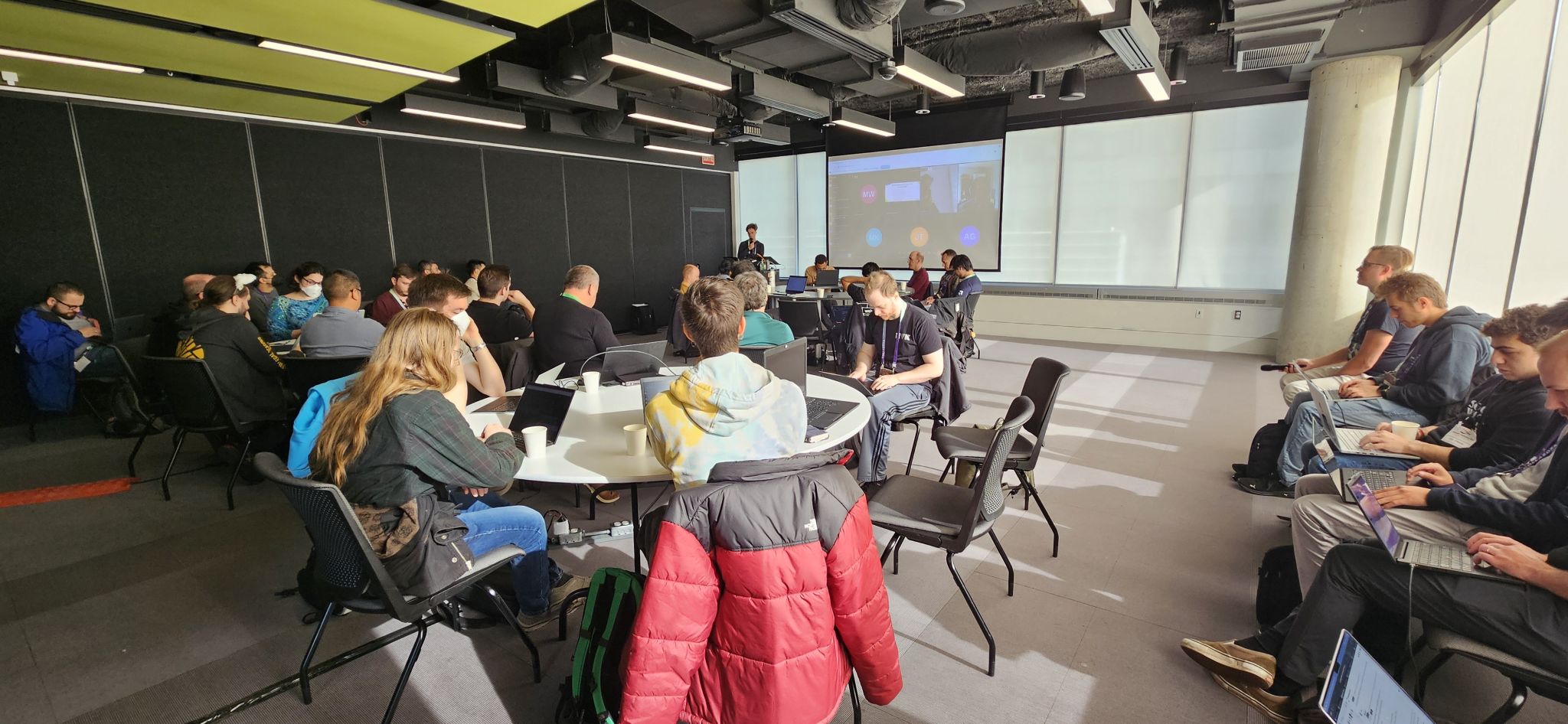
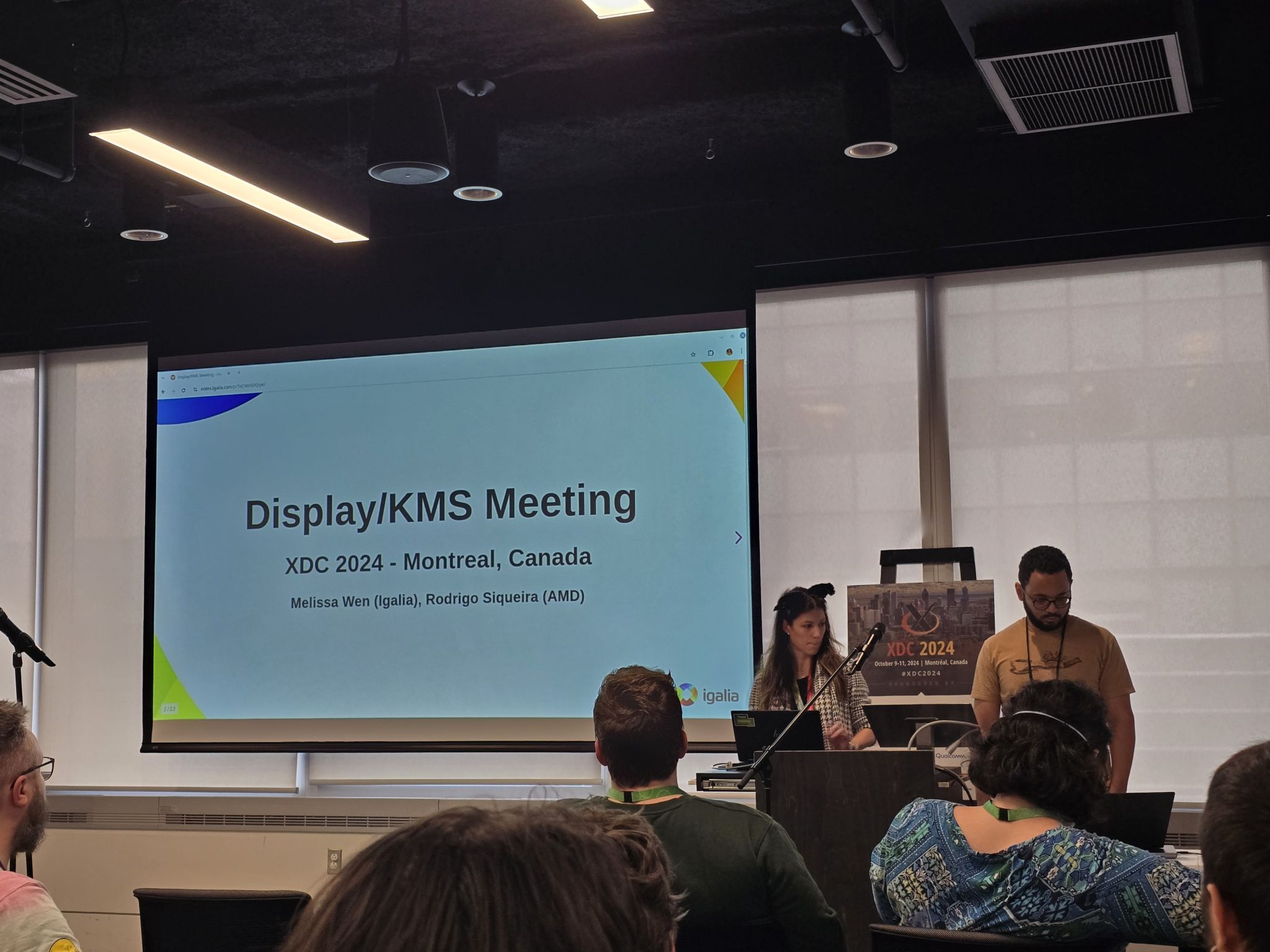
Bringing together Linux display developers in the XDC 2024 While I didn t present a talk this year, I co-organized a Display/KMS meeting (with Rodrigo Siqueira of AMD) to build upon the momentum from the 2024 Linux Display Next hackfest. The meeting was attended by around 30 people in person and 4 remote participants. Speakers: Melissa Wen (Igalia) and Rodrigo Siqueira (AMD) Link: https://indico.freedesktop.org/event/6/contributions/383/ Topics: Similar to the hackfest, the meeting agenda was built over the first two days of the conference and mixed talks follow-up with new ideas and ongoing community efforts. The final agenda covered five topics in the scheduled order:
  1. How to share drivers between V4L2 and DRM for bridge-like components (new topic);
  2. Real-time Scheduling (problems encountered after the Display Next hackfest);
  3. HDR/Color Management (ofc);
  4. Display Mux (from Display hackfest and XDC 2024 talk, bringing AMD and NVIDIA together);
  5. (Better) Commit Failure Feedback (continuing the last minute topic of the Display Next hackfest).

Unpacking the Topics Similar to the hackfest, the meeting agenda evolved over the conference. During the 3 hours of meeting, I coordinated the room and discussion rounds, and Rodrigo Siqueira took notes and also contacted key developers to provide a detailed report of the many topics discussed. From his notes, let s dive into the key discussions!

How to share drivers between V4L2 and KMS for bridge-like components. Led by Laurent Pinchart, we delved into the challenge of creating a unified driver for hardware devices (like scalers) that are used in both camera capture pipelines and display pipelines.
  • Problem Statement: How can we design a single kernel driver to handle devices that serve dual purposes in both V4L2 and DRM subsystems?
  • Potential Solutions:
    1. Multiple Compatible Strings: We could assign different compatible strings to the device tree node based on its usage in either the camera or display pipeline. However, this approach might raise concerns from device tree maintainers as it could be seen as a layer violation.
    2. Separate Abstractions: A single driver could expose the device to both DRM and V4L2 through separate abstractions: drm-bridge for DRM and V4L2 subdev for video. While simple, this approach requires maintaining two different abstractions for the same underlying device.
    3. Unified Kernel Abstraction: We could create a new, unified kernel abstraction that combines the best aspects of drm-bridge and V4L2 subdev. This approach offers a more elegant solution but requires significant design effort and potential migration challenges for existing hardware.

Real-Time Scheduling Challenges We have discussed real-time scheduling during this year Linux Display Next hackfest and, during the XDC 2024, Jonas Adahl brought up issues uncovered while progressing on this front.
  • Context: Non-blocking page-flips can, on rare occasions, take a long time and, for that reason, get a sigkill if the thread doing the atomic commit is a real-time schedule.
  • Action items:
    • Explore alternative backtraces during the busy wait (e.g., ftrace).
    • Investigate the maximum thread time in busy wait to reproduce issues faced by compositors. Tools like RTKit (mutter) can be used for better control (Michel D nzer can help with this setup).

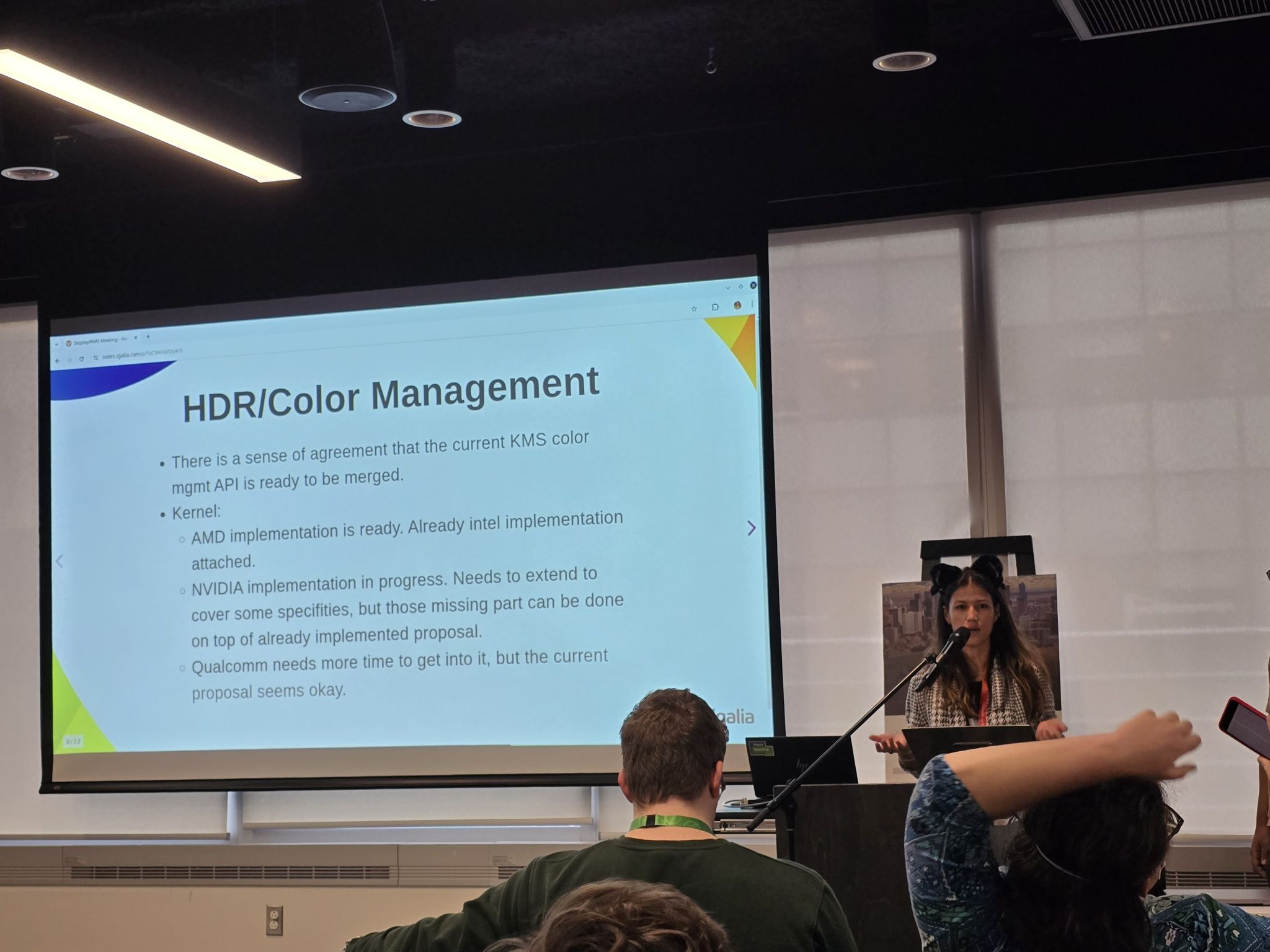
HDR/Color Management This is a well-known topic with ongoing effort on all layers of the Linux Display stack and has been discussed online and in-person in conferences and meetings over the last years. Here s a breakdown of the key points raised at this meeting:
  • Talk: Color operations for Linux color pipeline on AMD devices: In the previous day, Alex Hung (AMD) presented the implementation of this API on AMD display driver.
  • NVIDIA Integration: While they agree with the overall proposal, NVIDIA needs to add some missing parts. Importantly, they will implement these on top of Harry Wentland s (AMD) proposal. Their specific requirements will be implemented on VKMS (Virtual Kernel Mode Setting driver) for further discussion. This VKMS implementation can benefit compositor developers by providing insights into NVIDIA s specific needs.
  • Other vendors: There is a version of the KMS API applied on Intel color pipeline. Apart from that, other vendors appear to be comfortable with the current proposal but lacks the bandwidth to implement it right now.
  • Upstream Patches: The relevant upstream patches were can be found here. [As humorously notes, this series is eagerly awaiting your Acked-by (approval)]
  • Compositor Side: The compositor developers have also made significant progress.
    • KDE has already implemented and validated the API through an experimental implementation in Kwin.
    • Gamescope currently uses a driver-specific implementation but has a draft that utilizes the generic version. However, some work is still required to fully transition away from the driver-specific approach. AP: work on porting gamescope to KMS generic API
    • Weston has also begun exploring implementation, and we might see something from them by the end of the year.
  • Kernel and Testing: The kernel API proposal is well-refined and meets the DRM subsystem requirements. Thanks to Harry Wentland effort, we already have the API attached to two hardware vendors and IGT tests, and, thanks to Xaver Hugl, a compositor implementation in place.
Finally, there was a strong sense of agreement that the current proposal for HDR/Color Management is ready to be merged. In simpler terms, everything seems to be working well on the technical side - all signs point to merging and shipping the DRM/KMS plane color management API!

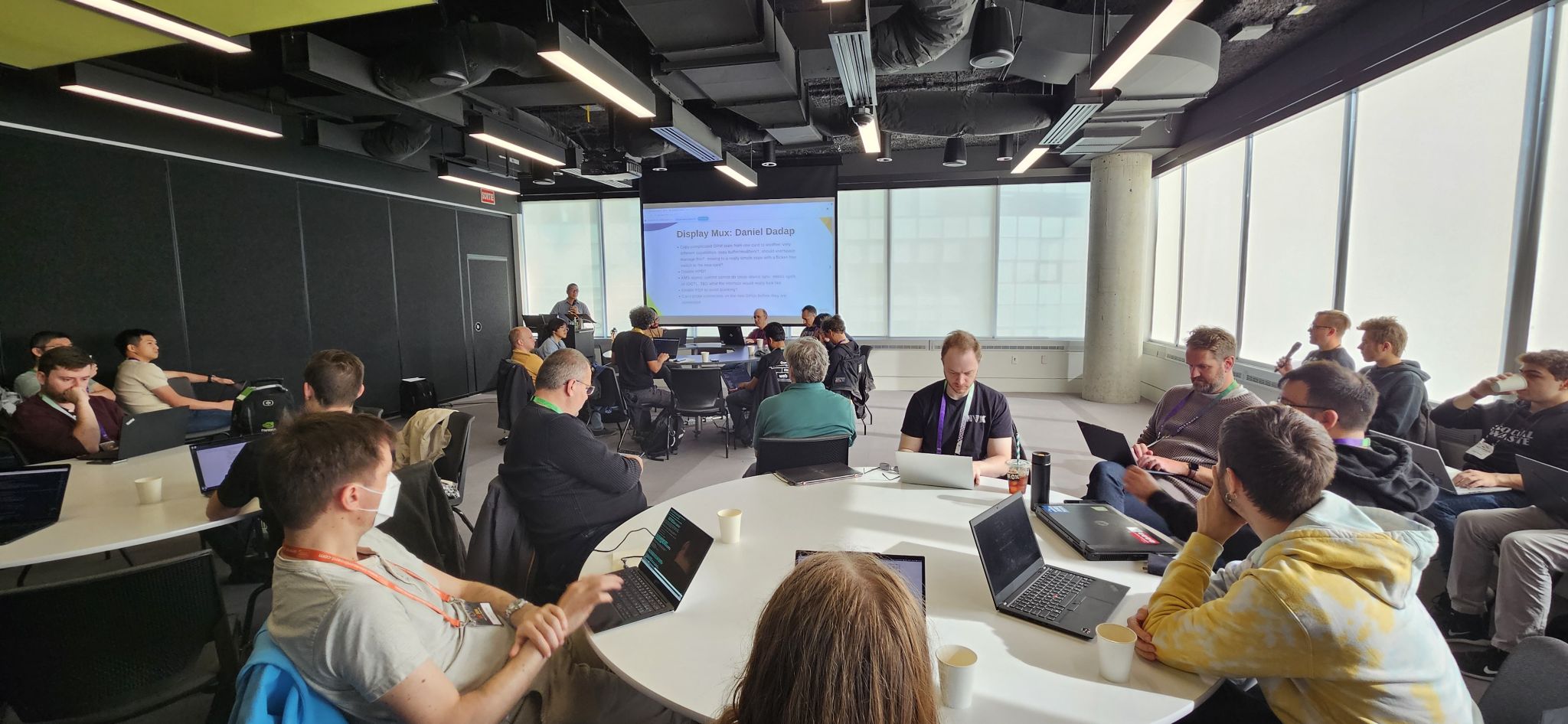
Display Mux During the meeting, Daniel Dadap led a brainstorming session on the design of the display mux switching sequence, in which the compositor would arm the switch via sysfs, then send a modeset to the outgoing driver, followed by a modeset to the incoming driver.
  • Context:
  • Key Considerations:
    • HPD Handling: There was a general consensus that disabling HPD can be part of the sequence for internal panels and we don t need to focus on it here.
    • Cross-Sync: Ensuring synchronization between the compositor and the drivers is crucial. The compositor should act as the drm-master to coordinate the entire sequence, but how can this be ensured?
    • Future-Proofing: The design should not assume the presence of a mux. In future scenarios, direct sharing over DP might be possible.
  • Action points:
    • Sharing DP AUX: Explore the idea of sharing DP AUX and its implications.
    • Backlight: The backlight definition represents a problem in the mux switch context, so we should explore some of the current specs available for that.

Towards Better Commit Failure Feedback In the last part of the meeting, Xaver Hugl asked for better commit failure feedback.
  • Problem description: Compositors currently face challenges in collecting detailed information from the kernel about commit failures. This lack of granular data hinders their ability to understand and address the root causes of these failures.
To address this issue, we discussed several potential improvements:
  • Direct Kernel Log Access: One idea is to directly load relevant kernel logs into the compositor. This would provide more detailed information about the failure and potentially aid in debugging.
  • Finer-Grained Failure Reporting: We also explored the possibility of separating atomic failures into more specific categories. Not all failures are critical, and understanding the nature of the failure can help compositors take appropriate action.
  • Enhanced Logging: Currently, the dmesg log doesn t provide enough information for user-space validation. Raising the log level to capture more detailed information during failures could be a viable solution.
By implementing these improvements, we aim to equip compositors with the necessary tools to better understand and resolve commit failures, leading to a more robust and stable display system.

A Big Thank You! Huge thanks to Rodrigo Siqueira for these detailed meeting notes. Also, Laurent Pinchart, Jonas Adahl, Daniel Dadap, Xaver Hugl, and Harry Wentland for bringing up interesting topics and leading discussions. Finally, thanks to all the participants who enriched the discussions with their experience, ideas, and inputs, especially Alex Goins, Antonino Maniscalco, Austin Shafer, Daniel Stone, Demi Obenour, Jessica Zhang, Joan Torres, Leo Li, Liviu Dudau, Mario Limonciello, Michel D nzer, Rob Clark, Simon Ser and Teddy Li. This collaborative effort will undoubtedly contribute to the continued development of the Linux display stack. Stay tuned for future updates!

17 November 2024

Russ Allbery: Review: Dark Deeds

Review: Dark Deeds, by Michelle Diener
Series: Class 5 #2
Publisher: Eclipse
Copyright: January 2016
ISBN: 0-6454658-4-4
Format: Kindle
Pages: 340
Dark Deeds is the second book of the self-published Class 5 science fiction romance series. It is a sequel to Dark Horse and will spoil the plot of that book, but it follows the romance series convention of switching to a new protagonist in the same universe and telling a loosely-connected story. Fiona, like Rose in the previous book, was kidnapped by the Tecran in one of their Class 5 ships, although that's not entirely obvious at the start of the story. The book opens with her working as a slave on a Garmman trading ship while its captain works up the nerve to have her killed. She's spared this fate when the ship is raided by Krik pirates. Some brave fast-talking, and a touch of honor among thieves, lets her survive the raid and be rescued by a pursuing Grih battleship, with a useful electronic gadget as a bonus. The author uses the nickname "Fee" for Fiona throughout this book and it was like nails on a chalkboard every time. I had to complain about that before getting into the review. If you've read Dark Horse, you know the formula: lone kidnapped human woman, major violations of the laws against mistreatment of sentient beings that have the Grih furious on her behalf, hunky Grih starship captain who looks like a space elf, all the Grih are fascinated by her musical voice, she makes friends with a secret AI... Diener found a formula that worked well enough that she tried it again, and it would not surprise me if the formula repeated through the series. You should not go into this book expecting to be surprised. That said, the formula did work the first time, and it largely does work again. I thoroughly enjoyed Dark Horse and wanted more, and this is more, delivered on cue. There are worse things, particularly if you're a Kindle Unlimited reader (I am not) and are therefore getting new installments for free. The Tecran fascination with kidnapping human women is explained sufficiently in Fiona's case, but I am mildly curious how Diener will keep justifying it through the rest of the series. (Maybe the formula will change, but I doubt it.) To give Diener credit, this is not a straight repeat of the first book. Fiona is similar to Rose but not identical; Rose had an unshakable ethical calm, and Fiona is more of a scrapper. The Grih are not stupid and, given the amount of chaos Rose unleashed in the previous book, treat the sudden appearance of another human woman with a great deal more caution and suspicion. Unfortunately, this also means far less of my favorite plot element of the first book: the Grih being constantly scandalized and furious at behavior the protagonist finds sadly unsurprising. Instead, this book has quite a bit more action. Dark Horse was mostly character interactions and tense negotiations, with most of the action saved for the end. Dark Deeds replaces a lot of the character work with political plots and infiltrating secret military bases and enemy ships. The AI (named Eazi this time) doesn't show up until well into the book and isn't as much of a presence as Sazo. Instead, there's a lot more of Fiona being drafted into other people's fights, which is entertaining enough while it's happening but which wasn't as delightful or memorable as Rose's story. The writing continues to be serviceable but not great. It's a bit cliched and a bit awkward. Also, Diener uses paragraph breaks for emphasis. It's hard to stop noticing it once you see it. Thankfully, once the story gets going and there's more dialogue, she tones that down, or perhaps I stopped noticing. It's that kind of book (and that kind of series): it's a bit rough to get started, but then there's always something happening, the characters involve a whole lot of wish-fulfillment but are still people I like reading about, and it's the sort of unapologetic "good guys win" type of light science fiction that is just the thing when one simply wants to be entertained. Once I get into the book, it's easy to overlook its shortcomings. I spent Dark Horse knowing roughly what would happen but wondering about the details. I spent Dark Deeds fairly sure of the details and wondering when they would happen. This wasn't as fun of an experience, but the details were still enjoyable and I don't regret reading it. I am hoping that the next book will be more of a twist, or will have a character more like Rose (or at least a character with a better nickname). Sort of recommended if you liked Dark Horse and really want more of the same. Followed by Dark Minds, which I have already purchased. Rating: 6 out of 10

8 November 2024

Freexian Collaborators: Debian Contributions: October s report (by Anupa Ann Joseph)

Debian Contributions: 2024-10 Contributing to Debian is part of Freexian s mission. This article covers the latest achievements of Freexian and their collaborators. All of this is made possible by organizations subscribing to our Long Term Support contracts and consulting services.

rebootstrap, by Helmut Grohne After significant changes earlier this year, the state of architecture cross bootstrap is normalizing again. More and more architectures manage to complete rebootstrap testing successfully again. Here are two examples of what kind of issues the bootstrap testing identifies. At some point, libpng1.6 would fail to cross build on musl architectures whereas it would succeed on other ones failing to locate zlib. Adding --debug-find to the cmake invocation eventually revealed that it would fail to search in /usr/lib/<triplet>, which is the default library path. This turned out to be a bug in cmake assuming that all linux systems use glibc. libpng1.6 also gained a baseline violation for powerpc and ppc64 by enabling the use of AltiVec there. The newt package would fail to cross build for many 32-bit architectures whereas it would succeed for armel and armhf due to -Wincompatible-pointer-types. It turns out that this flag was turned into -Werror and it was compiling with a warning earlier. The actual problem is a difference in signedness between wchar_t and FriBidChar (aka uint32_t) and actually affects native building on i386.

Miscellaneous contributions
  • Helmut sent 35 patches for cross build failures.
  • Stefano Rivera uploaded the Python 3.13.0 final release.
  • Stefano continued to rebuild Python packages with C extensions using Python 3.13, to catch compatibility issues before the 3.13-add transition starts.
  • Stefano uploaded new versions of a handful of Python packages, including: dh-python, objgraph, python-mitogen, python-truststore, and python-virtualenv.
  • Stefano packaged a new release of mkdocs-macros-plugin, which required packaging a new Python package for Debian, python-super-collections (now in NEW review).
  • Stefano helped the mini-DebConf Online Brazil get video infrastructure up and running for the event. Unfortunately, Debian s online-DebConf setup has bitrotted over the last couple of years, and it eventually required new temporary Jitsi and Jibri instances.
  • Colin Watson fixed a number of autopkgtest failures to get ansible back into testing.
  • Colin fixed an ssh client failure in certain cases when using GSS-API key exchange, and added an integration test to ensure this doesn t regress in future.
  • Colin worked on the Python 3.13 transition, fixing problems related to it in 15 packages. This included upstream work in a number of packages (postgresfixture, python-asyncssh, python-wadllib).
  • Colin upgraded 41 Python packages to new upstream versions.
  • Carles improved po-debconf-manager: now it can create merge requests to Salsa automatically (created 17, new batch coming this month), imported almost all the packages with debconf translation templates whose VCS is Salsa (currently 449 imported), added statistics per package and language, improved command line interface options. Performed user support fixing different issues. Also prepared an abstract for the talk at MiniDebConf Toulouse.
  • Santiago Ruano Rinc n continued the organization work for the DebConf 25 conference, to be held in Brest, France. Part of the work relates to the initial edits of the sponsoring brochure. Thanks to Benjamin Somers who finalized the French and English versions.
  • Rapha l forwarded a couple of zim and hamster bugs to the upstream developers, and tried to diagnose a delayed startup of gdm on his laptop (cf #1085633).
  • On behalf of the Debian Publicity Team, Anupa interviewed 7 women from the Debian community, old and new contributors. The interview was published in Bits from Debian.

4 November 2024

Ravi Dwivedi: Asante Kenya for a Good Time

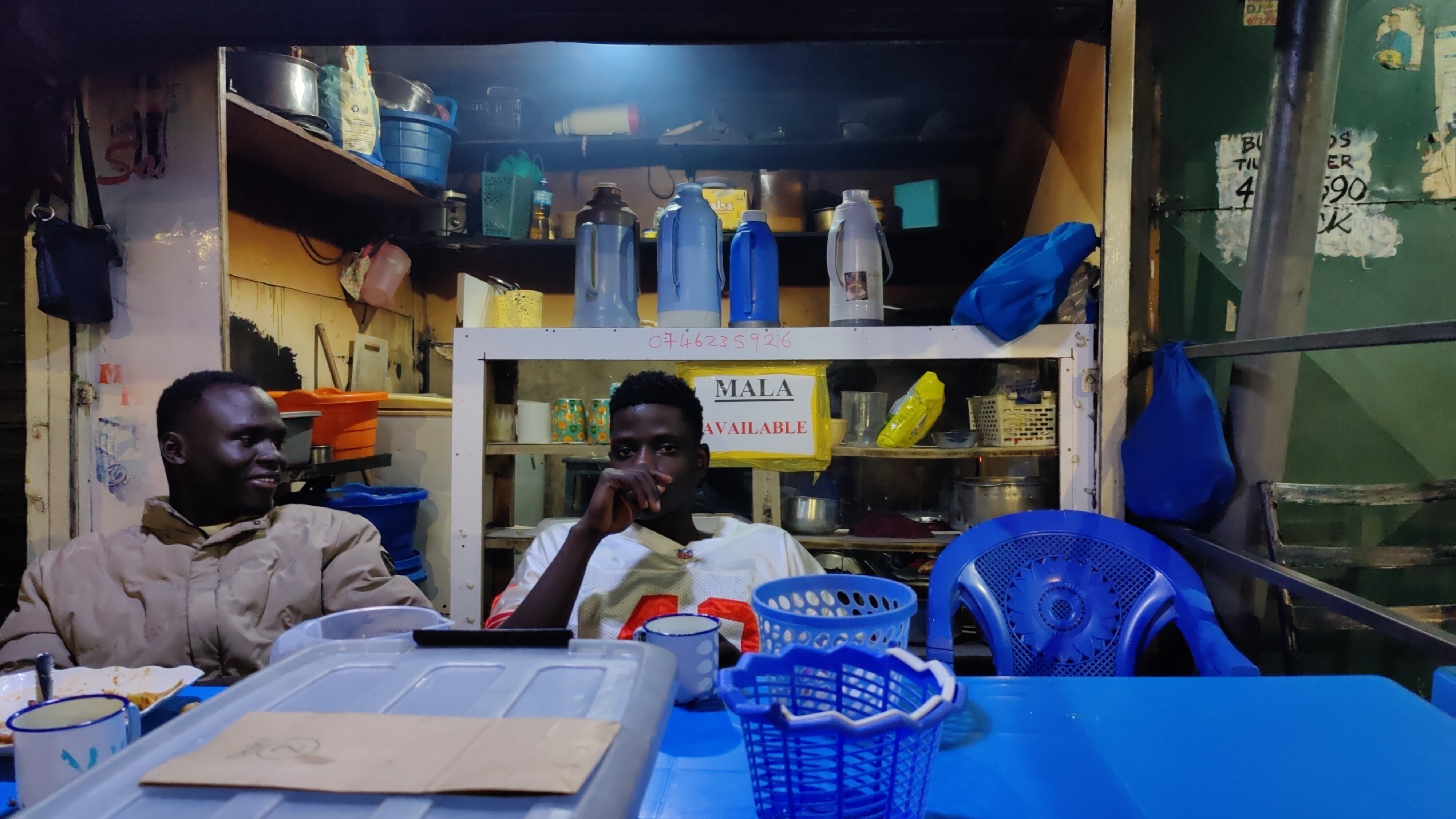
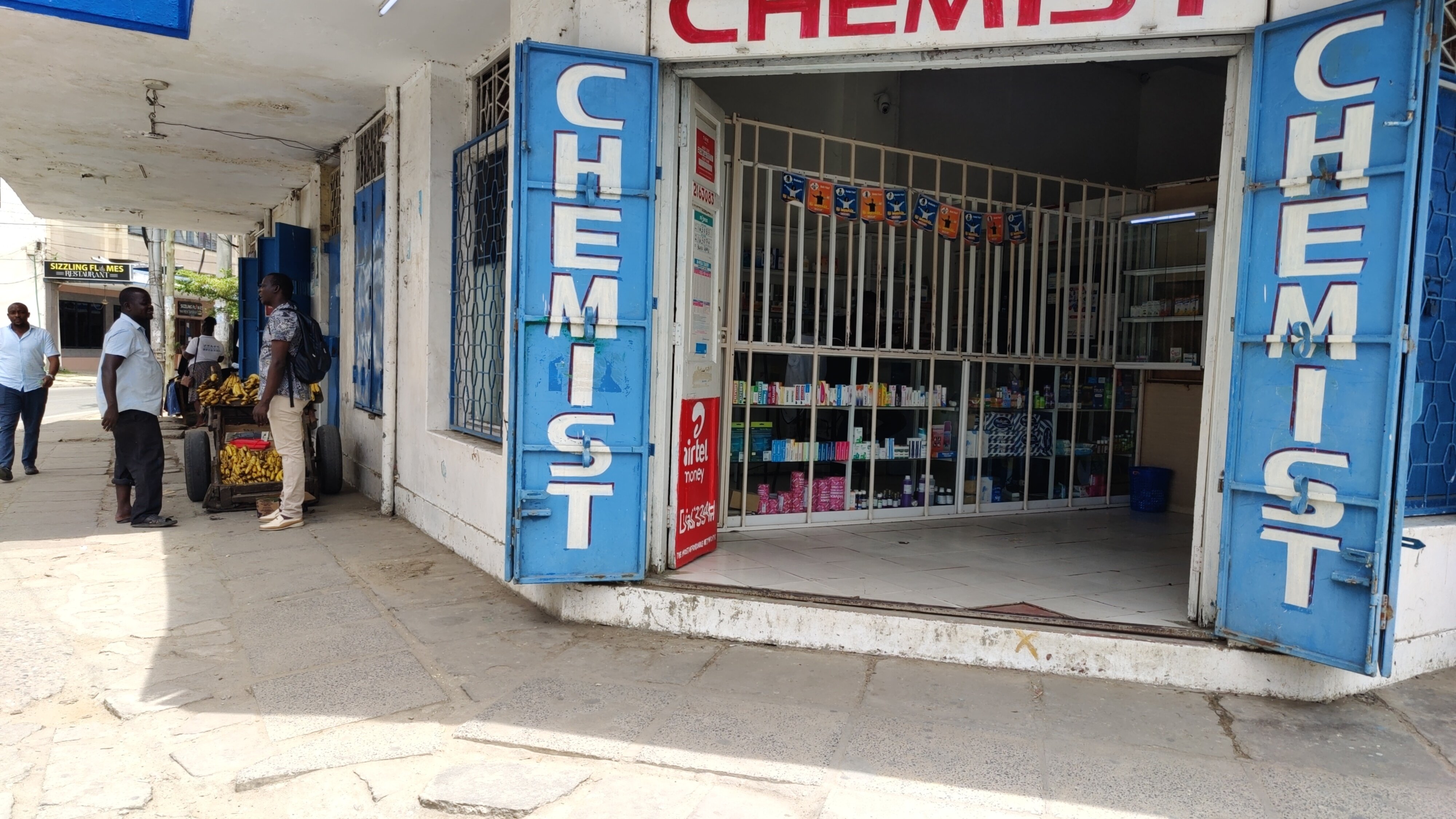
In September of this year, I visited Kenya to attend the State of the Map conference. I spent six nights in the capital Nairobi, two nights in Mombasa, and one night on a train. I was very happy with the visa process being smooth and quick. Furthermore, I stayed at the Nairobi Transit Hotel with other attendees, with Ibtehal from Bangladesh as my roommate. One of the memorable moments was the time I spent at a local coffee shop nearby. We used to go there at midnight, despite the grating in the shops suggesting such adventures were unsafe. Fortunately, nothing bad happened, and we were rewarded with a fun time with the locals.
The coffee shop Ibtehal and me used to visit during the midnight
Grating at a chemist shop in Mombasa, Kenya
The country lies on the equator, which might give the impression of extremely hot temperatures. However, Nairobi was on the cooler side (10 25 degrees Celsius), and I found myself needing a hoodie, which I bought the next day. It also served as a nice souvenir, as it had an outline of the African map printed on it. I also bought a Safaricom SIM card for 100 shillings and recharged it with 1000 shillings for 8 GB internet with 5G speeds and 400 minutes talk time.

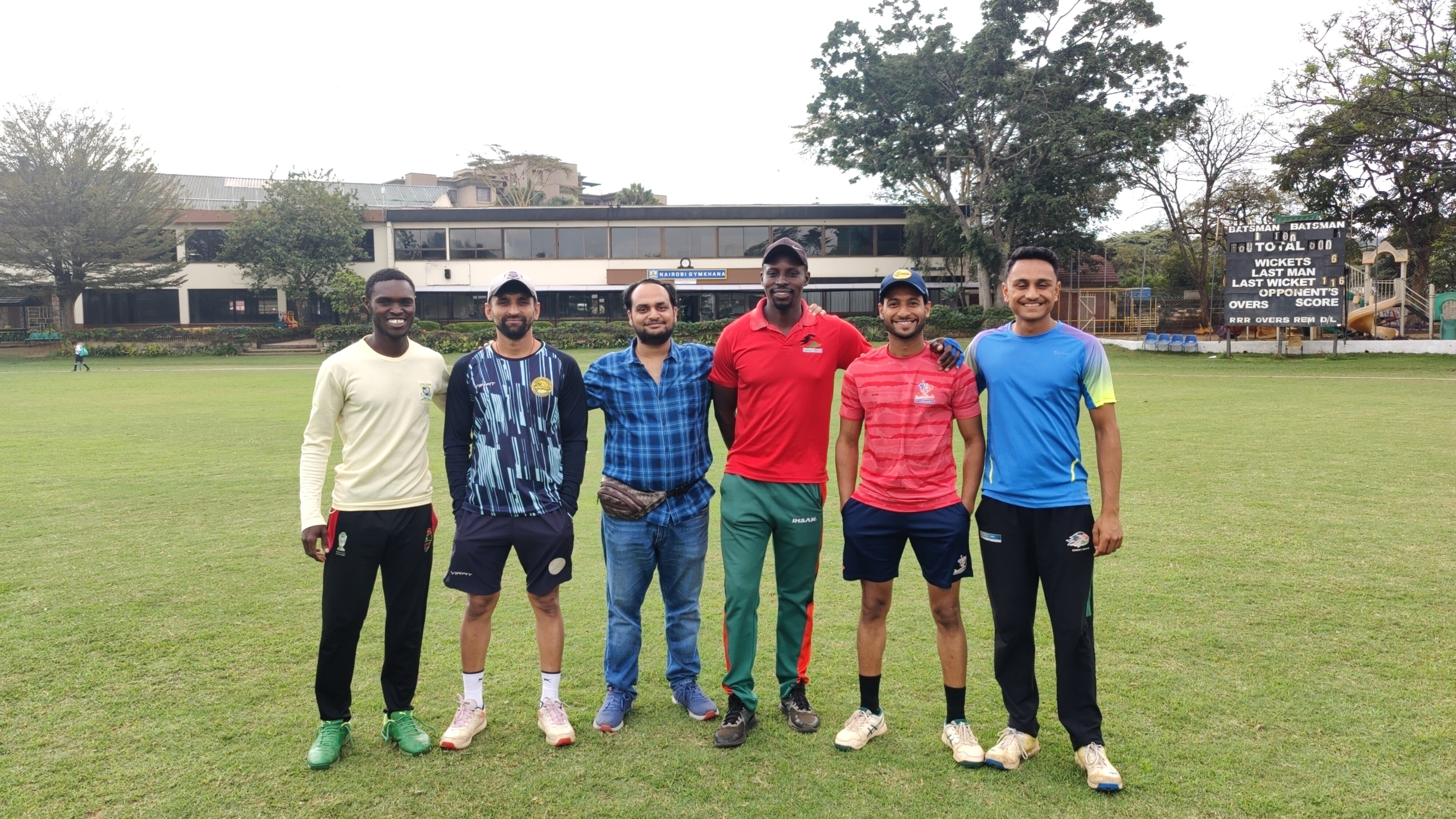
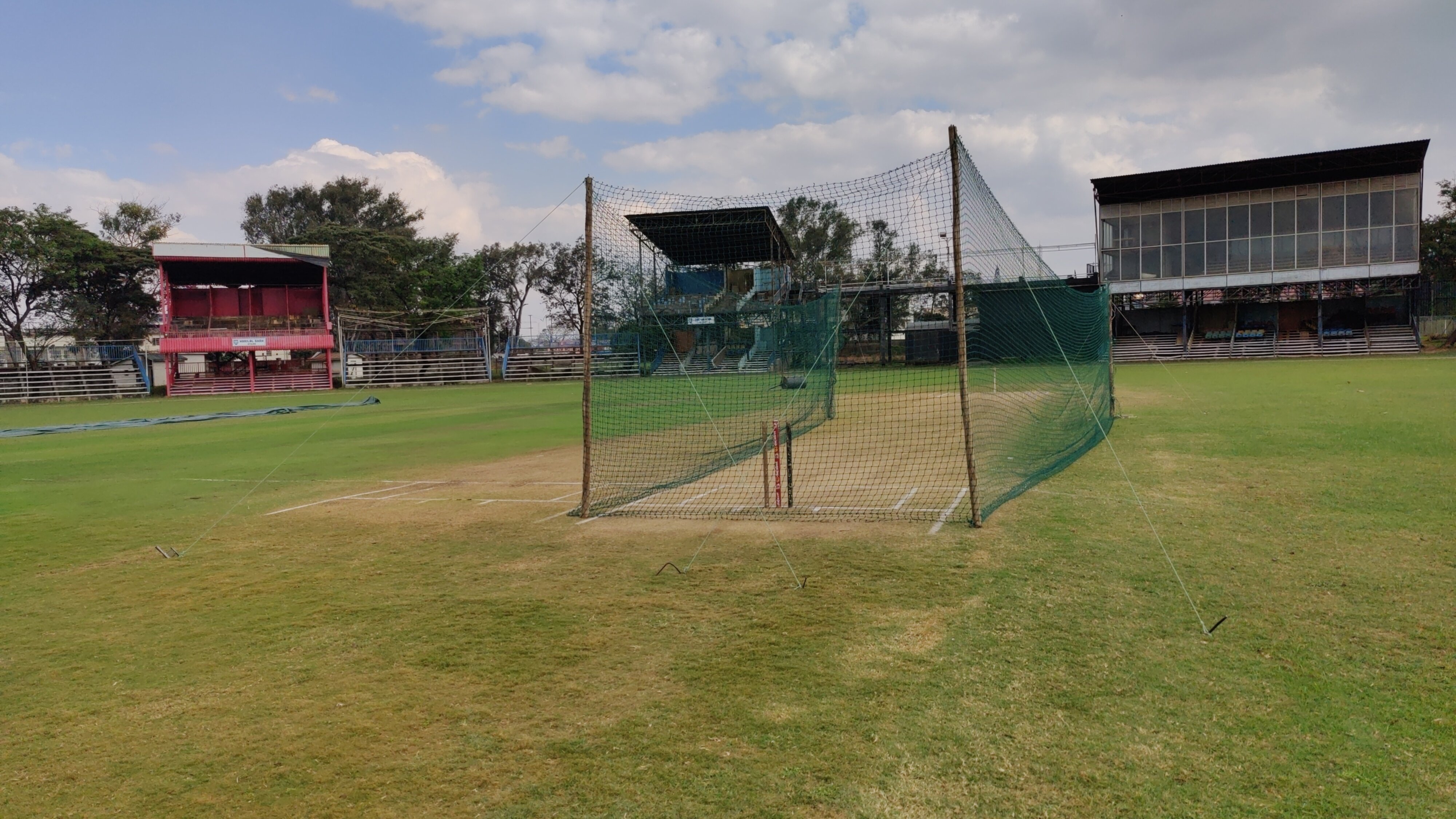
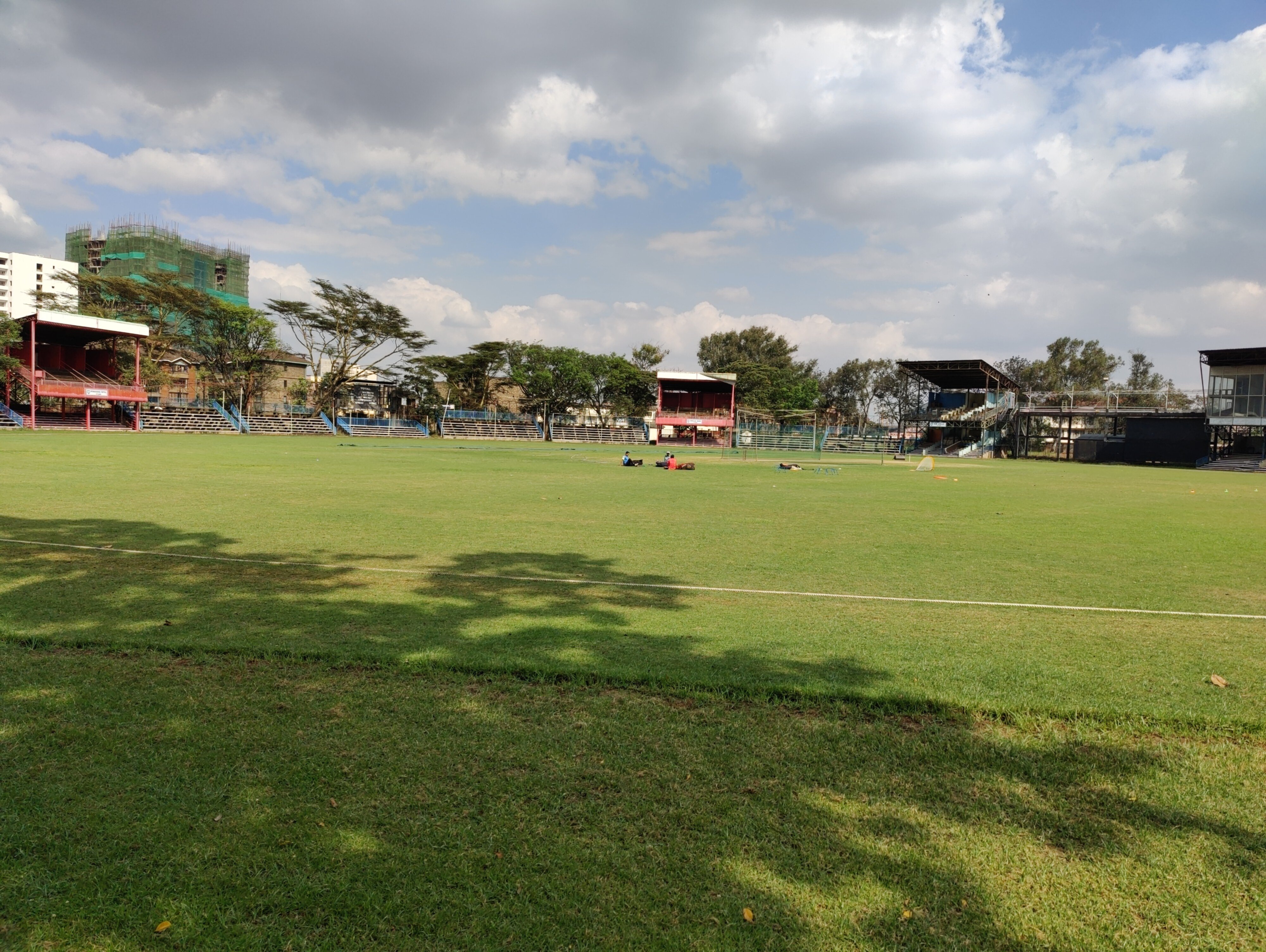
A visit to Nairobi s Historic Cricket Ground On this trip, I got a unique souvenir that can t be purchased from the market a cricket jersey worn in an ODI match by a player. The story goes as follows: I was roaming around the market with my friend Benson from Nairobi to buy a Kenyan cricket jersey for myself, but we couldn t find any. So, Benson had the idea of visiting the Nairobi Gymkhana Club, which used to be Kenya s main cricket ground. It has hosted some historic matches, including the 2003 World Cup match in which Kenya beat the mighty Sri Lankans and the record for the fastest ODI century by Shahid Afridi in just 37 balls in 1996. Although entry to the club was exclusively for members, I was warmly welcomed by the staff. Upon reaching the cricket ground, I met some Indian players who played in Kenyan leagues, as well as Lucas Oluoch and Dominic Wesonga, who have represented Kenya in ODIs. When I expressed interest in getting a jersey, Dominic agreed to send me pictures of his jersey. I liked his jersey and collected it from him. I gave him 2000 shillings, an amount suggested by those Indian players.
Me with players at the Nairobi Gymkhana Club
Cricket pitch at the Nairobi Gymkhana Club
A view of the cricket ground inside the Nairobi Gymkhana Club
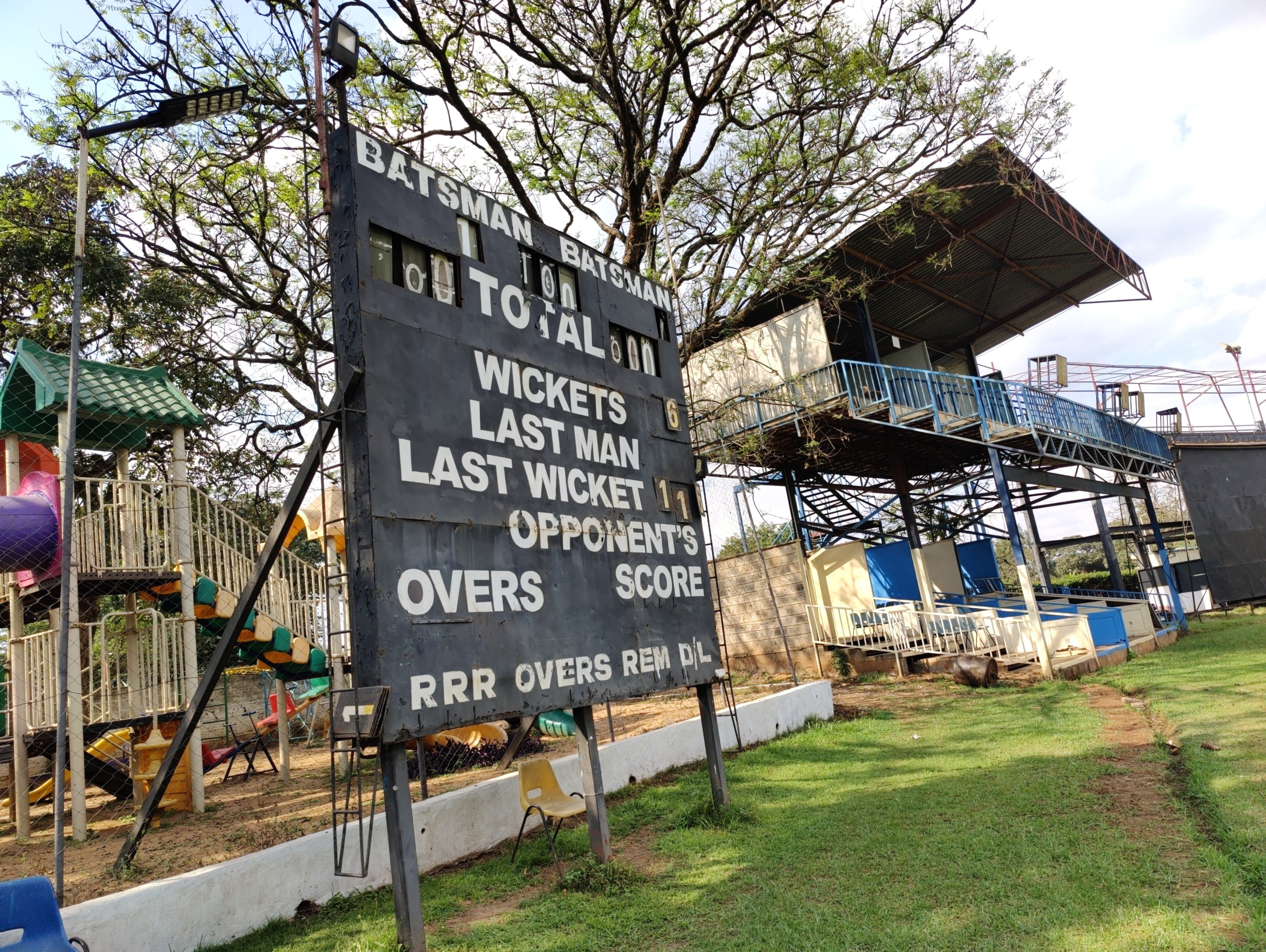
Scoreboard at the Nairobi Gymkhana cricket ground

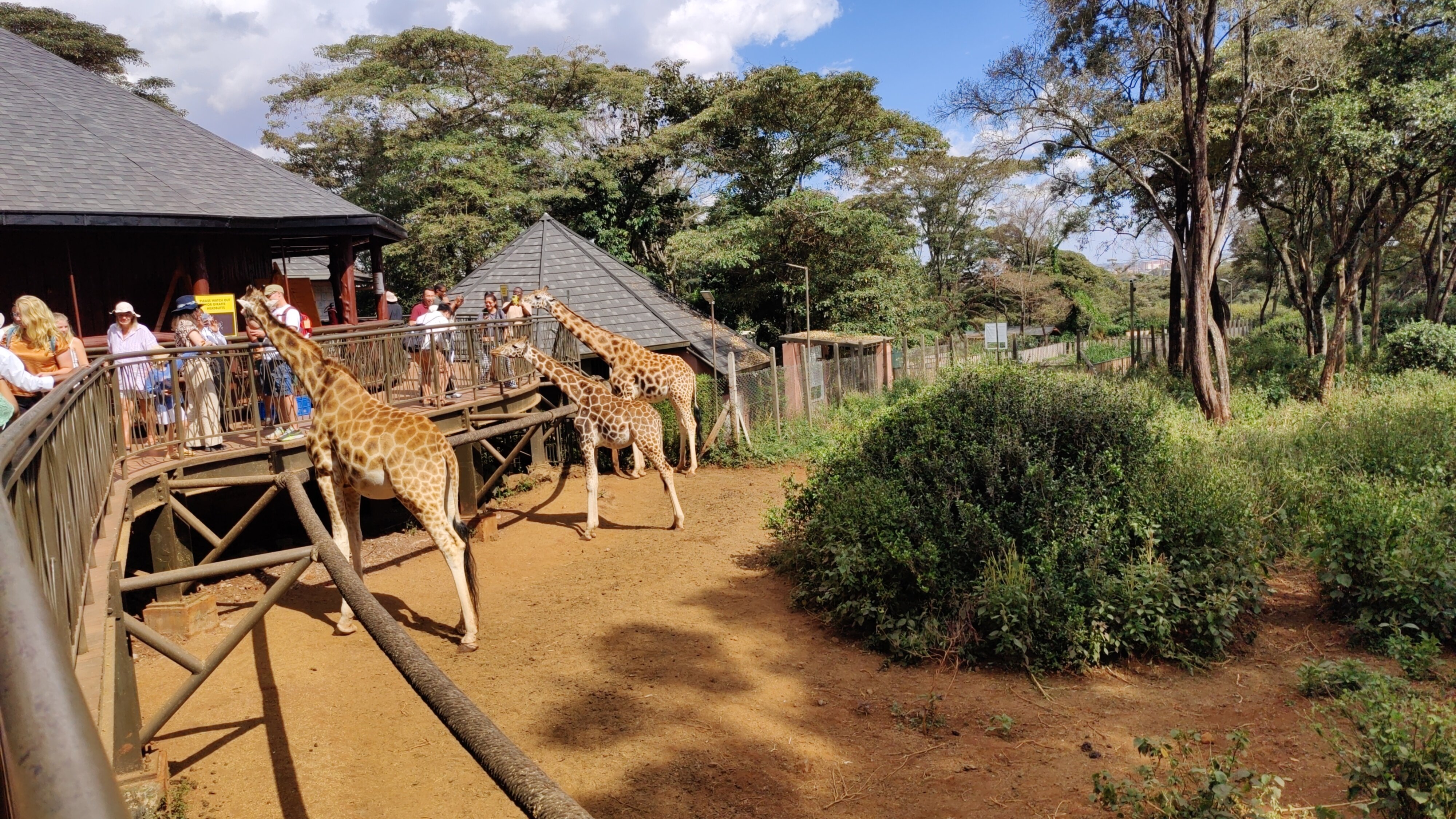
Giraffe Center in Nairobi Kenya is known for its safaris and has no shortage of national parks. In fact, Nairobi is the only capital in the world with a national park. I decided not to visit one, as most of them were expensive and offered multi-day tours, and I didn t want to spend that much time in the wildlife. Instead, I went to the Giraffe Center in Nairobi with Pragya and Rabina. The ticket cost 1500 Kenyan shillings (1000 Indian rupees). In Kenya, matatus - shared vans, usually decorated with portraits of famous people and play rap songs - are the most popular means of public transport. Reaching the Giraffe Center from our hotel required taking five matatus, which cost a total of 150 shillings, and a 2 km walk. The journey back was 90 shillings, suggesting that we didn t find the most efficient route to get there. At the Giraffe Center, we fed giraffes and took photos.
A matatu with a Notorious BIG portrait.
Inside the Giraffe Center

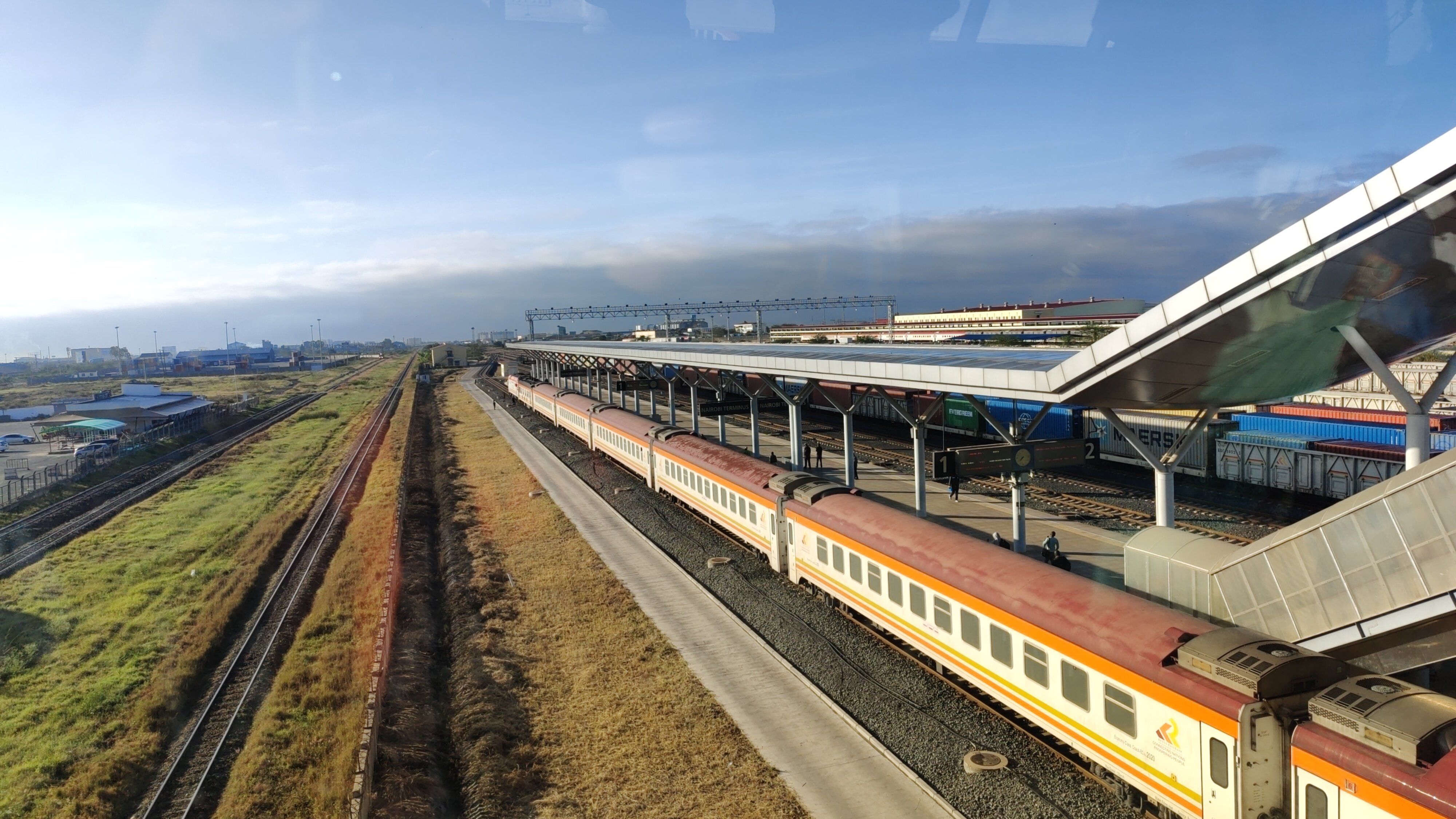
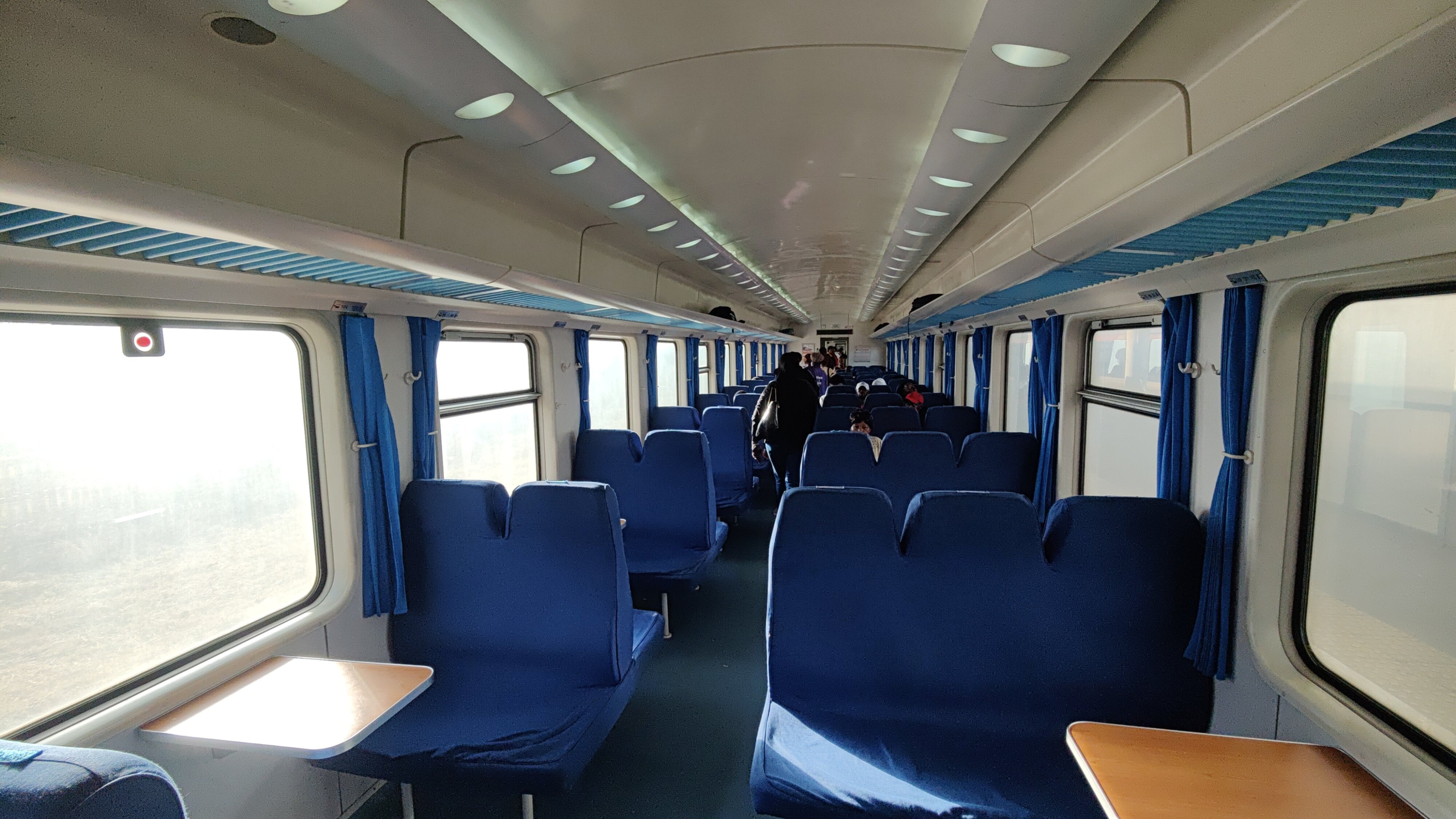
Train ride from Nairobi to Mombasa I took a train from Nairobi to Mombasa. The train is known as the SGR Train, where SGR refers to Standard Gauge Railway. The journey was around 500 km. M-Pesa was the only way to make payment for pre-booking the train ticket, and I didn t have an M-Pesa account. Pragya s friend Mary helped facilitate the payment. I booked a second-class ticket, which cost 1500 shillings (1000 Indian rupees). The train was scheduled to depart from Nairobi at 08:00 hours in the morning and arrive in Mombasa at 14:00 hours. The security check at the station required scanning our bags and having them sniffed by sniffer dogs. I also fell victim to a scam by a security official who offered to help me get my ticket printed, only to later ask me to get him some coffee, which I politely declined. Before boarding the train, I was treated to some stunning views at the Nairobi Terminus station. It was a seating train, but I wished it were a sleeper train, as I was sleep-deprived. The train was neat and clean, with good toilets. The train reached Mombasa on time at around 14:00 hours.
SGR train at Nairobi Terminus.
Interior of the SGR train

Arrival in Mombasa
Mombasa Terminus station.
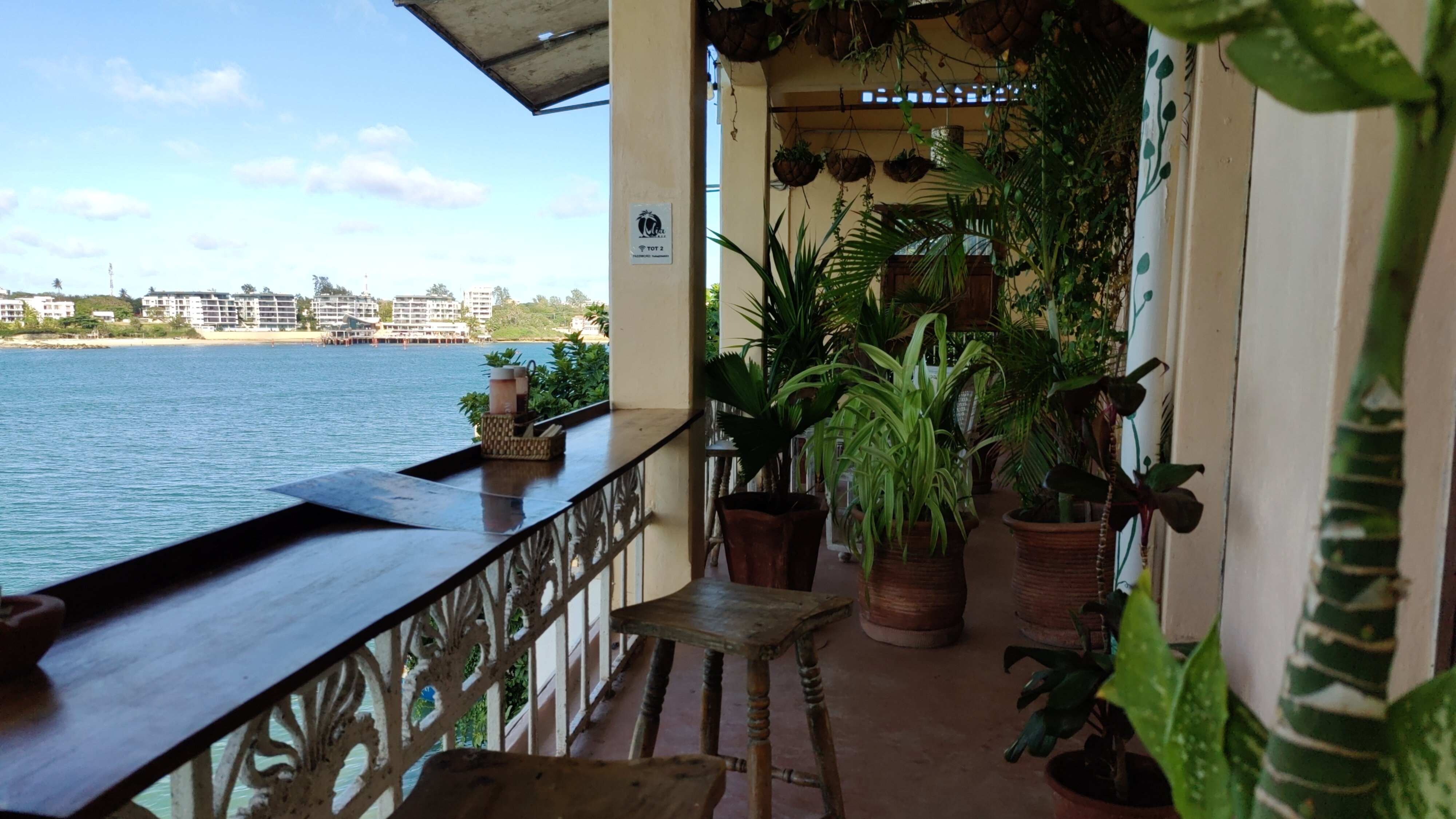
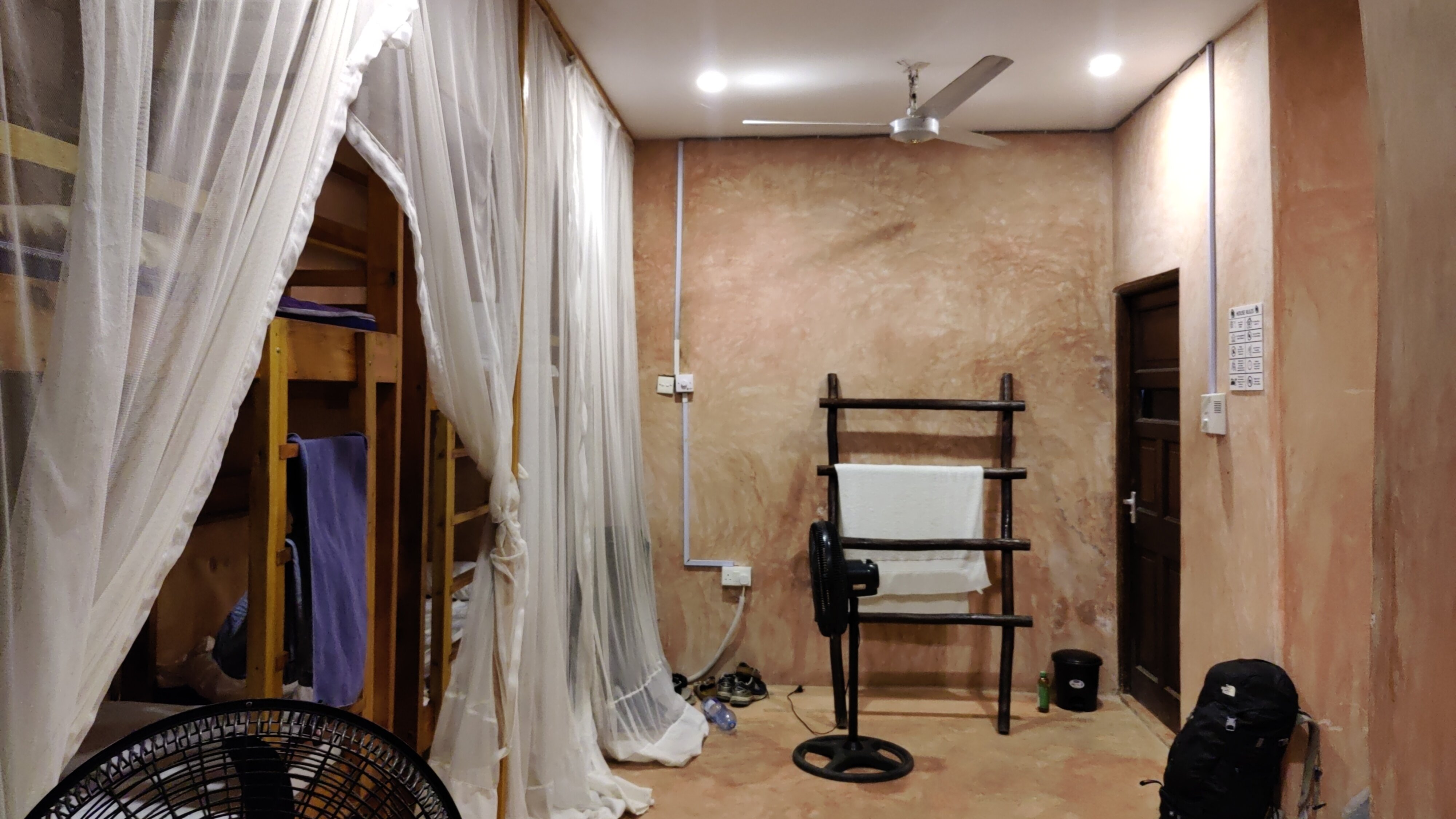
Mombasa was a bit hotter than Nairobi, with temperatures reaching around 30 degrees Celsius. However, that s not too hot for me, as I am used to higher temperatures in India. I had booked a hostel in the Old Town and was searching for a hitchhike from the Mombasa Terminus station. After trying for more than half an hour, I took a matatu that dropped me 3 km from my hostel for 200 shillings (140 Indian rupees). I tried to hitchhike again but couldn t find a ride. I think I know why I couldn t get a ride in both the cases. In the first case, the Mombasa Terminus was in an isolated place, so most of the vehicles were taxis or matatus while any noncommercial cars were there to pick up friends and family. If the station were in the middle of the city, there would be many more car/truck drivers passing by, thus increasing my possibilities of getting a ride. In the second case, my hostel was at the end of the city, and nobody was going towards that side. In fact, many drivers told me they would love to give me a ride, but they were going in some other direction. Finally, I took a tuktuk for 70 shillings to reach my hostel, Tulia Backpackers. It was 11 USD (1400 shillings) for one night. The balcony gave a nice view of the Indian Ocean. The rooms had fans, but there was no air conditioning. Each bed also had mosquito nets. The place was walking distance of the famous Fort Jesus. Mombasa has had more Islamic influence compared to Nairobi and also has many Hindu temples.
The balcony at Tulia Backpackers Hostel had a nice view of the ocean.
A room inside the hostel with fans and mosquito nets on the beds

Visiting White Sandy Beaches and Getting a Hitchhike Visiting Nyali beach marked my first time ever at a white sand beach. It was like 10 km from the hostel. The next day, I visited Diani Beach, which was 30 km from the hostel. Going to Diani Beach required crossing a river, for which there s a free ferry service every few minutes, followed by taking a matatu to Ukunda and then a tuk-tuk. The journey gave me a glimpse of the beautiful countryside of Kenya.
Nyali beach is a white sand beach
This is the ferry service for crossing the river.
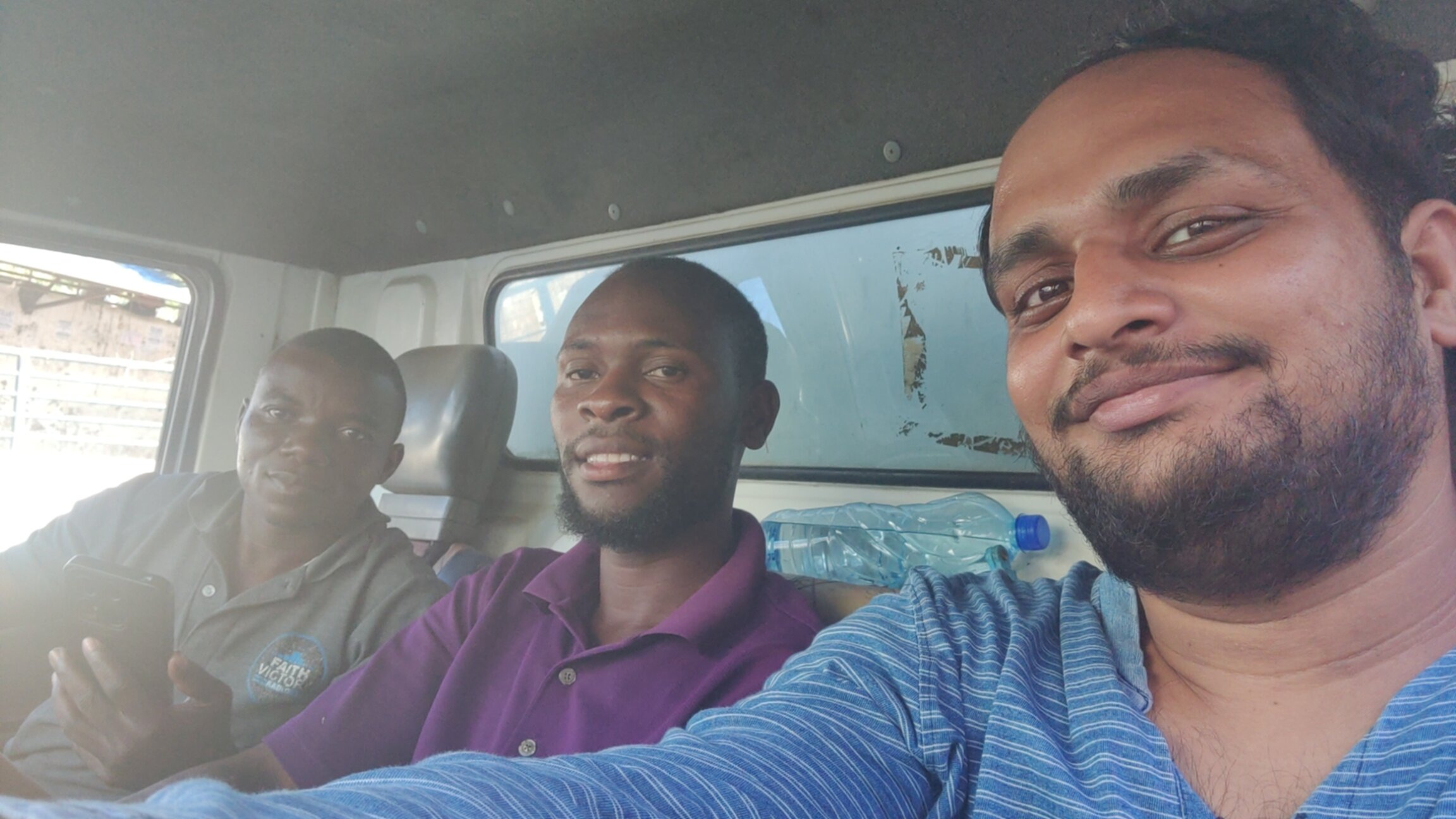
During my return from Diani Beach to the hostel, I was successful in hitchhiking. However, it was only a 4 km ride and not sufficient to reach Ukunda, so I tried to get another ride. When a truck stopped for me, I asked for a ride to Ukunda. Later, I learned that they were going in the same direction as me, so I got off within walking distance from my hostel. The ride was around 30 km. I also learned the difference between a truck ride and a matatu or car ride. For instance, matatus and cars are much faster and cooler due to air conditioning, while trucks tend to be warmer because they lack it. Further, the truck was stopped at many checkpoints by the police for inspections as it carried goods, which is not the case with matatus. Anyways, it was a nice experience, and I am grateful for the ride. I had a nice conversation with the truck drivers about Indian movies and my experiences in Kenya.
Diani beach is a popular beach in Kenya. It is a white sand beach.
Selfie with truck drivers who gave me the free ride

Back to Nairobi I took the SGR train from Mombasa back to Nairobi. This time I took the night train, which departs at 22:00 hours, reaching Nairobi at around 04:00 in the morning. I could not sleep comfortably since the train only had seater seats. I had booked the Zarita Hotel in Nairobi and had already confirmed if they allowed early morning check-in. Usually, hotels have a fixed checkout time, say 11:00 in the morning, and you are not allowed to stay beyond that regardless of the time you checked in. But this hotel checked me in for 24 hours. Here, I paid in US dollars, and the cost was 12 USD.

Almost Got Stuck in Kenya Two days before my scheduled flight from Nairobi back to India, I heard the news that the airports in Kenya were closed due to the strikes. Rabina and Pragya had their flight back to Nepal canceled that day, which left them stuck in Nairobi for two additional days. I called Sahil in India and found out during the conversation that the strike was called off in the evening. It was a big relief for me, and I was fortunate to be able to fly back to India without any changes to my plans.
Newspapers at a stand in Kenya covering news on the airport closure

Experience with locals I had no problems communicating with Kenyans, as everyone I met knew English to an extent that could easily surpass that of big cities in India. Additionally, I learned a few words from Kenya s most popular local language, Swahili, such as Asante, meaning thank you, Jambo for hello, and Karibu for welcome. Knowing a few words in the local language went a long way. I am not sure what s up with haggling in Kenya. It wasn t easy to bring the price of souvenirs down. I bought a fridge magnet for 200 shillings, which was the quoted price. On the other hand, it was much easier to bargain with taxis/tuktuks/motorbikes. I stayed at three hotels/hostels in Kenya. None of them had air conditioners. Two of the places were in Nairobi, and they didn t even have fans in the rooms, while the one in Mombasa had only fans. All of them had good Wi-Fi, except Tulia where the internet overall was a bit shaky. My experience with the hotel staff was great. For instance, we requested that the Nairobi Transit Hotel cancel the included breakfast in order to reduce the room costs, but later realized that it was not a good idea. The hotel allowed us to revert and even offered one of our missing breakfasts during dinner. The staff at Tulia Backpackers in Mombasa facilitated the ticket payment for my train from Mombasa to Nairobi. One of the staff members also gave me a lift to the place where I could catch a matatu to Nyali Beach. They even added an extra tea bag to my tea when I requested it to be stronger.

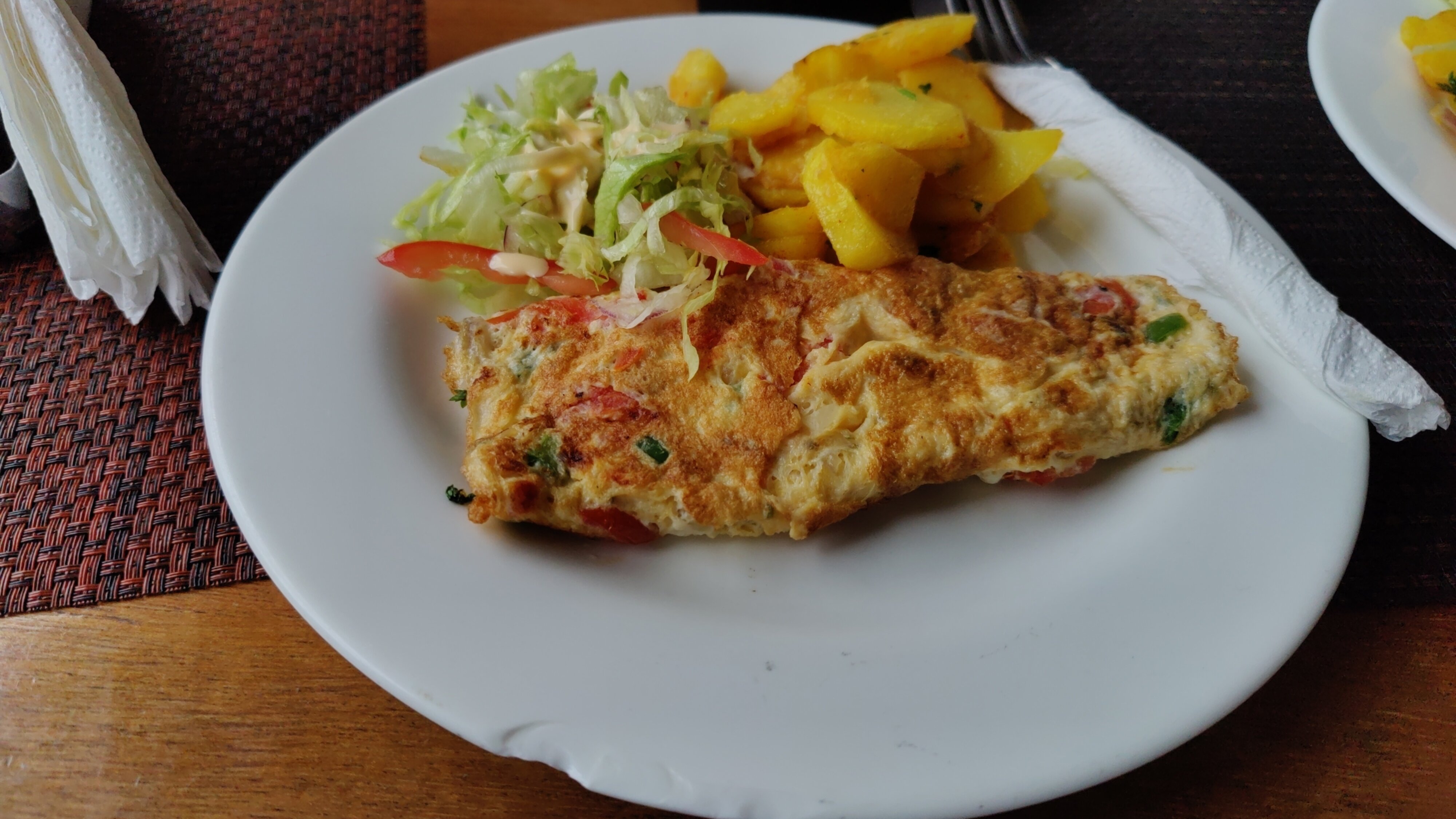
Food At the Nairobi Transit Hotel, a Spanish omelet with tea was served for breakfast. I noticed that Spanish omelette appeared on the menus of many restaurants, suggesting that it is popular in Kenya. This was my first time having this dish. The milk tea in Kenya, referred to by locals as white tea, is lighter than Indian tea (they don t put a lot of tea leaves).
Spanish Omelette served in breakfast at Nairobi Transit Hotel
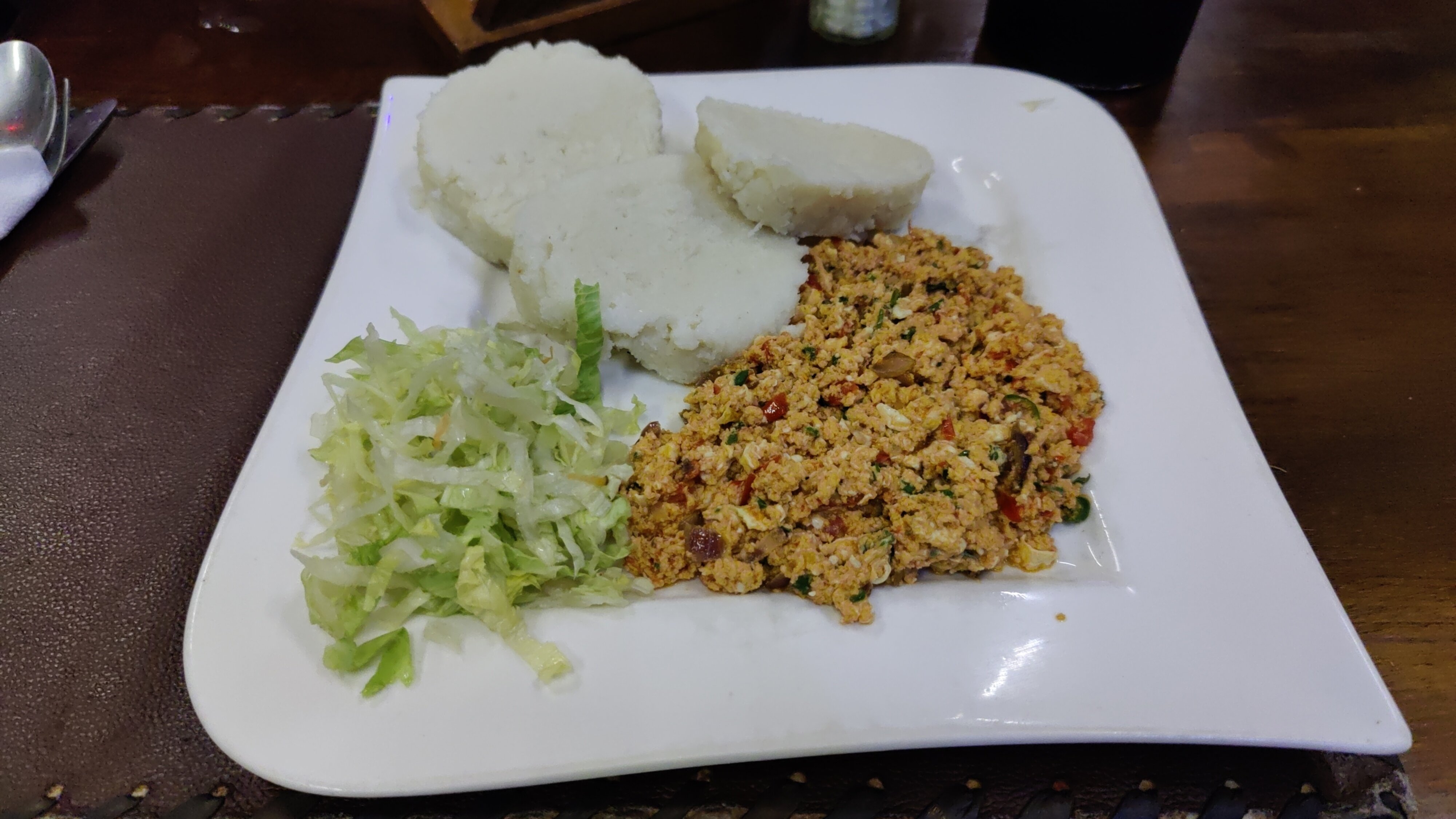
I also sampled ugali with eggs. In Mombasa, I visited an Indian restaurant called New Chetna and had a buffet thali there twice.
Ugali with eggs.

Tips for Exchanging Money In Kenya, I exchanged my money at forex shops a couple of times. I received good exchange rates for bills larger than 50 USD. For instance, 1 USD on xe.com was 129 shillings, and I got 128.3 shillings per USD (a total of 12,830 shillings) for two 50 USD notes at an exchange in Nairobi, while 127 shillings, which was the highest rate at the banks. On the other hand, for smaller bills such as a one US dollar note, I would have got 125 shillings. A passport was the only document required for the exchange, and they also provided a receipt. A good piece of advice for travelers is to keep 50 USD or larger bills for exchanging into the local currency while saving the smaller US dollar bills for accommodation, as many hotels and hostels accept payment in US dollars (in addition to Kenyan shillings).

Missed Malindi and Lamu There were more places on my to-visit list in Kenya. But I simply didn t have time to cover them, as I don t like rushing through places, especially in a foreign country where there is a chance of me underestimating the amount of time it takes during transit. I would have liked to visit at least one of Kilifi, Watamu or Malindi beaches. Further, Lamu seemed like a unique place to visit as it has no cars or motorized transport; the only options for transport are boats and donkeys. That s it for now. Meet you in the next one :)

1 November 2024

Colin Watson: Free software activity in October 2024

Almost all of my Debian contributions this month were sponsored by Freexian. You can also support my work directly via Liberapay. Ansible I noticed that Ansible had fallen out of Debian testing due to autopkgtest failures. This seemed like a problem worth fixing: in common with many other people, we use Ansible for configuration management at Freexian, and it probably wouldn t make our sysadmins too happy if they upgraded to trixie after its release and found that Ansible was gone. The problems here were really just slogging through test failures in both the ansible-core and ansible packages, but their test suites are large and take a while to run so this took some time. I was able to contribute a few small fixes to various upstreams in the process: This should now get back into testing tomorrow. OpenSSH Martin- ric Racine reported that ssh-audit didn t list the ext-info-s feature as being available in Debian s OpenSSH 9.2 packaging in bookworm, contrary to what OpenSSH upstream said on their specifications page at the time. I spent some time looking into this and realized that upstream was mistakenly saying that implementations of ext-info-c and ext-info-s were added at the same time, while in fact ext-info-s was added rather later. ssh-audit now has clearer output, and the OpenSSH maintainers have corrected their specifications page. I looked into a report of an ssh failure in certain cases when using GSS-API key exchange (which is a Debian patch). Once again, having integration tests was a huge win here: the affected scenario is quite a fiddly one, but I was able to set it up in the test, and thereby make sure it doesn t regress in future. It still took me a couple of hours to get all the details right, but in the past this sort of thing took me much longer with a much lower degree of confidence that the fix was correct. On upstream s advice, I cherry-picked some key exchange fixes needed for big-endian architectures. Python team I packaged python-evalidate, needed for a new upstream version of buildbot. The Python 3.13 transition rolls on. I fixed problems related to it in htmlmin, humanfriendly, postgresfixture (contributed upstream), pylint, python-asyncssh (contributed upstream), python-oauthlib, python3-simpletal, quodlibet, zope.exceptions, and zope.interface. A trickier Python 3.13 issue involved the cgi module. Years ago I ported zope.publisher to the multipart module because cgi.FieldStorage was broken in some situations, and as a result I got a recommendation into Python s dead batteries PEP 594. Unfortunately there turns out to be a name conflict between multipart and python-multipart on PyPI; python-multipart upstream has been working to disentangle this, though we still need to work out what to do in Debian. All the same, I needed to fix python-wadllib and multipart seemed like the best fit; I contributed a port upstream and temporarily copied multipart into Debian s python-wadllib source package to allow its tests to pass. I ll come back and fix this properly once we sort out the multipart vs. python-multipart packaging. tzdata moved some timezone definitions to tzdata-legacy, which has broken a number of packages. I added tzdata-legacy build-dependencies to alembic and python-icalendar to deal with this in those packages, though there are still some other instances of this left. I tracked down an nltk regression that caused build failures in many other packages. I fixed Rust crate versioning issues in pydantic-core, python-bcrypt, and python-maturin (mostly fixed by Peter Michael Green and Jelmer Vernoo , but it needed a little extra work). I fixed other build failures in entrypoints, mayavi2, python-pyvmomi (mostly fixed by Alexandre Detiste, but it needed a little extra work), and python-testing.postgresql (ditto). I fixed python3-simpletal to tolerate future versions of dh-python that will drop their dependency on python3-setuptools. I fixed broken symlinks in python-treq. I removed (build-)depends on python3-pkg-resources from alembic, autopep8, buildbot, celery, flufl.enum, flufl.lock, python-public, python-wadllib (contributed upstream), pyvisa, routes, vulture, and zodbpickle (contributed upstream). I upgraded astroid, asyncpg (fixing a Python 3.13 failure and a build failure), buildbot (noticing an upstream test bug in the process), dnsdiag, frozenlist, netmiko (fixing a Python 3.13 failure), psycopg3, pydantic-settings, pylint, python-asyncssh, python-bleach, python-btrees, python-cytoolz, python-django-pgtrigger, python-django-test-migrations, python-gssapi, python-icalendar, python-json-log-formatter, python-pgbouncer, python-pkginfo, python-plumbum, python-stdlib-list, python-tokenize-rt, python-treq (fixing a Python 3.13 failure), python-typeguard, python-webargs (fixing a build failure), pyupgrade, pyvisa, pyvisa-py (fixing a Python 3.13 failure), toolz, twisted, vulture, waitress (fixing CVE-2024-49768 and CVE-2024-49769), wtf-peewee, wtforms, zodbpickle, zope.exceptions, zope.interface, zope.proxy, zope.security, and zope.testrunner to new upstream versions. I tried to fix a regression in python-scruffy, but I need testing feedback. I requested removal of python-testing.mysqld.

28 October 2024

Thomas Lange: 30.000 FAIme jobs created in 7 years

The number of FAIme jobs has reached 30.000. Yeah!
At the end of this November the FAIme web service for building customized ISOs turns 7 years old. It had reached 10.000 jobs in March 2021 and 20.000 jobs were reached in June 2023. A nice increase of the usage. Here are some statistics for the jobs processed in 2024: Type of jobs
3% cloud image
11% live ISO
86% install ISO
Distribution
2% bullseye
8% trixie
12% ubuntu 24.04
78% bookworm
Misc Execution Times The cloud and live ISOs need more time for their creation because the FAIme server needs to unpack and install all packages. For the install ISO the packages are only downloaded. The amount of software packages also affects the build time. Every ISO is build in a VM on an old 6-core E5-1650 v2. Times given are calculated from the jobs of the past two weeks.
Job type Avg Max
install no desktop 1 min 2 min
install GNOME 2 min 5 min
The times for Ubuntu without and with desktop are one minute higher than those mentioned above.
Job type Avg Max
live no desktop 4 min 6 min
live GNOME 8 min 11 min
The times for cloud images are similar to live images. A New Feature For a few weeks now, the system has been showing the number of jobs ahead of you in the queue when you submit a job that cannot be processed immediately. The Next Milestone At the end of this years the FAI project will be 25 years old. If you have a success story of your FAI usage to share please post it to the linux-fai mailing list or send it to me. Do you know the FAI questionnaire ? A lot of reports are already available. Here's an overview what happened in the past 20 years in the FAI project. About FAIme FAIme is the service for building your own customized ISO via a web interface. You can create an installation or live ISO or a cloud image. Several Debian releases can be selected and also Ubuntu server or Ubuntu desktop installation ISOs can be customized. Multiple options are available like selecting a desktop and the language, adding your own package list, choosing a partition layout, adding a user, choosing a backports kernel, adding a postinst script and some more.

26 October 2024

Steve McIntyre: Mini-Debconf in Cambridge, October 10-13 2024

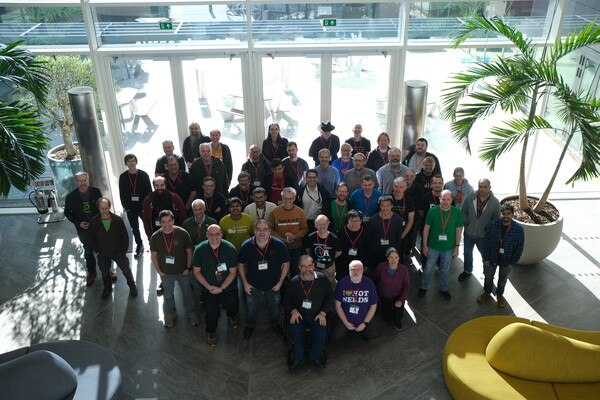
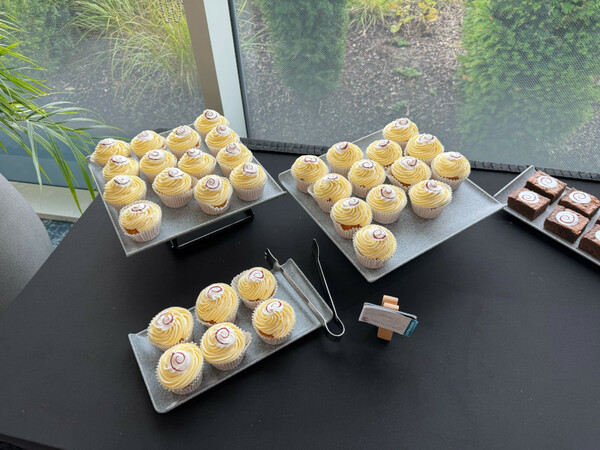
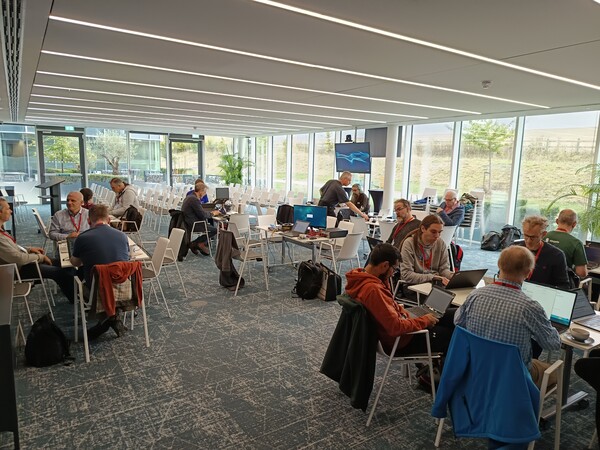
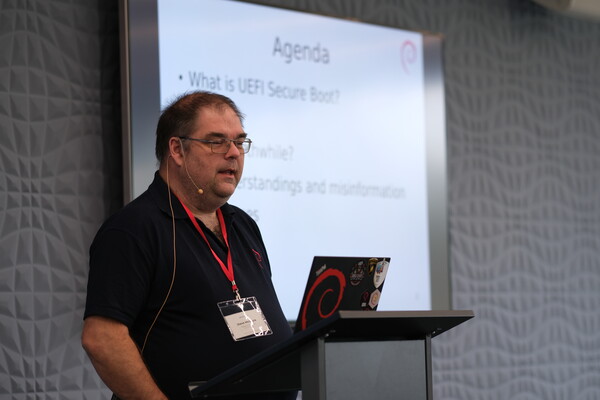
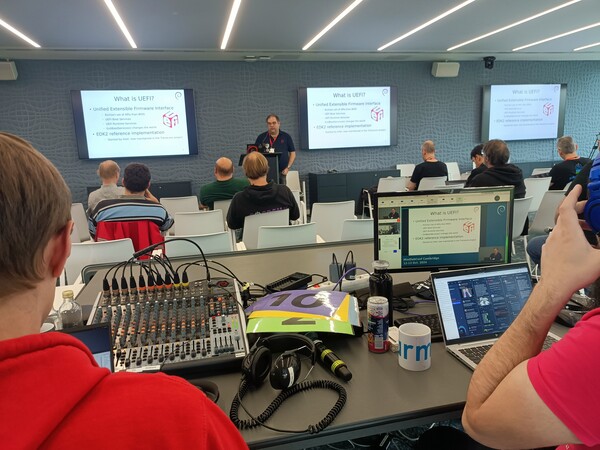
Group photo Again this year, Arm offered to host us for a mini-debconf in Cambridge. Roughly 60 people turned up on 10-13 October to the Arm campus, where they made us really welcome. They even had some Debian-themed treats made to spoil us! Cakes Hacking together minicamp For the first two days, we had a "mini-debcamp" with disparate group of people working on all sorts of things: Arm support, live images, browser stuff, package uploads, etc. And (as is traditional) lots of people doing last-minute work to prepare slides for their talks. Sessions and talks Secure Boot talk Saturday and Sunday were two days devoted to more traditional conference sessions. Our talks covered a typical range of Debian subjects: a DPL "Bits" talk, an update from the Release Team, live images. We also had some wider topics: handling your own data, what to look for in the upcoming Post-Quantum Crypto world, and even me talking about the ups and downs of Secure Boot. Plus a random set of lightning talks too! :-) Video team awesomeness Video team in action Lots of volunteers from the DebConf video team were on hand too (both on-site and remotely!), so our talks were both streamed live and recorded for posterity - see the links from the individual talk pages in the wiki, or http://meetings-archive.debian.net/pub/debian-meetings/2024/MiniDebConf-Cambridge/ for the full set if you'd like to see more. A great time for all Again, the mini-conf went well and feedback from attendees was very positive. Thanks to all our helpers, and of course to our sponsor: Arm for providing the venue and infrastructure for the event, and all the food and drink too! Photo credits: Andy Simpkins, Mark Brown, Jonathan Wiltshire. Thanks!

24 October 2024

Emmanuel Kasper: back to blogging and running a feed reader as a containerized systemd service

After reading about Jonathan McDowell feed reader install and the back to blogging initiative, I decided to install a feed reader to follow all those nice blog posts. With a feed reader you can compose your own feed of news based on blog posts, websites, mastodon toots. And then you are independant from ad oriented ranking algorithms of social networks. Since Jonathan used FreshRSS as a feed reader, I started with the same software. On a quick glance on its github page, it sounded like a good project:
  • active contributions
  • different channels for stable and latest version of the software
  • container images pointing to the stable release
  • support multiple databases for storage, including PostgreSQL
  • correct documentation mentioning security caveats
I prefer to do the container image installation using podman since:
  • upgrades from FreshRSS are easy to do and can be done separately from operating system upgrades
  • I do not mess my based operating system with php (subjective) and in case of a compromized freshrss, the freshrss/apache install would be still restrained to its own Linux namespaces, separated from the rest of the system.
Podman is image compatible with Docker as they both implement the OCI runtime specification, and have a nearly identical command line interface. This installation will be done on a Debian server, but should work too on any Linux distribution. Initial setup
  • start a container image based on the start command provided by the FreshRSS project. The podman command line is nearly identical to the docker command line, excepts that podman expects the fully qualified domain name associated with the container image, and I chose to run the freshrss container on the localhost interface only. I also use a defined version tag, because using the latest tag makes it complicated to track which exact ersion I have installed.
# podman pull docker.io/freshrss/freshrss:1.20.1
# podman run --detach --restart unless-stopped --log-opt max-size=10m \
  --publish 127.0.0.1:8081:80 \
  --env TZ=Europe/Paris \
  --env 'CRON_MIN=1,31' \
  --volume freshrss_data:/var/www/FreshRSS/data \
  --volume freshrss_extensions:/var/www/FreshRSS/extensions \
  --name freshrss \
  docker.io/freshrss/freshrss:1.20.1
  • verify where the podman volumes have been created. This is where the user data of freshrss will be stored.
# podman volume ls
# podman volume inspect freshrss_data
  • now that freshrss is installed, you can start its configuration wizard at localhost:8081. You should keep the default sqlite choice
  • finally after running the wizard, you can login again and add some feeds
  • verify that your config has been stored outside the container, and inside the volume (so that it will not be erased in case of upgrages)
# ls -l /var/lib/containers/storage/volumes/freshrss_data/_data/users/
  • verify the state of sqlite database
echo '.tables'  sqlite3  /var/lib/containers/storage/volumes/freshrss_data/_data/users/<your freshrss user>/db.sqlite 
category  entry     entrytag  entrytmp  feed      tag
Going with FreshRSS in Production Podman has this very nice feature that it can generate a systemd unit from a running container, and use systemd to start a container on boot. This is in contrary to docker where the docker daemon does the stop/start of containers on boot. I prefer the systemd approach as it treats containers the same way as other system services. Once the freshrss container is running we can generate a systemd unit of it with:
# podman generate systemd --new --name freshrss   tee /etc/systemd/system/container-freshrss.service
Let s stop the container we started previously, and use systemd to manage it:
# podman stop freshrss
# systemctl enable --now container-freshrss.service
We can verify that we have a listening socket on the localhost interface, on the source port 8081
# systemctl status container-freshrss.service
  ...
# ss --listening --numeric --process '( sport = 8081 )'
Netid         State           Recv-Q          Send-Q                   Local Address:Port                   Peer Address:Port         Process         
tcp           LISTEN          0               4096                         127.0.0.1:8081                        0.0.0.0:*             users:(("conmon",pid=4464,fd=5))
Nota Bene: conmon (8) is the process managing the network namespace in which fresh-rss is running, hence it is displayed as the process owning the listening socket Exposing FreshRSS to the external world We have now a running service, but we need to make it reachable from the internet. The simplest, classical way, is to create a subdomain and a VirtualHost configured as a reverse proxy to access the service at 127.0.0.1:8081. Fortunately the FreshRSS authors have documented this setup in https://github.com/FreshRSS/FreshRSS/tree/edge/Docker#alternative-reverse-proxy-using-apache and those steps are no different from a standard application behind a web reverse proxy. Upgrading freshrss container to a newer version A documentation showing how to install a piece of software is nothing when it does not show how to upgrade that said software. Installing is easy, upgrading is where the challenge is. Fortunately to the good stateless design of freshrss (everything is in the sqlite database, which is backed by a non-epheremal volume in our setup), switchting versions is a peace of cake.
# podman pull docker.io/freshrss/freshrss:1.20.2
# systemctl stop container-freshrss.service
# sed -i 's,docker.io/freshrss/freshrss:1.20.1,docker.io/freshrss/freshrss:1.20.2,' /etc/systemd/system/container-freshrss.service
# systemctl daemon-reload
# systemctl start container-freshrss.service
If you need to rollback, you just need to revert version numbers in the instruction above. Enjoy your own reader feed ! I will add the following feeds of blogs I like, let us see if I follow them better with a feed reader !

23 October 2024

Jonathan Dowland: Arturia Microfreak

Arturia Microfreak. [  CC-BY-SA 4](https://commons.wikimedia.org/wiki/File:MicroFreak.jpg) Arturia Microfreak. CC-BY-SA 4
I nearly did, but ultimately I didn't buy an Arturia Microfreak. The Microfreak is a small form factor hybrid synth with a distinctive style. It's priced at the low end of the market and it is overflowing with features. It has a weird 2-octave keyboard which is a stylophone-style capacitive strip rather than weighted keys. It seems to have plenty of controls, but given the amount of features it has, much of that functionality is inevitably buried in menus. The important stuff is front and centre, though. The digital oscillators are routed through an analog filter. The Microfreak gained sampler functionality in a firmware update that surprised and delighted its owners.
I watched a load of videos about the Microfreak, but the above review from musician Stimming stuck in my mind because it made a comparison between the Microfreak and Teenage Engineering's OP-1.
The Teenage Engineering OP-1. The Teenage Engineering OP-1.
I'd been lusting after the OP-1 since it appeared in 2011: a pocket-sized1 music making machine with eleven synthesis engines, a sampler, and less conventional features such as an FM radio, a large colour OLED display, and a four track recorder. That last feature in particular was really appealing to me: I loved the idea of having an all-in-one machine to try and compose music. Even then, I was not keen on involving conventional computers in music making. Of course in many ways it is a very compromised machine. I never did buy a OP-1, and by now they've replaced it with a new model (the OP-1 field) that costs 50% more (but doesn't seem to do 50% more) I'm still not buying one. Framing the Microfreak in terms of the OP-1 made the penny drop for me. The Microfreak doesn't have the four-track functionality, but almost no synth has: I'm going to have to look at something external to provide that. But it might capture a similar sense of fun; it's something I could use on the sofa, in the spare room, on the train, during lunchbreaks at work, etc. On the other hand, I don't want to make the same mistake as with the Micron: too much functionality requiring some experience to understand what you want so you can go and find it in the menus. I also didn't get a chance to audition the unusual keyboard: there's only one music store carrying synths left in Newcastle and they didn't have one. So I didn't buy the Microfreak. Maybe one day in the future once I'm further down the road. Instead, I started to concentrate my search on more fundamental, back-to-basics instruments

  1. Big pockets, mind

20 October 2024

Bits from Debian: Ada Lovelace Day 2024 - Interview with some Women in Debian

Alt Ada Lovelace portrait Ada Lovelace Day was celebrated on October 8 in 2024, and on this occasion, to celebrate and raise awareness of the contributions of women to the STEM fields we interviewed some of the women in Debian. Here we share their thoughts, comments, and concerns with the hope of inspiring more women to become part of the Sciences, and of course, to work inside of Debian. This article was simulcasted to the debian-women mail list. Beatrice Torracca 1. Who are you? I am Beatrice, I am Italian. Internet technology and everything computer-related is just a hobby for me, not my line of work or the subject of my academic studies. I have too many interests and too little time. I would like to do lots of things and at the same time I am too Oblomovian to do any. 2. How did you get introduced to Debian? As a user I started using newsgroups when I had my first dialup connection and there was always talk about this strange thing called Linux. Since moving from DR DOS to Windows was a shock for me, feeling like I lost the control of my machine, I tried Linux with Debian Potato and I never strayed away from Debian since then for my personal equipment. 3. How long have you been into Debian? Define "into". As a user... since Potato, too many years to count. As a contributor, a similar amount of time, since early 2000 I think. My first archived email about contributing to the translation of the description of Debian packages dates 2001. 4. Are you using Debian in your daily life? If yes, how? Yes!! I use testing. I have it on my desktop PC at home and I have it on my laptop. The desktop is where I have a local IMAP server that fetches all the mails of my email accounts, and where I sync and back up all my data. On both I do day-to-day stuff (from email to online banking, from shopping to taxes), all forms of entertainment, a bit of work if I have to work from home (GNU R for statistics, LibreOffice... the usual suspects). At work I am required to have another OS, sadly, but I am working on setting up a Debian Live system to use there too. Plus if at work we start doing bioinformatics there might be a Linux machine in our future... I will of course suggest and hope for a Debian system. 5. Do you have any suggestions to improve women's participation in Debian? This is a tough one. I am not sure. Maybe, more visibility for the women already in the Debian Project, and make the newcomers feel seen, valued and welcomed. A respectful and safe environment is key too, of course, but I think Debian made huge progress in that aspect with the Code of Conduct. I am a big fan of promoting diversity and inclusion; there is always room for improvement. Ileana Dumitrescu (ildumi) 1. Who are you? I am just a girl in the world who likes cats and packaging Free Software. 2. How did you get introduced to Debian? I was tinkering with a computer running Debian a few years ago, and I decided to learn more about Free Software. After a search or two, I found Debian Women. 3. How long have you been into Debian? I started looking into contributing to Debian in 2021. After contacting Debian Women, I received a lot of information and helpful advice on different ways I could contribute, and I decided package maintenance was the best fit for me. I eventually became a Debian Maintainer in 2023, and I continue to maintain a few packages in my spare time. 4. Are you using Debian in your daily life? If yes, how? Yes, it is my favourite GNU/Linux operating system! I use it for email, chatting, browsing, packaging, etc. 5. Do you have any suggestions to improve women's participation in Debian? The mailing list for Debian Women may attract more participation if it is utilized more. It is where I started, and I imagine participation would increase if it is more engaging. Kathara Sasikumar (kathara) 1. Who are you? I'm Kathara Sasikumar, 22 years old and a recent Debian user turned Maintainer from India. I try to become a creative person through sketching or playing guitar chords, but it doesn't work! xD 2. How did you get introduced to Debian? When I first started college, I was that overly enthusiastic student who signed up for every club and volunteered for anything that crossed my path just like every other fresher. But then, the pandemic hit, and like many, I hit a low point. COVID depression was real, and I was feeling pretty down. Around this time, the FOSS Club at my college suddenly became more active. My friends, knowing I had a love for free software, pushed me to join the club. They thought it might help me lift my spirits and get out of the slump I was in. At first, I joined only out of peer pressure, but once I got involved, the club really took off. FOSS Club became more and more active during the pandemic, and I found myself spending more and more time with it. A year later, we had the opportunity to host a MiniDebConf at our college. Where I got to meet a lot of Debian developers and maintainers, attending their talks and talking with them gave me a wider perspective on Debian, and I loved the Debian philosophy. At that time, I had been distro hopping but never quite settled down. I occasionally used Debian but never stuck around. However, after the MiniDebConf, I found myself using Debian more consistently, and it truly connected with me. The community was incredibly warm and welcoming, which made all the difference. 3. How long have you been into Debian? Now, I've been using Debian as my daily driver for about a year. 4. Are you using Debian in your daily life? If yes, how? It has become my primary distro, and I use it every day for continuous learning and working on various software projects with free and open-source tools. Plus, I've recently become a Debian Maintainer (DM) and have taken on the responsibility of maintaining a few packages. I'm looking forward to contributing more to the Debian community Rhonda D'Vine (rhonda) 1. Who are you? My name is Rhonda, my pronouns are she/her, or per/pers. I'm 51 years old, working in IT. 2. How did you get introduced to Debian? I was already looking into Linux because of university, first it was SuSE. And people played around with gtk. But when they packaged GNOME and it just didn't even install I looked for alternatives. A working colleague from back then gave me a CD of Debian. Though I couldn't install from it because Slink didn't recognize the pcmcia drive. I had to install it via floppy disks, but apart from that it was quite well done. And the early GNOME was working, so I never looked back. 3. How long have you been into Debian? Even before I was more involved, a colleague asked me whether I could help with translating the release documentation. That was my first contribution to Debian, for the slink release in early 1999. And I was using some other software before on my SuSE systems, and I wanted to continue to use them on Debian obviously. So that's how I got involved with packaging in Debian. But I continued to help with translation work, for a long period of time I was almost the only person active for the German part of the website. 4. Are you using Debian in your daily life? If yes, how? Being involved with Debian was a big part of the reason I got into my jobs since a long time now. I always worked with maintaining Debian (or Ubuntu) systems. Privately I run Debian on my laptop, with occasionally switching to Windows in dual boot when (rarely) needed. 5. Do you have any suggestions to improve women's participation in Debian? There are factors that we can't influence, like that a lot of women are pushed into care work because patriarchal structures work that way, and don't have the time nor energy to invest a lot into other things. But we could learn to appreciate smaller contributions better, and not focus so much on the quantity of contributions. When we look at longer discussions on mailing lists, those that write more mails actually don't contribute more to the discussion, they often repeat themselves without adding more substance. Through working on our own discussion patterns this could create a more welcoming environment for a lot of people. Sophie Brun (sophieb) 1. Who are you? I'm a 44 years old French woman. I'm married and I have 2 sons. 2. How did you get introduced to Debian? In 2004 my boyfriend (now my husband) installed Debian on my personal computer to introduce me to Debian. I knew almost nothing about Open Source. During my engineering studies, a professor mentioned the existence of Linux, Red Hat in particular, but without giving any details. I learnt Debian by using and reading (in advance) The Debian Administrator's Handbook. 3. How long have you been into Debian? I've been a user since 2004. But I only started contributing to Debian in 2015: I had quit my job and I wanted to work on something more meaningful. That's why I joined my husband in Freexian, his company. Unlike most people I think, I started contributing to Debian for my work. I only became a DD in 2021 under gentle social pressure and when I felt confident enough. 4. Are you using Debian in your daily life? If yes, how? Of course I use Debian in my professional life for almost all the tasks: from administrative tasks to Debian packaging. I also use Debian in my personal life. I have very basic needs: Firefox, LibreOffice, GnuCash and Rhythmbox are the main applications I need. Sruthi Chandran (srud) 1. Who are you? A feminist, a librarian turned Free Software advocate and a Debian Developer. Part of Debian Outreach team and DebConf Committee. 2. How did you get introduced to Debian? I got introduced to the free software world and Debian through my husband. I attended many Debian events with him. During one such event, out of curiosity, I participated in a Debian packaging workshop. Just after that I visited a Tibetan community in India and they mentioned that there was no proper Tibetan font in GNU/Linux. Tibetan font was my first package in Debian. 3. How long have you been into Debian? I have been contributing to Debian since 2016 and Debian Developer since 2019. 4. Are you using Debian in your daily life? If yes, how? I haven't used any other distro on my laptop since I got introduced to Debian. 5. Do you have any suggestions to improve women's participation in Debian? I was involved with actively mentoring newcomers to Debian since I started contributing myself. I specially work towards reducing the gender gap inside the Debian and Free Software community in general. In my experience, I believe that visibility of already existing women in the community will encourage more women to participate. Also I think we should reintroduce mentoring through debian-women. T ssia Cam es Ara jo (tassia) 1. Who are you? T ssia Cam es Ara jo, a Brazilian living in Canada. I'm a passionate learner who tries to push myself out of my comfort zone and always find something new to learn. I also love to mentor people on their learning journey. But I don't consider myself a typical geek. My challenge has always been to not get distracted by the next project before I finish the one I have in my hands. That said, I love being part of a community of geeks and feel empowered by it. I love Debian for its technical excellence, and it's always reassuring to know that someone is taking care of the things I don't like or can't do. When I'm not around computers, one of my favorite things is to feel the wind on my cheeks, usually while skating or riding a bike; I also love music, and I'm always singing a melody in my head. 2. How did you get introduced to Debian? As a student, I was privileged to be introduced to FLOSS at the same time I was introduced to computer programming. My university could not afford to have labs in the usual proprietary software model, and what seemed like a limitation at the time turned out to be a great learning opportunity for me and my colleagues. I joined this student-led initiative to "liberate" our servers and build LTSP-based labs - where a single powerful computer could power a few dozen diskless thin clients. How revolutionary it was at the time! And what an achievement! From students to students, all using Debian. Most of that group became close friends; I've married one of them, and a few of them also found their way to Debian. 3. How long have you been into Debian? I first used Debian in 2001, but my first real connection with the community was attending DebConf 2004. Since then, going to DebConfs has become a habit. It is that moment in the year when I reconnect with the global community and my motivation to contribute is boosted. And you know, in 20 years I've seen people become parents, grandparents, children grow up; we've had our own child and had the pleasure of introducing him to the community; we've mourned the loss of friends and healed together. I'd say Debian is like family, but not the kind you get at random once you're born, Debian is my family by choice. 4. Are you using Debian in your daily life? If yes, how? These days I teach at Vanier College in Montr al. My favorite course to teach is UNIX, which I have the pleasure of teaching mostly using Debian. I try to inspire my students to discover Debian and other FLOSS projects, and we are happy to run a FLOSS club with participation from students, staff and alumni. I love to see these curious young minds put to the service of FLOSS. It is like recruiting soldiers for a good battle, and one that can change their lives, as it certainly did mine. 5. Do you have any suggestions to improve women's participation in Debian? I think the most effective way to inspire other women is to give visibility to active women in our community. Speaking at conferences, publishing content, being vocal about what we do so that other women can see us and see themselves in those positions in the future. It's not easy, and I don't like being in the spotlight. It took me a long time to get comfortable with public speaking, so I can understand the struggle of those who don't want to expose themselves. But I believe that this space of vulnerability can open the way to new connections. It can inspire trust and ultimately motivate our next generation. It's with this in mind that I publish these lines. Another point we can't neglect is that in Debian we work on a volunteer basis, and this in itself puts us at a great disadvantage. In our societies, women usually take a heavier load than their partners in terms of caretaking and other invisible tasks, so it is hard to afford the free time needed to volunteer. This is one of the reasons why I bring my son to the conferences I attend, and so far I have received all the support I need to attend DebConfs with him. It is a way to share the caregiving burden with our community - it takes a village to raise a child. Besides allowing us to participate, it also serves to show other women (and men) that you can have a family life and still contribute to Debian. My feeling is that we are not doing super well in terms of diversity in Debian at the moment, but that should not discourage us at all. That's the way it is now, but that doesn't mean it will always be that way. I feel like we go through cycles. I remember times when we had many more active female contributors, and I'm confident that we can improve our ratio again in the future. In the meantime, I just try to keep going, do my part, attract those I can, reassure those who are too scared to come closer. Debian is a wonderful community, it is a family, and of course a family cannot do without us, the women. These interviews were conducted via email exchanges in October, 2024. Thanks to all the wonderful women who participated in this interview. We really appreciate your contributions in Debian and to Free/Libre software.

15 October 2024

Dirk Eddelbuettel: qlcal 0.0.13 on CRAN: Small Calendar Update

The thirteenth release of the qlcal package arrivied at CRAN today. qlcal delivers the calendaring parts of QuantLib. It is provided (for the R package) as a set of included files, so the package is self-contained and does not depend on an external QuantLib library (which can be demanding to build). qlcal covers over sixty country / market calendars and can compute holiday lists, its complement (i.e. business day lists) and much more. Examples are in the README at the repository, the package page, and course at the CRAN package page. This releases synchronizes qlcal with the QuantLib release 1.36 (made this week) and contains some minor updates to two calendars.

Changes in version 0.0.13 (2024-10-15)
  • Synchronized with QuantLib 1.36 released yesterday
  • Calendar updates for South Korea and Poland

Courtesy of my CRANberries, there is a diffstat report for this release. See the project page and package documentation for more details, and more examples. If you like this or other open-source work I do, you can sponsor me at GitHub.

This post by Dirk Eddelbuettel originated on his Thinking inside the box blog. Please report excessive re-aggregation in third-party for-profit settings.

Lukas M rdian: Waiting for a Linux system to be online

Designed by Freepik

What is an online system? Networking is a complex topic, and there is lots of confusion around the definition of an online system. Sometimes the boot process gets delayed up to two minutes, because the system still waits for one or more network interfaces to be ready. Systemd provides the network-online.target that other service units can rely on, if they are deemed to require network connectivity. But what does online actually mean in this context, is a link-local IP address enough, do we need a routable gateway and how about DNS name resolution? The requirements for an online network interface depend very much on the services using an interface. For some services it might be good enough to reach their local network segment (e.g. to announce Zeroconf services), while others need to reach domain names (e.g. to mount a NFS share) or reach the global internet to run a web server. On the other hand, the implementation of network-online.target varies, depending on which networking daemon is in use, e.g. systemd-networkd-wait-online.service or NetworkManager-wait-online.service. For Ubuntu, we created a specification that describes what we as a distro expect an online system to be. Having a definition in place, we are able to tackle the network-online-ordering issues that got reported over the years and can work out solutions to avoid delayed boot times on Ubuntu systems. In essence, we want systems to reach the following networking state to be considered online:
  1. Do not wait for optional interfaces to receive network configuration
  2. Have IPv6 and/or IPv4 link-local addresses on every network interface
  3. Have at least one interface with a globally routable connection
  4. Have functional domain name resolution on any routable interface

A common implementation NetworkManager and systemd-networkd are two very common networking daemons used on modern Linux systems. But they originate from different contexts and therefore show different behaviours in certain scenarios, such as wait-online. Luckily, on Ubuntu we already have Netplan as a unification layer on top of those networking daemons, that allows for common network configuration, and can also be used to tweak the wait-online logic. With the recent release of Netplan v1.1 we introduced initial functionality to tweak the behaviour of the systemd-networkd-wait-online.service, as used on Ubuntu Server systems. When Netplan is used to drive the systemd-networkd backend, it will emit an override configuration file in /run/systemd/system/systemd-networkd-wait-online.service.d/10-netplan.conf, listing the specific non-optional interfaces that should receive link-local IP configuration. In parallel to that, it defines a list of network interfaces that Netplan detected to be potential global connections, and waits for any of those interfaces to reach a globally routable state. Such override config file might look like this:
[Unit]
ConditionPathIsSymbolicLink=/run/systemd/generator/network-online.target.wants/systemd-networkd-wait-online.service

[Service]
ExecStart=
ExecStart=/lib/systemd/systemd-networkd-wait-online -i eth99.43:carrier -i lo:carrier -i eth99.42:carrier -i eth99.44:degraded -i bond0:degraded
ExecStart=/lib/systemd/systemd-networkd-wait-online --any -o routable -i eth99.43 -i eth99.45 -i bond0
In addition to the new features implemented in Netplan, we reached out to upstream systemd, proposing an enhancement to the systemd-networkd-wait-online service, integrating it with systemd-resolved to check for the availability of DNS name resolution. Once this is implemented upstream, we re able to fully control the systemd-networkd backend on Ubuntu Server systems, to behave consistently and according to the definition of an online system that was lined out above.

Future work The story doesn t end there, because Ubuntu Desktop systems are using NetworkManager as their networking backend. This daemon provides its very own nm-online utility, utilized by the NetworkManager-wait-online systemd service. It implements a much higher-level approach, looking at the networking daemon in general instead of the individual network interfaces. By default, it considers a system to be online once every autoconnect profile got activated (or failed to activate), meaning that either a IPv4 or IPv6 address got assigned. There are considerable enhancements to be implemented to this tool, for it to be controllable in a fine-granular way similar to systemd-networkd-wait-online, so that it can be instructed to wait for specific networking states on selected interfaces.

A note of caution Making a service depend on network-online.target is considered an antipattern in most cases. This is because networking on Linux systems is very dynamic and the systemd target can only ever reflect the networking state at a single point in time. It cannot guarantee this state to be remained over the uptime of your system and has the potentially to delay the boot process considerably. Cables can be unplugged, wireless connectivity can drop, or remote routers can go down at any time, affecting the connectivity state of your local system. Therefore, instead of wondering what to do about network.target, please just fix your program to be friendly to dynamically changing network configuration. [source].

11 October 2024

Freexian Collaborators: Monthly report about Debian Long Term Support, September 2024 (by Roberto C. S nchez)

Like each month, have a look at the work funded by Freexian s Debian LTS offering.

Debian LTS contributors In September, 18 contributors have been paid to work on Debian LTS, their reports are available:
  • Abhijith PA did 7.0h (out of 0.0h assigned and 14.0h from previous period), thus carrying over 7.0h to the next month.
  • Adrian Bunk did 51.75h (out of 9.25h assigned and 55.5h from previous period), thus carrying over 13.0h to the next month.
  • Arturo Borrero Gonzalez did 10.0h (out of 0.0h assigned and 10.0h from previous period).
  • Bastien Roucari s did 20.0h (out of 20.0h assigned).
  • Ben Hutchings did 20.0h (out of 12.0h assigned and 12.0h from previous period), thus carrying over 4.0h to the next month.
  • Chris Lamb did 18.0h (out of 18.0h assigned).
  • Daniel Leidert did 23.0h (out of 26.0h assigned), thus carrying over 3.0h to the next month.
  • Emilio Pozuelo Monfort did 23.5h (out of 22.25h assigned and 37.75h from previous period), thus carrying over 36.5h to the next month.
  • Guilhem Moulin did 22.25h (out of 20.0h assigned and 2.5h from previous period), thus carrying over 0.25h to the next month.
  • Lucas Kanashiro did 10.0h (out of 5.0h assigned and 15.0h from previous period), thus carrying over 10.0h to the next month.
  • Markus Koschany did 40.0h (out of 40.0h assigned).
  • Ola Lundqvist did 6.5h (out of 14.5h assigned and 9.5h from previous period), thus carrying over 17.5h to the next month.
  • Roberto C. S nchez did 24.75h (out of 21.0h assigned and 3.75h from previous period).
  • Santiago Ruano Rinc n did 19.0h (out of 19.0h assigned).
  • Sean Whitton did 0.75h (out of 4.0h assigned and 2.0h from previous period), thus carrying over 5.25h to the next month.
  • Sylvain Beucler did 16.0h (out of 42.0h assigned and 18.0h from previous period), thus carrying over 44.0h to the next month.
  • Thorsten Alteholz did 11.0h (out of 11.0h assigned).
  • Tobias Frost did 17.0h (out of 7.5h assigned and 9.5h from previous period).

Evolution of the situation In September, we have released 52 DLAs. September marked the first full month of Debian 11 bullseye under the responsibility of the LTS Team and the team immediately got to work, publishing more than 4 dozen updates. Some notable updates include ruby2.7 (denial-of-service, information leak, and remote code execution), git (various arbitrary code execution vulnerabilities), firefox-esr (multiple issues), gnutls28 (information disclosure), thunderbird (multiple issues), cacti (cross site scripting and SQL injection), redis (unauthorized access, denial of service, and remote code execution), mariadb-10.5 (arbitrary code execution), cups (arbitrary code execution). Several LTS contributors have also contributed package updates which either resulted in a DSA (a Debian Security Announcement, which applies to Debian 12 bookworm) or in an upload that will be published at the next stable point release of Debian 12 bookworm. This list of packages includes cups, cups-filters, booth, nghttp2, puredata, python3.11, sqlite3, and wireshark. This sort of work, contributing fixes to newer Debian releases (and sometimes even to unstable), helps to ensure that upgrades from a release in the LTS phase of its lifecycle to a newer release do not expose users to vulnerabilities which have been closed in the older release. Looking beyond Debian, LTS contributor Bastien Roucari s has worked with the upstream developers of apache2 to address regressions introduced upstream by some recent vulnerability fixes and he has also reached out to the community regarding a newly discovered security issue in the dompurify package. LTS contributor Santiago Ruano Rinc n has undertaken the work of triaging and reproducing nearly 4 dozen CVEs potentially affecting the freeimage package. The upstream development of freeimage appears to be dormant and some of the issues have languished for more than 5 years. It is unclear how much can be done without the aid of upstream, but we will do our best to provide as much help to the community as we can feasibly manage. Finally, it is sometimes necessary to limit or discontinue support for certain packages. The transition of a release from being under the responsibility of the Debian Security Team to that of the LTS Team is an occasion where we assess any pending decisions in this area and formalize them. Please see the announcement for a complete list of packages which have been designated as unsupported.

Thanks to our sponsors Sponsors that joined recently are in bold.

1 October 2024

Ravi Dwivedi: State of the Map Conference in Kenya

Last month, I traveled to Kenya to attend a conference called State of the Map 2024 ( SotM for short), which is an annual meetup of OpenStreetMap contributors from all over the world. It was held at the University of Nairobi Towers in Nairobi, from the 6th to the 8th of September.
University of Nairobi.
I have been contributing to OpenStreetMap for the last three years, and this conference seemed like a great opportunity to network with others in the community. As soon as I came across the travel grant announcement, I jumped in and filled the form immediately. I was elated when I was selected for the grant and couldn t wait to attend. The grant had an upper limit of 1200 and covered food, accommodation, travel and miscellaneous expenses such as visa fee. Pre-travel tasks included obtaining Kenya s eTA and getting a yellow fever vaccine. Before the conference, Mikko from the Humanitarian OpenStreetMap Team introduced me to Rabina and Pragya from Nepal, Ibtehal from Bangladesh, and Sajeevini from Sri Lanka. We all booked the Nairobi Transit Hotel, which was within walking distance of the conference venue. Pragya, Rabina, and I traveled together from Delhi to Nairobi, while Ibtehal was my roommate in the hotel.
Our group at the conference.
The venue, University of Nairobi Towers, was a tall building and the conference was held on the fourth, fifth and sixth floors. The open area on the fifth floor of the building had a nice view of Nairobi s skyline and was a perfect spot for taking pictures. Interestingly, the university had a wing dedicated to Mahatma Gandhi, who is regarded in India as the Father of the Nation.
View of Nairobi's skyline from the open area on the fifth floor.
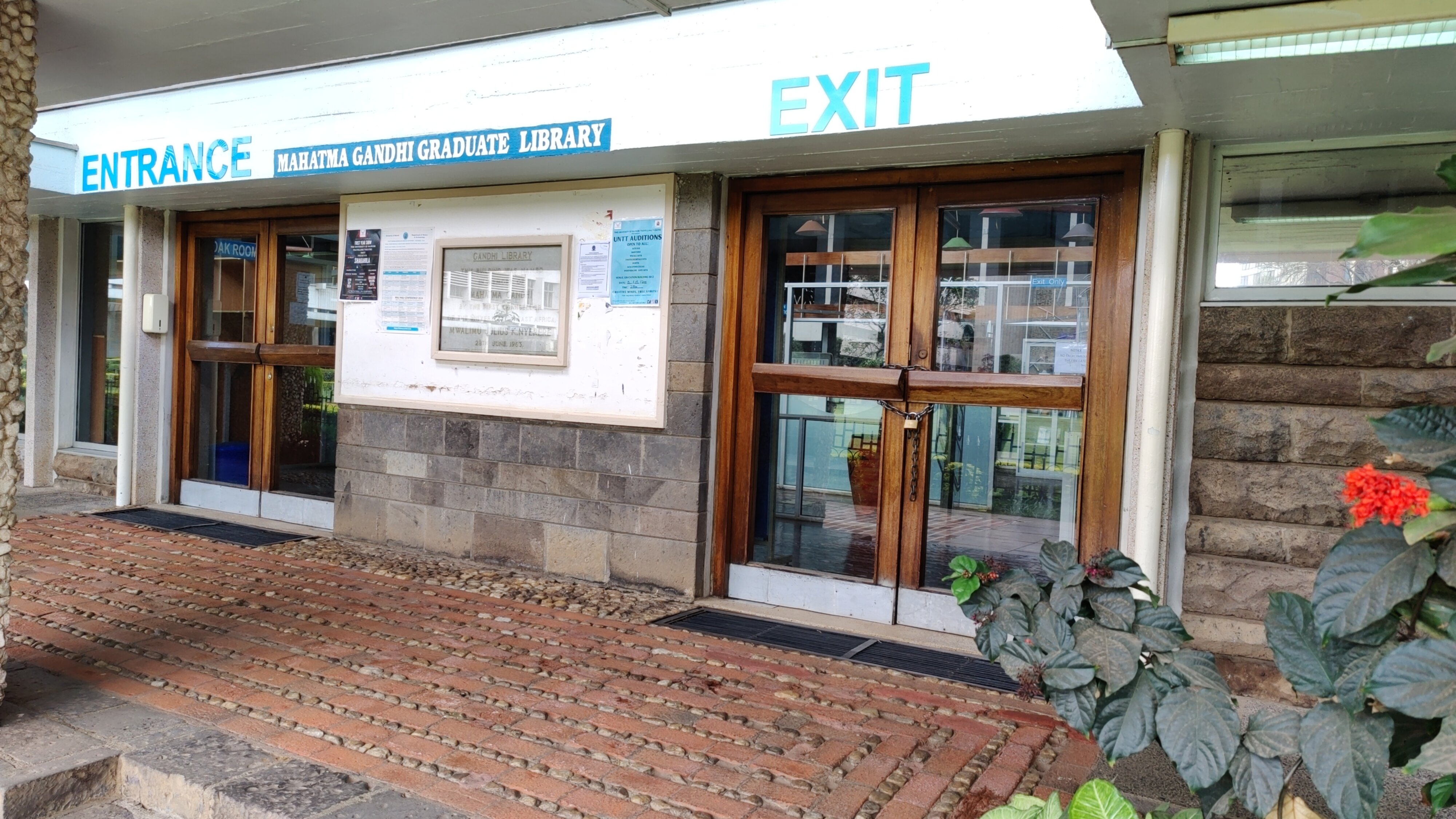
A library in Mahatma Gandhi wing of the University of Nairobi.
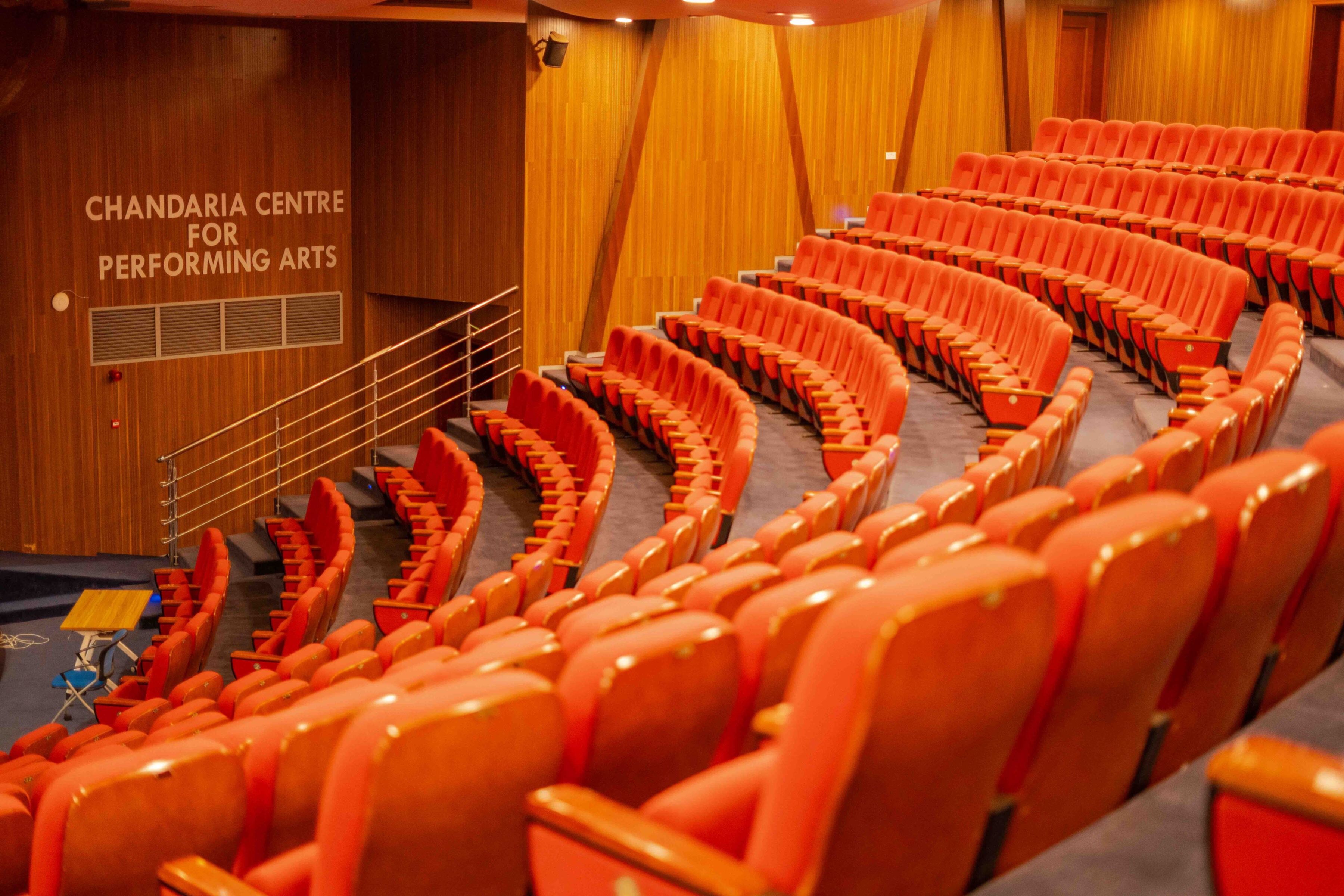
The diversity of the participants was mind-blowing, with people coming from a whopping 54 countries. I was surprised to notice that I was the only participant traveling from India, despite India having a large OpenStreetMap community. That said, there were two other Indian participants who traveled from other countries. I finally got to meet Arnalie (from the Phillipines) and Letwin (from Zimbabwe), both of whom I had only met online before. I had met Anisa (from Albania) earlier during DebConf 2023. But I missed Mikko and Honey from the Humanitarian OpenStreetMap Team, whom I knew from the Open Mapping Guru program. I learned about the extent of OSM use through Pragya and Rabina s talk; about the logistics of running the OSM Board, in the OSMF (OpenStreetMap Foundation) session; about the Youth Mappers from Sajeevini, about the OSM activities in Malawi from Priscilla Kapolo, and about mapping in Zimbabwe from Letwin. However, I missed Ibtehal s lightning session. The ratio of women speakers and participants at the conference was impressive, and I hope we can get such gender representation in our Delhi/NCR mapping parties.
One of the conference halls where talks took place.
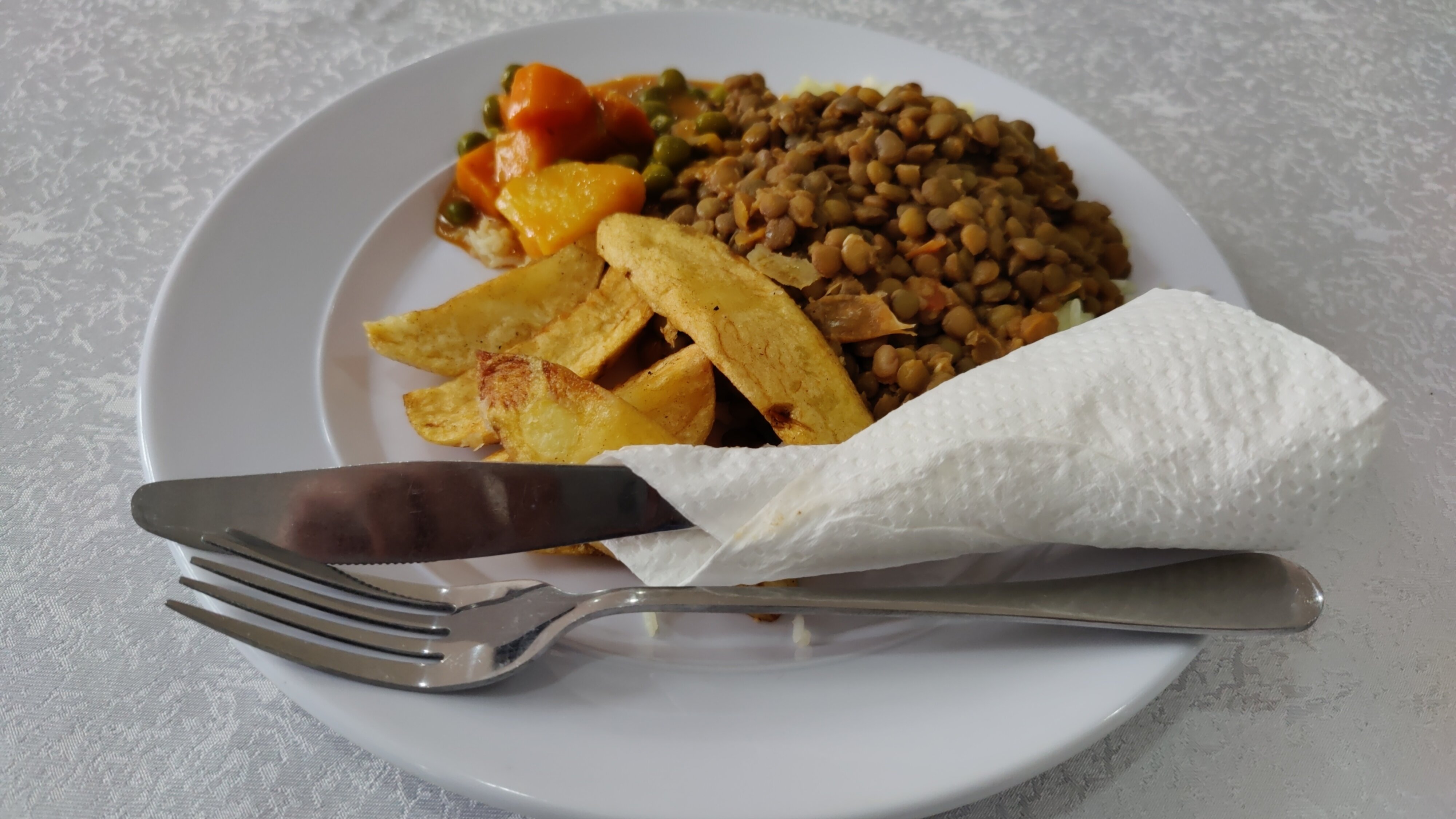
Outside of talks, the conference also had lunch and snack breaks, giving ample time for networking with others. In the food department, there were many options for a lacto-ovo vegetarian like myself, including potatoes, rice, beans, chips etc. I found out that the milk tea in Kenya (referred to as white tea ) is usually not as strong compared to India, so I switched to coffee (which is also called white coffee when taken with milk). The food wasn t spicy, but I can t complain :) Fruit juices served as a nice addition to lunch.
One of the lunch meals served during the conference.

At the end of the second day of the conference, there was a surprise in store for us a bus ride to the Bao Box restaurant. The ride gave us the experience of a typical Kenyan matatu (privately-owned minibuses used as share taxis), complete with loud rap music. I remember one of the songs being Kraff s Nursery Rhymes. That day, I was wearing an original Kenyan cricket jersey - one that belonged to Dominic Wesonga, who represented Kenya in four ODIs. This confused Priscilla Kapolo, who asked if I was from Kenya! Anyway, while it served as a good conversation starter, it didn t attract as much attention as I expected :) I had some pizza and chips there, and later some drinks with Ibtehal. After the party, Piyush went with us to our hotel and we played a few games of UNO.
Minibus which took us from the university to Bao Box restaurant.
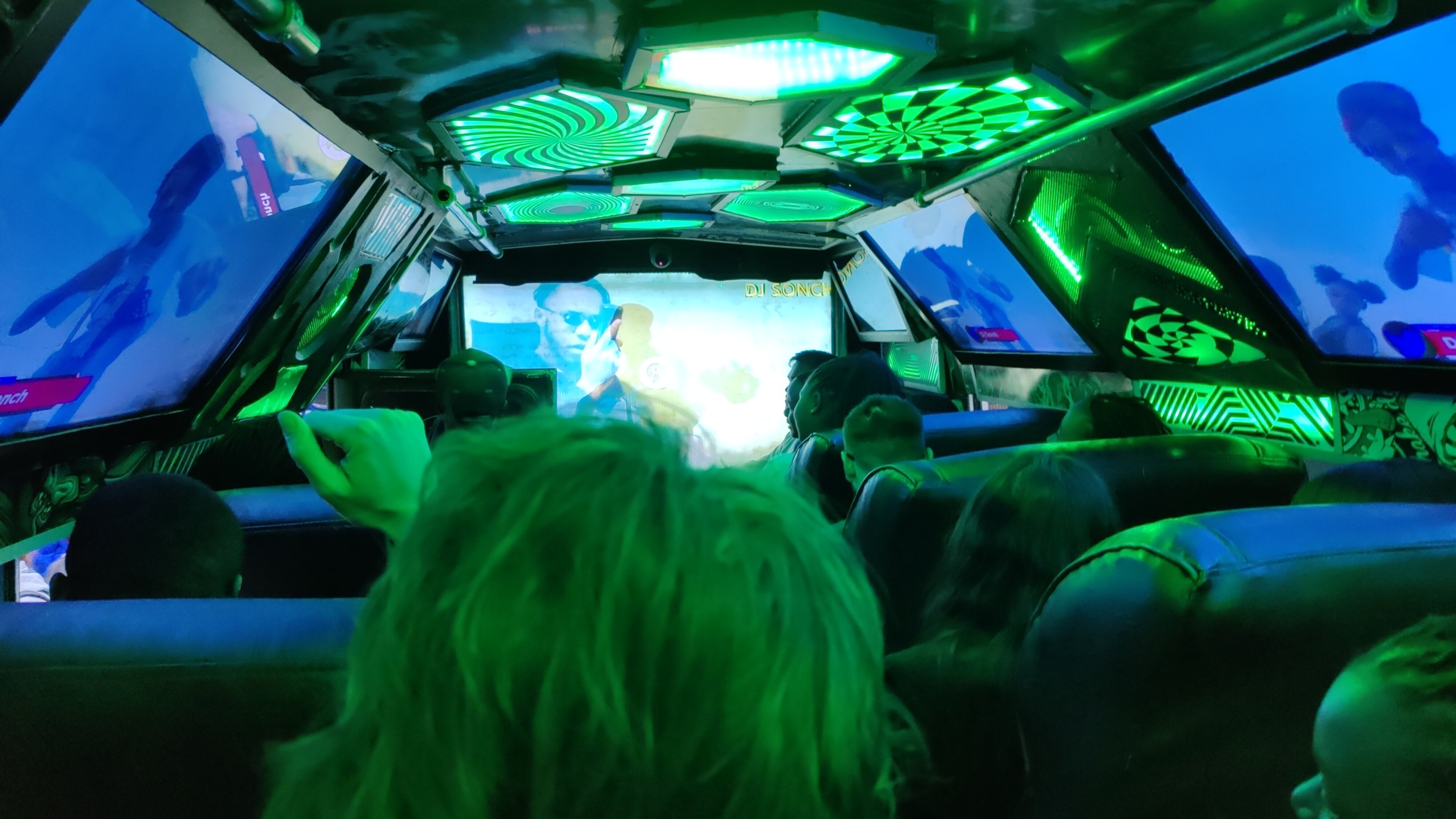
This minibus in the picture gave a sense of a real matatu.
I am grateful to the organizers Laura and Dorothea for introducing me to Nikhil when I was searching for a companion for my post-conference trip. Nikhil was one of the aforementioned Indian participants, and a wildlife lover. We had some nice conversations; he wanted to go to the Masai Maara Natural Reserve, but it was too expensive for me. In addition, all the safaris were multi-day affairs, and I wasn t keen on being around wildlife for that long. Eventually I chose to go my own way, exploring the coastal side and visiting Mombasa. While most of the work regarding the conference was done using free software (including the reimbursement form and Mastodon announcements), I was disappointed by the use of WhatsApp for coordination with the participants. I don t use WhatsApp and so was left out. WhatsApp is proprietary software (they do not provide the source code) and users don t control it. It is common to highlight that OpenStreetMap is controlled by users and the community, rather than a company - this should apply to WhatsApp as well. My suggestion is to use XMPP, which shares similar principles with OpenStreetMap, as it is privacy-respecting, controlled by users, and powered by free software. I understand the concern that there might not be many participants using XMPP already. Although it is a good idea to onboard people to free software like XMPP, we can also create a Matrix group, and bridge it with both the XMPP group and the Telegram group. In fact, using Matrix and bridging it with Telegram is how I communicated with the South Asian participants. While it s not ideal - as Telegram s servers are proprietary and centralized - but it s certainly much better than creating a WhatsApp-only group. The setup can be bridged with IRC as well. On the other hand, self-hosted mailing lists for participants is also a good idea. Finally, I would like to thank SotM for the generous grant, enabling me to attend this conference, meet the diverse community behind OSM and visit the beautiful country of Kenya. Stay tuned for the blog post on Kenya trip. Thanks to Sahilister, Contrapunctus, Snehal and Badri for reviewing the draft of this blog post before publishing.

Next.

Previous.