Matthias Klumpp: Introducing pkgcli: A nicer command-line interface for PackageKit
For almost two decades, the PackageKit package management abstraction layer has shipped with pkcon as its command-line client. pkcon does its job, but it was always kind of a testing front-end for the PackageKit daemon rather than a tool designed for everyday use. The focus has instead been on the GUI tools, automatic system updates, GUI application managers and other front-ends. Its command names mirror the D-Bus API almost one-to-one (get-details, get-updates, get-depends), output is very plain, and there is no machine-readable mode for scripting. Most importantly though, there has been no development on it at all for almost a decade, so pkcon was stuck in its rudimentary state from that era.
Since a lot of changes will be coming to PackageKit, and testing the daemon and working with it from the command-line was not very pleasant anymore in 2025/2026, I decided to modernize the tool as part of my work as fellow for the Sovereign Tech Agency last year. pkgcli is the new command-line client for PackageKit. It is built from the ground up to be pleasant to use interactively and easy to drive from scripts.
Why a new tool?
Of course, instead of introducing a new tool, I could have just expanded pkcon instead. The problem with that approach is that the pkcon utility has been around for so long and its command-line API had ossified so much, that rather than changing it and potentially breaking a lot of scripts relying on its quirks, I decided to introduce a new tool instead. pkcon can still be optionally compiled for people who need it in their scripts and workflows.
The goals for pkgcli, and the features it now has are:
- Human-friendly command names. Verbs that read the way you d describe the task, instead of mirroring the D-Bus API 1:1:
show,search,list-updates,what-provides, instead ofget-detailsand friends. - Readable, colored output by default (still respecting
NO_COLORand degrading gracefully). - A real scripting mode. A global
--jsonflag emits JSONL instead of fully human-readable output when possible, to make it easier to use the tool for scripting purposes. - Sensible defaults. A few defaults have been changed, such as the metadata cache-age, or automatic cleanup of unused dependencies being enabled by default. This is more in line with current defaults by other tools and frontends. We also print package information in a slightly different, more readable way.
- Better handling of internationalized text. Text should now align properly in the terminal window, and we should no longer have completely chaotic text output on non-English locales (especially Chinese/Japanese).
Why not pkgctl?
Originally, this tool was called pkgctl, to match other common cross-distro tool names. However, that name was already taken by an Arch-specific distro development tool. When this issue was raised, we decided to just rename our tool to pkgcli with the next release, to avoid the name clash on Arch Linux.
Examples!
Here are some examples on how to use the new tool (some of which include the abridged output pkgcli prints).
Search for anything containing the string editor in name or description, then look at the details of one result:
$ pkgcli search editor
Querying                  [ ] 100%
  ace-of-penguins 1.5~rc2-7.amd64 [debian-testing-main]
  acorn-fdisk 3.0.6-14.amd64 [debian-testing-main]
  ardour 1:9.2.0+ds-1.amd64 [debian-testing-main]
  audacity 3.7.7+dfsg-1.amd64 [manual:debian-testing-main]
  audacity-data 3.7.7+dfsg-1.all [auto:debian-testing-main]
  augeas-tools 1.14.1-1.1.amd64 [debian-testing-main]
  emacs 1:30.2+1-3.all [debian-testing-main]
  gedit 48.1-9+b1.amd64 [debian-testing-main]
  gedit-common 48.1-9.all [debian-testing-main]
  gedit-dev 48.1-9+b1.amd64 [debian-testing-main]
[...]
$ pkgcli show nano
Package: nano
Version: 9.0-1
Summary: small, friendly text editor inspired by Pico
Description: GNU nano is an easy-to-use text editor originally designed as
 a replacement for Pico, the ncurses-based editor from the non-free mailer
 package Pine.
[...]
URL: https://www.nano-editor.org/
Group: publishing
Installed Size: 2.9 MB
Download Size: 646.0 KB
Search only within package names rather than descriptions:
$ pkgcli search name python3Check for updates. refresh updates the metadata, then list-updates reports what s available:
$ pkgcli refresh && pkgcli list-updates
Loading cache            [ ] 100%
  cme 1.048-1.all [debian-testing-main]
  gir1.2-gdm-1.0 50.1-2.amd64 [debian-testing-main]
  imagemagick 8:7.1.2.24+dfsg1-1.amd64 [debian-testing-main]
  imagemagick-7-common 8:7.1.2.24+dfsg1-1.all [debian-testing-main]
  imagemagick-7.q16 8:7.1.2.24+dfsg1-1.amd64 [debian-testing-main]
  libdlrestrictions1 0.22.0.amd64 [debian-testing-main]
  libfftw3-bin 3.3.11-1.amd64 [debian-testing-main]
  libfftw3-dev 3.3.11-1.amd64 [debian-testing-main]
Explore relationships between packages:
$ pkgcli list-depends inkscape  # list what inkscape depends on
$ pkgcli list-requiring libappstream5  # list what requires libappstream5
Find the package that provides a capability, here the AV1 GStreamer decoder:
$ pkgcli what-provides "gstreamer1(decoder-video/x-av1)"
  gstreamer1.0-plugins-bad 1.28.3-1.amd64 [auto:debian-testing-main]
You can also have JSON output for most commands! Attach --json to any query and pipe the result straight into jq. Each line is a self-contained JSON object:
$ pkgcli --json list-updates   jq -r '.name'
cme
gir1.2-gdm-1.0
imagemagick
imagemagick-7-common
imagemagick-7.q16
libdlrestrictions1
libfftw3-bin
libfftw3-dev
libfftw3-double3
Try it
pkgcli is built by default alongside the rest of PackageKit since PackageKit 1.3.4. If your distribution ships a recent enough PackageKit, it should already be on your PATH. You can read its man page man pkgcli for more information. Feedback, bug reports, and patches are very welcome.
 Today we went to see a theater play in UNAM s Cultural Center, very near
our home. No, not inside any of the theaters


 In the process of preparing a major Ubuntu Touch release (v24.04-2.0, coming soon...) we will also update Ayatana Indicators in Ubuntu Touch.
Last week various new features have been added to some of the indicators (toggle switch to keep the display switched on permanently, blue tooth pairing agent, redesign of the keyboard indicator, etc.) and those changes require translation updates.
If you can, please visit [1] this weekend and help translating Ayatana Indicators into your native language. Thanks so much!!!
light+love
 My Debian contributions this month were all

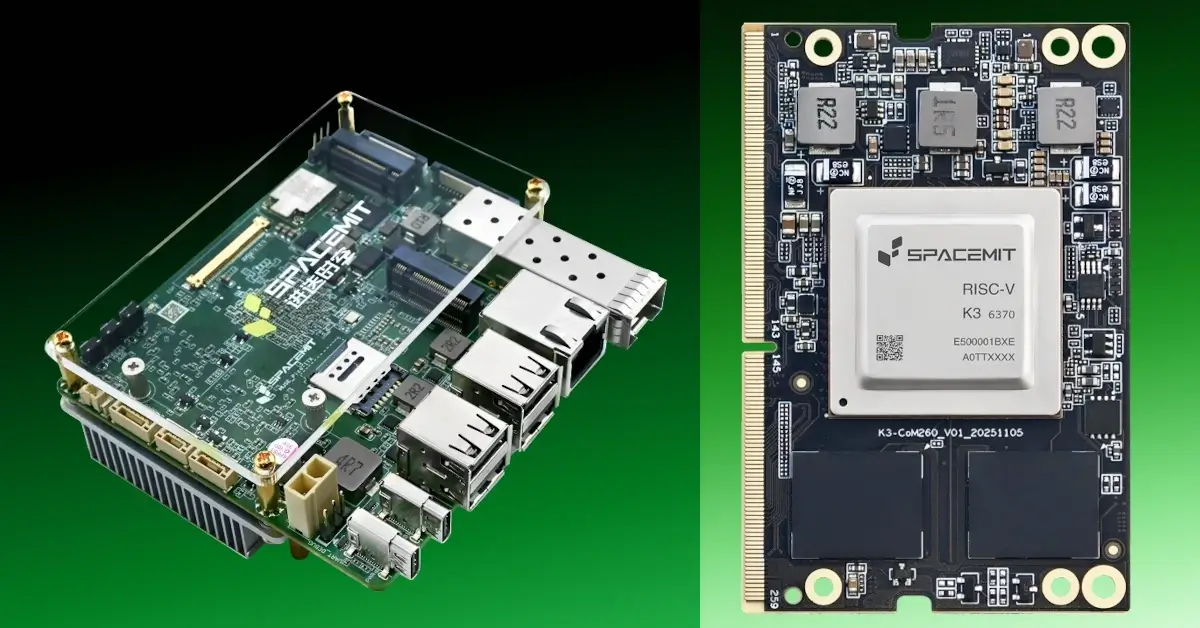
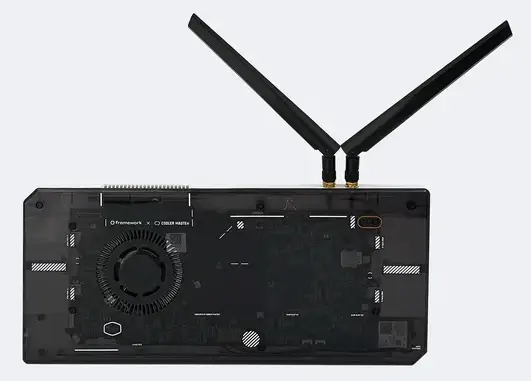
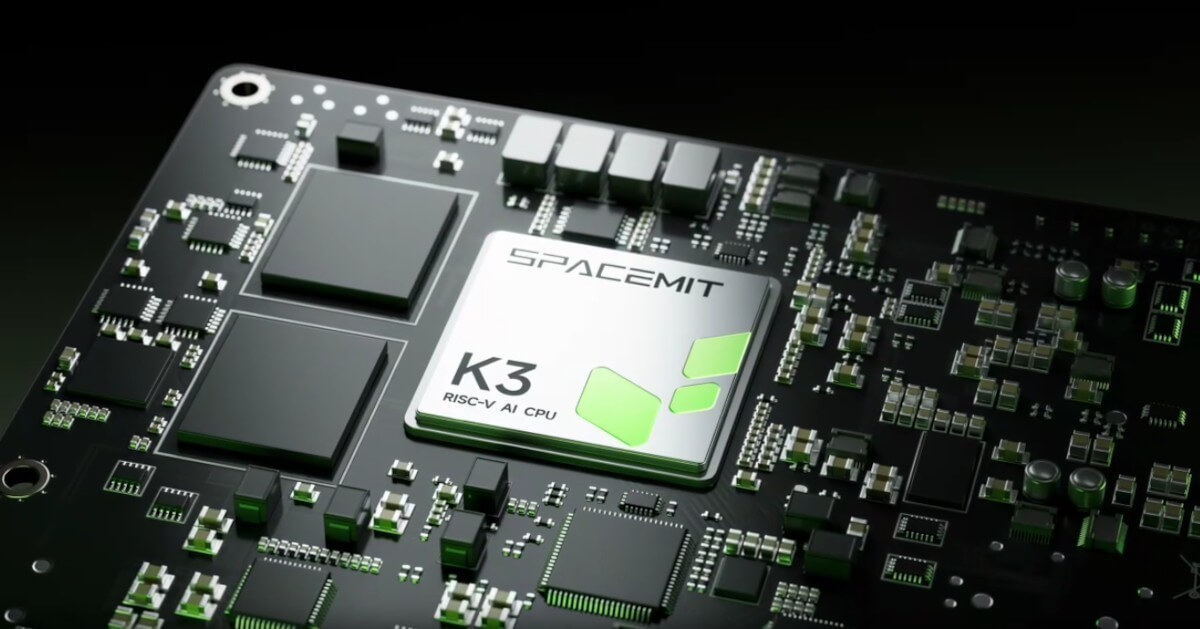 The RISC-V CPU architecture has been gaining a lot of popularity since it launched in 2014, and now that the industry is standardizing on the RVA23 level that includes vector support as a mandatory extension, we are likely to see a lot more edge- and IoT devices with the ability to run local LLMs at reasonable speed, and most importantly at very compelling prices.
 A new minor release 0.4.27 of
 I finally carved out some time today to prepare and release debsecan-mcp





 This was a particularly busy month for me in terms of Debian
contributions.
It started with a week in Hamburg for the MiniDebConf. I talked to
many colleagues face-to-face and worked on various bugs and
maintenance tasks. I m pleased to have finally found the time to
reproduce and fix the