Vincent Fourmond: Tutorial: analysis of multiwavelength fast kinetics data
The purpose of this post is to demonstrate a first approach to the analysis of multiwavelength kinetic data, like those obtained using stopped-flow data. To practice, we will use data that were acquired during the stopped flow practicals of the MetBio summer school from the FrenchBIC. During the practicals, the student monitored the reaction of myoglobin (in its Fe(III) state) with azide, which yields a fast and strong change in the absorbance spectrum of the protein, which was monitored using a diode array. The data is publicly available on zenodo.
Aims of this tutorial
The purpose of this tutorial is to teach you to use the free softwareQSoas to run a simple, multiwavelength exponential fit on the data, and to look at the results. This is not a kinetics lecture, so that it will not go in depth about the use of the exponential fit and its meaning.
Getting started: loading the file
First, make sure you have a working version of QSoas, you can download them (for free) there. Then download the data files from zenodo. We will work only on the data file  The rows each correspond to a data point displayed on the window below. The first column correspond to the X values, the second the Y values, and all the other ones to extra Y columns (they are not displayed by default). What is especially interesting is the first row, which contains a
  You're looking at the kinetics at all wavelengths at the same time (this may take some time to display on your computer, it is after all a rather large number of data points). The
  The bottom of the fit window is taken by the parameters, each with two checkboxes on the right to set them fixed (i.e. not determined by the fitting mechanism) and/or global (i.e. with a single value for all the datasets, here all the wavelengths). The top shows the current dataset along with the corresponding fit (in green), and, below, the residuals. You can change the dataset by clicking on the horizontal arrows or using Ctrl+PgUp or Ctrl+PgDown (keep holding it to scan fast). See the
  The
The
Contact: find my email address there, or contact me on LinkedIn.
Azide-1.25mm_001.dat, but of course, the purpose of this tutorial is to enable you to work on all of them. The data files contain the time evolution of the absorbance for all wavelengths, in a matrixformat, in which each row correpond to a time point and each column to a wavelength. Start QSoas, and launch the command:
QSoas> load /comments='"'Then, choose the
Azide-1.25mm_001.dat data file. This should bring up a horizontal red line at the bottom of the data display, with X values between about 0 and 2.5. If you zoom on the red line with the mouse wheel, you'll realize it is data. The /comments='"' part is very important since it allows the extraction of the wavelength from the data. We will look at what it means another day. At this stage, you can look at the loaded data using the command:
QSoas> editYou should have a window looking like this:

nan as the X value and what is obviously the wavelength for all the Y values. To tell that QSoas should take this line as the wavelength (which will be the perpendicular coordinate, the coordinate of the other direction of the matrix), first close the edit window and run:
QSoas> set-perp /from-row=0Splitting and fitting Now, we have a single dataset containing a lot of Y columns. We want to fit all of them simultaneously with a (mono) exponential fit. For that, we first need to split the big matrix into a series of X,Y datasets (because fitting only works on the first Y). This is possible by running:
QSoas> expand /style=red-to-blue /flags=kineticsYour screen should now look like this:

/style=red-to-blue is not strictly necessary, but it gives the red to blue color gradient which makes things easier to look at (and cooler !). The /flags=kinetics is there to attach a label (a flag) to the newly created datasets so we can easily manipulate all of them at the same time. Then it's time to fit, with the following command:
QSoas> mfit-exponential-decay flagged:kineticsThis should bring up a new window. After resizing it, you should have something that looks like this:

Z = 728.15 showing that QSoas has recognized that the currently displayed dataset corresponds to the wavelength 728.15. The equation fitted to the data is: $$y(x) = A_\infty + A_1 \times \exp -(x - x_0)/\tau_1$$
In this case, while the \(A_1\) and \(A_\infty\) parameters clearly depend on the wavelength, the time constant of evolution should be independent of wavelength (the process happens at a certain rate regardless of the wavelength we're analyzing), so that the \(\tau_1\) parameter should be common for all the datasets/wavelengths. Just click on the globalcheckbox at the right of the
tau_1 parameter, make sure it is checked, and hit the Fitbutton... The fit should not take long (less than a minute), and then you end up with the results of the fits: all the parameters. The best way to look at the non global parameters like \(A_1\) and \(A_\infty\) is to use the
Show Parametersitem from the
Parametersmenu. Using it and clicking on
A_inf too should give you a display like this one:

A_inf parameter corresponds to the spectum at infinite time (of azide-bound heme), while the A_1 parameter corresponds to the difference spectrum between the initial (azide-free) and final (azide-bound) states.
Now, the fit is finished, you can save the parameters if you want to reload them in a later fit by using the Parameters/
Savemenu item or export them in a form more suitable for plotting using
Parameters/
Export(although QSoas can also display and the parameters saved using
Save). This concludes this first approach to fitting the data. What you can do is
- look at the depence of the
tau_1parameter as a function of the azide concentration; - try fitting more than one exponential, using for instance:
QSoas> mfit-exponential-decay /exponentials=2 flagged:kinetics
QSoas> in the code areas above are meant to be typed into the QSoas command line (at the bottom of the window), and started by pressing enter at the end. You must remove the QSoas> bit. The other lines (when applicable) show you the response of QSoas, in the terminal just above the command-line. You may want to play with the QSoas tutorial to learn more about how to interact with QSoas.
About QSoas
QSoas is a powerful open source data analysis program that focuses on flexibility and powerful fitting capacities. It is released under the GNU General Public License. It is described in Fourmond, Anal. Chem., 2016, 88 (10), pp 5050 5052. Current version is 3.1. You can freely (and at no cost) download its source code or precompiled versions for MacOS and Windows there. Alternatively, you can clone from the GitHub repository.
Contact: find my email address there, or contact me on LinkedIn.
 I've been working with and on container technology for seven years, but I still
learn new things every day. Recently I read the excellent LWN article
I've been working with and on container technology for seven years, but I still
learn new things every day. Recently I read the excellent LWN article 

 . For those who have read this blog, do know that India is and has been in casteism from ever. They even took the fair comment and applied it to all Brahmins. According to them, all Brahmins are fair and hence have god-given right to lord over others. What is called the Eton boy s network serves the same in this casteism. The only solution is those idea under limelight and investigate. To take the above, how does one prove that all fair people are wise and peaceful while all people black and brown are violent. If that is so, how does one count for Mahatma Gandhi, Martin Luther King Junior, Nelson Mandela, Michael Jackson the list is probably endless. And not to forget that when Mahatma Gandhiji did his nonviolent movements either in India or in South Africa, both black and brown people in millions took part. Similar examples of Martin Luther King Jr. I know and read of so many non-violent civl movements that took place in the U.S. For e.g.
  Just read this, beautifully
  A couple of weeks ago, I read a
  I was admitted to the first cohort of students of this course (please
note I m not committing him to run free courses ever again! He has
said he would consider doing so, specially to offer a different time
better suited for people in Asia).
I have wanted to learn some Rust for quite some time. About a year
ago, I bought a copy of
I was admitted to the first cohort of students of this course (please
note I m not committing him to run free courses ever again! He has
said he would consider doing so, specially to offer a different time
better suited for people in Asia).
I have wanted to learn some Rust for quite some time. About a year
ago, I bought a copy of 
 github activity october 2013 to october 2014
 github activity october 2014 to october 2015
 github activity october 2015 to october 2016
 github activity october 2016 to october 2017
 github activity october 2017 to october 2018
 github activity october 2018 to october 2019
 github activity october 2019 to october 2020
 github activity october 2020 to october 2021
 github activity october 2021 to october 2022
 I have continued to work for Freexian on Debian LTS. In August I
carried over 21 hours from July, and worked 13 hours. In September
I was assigned an additional 17 hours, and worked 16 hours. I will
carry over 9 hours into October.
In August, Debian 10 "buster" entered LTS status. I spent some time
on the backport of Linux 5.10 for buster. While this previously
existed in buster-backports, further changes were required to add it
as an alternative kernel version in buster-security, particularly
around code signing. When that was complete, I issued
I have continued to work for Freexian on Debian LTS. In August I
carried over 21 hours from July, and worked 13 hours. In September
I was assigned an additional 17 hours, and worked 16 hours. I will
carry over 9 hours into October.
In August, Debian 10 "buster" entered LTS status. I spent some time
on the backport of Linux 5.10 for buster. While this previously
existed in buster-backports, further changes were required to add it
as an alternative kernel version in buster-security, particularly
around code signing. When that was complete, I issued
 I m on the train back from
 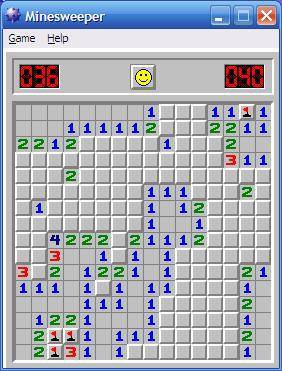 Microsoft Minesweeper

 This entry explains how I have configured a linux bridge,
  Over the past few months (years?) I've posted on my blog about the various toy interpreters I've written.
I've used a couple of scripting languages/engines in my professional career, but in public I think I've implemented
Over the past few months (years?) I've posted on my blog about the various toy interpreters I've written.
I've used a couple of scripting languages/engines in my professional career, but in public I think I've implemented





 Version 0.3.14 of the
  Fast laptops are expensive, cheap laptops are slow. But even a fast laptop is slower than a decent workstation, and if your developers want a local build environment they're probably going to want a decent workstation. They'll want a fast (and expensive) laptop as well, though, because they're not going to carry their workstation home with them and obviously you expect them to be able to work from home. And in two or three years they'll probably want a new laptop and a new workstation, and that's even more money. Not to mention the risks associated with them doing development work on their laptop and then drunkenly leaving it in a bar or having it stolen or the contents being copied off it while they're passing through immigration at an airport. Surely there's a better way?