Search Results: "tb"

22 March 2012

Axel Beckert: Tools for CLI Road Warriors: Tunnels

Sometime the network you re connected to is either untrusted (e.g. wireless) or castrated in some way. In both cases you want a tunnel to your trusted home base. Following I ll show you three completely different tunneling tools which may helpful while travelling. sshuttle sshuttle is a tool somewhere in between of automatic port forward and VPN. It tunnels arbitrary TCP connections and DNS through an SSH tunnel without requiring root access on the remote end of the SSH connection. So it s perfect for redirecting most of your traffic through an SSH tunnel to your favourite SSH server, e.g. to ensure your local privacy when you are online via a public, unencrypted WLAN (i.e. easy to sniff for everyone). It runs on Linux and MacOS X and only needs a Python interpreter on the remote side. Requires root access (usually via sudo) on the client side, though. It s currently available at least in Debian Unstable and Testing (Wheezy) as well as in Ubuntu since 11.04 Natty. Miredo Miredo is an free and open-source implementation of Microsoft s NAT-traversing Teredo IPv6 tunneling protocol for at least Linux, FreeBSD, NetBSD and MacOS X. Miredo includes not only a Teredo client but also a Teredo server implementation. The developer of Miredo also runs a public Miredo server, so you don t even need to install a server somewhere. If you run Debian or Ubuntu you just need to do apt-get install miredo as root and you have IPv6 connectivity. It s that easy. So it s perfect to get a dynamic IPv6 tunnel for your laptop or mobile phone independently where you are and without the need to register any IPv6 tunnel or configure the Miredo client. I usually use Miredo on my netbooks to be able to access my boxes at home (which are behind an IPv4 NAT router which is also an SixXS IPv6 tunnel endpoint) from whereever I am. iodine iodine is likely the most undermining tool in this set. It tunnels IPv4 over DNS, allowing you to make arbitrary network connections if you are on a network where nothing but DNS requests is allowed (i.e. only DNS packets reach the internet). This is often the case on wireless LANs with landing page. They redirect all web traffic to the landing page. But the network s routers try to avoid poisoning the client s DNS cache with different DNS replies as they would get after the user is logged in. So DNS packets usually pass even the local network s DNS servers unchanged, just TCP and other UDP packets are redirected until logging in. With an iodine tunnel, it is possible get a network connection to the outside on such a network anyway. On startup iodine tries to automatically find the best parameters (MTU, request type, etc.) for the current environmenent. However that may fail if any DNS server in between imposes DNS request rate limits. To be able to start such a tunnel you need to set up an iodine daemon somewhere on the internet. Choose a server which is not already a DNS server. iodine is available in many distributions, e.g. in Debian and in Ubuntu.

Russell Coker: Links March 2012

Washington s Blog has an informative summary of recent articles about corporate psychopaths [1]. Including the fact that some banks deliberately hire psychopaths. Anu Partanen wrote an insightful article for The Atlantic about the difference between Finnish and American education systems [2]. It seems that Finland has achieved great educational success by aiming for equality with no private schools and giving the teachers and principals enough responsibility to do the job properly. Ramona Pierson gave an interesting TED talk about how she recovered from being run over by a drunk driver with the help of the residents of a senior citizens home [3]. Quyen Nguyen gave a very interesting TED talk about the use of fluorescent dyes in cancer surgery [4]. They can make cancer glow one color and nerves glow with a different color which makes it a much easier task to remove ALL the cancer without cutting the smaller nerves. James Fallows wrote an interesting article for The Atlantic about the experience of having his wife s Gmail account cracked [5]. She stored EVERYTHING in her Gmail account so this was a lot worse for her than for the typical Geek who doesn t use such accounts for storing much. James describes what the attacker did, how they did it, and what needed to be done to recover. When running a mail server it s worth considering what you would do to help a user who was attacked in that way. Charles Stross has written an interesting blog post trying to predict some future psychological and social changes [6]. Matthew Wright of Beyond Zero Emissions has written an informative article about how solar panels on home roofs save everyone money [7]. Mikko Hypponen gave an interesting TED talk about different types of online attack and how they can affect us [8]. Among other things he describes how online attacks can result in people dying. Scott Rickard gave an interesting TED talk about using maths to create SONAR pings without repitition and also the worst music ever created [9]. I found it entertaining to watch Michael Lindel (the director of chamber music for the New York Symphony) play the music, he obviously didn t enjoy that performance. Sheena Iyengar gave an interesting TED talk about the way people make choices [10]. It s useful for anyone who is going to prepare a set of options for someone else to choose from. ASD Aid is a project that uses Lego to encourage kids on the Autism Spectrum to socialise [11]. They have training manuals for using Lego in therapy. Unfortunately they have not been supported by the Lego corporation. Bilal Bomani gave an interesting and informative TED talk about NASA research into renewable aviation fuel [12]. The most interesting thing to me was the way that they were aiming for a sustainable lifecycle that didn t use resources that coule be used for food and which required minimal input once it was started. Alain de Botton gave an interesting TED talk about Atheism 2.0 [13]. He suggests that we adopt some ideas from religious organisations including lectures (sermons), celebrations, and rituals. It s interesting to think of a technology conference as a pilgrimage. Homaro Cantu and Ben Roche from Moto restaurant in Chicago gave an interesting talk about some of the unusual foods that they have produced [14]. If I visit the US again I will try and go to Chicago to eat there! Related posts:
  1. Links March 2009 Cory Doctorow has written a column for The Guardian titled...
  2. Links February 2012 Sociological Images has an interesting article about the attempts to...
  3. Links January 2012 Cops in Tennessee routinely steal cash from citizens [1]. They...

21 March 2012

Axel Beckert: Tools for CLI Road Warriors: Remote Shells

Most of my private online life happens on netbooks and besides the web browser, SSH is my most used program especially on netbooks. Accordingly I also have hosts on the net to which I connect via SSH. My most used program there is GNU Screen. So yes, for things like e-mail, IRC, and Jabber I connect to a running screen session on some host with a permanent internet connection. On those hosts there is usually one GNU Screen instance running permanently with either mutt or irssi (which is also my Jabber client via a Bitlbee gateway). But there are some other less well-known tools which I regard as useful in such a setup. The following two tools can both be seen as SSH for special occassions. autossh I already blogged about autossh, even twice, so I ll just recap the most important features here: autossh is a wrapper around SSH which regularily checks via two tunnels connect to each other on the remote side if the connection is still alive, and if not, it kills the ssh and starts a new one with the same parameters (i.e. tunnels, port forwardings, commands to call, etc.). It s quite obvious that this is perfect to be combined with screen s -R and -d options. I use autossh so often that I even adopted its Debian package. mosh Since last week there s a new kid in town^WDebian Unstable: mosh targets the same problems as autossh (unreliable networks, roaming, suspending the computer, etc.) just with a completely different approach which partially even obsoletes the usage of GNU Screen or tmux: While mosh uses plain SSH for authentication, authorization and key exchange the final connection is an AES-128 encrypted UDP connection on a random port and is independent of the client s IP address. This allows mosh to have the following advantages: The connection stays even if you re switching networks or suspending your netbook. So if you re just running a single text-mode application you don t even need GNU Screen or tmux. (You still do if you want the terminal multiplexing feature of GNU Screen or tmux.) Another nice feature, especially on unreliable WLAN connections or laggy GSM or UMTS connections is mosh s output prediction based on its input (i.e. what is typed). Per line it tries to guess which server reaction a key press would cause and if it detects a lagging connection, it shows the predicted result underlined until it gets the real result from the server. This eases writing mails in a remote mutt or chatting in a remote irssi, especially if you noticed that you made a typo, but can t remember how many backspaces you would have to type to fix it. Mosh needs to be installed on both, client and server, but the server is only activated via SSH, so it has no port open unless a connection is started. And despite that (in Debian) mosh is currently just available in Unstable, the package builds fine on Squeeze, too. There s also an PPA for Ubuntu and of course you can also get the source code, e.g. as git checkout from GitHub. mosh is still under heavy development and new features and bug fixes get added nearly every day. Thanks to Christine Spang for sponsoring and mentoring Keith s mosh package in Debian.

20 March 2012

Russell Coker: An Introduction to Android

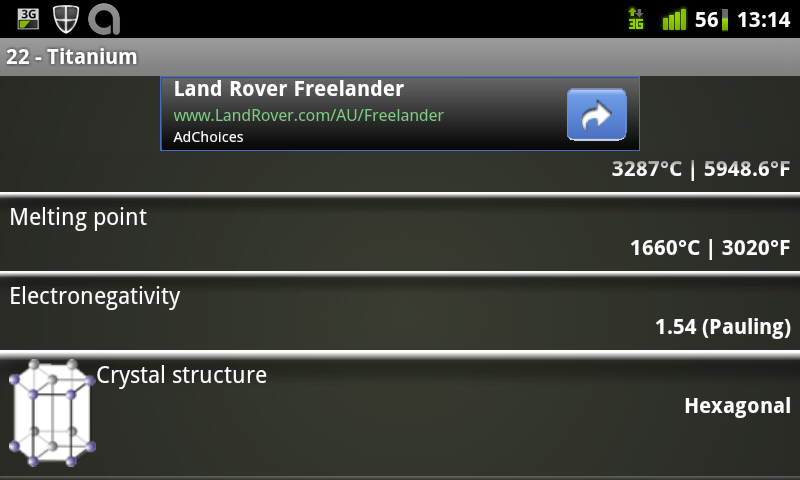
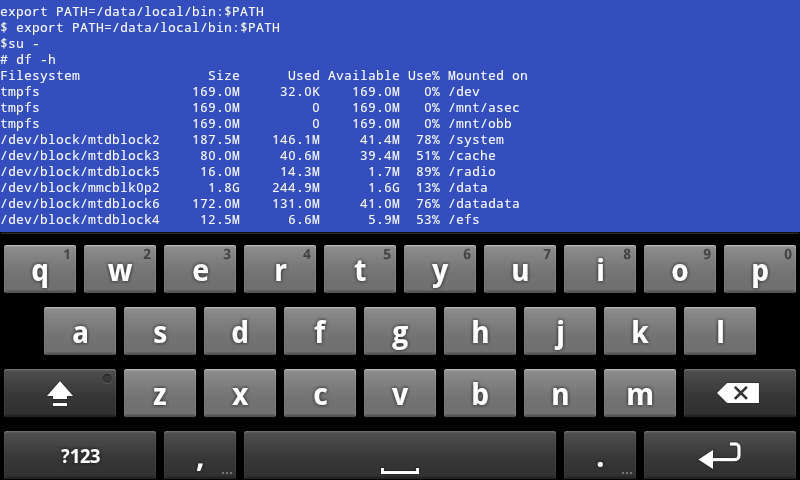
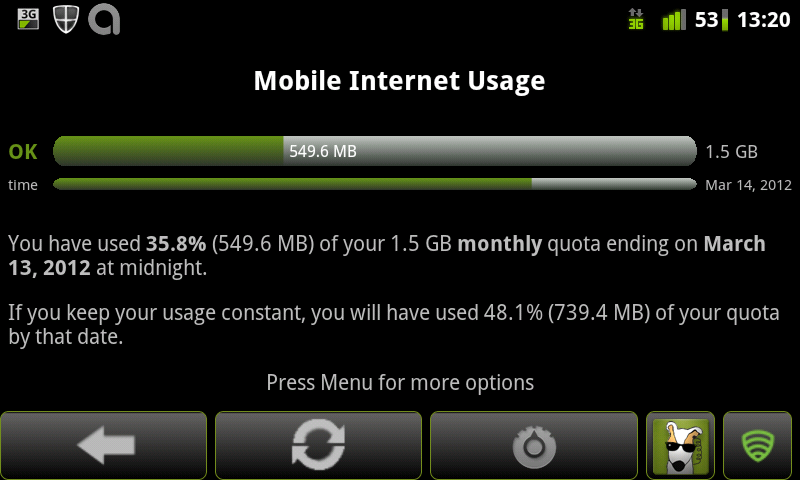
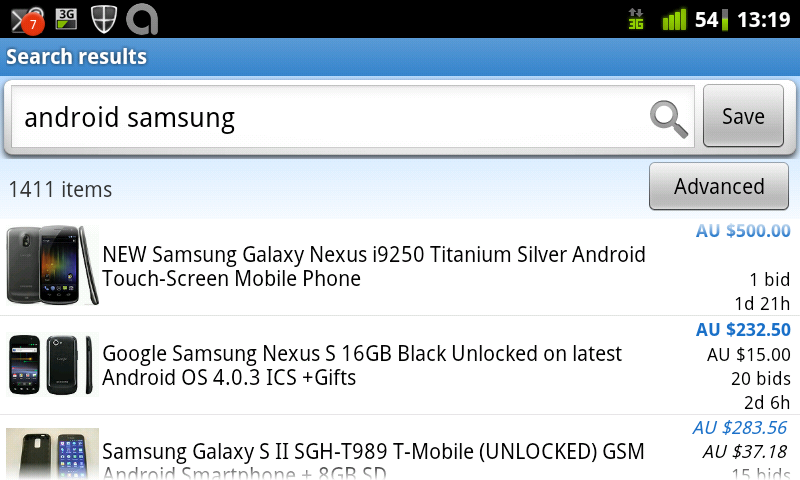
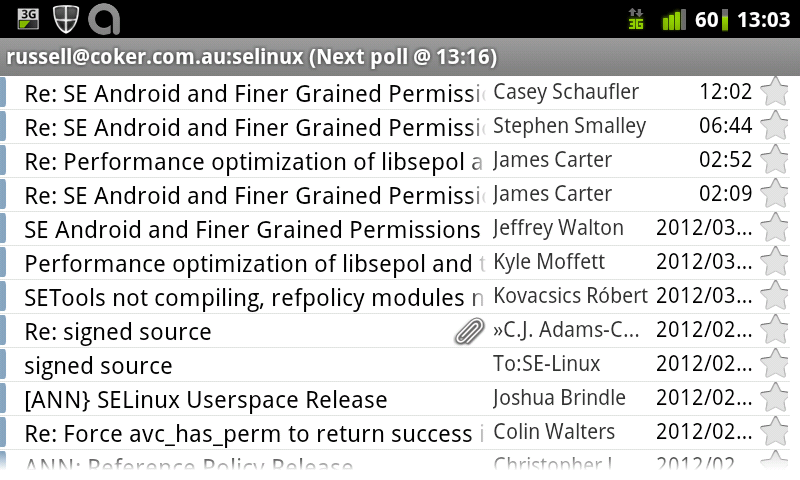
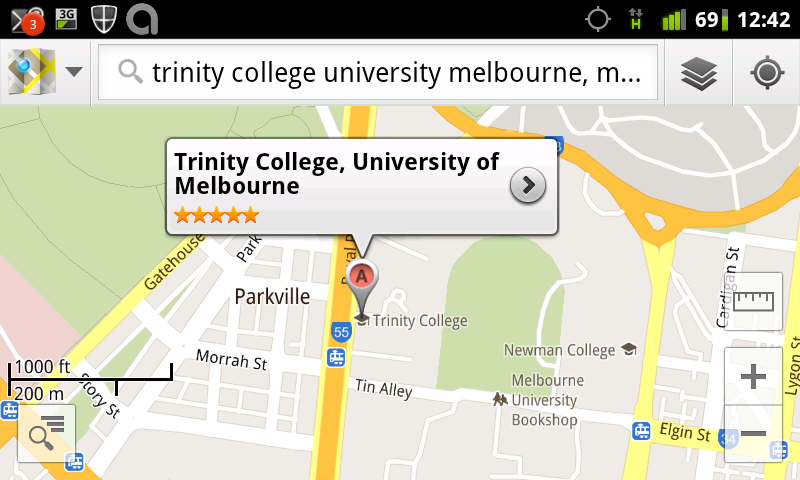
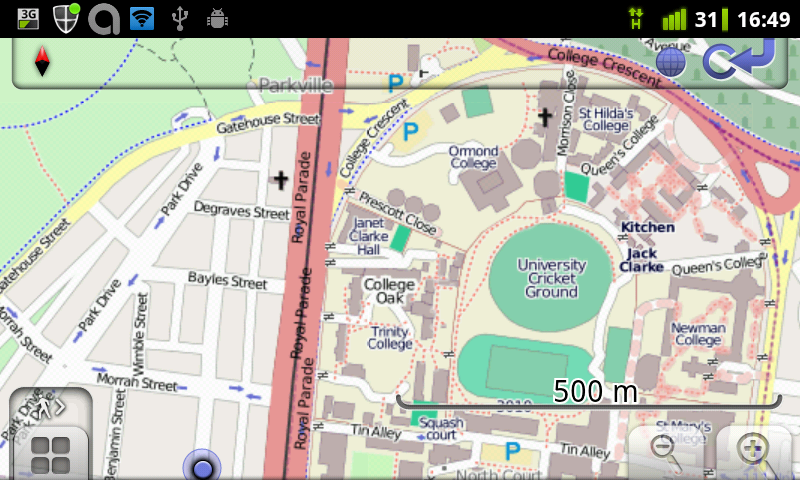
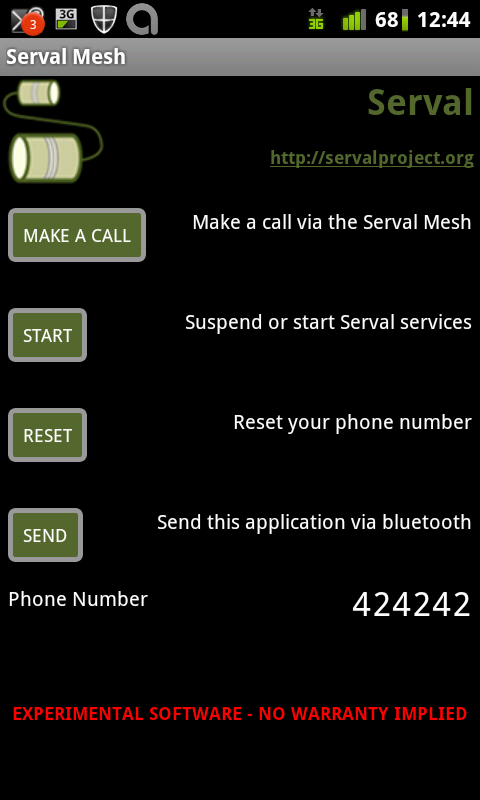
I gave a brief introductory talk about Android at this month s LUV meeting. Here are the slides with a brief description. All the screen-shots were made on a Samsung Galaxy S running Cyanogenmod version 7.1 [1] (Android version 2.3.7). With that build of Cyanogenmod you can press the power button for about 1.5 seconds to get a menu which gives an option to take a screen shot. The aim of the talk was to give an overview of what Android can do. I also gave some random commentary about Android such as explaining why it doesn t make a good phone. Most of the pictures in this post have links to the Android applications in question. Essential and Important Apps picture of root shell access running df I started by explaining why having root access to your system is really important, including the issue of backing up an Android phone [2]. Cyanogenmod includes a terminal program which allows you to run su - . Running a shell as root isn t generally that useful, what you really want is to be able to run programs such as Titanium Backup which can only work properly if given root access. When you run an OS that allows root access you can run su - at a terminal prompt and you can also have an application use a GUI to request root access. I recommend rooting and modding an Android phone immediately after buying it. However that takes some time which is somewhat equivalent to money and is a significant hidden cost to purchasing an Android phone. picture of 3g watchdog bandwidth monitor The business models of telephone companies seem to involve hidding users for unexpected fees and extra fees for excess bandwidth can be really expensive. 3G Watchdog is one app that can monitor bandwidth and disable data transfers if too much is used. Onavo is an alternative that allows tracking data use on a per-application basis, but it only runs on Android 2.3.x while 3G Watchdog works on Android 2.1. Official EBay app searching for Samsung Android phones EBay has an official app which is handy for searching for items. So far I ve only used it to get price estimates and have used a PC for buying. K9 viewing my SE Linux mailing list email K9 seems to be the best MUA for Android. The MUA that ships with Android 2.1 isn t nearly as good and K9 is good enough that I didn t even bother testing the MUA from Cyanogenmod. The above picture shows a list of mail in my SE Linux folder. graph by opticron grapher The Opticron Grapher is a good graphing calculator. I won t claim it s the best because I didn t seriously test such programs, but for the basic tests I ve done it has worked well. Google map of LUV location The Google Maps client comes with every Android system, the above shows the location of the LUV meeting. Open Street Map location of the LUV meeting Osmand is an Android client for the Open Street Map project. Here is the web site for the Open Street Map project [3]. One significant advantage of OSM over the Google Maps is that OSM is free, the data is all contributed by users like Wikipedia. Another significant advantage is that you can download as much data as you need to your phone, for example the entire dataset for Australia is about 200M. Storing 200M of data on your phone is no big deal when you consider the availability of phones with more than 16G of storage and the ability to use a map when offline is a real benefit. So far I ve used Osmand while waiting for a train at an underground station and I plan to use it to track my progress the next time I m on a cruise. serval mesh networking and VOIP Serval is a mesh networking application for Android that supports VOIP phone calls and distributing messages and files. It s designed to be used in disaster areas, but there are lots of other potential uses of the technology. The Serval Project blog has an article about the presentation they gave at LCA 2012 [4]. periodic table

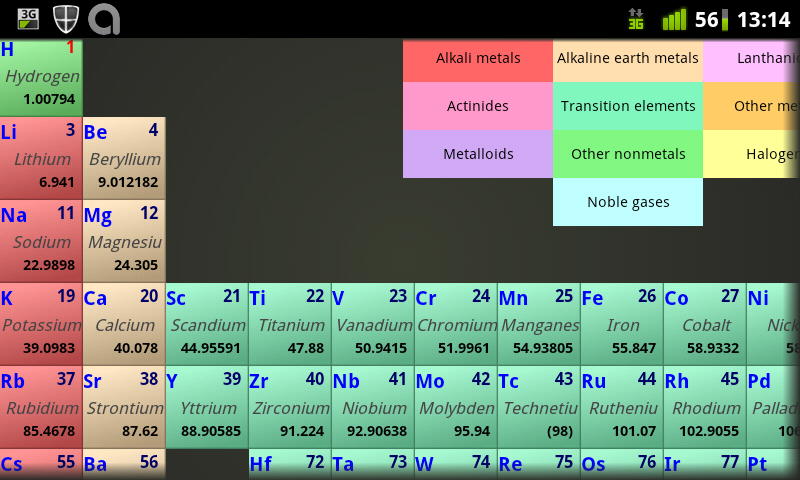
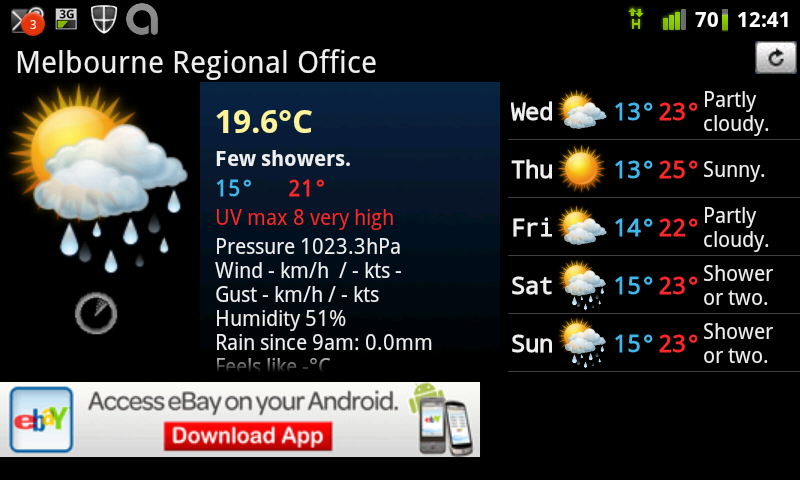
details about Titanium Periodic Droid is my favorite Periodic Table viewing program. tomfusion Au Weather forecast app The Tomfusion AU Weather forecast app seemed to be better than the one from the BoM last time I checked. It s probably the best weather app for Australia. screen-shot of LUV web site
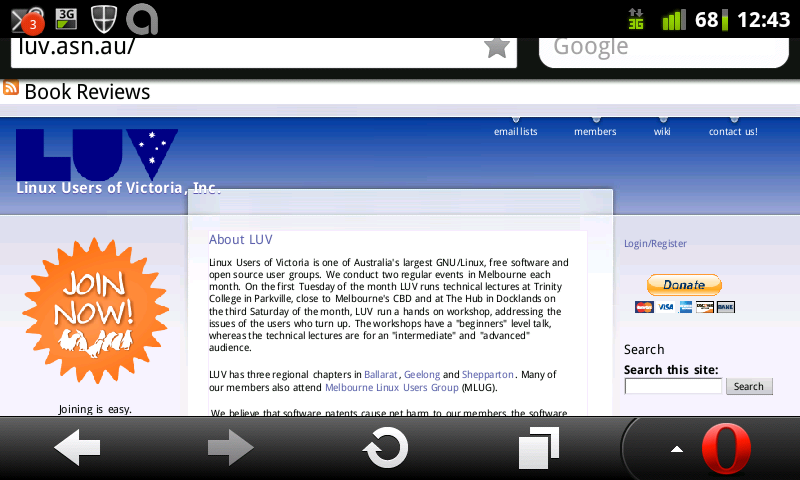
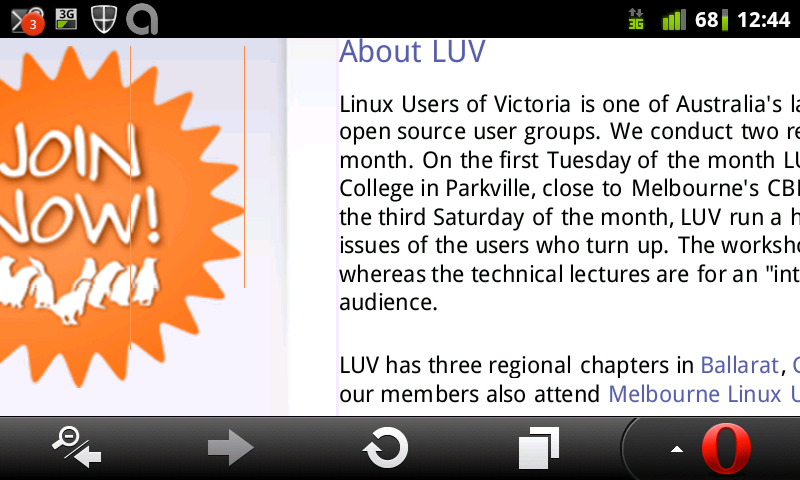
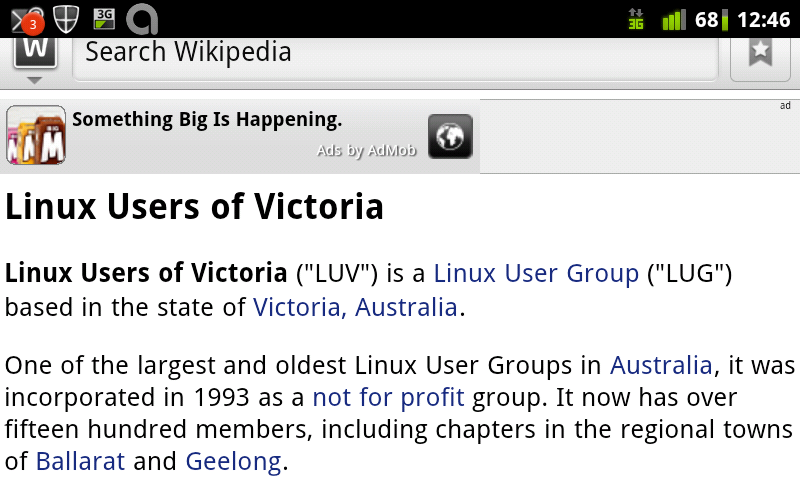
LUV web site zoomed in The Opera Mini browser is often faster than other browsers because it uses a compressing proxy run by Opera. It s not so good for privacy though LUV page on Wikipedia I have been using Wapedia for browsing Wikipedia. Since giving the talk I discovered the Official Wikipedia browser from the Wikimedia foundation [5] which is a better fit for my needs and I ve uninstalled Wapedia. As an aside modern phones have 16G of storage or more and could easily have a copy of the entire English text of Wikipedia on internal storage. It would be good if someone like Jason King (who is known for work on stand-alone DVD images for Wikipedia) was to write an Android program to do this. Handy Apps Androsensor showing GPS, accelleration, and light intensity
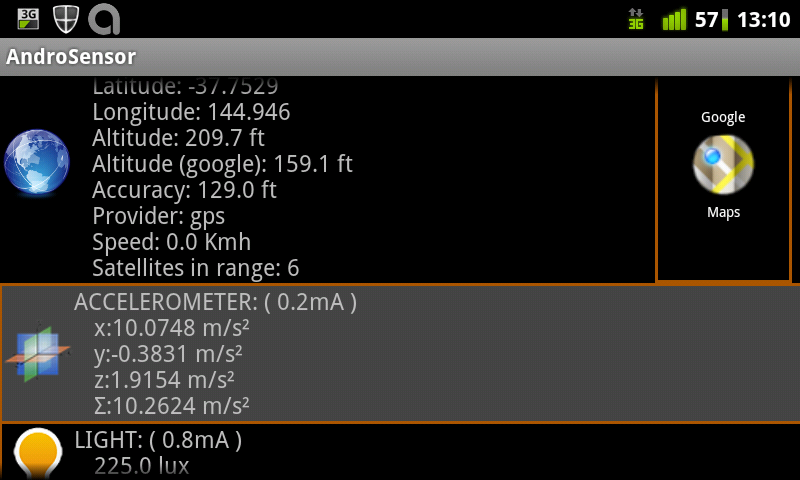
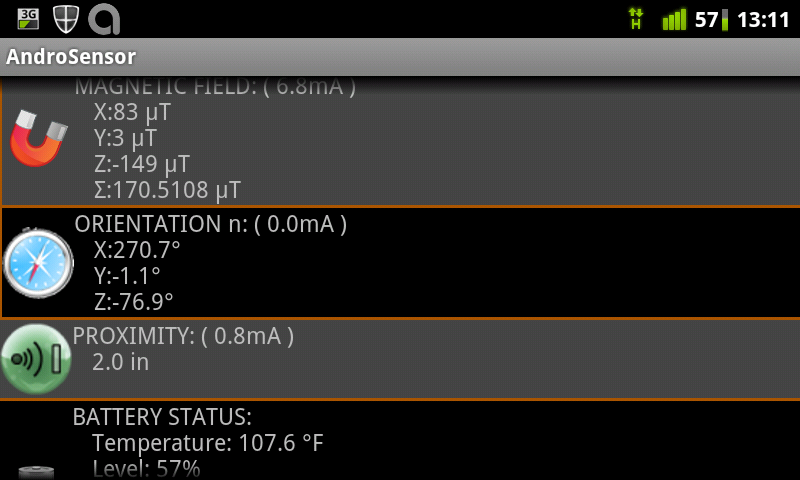
Androsensor showing magnetic field, orientation, and battery Androsensor is a program to display output from most (all?) of the sensors on your phone. The results aren t as accurate as one would hope, for example Earth s gravity is 9.81m/s^2 not the 10.26m/s^2 my phone registered. But they are a useful indication. picture of Coke can, scanning the barcode
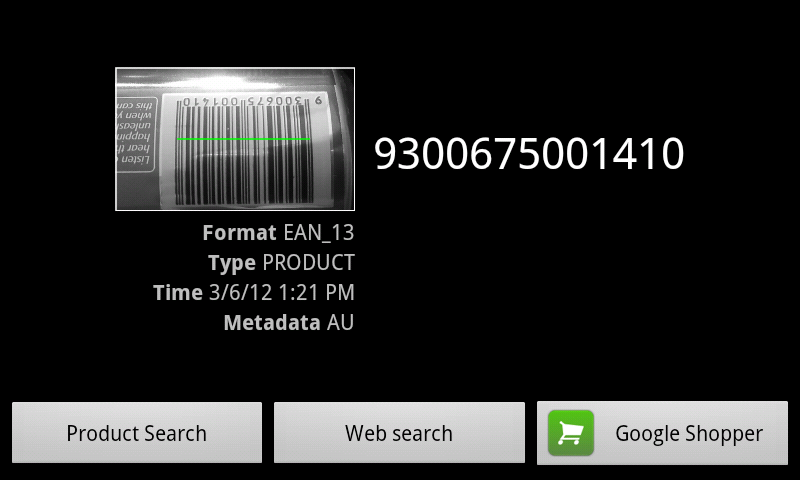
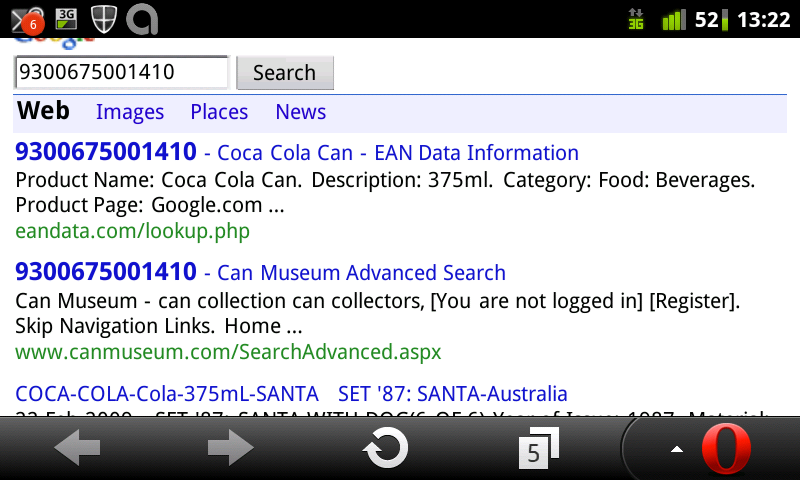
Google search on Coke can barcode
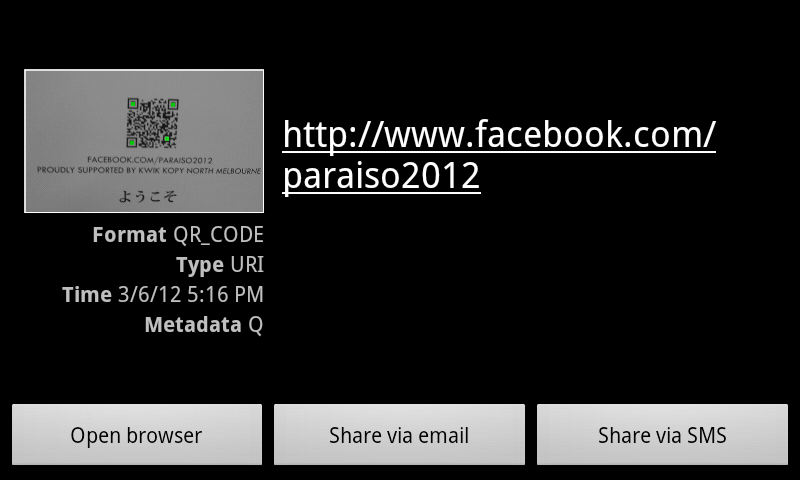
QR Code lookup of Facebook page The Zxing Barcode scanner is one of many programs that will scan barcodes with the camera in an Android phone. It can launch a Google search on a product code or open a URL from a
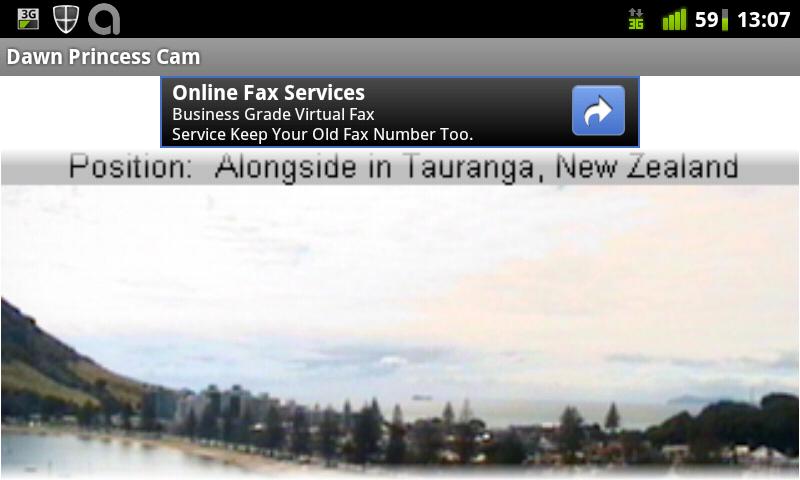
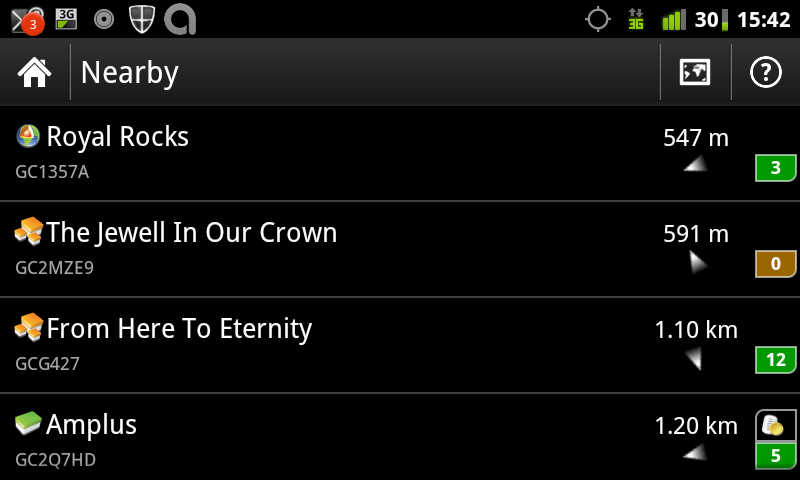
QR Code. The above pictures show it scanning a Coke can (the can and other background was displayed on the full screen before the screen capture program activated), doing a Google search on the can barcode, and looking up a QR code that was on an advertisment outside the LUV venue. picture from the bridge of the Dawn Princess in Tauranga NZ Cruise Cams allows you to download pictures from cruise ships. Some cruise ships have several cameras on different parts of the ship uploading pictures regularly so that people around the world can see what s happening. list of geo-caches near the park where I prepared most of my notes The c:geo opensource program allows you to get information on Geocaches and see a compass or map showing the location. This program has been getting an increasing number of features to do everything you might want to do related to Geocaching. The above picture shows some caches that are close to where I made the screen-shot, in a park a couple of Km from the meeting location. picture of Google Sky Map in the direction of Andromeda The Google Sky map uses augmented reality techniques to display stars in the direction that your phone is pointing along with their names and the names of the constellations. Marine Traffic showing ships near me

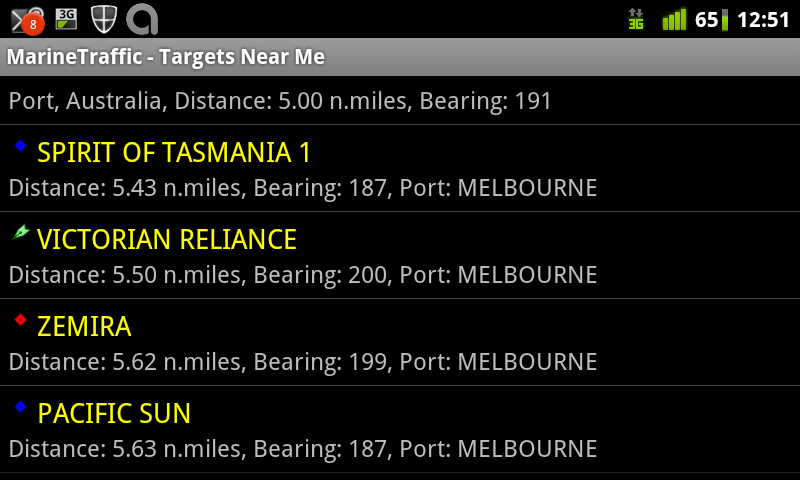
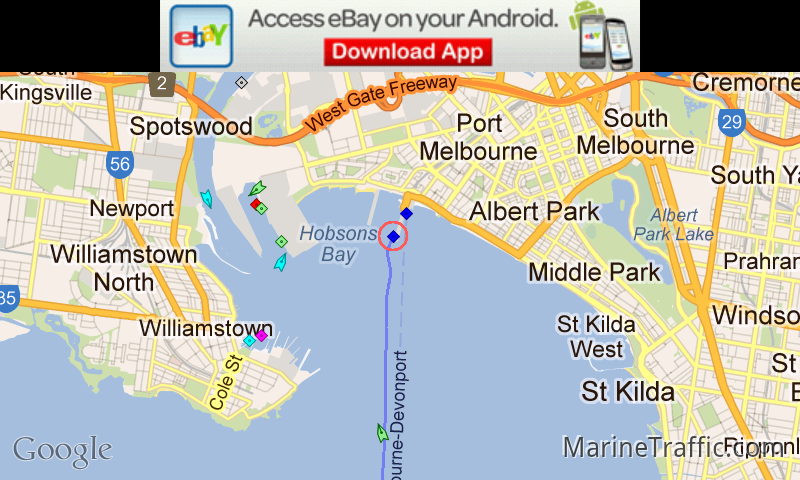
Marine Traffic showing the Pacific Sun highlighted on a Google Map
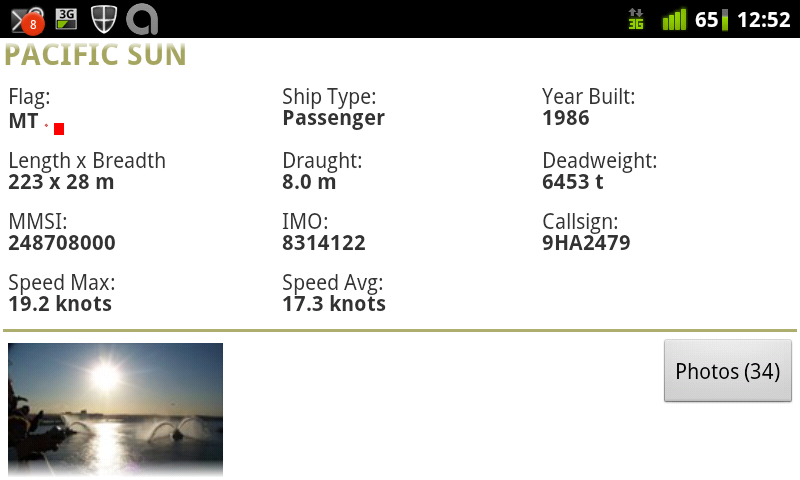
Marine Traffic showing details of the Pacific Sun
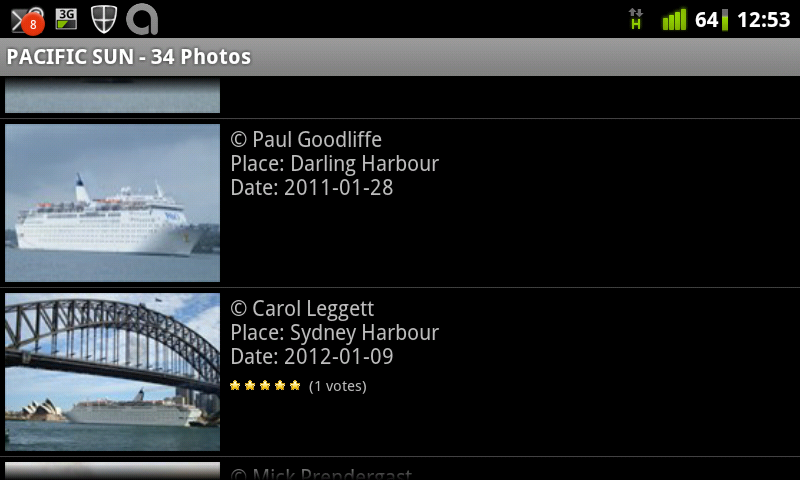
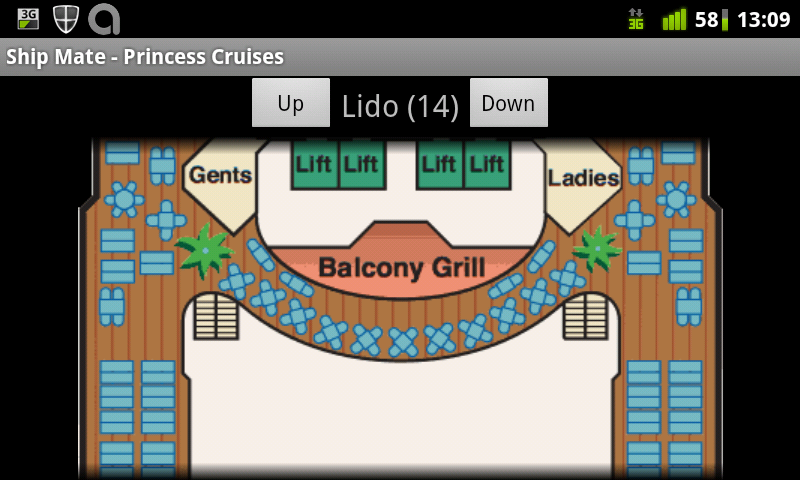
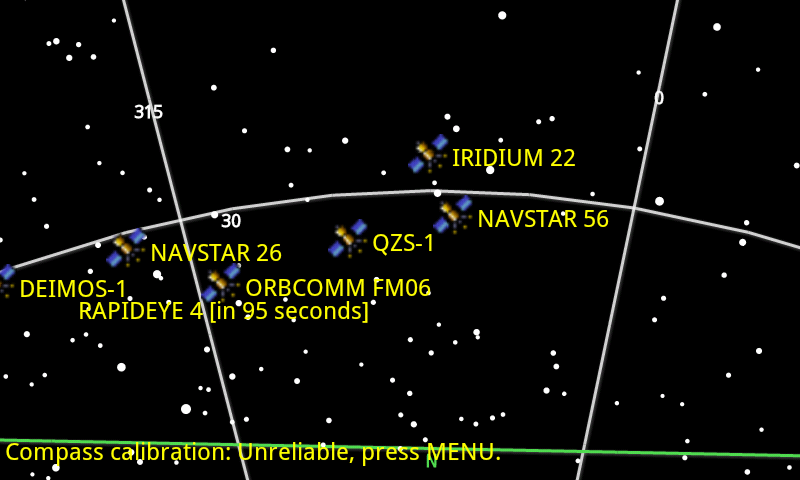
Photos of the Pacific sun taken by fans and shown by Marine Traffic The Marine Traffic program shows the locations of ships as well as lots of information about them. The above pictures show me discovering that the Pacific Sun was nearby, viewing it s location on Google Maps, seeing the details, and then viewing fan pictures. The developer s web site allows viewing all the same data without an Android phone [6]. Anyone can join the project by buying an Automatic Identification System (AIS) receiver and configuring a PC to take data from AIS and send it to the MarineTraffic.com servers. As an aside they seem to be missing coverage in western Victoria, so it would be good if someone near Apollo Bay or Warrnambool could install an AIS receiver and help out. Satellite map from Satellite AR Satellite AR uses augmented reality to show the location of satellites and other things in spare. Unfortunately the screen capture process turned off the camera as I had a sign advertising fast food positioned in an amusing location in the background. Shipmate overview of Dawn Princess
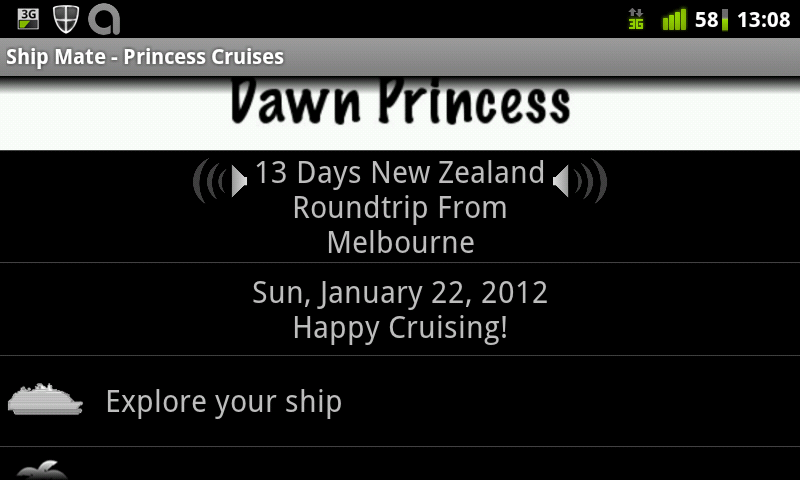
Shipmate map of Dawn Princess Shipmate publishes a set of programs giving information on cruise ships, they have one program for each cruise line. Above is the program for the Princess cruise line, the above pictures give information on the Dawn Princess. Unfortunately the program wasn t usable without net access when I tried to use it on a cruise ship. Games Air Attack HD game, clone of 1942 Air Attack HD is an entertaining game that demonstrates the capability of Android phones to run action games. Like many Android games it has a free version and paid versions if you want more. picture of Angry Birds Angry Birds is one of the most well known games for touch-screen devices. It has also spawned a huge line of merchandise. Labyrinth Lite
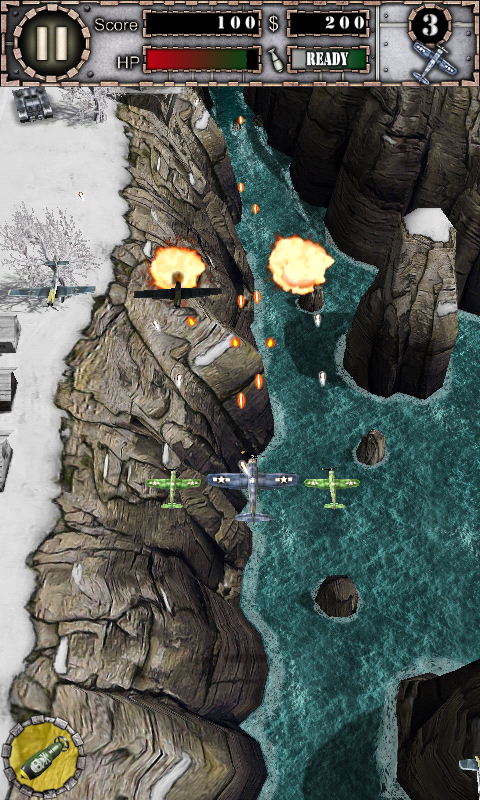


Labyrinth Lite from a different angle Labyrinth Lite is one of the many Android games based on the old mechanical game where you tilt a toy to roll a ball-bearing through a maze. It s free and is better than most of the free games in that genre. Minecraft Pocket Edtion Minecraft Pocket Edition allows you to play Minecraft on your phone. The demo version doesn t allow saving the game, you have to buy the game for about $5 if you want to do that. It also lacked the full features of the game last time I checked, it didn t have monsters. Paradise Island overview

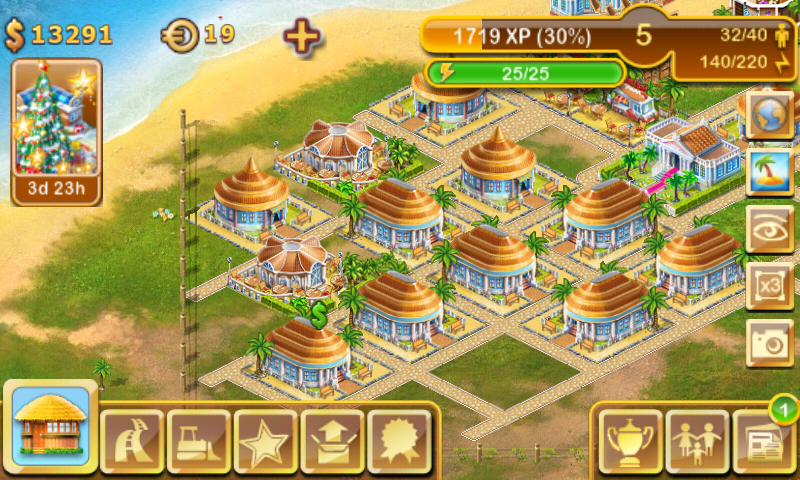
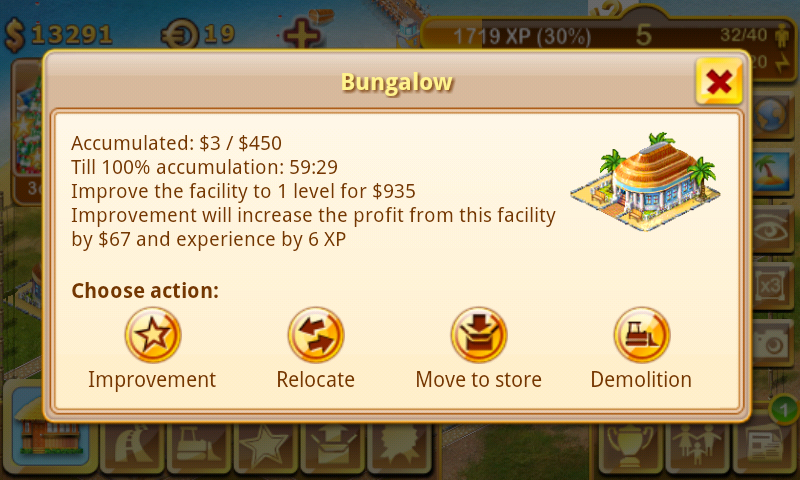
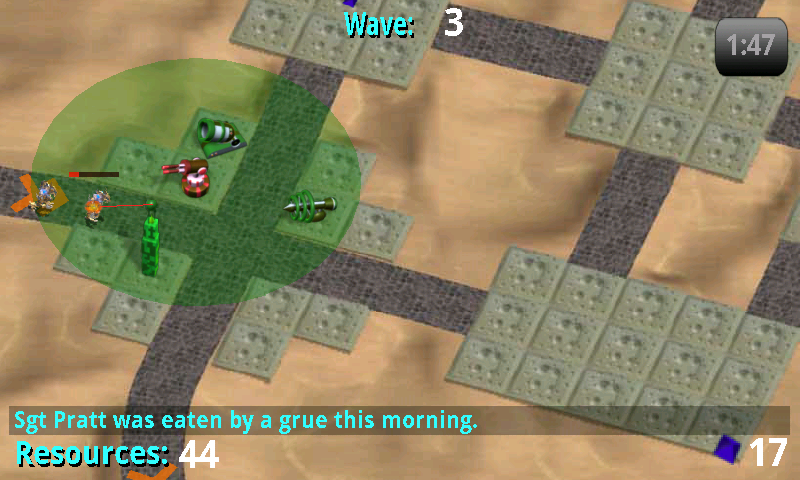
Paradise Island details of Bungalow Paradise Island is one of many business simulation games for Android. It s more playable than most and has very detailed graphics, but the down-side is that it s a memory hog and will crash if you don t have enough RAM. It s one of the games that are free to download but encourage you to pay money to level up, for some players it s probably a very expensive game. Tower Raiders 2, Pratt was eaten by a Grue Tower Raiders 2 is one of the better tower defense games for Android. Related posts:
  1. Choosing an Android Phone My phone contract ends in a few months, so I m...
  2. Galaxy S vs Xperia X10 and Android Network Access Galaxy S Review I ve just been given an indefinite loan...
  3. Standardising Android Don Marti wrote an amusing post about the lack of...

19 March 2012

Jan Wagner: Chemnitzer Linuxtage 2012

As announced 3 weeks ago, the Debian project was present at Chemnitzer Linuxtage. Several talks and workshops where held by people related to the Debian project. At the booth we had talks and discussions with exhibitors and visitors, unfortunately I didn t had much time to visit more than small parts of two lectures. Unfortunately (for the visitors) we didn t had any merchandising on board, while we received several requests. On Sunday Axel surprised us with some leftovers from fosdem of debian.ch merch. At the booth we had a demo machine running Babelbox and xpenguins, which attracted visitors very well. Booth Babelbox We received also more than one Just thank you by satisfied users. :) Four different talks and one workshop were held by Debian people, but they were not specific to the Debian. The workshop was about OpenStreetMap, lectures was about commandline helpers, grep everything, quality analyzing and team management in opensource projects and Conkeror and other keyboard based webbrowsers. Many thanks to Jan Dittberner, Andreas Tille, Christian Hoffmann, Florian Baumann, Christoph Egger, Axel Beckert, Adam Schmalhofer, Markus Schnalke, Sebastian Harl and Patrick Matth i for running the booth, answering a wide range of questions or just chatting with visitors . A special thank to TMT GmbH & Co. KG for providing the complete equipment and sponsoring it s transportation. At the end we have to send a big thank to the organizing team of the Chemnitzer Linuxtage. It was fun and a pleasure to find new friends and meet old ones of the Free Software community. A small sidenote was anybody aware that OpenSuSE Package search is using screenshots.debian.net?

Russell Coker: Long Term Adverts

I ve just seen a mailing list post from someone who needs an ancient printer to work with their old software. As the printer is no longer manufactured and changing the software is expensive this puts them in a difficult situation which can be profitable for someone who happens to own an ancient printer that still works. This sort of thing is not uncommon at all. Ebay is a nice auction and online store site but it doesn t cater for long term personal adverts. I ve got a lot of old computer equipment that I keep because it might be useful at some time and it s a shame to throw away working equipment. I d like to be able to list that stuff on a sale site and have the adverts stay online for years just in case someone wants to pay a decent amount of money for it. If there was such a site I would also list all the systems in my test network, I can test software just as well with different hardware if someone wants to pay decent money for what I ve currently got. Storage space is pretty cheap and searching for keywords isn t that difficult either. The cost of running an online personal sale site for items that sell every few years isn t going to be much greater than running one that sells items after 10 days. But the profit in many cases will be a lot greater, an old printer that sells for $10 on Ebay could go for $200 or more if the seller could wait for a buyer who had some enterprise software that absolutely depended on that particular printer. Does anyone know of such an online sale site? If not does anyone want to start one? Related posts:
  1. Dear Magazines Please Publish Your Adverts Online When reading a magazine I often see an advert for...
  2. Friends and Adverts For some time I have been running Google Adsense adverts...
  3. Used Car Prices There is an interesting article in The Age about the...

18 March 2012

Pablo Lorenzzoni: Time to change Window Manager again?

Ten years ago I was a fan of NEXTSTEP desktops and a die hard user of Window Maker. I love dockapps, and used to collect them. Things changed, and, as I moved from Desktops to Laptops, I began using simpler Window Managers. The powerful keyboard-shortcuts Fluxbox along with its capability to join windows with tabbing won me over and I began using it in my Laptop, while preserving Window Maker in my Desktop. In time, Fluxbox were used in both sides. Then the netbooks came and I bought an EeePC. The screen was so small that even the non-obstructive nature of Fluxbox were not enough. I began to try tiling window managers and I settle for Awesome. I was using Fluxbox in my Desktop and my Laptop, but Awesome was running in my Netbook. Tiling was making a lot of more sense and I could be productive, even in a small Netbook. Eventually, I started using Bluetile in my Laptop. Also, Bluetile was written in Haskell, and I was interested in Functional Languages by that time Now I got a new Laptop, and, since it features a Realtek 8191SE Wi-fi card, I had to install Wheezy (in my laptop, I usually run stable). Wheezy comes with the new GNOME 3 desktop, of which I read a lot. I decided to give it a try. I am missing advanced tiling (it seems that GNOME3 tiling works just in the side-by-side approach) and I also think that creating custom launchers should be improved but so far I am not disliking it, which is a good step toward adopting it. I ll give it a week to convince me. Let s see how it works its charm on me :-)

Gregor Herrmann: RC bugs 2012/10-11

since I was travelling in the pre-ultimate week for a few days, there was no report about my RC bugs fixing activities. so here we go with an overview covering two weeks:

16 March 2012

Matt Brown: Kindle Reading Stats

I ve written before about my initial investigations into the Kindle, and I ve learnt much more about the software and how it communicates with the Amazon servers since then, but it all requires detailed technical explanation which I can never seem to find the motivation to write down. Extracting reading data out of the system log files is however comparatively simple. I m a big fan of measurement and data so my motivation and goal for the Kindle log files was to see if I could extract some useful information about my Kindle use and reading patterns. In particular, I m interested in tracking my pace of reading, and how much time I spend reading over time. You ll recall from the previous post that the Kindle keeps a fairly detailed syslog containing many events, including power state changes, and changes in the Booklet software system including opening and closing books and position information. You can eyeball any one of those logfiles and understand what is going on fairly quickly, so the analysis scripts are at the core just a set of regexps to extract the relevant lines and a small bit of logic to link them together and calculate time spent in each state/book. You can find the scripts on Github: https://github.com/mattbnz/kindle-utils Of course, they re not quite that simple. The Kindle doesn t seem to have a proper hardware clock (or mine has a broken hardware clock). My Kindle comes back from every reboot thinking it s either at the epoch or somewhere in the middle of 2010, the time doesn t get corrected until it can find a network connection and ping an Amazon server for an update, so if you have the network disabled it might be many days or weeks of reading before the system time is updated to reality. Once it has a network connection it uses the MCC reported by the 3G modem to infer what timezone it should be in, and switches the system clock to local time. Unfortunately the log entries all look like this:
110703:193542 cvm[7908]: I TimezoneService:MCCChanged:mcc=310,old=GB,new=US:
110703:193542 cvm[7908]: I TimezoneService:TimeZoneChange:offset=-25200,zone=America/Los_Angeles,country=US:
110703:193542 cvm[7908]: I LipcService:EventArrived:source=com.lab126.wan,name=localTimeOffsetChanged,arg0=-25200,arg1=1309689302:
110703:193542 cvm[7908]: I TimezoneService:LTOChanged:time=1309689302000,lto=-25200000:
110703:183542 system: I wancontrol:pc:processing "pppstart"
110703:193542 cvm[7908]: I LipcService:EventArrived:source=com.lab126.wan,name=dataStateChanged,arg0=2,arg1=:
110703:183542 cvm[7908]: I ConnectionService:LipcEventArrived:source=com.lab126.cmd,name=intfPropertiesChanged,arg0=
,arg1=wan:
110703:183542 cvm[7908]: W ConnectionService:UnhandledLipcEvent:event=intfPropertiesChanged:
110703:193542 wifid[2486]: I wmgr:event:handleWpasupNotify(<2>CTRL-EVENT-DISCONNECTED), state=Searching:
110703:113542 wifid[2486]: I spectator:conn-assoc-fail:t=374931.469106, bssid=00:00:00:00:00:00:
110703:113542 wifid[2486]: I sysev:dispatch:code=Conn failed:
110703:183542 cvm[7908]: I LipcService:EventArrived:source=com.lab126.wifid,name=cmConnectionFailed,arg0=Failed to connect to WiFi network,arg1=
:
Notice how there is no timezone information associated with the date/time information on each line. Worse still the different daemons are logging in at least 3 different timezones/DST offsets all interspersed within the same logfile. Argh!! So our simple script that just extracts a few regexps and links them together nearly doubles in size to handle the various time and date convolutions that the logs present. Really, the world should just use UTC everywhere. Life would be so much simpler. The end result is a script that spits out information like:

B000FC1PJI: Quicksilver: Read 1 times. Last Finished: Fri Mar 16 18:30:57 2012
- Tue Feb 21 11:06:24 2012 => Fri Mar 16 18:30:57 2012. Reading time 19 hours, 29 mins (p9 => p914)
... Read 51 books in total. 9 days, 2 hours, 29 mins of reading time
I haven t got to the point of actually calculating reading pace yet, but the necessary data is all there and I find the overall reading time stats interesting enough for now. If you have a jailbroken Kindle, I d love for you to have a play and let me know what you think. You ll probably find logs going back at least 2-3 weeks still on your Kindle to start with, and you can use the fetch-logs script to regularly pull them down to more permanent storage if you desire.

13 March 2012

Russell Coker: Airtasker Outsourcing Small Jobs

Airtasker.com is a new company that is dedicated to outsourcing small jobs [1]. It s still in a beta phase and has no way of making money the worker is paid directly by the employer and there s no facility for either of them to pay Airtasker, I would really like to know what the business model will be before considering whether to use it. It also doesn t seem to operate outside of Sydney which seems quite strange, how hard can it be to have separate Google maps instances for each city in Australia? The jobs that are advertised seem to be mostly household repair tasks and from the member list it appears that some people who already run small service businesses are trying to use Airtasker to get more work. There are also a lot of delivery tasks such as buying something from a shop and delivering it and driving a car from Melbourne to Sydney (good for someone who wants a subsidised interstate holiday). But there are some unusual tasks such as pretending to be someone s girlfriend to make his mother stop nagging him. It will be interesting to see whether this takes off. One thing that I might use it for is delivering computer equipment in the CBD. Some of my clients have no good parking near their office so I end up carrying computer gear from a tram stop or an inconvenient parking spot to their office. I d rather have someone paid to do at least half the work in carrying the gear and the rates that are being discussed on Airtasker are well within the range that my clients would be happy to pay. Related posts:
  1. outsourcing bad for corporations but good for the world There is ongoing discussion about whether outsourcing is good or...
  2. Fragmenting Information about Jobs A comment on my previous post about my Linux Jobs...
  3. IT Jobs and Working Conditions Mark Glossop has written about the best designs for offices...

12 March 2012

Vincent Sanders: Time flies when you are having fun.

It has been months since I last put something here, so I think that requires a quick catchup.

The family Christmas was a brilliantly restful affair mostly spent doing nothing at home, just slightly tinged with anticipation of starting the new job.

I arranged to rent a room in Cambridge with just a moderate three mile walk to work. This has meant that after a decade of my daily commute being the steps downstairs to my desk I am now walking six miles a day!

Because of this unexpected physical exertion I seem to be slowly loosing weight instead of gaining it. Alas there is still a long way to go before I am my recommended weight (unless I gain three feet in height ;-)

Work has been fabulous, lots of great people doing interesting stuff. I was here only a month before I got sent to San Francisco for the Linaro connect event. Though getting on the outbound plane amidst the worst snowstorm in recent times was both tiring and not a little stressful.

The waking up at 03:00 to get the 04:00 coach from Cambridge to Heathrow would not have been too much of an issue If I had managed to travel down from Leeds and arrive before 02:00. The coach was so much fun that I arrived at 08:40 just as check in was closing for my 09:45 flight.

This was my first experience of San Francisco (although I have been to LA and Portland previously) and while most of the time was spent out in Redwood city at the conference venue Robert did take us for cocktails, comedy and cable cars which was a wonderful night out.

Since my return from the US I have also attended the Debian Bug Squashing Party in Cambridge and had a thoroughly amusing time with many of the usual suspects though I was encouraged to see a few new faces about too.

The commute up and down the country is getting tedious and seems to vary between taking two and four hours depending on traffic. This is encouraging me to consider moving the family as soon as I can. They are all doing great and seem to be thriving despite my absence during weekdays.

I hope to put finger to keyboard here a bit more regularly in the forthcoming weeks though a lot of my personal time is being swallowed with commuting and not being directed towards my open source pursuits.

11 March 2012

Russell Coker: USB Flash Storage

For some years I have had my Internet gateway/firewall system in a cupboard in my bedroom. While I don t mind some computer noise (I ve slept near a server for most of the last 22 years) it s good to have it as quiet as possible so getting rid of the hard drive is desirable. I considered buying an IDE flash drive, but I d like to continue my trend of not paying for hardware so I chose to use some USB flash devices that HP was giving away at a seminar (thanks HP as an aside the P3 system is an old Compaq Desktop system). So I ve got one 4G USB device for root and one for Squid. For the past few months I ve had /var/spool/squid be a USB flash device. I considered using RAID-0 for that filesystem because the computer is a P3 and only has USB 1.2 and thus a maximum theoretical transfer rate of 1.5MB/s and a maximum real-world rate of about 1MB/s. But my ADSL connection doesn t seem able to sustain much more than 1MB/s and Squid doesn t write data synchronously so in all my tests the USB speed hasn t affected HTTP performance. One issue that has delayed my move to all USB is the difficulty of booting as the P3 system in question doesn t support booting from USB. I considered creating a boot CD that loads the kernel from the USB device, but that seemed a little painful and also relies on the CD-ROM drive working which isn t a great idea for a system that runs 24*7 in a dusty cupboard. I ended up using GRUB on the IDE hard drive to load the kernel and initrd and then mount a USB device as root, this seems to work and the command hdparm -S6 /dev/sda in /etc/rc.local makes the hard drive go to sleep once the system is booted. The only technical parts of the process were putting in the UUIDs of the filesystems in /etc/fstab (because I can t be sure which USB device will be found first) and creating a new initramfs with modules for USB storage listed in /etc/initramfs-tools/modules so that a USB device could be the root filesystem. The firewall system is now a bit quieter and based on my last tests of hard drive power use will probably dissipate about 5-7W less heat. The next thing to do is wait and see if it keeps running or falls over. ;) Related posts:
  1. flash for main storage I was in a discussion about flash on a closed...
  2. Flash Storage and Servers In the comments on my post about the Dell PowerEdge...
  3. IDE DMA and Flash I ve just been working with a Flash device used as...

9 March 2012

Gunnar Wolf: Reflections on Mexico's bandwidth

Around two years ago, the OECD presented a study on residential bandwitdth available per country that triggered quite a bit of debate all over the world I have seen at least criticism to it in Mexico, in the USA and in Australia. It's very easy to take a simplified view of a statistic and bitch on how sorry the state of our country is. In our case, the outcry was that Mexico was the lowest of all of the OECD countries, and I have seen this repeated on so many topics that it what surprises me is that people keep getting surprised at it! OECD does not represent the 200 countries in this world (only the top 30, and the meaning of "top" is not unambiguous). I found this graph that helps me illustrate this point: Residential Internet speed comparison per country (2010) While that graphic is part of a report illustrating how sorry the USA should be for their low position, it shows the OECD member countries. And yes, the only country Mexico could be compared in general terms from those in the list is Turkey. Coherently, they are located at positions 28 and 30. But what prompted me into writing this post? That some weeks ago I was reading a viewpoint article at the Communications of the ACM magazine: What gets measured gets done: Stop focusing on irrelevant broadband metrics, by Scott Wallsten (might be behind a paywall for you If you are interested, I can share a copy with you, just ask me by email). Wallsten's article contains the following graph: Measured and advertised download speeds (in kbps) I found it pretty telling that, although Mexico sits at the extreme of the graph (and the height of our bar makes it very hard to get a real value out of this particular rendering), our ISPs join a very select group of countries (Sweden, Germany, Belgium, Luxembourg and Ireland, in my very subjective measure) by delivering what they promise. In 2010, the dominant broadband offering was 1Mbps, although higher options have long existed. I always got basically the 100% of what my ISP (Telmex) has promised, even though I have always had the cheapest package available. Some months ago, I got a call announcing we were being pushed 5x into the future, and starting right then, I had a 5Mbps connection. And although I didn't really expect it to be true, I have had a clean 6Mbps (yes, 6 instead of 5) connection. So, that's it. This post contains no hidden truths, but just what grabbed my attention from a series of data points :-)
AttachmentSize
Residential Internet speed comparison per country (2010)397.15 KB
Measured and advertised download speeds (in kbps)252.86 KB

Petter Reinholdtsen: Debian Edu interview: Nigel Barker

Inspired by the interview series conducted by Raphael, I started a Norwegian interview series with people involved in the Debian Edu / Skolelinux community. This was so popular that I believe it is time to move to a more international audience. While Debian Edu and Skolelinux originated in France and Norway, and have most users in Europe, there are users all around the globe. One of those far away from me is Nigel Barker, a long time Debian Edu system administrator and contributor. It is thanks to him that Debian Edu is adjusted to work out of the box in Japan. I got him to answer a few questions, and am happy to share the response with you. :) Who are you, and how do you spend your days? My name is Nigel Barker, and I am British. I am married to Yumiko, and we have three lovely children, aged 15, 14 and 4(!) I am the IT Coordinator at Hiroshima International School, Japan. I am also a teacher, and in fact I spend most of my day teaching Mathematics, Science, IT, and Chemistry. I was originally a Chemistry teacher, but I have always had an interest in computers. Another teacher teaches primary school IT, but apart from that I am the only computer person, so that means I am the network manager, technician and webmaster, also, and I help people with their computer problems. I teach python to beginners in an after-school club. I am way too busy, so I really appreciate the simplicity of Skolelinux. How did you get in contact with the Skolelinux/Debian Edu project? In around 2004 or 5 I discovered the ltsp project, and set up a server in the IT lab. I wanted some way to connect it to our central samba server, which I was also quite poor at configuring. I discovered Edubuntu when it came out, but it didn't really improve my setup. I did various desperate searches for things like "school Linux server" and ended up in a document called "Drift" something or other. Reading there it became clear that Skolelinux was going to solve all my problems in one go. I was very excited, but apprehensive, because my previous attempts to install Debian had ended in failure (I used Mandrake for everything - ltsp, samba, apache, mail, ns...). I downloaded a beta version, had some problems, so subscribed to the Debian Edu list for help. I have remained subscribed ever since, and my school has run a Skolelinux network since Sarge. What do you see as the advantages of Skolelinux/Debian Edu? For me the integrated setup. This is not just the server, or the workstation, or the ltsp. Its all of them, and its all configured ready to go. I read somewhere in the early documentation that it is designed to be setup and managed by the Maths or Science teacher, who doesn't necessarily know much about computers, in a small Norwegian school. That describes me perfectly if you replace Norway with Japan. What do you see as the disadvantages of Skolelinux/Debian Edu? The desktop is fairly plain. If you compare it with Edubuntu, who have fun themes for children, or with distributions such as Mint, who make the desktop beautiful. They create a good impression on people who don't need to understand how to use any of it, but who might be important to the school. School administrators or directors, for instance, or parents. Even kids. Debian itself usually has ugly default theme settings. It was my dream a few years back that some kind of integration would allow Edubuntu to do the desktop stuff and Debian Edu the servers, but now I realise how impossible that is. A second disadvantage is that if something goes wrong, or you need to customise something, then suddenly the level of expertise required multiplies. For example, backup wasn't working properly in Lenny. It took me ages to learn how to set up my own server to do rsync backups. I am afraid of anything to do with ldap, but perhaps Gosa will help. Which free software do you use daily? Nowadays I only use Debian on my personal computers. I have one for studio work (I play guitar and write songs), running AV Linux (customised Debian) a netbook running Squeeze, and a bigger laptop still running Skolelinux Lenny workstation. I have a Tjener in my house, that's very useful for the family photos and music. At school the students only use Skolelinux. (Some teachers and the office still have windows). So that means we only use free software all day every day. Open office, The GIMP, Firefox/Iceweasel, VLC and Audacity are installed on every computer in school, irrespective of OS. We also have Koha on Debian for the library, and Apache, Moodle, b2evolution and Etomite on Debian for the www. The firewall is Untangle. Which strategy do you believe is the right one to use to get schools to use free software? Current trends are in our favour. Open source is big in industry, and ordinary people have heard of it. The spread of Android and the popularity of Apple have helped to weaken the impression that you have to have Microsoft on everything. People complain to me much less about file formats and Word than they did 5 years ago. The Edu aspect is also a selling point. This is all customised for schools. Where is the Windows-edu, or the Mac-edu? But of course the main attraction is budget.The trick is to convince people that the quality is not compromised when you stop paying and use free software instead. That is one reason why I say the desktop experience is a weakness. People are not impressed when their USB drive doesn't work, or their browser doesn't play flash, for example.

7 March 2012

Enrico Zini: Resolving IP addresses in vim

Resolving IP addresses in vim A friend on IRC said: "I wish vim had a command to resolve all the IP addresses in a block of text". But it does:
:<block>!perl -MSocket -pe 's/(\d+\.\d+\.\d+\.\d+)/gethostbyaddr(inet_aton($1), AF_INET)/ge'
If you use it often, put the perl command in a one-liner script and call it an editor macro. It works on other editors, too, and even without an editor at all. And it can be scripted! We live with the power of Unix every day, so much that we risk forgetting how awesome it is.

6 March 2012

Russell Coker: SE Linux Status in Debian 2012-03

I have just finished updating the user-space SE Linux code in Debian/Unstable to the version released on 2012-02-16. There were some changes to the build system from upstream which combined with the new Debian multi-arch support involved a fair bit of work for me. While I was at it I converted more of them to the new Quilt format to make it easier to send patches upstream. In the past I have been a bit slack about sending patches upstream, my aim for the next upstream release of user-space is to have at least half of my patches included upstream this will make things easier for everyone. Recently Mika Pfl ger and Laurent Bigonville have started work on Debian SE Linux, they have done some good work converting the refpolicy source (which is used to build selinux-policy-default) to Quilt. Now it will be a lot easier to send policy patches upstream and porting them to newer versions of the upstream refpolicy. Now the next significant thing that I want to do is to get systemd working correctly with SE Linux. But first I have to get it working correctly wit cryptsetup. Related posts:
  1. SE Linux Status in Debian 2011-10 Debian/Unstable Development deb http://www.coker.com.au wheezy selinux The above APT sources.list...
  2. SE Linux Status in Debian 2012-01 Since my last SE Linux in Debian status report [1]...
  3. Debian SE Linux Status At the moment I ve got more time to work on...

5 March 2012

Russell Coker: LUV Hardware Library

What is it? Last month I started what I am calling the LUV Hardware Library. It s a briefcase full of computer parts that are free to LUV members which I plan to bring to all LUV meetings [1]. The issue is that there is a lot of hardware which has no great value to people and is often excess to requirements but which is still somewhat expensive or difficult to obtain and thus transferring it from the people who don t need it to people who do provides a significant benefit to the recipient but no real cost to the donor. Currently my briefcase has a range of different types of DIMM, some PCI cards, some assorted cables, a laptop SATA disk, and a bunch of other random things. Most of the stuff has been in my spare parts pile for a year or two, but some of it has been donated by other people. What we Need The next thing we need is more packaging, anti-static bags for RAM and PCI cards, sealable bags for screws, and some way of storing motherboard batteries. In terms of hardware that can be donated one thing that would be really useful is SATA disks. I m sure that there are lots of people who have upgraded the storage of their computer and kept the old drive with no real chance of using it. But there are lots of people who need such disks, for example I ve been giving away a bunch of P4 systems which lack disks and are not cabled for IDE disks a supply of SATA disks would make them a lot more usable. Also any other random electronic stuff is of interest, including non-Linux things such as mobile phones (but only if not network locked). If you have something that s big or heavy to donate then contact me via email first. Other Options Computerbank does great work in rebuilding old PCs and selling them cheaply to worthy people [2], but most of the spare hardware I get is below the minimum specs that they will accept. I m not planning to compete with Computerbank in any way, I just want to provide a useful service to LUV members who want to upgrade their PC for free. I encourage other people to do the same at other LUG meetings! Related posts:
  1. Donating old Hardware On a recent visit to my local e-waste disposal place...
  2. Giving Away Hardware For the last few years I have been actively seeking...
  3. Shelf-life of Hardware Recently I ve been having some problems with hardware dying. Having...

4 March 2012

Iustin Pop: Nikkor 24mm f/2.8D

I'm still (ever) looking for the portable, somewhat lightweight photo system but with fast AF, adequate low light capabilities system. Also, I love prime lenses. I have a Nikon DX format camera, but none of the zoom lenses are what I want, and Nikon hasn't updated their wide primes. So I tried for a while a Fuji X100, which has much better ISO/noise results than my camera, but it focuses very badly in low light. What's the use of the low-light capability if you can't focus? So, after also fighting with the UI, I realised that the Fuji was not for me, and went back to my Nikon. And the first photo I took again with a DSLR was like Yes, this is what I expect: shutter half-press, instant focus, confirmation beep, shutter full-press, photo taken, ready for next one . Don't get me wrong, the Fuji X100 is a very nice camera, but it is not a DSLR; and I realised I wanted a portable DSLR, not simply a portable camera. What I did learn though from the Fuji is how good the 23mm (35mm FX equivalent) lens is for general , i.e. street photography. And it was also a prime. So after much head-scratching, I got myself a Nikkor 24mm f/2.8D lens. Yes, I know, it's the old 'D' type, the optics are the same for about 20-25 years, and it's not as sharp as the 're-issued' primes (not even close to the famous 35mm f/1.8 G DX), and it has lots of flare in direct sunlight (as common with wide-angle lenses). However it's a lightweight (270g), small (64.5 46 mm) and quite nice lens. And to be honest, I rather like the old-style distance scale (since it has lots of numbers!), so it compensates for the lack of AF-S. The only downside of the non-AF-S is that it wouldn't work on some of the DX bodies. As to the image quality actually a bit better than I expected. Here is a picture I took in Z rich, granted in perfect light. JPEG, straight-from-camera, just with EXIF data removed (click on the link for the original, full-size image; note that the camera was configured for the 'medium' size instead of 'large' you can see how careful I am when taking pictures: not):
Near Z rich Central
Settings were: I think this is quite good quality for a non-processed JPEG; and given how light the lens is, and that it can go down to f/2.8 (with more softness, though), I think this is quite good for a travel lens. And since I have a short trip coming up sometimes soon, I'll only take this lens, to see how it goes as an all-around lens. If it doesn't perform well, I can always blame my bad technique ;-) PS: I had to learn about the 'underlay' plugin in ikiwiki, as I didn't want to commit megabytes of basically read-only, binary data to git; it works well, so I'll be able to post more pics in the future.

Gregor Herrmann: RC bugs 2012/09

as usual, here's my RCBW report. like in the last weeks, a mixture of NMUs and mails to the BTS, grabbing and writing patches, ...

Neil Williams: Rubbish in the archive

I've been asked (or been criticised through indirect media) about why packages are removed and as I've just done quite a lot of removals at the Cambridge BSP (I've done some uploads too, it's not one-sided), I thought I'd explain my rationale in the hope that it will encourage others to remove more packages and fix those which warrant fixing. This, is an approximation of the kind of scoring I would use when assessing whether to fix a package or remove it. All bug counts are for the entire source package, including all bugs reported against binaries built from that source.


RUBBISH - easy to remember, maybe.

If someone comes up with a UDD query which can resolve the above as an algorithm, a) I'll buy them a beer at DebConf and b) it could be a useful addition to the PTS...

Next.

Previous.