Search Results: "sto"

6 June 2017

Reproducible builds folks: Reproducible Builds: week 110 in Stretch cycle

Here's what happened in the Reproducible Builds effort between Sunday May 28 and Saturday June 3 2017: Past an upcoming events Documentation updates Toolchain development and fixes Patches and bugs filed 4 package reviews have been added, 6 have been updated and 25 have been removed in this week, adding to our knowledge about identified issues. Weekly QA work During our reproducibility testing, FTBFS bugs have been detected and reported by: diffoscope development tests.reproducible-builds.org Mattia Rizzolo: Daniel Kahn Gillmor: Vagrant Cascadian: Holger Levsen: Misc. This week's edition was written by Chris Lamb, Bernhard M. Wiedemann and Holger Levsen & reviewed by a bunch of Reproducible Builds folks on IRC & the mailing lists.

Russ Allbery: Review: Star Healer

Review: Star Healer, by James White
Series: Sector General #6
Publisher: Orb
Copyright: 1984
Printing: 2002
ISBN: 0-312-87770-6
Format: Trade paperback
Pages: 206
Star Healer is the sixth book of the Sector General series, and I think it may be the first novel in the series that was written as a novel instead of a fix-up of short stories. That makes it not a bad place to start in the series if one would rather not deal with fix-ups or barely-disguised short story collections. There isn't a huge amount of character development over the course of this series (at least to this point), so the main thing you would lose by starting here is some built-up reason for caring about the main character. This is the third book in the Alien Emergencies omnibus (the book referenced in the publication information here). Most of the previous stories have focused on Conway, a Senior Physician in the sprawling and wonderfully well-equipped multi-species hospital called Sector General and, in recent stories, the head physician in the hospital's ambulance ship. Becoming a Senior Physician at Sector General is quite the accomplishment, and a fine point to reach in the career of any doctor specializing in varied life forms, but there is another tier above: the Diagnosticians, who are the elite of Sector General. The difference is education tapes. Deep knowledge of even one specific type of life is a lot to ask of a doctor, as shown by the increasing specialization of human medicine. Sector General, which deals with wildly varying ailments of thousands of species including entirely unknown ones (if, admittedly, primarily trauma, at least in the stories shown), would be an impossible task. White realizes this and works around it with education tapes that temporarily embed in a doctor's head the experience of a doctor of another species entirely. This provides the native expertise missing, but it comes with the full personality of the doctor who recorded the tape, including preferences for food and romantic attachment that may be highly disorienting. Senior Physicians use a tape at a time, and then have it erased again when they don't need it. Diagnosticians juggle four or more tapes at the same time, and keep them for long periods or even permanently, allowing them to do ground-breaking original research. The opening of Star Healer is an offer from the intimidating Chief Psychologist of Sector General: he has a shot at Diagnostician. But it's a major decision that he should think over first, so the next step is to take a vacation of sorts on a quiet world with a small human scientific station. Oh, and there's a native medical problem, although not one with much urgency. Conway doesn't do a lot of resting, because of course he gets pulled into trying to understand the mystery of an alien species that is solitary to the point of deep and unbreakable social taboos against even standing close to other people. This is a nice cultural puzzle in line with the rest of the series, but it also leaves Conway with a new ally: an alien healer in a society in which being a doctor is difficult to the point of near hopelessness. It's not much of a spoiler to say that of course Conway decides to try for Diagnostician after his "vacation." The rest of the book is him juggling multiple cases with his new and often conflicting modes of thinking, and tackling problems that require a bit less in the way of puzzle-solving and a bit more in the way of hard trade-off decisions and quick surgical action. Senior Physicians may be able to concentrate on just one puzzle at a time; Diagnosticians have to juggle several. And they're larger, more long-term problems, focusing on how to improve a general problem for a whole species rather than just heal a specific injured alien. One interesting aspect of this series, which is very much on display here, is that Sector General most definitely does not have a Prime Directive. They are cautious about making contact with particularly primitive civilizations for fear that spacefarers would give them an inferiority complex, but sometimes they do anyway. And if they run into some biological system that offends their sensibilities, they try to fix it, not just observe it. White frequently shows species caught in what the characters call "biological traps," unable to develop farther because of some biological adaptation that gets in their way, and Sector General tries to fix those. It's an interesting ethical problem that I wish they'd think about a bit more. It's not clear they're wrong, and I think it's correct to take an expansive view of the mission to heal, but there's also a sense in which Sector General is modifying culture and biology to make aliens more like them. (The parallels between this and all the abusive paternalism that human cultures do around disability is a little too close to home to be comfortable, and now I kind of wish it hadn't occurred to me.) The gender roles, sadly, continue to be dire, although mostly ignorable because the one major female character is generally just shown as another doctor with little attention to sex. But apparently women (of every species!) cannot become Diagnosticians because they have an insurmountable biological aversion to sharing their minds with a learning tape from any doctor who doesn't find them physically attractive, which is just... sigh. It's sad that someone who could write an otherwise remarkably open-minded and pacifist series of stories, in sharp contrast with most of SF history, would still have that large of a blind spot. Apart from the times gender comes up, I liked this book more than the rest of the series, in part because I strongly prefer novels to short stories. There's more room to develop the story, and while characterization continues to not be White's strong point and that space mostly goes to more puzzles instead, he does provide an interesting set of interlocking puzzles. The problem posed by the aliens Conway meets on his "vacation" isn't fully resolved here (presumably that's for a future book), but he does solve several other significant problems and develops his own problem-solving style in more depth than in previous stories. Mildly recommended, particularly if you like this series in general. Followed by Code Blue - Emergency. Rating: 7 out of 10

John Goerzen: Family Spring: A Story in Photos

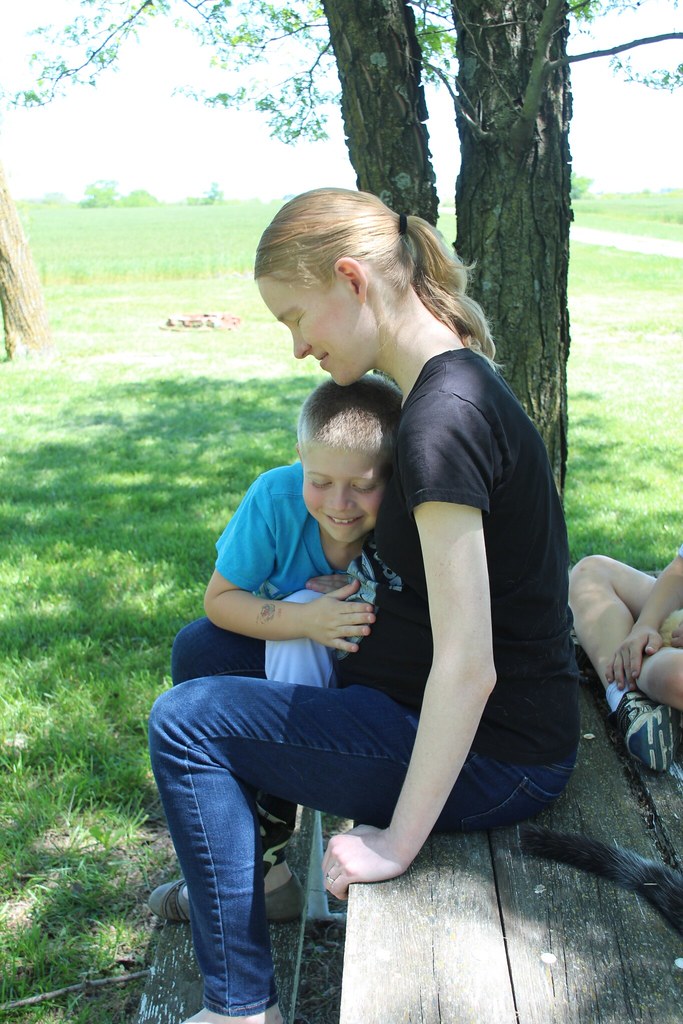
This has been a spring with times to relax, times to be busy, times of anticipation of a new baby, and times of enjoying our family. Rather than write a lot of words about it, I m telling the story in photos. To view, click here, then click Show Info in the upper right to see captions. You can pause it with the button in the lower left, and use arrow keys to advance. Alternatively, there s a captionless slideshow available here. Here s one photo to get you started: Happy about the little sister on the way

Dirk Eddelbuettel: anytime 0.3.0

A new version of the anytime package is now on CRAN. It marks the eleventh release since the inaugural version late last summer. anytime is a very focused package aiming to do just one thing really well: to convert anything in integer, numeric, character, factor, ordered, ... format to either POSIXct or Date objects -- and to do so without requiring a format string. See the anytime page, or the GitHub README.md for a few examples. This release brings a little more consistency to how numeric or integer arguments are handled. Previously, we were overly eager in accepting something such as 20150605 (i.e. today) as a (numerical or integer) input to both anytime() and anydate(). That is well-intentioned, but ultimately foolish. We relied on heuristic cutoffs to determine whether input was "meant to be" a date or time offset. There lies madness. We now differentiate whether we were called via anytime() (in which case numerical data is second offset to the epoch, just as.POSICct()) or anytime() (in which case it is days offset to the (date) epoch, just like as.Date()). The previous behaviour can be restored via a options, both function-local as well as global are supported. And of course, there is no change for all other (and more common) input formats, notably character or factor. A full list of changes follows.

Changes in anytime version 0.3.0 (2017-06-05)
  • Numeric input is now always an offset to epoch, with anytime() using seconds, and anydate() using dates. (#65 fixing #63).
  • Old behaviour can be re-enabled with an option also supporting a global setting getOption("anytimeOldHeuristic")
  • RStudio versions 1.1.129 or later can run all functions without fear of crashing due to a change in their use of Boost.
  • Replaced init.c with registration code inside of RcppExports.cpp thanks to Rcpp 0.12.11.

Courtesy of CRANberries, there is a comparison to the previous release. More information is on the anytime page. For questions or comments use the issue tracker off the GitHub repo.

This post by Dirk Eddelbuettel originated on his Thinking inside the box blog. Please report excessive re-aggregation in third-party for-profit settings.

5 June 2017

John Goerzen: Flying with my brothers

Picture one Sunday morning. Three guys are seemingly-randomly walking into a Mennonite church in rural Nebraska. One with long hair and well-maintained clothes from the 70s. Another dressed well enough to be preaching. And the third simply dressed to be comfortable, with short hair showing evidence of having worn a headset for a couple of hours that morning. This was the scene as we made a spur-of-the-moment visit to that church which resulted in quite some surprise all around, since my brother knew a number of people there. For instance:
Pastor: Peter! What are you doing here? Peter: [jokingly] Is that how you greet visitors here?
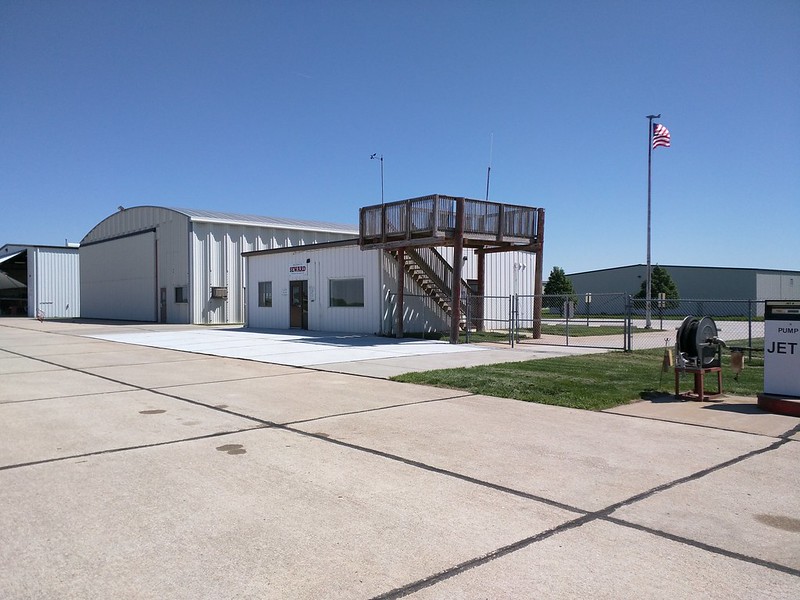
And then, of course, Peter would say, Well, we were flying home from South Dakota and figured we d stop in at Beatrice for fuel. And drop in on you. Followed by some surprise that we would stop at their little airport (which is quite a nice one). This all happened because it was windy. This is the fun adventure of aviation. Sometimes you plan to go to Texas, but the weather there is terrible, so you discover a 100-year-old landmark in Indiana instead. Or sometimes, like a couple of weeks ago, we planned to fly straight home but spent a few hours exploring rural Nebraska. The three of us flew to Sioux Falls, SD, in a little Cessna to visit my uncle and aunt up there. On our flight up, we stopped at the little airport in Seward, NE. It was complete with this unique elevated deck. In my imagination, this is used for people to drink beer while watching the planes land. IMG_20170512_113323 In South Dakota, we had a weekend full of card and board games, horseshoes, and Crokinole with my uncle and aunt, who are always fun to visit. We had many memories of visits up there as children and the pleasant enjoyment of the fact that we didn t need an 8-hour drive to get there. We flew back with a huge bag of large rhubarb from their garden (that too is something of a tradition!) It was a fun weekend to spend with my brothers first time we d been able to do this in a long while. And it marked the 11th state I ve flown into, and over 17,000 miles of flying.

4 June 2017

Lars Wirzenius: Vmdb2 first alpha release: Debian disk image creation tool

tl;dr: Get vmdebootstrap replacement from http://git.liw.fi/vmdb2 and run it from the source tree. Tell me if something doesn't work. Send patches. Many years ago I wrote vmdebootstrap, a tool for installing Debian on a disk image for virtual machines. I had a clear personal need: I was setting up a CI system and it needed six workers: one each for Debian oldstable, stable, and unstable, on two architectures (i386, amd64). Installing Debian six times in the same way is a lot of work, so I figured how difficult can it be to automate it. Turns out that not difficult at all, except to install a bootloader. (Don't ask me why I didn't use any of the other tools for this. It was long ago, and while some of the tools that now exist probably did exist then, I like writing code and learning things while doing it.) After a while I was happy with what the program did, but didn't want to upload it to Debian, and didn't want to add the kinds of things other people wanted, so I turned vmdebootstrap over to Neil Williams, who added a ton of new features. Unfortunately, it turned out that my initial architecture was not scaleable, and also the code I wrote wasn't very good, and there weren't any tests. Neil did heroic work forcing my crappy software into doing things I never envisioned. Last year he needed a break and asked me to take vmdebootstrap back. I did, and have been hiding from the public eye ever since, since I was so ashamed of the code. (I created a new identity and pretended to be an international assassin and backup specialist, travelling the world forcing people to have at least one tested backup of their system. If you've noticed reports in the press about people reporting near-death experiences while holding a shiny new USB drive, that would've been my fault.) Pop quiz: if you have a program with ten boolean options ("do this, except if that option is given, do the other thing"), how many black box tests do you need to test all the functionality? If one run of the program takes half an hour, how long will a full test suite run? I did some hard thinking about vmdebootstrap, and came to the sad conclusion that it had reached the end of its useful life as a living software project. There was no reasonable way to add most of the additional functionality people were asking for, and even maintaining the current code was too tedious a task to consider seriously. It was time to make a clean break of the past and start over, without caring about backwards compatibility. After all, the old code wasn't going anywhere so anyone who needed it could still use it. There was no need to burden a new program with my past mistakes. All new mistakes were called for. At the Cambridge mini-Debconf of November, 2016, I gave a short presentation of what I was going to do. I also posted about my plans to the debian-cloud list. In short, I would write a new, more flexible and cleaner replacement to be called vmdb2. For various personal reasons, I've not been able to spend as much time on vmdb2 as I'd like to, but I've now reached the point where I'd like to announce the first alpha version publically. The source code is hosted here: http://git.liw.fi/vmdb2 . There are .deb packages at my personal public APT repo (http://liw.fi/code/), but vmdb2 is easy enough to run directly from a git checkout:
sudo ./vmdb2 foo.vmdb --output foo.img
There's no need to install it to try it. What works: What doesn't work: I'm not opposed to adding support for those, but they're not directly interesting to me. For example, I only have amd64 machines. The best way to get support for additional features is to tell me how, preferably in the form of patches. (If I have to read tons of docs, or other people's code, and then write code and iterate while other people tell me it doesn't work, it's probably not happening.) Why would you be interested in vmdb2? There's a lot of other tools to do what it does, so perhaps you shouldn't care. That's fine. I like writing tools for myself. But if this kind of tool is of interest to you, please do have a look. A short tutorial: vmdb2 wants you to give it a "specification file" (conventionally suffixed .vmdb, because someone stole the .spec suffix, but vmdb2 doesn't care about the name). Below is an example. vmdb2 image specification files are in YAML, since I like YAML, and specify a sequence of steps to take to build the image. Each step is a tiny piece of self-contained functionality provided by a plugin.
steps:
  - mkimg: "  output  "
    size: 4G
  - mklabel: msdos
    device: "  output  "
  - mkpart: primary
    device: "  output  "
    start: 0%
    end: 100%
    part-tag: root-part
The above create an image (name is specified with the --output option), which is four gigabytes in size, and create a partitition table and a single partition that fills the whole disk. The "tag" is given so that later steps can easily refer to the partition. If you prefer another way to partition the disk, you can achieve that by adding more "mkpart" steps. For example, for UEFI you'll want to have an EFI partition.
  - mkfs: ext4
    partition: root-part
  - mount: root-part
    fs-tag: root-fs
The above formats the partition with the ext4 filesystem, and then mounts it. The mount point will be a temporary directory created by vmdb2, and a tag is again given to the mount point so it can be referred to.
  - unpack-rootfs: root-fs
The above unpacks a tar archive to put content into the filesystem, if the tar archive exists. The tar archive is specified with the --rootfs-tarball command line option.
  - debootstrap: stretch
    mirror: http://http.debian.net/debian
    target: root-fs
    unless: rootfs_unpacked
  - apt: linux-image-amd64
    fs-tag: root-fs
    unless: rootfs_unpacked
  - cache-rootfs: root-fs
    unless: rootfs_unpacked
The above will run debootstrap and install a kernel into the filesystem, but skip doing that if the rootfs tarball was used. Also, the tarball is created if it didn't exist. This way the tarball is used by all but the first run, which saves a bit of time. On my laptop and with a local mirror, debootstrap and kernel installation takes on the order of nine minutes (500 to 600 seconds), whereas unpacking the tar archive is a bit faster (takes around 30 seconds). When iterating over things other than debootstrap, this speeds things up something wonderful, and seems worth the complexity. The "unless:" mechanism is generic. All the steps share some state, and the unpack-rootfs step sets the "rootfs_unpacked" flag in the shared state. The "unless:" field tells vmdb2 to check for the flag and if it is not set, or if it is set to false ("unless it is set to true"), vmdb2 will execute the step. vmdb2 may get more such flags in the future, if there's need.
  - chroot: root-fs
    shell:  
      sed -i '/^root:[^:]*:/s//root::/' /etc/passwd
      echo pc-vmdb2 > /etc/hostname
The above executes a couple of shell commands in a chroot of the root filesystem we've just created. In this case they remove a login password from root, and set the hostname. This is a replacement of the vmdebootstrap "customize" script, but it can be inserted anywhere into the sequence of steps. There's boot chroot and non-chroot variants of the step. This is a good point to mention that writing customize scripts gets quite repetitive and tedious after a while, so vmdb2 has a plugin to run Ansible instead. You can customize your image with that instead, while the image is being built and not have to wait until you boot the image and running Ansible over ssh.
  - grub: bios
    root-fs: root-fs
    root-part: root-part
    device: "  output  "
    console: serial
Finally, install a boot loader, grub. This shows the BIOS variant, UEFI is also supported. This also configures grub and the kernel to use a serial console. There's a "yarn" (test suite) to build and smoke test an image with vmdb2 to make sure at least the basic functionality works. The smoke test boots the image under Qemu, logs in as root, and tells the VM to power off. Very, very basic, but has already found actual bugs in vmdb2. The smoke test needs the serial console to work. As with vmdebootstrap originally, I don't particularly want to maintain the package in Debian. I've added Debian packaging (so that I can install it on my own machines), but I already have enough packages to maintain, so I'm hoping someone else will volunteer to take on the Debian maintainership and bug handling duties. If you would like vmdb2 to do more things to suit you better, I'm happy to explain how to write plugins to provide more types of steps. If you are currently using vmdebootstrap, either directly or as part of another tool, I encourage you to have a look at vmdb2. In the long term, I would like to retire vmdebootstrap entirely, once vmdb2 can do everything vmdebootstrap can do, and few people use vmdebootstrap. This may take a while. In any case, whether you want a new image building tool or not, happy hacking.

3 June 2017

Norbert Preining: TeX Live 2017 released

TeX Live 2017 has been released! CTAN mirrors are busy updating. Get out bottles of good wine, and enjoy a good long download
Besides the huge amount of package updates due to the 2 month testing hiatus, I want to pick a few changes before copying the complete changelog entry: Additional TEXMF trees tlmgr got a new functionality to easily add and remove additional TEXMF trees to the search path. MikTeX had this features since long, and it was often requested. As it turned out, it is a rather trivial thing to achieve by some texmf.cnf lines. The rest is just front end in tlmgr. Here a few invocations (not very intelligent usage, though):

$ tlmgr conf auxtrees show
tlmgr: no auxiliary texmf trees defined.
$ tlmgr conf auxtrees add /projects/book-abc
$ tlmgr conf auxtrees
List of auxiliary texmf trees:
  /projects/book-abc
$ tlmgr conf auxtrees remove /projects/book-abc
$ tlmgr conf auxtrees show
tlmgr: no auxiliary texmf trees defined.
TeX Live Manager interactive shell tlmgr also got an interactive shell now, that can also be used for scripting. Available commands are all the usual command line actions, plus a few more (see documentation). Again, here a simple session:
$ tlmgr shell
protocol 1
tlmgr> load local
OK
tlmgr> load remote
tlmgr: package repositories
	main = /home/norbert/public_html/tlnet (verified)
	koma = http://www.komascript.de/repository/texlive/2017 (verified)
OK
tlmgr> update --list
tlmgr: package repositories
	main = /home/norbert/public_html/tlnet (verified)
	koma = http://www.komascript.de/repository/texlive/2017 (verified)
tlmgr: saving backups to /home/norbert/tl/2017/tlpkg/backups
tlmgr: no updates available
OK
tlmgr> byebye
$
User versus System mode for updmap and fmtutil I have reported on this during BachoTeX/TUG 2017, here are the slides, that the two central configuration programs updmap and fmtutil will change their operation mode slightly by disallowing invocations without mde specification. That is, one either needs to call updmap -sys (or updmap-sys, nothing changed here from previous years) or updmap -user (or updmap-user, new in TeX Live 2017). We hope by this and the accompanying web page of recommendations to help users not to shoot themselves to often by calling updmap without knowing the consequences. The upcoming proceedings of the BachoTeX will also comtain an article fully documenting both updmap and fmtutil including the most recent changes.
These were only a few changes where I had my fingers in the development. For the full list, read on below. Now get ready for partying, and also for the end of the peace, because daily package updates will restart in the next days. Enjoy Changes since TeX Live 2016 The following list of changes is directly from the TeX Live documentation.

Ingo Juergensmann: Back to the roots: FidoNet - I'm back!

Last month I blogged about Fidonet. This month I can report that I'm back in FidoNet. While I was 2:2449/413 back then, my new node number is now 2:2452/413@fidonet. The old network 2:2449 is still listed in the Fidonet nodelist, but no longer active, but maybe I can revive that network at a later time. Who knows. The other problem I complained last month about was missing software in Debian. There is binkd and ifcico as mailer software and crashmail and ifmail as a tosser, but no reader software. So how did I get started again? First, I got into mood by watching all parts of the BBS documentary about BBSes: It's a nice watch, so even when you don't plan to start a BBS or join Fidonet like I did, you can see Tom Jennings and others talking about BBSes in general and Fidonet. It's somewhat a nice way-back machine and it made me to actually start my comeback to Fidonet. I tried to compile some projects from Sourceforge like fidoip or GoldEdPlus, but all projects were in a state where they didn't compile without additional work under Debian. At least with those included debian/rules that have. So I decided to reactivate my old Fidonet software on my Amiga. Instead of GMS_Mailer I found AmiBinkd on Aminet which runs quite well. With that setup I was able to call to other Fidonet nodes and do some filerequests. That way I found out that 2:2452/250 is one of the still reachable Fidonet boxes in Germany and soon I became 2:2452/413. Still running on my Amiga with Mailmanager as Tosser and Reader and AmiBinkd as a mailer. Using Fidonet is quite different nowadays as you don't need to call out via phone line anymore, but use Internet connections instead. Although this is nice and much faster and with no additional costs and you can use "crash mail", it's not the same fun as dialing into a mailbox by modem and hear the typical sqeaking sound of a modem connecting. So I bought a Zyxel U-1496E modem on Ebay for 5.50 and connected it to my FritzBox 7490. This works quite well and I could place calls via the modem using TrapDoor as a mailer on my Amiga. Anyway, using my Amiga was only a temporary solution to get me up & running again. The goal is to run a full featured Fidonet node on Debian on my colocated server in the datacenter and in the meanwhile I was able to switch the DNS record from my Amiga to the server in the datacenter, running with binkd from Debian and Husky suite as tosser. Husky is complete Fidonet suite, including tosser, areafix, filefix, tic-file processor, etc. However there are no Debian packages available - at least not easily to find. Philipp Giebel pointed me in an Fidonet echoarea to his own personal repository for Debian and Raspbian:
https://www.kuehlbox.wtf/index.php#repo
He was very helpful in getting me started on Linux with Husky and shared many of his config files with me. Big thanks for that! He also used our discussions to write a blog article about this. Although it's German only you can find the necessary config files. You can find that on:
https://www.stimpyrama.org/blog/17-computer/138-ftnsetup
It covers nearly all necessary aspects:
  • how to setup his repo in your apt sources
  • install the necessary packages
  • configuration of husky, binkd and goldedplus with example configs
  • some tips & tricks like some keyboard shortcuts for goldedplus, etc.
So, this is really helpful for everyone that wants to join Fidonet as well. You can use goldedplus as a reader for Fidonet, or when you just want to be a point and not a full node, you might want to try OpenXP on Linux. OpenXP includes everything you'll need for a point, like a mailer, reader and tosser. You can even use it as a mail reader via POP3/IMAP or to read Internet News (aka newsgroups). It's still possible to run a Fidonet node on Amiga, on Linux and of course other operations systems like Windows and even OS/2. And with HotdogEd there is even Fidonet software available on your Android smartphone! But why Fidonet if you already have the Internet at your fingertips? Well, this is something you need to decide for yourself, but for me there are several reasons why I joined Fidonet after 17 years of inactivity again:
  • It's not the Internet! :-) This means basically no spam mails. At least I didn't experience any spam so far.
  • It's a small and welcoming community.
  • There is not only Fidonet itself (with zone 1:* to 5:*), but other zones as well, like for example AmigaNet with zone 39:* or fsxNet with zone 21:*. FTN technology makes it easy to setup a own network based on a certain topic.
  • It's a technology that enabled people to communicate worldwide with each other, long before the Internet was available for everyone! This is some kind of technical heritage I find worthwhile to preserve.
  • Although most people of us can enjoy a free and open Internet, this is not valid for everyone in the world. Nowadays some regimes decide to block and censor the Internet for their citizens. Fidonet or FTN technology can enable those citizens to still communicate free and without censorship when even Tor is not working anymore because the Internet at all has been taken down in a country. Often enough you can still use phone lines and therefor you can use modems to connect to mailboxes and exchange mails and files. FTN is optimized for this kind of dialup connections and this is one of the main reasons why I don't want to only offer connections via Internet but also by modem to my Fidonet node.
So, be invited to join Fidonet as well!
Kategorie:

2 June 2017

Evgeni Golov: Breaking glass, OnePlus service and Android backups

While visiting our Raleigh office, I managed to crack the glass on the screen of my OnePlus 3. Luckily it was a clean crack from the left upper corner, to the right lower one. The crack was not really interfering with neither touch nor display, so I had not much pressure in fixing it. eBay lists new LCD sets for 110-130 , and those still require manual work of getting the LCD assembly out of the case, replacing it, etc. There are also glass-only sets for ~20 , but these require the complete removal of the glued glass part from the screen, and reattaching it, nothing you want to do at home. But there is also still the vendor, who can fix it, right? Internet suggested they would do it for about 100 , which seemed fair. As people have been asking about the support experience, here is a quick write up what happened:
  • Opened the RMA request online on Sunday, providing a brief description of the issue and some photos
  • Monday morning answer from the support team, confirming this is way out of warranty, but I can get the device fixed for about 93
  • After confirming that the extra cost is expected, I had an UPS sticker to ship the device to CTDI in Poland
  • UPS even tried a pick-up on Tuesday, but I was not properly prepared, so I dropped the device later at a local UPS point
  • It arrived in Poland on Wednesday
  • On Thursday the device was inspected, pictures made etc
  • Friday morning I had a quote in my inbox, asking me to pay 105 - the service partner decided to replace the front camera too, which was not part of the original 93 approximation.
  • Paid the money with my credit card and started waiting.
  • The actual repair happened on Monday.
  • Quality controlled on Tuesday.
  • Shipped to me on Wednesday.
  • Arrived at my door on Thursday.
All in all 9 working days, which is not great, but good enough IMHO. And the repair is good, and it was not (too) expensive. So I am a happy user of an OnePlus 3 again. Well, almost. Before sending the device for repairs, had to take a backup and wipe it. I would not send it with my, even encrypted, data on it. And backups and Android is something special. Android will backup certain data to Google, if you allow it to. Apps can forbid that. Sadly this also blocks non-cloud backups with adb backup. So to properly backup your system, you either need root or you create a full backup of the system in the recovery and restore that. I did the backup using TWRP, transferred it to my laptop, wiped the device, sent it in, got it back, copied the backup to the phone, restored it and... Was locked out of the device, it would not take my password anymore. Well, it seems that happens, just delete some files and it will be fine. It's 2017, are backups of mobile devices really supposed to be that hard?!

1 June 2017

Thorsten Alteholz: My Debian Activities in May 2017

FTP assistant This month I only marked 39 packages for accept and rejected 5 packages. Debian LTS This was my thirty-fifth month that I did some work for the Debian LTS initiative, started by Raphael Hertzog at Freexian. This month my all in all workload has been 27.25h. During that time I did LTS uploads or prepared one for Jessie/Sid: For [DLA 948-1] dropbear and [DLA 958-1] libonig I only did the LTS bookkeeping and sent the DLA. The icu upload would not have been possible without the help of Roberto. I also tried to work on jasper, libxml2, libytnef and swftools but unfortunately all upstreams did not finish their respective patches this month, so maybe there will be an upload in June. Other stuff Again this has been a busy LTS month, so I only uploaded a new version of smstools, which closed most of its bugs and adopted adopted ptpd as DOPOM. As a prerequisite of wview I uploaded radlib. Unfortunately I could not do anything for wview, so work on this has to be postponed. Another new package is te923con, which I hope is able to read data from my weather station. Last but no least I fixed an RC bug in alljoyn-services-1504.

Markus Koschany: My Free Software Activities in May 2017

Welcome to gambaru.de. Here is my monthly report that covers what I have been doing for Debian. If you re interested in Java, Games and LTS topics, this might be interesting for you. Debian Games Bug fixes New upstream release Debian Java Debian LTS This was my fifteenth month as a paid contributor and I have been paid to work 27,25 hours on Debian LTS, a project started by Rapha l Hertzog. In that time I did the following: Misc Thanks for reading and see you next time.

Russ Allbery: Review: Migration

Review: Migration, by Julie E. Czerneda
Series: Species Imperative #2
Publisher: DAW
Copyright: 2005
ISBN: 0-7564-0260-3
Format: Hardcover
Pages: 453
Migration is the second book of the Species Imperative, and this is the old-fashioned type of trilogy that you very much want to read in order. Start with Survival. There is a (slightly awkward) recap of the previous book at the start, though, if it's been a bit since you read it. In my review of Survival, I praised Czerneda's ability to capture the feel of academic research and the sense of real scientists doing science. I thought I went out on a bit of a limb, not being a scientist myself (just someone who worked at a university for decades), but Czerneda was still holding back. I'm now completely convinced: whatever else this series is, and it contains a lot of politics and world-building and fascinating (if very human-like) aliens, it's some of the best science fiction about practicing scientists I've ever read. I cannot express how much I adore the fact that the center of this book is not space combat, not daring adventure across alien landscapes, but getting a bunch of really smart experts in their field together in a room with good equipment and good computers to chase an intellectual problem from their own individual perspectives. And if Mac is perhaps a bit *too* good at quickly overcoming interpersonal conflict and suspicion, I'll forgive that for the deft sense of politics. Mac's success may be a bit unrealistic, but the direction and thrust of her tactics are spot-on. This is how interactions between smart and curious people often work, at least if they're sufficiently motivated to put aside pettier political infighting. This is also how the dynamics of emergency war rooms work: if you can give people a focus and divide up the work, the results can be amazing. The second best part of the book is Oversight. The first book opened with the latest round of Mac's ongoing war with Charles Mudge III, the oversight board of the neighboring wilderness trust. He shows up again at the start of this book, acting completely consistent to his stubborn idealism shown in Survival, and then develops into one of the best characters in the book. Unexpected allies is one of the tropes I love most in fiction in general, but this one resonates so deeply with the way grudging respect and familiar patterns, even patterns of argument, work on people. Czerneda had me grinning. It's just perfectly in line with Mac's character, her single-minded focus on work that tended to miss a few points of human connection, and the sort of deepening respect that builds up even between adversaries when they know deep inside that they are following different interpretations of the same principles. I'm going to be rather sketchy on the plot, since Migration follows closely on from Survival and is concerned almost entirely with the aftermath of the climactic events at the end of that book. But as you can tell, this is more of Mac, and she's not managed to separate herself from Dhryn problems or from the Ministry of Extra-Solar Affairs. She does, however, get rather far away from Norcoast for a while, an interlude in the wild northern Canadian wilderness that once again proves Czerneda to be the type of writer who can make the quotidian as engrossing as alien dramatics. She's also suffering from nightmares, anxiety, and a lot of circular thinking, making this one of the series that shows the realistic toll of dramatic events on human psychology. There was a bit of a nascent love story in Survival; there's a lot more of that here. It's the one bit of the book that I have mixed feelings about, since it feels a touch unnecessary to me, and therefore a bit intrusive. It also involves a fair bit of love at, well, not first sight but surprisingly fast, which is something I know intellectually that other people think happens, but which always undermines my suspension of disbelief. That said, Czerneda gives Mac a clear tendency in how she forms emotional attachments and sticks with it throughout this series to date, which I do like, and she keeps the romance consistent with that. It thankfully does not get too much in the way of the plot, although I could have done with just a few fewer determined proclamations that the characters won't let love get in the way of doing what they need to do. That quibble aside, this is fantastic stuff that avoids most of the cliches of this sort of story of alien politics and possible war. The focus is firmly on analysis and understanding rather than guns and action, the portrayal of scientists, analysis, and problem-solving is spot on, the aliens are delightfully different (and different from each other within the same alien species, which is important depth), and Mac is a fantastic protagonist. She's vulnerable, wounded, and out of her depth, but she knows how to map new situations to her areas of competence and how to admit when she doesn't know something, and her effectiveness is well-grounded and believable. Oh, and there are some amazing descriptions of the Canadian wilderness that almost make me want to find a secluded cabin without Internet access. (At least if it had all of the convenient technology that Mac's future Earth has.) It's a rare middle book of a trilogy that's better than the first, but this one is. Much better. And I already liked the first book. Highly recommended; I think this is one of Czerneda's best. Followed by Regeneration. Rating: 9 out of 10

Paul Wise: FLOSS Activities May 2017

Changes

Issues

Review

Administration
  • Debian: discuss mail bounces with a hoster, check perms of LE results, add 1 user to a group, re-sent some TLS cert expiry mail, clean up mail bounce flood, approve some debian.net TLS certs, do the samhain dance thrice, end 1 samhain mail flood, diagnose/fix LDAP update issue, relay DebConf cert expiry mails, reboot 2 non-responsive VM, merged patches for debian.org-sources.debian.org meta-package,
  • Debian mentors: lintian/security updates & reboot
  • Debian wiki: delete stray tmp file, whitelist 14 email addresses, disable 1 accounts with bouncing email, ping 3 persons with bouncing email
  • Debian website: update/push index/CD/distrib
  • Debian QA: deploy my changes, disable some removed suites in qadb
  • Debian PTS: strip whitespace from existing pages, invalidate sigs so pages get a rebuild
  • Debian derivatives census: deploy changes
  • Openmoko: security updates & reboots.

Communication
  • Invite Purism (on IRC), XBian (also on IRC), DuZeru to the Debian derivatives census
  • Respond to the shutdown of Parsix
  • Report BlankOn fileserver and Huayra webserver issues
  • Organise a transition of Ubuntu/Endless Debian derivatives census maintainers
  • Advocate against Debian having a monopoly on hardware certification
  • Advocate working with existing merchandise vendors
  • Start a discussion about Debian membership in other organisations
  • Advocate for HPE to join the LVFS & support fwupd

Sponsors All work was done on a volunteer basis.

31 May 2017

Enrico Zini: Today I Learnt

Build a system that can install GRUB2 on UEFI and on legacy systems grub-efi-amd64 and grub-pc are not coinstallable. It turns out however that they do not contain GRUB, but the machinery to keep GRUB configuration up to date on the current system. If I want to be able to install GRUB on other systems, I can use the -bin packages:
apt install grub-common grub2-common grub-efi-amd64-bin grub-pc-bin
That gave me a grub-install command that worked on both kinds of systems. GRUB configuration on a UEFI system An old GRUB configuration on a UEFI system gave me this:
error: no suitable mode found
Booting blind
which boots on a blank screen until the kernel reinitialises the video hardware. The Arch Linux Wiki has excellent documentation for this case, and here's the resulting UEFI GRUB snippet:
insmod efi_gop
insmod efi_uga
insmod font
if loadfont $ prefix /fonts/unicode.pf2
then
    insmod gfxterm
    set gfxmode=auto
    set gfxpayload=keep
    terminal_output gfxterm
fi
# Follow with the usual GRUB menu entries 
Use an unsigned local APT repository for testing/development purposes I found out today that one can have options in square brackets in sources.list:
# In /etc/apt/sources.list.d/local-devel.list
deb [trusted=yes] http://localhost:1234/debian jessie main
pabs on IRC also mentioned local-apt-repository but I haven't tried it. Booting Jessie Debian Live with a kernel from jessie-backports This requires working around #844749 and 844749. In hooks/9000-fix-bugs.chroot I ended up having this:
# Workaround per https://bugs.debian.org/cgi-bin/bugreport.cgi?bug=844749
if ! grep -q ^nls_ascii /etc/initramfs-tools/modules
then
        echo "nls_ascii" >> /etc/initramfs-tools/modules
fi
# Workaround per https://bugs.debian.org/cgi-bin/bugreport.cgi?bug=844749
if ! grep -q ^overlay /etc/initramfs-tools/modules
then
        echo "overlay" >> /etc/initramfs-tools/modules
fi
Using a custom kernel in Jessie Debian Live How do I have live-build pick a custom kernel package instead of the default one?
  1. lb config --linux-packages linux-image-$SOMETHING
  2. Use equivs to build a linux-image-$SOMETHING-$ARCH package that depends on the kernel that you built.

Chris Lamb: Free software activities in May 2017

Here is my monthly update covering what I have been doing in the free software world (previous month):
Reproducible builds

Whilst anyone can inspect the source code of free software for malicious flaws, most software is distributed pre-compiled to end users. The motivation behind the Reproducible Builds effort is to permit verification that no flaws have been introduced either maliciously or accidentally during this compilation process by promising identical results are always generated from a given source, thus allowing multiple third-parties to come to a consensus on whether a build was compromised. (I have generously been awarded a grant from the Core Infrastructure Initiative to fund my work in this area.) This month I:
I also made the following changes to our tooling:
diffoscope

diffoscope is our in-depth and content-aware diff utility that can locate and diagnose reproducibility issues.

  • Don't fail when run under perversely-recursive input files. (#780761).

strip-nondeterminism

strip-nondeterminism is our tool to remove specific non-deterministic results from a completed build.

  • Move from verbose_print to nonquiet_print so we print when normalising a file. This is so we can start to target the removal of strip-nondeterminism itself.
  • Only print log messages by default if the file was actually modified. (#863033)
  • Update package long descriptions to clarify that the tool itself is a temporary workaround. (#862029)


Debian My activities as the current Debian Project Leader are covered in my "Bits from the DPL" email to the debian-devel-announce list. However, I:
  • Represented Debian at the OSCAL 2017 in Tirana, Albania.
  • Attended the Reproducible Builds hackathon in Hamburg, Germany. (Report)
  • Finally, I attended Debian SunCamp 2017 in Lloret de Mar in Catalonia, Spain.

Patches contributed
  • xarchiver: Adding files to .tar.xz deletes existing content. (#862593)
  • screen-message: Please invert the default colours. (#862056)
  • fontconfig: fc-cache returns with exit code 0 on 256 errors. (#863427)
  • quadrapassel: Segfaults when unpausing a paused finished game. (#863106)
  • camping: Broken symlink. (#861040)
  • dns-root-data: Does not build if /bin/sh is Bash. (#862252)
  • dh-python: bit.ly link doesn't work anymore. (#863074)

Debian LTS

This month I have been paid to work 18 hours on Debian Long Term Support (LTS). In that time I did the following:
  • "Frontdesk" duties, triaging CVEs, adding links to upstream patches, etc.
  • Issued DLA 930-1 fixing a remote application crash vulnerability in libxstream-java, a Java library to serialize objects to XML and back again
  • Issued DLA 935-1 correcting a local denial of service vulnerability in lxterminal, the terminal emulator for the LXDE desktop environment.
  • Issued DLA 940-1 to remedy an issue in sane-backends which allowed remote attackers to obtain sensitive memory information via a crafted SANE_NET_CONTROL_OPTION packet.
  • Issued DLA 943-1 for the deluge bittorrent client to fix a directory traversal attack vulnerability in the web user interface.
  • Issued DLA 949-1 fixing an integer signedness error in the miniupnpc UPnP client that could allow remote attackers to cause a denial of service attack.
  • Issued DLA 959-1 for the libical calendaring library. A use-after-free vulnerability could allow remote attackers could cause a denial of service and possibly read heap memory via a specially crafted .ICS file.

Uploads
  • redis (3:3.2.9-1) New upstream release.
  • python-django:
    • 1:1.11.1-1 New upstream minor release.
    • 1:1.11.1-2 & 1:1.11.1-3 Add missing Build-Depends on libgdal-dev due to new GIS tests.
  • docbook-to-man:
    • 1:2.0.0-36 Adopt package. Apply a patch to prevent undefined behaviour caused by a memcpy(3) parameter overlap. (#842635, #858389)
    • 1:2.0.0-37 Install manpages using debian/docbook-to-man.manpages over manual calls.
  • installation-birthday Initial upload and misc. subsequent fixes.
  • bfs:
    • 1.0-3 Fix FTBFS on hurd-i386. (#861569)
    • 1.0.1-1 New upstream release & correct debian/watch file.

I also made the following non-maintainer uploads (NMUs):
  • ca-certificates (20161130+nmu1) Remove StartCom and WoSign certificates as they are now untrusted by the major browser vendors. (#858539)
  • sane-backends (1.0.25-4.1) Correct missing error handler in (generated) prerm script. (#862334)
  • seqan2 (2.3.1+dfsg-3.1) Fix broken /usr/bin/splazers symlink on 32-bit architectures. (#863669)
  • jackeq (0.5.9-2.1) Fix a segmentation fault caused by passing a truncated pointer instead of a GtkType. (#863416)
  • kluppe (0.6.20-1.1) Fix segmentation fault at startup. (#863421)
  • coyim (0.3.7-2.1) Skip tests that require internet access to avoid FTBFS. (#863414)
  • pavuk (0.9.35-6.1) Fix segmentation fault when opening "Limitations" window. (#863492)
  • porg (2:0.10-1.1) Fix broken LD_PRELOAD path. (#863495)
  • timemachine (0.3.3-2.1) Fix two segmentation faults caused by truncated pointers. (#863420)

Debian bugs filed
  • acct: Docs incorrectly installed to "accounting.html" directory. (#862180)
  • git-hub: Does not work with 2FA-enabled accounts. (#863265)
  • libwibble: Homepage and Vcs-Darcs fields are outdated. (#861673)


I additionally filed 2 bugs for packages that access the internet during build against flower and r-bioc-gviz.


I also filed 6 FTBFS bugs against cronutils, isoquery, libgnupg-interface-perl, maven-plugin-tools, node-dateformat, password-store & simple-tpm-pk11.

FTP Team

As a Debian FTP assistant I ACCEPTed 105 packages: boinc-app-eah-brp, debug-me, e-mem, etcd, fdroidcl, firejail, gcc-6-cross-ports, gcc-7-cross-ports, gcc-defaults, gl2ps, gnome-software, gnupg2, golang-github-dlclark-regexp2, golang-github-dop251-goja, golang-github-nebulouslabs-fastrand, golang-github-pkg-profile, haskell-call-stack, haskell-foundation, haskell-nanospec, haskell-parallel-tree-search, haskell-posix-pty, haskell-protobuf, htmlmin, iannix, libarchive-cpio-perl, libexternalsortinginjava-java, libgetdata, libpll, libtgvoip, mariadb-10.3, maven-resolver, mysql-transitional, network-manager, node-async-each, node-aws-sign2, node-bcrypt-pbkdf, node-browserify-rsa, node-builtin-status-codes, node-caseless, node-chokidar, node-concat-with-sourcemaps, node-console-control-strings, node-create-ecdh, node-create-hash, node-create-hmac, node-cryptiles, node-dot, node-ecc-jsbn, node-elliptic, node-evp-bytestokey, node-extsprintf, node-getpass, node-gulp-coffee, node-har-schema, node-har-validator, node-hawk, node-jsprim, node-memory-fs, node-pbkdf2, node-performance-now, node-set-immediate-shim, node-sinon-chai, node-source-list-map, node-stream-array, node-string-decoder, node-stringstream, node-verror, node-vinyl-sourcemaps-apply, node-vm-browserify, node-webpack-sources, node-wide-align, odil, onionshare, opensvc, otb, perl, petsc4py, pglogical, postgresql-10, psortb, purl, pymodbus, pymssql, python-decouple, python-django-rules, python-glob2, python-ncclient, python-parse-type, python-prctl, python-sparse, quoin-clojure, quorum, r-bioc-genomeinfodbdata, radlib, reprounzip, rustc, sbt-test-interface, slepc4py, slick-greeter, sparse, te923con, trabucco, traildb, typescript-types & writegood-mode. I additionally filed 6 RC bugs against packages that had incomplete debian/copyright files against: libgetdata, odil, opensvc, python-ncclient, radlib and reprounzip.

Craig Small: The sudo tty bug and procps

There have been recent reports of a security bug in sudo (CVE-2017-1000367) where you can fool sudo into thinking what controlling terminal it is running on to bypass its security checks. One of the first things I thought of was, is procps vulnerable to the same bug? Sure, it wouldn t be a security bypass, but it would be a normal sort of bug. A lot of programs in procps have a concept of a controlling terminal, or the TTY field for either viewing or filtering, could they be fooled into thinking the process had a different controlling terminal? Was I going to be in the same pickle as the sudo maintainers? The meat between the stat parsing sandwich? Can I find any more puns related somehow to the XKCD comic? TLDR: No. How to find the tty Most ways of finding what the controlling terminal for a process is on are very similar. The file /proc//stat is a one-liner pseudo file that the kernel creates on access that has information about the particular process. A typical file would look like:
20209 (bash) S 14762 20209 20209 34822 20209 4194304 32181 4846307 625 1602 66 3
0 16265 4547 20 0 1 0 139245105 25202688 1349 18446744073709551615 4194304 52421
32 140737059557984 0 0 0 0 3670020 1266777851 1 0 0 17 1 0 0 280 0 0 7341384 738
8228 39092224 140737059564618 140737059564628 140737059564628 140737059569646 0
The first field is the PID, the second the process name (which may be different than the command line, but that s another story), then skip along to field #7 which in this case is 34822. Also notice the process name is in brackets; that is important. So 34822, how do we figure out what device this is? The number is the major and minor device numbers of the controlling terminal. 38422 in hex is 8806, the device has a major number of 88h or 136 and a minor number of 06. Most programs just scan the usual device directories until they find a match (which is basically how procps does it). Device 136,6 is /dev/pts/6
crw--w---- 1 user tty 136, 6 May 29 16:20 /dev/pts/6
$ ps -o tty,cmd 20209
TT CMD
pts/6 /bin/bash
The Bug The process of taking the raw stat file and having a bunch of useful fields is called parsing. The bug in sudo was due to how they parsed the file. The stat file is a space-delimited file. The program scanned the file, character by character, until it came across the 6th space. The problem is, you can put spaces in your command and fool sudo. Once you know that, you can make sudo think the program is running on any (or at least a different) controlling terminal. The bug reporters then used some clever symlinking and race techniques to then get root. What about procps? The parsing of the current (as of writing) procps on the stat file is found in proc/readproc.c within the function stat2proc(). However, it is not just a simple sscanf or something that runs along the line looking for spaces. To find the command, the program does the following:
 S = strchr(S, '(') + 1;
 tmp = strrchr(S, ')');
 num = tmp - S;
 if(unlikely(num >= sizeof P->cmd)) num = sizeof P->cmd - 1;
 memcpy(P->cmd, S, num);
 P->cmd[num] = '\0';
 S = tmp + 2; // skip ") "
The sscanf then comes after we have found the command, using the variable S, to fill in the other fields including the controlling terminal device numbers. procps library looks for the command within brackets. So if your program has spaces in it, it is still found. By using a strrchr (effectively, find the last) you cannot fool it with a bracket in the command either. So procps is not vulnerable to this sort of trickery. Incidently, the fix for the sudo bug now uses strrchr for a close bracket, so it solves the problem the same way. The check for the close bracket appeared in procps 3.1.4 back in 2002, though the stat2proc function was warning about odd named processes before then. As it says in the 2002 change:
Reads /proc/*/stat files, being careful not to trip over processes with names like :-) 1 2 3 4 5 6 .
That s something we can all agree on!

Lars Wirzenius: Using a Yubikey 4 for ensafening one's encryption

Introduction I've written before about using a U2F key with PAM. This post continues the theme and explains how to use a smartcard with GnuPG for storing OpenPGP private keys. Specifically, a Yubikey 4 card, because that's what I have, but any good GnuPG compatible card should work. The Yubikey is both a GnuPG compatible smart card, and a U2F card. The Yubikey 4 can handle keys up to 4096 bits. Older Yubikeys can only handle keys up to 2095 bits. The reason to do this is to make it harder for an attacker to steal your encryption keys. I will assume you don't already have an OpenPGP key, or are willing to generate a new one. I will also assume you run Debian stretch; some of the desktop environment setup details may differ between Debian versions or between Linux distributions. You will need: Terminology Some terminology: Outline The process outline is:
  1. Create a new, signing-only master key with GnuPG.
  2. Create three "subkeys", one each for encryption, signing, and authentication. These subkeys are what everyone else uses.
  3. Export copies of the master key pair and the subkey pairs and put them in a safe place.
  4. Put the subkeys on the Yubikey.
  5. GnuPG will automatically use the keys from the card. You have to have the card plugged into a USB port for things to work. If someone steals your laptop, they won't get the private subkeys. Even if they steal your Yubikey, they won't get them (the smartcard is physically designed to prevent that), and can't even use them (because there's PIN codes or passphrases and getting them wrong several times locks up the smartcard).
  6. Use gpg-agent as your SSH agent, and the authentication-only subkey on the Yubikey is used as your ssh key.
Configure GnuPG The process in more detail: Create new keys
$ gpg --full-generate-key
gpg (GnuPG) 2.1.18; Copyright (C) 2017 Free Software Foundation, Inc.
This is free software: you are free to change and redistribute it.
There is NO WARRANTY, to the extent permitted by law.

Please select what kind of key you want:
(1) RSA and RSA (default)
(2) DSA and Elgamal
(3) DSA (sign only)
(4) RSA (sign only)
Your selection? 4
RSA keys may be between 1024 and 4096 bits long.
What keysize do you want? (2048) 4096
Requested keysize is 4096 bits
Please specify how long the key should be valid.
0 = key does not expire
= key expires in n days
w = key expires in n weeks
m = key expires in n months
y = key expires in n years
Key is valid for? (0) 1y
Key expires at Tue 29 May 2018 06:43:54 PM EEST
Is this correct? (y/N) y

GnuPG needs to construct a user ID to identify your key.

Real name: Lars Wirzenius
Email address: liw@liw.fi
Comment: test key
You selected this USER-ID:
"Lars Wirzenius (test key) <liw@liw.fi>>"

Change (N)ame, (C)omment, (E)mail or (O)kay/(Q)uit? o
We need to generate a lot of random bytes. It is a good idea to perform
some other action (type on the keyboard, move the mouse, utilize the
disks) during the prime generation; this gives the random number
generator a better chance to gain enough entropy.
gpg: key 25FB738D6EE435F7 marked as ultimately trusted
gpg: directory '/home/liw/.gnupg/openpgp-revocs.d' created
gpg: revocation certificate stored as '/home/liw/.gnupg/openpgp-revocs.d/A734C10BF2DF39D19DC0F6C025FB738D6EE435F7.rev'
public and secret key created and signed.

Note that this key cannot be used for encryption. You may want to use
the command "--edit-key" to generate a subkey for this purpose.
pub rsa4096 2017-05-29 [SC] [expires: 2018-05-29]
A734C10BF2DF39D19DC0F6C025FB738D6EE435F7
uid Lars Wirzenius (test key) <liw@liw.fi>
  • Note that I set a 1-year expiration for they key. The expiration can be extended at any time (if you have the master secret key), but unless you do, the key won't accidentally live longer than the chosen time.
  • Review the key:
$ gpg --list-secret-keys
/home/liw/.gnupg/pubring.kbx
----------------------------
sec rsa4096 2017-05-29 [SC] [expires: 2018-05-29]
A734C10BF2DF39D19DC0F6C025FB738D6EE435F7
uid [ultimate] Lars Wirzenius (test key) <liw@liw.fi>
  • You now have the signing-only master key. You should now create three subkeys (keyid is the key identifier shown in the key listing, A734C10BF2DF39D19DC0F6C025FB738D6EE435F7 above). Use the --expert option to be able to add an authentication-only subkey.
$ gpg --edit-key --expert A734C10BF2DF39D19DC0F6C025FB738D6EE435F7z
gpg (GnuPG) 2.1.18; Copyright (C) 2017 Free Software Foundation, Inc.
This is free software: you are free to change and redistribute it.
There is NO WARRANTY, to the extent permitted by law.

Secret key is available.

sec rsa4096/25FB738D6EE435F7
created: 2017-05-29 expires: 2018-05-29 usage: SC
trust: ultimate validity: ultimate
[ultimate] (1). Lars Wirzenius (test key) <liw@liw.fi>

gpg> addkey
Please select what kind of key you want:
(3) DSA (sign only)
(4) RSA (sign only)
(5) Elgamal (encrypt only)
(6) RSA (encrypt only)
(7) DSA (set your own capabilities)
(8) RSA (set your own capabilities)
(10) ECC (sign only)
(11) ECC (set your own capabilities)
(12) ECC (encrypt only)
(13) Existing key
Your selection? 4
RSA keys may be between 1024 and 4096 bits long.
What keysize do you want? (2048) 4096
Requested keysize is 4096 bits
Please specify how long the key should be valid.
0 = key does not expire
= key expires in n days
w = key expires in n weeks
m = key expires in n months
y = key expires in n years
Key is valid for? (0) 1y
Key expires at Tue 29 May 2018 06:44:52 PM EEST
Is this correct? (y/N) y
Really create? (y/N) y
We need to generate a lot of random bytes. It is a good idea to perform
some other action (type on the keyboard, move the mouse, utilize the
disks) during the prime generation; this gives the random number
generator a better chance to gain enough entropy.

sec rsa4096/25FB738D6EE435F7
created: 2017-05-29 expires: 2018-05-29 usage: SC
trust: ultimate validity: ultimate
ssb rsa4096/05F88308DFB71774
created: 2017-05-29 expires: 2018-05-29 usage: S
[ultimate] (1). Lars Wirzenius (test key) <liw@liw.fi>

gpg> addkey
Please select what kind of key you want:
(3) DSA (sign only)
(4) RSA (sign only
(5) Elgamal (encrypt only)
(6) RSA (encrypt only)
(7) DSA (set your own capabilities)
(8) RSA (set your own capabilities)
(10) ECC (sign only)
(11) ECC (set your own capabilities)
(12) ECC (encrypt only)
(13) Existing key
Your selection? 6
RSA keys may be between 1024 and 4096 bits long.
What keysize do you want? (2048) 4096
Requested keysize is 4096 bits
Please specify how long the key should be valid
0 = key does not expire
= key expires in n days
w = key expires in n weeks
m = key expires in n months
y = key expires in n years
Key is valid for? (0) 1y
Key expires at Tue 29 May 2018 06:45:22 PM EEST
Is this correct? (y/N) y
Really create? (y/N) y
We need to generate a lot of random bytes. It is a good idea to perform
some other action (type on the keyboard, move the mouse, utilize the
disks) during the prime generation; this gives the random number
generator a better chance to gain enough entropy.

sec rsa4096/25FB738D6EE435F7
created: 2017-05-29 expires: 2018-05-29 usage: SC
trust: ultimate validity: ultimate
ssb rsa4096/05F88308DFB71774
created: 2017-05-29 expires: 2018-05-29 usage: S
ssb rsa4096/2929E8A96CBA57C7
created: 2017-05-29 expires: 2018-05-29 usage: E
[ultimate] (1). Lars Wirzenius (test key) <liw@liw.fi>

gpg> addkey
Please select what kind of key you want:
(3) DSA (sign only)
(4) RSA (sign only)
(5) Elgamal (encrypt only)
(6) RSA (encrypt only)
(7) DSA (set your own capabilities)
(8) RSA (set your own capabilities)
(10) ECC (sign only)
(11) ECC (set your own capabilities)
(12) ECC (encrypt only)
(13) Existing key
Your selection? 8

Possible actions for a RSA key: Sign Encrypt Authenticate
Current allowed actions: Sign Encrypt

(S) Toggle the sign capability
(E) Toggle the encrypt capability
(A) Toggle the authenticate capability
(Q) Finished

Your selection? a

Possible actions for a RSA key: Sign Encrypt Authenticate
Current allowed actions: Sign Encrypt Authenticate

(S) Toggle the sign capability
(E) Toggle the encrypt capability
(A) Toggle the authenticate capability
(Q) Finished

Your selection? s

Possible actions for a RSA key: Sign Encrypt Authenticate
Current allowed actions: Encrypt Authenticate

(S) Toggle the sign capability
(E) Toggle the encrypt capability
(A) Toggle the authenticate capability
(Q) Finished

Your selection? e

Possible actions for a RSA key: Sign Encrypt Authenticate
Current allowed actions: Authenticate

(S) Toggle the sign capability
(E) Toggle the encrypt capability
(A) Toggle the authenticate capability
(Q) Finished

Your selection? q
RSA keys may be btween 1024 and 4096 bits long.
What keysize do you want? (2048) 4096
Requested keysize is 4096 bits
Please specify how long the key should be valid.
0 = key does not expire
= key expires in n days
w = key expires in n weeks
m = key expires in n months
y = key expires in n years
Key is valid for? (0) 1y
Key expires at Tue 29 May 2018 06:45:56 PM EEST
Is this correct? (y/N) y
Really create? (y/N) y
We need to generate a lot of random bytes. It is a good idea to perform
some other action (type on the keyboard, move the mouse, utilize the
disks) during the prime generation; this gives the random number
generator a better chance to gain enough entropy.

sec rsa4096/25FB738D6EE435F7
created: 2017-05-29 expires: 2018-05-29 usage: SC
trust: ultimate validity: ultimate
ssb rsa4096/05F88308DFB71774
created: 2017-05-29 expires: 2018-05-29 usage: S
ssb rsa4096/2929E8A96CBA57C7
created: 2017-05-29 expires: 2018-05-29 usage: E
ssb rsa4096/4477EB0AEF1C440A
created: 2017-05-29 expires: 2018-05-29 usage: A
[ultimate] (1). Lars Wirzenius (test key) <liw@liw.fi>

gpg> save
Export secret keys to files, make a backup
  • You now have a master key and three subkeys. They are hidden in the ~/.gnupg directory. It is time to "export" the secret keys out from there.
$ gpg --export-secret-key --armor keyid > master.key
$ gpg --export-secret-subkeys --armor keyid > subkeys.key
  • You should keep these files safe. You don't want to lose them, and you don't want anyone else to get access to them. I recommend you format two USB memory sticks, format them using full-disk encryption, and copy the exported files to both of them. Then keep them somewhere safe. There's ways of making this part more sophisticated, but that's for another time.
  • The next step involves some hoop-jumping. What we want is to have the master secret key NOT on you machine, so we tell GnuPG to remove it. We exported it above, so we won't lose it. However, deleting the master secret key also removes the secret subkeys. But we can import those without importing the master secret key.
$ gpg --delete-secret-key keyid
$ gpg --import subkeys.key
  • Now verify that you have the secret subkeys, but not the master key. There should be one line starting with sec# (note the hash mark, which indicates the key isn't available), and three lines starting with ssb (no hash mark).
$ gpg -K
/home/liw/.gnupg/pubring.kbx
----------------------------
sec# rsa4096 2017-05-29 [SC] [expires: 2018-05-29]
A734C10BF2DF39D19DC0F6C025FB738D6EE435F7
uid [ultimate] Lars Wirzenius (test key) <liw@liw.fi>
ssb rsa4096 2017-05-29 [S] [expires: 2018-05-29]
ssb rsa4096 2017-05-29 [E] [expires: 2018-05-29]
ssb rsa4096 2017-05-29 [A] [expires: 2018-05-29]
Install subkeys on a Yubikey
  • Now insert the Yubikey in a USB slot. We can start transferring the secret subkeys to the Yubikey. If you want, you can set your name and other information, and change PIN codes. There's several types of PIN codes: normal use, unblocking a locked card, and a third PIN code for admin operations. Changing the PIN codes is a good idea, otherwise everyone will just try the default of 123456 (admin 12345678). However, I'm skipping that in the interest of brevity.
$ gpg -card-edit
...
  • Actually move the subkeys to the card. Note that this does a move, not a copy, and the subkeys will be removed from your ~/.gnupg (check with gpg -K).
$ gpg --edit-key liw
gpg (GnuPG) 2.1.18; Copyright (C) 2017 Free Software Foundation, Inc.
This is free software: you are free to change and redistribute it.
There is NO WARRANTY, to the extent permitted by law.

Secret key is available.

pub rsa4096/25FB738D6EE435F7
created: 2017-05-29 expires: 2018-05-29 usage: SC
trust: ultimate validity: ultimate
ssb rsa4096/05F88308DFB71774
created: 2017-05-29 expires: 2018-05-29 usage: S
ssb rsa4096/2929E8A96CBA57C7
created: 2017-05-29 expires: 2018-05-29 usage: E
ssb rsa4096/4477EB0AEF1C440A
created: 2017-05-29 expires: 2018-05-29 usage: A
[ultimate] (1). Lars Wirzenius (test key) <liw@liw.fi>

gpg> key 1

pub rsa4096/25FB738D6EE435F7
created: 2017-05-29 expires: 2018-05-29 usage: SC
trust: ultimate validity: ultimate
ssb* rsa4096/05F88308DFB71774
created: 2017-05-29 expires: 2018-05-29 usage: S
ssb rsa4096/2929E8A96CBA57C7
created: 2017-05-29 expires: 2018-05-29 usage: E
ssb rsa4096/4477EB0AEF1C440A
created: 2017-05-29 expires: 2018-05-29 usage: A
[ultimate] (1). Lars Wirzenius (test key) <liw@liw.fi>

gpg> keytocard
Please select where to store the key:
(1) Signature key
(3) Authentication key
Your selection? 1

pub rsa4096/25FB738D6EE435F7
created: 2017-05-29 expires: 2018-05-29 usage: SC
trust: ultimate validity: ultimate
ssb* rsa4096/05F88308DFB71774
created: 2017-05-29 expires: 2018-05-29 usage: S
ssb rsa4096/2929E8A96CBA57C7
created: 2017-05-29 expires: 2018-05-29 usage: E
ssb rsa4096/4477EB0AEF1C440A
created: 2017-05-29 expires: 2018-05-29 usage: A
[ultimate] (1). Lars Wirzenius (test key) <liw@liw.fi>

gpg> key 1

pub rsa4096/25FB738D6EE435F7
created: 2017-05-29 expires: 2018-05-29 usage: SC
trust: ultimate validity: ultimate
ssb rsa4096/05F88308DFB71774
created: 2017-05-29 expires: 2018-05-29 usage: S
ssb rsa4096/2929E8A96CBA57C7
created: 2017-05-29 expires: 2018-05-29 usage: E
ssb rsa4096/4477EB0AEF1C440A
created: 2017-05-29 expires: 2018-05-29 usage: A
[ultimate] (1). Lars Wirzenius (test key) <liw@liw.fi>

gpg> key 2

pub rsa4096/25FB738D6EE435F7
created: 2017-05-29 expires: 2018-05-29 usage: SC
trust: ultimate validity: ultimate
ssb rsa4096/05F88308DFB71774
created: 2017-05-29 expires: 2018-05-29 usage: S
ssb* rsa4096/2929E8A96CBA57C7
created: 2017-05-29 expires: 2018-05-29 usage: E
ssb rsa4096/4477EB0AEF1C440A
created: 2017-05-29 expires: 2018-05-29 usage: A
[ultimate] (1). Lars Wirzenius (test key) <liw@liw.fi>

gpg> keytocard
Please select where to store the key:
(2) Encryption key
Your selection? 2

pub rsa4096/25FB738D6EE435F7
created: 2017-05-29 expires: 2018-05-29 usage: SC
trust: ultimate validity: ultimate
ssb rsa4096/05F88308DFB71774
created: 2017-05-29 expires: 2018-05-29 usage: S
ssb* rsa4096/2929E8A96CBA57C7
created: 2017-05-29 expires: 2018-05-29 usage: E
ssb rsa4096/4477EB0AEF1C440A
created: 2017-05-29 expires: 2018-05-29 usage: A
[ultimate] (1). Lars Wirzenius (test key) <liw@liw.fi>

gpg> key 2

pub rsa4096/25FB738D6EE435F7
created: 2017-05-29 expires: 2018-05-29 usage: SC
trust: ultimate validity: ultimate
ssb rsa4096/05F88308DFB71774
created: 2017-05-29 expires: 2018-05-29 usage: S
ssb rsa4096/2929E8A96CBA57C7
created: 2017-05-29 expires: 2018-05-29 usage: E
ssb rsa4096/4477EB0AEF1C440A
created: 2017-05-29 expires: 2018-05-29 usage: A
[ultimate] (1). Lars Wirzenius (test key) <liw@liw.fi>

gpg> key 3

pub rsa4096/25FB738D6EE435F7
created: 2017-05-29 expires: 2018-05-29 usage: SC
trust: ultimate validity: ultimate
ssb rsa4096/05F88308DFB71774
created: 2017-05-29 expires: 2018-05-29 usage: S
ssb rsa4096/2929E8A96CBA57C7
created: 2017-05-29 expires: 2018-05-29 usage: E
ssb* rsa4096/4477EB0AEF1C440A
created: 2017-05-29 expires: 2018-05-29 usage: A
[ultimate] (1). Lars Wirzenius (test key) <liw@liw.fi>

gpg> keytocard
Please select where to store the key:
(3) Authentication key
Your selection? 3

pub rsa4096/25FB738D6EE435F7
created: 2017-05-29 expires: 2018-05-29 usage: SC
trust: ultimate validity: ultimate
ssb rsa4096/05F88308DFB71774
created: 2017-05-29 expires: 2018-05-29 usage: S
ssb rsa4096/2929E8A96CBA57C7
created: 2017-05-29 expires: 2018-05-29 usage: E
ssb* rsa4096/4477EB0AEF1C440A
created: 2017-05-29 expires: 2018-05-29 usage: A
[ultimate] (1). Lars Wirzenius (test key) <liw@liw.fi>

gpg> save
  • If you want to use several Yubikeys, or have a spare one just in case, repeat the previous four steps (starting from importing subkeys back into ~/.gnupg).
  • You're now done, as far GnuPG use is concerned. Any time you need to sign, encrypt, or decrypt something, GnuPG will look for your subkeys on the Yubikey, and will tell you to insert it in a USB port if it can't find the key.
Use subkey on Yubikey as your SSH key
  • To actually use the authentication-only subkey on the Yubikey for ssh, you need to configure your system to use gpg-agent as the SSH agent. Add the following line to .gnupg/gpg-agent.conf:
     enable-ssh-support
    
  • On a Debian stretch system with GNOME, edit /etc/xdg/autostart/gnome-keyring-ssh.desktop to have the following line, to prevent the GNOME ssh agent from starting up:
     Hidden=true
    
  • Edit /etc/X11/Xsession.options and remove or comment out the line that says use-ssh-agent. This stops a system-started ssh-agent from being started when the desktop start.
  • Create the file ~/.config/autostart/gpg-agent.desktop with the following content:
     [Desktop Entry]
     Type=Application
     Name=gpg-agent
     Comment=gpg-agent
     Exec=/usr/bin/gpg-agent --daemon
     OnlyShowIn=GNOME;Unity;MATE;
     X-GNOME-Autostart-Phase=PreDisplayServer
     X-GNOME-AutoRestart=false
     X-GNOME-Autostart-Notify=true
     X-GNOME-Bugzilla-Bugzilla=GNOME
     X-GNOME-Bugzilla-Product=gnome-keyring
     X-GNOME-Bugzilla-Component=general
     X-GNOME-Bugzilla-Version=3.20.0
    
  • To test, log out, and back in again, run the following in a terminal:
$ ssh-add -l
The output should contain a line that looks like this:
    4096 SHA256:PDCzyQPpd9tiWsELM8LwaLBsMDMm42J8/eEfezNgnVc cardno:000604626953 (RSA)
  • You need to export the authentication-only subkey in the SSH key format. You need this for adding to .ssh/authorized_keys, if nothing else.
$ gpg --export-ssh-key keyid > ssh.pub
  • Happy hacking.
See also See also the following links. I've used them to learn enough to write the above. Edited to fix:
  • Output of gpg -K after removing secret master key.

30 May 2017

Sean Whitton: Corbyn and May

Since arriving back in the UK I ve found myself appreciating Sheffield, and indeed British life more generally, far more than I expected, and far more than I have on any previous return, during the time I ve been working and now studying abroad. On Sunday, John Prescott came to give a speech to those of us campaigning for Labour, before we set to work. A heckler came over and shouted at Prescott: how could he vote for Labour with Corbyn in charge? Prescott did not break his stride, shouting something in response to the man and then returning to his speech, and someone went to the man and said, he came here to speak to us, please don t interrupt, come over here and let s talk about Corbyn. And the man did. Real democracy on a street corner, where people are able to fully express themselves without watching their words, or being told they re being uncivil, and without any hint of police or security (note, for those outside the UK reading this post, that John Prescott was the Deputy Prime Minister for 8 years he arrived in a squat people carrier). I think that living in the US had made me believe that this kind of engagement with politics was over. Since I value these battles for ideas so highly, it makes me want to leave Arizona sooner rather than later. In last night s Corbyn vs. May , in which each of the two answered audience questions and were then interviewed by the aggressive Jeremy Paxman May has refused to engage in a head-to-head debate we saw Corbyn at his best. I don t think that there was a clear loser, but there was an opportunity to see that Corbyn is quite capable of oratory. For me, there were two highlights. A small businessman asked Corbyn how he could vote for someone who was raising both corporation tax and the minimum wage. Without showing a grain of disrespect, Corbyn challenged him to reconsider his position on the grounds that we are all better off if everyone is better off. The second highlight was Corbyn s firm response to Paxman going on and on about why abolishing the monarchy was not in the manifesto, while Corbyn is a known republican: we re not going to abolish the monarchy because I m fighting this election for social justice (paraphrased). This is the slightly old-fashioned sense of social justice : truly universal entitlement to health and education, because that is the mark of a civilised nation. What a privilege it is to be able to both campaign and vote for such a man. I ve been thinking about the responses we should make to neo-liberals who say that pouring money into health and education for those who can already afford it results in inefficiency and waste, rendering everyone worse off. There are many such people in the Arizona philosophy department. I do not believe that this economic argument has yet been won by the neo-liberals. A different response, though, is to think about the opportunities for the development of virtue that are lost when we introduce markets. I think that fear is one of the greatest barriers to the development of the virtues. It closes us down. Fundamentally, social justice is about the removal of fear, so that people are able to flourish. The neo-liberals would rather encourage and exploit fear, in all stratas of society (they want themselves to be afraid of being a bit less rich, and respond accordingly).

29 May 2017

Enrico Zini: Egg-walking with qemu-nbd and kpartx

I wanted to retrieve a file from a VirtualBox VDI image for this blog post. I followed these instructions and ended up here:
Once having used nbd0, only rebooting the system makes it possible to mount another image ... a little bit unpractical.
What happened was this:
# modprobe nbd  # NOO! Don't *EVER* do that!
# qemu-nbd -c /dev/nbd0 file.vdi
# kpartx -d /dev/nbd0
# mount /dev/nbd0  EHI! Where's /dev/nbdpp1 ??
# qemu-nbd -d /dev/nbd0
# rmmod nbd
rmmod: ERROR: Module nbd is in use
# kpartx -d /dev/nbd0
read error, sector 0
llseek error
llseek error
llseek error
# rmmod nbd
rmmod: ERROR: Module nbd is in use
# WHAT THE 
It turns out it's really modprobe nbd max_part=16, otherwise max_part defaults to, uhm, zero? really? and kpartx cannot create device mappings because there are not enough (as in, not even a single one) partition devices available. At this point, however, kpartx did create some mappings connected to, uhm, probably Ancient Beings from beyond spacetime, and because of those the device is in use and cannot be removed, and unmapping doesn't work either because the Ancient Beings from beyond spacetime are keeping the device busy by feeding on it. I energized the pentacle and tried a desperate ritual of banishment:
# # Reconnect nbd0 to the vdi file to Restore the Balance
# qemu-nbd --verbose -c /dev/nbd0 file.vdi
# # This works now
# kpartx -vd /dev/nbd0
del devmap : nbd0p5
del devmap : nbd0p2
del devmap : nbd0p1
# # This too, the Ancient Beings lie asleep yet again
# modprobe nbd -r
At this point I managed to get my file, almost:
# modprobe nbd max_part=16
# qemu-nbd --verbose -c /dev/nbd0 file.vdi
NBD device /dev/nbd0 is now connected to file.vdi
# kpartx -va /dev/nbd0
add map nbd0p1 (254:12): 0 60260352 linear 43:0 2048
add map nbd0p2 (254:13): 0 2 linear 43:0 60264446
add map nbd0p5 (254:14): 0 2648064 linear 43:0 60264448
# mount /dev/nbd0p1 /mnt
mount: /dev/nbd0p1 is already mounted or /mnt busy
# # WHAT NOW?!
# lsblk
NAME                                       MAJ:MIN RM   SIZE RO TYPE  MOUNTPOINT
 
nbd0                                        43:0    0    30G  0 disk
 nbd0p1                                    43:1    0  28.8G  0 part
 nbd0p2                                    43:2    0     1K  0 part
 nbd0p5                                    43:5    0   1.3G  0 part
 nbd0p1                                   254:12   0  28.8G  0 part
 nbd0p2                                   254:13   0     1K  0 part
 nbd0p5                                   254:14   0   1.3G  0 part
# # WHAAAT?!!
# kpartx -vd /dev/nbd0
del devmap : nbd0p5
del devmap : nbd0p2
del devmap : nbd0p1
# lsblk
NAME                                       MAJ:MIN RM   SIZE RO TYPE  MOUNTPOINT
 
nbd0                                        43:0    0    30G  0 disk
 nbd0p1                                    43:1    0  28.8G  0 part
 nbd0p2                                    43:2    0     1K  0 part
 nbd0p5                                    43:5    0   1.3G  0 part
# mount /dev/nbd0p1 /mnt
# # I got my file, my preciouss file!
# umount /mnt
# kpartx -vd /dev/nbd0
# qemu-nbd -d /dev/nbd0
# rmmod nbd
# # sit in a corner hugging my precious file and sobbing quietly
As can be seen from the multiple exclamation marks, those Ancient Beings from beyond spacetime did manage to have a bite on my sanity after all.

28 May 2017

Antonio Terceiro: Debian CI: new data retention policy

When I started debci for Debian CI, I went for the simplest thing that could possibly work. One of the design decisions was to use the filesystem directly for file storage. A large part of the Debian CI data is log files and test artifacts (which are just files), and using the filesystem directly for storage makes it a lot easier to handle it. The rest of the data which is structured (test history and status of packages) is stored as JSON files. Another nice benefit of using the filesystem like this is that I get a sort of REST API for free by just exposing the file storage to the web. For example, getting the latest test status of debci itself on unstable/amd64 is as easy as:

$ curl https://ci.debian.net/data/packages/unstable/amd64/d/debci/latest.json
 
  "run_id": "20170528_173652",
  "package": "debci",
  "version": "1.5.1",
  "date": "2017-05-28 17:43:05",
  "status": "pass",
  "blame": [],
  "previous_status": "pass",
  "duration_seconds": "373",
  "duration_human": "0h 6m 13s",
  "message": "Tests passed, but at least one test skipped",
  "last_pass_version": "1.5.1",
  "last_pass_date": "2017-05-28 17:43:05"
 

Now, nothing in life is without compromises. One big disadvantage of the way debci stored its data is that there were a lot of files, which ends up using a large number of inodes in the filesystem. The current Debian CI master has more than 10 million inodes in its filesystem, and almost all of them were being used. This is clearly unsustainable. You will notice that I said stored, because as of version 1.6, debci now implements a data retention policy: log files and test artifacts will now only be kept for a configurable amount of days (default: 180). So there you have it: effective immediately, Debian CI will not provide logs and test artifacts older than 180 days. If you are reporting bugs based on logs from Debian CI, please don t hotlink the log files. Instead, make sure you download the logs in question and attach them to the bug report, because in 6 months they will be gone.

Next.

Previous.