Search Results: "ed"

28 March 2023

kpcyrd: Writing a Linux executable from scratch with x86_64-unknown-none and Rust

I recently mentioned on the internet I did work in this direction and a friend of mine asked me to write a blogpost on this. I didn t blog for a long time (keeping all the goodness for myself hehe), so here we go. To set the scene, let s assume we want to make an exectuable binary for x86_64 Linux that s supposed to be extremely portable. It should work on both Debian and Arch Linux. It should work on systems without glibc like Alpine Linux. It should even work in a FROM scratch Docker container. In a more serious setting you would statically link musl-libc with your Rust program, but today we re in a silly-goofy mood so we re going to try to make this work without a libc. And we re also going to use Rust for this, more specifically the stable release channel of Rust, so this blog post won t use any nightly-only features that might still change/break. If you re using a Rust 1.0 version that was recent at the time of writing or later (>= 1.68.0 according to my computer), you should be able to try this at home just fine . This tutorial assumes you have no prior programming experience in any programming language, but it s going to involve some x86_64 assembly. If you already know what a syscall is, you ll be just fine. If this is your first exposure to programming you might still be able to follow along, but it might be a wild ride. If you haven t already, install rustup (possibly also available in your package manager, who knows?)
# when asked, press enter to confirm default settings
curl --proto '=https' --tlsv1.2 -sSf https://sh.rustup.rs   sh
This is going to install everything you need to use Rust on Linux (this tutorial assumes you re following along on Linux btw). Usually it s still using a system linker (by calling the cc binary, and errors out if none is present), but instead we re going to use rustup to install an additional target:
rustup target add x86_64-unknown-none
I don t know if/how this is made available by Linux distributions, so I recommend following along with rust installed from rustup. Anyway, we re creating a new project with cargo, this creates a new directory that we can then change into (you might ve done this before):
cargo new hack-the-planet
cd hack-the-planet
There s going to be a file named Cargo.toml, we don t need to make any changes there, but the one that was auto-generated for me at the time of writing looks like this:
[package]
name = "hack-the-planet"
version = "0.1.0"
edition = "2021"
# See more keys and their definitions at https://doc.rust-lang.org/cargo/reference/manifest.html
[dependencies]
There s a second file named src/main.rs, it s going to contain some pre-generated hello world, but we re going to delete it and create a new, empty file:
rm src/main.rs
touch src/main.rs
Alrighty, leaving this file empty is not valid but we re going to walk through the individual steps so we re going to try to build with an empty file first. At this point I would like to credit this chapter of a fasterthanli.me series and a blogpost by Philipp Oppermann, this tutorial is merely an 2023 update and makes it work with stable Rust. Let s run the build:
$ cargo build --release --target x86_64-unknown-none
   Compiling hack-the-planet v0.1.0 (/hack-the-planet)
error[E0463]: can't find crate for  std 
   
  = note: the  x86_64-unknown-none  target may not support the standard library
  = note:  std  is required by  hack_the_planet  because it does not declare  #![no_std] 
error[E0601]:  main  function not found in crate  hack_the_planet 
   
  = note: consider adding a  main  function to  src/main.rs 
Some errors have detailed explanations: E0463, E0601.
For more information about an error, try  rustc --explain E0463 .
error: could not compile  hack-the-planet  due to 2 previous errors
Since this doesn t use a libc (oh right, I forgot to mention this up to this point actually), this also means there s no std standard library. Usually the standard library of Rust still uses the system libc to do syscalls, but since we specify our libc as none this means std won t be available (use std::fs::rename won t work). There are still other functions we can use and import, for example there s core that s effectively a second standard library, but much smaller. To opt-out of the std standard library, we can put #![no_std] into src/main.rs:
#![no_std]
Running the build again:
$ cargo build --release --target x86_64-unknown-none
   Compiling hack-the-planet v0.1.0 (/hack-the-planet)
error[E0601]:  main  function not found in crate  hack_the_planet 
 --> src/main.rs:1:11
   
1   #![no_std]
              ^ consider adding a  main  function to  src/main.rs 
For more information about this error, try  rustc --explain E0601 .
error: could not compile  hack-the-planet  due to previous error
Rust noticed we didn t define a main function and suggest we add one. This isn t what we want though so we ll politely decline and inform Rust we don t have a main and it shouldn t attempt to call it. We re adding #![no_main] to our file and src/main.rs now looks like this:
#![no_std]
#![no_main]
Running the build again:
$ cargo build
   Compiling hack-the-planet v0.1.0 (/hack-the-planet)
error:  #[panic_handler]  function required, but not found
error: language item required, but not found:  eh_personality 
   
  = note: this can occur when a binary crate with  #![no_std]  is compiled for a target where  eh_personality  is defined in the standard library
  = help: you may be able to compile for a target that doesn't need  eh_personality , specify a target with  --target  or in  .cargo/config 
error: could not compile  hack-the-planet  due to 2 previous errors
Rust is asking us for a panic handler, basically I m going to jump to this address if something goes terribly wrong and execute whatever you put there . Eventually we would put some code there to just exit the program, but for now an infinitely loop will do. This is likely going to get stripped away anyway by the compiler if it notices our program has no code-branches leading to a panic and the code is unused. Our src/main.rs now looks like this:
#![no_std]
#![no_main]
use core::panic::PanicInfo;
#[panic_handler]
fn panic(_info: &PanicInfo) -> !  
    loop  
 
Running the build again:
$ cargo build --release --target x86_64-unknown-none
   Compiling hack-the-planet v0.1.0 (/hack-the-planet)
    Finished release [optimized] target(s) in 0.16s
Neat, it worked! What happens if we run it?
$ target/x86_64-unknown-none/release/hack-the-planet
Segmentation fault (core dumped)
Oops. Let s try to disassemble it:
$ objdump -d target/x86_64-unknown-none/release/hack-the-planet
target/x86_64-unknown-none/release/hack-the-planet:     file format elf64-x86-64
Ok that looks pretty from scratch to me . The file contains no cpu instructions. Also note how our infinity loop is not present (as predicted).

Making a basic program and executing it Ok let s try to make a valid program that basically just cleanly exits. First let s try to add some cpu instructions and verify they re indeed getting executed. Lemme introduce, the INT 3 instruction in x86_64 assembly. In binary it s also known as the 0xCC opcode. It crashes our program in a slightly different way, so if the error message changes, we know it worked. The other tutorials use a #[naked] function for the entry point, but since this feature isn t stabilized at the time of writing we re going to use the global_asm! macro. Also don t worry, I m not going to introduce every assembly instruction individually. Our program now looks like this:
#![no_std]
#![no_main]
use core::arch::global_asm;
use core::panic::PanicInfo;
#[panic_handler]
fn panic(_info: &PanicInfo) -> !  
    loop  
 
global_asm!  
    ".global _start",
    "_start:",
    "int 3"
 
Running the build again (ok basically from now on the build is always going to be expected to work unless I say otherwise):
$ cargo build --release --target x86_64-unknown-none
   Compiling hack-the-planet v0.1.0 (/hack-the-planet)
    Finished release [optimized] target(s) in 0.11s
Let s try to disassemble the binary again:
$ objdump -d target/x86_64-unknown-none/release/hack-the-planet
target/x86_64-unknown-none/release/hack-the-planet:     file format elf64-x86-64
Disassembly of section .text:
0000000000001210 <_start>:
    1210:	cc                   	int3
And sure enough, there s a cc instruction that was identified as int3. Let s try to run this:
$ target/x86_64-unknown-none/release/hack-the-planet
Trace/breakpoint trap (core dumped)
The error message of the crash is now slightly different because it s hitting our breakpoint cpu instruction. Funfact btw, if you run this in strace you can see this isn t making any system calls (aka not talking to the kernel at all, it just crashes):
$ strace -f ./hack-the-planet
execve("./hack-the-planet", ["./hack-the-planet"], 0x74f12430d1d8 /* 39 vars */) = 0
--- SIGTRAP  si_signo=SIGTRAP, si_code=SI_KERNEL, si_addr=NULL  ---
+++ killed by SIGTRAP (core dumped) +++
[1]    2796457 trace trap (core dumped)  strace -f ./hack-the-planet
Let s try to make a program that does a clean shutdown. To do this we inform the kernel with a system call that we may like to exit. We can get more info on this with man 2 exit and it defines exit like this:
[[noreturn]] void _exit(int status);
On Linux this syscall is actually called _exit and exit is implemented as a libc function, but we don t care about any of that today, it s going to do the job just fine. Also note how it takes a single argument of type int. In C-speak this means signed 32 bit , i32 in Rust. Next we need to figure out the syscall number of this syscall. These numbers are cpu architecture specific for some reason (idk, idc). We re looking these numbers up with ripgrep in /usr/include/asm/:
$ rg __NR_exit /usr/include/asm
/usr/include/asm/unistd_64.h
64:#define __NR_exit 60
235:#define __NR_exit_group 231
/usr/include/asm/unistd_x32.h
53:#define __NR_exit (__X32_SYSCALL_BIT + 60)
206:#define __NR_exit_group (__X32_SYSCALL_BIT + 231)
/usr/include/asm/unistd_32.h
5:#define __NR_exit 1
253:#define __NR_exit_group 252
Since we re on x86_64 the correct value is the one in unistd_64.h, 60. Also, on x86_64 the syscall number goes into the rax cpu register, the status argument goes in the rdi register. The return value of the syscall is going to be placed in the rax register after the syscall is done, but for exit the execution is never given back to us. Let s try to write 60 into the rax register and 69 into the rdi register. To copy into registers we re going to use the mov destination, source instruction to copy from source to destination. With these registers setup we can use the syscall cpu instruction to hand execution over to the kernel. Don t worry, there s only one more assembly instruction coming and for everything else we re going to use Rust. Our code now looks like this:
#![no_std]
#![no_main]
use core::arch::global_asm;
use core::panic::PanicInfo;
#[panic_handler]
fn panic(_info: &PanicInfo) -> !  
    loop  
 
global_asm!  
    ".global _start",
    "_start:",
    "mov rax, 60",
    "mov rdi, 69",
    "syscall"
 
Build the binary, run it and print the exit code:
$ cargo build --release --target x86_64-unknown-none
$ target/x86_64-unknown-none/release/hack-the-planet; echo $?
69
Nice. Rust is quite literally putting these cpu instructions into the binary for us, nothing else.
$ objdump -d target/x86_64-unknown-none/release/hack-the-planet
target/x86_64-unknown-none/release/hack-the-planet:     file format elf64-x86-64
Disassembly of section .text:
0000000000001210 <_start>:
    1210:	48 c7 c0 3c 00 00 00 	mov    $0x3c,%rax
    1217:	48 c7 c7 45 00 00 00 	mov    $0x45,%rdi
    121e:	0f 05                	syscall
Running this with strace shows the program does exactly one thing.
$ strace -f ./hack-the-planet
execve("./hack-the-planet", ["./hack-the-planet"], 0x70699fe8c908 /* 39 vars */) = 0
exit(69)                                = ?
+++ exited with 69 +++

Writing Rust Ok but even though cpu instructions can be fun at times, I d rather not deal with them most of the time (this might strike you as odd, considering this blog post). Instead let s try to define a function in Rust and call into that instead. We re going to define this function as unsafe (btw none of this is taking advantage of the safety guarantees by Rust in case it wasn t obvious. This tutorial is mostly going to stick to unsafe Rust, but for bigger projects you can attempt to reduce your usage of unsafe to opt back into normal safe Rust), it also declares the function with #[no_mangle] so the function name is preserved as main and we can call it from our global_asm entry point. Lastely, when our program is started it s going to get the stack address passed in one of the cpu registers, this value is expected to be passed to our function as an argument. Our function declares ! as return type, which means it never returns:
#[no_mangle]
unsafe fn main(_stack_top: *const u8) -> !  
    // TODO: this is missing
 
This won t compile yet, we need to add our assembly for the exit syscall back in.
#[no_mangle]
unsafe fn main(_stack_top: *const u8) -> !  
    asm!(
        "syscall",
        in("rax") 60,
        in("rdi") 0,
        options(noreturn)
    );
 
This time we re using the asm! macro, this is a slightly more declarative approach. We want to run the syscall cpu instruction with 60 in the rax register, and this time we want the rdi register to be zero, to indicate a successful exit. We also use options(noreturn) so Rust knows it should assume execution does not resume after this assembly is executed (the Linux kernel guarantees this). We modify our global_asm! entrypoint to call our new main function, and to copy the stack address from rsp into the register for the first argument rdi because it would otherwise get lost forever:
global_asm!  
    ".global _start",
    "_start:",
    "mov rdi, rsp",
    "call main"
 
Our full program now looks like this:
#![no_std]
#![no_main]
use core::arch::asm;
use core::arch::global_asm;
use core::panic::PanicInfo;
#[panic_handler]
fn panic(_info: &PanicInfo) -> !  
    loop  
 
global_asm!  
    ".global _start",
    "_start:",
    "mov rdi, rsp",
    "call main"
 
#[no_mangle]
unsafe fn main(_stack_top: *const u8) -> !  
    asm!(
        "syscall",
        in("rax") 60,
        in("rdi") 0,
        options(noreturn)
    );
 
After building and disassembling this the Rust compiler is slowly starting to do work for us:
$ cargo build --release --target x86_64-unknown-none
$ objdump -d target/x86_64-unknown-none/release/hack-the-planet
target/x86_64-unknown-none/release/hack-the-planet:     file format elf64-x86-64
Disassembly of section .text:
0000000000001210 <_start>:
    1210:	48 89 e7             	mov    %rsp,%rdi
    1213:	e8 08 00 00 00       	call   1220 <main>
    1218:	cc                   	int3
    1219:	cc                   	int3
    121a:	cc                   	int3
    121b:	cc                   	int3
    121c:	cc                   	int3
    121d:	cc                   	int3
    121e:	cc                   	int3
    121f:	cc                   	int3
0000000000001220 <main>:
    1220:	50                   	push   %rax
    1221:	b8 3c 00 00 00       	mov    $0x3c,%eax
    1226:	31 ff                	xor    %edi,%edi
    1228:	0f 05                	syscall
    122a:	0f 0b                	ud2
The mov and syscall instructions are still the same, but it noticed it can XOR the rdi register with itself to set it to zero. It s using x86 assembly language (the 32 bit variant of x86_64, that also happens to work on x86_64) to do so, that s why the register is refered to as edi in the disassembly. You can also see it s inserting a bunch of 0xCC instructions (for alignment) and Rust puts the opcodes 0x0F 0x0B at the end of the function to force an invalid opcode exception so the program is guaranteed to crash in case the exit syscall doesn t do it. This code still executes as expected:
$ strace -f ./hack-the-planet
execve("./hack-the-planet", ["./hack-the-planet"], 0x72dae7e5dc08 /* 39 vars */) = 0
exit(0)                                 = ?
+++ exited with 0 +++

Adding functions Ok we re getting closer but we aren t quite there yet. Let s try to write an exit function for our assembly that we can then call like a normal function. Remember that it takes a signed 32 bit integer that s supposed to go into rdi.
unsafe fn exit(status: i32) -> !  
    asm!(
        "syscall",
        in("rax") 60,
        in("rdi") status,
        options(noreturn)
    );
 
Actually, since this function doesn t take any raw pointers and any i32 is valid for this syscall we re going to remove the unsafe marker of this function. When doing this we still need to use unsafe within the function for our inline assembly.
fn exit(status: i32) -> !  
    unsafe  
        asm!(
            "syscall",
            in("rax") 60,
            in("rdi") status,
            options(noreturn)
        );
     
 
Let s call this function from our main, and also remove the infinity loop of the panic handler with a call to exit(1):
#![no_std]
#![no_main]
use core::arch::asm;
use core::arch::global_asm;
use core::panic::PanicInfo;
#[panic_handler]
fn panic(_info: &PanicInfo) -> !  
    exit(1);
 
global_asm!  
    ".global _start",
    "_start:",
    "mov rdi, rsp",
    "call main"
 
fn exit(status: i32) -> !  
    unsafe  
        asm!(
            "syscall",
            in("rax") 60,
            in("rdi") status,
            options(noreturn)
        );
     
 
#[no_mangle]
unsafe fn main(_stack_top: *const u8) -> !  
    exit(0);
 
Running this still works, but interestingly the generated assembly didn t change at all:
$ cargo build --release --target x86_64-unknown-none
$ objdump -d target/x86_64-unknown-none/release/hack-the-planet
target/x86_64-unknown-none/release/hack-the-planet:     file format elf64-x86-64
Disassembly of section .text:
0000000000001210 <_start>:
    1210:	48 89 e7             	mov    %rsp,%rdi
    1213:	e8 08 00 00 00       	call   1220 <main>
    1218:	cc                   	int3
    1219:	cc                   	int3
    121a:	cc                   	int3
    121b:	cc                   	int3
    121c:	cc                   	int3
    121d:	cc                   	int3
    121e:	cc                   	int3
    121f:	cc                   	int3
0000000000001220 <main>:
    1220:	50                   	push   %rax
    1221:	b8 3c 00 00 00       	mov    $0x3c,%eax
    1226:	31 ff                	xor    %edi,%edi
    1228:	0f 05                	syscall
    122a:	0f 0b                	ud2
Rust noticed there s no need to make it a separate function at runtime and instead merged the instructions of the exit function directly into our main. It also noticed the 0 argument in exit(0) means rdi is supposed to be zero and uses the XOR optimization mentioned before. Since main is not calling any unsafe functions anymore we could mark it as safe too, but in the next few functions we re going to deal with file descriptors and raw pointers, so this is likely the only safe function we re going to write in this tutorial so let s just keep the unsafe marker.

Printing text Ok let s try to do a quick hello world, to do this we re going to call the write syscall. Looking it up with man 2 write:
ssize_t write(int fd, const void buf[.count], size_t count);
The write syscall takes 3 arguments and returns a signed size_t. In Rust this is called isize. In C size_t is an unsigned integer type that can hold any value of sizeof(...) for the given platform, ssize_t can only store half of that because it uses one of the bits to indicate an error has occured (the first s means signed, write returns -1 in case of an error). The arguments for write are:
  • the file descriptor to write to. stdout is located on file descriptor 1.
  • a pointer/address to some memory.
  • the number of bytes that should be written, starting at the given address.
Let s also lookup the syscall number of write:
% rg __NR_write /usr/include/asm
/usr/include/asm/unistd_64.h
5:#define __NR_write 1
24:#define __NR_writev 20
/usr/include/asm/unistd_32.h
8:#define __NR_write 4
150:#define __NR_writev 146
/usr/include/asm/unistd_x32.h
5:#define __NR_write (__X32_SYSCALL_BIT + 1)
323:#define __NR_writev (__X32_SYSCALL_BIT + 516)
The value we re looking for is 1. Let s write our write function (heh).
unsafe fn write(fd: i32, buf: *const u8, count: usize) -> isize  
    let r0;
    asm!(
        "syscall",
        inlateout("rax") 1 => r0,
        in("rdi") fd,
        in("rsi") buf,
        in("rdx") count,
        lateout("rcx") _,
        lateout("r11") _,
        options(nostack, preserves_flags)
    );
    r0
 
Now that s a lot of stuff at once. Since this syscall is actually going to hand execution back to our program we need to let Rust know which cpu registers the syscall is writing to, so Rust doesn t attempt to use them to store data (that would be silently overwritten by the syscall). inlateout("raw") 1 => r0 means we re writing a value to the register and want the result back in variable r0. in("rdi") fd means we want to write the value of fd into the rdi register. lateout("rcx") _ means the Linux kernel may write to that register (so the previous value may get lost), but we don t want to store the value anywhere (the underscore acts as a dummy variable name). This doesn t compile just yet though
$ cargo build --release --target x86_64-unknown-none
   Compiling hack-the-planet v0.1.0 (/hack-the-planet)
error: incompatible types for asm inout argument
  --> src/main.rs:35:26
    
35           inlateout("rax") 1 => r0,
                              ^    ^^ type  isize 
                               
                              type  i32 
    
   = note: asm inout arguments must have the same type, unless they are both pointers or integers of the same size
error: could not compile  hack-the-planet  due to previous error
Rust has inferred the type of r0 is isize since that s what our function returns, but the type of the input value for the register was inferred to be i32. We re going to select a specific number type to fix this.
unsafe fn write(fd: i32, buf: *const u8, count: usize) -> isize  
    let r0;
    asm!(
        "syscall",
        inlateout("rax") 1isize => r0,
        in("rdi") fd,
        in("rsi") buf,
        in("rdx") count,
        lateout("rcx") _,
        lateout("r11") _,
        options(nostack, preserves_flags)
    );
    r0
 
We can now call our new write function like this:
write(1, b"Hello world\n".as_ptr(), 12);
We need to set the number of bytes we want to write explicitly because there s no concept of null-byte termination in the write system call, it s quite literally write the next X bytes, starting from this address . Our program now looks like this:
#![no_std]
#![no_main]
use core::arch::asm;
use core::arch::global_asm;
use core::panic::PanicInfo;
#[panic_handler]
fn panic(_info: &PanicInfo) -> !  
    exit(1);
 
global_asm!  
    ".global _start",
    "_start:",
    "mov rdi, rsp",
    "call main"
 
fn exit(status: i32) -> !  
    unsafe  
        asm!(
            "syscall",
            in("rax") 60,
            in("rdi") status,
            options(noreturn)
        );
     
 
unsafe fn write(fd: i32, buf: *const u8, count: usize) -> isize  
    let r0;
    asm!(
        "syscall",
        inlateout("rax") 1isize => r0,
        in("rdi") fd,
        in("rsi") buf,
        in("rdx") count,
        lateout("rcx") _,
        lateout("r11") _,
        options(nostack, preserves_flags)
    );
    r0
 
#[no_mangle]
unsafe fn main(_stack_top: *const u8) -> !  
    write(1, b"Hello world\n".as_ptr(), 12);
    exit(0);
 
Let s try to build and disassemble it:
$ cargo build --release --target x86_64-unknown-none
$ objdump -d target/x86_64-unknown-none/release/hack-the-planet
target/x86_64-unknown-none/release/hack-the-planet:     file format elf64-x86-64
Disassembly of section .text:
0000000000001220 <_start>:
    1220:	48 89 e7             	mov    %rsp,%rdi
    1223:	e8 08 00 00 00       	call   1230 <main>
    1228:	cc                   	int3
    1229:	cc                   	int3
    122a:	cc                   	int3
    122b:	cc                   	int3
    122c:	cc                   	int3
    122d:	cc                   	int3
    122e:	cc                   	int3
    122f:	cc                   	int3
0000000000001230 <main>:
    1230:	50                   	push   %rax
    1231:	48 8d 35 d5 ef ff ff 	lea    -0x102b(%rip),%rsi        # 20d <_start-0x1013>
    1238:	b8 01 00 00 00       	mov    $0x1,%eax
    123d:	ba 0c 00 00 00       	mov    $0xc,%edx
    1242:	bf 01 00 00 00       	mov    $0x1,%edi
    1247:	0f 05                	syscall
    1249:	b8 3c 00 00 00       	mov    $0x3c,%eax
    124e:	31 ff                	xor    %edi,%edi
    1250:	0f 05                	syscall
    1252:	0f 0b                	ud2
This time there are 2 syscalls, first write, then exit. For write it s setting up the 3 arguments in our cpu registers (rdi, rsi, rdx). The lea instruction subtracts 0x102b from the rip register (the instruction pointer) and places the result in the rsi register. This is effectively saying an address relative to wherever this code was loaded into memory . The instruction pointer is going to point directly behind the opcodes of the lea instruction, so 0x1238 - 0x102b = 0x20d. This address is also pointed out in the disassembly as a comment. We don t see the string in our disassembly but we can convert our 0x20d hex to 525 in decimal and use dd to read 12 bytes from that offset, and sure enough:
$ dd bs=1 skip=525 count=12 if=target/x86_64-unknown-none/release/hack-the-planet
Hello world
12+0 records in
12+0 records out
Execute our binary with strace also shows the new write syscall (and the bytes that are being written mixed up in the output).
$ strace -f ./hack-the-planet
execve("./hack-the-planet", ["./hack-the-planet"], 0x74493abe64a8 /* 39 vars */) = 0
write(1, "Hello world\n", 12Hello world
)           = 12
exit(0)                                 = ?
+++ exited with 0 +++
After running strip on it to remove some symbols the binary is so small, if you open it in a text editor it fits on a screenshot:

27 March 2023

Vincent Fourmond: QSoas version 3.2 is out

Version 3.2 of QSoas is out ! It is mostly a bug-fix release, fixing the computation mistake found in the eecr-relay wave shape fit, see the correction to our initial article in JACS. We strongly encourage all the users of the eecr-relay wave shape fit to upgrade, and, unfortunately, refit previously fitted data as the results might change. The other wave shape fits are not affected by the issue. New features In addition to this important bug fix, new possibilities have been added, including a way to make fits with partially global parameters using the new define-indexed-fit command, to pick the best parameters dataset-by-dataset within fit trajectories, but also a parameter space explorer trying all possible permutations of one or more sets of parameters, and the possibility to save the results of a command to a global ruby variable. There are a lot of other new features, improvements and so on, look for the full list there. About QSoas
QSoas is a powerful open source data analysis program that focuses on flexibility and powerful fitting capacities. It is released under the GNU General Public License. It is described in Fourmond, Anal. Chem., 2016, 88 (10), pp 5050 5052. Current version is 3.2. You can download for free its source code or precompiled versions for MacOS and Windows there. Alternatively, you can clone from the GitHub repository.

Simon Josefsson: OpenPGP master key on Nitrokey Start

I ve used hardware-backed OpenPGP keys since 2006 when I imported newly generated rsa1024 subkeys to a FSFE Fellowship card. This worked well for several years, and I recall buying more ZeitControl cards for multi-machine usage and backup purposes. As a side note, I recall being unsatisfied with the weak 1024-bit RSA subkeys at the time my primary key was a somewhat stronger 1280-bit RSA key created back in 2002 but OpenPGP cards at the time didn t support more than 1024 bit RSA, and were (and still often are) also limited to power-of-two RSA key sizes which I dislike. I had my master key on disk with a strong password for a while, mostly to refresh expiration time of the subkeys and to sign other s OpenPGP keys. At some point I stopped carrying around encrypted copies of my master key. That was my main setup when I migrated to a new stronger RSA 3744 bit key with rsa2048 subkeys on a YubiKey NEO back in 2014. At that point, signing other s OpenPGP keys was a rare enough occurrence that I settled with bringing out my offline machine to perform this operation, transferring the public key to sign on USB sticks. In 2019 I re-evaluated my OpenPGP setup and ended up creating a offline Ed25519 key with subkeys on a FST-01G running Gnuk. My approach for signing other s OpenPGP keys were still to bring out my offline machine and sign things using the master secret using USB sticks for storage and transport. Which meant I almost never did that, because it took too much effort. So my 2019-era Ed25519 key still only has a handful of signatures on it, since I had essentially stopped signing other s keys which is the traditional way of getting signatures in return. None of this caused any critical problem for me because I continued to use my old 2014-era RSA3744 key in parallel with my new 2019-era Ed25519 key, since too many systems didn t handle Ed25519. However, during 2022 this changed, and the only remaining environment that I still used my RSA3744 key for was in Debian and they require OpenPGP signatures on the new key to allow it to replace an older key. I was in denial about this sub-optimal solution during 2022 and endured its practical consequences, having to use the YubiKey NEO (which I had replaced with a permanently inserted YubiKey Nano at some point) for Debian-related purposes alone. In December 2022 I bought a new laptop and setup a FST-01SZ with my Ed25519 key, and while I have taken a vacation from Debian, I continue to extend the expiration period on the old RSA3744-key in case I will ever have to use it again, so the overall OpenPGP setup was still sub-optimal. Having two valid OpenPGP keys at the same time causes people to use both for email encryption (leading me to have to use both devices), and the WKD Key Discovery protocol doesn t like two valid keys either. At FOSDEM 23 I ran into Andre Heinecke at GnuPG and I couldn t help complain about how complex and unsatisfying all OpenPGP-related matters were, and he mildly ignored my rant and asked why I didn t put the master key on another smartcard. The comment sunk in when I came home, and recently I connected all the dots and this post is a summary of what I did to move my offline OpenPGP master key to a Nitrokey Start. First a word about device choice, I still prefer to use hardware devices that are as compatible with free software as possible, but the FST-01G or FST-01SZ are no longer easily available for purchase. I got a comment about Nitrokey start in my last post, and had two of them available to experiment with. There are things to dislike with the Nitrokey Start compared to the YubiKey (e.g., relative insecure chip architecture, the bulkier form factor and lack of FIDO/U2F/OATH support) but as far as I know there is no more widely available owner-controlled device that is manufactured for an intended purpose of implementing an OpenPGP card. Thus it hits the sweet spot for me.
Nitrokey Start
The first step is to run latest firmware on the Nitrokey Start for bug-fixes and important OpenSSH 9.0 compatibility and there are reproducible-built firmware published that you can install using pynitrokey. I run Trisquel 11 aramo on my laptop, which does not include the Python Pip package (likely because it promotes installing non-free software) so that was a slight complication. Building the firmware locally may have worked, and I would like to do that eventually to confirm the published firmware, however to save time I settled with installing the Ubuntu 22.04 packages on my machine:
$ sha256sum python3-pip*
ded6b3867a4a4cbaff0940cab366975d6aeecc76b9f2d2efa3deceb062668b1c  python3-pip_22.0.2+dfsg-1ubuntu0.2_all.deb
e1561575130c41dc3309023a345de337e84b4b04c21c74db57f599e267114325  python3-pip-whl_22.0.2+dfsg-1ubuntu0.2_all.deb
$ doas dpkg -i python3-pip*
...
$ doas apt install -f
...
$
Installing pynitrokey downloaded a bunch of dependencies, and it would be nice to audit the license and security vulnerabilities for each of them. (Verbose output below slightly redacted.)
jas@kaka:~$ pip3 install --user pynitrokey
Collecting pynitrokey
  Downloading pynitrokey-0.4.34-py3-none-any.whl (572 kB)
Collecting frozendict~=2.3.4
  Downloading frozendict-2.3.5-cp310-cp310-manylinux_2_17_x86_64.manylinux2014_x86_64.whl (113 kB)
Requirement already satisfied: click<9,>=8.0.0 in /usr/lib/python3/dist-packages (from pynitrokey) (8.0.3)
Collecting ecdsa
  Downloading ecdsa-0.18.0-py2.py3-none-any.whl (142 kB)
Collecting python-dateutil~=2.7.0
  Downloading python_dateutil-2.7.5-py2.py3-none-any.whl (225 kB)
Collecting fido2<2,>=1.1.0
  Downloading fido2-1.1.0-py3-none-any.whl (201 kB)
Collecting tlv8
  Downloading tlv8-0.10.0.tar.gz (16 kB)
  Preparing metadata (setup.py) ... done
Requirement already satisfied: certifi>=14.5.14 in /usr/lib/python3/dist-packages (from pynitrokey) (2020.6.20)
Requirement already satisfied: pyusb in /usr/lib/python3/dist-packages (from pynitrokey) (1.2.1.post1)
Collecting urllib3~=1.26.7
  Downloading urllib3-1.26.15-py2.py3-none-any.whl (140 kB)
Collecting spsdk<1.8.0,>=1.7.0
  Downloading spsdk-1.7.1-py3-none-any.whl (684 kB)
Collecting typing_extensions~=4.3.0
  Downloading typing_extensions-4.3.0-py3-none-any.whl (25 kB)
Requirement already satisfied: cryptography<37,>=3.4.4 in /usr/lib/python3/dist-packages (from pynitrokey) (3.4.8)
Collecting intelhex
  Downloading intelhex-2.3.0-py2.py3-none-any.whl (50 kB)
Collecting nkdfu
  Downloading nkdfu-0.2-py3-none-any.whl (16 kB)
Requirement already satisfied: requests in /usr/lib/python3/dist-packages (from pynitrokey) (2.25.1)
Collecting tqdm
  Downloading tqdm-4.65.0-py3-none-any.whl (77 kB)
Collecting nrfutil<7,>=6.1.4
  Downloading nrfutil-6.1.7.tar.gz (845 kB)
  Preparing metadata (setup.py) ... done
Requirement already satisfied: cffi in /usr/lib/python3/dist-packages (from pynitrokey) (1.15.0)
Collecting crcmod
  Downloading crcmod-1.7.tar.gz (89 kB)
  Preparing metadata (setup.py) ... done
Collecting libusb1==1.9.3
  Downloading libusb1-1.9.3-py3-none-any.whl (60 kB)
Collecting pc_ble_driver_py>=0.16.4
  Downloading pc_ble_driver_py-0.17.0-cp310-cp310-manylinux_2_17_x86_64.manylinux2014_x86_64.whl (2.9 MB)
Collecting piccata
  Downloading piccata-2.0.3-py3-none-any.whl (21 kB)
Collecting protobuf<4.0.0,>=3.17.3
  Downloading protobuf-3.20.3-cp310-cp310-manylinux_2_12_x86_64.manylinux2010_x86_64.whl (1.1 MB)
Collecting pyserial
  Downloading pyserial-3.5-py2.py3-none-any.whl (90 kB)
Collecting pyspinel>=1.0.0a3
  Downloading pyspinel-1.0.3.tar.gz (58 kB)
  Preparing metadata (setup.py) ... done
Requirement already satisfied: pyyaml in /usr/lib/python3/dist-packages (from nrfutil<7,>=6.1.4->pynitrokey) (5.4.1)
Requirement already satisfied: six>=1.5 in /usr/lib/python3/dist-packages (from python-dateutil~=2.7.0->pynitrokey) (1.16.0)
Collecting pylink-square<0.11.9,>=0.8.2
  Downloading pylink_square-0.11.1-py2.py3-none-any.whl (78 kB)
Collecting jinja2<3.1,>=2.11
  Downloading Jinja2-3.0.3-py3-none-any.whl (133 kB)
Collecting bincopy<17.11,>=17.10.2
  Downloading bincopy-17.10.3-py3-none-any.whl (17 kB)
Collecting fastjsonschema>=2.15.1
  Downloading fastjsonschema-2.16.3-py3-none-any.whl (23 kB)
Collecting astunparse<2,>=1.6
  Downloading astunparse-1.6.3-py2.py3-none-any.whl (12 kB)
Collecting oscrypto~=1.2
  Downloading oscrypto-1.3.0-py2.py3-none-any.whl (194 kB)
Collecting deepmerge==0.3.0
  Downloading deepmerge-0.3.0-py2.py3-none-any.whl (7.6 kB)
Collecting pyocd<=0.31.0,>=0.28.3
  Downloading pyocd-0.31.0-py3-none-any.whl (12.5 MB)
Collecting click-option-group<0.6,>=0.3.0
  Downloading click_option_group-0.5.5-py3-none-any.whl (12 kB)
Collecting pycryptodome<4,>=3.9.3
  Downloading pycryptodome-3.17-cp35-abi3-manylinux_2_17_x86_64.manylinux2014_x86_64.whl (2.1 MB)
Collecting pyocd-pemicro<1.2.0,>=1.1.1
  Downloading pyocd_pemicro-1.1.5-py3-none-any.whl (9.0 kB)
Requirement already satisfied: colorama<1,>=0.4.4 in /usr/lib/python3/dist-packages (from spsdk<1.8.0,>=1.7.0->pynitrokey) (0.4.4)
Collecting commentjson<1,>=0.9
  Downloading commentjson-0.9.0.tar.gz (8.7 kB)
  Preparing metadata (setup.py) ... done
Requirement already satisfied: asn1crypto<2,>=1.2 in /usr/lib/python3/dist-packages (from spsdk<1.8.0,>=1.7.0->pynitrokey) (1.4.0)
Collecting pypemicro<0.2.0,>=0.1.9
  Downloading pypemicro-0.1.11-py3-none-any.whl (5.7 MB)
Collecting libusbsio>=2.1.11
  Downloading libusbsio-2.1.11-py3-none-any.whl (247 kB)
Collecting sly==0.4
  Downloading sly-0.4.tar.gz (60 kB)
  Preparing metadata (setup.py) ... done
Collecting ruamel.yaml<0.18.0,>=0.17
  Downloading ruamel.yaml-0.17.21-py3-none-any.whl (109 kB)
Collecting cmsis-pack-manager<0.3.0
  Downloading cmsis_pack_manager-0.2.10-py2.py3-none-manylinux1_x86_64.whl (25.1 MB)
Collecting click-command-tree==1.1.0
  Downloading click_command_tree-1.1.0-py3-none-any.whl (3.6 kB)
Requirement already satisfied: bitstring<3.2,>=3.1 in /usr/lib/python3/dist-packages (from spsdk<1.8.0,>=1.7.0->pynitrokey) (3.1.7)
Collecting hexdump~=3.3
  Downloading hexdump-3.3.zip (12 kB)
  Preparing metadata (setup.py) ... done
Collecting fire
  Downloading fire-0.5.0.tar.gz (88 kB)
  Preparing metadata (setup.py) ... done
Requirement already satisfied: wheel<1.0,>=0.23.0 in /usr/lib/python3/dist-packages (from astunparse<2,>=1.6->spsdk<1.8.0,>=1.7.0->pynitrokey) (0.37.1)
Collecting humanfriendly
  Downloading humanfriendly-10.0-py2.py3-none-any.whl (86 kB)
Collecting argparse-addons>=0.4.0
  Downloading argparse_addons-0.12.0-py3-none-any.whl (3.3 kB)
Collecting pyelftools
  Downloading pyelftools-0.29-py2.py3-none-any.whl (174 kB)
Collecting milksnake>=0.1.2
  Downloading milksnake-0.1.5-py2.py3-none-any.whl (9.6 kB)
Requirement already satisfied: appdirs>=1.4 in /usr/lib/python3/dist-packages (from cmsis-pack-manager<0.3.0->spsdk<1.8.0,>=1.7.0->pynitrokey) (1.4.4)
Collecting lark-parser<0.8.0,>=0.7.1
  Downloading lark-parser-0.7.8.tar.gz (276 kB)
  Preparing metadata (setup.py) ... done
Requirement already satisfied: MarkupSafe>=2.0 in /usr/lib/python3/dist-packages (from jinja2<3.1,>=2.11->spsdk<1.8.0,>=1.7.0->pynitrokey) (2.0.1)
Collecting asn1crypto<2,>=1.2
  Downloading asn1crypto-1.5.1-py2.py3-none-any.whl (105 kB)
Collecting wrapt
  Downloading wrapt-1.15.0-cp310-cp310-manylinux_2_5_x86_64.manylinux1_x86_64.manylinux_2_17_x86_64.manylinux2014_x86_64.whl (78 kB)
Collecting future
  Downloading future-0.18.3.tar.gz (840 kB)
  Preparing metadata (setup.py) ... done
Collecting psutil>=5.2.2
  Downloading psutil-5.9.4-cp36-abi3-manylinux_2_12_x86_64.manylinux2010_x86_64.manylinux_2_17_x86_64.manylinux2014_x86_64.whl (280 kB)
Collecting capstone<5.0,>=4.0
  Downloading capstone-4.0.2-py2.py3-none-manylinux1_x86_64.whl (2.1 MB)
Collecting naturalsort<2.0,>=1.5
  Downloading naturalsort-1.5.1.tar.gz (7.4 kB)
  Preparing metadata (setup.py) ... done
Collecting prettytable<3.0,>=2.0
  Downloading prettytable-2.5.0-py3-none-any.whl (24 kB)
Collecting intervaltree<4.0,>=3.0.2
  Downloading intervaltree-3.1.0.tar.gz (32 kB)
  Preparing metadata (setup.py) ... done
Collecting ruamel.yaml.clib>=0.2.6
  Downloading ruamel.yaml.clib-0.2.7-cp310-cp310-manylinux_2_17_x86_64.manylinux2014_x86_64.manylinux_2_24_x86_64.whl (485 kB)
Collecting termcolor
  Downloading termcolor-2.2.0-py3-none-any.whl (6.6 kB)
Collecting sortedcontainers<3.0,>=2.0
  Downloading sortedcontainers-2.4.0-py2.py3-none-any.whl (29 kB)
Requirement already satisfied: wcwidth in /usr/lib/python3/dist-packages (from prettytable<3.0,>=2.0->pyocd<=0.31.0,>=0.28.3->spsdk<1.8.0,>=1.7.0->pynitrokey) (0.2.5)
Building wheels for collected packages: nrfutil, crcmod, sly, tlv8, commentjson, hexdump, pyspinel, fire, intervaltree, lark-parser, naturalsort, future
  Building wheel for nrfutil (setup.py) ... done
  Created wheel for nrfutil: filename=nrfutil-6.1.7-py3-none-any.whl size=898520 sha256=de6f8803f51d6c26d24dc7df6292064a468ff3f389d73370433fde5582b84a10
  Stored in directory: /home/jas/.cache/pip/wheels/39/2b/9b/98ab2dd716da746290e6728bdb557b14c1c9a54cb9ed86e13b
  Building wheel for crcmod (setup.py) ... done
  Created wheel for crcmod: filename=crcmod-1.7-cp310-cp310-linux_x86_64.whl size=31422 sha256=5149ac56fcbfa0606760eef5220fcedc66be560adf68cf38c604af3ad0e4a8b0
  Stored in directory: /home/jas/.cache/pip/wheels/85/4c/07/72215c529bd59d67e3dac29711d7aba1b692f543c808ba9e86
  Building wheel for sly (setup.py) ... done
  Created wheel for sly: filename=sly-0.4-py3-none-any.whl size=27352 sha256=f614e413918de45c73d1e9a8dca61ca07dc760d9740553400efc234c891f7fde
  Stored in directory: /home/jas/.cache/pip/wheels/a2/23/4a/6a84282a0d2c29f003012dc565b3126e427972e8b8157ea51f
  Building wheel for tlv8 (setup.py) ... done
  Created wheel for tlv8: filename=tlv8-0.10.0-py3-none-any.whl size=11266 sha256=3ec8b3c45977a3addbc66b7b99e1d81b146607c3a269502b9b5651900a0e2d08
  Stored in directory: /home/jas/.cache/pip/wheels/e9/35/86/66a473cc2abb0c7f21ed39c30a3b2219b16bd2cdb4b33cfc2c
  Building wheel for commentjson (setup.py) ... done
  Created wheel for commentjson: filename=commentjson-0.9.0-py3-none-any.whl size=12092 sha256=28b6413132d6d7798a18cf8c76885dc69f676ea763ffcb08775a3c2c43444f4a
  Stored in directory: /home/jas/.cache/pip/wheels/7d/90/23/6358a234ca5b4ec0866d447079b97fedf9883387d1d7d074e5
  Building wheel for hexdump (setup.py) ... done
  Created wheel for hexdump: filename=hexdump-3.3-py3-none-any.whl size=8913 sha256=79dfadd42edbc9acaeac1987464f2df4053784fff18b96408c1309b74fd09f50
  Stored in directory: /home/jas/.cache/pip/wheels/26/28/f7/f47d7ecd9ae44c4457e72c8bb617ef18ab332ee2b2a1047e87
  Building wheel for pyspinel (setup.py) ... done
  Created wheel for pyspinel: filename=pyspinel-1.0.3-py3-none-any.whl size=65033 sha256=01dc27f81f28b4830a0cf2336dc737ef309a1287fcf33f57a8a4c5bed3b5f0a6
  Stored in directory: /home/jas/.cache/pip/wheels/95/ec/4b/6e3e2ee18e7292d26a65659f75d07411a6e69158bb05507590
  Building wheel for fire (setup.py) ... done
  Created wheel for fire: filename=fire-0.5.0-py2.py3-none-any.whl size=116951 sha256=3d288585478c91a6914629eb739ea789828eb2d0267febc7c5390cb24ba153e8
  Stored in directory: /home/jas/.cache/pip/wheels/90/d4/f7/9404e5db0116bd4d43e5666eaa3e70ab53723e1e3ea40c9a95
  Building wheel for intervaltree (setup.py) ... done
  Created wheel for intervaltree: filename=intervaltree-3.1.0-py2.py3-none-any.whl size=26119 sha256=5ff1def22ba883af25c90d90ef7c6518496fcd47dd2cbc53a57ec04cd60dc21d
  Stored in directory: /home/jas/.cache/pip/wheels/fa/80/8c/43488a924a046b733b64de3fac99252674c892a4c3801c0a61
  Building wheel for lark-parser (setup.py) ... done
  Created wheel for lark-parser: filename=lark_parser-0.7.8-py2.py3-none-any.whl size=62527 sha256=3d2ec1d0f926fc2688d40777f7ef93c9986f874169132b1af590b6afc038f4be
  Stored in directory: /home/jas/.cache/pip/wheels/29/30/94/33e8b58318aa05cb1842b365843036e0280af5983abb966b83
  Building wheel for naturalsort (setup.py) ... done
  Created wheel for naturalsort: filename=naturalsort-1.5.1-py3-none-any.whl size=7526 sha256=bdecac4a49f2416924548cae6c124c85d5333e9e61c563232678ed182969d453
  Stored in directory: /home/jas/.cache/pip/wheels/a6/8e/c9/98cfa614fff2979b457fa2d9ad45ec85fa417e7e3e2e43be51
  Building wheel for future (setup.py) ... done
  Created wheel for future: filename=future-0.18.3-py3-none-any.whl size=492037 sha256=57a01e68feca2b5563f5f624141267f399082d2f05f55886f71b5d6e6cf2b02c
  Stored in directory: /home/jas/.cache/pip/wheels/5e/a9/47/f118e66afd12240e4662752cc22cefae5d97275623aa8ef57d
Successfully built nrfutil crcmod sly tlv8 commentjson hexdump pyspinel fire intervaltree lark-parser naturalsort future
Installing collected packages: tlv8, sortedcontainers, sly, pyserial, pyelftools, piccata, naturalsort, libusb1, lark-parser, intelhex, hexdump, fastjsonschema, crcmod, asn1crypto, wrapt, urllib3, typing_extensions, tqdm, termcolor, ruamel.yaml.clib, python-dateutil, pyspinel, pypemicro, pycryptodome, psutil, protobuf, prettytable, oscrypto, milksnake, libusbsio, jinja2, intervaltree, humanfriendly, future, frozendict, fido2, ecdsa, deepmerge, commentjson, click-option-group, click-command-tree, capstone, astunparse, argparse-addons, ruamel.yaml, pyocd-pemicro, pylink-square, pc_ble_driver_py, fire, cmsis-pack-manager, bincopy, pyocd, nrfutil, nkdfu, spsdk, pynitrokey
  WARNING: The script nitropy is installed in '/home/jas/.local/bin' which is not on PATH.
  Consider adding this directory to PATH or, if you prefer to suppress this warning, use --no-warn-script-location.
Successfully installed argparse-addons-0.12.0 asn1crypto-1.5.1 astunparse-1.6.3 bincopy-17.10.3 capstone-4.0.2 click-command-tree-1.1.0 click-option-group-0.5.5 cmsis-pack-manager-0.2.10 commentjson-0.9.0 crcmod-1.7 deepmerge-0.3.0 ecdsa-0.18.0 fastjsonschema-2.16.3 fido2-1.1.0 fire-0.5.0 frozendict-2.3.5 future-0.18.3 hexdump-3.3 humanfriendly-10.0 intelhex-2.3.0 intervaltree-3.1.0 jinja2-3.0.3 lark-parser-0.7.8 libusb1-1.9.3 libusbsio-2.1.11 milksnake-0.1.5 naturalsort-1.5.1 nkdfu-0.2 nrfutil-6.1.7 oscrypto-1.3.0 pc_ble_driver_py-0.17.0 piccata-2.0.3 prettytable-2.5.0 protobuf-3.20.3 psutil-5.9.4 pycryptodome-3.17 pyelftools-0.29 pylink-square-0.11.1 pynitrokey-0.4.34 pyocd-0.31.0 pyocd-pemicro-1.1.5 pypemicro-0.1.11 pyserial-3.5 pyspinel-1.0.3 python-dateutil-2.7.5 ruamel.yaml-0.17.21 ruamel.yaml.clib-0.2.7 sly-0.4 sortedcontainers-2.4.0 spsdk-1.7.1 termcolor-2.2.0 tlv8-0.10.0 tqdm-4.65.0 typing_extensions-4.3.0 urllib3-1.26.15 wrapt-1.15.0
jas@kaka:~$
Then upgrading the device worked remarkable well, although I wish that the tool would have printed URLs and checksums for the firmware files to allow easy confirmation.
jas@kaka:~$ PATH=$PATH:/home/jas/.local/bin
jas@kaka:~$ nitropy start list
Command line tool to interact with Nitrokey devices 0.4.34
:: 'Nitrokey Start' keys:
FSIJ-1.2.15-5D271572: Nitrokey Nitrokey Start (RTM.12.1-RC2-modified)
jas@kaka:~$ nitropy start update
Command line tool to interact with Nitrokey devices 0.4.34
Nitrokey Start firmware update tool
Platform: Linux-5.15.0-67-generic-x86_64-with-glibc2.35
System: Linux, is_linux: True
Python: 3.10.6
Saving run log to: /tmp/nitropy.log.gc5753a8
Admin PIN: 
Firmware data to be used:
- FirmwareType.REGNUAL: 4408, hash: ...b'72a30389' valid (from ...built/RTM.13/regnual.bin)
- FirmwareType.GNUK: 129024, hash: ...b'25a4289b' valid (from ...prebuilt/RTM.13/gnuk.bin)
Currently connected device strings:
Device: 
    Vendor: Nitrokey
   Product: Nitrokey Start
    Serial: FSIJ-1.2.15-5D271572
  Revision: RTM.12.1-RC2-modified
    Config: *:*:8e82
       Sys: 3.0
     Board: NITROKEY-START-G
initial device strings: [ 'name': '', 'Vendor': 'Nitrokey', 'Product': 'Nitrokey Start', 'Serial': 'FSIJ-1.2.15-5D271572', 'Revision': 'RTM.12.1-RC2-modified', 'Config': '*:*:8e82', 'Sys': '3.0', 'Board': 'NITROKEY-START-G' ]
Please note:
- Latest firmware available is: 
  RTM.13 (published: 2022-12-08T10:59:11Z)
- provided firmware: None
- all data will be removed from the device!
- do not interrupt update process - the device may not run properly!
- the process should not take more than 1 minute
Do you want to continue? [yes/no]: yes
...
Starting bootloader upload procedure
Device: Nitrokey Start FSIJ-1.2.15-5D271572
Connected to the device
Running update!
Do NOT remove the device from the USB slot, until further notice
Downloading flash upgrade program...
Executing flash upgrade...
Waiting for device to appear:
  Wait 20 seconds.....
Downloading the program
Protecting device
Finish flashing
Resetting device
Update procedure finished. Device could be removed from USB slot.
Currently connected device strings (after upgrade):
Device: 
    Vendor: Nitrokey
   Product: Nitrokey Start
    Serial: FSIJ-1.2.19-5D271572
  Revision: RTM.13
    Config: *:*:8e82
       Sys: 3.0
     Board: NITROKEY-START-G
device can now be safely removed from the USB slot
final device strings: [ 'name': '', 'Vendor': 'Nitrokey', 'Product': 'Nitrokey Start', 'Serial': 'FSIJ-1.2.19-5D271572', 'Revision': 'RTM.13', 'Config': '*:*:8e82', 'Sys': '3.0', 'Board': 'NITROKEY-START-G' ]
finishing session 2023-03-16 21:49:07.371291
Log saved to: /tmp/nitropy.log.gc5753a8
jas@kaka:~$ 
jas@kaka:~$ nitropy start list
Command line tool to interact with Nitrokey devices 0.4.34
:: 'Nitrokey Start' keys:
FSIJ-1.2.19-5D271572: Nitrokey Nitrokey Start (RTM.13)
jas@kaka:~$ 
Before importing the master key to this device, it should be configured. Note the commands in the beginning to make sure scdaemon/pcscd is not running because they may have cached state from earlier cards. Change PIN code as you like after this, my experience with Gnuk was that the Admin PIN had to be changed first, then you import the key, and then you change the PIN.
jas@kaka:~$ gpg-connect-agent "SCD KILLSCD" "SCD BYE" /bye
OK
ERR 67125247 Slut p  fil <GPG Agent>
jas@kaka:~$ ps auxww grep -e pcsc -e scd
jas        11651  0.0  0.0   3468  1672 pts/0    R+   21:54   0:00 grep --color=auto -e pcsc -e scd
jas@kaka:~$ gpg --card-edit
Reader ...........: 20A0:4211:FSIJ-1.2.19-5D271572:0
Application ID ...: D276000124010200FFFE5D2715720000
Application type .: OpenPGP
Version ..........: 2.0
Manufacturer .....: unmanaged S/N range
Serial number ....: 5D271572
Name of cardholder: [not set]
Language prefs ...: [not set]
Salutation .......: 
URL of public key : [not set]
Login data .......: [not set]
Signature PIN ....: forced
Key attributes ...: rsa2048 rsa2048 rsa2048
Max. PIN lengths .: 127 127 127
PIN retry counter : 3 3 3
Signature counter : 0
KDF setting ......: off
Signature key ....: [none]
Encryption key....: [none]
Authentication key: [none]
General key info..: [none]
gpg/card> admin
Admin commands are allowed
gpg/card> kdf-setup
gpg/card> passwd
gpg: OpenPGP card no. D276000124010200FFFE5D2715720000 detected
1 - change PIN
2 - unblock PIN
3 - change Admin PIN
4 - set the Reset Code
Q - quit
Your selection? 3
PIN changed.
1 - change PIN
2 - unblock PIN
3 - change Admin PIN
4 - set the Reset Code
Q - quit
Your selection? q
gpg/card> name
Cardholder's surname: Josefsson
Cardholder's given name: Simon
gpg/card> lang
Language preferences: sv
gpg/card> sex
Salutation (M = Mr., F = Ms., or space): m
gpg/card> login
Login data (account name): jas
gpg/card> url
URL to retrieve public key: https://josefsson.org/key-20190320.txt
gpg/card> forcesig
gpg/card> key-attr
Changing card key attribute for: Signature key
Please select what kind of key you want:
   (1) RSA
   (2) ECC
Your selection? 2
Please select which elliptic curve you want:
   (1) Curve 25519
   (4) NIST P-384
Your selection? 1
The card will now be re-configured to generate a key of type: ed25519
Note: There is no guarantee that the card supports the requested size.
      If the key generation does not succeed, please check the
      documentation of your card to see what sizes are allowed.
Changing card key attribute for: Encryption key
Please select what kind of key you want:
   (1) RSA
   (2) ECC
Your selection? 2
Please select which elliptic curve you want:
   (1) Curve 25519
   (4) NIST P-384
Your selection? 1
The card will now be re-configured to generate a key of type: cv25519
Changing card key attribute for: Authentication key
Please select what kind of key you want:
   (1) RSA
   (2) ECC
Your selection? 2
Please select which elliptic curve you want:
   (1) Curve 25519
   (4) NIST P-384
Your selection? 1
The card will now be re-configured to generate a key of type: ed25519
gpg/card> 
jas@kaka:~$ gpg --card-edit
Reader ...........: 20A0:4211:FSIJ-1.2.19-5D271572:0
Application ID ...: D276000124010200FFFE5D2715720000
Application type .: OpenPGP
Version ..........: 2.0
Manufacturer .....: unmanaged S/N range
Serial number ....: 5D271572
Name of cardholder: Simon Josefsson
Language prefs ...: sv
Salutation .......: Mr.
URL of public key : https://josefsson.org/key-20190320.txt
Login data .......: jas
Signature PIN ....: not forced
Key attributes ...: ed25519 cv25519 ed25519
Max. PIN lengths .: 127 127 127
PIN retry counter : 3 3 3
Signature counter : 0
KDF setting ......: on
Signature key ....: [none]
Encryption key....: [none]
Authentication key: [none]
General key info..: [none]
jas@kaka:~$ 
Once setup, bring out your offline machine and boot it and mount your USB stick with the offline key. The paths below will be different, and this is using a somewhat unorthodox approach of working with fresh GnuPG configuration paths that I chose for the USB stick.
jas@kaka:/media/jas/2c699cbd-b77e-4434-a0d6-0c4965864296$ cp -a gnupghome-backup-masterkey gnupghome-import-nitrokey-5D271572
jas@kaka:/media/jas/2c699cbd-b77e-4434-a0d6-0c4965864296$ gpg --homedir $PWD/gnupghome-import-nitrokey-5D271572 --edit-key B1D2BD1375BECB784CF4F8C4D73CF638C53C06BE
gpg (GnuPG) 2.2.27; Copyright (C) 2021 Free Software Foundation, Inc.
This is free software: you are free to change and redistribute it.
There is NO WARRANTY, to the extent permitted by law.
Secret key is available.
sec  ed25519/D73CF638C53C06BE
     created: 2019-03-20  expired: 2019-10-22  usage: SC  
     trust: ultimate      validity: expired
[ expired] (1). Simon Josefsson <simon@josefsson.org>
gpg> keytocard
Really move the primary key? (y/N) y
Please select where to store the key:
   (1) Signature key
   (3) Authentication key
Your selection? 1
sec  ed25519/D73CF638C53C06BE
     created: 2019-03-20  expired: 2019-10-22  usage: SC  
     trust: ultimate      validity: expired
[ expired] (1). Simon Josefsson <simon@josefsson.org>
gpg> 
Save changes? (y/N) y
jas@kaka:/media/jas/2c699cbd-b77e-4434-a0d6-0c4965864296$ 
At this point it is useful to confirm that the Nitrokey has the master key available and that is possible to sign statements with it, back on your regular machine:
jas@kaka:~$ gpg --card-status
Reader ...........: 20A0:4211:FSIJ-1.2.19-5D271572:0
Application ID ...: D276000124010200FFFE5D2715720000
Application type .: OpenPGP
Version ..........: 2.0
Manufacturer .....: unmanaged S/N range
Serial number ....: 5D271572
Name of cardholder: Simon Josefsson
Language prefs ...: sv
Salutation .......: Mr.
URL of public key : https://josefsson.org/key-20190320.txt
Login data .......: jas
Signature PIN ....: not forced
Key attributes ...: ed25519 cv25519 ed25519
Max. PIN lengths .: 127 127 127
PIN retry counter : 3 3 3
Signature counter : 1
KDF setting ......: on
Signature key ....: B1D2 BD13 75BE CB78 4CF4  F8C4 D73C F638 C53C 06BE
      created ....: 2019-03-20 23:37:24
Encryption key....: [none]
Authentication key: [none]
General key info..: pub  ed25519/D73CF638C53C06BE 2019-03-20 Simon Josefsson <simon@josefsson.org>
sec>  ed25519/D73CF638C53C06BE  created: 2019-03-20  expires: 2023-09-19
                                card-no: FFFE 5D271572
ssb>  ed25519/80260EE8A9B92B2B  created: 2019-03-20  expires: 2023-09-19
                                card-no: FFFE 42315277
ssb>  ed25519/51722B08FE4745A2  created: 2019-03-20  expires: 2023-09-19
                                card-no: FFFE 42315277
ssb>  cv25519/02923D7EE76EBD60  created: 2019-03-20  expires: 2023-09-19
                                card-no: FFFE 42315277
jas@kaka:~$ echo foo gpg -a --sign gpg --verify
gpg: Signature made Thu Mar 16 22:11:02 2023 CET
gpg:                using EDDSA key B1D2BD1375BECB784CF4F8C4D73CF638C53C06BE
gpg: Good signature from "Simon Josefsson <simon@josefsson.org>" [ultimate]
jas@kaka:~$ 
Finally to retrieve and sign a key, for example Andre Heinecke s that I could confirm the OpenPGP key identifier from his business card.
jas@kaka:~$ gpg --locate-external-keys aheinecke@gnupg.com
gpg: key 1FDF723CF462B6B1: public key "Andre Heinecke <aheinecke@gnupg.com>" imported
gpg: Total number processed: 1
gpg:               imported: 1
gpg: marginals needed: 3  completes needed: 1  trust model: pgp
gpg: depth: 0  valid:   2  signed:   7  trust: 0-, 0q, 0n, 0m, 0f, 2u
gpg: depth: 1  valid:   7  signed:  64  trust: 7-, 0q, 0n, 0m, 0f, 0u
gpg: next trustdb check due at 2023-05-26
pub   rsa3072 2015-12-08 [SC] [expires: 2025-12-05]
      94A5C9A03C2FE5CA3B095D8E1FDF723CF462B6B1
uid           [ unknown] Andre Heinecke <aheinecke@gnupg.com>
sub   ed25519 2017-02-13 [S]
sub   ed25519 2017-02-13 [A]
sub   rsa3072 2015-12-08 [E] [expires: 2025-12-05]
sub   rsa3072 2015-12-08 [A] [expires: 2025-12-05]
jas@kaka:~$ gpg --edit-key "94A5C9A03C2FE5CA3B095D8E1FDF723CF462B6B1"
gpg (GnuPG) 2.2.27; Copyright (C) 2021 Free Software Foundation, Inc.
This is free software: you are free to change and redistribute it.
There is NO WARRANTY, to the extent permitted by law.
pub  rsa3072/1FDF723CF462B6B1
     created: 2015-12-08  expires: 2025-12-05  usage: SC  
     trust: unknown       validity: unknown
sub  ed25519/2978E9D40CBABA5C
     created: 2017-02-13  expires: never       usage: S   
sub  ed25519/DC74D901C8E2DD47
     created: 2017-02-13  expires: never       usage: A   
The following key was revoked on 2017-02-23 by RSA key 1FDF723CF462B6B1 Andre Heinecke <aheinecke@gnupg.com>
sub  cv25519/1FFE3151683260AB
     created: 2017-02-13  revoked: 2017-02-23  usage: E   
sub  rsa3072/8CC999BDAA45C71F
     created: 2015-12-08  expires: 2025-12-05  usage: E   
sub  rsa3072/6304A4B539CE444A
     created: 2015-12-08  expires: 2025-12-05  usage: A   
[ unknown] (1). Andre Heinecke <aheinecke@gnupg.com>
gpg> sign
pub  rsa3072/1FDF723CF462B6B1
     created: 2015-12-08  expires: 2025-12-05  usage: SC  
     trust: unknown       validity: unknown
 Primary key fingerprint: 94A5 C9A0 3C2F E5CA 3B09  5D8E 1FDF 723C F462 B6B1
     Andre Heinecke <aheinecke@gnupg.com>
This key is due to expire on 2025-12-05.
Are you sure that you want to sign this key with your
key "Simon Josefsson <simon@josefsson.org>" (D73CF638C53C06BE)
Really sign? (y/N) y
gpg> quit
Save changes? (y/N) y
jas@kaka:~$ 
This is on my day-to-day machine, using the NitroKey Start with the offline key. No need to boot the old offline machine just to sign keys or extend expiry anymore! At FOSDEM 23 I managed to get at least one DD signature on my new key, and the Debian keyring maintainers accepted my Ed25519 key. Hopefully I can now finally let my 2014-era RSA3744 key expire in 2023-09-19 and not extend it any further. This should finish my transition to a simpler OpenPGP key setup, yay!

Russell Coker: Strange X11 Grabbing

A couple of days ago I upgraded my home server from Debian/Bullseye to Debian/Testing (soon to be Bookworm). Since then KDE sessions on that system have had problems of locking the input queue, the mouse can move and mouse-over events work but clicking the mouse or pressing the keyboard does nothing. Various web pages suggested that the xdotool program (in the xdotool package in Debian) can address this. The problem is apparently programs grabbing the input and not letting it go. The command xdotool key XF86LogGrabInfo causes the xorg server to dump information on it s grabs . After running that command I looked in /var/log/Xorg.0.log and found that active grabs were only held by /usr/bin/kwin_x11 and /usr/bin/kglobalaccel5. So it seems like a KDE issue. Other systems running X11 with Debian/Testing (such as the laptop I m using to write this blog post) don t have the problem, so it could be something related to the KDE configuration of the account used on that system. The command xdotool key XF86Ungrab is supposed to break out of such a grab, but for me didn t do so. On the same system running KDE with Wayland works fine in this regard. Does Wayland do things differently and not allow this grabbing to block everything? Does KDE have an X11 specific bug? Is there a race condition that just gets triggered by the speed of Xorg on that system but not by the slightly different timings of Wayland? I might never find out. I previously wrote about problems with Wayland/KDE on laptops [1]. Fortunately this bug happened to occur on a server so inability to reconfigure monitors isn t necessarily a deal breaker, although being unable to use some of the high-DPI settings for the 4K monitor it has may be an issue. It will be really annoying if some of the laptop configurations I support get this grabbing problem. But since that time I have learned of the kscreen-doctor command which is included in Debian/Testing and can do some of the necessary things, it doesn t have a man page so you have to run kscreen-doctor -h for documentation.

Jonathan Dowland: Imaging Optical Media, Part 3: Figuring out disc contents

Too many years ago, I started (but did not finish) a series of blog posts on the topic of Imaging Optical Media. I was writing it as I was figuring out the process to use whilst importing my own piles of home-made CD-Rs and DVD-Rs to a more suitable storage. Back in 2018 Antoine Beaupr blogged about being inspired by my article series to sort out his optical media collection, and wrote up his notes so far. This inspired me (in 2018!) to change the approach for writing up what I'd been doing. Instead of a series of blog posts, I've dumped all the material I have written in one place: imaging discs. I've also reduced the scope somewhat, deciding that "Organising the extracted files" is a large enough (and orthogonal) topic to deserve its own page (if I ever write anything about it). The "new" material is really two unfinished blog posts: ?figuring out disc contents and ?Retrying damaged/degraded discs. I post them now in the hope that they are useful despite being unfinished.

26 March 2023

Dirk Eddelbuettel: littler 0.3.18 on CRAN: New and Updated Scripts

max-heap image The nineteenth release of littler as a CRAN package landed this morning, following in the now seventeen year history (!!) as a package started by Jeff in 2006, and joined by me a few weeks later. littler is the first command-line interface for R as it predates Rscript. It allows for piping as well for shebang scripting via #!, uses command-line arguments more consistently and still starts faster. It also always loaded the methods package which Rscript only began to do in recent years. littler lives on Linux and Unix, has its difficulties on macOS due to yet-another-braindeadedness there (who ever thought case-insensitive filesystems as a default were a good idea?) and simply does not exist on Windows (yet the build system could be extended see RInside for an existence proof, and volunteers are welcome!). See the FAQ vignette on how to add it to your PATH. A few examples are highlighted at the Github repo, as well as in the examples vignette. This release is somewhat unique is not having any maintenance of the small core but rather focussing exclusively on changes to the (many !!) scripts collected in examples/scripts/. We added new ones and extended several existing ones including install2.r thanks to patches by @eitsupi. Of the new scripts, I already use tttl.r quite a bit for tests on co-maintained packages that use testthat (but as I have made known before my heart belongs firmly to tinytest as nobody should need thirty-plus recursive dependencies to run a few test predicates) as well as the very new installRub.r to directly add r-universe Ubuntu binaries onto an r2u systems as demonstrated in a first and second tweet (and corresponding toot) this week. The full change description follows.

Changes in littler version 0.3.18 (2023-03-25)
  • Changes in examples scripts
    • roxy.r can now set an additional --libpath
    • getRStudioDesktop.r and getRStudioServer.r have updated default download file
    • install2.r and installGithub.r can set --type
    • r2u.r now has a --suffix option
    • tt.r removes a redundant library call
    • tttl.r has been added for testthat::test_local()
    • installRub.r has been added to install r-universe binaries on Ubuntu
    • install2.r has updated error capture messages (Tatsuya Shima and Dirk in #104)

My CRANberries service provides a comparison to the previous release. Full details for the littler release are provided as usual at the ChangeLog page, and also on the package docs website. The code is available via the GitHub repo, from tarballs and now of course also from its CRAN page and via install.packages("littler"). Binary packages are available directly in Debian (currently in experimental due to a release freeze) as well as (in a day or two) Ubuntu binaries at CRAN thanks to the tireless Michael Rutter and of course via r2u following its next refresh. Comments and suggestions are welcome at the GitHub repo. If you like this or other open-source work I do, you can now sponsor me at GitHub.

This post by Dirk Eddelbuettel originated on his Thinking inside the box blog. Please report excessive re-aggregation in third-party for-profit settings.

Emanuele Rocca: EFI and Secure Boot Notes

To create a bootable EFI drive to use with QEMU, first make a disk image and create a vfat filesystem on it.
$ dd if=/dev/zero of=boot.img bs=1M count=512
$ sudo mkfs.vfat boot.img
By default, EFI firmwares boot a specific file under /efi/boot/. The name of such file depends on the architecture: for example, on 64 bit x86 systems it is bootx64.efi, while on ARM it is bootaa64.efi.
Copy /usr/lib/grub/x86_64-efi/monolithic/grubx64.efi from package grub-efi-amd64-bin to /efi/boot/bootx64.efi on the boot image, and that should be enough to start GRUB.
# mount boot.img /mnt/
# mkdir -p /mnt/efi/boot/
# cp /usr/lib/grub/x86_64-efi/monolithic/grubx64.efi /mnt/efi/boot/bootx64.efi
# umount /mnt/
Now get the x86 firmware from package ovmf and start qemu:
$ cp /usr/share/OVMF/OVMF_CODE.fd /tmp/code.fd
$ qemu-system-x86_64 -drive file=/tmp/code.fd,format=raw,if=pflash -cdrom boot.img
GRUB looks fine, but it would be good to have a kernel to boot. Let s add one to boot.img.
# mount boot.img /mnt
# cp vmlinuz-6.1.0-7-amd64 /mnt/vmlinuz
# umount /mnt/
Boot with qemu again, but this time pass -m 1G. The default amount of memory is not enough to boot.
$ qemu-system-x86_64 -drive file=/tmp/code.fd,format=raw,if=pflash -cdrom boot.img -m 1G
At the grub prompt, type the following to boot:
grub> linux /vmlinuz
grub> boot
The kernel will start and reach the point of trying to mount the root fs. This is great but it would now be useful to have some sort of shell access in order to look around. Let s add an initrd!
# mount boot.img /mnt
# cp initrd.img-6.1.0-7-amd64 /mnt/initrd
# umount /mnt/
There s the option of starting qemu in console, let s try that out. Start qemu with -nographic, and append console=ttyS0 to the kernel command line arguments.
$ qemu-system-x86_64 -drive file=/tmp/code.fd,format=raw,if=pflash -cdrom boot.img -m 1G -nographic
grub> linux /vmlinuz console=ttyS0
grub> initrd /initrd
grub> boot
If all went well we are now in the initramfs shell. We can now run commands! At this point we can see that the system has Secure boot disabled:
(initramfs) dmesg   grep secureboot
[    0.000000] secureboot: Secure boot disabled
In order to boot with Secure boot, we need:
  • a signed shim, grub, and kernel
  • the right EFI variables for Secure boot
The package shim-signed provides a shim signed with Microsoft s key, while grub-efi-amd64-signed has GRUB signed with Debian s key.
The signatures can be shown with sbverify --list:
$ sbverify --list /usr/lib/shim/shimx64.efi.signed
warning: data remaining[823184 vs 948768]: gaps between PE/COFF sections?
signature 1
image signature issuers:
 - /C=US/ST=Washington/L=Redmond/O=Microsoft Corporation/CN=Microsoft Corporation UEFI CA 2011
image signature certificates:
 - subject: /C=US/ST=Washington/L=Redmond/O=Microsoft Corporation/CN=Microsoft Windows UEFI Driver Publisher
   issuer:  /C=US/ST=Washington/L=Redmond/O=Microsoft Corporation/CN=Microsoft Corporation UEFI CA 2011
 - subject: /C=US/ST=Washington/L=Redmond/O=Microsoft Corporation/CN=Microsoft Corporation UEFI CA 2011
   issuer:  /C=US/ST=Washington/L=Redmond/O=Microsoft Corporation/CN=Microsoft Corporation Third Party Marketplace Root
Similarly for GRUB and the kernel:
$ sbverify --list /usr/lib/grub/x86_64-efi-signed/grubx64.efi.signed
signature 1
image signature issuers:
 - /CN=Debian Secure Boot CA
image signature certificates:
 - subject: /CN=Debian Secure Boot Signer 2022 - grub2
   issuer:  /CN=Debian Secure Boot CA
$ sbverify --list /mnt/vmlinuz
signature 1
image signature issuers:
 - /CN=Debian Secure Boot CA
image signature certificates:
 - subject: /CN=Debian Secure Boot Signer 2022 - linux
   issuer:  /CN=Debian Secure Boot CA
Let s use the signed shim and grub in the boot image:
# mount boot.img /mnt
# cp /usr/lib/shim/shimx64.efi.signed /mnt/efi/boot/bootx64.efi
# cp /usr/lib/grub/x86_64-efi-signed/grubx64.efi.signed /mnt/efi/boot/grubx64.efi
# umount /mnt
And start QEMU with the appropriate EFI variables for Secure boot:
$ cp /usr/share/OVMF/OVMF_VARS.ms.fd /tmp/vars.fd
$ qemu-system-x86_64 -drive file=/tmp/code.fd,format=raw,if=pflash -drive file=/tmp/vars.fd,format=raw,if=pflash -cdrom boot.img -m 1G -nographic
We can double-check in the firmware settings if Secure boot is indeed enabled. At the GRUB prompt, type fwsetup:
grub> fwsetup
Check under "Device Manager" "Secure Boot Configuration" that "Attempt Secure Boot" is selected, then boot from GRUB as before. If all went well, the kernel should confirm that we have booted with Secure boot:
(initramfs) dmesg   grep secureboot
[    0.000000] secureboot: Secure boot enabled

25 March 2023

Gunnar Wolf: Four days to fix a simple configuration bug

Phew! Today, after four days of combing through code I am unfamiliar with, I was finally able to change my expression. I m finally at the part of my PhD work where I am tasked with implementing the protocol I claim improves from the current situation. I wrote a script to deploy the infrastructure I need for the experiment, and was not expecting any issues I am not (yet) familiar with the Go language (in which the Hockeypuck key server is developed), but I have managed to install it several times, and it holds no terrible surprises anymore for me. Or so I think. So, how come it s possible the five servers in my laboratory network don t gossip to each other? The logs don t show anything clear Only a sucession of this:

hockeypuck[5295]: time="2023-03-24T00:00:28-06:00" level=error msg="recon with :0 failed" error="[ /srv/hockeypuck/packaging/src/gopkg.in/hockeypuck/conflux.v2/recon/gossip.go:109:    dial tcp :0: connect: connection refused ]" label="gossip :11370"
hockeypuck[5295]: time="2023-03-24T00:00:28-06:00" level=info msg="waiting 27s for next gossip attempt" label="gossip :11370"
And while tcp :0: connect: connection refused sounds fishy It took me too long to find the reasons. But, at least, along the way I decided to find my errors by debugging the code, rather than by rebuilding the laboratory and random-stabbing at the configuration. And yes, finally I came to my senses, and found out my silly mistake was to have my configuration read:
[hockeypuck.conflux.recon.partner.10.0.3.13]
httpAddr="10.0.3.13:11371"
reconAddr="10.0.3.13:11370"
where it should have read:
[hockeypuck.conflux.recon.partner.10-0-3-13]
httpAddr="10.0.3.13:11371"
reconAddr="10.0.3.13:11370"
Because, of course, TOML would find no child declarations for hockeypuck.conflux.recon.partner.10 (as the following period makes the rest of the entry an entirely distinct one from what I thought I specified). Anyway, this made me at least: Now Why am I posting this? Not only because I feel very happy and wanted to share my a-ha moment, but also because I m sure this time that seems that I mindlessly spent poking at Go without knowing the basics will be somehow rewarded I have to learn bits of the language anyway, so it s time well spent. Or so I hope. (oh, and the funny spectacles? I am not sure, but I believe them to have been property of my grandfather or great-grandfather when they came from Europe, in 1947 or in 1928 respectively. One glasspiece is sadly lost, but other than that, I love them!)

Gunnar Wolf: Now that we are talking about kernel building... What about firebuild?

After my last post, B lint (who prompted it with his last post) suggested I should do a hybrid test of his tests and my extremes. He suggested I should build the Linux kernel using my Raspberry Pi 4 (8GB model), but using the Firebuild build accelerator. Before going any further: I must make clear that while Firebuild is freely redistributable, it is not made available under a free license. It is free for personal use or commercial trial, but otherwise requires licensing. B lint managed to build a Linux kernel in just over 8 seconds. So, how did my test go? My previous experiment, using -j 4, built Linux in ~100 minutes; this was about a year ago, and I m now building linux 6.1, so I timed this again. To get a baseline, I built my kernel from a just-unpacked tree, just as usual:
# cd /usr/src/linux-source-6.1
# make clean
# make defconfig
# time make -j4
(...)
real    117m30.588s
user    392m41.434s
sys     52m2.556s
Of course, having all of the object files built makes the rebuild process quite faster (this is still done without firebuild). I understand calling make defconfig without cleaning does not change much, but I saw it often referenced in firebuild s docs, so I m leaving it:
# time make -j 4
(...)
real    0m43.822s
user    1m36.577s
sys     0m40.805s
Then, I did a first run using firebuild. Firebuild is a caching build optimizer, so the first run will naturally be somewhat slower (but if you often rebuild your kernel, it should be seen as an investment). Now, in the Raspberry Pi, that uses a slow SD card interface for its storage It is a heavy investment. The first time I built with firebuild, it meant almost a 100% build time hit:
# cd /usr/src/linux-source-6.1
# make clean
# make defconfig
# time firebuild make -j 4
(...)
real    212m58.647s
user    391m49.080s
sys     81m10.758s
Not only that; I am using a fairly decent and big 32GB card, but this is quite a big price to pay in such a limited system!
# du -sh .cache/firebuild/
4.2G    .cache/firebuild/
I did a build without cleaning the build directory, using firebuild, and it does help although not by so much as in higher performance systems:
# cd /usr/src/linux-source-6.1
# make clean
# make defconfig
# time firebuild make -j 4
(...)
real    68m6.621s
user    98m32.514s
sys     31m41.643s
So, it built in roughly 65% of the time it would take to build regularly. And what about rebuilding without cleaning?
# make defconfig
# time firebuild make -j 4
(...)
real    1m11.872s
user    2m5.807s
sys     1m46.178s
In this case, using firebuild worked roughly 30% slower than not using it. I guess the high number of file ops inside .cache/firebuild are to blame, as in the case of the media I m using, those are quite expensive; make went its way basically checking date stamps between *.c and *.o (yes, very roughly), and while running under firebuild, I suppose each of these meant an extra lookup inside the cache. So Experiment requested, experiment performed!

Russ Allbery: Review: Thief of Time

Review: Thief of Time, by Terry Pratchett
Series: Discworld #26
Publisher: Harper
Copyright: May 2001
Printing: August 2014
ISBN: 0-06-230739-8
Format: Mass market
Pages: 420
Thief of Time is the 26th Discworld novel and the last Death novel, although he still appears in subsequent books. It's the third book starring Susan Sto Helit, so I don't recommend starting here. Mort is the best starting point for the Death subseries, and Reaper Man provides a useful introduction to the villains. Jeremy Clockson was an orphan raised by the Guild of Clockmakers. He is very good at making clocks. He's not very good at anything else, particularly people, but his clocks are the most accurate in Ankh-Morpork. He is therefore the logical choice to receive a commission by a mysterious noblewoman who wants him to make the most accurate possible clock: a clock that can measure the tick of the universe, one that a fairy tale says had been nearly made before. The commission is followed by a surprise delivery of an Igor, to help with the clock-making. People who live in places with lots of fields become farmers. People who live where there is lots of iron and coal become blacksmiths. And people who live in the mountains near the Hub, near the gods and full of magic, become monks. In the highest valley are the History Monks, founded by Wen the Eternally Surprised. Like most monks, they take apprentices with certain talents and train them in their discipline. But Lobsang Ludd, an orphan discovered in the Thieves Guild in Ankh-Morpork, is proving a challenge. The monks decide to apprentice him to Lu-Tze the sweeper; perhaps that will solve multiple problems at once. Since Hogfather, Susan has moved from being a governess to a schoolteacher. She brings to that job the same firm patience, total disregard for rules that apply to other people, and impressive talent for managing children. She is by far the most popular teacher among the kids, and not only because she transports her class all over the Disc so that they can see things in person. It is a job that she likes and understands, and one that she's quite irate to have interrupted by a summons from her grandfather. But the Auditors are up to something, and Susan may be able to act in ways that Death cannot. This was great. Susan has quickly become one of my favorite Discworld characters, and this time around there is no (or, well, not much) unbelievable romance or permanently queasy god to distract. The clock-making portions of the book quickly start to focus on Igor, who is a delightful perspective through whom to watch events unfold. And the History Monks! The metaphysics of what they are actually doing (which I won't spoil, since discovering it slowly is a delight) is perhaps my favorite bit of Discworld world building to date. I am a sucker for stories that focus on some process that everyone thinks happens automatically and investigate the hidden work behind it. I do want to add a caveat here that the monks are in part a parody of Himalayan Buddhist monasteries, Lu-Tze is rather obviously a parody of Laozi and Daoism in general, and Pratchett's parodies of non-western cultures are rather ham-handed. This is not quite the insulting mess that the Chinese parody in Interesting Times was, but it's heavy on the stereotypes. It does not, thankfully, rely on the stereotypes; the characters are great fun on their own terms, with the perfect (for me) balance of irreverence and thoughtfulness. Lu-Tze refusing to be anything other than a sweeper and being irritatingly casual about all the rules of the order is a classic bit that Pratchett does very well. But I also have the luxury of ignoring stereotypes of a culture that isn't mine, and I think Pratchett is on somewhat thin ice. As one specific example, having Lu-Tze's treasured sayings be a collection of banal aphorisms from a random Ankh-Morpork woman is both hilarious and also arguably rather condescending, and I'm not sure where I landed. It's a spot-on bit of parody of how a lot of people who get very into "eastern religions" sound, but it's also equating the Dao De Jing with advice from the Discworld equivalent of a English housewife. I think the generous reading is that Lu-Tze made the homilies profound by looking at them in an entirely different way than the woman saying them, and that's not completely unlike Daoism and works surprisingly well. But that's reading somewhat against the grain; Pratchett is clearly making fun of philosophical koans, and while anything is fair game for some friendly poking, it still feels a bit weird. That isn't the part of the History Monks that I loved, though. Their actual role in the story doesn't come out of the parody. It's something entirely native to Discworld, and it's an absolute delight. The scene with Lobsang and the procrastinators is perhaps my favorite Discworld set piece to date. Everything about the technology of the History Monks, even the Bond parody, is so good. I grew up reading the Marvel Comics universe, and Thief of Time reminds me of a classic John Byrne or Jim Starlin story, where the heroes are dumped into the middle of vast interdimensional conflicts involving barely-anthropomorphized cosmic powers and the universe is revealed to work in ever more intricate ways at vastly expanding scales. The Auditors are villains in exactly that tradition, and just like the best of those stories, the fulcrum of the plot is questions about what it means to be human, what it means to be alive, and the surprising alliances these non-human powers make with humans or semi-humans. I devoured this kind of story as a kid, and it turns out I still love it. The one complaint I have about the plot is that the best part of this book is the middle, and the end didn't entirely work for me. Ronnie Soak is at his best as a supporting character about three quarters of the way through the book, and I found the ending of his subplot much less interesting. The cosmic confrontation was oddly disappointing, and there's a whole extended sequence involving chocolate that I think was funnier in Pratchett's head than it was in mine. The ending isn't bad, but the middle of this book is my favorite bit of Discworld writing yet, and I wish the story had carried that momentum through to the end. I had so much fun with this book. The Discworld novels are clearly getting better. None of them have yet vaulted into the ranks of my all-time favorite books there's always some lingering quibble or sagging bit but it feels like they've gone from reliably good books to more reliably great books. The acid test is coming, though: the next book is a Rincewind book, which are usually the weak spots. Followed by The Last Hero in publication order. There is no direct thematic sequel. Rating: 8 out of 10

24 March 2023

Matthew Garrett: We need better support for SSH host certificates

Github accidentally committed their SSH RSA private key to a repository, and now a bunch of people's infrastructure is broken because it needs to be updated to trust the new key. This is obviously bad, but what's frustrating is that there's no inherent need for it to be - almost all the technological components needed to both reduce the initial risk and to make the transition seamless already exist.

But first, let's talk about what actually happened here. You're probably used to the idea of TLS certificates from using browsers. Every website that supports TLS has an asymmetric pair of keys divided into a public key and a private key. When you contact the website, it gives you a certificate that contains the public key, and your browser then performs a series of cryptographic operations against it to (a) verify that the remote site possesses the private key (which prevents someone just copying the certificate to another system and pretending to be the legitimate site), and (b) generate an ephemeral encryption key that's used to actually encrypt the traffic between your browser and the site. But what stops an attacker from simply giving you a fake certificate that contains their public key? The certificate is itself signed by a certificate authority (CA), and your browser is configured to trust a preconfigured set of CAs. CAs will not give someone a signed certificate unless they prove they have legitimate ownership of the site in question, so (in theory) an attacker will never be able to obtain a fake certificate for a legitimate site.

This infrastructure is used for pretty much every protocol that can use TLS, including things like SMTP and IMAP. But SSH doesn't use TLS, and doesn't participate in any of this infrastructure. Instead, SSH tends to take a "Trust on First Use" (TOFU) model - the first time you ssh into a server, you receive a prompt asking you whether you trust its public key, and then you probably hit the "Yes" button and get on with your life. This works fine up until the point where the key changes, and SSH suddenly starts complaining that there's a mismatch and something awful could be happening (like someone intercepting your traffic and directing it to their own server with their own keys). Users are then supposed to verify whether this change is legitimate, and if so remove the old keys and add the new ones. This is tedious and risks users just saying "Yes" again, and if it happens too often an attacker can simply redirect target users to their own server and through sheer fatigue at dealing with this crap the user will probably trust the malicious server.

Why not certificates? OpenSSH actually does support certificates, but not in the way you might expect. There's a custom format that's significantly less complicated than the X509 certificate format used in TLS. Basically, an SSH certificate just contains a public key, a list of hostnames it's good for, and a signature from a CA. There's no pre-existing set of trusted CAs, so anyone could generate a certificate that claims it's valid for, say, github.com. This isn't really a problem, though, because right now nothing pays attention to SSH host certificates unless there's some manual configuration.

(It's actually possible to glue the general PKI infrastructure into SSH certificates. Please do not do this)

So let's look at what happened in the Github case. The first question is "How could the private key have been somewhere that could be committed to a repository in the first place?". I have no unique insight into what happened at Github, so this is conjecture, but I'm reasonably confident in it. Github deals with a large number of transactions per second. Github.com is not a single computer - it's a large number of machines. All of those need to have access to the same private key, because otherwise git would complain that the private key had changed whenever it connected to a machine with a different private key (the alternative would be to use a different IP address for every frontend server, but that would instead force users to repeatedly accept additional keys every time they connect to a new IP address). Something needs to be responsible for deploying that private key to new systems as they're brought up, which means there's ample opportunity for it to accidentally end up in the wrong place.

Now, best practices suggest that this should be avoided by simply placing the private key in a hardware module that performs the cryptographic operations, ensuring that nobody can ever get at the private key. The problem faced here is that HSMs typically aren't going to be fast enough to handle the number of requests per second that Github deals with. This can be avoided by using something like a Nitro Enclave, but you're still going to need a bunch of these in different geographic locales because otherwise your front ends are still going to be limited by the need to talk to an enclave on the other side of the planet, and now you're still having to deal with distributing the private key to a bunch of systems.

What if we could have the best of both worlds - the performance of private keys that just happily live on the servers, and the security of private keys that live in HSMs? Unsurprisingly, we can! The SSH private key could be deployed to every front end server, but every minute it could call out to an HSM-backed service and request a new SSH host certificate signed by a private key in the HSM. If clients are configured to trust the key that's signing the certificates, then it doesn't matter what the private key on the servers is - the client will see that there's a valid certificate and will trust the key, even if it changes. Restricting the validity of the certificate to a small window of time means that if a key is compromised an attacker can't do much with it - the moment you become aware of that you stop signing new certificates, and once all the existing ones expire the old private key becomes useless. You roll out a new private key with new certificates signed by the same CA and clients just carry on trusting it without any manual involvement.

Why don't we have this already? The main problem is that client tooling just doesn't handle this well. OpenSSH has no way to do TOFU for CAs, just the keys themselves. This means there's no way to do a git clone ssh://git@github.com/whatever and get a prompt asking you to trust Github's CA. Instead, you need to add a @cert-authority github.com (key) line to your known_hosts file by hand, and since approximately nobody's going to do that there's only marginal benefit in going to the effort to implement this infrastructure. The most important thing we can do to improve the security of the SSH ecosystem is to make it easier to use certificates, and that means improving the behaviour of the clients.

It should be noted that certificates aren't the only approach to handling key migration. OpenSSH supports a protocol for key rotation, basically by allowing the server to provide a set of multiple trusted keys that the client can cache, and then invalidating old ones. Unfortunately this still requires that the "new" private keys be deployed in the same way as the old ones, so any screwup that results in one private key being leaked may well also result in the additional keys being leaked. I prefer the certificate approach.

Finally, I've seen a couple of people imply that the blame here should be attached to whoever or whatever caused the private key to be committed to a repository in the first place. This is a terrible take. Humans will make mistakes, and your systems should be resilient against that. There's no individual at fault here - there's a series of design decisions that made it possible for a bad outcome to occur, and in a better universe they wouldn't have been necessary. Let's work on building that better universe.

comment count unavailable comments

23 March 2023

Kentaro Hayashi: My New Gear...UHK

Recently, I'm coming to feel the burden on my shoulder, it makes me so annoyed. As of that, I've considered replacing the hardware (keyboard). I've searched for a new gear candidate to resolve the above issue with the following conditions: As a result, Ultimate Hacking Keyboard [1] seems that it is the best solution for me because UHK implements trackpoint, split keyboard feature, and upstream publishes firmware as MIT-like license. [2] It seems the best solution but it costs me more budget unexpectedly (weaker YEN contrast to USD makes it a worse situation). so I've asked about reimbursement [3] for Debian project. Fortunately, reimbursement request is approved and processed by SPI [4], even though there is a troublesome with the paperwork (it's my fault) [5], I could get a new gear - Ultimate Hacking Keyboard. (Note that reimbursement does not cover all of costs - import tax fee, and so on, but it helps a lot) As I mentioned above, I used ThinkPad keyboard with TrackPoint so long, I'm noticed that I was used to be optimized to that keyboard. Here is the first impression: Anyway, UHK is an awesome product and it is worth to recommend you.
Dirk Eddelbuettel: RcppSMC 0.2.7 on CRAN: Extensions and Update

A new release 0.2.7 of our RcppSMC package arrived at CRAN earlier today. It contains several extensions added by team member (and former GSoC student) Ilya Zarubin since the last release. We were a little slow to release those but one of those CRAN emails forced our hand for a release now. The updated uninitialized variable messages in clang++-16 have found a fan in Brian Ripley, and so he sent us a note. And as the issue was trivially reproducible with clang++-15 here too I had it fixed in no time. And both changes taken together form the incremental 0.2.7 release. RcppSMC provides Rcpp-based bindings to R for the Sequential Monte Carlo Template Classes (SMCTC) by Adam Johansen described in his JSS article. Sequential Monte Carlo is also referred to as Particle Filter in some contexts. The package now also features the Google Summer of Code work by Leah South in 2017, and by Ilya Zarubin in 2021. The release is summarized below.

Changes in RcppSMC version 0.2.7 (2023-03-22)
  • Extensive extensions for conditional SMC and resample, updated hello_world example, added skeleton function for easier package creation (Ilya in #67,#72)
  • Small package updates (Dirk in #75 fixing #74)

Courtesy of my CRANberries, there is a diffstat report for this release. More information is on the RcppSMC page. Issues and bugreports should go to the GitHub issue tracker. If you like this or other open-source work I do, you can now sponsor me at GitHub.

This post by Dirk Eddelbuettel originated on his Thinking inside the box blog. Please report excessive re-aggregation in third-party for-profit settings.

22 March 2023

Bits from Debian: New Debian Developers and Maintainers (January and February 2023)

The following contributors got their Debian Developer accounts in the last two months: The following contributors were added as Debian Maintainers in the last two months: Congratulations!

Daniel Lange: Install "kept back" updates on Ubuntu

Canonical has implemented a staged roll-out for some Ubuntu package updates. I find that rather annoying at times, e.g. when preparing the laptop for traveling. So for my memory and for the benefit of others:
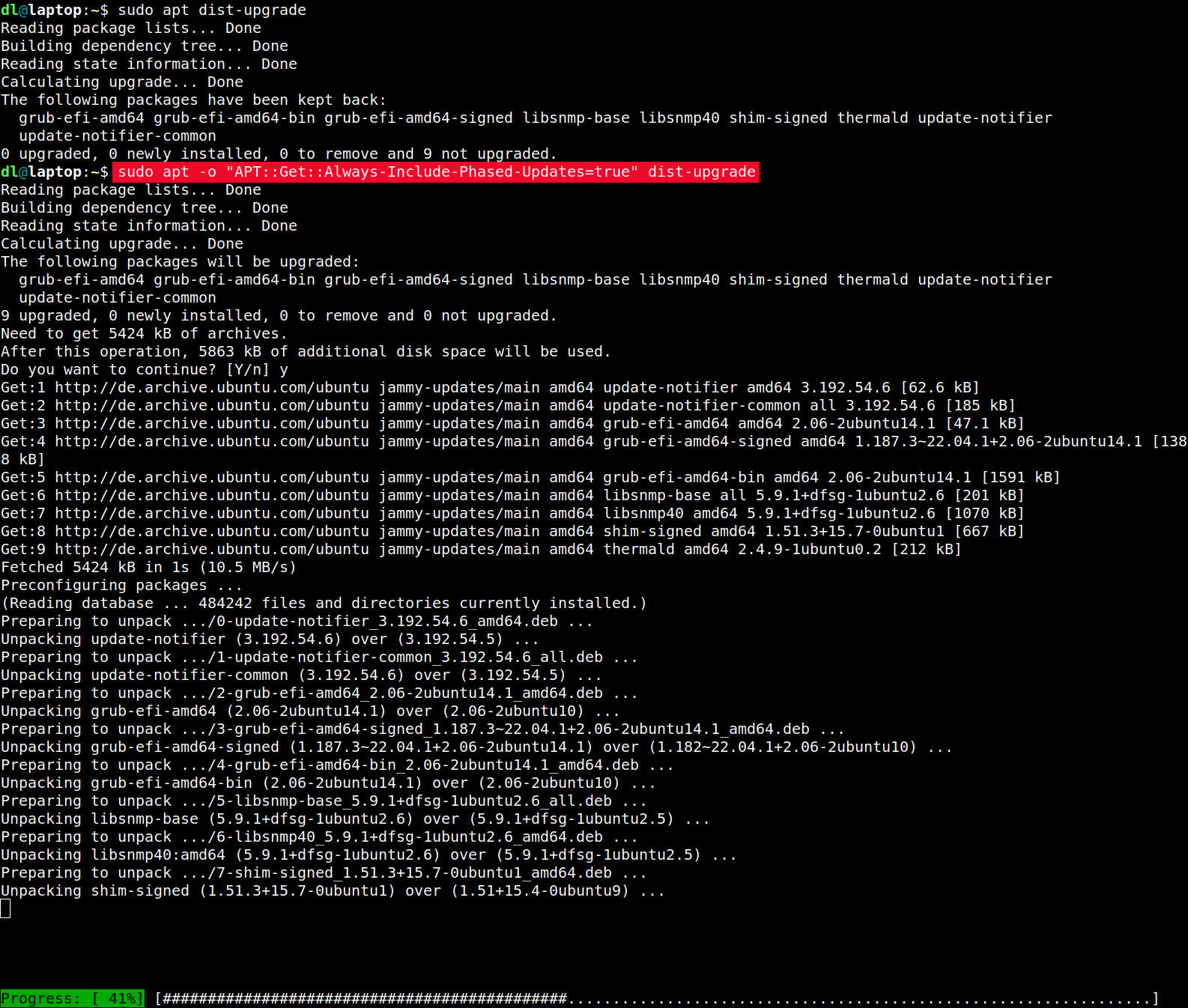
# disable the phased roll-out feature on this apt upgrade run
sudo apt -o "APT::Get::Always-Include-Phased-Updates=true" dist-upgrade
Screenshot of apt with the option to disable staged rollouts This can - for permanent use - be put into a config file, e.g. Gerrit Heim puts it into /etc/apt/apt.conf.d/99-Phased-Updates [German]. Some other options around this staged roll-out feature are "documented" on a thread in the Ubuntu discourse forum.

Michael Prokop: Automatically unlocking a LUKS encrypted root filesystem during boot

Update on 2023-03-23: thanks to Daniel Roschka for mentioning the Mandos and TPM approaches, which might be better alternatives, depending on your options and needs. Peter Palfrader furthermore pointed me towards clevis-initramfs and tang. A customer of mine runs dedicated servers inside a foreign data-center, remote hands only. In such an environment you might need a disk replacement because you need bigger or faster disks, though also a disk might (start to) fail and you need a replacement. One has to be prepared for such a scenario, but fully wiping your used disk then might not always be an option, especially once disks (start to) fail. On the other hand you don t want to end up with (partial) data on your disk handed over to someone unexpected. By encrypting the data on your disks upfront you can prevent against this scenario. But if you have a fleet of servers you might not want to manually jump on servers during boot and unlock crypto volumes manually. It s especially annoying if it s about the root filesystem where a solution like dropbear-initramfs needs to be used for remote access during initramfs boot stage. So my task for the customer was to adjust encrypted LUKS devices such that no one needs to manually unlock the encrypted device during server boot (with some specific assumptions about possible attack vectors one has to live with, see the disclaimer at the end). The documentation about this use-case was rather inconsistent, especially because special rules apply for the root filesystem (no key file usage), we see different behavior between what s supported by systemd (hello key file again), initramfs-tools and dracut, not to mention the changes between different distributions. Since tests with this tend to be rather annoying (better make sure to have a Grml live system available :)), I m hereby documenting what worked for us (Debian/bullseye with initramfs-tools and cryptsetup-initramfs). The system was installed with LVM on-top of an encrypted Software-RAID device, only the /boot partition is unencrypted. But even if you don t use Software-RAID nor LVM the same instructions apply. The system looks like this:
% mount -t ext4 -l
/dev/mapper/foobar-root_1 on / type ext4 (rw,relatime,errors=remount-ro)
% sudo pvs
  PV                    VG     Fmt  Attr PSize   PFree
  /dev/mapper/md1_crypt foobar lvm2 a--  445.95g 430.12g
% sudo vgs
  VG     #PV #LV #SN Attr   VSize   VFree
  foobar   1   2   0 wz--n- 445.95g 430.12g
% sudo lvs
  LV     VG     Attr       LSize   Pool Origin Data%  Meta%  Move Log Cpy%Sync Convert
  root_1 foobar -wi-ao---- <14.90g
% lsblk
NAME                  MAJ:MIN RM   SIZE RO TYPE  MOUNTPOINT
[...]
sdd                     8:48   0 447.1G  0 disk
 sdd1                  8:49   0   571M  0 part  /boot/efi
 sdd2                  8:50   0   488M  0 part
   md0                 9:0    0   487M  0 raid1 /boot
 sdd3                  8:51   0 446.1G  0 part
   md1                 9:1    0   446G  0 raid1
     md1_crypt       253:0    0   446G  0 crypt
       foobar-root_1 253:1    0  14.9G  0 lvm   /
[...]
sdf                     8:80   0 447.1G  0 disk
 sdf1                  8:81   0   571M  0 part
 sdf2                  8:82   0   488M  0 part
   md0                 9:0    0   487M  0 raid1 /boot
 sdf3                  8:83   0 446.1G  0 part
   md1                 9:1    0   446G  0 raid1
     md1_crypt       253:0    0   446G  0 crypt
       foobar-root_1 253:1    0  14.9G  0 lvm   /
The actual crypsetup configuration is:
% cat /etc/crypttab
md1_crypt UUID=77246138-b666-4151-b01c-5a12db54b28b none luks,discard
Now, to automatically open the crypto device during boot we can instead use:
% cat /etc/crypttab 
md1_crypt UUID=77246138-b666-4151-b01c-5a12db54b28b none luks,discard,keyscript=/etc/initramfs-tools/unlock.sh
# touch /etc/initramfs-tools/unlock.sh
# chmod 0700 /etc/initramfs-tools/unlock.sh
# $EDITOR etc/initramfs-tools/unlock.sh
# cat /etc/initramfs-tools/unlock.sh
#!/bin/sh
echo -n "provide_the_actual_password_here"
# update-initramfs -k all -u
[...]
The server will then boot without prompting for a crypto password. Note that initramfs-tools by default uses an insecure umask of 0022, resulting in the initrd being accessible to everyone. But if you have the dropbear-initramfs package installed, its /usr/share/initramfs-tools/conf-hooks.d/dropbear sets UMASK=0077 , so the resulting /boot/initrd* file should automatically have proper permissions (0600). The cryptsetup hook warns about a permissive umask configuration during update-initramfs runs, but if you want to be sure, explicitly set it via e.g.:
# cat > /etc/initramfs-tools/conf.d/umask << EOF
# restrictive umask to avoid non-root access to initrd:
UMASK=0077
EOF
# update-initramfs -k all -u
Disclaimer: Of course you need to trust users with access to /etc/initramfs-tools/unlock.sh as well as the initramfs/initrd on your system. Furthermore you should wipe the boot partition (to destroy the keyfile information) before handing over such a disk. But that is a risk my customer can live with, YMMV.

Russ Allbery: Review: The Kaiju Preservation Society

Review: The Kaiju Preservation Society, by John Scalzi
Publisher: Tor
Copyright: 2022
ISBN: 0-7653-8913-4
Format: Kindle
Pages: 264
As this novel opens, Jamie Gray, our first-person narrator, is working for the business side of a startup food delivery service named f dm d. He's up for his six month performance review and has some great ideas for how to improve the company's market standing going into pandemic lockdown. His boss has other ideas: Jamie at the bottom of the corporate ladder, delivering food door-to-door. Tom is working for a semi-secret organization with a last-minute, COVID-induced worker shortage. He needs someone who can lift things. Jamie used to go to some of the same parties, can lift things, and is conveniently available. And that's how Jamie ends up joining the Kaiju Preservation Society, because it turns out the things that need lifting are in a different dimension. This book was so bad. I think this may be the worst-written novel at a technical level that I have read since I started writing book reviews. It's become trendy in some circles to hate Scalzi, so I want to be clear that I normally get along fine with his writing. Scalzi is an unabashedly commercial writer of light, occasionally humorous popcorn SF. It's not great literature, and he's unlikely to write a new favorite novel, but his books are easy to read and reliably deliver a few hours of comfortable entertainment. The key word is "reliably"; Scalzi doesn't have a lot of dynamic range, but you know what you're getting and can decide to read him when that matches your mood. When I give a book a bad review, it's usually because I found the ideas deeply unpleasant (genocidal theology, for instance, or creepy voyeuristic sexism). That's not the problem here. The ideas are fine: a variation on the Jurassic Park setup but with kaiju and less commercialism, an everyman narrator to look at everything for the reader, a few assholes thrown in to provide some conflict sure, sign me up, sounds like the kind of light entertainment I expect from a Scalzi novel. The excuse for interdimensional portals was clever (and consistent with kaiju story themes), and the biological handwaving created a lot of good story hooks. The material for a fun novel is all present. The problem, instead, is that this book was not finished. It's the bare skeleton of a story with almost-nonexistent characters and plot, stuck in a novel-shaped box and filled in with repetitive banter and dad jokes of the approximate consistency of styrofoam packing material. When I complain about the characterization, I fear people who haven't read the book won't understand what I mean. He's always had dialogue quirks that tend to show up in all of his characters and make them sound similar. I noticed this in other books, but it wasn't a big deal. The characterization problems in this book are a big deal. I can identify four characters, total, from the entire novel: the first-person protagonist, the villain, the pilot, and the woman who does the forest floor safety training. None of those characters are memorable or interesting, but at least they're somewhat distinct. Apart from them, you could write a computer program that randomly selected character names for each dialogue line and I wouldn't be able to tell the difference. I have never given up on character identity and started ignoring all the dialogue tags in a book before. Everyone says the same thing, makes the same jokes, has the same emotional reactions, and has the same total lack of interiority or distinguishing characteristics. The only way I can imagine telling the characters apart is if you memorized the association between names and professions, and I have no idea why you'd bother. The descriptions are, if anything, worse. Scalzi is not a heavily descriptive author, but usually he gives me something to hang my imagination on. You would think that if you were writing a book about kaiju one where kaiju are quite actively involved in the story, fighting, roaring, menacing, being central to the plot you would describe a kaiju at some point during the novel. They're visually impressive giant monsters! This is an inherently visual story genre! And at no point in this entire novel does Scalzi ever describe a kaiju in any detail. Not once! The most we get is that one has tentacles and a sort of eye spot. And sometimes there are wings. There are absolutely no overall impressions, comparisons, attempts to sketch what the characters are seeing, nothing. Or, for another example, consider the base, the place where the characters live for most of the story and where much of the dialogue happens. Here is the sum total of all sensory information I can recall about the characters' home: it has stairs, and there's a plant in Jamie's room. (The person who left the plant, who never appears on screen, gets more characterization in two pages than anyone else gets in the whole novel.) What does the base look like from the outside? The inside? How many stories does it have? What are the common spaces like? What does it smell like? Does it feel institutional, or welcoming, or dirty, or sparkling? How long does it take to get from one end of it to the other? Does it make weird noises at night? I have no impressions of this place whatsoever. Maybe a few of these things were mentioned in passing and I missed them, but that's because the narrator of this book never describes his surroundings in detail, stops to look at something eye-catching, thinks about how he feels about a place, or otherwise gives the reader any meaningful emotional engagement with the spaces around him. And it's not like this story was instead stuffed with action. There is barely a novelette's worth of plot and most of that is predictable: the setup, the initial confrontation, the discovery of the evil plan, the final confrontation. For most of the book, nothing of any consequence happens. It's just endless pages of vaguely bantering dialogue between totally indistinguishable characters while Jamie repeats "I lift things." (That was funny the first couple of times; by the fifth time, the funny wore off.) The climax, when it finally happens, is mostly monologuing and half-hearted repartee that is cringeworthy and vaguely embarrassing for everyone involved. I don't really blame Scalzi for this book. I wish he had realized that it was half-baked at best and needed some major revisions, but the author's note at the end makes it clear that the process of bringing this book into the world was a train wreck. It was written in two months, in a rush, after Scalzi had already missed a deadline for a different book that failed to come together. Life happens, and in 2020 and early 2021 a whole lot of life was happening. The tone of the author's note is vaguely apologetic; I think Scalzi realizes at some level that this is not his best work. The person I do blame is Patrick Nielsen Hayden, Scalzi's editor, who is a multiple-Hugo-award-winning book editor and the managing editor of science fiction at Tor and absolutely should have known better. It was his responsibility to look at this book and say "this is not ready yet"; this is part of the function of the traditional publishing apparatus. This could have been a good book. The ideas and the hook were there; it just needed some actual substance in the middle and a whole lot of character work. Instead, he was the one who made the decision to publish the book in this state. But, well, the joke's on me, because The Kaiju Preservation Society sold a ton of copies, got nominated for several awards, won an Alex Award, and made Amazon's best of 2022 list, so I guess this was a brilliant publishing decision and the book was everything it needed to be? Maybe I'm just bad at reading and have no sense of humor? I have no explanation; I am truly and completely baffled. There are books that I don't like but that have obvious merits for people who are not me. There are styles of writing that I don't like and other people do. But I would have sworn this book was objectively unfinished and half-assed at a craft and construction level, in ways that don't depend as much on personal taste. I recommend quietly forgetting it was ever published and waiting for a better Scalzi novel, but it has a 4.04 star rating on Goodreads with nearly 32,000 reviews, so what do I know. Anyway, I was warned that I wasn't going to like this book and I read it anyway for silly reasons because I figured it was a Scalzi novel and how bad could it be, really. I brought this on myself, and I at least got the fun of ranting about it. Apparently this book found its people and they got a lot of joy out of it, and good for them. Rating: 2 out of 10

Shirish Agarwal: Anti-national says the Indian Law Minister.

Anti-national and Anti-India judges Kiren Rijiju, Law Minister.
For those who can t see the above poster says the following A handful of retired Supreme Court judges who are part of Anti-India and are trying to make Indian judiciary play role of the Opposition party. Law Minister Kiren Rijiju. Now, just to give bit more of a context, the above has happened as the CJI (Chief Justice has not been listening or toeing their line)
The above is a statement given by CJI DY Chandrachud. He says and I quote Democracy needs truth to survive. Democracy and truth go hand in hand. Speaking truth to power is a right of every citizen in a democracy. It is equally a duty.
Another quote by him. I am personally averse to sealed covers. There has to be transparency in Court. This is about implementing the orders. What can be secrecy here. Now I need to again give context of the various statements given. The law minister who gave this statement, his name incidentally came first under the radar sometime in 2013-2014 in a list given/shared by Union Home Secretary R K Singh (then in UPA, now in BJP) as an anti-India China sympathizer. Of course today all sorts of thugs use the brand nationalism he is one of them. Now as far as the CJI is concerned, AFAIK I know he bent over backwards for them but they were not pleased with him. The latest sealed cover statement is because BJP wanted to put a sealed cover in the ongoing Udhav Thackeray vs Eknath Shinde case where BJP or the Eknath Shinde faction tried to give a sealed cover. The problem with sealed cover is for any defence there is nothing to fight against it. It could be a blank paper, it could be whole lot of gossip or innuendo, unless it s out in the open the prosecution in this case i.e. Udhav Thackeray team could not effectively fight as they do not know the contents of the said sealed cover. This goes against all judicial norms. The U.S. tried with sealed cover and ended the practise only after couple of cases. Even in the OROP case (One Rank One Pension) the Govt. tried the same trick. As I have shared before, this actually comes Senator Joseph Mccarthy who started this whole thing in 1950 s, a bit of background on him. I probably had shared about him before but it bears to know and remember again and again. The same is what Mr. Trump has done time and again. It s a similar script. Bully your opponents and use sealed cover as no questions can be asked about it. The good news though is that the views of CJI have been changing. So, yes they would like to change the CJI, they actually have been trying to have their own man have keys to the judiciary but without success so far, soon though this bastion would also fall, if not today then tomorrow. The EC (Election Commission) has been thoroughly compromised. Would not share more as that EC s bending acts would use a whole blog post or two to share the numerous instances where BJP has been given all rights. In fact, via RTI it came to be known that many of the BJP leaders had given false statements about their education in the EC affidavit. That alone should have been grounds for throwing out the legislators but in their wisdom they see fit to remain blind. The latest case is of Mr. Nishikant Dubey. Of course, even with the legal documents shared in public domain and EC having powers to verify such documents, they are choosing to remain silent. If one has lied about one thing in an affidavit, what or how many lies he has shared in that same document. And how are you supposed to trust anything that comes out of his mouth. This is the state of not just Mr. Dubey but a whole lot of people who are in BJP today. And EC as an institution seems to be let down. There was a time when it was lead by T.N. Seshan who was courageous, fearless and fair. He later went to become Speaker but even then he was harsh but fair. Perhaps people thought we will always have people like him. Hence instead of strong institutions having strong rules, we based our trust on people and hence we are where we are  There is much to share but some other day, Till later.
21 March 2023

Daniel Lange: Linux App Summit - Linux Applications apparently unable to produce a five page sponsorship brochure

I've been mocking the Linux foundation for producing their annual report on Macs. And again. But catching the Linux App(lication) Summit to produce their 5 page sponsorship brochure one Windows with Adobe... Produced by Adobe InDesign 18.1 on Windows Apparently neither GNOME nor KDE have apps that are sufficient to produce such content. Wtf folks. P.S.: Just checked the Linux Foundation's 2022 Annual Report titled "Leadership in Security and Innovation" ... Adobe InDesign 18.0 (Macintosh). Their pdf title looks like this: Pdf is hard.

Daniel Lange: Linux App Summit - Linux applications apparently unable to produce a five page sponsorship brochure

I've been calling out the Linux foundation for producing their annual report on Macs. And again. But catching the Linux App(lication) Summit to produce their 5 page sponsorship brochure one Windows with Adobe... Produced by Adobe InDesign 18.1 on Windows Apparently neither GNOME nor KDE have apps that are sufficient to produce such content. Wtf folks. P.S.: Just checked the Linux Foundation's 2022 Annual Report titled "Leadership in Security and Innovation" ... Adobe InDesign 18.0 (Macintosh). Their pdf title looks like this: Pdf is hard.

Next.

Previous.