Search Results: "sto"

9 October 2017

Antonio Terceiro: pristine-tar updates

Introduction pristine-tar is a tool that is present in the workflow of a lot of Debian people. I adopted it last year after it has been orphaned by its creator Joey Hess. A little after that Tomasz Buchert joined me and we are now a functional two-person team. pristine-tar goals are to import the content of a pristine upstream tarball into a VCS repository, and being able to later reconstruct that exact same tarball, bit by bit, based on the contents in the VCS, so we don t have to store a full copy of that tarball. This is done by storing a binary delta files which can be used to reconstruct the original tarball from a tarball produced with the contents of the VCS. Ultimately, we want to make sure that the tarball that is uploaded to Debian is exactly the same as the one that has been downloaded from upstream, without having to keep a full copy of it around if all of its contents is already extracted in the VCS anyway. The current state of the art, and perspectives for the future pristine-tar solves a wicked problem, because our ability to reconstruct the original tarball is affected by changes in the behavior of tar and of all of the compression tools (gzip, bzip2, xz) and by what exact options were used when creating the original tarballs. Because of this, pristine-tar currently has a few embedded copies of old versions of compressors to be able to reconstruct tarballs produced by them, and also rely on a ever-evolving patch to tar that is been carried in Debian for a while. So basically keeping pristine-tar working is a game of Whac-A-Mole. Joey provided a good summary of the situation when he orphaned pristine-tar. Going forward, we may need to rely on other ways of ensuring integrity of upstream source code. That could take the form of signed git tags, signed uncompressed tarballs (so that the compression doesn t matter), or maybe even a different system for storing actual tarballs. Debian bug #871806 contains an interesting discussion on this topic. Recent improvements Even if keeping pristine-tar useful in the long term will be hard, too much of Debian work currently relies on it, so we can t just abandon it. Instead, we keep figuring out ways to improve. And I have good news: pristine-tar has recently received updates that improve the situation quite a bit. In order to be able to understand how better we are getting at it, I created a "visualization of the regression test suite results. With the help of data from there, let s look at the improvements made since pristine-tar 1.38, which was the version included in stretch. pristine-tar 1.39: xdelta3 by default. This was the first release made after the stretch release, and made xdelta3 the default delta generator for newly-imported tarballs. Existing tarballs with deltas produced by xdelta are still supported, this only affects new imports. The support for having multiple delta generator was written by Tomasz, and was already there since 1.35, but we decided to only flip the switch after using xdelta3 was supported in a stable release. pristine-tar 1.40: improved compression heuristics pristine-tar uses a few heuristics to produce the smaller delta possible, and this includes trying different compression options. In the release Tomasz included a contribution by Lennart Sorensen to also try the --gnu, which gretly improved the support for rsyncable gzip compressed files. We can see an example of the type of improvement we got in the regression test suite data for delta sizes for faad2_2.6.1.orig.tar.gz: In 1.40, the delta produced from the test tarball faad2_2.6.1.orig.tar.gz went down from 800KB, almost the same size of tarball itself, to 6.8KB pristine-tar 1.41: support for signatures This release saw the addition of support for storage and retrieval of upstream signatures, contributed by Chris Lamb. pristine-tar 1.42: optionally recompressing tarballs I had this idea and wanted to try it out: most of our problems reproducing tarballs come from tarballs produced with old compressors, or from changes in compressor behavior, or from uncommon compression options being used. What if we could just recompress the tarballs before importing then? Yes, this kind of breaks the pristine bit of the whole business, but on the other hand, 1) the contents of the tarball are not affected, and 2) even if the initial tarball is not bit by bit the same that upstream release, at least future uploads of that same upstream version with Debian revisions can be regenerated just fine. In some cases, as the case for the test tarball util-linux_2.30.1.orig.tar.xz, recompressing is what makes it possible to reproduce the tarball (and thus import it with pristine-tar) possible at all: util-linux_2.30.1.orig.tar.xz can only be imported after being recompressed In other cases, if the current heuristics can t produce a reasonably small delta, recompressing makes a huge difference. It s the case for mumble_1.1.8.orig.tar.gz: with recompression, the delta produced from mumble_1.1.8.orig.tar.gz goes from 1.2MB, or 99% of the size to the original tarball, to 14.6KB, 1% of the size of original tarball Recompressing is not enabled by default, and can be enabled by passing the --recompress option. If you are using pristine-tar via a wrapper tool like gbp-buildpackage, you can use the $PRISTINE_TAR environment variable to set options that will affect any pristine-tar invocations. Also, even if you enable recompression, pristine-tar will only try it if the delta generations fails completely, of if the delta produced from the original tarball is too large. You can control what too large means by using the --recompress-threshold-bytes and --recompress-threshold-percent options. See the pristine-tar(1) manual page for details.

Petter Reinholdtsen: Generating 3D prints in Debian using Cura and Slic3r(-prusa)

At my nearby maker space, Sonen, I heard the story that it was easier to generate gcode files for theyr 3D printers (Ultimake 2+) on Windows and MacOS X than Linux, because the software involved had to be manually compiled and set up on Linux while premade packages worked out of the box on Windows and MacOS X. I found this annoying, as the software involved, Cura, is free software and should be trivial to get up and running on Linux if someone took the time to package it for the relevant distributions. I even found a request for adding into Debian from 2013, which had seem some activity over the years but never resulted in the software showing up in Debian. So a few days ago I offered my help to try to improve the situation. Now I am very happy to see that all the packages required by a working Cura in Debian are uploaded into Debian and waiting in the NEW queue for the ftpmasters to have a look. You can track the progress on the status page for the 3D printer team. The uploaded packages are a bit behind upstream, and was uploaded now to get slots in the NEW queue while we work up updating the packages to the latest upstream version. On a related note, two competitors for Cura, which I found harder to use and was unable to configure correctly for Ultimaker 2+ in the short time I spent on it, are already in Debian. If you are looking for 3D printer "slicers" and want something already available in Debian, check out slic3r and slic3r-prusa. The latter is a fork of the former.

8 October 2017

Daniel Pocock: A step change in managing your calendar, without social media

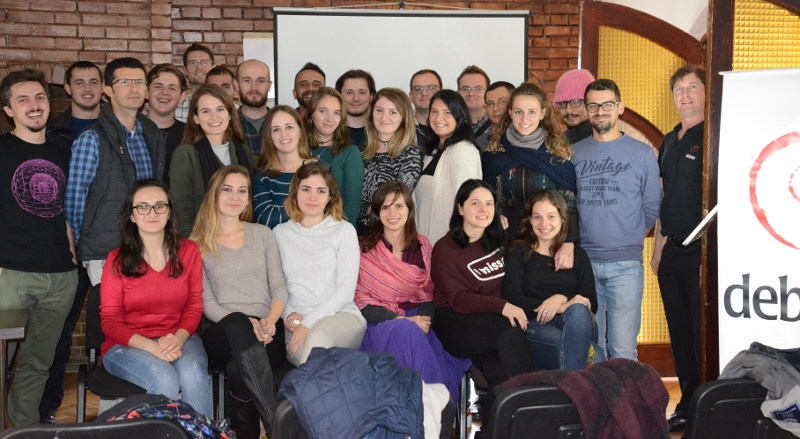
Have you been to an event recently involving free software or a related topic? How did you find it? Are you organizing an event and don't want to fall into the trap of using Facebook or Meetup or other services that compete for a share of your community's attention? Are you keen to find events in foreign destinations related to your interest areas to coincide with other travel intentions? Have you been concerned when your GSoC or Outreachy interns lost a week of their project going through the bureaucracy to get a visa for your community's event? Would you like to make it easier for them to find the best events in the countries that welcome and respect visitors? In many recent discussions about free software activism, people have struggled to break out of the illusion that social media is the way to cultivate new contacts. Wouldn't it be great to make more meaningful contacts by attending more a more diverse range of events rather than losing time on social media? Making it happen There are already a number of tools (for example, Drupal plugins and Wordpress plugins) for promoting your events on the web and in iCalendar format. There are also a number of sites like Agenda du Libre and GriCal who aggregate events from multiple communities where people can browse them. How can we take these concepts further and make a convenient, compelling and global solution? Can we harvest event data from a wide range of sources and compile it into a large database using something like PostgreSQL or a NoSQL solution or even a distributed solution like OpenDHT? Can we use big data techniques to mine these datasources and help match people to events without compromising on privacy? Why not build an automated iCalendar "to-do" list of deadlines for events you want to be reminded about, so you never miss the deadlines for travel sponsorship or submitting a talk proposal? I've started documenting an architecture for this on the Debian wiki and proposed it as an Outreachy project. It will also be offered as part of GSoC in 2018. Ways to get involved If you would like to help this project, please consider introducing yourself on the debian-outreach mailing list and helping to mentor or refer interns for the project. You can also help contribute ideas for the specification through the mailing list or wiki. Mini DebConf Prishtina 2017 This weekend I've been at the MiniDebConf in Prishtina, Kosovo. It has been hosted by the amazing Prishtina hackerspace community. Watch out for future events in Prishtina, the pizzas are huge, but that didn't stop them disappearing before we finished the photos:

Ricardo Mones: Cannot enable. Maybe the USB cable is bad?

One of the reasons which made me switch my old 17" BenQ monitor for a Dell U2413 three years ago was it had an integrated SD card reader. I find very convenient to take camera's card out, plug the card into the monitor and click on KDE device monitor's option Open with digiKam to download the photos or videos.

But last week, when trying to reconnect the USB cable to the new board just didn't work and the kernel log messages were not very hopeful:

[190231.770349] usb 2-2.3.3: new SuperSpeed USB device number 15 using xhci_hcd
[190231.890439] usb 2-2.3.3: New USB device found, idVendor=0bda, idProduct=0307
[190231.890444] usb 2-2.3.3: New USB device strings: Mfr=1, Product=2, SerialNumber=3
[190231.890446] usb 2-2.3.3: Product: USB3.0 Card Reader
[190231.890449] usb 2-2.3.3: Manufacturer: Realtek
[190231.890451] usb 2-2.3.3: SerialNumber: F141000037E1
[190231.896592] usb-storage 2-2.3.3:1.0: USB Mass Storage device detected
[190231.896764] scsi host8: usb-storage 2-2.3.3:1.0
[190232.931861] scsi 8:0:0:0: Direct-Access     Generic- SD/MMC/MS/MSPRO  1.00 PQ: 0 ANSI: 6
[190232.933902] sd 8:0:0:0: Attached scsi generic sg5 type 0
[190232.937989] sd 8:0:0:0: [sde] Attached SCSI removable disk
[190243.069680] hub 2-2.3:1.0: hub_ext_port_status failed (err = -71)
[190243.070037] usb 2-2.3-port3: cannot reset (err = -71)
[190243.070410] usb 2-2.3-port3: cannot reset (err = -71)
[190243.070660] usb 2-2.3-port3: cannot reset (err = -71)
[190243.071035] usb 2-2.3-port3: cannot reset (err = -71)
[190243.071409] usb 2-2.3-port3: cannot reset (err = -71)
[190243.071413] usb 2-2.3-port3: Cannot enable. Maybe the USB cable is bad?
...

I was sure USB 3.0 ports were working, because I've already used them with a USB 3.0 drive, so first thought was the monitor USB hub had failed. It seemed unlikely that a cable which has not been moved in 3 years was suddenly failing, is that even possible?

But a few moments later the same cable plugged into a USB 2.0 worked flawlessly and all photos could be downloaded, just noticeably slower.

A bit confused, and thinking that, since everything else was working maybe the cable had to be replaced, it happened I upgraded the system in the meantime. And luck came into rescue, because now it works again in 4.9.30-2+deb9u5 kernel. Looking at the package changelog it seems the fix was this usb:xhci:Fix regression when ATI chipsets detected . So, not a bad cable but a little kernel bug ;-)

Thanks to all involved, specially Ben for the package update!

7 October 2017

Chris Lamb: python-gfshare: Secret sharing in Python

I've just released python-gfshare, a Python library that implements Shamir s method for secret sharing, a technique to split a "secret" into multiple parts. An arbitrary number of those parts are then needed to recover the original file but any smaller combination of parts are useless to an attacker. For instance, you might split a GPG key into a 3-of-5 share, putting one share on each of three computers and two shares on a USB memory stick. You can then use the GPG key on any of those three computers using the memory stick. If the memory stick is lost you can ultimately recover the key by bringing the three computers back together again. For example:
$ pip install gfshare
>>> import gfshare
>>> shares = gfshare.split(3, 5, b"secret")
>>> shares
 104: b'1\x9cQ\xd8\xd3\xaf',
 164: b'\x15\xa4\xcf7R\xd2',
 171: b'>\xf5*\xce\xa2\xe2',
 173: b'd\xd1\xaaR\xa5\x1d',
 183: b'\x0c\xb4Y\x8apC' 
>>> gfshare.combine(shares)
b"secret"
After removing two "shares" we can still reconstruct the secret as we have 3 out of the 5 originals:
>>> del shares['104']
>>> del shares['171']
>>> gfshare.combine(shares)
b"secret"
Under the hood it uses Daniel Silverstone s libgfshare library. The source code is available on GitHub as is the documentation. Patches welcome.

4 October 2017

Daniel Silverstone: F/LOSS (in)activity, September 2017

In the interests of keeping myself "honest" regarding F/LOSS activity, here's a report, sadly it's not very good.
Unfortunately, September was a poor month for me in terms of motivation and energy for F/LOSS work. I did some amount of Gitano work, merging a patch from Richard Ipsum for help text of the config command. I also submitted another patch to the STM32F103xx Rust repository, though it wasn't a particularly big thing. Otherwise I've been relatively quiet on the Rust/USB stuff and have otherwise kept away from projects. Sometimes one needs to take a step away from things in order to recuperate and care for oneself rather than the various demands on ones time. This is something I had been feeling I needed for a while, and with a lack of motivation toward the start of the month I gave myself permission to take a short break. Next weekend is the next Gitano developer day and I hope to pick up my activity again then, so I should have more to report for October.

Iain R. Learmonth: MAC Catching

As we walk around with mobile phones in our pockets, there are multiple radios each with identifiers that can be captured and recorded just through their normal operation. Bluetooth and Wifi devices have MAC addresses and can advertise their presence to other devices merely by sending traffic, or by probing for devices to connect to if they re not connected. I found a simple tool, probemon that allows for anyone with a wifi card to track who is at which location at any given time. You could deploy a few of these with Raspberry Pis or even go even cheaper with a number of ESP8266. In the news recently was a report from TfL about their WiFi data collection. Sky News reported that TfL plans to make 322m by collecting data from passengers mobiles . TfL have later denied this but the fact remains that collecting this data is trivial. I ve been thinking about ideas for spoofing mass amounts of wireless devices making the collected data useless. I ve found that people have had success in using Scapy to forge WiFi frames. When I have some free time I plan to look into some kind of proof-of-concept for this. On the underground, this is the way to do this, but above ground I ve also heard of systems that use the TMSI from 3G/4G, not WiFi data, to identify mobile phones. You ll have to be a bit more brave if you want to forge these (please do not, unless using alternative licensed frequencies, you may interfere with mobile service and prevent 999 calls). If you wanted to spy on mobile phones near to you, you can do this with the gr-gsm package now available in Debian.

Norbert Preining: Einstein and Freud s letters on Why War? 85th anniversary

85 years ago, on 30 July 1932, Albert Einstein send a letter to Sigmund Freud discussing the question: Why War? Freud answered to this letter in early September 1932. To commemorate the 85 year anniversary, the German typographer Harald Geisler has started a project on Kickstarter to recreate the letters send back then. Over the last weeks the two letters have arrived at my place in Japan:
But not only were the letters reproduces, but typeset in the original digitized handwriting and sent from the original locations. Harald Geisler crafted fonts based on the hand-writing of Einstein and Freud, an layout out the pages of the letters according to the originals. Since the letters were originally written in German, an English translation also typeset in the hand-writing font was added.
In addition to the a bit archaic hand writing of Freud which even many German natives will not be able to read, the German text of his letter has been included in normal print style. Not only that, Harald Geisler even managed to convince the Sigmund Freud Museum to let rest the letters for one night in the very office where the original letter was written, so all the letters send out actually came from Freud s office.
This project was one of the first Kickstarter projects I supported, and I really liked the idea, and would like to thanks Harald Geisler for realizing it. These kind of activities, combining of typography, history, action, dedication, keep our culture and history alive. Thanks.
Harald Geisler also invites us all to continue the dialog on Why War?, which is getting more and more relevant again, with war-mongering becoming respected practice.

3 October 2017

Christoph Egger: Observations on Catalunya

Some things I don't really understand reading in German media Too bad I didn't keep the links / articles from Sunday night.

Christoph Egger: Another Xor (CSAW 2017)

A short while ago, FAUST participated in this year's CSAW qualification and -- as usual -- I was working on the Crypto challenges again. The first puzzle I worked on was called "Another Xor" -- and, while there are quite some write ups already our solution was somewhat different (maybe even the intended solution given how nice things worked out) and certainly interesting. The challenge provides a cipher-text. It's essentially a stream cipher with key repeated to generate the key stream. The plain-text was plain + key + checksum.
p = this is a plaintextThis is the keyfa5d46a2a2dcdeb83e0241ee2c0437f7
k = This is the keyThis is the keyThis is the keyThis is the keyThis i
Key length Our first step was figuring out the key length. Let's assume for now the key was This is the key. Notice that the key is also part of the plain-text and we know something about its location -- it ends at 32 characters from the back. If we only take a look at the encrypted key it should have the following structure:
p' = This is the key
k' = he keyThis is t
The thing to notice here is that every character in the Key appears both in the plain-text and key stream sequence. And the cipher-text is the XOR ( ) of both. Therefore XOR over the cipher-text sequence encrypting the key should equal 0 ( (p') (k') = 0). So remove the last 32 characters and find all suffixes that result in a XOR of 0. Fortunately there is exactly one such suffix (there could be multiple) and therefore we know the key size: 67. To put it in code, this basically is the function we implemented for this:
def calculate(ciphertextcandidate):
    accumulator = 0
    for char in ciphertextcandidate:
        accumulator = accumulator ^ char
Which, for the matching plain-text and key-stream fragments is equal (due to the XOR encryption) to
def calculate(plainfragment, keyfragment):
    accumulator = 0
    for i in range(len(plainfragment):
        accumulator = accumulator ^ (plainfragment[i] ^ keyfragment[i])
Now XOR lets us nicely reorder this to
def calculate(plainfragment, keyfragment):
    accumulator = 0
    for i in range(len(plainfragment):
        accumulator = accumulator ^ (plainfragment[i] ^
                                     keyfragment[(i + 6) % len(plainfragment)])
And, as plainfragment[i] and keyfragment[(i + 6) % len(plainfragment)] are equal for the plain-text range encoding the key this becomes
def calculate(plainfragment, keyfragment):
    accumulator = 0
    for i in range(len(plainfragment):
        accumulator = accumulator ^ 0
Or simply 0 if the guess of the cipher-text range is correct. Key recovery Now the nice thing to notice is that the length of the key (67) is a prime (and 38, the plain-text length, is a generator). As a result, we only need to guess one byte of the key: Assume you know one byte of the key (and the position). Now you can use that one byte of the key to decrypt the next byte of the key (using the area where the key is part of the plain-text). Due to the primeness of the key length this allows recovery of the full key. Finally you can either print all 256 options and look for the one that looks reasonable or you can verify the md5sum which will give you the one valid solution, flag sti11_us3_da_x0r_for_my_s3cratz . Code

cipher = b"'L\x10\x12\x1a\x01\x00I[P-U\x1cU\x7f\x0b\x083X]\x1b'\x03\x0bR(\x04\r7SI\n\x1c\x02T\x15\x05\x15%EQ\x18\x00\x19\x11SJ\x00RV\n\x14YO\x0b\x1eI\n\x01\x0cE\x14A\x1e\x07\x00\x14aZ\x18\x1b\x02R\x1bX\x03\x05\x17\x00\x02\x07K\n\x1aLAM\x1f\x1d\x17\x1d\x00\x15\x1b\x1d\x0fH\x0eI\x1e\x02I\x01\x0c\x15\x00P\x11\\PXPCB\x03B\x13TBL\x11PC\x0b^\tM\x14IW\x08\rDD%FC"
def keycover(guess):
    key = dict()
    pos = 38
    key[38] = guess
    for i in range(67):
        newpos = (pos % 67) + 38
        key[newpos] = xor(cipher[pos:], key[pos])
        pos = newpos
    try:
        return b''.join([ key[i] for i in range(38, 105, 1) ])
    except:
        return b'test'
for guess in range(256):
    keycand = keycover(bytes([guess]))
    plaincand = xor(cipher, repeat(keycand, len(cipher)))
    if md5(plaincand[:-32]).hexdigest().encode() == plaincand[-32:]:
        print(keycand, plaincand)

Christoph Egger: Looking for a mail program + desktop environment

Seems it is now almost a decade since I migrated from Thunderbird to GNUS. And GNUS is an awesome mail program that I still rather like. However GNUS is also heavily quirky. It's essentially single-threaded and synchronous which means you either have to wait for the "IMAP check for new mails" to finish or you have to C-g abort it if you want the user interface to work; You have to wait for the "Move mail" to complete (which can take a while -- especially with dovecot-antispam training the filter) before you can continue working. It has it's funny way around TLS and certificate validation. And it seems to hang from time to time until it is C-g interrupted. So when I set up my new desktop machine I decided to try something else. My first try was claws-mail which seems OK but totally fails in the asynchronous area. While the GUI stays reactive, all actions that require IMAP interactions become incredibly slow when a background IMAP refresh is running. I do have quite some mailboxes and waiting the 5+ minutes after opening claws or whenever it decides to do a refresh is just to much. Now my last try has been Kmail -- also driven by the idea of having a more integrated setup with CalDAV and CardDAV around and similar goodies. And Kmail really compares nicely to claws in many ways. After all, I can use it while it's doing its things in the background. However the KDE folks seem to have dropped all support for the \recent IMAP flag which I heavily rely on. I do -- after all -- keep a GNUS like workflow where all unread mail (ref \seen) needs to still be acted upon which means there can easily be quite a few unread messages when I'm busy at the moment and just having a quick look at the new (ref \recent) mail to see if there's something super-urgent is essential. So I'm now looking for useful suggestions for a mail program (ideally with desktop integration) with the following essential features:

Dimitri John Ledkov: An interesting bug - network-manager, glibc, dpkg-shlibdeps, systemd, and finally binutils

Not so long ago I went to effectively recompile NetworkManager and fix up minor bug in it. It built fine across all architectures, was considered to be installable etc. And I was expecting it to just migrate across. At the time, glibc was at 2.26 in artful-proposed and NetworkManager was built against it. However release pocket was at glibc 2.24. In Ubuntu we have a ProposedMigration process in place which ensures that newly built packages do not regress in the number of architectures built for; installable on; and do not regress themselves or any reverse dependencies at runtime.

Thus before my build of NetworkManager was considered for migration, it was tested in the release pocket against packages in the release pocket. Specifically, since package metadata only requires glibc 2.17 NetworkManager was tested against glibc currently in the release pocket, which should just work fine....
autopkgtest [21:47:38]: test nm: [-----------------------
test_auto_ip4 (__main__.ColdplugEthernet)
ethernet: auto-connection, IPv4 ... FAIL ----- NetworkManager.log -----
NetworkManager: /lib/x86_64-linux-gnu/libc.so.6: version GLIBC_2.25' not found (required by NetworkManager)
At first I only saw failing tests, which I thought is transient failure. Thus they were retried a few times. Then I looked at the autopkgtest log and saw above error messages. Perplexed, I have started a lxd container with ubuntu artful, enabled proposed and installed just network-manager from artful-proposed and indeed a simple NetworkManager --help failed with above error from linker.

I am too young to know what dependency-hell means, since ever since I used Linux (Ubuntu 7.04) all glibc symbols were versioned, and dpkg-shlibdeps would generate correct minimum dependencies for a package. Alas in this case readelf confirmed that indeed /usr/sbin/NetworkManager requires 2.25 and dpkg depends is >= 2.17.

Further reading readelf output I checked that all of the glibc symbols used are 2.17 or lower, and only the "Version needs section '.gnu.version_r'" referenced GLIBC_2.25 symbol. Inspecting dpkg-shlibdeps code I noticed that it does not parse that section and only searches through the dynamic symbols used to establish the minimum required version.

Things started to smell fishy. On one hand, I trust dpkg-shlibdeps to generate the right dependencies. On the other hand I also trust linker to not tell lies either. Hence I opened a Debian BTS bug report about this issue.

At this point, I really wanted to figure out where the reference to 2.25 comes from. Clearly it was not from any private symbols as then the reference would be on 2.26. Checking glibc abi lists I found there were only a handful of symbols marked as 2.25
$ grep 2.25 ./sysdeps/unix/sysv/linux/x86_64/64/libc.abilist
GLIBC_2.25 GLIBC_2.25 A
GLIBC_2.25 __explicit_bzero_chk F
GLIBC_2.25 explicit_bzero F
GLIBC_2.25 getentropy F
GLIBC_2.25 getrandom F
GLIBC_2.25 strfromd F
GLIBC_2.25 strfromf F
GLIBC_2.25 strfroml F
Blindly grepping for these in network-manager source tree I found following:
$ grep explicit_bzero -r configure.ac src/
configure.ac: explicit_bzero],
src/systemd/src/basic/string-util.h:void explicit_bzero(void *p, size_t l);
src/systemd/src/basic/string-util.c:void explicit_bzero(void *p, size_t l)
src/systemd/src/basic/string-util.c: explicit_bzero(x, strlen(x));
First of all it seems like network-manager includes a partial embedded copy of systemd. Secondly that code is compiled into a temporary library and has autconf detection logic to use explicit_bzero. It also has an embedded implementation of explicit_bzero when it is not available in libc, however it does not have FORTIFY_SOURCES implementation of said function (__explicit_bzero_chk) as was later pointed out to me. And whilst this function is compiled into an intermediary noinst library, no functions that use explicit_bzero are used in the end by NetworkManger binary. To proof this, I've dropped all code that uses explicit_bzero, rebuild the package against glibc 2.26, and voila it only had Version reference on glibc 2.17 as expected from the end-result usage of shared symbols.

At this point toolchain bug was a suspect. It seems like whilst explicit_bzero shared symbol got optimised out, the version reference on 2.25 persisted to the linked binaries. At this point in the archive a snapshot version of binutils was in use. And in fact forcefully downgrading bintuils resulted in correct compilation / versions table referencing only glibc 2.17.

Mathias then took over a tarball of object files and filed upstream bug report against bintuils: "[2.29 Regression] ld.bfd keeps a version reference in .gnu.version_r for symbols which are optimized out". The discussion in that bug report is a bit beyond me as to me binutils is black magic. All I understood there was "we moved sweep and pass to another place due to some bugs", doing that introduced this bug, thus do multiple sweep and passes to make sure we fix old bugs and don't regress this either. Or something like that. Comments / Better description of the bintuils fix are welcomed.

Binutils got fixed by upstream developers, cherry-picked into debian, and ubuntu, network-manager got rebuild and everything is wonderful now. However, it does look like unused / deadend code paths tripped up optimisations in the toolchain which managed to slip by distribution package dependency generation and needless require a higher up version of glibc. I guess the lesson here is do not embed/compile unused code. Also I'm not sure why network-manager uses networkd internals like this, and maybe systemd should expose more APIs or serialise more state into /run, as most other things query things over dbus, private socket, or by establishing watches on /run/systemd/netif. I'll look into that another day.

Thanks a lot to Guillem Jover, Matthias Klose, Alan Modra, H.J. Lu, and others for getting involved. I would not be able to raise, debug, or fix this issue all by myself.

2 October 2017

Antoine Beaupr : My free software activities, September 2017

Debian Long Term Support (LTS) This is my monthly Debian LTS report. I mostly worked on the git, git-annex and ruby packages this month but didn't have time to completely use my allocated hours because I started too late in the month.

Ruby I was hoping someone would pick up the Ruby work I submitted in August, but it seems no one wanted to touch that mess, understandably. Since then, new issues came up, and not only did I have to work on the rubygems and ruby1.9 package, but now the ruby1.8 package also had to get security updates. Yes: it's bad enough that the rubygems code is duplicated in one other package, but wheezy had the misfortune of having two Ruby versions supported. The Ruby 1.9 also failed to build from source because of test suite issues, which I haven't found a clean and easy fix for, so I ended up making test suite failures non-fatal in 1.9, which they were already in 1.8. I did keep a close eye on changes in the test suite output to make sure tests introduced in the security fixes would pass and that I wouldn't introduce new regressions as well. So I published the following advisories:
  • ruby 1.8: DLA-1113-1, fixing CVE-2017-0898 and CVE-2017-10784. 1.8 doesn't seem affected by CVE-2017-14033 as the provided test does not fail (but it does fail in 1.9.1). test suite was, before patch:
    2199 tests, 1672513 assertions, 18 failures, 51 errors
    
    and after patch:
    2200 tests, 1672514 assertions, 18 failures, 51 errors
    
  • rubygems: uploaded the package prepared in August as is in DLA-1112-1, fixing CVE-2017-0899, CVE-2017-0900, CVE-2017-0901. here the test suite passed normally.
  • ruby 1.9: here I used the used 2.2.8 release tarball to generate a patch that would cover all issues and published DLA-1114-1 that fixes the CVEs of the two packages above. the test suite was, before patches:
    10179 tests, 2232711 assertions, 26 failures, 23 errors, 51 skips
    
    and after patches:
    1.9 after patches (B): 10184 tests, 2232771 assertions, 26 failures, 23 errors, 53 skips
    

Git I also quickly issued an advisory (DLA-1120-1) for CVE-2017-14867, an odd issue affecting git in wheezy. The backport was tricky because it wouldn't apply cleanly and the git package had a custom patching system which made it tricky to work on.

Git-annex I did a quick stint on git-annex as well: I was able to reproduce the issue and confirm an approach to fixing the issue in wheezy, although I didn't have time to complete the work before the end of the month.

Other free software work

New project: feed2exec I should probably make a separate blog post about this, but ironically, I don't want to spend too much time writing those reports, so this will be quick. I wrote a new program, called feed2exec. It's basically a combination of feed2imap, rss2email and feed2tweet: it allows you to fetch RSS feeds and send them in a mailbox, but what's special about it, compared to the other programs above, is that it is more generic: you can basically make it do whatever you want on new feed items. I have, for example, replaced my feed2tweet instance with it, using this simple configuration:
[anarcat]
url = https://anarc.at/blog/index.rss
output = feed2exec.plugins.exec
args = tweet "%(title)0.70s %(link)0.70s"
The sample configuration file also has examples to talk with Mastodon, Pump.io and, why not, a torrent server to download torrent files available over RSS feeds. A trivial configuration can also make it work as a crude podcast client. My main motivation to work on this was that it was difficult to extend feed2imap to do what I needed (which was to talk to transmission to download torrent files) and rss2email didn't support my workflow (which is delivering to feed-specific mail folders). Because both projects also seemed abandoned, it seemed like a good idea at the time to start a new one, although the rss2email community has now restarted the project and may produce interesting results. As an experiment, I tracked my time working on this project. It turns out it took about 45 hours to write that software. Considering feed2exec is about 1400 SLOC, that's 30 lines of code per hour. I don't know if that's slow or fast, but it's an interesting metric for future projects. It sure seems slow to me, but we need to keep in mind those 30 lines of code don't include documentation and repeated head banging on the keyboard. For example, I found two issues with the upstream feedparser package which I use to parse feeds which also seems unmaintained, unfortunately. Feed2exec is beta software at this point, but it's working well enough for me and the design is much simpler than the other programs of the kind. The main issue people can expect from it at this point is formatting issues or parse errors on exotic feeds, and noisy error messages on network errors, all of which should be fairly easy to fix in the test suite. I hope it will be useful for the community and, as usual, I welcome contributions, help and suggestions on how to improve the software.

More Python templates As part of the work on feed2exec, I did cleanup a few things in the ecdysis project, mostly to hook tests up in the CI, improve on the advancedConfig logger and cleanup more stuff. While I was there, it turns out that I built a pretty decent basic CI configuration for Python on GitLab. Whereas the previous templates only had a non-working Django example, you should now be able to chose a Python template when you configure CI on GitLab 10 and above, which should hook you up with normal Python setup procedures like setup.py install and setup.py test.

Selfspy I mentioned working on a monitoring tool in my last post, because it was a feature from Workrave missing in SafeEyes. It turns out there is already such a tool called selfspy. I did an extensive review of the software to make sure it wouldn't leak out confidential information out before using it, and it looks, well... kind of okay. It crashed on me at least once so far, which is too bad because then it loses track of the precious activity. I have used it at least once to figure out what the heck I worked on during the day, so it's pretty useful. I particularly used it to backtrack my work on feed2exec as I didn't originally track my time on the project. Unfortunately, selfspy seems unmaintained. I have proposed a maintenance team and hopefully the project maintainer will respond and at least share access so we don't end up in a situation like linkchecker. I also sent a bunch of pull requests to fix some issues like being secure by default and fixing the build. Apart from the crash, the main issue I have found with the software is that it doesn't detect idle time which means certain apps are disproportionatly represented in statistics. There are also some weaknesses in the crypto that should be adressed for people that encrypt their database. Next step is to package selfspy in Debian which should hopefully be simple enough...

Restic documentation security As part of a documentation patch on the Restic backup software, I have improved on my previous Perl script to snoop on process commandline arguments. A common flaw in shell scripts and cron jobs is to pass secret material in the environment (usually safe) but often through commandline arguments (definitely not safe). The challenge, in this peculiar case, was the env binary, but the last time I encountered such an issue was with the Drush commandline tool, which was passing database credentials in clear to the mysql binary. Using my Perl sniffer, I could get to 60 checks per second (or 60Hz). After reimplementing it in Python, this number went up to 160Hz, which still wasn't enough to catch the elusive env command, which is much faster at hiding arguments than MySQL, in large part because it simply does an execve() once the environment is setup. Eventually, I just went crazy and rewrote the whole thing in C which was able to get 700-900Hz and did catch the env command about 10-20% of the time. I could probably have rewritten this by simply walking /proc myself (since this is what all those libraries do in the end) to get better result, but then my point was made. I was able to prove to the restic author the security issues that warranted the warning. It's too bad I need to repeat this again and again, but then my tools are getting better at proving that issue... I suspect it's not the last time I have to deal with this issue and I am happy to think that I can come up with an even more efficient proof of concept tool the next time around.

Ansible 101 After working on documentation last month, I ended up writing my first Ansible playbook this month, converting my tasksel list to a working Ansible configuration. This was a useful exercise: it allow me to find a bunch of packages which have been removed from Debian and provides much better usability than tasksel. For example, it provides a --diff argument that shows which packages are missing from a given setup. I am still unsure about Ansible. Manifests do seem really verbose and I still can't get used to the YAML DSL. I could probably have done the same thing with Puppet and just run puppet apply on the resulting config. But I must admit my bias towards Python is showing here: I can't help but think Puppet is going to be way less accessible with its rewrite in Clojure and C (!)... But then again, I really like Puppet's approach of having generic types like package or service rather than Ansible's clunky apt/yum/dnf/package/win_package types...

Pat and Ham radio After responding (too late) to a request for volunteers to help in Puerto Rico, I realized that my amateur radio skills were somewhat lacking in the "packet" (data transmission in ham jargon) domain, as I wasn't used to operate a Winlink node. Such a node can receive and transmit actual emails over the airwaves, for free, without direct access to the internet, which is very useful in disaster relief efforts. Through summary research, I stumbled upon the new and very promising Pat project which provides one of the first user-friendly Linux-compatible Winlink programs. I provided improvements on the documentation and some questions regarding compatibility issues which are still pending. But my pet issue is the establishment of pat as a normal internet citizen by using standard protocols for receiving and sending email. Not sure how that can be implemented, but we'll see. I am also hoping to upload an official Debian package and hopefully write more about this soon. Stay tuned!

Random stuff I ended up fixing my Kodi issue by starting it as a standalone systemd service, instead of gdm3, which is now completely disabled on the media box. I simply used the following /etc/systemd/service/kodi.service file:
[Unit]
Description=Kodi Media Center
After=systemd-user-sessions.service network.target sound.target
[Service]
User=xbmc
Group=video
Type=simple
TTYPath=/dev/tty7
StandardInput=tty
ExecStart=/usr/bin/xinit /usr/bin/dbus-launch --exit-with-session /usr/bin/kodi-standalone -- :1 -nolisten tcp vt7
Restart=on-abort
RestartSec=5
[Install]
WantedBy=multi-user.target
The downside of this is that it needs Xorg to run as root, whereas modern Xorg can now run rootless. Not sure how to fix this or where... But if I put needs_root_rights=no in Xwrapper.config, I get the following error in .local/share/xorg/Xorg.1.log:
[  2502.533] (EE) modeset(0): drmSetMaster failed: Permission denied
After fooling around with iPython, I ended up trying the xonsh shell, which is supposed to provide a bash-compatible Python shell environment. Unfortunately, I found it pretty unusable as a shell: it works fine to do Python stuff, but then all my environment and legacy bash configuration files were basically ignored so I couldn't get working quickly. This is too bad because the project looked very promising... Finally, one of my TLS hosts using a Let's Encrypt certificate wasn't renewing properly, and I figured out why. It turns out the ProxyPass command was passing everything to the backend, including the /.well-known requests, which obviously broke ACME verification. The solution was simple enough, disable the proxy for that directory:
ProxyPass /.well-known/ !

Antoine Beaupr : Strategies for offline PGP key storage

While the adoption of OpenPGP by the general population is marginal at best, it is a critical component for the security community and particularly for Linux distributions. For example, every package uploaded into Debian is verified by the central repository using the maintainer's OpenPGP keys and the repository itself is, in turn, signed using a separate key. If upstream packages also use such signatures, this creates a complete trust path from the original upstream developer to users. Beyond that, pull requests for the Linux kernel are verified using signatures as well. Therefore, the stakes are high: a compromise of the release key, or even of a single maintainer's key, could enable devastating attacks against many machines. That has led the Debian community to develop a good grasp of best practices for cryptographic signatures (which are typically handled using GNU Privacy Guard, also known as GnuPG or GPG). For example, weak (less than 2048 bits) and vulnerable PGPv3 keys were removed from the keyring in 2015, and there is a strong culture of cross-signing keys between Debian members at in-person meetings. Yet even Debian developers (DDs) do not seem to have established practices on how to actually store critical private key material, as we can see in this discussion on the debian-project mailing list. That email boiled down to a simple request: can I have a "key dongles for dummies" tutorial? Key dongles, or keycards as we'll call them here, are small devices that allow users to store keys on an offline device and provide one possible solution for protecting private key material. In this article, I hope to use my experience in this domain to clarify the issue of how to store those precious private keys that, if compromised, could enable arbitrary code execution on millions of machines all over the world.

Why store keys offline? Before we go into details about storing keys offline, it may be useful to do a small reminder of how the OpenPGP standard works. OpenPGP keys are made of a main public/private key pair, the certification key, used to sign user identifiers and subkeys. My public key, shown below, has the usual main certification/signature key (marked SC) but also an encryption subkey (marked E), a separate signature key (S), and two authentication keys (marked A) which I use as RSA keys to log into servers using SSH, thanks to the Monkeysphere project.
    pub   rsa4096/792152527B75921E 2009-05-29 [SC] [expires: 2018-04-19]
      8DC901CE64146C048AD50FBB792152527B75921E
    uid                 [ultimate] Antoine Beaupr  <anarcat@anarc.at>
    uid                 [ultimate] Antoine Beaupr  <anarcat@koumbit.org>
    uid                 [ultimate] Antoine Beaupr  <anarcat@orangeseeds.org>
    uid                 [ultimate] Antoine Beaupr  <anarcat@debian.org>
    sub   rsa2048/B7F648FED2DF2587 2012-07-18 [A]
    sub   rsa2048/604E4B3EEE02855A 2012-07-20 [A]
    sub   rsa4096/A51D5B109C5A5581 2009-05-29 [E]
    sub   rsa2048/3EA1DDDDB261D97B 2017-08-23 [S]
All the subkeys (sub) and identities (uid) are bound by the main certification key using cryptographic self-signatures. So while an attacker stealing a private subkey can spoof signatures in my name or authenticate to other servers, that key can always be revoked by the main certification key. But if the certification key gets stolen, all bets are off: the attacker can create or revoke identities or subkeys as they wish. In a catastrophic scenario, an attacker could even steal the key and remove your copies, taking complete control of the key, without any possibility of recovery. Incidentally, this is why it is so important to generate a revocation certificate and store it offline. So by moving the certification key offline, we reduce the attack surface on the OpenPGP trust chain: day-to-day keys (e.g. email encryption or signature) can stay online but if they get stolen, the certification key can revoke those keys without having to revoke the main certification key as well. Note that a stolen encryption key is a different problem: even if we revoke the encryption subkey, this will only affect future encrypted messages. Previous messages will be readable by the attacker with the stolen subkey even if that subkey gets revoked, so the benefits of revoking encryption certificates are more limited.

Common strategies for offline key storage Considering the security tradeoffs, some propose storing those critical keys offline to reduce those threats. But where exactly? In an attempt to answer that question, Jonathan McDowell, a member of the Debian keyring maintenance team, said that there are three options: use an external LUKS-encrypted volume, an air-gapped system, or a keycard. Full-disk encryption like LUKS adds an extra layer of security by hiding the content of the key from an attacker. Even though private keyrings are usually protected by a passphrase, they are easily identifiable as a keyring. But when a volume is fully encrypted, it's not immediately obvious to an attacker there is private key material on the device. According to Sean Whitton, another advantage of LUKS over plain GnuPG keyring encryption is that you can pass the --iter-time argument when creating a LUKS partition to increase key-derivation delay, which makes brute-forcing much harder. Indeed, GnuPG 2.x doesn't have a run-time option to configure the key-derivation algorithm, although a patch was introduced recently to make the delay configurable at compile time in gpg-agent, which is now responsible for all secret key operations. The downside of external volumes is complexity: GnuPG makes it difficult to extract secrets out of its keyring, which makes the first setup tricky and error-prone. This is easier in the 2.x series thanks to the new storage system and the associated keygrip files, but it still requires arcane knowledge of GPG internals. It is also inconvenient to use secret keys stored outside your main keyring when you actually do need to use them, as GPG doesn't know where to find those keys anymore. Another option is to set up a separate air-gapped system to perform certification operations. An example is the PGP clean room project, which is a live system based on Debian and designed by DD Daniel Pocock to operate an OpenPGP and X.509 certificate authority using commodity hardware. The basic principle is to store the secrets on a different machine that is never connected to the network and, therefore, not exposed to attacks, at least in theory. I have personally discarded that approach because I feel air-gapped systems provide a false sense of security: data eventually does need to come in and out of the system, somehow, even if only to propagate signatures out of the system, which exposes the system to attacks. System updates are similarly problematic: to keep the system secure, timely security updates need to be deployed to the air-gapped system. A common use pattern is to share data through USB keys, which introduce a vulnerability where attacks like BadUSB can infect the air-gapped system. From there, there is a multitude of exotic ways of exfiltrating the data using LEDs, infrared cameras, or the good old TEMPEST attack. I therefore concluded the complexity tradeoffs of an air-gapped system are not worth it. Furthermore, the workflow for air-gapped systems is complex: even though PGP clean room went a long way, it's still lacking even simple scripts that allow signing or transferring keys, which is a problem shared by the external LUKS storage approach.

Keycard advantages The approach I have chosen is to use a cryptographic keycard: an external device, usually connected through the USB port, that stores the private key material and performs critical cryptographic operations on the behalf of the host. For example, the FST-01 keycard can perform RSA and ECC public-key decryption without ever exposing the private key material to the host. In effect, a keycard is a miniature computer that performs restricted computations for another host. Keycards usually support multiple "slots" to store subkeys. The OpenPGP standard specifies there are three subkeys available by default: for signature, authentication, and encryption. Finally, keycards can have an actual physical keypad to enter passwords so a potential keylogger cannot capture them, although the keycards I have access to do not feature such a keypad. We could easily draw a parallel between keycards and an air-gapped system; in effect, a keycard is a miniaturized air-gapped computer and suffers from similar problems. An attacker can intercept data on the host system and attack the device in the same way, if not more easily, because a keycard is actually "online" (i.e. clearly not air-gapped) when connected. The advantage over a fully-fledged air-gapped computer, however, is that the keycard implements only a restricted set of operations. So it is easier to create an open hardware and software design that is audited and verified, which is much harder to accomplish for a general-purpose computer. Like air-gapped systems, keycards address the scenario where an attacker wants to get the private key material. While an attacker could fool the keycard into signing or decrypting some data, this is possible only while the key is physically connected, and the keycard software will prompt the user for a password before doing the operation, though the keycard can cache the password for some time. In effect, it thwarts offline attacks: to brute-force the key's password, the attacker needs to be on the target system and try to guess the keycard's password, which will lock itself after a limited number of tries. It also provides for a clean and standard interface to store keys offline: a single GnuPG command moves private key material to a keycard (the keytocard command in the --edit-key interface), whereas moving private key material to a LUKS-encrypted device or air-gapped computer is more complex. Keycards are also useful if you operate on multiple computers. A common problem when using GnuPG on multiple machines is how to safely copy and synchronize private key material among different devices, which introduces new security problems. Indeed, a "good rule of thumb in a forensics lab", according to Robert J. Hansen on the GnuPG mailing list, is to "store the minimum personal data possible on your systems". Keycards provide the best of both worlds here: you can use your private key on multiple computers without actually storing it in multiple places. In fact, Mike Gerwitz went as far as saying:
For users that need their GPG key on multiple boxes, I consider a smartcard to be essential. Otherwise, the user is just furthering her risk of compromise.

Keycard tradeoffs As Gerwitz hinted, there are multiple downsides to using a keycard, however. Another DD, Wouter Verhelst clearly expressed the tradeoffs:
Smartcards are useful. They ensure that the private half of your key is never on any hard disk or other general storage device, and therefore that it cannot possibly be stolen (because there's only one possible copy of it). Smartcards are a pain in the ass. They ensure that the private half of your key is never on any hard disk or other general storage device but instead sits in your wallet, so whenever you need to access it, you need to grab your wallet to be able to do so, which takes more effort than just firing up GnuPG. If your laptop doesn't have a builtin cardreader, you also need to fish the reader from your backpack or wherever, etc.
"Smartcards" here refer to older OpenPGP cards that relied on the IEC 7816 smartcard connectors and therefore needed a specially-built smartcard reader. Newer keycards simply use a standard USB connector. In any case, it's true that having an external device introduces new issues: attackers can steal your keycard, you can simply lose it, or wash it with your dirty laundry. A laptop or a computer can also be lost, of course, but it is much easier to lose a small USB keycard than a full laptop and I have yet to hear of someone shoving a full laptop into a washing machine. When you lose your keycard, unless a separate revocation certificate is available somewhere, you lose complete control of the key, which is catastrophic. But, even if you revoke the lost key, you need to create a new one, which involves rebuilding the web of trust for the key a rather expensive operation as it usually requires meeting other OpenPGP users in person to exchange fingerprints. You should therefore think about how to back up the certification key, which is a problem that already exists for online keys; of course, everyone has a revocation certificates and backups of their OpenPGP keys... right? In the keycard scenario, backups may be multiple keycards distributed geographically. Note that, contrary to an air-gapped system, a key generated on a keycard cannot be backed up, by design. For subkeys, this is not a problem as they do not need to be backed up (except encryption keys). But, for a certification key, this means users need to generate the key on the host and transfer it to the keycard, which means the host is expected to have enough entropy to generate cryptographic-strength random numbers, for example. Also consider the possibility of combining different approaches: you could, for example, use a keycard for day-to-day operation, but keep a backup of the certification key on a LUKS-encrypted offline volume. Keycards introduce a new element into the trust chain: you need to trust the keycard manufacturer to not have any hostile code in the key's firmware or hardware. In addition, you need to trust that the implementation is correct. Keycards are harder to update: the firmware may be deliberately inaccessible to the host for security reasons or may require special software to manipulate. Keycards may be slower than the CPU in performing certain operations because they are small embedded microcontrollers with limited computing power. Finally, keycards may encourage users to trust multiple machines with their secrets, which works against the "minimum personal data" principle. A completely different approach called the trusted physical console (TPC) does the opposite: instead of trying to get private key material onto all of those machines, just have them on a single machine that is used for everything. Unlike a keycard, the TPC is an actual computer, say a laptop, which has the advantage of needing no special procedure to manage keys. The downside is, of course, that you actually need to carry that laptop everywhere you go, which may be problematic, especially in some corporate environments that restrict bringing your own devices.

Quick keycard "howto" Getting keys onto a keycard is easy enough:
  1. Start with a temporary key to test the procedure:
        export GNUPGHOME=$(mktemp -d)
        gpg --generate-key
    
  2. Edit the key using its user ID (UID):
        gpg --edit-key UID
    
  3. Use the key command to select the first subkey, then copy it to the keycard (you can also use the addcardkey command to just generate a new subkey directly on the keycard):
        gpg> key 1
        gpg> keytocard
    
  4. If you want to move the subkey, use the save command, which will remove the local copy of the private key, so the keycard will be the only copy of the secret key. Otherwise use the quit command to save the key on the keycard, but keep the secret key in your normal keyring; answer "n" to "save changes?" and "y" to "quit without saving?" . This way the keycard is a backup of your secret key.
  5. Once you are satisfied with the results, repeat steps 1 through 4 with your normal keyring (unset $GNUPGHOME)
When a key is moved to a keycard, --list-secret-keys will show it as sec> (or ssb> for subkeys) instead of the usual sec keyword. If the key is completely missing (for example, if you moved it to a LUKS container), the # sign is used instead. If you need to use a key from a keycard backup, you simply do gpg --card-edit with the key plugged in, then type the fetch command at the prompt to fetch the public key that corresponds to the private key on the keycard (which stays on the keycard). This is the same procedure as the one to use the secret key on another computer.

Conclusion There are already informal OpenPGP best-practices guides out there and some recommend storing keys offline, but they rarely explain what exactly that means. Storing your primary secret key offline is important in dealing with possible compromises and we examined the main ways of doing so: either with an air-gapped system, LUKS-encrypted keyring, or by using keycards. Each approach has its own tradeoffs, but I recommend getting familiar with keycards if you use multiple computers and want a standardized interface with minimal configuration trouble. And of course, those approaches can be combined. This tutorial, for example, uses a keycard on an air-gapped computer, which neatly resolves the question of how to transmit signatures between the air-gapped system and the world. It is definitely not for the faint of heart, however. Once one has decided to use a keycard, the next order of business is to choose a specific device. That choice will be addressed in a followup article, where I will look at performance, physical design, and other considerations.
This article first appeared in the Linux Weekly News.

Lars Wirzenius: Attracting contributors to a new project

How do you attract contributors to a new free software project? I'm in the very early stages of a new personal project. It is irrelevant for this blog post what the new project actually is. Instead, I am thinking about the following question:
Do I want the project to be mainly for myself, and maybe a handful of others, or do I want to try to make it a more generally useful, possibly even a well-known, popular project? In other words, do I want to just solve a specific problem I have or try to solve it for a large group of people?
If it's a personal project, I'm all set. I can just start writing code. (In fact, I have.) If it's the latter, I'll need to attract contributions from others, and how do I do that? I asked that question on Twitter and Mastodon and got several suggestions. This is a summary of those, with some editorialising from me. I don't know if these things are all correct, or that they're enough to grow a successful, popular project. Karl Foger'l seminal book Producing Open Source Software should also be mentioned.

1 October 2017

Thorsten Alteholz: My Debian Activities in September 2017

FTP assistant This month almost the same numbers as last month appeared in the statistics. I accepted 213 packages and rejected 15 uploads. The overall number of packages that got accepted this month was 425. Debian LTS This was my thirty-ninth month that I did some work for the Debian LTS initiative, started by Raphael Hertzog at Freexian. This month my all in all workload has been 15.75h. During that time I did LTS uploads of: I also took care of libstrusts1.2-java and marked all CVEs as not-affected and I marked all CVEs for jasper as no-dsa. I also started to work on sam2p. Just as I wanted to upload a new version of libofx, a new CVE was discovered that was not closed in time. I tried to find a patch on my own but had difficulties in reproducing this issue. Other stuff This month I made myself familiar with glewlwyd and according to upstream, the Debian packages work out-of-the box. However upstream does not stop working on that software, so I uploaded new versions of hoel, ulfius and glewlwyd. As libjwt needs libb64, which was orphanded, I used it as DOPOM and adopted it. Does anybody still know the Mayhem-bugs? I could close one by uploading an updated version of siggen. I also went through my packages and looked for patches that piled up in the BTS. As a result i uploaded updated versions of radlib, te923con, node-starttls, harminv and uucp. New upstream versions of openoverlayrouter and fasttree also made it into the archive. Last but not least I moved several packages to the debian-mobcom group.

Paul Wise: FLOSS Activities September 2017

Changes

Issues

Review

Administration
  • icns: merged patches
  • Debian: help guest user with access, investigate/escalate broken network, restart broken stunnels, investigate static.d.o storage, investigate weird RAID mails, ask hoster to investigate power issue,
  • Debian mentors: lintian/security updates & reboot
  • Debian wiki: merged & deployed patch, redirect DDTSS translator, redirect user support requests, whitelist email addresses, update email for accounts with bouncing email,
  • Debian derivatives census: merged/deployed patches
  • Debian PTS: debugged cron mails, deployed changes, reran scripts, fixed configuration file
  • Openmoko: debug reboot issue, debug load issues

Communication

Sponsors The samba bug was sponsored by my employer. All other work was done on a volunteer basis.

30 September 2017

Chris Lamb: Free software activities in September 2017

Here is my monthly update covering what I have been doing in the free software world in September 2017 (previous month):
Reproducible builds

Whilst anyone can inspect the source code of free software for malicious flaws, most software is distributed pre-compiled to end users. The motivation behind the Reproducible Builds effort is to allow verification that no flaws have been introduced either maliciously or accidentally during this compilation process by promising identical results are always generated from a given source, thus allowing multiple third-parties to come to a consensus on whether a build was compromised. I have generously been awarded a grant from the Core Infrastructure Initiative to fund my work in this area. This month I:
  • Published a short blog post about how to determine which packages on your system are reproducible. [...]
  • Submitted a pull request for Numpy to make the generated config.py files reproducible. [...]
  • Provided a patch to GTK upstream to ensure the immodules.cache files are reproducible. [...]
  • Within Debian:
    • Updated isdebianreproducibleyet.com, moving it to HTTPS, adding cachebusting as well as keeping the number up-to-date.
    • Submitted the following patches to fix reproducibility-related toolchain issues:
      • gdk-pixbuf: Make the output of gdk-pixbuf-query-loaders reproducible. (#875704)
      • texlive-bin: Make PDF IDs reproducible. (#874102)
    • Submitted a patch to fix a reproducibility issue in doit.
  • Categorised a large number of packages and issues in the Reproducible Builds "notes" repository.
  • Chaired our monthly IRC meeting. [...]
  • Worked on publishing our weekly reports. (#123, #124, #125, #126 & #127)


I also made the following changes to our tooling:
reproducible-check

reproducible-check is our script to determine which packages actually installed on your system are reproducible or not.

  • Handle multi-architecture systems correctly. (#875887)
  • Use the "restricted" data file to mask transient issues. (#875861)
  • Expire the cache file after one day and base the local cache filename on the remote name. [...] [...]
I also blogged about this utility. [...]
diffoscope

diffoscope is our in-depth and content-aware diff utility that can locate and diagnose reproducibility issues.

  • Filed an issue attempting to identify the causes behind an increased number of timeouts visible in our CI infrastructure, including running a number of benchmarks of recent versions. (#875324)
  • New features:
    • Add "binwalking" support to analyse concatenated CPIO archives such as initramfs images. (#820631).
    • Print a message if we are reading data from standard input. [...]
  • Bug fixes:
    • Loosen matching of file(1)'s output to ensure we correctly also match TTF files under file version 5.32. [...]
    • Correct references to path_apparent_size in comparators.utils.file and self.buf in diffoscope.diff. [...] [...]
  • Testing:
    • Make failing some critical flake8 tests result in a failed build. [...]
    • Check we identify all CPIO fixtures. [...]
  • Misc:
    • No need for try-assert-except block in setup.py. [...]
    • Compare types with identity not equality. [...] [...]
    • Use logging.py's lazy argument interpolation. [...]
    • Remove unused imports. [...]
    • Numerous PEP8, flake8, whitespace, other cosmetic tidy-ups.

strip-nondeterminism

strip-nondeterminism is our tool to remove specific non-deterministic results from a completed build.

  • Log which handler processed a file. (#876140). [...]

disorderfs

disorderfs is our FUSE-based filesystem that deliberately introduces non-determinism into directory system calls in order to flush out reproducibility issues.


Debian My activities as the current Debian Project Leader are covered in my monthly "Bits from the DPL" email to the debian-devel-announce mailing list.
Lintian I made a large number of changes to Lintian, the static analysis tool for Debian packages. It reports on various errors, omissions and general quality-assurance issues to maintainers: I also blogged specifically about the Lintian 2.5.54 release.

Patches contributed
  • debconf: Please add a context manager to debconf.py. (#877096)
  • nm.debian.org: Add pronouns to ALL_STATUS_DESC. (#875128)
  • user-setup: Please drop set_special_users hack added for "the convenience of heavy testers". (#875909)
  • postgresql-common: Please update README.Debian for PostgreSQL 10. (#876438)
  • django-sitetree: Should not mask test failures. (#877321)
  • charmtimetracker:
    • Missing binary dependency on libqt5sql5-sqlite. (#873918)
    • Please drop "Cross-Platform" from package description. (#873917)
I also submitted 5 patches for packages with incorrect calls to find(1) in debian/rules against hamster-applet, libkml, pyferret, python-gssapi & roundcube.

Debian LTS

This month I have been paid to work 15 hours on Debian Long Term Support (LTS). In that time I did the following:
  • "Frontdesk" duties, triaging CVEs, etc.
  • Documented an example usage of autopkgtests to test security changes.
  • Issued DLA 1084-1 and DLA 1085-1 for libidn and libidn2-0 to fix an integer overflow vulnerabilities in Punycode handling.
  • Issued DLA 1091-1 for unrar-free to prevent a directory traversal vulnerability from a specially-crafted .rar archive. This update introduces an regression test.
  • Issued DLA 1092-1 for libarchive to prevent malicious .xar archives causing a denial of service via a heap-based buffer over-read.
  • Issued DLA 1096-1 for wordpress-shibboleth, correcting an cross-site scripting vulnerability in the Shibboleth identity provider module.

Uploads
  • python-django:
    • 1.11.5-1 New upstream security release. (#874415)
    • 1.11.5-2 Apply upstream patch to fix QuerySet.defer() with "super" and "subclass" fields. (#876816)
    • 2.0~alpha1-2 New upstream alpha release of Django 2.0, dropping support for Python 2.x.
  • redis:
    • 4.0.2-1 New upstream release.
    • 4.0.2-2 Update 0004-redis-check-rdb autopkgtest test to ensure that the redis.rdb file exists before testing against it.
    • 4.0.2-2~bpo9+1 Upload to stretch-backports.
  • aptfs (0.11.0-1) New upstream release, moving away from using /var/lib/apt/lists internals. Thanks to Julian Andres Klode for a helpful bug report. (#874765)
  • lintian (2.5.53, 2.5.54) New upstream releases. (Documented in more detail above.)
  • bfs (1.1.2-1) New upstream release.
  • docbook-to-man (1:2.0.0-39) Tighten autopkgtests and enable testing via travis.debian.net.
  • python-daiquiri (1.3.0-1) New upstream release.

I also made the following non-maintainer uploads (NMUs):

Debian bugs filed
  • clipit: Please choose a sensible startup default in "live" mode. (#875903)
  • git-buildpackage: Please add a --reset option to gbp pull. (#875852)
  • bluez: Please default Device "friendly name" to hostname without domain. (#874094)
  • bugs.debian.org: Please explicitly link to packages,tracker .debian.org. (#876746)
  • Requests for packaging:
    • selfspy log everything you do on the computer. (#873955)
    • shoogle use the Google API from the shell. (#873916)

FTP Team

As a Debian FTP assistant I ACCEPTed 86 packages: bgw-replstatus, build-essential, caja-admin, caja-rename, calamares, cdiff, cockpit, colorized-logs, comptext, comptty, copyq, django-allauth, django-paintstore, django-q, django-test-without-migrations, docker-runc, emacs-db, emacs-uuid, esxml, fast5, flake8-docstrings, gcc-6-doc, gcc-7-doc, gcc-8, golang-github-go-logfmt-logfmt, golang-github-google-go-cmp, golang-github-nightlyone-lockfile, golang-github-oklog-ulid, golang-pault-go-macchanger, h2o, inhomog, ip4r, ldc, libayatana-appindicator, libbson-perl, libencoding-fixlatin-perl, libfile-monitor-lite-perl, libhtml-restrict-perl, libmojo-rabbitmq-client-perl, libmoosex-types-laxnum-perl, libparse-mime-perl, libplack-test-agent-perl, libpod-projectdocs-perl, libregexp-pattern-license-perl, libstring-trim-perl, libtext-simpletable-autowidth-perl, libvirt, linux, mac-fdisk, myspell-sq, node-coveralls, node-module-deps, nov-el, owncloud-client, pantomime-clojure, pg-dirtyread, pgfincore, pgpool2, pgsql-asn1oid, phpliteadmin, powerlevel9k, pyjokes, python-evdev, python-oslo.db, python-pygal, python-wsaccel, python3.7, r-cran-bindrcpp, r-cran-dotcall64, r-cran-glue, r-cran-gtable, r-cran-pkgconfig, r-cran-rlang, r-cran-spatstat.utils, resolvconf-admin, retro-gtk, ring-ssl-clojure, robot-detection, rpy2-2.8, ruby-hocon, sass-stylesheets-compass, selinux-dbus, selinux-python, statsmodels, webkit2-sharp & weston. I additionally filed 4 RC bugs against packages that had incomplete debian/copyright files against: comptext, comptext, ldc & python-oslo.concurrency.

Next.

Previous.