Mirco Bauer: Ethereum GPU Mining on Linux How-To

TL;DR
Install/use Debian 8 or Ubuntu 16.0.4 then execute:
sudo apt-get install software-properties-common
sudo add-apt-repository ppa:ethereum/ethereum
sudo sed 's/jessie/vivid/' -i /etc/apt/sources.list.d/ethereum-ethereum-*.list
sudo apt-get update
sudo apt-get install ethereum ethminer
geth account new
# copy long character sequence within  , that is your <YOUR_WALLET_ADDRESS>
# if you lose the passphrase, you lose your coins!
sudo apt-get install linux-headers-amd64 build-essential
chmod +x NVIDIA-Linux-x86_64-367.35.run
sudo NVIDIA-Linux-x86_64-367.35.run
ethminer -G -F http://yolo.ethclassic.faith:9999/0x<YOUR_WALLET_ADDRESS> --farm-recheck 200
echo done
My Attention Span is > 60 seconds
Ethereum is a crypto currency similar to Bitcoin as it is based on the
blockchain technology. Ethereum is not yet another Bitcoin clone though, since
it has an additional feature called Smart Contracts that makes it unique and
very promising. I am not going into details how Ethereum works, you can get that
into great detail on the Internet. This post is about Ethereum mining. Mining is
how crypto coins are created. You need to spent computing time to get coins out.
At the beginning CPU mining was sufficient, but as the Ethereum network
difficulty has increased you need to use GPUs as they can calculate at a much
higher hashrate than a general purpose CPU can do.
About 2 months ago I bought a new gaming rig, with a Nvidia GTX 1070 so I can
experience virtual-reality gaming with a HTC Vive at a great framerate. As it
turns out modern graphics cards are very good at hashing so I gave it a spin.
Initially I did this mining setup with Windows 10, as that is the operating
system on my gaming rig. If you want to do Ethereum mining using your GPU, then
you really want to use Linux. On Windows the GTX 1070 produced a hashrate of 6
MH/s (megahashes per second) while the same hardware does 25 MH/s on Linux. The
hashrate multiplied by 4 by using Linux instead of Windows. Sounds good? Keep
reading and follow this guide.
 You have to pick a Linux distro to use for mining. As I am a Debian developer,
all my systems run Debian, which is what I am also using for this guide. The
same procedure can be done for Ubuntu as it is similar enough. For other distros
you have to substitute the steps yourself. So I assume you already have Debian 8
or Ubuntu 16.04 installed on your system.
Install Ethereum Software
First we need the geth tool which is the main Ethereum "client". Ethereum is
really a peer-to-peer network, that means each node is a server and client at
the same time. A node that contains the complete blockchain history in a
database is called a full node. For this guide you don't need to run a full
node, as mining pools do this for you. We still need geth to create the private
key of your Ethereum wallet. Somewhere we have to receive the coins we are
mining  Add the Ethereum APT repository using these commands:
sudo apt-get install software-properties-common
sudo add-apt-repository ppa:ethereum/ethereum
sudo apt-get update
On Debian 8 (on Ubuntu you can skip this) you need to replace the repository name with this command:
sudo sed 's/jessie/vivid/' -i /etc/apt/sources.list.d/ethereum-ethereum-*.list
sudo apt-get update
Install ethereum, ethminer and geth:
sudo apt-get install ethereum ethminer geth
Create Ethereum Wallet
A wallet is where coins are "stored". They are not really stored in the
wallet because the wallet is just a private key that nobody has. The balance
of that wallet is visible to everyone using the blockchain database. And
this is what full nodes do, they contain and distribute the database to all
other peers. So this this command to create your first private key for your
wallet:
geth account new
Be aware, that this passphrase protects the private key of your wallet. Anyone
who has access to that file and knows your passphrase will have full control
over your coins. And also do not forget the passphrase, as if you do, you lost
all your coins!
The output of "geth account new" shows a long character/number sequence quoted
in . This is your wallet address and you should write that number down, as if
someone wants to send you money, then it is to that address. We will use that
for the mining pool later.
Install (proprietary) nvidia driver
For OpenCL to work with nvidia graphics cards, like my GTX 1070, you need to
install this proprietary driver from nvidia. If you have an older card maybe the
opensource drivers will work for you. For the nvidia pascal cards numbers 10xx
you will need this driver package.
After you have agreed the terms, download the NVIDIA-Linux-x86_64-367.35.run
file. But before we can use that installer we need to install some dependencies
that installer needs as it will have to compile a Linux kernel module for you.
Install the dependencies using this command:
sudo apt-get install linux-headers-amd64 build-essential
Now we can make the installer executable and run it like this:
chmod +x NVIDIA-Linux-x86_64-367.35.run
sudo NVIDIA-Linux-x86_64-367.35.run
If that step completed without error, then we should be able to run the mining
benchmark!
ethminer -M -G
The -M means "run benchmark" and the -G is for GPU mining. The first time you
run it it will create a DAG file and that will takes a while. For me it took
about 12 minutes on my GTX 1070. After that is should show a inner mean
hashrate. If it says H/s that is hashes per second and KH is kilo (H/1000) and
MH is megahashes per second (KH/1000). I had numbers around 25-30 MH/s, but for
real mining you will see an average that is a balanced number and not a min/max
range.
Pick Ethereum Network
Now it gets serious, you need to decide 2 things. First which Ethereum network
you want to mine for and the second is using which pool.
Ethereum has 2 networks, one is called Ethereum One or Core, while the other is
called Ethereum Classic. Ethereum has made a hardfork to undo the consequences
of a software bug in the DAO. The DAO is a smart contract for a decentralized
organization. Because of that bug, a blackhat could use that bug to obtain money
from that DAO. The Ethereum developers made a poll and decided that the
consequences will be undone. Not everyone agreed and the old network stayed
alive and is now called Ethereum Classic short ETC. The hardfork kept its short
name ETH.
This is important to understand for mining, because the hashing difficulty has
a huge difference between ETH and ETC. As of writing, the hashrate of ETC is at
20% compared to ETH. Thus you need less computing time to get ETC coins and
more time to get ETH coins. Differently said, ETC mining is currently more
profitable.
Pick a Pool
Hmmmm, I want a swimming pool, thanks! Just kidding... You can mine without a
pool, that is called solo mining, but you will get less reward. A mining pool
are multiple computers that work on the same block to find a solution quicker
than others. The pool has an aggregated hashrate that is higher than other solo
miners. Each found block by anyone in this pool will be rewarded to everyone in
the pool. The reward of 5 ether currently per block gets split in the same
ratio of hashrate each member provides (minus the pool fee). So while you get
less for a found block, you still have a steady lower income rate instead of
higher with less chance of finding one (in time). Simply said: you have to find
a new block faster than the others to receive the reward.
If you want to mine Ethereum Classic (ETC) use one of the pools listed
here (at the bottom of the page).
If you want to mine Ethereum One / Core (ETH) use one of the pools listed
here.
Run ethminer
The instruction page of the pool website usually says how to start the miner
program, but here is an example of the pool that I use (because pony!):
ethminer -G -F http://yolo.ethclassic.faith:9999/0x<YOUR_WALLET_ADDRESS> --farm-recheck 200
Profit
If this guide was helpful for you, you can tip me at
ethereum:0x9ec1220d2f2fadd3f0c96e3007daa827bc83fbd6
or simply run the ethminer using my wallet address for a day or two:
ethminer -G -F http://yolo.ethclassic.faith:9999/0x9ec1220d2f2fadd3f0c96e3007daa827bc83fbd6 --farm-recheck 200
Happy mining!
sudo apt-get install software-properties-common
sudo add-apt-repository ppa:ethereum/ethereum
sudo sed 's/jessie/vivid/' -i /etc/apt/sources.list.d/ethereum-ethereum-*.list
sudo apt-get update
sudo apt-get install ethereum ethminer
geth account new
# copy long character sequence within , that is your <YOUR_WALLET_ADDRESS>
# if you lose the passphrase, you lose your coins!
sudo apt-get install linux-headers-amd64 build-essential
chmod +x NVIDIA-Linux-x86_64-367.35.run
sudo NVIDIA-Linux-x86_64-367.35.run
ethminer -G -F http://yolo.ethclassic.faith:9999/0x<YOUR_WALLET_ADDRESS> --farm-recheck 200
echo done
 Add the Ethereum APT repository using these commands:
sudo apt-get install software-properties-common
sudo add-apt-repository ppa:ethereum/ethereum
sudo apt-get update
sudo sed 's/jessie/vivid/' -i /etc/apt/sources.list.d/ethereum-ethereum-*.list
sudo apt-get update
sudo apt-get install ethereum ethminer geth
Create Ethereum Wallet
A wallet is where coins are "stored". They are not really stored in the
wallet because the wallet is just a private key that nobody has. The balance
of that wallet is visible to everyone using the blockchain database. And
this is what full nodes do, they contain and distribute the database to all
other peers. So this this command to create your first private key for your
wallet:
geth account new
Be aware, that this passphrase protects the private key of your wallet. Anyone
who has access to that file and knows your passphrase will have full control
over your coins. And also do not forget the passphrase, as if you do, you lost
all your coins!
The output of "geth account new" shows a long character/number sequence quoted
in . This is your wallet address and you should write that number down, as if
someone wants to send you money, then it is to that address. We will use that
for the mining pool later.
Install (proprietary) nvidia driver
For OpenCL to work with nvidia graphics cards, like my GTX 1070, you need to
install this proprietary driver from nvidia. If you have an older card maybe the
opensource drivers will work for you. For the nvidia pascal cards numbers 10xx
you will need this driver package.
After you have agreed the terms, download the NVIDIA-Linux-x86_64-367.35.run
file. But before we can use that installer we need to install some dependencies
that installer needs as it will have to compile a Linux kernel module for you.
Install the dependencies using this command:
sudo apt-get install linux-headers-amd64 build-essential
Now we can make the installer executable and run it like this:
chmod +x NVIDIA-Linux-x86_64-367.35.run
sudo NVIDIA-Linux-x86_64-367.35.run
If that step completed without error, then we should be able to run the mining
benchmark!
ethminer -M -G
The -M means "run benchmark" and the -G is for GPU mining. The first time you
run it it will create a DAG file and that will takes a while. For me it took
about 12 minutes on my GTX 1070. After that is should show a inner mean
hashrate. If it says H/s that is hashes per second and KH is kilo (H/1000) and
MH is megahashes per second (KH/1000). I had numbers around 25-30 MH/s, but for
real mining you will see an average that is a balanced number and not a min/max
range.
Pick Ethereum Network
Now it gets serious, you need to decide 2 things. First which Ethereum network
you want to mine for and the second is using which pool.
Ethereum has 2 networks, one is called Ethereum One or Core, while the other is
called Ethereum Classic. Ethereum has made a hardfork to undo the consequences
of a software bug in the DAO. The DAO is a smart contract for a decentralized
organization. Because of that bug, a blackhat could use that bug to obtain money
from that DAO. The Ethereum developers made a poll and decided that the
consequences will be undone. Not everyone agreed and the old network stayed
alive and is now called Ethereum Classic short ETC. The hardfork kept its short
name ETH.
This is important to understand for mining, because the hashing difficulty has
a huge difference between ETH and ETC. As of writing, the hashrate of ETC is at
20% compared to ETH. Thus you need less computing time to get ETC coins and
more time to get ETH coins. Differently said, ETC mining is currently more
profitable.
Pick a Pool
Hmmmm, I want a swimming pool, thanks! Just kidding... You can mine without a
pool, that is called solo mining, but you will get less reward. A mining pool
are multiple computers that work on the same block to find a solution quicker
than others. The pool has an aggregated hashrate that is higher than other solo
miners. Each found block by anyone in this pool will be rewarded to everyone in
the pool. The reward of 5 ether currently per block gets split in the same
ratio of hashrate each member provides (minus the pool fee). So while you get
less for a found block, you still have a steady lower income rate instead of
higher with less chance of finding one (in time). Simply said: you have to find
a new block faster than the others to receive the reward.
If you want to mine Ethereum Classic (ETC) use one of the pools listed
here (at the bottom of the page).
If you want to mine Ethereum One / Core (ETH) use one of the pools listed
here.
Run ethminer
The instruction page of the pool website usually says how to start the miner
program, but here is an example of the pool that I use (because pony!):
ethminer -G -F http://yolo.ethclassic.faith:9999/0x<YOUR_WALLET_ADDRESS> --farm-recheck 200
Profit
If this guide was helpful for you, you can tip me at
ethereum:0x9ec1220d2f2fadd3f0c96e3007daa827bc83fbd6
or simply run the ethminer using my wallet address for a day or two:
ethminer -G -F http://yolo.ethclassic.faith:9999/0x9ec1220d2f2fadd3f0c96e3007daa827bc83fbd6 --farm-recheck 200
Happy mining!
geth account new
sudo apt-get install linux-headers-amd64 build-essential
chmod +x NVIDIA-Linux-x86_64-367.35.run
sudo NVIDIA-Linux-x86_64-367.35.run
ethminer -M -G
Pick Ethereum Network
Now it gets serious, you need to decide 2 things. First which Ethereum network
you want to mine for and the second is using which pool.
Ethereum has 2 networks, one is called Ethereum One or Core, while the other is
called Ethereum Classic. Ethereum has made a hardfork to undo the consequences
of a software bug in the DAO. The DAO is a smart contract for a decentralized
organization. Because of that bug, a blackhat could use that bug to obtain money
from that DAO. The Ethereum developers made a poll and decided that the
consequences will be undone. Not everyone agreed and the old network stayed
alive and is now called Ethereum Classic short ETC. The hardfork kept its short
name ETH.
This is important to understand for mining, because the hashing difficulty has
a huge difference between ETH and ETC. As of writing, the hashrate of ETC is at
20% compared to ETH. Thus you need less computing time to get ETC coins and
more time to get ETH coins. Differently said, ETC mining is currently more
profitable.
Pick a Pool
Hmmmm, I want a swimming pool, thanks! Just kidding... You can mine without a
pool, that is called solo mining, but you will get less reward. A mining pool
are multiple computers that work on the same block to find a solution quicker
than others. The pool has an aggregated hashrate that is higher than other solo
miners. Each found block by anyone in this pool will be rewarded to everyone in
the pool. The reward of 5 ether currently per block gets split in the same
ratio of hashrate each member provides (minus the pool fee). So while you get
less for a found block, you still have a steady lower income rate instead of
higher with less chance of finding one (in time). Simply said: you have to find
a new block faster than the others to receive the reward.
If you want to mine Ethereum Classic (ETC) use one of the pools listed
here (at the bottom of the page).
If you want to mine Ethereum One / Core (ETH) use one of the pools listed
here.
Run ethminer
The instruction page of the pool website usually says how to start the miner
program, but here is an example of the pool that I use (because pony!):
ethminer -G -F http://yolo.ethclassic.faith:9999/0x<YOUR_WALLET_ADDRESS> --farm-recheck 200
Profit
If this guide was helpful for you, you can tip me at
ethereum:0x9ec1220d2f2fadd3f0c96e3007daa827bc83fbd6
or simply run the ethminer using my wallet address for a day or two:
ethminer -G -F http://yolo.ethclassic.faith:9999/0x9ec1220d2f2fadd3f0c96e3007daa827bc83fbd6 --farm-recheck 200
Happy mining!
ethminer -G -F http://yolo.ethclassic.faith:9999/0x<YOUR_WALLET_ADDRESS> --farm-recheck 200
ethminer -G -F http://yolo.ethclassic.faith:9999/0x9ec1220d2f2fadd3f0c96e3007daa827bc83fbd6 --farm-recheck 200

 This package also sees the (third) revision of how config files for pdftex and luatex are structured, since then we have settled down. Hopefully this will close some of the issues that have appeared.
New packages
 The
 A week has gone by and another small sharing about Doha and one package that quite a few of us use everyday but don t think much of them.
Let s start with Doha with these two pictures which tells/shares a bit about what the Doha of today is like


 I do have some more stories about Qatar but that would have to wait for another day now. Also, I really don t want to talk much about this part as it s part depressing but probably would explore it a bit in a further blog-post.
One of the more interesting topics that I attended was the apt talk . There are 3-4 tools in the Debian world i.e. apt, aptitude, apt-get, dpkg and dselect. More often than not people know aptitude and apt-get whereas the rest of the packages are not thought so much about. What I somewhat suspected about the history of apt was revealed to be true


 This is a repost and update of my retirement letter sent privately to Debian last month, July 10, 2016. At that time I received many notes of appreciation and good wishes which I treasure. Now, I d like to say goodbye to the broader Debian community and, as well, indicate which of the cleanup items have since been addressed in strikethrough style and with annotations. Also, I d like to stay in touch with many of you, so I have added some comments oriented towards those of you who are interested in doing that
 Now, business. These things remain to clean up upon my departure, and I d appreciate help from QA, and anyone else who can lend a hand. My packages are effectively orphaned, but I haven t the time to do any of the cleanup myself, so please speak up if you can help.


 Here is my monthly update covering a large part of what I have been doing in the free software world (
 About a year ago, I bought a Projector after I finally admitted that I could
actually use a TV in my apartment. I settled on buying a


 I have a long overdue blog entry about what happened in recent times. People that follow






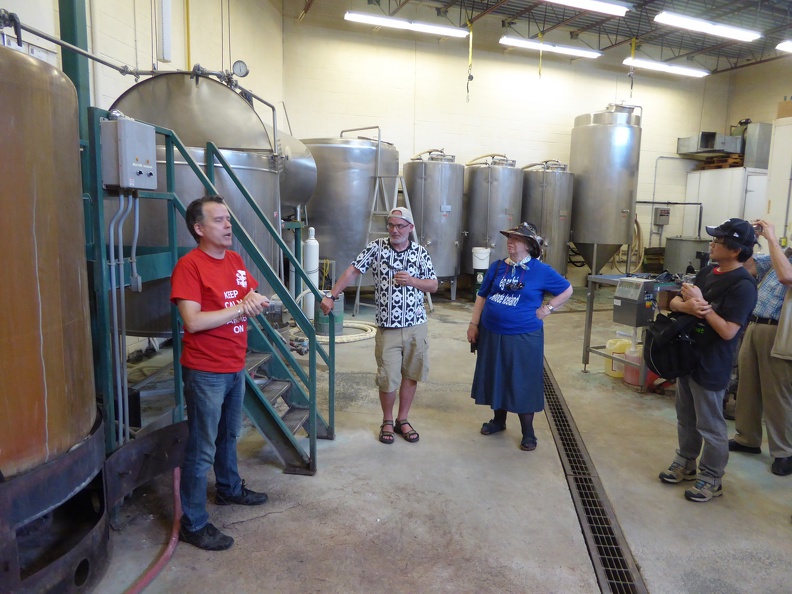





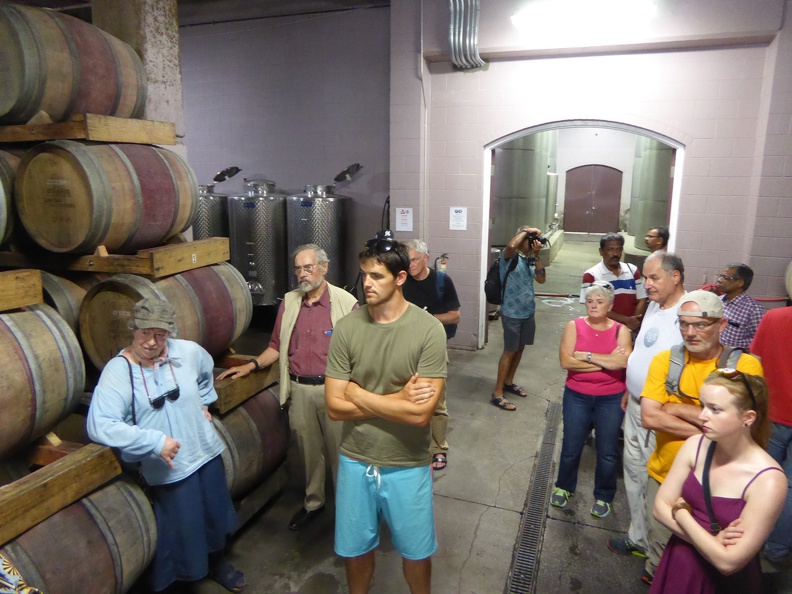





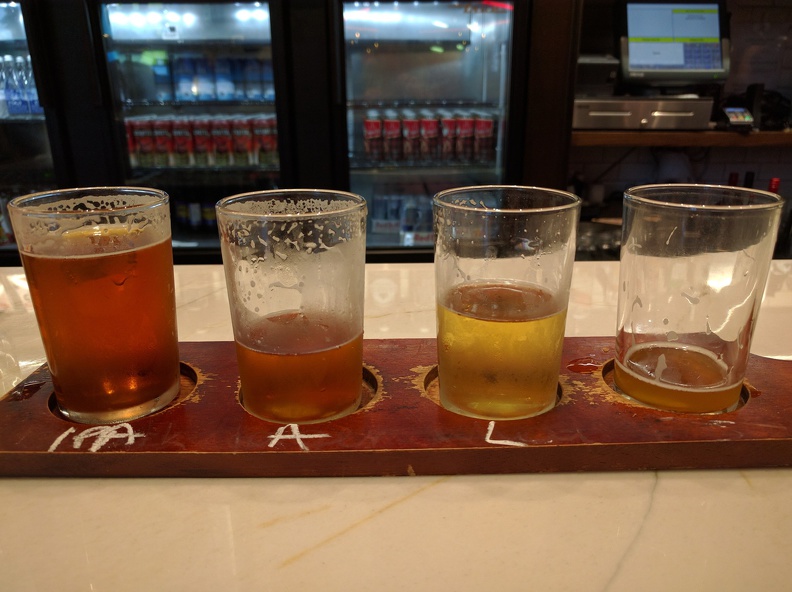


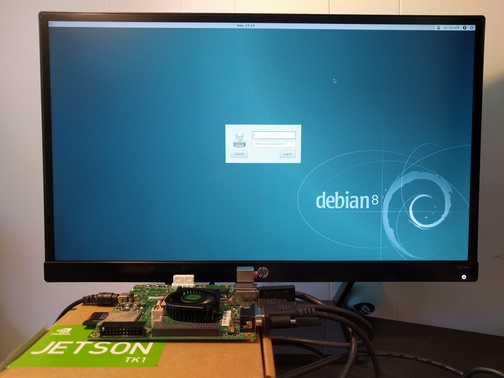 I became interested in running Debian on NVIDIA's Tegra platform recently. NVIDIA is doing a great job getting support for Tegra upstream (u-boot, kernel, X.org and other projects). As part of ensuring good Debian support for Tegra, I wanted to install Debian on a Jetson TK1, a development board from NVIDIA based on the Tegra K1 chip (Tegra 124), a 32-bit ARM chip.
Ian Campbell enabled u-boot and Linux kernel support and added support in the installer for this device about a year ago. I updated some kernel options since there has been a lot of progress upstream in the meantime, performed a lot of tests and documented the installation process on the Debian wiki. Wookey made substantial improvements to the wiki as well.
If you're interested in a good 32-bit ARM development platform, give
 seems I've neglected both my blog & my RC bug fixing activities in the
last months. anyway, since I still keep track of RC bugs I worked
on, I thought I might as well publish the list:

 If that wasn't all bad enough, now there is a new threat: while you are relaxing in the sun, scammers fool your phone company into issuing a replacement SIM card or transferring your mobile number to a new provider and then proceed to use it to take over all your email, social media, Paypal and bank accounts. The same scam has been appearing around the globe, from
 For phone companies, SMS messaging came as a side-effect of digital communications for mobile handsets. It is less than one percent of their business. SMS authentication is less than one percent of that. Phone companies lose little or nothing when SMS messages are hijacked so there is little incentive for them to secure it. Nonetheless, like insects riding on an elephant, numerous companies have popped up with a business model that involves linking websites to the wholesale telephone network and dressing it up as a "security" solution. These companies are able to make eye-watering profits by "purchasing" text messages for $0.01 and selling them for $0.02 (one hundred percent gross profit), but they also have nothing to lose when SIM cards are hijacked and therefore minimal incentive to take any responsibility.
Companies like Google, Facebook and Twitter have thrown more fuel on the fire by encouraging and sometimes even demanding users provide mobile phone numbers to "prove they are human" or "protect" their accounts. Through these antics, these high profile companies have given a vast percentage of the population a false sense of confidence in codes delivered by mobile phone, yet the real motivation for these companies does not appear to be security at all: they have worked out that the mobile phone number is the holy grail in cross-referencing vast databases of users and customers from different sources for all sorts of creepy purposes. As most of their services don't involve any financial activity, they have little to lose if accounts are compromised and everything to gain by accurately gathering mobile phone numbers from as many users as possible.