Search Results: "mak"

29 April 2020

Ian Jackson: subdirmk 1.0 - ergonomic preprocessing assistant for non-recursive make

I have made the 1.0 release of subdirmk. subdirmk is a tool to help with writing build systems in make, without use of recursive make. Why Peter Miller's 1997 essay Recursive Make Considered Harmful persuasively argues that it is better to arrange to have a single make invocation with the project's complete dependency tree, rather than the conventional $(MAKE) -C subdirectory approach. This has become much more relevant with modern projects which tend to be large and have deep directory trees. Invoking make separately for each of these subdirectories can be very slow. Nowadays everyone needs to run a parallel build, but with the recursive make approach great discipline is needed to avoid introducing races which cause the build to sometimes fail. There are various new systems which aim to replace make. My general impression of these is that they mostly threw away the good parts of make (often, they discard the flexibility, and the use of the shell command as the basic unit of execution, making them hard to extend), or make other unfortunate assumptions. And there are a lot of programming-language-specific systems - a very unsatisfactory development. Having said all that, I admit I haven't properly evaluated every make competitor. Other reasons for staying with make including that it is widely available, relatively widely understood, and has a model relatively free of high-level abstract concepts. (I like my languages with high-level concepts, but not my build systems.) But, with make, I found that actually writing a project's build system in non-recursive make was not very ergonomic. So with some help and prompting from Mark Wooding, I have made a tool to help. What subdirmk is a makefile preprocessor and aggregator, typically run from autoconf. subdirmk provides convenience syntaxes for references to per-directory variables and pathnames. It also helps by providing a little syntactic sugar for GNU make's macro facilities, which are awkward to use in raw make. subdirmk's features are triggered by the sigil &. The syntax is carefully designed to avoid getting in the way of makefile programming (and programming of shell commands in make rules). subdirmk is fully documented in the README. There is a demo in the example directory (which also serves as part of the test suite). What's new The version number. I have not felt the need to make any changes since releasing 0.4 in mid-February. The last non-docs change was a (backwards-compatible) extension, in late January, to pass through unaltered GNU make's new grouped multiple targets syntax. Advantages and disadvantages of subdirmk Compared to recursive make, subdirmk is easier and simpler, although you do have to decorate a lot of your variables and filenames with & to indicate that they are directory-local. It is much easier to avoid writing parallel make bugs. You naturally get properly working per-subdirectory targets. subdirmk-based nonrecursive make is much, much faster than recursive make. Compared to many other recent build system tools, subdirmk retains all the flexibility and extensibility of make, and operates at a fairly low level of abstraction. subdirmk-based makefiles can easily invoke other build systems. make knows it's not the only thing in the universe. You can adopt subdirmk incrementally or partially, gradually bringing your recursive submakefiles into the unified build. The build system code in subdirmk's Dir.sd.mk files will be readily navigable by most readers; much will be familiar. Because subdirmk is a small collection of (fairly simple) scripting and makefile code, there is no need to build it; you can simply ship it with your project using git-subtree. For an autoconf-based project, there need be no change to how your users and downstreams invoke your build. On the other hand the price you (continue to) pay is make's punctation soup, which subdirmk adds a new sigil to. subdirmk-based makefiles are terse and help you use make's facilities to abstract away repetition, but that can make them dense. The new & sigil will faze some readers. Currently, the provided mechanism for incorporating subdirmk into your project assumes you are using autoconf but not automake. It would be possible to use subdirmk with autoconf-less projects, or with automake-based ones, but I haven't done the glue work to make that easy. subdirmk does require GNU make and it assumes you have perl installed. But GNU make is very portable, and perl is very widely available. (The perl used is very conservative.) The make competitors are, themselves, even less standard build tools. I don't think a build-dependency on GNU make, or perl, is a significant barrier nowadays, for most projects. Note about comment moderation I have deliberately been vague about other build systems and avoided specific criticisms or references. I don't want the comments to become a build system advocacy debate. Comments may be screened and moderated accordingly. Pointers to other obscure build system tools are very welcome. If you want to write a survey of build tools, or a critique of subdirmk, please do so on your own blog; I would be happy to consider linking to it.

comment count unavailable comments

Petter Reinholdtsen: GnuCOBOL, a free platform to learn and use COBOL - nice free software

The curiosity got the better of me when Slashdot reported that New Jersey was desperately looking for COBOL programmers, and a few days later it was reported that IBM tried to locate COBOL programmers. I thus decided to have a look at free software alternatives to learn COBOL, and had the pleasure to find GnuCOBOL was already in Debian. It used to be called Open Cobol, and is a "compiler" transforming COBOL code to C or C++ before giving it to GCC or Visual Studio to build binaries. I managed to get in touch with upstream, and was impressed with the quick response, and also was happy to see a new Debian maintainer taking over when the original one recently asked to be replaced. A new Debian upload was done as recently as yesterday. Using the Debian package, I was able to follow a simple COBOL introduction and make and run simple COBOL programs. It was fun to learn a new programming language. If you want to test for yourself, the GnuCOBOL Wikipedia page have a few simple examples to get you startet. As I do not have much experience with COBOL, I do not know how standard compliant it is, but it claim to pass most tests from COBOL test suite, which sound good to me. It is nice to know it is possible to learn COBOL using software without any usage restrictions, and I am very happy such nice free software project as this is available. If you as me is curious about COBOL, check it out. As usual, if you use Bitcoin and want to show your support of my activities, please send Bitcoin donations to my address 15oWEoG9dUPovwmUL9KWAnYRtNJEkP1u1b.

28 April 2020

Antoine Beaupr : Drowned my camera: dealing with liquid spills in electronics

Folks who acutely dig into this website might know that I have been taking more pictures recently, as I got a new camera since January 2018: a beautiful Fujifilm X-T2 that I really like. Recently, I went out on a photo shoot in the rain. It was intermittent, light rain when I left so I figured the "weather proofing" (dpreview.com calls this "environmentally sealed") would keep the camera secure. After an hour of walking outside, however, rain intensified and I was just quickly becoming more and more soaked. Still trusting the camera would function, I carried on. But after about 90 minutes of dutiful work, the camera just turned off and wouldn't power back on. It had drowned. I couldn't believe it; "but this is supposed to be waterproof! This can't be happening!", I thought. I tried swapping out the battery for a fresh one, which was probably a bad idea (even if I was smart enough to do this under cover): still no luck, yet I could still not believe it was dead, so I figured I would look at it later when I was home. I still eventually removed the battery after a while, remembering that it mattered. Turns out the camera was really dead. Even at home, it wouldn't power up, even with fresh batteries. After closer inspection, the camera was as soaked as I was...
Two Sandisk memory cards with water droplets on them ...even the SD cards were wet!
I was filled with despair! My precious camera! I had been waiting for litterally decades to find the right digital camera that was as close to the good old film cameras I was used to. I was even working on black and white "film" to get back to basics, which turned into a project to witness the impact of the coronavirus on city life! All that was lost, or at least stopped: amazingly, the SD cards were just absolutely fine and survived the flooding without problem.
A one-way sign broken, fallen on the side in a gray cityscape The last photo my camera took before it died
A good photographer friend told me that this was actually fairly common: "if you shoot outside, get used to this, it will happen". So I tried "the rice trick": plunge your camera in a pile of rice and let it rest there for a long time. It didn't work so well: I didn't have a big enough container to hold the camera and the rice. I was also worried about rice particles inserting themselves into the camera holes, as I had opened all the ports to let it dry. I could also not keep myself from inserting a battery and trying it out again: amazingly, it powered up, only once, and died again. After shopping in desperation for dessicators (who would have thought you should keep those little bags from the stuff you order online!), I ended up buying silica gel dehumidifier from Lee Valley (13$, the small one!) which comes in a neat little metal box. But that never arrived in time so I had to find another solution. My partner threw the idea out in jest, but the actual solution worked, and it was surprisingly simple!
My camera and lens drying in a food dehydrator, at 30 C with 22 hours left Tada! Turns out you can dehydrate hardware too!
We have a food dehydrator at home (a Sedna Express if you really want to know) since we do a lot of backpacking and canot-camping, but I never thought I would put electronics in there. Turns out a food dehydrator is perfect: it has a per degree temperature control that can go very low and a timer. I set it to 30 C for 24 hours. (I originally set it to 40 C but it smelled like plastic after a while so my partner turned it off thinking it was melting the camera.) And now the camera is back! I was so happy! There is probably some permanent damage to the delicate circuitry in the camera. And I will probably not go back out in heavy rain again with the camera, or at least not without a rainjacket (35$USD at B&H) on the camera. And I am now in a position to tell other people what to do if they suffer the same fate...

Tips for dealing with electronic liquid damage So, lessons learned...
  1. when you have a liquid spill over your electronics: IMMEDIATELY REMOVE ALL ELECTRIC POWER, including the battery! (this is another reason why all batteries should be removable)
  2. if the spill is "sticky" (e.g. coffee, beer, maple syrup, etc) or "salty", do try to wash it with water, yet without flooding it any further (delicate balance, I know) some devices are especially well adapted to this: I have washed a keyboard with a shower head and drowned the thing completely, it worked fine after drying.
  3. do NOT power it back on until you are certain the equipment is dry
  4. let the electronics device dry for 24 to 48 hours with all ports open in a humidity-absorbing environment: a bag of rice works, but a food dehydrator is best. make sure the rice doesn't get stuck inside the machine: use a small mesh bag if necessary
  5. once you are confident the device has dried, fiddle with the controls and see if water comes out: it might not have dried because it was stuck inside a button or dial. if dry, try powering it back on and watch the symptoms. if it's still weird, try drying it for another day.
  6. if you get tired of waiting and the machine doesn't come back up, you will have to send it to the repair shop or open it up yourself to see if there is soldering damage you can fix.
I hope it might help careless people who dropped their coffee or ran out in the rain, believing the hype of waterproof cameras. Amateur tip: waterproof cameras are not waterproof...

27 April 2020

Norbert Preining: KDE Apps 20.04 (and Plasma) for Debian

A few days ago KDE Apps 20.04 were released, and I am happy that thanks to the openSUSE Build Service (and a lot of scripting and some hand-work), packages for Debian Unstable and Testing are available in by repositories!
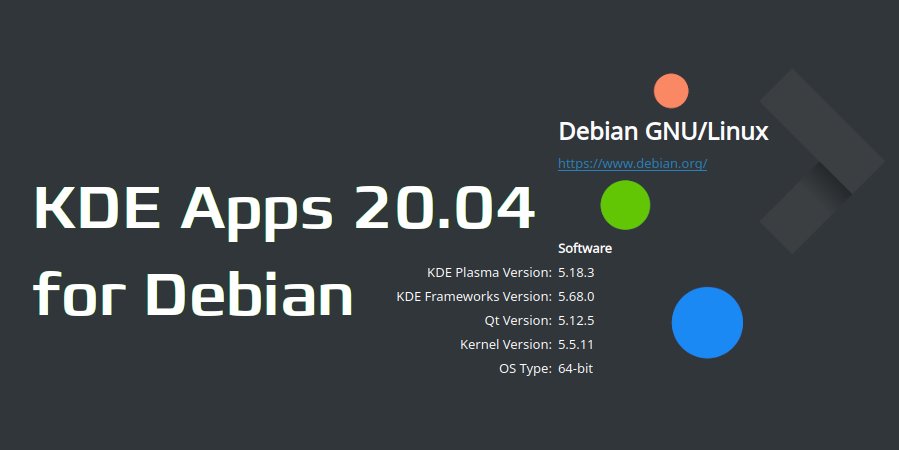
The previous location (debian-plasma at OBS) should be replaced by the following entries in /etc/apt/sources.list.d/obs-npreining-kde.list: For Unstable:

deb https://download.opensuse.org/repositories/home:/npreining:/debian-kde:/other-deps/Debian_Unstable/ ./
deb https://download.opensuse.org/repositories/home:/npreining:/debian-kde:/frameworks/Debian_Unstable/ ./
deb https://download.opensuse.org/repositories/home:/npreining:/debian-kde:/plasma/Debian_Unstable/ ./
deb https://download.opensuse.org/repositories/home:/npreining:/debian-kde:/apps/Debian_Unstable/ ./
deb https://download.opensuse.org/repositories/home:/npreining:/debian-kde:/other/Debian_Unstable/ ./
For Testing:
deb https://download.opensuse.org/repositories/home:/npreining:/debian-kde:/other-deps/Debian_Testing/ ./
deb https://download.opensuse.org/repositories/home:/npreining:/debian-kde:/frameworks/Debian_Testing/ ./
deb https://download.opensuse.org/repositories/home:/npreining:/debian-kde:/plasma/Debian_Testing/ ./
deb https://download.opensuse.org/repositories/home:/npreining:/debian-kde:/apps/Debian_Testing/ ./
deb https://download.opensuse.org/repositories/home:/npreining:/debian-kde:/other/Debian_Testing/ ./
The different repositories provide different package groups: To make these repositories work out of the box, you need to import my OBS gpg key: obs-npreining.asc, best to download it and put the file into /etc/apt/trusted.gpg.d/obs-npreining.asc. I don t provide an apt-gettable source archive anymore, in particular since one of the Debian KDE maintainers has rejected my help and told me Go away . So it seems that this convenience is not appreciated, and necessary. The source packages are available from the OBS web sites of the respective repositories. Well, if they are not doing the work, I cannot more than offer my help. Thanks Debian! Currently there are two packages missing: kio-extras and kdeconnect, both of which need new (hitherto unavailable) packages which I will hopefully package in the next days. Two other, juk and okular, are already at version 20.04 in Debian and co-installable. Enjoy!

26 April 2020

Russ Allbery: Review: The Last Goodbye

Review: The Last Goodbye, by Matt Potter
Publisher: Silvertail
Copyright: 2014-2016
Printing: 2016
ISBN: 1-909269-42-5
Format: Kindle
Pages: 308
In the contested space between the interested amateur and the trained expert lies the enthusiast. A topic has, for often inexplicable reasons, caught fire in their thoughts and become a mild obsession. They may not have formal training or systematic conceptual grounding beneath their interest, but they partly make up for that lack with sustained fascination. They research widely and obscurely about their particular focus, develop novel theories, see distinctions and classifications that few others would bother to investigate, and present their discoveries to anyone who will stand still long enough. And occasionally, when that interest happens to coincide with writing skill, they produce some surprisingly excellent essays or books. Matt Potter's enthusiasm is resignation letters.
Every damaging resignation letter, every cornered truth attack, every out-of-control speech by a former friend, is more than just an inconvenience, to be countered with positive spin and internal memos: it's an open challenge to the official version of the story, the perfectly controlled brand. They are breaks in an otherwise perfectly planned, smoothly executed narrative of the powerful. Holes in the program code. A rare, irresistible chance to hack into history's shiny, unstoppable operation.
The Last Goodbye: A History of the World in Resignation Letters is not, in truth, a history of the world. It is, first and foremost, a taxonomy, because there are types of resignation letters. The opening chapter, the truth bomb, is the type that one would expect upon discovering that someone wrote a book on the topic (that wasn't advice on how to write a good one). But there are other types, less heavy on the fireworks but just as fascinating. The unquotable expert construction. The knife in the back. The incoherent scream of rage. But also the surprisingly gentle and graceful conclusion.
It is the question that the letters themselves try in vain to answer, over and over again even as they explain, analyse, protest and bear witness to a million other details. The question is: Why? All the forces in the universe stack up against unburdening ourselves in a resignation letter. Professionally, it can be suicide. In practical terms, it is often self-defeating. Self-help books coach against unleashing its force; colleagues and confidantes urge caution, self-restraint. And yet we do it, and damn the consequences. We have no choice but to speak in sorrow, love, grief, cold anger, thirst for revenge, wounded pride, the pain of injustice, loyalty, pangs of regret, throes of vengeful madness, deluded righteousness, panic, black distress, isolation, ecstasies of martyrdom, and a million other shades of human extremity we need to say our piece even as we leave the stage.
The risk of the enthusiast's book is that the lack of structural grounding can leave the conclusions unsupported. A fair critique of this book is that it contains a lot of amateur sociology. Potter has a journalist's eye for motive and narrative, but some of his conclusions may not be warranted. But he compensates for the lack of rigor with, well, enthusiasm. Potter is fascinated by resignation letters and the insight they offer, and that fascination is irresistibly contagious. It's probably obvious that the chapters on truth bombs, fuck yous, and knives in the back have visceral appeal. The resignation letter as a force of truth-telling, as the revenge of a disregarded peon, as a crack in the alliance between the powerful that may let some truth shine through, is what got me to buy this book. And Potter doesn't disappoint; he quotes from both famous and nearly unknown examples, dissects the writing and the intent, and gives us a ringside seat to a few effective acts of revenge. That's not the best part of this book, though. The chapter that I will remember the longest is Potter's dissection of the constructed resignation letter. The carefully drafted public relations statement, the bland formality, the attempt to make a news story disappear. The conversation-ender. It's a truism that any area of human endeavor involves more expertise than those who have only observed it from the outside will realize, but I had never thought to apply that principle to the ghost-written resignation letter. The careful non-apology, the declaration that one has "become a distraction," the tell-tale phrasing of "spending more time with my family" is offensive in its bland dishonesty. But Potter shows that the blandness is expertly constructed to destroy quotability. Those statements are nearly impossible to remember or report on because they have been built that way: nouns carefully separated from verbs, all force dissipated by circuities and modifiers, and subtle grammatical errors introduced to discourage written news from including direct quotes. Potter's journalism background shines here because he can describe the effect on news reporting. He walks the reader through the construction to reveal that the writing is not incompetent but instead is skillfully bad in a way that causes one's attention to skitter off of it. The letter vanishes into its own vagueness. The goal is to smother the story in such mediocrity that it becomes forgettable. And it works. I've written several resignation letters of my own. Somewhat unusually, I've even sent several of them, although (as Potter says is typical) fewer than I've written. I've even written (and sent) the sort of resignation letter that every career advisor will say to never send. Potter's discussion of the motives and thought process behind those letters rang true for me. It's a raw and very human moment, one is never in as much control of it as one wishes, the cracks and emotions break through in the writing, and often those letters are trying to do far too many things at the same time. But it's also a moment in which one can say something important and have others listen, which can be weirdly challenging to do in the normal course of a job. Potter ends this book beautifully by looking at resignation letters that break or transcend the mold of most of the others he's examined: letters where the author seems to have found some peace and internal understanding and expresses that simply and straightforwardly. I found this surprisingly touching after the emotional roller-coaster of the rest of the book, and a lovely note on which to end. This is a great book. Potter has a good eye for language and the emotion encoded in it, a bracing preference for the common worker or employee over the manager or politician, and the skill to produce some memorable turns of phrase. Most importantly, he has the enthusiast's love of the topic. Even if you don't care about resignation letters going in, it will be hard to avoid some fascination with them by the end of this book. Recommended. This book was originally published as F*ck You and Goodbye in the UK. Rating: 8 out of 10

25 April 2020

Julian Andres Klode: An - EPYC - Focal Upgrade

Ubuntu Focal Fossa 20.04 was released two days ago, so I took the opportunity yesterday and this morning to upgrade my VPS from Ubuntu 18.04 to 20.04. The VPS provides: I rebooted one more time than necessary, though, as my cloud provider Hetzner recently started offering 2nd generation EPYC instances which I upgraded to from my Skylake Xeon based instance. I switched from the CX21 for 5.83 /mo to the CPX11 for 4.15 /mo. This involved a RAM downgrade - from 4GB to 2GB, but that s fine, the maximum usage I saw was about 1.3 GB when running dose-distcheck (running hourly); and it s good for everyone that AMD is giving Intel some good competition, I think. Anyway, to get back to the distribution upgrade - it was fairly boring. I started yesterday by taking a copy of the server and launching it locally in a lxd container, and then tested the upgrade in there; to make sure I m prepared for the real thing :) I got a confusing prompt from postfix as to which site I m operating (which is a normal prompt, but I don t know why I see it on an upgrade); and a few config files I had changed locally. As the server is managed by ansible, I just installed the distribution config files and dropped my changes (setting DPkg::Options "--force-confnew"; ;" in apt.conf), and then after the upgrade, ran ansible to redeploy the changes (after checking what changes it would do and adjusting a few things). There are two remaining flaws:
  1. I run rspamd from the upstream repository, and that s not built for focal yet. So I m still using the bionic binary, and have to keep bionic s icu 60 and libhyperscan4 around for it. This is still preventing CI of the ansible config from passing for focal, because it won t have the needed bionic packages around.
  2. I run weechat from the upstream repository, and apt can t tell the versions apart. Well, it can for the repositories, because they have Size fields - but status does not. Hence, it merges the installed version with the first repository it sees. What happens is that it installs from weechat.org, but then it believes the installed version is from archive.ubuntu.com and replaces it each dist-upgrade. I worked around it by moving the weechat.org repo to the front of sources.list, so that the it gets merged with that instead of the archive.ubuntu.com one, as it should be, but that s a bit ugly.
I also should start the migration to EC certificates for TLS, and 0-RTT handshakes, so that the initial visit experience is faster. I guess I ll have to move away from certbot for that, but I have not investigated this recently.

Reinhard Tartler: Building Packages with Buildah in Debian

1 Building Debian Packages with buildah
Building packages in Debian seems to be a solved problem. But is it? At the bottom, installing the dpkg-dev package provides all the basic tools needed. Assuming that you already succeeded with creating the necessary packaging metadata (i.e., debian/changelog, debian/control, debian/copyright, etc., and there are great helper tools for this such ash dh-make, dh-make-golang, etc.,) it should be as simple as invoking the dpkg-buildpackage tool. So what's the big deal here?

The issue is that dpkg-buildpackage expects to be called with an appropriately setup build context, that is, it needs to be called in an environment that satisfies all build dependencies on the system. Let's say you are building a package for Debian unstable on your Debian stable system (this is the common scenario for the official Debian build machines), you would need your build to link against libraries in unstable, not stable. So how to tell the package build process where to find its dependencies?

The answer (in Debian and many other Linux distributions) is you do not at all. This is actually a somewhat surprising answer for software developers without a Linux distribution development background1. Instead, chroots "simulate" an environment that has all dependencies that we want to build against at the system locations, that is. /usr/lib, etc.

Chroots are basically full system installations in a subdirectory that includes system and application libraries. In order to use them, a package build needs to use the chroot(2) system call, which is a privileged operation. Also creating these system installations is a somewhat finicky process. In Debian, we have tools that make this process easier, the most popular ones are probably pbuilder(1)2 and sbuild(1)3. Still, they are somewhat clumsy to use, add significant levels of abstraction in the sense that they do quite a bit of magic behind the scenes to work hide the fact that privileged operations (need root to run chroot(2), etc.) are required. They are also somewhat brittle, for instance, if a build process is aborted (SIGKILL, or system crash), you may end up with temporary directories and files under userids other than your own that again may require root-privileges to cleanup.

What if there was an easy way to do all of the above without any process running as root? Enter rootless buildah.

Modern Linux container technologies allow unprivileged users to "untie" a process from the system (cf. the unshare(2) system call). This means that a regular user may run a process (and its child processes) in an "environment" where system calls behave differently and provide a configurable amount of isolation levels. This article demonstrates a novel build tool buildah, which is:
  • easy to setup build environment from the command line
  • secure, as no process needs to run as root
  • simple in architecture, requires no running daemon like for example docker
  • convenient to use: you can debug your debian/rules interactively
Architecturally, buildah is written in golang and compiled as a (mostly) statically linked executable. It builds on top a number of libraries written in golang, including github.com/containers/storage and github.com/containers/image. The overlay functionality is provided by the fuse-overlayfs(1) utility.

1.1 Preparation:
The Kernel in Debian bullseye (and in buster, and recent Ubuntu kernels to the best of my knowledge) do support usernamespaces, but leave them disabled by default. Here is how to enable them:
echo kernel.unprivileged_userns_clone = 1   sudo tee -a /etc/sysctl.d/containers.conf
systemctl -p /etc/sysctl.d/containers.conf
I have to admit that I'm not entirely sure why the Debian kernels don't enable usernamespaces by default. I've found a reference on stackexchange4 that claims this disables some "hardening" features in the Debian kernel. I also understand this step is not necessary if you chose to compile and run a vanilla upstream kernel. I'd appreciate a better reference and am happy to update this text.
$ c=$(buildah from docker.io/debian:sid)
Getting image source signatures
Copying blob 2bbc6b8c460d done
Copying config 9b90abe801 done
Writing manifest to image destination
Storing signatures
This command downloads the image from docker.io and stores it locally in your home directory. Let's install essential utilities for building Debian packages:
1: buildah run $c apt-get update -qq
2: buildah run $c apt-get install dpkg-dev -y
3: buildah config --workingdir /src $c
4: buildah commit $c dpkg-dev
The command on line 1 and 2 execute the installation of compilers and dpkg development tools such as dpkg-buildpackage, etc. The buildah config command in line 4 arranges that whenever you start a shell in the container, the current working directory in the container is in /src. Don't worry about this location not existing yet, we will make sources from your host system available there. The last command creates an OCI image with the name dpkg-dev. BTW, the name you use for the image in the commit command can be used in podman (but not the "containers"). See 5 and 6 for a comparison between podman and buildah.
buildah images -a
This output might look like this:
  REPOSITORY                 TAG      IMAGE          ID   CREATED   SIZE             
localhost/dpkg-dev latest b85c34f95d3e 16 seconds ago 406 MB
docker.io/library/debian sid 9b90abe801db 11 hours ago 124 MB

1.2 Running a package build
Now we have a working container with the reference in the variable $c. To use it conveniently with source packages that I have stored in /srv/scratch/packages/containers, let's introduce a shell alias r like this:
alias r='buildah run --tty -v /srv/scratch/packages/containers:/src $c '
This allows you to easily execute commands in that container:
r pwd
r bash
The last command will give you an interactive shell that we'll be using for building packages!
siretart@x1:~/scratch/packages/containers/libpod$ r bash

root@x1:/src# cd golang-github-openshift-imagebuilder

root@x1:/src/golang-github-openshift-imagebuilder# dpkg-checkbuilddeps
dpkg-checkbuilddeps: error: Unmet build dependencies: debhelper (>= 11) dh-golang golang-any golang-github-containers-storage-dev (>= 1.11) golang-github-docker-docker-dev (>= 18.09.3+dfsg1) golang-github-fsouza-go-dockerclient-dev golang-glog-dev

root@x1:/src/golang-github-openshift-imagebuilder# apt-get build-dep -y .
Note, using directory '.' to get the build dependencies
Reading package lists... Done
Building dependency tree
Reading state information... Done
The following NEW packages will be installed:
[...]

root@x1:/src/golang-github-openshift-imagebuilder# dpkg-checkbuilddeps

root@x1:/src/golang-github-openshift-imagebuilder#
Now we have a environment that has all build-dependencies available and we are ready to build the package:
root@x1:/src/golang-github-openshift-imagebuilder# dpkg-buildpackage -us -uc -b
Assuming the package builds, the package build results are placed in /src inside the container, and are visible at ~/scratch/packages/containers on the host. There you can inspect, extract or even install them. The latter part allows you to interactively rebuild packages against updated dependencies, without the need of setting up an apt archive or similar.

2 Availability
The buildah(1) tool is available in debian/bullseye since 2019-12-17. Since is a golang binary, it only links dynamically against system libraries such as libselinux and libseccomp, which are all available in buster-backports. I'd expect buildah to just work on a debian/buster system as well provided you install those system libraries and possibly the backported Linux kernel.

Keeping the package at the latest upstream version is challenging because of its fast development pace that picks up new dependencies on golang libraries and new versions of existing libraries with every new upstream release. In general, this requires updating several source packages, and in many cases also uploading new source packages to the Debian archive that need to be processed by the Debian ftp-masters.

As an exercise, I suggest to install the buildah package from bullseye, 'git clone' the packaging repository from https://salsa.debian.org/go-team/packages/golang-github-containers-buildah and build the latest version yourself. Note, I would expect the above to even work on a Fedora laptop.

The Debian packages have not swept into the Ubuntu distributions yet, but I expect them to be included in the Ubuntu 20.10 release. In the mean time, ubuntu users can install the package that are provided by the upstream maintainers in the "Project Atomic" PPA at https://launchpad.net/~projectatomic/+archive/ubuntu/ppa

3 Related Tools
The buildah tool is accompanied with two "sister" tools:

The Skopeo package provides tooling to work with remote images registries. This allows you download, upload images to remote registries, convert container images between different formats. It has been available in Debian since 2020-04-20.

The podman tool is a 'docker' replacement. It provides a command-line interface that mimics the original docker command to an extend that a user familiar with docker might want to place this in their ~/.bashrc file:
alias docker='podman'
Unfortunately, at the time of writing podman is still being processed by the ftp-masters since 01-03-2020. At this point, I recommend building the package from our salsa repository at https://salsa.debian.org/debian/libpod

4 Conclusion
Building packages in the right build context is a fairly technical issue for which many tools have been written for. They come with different trade-off when it comes to usability. Containers promise a secure alternative to the tried and proven chroot-based approaches, and the buildah makes using this technology very easy to use.

I'd love to get into a conversation with you on how these tools work for you, and would like to encourage participation and assistance with keeping the complicated software stack up-to-date in Debian (and by extension, in derived distribution such as Ubuntu, etc.).

Footnotes:
1
At my day-job, we build millions of lines of C++ code on Solaris10 and AIX6, where concepts such as "chroots" are restricted to the super user 'root' and is therefore not available to developers, not even through wrappers. Instead, libraries and headers are installed into "refroots", that is, subdirectories that mimic the structure of the "sysroot" directories that are used in the embedded Linux community for cross-compiling packages, and we use Makefiles that set include flags (-I rules and -L flags) to tell the compiler and linker where to look.

24 April 2020

Mark Brown: Book club: Our Software Dependency Problem

A short while ago Daniel, Lars and I met to discuss Russ Cox s excellent essay Our Software Dependency Problem. This essay looks at software reuse in general, especially in the context of modern distribution methods like PyPI and NPM which make the whole process much more frictionless than traditional distribution methods used with languages like C. Possibly our biggest conclusion was that the essay is so eminently sensible that we mostly just talked about how much we agreed with it and how comprehensive it was, we particularly admired the clarity with which it explores how to evaluate the quality of free software projects. Next time we ll have to pick something more controversial to discuss!

23 April 2020

Evgeni Golov: Controlling roller shutters using a Shelly 2.5, ESPHome and Home Assistant

Our house has roller shutters on all windows and most of them have an electric motor to open and close them. The motors are Schellenberg shaft motors (not sure this is the right English term), that you can configure end positions for and then by applying current to the right pair of pins they move the shutters up and down until the current is removed or one of the endstops is reached. As the motors were installed over a long period of time, the attached control units varied in functionality: different ways to program open/close times, with and without battery for the clock/settings etc, but they all had something in common: no central management and pretty ugly. We decided to replace those control units with regular 2 gang light switches that match the other switches in the house. And as we didn't want to lose the automatic open/close timer, we had to add some smarts to it. Shelly 2.5 and ESPHome Say hello to Shelly 2.5! The Shelly 2.5 is an ESP8266 with two relays attached to it in a super tiny package you can hide in the wall behind a regular switch. Pretty nifty. It originally comes with a Mongoose OS based firmware and an own app, but ain't nobody needs that, especially nobody who wants to implement some crude logic. That said, the original firmware isn't bad. It has a no-cloud mode, a REST API and does support MQTT for integration into Home Assistant and others. My ESP firmware of choice is ESPHome, which you can flash easily onto a Shelly (no matter 1, 2 or 2.5) using a USB TTL adapter that provides 3.3V. Home Assistant has native ESPHome support with auto-discovery, which is much nicer than manually attaching things to MQTT topics. To get ESPHome compiled for the Shelly 2.5, we'll need a basic configuration like this:
esphome:
  name: shelly25
  platform: ESP8266
  board: modwifi
  arduino_version: 2.4.2
We're using board: modwifi as the Shelly 2.5 (and all other Shellys) has 2MB flash and the usually recommended esp01_1m would only use 1MB of that - otherwise the configurations are identical (see the PlatformIO entries for modwifi and esp01_1m). And arduino_version: 2.4.2 is what the Internet suggests is the most stable SDK version, and who will argue with the Internet?! Now an ESP8266 without network connection is boring, so we add a WiFi configuration:
wifi:
  ssid: !secret wifi_ssid
  password: !secret wifi_password
  power_save_mode: none
The !secret commands load the named variables from secrets.yaml. While testing, I found the network connection of the Shelly very unreliable, especially when placed inside the wall and thus having rather bad bad reception (-75dBm according to ESPHome). However, setting power_save_mode: none explicitly seems to have fixed this, even if NONE is supposed to be the default on ESP8266. At this point the Shelly has a working firmware and WiFi, but does not expose any of its features: no switches, no relays, no power meters. To fix that we first need to find out the GPIO pins all these are connected to. Thankfully we can basically copy paste the definition from the Tasmota (another open-source firmware for ESPs) template:
pin_led1: GPIO0
pin_button1: GPIO2
pin_relay1: GPIO4
pin_switch2n: GPIO5
pin_sda: GPIO12
pin_switch1n: GPIO13
pin_scl: GPIO14
pin_relay2: GPIO15
pin_ade7953: GPIO16
pin_temp: A0
If we place that into the substitutions section of the ESPHome config, we can use the names everywhere and don't have to remember the pin numbers. The configuration for the ADE7953 power sensor and the NTC temperature sensor are taken verbatim from the ESPHome documentation, so there is no need to repeat them here. The configuration for the switches and relays are also rather straight forward:
binary_sensor:
  - platform: gpio
    pin: $ pin_switch1n 
    name: "Switch #1"
    internal: true
    id: switch1
  - platform: gpio
    pin: $ pin_switch2n 
    name: "Switch #2"
    internal: true
    id: switch2
switch:
  - platform: gpio
    pin: $ pin_relay1 
    name: "Relay #1"
    internal: true
    id: relay1
    interlock: &interlock_group [relay1, relay2]
  - platform: gpio
    pin: $ pin_relay2 
    name: "Relay #2"
    internal: true
    id: relay2
    interlock: *interlock_group
All marked as internal: true, as we don't need them visible in Home Assistant. ESPHome and Schellenberg roller shutters Now that we have a working Shelly 2.5 with ESPHome, how do we control Schellenberg (and other) roller shutters with it? Well, first of all we need to connect the Up and Down wires of the shutter motor to the two relays of the Shelly. And if they would not be marked as internal: true, they would show up in Home Assistant and we would be able to flip them on and off, moving the shutters. But this would also mean that we need to flip them off each time after use, as while the motor knows when to stop and will do so, applying current to both wires at the same time produces rather interesting results. So instead of fiddling around with the relays directly, we define a time-based cover in our configuration:
cover:
  - platform: time_based
    name: "$ location  Rolladen"
    id: rolladen
    open_action:
      - switch.turn_on: relay2
    open_duration: $ open_duration 
    close_action:
      - switch.turn_on: relay1
    close_duration: $ close_duration 
    stop_action:
      - switch.turn_off: relay1
      - switch.turn_off: relay2
We use a time-based cover because that's the easiest thing that will also turn the relays off for us after the shutters have been opened/closed, as the motor does not "report" any state back. We could use the integrated power meter of the Shelly to turn off when the load falls under a threshold, but I was too lazy and this works just fine as it is. Next, let's add the physical switches to it. We could just add on_press automations to the binary GPIO sensors we configured for the two switch inputs the Shelly has. But if you have kids at home, you'll know that they like to press ALL THE THINGS and what could be better than a small kill-switch against small fingers?
switch:
  [ previous definitions go here ]
  - platform: template
    id: block_control
    name: "$ location  Block Control"
    optimistic: true
  - platform: template
    name: "Move UP"
    internal: true
    lambda:  -
      if (id(switch1).state && !id(block_control).state)  
        return true;
        else  
        return false;
       
    on_turn_on:
      then:
        cover.open: rolladen
    on_turn_off:
      then:
        cover.stop: rolladen
  - platform: template
    name: "Move DOWN"
    internal: true
    lambda:  -
      if (id(switch2).state && !id(block_control).state)  
        return true;
        else  
        return false;
       
    on_turn_on:
      then:
        cover.close: rolladen
    on_turn_off:
      then:
        cover.stop: rolladen
This adds three more template switches. The first one, "Block Control", is exposed to Home Assistant, has no lambda definition and is set to optimistic: true, which makes is basically a dumb switch that can be flipped at will and the only thing it does is storing the binary on/off state. The two others are almost identical. The name differs, obviously, and so does the on_turn_on automation (one triggers the cover to open, the other to close). And the really interesting part is the lambda that monitors one of the physical switches and if that is turned on, plus "Block Control" is off, reports the switch as turned on, thus triggering the automation. With this we can now block the physical switches via Home Assistant, while still being able to control the shutters via the same. All this (and a bit more) can be found in my esphome-configs repository on GitHub, enjoy!

22 April 2020

Anisa Kuci: Salsa username update

Debian salsa now allows usernames without the -guest suffix for everyone. The Debian GitLab instance, salsa, used to append -guest to every username that was not a Debian Developer (DD). This has recently been changed and every user can register any available username now. Existing usernames can also be renamed:

  1. Go to your account settings
  2. Change the username in the Change Username section
  3. Click Update username
Please make sure to also update your bookmarks and pages you have linked your Debian salsa profile. You can find me now as anisa. Stay safe and happy hacking!

21 April 2020

Matthew Garrett: Linux kernel lockdown, integrity, and confidentiality

The Linux kernel lockdown patches were merged into the 5.4 kernel last year, which means they're now part of multiple distributions. For me this was a 7-year journey, which means it's easy to forget that others aren't as invested in the code as I am. Here's what these patches are intended to achieve, why they're implemented in the current form and what people should take into account when deploying the feature.

Root is a user - a privileged user, but nevertheless a user. Root is not identical to the kernel. Processes running as root still can't dereference addresses that belong to the kernel, are still subject to the whims of the scheduler and so on. But historically that boundary has been very porous. Various interfaces make it straightforward for root to modify kernel code (such as loading modules or using /dev/mem), while others make it less straightforward (being able to load new ACPI tables that can cause the ACPI interpreter to overwrite the kernel, for instance). In the past that wasn't seen as a significant issue, since there were no widely deployed mechanisms for verifying the integrity of the kernel in the first place. But once UEFI secure boot became widely deployed, this was a problem. If you verify your boot chain but allow root to modify that kernel, the benefits of the verified boot chain are significantly reduced. Even if root can't modify the on-disk kernel, root can just hot-patch the kernel and then make this persistent by dropping a binary that repeats the process on system boot.

Lockdown is intended as a mechanism to avoid that, by providing an optional policy that closes off interfaces that allow root to modify the kernel. This was the sole purpose of the original implementation, which maps to the "integrity" mode that's present in the current implementation. Kernels that boot in lockdown integrity mode prevent even root from using these interfaces, increasing assurances that the running kernel corresponds to the booted kernel. But lockdown's functionality has been extended since then. There are some use cases where preventing root from being able to modify the kernel isn't enough - the kernel may hold secret information that even root shouldn't be permitted to see (such as the EVM signing key that can be used to prevent offline file modification), and the integrity mode doesn't prevent that. This is where lockdown's confidentiality mode comes in. Confidentiality mode is a superset of integrity mode, with additional restrictions on root's ability to use features that would allow the inspection of any kernel memory that could contain secrets.

Unfortunately right now we don't have strong mechanisms for marking which bits of kernel memory contain secrets, so in order to achieve that we end up blocking access to all kernel memory. Unsurprisingly, this compromises people's ability to inspect the kernel for entirely legitimate reasons, such as using the various mechanisms that allow tracing and probing of the kernel.

How can we solve this? There's a few ways:
  1. Introduce a mechanism to tag memory containing secrets, and only restrict accesses to this. I've tried to do something similar for userland and it turns out to be hard, but this is probably the best long-term solution.
  2. Add support for privileged applications with an appropriate signature that implement policy on the userland side. This is actually possible already, though not straightforward. Lockdown is implemented in the LSM layer, which means the policy can be imposed using any other existing LSM. As an example, we could use SELinux to impose the confidentiality restrictions on most processes but permit processes with a specific SELinux context to use them, and then use EVM to ensure that any process running in that context has a legitimate signature. This is quite a few hoops for a general purpose distribution to jump through.
  3. Don't use confidentiality mode in general purpose distributions. The attacks it protects against are mostly against special-purpose use cases, and they can enable it themselves.

My recommendation is for (3), and I'd encourage general purpose distributions that enable lockdown to do so only in integrity mode rather than confidentiality mode. The cost of confidentiality mode is just too high compared to the benefits it provides. People who need confidentiality mode probably already know that they do, and should be in a position to enable it themselves and handle the consequences.

comment count unavailable comments

Debian Project Leader: Bits from the new DPL

My fellow Debianites, It's been one month, one week and one day since I decided to run for this DPL term. The Debian community has been through a variety of interesting times during the last decade, and instead of focusing on grand, sweeping changes for Debian, core to my DPL campaign was to establish a sense of normality and stability so that we can work on community building, continue to focus on technical excellence and serve our users the best we can. Thing don't always work out as we plan, and for many of us, Debian recently had to take a back seat to personal priorities. Back when I posted my intention to run, there were 125 260 confirmed cases of COVID-19 globally. Today, that number is 20 times higher, with the actual infected number likely to be significantly higher. A large number of us are under lock-down, where we not only fear the disease and its effect on local hospitals and how it will affect our loved ones, but also our very livelihoods and the future of our local businesses and industry. I don't mean to be gloomy with the statement above, I am after all, an optimist - but unfortunately it does get even worse. Governments and corporations around the world have started to take advantage of COVID-19 in negative ways and are making large sweeping changes that undermine the privacy and rights of individuals everywhere. For many reasons, including those above, I believe that the Debian project is more important and relevant now than it's ever been before. The world needs a free, general purpose operating system, unburdened by the needs of profit, which puts the needs of its users first, providing a safe and secure platform for the computing needs of the masses. While we can't control or fix all the problems in the world, we can control our response to it, and be part of the solutions that bring the change we want to see. During my term as DPL, I will be available to help with problems in our community to the maximum extent that my time permits. If we help ourselves, we will be in a better position to help others. If you (or your team) get stuck and are in need of help, then please do not hessitate to e-mail me. A few thank-yous As incoming DPL, I'd like to thank Sam Hartman on behalf of the project for the work that he's done over the last year as DPL. It's a tremendous time commitment that requires constant attention to detail. On Sunday, Sam and I had a handover meeting where we discussed various DPL responsibilities including finances, delegations (including specifics of some delegations), legal matters, outreach and other questions I had. I'd also like to thank Sam for taking the time to do this. Thank you to Sruthi Chadran and Brian Gupta who took the time to also run for DPL this year. Both candidates brought important issues to the forefront and I hope to work with both of them on those in the near future. DPL Blog Today, I've started a new blog for the Debian Project Leader to help facilitate more frequent communication, and to reach a wider audience via Planet Debian. This will contain supplemental information to what I send to the debian-devel-announce mailing list. Want to help? In my platform, I listed some key areas that I'd like to work on. My work won't be limited to those, but it should give you some idea of the type of DPL that I'll be. If you'd like to get involved, feel free to join the #debian-dpl channel on the oftc IRC network, and please introduce yourself along with any areas of interest that you'd like to contribute to.

Wouter Verhelst: Extrepo GitLab update

Earlier this month, GitLab B.V.'s package signing key expired, requiring them to rotate their key. This means that anyone who uses one of their packages needs to jump through a number of manual hoops to update their apt key configuration, which is an annoying manual process that also requires people to download random files from the Internet -- something extrepo was written to prevent. At least they're served over https, but still. I didn't notice until today, but I just updated the extrepo metadata to carry the new key. That means that if you enable one of the GitLab repositories through extrepo enable, you will get the new key rather than the old one. On top of that, if you had already enabled the repository through extrepo, all that is needed for you right now to pull in the new key is to run extrepo update. While I do apologise for the late update, hopefully this should make some people's lives a bit easier. And if GitLab B.V. reads this: please send me a MR to the repository next time, so that we can make process be done in time ;-)

Enrico Zini: Python 2 is dead

It's dead, that's what's wrong with it! It's passed on! This Python is no more! It has ceased to be! It's expired and gone to meet its maker! It's a stiff! Bereft of life, it rests in peace! If you hadn't nailed it to the perch it'd be pushing up the daisies! Its metabolic processes are now 'istory! It's off the twig! It's kicked the bucket, it's shuffled off its mortal coil, run down the curtain and joined the bleedin' choir invisible!! THIS IS AN EX-PYTHON!!

20 April 2020

Norbert Preining: Gaming: What Remains of Edith Finch

I never thought I could finish a game which is completely linear, has hardly any interaction necessary, hardly any riddles, no fighting. What Remains of Edith Finch taught be differently. And it is amazing.
A friend recently pointed me at a blog about casual games, and surprisingly I found two games I have played on the list: Firewatch and The Witness. One of the other games on the list was What Remains of Edith Finch. This games was lurking in my Steam library for quite some time, and I realized I actually started playing it long ago, but only for a few minutes, before having given up, back then. What a failure I realized! The games plays completely in the now deserted house of the family Finch. The youngest member of the family returns with a key to the house and uncovers the stories of her family. This is about all that is happening in the game. And it is so well done that I couldn t stop playing (wouldn t it be for my daughter interrupting me), and leaves you with the feeling to replay as soon as possible. The graphics are very well done, beautiful scenery, lots of love to details. The story progresses by walking (completely linearly) through the house, and text fragments appearing around you, telling part of the story, small hints, little secrets, everything that makes up a tangible set of family memories.

Exploring the house filled with locked rooms sealed as shrines for the deceased members of the family, Edith uncovers one by one the final moments of her family members, a family seemingly cursed. In these stories the player dives into the world and playing the role of the family members, re-living events of the past.

As I wrote in the beginning don t expect fights, don t expect riddles, but be prepared for an emotional roller coaster, for a deep dive into a well written family history with lots of weird twists. An absolute great game with a playing time of around 2h.

19 April 2020

Enrico Zini: Little wonders

Gibbsdavidl/CatterPlots
devel
Did you ever wish you could make scatter plots with cat shaped points? Now you can! - Gibbsdavidl/CatterPlots
What is the best tool to use for drawing vector pictures? For me and probably for many others, the answer is pretty obvious: Illustrator, or, maybe, Inkscape.
A coloring book to help folks understand how SELinux works. - mairin/selinux-coloring-book
The EURion constellation (also known as Omron rings[1] or doughnuts[2]) is a pattern of symbols incorporated into a number of banknote designs worldwide since about 1996. It is added to help imaging software detect the presence of a banknote in a digital image. Such software can then block the user from reproducing banknotes to prevent counterfeiting using colour photocopiers. According to research from 2004, the EURion constellation is used for colour photocopiers but probably not used in computer software.[3] It has been reported that Adobe Photoshop will not allow editing of an image of a banknote, but in some versions this is believed to be due to a different, unknown digital watermark rather than the EURion constellation.[4][3]
This huge collection of non-scary optical illusions and fascinating visual phenomena emphasizes interactive exploration, beauty, and scientific explanation.
Generated photos are created from scratch by AI systems. All images can be used for any purpose without worrying about copyrights, distribution rights, infringement claims, or royalties.
Dokumentarfilm ber die Rangierer im Bahnhof Dresden-Friedrichstadt in der DDR aus dem Jahr 1984.
Il termine sardo femina accabadora, femina agabbad ra o, pi comunemente, agabbadora o accabadora (s'agabbad ra, lett. "colei che finisce", deriva dal sardo s'acabbu, "la fine" o dallo spagnolo acabar, "terminare") denota la figura storicamente incerta di una donna che si incaricava di portare la morte a persone di qualunque et , nel caso in cui queste fossero in condizioni di malattia tali da portare i familiari o la stessa vittima a richiederla. In realt non ci sono prove di tale pratica, che avrebbe riguardato alcune regioni sarde come Marghine, Planargia e Gallura[1]. La pratica non doveva essere retribuita dai parenti del malato poich il pagare per dare la morte era contrario ai dettami religiosi e della superstizione.
Alright the people have spoken and they want more cat genetics. So, I present to you all "Cat Coat Genetics 101: A Tweetorial", feat. pics of many real life cats (for science, of course...this baby is Caterpillar).

18 April 2020

Jonathan McDowell: Building a very minimal initramfs

I m working on trying to get a Qualcomm IPQ8064 device working properly. I d got as far as an extremely hacked up chain of networking booting and the serial console working, so the next stage was to try and get a basic userland in place to try and make poking things a bit easier. While I have a cross-compiling environment all setup (that s how I m building my kernels) I didn t really want to get into something complicated just to be able to poke around sysfs etc. I figured I could use a static BusyBox in an initramfs. I was right, but there were a couple of hiccups along the way so I m writing it up so I remember next time. First, I cheated and downloaded a prebuilt static binary from https://busybox.net/downloads/binaries/ (very convenient, thanks) - the IPQ8064 is a dual core ARMv7 so I used busybox-armv7l. There were various sites with init scripts to go along with this; I ended up with a variation of Star Brilliant s gist:
Minimal init script
#!/bin/busybox sh
busybox mkdir -p /dev /etc /proc /root /sbin /sys /usr/bin /usr/sbin
busybox mount -t proc proc /proc
busybox mount -t sysfs sys /sys
busybox mount -t devtmpfs dev /dev
echo Starting up...
echo ttyMSM0::respawn:/sbin/getty -L ttyMSM0 115200 vt100 >> /etc/inittab
echo Login with root and no password. > /etc/issue
echo >> /etc/issue
echo root::0:0:root:/root:/bin/sh > /etc/passwd
busybox mdev -s
busybox --install
hostname localhost
ip link set lo up
echo 5 > /proc/sys/kernel/printk
exec /linuxrc
busybox and the init script aren t sufficient. If you have any problems then you re going to want a console device. Otherwise you ll do what I did, forget to change one of the tty references in the script to the right device, and spend too long trying to figure out why you re not getting any output as soon as you start running userspace. It turns out that CONFIG_DEVTMPFS_MOUNT isn t sufficient for the initramfs (the Kconfig help even tells you that). So I need to create a /dev/console device file inside the initramfs too. And I don t build as root (and you shouldn t either) which makes creating a device node hard. It s ok though, because the Linux kernel doesn t need you to be root to build it, and it has a default initramfs with a console device in it. This is helpfully generated using usr/gen_init_cpio, which takes a file defining what you want to put in the cpio file that becomes your initramfs. I used the following:
Minimal initramfs creation file
# Simple busybox based initramfs
dir /dev 0755 0 0
nod /dev/console 0600 0 0 c 5 1
dir /root 0700 0 0
dir /bin 0755 0 0
dir /sbin 0755 0 0
file /init basic-init 0755 0 0
file /bin/busybox busybox-armv7l 0755 0 0
All that then needs to be done is linux/usr/gen_init_cpio initramfs.list > initramfs.cpio and the resulting initramfs.cpio is suitable for inclusion in your kernel. The precompiled binaries have a lot of stuff enabled, which makes for a pretty useful debugging environment with fairly minimal work.

17 April 2020

Julien Danjou: Being in Charge

Being in ChargeIf you never heard of the 10x engineer myth, it's a pretty great concept. It boils down to the idea where an engineer could be 10x more efficient than a random engineer. I find this fantastically twisted.Last week, I sat and chat with Alexis Monville in Le Podcast a podcast that equips you to make positive change in your organization. We talked about that 10x Engineer myth, and from there we digressed on how to grow your career and handle the different aspects of it.This was a very interesting exchange. Alexis is actually going to publish a new book next month (May 2020) entitled I am a Software Engineer and I am in charge.
Being in Charge
Lucky me, this week, I had the chance to be able to read the book before everybody else which means I actually read after our recording. I understood why Alexis said that a lot of what I was talking about during our podcast resonated with him. I send a detailed review of the book to Alexis and Michael if you're curious. I'm definitely recommending this book if you want to stop complaining about your job and start understanding how to pull the strings.I wish I had this book available 10 years ago!

15 April 2020

Ian Jackson: Adapter to use camera tripod as a microphone stand

People complained that my laptop sound was buzzy, so I bought a proper microphone (thanks to mdw for advice, and loan of some kit). Proper microphones come with a holder that accepts a screw from your microphone stand. In my case, 3/8" "BSW" - similar to 3/8" US standard "coarse" (or if you unscrew a supplied insert, a special 27tpi 5/8" UNS). I don't have a microphone stand and I didn't want to buy one. I have two camera tripods - a small one and a big one. My camera tripods have 1/4" coarse (20tpi) UNC screws. Also, we have a 3D printer at home. And nowadays you can download a configurable screw thread from the internet. So I made myself an adapter. After a few iterations I have a pretty good object which can be used to fit my new microphone to either camera tripod. (I found that a UNC thread was close enough to fit the microphone's BSW.) Of coure, this is Open Hardware and the (short) source code is available. (To build it you'll want to git clone to get the included files.) Pictures below the cut. The flange at the bottom is because tripods usually have a soft top which is supposed to stop scratching the camera; a narrow hexagonal base would make gouges, hence the wide base. ( Read more... )

comment count unavailable comments

Next.

Previous.