Search Results: "ron"

13 February 2017

Vincent Sanders: The minority yields to the majority!

Deng Xiaoping (who succeeded Mao) expounded this view and obviously did not depend on a minority to succeed. In open source software projects we often find ourselves implementing features of interest to a minority of users to keep our software relevant to a larger audience.

As previously mentioned I contribute to the NetSurf project and the browser natively supports numerous toolkits for numerous platforms. This produces many challenges in development to obtain the benefits of a more diverse user base. As part of the recent NetSurf developer weekend we took the opportunity to review all the frontends to make a decision on their future sustainability.

Each of the nine frontend toolkits were reviewed in turn and the results of that discussion published. This task was greatly eased because we we able to hold the discussion face to face, over time I have come to the conclusion some tasks in open source projects greatly benefit from this form of interaction.
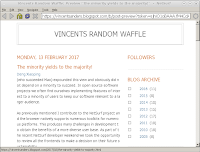
Netsurf running on windows showing this blog post
Coding and day to day discussions around it can be easily accommodated va IRC and email. Decisions affecting a large area of code are much easier with the subtleties of direct interpersonal communication. An example of this is our decision to abandon the cocoa frontend (toolkit used on Mac OS X) against that to keep the windows frontend.

The cocoa frontend was implemented by Sven Weidauer in 2011, unfortunately Sven did not continue contributing to this frontend afterwards and it has become the responsibility of the core team to maintain. Because NetSuf has a comprehensive CI system that compiles the master branch on every commit any changes that negatively affected the cocoa frontend were immediately obvious.

Thus issues with the compilation were fixed promptly but because these fixes were only ever compile tested and at some point the Mac OS X build environments changed resulting in an application that crashes when used. Despite repeatedly asking for assistance to fix the cocoa frontend over the last eighteen months no one had come forward.

And when the topic was discussed amongst the developers it quickly became apparent that no one had any objections to removing the cocoa support. In contrast the windows frontend, which despite having many similar issues to cocoa, we decided to keep. These were almost immediate consensus on the decision, despite each individual prior to the discussion not advocating any position.

This was a single example but it highlights the benefits of a disparate development team having a physical meeting from time to time. However this was not the main point I wanted to discuss, this incident highlights that supporting a feature only useful to a minority of users can have a disproportionate cost.

The cost of a feature for an open source project is usually a collection of several factors:
Developer time
Arguably the greatest resource of a project is the time its developers can devote to it. Unless it is a very large, well supported project like the Kernel or libreoffice almost all developer time is voluntary.
Developer focus
Any given developer is likely to work on an area of code that interests them in preference to one that does not. This means if a developer must do work which does not interest them they may loose focus and not work on the project at all.
Developer skillset
A given developer may not have the skillset necessary to work on a feature, this is especially acute when considering minority platforms which often have very, very few skilled developers available.
Developer access
It should be obvious that software that only requires commodity hardware and software to develop is much cheaper than that which requires special hardware and software. To use our earlier example the cocoa frontend required an apple computer running MAC OS X to compile and test, this resource was very limited and the project only had access to two such systems via remote desktop. These systems also had to serve as CI builders and required physical system administration as they could not be virtualized.
Support
Once a project releases useful software it generally gains users outside of the developers. Supporting users consumes developer time and generally causes them to focus on things other than code that interests them.

While most developers have enough pride in what they produce to fix bugs, users must always remember that the main freedom they get from OSS is they recived the code and can change it themselves, there is no requirement for a developer to do anything for them.
Resources
A project requires a website, code repository, wiki, CI systems etc. which must all be paid for. Netsurf for example is fortunate to have Pepperfish look after our website hosting at favorable rates, Mythic beasts provide exceptionally good rates for the CI system virtual machine along with hardware donations (our apple macs were donated by them) and Collabora for providing physical hosting for our virtual machine server.

Despite these incredibly good deals the project still spends around 200gbp (250usd) a year on overheads, these services obviously benefit the whole project including minority platforms but are generally donated by users of the more popular platforms.
The benefits of a feature are similarly varied:
Developer learning
A developer may implement a feature to allow them to learn a new technology or skill
Project diversity
A feature may mean the project gets built in a new environment which reveals issues or opportunities in unconnected code. For example the Debian OS is built on a variety of hardware platforms and sometimes reveals issues in software by compiling it on big endian systems. These issues are often underlying bugs that are causing errors which are simply not observed on a little endian platform.
More users
Gaining users of the software is often a benefit and although most OSS developers are contributing for personal reasons having their work appreciated by others is often a factor. This might be seen as the other side of the support cost.

In the end the maintainers of a project often have to consider all of these factors and more to arrive at a decision about a feature, especially those only useful to a minority of users. Such decisions are rarely taken lightly as they often remove another developers work and the question is often what would I think about my contributions being discarded?

As a postscript, if anyone is willing to pay the costs to maintain the NetSurf cocoa frontend I have not removed the code just yet.


Raphaël Hertzog: Freexian s report about Debian Long Term Support, January 2017

A Debian LTS logoLike each month, here comes a report about the work of paid contributors to Debian LTS. Individual reports In January, about 159 work hours have been dispatched among 13 paid contributors. Their reports are available: Evolution of the situation The number of sponsored hours increased slightly thanks to Exonet joining us. The security tracker currently lists 37 packages with a known CVE and the dla-needed.txt file 36. The situation is roughly similar to last month even though the number of open issues increased slightly. Thanks to our sponsors New sponsors are in bold.

No comment Liked this article? Click here. My blog is Flattr-enabled.

Dirk Eddelbuettel: RcppTOML 0.1.1

Following up on the somewhat important RcppTOML 0.1.0 releaseas which brought RcppTOML to Windows, we have a first minor update 0.1.1. Two things changed: once again updated upstream code from Chase Geigle's cpptoml which now supports Date types too, and we added the ability to parse TOML from strings as opposed to only from files. TOML is a file format that is most suitable for configurations, as it is meant to be edited by humans but read by computers. It emphasizes strong readability for humans while at the same time supporting strong typing as well as immediate and clear error reports. On small typos you get parse errors, rather than silently corrupted garbage. Much preferable to any and all of XML, JSON or YAML -- though sadly these may be too ubiquitous now.
TOML is making good inroads with newer and more flexible projects such as the Hugo static blog compiler, or the Cargo system of Crates (aka "packages") for the Rust language.

Changes in version 0.1.1 (2017-xx-yy)
  • Synchronized multiple times with ccptoml upstream adding support for local datetime and local date and more (PR #9, #10, PR #11)
  • Dates are now first class types, some support for local versus UTC times was added (though it may be adviseable to stick with UTC)
  • Parsing from (R) character variables is now supported as well
  • Output from print.toml no longer prints extra newlines

Courtesy of CRANberries, there is a diffstat report for this release. More information and examples are on the RcppTOML page. Issues and bugreports should go to the GitHub issue tracker.

This post by Dirk Eddelbuettel originated on his Thinking inside the box blog. Please report excessive re-aggregation in third-party for-profit settings.

12 February 2017

Shirish Agarwal: Density and accessibility

Around 2 decades back and a bit more I was introduced to computers. The top-line was 386DX which was mainly used as fat servers and some lucky institutions had the 386SX where IF we were lucky we could be able to play some games on it. I was pretty bad at Prince of Persia or most of the games of the era as most of the games depended on lightning reflexes which I didn t possess. Then 1997 happened and I was introduced to GNU/Linux but my love of/for games still continued even though I was bad at most of them. The only saving grace was turn-based RPG s (role-playing games) which didn t have permadeath, so you could plan your next move. Sometimes a wrong decision would lead to getting a place from where it was impossible to move further. As the decision was taken far far break which lead to the tangent, the only recourse was to replay the game which eventually lead to giving most of those kind of games. Then in/around 2000 Maxis came out with Sims. This was the time where I bought my first Pentium. I had never played a game which had you building stuff, designing stuff, no violence and the whole idea used to be about balancing priorities of trying to get new stuff, go to work, maintain relationships and still make sure you are eating, sleeping, have a good time. While I might have spent probably something close to 500 odd hours in the game or even more so, I spent the least amount of time in building the house. It used to be 4 4 when starting (you don t have much of in-game money and other stuff you wanted to buy as well) to 8 8 or at the very grand 12 12. It was only the first time I spent time trying to figure out where the bathroom should be, where the kitchen should, where the bedroom should be and after that I could do that blind-folded. The idea behind my house-design used to be simplicity, efficient (for my character). I used to see other people s grand creations of their houses and couldn t understand why they made such big houses. Now few days back, I saw few episodes of a game called Stranded Deep . The story, plot is simple. You, the player are going in a chartered plane and suddenly lightning strikes ( game trope as today s aircrafts are much better able to deal with lightning strikes) and our hero or heroine washes up on a beach with raft with the barest of possessions. Now the whole game is based upon him/her trying to survive, once you get the hang of the basic mechanics and you know what is to be done, you can do it. The only thing the game doesn t have is farming but as the game has unlimited procedural world, you just paddle or with boat motor go island hopping and take all that what you need. What was interesting to me was seeing a gamer putting so much time and passion in making a house. When I was looking at that video, I realized that maybe because I live in a dense environment, even the designs we make either of houses or anything else is more to try to get more and more people rather than making sure that people are happy which leads to my next sharing. Couple of days back, I read Virali Modi s account of how she was molested three times when trying to use Indian Railways. She made a petition on change.org While I do condemn the molestation as it s an affront against individual rights, freedom, liberty, free movement, dignity. Few of the root causes as pointed out by her, for instance the inability or non-preference to give differently-abled people the right to board first as well as awaiting to see that everybody s boarded properly before starting the train are the most minimum steps that Indian Railways could take without spending even a paise. The same could be told/shared about sensitizing people, although I have an idea of why does Indian Railway not employ women porters or women attendants for precisely this job. I accompanied a blind gentleman friend few times on Indian Railways and let me tell you, it was one of the most unpleasant experiences. The bogies which is given to them is similar or even less than what you see in unreserved compartments. The toilets were/are smelly, the gap between the station and the train was/is considerable for everybody from blind people, differently-abled people, elderly people as well. This is one of the causes of accidents which happen almost every day on Indian Railways. I also learnt that especially for blind people they are looking for a sort of low-frequency whistle/noise which tells them the disabled coupe/bogie/coach will come at a specific spot in the Station. In a platform which could have anything between 1500-2000 people navigating it wouldn t be easy. I don t know about other places but Indian Railway Stations need to learn a lot to make it a space for differently abled to navigate by themselves. Pune Station operates (originating or passing through) around 200 odd trains, with exceptions of all the specials and weekly trains that ply through, adding those would probably another 5-10 trains to the mix. Each train carries anywhere between 750-1000 odd people so roughly anywhere between 15-20 million pass through Pune Railway Station daily. Even if we take conservative estimates of around 5% of the public commuting from Pune, it would mean around 750,000 people travelling daily. Pune Railway Station has 6 stations and if I spread them equally it would come to around 100,000 people on one platform in 24 hours. Divide that equally by 24 hours and it comes to 4,160 people per hour. Now you take those figures and you see the Pune platforms are under severe pressure. I have normalized many figures. For instance, just like airports, even in railways, there are specific timings where more trains come and go. From morning 0500 hrs to late night 2300 hrs. there would be lot many trains, whereas the graveyard shifts would have windows where maintenance of tracks and personnel takes place. I dunno if people can comprehend 4000 odd people on the platform. Add to that you usually arrive at least an hour or two before a train departs even if you are a healthy person as Indian Railways has a habit of changing platforms of trains at the last minute. So if you a differently abled person with some luggage for a long-distance train, the problems just multiply. See drag accidents because of gap between railway bogies and platforms. The width of the entrance to the bogie is probably between 30-40 inches but the design is such that 5-10 inches are taken on each side. I remembered the last year, our current Prime Minister, Mr. Narendra Modi had launched Accessible Campaign with great fanfare and we didn t hear anything much after that. Unfortunately, the site itself has latency and accessibility issues, besides not giving any real advice even if a person wants to know what building norms should one follow if one wants to make an area accessible. This was easily seen by last year s audit in Delhi as well as other places. A couple of web-searches later, I landed up at a Canadian site to have some idea about the width of the wheelchair itself as well as additional room to manoeuvre. Unfortunately, the best or the most modern coaches/bogies that Indian Railways has to offer are the LHB Bogies/Coaches. Now while the Coaches/Bogies by themselves are a big improvement from the ICF Coaches which we still have and use, if you read the advice and directions shared on the Canadian site, the coaches are far from satisfactory for people who are wheel-chair bound. According to Government s own census records, 0.6% of the population have movement issues. Getting all the differently-abled people together, it comes between 2, 2.5% of the population which is quite a bit. If 2-3 people out of every 100 people are differently-abled then we need to figure out something for them.While I don t have any ideas as to how we could improve the surroundings, it is clear that we need the change. While I was thinking,dreaming,understanding some of the nuances inadvertently, my attention/memories shifted to my toilet experiences at both Mumbai and the Doha Airport. As had shared then, had been pleasantly surprised to see that both in Mumbai Airport as well as the Doha Airport, the toilets were pretty wide, a part of me was happy and a part of me was seeing the added space as wastefulness. With the understanding of needs of differently-abled people it started to make whole lot of sense. I don t remember if I had shared then or not. Although am left wondering where they go for loo in the aircraft. The regular toilets are a tight fit for obese people, I am guessing aircrafts have toilets for differently-abled people as well. Looking back at last year s conference, we had 2-3 differently-abled people. I am just guessing that it wouldn t have been a pleasant experience for them. For instance, where we were staying, at UCT it had stairs, no lifts so by default they probably were on ground-floor. Then where we were staying and where most of the talks were about a few hundred metres away and the shortest distance were by stairs, the round-about way was by road but had vehicles around so probably not safe that way as well. I am guessing they had to be dependant on other people to figure out things. There were so many places where there were stairs and no ramps and even if there were ramps they were probably a bit more than the 1:12 which is the advice given. I have heard that this year s venue is also a bit challenging in terms of accessibility for differently-abled people. I am clueless as to did differently-able find debconf16 in terms of accessibility or not ? A related query to that one, if a Debconf s final report mentions issues with accessibility, do the venues make any changes so that at some future date, differently-abled people would have a better time. I know of Indian institutions reluctance to change, to do expenditure, dunno how western countries do it. Any ideas, comments are welcome.
Filed under: Miscellenous Tagged: #386, #accessibility, #air-travel, #Computers, #differently-abled, #Railways, gaming

Elena 'valhalla' Grandi: Mobile-ish devices as freedom respecting working environments

Mobile-ish devices as freedom respecting working environments

On planet FSFE, there is starting to be a conversation on using tablets / Android as the main working platform.

It started with the article by Henri Bergius http://bergie.iki.fi/blog/working-on-android-2017/ which nicely covers all practical points, but is quite light on the issues of freedom.

This was rectified by the article by David Boddie http://www.boddie.org.uk/david/www-repo/Personal/Updates/2017/2017-02-11.html which makes an apt comparison of Android to the platform it is replacing in many areas of work and life: Microsoft Windows and criticises its lack of effective freedom, even when the OS was supposed to be under a free license.

I fully agree that lightweight/low powered hardware can be an excellent work environment, especially when on the go, and even for many kinds of software developement, but I'd very much rather have that hardware run an environment that I can trust like Debian (or another traditional GNU/Linux distribution) rather than the phone based ones where, among other problems, there is no clear distinction between what is local and trustable and what is remote and under somebody else's control.

In theory, it would be perfectly possible to run Debian on most tablet and tablet-like hardware, and have such an environment; in practice this is hard for a number of reasons including the lack of mainline kernel support for most hardware and the way actually booting a different OS on it usually ranges from the quite hard to the downright impossible.

Luckily, there is some niche hardware that uses tablet/phone SoCs but is sold with a GNU/Linux distribution and can be used as a freedom respecting work environment on-the-go: my current setup includes an OpenPandora https://en.wikipedia.org/wiki/Pandora_(console) (running Angstrom + a Debian chroot) and an Efika MX Smartbook https://en.wikipedia.org/wiki/Efika, but they are both showing their age badly: they have little RAM (especially the Pandora), and they aren't fully supported by a mainline kernel, which means that you're stuck on an old kernel and dependent on the producer for updates (which for the Efika ended quite early; at least the Pandora is still somewhat supported, at least for bugfixes).

Right now I'm looking forward to two devices as a replacement: the DragonBox Pyra https://en.wikipedia.org/wiki/DragonBox_Pyra (still under preorders) and the THERES-I laptop kit https://www.olimex.com/Products/DIY%20Laptop/ (hopefully available for sale "in a few months", and with no current mainline support for the SoC, but there is hope to see it from the sunxi community http://linux-sunxi.org/Main_Page).

As for software, the laptop/clamshell designs means that using a regular Desktop Environment (or, in my case, Window Manager) works just fine; I do hope that the availability of Pyra (with its touchscreen and 4G/"phone" chip) will help to give a bit of life back to the efforts to improve mobile software on Debian https://wiki.debian.org/Mobile

Hopefully, more such devices will continue to be available, and also hopefully the trend for more openness of the hardware itself will continue; sadly I don't see this getting outside of a niche market in the next few years, but I think that this niche will remain strong enough to be sustainable.

P.S. from nitpicker-me: David Boddie mentions the ability to easily download sources for any component with apt-get source: the big difference IMHO is given by apt-get build-dep, which also install every dependency needed to actually build the code you have just downloaded.

P.S.2: I also agree with Davide Boddie that supporting Conservancy https://sfconservancy.org/supporter/ is very important, and there are still a few hours left to have the contribution count twice.

11 February 2017

Reproducible builds folks: Reproducible Builds: week 93 in Stretch cycle

Here's what happened in the Reproducible Builds effort between Sunday January 29 and Saturday February 4 2017: Media coverage Dennis Gilmore and Holger Levsen presented "Reproducible Builds and Fedora" (Video, Slides) at Devconf.cz on February 27th 2017. On February 1st, stretch/armhf reached 90% reproducible packages in our test framework, so that now all four tested architectures are 90% reproducible in stretch. Yay! For armhf this means 22472 reproducible source packages (in main); for amd64, arm64 and i386 these figures are 23363, 23062 and 22607 respectively. Chris Lamb appeared on the Changelog podcast to talk about reproducible builds: Holger Levsen pitched Reproducible Builds and our need for a logo in the "Open Source Design" room at FOSDEM 2017 (Video, 09:36 - 12:00). Upcoming Events Reproducible work in other projects We learned that the "slightly more secure" Heads firmware (a Coreboot payload) is now reproducibly built regardless of host system or build directory. A picture says more than a thousand words: reproducible heads build on two machines Docker started preliminary work on making image builds reproducible. Toolchain development and fixes Ximin Luo continued to write code and test cases for the BUILD_PATH_PREFIX_MAP environment variable. He also did extensive research on cross-platform and cross-language issues with enviroment variables, filesystem paths, and character encodings, and started preparing a draft specification document to describe all of this. Chris Lamb asked CPython to implement an environment variable PYTHONREVERSEDICTKEYORDER to add an an option to reverse iteration order of items in a dict. However this was rejected because they are planning to formally fix this order in the next language version. Bernhard Wiedemann and Florian Festi added support for our SOURCE_DATE_EPOCH environment variable, to the RPM Package Manager. James McCoy uploaded devscripts 2.17.1 with a change from Guillem Jover for dscverify(1), adding support for .buildinfo files. (Closes: #852801) Piotr O arowski uploaded dh-python 2.20170125 with a change from Chris Lamb for a patch to fix #835805. Chris Lamb added documentation to diffoscope, strip-nondeterminism, disorderfs, reprotest and trydiffoscope about uploading signed tarballs when releasing. He also added a link to these on our website's tools page. Packages reviewed and bugs filed Bugs filed: Reviews of unreproducible packages 83 package reviews have been added, 86 have been updated and 276 have been removed in this week, adding to our knowledge about identified issues. 2 issue types have been updated: Weekly QA work During our reproducibility testing, the following FTBFS bugs have been detected and reported by: diffoscope development Work on the next version (71) continued in git this week: reproducible-website development Daniel Shahaf added more notes on our "How to chair a meeting" document. tests.reproducible-builds.org Holger unblacklisted pspp and tiledarray. If you think further packages should also be unblacklisted (possibly only on some architectures), please tell us. Misc. This week's edition was written by Ximin Luo, Holger Levsen and Chris Lamb & reviewed by a bunch of Reproducible Builds folks on IRC & the mailing lists.

Noah Meyerhans: Using FAI to customize and build your own cloud images

At this past November's Debian cloud sprint, we classified our image users into three broad buckets in order to help guide our discussions and ensure that we were covering the common use cases. Our users fit generally into one of the following groups:
  1. People who directly launch our image and treat it like a classic VPS. These users most likely will be logging into their instances via ssh and configuring it interactively, though they may also install and use a configuration management system at some point.
  2. People who directly launch our images but configure them automatically via launch-time configuration passed to the cloud-init process on the agent. This automatic configuration may optionally serve to bootstrap the instance into a more complete configuration management system. The user may or may not ever actually log in to the system at all.
  3. People who will not use our images directly at all, but will instead construct their own image based on ours. They may do this by launching an instance of our image, customizing it, and snapshotting it, or they may build a custom image from scratch by reusing and modifying the tools and configuration that we use to generate our images.
This post is intended to help people in the final category get started with building their own cloud images based on our tools and configuration. As I mentioned in my previous post on the subject, we are using the FAI project with configuration from the fai-cloud-images. It's probably a good idea to get familiar with FAI and our configs before proceeding, but it's not necessary. You'll need to use FAI version 5.3.4 or greater. 5.3.4 is currently available in stretch and jessie-backports. Images can be generated locally on your non-cloud host, or on an existing cloud instance. You'll likely find it more convenient to use a cloud instance so you can avoid the overhead of having to copy disk images between hosts. For the most part, I'll assume throughout this document that you're generating your image on a cloud instance, but I'll highlight the steps where it actually matters. I'll also be describing the steps to target AWS, though the general workflow should be similar if you're targeting a different platform. To get started, install the fai-server package on your instance and clone the fai-cloud-images git repository. (I'll assume the repository is cloned to /srv/fai/config.) In order to generate your own disk image that generally matches what we've been distributing, you'll use a command like:
sudo fai-diskimage --hostname stretch-image --size 8G \
--class DEBIAN,STRETCH,AMD64,GRUB_PC,DEVEL,CLOUD,EC2 \
/tmp/stretch-image.raw
This command will create an 8 GB raw disk image at /tmp/stretch-image.raw, create some partitions and filesystems within it, and install and configure a bunch of packages into it. Exactly what packages it installs and how it configures them will be determined by the FAI config tree and the classes provided on the command line. The package_config subdirectory of the FAI configuration contains several files, the names of which are FAI classes. Activating a given class by referencing it on the fai-diskimage command line instructs FAI to process the contents of the matching package_config file if such a file exists. The files use a simple grammar that provides you with the ability to request certain packages to be installed or removed. Let's say for example that you'd like to build a custom image that looks mostly identical to Debian's images, but that also contains the Apache HTTP server. You might do that by introducing a new file to package_config/HTTPD file, as follows:
PACKAGES install
apache2
Then, when running fai-diskimage, you'll add HTTPD to the list of classes:
sudo fai-diskimage --hostname stretch-image --size 8G \
--class DEBIAN,STRETCH,AMD64,GRUB_PC,DEVEL,CLOUD,EC2,HTTPD \
/tmp/stretch-image.raw
Aside from custom package installation, you're likely to also want custom configuration. FAI allows the use of pretty much any scripting language to perform modifications to your image. A common task that these scripts may want to perform is the installation of custom configuration files. FAI provides the fcopy tool to help with this. Fcopy is aware of FAI's class list and is able to select an appropriate file from the FAI config's files subdirectory based on classes. The scripts/EC2/10-apt script provides a basic example of using fcopy to select and install an apt sources.list file. The files/etc/apt/sources.list/ subdirectory contains both an EC2 and a GCE file. Since we've enabled the EC2 class on our command line, fcopy will find and install that file. You'll notice that the sources.list subdirectory also contains a preinst file, which fcopy can use to perform additional actions prior to actually installing the specified file. postinst scripts are also supported. Beyond package and file installation, FAI also provides mechanisms to support debconf preseeding, as well as hooks that are executed at various stages of the image generation process. I recommend following the examples in the fai-cloud-images repo, as well as the FAI guide for more details. I do have one caveat regarding the documentation, however: FAI was originally written to help provision bare-metal systems, and much of its documentation is written with that use case in mind. The cloud image generation process is able to ignore a lot of the complexity of these environments (for example, you don't need to worry about pxeboot and tftp!) However, this means that although you get to ignore probably half of the FAI Guide, it's not immediately obvious which half it is that you get to ignore. Once you've generated your raw image, you can inspect it by telling Linux about the partitions contained within, and then mount and examine the filesystems. For example:
admin@ip-10-0-0-64:~$ sudo partx --show /tmp/stretch-image.raw
NR START      END  SECTORS SIZE NAME UUID
 1  2048 16777215 16775168   8G      ed093314-01
admin@ip-10-0-0-64:~$ sudo partx -a /tmp/stretch-image.raw 
partx: /dev/loop0: error adding partition 1
admin@ip-10-0-0-64:~$ lsblk 
NAME      MAJ:MIN RM    SIZE RO TYPE MOUNTPOINT
xvda      202:0    0      8G  0 disk 
 xvda1   202:1    0 1007.5K  0 part 
 xvda2   202:2    0      8G  0 part /
loop0       7:0    0      8G  0 loop 
 loop0p1 259:0    0      8G  0 loop 
admin@ip-10-0-0-64:~$ sudo mount /dev/loop0p1 /mnt/
admin@ip-10-0-0-64:~$ ls /mnt/
bin/   dev/  home/        initrd.img.old@  lib64/       media/  opt/   root/  sbin/  sys/  usr/  vmlinuz@
boot/  etc/  initrd.img@  lib/             lost+found/  mnt/    proc/  run/   srv/   tmp/  var/  vmlinuz.old@
In order to actually use your image with your cloud provider, you'll need to register it with them. Strictly speaking, these are the only steps that are provider specific and need to be run on your provider's cloud infrastructure. AWS documents this process in the User Guide for Linux Instances. The basic workflow is:
  1. Attach a secondary EBS volume to your EC2 instance. It must be large enough to hold the raw disk image you created.
  2. Use dd to write your image to the secondary volume, e.g. sudo dd if=/tmp/stretch-image.raw of=/dev/xvdb
  3. Use the volume-to-ami.sh script in the fail-cloud-image repo to snapshot the volume and register the resulting snapshot with AWS as a new AMI. Example: ./volume-to-ami.sh vol-04351c30c46d7dd6e
The volume-to-ami.sh script must be run with access to AWS credentials that grant access to several EC2 API calls: describe-snapshots, create-snapshot, and register-image. It recognizes a --help command-line flag and several options that modify characteristics of the AMI that it registers. When volume-to-ami.sh completes, it will print the AMI ID of your new image. You can now work with this image using standard AWS workflows. As always, we welcome feedback and contributions via the debian-cloud mailing list or #debian-cloud on IRC.

9 February 2017

Vincent Bernat: Integration of a Go service with systemd

Unlike other programming languages, Go s runtime doesn t provide a way to reliably daemonize a service. A system daemon has to supply this functionality. Most distributions ship systemd which would fit the bill. A correct integration with systemd is quite straightforward. There are two interesting aspects: readiness & liveness. As an example, we will daemonize this service whose goal is to answer requests with nifty 404 errors:
package main
import (
    "log"
    "net"
    "net/http"
)
func main()  
    l, err := net.Listen("tcp", ":8081")
    if err != nil  
        log.Panicf("cannot listen: %s", err)
     
    http.Serve(l, nil)
 
You can build it with go build 404.go. Here is the service file, 404.service1:
[Unit]
Description=404 micro-service
[Service]
Type=notify
ExecStart=/usr/bin/404
WatchdogSec=30s
Restart=on-failure
[Install]
WantedBy=multi-user.target

Readiness The classic way for an Unix daemon to signal its readiness is to daemonize. Technically, this is done by calling fork(2) twice (which also serves other intents). This is a very common task and the BSD systems, as well as some other C libraries, supply a daemon(3) function for this purpose. Services are expected to daemonize only when they are ready (after reading configuration files and setting up a listening socket, for example). Then, a system can reliably initialize its services with a simple linear script:
syslogd
unbound
ntpd -s
Each daemon can rely on the previous one being ready to do its work. The sequence of actions is the following:
  1. syslogd reads its configuration, activates /dev/log, daemonizes.
  2. unbound reads its configuration, listens on 127.0.0.1:53, daemonizes.
  3. ntpd reads its configuration, connects to NTP peers, waits for clock to be synchronized2, daemonizes.
With systemd, we would use Type=fork in the service file. However, Go s runtime does not support that. Instead, we use Type=notify. In this case, systemd expects the daemon to signal its readiness with a message to an Unix socket. go-systemd package handles the details for us:
package main
import (
    "log"
    "net"
    "net/http"
    "github.com/coreos/go-systemd/daemon"
)
func main()  
    l, err := net.Listen("tcp", ":8081")
    if err != nil  
        log.Panicf("cannot listen: %s", err)
     
    daemon.SdNotify(false, "READY=1") //  
    http.Serve(l, nil)                //  
 
It s important to place the notification after net.Listen() (in ): if the notification was sent earlier, a client would get connection refused when trying to use the service. When a daemon listens to a socket, connections are queued by the kernel until the daemon is able to accept them (in ). If the service is not run through systemd, the added line is a no-op.

Liveness Another interesting feature of systemd is to watch the service and restart it if it happens to crash (thanks to the Restart=on-failure directive). It s also possible to use a watchdog: the service sends watchdog keep-alives at regular interval. If it fails to do so, systemd will restart it. We could insert the following code just before http.Serve() call:
go func()  
    interval, err := daemon.SdWatchdogEnabled(false)
    if err != nil   interval == 0  
        return
     
    for  
        daemon.SdNotify(false, "WATCHDOG=1")
        time.Sleep(interval / 3)
     
 ()
However, this doesn t add much value: the goroutine is unrelated to the core business of the service. If for some reason, the HTTP part gets stuck, the goroutine will happily continue to send keep-alives to systemd. In our example, we can just do a HTTP query before sending the keep-alive. The internal loop can be replaced with this code:
for  
    _, err := http.Get("http://127.0.0.1:8081") //  
    if err == nil  
        daemon.SdNotify(false, "WATCHDOG=1")
     
    time.Sleep(interval / 3)
 
In , we connect to the service to check if it s still working. If we get some kind of answer, we send a watchdog keep-alive. If the service is unavailable or if http.Get() gets stuck, systemd will trigger a restart. There is no universal recipe. However, checks can be split into two groups:
  • Before sending a keep-alive, you execute an active check on the components of your service. The keep-alive is sent only if all checks are successful. The checks can be internal (like in the above example) or external (for example, check with a query to the database).
  • Each component reports its status, telling if it s alive or not. Before sending a keep-alive, you check the reported status of all components (passive check). If some components are late or reported fatal errors, don t send the keep-alive.
If possible, recovery from errors (for example, with a backoff retry) and self-healing (for example, by reestablishing a network connection) is always better, but the watchdog is a good tool to handle the worst cases and avoid too complex recovery logic. For example, if a component doesn t know how to recover from an exceptional condition3, instead of using panic(), it could signal its situation before dying. Another dedicated component could try to resolve the situation by restarting the faulty component. If it fails to reach an healthy state in time, the watchdog timer will trigger and the whole service will be restarted.

  1. Depending on the distribution, this should be installed in /lib/systemd/system or /usr/lib/systemd/system. Check with the output of the command pkg-config systemd --variable=systemdsystemunitdir.
  2. This highly depends on the NTP daemon used. OpenNTPD doesn t wait unless you use the -s option. ISC NTP doesn t either unless you use the --wait-sync option.
  3. An example of an exceptional condition is to reach the limit on the number of file descriptors. Self-healing from this situation is difficult and it s easy to get stuck in a loop.

Dirk Eddelbuettel: RcppArmadillo 0.7.700.0.0

armadillo image Time for another update of RcppArmadillo with a new release 0.7.700.0.0 based on a fresh Armadillo 7.700.0. Following my full reverse-dependency check of 318 package (commit of log here), CRAN took another day to check again. Armadillo is a powerful and expressive C++ template library for linear algebra aiming towards a good balance between speed and ease of use with a syntax deliberately close to a Matlab. RcppArmadillo integrates this library with the R environment and language--and is widely used by (currently) 318 other packages on CRAN -- an increase of 20 just since the last CRAN release of 0.7.600.1.0 in December! Changes in this release relative to the previous CRAN release are as follows:

Changes in RcppArmadillo version 0.7.700.0.0 (2017-02-07)
  • Upgraded to Armadillo release 7.700.0 ("Rogue State")
    • added polyfit() and polyval()
    • added second form of log_det() to directly return the result as a complex number
    • added range() to statistics functions
    • expanded trimatu()/trimatl() and symmatu()/symmatl() to handle sparse matrice

Changes in RcppArmadillo version 0.7.600.2.0 (2017-01-05)
  • Upgraded to Armadillo release 7.600.2 (Coup d'Etat Deluxe)
    • Bug fix to memory allocation for fields

Courtesy of CRANberries, there is a diffstat report. More detailed information is on the RcppArmadillo page. Questions, comments etc should go to the rcpp-devel mailing list off the R-Forge page.

This post by Dirk Eddelbuettel originated on his Thinking inside the box blog. Please report excessive re-aggregation in third-party for-profit settings.

Iustin Pop: Solarized colour theme

Solarized A while back I was looking for some information on the web, and happened upon a blog post about the subject. I don't remember what I was looking for, but on the same blog, there was a screen shot of what I then learned was the Solarized theme. This caught my eye that I decided to try it myself ASAP. Up until last year, I've been using for many years the 'black on light yellow' xterm scheme. This is good during the day, but too strong during night, so on some machines I switched to 'white on black', but this was not entirely satisfying. The solarized theme promises to have consistent colours over both light and dark background, which would help to make my setups finally consistent, and extends to a number of programs. Amongst these, there are themes for mutt on both light and dark backgrounds using only 16 colours. This was good, as my current hand-built theme is based on 256 colours, and this doesn't work well in the Linux console. So I tried changing my terminal to the custom colours, played with it for about 10 minutes, then decided that its contrast is too low, bordering on unreadable. I switch to another desktop where I still had open an xterm using white-on-black, and this being at night my eyes immediately go 'no no no too high contrast'. In about ten minutes I got so used to it that the old theme was really really uncomfortable. There was no turning back now Interestingly, the light theme was not that much better than black-on-light-yellow, as that theme is already pretty well behaved. But I still migrated for consistency. Programs/configs Starting from the home page and the internet, I found resources for: 16 vs 256 colours The solarized theme/configuration can be done in two ways: Upstream recommends the custom ones, as they are precisely tuned, instead of using the approximated ones; honestly I don't know if they would make a difference. It's too bad upstream went silent a few years back, as technically it's possible to override also colours above 16 in the 256-colour palette, but in any case, each of the two options has its own cons: So either way it's not perfect. Desktop-wide consistency Also not perfect is that for proper consistent look, many more programs would have to be changed; but I don't see that happening in today's world. I've seen for example 3 or 4 Midnight Commander themes, but none of them were actually in the spirit of solarized, even though they were tweaked for solarized. Even between vim and emacs, which both have one canonical solarized theme, the look is close but not really the same (looking at the markdown source for this blog post: URLs, headers and spelling mistakes are all different), but this might be due not necessarily the theme itself. So no global theme consistency (I'd wish), but still, I find this much better on the eyes and not lower on readability after getting used to it. Thanks Ethan!

8 February 2017

Manuel A. Fernandez Montecelo: FOSDEM 2017: People, RISC-V and ChaosKey

This year, for the first time, I attended FOSDEM. There I met... People ... including: I met new people in: ... from the first hour to the last hour of my stay in Brussels. In summary, lots of people around. I also hoped to meet or spend some (more) time with a few people, but in the end I didn't catch them, our could not spend as much time with them as I would wish. For somebody like me who enjoys quiet time by itsef, it was a bit too intensive in terms of interacting with people. But overall it was a nice winter break, definitely worth to attend, and even a much better experience than what I had expected. Talks / Events Of course, I also attended a few talks, some of which were very interesting; although the event is so (sometimes uncomfortably) crowded that the rooms were full more often than not, in which case it was not possible to enter (the doors were closed) or there were very long queues for waiting. And with so many talks crammed into a weekend, I had so many schedule clashes with the talks that I had pre-selected as interesting, that I ended up missing most of them. In terms of technical stuff, I have specially enjoyed the talk by Arun Thomas RISC-V -- Open Hardware for Your Open Source Software, and some conversations related with toolchain stuff and other upstream stuff, as well as on the Debian port for RISC-V. The talk Resurrecting dinosaurs, what can possibly go wrong? -- How Containerised Applications could eat our users, by Richard Brown, was also very good. ChaosKey Apart from that, I have witnessed a shady cash transaction in a bus from the city centre to FOSDEM in exchange for hardware, not very unlike what I had read about only days before. So I could not help but to get involved in a subsequent transaction myself, to get my hands laid upon a ChaosKey.

Antoine Beaupr : Reliably generating good passwords

Passwords are used everywhere in our modern life. Between your email account and your bank card, a lot of critical security infrastructure relies on "something you know", a password. Yet there is little standard documentation on how to generate good passwords. There are some interesting possibilities for doing so; this article will look at what makes a good password and some tools that can be used to generate them. There is growing concern that our dependence on passwords poses a fundamental security flaw. For example, passwords rely on humans, who can be coerced to reveal secret information. Furthermore, passwords are "replayable": if your password is revealed or stolen, anyone can impersonate you to get access to your most critical assets. Therefore, major organizations are trying to move away from single password authentication. Google, for example, is enforcing two factor authentication for its employees and is considering abandoning passwords on phones as well, although we have yet to see that controversial change implemented. Yet passwords are still here and are likely to stick around for a long time until we figure out a better alternative. Note that in this article I use the word "password" instead of "PIN" or "passphrase", which all roughly mean the same thing: a small piece of text that users provide to prove their identity.

What makes a good password? A "good password" may mean different things to different people. I will assert that a good password has the following properties:
  • high entropy: hard to guess for machines
  • transferable: easy to communicate for humans or transfer across various protocols for computers
  • memorable: easy to remember for humans
High entropy means that the password should be unpredictable to an attacker, for all practical purposes. It is tempting (and not uncommon) to choose a password based on something else that you know, but unfortunately those choices are likely to be guessable, no matter how "secret" you believe it is. Yes, with enough effort, an attacker can figure out your birthday, the name of your first lover, your mother's maiden name, where you were last summer, or other secrets people think they have. The only solution here is to use a password randomly generated with enough randomness or "entropy" that brute-forcing the password will be practically infeasible. Considering that a modern off-the-shelf graphics card can guess millions of passwords per second using freely available software like hashcat, the typical requirement of "8 characters" is not considered enough anymore. With proper hardware, a powerful rig can crack such passwords offline within about a day. Even though a recent US National Institute of Standards and Technology (NIST) draft still recommends a minimum of eight characters, we now more often hear recommendations of twelve characters or fourteen characters. A password should also be easily "transferable". Some characters, like & or !, have special meaning on the web or the shell and can wreak havoc when transferred. Certain software also has policies of refusing (or requiring!) some special characters exactly for that reason. Weird characters also make it harder for humans to communicate passwords across voice channels or different cultural backgrounds. In a more extreme example, the popular Signal software even resorted to using only digits to transfer key fingerprints. They outlined that numbers are "easy to localize" (as opposed to words, which are language-specific) and "visually distinct". But the critical piece is the "memorable" part: it is trivial to generate a random string of characters, but those passwords are hard for humans to remember. As xkcd noted, "through 20 years of effort, we've successfully trained everyone to use passwords that are hard for human to remember but easy for computers to guess". It explains how a series of words is a better password than a single word with some characters replaced. Obviously, you should not need to remember all passwords. Indeed, you may store some in password managers (which we'll look at in another article) or write them down in your wallet. In those cases, what you need is not a password, but something I would rather call a "token", or, as Debian Developer Daniel Kahn Gillmor (dkg) said in a private email, a "high entropy, compact, and transferable string". Certain APIs are specifically crafted to use tokens. OAuth, for example, generates "access tokens" that are random strings that give access to services. But in our discussion, we'll use the term "token" in a broader sense. Notice how we removed the "memorable" property and added the "compact" one: we want to efficiently convert the most entropy into the shortest password possible, to work around possibly limiting password policies. For example, some bank cards only allow 5-digit security PINs and most web sites have an upper limit in the password length. The "compact" property applies less to "passwords" than tokens, because I assume that you will only use a password in select places: your password manager, SSH and OpenPGP keys, your computer login, and encryption keys. Everything else should be in a password manager. Those tools are generally under your control and should allow large enough passwords that the compact property is not particularly important.

Generating secure passwords We'll look now at how to generate a strong, transferable, and memorable password. These are most likely the passwords you will deal with most of the time, as security tokens used in other settings should actually never show up on screen: they should be copy-pasted or automatically typed in forms. The password generators described here are all operated from the command line. Password managers often have embedded password generators, but usually don't provide an easy way to generate a password for the vault itself. The previously mentioned xkcd cartoon is probably a common cultural reference in the security crowd and I often use it to explain how to choose a good passphrase. It turns out that someone actually implemented xkcd author Randall Munroe's suggestion into a program called xkcdpass:
    $ xkcdpass
    estop mixing edelweiss conduct rejoin flexitime
In verbose mode, it will show the actual entropy of the generated passphrase:
    $ xkcdpass -V
    The supplied word list is located at /usr/lib/python3/dist-packages/xkcdpass/static/default.txt.
    Your word list contains 38271 words, or 2^15.22 words.
    A 6 word password from this list will have roughly 91 (15.22 * 6) bits of entropy,
    assuming truly random word selection.
    estop mixing edelweiss conduct rejoin flexitime
Note that the above password has 91 bits of entropy, which is about what a fifteen-character password would have, if chosen at random from uppercase, lowercase, digits, and ten symbols:
    log2((26 + 26 + 10 + 10)^15) = approx. 92.548875
It's also interesting to note that this is closer to the entropy of a fifteen-letter base64 encoded password: since each character is six bits, you end up with 90 bits of entropy. xkcdpass is scriptable and easy to use. You can also customize the word list, separators, and so on with different command-line options. By default, xkcdpass uses the 2 of 12 word list from 12 dicts, which is not specifically geared toward password generation but has been curated for "common words" and words of different sizes. Another option is the diceware system. Diceware works by having a word list in which you look up words based on dice rolls. For example, rolling the five dice "1 4 2 1 4" would give the word "bilge". By rolling those dice five times, you generate a five word password that is both memorable and random. Since paper and dice do not seem to be popular anymore, someone wrote that as an actual program, aptly called diceware. It works in a similar fashion, except that passwords are not space separated by default:
    $ diceware
    AbateStripDummy16thThanBrock
Diceware can obviously change the output to look similar to xkcdpass, but can also accept actual dice rolls for those who do not trust their computer's entropy source:
    $ diceware -d ' ' -r realdice -w en_orig
    Please roll 5 dice (or a single dice 5 times).
    What number shows dice number 1? 4
    What number shows dice number 2? 2
    What number shows dice number 3? 6
    [...]
    Aspire O's Ester Court Born Pk
The diceware software ships with a few word lists, and the default list has been deliberately created for generating passwords. It is derived from the standard diceware list with additions from the SecureDrop project. Diceware ships with the EFF word list that has words chosen for better recognition, but it is not enabled by default, even though diceware recommends using it when generating passwords with dice. That is because the EFF list was added later on. The project is currently considering making the EFF list be the default. One disadvantage of diceware is that it doesn't actually show how much entropy the generated password has those interested need to compute it for themselves. The actual number depends on the word list: the default word list has 13 bits of entropy per word (since it is exactly 8192 words long), which means the default 6 word passwords have 78 bits of entropy:
    log2(8192) * 6 = 78
Both of these programs are rather new, having, for example, entered Debian only after the last stable release, so they may not be directly available for your distribution. The manual diceware method, of course, only needs a set of dice and a word list, so that is much more portable, and both the diceware and xkcdpass programs can be installed through pip. However, if this is all too complicated, you can take a look at Openwall's passwdqc, which is older and more widely available. It generates more memorable passphrases while at the same time allowing for better control over the level of entropy:
    $ pwqgen
    vest5Lyric8wake
    $ pwqgen random=78
    Theme9accord=milan8ninety9few
For some reason, passwdqc restricts the entropy of passwords between the bounds of 24 and 85 bits. That tool is also much less customizable than the other two: what you see here is pretty much what you get. The 4096-word list is also hardcoded in the C source code; it comes from a Usenet sci.crypt posting from 1997. A key feature of xkcdpass and diceware is that you can craft your own word list, which can make dictionary-based attacks harder. Indeed, with such word-based password generators, the only viable way to crack those passwords is to use dictionary attacks, because the password is so long that character-based exhaustive searches are not workable, since they would take centuries to complete. Changing from the default dictionary therefore brings some advantage against attackers. This may be yet another "security through obscurity" procedure, however: a naive approach may be to use a dictionary localized to your native language (for example, in my case, French), but that would deter only an attacker that doesn't do basic research about you, so that advantage is quickly lost to determined attackers. One should also note that the entropy of the password doesn't depend on which word list is chosen, only its length. Furthermore, a larger dictionary only expands the search space logarithmically; in other words, doubling the word-list length only adds a single bit of entropy. It is actually much better to add a word to your password than words to the word list that generates it.

Generating security tokens As mentioned before, most password managers feature a way to generate strong security tokens, with different policies (symbols or not, length, etc). In general, you should use your password manager's password-generation functionality to generate tokens for sites you visit. But how are those functionalities implemented and what can you do if your password manager (for example, Firefox's master password feature) does not actually generate passwords for you? pass, the standard UNIX password manager, delegates this task to the widely known pwgen program. It turns out that pwgen has a pretty bad track record for security issues, especially in the default "phoneme" mode, which generates non-uniformly distributed passwords. While pass uses the more "secure" -s mode, I figured it was worth removing that option to discourage the use of pwgen in the default mode. I made a trivial patch to pass so that it generates passwords correctly on its own. The gory details are in this email. It turns out that there are lots of ways to skin this particular cat. I was suggesting the following pipeline to generate the password:
    head -c $entropy /dev/random   base64   tr -d '\n='
The above command reads a certain number of bytes from the kernel (head -c $entropy /dev/random) encodes that using the base64 algorithm and strips out the trailing equal sign and newlines (for large passwords). This is what Gillmor described as a "high-entropy compact printable/transferable string". The priority, in this case, is to have a token that is as compact as possible with the given entropy, while at the same time using a character set that should cause as little trouble as possible on sites that restrict the characters you can use. Gillmor is a co-maintainer of the Assword password manager, which chose base64 because it is widely available and understood and only takes up 33% more space than the original 8-bit binary encoding. After a lengthy discussion, the pass maintainer, Jason A. Donenfeld, chose the following pipeline:
    read -r -n $length pass < <(LC_ALL=C tr -dc "$characters" < /dev/urandom)
The above is similar, except it uses tr to directly to read characters from the kernel, and selects a certain set of characters ($characters) that is defined earlier as consisting of [:alnum:] for letters and digits and [:graph:] for symbols, depending on the user's configuration. Then the read command extracts the chosen number of characters from the output and stores the result in the pass variable. A participant on the mailing list, Brian Candler, has argued that this wastes entropy as the use of tr discards bits from /dev/urandom with little gain in entropy when compared to base64. But in the end, the maintainer argued that reading "reading from /dev/urandom has no [effect] on /proc/sys/kernel/random/entropy_avail on Linux" and dismissed the objection. Another password manager, KeePass uses its own routines to generate tokens, but the procedure is the same: read from the kernel's entropy source (and user-generated sources in case of KeePass) and transform that data into a transferable string.

Conclusion While there are many aspects to password management, we have focused on different techniques for users and developers to generate secure but also usable passwords. Generating a strong yet memorable password is not a trivial problem as the security vulnerabilities of the pwgen software showed. Furthermore, left to their own devices, users will generate passwords that can be easily guessed by a skilled attacker, especially if they can profile the user. It is therefore essential we provide easy tools for users to generate strong passwords and encourage them to store secure tokens in password managers.
Note: this article first appeared in the Linux Weekly News.

Shirish Agarwal: Sex, death and nature

Yin-Yang-Balance

Yin-Yang-Balance

There is/was a somewhat controversial book by Osho which I read long back Sambhog se Samadhi Ki Aur or the English version From Sex to Superconsciousness While I can t say I understand or understood it all, read it about a decade back, the main point shared in the book was that if you are able to achieve bliss/orgasm during sex, you might be able to have a glimpse of super-consciousness. I had to share the above context as I had gone to a meetup couple of weeks back had gone to a meetup where a friend, Dr. Swati Shome is attempting to write an educational book for teenagers to talk about sex. I did help her a bit in the past I tried to share some of the concerns I had as my generation didn t have any guidance from parents or teachers. Most of us were left to our own devices which is similar to today s children as well with the exception that they have the web. You look at both the books, both written in Pune (my home-town) and both talking about the same subject but from so different a view-point. If you see the comments on the meetup page, it really pains to see people s concerns. I don t know if there is any solution to the widespread ignorance, myth-making etc. and hence felt a bit sad  . Sharing a small clip I had seen few months back. Just to give a bit of context, the law as has been shared as passed in 2015 has happened after the 2012 Delhi Gang Rape. A part of it is also that the Indian society still frowns upon live-in relationships so in part it may also be a push-back from the conservatives. After all the BJP, a right of the center party has been in power for 2.5 years now so it s possible that they were part of it. As I don t have enough knowledge of what the actual case was, who were the litigants and the defendants, the lawyers and the judge involved, I cannot further speculate. If somebody has more info. or link please pass it on. It would be interesting to know if it was a single bench ruling or 3-5 judge bench. The yin-yan symbol I had shared becomes a bit more apt as in quite a few cultures, including Indian and Japanese, the two are seen as parts of the same coin. One life-giving, the other life-taking or not even taking but converting into something else.
Death

Death

That came few days later when I was reading an article about sleep. The purpose of sleep, is to forget . It was slightly strange and yet interesting article. What disturbed me though, was the bit about the mouse being killed and his brain being sliced. I tried to find many a justification for it, but none I could have peace with. And the crux of that is because the being, the creature s wilful consent hasn t been taken. In nature s eyes humans and mice are one and the same. We don t get any special passes due to the fact that we are human. A natural disaster doesn t care whether you are small or big, fat or strong, mouse or wo/man, coward or brave. It s sheer luck and after disaster preparedness that people and animals get saved or not. I thought quite a bit that instead of animals being used for scientific experiments, why don t we use actual humans. While I m sure PETA supporters probably may have spear-headed this idea for a long time, but it doesn t mean I can t come to this realization by myself. After all, it s not about pandering to a group but rather what I think is right. Passing the baton to humans does have its own knotty problems though. For any such kind of endeavour, people s participation and wilful consent would be needed. While humans can and do give wilful consent, it is difficult problem as you don t know the situation in which that consent has been taken. We all know about Organ trafficking . Many people especially from lower economic background may be enticed and cheated with the whole economics for science. In most Indian middle and higher-middle classes religion plays a part even though with death the body is cremated and is supposed to scatter among the Pancha Mahaboota, the five elements. I, for one have no hang-ups if some scientist were to slice my brain to find something, provided I m dead  or for that matter any part of the body. If more people thought like that, probably we wouldn t have to specially grow and then kill lab mice and guinea-pigs to test out theories. Possibly medical innovations would probably be a lot faster than now. Ironically, most medical innovations have happened during wars and continues to do so till date. Comments, ideas, suggestions and criticisms all are welcome.
Filed under: Miscellenous Tagged: #Death, #Innocence, #Medical Innovatiion, #Medicine, #Murder, #PETA, #Sex, #sleep, #war, education, exploitation, nature

7 February 2017

Vincent Bernat: Write your own terminal emulator

I was an happy user of rxvt-unicode until I got a laptop with an HiDPI display. Switching from a LoDPI to a HiDPI screen and back was a pain: I had to manually adjust the font size on all terminals or restart them. VTE is a library to build a terminal emulator using the GTK+ toolkit, which handles DPI changes. It is used by many terminal emulators, like GNOME Terminal, evilvte, sakura, termit and ROXTerm. The library is quite straightforward and writing a terminal doesn t take much time if you don t need many features. Let s see how to write a simple one.

A simple terminal Let s start small with a terminal with the default settings. We ll write that in C. Another supported option is Vala.
#include <vte/vte.h>
int
main(int argc, char *argv[])
 
    GtkWidget *window, *terminal;
    /* Initialise GTK, the window and the terminal */
    gtk_init(&argc, &argv);
    terminal = vte_terminal_new();
    window = gtk_window_new(GTK_WINDOW_TOPLEVEL);
    gtk_window_set_title(GTK_WINDOW(window), "myterm");
    /* Start a new shell */
    gchar **envp = g_get_environ();
    gchar **command = (gchar *[]) g_strdup(g_environ_getenv(envp, "SHELL")), NULL  ;
    g_strfreev(envp);
    vte_terminal_spawn_sync(VTE_TERMINAL(terminal),
        VTE_PTY_DEFAULT,
        NULL,       /* working directory  */
        command,    /* command */
        NULL,       /* environment */
        0,          /* spawn flags */
        NULL, NULL, /* child setup */
        NULL,       /* child pid */
        NULL, NULL);
    /* Connect some signals */
    g_signal_connect(window, "delete-event", gtk_main_quit, NULL);
    g_signal_connect(terminal, "child-exited", gtk_main_quit, NULL);
    /* Put widgets together and run the main loop */
    gtk_container_add(GTK_CONTAINER(window), terminal);
    gtk_widget_show_all(window);
    gtk_main();
 
You can compile it with the following command:
gcc -O2 -Wall $(pkg-config --cflags --libs vte-2.91) term.c -o term
And run it with ./term: Simple VTE-based terminal

More features From here, you can have a look at the documentation to alter behavior or add more features. Here are three examples.

Colors You can define the 16 basic colors with the following code:
#define CLR_R(x)   (((x) & 0xff0000) >> 16)
#define CLR_G(x)   (((x) & 0x00ff00) >>  8)
#define CLR_B(x)   (((x) & 0x0000ff) >>  0)
#define CLR_16(x)  ((double)(x) / 0xff)
#define CLR_GDK(x) (const GdkRGBA)  .red = CLR_16(CLR_R(x)), \
                                    .green = CLR_16(CLR_G(x)), \
                                    .blue = CLR_16(CLR_B(x)), \
                                    .alpha = 0  
vte_terminal_set_colors(VTE_TERMINAL(terminal),
    &CLR_GDK(0xffffff),
    &(GdkRGBA)  .alpha = 0.85  ,
    (const GdkRGBA[]) 
        CLR_GDK(0x111111),
        CLR_GDK(0xd36265),
        CLR_GDK(0xaece91),
        CLR_GDK(0xe7e18c),
        CLR_GDK(0x5297cf),
        CLR_GDK(0x963c59),
        CLR_GDK(0x5E7175),
        CLR_GDK(0xbebebe),
        CLR_GDK(0x666666),
        CLR_GDK(0xef8171),
        CLR_GDK(0xcfefb3),
        CLR_GDK(0xfff796),
        CLR_GDK(0x74b8ef),
        CLR_GDK(0xb85e7b),
        CLR_GDK(0xA3BABF),
        CLR_GDK(0xffffff)
 , 16);
While you can t see it on the screenshot1, this also enables background transparency. Color rendering

Miscellaneous settings VTE comes with many settings to change the behavior of the terminal. Consider the following code:
vte_terminal_set_scrollback_lines(VTE_TERMINAL(terminal), 0);
vte_terminal_set_scroll_on_output(VTE_TERMINAL(terminal), FALSE);
vte_terminal_set_scroll_on_keystroke(VTE_TERMINAL(terminal), TRUE);
vte_terminal_set_rewrap_on_resize(VTE_TERMINAL(terminal), TRUE);
vte_terminal_set_mouse_autohide(VTE_TERMINAL(terminal), TRUE);
This will:
  • disable the scrollback buffer,
  • not scroll to the bottom on new output,
  • scroll to the bottom on keystroke,
  • rewrap content when terminal size change, and
  • hide the mouse cursor when typing.

Update the window title An application can change the window title using XTerm control sequences (for example, with printf "\e]2;$ title \a"). If you want the actual window title to reflect this, you need to define this function:
static gboolean
on_title_changed(GtkWidget *terminal, gpointer user_data)
 
    GtkWindow *window = user_data;
    gtk_window_set_title(window,
        vte_terminal_get_window_title(VTE_TERMINAL(terminal))?:"Terminal");
    return TRUE;
 
Then, connect it to the appropriate signal, in main():
g_signal_connect(terminal, "window-title-changed", 
    G_CALLBACK(on_title_changed), GTK_WINDOW(window));

Final words I don t need much more as I am using tmux inside each terminal. In my own copy, I have also added the ability to complete a word using ones from the current window or other windows (also known as dynamic abbrev expansion). This requires to implement a terminal daemon to handle all terminal windows with one process, similar to urxvtcd. While writing a terminal from scratch 2 suits my need, it may not be worth it. evilvte is quite customizable and can be lightweight. Consider it as a first alternative. Honestly, I don t remember why I didn t pick it. UPDATED: evilvte has not seen an update since 2014. Its GTK+3 support is buggy. It doesn t support the latest versions of the VTE library. Therefore, it s not a good idea to use it. You should also note that the primary goal of VTE is to be a library to support GNOME Terminal. Notably, if a feature is not needed for GNOME Terminal, it won t be added to VTE. If it already exists, it will likely to be deprecated and removed.

  1. Transparency is handled by the composite manager (Compton, in my case).
  2. For some definition of scratch since the hard work is handled by VTE.

Sean Whitton: reclaiming conversation

On Friday night I attended a talk by Sherry Turkle called Reclaiming Conversation: The Power of Talk in a Digital Age . Here are my notes.
Turkle is an anthropologist who interviews people from different generations about their communication habits. She has observed cross-generational changes thanks to (a) the proliferation of instant messaging apps such as WhatsApp and Facebook Messenger; and (b) fast web searching from smartphones. Her main concern is that conversation is being trivialised. Consider six or seven college students eating a meal together. Turkle s research has shown that the etiquette among such a group has shifted such that so long as at least three people are engaged in conversation, others at the table feel comfortable turning their attention to their smartphones. But then the topics of verbal conversation will tend away from serious issues you wouldn t talk about your mother s recent death if anyone at the table was texting. There are also studies that purport to show that the visibility of someone s smartphone causes them to take a conversation less seriously. The hypothesis is that the smartphone is a reminder of all the other places they could be, instead of with the person they are with. A related cause of the trivialisation of conversation is that people are far less willing to make themselves emotionally vulnerable by talking about serious matters. People have a high degree of control over the interactions that take place electronically (they can think about their reply for much longer, for example). Texting is not open-ended in the way a face-to-face conversation is. People are unwilling to give up this control, so they choose texting over talking. What is the upshot of these two respects in which conversation is being trivialised? Firstly, there are psycho-social effects on individuals, because people are missing out on opportunities to build relationships. But secondly, there are political effects. Disagreeing about politics immediately makes a conversation quite serious, and people just aren t having those conversations. This contributes to polarisation. Note that this is quite distinct from the problems of fake news and the bubbling effects of search engine algorithms, including Facebook s news feed. It would be much easier to tackle fake news if people talked about it with people around them who would be likely to disagree with them. Turkle understands connection as a capacity for solitude and also for conversation. The drip feed of information from the Internet prevents us from using our capacity for solitude. But then we fail to develop a sense of self. Then when we finally do meet other people in real life, we can t hear them because we just use them to try to establish a sense of self. Turkle wants us to be more aware of the effects that our smartphones can have on conversations. People very rarely take their phone out during a conversation because they want to escape from that conversation. Instead, they think that the phone will contribute to that conversation, by sharing some photos, or looking up some information online. But once the phone has come out, the conversation almost always takes a turn for the worse. If we were more aware of this, we would have access to deeper interactions. A further respect in which the importance of conversation is being downplayed is in the relationships between teachers and students. Students would prefer to get answers by e-mail than build a relationship with their professors, but of course they are expecting far too much of e-mail, which can t teach them in the way interpersonal contact can. All the above is, as I said, cross-generational. Something that is unique to millenials and below is that we seek validation for the way that we feel using social media. A millenial is not sure how they feel until they send a text or make a broadcast (this makes them awfully dependent on others). Older generations feel something, and then seek out social interaction (presumably to share, but not in the social media sense of share ). What does Turkle think we can do about all this? She had one positive suggestion and one negative suggestion. In response to student or colleague e-mails asking for something that ought to be discussed face-to-face, reply I m thinking. And you ll find they come to you. She doesn t want anyone to write empathy apps in response to her findings. For once, more tech is definitely not the answer. Turkle also made reference to the study reported here and here and here.

6 February 2017

Wouter Verhelst: FOSDEM 2017 is finished...

... but that doesn't mean the work is over. One big job that needs to happen after the conference is to review and release the video recordings that were made. With several hundreds of videos to be checked and only a handful of people with the ability to do so, review was a massive job that for the past three editions took several months; e.g., in 2016 the last video work was done in July, when the preparation of the 2017 edition had already started. Obviously this is suboptimal, and therefore another solution was required. After working on it for quite a while (in my spare time), I came up with SReview, a video review and transcoding system written in Perl. An obvious question that could be asked is why I wrote yet another system, though, and did not use something that already existed. The short answer to that is "because what's there did not exactly do what I wanted to". The somewhat longer answer also involves the fact that I felt like writing something from scratch. The full story, however, is this: there isn't very much out there, and what does exist is flawed in some ways. I am aware of three other review systems that are or were used by other conferences:
  1. A bunch of shell scripts that were written by the DebConf video team and hooked into the penta database. Nobody but DebConf ever used it. It allowed review via an NFS share and a webinterface, and required people to watch .dv files directly from the filesystem in a media player. For this and other reasons, it could only ever be used from the conference itself. If nothing else, that final limitation made it impossible for FOSDEM to use it, but even if that wasn't the case it was still too basic to ever be useful for a conference the size of FOSDEM.
  2. A review system used by the CCC "voc" team. I've never actually seen it in use, but I've heard people describe it. It involves a complicated setup of Samba servers, short MPEG transport stream segments, a FUSE filesystem, and kdenlive, which took someone several days to set up as an experiment back at DebConf15. Critically, important parts of it are also not licensed as free software, which to me rules it out for a tool in support of FOSDEM. Even if that wasn't the case, however, I'm still not sure it would be ideal; this system requires intimate knowledge of how it works from its user, which makes it harder for us to crowdsource the review to the speaker, as I had planned to.
  3. Veyepar. This one gets many things right, and we used it for video review at DebConf from DebConf14 onwards, as well as FOSDEM 2014 (but not 2015 or 2016). Unfortunately, it also gets many things wrong. Most of these can be traced back to the fact that Carl, as he freely admits, is not a programmer; he's more of a sysadmin type who also manages to cobble together a few scripts now and then. Some of the things it gets wrong are minor issues that would theoretically be fixable with a minimal amount of effort; others would be more involved. It is also severely underdocumented, and so as a result it is rather tedious for someone not very familiar with the system to be able to use it. On a more personal note, veyepar is also written in the wrong language, so while I might have spent some time improving it, I ended up starting from scratch.
Something all these systems have in common is that they try to avoid postprocessing as much as possible. This only makes sense; if you have to deal with loads and loads of video recordings, having to do too much postprocessing only ensures that it won't get done... Despite the issues that I have with it, I still think that veyepar is a great system, and am not ashamed to say that SReview borrows many ideas and concepts from it. However, it does things differently in some areas, too:
  1. A major focus has been on making the review form be as easy to use as possible. While there is still room for improvement (and help would certainly be welcome in that area from someone with more experience in UI design than me), I think the SReview review form is much easier to use than the veyepar one (which has so many options that it's pretty hard to understand sometimes).
  2. SReview assumes that as soon as there are recordings in a given room sufficient to fill all the time that a particular event in that room was scheduled for, the whole event is available. It will then generate a first rough cut, and send a notification to the speaker in question, as well as the people who organized the devroom. The reviewer will then almost certainly be required to request a second (and possibly third or fourth) cut, but I think the advantage of that is that it makes the review workflow be more intuitive and easier to understand.
  3. Where veyepar requires one or more instances of per-state scripts to be running (which will then each be polling the database and just start a transcode or cut or whatever script as needed), SReview uses a single "dispatch" script, which needs to be run once for the whole system (if using an external scheduler) or once per core that may be used (if not using an external scheduler), and which does all the database polling required. The use of an external scheduler seemed more appropriate, given that things like gridengine exist; gridengine is a job scheduler which allows one to submit a job to be ran on any node in a cluster, along with the resources that this particular job requires, and which will then either find an appropriate node to run the job on, or will put the job in a "pending" state until the required resources can be found. This allows me to more easily add extra encoding capacity when required, and allows me to also do things like allocate less resources to a particular part of the whole system, even while jobs are already running, without necessarily needing to abort jobs that might be using those resources.
The system seems to be working fine, although there's certainly still room for improvement. I'm thinking of using it for DebConf17 too, and will therefore probably work on improving it during DebCamp. Additionally, the experience of using it for FOSDEM 2017 has given me ideas of where to improve it further, so it can be used more easily by different parties, too. Some of these have been filed as issues against a "1.0" milestone on github, but others are only newly formed in my gray matter and will need some thinking through before they can be properly implemented. Certainly, it looks like this will be something that'll give me quite some fun developing further. In the mean time, if you're interested in the state of a particular video of FOSDEM 2017, have a look at the video overview page, which lists all talks along with their review/transcode status. Also, if you were a speaker or devroom organizer at FOSDEM 2017, please check your mailbox and review your talk! With your help, we should hopefully be able to release all our videos by the end of the week. Update (2017-02-06 17:18): clarified my position on the qualities of some of the other systems after feedback from people who were a bit disappointed by my description of them... and which was fair enough. Apologies. Update (2017-02-08 16:26): Fixes to the c3voc stuff after feedback from them.

Daniel Stender: Howto create a Debian 9 preview as Vagrant box with Packer

I ve got some little scripts and a template here to automatically create Vagrant boxes from cutting edge Debian testing daily snapshots (netinstall ISO image) using HashiCorp s Packer. To create Vagrant boxes with these, you first need a running binary of Packer. There is a Debian package available if that s also your working environment, but Packer is going to be introduced into the stable branch with the upcoming Stretch release itself. However, Ubuntu already has it, and some other derivatives, too. And there are prebuild binaries available from the developer s site which run fine out-of-the-box (you just have to put the single binary somewhere into you $PATH, or expand that to find it). The JSON template should run with any Packer which is available for any of the different systems. Vagrant itself isn t needed to build the box with Packer, but Virtualbox is of course needed to pre bake the machine image within a virtual machine. In Debian the base binaries of Virtualbox are in the contrib archive section, so that source might be added to /etc/apt/sources.list, if haven t already. The scripts have been tested to run with 5.1.10, and I haven t seen that any late versions are demanded in particular, but of course heavily outdated versions might not work properly. Packer installs the guest additions ISO file for Virtualbox into the virtual machine (and the shipped provisioning script then builds them inside). For that, the Debian package which ships that (which is in non-free) is recognized if it is installed, and then could be used by Packer. When the ISO isn t available in the places which Packer checks on the host the builder then automatically downloads the corresponding ISO from http://download.virtualbox.org/virtualbox. When the tarball with the scripts is unpacked, just do make create and the process should run through, if Packer and Virtualbox are available. If your environment doesn t have GNU Make nor wget you might want to copy the relevant lines from the Makefile and run it manually. But if it does, just do it like this:
/tmp/debian-testing-vagrantbox$ make create
virtualbox-iso output will be in this color.
==> virtualbox-iso: Downloading or copying Guest additions
    virtualbox-iso: Downloading or copying: file:///usr/share/virtualbox/VBoxGuestAdditions.iso
==> virtualbox-iso: Downloading or copying ISO
    virtualbox-iso: Downloading or copying: http://cdimage.debian.org/cdimage/daily-builds/daily/arch-latest/amd64/iso-cd/debian-testing-amd64-netinst.iso
    virtualbox-iso: Download progress: 10%
 ... 
    virtualbox-iso: Download progress: 96%
==> virtualbox-iso: Starting HTTP server on port 8219
==> virtualbox-iso: Creating virtual machine...
==> virtualbox-iso: Creating hard drive...
==> virtualbox-iso: Creating forwarded port mapping for communicator (SSH, WinRM, etc) (host port 2885)
==> virtualbox-iso: Starting the virtual machine...
==> virtualbox-iso: Waiting 10s for boot...
==> virtualbox-iso: Typing the boot command...
==> virtualbox-iso: Waiting for SSH to become available...
The Virtualbox window then pops up and the build process continues within the virtual machine for a while. You might want to file a Github issue when there s a problem on your machine, please! (please include the tail of your packer.log) The Packer template (debian-testing-vagrant.json) is described in the documentation of the virtualbox-iso builder. A preseeding script for the Debian Installer (preseed.cfg) is also included which gets injected into the virtual build environment during the build process. The creation progress of the Debian base installation could be easily monitored since the Virtualbox window is fully shown during the Packer run (if you loose your mouse pointer by clicking inside that window, do <Right>+<Control> to escape). For good performance, a fast internet connection is needed since a whole base system must be downloaded if that s available the whole automated process very only takes a couple of minutes to complete on a non-SSD machine. When Packer has finished and a fresh box is created (the size is about 690 MB), it then could be used with Vagrant. Just add the new box with:
/tmp/debian-testing-vagrantbox$ vagrant box add stretch-preview debian-testing-vagrant.box
==> box: Box file was not detected as metadata. Adding it directly...
==> box: Adding box 'stretch-preview' (v0) for provider: 
    box: Unpacking necessary files from: file:///tmp/debian-testing-vagrantbox/debian-testing-vagrant.box
==> box: Successfully added box 'stretch-preview' (v0) for 'virtualbox'!
It then could be initialized within a random working directory with:
/tmp/myproject$ vagrant init stretch-preview
A  Vagrantfile  has been placed in this directory. You are now
ready to  vagrant up  your first virtual environment! Please read
the comments in the Vagrantfile as well as documentation on
 vagrantup.com  for more information on using Vagrant.
After that, you could launch the virtual box with:
/tmp/myproject$ vagrant up
Bringing machine 'default' up with 'virtualbox' provider...
==> default: Importing base box 'stretch-preview'...
==> default: Matching MAC address for NAT networking...
==> default: Setting the name of the VM: myproject_default_1486321215067_75270
==> default: Clearing any previously set network interfaces...
==> default: Preparing network interfaces based on configuration...
    default: Adapter 1: nat
==> default: Forwarding ports...
    default: 22 (guest) => 2222 (host) (adapter 1)
==> default: Booting VM...
==> default: Waiting for machine to boot. This may take a few minutes...
    default: SSH address: 127.0.0.1:2222
    default: SSH username: vagrant
    default: SSH auth method: private key
    default: 
    default: Vagrant insecure key detected. Vagrant will automatically replace
    default: this with a newly generated keypair for better security.
    default: 
    default: Inserting generated public key within guest...
    default: Removing insecure key from the guest if it's present...
    default: Key inserted! Disconnecting and reconnecting using new SSH key...
==> default: Machine booted and ready!
==> default: Checking for guest additions in VM...
==> default: Mounting shared folders...
    default: /vagrant => /tmp/myproject
/tmp/myproject$
Then you can SSH into it by doing (touch is used here only to point to the shared folder):
/tmp/myproject$ touch hello!
/tmp/myproject$ vagrant ssh
The programs included with the Debian GNU/Linux system are free software;
the exact distribution terms for each program are described in the
individual files in /usr/share/doc/*/copyright.
Debian GNU/Linux comes with ABSOLUTELY NO WARRANTY, to the extent
permitted by applicable law.
/usr/bin/xauth:  file /home/vagrant/.Xauthority does not exist
vagrant@packer-virtualbox-iso-1486319595:~$ $ cat /etc/debian_version
9.0
vagrant@packer-virtualbox-iso-1486319595:~$ ls /vagrant/
hello!  Vagrantfile
vagrant@packer-virtualbox-iso-1486319595:~$ exit
logout
Connection to 127.0.0.1 closed.
/tmp/myproject$ vagrant halt
==> default: Attempting graceful shutdown of VM...
/tmp/myproject$
If you haven t worked with Vagrant before, maybe this is appealing. The user experience is somehwhat different from working with a chroot. Packer makes it very convenient to keep freshly created boxes for it coming. Have fun!

5 February 2017

Iustin Pop: Short rant/review of La La Land

Warning: Spoilers below. Rant below. Much angry, MANY ALL-CAPS. You've been warned! So, today we went to see "La La Land", because I've heard good things about it, and because I do enjoy good musicals. And because of this, I wrote this post, instead of what I originally had in mind (related to kernel configuration). Was it a good movie? Definitely yes. Was it a good musical? So and so. Did I like the ending? HELL NO, over and over NO. The movie itself was much better than I expected. I don't read plot details in advance nor real reviews, so I expected more of a musical, and less of a good plot. But the movie had a very good plot. Two young people, striving to fulfil their artistic dreams, fall in love, and they fight through-sometimes helping, sometimes hindering each other until, finally, each gets their own breakthrough, etc. The choice of actress was spot on halfway through the movie, I was thinking that I can't imagine the same plot played by a different actress. Of course many other actresses could have played the part, but Emma Stone played so well, I have trouble seeing the same character with the same always half-happy, half-sad attitude. The choice of actor was I think OK at first I was in doubt, but he played also well. Or maybe it was just that I couldn't identify with him at first. Not that I identify well with artists in general The dance scenes were OK, and the singing good, but as I said, the musical part was secondary to the actual struggles of the characters. The movie itself was, technically, very well done; a lot of filming was in bars/clubs/locations with difficult lighting, and the shooting was very good. They also had a scene on a pier, looking towards the ocean and the setting sun, and the characters walking towards the beach so heavily back-lighted, and I kept thinking "If I get only one shot this perfectly exposed and colour correct(ed), I'm happy". So high notes here. Back to the plot. The story of how she and him fought their own struggles was very nicely told. Tick-tack, up and down (hope and rejection), leaning on the other to get morale back, is a captivating story. The cliff-hanger at the pre-end with her career, the going back home, the last minute save, all very well told. So at this stage, I would have given the movie a 9/10. And I was happy. Then we have the usual "one character has to go away to a far away country for a long time", except in this case it was just 4 months. And they have the usual discussion "what do we do with our relation, where do we take it", and she says "I will always love you", to which he replies "And I will too" (or equivalent). In my mind, this means they'll have to survive during the break, they'll have to also survive through his touring months/years, but in the end love will be stronger. Because this is what the movie told us until now, that she made it because of him, and he made it because of her. Neither of them would have been this strong without the other (he wouldn't have picked up the invitation from his old pal, she wouldn't have gone to the final audition request nor write the play which got her the audition/recognition). Estimated movie ending: awesome. And then something happens. The timeline jumps 5 years in the future (as expected), and she is famous, married (WITH SOMEONE ELSE) and happy mother of a 3-year old. Through fate, she and her husband enter the club of Sebastian (as he also fulfilled his dream), she and Sebastian see each other, he plays their song, during which we're served a re-run of the movie but in stupid "everything goes well" style (all bad events eliminated), in which it is she and Sebastian who enter the club (which belongs now to somebody else), and then we're back in real time, song ends, she and her husband leave, but before that she and Sebastian exchange one last smile, THE END. And I'm sitting there, not believing my eyes. WHAT THE? So I get home, not write this post for four hours to calm down, but I can't. Because this doesn't make sense. AT ALL. What does the internet say? Quoting from this CNN article, written exactly today. The director says:
"That ending was there from the get-go," [director Damien Chazelle] told CNN in a recent interview. "I think I just have a thing about love stories where the lovers don't wind up together at the end; I find it very romantic."
Huh, excuse me?
"I think there's a reason why most of the greatest love stories in history don't end with happily ever after," Chazelle said. "To me, if you're telling a story about love, love has to be bigger than the characters." Chazelle sees Mia and Sebastian's love as a "third character" and something that "lives on." "[The ending gives] you that sense that even if the relationship itself might be over in practical terms, the love is not over," he said. "The love lasts, and I think that's just a beautiful kind of thing."
OH FOR THE LOVE OF. This is a wishy-washy explanation that tries to approach the thing from the artistic side. No, this is bullshit, because of multiple things. Let me try to roll back and explain what I think was the intention.
  1. An earlier fight between Mia and Sebastian points to the fact that they're both very dedicated to their careers, and this means it's hard for them to stay together if they both chase their dream. He has to be on tour, and she has to rehearse for her play, so they won't see each other for at least two weeks (in this instance). Later, she calls him and leaves a message that she hasn't seen him in a while (complex scene which ends in another fight, which is very well done). So we see the conflict that seems to say "You can't have a relation of equals; one party has to give up their dream". While this might be partially true in the real world, I don't go to movies to see the real world.
  2. After the year-long window into their life, I can't think that either Sebastian or Mia can be really successful without the other; because they are so alike, so passionate about their dreams, that a normal person wouldn't be able to understand and push the other when they need. However, the ending show both Mia and Sebastian quite successful, so one has to wonder: did they make it alone? Sebastian seems so (we don't see a partner for him), Mia unclear, likely not. How did Sebastian get through? What did Mia find in her husband?
  3. This is very one-sided, since I'm a man, so bear with me: Sebastian helped Mia through her tough time. Once she got the breakthrough (and they split), she found somebody else, and I have to wonder in what circumstances they met. In the sense that maybe her husband only knew "successful Mia" and not "struggling/aspiring Mia". Her husband seems completely oblivious to all the eye contact between Mia and Sebastian in the club, seems to know Sebastian/about Sebastian not. How deep is their relation?
  4. This is still one sided, sorry. When they break up (before Mia leaves for Paris), Sebastian asks "so where do we go from here?". Mia says "Nowhere". He asks once more, she rejects him again. So after one year of mad love and cries and happy moments, he gives up over two sentences? He's been following his dream (proper Jazz) in spite of all downturns in life until then, but he gives up on his real love over this? It doesn't make sense; trying to identify my self with the character, I can't reconcile this scene at all, unless he didn't really love her.
So no, I don't see them ending apart as romantic. I see it as the director is saying "You can't have both love and your [career] dreams. Choose either.", and he gives the "love" fake ending in the mini-re-roll of the movie, and the "career" wrong ending in the actual ending. And worse, he does it by negating significant parts of the character development done until now. Moreover, this conclusion is wrong. Wrong because this is a movie, and if movies don't manage to make you dream that you can achieve all, if movies tell you "choose either", then all is lost. Their love is not a separate character; them struggling to find each other in the successful phase of their life, learning to adapt to the new "he" and "she", would be the third thing. As it was shown, their love is simply a young love, that can't really survive the changes in life; they each said "I'll love you forever", but with this ending it sounds more "I'll cherish the memory of young you forever". Or differently said, it sounded like a cheap excuse to use when ending their relationship, in order to not negate the relationship itself. My version of the movie is another half hour long. It explains how Sebastian get over the "only jazz is pure old jazz" and manages to build a successful business around his old-style-but-modern jazz, instead of the pop-style jazz of the touring band (while thinking about her). It explains how Mia becomes a successful actress and gets over her first/second movies (while thinking about him), because one movie doesn't make one really successful (that reminds me: 3 year old child after 5 year forward-jump? when/how did her career go?). Hell, make it even more bitter show how their correspondence starts strong but becomes more and more sporadic over time, dying after the first 2 years. Show how both of them try other relations, and not find the same spark that they had before. And then, after they have matured, they meet again. And, just like the first time, they fall for each other, once again. She for his music, him for her passion for acting/for acting itself. She finds that him naming his club after her suggestion is oh-so-grown-up-and-sweet, he is happy that she finally grew into what he saw in her from the beginning. And he sings their song once more. But no. I'm not an artist, so I can only get the "die hope die die die love because I can" version. I still recommend the movie, but not the "after 5 years" scenes. Also, I didn't get time to bike today nor yesterday, so all you really get here is an ANGRY RANT. Because while I drink the coffee black and the tea without sugar, I like my happy endings, DAMN IT.

Vincent Bernat: A Makefile for your Go project

My most loathed feature of Go is the mandatory use of GOPATH: I do not want to put my own code next to its dependencies. Hopefully, this issue is slowly starting to be accepted by the main authors. In the meantime, you can workaround this problem with more opinionated tools (like gb) or by crafting your own Makefile. For the later, you can have a look at Filippo Valsorda s example or my own take which I describe in more details here. This is not meant to be an universal Makefile but a relatively short one with some batteries included. It comes with a simple Hello World! application.

Project structure For a standalone project, vendoring is a must-have1 as you cannot rely on your dependencies to not introduce backward-incompatible changes. Some packages are using versioned URLs but most of them aren t. There is currently no standard tool to handle vendoring. My personal take is to vendor all dependencies with Glide. It is a good practice to split an application into different packages while the main one stay fairly small. In the hellogopher example, the CLI is handled in the cmd package while the application logic for printing greetings is in the hello package:
.
  cmd/
    hello.go
    root.go
    version.go
  glide.lock (generated)
  glide.yaml
  vendor/ (dependencies will go there)
  hello/
    root.go
    root_test.go
  main.go
  Makefile
  README.md

Down the rabbit hole Let s take a look at the various features of the Makefile.

GOPATH handling Since all dependencies are vendored, only our own project needs to be in the GOPATH:
PACKAGE  = hellogopher
GOPATH   = $(CURDIR)/.gopath
BASE     = $(GOPATH)/src/$(PACKAGE)
$(BASE):
    @mkdir -p $(dir $@)
    @ln -sf $(CURDIR) $@
The base import path is hellogopher, not github.com/vincentbernat/hellogopher: this shortens imports and makes them easily distinguishable from imports of dependency packages. However, your application won t be go get-able. This is a personal choice and can be adjusted with the $(PACKAGE) variable. We just create a symlink from .gopath/src/hellogopher to our root directory. The GOPATH environment variable is automatically exported to the shell commands of the recipes. Any tool should work fine after changing the current directory to $(BASE). For example, this snippet builds the executable:
.PHONY: all
all:   $(BASE)
    cd $(BASE) && $(GO) build -o bin/$(PACKAGE) main.go

Vendoring dependencies Glide is a bit like Ruby s Bundler. In glide.yaml, you specify what packages you need and the constraints you want on them. Glide computes a glide.lock file containing the exact versions for each dependencies (including recursive dependencies) and download them in the vendor/ folder. I choose to check into the VCS both glide.yaml and glide.lock files. It s also possible to only check in the first one or to also check in the vendor/ directory. A work-in-progress is currently ongoing to provide a standard dependency management tool with a similar workflow. We define two rules2:
GLIDE = glide
glide.lock: glide.yaml   $(BASE)
    cd $(BASE) && $(GLIDE) update
    @touch $@
vendor: glide.lock   $(BASE)
    cd $(BASE) && $(GLIDE) --quiet install
    @ln -sf . vendor/src
    @touch $@
We use a variable to invoke glide. This enables a user to easily override it (for example, with make GLIDE=$GOPATH/bin/glide).

Using third-party tools Most projects need some third-party tools. We can either expect them to be already installed or compile them in our private GOPATH. For example, here is the lint rule:
BIN    = $(GOPATH)/bin
GOLINT = $(BIN)/golint
$(BIN)/golint:   $(BASE) #  
    go get github.com/golang/lint/golint
.PHONY: lint
lint: vendor   $(BASE) $(GOLINT) #  
    @cd $(BASE) && ret=0 && for pkg in $(PKGS); do \
        test -z "$$($(GOLINT) $$pkg   tee /dev/stderr)"   ret=1 ; \
     done ; exit $$ret
As for glide, we let the user a chance to override which golint executable to use. By default, it uses a private copy. But a user can use its own copy with make GOLINT=/usr/bin/golint. In , we have the recipe to build the private copy. We simply issue go get3 to download and build golint. In , the lint rule executes golint on each package contained in the $(PKGS) variable. We ll explain this variable in the next section.

Working with non-vendored packages only Some commands need to be provided with a list of packages. Because we use a vendor/ directory, the shortcut ./... is not what we expect as we don t want to run tests on our dependencies4. Therefore, we compose a list of packages we care about:
PKGS = $(or $(PKG), $(shell cd $(BASE) && \
    env GOPATH=$(GOPATH) $(GO) list ./...   grep -v "^$(PACKAGE)/vendor/"))
If the user has provided the $(PKG) variable, we use it. For example, if they want to lint only the cmd package, they can invoke make lint PKG=hellogopher/cmd which is more intuitive than specifying PKGS. Otherwise, we just execute go list ./... but we remove anything from the vendor directory.

Tests Here are some rules to run tests:
TIMEOUT = 20
TEST_TARGETS := test-default test-bench test-short test-verbose test-race
.PHONY: $(TEST_TARGETS) check test tests
test-bench:   ARGS=-run=__absolutelynothing__ -bench=.
test-short:   ARGS=-short
test-verbose: ARGS=-v
test-race:    ARGS=-race
$(TEST_TARGETS): test
check test tests: fmt lint vendor   $(BASE)
    @cd $(BASE) && $(GO) test -timeout $(TIMEOUT)s $(ARGS) $(PKGS)
A user can invoke tests in different ways:
  • make test runs all tests;
  • make test TIMEOUT=10 runs all tests with a timeout of 10 seconds;
  • make test PKG=hellogopher/cmd only runs tests for the cmd package;
  • make test ARGS="-v -short" runs tests with the specified arguments;
  • make test-race runs tests with race detector enabled.

Tests coverage go test includes a test coverage tool. Unfortunately, it only handles one package at a time and you have to explicitely list the packages to be instrumented, otherwise the instrumentation is limited to the currently tested package. If you provide too many packages, the compilation time will skyrocket. Moreover, if you want an output compatible with Jenkins, you ll need some additional tools.
COVERAGE_MODE    = atomic
COVERAGE_PROFILE = $(COVERAGE_DIR)/profile.out
COVERAGE_XML     = $(COVERAGE_DIR)/coverage.xml
COVERAGE_HTML    = $(COVERAGE_DIR)/index.html
.PHONY: test-coverage test-coverage-tools
test-coverage-tools:   $(GOCOVMERGE) $(GOCOV) $(GOCOVXML) #  
test-coverage: COVERAGE_DIR := $(CURDIR)/test/coverage.$(shell date -Iseconds)
test-coverage: fmt lint vendor test-coverage-tools   $(BASE)
    @mkdir -p $(COVERAGE_DIR)/coverage
    @cd $(BASE) && for pkg in $(PKGS); do \ #  
        $(GO) test \
            -coverpkg=$$($(GO) list -f '  join .Deps "\n"  ' $$pkg   \
                    grep '^$(PACKAGE)/'   grep -v '^$(PACKAGE)/vendor/'   \
                    tr '\n' ',')$$pkg \
            -covermode=$(COVERAGE_MODE) \
            -coverprofile="$(COVERAGE_DIR)/coverage/ echo $$pkg   tr "/" "-" .cover" $$pkg ;\
     done
    @$(GOCOVMERGE) $(COVERAGE_DIR)/coverage/*.cover > $(COVERAGE_PROFILE)
    @$(GO) tool cover -html=$(COVERAGE_PROFILE) -o $(COVERAGE_HTML)
    @$(GOCOV) convert $(COVERAGE_PROFILE)   $(GOCOVXML) > $(COVERAGE_XML)
First, we define some variables to let the user override them. We also require the following tools (in ):
  • gocovmerge merges profiles from different runs into a single one;
  • gocov-xml converts a coverage profile to the Cobertura format;
  • gocov is needed to convert a coverage profile to a format handled by gocov-xml.
The rules to build those tools are similar to the rule for golint described a few sections ago. In , for each package to test, we run go test with the -coverprofile argument. We also explicitely provide the list of packages to instrument to -coverpkg by using go list to get a list of dependencies for the tested package and keeping only our owns.

Final result While the main goal of using a Makefile was to work around GOPATH, it s also a good place to hide the complexity of some operations, notably around test coverage. The excerpts provided in this post are a bit simplified. Have a look at the final result for more perks!

  1. In Go, vendoring is about both bundling and dependency management. As the Go ecosystem matures, the bundling part (fixed snapshots of dependencies) may become optional but the vendor/ directory may stay for dependency management (retrieval of the latest versions of dependencies matching a set of constraints).
  2. If you don t want to automatically update glide.lock when a change is detected in glide.yaml, rename the target to deps-update and make it a phony target.
  3. There is some irony for bad mouthing go get and then immediately use it because it is convenient.
  4. I think ./... should not include the vendor/ directory by default. Dependencies should be trusted to have run their own tests in the environment they expect them to succeed. Unfortunately, this is unlikely to change.

4 February 2017

Markus Koschany: My Free Software Activities in January 2017

Welcome to gambaru.de. Here is my monthly report that covers what I have been doing for Debian. If you re interested in Java, Games and LTS topics, this might be interesting for you. Debian Games Debian Java Debian LTS This was my eleventh month as a paid contributor and I have been paid to work 12,75 hours on Debian LTS, a project started by Rapha l Hertzog. In that time I did the following: Misc

Next.

Previous.