C.J. Collier: Converting a windows install to a libvirt VM
 Reduce the size of your c: partition to the smallest it can be and then turn off windows with the understanding that you will never boot this system on the iron ever again.
Boot into a netinst installer image (no GUI). hold alt and press left arrow a few times until you get to a prompt to press enter. Press enter. In this example /dev/sda is your windows disk which contains the c: partition
and /dev/disk/by-id/usb0 is the USB-3 attached SATA controller that you have your SSD attached to (please find an example attached). This SSD should be equal to or larger than the windows disk for best compatability.
 To find the literal path names of your detected drives you can run fdisk -l. Pay attention to the names of the partitions and the sizes of the drives to help determine which is which.
Once you have a shell in the netinst installer, you should maybe be able to run a command like the following. This will duplicate the disk located at if (in file) to the disk located at of (out file) while showing progress as the status.
dd if=/dev/sda of=/dev/disk/by-id/usb0 status=progressIf you confirm that dd is available on the netinst image and the previous command runs successfully, test that your windows partition is visible in the new disk s partition table. The start block of the windows partition on each should match, as should the partition size.
fdisk -l /dev/disk/by-id/usb0
fdisk -l /dev/sda
If the output from the first is the same as the output from the second, then you are probably safe to proceed. Once you confirm that you have made and tested a full copy of the blocks from your windows drive saved on your usb disk, nuke your windows partition table from orbit.
dd if=/dev/zero of=/dev/sda bs=1M count=42You can press alt-f1 to return to the Debian installer now. Follow the instructions to install Debian. Don t forget to remove all attached USB drives. Once you install Debian, press ctrl-alt-f3 to get a root shell. Add your user to the sudoers group:
# adduser cjac sudoerslog out
# exitlog in as your user and confirm that you have sudo
$ sudo lsDon t forget to read the spider man advice enter your password you ll need to install virt-manager. I think this should help:
$ sudo apt-get install virt-manager libvirt-daemon-driver-qemu qemu-system-x86insert the USB drive. You can now create a qcow2 file for your virtual machine.
$ sudo qemu-img convert -O qcow2 \
/dev/disk/by-id/usb0 \
/var/lib/libvirt/images/windows.qcow2
I personally create a volume group called /dev/vg00 for the stuff I want to run raw and instead of converting to qcow2 like all of the other users do, I instead write it to a new logical volume.
sudo lvcreate /dev/vg00 -n windows -L 42G # or however large your drive was
sudo dd if=/dev/disk/by-id/usb0 of=/dev/vg00/windows status=progress
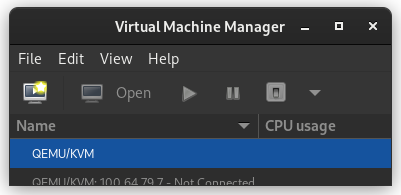
Now that you ve got the qcow2 file created, press alt-left until you return to your GDM session. The apt-get install command above installed virt-manager, so log in to your system if you haven t already and open up gnome-terminal by pressing the windows key or moving your mouse/gesture to the top left of your screen. Type in gnome-terminal and either press enter or click/tap on the icon. I like to run this full screen so that I feel like I m in a space ship. If you like to feel like you re in a spaceship, too, press F11. You can start virt-manager from this shell or you can press the windows key and type in virt-manager and press enter. You ll want the shell to run commands such as virsh console windows or virsh list When virt-manager starts, right click on QEMU/KVM and select New.
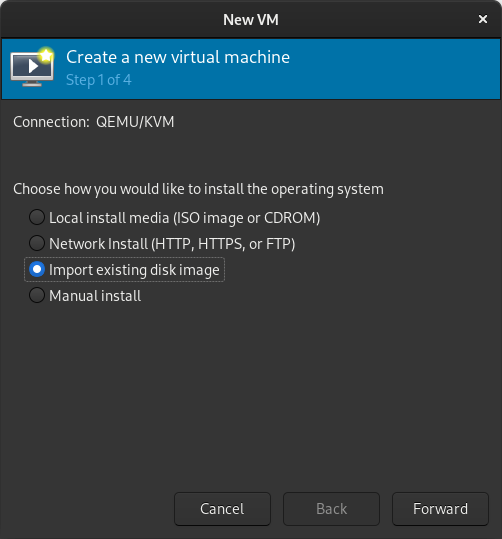
 In the New VM window, select Import existing disk image
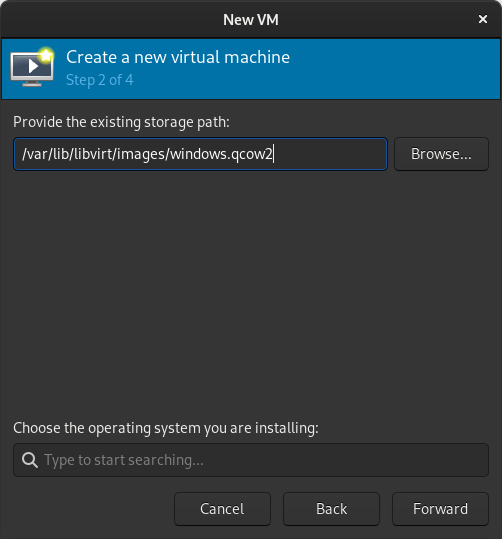
 When prompted for the path to the image, use the one we created with sudo qemu-img convert above.
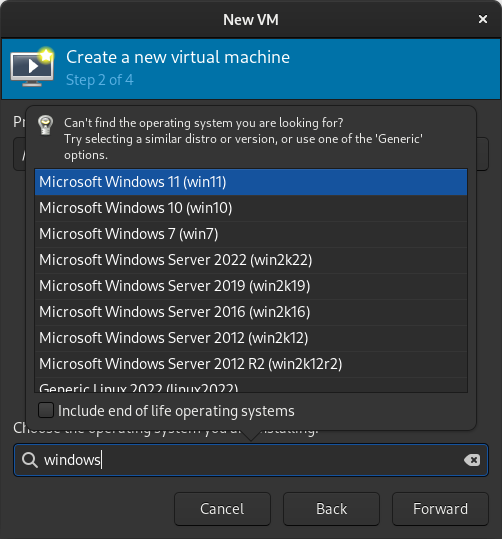
 Select the version of Windows you want.
 Select memory and CPUs to allocate to the VM.
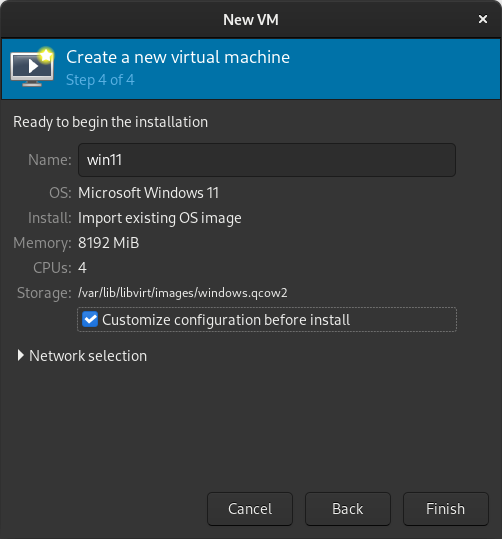
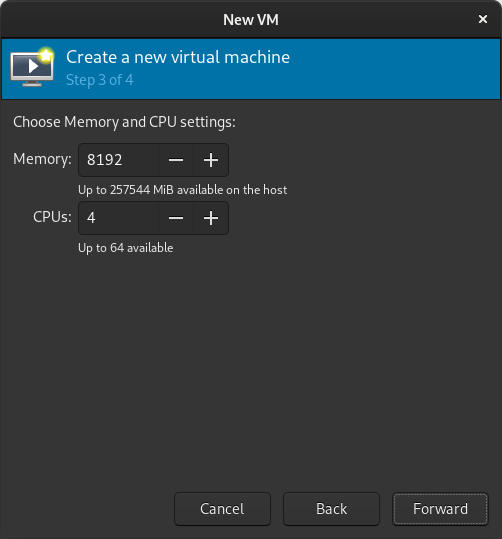 Tick the Customize configuration before install box
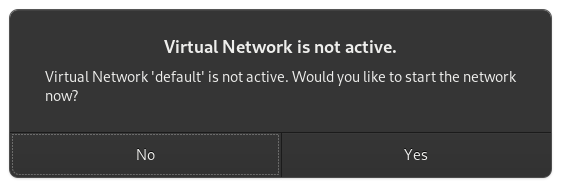
 If you re prompted to enable the default network, do so now.
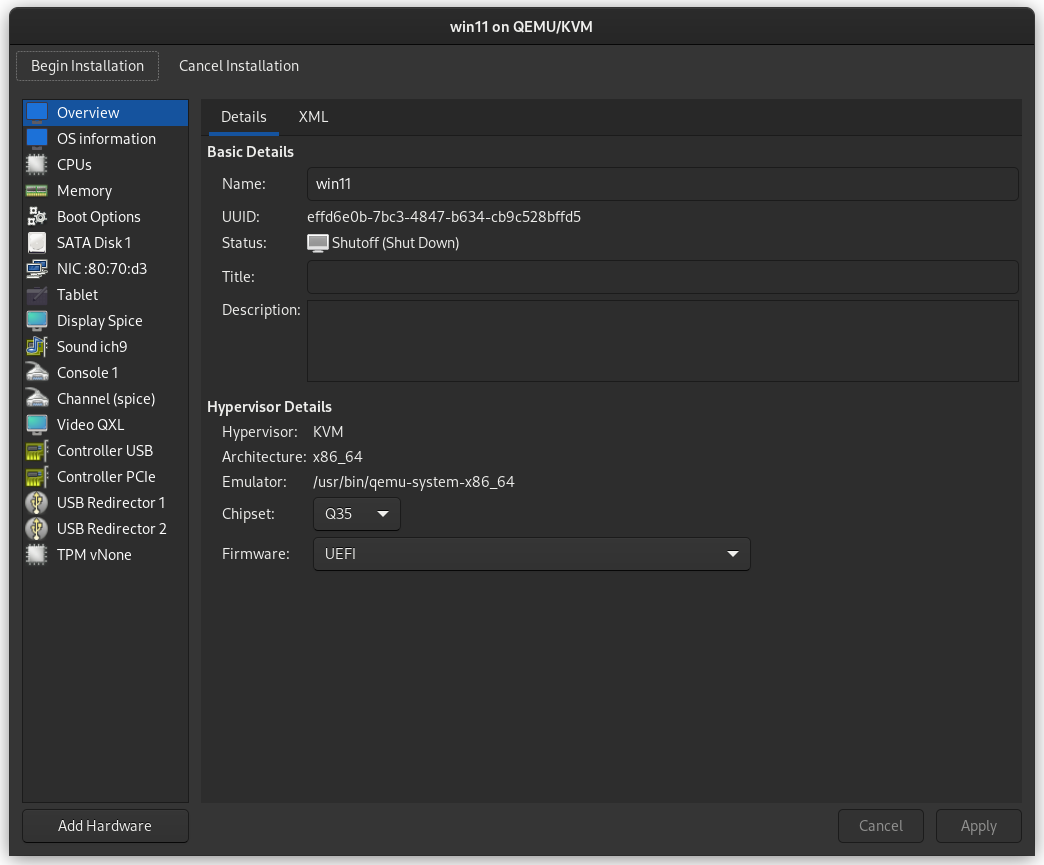
 The default hardware layout should probably suffice. Get it as close to the underlying hardware as it is convenient to do. But Windows is pretty lenient these days about virtualizing licensed windows instances so long as they re not running in more than one place at a time.
 Good luck! Leave comments if you have questions.
 Installing a laptop with the shiny new Debian Bookworm release finds a few interesting things broken that I probably had fixed in the past already on the old laptop.
One, that was increadibly unintuitive to fix, was lots of applications (like xfce4-terminal or Telegram) opening links in Chromium despite Firefox being set as the preferred webbrowser everywhere.
 Since before I got involved in the eID
 Release 0.6.32 of the


 While travel these days is much reduced I still end up in Dublin regularly enough (though less so now I m not working directly with folk there), and have the occasional US trip. Given that I live and work in the UK, and thus get paid in GBP ( ), this leads to the question of what to do about USD ($) and EUR ( ) transaction. USD turns out to be easy; I still have a US account from when I lived there and keeping it active has, so far, not proved to be a problem.
EUR is tricker. In an ideal world I d find a fee-free account that would allow normal Eurozone transfers and provide me with a suitable debit + credit card for use while travelling. I ve found options with a fee, but I don t have enough Euro transactions to make it worthwhile.
A friend pointed me at the
 update-info. Something is corrupting my /usr/share/info/dir entry.
I've found mutt-alias.info.gz and muttrc-mode.info.gz seems to cause the problematic entries. They seem to declare iso-8859-1 and that seems to cause some kind of corruption.
Then I found there's a bug
 After holding the domain copyninja.info for almost 15 years, I finally let it
expire and bought a new domain, copyninja.in. With this move, I also bid
goodbye to my VPS, which I had been using for over 12 years on DigitalOcean.
This particular VPS was initially set up with Debian Wheezy (7) and had been
upgraded over the years to successive Debian versions and finally was running
Debian Bullseye (11).
The main reason for the move was that the .info domain was becoming more
expensive every year, and the VPS, which I had upgraded to the $10 USD range,
cost around $12 USD per month with GST included. Since I wasn't really using the
VPS anymore and had recently even broken my DNS and mail server settings, I
decided it was the right time to reduce this additional cost.
Now I have a cheaper .in domain, and the VPS is on a minimal configuration at
DigitalOcean, costing $5 USD per month (which becomes almost $7 USD with GST).
Currently, I only run a blog and mail server on this VPS. I will assess if I
really need to keep running the mail server for some more time. If not, I will
move the blog to a hosting service like GitHub Pages and completely get rid of
the VPS.
My email address has now changed, and the new mail can be obtained from this
link <http://scr.im/newcopyninj>. I have updated my GPG key and added the new
email as the new UID. I still need to revoke the old domain UID. The key has
already been updated in the Debian Keyring.
 So