Search Results: "don"

13 July 2020

Bits from Debian: Debian Long Term Support (LTS) users and contributors survey

On July 18th Stretch LTS starts, offering two more years of security support to the Debian Stretch release. Stretch LTS will be the fourth iteration of LTS, following Squeeze LTS which started in 2014, Wheezy LTS in 2016 and Jessie LTS in 2018. However, for the first time, we have prepared a small survey about our users and contributors, who they are and why they are using LTS. Filling out the survey should take less than 10 minutes. We would really appreciate if you could participate in the survey online! In two weeks (July 27th 2020) we will close the survey, so please don't hesitate and participate now! After that, there will be a followup email with the results. More information about Debian LTS is available at https://wiki.debian.org/LTS, including generic contact information. Click here to fill out the survey now!

12 July 2020

Antoine Beaupr : On contact tracing apps

I have strong doubts about the efficiency of any tracing app of the sort, and even less in the context where it is unlikely that a majority of the population will use it. There's also the problem that this app would need to work on Apple phones, or be incompatible with them, and cause significant "fracture" between those who have access to technology, and those who haven't. See this text for more details. Such an app would be a security and privacy liability at no benefit to public health. There are better options, see for this research on hardware tokens. But I doubt any contact tracing app or hardware will actually work anyways. I am a computer engineer with more than 20 years of experience in the domain, and I have been following this question closely. Please don't do this.
I wrote the above in a response to the Qu bec government's survey about a possible tracing app. Update: a previous version of this article was titled plainly "on contact tracing". In case that was not obvious, I definitely do not object to contact tracing per se. I believe it's a fundamental, critical, and important part of fighting the epidemic and I think we should do it. I do not believe any engineer has found a proper way of doing it with "apps" so far, but I do not deny the utility and importance of "contact tracing" itself. Apologies for the confusion.

Pour une raison que je m'explique mal, le sondage m' t envoy en anglais, et j'ai donc crit ma r ponse dans la langue de Shakespeare au lieu de celle de moli re... Je serai heureux de fournir une traduction fran aise ceux ou celles qui en ont besoin...

Evgeni Golov: Using Ansible Molecule to test roles in monorepos

Ansible Molecule is a toolkit for testing Ansible roles. It allows for easy execution and verification of your roles and also manages the environment (container, VM, etc) in which those are executed. In the Foreman project we have a collection of Ansible roles to setup Foreman instances called forklift. The roles vary from configuring Libvirt and Vagrant for our CI to deploying full fledged Foreman and Katello setups with Proxies and everything. The repository also contains a dynamic Vagrant file that can generate Foreman and Katello installations on all supported Debian, Ubuntu and CentOS platforms using the previously mentioned roles. This feature is super helpful when you need to debug something specific to an OS/version combination. Up until recently, all those roles didn't have any tests. We would run ansible-lint on them, but that was it. As I am planning to do some heavier work on some of the roles to enhance our upgrade testing, I decided to add some tests first. Using Molecule, of course. Adding Molecule to an existing role is easy: molecule init scenario -r my-role-name will add all the necessary files/examples for you. It's left as an exercise to the reader how to actually test the role properly as this is not what this post is about. Executing the tests with Molecule is also easy: molecule test. And there are also examples how to integrate the test execution with the common CI systems. But what happens if you have more than one role in the repository? Molecule has support for monorepos, however that is rather limited: it will detect the role path correctly, so roles can depend on other roles from the same repository, but it won't find and execute tests for roles if you run it from the repository root. There is an undocumented way to set MOLECULE_GLOB so that Molecule would detect test scenarios in different paths, but I couldn't get it to work nicely for executing tests of multiple roles and upstream currently does not plan to implement this. Well, bash to the rescue!
for roledir in roles/*/molecule; do
    pushd $(dirname $roledir)
    molecule test
    popd
done
Add that to your CI and be happy! The CI will execute all available tests and you can still execute those for the role you're hacking on by just calling molecule test as you're used to. However, we can do even better. When you initialize a role with Molecule or add Molecule to an existing role, there are quite a lot of files added in the molecule directory plus an yamllint configuration in the role root. If you have many roles, you will notice that especially the molecule.yml and .yamllint files look very similar for each role. It would be much nicer if we could keep those in a shared place. Molecule supports a "base config": a configuration file that gets merged with the molecule.yml of your project. By default, that's ~/.config/molecule/config.yml, but Molecule will actually look for a .config/molecule/config.yml in two places: the root of the VCS repository and your HOME. And guess what? The one in the repository wins (that's not yet well documented). So by adding a .config/molecule/config.yml to the repository, we can place all shared configuration there and don't have to duplicate it in every role. And that .yamllint file? We can also move that to the repository root and add the following to Molecule's (now shared) configuration:
lint: yamllint --config-file $ MOLECULE_PROJECT_DIRECTORY /../../.yamllint --format parsable .
This will define the lint action as calling yamllint with the configuration stored in the repository root instead of the project directory, assuming you store your roles as roles/<rolename>/ in the repository. And that's it. We now have a central place for our Molecule and yamllint configurations and only need to place role-specific data into the role directory.

Dirk Eddelbuettel: drat 0.1.7: New functionality

drat user A new version of drat arrived on CRAN yesterday. Once again, this release is mostly the work of Felix Ernst who extended some work from the previous release, and added support for repository updates (outside of package insertion) and more. drat stands for drat R Archive Template, and helps with easy-to-create and easy-to-use repositories for R packages. Since its inception in early 2015 it has found reasonably widespread adoption among R users because repositories with marked releases is the better way to distribute code. As your mother told you: Friends don t let friends install random git commit snapshots. Rolled-up releases it is. drat is easy to use, documented by five vignettes and just works. The NEWS file summarises the release as follows:

Changes in drat version 0.1.7 (2020-07-10)
  • Functions insertPackages, archivePackages and prunePackages are now vectorised (Patrick Schratz and Felix Ernst in #93, #100).
  • The new functionality is supported by unit tests (Felix Ernst in #93, and #102 fixing #101).
  • Added new function updateRepo (Felix Ernst in #95, #97).

Courtesy of CRANberries, there is a comparison to the previous release. More detailed information is on the drat page. If you like this or other open-source work I do, you can now sponsor me at GitHub. For the first year, GitHub will match your contributions.

This post by Dirk Eddelbuettel originated on his Thinking inside the box blog. Please report excessive re-aggregation in third-party for-profit settings.

10 July 2020

Iain R. Learmonth: Light OpenStreetMapping with GPS

Now that lockdown is lifting a bit in Scotland, I ve been going a bit further for exercise. One location I ve been to a few times is Tyrebagger Woods. In theory, I can walk here from my house via Brimmond Hill although I m not yet fit enough to do that in one go. Instead of following the main path, I took a detour along some route that looked like it wanted to be a path but it hadn t been maintained for a while. When I decided I d had enough of this, I looked for a way back to the main path but OpenStreetMap didn t seem to have the footpaths mapped out here yet. I ve done some OpenStreetMap surveying before so I thought I d take a look at improving this, and moving some of the tracks on the map closer to where they are in reality. In the past I ve used OSMTracker which was great, but now I m on iOS there doesn t seem to be anything that matches up. My new handheld radio, a Kenwood TH-D74 has the ability to record GPS logs so I thought I d give this a go. It records the logs to the SD card with one file per session. It s a very simple logger that records the NMEA strings as they are received. The only sentences I see in the file are GPGGA (Global Positioning System Fix Data) and GPRMC (Recommended Minimum Specific GPS/Transit Data). I tried to import this directly with JOSM but it seemed to throw an error and crash. I ve not investigated this, but I thought a way around could be to convert this to GPX format. This was easier than expected:
apt install gpsbabel
gpsbabel -i nmea -f "/sdcard/KENWOOD/TH-D74/GPS_LOG/25062020_165017.nme" \
                 -o gpx,gpxver=1.1 -F "/tmp/tyrebagger.gpx"
This imported into JOSM just fine and I was able to adjust some of the tracks to better fit where they actually are. I ll take the radio with me when I go in future and explore some of the other paths, to see if I can get the whole woods mapped out nicely. It is fun to just dive into the trees sometimes, along the paths that looks a little forgotten and overgrown, but also it s nice to be able to find your way out again when you get lost.

Reproducible Builds (diffoscope): diffoscope 151 released

The diffoscope maintainers are pleased to announce the release of diffoscope version 151. This version includes the following changes:
[ Chris Lamb]
* Improvements and bug fixes:
  - Pass the absolute path when extracting members from SquashFS images as we
    run the command with our working directory set to the temporary
    directory. (Closes: #964365, reproducible-builds/diffoscope#189)
  - Increase the minimum length of the output from strings(1) to 8 characters
    to avoid unnecessary diff noise. (Re. reproducible-builds/diffoscope#148)
* Logging improvements:
  - Fix the compare_files message when the file does not have a literal name.
  - Reduce potential log noise by truncating the has_some_content messages.
* Codebase changes:
  - Clarify use of a "null" diff in order to remember an exit code.
  - Don't alias a variable when don't end up it; use "_" instead.
  - Use a  "NullChanges" file to represent missing data in the Debian package
    comparator.
  - Update some miscellaneous terms.
You find out more by visiting the project homepage.

9 July 2020

Enrico Zini: Laptop migration

This laptop used to be extra-flat My laptop battery started to explode in slow motion. HP requires 10 business days to repair my laptop under warranty, and I cannot afford that length of downtime. Alternatively, HP quoted me 375 + VAT for on-site repairs, which I tought was very funny. For 376.55 + VAT, which is pretty much exactly the same amount, I bought instead a refurbished ThinkPad X240 with a dual-core I5, 8G of RAM, 250G SSD, and a 1920x1080 IPS display, to use as a spare while my laptop is being repaired. I'd like to thank HP for giving me the opportunity to own a ThinkPad. Since I'm migrating all my system to the spare and then (hopefully) back, I'm documenting what I need to be fully productive on new hardware. Install Debian A basic Debian netinst with no tasks selected is good enough to get going. Note that if wifi worked in Debian Installer, it doesn't mean that it will work in the minimal system it installed. See here for instructions on quickly bringing up wifi on a newly installed minimal system. Copy /home A simple tar of /home is all I needed to copy my data over. A neat way to do it was connecting the two laptops with an ethernet cable, and using netcat:
# On the source
tar -C / -zcf - home   nc -l -p 12345 -N
# On the target
nc 10.0.0.1 12345   tar -C / -zxf -
Since the data travel unencrypted in this way, don't do it over wifi. Install packages I maintain a few simple local metapackages that depend on the packages I usually used. I could just install those and let apt bring in their dependencies. For the build dependencies of the programs I develop, I use mk-build-deps from the devscripts package to create metapackages that make sure they are installed. Here's an extract from debian/control of the metapackage:
Source: enrico
Section: admin
Priority: optional
Maintainer: Enrico Zini <enrico@debian.org>
Build-Depends: debhelper (>= 11)
Standards-Version: 3.7.2.1
Package: enrico
Section: admin
Architecture: all
Depends:
  mc, mmv, moreutils, powertop, syncmaildir, notmuch,
  ncdu, vcsh, ddate, jq, git-annex, eatmydata,
  vdirsyncer, khal, etckeeper, moc, pwgen
Description: Enrico's working environment
Package: enrico-devel
Section: devel
Architecture: all
Depends:
  git, python3-git, git-svn, gitk, ansible, fabric,
  valgrind, kcachegrind, zeal, meld, d-feet, flake8, mypy, ipython3,
  strace, ltrace
Description: Enrico's development environment
Package: enrico-gui
Section: x11
Architecture: all
Depends:
  xclip, gnome-terminal, qalculate-gtk, liferea, gajim,
  mumble, sm, syncthing, virt-manager
Recommends: k3b
Description: Enrico's GUI environment
Package: enrico-sanity
Section: admin
Architecture: all
Conflicts: libapache2-mod-php, libapache2-mod-php5, php5, php5-cgi, php5-fpm, libapache2-mod-php7.0, php7.0, libphp7.0-embed, libphp-embed, libphp5-embed
Description: Enrico's sanity
 Metapackage with a list of packages that I do not want anywhere near my
 system.
System-wide customizations I tend to avoid changing system-wide configuration as much as possible, so copying over /home and installing packages takes care of 99% of my needs. There are a few system-wide tweaks I cannot do without: For postfix, I have a little ansible playbook that takes care of it. Network Manager system connections need to be copied manually: a plain copy and a systemctl restart network-manager are enough. Note that Network Manager will ignore the files unless their owner and permissions are what it expects. Fine tuning Comparing the output of dpkg --get-selections between the old and the new system might highlight packages manually installed in a hurry and not added to the metapackages. Finally, what remains is fixing the sad state of mimetype associations, which seem to associate opening file depending on whatever application was installed last, phases of the moon, and what option is the most annoying. Currently on my system, PDFs are opened in inkscape by xdg-open and in calibre by run-mailcap. Let's see how long it takes to figure this one out.

7 July 2020

Noah Meyerhans: Setting environment variables for gnome-session

Am I missing something obvious? When did this get so hard? In the old days, you configured your desktop session on a Linux system by editing the .xsession file in your home directory. The display manager (login screen) would invoke the system-wide xsession script, which would either defer to your personal .xsession script or set up a standard desktop environment. You could put whatever you want in the .xsession script, and it would be executed. If you wanted a specific window manager, you d run it from .xsession. Start emacs or a browser or an xterm or two? .xsession. It was pretty easy, and super flexible. For the past 25 years or so, I ve used X with an environment started via .xsession. Early on it was fvwm with some programs, then I replaced fvwm with Window Maker (before that was even its name!), then switched to KDE. More recently (OK, like 10 years ago) I gradually replaced KDE with awesome and various custom widgets. Pretty much everything was based on a .xsession script, and that was fine. One particularly nice thing about it was that I could keep .xsession and any related helper programs in a git repository and manage changes over time. More recently I decided to give Wayland and GNOME an honest look. This has mostly been fine, but everything I ve been doing in .xsession is suddenly useless. OK, fine, progress is good. I ll just use whatever new mechanisms exist. How hard can it be? OK, so here we go. I am running GNOME. This isn t so bad. Alt+F2 brings up the Run Command dialog. It s a different keystroke than what I m used to, but I can adapt. (Obviously I can reconfigure the key binding, and maybe someday I will, but that s not the point here.) I have some executables in ~/bin. Oops, the run command dialog can t find them. No problem, I just need to update the PATH variable that it sees. Hmmm So how does one do that, anyway? GNOME has a help system, but searching that doesn t doesn t reveal anything. But that s fine, maybe it s inherited from the parent process. But there s no xsession script equivalent, since this isn t X anymore at all. The familiar stuff in /etc/X11/Xsession is no longer used. What s the equivalent in Wayland? Turns out, there isn t a shell script at all anymore, at least not in how Wayland and GNOME interact in Debian s configuration, which seems fairly similar to how anybody else would set this up. The GNOME session runs from a systemd-managed user session. Digging in to some web search results suggests that systemd provides a mechanism for setting some environment variables for services started by the user instance of the system. OK, so let s create some files in ~/.config/environment.d and we should be good. Except no, this isn t working. I can set some variables, but something is overriding PATH. I can create this file:
$ cat ~/.config/environment.d/01_path.conf
USER_INITIAL_PATH=$ PATH 
PATH=$ HOME /bin:$ HOME /go/bin:/usr/local/sbin:/usr/local/bin:/usr/sbin:/usr/bin:/sbin:/bin
USER_CUSTOM_PATH=$ PATH 
After logging in, the Run a command dialog still doesn t see my PATH. So I use Alt+F2 and sh -c "env > /tmp/env" to capture the environment, and this is what I see:
USER_INITIAL_PATH=/usr/local/sbin:/usr/local/bin:/usr/sbin:/usr/bin:/sbin:/bin
PATH=/usr/local/bin:/usr/bin:/bin:/usr/games
USER_CUSTOM_PATH=/home/noahm/bin:/home/noahm/go/bin:/usr/local/sbin:/usr/local/bin:/usr/sbin:/usr/bin:/sbin:/bin
So, my environment.d file is there, and it s getting looked at, but something else is clobbering my PATH later in the startup process. But what? Where? Why? The systemd docs don t indicate that there s anything special about PATH, and nothing in /lib/systemd/user-environment-generators/ seems to treat it specially. The string PATH doesn t appear in /lib/systemd/user/ either. Looking for the specific value that s getting assigned to PATH in /etc shows the only occurrence of it being in /etc/zsh/zshenv, so maybe that s where it s coming from? But that should only get set there if it s otherwise unset or otherwise very minimally set. So I still have no idea where it s coming from. OK, so ignoring where my custom value is getting overridden, maybe what s configured in /lib/systemd/user will point me in the right direction. systemd --user status suggests that the interesting part of my session is coming from gnome-shell-wayland.service. Can we use a standard systemd drop-in as documented in systemd.unit(5)? It turns out that we can. This file sets things up the way I want:
$ cat .config/systemd/user/gnome-shell-wayland.service.d/path.conf
[Service]
Environment=PATH=%h/bin:%h/go/bin:/usr/local/sbin:/usr/local/bin:/usr/sbin:/usr/bin:/sbin:/bin
Is that right? It really doesn t feel ideal to me. Systemd s Environment directive can t reference existing environment variables, and I can t use conditionals to do things like add a directory to the PATH only if it exists, so it s still a functional regression from what we had before. But at least it s a text file, edited by hand, trackable in git, so that s not too bad. There are some people out there who hate systemd, and will cite this as an illustration of why. However, I m not one of those people, and I very much like systemd as an init system. I d be happy to throw away sysvinit scripts forever, but I m not quite so happy with the state of .xsession s replacements. Despite the similarities, I don t think .xsession is entirely the same as SysV-style init scripts. The services running on a system are vastly more important than my personal .xsession, and systemd is far better at managing them than the pile of shell scripts used to set things up under sysvinit. Further, systemd the init system maintains compatibility with init scripts, so if you really want to keep using them, you can. As far as I can tell, though, systemd the user session manager does not seem to maintain compatibility with .xsession scripts, and that s unfortunate. I still haven t figured out what was overriding the ~/.config/environment.d/ setting. Any ideas?

6 July 2020

Jonathan Dowland: Review: Roku Express

I don't generally write consumer reviews, here or elsewhere; but I have been so impressed by this one I wanted to mention it. For Holly's birthday this year, taking place under Lockdown, we decided to buy a year's subscription to "Disney+". Our current TV receiver (A Humax Freesat box) doesn't support it so I needed to find some other way to get it onto the TV. After a short bit of research, I bought the "Roku Express" streaming media player. This is the most basic streamer that Roku make, bottom of their range. For a little bit more money you can get a model which supports 4K (although my TV obviously doesn't: it, and the basic Roku, top out at 1080p) and a bit more gets you a "stick" form-factor and a Bluetooth remote (rather than line-of-sight IR). I paid 20 for the most basic model and it Just Works. The receiver is very small but sits comfortably next to my satellite receiver-box. I don't have any issues with line-of-sight for the IR remote (and I rely on a regular IR remote for the TV itself of course). It supports Disney+, but also all the other big name services, some of which we already use (Netflix, YouTube BBC iPlayer) and some of which we didn't, since it was too awkward to access them (Google Play, Amazon Prime Video). It has now largely displaced the FreeSat box for accessing streaming content because it works so well and everything is in one place. There's a phone App that remote-controls the box and works even better than the physical remote: it can offer a full phone-keyboard at times when you need to input text, and can mute the TV audio and put it out through headphones attached to the phone if you want. My aging Plasma TV suffers from burn-in from static pictures. If left paused for a duration the Roku goes to a screensaver that keeps the whole frame moving. The FreeSat doesn't do this. My Blu Ray player does, but (I think) it retains some static elements.

Reproducible Builds: Reproducible Builds in June 2020

Welcome to the June 2020 report from the Reproducible Builds project. In these reports we outline the most important things that we and the rest of the community have been up to over the past month.

What are reproducible builds? One of the original promises of open source software is that distributed peer review and transparency of process results in enhanced end-user security. But whilst anyone may inspect the source code of free and open source software for malicious flaws, almost all software today is distributed as pre-compiled binaries. This allows nefarious third-parties to compromise systems by injecting malicious code into seemingly secure software during the various compilation and distribution processes.

News The GitHub Security Lab published a long article on the discovery of a piece of malware designed to backdoor open source projects that used the build process and its resulting artifacts to spread itself. In the course of their analysis and investigation, the GitHub team uncovered 26 open source projects that were backdoored by this malware and were actively serving malicious code. (Full article) Carl Dong from Chaincode Labs uploaded a presentation on Bitcoin Build System Security and reproducible builds to YouTube: The app intended to trace infection chains of Covid-19 in Switzerland published information on how to perform a reproducible build. The Reproducible Builds project has received funding in the past from the Open Technology Fund (OTF) to reach specific technical goals, as well as to enable the project to meet in-person at our summits. The OTF has actually also assisted countless other organisations that promote transparent, civil society as well as those that provide tools to circumvent censorship and repressive surveillance. However, the OTF has now been threatened with closure. (More info) It was noticed that Reproducible Builds was mentioned in the book End-user Computer Security by Mark Fernandes (published by WikiBooks) in the section titled Detection of malware in software. Lastly, reproducible builds and other ideas around software supply chain were mentioned in a recent episode of the Ubuntu Podcast in a wider discussion about the Snap and application stores (at approx 16:00).

Distribution work In the ArchLinux distribution, a goal to remove .doctrees from installed files was created via Arch s TODO list mechanism. These .doctree files are caches generated by the Sphinx documentation generator when developing documentation so that Sphinx does not have to reparse all input files across runs. They should not be packaged, especially as they lead to the package being unreproducible as their pickled format contains unreproducible data. Jelle van der Waa and Eli Schwartz submitted various upstream patches to fix projects that install these by default. Dimitry Andric was able to determine why the reproducibility status of FreeBSD s base.txz depended on the number of CPU cores, attributing it to an optimisation made to the Clang C compiler [ ]. After further detailed discussion on the FreeBSD bug it was possible to get the binaries reproducible again [ ]. For the GNU Guix operating system, Vagrant Cascadian started a thread about collecting reproducibility metrics and Jan janneke Nieuwenhuizen posted that they had further reduced their bootstrap seed to 25% which is intended to reduce the amount of code to be audited to avoid potential compiler backdoors. In openSUSE, Bernhard M. Wiedemann published his monthly Reproducible Builds status update as well as made the following changes within the distribution itself:

Debian Holger Levsen filed three bugs (#961857, #961858 & #961859) against the reproducible-check tool that reports on the reproducible status of installed packages on a running Debian system. They were subsequently all fixed by Chris Lamb [ ][ ][ ]. Timo R hling filed a wishlist bug against the debhelper build tool impacting the reproducibility status of 100s of packages that use the CMake build system which led to a number of tests and next steps. [ ] Chris Lamb contributed to a conversation regarding the nondeterministic execution of order of Debian maintainer scripts that results in the arbitrary allocation of UNIX group IDs, referencing the Tails operating system s approach this [ ]. Vagrant Cascadian also added to a discussion regarding verification formats for reproducible builds. 47 reviews of Debian packages were added, 37 were updated and 69 were removed this month adding to our knowledge about identified issues. Chris Lamb identified and classified a new uids_gids_in_tarballs_generated_by_cmake_kde_package_app_templates issue [ ] and updated the paths_vary_due_to_usrmerge as deterministic issue, and Vagrant Cascadian updated the cmake_rpath_contains_build_path and gcc_captures_build_path issues. [ ][ ][ ]. Lastly, Debian Developer Bill Allombert started a mailing list thread regarding setting the -fdebug-prefix-map command-line argument via an environment variable and Holger Levsen also filed three bugs against the debrebuild Debian package rebuilder tool (#961861, #961862 & #961864).

Development On our website this month, Arnout Engelen added a link to our Mastodon account [ ] and moved the SOURCE_DATE_EPOCH git log example to another section [ ]. Chris Lamb also limited the number of news posts to avoid showing items from (for example) 2017 [ ]. strip-nondeterminism is our tool to remove specific non-deterministic results from a completed build. It is used automatically in most Debian package builds. This month, Mattia Rizzolo bumped the debhelper compatibility level to 13 [ ] and adjusted a related dependency to avoid potential circular dependency [ ].

Upstream work The Reproducible Builds project attempts to fix unreproducible packages and we try to to send all of our patches upstream. This month, we wrote a large number of such patches including: Bernhard M. Wiedemann also filed reports for frr (build fails on single-processor machines), ghc-yesod-static/git-annex (a filesystem ordering issue) and ooRexx (ASLR-related issue).

diffoscope diffoscope is our in-depth diff-on-steroids utility which helps us diagnose reproducibility issues in packages. It does not define reproducibility, but rather provides a helpful and human-readable guidance for packages that are not reproducible, rather than relying essentially-useless binary diffs. This month, Chris Lamb uploaded versions 147, 148 and 149 to Debian and made the following changes:
  • New features:
    • Add output from strings(1) to ELF binaries. (#148)
    • Dump PE32+ executables (such as EFI applications) using objdump(1). (#181)
    • Add support for Zsh shell completion. (#158)
  • Bug fixes:
    • Prevent a traceback when comparing PDF documents that did not contain metadata (ie. a PDF /Info stanza). (#150)
    • Fix compatibility with jsondiff version 1.2.0. (#159)
    • Fix an issue in GnuPG keybox file handling that left filenames in the diff. [ ]
    • Correct detection of JSON files due to missing call to File.recognizes that checks candidates against file(1). [ ]
  • Output improvements:
    • Use the CSS word-break property over manually adding U+200B zero-width spaces as these were making copy-pasting cumbersome. (!53)
    • Downgrade the tlsh warning message to an info level warning. (#29)
  • Logging improvements:
  • Testsuite improvements:
    • Update tests for file(1) version 5.39. (#179)
    • Drop accidentally-duplicated copy of the --diff-mask tests. [ ]
    • Don t mask an existing test. [ ]
  • Codebase improvements:
    • Replace obscure references to WF with Wagner-Fischer for clarity. [ ]
    • Use a semantic AbstractMissingType type instead of remembering to check for both types of missing files. [ ]
    • Add a comment regarding potential security issue in the .changes, .dsc and .buildinfo comparators. [ ]
    • Drop a large number of unused imports. [ ][ ][ ][ ][ ]
    • Make many code sections more Pythonic. [ ][ ][ ][ ]
    • Prevent some variable aliasing issues. [ ][ ][ ]
    • Use some tactical f-strings to tidy up code [ ][ ] and remove explicit u"unicode" strings [ ].
    • Refactor a large number of routines for clarity. [ ][ ][ ][ ]
trydiffoscope is the web-based version of diffoscope. This month, Chris Lamb also corrected the location for the celerybeat scheduler to ensure that the clean/tidy tasks are actually called which had caused an accidental resource exhaustion. (#12) In addition Jean-Romain Garnier made the following changes:
  • Fix the --new-file option when comparing directories by merging DirectoryContainer.compare and Container.compare. (#180)
  • Allow user to mask/filter diff output via --diff-mask=REGEX. (!51)
  • Make child pages open in new window in the --html-dir presenter format. [ ]
  • Improve the diffs in the --html-dir format. [ ][ ]
Lastly, Daniel Fullmer fixed the Coreboot filesystem comparator [ ] and Mattia Rizzolo prevented warnings from the tlsh fuzzy-matching library during tests [ ] and tweaked the build system to remove an unwanted .build directory [ ]. For the GNU Guix distribution Vagrant Cascadian updated the version of diffoscope to version 147 [ ] and later 148 [ ].

Testing framework We operate a large and many-featured Jenkins-based testing framework that powers tests.reproducible-builds.org. Amongst many other tasks, this tracks the status of our reproducibility efforts across many distributions as well as identifies any regressions that have been introduced. This month, Holger Levsen made the following changes:
  • Debian-related changes:
    • Prevent bogus failure emails from rsync2buildinfos.debian.net every night. [ ]
    • Merge a fix from David Bremner s database of .buildinfo files to include a fix regarding comparing source vs. binary package versions. [ ]
    • Only run the Debian package rebuilder job twice per day. [ ]
    • Increase bullseye scheduling. [ ]
  • System health status page:
    • Add a note displaying whether a node needs to be rebooted for a kernel upgrade. [ ]
    • Fix sorting order of failed jobs. [ ]
    • Expand footer to link to the related Jenkins job. [ ]
    • Add archlinux_html_pages, openwrt_rebuilder_today and openwrt_rebuilder_future to known broken jobs. [ ]
    • Add HTML <meta> header to refresh the page every 5 minutes. [ ]
    • Count the number of ignored jobs [ ], ignore permanently known broken jobs [ ] and jobs on known offline nodes [ ].
    • Only consider the known offline status from Git. [ ]
    • Various output improvements. [ ][ ]
  • Tools:
    • Switch URLs for the Grml Live Linux and PureOS package sets. [ ][ ]
    • Don t try to build a disorderfs Debian source package. [ ][ ][ ]
    • Stop building diffoscope as we are moving this to Salsa. [ ][ ]
    • Merge several is diffoscope up-to-date on every platform? test jobs into one [ ] and fail less noisily if the version in Debian cannot be determined [ ].
In addition: Marcus Hoffmann was added as a maintainer of the F-Droid reproducible checking components [ ], Jelle van der Waa updated the is diffoscope up-to-date in every platform check for Arch Linux and diffoscope [ ], Mattia Rizzolo backed up a copy of a remove script run on the Codethink-hosted jump server [ ] and Vagrant Cascadian temporarily disabled the fixfilepath on bullseye, to get better data about the ftbfs_due_to_f-file-prefix-map categorised issue. Lastly, the usual build node maintenance was performed by Holger Levsen [ ][ ], Mattia Rizzolo [ ] and Vagrant Cascadian [ ][ ][ ][ ][ ].

If you are interested in contributing to the Reproducible Builds project, please visit our Contribute page on our website. However, you can get in touch with us via:

This month s report was written by Bernhard M. Wiedemann, Chris Lamb, Eli Schwartz, Holger Levsen, Jelle van der Waa and Vagrant Cascadian. It was subsequently reviewed by a bunch of Reproducible Builds folks on IRC and the mailing list.

4 July 2020

Petter Reinholdtsen: Working on updated Norwegian Bokm l edition of Debian Administrator's Handbook

Three years ago, the first Norwegian Bokm l edition of "The Debian Administrator's Handbook" was published. This was based on Debian Jessie. Now a new and updated version based on Buster is getting ready. Work on the updated Norwegian Bokm l edition has been going on for a few months now, and yesterday, we reached the first mile stone, with 100% of the texts being translated. A lot of proof reading remains, of course, but a major step towards a new edition has been taken. The book is translated by volunteers, and we would love to get some help with the proof reading. The translation uses the hosted Weblate service, and we welcome everyone to have a look and submit improvements and suggestions. There is also a proof readers PDF available on request, get in touch if you want to help out that way. As usual, if you use Bitcoin and want to show your support of my activities, please send Bitcoin donations to my address 15oWEoG9dUPovwmUL9KWAnYRtNJEkP1u1b.

Russ Allbery: Review: The Light Brigade

Review: The Light Brigade, by Kameron Hurley
Publisher: Saga
Copyright: 2019
ISBN: 1-4814-4798-X
Format: Kindle
Pages: 355
In the wake of the Blink, which left a giant crater where S o Paulo was, Dietz signed up for the military. To be a hero. To satisfy an oath of vengeance. To kill aliens. Corporations have consumed the governments that used to run Earth and have divided the world between them. Dietz's family, before the Blink, were ghouls in Tene-Silva territory, non-citizens who scavenged a precarious life on the margins. Citizenship is a reward for loyalty and a mechanism of control. The only people who don't fit into the corporate framework are the Martians, former colonists who went dark for ten years and re-emerged as a splinter group offering to use their superior technology to repair environmental damage to the northern hemisphere caused by corporate wars. When the Blink happens, apparently done with technology far beyond what the corporations have, corporate war with the Martians is the unsurprising result. Long-time SF readers will immediately recognize The Light Brigade as a response to Starship Troopers with far more cynical world-building. For the first few chapters, the parallelism is very strong, down to the destruction of a large South American city (S o Paulo instead of Buenos Aires), a naive military volunteer, and horrific basic training. But, rather than dropships, the soldiers in Dietz's world are sent into battle via, essentially, Star Trek transporters. These still very experimental transporters send Dietz to a different mission than the one in the briefing. Advance warning that I'm going to talk about what's happening with Dietz's drops below. It's a spoiler, but you would find out not far into the book and I don't think it ruins anything important. (On the contrary, it may give you an incentive to stick through the slow and unappealing first few chapters.) I had so many suspension of disbelief problems with this book. So many. This starts with the technology. The core piece of world-building is Star Trek transporters, so fine, we're not talking about hard physics. Every SF story gets one or two free bits of impossible technology, and Hurley does a good job showing the transporters through a jaundiced military eye. But, late in the book, this technology devolves into one of my least-favorite bits of SF hand-waving that, for me, destroyed that gritty edge. Technology problems go beyond the transporters. One of the bits of horror in basic training is, essentially, torture simulators, whose goal is apparently to teach soldiers to dissociate (not that the book calls it that). One problem is that I never understood why a military would want to teach dissociation to so many people, but a deeper problem is that the mechanics of this simulation made no sense. Dietz's training in this simulator is a significant ongoing plot point, and it kept feeling like it was cribbed from The Matrix rather than something translatable into how computers work. Technology was the more minor suspension of disbelief problem, though. The larger problem was the political and social world-building. Hurley constructs a grim, totalitarian future, which is a fine world-building choice although I think it robs some nuance from the story she is telling about how militaries lie to soldiers. But the totalitarian model she uses is one of near-total information control. People believe what the corporations tell them to believe, or at least are indifferent to it. Huge world events (with major plot significance) are distorted or outright lies, and those lies are apparently believed by everyone. The skepticism that exists is limited to grumbling about leadership competence and cynicism about motives, not disagreement with the provided history. This is critical to the story; it's a driver behind Dietz's character growth and is required to set up the story's conclusion. This is a model of totalitarianism that's familiar from Orwell's Nineteen Eighty-Four. The problem: The Internet broke this model. You now need North Korean levels of isolation to pull off total message control, which is incompatible with the social structure or technology level that Hurley shows. You may be objecting that the modern world is full of people who believe outrageous propaganda against all evidence. But the world-building problem is not that some people believe the corporate propaganda. It's that everyone does. Modern totalitarians have stopped trying to achieve uniformity (because it stopped working) and instead make the disagreement part of the appeal. You no longer get half a country to believe a lie by ensuring they never hear the truth. Instead, you equate belief in the lie with loyalty to a social or political group, and belief in the truth with affiliation with some enemy. This goes hand in hand with "flooding the zone" with disinformation and fakes and wild stories until people's belief in the accessibility of objective truth is worn down and all facts become ideological statements. This does work, all too well, but it relies on more information, not less. (See Zeynep Tufekci's excellent Twitter and Tear Gas if you're unfamiliar with this analysis.) In that world, Dietz would have heard the official history, the true history, and all sorts of wild alternative histories, making correct belief a matter of political loyalty. There is no sign of that. Hurley does gesture towards some technology to try to explain this surprising corporate effectiveness. All the soldiers have implants, and military censors can supposedly listen in at any time. But, in the story, this censorship is primarily aimed at grumbling and local disloyalty. There is no sign that it's being used to keep knowledge of significant facts from spreading, nor is there any sign of the same control among the general population. It's stated in the story that the censors can't even keep up with soldiers; one would have to get unlucky to be caught. And yet the corporation maintains preternatural information control. The place this bugged me the most is around knowledge of the current date. For reasons that will be obvious in a moment, Dietz has reasons to badly want to know what month and year it is and is unable to find this information anywhere. This appears to be intentional; Tene-Silva has a good (albeit not that urgent) reason to keep soldiers from knowing the date. But I don't think Hurley realizes just how hard that is. Take a look around the computer you're using to read this and think about how many places the date shows up. Apart from the ubiquitous clock and calendar app, there are dates on every file, dates on every news story, dates on search results, dates in instant messages, dates on email messages and voice mail... they're everywhere. And it's not just the computer. The soldiers can easily smuggle prohibited outside goods into the base; knowledge of the date would be much easier. And even if Dietz doesn't want to ask anyone, there are opportunities to go off base during missions. Somehow every newspaper and every news bulletin has its dates suppressed? It's not credible, and it threw me straight out of the story. These world-building problems are unfortunate, since at the heart of The Light Brigade is a (spoiler alert) well-constructed time travel story that I would have otherwise enjoyed. Dietz is being tossed around in time with each jump. And, unlike some of these stories, Hurley does not take the escape hatch of alternate worlds or possible futures. There is a single coherent timeline that Dietz and the reader experience in one order and the rest of the world experiences in a different order. The construction of this timeline is incredibly well-done. Time can only disconnect at jump and return points, and Hurley maintains tight control over the number of unresolved connections. At every point in the story, I could list all of the unresolved discontinuities and enjoy their complexity and implications without feeling overwhelmed by them. Dietz gains some foreknowledge, but in a way that's wildly erratic and hard to piece together fast enough for a single soldier to do anything about the plot. The world spins out of control with foreshadowing of grimmer and grimmer events, and then Hurley pulls it back together in a thoroughly satisfying interweaving of long-anticipated scenes and major surprises. I'm not usually a fan of time travel stories, but this is one of the best I've read. It also has a satisfying emotional conclusion (albeit marred for me by some unbelievable mystical technobabble), which is impressive given how awful and nasty Hurley makes this world. Dietz is a great first-person narrator, believably naive and cynical by turns, and piecing together the story structure alongside the protagonist built my emotional attachment to Dietz's character arc. Hurley writes the emotional dynamics of soldiers thoughtfully and well: shit-talking, fights, sudden moments of connection, shared cynicism over degenerating conditions, and the underlying growth of squad loyalty that takes over other motivations and becomes the reason to keep on fighting. Hurley also pulled off a neat homage to (and improvement on) Starship Troopers that caught me entirely by surprise and that I've hopefully not spoiled. This is a solid science fiction novel if you can handle the world-building. I couldn't, but I understand why it was nominated for the Hugo and Clarke awards. Recommended if you're less picky about technological and social believability than I am, although content warning for a lot of bloody violence and death (including against children) and a horrifically depressing world. Rating: 6 out of 10

3 July 2020

Norbert Preining: KDE/Plasma Status Update 2020-07-04

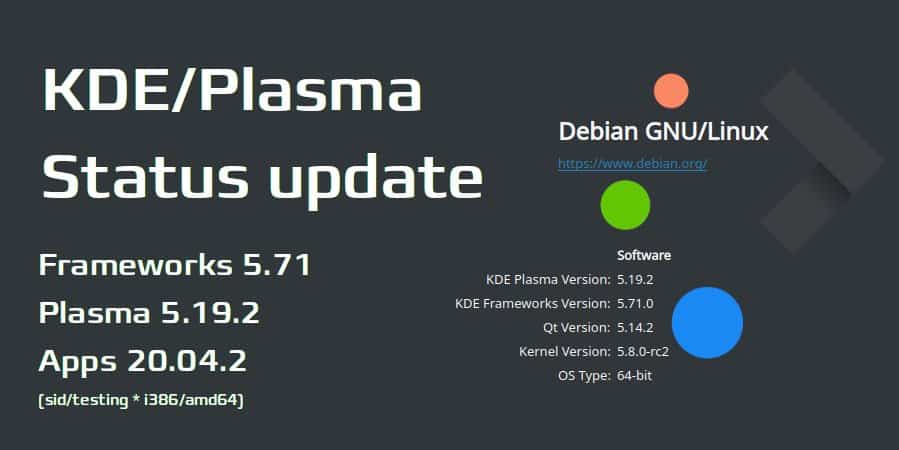
Great timing for 4th of July, here is another status update of KDE/Plasma for Debian. Short summary: everything is now available for Debian sid and testing, for both i386 and am64 architectures! (Update 2020-07-07: Plasma 5.19.3 is included!) (Update 2020-07-15: Frameworks 5.72 and KDE Apps 20.04.3 are included!) With Qt 5.14 arriving in Debian/testing, and some tweaks here and there, we finally have all the packages (2 additional deps, 82 frameworks, 47 Plasma, 216 Apps, 3 other apps) built on both Debian unstable and Debian testing, for both amd64 and i386 architectures. Again, big thanks to OBS! Repositories:

For Unstable:
deb https://download.opensuse.org/repositories/home:/npreining:/debian-kde:/other-deps/Debian_Unstable/ ./
deb https://download.opensuse.org/repositories/home:/npreining:/debian-kde:/frameworks/Debian_Unstable/ ./
deb https://download.opensuse.org/repositories/home:/npreining:/debian-kde:/plasma519/Debian_Unstable/ ./
deb https://download.opensuse.org/repositories/home:/npreining:/debian-kde:/apps/Debian_Unstable/ ./
deb https://download.opensuse.org/repositories/home:/npreining:/debian-kde:/other/Debian_Unstable/ ./
For Testing:
deb https://download.opensuse.org/repositories/home:/npreining:/debian-kde:/other-deps/Debian_Testing/ ./
deb https://download.opensuse.org/repositories/home:/npreining:/debian-kde:/frameworks/Debian_Testing/ ./
deb https://download.opensuse.org/repositories/home:/npreining:/debian-kde:/plasma519/Debian_Testing/ ./
deb https://download.opensuse.org/repositories/home:/npreining:/debian-kde:/apps/Debian_Testing/ ./
deb https://download.opensuse.org/repositories/home:/npreining:/debian-kde:/other/Debian_Testing/ ./
As usual, don t forget that you need to import my OBS gpg key: obs-npreining.asc, best to download it and put the file into /etc/apt/trusted.gpg.d/obs-npreining.asc. Enjoy.

Reproducible Builds (diffoscope): diffoscope 150 released

The diffoscope maintainers are pleased to announce the release of diffoscope version 150. This version includes the following changes:
[ Chris Lamb ]
* Don't crash when listing entries in archives if they don't have a listed
  size (such as hardlinks in .ISO files).
  (Closes: reproducible-builds/diffoscope#188)
* Dump PE32+ executables (including EFI applications) using objdump.
  (Closes: reproducible-builds/diffoscope#181)
* Tidy detection of JSON files due to missing call to File.recognizes that
  checks against the output of file(1) which was also causing us to attempt
  to parse almost every file using json.loads. (Whoops.)
* Drop accidentally-duplicated copy of the new --diff-mask tests.
* Logging improvements:
  - Split out formatting of class names into a common method.
  - Clarify that we are generating presenter formats in the opening logs.
[ Jean-Romain Garnier ]
* Remove objdjump(1) offsets before instructions to reduce diff noise.
  (Closes: reproducible-builds/diffoscope!57)
You find out more by visiting the project homepage.

2 July 2020

Russell Coker: Desklab Portable USB-C Monitor

I just got a 15.6 4K resolution Desklab portable touchscreen monitor [1]. It takes power via USB-C and video input via USB-C or mini HDMI, has touch screen input, and has speakers built in for USB or HDMI sound. PC Use I bought a mini-DisplayPort to HDMI adapter and for my first test ran it from my laptop, it was seen as a 1920*1080 DisplayPort monitor. The adaptor is specified as supporting 4K so I don t know why I didn t get 4K to work, my laptop has done 4K with other monitors. The next thing I plan to get is a VGA to HDMI converter so I can use this on servers, it can be a real pain getting a monitor and power cable to a rack mounted server and this portable monitor can be powered by one of the USB ports in the server. A quick search indicates that such devices start at about $12US. The Desklab monitor has no markings to indicate what resolution it supports, no part number, and no serial number. The only documentation I could find about how to recognise the difference between the FullHD and 4K versions is that the FullHD version supposedly draws 2A and the 4K version draws 4A. I connected my USB Ammeter and it reported that between 0.6 and 1.0A were drawn. If they meant to say 2W and 4W instead of 2A and 4A (I ve seen worse errors in manuals) then the current drawn would indicate the 4K version. Otherwise the stated current requirements don t come close to matching what I ve measured. Power The promise of USB-C was power from anywhere to anywhere. I think that such power can theoretically be done with USB 3 and maybe USB 2, but asymmetric cables make it more challenging. I can power my Desklab monitor from a USB battery, from my Thinkpad s USB port (even when the Thinkpad isn t on mains power), and from my phone (although the phone battery runs down fast as expected). When I have a mains powered USB charger (for a laptop and rated at 60W) connected to one USB-C port and my phone on the other the phone can be charged while giving a video signal to the display. This is how it s supposed to work, but in my experience it s rare to have new technology live up to it s potential at the start! One thing to note is that it doesn t have a battery. I had imagined that it would have a battery (in spite of there being nothing on their web site to imply this) because I just couldn t think of a touch screen device not having a battery. It would be nice if there was a version of this device with a big battery built in that could avoid needing separate cables for power and signal. Phone Use The first thing to note is that the Desklab monitor won t work with all phones, whether a phone will take the option of an external display depends on it s configuration and some phones may support an external display but not touchscreen. The Huawei Mate devices are specifically listed in the printed documentation as being supported for touchscreen as well as display. Surprisingly the Desklab web site has no mention of this unless you download the PDF of the manual, they really should have a list of confirmed supported devices and a forum for users to report on how it works. My phone is a Huawei Mate 10 Pro so I guess I got lucky here. My phone has a desktop mode that can be enabled when I connect it to a USB-C device (not sure what criteria it uses to determine if the device is suitable). The desktop mode has something like a regular desktop layout and you can move windows around etc. There is also the option of having a copy of the phone s screen, but it displays the image of the phone screen vertically in the middle of the landscape layout monitor which is ridiculous. When desktop mode is enabled it s independent of the phone interface so I had to find the icons for the programs I wanted to run in an unsorted list with no search usable (the search interface of the app list brings up the keyboard which obscures the list of matching apps). The keyboard takes up more than half the screen and there doesn t seem to be a way to make it smaller. I d like to try a portrait layout which would make the keyboard take something like 25% of the screen but that s not supported. It s quite easy to type on a keyboard that s slightly larger than a regular PC keyboard (a 15 display with no numeric keypad or cursor control keys). The hackers keyboard app might work well with this as it has cursor control keys. The GUI has an option for full screen mode for an app which is really annoying to get out of (you have to use a drop down from the top of the screen), full screen doesn t make sense for a display this large. Overall the GUI is a bit clunky, imagine Windows 3.1 with a start button and task bar. One interesting thing to note is that the desktop and phone GUIs can be run separately, so you can type on the Desklab (or any similar device) and look things up on the phone. Multiple monitors never really interested me for desktop PCs because switching between windows is fast and easy and it s easy to resize windows to fit several on the desktop. Resizing windows on the Huawei GUI doesn t seem easy (although I might be missing some things) and the keyboard takes up enough of the screen that having multiple windows open while typing isn t viable. I wrote the first draft of this post on my phone using the Desklab display. It s not nearly as easy as writing on a laptop but much easier than writing on the phone screen. Currently Desklab is offering 2 models for sale, 4K resolution for $399US and FullHD for $299US. I got the 4K version which is very expensive at the moment when converted to Australian dollars. There are significantly cheaper USB-C monitors available (such as this ASUS one from Kogan for $369AU), but I don t think they have touch screens and therefore can t be used with a phone unless you enable the phone screen as touch pad mode and have a mouse cursor on screen. I don t know if all Android devices support that, it could be that a large part of the desktop experience I get is specific to Huawei devices. One annoying feature is that if I use the phone power button to turn the screen off it shuts down the connection to the Desklab display, but the phone screen will turn off it I leave it alone for the screen timeout (which I have set to 10 minutes). Caveats When I ordered this I wanted the biggest screen possible. But now that I have it the fact that it doesn t fit in the pocket of my Scott e Vest jacket [2] will limit what I can do with it. Maybe I ll be buying a 13 monitor in the near future, I expect that Desklab will do well and start selling them in a wide range of sizes. A 15.6 portable device is inconvenient even if it is in the laptop format, a thin portable screen is inconvenient in many ways. Netflix doesn t display video on the Desklab screen, I suspect that Netflix is doing this deliberately as some misguided attempt at stopping piracy. It is really good for watching video as it has the speakers in good locations for stereo sound, it s a pity that Netflix is difficult. The functionality on phones from companies other than Huawei is unknown. It is likely to work on most Android phones, but if a particular phone is important to you then you want to Google for how it worked for others.

Evgeni Golov: Automatically renaming the default git branch to "devel"

It seems GitHub is planning to rename the default brach for newly created repositories from "master" to "main". It's incredible how much positive PR you can get with a one line configuration change, while still working together with the ICE. However, this post is not about bashing GitHub. Changing the default branch for newly created repositories is good. And you also should do that for the ones you create with git init locally. But what about all the repositories out there? GitHub surely won't force-rename those branches, but we can! Ian will do this as he touches the individual repositories, but I tend to forget things unless I do them immediately Oh, so this is another "automate everything with an API" post? Yes, yes it is! And yes, I am going to use GitHub here, but something similar should be implementable on any git hosting platform that has an API. Of course, if you have SSH access to the repositories, you can also just edit HEAD in an for loop in bash, but that would be boring ;-) I'm going with devel btw, as I'm already used to develop in the Foreman project and devel in Ansible. acquire credentials My GitHub account is 2FA enabled, so I can't just use my username and password in a basic HTTP API client. So the first step is to acquire a personal access token, that can be used instead. Of course I could also have implemented OAuth2 in my lousy script, but ain't nobody have time for that. The token will require the "repo" permission to be able to change repositories. And we'll need some boilerplate code (I'm using Python3 and requests, but anything else will work too):
#!/usr/bin/env python3
import requests
BASE='https://api.github.com'
USER='evgeni'
TOKEN='abcdef'
headers =  'User-Agent': '@ '.format(USER) 
auth = (USER, TOKEN)
session = requests.Session()
session.auth = auth
session.headers.update(headers)
session.verify = True
This will store our username, token, and create a requests.Session so that we don't have to pass the same data all the time. get a list of repositories to change I want to change all my own repos that are not archived, not forks, and actually have the default branch set to master, YMMV. As we're authenticated, we can just list the repositories of the currently authenticated user, and limit them to "owner" only. GitHub uses pagination for their API, so we'll have to loop until we get to the end of the repository list.
repos_to_change = []
url = ' /user/repos?type=owner'.format(BASE)
while url:
    r = session.get(url)
    if r.ok:
        repos = r.json()
        for repo in repos:
            if not repo['archived'] and not repo['fork'] and repo['default_branch'] == 'master':
                repos_to_change.append(repo['name'])
        if 'next' in r.links:
            url = r.links['next']['url']
        else:
            url = None
    else:
        url = None
create a new devel branch and mark it as default Now that we know which repos to change, we need to fetch the SHA of the current master, create a new devel branch pointing at the same commit and then set that new branch as the default branch.
for repo in repos_to_change:
    master_data = session.get(' /repos/evgeni/ /git/ref/heads/master'.format(BASE, repo)).json()
    data =  'ref': 'refs/heads/devel', 'sha': master_data['object']['sha'] 
    session.post(' /repos/ / /git/refs'.format(BASE, USER, repo), json=data)
    default_branch_data =  'default_branch': 'devel' 
    session.patch(' /repos/ / '.format(BASE, USER, repo), json=default_branch_data)
    session.delete(' /repos/ / /git/refs/heads/ '.format(BASE, USER, repo, 'master'))
I've also opted in to actually delete the old master, as I think that's the safest way to let the users know that it's gone. Letting it rot in the repository would mean people can still pull and won't notice that there are no changes anymore as the default branch moved to devel. So announcement I've updated all my (those in the evgeni namespace) non-archived repositories to have devel instead of master as the default branch. Have fun updating! code
#!/usr/bin/env python3
import requests
BASE='https://api.github.com'
USER='evgeni'
TOKEN='abcd'
headers =  'User-Agent': '@ '.format(USER) 
auth = (USER, TOKEN)
session = requests.Session()
session.auth = auth
session.headers.update(headers)
session.verify = True
repos_to_change = []
url = ' /user/repos?type=owner'.format(BASE)
while url:
    r = session.get(url)
    if r.ok:
        repos = r.json()
        for repo in repos:
            if not repo['archived'] and not repo['fork'] and repo['default_branch'] == 'master':
                repos_to_change.append(repo['name'])
        if 'next' in r.links:
            url = r.links['next']['url']
        else:
            url = None
    else:
        url = None
for repo in repos_to_change:
    master_data = session.get(' /repos/evgeni/ /git/ref/heads/master'.format(BASE, repo)).json()
    data =  'ref': 'refs/heads/devel', 'sha': master_data['object']['sha'] 
    session.post(' /repos/ / /git/refs'.format(BASE, USER, repo), json=data)
    default_branch_data =  'default_branch': 'devel' 
    session.patch(' /repos/ / '.format(BASE, USER, repo), json=default_branch_data)
    session.delete(' /repos/ / /git/refs/heads/ '.format(BASE, USER, repo, 'master'))

Russell Coker: Isolating PHP Web Sites

If you have multiple PHP web sites on a server in a default configuration they will all be able to read each other s files in a default configuration. If you have multiple PHP web sites that have stored data or passwords for databases in configuration files then there are significant problems if they aren t all trusted. Even if the sites are all trusted (IE the same person configures them all) if there is a security problem in one site it s ideal to prevent that being used to immediately attack all sites. mpm_itk The first thing I tried was mpm_itk [1]. This is a version of the traditional prefork module for Apache that has one process for each HTTP connection. When it s installed you just put the directive AssignUserID USER GROUP in your VirtualHost section and that virtual host runs as the user:group in question. It will work with any Apache module that works with mpm_prefork. In my experiment with mpm_itk I first tried running with a different UID for each site, but that conflicted with the pagespeed module [2]. The pagespeed module optimises HTML and CSS files to improve performance and it has a directory tree where it stores cached versions of some of the files. It doesn t like working with copies of itself under different UIDs writing to that tree. This isn t a real problem, setting up the different PHP files with database passwords to be read by the desired group is easy enough. So I just ran each site with a different GID but used the same UID for all of them. The first problem with mpm_itk is that the mpm_prefork code that it s based on is the slowest mpm that is available and which is also incompatible with HTTP/2. A minor issue of mpm_itk is that it makes Apache take ages to stop or restart, I don t know why and can t be certain it s not a configuration error on my part. As an aside here is a site for testing your server s support for HTTP/2 [3]. To enable HTTP/2 you have to be running mpm_event and enable the http2 module. Then for every virtual host that is to support it (generally all https virtual hosts) put the line Protocols h2 h2c http/1.1 in the virtual host configuration. A good feature of mpm_itk is that it has everything for the site running under the same UID, all Apache modules and Apache itself. So there s no issue of one thing getting access to a file and another not getting access. After a trial I decided not to keep using mpm_itk because I want HTTP/2 support. php-fpm Pools The Apache PHP module depends on mpm_prefork so it also has the issues of not working with HTTP/2 and of causing the web server to be slow. The solution is php-fpm, a separate server for running PHP code that uses the fastcgi protocol to talk to Apache. Here s a link to the upstream documentation for php-fpm [4]. In Debian this is in the php7.3-fpm package. In Debian the directory /etc/php/7.3/fpm/pool.d has the configuration for pools . Below is an example of a configuration file for a pool:
# cat /etc/php/7.3/fpm/pool.d/example.com.conf
[example.com]
user = example.com
group = example.com
listen = /run/php/php7.3-example.com.sock
listen.owner = www-data
listen.group = www-data
pm = dynamic
pm.max_children = 5
pm.start_servers = 2
pm.min_spare_servers = 1
pm.max_spare_servers = 3
Here is the upstream documentation for fpm configuration [5]. Then for the Apache configuration for the site in question you could have something like the following:
ProxyPassMatch "^/(.*\.php(/.*)?)$" "unix:/run/php/php7.3-example.com.sock fcgi://localhost/usr/share/wordpress/"
The fcgi://localhost part is just part of the way of specifying a Unix domain socket. From the Apache Wiki it appears that the method for configuring the TCP connections is more obvious [6]. I chose Unix domain sockets because it allows putting the domain name in the socket address. Matching domains for the web server to port numbers is something that s likely to be error prone while matching based on domain names is easier to check and also easier to put in Apache configuration macros. There was some additional hassle with getting Apache to read the files created by PHP processes (the options include running PHP scripts with the www-data group, having SETGID directories for storing files, and having world-readable files). But this got things basically working. Nginx My Google searches for running multiple PHP sites under different UIDs didn t turn up any good hits. It was only after I found the DigitalOcean page on doing this with Nginx [7] that I knew what to search for to find the way of doing it in Apache.

1 July 2020

Sylvain Beucler: Debian LTS and ELTS - June 2020

Debian LTS Logo Here is my transparent report for my work on the Debian Long Term Support (LTS) and Debian Extended Long Term Support (ELTS), which extend the security support for past Debian releases, as a paid contributor. In June, the monthly sponsored hours were split evenly among contributors depending on their max availability - I was assigned 30h for LTS (out of 30 max; all done) and 5.25h for ELTS (out of 20 max; all done). While LTS is part of the Debian project, fellow contributors sometimes surprise me: suggestion to vote for sponsors-funded projects with concorcet was only met with overhead concerns, and there were requests for executive / business owner decisions (we're currently heading towards consultative vote); I heard concerns about discussing non-technical issues publicly (IRC team meetings are public though); the private mail infrastructure was moved from self-hosting straight to Google; when some got an issue with Debian Social for our first video conference, there were immediate suggestions to move to Zoom...
Well, we do need some people to make those LTS firmware updates in non-free :) Also this was the last month before shifting suites: goodbye to Jessie LTS and Wheezy ELTS, welcome Stretch LTS and Jessie ELTS. ELTS - Wheezy LTS - Jessie Documentation/Scripts

Utkarsh Gupta: FOSS Activites in June 2020

Here s my (ninth) monthly update about the activities I ve done in the F/L/OSS world.

Debian
This was my 16th month of contributing to Debian. I became a DM in late March last year and a DD last Christmas! \o/ This month was a little intense. I did a lot of different kinds of things in Debian this month. Whilst most of my time went on doing security stuff, I also sponsored a bunch of packages. Here are the following things I did this month:

Uploads and bug fixes:

Other $things:
  • Hosted Ruby team meeting. Logs here.
  • Mentoring for newcomers.
  • FTP Trainee reviewing.
  • Moderation of -project mailing list.
  • Sponsored ruby-ast for Abraham, libexif for Hugh, djangorestframework-gis and karlseguin-ccache for Nilesh, and twig-extensions, twig-i18n-extension, and mariadb-mysql-kbs for William.

GSoC Phase 1, Part 2! Last month, I got selected as a Google Summer of Code student for Debian again! \o/
I am working on the Upstream-Downstream Cooperation in Ruby project. The first half of the first month is blogged here, titled, GSoC Phase 1.
Also, I log daily updates at gsocwithutkarsh2102.tk. Whilst the daily updates are available at the above site^, I ll breakdown the important parts of the later half of the first month here:
  • Documented the first cop, GemspecGit via PR #2.
  • Made an initial release, v0.1.0!
  • Spread the word/usage about this tool/library via adding them in the official RuboCop docs.
  • We had our third weekly meeting where we discussed the next steps and the things that are supposed to be done for the next set of cops.
  • Wrote more tests so as to cover different aspects of the GemspecGit cop.
  • Opened PR #4 for the next Cop, RequireRelativeToLib.
  • Introduced rubocop-packaging to the outer world and requested other upstream projects to use it! It is being used by 6 other projects already
  • Had our fourth weekly meeting where we pair-programmed (and I sucked :P) and figured out a way to make the second cop work.
  • Found a bug, reported at issue #5 and raised PR #6 to fix it.
  • And finally, people loved the library/tool (and it s outcome):


    (for those who don t know, @bbatsov is the author of RuboCop, @lienvdsteen is an amazing fullstack engineer at GitLab, and @pboling is the author of some awesome Ruby tools and libraries!)

Debian LTS
Debian Long Term Support (LTS) is a project to extend the lifetime of all Debian stable releases to (at least) 5 years. Debian LTS is not handled by the Debian security team, but by a separate group of volunteers and companies interested in making it a success. This was my ninth month as a Debian LTS paid contributor. I was assigned 30.00 hours and worked on the following things:

CVE Fixes and Announcements:

Other LTS Work:
  • Triaged sympa, apache2, qemu, and coturn.
  • Add fix for CVE-2020-0198/libexif.
  • Requested CVE for bug#60251 against apache2 and prodded further.
  • Raised issue #947 against sympa reporting an incomplete patch for CVE-2020-10936. More discussions internally.
  • Created the LTS Survey on the self-hosted LimeSurvey instance.
  • Attended the third LTS meeting. Logs here.
  • General discussion on LTS private and public mailing list.

Other(s)
Sometimes it gets hard to categorize work/things into a particular category.
That s why I am writing all of those things inside this category.
This includes two sub-categories and they are as follows.

Personal: This month I did the following things:
  • Wrote and published v0.1.0 of rubocop-packaging on RubyGems!
    It s open-sourced and the repository is here.
    Bug reports and pull requests are welcomed!
  • Integrated a tiny (yet a powerful) hack to align images in markdown for my blog.
    Commit here.
  • Released v0.4.0 of batalert on RubyGems!

Open Source: Again, this contains all the things that I couldn t categorize earlier.
Opened several issues and PRs:
Thank you for sticking along for so long :) Until next time.
:wq for today.

Paul Wise: FLOSS Activities June 2020

Focus This month I didn't have any particular focus. I just worked on issues in my info bubble.

Changes

Issues

Review

Administration
  • Debian BTS: usertags QA
  • Debian IRC channels: fixed a channel mode lock
  • Debian wiki: unblock IP addresses, approve accounts, ping folks with bouncing email

Communication
  • Respond to queries from Debian users and developers on the mailing lists and IRC

Sponsors The ifenslave and apt-listchanges work was sponsored by my employer. All other work was done on a volunteer basis.

Next.

Previous.