Search Results: "rkd"

16 August 2013

Sylvain Le Gall: OASIS website updated

Logo OASIS small The OASIS website has not been updated since a while. So I decide to take a shot at making more up to date. This blog post is about the pipeline I have but in place to automatically update the website. It is the first end to end 'continuous deployment' project I have achieved. Among the user visible changes: The OASIS website repository is also on Github. Feel free to fork it and send me pull request if you see any mistake. The website is still using a lot of markdown processed by pandoc. But there are some new technical features: Since I start using quite quite a lot Python, I have decided to use it for this project. It has a lot of nice libraries and it helps me to quickly do something about the website (and provides plenty of idea to create equivalent tools in OCaml). The daily generation: Jenkins I have a Jenkins instance running, so I decided to use it to compile once a day the new website with updated documentation and links. This Jenkins instance also monitor changes of the OASIS source code. So I can do something even more precise: regenerate the website after every OASIS changes. I use the Jenkins instance to also generate a documentation tarball for OASIS manual and API. This helps a lot to be able to display the latest manual and API documentation. This way I can quickly browse the documentation and spot errors early. Another good point about Jenkins, is that it allows to store SSH credential. So I created a build user, with its own SSH key, in the OCaml Forge and I use it to publish the website at the end of the build. Right now Jenkins do the following: Data gathering To build the website I need some data: The OCaml Forge has a nice SOAP API. But one need to be logged in to access it. This is unfortunate, because I just want to access public data. The only way I found to gather my data was to scrape the OCaml Forge. Python has a very nice scraping library for that: beautifulsoup. I use beautifulsoup to parse the HTML downloaded from the Files tab of the OASIS project and extract all the relevant information. I use curl to download the documentation tarball (for released versions) and for the latest development version. Code Template Python has also a very nice library to process template: mako. Using the data I have gathered, I feed them to mako and I process all the .tmpl files in the repository to create matching files. Among the thing that I have transformed into template: Fix documentation and indexing One of the problem of providing access to all versions of the documentation, is that people can end up reading an old version of the documentation. In order to prevent that, I use two different techniques: To prevent search engine to index the file, I have created a robots.txt that list all URL of old documentation. This should be enough to prevent search engine to index the wrong page. To warn the user that he is reading the wrong version, I have added a box "you are not viewing the latest version". This part was tricky but beautifulsoup v4 provide a nice API to edit HTML in place. I just have to find the right CSS selector to define the position where I want to insert my warning box. Code Publish The ultimate goal of the project is the 'continuous deployment'. Rather than picking what version to deploy and do the process by hand, I let Jenkins deploy every version of it. Deploying the website used to be a simple rsync. But for this project I decided to use a fancier method. I spend a few hours deciding what was the best framework to do the automatic deployment. There are two main frameworks around: capistrano (Ruby) and fabric (Python). Fabric is written in Python, so I pick this one because it was a good fit for the project. Fabric biggest feature is to be a SSH wrapper. The fabric script is quite simple and to understand it, you just have to know that local run a local command and run run a command on the target host. The fabfile.py script do the following: Given this new process, the website is updated in 3 minutes automatically after a successful build of OASIS.

2 July 2013

Ondřej Čertík: My impressions from the SciPy 2013 conference

I have attended the SciPy 2013 conference in Austin, Texas. Here are my impressions.

Number one is the fact that the IPython notebook was used by pretty much everyone. I use it a lot myself, but I didn't realize how ubiquitous it has become. It is quickly becoming the standard now. The IPython notebook is using Markdown and in fact it is better than Rest. The way to remember the "[]()" syntax for links is that in regular text you put links into () parentheses, so you do the same in Markdown, and append [] for the text of the link. The other way to remember is that [] feel more serious and thus are used for the text of the link. I stressed several times to +Fernando Perez and +Brian Granger how awesome it would be to have interactive widgets in the notebook. Fortunately that was pretty much preaching to the choir, as that's one of the first things they plan to implement good foundations for and I just can't wait to use that.

It is now clear, that the IPython notebook is the way to store computations that I want to share with other people, or to use it as a "lab notebook" for myself, so that I can remember what exactly I did to obtain the results (for example how exactly I obtained some figures from raw data). In other words --- instead of having sets of scripts and manual bash commands that have to be executed in particular order to do what I want, just use IPython notebook and put everything in there.

Number two is that how big the conference has become since the last time I attended (couple years ago), yet it still has the friendly feeling. Unfortunately, I had to miss a lot of talks, due to scheduling conflicts (there were three parallel sessions), so I look forward to seeing them on video.

+Aaron Meurer and I have done the SymPy tutorial (see the link for videos and other tutorial materials). It's been nice to finally meet +Matthew Rocklin (very active SymPy contributor) in person. He also had an interesting presentation
about symbolic matrices + Lapack code generation. +Jason Moore presented PyDy.
It's been a great pleasure for us to invite +David Li (still a high school student) to attend the conference and give a presentation about his work on sympygamma.com and live.sympy.org.

It was nice to meet the Julia guys, +Jeff Bezanson and +Stefan Karpinski. I contributed the Fortran benchmarks on the Julia's website some time ago, but I had the feeling that a lot of them are quite artificial and not very meaningful. I think Jeff and Stefan confirmed my feeling. Julia seems to have quite interesting type system and multiple dispatch, that SymPy should learn from.

I met the VTK guys +Matthew McCormick and +Pat Marion. One of the keynotes was given by +Will Schroeder from Kitware about publishing. I remember him stressing to manage dependencies well as well as to use BSD like license (as opposed to viral licenses like GPL or LGPL). That opensource has pretty much won (i.e. it is now clear that that is the way to go).

I had great discussions with +Francesc Alted, +Andy Terrel, +Brett Murphy, +Jonathan Rocher, +Eric Jones, +Travis Oliphant, +Mark Wiebe, +Ilan Schnell, +St fan van der Walt, +David Cournapeau, +Anthony Scopatz, +Paul Ivanov, +Michael Droettboom, +Wes McKinney, +Jake Vanderplas, +Kurt Smith, +Aron Ahmadia, +Kyle Mandli, +Benjamin Root and others.


It's also been nice to have a chat with +Jason Vertrees and other guys from Schr dinger.

One other thing that I realized last week at the conference is that pretty much everyone agreed on the fact that NumPy should act as the default way to represent memory (no matter if the array was created in Fortran or other code) and allow manipulations on it. Faster libraries like Blaze or ODIN should then hook themselves up into NumPy using multiple dispatch. Also SymPy would then hook itself up so that it can be used with array operations natively. Currently SymPy does work with NumPy (see our tests for some examples what works), but the solution is a bit fragile (it is not possible to override NumPy behavior, but because NumPy supports general objects, we simply give it SymPy objects and things mostly work).

Similar to this, I would like to create multiple dispatch in SymPy core itself, so that other (faster) libraries for symbolic manipulation can hook themselves up, so that their own (faster) multiplication, expansion or series expansion would get called instead of the SymPy default one implemented in pure Python.

Other blog posts from the conference:

1 July 2013

Russ Allbery: Pod::Thread 1.01 and faq2html 1.32

Julien LIE pointed out a rendering problem with one of my pages, and some further investigation revealed that the changes that I made to faq2html when moving away from Subversion caused all sorts of problems. I started testing a new version of it, and then found a bunch of other problems with pod2thread. One I already knew about, but others I'd not seen before. Since I was working on this anyway, I decided to fix all the problems I knew about. Pod::Thread 1.01 now correctly encodes its output for UTF-8, which will fix some long-standing problems with ISO 8859-1 characters used to render non-breaking spaces. It also fixes some minor formatting issues and adds a workaround for the inability to format formatting codes in headings when generating an artificial table of contents. faq2html 1.32 now supports multiple subheadings at the top of a page provided that the start of the second subheading is still a centered line. I use this format in a bunch of my package README files, all of which had been misformatted due to not having this support. I did a large test generation of my web pages, and I don't think I added any new problems. (faq2html is inherently tricky, since it's converting plain text to HTML and has to do a bunch of markup guessing. I suppose one of these days I should just give up and switch over to writing README files in Markdown or something.) While I was at it, I also modernized Pod::Thread's module packaging and switched it to Module::Build, which is the direction I'm (slowly) going for all of my Perl module work. The generic parts of the test suite also got a refresh to the latest versions of my generic test suite code (which I'm currently maintaining in rra-c-util for lack of a better location). That had one interesting wrinkle. Pod::Thread was the one Perl distribution where I'd played with using a module filter program (something ExtUtils::MakeMaker supports) to set the module $VERSION automatically during the build. This had the advantage of letting me maintain the distribution version in one place (Makefile.PL) no matter how many Perl modules there are. However, Module::Build doesn't support that. So, this afternoon I wrote Module::Build::SetVersion, which overrides the processing of *.pm files to set the $VERSION string to whatever one sets dist_version to in Build.PL. This lets you just put placeholder strings in all of the modules, and the process of building them into blib will substitute in the current distribution version. Currently, this module is only in this package and subclasses Module::Build (it really should be a mixin of some kind, but I didn't work out a good way of doing that). I'm going to experiment with copying it into my various module packages, but I suppose at some point I should wrap it up in its own distribution, add a test suite, and release it properly. (If you would find this useful, drop me email and I'll prioritize releasing it properly on CPAN somewhat higher.) Note that you can do the same thing with the existing Module::Build::PM_Filter module, as well as a bunch of other things, but that requires you write and maintain a Perl script at the top level of the distribution that does the desired transformations and seemed unnecessarily complex for what I was trying to do. I really wanted something I could just drop in and forget about. You can get the latest releases of Pod::Thread and faq2html from my web tools distribution page.

10 March 2013

Axel Beckert: Rendering Markdown, Asciidoc and Friends automatically while Editing

Partially because of Markdown being Github s markup format of choice, I enjoy writing documents in simple markup formats more and more. There s though one common annoyance with these formats compared to writing plain HTML The Annoyance They need to be rendered (i.e. more or less compiled) before you can view your outpourings rendered, e.g. in the web browser. So the workflow usually is:
  1. Saving the current file in your favourite editor
  2. Switch to terminal with commandline
  3. Cursor up, Enter
  4. Switch to your favourite web browser
  5. Hit the reload button
Using a Specialized Editor with Live Preview One choice would be to use a specific editor with live rendering. The one I know in Debian (from Wheezy on) is ReText (Debian package retext). It supports Markdown and reStructuredText. But as with most simple GUI editors, I miss there many of the advanced editing commands possible with Emacs. Using Emacs Markdown Mode Then there is the Markdown Mode for Emacs (part of Debian s emacs-goodies-el package), where you can get a preview by pressing C-c C-c p. But for some reason this takes several seconds, opens a new buffer and window with the rendered HTML code and then starts (hardcoded) Firefox (which is not my preferred web browser). And if you do that a second time without closing Firefox first, it won t just reload the file but will open a new tab. You might think that just hitting reload should suffice. But no, the new tab has a different file name, so reload doesn t help. Additionally it may not use my preferred Markdown implementation. Meh. Well, I probably could fix all those issues with Markdown Mode, it s only Emacs Lisp. Heck, the called command is even configurable. But fixing at least four issues to fix one workflow annoyance? Maybe some other time, but not as long there are other nice choices Using inotifywait to Render on Write So everytime you save the currently edited file, you immediately want to rerender the same HTML file from it. This can be easily automated by using Linux inotify kernel subsystem which notices changes to the filesystem, and reports those to applications which ask for it. One such tool is inotifywait which can either output all or just specific events, or just exit if the first requested event occurs. With the latter it s easy to write a while loop on the commandline which regenerates a file after every write access. I use either Pandoc or Asciidoc for that since both generate full HTML pages including header and footer, but you can use that also with Markdown to render just the HTML body. Most browsers render it correctly anyway:
while inotifywait -q -e modify index.md; do pandoc -s -f markdown -t html -o index.html index.md; done
while inotifywait -q -e modify index.txt; do asciidoc index.txt; done
while inotifywait -q -e modify index.md; do markdown index.md > index.html; done
This solution is even editor- and build-system-agnostic (But not operating-system-agnostic.) inotifywait is part of inotify-tools, a useful set of commandline tools to interface with inotify. They re packaged in Debian as inotify-tools, too. Using mdpress for Markdown plus Impress.js based Slides The ruby-written mdpress is a special case of the previous case. It s a commandline tool to convert Markdown into Impress.js based slide shows and it has an option named --automatic which causes it to keep running and automatically update the presentation as soon as changes are made to the Markdown file. mdpress is not yet in Debian, but there s an ITP for it and Impress.js itself recently entered Debian as libjs-impress. Nevertheless, two dependencies (highlight.js, ITP ed, ruby-launchy, ITP ed) are still missing in Debian.

28 February 2013

Daniel Kahn Gillmor: Make a Woolly Mammoth (thanks, inkscape!)

I feel like i've done a lot of blogging recently about failing to do things with proprietary software. That's annoying. This post is about something i made successfully with free software (and some non-software crafting): I made a Woolly Mammoth for my nephew!I documented the pattern (with pictures!) that i came up with using Inkscape (and used markdown, pandoc, emacs, pdftk, and other free software in the process). i've also published the source for the pattern via git if you want to modify it:
git clone git://lair.fifthhorseman.net/~dkg/woolly
Writing up the documentation makes me realize that i don't know of any software tools designed specifically for facilitating fabric/craft construction. Some interesting software ideas: Anyone have any ideas?Tags: brainstorming, crafting, inkscape

22 February 2013

Richard Hartmann: Finland I

Finland. Helsinki, Lahti, streets Arriving at Helsinki airport, we filed a claim with Lufthansa as a hard shell suitcase had a splintered corner. We were surprised that so many Finns arrived from Munich with skis, more on that later. We picked up our car and started on our way towards Koli; driving with a top speed of 100 km/h and often being limited to 80 km/h or even 60 km/h is... unusual... Finnish police/authorities seem to be obsessed with enforcing those speed limits as there are a lot of speed cameras along the way. Finnish people seem to be similarly obsessed with slot machines; there is an incredible amount of them at gas stations and a constant stream of people playing them. From an outsider's perspective, it's weird that a country as strict about one form of addiction, alcohol, and working against it vigorously, by means of taxes, would allow another form of addiction, gambling, run as freely and this allow so many slot machines. Speaking of taxes on alcohol: a single 0.33 l bottle of beer is more expensive in a Finnish supermarket than 0.5 l of beer in a German restaurant. Which also explains why supermarkets tend to have a rather large section with relatively cheap alcohol free beer. Anyway, coming back to streets: Highway intersections don't have continuous on/off ramps from which you change from one highway to another; you drive off of the highway, stop at a traffic light, and then continue onto the other highway. Weird system, but given the amount of traffic we witnessed, it's probably Good Enough (tm). Stopping for a short time in Lohti simply because it's apparently famous for winter sports competitions, we arrived at Future Freetime in Koli national park after about five to six gruelling hours of net driving through somewhat bad weather and behind slow drivers. Koli Hiking up to Ukko-Koli and its sister peaks proved to be rather exhausting as we kept on breaking through the snow cover to our knees and sometimes even our hips. Once we were up there, we realized that even though you couldn't see it in between the trees, there was fog all over the plains so we couldn't see anything. Still, it was a nice hike even if somewhat short. Note to self: Even when a trail is marked locally, if OpenStreetMap does not know about it... don't walk along it. Especially not when the going's rough already. And if there's a sign suggesting you wear snow shoes... wear snow shoes. Returning to Koli Hotel and the museum next to it, we walked over to the ski slope. The highest peak within Koli,Ukko-Koli, is 347 meters high, the local ski slope starts a good way below that. This would explain why a lot of Finns came back from Munich with their skis... Afterwards, we rented a snow mobile, without guide or supervision, and drove from Loma-Koli over lake Pielien towards Purnuniemi and in a large circle down towards lake Ryyn skyl where we turned around and went back the same way. If we thought Finnish streets don't have a lot of signs we soon realized that snow mobile tracks have even less. There are at most two or three signs pointing you in the right direction, but on the plus side, there are no posted speed limits for snow mobiles, either. In somewhat related news, snow mobiles can go at least 95 km/h. At that point, the scratched and dirty visor of your rental helmet will keep slamming down, forcing you to take one hand off the handle and thus stop accelerating to maintain stability. To round off the day, we heated up the sauna built into our little wooden hut. Running outside three times to rub myself off with snow from head to toes, I almost slipped and fell while standing still. When your feet are too hot for the snowy ground, you'll start to melt your own little pools of slippery water/snow mush within seconds. File that one under "I would never have guessed unless I had experienced it myself". Generic The MarkDown source of this blog post is not even 5 kiB in size; even in a worst case scenario, pushing this to my ikiwiki instance via git will eat up less 10 kiB of mobile data. Which is good because I have 78 MiB of international data left on this plan. This is also the reason why there are no links in this blog post: I am writing everything off line and don't want to search for the correct URLs to link to. I really wish EU regulators would start to tackle data roaming now that SMS and voice calls are being forced down into somewhat sane pricing regions by regulations. PS:
-rw-r--r-- 1 richih richih 4.6K Feb 11 22:55 11-Finland-I.mdwn
[...]
Writing objects: 100% (7/7), 2.79 KiB, done.

11 February 2013

Vasudev Kamath: New Series of Posts on CDBS packaging

Well this is just an introductory post to set of posts I'm going to write down here on my blog. Idea is to improve the documentation of CDBS but I still don't have any idea on how I can patch the existing documentation, but in the mean time I'm learning new tricks from Jonas which I want to document some where so I thought my blog would be a good place as whole blog is in markdown format and its the same format me and Jonas agreed to convert the existing CDBS documentation. So this blog will act as a documentation and these post will be then altered modified and put back into a proper CDBS documentation later. I know many people don't like CDBS and most of it because there is no proper documentation, so I'm trying to improve the situation so sit back and enjoy the upcoming posts :-). OK I was sloppy in giving theory on what others think about the CDBS thanks to Phill Hands and Jonas for enlightening me. So with these series I'm just trying to explain CDBS features with real examples and examples how you can tame nasty packaging beasts with CDBS easily.

16 January 2013

Francois Marier: Moving from Blogger to Ikiwiki and Branchable

In order to move my blog to a free-as-in-freedom platform and support the great work that Joey (of git-annex fame) and Lars (of GTD for hackers fame) have put into their service, I decided to convert my Blogger blog to Ikiwiki and host it on Branchable. While the Ikiwiki tips page points to some old instructions, they weren't particularly useful to me. Here are the steps I followed.

Exporting posts and comments from Blogger Thanks to Google letting people export their own data from their services, I was able to get a full dump (posts, comments and metadata) of my blog in Atom format. To do this, go into "Settings Other" then look under "Blog tools" for the "Export blog" link.

Converting HTML posts to Markdown Converting posts from HTML to Markdown involved a few steps:
  1. Converting the post content using a small conversion library to which I added a few hacks.
  2. Creating the file hierarchy that ikiwiki requires.
  3. Downloading images from Blogger and fixing their paths in the article text.
  4. Extracting comments and linking them to the right posts.
The Python script I wrote to do all of the above will hopefully be a good starting point for anybody wanting to migrate to Ikiwiki.

Maintaining old URLs In order to make sure I wouldn't break any existing links pointing to my blog on Blogger, I got the above Python script to output a list of Apache redirect rules and then found out that I could simply email these rules to Joey and Lars to get them added to my blog. My rules look like this:
# Tagged feeds
Redirect permanent /feeds/posts/default/-/debian http://feeding.cloud.geek.nz/tags/debian/index.rss
Redirect permanent /search/label/debian http://feeding.cloud.geek.nz/tags/debian
# Main feed (needs to come after the tagged feeds)
Redirect permanent /feeds/posts/default http://feeding.cloud.geek.nz/index.rss
# Articles
Redirect permanent /2012/12/keeping-gmail-in-separate-browser.html http://feeding.cloud.geek.nz/posts/keeping-gmail-in-separate-browser/
Redirect permanent /2012/11/prefetching-resources-to-prime-browser.html http://feeding.cloud.geek.nz/posts/prefetching-resources-to-prime-browser/

Collecting analytics Since I am no longer using Google Analytics on my blog, I decided to take advantage of the access log download feature that Joey recently added to Branchable. Every night, I download my blog's access log and then process it using awstats. Here is the cron job I use:
#!/bin/bash
BASEDIR=/home/francois/documents/branchable-logs
LOGDIR=/var/log/feedingthecloud
# Download the current access log
LANG=C LC_PAPER= ssh -oIdentityFile=$BASEDIR/branchable-logbot b-feedingthecloud@feedingthecloud.branchable.com logdump > $LOGDIR/access.log
It uses a separate SSH key I added through the Branchable control panel and outputs to a file that gets overwritten every day. Next, I installed the awstats Debian package, and configured it like this:
$ cat /etc/awstats/awstats.conf.local
SiteDomain=feedingthecloud.branchable.com
LogType=W
LogFormat=1
LogFile="/var/log/feedingthecloud/access.log"
Even if you're not interested in analytics, I recommend you keep an eye on the 404 errors for a little while after the move. This has helped me catch a critical redirection I had forgotten.

Limiting Planet feeds One of the most common things that happen right after someone migrates to a new blogging platform is the flooding of any aggregator that subscribes to their blog. The usual cause being the change in post identifiers. Unsurprisingly, Ikiwiki already had a few ways to avoid this problem. I chose to simply modify each tagged feed and limit them to the posts added after the move to Branchable.

Switching DNS Having always hosted my blog on a domain I own, all I needed to do to move over to the new platform without an outage was to change my CNAME to point to feedingthecloud.branchable.com. I've kept the Blogger blog alive and listening on feeding.cloud.geek.nz to ensure that clients using a broken DNS resolver (which caches records for longer than requested via the record's TTL) continue to see the old posts.

9 January 2013

Dirk Eddelbuettel: Annoucing the Rcpp Gallery

Earlier this morning, JJ announced what we had been working on for the last few weeks: the Rcpp Gallery. Now, as our luck will have it, the Rcpp-devel list received his message but did not transmit it for an apparent mail system outage at WU Vienna: no sign at the Gmane archive of rcpp-devel or in the personal mailboxen of myself or anybody I spoke to. Hence, so far, and preceding this blog announcement, the only way word got out was via this earlier tweet of mine from about 12 hours ago. The Rcpp Gallery is really the brainchild of JJ. It builds on what he contributed over the last few months in not one but two implementations: Rcpp Attributes. These are described in a vignette of their own. They provide very powerful new functions like sourceCpp which allow the easiest-yet way to get compiled code into R---see for example these posts from my blog about simulating pi in essentially five lines of R or five lines of C++, or this post about using the GSL with ease from R. The Rcpp Gallery also builds on Yihui's excellent knitr package which gained the ability to process C++ code just like R code, as well as some Ruby / Jekyll magic to build a website on the github infrastructure. I helped a little on the side by (at long last) learning how to do prettier websites thanks to Boostrap and its theming extensions. So what does it do, and what is it for? Have a look around the Rcpp Gallery site. Each post is based on a single C++ (or Markdown) file which gets digested by knitr and Rcpp, with the actual output shown alongside the marked up code and explanatory text. Raw sources are available, just pass them into the sourceCpp() function from a current Rcpp release and you should have the same output. Our idea is to have this as a repository for useful code: from simple and introductory to fancy and featureful. We already seeded it with several dozen posts covered anything from lesser known but powerful STL idioms, to Rcpp sugar, to tieing in Armadillo or GSL, random number generation and of course benchmarking---as we do love performance. The entire content is in this github repository, and our page on how to contribute details how you can get involved. We are looking forward to what is to come. In many ways, we are only just getting started.

15 December 2012

Jose Luis Rivas: Why Jekyll

Why? I switched to Jekyll but it wasn't a fast decision. I really tried to give WordPress a chance, again, but I'm not getting along pretty well with PHP since like 2 years ago. In fact, is a headache to maintain on my server. In the course of the years I have had several downtimes on my PHP-based sites because of changes like PHP-FPM. Some sites just dropped working for me while others kept doing OK. This is in the same server, with the same database and the same codebase (WordPress). After a lot of time programming on Node.js and been learning more Ruby (CoffeeScript made me love the syntax) I just got tired of using more resources of what I really needed, and with a regular CMS that means a database. Why would I need a database if I just update like once a day? For a comment-system? There's Disqus already, and people can just comment you on Twitter or make a Branch for it, or just write you an email! Plain simple. Jekyll So there was Jekyll, a pretty nice tool creating static-sites very fast and easy to learn. It didn't needed a database and because all is static is pretty fast. Even the hosting requirements got lowered to the point I could (and I did) just upload this to GitHub and served it from there as a GitHub Page! One more thing One thing made me decided to upload to GitHub as well was Prose.io, a simple text-editor for GitHub with support for MarkDown made by the guys @ developmentseed.com. So while it was made for being updated on my terminal I could just do it as well from the web, from anywhere with just my GitHub account and having previews on-the-fly. The downside Since I don't control this server I couldn't setup redirections for my old feeds. Of course, I could have just copied the same pattern in a folder and put there an XML feeding the category X, but I think is easier to update the planets being feeded to the new URIs. On the bright-side I even could put pretty-permalinks to work! So the structure for my old links kept the same.

19 November 2012

Vasudev Kamath: Weekly Log - 17/23 - 112012

The last week was quite productive as I was on vacation and at home town but sadly I couldn't complete this post so again merging the work with this week but this week ain't much productive as I was tired from journey back and didn't get enough time to recover. So here it goes. Debian Related Upstream Related I raised a pull request #8 on Gubbi fixing the Makefile to more organized and introducing xz compression in it. Additionally I removed distribution specific stuffs from Makefile and made it generic. That's all for the two weeks. This week there will be foss.in and we will be having some Debian specific mini conference, including some Debian basics to newbies and some bug squashing if any :-). So more to report next week, till then Cya.

3 November 2012

Richard Hartmann: Release Critical Bug report for Week 42

Lucas Nussbaum pointed out that the weekly stats which Alexander Reichle-Schmehl used to provide are AWOL so I decided to take over. As I am patently lazy, I hacked together a little helper in perl which outputs the page I am just adding to by writing this. It's a tad hackish inasmuch I don't bother to transform the HTML into anything and simply embedd it in the Markdown, but it's working well enough for now. In the medium term, I am hoping to add some nice graphs as per azhag's suggestion, but they didn't get back to me, yet. A warning to anyone not subscribed to Planet Debian and reading this via a different aggregator: You will still see weekly stats from now on which may or may not be interesting to you. In case you object, please leave a comment or poke me directly. The UDD bugs interface currently knows about the following release critical bugs: How do we compare to the squeeze cycle ?
Week Squeeze Wheezy Diff
43 284 (213+71) 468 (332+136) +184 (+119 ; +65)
44 261 (201+60)
45 261 (205+56)
46 271 (200+71)
47 283 (209+74)
48 256 (177+79)
49 256 (180+76)
50 204 (148+56)
51 124 (124+54)
52 115 (78+37)
1 93 (60+33)
2 82 (46+36)
3 25 (15+10)
4 14 (8+6)
5 2 (0+2)
6 release!

29 October 2012

Nathan Handler: Hello Chronicle!

Over the years, I have had many different blogs. I mainly use them to post updates regarding my work in the FOSS community, with most of these relating to Ubuntu/Debian. My most recent blog was a Wordpress instance I ran on a VPS provided by a friend. This worked pretty well, but for various reasons, I no longer have access to that box. Earlier today, I started thinking about launching a new blog. The first problem I had to overcome was deciding where to host it. Many of the groups I am involved with provide members with a ~/public_html directory that can be used to host simple HTML+Javascript+CSS websites. However, most of these sites do not have the ability to use PHP, CGI, or access databases. I realized rather quickly that if I were to find a blogging platform that I could run from a ~/public_html directory on one of those machines, I would never have the problem of not having a host for my blog ever again. There is a near infinite number of free web hosts that can handle simple HTML sites. One key feature of any blog is the ability for readers to subscribe to it. Usually, the blogging platform handles automatically updating the feed when a new post is published. However, my simple HTML blog would not be able to do that. Since I knew I did not want to manually update the feeds, I started looking for a way to generate the feed locally on my personal machine and then push it to the remote site that is hosting my blog. About this time, I started compiling a list of features I would need to make this blogging platform usable. In no particular order, they included: After some searching, I found an application developed by Steve Kemp called Chronicle. Chronicle supports all of the features I described plus many more. It is also very quick and easy to setup. If you are running Debian, Chronicle is available from the repositories. Start by installing Chronicle. Note that these steps should all be done on your personal machine, not the machine that is going to host your blog.
sudo apt-get install chronicle
There are a few other packages that you can install to extend the functionality of Chronicle
sudo apt-get install memcached libcache-memcached-perl libhtml-calendarmonthsimple-perl libtext-vimcolor-perl libtext-markdown-perl
Next, create a few folders to hold our blog. We will store our raw blog posts in ~/blog/input and have the generated HTML versions go in ~/blog/output.
mkdir -p ~/blog/ input,output 
Now, we need to configure some preferences. We will base our preferences on the global configuration file shipped with the package.
cp /etc/chroniclerc ~/.chroniclerc
Open up the new ~/.chroniclerc file in your favorite editor. It is pretty well commented, but I will still explain the changes I made. input is the path to where your blog posts can be found. These are the raw blog posts, not the generated HTML versions of the posts. In our example, this should be set to ~/blog/input. pattern tells Chronicle which files in the input directory are blog posts. We will use a .txt extension to denote these files. Therefore, set pattern to *.txt. output is the directory where Chronicle should store the generated HTML versions of the blog posts. This should be ~/blog/output theme-dir is the directory that holds all of the themes. Chronicle ships with a couple of sample themes that you can use. Set this to /usr/share/chronicle/themes theme is the name of the theme you want to use. We will just use the default them, so set this to default entry-count specifies how many blog posts should be displayed on the HTML index page for the blog. I like to keep this fairly small, so I set mine to 10. rss-count is similar to entry-count, but it specifies the number of blog posts to include in the RSS feed. I also set this to 10 format specifies the format used in the raw blog posts. I write mine in markdown, but multimarkdown, textile, and html are also supported. Since most ~/public_html directories do not support CGI. We will disable comments by setting no-comments to 1 suffix gets appended to the filenames of all of the generated blog posts. Set this to .html url_prefix is the first part of the URL for the blog. If the index.html file for the blog is going to be available at http://example.com/blog/ , set this to *http://example.com/~user/blog/ blog_title is whatever you want your blog to be called. The title is displayed at the top of the site. Set it to something like Your Name's Blog post-build is a very useful setting. It allows us to have Chronicle perform some action after it finishes running. We will use this to copy our blog to the remote host's public_html directory. Set this field to something like scp -r output/* user@example.com:~/public_html/blog. You will probably want to setup SSH so that you do not need to enter a password each time. Finally, date-archive-path will allow you to get the nice year/month directories to sort your posts. Set this to 1. Your final ~/.chroniclerc should look something like this:
input = ~/blog
pattern = *.txt
output = ~/blog/output
theme-dir = /usr/share/chronicle/themes
theme = default
entry-count = 10
rss-count = 10
format = markdown
no-comments = 1
suffix = .html
url_prefix = http://example.com/~user/blog/
blog_title    = Your Name's Blog
post-build = scp -r output/* user2@example.com:~/public_html/blog
date-archive-path = 1
You are now ready to start writing your first blog post. Open up ~/blog/MyFirstBlogPost.txt in your favorite text editor. Modify it to look like this:
Title: My First Blog Post
Tags: MyTag
Date: October 29, 2012
This is my **first** blog post.
Notice the metadata stored at the top? This is required for every post. Chronicle uses it to figure out the post title, tags, and date. It has some logic to try and guess this information if missing, but it is probably safest if you specify it. The empty line between the metadata and the post content is also required. Remember, we configured Chronicle to treat these as Markdown files, so feel free to utilize any Markdown formatting you wish. Finally, run chronicle from a terminal. If all goes well, it should generate your blog and copy the files to the remote host. You can now go to http://example.com/~user/blog to view it. One final suggestion would be to store the entire blog in a git repository. This will allow you to utilize all of the features of a VCS, such as reverting any accidental changes or allowing multiple people to collaborate on a blog post at the same time.

20 August 2012

Lars Wirzenius: Baserock, or what I've been doing at work last year

I was hired last year ago by Codethink to work on Baserock, a new method and toolset for developing embedded Linux systems. While I don't have a lot of experience developing embedded Linux systems specifically, I have a fair bit of experience devoloping Linux distributions, from Debian and Ubuntu, and that's quite similar. I had already written up some ideas for doing test driven distro development, and system level branching and merging. Then I got hired to do that stuff for real. Baserock is still a work in progress, but we've just made a public development release of the free software version, and I can now talk about it. This blog post is my own; I am not talking for my employer. I won't write about all the aspects and features of Baserock, since that would make this blog post really long. You can read that stuff in the wiki, anyway, and ask questions on the Baserock mailing list and IRC channel if you're curious. I just thought I'd mention what I've been doing this past year at work. However, there's one thing I want to especially mention: I'm excited. Getting to re-invent workflows and tools for system development is fun. I can get up in the morning, decide to try a new version of gcc, make the one line change, and run the one shell command to rebuild everything, and play with the new system pretty soon after. And if it doesn't work, no worries, I'll just not merge that branch into the mainstream. And then I still have time for other things that workday. Baserock is getting rid of the unnecessary friction in system development, all the stupid little things you have to do just to keep working. That is going to make a lot of developers lives better in this corner of the software development universe.

23 June 2012

Richard Darst: The size of DebConf12

Phil blogged about DebConf12 having many fewer attendees than past DebConfs (10 and 11). Dealing with registration for several years, I can say these numbers tell a different story.First and foremost, these numbers tell me that DebConf12 hasn't happened yet, DC10 and DC11 have. People are told to sign up register early and reconfirm, but in reality, only the people who have accommodations with us have a significant motivation to do it. Once DebConf starts, lots of day-attendees will drop by, be told to register, and greatly inflate our numbers without staying for a very long time. The number of advance registrants also depends on how much advertisement is done. In terms of people who have both dates in the registration system (Phil's updated graph), I don't place much weight on this number, either.It's my opinion that number of beds occupied is a better indication of the scale of a DebConf, and especially at this stage. This also roughly correlates to number of Debian developers staying, though for years with cheap rooms or lots of external funding, even this number can get inflated. We need some things like t-shirts and badges for every attendee (possibly registered before a certain time), but for now, the number of rooms is what matters.In fact, I wouldn't be surprised if DebConf13 had lower "reconfirmed" numbers, because it is further away form population centers, yet still was a "bigger" conference because there are more people staying on-site or coming for multiple days.For DebConf12, I see an average of 130 people/night, for DebConf11, I see an average of 240 people/night, and for DebConf10, I see an average of 200 people/night. So, DebConf12 is smaller, but in a different way than it seems, and even this is subject to change or variable interpretation. I'm not really wanting to predict DebConf sizes at this stage.So basically, one does not simply expect DebConf registration data to make sense. One should not simply dismiss any DebConf before it happens. And most importantly, one can not simply use this data to plan a conference. The registration team has been frantically running around trying to correct every possible inconsistency you can imagine.Tags: debconf

22 June 2012

Philipp Kern: The upcoming DebConf 12

Update 2: Richard and especially Moray debunked my statistics and given that they're actually on the DebConf team, they simply know it better what to look at and which numbers cannot be trusted. So look over to Moray's post for some numbers about DC11 and DC12.

Oops. At least the average count of days per person seems slightly higher. (But then the stats may likely be off, given that any part of the day counts as full.)
This year's DebConf will have remote participation through video streams and IRC chat, as usual. But they will be late at night for Europeans. Despite those hurdles, let's make this conference a success! The same procedure as every year. ;-)

Update: I don't have any privileged access to Pentabarf and hence I was just working on the exported data at the link above. When perusing the "Statistics for ONLY people who have both dates in Penta" I get this:
That's because this year seems to have a much higher percentage of people filling out both fields (~58% for DC10/DC11 and 85% for DC12). I'm still unsure if Penta was set to filter out those who did not reconfirm. But after all the others would not be very meaningful for room planning.

19 April 2012

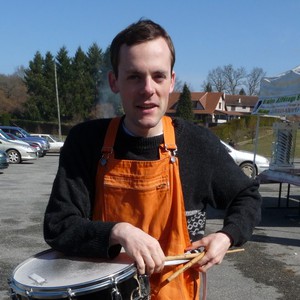
Raphaël Hertzog: People behind Debian: Samuel Thibault, working on accessibility and the Hurd

Samuel Thibault is a French guy like me, but it took years until we met. He tends to keep a low profile, even though he s doing lots of good work that deserves to be mentioned. He focuses on improving Debian s accessibility and contributes to the Hurd. Who said he s a dreamer? :-) Checkout his interview to have some news of Wheezy s status on those topics. Raphael: Who are you? Samuel: I am 30 years old, and live in Bordeaux, France. During the workday, I teach Computer Science (Architecture, Networking, Operating Systems, and Parallel Programming, roughly) at the University of Bordeaux, and conduct researches in heterogeneous parallel computing. During the evening, I play the drums and the trombone in various orchestra (harmonic/symphonic/banda/brass). During the night, I hack on whatever fun things I can find, mainly accessibility and the Hurd at the moment, but also miscellaneous bits such as the Linux console support. I am also involved in the development of Aquilenet, an associative ISP around Bordeaux, and getting involved in the development of the network infrastructure in Bordeaux. I am not practicing Judo any more, but I roller-skate to work, and I like hiking in the mountains. I also read quite a few mangas. Saturday mornings do not exist in my schedule (Sunday mornings do, it s Brass Band rehearsal :) ). Raphael: How did you start contributing to Debian? Samuel: Bit by bit. I have been hacking around GNU/Linux since around 1998. I installed my first Debian system around 2000, as a replacement for my old Mandrake installation (which after all my tinkering was actually no longer looking like a Mandrake system any more!). That was Potato at the time, which somebody offered me through a set of CDs (downloading packages over the Internet was unthinkable at the time with the old modems). I have been happily reading and hacking around documentation, source code, etc. provided on them. Contribution things really started to take off when I went to the ENS Lyon high school in 2001: broadband Internet access in one s own student room! Since sending a mail was then really free, I started submitting bugs against various packages I was using. Right after that I started submitting patches along them, and then patches to other bugs. I did that for a long time actually. I had very little knowledge of all packaging details at the time, I was just a happy hacker submitting reports and patches against the upstream source code. At ENS Lyon, I met a blind colleague with very similar hacking tastes (of course we got friends) and he proposed me, for our student project, to work on a brlnet project (now called brlapi), a client/server protocol that lets applications render text on braille devices themselves. Along the way, I got to learn in details how a blind person can use a Unix system and the principles that should be followed when developing Accessibility. That is how I got involved in it. We presented our project at JDLL, and the Hurd booth happened to be next to our table, so I discussed with the Hurd people there about how the Hurd console could be used through braille. That is how I got into the Hurd too. From then on, I progressively contributed more and more to the upstream parts of both accessibility software and the Hurd. And then to the packaging part of them. Through patches in bug reports first, as usual, as well as through discussions on the mailing lists. But quickly enough people gave me commit access so I could just throw the code in. I was also given control over the Hurd buildds to keep them running. It was all good at that stage: I could contribute in all the parts I was caring about. People however started telling me that I should just apply for being a Debian Developer; both from accessibility and Hurd sides. I had also seen a bunch of my friends going through the process. I was however a bit scared (or probably it was just an excuse) by having to manage a gpg key, it seemed like a quite dangerous tool to me (even if I already had commit access to glibc at the time anyway ). I eventually applied for DM in 2008 so as to at least be able to upload some packages to help the little manpower of the Accessibility and Hurd teams. Henceforth I had already a gpg key, thus no excuse any more. And having it in the DM keyring was not enough for e.g. signing the hurd-i386 buildd packages. So I ended up going through NM in 2009, which went very fast, since I had already been contributing to Debian and learning all the needed stuff for almost 10 years! I now have around 50 packages in my QA page, and being a DD is actually useful for my work, to easily push our software to the masses :) So to sum it up, the Debian project is very easy to contribute to and open to new people. It was used during discussions at the GNU Hackers Meeting 2011 as an example of a very open community with public mailing lists and discussions. The mere fact that anybody can take the initiative of manipulating the BTS (if not scared by the commands) without having to ask anybody is an excellent thing to welcome contributions; it is notable tha the GNU project migrated to the Debbugs BTS. More generally, I don t really see the DD status as a must, especially now that we have the DM status (which is still a very good way to drag people into becoming DDs). For instance, I gave a talk at FOSDEM 2008 about the state of accessibility in Debian. People did not care whom I was, they cared that there was important stuff going on and somebody talking about it. More generally, decisions that are made through a vote are actually very rare. Most of the time, things just happen on the mailing lists or IRC channels where anybody can join the discussion. So I would recommend beginners to first use the software, then start reporting bugs, then start digging in the software to try fix the bugs by oneself, eventually propose patches, get them reviewed. At some point the submitted patches will be correct already most of the time. That s when the maintainers will start getting bored of just applying the patches, and simply provide with commit access, and voil , one has become a main contributor. Raphael: You re one of the main contributors to the Debian GNU/Hurd port. What motivates you in this project? Samuel: As I mentioned above, I first got real contact with the Hurd from the accessibility point of view. That initially brought me into the Hurd console, which uses a flexible design and nice interfaces to interact with it. The Hurd driver for console accessibility is actually very straightforward, way simpler than the Windows or Linux drivers. That is what caught me initially. I have continued working on it for several reasons. First, the design is really interesting for users. There are many things that are natural in the Hurd while Linux is still struggling to achieve them, such as UID isolation, recently mentioned in LWN. What I really like in the Hurd is that it excels at providing users with the same features as the administrator s. For instance, I find it annoying that I still can not mount an ISO image that I build on e.g. ries.debian.org. Linux now has FUSE which is supposed to permit that, but I have never seen it enabled on an ssh-accessible machine, only on desktop machines, and usually just because the administrator happens to be the user of the machine (who could as well just have used sudo ) For me, it is actually Freedom #0 of Free Software: let the user run programs for any purpose, that is, combining things together all the possible ways, and not being prevented from doing some things just because the design does not permit to achieve them securely. I had the chance to give a Hurd talk to explain that at GHM 2011, whose main topic was extensibility , I called it GNU/Hurd AKA Extensibility from the Ground, because the design of the Hurd is basically meant for extensibility, and does not care whether it is done by root or a mere user. All the tools that root uses to build a GNU/Hurd system can be used by the user to build its own GNU/Hurd environment. That is guaranteed by the design itself: the libc asks for things not to the kernel, but to servers (called translators), which can be provided by root, or by the user. It is interesting to see that it is actually also tried with varying success in GNU/Linux, through gvfs or Plash. An example of things I love being able to do is: $ zgrep foo ~/ftp://cdn.debian.net/debian/dists/sid/main/Contents-*.gz On my Hurd box, the ~/ftp: directory is indeed actually served by an ftpfs translator, run under my user uid, which is thus completely harmless to the system. Secondly and not the least, the Hurd provides me with interesting yet not too hard challenges. LWN confirmed several times that the Linux kernel has become very difficult to significantly contribute to, so it is no real hacking fun any more. I have notably implemented TLS support in the Hurd and the Xen and 64bit support in the GNU Mach kernel used by the Hurd. All three were very interesting to do, but were already done for Linux (at least for all the architectures which I actually know a bit and own). It happens that both TLS and Xen hacking experience became actually useful later on: I implemented TLS in the threading library of our research team, and the Xen port was a quite interesting line on my CV for getting a postdoc position at XenSource :) Lastly, I would say that I am used to lost causes :) My work on accessibility is sometimes a real struggle, so the Hurd is almost a kind of relief. It is famous for his vapourware reputation anyway, and so it is fun to just try to contribute to it nevertheless. An interesting thing is that the opinion of people on the Hurd is often quite extreme, and only rarely neutral. Some will say it is pure vapourware, while others will say that it is the hope of humanity (yes we do see those coming to #hurd, and they are not always just trolls!). When I published a 0.401 version on 2011 April 1st, the comments of people were very diverse, and some even went as far as saying that it was horrible of us to make a joke about the promised software :) Raphael: The FTPmasters want to demote the Hurd port to the debian-ports.org archive if it doesn t manage a stable release with wheezy. We re now at 2 months of the freeze. How far are you from being releasable ? Samuel: Of course, I can not speak for the Debian Release team. The current progress is however encouraging. During Debconf11, Michael Banck and I discussed with a few Debian Release team members about the kind of goals that should be achieved, and we are near completion of that part. The Debian GNU/Hurd port can almost completely be installed from the official mirrors, using the standard Debian Installer. Some patches need some polishing, but others are just waiting for being uploaded Debian GNU/Hurd can start a graphical desktop and run office tools such as gnumeric, as well as the iceweasel graphical web browser, KDE applications thanks to Pino Toscano s care, and GNOME application thanks to Emilio Pozuelo Monfort s care. Of course, general textmode hacking with gcc/make/gdb/etc. just works smoothly. Thanks to recent work on ghc and ada by Svante Signell, the archive coverage has passed 76%. There was a concern about network board driver support: until recently, the GNU Mach kernel was indeed still using a glue layer to embed the Linux 2.2 or even 2.0 drivers (!). Finding a network board supported by such drivers had of course become a real challenge. Thanks to the GSoC work of Zheng Da, the DDE layer can now be used to embed Linux 2.6.32 drivers in userland translators, which was recently ACCEPTed into the archive, and thus brings way larger support for network boards. It also pushes yet more toward the Hurd design: network drivers as userland process rather than kernel modules. That said, the freeze itself is not the final deadline. Actually, freeze periods are rests for porters, because maintainers stop bringing newer upstream versions which of course break on peculiar architectures. That will probably be helpful to continue improving the archive coverage. Raphael: The kfreebsd port brought into light all the packages which were not portable between different kernels. Did that help the Hurd port or are the problems too different to expect any mutual benefit? Samuel: The two ports have clearly helped each other in many aspects. The hurd-i386 port is the only non-Linux one that has been kept working (at least basically) for the past decade. That helped to make sure that all tools (dpkg, apt, toolchain, etc.) were able to cope with non-Linux ports, and keep that odd-but-why-not goal around, and evidently-enough achievable. In return, the kFreeBSD port managed to show that it was actually releasable, at least as a technological preview, thus making an example. In the daily work, we have sometimes worked hand in hand. The recent porting efforts of the Debian Installer happened roughly at the same time. When fixing some piece of code for one, the switch-case would be left for the other. When some code could be reused by the other, a mail would be sent to advise doing so, etc. In the packaging effort, it also made a lot of difference that a non-Linux port is exposed as released architecture: people attempted by themselves to fix code that is Linuxish for no real reason. The presence of the kFreeBSD is however also sometimes a difficulty for the Hurd: in the discussions, it sometimes tends to become a target to be reached, even if the systems are not really comparable. I do not need to detail the long history of the FreeBSD kernel and the amount of people hacking on it, some of them full-time, while the Hurd has only a small handful of free-time hackers. The FreeBSD kernel stability has already seen long-term polishing, and a fair amount of the Debian software was actually already ported to the FreeBSD kernel, thanks to the big existing pure-FreeBSD hackerbase. These do not hold for the GNU/Hurd port, so the expectations should go along. Raphael: You re also very much involved in the Debian Accessibility team. What are the responsibilities of this team and what are you doing there? Samuel: As you would expect it, the Debian Accessibility team works on packaging accessibility-related packages, and helping users with them; I thus do both. But the goal is way beyond just that. Actual accessibility requires integration. Ideally enough, a blind user should be able to just come to a Debian desktop system, plug his braille device, or press a shortcut to enable speech synthesis, and just use the damn computer, without having to ask the administrator to install some oddly-named package and whatnot. Just like any sighted user would do. He should be able to diagnose why his system does not boot, and at worse be able to reinstall his computer all by himself (typically at 2am ). And that is hard to achieve, because it means discussing about integration by default of accessibility features. For instance, the Debian CD images now beep during at the boot menu. That is a precious feature that has been discussed between debian-boot and debian-accessibility for a few weeks before agreeing on how to do it without too much disturbance. Similarly, my proposition of installing the desktop accessibility engines has been discussed for some time before being commited. What was however surprisingly great is that when somebody brought the topic back for discussion, non-debian-accessibility people answered themselves. This is reassuring, because it means things can be done durably in Debian. On the installation side, our current status is that the stable Debian installer has a high contrast color theme, and several years ago, I have pushed toward making standard CD images automatically detect braille devices, which permits standalone installation. I have added to the Wheezy installer some software speech synthesis (which again brought discussion about size increase vs versatility etc.) for blind people who do not have a braille device. I find it interesting to work on such topic in Debian rather than another distribution, because Debian is an upstream for a lot of distributions. Hopefully they just inherit our accessibility work. It at least worked for the text installer of Ubuntu. Of course, the Accessibility team is looking for help, to maintain our current packages, but also introduce new packages from the TODO list or create some backports. One does not need to be an expert in accessibility: tools can usually be tested, at least basically, by anybody, without particular hardware (I do not own any, I contributed virtual ones to qemu). For new developments and ideas, it is strongly recommended to come and discuss on debian-accessibility, because it is easy to get on a wrong track that does not bring actual accessibility. We still have several goals to achieve: the closest one is to just fix the transition to gnome3, which has been quite bad for accessibility so far :/ On the longer run, we should ideally reach the scenario I have detailed above: desktop accessibility available and ready to be enabled easily by default. Raphael: What s the biggest problem of Debian? Samuel: Debian is famous for its heated debian-devel discussions. And some people eventually say this no fun any more . That is exemplified in a less extreme way in the debian-boot/accessibility discussions that I have mentioned above. Sometimes, one needs to have a real stubborn thick head to continue the discussion until finding a compromise that will be accepted for commit. That is a problem because people do not necessarily have so much patience, and will thus prefer to contribute to a project with easier acceptance. But it is also a quality: as I explained above, once it is there, it is apparently for good. The Ubuntu support of accessibility in its installer has been very diverse, in part due to quite changing codebase. The Debian Installer codebase is more in a convergence process. Its base will have almost not changed between squeeze and wheezy. That allowed the Debian Accessibility team to continue improving its accessibility support, and not have to re-do it. A wiki page explains how to test its accessibility features, and some non-debian-accessibility people do go through it. A problem I am much more frightened by is the manpower in some core teams. The Debian Installer, grub, glibc, Xorg, gcc, mozilla derivatives, When reading the changelogs of these, we essentially keep seeing the same very few names over and over. And when one core developer leaves, it is very often still the same names which appear again to do the work. It is hard to believe that there are a thousand DDs working on Debian. I fear that Debian does not manage to get people to work on core things. I often hear people saying that they do not even dare thinking about putting their hands inside Xorg, for instance. Xorg is complex, but it seems to me that it tends to be overrated, and a lot of people could actually help there, as well as all the teams mentioned above. And if nobody does it, who will? Raphael: Do you have wishes for Debian Wheezy? Samuel: That is an easy one :) Of course I wish that we manage to release the hurd-i386 port. I also wish that accessibility of gnome3 gets fixed enough to become usable again. The current state is worrying: so much has changed that the transition will be difficult for users already, the current bugs will clearly not help. I also hope to find the time to fix the qt-at-spi bridge, which should (at last!) bring complete KDE accessibility. Raphael: Is there someone in Debian that you admire for their contributions? Samuel: Given the concerns I expressed above, I admire all the people who do spend time on core packages, even when that is really not fun everyday. Just to alphabetically name a few people I have seen so often here and there in the areas I have touched in the last few years: Aur lien Jarno, Bastian Blank, Christian Perrier, Colin Watson, Cyril Brulebois, Frans Pop, J rg Jaspert, Joey Hess, Josselin Mouette, Julien Cristau, Matthias Klose, Mike Hommey, Otavio Salvador, Petr Salinger, Robert Millan, Steve Langasek. Man, so many things that each of them works on! Of course this list is biased towards the parts that I touched, but people working in others core areas also deserve the same admiration.
Thank you to Samuel for the time spent answering my questions. I hope you enjoyed reading his answers as I did. Note that older interviews are indexed on wiki.debian.org/PeopleBehindDebian.

Subscribe to my newsletter to get my monthly summary of the Debian/Ubuntu news and to not miss further interviews. You can also follow along on Identi.ca, Google+, Twitter and Facebook.

3 comments Liked this article? Click here. My blog is Flattr-enabled.

15 February 2012

Mike (stew) O'Connor: Udev and multiple keyboards

I've started using my kinesis keyboard with my laptop a lot during the workday, but not the rest of the time, which means my USB keyboard is being plugged and unplugged often. I prefer to have a lot of keys remapped on the kinesys, So I was having an annoying time having to run xmodmap (possibly without the benefit of having Mod4 to get the window manager to give me a shell) to set these keys. I survived about two weeks before this bugged me enough to figure out what could be done to solve this. I had solved it once before by dropping a magically crafted file into /etc/hal/fdi/policy, but that system is long gone. Luckily it looks like thanks (at least in part) to Martin Pitt, udev has a keymap facility for handling this type of scenario. /usr/share/doc/udev/README.keymap.txt.gz has a bunch of good hints that got me started.
$ /lib/udev/findkeyboards
USB keyboard: input/event2
AT keyboard: input/event0
Finds my keyboard devices. I'm interested in the USB connected keyboard. So I run:
/lib/udev/keymap -i input/event2
To discover scan codes my keyboard generates for the keys I want to remap. here #654928 got me, the trick is to issue the above command from the laptop keyboard, so that the terminal you launched keymap in doesn't get wonky because it never got the key-release event from the enter key. When I hit keys on my external keyboard now, I get stuff like:
scan code: 0x7004A   key code: home
scan code: 0x700E7   key code: rightctrl
They key codes coming out match what is printed on the keycaps. From here I generate a file matching files in /lib/udev/keymaps, but change the keycodes to the keycodes I want to remap to, ending up with:
0x7004A leftmeta 
0x700E7 rightalt
This file goes into /lib/udev/keymaps/kinesis-stew. It appears the things like leftmeta/rightalt which are valid come from /usr/include/linux/input.h. It also seems to be valid to put hex there, but I didn't find a good way to figure out what hex codes go with which key codes. Then I look for the VendorID/DeviceID by looking in the output of "udevadm info --export-db" for input/event2 and find:
ID_VENDOR_ID=05f3
ID_MODEL_ID=0007
So now I'm ready to create my udev rule (which I put into /etc/udev/rules.d/99-stew-keymap.rules
ATTRS idVendor =="05f3", ATTRS idProduct =="0007", RUN+="keymap $name kinesis-stew"
And now everything seems to be good. I can plug and unplug my external keyboard without having to run xmodmap to get the keybindings I want, and the keybindings for the built-in laptop keyboard are not disturbed.

12 January 2012

Michal Čihař: Tiny blog improvements

Finally, I've found some time to do some improvements on this blog engine. First thing which was more and more missing is reasonable content for description in HTML headers. This lead to sites like Google+ always fetch the constant text and that did not look that. So now, there is something really relevant to the content, either first paragraph (what is the case for all old entries) or something I can manually edit (in case I won't be too lazy). For automatic extraction I tried several approaches. First attempt was simply extracting first paragraph from Markdown, however I quickly remembered that quite a lot of older posts were written directly in HTML, which made this big failure. Later trying BeautifulSoup on rendered HTML, what lead to missing spaces around text which was originally in links. Finally I discovered html2text, which worked pretty easily and does what I need. In the end the code looks like following:
def get_auto_summary(self):
    h2t = html2text.HTML2Text()
    h2t.body_width = 0
    h2t.ignore_images = True
    h2t.ignore_links = True
    h2t.ignore_emphasis = True
    text = h2t.handle(self.body.rendered)
    return text.splitlines()[0]
Other change affects Flattr, as providing Flattr links for each posts is now possible even without javascript (it's called Auto-submit URL), I've decided to implement them this way. Let's see how many things will get on Flattr this way (at least it will give me better indication what somebody considered being useful). Thanks for commenters on my older blog post for hints.

Filed under: Django English Website 2 comments Flattr this!

1 January 2012

Joey Hess: a resolution that stuck

Last year, my new year's resolution was to write in my journal every day. That actually stuck, I wrote 262 journal entries in 2011. While I've been keeping a journal intermittently since 1998, last year I doubled the number of entries in it. And wrote a novel's worth of entries -- 53 thousand words! Most of it is of course banal and mundane stuff. Not good compared with Lars, who does something with his journal where he goes into some detail about code he's working on, and other work. The excerpts I've seen are quite nice. But after I've written code, written a commit message, documentation, perhaps bug reports etc, I often can't find much to say about it in my journal, beyond the bare bones that I worked on $foo today or faced a particularly hard bug. I also worry that the journal, and my reluctance to repeat myself, often tips the balance away from me blogging, if I write down something in the journal first.
Here's my journal for today:
Compare what jokes are funny now with those in 1982. The 1982 ones from net.jokes on olduse.net seem juvenile. Now compare what Unix joke man pages are funny now with those I'm reading from 1982. They seem basically the same. What would Biella make of this? Liw noticed ikiwiki OOM on pell. Tracked down to a perl markdown bug with long lines. Had quite enough of perl markdown; ikiwiki will be moving to a different engine. Added discount support to it today, still needs Debian package tho. [censored] Really gorgeous sunset, with a high wind, moon, puffy low, fast moving clouds. Enjoyed it ecstaticly. It's going to get cold soon. Very rainy early, but then got intermittently sunny; power is holding out ok. Was going to roast a chicken today, but got distracted and had a large lunch besides. Need to find some quick food for supper. I need to start a new book, should it be the River Cottage book about meat that I stole from Anna, or some SF? Blogged about journaling, and put this journal entry in it, so also journaled about blogging. Wrote it somewhat self-conciously.

The benefits for me have ranged from being able to go back and work out dates of events, to forwarding the odd excerpts to others. The best thing though is certianly having a regular time of introspection, to look back over my the day. If you've not got a new year's resolution yet, I recommend this one. (Learning Haskell would be another good one, if you haven't yet.) Just write something, anything, down in your journal every day.

Next.

Previous.